
#ue4-general
1 messages · Page 1152 of 1
 oak patio
Try world location not relative
 drowsy snow
Can't recommend you any, because I have my own workflow that actually works without any plugins, and I can't make tutorial videos.
oak patio
So plug the result of get world location into start
 pallid olive
hi guys im verry new into game creating. i wounder if i want to make 2d background is this best done in Ps and import it into ue editor?
 shrewd pulsar
anyone know a good youtube video for creating forward vectors at a certain distance
iv been at this for a few days now lol
 honest vale
what's Hub for UE5 runtime traces (i.e. -tracehost=<host>) and tools like Unreal Insights?
drowsy snow
pallid olive
hi guys im verry new into game creating. i wounder if i want to make 2d backgrou...
If you're going to paint the 2D backgrounds by hand, that has to be done externally (there is ILIAD plugin for in editor painting)
Otherwise you can either prerender the backgrounds in Unreal or just render it in real time, as 3D scene with limited 2D camera movement
pallid olive
drowsy snow
If you're going to paint the 2D backgrounds by hand, that has to be done externa...
thanks alot for your suggestion ill take a look into Iliad plugin
 quiet island
Good evening everyone I am seeking for some help (if anyone would be able to help me understand something).
I have a mainmenu that im opening before im loading the maingame map. When I normally first load the maingame map the topdown character template works perfectly fine and lets the player move.
But when I make a mainmenu with a button that has open level on click it somehow is not activating that movement option for the topdown character

 rich reef
Is there any way that I can hot reload a game on android?
Say that I want to move something 5 meters in my level, do I have to recompile the game and restart it on my android device to see those changes (on the android device)?
rich reef
Or is the idea that I should be doing 90% of the gameplay testing on my pc? Because having to wait a minute and a half to se your changes on the phone is not gonna work.
I do have a drawing tablet, but it requires use of a pen for it to register touch so most ideal would be if I could just play directly on the phone
This is how long it takes to recompile and restart (am I doing anything wrong?) https://youtu.be/eBiRrv6DtxA
Its an i9-12900K, 32 gb of ram so I was hoping it would be a little faster.
 grim ore
no real hot reload on mobile, but launching on device should just do an incremental update
rich reef
grim ore
no real hot reload on mobile, but launching on device should just do an incremen...
Okay, can you have a look at the video? Later in in the video I show a second launch, its taking A LOT of time.
grim ore
you should be able to do most of your testing in editor using the mobile preview, you can simulate touch with mouse
check your output log while its deploying , see what it shows
it looks like a large part of that is removing the old app from the device and pushing the files over to the device
so device related
 grim violet
Anyone familiar with perception neuron? I am trying to use the corrective t pose on a metahuman and every time i try importing it crashes
also weird part is it technically already did import correctly it just doesn't show in the content browser ): in file explorer it shows up as a uasset but not in UE5's content browser
 plush yew
is it possible to make material instances cycleble (not in game but in the editor viewport)
where i can just click left n right and change out texture object instances
i know u can set it up for in game but itd be nice to be able to do this in the viewport
 full matrix
!stream
 sullen quarry
probably an overasked question but how can i reduce the compilation time. it literally took me 2 minutes to add a new class. and like 15 for a small change. i can't really get any better components for my pc because well im 15 and kinda broke so...
grim ore
dont use C++ is probably the quickest way
otherwise, small changes shouldnt only compile the changed parts of your project so 15 minutes seems a bit long
sullen quarry
grim ore
dont use C++ is probably the quickest way
true, but im trying to follow tutorials and learn ue4 c++...but that is true
sullen quarry
grim ore
dont use C++ is probably the quickest way
maybe its cos im using 4.23?
do newer versions get quicker compile times?
grim ore
they can. 5.0 has better live reload as well
sullen quarry
grim ore
they can. 5.0 has better live reload as well
ok, will try some of the newer ones then, it seems 4.23 is just being annoying at the moment
 dusk nebula
How would you handle perks that are assigned and then checked under various conditions? There's no way that using a bool or int and then checking every variable is optimal
 soft skiff
Hey, can anyone help me with a very quick question. When making assets (in Max, Maya, whatever), do I need geometry on both sides of the assets to block any lighting I do in engine?
 dense knoll
Theres some assets in my project that wont show up in editor

these are from 4.27
How do i get the editor to recognize the assets?
it is able to read some of them but not all
 muted plume
Is there a way to cast your character BP to an actor component?
quiet island
Well look at that! I understood what you meant and figured to solve it haha. Your the best
 soft skiff
Hey, can anyone help me with a very quick question. When making assets (in Max, Maya, whatever), do I need geometry on both sides of the assets to block any lighting I do in engine?
sullen quarry
i used unrealvs quick build and my compile is taking over 3 minutes
 thick herald
soft skiff
Hey, can anyone help me with a very quick question. When making assets (in Max, ...
thick herald
soft skiff
Hey, can anyone help me with a very quick question. When making assets (in Max, ...
Yeah light can leak through
soft skiff
thick herald
Yeah light can leak through
Thanks. Just use a shell modifier I guess, or make a weird shaped plane that covers the back?
thick herald
Depends really. I mean you could design your meshes to take into account your actual level design and only make the ones you need to with extra 'sides' or use exisiting SM to block light.
soft skiff
thick herald
Depends really. I mean you could design your meshes to take into account your ac...
Sorry, what do you mean by SM?
thick herald
Static Mesh
soft skiff
thick herald
Static Mesh
Thanks, appreciate the help
Alright, I'll keep that in mind.
 cunning zinc
Hello! I input 8 live video feed.
Need to display that in a material, I've tested between
- 8 texture sampler
- 1 UMG rendertarget to 1 texture sampler in the material (using an hidden widget component)
Did anyone of you think about using 1 method or another beeing better ?
plush yew
Hey guys everytime I try to open a map or set a new default map my unreal engine 4 starts non responding and it won't work?
 misty laurel
sup anyone know how to change shadow warrior 3s weapon fov ...its horrible...i know there was a fov changer for blair witch ...which was also a UE4 game
or is it a simple command in .ini
 kind dew
misty laurel
sup anyone know how to change shadow warrior 3s weapon fov ...its horrible...i k...
kind dew
misty laurel
sup anyone know how to change shadow warrior 3s weapon fov ...its horrible...i k...
right click the node and refresh. It means that that surface type enum was changed so the switch node on it needs to be updated
misty laurel
kind dew
right click the node and refresh. It means that that surface type enum was chang...
what?
SW2 had a weapon fov change ability but that was hogs own in house engine tho
wonder how to do it in UE4 SW3
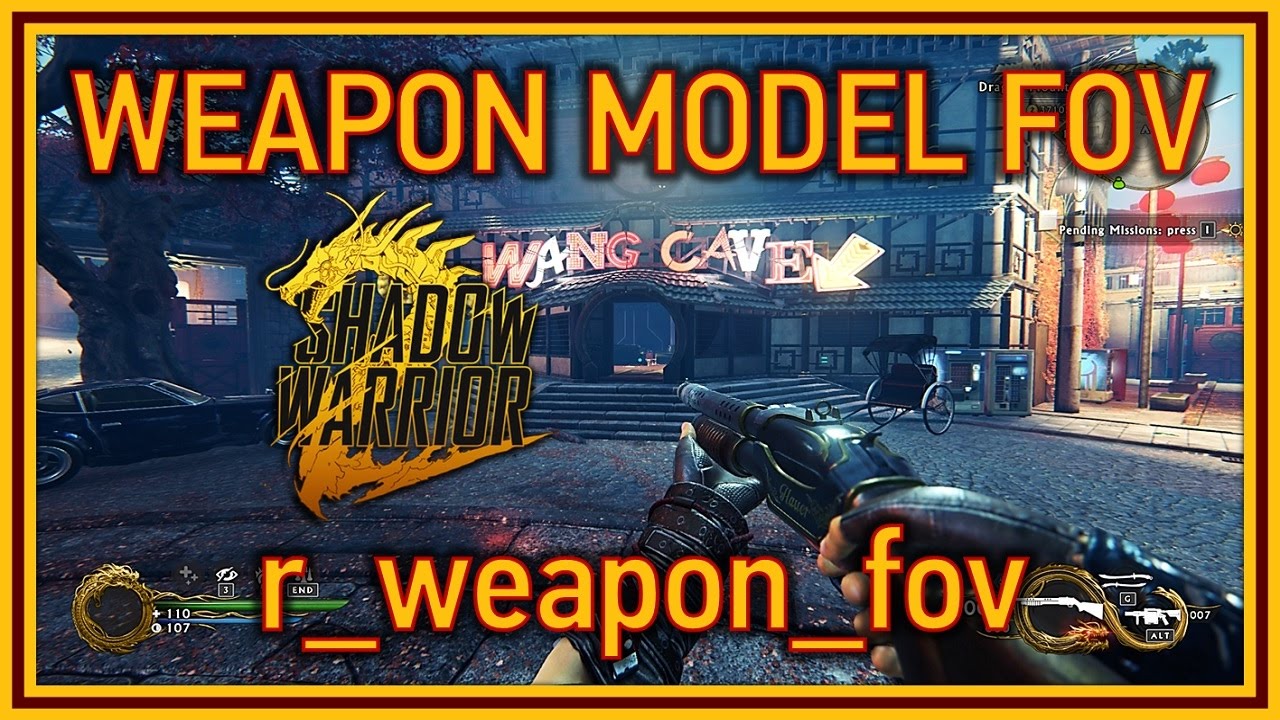
Greetings, everyone.
A small tweak-guide video for Shadow Warrior 2 this time, I found that the weapon FOV can be changed using a console command, something not very common in modern games, so it’s always welcome.
To access the in game console, we need to press Ctrl and the Tilde keys, or the key above TAB or to the left of the “1” key, depend...
like this
 fierce tulip
this isnt a discord for random unreal engine game questions, this is a discord for game developers using unreal engine.
misty laurel
well best place to ask imo
drowsy snow
misty laurel
well best place to ask imo
Nope.
misty laurel
due to ...experienced devs
drowsy snow
misty laurel
due to ...experienced devs
But we are not part of Flying Wild Hog dev teams.
fierce tulip
we cant be sure, that all depends on how those devs did it.
Probably in engine.ini but heck, they could have ripped it out, replaced it, or called it differently.
drowsy snow
Also in UE4, independent weapon FOV depends on the first person weapon material (WPO w/ Panini) and per project game user settings.
So it's not shared on ALL UE4 projects.
misty laurel
so no solution ?
if anyone could give it a look would be much appreciated
was also wondering if possible to disable health / item drops from enemys and disable glow on interactive objects
drowsy snow
misty laurel
was also wondering if possible to disable health / item drops from enemys and di...
This ain't the right place for game support, chief.
fierce tulip
^
misty laurel
sorry ...im just looking for some help here , sorry
drowsy snow
Tried refreshing the offending node?
fierce tulip
@misty laurel try to find a community in relation to Shadow Warrior 3, im sure they can tell you about fov, and perhaps even modding. but its really weally far away from the scope of this server.
 void linden
Is 35k vertices for a single object too much for mobile games
By single object i mean the car the player is going to drive
fierce tulip
depends on a lot of variables. if you can get lower, go lower. in the end use the profiler and see if the car fits in the budget.
drowsy snow
void linden
Is 35k vertices for a single object too much for mobile games
Did you mean tris/faces? Vertices alone doesn't affect much when it comes to performance, but even the low poly models can hog the framerate down if you have sloppy materials.
And yeah, if in doubt, use stat unitgraph
fierce tulip
everything has a role, everything has a budget. (so: yes)
void linden
Thanks for the help! First time making a game on my own so needed some help
fierce tulip
good luck :)
 rotund scroll
fierce tulip
everything has a role, everything has a budget. (so: yes)
rotund scroll
fierce tulip
everything has a role, everything has a budget. (so: yes)
people too 
 tacit junco
What do you guys think I should learn unreal 4 or 5?
drowsy snow
tacit junco
What do you guys think I should learn unreal 4 or 5?
UE4.
At least until UE5 fully released.
tacit junco
I wanna use 5 cuz of Nanite and cuz quixel is much easier to use
drowsy snow
tacit junco
I wanna use 5 cuz of Nanite and cuz quixel is much easier to use
Unless you're a filmmaker, you don't have real reason to use virtualised geometry just to get started.
tacit junco
drowsy snow
UE4.
would porting a game from 4 to the fully released unreal 5 be an issue?
drowsy snow
tacit junco
would porting a game from 4 to the fully released unreal 5 be an issue?
It's expected to be forward compatible when it's fully released, yes.
For now, things seem to be still rough around the edges even in 5.0 Preview 1.
tacit junco
Ok thanks!
grim violet
can anyone help? i have this fbx file that i need to import to correct a pose and for some reason ue5 just crashes when i import
drowsy snow
grim violet
can anyone help? i have this fbx file that i need to import to correct a pose an...
 dire fjord
Does 1 unreal unit really equal 1 cm? We currently have some real world VR set up in a 9 meter x9 meter room. When you start in one corner, but the time you reach the opposite (9 meters away), we've only gone 8 meters in the real world.
grim ore
it should be yes, but there is a scale you can adjust that might make it feel more accurate https://docs.unrealengine.com/4.27/en-US/SharingAndReleasing/XRDevelopment/VR/VRBestPractices/
grim violet
Is it possible to copy an edited MH from project to project in UE4?
I.e.) I want to copy this MH and move it to another UE4 project, is that possible? I tried before and couldnt find the BPs
 drowsy snow
grim violet
Is it possible to copy an edited MH from project to project in UE4?
drowsy snow
grim violet
Is it possible to copy an edited MH from project to project in UE4?
Yes, use the Migrate feature - it'll copy related/referenced assets along.
drowsy snow
grim violet
Is it possible to migrate from UE5 to UE4?
No.
drowsy snow
Good thing I still do main work in UE4 😎
grim violet
I was dumb and started learning via UE5
Now my projects I worked on are now being converted.. by me redoing them 
dire fjord
grim ore
it should be yes, but there is a scale you can adjust that might make it feel mo...
World to meters seems to be set at 100, which is the default. That means 1 unit should equal 1 cm right?
grim violet
Anyone know if its possible to add emission to a groom asset's material? Trying to make eyebrows and eyelashes glow
 grim ore
yes, it should be the 1uu:1cm like you expect, it's just it appears it's not or something doesnt match. You could try adjusting that value and see if you can make it feel right.
dire fjord
grim ore
yes, it *should* be the 1uu:1cm like you expect, it's just it appears it's not o...
Hmmm okay. We are also noticing that the farther we go from the starting point the more our physical position and virtual position become out of sync. But as we return to the origin we synchronize again. I wonder if that might be connected to this issue.
We calibrate and synchronize the 9x9 m virtual and real spaces around the green circle. As we walk around to the red circle we suddenly find ourselves 40-50 cm out of sync, but as we come back to the green circle we are in sync again.
 grim ore
yeah it might be some form of drift, but that distance shouldnt be math related so its got to be something else
plush yew
I wanna access a sweep when setting actor location of a pawn. But it seems like my pawn doesnt have collision and i dont know how to enable them, because the pawns shape isnt the sceen root.
Can someone help me with this problem?
grim ore
what is the root?
plush yew
DefaultSceneRoot of a pawn
grim ore
you can replace it with your static mesh then if that is your goal, or another collision item like a capsule or cube
unless you need a scene component to be your root for some reason
plush yew
I dont think that i need this root, but how to replace it ?
grim ore
drag your new root on to it and it will do it/ask you to do it
dire fjord
grim ore
yeah it might be some form of drift, but that distance shouldnt be math related ...
If you have any thoughts that would be great. I've been banging my head against that for a couple weeks. Settings wise it seems fine, and our virtual and real world seem to be in sync in terms of position and rotation. As we're 50 cm off... Maybe I could try a world scale of 5% difference and see if that makes up for the drift. The quest 2 tracking seems fine so I've no idea why this is drifting
plush yew
I got a question that sounds pretty simple but its not
Say I take one of those free unreal engine assets they want you to pay for later and then use the math from them
all of the nodes i use exist within unreal engiine itself and is not part of an asset
all of the textures i use are of my own
if all I did was copy the numbers (not copy paste but literally just look at their math and be like ah this float goes into this thingy and use this number for subsurface color etc
Can I then say that this asset I make is clear of any copyright issues
https://files.catbox.moe/b8izjg.mp4
I used the math from the metahuman shaders
but nothing in the asset is actually coming from a metahuman asset
is this legal?
grim ore
what are you using the math for?
just a little confused on the part about "free asset that I pay for later"
plush yew
ok lets take that out of the equation
say i make a blueprint, and it is all nodes contained in unreal nothing custom i imported, i then sell it on marketplace
legally someone can just make their own using the same values and then not owe me anything right?
grim ore
yes, unless they took it from you. even copying is still copying. proving that is an entirely other thing. again still confused on the pay later part
as metahuman is free for use in unreal engine
plush yew
neat i wasnt worried about using the metahumans but copyrighted content in general that is free of use for learning, did not know metahumans were free to use in unreal regardless of publishing as long as its in unreal thats neat
grim ore
https://www.unrealengine.com/en-US/metahuman-creator MetaHuman Creator is free to use in your Unreal Engine projects. This means that MetaHuman assets must be rendered with Unreal Engine.
any all of epic assets they provide for learning/training should be free to use in your projects as long as they are used in unreal engine
grim ore
it should say on the asset itself for the learning stuff
plush yew
good youtube channel btw
im pretty sure i used one of your videos when i was stuck on materials
lol
dire fjord
one of his videos? I have most of his videos burned into my brain 😉
plush yew
that reminds me
should I turn mipmaps off all textures i want to look more gooder
even with virtual texture streaming on
Is it somehow possible to have an object receiving Event Hit on player but still be able to go thru them?
grim ore
mipmaps are a memory thing, you want them on unless its like maybe for a cinematic or something. in general you want them as a 4k texture taking up 10 pixels on your screen is silly
@plush yewthe object react to hitting the player but doesnt stop and goes thru them? not really, you would use an overlap instead of a hit
plush yew
thanks
and virtual texture tile size should be 128 for 4k right

In this video we will be looking at how to set up UE4 to support UDIMs, and how to import your textures for them to be displayed correctly on your models.
Follow me on Instagram and Artstation!
Instagram: https://www.instagram.com/william_faucher/
Artstation: https://www.artstation.com/will_faucher
he leaves his at 128
but my tiles in blender were made at 4096
grim ore
shrug no idea, #graphics or #level-design might have more info. I can't art lol
heck the official docs have more info than I do heh
and that doesn't really look urgent
plush yew
grim ore
<@456226577798135808>the object react to hitting the player but doesnt stop and ...
Okay thanks
But i wonder how i specify this, like how to set only players to not collide with a specific object :/
Ah nvm i just found it
plush yew
does anyone know why this is not working for a button click to work in my actor blueprint? They person on this question shows the same way and says it works with others saying so also.
https://forums.unrealengine.com/t/calling-event-in-level-blueprint-from-widget/331690/3

 autumn flame
Cause the Widget may not exist at that point
Really suggest Binding where the Widget is created
plush yew
I would, but I cannot find any docs on how to bind to the widget graph, and still get the output on my actor blueprint.
autumn flame
Totally possible, just don't do what you are doing rn
plush yew
ok, otherwise I could just do it the other way around and it would be easier if there is a doc on how to push an event from my actor (key pressed action) to the widget.
autumn flame
Multiple ways, depends on where you create the widget and what exactly you wanna do
plush yew
I got it working, I have the same idea I posted, just had to do it in the widget like you suggested and it works like a charm. Thank you
 wild hemlock
is Chaos not included in the 4.27 distributed in the epic games launcher?
must it be compiled from source?
cant find the Fracture mode
oh its 4.27 schaos
can you open a packaged UE5 project in UE4?
plush yew
quick question while its dead in here, what does this power x2 node even do
all i know is it fixes my textures from opengl applications


Im glad it helps but i want to know what its doing, i searched for the documentation on it and found nothin
 flint crescent
plush yew
quick question while its dead in here, what does this power x2 node even do
all ...
flint crescent
plush yew
quick question while its dead in here, what does this power x2 node even do
all ...
its squares the number. like 2squared = 4 3squared = 9. So it'll just be amplify the value for each RGB
plush yew
i am attempting to follow this guide to make a grid material in the insurgency sandstorm editor but the engine is 4.25 which does not have the "step" node. What is the "step" node, what does it do, and how could I recreate it? I found an answer on the forums using custom node, but some one claimed custom nodes are not recommended. Thank you.
https://www.techarthub.com/making-a-procedural-grid-material-in-unreal-engine-4/

In this tutorial we’re going to be creating a procedural material that will project a customizable grid in world-space onto any surface.
plush yew
in the latest versions of unreal engine 4 and 5 what did they change the name of TCNormal map compression to
it is no longer in the compression dropdown in either engine for me
oh
just found out the seams wont be fixed by this option anymore
apparently it is a bug in unreal engine when you have support skin cache enabled
it was already reported a bug, more than 2 years ago. So hopefully its almost time they fix it
 modest folio
As part of a visualisation I am working on in UE5 I would like to hide certain mesh objects based on a setting that I will have the user change in a typical pause menu. I dragged these meshes directly into my scene but suspect that if I want to be able to hide them that I may need to create an actor blueprint and stick them all in there? Is that the best approach or is there a more appropriate way of doing that? Because I am using Lumen for lighting there shouldn't be any lighting issues to resolve when objects are removed that will impact on shadows etc. I am very new to this so I don't know how to do it exactly, but if I am on the right track at least I can read up more in that direction. If anyone is aware of a tutorial that might shine more light on this please share if you can. Thanks!
 young stream
modest folio
As part of a visualisation I am working on in UE5 I would like to hide certain m...
young stream
modest folio
As part of a visualisation I am working on in UE5 I would like to hide certain m...
if it's in a pause menu it's less of a problem to do something like 'get all actors of class' or 'get all actors with tag'. But if you need it at runtime or need to ensure there's no hitch, using an interface and making actor BPs from the static meshes would indeed be much better.
If you aren't using nanite you could also experiment with a material collection parameter that sets the object's (masked) material to 0 opacity. Depending on how many objects you need to query/affect it might work better, not sure.
https://www.youtube.com/watch?v=G_hLUkm7v44
Here's a handy vid from Mr Wadstein on interfaces. I'm sure he also has one on material collection parameters and the get all actors nodes. His vids are super helpful

What is a Blueprint Interface in Unreal Engine 4 Blueprints?
Source Files: https://github.com/MWadstein/wtf-hdi-files
 primal tendon
So I'm using Weapon factory and MoCap Rifle Pack animations, when moving in any direction the left hand is moving away from the gun, how do I snap it?

 young stream
primal tendon
So I'm using Weapon factory and MoCap Rifle Pack animations, when moving in any ...
young stream
primal tendon
So I'm using Weapon factory and MoCap Rifle Pack animations, when moving in any ...
is your character rigged to the epic skeleton with the right ik bones?
primal tendon
young stream
is your character rigged to the epic skeleton with the right ik bones?
I think so...
young stream
plush yew
This is a 2K picture, and it only shows 64X64 resolution
your texture group/mip settings would be incorrect. Check which texture group it's in, lod bias, and the downscale settings
plush yew
Thank you~
young stream
primal tendon
I think so...
sounds to me like it's due to hand IK either not being set up or not working in the animbp. I don't know about those assets, but if they work together in the previews or whatever with the epic skeleton, chances are your skele doesn't have hand ik set up properly, or you need to change bone names etc in the animbp setup
 upper quartz
hi guys, i have crash problem about pracache on IOS.
primal tendon
young stream
sounds to me like it's due to hand IK either not being set up or not working in ...
I have only set the gun to the socket named ik_hand_gunSocket
What else should I do? Also yes I did notice it now, it's not only left hand but also the right hand that goes a bit off when running forward.

Hmm, it seems I don't know properly about IK, so which is best tutorial for 2 hand gun IK?
 soft rampart
Hi, movable lights in my scene doesn't seem to cast light at all in gamemode. its completely dark. I'm relatively new to Unreal, can't seem to find a solution other than changing all my lights from movable to static and then baking.
 faint bone
Can anyone help me how i can make a AI movement bp without using navmesh or behaviour tree. any tutorial will be helpful.
drowsy snow
faint bone
Can anyone help me how i can make a AI movement bp without using navmesh or beha...
The navmesh is used for pathfinding. It's not related to behaviour trees.
But whatever. You could theoretically jerry rig a VInterp To for the location and RInterp To for the rotation, on tick, and adjust the target based on conditional branches.
Maybe add line traces forward to determine the collisions.
 modest trench
faint bone
Can anyone help me how i can make a AI movement bp without using navmesh or beha...
modest trench
faint bone
Can anyone help me how i can make a AI movement bp without using navmesh or beha...
why are you so averse to using the AI stuff? not fitting your usecase?
flying pawns?
faint bone
yep
i'm making board game but don't want to use navmesh, as i want the to follow a specific path.
modest trench
this is a longshot but I think you might enjoy this unity C# programming series on how to make a hex based boardgame https://catlikecoding.com/unity/tutorials/hex-map/
basically you need to make a system that can evaluate the "cost" of moving from cell to cell in your game board
drowsy snow
Also the suggestion above is pretty much improvising different codes. Not recommended if you have no prior working knowledge on C# or Unity
modest trench
and yeah, this is going to be weird to apply to UE if you don't really understand either
just the first thing that came to my mind
if it's just a grid google says to throw Dijkstra's algorithm at it
faint bone
well i can try to understand. thanks for help.
oak patio
You can still use navmesh and apecific path
You can make a navmesh and have it follow a set of points you lay out
modest trench
could we get more info on what the board looks like?
drowsy snow
Redirect the answers to #blueprint guys
It is getting confusing
Prime example of why crossposting without redirect is frowned upon by the #rules
plush yew
There is a question that has puzzled me for a long time. The problem of stickers will be displayed as long as there is light, and it will disappear when there is no light. Who can answer my question?

 drowsy snow
plush yew
There is a question that has puzzled me for a long time. The problem of stickers...
drowsy snow
plush yew
There is a question that has puzzled me for a long time. The problem of stickers...
Try asking on #graphics
plush yew
drowsy snow
Try asking on <#221799195806400512>
Thank you~
 violet marsh
Do I understand correctly, that if I use marketplace plugin that generates some content (blueprint logic, etc.), then project with this generated content (even without the plugin included) cannot be shared publicly (to not violate EULA) ? (eg. public git repo)
drowsy snow
violet marsh
Do I understand correctly, that if I use marketplace plugin that generates some ...
Usually generated contents aren't entirely procedural (in a sense that it's putting premade meshes together as opossed to procedurally making mesh out of thin air), so no.
modest folio
young stream
https://www.youtube.com/watch?v=G_hLUkm7v44
Here's a handy vid from Mr Wadstein...
Thank you very much, I will have a look at that.
violet marsh
drowsy snow
Usually generated contents aren't entirely procedural (in a sense that it's putt...
thank you, it not procedural content, therefore its not possible as I thought, then if I wanted to share the project with someone (e.g. some contributor), if the project contains some plugins (even paid) and its generated content, can I share the project with such person, as long as they are Engine Licencee? (that is my current understanding of EULA)
drowsy snow
violet marsh
thank you, it not procedural content, therefore its not possible as I thought, t...
Paid plugin would require you to have each contributors pay their own licence for it.
drowsy snow
violet marsh
thank you, it not procedural content, therefore its not possible as I thought, t...
IMO your safest bet would be to have open source plugins or ones that you make yourself in house.
 wild fjord
Hey guys, sorry to bother but is there a way for a smooth third person camera to a sidescroller one? not just activate i would love it with a blend and also it messes up if i activate the sidecam because it always rotates with the boom before its even activated.
drowsy snow
wild fjord
Hey guys, sorry to bother but is there a way for a smooth third person camera to...
Have you tried enabling the movement lag on the spring arm component?
wild fjord
yes its already enabled
violet marsh
drowsy snow
IMO your safest bet would be to have open source plugins or ones that you make y...
I see, so my last question, if there was non-procedural content generated by paid plugin in the project (but not plugin itself), the contributor still needs the own plugin too, I assume? (I mean - if the generated content is treated same as the plugin itself under EULA?)
drowsy snow
violet marsh
I see, so my last question, if there was non-procedural content generated by pai...
Yes.
violet marsh
drowsy snow
Yes.
Thank you for all your answers, it helped me a lot, it seem I will really need to opt for the open source plugins for this project as you suggested
 median sandal
Can someone confirm that the blue channel in an ARD map is displacement?
 drifting elbow
hello all, can I somehow manually spawn the Auto Import dialogue?
thick herald
median sandal
Can someone confirm that the blue channel in an ARD map is displacement?
Depends how it was packed. Usually the letters denote the channels usage. Red- AO, Green-Roughness, Blue- Displacement; in your example. Maybe.
As in the order of the letters
 sturdy trench
Plugins not listed in my friends machine. I guess there was a checkbox to make them listed but I forgot. Anyone knows where was that?

That was it, thanks
wild hemlock
this must be really stupid but
how do you correctly import a screenshot as a material?
i'm trying to create a simple plane to use as reference for level design
the image isn't scaling correctly even with the same width and depth when i use it as a material

using the new modeling tool fwiw
is there something i'm missing? >_< its a super simple task
 spice ruin
Have you tried just using the plane static mesh that comes with the engine?
wild hemlock
spice ruin
Have you tried just using the plane static mesh that comes with the engine?
lol that works
curious why the modeling one didnt though
spice ruin
Magic
 remote jasper
Can someone help with a small problem i have?
I created a dirt layer blueprint and after i was done with what needed to be inside i duplicated it 3 more times for grass rock and snow to put them all in the landscape master material, when i create a master material instance and open the instance only the first layer connected in layer blend is shown in the parameters, the other 3 are missing.
All layers have different naming as individuals and different names in the "group name"...so...what i have done wrong?

 pallid talon
Question - When painting trees via foliage, the trees randomly rotate. Looks great. But when zooming out and the billboard texture of the trees start, the tree instantly rotates to forward face with the billboard. How do I fix this?


 spice ruin
I doubt it's the landscape options.
plush yew
Hmm, so where could I enable error coloring?
spice ruin
It might be talking about the static mesh UVs which you can see in the sm editor?
Shrug
plush yew
This is what it says: LightingResults: SM_Scifi_Wall_03_OuterCorner Lightmap UV are overlapping by 24.1%. Please adjust content - Enable Error Coloring to visualize.
plush yew
spice ruin
It might be talking about the static mesh UVs which you can see in the sm editor...
So I have to edit the SM itself?
Dang
Yea, I don't think I am going to do that
pallid talon
plush yew
Trying to find this option
 plush yew
Its a checkbox that I ticked
I dont see any different on my viewport?
do I need to build lighting again?
pallid talon
Probably. I don't personally use it.
plush yew
alr building it again and let's see how it goes
spice ruin
Ah ha!
 raw beacon
Hey guys, i'm having a problem Animating with enums not working in sequencer
I am wanting to animate in sequencer switching between various enum states.
I have an enum state within my main BP with 2 different animation states.
My animBP is casting to that BP and grabbing that enum value, and changing animations within the animBP based on what that enum value is set to.
After recording in take recorder, I can see the keyframes made within sequencer using enums. However.. adjusting them in any way, or adding new keyframes changes nothing. I'm not sure what needs to be done to have sequencer accurately change/update the keyframes of the enum value thats hooked up to my BP/animBP.
If you want a better idea of what i'm looking for, I posted this question with a video on reddit HERE

 ebon dagger
Can someone help me walk through, at a high level, the implementation of a basic melee attack sequence from a player controlled character in a 3rd person game?
to be specific about what I'm talking about. Standard fare 3 hit melee combo -
press the attack button and the player controlled avatar swings their left fist, press again and the character swings their right fist, press again and, I guess, the player does a double fist captain kirk
is this kind of thing generally controlled mostly through animation states?
like, roughly,
- input from player triggers an event
- event causes avatar to transition into attacking animation
- the animation has some kind of "hitboxes" (some basic polygons) which are collision event triggers. those hitboxes are somehow attached to the player animation so they move with the punch animation
- further input from the player is put through some logic to determine if it is within some window to continue the animation sequence
4a) if so, another event occurs and some flag is set to true which will be checked when the current punch animation ends that signals it to continue to the next animation state
4b) if not, the punch animation ends and the avatar returns to some other animation state -- and I guess the hitboxes are removed somehow?
does that sound broadly correct?
grim ore
that sounds about right, there are infinite ways to do it but that one sounds doable
there are some melee tutorials on YouTube, and there is an action RPG learning project from epic that has melee attacks
ebon dagger
grim ore
there are some melee tutorials on YouTube, and there is an action RPG learning p...
ah, interesting, perhaps ill check that learning project out
ebon dagger
grim ore
that sounds about right, there are infinite ways to do it but that one sounds do...
there are infinite ways, but I think generally game development has patterns that are useful to learn, like the token system for AI combat
 soft thicket
Does anyone have any idea what this phenomenon is? Depending on where the camera looks, my fog seems to disappear?
quiet island
Is it hard to add collission to foliage?
grim ore
no, no if you use the foliage tool
 torn mural
Hi All, I have a few clients looking for Unreal Engine Developers. If you are looking for a job kindly send a resume to Kyle.McCollum@insightglobal.com. Please use the subject heading "Unreal Engine Application". I will send the descriptions over with my response. Must be in Canada and employable in Canada as well. Looking for intermediate to senior developers with strong C++.
grim ore
#instructions , there is a channel for that
quiet island
Trying to avoid this haha
 grim ore
if you are using foliage tool and the mesh has collision,it should work
plush yew
quiet island
Trying to avoid this haha
Collision or clipping issue
Just google it and you will get the solution. Pretty common fix
quiet island
I have them all on blockall but doesnt seem the foliage picks up on it (but does when I do the mesh directly)
plush yew
Interesting...
grim ore
what is set to block all?
quiet island
to clarify, I tested it. Only happens with the foliage. The mesh itself works fine when I place it directly
 grim ore
 plush yew
Under collision comple
grim ore
did you set the foliage to have collision?

 chrome beacon
Hello everybody. I got my newest laptop back, where I had 4.25 and I had to move my SSD D drive into it from the old one where I had 4.26, 4.27, 5EA and 5P1. Now... the whole thing is quite bizarre because now... the launcher obviously sees all the assets I got, it has them all listed, but they need all to be re-downloaded. The fact is I have them already in the SSD I moved into the computer... what am I supposed to do? I mean... if I change the VaultCache location... they get all erased and re-downloaded or simply recognizes them and does nothing? I'm afraid of being forced to re-download them all after deleting them and that scares the hell outta me. What would you do and suggest?
quiet island
I think this is it
plush yew
quiet island
Congratz
chrome beacon
PS I have to redownload the engines as well, I guess
grim ore
@chrome beacon delete them off the drive and redownload them
yep its just easier to do that then to try workarounds to get it to find the older stuff. Your projects are fine, they are self contained.
chrome beacon
no other way, right? this kills me...
grim ore
your vault cache can be moved over, it will check on startup and before you download again
there are other ways, they just suck to do
chrome beacon
it's too much stuff to download it all again... I need to find the way to avoid that else is gonna take me days
grim ore
start installing the engine again in a new folder, pause it in the middle of it, close the launcher. move the files from the completed engine into that folder. go back into the launcher and have it resume/verify, hope it works.
chrome beacon
the engine is not a problem, I prefer a fresh installation for them... I just want to save the VaultCache and the plugins contents
 analog vale
Anyone know if the modeling tools editor is just for windows? Or can you use it on macOS aswell?
grim ore
vault cache shouldnt be an issue, just copy it over to the new vault cachedirectory
 plush yew
quiet island
plush yew
quiet island
Beautiful!
 toxic lily
is there a way to lock a bone in place in an animation? getting weird rotating with this anim on the spine 00
 plush yew
quiet island
plush yew
quiet island
What if you increased the distance between the foliages?
What could be happening is their collision would be tooo close for the player to be able to move after.
chrome beacon
So I should install the engines, then redirect the VaultCache to a new empty directory, close the launcher, manually move the assets into the new directory I created and boom... that's done?
grim ore
assuming its not already in a blank directory yes
you can move the vault cache over before installing engines as well
chrome beacon
can you remind me where the marketplace directory is located!?
 maiden sundial
Is it possible to properly design some kind of sky system in a Blueprint ?
The reason why i ask is bcuz i'm getting pretty different results when i compare the look in the blueprint itself and when i place the blueprint into the world
grim ore
@chrome beaconit should be the vaultcache folder in the same folder your launcher is installed in
plush yew
Which channel would be best to post a tutorial video? I think this one will really benefit and improve game development for UE4/UE5 projects.
 dusk snow
I am using VR Expansion plug-in and to pull back the bolt on a weapon it has to be a separate mesh but basically every weapon asset has the bolt on the weapon skeletal mesh.
Is there any way to split them apart?
chrome beacon
grim ore
<@!387599937061519360>it should be the vaultcache folder in the same folder your...
I found it but was in the Plugin folder in the same directory of the engine installation
grim ore
oh, yeah engine plugins would go in there
 shell ibex

I have created 2 blueprint widget class and I would like one to be a parent of the other but it does not appear here, why please?
Noob question sorry
plush yew
shell ibex
Right click on the BP and select "Create instance" from content browser
Create child BP class
shell ibex
thank you
plush yew
Welcome
grim ore
what are the parent classes for the blueprints you want to use?
shell ibex
a new blueprint widget
grim ore
class is in the top right when you open them, or when you mouse over them
plush yew
grim ore
maybe <#479798887247511570> ?
Thank you.
I posted there.
Every Unreal Engine developer who uses Blueprints ought to watch that video. They can benefit from it.
shell ibex
grim ore
class is in the top right when you open them, or when you mouse over them
i just deleted and started again creating new ones and it it appeared this time idk why but tysm
quiet island
plush yew
Beautiful!
not so beautiful that it totally got stuck in the tree Im trying to avoid that at all causes!
but beautiful that it has collission!
its really hard to reproduce seemed to be like a 1/10000 kind of misclick kind of scenarios. I guess those are the hardest to solve arent they
 trim pike
How many scene capture 2ds should you have in one level? I heard too many is not good but for the thing I want to do I will need quite alot
They all should be a pretty low resolution
trim pike
Hm okay
grim ore
I mean 10 captures capturing a scene with 1 cube and nothing else is not the same as 10 captures capturing a sprawling vista with foliage and particles
so....
trim pike
Ah okay
In my case I'm going to be capturing multiple versions of a post process material and combining all of them in one material
Nothing else
fierce tulip
just regular 3rd person?
 prime willow

this mechanic
i cant find anything about how to make it
so i know im searching the wrong terms
every third person game with guns have it
where you aim and bring up a aiming thing and the camera zooms a tiny bit closer
 wide wadi
why are my reflections so low rez in the glass? I've got a chrome ball in the same room and the reflections look fine.
 prime willow
im no good with materials so i cant help you there x-x
pallid talon
wide wadi
why are my reflections so low rez in the glass? I've got a chrome ball in the sa...
Reflection Capture Resolution in Project Settings.

The Gods were cruel to give you such a low reflection capture resolution. But you find, I am kind.
wide wadi
pallid talon
Reflection Capture Resolution in Project Settings.
Thank you, that is a stupidly low starting number
Next question, why are the reflections so bright in comparison to looking at the room


 neat vessel
This may be a random question, but I am a teenager who really wants to learn UE4, so I wanted to ask, how did you guys learn UE4(what would be the best way)
thick herald
If you check out pinned messages in this channel [ top right ] there are links to lots of ways to learn. Many youtubers have great content [ many also have poor or out dated stuff too ] Epic also has an online learning hub full of courses on lots of subjects- all free.
neat vessel
would you suggect using the documentation?
thick herald
of course, it can certainly help.
Start small, take simple steps and don't worry if things don't work out or seem too much at first. Everyone goes through that.
plush yew
Can someone "help" me? It's not really help, just support I guess. So I used Unreal Engine between 2019 and 2020, but then used Unity, and even then, I wasn't an expert at Unreal, but now I want to go back, and I do want to be an expert at it like you see these indie and triple a teams do, but I'm not an expert at it, even though I dedicated myself to it for like a day
anyone have any advice that might help me pick it back up faster?
drowsy snow
plush yew
Can someone "help" me? It's not really help, just support I guess. So I used Unr...
Throw away what you know specific to Unity.
prime willow
thats actually a good question
how plausible is it to tear code from als
i really want their animation overlay system
its like 90% of the reason why i wanted to touch als
drowsy snow
prime willow
how plausible is it to tear code from als
Plausible, but it's a chore if you don't know what you're doing
 pallid talon
neat vessel
can I use python in UE
pallid talon
neat vessel
can I use python in UE
Yes, but for Editor changes, not runtime.
 lime musk
is there a node to see if an actor has spawned in or is in the world
drowsy snow
lime musk
is there a node to see if an actor has spawned in or is in the world
Get (All) Actor(s) of Class
Don't execute it on tick!
lime musk
problem is
im calling a bool in another class on an event tick
and the class where the bool is located gets destroyed and spawned back in later on
but its on an event tick so it will keep trying to get the bool thus giving me an access none
ill try is valid
plush yew
Can someone tell me the simplest way of getting an 3dvector of a characters facing direction?
This doesnt give me the vertical direction sadly
I only have horizontal axis then
Or is it possible and my input is wrong?
I use the character object as input
thick herald
forward vector is x,y,z though, normalised.
plush yew
For some reason i only receive the horizontal (x.y) direction
thick herald
ah, yes Get Forward only gives x,y. Get Actor Forward Vector supplies all 3
plush yew
i use get actor forward vector
thick herald
There is another forward vector that gives rotation values but I'm not sure what axis it gives
plush yew
hmm
thick herald
Perhaps this might shed some light on it for you? https://youtu.be/M3wvhvrXrDI

What are the Get Forward Vector Nodes in Unreal Engine 4
Source Files: https://github.com/MWadstein/wtf-hdi-files
thick herald
🙂
 rigid bridge

im getting this error outta nowhere
im not using up my video memory according to radeon
i have a 5700xt and im in a practically empty test level and it bugs out anyway
plush yew
Does somebody know stuff about replication? I have problems with getting everything replicated.
 muted imp
when do u guys think ue5 will be shipped for launch and commercial use
fierce tulip
when its ready :)
muted imp
fierce tulip
when its ready :)
gee really? 😲
fierce tulip
yup :p
muted imp
bruh ig we will never know
in ue5 preview 1 i cant save any levels. it says connect to a source or something, maybe thats why its called preview
fierce tulip
there might be other reasons, but it also happens when you have the same project open twice.
plush yew
does anyone know how to add a material instance layer to a material?
prime willow
do we have a channel for network replication?
grim ore
prime willow
grim ore
<#221799385611239424> ?
youre the best ❤️
does the documentation cover the differences between client and listen server?
grim ore
it should cover the basics
plush yew
plush yew
does anyone know how to add a material instance layer to a material?
Im asking because im trying to make a material instance so i can add more details and scale the texture
 prime willow
plush yew
Im asking because im trying to make a material instance so i can add more detail...
prime willow
plush yew
Im asking because im trying to make a material instance so i can add more detail...
you mean a material instance?
plush yew
yes
prime willow
right click the main material and make a material instance?
isnt that what you need?
plush yew
i tried that and thats what you see
prime willow
oh
plush yew
in the picture
prime willow
um
prime willow
plush yew
in the picture

TODO
grim ore
@plush yeware you trying to add "parameters" ?
plush yew
yes
grim ore
those would go in the material itself, the instance lets you change them
plush yew
yea i know, im trying to figure out how to create a material instance so i can scale my texture and add more details to it and more
grim ore

Guide for setting up and using Material Parameters
you add parameters to the material, then use the instance to change them
you have a material instance, you dont have parameters
plush yew
ok thank you i'll take a look
prime willow
So i tried setting up a basic network replication
but only 1 player spawns
even tho im getting no other issues or errors
and apparently theres a network player start but idk where it is
 bleak zodiac
muted imp
in ue5 preview 1 i cant save any levels. it says connect to a source or somethin...
bleak zodiac
muted imp
in ue5 preview 1 i cant save any levels. it says connect to a source or somethin...
when did this happen? i managed to open levels not direct from epic games launcher but after launch UE5 preview 1
muted imp
bleak zodiac
when did this happen? i managed to open levels not direct from epic games launch...
It happened like 2 days ago. Are u able to save them?
bleak zodiac
muted imp
It happened like 2 days ago. Are u able to save them?
yes, the levels are actually there even if they mention "is a uasset" or some stuff, i always launch any project direct from epic games launcher instead, so had to change some settings until i learn i had to open after launch UE5 preview 1 instead
muted imp
bleak zodiac
yes, the levels are actually there even if they mention "is a uasset" or some st...
Ok
dusk nebula
prime willow
but only 1 player spawns
are you launching the PIE with multiple viewports? doesn't seem like it
it's on the "Play" drop-down
dusk nebula
dusk nebula
are you launching the PIE with multiple viewports? doesn't seem like it

different player starts are actually sort of their own thing to figure out through a GameMode function override
dusk nebula
how many players?
prime willow
4
dusk nebula
yeah
prime willow
i use new editor window
dusk nebula
doesn't actually matter
prime willow
and all 3 screens appears in the center of map without a body
but only the first one spawns
i setup a game mode spawner
dusk nebula
that's not a player start issue iirc
dusk nebula
bypass whatever might control your spawns and see if it still does it on default
like just allow the gamemode to automatically choose the player start
dusk nebula
without getting too into the weeds, after a player logs in, the gamemode launches the function to choose a player start. If you haven't overridden that, it will either be random between all PlayerStart actors, or it just chooses the first one (can't remember which and it's not important really)
@prime willow in your gamemode BP, you should check to make sure that the highlighted function is not overridden. It should appear in the dropdown, unlike mine

that's kinda the first step because without that being set to default, the cause of your problem is inscrutable
prime willow
o.o
so
i have 2 functions
one to get the player array

 dusk nebula
I actually don't see this being necessary
dusk nebula
even if you only use one player start, it will kinda just spawn them by default
prime willow
i have 4 player starts
dusk nebula
pretty sure default functionality is that for each player it chooses one at random, and will reuse that one every time
also, are you starting your match in your game mode?
I realize that your issue is probably that your match status isn't being set, which disallows players from spawning
prime willow
my match?
dusk nebula
 prime willow
wait i dont think i have that node on my setup
dusk nebula
if you're interested, you can read about match statuses in the Game Mode docs
otherwise just start your match on BeginPlay and kinda forget about it
it has to be called from your game mode
dusk nebula
hint: that's what the gray text below the node name indicates
dusk nebula
it's default functionality

this is in a GameMode BP
make sure you aren't using GameModeBase because it probably doesn't have that

 prime willow
oooo
dusk nebula
so your GameMode is a GameModeBase, but a GameModeBase is not a GameMode
FYI the purpose of casting is to sort of "refine" a generic reference to one you can use in a specific context
 dusk nebula
so if you make a function in your BPGameMode and need to call it from somewhere else, it may be necessary to use "GetGameMode" and then cast that GameMode reference to the BP class that contains the needed function
yeah so the BP you've made inherits from everything in the drawing above, including GameMode
that's why nodes that say "Target is Game Mode" work
dusk nebula
self
dusk nebula
if it self-targets it's fine because it is the required class
dusk nebula
didn't fix your issue?
prime willow
 dusk nebula
that error means the node isn't placed in a blueprint of that class
double check what BP you're calling that in
dusk nebula
so if you look back at the paint drawing I did, your current BP is not a Game Mode
the naming they use makes it a bit confusing
dusk nebula
"Game Mode Base" is like a bare-bones parent of "Game Mode"
you need Game Mode, so your BP's parent class should be that
dusk nebula
no
so you're currently on the third step down and trying to call something from the fourth

your current Blueprint is not a Game Mode
prime willow
oooooooh
im callling this from gamemode
not the object or actor
i also setup the spawner in gamemode at the bottom
dusk nebula
so just to clarify
prime willow
o-o;
dusk nebula
the BP you're using is set as the level's game mode, but it is not of the "Game Mode" class
your BP is a "Game Mode Base" which doesn
 dusk nebula
yes, that there is correct
prime willow
PHBasegame
dusk nebula
however,
prime willow
o-o
dusk nebula
your BP isn't a GameMode
it is a GameModeBase, which does not inherit from GameMode
you can't call functions that are made in GameMode, because your BP is not part of that class
go here and change your parent class to GameMode
 plush yew
 dusk nebula
because currently it's GameModeBase and you need to move down a rung on the paint drawing
dusk nebula
yeah, so see where it says "Parent Class"?
that needs to change because it's not able to gather functionality from other children of GameModeBase
prime willow
okie
dusk nebula
this itself is confusing because all of the names are the same, but it's the same deal for Actor -> Pawn -> Character
if you made a BP based on "Pawn" it would not be able to call Character functions because it is not a Character, it is just a Pawn and Actor
 dusk nebula
there you go
dusk nebula
does this clarify at all?
 dusk nebula
formerly, your Blueprint was not related to "GameMode" at all, aside from inheriting from the same thing
prime willow
but the enxt step would be what in particular
after i set start match after my spawner
would i just be able to launch and be fine
dusk nebula
after changing your parent to GameMode, this is effectively how it works now
 dusk nebula
prime willow
would i just be able to launch and be fine
dusk nebula
prime willow
would i just be able to launch and be fine
maybe. try it
prime willow
that's good :3
dusk nebula
pretty sure it works by default
prime willow
same issue
no other players spawn
but the camera spawns maybe the camera in the same place for 3 places
dusk nebula
you should troubleshoot your match state
so on the GameMode's tick, you should get the match state and then print it to the screen
prime willow
o.o
 prime willow
okie
dusk nebula
if it says "InProgress", then your issue is something else
dusk nebula
like you've just dragged it out of the actor pallet on the left?
dusk nebula
I wouldn't bother with tags or anything for now
just leave the tags blank and disconnect whatever function is currently trying to find a playerstart
prime willow
okie
dusk nebula
the GameMode exists only for the server (Host player) and will find a playerstart for each player controller's pawn without requiring extra functionality or replication
prime willow
okie lemme try that way
dusk nebula
dusk nebula
the GameMode exists only for the server (Host player) and will find a playerstar...
just to phrase it better: it doesn't need to replicate because it's the host, and the host will just tell the clients that they're where they are currently
prime willow
ok so i disabled the functions to find players
do i need to remove the player starts
i dont have the network player starts i see sometimes
prime willow
oh okie x3
dusk nebula
there's only one actor type that's recognized by the GM's FindPlayerStart function
plush yew
does anyone know a doc that can show me how to scale my widgets in the ui for any screen size? I have it a perfect fit of two widgets at 1920x1080 but when I play in editor it does not fill the whole screen just about 3/4 of it and I want it to fit the whole thing.
prime willow
dusk nebula
there's only one actor type that's recognized by the GM's FindPlayerStart functi...
i removed the fuctions left the player starts
and now all 4 players dont spawn
dusk nebula
plush yew
does anyone know a doc that can show me how to scale my widgets in the ui for an...
sounds like it's an aspect ratio issue
prime willow
i get the screen that forced them into the center of map but on all characters
drowsy snow
plush yew
does anyone know a doc that can show me how to scale my widgets in the ui for an...
Look up widget anchors.
prime willow
 dusk nebula
prime willow
i get the screen that forced them into the center of map but on all characters
dusk nebula
prime willow
i get the screen that forced them into the center of map but on all characters
is your default player pawn set correctly? it's where you selected your game mode
dusk nebula
prime willow
https://gyazo.com/7670385df928f8ae761b1d845daa71dd
it isn't
prime willow
 dusk nebula
yeah so Default Pawn Class has to be the class of the character you intend to use
because currently it's not spawning a pawn at all
prime willow
so i have a question about that
if you know anyhtingabout the direction i have to go into
I want to have multiple species with differing mechanics and or such based on the species picked, that get activated based on the species the player plays
think of something like an rpg
should i put all of that in a component for example
and than rig it into the third person bp
dusk nebula
there are multiple ways to go about it
prime willow
or have several childs of the 3rd person bp
my goal is sort of DBz xenoverse 2 or hantasy star online 1 kind of multiplayer rpg ish fighting game
 drifting valley
Does anyone know where to change the settings for the 3rd person CameraActor that gets spawned when starting simulation? It's not using the settings from my defined CineCameraActor and my scene is getting washed out
prime willow
and i havent found which way would be best to go about that angle coding wise
dusk nebula
prime willow
or have several childs of the 3rd person bp
firstly I'd say to use children, yeah, because you can put everything common to each (health, functions etc) in the parent and then the children may use different default values or have explicitly different functionality
prime willow
so doing this via a component wouldnt be good?
i have a rpg set of components that atm handles most everything for the rpg stuff like hp and whatnot
dusk nebula
you could do a component, but with the amount of things you want to change per-character, it's not really the kind of thing to be contained in one component
a component would be fine to contain stats, yeah
prime willow
o.o
dusk nebula
so like the characters would have different meshes, right? that's a different component entirely, so you already can't contain all unique information in one custom component
not to say that you shouldn't, but imo it wouldn't help a huge amount
prime willow
yes different mshes
dusk nebula
so for variables you could just make a category in the parent character
dusk nebula
dusk nebula
so for variables you could just make a category in the parent character
turn this on and it will allow you to see the variables stored in a BP's parent as one of its children
 prime willow
i was thinking of making a core master character blueprint with components and than make children for each particular race or something idk lol
drifting valley
@prime willow do you know where to set the default CameraActor settings that is used by the Unreal 3rd Person template?
dusk nebula
drifting valley
<@!517804295874281474> do you know where to set the default CameraActor settings...
you can get the default camera settings by creating a new camera component, or using the yellow arrow on each non-default parameter to revert it
otherwise just make a new 3rd person template and copy the settings
dusk nebula
prime willow
i was thinking of making a core master character blueprint with components and t...
if you give me a few minutes, I'll come back and show you how you can set up parent BPs effectively
prime willow
dusk nebula
if you give me a few minutes, I'll come back and show you how you can set up par...
no no i can do that at another time
ive been working on my game since 5am yesterday
and need a nap
drifting valley
@dusk nebula I created a new camera component, it's not using those settings when I press "simulate"
prime willow
i just wanted to fix basic replication before i move forward but if you dont mind id like to add you so i can ask about replication stufff the next time youre around if we dont fix this todau
@dusk nebula it sort of worked!
i still get errors
but it replicated
my first replication~
 plush yew
drowsy snow
Look up widget anchors.
plush yew
drowsy snow
Look up widget anchors.
Thanks I looked this up and it solved my issues, can't thank you enough
dusk nebula
prime willow
i just wanted to fix basic replication before i move forward but if you dont min...
replication becomes pretty easy once you get it down. It's just about knowing what has to be called where in order to avoid being corrected by the Authoritative host
dusk nebula
drifting valley
<@!306937398200369153> I created a new camera component, it's not using those se...
I need more context, really. Is that the active camera on your actor?
 winter stream
i want to get the email of the player or his unique id in order to know the player and get him from my database how can I do that ? ?
prime willow
https://gyazo.com/4c594258937ec2b809fd2a4360d4ff85 https://gyazo.com/b2ba2035368a0b8a55bc661fc9d6180f
this is all i have left error wise

 dusk nebula
prime willow
https://gyazo.com/4c594258937ec2b809fd2a4360d4ff85 https://gyazo.com/b2ba2035368...
dusk nebula
prime willow
https://gyazo.com/4c594258937ec2b809fd2a4360d4ff85 https://gyazo.com/b2ba2035368...
if it's on beginplay, there do exist some scenarios where one actor class will begin before another, because simultaneous computation technically isn't possible
PlayerController can't find PlayerState because the Controller starts existing before the Player State does, for example
prime willow
o-o
dusk nebula
the first thing to try is just going to be a delay of maybe .5 seconds, because if that fixes it, the issue was what's referred to as a "race condition" where things that need to start in a specific order don't happen as intended
prime willow
oooh
dusk nebula
prime willow
oooh

one irritating part of multiplayer is dealing with the exampled issue at almost every step, and just getting used to testing for it first if there's an issue
prime willow
 dusk nebula
another example, when a player character begins play, I wanted it to find all other player characters and set their colors based on their team (it set them locally. not actually relevant in this example). What happens when the first character starts? It searches for all player characters, finds none because it's the first, and then exits. Only the final character to load in will actually do what it's supposed to without intervention
drifting valley
@dusk nebula when I hit "simulate" it seems to be using a different camera then I set up and the settings are the defaults .. i want the settings to be something else.
dusk nebula
prime willow
should i put a delay on the character bp too?
to test it, maybe
prime willow
okie~
dusk nebula
drifting valley
<@!306937398200369153> when I hit "simulate" it seems to be using a different ca...
so how many cameras are on the actor?
dusk nebula
prime willow
okie~
I'd start by clicking on the rightmost search icon to find exactly where you're missing a reference as it's being called
 prime willow
o-o;
dusk nebula
just in your pawn/character, set the controller class to be the controller that's used
prime willow
oh i see
dusk nebula
also, what you're trying to do here isn't valid because "Get Controlled Pawn" returns the pawn that is being controlled, but isn't that what you're trying to set?
another thing,
dusk nebula
on nodes like "Get Player Controller" or "Get Player Character", which take an integer index, there exists a multiplayer scenario where you accidentally get the wrong one
drifting valley
@dusk nebula You gave me a hint, I found it.. i had to open the BP_ThirdPersonCharacter blueprint and the camera is there in the viewport... i can change the settings there
prime willow
hmm
i used get player character
and the firs tset of errors dissappeared
i guess i was trying to make sure player one or two or three gets summoned than afterwards start playing
dusk nebula
prime willow
i guess i was trying to make sure player one or two or three gets summoned than ...
you really don't need to
I'd say to bypass what you have currently and see if it works without it
dusk nebula
drifting valley
<@!306937398200369153> You gave me a hint, I found it.. i had to open the BP_Thi...
yeah, there you go. You have to change the instance of that component that's actually on the actor for it to change it for the actor
dusk nebula
dusk nebula
I'd say to bypass what you have currently and see if it works without it
possession is handled by a function within the GameMode, I'm pretty sure, and you usually don't need to mess with that too much because the default implementation just works
dusk nebula
all good
prime willow
so i apologize if im having toruble following along
dusk nebula
my advice for most common things in UE is to assume that they work, because a lot of them do
assigning player controllers and pawns is one of those things that it just kinda does
dusk nebula
pretty much
dusk nebula
the way it works is the controller class is defined in the level settings, as is the pawn
technically, the GameMode receives the controller and then assigns it a pawn based on the level defined class, but that Function can be overridden to accommodate a different system, if that's desired
dusk nebula
this function exists in the GameMode and just kinda says "use what the level says" by default

it basically turns into this if you override it, and all you do is fill out the middle
 dusk nebula
what errors?
prime willow
 dusk nebula
so for the first one, it's probably because you're trying to reference the player character before it exists, returning a value of "none"
again, it's a race condition, and you should put the node that's returning the error after a delay to test for that
some fraction of a second delay would be enough because you're only "missing" the window by a few frames, if even that much
in fact, all of your error-causing nodes may be having the same issue in different places
prime willow
sorry doggo needed a snack
i see
so find it
and than add a delay before the system starts
dusk nebula
to test it, yeah
having a bunch of random delays isn't good development practice, but it's helpful to narrow down errors
one thing to share: if you're trying to reference your controller from your character, but your controller does not exist when BeginPlay is called, try Event Possessed. That event will fire after your controller possesses the pawn, meaning the controller reference will never be invalid
 prime willow
dusk nebula
one thing to share: if you're trying to reference your controller from your char...
prime willow
dusk nebula
one thing to share: if you're trying to reference your controller from your char...
wait would i use that node on the controller or character
dusk nebula
prime willow
wait would i use that node on the controller or character
it's for when the character is possessed. It returns a reference to the controller that possesses it
prime willow
just wanted to make sure x3
prime willow
dusk nebula
it's for when the character is possessed. It returns a reference to the controll...

like this
o-o
dusk nebula
prime willow
https://gyazo.com/e9b2ccae037af7d64d5a70f16df119b4
no
the red node fires when the character is possessed
you do not need to use the "Possess" node because it's already being possessed
at this point it's just an automatic thing that you don't have to worry about at all
prime willow

 unborn ingot
Hey guys, I was just checking in because I got a weird error that I remember getting before but I can't remember how I ended up fixing it. I'm trying to build the lighting in my map and keep getting this error:
"Assertion failed: LockStatus == LOCKSTATUS_Unlocked [File:D:/Build/++UE4/Sync/Engine/Source/Runtime/CoreUObject/Private/Serialization/BulkData.cpp] [Line: 563]
UE4Editor_Core
UE4Editor_Core
UE4Editor_CoreUObject
UE4Editor_Engine
UE4Editor_Engine
UE4Editor_Engine
UE4Editor_Engine
UE4Editor_Core
UE4Editor_Core
UE4Editor_Core
kernel32
ntdll"
Anyone familiar with it?
 dapper oak
is it worth it making a custom character controller or should i just leave it in the character?
dusk nebula
dapper oak
is it worth it making a custom character controller or should i just leave it in...
what, specifically, are you asking? The player controller is the player, and therefore must always exist. What functionality should be in the character vs the controller is somewhat up to you, though
dapper oak
I was more thinking like movement and input... but if it doesnt matter then i wont bother
dusk nebula
dapper oak
I was more thinking like movement and input... but if it doesnt matter then i wo...
if there are multiple characters that should be controlled in the same way, put it in the controller
however, if you're making multiple characters you should make them children of the same parent, so it still doesn't matter because all children will inherit what's put in the parent
put movement on the character imo
dusk nebula
dapper oak
thanks mate!
np
 fast grail
yo i got a question
if you buy assets from unreal marketplace, how do you download them to your PC after you bought them?
dusk nebula
fast grail
if you buy assets from unreal marketplace, how do you download them to your PC a...
open the epic launcher and add them to the project
fast grail
like to your pc
 dusk nebula
they have to be added to a project to be downloaded, yeah
dusk nebula
not sure if you're using them outside of UE but the licensing agreement is for them to only be used in UE
unborn ingot
fast grail
pressing install engine doesnt seem to do anything
Try clicking the + next to engine versions
dusk nebula
fast grail
pressing install engine doesnt seem to do anything
check your downloads tab
fast grail
i want to modify it in blender to make holes in the walls
dusk nebula
but the end result is still something in the engine?
the point is that you don't take things from the marketplace to use elsewhere
fast grail
yeah ideally if i can get the file converted in blender
does unreal have its own file type?
dusk nebula
no idea
fast grail
im mainly interested bc the coding style seems easier
dusk nebula
whether you're doing that or not, the intent is that you don't import assets into something other than an engine project
fast grail
wait so you're not allowed to even modify it to use it in engine projects?
wait so i cant make destroyed variants of it
dusk nebula
you can modify stuff I'm pretty sure
dusk nebula
it's just that Epic doesn't want you importing it directly into something like Blender
fast grail
ah
if its too difficult to port over ill check out unreal's procedural destruction stuff
cause it looked pretty interesting but i rather make my own manual destruction variants
dusk nebula
so under the assumption that you're not actually breaking that agreement, you have to add them to a project and then figure out the filetype. Blender might be able to open it
 ancient rock
any ine tell me how i can import a complete enviormnt from maya to unreal
fast grail
alright thanks
ancient rock
unreal imports it into parts
i made a enviorment group into one piece and exprt fbx but in unreal it imports into parts
yeah i did export fbx but in unreal when i import it every thing comes in parts why i had to re join re arrange every thing
 bleak zodiac
ancient rock
i made a enviorment group into one piece and exprt fbx but in unreal it imports ...
bleak zodiac
ancient rock
i made a enviorment group into one piece and exprt fbx but in unreal it imports ...
this would might help with your issue
https://www.unrealengine.com/en-US/onlinelearning-courses/build-a-detectives-office-game-environment?sessionInvalidated=true

Unreal Engine
Learn how to create a scene from scratch, from planning and prototyping to adding the elements that will take it to an alpha state.
ancient rock
bleak zodiac
this would might help with your issue
https://www.unrealengine.com/en-US/onlinel...
thanks a billion
ancient rock
bleak zodiac
this would might help with your issue
https://www.unrealengine.com/en-US/onlinel...
i saw it i dosnt help 😦
my question is
i made a full env in maya and export fbx now i want the same fbx group file in unreal
how to do that
i dont wana place every thing again i have like thousands of objects
 autumn elbow
hiya! Can someone do me a favor, please? Can you create a Animation Curve Compression file, set it to UniformIndexable and save, and send it to me please? 4.27 please
 wet obsidian
Hello guys! I have a question and i don't know if anyone could help me. I am working on an archviz project and i would like to create a cut rendering tool like this one in twinmotion? Does anyone know if is this possible and if there is any tutorial? Thanks for your time!!
https://www.youtube.com/watch?v=RRY70FjstS8&list=WL&index=1

In this video, learn to use Twinmotion's section cut feature to create rendered section cut images!
MY PC SPECIFICATIONS
https://kit.com/TheSketchUpEssentials/sketchup-modeling-and-youtube-creation-kit
Check Us Out on -
Website - http://www.therenderingessentials.com
Twitter - http://www.twitter.com/easyrenders
Disclaimers: all opinions are...
 regal mulch
wet obsidian
Hello guys! I have a question and i don't know if anyone could help me. I am wor...
regal mulch
wet obsidian
Hello guys! I have a question and i don't know if anyone could help me. I am wor...
Hm, not really my area, but I would look into maybe a PostProcess Material
I know there are See Through things for Cameras in Top Down Games
So you character is not hidden behind buildings
Something similar should work here
ancient rock
how to lock mesh slection in unreal enigne
mesh wont be selected when ever drag selection any thing
 round light
anyone able to help me?
am looking to launch an npc when my car ai collides with on via box collision
 drowsy snow
round light
drowsy snow
round light
Try enabling Simulate Physics before adding impulse.
round light
simulate physics of the npc?
upper quartz
hi guys, have anyway can change hard ref to soft ref ?
 distant acorn
anyone got a tutorial on how to make a stylized waterfall
 wicked knot
round light
simulate physics of the npc?
wicked knot
round light
simulate physics of the npc?
Either you can manually change the header file types to SoftObjectPtr and load/unload whenever needed or else you can use AssetManager & Data assets, about which you can learn in detain in the sample ActionRPG Project.
round light
wicked knot
Either you can manually change the header file types to SoftObjectPtr and load/u...
thanks, i got it working with @drowsy snow 's pointers
working to make my zombie ai smarter in its BT now as currently they just immediately seek out the player
my current zombie ai BT

 next badger
Is there a way to get all settings that were modified in the project? Like CVARs, Project settings etc?
I'm moving some assets between the projects and they do not look the same. So i'm trying to backtrack the settings that causing it.
void linden
why is unreal crashing when i add bodies to my wheels as single convex hull?
void linden
void linden
why is unreal crashing when i add bodies to my wheels as single convex hull?
error says Body Setup with No Primitives!
what does that mean?
 clever bone

importing my new heightmap back into ue5 makes the roads full under. Is there a way to pull the roads up or the landscape down?
 fair herald
Does anyone know how I can run .bet file?
prime willow
@dusk nebula I figureed out why i was getting this glitch https://gyazo.com/75aa4459f924d8935a655d40115c1f28

This was for the second player
not the first one
 fathom minnow
i have a question , im looking to produce a map similar to how valheim generates their procedural maps, what are some of the better programs to achieve this goal ( id like to have a procedurally generated level that hold references to a few different biomes, that have there own set of Materials,npcs,foliage, ect) thanks for any responses
 wet briar
So, I'm trying to build an interaction manager in my game, and I was planning on making it so each interactable item had an Interact component, which is universal, then an individual component that varies for each item. For example, a Door could have an opening/closing c++ class/component, while a chest could display its inventory in another C++ class/component. So I was planning on both having an Interact component that called whatever class is required, would that be possible?
Essentially where I would just add the Interact component to whatever object, and it would take in another class which I specify per object
I come from Unity and essentially what I would do there is have it take in a component in the code, and in each instance of the interact component i would drag in a component into the field in the inspector
dusk nebula
prime willow
This was for the second player
Were you using the "Get Player Controller" node with an integer index or something? You should avoid that for MP
 elfin coyote
How do i create or a run a dedicated server on unreal 5 build ?
do i need to build unreal from source?
plush yew
hey im having a little trouble can anyone help
im making a sliding door but the thing is the "door close" is never running and it constantly loops the "door open" timeline
let me get this straight
is there a single game out there
running raytracing Gi
that isnt rtxgi
cause even with a top of the line system raytracing gi is not a good time
but rtxgi looks identical and leaves me with 100fps+
and games like cyberpunk and metro and all games who have boasted about their raytracing are using rtxgi
im not mad
I just wish unreal had a plan for native raytracing in their engine
dusk nebula
plush yew
im making a sliding door but the thing is the "door close" is never running and ...
Send a screenshot
plush yew
now its just not runnign the ComponentEndOverlap
dusk nebula
plush yew
now its just not runnign the ComponentEndOverlap
Again, send a screenshot
I can't figure what's being done wrong just by hearing what's supposed to happen
 dusk nebula
plush yew
dusk nebula
plush yew
try pressing F9 with the end overlap event highlighted to put a break on it
that way you can see if the event is not firing or if it's the set location node
plush yew
it runs as soon as i step in the box?
dusk nebula
end overlap does?
plush yew
yeah
dusk nebula
send a screenshot of your actor's components
plush yew
 dusk nebula
I use breakpoints almost constantly btw, because you can figure out exactly where things stop working, and it works for any BP node
plush yew
okay
dusk nebula
plush yew
I was going to say that you may have anchored the box collision to the component you're moving, but that isn't the case here
plush yew
nah idk what is happening
dusk nebula
try removing the break point, and in your box collision component, set it to appear in-world so you can watch it move
just in case
dusk nebula
yeah but it's worth being able to see collision anyway
does overlap end immediately after it begins?
dusk nebula
dusk nebula
does overlap end immediately after it begins?
place a breakpoint on both, press "resume" after the first one, and see if the second one happens immediately after resuming
plush yew
yeah it does
dusk nebula
I notice you're not filtering what delivers your overlap event
you should print a string using the return value from the overlapped actor
that way you know what is triggering it
plush yew
would that be overlapped component or other actor?
dusk nebula
it would be other actor
 dusk nebula
so you should put some logic in to effectively only care if a character overlaps it
dusk nebula
either do a not equal to self or cast the actor to a character and only execute if the cast passes
depends on what exactly should trigger it
if you want a lot of things to open doors, do a not equal
if you will only ever want the character to, cast to your character's class
another option is to look in your box collision's settings, because it's probably set to overlap with more things than you would want to. You could change it to only overlap pawns and ignore everything else
plush yew
dusk nebula
another option is to look in your box collision's settings, because it's probabl...
where would that be
tags?
dusk nebula
plush yew
where would that be
in the viewport or actor component list, you select the component and there's a drop-down called "Collision"
tags are something different entirely
plush yew
ok
dusk nebula
mine looks different, but you should find this menu
 plush yew
overlaponlypawn?
dusk nebula
plush yew
overlaponlypawn?
I usually just use a custom profile and set exactly what I want
so you should ignore everything except for pawns, yeah
plush yew
um still doesnt work
dusk nebula
it's doing the same thing?
dusk nebula
are the mesh components using the "Pawn" collision type?
plush yew
the door opens just doesnt close
dusk nebula
