#ue4-general
1 messages · Page 1140 of 1
 ashen sky
the whole model has a open animation too
 oak patio
does marvellous designer do anything with armor or just clothing
true, ig its one of those things that will become clearer when i decide to tackle basic character modelling
rn the one thing i suck at is organic modelling
im very much a hard surface person
true but unfortunately the style my friend and i do when going for games is low poly cause we like it
which means we have to make them lol
its just a lot less hassle and money than trying to make photorealistic graphics
we may tackle it someday but for now we are happy with the art style
ashen sky
jesus christ this is gonna take me a whole day
😭
even then i dont know if its a good idea to give up on a completed model with separate layers already on it then make a entirely new one for no good reason
oak patio
if ti has separate layers than you good
as long as there is an inside to the microwave its fine
ashen sky
oak patio
if ti has separate layers than you good
yeah but i dont know what to do even after. i was just linked a playlist but not the right videos
ashen sky
oak patio
as long as there is an inside to the microwave its fine
there is
oak patio
but you will know what to do after learning blender
ashen sky
still gonna also need to learn how to make food work
when touching the plate the microwave has
or circle
you know
i can just link the model.
oak patio
theres not gonna be "how to make a microwave for a vr game", you need to learn the blender basics, then figure out how to do what you need to do
and the only way to learn blender is to model in it
ashen sky
wait wait model what inside the model? i just want it to be empty like how it is
since i am looking once again as of now sketchfab is just trying to piss me off
(no this is not the model. this is a game ready model unlike mine)
oak patio
im saying, if you want to learn blender you have to model things in blender
and it seems like you need tolearn blender to achieve what you want to do
ashen sky
yeahhhh
but i dont think i need the whole playlist
only select videos for what i need
oak patio
you need to learn the interface of blender
so go look that up
it would be useful to learn how to model in it to
ashen sky
alright, thanks!
oak patio
so what you do is you learn blender basics > make the microwave door, plate and body separate > learn how to make vr door interactions and add it to the door > when you put food in the microwave and close the door, make the plate spin
yeah compositing and rendering will be pointless
ashen sky
oak patio
so what you do is you learn blender basics > make the microwave door, plate and ...
i cant straight out the box add that i dont think
ill need to do that in unreal somehow right
ashen sky
oak patio
what do you mean
all games i seen they let you grab models
you cant normally interact with them
oak patio
you do the first 2 in blender, then the rest is unreal engine
ashen sky
only objects
ashen sky
oak patio
you do the first 2 in blender, then the rest is unreal engine
ahhh so what was that then..
ill need to write down some notes
oak patio
cause you need the first few things to be separated so you can recombine them in a blueprint
oak patio
cause otherwise youd grab the whole microwave
so once the entire door are separated, as well as the plate and rest of it
you can take them as 3 separate meshes
then recombine them in a bp, give vr physics to the door, with the help of a tutorial, and then make the plate spin when food is in there
and a light turn on or smthn
ashen sky
ill honest to god just pay you 5 us $ through cash app if you do it for me and point me to what i need to set up after.
oak patio
you mean model a microwave that you can set up or add vr interactions
ashen sky
yes.
oak patio
it would really be better if you tried to learn yourself
if you wanna make games you gonna have to learn the tools
ashen sky
i want to make one singular game
thats it
i dont even need to do anything else as of now after i complete it
but add physics to certain items
get a working chrome web browser or use edge web view to make a tv in the game that allows you to use your controller to point at it and control it
yada yada here i found the model too

Simple microwave with a small number of vertices. Ready to use in every software that supports fbx files. - Microwave - Download Free 3D model by pampi2703 (@pampi2703) [1e0d027]
oak patio
https://www.youtube.com/watch?v=8XyIYRW_2xk&t=45s
https://www.youtube.com/watch?v=8XyIYRW_2xk&t=45s
After 10 seconds of googling there are 2 videos that will help you on your journey

Blender is Free and Open Source Software
Download: https://blender.org/download
Support core Blender development - https://fund.blender.org
--
This tutorial is part of the Blender Fundamentals series, produced by Dillon Gu.
Find more free tutorials on: https://blender.org/tutorials
Follow Blender on social media:
- Twitter: https://twitter.c...
im not going to make your game for you, that would defeat the point in learning the tools
plus i have a project i am working on currently
ashen sky
i is also trying to make a game while broke
so theres that..
i may be the first person to use the word rage uninstall at this point
i am seeing that now
oak patio
yeah gamedev is a never ending cycle of learning
sure you figure a lot out on your own eventually
but you never stop learning
and having to ask for help
which is great if you have the patience for it
but even the simple things take time
ashen sky
no. its the problem of needing to learn two separate apps to do something simple
thats the one skill i do not have
oak patio
unreal is definitely not simple
it only looks more simple than unity cause it has the cool visual things and more built in stuff
but the matter of fact is
any form of game dev is not simple
unless its like scratch
or smthn like that
oak patio
now even with plugins, cause there is an experimental one that gives you a web browser in ui, but you would still need to ifnd a way to interact with it in vr
and i wouldnt even call gamemaker simple
gamedev is only as simple as you make it
a clicker game with 1 feature could be fairly simple in any engine, but a vr game in any engine will pose it's challenges
and if you dont want to learn how to overcome them, then gamedev isnt for you
 drowsy snow
Could be Temporal AA in action
 worldly spear
drowsy snow
Could be Temporal AA in action
worldly spear
drowsy snow
Could be Temporal AA in action
I turned it on but still getting the same thing. Anything else i need to turn on?
drowsy snow
ashen sky
i was gonna go that route but i need a artist
Why not go for non VR games?
ashen sky
drowsy snow
Why not go for non VR games?
I don't have a idea for one
And the game I was planning on making would take a experienced game 9 hours
Or less
It's the most basic game to put together
drowsy snow
ashen sky
I don't have a idea for one
Plenty of ideas if you know where to look from.
ashen sky
drowsy snow
Plenty of ideas if you know where to look from.
Errr.. the only other game I can think of involves grappling hooks
oak patio
you say its the most basic game to put together, but you want in game browser implementation
if this is your first project start simpler
 oak patio
drowsy snow
oak patio
drowsy snow
those things are so fun to play with
i like seeing the wackiest idea i get
ashen sky
drowsy snow
Horrible consumer game idea
oak patio
i dunno a game about printing donuts to level up, but you keep levelling down cause your partner keeps eating them sounds like one of those silly games that could do well because of how absurd it is
you also dont need to make games for the consumer, you can just make them for fun, game jams are also a really good way to develop something if you have no ideas
forces you to think outside of the box
 heavy pivot
Ok this may be a stupid question but is GAS something that should be used or is writing your own setup better. Unreal documentation on it is limited and seems like it could become a pain to manage as an RPG grows
drowsy snow
oak patio
i dunno a game about printing donuts to level up, but you keep levelling down ca...
The gameplay could be as simple as a clicker "game", or even as complex as resource management game
oak patio
indeed
ashen sky
oak patio
forces you to think outside of the box
Once you understand game dev as a whole and the combination of modeling
oak patio
ashen sky
Once you understand game dev as a whole and the combination of modeling
no one said you have to understand that to make a game jam game
ashen sky
oak patio
no one said you have to understand that to make a game jam game
Errr while I thought the game was gonna be 3d
oak patio
but the chances are, fi you want to release a product, you will have to learn more than one software
game jams can be 2d or 3d
drowsy snow
heavy pivot
Ok this may be a stupid question but is GAS something that should be used or is ...
Depends. GAS is pretty difficult to wrap your head around, but it is pretty elegant that it allows for modular abilities
oak patio
its whatever you want to make as long as it fits the rules
most jams you get given a theme, and you just have to make something that fits it
drowsy snow
ashen sky
Errr while I thought the game was gonna be 3d
Game jams can be asset flips
Just don't make it low effort.
heavy pivot
drowsy snow
Depends. GAS is pretty difficult to wrap your head around, but it is pretty eleg...
Well we are trying to decide on using GAS or making our own Ability system
ashen sky
drowsy snow
Game jams can be asset flips
Just don't make it low effort.
Yeah true
oak patio
meanwhile if you want to release a product, you probably dont want it to be an asset flip
heavy pivot
for context we are making a Creative Sandbox MMORPG
 still basin
Hey where's the right room to ask a question about performance profiling and optimization?
The code in question relates to graphics/rendering (FRDGBuilder#execute)
 drowsy snow
ashen sky
Errr while I thought the game was gonna be 3d
drowsy snow
ashen sky
Errr while I thought the game was gonna be 3d
Also find relaxed game jams where there's no prize at stake and don't have small time frame.
Don't get into more competitive game jams if you're just getting started.
ashen sky
drowsy snow
Also find relaxed game jams where there's no prize at stake and don't have small...
Errr I'm done thinking about making the game since modeling is a must now.. I'm simply considering just playtesting games others made for now
drowsy snow
ashen sky
Errr I'm done thinking about making the game since modeling is a must now.. I'm ...
Modelling isn't a must.
ashen sky
drowsy snow
Modelling isn't a must.
Yeahhh
oak patio
the firs tproject i ever did for game dev was a game jam, we had a small one in our class where we got given cards, I had to make a game where you had limited lives and it was set inside a computer, that was a fun project,
ashen sky
Editing the model is
drowsy snow
ashen sky
Editing the model is
But you seem to make it from scratch anyway, so yeah
oak patio
if you dont want to use blender, then sure making THAT game may not be right, but that doesnt mean you don't have to make a game
ashen sky
oak patio
if you dont want to use blender, then sure making THAT game may not be right, bu...
It's still the problem of not having an idea for one
oak patio
again idea generators are pretty good
drowsy snow
ashen sky
It's still the problem of not having an idea for one
Scaling down the scope happens to even the best of us.
oak patio
can get some fun stuff
ashen sky
oak patio
again idea generators are pretty good
I mainly just turn memes or something odd that happens during a discord group call into an idea
The microwave game was just gonna be Netflix and chill
oak patio
i mean yeah thats up to you, if you wanna learn gamedev but dont have ideas, game idea generators are pretty great, so are game jams, but if you dont wanna learn gamedev, then thats your choice
heavy pivot
drowsy snow
Depends. GAS is pretty difficult to wrap your head around, but it is pretty eleg...
Do you know anything about the GAS Companion plugin on the marketplace. Is it worth it or is it better to do it by hand.,
ashen sky
oak patio
i mean yeah thats up to you, if you wanna learn gamedev but dont have ideas, gam...
I do. I want to be able to think of a game and make atleast one once a year
Like such devs that made tabg if you heard of that
oak patio
yeah i heard of tabg
drowsy snow
ashen sky
I mainly just turn memes or something odd that happens during a discord group ca...
If you don't have investor pressure, then jump ship.
drowsy snow
ashen sky
I do. I want to be able to think of a game and make atleast one once a year
Then take another idea, and do a simpler gameplay.
The challenge would be not to use VR at all.\
ashen sky
drowsy snow
Then take another idea, and do a simpler gameplay.
The challenge would be not to...
But the whole project was gonna be simple cause it's vr
drowsy snow
ashen sky
But the whole project was gonna be simple cause it's vr
VR is not as simple as non-VR.
ashen sky
drowsy snow
VR is not as simple as non-VR.
The game wasn't meant for desktop since it'll be much more boring
drowsy snow
heavy pivot
Do you know anything about the GAS Companion plugin on the marketplace. Is it wo...
I don't dependant on marketplace plugin, so no idea.
oak patio
but if you want to learn gamedev, and dont want to commit to a full game, then come up with a system, like a target range and do it with prototype assets, which will give you much needed experience
drowsy snow
ashen sky
The game wasn't meant for desktop since it'll be much more boring
Wrong.
Not to mention some people who have health issues with VR.
oak patio
a little off topic here but is there any way to set a start time for audio in an audio component, i cant seem to find a node for it
ashen sky
drowsy snow
Not to mention some people who have health issues with VR.
That's why you make a desktop mode for something
drowsy snow
oak patio
a little off topic here but is there any way to set a start time for audio in an...
I don't think Sound Cue have it, though I had hazy memory someone asking the same on #audio
drowsy snow
ashen sky
That's why you make a desktop mode for something
Fine, your idealism, not mine. You seem to be privileged enough to have VR equipment as well, so I'm not going to contest it.
Just don't blame me nor CuppaTea if you're still stuck on the damn microwave and made no progress because your lack of knowledge.
oak patio
cause im trying to make an in game radio system and everything is going just fine, except for it to persist through levels i need to set a custom start time on begin play
and that aint seeming to be anywhere
drowsy snow
ashen sky
That's why you make a desktop mode for something
But here's one last hurrah.
https://www.unrealengine.com/en-US/onlinelearning-courses
Your First Hour in Unreal Engine 4 https://learn.unrealengine.com/course/3756115
Animation Kickstart https://learn.unrealengine.com/course/3537714
Blueprint Kickstart https://learn.unrealengine.com/course/3537777
Character Kickstart https://learn.unrealengine.com/course/3537798
Engine Structure Kickstart https://learn.unrealengine.com/course/3537730
Materials Kickstart https://learn.unrealengine.com/course/3537805
Programming Kickstart https://learn.unrealengine.com/course/3537752
Rendering Kickstart https://learn.unrealengine.com/course/3537481
World Building Kickstart https://learn.unrealengine.com/course/3537476

Unreal Engine
Unreal Online Learning is a free learning platform that offers hands-on video courses and guided learning paths.
ashen sky
drowsy snow
But here's one last hurrah.
https://www.unrealengine.com/en-US/onlinelearning-co...
Many people have already sent that too me already
oak patio
then maybe you need to look at it
and possibly the basics of blender too, cause by the sounds of things, you need to split the model into separate pieces, so you can have the door work independently of the rest of the microwave
however, you do not seem to want to do that, plus vr is a big challenge to tackle
so my advice is, jump ship. for now at least
can always revisit it later
why is someone popping up and then disappearing again
is it just my discord thats broke
ashen sky
oak patio
and possibly the basics of blender too, cause by the sounds of things, you need ...
Errr alright thanks for the advice
ashen sky
oak patio
why is someone popping up and then disappearing again
Sending fake scams
 digital bolt
no
drowsy snow
oak patio
why is someone popping up and then disappearing again
Someone keep sending and deleting immediately it seems
ashen sky
Ahh
drowsy snow
digital bolt
if i type in the gameidea command it deletes after
DM @buoyant granite for the command.
oak patio
you know what i am not going to die on this hill of persistent radio, it shall just restart between levels
no biggie
also, if i want to use relative paths in unreal, will using /Music/ just default to using the ExecutableDirectory/Music
or is there some sort of formatting i need for it like visual studio
i have too many flashbacks to linker settings so i wanna make sure before i attempt it
drowsy snow
oak patio
also, if i want to use relative paths in unreal, will using /Music/ just default...
Not sure, I have yet to attempt to do it, but IIRC if you want to get to the Content folder, start the path with /Game
oak patio
nah I dont want the content folder, basically i have an in game radio, but im adding support fro custom songs, so imma have a folder called music you drag your own mp3s in and have them play in game, but it seems like /Game is what i will need to use, and then just create the directory if it doesn't exist
figured out the rest of it, just don't know how ue4 handles relative pathing
 tardy hedge
initial es
 fossil nexus
It seems there is no brush for a plane? Is there any reason for this? Should i make a very thin cube to simulate a plane or there's something im missing?
oak patio
If anyone is wondering, you cannot use relative paths, especially with File SDK plugin, but there are nodes to convert project directory to absolute paths, so thats fine
 prime willow
@drowsy snow Game design exhausting x-x
and it never ends lol
also hi hi has big missed you
Things have been hectic so sorry for just poofing
drowsy snow
fossil nexus
It seems there is no brush for a plane? Is there any reason for this? Should i m...
BSP brushes has no plane preset, but you can make one from cube and deleting all other 5 faces.
drowsy snow
prime willow
<@!325627930484932608> Game design exhausting x-x
Hi~
I know, things getting more hectic nowadays 😖
prime willow
yes yes so darn hectic im all over the place but im learning so much and making alot of structrual progress
x-x
 nimble rock
uhhhh

so this grid just randomly showed up and now I cant move my view at all
rebooting ue4 seemed to work
still not sure why it did that though
 silk torrent
I am running two standalone instances of my game from the editor. When the game is not in focus the FPS goes to 10. Is there a way to disable this?
It's a lot like the "less cpu in background" for the editor except for the game itself
 fleet sparrow
How to fix this unreal editor flickering
drowsy snow
fleet sparrow
How to fix this unreal editor flickering
See pinned message for NVIDIA flickering issue.
 sharp crest
happy birthday @maiden swift
sharp crest
drowsy snow
lol
 maiden swift
sharp crest
happy birthday <@!84183781501571072>
maiden swift
sharp crest
happy birthday <@!84183781501571072>
Thank you. 🎂
sharp crest
 digital egret
so, I'm she/her I won't pay it for Switzerland
the same in the US, iff u say that you're a girl
no traction fee
I'm a girl
I letteraly want to do it
as an explode
what the heck is being done with olympics
a guy, changened a gender now he is a female
wtf\
no u just a guy switching
wtf
 cedar wave
This is super off topic about Unreal
digital egret
agree
sharp crest
lol
digital egret
I was touching it in a glance
 rain badger
Anyone? Really hoping to have this fixed before tomorrow. I need to show a prototype

 blissful trail
ok so im trying to do a line trace in multiplayer
but for some reason i cannot get player 2's camera pitch
i can get player 1's camera pitch
 drowsy snow
digital egret
so, I'm she/her I won't pay it for Switzerland
drowsy snow
digital egret
so, I'm she/her I won't pay it for Switzerland
Uhhh what
drowsy snow
blissful trail
ok so im trying to do a line trace in multiplayer
but for some reason i cannot g...
#multiplayer might know about it, seem to be replication issue
sharp crest
rain badger
Anyone? Really hoping to have this fixed before tomorrow. I need to show a proto...
best advise I coudl give u is move to unity, nobody uses ue for mobile games 🤷♂️
but google it if u haven't already.
drowsy snow
sharp crest
best advise I coudl give u is move to unity, nobody uses ue for mobile games 🤷...
Except PUBG Mobile, Fortnite, FF7 First Soldier, and many others.
drowsy snow
rain badger
Anyone? Really hoping to have this fixed before tomorrow. I need to show a proto...
sharp crest
drowsy snow
Except PUBG Mobile, Fortnite, FF7 First Soldier, and many others.
yes except those
 plush yew
does unreal engine have these settings like unity does

it appears before you enter the game
drowsy snow
plush yew
does unreal engine have these settings like unity does
No. But you can make the settings within the game.
plush yew
mhm thanks man
 tall sorrel
anyone have experience using any of the brushify packs?
I'm making a survival game, and I thought megascans were gonna be the holy grail (for me) foliage (mainly grass) wise, but I find it difficult to find some good ones that blend together nicely.
Then I discovered the brushify packs and have been watching videos on it, and it seems pretty cool, they come with foliage that blends together nicely, and terrain sculpt patterns for easy mountains here and there, (there's more to them, I know, like landscape materials and all that, but I am mainly after the brushes, cause I have none, and the foliage)
However, I was just wanting to know if they are well worth or not. There may be a time where I will use 100% of the packs contents, so I don't really want judgements based on me only using 2 items, I just want to know if they are truely worth the 40 bucks
plush yew
for now i already have set up graphics settings so i will do that next time
drowsy snow
plush yew
it appears before you enter the game
Though you can code yourself a launcher GUI app to modify user settings before running the game.
plush yew
yup
 minor forum
Is there a way to edit/setup the default camera view when you load a map or end the play while in the editor? Can I bind it to for example a camera actor? or just set a default view in any way?
Just to make it a little more convenient.
 flint dagger
I want to die.
 vagrant grail
Hey I am brand new to unreal engine and c++. I have a fair bit of experience using Godot and have been programming for 5 years already. Given this info can anyone recommend a suitable tutorial that gets me stuck right into the basics of unreal? Cheers
 modest trench
check the second pinned message
vagrant grail
thank you
 hot beacon
im trying to spawn an actor but it just isnt working
it works with every other actor
just not this one
wait
i think i know why
but dont know how to fix
so the actor is a security camera
so it is possessable
and i have sorta set it up like a player bp
so i cant use spawn actor from class
so
how do i get around this
 fair herald
@hot beacon in your Game Mode or Player Controller unpossesses the current player and possesses the security camera.
hot beacon
fair herald
<@!522359421871849493> in your Game Mode or Player Controller unpossesses the cu...
ik how to posses but i just want to spawn not to possess
fair herald
you can just simply possess the player(it need to be a pawn or character class) after spawning it.
@hot beacon

@hot beacon let me know if it worked or not.
hot beacon
ill give it test
wja
wait
how
i just want to spawn a object
not something to control
i dont want to control it
the thing is its not spawning
i can spawn the other pawn
but its just this
hot beacon
fair herald
you can just simply possess the player(it need to be a pawn or character class) ...
nothing seems to be working
fair herald
@hot beacon okay, my bad,
if it's an object class(directly inherited from Object class) you have to use construct object from class node.
hot beacon
what do i even use for the outer
hot beacon
fair herald
<@!522359421871849493> okay, my bad,
if it's an object class(directly inherited ...
@fair herald


i just want to spawn this
just at a position
like spawning a enemy or a npc
fair herald
@hot beacon what is the parent class?
hot beacon
pawn
but i can spawn another pawn one
it is just this camerabp
that doesnt work
i just remade the camera but on another bp ill try spawning this one
i just duped the pawn class that does worked
and turned it into another cam
fair herald
can you add another component and try to spawn again( make sure it's spawning but not visiable)
hot beacon
it is not appearing in the world outliner
fair herald
can you show the spawning code.
hot beacon

lmao i just realised it says selected machine machine
well that "machine machine" is camera
"cam"
it works if i plug in ghost (just sorta a outline of the camera i use it like a placement thingy so you can see where you are placing the camera)
the ghost one is just duplicated camera but with out the camera component and spring arm
like i even did ctrl c ctrl v
so i dont know why i can spawn that but cant spawn cam
so uhh
i just
like
fixed it

 worthy estuary
Guys i need some help when i made a multiplayer thing i can only control 1 player i tried it with another computer and tested it also 1 player only can control the charecter can anyone help plz?
 spark lion
shouldn't it be forward vector?
and then get actor rotation and + a direction to it on a key press?
where it faces when nothing is pressed?
it should face up as it is on your code
to make it face down you just *-120
i would get up vector and rotate it then
i think there's even a rotate vector node for that too
if you want to translate axis then just add it to actor location
it gives you XYZ position of character
add to Y +120 and -120 for left and right
and to Z for up and down
it might not work correctly in world space tho
but it will in local
for world space you need rotation in the math, or so i think
 regal narwhal
worthy estuary
Guys i need some help when i made a multiplayer thing i can only control 1 playe...
regal narwhal
worthy estuary
Guys i need some help when i made a multiplayer thing i can only control 1 playe...
if this is a splitscreen multiplayer, u need to add in project settings more inputs and build one more charachter bp similar to the first one just with the new inputs
 lyric arch
Oui
 wild aspen
So, I want to create a water system (not just material).
I figured I'd need:
Dynamically moving high quality area for the water surface
For the high quality area water surface waves + physics simulation
Generate a texture with one channel as water heightmap and 3 channels as current frame force fields
Water material that uses information from that texture in the high detail area, and simpler vertex shader generated waves outside of it
What is the "conventional" way to go for the water surface physics sim? Like UE's built-in, WaterlinePRO, or even just this video https://www.youtube.com/watch?v=1_qC788PPfI
I was thinking about running a 2D water simulation in OpenCL, using collision events to send "input" to it, is that the right approach? If so, how do I turn the computation result from texture memory in OpenCL to something an Unreal Engine material can read?
Or am I going the wrong path?
drowsy snow
lyric arch
Y’a t’il un français ?
英語は話せますか?
Or running compute shaders through Unreal's abstraction layer
 kindred depot
Does anyone else have an issue with Quixel bridge after logging in? The client resets from where you where looking. Also the load times worsen when clicking on an asset or material?
drowsy snow
kindred depot
Does anyone else have an issue with Quixel bridge after logging in? The client r...
Quixel Bridge has always weird UX.
kindred depot
Meh. They need a better coder.
wild aspen
uhm i've way more experience with opengl-cuda, never used compute shaders 😅
in fact I already have done a 2d water sim in cuda
what about memory management?
time to dig in some docs, thanks
can you suggest any tutorial to get started quickly?
i mean with UE compute shaders in general
not water specifically
although I noticed most UE tutorials seem more oriented towards designers than programmers
uhm ok thanks
 small pewter
Simple question : Do Epic Games organize Bootcamps to teach students or other people Unreal Engine for like 1,2 or 3 months ?
Please ping me if any answer 🙂
 thick herald
They do run courses, usually a few days for most subjects
But since the pandemic.. no
small pewter
thick herald
They do run courses, usually a few days for most subjects
Could you link me to where we can sign up for that kind of courses please?
thick herald
Don't think there is such a place
small pewter
huh ? 🤔 Like they do run courses but we can't sign up ? Like I'm not talking about them making youtube tutorials but more of going maybe to their office and be teached by experts there
thick herald
They send out emails and such when courses are available to sign up for. or at least used to before Covid.
small pewter
but how do you make sure you get one of those emails ?
thick herald
Just by them having your email address, but like I said with Covid still running rampant I doubt there will be courses any time soon, but you never know.
small pewter
Yeah I understand that, I wlll check after covid
but I think those kind emails are sent to spam list
 scenic veldt
Can I ask on this chat how I should make one "simple" thing on ue?
 wicked sparrow
I've just had these debug previews come up out of nowhere. Guessing I hit a keybind for it. Any idea how I can disable it again?
 wild aspen
scenic veldt
Can I ask on this chat how I should make one "simple" thing on ue?
wild aspen
scenic veldt
Can I ask on this chat how I should make one "simple" thing on ue?
don't ask to ask, just ask xD
scenic veldt
wild aspen
don't ask to ask, just ask xD
I thought this was the wrong chat honestly haha
Has anyone played vampire survivors? It's a topdown game with an... I think, infinite scrolling map. You can go all the way to the right and it would never end, for example.
What would be a non-GPUdestructive way of reproducing something like that on UE? (also topdown)
I can give more info if needed, thanks
wild aspen
scenic veldt
Has anyone played vampire survivors? It's a topdown game with an... I think, inf...
what do you mean by non gpu destructive?
i'm watching a vid, it doesnt seem gpu intensive at all
 finite crag
Just limit your rendering distance lol
scenic veldt
wild aspen
i'm watching a vid, it doesnt seem gpu intensive at all
I would think that an """"infinite""" map would make the game lag like crazy if I ever decide to walk right for 20 minutes, no?
What I'm saying is, what if I wanted to make something like that on a more intensive project? Rendering distance like @finite crag suggests?
wild aspen
#1 you won't have an "infinite" map anytime soon, until we figure a way to have infinite ram in our computers. You can procedurally create more of the map as the player progresses, and forget (or save to file) what was left behind
#2 you never draw anything that is completely outside of the screen (with some exceptions which don't apply here), so the gpu doesn't really care either
oak patio
not only that but past a certain point "infinite" maps have to end, cause wacky things start happening because of floating point precision
its quite fun to see how render engines break down at extreme distance
wild aspen
#3 a 2d sprite game like that, if done with an ad-hoc engine, can do some pretty fancy optimizations. For instance, I wouldn't be surprised if all those zombies were drawn with a single draw call, instead of a draw call each
wild aspen
oak patio
not only that but past a certain point "infinite" maps have to end, cause wacky ...
well that's easily solved with chunks. When you're X far from the origin, you invert a coordinate and enter the next chunk and go towards the origin again. See how games like Star Made or Elite Dangerous handle their huge galaxies
scenic veldt
wild aspen
#3 a 2d sprite game like that, if done with an ad-hoc engine, can do some pretty...
Thats actually quite interesting
Okay I guess I can make that work pretty easily
Sorry for these kind of question but I started recently with actual engine programming
wild aspen
you mean you're writing all from scratch?
worthy estuary
How can i replicate a whole animation blueprints and how can i replicate the weapon here?
 wild aspen
i see nothing in the rules against suggesting channels that are related to the current discussion
but whatever let's gatekeep
kindred depot
Does anyone know this? I am unable to get the height texture from megascans plugin. When using bridge, which texture do i turn into the height?

Thanks bud, I thought that was it
 zenith void
Hi everyone!! Im new in ue4, i began the ue4 course in the official website and is ok but it seems a bit old at least on the engine versions. Is that the best place to learn from the start? Or there are any other suggestions? Any advise would be appreciated, Thanks!
scenic veldt
wild aspen
you mean you're writing all from scratch?
Yes and no, I can program better than I can use the engine
But I'm trying to learn UE so yea
wild aspen
scenic veldt
Yes and no, I can program better than I can use the engine
But I'm trying to lea...
then you're not starting engine programming 😅
you're starting to use an existing engine
worthy estuary
worthy estuary
How can i replicate a whole animation blueprints and how can i replicate the wea...
.
heavy pivot
So after digging for over a week there does not seem to be way to get tessellation back in any fashion on procedural meshes and materials.
Nanite doesn't work with proc meshes, Virtual Textures and Virtual Heightfields do not work on proc meshes and lastly POM does not work either on proc meshes, it does but it messes up the materials when applied so they do not align to the UVs and Normals properly that we have in our proc mesh code that we already knows works fine when just generating it without worrying about any form of tessellation.
So unless someone knows an actual way that will work with PROCEDURAL MESHES to get depth applied to materials then I have to say UE5 just shot themselves in the foot and we will be rolling back to UE4.
 edgy anchor
Hello everyone,
I got an issue with UE4.27, I changed my computer last week and it run on raid. All my program in windows run well without a glitch... but If I open a new project or my actual project it crash on compiling shaders
Fatal error: [File:D:/Build/++UE4/Sync/Engine/Source/Runtime/Engine/Private/ShaderCompiler/ShaderCompiler.cpp] [Line: 924] ShaderCompileWorker crashed! Fatal error!
always crash
I uninstall UE4 et re-install it... same thing
I did a global testmemory.... no memory problem.
my HD is maybe too fast ? it's 13gig/sec
 carmine stone
Hello again after a long break, I'm going to ask a question but I'm not sure if it's the right category.

 civic flame
Hi I'm super new to UE4 we have to make a game for class, and I was wondering if anyone could help me with branching dialogue that changes depending on user input?
Or have some tips that could help me get started
wild aspen
how do I recover the original state of an engine plugin if i made the error of modifying some of its files?
 fading lake
wild aspen
how do I recover the original state of an engine plugin if i made the error of m...
fading lake
wild aspen
how do I recover the original state of an engine plugin if i made the error of m...
it wont change the behavior of the plugin if you did not compile it
wild aspen
fading lake
it wont change the behavior of the plugin if you did not compile it
i deleted the ocean body material😅
fading lake
ohhhh, you mean thooose files 😆
wild aspen
yeah
 hollow cairn
yo anyone know how to have one character take input from two controllers?
 late kraken
Hello! When I select to have my project packaged, will that automatically rebuild the lighting where needed on all my included levels?
 civic vapor
Quick question, has anyone received the Blueprint Ninja Challenge reward yet? It was expected to ship at January but mine hasn't arrived yet...
 shrewd pulsar
hello. i was wondering where i could go to find someone to help me learn UE4. im wanting to develop games mainly for my own Personal Use. i was looking at a few games id like to recreate but in my own style. Iv been watching allot of youtube videos on how to do things and i have created Hight maps/ Zombie AI's / Setup animations / But i followed a tutorial and i cannot recreate it without re watching the video. im wanting to learn and be questioned and helped out. i dont have money to pay for a teacher. im in a bad spot right now. just trying to learn somthing new and maybe one day release a game thats actually worthy of playing.
 finite grove
So like, what kind of a unit of measurement is a Quad?
I ask because i’m trying yo make a map, but maps are generated in quads(might as well me shmeckles or some other nonsense word) rather than Feet, meters, yards, miles, or Kilometers.
How big is a Quad?
sharp crest
shrewd pulsar
hello. i was wondering where i could go to find someone to help me learn UE4. im...
can't u learn on youtube?
there r great tutorials on yt
I don't get the issue
what r u not understanding
just ask specific questions here
no one is gonna personal tutor u for free
shrewd pulsar
sharp crest
can't u learn on youtube?
i have watched many of tutorials i made the zombie AI but i have issues taking in all the info i guess. to remake it from scratch off the top of my head even after watching the video 2-3 times i cannot do it. I dont know how to Make Blueprints on my own. i have allot of assets from the unreal store. some of my buddys bought me some to help me out. allot of them i dont know how to transfer into my project. or they end up breaking when i try to add a Custom Mesh/ Animations. they stop working due to BP Errors. i looked through every blueprint but it all seems ok. i cannot find youtube videos on how to fix it. this is when asking someone would be amazing. I havent found anyone willing to help yet though. its mainly the odd issue i have that puts a halt to everything.
sharp crest
bro just ask here
and think about small stuff that u want to make and try to make them on ur own without a tutorial, and try to google answers for specific stuff that u don't know how to do, best way to learn (at least for me). and if u can't find an answer online u can ask here
finite grove
shrewd pulsar
hello. i was wondering where i could go to find someone to help me learn UE4. im...
If you’re looking for a tutor/teacher, check out Fiverr.com.
Theres people there that will teach you/help you make your game for an hourly rate.
shrewd pulsar
i dont wana make an amazing top of the line game. mainly just small games that id enjoy playing. its going to take me about 4 years before i feel comfortable letting others play it.
ill check fiverr out for sure. last quote i got from someone they said it would cost around $800 to teach me how to build my 1st game and for him helping me
ashen sky
good morning unreal crew
sharp crest
gm
finite grove
Sup?
ashen sky
finite grove
Sup?
hiyo
finite grove
shrewd pulsar
ill check fiverr out for sure. last quote i got from someone they said it would ...
That dude must have been a clown cause thats funny stuff.
Like i said, i’ve looked into getting help with things on there before and the prices i’ve seen were like 40$ an hour for them to live chat with you and walk you through things.
fossil nexus
I created a Box Brush. Then went on Brush Editing and deleted the side faces of the cube. Now everytime i create a new cube, it creates without these side faces.
How can i reset my box brush to the original cube ?
tardy hedge
for refernce how many variable should I optimally be replicated, in terms of one string array with a len 7 string how many indexes would be the max recomended to replicate
 grave nebula
shrewd pulsar
ill check fiverr out for sure. last quote i got from someone they said it would ...
grave nebula
shrewd pulsar
ill check fiverr out for sure. last quote i got from someone they said it would ...
That is ridiculously low quote for the scope, so likely the freelancer has very tangential knowledge and experience.
 wraith cosmos
Hello, someone here can help me in a doubt with Blender ... ?
fossil nexus
I created a brush and delete the top face to make something like an open basket. Then i applied its materials to its sides. But im not being able to apply the material to its inside surfaces. How do i do this?
 bright sigil
fossil nexus
I created a brush and delete the top face to make something like an open basket....
bright sigil
fossil nexus
I created a brush and delete the top face to make something like an open basket....
Thats because its not double sided. You need to model the outside and the inside of an object. Unreal isnt really for modeling though.
drowsy snow
bright sigil
Thats because its not double sided. You need to model the outside and the inside...
I actually doubt editing BSP brushes can override default shapes.
scenic veldt
Hi, I'm trying to improve my first project and I would need some help on camera and map movement.
Let me explain. Do you know the game Vampire Survivors? It's a topdown game where you kill stuff. The important feature I'm trying to work on is the, let's call it, "infinite" map scrolling (..?).
You start the game in a square of the map; when you start moving towards a direction, the maps keeps going and seems to keep going indefinitely. You can also go back and get the items you left behind so the map doesn't get deleted behind the player.
How can I make something like that in a (basically) new UE4 project? Ask me if I havent made myself clear enough, please. Thanks a lot, I really appreciate it.
drowsy snow
scenic veldt
Hi, I'm trying to improve my first project and I would need some help on camera ...
At the expense of static / baked lighting (this concept requires dynamic lighting), instead of moving the player in world space, you make the world move to the player, essentially faking the translation from one point to another.
UE4 has World Origin Rebasing that allows for this, which was intended for super large environment without multiplayer concerns and floating point errors. The idea is to shift everything to the centre if player is within a distance away from the centre, eliminating floating point errors.
But since you mentioned "infinite", which is procedurally generate the chunks on the fly, you'd have to do the rebasing yourself, as World Origin Rebasing isn't really viable for procedurally generated map. I haven't tried it myself, because I don't make roguelikes.
 merry sapphire
Does anyone have any good resources to start learning C++ for UE4? If possible, I'd like to stay away from vague video tutorials but I'm all ears if you think one is worth watching. Thanks 🙂
drowsy snow
merry sapphire
Does anyone have any good resources to start learning C++ for UE4? If possible, ...
C++ Tutorials
https://www.unrealengine.com/en-US/onlinelearning-courses/converting-blueprints-to-c
Converting Blueprints to C++
https://www.youtube.com/watch?v=6485d5Zoc_k
https://stackoverflow.com/questions/388242/the-definitive-c-book-guide-and-list

Unreal Engine
This course teaches you how to convert a Blueprint project to C++, explaining the core concepts of using C++ in Unreal Engine. Learn how to create an AI agent that senses, reacts to, and navigates the world around them.

Have you mastered Blueprints and want to take the next step into C++ to leverage more from the engine? It's easier than you think! In this tutorial, you'll learn the basics of exposing C++ to Blueprints, migrating Blueprints, and more.

Stack Overflow
This question attempts to collect the few pearls among the dozens of bad C++ books that are published every year.
Unlike many other programming languages, which are often picked up on the go from
Many more in #cpp's pinned messages.
merry sapphire
@drowsy snow Thank you!
fossil nexus
bright sigil
Thats because its not double sided. You need to model the outside and the inside...
thats what i need to know thank you
 split jasper
What's the "right" way to add a decal to a mesh if it's just always going to be there? Like I don't need to spawn it in or remove it separately, it's just functionally part of the object. Can I add it to the material? The static mesh? Or do I need to add it in a blueprint?
 real heath
finite grove
So like, what kind of a unit of measurement is a Quad?
I ask because i’m trying...
real heath
finite grove
So like, what kind of a unit of measurement is a Quad?
I ask because i’m trying...
A quad isn't a unit of measurement. A quad is usually used when refering to surface topology in a modelling program. Tri = triangle, quad = 4 sided polygon, ngon = 5 or more sides. Most real time engines only deal with Tris, it's best to deal with Tris and quads in modelling programs, and as part of exporting from the program the model is triangulated, so each surface is converted entirely to Tris
In terms of terrain, that's just a technical detail of the landscape system. Checkout recommended landscape sizes here https://docs.unrealengine.com/4.27/en-US/BuildingWorlds/Landscape/TechnicalGuide/

Technical Settings for Landscape.
 covert ivy
I'd like the exact same shader : https://gyazo.com/868976588c5460c0618d7f77a92b76f1

But the guy did this in Blender... Will I have the same thing in UE if I bake the textures ?
And what do you think about the skin texture ? Is it stylized ? toon/cel-shading ? semi-realistic maybe ? The general style is kinda anime but this texture skin looks kinda "Pixar-ish" to me... I love this balance between toon and realism ! 😃
 flat snow
Me and my friend wanna use multi user editing, but we're not on the same internet. We've tried Hamachi but it works on his side, however mine is stuck on "Searching For Multi-User Servers"
He can create sessions
I can't
because mine is stuck, like stated above
scenic veldt
drowsy snow
At the expense of static / baked lighting (this concept requires dynamic lightin...
I appreciate the detailed reply!
So, World Origin Rebasing would need a pre generate world that moves to the player, if I understand correctly
Any way to then generate the world while the player is moving, while also (rendering distance?) hiding the other unseen parts of the map? I'm still talking topdown view, I would guess that makes it easier
drowsy snow
scenic veldt
I appreciate the detailed reply!
So, World Origin Rebasing would need a pre gene...
That's entirely on you 😉
Teleport the generated world every few meters or when player's leaving from certain sector.
 sly kernel
Hi guys! I had some questions about using unreal engine for my university final year individual project. I have to submit my PDD tomorrow but ive been really debating what my project will be about, and finally I think im happy to go forward with making a game with Unreal Engine based around the theme of BPD and raising awareness for it. That being said; I have no prior experience with UE and i was wondering if anyone could give me an insight into how difficult it might be for someone to get into it based on their personal experience. I understand C++ is involved in optimising and adding specific features etc for my gameplay which is fine and I know there's plenty of helpful tutorials online but could I get a laymans term explanations for how different 'scenes' and levels might work in terms of transitioning between them and I was planning on having the game have multiple POV formats (in the sense that one level could be 2D, the next 3D the next an overhead type thing, similar to It Takes Two (brilliant game btw)), apologies for the essay but any responses to even just select parts of it would be really useful, thank you for reading!
ashen sky
Errrr
Even if I can't finish the microwave part. I should still just put the project files in here once I do other stuff
Tat is what I'll do
drowsy snow
ashen sky
Even if I can't finish the microwave part. I should still just put the project f...
Just use stove lmao
ashen sky
drowsy snow
Just use stove lmao
Ahh. That's an actually good idea lul
But now I can't try the idea of making it so you can put a phone in the microwave..
A very funny joke
 proven aspen
Is anyone getting that "menus turning black" thing again in UE? I hadn't seen it in at least a year and now it's back every 30 minutes or so. Already installed the nvidia studio driver instead of game ready
 sick patio
So i've been busting my brain, and busting my back, trying to make ... from scratch, this, and just discovered, it's already made

Unreal Engine
All you need to create a first person story adventure game.
there's no reason for me to do it from scratch?
or would that be an "asset flip"?
that whole don't try and reinvent the wheel
proven aspen
It's a good learning experience? That's always how I trick myself into reinventing the wheel 🙂
sick patio
ok ok ok, i keep hearing... not from you guys, the words "it's an asset flip" in the most condescending way. But I shouldn't feel ashamed of using a template, correct?
I'm a noob, so I just want to have the correct "attitude" towards work
bright sigil
you'd be learning it instead of making each piece, so either you're learning this some way. Some people have preferences on how systems get created. Often because there is more to the game's design that just this feature. Some would prefer to have all features working together, developing each in tandem somewhat. If this has everything you want and are fine with using it (modifications if needed) then go for it. I assume you'll art it up anyways.
sick patio
when i tried to migrate this to my project, it broke, the asset
like completely
I gave up and deleted the folder out of my project
bright sigil
kinda sounds like mp content... although you did buy it so...
sick patio
it's free
i just considered the time it would take me to "fix" it, would probably equal me actually redoing the entire asset, from scratch, which I was already making in my project
bright sigil
hmm says, 44.99
you can always study how they did it for your own needs though
i studied the action rpg sample project for lots of things
sick patio
um dumb question: if i want to use both Advanced Locomotion System AND First Person Story Adventure... do I make a 3rd project and migrate them to it, OR do i open one and migrate the other to it?
kindred depot
Is there a download all button on megascans? I want all the decals.
drowsy snow
sick patio
um dumb question: if i want to use both Advanced Locomotion System AND First Per...
Best to migrate it, but ALS is not an easy system to merge with.
kindred depot
drowsy snow
No.
That makes me sad. lol Oh well i mean i can highlight like 50 of them before it breaks
sick patio
drowsy snow
Best to migrate it, but ALS is not an easy system to merge with.
the second part of that was, do i migrate ALS to a 3rd project or open first person story adventure and import it there?
bright sigil
they are all templates, so make a project from one and bring in the other
drowsy snow
sick patio
the second part of that was, do i migrate ALS to a 3rd project or open first per...
Depends on what you find least nerve wracking of them all.
If you have downloaded them once and the copy of your project broke, you can always delete it and create new project again, as long as you don't clear the vault cache.
sick patio
checking
sooooooooooo you... wait, i'm going to try and fix this
ok
how do i "merge" the "true first person" into the 3rd person bp? or do i just delete the 3rd person bp altogether?
I think i'm making this all too complicated
bright sigil
both of them have to be brought into a project?
kindred depot
You cant just slap two things together like that, you have to edit the blueprint to work as one.
sick patio
if i'm understanding correctly, ALS presents ik, the character animation, and apparently AI. so... I should be able to migrate THAT into the first person story adventure... which has all the drawer opening. light switches.. etc. and not really doesn't deal with character animations
bright sigil
the first hurdle
sick patio
well migrating the story template to the 3rd person, which I thought would work, didn't
 olive orchid
Would it reduce stress on the my rig & project/engine, if I created a structure & converted it into a single asset, in one project, then exported to another project that I’m actually using it for?.. I forget the term for the process, but is it the same amount of work on the processor, or is one way better than the other? (I think that made sense)
For reference, I’m building a castle & it will require a lot of geometry assets & to move it I had to lock them all together(which is great for this purpose), but is it helping with how hard my PC Is working?
kindred depot
nanite it.
olive orchid
Ok, I’ll figure out what that is & try it.. is that gonna be better for the system?
*when I say “figure out”.. I have read a few thing a abt it but have t tried it yet..
kindred depot
My level has over 600 million triangle's. Yet i still have over 100 fps.
olive orchid
Nice.. does this work for megascan assets as well?..
kindred depot
exactly why i have so many LOL
Indeed 🙂 I use all of there assets. Free, is free. and amazing.
kindred depot
nanite is a crazy leap in engineering. I just can not believe i can have such high quality and higher framers with little to no effort.
olive orchid
I’m just starting in this, but yea, UE seems to have some cool shit..
 carmine shell
Hey guys. I wanted to have a button prompt on ingame interactable objects (Video for reference - https://youtu.be/aLg98S4sxsE?t=188)
I am able to do show the button prompt on screen with widgets. I want it to be on the ingame object itself (like a door or something that needs to be picked).
Can anybody point me to the right direction?
Welcome to my 100% stealth walkthrough of The Last of Us on PS4.
In this walkthrough i will be getting all the collectibles, opening all the Shiv doors and listening to all the conversations.
Recorded with the Elgato HD60 and rendered in Sony Vegas.
Enjoy!
Render Settings: https://www.youtube.com/watch?v=bKM2eznCotY
drowsy snow
carmine shell
Hey guys. I wanted to have a button prompt on ingame interactable objects (Video...
Show what you already have at the moment.
sick patio
for something like the first person story template, i literally just change our the door mesh, cups, flashlight, keys. and keep it moving?
i.e. plug n play
bright sigil

 neon bough
me every time looking at engine code to get something to work^
carmine shell
drowsy snow
Show what you already have at the moment.
Hmm, So as of right now I have just created a BP for a door that essentially opens and closes at the press of a button.
Along with that, I have an idea that I want to try out to achieve what I asked here in this forum.
My idea is that I'll add a png image to the door BP and simply allign the normals of my character and the png so they both will be facing each other at all times. But I was thinking if there is a more robust solution to this.


 dreamy zenith
So how much will bought assets affect the game?
As in what are the cons for putting assets not made by me in the game
 stray ruin
@carmine shell there is a widget component you can add to bp for what you want
 rugged garnet
Starting my Journey. Wish me patience
 wispy heart
Hi all, if I want to ask a question about Unreal Engines code, should I post it here? Or in one of the channels in the programming section?
 karmic radish
Hey, does anyone have any good , free C++ IDE for MacOS? Working with Xcode drives me crazy
carmine shell
stray ruin
<@!147637117986537472> there is a widget component you can add to bp for what yo...
Let me check it out. Thanks
 coarse wind
Hey, I would love to get some help if possible 🙏🏽
I need to add another language to Unreal. how can I do that?
carmine shell
coarse wind
Hey, I would love to get some help if possible 🙏🏽
I need to add another lang...

This page describes the various localization tools available in Unreal Engine 4.
 real mantle
Hi there, is there any built in function to rotate an object around and axis? I don't mean rotate/move, but "spin" around a rotation axis
 past basin
there is rotating movement component.
real mantle
this would be not for moving an object around though, I basically want to be able to rotate a "planet" from one point of the surface to another in the shorter arc (let's say I want to put some country in a world on Up direction at a given time)
 broken shadow
real mantle
Hi there, is there any built in function to rotate an object around and axis? I ...
broken shadow
real mantle
Hi there, is there any built in function to rotate an object around and axis? I ...
If I read you right, SetActorRotation is the function you're looking for.
Use RInterpToConstant to make the object smoothly rotate to its destination
Wait
NVM
Sorry, didn't catch the last part of your statement
past basin
rotating movement component does not move the actor. It just spins it
real mantle
broken shadow
Sorry, didn't catch the last part of your statement
hi thanks anyways, no worries
Because my way of thinking it was if I can get the normal from the center to both "countries" (surface points) and have teh cross product of them, that would be a rotation axis, so if I can rotate around that that should do it?
broken shadow
Do you mean make something spin like... this?
https://www.youtube.com/watch?v=tqPI5nKKGlY
 real mantle
broken shadow
Do you mean make something spin like... this?
https://www.youtube.com/watch?v=tq...
real mantle
broken shadow
Do you mean make something spin like... this?
https://www.youtube.com/watch?v=tq...
yeah but that's always rotating around the vertical axis
I'll make it more graphic

let's say I want to "jump" from face 24 to 5, so 5 is now at the top
real mantle
the whole thing rotates to put 5 on top
past basin
real mantle
hi thanks anyways, no worries
Because my way of thinking it was if I can get th...
If I understand correctly, you are making some kind of chapter select menu. And you want the planet to rotate to make the selected chapter in the center of the screen
broken shadow
That still sounds like you're setting rotation but it's in a more complex form, where all 3 axes (Roll, Pitch, and Yaw) are in play.
Somehting you could possibly do is have a hidden cube/sphere on top of each number. When you need 24/20/6/5 to face the camera, have the dice(?) rotate until the invisible cube/sphere is perfectly aligned with the camera. Or achieves a desired offset.
Not that you'd be specifically working with/against "Control" Rotation, I've been saying camera for the sake of convenience
real mantle
right, yeah sadly I can't really do that, because the selected face needs to be aligned with the world horizontal plane
I managed to do it with some maths but it's not using the shortest arc, let me put a video
broken shadow
It almost sounds like you're kind of "locked in" with how the dice is oriented
Maybe having the controller/camera move to match the number would be an option
past basin
games usually move the camera not the planet in cases like this
real mantle
pretty sure you can do it with some Maths, Unity have teh rotatearound function for transforms
sadly there is no source code visible in Unity lol
the way I thought it was I know both normals of origin and target faces, so I get the cross product and that gives me the rotation axis I need
so I only need to spin the object around that axis
the problem is that I don't know the Maths, that's why I wanted to check if Unreal had a funcion for it similar to unity's (I looked around before asking!)
the way I reached this bad solution was by moving an axis around likes this
https://gyazo.com/ceecfc9236e97147b09b8f1564353850

and then applying the inverse to the Actor, but.. yeah that doesn't take into account shorter arc and other rotation axises
hi, no, I got the angle already, for the rotation around the axis
for making the transform spin around an arbitrary axis that pass through it
 tulip shadow
Hello to everyone
So I joined this server recently in the hopes to learn about UE because I've developed this interest in game design and everything related to it
So firstly, I wanted to know how to begin with Unreal Engine and where to learn everything
And secondly, how long does it take to become comfortable with everything to the point I could make a whole working game. Just an approximation
Oh perfect
I'll have a look into the pinned messages for sure
real mantle
tulip shadow
And secondly, how long does it take to become comfortable with everything to the...
I think that really depends on many factors, your experience as developer, with other engines, what kind of whole working game you want to do, etc. If you are experienced you will find yourself comfortable soon, and if you are not too, but there will be nice concepts you'll be learning on the way (like for any game actually :D )
tulip shadow
But any advice personally on how to go about this if I have zero experience with these things
tulip shadow
real mantle
I think that really depends on many factors, your experience as developer, with ...
Alright thanks for the help
real mantle
tulip shadow
But any advice personally on how to go about this if I have zero experience with...
I'd start with smaller projects, or prototypes of your ideas if they are big before jumping into a big thing. It may take months or years, it really depends on different factors, but the best advice I received was to enjoy the journey
And here I am after 20 years making games (and still failing to know some basic Maths XD)
tulip shadow
real mantle
I'd start with smaller projects, or prototypes of your ideas if they are big bef...
Absolutely man
scenic veldt
I'm trying to make a map that generates itself the moment I move towards a direction. That's because I need a big map and I don't want to just make an enormous floor beforehand.
I set it up topdown, put down a floor tile and added a collision box on the very right end and added a "on component begin overlap" to spawn a floor tile on collision with the box
The problem is the game is not spawning floor tiles for some reason, is there any more efficient way to make that initial idea? Maybe removing older tiles when they get far enough away from the player?
tulip shadow
Honestly I'm not even in it to make money. There's just something about having an idea and seeing it come to life
scenic veldt
Thanks a lot for any help
tulip shadow
Also is learning coding and programming essential to actually be able to use the engine or create what you want
scenic veldt
Everything seems to be correct
Character is a pawn and the box has a overlaponlyPawn
I'm probably missing something onto the floor tile spawn--- I just started learning, I probably screwed somewhere there
real mantle
scenic veldt
I'm trying to make a map that generates itself the moment I move towards a direc...
you can definitely pool the tiles instead of deleting them and adding others, as long as they are the same of course.
The spawning issue seems to be a different thing, but I think your approach is not incorrect. However I think more than spawning the tiles you probably want to spawn whole sectors, kind of how World Compositor tool does it
tulip shadow
So if I wanna create my own character that moves how I want it to move, blueprint is where I can sort that stuff out?
And do I need to learn C++?
Alright perfect
and lastly, can I design my character (complete appearance) on UE or do I need an external software for that
So what's the best software I could use for that?
I have Blender but I need to learn that as well
How much are we talking?
real mantle
here in NZ Maya is around 1500 usd /year
tulip shadow
That's only for basic level designing?
Sorry I meant basic animation
I'm really a rookie in this space so could you explain what an indie license is\
scenic veldt
real mantle
you can definitely pool the tiles instead of deleting them and adding others, as...
Any help on that last part? Don't want to take all of your time but I would be curious on that
tulip shadow
Alright I'll look those up for sure.
real mantle
scenic veldt
Any help on that last part? Don't want to take all of your time but I would be c...
no worries mate, what part of that you mean?
tulip shadow
Well thanks @plush yew @real mantle
Your help has been legendary
I will learn from the resources provided and hopefully share some stuff here that I create
and if there's anything I need help with along the way I'll let you guys know
scenic veldt
real mantle
no worries mate, what part of that you mean?
"However I think more than spawning the tiles you probably want to spawn whole sectors, kind of how World Compositor tool does it"
real mantle
scenic veldt
"However I think more than spawning the tiles you probably want to spawn whole s...
ah right, I don't know if you mean tiles as just floor tiles, or tiles as whole sections. Your probably want to create whole sections (like rooms, or a big portion of floor with many tiles) instead of individual small tiles, if that's what you meant, I may be getting it wrong.
But even if it's something simple like a side scroll runner, pooling in some way the objects instead of just spawning them is not a bad idea
that's probably not the case if it's a huge world and you are spawning huge sectors, in that case it makes sense to just load asynchronously the new sector in the background (and that's what some systems for world composition do, but that's mostly for big open worlds)
real mantle
for anyone interested in how to solve the question I had about spinning around an axis ->
the solution I found was to use UKismetMathLibrary::RotateAngleAxis( which rotates a vector around an axis (like an orbital movement). This wasn't want I wanted, but I ended up just doing that and making the Actor I want to rotate look at that object that does the actual rotation
scenic veldt
real mantle
ah right, I don't know if you mean tiles as just floor tiles, or tiles as whole ...
Okay, I managed to make the sections spawn on collision
Now my only problem would be removing far enough away sections that I don't need anymore... I don't now how to approach that problem
real mantle
real mantle
the solution I found was to use ``UKismetMathLibrary::RotateAngleAxis(`` which ...
I found a better solution, in case someone is interested. I still need to add some smoothing so it's not that linear, but this is the way I solved it ->

what line is that?
the one that uses the kismet function?
thet kismet function returns a rotator
ah you mean to make what the function does inside
well, that's better yeah
didn't notice it, thanks!
const FQuat Rot = FQuat(RotationAxis, FMath::DegreesToRadians(RotationSpeed * GetWorld()->DeltaTimeSeconds));
I'm still getting used to having the whole source available, I'm loving that
 outer lynx
can anyone link me some documentation on how i can get a smooth crouch animation in fp. I got the crouch function to work but its like the head of my chracter just teleports 30cm down when i press left ctrl. Thanks!
scenic veldt
Would a simple Destroy Actor work?
I'm guessing I need to get my player location, calculate distance from first tile made and Destroy actor, right?
finite grove
real heath
A quad isn't a unit of measurement. A quad is usually used when refering to surf...
I know, the fact that a Quad isn’t a unit of measurement was the problem.
When you try to generate a map it wants you to decide its size in Quads, but quads aren’t a measurement, so i had no idea what 50x50 Quads would be… it would be like someone telling you to measure put a length of rope in Smeckles. The first thing you would ask is “WFT is a smeckles? How long is one?”
I needed some kind of real world measurement to compare a quad to.
I gound out later that on a scale of 1.0(as in a mannequin that is 1.0 scale is about 6ft or 182cm tall) a quad is 1 meter.
Now i can make a proper game map because in the world of cartography a quad is a meaningless gobbidy-goop none sense word, but a meter is a real unit of measurement.
plush yew
how to change the mouse cursor again without the event? i need to change it in a different event graph
 finite grove
Did you not read what i said? You’re just repeating what i said.
Yes, a Quad is not a unit of measurement(what i already said),
But when you try to make s map UE4 forces you to use them as a unit of measurement, So i needed a real world analog to compare a quad to. (The problem)
I found out after my first post(the one you responded to from yesterday) that a good way to set scale is to consider a mannequin of 1.0 scale to be 6ft tall.
On that scale 1 quad = 1 meter.(the answer)
sharp crest
plush yew
how to change the mouse cursor again without the event? i need to change it in a...
?
plush yew
so basically
i have an event
where if you hover over an object it triggers
and i wanna change the cursof
mouse cursor
when it triggers
@sharp crest
sharp crest
the icon of the cursor?
use a select node based on a variable here

but it's rly basic stuff.
plush yew
yeah
ik that
ik its basic
im saying
i wanna change it when you hover over an object brah
using your cursor
sharp crest
what part do u not know how to do exactly
plush yew
so like
i dont know what blueprint to use
to change the cursor again
after you hover over an object
🤷
sharp crest
this draw hud executes every frame
just add functionality to there to choose a different icon if u r hovering an object
sharp crest
use get player character node
then from that use the cast node to ur player character
and then u can get any variable from ur player character
plush yew
thanks
 ebon dagger
learn.unrealengine is claiming one of these answers is wrong but not telling me which -- anyone have any idea?

other answers for that second one

 cunning ginkgo
Heyo! I want to spawn a Grid of Tiles, and I need to be able to change the individual color of these Tiles as well as figuring out when I'm clicking/pointing at a Tile with my mouse. Obviously the easy way would be to just create a Tile actor that I could then spawn in a loop inside the Grid actor, but that would lead to poor performances if I need a grid of like... idk, 40x40. That would be a lot of individual actors.
I've seen that there was a HierarchicalInstancedStaticMesh component that allowed to instanciate a large amount of static meshes while keeping good performances, but would this allow me to have the individual control that I mentioned before?
 mental bluff
 kindred depot
lol 800 gigs just of megascans assets, decals, and textures. what a solid 4 hours of adv copying.... finally everything is in a folder i want... but jeez this stuff takes a LOT of space. each texture is 500 megs, I hope this compresses better when i build, the final project.
 whole hazel
can someone tell me why details panel of the world that shows everything like post process volume, all the layers has vanished, there is no search function nor the history of all components in the existing level?

this panel
coarse wind
Hey. anyone here used Archviz Explorer by Karl Detroit?
 kindred depot
that would be the next step yeah
whole hazel
still not showing up, ffs
right, it was called World Outliner
checked the documentation, it's not Details, it's World Outliner window
whole hazel
yeah, maybe I didn't explain it well 😄
kindred depot
All is working now?
 glossy mica
um....

 stray briar
i’m thinking about building a pc for game dev, i’m currently looking at just getting a single 2TB ssd for everything, but might I be better off with a 1TB ssd for my OS, and then another 1TB ssd for everything ue4 related?
thanks, sry diddnt realise there was channel
 frosty dune
Thanks
 little seal

 calm pike
Does anyone know what causes this behavior when binding OnBeginCursorOver to a Capsule Component? When the camera is level with the capsule, it works, but if the camera is above or below the capsule and tilted, it becomes less and less detected.
 vocal flume
Hi guys! Can someone explain what "Compress without Alpha" option does in Texture settings? Do I have to select this for all images without any transparency?
whole hazel
hey peeps, how do you open two levels simultaneously if you want to copy content from a previous level of yours to a new one? (to speed up landscape/asset process)
bright sigil
whole hazel
hey peeps, how do you open two levels simultaneously if you want to copy content...
I dont do this. But maybe you could open a second editor. Youd need to close one to save though.
 faint delta
Hey all, having a weird bug where I have a sidewalk (just a square BSP brush) that my character cannot walk over the ledge of, but ONLY when I build the lightning for the level. If I move the brush's transform even just 1 unit, then it is fine. but then (not changing anything), when I build the lighting, I can't walk over it. This only happens with just that particular spot on the map. I've tried creating a new brush and putting it in the same spot, but no dice. There are no colliders or any other things in the way.
whole hazel
bright sigil
I dont do this. But maybe you could open a second editor. Youd need to close one...
yeah I thought so, thanks, guess it's manual creation again
kindred depot
what kind of material would roof trim be made from? I cant find anything online about this lol
example

plaster?
 quiet herald
Hello good Morning
Does anyone know of any tutorial where it is possible to control the handling of the hands from the blueprints?
thick herald
kindred depot
stone / concrete
kindred depot
thick herald
stone / concrete
thank you
fossil nexus
I'm trying to create a plane Brush similar to the plane static mesh.
But i cant seem to make it have the material on both side surfaces.
One side is always invisible. While the other side allows me to place a material.
How do i solve this problem?
bright sigil
fossil nexus
I'm trying to create a plane Brush similar to the plane static mesh.
But i cant ...
BSP should always be water tight. They cause errors if they have open holes.
fossil nexus
bright sigil
BSP should always be water tight. They cause errors if they have open holes.
Water tight? You mean closed? So i cant make a plane with brushes?
neon bough
kindred depot
what kind of material would roof trim be made from? I cant find anything online ...
that looks like aged galvanized steel to me
kindred depot
neon bough
that looks like aged galvanized steel to me
even a better answer. that seems like that could work for an industrial environment.
 pastel summit
fossil nexus
I'm trying to create a plane Brush similar to the plane static mesh.
But i cant ...
pastel summit
fossil nexus
I'm trying to create a plane Brush similar to the plane static mesh.
But i cant ...
You should check material. There is an option "two sided material" at the left corner in material design window
 dense knoll
my refraction seems to be broken
 glossy mica
fossil nexus
I'm trying to create a plane Brush similar to the plane static mesh.
But i cant ...
glossy mica
fossil nexus
I'm trying to create a plane Brush similar to the plane static mesh.
But i cant ...
backface culling. also, how old is you verison of unreal??
neon bough
double sided geometry may also work if you don't want to edit all materials
as two sided rendering comes with a cost
bright sigil
fossil nexus
Water tight? You mean closed? So i cant make a plane with brushes?
Unreal is noy really for modeling. But if you must, convert the bsp to a static mesh. Double-sided materials can work (i dont know exactly what your working on) but its not somethimg i would suggest to solve the problem long term.
fossil nexus
glossy mica
backface culling. also, how old is you verison of unreal??
4.27.2 . Will now study backface culling, never heard of it.
fossil nexus
pastel summit
You should check material. There is an option "two sided material" at the left c...
That is only for the static mesh. Not the BSP right?
neon bough
no, thats a setting which has to be activated on the material
and then it will render on both sides, no matter what mesh you put it on
fossil nexus
neon bough
no, thats a setting which has to be activated on the material
Oh i see that worked. But what if i need the inside to be different than the outside?
neon bough
the easiest way is to have a mesh with 2 faces instead of one
fossil nexus
neon bough
the easiest way is to have a mesh with 2 faces instead of one
yup. in this case i should make 2 brush planes. or better said, 2 cubes with all faces except one cut put very close to each other
bright sigil
fossil nexus
yup. in this case i should make 2 brush planes. or better said, 2 cubes with all...
2 planes is just as good. Make your plane, duplicate and rotate it. Assign materials. Select both and convert to mesh, you should have 2 material slots.
As mentioned, modeling is better done elsewhere, like blender. Aside from learning the software, it allows creation of 3d assets with way more control than unreal.
 wheat escarp
Hi Guys. I am new to unreal and i need some help. I want to use for a metahuman an preset animation for the body, buyed from epic and a live link for face and head rotation. The problem is that i cannot mix them together. What i can do, is just retarget the animation to body and use facial from live link, but without head rotation. Any idea how can i solve this?
fossil nexus
bright sigil
2 planes is just as good. Make your plane, duplicate and rotate it. Assign mater...
ok thank you.
wheat escarp
any help?
neon bough
wheat escarp
any help?
you may want to read about how animation blueprints work
and blending different layers
kindred depot
what keybind shows how many polys are used in a level?
 muted seal
help, im trying to install the valley of the ancient demo and i select my F drive but it keeps trying to install to my C drive
 red condor
Hi all, is it possible to make a procedural foliage type have greater density at the center of its volume than at the edges? So the trees are denser at the center of a forest than at the outskirts. Thanks.
 solid tulip
anyone know a bit about terrain in unreal? Im using the in engine terrain tool and my terrain is a bright white. Im kinda lost on what to do as the mats are fine and the lighting was corrected to see if maybe that was the issue
if a picture is needed to see what im dealing with i can send one
solid tulip
red condor
Hi all, is it possible to make a procedural foliage type have greater density at...
It is very possible but i have not yet worked on anything like that just yet. I know there is a video on it and if i find it i can link it to you.
muted seal
so how would i change that
solid tulip
and are you using the normal foliage too, or one made from blueprints?
red condor
solid tulip
It is very possible but i have not yet worked on anything like that just yet. I ...
That would be great! I tried to find a video but couldn't. For your terrain issue have you tried saving and reopening your level? I once had a landscape material issue that went away on reloading, could be worth a try. I'm using the Procedural Foliage Volume from the content browser (after enabling it in Editor Settings). No fancy set up, just a volume and a single foliage type at the moment.
solid tulip
hm... ok let try something because i would like to know this sincew ill be needing foliage later also
red condor
solid tulip
hm... ok let try something because i would like to know this sincew ill be needi...
sweet, good luck 😄
 peak falcon
kindred depot
plaster?
peak falcon
kindred depot
plaster?
yeah on a flat roof like that, the top of the wall would be a decorative row of bricks, or just concrete/cement
solid tulip
red condor
sweet, good luck 😄
yeah restarting worked for like a sec, then it gradually got brighter then returned to the glow im trying to get rid of
red condor
auto-exposure?
red condor
is the material rough? try setting roughness to 1 to test
that should get rid of any glow from the light
solid tulip
omg
it was my skylight i think
my settings reverted to a presave for something else
red condor
ha nice :)
red condor
ah awesome glad you fixed it 👍 That kind of thing is a pain, too many possible solutions
one thing I often do is use dynamic lighting while I'm tweaking settings, so you can see the change instantly
then you know if you're putting something out of whack
solid tulip
yeah i did think about that at first
but i got a bit lazy and it ended up biting me later
red condor
story of my life xD
solid tulip
ok imma try and see if i can solve your issue real quick. gotta find some meshes tho
red condor
solid tulip
ok imma try and see if i can solve your issue real quick. gotta find some meshes...
thanks! I'll check back in later to see how you got on :)
solid tulip
ok definatly
whole hazel
hey peeps, when the project you're working on is ready for production, if you used assets that were 2 GB big, does UE5 make any sort of compression or the project will be 2 GB only from the assets + additional space for the other things
 fierce tulip
really depends on the kind of files, and how you packaged
 brisk galleon
what am i understanding wrong.. rect light should have a direction, no?? it acts like a spotlight, whatever way i rotate it, evenly lighting in all directions..
neon bough
it shouldn't light both sides
brisk galleon

how could i mess that light up then? just dragged it in and changed strenght and size
neon bough
is all the light in that scene casted just from that one rectlight?
brisk galleon
no weakers are behind the geo there u can see
and some baked light coming from outside
neon bough
ok, i was just curious about the bright spots, so they are all from the rectlight
brisk galleon
turned off view

 unborn vector
Hello all! Perhaps such a question asked, perhaps not, have not seen the truth.
Now we have a problem: we need a server to which it will be possible to connect to the IP address in the anchor, so that all the files will be stored in a folder on the server. That is, we want to work with a friend in a two-man online relay, without LAN connection.
Question: Who already did this? If yes, how more convenient (Please advise), if not, then maybe someone knows, how will be more convenient to create a server from his comp, to synchronize the root folder and both could unload files to work in the anrile.
Translated with www.DeepL.com/Translator (free version)
neon bough
that's indeed weird behavior
brisk galleon
didnt make this project myself so.. how can one fuckup rect lights in some project setting maybe?
neon bough
are you using lumen?
brisk galleon
thats global illumination? then no..
 neon bough
ok, no idea honestly
brisk galleon
😵💫
 wicked frigate
Hello guys...
I am trying to make a game like Europe Universal and my problem is in implementing map system of the game.
I want to be able to specify countries and states and draw a border around each of them.
Can someone help me or give me some keywords to find out how I should do this?
 brisk galleon
not the side light is shot out from the emitter, i would think.. 😛
wicked frigate
I think It's more complex than that.
It's like a texture and applied to a plane material.
pls watch a short gameplay of that game to find out what I'm looking for
 fringe pivot
Any idea what could be wrong with my navmesh?
Took 2 hours to build when it usually was a couple of minutes with similar landscapes.
And once built editor takes minutes to start or play.
I didn't modify any advanced setting, just dropped the component in the world and changed its size.
 tribal leaf
wicked frigate
I think It's more complex than that.
It's like a texture and applied to a plane ...
tribal leaf
wicked frigate
I think It's more complex than that.
It's like a texture and applied to a plane ...
You probably won't get much help with that response.
tribal leaf
fringe pivot
Any idea what could be wrong with my navmesh?
Took 2 hours to build when it usua...
It's still happening after you restarted the editor?
fringe pivot
tribal leaf
It's still happening after you restarted the editor?
Yeah it does, I implemented a different approach anyways.
 analog loom
when i switch between my two computers, one on windows and one on osx
i keep getting an issue with rebuilding the project
"try rebuilding from source manually"
figured it out
just hard to find the damn build logs
lol
 haughty hound
hello guys, not sure if this is the proper channel to ask this, do u know about some documentation/video/link that helps u to understand the display of unreal insights profiler? thanks in advance
 real dirge
How come that still after I save everything safely, this shows up after I try to boot up my project again? It really scares me

 spice ruin
Is there anything actually listed?
 autumn latch
how can i cast to pawn or controller from player state?
okey i find "get owner" node
yes i can cast
i know not a pawn or controller
red condor
@solid tulip hey, did you get a chance to try the procedural foliage density falloff yet?
 terse citrus
Hi there. I am currently working on my first Maya -> Unreal project and I have a camera that JUST WILL NOT export correctly. I've tried a few different methods and nothing will get my camera to where it needs to be. Does anybody have experience with this? Im will to share screen and share files if need be.
unfortunately not
 dim saddle
Evening/night, wanted to ask real quick: can i delete the win64 folder 'cause i want to make a win32 type game

Even though my system has win64
And also third party
analog loom
must i do something special
to get child components to follow the rotation of the root?
solid tulip
red condor
<@!195317737914892288> hey, did you get a chance to try the procedural foliage d...
The only thing i could see is to change it manually in the settings, there is a way to do it through blueprints but you have to make an actor and all that which is a lot of time. Imma try to see if i can make a simple version of it or see if i can somehow find a addon to use for modifying it. Also sorry for the late response i was doing an order for a customer for Mealworms lol.
analog loom
im changing the rotation of the actor with
ship->SetActorRotation(UKismetMathLibrary::FindLookAtRotation(ship->GetActorLocation(), ship->GetActorLocation() + fwd));
and yeah the rotation of the root changes
but not for the static mesh child component
wheat escarp
Any idea how i can remove a metahuman material?
I cannot remove it. Is material instancer, or something like this
red condor
solid tulip
The only thing i could see is to change it manually in the settings, there is a ...
No worries! Yeah, I think I could knock it together with blueprint - I'm guessing performance would be a lot worse though? For a hacky workaround without blueprint/coding you can nest volumes inside blockers inside volumes, getting smaller, you might only need a few levels to get a reasonable smooth falloff if the overall density isn't too high. It's cumbersome though.
wheat escarp
Any help guys?
I am stuck with metahumans face material and i cannot delete/replace
red condor
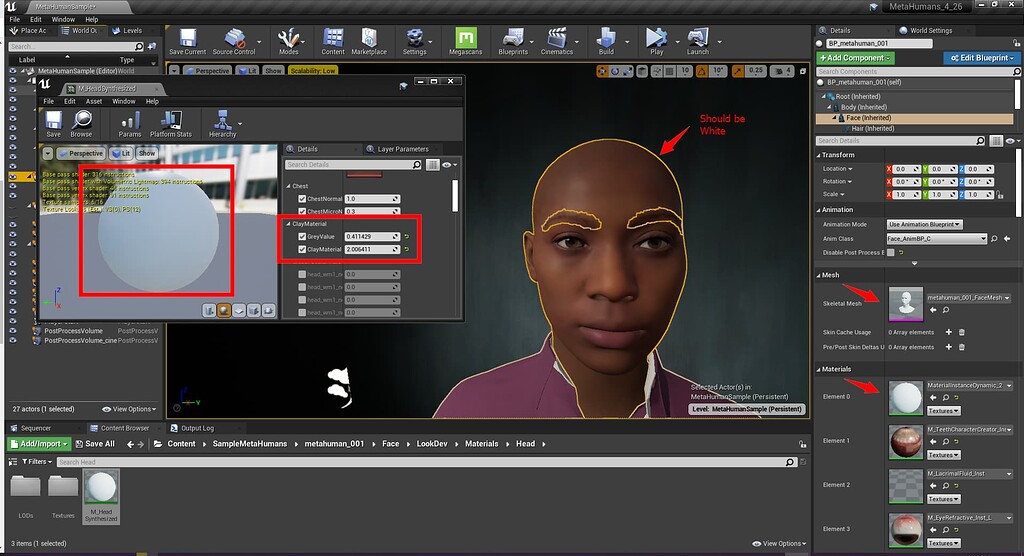
Unreal Engine Forums
Does anyone know how to change the Metahuman material after bringing it into Unreal? What I’d like to do is to get a head model, and change the material to something like polished white plastic (for now I’m just enabling the clay material to be the color white). The issue that I’m having is that just changing the base material for the face, the...
is that the answer to the issue you're having?
 timid meteor
LightingResults: Warning: InstancedFoliageActor_0 Instanced meshes don't yet support unique static lighting for each LOD. Lighting on LOD 1+ may be incorrect unless lightmap UVs are the same for all LODs.
Hi 🙂 what does this means ? and how can i fix this ?
real dirge
Is there anyway to make one of the nodes in a timeline to be an external variable?
ashen sky
i hope sending these project files does not show my account info some how..
there
the project files to a game i cannot finish
kindred depot
ok 😛
solid tulip
red condor
No worries! Yeah, I think I could knock it together with blueprint - I'm guessin...
yeah you would just make multiple instances in the actors. Ive done something similar with noise when creating a MC based level
ashen sky
ashen sky
the project files to a game i cannot finish
anddd that was a link for me to get to the files i guess..
oh. cause i am signed in.
brisk galleon
another lighting question.
Ideas why emissive material refuses to do emissing on static meshes when baking light?
Material is default lit, mesh with material is ticked to emiss... what else?

 spark leaf
Hi all, not sure if this is the best channel for my question, not entirely sure where it fits...
So, we have a first person shooter game, the player can pick up items - as in actually pick them up and they are then in the players hands. This is being achieved via the AttachComponentToComponent node. There are two main problems I am encountering...
- When the object(s) are in the player's hands, they are closer to the camera and seem huge - but look the right size when on the floor/tables etc.
- I'm adding sockets for the position of the hands to hold the items, but some objects are reused, like a jar for example, and scaled differently to create variation. This then messes up the grab position sockets.
I feel like I have perhaps approached this in the wrong way. Can anyone suggest how this might be better approached?
The only thought I have, which would provide any form of consistency would be to have two sets of meshes for each object... one is the "in-game" mesh, the one you see on the floor/tables, and then the other is the "being held" mesh, which is then scaled differently so that it doesn't look ridiculous in the player's hands.
I toyed with the idea of changing the scale of the held items, but this requires me to retain the original scale data so that I can scale it back again when dropped/thrown away.
Would really appreciate any thoughts/ideas - thanks in advance 🙂
 ancient lotus
spark leaf
Hi all, not sure if this is the best channel for my question, not entirely sure ...
ancient lotus
spark leaf
Hi all, not sure if this is the best channel for my question, not entirely sure ...
i would put a variable on the item itself for its held scale. when you pick the item up, if your the player holding said item then set its scale to equal its held scale (shrink it when holding it only for the person holding it), then when you drop it simply revert it back to a scale of 1 (or whatever teh default is)
spark leaf
ancient lotus
i would put a variable on the item itself for its held scale. when you pick the ...
Thanks for the reply Cody...
What about the other problem, of different scaled variations of the same mesh in the level, with regards to the grab positions? any thought on how I might be able to cater for that?
Ideally, I would prefer that our artist maybe made things like jar_small, jar_regular, jar_large - e.g. three specific variations, for which I could then set sockets on each one accordingly. But what's happening is they are all be adjusted in the actual level to look nice, but that causes problems like this.
Very happy to acknowledge I may be doing the grab position stuff wrong, but would then be seeking an alternative etc.
ancient lotus
spark leaf
Thanks for the reply Cody...
What about the other problem, of different scaled ...
you could do this via sockets if you dont want to animate. the easiest which i hate would be a separate socket for each one of these that your grabbing. the other route with sockets is to have a socket on the mesh (jar) and use that as its offset. so you attach the jar to your hands and apply the offset of the socket to it so it moves it to where you want it and you only need one socket on your characters hand for gripping. you could also consider the virtual bone route as well since (if i recall right) the control rig in unreal allows you to move and bake virtual bones as well into the animation so you could create a set of animations for each of these held items by only moving the virtual bone for the item to attach to.
spark leaf
Also, and this one is definitely on me... when I've used the AttachComponentToComponent, I've used the static mesh component of the "object" being picked up... but if I pick something up, un-posses, pause the game, and click on the object in the viewport... I can see this:
on the left is the actors transform... on the right, the book, is the object that is in the player's hand... feels a bit wrong to not be moving the actors transform too...
 spark leaf
ancient lotus
you could do this via sockets if you dont want to animate. the easiest which i h...
spark leaf
ancient lotus
you could do this via sockets if you dont want to animate. the easiest which i h...
That's actually what we have... there's a joint/bone on the skeletal mesh for the arms... one in each hand.... and then for each object that I can pick up, I'm adding sockets... I then wire those two things together... using the AttachComponentToComponent node, but using those transform values from the sockets/joints etc...
the character's arms are animated.
I think the current approach, whilst fiddly, would work ok, if it wasn't for the different sized assets in the level, where their scales are tweaked etc..
plush yew
hello can someone help me with niagara please I posted my issue in the channel
thank you
dense knoll
Fatal error: [File:D:/UE_Edge/Engine/Source/Runtime/RenderCore/Private/RenderingThread.cpp] [Line: 902]
Rendering thread exception:
Fatal error: [File:D:/UE_Edge/Engine/Source/Runtime/VulkanRHI/Private/VulkanMemory.cpp] [Line: 2122]
Out of memory on Vulkan; MemoryTypeIndex=0, AllocSize=1953.125MB
Decided to migrate to vulkan to improve performance but i just got this error when loading into a level
 tranquil falcon
Is there a way to LINK mesh content/models into unreal and have them update when the file is replaced with a new version?
 bronze saddle
What are these fancy things and what do they do?
 dense knoll
One is a curve, another is a data table of some kind
and one is a component
purple is curve, the blue one is the comp, an the green one is the data table
bronze saddle
what do curves do and why it's best for XPs?
dense knoll
^
bronze saddle
@plush yew Thank you
What do structs do and what they are used for?
What do I do here? All I see is something to do with variables.

Are structs used to store variables for things like attributes or target morphs?
Data table asked me for row type I gave uh SCharacter?
Are Data tables used for initial stats?
fleet sparrow
Curves vs Timeline? When to use?
bronze saddle
I need perhaps curves for XP
fossil nexus
Im using a lot of sprite characters in my project. I made them with transparent background.
I read that Alpha/transparency can impact performance significantly.
And I actually tested it and saw quad overdraw go to red if i overlap 4 of my characters.
Is there a way to make a 2d character without using alpha/transparency?
plush yew
how do games that run on unreal engine handle changing players leg or arm length, unreal engine doesnt have dual quatranic skinning, so i dont get how it would even be possible
is there an option in your skeleton to change the bone length with character morphs?
drowsy snow
fossil nexus
Im using a lot of sprite characters in my project. I made them with transparent ...
If it's not a partial transparency, you can get away with masked opacity - it's pretty cheap.
Alternatively #paper-2d could be what you're looking for.
wispy heart
wispy heart
Hi all, if I want to ask a question about Unreal Engines code, should I post it ...
Anyone?
 fierce agate
Guys why every time i reimport textures then i saved the game and came back, the textures won’t save
 coarse vine
hey guys has anyone worked on a racing game b4 a simcade style game which has the functions and behaviors of how cars drive n behave in real life with a bit of new player friendliness? would like to know
 spiral flint
 fierce agate
Guys my unreal engine keeps crashing, i did the yotube tutorial but it won’t work, it just says epic games is currently running, i don’t know how to fix this
 tight crystal
check task manager
tight crystal
how do i stop this
 fierce agate
tight crystal
check task manager
fierce agate
tight crystal
check task manager
I already did it but it failed
Unreal engine still crashing
 plush yew
hey uh
does anyone know how to get UE to stop compiling the engine when you try to packaging files?

surely I probably don't need to package this many things when there's hardly anything in my project
I've been trying to see if it's a directory error since this wasn't a problem yesterday until I renamed the folder my github download was in
timid meteor

hi
thanks to this my ai steps away from me
is there a way to make it that this is green to ?>
neon bough
show a screen without the navmesh overlay
 ornate leaf
Assuming that's within your navmesh volume, maybe there is some invisible trigger/collider there set to block the navmesh?
neon bough
it's hard to see the geometry

 neon bough
is the above screenshot showing the nav on top of the roof?
timid meteor
when im hovering over the ledge with 1 feet the zombie retires :p or when im on the thing were the smokes comes out
yes the left one

but its on every ledge
if the nav is everywere i can do what i want and then the funs begins that all i want xD
fierce agate
Guys, is unreal engine will crash if my free storage is small?
Or if my wifi is slow?
 meager lion
Hey all, does anyone have any pointers or experience using a VR headset in UE as mocap? I'm essentially trying to use my headset's controllers (hands) to grab an object and use it as a weapon in a cinematic, so is it possible to keyframe the movements i make somehow?
similar to how half life alyx did it in the trailer
 bleak zodiac
timid meteor
bleak zodiac
timid meteor
feel like Dying Light XD
timid meteor
bleak zodiac
feel like Dying Light XD
it will if that nav mesh is working xD
hi everyone 🙂 My navmesh has multiple floors and when i go up on the stairs the ai will follow the closest pat on the x and y axis but not the z axis is there a bug fix for that ?
also

ue4 has the baddest nav mesh around i guess xD
when i go front they come back

 neon bough
i think you should watch some tutorials on nav mesh and how it works
and maybe on AI behavior
 modest temple
Hello there guys, I've started to play around with ue 4.27.2 a while ago, I now have a fairly simple project running online steam subsystem with advanced sessions. Everything works just fine, however there's one thing that bothers me. Whenever a session gets shown in the widget, it show 9,999 ping. Now I know I can simply remove that and go on , but its a bit frustrating! I've read tons of articles about this, questions posted on the forums but I still haven't found any workaround for this and I thought maybe someone here have the knowledge about this.😁
 autumn flame
Or the ones you have the devkit for
 wheat hare
Or the ones you ||hehe I'm not gonna tell||
 teal barn
Hi 🙂 I’m very new to unreal and I’m looking for the right workflow to render out a stereoscopic 360^ Video of an animated Character.
What I have so far:
A Metahuman with mocap,
A room imported from 3Ds max, lightbaked with vray
But what’s next? I placed my metahuman and some „movable“ lights to get him in the right light.
So when I hit play my room looks nice, my char is good looking and animated.
How can I render a Videoclip out?
I found out about panoramic capture, but to render a longer sequence it takes ages….
Thx a lot for pointing me into the right direction 😊
wheat hare
U want to render from 3ds to stereoscopic 3d?
In 360 video?
Try the cg discord too if u don't get a response here
teal barn
@wheat hare thx 🙂
cunning ginkgo
Are there any fixes for the orthographic camera in UE? Or is there a way to make a very far away camera act like it's actually close, so that things like shadows, reflections, animations, etc. don't appear in low quality?
 dim merlin
Hi, just a common question, but how would it be possible to create some kind of character system with clothes without duplicated meshes for each different character ?
Anyone knows how this works in e.g Grand Theft Auto 5 ?
drowsy snow
No.
Honestly that was one of the most blatant question on underground modding ever asked in this server, considering not only involving reverse engineering a console game, but also involved emulator.
 buoyant graniteBOT
:triangular_flag_on_post: Twilight Sparkle#4016 received strike 1. As a result, they were muted for 10 minutes.
fierce tulip
reading rules is hard.
drowsy snow
dim merlin
Anyone knows how this works in e.g Grand Theft Auto 5 ?
In GTA V, you have different set of meshes for the head, upper body, hands, lower body. Messing with SP mods in the game, and breaking the outfit switching, you can see how player models were constructed in the game.
So it's not much layering going on, in the sense that you have base nude model used as is, and put clothes on top of it.
Also using base nude model as is often exhibit clipping issue with the clothing, hence why often in games, developers remove the bare skins underneath the cloth that won't be visible.
dim merlin
@drowsy snow thanks yeah that makes it clear
 robust lichen
Is it possible to change a camera's clipping values?
I wanna reduce the near value but apparently the option doesnt exist
drowsy snow
robust lichen
Is it possible to change a camera's clipping values?
Try changing it in Project Settings. It defaults to 10 cm.
If you want "macro" shots, consider zooming in your camera and increase the aperture/f-stop instead to increase the depth of field.
robust lichen
Is there another way than just the project settings? that seems like it would affect every camera
drowsy snow
robust lichen
Is there another way than just the project settings? that seems like it would af...
Nope.
Though it's weird that you want it on per camera, as near clip plane has so little significance when shooting on further subject.
robust lichen
rip...
robust lichen
A helmet for first person
drowsy snow
robust lichen
A helmet for first person
Aha, figured.
Fake the helmet then.
robust lichen
Could do... i dunno why the near/far options wouldn't be built into the camera though
Apparently you cant modify the projection matrix as well 😦
drowsy snow
robust lichen
Could do... i dunno why the near/far options wouldn't be built into the camera t...
Well, it's pointless to be per camera.
Look closely on first person games that have the character wore helmet. When the helmet is out of view from above, developers swap it for a mesh that is not the full helmet mesh but resemble the visor, put slightly further from the head camera.
In short, first person helmets are fake.
You may think the character wore the helmet, because the fake mesh and hand animation maintain continuity from when the helmet is about to be worn, and when the visor mesh slides in. Thus, giving the impression that your character physically wearing the helmet.
blissful trail
ok so im trying to get my game to save the volume


the volume value does change in the save and it does say the save is successful
but when i try to load it the value is set back to default (i checked the cast is working)
 daring cedar
Does anyone know why my VR project shows as blank black screen on my quest 2?
 stiff bane
daring cedar
Does anyone know why my VR project shows as blank black screen on my quest 2?
stiff bane
daring cedar
Does anyone know why my VR project shows as blank black screen on my quest 2?
we need more info. can be anything
drowsy snow
daring cedar
Does anyone know why my VR project shows as blank black screen on my quest 2?
Also #virtual-reality
neon bough
even GTA suffers from clipping on some cloth combinations
 fallow pulsar
buoyant granite
:triangular_flag_on_post: **Twilight Sparkle#4016** received strike 1. As a resu...
fallow pulsar
buoyant granite
:triangular_flag_on_post: **Twilight Sparkle#4016** received strike 1. As a resu...
What rule did I even break
 tropic flint
Anyone knows of a good way to convert .mmd models into .fbx ones? i use cat on blender but i dont really use blender that much and my model usually has something that doesnt work, particularly the clothing simulation collision capsules seem to get scaled wrong whatever i do and change, does anyone know anything that could be useful? thanks
fallow pulsar
asking how to mod a game
drowsy snow
fallow pulsar
asking how to mod a game
#rules no.5
neon bough
4. Don't share private information without consent. This includes anything a person shares with you in confidence, such as in a private conversation, contract, or otherwise, that is not available to the public.
most likely this
fallow pulsar
didn't break that one either
drowsy snow
fallow pulsar
I asked how to mod a game I owned
Asking about reverse engineering, which itself can be a pirated goods, something that you don't hold the IP or copyrighted material.
neon bough
yet you ask how to break a "contract"/EULA
fierce tulip
what makoto said.
 modern holly
does anyone know how to have cascade emit a single front facing particle
with a material applied
fallow pulsar
so is using the UE editor
modern holly
thank you
drowsy snow
fallow pulsar
so is using the UE editor
No. You use Unreal Editor under Unreal Engine EULA.
fierce tulip
@modern holly set spawn to 0, enable burst mode, set it to 1.
In required module set it to loop only once. if you want it to stay endlessly, set lifetime to 0.
 scenic moon
Anyone knows why one of my teammates gets a windowed viewport even tho she is not using Standalone Game (but the windows does says Standalone game when launched) ? I have check and made sure it's on "Selected Viewport"
neon bough
but yea, the rules could point out the modding issue a bit further
scenic moon
but we can't seem to find the setting, already deleted Saved folder
but the issue still remains
drowsy snow
scenic moon
Anyone knows why one of my teammates gets a windowed viewport even tho she is no...
It disregards the preferred PIE mode?
scenic moon
yes, it kinda ignores it
but the title on the window is different if i actually launch standalone mode on the editor
also, she doesn't get the unposses button
so it;s not just her undocking the viewport
modern holly
fierce tulip
<@!512271251197132801> set spawn to 0, enable burst mode, set it to 1.
In requir...
@thank you, can tell me How to just keep my spiral and get rid of those other particles
 fierce tulip
remove any other emitter in the viewer.