#ue4-general
1 messages · Page 1138 of 1
 tardy hedge
 narrow igloo
tardy hedge
majority of my game logic is in widgets, may i have ai also have a ui to implem...
narrow igloo
tardy hedge
majority of my game logic is in widgets, may i have ai also have a ui to implem...
no, sorry. logic nor state should be contained in widgets. widgets are really only for displaying that state to a player
tardy hedge
the widgets hold indexes to abilities and items, which my ai cannot use
 steady spear
i wonder how devs make enemy ai's that shoot player but how would they manage the shooting thing? Like if it was really ai, woundt it 99% of the time track the players head and shoot at it like aimbot?
 bright sigil
steady spear
i wonder how devs make enemy ai's that shoot player but how would they manage th...
bright sigil
steady spear
i wonder how devs make enemy ai's that shoot player but how would they manage th...
yeah, thats why they add "innacuracy"
steady spear
wouldnt the ai have free will?
bright sigil
what do you mean
steady spear
nvm
 oblique coyote
I wanted to ask if anybody has resources on how to make modular non humanoid characters. For example awitching out arms and such. Any resource helps(mainly looking for model reqirements)
 drowsy snow
oblique coyote
I wanted to ask if anybody has resources on how to make modular non humanoid cha...
drowsy snow
oblique coyote
I wanted to ask if anybody has resources on how to make modular non humanoid cha...
Basically the same as making modular humanoid characters, really.
 rigid yacht
doees anyone pay attention to grass these days
does using ue4 default grass seem bad
drowsy snow
rigid yacht
does using ue4 default grass seem bad
What default grass? The ones from Starter Content?
rigid yacht
yes
drowsy snow
Well, nobody use them in serious projects.
rigid yacht
true haha
 plush yew
Hello! Looking for a 3D generalist and animator with experience with Maya/Blender, ZBrush, Unreal Engine, and Marvelous Designer for a 2 month project. Budget: $50,000+ USD. Send portfolio to: contact@coati.studio
 sick patio
hey @drowsy snow did i ask about this the other day? it didn't save and I forget the fix you all told me.

something about adding something in the project setting?
drowsy snow
plush yew
Hello! Looking for a 3D generalist and animator with experience with Maya/Blende...
Please see the #instructions on how to post to job board channels.
sick patio
is @oak patio around?
i figured it out on my own 😦 bought me a seeing eye dog. LOL (blind joke)
 timid meteor
i am going to ask something that a million people asked in this channel xD
learn me ! 😄
i am pretty advanced and i want to devlup
in bps afcours
 dull girder
can i get a list of all dedicated server arguments ??
dull girder
sick patio
hey <@!325627930484932608> did i ask about this the other day? it didn't save an...
isnt that for a space in the variables?. try removing space
 narrow condor
I'm very new to UE, but I'm trying to use it to model a desk setup with four monitors and the monitor arms(which I haven't bought yet) because I want to have as little complications in the future as possible. Just getting a feel for the scale of everything and how long the arms have to be, general shapes of the arms, etc. Does anyone have any advice on scaling(like getting the measurements mostly accurate from real-life in UE) because I'm really just winging this and hoping the scale is somewhat accurate. I think it is, but still, I have no clue.
Note: Don't mind those colored spheres there, I just put those around to mark what worked and what didn't. That red one there is just a marker to let me know that the height of the vertical monitor and the stand arm didn't match up after all.
 dull girder
narrow condor
I'm very new to UE, but I'm trying to use it to model a desk setup with four mon...
dull girder
narrow condor
I'm very new to UE, but I'm trying to use it to model a desk setup with four mon...
i think all the measurements are done cm in unreal engine.
narrow condor
dull girder
i think all the measurements are done cm in unreal engine.
But how exactly? Did you mean that in the XYZ scale I see in the details panel, the measurement "1.0" is equal to "1 cm" IRL?
Again, I'm very new and all of this is confusing so sorry in advance in the explanation is frustrating.
bright sigil
scale is a percentage. 1.0 is 100%. Location of 1.0 means 1 cm. Did you model these in another software?
narrow condor
Here's an example. The box geometry here is x0.03 y0.03 z0.025. I just had to google it, but there's 2.54 centimeters in an inch(and that's the unit I'm using IRL rn. Overall, if I had that box geometry in my hand in real life, then it should be over an inch long(or somewhere around an inch give or take). So, I think that this box is more than 2.54 centimeters in length. But, I'm also horrible at math. So I was thinking that an x value of "0.03" must be longer than 2.54 centimeters(or a bit less, like I said I doubt I scaled this right in the first place).
 narrow condor
bright sigil
scale is a percentage. 1.0 is 100%. Location of 1.0 means 1 cm. Did you model th...
narrow condor
bright sigil
scale is a percentage. 1.0 is 100%. Location of 1.0 means 1 cm. Did you model th...
Oh, now that is very very helpful information!
bright sigil
it looks like you are using BSP Geometry, and you can adjust the width, height, depth instead of scale - and these values are based on cm
narrow condor
That does make a lot more sense now that I think about it...now I don't why I thought otherwise since scale is obviously going to be a percentage.
narrow condor
bright sigil
it looks like you are using BSP Geometry, and you can adjust the width, height, ...
This makes so much mores sense now, I think I'll have to spend a lot more time getting used to scaling things correctly, but I'll do that alone so I actually learn it. Thank you so much for the help and information!
narrow condor
dull girder
i think all the measurements are done cm in unreal engine.
Thank you too!
 arctic sundial
I'm sorry to be posting the same Q twice, I've fixed the issue with actor rotation (thank you @ebon geode - im sorry it was such a basic question). But The actor I am trying to pick up is one generated from a blue print. i.e. in the game details tab - you can select the mesh type, colour, material, etc. What happens when I pick it up is: despawn the OG actor and spawn a child that is "held", it reverts back to whatever the default BP model was. IS there a way to rectify this? images of before and after interact and the BP below


I'm sure this is another basic Q but can't seem to find the right thing on google, maybe just not searching the correct terms
 ebon geode
I don't get why you need to respawn an actor in the first place to replace it with an identical copy ^^
narrow condor
bright sigil
scale is a percentage. 1.0 is 100%. Location of 1.0 means 1 cm. Did you model th...
Sorry, forgot to answer your question. No, I didn't use another software, I just started learning this huge world of graphic design, art, game design, etc. even exits and I decided to just start with unreal engine because I heard I didn't have to learn how to code and it was free. I also just started doing free YouTube tutorials and recently found Udemy(not endorsing or promoting). Using "simple geometry" is all I've learned so far really in terms of building without pre-made assets that the "Instructor" has provided.
arctic sundial
I think that is roughly what I attempted to do with the class thing. Honestly, I am very little into my basic development - like <1 week so I'm literally following and trying to make sense of tutorials, then reworking it for my own stuff. I wasn't aware that you shouldn't generally use child components etc.
narrow condor
I should have been more specific, I meant I didn't need to learn C++ or C#(which I think is what Unity uses?) right off that bat and that made it sound more beginner friendly.
I'll keep that in mind, and maybe start looking into C++ tutorials...
These ones?

I'll save them right now
arctic sundial
this may be another dumb Q then so bare with, but what is the best way to spawn an identical actor and attach it. Like What I am wanting is sort of a basic cooking game style system. There's a bottle of red fluid with a level of 0.5 (0-1).
you pick it up, You rotate it, the fluid level decreases at a certain rate etc. to say 0.2.
you place it back down and it keeps that new fluid level.
How is it I would specify what each actor looks like. Can I make a property matrix type thing manually for each of the different fluids etc, that I want and can call from that - saving each one as a different actor?
ah sorry, bad explanation - in terms of spawning then, I was thinking longer term to have an inventory type "cupboard" that you could pull the actors from. In the previous example of just picking it up, yes what you suggested would be ideal. I'm just unsure where to start with specifying that actor to pick up.
Also I really appreciate the labour - I understand I'm rattling off a lot of questions
Fair enough - idk why the tutorial i followed suggested the way it did then 🙂 I'll give it a try. Thank you for taking the time buddy
ebon geode
You can make your variables "Expose on Spawn" which means when you Spawn Actor of Class, those variables are exposed and you just spawn whatever mesh and color you need
It would be great to create an AItem main class that has all the main functions like a pickup system and make all other items inherit from that one.
I feel the structure is missing. Normally you think more general. What is an item and create a main class with all properties an item has. Then you think about interaction with the item and maybe create one or multiple BP Interfaces just with all the functions like pickup,consume,put in inventory,etc
Then you implement those functions into the item one by one.
It seems like you first start implementing functionality without considering the whole picture which will make the code messy and complicated in the end and you might end up with respawning actors because otherwise your systems breaks for strange reasons and messy code 🙂 but that's okay, because it's stuff that everybody needs to learn :)
 shell ibex
Im a very noob, and i really need some advice... How to go about developing a system for the player to put his files in the game. For example the player must put files in a folder of the game, how the game can read these files
I would be very grateful for an answer
ebon geode
I think you would want a C++Plugin for that.
Yeah but maybe the idea is, that there already is a plugin for file-io in existence 😅
shell ibex
Does this process have a name?
The process of reading files that players put
I have no landmark to direct me...
ty I needed exactly this kind of keyword
sick patio
dull girder
isnt that for a space in the variables?. try removing space
NO capito
 sharp crest
With Chaos, can you set a destructible to be a custom mesh during runtime (Before spawning it)?
Or you have to generate the pieces for each mesh individually in the editor first?
sharp crest
variables
and a button has an 'enabled' var that u can set to not let ppl click
like?
drowsy snow
Are you trying to make a cheat code system?
 sharp crest
anyone knows how to spawn a chaos destructible in real time? lol
can't find a node for it, and the componet doesnt let u set the geomtry collection
timid meteor
it the sprint thing
sharp crest
timid meteor
set it to the vaiable u want... not what it currently is at
u dont need the get var nodes
sharp crest
no just remove those nodes and u will have the option to set a custom number
timid meteor
 sharp crest
seems good
 tame marsh
Is there a plugin for UDP from Epic? Or are ther only third party ones
sharp crest
search on the marketplace
drowsy snow
tame marsh
Is there a plugin for UDP from Epic? Or are ther only third party ones
What's UDP?
tame marsh
Yeah I've checked, some paid ones, just wondering if there's one from Epic that I've overlooked. Epic's got a plugin for OSC so I'm surprised there's none for UDP
tame marsh
drowsy snow
What's UDP?
Data transfer protocol https://en.wikipedia.org/wiki/User_Datagram_Protocol
In computer networking, the User Datagram Protocol (UDP) is one of the core members of the Internet protocol suite. With UDP, computer applications can send messages, in this case referred to as datagrams, to other hosts on an Internet Protocol (IP) network. Prior communications are not required in order to set up communication channels or data ...
sharp crest
drowsy snow
What's UDP?
I googled it then realized if I don't know what it is then I probably can't help him 
tame marsh
Thanks for the effort regardless haha
 drowsy snow
shell ibex
how to make a playmodel bone static?
drowsy snow
shell ibex
how to make a playmodel bone static?
What do you mean by "playmodel bone static"?
 tight crystal
 shell ibex
for imported model like with vrm4u
im noob idk how to make static
the hair
@drowsy snow
shell ibex
tight crystal
https://tenor.com/view/unreal-shader-confused-unreal4-unreal-engine-gif-15378565
true
 teal badger
Any advice, pointers or guides for automating packaging (I am searching it. Just want to make sure I don't overlook anything or fall into rabbit holes)?
drowsy snow
teal badger
Any advice, pointers or guides for automating packaging (I am searching it. Just...
shell ibex
drowsy snow
What do you mean by "playmodel bone static"?
i found it sorry
drowsy snow
shell ibex
im noob idk how to make static
What do you mean by "static"?
Because that depends on the animBP if it has anim dynamics or not
shell ibex
because when I play the hair went in all directions
 flat trail
hey, where are the content folders COLOR stored in 4.27?
 pine siren
When I exit "play in editor", can I force the camera to go back to where it was before I started "play in editor"?
flat trail
Used to be a project settings per user but i cant find it anymore
 fallen marten
Hey guys do any of you have a controllable vehicle in your projects?
I have a plugin im going to put up for consideration on the ue4 market - but i want at least one person to try it before i do
fallen marten
pine siren
When I exit "play in editor", can I force the camera to go back to where it was ...
nope
drowsy snow
shell ibex
because when I play the hair went in all directions
Not sure how VRM4U really set it up
I do use VRoid Studio models, but I rerig it myself to match UE4's mannequin standard and fix twist bone issues, and went with Kawaii Physics for the anim dynamics on hair bones.
shell ibex
tysm
fallen marten
Does anyone want to try drag and drop PhysX vehicle skids - available for 1 lucky user
No-one? Jeesus..
teal badger
drowsy snow
<#799710959564095498>
Ooops. Thank you!
drowsy snow
fallen marten
No-one? Jeesus..
Nope.
I use my own custom vehicle physics 😛
fallen marten
drowsy snow
Nope.
I use my own custom vehicle physics 😛
Good on you setting your own physics - standard vehicl is a bit dodgey
flat trail
Sorry il refine my question
I dont want to use the file perprojectusereditorsettings cause it interrupts everyones workflow, but i want to have the same colors on the content folder spread across source controll to everyone
Is there a way i can achieve this
drowsy snow
flat trail
Sorry il refine my question
I dont want to use the file perprojectusereditorsett...
I'm afraid you can't. Folder colours aren't stored in default config files.
ebon geode
If you want to torture people with your 255;0;255 folder colors :P
drowsy snow
flat trail
Should request a feature for this
Good luck, your request should be rejected on arrival if there's no super rare astronomical event happening
 fierce tulip
@wild kestrel still has a plugin laying around that does folder colors. (on my request) but he never finished it <_< (and stores them)
drowsy snow
I would consider myself lucky my bug report on the built in water system actually went through
fierce tulip
cmon shadow, take our money!
 wild kestrel
fierce tulip
<@!224622653632282625> still has a plugin laying around that does folder colors....
wild kestrel
fierce tulip
<@!224622653632282625> still has a plugin laying around that does folder colors....
:>
sry i forgot
fierce tulip
:p
wild kestrel
i though i finished it
flat trail
lol
fierce tulip
no, but people would like to have it for their projects. could be a neat marketplace pack or so :)
or on github
drowsy snow
drowsy snow
I would consider myself lucky my bug report on the built in water system actuall...
The issue in question:
https://issues.unrealengine.com/issue/UE-136830

Unreal Engine
Welcome to the Unreal Engine Issue and Bug Tracker. You can check the status of an issue and search for existing bugs. See latest bug fixes too.
wild kestrel
hmmm i will think about it, currently busy with other stuff
wild kestrel
hugs
fierce tulip
i'll remind you in another two years :p
 worthy elbow
Does anyone have any idea whats going on to my character clothing (Static mesh) on multiplayer?
on server's view it works fine but on client's view, the clothes mesh's not following the master pose properly
drowsy snow
worthy elbow
Does anyone have any idea whats going on to my character clothing (Static mesh) ...
Why is your character clothing a static mesh?
Also I'm inclined to think the clothing mesh copying the master pose isn't necessary to be replicated and can be done locally.
 covert burrow
Hi, I'm not sure where to post this but I have a gigantic map and I'm struggling to move objects for example the player start across it, I'm aware of the End key to snap the object to the terrain but I need an easier way to move the player start into a desired location.
@safe shoal Oh and nice set of games! 🙂
drowsy snow
covert burrow
Hi, I'm not sure where to post this but I have a gigantic map and I'm struggling...
Not sure if pressing End is not an easier way than manually aligning the Z position, unless your keyboard has the End key busted.
covert burrow
@drowsy snow It's X and Y I want to move and I'm finding it tedious.
drowsy snow
covert burrow
<@!325627930484932608> It's X and Y I want to move and I'm finding it tedious.
I don't know if two drags and one key press that took at least 5 seconds is tedious as it is.
But hey, I wasn't aware it is a thing before.
covert burrow
I don't know what that means but moving move objects across a huge map really is difficult when I can just travel around it, find a suitable location and grab some coordinate and set my object down there.
drowsy snow
covert burrow
I don't know what that means but moving move objects across a huge map really is...
If you want to travel around while moving the object, you can hold Shift while moving the object to make the editor camera follow around, but I assume you don't want that kind of hacky shortcut.
I don't think there's any other way, as right clicking on an object also means selecting it right away.
 ripe delta
How would I go about making a player 'slip' when running over a surface I classify as vomit?
drowsy snow
ripe delta
How would I go about making a player 'slip' when running over a surface I classi...
Sorry, what? Vomit?
ripe delta
I have characters that vomit decals on the ground. I'm trying to make it so walking over them causes the player to slip/affects their movement in some way.
covert burrow
@drowsy snow That's not at all hacky, that's perfect thank you! What would've taken me 2 hours has taken me 2 minutes! 😄
drowsy snow
ripe delta
I have characters that vomit decals on the ground. I'm trying to make it so walk...
So what you want to do is to have a trigger box on where the vomit decal spawned, and if the character overlaps on it, do your slip thing.
 icy plaza
pine siren
icy plaza
pine siren
Any UPROPERTY-grandmasters here?
I have a TArray<USomeObject*> that I'd like to alter in the editor.
I'm using Instanced, EditInstanceOnly, and it works fine, but whenever I click the + icon to add a new instance to the array in the editor, it defaults to None and I get a drop-down where I can choose between None and USomeObject.
Is there a way to make it auto-initialize to USomeObject, or does it have to be null?
sharp crest
u just mean that u want to the default the new array item to some object instead of null
drowsy snow
pine siren
Any UPROPERTY-grandmasters here?
I have a TArray<USomeObject*> that I'd like to ...
pine siren
sharp crest
u just mean that u want to the default the new array item to some object instead...
Yea, I already clicked the + icon, so I don't see why I should have to manually specify that the added item shouldn't be null.
I mean, I understand it if the array could consist of several different types of classes, but in my case there's only one option..
pine siren
drowsy snow
<#221799439008923648>
Ok. I actually decided not to post there, because the UPROPERTIES are very much UE-specific and not general C++ stuff. But I guess only cpp-developers would ever need to deal with them, so you're right. I'll head over there:)
 pliant yoke
this place is humming along
 devout mason
Why is my Glass Material always blurry when using DOF?
(already tried "Render after DOF" on & off)
ebon geode
pine siren
Any UPROPERTY-grandmasters here?
I have a TArray<USomeObject*> that I'd like to ...
Well if you try to store a reference inside this array the reference should exist. It's not like by clicking + to add an array index a new USomeObject is created.
pine siren
ebon geode
Well if you try to store a reference inside this array the reference should exis...
It does if I select it in the class picker that appears.
ebon geode
So if there is no USomeObject in the Scene or whatever what reference would you choose? The reference to the USomeObject that is a component of the game mode or a thingy inside the characters damage system....
pine siren
ebon geode
So if there is no USomeObject in the Scene or whatever what reference would you ...
No, that's what Instanced mean, I guess. It makes an instance for me. The list shows exactly two things. None and USomeObject(class, not instance). If I select the USomeObject it creates an instance for me. If I click + again, this second array element also defaults to "None", but I can select USomeObject in the dropdown, and it creates another different instance of USomeObject.
This is behaving as expected, I just want it to automatically make that instance, instead of being None by default, as that doesn't make any sense in this scenario with one valid class to make an instance of.
 tawdry zealot
I disabled Engine.ini from the Config directory, can players still find a way to edit Engine.ini?
ebon geode
pine siren
This is behaving as expected, I just want it to automatically make that instance...
Ah I see... It's with floats and ints so the moment you click the + there should be some instance already created. Maybe you can take a look at how they do it with those basic data types.
There might be some other UProbs like NoClear that might mess with this somehow (I'm not a C++ expert so my advice is probably bad 😞)
"Prevents this Object reference from being set to none from the editor. Hides clear (and browse) button in the editor."
pine siren
Yeah I already tried it, but it just removes the clear-button 😦 It still sets it to None by default.
ebon geode
So how do strings, floats and ints handle it? ;)
 fallow jackal
What is a control rig used for? real time gameplay or pre made cutscenes?
Whats the difference between a rigged model and a skeletal mesh?
 teal parcel
 final moth
39% initialazing problem, any advice? How to move on?
sharp crest
pliant yoke
this place is humming along
sharp crest
final moth
39% initialazing problem, any advice? How to move on?
in the editor startup loading? just wait ye
 amber shuttle
why does timer makes a tick after unpause?
i want to pause it while level loads, pausing just after tick and unpausing after level loads , makes them load one after another at the speed of light
clearly says its resumed

wtf
im just showing those im not dumb 😄
ebon geode
There could be many wrong ways something like that could be implemented ^^
amber shuttle
goes like that

 hollow ridge
Hi there! QQ, is it possible to keyframe/animate the focal length in sequencer? I tried to keyframe it but doesn't do anything in the preview. Thanks!
amber shuttle
button press event is where it loads the level
if timer is set for 5 sec, it waits for 5 sec and then starts fricking loading 69mph
like it ticks when unpaused
amber shuttle
hollow ridge
Hi there! QQ, is it possible to keyframe/animate the focal length in sequencer? ...
one guy had the exact same question the other day
we tried but it seems focal length is broken or smth
make sure you're using default focus settings
theres not much else to it
 brittle plume
Do you know any interesting plugins that allow me to read and write data online?
 lapis ore
If I wanted to have a weapon leave a continuous mark everywhere it hits, what's the best way to do it?
hollow ridge
amber shuttle
we tried but it seems focal length is broken or smth
ok
 dull heart
Hey, I need some help with UE 4.27.2. I cannot understand how to run a C++ file I made that just simply writes to the output log. Thank you for any help.
English is not my first language, so if there's any questions just ask
drowsy snow
dull heart
Hey, I need some help with UE 4.27.2. I cannot understand how to run a C++ file ...
The easiest way would be making it an actor and calling the function.
#cpp can guide you more on it.
dull heart
drowsy snow
The easiest way would be making it an actor and calling the function.
<#22179943...
Thank you
 pure viper
Please can someone tell me how i can get these assets that are originally for UE4 into UE5


 rose tiger
why is the water system in 4.26.2 don't work?
i can't see anything
 thick herald
pure viper
thick herald
pure viper
same as any asset pack that doesn't support an engine version. In the launcher click Add to project, there is a check box that lets you pick any project [not just supported version] pick your UE5 project. it will ask you to chose the closest compatible version, do that and then magic happens.
thick herald
rose tiger
why is the water system in 4.26.2 don't work?
i can't see anything
The water system is buggy as hell.
rose tiger
thick herald
The water system is buggy as hell.
is there any alternative?
thick herald
Loads of water systems in the marketplace, depends on your needs though.
brittle plume
Hi! Do you know any interesting plugins that allow me to read and write data online?
 peak falcon
do you know what kind of data you're trying to read and write?
covert burrow
I'm trying to map W,A, S and D keys to something like Add Controller Yaw Input but not sure how to do it, I have my InputAxis components already in place just not sure what to pin them to.
Currently Mouse X is mapped to Yaw.
pure viper
thank you
brittle plume
peak falcon
do you know what kind of data you're trying to read and write?
all? String, number... Variables
peak falcon
well.. that's very vague, you might want to try to narrow it down a little
are you trying to work with an API? or JSON ? some kind of database?
brittle plume
peak falcon
are you trying to work with an API? or JSON ? some kind of database?
I'm fine with anything that can help me that doesn't require too much work ... XD
(A database is fine)
drowsy snow
covert burrow
I'm trying to map W,A, S and D keys to something like Add Controller Yaw Input b...
This should be your input settings, you can simply swap the input axis events around in your event graph.
 peak falcon
brittle plume
I'm fine with anything that can help me that doesn't require too much work ... X...
peak falcon
brittle plume
I'm fine with anything that can help me that doesn't require too much work ... X...
maybe just scope out some tutorials on persistent servers and use the built-in multiplayer stuff. talking from client -> server is maybe "easiest" to get working in ue4
 twilit hill
theres like 50 free http-post/get/json plugins
brittle plume
twilit hill
theres like 50 free http-post/get/json plugins
PHP...
twilit hill
the literal industry standard for this use case, yes, what about it?
brittle plume
twilit hill
the literal industry standard for this use case, yes, what about it?
The superglobals
Are... SCARY
 livid portal
is there a way to automatically populate a struct from a datatable? ...maybe stupid question, but it seems like this should be a thing, since datatables are based on structs.
 pallid talon
Question, can I use a PC version of Unreal to Package for iOS and create AR content for an iPhone?
drowsy snow
pallid talon
Question, can I use a PC version of Unreal to Package for iOS and create AR cont...
There's no Unreal Editor for mobile anyway.
pallid talon
drowsy snow
There's no Unreal Editor for mobile anyway.
I don't understand. Are you saying ARCore and ARKit doesn't exist?
drowsy snow
livid portal
is there a way to automatically populate a struct from a datatable? ...maybe stu...
Theoretically you want to for each on every row and add it to an array.
covert burrow
drowsy snow
This should be your input settings, you can simply swap the input axis events ar...
That wasn't what I asked. I never mentioned the mapping of keys to InputEvents, I don't know how to connect those input events to the camera to control the Yaw.
drowsy snow
covert burrow
That wasn't what I asked. I never mentioned the mapping of keys to InputEvents, ...
Are you having Third Person template? Because it has basic third person controls set up from the get go, and you can analyse it.
The camera is Input Axis amount multiplied by turn rate to set the control rotation.
covert burrow
drowsy snow
Are you having Third Person template? Because it has basic third person controls...
It's a blank template.
drowsy snow
You can Add Content/Feature Pack and bring in the Third Person Template right there and then.
pallid talon
Does anyone know if I need a Mac to create AR for an iPhone or will it work with the PC version of Unreal?
 pure dagger
 plush yew
Hello guys, I am new into unreal engine, I watch tutorials everyday, and getting more familiar with the interface and some functions.. etc, I was wondering if anyone would be available or interested to have a 1 on 1 zoom to explain me some stuff I get stuck at ( like adding displacement to the material i get from megascans ) .. etc ( paid ofc ) hit me in dm
covert burrow
I have a collision sphere around my pawn camera but still seems to go through terrain.
I would like it to not do that with any object unless I make an exception.
bright sigil
covert burrow
I have a collision sphere around my pawn camera but still seems to go through te...
If this is a third person camera, the template uses a springarm which handles collision.
covert burrow
bright sigil
If this is a third person camera, the template uses a springarm which handles co...
It's not a third person template but I have the spring arm but I can't get the camera to go along it. :/
Sorted, I didn't know it had to be right up its arse. haha lol
peak falcon
pallid talon
Does anyone know if I need a Mac to create AR for an iPhone or will it work with...
i'm curious too!
 lucid egret
is it normal to go over 70 Celcius when cooking stuff?
 wind gale
Is there a hotkey or something that allows me to activate a transform in editor without having to grab the widget? Like, I need to look at a corner of a static mesh up close in wire frame mode, and then rotate the object to get registration correct. Equivalent of hitting R, G, or S in Blender.
bright sigil
wind gale
Is there a hotkey or something that allows me to activate a transform in editor ...
you can hold the ctrl key down then either LMB, RMB, or both to affect a specific axis
 upbeat tendon
no idea where to ask this question, but i thought i might bite bullet and upgrade to win11, seeing as the main thing i do with my pc is my ue4 hobby project, am i likely to find problems running ue4 on win11?
 cedar wave
What's the gain that you get with Win11?
 autumn flame
Just depression
cedar wave
Any critical thing you need from an OS that is less than a year old?
Win10 is still supported until 2025
There was someone talking about issues with 11 a few days ago if I recall correctly.
fierce tulip
my take on it is, I rather have my pc as stable as possible, instead of using basically untested software/OS's. having to deal with ue4/max/win10 crashing from time to time is frustration enough.
lucid egret
amber shuttle
depends what stuff are you cooking
I'm cooking a character mesh with a few small blueprints
wind gale
bright sigil
you can hold the ctrl key down then either LMB, RMB, or both to affect a specifi...
Thank you. So glad to know this.
 fossil nexus
https://streamable.com/xep8qi
I have this cube with a World Aligned Texture.
I use Scale 3D to reduce its size, and because its World Aligned it crops the texture as it reduces size. Thats what i want.
However you can see that right after, when it moves, the texture moves also.
How do i prevent that from happening?

Thats in the material?

i cant find it
covert burrow
How do I set an initial material to my landscape so I can see it when sculping?
I want a checkerboard texture.
Before clicking create landscape I apply an initial material yet I don't see it in the created landscape.
It's completely transparent and I see the sky cube.
@plush yew Under the details pane of the landscape I apply a landscape material and I don't see it. :/
bright sigil
yeah you can throw on whatever material, but youll need a proper landscape material to blend multiple textures
make the landscape and confirm it all, then drag and drop the material
fossil nexus
That worked, it fixed the sliding. But now the texture rotates. I thought maybe the World Normal can fix this?
bright sigil
fossil nexus
That worked, it fixed the sliding. But now the texture rotates. I thought maybe ...
at this point, why not just unwrap the model and slap the texture on it? 😄
fossil nexus
bright sigil
at this point, why not just unwrap the model and slap the texture on it? 😄
Unwrap model? And that will crop the texture when i reduce the scale of the cube? Because thats my issue. I need the texture to not scale, only the object. I need it to crop as it reduces... and only world aligned texture achieved that in part...
bright sigil
did you restart the editor?
bright sigil
fossil nexus
Unwrap model? And that will crop the texture when i reduce the scale of the cube...
i honestly have no clue what effect you are trying to achieve. But from what ive read, you want the texture projected onto each face of the cube, to maintain it's size, and to maintain its projection when rotated
unwrapping is usually done in another software however
its been awhile since ive had this problem, for the very reason i delete my assets from level before deleting from project folder 🙂 but maybe there is a redirector of the asset hanging around - it's a uasset, but it doesnt always show up where the original asset was, it might be there if you look via file explorer
 buoyant graniteBOT
:triangular_flag_on_post: Sheprekt#1130 received strike 1. As a result, they were muted for 10 minutes.
covert burrow
Does anyone know why on a blank landscape the light model takes forever to build? There is things I have done, camera stuff, keybindings, and sunset and sunrise along with day and night cycle.
fossil nexus
bright sigil
i honestly have no clue what effect you are trying to achieve. But from what ive...
Yup, thats it. Though i never heard of unwrapping. Im looking to it right now.
fossil nexus
bright sigil
i honestly have no clue what effect you are trying to achieve. But from what ive...
By now im thinking about just trying to reduce the texture also when reducing the scale of the cube, at run time.
covert burrow
Come on lighting... :/
Haha here goes! 😄
Is there normal for it to stay at 0% for a while before it starts showing build progress?
bright sigil
fossil nexus
By now im thinking about just trying to reduce the texture also when reducing th...
you can try making a BSP Geomtry cube and then apply the material. in that cube's details, you can play with uv placement. you can convert it to a static mesh when you are happy with it
bright sigil
fossil nexus
By now im thinking about just trying to reduce the texture also when reducing th...
the aspect of scaling though, might not be handled the way you'd want. I would imagine you want the texture to remain it's size while the model changes in size
@fossil nexus there is a ScreenAlignedUV node, the result is a bit different, but it is screen space instead - it would maintain size on whatever object, but again, its a different look
bright sigil
covert burrow
Haha here goes! 😄
im not sure how big your landscape is, but usually for building lighting of large scenes a lightmass importance volume is used to define where the "important" baking areas are
you may get better awareness in the #volunteer-projects - essentially you are looking for playtesters (read the #instructions first 🙂 )
covert burrow
It was weird, it hung at 0% for 20 minutes then start progressing.
 ashen sky
anyone free?
cedar wave
I'm always free
 ashen sky
cedar wave
I'm always free
https://tenor.com/bmaCw.gif
ashen sky
cedar wave
I'm always free
https://tenor.com/bmaCw.gif
lul
wanna help me with my project then
(unreal project)
errr... before then let me uninstall and reinstall my amd drivers
orrrr not...
seems i may just lock my gpu (by doing something only my out of date gpu can do) so i cant update it
 summer turret
@mystic oar @small burrow it was nice talking, gotta go get ready for the interview 😭
 mystic oar
@summer turret Good luck! 😉
ashen sky
i still cant find a single person to help... damn it
yepo. i think i did
ahhh
errr... then ill be specific
can someone help me make a working handle for a model.
well is it you?
😄
no no
its not that its not working
its that i dont know how to make one
 fervent trout
I dont know if this is the correct place for asking, but, is it possible to migrate files (models) from 4.27 to 4.26 ?
ashen sky
most likely would work
fervent trout
I need to use 4.26 because most of the plugins Im using arent updated, so maybe I did something wrong with the migration
Thats another easy way, yes
Well I found out about my #graphics issue, it works fine on 4.27 the model is seamless there
fierce tulip
anybody know how to use the search syntact "SizeX" and SizeY" in content browser search.
I cant get it to work.
whenever I add stuff like SizeX=4096 or whatever it just ignored it.
bright sigil
fierce tulip
anybody know how to use the search syntact "SizeX" and SizeY" in content browser...
use Dimensions=4096
covert burrow
I need to compile Unreal Engine 4.27.2 from source, I was unable to access the repository as it was giving a 404 error but then found out that I need to associate my Epic Games account with Github account. I checked to see if both accounts are linked and they are, I'm also signed into both accounts. How do I get the source code?
fierce tulip
@bright sigil that works, thanks :)
bright sigil
covert burrow
I need to compile Unreal Engine 4.27.2 from source, I was unable to access the r...
double check the steps, you linked your epic account but there's two emails as well for this process
covert burrow
bright sigil
double check the steps, you linked your epic account but there's two emails as w...
What do you mean?
 bright sigil
covert burrow
What do you mean?
bright sigil
covert burrow
What do you mean?
you make your githhub account, link your account, wait for the email, use the join link, wait for the confirmation email, then you should be good
 tawdry python
why is VRAM usage so high wtf
covert burrow
I'm sorry to be rude but I'm sure people don't listen to what I'm saying in here. I already said the site gives a 404 error.
tawdry python
I have no clue I wasn't running the app you sent me
covert burrow
bright sigil
you make your githhub account, link your account, wait for the email, use the jo...
I already said the account is linked.
I'm aware.
bright sigil
covert burrow
I already said the account is linked.
i had this same problem when i was linking to the github. i thought i did all the steps and was still getting the 404
covert burrow
Well I'm glad this was finally made clearer to me. I will use SSH.
bright sigil
fwiw i didnt do that, i just double checked the steps and made sure i did each one
covert burrow
Sorry for getting short.
autumn flame
Doesn't like you, try taking it to a date first
covert burrow
Time to bring up WSL to get the source on this Windows machine LOL
 grim ore
@covert burrowI know that other people who have had this issue before remove the link to github in their account (disconnect) then reconnected it and it worked
covert burrow
I'm more comfortable with my GNU/Linux environment for things like this. Thank you though! 🙂
tawdry python
@plush yew I just triggered the Microsoft ®️ Windows 10™️ Experience

It happened right when I enabled the standby cleaner and reopened unreal
 grim ore
you can using the new modeling tools plugin
autumn flame
tawdry python
It happened right when I enabled the standby cleaner and reopened unreal
If you're using up to date Nvidia driver be sure to install the fix for UE4
 fallow hornet
@grim ore is that in 4.26.2?
grim ore
the tools are yes, I dont know if the pivot part of it is.
bright sigil
fallow hornet
there is an edit pivot option in the right click menu as well
might be better to handle it in your dcc though in case you reimport
fallow hornet
was planning not to re-import
 slate vessel
There seems to be many commands relating to volumetric fog but I can't seem to narrow down the one I need. I need to correct the noisy slice appearance because as the camera moves it kinda strobes too. I've tried grid pixel but I don't think that's the one. Any suggestions please?

 covert ivy
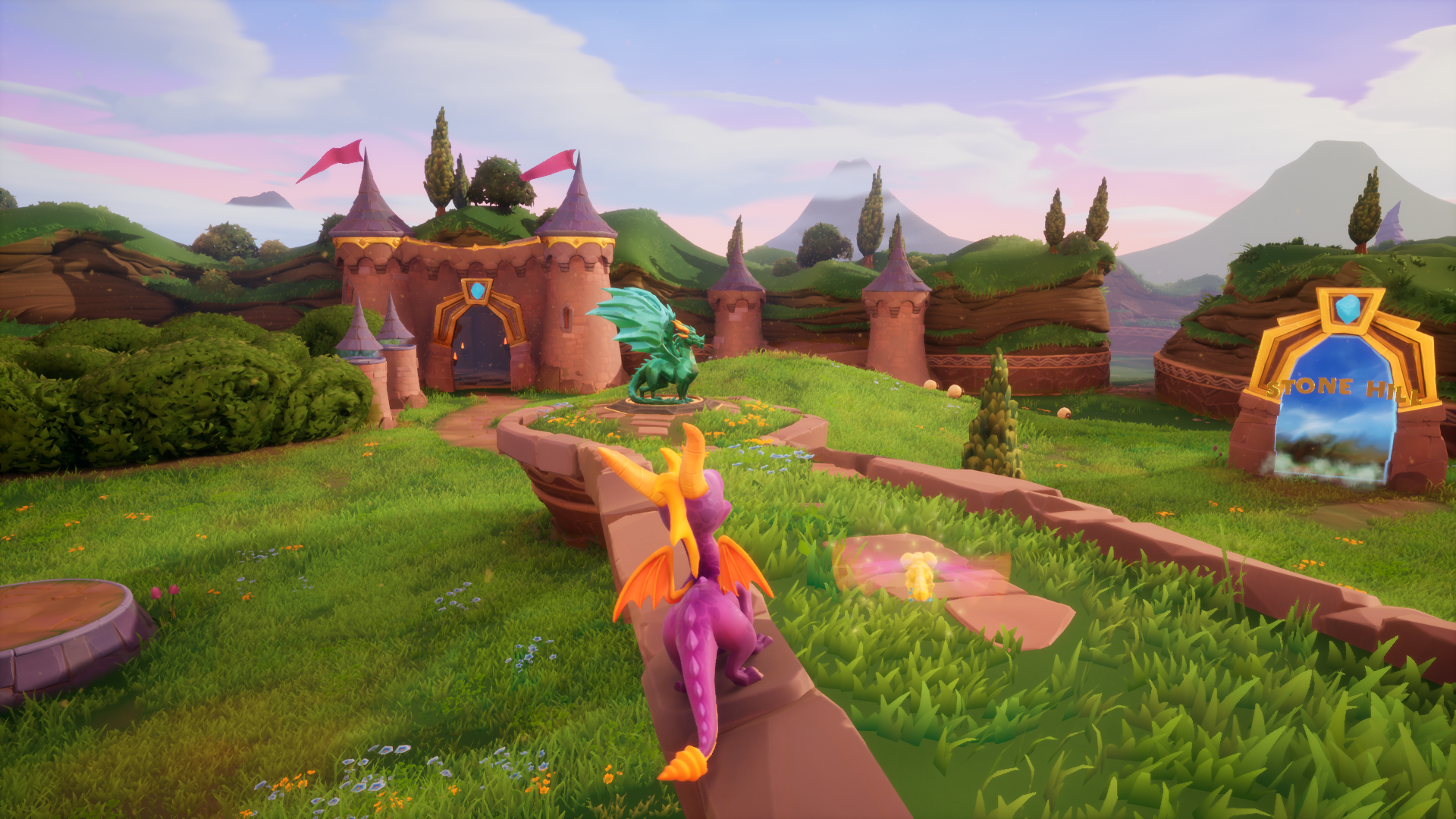
When you see these graphics, what game does it make you think of ? 🤔 https://pbs.twimg.com/media/E-IUJLpWEAEY4Nx?format=jpg&name=large
 bright sigil
covert ivy
When you see these graphics, what game does it make you think of ? 🤔 https://pb...
bright sigil
covert ivy
When you see these graphics, what game does it make you think of ? 🤔 https://pb...
if i ignore any gameplay semblances, that arena shooter gigantic
twilit hill
man its really a crime that none of the screenshots of the old answers forum work anymore, i need those so often, why in the world where those lost
bright sigil
yeah, i get annoyed everytime its that "we moved everything for a better experience" page
twilit hill
that is literally the worst thing anyone could have messed up
cause thats the only place where problems were handled and solutions were posted
including workarounds from developers
i dont even visit the forums anymore since the changed it to the mess it now is
covert burrow
twilit hill
man its really a crime that none of the screenshots of the old answers forum wor...
Yeah me too, winds me up real bad!
twilit hill
could be just me, but the readability in the new forums is super garbage
covert burrow
twilit hill
could be just me, but the readability in the new forums is super garbage
Things can change for the better but usually they change for the worse! Oh dear boy.
twilit hill
man im just glad that you can still make games with ue, they prioritized so many fancy schmancy features which have absolutely nothing to do with games its scary
like look at this great new feature which looks awesome at 200% display resolution for a quick screenshot at .5 frames per century
covert burrow
@twilit hill I've always struggled with editors of any kind when they're packed out with panes.
twilit hill
or nanite, thats scary stuff .. the performance is really really not good if you want to go for big landscapes - and then they cut off tesselation alltogether, super scary stuff
covert burrow
It would also make more sense if a graphics design software didn't get a GUI packed out with graphics.
twilit hill
also lumen is not usable from what i could test so far, it simply wouldnt run anywhere smooth on the absolute majority of systems - im looking forward how AoC will handle this .. they plan to implement it as default
but hey, at least i found the holy landscape grail for good performance - its using NEITHER world composition NOR world partition, just a huge 16x16km chonk of a single landscape with the legacy auto landscape lods
covert burrow
I've noticed Unreal Engine can get really slow at building light models very easily.
covert burrow
It's not difficult to slug that build process LOL
twilit hill
if you think light is slow then try to rebuild grass maps for 256km²
covert burrow
I've I've yet to add that in my world and I'm going to, it's planned and I've already read about the nightmare lol
twilit hill
it "was" rather fast with only a few grasstypes, but now it takes minutes - and i need to flush it after every build because its bugged
covert burrow
People saying "Keep low on the grass" lol
twilit hill
nothing like seeing a random 200k tree instances in the sky
covert burrow
@twilit hill I've wanted to design a world tree for a long time. lol Like Yggdrassil or Teldrassil
twilit hill
yeah that sure would look nice
covert burrow
Walk through a portal like the one outside Teldrassil and end up in the land on top 😄
That would be a tree that doubles into an island in size. lol
twilit hill
getting these vibes from my directional text indicator so i stop getting lost
 twilit hill
ye the performance aint bad with just the landscape and some grasstypes, but i need to start on the water, hate the tiling

using UDS for sky and cycles, with custom randomization
covert burrow
Yeah the water could do with some improvements but you got to start somewhere, you can't fit a goat through a needle without the needle being big enough. 😄
Beautiful world!
covert burrow
I compiled a huge map and ran it in 4K lol
twilit hill
nice
covert burrow
My system just keeps giving more and it's a VM!
drowsy snow
covert burrow
My system just keeps giving more and it's a VM!
KVM under Linux?
covert burrow
drowsy snow
KVM under Linux?
vfio KVM yes
covert ivy
bright sigil
yeah, i get annoyed everytime its that "we moved everything for a better experie...
You're right. There is something 🙄 https://static.wikia.nocookie.net/gogigantic/images/f/f9/Sanctum_Falls_load_0.png/revision/latest?cb=20171106200211
 covert burrow
covert ivy
You're right. There is something 🙄 https://static.wikia.nocookie.net/gogigantic...
covert burrow
covert ivy
You're right. There is something 🙄 https://static.wikia.nocookie.net/gogigantic...
Oh wow nice! 😄
covert ivy
I would have said Fortnite or Spyro : https://img.20mn.fr/LFXhNsEPR7Ow9sJ3zVZrSg/830x532_fortnite-lance-sa-formule-payante.jpg https://i.imgur.com/edTytM4.png

 covert burrow
Okay so I tried cloning the UnrealEngine repository via SSH and still says the repository doesn't exist.
plush yew
anyone aware of any issues with UE 4.27 and media files? every time i try to preview a Media reference file from the media player in engine it basically crashes, goes unresponsive indefinitely.
covert burrow
I NEED the source files!
tawdry python
niet
covert ivy
@plush yew Water and stone looks close to this : https://pbs.twimg.com/media/E-NgAyWWQAER1N6?format=jpg&name=4096x4096
 tawdry python
SYMBOL_NAME: nt!KeAccumulateTicks+2064ce
MODULE_NAME: nt
IMAGE_NAME: ntkrnlmp.exe
IMAGE_VERSION: 10.0.19041.1466
it's the Microsoft®️ Windows™️ NT™️ 10™️ Experience™️
unless it just doesn't say which driver it is while it should
covert ivy
Actually, I think that all are rather close but... I don't kow... In the last pic (or the first that I posted at 22:44 - it's the same game - ), there is a little thing that makes I like this style a bit more, I don't know what it is exactly... More detailled and clean textures, maybe...
covert burrow
Has anyone managed to get the Unreal Engine 4.27.2 source code?
fierce tulip
dejavu, didnt we have this discussion last night as well? @covert ivy
 cosmic nymph
"With Unreal Engine 5 new features, Games will be able to be shit out much faster as if they had the runs, lets hope it smells like roses!!" ~The Black Lamb, 2022
fierce tulip
<_<
covert ivy
@fierce tulip Maybe you've seen the last pic yesterday because I already posted it. But I don't remember have this discussion with you ^^
plush yew
weird, media files play fine on 4.26, something with my project is crashing mediaplayer
covert burrow
I read something about getting an invitation to download the source which will expire in 7 days, the Github account was linked to the Epic Games account a long time ago, how do I get that invitation back?
fierce tulip
covert ivy
<@!220596777034711040> Maybe you've seen the last pic yesterday because I alread...
not me in particular, just in general. was having a matrix-dejavu moment XD
 surreal prism
Does someone know how to translate this landscape to real world km2?
 covert burrow
I re-linked my account, I didn't receive an invitation.
autumn flame
surreal prism
Does someone know how to translate this landscape to real world km2?
16km^2
covert ivy
@fierce tulip You are not in the matrix, Neo, I assure you that I already posted the last pic 😉
drowsy snow
covert burrow
I re-linked my account, I didn't receive an invitation.
Not in your e-mail after reloading?
Who knows if it somehow got put into spam junk folder
surreal prism
autumn flame
16km^2
So resolution is expressed in something equivalent to meters ?
autumn flame
Yeah, unless you scale it up from 1,0
surreal prism
cool thanks
drowsy snow
surreal prism
So resolution is expressed in something equivalent to meters ?
Yes, every vertex in highest LOD spans to 1 meters, unless per mentioned X/Y scale is anything but 1.0
surreal prism
gotcha
autumn flame
Even if i think Landscape base scale is 100,0
covert burrow
Maybe I should ditch Unreal Engine, it's slowing me down.
autumn flame
But ya get the point :p
drowsy snow
covert burrow
Maybe I should ditch Unreal Engine, it's slowing me down.
If you thought Unity grass is greener, well, go for it.
autumn flame
Gotta love that Source Access
drowsy snow
I know Unity can be as slow as well if the project has more going on, but I digress.
 glossy mica
why can i not find help anywhere? all pages in the forums are non accesible or deleted, if there is a question in the forums no one has answered it, when i ask n the discord, nobody answers, all the documentation i need is just for APi stuff and everything is set up in such a complex manner in the engine that your brain melts when trying ti find the simplest of settings.
covert burrow
@drowsy snow I should be able to build a f%%king dedicated server...
autumn flame
Yes, with Source you can
covert burrow
@autumn flame Read what I said above.
drowsy snow
covert burrow
<@!325627930484932608> I should be able to build a f%%king dedicated server...
Dedicated server? The only real reason people go through building from source 😆
Should've figured
drowsy snow
Me too, even maintaining my own fork and put anime shading model in it 😆
covert burrow
autumn flame
I totally have access to Source, yes
I don't because they won't send me an invite.
covert burrow
Already have, I even relinked my account.
 rose sleet
Hey does anyone know how i can get both these textures to look the same?

The rest of the room looks the same except that window wall
drowsy snow
autumn flame
It's pretty Epic ngl
It do be pretty epic
 autumn flame
It's very Gitty
drowsy snow
covert burrow
Already have, I even relinked my account.
Searched for any mail from GitHub, even in junk folders?
covert burrow
drowsy snow
Searched for any mail from GitHub, even in junk folders?
Yes.
I've done everything.
cedar wave
As a professional engine hopper (I've used Unity, Unreal, Godot, GameMaker, Bevy, NeoAxis, O3DE, Unigine, and more) - having an interruption in getting your account linked so you can gain access to the source is frustrating, but solvable. I would rather deal with that headache than dealing with the headaches that the other engines provide.
Yeah - getting a dedicated server is much easier in other engines
autumn flame
You can still test Dedicated in Engine btw
Source is to package one
There's even a cool option to not run the windows under one process
autumn flame
Just to make sure
I think the easier solution would be creating a new account in that case, lol
cedar wave
Do you absolutely need the dedicated server to be set up and deployed right now? Or are you just trying to set it up? If not, I'd just wait until tomorrow or somethin'. Then send a support ticket. Work on other things in the meantime
drowsy snow
I want to go off tangent and say LAN Party / Peer too peer is still cool, but I think that's way off tangent
Maybe for cheat prevention, but in peer-to-peer MP, that'd be up to the one hosting the game to decide.
drowsy snow
autumn flame
Just replicate GTA's netcode
 plush yew
@plush salmon Continuing from the #cpp channel:
Initially I wanted to ask if anyone has managed to compile HTML5 for UE4.27 or any platform setup on 4.27.
SInce the community version is not being updated anymore.
fossil nexus
https://blueprintue.com/blueprint/hfi5ssjr/
Im trying to change the scalar parameter of this material at runtime. But its not working.

No description provided
plush yew
No, forget pixel streaming right now. I am just trying to bring back the old HTML5 platform option.
autumn flame
fossil nexus
https://blueprintue.com/blueprint/hfi5ssjr/
Im trying to change the scalar param...

How to draw
drowsy snow
plush yew
No, forget pixel streaming right now. I am just trying to bring back the old HTM...
Even with how unreliable Emscripten implementation is?
plush yew
Well, do you have any better alternatives that do not require using a cloud server?
drowsy snow
autumn flame
Yeah, found it odd that it's not the created material, but it'd also be better if it got stored as reference
drowsy snow
plush yew
Well, do you have any better alternatives that do not require using a cloud serv...
Unity.
autumn flame
Plus everytime key is pressed
Scalar Parameter will be bigger
Scalar Parameter += 0,3
drowsy snow
plush yew
Well, do you have any better alternatives that do not require using a cloud serv...
No, for real, Unity's WebGL packaging actually works, as opposed to Unreal's HTML5 emscripten supposedly only work on Firefox (and even then is super unreliable)
I've tried it myself even back then, I failed to trick web developer I used to work with using it.
fossil nexus
autumn flame
https://blueprintue.com/blueprint/jh6yinqo/
It still doesnt work. I press M and nothing happens. Material stays exactly the same.
No description provided
drowsy snow
fossil nexus
https://blueprintue.com/blueprint/jh6yinqo/
It still doesnt work. I press M and ...
What about the parameter name?
autumn flame
Show the actual Material
drowsy snow
Unless...
autumn flame
A rectangle that's a cube
Sure 👍
First of all, are you sure it's receiving your Input?
drowsy snow
fossil nexus
im setting it on the rectangle static mesh
What he meant is that when you creating material instance, you don't tell the mesh to use that material instance.
autumn flame
There's so many things that could be wrong, lmao
fossil nexus
this is the material im using
 autumn flame
Yeah no
drowsy snow
fossil nexus
this is the material im using
Aha.
There's no scalar parameter per specified in BP to begin with
drowsy snow
fossil nexus
this is the material im using
If you want to have adjustable tiling, multiplying TexCoord with Vector2 is the way to go.
autumn flame
oh wait
drowsy snow
You switched around the Append and Multiply
 ashen sky
i admit unreal engine has some bugs
autumn flame
Impossible
ashen sky
autumn flame
Impossible
the downloading bug
autumn flame
It runs Fortnite
 dense knoll
Just wondering... Is there a way to overide the default UE crash handeling, so instead of opening the crash reporter and killing the game, the game instead will just pop up a message and reset
autumn flame
It can't have bugs
ashen sky
autumn flame
It runs Fortnite
lul
ashen sky
autumn flame
It can't have bugs
still does
dense knoll
UE4 crashes if you close a widget editor
autumn flame
Totally impossible for it to have bugs, trust me, certified bug exterminator
ashen sky
autumn flame
Totally impossible for it to have bugs, trust me, certified bug exterminator
ahhh. well it has glitches that make it either not work or not install
dense knoll
Creating too many blueprints without saving crashes the editor
ashen sky
does that say bandicam.
dense knoll
leaving the editor running for 4 hours without any activity crashes
autumn flame
Parameter names need to be exactly the same both sides
replace u and v with stars1 and stars2
drowsy snow
ashen sky
i admit unreal engine has some bugs
Unity has it as well
drowsy snow
dense knoll
leaving the editor running for 4 hours without any activity crashes
I had the editor running for 24 hours and no crashes.
drowsy snow
ashen sky
are you free!?
No, I'm paid.
dense knoll
my build of UE is weird
autumn flame
I fell asleep with UE open, didn't crash
ashen sky
drowsy snow
No, I'm paid.
lul. hmmm.. let me simplifi it. do you have free time to help meh
drowsy snow
Goddamnit, missed opportunity to use this lol
dense knoll
autumn flame
I fell asleep with UE open, didn't crash
like i said, my build is just wierd
drowsy snow
ashen sky
lul. hmmm.. let me simplifi it. do you have free time to help meh
Ask here right away
autumn flame
Then unweird it
ashen sky
drowsy snow
Ask here right away
errr... how do i add a handle onto my microwave
that can be interacted with
dense knoll

 oak patio
What do you mean interacted with
ashen sky
tits a model
oak patio
Is it vr?
drowsy snow
ashen sky
errr... how do i add a handle onto my microwave
The same way you add handle to any door in game
ashen sky
oak patio
What do you mean interacted with
vr hands
ashen sky
drowsy snow
The same way you add handle to any door in game
i dont... i dont...
drowsy snow
ashen sky
tits a model
Calm down with the typo
ashen sky
drowsy snow
Calm down with the typo
that was not a typo. i meant to say it like that
drowsy snow
T-word tho
autumn flame
This has become mayhem
ashen sky
dense knoll
*scroll up, dont know why i transcended space time for a second... again
dont see it
and now with your activity status
dense knoll
ashen sky
tits a model
here
dense knoll
plugin
ashen sky
dense knoll
here
ahh. whats the t word then?
ashen sky
dense knoll
plugin
for when people that download the game open it?
autumn flame
I use a GitHub plugin for Discord rich presence
dense knoll
yea
plush yew
drowsy snow
I've tried it myself even back then, I failed to trick web developer I used to w...
Alright. I guess reviving HTML5 is no longer worth it.
dense knoll
i also use another plugin for the editor rich presence
ashen sky
dense knoll
i also use another plugin for the editor rich presence
ahhh alright i will apply it once i get done with the hardest part of my project
fossil nexus
@plush yew im trying that now
drowsy snow
ashen sky
vr hands
But yeah, I don't know anything about VR, so #virtual-reality might know about it
ashen sky
drowsy snow
But yeah, I don't know anything about VR, so <#221799478364078081> might know ab...
awww
well ill go check it out
i hope atleast one person can help
i dont wanna stop production
drowsy snow
It sucks that my body can't take VR without getting nauseated after few minutes
ashen sky
drowsy snow
It sucks that my body can't take VR without getting nauseated after few minutes
how does that happen?
dense knoll
ok now back to my question: How would one override the default crash handling so that the game will just do sone memory shenanigan's to regain stability and either continue or reset
drowsy snow
ashen sky
how does that happen?
Long story short, I consistently had nausea when viewing VR in public tech exhibitions.
ashen sky
errr... also if i fail at finding a solution how does the #volunteer-projects channel work
ashen sky
drowsy snow
Long story short, I consistently had nausea when viewing VR in public tech exhib...
oof tat sucks
id still atleast try seeing the cause
dense knoll
The default crash handler always defaults to an exception access violation event when another component fails and causes the crash
autumn flame
Some people just get motion sickness, that's it
drowsy snow
dense knoll
ok now back to my question: How would one override the default crash handling so...
I read somewhere you can override it but IIRC the behaviour changed sometime in 4.24
ashen sky
autumn flame
Some people just get motion sickness, that's it
yeahhh but i dont know how that would happen
ashen sky
its very rare to see that happen to a person from my perspective
 late verge
hey everyone, i'm running into an issue where the culling is broken on my map. anyone know what could be causing this? it's entirely based on camera position, zooming has no effect. i tried disabling my precomputed visibility problem but it's still happening. https://streamable.com/avx0zy
 ashen sky
autumn flame
Can't change the brain
ashen sky
autumn flame
Can't change the brain
hmmm alright
ashen sky
late verge
hey everyone, i'm running into an issue where the culling is broken on my map. a...
hey is that payday 2? lul
fossil nexus
oh wow it worked finally. thank you so much all.
drowsy snow
late verge
hey everyone, i'm running into an issue where the culling is broken on my map. a...
Try checking the mesh bounds.
autumn flame
And don't forget to Activate Windows!
late verge
it's just so weird cause this wasn't happening yesterday...
drowsy snow
One might be larger than it should, causing view frustum culling to trigger early
ashen sky
autumn flame
And don't forget to Activate Windows!
pirates windows instead
drowsy snow
autumn flame
And don't forget to Activate Windows!
I never did lol
(at least in VM)
I do still go for legitimate copy for host system
ashen sky
drowsy snow
I do still go for legitimate copy for host system
could i... have a key..?
autumn flame
Yes
drowsy snow
ashen sky
could i... have a key..?
🔑
ashen sky
drowsy snow
🔑
awww damn it
autumn flame
XXXXX-XXXXX-XXXXX-XXXXX-XXXXX
ashen sky
autumn flame
XXXXX-XXXXX-XXXXX-XXXXX-XXXXX
oooh. says its invalid though..
drowsy snow
ashen sky
awww damn it
Sorry, but I'm not a hotel clerk
lapis ore
I'm working on a material. I am trying to use OpacityMask. It works, until I use WorldPositionOffset, then the OpacityMask is ignored. Any ideas?
dense knoll
ashen sky
oooh. says its invalid though..
NEVER-GONAA-GIVEE-YYOUU-UPPPP
ashen sky
dense knoll
NEVER-GONAA-GIVEE-YYOUU-UPPPP
never gonna let you down
drowsy snow
lapis ore
I'm working on a material. I am trying to use OpacityMask. It works, until I us...
I had this issue as well, I can only assume it has something to do with texture mapping
 drifting mulch
anyone know if there's a way to see what static meshes use a certain material instance?
the delete assets window isnt taht helpful, it just says there are references but not what they are
lapis ore
drifting mulch
anyone know if there's a way to see what static meshes use a certain material i...
reference view of the MI?
drowsy snow
drifting mulch
anyone know if there's a way to see what static meshes use a certain material i...
Right click on the asset and choose Reference Viewer.
drifting mulch
it only displays the textures that are referenced in the instance
not meshes in the level
I also tried material analyzer but that was useless as far as I could tell
 lapis ore
drowsy snow
I had this issue as well, I can only assume it has something to do with texture ...
lapis ore
drowsy snow
I had this issue as well, I can only assume it has something to do with texture ...
Did you find a solution?
drifting mulch
its only showing that theres something in the level, but not what it is

anyway sorry to interrupt, ill try the forums
drowsy snow
lapis ore
Did you find a solution?
My case is inverted hull outlining, so I just outright remove parts that used it.
lapis ore
drowsy snow
My case is inverted hull outlining, so I just outright remove parts that used it...
thanks, I'm doing VAT destruction using Houdini
 lime gull
Anybody have an idea on why a delay on a packaged game keeps varying the actual delay?
Sometimes its less than what I put, sometimes more
drowsy snow
lime gull
Anybody have an idea on why a delay on a packaged game keeps varying the actual ...
What about the framerate?
drifting mulch
ok, I found it, riight cliking on the material in reference viewerand select show reference tree. shows a list of static meshes. double click on them and it focuses on the assets in the level.
lime gull
drowsy snow
What about the framerate?
Not sure, didnt even realize framerate would need to be taken into account.
Anyway to make the framerate not matter?
drowsy snow
lime gull
Not sure, didnt even realize framerate would need to be taken into account.
Anyw...
No, as it would wait for next frame closest to the delay end, which usually only matter if you had your game run like slide show.
lime gull
aah alright
The game runs pretty smoothly, id say at or around 60 fps
So maybe its not the delay at all
 narrow haven
Does anyone know if there's a way to check for this "visibility" state for the world outliner (the eye toggle) through code/blueprints? I have some debug rendering code that I dont want to run if the actor is not visible. I tried the "IsVisible" function but that doesn't work

 plain crypt
Anyone know where this setting is in ue4? I can't find it in my player controller anywhere

Been looking for like 15 mins
steady spear
is it possible to run the game in the editor without compiling it first?
drowsy snow
steady spear
is it possible to run the game in the editor without compiling it first?
Yes.
 drowsy snow
steady spear
drowsy snow
steady spear
Simply press Play in the editor (hidden in the right arrow thing, since it's 1366x768)
steady spear
how do i change the jump height
 novel spade
If I want to reference a blueprint class in a data table I made what should I set the variable as


 oak patio
steady spear
how do i change the jump height
oak patio
steady spear
how do i change the jump height
In the third person character bp, click on the character movement component and in the details section you can then change jump z velocity
plain crypt
plain crypt
It's not under my character controller or under gamemode
steady spear
oak patio
In the third person character bp, click on the character movement component and ...
?

this
oak patio
Thats not an error
Every time you add or remove something from the scene, without dynamic lighting, you must recalculate the lighting information for the scene
I wouldnt do it every time
 tribal leaf
novel spade
If I want to reference a blueprint class in a data table I made what should I se...
tribal leaf
novel spade
If I want to reference a blueprint class in a data table I made what should I se...
You should make your own DataTable that extends from FTableRowBase and then you can use a TSoftClassPtr<YourClassName> for the row.
And then in the dropdown, you can actually select your BP.
oak patio
And i wouldnt worry too much until you actually start making levels
 oak patio
Change the mode from brush wireframe to default lit
steady spear
 oak patio
Now change the view from back to perspective
steady spear
it seems i can move my mouse from left to right to look left and right
and w and s keys to go up and down
but no key or way to look down?
bright sigil
steady spear
it seems i can move my mouse from left to right to look left and right
Watch some videos dude. Youre asking a lot of questions that a lot of beginner vids go over and then some.
oak patio
Indeed that would be best
Soubds like you need to get used to the principles of game dev and the layout of ue4
Some great resources on youtube
drowsy snow
steady spear
it seems i can move my mouse from left to right to look left and right
Your First Hour in Unreal Engine 4 https://learn.unrealengine.com/course/3756115
Animation Kickstart https://learn.unrealengine.com/course/3537714
Blueprint Kickstart https://learn.unrealengine.com/course/3537777
Character Kickstart https://learn.unrealengine.com/course/3537798
Engine Structure Kickstart https://learn.unrealengine.com/course/3537730
Materials Kickstart https://learn.unrealengine.com/course/3537805
Programming Kickstart https://learn.unrealengine.com/course/3537752
Rendering Kickstart https://learn.unrealengine.com/course/3537481
World Building Kickstart https://learn.unrealengine.com/course/3537476
drowsy snow
I'm just copypasting what's on the pinned message 😉
oak patio
They gave us a week to complete an online unity beginner course that had a solid 2 weeks if content
The kicker? We didnt even do unity
In fact we wont ubtil about 4 weeks time
steady spear
wait who gave u?
oak patio
Wdym
steady spear
ohh nice
novel spade
tribal leaf
You should make your own DataTable that extends from FTableRowBase and then you ...
Cool, betterway to automate this based on the name of the blueprint?
 drowsy snow
novel spade
Cool, betterway to automate this based on the name of the blueprint?
drowsy snow
novel spade
Cool, betterway to automate this based on the name of the blueprint?
No, Data Tables were meant to be read only.
steady spear
so i packaged the default thingyy ( the one with 2 chairs ig) and found that I was only getting around 20 fps
novel spade
maybe a better way
tribal leaf
novel spade
Cool, betterway to automate this based on the name of the blueprint?
Just asking, why would you want to automate? I'm doing the exact same thing that you are doing and I can point and click to select the weapon blueprint that I want.
tribal leaf
Well...you can export that list to Excel
Create a Macro...
By the time all that is done, you could have selected them manually and been done... Just sayin'
novel spade
Well in the future im gonna have 1000 items easy
steady spear
is blender a good software to make cherecter models?
novel spade
so that might be an issue
is there a better way to create an 'item database'
Im also doing this to make a drop table for when I kill an AI
- I hope im making sense
tribal leaf
Most people will extract the data table to Excel and enter all the data
But I really don't like entering in data for references in Excel
novel spade
Im importing the data form excel, im surprised I cant use the name of the blueprint and it auto finds the path
YT vid I watched about this it worked like that
tribal leaf
It can't?
If you select one manually and the export it, you can see how the value is exported. Then you can copy that pattern for when you import.
steady spear
whats some good starter software to make cherecter models
tribal leaf
I initially had that problem too... I didnt' know what came first, the chicken (excel table) or the egg (Data Table). But once I figured I can just create everything in Unreal, there was no need for me to export/import anymore. I don't and will not have as many items as you, though.
novel spade
I have an Idea to reduce the amount
but its a far sited thing so it might blow up on me
o well only time will tell lol
drowsy snow
steady spear
is blender a good software to make cherecter models?
Yes.
drowsy snow
steady spear
best?
Depends on who you ask.
steady spear
well im asking u
tribal leaf
novel spade
I have an Idea to reduce the amount
I've been burned that way many times. Doing something the least efficient way since it's quick and then it works....but then later having to make a bunch of changes... 😩
tribal leaf
steady spear
well im asking u
Do you have $ to spend?
steady spear
no
tribal leaf
Based on your previous questions, you probably need something simple with pre-defined models or something.
steady spear
i dont know what the means but yes
drowsy snow
And Marketplace has free Paragon characters supplied by Epic for use in UE4.
So go nuts with it, prototype your gameplay with it.
tribal leaf
?
steady spear

I can go up, i can go down
I can look to my right
I can look to my left
but not up or down
oak patio
you can hold right click and use WASD and the mouse
 pulsar lark
Hello guys! first time here
tribal leaf
Welcome
oak patio
Also off topic question cause idk where to put it, but does anyone have a good guide on how to set up a workflow for quickly making and exporting animations form blender
cause idk how the pose system works
steady spear
what this
 steady spear
but my camera always follows me so why is it just in one place
oak patio
thats the player camera
not the editor camera
again, look into beginner tutorials that explain the engine
drowsy snow
steady spear
but my camera always follows me so why is it just in one place
Sorry to interfere, but you really should take the First Hour course.
steady spear
yeah ill be back
drowsy snow
I linked it above, or in pinned message
sharp crest
anyone wants cookies?
sharp crest
@oak patio bring me some too then
sharp crest
😂
oak patio
imma sulk now for a bit
drowsy snow
steady spear
but my camera always follows me so why is it just in one place
Sorry, but trivial beginner questions every few seconds sure would frustrate everyone else, myself included.
steady spear
my bad
sharp crest
I think
i'ts okay to ask
but don't be suprized if u get ignored
watch youtube yes
steady spear
yes
sharp crest
okay brb going to get cookies
plain crypt
Man, i'm really struggling with this one. Do i need to have a character controller to detect clicks? I'm trying to follow a tutorial but i'm very lost
 surreal eagle
plain crypt
Man, i'm really struggling with this one. Do i need to have a character controll...
surreal eagle
plain crypt
Man, i'm really struggling with this one. Do i need to have a character controll...
input>whatever key you need
yes you do
alr
 plain crypt
🤦♂️
oak patio
you might want this, or you could define the click as an input action in the project settings

and then use the event for actions
plain crypt
oak patio
you might want this, or you could define the click as an input action in the pro...
Wont that trigger whether i'm looking at my object or not?
I'm trying to detect when the player clicks on an object
plain crypt
It seems to not be triggering
Note i don't have a player controller
I have a character with a very basic movement blueprint set up
 oak patio
I don't know why that wouldn't work, havent done much with mouse interaction, sorry I couldn't help more
 fringe lodge
does anyone know how to set the camera during the animation?
I'm doing a first-person game and during the roll I want to attach the camera to my head
 burnt ether
Hey... Noob question here...
I was trying giving my character a collision sphere and discovered it's not working without it being the root component.
Why's that?
 grim violet
https://www.artstation.com/marketplace/p/BMaL/ultimate-eye-generator-2 anyone used this before? want to make sure before i buy lol

ArtStation
Game Assets - Ultimate Eye Generator 2, USD $19.99. An Eye Procedural Substance Material.
High Quality - up to 8K textures
Infinite Variations
PBR - Metallic Roughness
Base Color
Roughness
Height/Displacement
Normal...
steady spear
im confused
ashen sky
andddd i may not find help anytime soon..
ashen sky
hey you there may i ask a question
gonna do it either way
do you know how to make one part of a model interactable
oof
dont know how to do that
got it off sketchfab
awwww
i guess ill stop development there
errr... well is there even a way to break a piece of a model and make that another model?
ashen sky
oak patio
Yeah open blender
could ya guide me through it. so i dont look like a dumbass
oak patio
Unfortunately not as i need to sleep
ashen sky
oak patio
Unfortunately not as i need to sleep
awww. what about on friday?
yeahhh ill look them up
but they arent live chat support
so if i mess something up i may have to come back early
oak patio
Yeah hat is just real basic blender knowledge, in sure you will be fine
ashen sky
oak patio
Yeah hat is just real basic blender knowledge, in sure you will be fine
i have never opened blender once in my life time. only unity to export... eww. vrchat models
but i have changed so i wont ever do that again
What is that?
ahh
will i find someone that can help...
or guides
bet. got a link..
 ruby wyvern
is there a way to re-order the 'details' panel items? I'm following guides for brushes, and the brush properties would be handier being below 'transform', and the guide seems to have it like that, but for me its further down the list
ashen sky
i will accept lee dms then
also overclocked my gpu and cpu today
cpu to 4ghz so pog
awwww
i hate (discord) bots that randomly ping me for no reason.
thinking about it again.
i am still confused on what that will do. i wanna also get the microwave to move and fully open. and also be slapped.. and slapped to be close. well not fully it needs stoppers..
 soft fiber
I created a second camera because I was having an issue. For some reason the first camera is null in BeginPlay:
They are the same? The first camera created is called FollowCamera.

The camera has a value in the contructor, but loses its value at the top of BeginPlay?
 rare lantern
anyone been getting lightmap encoding crashes with 4.27.2 after updating?
 dreamy zenith
ray cast keep heading to the middle of the map, any help?

 copper musk
Hey guys! I asked this question a while back and have been investigating a solution ever since, but I'm still plagued by these dang stubborn shadows. Hoping I might find some more help here again 🙏🏼
 midnight bolt
how do i enable the preview of light area? you know, the cones and such. it just disappeared

 storm parcel
Quick question, I want to scale a box from both +X -X +Y -Y axes equally (so scale it in all 4 directions), how do I do that?
I'm very new to UE4 and I only know how to scale in one direction
grim violet
Is there support for Intel Realsense cameras and hand tracking with live link?
in UE4
https://www.unrealengine.com/en-US/blog/intel-realsense-plugin-for-unreal-engine-4 I found this but the repository is read only now

Unreal Engine
The Intel RealSense cameras use infrared light to compute depth in addition to normal RGB pictures and video. To assist in the development of applications with this technology, Intel created the RealSense SDK, a library of computer vision algorithms including facial recognition, image segmentation, and 3D scanning.
plush yew
what's causing fog flicker in post process? I assume
even without post process it still flickers
 neon hatch
Is it possible to replace every cutscene in my project with other takes in a NG+?
 lavish onyx
What's the best way to start a project in Unreal 4.27.2 that I want to collab on with a friend?
plush yew
plush yew
what's causing fog flicker in post process? I assume
lowering emissive view distance fixed it
autumn flame
lavish onyx
What's the best way to start a project in Unreal 4.27.2 that I want to collab on...
 cunning umbra
Does anyone know if there's an existing engine feature which allows us to record and play back hardware inputs?
covert burrow
I'm pissed off with Windows, nothing new there!
drowsy snow
cunning umbra
Does anyone know if there's an existing engine feature which allows us to record...
No.
covert burrow
It's buggy, it kept me up all night downloading Unreal Engine because the Downloader gets stuck and I've to hit Enter on it once in a while, today I move over to a network location and Windows Explorer crashes on me.... really pissed off...
Using my GNU/Linux system to grab it again, can't take anymore chances with Windows. lol
drowsy snow
covert burrow
It's buggy, it kept me up all night downloading Unreal Engine because the Downlo...
Thus the penguin and the gnu welcome you with open arms. May Linus Torvalds and Richard Stallman be with you, and may the beer is free as in free speech.
The only caveat is you're slashing compatibility, because Linux gaming is still niche (not including potential Steam Deck users turning it into Windows machine), and also requiring to build from source for editor in native Linux.
Speaking of gnu
fun fact:
Using GPL source code in your Unreal project is actually a EULA violation, as it specifically prohibits GNU GPL viraling into Unreal Engine's closed source code.
covert burrow
drowsy snow
Thus the penguin and the gnu welcome you with open arms. May Linus Torvalds and ...
Unreal Engine supports GNU/Linux fully from what I've seen, I'm not slashing anything.
drowsy snow
covert burrow
Unreal Engine supports GNU/Linux fully from what I've seen, I'm not slashing any...
Not fully.
covert burrow
I just don't want to use the Windows file manager to copy files, it's dangerous.
drowsy snow
Also I hate referring it as GNU/Linux lmao
covert burrow
cp and mv never crash on me yet I get crashes from Windows Explorer.
drowsy snow
covert burrow
I just don't want to use the Windows file manager to copy files, it's dangerous.
Least it's not as dangerous as sudo rm -rf no-preserve-root
covert burrow
I'll give that a try, I have WSL so maybe I'll just use that instead.
covert burrow
drowsy snow
Least it's not as dangerous as `sudo rm -rf no-preserve-root`
I'm not sure how someone would run that by accident and it's only dangerous if you stick / on the end of use it to remove something important.
drowsy snow
covert burrow
I'm not sure how someone would run that by accident and it's only dangerous if y...
I do it all the time
Because Archie is a VM in my Windows host.
covert burrow
It is funny though, since 2005 Windows Explorer has had many crashes yet cp and mv just keep giving.
This is my point with the danger bit.
I never make mistakes typing on the cli.
drowsy snow
I can abuse Archie all I want like asian parents and I'm not in demon rights violation
Get it?
Archie
Archvile
Arch Linux
covert burrow
Something else "git clone" seems to be working faster on GNU/Linux where as on Windows it took me all night, it's only taken me 20 minutes in GNU/Linux.
I've noticed performance issues like this for a long time.
Oh
drowsy snow
covert burrow
Something else "git clone" seems to be working faster on GNU/Linux where as on W...
Git clone took me all night because I have shitty internet
covert burrow
drowsy snow
Git clone took me all night because I have shitty internet
I don't
drowsy snow
I think shallow clone solve it for me
covert burrow
It was on objects and deltas it was slow.
drowsy snow
Also call me when cross compiling UE game to Windows from native Linux is a thing
I know the other way around actually works.
Least in Windows, all it take is a cross compiler and flip the switch to Vulkan.
Got my game running on Linux one other day.
shell ibex
Does c++ limit the different file types the player should import into the game files?
file format
I imagine there would possible for reading basic image formats but what about rarer file format?
 bleak bridge
Hi everyone, need help!! My scene used to look like this and ive opened it this morn and looks like this! what do i do!

 shell ibex
bleak bridge
Hi everyone, need help!! My scene used to look like this and ive opened it this ...
shell ibex
bleak bridge
Hi everyone, need help!! My scene used to look like this and ive opened it this ...
maybe the streaming pool
check with the console
im noob but im pretty sure its that
shell ibex
from what I understand the software automatically lowers the quality of certain textures for various reasons, and you can determine why
to display them normally again
try the command "Stat Streaming" in the console
bleak bridge
did it but it didnt work 😦


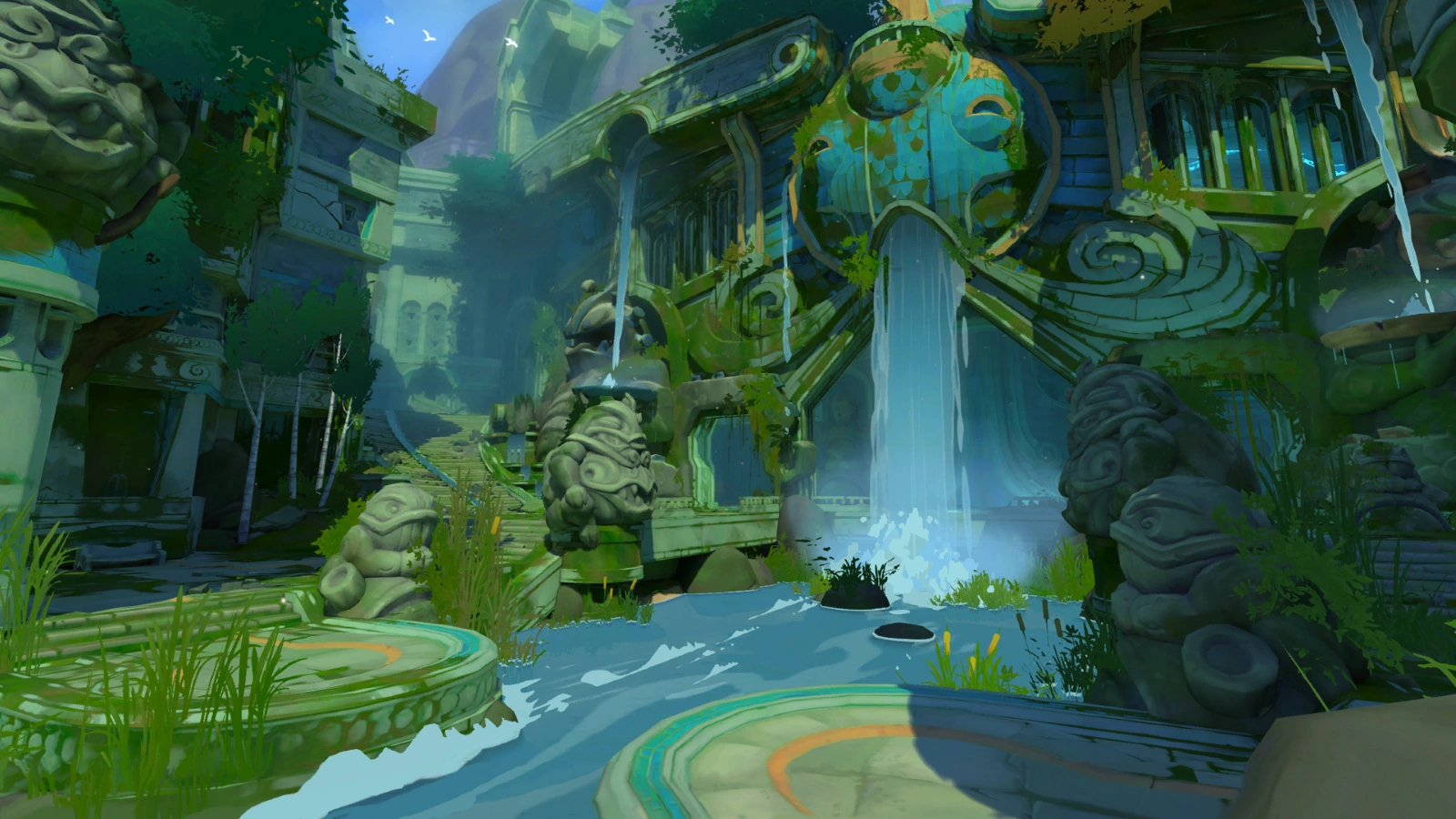

 shell ibex
bleak bridge
did it but it didnt work 😦
shell ibex
bleak bridge
did it but it didnt work 😦
Its supposed to show you that

Use the new STAT STREAMING command to report texture streaming metrics
tight crystal
shell ibex
Its supposed to show you that
k
shell ibex
@tight crystal what
tight crystal
nvm
shell ibex
I was replying to someone else im sorry
tight crystal
yeah i dint see it😂
bleak bridge
thank you ill look now!
it said my streaming was 900 something
changed it to 3000
still nothing
shell ibex
maybe try restarting UE4 after that
drowsy snow
bleak bridge
Hi everyone, need help!! My scene used to look like this and ive opened it this ...
Is this persisting after restarting?
shell ibex
tight crystal
how do i import textures i vertex painted in blender into ue4?
@drowsy snow you can help him i think
drowsy snow
shell ibex
<@!325627930484932608> you can help him i think
I never really done vertex painting before.
neon hatch
Is it possible to hide the blue camera preview meshes?
drowsy snow
neon hatch
Is it possible to hide the blue camera preview meshes?
Yes, press G in the editor viewport.
neon hatch
I mean permanently, and only the cameras.
The sprite stuff is fine and not overwhelming.
tight crystal
am i able to just vertex paint in ue4?
 modest trench
neon hatch
Is it possible to hide the blue camera preview meshes?
modest trench
neon hatch
Is it possible to hide the blue camera preview meshes?
you can set the scale to 0 or get fancy and mess with the actual engine asset I suppose
don't think the scale affects the actual camera functionality but don't take my word for it
neon hatch
I'd prefer to figure out the engine asset method, so it applies to all future imported assets.
Or at least that's what I assume would be the case.
modest trench
neon hatch
I'd prefer to figure out the engine asset method, so it applies to all future im...
UnrealEngine/Engine/Content/EditorMeshes/MatineeCam_SM.uasset I forget how changing engine assets in a non-source build works though
seems to work, changing it changes all cameras

I just made mine red
 solid anchor
Hi! I was hoping someone can help me figure out this issue!
I was working earlier and ue4 crashed and said it ran out of video memory so it closed. I just restarted my pc and opened up the project again to find everything super low res! I thought it was my GPU so I swapped it with another one. Still same issue! When I move really close to objects they look normal but far away it looks like really low quality! Its got this really bad motion blur on everything and it looks ugly. Either I just never noticed it or some kinda setting changed.

I snapped this while rotating the camera very slowly
there are no post process volumes in this map either. Its just a basic test map
drowsy snow
neon hatch
I mean permanently, and only the cameras.
This isn't permanent tho
 solid anchor
ah was definitely a setting in my project config file. not sure what i changed but i reverted that to an earlier version and it fixed the issue.
drowsy snow
neon hatch
I mean permanently, and only the cameras.
Still, you can destructively change the material or replace the mesh outright by reimporting with different FBX
neon hatch
drowsy snow
Still, you can destructively change the material or replace the mesh outright by...
I managed to replace the Engine Content asset with a completely translucent material, which is more than sufficient for my needs. Thank you everyone for the help!
drowsy snow
To be fair it's editor only asset
neon hatch
How so? I only changed the texture material of the camera mesh.
Oh I see. This is my only project so I don't foresee that being an issue, but I will remember your warning should it prop up later in something else, thank you
covert burrow
Setup.bat in the Unreal Engine source files immediately closes when I run as Administrator. How do I keep it open to see what the error is?
I also have a network drive which powershell run as Administrator can't seem to see.
drowsy snow
covert burrow
Setup.bat in the Unreal Engine source files immediately closes when I run as Adm...
You don't need to run Setup.bat as admin
covert burrow
drowsy snow
You don't need to run Setup.bat as admin
I'm simply following instructions, if not run as Administrator it reports "Access Denied" on stdout.
drowsy snow
covert burrow
I'm simply following instructions, if not run as Administrator it reports "Acces...
All it did is fetching Gitdeps and installing prerequisites, which the latter will prompt UAC anyway.
covert burrow
@plush yew Why not? It's where I'm storing the source for future use.
drowsy snow
covert burrow
<@456226577798135808> Why not? It's where I'm storing the source for future use.
Don't.
If you want to store it for future use, might as well install another HDD/SSD in your machine
covert burrow
I'll copy it out then sigh
drowsy snow
Inb4 "this isn't happening on Linux"
covert burrow
A copy is staying on the network drive lol
 limber badge
Hello. Hot i can cut commit for 10 small commits?
drowsy snow
limber badge
Hello. Hot i can cut commit for 10 small commits?
Revert the monolithic commit and commit the files you want for one commit, then another.
limber badge
drowsy snow
Revert the monolithic commit and commit the files you want for one commit, then ...
I have realy many changes.
limber badge
drowsy snow
Revert the monolithic commit and commit the files you want for one commit, then ...
Its really hard to add it in commit one by one((
drowsy snow
limber badge
I have realy many changes.
You can either use git add and specify the files for one commit, or use Git GUI clients to select the files with checkboxes.
covert burrow
@plush yew You say you don't run "sudo make" and I agree with that unless it's to do a system-wide installation of a compiled build but Windows seems to expect everything to be done as Administrator I've noticed.
So what else am I supposed to know?
drowsy snow
covert burrow
<@456226577798135808> You say you don't run "sudo make" and I agree with that un...
Nope.
drowsy snow
covert burrow
So what else am I supposed to know?
Don't run Setup.bat of your local repo of the engine in the network drive.
limber badge
drowsy snow
You can either use `git add` and specify the files for one commit, or use Git GU...
you gineos.
I try to use space in Githab desktop/
covert burrow
drowsy snow
Nope.
I've tried running software from within my home directory on a Windows system in the past, it wined for Admin credentials.
limber badge
And its work
covert burrow
*whined
limber badge
Dont know that its possibity
drowsy snow
covert burrow
So what else am I supposed to know?
I never had issue where it ask for admin privilege just to run it, considering I have them in my local drive.
drowsy snow
covert burrow
I've tried running software from within my home directory on a Windows system in...
Move on, sis. 😆
ashen sky
Morning unreal crew! (simulated people)