#ue4-general
1 messages · Page 1136 of 1
 hidden bloom
well at least i just had to click one button convery to 2d texture if it is virtual
 neon magnet
Does the r.streaming.poolsize cvar matter for when a game is packaged? Or is it only useful for editor performance?
hidden bloom
Im not sure as I dont do games so havent packed anything
off top my head I would assume it sets the testure pool for the project so would matter but since I havent done it before I could be totally wrong
 rose prawn
Hi Guys 🙂 I worked with C#, Javascript and a bit of Python for about 6 years and now I want to make a game. The game will be a 3D shooter with hundreds of enemies in a single frame. I have 0 experience with game dev, beside some 2D fun. I'm unsure if I should go with Unity or Unreal. I really like out the box graphics in UE5 and I've read on internet that Unreal has many more built in systems like movement, destruction, particle and physics systems which I think will save me a lot of time, but I'm not sure I have time to learn C++, can I use Python? Also I was told that Unity performance wise is worse but is easier to start with than Unreal. What should I do?
 fair field
I can't for the life of me find documentation around creating splines, adding spline points, and manipulation in the editor - can someone point me where I can learn to be not so dumb?
 winter stream
is it a good idea making a game launcher using unreal engine or should i just use some c++ gui for that ?
 tall sorrel
whats the best way to activate a lerp for all the material instances in the level for when it is raining?
like obviously you can do it 1 by 1, but there has to be a way to just have a overall lerp or something, but idk
 drowsy snow
winter stream
is it a good idea making a game launcher using unreal engine or should i just us...
drowsy snow
winter stream
is it a good idea making a game launcher using unreal engine or should i just us...
You can just use Core and Slate module, but it's best to just make a simple C++ GUI app instead.
 modest trench
some web framework would probably be the most simple to get going
 bright sigil
tall sorrel
whats the best way to activate a lerp for all the material instances in the leve...
bright sigil
tall sorrel
whats the best way to activate a lerp for all the material instances in the leve...
material param collection
 keen charm
Does DDR5 work better for UE5 / other Softwares for creating stuff? 🤔
 shell juniper
I attached my grabbed object to a spring arm endpoint with a collision check enabled.
 fiery sluice
Hello guys, stuck with my inventory, here is a video of what happened https://youtu.be/zeVEIf9hnDM

Hello guys, stuck in this problem, and I really need to make the widget with the camera pawn, as I need to add selected item mesh for inspect in that pawn, so it feels like we are inspecting in the inventory
Please Help
 severe robin
Does Unreal have a feature similar to unity "progressive" lightmapper, which automatically async lightmaps surfaces on the viewport frustum first before the rest of the scene?
 fierce agate
Hey guys, why if i save my game and load it again, the textures don’t save?
I mean my mesh became texture less
 blissful trail
me and a friend are trying to optimize our game we are managing to get 300+ fps on a 3070 is this good

 rocky epoch
blissful trail
me and a friend are trying to optimize our game we are managing to get 300+ fps ...
rocky epoch
blissful trail
me and a friend are trying to optimize our game we are managing to get 300+ fps ...
Green is usually a good sign, but shader complexity tool/instruction count is far from precise (more about that https://www.youtube.com/watch?v=y0QASid1v8w).
But you always have to check the precise results on the target hardware. If the target is with a 3070 that 300fps is more than good.
Honestly I have no idea what is the performance difference between a 3070 and for example a RX580 that I have. You can make guesses how it would run on a weaker GPU, but you will only know when you try it on one.
But at that point you are probably good to go, and should not sweat on optimisation a lot.
I can recommend that video about optimisation : https://www.youtube.com/watch?v=ZRaeiVAM4LI
drowsy snow
blissful trail
me and a friend are trying to optimize our game we are managing to get 300+ fps ...
It would be more conclusive if you test it on lower end hardware, probably equivalent to base PS4.
 whole hazel
hey guys, when downloading assets using Quixel Bridge and you import them, there's no collision at all, the character moves as if they are invisible walls/assets
do I have to open each one of these assets and add a collision to each one of them and re-import them or there's an easier way because that would take so much time with over 200 assets..
I know for each object, UE5 allows you to change the collision but even when I use 'Default' or 'BlockAll', nothing happens, character still goes inside the assets..
thanks in advance for the help
whole hazel
whole hazel
hey guys, when downloading assets using Quixel Bridge and you import them, there...
never mind, it got fixed after a restart, using details level BlockAll collision
 pure sorrel
How could i start make a mmorpg in unreal
 wheat hare
terrain
drowsy snow
pure sorrel
How could i start make a mmorpg in unreal
You don't.
 neon bough
open unreal, create a bunch of characters, create some gamelogic, make a map, done
wheat hare
yeah first step is the map
and then I guess characters
just like English class you've got plot, setting, and characters lol
to make your story
drowsy snow
pure sorrel
How could i start make a mmorpg in unreal
Okay, that wasn't conclusive enough.
Prepare yourself the following:
- millions and millions of dollars for servers (including maintenance) and dev team cost
- content plan
- monetisation scheme
 oak patio
Ah the age old how to make mmorpg
wheat hare
so make a map and give itt a time period and put some people in there
get to know the people and see what they do
drowsy snow
wheat hare
so make a map and give itt a time period and put some people in there
get to kno...
Not even map's going anywhere without the first thing I mentioned above.
wheat hare
so
the question was how to start it
drowsy snow
wheat hare
unreal engine is free
The engine is free, but the assets anr servers aren't 🙂
oak patio
You dint is the answer
wheat hare
you don't need $10000000 to learn blender and unreal and make a mmo
drowsy snow
I'm sorry, but I'm just being realistic
wheat hare
drowsy snow
The engine is free, but the assets anr servers aren't 🙂
assets are free
oak patio
wheat hare
you don't need $10000000 to learn blender and unreal and make a mmo
Any mmo you make for free, solo, even pretending you could afford the server is doomed to fail
wheat hare
u make them
in blender, maya...
wheat hare
oak patio
Any mmo you make for free, solo, even pretending you could afford the server is ...
but in the end you'd know how to do it?
what's the problem?
oak patio
Because its a pointless excercise
oak patio
Not what we are saying, if you wouldnt know where to start making an mmo, you arent experienced ebough to make one
drowsy snow
wheat hare
assets are free
Nope. Not before everyone calling you asset flipper 😉
And that is a derogatory term you don't want yourself sticking with
pure sorrel
and if would keep it offline?
drowsy snow
wheat hare
you don't need $10000000 to learn blender and unreal and make a mmo
But you need significant amount of your lifespan to finish it yourself.
wheat hare
drowsy snow
Nope. Not before everyone calling you asset flipper 😉
AAA studios buy assets, my guy
not sure which one of you folks knows less about this
pure sorrel
simple third persoon shooter more realistic?>
drowsy snow
Both, but use BP if you're just getting started.
oak patio
pure sorrel
simple third persoon shooter more realistic?>
Way more realistic
oak patio
C++ can be great for backend like saving, blueprints can be great for making gameplay elements from what i understand
Isnt something like half of fortbite bps
You can also make custom blueprint nodes with c++
drowsy snow
In reality, simply put, it's more of a balancing act.
Depends on what the WAD actually is, but for ease of packaging, stick with Unreal's "asset factory".
oak patio
I have a love hate with c++
drowsy snow
WAD format isn't limited to just classic Doom lumps
oak patio
On the one hand its a good language, on the other hand i hate pointers
Idk why i do i just do
And i have to work with sqlite for uni which has a hell of a lot if pointers
drowsy snow
Unreal already has PAK that took care of that, but should you make id Tech 1 reimplementation in UE4, then go 2 it.
Finally got to use that TNT Evilution level name in a convo, hell yeah
drowsy snow
oak patio
No, pointers are satan spawn
If pointers are cube spawners, what's the Icon of Sin?
oak patio
Don't confuse me with your words magic person
Anyone know where i can heist a quadro rtx 8000 from
My lighting builds take forever
drowsy snow
Yes.
tall sorrel
Damn, just realized I was over optimizing. I am making my survival game (first actual release) on less than target hardware, and I had everything hella optimized with trees being like 400 tris at lod 0 (its a massive forest), and I just put all my foliage and trees and stuff on my landscape material to procedurally spawn, and I was still pumping almost 200 fps on less than target, so I amped some stuff up to make it a bit better, and I’m still getting like 170
 timid meteor
hiii, im trying to hilight the texture but im having a hard time can i get some tips for this ?
 drowsy snow
But not really in the sense of Doom Builder where you draw BSP linedefs and make sectors, it's more of placing stuff around to assemble a level.
That being said, there is a BSP brush feature in UE, but I won't recommend using it to make final level, but use it for blocking out maps instead.
oak patio
Ive just realised my level design process is scuffed
oak patio
timid meteor
hiii, im trying to hilight the texture but im having a hard time can i get some ...
#graphics might be your best bet for that one
pure sorrel
how do i remove the shadows from the content create
 sick patio
can someone help me with this error. this is from a marketplace asset i just put in my project. and when i went to their demo map it won't load with this error.
 drowsy snow
oak patio
Ive just realised my level design process is scuffed
drowsy snow
oak patio
Ive just realised my level design process is scuffed
Well #level-design would told me it's scuffed as hell as I make up the levels on the spot as I go along.
oak patio
drowsy snow
Well <#221799337414361089> would told me it's scuffed as hell as I make up the l...
Mines pretty much the same, sometimes i draw out a design, but i dont even block out, just buikd it oiece by piece as i make the static meshes lmao
timid meteor
oak patio
<#221799195806400512> might be your best bet for that one
ty
sick patio
 drowsy snow
pure sorrel
why in unreal is z upwards?
drowsy snow
pure sorrel
why in unreal is z upwards?
Because Z is always upwards.
pure sorrel
in unity it is forward
drowsy snow
sigh Unity
 drowsy snow
Absolute heresy!!
oak patio
Idk the actual reason but i think of it is x and y are already used on graphs ti repesebt coordinates so if you add an extra axis you only got z left
Or i dont think about it, that also helps
drowsy snow
The thing is that Y-up is mainly make sense on 2D graph.
And guess what Unity excels on.
oak patio
Ive gotta use unity for a uni project at the end of my secend semester, and i reallly dont wanna
sick patio
can someone help me with this error. this is from a marketplace asset i just put in my project. and when i went to their demo map it won't load with this error.

@drowsy snow
 grand lava
sick patio
because they hate cartesian
grand lava
sick patio
because they hate cartesian
That's not what cartesian means …
oak patio
drowsy snow
And guess what Unity excels on.
Thats why ive akways said, if i wanna nake 2d games, ill switch to unity, but 3d games ue wins
drowsy snow
oak patio
Ive gotta use unity for a uni project at the end of my secend semester, and i re...
Are they going to nullify the grade if you're using anything but Unity?
oak patio
grand lava
That's not what cartesian means …
Nah its that good gun from destiny
sick patio
grand lava
That's not what cartesian means …
 oak patio
drowsy snow
Are they going to nullify the grade if you're using anything but Unity?
oak patio
drowsy snow
Are they going to nullify the grade if you're using anything but Unity?
Yup lmao its a group project
drowsy snow
sick patio
can someone help me with this error. this is from a marketplace asset i just put...
Right click -> refresh node
 drowsy snow
oak patio
Yup lmao its a group project
drowsy snow
oak patio
Yup lmao its a group project
I can't help but imagining neer do well school gang use Unreal Engine for uni project and obliterates everyone else using Unity at the campus
oak patio
We did have a smaller project that used unreal but that was more to learn 3DS MAX
our main projects are doing everything by hand cause woo computer science
this year its SFML for 2D, next year its DirectX for 3D
all great fun
 oak patio
sick patio
https://tenor.com/view/mad-upset-ugly-cry-crying-gif-14754689
oak patio
sick patio
https://tenor.com/view/mad-upset-ugly-cry-crying-gif-14754689
I think you can fix it by going into project settings and changing SurfaceType1 to 'Soft'
not sure tho
that should give you the node back on the switch statement
grand lava
Make sure you have the appropriate physical surface declared in your project settings.
sick patio
under input?
sick patio
uh but what about that connection?
oak patio
refresh the node it should be back
sick patio
OOOOOOOOOOOOOOOOOOOOOH it put a thingy on the thingy now
 oak patio
there ya goo
sick patio
you kids are smrat

ok now how do i get in the car?
it has the animation
and a blue print
oak patio
it also seems like you need to set up keybinds for some input events
 oak patio
stepping back
sick patio
all of this is IN the project with the cars, in THAT project settings?
oak patio
should be
sick patio
IT IS.... can i join the smart people table now?
sick patio
uh wait
these key things are the same as the other key things
can C be used for .... two things?
can i say "upon overlap use C"
oak patio
i mean ig technically you could but i dont see why you would
sick patio
but i can't use C to crouch
oak patio
that makes sense
sick patio
y'all gone make me think
oak patio
you don't tend to crouch in cars, so id say the crouch was a default one that wasn't deleted
no in terms of what youd use
sick patio
wait, i can use ctrl to crouch
oak patio
it would just go off of what you are currently possessing
sick patio
hold on i'm using ma brain
oak patio
if your player goes in the car, and you unpossess it and possess the vehicle. then it will respond to vehicle controls, vice versa
sick patio
WHO NEEDS CARS ANYWAY? WHO NEEDS TO DRIVE? just put the player inside the building and forget CARS... have me thinking and wasting time.
sick patio
see the storm, and then play the walking dead music..... BOOM you're in the building
oak patio
(unless you are making a racing game, in which case driving is important)
sick patio
you... no trying to make sense over there at the smart kids table
oak patio
:(
sick patio
ok delete the cars
and the
advanced locomotion
doors automatically open
time to learn custscenes
no scratch taht
too much trouble
oak patio
cutscenes arent that bad
sick patio
package it and ship it to steam. they'll buy it
oak patio
lmao
oak patio
i feel like you're just gabe newell in disguise
 oak patio
no problem
 tawdry sedge
grand lava
Try <#847139243246616596>.
tawdry sedge
grand lava
Try <#847139243246616596>.
Thanks! didnt saw that
sick patio
QUESTION: I am a big big fan of Hogan's Heroes the tv show. an ongoing premise is that london tells them to do something, and Hogan and his band of merry men have to come up with a way to do it. i.e. an open ended QUEST. Is there any game that gives players a bunch of good logical mechanics and provide open ended "non-linear" quests? I just need an example. instead of collect 3 rats.
 pure dagger
I'm looking for any translation/changing language tutorial. I would like to make a database with dialogs, names etc and change them if different language is set.
drowsy snow
pure dagger
I'm looking for any translation/changing language tutorial. I would like to make...

This page describes the various localization tools available in Unreal Engine 4.
winter stream
where could i find this in unreal engine 5
 pure sorrel
why i dont see edit layer in my unreal
 pure sorrel
winter stream
where could i find this in unreal engine 5
pure sorrel
winter stream
where could i find this in unreal engine 5
I think in setting
winter stream
i have found it on Tools>Debug
 dim merlin
My packaged game startsup as windowed, not fullscreen. anyone knows how to fix that? Im on 4.27
 autumn flame
dim merlin
My packaged game startsup as windowed, not fullscreen. anyone knows how to fix t...
autumn flame
dim merlin
My packaged game startsup as windowed, not fullscreen. anyone knows how to fix t...
In the Config folder of your Project
Create DefaultGameUserSettings.ini
Put this inside
[/Script/Engine.GameUserSettings]
FullscreenMode=0
Version=5
0 is FS, 1 is WFS, 2 is W
 golden niche
I have been trying to follow the official tutorials for IK, and this happens, does it have to do with the way my bones are set up?

 plush yew
why i have feeling that almost everyone is looking for programmers and only few people for designers
 crimson comet
Hello, does anyone know if Epic Megagrants are still available? I saw somewhere that by early 2020 they had already given out half of the total so just wondering if it’s too late now
 fierce tulip
you can still apply
 next swift
This question is for anyone experienced with importing from blender to unreal:
Say I have a rigged character with bones or drivers that control not just movement but deformation, like a muscle deformation sim:
https://youtu.be/H4jKJMiTxvM
Or
https://youtu.be/2vJqAxPly3o
Would this import to Unreal without issue? Or Halfway, but some fixing is needed, or just completely broken?
I've also seen a jiggle rig that had similar complexity: https://youtu.be/X26xROC9wao
Sorry, I don't know the best terminology or phrasing for the question, this is more "I'm a beginner and I saw some cool stuff, is it even possible to get these into Unreal?" That's typically how I find my next area of study.
plush yew
Why do my particles play in the opposite direction when I add them to my maps ._.
Nvm I’m dumb
 tired abyss
Do you know the name for that Ue5 game thats in production that is mecha's with borderline anime girls? i forget its name
driving me mad
 forest light
hello guys, are there some unreal engine reverse engineers that can test out security of my game?
not sure where exactly should I post this question
 orchid bobcat
y
sick patio
QUESTION: you know how at air shows and football games , the air force has like 6 planes fly over in formation. How would i do that in the game? Niagara or something?
is this the wrong discord for this question?
 daring cedar
Anyone knows why when I launch my project to VR it crashes the program?
 leaden leaf
hey guys, not sure if it's the right place to ask this but in my game, I want to move my scene aside when a Widgets appears : I already have a Inventory widget, which takes something like 40% of the screen. When I show him, I want to move all my scene so my Inventory appears on the left half, and my scene on the right half. Any idea how to achieve this ? Are there better solutions ?
sick patio
QUESTION: you know how at air shows and football games , the air force has like 6 planes fly over in formation. How would i do that in the game? Niagara or something? @drowsy snow
tall sorrel
yo anyone know if there is a way to procedurally generate foliage blueprint actors in landscape material, rather than static meshes, currently I am using the grass node, but the meshes that spawned aren't individual instances, and I want to add functionality to the foliage that does spawn
 sharp crest
@grave aspen happy birthday
sharp crest
tall sorrel
yo anyone know if there is a way to procedurally generate foliage blueprint acto...
you'd want to replace the instances with actors when the player interacts with them.
do it with code/bps
tall sorrel
but their not individual instances
like I select a tree and it selects the landscape
sharp crest
sick patio
QUESTION: you know how at air shows and football games , the air force has like ...
sounsd like something you'd just have a skeletal mesh with animations and a blueprint timelines moving it around in the formation u want. or maybe a cinematic doing it Idk.
many ways this can be done dpeending on how u want exactl.y.
sharp crest
tall sorrel
like I select a tree and it selects the landscape
you have to do this in-game..
go on google u will see
google ue4 tree intercation or something
sharp crest
forest light
hello guys, are there some unreal engine reverse engineers that can test out se...
security in terms of what? what r u trying to protect?..
tall sorrel
yea I know tree interaction, ur missing what I am saying, is there a way to make the landscape grass node automatically make individual instances, whether I am in play mode or not it selects the entire landscape when selecting a tree
sharp crest
golden niche
I have been trying to follow the official tutorials for IK, and this happens, do...
did you check the IK example in the UE5 demo they releasd with the robots #unreal-news
sick patio
IF spacebar is jump.... in a car handbrake can't be spacebar too?
golden niche
I'm checking it out right now
sharp crest
winter stream
where could i find this in unreal engine 5
it is literally in the same place lol
pure dagger
How can i set camera view as a picture in menu?
sick patio
or inside a car you change pawns and can therefore have the same keyboard control?
sharp crest
sick patio
IF spacebar is jump.... in a car handbrake can't be spacebar too?
it can be... make sure the input node in the player doesn't consume it and doesn't override it
sharp crest
sick patio
or inside a car you change pawns and can therefore have the same keyboard contro...
u can..
sharp crest
tall sorrel
yea I know tree interaction, ur missing what I am saying, is there a way to make...
nope
oh if u want just for map editing
u can do it
go to foliage mode and then select instance mode
if u just want to move an instance or delete an instance
sharp crest
pure dagger
How can i set camera view as a picture in menu?
what
pure dagger
sharp crest
what
I would like to place a camera on map and set view as a background in main menu
tall sorrel
sharp crest
go to foliage mode and then select instance mode
im not using foliage mode lmao
sick patio
so in project setttings: jump = spacebar handbrake = spacebar and in blue print put 3rd person character spacebar input, car character spacebar input?
tall sorrel
thats way too much time on a massive map
sharp crest
pure dagger
I would like to place a camera on map and set view as a background in main menu
in the camera actor settings in the world you can set the player to auto posses that camera when the game starts.
@tall sorrel I can't help you if you won't fully explain what I need to do so
tall sorrel
I said how do you get using the GRASS node in a landscape material spawn individual instances instead of being a part of the landscape lmao, theres not much more to explain
sharp crest
sick patio
so in project setttings: jump = spacebar handbrake = spacebar and in blue print ...
no in the character u need an actioninput jump and in the car u need the actioninput handbrake
 sharp crest
tall sorrel
I said how do you get using the GRASS node in a landscape material spawn individ...
sharp crest
tall sorrel
I said how do you get using the GRASS node in a landscape material spawn individ...
which grass node? the one that uses landscape grass assets? not possible
sick patio
moderators
sharp crest
ye
 buoyant graniteBOT
:triangular_flag_on_post: robwild#0026 received strike 1. As a result, they were muted for 10 minutes.
sharp crest
sharp crest
sick patio
that's what i meant
should work then 👍
sick patio
sharp crest
should work then 👍
thanks. i'm trying to mingle car markeplace asset, into my rpg project
sharp crest
cool
sick patio
I assume now i copy the pawn from the car project also?
or would that come over in the migration
sharp crest
when u migrate u will see a list of assets that will transfer
pure dagger
How can i disable camera rotating?
sharp crest
in the blueprint there is logic for that
for the camera rotating) so just disable it..
sick patio
tried to copy the 3rd person cahracter "hint" blueprint over to my project 3rd person and got this
 sharp crest
sick patio
tried to copy the 3rd person cahracter "hint" blueprint over to my project 3rd p...
sharp crest
sick patio
tried to copy the 3rd person cahracter "hint" blueprint over to my project 3rd p...
go to that 'RotateText' function and right click and copy
then go to the new blueprint and right click anywhere and paste
and it should paste that function with all the logic to ur new bp
sick patio
i was trying to paste this, that's what gave me the error

or do you mean the function itself
sorry, i didn't read
sharp crest
yes it's a bit weird I'm not sure why it won't just copy paste the entire function when copying the function node
 shell surge
Hey guys, do you know any good tutorials or resources about building a concert stage in ue4? With all effects, flashing lights etc
sharp crest
shell surge
Hey guys, do you know any good tutorials or resources about building a concert s...
I'd google that but sounds too specific.. so try googling each piece individually..
sick patio
I created and tried to paste this, but i don't see this variable in the original project


 hollow cairn
how is the animationblueprint connected to the character?
I have some new characters and wanna give them their own animation blueprint but I can't see where the default thirdpersoncharacter is connected to its animationblueprint...
oak patio
sick patio
I created and tried to paste this, but i don't see this variable in the original...
That variable is actually just a reference ti the text component
See how there is a text render component ij the secind image, that isnt in the first
sharp crest
hollow cairn
how is the animationblueprint connected to the character?
in the skeletal mesh component there is an anim bp variable
 sharp nebula
yo quick question, how can I reduce the intensity of the white skylight that can be seen under the map?
I do not know which settings effects it's intensity, but it's not "Light Source"
 sick patio
I tried to copy the 2nd blueprint into my project
hollow cairn
sharp crest
in the skeletal mesh component there is an anim bp variable
ah i see, thank you
sharp crest
sharp nebula
yo quick question, how can I reduce the intensity of the white skylight that can...
maybe atmosphere fog or experimetnal fog
or sky light or directional light
or skybox or sky atmosphere
 manic pond
Hi I am having trouble installing unreal engine, the epic installer ends and says it ended prematurely
sick patio
oak patio
See how there is a text render component ij the secind image, that isnt in the f...
oh it's some sort of component?
oak patio
sick patio
oh it's some sort of component?
Gimme a few mins and ill highlight it for ya
oak patio
Yeah that will work
sick patio
do i need to do more?
oak patio
Thats what you needed to do
If you look at what the node was, you were setting a scene component to hidden, of type text render, but you hadnt copied over the text render component
Now you have so it works
sick patio
this is a bunch of trouble
if you were my teacher would you advise against putting this in my project as a noob?
oak patio
Putting what in
 regal narwhal
Hello. I have a video, which should play on a plane in loop. I created the mediaplayer, selected the video there and dragged in on the plane. When opening the mediaplayer, clicking twice the video, then i see it on the plane, but when i close it, it just black, and need to open the mediaplayer again.
 sick patio
oak patio
Putting what in
sick patio
oak patio
Putting what in
this car stuff
oak patio
I mean it depends how new you are, would i advise it to someone who has only just downloaded unreal, probably not
If you are somewhat used ti the engine, then id say go for it, it may be a bit of a learning curve but you may learn a lot
It also depends if the car and vehicle is premade which it seems like it is
I would advise against it if it is an assignment related thing tho, as it could take too long
If you're just trying to learn I don't see why not, although depending on how new you are you may wanna make something simpler
sick patio
im am learning a lot just fixing these mistakes
golden niche
sharp crest
did you check the IK example in the UE5 demo they releasd with the robots <#2199...
I get this weird thing
 sharp crest
Idk never tried custom IK.
Anyone knows if there is a way to make Visual Studio build go faster? I'm compiling 5.0
 neon hatch
Is it possible to have a 'universal rig/skeleton'? So each time I import a new custom model, they can just use that instead of having to create a full rig for each new character? They all follow the same body structure/height/etc. and everything, they're just very low poly like so:
 sharp crest
neon hatch
Is it possible to have a 'universal rig/skeleton'? So each time I import a new c...
sharp crest
neon hatch
Is it possible to have a 'universal rig/skeleton'? So each time I import a new c...
when u import u can choose if to use an existing skeleton.
 sharp shadow
Is is it possible to search Output Log without actually filtering lines? I am looking for search which works just like normal search in web browser.
sharp crest
sharp shadow
Is is it possible to search Output Log without actually filtering lines? I am lo...
the output log prints to a file in UrProject/Saved/Logs/
so just open that file in whatever txt program u want
sharp shadow
yes, I know but I am looking for in editor option
sharp crest
maybe look on the marketplac
plush yew
what is the shortcut to enter in "fly" mode inside PIE?
i mean, the one that you have when no character is selected on GameMode
answer: F8
drowsy snow
golden niche
I get this weird thing
Change the primary and secondary axis
golden niche
oof thanks
forest light
sharp crest
security in terms of what? what r u trying to protect?..
crackers are already trying to crack my game, they got around drm bypass (the easy thing) but now I would like to know how difficult is to actually breach real drm I made
golden niche
drowsy snow
Change the primary and secondary axis
Im using simple IK, how can I set the position in real time?
 thick herald
If massive companies can't prevent hacking, nothing can 🙂
golden niche
stacko bot example uses FBIK (that I dont have)
forest light
thick herald
If massive companies can't prevent hacking, nothing can 🙂
yeah but that is not a reason to distract myself from testing protection of my game
sick patio
@drowsy snow using name brand stuff opens me up to lawsuit? like energizer batteries etc
drowsy snow
forest light
crackers are already trying to crack my game, they got around drm bypass (the ea...
If I were you, I wouldn't really bother with the pirates, unless somehow your player base is > 50% pirating the game
Which is only possible if someone hate you so much and arranging a protest.
drowsy snow
sick patio
<@!325627930484932608> using name brand stuff opens me up to lawsuit? like energ...
Yes, that's trademark law.
forest light
drowsy snow
If I were you, I wouldn't really bother with the pirates, unless somehow your pl...
please lets not talk about off-topic of if pirating is useful or if drm is worth it or any other off-topic things unrelated to testing security
that is coversation for another day
sick patio
drowsy snow
Yes, that's trademark law.
this is fine though? https://p.turbosquid.com/ts-thumb/QI/3951yT/gv/battery4/jpg/1622549511/1920x1080/fit_q99/660ca2197d369d26703314ebb1e8573185c1d0ad/battery4.jpg
 drowsy snow
forest light
please lets not talk about off-topic of if pirating is useful or if drm is wort...
drowsy snow
forest light
please lets not talk about off-topic of if pirating is useful or if drm is wort...
Well, nowadays anti-piracy is often not really worth the hard effort, but fine, I'll shut myself up.
sharp crest
forest light
crackers are already trying to crack my game, they got around drm bypass (the ea...
I wouldn't worry too much about this, from what I know it really doesn't have much of an effect on sales.
drowsy snow
sick patio
this is fine though? https://p.turbosquid.com/ts-thumb/QI/3951yT/gv/battery4/jpg...
That's fine.
forest light
sharp crest
I wouldn't worry too much about this, from what I know it really doesn't have mu...
same as stated to hoodie guy, lets not get distracted by off topic related to cracking or fighting pirates. there is whole lot more to talk about for that, but lets leave to another day and focus on theme of "testing" securty
drowsy snow
forest light
same as stated to hoodie guy, lets not get distracted by off topic related to cr...
Then might as well not discussing it here at all.
For all I care, your precious DRM could be a trade secret no one else should publicly adopt, and you might able to reverse it yourself with Ghidra and keep the loophole going.
forest light
drowsy snow
Then might as well not discussing it here at all.
For all I care, your precious...
Im not exactly sure where to ask about it in this server, but there are lots of people for sure who know this stuff
neon hatch
forest light
same as stated to hoodie guy, lets not get distracted by off topic related to cr...
I think they are just trying to tell you in a nice way that testing protection is not optimal use of your time as crack is inevitable regardless of game scope, size or dev unfortunately
drowsy snow
forest light
Im not exactly sure where to ask about it in this server, but there are lots of ...
And for all I know warez groups sure ain't hanging out here.
forest light
neon hatch
I think they are just trying to tell you in a nice way that testing protection i...
yes I do understand that. Thats why I would rater pay somebody to do it, than spend time of my own when I can develop the game . would be nice to have somebody pointing out mistakes
neon hatch
sick patio
this is fine though? https://p.turbosquid.com/ts-thumb/QI/3951yT/gv/battery4/jpg...
100% safe to use in current state as it is just a battery with no discernible label. If you were to write ENERGIZER however the issues surface
drowsy snow
forest light
yes I do understand that. Thats why I would rater pay somebody to do it, than s...
What is your game in development? If not, what studio are you working for?
golden niche
why do I not find the FBIK node?
drowsy snow
golden niche
why do I not find the FBIK node?
Full body IK is a plugin (AFAIK still is in UE5)
sick patio
I just want the player to RECOGNIZE that this ... is battery ... is a flashlight .... is a manila folder ... is a hotdog etc.
neon hatch
forest light
yes I do understand that. Thats why I would rater pay somebody to do it, than s...
I don't know how else to tell you friend, there is no currently existing protection that is infallible and likely will never be
golden niche
drowsy snow
Full body IK is a plugin (AFAIK still is in UE5)
I am in ue5
drowsy snow
sick patio
I just want the player to RECOGNIZE that this ... is battery ... is a flashlight...
Yes, without the label, that's clearly a battery
If the model creator permits, you can modify the textures and use made up brands
forest light
neon hatch
I don't know how else to tell you friend, there is no currently existing protect...
please guys, I specifically mentioned to not talk about off-topic
neon hatch
sick patio
I just want the player to RECOGNIZE that this ... is battery ... is a flashlight...
This is achievable without labels, you could use the models as they come or make up your own in-universe brand names (like ENERGETIX or something. As long as you check to clarify that the name you use is not a real pre-existing brand)
 pliant rose
Cyber was assembled

The Property of Arc, assets expored and exploited during 3rd Over Exposure Period. By Dmitriy Korzun aka PSI ARC. 3TOE diverted 89%+ of available time from premitive human needs towards single goal. Aquire Mastery in the Field predifined by fate, yet no relevant tech skill. Using available information on the internet and free resources, I conclu...
drowsy snow
Something like "Supershell"
drowsy snow
pliant rose
https://www.youtube.com/watch?v=7KkIyX-7bgY
What is this?
Are you asking question?
forest light
drowsy snow
What is your game in development? If not, what studio are you working for?
Its by Devolution (studio) and I currently own it. Most of the stuff + all code is by myself
sick patio
this might be a dumb question, but turbosquid has tornadoes you can download? what would i do with them? or how
neon hatch
forest light
please guys, I specifically mentioned to not talk about off-topic
Your question was "how difficult is it to breach my custom DRM?" which we can't know without, well... trying. I'm just informing you that no amount of money you dump into protection will guarantee it.
forest light
neon hatch
Your question was "how difficult is it to breach my custom DRM?" which we can't ...
Im not interested in changing protection, just dump money to somebody who understands reverse engineering and can tell me obvious flaws and if it has any
neon hatch
forest light
Im not interested in changing protection, just dump money to somebody who unders...
Ohh I see, I misunderstood
In that case I would say you may find better luck in some kind of programming or modding Discord rather than UE4
 gaunt abyss
forest light
please guys, I specifically mentioned to not talk about off-topic
gaunt abyss
forest light
please guys, I specifically mentioned to not talk about off-topic
I mean is asking for someone to reverse engineer your game on topic with this channel?
sick patio
 forest light
gaunt abyss
I mean is asking for someone to reverse engineer your game on topic with this ch...
forest light
gaunt abyss
I mean is asking for someone to reverse engineer your game on topic with this ch...
I mentioned at the beginning that I'm not sure where exactly I asked so I put it in general ue channel if there is better place for it, let me know
drowsy snow
forest light
Im not interested in changing protection, just dump money to somebody who unders...
I'm not inclined to think it's worth my time to just boot up Ghidra and reverse engineer your little DRM, and simply put, you're in the wrong forum.
drowsy snow
sick patio
hoodieguy you confuse me with that avatar
How? lol
sick patio
so about downloading tornadoes from turbosquid. would it just be a weird static 3d mesh?
drowsy snow
sick patio
so about downloading tornadoes from turbosquid. would it just be a weird static ...
Yes.
If you want to make "living" tornado, best do it with particle system like Niagara
forest light
drowsy snow
I'm not inclined to think it's worth my time to just boot up Ghidra and reverse ...
I'm not asking anyone to do anything for free. Even pointing out there is ghidra is useful info for me. also someone might know that its super easy to decompile and look at blueprints in game and see connections maybe obviously people do drm. also just matter of fact, im owner of main pirate thread and sometimes release public builds and tons of other info related to "is it worth fighting pirates" so thats why I want to avoid all conversation related to anything else than testing protection sry if I sound rude, I just wanted to get to the point
drowsy snow
Also wind physics, but that's another can of worm
sick patio
wait, i made wind before, for a flag
drowsy snow
sick patio
wait, i made wind before, for a flag
Good luck, because tornados succ
sick patio
i can't quite remember, but all i did was something like wind in blueprint
drowsy snow
And succ wind is not a built in thing in UE4
drowsy snow
sick patio
wait what does succ stand for
spoonerism of "suck"
sick patio
niagara is the only game in town for tornado?
drowsy snow
sick patio
niagara is the only game in town for tornado?
Cascade can do it as well
gaunt abyss
forest light
I mentioned at the beginning that I'm not sure where exactly I asked so I put it...
If anywhere at all it should probably be posted as a job offer on the job boards (debating if I should even allow this convo to continue)
In short there is no unbreakable DRM, if someone wants to break through it they will, DRM will only piss off legit players
sick patio
i thought cascade was deprecated
which one should i learn. i have limited brain space
drowsy snow
sick patio
i thought cascade was deprecated
Sort of, but Niagara's more expandable and robust than Cascade.
Still, the choice are there
neon hatch
sick patio
which one should i learn. i have limited brain space
This my spirit animal tbh
neon hatch
Niagara is the new standard afaik
sick patio
ok so let me give you a scenario and is this doable in niagara
neon hatch
The answer is yes.
drowsy snow
sick patio
which one should i learn. i have limited brain space
@fierce tulip Cascade or Niagara? Help him decide :3
 cedar wave
Niagara
sick patio
great weather... clouds roll in, clouds get dark, storm happens, tornado happens
that's niagara or blueprint
neon hatch
Niagara would be used to handle any particle effects. The rest I am not sure
Probably a little of both tbh
There are some weather systems (possibly a free one iirc) on UE marketplace if you'd like to research for some examples
fierce tulip
niagara
forest light
gaunt abyss
If anywhere at all it should probably be posted as a job offer on the job boards...
I understand debating piracy is unpleasant, and taboo topic, however I just wanted to get more info about it before posting job offer without research, and since game is made in unreal, lots of people here can have experience of their games being decompiled, hacked, cracked all sorts of stuff.
I was also worried about debate turning into "do not put drm in you game and your problem solved"
 fierce tulip
slaps ponkkis
sick patio
i spent a day searching for niagara introduction
um Luos can i ask you about my question about that scenario: great weather... clouds roll in, clouds get dark, storm happens, tornado happens
that's niagara or blueprint
fierce tulip
both
sick patio
and the free weather markeplace thing i got... the tutorial is in chinese 😦 i mean.... i can't get any worse bad luck
neon hatch
So basically what I said
 sick patio
is that a cloud?
drowsy snow
sick patio
is that a cloud?
Yes
 drowsy snow
neon hatch
No, it's my original K-Pop idol
drowsy snow
neon hatch
No, it's my original K-Pop idol
Well, he's teached by Honey Bee folks
sick patio
now of course, the follow up question is
neon hatch
drowsy snow
Well, he's teached by Honey Bee folks
Sad there was never a Bee costume 😪
sick patio
where o where do i learn to blueprint weather changing from good to horrible and spawning particle tornadoes and lightning?
drowsy snow
sick patio
where o where do i learn to blueprint weather changing from good to horrible and...
In my case, I just went my own, based on what I learned from partially reverse engineering GTA V
sick patio
i've thought about and tried to reverse engineer gta V but... I have limited brain storage
as I told you
and i've always wanted to know, when cloud dressed up as a girl, did the owner of the district really think he was a girl? when he invited cloud to his room?
 drowsy snow
sick patio
and i've always wanted to know, when cloud dressed up as a girl, did the owner o...
drowsy snow
sick patio
and i've always wanted to know, when cloud dressed up as a girl, did the owner o...
He's a pretty boy tho 😉
sick patio
drowsy snow
He's a pretty boy tho 😉
 sick patio
i blame dax
but seriously
Luos where do i learn about the blueprinting weather epic stuff
fierce tulip
iunno, I dont really do blueprints. im sure you can find weather system tutorials and such
 bleak zodiac
i would look at unreal online learning
drowsy snow
bleak zodiac
i would look at unreal online learning
inb4 "does it have tornadoes?"
thick herald
but does it??
drowsy snow
cue vsauce theme
plush yew
Hey guys would someone help me with his speed
This is just too powerful :P I couldn't fix it somehow
sharp crest
Anyone knows if there is a way to make Visual Studio build go faster? I'm building 5.0 in VS 2022
Like allocating more processing power to it or something
thick herald
Sure, get a better cpu 😄
 wind hearth
 fossil nexus
How do i join 2 procedural meshes into one at run time?
fossil nexus
How do i join 2 procedural meshes into one at run time?
Might be what you're looking for:
https://docs.unrealengine.com/4.26/en-US/AnimatingObjects/SkeletalMeshAnimation/WorkingwithModularCharacters/
fossil nexus
wind hearth
Might be what you're looking for:
<https://docs.unrealengine.com/4.26/en-US/Anim...
Its a bit confusing. Its the FSkeletalMeshMerge?
But that doesnt apply to procedural meshes? Or does it?
 loud ember
is there a way to change these settings mid game with blueprints?

or maybe should i have 2 collision components and set collision enabled and disabled depending on which one i want to use while the game is running
tall sorrel
is there a way to see your total polys / tri count?
bright sigil
loud ember
is there a way to change these settings mid game with blueprints?
make your own collision presets to change between
loud ember
bright sigil
make your own collision presets to change between
ok thanks for giving me a direction 🙂
will try both of these
bright sigil
loud ember
is there a way to change these settings mid game with blueprints?
collision preset, collision enabled, and object type can all be changed (there are functions for them) but as for the response channels, use presets
wind hearth
fossil nexus
Its a bit confusing. Its the FSkeletalMeshMerge?
Yeah, are you just trying merge two mesh geometries without anything else?
fossil nexus
wind hearth
Yeah, are you just trying merge two mesh geometries without anything else?
Im creating 2 cubes at run time, with procedural mesh. Then i need to join these 2 cubes into 1 procedural mesh.
I will need to do this multiple times
wind hearth
You can use CopyProceduralMeshFromStaticComponent and copy both cubes to a new procedural mesh
 plush yew
Hey all, I want this event to play after I press a button in oculus touch is this the right way to do it?
 fossil nexus
wind hearth
You can use CopyProceduralMeshFromStaticComponent and copy both cubes to a new p...
fossil nexus
wind hearth
You can use CopyProceduralMeshFromStaticComponent and copy both cubes to a new p...
I didnt know i could do that. So you can just plug to procedural meshes there and makes 1? ok
 sterile pumice
Did you ever find a solution to this?
sharp crest
plush yew
Hey all, I want this event to play after I press a button in oculus touch is thi...
this looks like something related to touch input (mobile etc)
for oculus touch you'd probably want to setup an inputaction for that oculus input or whatever and then execute whatever u want only once whenever that input triggers.
never tried oculus tho
plush yew
sharp crest
this looks like something related to touch input (mobile etc)
for oculus touch y...
Oki I will try that thank you :P
 rancid lynx
I have a strange obscure bug with blueprints. EVERY time i EDIT ANY Value inside the blueprint, the "Viewport" display of the scene shifts. for example. if i change a boolean from true to false, or rename a component, any edit, the DISPLAY in the viewport shifts. moving the view of the 3d scene by like 500 cm. it only happens with this single blueprint, none of the others act like this. wtf is up ?
I can press F to "Recenter" onto the scene, it only pushes the scene a little offscreen, but why the hell does this happen ?
oh, it appears my scenes root is not at 0 0 0 , and any edit moves the camera to 0 0 0 . a construction edit moves it down in the neg Z.
i just noticed the default floor grid is a bit above my mesh. so llame X_x. cant be avoided without a few minutes of brain focus. sorry spam nm
 manic ibex
i have kind of a weird question
i'm kind of new to unreal engine and I've been trying to map my inputs to other buttons but I feel like i messed something up and i don't know how to restore the default inputs
how do you do that
drowsy snow
manic ibex
i'm kind of new to unreal engine and I've been trying to map my inputs to other ...
Are you changing them in Project Settings?
drowsy snow
manic ibex
and i dont know how to change them back
What template are you using?
manic ibex
3rd person
bright sigil
manic ibex
i'm kind of new to unreal engine and I've been trying to map my inputs to other ...
Make yourself another third person project and see whats different.
manic ibex
ok so now i think it has to do with the camera controls because my problem was for some reason the camera won't look left or right but would look up and down
drowsy snow

Unreal Engine
Unreal Online Learning is a free learning platform that offers hands-on video courses and guided learning paths.
Try clearing your browser data.
Might be defect cookies or VPN doing its job a little too well
 shell ibex

sorry im noob but
why model become blurred
with bad texture
whet i quit edit mod
the edit mode ctrl+e
on the model
same for plant ect
 soft fiber
shell ibex
soft fiber
shell ibex
Did you use solidify modifier?
soft fiber
Where did the model come from?
shell ibex

its normal again when i open the edit mode
you see
so i dont think its related to the origin of the model
its same for the plant model of the ue shop
its probably a basic that i dont know
shell ibex
soft fiber
Where did the model come from?
please help me
soft fiber
I'm not sure what's wrong there...
soft fiber
No... I doubt it.
shell ibex
can you give me a solution
i try it
please
im very noob
and my english suck
@soft fiber
soft fiber
Did that model come with any animations? Try playing an animation and see if it works.
shell ibex

look this plant
from the ue shop

same thing when i close the edit mode
someone explain to me please
soft fiber
What version of UE?
shell ibex
the last
soft fiber
4.27 or 5?
shell ibex
the default caracter?
soft fiber
yes
soft fiber
Maybe there something wrong with those assets, maybe you video drivers need updating, maybe your computer doesn't support something... its hard to say for me.
Try hoodyguy
manic ibex
oh yeah one more question

I get this error message when I try to compile
i'm not sure why it's missing. What am I doing wrong?
manic ibex
i'm new as hell lmao
shell ibex
same
manic ibex
i have literally just been watching this dude on youtube and trying to absorb all of this info but i know damn well i can't make this game alone
shell ibex
what type of game you want make
shell ibex
you can do it
shell ibex
personnly its like two day i use ue
but i found a solution for use the steam model of gmod
on ue
manic ibex
literally same
shell ibex
shell ibex
lik this
manic ibex
i tried to use unity and i was like this shit is for mobile games
oh dang
thats suck
*sick
manic ibex
wait that's gmod?
manic ibex
it looks super complicated but i'm sure it's really just piecing a lot of stuff together
i'm trying to learn blender too because i don't want to reuse too many assets
shell ibex
XD
its complicated
to explain
and sorry for my english
i want make a shooting educative game
shell ibex
shell ibex
i want make a shooting educative game
with an algorithm of spaced repetition
 split jasper
Character probably
that's because a .h file is the Header file (or whatever). You're looking for a Character.cpp
C++ is fuckin stupid you gotta declare your methods and implement them in separate files like that
 astral belfry
I am new to gamedev, Can someone explain me the difference between FloatingPawnMovement and PawnMovementComponent? I tried using latter and kept getting error
manic ibex
manic ibex
i think i have a similar problem but i'm not sure what to do
split jasper
Also hold up if you want to edit what it does, don't fuck with the Character.cpp code, just override the function in your BP
manic ibex
can someone help me with mine
shell ibex
shell ibex
@lunar ibex @lunar ibex please help
split jasper
manic ibex
can someone help me with mine
Tried to look at your screenshot but it was like too small to read
Lets see that and the input axis definition
 rapid frigate
I am profiling game in my android device and after changing dynamic light to stationary and setting skylight as moveable, the frames started to drop drastically. I am not able to understand what does RHIT thread and it's sub node translucent means. There is a glass shader that is translucent.
Any help is appreciated.


 split jasper
Your axis is named TurnRate not Turn I think?
 scenic lance
ok so im trying to load a map i made in world machine into unreal for use as the main level, i spent a LOT of time on the map and just curious the best way to load an R32 file type into unreal
google is little to no help
bright sigil
rapid frigate
I am profiling game in my android device and after changing dynamic light to sta...
RHIThread, or RHI Thread is the render thread - based on what hardware is run, so the createshaderboundstate is the engine's attempt to gather and draw meshes (including their materials). So you may want to check how performant your glass material is and if it's using checkboxes for mobile use.
rapid frigate
bright sigil
RHIThread, or RHI Thread is the render thread - based on what hardware is run, s...
Okay so in shader complexity view mode it is not so complex the dark green area.
And are you talking about the checkbox of *Mobile Separate Translucency *

 bright sigil
rapid frigate
Okay so in shader complexity view mode it is not so complex the dark green area....
bright sigil
rapid frigate
Okay so in shader complexity view mode it is not so complex the dark green area....
ive not worked in mobile, i just know there are checkboxes for it
there's 365 calls, they may not all be related to this glass
unless this is the only translucent
but if there are that many calls, i would wonder why
rapid frigate
bright sigil
ive not worked in mobile, i just know there are checkboxes for it
Okay no issues thanks let me check it and build it.
 cloud aurora
Try closing it on task manager maybe 🤔
shell ibex
cloud aurora
Try closing it on task manager maybe 🤔
?
how its supposed to worl
work*
i talk about the ue4 console
in ue4
I tried restarting same thing.
i still havent seen this console appear
ok if you have the same probleme the console work if you click on play
neon bough
there's an extra tab in the windows menue of unreal to show the console
i think windows => developers => console
bright sigil
shell ibex
Why i cant open the ue4 console
ill guess you've come from Unity and want the Output Log
shell ibex
neon bough
there's an extra tab in the windows menue of unreal to show the console
thank you, i cant find it.. but it doesnt matter Il open it as i said
does anyone know how to cut an actor in 2
 sage perch
Hi all.. Does anyone have tried ImagePlate plugin in unreal 4.27.2.? I have set it up, but in sequencer when I the image plate with my background image sequence it stays back in the thumbnails. Anyone done anything with this plugin? wonder if its broken.
 tiny grove
IDK where to ask this so I`m asking here,
How do I post a Job posting (I have to recruit someone)
drowsy snow
tiny grove
IDK where to ask this so I`m asking here,
How do I post a Job posting (I have ...
 pine siren
In the level editor, what is the difference between dragging an actor to a certain location using the 3D gizmo vs manually entering the location in the details pane? I'm seeing very different behaviour. I can see that PostEditChangeProperty is called when entering the location, but I experience differences without overriding it. What else happens when manually entering a location, and can I override it in my actor code?
sharp crest
pine siren
In the level editor, what is the difference between dragging an actor to a certa...
what?
I don't get what you mean
screenshots/video would help
oh
I get whtat u mean
3D gizmo vs manually entering the location in the details pane
the first doesn't reconstruct the actor
the second does reconstruct the actor, from my experience it's just buggy asf and you should expect it to bug out if ur bp is complex
but anyways it's just editor tools it doesn't rly matter much.
pine siren
sharp crest
but anyways it's just editor tools it doesn't rly matter much.
Except when you're trying to make editor tools.. 🥲
You're right, OnConstruct is called when entering location. This is a bigger difference than I would expect. Guess I'll deep-dive into the lifecycle of construction to find out why the second OnConstruct is different from the initial OnConstruct.. Thanks!
 arctic sundial
hey all, sorry to be asking for relatively simple help. Still learning here aha
I'm currently using a BP of different static meshes which produces a lab bottle filled with a dynamic liquid. I can pick up and place down the item without fault, but the rotation doesn't work. In the BP inspector, selecting the static mesh for the bottles - there is no rotate value in the transform section. There is only scale. Any idea's why or how? Can't see any where else in the BP where the rotation is fixed or this option should be removed

 grave fjord
I am working on a free modular lowpoly asset. It works fine in blender. But once I use it in unreal, I see some "light seams", so it appears to be separate pieces.
However, this issue is not apparent in an asset pack that I've bought.

This is a 4 pieces carpet. As you can see, you can't tell it's 4 pieces.

 grave fjord
I am working on a free modular lowpoly asset. It works fine in blender. But once...
grave fjord
grave fjord
I am working on a free modular lowpoly asset. It works fine in blender. But once...
Also, you should know that this issue happens after baking.
grave fjord
grave fjord
This is a 4 pieces carpet. As you can see, you can't tell it's 4 pieces.
this one is from a paid asset.
 worn copper
Do anyone knows how to Allow People to Make Custom Levels for Steam Game.
Just like Human Fall Flat
tiny grove
drowsy snow
<#780559951663857724> 🙂
I am unable to post jobs
drowsy snow
tiny grove
I am unable to post jobs
What's the response from Manny?
 ebon geode
arctic sundial
I'm currently using a BP of different static meshes which produces a lab bottle ...
ebon geode
arctic sundial
I'm currently using a BP of different static meshes which produces a lab bottle ...
It seems like the static mesh is the root component of your actor. You should create a scene component and make that the root component if you want to have the local transforms :)
ebon geode
grave fjord
Also, you should know that this issue happens after baking.
Seems like the light maps might be flawed or the light map resolution is not high enough :)
grave fjord
ebon geode
Seems like the light maps might be flawed or the light map resolution is not hig...
lightmaps? You mean my UV for building light?
ebon geode
Yes. Have you created them in Blender? Else unreal will auto create them on import
grave fjord
ebon geode
Yes. Have you created them in Blender? Else unreal will auto create them on impo...
I have not........
I have only created a single UV for the texture
is that enough? or should I create a second one?
and also, how would I tell unreal to use the 2nd UV to bake light onto?
ebon geode
Okay, in the static mesh editor you can show the UVs. Check UV channel 0 (it's yours for textures) and UV channel 1 is the light map generated by unreal. If this does look good, you can increase the light map resolution
grave fjord
 grave fjord
grave fjord
grave fjord
that's UV0
ebon geode
And UV1? :)
grave fjord
The UV1 looks a bit stretched horizontally.
 ebon geode
And what is your light map resolution in the details panel?
You can increase that and see if it works
It's usually 64,128,256,512...
grave fjord
ebon geode
And what is your light map resolution in the details panel?
wait will see
Should I hit "override"?
 grave fjord
Should I hit "override"?
grave fjord
grave fjord
Should I hit "override"?
it's not checked by default
ebon geode
Yes you can override it
grave fjord
ebon geode
Yes you can override it
will try something first. Saw a written guide online with some settings.
baking now is like 20x slower lol
ebon geode
If you have a 64x64 pixel light map that is used to store the light information it can happen that some texels with light info are used for different faces that are close to each other.
grave fjord
ebon geode
If you have a 64x64 pixel light map that is used to store the light information ...
Wait, I am sorry, but how do I tell unreal to use a 64 or a 128 pixel map? is it the same as the "overridden light" above?
grave fjord
ebon geode
If you have a 64x64 pixel light map that is used to store the light information ...
also, can you elaborate on this point?
ebon geode
grave fjord
baking now is like 20x slower lol
Yep. Doubling the resolution is quadrupling the baking time per mesh @_@ there is probably a good tutorial how to create perfect light maps for unreal
grave fjord
ebon geode
Yep. Doubling the resolution is quadrupling the baking time per mesh @_@ there i...
I just want something to be clear,
What is the real fix for this issue? because in the paid asset I have with the carpet, baking is really fast and it looks flawless. Is it because they've created a perfect lightmap?
grave fjord
grave fjord
I just want something to be clear,
What is the real fix for this issue? because ...
perfect UV lightmap
ebon geode
Probably. You can create a light map with the right margins so that it looks great on different resolutions of the light map.
 ashen sky
Anyone in here know how to make a game cross play between two different types of devices?
ebon geode

On this week's livestream, Epic Games Technical Writer Tim Hobson goes over some tips and techniques for creating custom lightmap UVs inside Unreal Engine 4, using the auto-generate lightmap in-editor tools. Tim also covers some gotchas that you need to be aware of in order to get your lightmaps looking the best they possibly can. If that's not ...
grave fjord
ebon geode
https://youtu.be/qZA_otJyZ1A
Thanks
I appreciate all the help btw
I am now trying 256px maps
hopefully it works
As I said, I want to create a modular asset pack (free to use)
That is why it's important to make it perfect and easy to use on the user's end. I don't want the user to keep playing with light masses and pixel settings. In the paid asset, I did not have to and it turned out to be perfect. And I am planning to make something similar. My asset is lowpoly, so I doubt it'll be difficult to pull it off.
ebon geode
You can use a checker texture in Blender and make your light map fit to a 64x64 texture for example. For squares it should be pretty easy to archive a good result so I wonder why unreal auto generator struggles with that ^^
grave fjord
ebon geode
You can use a checker texture in Blender and make your light map fit to a 64x64 ...
How should the light map look like?
fierce tulip
grave fjord
The UV1 looks a bit stretched horizontally.
the flat sides shouldnt be taking up this much space, and assuming its all hard edges, each surface should be separate.
grave fjord
fierce tulip
the flat sides shouldnt be taking up this much space, and assuming its all hard ...
it's looking like this because it was initially a cube. I will remake most of the assets and try all your advice.
fierce tulip
it might have been a cube initially, but you should fix that before moving it into ue.
plush yew
Hey,
i would change the caching paths due to my drives mostly full, by default the unreal engine 4.27 uses C:/Users/Administrator/AppData/Local but if my drive is full i have no way to change it, is there a way to change that path?
Same as in support ticket to Unreal Portal hope i can get an answere
grave fjord
fierce tulip
it might have been a cube initially, but you should fix that before moving it in...
Yes, thanks for reminding me. Will delete all faces but the top one.
fierce tulip
then how'd you prevent lighting coming in from the bottom? (or side)
fierce tulip
plush yew
Hey,
i would change the caching paths due to my drives mostly full, by default ...
if you dont mine recaching, you could first empty out the cache files and then move it.
grave fjord
fierce tulip
then how'd you prevent lighting coming in from the bottom? (or side)
This is my first time making a modular asset, so I am not sure what you mean. Also, this is a street piece, why would there be light from below?
fierce tulip
light bounces. if unreal finds a spot or misses a plane, the lighting can pass trough.
grave fjord
fierce tulip
light bounces. if unreal finds a spot or misses a plane, the lighting can pass t...
What if the asset is gonna be covered by another asset? like, the street is gonna have sidewalks on the sides.
fierce tulip
one way to find out, make them, and hope for the best :)
grave fjord
fierce tulip
one way to find out, make them, and hope for the best :)
Well, thank god it's lowpoly so I can iterate fast 😄
 hot thistle
https://streamable.com/6cunja
Hi, has anyone ever had issues with the NavMesh moving during gameplay?
In this example you see my platform with AI moving as normal, but only when I enter Play close to the NavMesh.
As you can see, when I move further away from the NavMesh and enter Play, the NavMesh randomly teleports its information underneath the level - causing the AI to not recieve the information.
Now, I am using Cesium here which I know is part of the problem, I guess it has some issues rebuilding the NavMesh since Cesium is continuosly streaming in geometry.
Does anyone have a tip to how I can solve this?
 plush yew
fierce tulip
if you dont mine recaching, you could first empty out the cache files and then m...
plush yew
fierce tulip
if you dont mine recaching, you could first empty out the cache files and then m...
in the startup it says full drive with these caches i always deletet but nope
grave fjord
it has worked after deleting all faces but the top one.
 grave fjord
it has worked after deleting all faces but the top one.
grave fjord
grave fjord
it has worked after deleting all faces but the top one.
of course, it did not "magically" work. It's probably because of the new UV.
UV0
 grave fjord
UV0
grave fjord
grave fjord
UV0
UV1
Slightly smaller than UV0
will study both
 ashen sky
Can a player spawn under those tiles when loading up a blank map
Yeah squares on the ground
Floating in air..
Very thin
fierce tulip
grave fjord
UV1
Slightly smaller than UV0
will study both
its smaller because --depending on lightmap size-- it needs exact empty space around each uv-shell to avoid lighting bleed in lightmaps.
 short cipher
I purchased a cover animation from the asset store, but I can't use it.
I'm using "Enable Root Motion", but the mesh leaves the capsule.
In the sample Mannequin, when "Enable Root Motion" is normally turned on, it animates inside the capsule, but it doesn't work at all when using another bone. In addition, this bone also uses Mannequin. Is there a possible cause?
I think something is wrong with the animation BP, but I don't know the exact cause.
fierce tulip
its a question-based discord channel, so thats normal.
ashen sky
Ahh. Thought that would be support
fierce tulip
nah, every channel is for questions. thats why we divided it in such a way that most topics have their own channel :)
though, we also have job-searching/hire channels, and some showcase ones.
ashen sky
Will use them if I get better at unreal
grave fjord
fierce tulip
its smaller because --depending on lightmap size-- it needs exact empty space ar...
Oh, then that's definitely why I had issues.
Is that on the UV0 or UV1 though? The small empty space I mean.
Because if you're referring to UV1, then why was it not working here with the old UV1?
 ashen sky
I definitely need to make income.
grave fjord
grave fjord
Oh, then that's definitely why I had issues.
Is that on the UV0 or UV1 though? T...
I also had some empty space on my UV1 (but not that much on my UV0
fierce tulip
because hard edges need to be split, else the edge of one surface will bleed its light onto the one next to it
drowsy snow
short cipher
I purchased a cover animation from the asset store, but I can't use it.
I'm usin...
Is the animation itself actually have root motion, or have extract root motion is enabled in the sequence asset?
grave fjord
fierce tulip
because hard edges need to be split, else the edge of one surface will bleed its...
Aaaah
not so much empty space on the old UV0 map

I get it now.......
fierce tulip
uv0 can be mirrored, overlapping, out of 0-1, and all kinds of messed up and its fine, as long as the texture on the mesh looks good
grave fjord
fierce tulip
because hard edges need to be split, else the edge of one surface will bleed its...
When you say "split", you mean splitting the UV island?
fierce tulip
yup
ashen sky
Hey also? What's the difference between unreal engine 4 and 5
All I'm seeing is performance
And graphics
fierce tulip
a lot is the same, a lot is different.
drowsy snow
ashen sky
Hey also? What's the difference between unreal engine 4 and 5
UE5 is currently unstable but has fancy new features and GUI
ashen sky
fierce tulip
a lot is the same, a lot is different.
Anything important to note
grave fjord
fierce tulip
yup
ah ok
I appreciate your patience lol
thanks
@fierce tulip
@ebon geode
drowsy snow
ashen sky
Ahh
Other than that it's pretty much the same as UE4
ashen sky
Alright I'm on my way to somehow get opengl running with a vr game
drowsy snow
Is not like how UE4 is so different compared to ye olde days of UDK
short cipher
The original animation contains Root. Also, it looks fine in the editor, so there may be a problem with AnimBP.
ashen sky
drowsy snow
Is not like how UE4 is so different compared to ye olde days of UDK
has no clue what udk is
drowsy snow
ashen sky
*has no clue what udk is*
UDK is basically public version of UE3
modest trench
Indie available version of ue3
ashen sky
drowsy snow
UDK is basically public version of UE3
Ahh. Didn't unreal tournament use that?
I never played it
But didn't it
drowsy snow
short cipher
The original animation contains Root. Also, it looks fine in the editor, so ther...
I'm suspecting the slot then, if this is played as a montage 🤔
(for some reason Discord mobile can't load any videos)
ashen sky
drowsy snow
(for some reason Discord mobile can't load any videos)
(reinstall it)
drowsy snow
ashen sky
(reinstall it)
Nah, I'll go back to my Konpyuutaa
ashen sky
Still sucks that discord uses electron
ashen sky
drowsy snow
Nah, I'll go back to my Konpyuutaa
Ahh alright
short cipher
Not played as a montage. When COVER's BOOL is turned on, I set AnimBP to use cover motion. A working sample was also used this way. However, I am in trouble because the new mesh that should have been directly retargeted does not work properly.
short cipher
drowsy snow
Nah, I'll go back to my Konpyuutaa
It was solved when I restarted the PC. thanks so much.
あと日本人ですか?
ashen sky
...
drowsy snow
short cipher
It was solved when I restarted the PC. thanks so much.
あと日本人ですか?
Whaat, that's weird how restarting the PC solved it, guess the magic bullet doing it's thing.
いいえ、でも日本語は勉強中です
(still had to memorise the kanji tho, but I'll get there eventually 😅 )
 fervent lichen
I'm looking to learn Unreal Engine and make a very small project, should I start with UE4 or UE5?
 pulsar kite
UE4, unreal 5 is still in beta
short cipher
drowsy snow
Whaat, that's weird how restarting the PC solved it, guess the magic bullet doin...
I'm glad that there are many foreigners using Japanese names on this server. Japan is a wonderful country. Except that politicians are only f〇cking.
Let's work hard on each other's development
drowsy snow
ashen sky
Did he just talk in c-
Japanese, actually.
ashen sky
I wonder if I can import a unreal 4 project into 5
ashen sky
drowsy snow
**J**apanese, actually.
Ahh. Got it
pulsar kite
Wasn’t that going to be a whole feature
fervent lichen
Thanks for the help!
pulsar kite
like automated ue4 to ue5 transfer
ashen sky
fervent lichen
Thanks for the help!
Wait wait hold on
Who said you was gonna leave without adding me as a friend
ashen sky
pulsar kite
like automated ue4 to ue5 transfer
Honestly don't know. Just came to create a game
pulsar kite
ashen sky
Honestly don't know. Just came to create a game

Migrate your Unreal Engine 4 projects to Unreal Engine 5 Early Access quickly and smoothly.
ashen sky
pulsar kite
https://docs.unrealengine.com/5.0/en-US/MigrationGuide i think
Pog
Either odds
I'm sticking with unreal engine 4 for performance
drowsy snow
short cipher
I'm glad that there are many foreigners using Japanese names on this server. Jap...
Yeah, I'm a huge fan of mainline Idolmaster, so I gotta sport one of the idol's names 😆
よしゃ、 頑張って ください ね~
ashen sky
Is that a tilda in japense..
short cipher
what is a tilda ?
ashen sky
short cipher
what is a tilda ?
May of spelled it incorrectly. But ~
drowsy snow
short cipher
what is a tilda ?
He's referring to the ~ thing
It's a fairly common symbol in casual Japanese writings, meant to give some "flair" when closing sentences (like "ne~")
ashen sky
Ahh
So is it a word in japense or just there
derp
Ahhh. Just using this time to get assets from sketchfab lul
Heh... Why do I even think my game will do good
timid meteor

is there a faster way to remove my grass ?
i goooooottt lots of grass under water and i want it to be gone
or change my material under the water is better
grave fjord
Where to find this?
 grave fjord
Where to find this?
grave fjord
grave fjord
Where to find this?
I've found it, nevermind
<@&213101288538374145>
He did it in every room
buoyant graniteBOT
:no_entry_sign: ATKrsh#5202 was banned.
arctic sundial
ebon geode
It seems like the static mesh is the root component of your actor. You should cr...
Ah I didn’t realise. I’ll see if that fixes it. Thank you 😊
worn copper
I want basic help. How to Allow character to move each other or physics simulation.
Just like we able to simulate physics with other objects.
I'm unable to simulate physics with Pawn Character. Also unable to step on each other.
 hoary coral
Hello, I have a few saves of a project im working on and one of them (the main most recent one) crashes when I try to open it. Also, when i try and open the project im getting this first person templat - https://imgur.com/a/hXNyYXh, rather than any of the saves ive made (it used to open directly into one of the saves). The save that wont open and crashes is the heaviest of all them, but I dont see how it would struggle to suddenly not open, since ive not added anything to it and it had been opening fine before now. The only thing that I did that might have caused this was copy the whole project to a different drive, that is all. The coped file doesnt open the save that is causing issues and neither does the orginal - both just crash. Here is a crash files if anyone is able to make sense of what is happening.
https://drive.google.com/drive/folders/1cVTexYSZqOilCm7bZcYaBXa6EIj2gdOX?usp=sharing
any help would be appreciated
UE4.26.2
(tried posting in the unreal forum, but am getting this annoying message - https://imgur.com/a/0L366Kd)
 radiant elm
Are there any tutorials how to add more animations and shooting to ThirdPerson game? Cuz I made nice map and now I want to add some animations but I cant see any well explained yt tutorials
 kindred depot
How would I go about to making a random event of a train going by underneath the ground with sound and slight screenshake (no actual model just the 2 things)? I cant think right now... Have a sound follow a spline and make it play every 2 minutes randomly?
 frank belfry
does anyone know why the sprites are so blurry? is there anyway to fix it?
 ebon geode
frank belfry
does anyone know why the sprites are so blurry? is there anyway to fix it?
ebon geode
frank belfry
does anyone know why the sprites are so blurry? is there anyway to fix it?
Go to the texture and check the mipmaps. Change texture group to sharpen or no compression maybe ;)
 rare quail
hi guys i wonder if its possible record Audio while recording and exporting sequence as a video?
at the same time
like a normal video 😄
frank belfry
ebon geode
Go to the texture and check the mipmaps. Change texture group to sharpen or no c...
when I try to change Mip Gen settings it says on No mipmaps
nvm had to set it to the power of 2, but not ken just gets split XD

 lunar gazelle
Hi Guys, Anyone know why in the epic library every time I create a new project the project show up twice ? (the same apply on project created for UE 4.27)

when I right click > show in folder the one on left goes to the right location of the project, but the one on the right it open the explorer on this PC location, like if it doesn't found out anything relevant.
the uproject file is quite simple :
{
    "FileVersion": 3,
    "EngineAssociation": "5.0EA",
    "Category": "",
    "Description": ""
}
the project is created at a non default location and user/documents/unreal projects/ is a empty folder.
whole hazel
I recently upgraded to RTX 3090 GPU because of UE5, using 4K materials and assets causes my FPS to drop from constant 120 down to 40-100, I know that UE5 gives you settings to lower the graphics low/mid/high/epic/cinematic but yet, if my PC with that GPU cannot handle the textures, how would a low-end PC play the game then? I'm still pretty novice to the whole program, am I suppose to integrate some sort of quality options or when compiling the game for public deploy, does UE5 integrate those low/mid/high/epic/cinematic settings onto the game for the users to use and if not, how do I optimize my game so that even low-end computers can play without having any FPS issues?
Thanks in advance for the help and info, stay safe! ❤️
I see, so if on my high end PC it's running like that, it pretty much assures that people with low-end PC won't be able to run it
@plush yew is it possible to reduce the FOV when one individual is playing the game so it doesn't render everything at once, simply like Minecraft allows you to render the distance of textures for FPS performance, is there a tutorial on how to do that on UE5?
 grim ore
cameras have FOV Angle values that can be changed, so yes?
 young fern
guys when i have the steam sessions advanced plugin i did everything correctly but when i packaged it and send it to my friend, my server didnt display on his server list
worn copper
how to replicate movement "Blueprint Actor Sketal Mesh" multiplayer?
whole hazel
grim ore
cameras have FOV Angle values that can be changed, so yes?
yeah I did but it didn't do much, apparently I've been using way too many 4K textures which is ruining the whole performance..
I feel like I screwed up my project, when I hit play, UE5 doesn't run like it once did as a first person character but it gives me free camera rotation as if I'm in editing mode
what did I do to mess it up like that? I feel like I've screwed up my whole project..
hoary coral
If one of my 'Saves' is corrupted is there a way to open an earlier auto-save, or something? Going to lose a bunch of work if not
 vocal flume
I have a question about functions. There is a return node which feels like it does nothing. I can leave this not connected to anything and still the next node after the function will run. What is the point of this return node?
 radiant elm
For example, when I move my Unreal Projects folder from the C drive to the E drive, will I still have all my projects okay? I'm afraid something might go wrong and all my projects will be deleted.
grim ore
you should have the return node connected, functions have an in and an out. Chances are the editor is just being nice to you, but you could lead to errors. The return node can have variables returned which is important. @vocal flume
@radiant elmprojects are self contained, so if you move the entire project folder it should be ok in another folder or drive
radiant elm
thx
vocal flume
@grim ore Thanks!
 copper kernel
Hi there, I want to remove in engine cutscenes from a Unreal Game (for speedrunning purposes) has anyone hints on how to do that?
grim ore
upack the files, replace them with a compatible 0 length video, repack the files. How to do that? check with the authors of the game
 lucid egret

 fickle talon
anyone else using 4.27.2 experiencing frequent crashing?
fossil nexus
Im trying to move my character forward. Why this move forward does not work?

I tried plugging my mesh and my character capsule
plush yew
id love to help but I’m clueless af
plush yew
I have a combat system on my thirdplayercharacter but my AI won’t let me hit it 😡
I’ll try to get some images of the blueprint
one sec
wheat hare
plush yew
I have a combat system on my thirdplayercharacter but my AI won’t let me hit it ...
An eternal struggle
fossil nexus
ok thank you
plush yew
yall mind if I spam screenshots on some problems I’m struggling with
actually I’ll just stream it when I get home
:(
 wild thicket
i have a question about UE4
wild thicket
wild thicket
i have a question about UE4
Im making a UE4 recreation of Rock N Rollercoaster Starring: Aerosmith. it needs to be first person, but you should be able to go through the queue and get on the ride. what template do i use? would it be first person, vehicle, or any other template?
 weary spoke
Hey, was wondering if anyone could help. I'm super new to UE (clearly) and I was wondering if its possible to add a hole in my floor to create someone like this?
 plush yew
nvm I’ll just say my problem. I made a combat system, which worked with my ai “impact and death system”. ive changed my character model to yin from the epic game store and recreated her combat system but now my AI remains still and won’t move.
old fighting system; https://cdn.discordapp.com/attachments/784362856480636931/937762770093486170/DDE8D6A7-2291-4949-9FB8-94A2CE909F98.png
new fighting system; https://cdn.discordapp.com/attachments/784362856480636931/937762962029039626/IMG_0522.png
AI blueprint(super scuffed); https://cdn.discordapp.com/attachments/784362856480636931/937763119101542410/4C077591-E89B-436E-9DDC-F0136DD57431.png


 fossil nexus
@plush yew I tried to make something similar to the first person character as you suggested, but when i start it doesnt move automatically

It does move when i click to move though
wild thicket
wild thicket
Im making a UE4 recreation of Rock N Rollercoaster Starring: Aerosmith. it ne...
Im assuming first Person is Fine?
plush yew
ugh, blueprints are making me mad
I DONT KNOW AN OUNCE OF C++
but I shall good sir
I’ve only recently started to actually blueprint in UE4 cause of a college project
I didn’t learn anything due to lack of resources and assistance :(
and now I’m interested in it, I want to make a nuts game
 fresh oasis
squirrel?
plush yew
im actually going to pull my hair out at this rate
the collision doesn’t work wtf
I should probably speak more formally on this server
 amber shuttle
idk why the cast is failing

 strong fox
I get 5 FPS in a empty scene in unreal 4.27 what the hell? the problem comes and goes and I can't figure out why, and it makes work impossible.
 peak bloom
can you use the player camera in a level sequence? currently i have a sequence play but when it does it changes to the cinecamera which goes back to the player start.
grim ore
you can yes, you might need to do some blueprint code in the sequencer to change the active camera. Otherwise you should be able to reference the character if its already there and grab it
 olive orchid
Hey guys, my character issue happened again & I have no idea what’s causing it.. When I go in the map to test it, he floats in the air while walking.. I fixed it once but I crashed before saving & now it’s back, so I lost a lot of work on top of my character walking on air.. any ideas of why this is happening?
 bronze vault
olive orchid
Hey guys, my character issue happened again & I have no idea what’s causing it.....
bronze vault
olive orchid
Hey guys, my character issue happened again & I have no idea what’s causing it.....
Idk what your character issue is, but here are some guesses... Ground Collision in the wrong place? Animation is moving the character up? Characters isn't low enough in your BP?
olive orchid
I think u just gave me an idea.. everything is default but i did place some underwater mesh texture.. I think that’s what it is, cuz when I fixed it the first time I no longer had the underwater color & it was only surface.. Thanks for the inspiration, I’m gonna look into that..
 bold holly
yo can anyone help me out with smth
 toxic axle
Whenever I click play in mobile preview I get a black screen, anyone know why?
 shrewd quarry
Looking to get into Player mechanics for an isometric rpg/moba style game, anyone have a good place to start for learning on how to understand blueprints (if that's enough)
Feel free to DM or @ me, thanks in advance!
 neat thunder
Hi
how Can I Fix attached actor collision not working ?
When My Character Wants to Push Objects I Attaching Object to my Character but attached actor Collision Is Not Working ...
bronze vault
toxic axle
Whenever I click play in mobile preview I get a black screen, anyone know why?
I just tested this in a new FPS template and got the same thing, after restarting the editor it started to work. My guess is, it needs to recompile all of the textures again?
wild thicket
when i right click to add to my event graph, it flashes... what did i do???
plush yew
guys I vow to make a cool shitty game 😡
now it’s time for you guys to watch my progress muhahaha
bold holly
Guys my unreal 5 is crashing everytime I try to import a large group of wav audio files.. Anyone know how to fix??
 true goblet
Hey guys, anyone know of a way to fix this error? It's the first time i encounter it
 plush yew
maybe try importing them one by one
bold holly
ye ill try that
bronze vault
wild thicket
when i right click to add to my event graph, it flashes... what did i do???
You prolly tried this already, but I would restart the editor.
plush yew
^
radiant elm
Is it normal that when I turn on medium shadows I'm losing about 90fps?
wild thicket
bronze vault
You prolly tried this already, but I would restart the editor.
ended up being the right call
fierce tulip
yes, and no
vocal flume
Is there a way to do View Target with Blend within the same BP? I have a character with 2 cameras attached to it.. I want to blend smooth between these two cameras
plush yew
hi there
split jasper
Is there a way to artificially lock framerate low, to test if you have any effects that are accidentally framerate-influenced when they shouldn't be?
Before I type that how do I undo it? Is "unlimited" a valid arg?
...Weird.
 hollow magnet
plush yew
hi there
hollow magnet
plush yew
hi there
Hello baby
plush yew
hello there mister guacamole
bronze vault
vocal flume
Is there a way to do View Target with Blend within the same BP? I have a charact...
Hmmm, I couldn't find a way to do it, you may need to have your second camera start in the same location and move it after you switch to it.
thick herald
You can lerp between the cameras, for a smooth transition. Mathew probably has a video on it 😄
peak bloom
How do they make the jumpscares in FNAF Security Breach?
Found a clip: (JUMPSCARE WARNING) https://youtube.com/clip/UgkxMBnqynqQFP1tfOz_bY-WBh_aPSmq7e2J

YouTube
15 seconds · Clipped by yurrich yurrich · Original video "SECURITY BREACH IS FINALLY HERE... - Five Nights at Freddy's: Security Breach Part 1" by Dawko
Been trying to do it in sequencer all day but no luck putting it together with the game. I figure I need to do something different, like have a camera component attached to the enemy which then the PlayerCamera transfers over when the enemy touches the player.
Then the camera must somehow be animated, which I'm not sure how to do and every time I look it up it just points me to sequencer cinecameras, and, simultaneously, the enemy should play an animation which then cuts to the end screen.
 humble zenith
Is there a channel dedicated to help here?
I'm having a really minor annoyance with saving my project...
 jovial perch
how do i make a branch always check
ashen sky
this will be the most dumbest question i will ever ask
how do i stop a animation in place in unreal engine
for a model
bronze vault
humble zenith
Is there a channel dedicated to help here?
I'm having a really minor annoyance w...
I would say that all of Unreal Slackers is dedicated to people helping each other out. You can ask here, but you may have better luck in #blueprint or #cpp with your save issue.
bright sigil
humble zenith
Is there a channel dedicated to help here?
I'm having a really minor annoyance w...
Dedicated to? No. The channels are broken into topic specific areas for discussion.
jovial perch
how do i make a branch always check
thick herald
By connecting it to something? No need to repeat the question, you only asked 5 mins ago.
jovial perch
i ran out of exec outputs
humble zenith
All right, thanks guys! I figured it out, gracefully. It was in my Plugin settings, it was loading the default template when I was loading my project, instead of all my work.
thick herald
Still not sure what the issue is, a screenshot might help

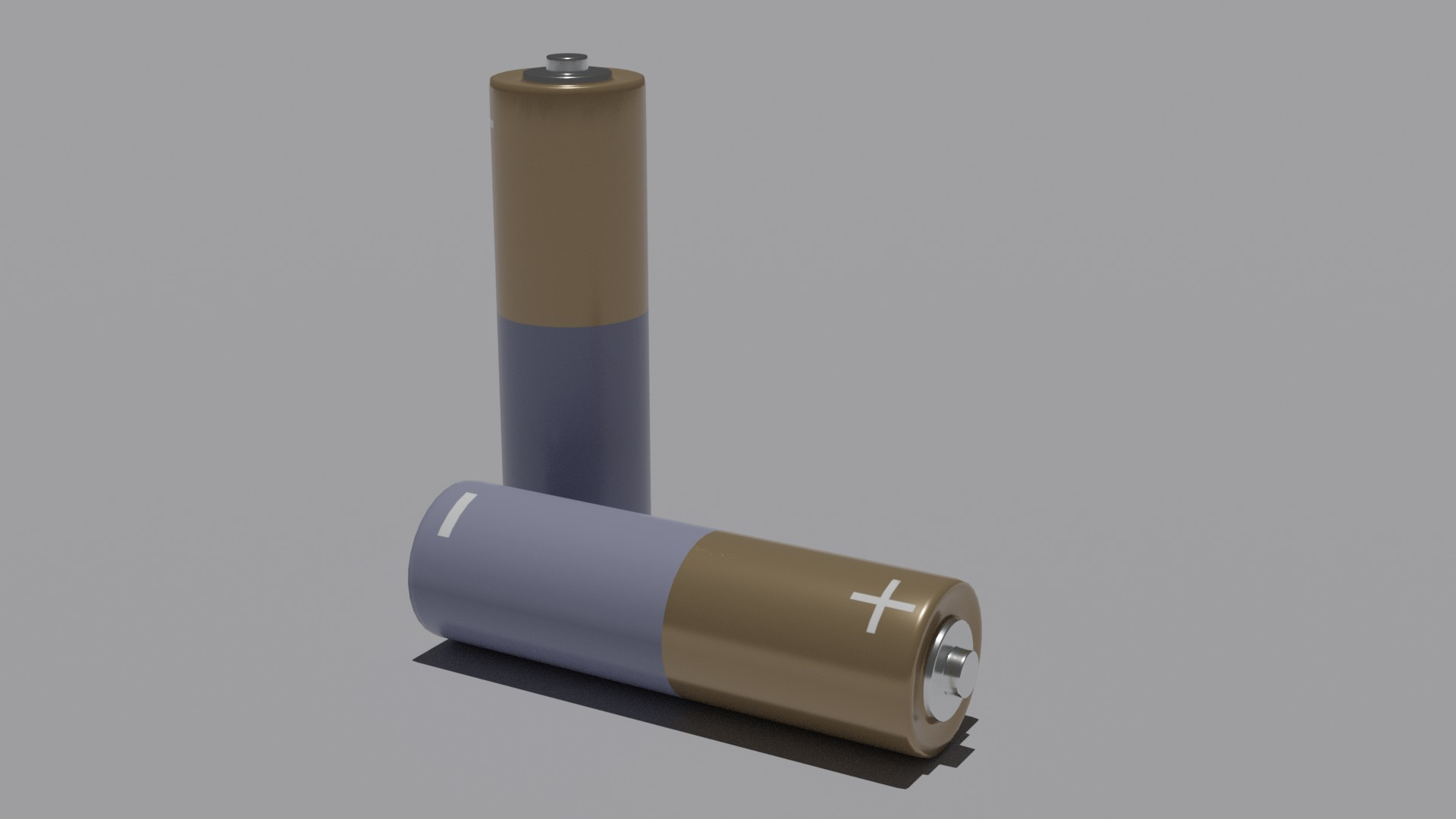


 humble zenith
Does anyone ever experience their camera becoming locked? I can't pan around with WASD keys
fossil nexus
Should i publish my unreal game in itch.io using the html option? Most tutorials on youtube do it this way. But is html going to run properly an average unreal game ?
thick herald
jovial perch
Is there a reason you don't have it connected to the print$?
jovial perch
because its only happening once per day
its supposed to do that
but i want the branch to always check
wait wait
i think i found a way
thick herald
as ponkkis suggested, use a sequence node after the Event Tick, and you can have as many exec pins as you like.
jovial perch
alr
fossil nexus
ok thanks
ashen sky
har har huar har har
huar huar har har har
alright. time to fully uninstall unity off my desktop
 narrow condor
Does unreal support higher resolution monitors(like QHD UHD and stuff) without so many problems now. I remember reading a very long thread about "HDPI" if i remember right and a lot of it took place over several years but it didn't seem like the HDPI problems were resolved. Worried rn cause I just bought 2560x1440 monitors.
Note: I'm not talking about the sketchy ways to support HDPI i read about like having to edit files or anything like that(but i also don't understand much so if thats the only way pls explain)
 fierce forge
Hello, do somebody knows why is it "flickering" ?
gaunt abyss
narrow condor
Does unreal support higher resolution monitors(like QHD UHD and stuff) without s...
I'm using a 2560x1440 monitor and I'm having no problems at all 🤷♂️
narrow condor
gaunt abyss
I'm using a 2560x1440 monitor and I'm having no problems at all 🤷♂️
At all? The thread mentioned blurry or small text that may or may not be unusable, problems between windows enlarged text and the various windows/tabs of unreal not having larger text, etc.
buoyant graniteBOT
:triangular_flag_on_post: SmileHard#6505 received strike 1. As a result, they were muted for 10 minutes.
narrow condor
I just checked a screenshot I took and I see mentions of a setting called "Disable DPI Based Editor Viewport". Says it "will disable automatic adjusting and render at the full resolution of the viewport".
 dull hatch
Hi Everyone,
I am an aspiring Narrative Designer; however, I also want to take my shot at learning some game engines as I imagine starting out, I would be more valuable knowing some programming and such.
With that being said, I have been hard at work with Unity and am now transition over to learn Unreal. What is the best place to find guidance whether a tutorial or article as to getting started with Unreal Engine?
gaunt abyss
narrow condor
At all? The thread mentioned blurry or small text that may or may not be unusabl...
First time hearing about those problems
plush yew
dull hatch
Hi Everyone,
I am an aspiring Narrative Designer; however, I also want to take ...
honestly youtube is what ive been using
guess im more of a visual learner
gaunt abyss
gaunt abyss
First time hearing about those problems
Haven't experienced any of them myself
narrow condor
gaunt abyss
Haven't experienced any of them myself
Great to hear that! Thanks for the info!
 loud garnet
Not sure if this is a good place to post or if anyone can help, but I have a question. I’m a publisher on the marketplace and my email that I originally signed up with is no longer working. So when I try to log in, the authentication can’t go through. I have tried contacting support to change emails, but all their security questions revolve me buying stuff or having my account connected to consoles. Which I have done neither. So I appear to be completely locked out of my account.
Is there another way to verify my account? Why does it have to revolve around me purchasing something?
humble zenith
Just re-asking my question from earlier about the UE4 Editor camera getting locked; how do I unlock it? It's frustrating honestly, gotta restart the program almost every time I do something
loud garnet
@grim ore thank you. Maybe I was going through the wrong side of Epic.