#ue4-general
1 messages · Page 1135 of 1
 drowsy snow
 winter stream
I'm not going to put a lot of things on the planet but I will distribute them on the planet
drowsy snow
For comparison, MS Flight Simulator's globe earth is around 2 petabytes on the cloud server. That's 2,000,000 GB worth of data
drowsy snow
winter stream
I'm not going to put a lot of things on the planet but I will distribute them on...
You can get away with smaller data size with procedural generation, but you'd also have to concern about making consistent seeding.
winter stream
drowsy snow
For comparison, MS Flight Simulator's globe earth is around 2 petabytes on the c...

drowsy snow
And that's just one planet.
One planet.
Looking at the mesh previewer, I think it's clear the intention is not mini planets, but astronomical planets.
winter stream
I want to put only 8 cities with jungles and those things split in the world
drowsy snow
Probably around the size of Venus, which is 460.2 M km in surface (12,104 km in diameter)
Which is within the range of LWC's double floating point precision
drowsy snow
winter stream
I want to put only 8 cities with jungles and those things split in the world
If your world is only a small part in the planet, then you don't really have real reason to make everything actually fitted on a globular planet.
This isn't a globe earth vs flat earth Discord server, and video game logic stays in a video game, so it's fine to not make things actually planetary.
I mean, flat earth theories that I've seen were like video game logic taken too far, but I digress.
Name at least 24 of them.
(not including reskins/expansions)
winter stream
put i may add more in the future and i want to make a rocket goes to another planet
 modest trench
his point is that it rarely really gets implemented
but go hog wild I guess, ue5 has double precision for your gigahuge sphere map
winter stream
yeah but i think making a custom things is faster and easier than faking the planet
modest trench
it is almost certainly easier to have a regular flat level with a faked planet background
heck, the sky atmosphere already does some of the work for you
drowsy snow
winter stream
put i may add more in the future and i want to make a rocket goes to another pl...
This can still be faked with the rocket being unable to look towards the planet at some point, and before you know it, you're on a different kind of space.
modest trench
oh, kind of more towards iceman with the float/double precision stuff I guess
worth mentioning I think that Kerbal Space program centers the solar system around the current ship
so it kind of fakes the scale (which is already smaller than the real solar system)
drowsy snow
Then I can imply we had different criteria for a "world" in games.
I don't consider mini/tiny planets to be a different "world".
modest trench
the astroneer/super mario galaxy vibe is pretty awesome though
drowsy snow
And yeah, I don't really play Nintendo games, so I don't think about SMG series.
(all about those mature gaming heck yeah)
winter stream
drowsy snow
This can still be faked with the rocket being unable to look towards the planet ...
It would be bad not to allow the player to see the planet Earth and the worst thing is making a custom flat earth
drowsy snow
winter stream
It would be bad not to allow the player to see the planet Earth and the worst th...
Well, UE5 has Nanite, Lumen, and Large World Coordinate at your disposal, so go nuts.
Also consider making some randomiser algorithm with seeding system to keep the file sizes low.
winter stream
ok thanks for the advices 
 dawn gull
My entire game is on planets and space, I'm going the procedural route though
modest trench
Space Engine procgen is sick
 dense knoll
Wondering what is causing these frame hogs?

What would cause the CPU to enter a stall state?
prob that yea, but what would be the best way to optimize? THe fps dips to 45 at some points
and the game is locked at 60 as it cant achieve any higher

 versed star
So I have an int variable in my actor that controls enemy spawning that I want to send over to another actor, but I can't figure out how to send the variable from the one actor to another since I can't cast because neither is a child or the player. How would I send the variable from one actor to another?
dense knoll
seems it only happens when a lot of clouds render
dense knoll
versed star
So I have an int variable in my actor that controls enemy spawning that I want t...
you can always try getting get actor of class if its only that one actor
versed star
Oh nice that worked, thanks.
dense knoll
trueSKY
althogh its due to the scale
setting hte meters per unit value to .1 reduces the size relative to the world
goes from this at .01

to this at .1

FPS improves but the world is WAY to small
post processing barely hits, ive optimized it well
disabling TS kicks the FPS to 60 but that means no clouds
yea
but idk how to optimize it without making it look bad
prob
drowsy snow
The post processing isn't that complex from vanilla settings by the looks of it
drowsy snow
Though Ace Combat 7 did use TrueSKY and hit 60 FPS on PS4
drowsy snow
 worldly ether
I don't have 3d max
worldly ether
I don't have 3d max
Unfortunately you have to get hold of 3ds Max to open .max file at all.
worldly ether
how large is the 3d max software?
drowsy snow
worldly ether
how large is the 3d max software?
Probably around 4 GB.
worldly ether
ok thanks
 polar verge
I THINK I just found a bug.
 sick patio
I'm enabling light mass, because of a video on baked lighting, what am i doing? it's taking a really long time. normally my stuff, on my new computer, just pops up
polar verge
Placing a "Quit Game" Node directly after any BeginPlay event immediately crashes the entire editor.
 uncut star
Hey I am new to this site and I am wondering where I can go to find unreal gaming programmers that might be interested in working on an adult oriented metaverse project. We are looking to purchase existing multiplayer game environments and enhance and customize with our own provocative adult oriented characters. We are looking for a few good unreal engine developers, preferably someone that understands blueprint for the game play mechanics.
drowsy snow
I'm not going to even ask to see #instructions
drowsy snow
uncut star
Hey I am new to this site and I am wondering where I can go to find unreal gamin...
<@&213101288538374145> judgement on this one?
 weary basalt
@uncut star Read the #rules #more-resources and #instructions
This is not the channel to ask for members to join your projects.
Please also be aware of #rules 6
winter stream
why are these black colors showing ?
sick patio
@drowsy snow could you explain my question? I just want a little clarification
drowsy snow
sick patio
<@!325627930484932608> could you explain my question? I just want a little clari...
No, I rarely use baked lighting
sick patio
ok question: do i need baked lighting, to do the whole dynamic rain, and niagara rain, and puddles, and flipbook splashing?
should i ask this in graphics?
drowsy snow
If it's a large open world, chances are you going to have dynamic lighting all over
 median wigeon
^ yeah. It's important to also manage that dynamic lighting so it's not draining your resources. Make sure to leverage distance field shadows, dropping the dynamic shadow casting range, play with fewer shadow cascades, ect. It's a balancing act.
 cloud aurora
recently i have taken a bunch more do it myself approach to coding my game and i have found it way better instead of looking at videos i just wing it and for the most part it has worked
 plain crypt
I'm following this tutorial, and at 5:30 he gets you to disable shadows, although i don't have this option at all. Mind my ignorance as i'm new to the software, i'm just using it to render instead of blender ATM. I'm in version 4.27.2
https://youtu.be/FT-QfuzoQEk?t=330
Another question. Is a cluster of joined meshes more.. or less laggy than a bunch of instances?
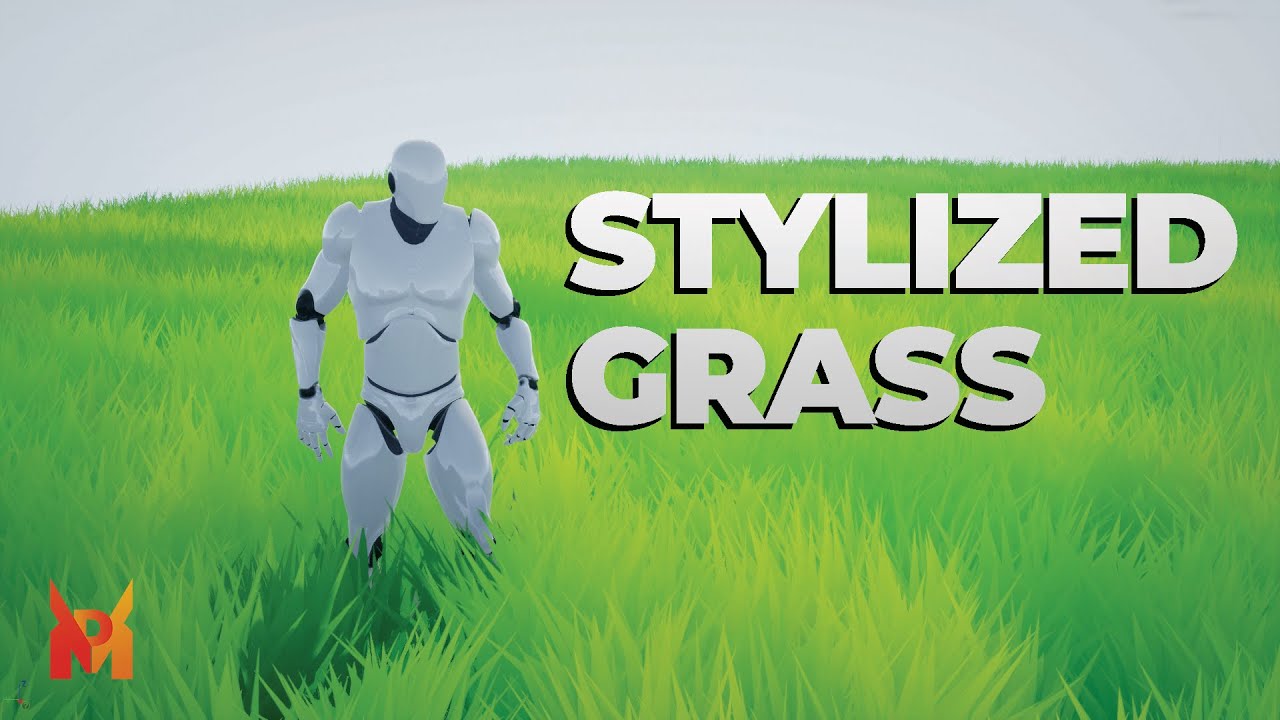
In this tutorial, you will learn how to create your own stylized grass.
Patreon: https://www.patreon.com/marpetakdev
Discord: https://discord.gg/ZgaManTRvg
Textures: https://drive.google.com/drive/folders/1TsUkyxht-AyhjIsRBLpSRK-2Vo3xFQbb?usp=sharing
00:00 Intro
00:14 Creating Mesh In Blender
04:38 Creating Material in Unreal Engine
11:30 Out...
 grave kettle
So I understand that this isnt completely unreal engine based but I am currently trying to mod a ue4 game with umodel. I have a pak folder and I have the model set up and going. However, if I launch the game, it gives me the error "corrupt data found please verify your installation"

The developers are encouraging modders
Im not stealing a model Im replacing it
They even made a official discord server just for modding
Well they didnt dunno what to tell you
 true ridge
I have an options menu that uses the gameinstance to save variables. Is there any way to specifically set the default values for those?
 snow crown
grave kettle
They even made a official discord server just for modding
snow crown
grave kettle
They even made a official discord server just for modding
if they have an official modding discord, it's probably best to use that for help
 karmic onyx
Super niche problem but I'm not able to get my HP Reverb G2 controller inputs working in 4.21.2. Anyone able to help?
 rancid lynx
how many draw called is ok for Vr, vr oc or vr quest 2. anyone ha e any guess? ill try Nd test some stuff after work. any safe numbers?
drowsy snow
Quixel/Epic Games.
 radiant elm
where can I set Auto Posses Player?
modest trench
radiant elm
where can I set Auto Posses Player?
details panel of the pawn
radiant elm
ok i did it and now I cant play as a 3rd person
i deleted 1st person and now i opened the project and I got this
 drowsy snow
radiant elm
i deleted 1st person and now i opened the project and I got this
drowsy snow
radiant elm
i deleted 1st person and now i opened the project and I got this
Look for the map in Content Browser
winter stream
could i convert a sphere to a landscape ?
 night oar
Hi Everyone, what I want to know is. Is their an easy way to create a multiplayer fighting system for server based game cause I cant find an easy why for this as the current method that I am using makes the client leave when I attack
 jovial perch
can you tell me the best way
 timid meteor
was designing my river and now im doing this xD

call it lack of concentration xD
only question is there a way to use the rotation in the editor ? guess now i want the particels to follow the sphere

 tawdry zealot
I do not, i have only a unreal engine topic request
 ebon geode
timid meteor
only question is there a way to use the rotation in the editor ? guess now i wan...
ebon geode
timid meteor
only question is there a way to use the rotation in the editor ? guess now i wan...
You can use local or world transform in the particle emitter
jovial perch
so you are trying to get a game made in unreal on your phone?
tawdry zealot
jovial perch
so you are trying to get a game made in unreal on your phone?
No, pubg mobile is made in ue4 and pak files are encrypted with 256 AES and i need the key or someone to inject some cvars into the pak file
jovial perch
yeah
tawdry zealot
Lag fixing
Like r.StaticMeshLODDistanceScale
r.ViewDistanceScale
I understand, i will delete the message then
ebon geode
Aren't those user settings basically? There should be a way to change those maybe 🤔
I have no clue where those are stored on mobile, tho 😅
 sweet plume
does anyone know how to package a project successfully in shared/network storage instead of from local machine?
tawdry zealot
ebon geode
I have no clue where those are stored on mobile, tho 😅
Engine.ini,Game.ini are disabled somehow, the only one working is UserCustom.ini but there are only a few working cvars
sweet plume
Thanks for the tips
 dusk tartan
Hello everyone, i'm getting this error on my project

Does anyone please have a way how to fix it ? once i start my level it crashes instantly
I've verified my ue 4.26 installation and still getting the same issue
 plush yew
It might be that your project is trying to reference something that has been deleted, or is otherwise an invalid reference.
drowsy snow
dusk tartan
I've verified my ue 4.26 installation and still getting the same issue
Have you installed debugging symbols?
drowsy snow
dusk tartan
<@456226577798135808> is there a way to stop that ?
Then install it first.
dusk tartan
@drowsy snow sorry i'm a beginner, where can i find it ?
drowsy snow
EXCEPTION_ACCESS_VIOLATION often means the engine doesn't know what to blame for the crash
drowsy snow
dusk tartan
<@!325627930484932608> sorry i'm a beginner, where can i find it ?
It's in the launcher
plush yew
The crash log would be helpful as well.
dusk tartan

i re-tried to open the file after installing the debugging symbols and here's a new screenshot
drowsy snow
Much better.
dusk tartan
yes
yesterday night it worked just fine well it's been months working on this project and since day one it has VT in it
drowsy snow
dusk tartan
yesterday night it worked just fine well it's been months working on this projec...
Probably the VT asset got corrupted?
drowsy snow
dusk tartan
is there a way to clean it ?
Deleting the offending asset through File Explorer
dusk tartan
Thank you so much everyone for the help
I tried to delete the corrupted files but still persisted
Yesterday i zipped the project for a friend and here i am today using it to recover my work, thank you again
 cyan grove
Guys question, anim notifiers vs state machine? What's better?
 boreal rampart
I could use a sanity check on what I'm researching before I spend days discovering it wont work. Im trying to get some pixelated/low-res effects, and rather than using the expensive Post Process effects to achieve this to be more performant on mobile/weaker hardware, I was looking at how I can control the rendering via the Screen Percentage, but now I've got very little control, so now I'm researching the rendering engine internals to try and work out what to do about having a "two pass" render to get a low-res and high-res render of each frame that gets composited/merged for final display on the screen... It sounds simple enough in my head... but I've programmed enough things to learn that thinking "it sounds simple enough" is a great way to be wrong and waste your time if you don't know enough to back up why you think it's simple enough. So I figured its worth a sanity check... Does this seem crazy? Is there a better way to do this? Am I setting myself up for complete failure due to incorrect assumptions about engine internals I haven't learned about yet?
ebon geode
cyan grove
Guys question, anim notifiers vs state machine? What's better?
Why not use both? :) Notify for events, state machine for animation transition =^_^=
plush yew
how i fix this?
plush yew
plush yew
how i fix this?
I click to open the camera or phone in the compiled game, and it doesn't open
Anyone know if UE4 has a fallback from DX12 to DX11 in case of PCs that don't support it?
drowsy snow
plush yew
Anyone know if UE4 has a fallback from DX12 to DX11 in case of PCs that don't su...
Though using DX12 in UE4 is prone to crashing more than DX11.
plush yew
drowsy snow
Though using DX12 in UE4 is prone to crashing more than DX11.
Mm yeah. The sole reason for the considered API changed was a 35% FPS increase on a high end system. Quite substantial.
Agreed. 😄 Will definitively be an option, we are just contemplating which one should be default. Most casual users are unlikely to go in and change I'd imagine.
drowsy snow
Unless you're really leveraging stuff like realtime raytracing, I think it's best to default to DX11
 misty wharf
Is it possible to read a small bit of info from a save file without loading the entire thing? I want to get the map of a save file so I can display it when the player goes to select a save, but I don't know if I can just get that without calling the load function. Not a huge deal if I have to do that, but I figured I would ask here
drowsy snow
misty wharf
Is it possible to read a small bit of info from a save file without loading the ...
In my case, I went with a separate save data. This contains the minimal save data information.
The minimal save data also get updated when the player attempts to open the save/load menu, saving the game, or if the load fails.
misty wharf
I considered that actually, good to know I'm on the right path. Thanks.
cyan grove
https://youtu.be/t8zv6V_bTyw is it possible to do smth like this with terrain editor or it's just assets?

Simon Barle on YouTube: https://www.youtube.com/user/fozwroth89
Simon Barle's Website: http://www.simonbarle.com/
Simon Barle, employee of DICE, made this incredible real-time tech-demo of Huangshan Mountains with Unreal Engine 4 in his spare time. The mountain range is a UNESCO World Heritage Site and located in China. It served as inspiriation...
 fossil nexus
I have a tesselated Sphere made from Geometry brushes. Im trying to apply a photo material to it. Instead the photo is repeating in each single triangle that composes the sphere. How do i make it whole for all triangles ?
drowsy snow
fossil nexus
I have a tesselated Sphere made from Geometry brushes. Im trying to apply a phot...
Geometry brush, as in this BSP brushes?
FWIW you might as well use the static mesh sphere or quickly make one in Blender
 fossil nexus
yup that one. the problem is that the static mesh sphere does not allow me to do Subtractive
drowsy snow
cyan grove
https://youtu.be/t8zv6V_bTyw is it possible to do smth like this with terrain ed...
You can do both, particularly with asset to make the cliffs, as landscapes often fails on super steep slopes
drowsy snow
fossil nexus
yup that one. the problem is that the static mesh sphere does not allow me to do...
Well, then Blender it is. It's pretty quick and easy to boolean cut the sphere.
fossil nexus
drowsy snow
Well, then Blender it is. It's pretty quick and easy to boolean cut the sphere.
Thanks
 hazy field
hey can someone help me ?
 fiery sluice
hazy field
hey can someone help me ?
fiery sluice
hazy field
hey can someone help me ?
yeah what's your issue?
i mean what's the problem 😅
hazy field
fiery sluice
yeah what's your issue?
i put it in #blueprint
or isn't it the right place
 icy halo
Question. how can i make my first person arms and gun not cast a shadow on the word but be able to cast shadows on each other
Example i want the gun to cast a shadow on the characters hands but nothing else
 toxic haven
sometimes viewport bugs out like this.. the preview hdr is gone and there are weird artifacts on the models (if you zoom in you will see the weirdness more clearly)

anyone know why this might be happening and how i can fix it?
no, amd
as far as i can tell, the issue occurs randomly. and once it occurs, it doesn't go away
unless i start a new project
i mean, my cpu is intel but i have an amd gpu. i dont know if UE is actually using my amd gpu
drowsy snow
toxic haven
sometimes viewport bugs out like this.. the preview hdr is gone and there are we...
Wasn't the BP editor viewport has no HDRI by default? 🤔
toxic haven
it always had a HDR by default for me, some city background or something
by the reflections on the materialless floor , i can tell the hdr is still there but it's blacked out
but thats not the real problem, the problem is the weird artefacts
it actually bugs out moving, rotating etc. too
drowsy snow
toxic haven
it always had a HDR by default for me, some city background or something
That's actually a cubemap of Epic Games headquarters, but it should work even on intel GPU
 main cobalt
Hi all, has anyone worked with multiple independent but content mirrored displays with unreal?
eg.
Pc1: Accepts input, shows a cube in a scene and some UI
Pc2: Accepts input, shows a cube in a scene but doesn't show UI
Essentially each pc is running the same app, but on Pc2 we have turned off the UI
We could also be running both instances on one machine if multiple machines is mega complex to setup.
I feel like I've read about some kind of built in methods to accomplish this without having to get into manually setting up servers and sending messages between the apps to trigger functions etc.
Can anyone suggest where to look for the solution to this?
I have looked into N-Display but this seems to be more based on having different machines displaying the same content from different angles, correct me if i'm wrong.
Cheers!
drowsy snow
Never had that issue before, usually windows's TDR thing steps in and "defibrilate" the crashed GPU
 shut stump
Hello, is the Setup.sh installing some dependencies needed for cross-compiling?
I have just cloned the release branch under linux, I intend to only develop for linux in this case, I would like to avoid installing any crossplatform components and taking unnecessary size and build time
I am inspecting the contents of Setup.sh and the GitDependencies.sh
Not much to oobvious pops out yet.
Perhaps it's skipping actions for other platforms if it doesn't detect them being the current system
drowsy snow
But FWIW it's better to develop from Windows, for maximum compatibility. Leveraging DX AND Vulkan because you can.
shut stump
A youtube video I was roughly following may be outdated from 2019, doesn't use any args on .Setup.sh, but I would want to use them if it means to get what I like
Oh that's okay, I'm pretty specific (idea is already planned out) with the current project I'm doing, it's not intended for any other platform.
Can't find any references to xml file in both of these sh files, perhaps SetupMono.sh
maybe the cat file | grep xml command doesn't work reliably?
cat Engine/Build/BatchFiles/Linux/GitDependencies.sh | grep -i xml
I see a ton of stuff I know I'll never need in there, TVOS, Mobile, Win32 ..
Depending on how this is wired, it may not be possible to achieve "linux only" without significant effort on dev side, but first I'd like to make sure if someone out there tried this and has a solution, might not be that hard.
 prisma gust
has anyone installed windows 11?
i'm running UE 4.23 and it didn't run when i installed win 11
even though i have an amd gpu which works fine in w10 in win 11 it crashed trying to load nvtt_64.dll, an nvidia texture compressor
 autumn latch
How do I know how long it will take for items to load when I open level?
shut stump
I see 4.27 docs say that Cross Compiling in linux isn't even supported, so I guess I'm good, but I'm still wondering if it'll really skip downloading all of that other stuff
Hmm, why is my text red ? Did someone else do that?
I see 4.27 docs say that Cross Compiling in linux isn't even supported, so I guess I'm good, but I'm still wondering if it'll really skip downloading all of that other stuff
Aha, that's the "reload" button for
You said earlier Setup.sh takes arguments ...
drowsy snow
prisma gust
even though i have an amd gpu which works fine in w10 in win 11 it crashed tryin...
Then it's more likely a driver issue
shut stump
grep doesn't find anything for "force" so where are the args defined if not inside the .sh ?
Yes I was saying it's not inside that file
I greped recursively all .sh files
no force
UTF-16 won't matter since no exe will be used on linux, right?
So you're saying .sh stuff on linux will launch exe or dll programs ... on linux?
What does .NET have to do with Linux?
So .exe is being actually ran on linux ?
Well I guess this complicates things, I guess there's no native linux executable for UE
Well no it doesn't complicate it actually, it just brings in more options
So I have to treat .exes as if it were ELF basically, I kinda assumed .exe will be ignored if I'm on linux.
Allright then thanks, I guess mono is the thing that emulates or what?
Like Wine or something
Okay, so they pack native linux code inside .exe along the way
I get it yeah I've seen the NET 5 multi-platform stuff, just never made an an app with that, but I am programming some C# on linux unrelated to this.
The point is that it supports the platform and it'll be used here, that's as far deep I need to go right now, thanks a bunch for explaining that.
Literally there's only one .exe, the GitDependencies.exe heh
If my find command worked out correctly
other stuff is .exe.config and Executable.cpp etc
Well that'll make things easier, I'm kinda unnecessairly overthinking what I might have to deal with in the future right now, but hey no big deal
I understand yeah, to set things up, no problem
12 GB download, not a problem really, doesn't it get to over 100 GB in the end after build ?
Tho, if crossplatform is not supported, I doubt it'll actually use the other platform to even try building with that so I guess I'm going to be fine when I build it, it's not going to build it for Win64 and add the time to that.
So a bit of these extra files it might DL, is probably insignificant indeed.
I'm doing this as a test, I'd like to have the whole thing from start to finish repeatable and simple, so that if I redo this on the main maine or another distro I don't have that many steps to deal with, right now I'm on a 250GB SSD so I hope it's enough
I have Manjaro and OpenSUSE installed with btrfs, and I'm moving archival data to btrfs HDDs, just did the first one a few weeks ago, 6 more to go
The RAID 5+6 thing is unstable but I heard otherwise it might be, still I have reservations ofcourse.
I'm not sure tho if you meant btrfs in general or for ... unreal engine sources?
Currently I'm on a distro that is EXT4 by default, it does support btrfs as I've seen it's installed by default but I kinda just didn't bother in this test case, (actually forgot to consider it when formatting)
I got a fairly bit different view when I was hanging out in btrfs chats, ofcourse people there are those who are sticking with it, I heard that as well in the news in the past, but I do not have an idea how big of the holdouts still are and how strong their opinion is
I heard news that more distros are defaulting to btrfs or at least have official options in their installers now, I know Manjaro and OpenSUSE have
Not sure for Fedora WS, haven't tried Debian or RHEL yet
Ubuntu probably doesn't, I think. But the last one I installed was 20.04 LTS
Bigger than 100GB or 250GB, to be sure?
Oh you said more than 200 there
jeez, I do have 1TB Nvme and a 500GB Sata still but I wanted to test it out if it'll even work with this distro
Thought 250 to be enough
Right, thanks, it already finished deps
 midnight root
Play from here isn't working as it's playing from a specific spot everytime , even tho I have no player start in level. What would cause this, a missed tick ?
 left stream
OSC People out there! This is my setup for restarting the OSC server when it fails, it used to work for a longlong time in build and also in editor. For some reason it stopped to work in build, only works in editor. Does anyone have any idea? I verified the engine since it worked, runnin on 4.26. It works when i call the event form an action input, just not form the tick.

 maiden sundial
Never had this before, should i be worried ?
 drowsy snow
maiden sundial
Never had this before, should i be worried ?
drowsy snow
maiden sundial
Never had this before, should i be worried ?
If you find this in standalone process, yes.
 cedar wave
shut stump
Thought 250 to be enough
cedar wave
shut stump
Thought 250 to be enough
My source build on Windows is 257 GB.
I know you are doing this on Linux though. But, just a frame of reference.
maiden sundial
drowsy snow
If you find this in standalone process, yes.
It is ^^"
Alright, but what does that even happen ?
What defines my budget
drowsy snow
maiden sundial
It is ^^"
Then you need to start optimising the levels by reducing active textures.
cedar wave
What is that for specifically?
drowsy snow
maiden sundial
What defines my budget
I think it's automated by the VRAM, but scalability settings can affect this as well.
maiden sundial
Think i'm understanding.
Where do i find the default value ?
cedar wave
Yeah, that's 23.3 GB currently
drowsy snow
maiden sundial
Think i'm understanding.
Where do i find the default value ?
r.Streaming.PoolSize
maiden sundial
Alrighty, thanks for the help
hazy field
where can i find some animation for my fps game ?
i need hand animations and weapon animations for free
so does anyone know some free animations ?
 lapis kernel
 cedar wave
Just search for the node with <
 hollow cairn
aight
 buoyant graniteBOT
:triangular_flag_on_post: Shadow.exe#7558 received strike 1. As a result, they were muted for 10 minutes.
 fierce tulip
(thanks)
hollow cairn
uhm whats the best way to see how fast a character is moving
The character is wallrunning and I want it to jump off the wall if moving too slow, it jumps off as soon as its on with this blueprint

oh sorry
also i am so stupid lol, i made it so it jumps off when moving a certain direction didn't i
 graceful oxide
@atomic quest - sent you a friend request 🙂
 atomic quest
@graceful oxide accepted ✅️
 soft fiber
When I look at my character's bones in Blender. There is a bone or arm-twist and arm-stretch, but UE4 I'm only seeing arm-twist? Kind of confused... Anyone?
midnight root
Hoping they fix semi borked play from here, in ue5 stable ;0
..and maybe the borked undo system 😉
anyway--
 twilit hill
maybe they should fix the whole engine which was scheduled to release in "early 2022"
so far i found 3 console commands which crash the whole editor
plush yew
help me plsss I click to open the camera or phone in the compiled game, and it doesn't open
 grim ore
run the compiled game with the log, see if you get any errors
 next swift
Is there a way to create a heightmap of a landscape from an existing landscape?
hazy field
how can i use only the hands of the manequin with only the animations of the hand ?
like to cut the rest of
 regal narwhal
Hello. Is there a way to import skeletal meshes with quartenion instead of euler transform? Need it for avoiding gimbal lock in Control Rig.
 bright sigil
next swift
Is there a way to create a heightmap of a landscape from an existing landscape?
bright sigil
next swift
Is there a way to create a heightmap of a landscape from an existing landscape?
yeah, there should be an option to export the heightmap
 worldly spear
Anyone know how to stop Mesh render in Niagara from emitting or going into each other? Is there a self collide node that keeps them away from each other?
twilit hill
next swift
Is there a way to create a heightmap of a landscape from an existing landscape?
 next swift
Thanks
 next swift
Hey another general question as I plan out what I want to make
I saw that having a source build was useful for individual limb damage using tags, is that still the most efficient way?
I only ask because I've seen more recent tutorials for like magic attacks that use "gameplay tags" and I'm not sure if these two tags are the same thing or not
bright sigil
 ebon walrus
well what does output log say?
ebon walrus
 bright sigil
what are you importing?
ebon walrus
bright sigil
what are you importing?
anim
bright sigil
next swift
Hey another general question as I plan out what I want to make
I saw that having...
there are tags which live in actors (name arrays) and then there are gameplay tags which are there own thing
bright sigil
ebon walrus
anim
what import settings are you using? also im not a fan of using fancy symbols for asset names (dunno if that could cause other issues) but letter, numbers and underscores are safe to use (that means no spaces if there are any)
ebon walrus
 bright sigil
well your importing a sk mesh with these settings, not animation
ebon walrus
bright sigil
well your importing a sk mesh with these settings, not animation
prob used wrong settings
but all my anins do that
bright sigil
uncheck import mesh
check the very top
it says Import Skeletal Mesh
you want it to say Import Animation
dont forget to set the skeleton asset at some point (teal box)
 cold phoenix
Not sure if this is the channel, but I am having an issue with my widgets. I'm using a widget to search up the names of characters to access info about them. I am embedding this widget in other widgets so I do not need to create them each time. The issue I am having is that when I try and instantiate buttons for that widget according to the character info map, the widget is not recognised as being in the game. Does anyone know how to get around this?
next swift
bright sigil
there are tags which live in actors (name arrays) and then there are gameplay ta...
Would gameplay tags in editor or creating tags in the engine source code be the better method for individual body part damage?
bright sigil
next swift
Would gameplay tags in editor or creating tags in the engine source code be the ...
uhh, those are unusually specific - you are trying to detect which body part is.... traced? hit? what?
next swift
Hmm, not totally sure, let me find the context I was reading through
next swift
bright sigil
uhh, those are unusually specific - you are trying to detect which body part is....
This was from a quora post asking what the reason/use case for building from source would be, besides working in a team environment
I'll put it this way. Let's say you want to add something to the hit system where you can damage different body parts.
Either you can manually program a data structure per each character that matches the nearest hit bone to one of your abstracted body parts;
or you can adopt a naming convention for your hit bones such that your riggers are handcuffed to rigid consistency for your convenience -- hope to God they don't forget;
or you can go into the engine source, check out the rigidbody constraint system for characters, and add an FName field that lets you specify a "tag," then output that as a "hit tag" along with all the other damage data on contact with a character. Rigidbodies could share tags or output different ones just as easily, vastly simplifying the workflow for everybody involved and giving you maximum flexibility with how you design your damage system.
Betting that the last option looks just a little bit nicer. UE4's changed a bit since I last had to do things like that, so maybe the plugin system could cover add-ons like this nowadays. But to me, this wouldn't be an uncommon use-case for branching the engine.```considering the example is to use FName and then tags, then hit tag, I would think they are suggesting adding a Name to the Hit Struct that returns the given bone name. I dont do cpp, so maybe its something else. In bp, you can get the hit result from many places and Hit is a struct that contains all kinds of crap, so adding a Name there makes sense to have it accessible throughout places it gets used (the Name is added at such an abstract level that it percolates everywhere else)
lets keep the question to one channel and not 3
buoyant graniteBOT
:triangular_flag_on_post: abracadavra#5380 received strike 1. As a result, they were muted for 10 minutes.
fierce tulip
seriously dude, you have had 4 strikes so far, and its all for multiposting. next time you do so, its the boot. that is an official warning.
 shell surge
I don't mean to spam, but when person asks a question in different channels, the chance of someone knowing the answer is much bigger
I mean, im just asking a question, not spamming all over the place
fierce tulip
thats also spam, and against the rules.
You have been warned multiple times about it.
drowsy snow
shell surge
I don't mean to spam, but when person asks a question in different channels, the...
Doesn't mean you can crosspost across channel. I got myself confused when people asking the same question across channels I frequented on.
fierce tulip
not to mention potentially wasting people their time if different people answer the same question that has been posted in multiple channels.
drowsy snow
Also consider experimenting with the issue yourself while waiting.
shell surge
that's what I do, I also google it, and if I see no solution then I ask here
 minor grove
Hi folks, I notice when I parent something to RIGHT in front of the player's camera, and the player's camera moves, the camera clips through it. The position resettles when the camera stops moving. What tick group should I put the item to so that it updates after the player's camera? I did ETickingGroup::TG_PostUpdate but its still clipping through the camera
 wheat hare
What do you think
is the easiest way
to select a group of objects in the outliner
and replace those objects with a blueprint
that contains them?
 candid shard
Hi there! Is it possible to change the color of shadows in UE4? Thank you!
drowsy snow
candid shard
Hi there! Is it possible to change the color of shadows in UE4? Thank you!
No.
 marble steeple
hey i just started trying ot this stuff and I came from I don't see any help channel or maybe I'm blind should I just ask quetsions in here?
marble steeple
lemme rephrase, do u know if it's possible to make it so that if I hold shift then press use WASD it will let me move slowly, like in the viewport I'm using WASD for camera movement
and also do u think using WASD for viewport camera movement is a bad idea like will it somehow limit me or do u think it's fine
drowsy snow
marble steeple
lemme rephrase, do u know if it's possible to make it so that if I hold shift th...
No.
marble steeple
crap
drowsy snow
marble steeple
and also do u think using WASD for viewport camera movement is a bad idea like w...
It's been the default way in Unreal for the past almost couple decades
drowsy snow
marble steeple
lemme rephrase, do u know if it's possible to make it so that if I hold shift th...
But you can slow down/speed up the camera speed when flying around by adjusting Camera Speed
 marble steeple
oh cool thnx
 somber stump
Hey all kind of an emergency I hope someone knows what this is. I'm just trying to run ue 4.27.2 on a fresh and updated install of windows 11. Anyone else had this? Been trying to fix it for 2 days and have no idea
 drowsy snow
somber stump
Hey all kind of an emergency I hope someone knows what this is. I'm just trying ...
drowsy snow
somber stump
Hey all kind of an emergency I hope someone knows what this is. I'm just trying ...
Try verifying or reinstalling the engine from the launcher.
somber stump
I've done that twice :/
drowsy snow
Even full reinstall?
somber stump
yea I did the full reinstall earlier today
I've just got back from work
still the same issue
doing another verify now
I've looked into it online and nobody else seems to have had this issue
I don't know why it can't be loaded either because I can find the file itself in my directories
grim ore
its an engine plugin
somber stump
yea I know I'm only trying to launch the engine itself
not even a project
I've tried telling a project launcher to enable this plugin or disable it and it makes no difference
grim ore

try going into the .uplugin for it and disabling it (EnabledByDefault) and see if it helps
somber stump
I'll try that
thank yolu
you8
It's not working
I set both to false and nothing happens
soft fiber
Having a tough time getting my model's hands as close together as the Epic model. Does anyone know what I'd have to change to get the hands close together? Both models are in t-pose for retargeting.
 drowsy snow
soft fiber
Having a tough time getting my model's hands as close together as the Epic model...
drowsy snow
soft fiber
Having a tough time getting my model's hands as close together as the Epic model...
Look up on implementing IKs to adjust the hands on the fly.
soft fiber
I'll have a look. Thanks
plush yew
soft fiber
Having a tough time getting my model's hands as close together as the Epic model...
69 
worldly spear
How can i keep my Mesh Render in Niagara from going into one another? is there a self collider?
 iron meadow
Hi is 12gb of ram gonna be enough to run unreal engine?
somber stump
yes
drowsy snow
worldly spear
How can i keep my Mesh Render in Niagara from going into one another? is there a...
Self collision isn't possible without some advanced simulation stage.
drowsy snow
plush yew
It’s so slow it’s unusable
DownloadMoreRAM.com - CloudRAM 2.0
Because it's fine in 8 GB of RAM w/ Firefox.
plush yew
It’s the connection that times out…
It’s not my pc…
It’s a bug, as it works exactly 50% of the times
drowsy snow
Then it's also working fine on half 4G mobile connection
worldly spear
drowsy snow
Self collision isn't possible without some advanced simulation stage.
Would you happen to know how to make it so my skeletal mesh or my mesh renderer plays certain animations at certain times?
iron meadow
somber stump
yes
Like is it enough to create games with decent graphic? Because I used to do unity but unreal seem to be better with 3D games
I want to create a level like floors of sao lol based game
drowsy snow
iron meadow
Like is it enough to create games with decent graphic? Because I used to do unit...
It's not just RAM
You'd need a good GPU for the rendering, and preferrably more than 4 core CPU for compiling
plush yew
anyone else unable to find this texture? It's assumed that we have it in the docs, is there a replacement?

 solemn harness
If anyone can help figure out whats going on it would be greatly appreciated... to keep it short i'm trying to use mesh paint with megascan textures... same static mesh plane, same vertices , It works on UE 4.27 but switching to ue 5.0 it does not work at all it doesnt want to paint anything just to show u it works on the old version

 drowsy snow
plush yew
anyone else unable to find this texture? It's assumed that we have it in the doc...
drowsy snow
plush yew
anyone else unable to find this texture? It's assumed that we have it in the doc...
It has to be in the Engine Content, which is hidden by default
plush yew
 drowsy snow
Then it might be in Starter Content
 errant cedar
I've had this problem before but now it's not working, again. When I launch my startermap, i can control my 3rd person character. When I launch the map through my menu, i cant control my character anymore.
And yes, in world settings on my Main Menu map, under Game Mode, I have selected thirdperson
 young wigeon
Hey all,
I am a previs artist and typically my workflow involves creating a master blocking file in maya with many camera in one scene. If you have worked this way you would know that Mayas camera sequencer is...not good.
I want to create a workflow where I animate in Maya but I do all of my camera work in Unreal (the sequencer in Unreal is light years better). As of now you have to hit play in Maya in order to see the animation play in Unreal. With the work flow I am presenting it would require you being able to hit play in Unreal and have that drive the maya scene.
Is this possible?
I know there is a way to record the sequence from Maya. However, if you make any changes you will have to record the sequence once again. Not an ideal work flow.
Would love any tips you can come up with.
versed star
For some reason when I get near this ship the bullets are hitting some myserious wall, but there's nothing there and the model doesn't go up this high, there should be nothing but empty space. Any ideas on how to fix this?
Actually I'll get a format that isn't mkv lmao
 proven aspen
When a human player character gets on a mount, like a horse, does the Player Controller typically possess the horse?
I'm guessing that's preferable to PlayerController sticking with the human, and then influencing the horse's actions through the human character.
 winged crypt
versed star
For some reason when I get near this ship the bullets are hitting some myserious...
winged crypt
versed star
For some reason when I get near this ship the bullets are hitting some myserious...
Looks like the big ship has a collision box itself, have you checked the static mesh for one? If it's auto-generated, it's probably a big box or some simple convex stuff
 drowsy wigeon
Hello, I want multiple stationary lights light up a scene. But there is limit to 4 stationary lights, which overlaps, because each one is stored separately in channel of lightmap, to be able to separately turn off. However, I don't need them to turn off separately - I just need state all on and all off, but I need more lights. Is there any way, how to group stationary lights to bake into same channel and toggle together? There shouldn't be any technical limitation. Basically I want them to behave like one statinary light, with multiple source points.
drowsy snow
young wigeon
Hey all,
I am a previs artist and typically my workflow involves creating a ma...
I'm sorry, but please do not crosspost across channels without prior redirect by others, as it's against the #rules
 brazen panther
Does anyone here know how to make a button that takes a screenshot In a game that's packaged
winged crypt
brazen panther
Does anyone here know how to make a button that takes a screenshot In a game th...
Not sure if this works in packaged games but you can use the 'execute console command' node to run this command: highresshot x (x = resolution multiplier with 1 being the resolution the game is currently rendering at). If this does work in packaged games, you just need to map it to an input or menu button 👍
brazen panther
I saw about that but it's only for developer so if I packaged the game for shipping I doubt that would work
drowsy snow
brazen panther
Does anyone here know how to make a button that takes a screenshot In a game th...
You would either have your own solution of making image out of render targets, or let the OS handle it
rancid lynx
plush yew
It’s so slow it’s unusable
and...every time i search something the definition is just a copy and paste of the word i searched. Search for "boolean" open the page A boolean is a boolean.
 split jasper
Is there any way to like save a LinearColor as an editor asset so you can reference it in a material and in a widget?

 devout whale
Hello, I want to get into c++ programming. do you think i should learn cpp by itself and understand how it works or should i learn cpp with unreal engine? it'll be a huge help if someone can help me out. Thanks
drowsy snow
dense knoll
whats this supposed to mean?
This happens every launch?
drowsy snow
devout whale
Hello, I want to get into c++ programming. do you think i should learn cpp by it...
You should learn general C++ first.
Unreal C++ has a lot of custom macros and conventions, it might throw you off with non Unreal C++ codes
brazen panther
drowsy snow
You would either have your own solution of making image out of render targets, o...
But what solution is there
devout whale
really? i was just looking at some udemy courses and there is a cpp course that explains everything basically. although then i will have to learn the ue4 later then.
drowsy snow
brazen panther
But what solution is there
Writing image file from dynamically generated render target texture is one option
dense knoll
but now launching just does this
drowsy snow
devout whale
really? i was just looking at some udemy courses and there is a cpp course that ...
Well, if you learn general C++ first, you'll have easier time getting used to Unreal C++'s macros and conventions
devout whale
yes well said, thank you for the help. 🙂
 ruby quarry
Okay, how do I clear out the damn message log? Specifically the Map Check section.
dense knoll
even when clearing intermediate and bins
drowsy snow
dense knoll
even when clearing intermediate and bins
I assume nothing much's going on in PHSQ.cpp?
drowsy snow
No cpp file with the game module name?
dense knoll
nope
drowsy snow
Then I think that's the problem, the module can't be initialised without it.
drowsy snow
Looking at my own project, it's not too much, for comparison, just a simole macro of IMPLEMENT_PRIMARY_GAME_MODULE()
dense knoll
i have another project that doesent have a module file
no PROJECT.cpp file
and it boots
drowsy snow
My project's for comparison
// Isekai.cpp
#include "Isekai.h"
#include "Modules/ModuleManager.h"

IMPLEMENT_PRIMARY_GAME_MODULE( FDefaultGameModuleImpl, Isekai, "Isekai" );
// Isekai.h
#pragma once

#include "CoreMinimal.h"
Nice! 🥳
 south crater
Excuse me guys. Im Paul. Is there any place / person here I could ask for help with unreal?
drowsy snow
south crater
Excuse me guys. Im Paul. Is there any place / person here I could ask for help w...
Just ask away.
south crater
Could I talk to somebody in a voice channel maybe? 🙂
dense knoll
ok then
 drowsy snow
dense knoll
ok then
drowsy snow
dense knoll
ok then
Okay, that's an entirely different issue 🤔
Maybe 16K megatexture RVT got misinterpreted?
dense knoll
i dont have any textures larger than 8k
drowsy snow
What about RVTs?
dense knoll
nope
UE4 just seems to hate thi specific project
all these wird issues only happen to this project
 oak patio
ngl best part about the game im working on is that it means i get to come up with fake movie posters and fake games
its fun
highly recommend coming up with fake movies if you're bored, it really passes time
plush yew
hey, how would i make a tardis bigger on the inside effect?
it needs to be vr compatible and seamless
something like a portal to a different level
 lime musk
Hey, Im trying to assign a skeleton that im using for my player to another mesh (i want to change meshes mid game) and it keeps saying i have to save the skeleton mesh even though i have saved it, closed and reopened and saved all. Can i have some help please?
brazen panther
Ok
 neon bough
@prime willow you found a way to get morphs with bones working?
 raw hare
Does UE installation path matter?
Me and my friend working together in the same project where he created a UE project and sent me.
However I cant open the project with some error about finding UE path.
My friend installed UE in C drive while I installed in D drive.
 olive steeple
Where do I post about paid jobs I have available? I got a big project in the works. It is VR/AR/XR related. If you reply please @ me
 tender pecan
olive steeple
Where do I post about paid jobs I have available? I got a big project in the wor...
tender pecan
olive steeple
Where do I post about paid jobs I have available? I got a big project in the wor...
@olive steeple #instructions
olive steeple
tender pecan
<@!457673403717910550> <#780559951663857724>
Oh wow thanks for posting that. I'll be more careful
tender pecan
olive steeple
Oh wow thanks for posting that. I'll be more careful
🙂 You didnt do anything wrong 😆
 fierce merlin
not sure where to ask this so i guess just in the generic channel:
Trying to get the Unreal Tournament repo from epic's github working on my computer but I can't get GenerateProjectFiles.bat to work, it keeps telling me I need Visual Studio 2015 installed. I use Rider as my IDE but I do have Visual Studio 2019 installed as well, but I don't know how to tell the project to use VS2019. I tried messing with the BuildConfiguration.xml file as some people suggested on answerhub but it just gave me more errors.
 regal mulch
@fierce merlin if it tells you to use 2015, then you should try that
After all UT is untouched for quite a while yet and still runs on an older UE version
fierce merlin
was trying to avoid having to reinstall a version of VS i wont ever use 😦
fierce merlin
regal mulch
After all UT is untouched for quite a while yet and still runs on an older UE ve...
wasnt aware that it was untouched for a while
regal mulch
Idk if someone updated it recently but UT is discontinued
For at least a few years now
Think since Paragon and/or Fortnite came out
fierce merlin
ah i guess i just assumed it was like shooter game, they kept it updated as a learning project
regal mulch
No not at all
fierce merlin
unlucky
regal mulch
It has code to check out but the project is pretty much dead
fierce merlin
yeah i was just wanting to explore the projectile prediction stuff they have, but its painful without being able to f12 into stuff since i cant build the project lol
regal mulch
Iirc one single epic games employee works a little bit on it every now and then but even that was some time ago
Yeah understandable
olive steeple
tender pecan
<@!457673403717910550> <#780559951663857724>
Oh I see. When I clicked that it took me to info about the scammers. I scrolled up to see how to post jobs. Thank you!
tender pecan
olive steeple
Oh I see. When I clicked that it took me to info about the scammers. I scrolled ...
Oh right! yeah you should be able to do your posting via that channel. Cheers!
olive steeple
tender pecan
Oh right! yeah you should be able to do your posting via that channel. Cheers!
Just did. Thanks a lot!
 rain badger
Hey, I'm working with an array (actors with tag in this case). I need a random item from said array which is then stored as a variable. But I also need the index of that item. Does someone know how to get it? I tried just using it, as is, from the node. But as I expected, the values are different.
So to clarify a bit. I get a random item (i'll say Item: A) and then the index for that is 35. And then when I run through it again, I'll get to Item: A and the index will be 62
bright sigil
rain badger
Hey, I'm working with an array (actors with tag in this case). I need a random i...
you use Random. But it sounds like you have it setup to call the same random each time which will return different. This is something that happens in bp all the time, but only when random is involved does this become apparent.
rain badger
bright sigil
you use Random. But it sounds like you have it setup to call the *same* random e...
Sort of. I have it so that; when a button is pressed, I get a random item from an array and then use that items location to spawn another actor, and then delete the original actor.
So that works consistently. So every time say, 'Item A' is randomly selected, another actor is spawned at that location, and then 'Item A' is destroyed. (without making it a variable, it would say, spawn an actor at 'Item A' and then destroy like, 'Item E'. For example)
But now in addition to the item staying the same, I also need the Index as well.
bright sigil
what you said before and this now still doesn't help me understand. All i see is that you need to get a random array item. Random will return the element and give you it's index. Maybe you should store it as a var.... or post the bp
 neon magnet
Hey guys, anyone know how to stop the firewall pop up for packaged games? Problem is that it comes right in the beginning during the intro film, which ruins the experience
I've disabled a few networking related plugins but I'm not sure that's all there is to it based on other replies online
also, do the 'execute console command' nodes work if in shipping configuration?
okay I've at least verified that console commands still work when in shipped config
and I didn't get the warning when launching the packaged game, however, I did get the warning DURING packaging, so I don't know if that is the reason why I didn't get the warning on launching after packaging
rain badger
bright sigil
what you said before and this now still doesn't help me understand. All i see is...
I'll show you where I started (I tried a number of things afterword but couldn't get it to work consistently).
Also to try to explain further as well - Yes, I need a random array item. The random node does have the item and index outputs, but they are independent. So when I make one a variable the other is random separately. Even if I make both variables, they are both random independent of one another. I need the specific item and it's index in the array to be what it is (Item 1 as Index 0, Item 2 as Index 1, etc...)

 young fern
hey guys, i have a problem, so i import an animation to blendspace and it doesnt work,
bright sigil
rain badger
I'll show you where I started (I tried a number of things afterword but couldn't...
ah, i understand what you mean now. So from the Random, the actor and index are different because two set nodes are called by it, meaning each one is a different pull.
you could use the index return of the random and set that, then use find to get the element at that index
rain badger
The closest I had gotten is along these lines: The problem with this is that some are accurate, but most are not and it's inconsistent with when it is or not. But there often are several that are correct in a row. So I don't get it lol.

lol Yeah, that looks to be about where I am at
bright sigil
the sequence of logic is something like this right now

get actors with tag > store array as var > random > set index > get from array var
bright sigil
rain badger
The closest I had gotten is along these lines: The problem with this is that som...
not sure how get actors with tag does it, but what it returns could be a different order than prior
rain badger
bright sigil
not sure how get actors with tag does it, but what it returns could be a differe...
The sequence of logic sounds right to me. It reads in the order that makes the most sense for it to do what I need it to do. But I'm not sure where to go with it from here 🤔
bright sigil
bright sigil
get actors with tag > store array as var > random > set index > get from array v...
not the order you have, because the Get pulls from the same node as Random - which means you call the Get Actors function twice
had the wrong mockup before, here is the order you want
 rain badger
I'm close I think I figured out part of the problem. The Index value is getting thrown off and seemed randomly messed up because after the object is called, it is then destroyed (at the end). So the index value is reduced by one on the next click and so on and so on.
So the more times it it's clicked the more off it will be (essentially)
bright sigil
i think it's more of an issue of calling the get all actors each iteration
if you have a stored array, you can manage it all from there which is predictable
you can remove as you need, shuffle, iterate through loop, etc
 dense tartan
Hi. How can i make this subway move ? When i select everything and group them, i can't seem to move the group...

 gusty dove
Hey guys can i use assets meant for a previous version of the engine. in 4.27? or is there a way to prep them for use in the later versions?
young fern
hi guys, im missing quixel bridge in ue5
 cobalt trench
gusty dove
Hey guys can i use assets meant for a previous version of the engine. in 4.27? o...
cobalt trench
gusty dove
Hey guys can i use assets meant for a previous version of the engine. in 4.27? o...
When adding an asset for an earlier version. If you tick the show all projects checkbox you can then select your project. After that, all you need to do is select the latest version available in the dropdown menu. Most assets should have no problems.
gusty dove
Awesome thank you !
cobalt trench
When attempting to destroy a component equipped to one of my characters I've so far been unable to. I've tried both destroying it before detatching and after. Any ideas on what I could do?

 cobalt sonnet
young fern
hi guys, im missing quixel bridge in ue5
cobalt sonnet
young fern
hi guys, im missing quixel bridge in ue5
fix it form epicgames you can download the plugin again
young fern
cobalt sonnet
fix it form epicgames you can download the plugin again
epicgames crashes when i click download
wait, oh i fixed it
it was crashing because i had set other version of unreal as default
plush yew
hey, how would i make a tardis bigger on the inside effect?
it needs to be vr compatible and seamless
something like a portal to a different level
 sacred anchor
plush yew
regal mulch
Think since Paragon and/or Fortnite came out
sacred anchor
plush yew
regal mulch
Think since Paragon and/or Fortnite came out
can confirm, the ut teams has been moved to fortnite mid 2017
regal mulch
Cheers. Couldn't remember :D
cobalt sonnet
i was reloadin my waepons 😄
 drowsy snow
cobalt sonnet
i was reloadin my waepons 😄
drowsy snow
cobalt sonnet
i was reloadin my waepons 😄
But why
plush yew
How do you animate the visibility of an actor in the sequencer?
drowsy snow
Could've been simplified with anim notifies, but who am I to say that
drowsy snow
plush yew
How do you animate the visibility of an actor in the sequencer?
Make a new visibility (or hidden in game) track of the actor.
plush yew
@drowsy snow nice. is it possible to fade it?
drowsy snow
plush yew
<@!325627930484932608> nice. is it possible to fade it?
No.
That require an entirely different setup.
plush yew
which would be setting up a different level?
@drowsy snow or is there an easier way for unreal beginners? 😛
drowsy snow
plush yew
<@!325627930484932608> or is there an easier way for unreal beginners? 😛
It really, really depends on your expectation of fading in/out the mesh, as true fade out of mesh (as in fading out layer in post) would require another render target, and not possible with just the main render target.
If it's for a game, then you can get away with Dither Temporal AA to have TAA smear out the dithered masked opacity (which can be either visible or invisible, retaining PBR properties)
cobalt sonnet
drowsy snow
Could've been simplified with anim notifies, but who am I to say that
2 days making this

 plush yew
@drowsy snow ok then ill just leave it. Btw do you know how to make a directional light be visible? LIke the SunSky but without the ground and everything
just want a "sun"
which doesnt affect the scene though
 stoic halo
sorry if this is the wrong place but i really need help does anyone know how i can fix my lighting? for a few days now the lighting went from dark (which is how i want it) to having weirdly illuminated walls. ive tried copying everything to new levels and deleting all lighting in the level and i cant fix it and dont understand why this is happening. all i did that “caused” the change was add in an object, which i since deleted but the lighting is still messed up .-. i really need a solution quick because my project is due soon and im a noob and stumped

 cobalt sonnet
stoic halo
sorry if this is the wrong place but i really need help does anyone know how i c...
cobalt sonnet
stoic halo
sorry if this is the wrong place but i really need help does anyone know how i c...
it can work
regal narwhal
Importing a skeletal mesh in UE4 from blender: is there any method to bones have transfoirm in quartenion in control rig?
 late stag
Hey guys, what do you think about this character. Very simple background: Her parents die by an ambush in their village and sets out for revenge and to find the person behind the ambush.
 drowsy snow
late stag
Hey guys, what do you think about this character. Very simple background: Her pa...
drowsy snow
late stag
Hey guys, what do you think about this character. Very simple background: Her pa...
#work-in-progress
This is mainly Q&A channel
late stag
Sorry
somber stump
I would say cool design, her face is too emotionless but I suppose that's a consequence of this kind of pose anyway
but otherwise cool
So I'm still having this issue guys, any other suggestions? Are there any UE official staff I can contact?

I've done everything I can
 frosty dune
Hello @grim ore 4 days ago i massage my problem and i am try ing this but the problem is the drop down menu has only one option called "unreal engine 4.27.2" and when I click it it launches the ur4
😅take your time to remember me I am pretty late
somber stump
I fixed it
maybe not actually
right
I think this is a windows 11 thing
I edited OnlineSubsystemUtils.uplugin to match the OnlineSubsystem.uplugin since the utils one called upon the latter. Then it complained about OnlineSubsystemNull.uplugin so I changed anything in it from true to false and it loaded, right about when it seemed it was going to boot into the engine it threw up another error complaining about not being able to load AudioCaptureEditor

look at this crap :/
late stag
Yup was gonna use it for inspo to make my own
That's why I didn't want to put it into progress cause it's not mines
drowsy snow
late stag
That's why I didn't want to put it into progress cause it's not mines
Ohhh... So it's for world building purposes.
Well, put the disclaimer on your #work-in-progress post then
somber stump
^
late stag
Ok thx
somber stump
Is anyone else running UE4 on windows 11?
plush yew
still no update for ue5?
winter stream
dose any one knows why are those here ?
 somber stump
Are you building an android game?
hey all, any support here would be greatly appreciated:

Unreal Engine Forums
Hey all, I’ve just done a fresh install of windows 11, fully updated, all drivers done etc… The I installed the official release of UE 4.27.2 from the official launcher. Note: This is not a source build of my own, this is the official Launcher release version. When I go to launch the editor so I can start a new project from the template files ...
 urban dirge
Does anyone have any idea how to show one texture for one eye and another for the other eye for the oculus quest? Or maybe there are better solutions? I would like to create a vr panorama from photos for Oculus Quest 2.
winter stream
thank you
drowsy snow
plush yew
still no update for ue5?
 grand cradle
I've been searching for a way to add joystick controls to my game (not gamepad controllers but an actual joystick). Does this require a plugin or are there native options?
drowsy snow
grand cradle
I've been searching for a way to add joystick controls to my game (not gamepad c...
Either have the user use interpreter to convert joystick to XInput, or use Raw Input plugin.
grand cradle
OK, I'll give RawInput a try. Thanks!
plush yew
drowsy snow
https://github.com/EpicGames/UnrealEngine/tree/5.0/
too difficult
somber stump
ok guys I fixed the issue. Pretty annoying but here's the solution:
Unreal Engine Forums
Hey all, I’ve just done a fresh install of windows 11, fully updated, all drivers done etc… The I installed the official release of UE 4.27.2 from the official launcher. Note: This is not a source build of my own, this is the official Launcher release version. When I go to launch the editor so I can start a new project from the template files ...
just check the bottom post
 lapis ore
Is there a way to show 3 columns in the World Outliner?
I want to see Type and Level at the same time
 sterile lichen
lapis ore
Is there a way to show 3 columns in the World Outliner?
sterile lichen
lapis ore
Is there a way to show 3 columns in the World Outliner?
no, the way treetables work in unreal editor is quite clunky, you can't freely add/remove columns
<@&213101288538374145>
lapis ore
Thanks, in that case I'll stop trying. 🙂
 smoky timber
Hey there peeps!
I'm thinking of maybe trying to use flipbook as a looping animation of a wormhole (think star wars' hyperspace) across the entire screen on a widget instead of going with a video. The reason being it's more performant and smaller in size. What do you think, is it doable with flipbook?
 torpid shadow
I wanted to test a server setup I have been working on so I used my desktop to run the server and then had my laptop hooked up to a hotspot so I could connect to the server over the internet. I have seen some others do this but when I connect, using the Open 127.0.0.1 command, nothing actually happens. I think this has something to do with the ports but I am not really sure, anyone got any ideas here?
 dapper frigate
everytime i start UE4 my BP drived from C++ class break (lose parent) and saying "Blueprint could not be loaded because it derives from an invalid class." anyone have clue how to fix it? when i try to reparent it file > reparent it dont show that c++ class but it show other of my c++ classes.
sterile lichen
dapper frigate
everytime i start UE4 my BP drived from C++ class break (lose parent) and sayin...
either hot reload or incorrect module loading phase

 safe meadow
Hi, I need some help. I'm an API developer and I'm experimenting with JSON data with unreal. I'm using varest to make the request but I want to move the data to umg widgets. Trouble I got is that the request works fine in blueprint because can make a callback when is done, but I don't know how to do that with a widget, How do I wait for the data to be downloaded to then show it in the widget?
safe meadow
torpid shadow
I wanted to test a server setup I have been working on so I used my desktop to r...
I guess 127.0.0.1 is localhost of the laptop, therefore you need the ip of the server pc.
dapper frigate
i cannot do that, do you think cause of that it wont be possible for me to have it as parent?
dapper frigate
sterile lichen
either hot reload or incorrect module loading phase
hot reload dont help and module loading phase is default like in other classes that work correctly
 flint stone
would higher sub sampling out of MRQ fix foliage popping in and out?
 sly fiber
Im just starting to learn now.. Any Idea as to how long until I design the next call of duty on my own? lol
 weary willow
can someone explain to me the difference in control rig between making a control vs a bone (temp bone)... Stack o bot uses controls to setup foot IK but UE4 tuts uses a mixture and I can't seem to find a good explanation
timid meteor

is there a way to make mine water ocean bigger so i dont have thgat weird landscape thingy?


this is al same landscape
how can i fix this
?
 brisk bridge
Hi there. I've made Build of my game. In Engine Viewport my AI are running as expected, however in build they run in diferent locations as they should. Im using Behavior tree.
Targets for AI are target point actors on the level and positions of other actors.
What may cause it?
brisk bridge
brisk bridge
Hi there. I've made Build of my game. In Engine Viewport my AI are running as ex...
Here you can see the difference
 tawdry python
 next swift
Hey I was looking at using DAZ models for my characters, but I also want to support modding for any game I make. Would this conflict with the DAZ eula?
 waxen heart
If i were to make a Demo version of a game , would a bool "Demo" be hackable or would I need to remove files for non-demo content before packaging the Demo Build?
shell surge
is 1.5 hours enough to ask another question ? lol
 sleek dawn
Hi, devs! Does someone know how can I enable the Root Motion Window? I can't find it on my Asset Details section
 brisk bridge
sleek dawn
brisk bridge
sleek dawn
I think you can make it only in animation, but not in blendspace
 rain pebble
random question, does anyone have a wrist mounted grapple hook model, i know its very specific
 willow raven
Kinda general question, anyone knows how can I change the mouse cursor hitbox?
autumn latch

i trying to enable and after apply settings
but my fps still not locking 30
it is normal?
young fern
can i somehow make it so unreal uses more ram? i have 16gb of ram but ue barely uses it

also, whats this?
 flint stone
Similar question to @young fern - I've been rendering the same sequence over and over all day, using the same settings, and the renders have gotten drastically slower over time, with relatively little changes to the scene over all. is there some sort of cache that I can empty or reset that will bring the renders back to where they were this morning in terms of speed?
plush yew
Alright so, complete noob and I'm probably doing everything wrong, but I'm having troubles importing assets (meshes) I download from the internet
I go in content>import and I select my .fbx file and I make sure all the materials .png are in the same folder of the .fbx, the I press on import and under material I set the search location to "Local" and the material import mode to "Create new materials"
This imports the mesh, but it's completely blank. It also creates 4 new materials, which are blank as well
What am I doing wrong?
Am I supposed to go over each blank material individually and set up the textures there?
I think that's what I will do, but I wondered if there was a quicker way
 glossy mica
plush yew
Am I supposed to go over each blank material individually and set up the texture...
glossy mica
plush yew
Am I supposed to go over each blank material individually and set up the texture...
yes
 spare hornet
hi everyone i have a question basicly i'm doing a blueprint to génerate ivy proceduraly and i'm wonderind how can i get the up vector when the spline hit an object ?, i know thers is a node get "actor up vector" but it doesnt work is the object is rotated
plush yew
plush yew
Am I supposed to go over each blank material individually and set up the texture...
If when importing my basecolor its sRGB is set to false, should I generally switch it back to ON regardless?
Ah yes I think I do
the color looks "duller" with sRGB on though
Ah no, the compression settings are still on Default 🤔
side question: are curvature textures the same as detail textures?
Ah, I think it sort of is 🙂
Or at least, you apply it similarly
with a blend overlay node and the base color + the curvature texture as inputs
 tacit onyx
Anyone in here familiar with Prefabricator? Having a problem where new instances of prefabs have Block on every single channel even when they are set to use a profile that ignores all channels. Changing that instance's collision profile away and back solves this issue but it makes spawning prefabs from code incredibly annoying.
 tidal jewel
I've got a stupid general question. When I import a mesh into unreal, and it creates a .uasset version of that mesh. I could technically delete the source mesh without that affecting the project in any way (unless I wanted to reimport the deleted mesh or something) right?
plush yew
aight, I think I mesed stuff up, my final actor looks nothin like its online preview lol

VS

lul
It's weird, I've added the metallic texture but the tube over there doesn't look very metallic
 dusty bison
Hey i have a problem
when i try to import my model
my bump texture will not appear
for the model
i want these moss

on him
but when import it
plush yew
dusty bison
straight outta nightmares
dusty bison
it disapear
lol
making my horror game
doing my best
im still kinda new on blender
but does anybody know how to get the bump texture included?
look
 plush yew
Ahh no way I did it it looks nice now 🙂 I needed to change the blend mode and the shading model
 plush yew
Ahh no way I did it it looks nice now 🙂 I needed to change the blend mode and t...
plush yew
plush yew
Ahh no way I did it it looks nice now 🙂 I needed to change the blend mode and t...
the lighbulb and the little meter there don't glow but I think that I need to add visual effects or emitters there, and not textures
young fern
guys, for some reason everything gets bright in the dark even tho auto exposure is turned off
plush yew
plush yew
Ahh no way I did it it looks nice now 🙂 I needed to change the blend mode and t...
Also, what is gray to him looks black to me
So I think I still need to fix my metallic texture
yep, was just about to do that 😛
grand cradle
drowsy snow
Either have the user use interpreter to convert joystick to XInput, or use Raw I...
Plugin appears to have a bug where the Offset value in the config is ignored. Otherwise it's working but this definitely creates an issue.
drowsy snow
You can't. Custom depth/stencil doesn't have its own base colour pass.
If you want to have it render in front of other things, either use scene capture + render target, which is slow because of different set of render passes, and Canvas hogging the frame time, but it's on top of everything.
Or use Camera Offset function on World Position Offset to push the vertices towards the camera, it's way faster as it's not using different set of render passes, but it's not absolutely on top of everything and subject to view frustum culling.
Well, you have some choices here.
- Use the blessed Camera Offset trick I mentioned above (along with Panini Projection for "independent" FOV)
- Actually make the player capsule collision larger - it's not like super thin character collision is important on FPSes.
- Use a shadow casting, but invisible, skeletal mesh for the body (can reuse third person view), and make the FP skeletal mesh not casting shadows.
dense knoll
whenever i try to launch my project the thing crashes with this error, switching to DX12 just softlocked me from accessing the project at all

 low sequoia
Hello. I love need for speed I've been playing since like undercover 😆 . But I do have a couple of questions I've been programming for a minute and I was hoping to create my "dream game/my life project". I've been researching game engines for a couple of months and I am stuck so wanted a professional opinion. As I am hoping this game will be pretty advanced I was thinking about making my own specialized game engine(yes I know it's a lot of work and I am willing to hire people to help me), or use Unreal Engine. I know unreal engine is a great well-rounded engine but I'm not too sure if it has everything that fits my needs, my main concern is physics I've heard the people at Epic Games are working on a physics solver called chaos sounds great. Yet, I don't know a lot about choas.
young fern
hey guys, how can i make it so when i press a button on a widget the animation and skeletal mesh of my player changes?
bright sigil
young fern
hey guys, how can i make it so when i press a button on a widget the animation a...
Its not too different from calling an animation through inputs
young fern
bright sigil
Its not too different from calling an animation through inputs
but i want to make it through a widget button because i want a menu to select the character
bright sigil
Well if you know how to call animations by input events then you just need to get the reference to that pawn or whatever for the widget
rancid lynx
 rancid lynx
low sequoia
Hello. I love need for speed I've been playing since like undercover 😆 . But I ...
rancid lynx
low sequoia
Hello. I love need for speed I've been playing since like undercover 😆 . But I ...
I've been tinkering with game dev shit for 10 years. I've been watching THIS GUY make his OWN ENGINE for NINE YEARS. he is the most professional, motivated, hard working "Game engine" dev that I've ever seen in all my time on youtube. after literally 10 years, his engine looks boring as hell and his game looks even worse. Programming is great fun. You can do it if you have some years and are serious. but dont bother if you arnt rediculously serious. You will not make your own engine and dream game faster this guy, unless you are more dedicated than he. Feel free to verify his youtube history. its 10 years old. blogs every week.

 edgy anchor
rancid lynx
I've been tinkering with game dev shit for 10 years. I've been watching THIS GU...
edgy anchor
rancid lynx
I've been tinkering with game dev shit for 10 years. I've been watching THIS GU...
Creating a game is damn hard and take a lot of resources, I can imagine the trouble of making an engine. Even if the guy was very motivated and a diehard programmer making alone is not possible. You need a team.
plush yew
rancid lynx
I've been tinkering with game dev shit for 10 years. I've been watching THIS GU...
Minecraft game engine made from scratch in 6 months by 1 guy 😛
GitHub
An open source Minecraft Java Edition client built for speed. - GitHub - stackotter/delta-client: An open source Minecraft Java Edition client built for speed.
 charred stratus
Hello everyone i need help! UE4 and UE5 booth causing bluescreens and restarting the pc. In UE4 it doesnt even load an empty project it always results in a bluescreen.
edgy anchor
update you gpu driver
it's software or hardware, if you already update your gpu driver then... try switching your gpu card to another computer and test it if it does the same thing
if it does the same thing it's probaly a faulty gpu.
if not... then it's maybe a driver of your component or the powersupply that is at the end of it's life
 bronze oyster
Can you help me with anything?
edgy anchor
just ask...
bronze oyster
how can I flip the textures? or the normal map?

 edgy anchor
This can be easily fixed with one click of a tick box in the normal map settings. Go to the normal texture and then in its settings tick the box that says 'Flip Green Channel' (shown in image). This will invert the normal and hopefully, should fix any issues regarding inverted normals appearing in the wrong direction
bronze oyster
image?
 plush yew
OBJ files for meshes are allowed in UE, right?
bright sigil
Yeh
drowsy snow
low sequoia
Hello. I love need for speed I've been playing since like undercover 😆 . But I ...
If you have the money, you can just stick with Unreal Engine, and actually use Havok.
drowsy snow
low sequoia
Hello. I love need for speed I've been playing since like undercover 😆 . But I ...
Though Havok is not available for indies, so either use built in PhysX or write your own physics engine for vehicles.
drowsy snow
bronze oyster
how can I flip the textures? or the normal map?
This seem to be defect from the mesh itself, not the material.
bronze oyster
drowsy snow
This seem to be defect from the mesh itself, not the material.
and how to correct it, in 3ds max or in blender?
send a video please
 acoustic breach
As a beginner do you guys think unreal engine 4 is better to start with or ue5?
brisk bridge
brisk bridge
Hi there. I've made Build of my game. In Engine Viewport my AI are running as ex...
I found out. It was because i was using Trigger Point Actors, which were Placed Actors and not BP Actors.
drowsy snow
acoustic breach
As a beginner do you guys think unreal engine 4 is better to start with or ue5?
Start with UE4.
UE5 isn't stable enough for beginners.
acoustic breach
drowsy snow
Start with UE4.
UE5 isn't stable enough for beginners.
That's what I thought you might say, although I'm super excited about some of the newer features, you're right, hopefully it'll clean up by the time I learn enough to utilize it properly
drowsy snow
bronze oyster
and how to correct it, in 3ds max or in blender?
Depends on which one you're using.
drowsy snow
acoustic breach
That's what I thought you might say, although I'm super excited about some of t...
Well, unless you're a filmmaker, you don't need the fancy new features just for getting started.
bright sigil
drowsy snow
Start with UE4.
UE5 isn't stable enough for beginners.
or are beginners not stable enough for UE5 🤔
acoustic breach
@drowsy snow no not really interested in the film aspect of it more so looking to create 3rd person and overhead perspective games with detailed environments and some custom character mechanics
 rich stream
bright sigil
or are beginners not stable enough for UE5 🤔
rich stream
bright sigil
or are beginners not stable enough for UE5 🤔
Which came first, the chicken or the egg?
drowsy snow
rich stream
Which came first, the chicken or the egg?
The dinosaurs
bright sigil
rich stream
Which came first, the chicken or the egg?
The egg.
bronze oyster
drowsy snow
Depends on which one you're using.
3ds max
rich stream
drowsy snow
The dinosaurs
Chickens are dinosaurs so I'll take that as the answer
sick patio
is it bad I am considering fiverr to teach me how to do something? when you guys are here? Or am i just being dramatic with myself
bright sigil
give it a shot, its only five bucks
 burnt tinsel

anyone know how to fix my shadows?
I'm on epic shadow quality settings
and editing CSM settings doesnt help
When i go closer to the shadow, the pixelation gets slightly better
sick patio
bright sigil
give it a shot, its only five bucks
uh they want $300
no foolies

well the guy got back to me, and asked, uh ... what do you want me to teach you.
if i knew that, I probably wouldn't need a tutor
right?
@bright sigil can i message you what I asked them? por favor senor
bright sigil
yeah go ahead @sick patio
 jolly jungle
is there any easy way to create a livesplit integration into an unreal game?
 wheat orbit
Anyone know how can i speed up compiling shaders
 fierce agate
Hello, does this server has a help channel?
 neon hatch
Anyone know a good free AI texture upscale software? Currently I'm using VanceAI which is great but it has a monthly sub fee.
 zealous sparrow
hey where do i ask for help for unreal unlocker?
 hidden pendant
Anyone want to team up on a game ? I'm a 3d artist but need a little guidance with blueprints. The game is basically an open world bannerlord game in the art style of valhiem.
drowsy snow
jolly jungle
is there any easy way to create a livesplit integration into an unreal game?
Depends on the splits, but devs shouldn't be concerned about it as that's up to the speedrunning community.
 lapis axle
Hello everyone
drowsy snow
wheat orbit
Anyone know how can i speed up compiling shaders
You can increase ShaderCompileWorker process priorities in Task Manager to sped it up a bit
drowsy snow
fierce agate
Hello, does this server has a help channel?
Depends on your question.
drowsy snow
zealous sparrow
hey where do i ask for help for unreal unlocker?
Third party modding tools is out of the scope of this server.
drowsy snow
hidden pendant
Anyone want to team up on a game ? I'm a 3d artist but need a little guidance wi...
See #instructions on how to post to the job board channels.
drowsy snow
lapis axle
Like recruiting people
I pointed it out right above you. ☝️ ☝️
lapis axle
Ok
 amber shuttle
I have a problem with long game startup, this is happening because one blueprint that initially loads has references of almost everything in the game ( actually its the other way around, almost everything in game uses a function from initially loaded BP (game instance))
anyone familiar with this?
 karmic radish
Does anyone is using mac and did a test of the engine performance on the same device with MacOS and windows?
 pure void
amber shuttle
I have a problem with long game startup, this is happening because one blueprint...
pure void
amber shuttle
I have a problem with long game startup, this is happening because one blueprint...
So you know the problem
Gotta get rid of the references or change them into soft references
rich stream
I heard a tip somewhere that can be summed up as "play around with building levels long before you try to mess with the blueprints. It will help you get used to the engine."
Is this advice one you recommend following or no?
amber shuttle
will it just skip async load asset node if it was loaded previously?

because there no is loaded node
for soft ref
 frozen shuttle
Hey everyone, how can i import generated T3D file into project? As we can see under File menu if you target on import into level we have t3d format, but it still not available as format.

 whole hazel
can someone tell me how to resize an object in UE5 but only downwards, when I use the select and scale object tool and drag the Y axis, it goes both upwards and downwards, is it possible to scale it only downwards?
neon bough
gotta uncheck the lock for scale in the transform settings on detail panel what conrad said
bright sigil
whole hazel
can someone tell me how to resize an object in UE5 but only downwards, when I us...
that sounds like pivot position needs to move to a place at the base of the mesh so that scaling squishes it down while the base stays the same
whole hazel
bright sigil
that sounds like pivot position needs to move to a place at the base of the mesh...
so that's wrong to do I guess
bright sigil
whats wrong?
whole hazel
oh nvm
bright sigil
the scale, move, rotate tools are usually at the center of objects
whole hazel
I got it wrong at first
whole hazel
bright sigil
that sounds like pivot position needs to move to a place at the base of the mesh...
I still didn't get how to do it though, I have the tool unchecked at the details panel but I still cannot upscale it only to one side
neon bough
rightclick on the bottom, in the context menu theres an option to set a new pivot point
whole hazel
neon bough
rightclick on the bottom, in the context menu theres an option to set a new pivo...
got it, thank you
wheat orbit
drowsy snow
You can increase ShaderCompileWorker process priorities in Task Manager to sped ...
that makes my pc lag a lot
anyway to make shader compiling use my gpu
instead of my cpu
since my gpu is really good but cpu quite bad
drowsy snow
wheat orbit
anyway to make shader compiling use my gpu
You can't.
wheat orbit
:(
drowsy snow
That's why in development getting good CPU is as important as getting good GPU and spacious RAM
wheat orbit
cpu is the only weak thing in my build
drowsy snow
wheat orbit
cpu is the only weak thing in my build
Consider upgrading the CPU (preferrably AMD multicores) as you're going to need it for compiling shaders, to even compiling your game into a standalone build.
whole hazel
wheat orbit
cpu is the only weak thing in my build
I'm with i7-9700K OC'd and it still compilers shaders super slow, I've always been skeptic regarding AMD CPU's but they are the way to go if you want to compile shaders at maximum speed
drowsy snow
AMD Ryzen CPUs excels at multi-core performance, even with the cheapest ones, and it's just what compile processes needs.
Intel CPUs excels more at single-core performance, which could be fine for non-dev consumer needs.
whole hazel
I just tried placing waterbodyocean in my project to test out different water systems using the water plugin but upon drag and drop, I see this icon, what's the reason?

 low geyser

whole hazel
whole hazel
anyone? 😦
pure void
Hey guys, Ive been experiencing some crashes. Every time I open up an UMG widget this pops up, and then when I switch between BP and Designer tab it sometimes crashes

Anyone know what could cause that to pop up?
[2022.01.29-13.15.36:682][195]LogSlate: The tab "SequencerGraphEditor" attempted to spawn in layout 'WidgetBlueprintEditor_Designer_Layout_v4_1' but failed for some reason. An "unrecognized tab" will be returned instead.
autumn latch
i have a question about DLSS
i set up change dlss mode system with my unsupported gpu

After receiving the package, I tried it with a pc that supports dlss, I got the answer not supported.

the driver is up to date
what is wrong?
neon hatch
How can I remove reflection from a texture? All I'm finding online is stuff about macro variation
I remember seeing something about setting up a blank, black color and then hooking it into specular, but don't remember the keyboard shortcut for that in bps
 gilded lichen
Hello, I've started creating a game for an assignment in 4.26. This 4.26 project would crash when I would try and open it. However, I've updated my unreal to 4.27 and tried to open the same project again and it works. I've tried to migrate the 4.27 to a new 4.26 project but when I try and open a bp in the new 4.26, it crashes. Any idea why this is?
plush yew
https://streamable.com/7o6lud I wanna have an unironic discussion on what Unreal can learn from Unity

collisions and physics come to mind
and skinning (things like joint morphs and flexs)
even the metahumans have to resort to normal maps to try and make face expressions look natural
not that theyre bad they did a good job just
normal maps
really
 ornate leaf
gilded lichen
Hello, I've started creating a game for an assignment in 4.26. This 4.26 project...
ornate leaf
gilded lichen
Hello, I've started creating a game for an assignment in 4.26. This 4.26 project...
You won't be able to migrate directly backwards. Guessing you need to submit in 4.26? Did you keep backup of 4.26 version?
Were you using any plugins before the crashing started? You could disable the plugins that load when the editor loads via an ini file if that's what was causing the initial crash in 4.26
copying and and pasting chunks of blueprint graphs between versions sometimes works if you're in complete salvage mode
gilded lichen
ornate leaf
You won't be able to migrate directly backwards. Guessing you need to submit in ...
I'm just checking to see if I can submit in 4.27. I don't think its too strict on that. But its just weird as I didnt really do anything other than add code.
Yea, its fine he said so I'll just work in 4.27
Thank you for the reply 🙂
jolly jungle
drowsy snow
Depends on the splits, but devs shouldn't be concerned about it as that's up to ...
But what if we want to be concerned with it, what if we want our game to come with an autosplitter ootb
plush yew
Why am i in this server
I cant even run ue4
 runic fern
is there ability to make map creator that cook and add the map as mod ?
 short obsidian
i have a question about that tutorial https://www.youtube.com/watch?v=GbhKmFIQtvU
I used it to learn the basics of how to make the fps controller and i do 1:1 what he's doing on his video but im like still in spectator mode. I fly and no matter what i change it doesn't do anything . I turned off starter content on the beginning but nothing changed

Hey everyone! In this let's create video, we'll create the foundation for all future Let's Create episodes. I hope you enjoy this video and I hope you're excited for the future of this series, let's learn Unreal Engine 4!
Support me on Patreon: https://www.patreon.com/matthewpalaje
Social media:
My Blog: https://www.matthewpalaje.com/developm...
 brittle plume
Hi! I have a problem with Unreal Engine;
When I open my project the "Maps and Modes" are reset and when I open it in standalone it doesn't have the instance, even if I reset everything on Maps and Modes...

 leaden hawk
any "bounty" style Unreal Engine pages? I have specific things I want help with but no1 knows how to do it
i need to find and expert and pay them for instruction on specific thing
fierce tulip
I wish, been suggesting such a thing for a few years now, but no resources to set one up myself XD
 mint umbra
Is it possible to add a Socket to a Static Mesh generated during runtime (similar to how you Add Socket inside the static mesh window)?
 stray smelt
I can't find this material. I have installed the water plugin. Is there some hidden folder or some other reason why it's not showing in my content browser?

 thick herald
mint umbra
Is it possible to add a Socket to a Static Mesh generated during runtime (simila...
thick herald
mint umbra
Is it possible to add a Socket to a Static Mesh generated during runtime (simila...
Not really.
mint umbra
Hmm, would think it would've been possible in Construction script somewhat, but yeah not finding any documentation on that
 surreal cloak
Do you guys find the UE4 documentation helpful? (particularly the material info?)
Looking for honest thoughts about it.
fierce tulip
the material documentation is actually very well written
it doesnt show how to make advanced stuff, but explains almost all nodes in detail
thick herald
mint umbra
Hmm, would think it would've been possible in Construction script somewhat, but ...
Well, you could try using Add Socket, and setting it's transform as you want it, but I suspect that with the limited control... it may not be what your want - or not. 😄
fierce tulip
it was my bible for the first few UDK years, and occasionally still use it for very specific nodes.
maiden sundial
Is it just me or is it weird that you can directly create a C++ class from the widget editor like here, but not on other blueprints, like a normal Actor Blueprint
 neon hatch
How can I fix clipping like this?
 maiden sundial
That's the problem.
When you do that on the widget you'll just create a clean class unlike ^
_>
 fierce forge
hello, this is a procedural mesh, do somebody knows why I see these lines when i'm moving ?
maiden sundial
Feels more useful than the other 😅
low sequoia
drowsy snow
Though Havok is not available for indies, so either use built in PhysX or write ...
Thats the main thing so I was hoping if im creating my own physics engine I might as well make an engine that could be specialized for creating car games.
 real patrol
how expensive are characters vs actors
like is it a 1:10 ratio or something like that?
pure void
Ctrl f
 signal crystal
x) you should definitely just use a different name to prevent messing with an existing resource, unless you know for sure that you made it and you don't need it.
y) you might try opening up a blueprint and loading that function, then click the magnifying glass to go to the definition
be careful, I suppose ¯_(ツ)_/¯
I've actually got my own question that I'm hoping is silly...
I'm trying to load audio assets for the first time (previous dev handled this before now). My problem is that when I import an audio file it loads as a different type of file than what all the docs/tuts tell me to expect.
left=expected; right=actual

I'm loading them in with .mp4... there's a chance the others were .wav, though I'm not sure. I'd have to compress this to get it to load as .wav---- think that's the issue?


 runic fern
Can i use chunk downloader to runtime download and remove levels and actors ??
fossil nexus
@hard yoke What do you mean? Its the native function?
yes i made collision, but its inside the cube?
Does it need to be a box collision in the blueprint?

so i must remove the collision?
 robust tree
Hi UE4 Devs!
In this UE4 beginner tutorial I show how to color objects on the scene by shooting at them. If you are new to UnrealEngine this is the best exercise to start with. https://youtu.be/tA_LC7kHRXo

If you need more help join me on discord: https://discord.gg/DgUTZwm
Support me on Patreon to get nice assets and tools: https://www.patreon.com/bartkamski
Check my UE4 marketplace assets: https://unrealengine.com/marketplace/en-US/profile/Bartosz+Kamol+Kaminski
fossil nexus
Oh i see. So i must create a box collision for it specifically inside the blueprint. So the Overlap Event never works for static meshes. Its strange that it has the option.
I mean it wont work without a separate Box Collision with event. I was trying to add Overlap Event directly on the Static Mesh, not the Box Collision.
soft fiber
I'll often see bones for weapons on the Marketplace characters.
- Why do they use bones (why not just sockets)?
- Why do the bones always appear so far away from the parented bone?

Couldn't you do that with a separate mesh (with bones) for the weapon
Its always strikes my as weird that the gun is included as part of the characters mesh,
 mental zenith
I have been able to open UE5 editor in seconds for the last week working on my project. Last night I updated 4.27 to .2 and since then both 4.27 and 5 takes about 4 minutes to launch, even with no project selected. It first hangs at 0% initializing for about 2 minutes, then again at 75% for 1-2 minutes if it is opening a project. This is even for a blank brand new project.
plush yew
Man why is making 3D assets so hard
I thought “I’ll make voxels, they look easy enough” but nope
charred stratus
hello can anyone please help me with my unreal engine... it crashes so often and causes bluescreen of death dont get what im doing wrong. i reinstalled graphics drivers, used different engine versions. i get alot steam vr errors as well and it mostly happens when i import megascans
 rough knoll
so i'm trying to prevent grabbed objects from being able to be clipping through the floor or walls. i have it able to detect when it's colliding, but it's not able to move any further because of the system i'm using.
the screenshot shows the code, which simply disallows movement if it's colliding. I understand why it's not working, but i don't know how to make it do the desired behavior. any ideas?

 umbral pier
Hey awesome community :D anyone can suggest any good automation testing tutorials in c++ or any extensive gauntlet tutorials?
 tardy hedge
why did besthda choose Ue3 for the Dishonored series?
fierce tulip
Arkane studios did, and they kinda kept it because by now its heavily modified. (and moved on to void engine iirc)
oak patio
plush yew
I thought “I’ll make voxels, they look easy enough” but nope
oddly enough I find voxels harder than simple 3D models
plush yew
oak patio
oddly enough I find voxels harder than simple 3D models
I think I might have just started off trying to copy a super high poly asset, which might have not been a good idea
I’ll try again later
oak patio
plush yew
I think I might have just started off trying to copy a super high poly asset, wh...
Yeah, I've done simple 3D work for a couple of years now and can definitely say, start really simple, learn how to make things like simple cups, or maybe a glass, then you can move onto more geometrically advanced things, I would also avoid things like characters for a significant amount of time, as organic modelling is quite hard
Blender Guru has a few good beginner tutorials, but they apply more to high poly render assets than game assets
plush yew
oak patio
Yeah, I've done simple 3D work for a couple of years now and can definitely say,...
I tried making the first gun here in voxel, didn’t end well 😹
Spent unironically 5 hours doing it and I was like “ok this looks like shit” lol

 shell juniper
rough knoll
so i'm trying to prevent grabbed objects from being able to be clipping through ...
shell juniper
rough knoll
so i'm trying to prevent grabbed objects from being able to be clipping through ...
Yeah I also currently have the same problem. I temporarily used a spring arm, but it now clips through the camera, so any other solutions would be nice.
oak patio
yeah I definitely wouldnt tackle weapons as a first project, as they are complex shapes, again just start simple and build up your knowledge
plush yew
oak patio
yeah I definitely wouldnt tackle weapons as a first project, as they are complex...
I wanted to make something that I could play around in UE tho, without characters and weapons I have little room to play with ahah
oak patio
plush yew
I wanted to make something that I could play around in UE tho, without character...
you can play around in ue with assets you can use for an environment, if you must play around with characters and weapons then there are large collections of things you can use online, just be sure to check the license terms
again, your first steps in modelling shouldnt be something you can take in and give functionality, if that is what you want to learn
you should start basic, learn the do's and don'ts then maybe take something you can play with
it also depends what type of thing you want to model, if you have quite a basic low poly feel, then that character is gonna be a lot easier to make than say a high poly one
plush yew
https://kenney-assets.itch.io/blaster-kit
Is stuff like this very hard to make?
 oak patio
The first thing i ever modelled was a target, whihc i gave functionality by making a shooting range with the first person template
plush yew
oak patio
The first thing i ever modelled was a target, whihc i gave functionality by maki...
Nice
oak patio
one of the hardest things to make with those things is the actual idea of what to model, they arent that hard to model at all, but i still wouldnt reccomend it as your first
plush yew
plush yew
https://kenney-assets.itch.io/blaster-kit
Is stuff like this very hard to make?
I bet that the hardest one here is actually the target lol
plush yew
oak patio
one of the hardest things to make with those things is the actual idea of what t...
Indeed
oak patio
yeah its just a cylinder, what you need to do (if you want to learn the route of modelling) is learn the basics of blender, make some simple stuff, learn the more advanced dos and donts, then maybe try to incorporate stuff into your game
those arent voxels
those are models
plush yew
oak patio
those arent voxels
Oh, thought they were
oak patio
that will look something like that in blender

those models would be near impossible with that accuracy in voxels
oak patio
plush yew
😞
on the upside blender is quite intuitive, (with a few tutorials)
but also depends on the aesthetic you go for
lots of things to consider with graphics
 night socket
hello everyone 👋 I have a question about the relationship between Controllers and Pawns, please let me know if I should direct it to another channel :]
Will you always needa Pawn? Or are there cases where you could just have a Controller with no Pawn? I'm working on a strategy game where the interactions involve some clicking around to select and place Actors in the game world, but you're never really "moving around", firing a weapon, etc. In those cases, would it be appropriate (and/or possible) to simply create a Controller that doesn't possess a Pawn, but sets an existing camera to the viewport instead, and have all interactions route directly from the Controller to the rest of the Actors in the game?
I'm looking at the official Match3 example and I don't think I see a Pawn anywhere 🤷
rough knoll
shell juniper
Yeah I also currently have the same problem. I temporarily used a spring arm, bu...
wdym by spring arm?
what exactly did you do
drowsy snow
rough knoll
wdym by spring arm?

The Spring Arm component is used to automatically control how the camera handles situations where it becomes obstructed.
rough knoll
drowsy snow
https://docs.unrealengine.com/4.27/en-US/InteractiveExperiences/UsingCameras/Spr...
no i know what a spring arm is... but from the context this isn't about a camera
drowsy snow
rough knoll
no i know what a spring arm is... but from the context this isn't about a camera
Oh yes, spring arm isn't limited to cameras.
rough knoll
just overall i'm gonna re-ask my question to make it simpler (might be still hard to understand, sorry):
how do i disallow an object from moving if it is colliding with an actor, but still let it move in the other directions around it (barring the direction that the actor it's colliding with is in, so it won't clip into the wall)?
rough knoll
and something that may help... how do you get the direction a vector is pointing, if possible?
 placid folio
When I'm using UE4 after a while I have the right click menu and drop down menus stop working, they show up then are gone in a instant. Anyone else have this? I have to restart UE4 to fix it.
rough knoll
wdym? normalize them and then subtract?
or just subtract both of them and then normalize that
placid folio
fierce tulip
thats driver related.
Is there a list of nvidia approved drivers? I'm using more recent. It's a 3090fe so no sub vendor drivers to try.
drowsy snow
placid folio
When I'm using UE4 after a while I have the right click menu and drop down menus...
NVIDIA user?
drowsy snow
placid folio
Is there a list of nvidia approved drivers? I'm using more recent. It's a 3090fe...
Pinned message has some reference to the driver issues
 wind hearth
Could somebody clarify here, there's some documentation for mesh distance fields https://docs.unrealengine.com/4.27/en-US/BuildingWorlds/LightingAndShadows/MeshDistanceFields/ but some of the wording here is confusing me.
Distance Fields to have dynamic ambient occlusion and shadowing for Static Mesh Actors in your games.
... the Mesh Distance Field representation of an Actor
Is this "MDF" representation of an actor only refering to static objects? --I guess follow up question, if this is the case can I use the particle system to generate a movable distance field that can interact with the scene distance field and other particle distance fields?
rough knoll
well... i did it
somehow
i had to get the direction of the collision point and the direction of the would-be movement, and if they were equal, don't move, and if not, allow movement
with an error of 1
young fern
is it possible to play an animation montage on button press in widget?
plush yew
I can't seem to access enhanced input via the widget blueprint, is there a way I can do it the same as below?
 plush yew
@oak patio I did it in the end 🙂
oak patio
plush yew
<@!462353459111264256> I did it in the end 🙂
eyy ggs
voxels are a pain in the arse and that looks pretty cool
plush yew
now I just need to figure out how to import in UE nicely lol
 storm venture
Such a random question, does anyone know how to import an english dictionary into ue4?
My best guess it a massive csv of english words and then just import it as a DataTable, but, gross.
 tropic coyote
I'm a total begnner with no programming skills. is it possible for me to download data that would recreate an Earth map projections such as Gall Peters projection or an azimuthal equidistant projections into the system ? (using Unreal engine 5 on PC)
drowsy snow
storm venture
My best guess it a massive csv of english words and then just import it as a Dat...
Gross, but fast.
tropic coyote
I've just discovered a georeferancing plugin for unreal engine. The docs show the projection i want but no clue how to ger real world data for this projection into the system?
 stoic ridge
LogWindows: Failed to load 'aqProf.dll' (GetLastError=126)
LogWindows: File 'aqProf.dll' does not exist
LogWindows: Failed to load 'VtuneApi.dll' (GetLastError=126)
LogWindows: File 'VtuneApi.dll' does not exist
LogWindows: Failed to load 'VtuneApi32e.dll' (GetLastError=126)
LogWindows: File 'VtuneApi32e.dll' does not exist can someone help me?
unreal crashes when I open a map
 hidden bloom
Hey guys I set my project for virtual textures and it wouldnt let me put my megascans textures into the material. so I went into project and turned off the virtual textures and restarted and retried and they still not accepting my textures. anyone got a fix?
 autumn flame
I have no problems with Megascans Textures and RVTs, so must specifically something you did somewhere
I was only getting my entire Landscape black when the RVT Bounds Volume was set but didn't set the RVT in the Landscape Details
hidden bloom
I just created this project enabled virtual textures and all my mega textures had a vt in their box
autumn flame
Perhaps look at the documentation?
hidden bloom
then since mega comes in with a placeholder texture when I tried to change it i5t still didnt work
I had it once before and someone said turn on virtual textures and know it fixed it but this time it isnt
autumn flame
Are you using any pack in particular for the Material?
Of the Landscape
This covers most of what's needed to know
Followed that my first time setting them up and it all worked out
hidden bloom
I havent added material to anything yet
im just trying to get my textures into my materials
autumn flame
Oke, and what's the problem, like why can't you put texture into a material?
Show a screenshot or such
hidden bloom
ok
I turned off VT but my textures still show a vt in them and once i double click the vt goes away but still cant put in material I get a red box around the texture in the material


 autumn flame
this one?
 hidden bloom
 hidden bloom
ok let me look
autumn flame
I personally don't have that enabled even if using VTs
hidden bloom
I dont even see that in my texture let me check the material
nope neither even have it
autumn flame
Should be there, not sure if unchecking Enable virtual texture support removes the option and you bugged it that way
Try re-enabling VT and checking inside the Texture after that
hidden bloom
it prob removed when I took it out
autumn flame
Yeah
hidden bloom
k
autumn flame
Which would be an oversight but oh well
hidden bloom
yea it bugged it out as it hid the option but left it checked
so now I got to go through every texture and uncheck lol thats almost 150 textures
thanks
autumn flame
You can bulk edit
hidden bloom
not sure how to do that
autumn flame

Select all textures then that
To see all textures in a folder just add a Texture filter

Then check Texture


Then you have the option to edit them all at once
You can use CTRL+A to select all
autumn flame
Yup
hidden bloom
lol going slow half done they all 4k textures hehe
autumn flame
Chonky textures
hidden bloom
well it for a cinematic and gonna be close to camera I just hate that megascans always seem to show streatch marks in their textures