#ue4-general
1 messages · Page 1088 of 1
 fallow jackal
 shadow ravine
fallow jackal
if i draw a square it only selects the visible actors, i want the hidden behind ...
shadow ravine
fallow jackal
if i draw a square it only selects the visible actors, i want the hidden behind ...
Use the World Outliner panel and select through them there
fallow jackal
shadow ravine
Use the World Outliner panel and select through them there
but there's too many actors, is there a way to draw a square around my house from bird view and select all objects?
shadow ravine
fallow jackal
but there's too many actors, is there a way to draw a square around my house fro...
 fallow jackal
shadow ravine
fallow jackal
shadow ravine
sorry not what i meant, i mean, when you press CTRL + ALT to draw a square, it only selects visible objects, but not the objects inside the house and the walls on the other side, i want to select the whole house
shadow ravine
fallow jackal
sorry not what i meant, i mean, when you press CTRL + ALT to draw a square, it o...
That should work then, you haven't got any of them in groups or anything like that have you?
fallow jackal
i dont have groups its all seperate actors
shadow ravine
fallow jackal
i dont have groups its all seperate actors
Maybe try doing it in wireframe
fallow jackal
i want to select all objects in the square like x ray, not just visible objects
shadow ravine
fallow jackal
i want to select all objects in the square like x ray, not just visible objects
I don't know how you'd go about selecting them if their not visible in the viewport. Your only option I can think of is using the Outliner
 stable needle
I think he means "visible" as in "not occluded by other objects". And as far as I know, there unfortunately isn't any way to do that
It's something I need constantly as well, no idea why that feature doesn't exist.
fallow jackal
yes i cant select obstructed objects with the square draw select
stable needle
Your best bet is to try and keep an organized outliner so you can easily select the objects from there. It's not always possible, but it's the only method I'm aware of
 plush yew
fallow jackal
i want to select all objects in the square like x ray, not just visible objects
plush yew
fallow jackal
i want to select all objects in the square like x ray, not just visible objects
Click here

Shift and drag mouse
fallow jackal
plush yew
Shift and drag mouse
thanks bro
 neon grove
does using more mesh sections increase draw calls?
plush yew
fallow jackal
thanks bro
its funny i knew exactly what you meant xD I had that issue too before
 finite wren
How do I get overlap events when my Pawn collider touches a "Block All" collider?
Ok i figured that out
I needed to set "generate overlap events" on the cube
But now it just overlaps and doesn't block
hmm maybe I need to set the cube to "Block all" and use "hit" event instead
Yeah I got it
Ignore all ^^
 runic scarab
hey, is there an youtube channel like Brackeys but for unreal engine?
i wanna try UE but i never used it and i never used C++ xD
 prime willow
as weird as it sounds is it possible to have 8 way animation
with standard blendspaces
but than put in a new animation for blending between: left and right or up & Down for eexample
so itll follow standard blend but than use a completely different animation between 2 particular animations
as the transitional animation between the 2 particular ones inteded o-o
 drowsy snow
runic scarab
hey, is there an youtube channel like Brackeys but for unreal engine?
drowsy snow
runic scarab
hey, is there an youtube channel like Brackeys but for unreal engine?
Not YouTube channel, but the official Unreal Online Learning courses is a good learning resources, and it's just as good as that. See pinned message for the link.
runic scarab
i will check that thank you
drowsy snow
prime willow
but than put in a new animation for blending between: left and right or up & Dow...
I don't see how anim BP can't handle 2 blend spaces at once.
plush yew
Is there any tutorial out there that will properly show me how to update weapon idle pose on weapon pick up.
I grab AK on ground has that pose
i grab M4 it has that pose.
prime willow
drowsy snow
I don't see how anim BP can't handle 2 blend spaces at once.
its more for aesthetic reasons
if i build something where animaton flow from blendspace to blendspace
or better yet animations in the current blendspace warp through each other or some other means
id prefer if i could have a custom transiton and se tit between two problematic animations
plush yew
yuck i will never use a blendspace again
plush yew
Naw, i use strider for that.
prime willow
just know that some blends will make the characters limbs mix with other limbs
oh
wait wait
strider lets you blend between 2 animations?
prime willow
blendspaces? or blendposes
prime willow
do you have animation layering you can use that to change your idle pose without extreme setup when equipping or deequipping

Hey everyone! Today we're looking at the Layer Blend Per Bone function inside the Anim Graph. This cool little thing allows us to play animations only on certain parts of the body whilst leaving other parts unchanged. This is extremely useful for separating animations between the top and bottom half of your characters so they can do things while...
plush yew
nope
prime willow
^ you dont need to make new states
simply apply new layers onto your states
and jerryrig your strider into that
plush yew

was trying to do it with a enum
and failed.
the gun activates the enum value on overlap (weapon pick up off ground)
but its not working 😦
and strider is only for 3P
not using it for FP anims LOL
I might just do Weapon has tag
on tag, play animation.

If you like my content don't forget to like and subscribe! :)
AGR PRO is created thanks to the community support on Patreon:
https://www.patreon.com/angeiv?fan_landing=true
Discord:
https://discord.gg/KmtpmxfVb6
UE4 forum thread:
https://forums.unrealengine.com/t/plugin-agr-pro/225568
here we go!
 dawn gull
Whats the best way to get the player's rotation? Currently I'm using this but IDK if it's really working

 harsh shell
Does unreal support 2d?
 rotund scroll
plush yew
here we go!
rotund scroll
plush yew
here we go!
all of that running on gamethread 👀
plush yew
rotund scroll
all of that running on gamethread 👀
what do you mean?
dawn gull
harsh shell
Does unreal support 2d?
Technically, it's very hacky and not very good though
plush yew
could tag liek that cause performance issues?
rotund scroll
whole point behind doing things in the animBP is to be able to use the anim thread for animations
by requesting variables outside of the scope of animBP you lose that
plush yew
I am using the ANIM BP just for 3rd person animation. the player only needs to see montages like reload shoot. etc, so there really is no point of making a whole bp for it
i dont like this system tho
its kind of yuck
rotund scroll
generally it's worth it because there is no other place to do it properly anyway. you're going to bloat another class/BP inadvertently with animation logic where it doesn't belong
and you're not future proofing yourself
in case you get more animations in the future
plush yew
My game will never have more than reload, inspect, shoot, idle, move lol
rotund scroll
I've heard that before
rotund scroll
it's your choice, but it's worth taking into account that it's easy to shortcut the process early on only to find out that later implementations are going to be very difficult due to choices made early on
plush yew
Well how would i set this system up.

The first one is a knife pose. ( Random sequences) Goes into a play pose by int, in is called in the character bp.
the second is the Assault rifles.
When Picking a gun off the ground.
i want it to play the correct corresponding weapon pose.
rotund scroll
the setup looks correct enough. you'd probably want a delegate to be called, that is bound in the animBP
and yields a state change for animations somewhere
plush yew
hmm
I got to be doing something wrong then to be nulling it out to only play the AK idling
I would call the weapon pose enum value inside the weapon base bp correct?
harsh shell
Would it be possible to do something like roblox? with unreal engine or would i need a custom everything
plush yew
and set the enum values to the weapons accordingly?
rotund scroll
plush yew
I would call the weapon pose enum value inside the weapon base bp correct?
no. the weapon is only responsible for itself. the weapon doesn't know how the player needs to animate to hold it
rotund scroll
that's where you need indirection
any time you obtain a weapon (pick up, spawn etc.), that is the player character picking up that weapon. the player character can then fire a delegate that can be bound in various places, telling exactly what kind of weapon it picked up
plush yew
deff dont have it set up like that LOL

I have the player calling to these events tho
rotund scroll
the weapon should only know what happens when it fires, which model it needs to use, and any such other options (e.g. alternate fire, fire modes, ammo type and amount stored in weapon)
plush yew
Thats why i have a 3rd person weapon and first person weapon
one store that data
the other is just the weapon
plush yew
keyboard is broke, spilled my beer earler.
rotund scroll
if that's the case, those should still be the same weapon
plush yew
Cant i just set it up the way i set up weapon socketing?
rotund scroll
you can set it up however you want
plush yew
 rotund scroll
I'm just telling you some good practices to keep in mind
plush yew
i know 🙂
rotund scroll
all of this is just so you don't end up having to undo a lot of work later on because you shortcut your design process now
but it's up to you if you want to restructure, no skin off of my back either way
fallow jackal
does unreal engine have something like the fungus plugin for unity?
 regal mulch
fallow jackal
does unreal engine have something like the fungus plugin for unity?
regal mulch
fallow jackal
does unreal engine have something like the fungus plugin for unity?
If at all on the Marketplace
fallow jackal
regal mulch
If at all on the Marketplace
any good recommendations? i searched for storytelling / dialogue but no good picks
regal mulch
Nothing from my side. Not the genre I work with usually
I just know that UE4 has nothing build in for that
(judging by watching the feature video of fungus)
 narrow igloo
fallow jackal
any good recommendations? i searched for storytelling / dialogue but no good pic...
narrow igloo
fallow jackal
any good recommendations? i searched for storytelling / dialogue but no good pic...
for storytelling / dialogue i would suggest looking into either the Flow Graph Plugin, or the dlg plugin
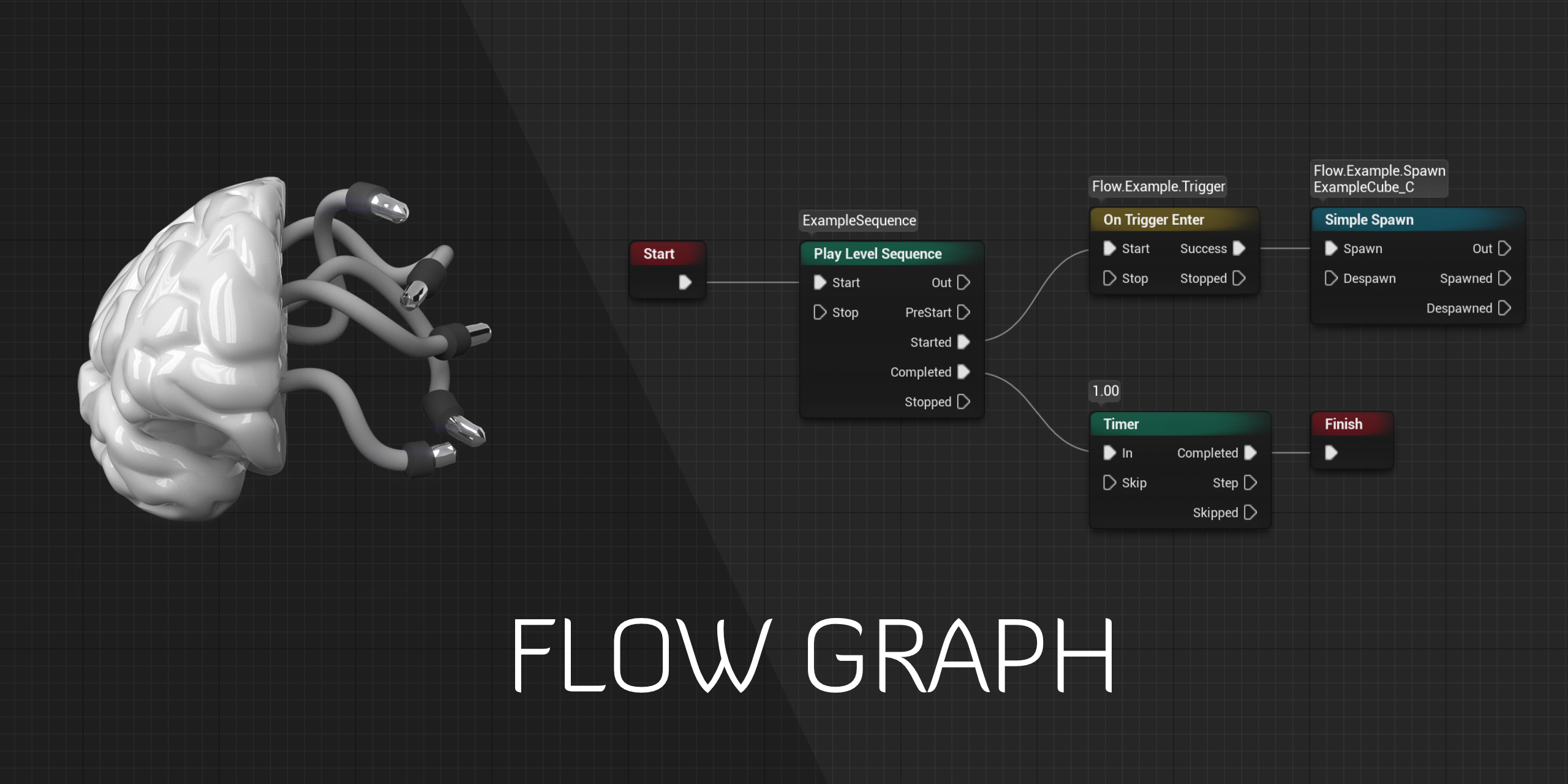
GitHub
Design-agnostic node system for scripting game’s flow in Unreal Engine - GitHub - MothCocoon/FlowGraph: Design-agnostic node system for scripting game’s flow in Unreal Engine
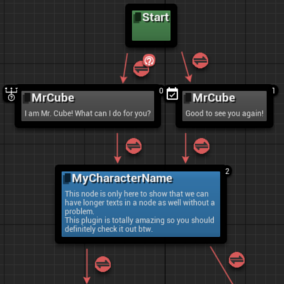
GitLab
Dialogue Plugin System for Unreal Engine - https://bit.ly/DlgMarketplace | 🪞 Github Mirror - https://bit.ly/NYDlgSystemSource
 rare axle
Anybody know which import setting might be generating / setting random material ids for my FBX imports?

Unreal seems to be taking random faces and converting them to different material IDs for some reason. They're split specifically in Max like I always split them. This has never been problematic before for me 🤔
 rare axle
Any ideas for seemingly randomizing material IDs guys?
plush yew
random integer in range?
plush yew
rotund scroll
I'm just telling you some good practices to keep in mind
Yay i got it, i was calling it wrong. thanks for telling me it would not be in the gun data, really stupid of me to think that
 untold summit
eyo
how do i add the the box for the blueprints?
the white box around everything
please? 😦
plush yew
untold summit
please? 😦

Containers that can be used to group related nodes and provide descriptions about their functionality.
plush yew
all good 🙂
untold summit
thanks my guy
also
i am almost done with the camera
my god
what an ightmare that was
from the day we chatted about it
i studdied it for two days straight without sleeping
plush yew
lol
plush yew
post in #work-in-progress
 rotund scroll
where is it coming from
plush yew
i need help rigging from blender to unreal
plush yew
rotund scroll
where is it coming from
IBFPS
rotund scroll
I don't know what that is
plush yew
can anyone help
plush yew
rotund scroll
I don't know what that is
rotund scroll
I mean where do you spawn it
plush yew
oh
rotund scroll
or is it part of some preconfigured weapon
plush yew
its part of the skel mesh
plush yew
should i just create a clear material and cover it up that way?
plush yew
its a skel mesh component.
rotund scroll
and if so, and if it's preconfigured, is it even a problem in game?
rotund scroll
does it look like that in game
plush yew
yeah
rotund scroll
it's not being shot out by animation or what have you?
plush yew
 plush yew
when rigging it to the arms
rotund scroll
check if it's actually a problem when you run the game
 rotund scroll
yeah but not while you're wielding it
plush yew
hold on let me make the bp
rotund scroll
anyway if it's a problem in game, and it came preconfigured, I'd send a message to whomever the creator is of that plugin and tell them
untold summit
YAAAAY

 tribal leaf
untold summit
YAAAAY
tribal leaf
untold summit
YAAAAY
Third Person to First Person....Nice!
untold summit
tribal leaf
Third Person to First Person....Nice!
this was such a nightmare dude!
plush yew
can nobody help me
plush yew
untold summit
YAAAAY
thing about that is the head mesh
untold summit
and its not even done yet..
plush yew
i need help rigging in blender to ue4
tribal leaf
@untold summit Are you changing the FOV when you go to first-person?
 dim oriole
Is there a way to remove autosave notification (without removing the autosave function). I see there is a timer on how long it lasts, but it tends to get stuck while minimized.
 untold summit
tribal leaf
<@!301083577364250625> Are you changing the FOV when you go to first-person?
untold summit
tribal leaf
<@!301083577364250625> Are you changing the FOV when you go to first-person?
nope nope.
 modest trench
 finite plover
UI bug. Drag another tab (like the details panel) over it
The lines are for rearranging the UI layout
finite plover
Thanks
plush yew
rotund scroll
anyway if it's a problem in game, and it came preconfigured, I'd send a message ...
sorry had to drive soem where yeah its still there
 rotund scroll
plush yew
sorry had to drive soem where yeah its still there
rotund scroll
plush yew
sorry had to drive soem where yeah its still there
did you configure the weapon itself? change it from the base in any way? or did it come like that?
rotund scroll
plush yew
yeah it came that way
write the creator and explain the issue


 deep stump
What build of UE5 source is the best? I keep getting errors when I build lol
 deep stump
 neon bough
one that builds
neon bough
one that builds
I built ue4 perfectly fine but i can't figure out how to fix these
neon bough
idk, isn't there a setup and generateProjectFiles for windows?
that should download all the third party dependencies
deep stump
Yeah, i did that
deep stump
neon bough
idk, isn't there a setup and generateProjectFiles for windows?
any suggestions? lol
neon bough
no
try a commit before they updated that particular thing
or exclude the plugin from the build process (not sure how that's done tho)
 tender mountain
Hey anyone know why the godrays on my character are coming through this wall in my landscape with my Exponential Height Fog?
It also doesn't cast godrays off my static mesh rocks.


So I set the directional inscattering to 1000000 and get my static mesh godrays but the character still has godrays in the shadows

 serene sorrel
Can UE5 do world origin shifting with proper physics support?
or does it support doubles yet
 midnight chasm
Super nub question, but I have been looking for a while and cannot find the answer. How do I subtract a shape from another shape? For example a box from a bigger box.
tender mountain
midnight chasm
Super nub question, but I have been looking for a while and cannot find the answ...
I believe you need a plugin or 2.
tender mountain
midnight chasm
Super nub question, but I have been looking for a while and cannot find the answ...

Small overview of some of the updated editor mesh tools coming to unreal in 4.25 :D. Sorry for some quick cuts and any audio issues i had issues while creating this haha. Next video should be better. I hope to start making more videos covering experimental or undocumented features and overall features i see people ask about and want to learn mor...
 solid anchor
Hi guys! First time asking anything here but I hope someone can help me with this! I'm currently trying to attach my character to a spline while keeping all of the Character Movement Component functionality of its "Flying" mode. But I want the character to use the center of the spline as a loose center point. But the tricky thing is keeping all flying movement and cameras to act the same while attached to the spline. Currently when I attach I lose all of that movement and camera stuff and I was forced to script my own movement fresh again. Which I have already done but I'd like to keep everything consistent with the way it feels without being attached to a spline. I think its much smoother. I thought about maybe just getting a reference to the path follower I'm using as soon as it starts and using that to determine my character's position but I'd have to do stuff with ticks and I wanna stay away from that. Any ideas or help would be greatly appreciated! Basically my life would be so much easier if I can just say "move the character relative to the center of the spline and use its forward vector" and keep all other movement and camera stuff alone.
 past eagle
So, I'm having a few troubles with my Twin-stick shooter game.
- When I display the Main menu, I can also see the HUD for the main game underneath it. How might I make it so the HUD only shows up in the game?
- When I hit Play, the controls stop working, but they work fine in-editor.
If anybody knows how to solve these things (or needs more information), please let me know! Thanks :)
tribal leaf
past eagle
So, I'm having a few troubles with my Twin-stick shooter game.
1) When I displa...
- Can't you hide the HUD for the main game when you are showing the menu?
tribal leaf
past eagle
So, I'm having a few troubles with my Twin-stick shooter game.
1) When I displa...
- What do you mean the controls stop working when you hit play? Are you saying you have controls that work when you are NOT in Play mode?
past eagle
If I can, I have no clue how 😅 I'm very new to all of this
past eagle
tribal leaf
2) What do you mean the controls stop working when you hit play? Are you saying...
I'll hit the play button on my menu, and it sends me to the game level. But I can't move the character or anything. But if I simulate the game in the editor, the controls work fine (WASD and such)
tribal leaf
The widgets have a visibility setting. You can set it to "hidden" or "visible". There are other settings too.
past eagle
Oh, I didn't know that, neat. Is there a way I can hide the HUD while in the menu?
tribal leaf
If you have a reference to the HUD you need to hide, sure..
past eagle
Hm... I think I do. I'll take a look. Thanks!
 zinc shore
how would i go about having game settings variables that persist across every level and can be access by any actor
like godot has auto load scripts which are scrips that are always running and can be access by anything so dose UE have something like this
tribal leaf
zinc shore
how would i go about having game settings variables that persist across every le...
You need to use a GameInstance
prime willow
could having country sized map if nothing outside of a state in size is used for gameplay hurt performance?
tribal leaf
Create a new Blueprint class or C++ class and make the parent GameInstance
prime willow
even tho close to none of it is used until updates hurt performance?
zinc shore
so is UEs gameinstance kinda like godots autoload scripts
tribal leaf
Add all the variables to your GameInstance class.. Then in your blueprint, use the GetGameInstance node. You'll have to cast it to your custom class.. Then you'll have access to your variables.
 clever harbor
yo guys, can i remove this yellow border around in this editor scene ?
 zinc shore
can you also save a game instance values so when you reopen the game they are still there
zinc shore
clever harbor
yo guys, can i remove this yellow border around in this editor scene ?
hit escape
tribal leaf
zinc shore
can you also save a game instance values so when you reopen the game they are st...
Yes but you'll need to use a Save Game object
You'll pretty much need to do the same thing - set the variables that you need to save. You'll need to transfer the GameInstance variables to it.
clever harbor
zinc shore
hit escape
Damn so simple thanks bro😆
 hollow moat
wtf is wrong with me I'm reading unity navmesh docs wondering why I can't find anything
😂
zinc shore
bruh moment
 celest hull
I am about to compile the engine on Linux. I do not quite understand which folders I can delete of the original source after the build so i can save space. Is there a list posted somewhere I could see?
prime willow
ok
so ray tracing
I know when it first came out everyone said you cant make games with it too heavy on performance
so now that its been ten thousand years
how are those rules holding up?
Can i still put ray tracing in my game and have 60fps or will it still kill performance?
granted this would be a game with 1024 texture sizes not 2k or 4k
@drowsy snow ^ if you know the answer pls let me know :3
 amber mantle
I cant install unreal engine from the epic game launcher because of daily data limit
So is there any link to download unreal engine from the browser?
Please ping me when someone responds
amber mantle
amber mantle
I cant install unreal engine from the epic game launcher because of daily data l...
Not as source code
 faint meadow
Would anyone know why my characters appear as if they’re lit in a dark room? Cast shadows are on and everything
 untold summit
eyo, back, i tried improving the camera but ive run into a different issue now, it just freezes when i pres the switch button, any ideas what that might be causing?
alright i figured that part out, but now it doesnt return to the original camera
which in this case is from FPP to TPP
nevermind, after the hellish training i put myself through, i can troubleshoot now....i feel awful still.
still thinking of the fighting system, how ill add depth and proper 1 to 1 collision, ill also have to add a proper TRUE first person.
 past pilot
So I have a question about C++/Blueprints and components. I have a character that will have its "systems" divided into components. So Inventory, Vitals, Stats, etc. So I created all of those components in c++. The question I have is attaching these components to the Character. If i'm using both c++ and Blueprints should I attach those components in c++ or in Blueprint? The reason I ask is because as far as I can tell, if I attach the c++ components in c++ I don't think it will use any part of the BP versions of those components. On the other side, it is harder to interact with the BP versions through c++ than it is the c++ versions isn't it?
tribal leaf
past pilot
So I have a question about C++/Blueprints and components. I have a character tha...
When you say components, do you mean structures?
past pilot
Actor Components
I want them "reusable" so an inventory component could be on a player, enemy or even just a chest and work the same way for example.
tribal leaf
past pilot
Actor Components
Understood but what are you going to store in the inventory? Some variables, right?
past pilot
The inventory component has an array of structs, correct.
tribal leaf
I think it's easier just to create a custom structure and then add that to your actor.
But to answer your question, I'd probably add a component in C++
That way, you have the flexibility to use it in C++ and Blueprint. Although, in your use case, I wouldn't use components at all.
Then you could use the struct in other places too...like when you start to save and load your game..
past pilot
I am using components because it is dividing the code out to be easier to work on, It will be reusable on multiple actors by just attaching it and it caries its own logic around with it.
tribal leaf
I get it...but for inventory?
past pilot
Its a multiplayer game, so all the logic for the inventory is in its component. Including all the server/auth stuff
tribal leaf
cool..makes sense
untold summit
btw, ill be tackling true first person soon, any tips before i go in head first?
past pilot
The problem im having is if i attach it in c++, then i think im stuck with that version. I cant replace it with the BP child version
@untold summit what you mean "True First PErson"
untold summit
past pilot
<@!301083577364250625> what you mean "True First PErson"
no behind the scenes magic, no shortcuts, true first person with proper model turning.
think mirrors edge but with more detail.
past pilot
Lost me. I use a third person character. I attach the camera to a socket and hide the head bone on the local mesh. Does everything a third person mesh does that you set up while keeping it first person
 untold summit
yea....
untold summit
this aint from me, i just tried finding a reference.
 spare kernel
like the way guns are held etc
untold summit
i am just starting with it.
not to metion its not gonna be a gun in my case.
its gonna be a sword.
past pilot
i just ditched the first person side of thing completely and do everything as a third person but with the camera attached to a skeleton socket that puts it in first person position
 past pilot
how so?
untold summit
because the battle system will involve a vr stick with mouse controls, the camera will be locked while youre in fight mode.
instead youll be swinging the sword or chanting a spell or prepping to shot a bow.
well
just the sword for now.
wanna make a demo worth a crap
not to metion, collisions!
god
i have no idea how to go about doing those yet.

as said before, anything that could help is appreciated.
past pilot
This is what mine looks like... dunno why it couldnt be used in vr
 untold summit
not really vr, just the vr stick, but i am pretty sure there will be some hickups with collisions if i did it your way, i cant say for sure, i first need to see how it will go.
 warm hawk
Is there a place for talking about making builds for consoles?
untold summit
also, look at your character, how it moves, this is why i need true first person*, you are moving and your legs arent.
not true vre
omg
true first person
msorry

 past pilot
@untold summit my legs certainly are moving lol
untold summit
past pilot
<@!301083577364250625> my legs certainly are moving lol
when you rotate your legs are not moving.
past pilot
oh, that is something you can do, i just havent done it
There is lots of tutorials on how to control rotation with animations
untold summit
point being, i dont wanna do it this way because i have a very strong intution of it bitting me in the ass later on.
past pilot
I did the head rotation but i will eventually make it so you only turn when walking or when you excede the head rotation and you will step turn
I have no idea how you are going to do first person with all the legs and stuff without using basically a full body mesh
Which is what the thrid person template is
untold summit
past pilot
I have no idea how you are going to do first person with all the legs and stuff ...
i might have to resort to it, but my idea is to add arms that work the same way as those in skyrim.
for the time being!
past pilot
Good luck to you sir. I hope you figure it out or someone else has a better idea.
untold summit
past pilot
Good luck to you sir. I hope you figure it out or someone else has a better idea...
Thanks, ill do what i can.
untold summit
past pilot
Good luck to you sir. I hope you figure it out or someone else has a better idea...
oh before i forget, the arms will start working after you change from third person to first person.
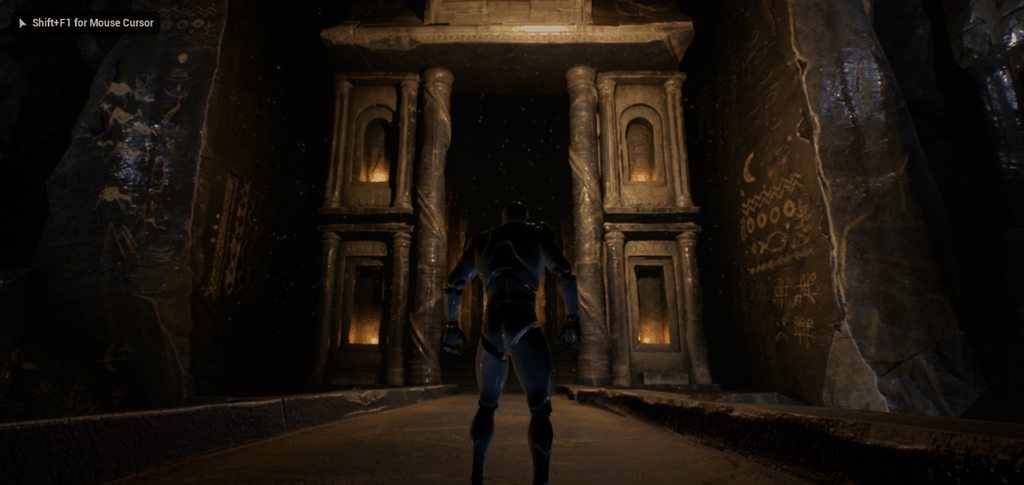
hoping i can figure it out before end of the year.
i wanna release a working demo at latest in the first half of the next year.
my inspiration comes from that dude who made lost soul aside.
hollow moat
Please someone tell me there is a way to disable/change the c++ hot-reload sound?
modest trench
hollow moat
Please someone tell me there is a way to disable/change the c++ hot-reload sound...

Hi! You're probably here because you've used Hot Reload in UE4. So… don't use Hot Reload in Unreal Engine 4 because: Data corruption in Blueprints: it can reset and mangle any variable at whim.
never use it
if you are doing anything C++ related build from the IDE
(but yeah man that sound is loud)
you can actually edit the sound file in the engine but it's not useful anyways
hollow moat
It's given me a headache lmao
 teal charm
does anybody know why it happens when i eject from the possessed pawn i can not turn the camera anymore? just move around, but when I simulate i can.
 grand rune
ok so I'm working on an widget blueprint and I want to make it so that when a horizontal box overlaps with a picture I want to move the alignment to a desired direction in real time and then if the horizontal box isn't overlapping with it, it goes back to its default position. how would I go about doing that?
 dim garden
Hello friends, I want to destroy the niagara effect when there is a place it touches or not. I've used almost every possible knot, but I don't like it. Do you know of a solid way to do this?

 wicked canyon
heyo, I'm trying to make a landscape layer blend but I'm having trouble getting it to work. is this the right kind of place to go looking for help?
 idle jewel
Is there a setting or way to change the main camera instead of my players camera i want to have a separate camera or do i have to change this in blueprints
 tender pecan
wicked canyon
heyo, I'm trying to make a landscape layer blend but I'm having trouble getting ...
tender pecan
wicked canyon
heyo, I'm trying to make a landscape layer blend but I'm having trouble getting ...
try #graphics maybe
tender pecan
idle jewel
Is there a setting or way to change the main camera instead of my players camera...
yes there are a few ways. add a camera to the scene (editor or runtime)
use SetViewTargetwithBlend to blend between cameras using blueprint or c++.
wicked canyon
ty
 daring schooner
does anyone know of any good tutorials on 3d melee combat? specifically in my case stuff like dark souls, ie with hitboxes attached to different body parts, syncing hit detection with attack animations, etc
not necessarily something I can just copy and paste, but at least something that'll point me toward good techniques and unreal functionalities
serene sorrel
@daring schooner that is easy maybe just search better
you can detect what parts of a skeleton you interact with , its simple
daring schooner
how
 spark heath
Hello everybody
I want
open another app And want to open the specified page Transfer parameters how can I do this in unreal
Can anyone help me
 exotic thicket
This depends 100% on what application you're trying to open
And it may not even be possible
spark heath
This is Android Is there no other way
drowsy snow
spark heath
This is Android Is there no other way
Android doesn't encourage multitasking as much as desktop OSes do.
 shadow ravine
spark heath
Hello everybody
I want
open another app And want to open the specified page...
shadow ravine
spark heath
Hello everybody
I want
open another app And want to open the specified page...
I've been writing native android apps for years but mainly using VS as my editor, what exactly are you attempting to achieve?
spark heath
I want to open another app with one app and pass data
@shadow ravineI try
with the native android piugin it can open app but can not pass data
shadow ravine
spark heath
I want to open another app with one app and pass data
Okay what Libraries are you using?
 shadow ravine
spark heath
shadow ravine
spark heath
Hmm, okay I'm not 100% sure which libraries are included in that plugin as I don't really use unreal for android apps yet. But you'll want to looking for Intents
This is the documentation: https://developer.android.com/training/sharing/send
Try using a two-sided material
spark heath
@shadow ravineokay thank you brother
drowsy snow
How about flipping the normals of your mesh in your DCC tool?
plush yew
drowsy snow
How about flipping the normals of your mesh in your DCC tool?
What is my DCC tool, sorry, i tried finding flipping normals on import
drowsy snow
plush yew
What is my DCC tool, sorry, i tried finding flipping normals on import
Blender, Maya, 3ds Max, Houdini, Zbrush, Metasequoia, or whatever else you're using to make the mesh.
plush yew
I see, i wil ltry that thank you
plush yew
drowsy snow
Blender, Maya, 3ds Max, Houdini, Zbrush, Metasequoia, or whatever else you're us...
Yes, perfect thank you. I used Bezier on towards the wrong side of the plane.
 raven estuary
This is probably a common question right now but im getting into unreal with the long term goal of doing cinematics/short films is it better to just dive into unreal 5 or go with 4 till 5 is fully released
serene sorrel
5
most important thing for cinematics is lighting, and ue4 sucks at it so
dont even bother
 last topaz
Hello, I'm trying to combine static and dynamic lighting in a studio building with a lot of big windows. Basically I want the interior baked, while the exterior stays fully dynamic but I can't seem to figure out how to do this properly.
If I bake with the default movable lighting/skylight nothing really happens, if I set them to static it bakes but the exterior is completely blown out and super bright.
Can't really do sub levels because the exterior is always visible from inside.
raven estuary
last topaz
Hello, I'm trying to combine static and dynamic lighting in a studio building wi...
This may be wrong but the guy just went over it in a tutorial i just watched but you want all the lights youre going to bake to be static then build then make the ones you want dynamic?
Oh wait idk cause you have to turn off lumen
last topaz
I already tried turning the lights movable after baking but everything is still super bright outside
 sharp willow
Hey there - Bit of an odd question:
I have hundreds of actors in my content folder. Is there a way I can query/filter by object type?
My end goal is to have a list of blueprints, each of which have at least one component with my specified object type e.g. WorldStatic
 trim mantle
Hi,
Did anyone get email from Epic Regarding the BP Ninja challenge?
Good
That means I ain't the only one xD
plush yew
can anyone help me if you are bored? I am trying to find a l96 AWP sniper rigged, with arms on the marketplace and cant find nothing 😦 I do not care if its in bundle pack, and it can not be low poly
prime willow
plush yew
can anyone help me if you are bored? I am trying to find a l96 AWP sniper rigged...
check artstation
also rigging it yourself would make your life easier if you want specific weaponry
plush yew
i dont have a green screen, the proper body suit or a 3d printer
 plain ferry
Hello,
What would be the best way to have a first person character's orientation always follow the VR HMD/camera orientation? As the camera is a child of the player, if I just replicate the camera movement to the player, the view rotates by twice the amount, and using ResetOrientationAndPosition after it locks the view in place. Is there any obvious way to do this?
fallow jackal
is it possible to change my 4.27 project to 4.26? theres an asset that only goes up to 4.26 i want to import

 broken spire
you can make it smaller by finding the mesh and resizing it
fallow jackal
plush yew
select version
sorry i mean its a plugin not from the market place, it says its for 4.26, but can my project be downgraded or something to make it work?
plush yew
Okay
plush yew
fallow jackal
sorry i mean its a plugin not from the market place, it says its for 4.26, but c...
Ill guide you thru this
Take the plugin, put it on the desktop
broken spire
@plush yew more specifically select view options, select show engine content, search cinecam and modify the scale of the camera
plush yew
create a new folder called it new
open CMD as admin
cd C:\Program Files\Epic Games\UEVERSION HERE\Engine\Build\BatchFiles
RunUAT.bat BuildPlugin -plugin="C:\Users\USERNAME\Desktop\PLUGINNAME\PLUGINNAME.uplugin" -Package="C:\Users\USERNAME\Desktop\NEW"
should build the plugin to that version
fallow jackal
plush yew
RunUAT.bat BuildPlugin -plugin="C:\Users\USERNAME\Desktop\PLUGINNAME\PLUGINNAME....
this is a command too?
plush yew
Here
watch this video

This video shows how to recompile a plugin (in this sample case, the UE4Duino plugin for Arduino communications: https://github.com/RVillani/UE4Duino ) for Unreal Engine to avoid "built with different engine version" errors.
There is a "In About a Minute" version of this process here: https://youtu.be/sC0gnfYzFzU
its vice versa.
fallow jackal
plush yew
https://www.youtube.com/watch?v=2HHJ6AYnwFw&ab_channel=PixelProf
thanks ill check it out
broken spire
How do you restrict a procedural foliage volume from spawning rocks on a slope?
or a voliage type
ohhh I found it, it's
 broken spire
how do you reduce the number of similar actors generate on the procedural foilage spawner?
okay now it is stuck spawning only one mesh :/
prime willow
So
Ray tracing in your game and performance
Is it still a FPS tanker or has it become more moderately usable at 60fps on standard machines?
shadow ravine
I'm trying to get one of the lights setup with emissive light as it doesn't have it. I've got it set up to emit but it emit on the entire material not just one the white area of the texture. Anyone know where I'm going wrong?


 fierce tulip
you need a mask texture to mask out the bits you dont want to have emissive
 vital mountain
Guys i grab the 4.27-release from github
And when i launch it says 4.27.2
What is happening?
broken spire
can you use two procedural foliage volumes? Like one for rocks and one for other stuff?
 worthy plaza
Can't save my files because of landscape material, idk what to do.. they don't give any reason expect ".uasset failed to save" N.B this is not a new asset, i've been using this material since the start of this project
 grim ore
@vital mountainthere is no 4.27-release tag that I can see, did you get the .0 or the .1 or did you get the 4.27 branch?
 steady tree
Is there a way to capture a screenshot at a specific time, kinda like a daily review automation? ( 2AM Morning Screenshots ) I might have a solution for when the Game would run all the time, but not sure how to go about it in editor only.
steady tree
https://docs.unrealengine.com/4.26/en-US/ProductionPipelines/ScriptingAndAutomation/Blueprints/StartupObjects/ Ahh I might have sth

Describes how to define Blueprint functions that the editor invokes when it starts up.
 mellow turret
I have a Skeleton, all of our Skeletal Meshes use this Skeleton, we've been making sockets on the Skeleton and that's where the weapons go, however if two skeletal meshes use the same weapon, the weapon can't use the same socket for both since the skeletal meshes are different, I was wondering how people handled this kind of issue
prime willow
@grim ore if you'll have me there's a question i'd wish to run by you, Over the two summers of this venture, ive accululated a lot of code and components that have cluttered and made a dense mess of my blueprint setups, however i heard from another that you can segment blueprints and connect them like legos or yugioh card decks to one another if that makes any sense?
Percisely what terms would i need to refer to; to learn how to bridge entire blueprints onto each other in which ever way a player designs from a gamers point of view via their input whilst reducing massive sized single blueprints?
prime willow
mellow turret
I have a Skeleton, all of our Skeletal Meshes use this Skeleton, we've been maki...
Virtual bones and Iks
itll fix sharing animattions and functions between different sizes shapes and skeleton meshes
just takes a lot of setup in advance
mellow turret
prime willow
Virtual bones and Iks
is there a resource I could read/watch about that?
what are "lks"?
 misty lynx
does anyone know if one can generate PSO on Windows? https://docs.unrealengine.com/4.27/en-US/SharingAndReleasing/PSOCaching/ and all other sources do this on mobile only and when i build with -logPSO nothing gets generated in my build
The Pipeline State Object (PSO) caching tools help reduce the time it takes to reload an Unreal Engine 4 (UE4) level and it's content.
prime willow
mellow turret
is there a resource I could read/watch about that?
https://www.youtube.com/watch?v=rCosEReF9J8
I apologize for the delay i was retrieving the tutorial
Complete explanation on virtual bones - how they work, what is their function, how to use them to get fast perfect results on different characters, with different proportions sharing the same animations.
content:
0:00 Virtual bones Explained
7:40 Retarget options for feet
11:00 VB IK solver logic
15:05 VB vs IK bones
31:08 Build the new solver...
mellow turret
prime willow
https://www.youtube.com/watch?v=rCosEReF9J8
I apologize for the delay i was retr...
thanks this sounds like it will save us a lot of time
prime willow
definitely~
I cannot vouch for the method as i have not attempte dit myself but ive heard nothing but good things from it
 native swift
Does anyone know why this is happening?? when I use a spot or point light there are these weird shadows on the walls, but if i use a directional light they are not there. This is after the build

and this is before

 patent apex
hello, when i fire a weapon i spawn a projectile (using collision handling to always spawn) and sometimes i fire it while clipping the enemy. The problem with that is that spawns the projectile at 0,0,0 of the world, is there a way to make it retain the original location? thanks
 exotic thicket
Without knowing what on earth that does it's pretty hard to say
plush yew
updates the socket when weapon is picked off basic on overlapping collision
exotic thicket
Yeah but like what do those individual branches do

 exotic thicket
Uhh
Well I think you could move the set node in front of the switch
since you seem to be directly setting the same value into that as goes into the switch
If you change your socket names to match the name of the enum value, then you can just convert the enum into a string and use that as the socket name
exotic thicket
alternatively if all of them are called WeaponName_Socket, you could just replace the word Socket from the stringified enum name, and append _Socket
 clever chasm
Hey all, anyone know why my instanced meshes/procedurally generated foliage doesn't show up in any collision visibility viewmodes? I've made sure that block all is enabled in the mesh and foliage, it has a simple blocking volume, and it definitely works (i.e. stops a test character) it just doesn't show up using any of the 'show collision pawn/visibility/etc.' commands. Is there anything else that would let me visualize it? Many thanks.
 devout mason
Does anyone here have experience with Quest 2 and Mobile HDR?
plush yew
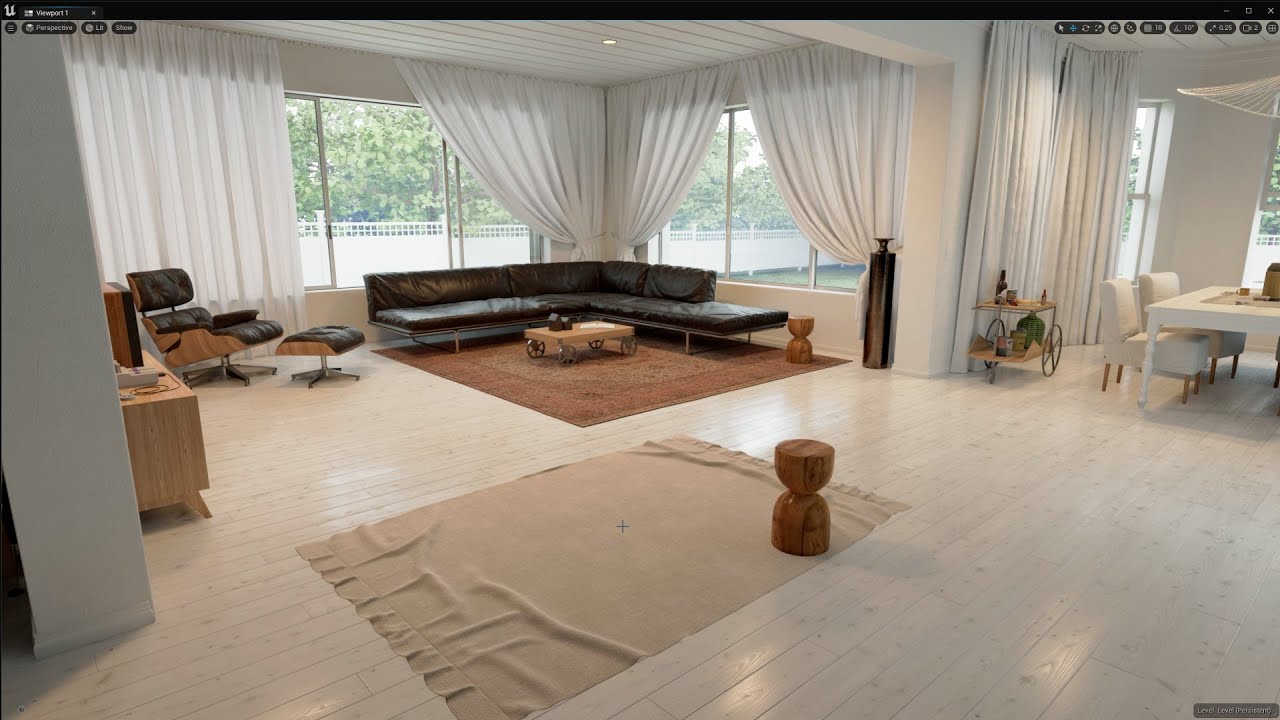
Short test using UE4Arch's Lake House project with the new dynamic lighting system (Lumen) in Unreal Engine 5.
This beautiful and ample house located near a lake is perfect to show the latest versions of Unreal Engine 4. Created by UE4Arch in 2016 Lake House has been updated for several versions of the Engine always keeping the realism and clea...
what you need for archiviz like this? just high quality models and a lot of light work?
i mean using only unreal engine assets, like get some full house and create something new
devout mason
Basically yes, but you need some lightning knowhow and also don't forget a good HRDI
plush yew
hrdi?
oh
i can just use photos i photographed myself

In this video I'm going to show you how to create interior or level in Unreal Engine in 30 minutes (33:36).
Before we created walls in Unreal Engine https://youtu.be/gyfkNCou-UM and import scene from 3ds max to Unreal Engine https://youtu.be/IojWrJSdO6Y.
But this complete tutorial shows how to do everything inside Unreal Engine. Don't forget t...
this looks fairly simple, but effective
devout mason
plush yew
i can just use photos i photographed myself
Depends on the camera and settings you used and you need to make it into a HDRI. A simple photo won't work.
 devout whale
Does anyone know how to fix this bug. I've made a completely new project, and I am using choas vehicle.
When I add impulse to the car it does jump, but sometimes stops mid air and slowly jitters down.
I've attached a clip if it helps.
plush yew
devout mason
Depends on the camera and settings you used and you need to make it into a HDRI....
Ok, thanks!
devout mason
plush yew
Ok, thanks!
Sure man 🙂 Just check out a lot of tutorials, UE4 is really easy to learn
 plush yew
devout mason
Sure man 🙂 Just check out a lot of tutorials, UE4 is really easy to learn
plush yew
devout mason
Sure man 🙂 Just check out a lot of tutorials, UE4 is really easy to learn
Yeah, I'm just looking for a quick way. Minimal time, basic assets and methods. Watching tutorials and making basic room for hours can be a nightmare 😂 Will share what I come up with later.
 velvet pawn
I have a question on a lerp I'm going with a texture. I can't seem to find the issue or I'm not good at searching for the docs for it:

 restive mica
Hello everyone, I ran into such a problem, maybe not a problem. The bottom line is that I bought an SSD, moved my project there, deleted the old cache. changed the path to the cache in the project. But the fact is that an unreal engine works stably without a cache. As if he already takes a ready-made cache somewhere and writes there. And I cannot find it. It's good? I work 24 hours, but nothing is written to the cache. It's just that before, during work, something was written to the cache. I hope I explained clearly, it's just not very good with English
 prime willow
restive mica
Hello everyone, I ran into such a problem, maybe not a problem. The bottom line ...
prime willow
restive mica
Hello everyone, I ran into such a problem, maybe not a problem. The bottom line ...
have you tried just a clean reinstallation of the engine
also back up your project prior since reinstalls arent tied to the project
restive mica
no, I just moved it from the disk, this is a building unreal engine
 umbral blaze
restive mica
Hello everyone, I ran into such a problem, maybe not a problem. The bottom line ...
umbral blaze
restive mica
Hello everyone, I ran into such a problem, maybe not a problem. The bottom line ...
Have you changed the location of the cache inside of unreal or in a text file? You should change the location in the settings of the engine.
restive mica
only text file
restive mica
umbral blaze
Have you changed the location of the cache inside of unreal or in a text file? Y...
and where exactly do you need to change the settings?
 noble barn
Ok, I have the weirdest issue right now - I am just following a basic tutorial on Character Movement, but - hear me out - it only works fine for the duration I previously was tabbed out of the editor. When I tab back in, it works for a couple seconds and then the movement speed becomes super slow and almost laggy, as if it was trying to move against something at a very shallow angle (which it doesnt). I tried breakpoints in SlideAlongSurface and HandleImpact in C++, none of which fire.

Its an empty Character, derived from ACharacter, nothing changed at all. Moving on a Landscape. The "Flying" mode works fine, this only happens in the "Walking" mode
note, I usually do this in C++, but I had the same effect there and wanted to isolate the issue using a new ACharacter derived Blueprint
Any idea what that may be? It's literally an empty level with an empty ACharacter
 plush yew
Why do sockets don't appear when choosing parent socket?
 drowsy valley
Heyo, could somebody please help me understand the AddForceAtLocation function?
I am trying to apply a force at each of the 4 orange lines

But I am unsure if the functions inputs are local or worldspace
noble barn
Been almost 5 years I last worked with forces, but what do you not understand about it? @drowsy valley
ah
drowsy valley
Hmm, I'll send my code snippet
noble barn
I dont know for sure, but that should be easily testable. I'd guess it's worldspace
drowsy valley
  // 4 x Suspendors
    for (int i = 0; i < 4; i++)
    {
        FCollisionQueryParams TraceParams(TEXT("LineOfSight_Trace"), false, this);
        FHitResult Hit(ForceInit);

         FVector startpos =  BoxCollider->GetComponentLocation() + offsets[i];
         FVector endpos =  BoxCollider->GetComponentLocation() + BoxCollider->GetUpVector() * -maxCompression  + offsets[i];

        if(GetWorld()->LineTraceSingleByChannel(Hit,startpos, endpos, ECollisionChannel::ECC_Visibility, TraceParams, FCollisionResponseParams::DefaultResponseParam))
        {
            compressionRate[i] = FVector::Dist(startpos, Hit.ImpactPoint);
            BoxCollider->AddForceAtLocation(-endpos * (UPhysicsSettings::Get()->DefaultGravityZ / (-0.5f)) * (maxCompression - compressionRate[i]), startpos);
            //Debug
            GEngine->AddOnScreenDebugMessage(-1, 0.1f, FColor::Orange, FString::SanitizeFloat(compressionRate[i]));
        }
        else
            compressionRate[i] = maxCompression;
    }
I'll try and explain what I'm doing here 😅
So each of the orange lines is a Raycast (which I think in unreal should be done with the LineTraceSingleByChannel function) which seems to work fine
noble barn
looks like a vehicle suspension to me
drowsy valley
Yeah, that's what I'm trying to do here. I'm converting over from unity.
noble barn
I did just that years back, but yeah.. forgot most of it 😅
drowsy valley
    protected void Suspension()
    {
        // 4 x Suspendors
        for (int i = 0; i < suspendors.Length; i++)
        {
            if (Physics.Raycast(suspendors[i].position, suspendors[0].up * (-1), out hit, maxCompression))
            {
                compressionRate[i] = Vector3.Distance(suspendors[i].position, hit.point);
                thisRB.AddForceAtPosition(suspendors[i].up * (Physics.gravity.y / (-0.5f)) * (maxCompression - compressionRate[i]), suspendors[i].position, ForceMode.Force);
            }
            else
                compressionRate[i] = maxCompression;
        }
    }
This is the unity code by the way, it works fine
I'll send a short clip of what the code looks in action in unreal
noble barn
first of, you'd probably want to work with sockets, but thats probably not the issue
well, actually maybe it is
Is the BoxCollider a UBoxComponent?
noble barn
You'd probably want to use an UStaticMeshComponent or SkeletalMeshComponent, whatever represents your car, and add sockets to it. Sockets are essentially just points on a mesh which you can address by name
so you'd add LeftFrontWheel, RightFrontWheel, etc, and just place them on the mesh itself
then, you can query their location, both in Local and World space
as I dont see you converting the offsets[] array values based on any rotation
drowsy valley
noble barn
then, you can query their location, both in Local and World space
hmm, that's pretty much the way I've been doing this in unity
noble barn
the socket way or the way in the snippet?
dont know if sockets are a thing in unity, probably under a different name
drowsy valley
In unity I am simply using empty gameobjects that represent the raycast positons
but it sounds very similar to the sockets you described
noble barn
yeah, I believe the offsets-array is the issue. Or at least one issue
drowsy valley
Hmm, so if I'd want to stay with the offset arrays I'd probably have to apply the BoxColliders rotation?
noble barn
try this
 // instead of :FVector startpos =  BoxCollider->GetComponentLocation() + offsets[i];
FVector OffsetLocal = offsets[i];
FVector OffsetWorld = BoxCollider->GetComponentRotation().RotateVector(OffsetsLocal);
FVector startpos =  BoxCollider->GetComponentLocation() + OffsetWorld;
or something along those lines
noble barn
drowsy valley
Hmm, so if I'd want to stay with the offset arrays I'd probably have to apply th...
yeah
(edited snippet)
drowsy valley
makes sense considering the boxes component location is in worldspace
noble barn
see if that makes it work. But yeah, at some point you'd probably want to replace that Offsets array with sockets on a mesh. Then you'd do Mesh->GetSocketLocation("LeftFrontWheel") instead
(pseudo code)
also, you can debug traces easily, so you can see whether the go the right way
drowsy valley
noble barn
see if that makes it work. But yeah, at some point you'd probably want to replac...
Makes sense, thanks 👍
Sadly the rest still seems to be majorly flawed. I think I'll probably have to recode it from ground 0
ah dang, I have obs set to mkv
plush yew
 noble barn
oh but I see, you already are debugging the traces
plush yew
I was able to compile this and the text doesnt display in playmode, been stuck on this for awhile now and no luck, am I missing something important?
drowsy valley
noble barn
(if its being sucked into a tornado right now)
haha yeah. Just as a reference. this is what it is supposed to looks like
I think this is actually the tutorial I went off when I made the unity code

A rundown of the general principles used for arcade-style vehicle physics using Unreal Engine 4 for the upcoming party combat racer Space Dust Racing. Dev blog: http://blog.spaceduststudios.com
drowsy valley
noble barn
oh but I see, you already are debugging the traces
Do you by any chance know how to properly rotate an object?
I've found the AddTorqueInDegrees function but in no way does it behave how I'd expect it to
BoxCollider->AddTorqueInDegrees(BoxCollider->GetUpVector() * CurrentVelocity.X * rotationSpeed);
This is what I've tried. Upwards vector of the Box Collider * magnitude
prime willow
@drowsy snow if youre free can you give me a pointe rin what i might be doing wrong
plush yew
@plush yew

- Show all projects, select project, 2) Select version of asset, 3) Add to project.
i just migrated it
thx
lol
okay
i couldn't add it, it's create project only type
now we in the game lol 🙅♀️
is there any sortof article on how to bind a language to unreal engine
or a blog post
plush yew
plush yew
i couldn't add it, it's create project only type
You create the project, then just take the stuff from the content folder and drag to your project content folder.
plush yew
plush yew
You create the project, then just take the stuff from the content folder and dra...
Yeah, that's what migrate does lol.
plush yew
plush yew
Yeah, that's what migrate does lol.
no point in migrating things from content folder to content folder. just drag and drop. Now if you wanted to migrate something that you created sub folders into, thats when you do it.
oh ok, got it
🙂 just saying
migrating can fail, things not getting added
regal mulch
plush yew
is there any sortof article on how to bind a language to unreal engine
You mean localization?
I would start googling for that +ue4
Or do you mean a programming language 🧐
plush yew
regal mulch
Or do you mean a programming language 🧐
programming language
 small burrow
Is there a particular or a short list of most common english naming conventions used by teams working with UE?
E.g.
Skeletal Mesh = SK_Bob
Material = M_Bob
Texture (Diffuse/Albedo) = T_Bob)D
...
That is what I used for my example... okay... if anyone else knows of a common one they have used with a team, please share
plush yew
how do you change color of that couch or texture?
 small burrow
plush yew
how do you change color of that couch or texture?
small burrow
plush yew
how do you change color of that couch or texture?
I would use photoshop
plush yew
i got paint only lol
small burrow
plush yew
i got paint only lol
look up open source alternatives to photoshop, if you can't get photoshop, or any other paid for apps
rare axle
I should be able to disable the Quixel Bridge plugin and keep all models and textures downloaded from Quixel right?
Having issues packaging a project with Bridge enabled, but as soon as I disable it, it seems to unlink/remove textures 🤔
plush yew
thanks
plush yew
small burrow
look up open source alternatives to photoshop, if you can't get photoshop, or an...
yeah, got gimp
drowsy snow
prime willow
<@!325627930484932608> if youre free can you give me a pointe rin what i might b...
Sorry, I just woke up 🥱
plush yew
looks pretty complicated to me tho @plush yew https://github.com/rdeioris/LuaMachine/blob/master/Source/LuaMachine/Private/LuaBlueprintFunctionLibrary.cpp

GitHub
Unreal Engine 4 Plugin for Lua APIs implementation - LuaMachine/LuaBlueprintFunctionLibrary.cpp at master · rdeioris/LuaMachine
drowsy snow
plush yew
looks pretty complicated to me tho <@456226577798135808> https://github.com/rdei...
Not really, I've been using that for a while, pretty easy to get lua functions going.
plush yew
small burrow
I would use photoshop
that texture is in uasset format 🤔
prime willow
drowsy snow
Sorry, I just woke up 🥱
it ok i dont want to pester you right after you wake up
drowsy snow
plush yew
that texture is in uasset format 🤔
Can't you export it to TGA file?
plush yew
yeah, just found it thx
plush yew
drowsy snow
Not really, I've been using that for a while, pretty easy to get lua functions g...
i mean the code
 wary knot
Not sure if this is the correct section and might be a very broad question! but does anyone have any guidance or links how to set up my fully low poly textured model into Unreal so its game ready ?....
drowsy snow
plush yew
i mean the code
Yes, it is pretty easy, on par with other Lua implementations in C++ language.
plush yew
drowsy snow
Yes, it is pretty easy, on par with other Lua implementations in C++ language.
but look at the link
the cpp file
drowsy snow
Basically every other C++ in Lua tutorial is applicable to the plugin.
I don't need to open the link, already used it myself.
prime willow
hmmm
drowsy snow

C++ and Lua work very well together. Using Lua you can create modifiable programs by embedding it into your C++ program. In this video I take an introductory look at enabling data transactions between C++ and Lua.
Source: https://github.com/OneLoneCoder/videos/blob/master/OneLoneCoder_EmbeddingLua_Part1.cpp
YouTube: https://www.youtube.com/jav...
wary knot
or anyone recommend what channel I can ask this question
plush yew
imagine doing all that by hand
rare axle
Anybody? Tips packaging with Quixel Bridge plugin? It won't package with it, and without it, all my textures get removed
drowsy snow
rare axle
Anybody? Tips packaging with Quixel Bridge plugin? It won't package with it, and...
I wouldn't use Megascans materials as is, and create my own "übershaders" so to speak.
As far as megascans goes, there's not much going on compared to other PBR materials, so you can just whip up simple material with texture sampler params in it, make a dozen of instances of it, and run away with it.
 low ether
is this normal? i just have a sky sphere and we're rendering 1.5million triangles??
 rare axle
@drowsy snow So the only solution is to make my own materials instead?
drowsy snow
rare axle
<@!325627930484932608> So the only solution is to make my own materials instead...
Yeah, that's the safest and arguably the most obvious one.
rare axle
Damn, that's a fair bit of legwork it seems... If I duplicate the megascans included one and use that instead will it do the same thing and just disappear when Bridge gets disabled?
Doesn't it kind of defeat the point of using Megascans at all? Do I have to also duplicate all textures that it adds?
low ether
im floating under the map so nothing should be hidden
drowsy snow
rare axle
Doesn't it kind of defeat the point of using Megascans at all? Do I have to also...
As far as texture goes, no, but I'd recommend to rearrange them to yout project's file management standards.
prime willow
I broke everything :3
drowsy snow
prime willow
I broke everything :3
That's something an engineer would say 
prime willow

every fix made things worst
However i think i know what my issue is
my assets use very different variables and systems for the same things
so its segmented and buggy
ive been at this since 7am..
blah time for a break
fallow jackal
can someone explain what is controlrig? "Control Rig is a node-based rigging system, designed to provide riggers and animators with tools to create flexible, dynamic, and procedural characters with artist-friendly interfaces" I just dont understand what this means
prime willow
exoskeleton
on top of your mesh
that acts like its extra set of bones
for all rigging stuff
but you can customize it
drowsy snow
fallow jackal
can someone explain what is controlrig? "Control Rig is a node-based rigging sys...
Simply put, Control Rig is another set of controls for your rig.
fallow jackal
but shouldnt the rig and animations be made in something like blender?
prime willow
now you can do both
drowsy snow
fallow jackal
but shouldnt the rig and animations be made in something like blender?
However, Control Rig can't do much in constraints as much as Blender did, in terms of creating animations.
prime willow
well buh bye guys good luck o your projects ❤️
fallow jackal
drowsy snow
Simply put, Control Rig is another set of controls for your rig.
when would this make sense? i dont see when or why this would be useful
drowsy snow
It honestly sucks for making FP animations from scratch.
drowsy snow
fallow jackal
when would this make sense? i dont see when or why this would be useful
Let's say, you want to have IK system across your character, adapting to the environment. Control Rig can do most of the calculations for you, along with the body adapting to the IK, so you'd only need to modify the control locations.
You could do the same in just anim BP, but the setup can be more complicated.
drowsy snow
plush yew
thats why i buy em
I make em from scratch lmao
I watched too much Hyper and Sully
fallow jackal
drowsy snow
Let's say, you want to have IK system across your character, adapting to the env...
i see thank you
plush yew
Describes how to access and use the CCDIK Skeletal Control node to set up and control IK chains.
tahts much better 😉
drowsy snow
Also Control Rig's RigVM is much lighter on performance than anim BP.
plush yew
When things do not match up, i just key it in the sequence lol
drowsy snow
Spoiler alert: ||he dabbled with hand IK not long ago.||
plush yew
So sense i set up my gun blueprint system, I could sell it on the marketplace, as is?
not going to but just asking
No no just use the guns as example for the video, and say guns not included lol
show a tut on how to set it up
bam.
drowsy snow
plush yew
No no just use the guns as example for the video, and say guns not included lol
Well, you should provide the example mesh and use them as is in your demo project/videos. Best not to misled your customers.
plush yew
guys im looking for feedback here.
is the gun to big on the screen?
is it to close?

 fierce tulip
^
plush yew
idk, looks fine, first one might be a bit too big
wow i did not even think of this, lmfao
is there a way to adjust the FOV on an animation sequence?
and then default back to what you have after that animation is completed aka, swaping weapons
exactly what ill do, thank you 🙂
plush yew
I got a simpler solution after the game gets the socket of the gun, it updated the FOV
 hollow moat
I'm really struggling with my level design
I just can't get any buildings to look right
The proportions are always wrong
 inland lintel
Shaun, always have some sort of human like block around to check proportion. At the least a 180cm tall rectangle, a capsule or a sphere
plush yew
hollow moat
I'm really struggling with my level design
i use google earth for this lol make sure you have a player pawn in level to see the height
plush yew
how can i rig from blender to ue4
someone help
plz
ive been ignored 
autorigpro
oh ue has it for free now?
Auto rig pro has always been the go too
 mint sequoia
I'm making a shortcut that should open the project with DebugGameEditor instead of DevelopmentEditor but it just errors. This is the shortcut "Z:\Epic Games\UE_4.26\Engine\Binaries\Win64\UE4Editor-Win64-DebugGame.exe" VaultItProj.uproject and error is attached (ignore the first ., thats an old screenshot with a typo). Any advice?

I could do it with a .bat easily enough but a shortcut should be able to and feels more elegant
 gilded hatch

A question for anyone who might be able to help.
That is a solid rock material but when i have the normal maps enabled it creates those spots where the rock texture is missing.
you move farther away and it is a solid rock texture
the closer you move the more and more broke up it looks like this.
Any explanation of what is causing this would be appreciated!
neon bough
plush yew
is there a way to adjust the FOV on an animation sequence?
you could use a animation curve to drive the FOV from the sequencer
 vocal flume
Hi All! I need to plug a node into the alpha in the lerp node to make it go from 0 to 1 and 1 to 0 (keep looping).. I'm not good at maths.. I feel like there is some mathematical node that'll solve the issue.. (This is possible with Material Instances but they are not an option in my case)
 neon bough
current time % 1
vocal flume
Figured it out. Time > Frac > linear sine > Alpha. That worked!!!
plush yew

if i wanted to change the position of the arms in the camera space what would i cast too?
got it

just add a +
 winter rain
Should my 'landscape material' have within it every material I plan on painting the landscape with? (10+)
drowsy snow
winter rain
Should my 'landscape material' have within it every material I plan on painting ...
You can do that, by using Shared Samplers.
Posting no context shit on the server, I'm this close to summon the mods, but I've seen worse.
 gritty halo
wait you cant?
drowsy snow
Also @gritty halo stop responding to him.
drowsy snow
🤦♂️
 buoyant graniteBOT
:no_entry_sign: ChickenNuggetMan#9993 was banned.
:triangular_flag_on_post: boywhogirl#4856 received strike 1. As a result, they were muted for 10 minutes.
spare kernel
Just did a little cleanup 🙂
tender pecan
winter rain
Should my 'landscape material' have within it every material I plan on painting ...
yes. i mean. the material is kind of nothing more than a combination of "splat" maps in essence, that tells it where which layer gets painted.
the layers ( layerinfo ) themselves do not contain the textures, but the alpha maps/masks if you will, so yep. the landscape material defines the layers, and the layers ( in the material def ) contain the textures.
if you want 100 layers, your material would need 100 textures of some kind (they can be shared of course, and reused across layers for example )
drowsy snow
spare kernel
Just did a little cleanup 🙂
Thanks a lot 😄
I'm kinda surprised there's a lack of documentation on the Beer shadow maps for volumetric clouds.
As if the m_SimpleVolumetricClouds take on it weren't complicated enough to comprehend.
broken spire
Would someone happen to have a good tutorial on procedural foliage volumes? No matter what I do I've followed a number of tutorials and the editor gets laggy, all the models have been heavily reduced in LODs (up to lod6). I'm just trying to evenly distribute rocks and large formations of rocks on the terrain.
tender pecan
broken spire
Would someone happen to have a good tutorial on procedural foliage volumes? No m...
I am nto sure a tutorial will help you debug your performance issue, do you knwo if your lag is CPU or GPU bound? Have you ran the profiler and checked what is the cause? maybe there is another issue and not just polycount
I just opened a project yesterday from the asset store and it made my editor crawl, turned out it was because RT was on. \0/
broken spire
ahh quality was set to cinematic, but lighting is on preview lol this could be it let me check
misty lynx
does anyone know if one can generate PSO on Windows? https://docs.unrealengine.com/4.27/en-US/SharingAndReleasing/PSOCaching/ and all other sources do this on mobile only and when i build with -logPSO nothing gets generated in my build
The Pipeline State Object (PSO) caching tools help reduce the time it takes to reload an Unreal Engine 4 (UE4) level and it's content.
 wide valve
mint sequoia
I'm making a shortcut that should open the project with DebugGameEditor instead ...
wide valve
mint sequoia
I'm making a shortcut that should open the project with DebugGameEditor instead ...
huh, why, for me it works
untold summit
making some progress with the proper FPP..
https://imgur.com/oPZtuVH
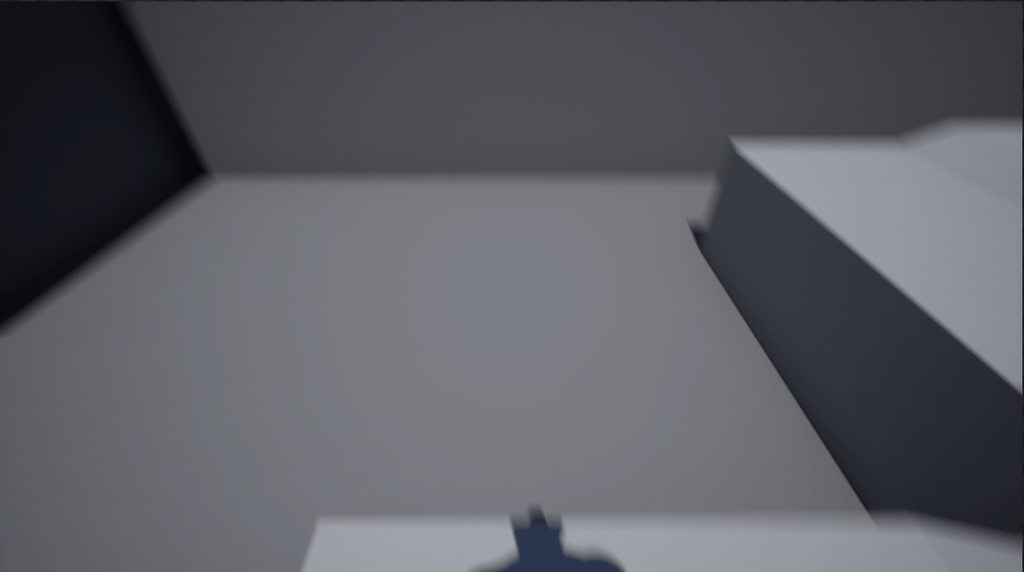
It actually has some conflicts with the TPP to FPP so even if this looks basic it was difficult xd
 rain badger
Hey, can anyone point me to a another source for this information from the documentation: https://docs.unrealengine.com/4.27/en-US/SharingAndReleasing/Buildasalibrary
wide valve
So my starwars game has the lightsaber ignition sound and the loop and the end sound, but how do i add extra like swing sounds? can i attach sound to animations or isnt that possible?
steady tree
@wide valve you can put notifiers inside the animation
wide valve
steady tree
<@693522604945833984> you can put notifiers inside the animation
really oh
didnt knew that was possible lol
steady tree
np
Does someone have an Idea on how to automatically start this after booting the Project? Couldnt find a suitable thing in BP / Python API yet
 wide valve
you mean starting a sequence?
i belive you can do that just in the project settings if i am not mistaken?
steady tree
rendering it, I found this, but my Issue is that I have to hit play in order for it to render
 spark heath
Does anyone know how to make UE4 Android App tune up another app and transfer the value
drowsy snow
spark heath
Does anyone know how to make UE4 Android App tune up another app and transfer th...
spark heath
No one can answer😩
 mellow flame
do you have any "dumb proof" resource to understand the best way the different classes in the engine, like gamemode, gamestate, playerstate, whatsoever?
untold summit
Hello again
i need some links to ue4 material concerning visible mesh damage, more specifically damage like a cut.
spark heath
Dissolved material?@untold summit
untold summit
spark heath
Dissolved material?<@!301083577364250625>
like this, the red part is where he gets hit, basically chipping damage.
shit
sorry
drowsy snow
untold summit
i need some links to ue4 material concerning visible mesh damage, more specifica...
You might already saw this one
https://www.tomlooman.com/rendering-wounds-on-characters/

Earlier this week I tweeted about hit-masking characters to show dynamic blood and wounds. Today I’d like to talk a little about the effect and how it came to be. I’ll talk a little bit...
untold summit
eh no
plush yew
can you cut part of an asset in unreal engine? like the top of the asset in image
 untold summit
thats not quite what i need
 untold summit
drowsy snow
You mean something like this?
untold summit
drowsy snow
You mean something like this?
yes...not quite as brutal 😄
hmph
not quite i guess
drowsy snow
untold summit
yes...not quite as brutal 😄
Valve published a PDF about the tech in the link above. Should give it a read.
untold summit
drowsy snow
Valve published a PDF about the tech in the link above. Should give it a read.
more like a simple cut.
 modest trench
Ooh
drowsy snow
drowsy snow
You might already saw this one
https://www.tomlooman.com/rendering-wounds-on-cha...
Then this is more of what you're looking for, maybe swap the "decal" shape, combined with some particle effect. @untold summit
untold summit
drowsy snow
Then this is more of what you're looking for, maybe swap the "decal" shape, comb...
but i guess simple texture damage would look horrible, okay ill look at the pdf.
 stiff bane
plush yew
can you cut part of an asset in unreal engine? like the top of the asset in imag...
stiff bane
plush yew
can you cut part of an asset in unreal engine? like the top of the asset in imag...
maybe check this out https://forums.unrealengine.com/t/is-it-possible-to-split-or-cut-a-static-mesh-in-half-inside-unreal/101891/2

Unreal Engine Forums
Some options or things to try: https://forums.unrealengine.com/unre…-a-mesh-editor Actor Merging but maybe you tried it and it wasn’t suitable. Epic’s own promised geometry tools 2.0, unavailable yet? https://forums.unrealengine.com/comm…keletal-meshes???
untold summit
drowsy snow
Then this is more of what you're looking for, maybe swap the "decal" shape, comb...
would this pdf allow me to put damage to any part of a mesh with a weapon?
drowsy snow
untold summit
would this pdf allow me to put damage to any part of a mesh with a weapon?
You mean Valve's PDF?
untold summit
drowsy snow
Then this is more of what you're looking for, maybe swap the "decal" shape, comb...
i guess the right word is predetermined, for example, the cheap way is to make a body part with a value which needs to be hit and then gets destroyed the same way everytime, what i wanna do is slash the mesh and make a mark exactly where i hit it.
drowsy snow
untold summit
i guess the right word is predetermined, for example, the cheap way is to make a...
Both of them seem to point to your direction, just the latter is applied in more brutal scenario (and also less brutal scenario in CSGO)
plush yew
stiff bane
maybe check this out https://forums.unrealengine.com/t/is-it-possible-to-split-o...
thx, will check
drowsy snow
I'll left the actual implementation to yourself, though.
untold summit
drowsy snow
I'll left the actual implementation to yourself, though.
thats fine 😄 i will do it somehow.
might be onto something here...https://www.youtube.com/watch?v=oIdKxYYQBdw

Project Files : https://www.patreon.com/posts/30934762
Hello Everyone in this tutorial I will show you how to do procedural mesh slicing in Unreal engine 4. Using the first person blueprint. You can also rotate which way the mesh gets cut using the scroll wheel of your mouse
This tutorial was made possible by my pateron support...
untold summit
spark heath
SliceProceduralMesh I don't know if you can. You can try it
thanks.
plush yew
untold summit
might be onto something here...https://www.youtube.com/watch?v=oIdKxYYQBdw
would be nice to have that gun as a tool to edit assets and then use them to create buildings 😄
untold summit
i love how i just gotta think up the most convoluted, most complicated, most annoying game demo ever.
spare kernel
@gritty halo Please use #lounge. What you posted earlier in 4 lines was not needed in this channel.
gritty halo
spare kernel
<@!427678660158291970> Please use <#221796616653373441>. What you posted earlier...
oh I thought this is general
srry
broken spire
tender pecan
I am nto sure a tutorial will help you debug your performance issue, do you knwo...
Actually yeah it seems to be the amount of draw calls, I definitely need a tutorial or something that goes through it efficiently
tender pecan
perhaps there are just too many different varieties of meshes, I mean the tool will use instancing to batch similar meshes and materials, so it should be quite efficient at that
but if there are hundreds of different varieties and all are visible for yonkers it could be an issue
maybe try and cull your bushes, grass, shrubs, plants to be not visible after say a few thousand units, and let your trees become billboards after a few thousand more
generally trees you can leave visible for millions of units as you want them visible in the yonder ( as billboards or super low poly in the distance )
Yeah, this is also a good point, your RenderThread in profiler should contain this info (or use Unreal Insights )
But as a quick quick you can stat gpu and it should give ye something
if its shadows it very well should be at the top for example
broken spire
Yeah it is set to static, and it is all just rocks
tender pecan
😆 well that was unexpected
broken spire
x'D Yeah
 sweet jacinth
hello friends, I added sprite paper 2d in my widget, when I send my project to the phone, the sprites disappear
 tender pecan
broken spire
x'D Yeah
tender pecan
broken spire
x'D Yeah
Mebbe run a stat gpu and see. could still be shadows. But its unlikely its overdraw for example.
steady tree
Is there a way to start the ,,Game,, from Blueprints or using key combinations as input UE4 recognizes inside a BP

 broken spire
Sorry how do I run a stat gpu??
it took me so long to google I just thought i would ask here
modest trench
broken spire
Sorry how do I run a stat gpu??
How to optimize the GPU demands of your game.
stat commands go in the console
broken spire
I know where they go they just don't tell you how to bring up the console
broken spire
ahhh yes should have honestly just guessed that lol
I went in and changed every model that had its collision set to 100 changed that to 200 so I guess it's running okay now?
modest trench
there are many ways to profile performance
broken spire
nvm I forgot to increase the volume back to the size of my map
 modest trench
btw, when you are done with the stat overlay just type stat none
modest trench
¯_(ツ)_/¯ I have no clue about gpu perf stuff
broken spire
ohh okay i'll give that a try
broken spire
yeah thats what I'm saying like the rocks are pretty low like 100-300 in geometry
the larger features are above 1000
yeah exactly
materials are 2k I can try and limit those on the rocks to like 512
tender pecan
2K on those pebbles? 😆
That is gonna get mipped and instanced but still.
 hidden bloom
Hey guys when I hit play to run my char around and get a view from his perspective, it takes me out in the sky somewhere and I cant move around or anything.

 modest trench
hidden bloom
Hey guys when I hit play to run my char around and get a view from his perspecti...
modest trench
hidden bloom
Hey guys when I hit play to run my char around and get a view from his perspecti...
change the auto possess settings of that character BP in the level
misty lynx
does changing graphics settings require a game restart in order to work?
 modest trench
for simple stuff like that, no afaik
modest trench
hidden bloom
dont understand new to all this
the auto possess settings are a property of the character in the level
click on them and type in "possess" in the details search bar
hidden bloom
@modest trench I dont see an autoposess
modest trench
hidden bloom
<@!92824241472307200> I dont see an autoposess
 hidden bloom
where are you typing that in in the details panel?
modest trench
right on top of the properties list
hidden bloom
ok i found it I was one search bar higher
tender pecan
broken spire
nvm I forgot to increase the volume back to the size of my map
also, you can run stat fps, stat unit, and stat unitgraph, and stat gpu, there does not seem to be a lot under the stat gpu, i was hoping for a bit more
include stat game too, and then you can play with your cull distance , I see those 2K pebbles are visible for yoinkers in the distance. 😆
hidden bloom
so do I change it to 1?
modest trench
0
hidden bloom
its already at 0
broken spire
ahhh fair enough I could definitely cull those tiny rocks too
modest trench
is the play option default player start?
 hidden bloom
 modest trench
if the pawn is there it should just uh, possess
are you actually playing and not just simulating?
 modest trench
is there a spectator pawn in the world stealing the possess? 🤔
oh well, I gotta go to bed
hidden bloom
not that I know of its just the mannikin
tender pecan
Alsop check if you have a secondary player start? maybe it is interfering?
you dont have a character up there in the air either?
hidden bloom
and me too almost 6 am here lol been up all night trying to fix this dayum thing
tender pecan
And your player start is not colliding with anything?
hidden bloom
nope just the third person and player start
Ill delete them and drop new ones in maybe will fix
tender pecan
And your game mode pawn is correctly set , you can try Current Camera Position, fly up a little and play from there see if you drop in
Try changing it to current camera pos and see what happens

Are there any errors in the log/console after you exit play, or begin play?
maybe you placed your player start within a physics box, or cilliding volume of some kind
it wont like that i can tell you
hidden bloom
nope and deleted the 3rd person mannikin and player start dropped in new player start and same thing this is how far away its putting me and i tried the camera thing above player start and it popped me here
 broken spire
Sorry for all the questions today, but how do you cull something that is far away??
hidden bloom
anyways thanks for trying but it 6am here need to get to bed cant think straight lol vacation week so trying to get things acomplished
tender pecan
broken spire
Sorry for all the questions today, but how do you cull something that is far awa...
YOu are using procedural foliage right? If so you can set the cull distance in the tool itself under the different foliage types
tender pecan
hidden bloom
anyways thanks for trying but it 6am here need to get to bed cant think straight...
all good. if all else fails, open a new default level,. and just press play, and see what happens
figure out if its your level or your character bp , or game mode for example. cheers. have a good one.
 tender pecan
so for large boulders/mountains I would go relatively far, maybe even a million or so
fo medium sized rocks I would say maybe 50000
fo scatter rocks, smaller rocks and pebbles, like 5000, mebbe even less
broken spire
right so min is how close I need to be? or minimum how far I need to be? It's so confusing lol
tender pecan
cull distance, uses almost like a band
so set min to culldistance - a few hundred units
example: min = 45000, max = 5000
it wil start culling from min distance
broken spire
so confusing lol
tender pecan
i know right
broken spire
when I hit enter it defaults max to 45000 xD
tender pecan
so make adjustment, then check your stats again
yeah, it depends on min, as max cant be < min
broken spire
okay so 5000 min and 45000 max?
tender pecan
but but as long as min < max, they can be as small or as large as you want
fo medium sized rocks I would say maybe 50000 (45000 min, 50000max)
fo scatter rocks, smaller rocks and pebbles, like 5000, mebbe even less  (4750 min, 5000 max)
something like that
broken spire
Okay, so I've never understood units in unreal so that's mostly why I'm confused with these numbers lol
broken spire
ahhh okay
broken spire
yeah it's always been different
I would set something to 200 and it would be huge, then something else would need to be 20000 to be the same size lmao it's all over the place
just going to set everything thats not "huge" and go from there, but definitely saving these values you pasted to further iterate later today
fierce tulip
1 unreal unit = 1cm. correct
 daring cedar
I'm trying to download free for the month archviz ui in marketplace but it says unavailable
 exotic thicket
are you using a supported engine version? that might prevent it
daring cedar
exotic thicket
are you using a supported engine version? that might prevent it
yea mine is 4.27
 dire sentinel
why doesn't my spline tool work?
i made it exactly the same as in the video but it just won't work
just sits there and doesn't follow the spline
https://cdn.discordapp.com/attachments/632335249954701313/907609513270599751/unknown.png
https://www.youtube.com/watch?v=CLPTs2vGb08
https://cdn.discordapp.com/attachments/632335249954701313/907609662977875988/unknown.png


In this quick Unreal Engine 4 Tutorial I'll show you how to create a spline tool for ropes, chains, tubes or other meshes that you would like to edit or multiply using splines. We are going to create a very simple one meter rope mesh in 3Ds Max and after that create a blueprint spline tool in Unreal 4.
Check out the Lava Cave Scene:
https://you...

 light wigeon
helloo
broken spire
okay now my collisions are all messed up my character walks through the mesh, trying to use complex collision but it just shows up as dots
you can kind of see them floating there

 wary ferry
am i the only one having an issue with unreal 4.27 crashing when trying to delete a folder?
tender pecan
wary ferry
**am i the only one having an issue with unreal 4.27 crashing when trying to del...
Definitely not.
I have constant crashes deleting folders in the content browser, after importing maps, I have to restart coz I know its gonna crash
tender pecan
hollow moat
My level has dissapeared
uhm, your level contents, or your actual map file is no longer on disk/in the content browser?
I can help you find a map via the content browser, but if you deleted all content from a level, and hit save its perma gone
hollow moat
I saved my level, then closed the project, I started it up again today and it's not there anymore
tender pecan
the map file as in the file on disk/map is missing from content browser?
tender pecan
ok, try this
 warped tangle
go to the top level of your content, and filter maps only. Make sure it's not just in the wrong place
hollow moat
Tried that
tender pecan
and make sure you are on the root folder
tender pecan
you sure you saved it b4 you closed the editor?
i have been using ue since 2015, and I have never had it delete a single asset that I can remember, shite, ir is it 2013?... i cant remember... lul
also check in explorer (whatever OS ) maybe the file got moved to somewhere outside the content folder accidentally, it happens
 rancid jay
Anyone knows what can cause your animation skeletal bones change height location during animation being played?
tender pecan
rancid jay
Anyone knows what can cause your animation skeletal bones change height location...
you still not found any answers? root motion can do that, but just basically animation can do that too, sometimes if you get shitty animation, they also include translation on the bones, where usually you never want translation (except in the root if you use root motion for example)
warped tangle
You need to be more precise, is a single particular bone physically moving during the animation, or is the ENTIRE heirarchy moving at the begging and throughout the animation a certain amount
rancid jay
warped tangle
You need to be more precise, is a single particular bone physically moving durin...
Entire hierarchy. The moment animation stops and goes back to the idle state, the whole hierarchy moves back to the same location at the beginning (the one has no animation played)
warped tangle
a video would help, but sounds like root motion
rancid jay
tender pecan
you still not found any answers? root motion can do that, but just basically ani...
I checked whole anim editor, all is default 0,0,0 translation
My PC is too old to run anymore software after opening UE. UE is just too heavy already. Sad
warped tangle
where did you get this animation
rancid jay
I got it from the marketplace on sales long ago. So, i decided to learn about it but stuck for days
I did tried previously as well, but decided to stop since i am clueless. This time again, i re-try
warped tangle
without seeing a video it's hard to tell. If it's a simple issue of the animation being something like 20 units high, so it's popping up then down, you can always add an offset and re-import
rancid jay
Sorry. How to add an offset? Is it export out to Blender or something?
warped tangle
nah can be done in editor. I don't remember exactly where it is but it's in the anim asset window
you may not be able to reimport since it's a marketplace asset however, so you may need to export the animation, then re-import using that
rancid jay
Strange. Was sure i clicked every "Location" or "Translation" to test out. It does not seem to affect the skeletal's location during animation.
warped tangle
it's a hacky workaround but may work, just depends on what the issue actually is
You could also add an offset in an anim bp. There are a few ways to go about in-editor offsets
 amber shuttle
😏
 rancid jay
warped tangle
it's a hacky workaround but may work, just depends on what the issue actually is
rancid jay
warped tangle
it's a hacky workaround but may work, just depends on what the issue actually is
Will test it out and look at everything all over again. Thank you for trying to help.
wary ferry
tender pecan
Definitely not.
I have constant crashes deleting folders in the content browser,...
oof ok
will handle with care i guess
no more hardcore moves for me xD
are you using git kraken by any chance? thats the only new thing that changed for me since moving to 4.27
trim mantle
amber shuttle
😏
Burn it
 lucid grove
What could be the reason that Play Anim Montage not firing? It works only with some random chance. I just restarted scene 10 times and it fired only 3 times.

I mean its firing, character just doesnt play animation.
All input data is correct
Breakpoint telling all is fine
trim mantle
@lucid grove Anim Slots?
lucid grove
Sure, it wouldn't fire without it.
Its working in 3 starts of 10
Nothing else triggers montage
trim mantle
Maybe you have something else playing over it
lucid grove
trim mantle
Maybe you have something else playing over it
Nothing that am aware of
plush yew
Can't get these stairs right, they are from Classical Mansion pack. Could it be that those are just bad assets and don't match? They are not used in demo project, so can't get example. Maybe there's a way to fix them manually? Tried changing size, but still nothing.
 neon bough
have you tried rotating the rail?
that asset pack really reminds me of some tomb rider mansion
 hollow cairn
uhm help?

it says those bones are missing but i didn't want them anyway, will thee other bones be present?
plush yew
neon bough
have you tried rotating the rail?
yeah, kinda works, but looks messy
i wanna make spiral stairs going up to the sky in level, but you kinda need floor after stair ends