there is a way to do it, but its a pain in the butt. You start installing ue4 then pause it, then close the launcher, then copy in your files to where you were installing it, then open the launcher and verify the install and it restores most of it. It's rarely recommended. You can always use it not "installed" on the launcher just by running the executable, and you can always manually associate the engine using unrealversionselector (which is another pain in the rear)
#ue4-general
1 messages · Page 1079 of 1
 grim ore
 median surge
yeah i did it the first way
lol hope it works
its verfying all the files
atm
they should make it easier to do this
 plush yew
Is there a way to play a sequence at a certain position with a cine camera?
can I use special characters like space in Collapsed Graphs?
I mean, I can use backspace but I do not know if it is good practice
no actually I did not observed that UE adds it with a underscore instead of space
 noble barn
@digital anchor Thanks for you answer. Sorry, totally forgot I asked here 😅
plush yew
it aperently fixed its self
 calm crow
Hi, i have exactly the same issue, is there a workaround in 2021 ? https://answers.unrealengine.com/questions/456350/how-to-adjust-film-offset-for-camera.html
 lavish sail
Can anyone help with this? I tried to package my project and came to this error. I’ve tried everything I can think of and nothing has worked…

 sleek solar
lavish sail
Can anyone help with this? I tried to package my project and came to this error....
sleek solar
lavish sail
Can anyone help with this? I tried to package my project and came to this error....
you should show the errors...
 fallow jackal

Anyone knows how to achieve this dream like visual effect? i tried bloom but its not really it
 fierce tulip
bloom
@fallow jackal also, please read the #rules please, asking the same question in multiple channels is a nono.
 serene minnow
Hi!
Is it possible to use the Enhanced Input System of UE5 with UMG widgets?
serene minnow
The Enhanced Input Sub System needs a Player Controller as Input which i might not have in a UI
So how would one initialize the subsystem and get the EnhancedInput Events to react to them in a UI Widget?
 rotund scroll
it's a UI strictly for AI 😏
 zinc shore
how do i go about doing a hitbox for the player like i see that the default rig has a rag doll which has a bunch of capsules on it so is there a way i can have a ray-cast hit it
grim ore
you would do a raycast on it....
default for a character would probably be the capsule at the root
zinc shore
what collision layer dose UE put the rag doll collision capsules on like would it be physics body?
grim ore
you can check out the default collision settings for the meshes
zinc shore
hmm seems it docent work
like i see the collsion capsule of the ragdoll in the editor but i cant find its collision layer
grim ore
your looking at the physics actor probably, did you open up the mesh itself?
and your going to need to actually assign it to something to set up its collision. If this is in a character, look at its details
like in this character i set up a custom trace channel for bullets and set it to block for this mesh

then my line trace is set to trace against this channel
zinc shore
like if i click on one of the capsules i can set if its collision type but i dont see where to set the layers and if i do a line-trace for one of these capsules the line trace just passes though
 grim ore
yeah thats for physics simulation, not for collisions
zinc shore
but can a linetrace detect it?
grim ore
yes
 zinc shore
what object type would i have the linetrace look for then
cuz right now it looks for world static, world dynamic, pawn, and physics body
 zinc shore
hmm it still passes though the player
grim ore
did you set the player to block that custom channel like I showed above?
zinc shore
seems the trace channel is only looking for visible so thats why it wont work bu the only other option is camera
grim ore
well the mesh on the player
yes you create your own custom trace channel
its in project settings
zinc shore
can i change the default collision response of a collision channel to the different collision presets so a object set to overlap all docent still block my bullet channel while block all blocks the channel
 sullen wraith
how do I test my virtual reality project? whenever i do my headset doesnt recognise it as a vr application and open
 lethal root
does anyone know what does that red circle means?

 weary willow
okay I only have some of my sanity left but I am sending a BPI message (not local) to a character (not possesed) but it doesn't send from my widget, it does send to my current character if I plug in get player character into the message target... so what can I plug into the target message that will send it to my unpossesed character
 weary willow
lethal root
does anyone know what does that red circle means?
weary willow
lethal root
does anyone know what does that red circle means?
you have a disabled breakpoint
right click and you'll see remove break point and enable breakpoint... this means if you play the game and this node ever fires it will stop the game
lethal root
thanks a lot!
weary willow
no worries!
 elder onyx
Hello, I'm just getting started with unreal engine 4 and I was wondering if anyone knows a good tutorial that explains all the basics?
I have some experience from coding in other languages too.
 next badger
@elder onyx https://learn.unrealengine.com/
next badger
elder onyx
oh also do I use c++ or use blue prints?
That's not English, sorry. If you're asking "Do you have to use c++", in most cases no. Some things will require c++. There are many games made entirely in BPs.
Things that will require c++ may have BP interfaces implemented by someone and available on marketplace.
You can grab monthly free content on marketplace btw. (and there are a lot of permanently free stuff)
elder onyx
okay thank you
 dawn gull
How can I get a rot that points towards a vector location?
Found it, Get Look at Rotation
 west junco
dumb question, is it safe for me to upgrade to windows 11 right now, like will unreal and blender and whatever still work
dawn gull
west junco
dumb question, is it safe for me to upgrade to windows 11 right now, like will u...
They'll still work but advise against doing it. I would still consider it unstable as they're currently still working out many bugs.
west junco
dawn gull
They'll still work but advise against doing it. I would still consider it unstab...
okay thanks for letting me know!
dawn gull
west junco
okay thanks for letting me know!
Yep
 broken spire
Is there a way to type in search in the world outliner and select all that you typed in?
Like lets say I want to turn off visibility on all triggers, or specific lods, or filter by glass, can I do that?
search brings up all actors I searched, but their groups as well I don't want to select their groups too
The feature doesn't exist at all, not even a tool on the marketplace, sorry to bother everyone
 spare kernel
@sharp crest Post in the job board looking for testers.
 sharp crest
too much work it's just a 10 minutes thing
spare kernel
well this is not the correct channel, and you will likely get 0 replies.
 dusk nebula
Can someone tell me where I can find a list of all of the default key binds? Just read somewhere that F9 will take a screenshot, even in a packaged game
sharp crest
yea, I'm seeing, just tried cuz why not.. xD I found ppl alrdy
plush yew
Where would I locate older versions of RTXGI I want to use it in 4.26
The page epic has up is only for 4.27 and RTXGI was used in Cyberpunk2077 so its apparent it has existed before this engine version
Ive heard of people using it in 4.26 but I have yet to see anyone aware of where it is located
anyone know where to find it?
 exotic thicket
iirc there's some options for raytracing in the project settings and in post processing settings
There is/was a branch of the engine for this too I think, which might be a slightly different thing than the one that you can enable from the settings but not 100% sure
plush yew
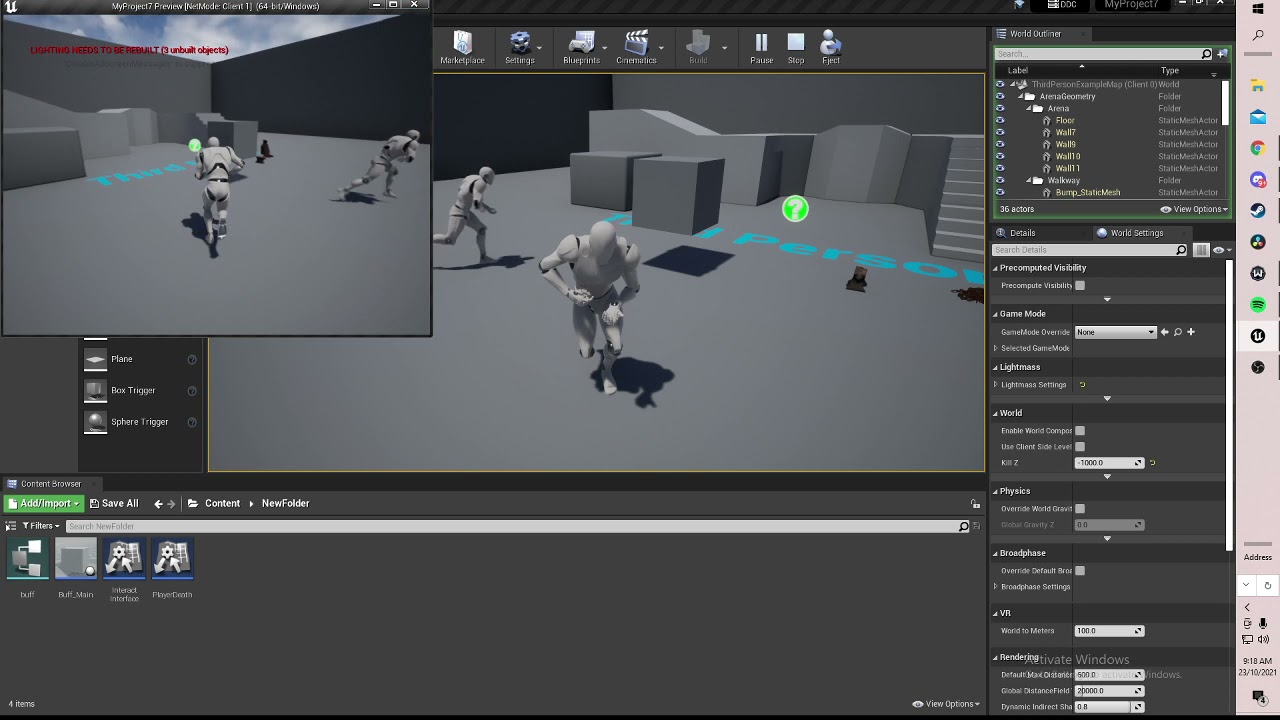
anyone got any idea why this is happening?
make a button that increases speed for 10 seconds when you interact with it but on second client it just kinda makes it stutter around
 jade surge
plush yew
make a button that increases speed for 10 seconds when you interact with it but...
jade surge
plush yew
make a button that increases speed for 10 seconds when you interact with it but...
That's because it's not replicated, it's not a bug... Well atleast not an UE one anyway
you need to set the movement speed increase on the server. Some people (myself included) set the movement speed on the server and the client to keep things synced
plush yew
jade surge
That's because it's not replicated, it's not a bug... Well atleast not an UE one...
like this?

what should i make replication condition
jade surge
uh
you just want to get the movement component, get the max walk speed and set it on the server through a custom event
 desert crow
I need to store large amount of data in the array of strings
The strings will be divided into subcategories of the data
I have an option to Use StringArray or Tmap String.String
Could you advice me, what is better, nuances, what faster?
 warm horizon
Ok so a strange ask here but I’m after a way for a user to go to a website log in and then from the resulting login grab some info from the page. I’m a bit lost on it though. I guess I could maybe use the JavaScript plugin for ue4 but not sure if that’s practical or not. Can’t use a curl for it as it’s not returned like that. The bulk is in JavaScript on the back end of the site. Maybe I could reverse send a message back after successful attempt with the players number/uuid from the game and send that on to the server. Anyone want to help hit me up.
calm crow
I managed to find solution here : https://github.com/CesiumGS/cesium-unreal/issues/552
GitHub
It seems like there is memory leak in cesium for unreal. If 3dtiles files is more than 8G, UE4 will crash due to huge memory after camera zoom in and zoom out. There is a similar issue in cesium co...
 shy rover
How can i prevent material information loss when migrating assets to another project?
None of the meshes have their materials assigned to them and it's a pain to go through everything manually assigning it
 radiant fable
anyone know when dlss plugin will ship with ue4 built in?
fierce tulip
shy rover
How can i prevent material information loss when migrating assets to another pro...
fix up all redirectors before you migrate, and ONLY target the content folder of the new project, nothing else or directors will break.
 bright hatch
hey guys would anyone know why my set direction variable isn't compatible with set speed variable? sorry if this is the wrong chat.
plush yew
Hello I don’t know if anyones knows, but how to make sure anyone has the latest version on steam?
Because in steam I saw that if I publish an update
And then after 1 minute I press play doesn’t update
In order to update I have to close steam
And then open
exotic thicket
Restarting Steam is generally the practice I see recommended to ensure you receive updates
plush yew
Is there any way when open the game to throw a screen that needs update, in a single player game
exotic thicket
You could have a file you host on a server which has the latest version number
Have your game load the file and compare the internal version number with the one in the file
plush yew
This is outside of unreal engine
exotic thicket
Yes, the file needs to be hosted outside of UE
plush yew
Hmmm ok thanks I will check that
 dapper swift
Hi all, is there a way to change the CineCamera aspect ration to 1:1 ? This is for cinematics, not game play.
Set Aspect Ratio
That's literally all epic has on aspect ratio. I wanna just render a 1:1 cinematic
dapper swift
dapper swift
Hi all, is there a way to change the CineCamera aspect ration to 1:1 ? This is f...
Hi, can anyone help with changing the CineCamera aspect ration to 1:1? I've looked into the camera details, and I don't see anything.
 obsidian nimbus
 crisp mesa
Thx, will repost there
 quiet wadi
how hard is unreal to learn? ive worked with blender before but thats kind of it
dapper swift
quiet wadi
how hard is unreal to learn? ive worked with blender before but thats kind of it
It depends what you want to do, there's gaming/interactive side of it, and then there's the cinematic/film side of it. I do animations, and it has taken me about 18 months to learn. But the first 3 months I had got the basics.
 wintry gazelle
Anyone know hot to get rid of this outline when I create a spite?
 quiet wadi
dapper swift
It depends what you want to do, there's gaming/interactive side of it, and then ...
quiet wadi
dapper swift
It depends what you want to do, there's gaming/interactive side of it, and then ...
i wanna go make a fun small game like with resident evil like elements (but on the smaller size)
but honestly
i have no idea where to start
dapper swift
quiet wadi
i wanna go make a fun small game like with resident evil like elements (but on t...
Cool, well, i honestly think unreal isnt too complex to learn, it's just a matter of time that you dedicate yourself. There's enough youtube tutorial and epics own documentation to get your game off teh ground. im not a gamer, but i believe you could get a prototype under a year with some assistance from the community
quiet wadi
dapper swift
Cool, well, i honestly think unreal isnt too complex to learn, it's just a matte...
i have some friends for feedback/to help me
so that'll make it a lot easier
is it even hard to code with the nodes lol
dapper swift
quiet wadi
i have some friends for feedback/to help me
Yes, leverage all your resources, you might need them. You are already in the right place. that's a great start. I only discovered this server this year.
quiet wadi
aye i see thanks
 elder haven
hi quick question, I cant find absolut world position object in 4.26, have they disable it ?
plush yew
i want my rectangle to be slanted

i could use 2 different shapes, just wondering if theres a simpler way
 dapper swift
That looks like a photograph
plush yew
because it is

the left rectangle needs to be at a slant, i could either make the rectangle smaller and add another rectangle rotated
though it seems impractical to use 2 different shapes
is there really no tool that cuts a rectangle
 shell wadi
Is there a way to use multiple "landscapes" so i can avoid hitting my texture cap, but still have them merge at the edges, when i tried to accomplish this by adding "new" landscape with its only Landscape material instance, i couldn't get both landscapes to merge at the edge,
 copper ore
Hello, I have a question for professional for professional programmers.
In industry you use Blueprints too or just C++?
I'm asking this because I'm aplying to a job on a small company that uses Unreal and they asked me to make an Asteroids in Unreal for the first test. I'm a Unity programmer, never used Unreal (and they know it :p), and I don't know if using this blueprints is the right path to show my skills
 sterile lichen
copper ore
Hello, I have a question for professional for professional programmers.
In indus...
sterile lichen
copper ore
Hello, I have a question for professional for professional programmers.
In indus...
always both
just ratio changes
 void kraken
How do I fix this?
Trying to build GPU lightmass
 plush yew
where the triangles at
 turbid wigeon
I wonder if there's any way to know the Unreal Engine 4 version usage? Which version are the most deployed currently? 4.24/4.25/..5.0 ?
 jolly kernel
dapper swift
Hi all, is there a way to change the CineCamera aspect ration to 1:1 ? This is f...
jolly kernel
dapper swift
Hi all, is there a way to change the CineCamera aspect ration to 1:1 ? This is f...
click on camera & look at settings, under filmback
 sterile lichen
turbid wigeon
I wonder if there's any way to know the Unreal Engine 4 version usage? Which ver...
sterile lichen
turbid wigeon
I wonder if there's any way to know the Unreal Engine 4 version usage? Which ver...
don't think there are any public stats, but from what i see in discord mostly are 4.25/4.26 (427 is still "new"). while in early stages of development it is relatively easy to upgrade engine to newer later gets a bit trickier.
turbid wigeon
interesting
i'm considering doign a 4.25 version of my plugin
just trying to evaluated if it's worth the time
next badger
@turbid wigeoni have many versions installed, but it's not related to which one is most used, so there is no way even for epic to know for certain
sterile lichen
turbid wigeon
i'm considering doign a 4.25 version of my plugin
if you writing plugins for marketplace then the more versions supported the more audience you possibly can get
depends also on complexity
 distant siren
hello, in my game an enemy giant chases me throughout the level, when he touches me the player dies.the problem I have is when the enemy touches me the enemy overlaps my character, my character goes inside the enemy, it's a bug, gets inside,the enemy character mesh goes over my character mesh and my character goes into the enemy mesh. is there a solution? I wish that when the enemy touches me my character mesh does not end up inside the enemy mesh body, so I wish my player mesh could stay in front of the enemy mesh,without it being covered
quiet wadi
it looks like the animation is not looping
and the camera isnt holding up
does anyone know how to fix these issue(s)?
yeah its my first project lol
so ill have to do all this over or will it just replace
thanks man
plush yew
where can i find the triangles
 lucid grove
Hey fellas, cant figure out why one of my widgets have Text input, but other dont


Both have public check

What am i missing?
quiet wadi
sorry to disturb you again but the same thing is happening but with jumping
its just going again and again
i might have found it but im not sure
well that was not the fix
i see
so i need 3 seperate animations right
fixed it by turning off the loop
next badger
@plush yew the issue of this method is - all the textures are sampled for every tile
plush yew
next badger
<@456226577798135808> the issue of this method is - all the textures are sampled...
yeah that's right, with the per instance random node in the material :)👍
 sweet jacinth
hello, I divided the touch screen into 2, different control on the right side, different control on the left side, I manage it inside the character, but I need to leave the left side to control the right side, how can I turn off focus for touch, I don't use buttons or anything.
next badger
@sweet jacinth#mobile but i assume you may need a common parent for both, as all events are propagated from View, and view only accessed in C++
fierce tulip
@plush yew can you please post tutorials and such in #released instead. thanks :)
actually nevermind, you already posted this many times before in many channels. Please dont do that.
 pliant junco
hey guys i got 3 anim montage attacks here how can i make it so that it goes randomly to one of the 3
 sweet jacinth
next badger
<@!755818425904791693><#221799368884355072> but i assume you may need a common p...
sweet jacinth
next badger
<@!755818425904791693><#221799368884355072> but i assume you may need a common p...
i don't understand c++


No it's not, I have divided my screen into 2 parts. I can't control both sides with 2 fingers. I have to lift my finger from the left side to control the right side. I have to leave the right side to control the left side. How do I turn off the focus for input?
next badger
@sweet jacinthi;ve explained, that you need to have one widget for both of the sides and capture touch events by the parent...also ask in #mobile
@glacial needle it works in editor but not when you use "launch game" option?
 sweet jacinth
next badger
<@!755818425904791693>i;ve explained, that you need to have one widget for both ...
sweet jacinth
next badger
<@!755818425904791693>i;ve explained, that you need to have one widget for both ...
Is widget necessary because I don't use widgets and I don't want to use buttons in my project.
Have you ever played ark mobile game?
walking there on the left, controlling the camera on the right
next badger
@sweet jacinth you don't have to draw anything on the screen
also, #mobile ...3rd time
sweet jacinth
next badger
<@!755818425904791693> you don't have to draw anything on the screen
can you give an example i am doing it with widget i can't succeed
sweet jacinth
next badger
also, <#221799368884355072> ...3rd time
?
 buoyant graniteBOT
:no_entry_sign: TheEmaJinaTion#8762 was banned.
 jade stump
hello i am new and i want to learn using ue4 can someone tell me any youtube courses or websites to learn using it
sterile lichen
jade stump
hello i am new and i want to learn using ue4 can someone tell me any youtube cou...
check pins in this and other channels
 wraith sentinel
Hey All, super noob Q here. Working in UE with an animated object. The camera is tracking this object but I'm getting insane amounts of motion blur (only need environment to have MB). I've searched around and found little input. The object is a blueprint actor so wondering how I can exclude or lessen the motion blur on that specific object. Cheers, Andy
next badger
@jade stump https://learn.unrealengine.com/
jade stump
thnx so much
 glacial pecan
My streaming level spontaneously unloads while I'm in it! 🙃
 next badger
@wraith sentinel only by injecting some data to velocity buffer, that is only possible in source build of ue via c++ (advanced level)
warm horizon
jade stump
hello i am new and i want to learn using ue4 can someone tell me any youtube cou...
Unreal’s YouTube channel live sessions are good

 opaque kayak
 worn dawn
how can i get double sided quixel assets
worn dawn
how can i get double sided quixel assets
I think you can make the material two sided
but that will still look wierd
better to just build around with other quixel assets and make a full rock
wraith sentinel
next badger
<@!742781548637716580> only by injecting some data to velocity buffer, that is o...
Thanks for the insight. Not too clear on that besides knowing its programming. I had a proxy vehicle originally in place and animated for motion tests and motion blur worked great! But, once I replaced the proxy model with the textured one, then a lot of motion blur and ghosting started to happen on the replaced textured model.

Here's the bad result once in motion.
 worn dawn
i have a campfire and for some reason the audio is playing around my whole map
how can i restrict it
to a certain area
next badger
@wraith sentinelmotion blur only depends on velocity of hte object relative to the camera, to produce the blur PP is used...you can override the scale of MB on the PP, camera or the project
 ocean spear
Anyone know any good courses to learn unreal engine, that aren't like $100?
 ocean spear
Thanks
 patent cobalt
ocean spear
Anyone know any good courses to learn unreal engine, that aren't like $100?
patent cobalt
ocean spear
Anyone know any good courses to learn unreal engine, that aren't like $100?
Beside learn.unrealengine.com there are few good courses also on Udemy, just wait when they go on sale at $10 each.
worn dawn
ocean spear
Anyone know any good courses to learn unreal engine, that aren't like $100?
free course from unreal sensei on his yt
Unreal Engine 5 tutorial for beginners! In this free tutorial we will go over everything you need to know to get started in Unreal Engine 5. Specifically we will focus on Unreal's new features: nanite and lumen. You will learn how to install Unreal Engine, navigate the 3D viewport, create materials and worlds, sculpt landscapes, paint foliage, p...
^^
next badger
@worn dawnyou need to assign a spatialization to it, generally it's done in cue
ocean spear
Thank you all, this helps!
ocean spear
worn dawn
dylan that video is literally perfection
Looks like it
next badger
@worn dawnhttps://docs.unrealengine.com/4.27/en-US/WorkingWithAudio/DistanceModelAttenuation/

Reference for the various models available for controlling the attenuation of sounds.
calm crow
Gosh, ue4 is fast and powerfull, but damm, 92 crash in 1 month, it is a lot

ue4 is fast and powerfull, but damm, 92 crash in 1 month, it is a lot
dawn gull
Am I able to get a reference to an actor in the scene from it's name?
worn dawn
calm crow
ue4 is fast and powerfull, but damm, 92 crash in 1 month, it is a lot
ngl i havent crashed once using ue5
been using for like a week now maybe
ocean spear
UE5 is epic
calm crow
worn dawn
ngl i havent crashed once using ue5
I'm using last stable ue4.27
can't use ue5 on prod
calm crow
¯_(ツ)_/¯
 stray smelt
entirely hypothetical (haven't looked into this). Could you feed a live camera into a material in Unreal and then use some kind of depth buffer to have objects within that feed to be uniquely affected, based on their distance from the camera?
getting some fun ideas as visualizer for a dj set. I'm going to look into it hands on
 cyan barn
in ue can you make a game that has the same graphics as a game like stardew valley?
sterile lichen
i guess something similar could be done with Paper2D
 marsh swallow
The startup movie, it stops playing when I move the mouse
is there a way to make it so that its only when you press a key or click
plush yew
marsh swallow
The startup movie, it stops playing when I move the mouse
What? Disable mouse input boolean or whichever
 sullen fox
plush yew
cyan barn
in ue can you make a game that has the same graphics as a game like stardew vall...
sullen fox
plush yew
cyan barn
in ue can you make a game that has the same graphics as a game like stardew vall...
if you are looking for 2D game development I would recommend something else
 acoustic plover
Hello, I am trying to use the Cape Hill 4K HDRI from Poly Haven in UE4, but when I import it, it is imported as a regular texture as opposed to a "cube texture", does anyone know how to change that?
I can't seem to be able to use a regular texture within an HDRIBackdrop node.
 undone magnet
Does anyone have a guess as to what this means? This happens occasionally after like 15 minutes, directly after loading a map, not in the midst of gameplay or any of that. Thanks in advance! 🍀

 glacial needle
Hey, Does anyone who uses the asset horror engine know why my game is not packaging? I tried a bunch of stuff and i am just not sure...
 ancient lotus
glacial needle
Hey, Does anyone who uses the asset horror engine know why my game is not packag...
ancient lotus
glacial needle
Hey, Does anyone who uses the asset horror engine know why my game is not packag...
well it would help to show what the output log is stating
glacial needle
@ancient lotus i will send it now..
ancient lotus
does anyone know why when moving my mouse fast to the left (2 monitor setup with second monitor on the left) that my mouse starts to appear and kind of flicker as if its getting out of focus of the window? this happens on a packaged project as well and it affects input. for example when im doing this and if i left or right click, the input doesnt get received
the issue gets resolved if i lock my mouse to the center of the viewport on tick but id prefer not to do that
ancient lotus
well nvm i guess, its related to windows borderless. setting it to fullscreen fixes it. its like it cant keep the mouse locked fast enough in borderless
broken spire
How do you cull objects that are behind a wall?
dusk nebula
So for best practice in a hero shooter or something similar, should I focus on making a "base" character and then make each individual hero a child of that?
Also, if I cast at any point to get the health of a character, I can just cast to the parent class for that value if it inherits, right?
broken spire
I have a lot of objects inside of a building and when I specifically look at that building the fps tanks
If its built in then is there some kind of debug tool I can see?
Yeah they're all grouped together
I am so confused this explains how it is working, but I need to troubleshoot it to see if it is or if it is another problem
if I put a cull distance volume inside the building would that work?? 😮
So true lol
sullen wraith
has anyone had experience getting a oculsu quest 2 airlink to work with unreal engine? so i can test the vr game im working on
broken spire
okay my world outliner keeps shuffling itself, when i hit ctrl+z it unshuffles...
I hit ctrl + z and do nothing and then it just randomizes itself
Edit: restarted the project and now it's just permanently shuffled so cool
dusk nebula
How do I set which character to spawn the player as when choosing a player start?
rotund scroll
dusk nebula
How do I set which character to spawn the player as when choosing a player start...
there's a function override in the game mode called SpawnDefaultPawnFor
it allows you to handle pawn spawning manually from a player start location
broken spire
Lets say I wanted to cull a room while I am outside of it, then when I walk into the boundary the room pops into existence... I'm following a tutorial to do that but mine is doing it in reverse? It culls the entire map
In this video we look at How To Setup Culling In Unreal Engine to help with performance in your games!
Timestamps
00:00 - Intro
00:18 - Lets Go Already!
If you find this tutorial helpful please do give a like and maybe subscribe as it really helps me in the long run
Also if you have any suggestions for future videos please let me know in the...
dusk nebula
rotund scroll
there's a function override in the game mode called `SpawnDefaultPawnFor`
Awesome, thanks
broken spire
Figured it out, the dimensions are entirely different
 lime girder
I have a weird question. Say I have a space game with a ship that can move in 3dspace (up/down/forward/back etc., not in orbits).
Should I use Add Force? Set Actor Location? Maybe use a component for movement ( i was looking at floating pawn)
Ideally I can use this for multiplayer/replicate as well.
dusk nebula
lime girder
I have a weird question. Say I have a space game with a ship that can move in 3d...
Pretty sure the deal with set location is that there isn't much of a way to smooth it in real time. Plus, add impulse might just work better for the "zero G" physics
lime girder
I was worried about that with set location yeah.
dusk nebula
All forms of actor movement replicate fine, by the way, as long as you set up your events properly to not get overwritten by authority
lime girder
Oh, i didnt know that, but admittedly replicating/multiplayer is something I am learning in tandem
So you would reocmmend add impulse? For the smoothness/momentum side of things?
dusk nebula
Probably worth trying first, yeah
It's hard to say because I've only messed with shooters
plush yew
Hey boys, I'm new to unreal. Would anybody kindly point me to some basics? Cheers
dusk nebula
plush yew
Hey boys, I'm new to unreal. Would anybody kindly point me to some basics? Cheer...
Mathew Wadstein's channel has a playlist called intro to UE4, and then you should try to find a guide that's more topic-relevant from there
plush yew
oi thanks mate
dusk nebula
Like if you want to make an rpg game, find an rpg guide afterwards
Same deal for any other genre and also multiplayer
plush yew
I see, cheers ^^
broken spire
I can't find any tutorials on how to set up occlusion bounds, or even precomputed visibility volumes.
Can anyone direct me to a video that might have it?
I don't care if its 2 hours long I'll find it lol
lime girder
dusk nebula
Mathew Wadstein's channel has a playlist called intro to UE4, and then you shoul...
I can second this. Built my first game off of his teachings
 prime willow
So is there a node or such that would check for if the button is pressed or in use
or do i have to set one of those up?
broken spire
is there a select hidden option in world outliner?
or lets say I want to delete all lod3's how would I do that?
prime willow
nvm made my own
 sick patio
so i want to make a nuke explosion, with the whole mushroom cloud. i looked at a ue4 tutorial and it looks like snot drippings. I then looked up a blender tutorial and it's amazing. can i make it in blender and transfer it to unreal?
they use animated meshes, he said
 pliant ingot
Hi, has anybody face a problem that after using UE4 for quite awhile, right-clicking in Blueprint will close the drop down immediately?
I have to close UE4 and reopen to continue
 modest trench
pliant ingot
Hi, has anybody face a problem that after using UE4 for quite awhile, right-clic...
modest trench
pliant ingot
Hi, has anybody face a problem that after using UE4 for quite awhile, right-clic...
likely a gpu driver issue
pliant ingot
Thanks!!! I have this flickering as well
pliant ingot
modest trench
might help: https://nvidia.custhelp.com/app/answers/detail/a_id/5157
This fix the flickering issue
dusk nebula
Does anyone know what I'd have to override to allow the player to jump while falling? Seems like "Can Jump" in the Character BP doesn't handle that functionality
 surreal eagle
how the ever living shit do i read varibles from what i'm looking at
surreal eagle
sick patio
they use animated meshes, he said
yes
surreal eagle
pliant ingot
Hi, has anybody face a problem that after using UE4 for quite awhile, right-clic...
yes
surreal eagle
dusk nebula
Does anyone know what I'd have to override to allow the player to jump while fal...
use a launch player function,type a big number in the z axis of the input vector like 600
dusk nebula
surreal eagle
use a launch player function,type a big number in the z axis of the input vector...
I'd prefer to not do that, because then I'd have to manage two different jump heights
surreal eagle
dusk nebula
I'd prefer to not do that, because then I'd have to manage two different jump he...
seethe
dusk nebula
Uh alright then
 surreal eagle
i only made movement
i'm sorry lol
i really need someone with bp experience lol
dusk nebula
I keep seeing the "just use launch actor" solution, and I'm just thinking there has to be a less bootleg way to do it
 dusk nebula
surreal eagle
i really need someone with bp experience lol
dusk nebula
surreal eagle
i really need someone with bp experience lol
#volunteer-projects unless you have like one single question that doesn't require someone to join a different server
dusk nebula
You need a reference to it
surreal eagle
dusk nebula
<#780560005782568980> unless you have like one single question that doesn't requ...
i'm not asking for work,just advice
modest trench
get a reference to it?
surreal eagle
i don't uderstand
dusk nebula
There's a hierarchy of inheritence you can follow for every object type, or if all else fails just line trace
modest trench

Announce Post: https://forums.unrealengine.com/showthread.php?101051
This Training Stream takes a look at Blueprint Communication. We find that Unreal Developers of all levels can sometimes struggle through the concepts behind moving data between objects. So in this video we'll take a look at the different ways to make Blueprints talk to one an...
surreal eagle
scary
dusk nebula
It also depends on what you're trying to access from where
surreal eagle
ok so i'm gonna breifly explain
dusk nebula

surreal eagle
i want to see what the varible is in a different blueprint.
i will have multiple instances of the same blueprint in the world, and i want to get a reference containing the particular one that i'm getting as a hit on a line trace
modest trench
dusk nebula
Does anyone know what I'd have to override to allow the player to jump while fal...
Override CanJump in the BP?
dusk nebula
So in your hit result you take "hit actor," and then you can cast that generic reference to a reference to the BP that would contain your variable
dusk nebula
modest trench
Override `CanJump` in the BP?
Tried; does not work
Something else checks if you're falling before running can jump
modest trench
CanJump is called before the navagent shit if my reading of the source is correct
Works for me!
 surreal eagle
dusk nebula
So in your hit result you take "hit actor," and then you can cast that generic r...
surreal eagle
dusk nebula
So in your hit result you take "hit actor," and then you can cast that generic r...
how do i cast a generic reference
dusk nebula
surreal eagle
how do i cast a generic reference
"Cast to 'whatever the class of your BP is'"
surreal eagle
dusk nebula
"Cast to 'whatever the class of your BP is'"
oh
but then how do i diferentiate between the two
dusk nebula
surreal eagle
but then how do i diferentiate between the two
The hit actor is a reference to that
dusk nebula
You plug the actor reference into the cast node to see if the hit actor is also whatever you try to cast it to
modest trench
the hit actor is a *AActor reference which you can ~attempt~ to cast to anything that inherits from an AAactor
dusk nebula
modest trench
Works for me!
I have two jumps set and it only allows one jump after falling, even with custom logic that would otherwise allow for it
surreal eagle
ok i'm gonna
dusk nebula
surreal eagle
ok i'm gonna
Keep in mind that casting something like a line trace to one specific class isn't best practice, because you will have numerous cast failures in normal usage
You'd want to do something like check first for a hit result and then for interface implementation to make sure you're only running "hit" logic on things you care about hitting, basically
modest trench
Are you sure you are actually overriding CanJump?
surreal eagle
dusk nebula
Keep in mind that casting something like a line trace to one specific class isn'...
ugh
i don't know what node to hook it up to
plush yew
surreal eagle
ugh
No he just means dont try using a cast node in an event tick or loop
call referance to it on begin play
then use it
surreal eagle
plush yew
No he just means dont try using a cast node in an event tick or loop
it's so confusing
i'm new to casting
modest trench
I think you should sit down and watch that video I linked
explains it a lot better than I can
broken spire
How do I edit multiple colliders at a time??
 blissful trail
 modest trench
try running setup.bat?
or maybe even run Engine\Binaries\Win64\UnrealVersionSelector.exe
since it can't see the engine
blissful trail
 broken spire
Bulk edit via property matrix btw
blissful trail
uhm
 modest trench
see you tomorrow I guess 👍
plush yew
How could I use the scene capture with a transparent background?
bright hatch
hi all is there a help section i can post in?
modest trench
bright hatch
hi all is there a help section i can post in?
just post your question in a relevant channel
or this one if you can't figure out where to put it but it's still unreal related
bright hatch
oh thank you heaps @modest trench,sorry if this is super noob but ive set my characterBP with max axis value= to my sprint speed (sprint works) how ever the BP isnt showing walking animation only sprint no matter what even with walking speed set lower. any suggestions im so stuck.
broken spire
How do I downgrade a project? I've tried right clicking and "switch unreal version" but my level does not open
modest trench
broken spire
How do I downgrade a project? I've tried right clicking and "switch unreal versi...
downgrading is not really supported by the engine
afaik
broken spire
you've got to be kidding me
modest trench
bright hatch
oh thank you heaps <@!92824241472307200>,sorry if this is super noob but ive set...
I'm assuming you actually mean an animbp?
broken spire
the tool I just bought only works in a certain engine so I upgraded, completed all that I had to do. Now the mod I'm making is for an older engine, so what... I just don't downgrade? lmao
bright hatch
whoops yes the animationbp
broken spire
Can I export a level??
modest trench
broken spire
the tool I just bought only works in a certain engine so I upgraded, completed a...
I think you can try deleting Binaries, Intermediate and Saved
 devout edge
Is there anyway i can set variables on a blueprint from editor scripting BP or python?
modest trench
bright hatch
oh thank you heaps <@!92824241472307200>,sorry if this is super noob but ive set...
try watching the actual value in the blendspace while walking around?
broken spire
Lets say all I have is a level with colliders, terrain, etc... can I package that and export it?
modest trench
play in editor with the animbp open and the debug object set to your player character
modest trench
broken spire
Lets say all I have is a level with colliders, terrain, etc... can I package tha...
I would suggest trying to make a new project on the version you saved it on and copying over the uassets related to it but I honestly don't know
make a backup before doing something as drastic as changing versions (it's a good habit)
broken spire
I do have a backup, but all the work that I did could only be done with that tool
In unity you can create an asset package and it just does that.
No, actually you can just switch versions it's not that big of a deal
There must be something
Like export - level - save
I'm sure I can figure something out I just don't want to sit here for another 5 hours
modest trench
you can indeed export levels it seems
but you have to be able to open it in a project first?
unsure if this will help you backport the level
honestly I think you miiight be able to cheese it by copying stuff between two editor sessions? let me try
 plush yew
He wants to migrate
broken spire
Yeah it's just geometry, lods, materials, collisions, etc..
modest trench
I guess try copying the project and having one on each version?
then try migrating the level?
1 like = pray for his level migration 🙏
broken spire
I've made a copy of the entire project, downgraded it to 4.21, migrated the level to the folder
Or a blank project?
modest trench
just have at least one backup you aren't messing with
blank project or not should not really matter
broken spire
yeah
Okay I migrated but the level hasn't shown up
its there in the folder but not in engine
plush yew
Needs to be added to Content folder
broken spire
It is definitely in the content folder the umap and uasset is in there
plush yew
Are you sure your in the right project try restarting and check the file path
broken spire
I did and I did
I am double clicking the uproject in that project folder
If I export everything as an FBX does it keep LODs?
broken spire
Its exported but no option pertaining to LODs, just gonna assume that's a big fat no.
But importing to the old project is taking a ridiculously long time so looks like I'm up until 5am looking at this yellow bar
Nah I'm just going to bed this program is toxic lol
grim ore
You pretty much can't go backwards with ue4, there's only pain and suffering trying to get around it
modest trench
the moral of today's episode: back it up!
grim ore
Wouldnt really help in this case. They would be better off trying to backport the tool to the only version they can use.
modest trench
I guess I'm assuming he ported the level after making it to the new version
and didn't have a copy of the original version level
 twilit bough
Hey guys, I heard that in unreal all of your Levels must be in a folder called Maps, otherwise your levels won't build (or cook?). is that true?
twilit bough
ok thanks
obsidian nimbus
project settings has a part where u can include maps for package
fallow jackal
Does unreal engine have an alternative to Unity's fungus?
devout edge
Does someone have any idea what is causing this? invisible asset

its being created with this

i thought it was a redirector too but it isn't
material works just fine
for example:
its saying that its a empty package
 plush yew
where can i find the triangle shapes
plush yew
how do i open an app with unreal (.EXE)
 neon cargo
how do I create low poly assets for unreal engine?
I've searched for days and everything is so confusing
in marketplace, the assets are simply drag and drop
but when it comes to blender, I can't import the material?
warm horizon
neon cargo
how do I create low poly assets for unreal engine?
I've searched for days and e...
Modelling program like blender
Then bake the material to obvs
Pngs*
In this Blender tutorial, we are going to export models from Blender 2.8 to Unreal Engine 4, UE4. We pay special attention to preparing, baking and exporting the Cycles materials.
Intro and outro music by Fred Mantel and Pieter Bas Borger.
Use the remesh or descimate modifier to bring down the poly count
neon cargo
warm horizon
Modelling program like blender
suppose I do the entire low poly modelling in blender, will that be enough to drag and drop in unreal? or will i need other software like substance painter and zbrush?
warm horizon
So high poly model bake it then use descimate to in subdivide It or remesh it to a lower poly shape then use that as the game asset and the baked images as the texture
warm horizon
neon cargo
suppose I do the entire low poly modelling in blender, will that be enough to dr...
There’s a tool to export direct from blender to unreal
I used it to send over buildings landscapes and all sorts
And didn’t need to make it low poly really granted it did start to hang with some buildings I sent with over 10k individual bricks
@neon cargo https://youtu.be/VtS9jS6X4xQ

#Blender #Unrealengine #BlendertoUnreal #Blendertutorial #PBRTextures
support me on patreon only way for me to get paid for these free video : https://www.patreon.com/RenderMystic
Sorry for the audio quality in this video next one will be much better my mic was on the wrong input, In this video we look at how to send your PBR textures from blend...
Another one for just textures
 fervent dawn
does anyone ever stumbled upon for a time dilation effects but based on distance ? *by the enemy
I'm seeking some tutorial but not sure about the keyword search phrases
warm horizon
Haha have to be last in list?
fervent dawn
😛
neon cargo
warm horizon
<@191027324769009664> https://youtu.be/VtS9jS6X4xQ
thank you 🙂
warm horizon
fervent dawn
😛
What’s it for? Single player slowing down scene time?
U could modulate the animations based on distance from particular place or object…..
fervent dawn
warm horizon
What’s it for? Single player slowing down scene time?
yeah, but based on distance, like the slowing down effects will auto activated evrytime hero get closer to the enemy
warm horizon
With an animated speed attribute u change in blueprint
fervent dawn
does it considered as a locking enemy system (as on absolver) ?
warm horizon
Get distance to hero pawn if >than radius animspeed =1 if <radius animspeed=1*distance
fervent dawn
what phrases for such thing reg ?
warm horizon
That’s pseudo code
fervent dawn
wow
warm horizon
Hoping it helps u understand what you’ll need to do
fervent dawn
I'm about to watched some intros from yt video
warm horizon

Want to make your character slow down time to take out the baddies? Or do you want to add emphasis to a bit of action? Learn about time dilation and how to use it in UE4.
Support me on Patreon and get access to videos early, join our developer community on Discord, get exclusive behind the scenes videos on my projects and much more over at http...
May help u
Then in there do a distance check to hero
fervent dawn
warm horizon
https://youtu.be/7XVmlMMAysw
holy mother 😯
warm horizon
So instead of e key to activate use an if distance to pawn is less than radius of effect you want
fervent dawn
ok this is hypothetical ... related to frame rate
warm horizon
??
fervent dawn
I started to feel any of a motion strip during time dilation are pretty lack of frame rate
warm horizon
You will if the animations 30fps it will start to look like shutter flicker yeah you’ll need a 60fps to look smooth at half speed I guess
fervent dawn
gosh 😤
 trim mantle
So. I have a small problem. When saving my shaders my PC freezes
And that is not normal, as I can compare with my work PC
Anything I can do to fix that?
I thought about getting a new SSD
plush yew
plush yew
where can i find the triangle shapes
.
warm horizon
I guess u could drop them in blender make it more FPS then stretch the keyframes out to fit the new length and export them…… not sure though never done it. @fervent dawn
fervent dawn
so probably I need to prepare two different scene, the 60fps and the basic one with 30 fps, I started to loosing some refference, but let's start from Sherlock holmes slow motion fighting scene
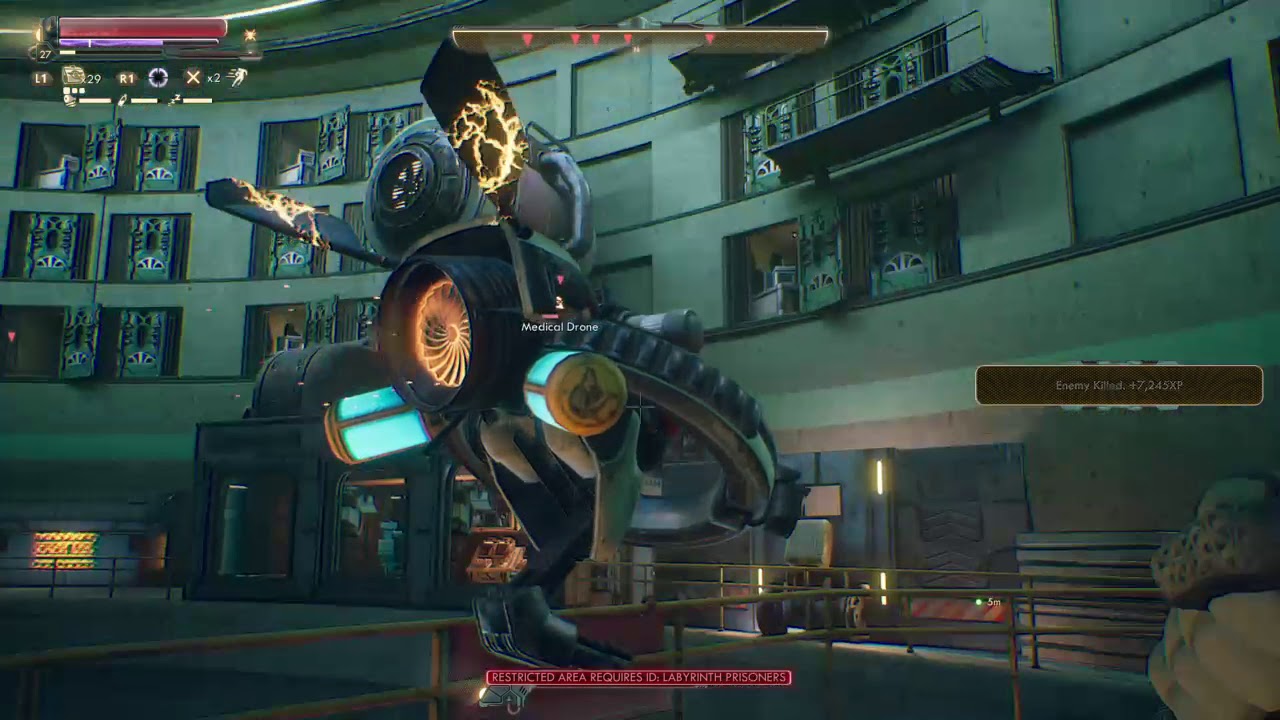
or how about The Outer World time dilation ? how much frame rate you think The Outer World speed during time dilation ?
warm horizon
Tbh I’m thinking if the animations correct it should be able to interpolate between the frames. U got some footage of what your doing?
 warm horizon
I meant your scene atm
fervent dawn
not yet my apologize, I'll be back for some stuff on the next few days, still on texturing period
how about 120 fps 😈
warm horizon
Wouldn’t say it’s Unreal’s FPS if anything it’s the FPS of animation used or how your doing it. Like keyframing in unreal itself may not have enough info to dialate nicely
fervent dawn
yeah let me delete it
warm horizon
There’s probably a lot to think about when manipulating time
fervent dawn
fervent dawn
https://www.youtube.com/watch?v=StqyJJ4O6_c
you think this one using different frame rate during normal and slow ?
I'm quiet doubt it tbh
warm horizon
Nah I think it uses technique from first vid I posted
warm horizon
Mmm
fervent dawn
not necessarily XD

Get a taste of what it’s like to lead a group of legendary misfits as Star-Lord, in this 10-minute first look at gameplay from Marvel's Guardians of the Galaxy!
► Subscribe to Marvel: http://bit.ly/WeO3YJ
Follow Marvel on Twitter: https://twitter.com/marvel
Like Marvel on Facebook: https://www.facebook.com/marvel
Reward your Marvel fandom ...
this one also have time dilation at 4:30
but everytime heroes opens up their casting windows
 sick escarp
I'm trying to upgrade engine version of my project but I get an error with the build.bat and it's asking if I have sufficient rights to run the command even if I start VS as an administrator. What else could be causing this?
devout edge
does anyone know how to create this material for the scope of a sniper?i think its a reflection

 faint meadow
Is 4.27.1 more stable than 4.26.2?
sick escarp
-WaitMutex -FromMsBuild" exited with code 5. Please verify that you have sufficient rights to run this command.
 somber patio
Hey guys! Just added planar reflection to my scene, however for some reason none of the surfaces render the planar reflection. I turned on the global reflection thingy and restarted the game, still nothing. Is there something I am missing?
faint meadow
Ah I see I plan on using EOS, so I won’t be affected by that as much

 sick escarp
2>C:\Program Files (x86)\Microsoft Visual Studio\2017\Community\Common7\IDE\VC\VCTargets\Microsoft.MakeFile.Targets(44,5): error MSB3075: The command ""C:\Program Files\Epic Games\UE_4.24\Engine\Build\BatchFiles\Build.bat" MyProjectEditor Win64 Development -Project="C:\Users\Martin\Documents\Unreal Projects\MyProject - Newest\MyProject.uproject" -WaitMutex -FromMsBuild" exited with code 5. Please verify that you have sufficient rights to run this command.
 neon bough
because your floor doesn't reflect anything
change the material to something that actually reflects light
@somber patio
somber patio
@neon bough the material is a super reflective floor
I have no reflection spheres atm
neon bough
the floor doesn't look reflective at all in the 2nd screenshot
somber patio
Here

This is when added a random reflection sphere
When I make the floor a metal material. It's completely black
neon bough
hmm, ok
you enabled planar reflections in the project settings?
it's a separate setting
somber patio
Only two settings I can find regarding planar
 neon bough
okay, i'm out of ideas then
somber patio
😦
Same, been at this for hours haha
Yes

This is when I turn the floor into a mirror and remove all reflection spheres but keep the planar reflection

Yes, it's on the floor

it's the lowest possible roughness
And can you turn on planar reflections for a material?
Where?

I think you're on to something
haha sorry
I don't seem to have a material of this (it's from quixel)
Found it
THAT WAS IT
Who knew Quixel would disable planar reflection!
sick escarp
2>C:\Program Files (x86)\Microsoft Visual Studio\2017\Community\Common7\IDE\VC\VCTargets\Microsoft.MakeFile.Targets(44,5): error MSB3075: The command ""C:\Program Files\Epic Games\UE_4.24\Engine\Build\BatchFiles\Build.bat" MyProjectEditor Win64 Development -Project="C:\Users\Martin\Documents\Unreal Projects\MyProject - Newest\MyProject.uproject" -WaitMutex -FromMsBuild" exited with code 5. Please verify that you have sufficient rights to run this command.
somber patio
Thank you so much @plush yew ❤️
sick escarp
None
That's all i'm getting
Yeah, I tried going directly to 4.27
But that didn't work so I've started downloading all the between versions to see if any of them would give me a proper error
I have regenerated visual studio project files and deleted intermediate
I've also tried deleting saved and clearing appdata
If I try to create a new project is there anything else than the content, Source and Plugin folder that I would have to copy over?
I don't use git(though I should) but It compiles fine if I go back to 4.22
 long edge
I'm working on a vr project. PIE and build works fine but 'Standalone Game' crashes on start with EXCEPTION_ACCESS_VIOLATION. There's no error in the logs so I don't know how to troubleshoot. Any ideas?
grim ore
sick escarp
I don't use git(though I should) but It compiles fine if I go back to 4.22
That is just a generic something failed during the project generation and compiling stuffy part so you definitely have more errors somewhere else causing this issue
If this happens in visual studio check the other tabs and look for other warnings and errors it's not going to be obvious unfortunately
long edge
good shout
am on quest but over airlink. wish I had a link cable to remove that extra unknown
sick escarp
grim ore
That is just a generic something failed during the project generation and compil...
Do you think it would be more obvious if I try it in 4.23(next version over the one I'm currentl using)?
 hasty stone
hi guys i have question
How can I make a sucker?
To absorb the objects around him
Or at least help me define a code that recognizes objects in collision
 raw crag
whats that free moodboard program everyone uses called? I can't remember and google wont tell me
plush yew
Hey sorry, very new here and I tried googling this already but I wanted to use some of unreal's interactive tutorials I liked theirs on materials and it was great, better than a youtube tutorial I watched yesterday. However the tutorials panel says Ive completed them all and I cannot click on them, is there a way to undo this 'completed' mark?

 lofty shale
raw crag
whats that free moodboard program everyone uses called? I can't remember and goo...
lofty shale
raw crag
whats that free moodboard program everyone uses called? I can't remember and goo...
Miro?
 candid arrow
Hey , i have an issue, when the player die i can move the camera anywhere, how do i fix it?
plush yew
how do you redo something?
somber patio
Hey guys, when I use blend materials from Megascans, I get this? Never had this issue in UE5. Using 4.27.1 now.

 steady bramble
Hi, i want to destroy actor based on distance from another. What is the best way how to do it? Thank you
dusk nebula
steady bramble
Hi, i want to destroy actor based on distance from another. What is the best way...
On tick, get actor location for both, get vector length, compare and then branch into "destroy actor"
somber patio
Thanks!
wraith sentinel
Greetings! Still having issues with motion blur. I have a scene that's been working great, however I have a moving object that's tracked with camera and no motion blur that needs to be switched with the correct blueprint model that has all materials, etc. I only need motion blur for the environment, not on the vehicle. Why, when I switch out the model does that motion blur suddenly effect the replaced model, but not the previous one? Seems to only happen because of the materials?
dusk nebula
Can someone tell me why my packaged project's process is just called "UE4"? I'm sure there's also a way to change the icon for the process, but I just don't know
raw crag
@lofty shale PureRef
It was really bugging me I couldn't remember it
 indigo falcon
hi guys can anyone help me how to create a BP _player base like in photo so i can make children of it with different meshes as whenever i create it without a mesh it spawns nothing please help
 trim mantle
indigo falcon
hi guys can anyone help me how to create a BP _player base like in photo so i ca...
trim mantle
indigo falcon
hi guys can anyone help me how to create a BP _player base like in photo so i ca...
You mean.... Right click -> create child class?
Or do you want to create a parent class?
indigo falcon
but how make the default character your child class
In the world settings.
it always spawns the parent mesh
children mesh already set
i have a gamemode let me check
trim mantle
How did we went from Parenting to Default Pawn in GameMode? xD
indigo falcon
i cant seem to find its asking for BP selection not children of that BP

i cant seem to find it its only asking for character BP

i have 3 children with 3 different meshes
dusk nebula
Could somebody tell me if I'm understanding inherited variables correctly? Say I take the template's First Person Character, implement a health variable, and then create a child of that blueprint. If I were to take the hit result of a line trace, for example, and cast that actor to First Person Character, despite it being the child, will I be able to access the Health variable successfully?
 wary wave
yes
dusk nebula
Epic
So in theory, if I've set everything up with one character class and have decided that I actually want multiple characters, everything would function correctly, assuming I don't change some of those inherent variables?
More or less my idea is to make a "base" character that will contain the shared properties of all other characters so I don't have to change an absurd amount down the line
 grizzled axle
yes, that's pretty nice for stuff like health, stamina etc and common functionality that all characters should have
dusk nebula
And another dumb question, but if you change something in a parent, that updates for the children, right? Like if I were to add a new variable for something different, the children would inherit that as well?
grizzled axle
yes, child will have everything that the parent has
dusk nebula
It's more of a real-time system than a snapshot then, right?
grizzled axle
not sure what you mean by that
dusk nebula
As in, creating a child blueprint doesn't only copy the properties of the parent from the time when the child is created
Changing the parent will change the child is what I'm asking
grizzled axle
yes, if you didn't change the value on child, then it will update to new parent value, but if you changed the child value, then it uses that, so it doesn't reset your changes
dusk nebula
I see
My main concern is of creating a parent blueprint and then a child, and then realizing that I should do the parent a different way and having to go back a ways to fix it
grizzled axle
so if parent has health 100 and you dont touch it on child, and change parent health to 120, now child has 120 health too but
if your parent has 100 health, then you change child to 200, then parent to 150, child will still have 200, since you made it different than parent value
dusk nebula
Understandable
But if, for example, I change how a parent pickup is interacted with, it will change the child's functionality as well?
grizzled axle
yes
dusk nebula
Cool, thanks
grizzled axle
unless you do virtual function / custom event and don't call parent function in child
if you want it to behave differently than parent
dusk nebula
grizzled axle
if you want it to behave differently than parent
I'm not understanding this, sorry
grizzled axle
so, lets say you have pickup class, then parent pickup, then child pickup, you might want that the child does different thing than parent
when picked up
dusk nebula
So you're saying I'd have the option to either run the parent's functionality or the child's on that event?
dusk nebula
If it's a powerup, you'd want it to destroy itself and then run another function or event, so I would just change what function is called, then?
grizzled axle
you would have the same event/funtion in child, but different code there
dusk nebula
So the destruction might be in the parent and then I'd create it in the child from that point?
grizzled axle
it's still same object, so if parent calls destroy, it will destroy the child too

An overview of the Advanced Blueprints example level, example 2.5: Child Blueprints
look at the picture, child is calling "Parent: Begin play"
so it runs all the code in parent class too
dusk nebula
Yes, but I'm saying I would create a parent that gets picked up, and then each child would have its own event for its effect
grizzled axle
yeah, that would work
dusk nebula
I should generally just use events local to the child, right? I know there's two nodes because the parent has a begin play, but does it matter which one is used?
grizzled axle
if you want the code that is in parent to run, you should call it too
so let's say your parent prints ("picked up") but your child doesnt, if you don't call the parent function, then you wont see the print
dusk nebula
For this example it might be all in the child, but if I used the character I have created, I guess I would call both the parent and child begin play
grizzled axle
yeah
like, you could have dead event that disables movement in parent, then in child you might make enemies drop loot etc, without making all characters drop loot on death
dusk nebula
Cool, I think that answers all of my questions
 rugged harbor
Curious; are the unreal docs available in a repo? ( docs dot unrealengine dot com )
 real moth
anyone know how to get back to the normal unstretched viewing?
I can change fov to 100 but it automatically increases back up to 170
 sullen wraith
is it hard to get working voice chat working in unreal engine?
fierce tulip
real moth
anyone know how to get back to the normal unstretched viewing?
I can change fov ...
tiny down arrow next to "perspective" in viewport has fov. change that back to 90
real moth
fierce tulip
tiny down arrow next to "perspective" in viewport has fov. change that back to 9...
i do but it auto changes back to 170
fierce tulip
then a blueprint might be overriding it, but iunno much about bp's ¯_(ツ)_/¯
real moth
fierce tulip
then a blueprint might be overriding it, but iunno much about bp's ¯\_(ツ)_/¯
okay dw ty for ur help!
fierce tulip
:)
fierce tulip
rofl
been there with random camera movement when cat decided the controller is the purrrrfect place to sleep on
obsidian nimbus
i got jumpscared by my controller a few times when it just decides to rumble
 wet schooner
Does anyone know if there's any way to making collisions less horrible
or do i have to do it 3d programs
when scaling something there's no smoothness in the gizmo
it just creates these arbitrary scale amounts
I need to scale in small amount but unreal refuses to do so lol
fierce tulip
disable scale-snap in the top right of the viewport.
wet schooner
Oh it is
But it still won't let me scale it smoothly with small changes
It looks smooth when zoomed out
but for small tweaks it snaps a little even though I turned it off if that makes sense
fierce tulip
for specific and finer details you can always manually enter scale values.
wet schooner
moving is pretty smooth so i just cheated with duping two them up and down like this lol

oh I see I don't know about extend values but I could try turning on scale and using a custom value
hmm idk if that helps, I wish we could just manually set values or a slider, using gizmo for these precise small things is horrible lol, or maybe we can and I haven't found it yet. going to look around some more
but thanks for thinking with me
fierce tulip
and you can change the scale snapping percentage
wet schooner
ah yeah I think I found something allowing me to do manual changes if I find the right collision primitive
I changed the scale snap percentage to 0.001 but it still didn't allow me to be smooth enough for very small changes
manual is perfect, i'm glad that's a option I now managed to find lol
all that precision 😩
 plush yew
grats
wet schooner
you're not wrong, if I wasn't working with literal tetris esque cubes right now I would do that
 cloud stone
What's the actual difference between selecting C++ or Blueprints when first creating a project? If I select C++, does that mean I can't create blueprints and vice versa?
fierce tulip
nah. cpp just prepares some files, but you can always add cpp later.
cloud stone
So I have all the blueprint functionality as well as C++ functionality if I select C++?
rugged harbor
I commonly start with blueprint and then add C++ files
fierce tulip
even when you select blueprint.
cloud stone
Oh
cloud stone
rugged harbor
I commonly start with blueprint and then add C++ files
Any specific reason for that?
rugged harbor
To be honest, I haven’t tried the other way yet (adding blueprints to a C++ project). If I know I want to use C++ in my project but still want blueprints later, I just start with a blueprint project, and then File > Add C++ Class.
Would probably be good for me to get familiar with adding blueprint to C++ project as well though. 🤔
fierce tulip
rightclick in content browser > add blueprint class > pick one. done XD
cloud stone
Ah I see, so what I'm getting at is that it doesn't matter at the end of the day. But if I know a majority of my game will be C++ for example, it'd make sense if I made the project in C++ originally right?
And also - Is there an easy way to convert C++ -> Blueprint or Blueprint -> C++?
rugged harbor
fierce tulip
rightclick in content browser > add blueprint class > pick one. done XD
That easy huh? Well that’s awesome!
fierce tulip
picking cpp just helps you get started if you wanna focus on cpp. there is no other benefit from it. just keep that in mind :)
cloud stone
Learning portal 🤔 Sounds familiar. Is that in the epic games launcher?
rugged harbor
cloud stone
And also - Is there an easy way to convert C++ -> Blueprint or Blueprint -> C++?
It’s one of the first pins in #cpp 😁
cloud stone
Thanks!
 meager marlin
is there a way to 'read' contents from a specified folder?
say i want to list a set of assets from an assets or data folder, how would go about doing that?
 fading lake
Hi does anyone has an idea how could I improve the looking of the slow motion effect? when I set it to quite low values like 0.1 using time dilation there are so many artefacts like those weird squares on the bow while moving it fast, or the whole scene jittering while moving the camera very slowly
fading lake
meager marlin
is there a way to 'read' contents from a specified folder?
say i want to list a...
IFileManager
sweet jacinth
Hello Friends, in the 1st picture, I divided my touch screen into left and right two.
I gave the camera control on the left side of my character's walking process on the right side, when I tap on the left side, there is no problem when I tap on the right at the same time, but when I tap on the right side, the left side always targets the right side.
 fierce tulip
@fading lake please dont ask the same question in multiple channels. *points at the #rules *
fading lake
oops, sorry, I wasn't sure which channel would be the correct one
fierce tulip
think general in this case is fine.
@sweet jacinth please be patient, and in the meantime read the #rules
sweet jacinth
🙂
meager marlin
fading lake
IFileManager
and to retrieve the contents of the folder? would it be the IFileManager::Get()?
fading lake
yeah
meager marlin
fading lake
yeah
Guessing it has to be looped for all contents in the folder?
fading lake
im not sure tbh, you will have to look at the source
meager marlin
I see 
Just trying to figure out UI in-game that shows you all assets in a folder. This folder can be injected with more assets by the user from the windows file explorer. User can then select an asset and spawn it in the world
If they need to select an asset, they're technically selecting the index of the asset no? Does that mean contents in a folder are already indexed within the folder, the folder acting like an array? Or would I need to build a class that reads from a folder and stores them in its own array so it can be indexed?
 vague lake
Hello everyone i need help please , i have this assert from marketplace but no support, i want to left click on mouse and then active the floyd, in the toturial he say to add "Event Tick" BUT I ALREDY HAVE EVENT TICK, , ANY ONE HAVE A SUJJUSTION FOR ME WHERE TO CONNECT THE "ACTIVE" ?
bp

 shadow ravine
Is there anyway to fix an animation that has movement in it. I just purchased an animation pack from the store and some of them aren't set to move in place. Is there an easy way to resolve this?
cloud stone
How can I make it so that when I create a new C++ project, Rider comes up as my default ide instead of Visual Studio? As of now I have to manually change it every time I make a new project.
shadow ravine
vague lake
Hello everyone i need help please , i have this assert from marketplace but no s...
Explain what you're trying to do a bit clearer, I'm sure this isn't a tricky fix?
vague lake
im trying to do this

Hello everybody! This video is a basic overview of how the Fluid Pumping & Hose System works, and how to do basic integration into your project.
You can purchase this system on the Unreal Marketplace!
https://www.unrealengine.com/marketplace/en-US/product/fluid-pumping-hose-system
on 18:00
to active the hose
shadow ravine
Okay what type of event are you using to trigger it
rugged harbor
cloud stone
How can I make it so that when I create a new C++ project, Rider comes up as my ...
You can set that in Editor Preferences
I believe will be the case for every project - will need to check if there is a “default project” like blender for persistence.
vague lake
so thats the problem, the Autor suggest to add "Event tick" but i already have event tick i can't make 2
vague lake
shadow ravine
Okay what type of event are you using to trigger it
.
so i dont know what event to triger it
shadow ravine
You can use a sequencer on your event tick you already have
shadow ravine
Okay so mouse left click is your event, so you could create a boolean variable called isHoseOn then set that to true if mouse left event is triggered then set it to false on release. Then on your event tick you could just create a branch for isHoseOn then if true fire the hose event
shadow ravine
No problem 🙌
vague lake
just, can you tell me where is "then set that to true if mouse left event is triggered then set it to false on release" ?
after i crean isHoseOn boolean
shadow ravine
vague lake
just, can you tell me where is "then set that to true if mouse left event is tri...
Something like this
 rugged harbor
cloud stone
How can I make it so that when I create a new C++ project, Rider comes up as my ...
plush yew
rugged harbor
cloud stone
How can I make it so that when I create a new C++ project, Rider comes up as my ...
plush yew
I have learned some techniques at work for unreal engine and twinmotion but upon reading they are part of a non disclosure, the plugin we use is pretty simple to remake, i imagine remaking it on a stream and sharing how I use it wouldnt get me in trouble would it
its basically a tool that brings in materials from blender but i could make some python scripts that do the same thing and I feel like this is something more people need their hands on
since blender just sucks when it comes to material baking
rugged harbor
(not legal advice) If the techniques are not patented and you are not bound by a company agreement, I see no reason why not. You should be aware that some companies will claim ownership of your work while you are still under their employ through the contract you signed.
 obtuse hare
Does anyone know of a way to track data like for example every time something is blue, red, or green and see the %?(outside of UE)
 trim cedar
Anyone know how much of a performance impact extra bones in the skeleton have? image is what I have currently . (I only need the arms, so thinking about deleting the rest) but don't really want to retarget animations I've already done if I don't have to
 neon bough
if im not wrong you can use the same animations with a simplified skeleton
but you may need to keep everything between root and arms (so the spine mostly)
trim cedar
ah gotcha so I guess I could delete the legs as that wouldn't affect the "hierarchy"
neon bough
yea
also would remove the hands if you dont need them (thats a thing you can not say in every chat :D)
trim cedar
out of interest do you know if its bad to have a key on each frame ( it seems upon exporting maya has added these keys)?
I'm not sure if this will result in bad performance too
neon bough
unreal will compress them probably
at least theres options for that, not sure if it does on the actual asset or only before it's used on runtime
vague lake
i managed to turn the water on , anyone have tip how to fade the fire out when hitting the water ?
like, what should i search in YouTube for ?
neon bough
then take a look?
vague lake
its partials
neon bough
if it's niagara you might be fine with controlling the spawn amount/rate
otherwise, scaling down the whole thing would be an option (also for niagara)
depends on how the particles are made up
 neon bough
i would reduce the spawnrate if possible
only scaling down doesn't look that good
that fox also looks a bit sus
i bet he is the firestarter
neon bough
nice
vague lake
thanks for helping
 indigo cradle
I wonder why Movie Render Queue .EXR output is 16-bit while the Sequencer outputs 32-bit. Would anyone share thoughts on why this is so?
plush yew
@rugged harboryeah somehow they own all the work on my artstation minus the marvelous designer content
i dont complain however the job is enjoyable and im paid ok
minus their addons game development with blender is just so bad
i get why people wont adopt it
but its animation tools are great
 haughty bluff
 drowsy snow
plush yew
minus their addons game development with blender is just so bad
drowsy snow
plush yew
minus their addons game development with blender is just so bad
Agreed with this.
Blender doesn't put much priority for game development support, even though huge studios backing them financially.
Though to be fair, it wasn't that long either.
 weary basalt
@haughty bluff Try the #ue5-general channel for help specifically on UE5.
 peak sorrel
anyone have any preferences on 2d versus 3d minimaps for shooters?
drowsy snow
peak sorrel
anyone have any preferences on 2d versus 3d minimaps for shooters?
2D minimap is much easier on performance.
peak sorrel
I've been thinking about how most systems are 2d like titanfall or COD, 2d+ like elite dangerous, or 3d

like this one post I saw online for black desert online
has this sick 3d map, but I'm aware it probably isn't performant
also wouldn't work for anything other than an mmo I imagine
I just imagine that the more you get into 3d maps kinda like battlefield it might be more useful to have more of a 2d+ minimap
drowsy snow
With 2D minimap, you'd only need to match 3D world position's X and Y axis relative to the 2D image, without scene capture. Light on performance, perfect for designs where performance is king.
With 3D minimap, best practice would be to use a dedicated, scaled down version of the map, and match the locations of the entities relative to it. But chances are you'd take the lazy route and use bird's eye camera. Scene Capture is also not easy on performance.
peak sorrel
I've seen people on the reddit talking about getting the height map of their maps and using it for their minimap
which would work for most shooters, and then your markers are generated based on server events like someone firing
rotund scroll
I can't imagine the headache with trying to work with indoor spaces in a 3d minimap
peak sorrel
rotund scroll
I can't imagine the headache with trying to work with indoor spaces in a 3d mini...
yeah wouldn't work with anything bigger than a 1 story building
rotund scroll
if not the performance, then the visual noise alone would kill any reason for having it
peak sorrel
 drowsy snow
peak sorrel
I've seen people on the reddit talking about getting the height map of their map...
drowsy snow
peak sorrel
I've seen people on the reddit talking about getting the height map of their map...
This could be the solution, if you're working with Source Engine.
Unreal Engine 4 doesn't benefit much from displacement planes.
peak sorrel
something like this is a good medium I think
rotund scroll
plus, one of the great things about minimaps is that you don't have to consider input for it. with a 3d minimap, you'd likely have to rotate the camera
rotund scroll
peak sorrel
this works because it's a huge open 3d space
peak sorrel
yeah I guess it would add at least another dimension
rotund scroll
as soon as you introduce physical collision and that has to show up on a radar, you're going to have much more visual clutter to deal with
drowsy snow
peak sorrel
I propose a trick.
This could be done with 2D minimap. You'd just have to fake the elevation with some lines and vertical positions. It's kinda similar to how Legend Of Zelda A Link To The Past did 2D elevation back in '92.
peak sorrel
That's a good idea
I'm working on this scifi shooter kinda thing
still theory crafting
I think I might mock up a couple of different types and see where it takes me
 vital mountain
Hello guys
newbie here, how can i export my level from 4.26 to 4.27?
becose i want to create a level with megascans and it´s not possible to use the megascans on 4.27 for what i know
drowsy snow
peak sorrel
I'm working on this scifi shooter kinda thing
If it's not a space shooter, there's barely any additional benefit 3D minimap offers over the 2D counterpart.
drowsy snow
vital mountain
becose i want to create a level with megascans and it´s not possible to use the ...
What do you mean? Megascans Live Link plugin works in 4.27.
vital mountain
drowsy snow
What do you mean? Megascans Live Link plugin works in 4.27.
So i can use assets and create everything in 4.27?
can you explain how to set that up?
drowsy snow
vital mountain
So i can use assets and create everything in 4.27?
Well, yeah. Nothing stops you from that.
drowsy snow
vital mountain
can you explain how to set that up?
As far as Megascans plugin goes, it's just the matter of installing the plugin from Bridge.
peak sorrel
drowsy snow
If it's not a space shooter, there's barely any additional benefit 3D minimap of...
it could be space, but I'm looking at dense urban environments with a lot of floors which means it could be beneficial to introduce a vertical aspect
dunno, still in theory stage
I will see what is practical
vital mountain
drowsy snow
As far as Megascans plugin goes, it's just the matter of installing the plugin f...
Ok i will check
im downloading 4.27.1
is going to be any problem if later i want to open that project on 4.27?
drowsy snow
vital mountain
is going to be any problem if later i want to open that project on 4.27?
No. Minor hotfixes shouldn't matter.
vital mountain
do you have some guide or something on how to set up megascans on 4.27?
drowsy snow
peak sorrel
it could be space, but I'm looking at dense urban environments with a lot of flo...
That would be floor based, and it's rare to have elevation actually matters in that case.
Even in scenarios like shooting from an opening (like central openings), players intuitively figure out the enemy elevation on their own, with just the aid of 2D minimap/compass.
drowsy snow
vital mountain
do you have some guide or something on how to set up megascans on 4.27?
No. It's a standard affair like prior versions. Nothing changed front end wise.
peak sorrel
drowsy snow
That would be floor based, and it's rare to have elevation actually matters in t...
so what I was kinda thinking was you could specialize in like this sensor array if you wanted and it would give you the ability to get the 2d+ look from elite dangerous, or maybe you could open a screen and look at a 3d wiremesh representation of a certain radius around you
rotund scroll
it's probably worth implementing the rest of the gameplay before even thinking about the minimap
because the gameplay will drive the needs of the minimap
peak sorrel
true, I'm asking though because it's sort of critical to the gameplay I think
peak sorrel
can I dm? :p
rotund scroll
thanks but no thanks
but you can post it here. nobody is going to steal your awesome idea (tm)
peak sorrel
fine the gist of it is to raise skillcaps in a shooter by introducing complex systems
and I'm playing with players having reactors that bleed off radiation as they do higher level abilities
and the more you output the brighter you appear on people's minimaps and stuff
rotund scroll
I think you should still consider implementing the main gameplay first
you don't know how important it will be until you try it
maybe you'll figure out halfway through that it's actually better not to have the minimap at all and just have a pseudo wall hack against the players with high radiation
just a thought
peak sorrel
That's rad too
rotund scroll
but yeah, figure out the gameplay first
then IMO you'll have a better perspective on what systems you'll need against the better players
maybe you could make their heads swell in size? 🤔
peak sorrel
😂
void kraken
Anyone aware of how to fix issue with GPU Lightmass?
it just crashes for me with message: D3D crashed
Sped:
CPU: Ryzen 9 5900HX 8 Core processor
GPU: RX 6800M 12 GB VRAM
RAM: 32Gigs 3200Mhz
HDD: M.2 SSD
Windows 11 Pro
 brave bridge
void kraken
Anyone aware of how to fix issue with GPU Lightmass?
it just crashes for me with...
brave bridge
void kraken
Anyone aware of how to fix issue with GPU Lightmass?
it just crashes for me with...
Have you cleared the swarm cache?
That was a problem for me a few months back
 gilded hatch
Good evening!
void kraken
brave bridge
Have you cleared the swarm cache?
That was a problem for me a few months back
how do u clear that?
gilded hatch
Is anyone online that has experienced this error and have found a resolution? "Fatal error: [File:D:/Build/++UE4/Sync/Engine/Source/Runtime/Windows/D3D11RHI/Private/D3D11Util.cpp] [Line: 198] Unreal Engine is exiting due to D3D device being lost. (Error: 0x887A0020 - 'INTERNAL_ERROR')"
 void barn
 outer fern
Hello I am currently having some problems with creating a quest in unrela engine because my quest just doesn't display can anyone help me?
plush yew
i absolutely love being able to use real geometry for my background instead of hdris like i would in blender lol

even without nanite the fps impact is so small
 desert plume
Does anyone make their own sandbox game here? (aka gmod)
plush yew
i worked on s&box a little bit
aka garrysmod 2
but i got bored of the project and wasnt being paid
was volunteer work
i started making a similar game in unreal the one in the screenshot above
all it is is some enviorments and characters i cobbled together with some jacked eyes and skin from metahuman on daz characters
idk what im doing or what i want to make really
just experiementing with things till i get inspired to make something
indigo cradle
Has anyone tried to do this in Unreal?
https://twitter.com/w_landgren/status/1451630254322245636


Getting somewhat of a useable shoreline effect by using a video of waves to power a displacement https://t.co/u16k1lnB8g
Retweets
519
Likes
5278
 Twitter
·
desert plume
plush yew
i worked on s&box a little bit
Twitter
·
desert plume
plush yew
i worked on s&box a little bit
Source 2 good engine
Many people say that it is better than UE5, but they do not say good reasons, given that there are very few sandbox games on UE
plush yew

I hope they finish datasmith for blender soon
having to bake materials is probably the only thing i dislike about blender
 vocal nimbus
anyone know why my mixamo imported model looks like this?
 exotic thicket
@vocal nimbus I had this problem just the other day - open the materials for it, and switch it from translucent to opaque. I don't know if they're designed to work that way or what, but at least it'll make it look better
desert plume
@plush yew To get money and community, kickstarter is great, as long as of course you show players that you really want to make a good sandbox game on UE, because the sandbox of games on UE is very small.
You'll get the money and you'll be able to hire more developers to do it.
Stonks
exotic thicket
This assumes you manage to market your project and kickstarter well enough to actually get people to look at it and subsequently back it - which is significantly easier said than done
desert plume
Yes
vocal nimbus
exotic thicket
<@!548146597364760577> I had this problem just the other day - open the material...
I dont see the transparence check box?
exotic thicket
it's not a checkbox, it's a dropdown one of the ones on top I forget what the label on it was
also it says translucent, not transparent
yeah might be it :)
vocal nimbus
 exotic thicket
Like I said you need to open the material
It's a setting on them
You'll probably have to do it for each of those materials listed there
 exotic thicket
compile the material, save it, and then do it for the other materials as well
vocal nimbus
correction, its solved. thanks @exotic thicket @plush yew
exotic thicket
👍
vocal nimbus
another one, does anyone know how to get foam or water splashes in ue?
drowsy snow
vocal nimbus
another one, does anyone know how to get foam or water splashes in ue?
Maybe distance field or some heightmap trickeries?
I think the free Ocean Project uses the latter.
That's assuming you're referring to shoreline foams.
 ruby robin
Hi! Does anybody know, where I can find logs from a Project Launcher game session (Win)?
vocal nimbus
drowsy snow
Maybe distance field or some heightmap trickeries?
seems like it is not available for ue5. Yikes !
 faint bone
hello everyone.
i need help, im trying to implement fading static mesh or a actor when camera overlaps it. but i can't change material of simple static mesh which only overlaps.
drowsy snow
vocal nimbus
seems like it is not available for ue5. Yikes !
Surely it can be just run in UE5, given that it is a UE4 project.
...right?
vocal nimbus
i cant seem to add it in ue5
vocal nimbus
😆
wary wave
drowsy snow
Surely it can be just run in UE5, given that it is a UE4 project.
...right?
No. Code plugins cannot be simply migrated from UE4 to UE5
plush yew
anyone know why a roof would become brighter than the rest of the scene

it happens with and without raytracing
with and without rtx dggi
and its the same mat as the wall there
only happens during low sun angles like sunrise and sunset
prime willow
plush yew
Maybe its lighting position
or lack of dimness at that height?
also kudos to you for working on your project so late into the morning ❤️
plush yew

 chilly geyser
I made a KillFeed! But I need design inspiration. What is the best KillFeed in a shooter game?
plush yew
really enjoy the cyberpunk rtx plugin thingy
ddgxi or something like that
what i dont understand is if this plugin was used in cyberpunk 2077 that means it was around before unreal engine 4.27
wish they would release it for 4.26
exotic thicket
What does Cyberpunk using something have to do with UE? 🤔
prime willow
nver heard of this cyberpunk plugin
exotic thicket
Cyberpunk runs on CDPR's own engine
prime willow
HMMMMMMMM
chilly geyser
heres the info I have it displaying now. the icons are for affects like in counter strike (headshot, through smoke etc) should I add anything?
 exotic thicket
This probably depends 100% on how your game's kill mechanics work and what information matters for it
prime willow
broken pevlis bone lol
chilly geyser
FPS MilSim type
I mean those would just be additional affects
Im asking for "whats the best looking killfeed in an existing game" for design inspiration
prime willow
honestly pick something more akin to your own inspirations
and look at other gme examples for what you like
chilly geyser
I already have my own prefs Im asking
chilly geyser
to gauge what ppl like
exotic thicket
As long as it shows who killed who it seems good enough for me. The rest of it is mostly for spectators to see if something fancy happened, eg. through smoke or no scope markers in CSGO
chilly geyser
like the new BF has neon letters and stuff
I feel people generally like those little weapon glyphs instead of it spelled out in text too
exotic thicket
As long as it's easily recognizable by the icon
Usually what matters is how quickly you can see information like that from it, for example in in PUBG or something so that you know what guns you might be facing
since you'd play differently vs. an SMG than you'd play vs an AWP for example
 opaque eagle
Hi everyone. I will be grateful for your help. Does anyone know why such deformations can occur when simulating alembic hair. UE 4.26
 plush yew
i dont understand why no one wants to answer my question
prime willow
Whats yourquestion