#ue4-general
1 messages · Page 1074 of 1
 wary wave
I'm not familiar enough with Macs to answer that, but it's a common issue in Windows that Windows will start to assign the integrated device rather than the dedicated one - someone in #macos might know more
 drowsy snow
Since you're using Apple devices for development, yeah, #macos might have better answer
Macs are weird kind of PCs anyway.
wary wave
more stigma, I suspect
Apple had along run of pushing fairly poor hardware for a heavily inflated cost
but they're a lot better with that these days
they used to charge $150 just to buy a completely pointless "adapter" to allow the system to support two HDDs
essentially soldered two connectors for a custom PCB where you'd normally see a cable
I mocked that one relentlessly 😂
 light thunder
Wait - which leads to more locking up and hitching? Higher numbers or lower
 plush yew
That happens
 stark raptor
hi guys i have a question, how do i create a locked door and to unlock it you have to insert a pin?
plush yew
stark raptor
hi guys i have a question, how do i create a locked door and to unlock it you ha...
One way:
Create an unlockable door
Create a Boolean: HasPin
If the player gets the pin, set the Boolean HasPin to true
Set up a branch node in the BP of the door so that it only unlocks when the Boolean is true
If you mean enter Pin as in: opens up an UI element in which Pin is entered, you need to change some steps.
Interacting with the door would add a Widget to the viewport from which you enter the pin, and then check if the pin is correct if it is you call the unlock door function.
stark raptor
I am creating a guessing game and to access the next room you have to put the code that you find by answering the questions that the terminal asks you ... I am a beginner .. I would like to use cpp and no bp
can you find a tutorial? or can you show me how to do it in a video please?
plush yew
stark raptor
I am creating a guessing game and to access the next room you have to put the co...
Look it up on google by looking it up one part at a time, like: UE4 cpp open door.

 dry wedge
Guys how to make the master pose component work with the main invisible mesh ?
I have tried to use Set visibility and also Hidden in Game and the animation doesn't work
 drowsy snow
light thunder
Wait - which leads to more locking up and hitching? Higher numbers or lower
drowsy snow
light thunder
Wait - which leads to more locking up and hitching? Higher numbers or lower
Seems to be higher number, but my tests would be inconclusive.
light thunder
Meaning you couldn't find a difference because it wouldn't hitch one way or another on your build?
Do I want to use "Use Full Time LImit"
 native wharf
Anyone have any ideas on this?
dry wedge
Work fine
drowsy snow
light thunder
Meaning you couldn't find a difference because it wouldn't hitch one way or anot...
It was low spec, so the tests was rather inconclusive, even though stat unitgraph do show the spikes.
 noble apex
Can anybody help a newbie with this?

I'm on a Mac, and trying to switch from Xcode to VSCode (which many sources say is a better UE4 experience).
But I'm getting the above, and VSCode thinks every line of my file (including comments and blank lines) is incorrect. 😐
 night gust
Hello Everyone i am trying to do a game-like/logistic loading simulation can someone help me on my project with codings am i in the right discord?
plush yew
noble apex
Can anybody help a newbie with this?
Aren't you supposed to give meaning to that code in the header? If you didn't im not sure the code your using will have any function because it's not really being called apon also did you set up your inputs?
drowsy snow
noble apex
I'm on a Mac, and trying to switch from Xcode to VSCode (which many sources say ...
Not really.
If anything, it's either VS IDE or the new Jetbrains Rider for UE (for Windows; the latter might be available for mac, but not sure)
IMO VSCode is more inline (no pun intended) with the likes of Atom, Sublime, Notepad++, and other programming oriented text editors
 cloud stone
So I'm having some trouble linking CLion with Unreal. When I open up the CLion editor I get hit with this and I'm not too sure what the issue is.
 drowsy snow
cloud stone
So I'm having some trouble linking CLion with Unreal. When I open up the CLion e...
drowsy snow
cloud stone
So I'm having some trouble linking CLion with Unreal. When I open up the CLion e...
Looks like your Intellisense (or whatever the equivalent in CLion for code diagnose and suggestion is) is the one to blame.
 ancient lotus
does anyone have any ideas as to whats going on here when i import animations? i have two identical skeletons and meshes. when i import animations from one .blend file it works with only one of those skeletons and breaks the mesh of the other one. if i retarget it though it works just fine
https://forums.unrealengine.com/t/importing-animation-from-separate-blend-file-breaks-mesh-importing-to-a-skeleton-imported-from-that-blend-file-and-then-retargeting-fixes-it/255184

Unreal Engine Forums
So to sum up what I have done. I made a character and rigged it up and all that jazz for animation, then got it all stored in a collection in blender, exported it out and set it up in UE4 and everything is just fine. I made a new .blend file and appended that collection to it so I could have that character and animate it with a firearm without t...
cloud stone
drowsy snow
Looks like your Intellisense (or whatever the equivalent in CLion for code diagn...
I see, do you have any experience with CLion that may be able to resolve this?
light thunder
drowsy snow
It was low spec, so the tests was rather inconclusive, even though stat unitgrap...
so just set it really high, package, and then set it low if it doesn't fix it? my instincts are telling me that setting a high limit gives the engine more time to load it asynchronously - which will make it take LONGER to load but will result in a more smoother experience - is this the correct way to understand it
drowsy snow
cloud stone
I see, do you have any experience with CLion that may be able to resolve this?
No. I solely use Visual Studio.
drowsy snow
light thunder
so just set it really high, package, and then set it low if it doesn't fix it? m...
Well, doesn't hurt to try, right. But do let me know about the results.
 winter gale

In #UnrealEngine 5, Epic rewrote the details panel which now includes buttons to filter by separate category. A great UX if you ask me :)
#UnrealEngine5 #UnrealFeatures #UE5 #UETips

 Twitter
·
Twitter
·
 fierce tulip
be awesome if we could save presets for the detail panel :)
 novel rose
hullo, i'm trying to fine-tweak something very small, and the orange outlines around the selected object really obstruct me. Is there a way to toggle that off momentarily?
 inland jewel
Anyone free to help me out figure out what's going on here? i've got it all setup with everything but when i hit play it just sits above the ground floating and has 0 movement

So when i use print string it appears like the throttle and turn inputs are being inputted continuously without any actual input

but that still doesnt explain why the vehicle floats and doesnt move at all
 grim ore
Axis Inputs are polled per frame yes
inland jewel
grim ore
Axis Inputs are polled per frame yes
so any idea how to troubleshoot?
 hoary warren
Hi all, I am having a secondary UV map issue in 4.18. My models use to have a generated secondary UV for lightmapping, but I decided to make proper ones, but unreal keeps sowing the generated ones for some reason even though the model has custom secondary UVs. I have tried re importing the model, resetting the import data with no luck. TIA
 grim ore
@inland jewelunhook the float from the inputaxis forward and put a 1 in the Set Throttle Input so its always down. Then when you play, see if it moves. If it doesnt then its not your input but your setup on the vehicle
@hoary warrenwhen you import, tell it not to generate the lightmap UV. even if it does it should be adding them not replacing your exported ones.
since that only shows 2, perhaps your not outputting 2?
or maybe your just showing your 1 and not your 2 in the preview?
noble apex
plush yew
Aren't you supposed to give meaning to that code in the header? If you didn't im...
Yes the code works fine. It's only VSCode that is confused about it. Apparently it can't locate "stdlib.h" but I'm not sure how to help it do so.
light thunder
HOW IN GOD'S NAME is one supposed to actually navigate UnrealInsights - WHY does it keep snapping back when I try to pan and why do the docs mention nothing, nor the livestream
grim ore
There is an inside unreal on it, have you checked it out?
light thunder
he doesn't have the problem
 neon magnet
Q: how do I stop a mesh's collision when it is set to not be visible in the world?
Basically, my original level has doors. After making a blueprint, I have to use each of these meshes' locations by copying and pasting them for the blueprint. But since the blueprint uses an instance of the mesh, it seems disabling collision for the invisible mesh will disable for the blueprint version too
inland jewel
grim ore
<@!676950434220474378>unhook the float from the inputaxis forward and put a 1 in...
yeah it didnt work. Is there anything in particular i should be looking at on the car setup?
grim ore
@neon magnetyou might want to show how you are doing this, changing one instance should only change itself
@inland jewelall I can think is to check out the built in templates for vehicle and see how they are set up
neon magnet
grim ore
<@!396990950842564608>you might want to show how you are doing this, changing o...
as in, double clicking the mesh, opening the editor window and disabling collision there ... that would disable for any instance right
grim ore
@neon magnetif you are editing the source item, it would change the defaults for all instances yes
hoary warren
grim ore
<@!282340779660279811>when you import, tell it not to generate the lightmap UV. ...
I have tried re importing them with generate UVs unchecked and it still shows the generated one when I check the UV 2
grim ore
any changes to any instances would keep their changes
inland jewel
@grim ore changing the wheels to kinematic wouldnt affect movement right? That's all i changed on the vehicle setup
grim ore
if this is how to disable collision in a BP after changing the visibility? you would set its collision settings the same way you change visibility. If this is design time, then yes change it on the instance in the world @neon magnet
inland jewel
nah, i just changed it back and it didnt make a difference
light thunder
grim ore
There is an inside unreal on it, have you checked it out?
When I do what he does in insights, it doesn't so what it does in this game
 light wigeon
Hey
grim ore
@inland jewelis your vehicle set up properly? it looks weird but I can only see the rear
light wigeon
Is there an available replicated multiplayer fps game tutorial for unreal engine 4 ?
grim ore
@light thunderso all you can see is that one screen?
light thunder
I can't seem to navigate it to zoom in like he does
it's mainly for game thread/async stuff because I'm getting hitching when using level streaming and no one has been able to fix it for me, so I'm trying to learn by myself for the millionth time
for example, why is the track centered into NEGATIVE TIME
 neon magnet
grim ore
if this is how to disable collision in a BP after changing the visibility? you ...
neon magnet
grim ore
if this is how to disable collision in a BP after changing the visibility? you ...
I just have two doors in the same spot now. One is the original mesh as part of the datasmith import (static mesh) and the other is the blueprint, which has a static mesh component and uses an instance of this mesh. So there are two instances in the same spot, one is just a mesh, the other is part of a BP. So I just don't want to delete the original mesh, which acts as a reference for me to use its location. If I delete the door and later on something happens, I don't want to lose that door's original location as part of the import. Changing any of the transform values in the editor break the datasmith link, so even if I reimport the entire level, the mesh will update, but its position will remain as it were in the editor, rather than its original one from the 3d program, which is both a good thing and a bad thing depending on the situation. In my case it would be bad.
plush yew
its that time of year again, ive never lived in new york with a PC so idk the precautions to take. Im on a pretty high floor I know my apartment is gonna get cold in the winter
Do people normally cover up their pcs? is that normal
ik you dont want a pc to get too cold
but say 40 degrees is that too cold to keep a pc overnight
light thunder
noble apex
plush yew
but say 40 degrees is that too cold to keep a pc overnight
No. PCs love it cool. Don't cover it up.
inland jewel
grim ore
<@!676950434220474378>is your vehicle set up properly? it looks weird but I can...
it was a model i downloaded from UE. The only thing i've changed from this was the collision bone and changed the wheels to kinematic. And yeah you saw the back cause of where the camera is
 neon magnet
plush yew
but say 40 degrees is that too cold to keep a pc overnight
neon magnet
plush yew
but say 40 degrees is that too cold to keep a pc overnight
it's the moisture you just want to be careful of. Cold is good as long as it's not ice cold where it'll become moisture as aforementioned
for the most part you should have no problem
plush yew
idk it sounds to me like condensation would be a thing in my case, my pc is one of those maxq chips made to throttle at 100c, so say i power on my pc from 40 degrees to 260 in the span of 5mins
i feel like even low moisture in my apt that would cause sweating
light thunder
@grim ore can you at least tell me why I'm getting hitches in level streaming when I have these settings and:
1 -I'm not using Block on load
2 - am streaming levels
3 - using packaged build
 neon magnet
plush yew
idk it sounds to me like condensation would be a thing in my case, my pc is one ...
neon magnet
plush yew
idk it sounds to me like condensation would be a thing in my case, my pc is one ...
ok you gotta stick to metric units 😄
light thunder
I can find no explanation of these settings, Component Registration Granularity - not even in the docs, where the shitty documentation would *" **Component Registration Granularity controls the Granularity of Component Registration" ***
plush yew
idk what 40 degrees is in celcius lol
light thunder
plush yew
idk what 40 degrees is in celcius lol
like 15
neon magnet
I live in a place with loads of moisture, heck it's been raining like nuts just now, but it's fine, I haven't had any worry for my system
plush yew
ameriunits is all i know
neon magnet
plush yew
ameriunits is all i know
switch now to the SI units and forever be happy
grim ore
@light thunderyour trace seems weird, is it really hours long?
inland jewel
plush yew
idk what 40 degrees is in celcius lol
32 is 0 in celcius
plush yew
i unironically use a football field as a unit of measurement in my unreal projects
light thunder
grim ore
<@!273265779175194624>your trace seems weird, is it really hours long?
it's 2 minutes
neon magnet
plush yew
i unironically use a football field as a unit of measurement in my unreal projec...
truly degenerate
 plush yew
one time i was having a friend pick up break fluid for me and we used mcdonald cups as a unit of mesurment
light thunder
ran it for 2 minutes then exited, then I loaded up the analysis
grim ore
@light thunderif you zoom all the way out with the mouse wheel, then try and zoom in on one of your points does it go in? it seems to work as expected here on .27
light thunder
clearly this is a conspiracy to try to stop me from saving the world
but they will not succeed, I will find a way to stop these hitches in my level streaming
grim ore
@inland jewelwhen you imported the car, did you import it as a skeletal mesh?
@light thunderyeah your trace is weird, maybe try what he shows in the video with the standalone mode and tracing from that. Your trace seems.. odd
light thunder
Using 4.25, which I don't think is deprecated (or at least most of it) -
inland jewel
grim ore
<@!676950434220474378>when you imported the car, did you import it as a skeletal...
sure did
neon magnet
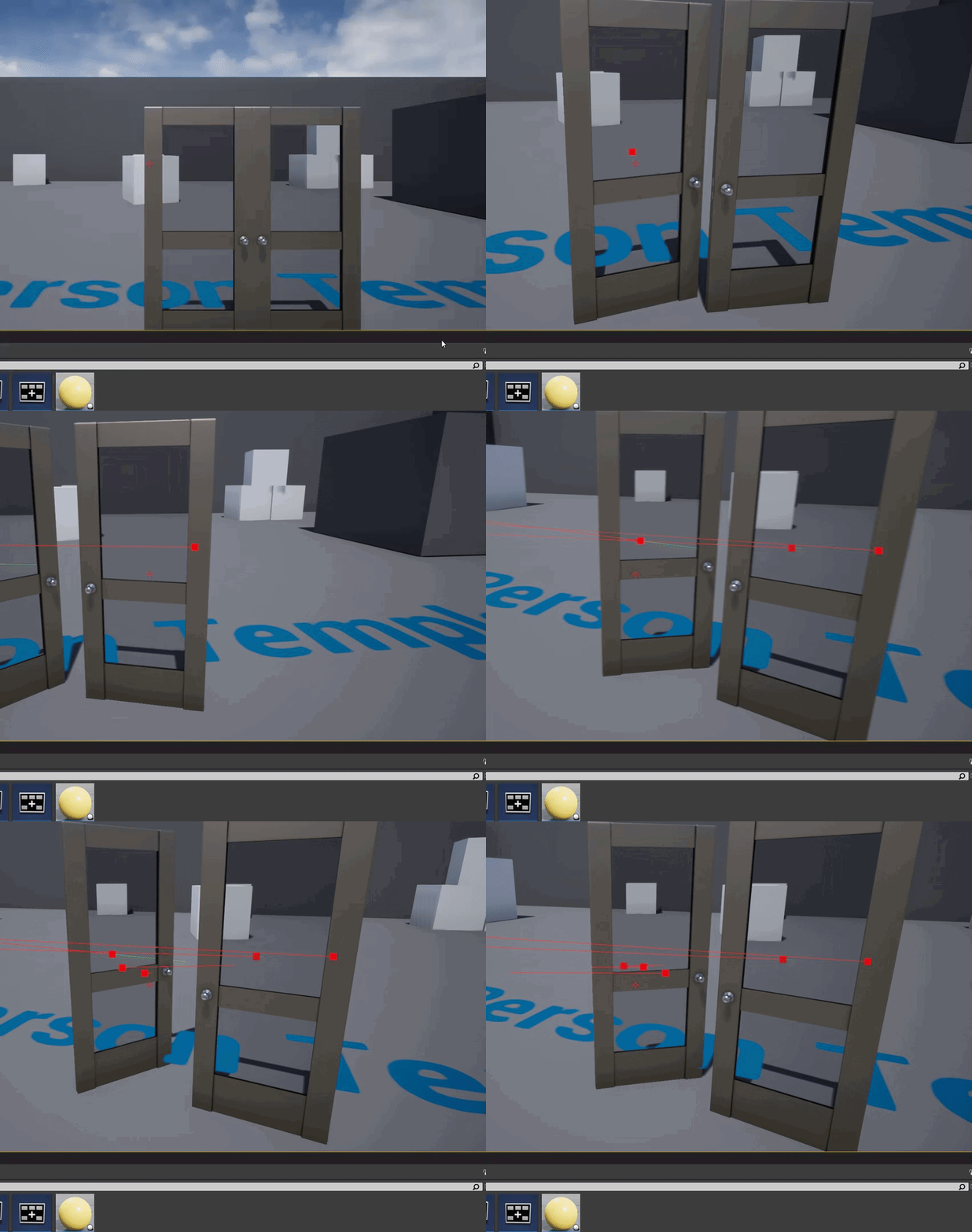
ok I've noticed something wonky. I have these dual/split doors (one opens to the right, the other to the left). I placed the right one first and now I've moved on to place the left one. So I alt dragged to create a copy of the original blueprint in the scene. I changed the mesh to the opposite type (I've setup the construction script for that). But wherever I click it always chooses this new door rather than the old door.
grim ore
@inland jewel The physics asset that was generated is bad, you need to fix it https://i.gyazo.com/71ed8185aeb9e0624c07d6201719a871.gif

open the physics asset and delete all the bodies in the top left, then with BOX as the primitive type in the bottom right generate all bodies. Then select the 4 tires and change it from BOX to SPHERE and generate all bodies again

the one that was imported is using capsules
you can see the incorrect setup when playing compared to the sedan template

and here is the correct setup comparision
 neon magnet
ok I've noticed something wonky. I have these dual/split doors (one opens to the...
neon magnet
neon magnet
ok I've noticed something wonky. I have these dual/split doors (one opens to the...
I tried duplicating the original BP in the content browser and placing that in the world for the left door. The line trace is still only capturing this left door and ignoring the right. What's going on?
 grim ore
it seems like your adding extra "stuff" in order to do this. This "door" should be 1 blueprint that handles itself
as for it hitting one and not the other, turn on the debug trace option in the line trace in the blueprint and see what it is hitting or not hitting when you use it
neon magnet
grim ore
it seems like your adding extra "stuff" in order to do this. This "door" should...
what do you mean?
I just turned on debug for the right door and it is activating
grim ore
so you see the little square where it hits the right door?
neon magnet
yea, but after enabling debug for the left door, it now ignores the right door like before
grim ore
and I mean it sounds like you have 2 blueprints, one for each "door"? if so you should have 1 blueprint that handles the logic for this "door" setup
the line trace code is in the player isnt it?
neon magnet
grim ore
and I mean it sounds like you have 2 blueprints, one for each "door"? if so you...
I did the separates because I wasn't sure if it was a alt+drag copy issue or not. The BP does handle different types of doors so I can use one BP for any door
neon magnet
grim ore
the line trace code is in the player isnt it?
in the door 😛
grim ore
thats weird.... so the door traces out for what?
neon magnet
 grim ore
oh... so the door is doing the cast for the player if they use the mouse.. thats different
neon magnet
yep
 cyan bronze
How do i get the under water post processing to a bigger area. Atm its just the inside box of the WaterBodyOcean which you can see in the middle and it is underground and on a specific thin height area
 neon magnet
grim ore
oh... so the door is doing the cast for the player if they use the mouse.. thats...
neon magnet
grim ore
oh... so the door is doing the cast for the player if they use the mouse.. thats...
so what do you suspect is going on? It's almost like there's priority?
grim ore
@neon magnetwell my only thought then is did you rename the blueprint? or is it literally 2 copies (instances) of the same blueprint in the world
neon magnet
grim ore
<@!396990950842564608>well my only thought then is did you rename the blueprint?...
well I copied it, but I renamed too
inland jewel
grim ore
open the physics asset and delete all the bodies in the top left, then with BOX ...
bahaha i thought i did that already. Guess it didn't work properly. So that would explain the float because of collision i take it. But now it's not moving forward
https://gyazo.com/ece681e2482902899f7ac7f6a9e031db
neon magnet
I don't think it would be possible to have the same named thing anyway?
grim ore
@neon magnetrenamed it in the content browser, or in the level (the instance) ?
neon magnet
grim ore
<@!396990950842564608>renamed it in the content browser, or in the level (the in...
two completely separate BPs, but copies in terms of logic
 grim ore
@inland jewelall I did was duplicate the default sedan, replaced the mesh in the duplicate, fixed up the names for the bones for the wheels, then fixed the physics asset and it worked
@neon magnetso those are just the instances in the world, what does it look like in the content browser?
neon magnet
grim ore
<@!396990950842564608>so those are just the instances in the world, what does it...
same as in the world; different names
 grim ore
so then that is why its failing

you need to update the code in the one that is failing this cast
also...
neon magnet
the looking at boolean?
grim ore
this is why you dont do what you are doing
if your blueprint is "Door_Left_Towards_BP" and your code inside is telling it to "Cast to Door_Right_Towards_BP" then............
neon magnet
oh yeah d'oh!
but hold on
the first time I put the left door in an instance of the same blueprint
i.e. I just replaced the mesh
so why was it still locking onto only the 2nd instance of the BP and not the original instance?
grim ore
that I dont know, you would have to test and find out. but this code above will fail if its in the left door
its also again very weird, normally any action would be in the player and then the door would just do its stuff. you wouldnt need to cast or do anything odd like this
neon magnet
I replaced the cast and no change
should I put the looking at section of the code in the player bp then?
grim ore
I cant really say, I dont know how your code is structured. Generally from what I have seen any generic action would be in the player or the controller. you can then act on that action by talking to whatever you want and letting it do its thing. Any special checks, like I guess facing, could be part of your initial action or the thing doing the check. in this case you want the door to open if you are facing it and when they let go of the button it closes?
oh no I guess it just does nothing if you let go
was reading the facing left/right as open/close not left door and right door
neon magnet
it's just an amnesia style door, where I click and drag to rotate the door
so I need to check if I'm holding the LMB and looking at the door, which will then enable tick to take the turn rate
grim ore
well your only checking for the facing once arent you?
neon magnet
grim ore
well your only checking for the facing once arent you?
pardon?
unsure what you meant :p
grim ore
I might be reading the code wrong, but you press the button once and it sets it as pressed, then does the trace if you are looking at it, then opens the door?
neon magnet
yup
grim ore
so if you do that, then immediately look away while holding the button what happens?
neon magnet
if I'm holding the button and look away, it will keep adding the rotation value to the door
until I depress the button
so holding the button is what captures the door
grim ore
ok yeah thats what I thought, I thought it was more of a you open and close it manually not automatically
neon magnet
it is manual :p
grim ore
as in if you press the button then move the mouse in a direction it opens it, or if you move it the other way it closes it
neon magnet
grim ore
then yes what I said above seems normal. Interact event on player/controller, it does the trace out and uses a blueprint interface on whatever it hits to interact with.
neon magnet
grim ore
then yes what I said above seems normal. Interact event on player/controller, ...
but why is the trace failing on the door on the right? I expect if I have a third door, it will fail on the previous two as well
grim ore
that I cant really tell, have to start debugging. use some print strings to see what is getting that trace. which blueprint is being called
 raven narwhal
Hello. Maybe someone can help with this - When I am in editor in viewport, I see almost 2x less draw calls and higher FPS compared to Play Mode.
When I press Play, my draw calls just double. Is it normal? Maybe UE itself initialize something?
Or can it be my player or UMG hud? How Can I debug it? Is there any way to somehow list draw calls?
Thank you

 neon magnet
grim ore
that I cant really tell, have to start debugging. use some print strings to see...
neon magnet
grim ore
that I cant really tell, have to start debugging. use some print strings to see...
just did it before I read this msg. Like "left door hit" or "right door hit". It only hits the door I compile last
it's only printing the string of the BP I am compiling last.
So if I make a change in the original BP for the door on the right, compile it, then it will always hit the right door. If I change something and compile the door on the left, it's going to only hit the left door.
by 'something' I mean like unpin/repin the print screen, so not an actual change
just for compiling
grim ore
you should be using a print string and printing out self to see which BP is calling what
 grim ore
yeah. so if it shows the hit cube on the left one, it says the same as if it hits the right one?
neon magnet
basically what's happening is this
let's say these are the two doors from our POV: A | B
if I compile A last, then if I click on B, it's not printing anything from B and it's not activating A.
vice versa
neon magnet
grim ore
yeah. so if it shows the hit cube on the left one, it says the same as if it hi...
no if I hit the right one, no name is coming up
it's like it's dead
but if I recompile door B, it's gonna hit it and ignore A lol
is it possible it's because of the booleans that are the same name in both blueprints?
isHoldingLMB and isLookingAtDoor
grim ore
the blueprints are different in the content browser, so the variables are unique to each
so something else is weird. Honestly restart the editor and see if it does it again
otherwise did you duplicate the blueprint or make a child?
neon magnet
grim ore
otherwise did you duplicate the blueprint or make a child?
just duplicate. No child
grim ore
yep they should be unique then. Heres an example of what I just whipped up using one blueprint for the door https://i.gyazo.com/ad9fc407c131d4858c0a094c08dcd439.gif
 neon magnet
grim ore
yep they should be unique then. Heres an example of what I just whipped up usin...
neon magnet
grim ore
yep they should be unique then. Heres an example of what I just whipped up usin...
so no duplicate?
grim ore
duplicate is fine, thats making it unique
neon magnet
but then why was it not working when I was using the same bp and just instancing and changing the mesh?
grim ore
parent/child could cause changes like you are seeing
neon magnet
yea so I have uniques and it's still like this 😦
grim ore
are you sure both of those meshes, since they are different, have collision enabled?
neon magnet
grim ore
are you sure both of those meshes, since they are different, have collision enab...
yup
do you think we could do a screenshare?
grim ore
I cant do screenshare
neon magnet
I mean my screen will be shared
grim ore
make a new level, drop the door that doesnt work into it, and hit play and see what happens
neon magnet
so you can see or direct me
grim ore
verify the door actually works in isolation, otherwise maybe consider redoing the interaction system to be more robust. Having to cast isnt the best
neon magnet
How did you implement yours just now/
grim ore
This is the players code

this is the door

and the blueprint interface being used is just the two blank functions, nothing special about them
the player shoots out, if it hits something it checks to see if it implements the blueprint interface for interactable, and if it does it saves a reference to the item and then tells that items to call its interact with function
when the player releases the button it tells that saved object to call its stop interact withs function (note this should clear that saved reference as well in proper code)
the door gets interacted with and flips its IsOpening boolean then plays the timeline forward or backwards depending on if its opening or not. the door opening is a lerp over time from the timeline. the stop interacts with just stops the timeline
neon magnet
I see. I'll try it out. Do you think you could also, if you have time later today, try out my implementation? That screenshot is all the code there is so it shouldn't be a problem and you can investigate better if it's repeating on your end
 slender ravine
How can i create an system where players can equip/unequip the items they earned? ( an locker like in fortnite or other games )
grim ore
your code looks fine, the only things I can think of that are unique on your side is the collision for each item and following the code (might check out blueprint debugging and breakpoints, it could solve the issue quickly)
@slender ravinethat is a very broad question, you would set up your items then store them somewhere and let you player choose from those items. We have no idea where you are at in that process
inland jewel
@grim ore yeah idk man. I deleted it all. Re added it, duplicated it, added mesh, changed the bones to spheres for the wheels, added bone names to the wheels and ticked disable steering for the rears (tried it without these as well). Re-did the axis inputs and it's still just shite'ing itself. Only thing i can think of is maybe the bones names on the wheels aren't linked to the physical asset??
https://gyazo.com/7b87eaf99486238714a6943cba1a669c
 neon magnet
grim ore
your code looks fine, the only things I can think of that are unique on your sid...
neon magnet
grim ore
your code looks fine, the only things I can think of that are unique on your sid...
Even with the breakpoint, it's not so informative but maybe because I'm noob, because it's just showing me what I already know that the BP that was compiled last, is the one that is being entered and hit and the other is being ignored.
the question is why is it being ignored, there's nothing obvious to suggest why one should take precedent over the other just because of compilation order
grim ore
@inland jewelhave you tried making this work in the vehicle template using that as your base?
@neon magnetmove them apart or try them in a new level seperated so you can see if they are actually doing this or if its something in that level
hmm
ok so
I think that might be the issue now that you mention it
inland jewel
grim ore
<@!676950434220474378>have you tried making this work in the vehicle template us...
Wdym mate?
grim ore
@inland jewel make a new project using the vehicle template
grim ore
@neon magnetyou have the same input event in 2 places...
I didnt think about that until now
and i bet its set to consume input (click on the event in the blueprint editor and check the details panel)
again this is why... input in one place heh
neon magnet
grim ore
and i bet its set to consume input (click on the event in the blueprint editor a...
What do you suggest I do? I actually thought for a moment earlier that what if one BP is capturing the controller but I don't even know if I'm saying that right
grim ore
its not one capturing the controller, you have two things both listening for the SAME input
so its random which one gets the actual event to happen
which is why one randomly doesnt do anything, it never hears the input (the other BP consumed it)
so.. you can do it right with 1 input event per action like in the player, or click on those events in the blueprint an uncheck consume input
Click on the InputAction DragDoor and uncheck it there in both blueprints
neon magnet
I've actually reverted to using just one BP instead of two separate ones
grim ore
then one should hear it, do the event and fail if its not facing the player, then the other should run it
its still going to be the same problem if two things in the world are listening for the same thing
you still have 2 instances in the world
 grim ore
that is on both of them?
grim ore
both should be opening
neon magnet
BOTH doors are moving in sync
one is opening the other is closing at the same time
lol
grim ore
yep. your firing off both of them
neon magnet
but ... why? Shouldn't it just activate the one the line trace hits?
why is it activating the door that it's not hitting?
I'm clicking on the door on the right, and it's moving both ...
and before I disabled the consume input things, it was activating the left door even though I'm looking at and clicking on the right door
grim ore
maybe your line trace is going thru both of them
neon magnet
seems ok
 grim ore
thats the thing, your "i pushed a button" event didnt care what door you were near, setting up the item to listen to input meant it was listening from anywhere
 plush plinth
guys i need help with something
so i am working on a true fps project and just trying to make everything animation wise procedural
i have procedural aimoffset, procedural ads
and i want to try to make procedural recoil, but i cant wrap my head around the logic it needs
oh sorry i think i posted it into the wrong channel
 shadow ravine
I'm trying to make my camera circle round one of my characters in a cinematic scene using a level sequencer with my cinematic cameras. I'm using 8 frames each at 45 degrees between each other creating my circular camera movement around. My problem is the transitions between the camera transform frames makes it look very octagon shaped camera movement so its slightly ridged. Do I simply need to make more transformed camera frames at a smaller angle to create the smoother circle movement, or is there a simple way to do this that I'm just not aware of?
So I just made a quick example of what I'm trying to do with paint. So character is the orange, camera is the blue, white is where my path ideally should be and the red is the key frames and how it's moving at the moment. If anyone has any ideas, I'd really appreciate the help. 🙏
 grim ore
@neon magnetok so that was a cluster truck of fun to figure out but I did lol. So you had a few issues, the first being consume input causing it to randomly not trigger one one of them. once you enabled that, both doors would trigger because of course they would. You were not actually checking to see if it was the specific door being hit by the trace, just that it was A door by using the cast. Changing your cast into a == against self and the hit actor takes care of that issue. I also had the ignore self not unchecked which caused me issues since your doing it backwards but it looks like you had that part right
so long story short..... dont do it this way
@shadow ravineit looks like you answered the question, its similar to a hexagon being a "circle" but looking very flat. You want a circle rotation but your giving it too few points to make a circle
hell a square is a circle... just not very circly
shadow ravine
grim ore
<@!717384006466797568>it looks like you answered the question, its similar to a ...
Okay great, I didn't want to go in and create a done of additional frames/angles if there was some kind of circle rail of some sort that just made things easier. Thanks for the confirmation 😂
grim ore
there are curves, and you can always use an empty parent then rotate the parent which then rotates the camera around itself
 cloud latch
Does anyone happen to know of a good tool to format ini files so that they're in a good state for version control, diff tools etc? i.e. alphabetize the section and then entries within them?
shadow ravine
grim ore
there are curves, and you can always use an empty parent then rotate the parent ...
How can I get curves as when editing my frames I can see some are curved and others are straight?
grim ore
the curve editor at the top, or right click a keyframe in the curve editor and change its type
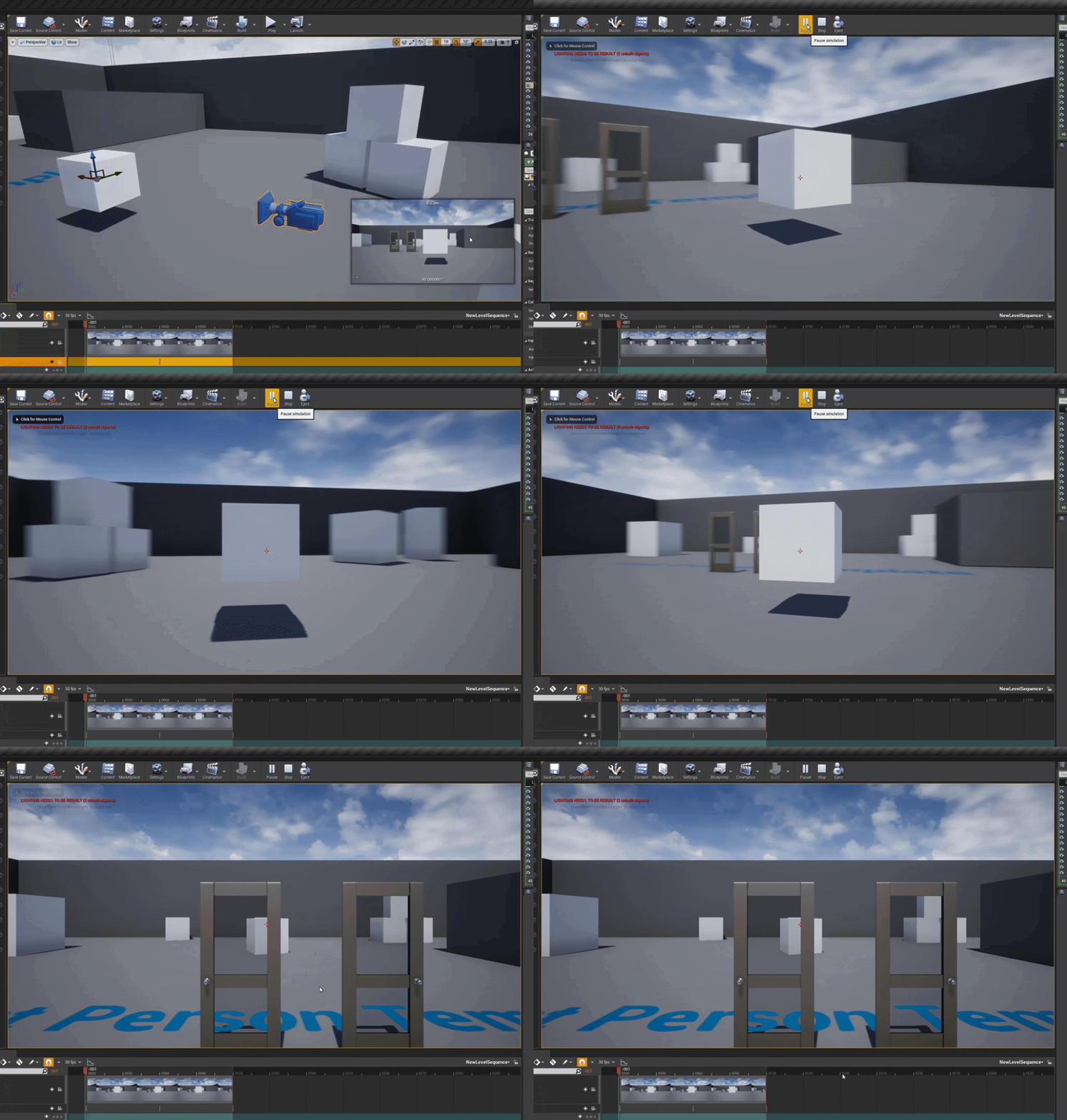
this is an example of that other method, the camera in the sequencer is actually a blueprint with just a scene component and the camera attached to it. you rotate the blueprint root in the sequencer which rotates the camera around that point

 honest nexus
anyway to clamp hundreds of images easily?
grim ore
clamp?
honest nexus
yeah
inland jewel
@grim ore well dude... im stumped. Couldn't open it as a new project. Tried opening it with the vehicle default project type and still can't get it to work
honest nexus
like tiling method
grim ore
check out the property matrix
@inland jewel=( I can say I made a new vehicle project in .27, imported the car as a skeletal mesh, fixed the physics asset, duplicated the sedan BP, replaced the mesh, updated the 4 wheels to have the correct skeletal names, and then replaced the sedan in the demo map with my duplicated one and it worked
inland jewel
do you think it's cause im using 5 right now?
i've been playing around with ue5 trying to learn it
grim ore
well there is no vehicle template in 5EA so yeah that could be an issue
honest nexus
grim ore
check out the property matrix
tysm
inland jewel
grim ore
well there is no vehicle template in 5EA so yeah that could be an issue
time to go back to 4.27
for what i'm doing i dont need 5 anyway. Was just trying to get ahead of the curve for when it's fully released
grim ore
5 uses chaos vehicles so its not a 1:1 compatible
chances are it needs more setup
nope I got it to work the same way in 5EA, I just had to fix the physics body for the body, it was too low and in the ground
 inland jewel
What physics did you change to get it to work?
grim ore
the only physics I changed was to the physics asset for the vehicle, I deleted all the bodies that were auto created and created the new ones I mentioned before. spheres for the wheels and box for the body. I just had to move the body up a bit after creating it
 rotund scroll
is there a way to bind hotkeys to custom events? ...particularly inside utility blueprints?
 dapper hatch
Hello. Can anyone give some good example or suggestion? I have an interactive project, when when person presses big button unreal scene is triggered. They want to get some kind of statistic how many people used button per hour/per day
Any good way I could get that info out of umreal in text or csv?
 distant totem
 dusk nebula
I can't find any tutorial for a melee attack that doesn't try to create an entire system for a melee-based game
drowsy snow
dusk nebula
I can't find any tutorial for a melee attack that doesn't try to create an entir...
Can't you just improvise them to fit your needs? 🤔
rotund scroll
raytrace and handle all logic inside the weapon/character? idk
dusk nebula
drowsy snow
Can't you just improvise them to fit your needs? 🤔
I'm not gonna import all of paragon's animations just to get one of them lol
I'll just do a line trace then, wasn't sure if there was a better way
 neon bough
do i need a separate nav mesh or something for actors with a lower step height?
my normal nav mesh is adjusted for human size, but now i want an animal with 1/9 of the step height to navigate on it and it runs against stairs and such -.-
guess it might be that GetRandomReachablePointInRadius doesn't take any reference of the actor
 pliant topaz
Guys can i make game without any coding just blueprint?
fierce tulip
yes
 prime willow
so much game design
the deeper you get the more complex and condeluded it becomessssssssss
 sweet axle
Where can i share a link to pluralsights free week promo?
neon bough
uhm, could someone enlighten me how to use the GetRandomReachablePointInRadius node with custom nav settings?
fierce tulip
@sweet axle depending on what it is, released perhaps.
sweet axle
fierce tulip
<@!587606371084795914> depending on what it is, released perhaps.
They giving a free week at pluralsight and i just activated it and there are quite a few course for unreal, including Patrick Haslow Intro to ai and behaviour states which i think is quite valuable. One week to complete a course for free and i was able to download the excercice files so i thought about sharing it here for everyone
fierce tulip
yea, you can post it in released :)
sweet axle
fierce tulip
yea, you can post it in released :)
Awesome
 burnt tinsel
help
how do i round the corners of background blur
i want to make like a glass ui where the behind of the ui is blurred
but the background blur is only rectangular
 rancid lagoon
burnt tinsel
but the background blur is only rectangular
rancid lagoon
burnt tinsel
but the background blur is only rectangular
you might need to scroll out.
fierce tulip
rancid lagoon
my character keeps falling thru my mesh and i cant fix it
your video has OBS on top <_<
rancid lagoon
fierce tulip
your video has OBS on top <_<
srry here it is
fierce tulip
<_< it stutters so hard you cant see anything.
anyways, double check if your meshes actually have collision.
drowsy snow
pliant topaz
Guys can i make game without any coding just blueprint?
Blueprint is technically coding.
rancid lagoon
fierce tulip
<_< it stutters so hard you cant see anything.
anyways, double check if your mes...
they do. i even added my own but it just dones work
pliant topaz
drowsy snow
Blueprint is technically coding.
Okey
 radiant fable
anyone know how i get rid of stuttering at high speed & glitches at high distance from world 0,0,0?
https://streamable.com/g0gwg4 1:30

 autumn flame
radiant fable
anyone know how i get rid of stuttering at high speed & glitches at high distanc...
autumn flame
radiant fable
anyone know how i get rid of stuttering at high speed & glitches at high distanc...
Welcome to Physics Float Precision!
Look into World Origin Rebasing
plush yew
Hi
Im just starting to get into ue4 and i have no idea how it works i needa watch videos
I barely knew how to use unity either
The most functioning game I’ve made is a ue4 template ☠️
I know nothing about how coding or game making works i just have a cool idea i wanna put into action which i know wont work well so i have to start small
 sick cave
Stephen Ulibarri has some good courses on Udemy that cover coding in C++

 plush yew
Hey does anyone know what channel can i find people showcasing games, im imterested
autumn flame
 merry stump
How 2 fix
merry stump
How 2 fix
No, that's not how Casting works at all
 late wyvern
hey guys im new and have a few questions(btw im german) i wanted to ask how yall make models, with which program or can i do this in the unreal engine and which unreal engine should i learn 4.27 or 5.0?
merry stump
autumn flame
No, that's not how Casting works at all
tell meh how 2 fix
autumn flame
Learn how it works
 weary basalt
plush yew
Hey does anyone know what channel can i find people showcasing games, im imteres...
weary basalt
plush yew
Hey does anyone know what channel can i find people showcasing games, im imteres...
#released #work-in-progress
late wyvern
autumn flame
Learn how it works
you mean me?
autumn flame
No
late wyvern
ok
weary basalt
late wyvern
hey guys im new and have a few questions(btw im german) i wanted to ask how yall...
You should try asking in #graphics some external programs like Blender, Maya or 3DSMax are used by people who want to make Models for games.
plush yew
weary basalt
<#479798887247511570> <#225448516376461313>
Thanks
late wyvern
weary basalt
You should try asking in <#221799195806400512> some external programs like Blend...
Thanks, and which engine should i learn 4.27 or 5.0
weary basalt
Might be a good idea to move into UE5 at this point.
autumn flame
5.0 may randomly break in weird ways iirc, it's EA
 vocal flume
I’m trying to build a iPhone home screen like menu for my game. Listview doesn’t wrap and displays all icons in one line. What else can I use for this?
autumn flame
Lumen, Nanite, Metasounds (?)
UI, uuh, some other things
Not missing on too much
And the bundled bugs with 5, part of the deal
late wyvern
ok
neon magnet
grim ore
<@!396990950842564608>ok so that was a cluster truck of fun to figure out but I ...
You meam you've replicated it/solved on your end? After my last msg I was moving some of the code to the player but didn't finish because I just got too sleepy and took a nap ... and woke up too early now but whaddya gonna do lol.
Of course very grateful to your help thus far.
 cerulean geyser
hi guys..is there any way to give a time offset to my interptomovement across different blueprints, and a way to stop them until further notice(like pause) ?
rancid lagoon
cerulean geyser
hi guys..is there any way to give a time offset to my interptomovement across di...
yeah
ypu could use a wait node
neon magnet
@grim ore oh also, you're doing a line trace by channel while I'm doing trace for objects. Is that having an effect?
radiant fable
bom bom bom bom bom tomatoes
neon magnet
@grim ore omg I think these two things have solved it. You were right about the == but I also needed to set the looking boolean to false from the false branch and now it's hitting the correct object

 void palm
how can i make 2 cameras ignore a mesh?
it works in one project but not in another
more specifically
how to make a scene capture component ignore a mesh
neon magnet
neon magnet
<@!218779540359479297> omg I think these two things have solved it. You were rig...
@grim ore Ok here's another cluster truck of a question 😄 Is it possible to have, or rather, what do you think I can do, to keep the direction of mouse movement corresponding to door movement, consistent?
At present I have a boolean "opens to right?" which I'm using to either subtract from the mouse's horizontal movement, or add to it. Depending on which it is, it will make the door swing towards me either by moving the mouse to the left, or to the right. So if I'm outside, the right door is opening as your eyes would have it, moving the mouse to the right to open and to the left to close. But if I go inside and switch my POV, then it's messed up again and I have to move the mouse to the right again to open the door, which is swinging to the LEFT now, which is what I tried to solve with the boolean when I was outside facing the door.
So I'm thinking, should there be some check like a collision box to determine which side I'm on and flip the subtract or add so that the direction of moving the mouse corresponds to the orientation of the door?
Or should there be something else, like freezing the camera, so that it doesn't allow the change in direction to make the brain couple the direction of movement to the direction of looking, if that makes sense
cerulean geyser
rancid lagoon
ypu could use a wait node
i ended up using disabling tick and then wait nodes, but thanks! 🙂
anyone knows why i cant set actor location for any actor that is using ragdoll? every time i set ragdoll physics it doesnt work (even if i set the flag teleport to be on)
light thunder
How can an object exist still, (even after a good amount of time has passed) if the level that is in, is unloaded?
 fair herald
Does anyone know how I can implement oddle with ue4.26?
or is it possible to implement oddle with UE4.26
 alpine token
need some help I don't understood why when I create a new project unreal keep failed then I cannot find this path too :
Failed to load /Game/Hollywood_Vol3/Materials/Instances/MI_Production_Light_01a_EMM.MI_Production_Light_01a_EMM Referenced by Cylinder

 neon magnet
<@!218779540359479297> Ok here's another cluster truck of a question 😄 Is it p...
neon magnet
neon magnet
<@!218779540359479297> Ok here's another cluster truck of a question 😄 Is it p...
Ok so here's what I've done and now the direction of mouse corresponds to direction of door. Pls grade me senpai! 😄
Unfortunately I'm not sure how to freeze the camera the way it is in amnesia, so I'm not really sure how to do that. Any suggestions? I don't really need it but ... more knowledge!

 glacial pecan
wtf... components can't have construction scripts?
guess it's not a super big loss, since construction scripts aren't executed in streaming levels anyway in 4.27...
 sweet galleon
plush yew
sweet galleon
plush yew
Im making a free to play game with no liscensing, does this mean I can use a characters likeness from another video game?
wary wave
Absolutely not
neon magnet
I have a simple volume to play/stop some ambient music. But today I noticed that sometimes it doesn't seem to trigger. Which is really weird because it never happened before and I haven't touched anything, so very strange
 plush yew
How do you save your scene ... lets say you spawn things in game and you want them to save
im adding components and they dont even show up but id like them too if possible... i mean its cool if they dont
 stiff bane
neon magnet
I have a simple volume to play/stop some ambient music. But today I noticed that...
stiff bane
neon magnet
I have a simple volume to play/stop some ambient music. But today I noticed that...
pu some ? is valid nodes in and check if the objects are always valid
plush yew
There has to be a better way to do this for level designing purposes
neon magnet
stiff bane
pu some ? is valid nodes in and check if the objects are always valid
where should i put them - before the cast?
stiff bane
neon magnet
where should i put them - before the cast?
doesnt really matter since its all executed
in one time
 warm marlin
I don't understand the point of blackboard having values, if i can actually add them to things like services and such.
Do i create a function, but then how do i get the blackboard values into the fuction?
wary wave
Blackboard values are accessible from pretty much anywhere inside a graph, and there are ways to grab / set values in the blackboard. You'll probably have more luck with a response in #gameplay-ai
plush yew

Guru3D.com
Google has sued Epic Games, the game publisher's added its own payment system into the shooting game Fortnite. That is against Google's app store's terms of service....
popcorn time
 honest vale
why isn't the disappearing context menu bug fixed yet -_-
 keen zodiac
why does ue keep destroying every fbx file i try to import
why cant it just import it as one objext 😢
neon magnet
stiff bane
doesnt really matter since its all executed
what should I plug into the input object pin on the is valid?
 spice iron
Can you Publish a game at age 14
neon bough
keen zodiac
why does ue keep destroying every fbx file i try to import
because FBX files can include multiple objects and you have to merge them in your 3D application if you want them to be one (or use unreals mesh merger)
stiff bane
neon magnet
what should I plug into the input object pin on the is valid?
The blue things
And use a print node to print out if the object is valid or not
neon magnet
stiff bane
The blue things
I have an audio volume for the tunnel and then coming out next to the hole is a trigger box for a sound that plays just once. I was destroying it after playing. But I think it was weird because I did not plug in the trigger box into the destroy node

so does that mean that before, without the reference plugged in, it was destroying the entire blueprint?
stiff bane
neon magnet
so does that mean that before, without the reference plugged in, it was destroyi...
Not sure, I would expect a error but it might also just did nothing
 ebon kelp
Hey guys, got a question. When I click on "convert actors to static mesh" it breaks the model, anyone knows how to fix this? (the model is made up from 2 different models and also from 3 sphere's from unreal it self)

 thorn atlas
Hello, can K2_AttachToActor replication from server to client?
ebon kelp
 floral moat
<@!435353863466516480> use mergeactors
floral moat
<@!435353863466516480> use mergeactors
Thanks!
 subtle owl
(my notebook is not good enough to run unreal4, so I am not able to extract)
 tame marsh
Is there a way to disable StaticMeshDistanceFields generation in one of the engine.ini files?
I can't find the corretc entry
cyan bronze
How do you guys make materials into texture samples. I have sand material imported from Quixel which i want to use with landscape layer materials


Do you just make it somehow in gimp or smth?
 coarse turtle
Do you know if you have to config anything to use the Oodle compression in ue4.27 beside the plugin?
 bleak lark
Any idea what is causing this weirdly lit up section in my procedural foliage? It moves around when I move. Using UE5.


 iron frigate
guys! im in hell. my project all of a sudden wont open anymore!!!
anyone can help??
my project crashed and from then it loads till 45 and then crashes
so i cant open
 thick herald
In Windows, go to your project find the autosaves, copy the last autosave of your map file and paste it into where your project map is making sure to remove the extra bak text on the back-up. Rename your existing map file by adding _old just in case though.
 noble ridge
i am unable to install UE4
 plush yew
https://streamable.com/sdhw3z I got ALS working with the metahoomans
 iron frigate
@thick herald hey moa thanks but what do you mean with "remove the extra bak text on the back-uå" ?
@thick herald im getting this in my crash reporter: UE4Editor_Core
UE4Editor_Core
UE4Editor_D3D11RHI
UE4Editor_D3D11RHI
UE4Editor_D3D11RHI
UE4Editor_D3D11RHI
UE4Editor_RenderCore
UE4Editor_RenderCore
UE4Editor_RenderCore
UE4Editor_RenderCore
UE4Editor_HairStrandsCore
UE4Editor_RenderCore
UE4Editor_HairStrandsCore
UE4Editor_HairStrandsCore
UE4Editor_HairStrandsCore
UE4Editor_CoreUObject
UE4Editor_CoreUObject
UE4Editor_CoreUObject
UE4Editor_CoreUObject
UE4Editor_CoreUObject
UE4Editor_CoreUObject
UE4Editor_CoreUObject
UE4Editor_CoreUObject
UE4Editor_CoreUObject
UE4Editor_CoreUObject
UE4Editor_CoreUObject
UE4Editor_CoreUObject
UE4Editor_CoreUObject
UE4Editor_CoreUObject
UE4Editor_CoreUObject
UE4Editor_CoreUObject
UE4Editor_CoreUObject
UE4Editor_CoreUObject
UE4Editor_CoreUObject
UE4Editor_CoreUObject
UE4Editor_CoreUObject
UE4Editor_CoreUObject
UE4Editor_CoreUObject
UE4Editor_CoreUObject
UE4Editor
UE4Editor
UE4Editor
UE4Editor
UE4Editor
UE4Editor
kernel32
ntdll
with this on top: Assertion failed: Shader.IsValid() [File:D:\Build++UE4\Sync\Engine\Source\Runtime\RenderCore\Public\GlobalShader.h] [Line: 168] Failed to find shader type FClearReplacementCS_Buffer_Float4_Bounds in Platform PCD3D_SM5
it happened after I tried sequence recorder
drowsy snow
Do your own dilligence.
<@&213101288538374145> - asking for asset ripping
fierce tulip
i'll let jan handle it?
 ashen brook
 buoyant graniteBOT
:triangular_flag_on_post: Otpisvam#0918 received strike 1. As a result, they were muted for 10 minutes.
honest vale
not the bees
drowsy snow
iron frigate
<@!347136582224183298> hey moa thanks but what do you mean with "remove the extr...
In your project directory, under Saved → Autosaves, there are bunch of autosave files. You can recover them manually by omitting "_Auto#" suffixes and copy to the Content directory where it belongs.
For some reason, retrieving autosaves can only be done automatically if you have source control integration enabled.
iron frigate
oh okay
I actually tried now to remove my firstpersonBP out of the content folder and it loads again
buoyant graniteBOT
:triangular_flag_on_post: AbacateAbacatoso#5593 received strike 1. As a result, they were muted for 10 minutes.
drowsy snow
iron frigate
with this on top: Assertion failed: Shader.IsValid() [File:D:\Build\++UE4\Sync\E...
Looking at the error, it seems shader related. Can you load Manny's skelmesh at all?
iron frigate
Manny?
drowsy snow
Fancy way of saying The 2nd Issue of the Unreal Engine's default Mannequin, also known as default mannequin.
FP template only has the arm from it.
 iron frigate
@drowsy snow well everything worked till now i guess?
only thing I did different was to add a onkeypress small thingy in character blueprint and then do a sequence recorder
after the sequence recorder it crashed and kept me out ...
but youre right the log says smth different... i wonder
drowsy snow
I think there is a strange bug where some materials can somehow crash in DirectX 12, but not in DX11.
iron frigate
aha
and is this smth I can do anything about?
I mean right now I have my project running again, but without my firstpersonBP
which is rather annyoing
drowsy snow
Happens to me sometimes, and switching to DirectX 11 solved it.
If you set "Enable Raytracing" when creating the project, or enabling it in Project Settings, it will default to DX12, regardless of whether your GPU actually has the capabilities or not.
iron frigate
hmm but isnt it odd that it only complains about it now?
ive been working on this project the last 3 months
drowsy snow
Which is why I said "strange bug", because in my case, flushing the Derived Data Cache (where all compiled shaders reside) doesn't seem to help, so long as the editor is using DX12.
I've been defaulted to DX11 ever since, and it's not a big deal since I don't really use DX12 exclusive stuff anyway.
iron frigate
hmm okay
 median wigeon
fierce tulip
all other moderators going
iron frigate
median wigeon
fierce tulip
all other moderators going
iron frigate
thanks a lot @drowsy snow I will try going back to DX11 and see what happens
median wigeon
@fierce tulip
median wigeon
😄
 maiden sundial
Not sure if i'm misunderstanding this Open in external editor area, but does that mean i could somehow link Blender here ?
So that i open the selected animation directly in blender ?
 drowsy snow
maiden sundial
Not sure if i'm misunderstanding this `Open in external editor` area, but does t...
drowsy snow
maiden sundial
Not sure if i'm misunderstanding this `Open in external editor` area, but does t...
Unfortunately, no.
maiden sundial
Kinda thought so, would've been too cool xD
 rare axle
Anybody know why interior scenes [using ray tracing] look so much better using rect lights in windows, and why one skylight / attempting to go for physically accurate lighting can't produce enough indirect/bounce lighting in my scenes? Even the template UE4 apartment scene uses rect lights in each window.
It looks great for the specific lighting setup, but I can't help but feel like it's just not a very accurate way of doing things if you wanted a realistic lighting setup, like with a day/night cycle for example. 🤔
It's not just the indirect lighting I guess, using one 'sun' light just doesn't look as good for some reason.
drowsy snow
maiden sundial
Kinda thought so, would've been too cool xD
The option is only reserved for certain asset types (I think Texture2D is one of them)
Not even Maya use that option - it uses Live Link plugins AFAIK (I'm not a Maya user tho)
noble ridge
noble ridge
i am unable to install UE4
?
rotund scroll
does anyone have the link for bug reporting handy?
drowsy snow
rare axle
Anybody know why interior scenes [using ray tracing] look so much better using r...
Ignoring raytracing, that's one way you can fake dynamic interior GI. The other one being Lightmass Portals, but that's for static lighting.
Going into raytracing, having full physically accurate lighting in real time is hell. Consider using the path tracer instead, which is not realtime, but building up rays in static shots over time.
rare axle
@drowsy snow I've been banging my head against a wall trying to pull still images with fully dynamic lighting and GI from Unreal for a while now. I usually end up with some amounts of noise or issues.
I've discovered 4.27's path tracer recently and pray that it'll solve my issues, because I've always had to find significant compromises.
Do you know if it works well with the Movie Render Queue for pulling stills?
Just FYI I'm using a machine with a 3090 for this project, it should be able to handle a lot of what I throw at it. I've just really been struggling to find the best fully dynamic solution
drowsy snow
rare axle
<@!325627930484932608> I've been banging my head against a wall trying to pull ...
Don't ask me on that - ray tracing is far down in my priority barrel 😛
I don't have a RTX GPU so I don't bothered to do raytracing myself and read on the settings for them lol. Just a potato doing full raster.
rare axle
Fair enough. Just seems no matter what I do I end up with some amount of fuzzy shadows, blurry objects, even with high samples in the render queue, and UE5 is nowhere near production ready for Viz.
Reflections/Shadows are just bad by comparison and translucency isn't even supported yet to my knowledge.
.
Believe me I've tried a lot with this project, if the path tracer can solve it I'll be dancing, haha.
drowsy snow
rare axle
Fair enough. Just seems no matter what I do I end up with some amount of fuzzy s...
Actually raytraced translucency got revamped in UE4.27. At least according to William Faucher who used UE for high end expensive cine shots
rare axle
Yeah that stuff is great in 4.27, I meant with UE5. Thought that maybe Lumen or their new screen space GI would solve my problems but sadly no, it just kills a lot of my nice visual effects from UE4.
Seems;
UE5 = clean renders with bad visual effects
UE4 = Fuzzy bad GI renders with good visual effects
drowsy snow
UE5 isn't finished yet, after all. So that's that.
iron frigate
@drowsy snow hmm actually I can see that I allready have Dx11 as my default RHI
drowsy snow
rare axle
Seems;
UE5 = clean renders with bad visual effects
UE4 = Fuzzy bad GI renders wi...
I don't blame anyone for mistook the Early Access version as production ready and get false first impressions. It has been hyped (arguably overhyped) by many parties, dismissing the real bugs and merits that have yet to be ironed out for the full release next year.
 novel rose
Did anyone get access to this Challenge? I missed the deadline by an hour and have tried to email support for help but no reply thus far? 🙃
 rare axle
@drowsy snow Yeah I know, I didn't bank everything on it, I just thought it could be a solution but it wasn't. Am now back to UE4, was running 4.26, now upgraded to 4.27 today, as I said, will check if Path Tracer works out for me. Do reaaaallly hope so.
I only need stills / renders from this.
iron frigate
@drowsy snow this shading thing in the log could it be that it has somthing to do with my texture streaming pool exceeds a limit?
I get this little red line saying that it goes over a limit of xx miB budget
drowsy snow
iron frigate
<@!325627930484932608> hmm actually I can see that I allready have Dx11 as my de...
The crash shouldn't happen, as DX11 is more stable.
Though you should try bring in the FP template again at this point - go to "Add Feature or Content Pack".
drowsy snow
iron frigate
<@!325627930484932608> this shading thing in the log could it be that it has som...
No, that shouldn't cause crash on most occasions. What it does is kept some textures to its lower mip counterpart.
iron frigate
well I tried bringing in the old one whiklst having the editor running and it works. but when i close it odwn and try opening it up it crashes again
drowsy snow
rare axle
<@!325627930484932608> Yeah I know, I didn't bank everything on it, I just thou...
Also, consider checking out William Faucher's YT channel - his videos are catered towards using UE for high end cinematic, non-game production purposes. I personally don't follow his tutorials, because I'm in the exact opposite of the spectrum - low-end friendly game production.
https://youtube.com/c/WilliamFaucher

YouTube
Welcome to my channel! I've been working in the entertainment industry for the past 11 years. Some of my work includes VFX/CGI shots in Marvel's Black Panther, and HBO's Watchmen. I'm using this space to share as much information as I can about the industry and techniques to improve your art. Enjoy!
Unreal Engine, CGI, Photography, Digital Art.
 quiet crag
Hey guys I got a log cabin made up of 1600 parts within a hierarchy of 20 groups. When I bring it into UE4 as an fbx it comes in all 1600 different parts. the question is how can I bring it in as one asset with access to all its subgroups and individual pieces as I still want to animate things like windows and door etc? Thanks!
drowsy snow
quiet crag
Hey guys I got a log cabin made up of 1600 parts within a hierarchy of 20 groups...
In the import options, before you click on Import, expand Mesh section, and enable Combine Meshes. That'll make the meshes imported as a single static mesh, but not per groups (assuming that's Blender equivalent of Collections).
Otherwise you have to combine all the static parts yourself in your DCC tools and export each of them as separate FBX files. As for the windows/doors, you could bring each parts as individual static meshes, but I would give them skeletal rig/armature and import them as skeletal meshes.
grim ore
@quiet cragyou can also look at using the import into level option under file but for something like this you probably want to use datasmith
quiet crag
ok cool I did have a feeling about making it a skeletal mesh, thanks @drowsy snow ands thanks @grim ore I will definitely look into datasmith!
 still atlas
i've got a moving platform my character can go inside of, but when he jumps inside while moving, if he touches a ceiling/wall it seems like he loses his velocity and gets bounced backwards, anyone have any hints how i change that?
i can't figure out what to google for a fix, all the stuff i'm googling is leading to stuff like wall jumping tutorials
drowsy snow
quiet crag
ok cool I did have a feeling about making it a skeletal mesh, thanks <@!32562793...
Though from my (rather limited) testing, Datasmith doesn't play well in video game use context. It's fine for non game (optionally interactive) visualisation projects, though, since Datasmith was built for enterprise use in mind (used to be in a separate licence under Unreal Studio moniker)
drowsy snow
still atlas
i've got a moving platform my character can go inside of, but when he jumps insi...
You mean, as in Castlevania's ceiling jump?
still atlas
i'm not actually trying to do any kind of special game mechanics with it, i just noticed that when i touch an inside wall of the platform while it's moving forward, it's like the player loses the velocity he got from the platform and he gets kicked backwards, but i guess more accurately he just stops and the platform keeps moving forward around him
i'm not understanding if it's a problem with the character movement, or the way i set up the platform, or both, it's just an actor with a static mesh that i'm moving by setting the location in tick
https://imgur.com/a/zJtspQq
i don't know if this helps my explanation any? it's basically bouncing him backwards whenever he touches anything while jumping
 rare axle
Thanks, I have been following his stuff, but there are a few niche gaps that I need to fill with my project that he sadly doesn't cover.
@drowsy snow
Do you or does anybody else here know if Path Tracing supports subsurface translucency for things like blinds / curtains?

You can see it works with regular old lit Ray Tracing

But the path tracer doesn't seem to allow light through at all
bleak lark
Has anyone done water bodies (oceans,rivers,etc) in UE5? Having issues where I cannot even move it around or scale it, etc.
drowsy snow
bleak lark
Has anyone done water bodies (oceans,rivers,etc) in UE5? Having issues where I ...
bleak lark
Thanks
 stone edge
project cant find Bridge plugin but still asks if I want to disable it to continue...??
i press yes and im stuck in loading at 95% forever it seems
grim ore
yoiu might need to enable/install the plugin then if the project uses it
otherwise, check your task manager to see if its compiling shaders (high CPU use)
 noble barn
Okay, what's going on there? Is that normal, that the Material Stats are this high for a material that's as simple as it gets? I created this, as the Stats seemed high on another material that I optimized, to check. Any ideas?

We use Forward Shading, in case that has any relevance 🤷♂️
fierce tulip
forward shading does that.
noble barn
hm, so does this mean the Stats loose their value, or do I just need to re-think which values are good/bad?
fierce tulip
the latter
noble barn
figured. Just makes it hard, as rather complex materials are now pretty similar (numerically) to the simplest imaginable
fierce tulip
@noble barn its best to write down the numbers for basic material, translucent, unlit, etc. so you have an estimate on how much they are so you can compare later on.
but yea, it'll take a while to get used to those numbers.
noble barn
Thanks @fierce tulip. Will do that.
grim ore
@stone edgesome plugins are project specific, some are engine specific
 true geode
What might cause this?
I know my object is a little obsessively large, also when I attempt to spawn I get a black screen as if I am stuck into something but it doesn't seem as if I am..

Image of spawning

I tried generating a landscape and setting this to be larger than the object I am telling the map to spawn on and setting z to a larger range but it still seems this doesn't have any affect
rare axle
The translucency effect that I want in path tracing works in reflections, but not in the main scene... What gives?
 grim ore
@true geodewell how are you spawning in?
rare axle
The reflection of it is exactly how I want it. If anybody who has used the UE4.27's path tracer to any significant extent please let me know
true geode
grim ore
<@!210162900927512576>well how are you spawning in?
For now I am using the default first person character object, I basically selected everything except for my object I am putting the arena on and moved it right above it, even if I set it to off of the surface however it still gives this issue
grim ore
but how are you telling it to spawn your player? if you just dropped in a first person character its not going to use it
true geode
It appears that if I leave the arena where it is, I can spawn fine and play as the game should, however when i move it too far up or down this issue occurs
grim ore
its possible your spawn point is too far below and is getting auto killed with the kill z
or your just not spawning in as your player object due to it not being set to possess
true geode
Is there any way to override this or set it to a higher amount?
grim ore
in the world settings there is an option to change it
neon magnet
@grim ore I've noticed something where if the line trace is successful then I can go literally miles away and click and drag a door open lol. I thought it was going to detach from modifying a door's rotation if I depress the button?
grim ore
with your code your doors are listening for the input from ANYWHERE in your level, so yes if you push your key the doors will try and open from anywhere
so if your code never resets the booleans for facing the door and holding gthe button, its going to do that. you might not be resetting those properly
neon magnet
I think I solved it by putting the set enable tick at the end of the linetrace rather than before it
it doesn't seem to do the infinite distance rotation god mode anymore
since tick is handling the rotation maths
the more annoying thing though is the whole jerry rigged overlap thing I have going on to set booleans to determine which side of the door I am on
because if I miss the trigger box even by a little it doesn't have the booleans as they should and thus everything is a mess
until I position myself better in front of a door
and if I make the collisions any larger, they start interfering with eachother
grim ore
well most doors only open one way, so whats the issue?
its open or closed, unless you need it to be a swinging door
neon magnet
ok there are 4 doors in total in the location I'm at.
2 mesh (split doors) and behind them 2 solid (also split doors) if you remember from the vid/pics I had shared. Lemme know if you wanna see them again.
grim ore
yes but the split doors are either open or close and normally one direction
neon magnet
so let's say I'm outside and want to enter the building.
Right door swings outwards towards me and ends up at its final angle which is a bit to my right.
Mouse drag right -> opens this door swinging it to the right
but if I go inside
then the door is now supposed to be flipped because it will open outwards and to the left
hope that made sense
grim ore
it should be flipped and if you interact with it, the door should go back to being closed
your position shouldnt matter, its relative to the door itself when it does the rotation and that doesnt care about you
or is the issue you are not just clicking on it but doing something else to interact with it
neon magnet
 grim ore
so you have to move the mouse to move the door?
neon magnet
yea
grim ore
your code before didnt show that, it was one and done
neon magnet
the code always had the drag in it
the white arrows show the places where you are taking mouse input and adding or subtracting
 grim ore
weird, I never saw it. I saw the line trace and that triggered the tick which then just opened the door
neon magnet
the + or - determines whether it's the right direction or the left direction
grim ore
gotcha. well you might need to determine which way the mouse is moving then relatively
neon magnet
This is the total jank thing I did for flipping the mouse directions so that the mouse direction and the door direction match. I know, it's terrible
 grim ore
there are YT videos out there on how to do the mouse drag for a door, it might have some info
neon magnet
grim ore
there are YT videos out there on how to do the mouse drag for a door, it might h...
I think I've seen all of them but they don't deal with something like I am where I have split doors and almost all of them have doors that open both ways rather than one-way which is more common for a framed door
grim ore
the both ways is dealt with my just clamping the min and max range
dont let it go past your limits
neon magnet
the holy grail would be if I can freeze the camera and then just have a relative thing like moving mouse up opens, down closes ... but that will still need flipping for the door depending on which perpsective I'm looking at it from (inside or outside)
so really the actual curiosity is whether there is a better way to determine which direction I'm looking at a door or not, at least something more reliable than the event overlap
grim ore
you can use the dot product to tell if your character is facing the same way as the doors facing direction
neon magnet
correct me if I'm wrong, does this mean using the player's absolute forward vector? Rather, subtracting distance between door and player and if it's less than the position then it's one direction and if it's more then it's another?
sorry for wording it like that i don't even fully get it and I gotta hit the sack too brain is melting
plush yew
neon magnet
correct me if I'm wrong, does this mean using the player's absolute forward vect...
You can do it like that
I use Get Look At Rotation for alot of stuff
then you just break and just use the Y or something...
 glossy mica
neon magnet
This is the total jank thing I did for flipping the mouse directions so that the...
glossy mica
neon magnet
This is the total jank thing I did for flipping the mouse directions so that the...
How do you get the lines so straight?
void palm
is there an alternative to ReadPixels() in C++?
because while it does work it isn't fast
 rough ore
hello I am using UE4 for a college class
plush yew
nice
 inner wren
evan thoe I have good specifications
rough ore
the thing is idk how to set up the enemies' movement lol
plush yew

Documents the Behavior Trees asset in Unreal Engine 4 (UE4) and how it can be used to create Artificial Intelligence (AI) for non-player characters in your projects.
ancient lotus
inner wren
evan thoe I have good specifications
what specs do you have and define slow
inner wren
ancient lotus
what specs do you have and define slow
i5 gtx 1660 8GB RAM
rough ore
So I can use a behavior tree to setup a path for the enemies?
rough ore
Current hope is that I have my enemies in waves
plush yew
Spawn 30 actors at the same time or on delay
rough ore
I want the waves to appear as they're killed
So, say, I spawn 4 enemies for wave 1
Once the four enemies are dead, five new enemies spawn
plush yew
use an Interger variable
ancient lotus
inner wren
i5 gtx 1660 8GB RAM
those are not very good specifications anymore. im assuming since you have 8gb of ram your on ddr3 which means an old cpu as well. open task manager and see how much of what is getting used out of your system
inner wren
i5 8gen
rough ore
Are there more... path-based movement systems instead of coordinates?
ancient lotus
inner wren
i5 8gen
then please get atleast 2 8gb sticks of ram or 2 16gb if you can afford it
plush yew
rough ore
Are there more... path-based movement systems instead of coordinates?
Nav Grid unless you write your own like A1 B3 C7
inner wren
ancient lotus
then please get atleast 2 8gb sticks of ram or 2 16gb if you can afford it
jeez
rough ore
Uh huh, ok
ancient lotus
well you really want atleast 16gb
inner wren
its wierd how I have only 1 terrain in UE and the engine is slow
ancient lotus
did you crank down the editor settings at all?
inner wren
while in Unity I have a lot of textures and prefabs and its not slow
inner wren
ancient lotus
did you crank down the editor settings at all?
I think not bcs I am new in UE I litteraly came to see if its better to make there a good fps lvl design
 void blade
did the solar flare fry the quixel servers? can't download 3d assets here atm
ancient lotus
inner wren
I think not bcs I am new in UE I litteraly came to see if its better to make the...
ah gotcha. yea try lowering the settings a bit. are you on ue4 or ue5?
inner wren
ancient lotus
ah gotcha. yea try lowering the settings a bit. are you on ue4 or ue5?
first I was on UE4.13.2 which was awful and I instaled UE5 which is kinda better but it started to be slow
ancient lotus
ue5 thats common
inner wren
evan thoe I have 1 first person and a terrain I exported from terresculptor
ancient lotus
top right go to settings->engine scalability settings and tweak
 inner wren
but I have problems with adding water, I asked about that problem on reddit but noone answered
inner wren
ancient lotus
top right go to settings->engine scalability settings and tweak
thank you 😄
ancient lotus
have you tried just using 4.27 as well? remember ue5 is still not a full release
ancient lotus
did you check the launcher lol
ancient lotus
if its just for visuals perhapse ue5 is your best bet atm unless you start running into some problems in which case id just go 4.27. you will probably be fine
glossy mica
inner wren
i5 8gen
How many cores then? If you have 6+ then thats a pretty good cpu
glossy mica
ancient lotus
then please get atleast 2 8gb sticks of ram or 2 16gb if you can afford it
It also depends on the mhz of the ram.. 2x 8gb 3600 mhz will get you much farter than 2x 16 gb 2600 mhz
glossy mica
ancient lotus
those are not very good specifications anymore. im assuming since you have 8gb o...
And why on ddr3? I have 8gb and unreal runs completely normal
ancient lotus
his i5 is most likely desktop so it has 6 cores, however more cores != better perf but thats not really his limitation. most people running ddr4 run 16+ gb kits as capacity increased from ddr3 to ddr4 so people running 2 4gb sticks of ddr4 is not nearly as common. alot of people were having issues with the ue5 editor and it running slow hence the settings shown above for him to turn down
ancient lotus
glossy mica
It also depends on the mhz of the ram.. 2x 8gb 3600 mhz will get you much farter...
dont forget timings make a good difference as well
rough ore
Can I use relative coordinates in Move To Location or Actor?
To make a Pawn move, say, downwards to a certain point then stop?
grim ore
add the relative coordinates to the current coordinates = new coordinates?
rough ore
More, allowing myself to use the same blueprint in multiple spots so all versions of the same enemy function in the same way
since I want each copy of this enemy to move straight down and fire straight down
grim ore
should be no issue doing that
rough ore
er, down to a certain height
I think I can grab the pawn's x coordinate and plug it into the Move To, but idk how to grab the coordinate
GetActorLocation isn't seeming to work
 upper kraken
Hey everyone, I have no idea where else to post this, I have a question about a Light Switch Animation
I modeled a lightswitch, and I was wondering, what would be a very efficient way if implementing it, to have a low performance hit / little draw calls?
Currently I have the Main Base of the Switch and the moving part separated as two static meshes (that share a material), so that I'd place both the base and the switch in the blueprint actor, and animate the Switch Mesh up or down. However, that would be two draw calls because two static meshes, right?
Alternatively I was thinking of just having a Skeletal Mesh, Animated in an On- and Off-State, however that would give me a totally unnecessary Skeleton + Physics Asset. Alternatively to that, I was thinking of using Morph Targets on these, but they seem rather cumbersome to do on static meshes.
How would you go about doing that if you wanted to have something light and clean?
void palm
is there a way to prevent a specific skeletal mesh from casting a shadow on a specific static mesh?
i can't find a way
bleak lark
Any idea how to use perinstancefadeamount node with megascans? This is how I am trying to use it for culling procedural foliage
glossy mica
help
plush yew
how can i remove these artifacts? Getting them while rendering in raytracing

 nocturne tangle
hey guys
anybody here familiar with mixamo?

what does the mirror option mean
void palm
click it and find out
it mirrors the animation
@glossy mica finterp to constant
@glossy mica https://i.imgur.com/e8PzTIC.png
 nocturne tangle
void palm
it mirrors the animation
nocturne tangle
void palm
it mirrors the animation
mirror how
prime willow
@grim ore Is it possible to flip the rotations or vertical to horizontal angles of a mesh socket
 hollow laurel
any1 knows why the grass looks...a bit too sharp?

trying to follow a tutorial, i made sure the mesh normals were fixed before importing to unreal from blender, the one in the tutorial definetely looks a lot more smoother, already disabled cast shadows
rotund scroll
looks like each blade mesh is sharp... then as well they all point outward like a bouquet, which means the sharpness is much more visible on top
unless that's not what you meant
 regal totem
hello everyone . does anyone know why the grass is way too above the landscape

 toxic owl
Not sure what the technical term for this is, but does UE have some built in tools for handling text where the state of the text depends on some external variable? Like a block of text the player reads, where a keyword is replaced w/ some other value depending on game state? Or is that something you usually bolt on yourself with a table of keywords and find-replace logic?
regal totem
oh i found out wyhy'
rotund scroll
toxic owl
Not sure what the technical term for this is, but does UE have some built in too...
there is the Format Text node if that's what you're after. but if you're thinking about an entire style formatting table, I think you'll need to make that yourself or look for plugins
hollow laurel
rotund scroll
looks like each blade mesh is sharp... then as well they all point outward like ...
In this tutorial you will learn how to create your own stylized grass.
Textures: https://drive.google.com/drive/folders/1TsUkyxht-AyhjIsRBLpSRK-2Vo3xFQbb?usp=sharing
00:00 Intro
00:14 Creating Mesh In Blender
04:38 Creating Material in Unreal Engine
11:30 Outro
😩 following his tutorial (but on UE5) i made sure the normals were fixed
 still atlas
asking again from earlier, but can anyone give me an idea why a character inside a moving box would get bounced back from jumping into a wall? i assume it's not actually "bouncing" him but just cancelling out the velocity he inherited from the initial jump, i just can't figure out what about the situation needs to be changed
rotund scroll
I don't think it's a question about the normals
but rather how the "bouquet" is formed
hollow laurel
alright i'll try remaking them
light thunder
HOW do I unload something as a process completely - I've got a plugin that the developer isn't responding to after a few weeks - it crashes the editor when I exit play - I'm trying to 'unload it' from memory so it stops doing whatever it is doing that crashes the editor when I exit play (the author doesn't have a "stop command" only start - I've unloaded the level that contains the actor with this plugin but that doesn't seem to work
 toxic lily
anyone know where i can acess a 3rd person ue4 manneuin FBX? trying to rig my own model but cant find the mannequin model
light thunder
toxic lily
anyone know where i can acess a 3rd person ue4 manneuin FBX? trying to rig my o...
look up "Mr. Mannquin" for blender - it is a plugin, I think 5 bucks, but check his discord and they might send it to you for free
still atlas
pretty sure it's just a free project unless you want to donate
light thunder
I actually think that's WHY I donated - there was so much utility for it
regal totem
hey so idk why the leaves have this really dark shadow under them is there any way to make it less dark

 indigo cradle
If I hide objects or lights in world outliner, why they switch back on again when I reload the scene? It is generally really bad idea to disable lights by hiding them in the outliner, because they will mess up the universe when reloading the scene.
drowsy snow
indigo cradle
If I hide objects or lights in world outliner, why they switch back on again whe...
For lights, toggle Affects World to disable/enable it without deleting the actor/component.
For meshes, toggle either Visible (completely hides it) and/or Hidden in Game (hides in game view but not in editor view) to hide it.
 grand oyster
how do i make it so my niagara particle system only activates when i press a key?
toxic lily
question for anyone whos used Uefy before
when i build the skeleton for a new rig i get this error

not sure what's causing it

Use Blender and Uefy 2.0 to quickly rig unreal mannequin for animation and export to the engine with a rigify rig in a few easy steps. Tutorial contains detailed description of how to use a blender rigged mannequin to share animations across characters.
website: https://www.rakiz.com/uefy
UPDATE 3: Make sure you have at least Uefy version 2.1....
following this tutorial, stuck around the 3 minute mark
dusk nebula
So if I want to make an interruptible delay, would it be best to use a timeline?
light thunder
So why is my render opacity keep getting reset to zero the minute I compile my widget??? /
Well this is infuriating (and it happens in game too)
well since it compiles blank I mean
plush yew
try changing the alpha idk
toxic lily

although its blender, i figure since im using Uefy maybe someone here might be able to help
having trouble getting the rig to attach to the mesh, anyone else had this issue before?
plush yew
rename it to something besides default
 fallen marten
Does anyone here have experience with vehicles (utilising the vehicle component) and tearing pieces off them? My problem is that whenever I break a constraint on any bone, the intended part falls off, but the wheels do as well.. makes no sense unless I'm missing something. The skel goes root-body-various carparts. All wheels are attached to root. The only constraint being broken should be the one between the carparts and the body
ancient lotus
question, im working with instanced static meshes and im having an issue with GetInstancesOverlappingSphere where its not always getting my instance eventhough the center of my sphere covers that area and intersects with the instance (drawing a debug sphere to confirm). you can see the results in the image
int32 ABuilding::GetHitIndex(const FHitResult& HitResult)
{
    TArray<int32> HitIndexes = FoundationInstancedMesh->GetInstancesOverlappingSphere(HitResult.Location, 15.0f);
    DrawDebugSphere(GetWorld(), HitResult.Location, 5.0f, 10, FColor::Red);

    if (HitIndexes.Num())
    {
        return HitIndexes[0];
    }

    return -1;
}

 dreamy aspen
Hey! Is there some place where i can check the patch notes for the 4.27.1 update?
 topaz jackal
can you get in trouble for using the unreal skeleton animations in unity?
neon bough
guess so, specially epic marketplace content is usually flagged for being used only within unreal engine
 lethal root
Does anyone know what is the best program or way to make height mapas for ue4? I just can’t find a proper way to do it .
I tried manually but it looks awful haha
 upper stone
Can anyone recommend an Unreal tutor?
ancient lotus
upper stone
Can anyone recommend an Unreal tutor?
me? what are you looking for
https://www.youtube.com/channel/UCYcDJPGvIUFxBTmXOZWFswQ

YouTube
Not really much to add here, I just make Game Development tutorials :)
upper stone
I'm new to unreal (have some experience with Unity) and want to learn about using audio to trigger animations
ancient lotus
do you have an example? usually you play audio inside the animations themselves allowing you to time when they trigger perfectly
upper stone
ancient lotus
do you have an example? usually you play audio inside the animations themselves ...
Would it be possible to have the sky turn pink for instance when one song starts playing and then change to orange when a different song starts to play? I want to create an environment (sky, grass, etc.) that changes based off of what song is playing
ancient lotus
 surreal eagle
and it seems the arm is hitting the leg
surreal eagle
and it seems the arm is hitting the leg
if your doing true first person i suggest splitting up the mesh and faking true first person so you would have 2 mesh components. i show an example here of how im doing it in my plugin at 9:07
https://youtu.be/qBpXmjgh0vM?t=547

Patreon: https://www.patreon.com/SneakyKittyGaming
Discord: https://discord.gg/VUJKzE3
GORE: Just remembered the reason why the gore is not working well is due to me not setting up the physics asset for the new character so the collision for the body parts are to far away. This will be fixed (if I remember) before submission since it affects ra...
surreal eagle
ancient lotus
if your doing true first person i suggest splitting up the mesh and faking true ...
is it possible to jsut disable colision
ancient lotus
upper stone
Would it be possible to have the sky turn pink for instance when one song starts...
there is an audio component that you can setup that contains an OnAudioFinished delegate so when that fires you would do whatever you wish with your environment
ancient lotus
surreal eagle
is it possible to jsut disable colision
is your animation physics driven at all?
and can i see a screenshot of your character
surreal eagle
ancient lotus
is your animation physics driven at all?
i just use animations for third person
it's the default 3rd perosn manequin lol
ancient lotus
im referring to the class
surreal eagle
animation sequence
ancient lotus
character class
ancient lotus
theres no other mesh component or anything that you added? because the animation shouldnt be causing that just because the arm goes into the leg (assuming thats what your referring to)
upper stone
ancient lotus
there is an audio component that you can setup that contains an OnAudioFinished ...
I was hoping that it might be possible for the song data (maybe depending on beats per minute) to affect the scene environment. is that possible? I'll also def look into OnAudioFinished, but I'm so new to unreal that I'd like to hire a tutor for at least one session to walk me through some things
surreal eagle
ancient lotus
theres no other mesh component or anything that you added? because the animation...
wait i have a body colision capsule
i'll remove that and test
nope
still does it
 ancient lotus
upper stone
I was hoping that it might be possible for the song data (maybe depending on bea...
ancient lotus
upper stone
I was hoping that it might be possible for the song data (maybe depending on bea...
this may give you an idea on some of the stuff you can do. theres stuff related to bpm and such as well
https://answers.unrealengine.com/questions/89169/view.html
surreal eagle
i found the issue
the default running animation sucks ass
it makes the whole body shake
ancient lotus
surreal eagle
wait i have a body colision capsule
are you talking about the head bobbing and such when moving?
ancient lotus
define weird
from the video their not moving at full speed probably either in the blend space
surreal eagle
they shake oddly
it makes the charachter bob when turning
it's so odd
here you go
i tried reducing the speed to fix the issue
no dice
right now it's playing sprint
ancient lotus
well it looks like you also only set it up for idle and moving forwards. if you want good movement you need to setup a full blend space with angles and everything and drive it to make it visually pleasing
ancient lotus
so you want the legs to move faster when moving?
surreal eagle
i want them to stop making everything shake
it seems the run animation rotates the hips from side to side
when i disable lower body it works great
BUT i still get isues when looking all the way down
i thinnk the mesh hits it'self
plush yew
hey, how do i use blueprints to execute a custom node that executes a c++ script?
pretty urgent so a response would be great
drowsy snow
plush yew
hey, how do i use blueprints to execute a custom node that executes a c++ script...
Make the C++ UFUNCTION to be BlueprintCallable.
 worn phoenix
i require some help setting up multi user editing with real time updates
drowsy snow
worn phoenix
i require some help setting up multi user editing with real time updates
Don't bother. Use Source Control and external comms for coordination instead.
worn phoenix
@drowsy snow whats that
neon magnet
can any of the passionate mathematicians help me understand how to implement the logic of the dot product in the blueprint context
I mean I understand it but I'm in that middle area where I don't quite have my head wrapped fully around it
especially since we're dealing with vectors rather than a single scalar value
plush yew
drowsy snow
Make the C++ UFUNCTION to be BlueprintCallable.
yeeeeeah i have no clue how to do that, do you know a video that can help?
drowsy snow
plush yew
yeeeeeah i have no clue how to do that, do you know a video that can help?
Just type BlueprintCallable inside UFUNCTION. No need for a video for such simple thing.
UFUNCTION(BlueprintCallable)
void SomeFunction();
Once that's done, your function should appear in the BP that's inherited from your C++ class.
prime willow
unreal engine is wild as heck
the more you dig into it
the deeper it gets
what a piece of software
@grim ore You were right, you can litterally do whatever you want
if youre brain is big enough to envision it as code or C++
plush yew
not me spending 5 days to make a terrible bow and arrow
 pure galleon
Does anyone familiar with blender-Quixel-UE4 workflow?
neon magnet
prime willow
if youre brain is big enough to envision it as code or C++
my C++ professor once said (more than a decade ago) that it's like endurance, how long can you keep things sane as you go deeper and deeper into layers of complexity. Unfortunately when it comes to coding I'm pretty terrible even though I get the logic behind most of it. The actual implementation is where you need all your brainpower
of course, BPs have the extra constraint of you needing to know how the nodes work whereas in code you can kinda be pretty quick and dirty
bps force you to make more sense lol
 gaunt abyss
@prime willow Start working with the engine source and digging through it and you'll start hating parts of the engine with passion 😅
drowsy snow
Oh yes 😏
You're going to have traumatic experience trying to make modifications to the engine source code @prime willow
neon magnet
wonder if anyone's compared Doom 3's engine and Unreal and described how they both are, as many have praised Doom 3's engine being very well written
I looked at it long time ago but back then I didn't have much of an idea anyway
gaunt abyss
Problem with UE is that there are layers and layers and layers.... Of legacy code stacked on top of each other
neon magnet
gaunt abyss
Problem with UE is that there are layers and layers and layers.... Of legacy cod...
Fred unmasks Unreal to find Windows underneath the disguise
if I move the mouse up, that's a -ive direction and moving down is +ive, right?
ok so dot product for determining which side of the door I am is extreeeeemeeellllyyyy finnicky
so dot product only returns > 0 as long as you are FACING the object, right? So even if I'm behind the object, but FACING it, it will still give close to 1
but if I turn my back on it, then it'll be closer to -1
or lower than zero at least
so this means it's about my POV. Would swapping the inputs matter?
I'm trying to determine if I am facing a particular side of the door (overlaps are not playing nice)
so it's about whether I'm the A side of the door or the B side
 obsidian nimbus
well i would do overlap or linetrace
 grizzled axle
take dot from door's forward vector and (opener location - door location)
neon magnet
I have linetrace as well. With overlaps, it mostly works, but it's really easy to miss the overlaps because they are rotating with the door.
neon magnet
grizzled axle
take dot from door's forward vector and (opener location - door location)
how do I do that when the input pins for dot are object references?
ok wait I need to reread what you wrote a few times
grizzled axle
use "vector dot"
if you have your doors forward axis setup the right way, then it's > 0 if you are front of the door and <0 if you are behind the door (aka other side), my doors always open away from player this way
neon magnet
@grizzled axle for me, I am trying to open the doors the way they're meant to open
so for instance the same two doors (both have hinges on the right) but one opens towards me and the other opens away from me, if I am standing outside
see dumb drawing

so imagine another pair of doors behind those^ but they open in the opposite directions (towards "inside")
is this making any sense 😄
 grizzled axle
i'm not sure I understand correctly, but maybe you could have bool on the door, and if it's true, then just rotate it with opposite rotation than the other door?
neon magnet
grizzled axle
i'm not sure I understand correctly, but maybe you could have bool on the door, ...
that's how I had it setup before with overlaps
this jank
 grizzled axle
or maybe you want something like "paired door" so its easier to rotate it correctly if it has 2 doors
neon magnet
is paired doors a structure in the engine?
grizzled axle
no I mean a new blueprint where you just have multiple door meshes, so you can easily rotate them the way you want at the same time
neon magnet
the goal is to keep the door movement and mouse movement aligned depending on which side of the door I am
So if I'm facing the outside-facing side of the door, then pushing the mouse up for example, should push the door. So even if the door is open, but I'm facing the exterior-facing side of the door, the push should still push the door. The overlap mostly works, but if I move slightly outside of the overlap, it flips and messes up and I need to get back into a pretty strict orientation to keep the booleans aligned
grizzled axle
oh I see, never did door like that 😬 so I guess you need to wait someone smarter to give ideas
prime willow
drowsy snow
Oh yes 😏
You're going to have traumatic experience trying to make modification...
@gaunt abyss I'm still learning blueprints lmao you guys are scaring me xD
neon magnet
here you can see the directions are all flipped. I'm pushing the mouse which is doing the opposite. I can fix this now because I was just trying out the different dot product things we talked about
the real issue is those moments where the booleans get flipped
neon magnet
prime willow
<@!261183265438695424> I'm still learning blueprints lmao you guys are scaring m...
don't worry I'm in the same boat mostly, just have to get familiar and used to the weirdness of it all
neon magnet
neon magnet
here you can see the directions are all flipped. I'm pushing the mouse which is ...
In the beginning here when I turn around to turn that door by pulling the mouse, that was correct, but when I went to the other side of it, I still had to pull the mouse rather than push
grizzled axle
is your door mesh root component? maybe you should try use the meshes forward vector or rotation.vector, so it rotates with the door?
neon magnet
grizzled axle
is your door mesh root component? maybe you should try use the meshes forward ve...
o let me see
doesn't seem to be working, same very small margins of the dot going from + to -, like even standing right next to it and slightly looking up is causing it to drop into - values
grizzled axle
hmm, if you take dot from door forward vector and position - position, looking up and down as player, should not have any effect, since it doesn't change the doors forward vector or actor positions
neon magnet
how can I show the overlap trigger volumes when playing?
neon magnet
yea it was the hidden in game checkmark
 silent remnant
the fact epic games uses helix crap for source control makes me question whats wrong with their head
their own company doesnt even know how to properly install their software
worn phoenix
whats a safe vpn for multi user editing
 lucid egret
What channel can I seek help from for cloth physics?
drowsy snow
lucid egret
What channel can I seek help from for cloth physics?
#legacy-physics could be a good place to ask.
lucid egret
ok. I asked there
drowsy snow
worn phoenix
whats a safe vpn for multi user editing
Don't use multi user editing. Use source control solutions like GitHub instead.
 regal mulch
Gnah, striked in the mods channel. So for those of you who want more info on what happened in terms of moderation:
User Sdrawkcablla was striked by me for the use of profanity. It was their first trike and it mutes them for 10 minutes.
Thanks for reporting it.
 trim mantle
Did anyone get the BP Ninja Email?
I emailed them 7 days ago to ask if my details were correct
Didn't hear since
Was afraid they removed me by accident xD
 golden niche
Has the blueprint ninja challenge started yet?
golden niche
Lol
 icy plaza
did someone ever ran into the problem where decals where facing a different side then the side you originally put it on? Like this: https://answers.unrealengine.com/questions/538398/normal-decals-showing-as-black-wrong-direction.html
 sage tree
So Connecter now has import/export support for UE 4.26 and 4.27 and they are working on UE5, Connector is a digital asset management software (free) similar to Adobe Bridge but for 3d assets, can also do 2d, video, audio etc.
https://www.designconnected.com/connecter
I did some light testing for the 4.27 plugin last night and it works amazingly well! Im not affiliated, just like the product.
 trim mantle
icy plaza
did someone ever ran into the problem where decals where facing a different side...
trim mantle
icy plaza
did someone ever ran into the problem where decals where facing a different side...
Did you try reverting the normals?
In the shader
icy plaza
trim mantle
Did you try reverting the normals?
no not yet. Because it happened very randomly without changing anything
trim mantle
icy plaza
no not yet. Because it happened very randomly without changing anything
Then just try it
sage tree
Load assets straight from Connecter and export from UE4 in seconds! That's what the first version of Connecter's Unreal Engine 4 integration will give you with the help of the custom CUAP file format.
Learn everything about the integration here: https://bit.ly/connecter-33
Check out the Unreal Engine integration release notes: https://bit.ly/...
cant wait for UE5 support, till then Ill organize my assets through 4.27.

Unreal Engine Forums
The 4.27.1 Hotfix is now live! Feel free to discuss this release on the 4.27 forum thread . If you experience a bug with the 4.27.1 Hotfix, please follow the How To Report a Bug Guide to report it on the UE4 Answerhub. Fixed in 4.27.1 Issue Summary UE-116816 Sketchup Datasmith Exporter Messages window vertical resize changes size of...
this?

there are three entries about steam in the notes.
np
 eager prairie
golden niche
Not even a confirmation email
eager prairie
golden niche
Not even a confirmation email
same here, i was scared to miss out the starting date lmao
drowsy snow
I'm sure worldwide shipping for the swag gift won't be a problem for Epic.
...right?
eager prairie
yep
so the challenge starts at 10AM ET
which is basically in 2 hours
for me at least
trim mantle
eager prairie
so the challenge starts at 10AM ET
Where did you get this info?
trim mantle
eager prairie
same here, i was scared to miss out the starting date lmao
I mean. The curses are a total of 5h
trim mantle
And we have a lot of time xD
Also, thanks for the link, didn't think to post there
I also wonder if they will figure out to what country send the package xD
eager prairie
trim mantle
I also wonder if they will figure out to what country send the package xD
you signed up in their form, otherwise how would they know where to send it
trim mantle
But City + Zip-Code should be enough xD
eager prairie
i didnt even get a confirmation it was really weird
drowsy snow
PROTIP: Don't hold your breath if you're posting in a Discord channel, especially crowded one like this where many people are mostly working on their own stuff. Consider posting your job vacancies in other (more proper) job listing spaces like Indeed, Jobstreet, Workday, etc.
Also <@&213101288538374145>, judgement in regards to this, per rule #7?
trim mantle
What other country uses żźęółść xD
And I did try to contact epic
So maybe they shall respond one day xD
light thunder
Why would Epic put settings and have ZERO documentation on it? too bad no one actually knows what this stuff means and can explain the effects of an increase/decrease
 drowsy snow
trim mantle
So maybe they shall respond one day xD
drowsy snow
trim mantle
So maybe they shall respond one day xD
Waiting for 2 hours won't hurt lol
drowsy snow
light thunder
Why would Epic put settings and have ZERO documentation on it? too bad no one ac...
About that...
eager prairie
I'll let you know if that thingy starts or if i get the email
drowsy snow
light thunder
Why would Epic put settings and have ZERO documentation on it? too bad no one ac...
After further testing, turns out that larger numbers actually cause larger hitches - it clogged the game thread until the time limit expires.
5ms is less than 144 FPS frametime, and 15ms is less than 60 FPS frametime.
But it's fine if my explanation isn't to your satisfactory.
trim mantle
drowsy snow
Waiting for 2 hours won't hurt lol
I wanted to confirm if I wrote my address correctly
And to clear up the country part
trim mantle
light thunder
Why would Epic put settings and have ZERO documentation on it? too bad no one ac...
 fierce tulip
@wild bronze please be patient and, as Hoodie suggested, please do post on other boards as well :)
shadow ravine
I'm trying to animate my pistol when fired to move the slide bone on my gun to move when the weapon fired event is triggered. Anyone know a method of achieving this without having a pre-existing animation that already has this setup?


 glacial sparrow
What would be the best practice to work with large world scales?
I'm creating some sort of racing game at fairly high speed, but my player just disappears when travelling too far
Should I scale everything down or is there a different solution?
 sly shadow
I wanted to update to 4.27.1 but getting this error "IS-MF-01: File failed to relocate successfully"...Even tried with a fresh install,anybody with the same problem?
 runic fern
Hello guys how can i make the advanced session joinable from anywhere without Steam ? ..
Im using Playfab to register and transfer session data and IP
 rocky crest
Hello all! I am a total noob, and it might be a dumb question, but can I run UE on win 7 with a 2nd generation i5 CPU and with a geforce 750 ti? I just want to see how this UE works 🙂 I am not a game designer or programmer. Thx!
shadow ravine
rocky crest
Hello all! I am a total noob, and it might be a dumb question, but can I run UE ...
You should be fine, as long as you aren't creating something that requires a large amount of power on you GPU/CPU
rocky crest
I just want to start to create a map. Or just to try it out. how it works
shadow ravine
rocky crest
I just want to start to create a map. Or just to try it out. how it works
Yeah you should be fine then

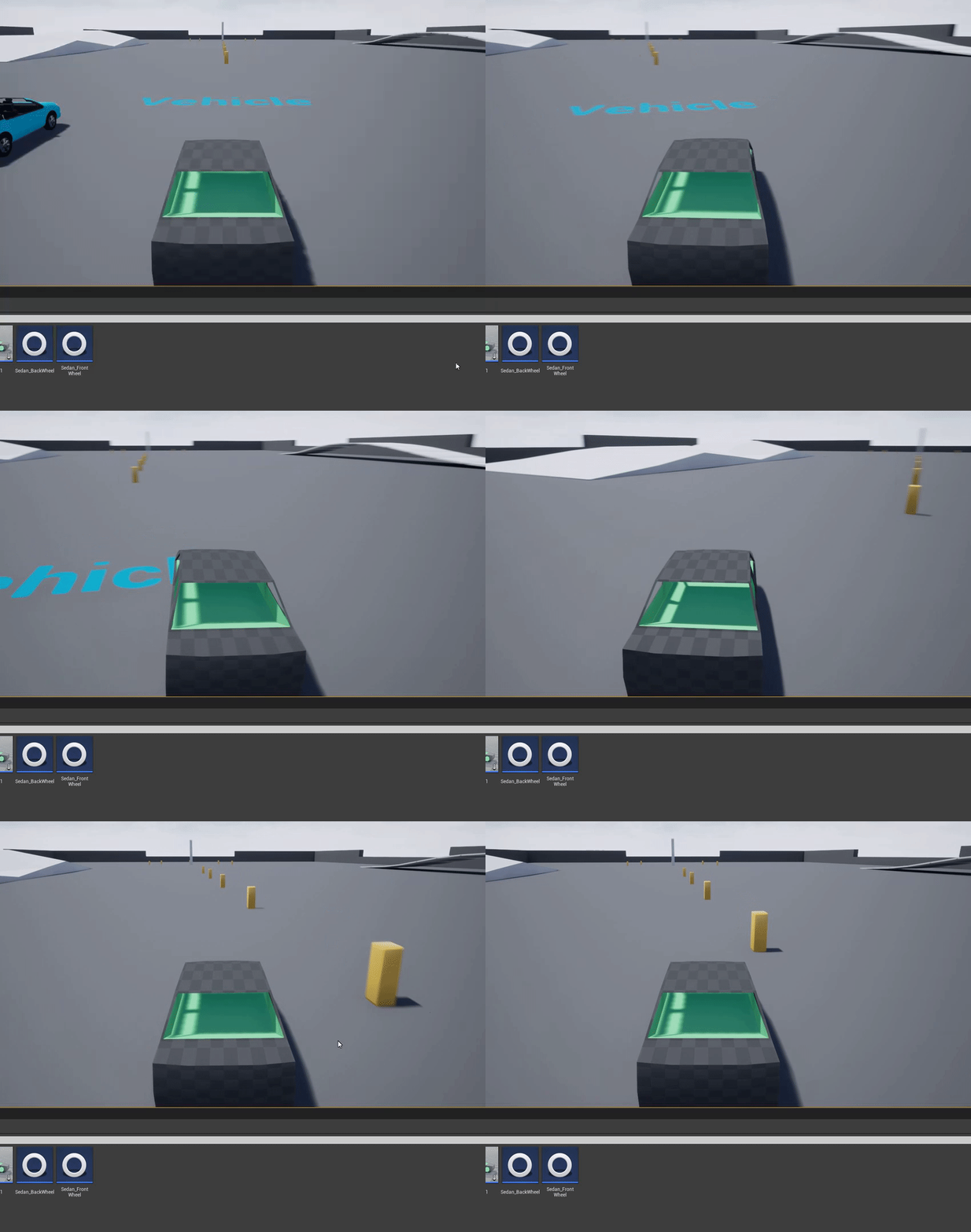
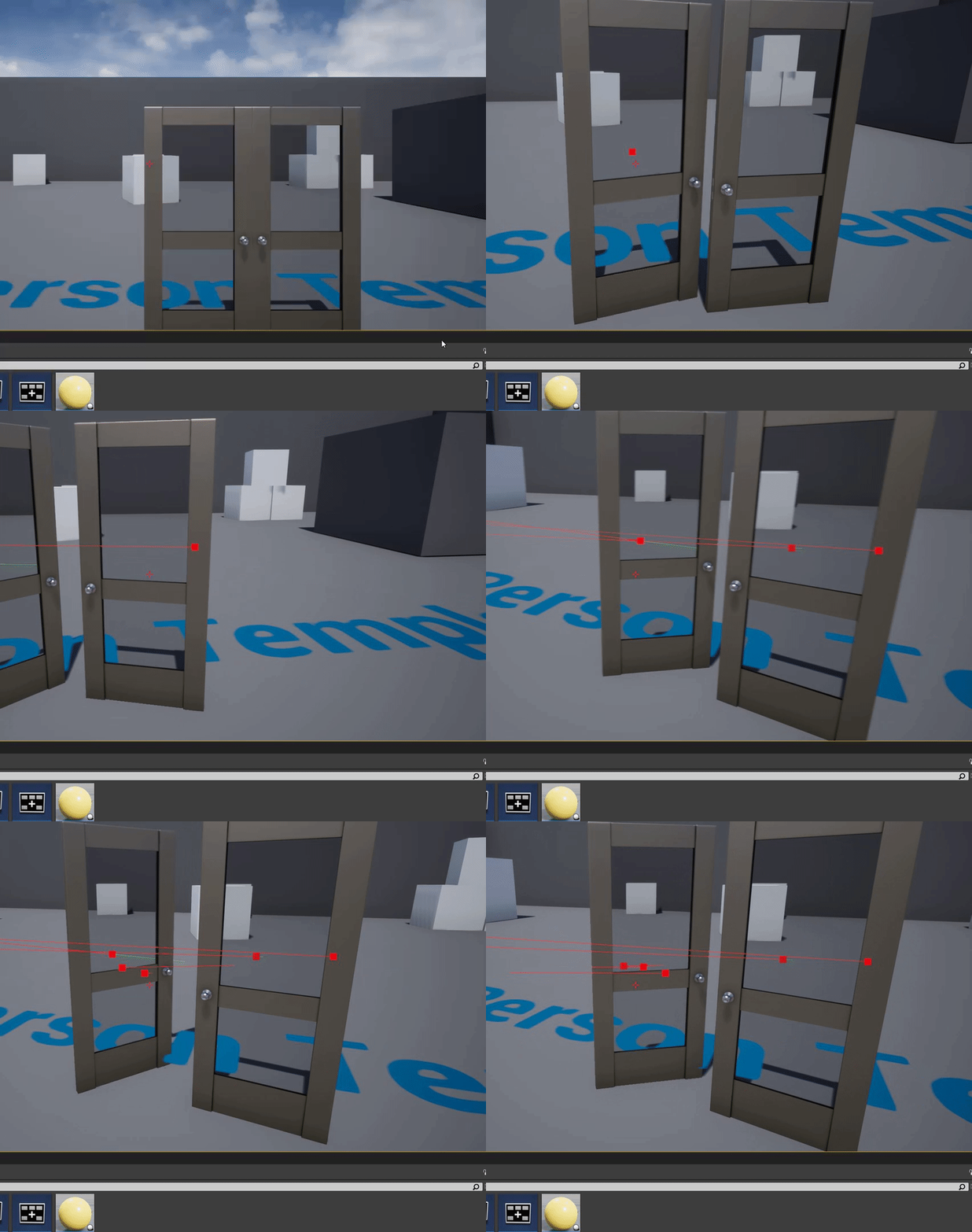
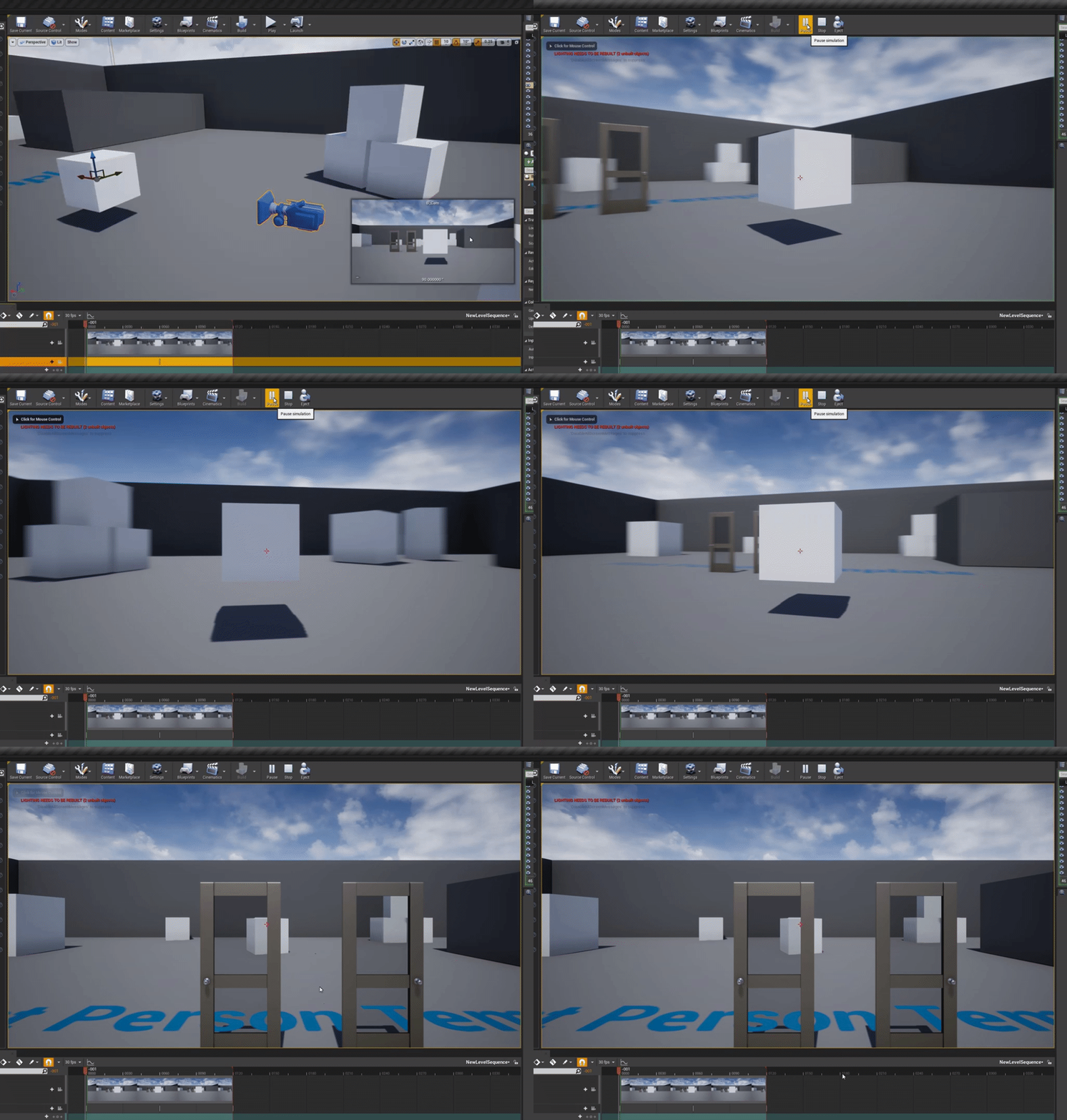
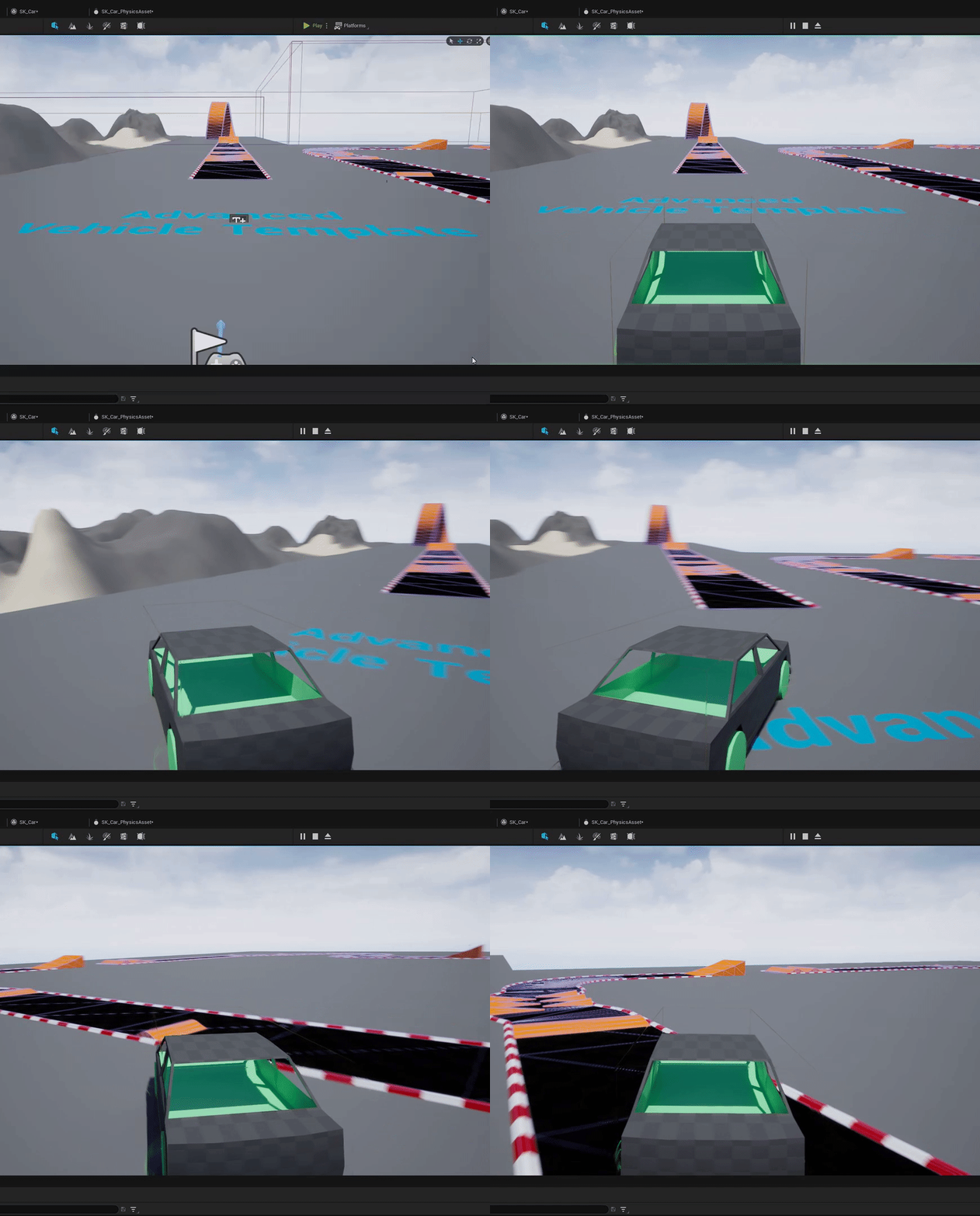

 shadow ravine
rocky crest
Any idea how big is the file to download?
shadow ravine
rocky crest
Any idea how big is the file to download?
Depends on version number and your target platform
shadow ravine
rocky crest
I tried to click on it in the Epic Launcher, but nothing happens
Send a screenshot
glacial sparrow
when you hit install, it tells you how much it has to download
drowsy snow
rocky crest
Hello all! I am a total noob, and it might be a dumb question, but can I run UE ...
UE4 would work fine, and that's a rough equivalent to a base PS4.
Though I'm not sure if 2nd gen i5 CPU going to suffer the experience down the road.
rocky crest
I needed to restart my PC because epic launcher gone wild
drowsy snow
rocky crest
Hello all! I am a total noob, and it might be a dumb question, but can I run UE ...
Also using 64-bit OS is a MUST when it comes to using the editor and deploying the game, especially with more recent UE4 versions.
Though you might be fine running pre 4.15 versions in 32-bit OS.
drowsy snow
I won't judge, don't worry.
Just there might be some repercussions with older CPUs and newer UE versions, but it's not hurt to try.
rocky crest
Question: If I want to try to make a map, does UE contain items, like clothes, building archetypes from different eras during history? Or You need to make them for yourself?
drowsy snow
rocky crest
Question: If I want to try to make a map, does UE contain items, like clothes, b...
You have to either make them yourself and/or buy them from the marketplace.
drowsy snow
Shall you want to go for the former, consider making them with Blender - it's free and quite versatile for making models for UE.
drowsy snow
rocky crest
What marketplace?
THE Unreal Marketplace. Hub to many kind of assets.
drowsy snow
rocky crest
I still can`t install UE4
Please screenshot/give clear description of the issue. Just stopping in that will get you nowhere.
drowsy snow
rocky crest
I mean UE probably 5
I won't bother using UE5 given your hardware...
The new stuff, specifically Lumen and Nanite, require newer hardware anyway, so you won't gain much.