#ue4-general
1 messages · Page 1060 of 1
 rich oar
And is LineTrace CPU intense ? Im working on the best way to look at a weapon on the ground and then make the UI appear if the linetrace is hitting it.
I dont want to create a collision sphere around the weapon itself. I want the UI only to appear when you look directly at it.
I have this working but cannot make the UI go away when you stop looking at it. I am using IsValid? to ensure im only setting the UI visibility if its the correct object type
Here is where im trying to get the UI to go away when looking away from the weapon

 plush yew
what is the most streamlined way of moving stuff from modeling programs to unreal engine
I have tried
max to unreal (fbx)
max to unreal (USD)
max to unreal (datasmith)
max to unreal (ascii)
blender to unreal (datasmith)
blender to unreal tool
everything has its pros and cons but what method is the best for preservation
plush yew
hi, someone knows how can i apply alpha channel to multiple materials?
plush yew
is it even possible to get a mirror working in unreal engine 5 without planer reflections

lumen reflections are just not finished lmao
 crimson monolith
Has anyone got into the weird issue where FMath:RoundToInt occasionally works? I use it some places but there is a place that no matter what number you give, it rounds to 0.
plush yew
why is modo the only cad tool with a proper bridge for unreal lmao who tf uses modo even
im using it just for importing to unreal but jeez
 brisk mirage
where would I ask question about world comp?
plush yew
#level-design would be a good place but general is fine too since this discord isnt narcissistic about asking questions in general
you may get a more quality answer in level design however
brisk mirage
ok thanks
 upbeat oak
Is there a console command to set a games rendering mode to unlit in a packaged game?
plush yew
@upbeat oak a workaround could be to select hide in game for all lighting then add a skylight
upbeat oak
cant add a skylight in game lol
plush yew
no the skylight could be adjusted to look identical to unlit
upbeat oak
i know
i cant add a skylight
i just want to know if there is a console command that will change a games viewmod to unlit
 regal mulch
Your best bet is to check the console command list or to follow around what the F keys do in the editor
upbeat oak
oh yeah i know all that shit in editor
f3 4 5 and 6 control viewmodes
f5 is unlit mode
i mean in game in a packaged game
regal mulch
I know
You don't understand
I said check what they are doing
So you can do it too
Whenever you want
plush yew
yo wtf, when importing skeletal meshes from 3dsMax game exporter or Maya game exporter I get this
LoginId:5f4b590c4578dc2c66a8e38a820619f7
EpicAccountId:f453d5aa6a014e42a090446618382db2
Fatal error: [File:D:/build/++UE5/Sync/Engine/Source/Runtime/Engine/Private/ShaderCompiler/ShaderCompiler.cpp] [Line: 970] ShaderCompileWorker crashed! Fatal error: [File:D:/build/++UE5/Sync/Engine/Source/Developer/Windows/ShaderFormatD3D/Private/D3DShaderCompilerDXC.cpp] [Line: 297] DXCCompileWrapper(Compiler, TextBlob, Arguments, CompileResult) failed: Result=8007000e 0x00007ffd7f4ec154 ShaderCompileWorker-ShaderFormatD3D.dll!DispatchCheckVerify<void,<lambda_a4aeaa7886a904f9dd18002a9b003559>,FLogCategoryLogD3D12ShaderCompiler,wchar_t [84],long>() [] 0x00007ffd7f4e25fe ShaderCompileWorker-ShaderFormatD3D.dll!D3DCompileToDxil() [] 0x00007ffd7f4da8d8 ShaderCompileWorker-ShaderFormatD3D.dll!CompileAndProcessD3DShaderDXC() [] 0x00007ffd7f4e0150 ShaderCompileWorker-ShaderFormatD3D.dll!CompileD3DShader() [] 0x00007ffd7f4e11be ShaderCompileWorker-ShaderFormatD3D.dll!CompileShader_Windows() [] 0x00007ffd7f4e0ce5 ShaderCompileWorker-ShaderFormatD3D.dll!FShaderFormatD3D::CompileShader() [] 0x00007ff694aca470 ShaderCompileWorker.exe!ProcessCompilationJob() [] 0x00007ff694acb667 ShaderCompileWorker.exe!FWorkLoop::ProcessInputFromArchive() [] 0x00007ff694ac69a5 ShaderCompileWorker.exe!FWorkLoop::Loop() [] 0x00007ff694ac4570 ShaderCompileWorker.exe!GuardedMain() [] 0x00007ff694ac47cd ShaderCompileWorker.exe!GuardedMainWrapper() [] 0x00007ff694ad2a38 ShaderCompileWorker.exe!wmain() [] 0x00007ff694ad3d68 ShaderCompileWorker.exe!__scrt_common_main_seh() [] 0x00007ffdd2007034 KERNEL32.DLL!UnknownFunction [] 0x00007ffdd2ac2651 ntdll.dll!UnknownFunction []
UnrealEditor_Engine
UnrealEditor_Engine
UnrealEditor_Engine
UnrealEditor_Engine
UnrealEditor_Engine
UnrealEditor_Engine
UnrealEditor_Core
UnrealEditor_Core
kernel32
ntdll
regal mulch
Or search the console command list
plush yew
anyone know what causes this
upbeat oak
apparently r.ForceDebugViewModes=1 is one half of it
but then theres another command you have to put in
regal mulch
Seeeaarrrch the command list
If you already have keywords
It's under Help or so in the editor
Generates a searchable list as html file
upbeat oak
http://www.kosmokleaner.de/ownsoft/UE4CVarBrowser.html im using this site which appears to be everything afaik
only mention of the term unlit is mobileHDR
simple dynamic lighting might work actually
 bright root
Pixel Streaming,
Im really looking to chat with someone who knows the end to end process of pixel streaming. I can make it all function and work online through ngrok.
I have a couple of ideas about streaming with audience controls and a browser based coop game mode but not sure on the right approach in terms of servers etc or a self contained 1click solution. its kinda different use to the standard purpose for this.

 limber idol
hello we refer me here cvar I might find a solution to my problem the animation of myself my weapon does not always work I share a video with you where we see the animation for the muzzle flash is normal I have not finished if someone knows how to help me I would be grateful thank you in advance
 tough solar
Your instructor has probably rebuilt their game project and it was hot reloaded in the editor. Simply run "build current project" action either from Build menu, or "Ctrl+Shift+A" > Build current project, or RMB on your project in Explorer panel and select Build project.
 pliant junco
can ppl extract meshes and animations from packaged products?
 late verge
would anyone happen to know of any good tutorials that show how to achieve really nice overcast lighting?
i have experience with bright/sunny lighting but this is my first time trying to replicate an overcast and i’m finding it quite difficult

 limber idol
hello to my referer here to find a solution the problem is my animation of my weapons which does not always work someone could help me I will be grateful


 knotty hollow
when I have a packed texture, which channels go where for the R,G,B, I don't know if R is metallic or if R is roughness etc, this is for Metallic,Roughness,AO I think
limber idol
The values you are seeing are RGB color values represented as values between 0 and 1 (they are Vector3 in UE4) instead of 0-255 which is what most image editors use.
The numbers you are getting are the RGB values divided by 255 so:
R - 50/255 = 0.196
G - 100/255 = 0.3921
B - 150/255 = 0.5882
@knotty hollow https://docs.unrealengine.com/4.26/en-US/RenderingAndGraphics/Materials/ExpressionReference/

Reference for all material expressions available for use in the Material Editor for creating complex node-based shader networks.
 wraith onyx
multi-user editing gets out of sync pretty quickly, using Radmin VPN between two citys, any tips to make it a bit more reliable? (E.g. can't see things other person made but they can see edits to a cube made before)
Could it be caused by anti virus scanning the project folder or something?
 drowsy snow
wraith onyx
multi-user editing gets out of sync pretty quickly, using Radmin VPN between two...
drowsy snow
wraith onyx
multi-user editing gets out of sync pretty quickly, using Radmin VPN between two...
Don't use multi user editing. Use source control and external communications.
wraith onyx
But want to use multi user editing... (along with source control and discord chat of course)
drowsy snow
There's a reason why Epic rolling out One File Per Actor system as opposed to maintaining Multi User Editing. The latter just doesn't work.
wraith onyx
Do you happen to know if OFPA will be available for 4?
drowsy snow
It's already available in 4.26, actually. It's just that the docs were written on UE5 section.
wraith onyx
Ah okay, we are using 4.27 updated yesterday
drowsy snow
The only drawback (from my foundings) is that sublevel name in the World Outliner would get jumbled, thus can be confusing if you're using a lot of sublevels.
wraith onyx
Noted thanks
plush yew
why cant I use play montage in a function?
is there a better why to get a random montage to play then?
drowsy snow
plush yew
why cant I use play montage in a function?
Make sure your animBP uses the slot.
 bleak drum
please, how do you disable that default constant light fade again? before it drives me nuts
drowsy snow
bleak drum
please, how do you disable that default constant light fade again? before it dri...
Auto exposure? 
drowsy snow
Check your cameras and any post process volumes that overrides it.
bleak drum
ok will do
drowsy snow
Both can still override what's in Project Settings' Rendering section.
plush yew
@drowsy snowno I mean the node, ''play montage''
the one that has all other extra options like blend out etc
 ashen brook
knotty hollow
when I have a packed texture, which channels go where for the R,G,B, I don't kno...
ashen brook
knotty hollow
when I have a packed texture, which channels go where for the R,G,B, I don't kno...
That's a matter of opinion and entirely up to you, but I would recommend to keep roughness in the green channel due to slightly higher bit depth in the most common compression formats.
plush yew
it cant be used in a function
ashen brook
plush yew
it cant be used in a function
It's probably a latent node, anything the takes more than one frame cannot be used in functions. You should be fine using the event graph though.
plush yew
ah that makes sense then, yea tried keeping it tidy with functions
ill probably use an array then so I dont have 17 play montage nodes
ashen brook
Yeah that seems unnecessary. Just get random from an array and plug that into the montage node
 native tulip
why is there no way to linetrace by specific shape?
plush yew
those are called collision boxes
native tulip
@plush yew collision boxes arent custom, you only have some shapes
plush yew
what are you trying to do?
 upper kraken
Hey everyone, I have a question!
What is a good way to approach planning of a small game mechanic prior to programming? Take a keypad for instance, type in the correct code, then it'll open a door. Do you just tend to jump straight into coding? Or do you tend to write some things down, take notes, think about how it would work in detail and only then get into coding?
Currently I tend to just jump straight into it, start with the first thing that comes to mind, face roadblocks, try to overcome them, until I have something that kiiinda works, but it feels more like a patchwork and has many bugs and especially issues further down the line. Is this an experience thing or are there renowned planning methods?
 acoustic slate
Hi folks, wanting to ask a question about components. I am new to coding in C++/Unreal and currently working on a spaceship which I'm coding my own custom components into (sensors suite). In Unreal, am I better coding multiple custom components (e.g damage comp, shield comp, targeting comp etc...) or am I better just having a few larger components encompassing more (sensor suite as a whole). Is there a performance benefit to either as well? Thank you kindly in advance..
plush yew
@upper krakensounds like your learning 😄
you cant really plan it out either, but I get what you mean. Altho this is a good thing
 cold bridge
I have a platform that is lowering itself when a character steps on it, the logic works (via overlaps) but one issue is that it's like the platform doesn't exist - the character is not "on" the platform, but rather "inside" of it and when stepping on it the legs are within the box. how can I solve this?
"can character step up on" value is marked to "yes" on the mesh
 azure topaz
can someone explains me exactly what construction script is? cuz i cant understand it right
 mental helm
It's mostly there to help generate or assemble a actor. Could be a spline mesh that you can interactively draw out and modify parameters, or a platform that generates a base under it with a line trace, or you could add some sort of randomization or distribution element
upper kraken
plush yew
<@!230937547423875074>sounds like your learning 😄
Hahaha, dang I'm found out! xP
Yeah I'm very new to programming specifically so I was hoping there were some renowned ways that experienced users tackle specific tasks, but then I suppose it is really an experience and workflow thing that I still need to properly discover. Thanks!
 bright aspen

how can I make this texture megascan, the same size on all walls?
Becouse if the wall is strached, the texture is bigger too
 muted crater
Does anyone know if the maya livelink plugin allows you to models in maya and quickly send that geo+collision into Unreal? the Blender To Unreal plugin does this, but i can't tell if the maya integration is purely for animation or what.
upper kraken
bright aspen
how can I make this texture megascan, the same size on all walls?
Try using a World Position Node in your material, maybe in conjunction with TexCoord to scale your material if necessary
bright aspen
upper kraken
https://www.youtube.com/watch?v=8aYe54XrZYI
Ok but how how can I get into the bp? ( 0:36)
upper kraken
You double click on your Material in the Asset Browser? 
Is that your question? haha
bright aspen
@ebon ridge
 weary shell
Hello everyone, I'm new member. Is there anyone familiar with the dataprep tool can help me?
I create a Actor Component Blueprint with many functions to add to Datasmith static meshes. So, I want to create a operation custom node to execute in Visual DataPrep as attached image

This is my Blueprint for operation custom node, but maybe I get wrong something. Can anyone please suggest me how to fix this?
 plush yew
this only seems to happen on the build when i click play game to create a multiplayer session

 old flare
can anyone suggest me a good unreal engine blueprint tutorial
 shadow ravine
Quick question, I'm trying to edit a hand animation for a weapon hold so my character can wrap his fingers round it. But after adding the bones to the layer tracks and getting them in position then applying my animation goes back to the hand being open. Could this be due to curves conflicting with it or am I just missing something?
shadow ravine
Also is it possible to attach a mesh with two sockets left and right hand. As currently my character's left hand keeps floating out of the pose.

 thick prawn
Hello ^^
It is possible to change or add a new collider in character class? Like i want char collide as a square and not a capsule
Thanks ^^
cold bridge
any idea why blueprint debugger won't pop? I'm playing in the editor, triggering the things (stuffs are printing and executing correctly) and the breakpoints are not hit
cold bridge
nvm seems like a reload of the editor figured it..
 dense wren
guys
im trynna look at where the mouse its pointing in my side scroller.. thing is that all tutorials i saw already, use aim set animation blendspaces, is there any way to not do that?
azure topaz
so i have to connect SM door frame with static mesh, but it wont connect, what am i doing wrong?

can someone help me?
someone?
dense wren
you need to call it out from there
not connect it i think
in the select asset option
idk if a static mesh goes there tho
plush yew
Hey, how do i use Unreal Engine (Easy Anti Cheat) ? There should be added free but i found nothing in docs etcß
dense wren
theres an anticheat plugin in marketplace, i think its free
plush yew
its not easy anti cheat
i looking for the announced eac

Unreal Engine
Voice and Easy Anti-Cheat are new tools that developers can use to connect players with in-game voice chat and to protect PC games against cheating.
azure topaz
dense wren
you need to call it out from there
so i have to make set static mesh BP and then drag it out ?
plush yew
i cant preview any anims
azure topaz
dense wren
you need to call it out from there
how can i fix it?
plush yew

Understand the prerequisites, network architecture, platform components, and more involved in implementing Anti-Cheat in your EOS product.
dense wren
azure topaz
how can i fix it?
click on select asset, then select your sm door
azure topaz
dense wren
click on select asset, then select your sm door
yea, but i have to connect sm door frame variable to set static mesh aswell
 pseudo void
Does anyone know if epic has any plan to ever bring the epic launcher to linux at all? Since the engine can be run on it, I don't see why not have a way to get your assets for it
dense wren
theres a linux channel if you check at the left
dense wren
pseudo void
Does anyone know if epic has any plan to ever bring the epic launcher to linux a...
maybe ask there
azure topaz
dense wren
click on select asset, then select your sm door
i did it, but still wont connect, how do i connect it ?
dense wren
no idea honestly
azure topaz
thats what i get when i try to connect it
 dense wren
mm
search on internet
leave it a side and learn something else
if you get stuck you loose time
shadow ravine
@plush yew thought I'd let you know I resolved my ALS problem 🙌 ended up finding a guide on YouTube to create a new socket for each item and rewire the blueprints with a attach to hand function for each item 🎉🎉🎉😂
 knotty summit
Is there any way to start my project with FPS opened?
 deep swallow
(Engine version 4.22)
I desperately need some help. My project suddenly started crashing when I start it just after it reaches 83% loading. I retraced my steps but it started happening again once I added another blueprint.
I somehow figured out that if I delete ANY few blueprints, even those who have been in the game for years, it starts working. It is not code-related at all. Maybe a setting. There are maybe 400-600 blueprints in the game, and removing ~300 Kb puts me under some invisible threshold that makes it work. I have deleted Saved/Intermediate/Binaries and refreshed the project multiple times.
There is something wrong in the loading process that causes a stack overflow, and the error message I get from the crash dump is "The thread used up its stack". I can find absolutely no information about it online. Without getting past this I might just not be able to work on the game any more, ever, and it feels like anyone besides me would've encountered it at some point. Please, I don't know what to do, it gives no information about what the issue is.
Reddit thread with more info: https://www.reddit.com/r/unrealengine/comments/ph6lp9/project_crash_on_startup_stack_overflow_due_to/
plush yew
i have a problem making ads camera i cant look down
 wet schooner
could it be colliding with something
weary shell
plush yew
i have a problem making ads camera i cant look down
Edit your character BP and try this

 wary wave
deep swallow
(Engine version 4.22)
I desperately need some help. My project suddenly started ...
wary wave
deep swallow
(Engine version 4.22)
I desperately need some help. My project suddenly started ...
My best guess is that you have things just casually referencing everything else - which means each time you load an asset like a blueprint (Asset A), it's crawling through all the things that Asset A references to ensure those are loaded (Assets B) - it then crawls the dependencies for each of these to ensure that these are loaded (Assets C)... and so on.
each step in this chain is going to be exponentially larger than the previous, so I could see this triggering a stack overflow situation if you somehow didn't run out of memory loading an entire game first
deep swallow
wary wave
each step in this chain is going to be exponentially larger than the previous, s...
I'm not sure this is the issue, but in that case it would be impossible to make large Unreal Engine games? And how would one solve it? My game is not big by any means, and as I say removing just about any blueprints (even older ones that have compiled fine for years) will make it work again. The blueprint I was working on that made this appear was just a second generation child of another blueprint. The issue doesn't seem to be a single blueprint, but rather the volume of blueprints in some way causes the error. I've never seen anything like it after several years of programming, and the error information is nearly nonexistent :/
wary wave
I mean if you're not controlling how things are loaded and when, through soft references, that would almost certainly do it
deep swallow
What do you mean? It crashes when I try to load the project, it doesn't have anything to do with implementations
dense wren
and i want player to look at mouse
like aiming with weapon, but i dont wanna use guns only a bow that im not yet adding
wary wave
deep swallow
What do you mean? It crashes when I try to load the project, it doesn't have any...
do you know what a soft reference is?
dense wren
i want the player to look atleast just with his head to where mouse points
but all tutorials i saw teaches how to do an aimoffset blendspace
but i dont have aim offset anims without weapons
only with the player holding a gun
is there a way to do it without aimoffsets
deep swallow
wary wave
do you know what a soft reference is?
I've heard about it in C++ but I don't see its relevance in this context
dense wren
deep swallow
I've heard about it in C++ but I don't see its relevance in this context
c++ its also used in ue4
 lucid beacon
where can I get support?
wary wave
deep swallow
I've heard about it in C++ but I don't see its relevance in this context
^ignore that, it's not strictly helpful - I would suggest you probably want to do some reading around the subject and how they're using with regard to UE4 and asset management
deep swallow
Well yes, but why would the project crash when loading because of soft references due to having X amount of blueprints in the project?
lucid beacon
How can I change my character without remaking animations?
wary wave
it's probably crashing when loading because you don't have them
dense wren
lucid beacon
How can I change my character without remaking animations?
change the mesh
lucid beacon
dense wren
change the mesh
but then the anims wont work
wary wave
the asset reference tree is so long, it's causing a stack overflow
dense wren
the skeletons might not be the same
dense wren
lucid beacon
but then the anims wont work
.
lucid beacon
dense wren
.
 dense wren
you need to check if the skeletons are the same
lucid beacon
 lucid beacon
they are
dense wren
you need to select the animation blue print
lucid beacon
dense wren
you need to check if the skeletons are the same
they are
lucid beacon
dense wren
you need to select the animation blue print
I did
dense wren
in the anim graph check if everything is correct
also that is the marketplace character right? it should be compatible
oohh
also
your human mesh is in t-pose
deep swallow
wary wave
the asset reference tree is so long, it's causing a stack overflow
So I can't have as many variable references as I want in a class or something? What am I supposed to replace them with?
dense wren
the ue4 manequin is not in tpose
but you need to retarget them definitly
create a humanoid rig in both
deep swallow
Just to be clear it loads when I delete blueprint files, not from the map. The map is basically completely empty
 dense wren
then retarget
wary wave
you can have billions of references, the problem is you have HARD references to everything causing long reference chains
you need to break those chains
wary wave
ideally, you want soft references to certain assets, and you want to try to reference only native or abstract base classes in your code (e.g. Cast to Pawn, not to 'ThisSpecificPawn' which has lots of assets etc)
lucid beacon
they are all the same
wary wave
in order to prevent enormous reference chains being created
lucid beacon
 wary wave
depending on the size and complexity of your project, doing it this late in development could be quite the headache
but it does want doing
lucid beacon
dense wren
also that is the marketplace character right? it should be compatible
idk
it wont work
dense wren
and somehow made it work
lucid beacon
im new to animations
deep swallow
wary wave
in order to prevent enormous reference chains being created
There's essentially a limit to how many child classes one can make from another class? And this limit is somehow cumulative between all blueprints in a reference tree?
wary wave
there is no limit
deep swallow
Just a limit on how many references between stuff there can be?
lucid beacon
Can anyone help me?
I just want the anims from the regular character to be on my new character
be he just sits in tpose
dense wren
you did set the anim bp up in the animation tab? over mesh?
deep swallow
Like I have "Manager" classes that refer to nearly every object in the game to keep track of them, so every object in the game probably has some reference to other objects
dense wren
the same animbp you was using on ue4 mannqin
wary wave
it's only a problem if it's a direct reference to something that contains a lot of direct references to other things
this might help:
https://www.youtube.com/watch?v=K0ENnLV19Cw

This week Christian Allen will provide an overview of Hard & Soft Object references in Blueprints, why the differences are important to know about, and how you can utilize Soft Object references in your project to help with memory management.
Watch Inside Unreal live at twitch.tv/unrealengine, Thursdays @ 2PM ET
DISCUSSION THREAD
https://forum...
but you could even have issues where you have circular references, where A ultimately references B, which ultimately references C, which ultimately references A
this could also cause something like a stack overflow during loading, in theory
deep swallow
I think I have a few of them, but not in the ones that I can delete to make the project work
So far I've been successful when I delete the most recent blueprint, all vehicles, a few interaction points etc, it's almost random if it will crash or not and it just started happening the last few weeks
I'll take a look at the video though, thanks!
wary wave
hopefully this is the root cause of your problem, it certainly sounds like it is
fixing it will probably be an unfun couple of weeks though
deep swallow
I do have huge reference trees so I'm hoping for that too. Basically I have maybe 12 manager classes each handling different aspects of the game (pawns, enemies, buildings, vehicles etc) and in the game mode I have a reference to each of those manager classes, because the game mode can always be acquired. In the beginning I used the controller as this sort of "master manager" though, so there are many cross references between them...
wary wave
there's a reference viewer and a sizemap tool inside the engine that can help you work out where these things are
just looking at the sizemap for any given asset will show you what can theoretically be loaded as a result of loading that asset
ideally, it's just the art associated with that blueprint as an example - when it is not, it's an indicator of a potential problem
deep swallow
Alright, so the goal is to try to reduce the size of that size map, because that causes the stack overflow
wary wave
not directly, but it is a symptom
deep swallow
I am still learning so I really appreciate you taking time helping me 😄 This is one of those invisible problems you don't know you have until it hits you in the face
Yes, right, it just displays the issue
plush yew
weary shell
Edit your character BP and try this
I'll try ty
deep swallow
@wary wave The red colour alone tells me this blueprint is screaming in agony 😂
 weary shell
plush yew
I'll try ty
weary shell
plush yew
I'll try ty
Ok. Let me know result 🙂
 glacial pecan
Anyone know why on earth box colliders for an actor wouldn't show up in packaged builds on a streaming level?

I mean, the actors and the colliders are there when you play in the editor/standalone, but only the actor is there in the packaged build, not the colliders!
wary wave
deep swallow
<@!99264143659401216> The red colour alone tells me this blueprint is screaming ...
not even close to the worst I've seen, but yeah, that's a whole lot of references 😂
deep swallow
wary wave
not even close to the worst I've seen, but yeah, that's a whole lot of reference...
So basically a single class that references nearly everything in the game indirectly is not ideal? Like in this case, you have A that references B C and D, which refer to E F and so on, but to make F communicate with A, F (and basically every class in the game) has a reference to A, which I assume creates a circular references and messes with memory. I'd assume the reference to A wouldn't load everything related to A, which is probably wrong. How would I go about communicating between blueprints in a hierarchial structure efficiently to keep references down?
wary wave
ideally you want clear hierarchies of control, so that certain gameplay elements don't really need to know much about the specifics of other elements
the managers are a good step in this regard
glacial pecan
deep swallow
So basically a single class that references nearly everything in the game indire...
only soft references don't load... regular references load everything
deep swallow
glacial pecan
only soft references don't load... regular references load *everything*
....Oh.
Welcome to learning-land. Population: Me
wary wave
you want to have abstract base classes for most of your gameplay elements, so that when you want to operate on something (e.g. Enemy A attacks Objective B), that it only needs to know that it is an objective (e.g. Cast to Objective Base, call generic functions)
the abstract bases prevent hard references between the unique elements that don't need to be there
glacial pecan
deep swallow
Welcome to learning-land. Population: Me
Me too. 🙂 Also recommend to look into blueprint interfaces... they're cheap to reference
wary wave
yeah, interfaces can be a good option
I tend to use components instead, personally
they're easier to manage and more visible
deep swallow
But if I understand correctly, if I change every reference to A to a soft reference instead of a hard reference, so there is a clear hierarchial flow in a single direction, then that'd likely alleviate many of the problems?
wary wave
when you want to check something has a component, you can just do a 'Find Component by Class'
well, not everything, you'll need to come up with some sort of strategy
deep swallow
Interfaces are fantastic, but they can't do return values 😦
wary wave
components do though 😄
obviously things do actually want to be loaded - you just want it to be in a more controlled manner
glacial pecan
deep swallow
Interfaces are fantastic, but they can't do return values 😦
sure they can
wary wave
and yeah, they do have returns, what they don't do is contain data, ergo values
the parent actor would be responsible for that, which is fine
glacial pecan
deep swallow
But if I understand correctly, if I change every reference to A to a soft refere...
just remember that soft references need to load... so if you cast afterwards, it then kinda defeats the purpose... again, interfaces to the rescue here
deep swallow
Ah, I might've missed that then x.x
And yes, having interfaces be bundled with data (such as an HP variable with an interface that handles damage) would be golden
wary wave
that's the kind of thing we do with components
a generic 'Health' component can be added to any actor that has health
deep swallow
glacial pecan
just remember that soft references need to load... so if you cast afterwards, it...
Basically nearly every blueprint I have gets the game mode, casts to the custom game mode class I'm using to access all the variables and manager classes, and sets it as a variable. Would this casting make it take up memory despite using a soft reference or does it just load the asset temporarily?
deep swallow
wary wave
a generic 'Health' component can be added to any actor that has health
Good point, I have a lot of good practices left to learn, I must admit. Main priority is to get my game working again though 😄
glacial pecan
deep swallow
Basically nearly every blueprint I have gets the game mode, casts to the custom ...
I think every blueprint should get the game mode and then use an interface to talk to it... that way, you can change or use whatever manager class you want, and the blueprints don't have to know or care
I'm throwing interfaces in for almost every class I have, which might be overkill, but it also enables me to just swap them out if I want to, and the game will still work
 next dome
hi guys, im having issue where a material flickers with small black dots
anyone know how to fix it?
deep swallow
glacial pecan
I think every blueprint should get the game mode and then use an interface to ta...
Hmm... I'm not sure I understand how it's supposed to be implemented optimally. Here's a short example: This is from the blueprint of my "miner" class. When this guy is teleported in, I want to tell the Miner Manager that this guy just arrived, so the Miner Manager puts him in an array and keeps track of him for reasons. How do I go about this without creating an interface call for nearly every function I want to use from the miner's blueprint?
 glacial pecan
deep swallow
Hmm... I'm not sure I understand how it's *supposed* to be implemented optimally...
glacial pecan
deep swallow
Hmm... I'm not sure I understand how it's *supposed* to be implemented optimally...
Well, I'm not the right person to answer that, because I have an interface call for every function I want to use. 😄
deep swallow
Haha fair enough... I just don't quite see why this would cause problems, it shouldn't really use the reference to DevMode until I call a function or get a variable from it 🤔
glacial pecan
deep swallow
Haha fair enough... I just don't quite see why this would cause problems, it sho...
again, I do think that's where you're wrong. if the reference exists, everything associated with it is always loaded, if the object that references it is in memory (and that can cascade super easily... hence, why soft references and interfaces are made to eliminate that risk)
deep swallow
glacial pecan
again, I do think that's where you're wrong. if the reference exists, everything...
Oh I think I understand now. So if one were to be crude, if I would replace every reference to this game mode variable with a function that gets the game mode and casts it to my custom game mode, it would not load the asset? (of course this is at the cost of runtime computations to get the game mode and cast it)
I might have been overusing variables to make sure I only have to get things once to keep runtime costs down, so it doesn't have to get the game mode every time it wants to do something...
Like if I just made this a getter function, it doesn't keep the asset loaded in memory forever, but in this case I should use a soft reference
 glacial pecan
deep swallow
Like if I just made this a getter function, it doesn't keep the asset loaded in ...
glacial pecan
deep swallow
Like if I just made this a getter function, it doesn't keep the asset loaded in ...
I think we're approaching the limit of my knowledge as well... because the gamemode is always running, and if it has regular references to all managers, then every class involved is always loaded anyway... again, I've avoided (I think) all those headaches by padding nearly everything with interfaces
deep swallow
glacial pecan
I think we're approaching the limit of my knowledge as well... because the gamem...
Yeah, thank you for the help, it has definitely set me in the right direction. I'm just trying to wrap my head around how you are supposed to use references then, the video I'm watching makes it sound like a reference is an instanced version of an object, basically a local copy for that actor, which can't be right... I'm gonna do some more research and digging and see if I can crack this
glacial pecan
deep swallow
Yeah, thank you for the help, it has definitely set me in the right direction. I...
This week Christian Allen will provide an overview of Hard & Soft Object references in Blueprints, why the differences are important to know about, and how you can utilize Soft Object references in your project to help with memory management.
Watch Inside Unreal live at twitch.tv/unrealengine, Thursdays @ 2PM ET
DISCUSSION THREAD
https://forum...
 frank pumice

why is angle working but not the speed

and why is the function not updating the speed var
deep swallow
glacial pecan
https://youtu.be/K0ENnLV19Cw
I'm watching that right now, but unsure how relevant it's gonna be in my implementation as mine is a game with tons of blueprints and they seem to be working with a smaller demo which also has a level... I spawn everything in my game dynamically from a read text file, the map itself is basically empty, which is why I need all those references 😉 If I don't get anywhere I'll be back! 😄
shadow ravine
Having an issue with my gun firing animation where my character doesn't fire in the direction the gun was pointing before firing. I've setup the montage layer override to the right arm. But I can't for the life of me work out how to resolve this. Anyone got any ideas?

 glacial pecan
deep swallow
I'm watching that right now, but unsure how relevant it's gonna be in my impleme...
glacial pecan
deep swallow
I'm watching that right now, but unsure how relevant it's gonna be in my impleme...
This image is from a CSV file (ie text file) that I just exported from a DataTable in my game. The blue highlighted column is a soft class reference... if wasn't, the moment this text data is read in the game and parsed by Unreal, ALL CLASSES would instantly load, regardless if they'd ever be used or not (in my case, regardless if that particular monster is ever spawned in game or not).
 deep swallow
glacial pecan
This image is from a CSV file (ie text file) that I just exported from a DataTab...
deep swallow
glacial pecan
This image is from a CSV file (ie text file) that I just exported from a DataTab...
I'm not sure I understand, doesn't all objects in the game always stay in memory and references just pulls data from where they are in memory?
Also, the way they use soft references seems cumbersome, they load the asset manually when they want to use it, and then cast it, which costs execution time. In my case I could instead technically have an independent function that gets the game mode and casts it instead, since the game mode is accessible from anywhere, and it would do the same for the same execution cost?
And if I'd change all of those, I'd hope that actually helps my issue... would be a pain if I change all this and it turns out not to help
glacial pecan
deep swallow
I'm not sure I understand, doesn't all objects in the game always stay in memory...
Regular references always stay in memory, yes. Soft references only gets loaded when you tell them to (and garbage collected when you stop using them).
But as I said, if you cast immediately after loading a soft reference class, it kinda defeats the purpose... hence, interfaces... there's a step back you need to take and think about the big picture a bit before it clicks (or at least there was for me). 🙂
deep swallow
glacial pecan
Regular references always stay in memory, yes. Soft references only gets loaded ...
What I mean is, I'd assume a reference would just reference to the object itself (basically a location in memory) so that it can get the variables when needed, but here it seems to create some humongous reference chain that causes a crash when it just tries to see what's connected to what, which still isn't intuitive...
Yes, I hope it clicks, this is a nightmare issue because it is not entirely clear how to solve it. I'm gonna try removing a few references to the game mode from some classes and see if that leads to being able to open the project without crashing...
But wait, no, I don't see how a soft reference would help. In the video they load a soft reference and cast it to a regular variable, to control when something loads into memory. If I would do the same I'd still have those circular dependencies? Soft references seems great for models and textures to reduce VRAM/RAM usage when running the game, but my project crashes when loading the assets, during startup. Unless I'd not do a variable and instead cast from the soft reference every time I use it...
Maybe your interface method would work better, but it's still hard to figure out what end to start...
 rose glen
Hi everyone, I posted a question with details on reddit regarding ios deployment, rather than posting here and spam the chat, please take a look and help me 😭
https://www.reddit.com/r/unrealengine/comments/pg15gt/ios_deployment_with_free_dev_account/?utm_medium=android_app&utm_source=share
 steady owl
Possibly running into a few 4.27 specific issues. What did you run into?
Damn 😦 got any links to more info / similar reports?
For me sessions aren't even creating properly
Seems like a pretty fatal set of bugs, yeah I can confirm that this happens even not using the Steam Sockets plugin
There doesn't seem to even be an issue listed in unreal issues yet
better report it!
Seems to fail due to this: Warning: STEAM: Failed to initialize game server with Steam!
Maybe it's looking for a dedicated server rather than creating a listen server?
shadow ravine
Can anyone tell me why I am getting 2 of my weapons spawn in. One's on the floor the other is in the hand. I'm just trying to replace the static mesh spawn with a actor bp spawn.


Ignore the Actor Spawn exec pin as I forgot to update that in the example of what I'm attempting
 halcyon basin
Hello, does unreal still have the rotating mesh bug where it does not register collisions for pawns that are not moving? My door seems to be working this way?
I have a door that opens/closes and if you stay just where the door needs to close/open and be still, the mesh clips thru you, all physics are setup and collisions..
steady owl
Found a fix: putting bInitServerOnClient=true in the Engine.ini under OnlineSubsystemSteam
 shut burrow
I too would like to know this
shut burrow
ty mate!
steady owl
Well actually seems like it's still a bit broken, the sessions created don't appear to be findable and when leaving the session the game crashes due to an assertion
I'll stick with 4.26 for now I think
Looks like there's another warning when creating that session Warning: STEAM: AUTH: CreateServerSteam is calling the depricated AdvertiseGame call
Which may be why the session isn't working as intended in 4.27
 final moth
does anyone know why the editor stays in this mode

every time when I go to the cinematic viewport and I go out of it, the translate icons gets messed up and I can't use them any more
For example, the icon which I should click to change between world or object transform mode becomes unresponsive
and the icons change to be like the ones in the cinematic viewport, with the exception of grid icons
does anyone have this problem?
this looks like a bug to me.
shadow ravine
Anyone know how I can get my ALS character to have a more accurate line trace. I've had to put a new spring arm and camera in to be able to spawn it as I couldn't work out how to spawn it from the shoulder camera that's already functional. I'm sure there's a better method that what I'm doing here? https://www.youtube.com/watch?v=9K-2bf0-ouU


 gilded lichen
Hello, has anyone got a good tutorial for procedural generation?
 robust marten
shadow ravine
Anyone know how I can get my ALS character to have a more accurate line trace. I...
robust marten
shadow ravine
Anyone know how I can get my ALS character to have a more accurate line trace. I...
Add an extra 0 or two or 3 to the distance
shadow ravine
robust marten
Add an extra 0 or two or 3 to the distance
But that doesn't help with the camera rotation accuracy, it'll just make the line trace further which at the moment isn't a problem
robust marten
shadow ravine
But that doesn't help with the camera rotation accuracy, it'll just make the lin...
The longer your trace the more accurate it will be at the starting range. Also, use the forward vector of the muzzle, because you want it to shoot from there, right? Also why aren't you simply using GetWorldLocation for the muzzle?
shadow ravine
robust marten
The longer your trace the more accurate it will be at the starting range. Also, ...
Yeah from the muzzle so I'll increase the distance then and add the forward vector to the muzzle socket location and see how I get on. Any idea how I can get it to shoot at the floor when aiming down as in the video example you can see how the camera rotation isn't working with it too.
 stuck linden
does anyone know how to put the character at the ground?
 robust marten
stuck linden
does anyone know how to put the character at the ground?
robust marten
stuck linden
does anyone know how to put the character at the ground?
Move them closer in the character BP?
stuck linden
but then thing like crouch dont work
he goes under the terrain
theres no way to just stick him to the group
ground or something
robust marten
stuck linden
but then thing like crouch dont work
Why does your crouch move the entire mesh downwards?
stuck linden
robust marten
stuck linden
How does it look when she isnt moved down?
Could it be your root motion?
 torpid stone
Hi when I drop 1000 fbx into unreal it asks me Import options every time, can I automate that?
for each file
so I can't bear to click the fbx dialog 1000 times every few minutes
robust marten
torpid stone
so I can't bear to click the fbx dialog 1000 times every few minutes
Should be an import all option, no?
torpid stone
robust marten
Should be an import all option, no?
I click it, still appear every time for each file

whether Import All or Import, it shows for each file
4.27


 plush yew
yessssss is true lol
how do you return them in blender sorry I remember more slol ^^
@plush yew
tks
but
nothing
...
edit mode?
no is good sorry bro
but i no inderstand because now
^^ is outside i no have wall
why?

wtf


 hidden sparrow
Hey, I have a button in my widget. What is the best way to make the player click it for example 5 times before it actually does something. Do I make a variable and count how many times he pressed it? or is there a node that sends output only after 5 inputs?
plush yew
thicker the wall each purple side can be?
its possible you show
fast please
because for me is good
ok tks is very eazy omgushhhhhh
sorry for this
 neon bough
or use two sided material/geometry
however, usually you don't add faces where the player shouldn't look from
 surreal eagle
Game design decision: I'm probably not going to add wallhanging like I wanted to originally,as it probably doesn't add too much value to gameplay, because I have the inclusion of a vault system
For reference,my game is a fps game with advanced movement
surreal eagle
torpid stone
Hi when I drop 1000 fbx into unreal it asks me Import options every time, can I ...
Autoclicker
plush yew
I have a weird question where i dont even know what in particular im looking for but hope you guys know
i want to have classes like mage, warrior, healer you know that kind of thing, but i want animations like idle, walk, run, etc etc to change based on class selected
What would i need to google gooder U:
to figure out how to do particularly that
@drowsy snow if you know the answer to this with your huge brain poke me on snowie or ping me here pls ❤️
surreal eagle
plush yew
i want to have classes like mage, warrior, healer you know that kind of thing, b...
Make a enumerator and use a switch on statement
plush yew
surreal eagle
Make a enumerator and use a switch on statement
wait that would work
surreal eagle
Yep
plush yew
so i wouldnt need something like multiple animation blueprints
surreal eagle
Nope
plush yew
just enums and switches to swamp out animations based on class?
plush yew
youre a really a pretty clever villian
surreal eagle
Yes,I'm a mad scientist
plush yew
i cant wait to see your project darling~
surreal eagle
You can't be a supervillain without a genius
surreal eagle
plush yew
i cant wait to see your project darling~
Thx
 surreal eagle
So the trick is to use a switch on int node in your anim bp
plush yew
int node?
surreal eagle
Go into the anim bp and type it on
plush yew
okie um gimme a secx i was just about to go shower x-x
surreal eagle
To tell this to the animation blueprint, use a cast node
plush yew
o.o sure
surreal eagle
Take a break while you're at it
plush yew
that works perfectly~
plush yew
so to viciously simplify it
Arena fighter
with an open world(if possible)
with an emphasis on advance movement and extreme player expression through race gender, age differences and styles/combat
plush yew
shhh youre buttering my toast x///x
plush yew
well i dont want to sell dlc or microtranscations and want to update the game for at least a decade or so
surreal eagle
plush yew
shhh youre buttering my toast x///x
Now put sugar and cinnamon on it
plush yew
so i cant sell it for free ;-;
surreal eagle
plush yew
well i dont want to sell dlc or microtranscations and want to update the game fo...
Based
surreal eagle
plush yew
so i cant sell it for free ;-;
Nah I'm one guy
plush yew
well i grew up playing games on the atari
surreal eagle
Id help you a bit
plush yew
we didnt have internet updates so the ability to forward patch games was revolutionary to me it dawned that infinite possiblities could occur like living breathing constantly updated worlds hell universes if you had enough people but we all see how the industry did with such an incredible ideal
oh about 2 and a half decades
 gaunt abyss
lol
plush yew
:3
surreal eagle
Hm I'm almost 1.8 decades old in that case
plush yew
nice nice
surreal eagle
Birthday in 7 days
gaunt abyss
plush yew
oh about 2 and a half decades
That sounded so funny to me lol
about 2 and a half decades
surreal eagle
I take it you're very into anime
plush yew
oh sure i dont mind
surreal eagle
Hence the inspiration for your game
plush yew
ill move to louge after i get back
gaunt abyss
👍
neon bough
aren't there animation assets? which you can just swap out for your current class?
i wouldn't clutter all the stuff with switch nodes
surreal eagle
That's what I'm explaining to this person
surreal eagle
neon bough
i wouldn't clutter all the stuff with switch nodes
I use only blend nodes in my abp
Cry
Also some graphs

 neon bough
well what i meant is a collection of animations, not the usual animation sequences
ALS has one animation set
yes, but you still have the same running animation, regardless of it blending over a stance like handcuffed/rifle/whatever
 lyric cedar
anyone know why my skysphere isn't lighting up my world?

i thought it was meant to do the job of the directional light?
 gloomy cosmos
how do i make something switch between blueprints
neon bough
you would have to provide more context^^
 woven marlin
why when i add a socket, it gets scaled so large?
woven marlin
woven marlin
why when i add a socket, it gets scaled so large?
anyone knows whats the issue here?
gloomy cosmos
so when i press t it changes blueprints
sO lets say when i press t it switchs from phys gun to a weapon (Pistol)
gloomy cosmos
neon bough
you would have to provide more context^^
is that enough
neon bough
well, it explains what you want to do, without knowing how your setup looks like
i think you should watch some tutorials about what you try to implement
lyric cedar
anyone know why this is happening?
every time I press play
these actors I have physics simulated on
it's like theres a small explosion on the bottom of them at the start of the game
no idea why
neon bough
they most likely are placed in something that they collide with on game start
try to move them a bit upwards, and see if it still happens
also downtown west assets are kinda awful 😄
 autumn flame
Tables are totally in the ground a bit :p
lyric cedar
neon bough
also downtown west assets are kinda awful 😄
mad how you know what assets i'm using lol
lyric cedar
autumn flame
Tables are totally in the ground a bit :p
i think that's part of the issue although it might not be everything
lyric cedar
neon bough
i spent hours reducing their poly count 😄
what were you doing that for?
lyric cedar
i've literally spent a week making a map with these assets lol glad to hear they're awful
neon bough
it's a hate love, i also like their overall visual quality
and you can improve performance within unreal quite a bit with LOD settings and mesh merging once you setup stuff the way you like it
autumn flame
Just wait for Nanite and go for 1 million polys a table
And use complex collisions for it
lyric cedar
autumn flame
Just wait for Nanite and go for 1 million polys a table
half this discord is "wait for ue5" and then i use it and the other half is "don't use ue5 bro it's full of bugs rn" lol
neon bough
he said wait^^
autumn flame
It was a joke too :D
shadow ravine
I'm trying to get my pawn sensor to print strings when the player pawn enters and leaves the sensor. But I can only get it to print on entry, I'm using a validate on the sensor but this might be the wrong approach. Anyone got any ideas?

 autumn elbow
shadow ravine
I'm trying to get my pawn sensor to print strings when the player pawn enters an...
autumn elbow
shadow ravine
I'm trying to get my pawn sensor to print strings when the player pawn enters an...
OnEndOverlap ?
Are you using the AI Pawn Sense ?
shadow ravine
No idea, these are the only events I'm getting
 autumn elbow
Try using a collision object rather than
shadow ravine
Okay I'll give that a try
autumn elbow
it's easier and faster
drowsy snow
@prime willow I might have the answer for that.
shadow ravine
autumn elbow
it's easier and faster
I did have a Move To attached to my pawn sensor, I did have the pawn sensor "Pawn" output hooked up to it's Target Actor but now using the box collider I don't know what I can connect this to in order to get the character pawn.
 neon bough
other actor
if you want to move to whatever your NPC collided with
however, be aware that using colliders as "sense" will let your NPC see through walls
so what you probably want to do, is add a line trace check in the collision event
shadow ravine
neon bough
`other actor`
Thanks that's helped a lot, I'll look into seeing up the line trace for an AI, do you know of any good guides?
neon bough
you would just make a linetrace with start vector the NPC actor location, and end target the other actor location
then compare if the hit actor result from the linetrace is the same as your other actor
that's the basic version of it
the advanced version, will trace from the NPC eyes location 😛
however, i would just go with pawn sensing, it's in the engine for some reason
and the reason that there's no end event isn't a big deal imho, perception isn't instant actually there should be something like on target perception updated
the next thing you'll run into is that with colliders it also can see 360° which is (except for robots maybe) not what a player would expect
so you end up rebuilding the whole AI perception thing which the engine already has built in 😛
maybe you used the old component? IIRC there are two in the engine
plush yew
when exporting from 3dsmax i always get missing body and hair mats

im exporting baked vray materials
what could cause this
 dreamy wasp
plush yew
when exporting from 3dsmax i always get missing body and hair mats
dreamy wasp
plush yew
when exporting from 3dsmax i always get missing body and hair mats
Hey man, you seem to be doing something that I am having an issue with.... receiving shadows.
How do you get the statue to be only half lit by the window?
My objects/actors all seem to take light from a source, but not cast a shadow on anything but themselves.
plush yew
@dreamy waspare you using raytraced shadows
or regular
make sure both your meshes and your light itself have it on, in details panel search raytrace for both
also if you're using a skylight play with the intensity
dreamy wasp
That front panel and the plane's nose should be blocking lots of light, but all the red areas are lit like they are by themselves.
The orange area should have a shadow from the seats, but it does not.
That front panel and the plane's nose should be blocking lots of light, but all the red areas are lit like they are by themselves.
The orange area should have a shadow from the seats, but it does not.

I am using spot lights
light this
 plush yew
is this using raytracing
i will help you find a solution but i will need to know what youre using to render
is it lumen, raytracing, or default
dreamy wasp
default. ITs for VR
I was just trying to get the feeling to be better than the standard full ambient light
add some shadows and such. I looked at some tutorials on line, but they seem to have everything 'just work'.
I had the lights set to stationary, but then I got this warning about too many overlapping lights. I have 4 lights. So I switched to Static.
Light settings are pretty much the default. except I chaged Inderect lighting intesity to 0.5
plush yew
try checking if the window material or mesh is messing it up
dreamy wasp
yeah. I can't figure it out. I just brought in a standard cube, and it gets lit by the light, but casts no shadow, on anything but itself.
cast shadow is checked
is there a setting somewhere for 'recieve shadows'?
 keen bramble
Any got to know where is the apply button after editing an animation in ue5
plush yew
 glacial pecan
Is there an update to 4.27 out? I can never understand how to update the engine in the launcher...
plush yew
There's a little plus button in the library screen for ue4 on epic games if you press it it will either add a new version of unreal depending on what you are on or if you already have it fully updated then it will add the version before that if you want to use a older version of unreal it's as simple as a click and install
plush yew
glacial pecan
Is there an update to 4.27 out? I can never understand how to update the engine ...
.
glacial pecan
plush yew
There's a little plus button in the library screen for ue4 on epic games if you ...
Thanks... I had a small "i" icon next to that plus which said there was a new version of the engine out, and then when I clicked the + it only added 4.26 so that's why I was confused
plush yew
Your welcome and its okay it's just older versions depending on what you have, and since thus version only came out a couple weeks ago thats probably another reason
plush yew
hello do you know please how to remove the preview on the ground in momde play i can remove it in view port mode in show thank you.
 stray ruin
if you mean the text build lighting
 red nebula
hi there, i am still new to unreal and i wanted to make a sky with volumetric clouds. so i painted some clouds using material: M_VolumetricCloud_03_MultipleProfiles and when i opened up that material i had these settings to play with...

after i tweaked them it looked awesome and than unreal crashed lmao
so i tried to replicate the process but when i opened up the details for M_VolumetricCloud_03_MultipleProfiles the details were different

i am trying to fix it for like 2 days now
please help
i need the first details on M_VolumetricCloud_03_MultipleProfiles
plush yew
does Lumen allow for raytraced shadows and reflections yet
or is raytracing still broken in ue5
plush yew
weary shell
Edit your character BP and try this
it didnt work
i just see my characters head whenever i try to look down
weary shell
plush yew
it didnt work
could you show your project Input setting and character BP?

 weary shell
plush yew
sure
weary shell
plush yew
sure
Try to add axis mapping for look up and down as attachment image. If it's not work, continue try to enable "Use pawn control rotation" of character's FollowCamera. I hope this help 🙂
 plush yew
weary shell
Try to add axis mapping for look up and down as attachment image. If it's not wo...
plush yew
weary shell
Try to add axis mapping for look up and down as attachment image. If it's not wo...
ill try
I'm making a devour style horror game, but I don't know how to do the monster's anger and decrease in health when the mouse is close, can anyone help?
it didnt work
who did you tell
 short mesa
Is there a way to replace Actor's DefaultSceneRoot using blueprints? Basically to construct the entire actor via the construction script?
 naive burrow
Hello, how do I set a game object's velocity using blueprints?
 regal totem
heyyooo
 cyan bronze
azure topaz
cyan bronze
azure topaz
can someone help me,
i have to make a gate with sequence node,but i dont know how am i suppose to do it correctly

 wet schooner
Try making your materials two sided just to be sure that it isn't somehow
Sorry i can't offer much else
 true geode
Is there by chance a max limitation on emissive objects in UE5?
I'm playing around with creating my own Sun and I didn't quite notice any change in light being casted onto my ground plane or map surfaces.
The light you currently see is just from the "DirectionalLight-test" however if disabled, it all goes dark.
I'm utilizing a sphere for the artificial sun.
Scale size: X: 36999999488.0 | Y: 36999999488.0 | Z: 36999999488.0
Also I have created my own material instance with this as well and tried to tinker around with the emissive options, basically setting it to the utmost max it would go, but still no effect onto my ground surfaces it appears
 thick herald
Is there a reason you aren't using an actual directional light?
true geode
I really just wanted to create my own Solar system, starting with the sun, trying to scale everything down in inches.
Starting with the sun obviously 😛
I was hoping there would be some way which I could make the object so outrageously emissive that I could mimic the sun and its effects also within UE
The Sun sits at quite a distance from my starting demo arena, however even if i move it closer, I do not seem to see any lighting added from it
 exotic thicket
iirc there was something about emissives that they don't really function in this way unfortunately
I was messing about with a spaceship thing at one point and ran into the same issue
naive burrow
Hello, how do I make an AddForce node that pushes an actor in the forward direction?
shadow ravine
I'm having an issue with my AI logic. I'm using a collision box to detect the player pawn overlap and basically I'm trying to allow my zombie character to play the scream animation when the player first enters the collision box. Otherwise just play the run animation. Which works fine but the issue is the Move To only works once, after the AI gets to the player it stops moving, but continues the animation. Anyone know how I can fix this so my AI continuously moves to the player if in the collision box (after int scream)? https://youtu.be/W-KJfDojCrM


 thick herald
It's trying to get to the players exact location or within 5uu of it, which it can't do because the player is always there, hence it's always running.
Increase the acceptable radius
 shrewd moth
Anybody know how to fix this… I reloaded my project and half of it is gone
 naive burrow
Why won't this add the force in the same direction it's facing?
 thick herald
Try add impulse instead 🙂
shadow ravine
thick herald
Increase the acceptable radius
Okay that has helped with the camera bump and a nice space between them for attack animations so thanks for that. But it's still not a continuous run when player is in the collision area: https://youtu.be/5rFspGUti54
naive burrow
I could try using rays instead since im making a fire script ig
thick herald
shadow ravine
Okay that has helped with the camera bump and a nice space between them for atta...
I see a couple of things happening there. Let's move to #gameplay-ai
shadow ravine
Okay thanks
true geode
naive burrow
Why won't this add the force in the same direction it's facing?
Needs more jedi power
 prime willow
locomotion
dense wren
character looks at where the mouse is, (right or left side of screen) so if mouse is at right side of screen, and i walk left, then character will be walking backwards
prime willow
or 1d blend space
dense wren
already did that
i added a walk backwards anim
but it wont walk backwards
it just goes backwards with the walk forward anim
prime willow
ok
I noticed youve been asking this for days
and i may have an idea that works
youll need offset aiming animations
dense wren
yeah, i already managed to make playe3r look at mouse
prime willow
oh okie x3
dense wren
now i need to make it walk backwards
prime willow
well
dense wren
when mouse is in front of player
prime willow
is there an imput to walk backwards?
wait
you mean backwards like moon walk
or turn around and walk in reverse
facing the other way
dense wren
like moon walk
prime willow
oh
dense wren
and i added the BWalk in the 1d blendspace
prime willow
with walking in verse
seperating it from the other blend space
o-o
so > does forward blend space
dense wren
i`v set a max of 400 for running speed and a minimun of -400
prime willow
and < does backwards blend space
prime willow
you can even use root motion animations
to ensure you are forcefully walking bckwards
prime willow
root motion will force a direction so maybe thats what you need o-o
dense wren
yep it is enabled but still wont work
thing is
im in a side scroller
and the initial side scroller example
prime willow
o-o
dense wren
makes you turn around when walking backwards
prime willow
oh..
prime willow
i'm sorry ;-;
 cedar raft
Good morning ! 👋
I have a problem with my 3D Widget. In fact when I put it in my actor and that I change its Draw Size by 1920x1080 everything goes well, the Interaction Widget detects the button well but when I change the size of the 3D Widget by 0.2, 0.2, 0.2 (1, 1, 1 at the beginning), my Interaction Widget no longer wants to detect the button, suddenly it no longer works ...
If someone has an idea ?
dense wren
mm
there is a thing in blueprints
when you scroll the screen away
mouse wont detect the node`s little circle to unite it to another
maybe tyou are makint it too small
to be detected
0.2 its far from 1
dense wren
maybe you can expand the panoramix view of your screen
and put the widget a 0.5
and make it look as if its smaller
cedar raft
finally it's not a scale problem but in fact, I put my 3D wIDGET in a static mesh and I don't know why, the interaction widget doesn't work when the button is in the static mesh
Ah but in fact I realized that it already shows me a Widget so the button does not work x)
 silver oar
Hey guys, I'm trying to apply materials to my model, but I noticed these weird textures on both sides of the model


Is there a way to get rid of them?
Any help would be appreciated
dense wren
does the walk backwards has anything to do with this bp?
 cedar raft
Maybe it's the light that has this effect, try to put your static mesh in the shade and see if it's the same ?
dense wren
silver oar
Hey guys, I'm trying to apply materials to my model, but I noticed these weird t...
i think you might have to go to blender, or
change the textures in the material
maybe its a "mirror effect texture" that reacts to light
silver oar
I've tried different materials and the weird spot is still there
I could post a screen shot from blender if you want though
Although there isn't anything odd with the subdivision
Oh also fyi, the material I'm using is part of the automotive texture pack from the store
 dense wren
mm
can you take every texture out? so its completely gray?
in ue4
so check then if that still shows
thick herald
Is there more than one face under those faces?
silver oar
Like this?

And as far as the faces goes, there probably shouldn't be more


Strange, doesn't seem to show up in blender
dense wren
maybe because ue4 has a sun
try moving the sun
to see if the truck its affected by that
(i need help with this) im trying to make my side scroller player walk backwards
the player faces and follows the mouse
so if mouse its at right side of player, i i press A then i will still face right and walk left
but when i do that the walk forward animations triggers
not the backward animation that i already added in the 1d blendspace
silver oar
Sadly it's still here
 dense wren
my recommendation would be to move on from that just for a while
and keep doing your project
and not get stuck
you can go back an try to change that later
silver oar
That's fair, I'm gonna see if the other parts are like this too
I've lowered the subdivision down to 4

But I don't really see anything that's off in this
Yea when I imported the model from blender to ue4 at first it was on a lower subdiv count
But I thought it didn't look very good because of how blocky everything was
I will try importing it again
What subdiv count do you recommend?
Can't seem to find the check box for remove degenerates
 prime willow
i know this might sound silly
but i want to start making my own animations for my games models
thick herald
prime willow
i know this might sound silly
flubb daa weeet shooosh]
prime willow
nuu shhh xD
though i agree
that is silly
but i guess my question is idk where or how to start x-x
silver oar
Oh haha silly me
thick herald
sure that can work if you know how to set up rigging etc
prime willow
well my model is already rigged i think and in engine i can move with him and everything o-o
do i need to re rig him in blender?
thick herald
Try it and see? Cascadeur is a cool bit of animation software. Might not be to your taste but it's something to look into.
thick herald
There is also this addon for Blender https://www.blendernation.com/2021/09/05/free-download-advanced-rigging-for-any-armature/
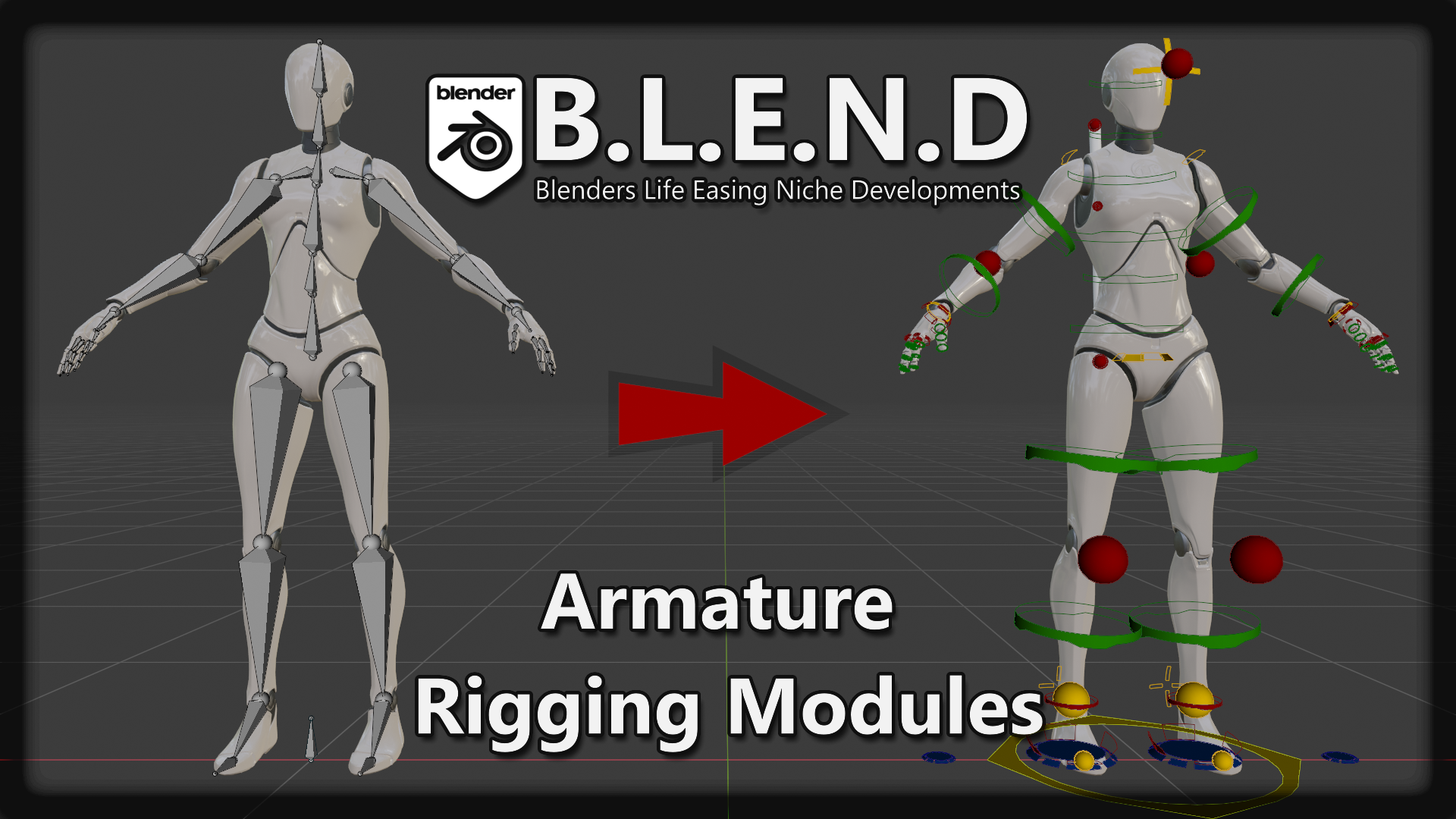
BlenderNation
Jim Kroovy writes: The fastest and most advanced rigging tools for Blender with modular scripted features! This is only the initial release, there is a lot more to come! (and if you try to break it…
prime willow
o-o
oh i get it
you have to rig them again after exporting
makes sense
ok thanksies
wait wait
if i use a low L0d for the model can i still use those animations on my model with higher l0ds?
dense wren
anyone tried core?
 narrow mauve
My notes when trying different phase methods cuz ya

 cedar raft
Good morning ! When I press a button to spawn an actor (inside there is a widget), the widget doesn't work. Except if I drag the actor into the world and run, the widget works. How to solve the problem

 teal tulip
Turns out its due the instanced stereo due a bug in the engine
regal totem
hey i have a question
idk how to explain
but i want a a texture on a plane that changes depending from the angle the player looks

Support the stream: https://streamlabs.com/daddyezee
Cutting Edge Gamer
get $5 off Link Below or Call & Say got the Promo From Daddyezee
https://cuttingedgegamer.com/?a=daddyezee
mechanicalkeyboards
If You Buy anything Use My Code Daddyezee
https://mechanicalkeyboards.com/c/daddyezee
Live Streaming On Youtube Gaming
https://gaming.youtube.co...
this is what i mean
teal tulip
you actually want a rendering texture aligned to the screen
it don't change with the actor
regal totem
kinda yeah i don't know how to explain sorry
i want what you see in the video
but i have no idea how to search it up on youtube
teal tulip
screen space aligned material

Project File is the following,
https://www.dropbox.com/s/oygxgrbdl71z1s0/Difference_Space_UV.zip?dl=0
(UE4.25 Preview5)
teal tulip
also just a coincidence for you @regal totem https://twitter.com/JKashaar/status/1047979071609757702


Freebie: Object-stabilized screen-space UVs. Probably useful for VFX, I don't know! :D
With a hat tip to @Ed_dV who made the same thing for Unity, here's an @UnrealEngine version.
Material graph in the replies!
#realtimevfx #gamedev #gameart https://t.co/aWrnRnoeCN
Retweets
172
Likes
713
 Twitter
·
regal totem
Twitter
·
regal totem
omg thank you so so much
 crisp summit
I created a test lake. Everything physical like cubes etc submerged but the character walks on top of the water. How can I fix that?
dense wren
guys
how do i walk backwards in my sid scroller
my player points at the direction the mouse is, wether left or right
so if mouse is in right side of character, then A is backward
thing is, i added a backward anim to the 1d blendspace
but when i press A the forward walk anim triggers
not the wbakcwards
 blazing violet
guys, i need advise. Im working on dungeon crawler and im wondering if i should make it in first person or third person. suggestions.
 timber tulip
Hey all! I have a question. Unreal tells me it needs to recompile my project but it gives an error that Windows SDK is not installed. But it is installed 😄 Anyone had this problem before?
timber tulip
Hm. Maybe I installed the wrong one too? ._.
Which one is the proper one that's the true question 😄
blazing violet
had the same question, which is why i decidedto google how to setup visual studio for unreal engine
 buoyant isle
Hey I'm in need to use data table for my project to handle items, but I'm using for exemple an actor for a magazine, but obviously you got like 3 times the same magazine so, same actor,same mesh but how to store different data and assign specific data to each type of the same actor
 runic fern
Hello guys my engine crashes without any error
[2021.09.05-18.03.03:446][824]LogOutputDevice: Warning:

Script Stack (0 frames):
i found this in log
but nothing else im using Playfab for login when i login for first time its working normally but when i close try to login again it is crashing when i press the "login" button
 static crystal
What save game extension/method are people using? I'm using the free Save Extension right now but it doesn't load my actors on the right position. So does anybody know a good free alternative?
lucid beacon
static crystal
What save game extension/method are people using? I'm using the free Save Extens...
Make your own
use the SaveGame blueprint classes
Can somone help me? I have a character with animations, but I want to change the mesh without redoing all of the animations, is this possible?
autumn flame
Retargeting
lucid beacon
autumn flame
Retargeting
This doesnt work
or I am doing it wrong
how can I correctly retarget?
autumn flame
Look up a tutorial, not the easiest thing to explain, but you gotta say to it that this bone matches this other if you have different skeletons
This is assuming they have similar skeletons if not almost the exact same layout
static crystal
Thanks @lucid beacon Will give that a try.
lucid beacon
autumn flame
Look up a tutorial, not the easiest thing to explain, but you gotta say to it th...
I am changing it from the normal UE4 Mannaquin to the adventure character
lucid beacon
static crystal
Thanks <@!662476962836643840> Will give that a try.
no problem :) hope I could help
 copper linden
static crystal
What save game extension/method are people using? I'm using the free Save Extens...
copper linden
static crystal
What save game extension/method are people using? I'm using the free Save Extens...
I'm also making my own. I think it's highly suggested commonly!
So.. for some weird ass reason.. I have duplicates of like.. very big assembles of meshes in my project inside my map.
Do you guys know of any way to handle that?
Other than just going through and like.. manually checking and deleting as I go?
surreal eagle
blazing violet
guys, i need advise. Im working on dungeon crawler and im wondering if i should ...
Why not both
surreal eagle
copper linden
---
So.. for some weird ass reason.. I have duplicates of like.. very big assemb...
Hold Ctrl and click to select multiple objects at once
 faint venture
is there a support channel? i cant see to find it but if there is one i'll post my need for help there lol
copper linden
surreal eagle
Hold Ctrl and click to select multiple objects at once
While I thank you for pitching in I'm not sure how that solves anything? It's completely random if it grabs a duplicate or not because they occupy the same space. And not all of them are duplicates.
 lucid beacon
autumn flame
Look up a tutorial, not the easiest thing to explain, but you gotta say to it th...
lucid beacon
autumn flame
Look up a tutorial, not the easiest thing to explain, but you gotta say to it th...
I did it and it said it failed to merge skeletons
naive burrow
Why won't this make the sphere go into the direction I'm facing?
 lucid beacon
naive burrow
Why won't this make the sphere go into the direction I'm facing?
lucid beacon
naive burrow
Why won't this make the sphere go into the direction I'm facing?
we cant see the rest
 lucid beacon
not sure
How can I use animations on a different character?
Without redoing animbp
faint venture
is this the wrong server for help ABOUT ue4 games?
lucid beacon
faint venture
is this the wrong server for help ABOUT ue4 games?
no?
faint venture
lucid beacon
no?
oh lol i just see a lot of people talking about ue4 software, so i just didnt know where i was meant to ask for help
naive burrow
ok think i know a fix for my problem
faint venture
faint venture
anyone have any clues on how to fix this then? literally happens every time i try to run a ue4 game
naive burrow
nvm

 vapid mica
any suggestions would be appreciate it
lucid beacon
Hey! How can I get this to work? When I change my mesh it wont use the anims, even when changing the bp


It works in the 2nd photo but not the 1st
I already retargeted
lucid beacon
plush yew
do you know how to reset by defaults thank you
please give a brief explanation.
reset what by default?
plush yew
tks its ok now
so now i have problem for the wall

need colision but ?
how do i do it?
naive burrow
Any way to change UE5's transform axises to something normal?
I'm getting bugged to hell and beyond that the z axis in UE5 is the height
plush yew
its ok lol so only question please
can copy paste the collision boxes or force to create each time once?
 light crag
while importing file.uasset file the engine is failed with an error saying file.uasset is too old
the .uasset was created by an old version of the engine or mine is corrupted?
plush yew
why can't i import a simple door someone can help me thanks?
light crag
plush yew
why can't i import a simple door someone can help me thanks?
in what format your door asset?
light crag
ok it is an .fbx file
plush yew
yes
light crag
what is the error in the engine?


 light crag
you need to import it as skeletal mesh and then set the textures and then create a static mesh from it and use anywhere you want
light crag
I don't see any texture for your materials
light crag
let me check it
naive burrow
btw opinions on this?
 hidden sparrow
Hey, I have a button in my widget. What is the best way to make the player click it for example 5 times before it actually does something. Do I make a variable and count how many times he pressed it? or is there a node that sends output only after 5 inputs?
light crag
plush yew
bro
plush yew
tks bro
light crag
 buoyant isle
Hey, I just saw that data tables are read only ? is it true ? ^^
light crag
plush yew
tks bro
light crag
explain your problem
plush yew
naive burrow
I'm getting bugged to hell and beyond that the z axis in UE5 is the height
#ue5-general to this message you will get better info on ue5 in there also ue5 is still being developed so bugs will be everywhere its best to just use ue4 untill ue5 is fully out unless you dont mind the bugs that have no real fix. late reply but i saw no one replied so
plush yew
light crag
this is just your uvs also you will need to add a opaque or whatever its called if you want that background to go away, its best to use a cylinder not a cube for it as well
light crag
plush yew
this is just your uvs also you will need to add a opaque or whatever its called ...
man this is not mine, I am trying to help T-800
plush yew
just that I had not seen that the pivot was not placed above smdr on the other hand
if you can explain to me how to animate this pretty door that would be cool sltp lol
light crag
plush yew
just that I had not seen that the pivot was not placed above smdr on the other h...
I can create a vid turorial for you
 haughty bear
Looks like there's no freebies this month?
light crag
plush yew
just that I had not seen that the pivot was not placed above smdr on the other h...
you have blender intalled?
light crag
you need to animate the door in blender and create animation
light crag
then you create the fbx file in blender and import into ue4
plush yew
BP?
maybe

👉 Créez facilement des jeux multi avec Core, powered by Unreal Engine : https://bit.ly/MathieuxCore
🎓 Mes formations http://bit.ly/34yTSF6
🎓 Ma chaîne Tutos Unreal Engine : https://bit.ly/3g8zxvJ
🔴 Cours gratuits Unreal Engine : https://creajv.com
💰 Code créateur THIASSY 🔔 Activez les notifs ⬇️ DEPLIEZ ⬇️
🐦 TWITTER https://twitter.com/MathieuG...
this?
light crag
plush yew
this?
yes as you want
plush yew
cool
light crag
you can also use blender for more powerful results
light crag
unreal is not perfect for creating animations
light crag
do it in blender and import in unreal
plush yew
why did he tell me that it is better to go?
light crag
ask him lol
torpid stone
is there a drawback in using DLSS? it's so great for frame rate
aside from AMD compatibility
plush yew
good ok let's admit that I succeeded in importing the door I have to annimate it on blender and after that I do what for what function on unreal?
so i need probléme please bro
the door when I open it it turns on itself instead of turning in mode
normal do you see what I'm talking about?
please bro
no is possible stream?
naive burrow
plush yew
<#846520322642411570> to this message you will get better info on ue5 in there a...
With bugger I meant annoyed, I’m not experiencing any issues with ue5 that isn’t just ue in a general
 nova portal
Does anyone here have any experience with freezing time using time dilation. It kinda does the job for me, except that if I touch any physics objects, they will be sent flying after unfreezing time.
My freezing time is basically setting time dilation to 0.0001 and changing the custom time dilation on my character so I can move around.
Does anyone have any ideas how I could fix this issue? Or an alternative way to freeze time and allow me to move around?
plush yew
Hey I have a question, so is it possible to change the default sedan vehicle to another model that you made/bought ?
plush yew
naive burrow
With bugger I meant annoyed, I’m not experiencing any issues with ue5 that isn’t...
oh okay ha man your lucky when i used ue5 i ran into bug after bug
 sterile pumice
Anyone ever have an issue where your project uses the incorrect GameInstance when packaged but works fine in editor and standalone?
dense wren
hey guys
how do i walk forward in a 2d side scroller
my player points towards the position of the mouse in thscreen
so if mouse is at right side of player
then A its backward
but when i press A, the walk forward ani triggers
and goes backwards while playing forward anim
i added backward anim in the 1d blendspace already
sterile pumice
No idea, I've only ever used UE for 3D projects
dense wren
mm
what do you mean
i got the default movement bp
for sidescroller
which its this

 clear light
Axis returns 1,0 or -1 dependimg if your pressing A or D
sterile pumice
so Axis