#ue4-general
1 messages · Page 1016 of 1
 fierce tulip
 nocturne bough
yeah. I think this problem is something from the antimalware checking every file, every folder, every time.
 buoyant graniteBOT
:triangular_flag_on_post: Blue Quaid#3464 received strike 3. As a result, they were banned.
 drowsy snow
nocturne bough
yeah. I think this problem is something from the antimalware checking every file...
drowsy snow
nocturne bough
yeah. I think this problem is something from the antimalware checking every file...
That's interesting, because in current version Antimalware Service occupies disk activity.
nocturne bough
indeed, but the way certain file and folder icons slowly get painted, looks like WindowsExplorer (or antimalware) is searching for registry entries for each file type.
if no one else is having this problem, must be something here... I'm going to ProcessExplorer and check what is making WindowsExplorer so slow and heavy.
in my case could not be Cortana, because I always get rid of Cortana.exe so it never starts.
 sick parcel
price aside, what 3D modeling software would be best on average?
after many google searches all I've found was more confusion and opinionated people
I have some (1 month) experience on 3D max, that's about it.
drowsy snow
sick parcel
price aside, what 3D modeling software would be best on average?
Blender would be the most affordable one, with the low low price of $0.00
 gaunt abyss
☝️
sick parcel
thats why I said, price aside 🙂
I dont have a problem spending some money on learning something
 obsidian nimbus
just go with the most expensive program than, it should be the best
obsidian nimbus
expensive is allways best? 🙂
sick parcel
not always
nocturne bough
Blender and Houdini Apprentice
drowsy snow
Thing is, if you have understanding on 3D CG creation, you would have easier time to adapt with other software.
gaunt abyss
Blender is slowly creeping into the industry and getting used by more and more people
obsidian nimbus
and it has full phyton
drowsy snow
If you master Blender, and save money in the process, you can adapt to commercial software that the company will pay for you.

sick parcel
I used 3D Max for some time, I've found the UI much better and intuitive compared to Blender, but I used Blender for 10 mins.
nocturne bough
- have updated tools to work/sync with UE4.
drowsy snow
I was started with 3ds Max 6 back then, ended up using Blender and UE4 years later.
sick parcel
right, the in terms of compatibility with UE4, you would say 3D Max is more robust then?
drowsy snow
(Or was it 3D Studio Max?)
gaunt abyss
Only problem with Blender is that it is very shortcut heavy so some people like that some don't
drowsy snow
sick parcel
right, the in terms of compatibility with UE4, you would say 3D Max is more robu...
Maya would have the deepest integration with UE4, but Blender is a fine choice.
obsidian nimbus
but u can make ur own UI that holds all the shortcuts in push buttons
nocturne bough
drowsy snow
Maya would have the deepest integration with UE4, but Blender is a fine choice.
obs: UE4 for Maya Tools stopped at Maya2019, since then there was no more updates.
drowsy snow
I mean, the most direct communication between 3ds Max to UE4 still requires Datasmith as the middleman
gaunt abyss
obsidian nimbus
but u can make ur own UI that holds all the shortcuts in push buttons
Yeah I haven't used any modern version in like 5 years, haven't done any 3d modeling in a long time
drowsy snow
That being said, Blender has also another quirks that can be annoying to UE4 users, particularly when it comes to rigging / armature.

obsidian nimbus
FBX doesnt store bonetips thats about it
nocturne bough
that reminds me about Blunder, someone did an UE4 shortcuts and theme style for Blender. 😛
drowsy snow
obsidian nimbus
FBX doesnt store bonetips thats about it
Bone disorientation from Blender to UE4.
obsidian nimbus
doesnt matter, unreal only cares about rotations
drowsy snow
nocturne bough
that reminds me about Blunder, someone did an UE4 shortcuts and theme style for ...
Searching for it, got chess stuff instead.
nocturne bough
drowsy snow
Searching for it, got chess stuff instead.

itch.io
App Template - Unreal UX in Blender (Default Blender Keymap based)
obsidian nimbus
if you know the bone tip locations u can just forloop em all in place
buoyant graniteBOT
:no_entry_sign: Mr.Momba2379#5450 was banned.
sick parcel
Oof
obsidian nimbus
sadly i never know the bonetip location cuz FBX doesnt store em... and somehow that crap is the norm
gltf has the same problem
drowsy snow
obsidian nimbus
sadly i never know the bonetip location cuz FBX doesnt store em... and somehow t...
Are bonetips a thing in Maya/3ds Max?
obsidian nimbus
I dunno, never used it
if i rig has leafbones u can do perfect blender to unreal using FBX
well sorta, if u want morphs from unreal to blender u need to convert or phyton em in
drowsy snow
obsidian nimbus
well sorta, if u want morphs from unreal to blender u need to convert or phyton ...
Convert is the more tried and true solution
obsidian nimbus
nah, i have no idea what that converter does, and u can see what blender does
drowsy snow
Few weeks ago I helped someone facing that very issue with the FBX exported from UE to be imported to Blender.
obsidian nimbus
kinda looks like a dust emitter to me
 woven elk
oh sorry. I will do that
drowsy snow
 patent island
does this BLUi thingy let me animate in ue4 with the mannequin?
patent island
does this BLUi thingy let me animate in ue4 with the mannequin?
No, but another addon, Mr Mannequin Tools, does.
obsidian nimbus
in ue with manny is that controll rig template
i think the viewport controlls are kinda horrid to animate with tho
drowsy snow
Don't get me started with the selection outline.
patent island
I tried using Mr Mannequin Tools, but as a beginner I couldn't exactly figure it out
 wintry saddle
Hello everyone 😄
I am totally new to unreal engine.. installed it 4 days ago only. Right now I am building a lightsaber, I am using a hilt and a blade static models in my blueprint.
Now can I use blueprint as a weapon? is there any way to turn the lightsaber on and off ?
 bright plume
trying to line up entities perfectly is painful
patent island
I'm just currently trying to find a way to be able to animate the ALS v4 stuff so I can try and create my own animations
for it
drowsy snow
patent island
I'm just currently trying to find a way to be able to animate the ALS v4 stuff s...
I'm using Control Rig instead.
It's rather intermediate skill stuff though.
patent island
I'm basically wanting to take the animations from ALS v4 and make them conform to weapons
so like while walking there would be a hand on a sword that is sheathed at the hip or something
wintry saddle
how do I create 3D models for my Unreal Projects? I've heard of 3DS MAX, is it the best software ?
patent island
I guess I'm just trying to do something too complex for me
drowsy snow
wintry saddle
how do I create 3D models for my Unreal Projects? I've heard of 3DS MAX, is it ...
Blender is the best and cheapest software of them all (the price is literally $0.00)
wintry saddle
@drowsy snow I use blender only but I can't import the blender files in unreal file. is there any extension for it?
 inner vine
Export to fbx
drowsy snow
wintry saddle
<@!325627930484932608> I use blender only but I can't import the blender files ...
Export as FBX
 granite gate
^
nocturne bough
and Add UE4 addon to Blender too.
patent island
I guess I should maybe try and create my own locomotion system if I want to be able to understand it
wintry saddle
is there any wayt to change pivot point here? I have tried Alt+Middle mouse but it doesnt work

 late stag
https://streamable.com/9cjv5a the most broken speedbreak tune?
 late stag
https://streamable.com/9cjv5a the most broken speedbreak tune?
late stag
late stag
https://streamable.com/9cjv5a the most broken speedbreak tune?
any suggestions anyone have?
yea volume and things will be added as you can see we are in very early dev
not even a full month into the game
 void barn
how do u check
where is ur engine installed
 glacial arch
Hey guys, any clue if its possible to forcibly retain the focus of the game process? I'm using a plugin that forces a browser window to open to complete Twitch authentication but unfortunately the way the plugin is structured requires for the window to be focused at the time of login
So I'm thinking if there's a way for UE4 to force the game window to be focused thatd be great
late stag
glacial arch
So I'm thinking if there's a way for UE4 to force the game window to be focused ...
im pretty sure they have lock mouse to viewport
drowsy snow
void barn
how do u check
where is ur engine installed
You can create shortcut to the engine and see where that shortcut leads to.

 random violet
hello all, is there a way to do a bone/socket transform on a layered blend per bone pose, but only apply the transform to the base or the blend pose? Even if the transform is only applied to one pose in my blueprint, the final result has a transform that's blended between the two.
 prime willow
patent island
I'm just currently trying to find a way to be able to animate the ALS v4 stuff s...
prime willow
patent island
I'm just currently trying to find a way to be able to animate the ALS v4 stuff s...
i cant help you with animation making i believe control rig can do that for you tbh
but if you want to animate the als with animations already made there a lot of tutorials that show how to put animations on the layers :3
drowsy snow
prime willow
i cant help you with animation making i believe control rig can do that for you ...
Also working with Control Rig would reduce FBX footprint, and having the reference right inside the editor.
drowsy snow
ALS can be used with Control Rig just fine.
Though I made the controls from the ground up...
prime willow
o.o
i will pester you for that soon
atm im trying something silly that might be amazing
als with daz 3d with ik's all snapped together :33333
i hope it works
drowsy snow
prime willow
i will pester you for that soon
Let me know about that later 
 spiral igloo
Does anyone know how I can added collision to my skeletal mesh? It's a rigged ship model with a physics asset as well
prime willow
yush :3
drowsy snow
spiral igloo
Does anyone know how I can added collision to my skeletal mesh? It's a rigged sh...
Collision for BP or the skeleton body?
spiral igloo
drowsy snow
Collision for BP or the skeleton body?
skeleton body. I just pass right through the model
drowsy snow
spiral igloo
skeleton body. I just pass right through the model
Open the physics asset editor, right click on a bone, and choose "Create Body" (or something like that, I'm firing up the engine to crosscheck)
 plush yew

can anyone help me please
after so many tries i reach out to this chat my downloaded assets wont come into the bridge
drowsy snow
plush yew
Guess I'm not alone in that issue. Try asking around in #ue5-general
plush yew
ty
drowsy snow
@plush yew It's #ue5-general , not #ue5-engine-source
spiral igloo
drowsy snow
Open the physics asset editor, right click on a bone, and choose "Create Body" (...
I don't see that option 😦
drowsy snow
spiral igloo
I don't see that option 😦
This is what I'm referring to:

 drowsy snow
spiral igloo
What would I do with that capsule?
drowsy snow
spiral igloo
What would I do with that capsule?
Fit the capsules approximately the size of the ship hull
plush yew
Is UE accessible for mentally very slow people?
obsidian nimbus
hmm its more for the socially awkward
granite gate
this ^
plush yew
I'm asking because I'm mentally very slow and stuff like unity made me very confused
granite gate
what do you mean by very slow
drowsy snow
plush yew
I'm asking because I'm mentally very slow and stuff like unity made me very conf...
Pretty much anyone can use Unreal Engine 4 and start creating.
drowsy snow
granite gate
what do you mean by very slow
I think he's referring to him being a slow learner
plush yew
Meaning I am very dumb and a very slow learner
granite gate
i know that he means slow learner
but did you have an official iq test so that you came to this conclusion ?
drowsy snow
plush yew
Meaning I am very dumb and a very slow learner
Take all the time you need to learn Unreal Engine.
plush yew
granite gate
but did you have an official iq test so that you came to this conclusion ?
At 15 the official IQ test I did said I was 108-118
At 5 it said I was 145
But I mainly know my limits from experience
granite gate
thats not slow.
plush yew
Oh trust me, I couldn't figure out how to install UE until someone guided me through it
drowsy snow
granite gate
but did you have an official iq test so that you came to this conclusion ?
Is there such thing as "official IQ test"? From what I know, those tests are not as consistent as people made out to be.
obsidian nimbus
nah its not consistent
granite gate
these are 2 companies which make tests that are used by the us military
plush yew
I'm in Germany tho
drowsy snow
granite gate
these are 2 companies which make tests that are used by the us military
But do those sites follow the procedure? There has to be some discrepancies somewhere with the self-tests.
granite gate
a real iq test is not performed online
obsidian nimbus
my last test long time ago was 129, and should prolly be higher cuz my memorizing numbers in reverse was literally off the scale
drowsy snow
Because I've been taking IQ tests on paper and online, some said 118, some said up to 123
plush yew
Repeat this backwards then: 19472534
granite gate
more like a neurological test
drowsy snow
But that's not the point here.
obsidian nimbus
yea they would read a row of numbers to me and i had to start at the end and give em in reverse
granite gate
what was the company of the test
obsidian nimbus
in the end they would just trow numbers at me, i gave em back and they didnt know if i was right cuz he made up a few to just make it longer
drowsy snow
The point is, take your time learning Unreal Engine from basics, to the pro stuff. Nothing is instant, so take your sweet time learning it. @plush yew
granite gate
Wechsler Adult Intelligence Scale and Stanford–Binet intelligence scale tests are the real ones
obsidian nimbus
well it was from facta, thats the test overhere
drowsy snow
plush yew
Is there anyone who can guide me through stuff when I need help?
You can ask this server if you need guidance on UE things, though we're not able to provide individual guidance.
Also, study the official Unreal Online Learning courses at your own pace:
https://www.unrealengine.com/en-US/onlinelearning-courses

Unreal Engine
Unreal Online Learning is a free learning platform that offers hands-on video courses and guided learning paths.
obsidian nimbus
now that i think back, it took like 2 hours and it cost a whole bunch way overpriced
drowsy snow
plush yew
Is there anyone who can guide me through stuff when I need help?
Also, don't be afraid to make mistakes and experiment. If you're learning and break stuff up beyond Undo, you can always create a new project and start over.
 glass harness
If you're new I recommend the latest stable version 4.26
drowsy snow
plush yew
Which version should I install?
The latest stable version of 4.26 is highly recommended.
Also, don't look at the UE5 stuff - the turbo nerds are still polishing the rough edges and is not meant for learning or production use.
drowsy snow
Also, if you need a specific explanation and use case of one BP node, check out Mathew Wadstein's YouTube Channel: https://www.youtube.com/channel/UCOVfF7PfLbRdVEm0hONTrNQ

YouTube
This channel is dedicated to exploring Unreal Engine 4 and the Blueprint programming language that it uses. You can think of it as a companion to the API documentation as I try to cover the how and why for what things are used for when using the Blueprint system.
The master project for these tutorials can be found at https://github.com/MWadste...
glass harness
drowsy snow
Also, don't look at the UE5 stuff - the turbo nerds are still polishing the roug...
I'd use any new prototypes or anything targeted for release in the next few years on the Early Access branch, if you're comfortable with UE4. But I'd stay off of ue5-main unless you like being a guinea pig 😉
 mild jetty
i somehow installed 4.13 by accident
and now im installing 4.26
also im low on disk space because i forgot to remove 4.13
drowsy snow
mild jetty
i somehow installed 4.13 by accident
4.13 was the second version of UE4 I ever used, almost 5 years ago.
mild jetty
now im crossing my fingers that i dont run out of disk space
drowsy snow
It's that old 😅
 proper stump
What is the output of TexCoord ?
I see examples of adding it with a vector2, but assuming it's a scalar, what's does it output?
drowsy snow
proper stump
What is the output of TexCoord ?
TexCoord outputs Vector2. Basically the coordinate of the texture within a UV map.
proper stump
thanks
plush yew
Hey all, is it possible to spawn an actor from a string?
in blueprints
i.e. i have 2 map blueprints BP_map_1 BP_map_2 and in my gamemode map i want to see if "map1" is provided as string i want to spawn map1 actor
drowsy snow
plush yew
Hey all, is it possible to spawn an actor from a string?
You can spawn Actor from Class, though not sure if you can convert string to Class name 
plush yew
Hmm yeah tried that doesnt seem like i can do what i need to with that
An alternative question, is it possible to have a map of different actors? so i can do something like map = {"map1" : map1actor, "map2": map2actor} etc.. in BP?
drowsy snow
plush yew
An alternative question, is it possible to have a map of different actors? so i ...
Never dabbled with variable maps, but there is options you can try doing var maps in BP
mild jetty
does this part always take long?
 granite gate
windows tablet ?
mild jetty
yes
granite gate
whats the specs
 granite gate
update windows and gpu driver
proper stump
Where do I get one of these textures? with the UV coords on them
 mild jetty
im gonna update the gpu driver, if there's any updates
proper stump
obsidian nimbus
google images?
Well, googling UV coords textures will yield all sorts of things 🙂
obsidian nimbus
its called checkerboard
glass harness
mild jetty
https://cdn.discordapp.com/attachments/206446446440873984/853009420433883166/unk...
That CPU is going to be waaayyyyy too whimpy
An i5 with 1.8ghz?
obsidian nimbus
 drifting elbow
proper stump
Where do I get one of these textures? with the UV coords on them
drifting elbow
proper stump
Where do I get one of these textures? with the UV coords on them
I was actually using blender to generate them. You can generate a texture blank, with uvs, ...
 indigo totem
Hello everyone, so I have been trying to optimize my level for the longest time, and the entire time I've been thinking it has to be all the trees I have. But I went ahead and removed every tree from the level and my fps doesn't really change. I cant seem to understand what is causing such low frames when I've culled and done a bunch of LODs for items. It's also only looking in certain areas however there isnt anything in those directions so I'm super confused. I'll put screenshots or videos as requested! Help would be greatly appreciated!
drifting elbow
You can look at stat unit and see if you're cpu or gpu bound. Then check stat scenerendering for more details, eg draw calls
Then you can disable render features (show ...) And see where you gain most performance. That can be a hint
indigo totem
hm alright thank you
how would i tell weather its gpu or cpu bound
@drifting elbow
nocturne bough
proper stump
Where do I get one of these textures? with the UV coords on them

UV Checker Maker. Create your custom UV Checker maps for 3D models and download them for free
drifting elbow
This. Basically which of these numbers is higher (in time)
So basically you first find out if it's a lack of cpu power (or too complex gameplay logic) or itcs the gou that needs too much time
indigo totem
i fixed some of the issue lol one item that i culled didnt save so that fixed some frames. But there should be a way to make it even better
drifting elbow
Do you have dynamic or static lighting?
drifting elbow
indigo totem
i fixed some of the issue lol one item that i culled didnt save so that fixed so...
You can check stat scenerendering. Mesh draw calls shouldn't be too high (eg, we had 2000 in one project, which was way too high). Depending on your lighting settings (static or dynamic) it's very important to have not too many dynamic lights in the scene
You can also check the shader complexity (in the lit menu in the viewport)
granite gate
disable static light
plush yew
Should I put UE on my M.2 or my HDD?
drifting elbow
I don't know if that's easily possible
drifting elbow
That's too much. Do you have lots of the same assets?
Oof
Or lots of dynamic lights?
drifting elbow
And the individual lights?
indigo totem
all stationary
drifting elbow
Do you have foliage instantiated or placed manually (by dropping from content browser or something)?
(or something similar)
indigo totem
the foliage is placed through the foliage painter
drifting elbow
How many lights do you have in that scene?
indigo totem
a directional light, skylight, and 4 candles using point lights in a room
drifting elbow
Then I guess you have too many meshes somehow in the scene
You can make meshes of the same type to instanced static meshes, for example
indigo totem

 glass rapids
Is it possible to change the name of the Game Executable without changing the project name?
drifting elbow
Which is often fine if it's instances. Are the trees instances?
indigo totem
sorry, how would i know?
drifting elbow
Did you paint the trees using the foliage system? (Sorry if you answered alread, maybe you have grass in that scene)
indigo totem
i painted them with foliage yes
drifting elbow
Hmmm
indigo totem
my pc isn't really a push over either so
drifting elbow
Can you try hiding static meshes using the console?
 spare sun
look in different directions and check the drawcalls
drifting elbow
That's also a good idea
spare sun
stat scenerendering helped me with this one
drifting elbow
Yeah, stat scenerendering and then start hiding stuff
We had many dynamic lights on a sample scene and lots of meshes. Draw calls were at 2000
Some camera angles were almost unplayable
 limpid pier
I'm looking for item information here, but I can't find it, is this comparison helpful?

Is there anyone who can help through andy?
indigo totem
hey my names andy lol
limpid pier
I am arabia
 vocal sorrel
Hey guys how do I set up a camera to capture my scene when I hit the simulate/play button?
mild jetty
Is it possible to bind LMB to always make a selection box instead of using Ctrl + Alt + LMB?
 sly glade
hello all - is there a post-process material one can freely use (and bundle with marketplace assets), for objects outline ? Something like the one shown in the livestream with the stylized cows, but ready for download or copy-paste.
 muted crater
Howdy, i asked in vfx but since this is more lively (and that might be the wrong area), what's the term i'm looking for when it comes to defining what surfaces light is cast on? such as having a light attached to a character only light up that char but not influence the env?
i know that's a thing the engine does and i know i've done it but the term i'm looking for is escaping me.
NEvermind i got it, i was looking for Lighitng Channels.
sly glade
lucky you, I wish I could find an answer to my question just by typing it 😄
muted crater
@sly glade Not 100% sure it's what you're after but there is an Advanced Cel Shader Lite addon that is free (i think) on the marketplace. It was def more global effects using post processing materials than dedicated Highlight Object stuff, but might be worth looking at?
 bitter iris
man, every time i try scale something inside of a blueprint it just crashes... anyone know what can fix it.. ill try delete cache or something idk
 severe warren
hello
can someone help me with collisions of an attached actor
there's no collision for an attached actor even thought it's collision is block all
 merry elbow
how do I destroy an actor from a component attached to it?
 nova shadow
Anyone tried the car configurator example wuth ue5? just crashes when I move the camera for me
 wicked comet
Hey y’all, so I’m still on ue4 rn, and I want to make it so my first person character has no friction, I’m using the default FPS template controller and just was wondering if anyone could help me out
 modest trench
wicked comet
Hey y’all, so I’m still on ue4 rn, and I want to make it so my first person char...
modest trench
wicked comet
Hey y’all, so I’m still on ue4 rn, and I want to make it so my first person char...
try messing with the braking settings of the character movement component?
 wicked comet
clap I forgot that was a thing that exists
 latent sonnet
Anyone know what's up with my enemy? It's not turning or spawning projectiles.

 grim ore
debug it, tell us why
drowsy snow
bitter iris
man, every time i try scale something inside of a blueprint it just crashes... a...
What's the crash message?
bitter iris
@drowsy snowAssertion failed: !IsPendingKill() [File:D:/Build/++UE4/Sync/Engine/Source/Runtime/Engine/Private/ActorConstruction.cpp] [Line: 677]
latent sonnet
grim ore
debug it, tell us why
Imma be honest, I've got no idea what I'm doing when it comes to debugging
Like with breakpoints and stuff
drowsy snow
bitter iris
<@!325627930484932608>Assertion failed: !IsPendingKill() [File:D:/Build/++UE4/Sy...
That's quite strange to have !IsPendingKill() complained.
Is the error consistent? What engine version you're using?
plush yew
https://youtu.be/hTCOCfA63VY two minutes tutorial about how to apply different textures per each instance, which could be useful for randomize the interiors of a building, maybe someone will find it useful 🙂
In this video I am going to show to all of you guys how to apply random texture to an instanced mesh.
The randomization of the textures using only one material is a method also used for the game Marvel Spider Man very famous for its interiors thanks to the cubemaps.
The best way to random textures or cubemaps is by using Per Instance Random No...
bitter iris
@drowsy snow4.26, only happens in 2bp's
drowsy snow
bitter iris
<@!325627930484932608>4.26, only happens in 2bp's
Only happens in two BP? Can you show me both of the Construction Script?
 tawdry narwhal

PSA: turn that off if you don't want the engine to be sending usage data to Epic, it's on by default

there's also one for bug reports
they're in Editor Preferences
 dark briar
If someone is messaging me to exchange marketplace assets, who do i report this to?
tawdry narwhal
dark briar
If someone is messaging me to exchange marketplace assets, who do i report this ...
 steady hull
how does the vault cache in the launcher work? Do yall remove local content often?
 lilac nymph
Hi all. Hope everyone is good. I'm having this problem with unreal in which whenever I hover an icon it zooms it out and is impossible to work with, do you guys know if I could've actived some accessibility option? ...
drowsy snow
steady hull
how does the vault cache in the launcher work? Do yall remove local content ofte...
Rarely. Though I moved them into a separate partition
steady hull
I intend to get some more storage but until then ive been tryign to manage storage pretty closely
dark briar
tawdry narwhal
```10. Contact a staff member when something is wrong. If you see someone violat...
Ty
 hard escarp
I'm trying to set the skeletal mesh in a skeletal mesh component on the server. For the clients to see the new mesh I'd have to multicast that right?
 glossy comet
I need to move the floor without moving a topdown character, but I don't want for the character to fall onto the abyss (or any other floor under it for that matter). Making the character gravity at 0 have the effect I want, but the character won't move unless I have a value for gravity different than 0. I want to know if I can move my character with gravity being 0?
 dark rune
is it just me or does the test play window stutter every few seconds in 4.26
it happens even with the default tps project
its really messing with me cause now i cant tell if my code has optimization issues or the editor is screwing itself
drowsy snow
dark rune
is it just me or does the test play window stutter every few seconds in 4.26
it ...
Likely you have thermal throttling.
dark rune
drowsy snow
Likely you have thermal throttling.
My computer runs most games fine though
Or is it something else
 shell compass
@swift basin triangles is what matters. And whether that is too heavy is impossible to answer. Depends on many factors such as how close the camera is going to get, how many LODs they have, what detail level you're aiming for etc
game engines nowadays are pretty good at dealing with high triangle counts so I wouldn't worry about it. Especially not since UE5 won't care at all how many triangles your meshes have
drowsy snow
Though a rule of thumb: Never ever have n-gons in your model, aka polygons that have more than 4 edges.
N-gons should 
shell compass
That's so overexaggerated though. I agree when it comes to animated meshes
But for all static geometry that doesn't matter
modest trench
are you are looking for a "rule of thumb" for tricount budgets?
shell compass
That's super fine
drowsy snow
That's fine, though you should cut the bottom into "pizza" triangles pattern.
It can save more tris than procedurally turning n-gons into tris.
shell compass
Guys, what would be the best way off setting and getting custom settings for a game? I'm thinking maybe making a subclass of GameUserSettings? Shame there's no way to just easily set my own version of GameUserSettings as the default settings object in the Project Settings, like you can do with GameInstance.
drowsy snow
shell compass
Guys, what would be the best way off setting and getting custom settings for a g...
I'd store them in GameInstance when running, and save/load those specific settings in another save game file (or editable text file, up to you)
shell compass
@drowsy snow Yeah that's the second alternative I considered too... not sure which is best.
Save game files have felt so cumbersome whenever I've used them, and also don't allow for editing in Windows in case you're unable to start with the default settings
 nova sun
does anyone know where I can download the base mesh/model (TPS)? link from the unreal tutorial is broken
(TPS and FPS, actually)
drowsy snow
nova sun
does anyone know where I can download the base mesh/model (TPS)? link from the u...
You mean, Manny the Mannequin?
nova sun
yup!
I'm not sure the unreal tutorial created another mannequin sooooooome time ago, but it is different. For purposes of... getting started, I just need one.
drowsy snow
Do you somehow lost the template from your editor?
shell compass
@nova sun if you make a starter FPS/TPS project you can right click the mannequin mesh in your content browser and export it if you want the .FBX
drowsy snow
I don't export the texture, but here is Manny's FBX
nova sun
@drowsy snow thank you!
@shell compass good to know.. I created a blank template and got the starter content, but the mesh wasn't there. I didn't really think of exporting the FBX, and I didn't know I could really do that
drowsy snow
Left is good.
drifting elbow
You need to tell the shaders to use the texture. That's what materials do. With no material, you can't apply a texture
(shaders are the programs that tell the gpu what to draw)
merry elbow
if I try to get an object reference from an array "by copy", is that giving me the reference or is it making an actual copy of the object?
drifting elbow
Yeah, that's default. Normally you want more textures, like normal map, and a texture which combines multiple channels with roughness, AO and metallic (sometimes). Look for PBR online, I guess there's some wikipedia page. (Physically based rendering)
You can only apply materials (or material instances) to meshes. These materials contain texture samplers with your textures
Is that really possible? 🤔 I guess if that works it's only unlit then
Try drag and drop the material
Slightly different shading?
Ok, which material is it then? (You can click the glass icon to find it in the content browser)
So it automatically applies a material that uses this texture? Hm... What happens if you have two material with that texture?
(you can duplicate the material and verify by clicking the icon again)
I have only the standard noise when PIE
But nothing weird
 hallow void
X: Describe hell in one sentence.
Me: Object has overlapping UVs
woven elk
How come everytime I shut down and restart UE5 one of my material's texture will turn out like this. If I redrag the texture into the material it'll be fixed but next time when I restart the engine it become like this again. Any fixes?
 plush yew
woven elk
How come everytime I shut down and restart UE5 one of my material's texture will...
plush yew
woven elk
How come everytime I shut down and restart UE5 one of my material's texture will...
DOES IT ALSO HAPPENS IN UE4
 icy egret
Are there good tutorials for Shooter AI?
I have already watched UE official video and Ryan Laley's tutorials
hallow void
icy egret
Are there good tutorials for Shooter AI?
I have already watched UE official vide...
Hmm, I think there are but you should study them rather than just copy pasting... AI is gonna be one of the hardest parts, in fact, I am thinking that I probably should hire someone to do it for me if I can't do it on my own
icy egret
hallow void
Hmm, I think there are but you should study them rather than just copy pasting.....
Yes I know I shouldn't just copy pasting, so I want to learn, but I can't find any good resources other than two...
hallow void
Hmm... I can't help ya, I'm on my first project and I haven't reached the AI part yet, gonna get there probably in a couple of months, you could even try to reach out to some experts here on in other channels to let them teach you...
Or give you some exaples
Also, you should try to "play" with AI code by yourself a bit, so you can learn how it works
icy egret
I tried many times, but I can't understand what I can't understand, so I have to watch more examples and more resources
hallow void
Keep trying and learning and you'll succeed, human mind is wonderful and capable of practically anything, it just takes time
AI making could even take months as far as I know, but you'll get there, good luck!

 wise tide
Can some one please send me two bps and a interface communicateing intergers with each other thanks
plush yew
woven elk
Im a new user. never use 4
ue5 is in early access it may have some issue so for now u can use ue4 when ue5 will release then try in it
 wind bronze
i want to make a 30 min movie in unreal is it possible ?cause i dont know much of how to make it
plush yew
wind bronze
i want to make a 30 min movie in unreal is it possible ?cause i dont know much o...
you can watch videos
and you can make movie of 30 min. i think
wind bronze
thx
drowsy snow
wind bronze
i want to make a 30 min movie in unreal is it possible ?cause i dont know much o...
If you know how to make animation in 3D, you can.
Though 30 minute of CG animation is a huge task to undertake.
drowsy snow
Is this what you're looking for?

It's possible to add entry to EMouseCursor::Type, though I think it requires engine modification to do so.
It was hardcoded in ICursor.h
Though theoretically you can pretend to be Default type of the cursor, and then switch with your own enum in BP.
Kind of reinventing the wheel.
 wise knoll
I see the pins about version control, but I was wondering if there were any tutorials or resources about using UE in a small, local team setting, with a build server and the benefits/limitations?
 old nimbus
How do I learn Vehicle mechanics?
Can't seem to be finding any tutorials except one, which I failed at.
Is there some sort of Documentation available for Vehicle Mechanics?
Like from the Basics
plush yew
I've been running the downloader for several hours now but it still is very slow, any way to speed it up?

 kindred viper
download more bandwidth :/ (seriously though, for all we know you have snail internet or happen to be sideloading a dozen downloads. Who knows?)
@old nimbus The Vehicle Art setup on the Epic website is the exact information you need to create the asset and make sure it will work. https://docs.unrealengine.com/4.26/en-US/InteractiveExperiences/Vehicles/VehicleContentCreation/
For the tweaking it will heavily rely on the type of vehicle you are making but it adheres to a lot of real world standards for mass/traction/torque/etc so you can compere the real vehicle (if its real) to the settings. For example, if I wanted to make a fire truck, I'd go check out the physical attributes of a real fire truck and set what I can in relation via the Vehicle Movement Component settings. But because this is a game engine, you have a little room for artistic license. So don't worry about getting it 100% physically accurate, just accurate enough for purpose.
plush yew
what is the shortcut key for making a collection in blender
kindred viper
Press the Google button.
plush yew
kindred viper
Press the Google button.
You sound like the people answeing me on Stack Overflow, all just say "google it"
i just made a collection of all this wooden frames will they disappear or they

means they are outside the collection and also inside the collection
 kindred viper
@plush yew sometimes "google it" is the best answer to help someone.
old nimbus
kindred viper
<@!715617446916259881> The Vehicle Art setup on the Epic website is the exact in...
Thank you
old nimbus
kindred viper
Press the Google button.
Hehehhehehhe
 inner abyss
plush yew
I've been running the downloader for several hours now but it still is very slow...
inner abyss
plush yew
I've been running the downloader for several hours now but it still is very slow...
do you have fiber ?
 ivory hearth
a doubt
i have a small doubt about level streaming
i have a persistent level and sub levels
i have an ai
this ai acually does not move in the level
i crated another empty single level and added my ai , it moves there without issues
in this sublevel it does not work
i have added a nav mesh vol in the persistant level
any idea
plush yew
inner abyss
do you have fiber ?
I have a 2k connection
fierce tulip
@plush yew check #instructions for that kind of thing/requests like that.
 reef glen
Any reasons why a SceneCaptureComponent would not render an object that is otherwise visible to cameras?
drowsy snow
reef glen
Any reasons why a SceneCaptureComponent would not render an object that is other...
Because the SceneCaptureComponent is different from normal cameras, and then you have selective actor rendering for it.
reef glen
@drowsy snow can you link me to some docs about this? I can't seem to find anything...
drowsy snow
reef glen
<@!325627930484932608> can you link me to some docs about this? I can't seem to ...
Official docs on Scene Capture:
https://docs.unrealengine.com/4.26/en-US/BlueprintAPI/Rendering/SceneCapture/
Scene Capture
 honest helm
anyone know how to fix the sync crashing with multi user if please DM me my friend can't get his to work and where lost for options
 mint nebula
Hi, can anyone help me to tell how can I decrease the collision distance between object and character? I have a new object and the default character and they collide each other from not very close! (sorry for my bad English)
drowsy snow
mint nebula
Hi, can anyone help me to tell how can I decrease the collision distance between...
Have you tried reducing the capsule collision radius?
mint nebula
how can I find it? I'm completely new in ue4 but have a blender background
plush yew
As a beginner and really dumb person, should I use Blueprint or should I use C++?
fierce tulip
whatever you feel comfortable with, or want to learn
you'll end up with both anyways
 restive eagle
this question is being asked why too often
maybe somekind of FAQ section could help?
restive eagle
true 😄
fierce tulip
if you are just starting out, just check out getting started guides. epic has quite a few courses nowadays, and check the pinned message in this channel
 tropic moss
Hello 
i was working on a project but i forgot to include a necessary header file in my code and now unreal crashes every time i open the project
psure i fixed the code now but still 
also rebuilt the project files but same issue..
drowsy snow
restive eagle
maybe somekind of FAQ section could help?
For one thing, people skipped the pinned message way too often 
kindred viper
@ivory hearth have you made sure the sub-level is streamed in and visible? If it's not, then the AI will cease to work because it technically doesn't have a UWorld to associate with for some functionality.
drowsy snow
mint nebula
how can I find it? I'm completely new in ue4 but have a blender background
In your character blueprint, you should see the capsule collision - adjust the radius to approximately match the character's volume.
mint nebula
where to go now?

 plain karma
where can I find a nice UE tutorial?
 sand spear
Hello guys,
I'm searching for a video published on the Unreal Engine youtube channel about a company (I forget its name) that used the unreal engine and an enivronement scanner on top of a car to scan the streets and then used that data to control the car for autonomous driving.
plain karma
sand spear
Hello guys,
I'm searching for a video published on the Unreal Engine youtube cha...

In this session, Juan Espineira, Project Engineer at Warwick Manufacturing Group, goes over how the company is using Unreal Engine to create a fully immersive driving experience in its 360 drive-in 3xD simulator and how this is being used to develop and test autonomous vehicles. Juan explains the architecture of the simulation system, covering t...
that?
steady hull
I'm still kinda new to unreal. I'm using it mainly for creating environments. I been getting recommendations to my YouTube on Brushify. Is that worth checking out or is it somehow outdated
sand spear
plain karma
https://www.youtube.com/watch?v=T2M8u-8tBIc
Thanks, That was another video
inner abyss
okay lets say i just started learning this month ... lets say i am alreaddy a farly competent 3d artist .. can build my own models .. assign materials .. set up intogration bridged with other software ect. should i be learning on ue4 or ue5 ?
prime willow
u4
u5 when it fully releases
ue5 is nomans land atm
no one can help you practically if something goes wrong
its practically a beta program
just to understand the depths of what ue5 can do
ue4 has been tested and is fully capable of most everything with over 10 years of support if youre stuck
inner abyss
so then its gonna be substatially different then ?
prime willow
by fully release not so much
everything in ue4 should be backwards compatiable
so moving to ue5 would be better later
as it would be like getting an expansion pack :3
you can go there now if you want
no one will stop you
but good luck lol
even epic games cant help you if stuff goes wrong
inner abyss
i mean will stuff like blue prints be cross compantible tho ?
grim ore
knowledge learned in UE4 will be transferable to UE5
prime willow
i want to go to ue5 asap tooo tbh
but im waiting ;-;
my project has issues nonstop so i can only imagine if i get stuck in ue5
kindred viper
if I were starting now I'd be all over UE5. UE4 has some years left but a lot of the tech in UE4 is still in UE5. It's only the new things that give it any flavour at all. However what is important is the way we build games in UE4 will be phased out. The Data Registry and related data changes move more towards an ECS style system. This is a core change in design. Not to mention the changes with lighting, world partition, nanite asset creation and the fact Lumen requires open mesh design to be effective. If you already knew UE4 I'd say just use UE5 for prototyping to learn new techniques and methods. But to a new person I'd say dive right into UE5 and start becoming the people who show everyone else
kindred viper
re-read if it didn't make sense or ask a question about what I said. 🙂
prime willow
wait wait
what if im not starting new and i have bneen prototyping and learning ue4 for the last 1 almost 2
should i stay on ue4 or to go 5 than
last 1 or two years*
kindred viper
stay on UE4 for now, but learn the new things when you have the time to prototype with it
kindred viper
next year sometime I guess but nothing official
prime willow
ah
nocturne bough
how about study with both versions?
prime willow
yes
kindred viper
sure thats what I'm doing. new project in UE5, staying with UE4 for old projects
nocturne bough
here too. If something crash or bug in UE5, I just try the same tutorial on UE4 to make sure.
kindred viper
like Mathew said, most of the UE4 stuff is transferable. Just some of the new features might change how you design your game from the ground up
prime willow
do epic game add-ons and plugins work on ue5?
grim ore
keep in mind with it being in EA, stuff you do now in UE5 might change in the future as well
prime willow
im most likely going to wait
kindred viper
not always out of the box. Some things need the TObjectPtr changes and some deprecated stuff
prime willow
i really want to some of the features ue5 has but i believe my current game vision can be done in eu4 x3
like nanite ;O;
i can have true level and object destructionnnnnnnnnnnnn
kindred viper
i would imagine the new Data system would be beneficial to you. Anything with a complicated component system would perhaps (dont quote me yet) be better suited to it
prime willow
yesh :3333
kindred viper
its ironic that I spent time making old assets modular for Chaos destruction and now Lumen requires that too, so we are going to see a lot more assets get distributed in dissected parts to suit both sets of functionality. Which may also lead to a tool in engine for algorithmically slicing meshes in preparation. Or even some kind of importer option.
prime willow
o.o
i thought the destruction systems from chaos sliced stuff for you modularly lol
kindred viper
shouldn't be much more complicated than edge detection + angular limits = slice here.
yeah Chaos has fracturing but that only works well if you create modular assets in the first place
kindred viper
it would work, but when it fractures (lets say with a voronoi setting) it will cut in places that don't make sense, don't fall apart as they would physically. It looks strange.
inner abyss
isent gridding out and then building modular norma workflow for stuff like building ewlements now anyhow ?
kindred viper
@inner abyss no the opposite usually. combine meshes and materials for less draw calls.
prime willow
ok i have a silly question than
what if i wanted to fracture a door
or a wall
and i awanted it to crumble into bits
would i pre slice or leave it up the add on
x,.,x
kindred viper
a wall has supports. So you would model supports, then they are plastered or brickwork on top. So those would be separate too. A door has a frame, and inset sections (usually doors aren't just flat wood). They also sometimes are built with plywood on the outside and folded card on the inside for bulk support. So you would model them separately. That way when it destructs the mesh, you have different material instances created with the particles that represent the parts, and the parts fall away separately. I said separately a lot there, so I'll say it again. Separately 😄
you could also set different scaling levels of destruction based on mass of the parts. Wood destructs differently than metal etc.
plush yew
o.o
Well I wanna have gundam armor on my robot
And have it break down from damage
So thats why I'm curious about that
We've established we can socket and use morphs on destructible meshes so I guess that's why I ask these questions
I can't find proof of concept anywhere online :3
kindred viper
the most important part of chaos for looking good (in terms of reality) is the asset creation process. Anything can be fractured in a simple way but it looks like the destruction from old games like Black. Which is to say, not realistic, it just cracks and falls.
plush yew
Ah I see
inner abyss
automated fratureing sulutions will work on individual elements well .. but they are just not prefered for doing whole objects for the reasons marrc raised
plush yew
Oh wait can destructable meshes have bones xD
kindred viper
yeah and chaos takes materials into account for the particles it creates when destructing. Not to mention you will have some kind of niagara integration spewing relative particles from those material types
inner abyss
when you tru them on multibple mesh ojects.. or on a merge objects strange stuff stastrs to happen , they generall ythave to be used on a single convex non manifild mesh
plush yew
Single convex non manifild mesh?
grim ore
spawn, pick a direction, give them some movement over time? maybe a timeline driving each one for a second if they are blueprints if not something else driving them. if they are physics objects give them some force or impulse
inner abyss
plush yew
Single convex non manifild mesh?
single is pritty obvious .. convex means it has to have all its normals pointing outwards and must not be concave .. and non manifld means (in this context) that it should be non intesecting and not be made up of multiple chambers
drowsy snow
inner abyss
single is pritty obvious .. convex means it has to have all its normals pointing...
Do you mean "manifold"? I wasn't even understand the word "manifild" at all 
inner abyss
non manifld in this context means *
drowsy snow
plush yew
Well I wanna have gundam armor on my robot
Either way, if you see the Valley of the Ancient demo, the Colossi also has some static Nanite meshes. That's where the destruction comes from.
You'd basically attach static mesh into a robotic character, and swap it with the fractured one when it got damaged. Robotic characters are mostly rigid, which is why it has advantages with attaching static meshes, unlike more flexible creatures like humans.
drowsy snow
inner abyss
non manifld in this context means *
Well, the mistyping of that word really confuses me for quite a while.
woven elk
Morning guys, I am trying to delete a material, It keeps saying that it has something is linking to it. But i've search in world outliner and content browser. there has nothing left with such name. Is there anything I can do to find that reference?
 prime willow
hmm
drowsy snow
woven elk
Morning guys, I am trying to delete a material, It keeps saying that it has so...
Try fixing up redirectors in the folders.
woven elk
drowsy snow
Try fixing up redirectors in the folders.
Sorry Im pretty new. How should I do that?
I found this in my file browser. I don't see that in my content browser. can I just delete it?

I no longer need this.


 plucky lagoon
wicked comet
plucky lagoon
wicked comet
How do I turn off friction for my FPS character (I’m using blueprint and the built in FPS controller)
I already turned off ground friction and it didn’t work
 naive dune
Would appreciate it if anyone can help me who's been successful in rendering out multiple MetaHumans
https://answers.unrealengine.com/questions/1035090/when-rendering-sequence-out-metahuman-hair-flicker.html
Just dm or @ me
kindred viper
I saw some issues with anisotropy of the grooms in engine. Not tried it with a render though
wicked comet
 inner abyss
is there anywhere with some really good first principles based blueprints /rigging fir ue tutorials,
kindred viper
learn.unrealengine.com is the best bet for first principles I guess. Rigging is basically upto you. You can do the Mannequin setup for retargetting ease, but you are free to rig however you like. You can also use control rig to make after-rig setups a lot easier
bear in mind the actual bone setup is done externally
so weight painting, envelopes and such are not really UE related to a degree
 rough sigil
hi not really sure where to ask this - i've used datasmith to import the wheel on the right but needed to convert it into a static mesh in order to use it in a blueprint however when i convert it, it goes transparent? as seen on the left wheel i havent had this issue with any other wheels imported so not sure why its happening or how to fix it
 kindred viper
seems like its a normal issue
drowsy snow
rough sigil
hi not really sure where to ask this - i've used datasmith to import the wheel o...
It's the face normal facing the wrong way around.
kindred viper
perhaps datasmith kept the normal smoothing groups when importing but typically you use face normals which might be what happened. If it's converted that way it could have ignored the normal smoothing and reverted to face normals which might be incorrect.
drowsy snow
You can brute force it by enabling "Two Sided" in the material instance (or the Datasmith's master material itself).
Most of the time, models made for enterprise uses don't put backface culling into account. Backface culling isn't the norm among the enterprise renderers.
inner abyss
dsamn i will be watching tutorials for a copuple of weeks now .. learn.unreaala has a lotta stuff
drifting elbow
Start with kickstart for developers. It is nice introduction to all areas of UE
 frank pumice
Hey, I have a problem in my project since 2 days and I don't know how to fix it. In my project I created an enemy that follows you, and after shooting him he becomes a ragdoll and dies.But at the location where he dies, there is some kind of invisible wall where I can not walk through.
Does someone know a fix for that
 versed burrow
Did yall get the nitro from epic?
kindred viper
aye
kindred viper
Top Tip : Pretend you are a legit influencer by having an overpriced microphone and putting neon lights in the background when you stream.
rough sigil
drowsy snow
You can brute force it by enabling "Two Sided" in the material instance (or the ...
thank you that fixed it for some reason all of the materials needed that ticked but it looks as its meant to now ty
also i have run into another problem thats possibly similar to the wheels

so the middle car is the datasmith asset when converted to a static mesh i get the very nearest mesh and when i do the double sided tick box or apply the material to the door with mesh editor in ue4 i get the far end result but for some reason its a darker shade of yellow and not the same as the datasmith asset
 ocean anchor
can someone go into vc later and help me to make animation montage
 cinder bloom
Hello friends, I encountered a troublesome problem in unreal today and I couldn't fix it since morning. The editor does not open, it gets stuck at 9% and locks the pc
i deleted it and uploaded it again but it didn't say you are mine
the internet had a lot of fix videos but it didn't work
need urgent help
 mystic parcel
Hello UE Community,
I am buidling the Unreal Engine for CARLA Simulator on the Linux system. I am facing some issues with UE4Editor that crashes at launch. It gives the following crash report:
Caught signal 6 Aborted
libc.so.6!gsignal(+0xc7)
libc.so.6!abort(+0x140)
libc.so.6!UnknownFunction(0x89966)
libc.so.6!UnknownFunction(0x909d9)
libc.so.6!cfree(+0x4db)
libdrm.so.2!drmFreeDevice(+0x6c)
libdrm.so.2!drmFreeDevices(+0x2d)
libvulkan_radeon.so!UnknownFunction(0xa898a)
libvulkan_radeon.so!UnknownFunction(0xac145)
libvulkan.so.1!UnknownFunction(0x24b6f)
libvulkan.so.1!UnknownFunction(0x24fb1)
libvulkan.so.1!UnknownFunction(0x246ce)
libvulkan.so.1!vkEnumeratePhysicalDevices(+0x44)
libUE4Editor-VulkanRHI.so!FVulkanDynamicRHI::SelectAndInitDevice() [/home/navjot/UnrealEngine/Engine/Source/Runtime/VulkanRHI/Private/VulkanRHI.cpp:517]
libUE4Editor-VulkanRHI.so!FVulkanDynamicRHI::InitInstance() [/home/navjot/UnrealEngine/Engine/Source/Runtime/VulkanRHI/Private/VulkanRHI.cpp:694]
libUE4Editor-VulkanRHI.so!FVulkanDynamicRHI::Init() [/home/navjot/UnrealEngine/Engine/Source/Runtime/VulkanRHI/Private/VulkanRHI.cpp:241]
libUE4Editor-RHI.so!RHIInit(bool) [/home/navjot/UnrealEngine/Engine/Source/Runtime/RHI/Private/DynamicRHI.cpp:228]
UE4Editor!FEngineLoop::PreInitPreStartupScreen(char16_t const) [/home/navjot/UnrealEngine/Engine/Source/Runtime/Launch/Private/LaunchEngineLoop.cpp:2555]
UE4Editor!GuardedMain(char16_t const) [/home/navjot/UnrealEngine/Engine/Source/Runtime/Launch/Private/Launch.cpp:127]
libUE4Editor-UnixCommonStartup.so!CommonUnixMain(int, char*, int ()(char16_t const), void ()()) [/home/navjot/UnrealEngine/Engine/Source/Runtime/Unix/UnixCommonStartup/Private/UnixCommonStartup.cpp:264]
libc.so.6!__libc_start_main(+0xe6)
UE4Editor!_start()
These all libraries already exist in the system, but UE4 is unable to find them. Could anyone help me to understand and guide me on how to solve this? Thanks
 soft panther
Does someone know how to set the length of a string variable in ue4 ?
@plush yew can u help me man ?
what do you mean
i made on option of typing character and it goes into string
and i want to when u typed 4 characters its stop typing
I think i nailed it
thx man
 nova kernel
grr, UE marketplace keeps declining my assets, saying that its not enough items and not the quality they are looking for


not sure whats wrong with them
 hidden oxide
Not sure if this is the right channel to ask in, but just to be sure I can use quixel materials and models for commercial products right?
soft panther
how do i cast to a blueprint
?
Not my character thats i know
\

Help Someone I WIll Be Very Glad if someone will help me solve it
Sry that video is not helping i already saw it
 dark depot
you need a refernce to what you want to cast to otherwise how do you know which one to cast to
 azure shore
well we need to know more about the actors to help
soft panther
Thats The Object
 dark depot
look up blueprint communitcations on youtube overall you need to either use an interface or have a variable you setup if its already spawned there are literally more then one way it depends on what your doing
 solid gull

Project Tital : Architectural Visualization of | Small Apartment | in Unreal Engine 5 Ray
About us:
ArchXStudio began its journey back in 2011. The passion of our architects turned a small business into a developed company. 10 years of excellence and experience leave us with the confidence to offer our services worldwide. More than 200 satisfi...
soft panther
i want to cast to my bp so i can animate it when i press on the check button in the widget
solid gull
my very first pro project using unreal engine
azure shore
yeah but whats that actor doing
azure shore
but what actually is it
soft panther
when i cast into it i will activate a timeline who will move the actor and open the box
dark depot
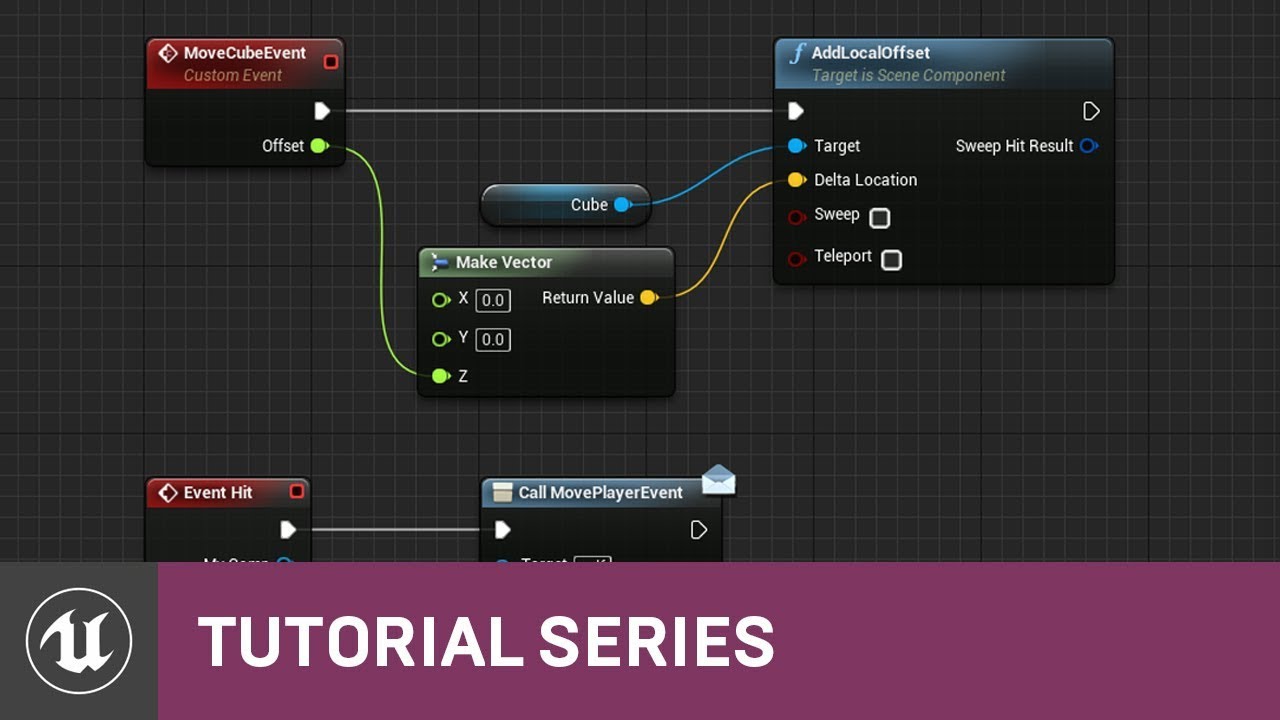
In this video, you'll learn how to get a Level Blueprint and a Class Blueprint to communicate in UE4.
(00:05) - Creating a New Blueprint Class
(00:49) - Creating a Component & Changing Material
(01:51) - Custom Event Setup
(04:40) - Level Blueprint Functionality Setup
(06:57) - Player Character Blueprint Interaction
(08:47) - Using Cast To Node...
azure shore
well, idk what your interaction with this object is, but if its the player interacting with it I would use a line trace somehow and you can easily cast to actors from the hit result
soft panther
dark depot
https://youtu.be/-CybtvNa2Ng
Thx man it helped me so much @dark depot
 midnight ferry
I wonder if anyone here uses source control with PV4 on home projects? Since switching over, my save game to slot nodes no longer work properly. They simply return the false bool.
 nimble bane
Hey all, does anyone have any resources related to creating editor functionality like a part of the landscape mode?
To elaborate, I mean the grid selection in the "manage" tab, i.e. displaying a selection on a grid then being able to add/remove something
latent sonnet
Anyone know what's up with the set text? I migrated this from another project where it worked fine

 midnight ferry
new var 1?
kindred viper
its not accessing a variable/object that it should be
midnight ferry
Doesnt exist
kindred viper
when you fire the event that plays/stops it doesn't have access to the variables that came before the event
 bleak copper
Okay this is frustrating. I have an actor that has a sphere collider for its root component. I then add a child component to it... I've tried several different types. One does GetActorLocation(), adds 100 on the x axis, and sets the world space transform of the static mesh instance to it. However, as the actor bounces, it will not remain perfectly +100 on the x axis. It will start to rotate a bit. Sometimes it will even flicker.
kindred viper
it looks a bit awful in terms of code tbh. its running on tick but trying to get the timeline stuff every tick. but the timeline isn't running at the tick speed I guess
bleak copper
I'm trying to make a ball trail btw.
latent sonnet
kindred viper
when you fire the event that plays/stops it doesn't have access to the variables...
Huh. I don't really know what I'm supposed to do differently though, this is exactly how it looks in the other project and it works fine.
bleak copper
Also, if I set the instance transform to world 0, 0, 100... it will shake.
And start moving around.
Even though it's always being set to 0, 0, 100
As the ball (which is not at 0, 0, 100) moves around.
UE 4.25 btw
Yeah it looks like setting the world location of a child component of a rotating physics object just straight-up doesn't work consistently in 4.25.
And yeah I can see that being a hard calculation to make... wonder if I can unweld them somehow.
midnight ferry
midnight ferry
I wonder if anyone here uses source control with PV4 on home projects? Since swi...
This has to do with PV4 adding the saved directory to the depot and in doing so, if the save slot file is not checked out it returns a permission error.
Does anyone know how to exclude the saved directory from PV4's nonsense?
kindred viper
@midnight ferry using the p4ignore.txt file
 tardy parcel
Hey! Beginner here. Just wanted to ask how to change the speed while youre still editing the map.
midnight ferry
@kindred viper you godsend, where might that text file live
tardy parcel
Whenever i move its like igs at lightspeed, and i move directly though the map
kindred viper
@midnight ferry https://community.perforce.com/s/article/1282 there is also a standard UE4 file you can check out if you google for it
midnight ferry
thank you
kindred viper
@tardy parcel on the top right of the editor there is a camera speed setting
sorry the viewport
merry elbow
are casts expensive and should I be caching them?
 light thunder
Level sequencer - I've figured out how to access different variables but I can't figure out how to use those variables to move the camera (basically to interpolate it's position between those two actors)
plush yew
is there a way to launch a unreal program so it shows graphics options at start? a unreal prebuilt in thing?
plush yew
thank you
 worn granite
plush yew
is there a way to launch a unreal program so it shows graphics options at start?...
worn granite
plush yew
is there a way to launch a unreal program so it shows graphics options at start?...
not built in but with enough time, motivation, and skill one could do this for UE
It's one of those "you have the source, you can do anything in your capacity"
Slate/UMG doesn't need the full game loaded to be able to draw widgets
plush yew
hello
am tryin to use rtx i ue4 from github but.

is this the actuall engine ? or source code ?
 cyan trellis
Hello! I would like to apologize in advance for my English but I am looking for a lot of help and I think I can find it here. I'm new to this server because I'm looking for help because I have a very strange problem because I wanted to try to create a similar hair physics which is in Fortnite only when I export a Fortnite character face model to .fbx format and add in UE4 and then want to add hair physics via anim dynamics model goes crazy. Weird thing is when a friend of mine sent his exported .fbx then the hair physics looked normal.
My exported model to .fbx format:

Model exported by my friend

We both exported model on same version of blender
 deft zealot
Quick Q is there a way to bulk replace a bunch of materials to the same thing within a static mesh? eg. from Element 0 - element 10 without individually finding and replacing each one
 lucid grove
Hey
When im trying to move actors to another level (with context menu) it moves actors, but keeps the original ones on their place. Can i completly move actors to another level without keeping them on old ones?
 rigid bridge
dee
 hollow meadow
im very new to unreal engine and i tried to make a scene to mess around in and it says lighting needs to be rebuilt (77 unbuilt objects) but when i build it, it says lighing build failed, how can i fix this?
drowsy snow
plush yew
is there a way to launch a unreal program so it shows graphics options at start?...
If you mean the "first run option", you can just start with an empty map, and reuse the graphics settings menu. Once the player completed the settings, make a dummy save file to indicate that it's no longer "first run", and business as usual.
Otherwise, if you want to have a game launcher... There's no one solution fits them all situation. You have to make your own launcher that modifies GameUserSettings params.
 crisp fable
has anyone here tried pixelstreaming with UE4.27? i'm getting an nvenc crash on connect
latest gpu drivers, 2080 ti
 prime willow
https://gyazo.com/d4b75c4b205939eba93099168b5f8a70
So i have no clue how to press this settings when the importer automatically flows through the entire process :3

Is there a place where i can press the T0 to pose ref in the engine settings i cant seem to find it..
 remote thicket
Why is my ball bouncing at high speeds and how do I stop it?
https://gfycat.com/orderlycomplexbeardeddragon
 restive eagle
try playing around with these settings
 remote thicket
Wouldn't that make it slower though? I'm making a marble run game (see: Marbles on Stream, Marble World, etc.) and need them to be fast
 split delta
Just tell it to stop 
restive eagle
or adjust the gravity, just test and see what works for you
remote thicket
What about making the ball frictionless? Is there a way to do that?
 teal flint
Gonna ask here cuz no one responded in #cpp for over an hour: How would I add a custom property to a skeletal mesh's LOD? Do I need engine source for that? Or do I just make a plugin to extend it?
drowsy snow
prime willow
https://gyazo.com/d4b75c4b205939eba93099168b5f8a70
So i have no clue how to pres...
The first one is about FBX normal smoothing, which can be set in Blender's export settings.
The second one... Complaining about "IK bone" that hardly anyone used
prime willow
well in the tutorial it seems like his doesnt have that issue
but mine does and idk how to change that
since im using daz to unreal bridge so i cant use the fbx pop up for it :C
drowsy snow
Well, you could ignore the smoothing error, and as for those "ik bones", also ignore it.
One thing for sure, people hardly use those ik bones for actual use.
teal flint
Okay I legitimately can't tell if no one knows the answer, if I'm shadowbanned somehow, or if everyone is just ignoring my questions
woven elk
When setting up master material. For the ARM map. which placeholder should I put in there. Do you guys have any industry standard for these inputs?
 prime willow
teal flint
Okay I legitimately can't tell if no one knows the answer, if I'm shadowbanned s...
prime willow
teal flint
Okay I legitimately can't tell if no one knows the answer, if I'm shadowbanned s...
not shadowbanned
prime willow
people typically dont answer if they dont have an answer to help you
i dont know what your question is
but id use google, or forum hop or check tutorials with the proper term of your alleged goal
teal flint
teal flint
Gonna ask here cuz no one responded in <#221799439008923648> for over an hour: H...
It's pretty complex
I haven't found a good answer from google
split delta
Could someone give me a hand in #linux ? Would be greatly appreciated, but if not that's okay! 😄
prime willow
people here can be incredibly helpful but they arent mandatory or necessarily suppose to help you
 olive ginkgo
idk what channel to ask this in. I have a firstpersonbp but whenever I press play the game starts from wherever my camera is
prime willow
their doing so as a token of their whim :3
drowsy snow
woven elk
When setting up master material. For the ARM map. which placeholder should I pu...
Just fill in with the engine's DefaultTexture or your own texture.
teal flint
At least I know that I'm being seen by someone
prime willow
id never ignore someone unnecessarily :3
but if no one answers here typically your question belongs in a different catagory seen to the side
or they have no answer or dont want to help
drowsy snow
teal flint
Gonna ask here cuz no one responded in <#221799439008923648> for over an hour: H...
Try asking in #graphics
prime willow
either way use this a resource on a case by case basis and refer to the internets to solve your issues youll have much more luck in your pojects success
teal flint
alright
prime willow
good luck :3
prime willow
drowsy snow
Try asking in <#221799195806400512>
so if the ik bones dont matter for ik's i can just move forward o.o
drowsy snow
prime willow
so if the ik bones dont matter for ik's i can just move forward o.o
Yeah. In the Manny rig, the IK bones aren't even parented to the matching bones.
woven elk
drowsy snow
Just fill in with the engine's DefaultTexture or your own texture.
It wouldn't matter if the DefaultTexture is sRGB true or false right? Those will be defined by the material instance input textures I asume?
drowsy snow
prime willow
so if the ik bones dont matter for ik's i can just move forward o.o
People just straight used the "real" bone and an IK solver to drive the bones with IK.
prime willow
oh wow
drowsy snow
woven elk
It wouldn't matter if the DefaultTexture is sRGB true or false right? Those wil...
Doesn't matter.
split delta
Could someone come to #linux ? I have a small question, if you don't know how to help that's okay! 🙂
drowsy snow
split delta
Could someone come to <#375022233875382274> ? I have a small question, if you do...
Not many people use Linux anyway, let alone for serious UE4 development, so yeah, don't expect immediate response. 
And it seems like it's a Linux issue, not a Git issue. At least in Windows, it's supposed to install the prerequisites after the git stuff completed.
woven elk
drowsy snow
Doesn't matter.
for normal map place holder. The DefaultNormal_Uncompressed is the only that doesn't have source to someone's desktop. but this texture is uncompressed. Does it matter for master material?
 drowsy snow
woven elk
for normal map place holder. The DefaultNormal_Uncompressed is the only that do...
drowsy snow
woven elk
for normal map place holder. The DefaultNormal_Uncompressed is the only that do...
Doesn't matter.
And the "source to someone's desktop" isn't detrimental for this - it mainly used for reimporting.
 hybrid sky
I've created a collision capsule for my VR player, and it collides well and stays with the player, but whenever it collides with something it cant move but the player still can. how do i fix this?
teal flint
So I got my custom skeletal mesh working, but I just realized I have zero idea how to add it
I made a custom actor factory for it, but since it's a mesh it won't show up in place actors
plush yew
teal flint
So I got my custom skeletal mesh working, but I just realized I have zero idea h...
do you want to import your custom skeletal mesh ??
teal flint
No, I want to import using a custom skeletal mesh class
Instead of the default skeletal mesh class
I made a custom skeletal mesh class inheriting from the base skeletal mesh class
and recreated the actor factory
That's
Not even remotely close to what I'm asking
I'm not talking about a custom mesh
I'm talking about the unreal class
I know you're trying to help, and thanks for that
woven elk
Material Instances doesn't take virtual texture UDIM?
I made a master material with VT place holder. Made an instance, plug in the map that I exported from painter. The preview looks wierd already. When I apply it to the geomatry. It gets so dark and UE crashes. Obviously I've done something wrong .
 plush yew
ok
 patent cedar
every time I create a new function the one before it in the my blueprint tab just does the same edits. So if I duplicate it and make something from .05 to .1 the first one will go to .1 Or when I create a blank function the one before becomes blank until i delete it, then it comes back
hybrid sky
In the VR template whenever I assign MotionControllerPawn to a character class, or if i make a collision capsule the root of the class my VR view becomes much higher above the ground than what it's supposed to be.
 dusk nebula
I literally haven't heard of the ability and attribute system until now but it seems really useful. Is it worth learning in-depth?
teal flint
Okay, so I assume that I have to write a custom FBX importer (or at least override the FBX importer)
Is this possible without needing to modify the engine source?
drowsy snow
teal flint
Okay, so I assume that I have to write a custom FBX importer (or at least overri...
If you want to write a custom asset type for it, then writing a plugin/module is enough.
However, if you want to probe the engine's skelmesh asset and the importer, you have to go low level into the engine source, and there's no high level solution for that.
teal flint
I wrote a custom asset type
That inherits from skeletal mesh
It doesn't need to specifically be for fbx, but is there an example of a custom import?
rough sigil
hey not sure where to ask this - but for some reason im getting frame dropping like hell with this car model and im not sure why
all the other cars lined up when i change to them and spawn them in the frames are all fine except for the one pagani car
at first i thought it might be the amount of triangles in the model but that doesnt add up for me unless im just being a noob and the only other major difference im seeing is the collision primitives? if anyone could shed some light would be much appreciated
 drowsy snow
rough sigil
at first i thought it might be the amount of triangles in the model but that doe...
drowsy snow
rough sigil
at first i thought it might be the amount of triangles in the model but that doe...
I have yet to see a properly made game using static meshes for cars 
Again, as I said few hours ago, most games generally have drivable cars as skeletal meshes, including the off-road vehicle sample from the Learn tab in the Epic Launcher.
Having the static mesh collision as driveable cars is what likely to tank down the performance.
Most games that have cars as static meshes are placed as props and not moveable nor driveable.
teal flint
Okay, so I tried to add a new FBX format with Formats.Add(TEXT("fbx;ArcSystemWorks FBX"));, but the format doesn't show up
lucid grove
Hey fellas, cant figure out how to copy foliage to another level. Right now i have several world composition levels - all meshes and actors moving well, but foliage doesnt react to move to level
teal flint
actually i should probably rename the text, since i don't want references to arcsys all over my game
even if i'm inspired by them
drowsy snow
teal flint
Okay, so I tried to add a new FBX format with `Formats.Add(TEXT("fbx;ArcSystemWo...
I thought you were Arcsys employee 
teal flint
lmao
ANYWAY
I'm an idiot, I forgot to add it to the module
startup
wait
i don't think i can do that with a normal ufactory
that's only for uactorfactory
oh never mind it does show up
i'm stupid
rough sigil
drowsy snow
I have yet to see a properly made game using static meshes for cars <:SayoThink:...
hmm the AVS vehicle system that im using that was free for the month back in march i think uses static meshes and even in the demo project there is no problems with fps even when i spawned numerous vehicles it didnt drop below 60
 obtuse yarrow
Yo guys ue keeps crashing everytime I open the viewport for my third person character thing
plush yew
obtuse yarrow
Yo guys ue keeps crashing everytime I open the viewport for my third person char...
The Unreal Engine 4 crashing problem is sometimes caused by interference from your antivirus software. ... If your game works properly after you disable the antivirus software, contact the vendor of your antivirus software and ask them for advice, or install a different antivirus solution
 verbal remnant
What do you guys host your multiplayer games on play fab or aws
obtuse yarrow
Cool thanks mate
teal flint
welp
ran into a roadblock
Guess I can't do things this way
Since I'm trying to directly add to LODInfo, I have to shadow it somehow
Obviously that throws errors
Uhhhhh second and more desperate measure
Recreate the SkeletalMesh class from scratch and somehow figure out how to cast between the two
...that's probably going to cause way too many issues
Do I not have a choice but to edit the engine source?
 coral shoal
This has been in our bug tracker for a long time and we still dont have a fix. Every time i play my own game in fullscreen i get this actually... it's a real pain. Especially since it's an engine bug that other people seem to have a fix for. Somehow they fixed it in mordhau though.
"UI offsets mouse position in fullscreen mode after swapping from windowed mode on multi monitor computers."
https://issues.unrealengine.com/issue/UE-19988
https://answers.unrealengine.com/questions/279037/linux-mouse-input-is-offset-in-umgslate-when-the-r.html
https://issues.unrealengine.com/issue/UE-36371
plush yew
how can i make it so ue5/ue4 picks up my visual studio install? it shows none installed when i try make a c++ project
 dapper ether
How much space do you think it would take up to make a game like Mc? Or Skyrim? Or fortnite?
Etc a game like those
cinder bloom
Hello friends, I encountered a troublesome problem in unreal today and I couldn't fix it since morning. The editor does not open, it gets stuck at 9% and locks the pc
i deleted it and uploaded it again but it didn't say you are mine
the internet had a lot of fix videos but it didn't work
need urgent help
 thorn crown
Hey guys, does anyone know what this error means?
LogStats: Display: There is no thread with id: 12036. Please add thread metadata for this thread.
I get it in the log after using "stat Quick" or "stat SceneRendering", and I get multiple of it with different IDs. And it's in a new empty level as well.
plush yew
when will games look like the UE5 demos?
teal flint
halfway through the console generation probs
especially cuz ssd space is gonna be a big issue
drowsy snow
plush yew
when will games look like the UE5 demos?
Not until late 2023/early 2024. Remember that some studios will still use UE4 long through the next gen console hardware
teal flint
yeah, plus ue5 isn't even coming out until next year
so uh
is it normal that compiling engine from source takes over 2 hours?
github said it'd take 10 to 40 minutes but i'm assuming it's outdated cuz it also said that binaries were 3 gb but they were 11 gb
it might take 3 or 4 hours tbh
drowsy snow
teal flint
is it normal that compiling engine from source takes over 2 hours?
Mine had been 12 hours to an entire day. It really dependant on your CPU thread count.
The whole 10 to 40 minutes presumably was from earlier version of UE4, back when there's not much going on in the engine and not much modules present.
In comparison, 4.26 has around 4 thousand modules to compile.
teal flint
god that's terrifying
plush yew
@! The Hoodie Guysorry its the source code which required 11 gb of unnecessary download
@drowsy snow
drowsy snow
plush yew
@! The Hoodie Guysorry its the source code which required 11 gb of unnecessary d...
The source code alone is around 2 GB.
The rest of them comes from binary assets and dependencies.
plush yew
how can i edit te source code to only use core engine with no target platfrom just like in luancher
drowsy snow
plush yew
how can i edit te source code to only use core engine with no target platfrom ju...
The Setup.bat is the key to size reduction. You can add exclude params before executing it to exclude platform targets.
drowsy snow
plush yew
do you know how thoo.
Because it involves commandline arg, you have to run it from Command Prompt (or PowerShell if you ever use that, doesn't really matter)
This is my exclude args.

BTW the 4 GB download is partial because I already went through another 3 GB of download.
plush yew
drowsy snow
Not until late 2023/early 2024. Remember that some studios will still use UE4 lo...
fu studios
@drowsy snow
Setup.bat -exclude=WinRT -exclude=Mac -exclude=MacOS -exclude=MacOSX -exclude=osx -exclude=osx64 -exclude=osx32 -exclude=Android -exclude=IOS -exclude=TVOS -exclude=Linux -exclude=Linux32 -exclude=Linux64 -exclude=linux_x64 -exclude=HTML5 -exclude=PS4 -exclude=XboxOne -exclude=Switch -exclude=Dingo
i used this, can i even make it smaller ?
now its 6 gb from the old 17 gb... not bad.
drowsy snow
plush yew
fu studios
No one's stopping you from making your own game using UE5 with the same amount of asset quality
You can YOLO and use UE5 Early Access right now and kitbash the Megascans assets which are freely provided for UE licencees.
In the job boards of this server alone, someone already using UE5 for full blown production, even if UE5 isn't production ready just yet.
plush yew
drowsy snow
No one's stopping you from making *your own* game using UE5 with the same amount...
i just need a 2 week course on making video games and 200 people who will work for free for me
drowsy snow
plush yew
i just need a 2 week course on making video games and 200 people who will work f...
200 people who will work for free for me
fierce tulip
people love to be exploited
drowsy snow
Even Blender Foundation, which doesn't take royalty out of other's work, still paid their hundreds of employees through corpo donations and grants.
drowsy snow
The whole news about Bink integration to UE4/UE5 still doesn't makes sense to me. Digging through 4.27 branch, there doesn't seem to be any class or plugins related to the Bink implementation. Not to mention RAD Tools is required to convert video files to Bink format.
That is if the entire thing resides in dev-******* branch and not yet pushed to the main 4.27 branch...
Nevermind, I was dumb.
My local clone wasn't updated properly, thus missing the BinkMedia plugin. 
split delta
Guys I need your help
 split delta
I'm still trying to get UE4 on Linux, and when I run ./GenerateProjectFiles.sh, it just stays on Setting up Unreal Engine 4 project files... Setting up mono
Forever
And will not move
plush yew
so by using the exclude command for setup bat , whats the comands for GenerateProjectFiles
???
plush yew
is it this one : Setup.bat
GenerateProjectFiles.bat
Engine\Build\BatchFiles\RunUAT.bat BuildGraph -target="Make Installed Build Win64" -script=Engine/Build/InstalledEngineBuild.xml -clean -set:WithWin64=true -set:WithLinux=false -set:WithServer=true -set:HostPlatformDDCOnly=false -set:WithWin32=false -set:WithMac=false -set:WithMacOS=false -set:WithMacOSX=false -set:Withosx=false -set:Withosx64=false -set:Withosx32=false -set:WithAndroid=false -set:WithIOS=false -set:WithTVOS=false -set:WithLinuxAArch64=false -set:WithPS4=false -set:WithXboxOne=false -set:WithSwitch=false -set:WithLumin=false -set:WithLuminMac=false -set:WithHoloLens=false -set:WithDingo=false -set:HTML5=false
???????
plush yew
split delta
I'm still trying to get UE4 on Linux, and when I run `./GenerateProjectFiles.sh`...
did you did all thing before your./generate step
split delta
yes i did
split delta
So make?
plush yew
yeah
split delta
 plush yew
split delta
plush yew
split delta
how much time did you wait for setting up mono to finish
split delta
I watched that
plush yew
oopss
 light thunder
I'd love to know how to figure out where this actor is being spawned from
 split delta
split delta
split delta
says it has no installation candidate
plush yew
was this successful /setup.sh
 plush yew
split delta
Yes
plush yew
split delta
Yes
https://www.youtube.com/watch?v=PYCaYICkulQ
watch this from 14:00
light thunder
Can someone PLEASE explain to me why when I advance a single frame - an actor is spawned into the world but It doesn't show me any execution stack or there's no way for me to actually jump to the next blueprint node that spawns that actor - (i want it to STOP spawning) - you can see this frame - the next frame is literally the ( begin play of the actor I'm trying to stop from spawning )


it goes SOMEWHERE but I can't figure out what is the current active execution frame
And while I was able to locate it - I'm confused about why the advance a single frame did not take me to the code (which was in my game state) where this thing would happen
 shut marlin
<@&213101288538374145> I am using Multi User editing with a few different people currently. We are all on the same network and have been using it amazingly. As some of us are leaving to continue working at home we are unable to take the project as its stuck on the server. does anyone know how we are able to take the work off of the server?
 ashen brook
shut marlin
<@&213101288538374145> I am using Multi User editing with a few different people...
ashen brook
shut marlin
<@&213101288538374145> I am using Multi User editing with a few different people...
Please don't tag moderators for technical questions like this
We're just users of the engine like everyone else here, just ask your question normally in the appropriate channel and if anyone knows, including us, they'll help
 tender ember
hello, do I need to learn software like Gaya to make landscapes in UE or soımething like Blender is also capable of that? I'm new to ue
ashen brook
As for this specific question, no idea, sorry.
ashen brook
tender ember
hello, do I need to learn software like Gaya to make landscapes in UE or soımeth...
You can edit landscapes entirely in UE if you want! External programs are used by some teams because they can make the process easier or generate better results, but they're not required.
tender ember
yeah but what if I wanna make some custom stuff and like stuff that UE can't do, so do you happen to know if blender or similar program is capable of it?
ashen brook
I don't know if blender is well suited to that, I personally haven't used it much and not at all for generating height maps. Gaea is great though, and so are World Machine or World Creator.
 potent bridge
How would someone go about making multiple enemies in a game that can all deal damage to a player, would I make a Child blueprint or...
drifting elbow
Blender can do lots of things. But like with many things, pick the tool that gets the job done
tender ember
ashen brook
I don't know if blender is well suited to that, I personally haven't used it muc...
thank you
ashen brook
potent bridge
How would someone go about making multiple enemies in a game that can all deal d...
Generally this kind of many-to-many interaction is often best done with interfaces. Create a damage interface that all your enemy and player classes can use, and implement how they react to receiving damage on each class individually. Use class inheritance where it makes sense to keep things logically structured and maintainable.
The engine even includes a damage interface out of the box that you can use, as part of the Actor base class - just call the damage events on any actor and use the "Receive damage" events to handle how your classes deal with being damaged.
potent bridge
Very helpful, ty. I was more concerned about each enemies animation and how it detects the hit rather than handling the damage variables themselves.
ashen brook
Ah, if their meshes share the same skeleton and animations then you can use the same anim blueprint for them... Inheriting anim BPs is a bit weird if it works at all. I think they added some functionality for that in one of the last few major version updates, but I personally haven't touched that yet
potent bridge
Ahah, I don't mind recoding the animation BP.
But, for enemies, I assume I'd have to recode their conditions for hitting the player for each individual BP type?
especially if they had a different weapon.
So I assume when I hit an enemy with the character, I can send an interface to the parent and all children of the enemy class?
plush yew
hey yall, been struggling with this problem for a few days. Im using blueprints and i want to create another blueprint based on an input string. Anyone know how i can do this without a huge bunch of executing pins and branches? (instead of print id be spawning the actor at the end)

hey
am trying to build ue4 without other platforms
22>CSC : error CS0006: Metadata file 'Z:\UnrealEngine-nvrtx-4.26.2-1\Engine\Binaries\DotNET\IOS\MobileDeviceInterface.dll' could not be found
========== Build: 0 succeeded, 1 failed, 3 up-to-date, 21 skipped ==========
how can i skip them
 wary wave
plush yew
hey yall, been struggling with this problem for a few days. Im using blueprints ...
wary wave
plush yew
hey yall, been struggling with this problem for a few days. Im using blueprints ...
my first advice would be "don't", but if you're going to go down that path, you may want a TMap of string to actor
plush yew
@wary wave, what would be a decent alternative for this?
drowsy snow
plush yew
hey
Somehow IOS has to be included.
Which is kinda ironic given the current circumstances
wary wave
plush yew
<@99264143659401216>, what would be a decent alternative for this?
I don't actually know what you're doing 😄
plush yew
basically i just want to spawn an actor if a specific input is given
wary wave
what kind of input?
plush yew
it can be any input but in this case its a "map" string. I.e. if "map" == "map1" > then spawn actors for map 1
plush yew
hmm.. ill try that thanks
@drowsy snowsir
how can i build editor only ?????
actually tbh @wary wave its not the loading in map part but the logic so it would be the same case
ill use streaming level to load in the map but the logic to decide what to load in is what im having trouble simplifying
right now im using those branches like in my image above, it works but its a bit messy
wary wave
streaming a level in can be done simply by streaming it in from a direct reference
drowsy snow
plush yew
how can i build editor only ?????
In my case, I "install build" the editor with only Windows and IOS dependencies, and strip down unnecessary plugins and dependencies after build.
wary wave
so you shouldn't need any string comparisons
plush yew
Alright ill give it a go thanks
drowsy snow
It's still super strange, the fact that MobileDeviceInterface.dll from IOS dependency was required to build at all.
plush yew
oh looks like i did something that fixed the isuue
 leaden dust
Why is it starting out from the right side of the screen
instead of starting from where it already is
 leaden dust
huh I can't seem to find the source of the issue anywhere
uh oh even the UMG editor is broken
 austere goblet
Anyone know why physics simulation breaks if I increase world scale 3d for a skeletal mesh actor in blueprints?
leaden dust
Ignore my above post, seems deleting everything and re-adding it fixed the issue, weird
 last topaz
Hi all, for textures, does "maximum texture size" not allow for 4k resolution?
We have a lot of 8k textures imported and would want some of them to only be shown at 4k but the highest option available is 2048 or full 8k
Seems very odd
austere goblet
Are these textures not square? @last topaz
Ue4 doesn't like large textures that aren't square power of two
Your mip generation settings might also be to blame
austere goblet
Also, if you set a texture to 'never stream' they should always display in full resolution
@last topaz
Just be careful with memory management
 bleak drum
i was wondering, are there websites/forums where people share gameideas they have but cant do? would love some inspiration to to do something, but , i dont have the ideas (at least not realistic ideas :D)
 weary kraken
Hi! is this the correct channel regarding issues getting Unreal to work on a user level? or am i just blind and can't find the dedicated channel for it
fierce tulip
should be fine, else we'll direct you to the right channel
weary kraken
Aight, thanks.
So, Unreal Engine based games completely freeze, after about two minutes of playing in them. I've had this with numerous Unreal based games, but a select few games that don't use Unreal also have some issues (such a GTA V).
During the few moment of gameplay i have, i notice there's these random "orbs" that appear all over my screen in different colours, but are too fast to catch in a screenshot. Shadows are also unreliable and freak out at random. After the two ish minutes of gameplay, the game completely seizes up and i have to shut it down with Task Manager.
I'm not sure if this could be related to the issues, but my computer also has an issue where the system time is moving to slow, meaning it's off by minutes, after some hours, until i manually reset it. I've tried changing the Cmos battery, and it only helped that issue a little. At random, Windows pathfinder also get excessively slow, with nothing hogging up any of the system functions, according to task manager.
kindred viper
sounds like you have a shafted pc
fierce tulip
or a shafted win10
besides making sure you have the latest gpu/motherboard drivers, win10 has had some weird updates causing a lot of weird glitches and slowdown. you can also try a temporary downclock of your gpu, see if that stabilizes it. else.. its going to be hard to figure out.
weary kraken
kindred viper
sounds like you have a shafted pc
any parts in particular you'd say were shafted then? this is a brand new built computer, the only parts second hand being the GPU and PSU.
drowsy snow
weary kraken
any parts in particular you'd say were shafted then? this is a brand new built c...
Likely faulty GPU.
kindred viper
your ram timings, your overclocks, faulty GPU or bad driver install.
drowsy snow
But since it affects system time, I'd suspect the PSU, which, should never cheap out on second hand ones.
kindred viper
ram timing can do that too
a lot of people presume ram just works, and sometimes it does, but if you don't make sure its setup right it can be the bane of all problems
weary kraken
Ram should be set up correctly, set up the 3600 it has
kindred viper
I've seen cases of people who have forced ram/gpu into their motherboard and cracked the bus which can be an issue too. It's hard to tell without looking at it though.
weary kraken
I'll try downclocking the GPU, then trying to see if i can re-install Win10
If it's a hardware issue i'll cry because i can't afford any replacements at the moment
kindred viper
if its a new pc then the parts are under warranty as long as you didn't bork it when you built. Sometimes it's worth paying the extra $30 for them to build it for you then you have no comeback
weary kraken
Sadly was not an option due to the GPU crisis. had to order parts from multiple stores
 turbid wigeon
Working on getting MetaHumans to be driven by Android Phones.
Everything is working perfectly as you can see
https://www.youtube.com/watch?v=lIaCEaQ4otw
 kindred viper
I got it working a few weeks ago with Faceware Live and glassbox plugin
drifting elbow
If you get some nice solution tell epic. They might want to advertise it
kindred viper
I have a great solution. Pull a finger out and listen to the zeitgeist of people who won't use Apple products on moral grounds and start supporting the next biggest phone platform.
drifting elbow
Hellaphone? 🤔
kindred viper
considering they are promoting this kind of system setup, you would think they would throw some love to the android community. It's not like the tech isn't available on those platforms
dusk nebula
How would I show another camera over part of the viewport/player screen? I'm trying to do something like the partner view from portal
kindred viper
render to texture and overlay it is one method I could think of.
you can use a widget to display it on your screen in a location
dusk nebula
You mean I put the texture in a widget?
kindred viper
yes. Check out render texture + UMG
drifting elbow
Render target, I think, is what you need?
Is it possible to use a render target like a texture in a material?
dusk nebula
I'm looking into it and that seems like it
The answer I'd gotten about this like a month ago was absurdly convoluted and it seemed like they were telling me I had to create a dark box for the player camera to capture from and attach render targets to the player
 limber marlin
Anyone know how to fix unreal engines drop down menu's bug?
 bitter ether
guys do you know how to export characters (as .fbx) from UE4?
limber marlin
None of these work, won't let me click them
 kindred viper
@bitter etherright click it, asset actions, export
bitter ether
kindred viper
<@!569286090905878541>right click it, asset actions, export
thank you 😁
 regal mulch
limber marlin
None of these work, won't let me click them
regal mulch
limber marlin
None of these work, won't let me click them
Restarting the Editor for a temporary fix.
limber marlin
regal mulch
Restarting the Editor for a temporary fix.
Tried
regal mulch
It's your NVidia Driver that causes it. You can try going back to an earlier version.
limber marlin
regal mulch
It's your NVidia Driver that causes it. You can try going back to an earlier ver...
I see thanks
dusk nebula
Unrelated to my other question but would it be a good practice to use game modes to define areas where players can and can't take damage or use certain things? Like, have a "town" game mode that you switch to to adjust those properties?
regal mulch
Pinned message on this channel should have something too @limber marlin
regal mulch
dusk nebula
Unrelated to my other question but would it be a good practice to use game modes...
GameModes can only be switched on Level Changes.
If you have to go between levels to go from friendly to hostile zones, then you could do that yeah, but otherwise you should just work with some BPs that have overlap events etc.
drowsy snow
Try running it via command prompt.
 tough cape
i'm confused with vertex painting. I made a material which has 2 textures, and should've been able to paint it. And it works on a standard sphere, but doesn't work on a nanite mesh, am i doing something wrong, or are those meshes just not compatible with vertex painting?
austere goblet
Anyone know why physics simulation breaks if I increase world scale 3d for a skeletal mesh actor in blueprints?
The larger I make the scale the worse the physics behaves. Are the bounds not scaling up or something?
 runic fern
Hello guys i have 2 issues on HTML5 .
First : Lighting is very bad you can't imagine guys how bad it is xD
Second : player rotation left and right being very fast with mouse im using click and rotate like the image below " or Above "

 versed lion
Quick question, if I load actors by spawning them from blueprint instead of placing them on the world map, lets say idk 40 actors. Can it flood the memory \ gpu \ cpu? or is it ok?
nocturne bough
runic fern
Hello guys i have 2 issues on HTML5 .
First : Lighting is very bad you can't ima...
You could MapRangeClamp the AxisValue to reduce the speed.
HTML5 lighting is always bad, when possible go with Emissive color instead of BaseColor.
 exotic cave
Hey all! Anyone have any good resources on starting to learn character modeling/rigging/animation for UE?
last topaz

Hi, has anyone had this issue with the transform thing fading into the asset as i get closer?
exotic cave
That's mostly just an angle issue
If you rotate around it, all three arrows will show up
last topaz
uh no its inside the asset

 exotic cave
Could be related to the material shader?
last topaz
because its invisible
exotic cave
I don't experience that on my assets.
If that shader is doing something fancy and using the same draw layer that the editor arrows do, it could cause something like that.
exotic cave
That doesn't mean that's not what's going on, though. Plenty has changed in the engine. 😄
last topaz
il have a look around but its happening on all the different shaders so its not an isolated one
drowsy snow
last topaz
This has to be UE5.
Also, have you tried restarting the editor?
drowsy snow
That's strange. I never had that issue in UE4 Blaze-it edition (that's what I nicknamed 4.20 internally)
last topaz
haha, why is that
i didnt make the choice to go with 4.20 so i don't really know if its a good or a bad version
drowsy snow
4.20 is a good version, not just because of the memeable number version. Though I don't recall the issue with gizmo ever brought up in the hotfixes posts.
limber marlin
I downgraded my driver version for unreal engine yet still bugs out?
I have an RTX 2080 Super running driver version 442.92
prime willow
is it possible to save a base pose for the default mannequin and use it for other skeletons?
 shell spoke
Okay, when I open an empty Blueprint, go to the event graph, and right click to add a node, the editor takes 10 seconds before loading what I typed. I have UE4 on SSD, and my CPU is only jumping to 12%...
I can't find any fix on google
drowsy snow
prime willow
is it possible to save a base pose for the default mannequin and use it for othe...
Yes, actually.
prime willow
how does one do this :3
drowsy snow
In the skeleton part of the persona viewer, there is an option to save current pose as pose asset.