#ue4-general
1 messages · Page 1001 of 1
 serene birch
 maiden swift
I'm also happy that message specifies game development tools.
 grim ore
keep in mind whenever whatever comes out it wont be UE 5.0, it will be UE 5.whateverwewanttocallapreview
 pulsar badge
ah ok
grim ore
we arent supposed to get 5.0 till later this year
 drowsy snow
I'm not sure if porting over everything to UE5 is a good idea for me, because I want the additional content to be compatible with the base game.
pulsar badge
let me give it a try
maiden swift
grim ore
keep in mind whenever whatever comes out it wont be UE 5.0, it will be UE 5.what...
UE5 Early Access. The logos are available already.
maiden swift

Unreal Engine
Unreal Engine Branding Guidelines and Trademark Usage
Download the usual pack from there. It's been updated, including for UE5.
grim ore
well I saw the new logos, ah
 cedar wave
@maiden swift Viewing party in voice chat? 😅
grim ore
where are the EA logos hiding?
maiden swift
grim ore
where are the EA logos hiding?
Look in the brand guidelines PDF.
grim ore
yeah that was hiding from the page, I wondered why...
grim ore
what am I looking for lol
maiden swift
Download this.
 grim ore
yep but I dont see anything about Early Acess
maiden swift
Wait, this looks different.
grim ore
yeah theres a document missing as well from the older page, the actual branding PDF
maiden swift
Oh no. Please ignore me. They might've changed their mind. 😬
grim ore
I knew I wasn't crazy
maiden swift
 pulsar badge
Thank you @grim ore You fixed my issues once again lol
grim ore
They used to have a full pdf with the branding info like color hex codes, etc.. which isnt there anymore
maiden swift
Yeah, that's what I got. Not sure why they'd completely get rid of it since companies need it.
maiden swift
Well I downloaded it the day they announced it, and they linked to the branding page on Twitter. lol
 mental helm
Unless it leaked something, I guess it's because something might be subject to change
maiden swift
Yeah maybe.
grim ore
yeah all I ever saw was those 2 links
 lean mauve
Lately something have been on my mind so I got a question. Does anyone have link to video/documentation about creating galaxies in ue4?
Or just planets
mental helm
Cosmetically or gameplay?
lean mauve
Cosmetically
maiden swift
mental helm
Unless it leaked something, I guess it's because something might be subject to c...
Might've uploaded the wrong version by mistake or changed their mind. I feel bad now. 😬
grim ore
dont feel bad, trying to see if I can find it lol
 golden condor
Looks like Epic might be gearing up for a beta for UE5

In May 2020, Epic Games provided a first look at Unreal Engine 5 through “Lumen in the Land of Nanite,” a real-time demo running live on PlayStation 5.
Prior to this, in January 2020, we went behind the scenes with the team at Epic to discover the inspiration for Nanite, a virtualized micropolygon geometry system that will enable you to create ...
maiden swift
So we're back to "No one knows what the preview will be called. It's a mystery." 👻
mental helm
Mostly need to make a good atmospheric shader for the planets which I've seen lots of tutorials and breakdowns for
golden condor
They just dropped a bunch of UE5 videos on YouTube after almost a full year of nothing on it
 fierce tulip
or when you are lazy:
http://planetmaker.apoapsys.com/ :p

PlanetMaker - Create your own planet, real or imaginary
maiden swift
golden condor
Looks like Epic might be gearing up for a beta for UE5
More info on Wednesday! I posted all the videos in #unreal-news. 🙂
I agree, though. Definitely seems like the hype train has left the station.
golden condor
Ow really? I was just speculating. I have only seen one of them just now
grim ore
@maiden swift nope your right, there is a deleted file that wayback machine is pointing to lol
golden condor
I never heard anything either
grim ore
There was even an animated logo...
maiden swift
It's exciting times. 🙂
grim ore
the well crap now im annoyed I missed that lol
golden condor
I am boarding the hype train
grim ore
I've been all aboard for a year now
maiden swift
Same. Been wondering why this train has been stopped for so long.
Is the conductor alright?
golden condor
I never left either but let’s gooooo
grim ore
no real good reason, Im not an artist but hey theres got to be something new and fun to play with
maiden swift
Ohhh, we're moving again!
mental helm
I'm happy that TAA and SSAO were finally updated since the launch of UE4 😅
grim ore
oooh.. I wonder if we can use nanite and niagara at the same time. a swarm with 1 billion poly insects
maiden swift
grim ore
no real good reason, Im not an artist but hey theres got to be something new and...
We still don't know jack outside of Lumen and Nanite. I'm curious to hear the programming side of the story.
golden condor
This engine, I am excited for anything and everything new. I just hope maybe some new level designer love shown 👀
maiden swift
golden condor
This engine, I am excited for anything and everything new. I just hope maybe som...
There certainly will be. Last year at Unreal Fest they teased some level design stuff.
 maiden swift
Don't really know anything about it, but there's a feature called Foundations that sounds tantalizing.
grim ore
I guess we probably get some of the experimental stuff in 5 as finished to look forward to like the modeling tools and chaos?
golden condor
:’)
 outer zephyr
hello there stupid question here but pls help i am watching a turturial to get me started and the guy on the side has this but i only have the world settings part how do i addthe thing that says details
 golden condor
I am drooling dude
mental helm
I'm curious if there's going to be a ue5 tech demo designed around the new water and atmosphere stuff, or if that was all for fortnite
grim ore
@outer zephyrgo up to window and click on world settings
or uh you asked about details so window then details lol
golden condor
I need UE5 in my life
maiden swift
If we're lucky, early access will come sooner than later.
outer zephyr
thanks man i know stupid question i wanted to be certain taht i was i was doing it right
grim ore
we are going to get the preview then be happy for a week then be sad its not release then go back to waiting, going to be a heck of a tease
maiden swift
lol
We'll all be so hyped, we'll discover everything EA has to offer in one week. 😂
golden condor
:”) my heart can only take so much
maiden swift
I'm excited for the first preview because I love the idea of watching everyone poke around and use it for the first time, discovering what it can do, sharing cool videos and pics.
Sharing tips, tools they found, techniques, etc.
golden condor
Can you imagine?
maiden swift
That's what makes a new version exciting to me.
pulsar badge
@grim ore one more question i added a new layer to paint but when i do it makes the tile i paint lighter
 golden condor
Lol
maiden swift
grim ore
coming to chat and asking why it keeps crashing
Ah yes, the good stuff.
grim ore
asking how to download it from github
mad at epic they cant link their account
ALL THE FUN!
golden condor
Since I am on younger side of game dev I never had that experience
maiden swift
"UE5 is crashing constantly I thought it was supposed to be better"
Or in the words of Zak Parrish recounting his studio visits: "Your stuff's broke!"
golden condor
I am so pumped for this
grim ore
@pulsar badgethats just all down to how the material blends, I have never used the quixel stuff
we need some Zak love for UE5!
maiden swift
Yes!
grim ore
I mean we wont get it, but we need it
maiden swift
Zak shall come down from the heavens and teach us the new ways.
Damn it, Mathew. Now I'm hoping Wednesday's game dev tools deep dive is from Zak.
 dark depot
hahaha
maiden swift
He did it for UE4, so hey, a man can dream...
mental helm
At least I won't have to yell at people doing pbr wrong this time
golden condor
Do you think they will show footage of Fortnite running on UE5 first?
grim ore
we can hope but I think he moved to other more less trainy stuff
 marsh swallow
are we doing a big unreal hangout live discover like for water?
maiden swift
Yeah he mostly visits studios now.
grim ore
I would doubt we get fortnite yet, their plan was not to even have fornite on 5 for a bit of time
and its their baby right now so no risking it
mental helm
I wouldn't be surprised if there was a Fortnite teaser since it's supposed to be coming soon
pulsar badge
Its ugly how do i stop the blending lol
marsh swallow
does that game that is featured with ue5 have a name?
golden condor
I meant just like footage, not a release
maiden swift
I think they originally said they planned to port Fortnite to UE5 midway between preview and release.
marsh swallow
i haven't been able to find it.
 pastel ginkgo
How do I pin an empty actor to a specific point on my character? I want to use it as a focus target for my cine camera. For example, the camera stays focused on the eyes as the camera and character move around.
maiden swift
marsh swallow
does that game that is featured with ue5 have a name?
The game in the interviews released today is a tech demo for UE5.
marsh swallow
pastel ginkgo
How do I pin an empty actor to a specific point on my character? I want to use i...
you can use look at in cinematics.
marsh swallow
maiden swift
The game in the interviews released today is a tech demo for UE5.
rly?! do we get access to it then? hahaha
dark depot
yeah things are changed but yeah i see fortnite getting its own show/event to show off the new season+engine
pastel ginkgo
marsh swallow
you can use look at in cinematics.
Like actor to track?
grim ore
yeah the did say mid 2021 for Forntnite UE5 but they also said early 2021 for UE5 Preview lol
golden condor
I think we should do bets, kind of like E3 bets with friends but UE5 bets for server clout
maiden swift
marsh swallow
rly?! do we get access to it then? hahaha
Don't know yet. Maybe. 🙂
grim ore
@pastel ginkgoyou can add a socket and use that
mental helm
Okay, so I'll guess fortnite to get updated around 6 months after preview
maiden swift
Nostalgia. https://www.youtube.com/watch?v=FcxA_xYnHZ8
Epic's Zak Parrish walks through some of Unreal Engine 4's popular features, such as the new material system, Blueprints, VFX and level building.
I hope this is what we get on Wednesday for UE5.
golden condor
I feel like it would’ve been done during GDC if Covid wasn’t a thing
maiden swift
Probably.
marsh swallow
wait whats happening wednesday?
grim ore
Stuff!
mental helm
Ue5 something
maiden swift
marsh swallow
wait whats happening wednesday?
New info on UE5 finally.
golden condor
And thangs
marsh swallow
nice!!!!!
maiden swift
Check #unreal-news
marsh swallow
about time. haha
dark depot
i mean yeah that is how it was aligned but then gdc moved
 maiden swift
Maybe! At least we know we're getting new info. 🙂
marsh swallow
hey at least a video right!
mental helm
Yeah tech January-March sucked this year
marsh swallow
something new. pumped!
dark depot
might at least get info on when we will get access or more info at least
maiden swift
dark depot
might at least get info on when we will get access or more info at least
Yeah for sure. Maybe something like when they announced MetaHuman Creator Early Access. A "Coming Soon" blog post or something.
But they specified a deeper look at game development tools, so I'm stoked.
grim ore
"We are announcing UE5 preview early access, sign up here to get invited" lol
dark depot
same been a long wait between this and not getting new ue4 builds
mental helm
Would be nice to just see the editor and importing and messing with a nanite asset
maiden swift
I imagine that's what the new video will be. A quick tour of a typical workflow using the new features.
drowsy snow

Unreal Engine Forums
Not to say that Roboto is a bad font, but you may don’t like it being in the editor or just bored with it after a long time. Time to give the editor a new font! The modification isn’t as straightforward as drag and drop solution, but I think it’s easy to do even without programming experience. Here’s how. This modification does not require sou...
grim ore
"In an effort to limit the number of participants to the UE5 Preview we are requiring you to submit proof of 10 Last Man Standings in the current Fortnite season"
grim ore
I want to say some game I played before, I think it was Everquest, had random beta access to the latest expansion as a drop in game
maiden swift
"We have hidden a button in the Epic Games Launcher. Click it to gain early access."
lol
grim ore
oooh.. maybe they will add achievements to UE4 on the 26th and one of them is UE5 access
golden condor
“10 V Roys or your ass ain’t getting in scrubs.” -The Unreal Engine 5 team.
maiden swift
grim ore
oooh.. maybe they will add achievements to UE4 on the 26th and one of them is UE...
Ship it.
marsh swallow
its a node hidden somewhere in the engine
mental helm
Achievement: crash ue4 5 times in one hour
marsh swallow
your first material!
maiden swift
"Shipped your first game."
mental helm
Achievement, spawn 1000 actors in 30 seconds
golden condor
Hardest achievement with less than 0.01% clear rate “ship your game”
marsh swallow
your first crash and we dont know why!
maiden swift
Well they're finally updating the launcher, and adding self-service publishing for EGS eventually.
So combine those with UE5, and you've got yourself a good time.
maiden swift
We’ve been hard at work for some time now developing a suite of tools for developers to use to more easily publish their content on the Epic Games Store. We believe that having the content you want is very important to being a successful store. Thus making it easier for developers to publish their games and increasing Epic’s capacity for distrib...
Labels
Core Platform
golden condor
Question is, will UE5 be cross play with Switch?
maiden swift
We’re completely overhauling the Unreal Engine experience to bring it more in line with the rest of the launcher. Expect this to be a slow development with multiple phased roll outs.
Labels
Core Platform, Player Quality of Life
dark depot
honestly they have alot of stuff that is like ready to launch right now between quixel /ue/egs/eos
 dusk nebula
is there a way to change the way the default jump works with momentum?
grim ore
@golden condorUE5 should be able to make Switch games if that is what you are asking?
@dusk nebulaall of the default character movement stuff is in the character movement component, including the way it jumps
dusk nebula
found it, thanks
golden condor
I was just joking as if you can play UE5 on Switch….I’ll see myself out.
grim ore
oh well they are porting it, comes out soon check it out. https://www.youtube.com/watch?v=0yM3ppz0Zt8
maiden swift
@grim ore So uh... I just rewatched that tools demo from Zak for nostalgia.
At the end Zak says "It's available to download right now."
mental helm
Other big Epic news today https://twitter.com/TimSweeneyEpic/status/1396919697409417218

The Epic vs Apple trial has now concluded! I won’t be commenting before the verdict is delivered. Thanks to everyone whose efforts made this possible, and to Popeyes for building a fine restaurant next door to the Oakland federal courthouse.

 Twitter
·
serene birch
Twitter
·
serene birch
I liked the judge questions for Tim (the fruity one) at the end 😄
maiden swift
If history repeats itself I'm going to flip. I'm traveling on Wednesday, and then I'll be with a laptop in a place with terrible internet until Sunday. 😅
serene birch
and stuff like "so the video game industry is paying for Goldman Sachs?"
that kind of questions also shows that the judge seems to have a pretty good grasp of what the hell is going on even 😮
grim ore
ahahaha that blows @maiden swift
golden condor
If Epic wins this, game developers everywhere win a big one, and all developers everywhere just got a massive W
dark depot
@maiden swift its a curse you must bare for the rest of us to enjoy it
maiden swift
I'm afraid so.
I'm leaving pretty early, too. Probably 11:00am.
I guess if we get EA this week I'll be testing it's performance on an old Razer Blade.
And dying to get home to my workstation.
lol
maiden swift
Yeah it does run UE4 fine. Not amazing, but perfectly usable for getting most work tasks done.
The download will be the painful part.
maiden swift
I hope so. If it's only on GitHub, well I guess I don't get early access. lol
Then again, will I be able to resist the sudden urge to learn how to compile from source? LOL
grim ore
as much as I wish it was github only I doubt they would do that, they made a chaos build on the launcher and they have had stuff like magic leap builds
maiden swift
My hope is we'd get the new launcher at the same time as early access.
grim ore
oooh new launcher would be nice, something that doesnt die when it loads my vault lol
maiden swift
Yeah I'd be surprised if it started GitHub only.
Well it's definitely coming.
Just don't know when.
dark depot
yeah i cant see it being git only just because they want max exposure/coverage of it
maiden swift
We’re completely overhauling the Unreal Engine experience to bring it more in line with the rest of the launcher. Expect this to be a slow development with multiple phased roll outs.
Labels
Core Platform, Player Quality of Life
 hasty pewter

Unreal Engine 5 will empower game developers and creators across all industries to realize next-generation real-time 3D content and experiences with greater freedom, fidelity, and flexibility than ever before.
Join us at 10am EDT on May 26 as Chance Ivey, Senior Technical Designer at Epic Games and Galen Davis, Producer/Evangelist for Quixel ...
dark depot
oh we can sit and wait now...
maiden swift
Oh cool! They scheduled it so we can set reminders.
grim ore
whoo 41 hours
fierce tulip
lol
dark depot
imagine this would mean ue5 is what thursadays stream is about as well if there is one?
maiden swift
I wish Discord's YouTube Together feature was done so we could do a watch party. I guess we could technically still do it with streaming but it's a bit janky.
grim ore
and there goes the Zak idea unless he is a surprise guest
 steel shell
why is it that unreal needs a huge amout of ram to delete assets like meshes?
maiden swift
dark depot
imagine this would mean ue5 is what thursadays stream is about as well if there ...
I'm guessing so. We know there will be a stream at the normal time, just don't know the topic yet.
maiden swift
grim ore
and there goes the Zak idea unless he is a surprise guest
Chance Ivey, though. Next best thing. 😄
fierce tulip
@steel shell it basically needs to do a search for all the assets that are connected to the deleted asset, load their data, and report back if there are going to be broken connections and how you, the user want to deal with it
dark depot
@steel shell its loads the meshes and also is handling references so it ends up loading all sorts
steel shell
ok..
everything takes so long.. is it possible to just delete the assets in windows explorer?
because i know that there are no references
fierce tulip
if you are 100% sure, and have version control, go for it
grim ore
yep just dont expect the engine to fix any problems
mental helm
I expect the engine to fix my relationship problems
steel shell
haha
dark depot
@mental helm it can its right next to the make game button
pastel ginkgo
grim ore
<@!684518119351386325>you can add a socket and use that
Thanks! So I got the socket on there and attached a static mesh to it. Do you know how I can select that as the actor to track in my cine camera? It's not coming up since the mesh is in the blueprint and not the world outliner.
maiden swift
Oh my, new sample project!
Join us at 10am EDT on May 26 as Chance Ivey, Senior Technical Designer at Epic Games and Galen Davis, Producer/Evangelist for Quixel at Epic Games provide a first look at new game development tools and workflows that will be available with Unreal Engine 5 before exploring a new sample project.
👀
cedar wave
Nice.
grim ore
@pastel ginkgowhat is the goal here, you originally just asked how to attach something to something
drowsy snow
mental helm
I expect the engine to fix my relationship problems
At least you can create virtual waifu in Unreal Engine 😛
pastel ginkgo
grim ore
<@!684518119351386325>what is the goal here, you originally just asked how to at...
The goal is to keep my cine camera focused on the eyes of my character. Regardless if the character or camera is moving. Like in real life if you're filming someone and you want stay focused on their eyes.
grim ore
how is this camera set up?
like is it just a camera in the world, or in a sequence, etc.
pastel ginkgo
grim ore
like is it just a camera in the world, or in a sequence, etc.
It's in the world
 sick parcel
hi guys, new to unreal here, I clicked "Launch" on a new first person project, and my CPU is at its max, this been happening for a minute now, should I wait or close it?
"Play" works fine.
drowsy snow
sick parcel
hi guys, new to unreal here, I clicked "Launch" on a new first person project, a...
Wait for it.
sick parcel
I see no progress bar or anything, what is it doing?
grim ore
so I doubt this is a good way to do it but its the logic that matters. I am spawning in a generic BP, its got nothing in it, and attaching it to the socket on the player character. Then I am setting the lookat tracking settings on the cine camera to enable and to track this actor that I spawned/attached.
 sick parcel
is there a console that shows whats doing or something
sick parcel
is it supposed to take a while or is my laptop just slow AF
grim ore
both
its doing stuff you dont want or need and the first time you do it, its going to take some time
dark depot
launch is basically the same as packagining it so it recompiles shaders and does all sort of other stuff it doesnt normally when you just hit play
 mild phoenix
hmmm does it mean ue5 coming?
 grim ore
basically its going to try and cook all the content you need then deploy using the settings to the target (which is the part you dont need)
its going to fail and you going to waste time heh
sick parcel
oh, I see
thanks, I wont touch launch again
wish there was a loading bar or something that tells me whats doing though
maiden swift
mild phoenix
hmmm does it mean ue5 coming?
You may want to look at #unreal-news. 🙂
grim ore
@mild phoenixthey have stuff coming out this week about it, but we dont know what stuff
mild phoenix
yeah but I think yesterday it was ue4 now they change it to ue5
sick parcel
UE5 already, is it going to build up on UE4?, should I spend time working on a UE4 project or wait for UE5
dark depot
ue5 isnt out just yet... but we are almost there so start on ue4 and when the time is right you can upgrade
mild phoenix
I think nothing will change
sick parcel
oh I see, I've read that UE4 will be compatible with UE5
grim ore
UE5 is UE5, its like 4 but more. If you want to wait, go for it. If you want to jump right in, go for it.
mild phoenix
I think ue4 must be the best engine for 10years
sick parcel
UE4 can do so many things already
steel shell
what means streaming mesh in the project settings?
mild phoenix
But i am not happy for ue5
pastel ginkgo
grim ore
so I doubt this is a good way to do it but its the logic that matters. I am spa...
Would this also work for focus tracking?
grim ore
as in like depth of field?
pastel ginkgo
Yeah that's focus
maiden swift
sick parcel
UE5 already, is it going to build up on UE4?, should I spend time working on a U...
UE4 projects will continue to work in UE5, so you can upgrade when you're ready.
marsh swallow
mild phoenix
But i am not happy for ue5
thats a very negative attitude. lol
mild phoenix
Yeah I know but ue4 is soo powerfull
grim ore
@pastel ginkgoit doesnt look like you can set focus at runtime in BP, not that I can see. You would have to somehow get this actor attached at design time so it's a valid target
I mean I can think of ways of doing it lol
pastel ginkgo
grim ore
as in like depth of field?
Like it would be great if I could select an empty actor that was "pinned" to the head or eyes of my character so I can us that as the depth of field focus point.
 mild phoenix
Hmm its interesting will ue5 run in my laptop or no
grim ore
yeah the issue is that actor doesnt exist in the world as an actor and it can only track actors
pastel ginkgo
grim ore
yeah the issue is that actor doesnt exist in the world as an actor and it can on...
Right
Is it possible to attach an actor in the world to a socket?
drowsy snow
mild phoenix
Hmm its interesting will ue5 run in my laptop or no
If you can run UE4, it's going to run UE5.
Although Nanite could bog down your CPU.


 calm sphinx
Anyone got that mail recently?
 grim ore
all your doing is attaching the actor now, which exists in the world at design time, so you can set your camera up in the editor.

so basically put actor in world with character, set up camera, then somewhere (I did level blueprint) you attach that actor to the socket on the character and now its an actor in the world in the spot you want
and yes as you can see focus sticks to the target (the actor attached to the head/eye socket) as well as tracking
@calm sphinxsome people did, its been announced for a few hours at this point
mild phoenix
grim ore
all your doing is attaching the actor now, which exists in the world at design t...
What programme are you using for screenshots?lIKE THIS
calm sphinx
Snip & Sketch in windows 10
drowsy snow
mild phoenix
What programme are you using for screenshots?lIKE THIS
Windows' own Snip and Sketch
 woeful arrow
Anyone here using the Reallusion Character Creator / iClone AutoSetup plugin?
Having an issue where I am not getting the plug-in popup prompt upon importing a CC3 fbx. Wondering if anyone else has experienced the same. Submitted a ticket to Reallusion but I've heard their turnaround can be a bit slow.
drowsy snow
mild phoenix
What programme are you using for screenshots?lIKE THIS
The hotkey for it is Windows + Shift + S
grim ore
@mild phoenixjust windows
maiden swift
calm sphinx
Anyone got that mail recently?
Yep, sure did. 🙂
calm sphinx
I thought it was some kind of private thing, then realized it was about the video premier on youtube
😄
mild phoenix
drowsy snow
The hotkey for it is Windows + Shift + S
Ohh thank you at last i found it
calm sphinx
mild phoenix
Ohh thank you at last i found it
You can also bind it to print screen key from settings
mild phoenix
calm sphinx
You can also bind it to print screen key from settings
Yeah I think i didnt found it because I delete microsofts stuff after setuping my os
But where will that screenshots save?
I cant find them
grim ore
I doesnt? save any, with shift-win-S you get a cursor, grab what you want, then I just paste it in here. If I need to keep it I just open paint and paste it in there then save
mild phoenix
Thanks
 trim mantle
Is it possible to create a dynamic material instance that also takes into account static switches?
Or do I need to make another material that will have the same settings but switch changed?
trim mantle
I know. But I want to switch the material in runtime
And do not want to make 2x the materials
 digital anchor
thats not possible
trim mantle
:/
digital anchor
they are static because it generates different code
 potent cosmos
...and crashed, lol
digital anchor
this is their purpose, if you want dynamic, just use a lerp
with 0-1, its essentially the same
trim mantle
Doesn't that make it less performant?
digital anchor
yes it does, thats why the static one exists, you either compile both parts with lerp, or discard one part with static switch
trim mantle
The whole purpose of that was to generate more complex material on runtime so I do not have use it all the time
But if that is not possible I will need to think of another solution
pastel ginkgo
grim ore
all your doing is attaching the actor now, which exists in the world at design t...
Ok so I followed this and I think I'm doing something wrong. It's not tracking and I'm getting an error when I press stop.


 sick parcel
whats your GPU usage at the editor? new project, first person shooter
if you dont mind trying it out
or if you remember
mine at 60fps is around 35%, which seems a bit high for basically nothing going on
 sick parcel
it looks beautiful
 terse ice

and the ground is just pitch black
im trying to do a hello neighbor prototype accurate remake
it's supposed to look like this

 pallid cove
terse ice
can someone help me with my lighting?
pallid cove
terse ice
can someone help me with my lighting?
Nice, cartoony style.
terse ice
wh... it looks okay with unbuilt lighting
terse ice
i did
256 looks less garbage, and 1024 is what i showed
but both have strange shadows
 mystic holly
Hello, can someone help me please?
drowsy snow
mystic holly
Hello, can someone help me please?
From #rules :
- Be patient when asking for help. This isn't an official Epic Games support channel so we can't guarantee a response. Don't ping people unless you're replying to them. If someone can help, they will. If not, come back in a few hours and consider rephrasing your question or adding more details.
mystic holly
drowsy snow
From <#809148428922781737> :
> 2. **Be patient when asking for help**. This isn'...
?
drowsy snow
terse ice
but both have strange shadows
Hold up.
Is the house mesh modular (built with multiple static meshes, arranged in engine), or is it one single static mesh?
 bitter valve
Hello I started a C++ project just in case I convert some BPs into C++ in the future and saw that a ton of these C++ classes generated and I dont remember needing them. Do I need them? If not, how do I remove them?
 terse ice
drowsy snow
Hold up.
Is the house mesh modular (built with multiple static meshes, arranged ...
terse ice
drowsy snow
Hold up.
Is the house mesh modular (built with multiple static meshes, arranged ...
modular
its in 2 parts
drowsy snow
bitter valve
Hello I started a C++ project just in case I convert some BPs into C++ in the fu...
Hide the Engine content.
 bitter valve
drowsy snow
Hide the Engine content.
bitter valve
drowsy snow
Hide the Engine content.
Awesome thanks.
cedar wave
Should've told them to just delete the files
 terse ice
also i have no clue why my windows keep breaking upon startup

weird thing is though i can still throw an object at it and it will actually break
 clever marsh
yo I am trying to add the animation starter pack to my game, but when I click add to project my project doesnt show up in the list
 pure echo
@clever marsh It should show up under the content browser, check all the folders
 agile heart

Thanks For Watching
Links Below
Twitter:https://twitter.com/JmexGames
Gamejolt:https://gamejolt.com/@JmexGames
Discord:https://discord.gg/Gqpgazr
Commands
Video Res
r.setres
View Dis
r.ViewDistanceScale
Shadow Q
sg.ShadowQuality
AA
r.PostProcessAAQuality
 mortal cedar
Anyone else gigga hyped for the UE5 workflow presentation in 37 hours :O?
pure echo
Does physical material friction not apply to character movement component?
drowsy snow
mortal cedar
Anyone else gigga hyped for the UE5 workflow presentation in 37 hours :O?
I didn't hyped as much as the other lol
pure echo
@mortal cedar I'll probably tune in it but idk how many new features ill end up using xD
mortal cedar
Workflow and a Sample project sounds great. We can see the tangible differences it'll make to most developers
 modest trench
Those little 2 minute "explainer" videos about Nanite explained absolutely nothing lol
more like promotional interviews for a movie
clever marsh
pure echo
<@!207668889813909505> It should show up under the content browser, check all th...
found out why, for some reason it was using two different versions of unreal engine lol
one was "other" and the other was 4.26
 plush yew

New Project Focused on simplicity and story.Music by Kevin Mcleod
 tiny sonnet
ok, unless im high, this should be working right.....

spawn a damager inside of me
nvm im legit stupid asf
 narrow mauve
I swear they do this on purpose just to make you cut more geometry

 manic sequoia
anyone know how to use this "audio intensity" feature in the river splines? is that just some data that i can set so i can get that value later in code? or is that like... something thats already implemented and i just insert some ambient sounds?

 jolly ibex
when is the approx UE5 release?
 hearty idol
I think the middle of June
Just purely speculation that I've heard. I don't have a confirmed source or anything.
terse ice
i'm having trouble with light getting in somehow here

trying to block it using 2 planes, works until i build the lighting
 gray narwhal
Hey all ^_^
I'm having a little HDR problems. I bring in an image texture. I set it to be an HDR. I create a Skylight, I set the Source Type to SLS Specified Cube map, Then I try to drag an image into the cube map It shows me a red dashed outline and wont accept the image. Anyone know why this is happening?
 drowsy snow
gray narwhal
I'm having a little HDR problems. I bring in an image texture. I set it to be an...
drowsy snow
gray narwhal
I'm having a little HDR problems. I bring in an image texture. I set it to be an...
Well, you know that's for audio reverb, right...?
it's actually the option below the Source Type option, and it's so difficult to miss.

 light crag
bitter valve
Hello I started a C++ project just in case I convert some BPs into C++ in the fu...
light crag
bitter valve
Hello I started a C++ project just in case I convert some BPs into C++ in the fu...
Compile engine from source if you want clean C++ projects
drowsy snow
light crag
Compile engine from source if you want clean C++ projects
No, that's actually engine plugins.
light crag
drowsy snow
No, that's actually engine plugins.
yes but in source build they are not included in the project directory but they work from background in the engine DIR
project created by source build only contains the project files and you don't have to look those un-necessary folders
modest trench
light crag
yes but in source build they are not included in the project directory but they ...
here's my source build of master with the exact same layout:
 light crag
modest trench
here's my source build of master with the exact same layout:
light crag
modest trench
here's my source build of master with the exact same layout:
I have no Idea about what is going on on your side... I have only project folders and I don't have these extra folders in the editor
modest trench
light crag
I have no Idea about what is going on on your side... I have only project folder...
you need to show plugin content/c++ classes to see these
light crag
modest trench
you need to show plugin content/c++ classes to see these
Ok, never thought about that but I don't need to see them in the editor
By defaults engine is not showing them and this is good
 wintry steeple
 median island
Is Lumen the same as raytracing?
drowsy snow
median island
Is Lumen the same as raytracing?
No.
It's likely to be SVOGI resurrected.
median island
Seems like it's been done before?
drowsy snow
median island
Seems like it's been done before?
No, SVOGI already got cancelled before UE4 got released with monthly subscription system.
drowsy snow
Oh yes, certainly. Especially if you want to go for fully dynamic lighting and/or having reactive environments.
 unique kraken
okey can anyone explain how i rotate a quaternion?
drowsy snow
Can you stream on discord? You should message @buoyant granite (!stream) and go to "Feedback and Support" channel.
It's 14:17 in my time zone, and I'm available until 16:30
 worn granite
astonishing
drowsy snow
worn granite
astonishing
Excellent.
 honest vale
median island
Is Lumen the same as raytracing?
honest vale
median island
Is Lumen the same as raytracing?
it uses screen space raytraced GI + distance field GI + voxel based GI as far as I know
or so I've heard
terse ice
is apex destruction being broken? or...
i can't seem to get it despawn the chunks, all windows spawn already broken, and the chunks fall if i throw something at the windows
 old nimbus
 paper sphinx
Hey guys, I have a problem. When my foliage is LOD 0, it doesnt get affected by bloom or fog.
When its LOD 5 or higher it gets affected by bloom and fog but when its under LOD 5 it doesnt get affected.
Please help me make the LOD 0 foliage be affected by bloom and fog because im rendering a cinematic and all the foliage will be LOD 0
 azure wharf
Hey, anyone knows if there is a way to do blueprint search for only connected pins?
I am doing something like this, "Pins(Name="Category" && ObjectClass="EItemCategory")", it narrows it down quite a bit, but I would like to add an additional criteria for only connected pins of above type.

 gloomy ginkgo
Guys, how do I remove the black sides when a cutscene is playing?
 winter gale
Just a doubt. The UE5 tech demo was using movie quality assets but in this video the assets show only standard poly count for an asset 🤔

 modest trench
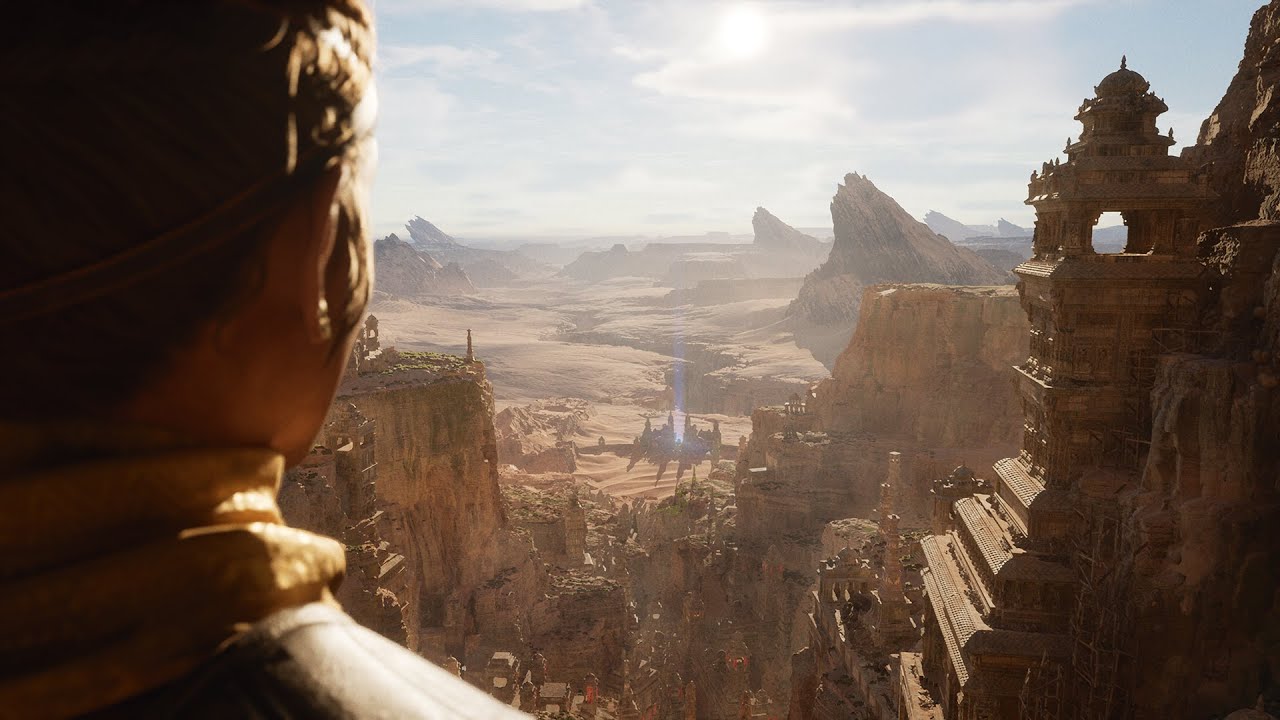
In this presentation, Nick Penwarden, VP of Engineering, and Marcus Wassmer, Engineering Director, cover the features in Unreal Engine that will be crucial to the success of developing the next generation of games, and reveal innovative features being developed that will revolutionize game development.
Then, Jerome Platteaux, Art Director, pro...
This is an actual technical overview of the ue5 demo unlike the lame marketing interviews they just posted
Nanite runs at 4.5ms on the GPU :0
mental helm
winter gale
Just a doubt. The UE5 tech demo was using movie quality assets but in this video...
12k tri fora high detail mesh is very low, might be proxy mesh thing with Nanite for all we know
 willow gust
Hello, is UE5 somewhere available for testing?
winter gale
willow gust
Hello, is UE5 somewhere available for testing?
Not yet
willow gust
Alright thanks
mental helm
mental helm
12k tri fora high detail mesh is very low, might be proxy mesh thing with Nanite...
Kinda makes sense to might need a geometry fallback or maybe a shadow casting mesh
 haughty saddle
hi! can anyone help me packaging a project that uses faceAR? I will pay you fo your services. Thank you!
 vagrant hornet
which one of these is displacement go to?
 winter gale
vagrant hornet
which one of these is displacement go to?
winter gale
vagrant hornet
which one of these is displacement go to?
World position offset or world displacement if using tessellation
vagrant hornet
ok thanks its from a quixel texture
 hollow crescent
Hi,any one can help me how make day and if there morning the lamp turn off
in the code
winter gale
hollow crescent
Hi,any one can help me how make day and if there morning the lamp turn off
in th...
You will need to have a day night cycle actor in which you can check for the rotation of the sun and if it passes a certain value, call a delegate (like OnDayStarted or something like that)
 next dome

does anyone know whats causing this warning?
it appears when i just let the sequencer play, the warning keeps coming endlessly
 elder haven
hi quick question, whats the command to enable and disable raytracing ?
plush yew
median island
Is Lumen the same as raytracing?

The Unreal Engine 5 demo that was recently shown off running on the PS5 started a slew of discussions across different forums and media. This includes the resolution and frame rates of the demo, the technologies used, and how it compares against contemporary PC hardware: The PS5 Demo (Running @ 1440p) Proves Next-Gen Consoles’ll be …
 eternal osprey
Do you guys know if it is possible to specify to only recompile all Layerd materiel using the "recompileshaders" command in UE4?
I tried the "recompileshader all" but it take too long

 prime willow
what are the least amount of bones your mesh needs in unreal to be functional with a physics asset?
 versed lion
I have an issue with the lighting when the game opens the lighting slowly rise, is there anyway to disable it from rising and just starting at the maximum value?
trim mantle
versed lion
I have an issue with the lighting when the game opens the lighting slowly rise, ...
If I were to guess that is auto exposure
Post process settings
Or project ones of you have no pp volume in your level
versed lion
So I do have a pp volume in the level, so I just mess with the exposure setting?
Got it, @trim mantle Much thx
trim mantle
No problem 😄
 mild ruin
is it okay to delete autosave folder ?
 vocal herald
but there is no Level or Map type
 trim bough

Unreal Engine 5 will empower game developers and creators across all industries to realize next-generation real-time 3D content and experiences with greater freedom, fidelity, and flexibility than ever before.
Join us at 10am EDT on May 26 as Chance Ivey, Senior Technical Designer at Epic Games and Galen Davis, Producer/Evangelist for Quixel ...
plush yew
@winter galethey cant afford better hardware.
 solid gazelle
stretches
grim ore
shoo.. shoo.. go back into hiding for another day, rest up, you have stuffs to show us apparently!
we dont need a broken Chance a day before, you need to go into seclusion in a rubber padded room for our safety
mild ruin
hey mathewW thanks for the tutorials
solid gazelle
I'm trying!
 calm pollen
hey how do you correctly open up a zipped project? I feel like im doing it wrong
grim ore
packaged project for running, or an actual project to open in the editor?
calm pollen
an actual project in the editor, someone emailed me a project in a ZIP file
grim ore
you should just unzip it and then open the .uproject assuming they sent it right
calm pollen
but when i do, theres no content, how do I add the content in there safely?
grim ore
what does the .zip file look like when you open it
calm pollen
There's an "unreal engine project file" at the bottom, with a "content" and "config" folder above it
grim ore
and when you open this in the editor there is nothing, is that the issue?
calm pollen
yes, its just like an empty brand new prject
grim ore
are you opening it in the same version of the editor the project was saved in?
calm pollen
yes, both on 4.26.1
grim ore
it should be fine then. Are you sure you extracted all the files and there are files? browse on the file explorer in windows to find some .uasset files once you unzipped it
calm pollen
when i browse through the folder, I can see all the assets used in .uasset files, they just aren't in the engine on opening
grim ore
welp next step is to check the output log in the editor after opening the project
wait, first.. are you actually extracting the zip file.... not just opening it
calm pollen
i tried just opening it and that's where the empty project came from, but then i extracted it and now the unreal engine project file is gone
grim ore
ok so you cant just open a zip and run stuff from it, thats what caused the first issue. Redownload the file so you have a fresh copy then extract it somewhere and you should be fine
calm pollen
oh ok lol I didn't know it was that easy of a fix, thanks so much
 vocal marlin
Anyone have an idea of what could cause an actor to not move forward despite a velocity being set?
 steady bramble
Hi, i have issue with custom keys. I can not call any action. I tried restart computer but have still problem.
vocal marlin
Like the actor doesn't move at all
grim ore
@vocal marlinis it simulating physics?
vocal marlin
Beyond overlapping and block, no
grim ore
velocity as far as I know uses physics to move
@steady brambleshow your code that doesnt work?
trim mantle
Yup, velocity is physics based
You will need to animate it using timelines f.e to make it work
steady bramble
grim ore
<@!840704616210366494>show your code that doesnt work?
Now i tried simply. When i pres key for example P it should print hello
grim ore
what class is this code in?
vocal marlin
That kind of answers my problem, except that the actor moves in a different level but not on the one that is giving me issues
steady bramble
In a level blueprint
grim ore
well that should work assuming input is being accepted. Did you change you game mode? your input mode? do you have something else using that same key? are you sure its not working and you just dont see it
maiden swift
grim ore
we dont need a broken Chance a day before, you need to go into seclusion in a ru...
Isn't it a prerecorded video?
grim ore
we have no idea, it doesnt say one way or the other but I was assuming live
maiden swift
They're using YouTube Premiere, which is a feature for premiering prerecorded videos.
I don't think it supports live streams.
trim mantle
@steady bramble If I were you I would use event dispatchers and have the evenr calling in the Pawn
grim ore
oh... I have no idea what that was lol
maiden swift
It's a way to get people excited about the release of a video. Has live chat next to it, plus a countdown on the day of. It's a sort of hybrid.
grim ore
now I am sad, I thought it was going to be live
trim mantle
grim ore
now I am sad, I thought it was going to be live
Same
maiden swift
Well someone from Epic can correct me if I'm wrong, but as far as I know, premieres can only be videos, not streams. 🙂
Don't forget: they are doing a stream at the usual time on Thursday.
fierce tulip
maiden swift
I don't think it supports live streams.
i think ive seen someone livestream/premiere thingy
fierce tulip
oh, you can schedule a stream, but yea, not premiere it
steady bramble
grim ore
well that should work assuming input is being accepted. Did you change you game...
Hmm, i don't know about any changes. I tried create new project and there is key works
maiden swift
Yeah it's not the same thing. Premiere does this whole countdown thing before hand.
grim ore
@steady brambleso it works in the new one, but not your older one? then you changed one of the things I mentioned
maiden swift
Holy crap, there are 1,742 people in the chat for the UE5 demo. lol
grim ore
yeah and its a debate about C++ and Blueprints lol
 peak crane
who know, how package video files?
maiden swift
grim ore
yeah and its a debate about C++ and Blueprints lol
Of course it is. lol
trim mantle
At least imo xD
trim mantle
maiden swift
Holy crap, there are 1,742 people in the chat for the UE5 demo. lol
Any idea if UE5 preview will be public on Thursday?
maiden swift
No idea.
steady bramble
grim ore
<@!840704616210366494>so it works in the new one, but not your older one? then ...
Ok, thank you i will try to change game mod.
maiden swift
Of course many are hoping that's the case, but we don't know yet.
grim ore
we know for sure it will be out by the end of this year, software development is never delayed
trim mantle

maiden swift
No idea what the setup is like for Chaos, haven't used it. You can try #legacy-physics though.
maiden swift
peak crane
who know, how package video files?
Did you put them in Content/Movies? I think they have to be in that directory.
Anyone else know? I have limited experience with the media framework.
peak crane
@maiden swift thanks, will try it now
@maiden swift its only for .mp4 or media file must be in movies folder too?
 quiet token
ue5 wil obsolete all in production like ue4 did, all project will be canned
grim ore
UE3 is still being used now so not likely
quiet token
by 2 games
grim ore
More than 2 games
quiet token
those dont count no1 plays them
grim ore
@gloomy ginkgoyou would normally set them on the ambient sound actor in the level
maiden swift
quiet token
ue5 wil obsolete all in production like ue4 did, all project will be canned
One big difference: UE4 projects open in UE5. We didn't have that luxury when upgrading from 3 > 4.
quiet token
wait what?? that means all ue4 stuff can take advantage of crazy high poly assets
maiden swift
Indeed. You can upgrade when you're ready without starting over. 🙂
gloomy ginkgo
grim ore
<@!396939496249360385>you would normally set them on the ambient sound actor in ...
yea but I have a door which has 2 seperate closing and opening sounds
maiden swift
When I upgrade from UE3 to UE4, I had to start from scratch. This is going to be a much nicer transition.
 astral phoenix
Hey im trying to package my game and this error comes up https://gyazo.com/f21fd877adb6d4c17ca36a7050d51bb1 , but i looked for thoes items but i dont have them in my game, so how do i fix this error? 🙂
 grim ore
@gloomy ginkgoso you are trying to play a sound when it opens and closes? the correct answer is the door should be a blueprint in the level that handles this all. if not you would probably select the ambient sound actor, get a reference to it in the level like you want, then set the new sound and play it when you want to play it
grim ore
for the reference? You would select the item in the world, then go into the level blueprint, then right click and create the reference. this is the bad, horrible, never should do it way, but this is how you do it that way
grim ore
your code is not re usable since its always stuck in that level so you could never re use this. if you need to make any changes to this you wouldnt change the door you have to go thru the level blueprint to find the code for this door
if the door was a blueprint that did all of this, its one reusable object
gloomy ginkgo
grim ore
for the reference? You would select the item in the world, then go into the lev...
Should i use "Set sound (audio component)" to set the sound?
grim ore
depends on whats in the level, what are you using for the sound?
gloomy ginkgo
I am using Ambient Sound
grim ore
then yes, the set sound targets the audio component on the ambient sound actor
grim ore
did you tell it to play?
grim ore
does the original sound play?
 loud panther
Does anyone know how to make a piston work in Control Rigs
gloomy ginkgo
grim ore
does the original sound play?
Yea
So i am guessing it is not actually setting
plush yew
I'm kinda nervous about ue5 tbh
As am halfway through ue4 project
anyone excited for the event tmrw?
grim ore
so.. you dont need to update
@gloomy ginkgomaybe your sound is bad, maybe your not actually executing the code. have you tried debugging it? changing to another sound?
 steel gull
Hello! And yes I am excited for tmr event
gloomy ginkgo
grim ore
<@!396939496249360385>maybe your sound is bad, maybe your not actually executing...
Yea
I am using the audio component thing
grim ore
yes but thats not what I asked, how do you know its running? add a print string after you do the play node to see if it prints.
if it does then dont play a sound normally, have it blank and have it play the other sound (the one that you can normally hear) so you can hear a sound that you know works
This does does work for setting a sound on an audio component and then playing it

 bitter ether
guys do you know why the character fall under the landscape?
grim ore
collision
 grim ore
does it print?
gloomy ginkgo
yup
grim ore
then your code is fine, is your sound good?
steel gull
🤔
bitter ether
grim ore
collision
how can I set that?
gloomy ginkgo
grim ore
then your code is fine, is your sound good?
ohh shit dude
i am dummbbb
i was setting the wrong cue
grim ore
shrug depends on your stuff. By default a character should collide with a landscape object. Did you change anything?
gloomy ginkgo
anyway thanks 😄
grim ore
this is why you should be using a blueprint, I mentioned this issue
pulsar badge
Hey, im using the new water system why is it when i get close it deletes for a sec

how do i fix that
steel gull
bitter ether
how can I set that?
Use a geometry under your character which have colision mesh
Or edit the mesh if you alr have your platform then add collision
bitter ether
ok thanks!


 half drum
bitter ether
how can I set that?
half drum
bitter ether
how can I set that?
on the top left of the game viewport, you can find in the menus a checkmark for viewing collisions
steel gull
You can also transform your collision
steel gull
bitter ether
ok thanks!
Welcome 😊
steel gull
half drum
on the top left of the game viewport, you can find in the menus a checkmark for ...
Yes Important sometimes collision just shift out of mesh as a bug 😅
 split vigil
yo , does anyone know why my renders end up unfocused ? it looks fine through the view port and camera but when i render the sequence it just defocuses
 half drum
what's the resolution?
steel gull
split vigil
yo , does anyone know why my renders end up unfocused ? it looks fine through th...
Maybe it is becz of your camera focal length
 steady bramble
Hi, I still have problems with custom keys. I don't have a specific game mode. Is it a problem? I figured out that when i start play mode i have to press F8. Now the custom key event works. Also when i press any key the specific key will appear in the editor.

 grim ore
so in order to figure out what you did, what did you do to that project?
bitter ether
last question... how can I use in blueprint - when character collision with a volume?
grim ore
we would need more info on what you want
steady bramble
Is there way how to reset all settings for engin?
grim ore
delete your cached saved settings in your appdata folder
steel gull
Yes
bitter ether
grim ore
we would need more info on what you want
for example... I want to print something when player collision with a volume
half drum
bitter ether
last question... how can I use in blueprint - when character collision with a vo...
usually the trigger would have an event that fires when something enters it and returns data of it
narrow mauve
Who else thought the little behind the scene snippet bits yesterday about nanite/lumen somehow were able to drag on for 2 minutes and say absolutely nothing
lol
grim ore
@bitter etheryour volume should be in a blueprint and then it would have an overlap/hit event. If you dont want to do that you need to use the level blueprint and it would have a hit or overlap event
steady bramble
I tried reset all to default in project settings but didn´t hellp
half drum
make a blueprint with a trigger volume, click on the trigger scene component in BP editor and use overlap event
narrow mauve
I will be a bit annoyed if they don't go into the nitty gritty..specs and details and underworkings of these systems and only spout market jargon
steel gull
bitter ether
for example... I want to print something when player collision with a volume
Call a reference of your character in the blueprint you wanna use
pulsar badge
Why is the water doing that if i get close to it?
 steel gull
Lods?
grim ore
when you get near the water it disappears right? that is probably the near clip plane
steel gull
camera near clip ?
 split plaza
Hey guys, not entirely sure where to post this, wanted to try out the water stuff with 4.26 and was wondering if anybody knew how to replicate this image, I wanted to go for the murky dark water but instead my one is just more clear with alot of light passing through it

 half drum
split plaza
Hey guys, not entirely sure where to post this, wanted to try out the water stuf...
half drum
split plaza
Hey guys, not entirely sure where to post this, wanted to try out the water stuf...
would say that you should find some algae material and try to apply it on the top of the water with a vertex paint
that water is also very murky, so the opacity of the water needs to be lowered and you probably need some bump offset effect of matter inside the water, similar to how you would do it for ice, but in this case, murky liquid
https://youtu.be/gUN-Yu_Y89I

Hello {name}! Today we're looking at the Bump Offset Node, a tool in the Unreal Engine material graph that will allow your materials to stand out! (literally).
I use this node for some really subtle parallax on bumpy textures, but also for some really cool effects that allow completely opaque materials to have fake depth. This method is much mu...
split plaza
Thanks alot I'll check this out !
pulsar badge
@grim ore near clip plane how do i fix it lol
steady bramble
grim ore
delete your cached saved settings in your appdata folder
I think that solved my problem.
 flint trench
anybody get this issue with RVTs when upgrading to 4.26?
 flint trench
pulsar badge
wow that looks pretty
flint trench
pulsar badge
wow that looks pretty
looks like ice cream lol
pulsar badge
lol it does! @flint trench
plush yew
Does UE4 auto cull hidden faces?
 little breach
 sly ember
I created a really bass-y shotgun sound but it crackles/pops in Unreal. Any idea why it would crackle in Unreal and not in VLC? I tried reducing the volume but it made no difference
Perhaps I'm supposed to add the bass in Unreal and not in Audition?
unique kraken
somone willing to help me out with some math/ logic problem?
im trying to do a skirt in ctrl rig, while i know how to use ctrl rig, i cant get the logic worked out
 viral lagoon
Does anyone have an idea of why my Blueprint editor window started showing it's Parents variables and functions ? (i.e. Actor's variables: bAutoDestroyWhenFinished, Tags, etc) ?

It is happening for both functions and variables. Custom 4.24.3 build, didn't happen before and I cannot find any options/preferences settings to hide them.
 forest tree
viral lagoon
Does anyone have an idea of why my Blueprint editor window started showing it's ...
forest tree
viral lagoon
Does anyone have an idea of why my Blueprint editor window started showing it's ...
This doesn't do it?

 empty isle
Anyone know what exactly makes an object believe it's a valid "world context object"? When calling functions from BP that are marked with WorldContextObject, it seems to properly show or hide the World Context Object pin based on the whether the owning object is in fact a valid WCO. However, it seems incorrect in some cases. For example, Behavior Tree tasks seem to believe they're valid WCOs, but they aren't. There's also code in the AI system that assumes the WCO passed to functions like GetRandomLocationInNavigableRadius is the AI pawn, which isn't the case if called from a BT task.
viral lagoon
forest tree
This doesn't do it?
I wish I could go in person and give you a hug, I looked everywhere. Thank you!
fierce tulip

What is the Material: Linear Interpolate (Lerp) Node in Unreal Engine 4
Source Files: https://github.com/MWadstein/wtf-hdi-files
 icy egret
hi all I need help
Idk where should I talk about this, so I ask here
I want to use cloth simulation, but it won't work...
Of course I apply cloth data to mesh, but it won't....
how to fix it?

 trim mantle
icy egret
hi all I need help
Idk where should I talk about this, so I ask here
I want to u...
trim mantle
icy egret
hi all I need help
Idk where should I talk about this, so I ask here
I want to u...
Do you have collision added to the character?
icy egret
trim mantle
Do you have collision added to the character?
Yes of course, and problem is not collision, but is that skirt won't simulate physics
even I paint 100% like the picture, skirt cloth won't move
trim mantle
Did you try switching project on and off? xD
icy egret
project on and off? what do u mean?
trim mantle
Unreal
icy egret
reboot UE?
icy egret
okay
grim ore
are you using a physics asset set up properly on that SKM?
icy egret
grim ore
are you using a physics asset set up properly on that SKM?
yes of course and problem is not collision (read log plz
grim ore
I did read the log, and how can it not be with collision if its not colliding?
trim mantle
The forces affecting the skirt are non existent
icy egret
skirt don't have physics (because cloth simulation isn't working), so I don't think collision isn't problem now
outer zephyr
hey does anyone know why my project when i open it its just black when i saved it correctly i would apreciate the help
 trim mantle
outer zephyr
hey does anyone know why my project when i open it its just black when i saved i...
trim mantle
outer zephyr
hey does anyone know why my project when i open it its just black when i saved i...
Can you open it?
outer zephyr
i mean yeah but its just black
trim mantle
Just a screen capture of one of the moments you saved
outer zephyr
 grim ore
what is the name of that map in the top left that is open?
outer zephyr
 icy egret
and reopen project don't work
grim ore
so thats an untitled map, that means the map that it is looking for doesnt exist
did you do work before in this project?
outer zephyr
started yesterday then i saved went to bed now i am opening again and its like that
grim ore
what map did you work in?
go to Filters at the top of your content browser, then click on level and have it show you all maps in your project
outer zephyr
can u point me that on the picture
sry for being a bum but i am reaally a newbie into this
grim ore
Content browser, look at the top left of it, click filters, click levels
its under the green button
outer zephyr
 grim ore
yes click level...
outer zephyr
 grim ore
so what level were you working in?
outer zephyr
man
thanks i just clicked in everything and found it
thnak you
sorry for being a bum
grim ore
you need to go to project settings -> maps and modes -> editor startup map
so it can be set to open that map next time
outer zephyr
ill do it right now thanks
pallid cove
CAN SOMEONE HELP ME WITH THIS PROBLEM WITH UE4?!
CompilerResultsLog: clang: error: linker command failed with exit code 1 (use -v to see invocation)
THIS IS GETTING ME MAD AS HELL RN!
😡
grim ore
we cannot, that error is 100% useless
read the log, find the actual error, fix the error
pallid cove
IDK WHAT THE ACTUAL ERRORS COULD BE! LOOK AT THIS LOG:
grim ore
did you look at the log for anything that said error?
its the same issue you had before when you asked, what have you tried?
also your c++ code is bad
again look for errors, fix errors
pallid cove
I saw the most recent stuff that came following attempt at compiling. I'm not so sure how my stuff is. I fixed one of the errors, but this one is the only one that's popping up.
pallid cove
grim ore
its the same issue you had before when you asked, what have you tried?
IDK what exactly to try.
grim ore
that one is NOT the only one showing up
pallid cove
Is this what's stopping the compiling?
CompilerResultsLog: Undefined symbols for architecture x86_64:
CompilerResultsLog: "AHitboxActor::TriggerVisualizeHitbox()", referenced from:
CompilerResultsLog: AHitboxActor::execTriggerVisualizeHitbox(UObject*, FFrame&, void*) in HitboxActor.gen.cpp.o
CompilerResultsLog: ld: symbol(s) not found for architecture x86_64
grim ore
shrug your gonna keep running against this wall unless you find the errors and fix them, just a search for errors finds more than that
pallid cove
Found the stuff. Don't know what next to do.
grim ore
right above your other error from earlier is a C++ error, work on fixing that first
pallid cove
I already got the C++ code in HitboxActor.h good.
After I fixed that, however, when I went to compile, the compile went to shit with the linker error. WTH?!
grim ore
well your log showed the c++ error so I dont know what to say
pallid cove
Here's how it looks rn after closing the page. Ignore the warnings saying we are using our x attack, that's something that Shawnthebro uses to make sure the attacks are working.
pallid cove
grim ore
well your log showed the c++ error so I dont know what to say
This up here should show you what problems I seem to have on my window.
grim ore
not going to have much luck I dont think in here, maybe #macos but this is definitely a mac issue 😦 might have to ask the developer
you might have a missing module
gloomy ginkgo
Why render opacity is not working on UI materials?
grim ore
your going to have to find the code that is failing, something in the triggervisualizehitbox, and make sure you have the right module to use it. I suspect it needs a physics module explicitely declared in your build.cs file
probably very similar to this answer @pallid cove https://stackoverflow.com/questions/65150569/ue4-4-26-on-mac-undefined-symbols-z-construct-uclass-uphysicalmaterial
pallid cove
Here's a picture of the output log to give you an idea of what the error I'm dealing with is.

 upbeat rampart
where to get started learning ue
youtube tutorials?
is there like a documentation or somthing
like some official tutorials
grim ore
you should not be compiling in the editor... we went over this
@upbeat rampartthere is everything, read the pinned message in here for some ideas
gloomy ginkgo
upbeat rampart
is there like a documentation or somthing
Yes, simple google search is enough i think.
pallid cove
grim ore
you should not be compiling in the editor... we went over this
I don't have any sort of build function, only save, which is a tough shot to tell if it went through.
grim ore
xcode has build....
 hollow yacht
Hi new here, looking into getting into big Unreal engine projects. Switching from Unity to both
pallid cove
grim ore
xcode has build....
I'm aware, but it's greyed out. No way to get into it.
grim ore
welp, might have to get help from the dev of your product then or in #macos. Without doing what needs to be done to test it correctly your just throwing stuff at a wall and hoping something sticks
you need to build your project in xcode with the editor closed
grim ore
technically yes but its not worth the trouble trying to do that for this issue
pallid cove
grim ore
you *need* to build your project in xcode with the editor closed
I had the editor window closed when trying what you said, but the build option is STILL greyed out.
grim ore
have you used Xcode before to build anything?

 grim ore
what happens when you try and set it?
bitter ether
Idk how to explain, when I click it the field still remain "None"
grim ore
open the "Map", make sure it loads, save it, then close the project and try again
bitter ether
thanks!
pallid cove
grim ore
have you used Xcode before to build anything?
This is my first project, so this is my first time using this.
grim ore
mmm... well your kinda jumping right in without any training. your going to want to ask the dev for help with his product then at this point
or look up how to build ue4 projects on macos
prime willow
@grim ore is it possible to make my game entirely in blueprints if its an action game
i keep hearing that i should use c++ and blueprints for large games
and my c++ isnt professional coder level
;-;
fierce tulip

How to determine whether or not you should be using Blueprints or C++.
prime willow
D;
 urban fiber
hey I love the placeholder material unreal puts in when it is not yet loaded
is there a way to force it permanently?
this one!
 grim ore
that is the world grid material, you can find it in the engine content
pallid cove
grim ore
mmm... well your kinda jumping right in without any training. your going to wan...
I HAVE no dev. It's pretty much all me with this, unless anyone else wants to join, unpaid until we release the game and turn a profit
grim ore
this code is not yours is it?
someone elses tutorial or code you purchased
and ignoring that if this is your first time why do it in C++
 orchid glade
pallid cove
I HAVE no dev. It's pretty much all me with this, unless anyone else wants to jo...
orchid glade
pallid cove
I HAVE no dev. It's pretty much all me with this, unless anyone else wants to jo...
so you're the dev ?
urban fiber
grim ore
that is the world grid material, you can find it in the engine content
found it! thanks, i copied it for my own material
pallid cove
orchid glade
so you're the dev ?
I'm trying, and I wish I could be a good one.
orchid glade
pallid cove
I'm trying, and I wish I could be a good one.
ok i see wish u the best. So is the code you're using your code or a licenced one you got free or by purchasing ?
pallid cove
orchid glade
ok i see wish u the best. So is the code you're using your code or a licenced on...
No purchase. I'm just using Shawnthebro's tutorials to help me on my way.
orchid glade
ok
drowsy snow
prime willow
i keep hearing that i should use c++ and blueprints for large games
Both is preferable, because Blueprint can make safe handling where C++ just doesn't worth the effort.
Besides, you can nativise BPs.
grim ore
you might want to start learning the engine the normal way, learn the engine and learn blueprints then you can move into advanced tutorials using C++ and such. Your stuck due to not knowing how ue4 or xcode or game dev or programming works and its not going to change
drowsy snow
Also, don't be afraid or lose confidence of using Blueprints. Even big studios and Epic themselves use Blueprints in their UE4 games.
drowsy snow
drowsy snow
Both is preferable, because Blueprint can make safe handling where C++ just does...
Adding this, for example, loading asset is a total pain in the arse in C++, but a total breeze in BP.
Skookum?
 elfin gate
hoi folks how is it going?
drowsy snow
Had too much Elder Scrolls eh?
I think Skookum practically ceased development at this point, and the effort went on to the new Unreal Verse scripting
 exotic geyser
short question....now with ue5 releasing, should I still bother making a low poly mesh?
mental helm
Yes, we're expecting there to be some pretty big limitations on what can use Nanite and what features it works with.
maiden swift
I'm sure things have changed in the past year, but last we heard (July 2020), Nanite was limited to rigid geometry and was not good for things like grass or hair.
They also said you can freely mix Nanite and non-Nanite objects in your scene, though, so it sounds like it will be easy to progressively adapt. It doesn't seem to be an all-or-nothing solution.
mental helm
Yeah, foliage, splines, lightmass, vertex painting/animation, fancy materials, etc, all may or may not work with Nanite
maiden swift
I don't recall them saying anything about Lightmass, but that would be interesting if it only worked with Lumen.
And by "interesting" I mean a potential deal breaker for some.
exotic geyser
mental helm
Yes, we're expecting there to be some pretty big limitations on what can use Nan...
So I can feel free to use a dense geo for static meshes but still optimize moveable ones, right?
maiden swift
Generally speaking, based on what we learned last year, yes.
exotic geyser
maiden swift
They also said you can freely mix Nanite and non-Nanite objects in your scene, t...
Probably it's something like the current LOD system, where you can set it up for every mesh individually
maiden swift

So moveable was fine, but skeletal and non-rigid deformation not so much.
I hope they show Foundations tomorrow.
exotic geyser
maiden swift
So moveable was fine, but skeletal and non-rigid deformation not so much.
What do you think about the performance impact? Is it gonna take a big hit ot the FPS or CPU times?
maiden swift

That was for the UE5 tech demo.
CPU cost is very small. Nanite is largely GPU-bound.
 slow hearth
In one project when I do new level I get the time of day map option:

and in another it isn't there, both same engine build
is there anything special to make sure it is enabled? it doesn't appear to be plugin content
 exotic geyser
slow hearth
and in another it isn't there, both same engine build
exotic geyser
slow hearth
and in another it isn't there, both same engine build
why would you need that template anyways? just go for a empty level and add the stuff by urself
it doesn't even use the sky BP
 robust marten
I'm looking to recreate this style of a city map from Mirrors Edge: Catalyst. I've seen other games use the same style, does anyone here happen to know what this style is called exactly?
 slow hearth
exotic geyser
why would you need that template anyways? just go for a empty level and add the ...
slow hearth
exotic geyser
why would you need that template anyways? just go for a empty level and add the ...
just for quick temp throwaway protoyping stuff
regardless I want to understand why it isn't working in one project
maiden swift
You using the same menu in both projects to get to that popup?
exotic geyser
slow hearth
regardless I want to understand why it isn't working in one project
the best option is to just verify the install
exotic geyser
robust marten
I'm looking to recreate this style of a city map from Mirrors Edge: Catalyst. I'...
minimalistic realism or something... it's unique
maiden swift
I don't know of a name for that particular style, but the scene is just minimal representations of buildings with clean materials and high-quality, saturated color shadows.
PS I love the Mirror's Edge games. 😄
slow hearth
@exotic geyser it is the same install
exotic geyser
slow hearth
<@!286140670895325186> it is the same install
uhm...just migrate the map over then
slow hearth
ok, I don't think you understand I'm trying to figure out why it is broken
 signal bone
hello
slow hearth
I know I can copy a map from where it is working
signal bone
can i ask some small help on something here
slow hearth
the problem was this:
Saved/Config/Windows/Engine.ini
83:TemplateMapInfos=(ThumbnailTexture=Texture2D'"/Engine/Maps/Templates/Thumbnails/Default.Default"',Map="/Engine/Maps/Templates/Template_Default")
84:TemplateMapInfos=(ThumbnailTexture=Texture2D'"/Engine/Maps/Templates/Thumbnails/VR-Basic.VR-Basic"',Map="/Engine/Maps/Templates/VR-Basic")``` spare kernel
Don't ask to ask, just ask
slow hearth
somehow that got saved into my project's saved folder
signal bone
just making sure its the right channel
Anyways, im making a third person and first person character camera
and i want the first person to hide the mesh of the character
is there any action for that?
like, when you switch to first person i want the mesh to dissapear from your view
slow hearth
@signal bone set only owner see on first person mesh and owner no see on third person mesh
if you want it to support splitscreen
signal bone
should i put that after the activation of each camera?
like i got a flip flop that activates each camera
slow hearth
before or after shouldn't matter as long as it is in same tick

 slow hearth
you are setting it to false for both
signal bone
oh
slow hearth
you also need to set owner no see
if you only have a third person mesh and no first person, activate first set owner no see on third person mesh, deactivate disable owner no see
maiden swift
Yeah you need to edit both settings each time you toggle.
slow hearth
"only owner see" is only useful for the first person mesh
slow hearth
for third person mesh, use "set owner no see" instead of "set only owner see"
slow hearth
np
signal bone
this is obviously not an online project but
if it was online
does this makes me invisible to other people?
slow hearth
yeah but only if you make the call on their client
signal bone
Oh ok
slow hearth
you would use it to do spectation
signal bone
so its rather like a local thing
slow hearth
I think (maybe that isn't considered owner)
it is local, mainly intended for hiding stuff from split screen so you don't have a third person and a first person mesh visible
you could also set the visibility of the component
elfin gate
i got an question im an total noob on coding and i wanted to make an game with blueprint but idk how that work so erm do anyone have any tutorial or can tell me how that work?
something that simple so i can understand
there some stuff that are complicated for me to understand so
signal bone
elfin gate
i got an question im an total noob on coding and i wanted to make an game with b...
i recommend first figuring out what exactly you would like to start doing so
Like, double jump or health system
from there, you can find plenty of tutorials that explain very well how the blueprints work
elfin gate
gotcha well i wanted to figure out how the bludprint system work
signal bone
(those are rather easy mechanics to start understanding bluepirnts)
elfin gate
and idk to start off with
i wanted to make an rpg game but erm not sure
i want to try from easy to hard
idk how to explain that
signal bone
well you can tackle simple things
like a life bar
youtube tutorials show you how to do it with the blueprints
signal bone
also, when you are copying what the person does
try to understand it instead of memorizing
Like, read the names and descrioptions experiment with the things in the tutorial in your own ways
elfin gate
isnt copying something off someone is stealing?
signal bone
atleast thats what i would recommend
signal bone
elfin gate
isnt copying something off someone is stealing?
Uh copying a tutorial is not exactly stealing
the tutorial was meant for people to follow those steps
drowsy snow
elfin gate
isnt copying something off someone is stealing?
Good artists copy, Great artists steal
So does programmers.
elfin gate
that part confuse me
dont we have great artist somewhere in hte world that make good art without stealing?
beside some that actually steal
drowsy snow
Speaking of stealing
We did it - we steal Oodle plugin from the 4.27 branch 😛
 elfin gate
🤔
drowsy snow
elfin gate
dont we have great artist somewhere in hte world that make good art without stea...
Wait, you thought that stealing = plagiarising?
elfin gate
isnt stealing and plagiarising the same?
 zinc lava
yeah essentially
drowsy snow
elfin gate
isnt stealing and plagiarising the same?
Not exactly.
Stealing here means copying something from what you see, give it your own spin, and improvise on it.
This is where I think strict artist brains differs from programmers'.
mental helm
That saying to me means more, nothing is original, everything is a remix, shouldn't feel bad about "stealing"
elfin gate
that complicated stuff that i dont get
it not simple
but ik many people hate stealing and the plagiathing
drowsy snow
Stealing != Plagiarising
mental helm
People don't like poorly done copies, they feel like those are rip offs
 hardy nacelle
Is there a way to have different constructor / destructor for actor when creating BP, that inherits from it, in code with GetWorld()->SpawnActor<ActorClass>(...) and different when inserting/ deleting BP actor in Editor ?
flint trench
Can you change the skeleton of an animation blueprint?
Or do I straightup just have to make a new anim BP and copy everything? :/
hardy nacelle
Spawning actor from C++ while WITH_EDITOR still counts for it ?
 exotic thicket
WITH_EDITOR just means the code will only be compiled for editor builds
hardy nacelle
I know. In both cases I am Spawning BP Actor in Editor, but when I am spawning it in Editor by manualy placing Actor I want to have different construction behavior when construcintg and spawning it from code
hardy nacelle
Well it's complicated scenario, but just to say that I am generting automatically some Actors from Code, but I want to have ability to also place them manually in Editor, but I want to have different behavioru for both
exotic thicket
Ah
It might make more sense to have some kind of actor generator actor which handles that and placing the actors themselves just behaves exactly the same way in both
But if you really need to do it, I think you might be able to check in GEditor or something to see if it's in play mode or no - if it's not in play mode, then it's being placed in editor... but I'm not really super familiar with how that works
You probably need WITH_EDITOR checks for any code using GEditor and possibly UnrealEd as a dependency in the module, so not sure how well that would work when you package your project though
UnrealEd dep would probably instantly stop packaging from working
hardy nacelle
And from what I know there is no possibility to have many constructors for class inherited from AActor, which I can use for World->SpawnActor<Actor>() ?
exotic thicket
I still think you should have your special logic separate from OnConstruct tbh
Or maybe you can just use a flag which you set to true from your actor spawner logic so it does whatever special things it might need to
if you use deferred spawning and/or ExposeOnSpawn, then you could use a bool check in OnConstruct
 desert verge
hey!
hardy nacelle
Problem Is From Code I am spawnig BP Actor, And I want to have some extra behaviorur in its constructor, but If I am spawning it from code it still calls BP constructor
desert verge
can I ask a question here or is there a better channel for it?
So i've been learning unity for a bit over a year now. I'd like to learn unreal but i'm wondering what's the best approach? I already know C# so i wouldn't mind C++, should i do a bit of blueprints first?
drowsy snow
Blueprints obviously
exotic thicket
@hardy nacelle right so if you just have UPROPERTY(BlueprintReadWrite, meta=(ExposeOnSpawn="true")) bool DoConstructionStuff = false, then you can do a deferred spawn, set DoConstructionStuff = true, and finish spawning. Then in your construction script or in OnConstruct you check if DoConstructStuff is set and there you go
desert verge
drowsy snow
Blueprints obviously
sweet
i feel happy ❤️
i love game dev, it's brought me so many great moments
can't wait to create with you all
hardy nacelle
@plush yew I want this to be called in Editor, not in game
@exotic thicket that looks interesting I am testing it
np that's hard issue I think :p
Btw firstly I was trying to make Editor Utility Blueprint to call it manually in Editor on Actor, but it was too much pain in the ass to do it manually every time new actor is placed
@exotic thicket Can you specify what do you mean by deferred spawn I havent't heard about that.
exotic thicket
SpawnActorDeferred
it gives you the actor object but it won't run the construction script stuff until you call UGameplayStatics::FinishSpawningActor
so that way you can set values on its properties before the construction logic runs
hardy nacelle
Oh that's great that will surely work
Btw is there equivalent of this for destruction?
From What I have read about Actor Lifecycle there isn't :/
exotic thicket
Probably not. But you can just assume that if the DoConstructionStuff thing was set, then it would be in same state as it was before
as long as you don't change it anywhere else than when you spawn that is
hardy nacelle
Oh yeah actually I can set this bool in code before destructing
exotic thicket
that'd also work I guess yeah
it's basically the same thing as spawning via blueprints if you set ExposeOnSpawn variables
afaik
Well you can spawn BP classes from C++ with SpawnActor too
hardy nacelle
actually @exotic thicket why do I need ExposeOnSpawn here ?