#ue4-general
1 messages · Page 968 of 1
 grim ore
if there is a character you would open it up in the blueprint and go to the search in the details panel and you should find what I pasted. I pasted right out of my character. or search for yaw

like this is from the default third person character
 thorny patrol
I tried updating my engine and its been stuck like this for a few hours https://i.gyazo.com/eb385b349f2af3d17c858564c0a9845c.png
if uninstall the version (to reinstall), will it effect my projects?

 plush yew
i cant even update my unreal engine cuz of admin permissions. im still at 14
 sleek spear
@thorny patrol no it wont but maybe take a note about any changes you did in the config and any plugins you installed
thorny patrol
 alright
 earnest violet
Basically I'm new to allof this blueprinting and am confused somewhat. I am trying to create an array that stores certai
plush yew
earnest violet
Basically I'm new to allof this blueprinting and am confused somewhat. I am tryi...
im trying to make a Titanfall 2 fangame
 sacred scroll
grim ore
if there is a character you would open it up in the blueprint and go to the sear...
sacred scroll
grim ore
if there is a character you would open it up in the blueprint and go to the sear...
Can’t find it sorry
earnest violet
Basically I'm new to all of this blueprinting and am confused somewhat. I am trying to create an array that stores specific enimies you kill and then displays a notification when there dead. All of the enimies on the list are spawn in to the world via spawn actor from class. Does anyone know how I might do this please? =/
grim ore
@sacred scroll show your character screen then, show a screenshot
 light thunder
I'm using the game state to hold a lot of variables and functionality, but I haven't changed any of theclass settings for the game state - can I reparent this to be a game instance, and keep all my custom functionality? When I originally set it up it was just for an easily accessed actor that stored game data
 near pine
yo
im making a side scroller
how could i face the gun to the mouse location
sacred scroll
I literally JUST found it lol but I’m controlling a ball instead of the character now
I think the ball is the pawn
earnest violet
Basically I'm new to all of this blueprinting and am confused somewhat. I am trying to create an array that stores specific enimies you kill and then displays a notification when there dead. All of the enimies on the list are spawn in to the world via spawn actor from class. Does anyone know how I might do this please? =/
Sorry for double post
grim ore
@earnest violet what is the confusing part?
earnest violet
I don't know in which BP I store the KILLVIPList Boolean array and how to call it when a spefic enemy ai dies =/
grim ore
you can put it anywhere but the game mode is a good spot to keep track of game related stuff
 placid tree
anyone used UE through Parsec? having some issues
earnest violet
@grim ore If you have a look at both screenshots you can see that I have stored the Boolean array variable in the game instancebut don't know how to set it so it displays a notification when the ai is dead. =/

 grim ore
@earnest violet you need something that happens as stuff dioes? when you update the boolean array when you update it have a custom event that is updating it and not directly So your enemy calls the custom event, it updates the boolean, then it checks to see how many are left?
earnest violet
@grim ore can u plz give an example? I'd really appreciate it m8.
grim ore
I dont really have an example, its up to your project.
earnest violet
Where abouts do I put the custom event and I don't know how to check if the enemy is dead
other than to do something when the ai kill the actor
grim ore
in your first screenshot when you cast to game instance then call the custom event in there
earnest violet
How do I check to see if the enemy is dead in the custom event if I understand you properly
I don't how to blueprint to check the enemy ai floatt variable
@grim ore sorry if the above question sounds dumb im still new to blueprints tis a little confusing
 autumn latch
https://docs.unrealengine.com/en-US/ProductionPipelines/DevelopmentSetup/VisualStudioSetup/UnrealVS/index.html i am trying to setup UnrealVS but i am stuck step 8
Guide for installing, setting up, and using the UnrealVS extension for Visual Studio.
i don't see in my categories UnrealVS
 earnest violet
Basically I want to trigger a screen notification of mission complete using prohorror hud when specific ai has been spawned in and killed. HOW???
grim ore
your going to have to learn more. You basically tell your game mode/instance what just happened when something happens and it handles it.
earnest violet
ok thx
autumn latch
@grim ore can u help me sir?
grim ore
I have never used UnrealVS 😦
autumn latch
:( okey thx
sacred scroll
@grim ore still free to help me ?
grim ore
@sacred scroll well that sphere looks like the default pawn. and the thing on the left is just a mesh. I dont know how you managed to get the camera fixed. If this is a template then your going to have to figure out how its set up.
sacred scroll
grim ore
<@!642261870488584193> well that sphere looks like the default pawn. and the th...
I’m only able to move my character when I set the game mode to “endless run”
The mode that game with the pack
grim ore
yes that probably spawns in the runner is why, if your using another mode its going to use another default pawn
so make a new game mode and use the pawn you want
earnest violet
How do I setup a boolean array and then call it when needed if it's in the game instance?
 frank oar
Hey,
What would be the best way to get my characters speed in the third person character BP?
(standard third person template)
near pine
yo
frank oar
I am trying to make it so that the thumb stick click begins sprint and the sprint returns to walk if the player stops running...
near pine
how do i emulate a bhop style movement(going faster when u keep jumping) with a player character bp
grim ore
@frank oar it should be getting the velocity
the anim bp gets the speeds you can use that code
@earnest violet you might be trying to figure out how to do something based on what you want now and now trying to rethink how this works. break it down into the goal and how its set up
are you keeping track of specific enemies or all of them? if specific that enemy can tell something "hey I died, I was this enemy, do this specific thing" and that something could be like the game mode or game instance. If its keeping track of all of them, when the enemy spawns it can tell the something (again game mode or instance) that it spawned and that can keep track of the total #. when that thing dies it tells the something that it died with a custom event and the something updates the number and checks to see if its now 0 or whatever and then does whatever
near pine
yo when i look down i go so slow
my mouse input is rotating the whole mesh
not the camera
plush yew
sacred scroll
<@218779540359479297>
if no one has helped yet just remove the other player off the level or if your trying to use the manniquen then youll need to make a game mode for it and go to project settings and use that game mode
@sacred scroll you could also i think theres a control the pawn thingy somewhere just dont remember but its best to just use the game mode bit
 weak sorrel
https://docs.unrealengine.com/en-US/ProductionPipelines/DevelopmentSetup/VisualStudioSetup/UnrealVS/index.html i am trying to setup UnrealVS but i am stuck step 8
@autumn latch
Maybe you could try Rider instead it has native support for ue4
Guide for installing, setting up, and using the UnrealVS extension for Visual Studio.
 deft nebula
Okay so i made this world in world compostion + origin rebasing and i would like to add fast travel how could i do that?
weak sorrel
I'm wondering how does multi platform development works. Say I want to have different lighting setup if I want to target PC and mobile, should I have 2 different level, or can I have one level and choose to activate or disable the things I want between mobile and PC ?
autumn latch
weak sorrel
> https://docs.unrealengine.com/en-US/ProductionPipelines/DevelopmentSetup/Visua...
i am looking this thx
plush yew
deft nebula
Okay so i made this world in world compostion + origin rebasing and i would like...
you should probably do some research, its a little complicated
 narrow mauve
Has anyone had a problem with widgets 'deleting' themselves everytime you reopen the edtiro
weak sorrel
@autumn latch https://www.jetbrains.com/rider/ cheaper than Visual Assist X

JetBrains
Develop .NET, ASP.NET, .NET Core, Xamarin or Unity applications on Windows, Mac, Linux
narrow mauve
Not the widget..but some of the items in the widget straight up ....remove themselves from existence
plush yew
deft nebula
Okay so i made this world in world compostion + origin rebasing and i would like...
i can give it to you simple tho, just change the players position to somewhere else, i also think theres something you can do to get coordinates
earnest violet
how do i get a tick node i type in tick and don't know what it's exactley called?
plush yew
earnest violet
how do i get a tick node i type in tick and don't know what it's exactley called...
event tick, you also may be in a blueprint that doesnt have it
earnest violet
ok thx
deft nebula
plush yew
i can give it to you simple tho, just change the players position to somewhere e...
Hmm maybe set postion (to postion - offset) so like if the world origin has gone from absolute 0,0 to 0, 100 (talking in like the original 0,0) that it will set the position - 0, 100 so that you will end up at the right place
I'm most likely overthinking it rn
near pine
anyone please help me
i need the unity style of movement
the fast paced movement with bhopping
plslslslslssl
weak sorrel
If you don't modify what you already have you may find what you want on the marketplace
plush yew
deft nebula
Hmm maybe set postion (to postion - offset) so like if the world origin has gone...
again its best to do some research
deft nebula
There isn't rly smth writen about it in the docs
plush yew
hm let me try to find something for you
earnest violet
I am trying to use a boolean to check if enemy ai has been killed and if he has then display the MISSION COMPLETE notification. But when I set it in the level blueprint the boolean asks for a target. Does anyone know what sort of thing goes into target like in the screenshot? Many thanks! 🙂

 plush yew
@deft nebula https://answers.unrealengine.com/questions/27434/how-do-i-teleport-the-player-controller-to-a-new-l.html this might help but there are sooo many ways of doing it
earnest violet
Can anyone tell how I setup a boolean array in game instance and thenactivate it when specific ai is dead? please help i have been at this for 5 hours 5 hours!!! =/
I have created a boolean array in game instance with only one index at 0. How do I call it and check it to c if the ai is dead? thx
and when ai is dead to trigger my notification system?
PLEASE help me I'm shite at this
I am trying to make a kill mission and when u kill specific ai it triggers a mission complete message on screen
What's the best way to go about this please. Please have mercy on me someone because after 5 hours of torment I think I might just quit ue4. It constantly giving me problems
 raw crag
@earnest violet you pry wanna set up a notify event that updates the game state when an enemy dies..
earnest violet
yeah
I know it has to go CODE after the enemy is dead BP
But how to check if that enemy is dead first. The mission is in the level blueprint and you can't cast tothe level bp soI don't know how
Basically the enemy ai that I want to check if dead is a child
character BP
raw crag
This is more of a #blueprint question and you'll pry get more help there.
I don't think that should be in the level BP tho.. think you should be doing the notify from the enemy BP and have the game state update.
near pine
YO
why does my character go slower when im looking down
i found the problem
idk how to fix it tho
 mortal cedar
I tried editing the max texture size on 500 textures using the bulk property editor. Its been saving for the last 20 minutes. How screwed am I, or is there hope?
Hopefully its just doing the big think..
 rigid belfry
while using listen servers, can player get the IP address of other players connected somehow?
 analog spindle
Hey folks does anyone know how much of an effect the drive speed of the datacache location matters?
Does the cache drive or the project files drive matter more
Is it better to have the files or the data cache on the fast drive basically
 scarlet seal
Is anyone having issues with blueprint compiles taking long? All of my compiles are taking longer than normal. Like if I make a new variable I have to wait 30 seconds to set the default value. It only recently started doing this. Maybe a bug?
 static ingot
Hi is this a channel where you can write a problem in ue4? i dont know what my fail is
 dusky slate
Hey i have a quick question, when i have my Blendspace, if i walk backwards, the animation is jittering, anyone know how to fix it?
 light thunder
Is there anyway to reparent a gamestate to a game instance (or whatever will persist through map changes)
light thunder
dusky slate
Hey i have a quick question, when i have my Blendspace, if i walk backwards, the...
You probably need to check the blueprint for the transition of speed on that animation
dusky slate
light thunder
You probably need to check the blueprint for the transition of speed on that ani...
tbh, i only have Input X and Z, for example when i press Backwards my input Z = -1, and int he Blendspace it is at the exact same value, but it still jitters
light thunder
dusky slate
tbh, i only have Input X and Z, for example when i press Backwards my input Z = ...
I think it has to do with the system suddenly going from 1 to -1
I don't know the exact answer but I remember watching something on the unreal tutorials when they did blend space
dusky slate

 latent mango
how can i post an ad in #volunteer-projects ?
 versed lion
Hey guys does anyone now why the ai perception sight not showing?
dusky slate
@light thunder okay, i kinda found out what the problem is, the capsule tries to rotate towards the direction of the player, so it constantly jitters when walking any other way than forward, the problem is i cannot deactivate "Orient Rotation to Movement"

 late verge
Hey everyone!
Would the Sequencer be used to make a main menu where a character is looping an animation, or is there another method for accomplishing this?
All the main menu tutorials I've been seen are only for ones that show a static image.

 somber rover
Anyone got a tutorial series of setting up combat system (guns and melee weapons) that'll work with my inv system?
 winter zenith
Hello, I had a question about foliage, I am trying to use the procedural foliage spawner volume to procedurally spawn my foliage, but I am encountering an issue with my Terrain (using voxel terrain) and the foliage doesn't match with the terrain when it uses the LOD
 cerulean geyser
anyone familiar with sequencer might know why when i try to render the sequence(render to movie/image sequence button), it renders some random camera not part of the sequence?
(my level bp is empty btw, so its not hijacking the sequencer)
 grave shadow
I'm trying to decide between unreal and unity, one of the last factors is that I've heard that unreal is really good for a certain type of game(3rd person shooters and things like it) and that if you're making a game that doesn't really fit into what unreal wants you to do you have to fight with the engine. How true is this and how much would it inconvenience you?
grim ore
Yep unreal can only make first person shooters.
Definitely no other types of games for any platform made with unreal engine.
 idle stump
@grave shadow I used to fight against "the Unreal way of doing things" and felt it was inflexible but I think once I started to better understand how it works it's actually very flexible. However, it's definitely more complicated overall, simply because Unreal does a lot more than Unity by default. Unreal has a built-in "Gameplay Framework" which is designed from the ground up with online multiplayer in mind. It works just as well for single player games but it will seem over complicated for a single player game at first glance.
 radiant sleet
I cant delete the skeletal mesh in my third person character
I want to just replace it with a static mesh but still have all the same functionallity
any help?
I deleted it some how before
idle stump
@radiant sleet You can't get rid of it but you can simply not use it and add a StaticMesh. Seems hacky but Character class has code that is really designed for SkeletalMeshes.
grave shadow
idle stump
<@!617552969080242192> I used to fight against "the Unreal way of doing things" ...
So is what you're trying to say if you understand how unreal works then you can use that to your advantage to make games that normally would feel like they would fight against unreal's way of doing things, and do that easier.
 gaunt abyss
grave shadow
I'm trying to decide between unreal and unity, one of the last factors is that I...
gaunt abyss
grave shadow
I'm trying to decide between unreal and unity, one of the last factors is that I...
Where did you even hear that UE4 is only good for specific types of games?
You can do whatever you want with it...
grave shadow
Maybe I was misinformed but I heard that you had to fight it a little when making games that aren't the normal 3rd person shooters, etc.
gaunt abyss
that is completely not true
There is nothing in the engine that forces you to make a 3rd/1st person game, there is a character class that it comes with but you don't need to use it, it's entirely your choice if you want to use some of the stuff the engine comes with or implement it yourself
 lunar timber
Hey why cant I post in the 'unpaid gigs' section?
do you need some kind of role assigned?
gaunt abyss
read #instructions
It explains how to use the job boards
 sonic quest
gaunt abyss
There is nothing in the engine that forces you to make a 3rd/1st person game, th...
sonic quest
gaunt abyss
There is nothing in the engine that forces you to make a 3rd/1st person game, th...
Totally. I came from Unity and I had similar idea first. Because in Unity we usually code main player logic. But here we just reuse a template comes with the framework.
It's totally possible to and not hard to customize for our needs.
sonic quest
winter zenith
Hello, I had a question about foliage, I am trying to use the procedural foliage...
May be try enabling the align to surface checkbox. If not, talk to Voxel devs about this issue.
 static cradle
Did you find the solution? I'm having the same problem.
 drowsy snow
When it works, Control Rig is so damn OP. Just sayin.
drowsy snow
Whoever made Control Rig feature, you are a heck of wizards.
radiant sleet
is there a way to add jumping to a nav mesh
drowsy snow
radiant sleet
is there a way to add jumping to a nav mesh
No
But you could add triggers and make the AI jump when touching the trigger. This was the trick used in the Swordsman Combat asset pack's sample map.
You could also use tracers to get the surrounding environment and determine the jumping conditions.
radiant sleet
so if I just add a nav link proxy
and then a box trigger than max ai jum
they should be able to jump up places??
@drowsy snow do you know?
 steady vale
How do i increase the number of vertices in my terrain?
the landscape paint is kinda choppy
and i feel like the terrain has got something to do with that
drowsy snow
radiant sleet
<@!325627930484932608> do you know?
Yes, you could just call Jump function (if it inherits from Character class) when the NPC is in a trigger before the obstacle.
If you want more agnostic solution, you could do line trace few cm apart to the forward, and check if the obstacle hit by the tracer is slanted more than walkable angle (typically 35°)
 wary ferry
god damnit tonight i dreamed that 4.26.2 had released and now that I look at the launcher reality laughs into my face 😭 xxD
wary ferry
chaos integration into a full release, water system finally out of beta and working in world comp ... a lot i guess xD a stable version of control rig 😄
rigid belfry
why are the advanced sessions and advanced steam sessions plugins missing from the plugins overview?
 winged pier
what is the recommended streaming distance for level streaming in an open world would you guys say
wary ferry
winged pier
what is the recommended streaming distance for level streaming in an open world ...
you should work that out on demand based on what streaming distance certain parts of the map NEED. You know that you can have multiple different layers that have different streaming distances?
winged pier
yeah i know that but forgot lol, thanks for reminding me
i'll leave most of them on 45k
wary ferry
winged pier
i'll leave most of them on 45k
you are also doing yourself a favor when you go and try to hide areas with mountains completely so you dont end up having to stream levels that are 50-100K away just in order to remove popping them in visually 😄
winged pier
👍
 trail owl
Hey! I'm new to unreal. I can't figure out how to mute/hide actors and have it be saved through til the next session. It's very frustrating to have to keep hiding all the individual things I had hidden from last session. How do I do this?
rigid belfry
is there a way to count the characters in a Text variable? i dont want players to have a 1 character long name
winged pier
trail owl
Hey! I'm new to unreal. I can't figure out how to mute/hide actors and have it b...
when the actor is hidden or destroyed set a variable to true i d say, and then save that variable
ohh wait you mean in editor?
or in game
rigid belfry
trail owl
Hey! I'm new to unreal. I can't figure out how to mute/hide actors and have it b...
what do you mean by hiding?
trail owl
winged pier
ohh wait you mean in editor?
Yep, editor! Just hiding it in the outliner
winged pier
rigid belfry
is there a way to count the characters in a Text variable? i dont want players t...
im not sure about this one actually
winged pier
trail owl
Yep, editor! Just hiding it in the outliner
doesn't the eye icon work?
trail owl
winged pier
doesn't the eye icon work?
It works, but only for this specific session. If I open the level again, or restart unity, I have to hide everything again
winged pier
hmm, so you do want them to be visible in game?
trail owl
winged pier
hmm, so you do want them to be visible in game?
No, neither in game nor in editor unless I tell it to
rigid belfry
winged pier
im not sure about this one actually
i converted it to string and used the len node
 rigid belfry
trail owl
No, neither in game nor in editor unless I tell it to
rigid belfry
trail owl
No, neither in game nor in editor unless I tell it to
every actor has a "hidden in game" boolean in its properties
winged pier
trail owl
No, neither in game nor in editor unless I tell it to
Set their transparency to 1 maybe
trail owl
rigid belfry
every actor has a "hidden in game" boolean in its properties
Thanks, I'll try and make some use of that. I'm basically looking for a system like in Photoshop (hide layers) or Unity (disable objects), which is a persistent setting that saves into the project
rigid belfry
trail owl
Thanks, I'll try and make some use of that. I'm basically looking for a system l...
make sure to open the level window. from there you can link multiple levels together and do all kinds of stuff
 trail owl
rigid belfry
make sure to open the level window. from there you can link multiple levels toge...
trail owl
rigid belfry
make sure to open the level window. from there you can link multiple levels toge...
Thanks, I'll play around with that!
rigid belfry
is the hidden in game bool working for you?
static ingot
Why is the energie destroy my player?
rigid belfry
static ingot
Why is the energie destroy my player?
do you still need help?
 plain cloak
hi all i'm try to install quixel bridge plugin ue4.26 the download tacking long time to download
rigid belfry
static ingot
sorry my englisch is bad.
why actor destroy? you write actor destroy in blueprint?
static ingot
no i dont have a destroy in my Bp
rigid belfry
static ingot
no i dont have a destroy in my Bp
are you sure?
rigid belfry
@static ingot when actor destroyed, shift+f1 and click "eject" button. on right "world outliner" search for actor

actor there or cant find?
static ingot
no the its not anymore in the worldoutliner
rigid belfry
ok so actor destroy
static ingot
yes
rigid belfry
static ingot
yes
open any graph(like thirdpersoncharacter) and search for "destroy". if you dont see this window, press ctrl+f2. write "destroy" and click binoculars

you find destroy actor?
rigid belfry
not possible. you use Kill Z if player fall down?
static ingot
no
rigid belfry
go in car blueprint and do this
 static ingot
ok wait
ok i think my bus destory because the world composition
ok thank you the Problem was, that the bus is not in the main LVL. and afer a distance Lvl 1 hide (sorry for my englisch)
rigid belfry
ok good
 jagged halo
I'd like to make a SimpleMoveToLocation but check the generated path beforehand (to fallback on Add MovementInput if the path is longer than a threshold)
is there a way to do that without manually calling FindPathSync beforehand (or reusing its result)? I'd like to avoid double pathfinding 🤔
steady vale
How do i increase the number of vertices in my terrain?
the landscape paint is kinda choppy
and i feel like the terrain has got something to do with that
 latent moth
LogNavigationDirtyArea: Warning: Skipping dirty area creation because of empty bounds, anyone has seen this error? Google isn't helping unfortunately (or I'm looking for wrong things). There's no nav mesh in my project.
 marsh knoll
man i wanna make a game but i opened unreal engine and its so overwhealming lol
any guides?
sonic quest
marsh knoll
any guides?
Check Unreal Engine learning. You will find many beginner courses.

Unreal Engine
Unreal Online Learning is a free learning platform that offers hands-on video courses and guided learning paths.
 worldly cipher
^just found out what was bloating my C drive
it was ue4's DDC
55gigs
on my 190gb C drive
and i kept deleting software
steady vale
How do i increase the number of vertices in my terrain?
the landscape paint is kinda choppy
and i feel like the terrain has got something to do with that
by choppy i mean
 mortal cedar
anyone else having an issue with 4.26 where after a while every drop down menu instantly closes when you try to open it, forcing you to restart the editor?
 fierce tulip
see pinned message :)
mortal cedar
ah, does dlss work with the downgraded drivers? I had to upgrade them to get it to work
 spare kernel
not sure it does
 ember star
Sometimes when i look at the message log, UE lags then a white box appears in the viewport and i cant click anything. Anyone seen that?
spare kernel
yeah, its stuck in Drag mode for that window
fix it by either restarting or dragging something into it
ember star
quicker fix than restarting?
cool ill try, ty
Another annoying bug i keep running into...
every time I open the project, i cant run until i fix this problem

all i do is refresh the nodes and its fine. i try to save, restart. next crash, i have to fix again
spare kernel
what is the array?
ember star
 spare kernel
interesting
spare kernel
only time i have ever seen this was from modules not being loaded in time (which i don't think is the case here)
 worn granite
Ah, this takes me back.
Yeah it'd make a lot of sense for this to be load order or cycl dependencies somewhere
spare kernel
delay the firing?
fierce tulip
dont you know the gun @spare kernel ?
its the gun that you know, guns.
spare kernel
Store last fire time, when input pressed, check last fire time, and if its less than a "refire" time, then don't fire
heh
near pine
my gun shoots twice for some reason
heres my code


*it shoots twice on the first shot
spare kernel
your gate thing seems weird
(never used that node but it looks like it does not make sense)
Firing should close the gate, Stop firing should Open the gate allowing another fire press
near pine
its a full auto gun btw
spare kernel
no Timer
near pine
this

 near pine
ok
 near pine
this works
but there is a problem
if i click really fast it ignores the fire rate
so an autoclicker would break the game
near pine
OH
 regal narwhal
Hello.
I want to import a new font, but when im creating the font distance and making the type to offline, the list dont show the imported font. What can i do?
near pine
spare kernel
that is what the firetime check for is
so like this
 spare kernel

might be easier to understand
where FireRate is your time between shots (like .2 or w/e)
@near pine ^ that should solve your spam click issue
spare kernel
shouldn't need too
near pine
spare kernel
it doesn't seem to be shooting after i did this
spare kernel
ah

@ebon linden using a timer you can also do more fine tuning
like adjusting firerate based on framerate to ensure weapon fires at the same rate even if frame rates drops/changes
which you can'd do with delays and gates
can't*
i find gates and delays a nightmare, but i might be biased cause i use C++
and we don't have them convenience nodes
no
but it's not hard to do
near pine
spare kernel
i did this way and it seemed to have worked
im confused how
but it worked
near pine
ok
spare kernel
let me test it
also ill show you how to adjust shots
based on framerate changes
maybe i can make a quick project with it in o_0
worldly cipher
Anybody got any tutorials on tracers? Like to have a line (or anything else) appear on the path of a specific object?
like whenever i search for it i get results for rtx or tracer from overwatch lol
yeah
do you know any good tutorials for that?
worldly cipher
Allright, thanks! I'll look into them.
spare kernel
@near pine @ebon linden http://thegames.dev/snaps/7nswedPjN7.mp4
slack adjusting for auto fire weapons
near pine
ty
spare kernel
@ebon linden @near pine http://thegames.dev/snaps/SlackAdjustedAutoWeapon.zip if you are interested in seeing it
radiant sleet
How do you make a new navigaiton mesh for ai?
Any new meshes I add just add on to the previous mesh
WIch messes up a lot of my character placment
Any help is much appreciated
light thunder
dusky slate
<@!273265779175194624> okay, i kinda found out what the problem is, the capsule ...
If this is the case, I think it's because your animation blueprint isn't setup for all the state changes - I think they are called transition rules - you shouldn't have to uncheck orientate rotation to movement unless you read that specifically somewhere (I don't mess with animation that often, I can only try to tell you what I remember)
@grim ore Is it not possible to re-parent a gamestate to a game instance - I needed a "master" blueprint that contained all game data but I didn't realize when I setup that gamestate didn't persist upon changing persistent levels - I don't necessarily need the function for now but one day I might and it doesn't seem like my current system is a "best practice"
 exotic thicket
you usually can't reparent into "complex" things that are totally different
if you want to hold game state in the instance you'd need to put the variables and such there
radiant sleet
When I build lighting
does it build it for every level of my game
cause if so thats poggers
if not thats not poggers
 merry rune
Hi, I have a game source from 2004, DX9 and C++, is there any way to import that game on UE4 ? (Someone did that "its something runtime to communicate between the game and ue4 and render on ue4 without any models & textures etc") anyone know how to do that ? Thanks . 🙂
exotic thicket
An arbitrary game completely unrelated to UE? Pretty unlikely
It's possible to write custom code to load up that sorta stuff, sort of like say the Unity port of Daggerfall, or some other similar projects - but it's far from trivial
merry rune
I don't know what or how he did, he doesn't want to give further information about that
exotic thicket
Yeah I doubt that he just clicked a button "import my game" because that's just not a thing
If the game was written in an earlier version of UE4, then it might be possible to import it mostly as-is, but something from 2004 that isn't even written in Unreal? Yeah that's not happening
merry rune
is not on UE
exotic thicket
Yeah, so if you wanted to "import" something like that, you'd have to start by reverse engineering how it works to begin with
and write code to load up the data files etc. into formats that unreal actually supports and so on
merry rune
 regal narwhal
Hello!
Im stucked now for a while in importing a font. I want to create a distance field for it, but when i change the cache type to offline, the list do not show the imported font.
 merry rune
in the right is the game on UE4, left original
exotic thicket
merry rune
in the right is the game on UE4, left original
that's interesting... I wonder if he's just hooking the 3D commands via injecting a DLL and then replicating the same on the UE side 🤔 I doubt it's anything very trivial either tbh
since it effectively looks like it's just rendering the same things in UE it seems like it could just be pushing the same rendering info into it via some way of copying it
merry rune
idk what is that "its something runtime to communicate between the game and ue4", possible a dll
exotic thicket
yeah could be the case, he's probably hooking into the game and using some custom rendering logic in UE to send the same rendering commands
 native garden
Hi Good people, I am trying to complete a course on ue4 academy but I have this popping up in my twinstickshooter. Basically second death means crash. Can I fix it somehow? I am really not sure what it means
 grim ore
if you click on the parts on the right, with the glass icon, it takes you to where the issue is. Something in there , the first one being the major issue, is trying to do something to the game mode but it doesnt exist. Im thinking you are doing this after loading the new level, or something like that
native garden
@grim ore

I had no errors until I threw in the death animation, for some reason it just started to pile on bugs
grim ore
ok so if thats where the error is, whats before that?
native garden
just a branch and event beginplay
 grim ore
welp you are going to have to debug then. click on the Cast to TwinStickMode, press F9 on the keyboard (adds a red dot), and run it again
it will pause when it gets there. When it does you can mouse over the Return Value from the Get Game Mode and see what it says
 blissful wharf
is there a way to make epic launcher stop launching when i run my c++ solution?
somehow booting up the editor seems to start the launcher too
near pine
yo
how would i get this type of unity movement in unreal engine

Karlson Speedrun 3:38 former World Record Full Game
Heres a link to the game:
https://danidev.itch.io/karlson
 native garden
says current value = none
grim ore
yep then at that point in the game you have no valid game mode.
so are you reloading the level or doing something that destroys the level before this?
or its possible you are doing this before the game is loaded up
native garden
I destroy the actor (player) and all the enemies (pawns i think) and respawn the player
it happens after the player death
grim ore
this isnt a good place to do this then apparently. Its weird there is no game mode but I dont know exactly what you are doing or when but thats the issue right there
so you need to rework this code, or move it somewhere else so this doesnt happen.
native garden
is that roughly how it should look like?
 grim ore
maybe? again its your code I dont know exactly how it all works you would have to step thru it all to see if the flow feels right. But we have identified the issue above and its causing the errors
native garden
thanks mathew, it certainly is better to know what's causing the issue! I owe you a pint 🙂
grim ore
i will admit that not having a valid game mode is something I have not seen before. I would have never expected it since the game mode should come up when the level opens but I dont know how you are restarting the player or the level (if your are) so its certainly weird
blissful wharf
can i input vector4's into a procedural mesh or does it have to be vector2d?
Overload list
i dont know why it should be limited to vector2d
i actually need the texcoords to pass numbers into the shader
grim ore
well its limited to vector2d because that is the signature
and UV's are naturally X,Y so its a 2D so no reason to allow more
 dawn gull
are there any open source, documented ray marching plugins/projects?
theres this but literally no documentation
https://github.com/aceyan/UE4_RayMarchingPlugin

GitHub
Contribute to aceyan/UE4_RayMarchingPlugin development by creating an account on GitHub.
so i cant use my own math for shapes
cerulean geyser
anyone ever encountered the situation where u cant select bones inside the skeleton asset? i am g to change the retargeted base pose by i simply cant select any bones in this character(ue4_mannequin_skeleton_
 full bobcat
Hii
 glacial dawn
@cerulean geyser select the bones directly it's hard as you have to select almost the joint. Use the left menu, it's easier.
cerulean geyser
yeah
that works
but before it used to allow me to pick up bones from the window
not sure what changed
 stiff verge
what's an easy way to count how many times an event was triggered?
cerulean geyser
stiff verge
what's an easy way to count how many times an event was triggered?
add it to a variable (integer +1) every time it runs
stiff verge
ok i'll try to figure this out
 sudden bramble
Hey guys, I'm having an issue where an actor isn't turning up in a rendered clip. It's driving me crazy.
cerulean geyser
its easy, from the event exec pin, SET variable" counter" gusing get variable+1a
sudden bramble
Would love if someone could give me a hand sorting it out
 candid root
Anyone playing with the 4.26 water at all?? im having so much trouble getting fluid sim/foam working its driving me insane
 trim bough
I was wondering again today how it can happen that blueprints are randomly corrupted, does someone know why?
stiff verge
I found how to make the if statement I want using Branch and a bool.. could there be a better way?
to check for an int val
cerulean geyser
stiff verge
I found how to make the if statement I want using Branch and a bool.. could ther...
there's many ways. u can search for Flow control ways
stiff verge
thanks
cerulean geyser
branch is the most used one
stiff verge
blueprint reminds me of max msp
plush yew
Who likes sword art online the anime
Imma make a game based on it
In looking for help if anyone would like to dm me
plush yew
Ohh sos
 cinder iron
Hello, I'd like to find a way to tell my designers that certain curve asset values should go from 0 to 1 in the Y axis as it represents a rate. Any ideas on how I could represent this without the need of explicit documentation?
idle stump
Where is the ARPG source? I thought it was on GitHub but I can't find it.
 velvet magnet
@grim ore are you epic games staff? Sorry was just looking at your Twitter
grim ore
I am not staff, I do contract work for them.
 hidden sparrow
Hey, how do I make my first person character look at something when I press a button? Or how do I make my character look in a specific direction?
grim ore
@idle stump Action RPG is on the learn tab on the epic games store
idle stump
grim ore
<@!227276199141965825> Action RPG is on the learn tab on the epic games store
But isn't there a way to view the source code in a browser? Like on GitHub?
grim ore
no, its a project and not included with the engine
dusky slate
I have a question, i am using Root motion for my movement, but when i Jump my Jump animation plays on the spot, because it only has the root motion upwards and not forward, how can i tell the engine to maintain the speed of the Player while jumping?
 subtle hedge
@dusky slate Could you add a variable for the distance or speed and match it with your walk or run integers?? Im sorry im very new too.
I had a question about movement myself. When i use my mouse to change the pitch of the camera my 3rd person character rotates on the x axis like a foozball player. Any quick fix?
grim ore
you need to adjust the use controller rotation axis properties on your Character
 subtle hedge
Ive tried muliple combos with those and it either cant look up at all or when i do i do backflips lol
grim ore
well those are the options that are causing it to rotate when you move the mouse, depending on your other settings it can cause other issues.
if you just want a generic third person character, look at the third person template
otherwise we would have to know what the other issues are to even guess
the Character movement has properties for rotation
 subtle hedge
It does it for my 3rd person too. And its the parent of my other characters doesnt that mean its template is tansfered to the others?

 subtle hedge
Hmm ok i will fiddle with those setting for a bit then thank you!
grim ore
all of them combine to determine what happens, and it also depends on if you are using the pawn movement or just rotating stuff by hand
subtle hedge
Im just trying to set up a generic 3rd person cam for now
grim ore
have you tried looking at how the template third person is set up?
also all of those screenshots are from the default third person for reference
subtle hedge
I think i broke him lol can i drag in a brand new third person and BP for it?
grim ore
if you didnt adjust the default blueprint sure
 grim ore
well that is movement with the keyboard, nothing to do with mouse
 grim ore
well the movement was changed, but it should be fine. that is also fine for the mouse look.
but again the settings on those other 4 parts determine what happens when you add input
 finite lark
good evening guys. Im having an issue with the aimoffset.
The animations are created but once we drag them to the grid the mesh disappear
subtle hedge
Thank you for you help @grim ore ill report back sporadically.
 outer abyss
Is the dynamic resolution enable by default in Unreal Engine?
finite lark
No @outer abyss
subtle hedge
grim ore
but again the settings on those other 4 parts determine what happens when you ad...
Got it. I had Use Controller Rotation Pitch marked.
finite lark
Additive Anim Type = Mesh Space
Base Pose Type = Selected animation ( frame 0,3)
then when i drag the idle animation.. poof
the format seems correct as it let me import it like any other blend space

but the whole mesh disappear
instead it should be like this

 frosty gyro
Any way to start a certain level when you press play, instead of current level?
stiff verge
I've got this: blockTimestamp": "2020-08-15T02:06:03Z"
how can I parse the date? maybe use a replace for the T and Z?
 azure bough
I just installed unreal engine, created an empty c++ game project, clicked on build and it hangs on Starting up Swarm Connection...(100%). What is wrong?
cerulean geyser
frosty gyro
Any way to start a certain level when you press play, instead of current level?
yes. project settings/ maps&modes / editor startup map Or game default map
frosty gyro
cerulean geyser
yes. project settings/ maps&modes / editor startup map Or game default map
That still plays the current level that I have open when you press play.
 proper stump
Hey, im rotating an actor using AddActorWorldRotation, the actor is rotated by it's forward vector is still poiting the previous direction,
Im not rotating the mesh, but the actor itself
 echo star
Heya all, has anyone ever encountered this error when connecting to a multi user editing session? We're connected via VPN, we've found the session but when trying to connect get this error. Any helps appreciated
 stiff verge
@grim ore I didn't realize it's you who made all those videos for each blueprint functions.. well done! this is so precious
 inland lion
Hey there!
Not sure if this is the right channel to ask, but I'm having some issues with Unreal Engine 4 on my pc.
Whenever I select something in the viewport I will see yellow dots everywhere, when something is not selected, I won't see those.
I am using pretty outdated hardware, but it still seems to run fine outside of this issue.
I'm using an Intel Core i3-4005 1.7GHz laptop running on Win10 with 4gb of memory.
Thank you in advance!

I've read somewhere that I have to add the .exe into somekind of a Global Graphics file, but I can't seem to find that on Intel.
fierce tulip
that is odd. i'd wait until the shaders are compiled and see if it still happens.
inland lion
That's actually an older image, I've reset my pc recently and redownloaded unreal, and this is still the case, and the "Compiling Shaders" doesn't show up.
I'll start Unreal to show you.
(It may take a few moments 😅 )
gaunt abyss
Hard to tell what it is but looks like a possible graphics driver issue, try updating the drivers
inland lion
Ah, alright, where can I do that? I don't think I have actually ever updated them.
fierce tulip
thats a hard one to answer.
find out what gpu you have, google for drivers.
find out what kind of motherboard you have, then google for new drivers.
also update windows while you are at it.
inland lion
Alright, thanks for the help!
Also, this is what it looks like now:

There's no "Compiling Shaders"
 storm terrace
any way I can convert that to a png?
 azure bough
when I open the project settings in visual studio of the dll solution unreal created and try to add paths to the include directories list, it afterwards still complains about not finding the files. It seems like it's not the normal vs build system that is used. Do I have to specify the include paths somewhere else? maybe in some scripts somewhere?
storm terrace
anybody know how to export a sprite?
 boreal plinth
Does anyone know how to make mips look nicer on the Quest 2, forward rendered? They keep blurring/losing detail at a distance on FromTextureGroup, and still don't show up full res. No mip maps is even worse in that regard.
cerulean geyser
is there anything similar to collision objects(box etc) from bp's but using an external object?(like box trigger for instance) idont see an option to generate overlaps using these type of assets(basically im looking to find a way to make shared volumes among AI so they dont leave that area)
mortal cedar
I would kill for a spell checker on blueprint strings
 toxic scroll
Why doesn't this SkeletalMeshComponent doesn't have Location and Rotation in its transform?

But this one does?

 cosmic veldt
hey did anyone done a day night cycle with the new skyathmosphere system? Day looks good but everything goes pitch black at night. How can I add moonlight and the planets shadow to moon to create moon phases?
 cosmic veldt
found how to add a moon light but still no idea about moon phases
subtle hedge
So i just implemented switching between 1st and 3rd person but its setting perspective to 1st by default, how do i switch that preference?
Wait nevermind i think i can just switch the wires on the flipflop.
Ah didnt work. Any ideas?
 plush yew
has anyone experienced massive FPS drops when entering simulate/play/ or full screen "immersive" mode in unreal engine? My friend is having some pretty significant performance issues with very standard levels of textures and geometry on a fairly powerful rig
 dreamy prairie
Does anyone know how to fix this?
dreamy prairie

I just dont know how to get it back to my character animations. My character freezes after the second jump
plush yew
Maybe link jump to a different state machine and add a transition between the two o.o
even bigger issue, anyone know how to open an autosave from unreal engine? just lost a landscape and need the old file back
*project file
subtle hedge
plush yew
even bigger issue, anyone know how to open an autosave from unreal engine? just ...
Should be saved as a yellow square somewhere in your content browser
With the name you saved it as
plush yew
but from a previous save? I lost a landscape and undoing didnt undo it
subtle hedge
Yeah, when ive let a level autosave its still shown up unless youre currently in it. In which case im not too sure
grave shadow
where should I start as a beginner to learn unreal?
subtle hedge
Also, probably not advice you want but its always a good idea to redo work, maybe your subconscious vision has changed and itll come out better than you thought it was before :)
plush yew
yeah but in this case i told a guy to delete his landscape and he lost an hour of work
so im sitting here like an idiot trying to figure out how to load his autosave, if its tehere
@subtle hedge so to open the level from this save, how would i do it? from the epic launcher library or some other means
hey guys
this chat is kinda quiet
subtle hedge
plush yew
<@!275046205875027968> so to open the level from this save, how would i do it? f...
Ive only ever been able to open projects from Unreals launcher, levels (as far as i know) can only be opened up through their parent project. Ive only been doing this for a week or so but i thought i lost a level like you did but i retrieved it from the Content Browser.
plush yew
@subtle hedge noted this for later, appreciate the help, it will come in handy
subtle hedge
Anyone know how i can limit the movement on 1st person perspective? It turns around and looks into my characters head and i would like for it to be cut off at the shoulders if that makes sense?
 robust marten
You’re telling me that if I move my player to a new level, such as entering a building, I have to set the game to save EVERY SINGLE VARIABLE in my game to save when I transfer?!?
 patent vortex
I might have a potential solution to that problem and Id like to get a confirmation on if this is the right approach to take.
True 3rd person cameras generally mean you have a full body character mesh like the 3rd person template. But you lose out on a lot of fine tuned animations and sometimes encounter clipping issues as @subtle hedge mentioned.
The solution I was going to take is have a combination of the two, when in first person mode you see just the feet and arms, the rest of the body is invisible to the controller. For multiplayer youd have the other clients reverse the invisible meshes and only render the full body and consequent animations while ignoring the arm/feet animations, etc. Is this the proper approach?
patent vortex
robust marten
You’re telling me that if I move my player to a new level, such as entering a bu...
If thats how you have things designed then yes. If you have variables saved to a data table automatically then there should be no need to save. But thats why games like Skyrim take a second or two to load the difference zones, ie. when entering a building.
robust marten
patent vortex
If thats how you have things designed then yes. If you have variables saved to a...
Do I only have to do this once or for every new level?
What is this about a game instance?
subtle hedge
robust marten
What is this about a game instance?
the only time ive heard of this was regarding a character i was working on that was not a child of my default 3rd personBP
thats if youre referring to an error message you received in the blueprints compiler?
patent vortex
robust marten
What is this about a game instance?
What is your question about the game instance? Im confused.
With regards to each level change yes, if you use level streaming you wont need to do it each time you instance a new level into the stream. However if you actually load in a completely new level it will wipe out all old variables and reinitialize the default values.
 subtle hedge
how can I convert these animations to be compatible with the anim montage?

disregard, found the drop menu.
subtle hedge
so i think i have this all set up correctly but the input isnt firing the animations.
anything wrong with this?
 toxic scroll
Hey guys. How can I debug a bug like this? Every time I press "S"/Backwards, both positive and negative angles are being handled for some reason
I'm using AddMovementInput(GetActorForwardVector() * Value); to move forward/backwards

Found. It was this
 dreamy prairie
I was wandering if someone could help me make a shadow clone sign animation
 hoary silo
is it possible to remove a skeletal mesh from the z-buffer and render it on top of everything?
 remote blaze
Why is it keep crashing ? I can't even open the project. ( never started any project before )

 wheat inlet
I made a minimap and it works great for single player but when i try multiplayer the minimap only shows the perspective of one of players loaded into the level on both maps. Can anyone give me some tips or point me in the direction.
subtle hedge
How do i set my animations to play in place?
Im importing from Mixamo if that makes a difference.
also im not sure how to fix this error, if anyone knows a fix i would be greatly appreciative.
 remote blaze
How do I prevent from crash report TvT pls help TvT
 tardy basin
@grim ore is this you? https://youtube.com/c/MathewWadsteinTutorials

YouTube
This channel is dedicated to exploring Unreal Engine 4 and the Blueprint programming language that it uses. You can think of it as a companion to the API documentation as I try to cover the how and why for what things are used for when using the Blueprint system.
The master project for these tutorials can be found at https://github.com/MWadste...
I guess this explains why you've been so helpful
glacial dawn
@subtle hedge the white line it's the execution process, your trying to link it to a function that expects an AnimBP. You'll have to recover the animBP of the pawn and link to that node. it returns a value that you'll have to store or do it whatever.
drowsy snow
remote blaze
Why is it keep crashing ? I can't even open the project. ( never started any pro...
Can you DM the last crash log file to me? I'm on Windows, but I might able to check the errors.
drowsy snow
When they said that UE4's MetaHuman "been tested on a wide range of hardware platforms, from feature film, to mobile," they weren't kidding.
I managed to get MetaHuman sample project running with measly Intel HD iGPU (even though it's in Low settings, except the TAA), and it's in 30 FPS.
finite lark
hei guys i've seen alot of tutorials but im having troubles with the aimoffset
basically when I import the animation to the grid the whole mesh disappear
and I don't know why. Litterally doing everything that others do but my mesh disappear
( im using Ybot from mixamo )
However if i make a BlendSpace the animations works properely
 finite chasm
Are timers frame rate independent or are they dependent?
subtle hedge
glacial dawn
<@275046205875027968> the white line it's the execution process, your trying to ...
Awesome thank you! That should help me out along with some virtus videos i watchee regarded a change they made in a previous update. Im sick of looking at blueprints for now though lol
 stiff parcel
Hello there
 near aspen
Anyone here who can give me some kind of example on what to put into the player controller instead of the player pawn blueprint?
So far the most I've used the controller for is passing inputs into variables 
rigid belfry
is there a way to quickly zip project files and upload them somewhere for others to download?
 sullen drift
rigid belfry
is there a way to quickly zip project files and upload them somewhere for others...
sullen drift
rigid belfry
is there a way to quickly zip project files and upload them somewhere for others...
github could work i think
 stark cedar
ulanov1707 — Сегодня, в 13:40
Hey there is there a way to spawn landscape dynamically through level blueprints ?
rigid belfry
wasnt there a way to add custom flairs and colors to folders in the content browser?
exotic thicket
Right click the folder -> set color?
 split trench
hello, I'm new here and I'm still a beginner to unreal,
I came here to learn more about the engine and the community
rn im trying to restore an old ue4 project i made 2 years ago which crashes and all the backups are gone,
even the uassets alone crashes and I would like to know where i can find help
 crimson panther

I created a universal camera that has a lot of controls on it
But it can be tedious tweaking everything and then having to restart later
I want to make a button or function that "Save Camera Settings" as a preset
Then be able to load your saved presets later
Does anyone know how you go about solving this? I need some ideas haha
exotic thicket
A data asset would be a fairly simple way to do that I guess
plush yew
is ue4 better than unity when it comes to creating mobile games? idk if this is the right place to ask in but i really need to know
Pick what you enjoy + are good at, if you are good enough to make a successful mobile game you shouldn't find either engine much harder than the other.
 thin tendon
@plush yew Its not really a one is better then the other. Its a case of what your specific project needs. Which features support you best. And where your skills are. If you really need to know. Then use what you are comfortable with using a new engine will come with a learning curve adding to development time.
plush yew
alright. thanks guys
versed lion
Hey guys does anyone now why the ai perception sight not showing?
plush yew
no, because you gave us no further details.
was it showing before you changed something?
sometimes it's hard to see if the angle is big and the sight range is high.
versed lion
Angle is at 300 no radius showing, i will provide some screenshots
plush yew
I think it's up to 180 only though may be wrong. I can't open engine at the moment to check.
Yes screenshots
versed lion
 plush yew
Where is your actor
thin tendon
Are you using the companion component to this? That allows an actor to be a stimulus for it.
plush yew
Pretty sure you need that in a pawn blueprint not the controller, but was thinking more of pawn sensing specifically, so maybe someone else is better informed.
versed lion
@thin tendon the player has the stimulus thing
thin tendon
Anyone know why in 4.26 suddenly save and loading works inside unreal but not packaged and in steam?
I literally haven't changed a thing but since moving to 4.26 its an issue
 tiny jasper
its so silent in voicechat
plush yew
Hello, I have a question:
I started out with a blank project, added some procedural nature.
Now i want to add a FirstPersonCharacter, i found the BP for it from the FPS Starting kit. But how do i tell the level BP to use that as the main character?
When I press play now, i am still in "floating mode"
 sullen drift
i think on level options or something? sorrry im dumb
all i remember that to set the character on project settings or level settings
plush yew
yeah same, i just forgot and all the tutorials are about making it from scratch but i know there is a faster way
 unique kraken
anyone has some good info about a ctrl rig dynamic tail?
rigid belfry
plush yew
yeah same, i just forgot and all the tutorials are about making it from scratch ...
open world settings, set FPS game mode as default...
plush yew
rigid belfry
open world settings, set FPS game mode as default...
Thanks!
rigid belfry
plush yew
Thanks!
Core systems, such as game rules, player input and controls, cameras, and user interfaces.
plush yew
Nice, thanks, that jsut helped me understand how to remove the gun from the Chars hands as well
I mean Pawn
rigid belfry
no, you were right. the FPS Pawn is actually of type Character. if you're curious to see what the differences between a Character and a Pawn are, check the documentation
 covert hedge
hi guys, i have a problem trying to open a map in a project i didn't open in a while (like 6 monthes or so), if i try to open it, it goes at 100% cpu (https://cdn.discordapp.com/attachments/816039275548114954/825705636578590730/unknown.png) and i have to kill the ue4 process otherwise computer is unstable, is there anyway to recover the file?
rigid belfry
covert hedge
hi guys, i have a problem trying to open a map in a project i didn't open in a w...
is there a build data next to the map file?
covert hedge
lemme check
rigid belfry
do you remember whats in the map?
rigid belfry
how hard would it be to recreate the level?
covert hedge
not hard 
rigid belfry
covert hedge
there's one 32 KB give or take
btw 32kb does not seem right
covert hedge
hopefully i separated all the components i was planning to piece up together in several maps or even projects
what would be a correct size for a builddata asset
rigid belfry
covert hedge
what would be a correct size for a builddata asset
this is the default map
 covert hedge
well, i can try to delete it, they are generated on the fly if needs be right?
rigid belfry
yes
covert hedge
can i force build without opening the level, so it doesn't get done while i'm loading it? 
rigid belfry
the builtdata is used to store lighting information in your level
covert hedge
maybe the fact that i had escape from tarkov opened while trying to load the level fucked up the loading process but that would be weird
oh well, guess i just have to re-do it from scratch, thanks anyway 🙂
thin tendon
To answer my own question from before in case anyone reads it and responds. It wasn't an issue with 4.26 but a naming issue that was preventing loading of save files
jagged halo
is SimpleMoveToLocation meant to work when networked?
in fact is pathfinding at all supposed to work on clients? FindPathToLocationSync seems to return None
velvet magnet
Maybe because it’s networked you’d need the nav mesh component to be replicated somehow?
velvet magnet
covert hedge
can i force build without opening the level, so it doesn't get done while i'm lo...
I’m pretty sure you could do it with the build automation command line tool
 eternal star
Hey, this is gonna be a weird issue, but whenever I don't have a video running on my second monitor, the editor drops to ~20fps
the minute I play a video, it shoots back up to 120fps
anyone have any experience with this?
 rancid bramble
Can I change the sound class for multiple files at once?
nvm, forgot about the generic asset editor. Select all files, right click, Edit file(s), if anyone finds this
rancid bramble
@lucid grove No, I think using LODs for heavy scenery and the sort just boosts performance. So whatever the cost it's nothing compared to the gained performance. So, of course it impacts performance to use more, but it's nothing to worry about because the gains are so huge.
 lucid grove
Thats the thing, im using LODs, the thing is more about make it more smooth transiting without fps impact
I can make 10 LODs for trees for example to make its transition more smooth
But on 4.26 performance is really pain in the ass so any ms counts
rancid bramble
Oh, I see. It's a very complex topic. How to use LODs. Usually to avoid the sudden LOD change it's good to switch only when the actor is so far away the difference can't be noticed. But of course it decreases performance. I think the issue there is that using the 10 LODs is just about making it smooth and doesn't really boost performance so much. Because I assume the changes between 2 LODs is minimal.
It's very hard to judge. And like I said it's a complex topic. But if I were you I would use extreme LODs and try to cover up the transition rather than use many LODs. Because the gained performance there doesn't come from using fewer LODs, but having a more extreme change in polygon count.
stiff verge
oh I think I figured something out.. for proper reflection off an object.. this object needs a proper uv map, right?
thin tendon
@lucid grove I use about 8 LODs per item and this works fine. There are a ton of things to know. But a tip to help your performance. Mid range to close range you want your lods to transition smoothly. For your mid to long range. Where the transitions are less notice-able, this is where you want to do the most decimation and reduction of polys / tris. You can boost your performance by alot focusing on high reduction at longer distances.
lucid grove
thin tendon
<@!667566391444111380> I use about 8 LODs per item and this works fine. There ar...
Thanks for advice! For far LODS im trying to use planes if possible
thin tendon
Yeah the best set up I have seen is using a single face with an image billboarder. Also another thing to remember is you can reduce material quality as well with LODs. So create instances without gloss metallic etc at longer distances
lucid grove
Damn, i forget about that. Will do that immediately. Thank you!
I had constantly 120 fps on this scene on 4.25
 potent bridge
Anyone aware about what might be up with this? It says there was an infinite loop detected.
 lucid grove
 potent bridge
nevermind, yeah idk why its broken
lucid grove
On 4.26 i lost almost 30 🙂
We had discussion some time ago about that mostly leaded to nowhere ha
thin tendon
@potent bridge What am I looking at? It looks like your trying to create a delay before reviving.
thin tendon
Why not go the easy way and use an event by timer
potent bridge
But its got a UI bar so I need that variable
thin tendon
You need the rebirth value so your UI timer counts down?
thin tendon
Give me a sec to open Unreal and I will quick do something easier for you
potent bridge
aight, appreciate it
stiff verge
anyone got experience with Unreal for android running on one of those dedicated android tv box? like the one nvidia makes
potent bridge
for the concept of the game, when the player dies they enter a purgatory state for 15 seconds, if they get hit by the reaper during that time (the most relentless AI in the game.), then its game over. It only appears during that time.
thin tendon
@potent bridge Try this mate
 native garden
hey, has anybody had problems with paragon character dragging their feet once they start jogging animation?
potent bridge
@thin tendon A proper programmer eh? Efficiency is important to me, and I hate having to use event tick.
thin tendon
I have been programming for a fair while. And yeah you want to save resources every chance you get. It really makes a difference at the end of a massive project.
potent bridge
This ones not particularly big. However, for the sake of me going into industry and the grade I get for this course. I've gotta.
Being on a games development course is awesome.
rigid belfry
you know you can do events/functions by timers right?
thin tendon
A good tip. Is every time you go to write a chunk of code make the first statement some kind of if or gated statement. So the pc can skip over if it needs to.
rigid belfry
that way you can clear, validate, pause, unpause the timer
potent bridge
@rigid belfry Yeah I do know. Thing is I wanted a smooth UI bar alongside it.
lucid grove
In 4.24 we had atmospheric fog, from 4.25 with skyatmosphere it should be implemented other way. i just need to bring atmospheric fog closer
thin tendon
This does work better I just couldn't remember if the value for time is exposed
rigid belfry
potent bridge
<@!386223315146244097> Yeah I do know. Thing is I wanted a smooth UI bar alongsi...
a way of representing the timer?
potent bridge
So I thought, hit two birds with one stone and just use a variable to do it.
 sleek geyser
Do you know how to remove the white / yellow reflection from the metal material on this in the middle?
 potent bridge
Yes Righy, timer representation.
rigid belfry
potent bridge
Yes Righy, timer representation.
something like this?
 potent bridge
Do they return a value that can be used in widget blueprints?
rigid belfry
they return a float...
potent bridge
Thats awesome.
Okay, thats changed my outlook on this project quite a lot. I both love and hate you for that, since I need to do more written work now xD.
Documenting this project is a PAIN.
plush yew
im busy learning piano until ue5 arrives
potent bridge
Thanks @rigid belfry 🙂
plush yew
pls notify me thank you
toxic scroll
Is there a "Compile and play" option?
rigid belfry
plush yew
im busy learning piano until ue5 arrives
why not learn ue4 now so that you know how to better program by the time ue5 arrives? its not like theyre gonna change blueprints 😆
potent bridge
I wonder when thats planned to come out?
I heard its announcement, but not heard any details since.
plush yew
Will it be downward compatible
native garden
hey, my character stops running and slide on one leg for some reason. Is there something that can fix it?
 rigid belfry
plush yew
Will it be downward compatible
rigid belfry
plush yew
Will it be downward compatible
yes, it was stated by epic that projects in Unreal Engine 4 will work on Unreal Engine 5
 dim merlin
Hi, anyone has some advise on how to optimize performance for Unreal engine on a widescreen?
echo star
Hey everyone, I'm currently having an odd issue when spawning a player into editor. We have a building that when we spawn inside of it, the camera spawns stuck in the floor here. Any helps appreciated
 plush yew
maybe the spawn is too low inside geometry, i had that once
echo star
tried moving it up here and still happening 😦

ahh, that bad size sign is only showing up inside of the building... Not a clue what to do about that
plush yew
What kind of character controller are you useing?
I had kind of same problem today, but got this as resource
Core systems, such as game rules, player input and controls, cameras, and user interfaces.
echo star
We're using a custom controller, works fine on all our other levels. But i've just gone onto the roof and I have a feeling that the collision mesh is the issue and this has just read as a big solid room
plush yew
I used 1stp person controller and disabled the gun and hand mesh in visisability options
plush yew
echo star
We're using a custom controller, works fine on all our other levels. But i've ju...
Ah i see
echo star
It's all good! Talking it out with you has helped me figure the issue out so you've been a big help 😄
plush yew
haha ok cool
rigid belfry
echo star
We're using a custom controller, works fine on all our other levels. But i've ju...
not sure if you solved it but this is a collision problem. open your static mesh and turn on collisions, to see what they look like
 dire remnant
Is there a downside to separating complex meshes into multiple objects to unwrap them better in terms of performance?
marsh knoll
oh boy ill spend like next 10h learning unreal engine today lmfao
echo star
rigid belfry
not sure if you solved it but this is a collision problem. open your static mesh...
That was it spot on, thanks! Appreciate it 😄
radiant sleet
I was wondering if anyone knew why when I import my animations as an fbx from blender
They dont show my character
Just empty animations
Any help is much appreciated
 coarse shale
how can i resize the box colision? im new with UE
 rigid belfry
marsh knoll
<@!207547542257401856> http://learn.unrealengine.com/course/2436620/module/53287...
rigid belfry
marsh knoll
<@!207547542257401856> http://learn.unrealengine.com/course/2436620/module/53287...
hows the learning going?
finite chasm
Are timers frame rate independent because I get the same results as if I were using tick?
exotic thicket
Timers run at the specified intervals regardless of framerate, yes (with the possible exception of if your timer is much faster than the actual framerate)
rigid belfry
yeah i am pretty sure that timers try to always be relative to the game's time. i dont know the details thought
marsh knoll
rigid belfry
hows the learning going?
good, aboutta complete that course
finite chasm
I’m using timers for my weapon kick. At high frame rates the kick is fine and configured the way I like it. Then at lower FPS the kick is crazy.
marsh knoll
explains quite a bit of things
marsh knoll
finite chasm
I’m using timers for my weapon kick. At high frame rates the kick is fine and co...
weapon kick?
rigid belfry
marsh knoll
explains quite a bit of things
this image helped me a lot when i first started my journey. maybe it'll help you too
 marsh knoll
ah, you may need to use cpp to change that idk
finite chasm
Just sucks I can’t execute it the way I’d like cause of this damn FPS issue.
rigid belfry
finite chasm
Just sucks I can’t execute it the way I’d like cause of this damn FPS issue.
you mean like weapon recoil?
marsh knoll
rigid belfry
this image helped me a lot when i first started my journey. maybe it'll help you...
how is that supposed to help, dont rl see anything useful in there
coarse shale
marsh knoll
also wondering if thats a vm/kvm since i see arch linux logo in ur avatar
Ah yes. Im using arch :v
marsh knoll
used to use it aswell
coarse shale
marsh knoll
used to use it aswell
And now?
marsh knoll
not my pc, spilled that one, planning to build one tho all rtx cards be sold out. tho will use arch and kvm probs when i eventually build it
rigid belfry
finite chasm
I just want the damn thing to be constant no matter the FPS but I cannot do it
considered adding a random offset to the player's camera on each projectile, with an increasing amount of recoil for each shot?
marsh knoll
so gotta use win
coarse shale
(y)
finite chasm
No not the camera
rigid belfry
or you want the recoil to have the same pattern?
finite chasm
Adding random offsets to the players arms
marsh knoll
lol
seems awful
just random recoil every time
oh well i guess depends on the game too
rigid belfry
finite chasm
Adding random offsets to the players arms
lets assume you start with the fps template, first thing first remove the projectile logic. after that, in the HUD class remove the offset they initially put. now for the fire logic, get the center of the camera, find your forward vector and multiply it by a float value which indicates the distance

after every shot, you could do a add controller pitch/yaw input and feed both of them random floats in range between -1 and 1(thinker with it) to offset the player camera
i think if you only feed it negative values for the pitch, it should always go up.
i guess you could change some logic to make this work fully automatic. a quick way bould be on fire pressed->shooting true; released->shooting false. and just run a tick to check if shooting&ammo.
yes, tick is bad, but you're gating it with 2 booleans. its not like you're gonna break the game with that
 vivid stratus
Is there a way to set "Use Complex Collision as Simple" project wide?
I searched in the Project Settings and found nothign
so editing the "Project Default"
 finite chasm
@rigid belfry I’m not sure why you were explaining that to me? I have a pretty decent background in UE4?
Thank you though
grim ore
@vivid stratus look under project settings -> physics -> default shape complexity
vivid stratus
ty 
Is there a shortcut to increase and decrease the brush of a brush may it be sculpting or foliage painting? 
 latent sonnet
Does anyone know why I can't access migrated content in my project? It shows up in the folder in finder but not in the project.
 vernal thicket
@latent sonnet Did you migrate from an earlier engine version than the one your project is on?
latent sonnet
vernal thicket
<@!588009705692069913> Did you migrate from an earlier engine version than the o...
Well the project was created on an older version, but I opened it in my current version and it worked fine so I migrated from there.
vernal thicket
Welp I meant the other way around, if you migrate from i,e 4.26 to 4.24 you might get issues
Other than that try to restart the editor
fierce tulip
you need to migrate to the "content" folder of your other project, no other folder.
you cannot migrate to an older ue4 version.
you have to make sure you fixed up your redirectors.
thats basically it
vernal thicket
I didn't think you could migrate to a folder that wasn't a Content folder?
latent sonnet
vernal thicket
Other than that try to restart the editor
Did that, even restarted the PC.
latent sonnet
fierce tulip
you need to migrate to the "content" folder of your other project, no other fold...
I did migrate to content folder.
vernal thicket
What version of the engine is the project you migrated from, and what engine version is the project you're migrating to on?
latent sonnet
How do I fix redirectors?
vernal thicket
Right click the folder
latent sonnet
vernal thicket
What version of the engine is the project you migrated from, and what engine ver...
4.25 on both.
vernal thicket
Try the fix redirectors, right click the folder that has the migrated assets
Failing all that you could always 'export' and 'import'
latent sonnet
It's still not working after fixing redirectors. Will try exporting now.
grim ore
your going to need to give more info on the problem
 ebon garnet
hello guys, when I start walking with my character, it will go down immediately till his knees, when I stop walking he will come back from the floor, any thought on were to look?
grim ore
your root point on your walk animation is not the same as the root point on your idle?

 rigid belfry
i have no idea what you're trying to do
ebon garnet
root is of, can I change it without going into blender?
 wary flicker
Hi guys, I am new here, beginner. Still geting ue4 crash, is someone know why?

 heavy thistle
hi there.. anyone having problems acessing the CMD of UE4? mine just dont pop up..i tried to change the key on the settings but nothing work
 turbid minnow
wary flicker
Hi guys, I am new here, beginner. Still geting ue4 crash, is someone know why?
turbid minnow
wary flicker
Hi guys, I am new here, beginner. Still geting ue4 crash, is someone know why?
Hard to tell from that. It is crashing inside of the platform specific graphics code. So possibly a driver issue (if you are not doing anything strange)
Or graphics card support - which graphics card do you have?
wary flicker
gtx 1080, fresh ue and driver install
turbid minnow
Then it is probably not that 🙂
rigid belfry
on end overlap? nothing probably
you can still get the actor that triggered the end overlap from the other actor output probably
grim ore
@plush yew that should work then if your class filter is good. Debug it and see what your output is.
@ebon garnet you can change it if you have the original animation, you can reimport it and change it
ebon garnet
@grim ore thanks man
grim ore
@plush yew your gonna need way more info to get us to help you. So you have 10 items in the overlap and when one leaves that code shows the same 10?
What does your overlap area look like? are you sure the balls are not in it? if you delay and try a second later does it still show 2 balls ?
which of those 2 balls are the oter and oter 1
its possible when the end overlap fires its when the item is still in there and a frame later will be gone, you need to test that
ok so then more info. where is this overlap box?
are you sure its not overlapping it. You can shift-F1 while playing to get the mouse, then unposess/eject to get mouse control and look at the game while its running
make sure this Box1 is not overlapping
rigid belfry
better yet, in the collison box, inside the properties set the "hidden in game" to false
can you tell us what you want your code to do?
nothing is bugged, your logic is flawed. what do you want to accomplish?
yeah, no. the code. remember that programming is to be taken literally. you cant tell a machine "hey, unreal engine 4, make me a sandwich". you'd have to specify what brand, what bread, how many slices, which goes on top, bottom and so on
you need to structure your code to work logically
 safe field
How can we do this in UE4? https://www.youtube.com/watch?v=7lp8O53VDOo
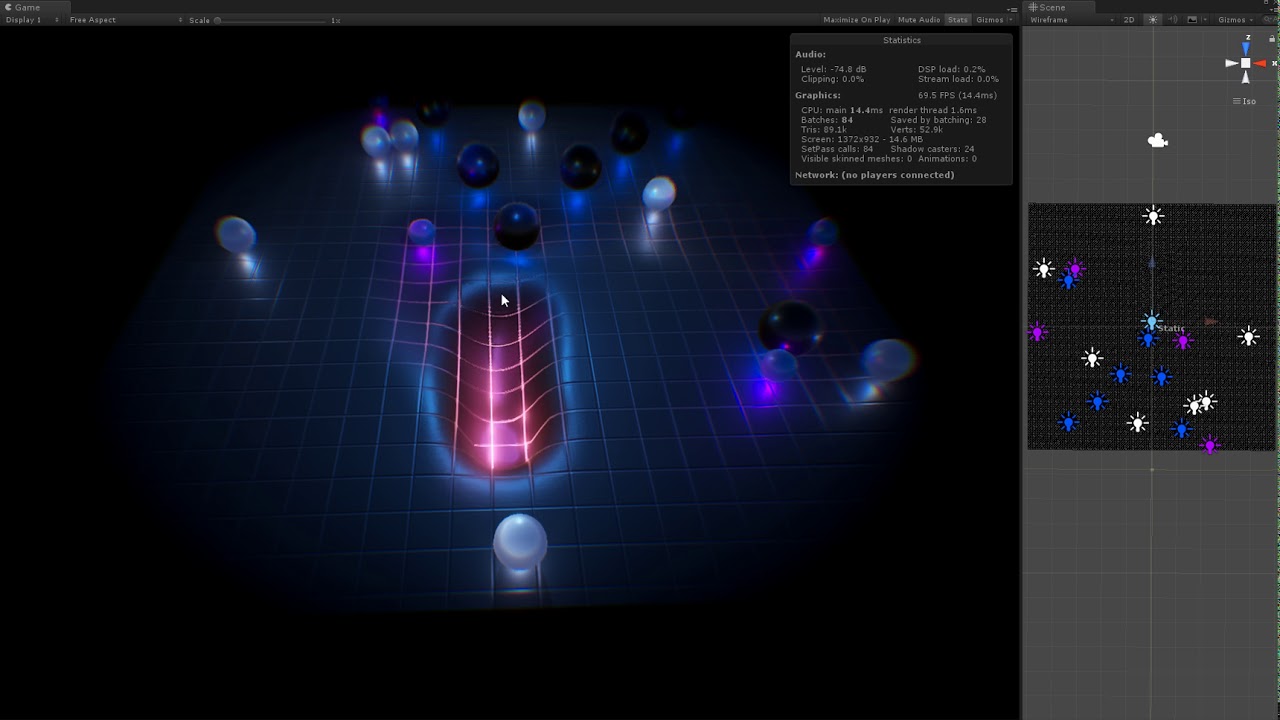
let compute shader to calculate the new vertices position
I've uploaded a simplified code about this demo. You might find it here: https://github.com/cinight/MinimalCompute
grim ore
@plush yew so Epic making Fortnite the game does not help make the engine better?
 potent burrow
just downloaded UE today and I am starting to learn. Should I learn using the visual system or code based system ?
grim ore
yes, both, either one, neither, use C#, go nuts and reprogram it in Haskell
potent burrow
grim ore
yes, both, either one, neither, use C#, go nuts and reprogram it in Haskell
is that a troll or are you serious about using it with Haskell ?
grim ore
serious about all of it, your question is loaded
@plush yew sounds like your just moving the mesh then and not the actual actor
if you dont know Unreal Engine, then learn how the engine works from the top down and use Blueprints to start with so you can understand how the engine works. One you are comfortable with the engine you can code it anyway you want.
potent burrow
grim ore
yes, both, either one, neither, use C#, go nuts and reprogram it in Haskell
I mean does the visual system have any disadvantages ? can I code as I would in cpp ?
grim ore
@potent burrow if you dont know the engine yet, dont worry about that question
once you learn the engine you will get that answer
potent burrow
grim ore
<@!301347192080171008> if you dont know the engine yet, dont worry about that qu...
yeah, that's why I am asking. I don't know which one to use
grim ore
if you dont know Unreal Engine, then learn how the engine works from the top down and use Blueprints to start with so you can understand how the engine works. One you are comfortable with the engine you can code it anyway you want.
telling you to use BP, or C++, or Skookum, or C# is a loaded answer. All of them work and none are the best, you fit the coding to your project but trying to force yourself to one of them when you dont understand how the engine works is a bad path
nothing stopping you from coding your own solution
 frozen pond
how i can set data table row as variable to select ?
 upbeat tendon
The grass is always greener and if I coded it all the world would be a better place
Just give me 200 years
And maybe I will give you an alpha version
grim ore
you might need more info on that? Im sure there is a way to do what you want.
components are parts of actors and they should follow automatically, but thats not what you asked
you might not want to move the component
thats the issue
you should be moving the actor
upbeat tendon
I am just hoping ue 4.26.2 will have tiled landscape with material set will work
grim ore
have you looked at the rolling ball template?
they are yes, but that component is the root of the actor so its moving the entire actor
is yours set up the same way, if so it should be moving the same way
vivid stratus
so.... why don't I have any Target Layers? 
 frozen pond
vivid stratus
so.... why don't I have any Target Layers? <a:thonk_hmm:695051691661197362>
frozen pond
vivid stratus
so.... why don't I have any Target Layers? <a:thonk_hmm:695051691661197362>
did you enabled it on landscape?

 dusky slate
Can you change the Rate Scale of an Animation with a Curve inside the Animation? so the Animation starts slow, and gets faster
frozen pond
dusky slate
Can you change the Rate Scale of an Animation with a Curve inside the Animation?...
That's look like blendspace with extra steps
dusky slate
frozen pond
That's look like blendspace with extra steps
can't i just do something like that? and then just bind the Rate scale to the Curve?
 vivid stratus
frozen pond
did you enabled it on landscape?
vivid stratus
frozen pond
did you enabled it on landscape?
I think the problem is that I'm using an already existing material, right?
frozen pond
vivid stratus
I think the problem is that I'm using an already existing material, right?
what version are you using?
vivid stratus
latest version of ue4
frozen pond
dusky slate
can't i just do something like that? and then just bind the Rate scale to the Cu...
yeah but curve need time
dusky slate
bruh, you are right 
rigid belfry
i think you create the layers in the material graph? i am not too experience in materials
frozen pond
rigid belfry
i think you create the layers in the material graph? i am not too experience in ...
that wrong, you create layers on landscape
vivid stratus
so I'm wondering if my material or my landscape is wrong
frozen pond
vivid stratus
so I'm wondering if my material or my landscape is wrong <a:thonk_hmm:6950516916...
i just checked that
its there

RMB on layers -> create
vivid stratus
let me start anew
this part is correct, right?
 grim ore
open the material, do you have any layers?
frozen pond
wait you want use paint layers or landscape layers?
vivid stratus
I'm right now creating one anew to set up everything correctly
grim ore
they were in the paint layers tab so I assume painting
frozen pond
vivid stratus
I'm right now creating one anew to set up everything correctly <a:thonk_hmm:6950...
you want just to paint on landscape ?
vivid stratus
yes
frozen pond
so you are in wrong tab
vivid stratus
vivid stratus
let me start anew
this part is correct, right? <a:thonk_hmm:69505169166119736...
I created as per message above
and this is what I get when I click on the Pain tab
 ember star
How do I make sure an RPC has finished replicating its changes before I signal clients to check for them
frozen pond
vivid stratus
I created as per message above
and this is what I get when I click on the Pain ...
first off, you are in wrong tab
grim ore
yes you need layers in your material
if they want to paint they are in the paint tab lol
 vivid stratus
ok... so I need to edit that part then 
I thought it was automatic... I took it from megascan
vivid stratus
now I wonder... do the surfaces from Megascan get considered as materials?
cause they get registered as "Material Istances"
frozen pond
yes lol
grim ore
if its on something in the engine, its a material
frozen pond
material instance is like dad and son, son owns genes from dad, in this case material is dad and instance is son
vivid stratus
understandable
I was missing the AO map from Megascan though
Time to read :3
thank you guys
ember star
I have an RPC updating a variable, then calling an update function on all controllers, but the variable hasn't replicated the the client yet. Anyone know what im doing wrong?
plush yew
Hi guys,
Can you guys help me with this super annoying problem ?
I can only damage do damage local, when i enable the dedicated server it wont damage the actors anymore. when you hit it, you'll see 0 damage

I saw some other videos that you must create custom event with enabled for the server. but how can i create that if i created anim notify state
rigid belfry
you're casting on tick?
plush yew
Yea, look left corner
rigid belfry
 plush yew

A new set of videos where I explain and teach you how to make it so you can deal damage to enemies. This first episode covers how to use notify states and a trace to determine if you can deal damage or not.
Support me on Patreon and get access to videos early, join our developer community on Discord, get exclusive behind the scenes videos on my...
grim ore
dealing damage in a single player game is different than a multiplayer game
grim ore
you might want to look up multiplayer code
the little server icon with a lightning bolt on apply damage means it only runs on the server.
so this code has to be ran on the server, then it will apply damage to the server copy of this object.
then its up to you on how that damage is relayed to the clients
you probably would use a replicated variable so the server can handle it for you
plush yew
already changed the variables to replicated, Do you have a guide/video where i can learn this kinda stuff ?
 orchid seal
Anyone on any ideea what happened to the shoulder?
 grim ore
the docs, plus youtube, plus like some of the stuff in the engine. Im sure there is other stuff
orchid seal
It was fine a few moments ago and didn't work on the skeleton or anything else
 inland orchid
how do yall remove tiling effect in maps
grim ore
look at macro texturing
inland orchid
is there a way to make it so that you can randomize the rotation of a tile?
I believe that might make it less tiled
na nvm that macro variation thing works pretty well
thx
rigid belfry
how expensive it is to trace a line every .1 seconds?
grim ore
non existent
traces are designed to be light weight and you can run quite a few on tick
rigid belfry
say i want to create an interactable interface, i cast a line each 10 frames or so, and if i hit something i call an interface function
i was considering having my interactables to have large boxes, and on overlap with the player controller i fire off the linetrace function
but would going through the hassle be worth it?
grim ore
either one would be fine, if you do the box version you can have a popup on the item easily is one advantage I can see.
but if you are just talking the difference between a trace every frame and not then dont worry about it
rigid belfry
its not like i am going to have large levels anyway, so there will most likely always be interactables in the way
 chilly schooner
anyone here have experience with importing rigged models from blender to unreal?
rigid belfry
there are many tutorials on yt
chilly schooner
rigid belfry
there are many tutorials on yt
yeah I know I'm just having an issue right now
vivid stratus
Regarding the paint layef
Let's say I want to use 100 different materials on the landscape
This mean I will have to edit the Landscape Blend Layer in all 100 the materials
Right? 🤔
grim ore
yep and your performance would probably suffer with that many materials
 vocal flume
I'm trying to watch some variables in my shipping build. Unfortunately print doesnt work in shipping build
im trying to use logcat but not seeing any print nodes
grim ore
yep print is developer only, it says it on the node
vocal flume
is there a way to watch varaiables in shipping build
vivid stratus
grim ore
yep and your performance would probably suffer with that many materials
Well...
Then I'll have to find other way to do it 🤔
100 materials might be an exaggeration
But some levels might get an awful lot of them....
I might try "mixing" more materials into one 🤔
grim ore
put it on the screen somehow, such as UMG
vocal flume
ok.. i'll try that
 raw forum
Hello everyone. Tell me which is better for collaborative development GitHub or Perforce?
grim ore
neither, both have differences. perforce is generally seen as "better" for larger projects due to it's binary support
raw forum
grim ore
neither, both have differences. perforce is generally seen as "better" for larg...
Thanks
raw forum
grim ore
neither, both have differences. perforce is generally seen as "better" for larg...
with which program to create multiple editing the internet
 sly coyote
im getting a weird crash that seems almost impossible to debug with UE4Editor_Core!FTextCache::FindOrCache() ...\Internationalization\TextCache.cpp:28]
its an access violation and seems to point to something to do with a toText call....anyone have any tips on how to narrow this one down, i tried attaching a debugger to it but it leads me to a point in the engine code which gives me no clue where in my project the crash is happening
the crash happens either during playtest or after playtest once i close the session and try to "save all" in engine
raw forum
grim ore
neither, both have differences. perforce is generally seen as "better" for larg...
with which program is it better to create a remote local area network for create multiple editing ?
 restive eagle
hamachi? or just open ports (1666 for perforce)
raw forum
restive eagle
hamachi? or just open ports (1666 for perforce)
hamachi has very low speed
restive eagle
then open ports for perforce and wont have to deal with that
raw forum
restive eagle
then open ports for perforce and wont have to deal with that
you can throw off the tutorial how to do it ?
restive eagle
not really, figure out whats your router model and type into google myroutermodel port forwarding
each manufacture has their own UI, so you need to look up yours
raw forum
@restive eagle thank you, very much
restive eagle
usually you will find that info on the back of a router on a sticker
just what ever tutorial you follow keep in mind that you need to open ports for 1666 (unless you change it to smth else)
upbeat tendon
is it possible to map a Character and it's properties to row in a datatable?
 foggy anchor
 restive eagle


 toxic scroll
Is there a way to set linear drag on projectiles?
light thunder
Is there a way to open up an asset from the content browser via a console command?
upbeat tendon
I wonder if someone can help me, I am working around 4.26 crashing while importing tiled terrain by only importing the landing and ignoring material the layer info, I've started creating the layer info manually, but now I am not sure where I can import the tiled layer info
 stable dome
foggy anchor
stable dome
foggy anchor
BRUH 🥲
 echo lily
Do u actually need to code anything or can you just use those graphs instead (not sure what there called)