
#ue4-general
1 messages · Page 967 of 1
 lucid grove
its almost 15 fps loss
and the killer is VisibilityCommands on 4.26
Couldn't found any good info about it
 plush yew
Same thing happened with charactermovement component when updating from 4.24 to 4.25
My game went from averaging over 70fps to about 20fps when updating
 radiant sleet
Hey knew to unreal... Ive been making something with the default third person project. The thirdperson player actor ill delete itself once it falls beneath the level
I was wondering if anyone knew how to delete this feature
I thought it might be a condition in the players blueprint of something like if z position is less than like -20 or something but I found nothing
any help is very appreciated
Thank you very much
 true falcon
You know what really grinds my gears, that as soon as you right-click or try to drag anything, especially a level. It frigging seems to load all the metadata in the world and perhaps even all other data into memory, making the editor freeze and taking forever just to move a simple file around... puh, just wanted to get that off my chest. How hard is it to load metadata on demand
radiant sleet
Im curious what are you guys working on?
 forest tree
lucid grove
and the killer is VisibilityCommands on 4.26
forest tree
lucid grove
and the killer is VisibilityCommands on 4.26
Have the same problem, VisibilityCommands seems to be a culling thing. Not sure why it spiked so much between versions.
true falcon
My taxes, some Grout work
lucid grove
Click open original
 forest tree
Unreal Engine Forums
My work is completly stuck , my framerate is 40 Fps because of Visibility commands. there is nothing on the web about it. There were not this issue since a few commits.
Please help me to profile what happen.
lucid grove
forest tree
https://forums.unrealengine.com/development-discussion/rendering/1868544-visibil...
already there mate ha
 forest tree
Yeah, it's pretty dramatic
Might be worth reaching out to Epic with a bug report
As you have reproduced it cleanly between versions
lucid grove
Its that visibilitycommands thing
i tried:
- Set 4.26 to dx11
- GPU Profile it
- Open StandAlone
Same results
Shadows looks a little different though
cant really tell whats different, but something is
I wonder why there is so small reports about it
forest tree
I'd really report a bug to Epic with the screenshots and your reproducable scene in a project
If it's an engine bug
 lucid grove
I will, basically its the last thing i can do
lucid grove
Or hope that someone found a way to fix it
lucid grove
VisibilityCommands is where we calculate what we're going to render. I often see this number get really high in a scene with a lot of actors in front of the camera at a given time. It's usually, but not always, high along with the number of drawcalls you see in stat rhi. Is that what's happening in your scene or when you say small do you mean that you don't have a lot of actors?
Thats from some topic
forest tree
That's true enough I think, but the fact that it produces wildly different results between engine versions in the same scene is super sus
lucid grove
yeah it is. need to check on clean projects
just in case someone will encounter it later, lods:


Shader complexity is almost same
no changes here


LODs working as they should also
Shader = same, lods = same, nothing new here
 ashen brook
not sure if you already got help on this, but cine cameras control their own DoF via their lens and filmback settings
lucid grove
Gonna check it now
forest tree
I suspect if you hide the foliage, it's 'fixed'. That seemed to do it for me. Leading me to believe it's a culling thing indeed.
ashen brook
Also yeah @lucid grove, can confirm that we had similar issues with performance getting worse across the board in 4.26. It's not a single thing we could find, just a multitude of small things that changed to add extra cost
lucid grove
ashen brook
Also yeah <@!667566391444111380>, can confirm that we had similar issues with pe...
Well we have our winner its VisibiltyCommands, its almost 1.5ms on my end (3070rtx)
And some folks confirmed that
Still no clue what causing it ha
lucid grove
Without foliage its just almost clean landscape
Guess most impact on forest or grassed scenes where culling is working
I will take a closer look at all things share them here and on send them to support
No doubt 😄
forest tree
If we all have the problem though, good thing is that it's likely an engine thing and will get patched 🤞
lucid grove
i remember there was some bug that wasnt fixed for years
people was angry but couldn't do anything about it
cant remember what was it
lucid grove
ha
I really want to check if that not editor itself doing something wrong with fps
but cant since my project really heavy to compile it
 viscid saffron
i have a problem with bridge
Basically I export the model to unreal, on bridge it gives me a successful export, but it doesn't matter at all on Unreal.
I tried everything, restart the pc as it said on the internet, restart bridge, uninstall it, nothing .. how can i resolve this? 😦
ops,hello everyone*! sorry guys
forest tree
Functions for handling vertex manipulation using world position offset.
This?
TBH I haven't done much work on the materials myself, I just use assets
Wind is a thing I still need to properly handle
@keen birch made a cool shader if it helps:
http://www.gumroad.com/l/windshader

Gumroad
Demo Scene/assets in video not included! Made mostly using Synty assets.Check this video for a demonstration on realistic assets!The Universal Wind Shader is a plug-and-play wind solution for all your foliage. All too often, adding convincing wind to your foliage means making big changes to your workflow - or if you're working with marketplace a...
Sexy though 😄
radiant sleet
Ngl I wish I could understand 15 percent of what you guys say... stuff like lod occlusion culling etc I have no idea what you guys are talking about
Hopefully ill learn these things overtime
Hopefully im smart enough to lmfao
forest tree
radiant sleet
Hopefully ill learn these things overtime
Certainly you will, nobody knew these things when they first started using unreal 😄
radiant sleet
Thanks for the vote of confidence
forest tree
Well, in fairness, it does transfer over from other engines. But they still had to learn about them in the first place.
radiant sleet
Im new to all 3d engines
 proud narwhal
I have merged a bunch of assets together to a single one, it now has a bunch of duplicate textures, is there an easy way for me to remove the duplicates as I understand that makes rendering slower?
 lucid grove
If you want grass that should be visible from the great distance without fps loss - more triangles, less translucency
lucid grove
radiant sleet
Wheres the learning portal?
Better take some course from A to Z its really easy to understand basics
Then you shouldnt have any problems with that
If you not using 4.26 ofc ha
radiant sleet
I just want to make short linear style games for my freinds to play
Cant wait to see what unreal can do for me
lucid grove
radiant sleet
I just want to make short linear style games for my freinds to play
well thats why course is great solution. you will learn step by step everything you need without going too deep inside aspects
ha, it really is

still 2
forest tree
Weird. Try going through your world outliner and hiding things one by one
I found a few of my actors that contributed to it, mostly ones with debug huds widgets attached to them
Also shadow casting lights I think, but not 100% sure of that
 forest tree
Try going through the outliner
Hide one by one until you notice a change
Painful, but should work
lucid grove
i dunno
something is wrong
its almost clean

no shadows, no meshes
aha
landscape

but even without it
 forest tree
That's madness

 forest tree
What the heck
lucid grove
so its not culling after all
_<
real timecapture?
its updating skysphere
your captain lol
i mean if you update skysphere on bright scene you get one effect and if you update it at night for example - other
skylight yes
this checkbox just autoudpate it
well, damn
take a look
forest tree
I had the same issue in packaged. Might be different causes then.

 forest tree
Jesus

 forest tree
oof
 lucid grove
interesting fact
on cinematic preset
almost no difference in ms
what did it hit and disable scalability options? 😄
Skysphere, postprocess, nothing really matters
Its still 20 fps (180 vs 200)
btw, look at shadows

0,55? from where?
 lucid grove
its only landscape and direct light
radiant sleet
how to I play a sound fully and then continue?
Or do I just put a delay and the length of the sound I wanna play?
I wanna play the same menu music in a loop
is there a play sound 2d until done node?
or is a delay my best bet
forest tree
I think there's an event you can bind to if you have a reference to the component
But that won't be availble through a normal playsound2d indeed. Delay is not a bad idea
viscid saffron
hello everyone i have a problem with bridge
Basically I export the model to unreal, on bridge it gives me a successful export, but it doesn't matter at all on Unreal.
I tried everything, restart the pc as it said on the internet, restart bridge, uninstall it, nothing .. how can i resolve this? 😦
i need help please,thanks! 🙂
radiant sleet
thanks
forest tree
Love the tophat 😄
radiant sleet
He may be a villan but the mans got the drip lmfao
 mental kestrel
I thought the tophat where ears and the lighting on the left of the tophat was his tail
 ocean grove
Any idea what PIE stands for?TravelFailure: InvalidURL, Reason for Failure: 'Invalid URL: /Game/MenuContent/Maps/MainMenu_Lvl'. Shutting down PIE.
lucid grove
Play in Editor?
forest tree
@lucid grove Totally empty scene 😆
 lucid grove
I mean PIE is something related to editor i gues
lucid grove
forest tree
<@!667566391444111380> Totally empty scene 😆
i give up with that, just need to make decision: ignore few cool features i really want and made a leap of fate that epic fix that or keep working on 4.25
Its no just 20 fps in static, in game its almost 40 fps
mental kestrel
Launching your game in this thing takes eons
 mild pulsar
Hey guys, does anyone do TDD in UE4 as some people do in desktop / web development and as some lead programmers(Kent Beck and Uncle Bob from what I remember atm) preach?
 fierce tulip
@mental kestrel this channel is for general questions/discussion, not just showing things, that goes into #work-in-progress or #released
mental kestrel
Ah okay sorry
fierce tulip
np
fierce tulip
good luck, and most importantly! keep having fun!
mental kestrel
Oh yes very fun. It's the novelty factor that I enjoy
When does the novelty factor become extinct with this program?
fierce tulip
once you need to make deadlines or get tasks that are mundane and take you months to finish.
depends on the person, the task, and the pay :p
mental kestrel
Could you point me in a direction to advance my abilities?
fierce tulip
pinned message in this channel has some getting started stuff
mental kestrel
I'm doing step by step processes via tutorials on youtube but, I feel it doesn't implement the knowledge into my brain
fierce tulip
the way I do it is either:
recreate something i found in the engine from scratch, reapply what i learned onto other things
follow along a tutorial, come up with ways to apply it elsewhere and do that so it sticks in my brain
mental kestrel
Ah okay good to note. I also learned that there are free .rbx files posted by people. Some have working animations and such. The engine runs .rbx files so if you import them into your level folder you can add them to your project
lucid grove
forest tree
<@!667566391444111380> Totally empty scene 😆
Just to finish this, what GPU and CPU you have?
mental kestrel
There are also exports on the Epic games launcher too you can add which is neat
fierce tulip
yea, learning tab and marketplace both have loads of free assets
forest tree
lucid grove
Just to finish this, what GPU and CPU you have?
2080, 3700X
forest tree
I even tried downgrading my drivers
As there's another issue with that

I was on 461.40, went to 460.89 but alas...
mental kestrel
I have Blender just incase. Any other software that coincides with Unreal?
fierce tulip
depends on what you want to do
proud narwhal
Is there an easy way to copy a map from one project to another and only copy over the required files for that map?
mental kestrel
On my launch export of the game, there's a grey dot that I never added and it's just kindof a bother. Any idea on what it could be?

Looks like a clay ball
proud narwhal
@fierce tulip so will migrating the level also grab everything that it needs ?
ashen brook
mental kestrel
When does the novelty factor become extinct with this program?
it diminishes over the years with sufficient stress-related hair loss
fierce tulip
yup, so make sure you fix up redirectors before you migrate
@mental kestrel could be your character, depends on your gamemode
ocean grove
So I can travel from my main menu (input action E) to another level, but then when I try to open another level I get a a play in editor error nope not a spelling error
proud narwhal
I have managed to migrate all of my project over except a merged asset that is made up of a few walls, whenever I try to migrate that over it fails but does not say why
Also tried to export and import it, it exports fine but fails to import on the new project
mental kestrel
Okay so after you finish a project, how do you create an executable file of it so you can play it externally instead of only in the Engine
proud narwhal
File>Package project
mental kestrel
Ah okay I'll try that
 robust marten
So apparently if you adjust a Montage End length after rebooting the editor it resets the animation to the default length lol bug?
 tough pagoda
Well.
I have a little problem.
What need to do for to see actor's representation in scene.
 robust marten
reimport it with the proper xyz coords
tough pagoda
robust marten
reimport it with the proper xyz coords
What is the reason?
Nope, same.
robust marten
it was imported off-center for some reason. Just adjust the xyz and reimport
 robust marten
those blue legs are it right?
tough pagoda
This is other actor.
robust marten
So your new actor is invisible?
robust marten
Is Visible/HiddenInGame checked?
tough pagoda
Set is true.
robust marten
When you try to view the actor in its viewport is it still invisible?

 next wagon
Hey folks, quick question regarding combat system components and anim montages.
I have 7 characters that I wish to be playable, they are all based on the UE4 skeleton, with that said I am a bit stuck on how to generate multiple character profiles from one component.
So my main question is, for an ability, such as “kick”, how can I set it up so that it calls the correct montage for the character chosen.
I.E. montage variations plugged in for each ability for each character and it should auto sort the montages based on the mesh used.
Any ideas? (Doing a quick multiplayer demo, and not using GAS atm, just pure Bp for demo sake)
tough pagoda
tough pagoda
This is cpp class of this actor.

 fierce forge
hello how i can make, when i paint the foliage, a tree to not be placed in a tree like this:
 next wagon
Set your density and placement amounts to : density lower value / placement(range) higher value
fierce forge
next wagon
Set your density and placement amounts to : density lower value / placement(rang...
wdym by placement, i can't find any placement setting
next wagon
Sec and I’ll get the correct term
proud narwhal
I got a mesh that whenever I try to enter edit mode in the mesh editing window it will crash
fierce forge
next wagon
Sec and I’ll get the correct term
ok
next wagon
Density lower / Radius higher
fierce forge
next wagon
Density lower / Radius higher
thx
next wagon
 proud narwhal
thats one way to take a screenshot 🤔
next wagon
On my phone with this account lol
 buoyant vapor
Hey, does anyone know how to make a character selection for a 2D Side Scroller?
plush yew
when i press F i can focus on object when in editor. In game editor when pressed F nothing happens. How to make it happen in game when F press?
 grim flame
while in play is my guess
next wagon
Best work around is alt+s and double click the actor in the world outline if I understand your question
next wagon
Ejects from player places you in what could be considered editor mode
To repossess you must click the drop down on play with your player character selected to move around with the player again
 drifting geode
does anyone knw whats going on here?

0.1 gets added each timer loop, at some point it looses its precision (debug text)
2.7 -> 2.8 (but instead its 2.7999999)
 serene birch
use a counter in 1/10 then
adding 1 should never loose precision
1/10 isn't a "round" number in CPU floating point notation/system
1/2 is, 1/5 isn't so 1/10 isn't either
 drifting geode
oh wow, wasn't aware of that
guess thats the reason why my equal node never went true at 1.0 😄
serene birch
count in integer "ticks" and multiply by 0.1 only at the very end of the chain to sidestep most issues 🙂
drifting geode
thx
 opaque dirge
hello everyone. i´m trying out the Automotive template (the one available when creating a new unreal project). The distance field shadow are working as expected but i get a totally white viewport if i try to visualize Distance field AO. Why is that?
 neon grove
in BP theres a node for procedural mesh to calculate tangents and normals
is there a similar function for that in C++?
 grim ore
if the node exists in blueprints, it has C++ behind it so yes?
neon grove
but how do i call it in a c++ code
grim ore
what the node in blueprints?
if you have source installed you can also double click the node to go right to the header file for that node
and then... you have the function
neon grove
grim ore
what the node in blueprints?
this node


 neon grove
grim ore
neon grove
grim ore
thanks
so would i call it like this
ProcMesh->CalculateTangentsForMesh(Vertices,Triangles, UVs);
or how would i type that
i put it like this but i get compile error
ProcMesh->CalculateTangentsForMesh(Vertices,Triangles, UVs, Normals, Tangents);
grim ore
thats because your trying to call calculate tangents for mesh on procmesh
you would use the library UKismetProceduralMeshLibrary::CalculateTangentsForMesh
you can see how its called at the top of the docs page
have to make sure of course per the docs page that module is added to your modules in your build file
neon grove
grim ore
you would use the library UKismetProceduralMeshLibrary::CalculateTangentsForMesh
aaah thanks it worked now
so i had to put it like this
UKismetProceduralMeshLibrary::CalculateTangentsForMesh(Vertices, Triangles, UVs, Normals, Tangents);
grim ore
*yes? I think your going to need an OUT on the Normals and Tangents so it puts them back into those variables
jesus I cannot type today
neon grove
i think it just fills it in the existing tangent and normal variables i already had
tho i kinda wished the documentation provided some examples cuz its rly hard to understand it
grim ore
it might, C++ is dark and mysterious but I always thought you had to have an OUT so it knows to put it back to those values
yeah the docs dont have many examples, its something they are working on
neon grove
like the only help i can get is either youtube discord or reddit lol
 lament ledge
unreal answerhub is really good too
grim ore
yep. Its one of those things where C++ is C++, its not a new user friendly setup
they assume if you are using C++ you understand how C++ works
neon grove
grim ore
they assume if you are using C++ you understand how C++ works
thats the problem everyone teaches as if u are already supposed to know how c++ works but ive only started coding 8 months ago
grim ore
thats just the way it is. C++ is C++, you dont need to learn C++ in unreal to know C++. they assume that if you are learning C++ you are not going to dive into a game engine but actually learn the language
neon grove
lament ledge
unreal answerhub is really good too
i think there was a forum for unreal but it got removed
lament ledge
i usually just ask questions and get answers on my email
never really heared of the forum tho
 latent mango
Help pls
 grim ore
there is a forum, its still there. the wiki went explodey
@latent mango help with what? did you do anything
latent mango
I was adding the steam multiplier system
in visual studio
then I tried to open it and it wouldnt let me
lament ledge
that happened to me when i downloaded an outdated version of the steam multiplayer addon
neon grove
oof that happened to me once idk how to fix it so i just made a new project and transfered all my c++ codes
lament ledge
it might be that u used an outdated code
lament ledge
you can rebuild it and have a backup of the project
or find a newer version of the code
grim ore
that is fine
how did you add the steam multiplayer system? what did the instructions say
latent mango
I followed this tutorial https://www.youtube.com/watch?v=d4gQSXALyHU&list=PLL0cLF8gjBpqCe9pzVWyW9Jk2lY4qioFr&index=2
Hey there DevSquad, today we setup our project to work with steam multiplayer, setting up visual studio, the advanced sessions plugin along with integrating the steam API into our Unreal Engine 4 project.
At the end of this video we'll be ready to start working on some multiplayer essentials such as joining/browsing servers.
You will need:
htt...
grim ore
and which part did this happen?
grim ore
anyways did you try and hit yes
latent mango
but i cant since I cant open it
latent mango
grim ore
anyways did you try and hit yes
I did
it says it has to be rebuilt manually
grim ore
from the channel "For those, who have an error "The following modules are missing or built with a different engine version" try this solution from user TheMayor (god bless him):
''I ran into the same issue, and in the end what worked for me was right-clicking on the uproject file, selecting "generate visual studio project files." From there I opened the newly created ProjectName.sln file with visual studio, and selected build. I let the project rebuild and then reopened, and voila, all was good again. Hope this helps someone else in my predicament.''
It helped me!"
so yes, basically follow what it says to do
rebuild it manually and see what happens
 winter zenith
Getting this error when trying to package, does anyone know why? PackagingResults: Error: === Critical error: === PackagingResults: Error: Assertion failed: !bInitializedSerializationHistory [File:D:/Build/++UE4/Sync/Engine/Source/Runtime/RenderCore/Private/Shader.cpp] [Line: 244] PackagingResults: Error: Shader type was loaded after engine init, use ELoadingPhase::PostConfigInit on your module to cause it to load earlier. PackagingResults: Error: [Callstack] 0x00007ff8be253b29 KERNELBASE.dll!UnknownFunction [] PackagingResults: Error: [Callstack] 0x00007ff86571d096 UE4Editor-Core.dll!UnknownFunction [] PackagingResults: Error: [Callstack] 0x00007ff8657207f8 UE4Editor-Core.dll!UnknownFunction []
latent mango
grim ore
from the channel "For those, who have an error "The following modules are missin...
ok ill try

what should I do?
grim ore
looks like all the files needed for visual studio where not installed
latent mango
grim ore
looks like all the files needed for visual studio where not installed
what should i do?
grim ore
scroll over and see if it says which version it needs
grim ore
yep

this is what I have, you can see I have the 4.6 targetting, 4.6.1 targeting, and 4.6.2 targeting
latent mango
how do i download that?
grim ore
so dunno which one it needs but thats what I have
run the visual studio installer, it should have been part of the base install
latent mango
grim ore
so dunno which one it *needs* but thats what I have
it need 4.6.0
grim ore
once the installer is running you can click Modify and then Individual Components
winter zenith
Matthew, do you know why I am getting this packaging error? PackagingResults: Error: === Critical error: === PackagingResults: Error: Assertion failed: !bInitializedSerializationHistory [File:D:/Build/++UE4/Sync/Engine/Source/Runtime/RenderCore/Private/Shader.cpp] [Line: 244] PackagingResults: Error: Shader type was loaded after engine init, use ELoadingPhase::PostConfigInit on your module to cause it to load earlier. PackagingResults: Error: [Callstack] 0x00007ff8be253b29 KERNELBASE.dll!UnknownFunction [] PackagingResults: Error: [Callstack] 0x00007ff86571d096 UE4Editor-Core.dll!UnknownFunction [] PackagingResults: Error: [Callstack] 0x00007ff8657207f8 UE4Editor-Core.dll!UnknownFunction [] PackagingResults: Error: [Callstack] 0x00007ff86542e98d UE4Editor-Core.dll!UnknownFunction [] PackagingResults: Error: [Callstack] 0x00007ff8653c5625 UE4Editor-Core.dll!UnknownFunction [] PackagingResults: Error: [Callstack] 0x00007ff8653c76d0 UE4Editor-Core.dll!UnknownFunction []
I upgraded from 4.25 to 4.26
grim ore
I dont, you would have to debug it or go thru your shaders see if something is weird
winter zenith
Ok
grim ore
but it sounds like its a plugin causing the issue
winter zenith
Yeah all my plugins are made for 4.25 i'll upgrade them now
latent mango
grim ore
once the installer is running you can click Modify and then Individual Component...
ok then what
grim ore
then install what you need
latent mango
ok
It still doesnt work
Ive got Visual Studio 2019 and Visual Studio Code and it opens as Visual Studio Code
grim ore
same error or ?
 grim ore
the uproject? yes
but your not opening that, your making the solution file for visual studio and opening that
grim ore
still the netfx error?
grim ore
which did you install from the installer?
latent mango
Visual Studio 2019 4.6
grim ore
There is an SDK and a Targeting Pack
I linked above what mine looks like, I would install the Targeting Pack
grim ore
maybe restart then, It could also need the SDK (cant hurt to install it as well) or it could be stupid and need 4.6.1 or 4.6.2
plush yew
why am i here
latent mango
got it!
plush yew
i dont even make games
latent mango
I got the new file
latent mango
Ok,now how do I rebuilt it?
grim ore
open the solution file, right click on your project name on the right (your project, not ue4), and build it
 stray tangle
Hello, is it possible to make the directional light a blueprint so I can change the lux and brightness according to events?
grim ore
@stray tangle no but you can access the directional light from a blueprint in your world. Make a variable of the Directional Light class type, make it public and instance editable, then you can select the directional light that is in the world
stray tangle
grim ore
<@!791376893349724221> no but you can access the directional light from a bluepr...
Thank you very much and I really appreciate your tutorials on YouTube btw
grim ore
oh I take it back also, there is a directional light component. You can use that instead and then its easier
had no idea that was in there
makes it hard to use a sky sphere tho lol
 rigid belfry
i was watching this live from unreal https://www.youtube.com/watch?v=09yWANtKmC8&t=3283s and at some point it was said by technical writer michael prinke that there would be more multiplayer videos and more documentation about that. sadly it doesnt seem like theres anything more recent than this video. if someone could point me towards other good learning sources for multiplayer in unreal, i'd greatly appreciate it

Creating a networked multiplayer game isn't easy, but Unreal Engine's gameplay framework is designed to set you up for success. On this episode of Inside Unreal, Technical Writer Michael Prinke will cover fundamentals such as the server-client model, various features of replicated Actors, and best-practices for efficient networked games.
Announ...
 cerulean geyser
hey guys, what's a good way of blending between several cameras inside of my character bp? (setting cameras on and off snaps them, i was wondering if there's something im overlooking to make something along the lines of Set view target with blend but that works with multiple cameras inside same actor
viscid saffron
hello everyone i have a problem with bridge
Basically I export the model to unreal, on bridge it gives me a successful export, but it doesn't matter at all on Unreal.
I tried everything, restart the pc as it said on the internet, restart bridge, uninstall it, nothing .. how can i resolve this? 😦
i need help please,thanks! 🙂
 dense knoll
what does this node do? Im thinking it runs on server

 vagrant hornet
Is there a guide on performance?
Like how many vertices to have on objects before it lags out your level
 calm pollen
is there a way to make the sequence recorder record interactions in widets? All I have in my video is a still part of the first image, no matter what I do no other widgets show up in the recording.
grim ore
@vagrant hornet no because that is based on your machine and target specs for the project
 ember geyser
Hi everyone, I have searched the chat history but haven't been able to find an answer to my issue.
Using UE to rigify; after importing a mannequin animation and selecting it with the picker from the blender add on, the convert option stayed greyed out and I can't do anything.
I followed the quick start video but I must be doing something wrong, does anyone have any ideas what might be causing my issue?
fierce forge
how i can make the faces from this voxel grass, to be one color and the shadows to not affect it ?

 idle stump
@cerulean geyser use "Set View Target With Blend"
https://docs.unrealengine.com/en-US/InteractiveExperiences/UsingCameras/SwitchingCameras/index.html
An example of how to setup and trigger the use of multiple fixed camera angles.
rigid belfry
fierce forge
how i can make the faces from this voxel grass, to be one color and the shadows ...
arent all the faces the same color thought? thats simply the shading that makes some areas look more shadowy
you could try using an unlit material?
idle stump
@rigid belfry I have heard many good things about this Udemy course. I've purchased it myself but haven't had a chance to do it yet, it's always going on sale for cheap (as with Udemy in general, never pay full price). https://www.udemy.com/course/unrealengine-cpp/

Udemy
Unleash the power of C++ and Blueprint to develop Multiplayer Games with AI in this Epic Games-approved course.
@rigid belfry The course creators website also has some good free articles. I can't remember if he's a Epic employee or ex-employee but something like that: https://www.tomlooman.com/
 leaden garnet
udemy never sells for full price though, its always using discount baits 
 opal fossil
Hi! I've been toying around with the water body system in 4.26, but for some reason, all shadows on the water are super low res. Also, my landscape doesn't cast any shadows on the water surface unless I select it in the editor (so no shadows when playing). Anyone encountered similar issues? I've tried tweaking all shadow parameters I could find. Now I'm trying if switching to forward rendering would help.
rigid belfry
idle stump
<@!386223315146244097> I have heard many good things about this Udemy course. I'...
i am not that experienced with cpp, but i was also considering starting this free https://learn.unrealengine.com/course/3750188?r=False&ts=637522811151662778 course on learn.unrealengine.com. i am looking for blueprint oriented guides at the moment, but i'll keep that in consideration. thanks
opal fossil
Looks like this:

 vale silo
I'd like to be able to run my project with post processing enabled on PC and then when project runs on mobile, PP should be disabled (or to build same project for both platforms, but with different PP settings). How do I do that ?
I could have swore @grim ore did a video on the subject, but I forgot what it was precisely
grim ore
I don’t think I have. I know you can do platform switches in materials so that might be it?
idle stump
Definitely possible but i don't have experience with it. But you can change just about everything for different platforms
vale silo
oh I am sure of it.. The question is how?! 😂
 surreal vector
hello everyone i have a problem, i would like to make the two area of grass match in colors but the light does not apply in the same way in the two object, do you know how to fix that?
 plush yew
opal fossil
Hi! I've been toying around with the water body system in 4.26, but for some rea...
plush yew
opal fossil
Hi! I've been toying around with the water body system in 4.26, but for some rea...
any luck? I've also got no shadows from my landscape on my water
dense knoll
Hmm
 idle stump
@surreal vector if you want a flat lighting look you may be able to just make the material fully rough so they better match. Otherwise you'll probably have to look into dithering. You can search for "unreal blend mesh" on YouTube.
surreal vector
@idle stump alright thank you for your help
cerulean geyser
idle stump
<@!248714953274556419> use "Set View Target With Blend"
https://docs.unrealengi...
thanks but that only works with cameras inside the level, i need to use different cameras inside the same actor
idle stump
@cerulean geyser No it works with cameras on the same actor
 deft nebula
How would make fast traveling in a game that uses world composition and origin rebasing
 celest vapor
I have a splash screen that has transparency, but when it displays the transpatent areas are filled with black, How can I fix this?
cerulean geyser
idle stump
<@!248714953274556419> No it works with cameras on the same actor
how?

this is inside my FirstPersonCharacter_BP
idle stump
@cerulean geyser My mistake, I thought it takes a component, not an actor. You already tried using "Set Active" to disable the 1st camera and enable the 2nd?
cerulean geyser
yes, that works but it is very snappy
doesnt have a smooth transition
the solution i know of is to copy the position of camera one , store as variable then lerp with camera 2
but its a lot of work and not great when i have more cameras
i want to have specific "Death cameraS" inside my main cactor
actor
so imagine 20 different deaths or 30, all of them with unique cameras...this isnt a great system
:/
i guess i could make 30 different bps for the camera deaths and spawn them as child bps...that prolly would work..but would be difficult to check how it would look
rigid belfry
what does this node do? https://docs.unrealengine.com/en-US/BlueprintAPI/Rendering/SetRenderCustomDepth/index.html
Set Render Custom Depth
cerulean geyser
yeah it works by spawning a new bp and using setview blend..but this is kinda awful lol
idle stump
@cerulean geyser I'm still looking at how to transition between multiple camera components but if you really have that many you many unique camera animations you might want to animate a bone in your death animation (in Blender or whatever you are using), and tie the camera to that bone
cerulean geyser
that could be an option
idle stump
I've never done something like that before but seems like a solution to me 😅
cerulean geyser
that would be a different skeletalmesh tho right?
cuz if i would change my skeletal mesh to a different one..i would be screwed ^_^,,
idle stump
I think it's not too bad to add a new bone to an existing skeleton... it's just removing or renaming a bone where you'll run into trouble
cerulean geyser
yeah thats my fear...changing to a different rig along the line
idle stump
Idk - it's very game dependent on what solution is right for you. If you have 30 unique death animations each with a different camera angle and/or camera movement then I would probably try doing it in the animation or maybe with sequencer? I've never used sequencer yet, personally. But regardless - you should still be able to transition between 2 camera components!
cerulean geyser
i think the problem with sequencer is that is level specific(or world location specific) )
i dont think i can do sequences based on actor Local coordinates
if someone can tell me im wrong thats awesome...cuz id love to use sequences for those
 dusty gull
Hi everyone! I have a question, don't know where to ask it so here it goes. I work on a multiplayer game and I hit a problem, my players blend to well with the environment, it's hard to see them. Is there a way to make them to stand out a little? Besides changing the colors on the meshes. Thanks!
cerulean geyser
dusty gull
Hi everyone! I have a question, don't know where to ask it so here it goes. I wo...
u can add an outline using a different depth buffer, or more simply, u can add a fresnel to the character's mesh
colored fresnel for instance
u can also multiply the emissive component by a value(even just a nudge) might be enough to make them pop out
dusty gull
Thanks! I'll look into them, see what fits best
 jolly frigate
yo. gonna be upgrading my pc after 9 years. so what is the recommended standard now?
esp for UE
dusty gull
Ryzen 7 or 9 depending on budget
ember geyser
I worked out my issue, the quickstart misses a step
dusty gull
And pray for a gpu
jolly frigate
haha ok
dusty gull
It's a pretty bad time to upgrade a pc. The shortage has driven the prices way up. And that if you find the parts. But a ryzen 7 with a rtx3060ti should be perfect, my opinion
jolly frigate
haha yea. wish i didn't need to upgrade soon, but then a 9 yr old pc is coming to an end haha xD
 neon bough
well some things are considerable good to upgrade atm, NVME SSDs are pretty cheap for example
cpu and gpu not so much, but anything else works
 knotty falcon
If no one has answered this it should be as simple as
A Box trigger over the area you want to snap too
A version of the model thats transparent to show users the item can be placed there
On Trigger Overlap -> Do something like assign "DroppableArea" on the Players VR hand and when they press the grip or w/e button you have assigned to pickup/drop items then detach it from the player hand and set its position to the same position as the transparent model then clear the reference to the object in the players hand
And make sure to clear the reference when the player pulls their hand back up
latent mango
Hey can someone help me

my menu looks like that
but im trying to change it to this

everytime I hit compile it goes back to how it looks on the first picture
does anyone know what should I do?
opal fossil
plush yew
any luck? I've also got no shadows from my landscape on my water
Nope, no luck. And the low resolution of it all is strange. Shadows from the same objects on the landscape are at least 10x sharper.
knotty falcon
latent mango
does anyone know what should I do?
I've had this issue in 4.26 a few times, my fix was just selecting the color, copy-pasting the Hex and then hitting Ok on the color picker and then compiling
plush yew
What’s the appropriate chat for asking if something is possible?

Something like that
Multicolored text
latent mango
knotty falcon
I've had this issue in 4.26 a few times, my fix was just selecting the color, co...
ok thanks
Can anyone tell me why doesnt the server settings pin show as an array?

And what should I do to fix this?
 gaunt tide
dusty gull
And pray for a gpu
gaunt tide
dusty gull
And pray for a gpu
Been praying for a my order to be fulfilled for a couple months now 😂
 coral patio
Hey guys! 😄 Do you know if it's possible to include geometry into hair assets that could be used in Unreal? I want to create an ancient middle eastern character and would like to give his beard some golden ornaments but I'd also like to utilize the (somewhat) new hair workflow.
knotty falcon
latent mango
Can anyone tell me why doesnt the server settings pin show as an array?
Because you should only be making 1 server, why do you need an array of server settings?
 vocal flume
Is there an event to play a sound when a widget is added to the screen through the add to viewport node?
i want to play a sound when the widget is displayed on screen.. i create this widget when the game starts to bind some events..
knotty falcon
Simplest way would probably be just to add a one-shot audio event after AddToViewport
 drowsy snow
TIL that Blender's auto bone alignment can cause problems when imported to Unreal Engine, making Control Rig looks fucked up and doesn't work as intended
drowsy snow
vocal flume
i want to play a sound when the widget is displayed on screen.. i create this wi...
Play Sound 2D on Add To Viewport or when you're triggering the animation
vocal flume
im doing that now but i kind of want it to be automatic and handled by the umg widget itself
drowsy snow
vocal flume
im doing that now but i kind of want it to be automatic and handled by the umg w...
You can use Play Sound 2D inside the widget BP
neon bough
plush yew
yea, make a custom material and use the texcoord u channel to lerp between two colors
plush yew
neon bough
yea, make a custom material and use the texcoord u channel to lerp between two c...
Thank you!
evening
Say, where do i go to post projects for review and advice?
plush yew
cool
alright. posted my project
#work-in-progress
just need to get someone to help with coding ;m;
i hate coding. especially when you dont know what to do and theres no tutorials
knotty falcon
Do you use Blueprint or C++?
plush yew
blueprint
knotty falcon
There should be a lot of BP tutorials out there
There's also #blueprint for any questions you might have
plush yew
nothing on how to make a Titan from Titanfall 2
and most sliding tutorials dont even work on my old engine
knotty falcon
What version of UE4 are you using?
plush yew
14
knotty falcon
Can you upgrade at all?
knotty falcon
Why not?
plush yew
computer wont let me
knotty falcon
Ah
Also break a Titan down into its core design elements, its not too difficult, I'd also recommend looking into Pawn Possession
Triggers, Pawn Possession and basic animation
 exotic thicket
Sounds cool, Titanfall 2 is amazing :)
plush yew
i got some basic coding
exotic thicket
for something like a "drivable" titan you'd probably just possess another pawn which is just very large
plush yew
i just need help perfecting it
exotic thicket
by sliding if you mean crouch sliding like in titanfall, you can for example apply a force to your pawn when you press crouch while running
and reduce the ground friction value for the movement component
depending on what kind of feel you want for it you may have to tweak how it works but that's a basic idea at least
plush yew
if you guys watch the video i post in #work-in-progress you can see i got some stuff on the titan done
 merry gazelle
Is there an in editor way to update a material (texture) via html? I want to host images on a web sever and replace them in materials
found tutorial https://www.youtube.com/watch?v=R0Y8EHEzBoY

Have you ever wanted to dynamically update content in your UE4 project, like textures and videos, but have no idea where to begin? Maybe you wanted to allow your users to upload a custom image or clan tag for their character? Well, you are in luck! In this livestream Epic Games Senior Technical Writer Sam Deiter not only goes over how to set th...
 winter zenith
How would I check when something leaves a sphere trace?
knotty falcon
If its a sphere collision, OnEndOverlap
If its a Sphere trace, add it to an array (expensive) or just have a bool that toggles based on hitting the thing you're looking for (if its Singleplayer and there's only 1 of that thing)
There's probably better ways
 runic lotus
hey im trying to get some camera sequence animations set up (moving camera to right shoulder when charging a ranged ability, etc.) but unreal is confusing me. When I try to use get player camera manager -> play camera anim, it requires a Camera Anim Object but won't take a camera animation sequence. Matinee says its deprecated though, so what should i be using?
 viscid plinth
How do I limit the rate that a particular RVT volume updates?
I know how to change it in the scalability settings, but I want specific ones to get affected, not all of them
neon bough
how do people here manage save games, or could anyone recommend a youtube video? i'm pretty much just wondering how to solve collecting all the data from an arbitrary number of actors of different classes
do i just getAllActorsOfClass in my save method, and append their data to the save game, or whats the way to go?
knotty falcon
The docs are pretty handy
https://docs.unrealengine.com/en-US/InteractiveExperiences/SaveGame/index.html
I know some larger games will save every AI position/state into a save-data file, or depending on your game you can save just before checkpoints and then just run AI on triggers.
I'd recommend experimenting with "GetAllActorsOfClass" to see how it affects load/play times as well as save-data file sizes
Overview of how to save and load your game
neon bough
thanks, i'm aware how to work with save game objects, just curious about how to gather data from stuff like actors/interactive objects like storage items
 dry latch
Looking for someone to help me setup a Physic Slide based on stream session (must be replicated properly), will be payed!
 unreal mantle
Does anyone know what's causing the shadows to break like this with Raytracing turned on?

Turning it off seems to fix this

But I need raytracing in my scene
 potent jungle
Seems to be some sort of self shadowing issue.... is it two sided?
unreal mantle
Yeah
cerulean geyser
is there any way to copy code+variables +functions from one blueprint to another? i need to copy code from my main character bp from one project to another(but still use the new one as a base)
dry latch
@cerulean geyser right click blueprint --> asset action --> Migrate. Then just recreate the variable by right clicking "promote to variable"
Eventually fix the custom event by right click "refresh node"
cerulean geyser
sorry i must have explained wrong. i already have it migrated
i just need portions of the code from one to another
like copying and pasting
(like custom events they dont seem to copy over well, the name disappears for one)
sorery i misread
it takes the error away refreshing
but it doesnt not put the event name back
:/
ugh...specially with events that are tied with interfaces, this might be problematic
yeah even functions it kinda fails
siigh
 unique kraken
hey guys, litle problem here that should be fixable.
anyone can tell me how i can translate a hit normal to a rotation?
rotations are my weakpoint
 grim plank
Can some one take me how to setup a reload adnimation for the character and gun.the animation should be a one which takes the magazine out of the gun
plz help me

 slim badger
hello, how can i fix this?

 sweet acorn
i saved my project on my e drive but now i get this
 plush yew
tryna get the runtime virtual texture terrain blend up and running, got nodes such as this, but the texture coordinates have simply the x and y by the looks of it, anyone know what im missing?

nearly got it but not sure what node to fix it, append maybe, but following tutorials and wondered if anyone else knew , appreciate any help


anyone know how to turn this off? this glare from the flashlight
fierce tulip
@plush yew you need triplanar mapping (or proper uv's on the meshes)
atm its only aligned the texture in world space on the X and Y axis. (check the world position material functions)
 rotund elbow
is it possible to create and size a navmesh volume from blueprints?
 azure bough
I'm wondering license wise: I'ld like to make a game. So I'm a publisher and not a creator?
fierce tulip
publishing license, cant make a game with the creator license
 sturdy plinth
Hello, I have this GetMiddleOfXVector function created in c++, how do I make it look like the Multiply node (with that additionnal "Add Pin" ? I know CompactNodeTitle can give the round look, but what's about the "add pin" ? and what kind of parametter is it ? (I use const TArray<FVector>& listOfPoints for now)
 rotund elbow
how do i normalise distance between 2 vectors when i just want add the multiplier, not the difference ?
like, i want knockback to be the same everytime
just use the vector diff for direction
mild pulsar
Is there a way to name parameters and local variables the same as class members in UE4?
I'm getting error C4458: declaration of 'AimDirection' hides class member. And to fix it I'd have to name it AimDirectionLocal or AimDirectionToChangeTo, which I don't like. IDEs for a long time now change color of variables depending on if it uses local or member.
 remote parrot
Hi guys, I'm learning basics of animation and skeletal mesh and all that stuff, and I get how ue4 works and how the bone hierarchy should be, I also watched a lot of tutorials and live training vids, but I still can't work things out properly when using an object with different skeleton. I tried retargeting but i ended up with a walking animation that looks terrifying. My question is what you guys think the best workflow is and what you do?
I'm making a small project for fun and to learn, so i'm using models from sketchfab
What advice would you have for someone like me?
 faint cedar
Anyone here got any experience with loading DLCs from Steam?

 plucky jetty
hi) how to make a mob go backwards?)
 earnest violet
I am trying to use a boolean to check if enemy ai has been killed and if he has then display the MISSION COMPLETE notification. But when I set it in the level blueprint the boolean asks for a target. Does anyone know what sort of thing goes into target like in the screenshot? Many thanks! 🙂


Can anyone help me?
any support would be appreciated
Can some plz enlighten me I'd really appreciate it as I'm stuck! =/
exotic thicket
Target is the object on which you want to set the variable
So since your variable is in the BP_ThirdPersonShooterAI class, you'd need to get a reference to the actor of that type where you want to set the value
 wide cloak
Can anyone tell me what the player object is in AR? I need a cast and a character reference for one of my BPs but can't figure out what is the player character.
earnest violet
@exotic thicket Sorry if I'm being dumb but what would be the reference? Sorry I'm new to this! =/
exotic thicket
if I understand you correctly, you want to set this value in your enemy that you just killed?
cerulean geyser
plush yew
https://gyazo.com/1ad847cd62b07bfdd587858592b6d728
go to menu SHOW/postprocess/lens flare. alternatively make a post process volume unbound, give it a number, and disable the lens flare numbers in it
earnest violet
@exotic thicket yeah that's right so I check if he has to display a mission complete notification
exotic thicket
Right - so you need to somehow get a reference to that particular actor
earnest violet
I'm not sure what nodet hat would b
cerulean geyser
 ocean pumice
whats the issue?
exotic thicket
if it's always the same actor in your level that triggers this, you can select it in your level, and then right click in your level blueprint and choose "create reference"
it's probably not called create reference when you select it, it's something like that :P
in any case, if you select it in the level, you should get an option in the level blueprint to create a reference to it
earnest violet
Ok but my enemy is spawned in so he does not appear in world outliner
exotic thicket
In that case you'd need to use some other method to get a reference to it, for example you can save it to a variable when you spawn it, and then use that variable
cerulean geyser
earnest violet
Ok but my enemy is spawned in so he does not appear in world outliner
when u spawn him, store him as a ref(in a variable) probably sending him to game instance or something
earnest violet
@cerulean geyser @exotic thicket So you're saying that I should create a variable in the enemy and reference it later
cerulean geyser
you can send the variable over immediatly into the game instance or player character, and store it in an array
earnest violet
I don't know how becuase my knowledge of blueprints is pretty limited
cerulean geyser
and everytime u add another item into the array, it does a check to see if you killed all enemies or something
when u spawn , right click the blue circle, you either Set into a variable, or you cast into your (player character/instance) and then get that bp's properties and then "Add" to an array inside that bp
earnest violet
how do I send it to game instance and then set the array? Can u give an example plz?
cerulean geyser
i was there a few months ago. Blueprinting is hard 😄
earnest violet
Yeah true dat
@cerulean geyser Can u give an example of how I would set up an array in the game instance plz m8?
cerulean geyser
earnest violet
Yeah true dat
this is your "enemy bp"
 radiant sleet
Im struggling to understand the difference custom event and function
cerulean geyser
a function is faster, cheaper, but doesn't evaluate time nodes or delays
radiant sleet
Is the difference that custom events the code moves on immeaditly once its called
while functions wait for you to run the code inside them to move on?
wdym by that?
cerulean geyser
it means you cant add Delay nodes or timers inside functions
because they have no concept of time
there's probably a lot more differences but that's the main difference i know
radiant sleet
But custom events do?
cerulean geyser
yes
custom events are in the event graph..they know whats going on timewise
thats why u can use delays, timers and timelines
radiant sleet
Can custom events take parameters?
cerulean geyser
what do u mean by parameters?
ah yes
the input parameters
they can
u just click the +
radiant sleet
Like I know functions can take parameters
cerulean geyser

also functions they can have their own local variables that get discarded after the function is ran, so less trash in the event graph
radiant sleet
for custom events can any other actor use the event?
Like lets say I call an event on my player actor like when e key is pressed turn cube blue
In the cube actor will it pop up as an avaliable event or are custom events local to each actor?
cerulean geyser
if you cast to it sure
or use interfaces to call that event inside said actor
if u want to press "E" on your player character to destroy all enemies for instance, u can make an interface "destroy enemy" and on the "function" of that interface that u add to the enemy, u would then Call the custom event "destroy"
or something along those lines
but to awnser your question - events as far as i know are always local to each actor
the only thing that is global as far as i know are macrolibraries
radiant sleet
Hmm that does answer a lot of my questions
cerulean geyser
i wish there were more Global solutions(macros also dont have concept of time)
radiant sleet
So like is the difference the code after you call a function or an event?
cerulean geyser
but seems like ue4 is actor based, so it always needs to know the actor
radiant sleet
like a custom event will instantly move on after calling
but a function will wait until the function code is complete and then move on?
cerulean geyser
im not sure about that
radiant sleet
is that what you meant by it has a concept of time?
cerulean geyser
no
i mean delay node, timelines
things that the event can wait to happen
before moving on
for instance
u spawn particle effect
then u WAIT 10 seconds
and then destroy actor
it will take 10 seconds to the event to destroy the actor after spwaning the particle effect
while in functions
u cant wait
everything just runs
radiant sleet
Like you literally cant drag a delay node from a function?
cerulean geyser
nope
radiant sleet
Theres not even an option to do a function with a delay?
radiant sleet
Seems strange
cerulean geyser
for my purposes at least
radiant sleet
why would they not allow that do you think
cerulean geyser
probably because theyre asyncronous and events arent
i mean events are asyncronous
radiant sleet
alright thanks for your help cleared up a lot
radiant sleet
I have another unrelated question if you dont mind lmfao
So the class player controller and also player pawn
does there always have to be atleast one instance of these if your game is running
cerulean geyser
im not sure. But i guess yes, even if you're a spectator, you're still some sort of pawn
controller im assuming its always necessary as well
radiant sleet
Makes sense
Im curious how long have you been doing unreal?
you seem very knowledgeable
cerulean geyser
lol barely
ive tried it a few times every year
but in the last 3 months, i have been doing it often
and things just started to click
id say ive started learning in the last 3 years, but very off and on
again most i know were the last 3 months
radiant sleet
Same lowkey
Honestly I have given it prolly 3 or 4 trys
over the past 2 years
I think the idea that at a certain date you start learning something and then you dont miss a day until your competent is deeply flawed
its crazy how much easier every thing is after coming back to learn it after not doing anything for like 6 months
cerulean geyser
absolutely
radiant sleet
Like something with your unconcious mind or something
cerulean geyser
like casting and interfaces, i was doing them before, but i diddnt really get them
and now suddenly
awww i get it
now i REALLY get it
radiant sleet
Must feel so sweet
cerulean geyser
it did...after so much despair of not knowing wth i was doing lol
radiant sleet
The few things I have had happen to me like that does
What are you in unreal for? Making games?
cerulean geyser
yes
radiant sleet
Or cinematics or
cerulean geyser
games
cerulean geyser
good question...that's one of my problems i keep making in prototypes(different genres)
which in a way is great for learning
but i should focus on A GAME
instead of having 4 or 5 floating around
again, what i learn i can re-use into the other prototypes, but still
very unfocused
exotic thicket
tbh majority of my programming projects are always kinda random and same goes for my game projects
cerulean geyser
i havent tried multiplayer yet, only singleplayer
glad to see i aint the only one
exotic thicket
I never really finished any of them, except with my current one I actually might because it's actually a fun project that's doable lol
radiant sleet
Lmfao same
cerulean geyser
feasibility is defintly one cause i stop projects
radiant sleet
too many untitled projects lmfao
exotic thicket
we started this from a gamejam thing and kept going on it since it received a decent bunch of good feedback and we had a lot of ideas on how to expand it :)
cerulean geyser
i wish unreal would allow us to make folders and organize the launcher...mine's a mess 🙂
exotic thicket
I think if you're just learning gamejams can be good because it forces you to complete something
radiant sleet
have you heard of 3 kilicksphillip?
He has a great series on game making
What your saying lines up exactly with what one of his videos say
exotic thicket
Oh does he? I just know 3kliksphilip from his CSGO videos lol
cerulean geyser
crazy
 rocky mica
lol same didn't know he did games
radiant sleet
Yeah id highly reccomend his gamemaking series of videos
The man is such an excellent story teller
opal fossil
Hey, tried asking this before, but does anyone know how to improve the 4.26 water body shadow resolution. I also have an issue with landscape shading being very pixelated.

 radiant sleet

This covers the period of my life from when I didn't have a computer at all, to when I first got a PC. Nostalgia everywhere. It's pouring out! I can't contain it!
View all episodes and let me know what you think of the series here:
https://goo.gl/1mex6E
Download my complete game collection here:
http://www.mediafire.com/download/amch35s3rg4dhfj...
Its on his second channel
cerulean geyser
thx
plush yew
does anyone knows how can we loop background in 2d side scroller
 covert moss
does anyone here have a clue when UE5 will be available in preview? the only news i can find is that it was coming early 2021 but does anyone know a specific date or month when it will arrive? 🙂
celest vapor
Is the restart player function in the gamemode just re-spawning the player?
Dont tell me I made some complex respawn system only to find out that this does the same thing
 timber birch
covert moss
does anyone here have a clue when UE5 will be available in preview? the only new...
timber birch
covert moss
does anyone here have a clue when UE5 will be available in preview? the only new...
Probably ue4.27 is before ue5
 light thunder
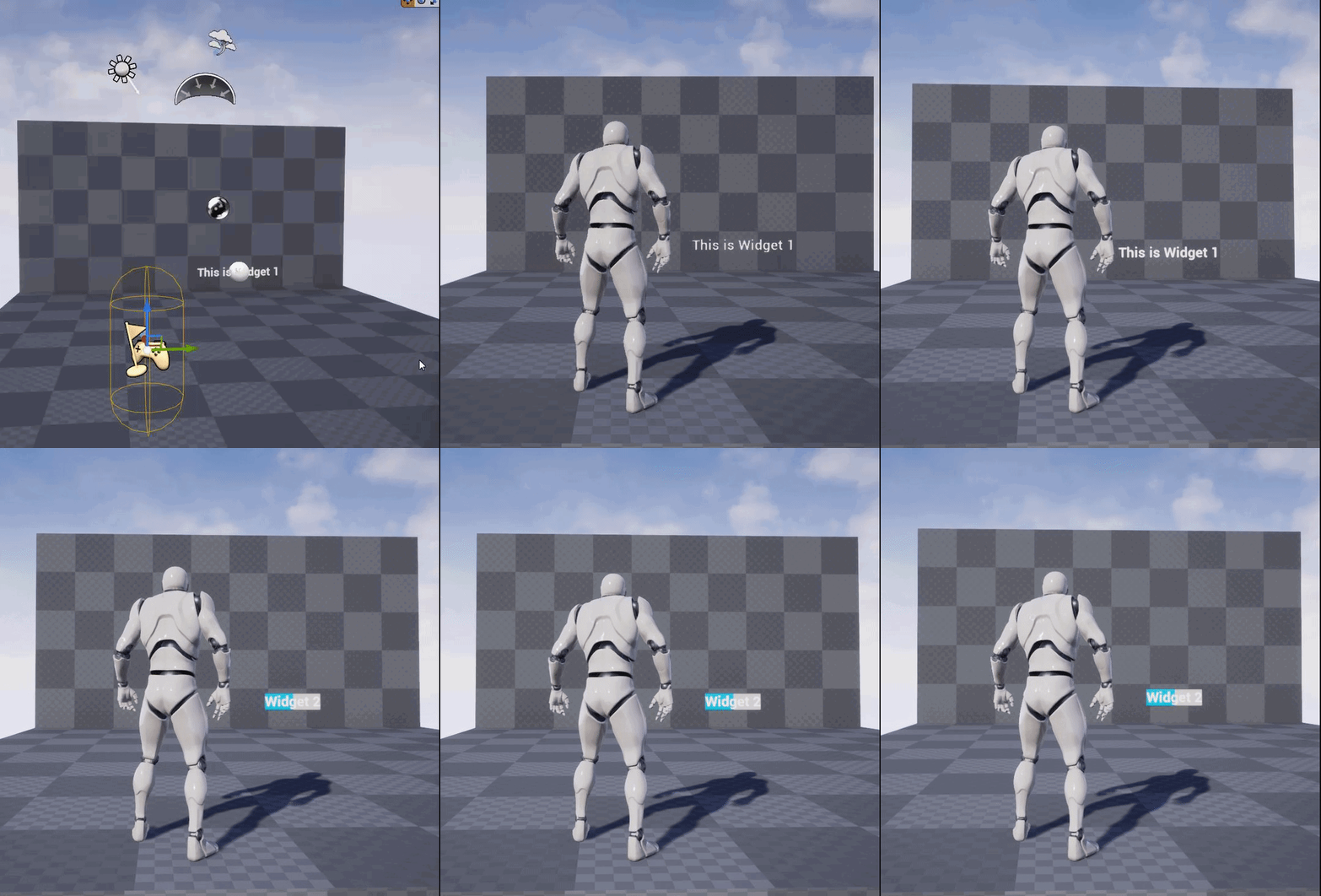
Is there a trick to getting 3D widget's to change the displayed widget - I know there's a certain way to do it and I can't recall what I did in the past
The widget is successfully switching (I'm using Get Widget Object and printing the name after I change it, but it's not displaying that widget)
It's clearly changing the widget - just not visually (but there's no "add to viewport" on the 3D Widget component

Note that options widget is created at begin play, so the reference is valid (otherwise that 2nd print wouldn't have it there)
I've checked for multiple instances of it
there's only one of each
grim ore

I just tested with this and it swapped without an issue for me
so the code is valid
 light thunder
Hmm...then it must be my render target
And why don't quick jump bookmarks work for me? I'm doing these commands but nothing happens
 grim ore
did you set the bookmark first?
they should work, they do for me atleast. In the main viewport only
 worldly cipher
anybody knows some handy guides on UV Distortions?
light thunder
I thought the quick jump let you SET them too? @grim ore
 half yoke
nope, you can clearly see another set of shortcuts for the set commands just below
it's like in RTS, when you have shortcuts for selecting squads
grim ore
ctrl-X to set, X to jump to
light thunder
I'm literally hitting CTRL+1, then hitting Shift+1 (even though just hitting 1 should be enough)
per the docs ```Quick Jump Bookmarks
In addition to creating Bookmarks, you can create a Quick Jump Bookmark, similarly to how Bookmarks work in the Level Editor Viewport. As with labeled Bookmarks in the Blueprint Editor, Quick Jump Bookmarks will persist across Editor sessions and are local to the user and machine where they were created.
To assign and use a Quick Jump Bookmark:
With a Graph open, press Ctrl + 0-9 (any number key) to remember your current Blueprint, Graph location and Zoom level.
Inside any Graph, press Shift + 0-9 (the same number from previous step) to return to that Blueprint, Graph location and Zoom level.```
grim ore
no need for shit, CTRL-1 to set the camera to that spot then 1 to jump to it
ah you mean a graph shortcut
light thunder
yes
is it different for them?
I was trying to find ways to open up different blueprints via hotkeys/shortcuts, even console commands
grim ore
as far as I know its blueprint specific, not "editor" specific. Its jumping between spots on the blueprint graph, not opening up blueprints and going there if they are close
light thunder
Is there anyway to do that?
grim ore
setting up favourites in your content browser is all I can think of
light thunder
My use case - someone sent me a stream deck - i thought it would be pretty sweet to use it like a real world content browser, but that would open up to specific blueprints (and at specific points)
I know you can call custom events in the editor using console commands (and I've been told you can use the stream deck to call console commands)
cerulean geyser
grim ore
as far as I know its blueprint specific, not "editor" specific. Its jumping bet...
i had no idea you could bookmark inside a bp
speaking of bookmarking, there's no way to bookmark actor/bps is there? i can only seem to bookmark/favorite folders
grim ore
I beleive thats correct, you could technically add them to a specific collection if you wanted
cerulean geyser
where can i find collections?
 mossy owl
Good evening, I have a question about Unreal Engine. Can someone tell me where I can find help?
cerulean geyser
mossy owl
Good evening, I have a question about Unreal Engine. Can someone tell me where I...
here
mossy owl
ok nice, I have installed Unreal Engine and when I will start it, it gets stuck at 18%
I'm sorry for my bad grammar, I'm from Germany
cerulean geyser
does it say what part of the process it is when it gets stuck?
the text in the bottom of the loading screen?
mossy owl
idealising, I think
cerulean geyser
not sure
mossy owl
Initializing*
mossy owl
no, I startet it for first time
cerulean geyser
ummm
check if your firewall is blocking it
if it's the default engine, shouldnt take too long to compile shaders for instance, so shouldnt take too long
mossy owl
The firewall allows the authorization connections from Unreal Engine
cerulean geyser
im not sure then..maybe someone else can pitch in
mossy owl
How long do you think it takes?
grim ore
5 minutes to 5 hours
mossy owl
 grim ore
probably closer to half an hour but it depends
mossy owl
grim ore
5 minutes to 5 hours
oh, ok
grim ore
yep its an ultra portable CPU and i dont know if its on power
mossy owl
Do I have to wait that long each time I start or only the first time?
grim ore
the first time you open an engine version, and the first time for each project
the amount of time differs on the project
mossy owl
ok, thank you very much for the quick help.
 frosty bloom
Anyone know why my Font Asset isn't working correctly?
I've setup Arabic/CJK and added Character Ranges, looks good in the previewer but when launching the game it just shows diamonds with "?" in them
 frank oar
https://gyazo.com/629fd0ade48951cb010c7e83564e0231
Hey guys,
I have been working pretty hard learning to animate and I am getting closer to the look Im hoping to achieve with the walk cycle...
BUT when the player is not pushing the control stick ALL the way the character begins to slide around, like the movement speed changes but the animation play speed looks way too slow...
Is asnyone able to point me in the right direction please ?
grim ore
that is sort of normal, your animation playback rate doesnt match the speed of your character. You need to adjust your blendspace so its playing more of the animation at your lower speeds
im guessing you dont have an in between state, like the third person has idle -> walk -> run
plush yew
Can anyone help me with my project please?
frank oar
@grim ore I have idle and walk at the moment.
grim ore
your going to have to mess with when it transitions between the two in your range on your blendspace then and then also how they transition. Your animation is going at say 10 cm/s and your player is going at 100 cm/s which is why the mismatch
you could even try upping the playback rate of the walk animation and see if that helps
frank oar
At begin play my walk speed is set to 150 but my blend space only goes up to 93.
I wonder if getting more segments in here would help fix it ?
 grim ore
well what is the max walk speed you are setting for your character? set the blend space to match that
and segments are more of a snapping setup, you can have your transition points for the animation anywhere in that range (you can disable snapping to the segments)
frank oar
How can I turn off the snapping ? that seems like it may help
the max walk speed is 150 at begin play
This lives in the character BP
 grim ore
in the blend samples, you can disable it per sample (animation)

in your axis settings, change your max axis value to 150 then
 frank oar
ah! ive just seen the snap to grid box
grim ore
no reason to set it on begin play as well, you should just set it on the character movement component in the player
frank oar
that lives in project settings in the 'input section' right ?
Tyvm for the advice!
grim ore
no, in the same place you are setting it in begin play. you are talking to the character movement component and setting its max walk speed property to 150

 ember star
If i spawn an actor with a location set it's working fine. if i auto posses that pawn with an aicontroller, the spawn location doesn't work. why is that?
 earnest cedar
Hi everyone,
Is it a known bug, that vertex painting now crashes the engine everytime with 4.26.1?
Had no issues with 4.25.x so far.
 woven falcon
If i want floating text in my unreal4 scene, and i want text that doesn't look like shit-
Do i really have to make my own text using a photoshop atlas texture, or are there ways to add like a background shadow / a nice outline / etc. etc. to the Text Render tool?
grim ore
@woven falcon you can look at the 3D Text plugin
@ebon linden "doesnt seem to work" is a very broad issue. what part doesnt work? the saving, the loading, the spawning items from the save game, the etc?
 rancid bramble
What can reset these settings in a character actor when entering play mode? Edit: They are in the capsule component. I have set them to overlap World Static and Dynamic. But when press play they reset to ignore. I should not have any script that would do this.
 grim ore
also kinda confused are you loading the player and map data then destroying them by loading a new level?
ember star
apparently my floor was blocking the spawn actor when auto posses was on. spawn location is correct if i turn off floor collision, but then i fall thru. i guess disable gravity?
rancid bramble
My character is an actor of a subclass that inherits a custom class based on character class. So maybe this is relevant, but I truly wish it is not: https://forums.unrealengine.com/unreal-engine/feedback-for-epic/115953-survey-there-s-a-really-really-terrible-bug-where-child-blueprints-get-their-variables-reset/page9?143060-SURVEY-There-s-A-Really-Really-Terrible-Bug-Where-Child-Blueprints-Get-Their-Variables-Reset=
I don't even know what feature in UE would allow me to reset those things
ocean grove
Should I assume that the issue with turning my widgets into 3D widgets comes from the fact that I didn't put my things in boxes first? Or is this an anchoring issue?
 grim ore
yep, so loading the map resets it?
radiant sleet
I tried loading in a sound but it gave me this icon

and it wont let me call it
If any of you have a solution or something dumb I am doing id appreciate any help
grim ore
@ebon linden well thats what the open level node does, it opens the map and destroys the current one. If you are trying to load in data -> open the level -> expect the data to still be there it wont be. You need to load the data after it loads the level you want the data to be in
radiant sleet
I have other sounds that work normally
grim ore
@radiant sleet how did you load in the sound, and is it the same type as the rest?
radiant sleet
yes just an mp3
grim ore
yep you cant listen to an MP3 is why
that would be a link to the file since ue4 does not import MP3 files
 late olive
is it possible to use a gamecub controller with UE4?
grim ore
wav/ ogg/ vorbis
late olive
all my other controllers either don't connect, or are broken
radiant sleet
Thank you very much
grim ore
@ebon linden if you want your data loaded in the level after you open it yes. OPEN LEVEL destroys the current map and everything in it.
grim ore
yep
radiant sleet
Curious why they dont support it
radiant sleet
is the mp3 file format owned by someone
grim ore
yep
radiant sleet
can you own a file format
grim ore
they own the compression
late olive
s it possible to use a gamecub controller with UE4? my xbox controllers are broken
grim ore
technically if you know what you are doing you can use the raw input plugin, if not you need a GC->Xbox emulator for the joystick
can you even plug in GC controllers to a PC?
well I cant really tell what you are trying to do, it looks like just respawn certain items
so from what I can see it should work, your just saving out the class and the transform then respawning them
late olive
grim ore
can you even plug in GC controllers to a PC?
I can because I have a converter thing
grim ore
@late olive then yes if the converter thing lets it emulate an xbox controller you are fine
late olive
ive only been using it on my switch but its got a flash drive and has a "pc" switch so i assume it will work
late olive
grim ore
<@!250049164988252161> then yes if the converter thing lets it emulate an xbox c...
I plugged it in and the PC detects input, but its not working
should I get that plugin thing?
grim ore
@late olive I dont know what it is or how it works or how windows is detecting it. If it emulates an xbox controller it will work in UE4 out of the box, otherwise you might have to set it up in raw plugin.
late olive
where do i get that plugin?
grim ore
@ebon linden well... when do you tell the game to delete the items the character picked up when the map loads?
@late olive Raw Input plugin? its part of the engine.
late olive
ah ok
grim ore
@ebon linden for what you want you are going to have to uniquely identify items then store that info so on load you can destroy items that exist in the world on load with those identifiers.
otherwise your going to have to spawn them at runtime and not design time
your level loads, your level has 3 weapons.
at what point do you go "hey you should only have 2 weapons loaded"
your level doesnt care about the save game when it loads up, it just loads what it loads that it has
late olive
grim ore
<@!250049164988252161> Raw Input plugin? its part of the engine.
do I do anything else after I enable the input?
grim ore
if these are all unique classes you could go "hey weapon in the level, do I have you saved as still being in the level? no then destroy actor. If I do? then do nothing." do this for all weapons in the level
@late olive yes its a very complex plugin, check out the docs or figure out how to get your adapter to emulate Xbox mode
late olive
where do I find the docs?.
grim ore
@ebon linden you basically need to load your level then "set it up" to match your last game stat where "set it up" is either spawning in items that should be spawned in or removing items that should be removed.
 neat ether
Guys, if I want my character to move straight up (such as climbing a wall or ladder), what are my options? I've been fiddling but come up short every time, Google also hasn't helped, unless I'm searching it wrong.
worldly cipher
Does anyone have a ue4 noise pack?
grim ore
move player to area, switch to playing a new blendspace/animbp that handles up/down/idle for the animations, the character moves up/down/idle and you move it in the world that direction. If this is something that is fixed, say a preset animation that goes up or down a certain amount, you could use an animation with root motion that physically moves the character from location A to B as part of the animation (think maybe vaulting over a ledge)
 sacred scroll
Hey everyone, I’m new to unreal engine and I recently downloaded an animation pack. The blueprint seems to be suited only for an endless runner game. But I’d like to figure out how to be able to add rotation to my character’s movement based on mouse movement
Would anyone be willing to help me? I can share my screen in voice chat
frank oar
Any idea how I can find out my controller name so I can input it in here ?
 grim ore
@sacred scroll so you want the character to rotate when the camera rotates, or you want it to be more like modern games when the camera rotates and at a certain point the model plays a turn in place animation?
sacred scroll
grim ore
<@!642261870488584193> so you want the character to rotate when the camera rotat...
thanks for responding! i would like the character to rotate when the camera rotates
neat ether
grim ore
move player to area, switch to playing a new blendspace/animbp that handles up/d...
but how do I go about actually creating the mechanic of moving up and down? that's what I haven't been able to figure out
grim ore
if you are using a default character, say from the third person, its set to not use the controllers rotation. If you check the use controller rotation yaw then rotating the mouse adds rotation input to the controller which then with this check rotates the character
 sacred scroll
grim ore
if you are using a default character, say from the third person, its set to not ...
sacred scroll
grim ore
if you are using a default character, say from the third person, its set to not ...
im sorry but can we PM each other
grim ore
@neat ether what part of the mechanic? literally moving them? player presses up and you add to the players location a certain amount like say 10 to the Z and that would move them up.
@sacred scroll I dont have DM's on so no
sacred scroll
grim ore
<@!642261870488584193> I dont have DM's on so no
no worries!
grim ore
in older games pressing up or down would move them a set amount so it would be like I press up, it plays an up animation that moves them up in the world 100 units, then when its done I can press up or down again and it would play the correct animation that moves me
I did see some climbing ladder tutorials on youtube, both movement and animation types
@ebon linden you make a level with 1 coin in it, you load the level it has 1 coin.
this level has 1 coin in it, it knows when it is loaded it has 1 coin in it
unless you tell it "no you dont have 1 coin" after it loads up, it will always load with 1 coin
so your level has 3 weapons in it, it will always have 3 weapons when it loads up
why would your level ever think it should have less weapons?
as a wider example you probably have floors and walls, why would your game not randomly delete some of those on loading?
its going to load up EXACTLY what is in that level on load when you saved it in the editor
your code to spawn in weapons btw is probably spawning in duplicates since you already have those 3 when it loads in (and you are telling it to spawn in X weapons that you saved to your save slot)
yep. I mean if you save the weapons and its all weapons that are left you could do something weird like Load Level -> does save exist? if yes -> delete all weapons -> spawn your weapons that are in your save
this should do what you want since your basically loading the level with 3 weapons, deleting 3 weapons, then spawning in whatever you saved
 maiden sundial
How could you show the current FPS on PIE's ?
grim ore
stat fps
plush yew
on the egs, my unreal engine library tab has a dot like theres a new ue version or one of my marketplace assets has been updated, is there anyway to quickly find it? i have a crap load of assets and just scrolling thru the list trying to find it sucks
maiden sundial
grim ore
stat fps
That was via the console, or ?
grim ore
nope, unless its a plugin your boned trying to find stuff in your list lol
yes in the console
or you can
 maiden sundial
Didn't you open the console with ^ ?
grim ore
my console command on a enUS keyboard is `
maiden sundial
I guess in the PIE, not in the editor itself, or ?
grim ore
all of the above
if you just want to toggle FPS open that menu in the viewport and toggle it on
dont have to use the console then
maiden sundial
I see the FPS only in the editor then, not in the PIE's
grim ore
if you NEED the console and the shortcut is not working, in the editor you can go into the output log and do it at the bottom

are you doing play in new window or pie?
maiden sundial
PIE
grim ore
so which one...

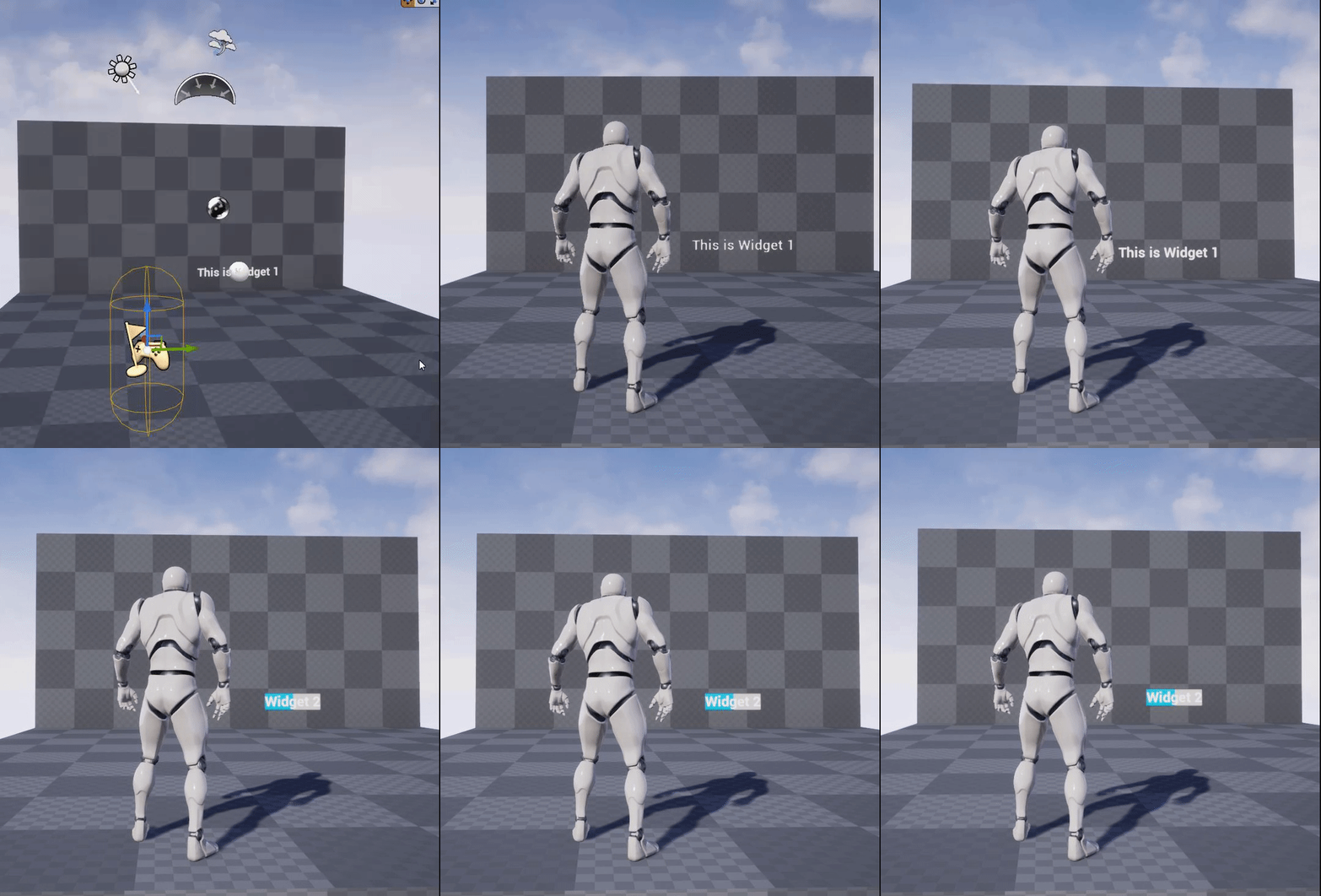 grim ore
yeah the new window, you will have to use the console for that
traditionally PIE is the basic one which is in viewport
but yeah they are all technically "pie"
technically you could "execute console command" in your level blueprint as well to do the stat fps lol
if the console key is just not working
maiden sundial
technically you could "execute console command" in your level blueprint as well to do the stat fps lol
Gonna do that if there isn't a better way to always show the FPS in play 😄
neat ether
grim ore
<@!292434108490055680> what part of the mechanic? literally moving them? pla...
adding to Z location doesn't seem to do anything, regardless of whether gravity is on or off (unless I add more than 47, at which point they just shoot up spontaneously without me doing anything? weird...)
in any case, I'll try looking into those tutorials, see if they bring something new to the table, thanks
sacred scroll
grim ore
if you are using a default character, say from the third person, its set to not ...
I’m using the mannequin that came with the pack. Not the default character
And I can’t find the yaw