#ue4-general
1 messages · Page 960 of 1
 grim ore
 rotund elbow
is "Cast To xxx" an open stream?
Is there an alternative to check something from the BP from an animBP?
grim ore
any normal way would work to talk between blueprints
rotund elbow
whats a normal way?
grim ore
one blueprint telling another to do something. casting is not communication its just treating one thing like another
we dont know what you are doing
rotund elbow
Im wondering what the different ways are to communicate between blueprints
specifically anim and animinstance
grim ore
thats a generic question tho, its like asking about the different ways to program a hotbar
rotund elbow
not really, my question is kinda feature agnostic
grim ore
what is an anim and an animinstance specifically?
grim ore
yep thats what I am trying to figure out. I guess the answer to the different ways to communicate depend on exactly what you are doing and want to do
it sounds like trying to get a value out of the linked pawn in an animation blueprint?
rotund elbow
in this case, in the animBP, play a thing if a custom event happens.
grim ore
ok so do something in the animbp. In that case it depends on what your using for the custom event.
anim sequence can use notifies
the linked pawn can just call a custom event on it and then the animation graph can alter
the anim bp could listen for an event and act accordingly using an event dispatcher
rotund elbow
nice
grim ore
the anim bp could poll something every frame but thats not efficient
i mean technically anything could tell the anim bp to do something as long as it can find it
rotund elbow
This is why "cast to xxx" confused me.
I dont like it but its what i have learned so far from the intertubes
grim ore
the cast is treating one thing like another, so if your trying to talk to the connected pawn you would only know its a pawn without casting to your specific class
so the cast is not doing the communicating, its just allowing you to be more specific when doing something with something
 main cedar
I am having an issue rendering out a pannaram its only using 8% of my cpu and 20% of GPU is there anyway to get it to be multi core I have alreay set all the multithreading i can find in settings
 opal lark
My game crashes after splash, Just black any ideas thanks
rotund elbow
I guess i try to overthink it. I wanted an enemy to play a hit animation on a condition. But i see there are AI behavior classes i can dig into
 dense knoll
Assertion failed: World [File:D:/Build/++Portal+Promotion/Sync/LocalBuilds/PluginTemp/HostProject/Plugins/SaveExtension/Source/SaveExtension/Private/SaveManager.cpp] [Line: 251]
UE4Editor_Core!AssertFailedImplV() [D:\Build++UE4\Sync\Engine\Source\Runtime\Core\Private\Misc\AssertionMacros.cpp:100]
UE4Editor_Core!FDebug::CheckVerifyFailedImpl() [D:\Build++UE4\Sync\Engine\Source\Runtime\Core\Private\Misc\AssertionMacros.cpp:450]
UE4Editor_SaveExtension!USaveManager::UpdateLevelStreamings() [D:\Build++Portal+Promotion\Sync\LocalBuilds\PluginTemp\HostProject\Plugins\SaveExtension\Source\SaveExtension\Private\SaveManager.cpp:251]
UE4Editor_SaveExtension!TBaseUObjectMethodDelegateInstance<0,USaveManager,void __cdecl(UWorld *)>::ExecuteIfSafe() [D:\RocketSync\4.25.0-13144385+++UE4+Release-4.25\Working\Engine\Source\Runtime\Core\Public\Delegates\DelegateInstancesImpl.h:716]
UE4Editor_Engine!TBaseMulticastDelegate<void,UWorld *>::Broadcast() [D:\Build++UE4\Sync\Engine\Source\Runtime\Core\Public\Delegates\DelegateSignatureImpl.inl:1013]
UE4Editor_Engine!UEngine::LoadMap() [D:\Build++UE4\Sync\Engine\Source\Runtime\Engine\Private\UnrealEngine.cpp:12673]
UE4Editor_Engine!UEngine::Browse() [D:\Build++UE4\Sync\Engine\Source\Runtime\Engine\Private\UnrealEngine.cpp:12101]
UE4Editor_Engine!UGameInstance::StartGameInstance() [D:\Build++UE4\Sync\Engine\Source\Runtime\Engine\Private\GameInstance.cpp:579]
UE4Editor!FEngineLoop::Init() [D:\Build++UE4\Sync\Engine\Source\Runtime\Launch\Private\LaunchEngineLoop.cpp:4031]
UE4Editor!GuardedMain() [D:\Build++UE4\Sync\Engine\Source\Runtime\Launch\Private\Launch.cpp:155]
UE4Editor!GuardedMainWrapper() [D:\Build++UE4\Sync\Engine\Source\Runtime\Launch\Private\Windows\LaunchWindows.cpp:137]
UE4Editor!WinMain() [D:\Build++UE4\Sync\Engine\Source\Runtime\Launch\Private\Windows\LaunchWindows.cpp:268]
UE4Editor!__scrt_common_main_seh() [d:\agent_work\5\s\src\vctools\crt\vcstartup\src\startup\exe_common.inl:288]
kernel32
ntdll
Any way to fix this
The plugin is used everywhere in my project
and for whatever reason replaces the engines default save system
so anything that is supposed to be the engines save system
gets replaced
rotund elbow
when making a child character, dosnt it inherent its parent AI controller?
 inland orchid
hey yall,where do you guys put global variables?
 fossil ore
Reminder: Create backups regularly.
inland orchid
I tried using a game instance blueprint but it resets every new level
or do i just leave it where it is and do cast to?
actually nvm
 next rover
Anyone here know how to get the Gameplay Ability System cooldown working? I have a Cooldown, it shares a cooldown tag with the Gameplay Effect, but I can still re-use my Ability within the cooldown window
Issue was me: I put my tag in the wrong section on the cooldown
 midnight bolt
Has anyone had killed ssd drive when building lighting in ue?
Having two pcs destroyed on build attempt, i sorta feel like something is up
Or completly botched windows update
But two pc, Both very new and old in span of 24h i find very strange
rotund elbow
wats a creator system
 tight pond
Ok i got an UE5 question.
Heavy polys. Got that much but did they say only using specular and diffuse textures?
Sss im guessing too.
 floral heart
I'm expecting to be disappointed. E.g. Virtualized geometry is static and you can have X materials per virtualizedmeshactor.
 sly wagon
how the heck do I attach a particle to every actor on a map when I press R
I've been trying everything ;.; I swear im gon give birth to a child if I dont figure this out
 spare blade
Can someone tell me how I can turn off the Auto exposure. I am working in Modeling Editing mode and as I orbit around my scene the geometry gets blown out. I tried droping in a Post ProcessVolume but I cant find the attributes to check to turn this off
 median hound
project settings autoexposure wont turn it off?
 past pilot
Anyone know if there is a way to get all child classes (not actors in level)? I want to make an admin Widget that will allow me to give any item to a player but i dont want to have to make the item and keep a seperate list for the widget. I just want it to search the assets for all children
spare blade
Does anyone know how to edit vertices in the model editing mode? I basically want to select the verts on the poly object I have just made, then snap them to my underlying static mesh.
Basically just want to be able to move verts on a static mesh?
 rustic panther
Anyone else having this issue where drop downs stop working in 4.26.1?
is this a windows issue?
interesting... these videos aren't showing what it looks like on my monitor
it pops up and disappears immediately
spare blade
@rustic panther Will a restart not fix the problem? I havent experenced that yet.
 spare kernel
pinned messages @rustic panther
rustic panther
ohh, nice thanks
spare kernel
Might be that?
rustic panther
sounds right
started happening around the time I updated my drivers
gonna try 461.40
 jade heart
Hey, I'm not sure if this is the right place but I was watching the "first hour in unreal tutorial" and in it he specifically shows him going into the details of a directional light and checking the box "Atmospheric Fog..." but I cannot find any matching options even though I have followed him step by step. Does anyone have any ideas, maybe something has changed since the video was made?
 worn copper
Hi Friends i have added Compass in my Project
But it is only working for third-person-Charactor.
When i drive vehicle it is not working can anyone help me with this
 restive eagle
because its using third person character to update your location/rotation, so when you posses vehicle the cast to the third person character will fail and wont update the compass
 rare cipher
Hi, does static mesh collision extends when rotating fast? I have a handle that I can rotate to hit a ball. when I rotate it slowly it doesn't reach and hit the ball but when I rotate it fast, it does hit the ball. how can I solve this?
 vale silo
I hate git, but I need to do something.. I'd like to diff 2 tags in the same repository, remotely (if possible), make a patch and then apply the patch to a local checkout of another repo
how can I do this ?
this tag https://github.com/Oculus-VR/UnrealEngine/releases/tag/4.26.0-release
with this tag https://github.com/Oculus-VR/UnrealEngine/releases/tag/oculus-4.26.0-release-1.57.0-v25.0-patch-1
and the I'd check out current 4.26 branch from Epic's repo and apply patch to it
 upbeat tendon
I am upgrading from ue 4.25 to .26, something has gone a little wrong with my character control during the process, I have build a basic character select where i was releasing the mouse and then recapturing the input, I can't find the code anymore which is a little strange did something major change in this part of the engine?
 zealous shard
from 25 to 26, i doubt it
 plush yew
How does the default third person character change its rotation when a or d is pressed?
I don't want my character to strafe
spare blade
How do I make the pivot point of one object match the pivot point of another object?
restive eagle
@plush yew click movement component and look for orient rotation to movement , set it to false. also under class defaults settings of your character set use controller rotation yaw to true
plush yew
restive eagle
<@456226577798135808> click movement component and look for `orient rotation to ...
Thanks I got to work by changing controller rotation yaw to false
restive eagle
np, didnt quite understood what you meant by strafe because by default it runs in the direction you are pressing. still glad it led you to the correct answer 🙂
plush yew
BTW when I press forward and side buttons together the speed increases from 150 to 212
When Im moving forwards /backwards or left/right the speed is 150 but when I move diagonally it increases to 212
upbeat tendon
oh weird so after the upgrade a setting must have changed, the input isn't reaching my code, i bet something happened to registering input listeners
upbeat tendon
PlayerInputComponent->BindAxis("MoveForward", this, &AAresHeroCharacter::MoveForward); is called but input never reaches the moveforward
 toxic zealot
strange. Did you check with the axis mapping keys for MoveForward from Edit->Project Settings->Engine->Input?
upbeat tendon
yes they were there from before and they seem to be there now
 cedar fossil
Hey I have a question regarding VRPN / ndisplay. Im trying to add a blueprint called "Cast to Display Cluster Blueprint APIImpl" and can't find it? Anyone know how to trigger ? https://blueprintue.com/blueprint/8o9eoafi/
BlueprintUE
Any tips appreciated I just cant figure it out
 honest vale
if I use core redirects and then start up the editor and fix up redirectors in the whole project, shouldn't everything then work after that without the core redirect?
worn copper
Hello I'm Trying to optimise my game.
- For that I'm reducing size of megascan texture from Texture Compression.
So I am using
512px for Texture
128px for displacement
512px for Normal DepthMap
128px for Roughness map
Is it right thing to use different resolution for same texture maps.?
 winter gale

Quick #UE4 Tip number 127.
Rectangular color picker.
https://t.co/l6mT8HEvt6
#unrealtips #UETips #unrealdev #indiegamedev #gamedev #indiedev #screenshotsaturday #UnrealEngine

 Twitter
·
upbeat tendon
Twitter
·
upbeat tendon
is there a way to force recompile of all blueprints?
 velvet magnet
Idk about recompile, but hitting play will compile all blueprints
upbeat tendon
well i've figured out my problem, the server is spawning a different character than the client, hmm 🙂
 arctic drum
Anyone know if theres some sort of "invisible to me" type node in ue4? I have a basic third person body to represent my character to other players but I dont want the third person mesh to be visible to my first person body cause the camera clips into the mesh
restive eagle
owner no see only owner see
 lucid grove
heya
When im using POM on my landscape material
my foliage looks like its not on landscape

is there a way to work with it? right now the best i could think off move foliage a little down
 worldly cipher
is there any way to have decaly appear on transparent surfaces?
or another thing would be to have a dummy mesh but for that i would also have to have it be somewhat transparent
 unique canyon

 exotic thicket
I wonder - are there any books or other material on sort of "game dev patterns", as in, just high level patterns and ideas on how different game mechanics are typically implemented?
As someone who's done programming for a long time, most stuff I can solve, but since I haven't really done a lot of gamedev specifically, I sometimes wonder if there are better more general purpose solutions to some of the things than what I come up with :D
 ember star
I have some widgets inside a parent widget container. I need the children to have a reference to parent. Do i need to loop thru all of them on construct and set the parent variable? theres no way to do that from designer?
 winged flame
guys do you have any idea on how to make wind schytes?
Without weapon or anim just magic so i cant slap a collision to the hand
exotic thicket
ember star
I have some widgets inside a parent widget container. I need the children to hav...
there's a Get Parent, have you tried that?
ember star
yeah not having any luck
 jagged halo
stupid question: when dragging meshes in the scene, is there any way to force them on z=0 (like if there was an infinite surface on which to drop them)?
they end up at seemingly random z positions
ember star
are you using setactor location?
jagged halo
unique canyon
i think he means automatically
yep, dragging from the content browser to the editor
ember star
just break the transform pin
unique canyon
beside changing their location manually no
ember star
and set the z to 0
unique canyon
@ember star he means in editor not bp
jagged halo
unique canyon
i'm not aware of any features like this
really? it's a bit strange - how do you typically put floors in levels? just fix the z layer manually and clone?
jagged halo
yep
just felt weird that there's this neat grid, but it can't be used to position things on drag 😅
unique canyon
so u would like a snap to grid feature ?
not sure what u want
there might be a snap to grid im not a editor expert tbh, i do everything from bp's
(there is i just checked)
jagged halo
it does snap to the grid in x and y, but z is seemingly random (well not exactly random, I just don't understand the logic)
unique canyon
i see
jagged halo
if there's a surface behind the cursor during drop it's used to position the new object, otherwise it usually results in it floating in the air
 rugged rivet
Hey guys! idk where to ask this but is there any way to change these bindings?
 ember star
I'm using actor on clicked/onreleased to do drag and drop, but there are situations where the release happens and the actor doesnt have the mouse over it to catch on released
is there another way i can universally catch/reset isdragging?
Maybe it belongs in the player controller?
dense knoll
UE4 gets stuck at 18% when running Vulkan
 split ice
https://streamable.com/uilb19 helpme (BlenderAdoon) (fix)

 slate kernel

I clicked a key on my keyboard by accident, any way to get off this?
nvm it was alt+g
ember star
I'm building 'rooms' of tiles by setting tile data one by one in the details pane. Is there a smarter way of doing this?
 worn copper
When I'm trying to move Sun Position by Ctrl+L it only changing Light Source Direction. Sun is not changing Position...
Please Help
 rigid belfry
ironic how i cant even seem to be able to finish project i named "i cant finish projects"
i am actually tying up whatever i was able to achieve and packaging it. i am fed up with myself
exotic thicket
Nothing wrong with that imo
I've done a lot of projects because it seemed like an interesting problem and once I solved that part of it I lost interest and never really "finished" it in that sense
 minor ocean
If one were to start premptively creating high res assets for the marketplace in anticipation of the UE5 release. Does anyone know what limitations to consider for nanite? I'm thinking of trying to find the time to make a variety of hyper-realistic imaginative objects.
 fierce tulip
the only people who might know signed nda's so until that is lifted (or the veil around ue5) nobody can answer that.
but in theory, anything that is not animated should work
 wet berry
Does anyone else have problems when dragging blueprint nodes where the node falls significantly behind the cursor?
It's driving me nuts and I can't seem to figure out what is causing it
 worldly rose
worn copper
When I'm trying to move Sun Position by Ctrl+L it only changing Light Source Dir...
worldly rose
worn copper
When I'm trying to move Sun Position by Ctrl+L it only changing Light Source Dir...
Is it with a BP_SkyS_phere? If so, it has a Refresh Material checkbox in its Details Panel. Click that and the sun will realign with the light source.
wet berry
Yeah, my editor framerate tanks from ~100 to ~20 when I drag a blueprint node. Any ideas?
rigid belfry
how do i package a project for html5?
upbeat tendon
am i right in thinking that an instance of a controller class exists on the server?
 wary ferry
Does anyone know how to resolve this issue?

i was able to fix it by deleting and re-adding the starter content from the project. Not sure about the cause though
upbeat tendon
so In networked games, PlayerControllers exist on the server for every player-controlled pawn, and also on the controlling client's machine. if i had some character selection per player it would be best to keep it in the controller
than then replicate it to the client
rigid belfry
how does one create a game worth downloading
exotic thicket
make it not suck I guess? 🤔 I mean that question is pretty hard to answer because what makes it worth downloading depends entirely on the player
 glacial dawn
Damn, I was working adjusting the location and rotation from a couple of sockets and, after saving, the skeleton got corrupted. There's some way to recover the file??
exotic thicket
Use a source control software
 tulip willow
IG i made my first c++ "game"

going to add respawning and some sort of flag that will light up when you touch it
then no idea xd
moving platforms and falling platforms have been already done
glacial dawn
@exotic thicket I'm already using it, I don't want to lose my last hours
exotic thicket
Yeah not sure if there's much you can do if UE didn't offer to recover it when you restart and you can't undo it either
Save files more often and commit into your source control more often is pretty much the way to go with things like this
 wanton bloom
Hello guys this light bleeding through wall, but when i came to closer is dissaper how can i fix this?
 glacial dawn
Lesson learned, not to mess much with socket position and rotation. I lost completely the skeleton. Next time better to change position of SM in blueprint
 jade swallow
wanton bloom
Hello guys this light bleeding through wall, but when i came to closer is dissap...
jade swallow
wanton bloom
Hello guys this light bleeding through wall, but when i came to closer is dissap...
from your description, it sounds like a mip mapping issue. When it displays the lower resolution, that part is blending with the pixels from the other side. A solution would be to split the wall UV there, so that the other side would be further in the texture.
wet berry
I had to roll back the nvidia drivers to 4.60.89, as any more recent driver seems to cause huge performance issues in the UE4 editor (4.25/4.26 both launcher and from source). For anyone who was interested.
honest vale
what's the policy on putting plugin stuff (100% own code) publicly on github? I guess that's fine?
jade heart
Hey, I'm not sure if this is the right place but I was watching the "first hour in unreal tutorial" and in it he specifically shows him going into the details of a directional light and checking the box "Atmospheric Fog..." but I cannot find any matching options even though I have followed him step by step. Does anyone have any ideas, maybe something has changed since the video was made?
wet berry
Atmospheric fog was deprecated https://docs.unrealengine.com/en-US/BuildingWorlds/FogEffects/AtmosphericFog/index.html
Atmospheric Fog Actors provide a realistic sense of atmosphere, air density, and light scattering through atmospheric media.
So you can either try to play with the new fog or ensure you are running the same engine version as the tutorial

An overview of the Volumetric Fog features available when using Exponential Height Fog.
grim ore
@jade heart since the video is mainly referring to the sun spot and color you can still use it and follow along, they just removed the FOG part of that property its now just Atmosphere Sun Light
jade heart
Thank you both! So @grim ore Will the spot of the sun update as I move the directional light if I checked the atmosphere sunlight box on?
grim ore
it will... did you try it?
jade heart
I have but I think I need to somehow update the atmospheric fog to match the directional light but I’m not sure how to do that @grim ore
grim ore
as long as there is an atmospheric fog actor, a directional light, and that checkbox on the directional light checked the color of the fog and the sun sphere will match the rotation of the directional light
jade heart
grim ore
as long as there is an atmospheric fog actor, a directional light, and that chec...
Ok thanks, I’m going to try this again. I’m very new so your help is very much appreciated!
 forest tree
wet berry
Yeah, my editor framerate tanks from ~100 to ~20 when I drag a blueprint node. A...
forest tree
wet berry
Yeah, my editor framerate tanks from ~100 to ~20 when I drag a blueprint node. A...
Long shot, but there are reports of some nvidia drivers causing performance issues
In pins
 grim ore
yep I use 460.79 personally
 safe grove
Hey Guys, I'm a beginner at Unreal Engine. Can anyone please provide me the City Megapack link. I missed the free monthly sale
grim ore
if you missed it then you cant get it for free
safe grove
I know. Can anyone please provide me with a Google drive or dropbox link
grim ore
that would be pirating content
5. Don't share, promote, or ask for pirated goods. It's OK to discuss the broader topic of piracy and its implications. However, if you are found to be encouraging piracy in any form, you may be banned without warning and reported to Discord staff.
safe grove
It would be helpful too. I'm a student and I don't have the money to pay for that stuff
honest vale
too bad
grim ore
there are other free content you can try and use
exotic thicket
Unfortunately such is the licensing of assets on the UE marketplace... There are other free assets, or you can make simple assets yourself
safe grove
Okay
It was available on May 2020. I started learning this engine from July 2020. My bad
 tired island
question, im making a first person shooter out of the tutorial and made the camera a parent of the mesh character. However I'm noticing that the camera shakes too much, is there a way to fix this?
honest vale
don't attach the camera to the character mesh
grim ore
mesh animates, camera animates with it
honest vale
or do some sort of stabilization system for the head
tired island
gotcha
 magic fern
Hello, what can I do in steam sessions so that players can't enter while the game is playing and not on the lobby?
rare cipher
Hi, does collision for static mesh extend when rotating fast? I have a handle that I can rotate to hit a ball. when I rotate it slowly it doesn't reach and hit the ball but when I rotate it fast, it does hit the ball. how can I solve this?
dense knoll
How do you make a material render over everything?
 inner vine
You mean like a post process effect?
plush yew

How would I do to create this type of gradient background without a sun and still light everything inside up evenly?
 glad knot
anyone use the Send to Unreal addon in blender?
jade heart
grim ore
as long as there is an atmospheric fog actor, a directional light, and that chec...
So I checked that box on the directional light but as I rotate it the sun does not move, do you have any ideas on what could be the issue?
grim ore
I dont. I tested it in 4.26.1 and it worked for me. New blank scene, dropped in atmosphere fog and directional light. checked the box and it immediately changed color and sun position. then rotated the directional light.
do you have anything else that might override it, like a skysphere
 vernal quarry
[2021.03.13-19.05.53:164][138]LogModuleManager: Shutting down and abandoning module D3D11RHI (22)
help
please
 bleak copper
So... sanity check. If I set a rotation value on a component... the transform is brought to the GPU and the vertex movements are performed there, correct? I keep seeing things like this https://www.tomlooman.com/rotate-mesh-vertex-shaders-ue4/ and thinking "Nah... that has to be in the default vertex shader, right?"
bleak copper
Jeeze. Okay good to know.
 digital anchor
because physics etc run on cpu
bleak copper
Yup... but that should just be the collision meshes.
In my case my object has zero collision.
digital anchor
if an object has no collision setting the transform shouldnt be costy anyway
bleak copper
Yeah it's not costly, but the draw meshes are kind-of high polygon for the Oculus Quest.
Not really having any performance issues at the moment, but I want to know what to look for if I actually need to profile stuff.
Thanks @digital anchor btw
 next badger
Rotating meshes in shaders is way more cost effective, but physics is not getting any updates, so it's fine as soon as you use another collided for this mesh or not using any collision at all. That also includes tracing unfortunately.
bleak copper
It seems... odd to me.
You'd think, when collision is disabled, they'd just bake a transform matrix and send it up to the GPU but <shrugs>.
Then again they ARE doing GPU culling so that might be part of it, too.
I'd be curious to hear an Epic graphics dev discuss the trade-offs that went into the decision.
Also... I rarely use mesh colliders. Almost everything is primitives.
Some exceptions exist, though... like if I have a complex, modeled level. I might have the base mesh (before decorations) be a mesh collider. Depends.
 prime willow
https://www.youtube.com/watch?v=GIfzbrVK4nk
solo game design & high scopes in a nutshell :3

don't be stupid like me you guys be better than me
 still moat
plush yew
still moat
plush yew
I did once make something similar in C++ regarding gradient textures creation at runtime.

Perhaps a simpler solution would be to take a 4x4 image, color the pixels to the color you'd like and then (not sure anymore, can't remember correctly) just choose some compression thingy and stretch it out, i think i used default or something, creates a similar effect.
 outer solar
Hey I'm trying to follow this tutorial using Quixel assets my the master material looks like this instead.
Heres the video https://www.youtube.com/watch?v=2ATM3VMxckQ
I need the pixel depth offset.

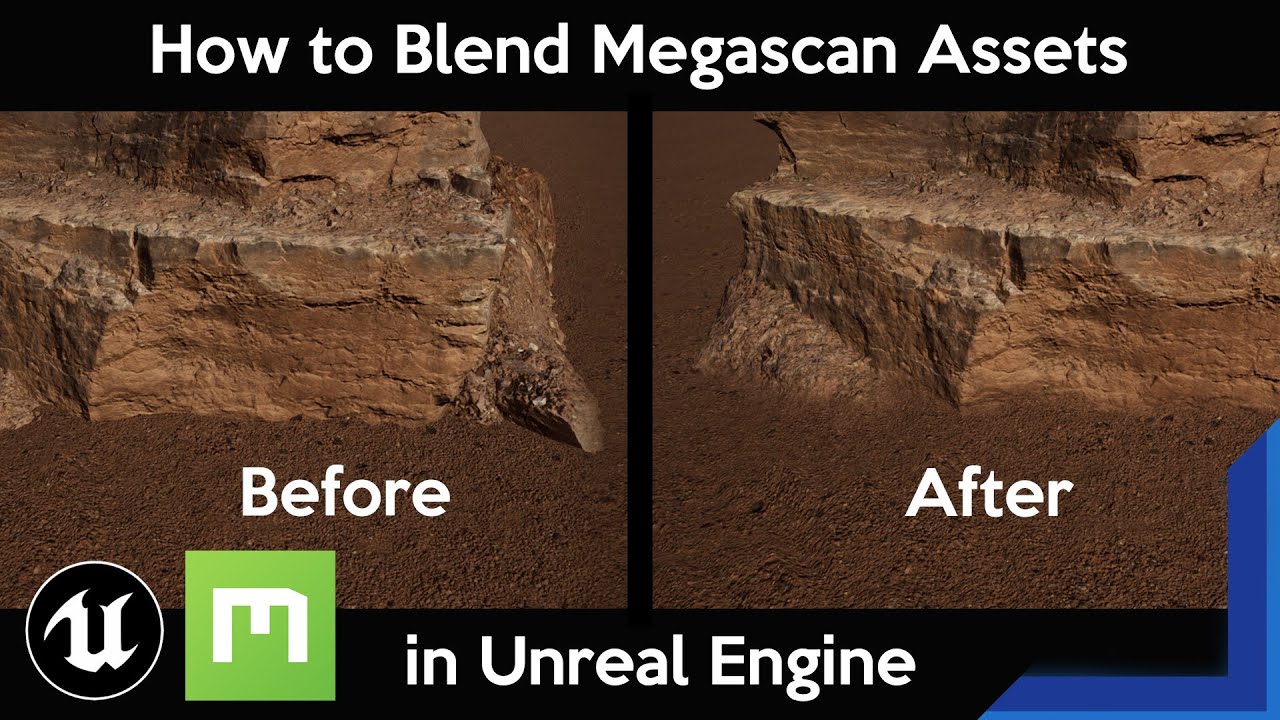
This is a quick way to do the blending between assets and terrain in UE4. This is great for anyone who is not extremely familiar with shader nodes in Unreal.
Please Like and Subscribe it really helps my videos get out there
New to Megascans? Start here: https://youtu.be/F6HrM6OTNMQ
#Quixel #Megascans #UnrealEngine
grim ore
@outer solar that material is using material attributes is why, click on the empty space then near the top in the details panel for the material is the use material attributes checkbox
 grim ore
Weird general question but I am curious about personal methods. The setup is you have a BP_Door class with a OpenDoor custom event on it. You have 6 of these in the level, with one specific one being the last door in the level. Your game mode need to call OpenDoor on this one specific door at the end of the level, how do you do the communication between the two
@outer solar I have no idea, I just know what the problem was lol
outer solar
Ah alright. Well thank you
grim ore
the output of the displacement node, since its a material attributes try dragging off of it and break material attributes @outer solar
then you can wire them in 1:1 with the normal output


 sharp eagle
pretty cool tho
 potent bridge
Would anyone know why my animation wont play?


Montage is UpperBody btw
stupid mistake, fixed.
grim ore
and what was the mistake
potent bridge
Simply got the wrong bone name
I thought it was spine_01, not the actual name assigned in that slot
"J_Bip_C_Spine"
the animation retarget looks horrible though 😦
grim ore
facial capture with iphone yes
 broken heath
What about body animation , is it there yet?
grim ore
most people use mocap suits, i dont know about pure camera out of the box
broken heath
I will check about facial capture iphone
plush yew
grim ore
Weird general question but I am curious about personal methods. The setup is y...
Did you figure this out?
grim ore
not really a figure it out question, trying to see what options different people use
plush yew
I am a noob, but I had two ideas. Put a tag on the final door and search for classes with tag. Or add a TSubclassOf<Door> member to the game mode and drag in the instance.
No idea if those would work but it’s what I’d try.
grim ore
the first would work for sure, but game mode doesnt exist at design time so the 2nd would be an issue
plush yew
As in there’s no BP_GameMode?
grim ore
there is but how do you link an instance in the level with the game mode?
grim ore
if you use the search sure
theres a few ways, trying to accumulate all of the different ways people do it for reference
plush yew
maybe delegates 😄
potent bridge
Mathew, you know about BPIs right? Why isn't this working?
 plush yew
Assuming BP instances have their own event graphs, I guess event delegate is something else I’d try.
grim ore
yep event dispatchers technically work but no real need for one since you can do a direct talk to the item anyways
plush yew
Hehe this is like UE scrabble.
grim ore
@potent bridge that should work assuming that item has the interface and that event, debug it see what happens
past pilot
Anyone know why my cheat manager command would show up in the console bit it isnt recognized?
potent bridge
fjkiabai, Darky you stupid sonofa... yeah, pro tip, use the hitbox and NOT the cube.
past pilot
 rustic panther
@spare kernel Unfortunately I'm still getting that menu disappearing issue with 461.40 driver :(
spare kernel
What is the question about?
 spare kernel
you cant create events inside a function
only in the event graph
Construction Script is a function
 twin geyser
oh thanks you very much im new to this
spare kernel
np
rustic panther
you can call functions in the Construction Script fyi, so you can make an event in the Event Graph and call it in the Const Script
plush yew
@grim ore I searched "blueprint talking to blueprint" and the top result was https://docs.unrealengine.com/en-US/ProgrammingAndScripting/Blueprints/UserGuide/BlueprintComms/index.html
How to use one Blueprint's functions, events, and variables from another Blueprint.
Something like this is what I had in mind ignorantly saying "drag it in," lol.
rotund elbow
my queries are getting lazy

 carmine slate
Hey all, curious if anyone could give me some insight on what CPU they would say is best for unreal engine development, specifically rendering and rebuilding lighting? I was thinking the Ryzen 3900x 12-Core or the Ryzen 5900x 12-Core, but do you really think the price difference is worth the performance difference as far as Unreal Engine goes?
 frozen pond
carmine slate
Hey all, curious if anyone could give me some insight on what CPU they would say...
frozen pond
carmine slate
Hey all, curious if anyone could give me some insight on what CPU they would say...
https://www.cpubenchmark.net/compare/AMD-Ryzen-9-5900X-vs-AMD-Ryzen-9-3900X/3870vs3493
5900X looks better,but both are very good
carmine slate
Yeah, its just like a $400 price difference so lol
Did not know if anyone might recommend an Intel processor over Ryzen but I assume that more cores in this case would be better.
Wait whhat, its way cheaper on new egg (and out of stock)
past pilot
I wouldnt buy more than a 5800x
I have a 5600x i upgraded from a 6700k and the diference was huge but 5800x to 5900x is a huge price jump for not a lot of return really unless your building lighting and shaders all day every day
frozen pond
meaybe threadripper?
past pilot
for a small indie team i would think threadripper or 5900x is overkill
carmine slate
Thanks for the recommendation Kilrath. Do you think the Ryzen 7 5800X is better than the 12-Core 3900x tho?
frozen pond
past pilot
5800x should trounce all over the 3900x. the IPC gain is huge and makes up for a few less cores
carmine slate
I mean the last gen 3900x 12core
frozen pond
don't forget about fast rams
past pilot
my opinion is, as a small developer most wouldnt benefit much from more than 8 cores. For the amount of times you compile a ton of shaders or build your lighting, its not worth it
frozen pond
ryzen need atleast 3200 mhz rams
carmine slate
Yeah that much I knew about the ram. Just trying to figure out if its worth the money to go with a 12-core over an 8-core Ryzen really.
For Unreal's usecase.
past pilot
If you were a big studio with massive high quality lighting builds happening constantly i think you would see more swarm farms than computers with massice core counts anyways
carmine slate
But seems like Kilrath answered my question haha.
frozen pond
if you have spare $ yes, as you won't upgrade to anything in near future
past pilot
He has a point... if your rich, go big lol
carmine slate
Haha I have the money, but saving money is still nice lol
frozen pond
if that affect other components and your budget, i would go cheaper way
what gpu your will run on it?
carmine slate
Well looking to get a 3080
past pilot
I was worried about my 5600x only being 6 cores but honestly it doubled my performance over the 6700k and i havent had a core count issues in 2 months
frozen pond
i'm runing on r5 3600 + rtx 2060 but many times i got 100% usage
ah that sucks, i was working on that
carmine slate
Yeah so its about time for an upgrade
I do a lot of map design and work with lighting a lot so the build times are killing me
past pilot
i5 mobile... shader compile from a asset pack import must be a load and go watch a movie, go to the gym and eat supper then come back kind opf deal lol
frozen pond
one time i was opening paragon character on mobile i5 for about 45 minutes untill all shaders compiled lol
past pilot
if i reinstalled the engine when i had my 6700k i had more than 100k shaders to compile. It took hours
and it was water cooled and overclocked to 4.8ghz on a m.2
carmine slate
Oh my lord
past pilot
its what ahppens when your dumb and just hit import from the launcher way too many times and then never clean it out lol
i find it tough to manage what stays and what goes. To grab all the assets and organize them and delete the rest. I think i read somewhere you should have 2 projects. One with all the shit in it and the other with the stuff you use exported to cut down the load.
carmine slate
Oh thats smart if you have a large project
past pilot
Yea, you export the core stuff and it only takes the referenced assets
That way you can still load all teh asset packs and look at them, mess around with them without over complicating your main project and having shaders compile for no good reason
There is a bunch you can do to get a lot done on a little, if you do it the right way. Wont need 20 cores if you cut the fat and only use 10
Its something i see a lot of game studios doing now, less optimization and hope people just throw hardware at it.
Now if only i could figure out why my CheatManager shows my commands in the console but then says they arent recognized when i try to use them, id be a happy man.
grim ore
There’s some real results for your question so figure out if that time savings is worth it for you.
past pilot
looking at those numbers, imagine being rich and buying the best ryzen 5000 series thread rippers when they come out? crazy.
lol... ooof intel
 floral heart
Imagine buying a dozen. "What shader compilation?"
past pilot
next time i get a ton of money im thinking i might get the 5950x and give the 5600x to the wife just to flex... but its a lot of money to save a few minutes every so often
 dry latch
anyone knows why is this happening ?
the fingers doesn't grip the gun

only on idle
it does grab when I move
and in my anim, he is indeed grabing
floral heart
It makes a lot more sense to buy the expensive stuff when you have employees waiting for something to finish.
dry latch
lol wtff
past pilot
that looks like a custom display message. So i would check what conditions that message gets shown and see why
past pilot
You using a different animation when moving or idle? It might be maybe a blend issue?
Running he makes a fist, standing he opens his fingers and the blend is changing the fingers
dry latch
mmm imma check
past pilot
So your anim might move the arms up and all that but the moving animation might be overriding the gun animations fingers
This, however, is making me angry...

 past pilot
I know its initializing
 bleak copper
Hmm... I want to make an interface that has a function I can call and receive a value from (a boolean). Completely blanking how to do that.
In pure C++ no problem of course.
Not sure how to setup the UFUNCTION() to implement it in blueprints though
So I implement this function in either C++ or a blueprint... and I can call it in either C++ or a blueprint to find out if "thing that can possibly have a menu" has the menu active.

By-ref event maybe?????


 celest vapor
What would be a 'better' way to handle an inventory system? (On mobile)
- Storing an array of actor classes (each storing item data struct) and each has unique 'use' functionality executing when spawned and triggered.
- Storing an array of Item data struct. in the struct is an actor class that is spawned in to execute unique 'use' functionality
Or is there a better way to handle the unique use functionality?
dense knoll
any way to fix this?
past pilot
If you do actor clases i think things get a bit complicated. If you dont have them actually spawned in the level all you can access is the class i think which as far as i can tell makes item customization tough. Im trying it with an array of structs that is taken from the actor with a reference to the actor in the struct so that i can pass pure data around altered as i wish and when i go to use it or spawn it in the world i can use the class reference and then match the actors values to the struct in the inventory array
what the best way is, of course depends what you are doing. If there is no customization whatsoever its much easier to use actor class. My items will be able to have different stats when crafted at different levels and the ability to imbue stats to them which will even change the name of the item so class references i dont think will work well for me.
celest vapor
some extra reference for the project is text based type game.
I normally go for storing and array of structures but I want the be as small of a memory usage as possible (being its for mobile) whilst still being able to have unique 'use' functionality of items
and I didnt know what method would use more memory.
As for the actor classes its not that hard to simply "get class defaults" really.
I'm mainly worried about memory usage in all honesty.
perhaps storing a soft object reference to spawn for the unique functionality
grim ore
@dense knoll if your icons are flat and you haven’t figured this out yet it’s your near clip plane being too low
winter gale
Quick #UE4 Tip number 128.
Content Browser other filters.
https://t.co/d2l0RkF2Gj
#unrealtips #UETips #unrealdev #indiegamedev #gamedev #indiedev #screenshotsaturday #UnrealEngine
 Twitter
·
plush yew
Twitter
·
plush yew
Just spun up a brand new empty C++ project
And I'm noticing these linker warnings...

I'm wondering if I should reinstall 4.26 🤔
 golden idol
anyone else having Crashing issues trying to use the 4.26 water tools?
 leaden dust
I am just trying to get started with multiplayer

Why does the emitter only spawn on the listen server?
The damage and the destroy actor seems to work fine
this is in a bomb blueprint btw
its just a sphere with projectile movement
worldly cipher
https://gyazo.com/2fbc641262f4e4fcdf59b1d16370e569
https://gyazo.com/beab8dea93232903af0cd303d700d1e6
Anybody knows why my material looks different ingame as opposed to in the shader editor/preview/Viewport?
the lines are intended to be distorted but ingame they are completely straight
this is non instanced: https://gyazo.com/e58b8877fb63969ef127392142cfed0f

maybe because part of it is being multiplied by 0.00001 and ue4 maybe wants to round up?
it works when multiplying the instance by 100
lucid grove
Heya, anyone have experience with landscape perfomance?
Right now i have 110 fps, its a huge impact since there is no other objects a view

moving up block wall and its 120 fps again

So its definitely landscape or something about it
 hardy granite
@lucid grove maybe its not auto LODing the distance good
lucid grove
hardy granite
<@!667566391444111380> maybe its not auto LODing the distance good
It seems its not autolod it at all hmm
hardy granite
I know landscape can be really bad if you dont spend extra care to make it good proframnce wise, there is just so many triangles
weird then,
what about the fog effects in the distance?
lucid grove
its not heavy, no fps impact with it and without it
 distant totem
lucid grove
Right now i have 110 fps, its a huge impact since there is no other objects a vi...
distant totem
lucid grove
Right now i have 110 fps, its a huge impact since there is no other objects a vi...
check your component size, each landscape component ticks the CPU, when setting the initial resolution size try and start as low as you can, like 4 components, and go up as you need more detail in your scene, also if you are using any assets/textures from quixel, make sure the LODS for those are coming in, IIRC there is some texture LOD toggle in the details of a landscape
https://docs.unrealengine.com/en-US/BuildingWorlds/Landscape/TechnicalGuide/index.html
Technical Settings for Landscape.
 hardy granite
^ prob the best responce ive seen to a question asked here
lucid grove
Since there is an option to stream the world, i have a question about it: what happens with actors and characters within not streamed level?
lucid grove
distant totem
check your component size, each landscape component ticks the CPU, when setting ...
Thank you, i will take a look
hardy granite
from my experiance with it, it all resets whenever you load/unload it
just like you opened the level. I use a steamed level to teleport trhe player into a box and show the inventoy for my game
but i still have to load the varables in the streamed level each time its loaded or it wont stay
lucid grove
Is that true for both level composition and streaming? i thought that streaming keep vars in memory, but remove visual
hardy granite
i might be thinking of the wrong thing, its in like a menu thing to load in a level as well as the level you currently have open
it dosnt allow you to click on anything in the ediotor at least in 4.15
on the streammed or what ever i was using level thing
lucid grove
Probably it is. Correct me if im wrong:
- All my main actors should be in persistent level that always loaded (like grayscale platform)
- When im moving to new level it starts the tick of everything that happens there
- When im not there - nothing happens there
Since i have my small openworld with day\night work routine and everything was placed there already i need to:
- Spawn NPC's everytime i move there with their vars
- For D\N cycle i had to teleport them force them use objects (like beds and etc) depending on their day night routune
 brittle sundial
Anyone know how you fix "failed to load" errors?
 quasi zealot
Is it possible to change rotation of character (smoothly, not instant), using gameplay ability system? It has "apply root motion" functions that allow you to move character with events when action is finished, but i cant find similar for just rotation, i need to rotate character to mouse cursor when he use ability
 waxen harbor
will UE5 have a scripting language?
I read on the internet it will have some sort of godot like script?
rigid belfry
why are blender exports so massive in unreal? an object the size of a pebble in unreal comes out as a giant boulder in game ahah
upbeat tendon
I am trying to load data in from the server and then replicate it down to the client's player controller, I've setup UPROPERTY(EditAnywhere, BlueprintReadWrite, ReplicatedUsing = OnRep_SetTeamData, Category = Ares)
FTeamData TeamData; // and DOREPLIFETIME_CONDITION(AAresPlayerController, TeamData, COND_OwnerOnly);
i don't see the OnRep_SetTeamData ever being called
 robust oar

anyone knows why in the gamemode blueprint I dont see any widget blueprints?
https://gyazo.com/5db4ca3fa306e73ec3da39e1c84a31b8 I have these 3
 upbeat tendon
@robust oar what are you trying to do?
 cosmic nexus
hey everyone, i'm using sequencer but when i'm animating the object, it only follows the world axis and not the local axis of the object. Would anyone know how to rectify this? any help is greatly appreciated 🙂
rigid belfry
was reading throught the documentation about behaviour trees and i found this
Currently, by default, Players do not get assigned an affiliation and can only be assigned one through C++ code.
i wanted to know whether this has changed
next badger
@rigid belfry #multiplayer
rigid belfry
@next badger pretty sure #gameplay-ai would be more fitting
next badger
why would you need affiliation for player if there's only one?
next badger
well, ok...then #gameplay-ai
ember star
I have a set of tiles and I want to indicate certain ones visually as starting zones. I was thinking emissive material was the way to go, but can't seem to find a way to make the lighting conditional, unless I have two separate materials, and set the material based on condition?
 hybrid citrus
How do i remove the background from a image box in widget desginer? its white and I cant change the color since that will override whatever image i put it in it
next badger
@ember star do you want the emissive be different and both of those different materials be in the level at the same time?
if not - you may use material parameter collection
if yes - you can use either dynamic material instances, or custom primitive data
 west furnace
Does anyone have any tips to make Unreal lag less often?
My PC specs:
Processor - AMD Ryzen 4600H
GPU - GTX 1650 4gb
Ram - 8gb
frozen pond
get moar ram
 magic lantern
How can I get mouse speed without casting
frozen pond
mouse speed but in DPI or what?
ember star
next badger
if not - you may use material parameter collection
if yes - you can use either d...

this is what ive managed by using 2 separate materials.
can you elab on the dynamic material instances, plz?
magic lantern
frozen pond
mouse speed but in DPI or what?
When I get mouse speed as float it want a referance
İn animation blueprint
But in char. Bp. Too
next badger
@ember star https://www.youtube.com/watch?v=IVKVXjaT6QM

What are Dynamic Material Instances in Unreal Engine 4?
Source Files: https://github.com/MWadstein/wtf-hdi-files
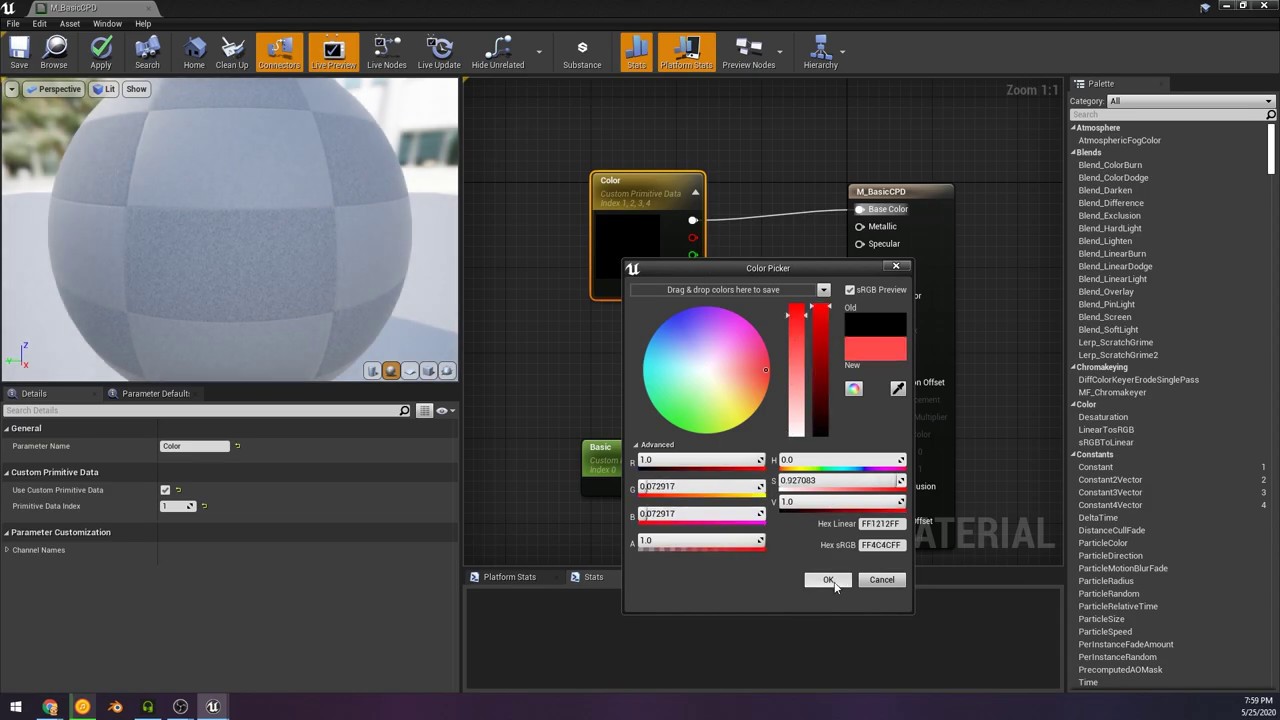
In this video i go over the use of Custom primitive data with your materials and inside of Blueprints using unreal engine 4.25
Unreal CPD Docs:
https://docs.unrealengine.com/en-US/Engine/Rendering/Materials/CustomPrimitiveData/index.html
Support my gamedev as well as more videos/projects:
https://www.patreon.com/volkiller
Keep up with my gam...
 unreal rapids
Looking for a pros and cons list for swapping out the default capsule component on my main character. I've always found it weird that people use the capsule.
The tutorials I've done in the past, for things like crouching, just have you cut the cap size in half, and that causes weird camera issues and even more issues with characters made in the construction script.
I was thinking at the bare minimum, I'd want to add 2 capsule components for each leg, and just one for the upper body.
unreal rapids
I've just never altered the capsule component on my main character before. The only alternative I know, is to leave it as a capsule component, because apparently everyone does.
next badger
don't forget to modify the navigation system in you plan to use one
unreal rapids
What do you mean by that?
The more I think about it. I may only need the capsule component on the chest and then one capsule on each foot?
Does this all sound stupid? Am I able to attach and animate that main player collision capsule?
Sorry to ask so many questions, I kinda just need direction moving forward. Any input is really appreciated
next badger
that is not the answer tho
 near stump
is the default web browser plugin not supported in HTML5 builds ?
next badger
@unreal rapids the navigation that is used to build a space that can be reached is built using capsule movement
 frank oar
Does anyone know what controlls the UV's direction ?
I have tried messing with it in Blender but the orientation I make doesnt seem to effect how the material sits on the mesh in UE
 next badger
@near stump you're asking "why can't I embed a browser inside ue4 that runs in the browser?"
near stump
exactly , but whats the use if its not for HTML5 projects ?
next badger
@near stump it's a browser...it's for embedding web in the ue4
unreal rapids
@frank oar it comes down to how you unwrap the UV. If you look at it in the uv editor, you could literally rotate a face. Think of your UV like a stencil.
frank oar
@unreal rapids I have tried rotating those faces in blender on the UV grid but it doesnt change for me in unreal
next badger
@frank oar in ue4, UV controls the direction, as in any other 3d application
frank oar
Even intentionally making it bad
near stump
next badger
<@!488698114987786240> it's a browser...it's for embedding web in the ue4
you mean not for production ?
next badger
@near stump how is that related?
unreal rapids
@frank oar I'm assuming you didn't make the material then? The material is probably being applied through some triplanar projection or something very similar
frank oar
The above SS is with the UV being like this in blender, (I wanted to see if I could make the bricks go diagonal, in order to undersstand my level of control over it).
 unreal rapids
Its in the material blueprint
near stump
@next badger i dont get it tbh .
frank oar
ah ok then, I did not make the material, guessing there is something within the material which decides its orientation then. cool
next badger
@near stump yep, seems you're not...
Ue4 uses chromium engine to embed web INTO the UE4
unreal rapids
Yes, you can just remove the node, and plugin texture coordinate or whatever you want
next badger
you can ofc publish ue4 project for web, but not the chromium project
well, cause it makes no sense
near stump
ah so there is no way i can inject a web browser inside a web browser project
next badger
can you embed chrome in the firefox?
near stump
well no
next badger
here's your answer
next badger
ue4 is transformed to a webgl, to render 3d graphics by the browser
near stump
exactly
i wanted to make something that you can access webbrowser inside the webgl app without leaving the game. thats the idea
frozen pond
small problem with widget: i got animation that change scale, from 1 to 0 but even if i don't play it widget going to 0 at start
nvm
frank oar
thank you for your help @unreal rapids !
ember star
I'm struggling to spawn replicating actors from the client (rpc call). i think i remember something like... i can't do this from an actor, it needs to be from controller. How do i make it work from actor?
'If the RPC is being called from client to be executed on the server, the client must own the Actor that the RPC is being called on.'
 spare sun
dual quats are not a thing in unreal, right? Like Ive been searching for a tickbox or something
 runic fern
Hi Guys If i want to Use the Motion controller To open water Valve how can i simulate the Physics but keep the object at same location and moves just one direction ?
like if the player moves his hand like open animation its will Move same
 mighty badge
FBX File Loading: Found name clash, node 'Bow' was renamed to 'Bow1'
i have problem with adding parts to my base mesh
someone knows how to get this to work
 scenic fox
my nav mesh stops here but continues on the other side help

 flint dagger
frank oar
Does anyone know what controlls the UV's direction ?
I have tried messing with i...
flint dagger
frank oar
Does anyone know what controlls the UV's direction ?
I have tried messing with i...
This is a world aligned material, the UVs are determined in a material function I think.
 wanton lotus
scenic fox
my nav mesh stops here but continues on the other side help
wanton lotus
scenic fox
my nav mesh stops here but continues on the other side help
Maybe show it compared to "the other side" so everyone knows what you are expecting it to do. I'm guessing you want it to also have a nav mesh behind those characters? Maybe even where they stand?
 scenic fox
wanton lotus
Maybe show it compared to "the other side" so everyone knows what you are expect...
scenic fox
wanton lotus
Maybe show it compared to "the other side" so everyone knows what you are expect...
yes exactly
 vagrant coral
scenic fox
my nav mesh stops here but continues on the other side help
vagrant coral
scenic fox
my nav mesh stops here but continues on the other side help
I believe you need to change the nav mesh bake settings in either the World or Project settings. There's some properties in there that control the max angle it will traverse when building (which is here 90 degrees) and also some other important stuff. I'd recommend you look those over, experiment with the angle thing
 rancid bramble
How would I render multiple components only in a scene capture?
upbeat tendon
I've loaded in a players character list from my web services, i've done this on the server and i want to replicate the USTRUCT down to the client's player controller, i've set up a ReplicatedUsing = OnRep_SetTeamData on the var, but the function never triggers since i upgrade to 4.26
frozen pond
guys, there was some kind of pointer that you can drag in actor but i can't find it
upbeat tendon
is ReplicatedUsing = now legacy and i should be doing something else?
frozen pond
looks like this:
 grim ore
@frozen pond that is exposing a vector and checking the show 3d widget option. Make a vector variable in your bp, make it instance editable/public, then you can check the 3D widget option in its details panel.
frozen pond
thanks
is there a way to hide default scene root in editor?

i got some billboards and its clipping with it 😦
nvm - just dragged bilboard to roto
 jade hawk
In the content browser everything has a nice little icon for the view. Where are all of these icons stored?
 prime vigil
Is there a way to re-order things in World Outliner? I am trying to use new Modeling tools and bake high-res mode, and that literally hangs on the fact that low-poly model needs to be at the bottom of that list, and yet I don't see an option anywhere to reorder things in World Outliner

Such a simple feature is missing, I can't believe it
rancid bramble
How to render actors only in a scene capture component?
next badger
@frozen pond to remove default scene root, drag new scene component and make one as root, it wont have the ball
rancid bramble
prime vigil
Is there a way to re-order things in World Outliner? I am trying to use new Mode...
Hmm, to my understanding the world outliner order is the placement order. So might not be possible to reorder. Any other way to affect the order that your baking handles them?
Also, no idea what you're doing, actually. Sorry.
prime vigil
@rancid bramble I think maybe selection order is what actually takes into account
jade hawk
You could make a folder then add them in one by one which might put them in the right order
next badger
attachment looks like this

Alt+A will let you attach one mesh to another (mind the mobility)
static cant be attached to movable
upbeat tendon
does begin play on a player controller only get executed on the server?
 high dragon
Not sure if this is the right place to ask this. I have been playing with actor component widgets as a form of floating UI above the character.
For some reason it seems like the widget looks like it's a lower resolution than what it's supposed to be.
upbeat tendon
i was sure that beginplay would be called on both the server and the client
 dire coral
is there a way to check if a videogame name isnt used
i have a name but dont know if there is another game with that name when i google it nothing comes up
restive eagle
https://steamdb.info/ you can try here probably, but thats for steam only ofc

SteamDB
This tool was made to give better insight into the applications that Steam has in its absolutely huge database.
restive eagle
but still you probably couldnt name your game like "world of warcraft", just keep that in mind 😄
 lyric timber
im getting weird "failed to load errors when i open my project. fixing redirects and saving does not fix it.

nothing seems to be broken but they are scaring me
lucid grove
Heya anyone had problems with splines become invisible after engine restart?
this how it looks

when i change any settings it becomes visible again

but open every spline and fix it that way kinda sick
moreover they become invisible again
 fast girder
Any experienced devs around I ask a few general questions about basic best practices?
 drowsy widget
Hey I'm pretty new with Unreal.
I was looking to make a manager class to coordinate the different characters in the game to do their animations, with camera cuts, spawning vfx etc.
Something like a cutscene, but dynamic.
But not I'm not sure what type of parent class would be appropriate for this?
I'd rather not put this logic inside gamemode which would be my first guess.
frozen pond
is there any easy way to make text box text be strikethrough ? like this some text
dense knoll
Why does UE4 love randomly eating it and then just causing massive lag spikes
 stiff verge
textures with alpha: yay or nay?
 worn swallow
To anyone having RTX black screen flickering problem in unreal engine 4:
Open your Nvidia control panel by right-clicking on your desktop. in the 3d-settings - adjust settings with preview - for some reason, the newest driver automatically sets: "use the advanced 3d settings" while the proper settings are: "let the 3d application decide"
the Nvidia drivers and GeForce experience tries to force some graphic settings that end up fighting with the ue4 settings ending up in shut-down of the driver :/
This solved my issue.
 clever vault
    Mesh->CreateDefaultSubobject<USkeletalMesh>(TEXT("Mesh"));
Mesh->SetupAttachment(Root); ```C:\Users\Iulian\Desktop\SimpleShooter\Source\ShooterAssetPack\Gun.cpp(17) : error C2039: 'SetupAttachment': is not a member of 'USkeletalMesh'

 obsidian nimbus
your sun is pointing up?
 remote bramble
how do i make the character move in the direction im looking when pressing w?


this is what ive got so far

this is the issue
please help
 swift spindle
anyone have any idea of why an unreal project keeps defaulting to DX11 ? even when set to RHI directX12 (100% sure drivers / hardware are not issue... works in other projects)
plush yew
obsidian nimbus
your sun is pointing up?
then why is there light on the ground/mountain?
plush yew
clever vault
build the light?
i did already
obsidian nimbus
backface culling
plush yew
wut
obsidian nimbus
landscapes only stop the light from one side

 obsidian nimbus
does it change when u rotate the sun?
 tulip wolf
Is there some way to adjust the field size so the float input box isnt so squished? (FScalableFloat)

 long gyro
Can somebody explain me why the rendering of my virtual texture from the landscape create those weird distortions?
 frozen pond
my ik is working perfect
 jagged halo
are you aware of a technique in ue4 to hide objects when they are out of sight of a character (or perhaps when the light level is under a threshold)?
inner vine
hiding objects out of sight is called "frustum culling", and UE handles that automatically.
If you want to hide objects below a certain light level you'd have to implement something manually.
jagged halo
inner vine
hiding objects out of sight is called "frustum culling", and UE handles that aut...
not quite - in my case the character is top-down; out-of-sight meshes may still be in reach of the camera
inner vine
oh like that
jagged halo
I'm looking for a kind of fog of war effect
inner vine
I don't think UE has anything built-in for that.
 solemn siren
Have anyone worked with DMX plugin in UE? If yes, please dm, need to ask a bunch of doubts, thanks!
upbeat tendon
Is there a tcp json game analytics plugin?
 covert moss
Does anyone have any feedback or tips for this small scene im working on?
 plush yew
frozen pond
my ik is working perfect
plush yew
frozen pond
my ik is working perfect
where can i get models/animations
 surreal oak
Quick question: This is the execution order diagram for Unity's game engine. Is there anything like this for Unreal? The best I've found is the GameFlow (which is just launching the engine and starting a game) and the Actor lifecycle (which is only the lifecycle of an actor), but I'm looking for more of an overview of the Unreal game loop

 abstract cedar
Would anyone know what is causing the black artefacts on this mesh material?
 unique canyon
frozen pond
my ik is working perfect
unique canyon
frozen pond
my ik is working perfect
ouch 😖
plush yew
It's hard to tell what is an artifact and what is intended, but your geometry looks a little weird like non Euclidean lol
frank oar
Hi all,
Very curious about software like Substance painter...
Everywhere I look seems to say you should make your materials in the Unreal engine itself...
and unreal is an industry standard.
What does that mean for software like substance painter ?
Most of the materials I have made in blender do not work in unreal very well and vice versa.
Is this the case for Substance painter too ?
I would just love to know...
inner vine
You should make the materials (shaders) in Unreal, but you can't create the textures in there. The substance tools are quite good for painting or generating textures which you can then base the materials on.
frank oar
thank you @inner vine that makes a bit more sense now.
distant totem
jagged halo
I'm looking for a kind of fog of war effect
(is or was free)
https://www.unrealengine.com/marketplace/en-US/product/vafogofwar

Unreal Engine
A clear and simple solution of Fog of War for Unreal Engine 4
 timber nymph
remote bramble
how do i make the character move in the direction im looking when pressing w?
timber nymph
remote bramble
how do i make the character move in the direction im looking when pressing w?
so the issue is that the character isn't turning toward the movement?
 somber rover
did epic scrap the "press Z" to make the actor selected automatically go down to the landscape so it's flush with it
restive eagle
@somber rover i believe its the "end" button (or one of those buttons atleast)
im pretty sure you can rebind it back to Z if you wish so
stiff verge
what? what can cause this?
 restive eagle
it could be your source control, or maybe you have two projects open. it could be something else ofc
stiff verge
i just rebooted.. nothing else is open kind of
hmm weird it seems there's a backup version of that map.. loading it gave me the default map.. but with one of my asset
then reopening the original map makes it so I can save again..
that's weird I think I,ll back up the whole project
magic fern
Hello, what can I do in steam sessions so that players can't enter while the game is playing and not on the lobby?
digital anchor
@magic fern SteamMatchmaking()->SetLobbyJoinable(Id, bJoinable);
magic fern
digital anchor
<@!144961023189843968> SteamMatchmaking()->SetLobbyJoinable(Id, bJoinabl...
I can just do it with c++ then?
digital anchor
ah by steam sessions you mean the plugin?
magic fern
I am using the advanced sessions, yes
digital anchor
i havent used much in BPs but try seearching for lobby joinable or something
 compact patio
hey, im trying to make an object with physics on and with Collision but im keep getting this error:
Invalid Simulate Options: Body (ball_2.StaticMesh swingingball) is set to simulate physics but Collision Enabled is incompatible
anybody knows a solution?
digital anchor
@compact patio you need to set CollisionEnabled: Query and Physics https://docs.unrealengine.com/en-US/BlueprintAPI/Collision/SetCollisionEnabled/index.html
Set Collision Enabled
upbeat tendon
is there something similar to player state just replicated from the server to a single player
 tiny sonnet

 compact patio
thanks @digital anchor !
somber rover
restive eagle
<@!190978155354390529> i believe its the "end" button (or one of those buttons a...
Thanks!
 blissful wharf
is copying content folders with meshes/textures/materials in uasset format over different from importing them via the epic launcher with the vault cache?
like does the epic launcher do any extra import operations or is it the same as just copying the files manually?
like e.g. if i download a bunch of assets into a placeholder project and then just copy them over into my other project if i need them, does that cause any problems?
magic fern
digital anchor
<@!144961023189843968> SteamMatchmaking()->SetLobbyJoinable(Id, bJoinabl...
What would be the include here?
digital anchor
i think its from the api itself so
#include "OnlineSubsystem.h"
#include "steam/steam_api.h"
 lone pebble
how to export empty animation from blender to unreal?
past pilot
ok.. how do you figure out if you are the player? I put in a is locally controlled and its false for everyone. My char, other network chars... doesnt matter.
im trying to hide the head bone for local player and it either hides every pawns head or no pawns head.
jagged halo
how would one make a fully dark scene, except for a few point lights?
jagged halo
right - how do I make it dark?
I tried making a double-sided rect and putting the camera inside - there shouldn't be any light inside, but I still see things mostly fine
removing the intensity and rebuilding the lights seems to do the trick
 weary willow
Hi guys I am trying to recreate this spear effect, I thought I could go try to make it in photoshop (never used Ps before) and it didn't turn out great... I am looking for a good way to tackle this effect. Ideally it also has the fire animation with it!

This is what the photoshop blunder looks like

 trim silo
Anyone understands what's going on in this crash report?

it happens when i try to run project in standalone
it works in editor
 surreal gyro
Would it be possible to recreate Overwatch in UE4?
exotic thicket
I don't see why not
broken heath
Would it be possible for Unreal to use Pen Pressure inputs for tablets with pen?
 hybrid oar
Hey everyone, just joined in. Total noobie here. I'm following along with some tutorials but I'm getting problems with collision. Can anyone help me for just a few minutes?
 zealous cloak
when someone joins my dedicated server game mid round it takes a real long time to load. Is there a good debug command to show me what is going on in this period?
 outer crane
@broken heath yes, but not through blueprints unless there is a plugin somewhere or your tablet has api you could talk to via varest or something like that
flint dagger
zealous cloak
when someone joins my dedicated server game mid round it takes a real long time ...
timber nymph
zealous cloak
when someone joins my dedicated server game mid round it takes a real long time ...
Profile application performance with Unreal Insights
timber nymph
past pilot
im trying to hide the head bone for local player and it either hides every pawns...
is it the player's pawn? if so then check if Controller is set
 weak tree
is there a general guide to gamedev/ unreal software suite? im having a hard time mapping all the software i need to learn to their respective role
i have used unreal at my uni but we were using default everything
timber nymph
like what software do you mean exactly?
you just want a list of 3d modelers, audio editors, photoshop alternatives, etc?
weak tree
just the graphics/ animation stuff i think
timber nymph
if you're indie then probably blender and if you're commercial 3ds max or maya
that pretty much sums up 99% of it
weak tree
what about the quixel suite?
blender is for modelling right? you draw your characters/ object there and import into unreal to use like the default mannequin?
minor ocean
covert moss
Does anyone have any feedback or tips for this small scene im working on?
Might be cool to see the wings and one engine destroyed in the BG to create some layering. Also the the two major shaders of fuselage and ground look very similar in this lighting. You could push the spec on the aircraft higher with some top down dust breakup
timber nymph
weak tree
blender is for modelling right? you draw your characters/ object there and impor...
In this Unreal Dev Day Montreal presentation, Technical Artist Harrison Moore goes through the texturing pipeline used on Paragon from start to finish, breaking down the steps and techniques the team uses to texture hyper-realistic characters in UE4.
(00:09) - Intro & Paragon Workflow
(04:55) - Material Functions
(10:13) - Inside the Material F...
what you're asking about is called an asset pipeline
it's a broad question so a broad answer is you'll have 2d assets edited in 2d software, 3d assets modeled, texture mapped, rigged,
and animated in 3d software, materials made in e.g. unreal or houdini or quixel mixer
weak tree
hmmm it's a long video. this is for 3D pipeline right?
timber nymph
this is an example of texturing characters for a real game in unreal
making materials and working with assets of different kinds
weak tree
okay i should watch it. btw im aiming for BotW aesthetics, is there a keyword for this style?
 weak tree
gotcha, though cartoon is a bit too broad
distant totem
timber nymph
cartoon?
it's called stylized, so is windwaker, skyward sword, ect. half life alyx is stylized realistic, but zelda twilight princess isn't stylized (to my understanding)
opal lark
Can you help me out with this particle effect please
dry latch
anyone to help me fix a little HUD issue ? :p
 autumn elbow
Best way to get the amount of seconds passed since I pressed a key?
timber nymph
distant totem
it's called stylized, so is windwaker, skyward sword, ect. half life alyx is sty...
lol I feel like stylized is as vague as cartoon
but yeah it's not cartoon
@weak tree I think I've got exactly what you need
https://kidswithsticks.com/creating-stylized-art-inspired-by-ghibli-using-unreal-engine-4/
because @distant totem hit the nail on the head lol
plush yew
how can i cast to Btservice
 light thunder
These are all valid references, so why is this 3D Widget not changing? What am I forgetting here?

 tepid acorn
hey im fairly new to ue4. I've made a project in a way that if a player walks over a box collision, he will take a 5% damage (function). He can Fire weapon through custom event. but when i the fire function is triggered, the begin overlap is stopped and it gives me an 'Accessed None' error. any solve?
vagrant coral
@plush yew You can (try to) cast anything to anything else

 regal mulch
:O How does one undo the double click selection in Unreal Insights?
It basically focuses out the double clicked stat and all others of that type.
I tried RMB, LMB, MMB, combinations with CTRL, SHIFT, ALT and also ESC, Backspace.
wtf :D
plush yew
@vagrant coral XD
 blissful ibex
Hi, anyone can help me with something?
remote bramble
timber nymph
so the issue is that the character isn't turning toward the movement?
yes but i dont want the character to turn when i move the camera, but to turn when i move
regal mulch
blissful ibex
Hi, anyone can help me with something?
Only if you actually post what "something" is.
blissful ibex
regal mulch
Only if you actually post what "something" is.
I dont know in what channel my question goes but, i wanna make a fps game with multiplayer so other players can see your character but you cant see yourself only your hands and gun
regal mulch
#multiplayer maybe :P
blissful ibex
regal mulch
<#221799385611239424> maybe :P
Thank you, i will post it there
 lethal herald
Hi, I was thinking about making a dice rolling app in UE. Like the dice rolls when we shake the mobile. But I don't know how to do this. If anyone can point me to any tutorials or website that has information's about this, That would be great!
winter gale
Quick #UE4 Tip number 129.
Delete node without losing connection.
https://t.co/L38E2q3Eiz
#unrealtips #UETips #unrealdev #indiegamedev #gamedev #indiedev #screenshotsaturday #UnrealEngine
 Twitter
·
timber nymph
remote bramble
yes but i dont want the character to turn when i move the camera, but to turn wh...
Twitter
·
timber nymph
remote bramble
yes but i dont want the character to turn when i move the camera, but to turn wh...
did you use this?

 calm pollen
is crossplay like ridiculously hard to have in a game? or is there certain assets, plugins, etc that you can buy that makes it a bit easier
remote bramble
timber nymph
did you use this?
i'll try it right now
restive eagle
@dry latch just a friendly tip, when you start questioning peoples competence/knowledge (for example can a pro help me?) most likely you will be ignored. it's better if you state your problem from the beginning and even the "incompetent" people might be able to help you
remote bramble
timber nymph
did you use this?
thank you it worked
dry latch
restive eagle
<@!295360338092752897> just a friendly tip, when you start questioning peoples c...
ah it wasn't this way, I just wanted to ask so I don't waste peoples time :p
timber nymph
remote bramble
thank you it worked
awesome!
timber nymph
restive eagle
<@!295360338092752897> just a friendly tip, when you start questioning peoples c...
^ I've been using UE for like 2 weeks
so if you ask if I can help I'm probably gonna say no
but I've helped a few people lol
restive eagle
oh no it's allright, you are not wasting anyones times. whos able to help you, they will. just sometimes it can get redundant when you have to squeeze the question out 😄
you will save us some time too if you started with your issue from the beginning
@timber nymph yeah true, questioning someones knowledge usually pushes them away
even though they might know the answer
there was a good thread on stockoverflow i believe on how to ask a good question, but cant find it anymore 😦
timber nymph
probably got removed as "not a good question"
restive eagle
things like, hey you here, whats up, or even the same can i ask? should be avoided in general
timber nymph

Meta Stack Overflow
To an asker, their question seems pretty good. They've explained the context of their project, there's a detailed list of what they want to accomplish, and they've shown what they have tried / their
that one?
restive eagle
@dry latch please don't get discouraged about asking for help, just want to help you to get your issue fixed, because i've seen plenty of people with these questions being ignored
timber nymph
lol yeah @dry latch I'm just gabbing nothing personal
timber nymph
I just see it as poking your head in to ask your coworker a question at their desk vs sending them an email asking them to come see you and answer questions
idk anything about UI though so bedtime for me 😘
 hidden dew
Quick Q:
If I right-click the Content Browser and make a new C++ class, should an icon for that appear in the Content Browser?
solemn siren
Is DMX plugin in UE just used for previs(with sequencer)or can we use the sequencer to power a real setup of dmx fixtures?
restive eagle
@hidden dew should be under here https://prnt.sc/10m3d0q

but keep in mind that empty classes might not show up
hidden dew
Hmm
I don't have that folder initially. I was thinking the icon would appear wherever I right-clicked to create it
The classes aren't empty, and I can actually use them to put new actors in the scene
restive eagle
i've added an empty character class and it appeared afterwards, though was asked to rebuild the modules using visual studio
oh i wanted to say a "none" class
hidden dew
Module.. as in the project in VS?
restive eagle

this one probably wont show up
try to add a character class and see if that folder pops up afterwards
hidden dew
ok
No luck, tried both None and Character
But I have to afk right now
Thanks for the thoughts though
restive eagle
https://prnt.sc/10m3o8b you clicked this right?

to show source panel
kk, sorry i couldnt help 😦
 queen wasp
Spooky, totally randomly the scale of a Decal was changed from 1.0 to 8.0, I know I didn't do that.. UE "virus" anyone? :S
hidden dew
@restive eagle Yup
Though now I remember there's an option to show/hide some folders, like Engine Content and such
Maybe it's involved with that (and I have to find that option)
ufff
View Options in the bottom right

That's what I was missing. Eyes didn't wander that way
restive eagle
oh lol yeah, for me its on by default
hidden dew
Thanks for the tipoff
restive eagle
good catch though 😄
long gyro
Can somebody explain me the weird deformation in the virtual texture of the landscape?
 jagged halo
if I have a discrete mesh, can I make it lighten up what's beneath it, and only that? kinda like a down-facing directional light using the mesh as mask
plush yew
long gyro
Can somebody explain me the weird deformation in the virtual texture of the land...
Is it the hight texture? Is Lerp a solution?
jagged halo
jagged halo
if I have a discrete mesh, can I make it lighten up what's beneath it, and only ...
I wonder if perhaps I can render the scene with everything lit to a render target, then render it a second time with everything dark - except that my mesh material would use the first render as input
is it even possible to change settings (like light) between renders?
 unique kraken
hey guys i just realized something very stoopid lol.
im doing a lot of rigging and im useing ctrl rig 1.0
while ppl already talk about 3.0 .... how do i update my plugins lol
or am i wrong here? i might have mixed some stuff up

 plush yew
jagged halo
is it even possible to change settings (like light) between renders?
plush yew
jagged halo
is it even possible to change settings (like light) between renders?
I have seen this on the marketplace a few years ago, shooting and rendertargets
next badger
Greetings.
Is 4.26-chaos - build gone from the launcher?
plush yew
how would i from time hour (and minute) like 0-23 map it to a point light
i want its intensity to be 0 at day time basically and automatically go to like 50 when its night
i thought sinus but idk
next badger
next badger
Greetings.
Is 4.26-chaos - build gone from the launcher?
it's back
 mossy nymph
@plush yew (cos(Hours * pi / 12) * PeakIntensity + PeakIntensity) / 2
or you can make a curve asset and just make your curve by hand

Desmos
math off the top of my head before morning coffee = bad
plush yew
@mossy nymph Thank you. I'm new to UE so I'm not sure whats the best approach
rn i just wanna play around
mossy nymph
curve gives you more control, and its a little bit more work
with cos, you'll have 20% max intensity at 10am or 2pm already
 shut stump
Hello
How do I discard changes in UE4, like some change to an asset or level, when there's an asterix on an asset,
plush yew
mossy nymph
curve gives you more control, and its a little bit more work
thx the cos thing seems to work altho seems staggered i'll add minutes to it ig
mossy nymph
hours is a float
 mossy nymph
so you put in (hours + minutes/60) into the cos
plush yew
gotta convert it
ok thx
it still looks choppy
sec i forgot to actually input minutes
nice
jagged halo
what can I do to remove this shadow, that appears at the edge between two joint meshes?
 plush yew
how do i snap to that corner (corner to corner)
 scenic fox
so how do i get instance editable variables from my player from a player start/
potent bridge
Would anyone know why my characters just floating a little bit? I'm fairly certain theres no polys beneath the feet.

 frigid harness
is it the collisions on the model maybe?
potent bridge
I don't know, how do I check?
I used a VRM import
but I still have the skeletal mesh and everything
plush yew
potent bridge
Would anyone know why my characters just floating a little bit? I'm fairly certa...
Its in the blueprint, the collission box
potent bridge
You mean this? this is just the hit generator.
 plush yew
Yes
 autumn flame
Character is smaller than the Capsule
Or move Mesh down or reduce Capsule height
plush yew
plush yew
how do i snap to that corner (corner to corner)
Right mousebutton move pivot, snap to grid again?
potent bridge
does anyone know of a good asset pack to help with scale?
Something like this but actually with materials.
 unique kraken
 plush yew
Quixel textures covers this, or something like this. https://twitter.com/DLineDigital/status/1265214605233709056/photo/1

Useful for U-tiling, V-tiling and rotating in the QUIXEL MEGASCANS INTEGRATION - STANDARD MASTER MATERIAL @UnrealEngine @quixeltools
 Twitter
·
long gyro
plush yew
Is it the hight texture? Is Lerp a solution?
Twitter
·
long gyro
plush yew
Is it the hight texture? Is Lerp a solution?
I'm using the a heigh lerp function to blend between the two mat
 copper flicker
So I came back to Unreal after a short break, reinstalled Unreal, same version, opened my project where I left it, it was building fine.. Now a bunch of Errors. Like RequestAsyncLoad called with empty or only null assets! And more. I have no idea what changed, none of this makes any sense, and my game was building fine. Nothing is supposed to be any different now from 1 month ago, same project, same save.
I had odd issues in the past, in a similar way, it's pretty crazy that Unreal compiles a game just fine, until you reinstall it?
Or if you move to another PC, or reinstall Win.
I also had issues trying to move from 24 to 25. But this is just 24, same build, same project..
I also got a: Failed to Create Player: A local player already exists for controller ID 0,
plush yew
long gyro
I'm using the a heigh lerp function to blend between the two mat
And the normal map? Looks like a overlapping.
copper flicker
And a few invalid nodes like... Default__BP_AnimatedNode_C is not valid. No idea where all these nodes area, they are Unreal stuff, not mine.
Anyway, any idea, any advice?
Atm I'm looking at a project that's dead for no reason and I have no clue what and where to fix.
🐸
fierce tulip
plush yew
Quixel textures covers this, or something like this. https://twitter.com/DLineDi...
this one makes little sense
its multiplying uv's on 4 different parts, without offsetting (even though its called offset)
dry latch
Hey! I am struggeling setting an animation in widget for my pause menu! Anyone has an idea how to do it ? I checked lots of tutorial but it just doesn't work on mine
long gyro
plush yew
And the normal map? Looks like a overlapping.
some other part works perfectly well, I don't know why some material don't work as well.
 plush yew
fierce tulip
this one makes little sense
plush yew
fierce tulip
this one makes little sense
Is was working , the green one was the Quixel standard at that time.
fierce tulip
it might be working, but that does not mean its good practice
if you'd put everything from the green stuff into the rotator you would have been done.
plush yew
Yes is a divide/divide, But dont want to touch the Quixel code.
fierce tulip
its a multiply/multiply/multiply/multiply
plush yew
Yes thats right
fierce tulip
its a multiply+multiplymultiplymultiply
to be exact
 short obsidian
Does anybody know is that possible to turn off ue4 auto welding verts?
digital anchor
remove degenerates on import settings
short obsidian
What if its skin weight profile? Can i change it there too?
scenic fox
how can i spawn an actor in another level
like spawn an actor when i open a new level
plush yew
is there any performance advantage of animating a character with ControlRig and it is tools rather than external software?
 stark ledge
Probably a performance hit tbh compared to baked animations, as the control rig would need evaluating each tick.
But maybe you can simplify your blend space / anim graph.
plush yew
sorry but by typing performance hit you mean a better or worse?
and this options here are for the viewport or for the packed project?

and one more question about performance, does the Sections and Components of the Landscape Editor is a kind of Level Streaming or I need to set up manually?
 velvet iron
Hi! Is there anyone who used VaFogOfWar plugin ? There couple of question about setting it up...
 forest knoll
plush yew
and this options here are for the viewport or for the packed project?
forest knoll
plush yew
and this options here are for the viewport or for the packed project?
this only for the viewport
grim ore
show the issue, it might help more. If your making a material with a proper texture on it and that material is going on a mesh but its not showing as you expect perhaps your UV is messed up on the mesh
regal mulch
Does anyone know if I can somehow (easily or via some code support) track the full memory usage of an actor including the assets it loads?
 elfin badger
Hey guys, I'd appreciate some help as a newbie to Unreal. Basic tower defence game. For some reason my projectiles are just missing and 'pushing' the enemies. I can't figure out how to disable that push
grim ore
are you checking for on hit or overlap
elfin badger
Using the event hit on the projectile
grim ore
perhaps switch it to overlap with overlap for the collision type, then you wont have any collision
magic fern
Hello, what can I do in steam sessions so that players can't enter while the game is playing and not on the lobby? I am using advanced sessions.
 candid flicker
Hello, I recently unpak a .pak file of a game to make a mod but the problem is once I extracted the UE4 project when I open it in the content browser I only see the folders and subfolders but no assets, while on Windows Explorer I see all the assets.
Thank you in advance
vagrant coral
elfin badger
Thanks Mathew, I'll give it a shot!
Sounds like you figured it out, but also it could be because you need to tell Actors to enable OnHit or whatever it's called. On Hit is not called by default. I think it's in the Collision section of the details pane
upbeat tendon
in my player controller i am trying to force some code to execute on the client, so i wrote UFUNCTION(reliable, client)
void UpdateClientTeam(); but it doesn't seem to work
 tribal crescent
Hi guys
is it possible to create something as big the earth (to scale) in unreal engine, and be able to render it smoothly?
i have thoughts of creating planet models according to scale, and place a human standing infront of it so i can kind of look at that planet as if i am standing infront of it for real to experience how big they really are
vagrant coral
tribal crescent
Hi guys
is it possible to create something as big the earth (to scale) in unrea...
UE uses a game unit scale of 1 unit = 1 cm by default. You should be able to see what happens pretty easily by making a sphere primitive as big as the earth and then a box as big as a person. Then just set your cameras position to be as far away as the moon or some such and you're on business.
Those numbers may be too big to actually fit into the fields for these things in which case you'd want to switch to using 1 unit = 1m and seeing how that goes. I say switching, but there's really nothing to be done in the editor afaik; the scale is ultimately arbitrary and decided by you the creator
tribal crescent
wow thanks for the reply
thats good to hear
i tried to ask in blender but they say blender struggles with super big and super small objects
when i create those things, can i play around it like how i would when i am playing a game?
or do i need to render those out and be like for example gif?
 unreal venture
hi there, i want to build an apk for android due i have something to do for my boss, im using 4.25 unreal engine and its like i cant install ndk for some reason i dont really know, the bat file just close and there is no message to me, i have restart pc after install android studio so i actually dont know what to think at this height so i come here, i installed android studio 3.5.3 how it says on docs and then went to the bat after restart pc following a tutorial in youtube... didnt work for me the .bat file what i should do for get installed correctly the ... NDK ?
should install it via android studio the NDK thing? im so confussed now. 😦 thanks for the help
grim ore
the docs should be correct. you install android studio so all the "installer" files are on the machine, then the bat file in the android extras folder updates and installs the correct files
its a bat file which means it has output, run it in a command prompt so you can see the error
unreal venture
is not the same doing double click ? :S

and what this soppouse to be? jesus
NVIDIA was unexpected at this time?????? what? lol
thanks at least i have a message to see now ...
grim ore
check out the .bat file itself and see what commands are running
unreal venture
looking for this error message lead me to a no end ...
this should be out of box stuff 😦
what i would search for?
grim ore
did you install the older NDK setup at some point or as part of trying to fix this?
unreal venture
nope
 candid root
anyone know of some good tutorials for the new water system, trying to set up a beach with appropriate waves/foam etc and ive never touched water before
grim ore
might be your environment path not being correct then
 hidden cargo
hi, does someone know if there are any compatibility problemas with UE4 and RTX 2060? Cause i keep getting a problem that my right click goes crazy and does not show the popup menu when i press it.
jagged halo
hm I still have shadow glitches on the edge of my floor meshes :/ anyone seen that before?

 ocean pumice
hi
how can i check which anim my character is using as default mode ?
im on firstpersonbllueprint
unreal venture
so whats the solution any ones here knows? coz im stuck and i need to get this fixed asap, this is really frustrating me alot i can even say that im actually SAD due all this...
grim ore
@ocean pumice animation or anim blueprint or what?
unreal venture
cant be that complex to make an apk...
grim ore
its an issue on your side with the install, something is not installed where it should be
unreal venture
Like?
grim ore
have to step thru the .bat file and find out
grim ore
well you could type all of that into your command prompt instead of using the .bat
unreal venture
now i must learn BAT programming due thats cant be a way...
i dont know bat programming
 unreal venture
@echo off
setlocal ENABLEEXTENSIONS
set KEY_NAME=HKLM\SOFTWARE\Android Studio
set VALUE_NAME=Path
set STUDIO_PATH=
but no anim(right panel down) is working
grim ore
@ocean pumice are you playing that animation and do you have the anim notify set up in the anim bp?
unreal venture
should i set the path here? give me a official guide please can you? coz im really need urgently im running out of time then this come up and i cant believe it
ocean pumice
grim ore
<@!171751358347739136> are you playing that animation and do you have the anim n...
yes but i don't know what animation my character is playing sadly
grim ore
none of that is an issue in the .bat file, your output shows you below that @unreal venture
 jagged halo
hm I still have shadow glitches on the edge of my floor meshes :/ anyone seen th...
jagged halo
jagged halo
hm I still have shadow glitches on the edge of my floor meshes :/ anyone seen th...
I think it might be related to how scaling the floor mesh doesn't increase the shadow map resolution ... unless I missed a setting to do so?
ocean pumice
but one is specified for the gun for exeample
grim ore
@ocean pumice your anim bp tells your mesh which animation to play. Your notifies in that animation trigger in the anim bp. You shouldnt need to know what is playing
do you know how animation blueprints work?
@unreal venture my first suggestion would be to remove android studio completely in windows, restart the pc, then run the .bat file again to make sure it gives you an error. then reinstall the correct android studio using defaults following the docs then restart and run the .bat again
ocean pumice
grim ore
<@!171751358347739136> your anim bp tells your mesh which animation to play. Yo...
i need to know because i want sounds to play when the player is walking on a certain surface
grim ore
@ocean pumice yes, and you want them to play during that notify time right?
ocean pumice
yes 🙂
grim ore
yes so did you set up the notify event in your anim bp to fire when that happens?
grim ore
it sounds like you need to learn how animation blueprints work
it runs on the mesh and determines which animation to play based on your input into it
ocean pumice
i guess yeah 🙂