#ue4-general
1 messages · Page 954 of 1
 timber nymph
shadow maps don't suffer the same issue?
 naive dune
Setting them to stationary/movable would still let it receive light from static lighting correct? Sorry stupid question but just want to make sure
timber nymph
static lighting means the lighting effects are computed at build time and applied to the mesh in the shading pipeline, so if you're disabling the lightmaps then there's no data to apply
naive dune
and also I guess adding many blueprints with a few instances in the ISM isn't the way to go about it either, since I felt a performance hit.
timber nymph
if by static lighting you just mean lights that don't move, they can still cast dynamic light
meaning computed at runtime
unless they're set not to I suppose
naive dune
Read somewhere it just gets treated as one mesh, whether you use one BP or many but that didn't seem to be the case
timber nymph
it'll be a separate mesh for every instancedstaticmeshcomponent
naive dune
timber nymph
it'll be a separate mesh for every instancedstaticmeshcomponent
ahhh i see, cool!
I'l take your word for it 😂 😂
naive dune
Thanks for your help @wary wave @timber nymph
 thorny slate
what is it and how does it work?

 thorn vector
Looks similar to dungeon architect
 leaden garnet
can confirm it is dungeon architect
thorny slate
don't know the name of the plugin
leaden garnet
you should check dungeon architects documentation
thorn vector
Or go to their discord
timber nymph
is there a quick way to refresh all nodes after I move blueprints and they break?
leaden garnet
hold CTRL select the blueprints and then refresh nodes
thorn vector
^
timber nymph
I see that when I right click nodes but not when I click blueprints?
leaden garnet
i meant the nodes inside the BP, sorry
timber nymph
oh yea
I guess by quick way I meant without opening every function of every blueprint lol
somehow they're still broken too
weird, don't move blueprints I guess
thorn vector
🤔
timber nymph
ooooh nope the lesson is don't rename c++ classes
 winter gale

Quick #UE4 Tip number 116.
How to see all slate widgets from UE4.
https://t.co/HRV2iAYv7W
#unrealtips #unrealdev #indiegamedev #gamedev #indiedev #screenshotsaturday #UnrealEngine

 Twitter
·
Twitter
·
 split ice
help me
LogPlayLevel: Error: ERROR: Visual Studio 2019 must be installed in order to build this target.
hmm..

 night burrow
Is there any way to measure actual default first person player height in metric values?
 wary wave
that would depend on what you mean by "actual default first person player height"
night burrow
The default ue fp camera how high from the ground mesh is it
wary wave
open up the default character blueprint and find out?
 lucid grove
Hey fellas
Some thing about culling im not understand
You can set different culling distance depending on object size right
But how do i know size of the object?
Right now i had to do lot of random numbers to hit the spot
 wanton lotus
lucid grove
But how do i know size of the object?
wanton lotus
lucid grove
But how do i know size of the object?
Get the "bounds" of the actor, do some math on the "box extent" to find its volume (x * y * z), then use that figure to setup your culling distance.
 serene birch
volume isn't the value you want though it might be roughly ok
you'd rather want "area"
something like finding the max of x, y and z
and using that value squared?
wary wave
surely distance culling is based on screen size, not world size
same way shadows don't render for items of a certain screen size or less
 slender jolt
I downloaded unreal just to mess about with it and prototype some stuff, but everytime I try and compile a blueprint that should be simple the thing just freezes and eventually crashes. Basically it's a loop that creates a hexagon grid and offsets their height randomly (like a 10% chance of both going a step up or down)
wary wave
you probably have an infinite loop
slender jolt
I do not, I have a break loop
wary wave
just because you have a break doesn't mean it's not infinite
wary wave
if it's locking up, it sounds a lot like an infinite loop
is the grid creation inside the construction script?
slender jolt
I wouldn't know how to answer that question
I'll try and get the blueprint, hold on
Like I said I'm just messing about, I don't actually "know" how to use unreal, I'm more a trial and error guy
wanton lotus
wary wave
surely distance culling is based on screen size, not world size
@lucid grove yeah, screen size would be better. I was just giving exactly what was asked for.
slender jolt

Also I'm aware the offset numbers aren't exactly accurate
but I need to test if it's at least doing what's supposed to before I fix that
I added the "wait for completion" thing also, even though I don't exactly know what it does
but it wasn't working before that either so I tried that to fix it, assuming it was eating all of my memory trying to create all hexes at basically once
I pressed Ctrl Z to undo something and it froze again 👍
There's a 0.0 floating over everything now

It is taking 90% of my memory even though I haven't even tried to compile anything
I think this blueprint might be mush after I tried to compile it once, I'll just copy the code and paste it on a new one so I can edit it there
wanton lotus
You have an infinite loop
slender jolt
I don't see it
wanton lotus
Index will never go to 11, since you have a hard-coded for loop to iterate from 0 through 10. When you do that last branch node it will ALWAYS return false.
wary wave
the symptom you're describing is almost certainly caused by an infinite loop
but Slashin8r has spotted it
slender jolt
but I assumed the point of a loop with break was that it breaks?
I guess you're right
wary wave
it breaks only when you tell it to break
wanton lotus
Just let it iterate the 0 through 10 without breaking, especially if you are only testing right now.
Essentially, current code is running index 0 over and over in a infinite loop.
I'm surprised the engine didn't throw an infinite loop error, it usually catches this kind of stuff.
slender jolt
Oh, so you don't close the loop? Is it actually like, starting the loop again, instead of going to index 1?
Christ that doesn't sound good
either way I'll have to create a new blueprint because this one won't allow me to even edit it
wanton lotus
For loop "body" is your loop, you don't need to manually loop the exec path, hehe
Any code in the "loop body" will be iterated with index 0 through 10. Loop body can remain open and should remain open.
slender jolt
Oh yea, that makes sense, and after the loop is done it just goes to completed
wanton lotus
Yep
slender jolt
by the way you also just told me what was wrong with a gigantic blueprint from like 6 years ago or something which I was racking my brain to figure out how to fix until I gave up and entirely forgotten how it worked lol
It was much more spaghetti than that one
it's probably floating around unreal forums somewhere lol
wanton lotus
Code spaghetti is tasty
You can clean up your current code with a select node and use modulus math operator instead of converting index to float to use the division+remainder node.
You should also save the random float to a variable so it can be used in both your weighted checks.
Currently, it will always set Z to 10 since "0 is less than 1" hehe
Well once it makes it beyond the 20% check, I mean.
wanton lotus
Connecting your random float to both of those will actually have it generate 2 different floats, which is why I suggest saving it in a variable (should be first node in the for loop body).
slender jolt
Oh I forgot to connect the wire thing
Yea that makes a lot more sense
Well would you look at that

I just had to not be a moron
 obtuse tundra
 worn copper
I'm tight in Budget. So I want to know Which hardware UE use most.
Currently I have
i3-8100 - 3.5ghz
Ram 8GB
2 TB HDD
GT 710
i Can only Upgrade one of these. Means RAM/SSD/Graphics Card
I've noticed that most of time UE using RAM/HDD full 95%
CPU only 20-50% max
UE working fine and smooth for small maps. But it becoming slow for 8x8km map.
slender jolt
||It is not creating anything||
 sly wagon
ram is very important for most things
especially for artists/game design
I would say CPU & Ram are the most important parts in a computer for anything involving designing
slender jolt
It's doing things
incorrect things, but progress is progress
By the way, I didn't actually think the created hexes were going to stay in the level, I assumed it would return to a normal state after I ended the test
That is very problematic lol
sly wagon
tbh I sometimes get more confused on why something is working rather than when it's not working
slender jolt
oh no it might be worse than that
When I select one thing it selects everything
and it's just literally 100 hexagons stacked ontop of each other
sly wagon

computers are very dumb, so communicating with them via nodes has to be perfect and logical otherwise stuff like that will happen
dont worry I once accidentally crashed Unreal and deleted my project
I managed to save it though ; D
slender jolt
Nah I think the dumb came entirely for me, it wasn't spawning anything, so I attached the blueprint to a mesh instead of just having it be game logic
I was able to just delete the hexagons and I have the blueprint saved somewhere lse
 wintry steeple
 plush yew
Yes
The unreal engine laucher has a learning tab
And a crud ton of tutorials on unreal engine
 light thunder
What would cause this?

 strong bay
anyone know what could cause my animation to not when i sheath a weapon
 slender jolt
Oh man generating the hexagons left to right on a grid won't work, this is gonna be a headache. Since I wanted them to create step like structures (kinda like basalt columns), I'll have to generate hexagons from the centre outwards, so that when they randomly go a step down or up, it stays like that, without it staying like that for the column/row instead of around the last hex generated
wary wave
does an 'IsValid' check return false if the actor is pending kill?
ah, managed to track down the implementation. The answer is yes, for the record.
 tacit onyx
Is there a way to stop packaged games from lowering FPS when in background? For instance in editor you'd just disable UseLessCPUWhenInBackground. Ran into t.IdleWhenNotForeground, but setting that to 0 doesn't seem to affect anything.
slender jolt
Is it a bad idea to store the cube coordinates of a hex grid on a vector instead of an array or 3 floats?
It will be even more spaghetti but I'll just use floats, as long as it works and I understand it
wary wave
do you even need the cube coordinates?
whenever I've done hex grids, I've always just translated to/from world coordinates
also, even if you do store the coords, you only need to store two of the three
slender jolt
I don't know if I "need" them, but they at least look a lot more fit for what I'm trying to do, this is a framework for something else
since the generated grid should expand from a center hexagon, and since later on I'll need to find neighbouring squares of certain locations
wary wave
"neighbouring squares"?
slender jolt
You get what I mean
wary wave
I actually don't, hence asking
slender jolt
neighbouring hexes, basically I need a "territory" to be slowly expanding to neighbouring hexagons, and I'm going to have to keep in memory somewhere which hex is owned by what
and no, this isn't a civ type thing
and a hex can be "owned" by multiple things at once
 hearty walrus
How do I smoothly rotate an object with blueprints?
 wary wave
slender jolt
neighbouring hexes, basically I need a "territory" to be slowly expanding to nei...
wary wave
slender jolt
neighbouring hexes, basically I need a "territory" to be slowly expanding to nei...
you probably want array of structs, at least to start with
and you want a function that will convert between hex coords and array index
(and the other way)
slender jolt
I already have that, but for floats
wary wave
sure, but you'll likely keep adding gameplay data to said struct as you implement more things
wary wave
hearty walrus
How do I smoothly rotate an object with blueprints?
you need some kind of function of time
Tick, Timeline, anything

 lost niche
What does the second column after date, the max 3 digit number, represents?
 hearty walrus
also new question
how do I keep the middle of a timeline playing
so there's only ease in and ease out
so when rotation starts, it eases in
when it stops, it eases out
slender jolt
Now the slightly difficult part since I haven't done it before is to just get generate hex 0,0,0, then 0,-1,+1, then +1,-1,0, etc. until it circles around the first hex, and the keep going like that, from the bottom one
I'll have to use an array actually, just to keep each existing hex's id, position and other info
it's gonna be bloody massive though
wary wave
lost niche
What does the second column after date, the max 3 digit number, represents?
someone asked that last week, and we came to the conclusion it's probably the thread id
wary wave
slender jolt
I'll have to use an array actually, just to keep each existing hex's id, positio...
shouldn't need to store any of that?
the array index is the ID
the position can be calculated directly from the ID
wary wave
this works especially well if you're spiraling out from the middle tile
slender jolt
how do I do that if the ID should be like, bottom hex, bottom right hex, top right hex, top hex, etc.
Suppose I need to create a function for that
wary wave
I'm not sure what 'bottom', 'bottom right' etc represent?
slender jolt
but that doesn't sound like something easy to make into a function
lost niche
wary wave
someone asked that last week, and we came to the conclusion it's probably the th...
Thank you
wary wave
but you can definitely convert between just the index and the hex coords / world coords, it's more or less the same calculation you'd use as when drawing rings
slender jolt
basically this

the badly aligned numbers in the centre being the id
Jesus christ I might need sleep, you're right
wary wave
yeah, that looks correct
 inland sail
Guys! I want learn UE4. But I am not sure that UE4 good for indi dev? Also about learning difficulty.
plush yew
inland sail
Guys! I want learn UE4. But I am not sure that UE4 good for indi dev? Also about...
there is a learning curve, but it has much more graphical capabilities than other platforms
plush yew
ye
 ionic gyro
Hey guys, if my character needs to transform in game, like change its mesh and movement mechanics, would it be best to switch between two blueprints or have everything in just the one?
wary wave
that's a pretty loaded question and the answer is really going to be "it depends"
it really depends on how the transformation is handled, how the movement mechanics work etc
ionic gyro
Sorry I'm bad at describing lol but I guess I can make it easier by just saying it's Samus turning into the morph ball. I know how to make everything work for the morph ball. just wondering if i should put it all in a separate blueprint
like im pretty confused about parent classes and was wondering if this was a good case to look into using one
 mental kettle
yo guys is the new gpu lightmapper supported on mobiles?
 clever axle
it's a REAL hassle building UI with UMG so I was searching for a web based solution.. I found this: https://cdn.tracerinteractive.com/webui/documentation.pdf but it seems it doesn't work with newer versions.. hat are you guys using?
plush yew
Does anybody know why I cant use ''refraction'' (greyed out)

 rigid belfry
is there a way to chance the value of a data table at run time?
wary wave
only in C++
worn copper
I'm using Megascan Texture here. It is getting very dark in shadow like night.
Tell me quick fix
 serene birch
skylight is the main source of light in the shadows of the directional light
then for baked lighting, it's light bounces
 robust marten
How do I stop the Math Expression Node from automatically putting parentheses in the equation?
worn copper
serene birch
skylight is the main source of light in the shadows of the directional light
Means what should i do?
serene birch
make sure your skylight is working correctly and correctly setup
or cheating to increase ambient lighting by boosting it's power I guess
robust marten
worn copper
Means what should i do?
You can also change the color of the shadow to a lighter color so it isnt so dark
serene birch
but those are cheating with realism 😛
slender jolt
Does "Sequence" mean it will execute the next pin every time you go through that command again, or does it execute everything at once once you run through it?
serene birch
if you are using megascans, I'd think you worry about realism so it might not be the best thing to do
slender jolt
Like, does it run 1, if you go again it runs 2, if you go again it runs 3, etc.
serene birch
though sometimes, you just have to ship it
slender jolt
because doing what I want to do with branches will look ugly
wary wave
Sequence just means do, this, then this, then this
worn copper
serene birch
if you are using megascans, I'd think you worry about realism so it might not be...
Other normal Texture are looking good.
serene birch
make sure the megascan texture is correctly setup then
robust marten
slender jolt
because doing what I want to do with branches will look ugly
If you hover over it, it states it runs them in order
slender jolt
Is there any command for "if 1 do this, if 2 do this, if 3 do this, etc."
serene birch
maybe there's a mistake in the values/connections in the material
slender jolt
Or do I have to actually create branches within branches within branches
wary wave
slender jolt
Is there any command for "if 1 do this, if 2 do this, if 3 do this, etc."
switch on 'X'
where X is whatever you're comparing against
slender jolt
thank you
worn copper
Yes there is something wrong with texture
slender jolt
that's exactly what I was looking for 😄
 worn bluff
I’m installing unreal engine and I’m afraid I won’t be able to use it because of my pc specs do you need a good pc to use unreal engine?
slender jolt
my pc is terrible, and it's working for far
then again I'm not doing anything demanding
 worn copper
worn bluff
I’m interested in level design and making cool environments
worn copper
worn bluff
I’m interested in level design and making cool environments
I'm working on
i3-8100
8gb Ram
Hdd
And works fine
worn bluff
ooo I have an I5
rigid belfry
worn bluff
I’m interested in level design and making cool environments
Hundreds of tutorials for level design and game environment art. Tutorials include level design, UE4, UDK, CryEngine 3 SDK, Source Engine, 3D Modeling, Maya, game texturing and much more.
robust marten
worn bluff
I’m installing unreal engine and I’m afraid I won’t be able to use it because of...
I use 2 NVIDIA 1080s with 16gb RAM (Should upgrade tbh) and it still crashes, lags and freezes at times. Fuck me on the shaders compiling, too. Takes forever at times.
worn bluff
Oh thanks 🙏
worn copper
worn bluff
ooo I have an I5
Generation matters
If you have 7-8+ generation you can works. Atleast you can startup
rigid belfry
worn bluff
Oh thanks 🙏
#graphics (lights) and #level-design
having a bad pc is actually better, since that'll force you to optimize your levels
 opal lark
Hello I have a question please
worn bluff
icicic
worn copper
Then upgrade is necessary for very large maps
Just go ahed
 gloomy ginkgo
why isn't "keep state" not working in level sequence?
 bold bay
What time do the monthly free assets drop ususally?
worn bluff
Well I hope I can at least try to make something that looks cool I dunno I've always been interested in unreal because of games like Kurtzpel and Blue Protocol using it to make beautiful anime games
opal lark
I have an animation of an enemy that jumps through a door, when this is finnished, how do i stop the sequence. then have the enemy back to AI to attack the player ?
Sorry I know it sounds confusing
Anyone know please
say for instance like the resident evil dog jumping throuh window then attacking the player
slender jolt
yummy yummy spaghotti
 worn bluff
Any idea how to fix this, I get another error when I try clicking on the link
 slender jolt
I could store the deltas in an array but that's no fun is it
worn bluff
 worn bluff
I actually haven’t lemme try that now
serene birch
you need admin rights to put stuff in "Program Files"
I'd avoid doing it though and indeed install in another folder, just because the less I spend with admin rights enabled, the better 🙂
note that you also need admin rights to create a folder in the root of the C:\ drive
worn bluff
I should it’s my pc
serene birch
well windows makes it so that, your user has the right to "grant themselves admin rights"
slender jolt
You should be able to by running it as admin
serene birch
but it's not enabled by default
worn bluff
I was able to create a folder in program files that means I’m the admin correct?
Ok that was weird it let me install to program files x86
And I’m still able to create a folder in normal program files that’s sooo weird whstevs tho it works now so that’s all that matters thanks for helping 🙏
opal lark
Does nobody know the answer to my question ?
serene birch
I just put UE in a C:\dev\Epic folder myself 😄
plush yew
worn bluff
I’m installing unreal engine and I’m afraid I won’t be able to use it because of...
for some of the graphics, yes you do, but if youre not doing anything too cpu or gpu intensive you should be fine
plush yew
uh oh
slender jolt
What do you mean? Is that what a structure is?
there are like 70 different types of structures
worn bluff
plush yew
for some of the graphics, yes you do, but if youre not doing anything too cpu or...
Ok let’s say I wanted to do something like this?

I doubt I could make that, but I’m using it for reference
plush yew
worn bluff
Ok let’s say I wanted to do something like this?
yeah you will need a decent pc for that stuff lol
plush yew
just get a rx 580, its good for the price but it cant do raytracing
and a decent intel/amd processor
slender jolt
I mean, you could still try
I've managed to get things computers had no business running running
plush yew
be prepared for a nice slideshow lol
slender jolt
it just won't be an accurate representation of what your game would run
worn bluff
I don’t even think stylized environments require raytracing, could I still at least try like can you lower the graphic output for it and then whenever I need to see it with higher graphics or take a picture raise the graphics again?
plush yew
run a cinebench test
plush yew
plush yew
run a cinebench test
to see how up to par the specs are
worn bluff
I’m not trying to make a game that’s too much work I just wanna make environments and levels and I don’t have money right now to buy a new pc or any parts, plus I’m a beginner and I don’t even know if I wanna do this as a main thing.
I just wanna try a bunch of things to see if I like them and unreal is something I find interesting
slender jolt
honestly, just download it and mess around if you're a beginner, that's what I'm trying to do also
you can probably get a better pc down the line
worn bluff
I saw speed level designs and thought they were amazing, but if I try and do something like that I would assume it would be slow :((
opal lark
Is my question not making sence ?
plush yew
worn bluff
I saw speed level designs and thought they were amazing, but if I try and do som...
yeah I saw those as well, they make it look great but assuming it is graphic intensive stuff then yes it would be a bit slow, how I would cope is toggling wether certain assets are visible to ease the load on the gpu
plush yew
opal lark
Is my question not making sence ?
Id think that you are looking how to switch between seperate animations?
worn bluff
plush yew
yeah I saw those as well, they make it look great but assuming it is graphic int...
So do you think it’s completely impossible to do something like this with a bad pc I mean it’s not like I’m trying to make a game outta it I just wanna make Art and maybe small games just to play around with UE4 cuz it seems like a dope engine.
 opal lark
@plush yew Yeah just as the annimation has finnished i need him to then attack the player, but how can he if he is in a sequencw when it ends he dissapears
slender jolt
Are there nodes that just consolidate 2 "wires"?
Like if 2 branches end up doing the same thing
can I just turn them into a single wire
worn bluff
plush yew
do you have your specs?
I cold give a better idea based off of that
I have a all in one pc, so I don't think I have a dedicated graphics card.
 slender jolt
I don't think that's far off from my pc, it has a Ryzen 5 with an integrated Vega 11
It can at least emulate BotW
worn bluff
Nintendo switch or WiiU?
 worn bluff
Icic
 stiff verge
i'm trying to hide the VR hands tied to the motion controllers.. how do I do that?
plush yew
opal lark
<@456226577798135808> Yeah just as the annimation has finnished i need him to th...
I am not sure if this is the correct way to do this, but what I would probabally do is have a actor for the dog, rig it for animation and switch it between different animation sequences
plush yew
stiff verge
i'm trying to hide the VR hands tied to the motion controllers.. how do I do tha...
toggle the visibility
oof online classes, ill be back in a bit
 grim ore
@slender jolt you can plug them both into the same input on a node or use a reroute node.
slender jolt
Thanks, that's exactly what I was looking for
I don't think it's running the thing, it only works if I attach the blueprint to an object
how do you make a blueprint run on its own when the game starts
Also knowing how to delete every single instance of a mesh would be very useful
stiff verge
@plush yew thanks I found the motionControllerBP
 pure gulch
What is the difference between CameraBoom's SocketOffset and TargetOffset? Why do they look the same? Is there no difference?
opal lark
Thanks beardie dev, But maybe Im not explaining it well. Basically when a level sequence of an enemy has finished, I need him to then become the AI enemy Ive set up so he will attack the player.
slender jolt
I drag the blueprint into the viewport, the tab just flashes
and it does nothing
I am the dumb one, but what exactly am I doing incorrectly
plush yew
opal lark
Thanks beardie dev, But maybe Im not explaining it well. Basically when a level ...
so the ai is not the object/actor that is breaking down the door?
plush yew
maybe you could make an animation blueprint for your ai when it needs to break down a door, this may not be the answer you are looking for though
slender jolt
umm, progress?

all of them are a single object, and they don't get back to normal once I stop testing, I have to attach the blueprint to a new object and delete this one every time
I have no clue how I'd fix that
opal lark
@plush yew So in other words have the AI Hit a trigger volume that start the break door annimation
plush yew
I think
Not entirely sure where to post this but I have been a bit back and forth wether to go for grass cards or grass meshes.
Grass meshes being bit more on the GPU. But the grass cards having the problem of shader complexity with the transparency and overdraw also being bad. What are you guys opinions on this?
 thorn crown
@plush yew Grass meshes are always better for performance than grass with transparency in them.
plush yew
thorn crown
<@456226577798135808> Grass meshes are always better for performance than grass ...
Ye I thought that aswell, thanks @thorn crown ❤️
thorn crown
@plush yew This discussion might be interesting for you: https://dd.reddit.com/r/unrealengine/comments/lua1ql/flower_tunnel_in_my_vr_project_really_good/

reddit
Posted in r/unrealengine by u/Klecris • 1,038 points and 67 comments
plush yew
thorn crown
<@456226577798135808> This discussion might be interesting for you: https://dd.r...
Will check thanks!
 hushed stag
does anyone know if it is worth putting this into event tick or just leave it at even beginPlay?
 thorn crown
@hushed stag What are you trying to do?
hushed stag
@thorn crown so im trying to make my NPC run when he chases the player and walk when he is just patrolling
hearty walrus
thank the gods for source control
 thorn crown
@hushed stag In that case I would create a custom event for each state, and make that change the max walk speed.
grim ore
@hushed stag that sounds like a task then or part of your switch between patrolling and chasing
 light thunder
What causes this light texture falloff distance, where it goes from round to using hte light material function (which is a horizontal block)
material function doesn't have anything obvious

 graceful forge
Hey all, is there a way to turn off the 'left mouse click to orbit look camera' in the editor? Causing me grief considering rmb does the same thing...trying to vertex paint and keep making the camera rotate instead by accident 😅
 vital pawn
hellloo I'm new to unreal,, how do i get this node? 🥲
 grim ore
hold the 1 key and left click, look for a constant, look for a scalar
vital pawn
thank u !!
 hidden knoll
Any ideas on how to increase the player’s max walk speed based on the distance to a certain location?
grim ore
use a map range node based on the distance and your values
 wind gale
Does anyone understand the rhyme or reason why some custom blueprint actors show up in the Place Actors panel, and others don't?
hidden knoll
grim ore
use a map range node based on the distance and your values
Okay thanks
 deep viper
Say I have *StaticMeshes nested inside two separate actors. Is it possible to Vertex paint all static meshes inside both actors at the same time?
I have at least 2 actors that snap together and I would like to vertex paint their meshes for moss + wear and tear effects on their materials.
plush yew
how do I make an anim montage loop untill a certain condition is met?
grim ore
set the anim montage to loop inside of it until you change the section or stop it
I am pretty sure the owen character in the content examples project in the animation map is set to punch using a montage on a loop
plush yew
yea i read something like that but I coudnt find any good documentation about it, most of it is old. or it seems there used to be a different anim montage ui
grim ore
the ui was changed recently ,but the concept is the same
plush yew
I see , thanks
grim ore
the biggest key with the new one is the ui for montage sections is easier to understand in my opinion

each section is listed, and you just click the square at the end of the current animation in that section to choose what is next, if you choose the same animation it makes it look

so if I was to set both of these to loop for example and played the montage for the Default section it would just run the animation in the default section over and over, if I then said to transition to the Running montage it would swap to that section and loop it until I said otherwise
grim ore
so the owen example in the content examples is Start Punch into Punching which then loops and then another section after that for stop punch when it needs to stop
yeah its "weird" since you expect to see like "loop" as an option but logically it works because you are saying hey after this section, play this section again
grim ore
tell it to play another animation or montage or call stop on it
 plush yew
Looking at this url: https://docs.unrealengine.com/en-US/Resources/ContentExamples/Physics/1_4/index.html
It's the official docs. Often I see those images that looks like sample project of some sort. Is that the case and if so, where can I find them?
An overview of the Physics example level, example 1.4: Thruster
slender jolt
Jesus christ
Look at this mess

I have not a clue why its doing what its doing
I'm slowly understanding it less and less
or I didn't understand it at all in the first place and I'm starting to realise it now
slender jolt
I think I figured it out
light thunder
how do I get an animation to stagger? I'm trying to play with setting the playrate during gameplay but that doesn't seem to be having an effect, maybe it has to resume playing for this to happen? (I have a door animation of a roll up door and I want it to slow, then speed up, it's too "fluid" right now)
light thunder
Normally I'd use a timeline and alter the curve of the movement to get the bounce/staggering, not sure how to do that with an animation
 opal lark
Is it possible to add AI to sequencer ?
slender jolt
ok, this is legitimate progress, the positions should be correct, I just think the distance added between them is funky

 dire crescent
hi, got a problem when i am trying to save something i have worked on today it comes up with an error: the asset "..." failed to save
slender jolt
I'm pretty sure I need to rotate the model, but if I do it also rotates the relative coordinates, so it's pointless
How do I make it so an added component uses absolute position and not the position of an "attached parent"?
 restive yarrow
Does Epic offer account services like playstation does? For example if im a player and i want to purchase skins inside my game then all the info of the skin purchase and then it actually showing up in my game, in game purchases etc?
DLC's
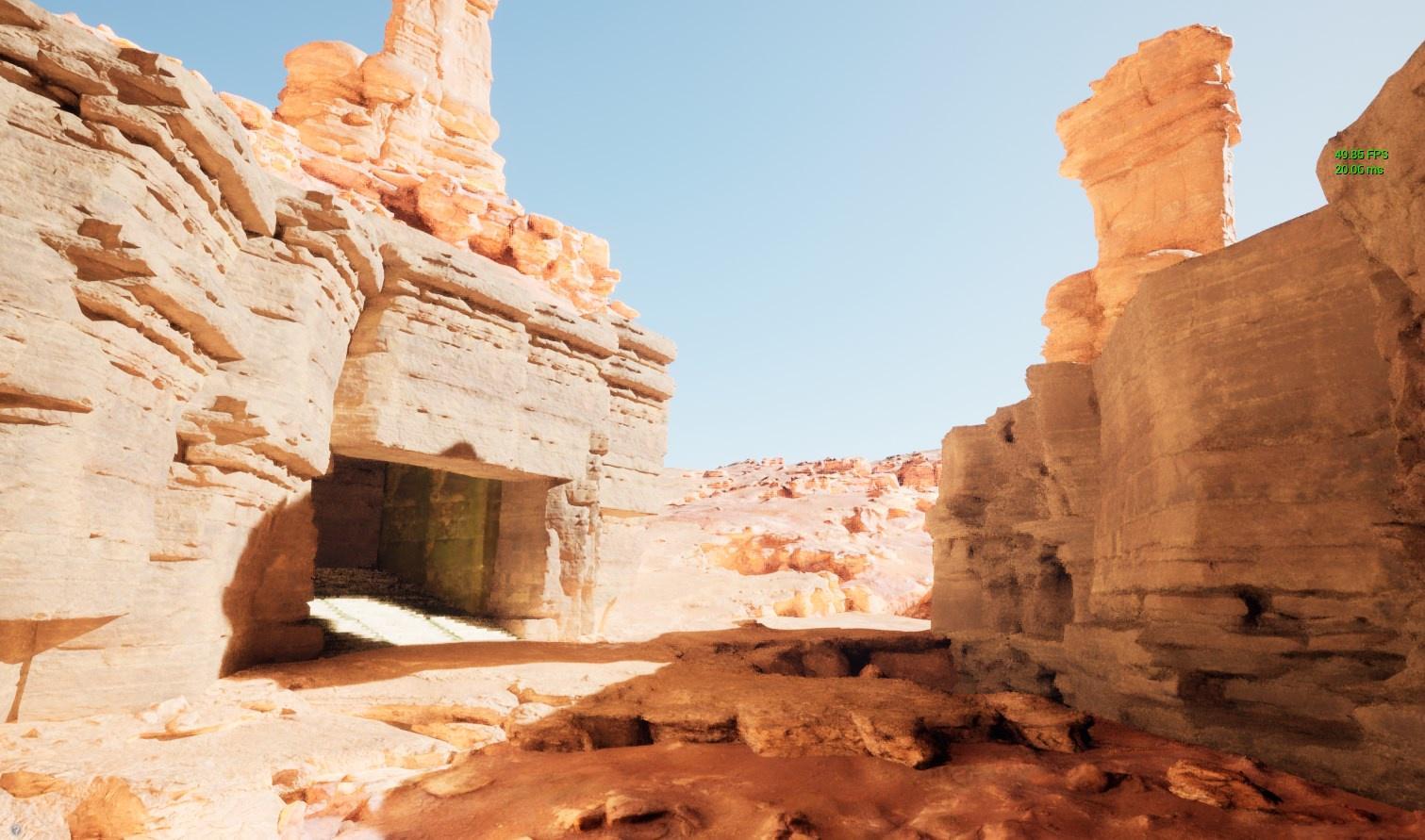
 misty wharf
c++
slender jolt
Yea not gonna happen, not for the time being at least
I got this by cheating

I calibrated the values manually
through trial and error
 queen dirge
any friendly environment artist want to hit me up with a dm? 😄
slender jolt
but it doesn't work
 smoky lynx
Hi, I just wanted to ask if unreal engine supports blender?
 fierce tulip
 smoky lynx
Thank you
light thunder
What's the right order for taking a 2d capture component's render target and putting it to a 3d widget...I've done it before but it's been a long time
 waxen crypt
https://prnt.sc/10bhp5k
https://prnt.sc/10bhrod
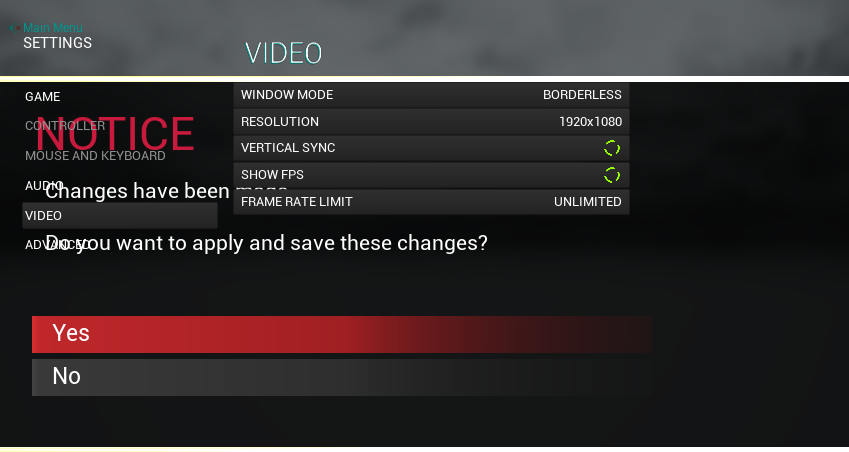
Hey guys does anyone knows why zorder behaves like this or what is the problem?
it happened out of no where the popup save menu doesnt appear on top just behind
(i was suspecting because of some crashes that bugged up things but not experienced enough to do anything other than just make new bps and re do stuff (small changes) "thats how i got some stuff in the past to work when sometimes it broke")
and i have tried playing with zorder and looked everywhere for almost 2 hours now and no vain
and this is for settings menu where i have main parent and child and the pop up is created in the 2nd child
it goes like this
parent->child(settings menu)->child(adv settings)->popup menu(save changes pop up menu)
also it used to work b4 but now i didnt come close to the bp or it and it bugged up
ping me if someone have any clue
 rigid belfry
how do i make an actor spawn based on a %?
because this is not the way to go. for sure
 grim ore
your looking for weighted randoms, theres quite a few posts out there on it
there is weighted booleans in the engine but nothing like what you want here out of the box
a super easy way is random 1 to 100, then set your thresholds like 4 or less is rare, then it rolls over to 15 or less is uncommon, then it fails down to common
light thunder
What am I doing wrong with this 3D Widget, trying to get the render target onto it -

 rigid belfry
is this new?
 light thunder
 slender jolt
Finally, that was a pain in the arse
 light thunder
That's just a camera actor with a SCeneCapture2D component
slender jolt
the middle bit is still wrong but it's fine, it's just the bit that holds the blueprint
grim ore
@rigid belfry not new, always been there just a warning
slender jolt
Are you guys not impressed? Are you not entertained?
plush yew
its pretty cool 😄
waxen crypt
it is a good job if i first i understand what is it for ?
slender jolt
I'm joking, it's terrible, it's not impressive at all
 lime gull
But hexagon
plush yew
@slender jolt are you doing hexagonal procedural spawning? I recently spent time doing procedural spawning of big hexagon made up of smaller hexagons based on an integer input
slender jolt
Yes, I'm doing something like that was a basis for something else
lime gull
Also, anybody know why a component overlap would work, but then when the level is reloaded it wouldnt?
 pseudo pulsar
Can you change the world color without adding a skysphere? I'd like to make the black a different color.
 slender jolt
basically I want to prototype enemy spawns gaining "territory" over time
I thought using squares was too boring and minecrafty so I went "why not hexagons"
now I know why not hexagons
pseudo pulsar
slender jolt
Finally, that was a pain in the arse
Is that procedural?
slender jolt
Yes
 pseudo pulsar
Oh. Cool! Are you bitmasking?
 plush yew
n=6
 slender jolt
oh wow, that looks great, I love the little bubbly thing it has going on
plush yew
yeah its a wasps nest comb
pseudo pulsar
slender jolt
it generates the hexagons in rings
That's cool! I implemented 8-bit masking to auto-tile the soil for my game. Was considering making it work for a lot more, but haven't really played with doing mesh based procedural stuff yet. I assume it'll be the same concept; except swapping out meshes instead of textures. lol
slender jolt
n=10

I'll have to tweak the elevation numbers
they are a bit all over the place right now
plush yew
I did my cell generation in rows, but would need a lot of extra complexity to get the vertical elevation like you.
slender jolt
I initially thought of doing it in rows too, since you can pretty much just offset the id, but I wanted it to expand out from the centre, for multiple reasons
It was a lot harder than I thought it would be
I has like 6 loops inside of another loop all with different id offsets using cube coordinates
Yours looks a lot comfier though, and you actually know what you're doing
instead of hitting your head against a wall until the thing works
rigid belfry
how does the switch node work?
 grim ore
one thing goes in, based on the in it picks an out
so it could be a switch on int, and would execute a wire based on the integer coming in.
lime gull
Anybody know why a component begin overlap event would stop working once you re-enter a level?
It works fine the first time, but then breaks once going in again
 dense dagger
Hey guys, i'm having some problems with the texture while I swap meshes in unreal. I create a blueprint for swap meshes in unreal, the blueprint is working fine and the swaps are perfect. The problem is that the textures in those meshes that swaps stay emissive cause they are moveble objects that don't bake in scene like the other meshes. (In short, they dont bake cause they are inside the blueprint) So I found a way to resolve the problem but the results are not satisfactory, i used the lightmassimportacevolume to make a "false" bake of the meshes using the volumetric lightmass but the results are not so good in some cases (i'll add some photos). My question is: I'ts there any other way to create that swap of meshes and make the bake or to use the lighmassimportancevolume and make the texture look pretty?
Emissive with no lighmassimportancevolume

beautiful with lighmassimportancevolume

ugly with lighmassimportancevolume
 grim ore
@dense dagger you might be missing what the lightmass volume does and why its emissive. #graphics might be able to help but I beleive your asking about the difference between a build lighting setup (lightmass) and a dynamic setup (realtime)
slender jolt
Very comfy kitchen
 dire whale
just changed my project from 4.20.3 to 4.26 and i am getting some issues ):
stiff verge
most software let you import an older project in a newer version. I'm wondering why issues with game engine are so common
grim ore
nothing abnormal, stuff changes over time.
game engines are just 1000's of parts and over time they change
dire whale
So, i had a message pop up when the players leaves the area mission... the script to kill him still works and all of that but the "visibility" aspect of it dosent

anymore
opal lark
Is it possible to ad AI in to sequencer so when sequence is finnished the ai will attack player
dire whale
as soon as i start i keep getting the message when the actual coding aspect of it seems fine, thoughts?
 dire whale
opal lark
Is it possible to ad AI in to sequencer so when sequence is finnished the ai wil...
dire whale
opal lark
Is it possible to ad AI in to sequencer so when sequence is finnished the ai wil...
yes
opal lark
@dire whale How would i go about that please
worn bluff
dire whale
as soon as i start i keep getting the message when the actual coding aspect of i...
Your game looks pretty cool if that’s what you’re working on 👌
 fallow oxide
any exact ETA on UE5. Just got Rider Update with UE5.
grim ore
yes, 2021
dire whale
opal lark
<@!358040368786178049> How would i go about that please
Make an animation montage with the animation and add a notify and then just reference it in the code
dire whale
worn bluff
Your game looks pretty cool if that’s what you’re working on 👌
thank you
worn bluff
Npnp
fallow oxide
grim ore
yes, 2021
I meant exact month. covid is causing delays everywhere.
grim ore
well you asked for an ETA, ETA is Estimated Time of Arrival and its still 2021
nothing else beyond that
opal lark
@dire whale Thanks
fallow oxide
@grim ore haha, you seems to be a great diplomat
we can only wait
I just hope there is no licensing change in UE5. it remains same as that of UE4.
fierce tulip

Unreal Engine
Unreal Engine is the world’s most open and advanced real-time 3D creation platform for photoreal visuals and immersive experiences.
read those :)
fallow oxide
cool thanks a lot brother
 weak cradle
Anyone know a good tutorial on level design
 potent reef
Hi... any daz3d user here? i am using daz to unreal bridge on Daz Marketplace. I had a scene with genesis 8 male, sit on the hover bike. I export with skeletal mesh and etc. I always failed. The poses i made, revert to T-pose. So, how do you export to unreal with poses? always failed.
weak cradle
Because all the ones I watched aren't that great
plush yew
Do entered console commands and entered console commands from BP stay in the packaged version of the game?
fallow oxide
@potent reef not expert , but have you tried this flow Daz -> Autodesk (Maya, 3DS) -> UE4
Not sure if there exists a pipeline for Daz -> Autodesk
potent reef
fallow oxide
<@!708105875478282281> not expert , but have you tried this flow Daz -> Autodesk...
I already have solution, but what i wanted if someone had solution using daz to unreal bridge plugin to make poses intact. Because is faster via plugin, but the problem right there. Maybe i am at wrong setting.
 toxic hatch
if I use ue4 to generate my lod's does it automatically make it so that textures are smaller when theyre far away or is that something you have to do separately
toxic hatch
i tried looking in to it and theres something called texture streaming that sounds like it but idk if its something under the hood or if its something people can adjust
slender jolt
Ayy I made it scalable, so I can have bigger hexes or smaller hexes
 neat forge
Is there a way to take a string/name variable and add a prefix to it? I want to add "l_" and "r__" to the beginning of the socket variable on a switch
 slender jolt
nothing broke surprinsingly
grim ore
@neat forge you can use the append string node to append strings
neat forge
Oh yeah lol, sorry to be a noob
timber nymph
I keep coming back to this conceptual issue, maybe you guys have some good ideas. I keep reading that the player controller is "the player's will" and where input goes etc. But also that you don't switch player controllers during the game, unless changing maps or something. So let's say you join a game and you're spectating, but then you get on a team and start playing. Spectating and playing have radically different input demands, so it doesn't make any sense to me to put input in the player controller at all, really (maybe just like, escape to open the menu). Shouldn't all of the input, hud, etc be on the pawn? and you possess different pawns to have a different gameplay experience?
the player controller seems like maybe where you put their name, but even the score would be on the pawn because they don't have a score as a spectator
grim ore
@timber nymph you can do that yes, common inputs would be on the controller and passed to the pawn or they could just skip the controller and all be on the pawn
fallow oxide
Have you looked into SpectatorPawn class?
timber nymph
@fallow oxide it's a conceptual issue not about which pawn touse
timber nymph
grim ore
<@!523144779819909120> you can do that yes, common inputs would be on the contro...
that makes sense to me, I just keep seeing answers that focus on the player controller getting more attention
grim ore
You can probably skip the controller for everything but think about this setup. Your pawns have all input, your pawn dies and is destroyed. how do you respawn the player with a key?
timber nymph
yeah that's where the breakdown is for me
grim ore
the answer is the controller
timber nymph
because keys aren't relevant if you're not a particular kind of player
so I'd really want to switch player controllers from e.g. a spectator, who doesn't know about keys, to a player, who has a persistent key between lives
grim ore
you might have menu input in the controller, ESC for Menu toggle for example
timber nymph
but I read again and again that switching player controllers isn't a thing
which makes sense if the PC represents the network client, for example
grim ore
and most of the times the KEYS are relevant, the ACTIONS are what is different
 orchid sable
Hey friends, Im trying to package a debug build of our game, but cant seem to get it working. We built the project w/ debugeditor, tried passing -debug to both project file and editor file...but keep getting this:
ERROR: Targets cannot be built in the Debug configuration with this engine distribution.
Any insight would be greatly appreciated...waited 2 days to come ask for help
I also have the debug symbols
worn bluff
@plush yew I installed unreal and I wanted to test the capabilities of my pc, so I installed the elemental demo and so far the only thing that's slow is compiling all the shaders, navigating the scene is slow, but it is not unbearable, I dunno I think I can deal with this not everything is compiled so it might get slower once it's done, but for now I don't see a problem using the engine.
 grim ore
compiling uses all CPU resources, it will get faster when it is done
timber nymph
compiling shaders made me have to reduce my overclock to manage heat lol
grim ore
@orchid sable chances are you cant build out a debug build with the launcher version of the editor, are you using a launcher version of the engine or a source version?
worn bluff
grim ore
compiling uses all CPU resources, it will get faster when it is done
Oh niceee
Then this might be even more bearable than I thought
orchid sable
@grim ore im using launcher version...tho I coulda sworn I read about it being possible from there
grim ore
it might be, but I can say from testing choosing debug as the packaged version just plain fails for me on launcher versions
orchid sable
just did a test and a fresh project seems to let me build debug version...
grim ore
does it say which target is failing? perhaps its a plugin
orchid sable
we thought about that and turned off anything and everything possible
deep debuging now, but wanted to make sure i wasnt missing something obvious from staring at it too long
plush yew
worn bluff
<@456226577798135808> I installed unreal and I wanted to test the capabilities o...
eyyyy :>
shaders do take time lol
worn bluff
plush yew
eyyyy :>
shaders do take time lol
oh ok that's good to know
 sweet arch
I'm trying to get Perforce setup for a class project, and when I try to connect the workspace in unreal it gives me the message "No Workspaces Found!"
Everything seems to work in P4V. I can pull the current and push files out. I'm currently using a class P4V server setup and Unreal Engine 4.26.1
Any ideas?
 worn granite
what kind of workspace do you use?
 next badger
@sweet arch P4V is a GUI client, server is just P4, you should be running P4V along UE4 to access P4 server
also make sure ue4 is not blocked in the firewall
grim ore
I want to built my house in an external program that I could then import it into UE4 without much issue. Current problem is stuff like sketchup and some other stuff I have tried are making 1 mesh out of it all rather than walls or surfaces I can use and texture properly in UE4. Any recommendations?
grim ore
ugh
trying to use a compatible CAD system if possible lol
I mean I did it using the modeling tools in UE4 to start with and it was fine but I would prefer a proper DCC for this if I can find one.
trying to get a complete arch viz workflow tested and working for reasons and so far its not user friendly lol
slender jolt
Any way to make a texture not stretch when you change the scale of an object?
sweet arch
next badger
<@!218779540359479297> blender? 🙂
Thank you, I'll try your suggestion. Also didn't notice the source-control when I was looking. Thank you for letting me know 🙂
slender jolt
Like if I make a cube "rectangular"
next badger
cad is generally generating solid mesh based on instructions set...technically you can export them as separate meshes, but you need to isolate and export each one
grim ore
yeah none of the programs I have tried so far support that 😦
atleast not in one file which I know can be done, I've done it for 3dsmax -> datasmith but was hoping for a CAD specific DCC this time around
Sketchup wasnt bad but I cannot get a handle on the interface and its one mesh lol
 vernal valve
Ok so I want to create a new project and it just stops initializing at 39% every time. Is this normal?
grim ore
yep
next badger
@grim ore Fusion 360 can use "components" to draw meshes as separate objects
vernal valve
And it takes ages?
grim ore
its 100% cpu based, so slow machine slow setup time.
check your task manager see if its near 100%
@next badger gotcha. going to try and see if sketchup can do it (have it done in there already might as well try, then might check out 360 and revit)
vernal valve
it's at 100%, altough UE only uses 25-30
Oh it finished now
I just can't remember it taking that long last time like 2 months ago
 calm pollen
hey im trying to make a system in the menu so that when a button is pressed, another one shows up, then when pressed again, the original one pops up. Kinda like an On/Off button. This is what i have but for some reason its not working, does anyone notice anything wrong

what happens is that it displays the second image (off) then the whole button disappears
grim ore
what is the default size on the button before you do this? you dont have a size in your input brushes
calm pollen
both the On and Off variants are x-450 y-250
vernal valve
It's been compiling shaders for minutes, is that normal?
grim ore
is your cpu near 100%?
vernal valve
yup
grim ore
then yup
vernal valve
is it alway like that or just because the project is new?
grim ore
first time with the project, possibly first time with that engine version
grim ore
first time using raytracing? yep
plush yew
How would I go about creating my own projectile coming out of the gun?
I know roughly the blueprints through tutorials, But I have no idea where and how to import and make my own custom bullet
grim ore
@next badger yep Sketchup will do it, just have to fight with it and use materials/proper geometry lol
@plush yew lots of questions there. How to make a mesh for a bullet? how to get the bullet into the editor? how to spawn the bullet? how to move the bullet?
 thin sluice
I got this thing from a tutorial and for an reason, it return true only after the hearing sens got activated
 plush yew
grim ore
<@456226577798135808> lots of questions there. How to make a mesh for a bullet?...
plush yew
grim ore
<@456226577798135808> lots of questions there. How to make a mesh for a bullet?...
sorry, I watched this video and at this part I cannot seem to find the ''muzzle'' compenent that he is talking about!
https://youtu.be/OB6ns9E3dUU
This tutorial covers how to spawn a bullet/projectile in Unreal Engine 4.
And I basically want to create a paintball, with splash effects
but I have no idea where to start, like where do I source the effects/paintball from the get go?
calm pollen
plush yew
but I have no idea where to start, like where do I source the effects/paintball ...
you can try making a particle effect if the game is gonna be fairly low poly
thats how ive seen people make a blood splash effect
plush yew
calm pollen
thats how ive seen people make a blood splash effect
Will look it up, also do you amke the particles from scratch ingame, or do you have to import in existing art?
grim ore
he mouses over it at one point, its just an arrow component added so there is a point of reference in the world
calm pollen
plush yew
Will look it up, also do you amke the particles from scratch ingame, or do you h...
im not exactly sure about that part sorry, i just know it is an effective way to make something small like that
@grim ore i switched the inputs on the very left around, not it displays it for like a second longer but the dissapears, is it setting the size of the buttons to 0,0 or something? Idk why it would destroy itself after use
next badger
@grim ore I thought you have some beefy pc
grim ore
I do
next badger
i've checked fusion 360, it didn't go beyond 25%
grim ore
@calm pollen try setting the sizes when you do the set brush node, from your screenshot it shows setting it to 0
@next badger dunno I havent tried 360 yet
plush yew
grim ore
he mouses over it at one point, its just an arrow component added so there is a ...
thank you, it was disguised as sphere lol
 grim ore
yeah I might check it out after I get this sketchup flow working. I want to get all the datasmith pipelines understood
plush yew
which sketchup version do you use?
Datasmith doesnt work with my free version 😦
calm pollen
grim ore
<@!682289272518213632> try setting the sizes when you do the set brush node, fro...
i set the width and height to the respective numbers, but it still destroys itself at the end
even added a breakpoint, the code works fine but something else happens after i guess
grim ore
are you sure its destroying itself and not just making it small?
calm pollen
it looks completely gone
grim ore
you can open up the widget reflector in the developer tools and look thru the ui tree while its running
calm pollen
oh ok ill try that i didnt know that
everything is looking normail idk whats up
i might just make it so when one button is clicked, the visibility gets swapped for each of them
thin sluice
Why my ai is not succesfully sensing, i got the hearing and the sight thing and if i deconect the event on this node(On perception updated and connect the old one it succesfully sens the player
 plush yew
Whats the difference between having 'use controller yaw, pitch, roll' enabled and having 'use controller desired rotation' enabled? On the latter it says to disable the former
rigid belfry
damn i could really use a power up
worn bluff
Why does it take soooo long to compile shaders it only compiled 1k out of 9k and it’s been an hour 😑
rigid belfry
worn bluff
Why does it take soooo long to compile shaders it only compiled 1k out of 9k and...
you're most likely doing something wrong
you were new right?
opal lark
How do I Transitioning Between Gameplay and Cutscenes ?
worn bluff
No like I wanted to try the elemental demo to see how it would run and I opened the project and it said compiling shaders so I assume I have to wait for that to finish before I can hit the play button.
rigid belfry
opal lark
How do I Transitioning Between Gameplay and Cutscenes ?
sequencer
worn bluff
rigid belfry
you were new right?
Yes I just installed it not to long ago like 2 hours ago and then I opened the project and it’s been doing this for an hour
opal lark
I have a skeletol mesh he jumps throu a door then i need him to attack and chase player in game, but how can he do this if i does not move after sequence ends
rigid belfry
worn bluff
No like I wanted to try the elemental demo to see how it would run and I opened ...
you have to compile shaders just once
compile speeds are related to your cpu capability
worn bluff
Dam mine must be slow af
grim ore
@worn bluff you are running on a dual core laptop cpu, its going to be a bit
assuming of course its near 100% cpu, if its less you installed something bad
rigid belfry
worn bluff
Dam mine must be slow af
isn't that demo pretty old too anyway? btw i also recommed taking a look at the learn.unrealengine.com webpage. lots of more up to date stuff in there
rigid belfry
worn bluff
Ok let’s say I wanted to do something like this?
Blocktober quick start guide to level design and game environment blockouts for October.
stiff verge
I've got a weird Gui behavior with the sequencer. I move many objects at the same time by selecting them all. Then I add my keyframes but as soon as I keyframe the first object, the others "refresh" based on their timeline data..
Is there a way to automatically keyframe when I move stuff around?
vernal valve
Is there like the UE4 beginner tutorial? Like there's the donut tutorial for blender?
rigid belfry
i think this is pretty good. https://www.youtube.com/watch?v=rAVPEGnyatk
i like his channel in general
he posts great vids in my opinion
plush yew
Hi, would appreciate some help, I am having massive problems getting an AI character to rotate the way I want it.
The character is controlled by either player or Ai. When player controlled, I do set control rotation based on player input, works fine. I actually handle movement via projectile movement component, but I also have a CMC attached.
However when the character is in 'AI mode' it seems I'm unable to set control rotation no matter what, rotation is just random almost.
 dense bay
Try messing with the setting bUseControllerRotation or something like that, in the character
 digital verge
Hello Drop Out, I bought this product: https://www.artstation.com/marketplace/p/pjPX/pro-lighting-kit (Sorry for my late reply) I extracted the files and placed them in the "content" folder.

ArtStation
Game Assets - Pro Lighting Kit, USD $5.00. Pro Lighting Kit is a super simple way to show off your assets in an awesome way in UE4. Choose between 7 different lighting scenarios and customize your backdrops to get...
 dense edge
Ive guessed it, you wont find a fix in google with a purchased asset. You need to find the cause of error yourself using the error message
plush yew
Still no luck with rotation
All i want to do is use find look at rotation and plug it into set control rotation
The AI is moving how i want just rotated randomly
No setup seems to work
grim ore
what are you setting the rotation on for the AI, the control rotation, the capsule, the mesh?
plush yew
Control rotation
 distant totem
you are using both projectile movement component and CMC?
plush yew
yeah
btw is blender the N1 3D software for game design? (assets/3D modelling etc)
I think I might switch to it from Rhino3D
distant totem
I think thats your issue, why use both? try and set the rotation in the CMC, ensure the AI controller has UseControllerRotation, play around in the details
worn bluff
rigid belfry
isn't that demo pretty old too anyway? btw i also recommed taking a look at the ...
I dunno it was in my assets so I chose it to test
worn bluff
grim ore
<@!527932624329769001> you are running on a dual core laptop cpu, its going to b...
I have no idea it’s not a laptop it’s an all in one pc
 magic fern
Hey guys. What is the best way to replicate the skins of players that enter a multiplayer lobby and the ones that are already there?
 vale flare
hey guys, why does it seem like my physics constraint is colliding with my skeletal mesh? i tried to set it up where the physics constraint would move with the animation but uh...
it's trying to do a sword swing animation
trying its hardest
grim ore
@worn bluff it’s still a Lowe power laptop cpu based on your screenshot. It’s gonna be slow. Super slow.
worn bluff
grim ore
<@527932624329769001> it’s still a Lowe power laptop cpu based on your screensho...
Oof ight then
 vast pawn
how do you edit blocks in geometry mode inside blueprint viewport?
and snap onto vertices of another object?
plush yew
Before I report this as a bug, Can anyone verify if it's just me? Because it's causing me a real pain
https://gyazo.com/d9df1d7f32d6b72479bee767ce13482d

Whether the branch is true or false, the audio will still fade in. Doesn't matter if it was even ticked at all.
grim ore
The top wire fires no matter what the if branch says so it should fade in yes
plush yew
Yes, The problem comes after
When determining whether to be reset or not, It will always reset. even if the branch returns false, and there's no tick...
the audio will fade in another 3 times
grim ore
Print out a string after the true and false. See what shows up.
plush yew
Wow I'm so mad, I had an AI character spawning the same exact sound at a 2d location.... So the Branch was true for it, even if it wasn't true for me
Pog thanks for the print suggestion, It helped me figure it out
timber nymph
I have a postprocess effect that flickers/smears when the camera moves via my code, but not when I eject and move via the editor. Is there a particular place or way that I need to move the camera? I'm just rotating the swingarm
 dusty zinc
noob question - this material root node looks different from what a normal material root node looks like. I found it on most skeletal meshes I look at - I was hoping to manipulate a material by adding a holographic effect to it, but don't seem to know where to begin modifying a paragon or mannequin asset. MY Q: How is this different from a normal mat and is there documentation easily accessible? I haven't found anything yet on the subject.

 digital anchor
@dusty zinc on the material details, there is a "Use Material Attributes" checkbox
plush yew
https://youtu.be/mXMWEWmur6k link of the project file in description for free

In this video I am going to show to all of you guys how to make a full aim assist / auto aim / auto enemy detection system.
This aimbot will make you become a professional sniper, and make the gameplay extremely easy.
Features of the aim assist system:
- detect enemy
- show enemy's life percent
- fast auto aim to the enemy
Project file UE4.2...
digital anchor
its just to be easier when blending many materials etc
worn bluff
This is the first time I’ve seen this

Epic announces MetaHuman Creator a browser-based app that lets developers and creators create real-time 3D character models in "less than an hour." Create characters and bring them to life through animation or mocap.
#IGN #Gaming #EpicGames
THIS IS LITERALLY CUTTING EDGE
 spare kernel
it was posted #unreal-news 😄
worn bluff
Oh yeh I joined this server today I kinda been living under a rock for the past few weeks XD
But I’m MESMERIZED
They look so real
plush yew
I have a question, when designing a level, do you guys try to get the unseen parts perfect, or no?
 glossy prism
plush yew
I have a question, when designing a level, do you guys try to get the unseen par...
glossy prism
plush yew
I have a question, when designing a level, do you guys try to get the unseen par...
if you use boundaries correctly you wont need to
i usually do what the player can see but if its not gonna be visited or visible ill leave it with less detail
plush yew
ok but let me ask you something
How would you do rooms with box brushes? Would you extrude the doorway via the original room, or have it as a separate box brush?
 zealous hornet

Servidor feito em C. Pronto embora ainda precise de uns ajustes. Link para download do jogo: http://pristonbgeproject.servegame.com
MMORPG de mundo aberto. Diversão para toda família. Jogo multiplayer online.
 opaque minnow
Hey guys I was wondering
Ryzen 5 3600
Or
I5 10400f
And btw what is the worth spending
GPU or CPU
Because recently unreal engine could bake light using an rtx
So should make it like this :
Ryzen 5 3600 6 cores
Rtx 3060 ti or 3060
Or like this :
Ryzen 7 3700x
Gtx 1660 ti or something in that range
 hexed barn
I'm getting a message on loading a simple starter project.

Can anyone help me understand how to fix this? Pressing OK just causes the popup to come up again. It won't load the project.

GitHub
I am building AirSim on Fedora 28. I had to compile clang-5.0 from source and then used it to compile Unreal, following the steps here: https://microsoft.github.io/AirSim/docs/build_linux/. I then ...
 rancid lynx


when i save and load an array, the arrays are showing data after a load, but not after a game restart and load. but the HMDPlayer Location Transform is updating with no problem.
im assuming you can save and load array data also right ? why is my array data getting lost on a game reset - load, while the HMD transform is saving correctly ?
resetting the game and loading game data after a save seems to lose the array information, but not the non array transform. anyone have any ideas why ?
 sterile tulip
Im having a problem
rancid lynx
are you using that ew landmass stuff? i had strange issues with suck players with landmass tools. no idea what it was. just know it didnt hOoen the day before i used landmass brushes
sterile tulip
The landscape is created with the landmass tool @rancid lynx
rancid lynx
try a quick map lwith out la dmash brushes. surely they are not the problem. but id test that also. or pCk the game with landmass and see if that helps no idea
sterile tulip


Im having a problem
On some spaces of my landscape it works fine but on some places of my landscape the wheel goes through the ground?
sterile tulip
rancid lynx
try a quick map lwith out la dmash brushes. surely they are not the problem. bu...
I do have a test map with a flat ground it works there, but I want the landmass tool for creating the landscape
calm pollen
is there a way to make widgets appear only once, then once the player clicks off of it the widget never comes back up
like a terms of service or a welcome screen^^
sterile tulip
sure
prob with a boolean
before the widget hasnt appeared the ,,is already shown,, boolean is false, and once you show the widget once this boolean is set to true. And before you show this boolean it checks if this boolean is false as a condition and if it is false it shows, if it is true then nothing is done
calm pollen
sterile tulip
before the widget hasnt appeared the ,,is already shown,, boolean is false, and ...
somehow i didnt even think of that thanks so much lmao
 stone mirage
hello, can somebody tell me how to fix the groom sync with the mesh? i have tried so many things but no luck
BTW the alembic was made in blender and it imports without problems.
thanks in advance
slender jolt
unreal through remote desktop is not advisable
 late verge
timber nymph
late verge
timber nymph
is there a way to have typing "for loop" select the "for loop" in blueprint and not the "for each loop" ?
seems like a no brainer
 ivory gulch
hey guys instead of making materials in UE4, can I make em in Blender instead? Will it make any difference?
 remote bramble
i need some help with this lil something. so im following this tutorial, but i cant compile the level blueprint with the target as self

In this Unreal Engine 4 tutorial you will learn how to set up a new playable game character from scratch, by creating a game mode, character blueprint and mapping the ability to move, jump, run and crouch to different keyboard keys and mouse buttons. Furthermore, we'll create public variables for jump height and run speed, thus exposing them to ...
i ve had to compromise and use the player character i made as the target

but the character moves independent of the rotation
so if i look backwards and press w im walking in the opposite direction
and i cant walk diagonally
can anyone tell me why i cant compile with the target as "self"?
plush yew
I've followed that tutorial
 delicate mesa
anyone else getting this werid compile bug on successfully compiling a project

like my project literally has a broken exe and im quite ticked
 regal mulch
Isn't that the wrong subfolder? Shouldn't there be one with your games name
timber nymph
I have a BP function accepting an array by reference but adding elements to it doesn't update the incoming array; I assume it's passing a copy of the member by ref, how do I get the member by ref to pass?
regal mulch
Also the exe file should usually be in the root folder of your packaged game iirc
regal mulch
timber nymph
I have a BP function accepting an array by reference but adding elements to it d...
Did you mark it as byref in the input pin settings?
timber nymph
regal mulch
Did you mark it as byref in the input pin settings?
yea
timber nymph
what would be the point of the byref flag then
lol
if it makes a copy and passes the copy by reference that's absurd
timber nymph
gotcha thanks
regal mulch
Lots of stuff in bps is sadly copied
timber nymph
arrays by ref would seemingly be the most important use of the flag
delicate mesa
@regal mulch no there isint its a really bad engine bug since the project compiles but gives me a exe that does this
 regal mulch
I think they introduced it for structs or so
When they added the set member functionality
regal mulch
delicate mesa
<@!94211915902889984> no there isint its a really bad engine bug since the proje...
And your build log?
delicate mesa
lemme check
timber nymph
@regal mulch FWIW it looks like the solution might be to write a getter with an out param
 regal mulch
Well cpp def works
delicate mesa
timber nymph
that should be able to pipe into the BP ref input though, I'll see
delicate mesa
thats the log
regal mulch
Don't see anything wrong on my phone atm. Are you using the Frontend or just the editor to package?
delicate mesa
the editor
usually when compiling the exe name is your project name not ue4-game.exe
delicate mesa
all i have is content a paks with the .pak there literally did not even create a proper binaries
slender jolt
I'm not gonna be able to implement it right now, but what's the best way to deal with massive data tables using blueprints? Is it actually just arrays?
Can you inject values into an array using an index, etc.?
slender jolt
Thanks, I don't know what a TMap is but I'll look into that
regal mulch
Not sure what your question is tbh
delicate mesa
@regal mulch any other suggestions cause its failing to create a binaries directory
slender jolt
basically I need to keep updating constantly changing information about enemy spawns and "vegetation" per map "chunk"
regal mulch
delicate mesa
<@!94211915902889984> any other suggestions cause its failing to create a binari...
Are you packaging Devlopement and Win64?
delicate mesa
yep
regal mulch
Then not sure tbh
slender jolt
say, the player cuts a bunch of trees, that number affects the spawn of herbivores
which in turn affects the spawn rate of close by carnivore enemies
delicate mesa
ima try on my laptop see if it compiles might be something buggy with my ue4 install
slender jolt
which could affect the spawn of human like enemies, etc.
calm pollen
im trying to make it so that the Terms of service widget only shows up once, but now nothing shows up lol, does anyone know what im doing wrong here?
 regal mulch
slender jolt
basically I need to keep updating constantly changing information about enemy sp...
regal mulch
slender jolt
basically I need to keep updating constantly changing information about enemy sp...
Datatables are static data. You only prepare them pre-runtime and query them runtime. No editing runtime.
timber nymph
@regal mulch I was wrong, it is getting passed by ref I was just calling it from the wrong place and it wasn't running lol. Thanks for your help
regal mulch
timber nymph
<@!94211915902889984> I was wrong, it is getting passed by ref I was just callin...
Glad to hear it works
slender jolt
Oh yea then that won't work
regal mulch
calm pollen
im trying to make it so that the Terms of service widget only shows up once, but...
Why using GetAllWidgetsOfClass?
slender jolt
but the tables could be useful for keeping static rates like how much "food" an enemy type needs around them, etc.
so that's good to know
regal mulch
If you spawn the widget there you can promote the return value to a variable and check if that is valid befote spawning another widget
calm pollen
regal mulch
Why using GetAllWidgetsOfClass?
honestly no idea, it just seemed to work, I havent 100% got the concept of the "object: in casting
plush yew
Is there a way to hide a mesh inside an actor??
regal mulch
Object is always an instance of your class. Imagine a class like a house blueprint and when you build a house based on the Blueprints you get an instance.
If you build 50 of them then the object needs to be one of them
Casting is just a way to determine the type of the object
Cause everything inherits from each other.
calm pollen
how exactly would you know though, is there a way to view the right one in the bp of whatever you are casting to?
regal mulch
You need to keep track of them yourself
Spawning Actors or Widgets returns the new object
You can save them to variables and reuse them
calm pollen
oh so you can make your own objects as variables and use that while casting?
regal mulch
These variables are like containers. They can be empty if you never saved anything into it. So there you need to check IsValid if you arent sure that something is in it
plush yew
Is it possible to hide geometry in physical asset?
regal mulch
plush yew
Is there a way to hide a mesh inside an actor??
The meshComponent can be set to hidden in game or change the visibility
calm pollen
regal mulch
These variables are like containers. They can be empty if you never saved anythi...
gotcha, that actually helped me out a ton thanks so much
regal mulch
calm pollen
oh so you can make your own objects as variables and use that while casting?
Kinda. It might still be pretty confusing
plush yew
It's not a separate fbx... It's an object inside an fbx...?
regal mulch
Just creating the variable will not be enough as it would be empty
regal mulch
plush yew
It's not a separate fbx... It's an object inside an fbx...?
If it has bones you could hide the bone by name
Not sure if you have other options despite splitting the fbx in two
plush yew
But I don't want to hide other things affected by that bone.
calm pollen
so what would be the object of a widget when trying to check for a boolean being true? would it be different than say trying to get a physical object?
plush yew
Okay. Thanks
regal mulch
If you Create a widget and you save the return value intl a variable you should have all you need
The variable is then either of type UserWidget or your specific widget class
If it's your class, you can access it directly
If it's of type UserWidget, which is usually the parent of widgets along the hierarchy, then you have to cast it to your custom type
These reference variables are basically boxes with a filter.
If the type is UserWidget then you can only put UserWidget or child classes of them into it.
At that point you also only know that whatever you saved in it is at least a UserWidget. If you need info from your custom class then you need to cast to it
Will take a while until that becomes clear
We all went through that
calm pollen
ok i think i got it now, i really do appreciate this lol i was not expecting this much information
thanks so much man 😁
regal mulch
No biggie
calm pollen
have a good night bro


 manic hazel
Hi everybody, new to UE I only have some unity knowledge and programming skills, my question is where shal I start? Is there a good series of tutorial that I can follow?
magic fern
Hey guys. What is the best way to replicate the skins of players that enter a multiplayer lobby and the ones that are already there?
 coarse wigeon
Unreal Engine 5 support! HYPERS
remote bramble
manic hazel
Hi everybody, new to UE I only have some unity knowledge and programming skills,...
the way im learning right now is i just have ideas and then look how to implement them
coarse wigeon
manic hazel
Hi everybody, new to UE I only have some unity knowledge and programming skills,...
Go to the Unreal Learning portal on the Unreal Engine website
 glacial dawn
One question; I have a full demo of the game I'm developing, a ninja stealth game like Tenchu or Shinobido, but I don't know where I can post it. I wanted to post it in itch.io but the size of the demo doubles the max size of this page. The game, if someday finished, it'll be totally free, do you know some page or forum or community where I can post it? Thanks in advance.
remote bramble
maybe you can put it on steam? all kinds of shit games so your high effort thing should have no problem
plush yew
Do I put run backwards animation in the blends pace with forward, strafing or should I put it in a separate state in state machine?
plush yew
It isn't working right....
 honest vale
I like the setup where the forward direction is in the middle of the blend space on the horizontal axis and then on the sides it is the 100% backwards running anim
then 50% to the left it's left strafe and same on right side
glacial dawn
@remote bramble I don't want to pay 100 bucks to have more visibility, I mean, it's a very personal project, still in development, and for a totally dead genre. Thanks for the advice but I'm looking for something less mainstream. The reviews can be very hard even for free games in Steam.
honest vale
75% left would be backwards-left strafe
100% left would be 100% backwards
or something like that
plush yew
I'll try this
 late loom
guys any1 knows how to get sequencer camera to follow a target in sequencer??
 celest hull
@remote bramble That particular problem sounds like you do not have it set to Orient to Rotation
remote bramble
celest hull
<@!464502614474883093> That particular problem sounds like you do not have it se...
how do i do that
celest hull
remote bramble
how do i do that
Well, the way i learned it was to open a project that had default settings for whicever style i was doing, such as thrid person template. Then, i would open the character BP of that 3rd person template and set it to 'show only modified' properties in the upper right hand corner options. By doing this, i could compare it to my settings and see why their example did what i wanted, but mine did not
@remote bramble In fact, i had to do that for the exact same problem you are having now
@remote bramble remember to check the settings for every object in the BP, the capsule, the movement component, the mesh, etc.
 coarse turtle
What's the landscape size after 8129x8129?
magic fern
Hello. One question. How do you replicate skins and stuff like that on the game? Like every time a player enters the lobby I went to get the save data info of that user where I store the skins and replicate to. All of the others. But then the new player also needs to get the data from the others that are already there.
manic hazel
remote bramble
the way im learning right now is i just have ideas and then look how to implemen...
Yeah that is what I am going to do but I thought it would have been good to at least have some UE basics knowledge
remote bramble
celest hull
Well, the way i learned it was to open a project that had default settings for w...
thank you i'll try that
 dire coral
can i use ue4 4.26 source build with ue4 4.26.1 from epic games launcher
 fallen marten
Hey guys does anyone know how to resolve the yellow warning of no owning connection (AI character , child class of main character) will not process function .. the AI is spawned by game mode and I've set the owner to getController.
 kind temple
Morning! I am currently looking into how I can sync up 2 animations. 1 is the attacker and the other is the defender. I would like to try and implement a solution the way Naughty dog does it.
So the way they do it (Based on a GDC talk). The way I understand it is, they have an area in front of the character they are constantly querying or checking to see if an enemy is in that area. If an enemy is in that general area and the player attacks, The Defender or enemy will line up nicely and sync either the defend animation or the react animation when the player attacks.
I would like to impelemnt something similar but I would like to try and focus on the syncing of 2 animations (Attack and react) of the player and the enemy.
Any info links or docs to read on this matter will be super helpful.
Also
I've read this on the UE4 doc website: https://docs.unrealengine.com/en-US/AnimatingObjects/SkeletalMeshAnimation/SyncGroups/index.html but it seems like this is geared more toward locomotion. I might be wrong and not understand it too well.
Sync Groups allow you to maintain the synchronization of animations of different lengths.
delicate mesa
Can someone tell me what im doing wrong? ive tried to package my project on multiple diffrent computers with a successful build but no binaries folder im confused on what to do and i do not want to start a new project
 grave scarab
Has anyone tried using the VirtualCamera2.0 and UnRemote ,
everything seems to work for me after following the documentation, only problem is the screen wont display on my iphone
 golden niche
 plush yew
Hi! Can someone help me please? I want to make a multiplayer game. I tried the advanced steam session but this uses "Spacewar". I want to host or rent a server which is not LAN. There's no tutorial and nothing. Any advice? Thanks.
 blissful bluff
Thanks for the invite in the Discord channel. I am very happy to be here.
I'm trying to get an overview and if questions arise I will contact the moderators or all colleagues here in the chat 🙂
Stay healthy and many greetings
conmes
P.S. I hope I am in the right channel... dear moderators (@modern root) if not please place me there. Thank you
rigid belfry
plush yew
Hi! Can someone help me please? I want to make a multiplayer game. I tried the a...
you need to buy a dedicated server once your business gets approved on steam i believe
rigid belfry
btw this is what i am doing right now, but i feel like i need to rewrite most of my cube logic. right now i have some values on a datatable, and on begin play, each cube gets randomly assigned these values. i am considering having a "Level Health" variable, from where each individual cube removes some health. that way i can more easily change the total health for each level


 fallow sapphire
Hi, I've been having weird issues with shadowing, the further you get from the character, the lower res the shadows get. Is there a way to change it so that shadows in UE4 stay the same resolution, not depending on camera distance ? I've put some examples below of camera close to character and far, there's a great difference in quality.

 rigid belfry
fallow sapphire
Hi, I've been having weird issues with shadowing, the further you get from the c...
rigid belfry
fallow sapphire
Hi, I've been having weird issues with shadowing, the further you get from the c...
#graphics
i think theres also a console command that increases the shadows render distance? try this r.shadow.distancescale
 hidden dew
Sheesh how long does it take for a comment on the Answers Hub to get approved?
That requirement goes away after a while right?
blissful bluff
fierce tulip
<@!693049336862605332> you might wanna spend some time reading the <#80914842892...
i will do that 😊
 mortal cedar
sometimes I like to search the unreal codebase to increasingly long ?????'s to read confused epic programmer comments
it helps me feel less alone to know they're also confused
fallow sapphire
rigid belfry
<#221799195806400512>
i think theres also a console command that increases the ...
It doesn't seem that comand did anything, I tried setting it to 50 or to 0 either one didn't really change the result, hopefully we can find what's the issue
 ebon marlin
mortal cedar
it helps me feel less alone to know they're also confused
ebon marlin
mortal cedar
it helps me feel less alone to know they're also confused
ikr? What a sanity check that is when the problem that's giving you hell also clearly gave epic programmers hell
coarse turtle
Anybody knows what does this means? This is from the world comp. user guide about world origin shifting. Does it mean if you have tiled world you don't need origin shifting in multiplayer?
However if you disable world origin, shifting you can run a tiled world with a dedicated server. Dedicated servers will load all distance dependent levels, and each connected client will work as usual loading only level that satisfy streaming distance settings. A server holds a list of visible levels for each client and filters Actor replication by this list.
rigid belfry
fallow sapphire
It doesn't seem that comand did anything, I tried setting it to 50 or to 0 eithe...
try setting it lower. like 3-5
plush yew
does rtgi not work with skylight only?
 tough pagoda
DON'T FORGET ABOUT FREE STUFF FOR THIS MONTH!
 plush yew
nothing good there
plush yew
i dont know how you could use that as a solo dev
tough pagoda
plush yew
i dont know how you could use that as a solo dev
It's can be useful for another people.
I don't like cars or something in this way.
You don't know about others people, maybe for they need this plugin.
fierce tulip
just because you think its useless, doesn't give you a monopoly on that opinion.
plush yew
do u know a good marketplace item which gives me a good ball controller
glacial dawn
IMO any free asset it's great. And I'm very thankful for that.
wary wave
I wouldn't go that far - there's some dubious quality stuff on the Marketplace that I would consider to be actively detrimental to a project in the long run if you actually try to use them :/
 smoky sonnet
hey i switched from 4.24 to 4.26 and now everything is so shiny anyone know why?
 inland sail
Can you show tutorial to learn UE4's basics for complete beginner like me?
dense dagger
grim ore
<@!708082281776152658> you might be missing what the lightmass volume does and w...
Got it. I have no dynamic lights in my scene, all static. But i'll study a little more, thanks!
 true falcon
Oh wow, Rider just dropped with updates for Unreal Engine 5, wonder if this is a sign of impending preview. Seems too good to be true 🙂
 dim merlin
Anyone knows its possible to display a spline trough mesh? So its always visible?
true falcon
dim merlin
Anyone knows its possible to display a spline trough mesh? So its always visible...

With some of the recent changes to Unreal Engine 4, rendering multi-color outlines is now possible! This is done through the use of Custom Stencil, a new buffer similar to Custom Depth - but allowing meshes to render as integer values. This provides us with a 1-255 range of indices that can be used to apply different outline colors to meshes and...
mortal cedar
plush yew
i dont know how you could use that as a solo dev
As someone making a game set in a furniture store that office scene is very nice. Thanks for the heads up @tough pagoda
mortal cedar
here a video of smashing some furniture. soon it'll also include that office furniture 🙂
true falcon
I mean spline uses meshes and meshes uses materials soo
mortal cedar
mich most outlines are done via a post process effect, which is dependent on what materials a mesh has, so a spline should work fine
dim merlin
u mention a spline mesh component, not a spline component?
vast pawn
how do you edit vertices of a block inside blueprint viewport?
and snap its vertices to other vertices of another object?
remote bramble
celest hull
Well, the way i learned it was to open a project that had default settings for w...
didnt work, but thanks for trying
i need some help with this lil something. so im following this tutorial, but i cant compile the level blueprint with the target as self
https://youtu.be/w4nJ578XP48?t=451
In this Unreal Engine 4 tutorial you will learn how to set up a new playable game character from scratch, by creating a game mode, character blueprint and mapping the ability to move, jump, run and crouch to different keyboard keys and mouse buttons. Furthermore, we'll create public variables for jump height and run speed, thus exposing them to ...
i ve had to compromise and use the player character i made as the target

but the character moves independent of the rotation
so if i look backwards and press w im walking in the opposite direction
and i cant walk diagonally
can anyone tell me why i cant compile with the target as "self"?
plush yew
@mortal cedar dont tell me its a smashing sim
mortal cedar
@plush yew Its a surival game
honest vale
remote bramble
https://cdn.discordapp.com/attachments/225448446956404738/816566552937234472/unk...
why are you getting the character from the persistent level? 🤔
vast pawn
how do you edit vertices of a block inside blueprint viewport?
and snap its vertices to other vertices of another object?
tough pagoda
mortal cedar
here a video of smashing some furniture. soon it'll also include that office fur...
I have idea. To do game about IKEA SCP XD
Dude, I think that will be awesome.
tough pagoda
mortal cedar
scp 3008. Its called The Store is Closed
I know I forgot number.
 mint locust
remote bramble
but the character moves independent of the rotation
so if i look backwards and p...
mint locust
remote bramble
but the character moves independent of the rotation
so if i look backwards and p...
That is the controller movement I am looking for. My camera is stuck to my character movement
tough pagoda
mortal cedar
scp 3008. Its called The Store is Closed
Very intresting project.
ebon marlin
Why is it that every weapon mesh out there always points towards the Y axis with its muzzle? While an arrow component with zero rotation always points to the X axis
This misalignment forces developers in their code to start working with rotations when needed to set the weapon's rotation and it seems like an unexplained standard that only causes trouble down the road
Either that or having to reimport meshes with a rotation
vast pawn
how do you edit vertices of a block inside blueprint viewport?
and snap its vertices to other vertices of another object?
So far I've seen tutorials on how to do that in level editor viewport but not in blueprint viewport.
remote bramble
honest vale
why are you getting the character from the persistent level? 🤔
because it wont let me compile if the target is self


 opal lark
How do i blend from sequencer to player camera
plush yew
hi all, anyone download the rtxgi files from github recently?
 wanton bloom
Hello guys i want to add nav mesh bounds volume to stairs but i cant add how can i fix this?
 wary wave
it's probably not generating because it's too steep
 jaunty zinc
you can try changing the collision to complex on that static mesh
 fierce glacier
strong bay
Anyone know what could be causing this
fierce glacier
strong bay
Anyone know what could be causing this
Could be collision on the camera
slender jolt
this is gonna be a proper stupid question, but how do I check the actual value of a variable? I try to watch them and debug tells me nothing
after it already went through the code
fierce glacier
You are looking from inside the cliff, and seeing the trees trough it since the ground material is not two sided.
 tawny bay
Hi there all! I'm fairly new to Unreal, and currently using the dmx plugin. I have a question about how to change the beam length in the staticmeshbeam, does anyone know how to do that?
fierce glacier
slender jolt
this is gonna be a proper stupid question, but how do I check the actual value o...
You can use print text node to show the value
Or log it
slender jolt
I guess yea, I could print it
hidden dew
What is this? The little while testicles
