#ue4-general
1 messages · Page 953 of 1
 misty wharf
 grim ore
@misty wharf where you have your stuff now, you go into idle then idle goes into whatever based on your rules. Have it go into something else first, just another empty state, and then your transitions from there are based on something like an enum value or a boolean. so when it starts it goes into nothing, at some point you set that transition rule, then it transitions out of nothing into your normal idle or the other stuff you want
your just setting up a do nothing entry state instead of it being idle
 grizzled glacier
has anyone come across this issue? I'm trying to create a Landscape Layer Blend Material in UE 4.26.1 and for some reason all target layers show a Material that is NOT referenced the Material... It feels like a bug, but I can't find any similar issue when searching online... appreciate any thoughts here

 misty wharf
grim ore
your just setting up a do nothing entry state instead of it being idle
misty wharf
grim ore
your just setting up a do nothing entry state instead of it being idle
I tried this but it seems like it goes into that first transition state before it sets any variables. I try setting the initial state via boolean but the bool defaults to false and when I try setting it to true in the animation blueprint begin play it's already moved to the idle state.
 regal marsh
How would i deliver editor for my game for modding?
 plush yew
yo sorry to intrude but can someone help me out quickly?
 spare kernel
@regal marsh you can not
regal marsh
So i need to contact epic? Or how? There are just editors for games, afaik
spare kernel
epic has to distribute it via the epic launcher
regal marsh
Oh, okay then, should i just email them?
spare kernel
i think the other way is
Github
The intent here is to keep the entire Unreal Engine developer community together, so that everyone from pros to indies and modders shares the same documentation, forums, content marketplace, and collaboration resources. Over time we'll be doing a lot to expand this and further improve the engine for moddable games here.

How should I distribute the editor to mod developers?
Create a GitHub fork of Epic's UE4 repository and place your editor binaries there, and create a tutorial page telling users how to install it into their existing installation of your game and get started. In time, we'll provide a more user-friendly means of distributing binaries.

Can I distribute C++ source to mod developers (and should I)?
You're free to redistribute all of Epic's UE4 source, and your modifications and extensions to it, to the UE4 community, through a fork of Epic's UE4 GitHub repository. Of course, you're also free to not redistribute any source, if that's what you prefer.```Can anyone explain why the ''Brush Editing'' Mode is greyed out for me? I cannot seem to pick a object and edit it
 regal marsh
spare kernel
```Why does the Unreal Editor and source have to be released through Epic's UE4 ...
regal marsh
spare kernel
```Why does the Unreal Editor and source have to be released through Epic's UE4 ...
Good, thanks a lot!
 astral chasm
I'm getting this super weird (and frankly annoying) anomaly. I'm building a landscape and periodically I will navigate around and THIS happens:

Any ideas what is causing this? Yes, I'm on a Mac .. Big Sur, i9, 64GB DDR4, Pro Vega 48 8GB HBM2, 2TB SSD .. 1GB/sec up/down fibre internet pipe.
 plush yew
can no one actually help me lol?
I think that is it, is there a way to convert it to brush?
grim ore
@plush yew is that a brush or a static mesh?
plush yew
Sorry im tottally new but I think its static mesh
grim ore
And no brushes are built in systems in ue4. You can convert to a static mesh but not the other way. If you want to edit a mesh turn on the modeling toolkit plugin.
plush yew
Wait , so im super confused now, I have to make my own brushes, how?
Does this mean I have to restart all my level design that I just did in order to modify some parts, or can I just use the modeling plugin instead?
 midnight bolt
sorry for late reply, havent seen a notification. do you perhaps have an example?
 static folio
Brushes are for temporary geometry, you want static meshes
midnight bolt
@plush yew i dont know how experienced you are with brushes, but i absolutly despise BSP tools in all UE4. i would recommend at least trying out DarkRadiant, it's the oldschool Q3 style brush-creation, then you export as obj
but all manipulations are far far easier than anything UE4 ever had
i see somewhat a potential of using 4.26 mesh plugins for blockingout/giving a shape to the map, but nothing beyond that
plush yew
midnight bolt
but all manipulations are far far easier than anything UE4 ever had
I come from a sketchup background, I just find it mind boggling how many hours I have to spend in finding anwsers to simple things such as making a doorframe on the wall, on sketchup you do that in 5 seconds, unreal I stil dont know how to do it!
 paper axle
Hey @grim ore just wanted to say your YT channel has helped me out a couple of dozen times, thanks for all the hard work
static folio
Unreal isn’t modelling software
midnight bolt
@plush yew i haven't really used sketch, but yeah, i don't understand people who actually enjoy it
There was enough modeling back with ue2 and 3
plush yew
I ''forced'' to learn it myself since I want to get into gamedesign, so im trying to learn as much as possible
but back to the topic at hand, I have to google how to modify mesh objects?
midnight bolt
I rage quit after 2 hours. To make modular pieces, you need to convert to static mesh.. then bsp is gone forever. Tons of workaround required
plush yew
pretty retarded tbh
midnight bolt
Export mesh to fbx and open in any app like blender
But you will need to learn even more tools them
I just prefer quake 3 radiant, where you can actually end up with final product, not just blockout. Depends what you want to achieve
static folio
BSPs haven’t been used in a decade
midnight bolt
That's why games look like built out of repetetive pieces for decade 🤣
plush yew
but all the videos about editing objects say to use bsb
midnight bolt
What kind of level you're making
 kindred viper
if you blockout a level, using BSP is fine.
plush yew
paintball arena, I want to make it playable, custom projectiles, and audio
 noble magnet
I need to rebuild my lighting but when I try I get an error saying I cant rebuild my lighting because my lighting needs to be rebuilt. Anyone know a fix for this?
plush yew
click on the build dropdown menu
select ''build lighting only''
noble magnet
did that but the error stops it
midnight bolt
Restart first, then report again
plush yew
maybe change the lighitnig quality?
noble magnet
tried that as well, and the lighting quality is on preview
i guess maybe ill switch to low
plush yew
noble magnet
tried that as well, and the lighting quality is on preview
the honeslty I dont know on my part
midnight bolt
There is no lower than preview
 midnight bolt
You're actors have nothing assigned
plush yew
So i want to add a doorway inside this static mesh wall, what is the procedure in doing so?
 noble magnet
you need to do it from a box brush
midnight bolt
Indi in 426 you can use the extra plugin
plush yew
midnight bolt
Indi in 426 you can use the extra plugin
426?
kindred viper
@plush yew with BSP, subtractive brush. In a modelling tool, various methods
midnight bolt
In radiant you would do exactly what you need in a minute
plush yew
ah yes I saw that on youtube but couldnt find it
damn maybe I got the wrong UnrealEngine
midnight bolt
As a hobbist, ue4 is absolutely awful for making simple stuff.
It's more drag and drop assets on landscape to make world
kindred viper
that is a static mesh wall. do the new tools edit Static meshes this way?
midnight bolt
Yes, the 426 plugin can do that
kindred viper
cool
plush yew
midnight bolt
It's more drag and drop assets on landscape to make world
Well its not meant to be a fully fledged CAD/Rhino 3D software
midnight bolt
But it's still annoying as hell
It doesn't have to be that sophisticated, but in radiant you can send to with final model like a house
kindred viper
yeah it's nice for blockouts tho I guess
I mean, entire games were made this way once
midnight bolt
Without getting annoyed by bsp bugs
kindred viper
hall of mirrors > accessed none 😄
midnight bolt
Before ue4 sure, cause even ue3 had better implement
plush yew
i am using 4.26.0 though?
 midnight bolt
Yeah go to plugins and search for mesh
I don't remember the exact name
But i doubt it will do what you want conviently
midnight bolt
No, built in, disabled by default
kindred viper
There is no reason not to do this in blender or some other app. I mean, it would be done by now.
midnight bolt
I think you're looking at it the wrong way. Why such a simple procedure should require another app?
plush yew
It says I have no plugins installed
''your engine doesn't have any plugins installed''
''go to marketplace''
kindred viper
time. I already know how to do it. I've avoided BSP style blocking out for years even tho I can do it fine. It's just a preference for me. Making BSP brushes is fine for a box.
midnight bolt
Doubtful, try YouTube 4.26 mesh tools plugin
Yeah, making a box. Now imagine making a simple house with Windows and doors. Horrible workflow.
 gleaming creek
Yeah, it's really a shame how terrible the BSP tools rae in UE4
In the old engines you could make whole maps using just the editor
But BSP fell out of favour
kindred viper
I've made entire levels from it with UE3. It's not nice 🙂
plush yew
midnight bolt
Doubtful, try YouTube 4.26 mesh tools plugin
Apparently i have to buy the plugin at 50 bucks, no jokes
midnight bolt
I'm glad I'm not the only old fart here
gleaming creek
That's because the UE version is awful...
midnight bolt
Then it's different plugin. You don't need anything for marketplace for this
kindred viper
it was better than Hammers when I switched over
gleaming creek
It has some nice things, and was probably good back in the day when it was first implemented
But I think it hasn't been changed since UE1 or something
(I don't know if that's actually true, but it feels like it sometimes)
plush yew
You havee to pay to have that plugin
midnight bolt
Long story short, anyone who misses proper bsp, use dark radiant.
It's not that one.
It's built in the 426 editor
kindred viper
Hammer started out with only subtractive bsp which was awful to work with. Literally had to be unit precise with everything. It got you into a strict flow but additive with early UT games was a blessing.
gleaming creek
The built-in one is pretty poor
plush yew
yes but where do you find the built in one??
midnight bolt
In the plugins section of your project
midnight bolt
Search for mesh and show what's disabled
gleaming creek
That linked plugin is meant to be very good, haven't used it myself though.
gleaming creek
midnight bolt
Long story short, anyone who misses proper bsp, use dark radiant.
Dark Radiant for UE4? 😉
plush yew
btw just another quick question, is making sound effects for guns hard ? or will a simply Youtube video explain it fast?
midnight bolt
@gleaming creek no, it's separate app, but your work with grid, and snapping, resizing brushes is a breeze
 robust marten
Sorry if I am interrupting, but is there a way to "hide" an array item?
gleaming creek
I suppose you're saying to export the created Doom3 map? (Dark Radiant is the modified Doom3 editor for The Dark Mod, isn't it?)
midnight bolt
That's too deep to get any real help here I'm afraid
Imagine making a house. You make your brushes, add textures, import to ue4.. and done.
Still exporting, but the Creator capabilities are real
gleaming creek
Yeah, but if I'm already using a third-party program I may as well make it in a 3D modelling app
midnight bolt
Bsp is for sadomaso in ue4
gleaming creek
I just wish I could do that stuff inside UE4 itself
midnight bolt
Yeah if you know how to, and don't mind working without proper grud
Me too, but I'll eat my hat if it's ever coming in noob friendly way
plush yew
Hello everyone, sorry if i'm in the wrong section, I know this question is asked a lot but I have found a lot of information and I need to be sure witch technology to take !
I want to create a full voxel world WITH voxel character in multiplayer.
I found these 2 assets :
- https://www.voxelfarm.com/index.html
- https://voxelplugin.com
I also found you can use library like Field3d (http://opensource.imageworks.com/?p=field3d) or OpenVDB (https://www.openvdb.org/index.html) but since I'm not a experienced programmers should I begin with one of these 2 assets ? I have no idea how to begin with library.
Does anyone have experience with VoxelFarm or VoxelPlugin ?
I don't really mind create my own engine but why not use an assets that let you focus on the essentials ? I really want any advice about that !

Voxel Plugin
Create infinite terrains procedurally using in-engine tools. Edit landscapes in realtime. Join an active community and benefit from frequent updates!
midnight bolt
I hate blender for creating stuff.
gleaming creek
I feel like they're trying to do that with the build tools
they're just really rough
So it's possible they improve them into something actually good
midnight bolt
The 426 mesh plugin i just told about, i only find it good for rough sketches, nothing more
Like skyscraper here, wonky fence here..
gleaming creek
If they were to the level of that aforementioned plugin, that would be something (I watched some videos and it looked pretty powerful and not as horribly awkward to use as the UE-built-in)
midnight bolt
And then you have to remake everything again
While with Radiant i make final asset
gleaming creek
The worst part about UE4's BSP, which makes it unusable for any real assets, is the texturing
midnight bolt
What i hate about plugins is the incompatibly. I don't do much native ue stuff, rather modding for other games, and with modded engine i can't really use those
plush yew
do you have any idea by any chance my 2 boyz chilling
gleaming creek
It keeps resetting everything when you move anything, have to adjust the scale on every brush manually
midnight bolt
You can texture with ue bsp, but it's per gave and still absolutely awful
Per face
gleaming creek
Yeah, it's awful
midnight bolt
Back in the q3 engine type modding times, people actually CREATED stuff. Now it's snap this and that and done. And it shows
gleaming creek
I've been using BSP for some blockouts, whenever I show screenshots of that to a friend, he always says to put some textures on there so he can see what's going on
but argh that is the hardest part
midnight bolt
I can't imagine using anything but like uv-world based materials
gleaming creek
Good games still manage to hide that, but a lot of things do look copy-pasted in many games
midnight bolt
If you're more curious, search black ops 3 speed level design for samples
They never go out of radiant to create final stuff
gleaming creek
Yeah, all the old engines were like that
midnight bolt
Modeling apps are necessary if you want to make detailed objects, but for architecture is overfill
gleaming creek
Except for object/creature meshes
midnight bolt
Over kill
plush yew
I thikn we just need unreal engine to be a mix of sketchup easiness, mixed in with a 3d software like Rhino/Blender all in one lmao
midnight bolt
Maybe, but it's not coming. I won't believe anything, until it's here
gleaming creek
They do clearly want to do that, because of the modelling-in-VR stuff, but it's just really rough right now
plush yew
does anyone now a bit about voxel ?
kindred viper
@plush yew I'd personally go with Phyro's plugin. It's a labour of love.
midnight bolt
Please don't mention vr stuff in ue4
They made a huge buzz back in 2016
And NEVER updated it
kindred viper
huh?
plush yew
oh thank you marc, can i ask you why ?
midnight bolt
It's the most non inuituve vr stuff ever made
kindred viper
@plush yew because I've seen it develop from a box to what it is now. I know how dedicated he is to the support and such. Well worth the money. Will get future support into UE5.
midnight bolt
https://youtu.be/LHwU7zZqeFw @kindred viper
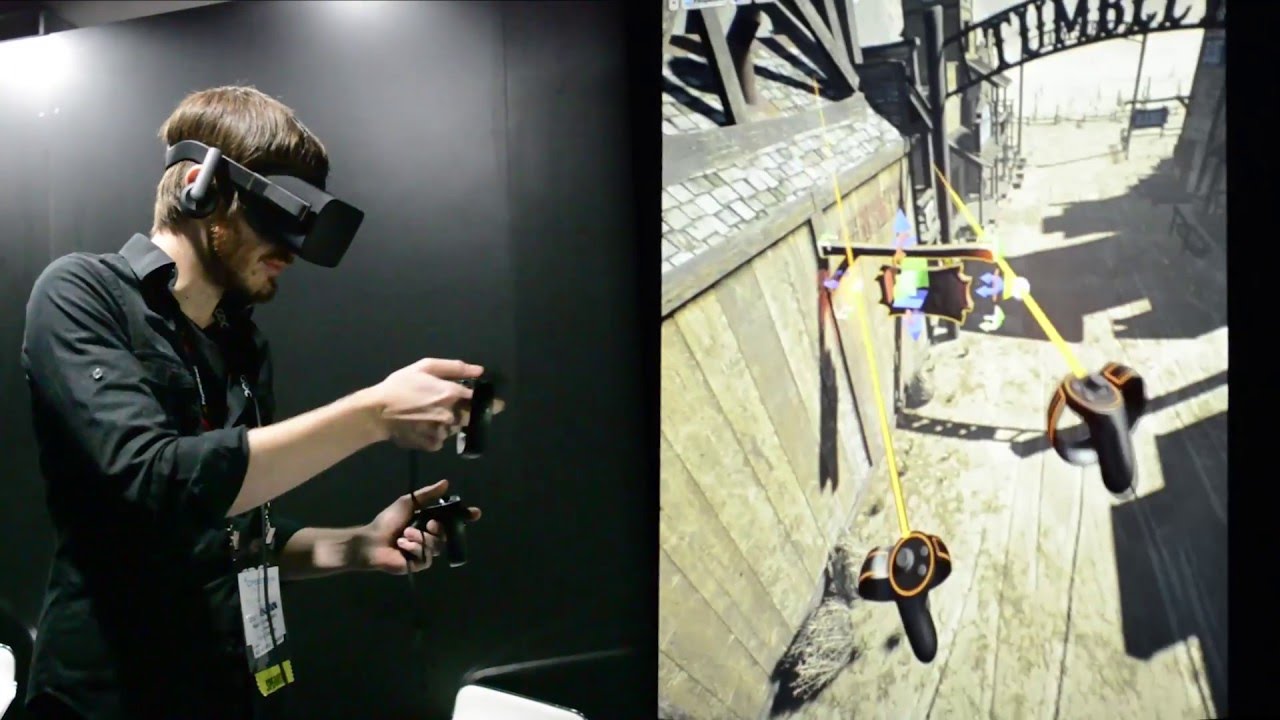
Read the full article: http://wp.me/p3aqRt-bFj
Watch Epic Games' Nick Donaldson build a word using Unreal's prototype VR editor which lets you build VR worlds inside VR, in this case using the Oculus Rift and Oculus Touch.
kindred viper
oh the VR editor
midnight bolt
I think this is one of the video. "You can make everything in vr"... Nope, it's horrible
kindred viper
yeah that was an idea that is cool for some things. Others, perhaps not. But for testing VR scenes, well worth it.
plush yew
So as a new dev i can count in them for support ? I don't mind i like to pay for smaller studio but i dont know if its because its the free version but i really struggle to find documentation
midnight bolt
Looking at the scenes is the only pro i can mention
But then don't even ask how to traverse..
kindred viper
@plush yew If it's sold on the marketplace, there is a base requirement for support I believe. But I hear good things in this regards with this plugin.
plush yew
do you know if i can make character in voxel too ? sorry if its a noob question
i dont want only my world to be voxel
but evertthing in it charcter and item
kindred viper
well you can technically. But if you want to rig it, im not sure with that plugin. You can use VoxelEdit though and export as OBJ and bring it into UE4
plush yew
ok thank you for your reply marc !
kindred viper
no worries
midnight bolt
you definietly dont need to purchase a plugin to add doorframe to your mesh
but it will be extremely wonky within ue anyway
plush yew
And do you know if its possible to create my own voxel engine and where i should begin or is to hard for a new dev ? i have time
midnight bolt
with this kind of question i would blindly say 'yes'
kindred viper
@plush yew start with a box. Add another box. Snap, align, keep track, set visibility modes. Not sure what else there is 🙂 I'm no expert on that. I just throw stuff around an engine 🙂
misty wharf
misty wharf
I tried this but it seems like it goes into that first transition state before i...
Yeah I don't think this works. I don't think I can mess with variables this early, it seems like the state machine entry just fires before anything else does. Does anyone know a good way to handle this without animation state machines?
 little warren
Hello, I got a problem, when I am in play in editor I spawn a lot of stuff, but when I stop playing, sometimes the spawned stuff remains in the editor.. is there a way to fix this?
I think it happens when I close and open the editor
 somber rover
Anyone here use the battle royale island pack? can't seem to figure out how to wait until all the tiles are loaded before I spawn in my char
 honest flume
Hey folks. I'm trying to write a basic compute shader which just copies some data from an input buffer to an output buffer, but when I read the buffer back after executing the render graph I just get garbage. Does anyone know of an example of the simplest possible compute shader?
 dense edge
why is the text chat for voice chat missing
plush yew
honest flume
Hey folks. I'm trying to write a basic compute shader which just copies some dat...
way above my skill-set to know, sorry
 vernal matrix
How do you make a level load you inna specific spot like going into a house then going back outside were the door is
 feral moon
Hey Everyone, noob to unreal, I was wondering if there was a way to "fill" a mesh with a material, maybe using some thickness map? What I mean is, I have a tank, which if I apply a water-like shader to is fine until I dive within the tank, and the shader is not visible, as the material is only applied to the "external part" of the mesh...is there a way to change this?

 muted wren

Udemy
Learn AAA cinematic tech art techniques in the Unity game engine (Global Illumination and Shader Graph)
think I could start learning unity with this course?
Im doing a 3d graphics course in webgl rn and figure it would be a good assistance
to get deeper graphics concepts
misty wharf
vernal matrix
How do you make a level load you inna specific spot like going into a house then...
In your game mode you can override the ChoosePlayerStart function so that you can tell it which PlayerStart actor to use. I created my own PlayerStart actor that has an ID variable, so on exiting a level I can pass that ID to the game instance, and on level load I just find the PlayerStart that matches the ID in my instance
feral moon
@dense edge I know what normals and back face culling are, but:
1)I don't want it to be like a glass, where if I dive in I can see also the faces within the mesh to have the shader (P.S. activating two-sided didn't change anything, still same issues)
2)What I want is, if I dive in, not only to see the inside of the faces to have the shader applied, but to have the shader to literally fill the entire mesh, as if it was a liquid...
dense edge
@feral moon i dont get it.. the material only affects the faces of the mesh. If you want to feel different inside the tank, add post processing cube and add bluriness and bluish color
feral moon
As I said, I'm a super noob to unreal, It's literally my first project, I'll look into the post process thing, any suggestions for what I need to look exactly? Because I only knew PP was used to change how the lights look ^^"
dense edge
try to copy what it looks underwater visually, just play with the settings
pp affects the camera within it
 brazen harness
tried asking this multiple times before with no response but i was wondering if anyone knows where i can look up how to make a replay editor for another game
the one it's currently in is pretty broken and i'd like to take a whack at modding one in that works the way i'd want it to
feral moon
dense edge
pp affects the camera within it
Sorry to bother you again...I had a look at the post process thing...thing is, it doesn't exactly do what I need it to do...Like, I want to fake that water has depth even when I'm staying outside of it, because I need to show an object within the tank. So i need the front to be translucent enough to show the object within the tank, but not translucent enough to show what's behind the tank. I'll post the design to better explain what I need to do
 misty wharf
@grim ore I was able to get what you had suggested working I think, thanks!
 magic fern
I am developing a game that uses the steam inventory, do you know why mine appears as not available at this time?
 light thunder
So if there is a limitation on movable lights, how do they handle things like rotator lights?
light thunder
feral moon
Sorry to bother you again...I had a look at the post process thing...thing is, i...
If there will never be 3D at all, you could do it with the tank mesh cut in half?
feral moon
light thunder
If there will never be 3D at all, you could do it with the tank mesh cut in half...
but then you would clearly see the tank cut in half...what i mean is, in the design you can see how there is some orange in front of the alien, making it look like he is inside
dense edge
@feral moon i tried to make a tank. is this near what you want to make?
 light thunder
feral moon
but then you would clearly see the tank cut in half...what i mean is, in the des...
light thunder
feral moon
but then you would clearly see the tank cut in half...what i mean is, in the des...
You need to make a two sided material, and just map the faces in blender off the part of the tank to be opaque
you'll need to make sure your normals are facing the correct ways
feral moon
dense edge
<@!237288401169154048> i tried to make a tank. is this near what you want to mak...
yes but the ball should be completely within the liquid and for it to be visible
dense edge
there are two spheres inside the water
feral moon
light thunder
You need to make a two sided material, and just map the faces in blender off the...
yeah that's what i thought, hoping there was a way to do in unreal procedurally based on where the camera is
light thunder
You can play with making the material two sided but you'd still have to make it play nice with blender or have a separate material assigned to the face -
I'd try @feral moon Duplicating your material, and setting it to not be transparent
and you put that on the "back half" faces
dense edge
or you can make a light with small radius face the part you want to be seen
feral moon
yeah i guess thanks for the tips guys, will be heading to sleep now, 3 a, here, thanks again, i'll try everything tomorrow
dense edge
mapping would make it look off
@feral moon btw, what i did is create 2 cylinders. one on top of the other. one is the liquid and one is the glass. i also created 2 materials
feral moon
dense edge
<@!237288401169154048> btw, what i did is create 2 cylinders. one on top of the ...
i see, i thought i tried something similiar but still coulnd't achieve the look i wanted
dense edge
hmm use fresnel node for the effect
grim ore
General Question for input. If you were to hold down the A and D key on a keyboard (left and right movement), would you expect your character to go one of the directions or nowhere?
dense edge
youre mathewW, youre a pro ue4 user
grim ore
working with the new input system and trying to work it out. The old one since it was one input event on the axis it would sum the keys used and end up with 0 so no movement. with the new one its in order so if its A then D in order, you end up going right with both keys down and left if the order is D then A
light thunder
Why is the rectangle light not working AT ALL? Honestly all my lights seem low but exposure is set to 1 and I have auto exposure on
What am I doing wrong here?
 dense edge
idk if its possible to press the buttons at the same time, my experience is the last button you push will be in effect. it cancels the first key
 tawdry hazel
Does anyone know how to setup multi user editing in Unreal? I can't seem to figure it out.
light thunder
Seriously, my lighting is jacked...where are all the global settings, how can these spot lights be so puny
dense edge
have you read docs@tawdry hazel
light thunder
 dense edge
@light thunder why is your rectlight in the floor
light thunder
I've played with it all over, that's just where I left it
but every light I put on is super dim
grim ore
based on your settings its due to your settings for why its invisible
your barn door length is below the floor in that case
dense edge
also its too small in width
grim ore
not saying its why the rest are dark, but thats the issue with no light on that one
light thunder
please give me some settings that would create any light whatsoever
grim ore
nah it will work its just too far down for that issue

same settings on the light and it works, its just above the ground here is the only difference
 grim ore
it might be, but keep in mind a rect light is not a point light
 grim ore
well that light above is too dim for where it is to cast any light on the walls I would assume
but its hard to tell, make a new normal level with the floor and drop a light into it and see if it lights up
if it does, then its the level
light thunder
that's what I did
I dropped an Ultra dynamic sky, but when I delete that , still nothing
dense edge
send a copy of the project
light thunder
How do I pull this level out as a usasset
I'm in the process
I put some stock lights down too, so if they differ, I know it's my project
but this project is wayyy to big to send, can I export the level out?
dense edge
you can find it in the files but the level maybe isnt the problem if you already tried to test the lights in a new level
light thunder
I'm not sure where to check but that box light doesn't show a SINGLE instance of have any change whatsoever
dense edge
the rectlight is upside down and firestation is missing so create a lansdcape to test

its working for me
light thunder
okay something is wrong because i rotated that all over
this explains so much though
can you screenshot the transform of your box
and why is this there?
 dense edge
 light thunder
dude mine are the same

but there's no light
I really wanted this to be operator error
dense edge
light thunder
and why is this there?
its an button with an eye icon.when closed, the object in the level is hidden
 dense edge
did you make the asset?
light thunder
yes
 digital verge
Has anyone received this error before (and know how to resolve it? Thanks
 light thunder
I'm bringing it over now to sort out textures, figure out what looks good before bringing the same texture back to blender and UV mapping all of it to align
dense edge
the level and the asset name are the same

 dense edge
@light thunder your world is hidden, click the eye button
there should be a dropout of the objects in the scene
 light thunder
weird, it wasn't working , i literally had to click the button to make the persistant level INVISIBLE, and then when I toggled it back, it came on
no change, what's up with my lighting
 dense edge
your lights has no problem
light thunder
I can't see the box light at all
and it has the same transform as yours
and the same settings
dense edge
i cant see the mesh, tryna max the lux and radius of the point lamp
light thunder
they ARE
dense edge
@digital verge have you search google for fix
dense edge
what did you do to get the error? package, build light, get plugins
plush yew
Does UE4 have a light limit?
I noticed that if I drag out more than 2-3 lights, I see an X on the logo of the light, why is that?
thats just the light building warning
if you have static lights in the scene itll bug you to rebuild lighting
dense edge
no thatsoverlapping stationary lighting
light thunder
can someone explain why rotating my rectangle light does NOTHING
'
 hushed stag
hi guys, could u explain what an object wildcard is? Im trying to cast to another blueprint but it needs an object wildcard
 calm pollen
hushed stag
hi guys, could u explain what an object wildcard is? Im trying to cast to anothe...
calm pollen
hushed stag
hi guys, could u explain what an object wildcard is? Im trying to cast to anothe...
Ok so a object wildcard is essentially just telling the engine what type of actor you are trying to reference while casting. For instance if you wanted to reference your player pawn specifically, you would make it "get player pawn"
 sleek spear
in niagara preview, can i hide the backdrop?
 hardy trout
 sleek spear
@hardy trout cool, thanks
 winter gale

Quick #UE4 Tip number 115.
Run Pre/Post Build Events by modifying uproject file.
https://t.co/eqNSTO6MjV
#unrealtips #unrealdev #indiegamedev #gamedev #indiedev #screenshotsaturday #UnrealEngine

 Twitter
·
Twitter
·
 ocean pumice
hi ! is there a "align character with camera view" ? So i don't need to move my character everytime i want to play test another place ?
thanks a lot
 timber nymph
ocean pumice
hi ! is there a "align character with camera view" ? So i don't need to move my ...
timber nymph
ocean pumice
hi ! is there a "align character with camera view" ? So i don't need to move my ...
try this?
 ocean pumice
wow thanks a lot 🙂
 weak cypress
Is there a way to bake lighting with gpu instead of cpu?
 lucid grove
Heya guys - im strugling with folders moving or renaming in ue4. Whenever im moving files withing ue4 almost always folder not moving entirety, some old files still in disc and i cant delete old folders. In some cases i can even lost some meshes.
And ofc when moving files - all system is almost freezes for 2-3 minutes.
static folio
lucid grove
Heya guys - im strugling with folders moving or renaming in ue4. Whenever im mov...
Before deleting, right click > Fix up redirections in folder
lucid grove
static folio
Before deleting, right click > Fix up redirections in folder
I did that, no luck
static folio
I think the reference checker can miss certain references, just have to watch the pitfalls and ideally backup before major changes
 vast pawn
Does UE4 support .vpp files?
timber nymph
UML?
vast pawn
More about physics
There's a youtube vid on importing the physics file hence .vpp to another game engine, VPX
I'm wondering if UE4 can do the same?
If some how I can get physics for the pinball flippers then that will make things easier assumingly.
 lusty carbon
How to deal with this bug now?

 tough pagoda
Anybody can help? My Details shows nothing after making changes in IDE.

How to resolve it?
 sterile tulip
tough pagoda
tough pagoda
Anybody can help? My Details shows nothing after making changes in IDE.
sterile tulip
tough pagoda
tough pagoda
Anybody can help? My Details shows nothing after making changes in IDE.
Well, I resolved it. I commented lines of constructing objects (components) -> compiled -> uncommented-> compiled.
paper axle
@lusty carbon if the bug is 'it's all blue' then you're looking at the 'Lightmap density' try changing that to 'lit'
 tender lance
Hello maybe anyone has the answer for my Problem, i always have this ugly shadow on that corner its in the X direction if X or T cross always the X axis has weird shadows, i have to uv maps on texture 1 lightmap like you see in the Picture. Exported with blender

 honest vale
how many islands are there in that UV map?
what sort of lightmap resolution are you aiming for?
there's very little padding (if any) so you'll need ridiculously high lightmap resolution so that there won't be any bleeding
tender lance
7Islands so Curbs 3times 1Roads 3Sidewalks
LM reso is set to 2048 atm in Blender lower looks the same
happens with 512 etc also, tried to increase Margin does not affect anything
and its weird that it only happens on the X direction and just on the T and X cross the normal road is totally fine also the Y direction
so the X has the shadow the rest dont

The X cross has the same and its just corner spinning thats so weird
funny thing if i spin it and export the problem switching on the other site 😆 holy this is so frustrating
honest vale
that's the mesh?
tender lance
yes
honest vale
why aren't you just planar mapping it from a top-down perspective?
then maybe shrink the inner part on the UV a bit to give the vertical bits some UV space
tender lance

here i spinned it in blender still the same prob to the right now
let me check a planar map sek
yea the curbs are fucked now shadow still there so planar wont work^^
 fierce summit
Hey there. I have troubles understanding the angle system. A rotation pitch is expressed with angles in between 90 and -90 degrees. But that makes it so there are two zeros and i dont really get how i can distinct them. do i need a bool that tells me if its up or down?
static folio
One zero
 gilded lichen
Hello, I'm getting this weird problem on Unreal Engine 4 where when I right click a menu should pop-up but it pops up for a second then disappears. I wanted to record this issue happening but I looked on OBS and saw the menu working fine. What would this be?
fierce summit
static folio
One zero
No if my item is upright it has a 0 pitch, and if it is upside down too.
static folio
X > 0 is positive. X < 0 is negative
static folio
gilded lichen
Hello, I'm getting this weird problem on Unreal Engine 4 where when I right clic...
Disable Window animations in the editor prefs.
fierce summit
static folio
X > 0 is positive. X < 0 is negative
For now i have this
⏬ = 0
⏫ = 0
▶️ = -90
◀️ = 90
gilded lichen
static folio
Disable Window animations in the editor prefs.
 static folio
That’s all I have
gilded lichen
Ok, thank you
static folio
fierce summit
For now i have this
⏬ = 0
⏫ = 0
▶️ = -90
◀️ = 90
You can assume 0 and above is positive
X >= 0 is pos and X < 0 is neg
fierce summit
static folio
You can assume 0 and above is positive
Yeah ok but then if i slowly tilt forward i'll go 10° then 20° until im at 90° and then i will go back to 80° 70° until its at 0° again except now my head is down and my feets are at the place my head was at the start
u see what im saying?
static folio
Not really, but you mentioned needing a bool, that’s what I tried to answer
 fierce tulip
@gilded lichen check the first pinned message in this channel
gilded lichen
fierce tulip
<@!204904281659146240> check the first pinned message in this channel
Oh, didnt see that. Thank you!
 thorn crown
Guys can it be that in 4.26 Epic accidentally removed the "go back" keyboard-shortcut command for the content browser? 🤔
fierce tulip
hey hey @valid nymph
can I point you to the channel's full description?
https://i.gyazo.com/2051fe8be53f8b7bb56ec8f1f85a72c1.png

thats partially because epic put the minimum required hardware on their website, and we arent a tom's hardware discord.
so hardware discussion goes to #lounge
np
fierce summit
static folio
Not really, but you mentioned needing a bool, that’s what I tried to answer
I tried to sketch it really quick. Those are the values i get when i do GetWorldRotation.Pitch on my item

after it passes the horizontal plane, values decrease so it reaches zero instead of 180° at the bottom which makes it so there are two zeros, and two of each values like the 20° in green
static folio
fierce summit
after it passes the horizontal plane, values decrease so it reaches zero instead...
Understand now. I assume you’re going to need to set constraints or “quarters” to manage this
Not something I’m familiar with a
fierce summit
static folio
Understand now. I assume you’re going to need to set constraints or “quarters” t...
there no way of converting that to a 0 to 360 value?
I have to do it "manually"?
 wanton lotus
fierce summit
there no way of converting that to a 0 to 360 value?
wanton lotus
fierce summit
there no way of converting that to a 0 to 360 value?
Kinda sounds like you are dealing with a gimbal lock issue. Can you also get the values of Roll and Yaw to see if one is flipping its rotation?
fierce summit
wanton lotus
Kinda sounds like you are dealing with a gimbal lock issue. Can you also get the...
i could be im not sure it is that. I just read the values. little bit of context: my character flips correctly and all, (i used to have gimbal lock problemes but they are fixed now) it is just when i read the values to apply the correct animation that i have the problem. Also i tried it at many different orientations (on the roll axis) and it does the same thing
 small tundra
Has anyone succesfully created a follicle MSK with 4.26? There is literally no info other than the docs, and in the docs it gives no details, about it. I'm curious if people have been trying it and have had success. Any tips appreciated.
(At the moment I've created follicle MSKs, but the results don't make much sense)
wanton lotus
fierce summit
i could be im not sure it is that. I just read the values. little bit of context...
What exactly are you trying to accomplish with the Pitch angle? There is possibly another way to go about it.
fierce summit
I have a blendspace with different positions that i want my character to be in, depending on where he faces during a fall
fierce summit
wanton lotus
What exactly are you trying to accomplish with the Pitch angle? There is possibl...
Like is he falling face down, facing the sky, feets on towards the ground or diving straight down
 pseudo pulsar
Does your game need to be published on steam prior to testing it with the unique app id?
I'm a little confused because I got the overlay to load in with the ue default id, but I can't get my game's id to load 😭
wanton lotus
fierce summit
Like is he falling face down, facing the sky, feets on towards the ground or div...
You can probably dot product the character's forward vector with the normalized velocity.
fierce summit
that's a good idea im going to try thanks
wanton lotus
fierce summit
that's a good idea im going to try thanks
You will still get 2 zeroes, but then you also dot product up vector to normalized velocity to test if you are falling on your head or feet, hehe.
fierce summit
yep, thanks a lot
ocean pumice
hi ! What is the node that can remove the "add to viewport" node after a few seconds ? it's the eventgraph of an event manager
thanks !
 gleaming creek
I assume you're talking about widgets on the HUD - you're better off adding them once, then show/hiding them as needed
 sharp tulip
remove from parent?
ocean pumice
ah nice ok i'll do that instead of creating separate actors
because i can't seem to even add a delay in my BP here
But actually i need the widget appearing to be connected to a function
that fires at a specific time
gleaming creek
You can only add delays in an event graph
ocean pumice
(alarm here) so that would be more convenient to have the add to viewoprt directly in the function
gleaming creek
If you need to add a delay in a function, you'll need to set a timer
And have that call another function
ocean pumice
gleaming creek
You can only add delays in an event graph
nice to know
gleaming creek
Depending on what you're trying to do, I don't think you'd want to add something like an alarm icon directly to the viewport, but rather to a HUD widget that's already there
Having the whole HUD a full-screen widget allows you to easily rearrange components, and also to show/hide the whole HUD in one go if needed
ocean pumice
I have a Global Time for the whole world connected to an event manager and the alarm is firing at 6.05 then i have 15 seconds of real time before the world time changes to 12.00. I just want to have a blank screen and a text saying "time has passed"...
The alarm is a function in the event manager, itself triggered by a time keeper
but yeah i should try to add that in the HUD instead of having different functions, it's just more convenient to have everything at the same place
 hidden dew
Hi all. is there a way to do a debug highlight of an actor/static mesh?
 coral folio
any idea why i can't override path trace pixel per samples in the movie render queue ????
changing it from post process isnt working, overriding the cvars doens't help either
vast pawn
honest vale
what does it do?
Import pinball physics into the engine.
honest vale
How do you "import physics" when all calculations are done by the physics engine?
ocean pumice
HI ! I want to create an input system where the player can write ingame, on a piece of paper for example.. any idea or tutorials on how to do that ? thanks
vast pawn
honest vale
How do you "import physics" when all calculations are done by the physics engin...
How to import is the next question I would like to ask, as for the calculations I would assume some or many of UE4's calculations are overwritten by the .vpp or physics file.
honest vale
I still don't understand what you're even trying to import
UE 4 uses physx for its physics
vast pawn
well so far the pinball flippers
tried using the physics constraints but it was hard to deal with.
 worthy plaza
idk what happen, but even if put 1 tree my game lag
Usually even if i put 200/300 tree i've smooth fps
anyone had this problem?
honest vale
not sure how well the physics engine is tuned for such
vast pawn
I'll tell you this when I tried to get the flipper to kick upward and it hits the ball, the ball doesn't fly off.
Instead it rides along with the flipper
honest vale
I'd probably have the flipper paddles be separate actors or components and then give the flipper ball a force impulse on contact
instead of rely 100% on the physics engine
honest vale
yea I guess
vast pawn
I've seen other ppl who use UE4 and based it on physics instead of kineamtic flippers and somehow they managed to deliver the ball more than enough to reach the top of the playfield
plush yew
does anybody know how to modify/scale first person player, or do I have to scale my map instead lol?
 oak robin
Hey quick question, how can I import assets from library that have "Create Project" button only?
honest vale
create a project from it and then migrate the assets you want
oak robin
I already do that, but there isn't any other way?
 inland aurora
you modify a existing marketplace asset where it adds things to your project, and you switch the content it adds with the content you want
 ionic gyro
does anyone know a way to keep the capsule collision from bouncing off of corners?
gilded lichen
How do I solve this issue?
 hidden dew
Does anyone know how to import from Blender without adding vertices? I want a mesh for data, not rendering... so just want the pure minimal set of verts. For example, importing a cube with 8 verts instead of 36.
I've done it before but I didn't write down how :/
 lament star
didn't even know you could do that
hidden dew
Oh, I finally got it
Just gotta make sure I know which options are the ones that mattered
plush yew
does anyone know to reduce the size of the character, or am I forced to scale the map to match the default player character size?
 clever axle
sometimes I try to follow material howtos and I can't find the nodes. For example here there's a Mask (R)
Is there any good way to find this?
@plush yew why not just scale the character?
plush yew
clever axle
<@456226577798135808> why not just scale the character?
yes but how?
clever axle
@plush yew https://docs.unrealengine.com/en-US/BlueprintAPI/Utilities/Transformation/SetActorScale3D/index.html
Set Actor Scale 3D
plush yew
cheers will have a look
clever axle
this or there might be other set scale nodes
hidden dew
Weird, all I had to do was set smooth shading in Blender. I had already tried that... I must have had some other thing ticked.
Anyway, to import a mesh with only the vertices Blender announces:
- Set it to Shade Smooth.
- The end. Use default FBX export settings, and default Unreal import settings. O_o
Been stuck on that for ages. 😐
Ah yeah
I had the importer in Unreal set to "Compute normals", which was the mistake
clever axle
can someone please tell me how to find the Mask (R) node in the material editor? or find any node by how they are captioned when you place them?
this ticks me off every time I want to work with the material editor
 lucid pond
 warm hornet
Anyone by chance have the new M1 chip mac mini? Was wondering when Unreal might be optimized for it.
 rigid belfry
clever axle
can someone please tell me how to find the Mask (R) node in the material editor?...
rigid belfry
clever axle
can someone please tell me how to find the Mask (R) node in the material editor?...
its called "ComponentMask"

 civic mauve
guys my folliage started floating in the air , please help
 robust marten
Is it possible to force a key press? Like, use a BP Command to act as if a key was just pressed?
grim ore
@robust marten just hook up the code that would come after the key press to your event?
robust marten
grim ore
<@!150691836560801794> just hook up the code that would come after the key press...
It's kind of alot thats why I asked lol plus it's on separate BPs and was hoping to save some time
grim ore
hook up a new custom event to that keypress like mentioned above, just call it "manuallydoingthisstuff", just a simple custom event node that plugs into the first node like the input event
then you can call it just with that one node
rigid belfry
right so i need a little help solving this logic problem. right now i have spawnpoints actors in the world, which i then group into an array. from this actor array, i get each individual actor transform, store that in a new array with their respective index. then i pick a random index and spawn an actor there.

i need a way of telling the program wheter said index is considered occupied or not
grim ore
keep track of the index, or dont re use the indexes
rigid belfry
this is the macro btw. very basic stuff. maybe i should write the "in use" logic here
 rigid belfry
grim ore
keep track of the index, or dont re use the indexes
rigid belfry
grim ore
keep track of the index, or dont re use the indexes
can you elaborate on that?
grim ore
well if you never intend to use that point again later remove it from your list
otherwise make a new list of your occupied indexes and refer to it? I would think the first would be better.
alternately if your list is an array, shuffle the array then go from first to last and then you should not be using them again on accident for that loop
rigid belfry
i want to reuse them because once the spawned actor is destroyed, i want to respawn the same cubes there
 fierce glacier
You can also add a map from index to a bool, indicating if point at specified index is taken
grim ore
you could do an overlap check then
check to see if something occupies that space before spawning
fierce glacier
If you need more complex context keeping - i suggest you make a struct of all the information you need to keep about a point, and keep an array of this struct
rigid belfry
this is what i am doing right now. i need a way of spawning the cubes again once the player destroys all of them
sorry for the music, didnt realise obs was recording that too
 primal oasis
Hey can anyone advise - in a BP i need to get an array of all actors of a certain class... but they aren't actors in my scene yet, they're just in the content browser
Can anyone advise on what node I might use to attempt that? Get All Actors of Class doesn't appear possible
static folio
primal oasis
Hey can anyone advise - in a BP i need to get an array of all actors of a certai...
Then it won’t work
primal oasis
static folio
Then it won’t work
How else might I approach it?
robust marten
grim ore
well if you never intend to use that point again later remove it from your list
On removing array items from lists, is there a command to reset the list or something? For example, if you have Array Items A, B & C, and you remove B by using Clear Array and then ADD A and C, there is a gap between A and C where B would be.
fierce glacier
primal oasis
Hey can anyone advise - in a BP i need to get an array of all actors of a certai...
Is this for an editor utility or runtime?
rigid belfry
robust marten
On removing array items from lists, is there a command to reset the list or some...
clear, pretty sure
primal oasis
fierce glacier
Is this for an editor utility or runtime?
runtime. i just need to spawn an actor of a specific name based on lookup from a tablet basically
*table
grim ore
@rigid belfry if I was thinking for that off the top of my head I have my spawn points in an array and I spawn them in, removing those points from that list. The items when destroyed report back to my manager and put their location back into that array as a valid spot and it could also report it was destroyed so you can keep track of how many are left/still spawned. Its basic but I think it would work
robust marten
rigid belfry
clear, pretty sure
Clear removes B, yes, but it leaves a gap.
 long wren
hey can anyone help me with a texturing approach , we have a map for a linear based mission game, the streets are tight with a lot of detailed buildings, how should we go about texturing them, should we texture each building individually, or is there a way we can balance look and performance
anyone ?
rigid belfry
grim ore
<@!386223315146244097> if I was thinking for that off the top of my head I have ...
i'll try with overlaps first, but i'll keep this in mind. i had already a way of tracking cubes in the map but your way seems more performant for sure. thank you matthew
static folio
The gymnastics required for seemingly basic things
fierce glacier
long wren
hey can anyone help me with a texturing approach , we have a map for a linear ba...
It really depends, in general, there's not that much loss in texturing each one... there is much to gain from using instanced meshes, but different meshes with same texture has little afvantage over using different textures (at least that's what I expect. Did not check...). There is a toll on texture space and the time it takes to load if it is heavy
 meager frigate
if get the velocity>vector length float from my character pawn, is it the same thing as current walk speed? I can't seem to get current walk speed but I can set it.
is*
grim ore
how did you try and get current walk speed?
meager frigate
thats the only way I can seem to get current walk speed. get velocity>vector length
grim ore

and its max is why you cant get the current
so yes the current is based on the velocity of the actor
meager frigate
Im trying to make a percentage based on max walk speed, max is 600 so 1 divided by 600 gives me my magic number then im multiplying (right now) the velocity's vector length by it. it seems to work
grim ore
you could always just make a macro that does what you want or a blueprint function library and make it pure
meager frigate
ok cool, i just didnt know if the velocity was 1 - 1 with walk speed
 celest creek
Hey all
meager frigate
oh i know what i can do
where i set the walk speed just make a variable there and use that
brain farts :p
rigid belfry
what are you trying to achieve?
celest creek
I'm trying to figure out a way to do relighting on images on cards, like one would do in e.g Nuke. So you have a flat image with a baked in normal map and a direction, then you'll get some fake lighting direction based on this.
Does anyone know if this has been done, is there info out there about this realdy?
meager frigate
matching ai movement to the players and players is based off -1 to 1 axis so just turning it into the same thing so i can use the same blend spaces.
 torpid vector
hey
meager frigate
hey
torpid vector
im new here and i saw a vid of corridor abt how they made 3d models of themselves by metahumans...can any1 tell me if i too can do it?
like can i download it?

Join Our Website: https://bit.ly/Crew_Membership
CONSIDER SUBSCRIBING ► http://bit.ly/Subscribe_Corridor_Crew
Watch Season 5 From Beginning ► https://bit.ly/Crew_Season_5
This Episode ►
The Crew seizes the opportunity to use virtual production to create their most handsome forms.
FOLLOW ►
Instagram: http://bit.ly/_Corridor_Instagram
Sub-Redd...
this1
like i wanna take a picture of myself and turn it into a 3d model like they did in this vid
has any1 used it?
meager frigate
velocity looked like it was working, glad i asked! thanks for the time guys!
grim ore
@torpid vector did you watch it all.... https://youtu.be/u_awSkCIPZ8?t=80
they literally say that its not out yet and they had to use something else
torpid vector
meager frigate
velocity looked like it was working, glad i asked! thanks for the time guys!
oh oops, im dumb
im sry
fierce glacier
primal oasis
runtime. i just need to spawn an actor of a specific name based on lookup from a...
 fierce glacier
primal oasis
runtime. i just need to spawn an actor of a specific name based on lookup from a...
fierce glacier
primal oasis
runtime. i just need to spawn an actor of a specific name based on lookup from a...
^^^

this will work in design time - might help you create a catalog and update it as assets are added or removed. use some editor utility widget.
Then in runtime you can spawn an asset from the catalog
is ia a mesh? how are you using it?
ocean pumice
Hi! Could someone try to explain simply what is the object node in "cast to..." box? Thanks !
primal oasis
fierce glacier
thats perfect thanks so much!
I got to dash right now but thank you so much for your time, hero!
fierce glacier
no problem. have fun
meager frigate
@ocean pumice
 meager frigate
lol
 weak cradle
Where do I go to find people interested in joining the development of my game?
Because I feel like I'm drowning making a game alone
meager frigate
theres a subreddit for it, lemme see real quick
grim ore
@ocean pumice object is the object, its the thingy you are talking about
it could be a light in a blueprint, it could be the character in the world, it could be a doorknob on a door in a house, etc.
meager frigate
https://www.reddit.com/r/gameDevClassifieds/ @weak cradle

reddit
only thing i know of really
light thunder
I can't get the outside light to bleed in with a shadow - first things to check?
 meager frigate
what up blake, how did that tower turn out?
light thunder
pretty badass actually
meager frigate
noice!
light thunder
I use Mistake-Based Learning, because those are the things you learn the most from, and our brains are extremely adept at encoding patterns based on what we process as a "mistake" - long story short, I put them on scene in the path of that tower (they have ALREADY made the mistake) - so if they don't realize "their" mistake, that thing falls right down on them - I sat in the truck when it came down and had to restrain my arms from flinching, even though I had spent days setting up the effect - simulation achieved
meager frigate
lol thats awesome
weak cradle
meager frigate
https://www.reddit.com/r/gameDevClassifieds/ <@!201454072258232320>
Thank you!
meager frigate
not sure about your light problem man, you have a dynamic light or you baking it?
np ash!
 minor dust
Big retro question:
Anyone knows how exactly UE1 texture options works for paletted images?
Specifically:
bMasked (this one I understand)
bTransparent
bModulate
UE1 uses first color of the palette to set transparency mask. But sometimes there are textures with no used first color and even without any b* settings - but they are transparent in game (mostly decals and effects). I can't understand how to convert them to dxt5 dds properly. I am upscaling Clive Barker's Undying, and there are few textures I can't understand how to upscale.
It could be some lighting without any b* options, blue shaft on black background - but this background is not a first color. If I just upscale it to dxt1 - in game it became non transparent black square. If I use black color as a mask and create dxt5 - neighbor non black colors became too visible in game, and so on. Like game using several colors from the palette and a rule to set different stages of transparency. But I can't find any documentation on UE1, and I can't figure out the exact algorithm. And it seems it also differ for meshes, glows, decals and effects, and so on
ocean pumice
grim ore
it could be a light in a blueprint, it could be the character in the world, it c...
Thanks! But mist of the time its tells me its either the same as the class im referring to..
Coz usually im like casting to first person character so the object would be first person character
@grim ore
grim ore
so if its the first person character, why would you cast to it? you didnt ask what casting does, you asked what the object that goes into it is. @ocean pumice
casting treats one thing like another, this ANIMAL is a CAT or this ANIMAL is a DOG. In your case this CHARACTER is MYCUSTOMCHARACTER
if you were to get the CHARACTER generically, say using the GET PLAYER CHARACTER node, then it would be a generic CHARACTER and you would cast to your MYCUSTOMCHARACTER
midnight bolt
is there a way to select all textures from material paramter, like normal/specular?
in the content browser, so i can bulk edit. or some search syntax
ocean pumice
Oh wow ok i get it the cat analogy is very powerful :) @grim ore
midnight bolt
i guess normals should be possible as it has compression setting set to normal
ocean pumice
So it's like what type of object it is
grim ore
that is what casting does yes
ocean pumice
Ok that's great thanks
 winter rain
I was making this plateau for the last couple days and then I decided to Build it, after doing that my frames shot down from ~120 FPS to ~4 FPS. What would be causing this? Surely only this many trees shouldn't cause my frames to drop that bad

However if I hide the level with the trees in it my frames go back up to 120. Are trees that poorly optimized in general?
 ivory sedge
Maybe too much overdraw ? The trees seem fairly dense but it shouldn't be that bad
If it happened specifically after you built you could try dynamic lighting maybe
grim ore
your getting the build message in the top left, so its not built
are you sure its not building it and thats why the low fps
 normal creek
Hi, I've been learning about PostProcess Materials and saw in the faq there is a console command r.CompositionGraphDebug that will log the postprocess graph - but when I try it I get nothing printed. Anyone know why that is the case for me?
plush yew
I really need help with this one. At some point the engine began to stutter constantly every ~1.5sec. It affects any level or project and also seems to have an effect on PHYSICS. It is driving me nuts!
The only thing i haven't tried (yet) is with a different version of the engine.
Is this only happening to me or someone else?
Memory and CPU use are all ok
hushed stag
hi, i was just messing with behavior trees and created some of my own tasks. i was trying to cast to one of my other tasks to get some variables but im stuck on the object wildcard

 rigid onyx
Anyone know how I can enable autocomplete for uue4? (universal unreal engine 4) kind of want autocomplete for it considering how hard it is to remember commands without the green autocomplete suggestions when typing it out in the console
plush yew
plush yew
The only thing i haven't tried (yet) is with a different version of the engine.
Just tried. Same issue with 4.25
 cedar wave
hushed stag
hi, i was just messing with behavior trees and created some of my own tasks. i w...
cedar wave
hushed stag
hi, i was just messing with behavior trees and created some of my own tasks. i w...
I don't think it is good practice to do that. If you need information to be accessible between tasks, you should put that info inside of the blackboard.
hushed stag
@cedar wave thanks, imma try that
rigid belfry
shouldn't the random int function spit out one int for all the connected nodes? i am getting different ints in the two strings
 robust marten
I've noticed alot of scammers on the unreal store. The amount of people who follow tutorials on youtube just to turn around and sell those blueprints on the store is quite massive.
worthy plaza
why the raytracing turn himself on alone?
fierce tulip
its not like we havent warned people for last few years about his way of dealing with stuff
lol, ive had extensive topics about that on his marketplace content and the niagara channel
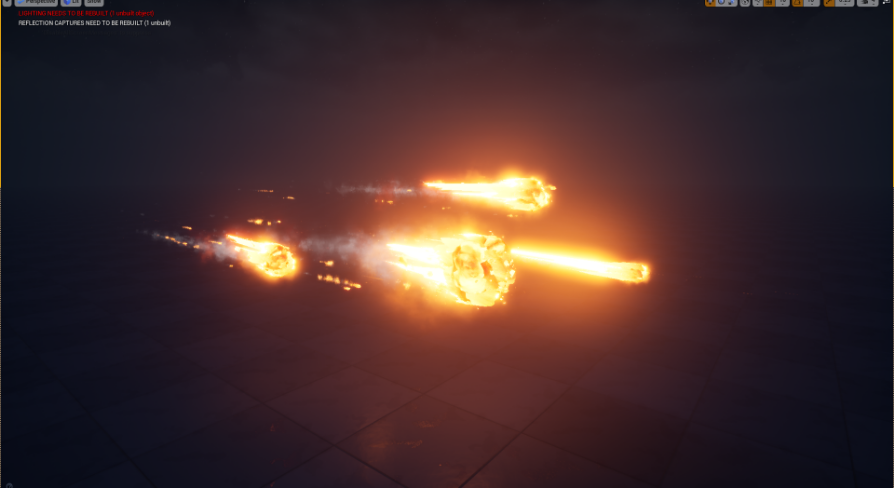
also which channel locked the videos? because i can see em all
a client did, i refuse to buy it
well no wonder, have you seen what he does? hehe
he spams everything, including an ios/android app that lets you know he made new videos
uses about 100 tags on everything
and looking at his last "tutorial" he hasnt learned a thing we tried to tell him
yup
basically, just dont watch his stuff if you want to learn optimized effects and proper workflow
robust marten
Hello. I am trying to get the game to read an array (The player inventory) but for some reason it just returns whatever the first print string is. am I somehow setting this up wrong?

To clarify, if I have 7 items, it will return 7 Weapon strings, for example
How so?
This does the same thing, though
 rigid belfry
shouldn't this code be removing the same index as the one it randomly gets from the array? am i missing something?

 digital anchor
@rigid belfry nodes without the white pin gets executed again every time they are needed (aka they are not cached)
robust marten
When you set the enum, you mean have I done anything with the enum? Because yes, I have it so that the gear is set to the proper enum.
Actually hang on a second
rigid belfry
digital anchor
<@!386223315146244097> nodes without the white pin gets executed again every tim...
what if i promote the random int to a variable. use that to remove it and at the end i set the variable to Null
digital anchor
yeah using a variable is the common way to fix that
grim ore
or drop it into a function and use a local variable 😉
rigid belfry
can i call a macro inside a function?
grim ore
well a for loop is a macro, so I certainly hope so
grim ore
about all you cant really do is latent nodes (like delay/timelines)
 hoary holly
I've got a question y'all! So I want to have a line trace, and that line trace can effectively detect colors. I know how to do the line trace but not how to print out a string detecting that color. Sticking with the basic rainbow colors here too
 rigid belfry
i am actually smiling right now. can't believe i managed to make this work
hushed stag
looks great 👍
robust marten
robust marten
This does the same thing, though
Yep, this still returns WEAPON for every item in the inventory, I just double checked the gear and yes, the armor is set to armor for the enum.
rigid belfry
"spawn points" in a level(white cubes) when i play, randomly spawn a cube there. cube change based on a data table values. they have a % of spawning, from white to blue. the rarer a cube, the higher their stats
robust marten
Alright, I just want to show you this is what I have the item set to but it still reads weapon in-game

Can you explain lol
Would I need a different loop?
Yes but when you say pull from the index, im a bit confused. Thats an int, right?
How would I break the item info and have it read the index as opposed to the element? The element is what holds the item info, right?
hoary holly
Also, anyone have any idea how to make a material that mimics point cloud data?

 short obsidian
which one do you guys would pick if you want to make:
3d Low-Poly ; Third-Person Action game with Open World
 robust marten
The index returns a number, not the category. Also the inventory isn't empty, it knows to return how many items so it can count how many items I have in the inventory. Sorry if im just wrong, I use this method for other calls and it works fine this way, its just this time it's returning weapon no matter the item
 clever vault
 robust marten
Can you show me an example BP of what you mean?
I have mine set up the same way as Ponkkis and it's not working for me but works for him
 thorny coral
does UE4 Packaging rely mostly on the CPU?
ocean pumice
Nice! I was looking for an inventory system this one looks cool!
robust marten
Nope, I'm lost. It thinks all my items are weapons, apparently. Maybe the data is getting jumbled when it goes into my inventory?
 slate basalt
does the concept of creating a "project tool" exist outside of extending the unreal editor?
i.e. can i create a project tool with an ingame viewport that will understand my project
robust marten
I found the issue
It IS when the item is added to the inventory
to call up the item info
I still dont get what you mean when you say you use the index to get item info lol
I might just want certain info, not the whole item or the whole items info
in my case I'm doing this to sort the inventory by category
So what command would you use off the index instead off the element?
ocean pumice
Anyone knows how to create a good headbob effect for the Fpscharacter? Couldn't find the proper camera shake in 4.26
robust marten
ocean pumice
Anyone knows how to create a good headbob effect for the Fpscharacter? Couldn't ...
Couldnt you make it? If player is moving, rotate camera to how you want it.
ocean pumice
1haha
Good idea though ill try something homemade
But i saw there was a good out of the box feature in ue4
cedar wave
What? You mean to tell me all those true first person tutorials don't work like I wanted? /s
cedar wave
Yeah - like every true first person tutorial I've seen just attaches the camera to a socket on the head lol
spare kernel
i don't use a camera at all on the pawn
use the PlayerCameraManager directly
if you use a camera, do not attach to the head 😄
depends
i use GAS, so all attributes are in the ASC, which is on the PlayerState
but its game dependent, and also depends if anyone else needs to see those stats.
 sharp willow
^
I'm developing a couch co-op where it's easier to store them in actor components on the player. (Could probably do controller, but yano)
spare kernel
no its the PlayerState
no
`A PlayerState is created for every player on a server (or in a standalone game). PlayerStates are replicated to all clients, and contain network game relevant information about the player, such as playername, score, etc.
`
ocean pumice
spare kernel
if you use a camera, do not attach to the head 😄
Yeah but how come there is no proper headbob camera shake in 4.26 i saw it in 4.18 or smth.. has it been replaced by smth else?
spare kernel
no idea, i did all my bobs with code 🤷
@light lintel PlayerState is automatically created, you can make your own game specific PlayerState based on PlayerState, and assign it in the GameMode to be used.
thorny coral
is there a way to make UE4 use the GPU more then the CPU
i got a memory dump crash when i was test packaging a game
 median hound
on games my gpu is better then cpu so turning up graphics makes my fps go up, maybe this will apply to ue4?
 still cargo
what kind of line tracing do I need if I want line tracing constantly? so whenever the crosshair hovers over an object something should happen
 ionic geyser
Is there any way I can get the camera position + camera animation? It seems like the animation doesn't add to the location
 ionic geyser
still cargo
what kind of line tracing do I need if I want line tracing constantly? so whenev...
ionic geyser
still cargo
what kind of line tracing do I need if I want line tracing constantly? so whenev...
LineTraceByChannel And make the channel for the object you want to trace
@still cargo like this, I made a system today that does exactly that
 ionic geyser
Is there any way I can get the camera position + camera animation? It seems like...
ionic geyser
ionic geyser
Is there any way I can get the camera position + camera animation? It seems like...
Anyone?
still cargo
ionic geyser
<@!421694384443097089> like this, I made a system today that does exactly that
thank you I will try that tomorrow :3
ionic geyser
ionic geyser
Is there any way I can get the camera position + camera animation? It seems like...
In other words I need the camera animation location
magic fern
How do I get static meshes from packaged game with asset registry? Is it the same path as on the project?
 ebon garnet
hello guys, I've been fighting 3 days with animation, I have my character that I want to put a animation from Mixamo on it, I've been doing all the retargeting tutorials to no avail, I have a idle animation I want to put it on my character pleas help!!!
 candid cypress
Anyone have the issue when you right click, but the right click menu just disappears right away before you could click on anything?
 livid bay
Hi, Im complete noob at Unreal. When I move point light it all looks decent, when I click on Build lighting - it all goes to shit, its probably something really stupid but Im not even sure what to google anymore. Ive tried playing with mesh lightmap resolutions but that didnt help
 hearty walrus
livid bay
Hi, Im complete noob at Unreal. When I move point light it all looks decent, whe...
hearty walrus
livid bay
Hi, Im complete noob at Unreal. When I move point light it all looks decent, whe...
Try increasing the light's brightness
hushed stag
hi guys, something isn't working in my task for Behavior tree

can anyone see what the issue could be?
plush yew
plush yew
I really need help with this one. At some point the engine began to stutter cons...
For the record, it stopped after a cleanse of the temporal files of the OS. Now, i tried to publish the game and takes a lot T_T

 hearty walrus
because mine don't look like them

 leaden garnet
looks pretty, can ya toss the link for it?
hushed stag
sure, just give me a sec to find it
leaden garnet
thanks a lot!!
hushed stag

GitHub
My Minimal Dark Theme for Unreal Engine 4. Contribute to Sythenz/UE4Minimal development by creating an account on GitHub.
@leaden garnet
leaden garnet
Thanks again!
leaden garnet
unfortunately I don't have any experience with AI, sorry!
hushed stag
no problem
leaden garnet
Actually, looking at your graph now, you are comparing a int as a boolean, it's possible, but perhaps create a breakpoint there, and monitor the value, then step through and see why it constantly loops?
hushed stag
@plush yew my nav mesh is fine, i followed a tutorial a lil earlier and everything worked
its just my task that aint working
@plush yew and i know pretty much nothing about AI, just experimenting
leaden garnet
Finish execute isn't checked, the boolean on the FINISH TASK node, perhaps check that?
ebon garnet
any one knows about asigning animation to character ?
leaden garnet
the "success" node might be causing the loop?
hushed stag
@leaden garnet I've never felt more stupid in my life, thank u soo much
@plush yew thank u
leaden garnet
aye programming do be a headache sometimes
thorny coral
hi is there anyway i can make UE4 use the CPU and GPU at the same time when packaging a game? i was doing a test package just today and windows crashed due to a memory dump, to add insult to injury UE4 was using the CPU WAY more then the GPU, while the GPU was at 7% usage the CPU was maxed out at 100% the entire time, please do tell me if theres anyway i can prevent this from happening and package my game without fault, thank you
wanton lotus
hushed stag
You should also connect the False exec path to a finish execute node as well, you can leave that finish execute success as false. Tasks should ALWAYS have every exec path connecting to a finish node, you never want to let it finish without running that node. Some of the only exceptions for this are in the body of a loop.
rigid belfry
livid bay
Hi, Im complete noob at Unreal. When I move point light it all looks decent, whe...
try setting the light to moveable
instead of static
wanton lotus
hushed stag
You can also clean up your code by using a "select" node instead of daisy-chaining a bunch of branch nodes. Imagine if you had more than 3 locations in your path logic, this will then get a bit messy, hehe.
spare kernel
@thorny coral for packaging no.
thorny coral
damm
spare kernel
How much ram ? What cpu?
thorny coral
thats the CPU and ram is 16
spare kernel
Then the crash is something else. Your cpu should be able to run at 100 percent for a good period of time.
Maybe check the event viewer find out why windows crashed
thorny coral
this is apparently 88 GB, just a single level with incomplete structures
 spare kernel
88gb ?
thorny coral
mhm
spare kernel
Where does it say that
thorny coral
on the project folder
thorny coral
yep, i did
i like to import things that look like i might use like buildings and construction site stuff
just incase i might need them later on
ok thats weird now its 101 GB?

 chilly sun
I noticed this gets big fast @thorny coral ; c++ type things only I think
 rigid belfry
whats the point of using the hud class anyway? this is what epic uses for the firstpersontemplate, but wouldn't be be easier to make a widget and add that to the viewport? is there some sorta functionality i am missing? the documentation doesnt have much about that
 thorny coral
@spare kernel maybe its crash logs or something?
@chilly sun this is a blueprint project tho, i have no knowledge in C++
chilly sun
ah kk - ye I just started some c++ tuts to get into it more a few days ago, tuts rekt my diskspace lol
thorny coral
I see
rigid belfry
chilly sun
ah kk - ye I just started some c++ tuts to get into it more a few days ago, tuts...
batteryman tutorial? i personally found that video...not very educational, to say the least
thorny coral
does this mean that the reason my CPU throttles is because i have extra assets that i dont use?
chilly sun
rigid belfry
batteryman tutorial? i personally found that video...not very educational, to sa...
I liked the reasonably fast pace, just let info wash over and self-brainwash .. do a couple and then notice the patterns and similarities, pickup on the rules
arkanoid broke me tho lmao
rigid belfry
i had(still have no clue tbh) what cpp even was, and for the teacher to just go line after line, without explaining nothing...
i dont know. not my cup of tea personally. i dont like having copypasted code that i dont understand
thorny coral
oh shit, yeah your right theres some demonstration maps in these files, ill get rid of them immediately
no wonder my CPU was throttling XD
chilly sun
rigid belfry
i had(still have no clue tbh) what cpp even was, and for the teacher to just go ...
c++ is hyper hardcore, it'll take ages to study things from syntax, variables, types, classes, inheritance, and just the general basic libraries commonly used, ways of setting up the code which kinda achieve same thing but better and worse for different cases..... there's like a lot 😄 but knowing that they're things, and having a few clues of how they work, is good foundation probably yea
should let you attempt to put things you see, into boxes you know a bit about - and as things fit or not, let you begin to understand
omg wall mybadddddd
all lowercase too, rip 😄
oh yea and then unreal c++ is like c++ ++
rigid belfry
i bit the bullet and signed myself up for this course on udemy https://www.udemy.com/course/beginning-c-plus-plus-programming/ and i am finding it pretty great so far
wanton lotus
rigid belfry
whats the point of using the hud class anyway? this is what epic uses for the fi...
HUD is a globally accessible class, so it helps with references, other than that, no point using it really.
chilly sun
hahaaa 😄 I bought a udemy too once, got bored trying to code some word game
rigid belfry
wanton lotus
HUD is a globally accessible class, so it helps with references, other than that...
i guess i'll handle all my widgets inside that class. i think it was used before UMG was a thing or something
thorny coral
i dont need them anyway, and they are kinda probably taking up alot of space so ill just delete em
thanks guys for helping me anyway c:
 dawn gull
How can I programmatically merge actors together?
 gaunt abyss
thorny coral
i dont need them anyway, and they are kinda probably taking up alot of space so ...
gaunt abyss
thorny coral
i dont need them anyway, and they are kinda probably taking up alot of space so ...
Your cpu will still hit 100% and that's perfectly normal and a good thing. But it should finish quicker with the unused maps excluded
It would be bad if it wasn't maxing out your CPU, that would mean there are available resources which it isn't using
thorny coral
i see
i hope i dont see anymore windows crashes because of memory dumps
infact i think this is why my old PC cooked itself to death
i was tryna package this same project file and the GPU literally fried itself almost completely, the fans on it started turning slower sometimes when i put the tiniest load on it like playing TF2
it shut down after 15 minutes
how do i do that?
ah
alright, thanks
ill try packaging without all the demonstration maps first and if it still doesnt work ill go and mark which folders not to cook, which is gonna be a bit hard since i forgot where some of the textures in the map are from
i can see now XD
this is gonna be a pain in the ass lmao
thorny coral
so one of the maps i was deleting crashed UE4 lmao
Fatal error: [File:D:/Build/++UE4/Sync/Engine/Source/Runtime/Core/Private/GenericPlatform/GenericPlatformMemory.cpp] [Line: 197] Ran out of memory allocating 1073741824 bytes with alignment 0
 lusty jay

my controller was working fine but then all of a sudden this comes up
and its making the editor super laggy
but if i turn off my controller everything works fine
 bold orbit
Does Unreal Engine come with rocks (without installing any plugins)?
I mean can we add rocks in our level without installing a plugin?
dawn gull
no. youll need to get rocks from a marketplace asset or model and import them yourself
or if they do its like 3 of them in the engine files
lusty jay
even switched out controller didnt work
 dry latch
can anyone hlep me fix something ? the weapon is constantly on the ground when holded
lol
even when unequiped
my sockets are there but the weapon doesn't spawn on it, it just spawn on the ground and follow me
bold orbit
Is it possible to do any kind of 3d modeling (like soft selection) in UE4 (like with a cube or sphere)?
 buoyant graniteBOT
:triangular_flag_on_post: Anti-Speciesist#4930 received strike 1. As a result, they were muted for 10 minutes.
grim ore
The starter content that comes with ue4 has a rock. And yes turn on the mesh modeling toolkit plugin in the engine for basic modeling tools.
static folio
dry latch
can anyone hlep me fix something ? the weapon is constantly on the ground when h...
Check the transform
static folio
It’s the location relative to the socket. It’s like an offset
dry latch
on the character skeleton ?
somber rover
How do you keep from falling thru the landscape on sub levels? got the battle royale island map and first time working with level streaming
static folio
It’s on what is attaching to the socket. It’s just a guess at your problem
dry latch
okay i'll check
timber nymph
I can switch between characters and each has it's own rules for movement and cursors and stuff. If I put that in the character itself, then all of the characters representing another player will have components on them that don't make any sense because I won't be controlling that character locally. Am I thinking about how to structure this correctly?
it's all stuff that makes sense for the player controller because it's not relevant to other clients; but it's stuff that's specific to each character and can't generalize perfectly to the PC
as it is I have that stuff in components that a particular character may or may not use so it makes sense there. Maybe what I need is to identify characters that belong to networked players and remove those components from them?
 bleak copper
So I had a crash when I spawned an actor in PostInitializeComponents() when I spawned an actor from a class assigned as TSubclassOf<AMyActor>. It occurred when I added a new C++ class to my project and, in editor, a hot reload happened. The error was "SpawnActor failed because no class was specified." and then an access violation when the following code tried to use the actor. I'm guessing PostInitializeComponents() is too early and I need to use BeginPlay()... correct?
I made the change and the crash doesn't seem to happen... but it only happened the once at all and I'm pretty sure I added c++ classes to the project since I made that change.
It'd be nice to have some documentation on when these auto-binding references are set, etc.
timber nymph
the editor crashes after a hot reload all the time
especially a "no class was specified" that sounds like a reflection problem

 late verge
Would anyone know of some places where you can find UE4 project files full of models, animations, levels etc?
light thunder
@late verge you could spend months literally going through that on the LEARN section of Epic's launcher - seriously it's so underutilized IMO
late verge
Sweet, I'll take a look.
 dapper frost
no monthly free assets in march?
late verge
Where do I go in the learn section to search for project files? @light thunder
light thunder

if you see the cloud icon it should have a project file you can download
You definately definately want to download content examples -
Literally, that will have examples of nearly every aspect of the engine main's feature, and it will give you a starting point for asking questions because you even know what is possible
fierce glacier
There is also tons of content in public github projects, with varying licence and wide range of readiness and quality... But some of the most brilliant pieces of ue4 code i read came from indie projects made public on github. Some of them ended up in LEARN in the end (like the impressive treegen)
 prime willow
how much harder iss etting up your game going to be if you use custom bone setups for your main characters/actors
it wont be like riding up a brick wall right? ;-;
 celest hull
@fierce glacier I am not really sure what you are referring to with 'treegen'. I have not found anything along those lines on LEARN
@prime willow Well, it reall depends. If you are intending to use other peoples assets that affect the player or NPCs, such as Advanced Locomotion System, then stick with the default skeleton until you know a Lot more about how things work. But, if you are starting from scratch and making all your own resources, a custom skeleton will not hinder you at all. In fact, it may make your life easier in the end.
@dapper frost Check back after 8AM PST on tuesday
fierce glacier
celest hull
<@570894939865481217> I am not really sure what you are referring to with 'treeg...
The title for it was something something procedural mesh... I will look it up for you
Was featured in Inside Unreal..
Unreal Engine Forums
Inside Unreal: Getting Started With Procedural Mesh Generation
WHAT
On this episode of Inside Unreal our Technical Artist and UK Evangelist Arran Langmead will explore the procedural mesh component and how it can be used to build art tools in the engine. He'll demonstrate an example of this with a stylized tree generator that
celest hull
@fierce glacier Ah, thank you. I was checking the LEARN tab of the launcher
 sudden beacon
Does anyone know how to get skeletal mesh cloth to collide with the ground/have a tutorial?
hushed stag
hi guys,is there is a way to reference a blackboard in a character BP?
 ocean pumice
 sly wagon
I WANT THE FREE MONTHLY ASSETS NOW
sly wagon
I WANT THE FREE MONTHLY ASSETS NOW
Is it re starting every month?
sly wagon
yes
celest hull
@hushed stag just googled and found this. hope it helps https://answers.unrealengine.com/questions/793531/how-do-you-get-blackboard-values-in-the-player-bp.html
@sudden beacon do you have your cloth set to collide with world objects?
sudden beacon
Yes @celest hull 😦
celest hull
sudden beacon
Yes <@!740532794089930802> 😦
And i assume it is tested and working with other world objects?
sudden beacon
No, it does not. It only collides with the skeletal mesh and barely does @celest hull
celest hull
sudden beacon
No, it does not. It only collides with the skeletal mesh and barely does <@!7405...
Maybe this will help https://www.youtube.com/watch?v=w_ATC9vda58 that is a marvelmaster tutorial video on the world object collision

Explaining the how to make World Objects fake collide with clothing
#4 Video of 5
Video Tutorial Series
activate 1.25 or 1.5 video speed if you like ;)
wanna spawn Worldobjects and collide with cloth on the fly?
Watch video #5 once its release ;)
Project File Download:
https://goo.gl/2g4Mct
Want to su...
sudden beacon
Damn, thank you. But, yeah this is the video I just watched through and tested @celest hull
Appreciate all the help though ❤️
celest hull
sudden beacon
Damn, thank you. But, yeah this is the video I just watched through and tested <...
Shoot. Good luck to you! 🙂
regal marsh
Can i legally distribute my own engine modification?
ocean pumice
Any good dialog plugin to recommend ? Is it really hard to create a homemade one?
 visual void
Unable to spawn instances. Ensure a large enough surface exists within the volume
Anyone knows how to fix this?
$50 if anyone fix it
regal marsh
What instance is it? Actor?
visual void
Im pretty new, what do you mean?
timber nymph
it's foliage right?
visual void
Yes


 ocean pumice
visual void
$50 if anyone fix it
ocean pumice
visual void
$50 if anyone fix it
It's the wrong channel for that
visual void
And which then lol
Desc says "General discussion about Unreal Engine that doesn't fit in other channels.", we should be fine
Did anyone know how to fix it?
timber nymph
it seems there may be issues if you import separate landscapes and move them from 0,0,0
vs using the tile map
or if they're rotated on Z
visual void
I think that i am using the tile map, it is in tiles.
timber nymph
weird
visual void
As the landscape is huge.
timber nymph
it's over my head then
visual void
Okay, thanks anyway
timber nymph
only other thing is if you messed with collision channels
visual void
No clue, i think i added roads and then i got pissed again cause it has happend 99 other times and went to bed haha
ocean pumice
visual void
Desc says "General discussion about Unreal Engine that doesn't fit in other chan...
Job contract
timber nymph
lol
visual void
Its not a job? Its asking for some simple help and are willing to pay for taking people time?
timber nymph
how much professional insurance do I need to take out to accept your paypal
ocean pumice
I mean the help here is very valuable and disinterested it shouldn't be met straight with money
visual void
You can help then, for free? 😉
ocean pumice
I mean of course people should be paid for their work but i love how this place here is money free and that's precious
visual void
It always gets more attention, when you put money into it.
That's the way to get help fast my friend.
ocean pumice
visual void
You can help then, for free? 😉
Sure :) i don't know about foliage though:/
timber nymph
if he wants to chuck $50 at a problem to make it go away faster that shouldn't be a philosophical issue for you
visual void
Exactly.
ocean pumice
timber nymph
if he wants to chuck $50 at a problem to make it go away faster that shouldn't b...
True
ocean pumice
Not a philosophical issue
timber nymph
if he was in here propositioning someone to help him with his million dollar app idea then I get where you're coming from
visual void
Agree
 wary wave
if you want to pay for assistance of any kind, the correct place to do so is the job channels
visual void
Anyway murphy, i think it was after i added the roads, do you think that could cause the issue?
timber nymph
honestly I have no idea at this point
ocean pumice
It's just that it can ruin the spirit that goes on here but it's definitely not a big issue just a quick reminder
ocean pumice
Good luck on finding the solution:) try submitting a question on the ue4 forums

 ocean pumice
timber nymph
the spirit of 8/10 questions going unanswered
ocean pumice
timber nymph
the spirit of 8/10 questions going unanswered
Id be curious about the numbers
I usually answers when the question is well asked
wary wave
most questions seem to get answered so long as the question is sensible to start with
timber nymph
I must be in at the wrong times then
ocean pumice
Anyway i feel it's great to have a space where money is not involved even though it's a bit less efficient
timber nymph
 naive dune
Surprised there isn't a questions group
naive dune
Surprised there isn't a questions group
this is it
if it's an engine question
wary wave
just ask
naive dune
basically I can create many instances in one ISM component, but after i bake lighting, it says this mesh has become too big. The total lightmap resolution is too large for the ISM with all the instances. and the shadows do have seams etc. So i try using many blueprints with one instance but the performance seems to go down with number of draw calls in stat scenerendering
n i think FPS too...
naive dune
Sooo...originally i just used static meshes, then found you should use ISM instead. but when i use ISM, lightmap becomes too big, and when i use many blueprints with less number of instances, performance seems to get bad again, maybe even worse then outright using static meshes..
timber nymph
how many instances are we talking?
naive dune
ermm...well I'm using meshes to create my floor, so abt 1000 in total
timber nymph
no way
naive dune
but each one had 250 last time 300x300 that's too big
timber nymph
I pushed millions of floor meshes before getting performance hit
naive dune
sry, the mesh size is 300x300
naive dune
err...not sure all can be dynamic though,
timber nymph
just for those meshes
timber nymph
crap hang on I'm looking for it but I clicked on my instanced static mesh component in the editor and it jumped to 20gb of ram lol
naive dune
nice
 worn copper
Is new Water System supports for 8x8KM Landscape...?
timber nymph
@naive dune start here for the mesh but
 wary wave
@naive dune you don't want to lightmap instances because it'll try to generate a single lightmap texture for all of the instances, which would then want to be crazy high resolution (if it didn't use the same lightmap texture, it wouldn't be instanced).
timber nymph
I thought there was a lightmap type property I can't find
wary wave
if you're using a lot if instances, you're going to want them dynamically lit
timber nymph
wary wave
if you're using a lot if instances, you're going to want them dynamically lit
we're already talking about that we're just trying to find the setting to turn the lightmap off
naive dune
wary wave
<@!469187577900040192> you don't want to lightmap instances because it'll try to...
I see!
timber nymph
@naive dune
 naive dune
Nice explanation 🙂
timber nymph
that implies that if the instance is set to movable it won't qualify for static lighting
wary wave
correct
timber nymph
so if you can do that