#ue4-general
1 messages · Page 951 of 1
 light thunder
 grim ore
the iphone AR stuff has special facial stuff in it is why they support it directly
light thunder
Morph targets maybe?
Honestly, I think "procedural editing" mode in blender is probably the single most powerful feature in the entire thing - blew my mind the first time I used it
 hidden tendon
That's crazy. Even the little lacrimal fluid mesh that bridges between the eyeball and the lid conforms as well. Magic...
grim ore
yeah its not magic its math, have you seen the number of morph targets on the mesh?
just learning how the stuff works in real life, adding in the realistic morphs, then using the rig to adjus things realisticly
light thunder
grim ore
yeah its not magic its math, have you seen the number of morph targets on the me...
It's got to be hundreds, right?
grim ore
then exposing the generic "controls"
heh I was counting and showing and it crashed soooo
light thunder
This is the pathway to that realistic VR, where you are looking at a virtual avatar of someone else, and they are looking at you, and your facial animations are being scanned and re-rendered in a control rig
grim ore
yeah I cant even have it show me the morph target weighting in engine it crashes lol
hidden tendon
grim ore
yeah its not magic its math, have you seen the number of morph targets on the me...
Haha, I know it's not literally magic lol
grim ore
this is honestly what bigger companies do and why some facial stuff looks so good in games
this is just... free and for normal people now lol
also why AAA games are so expensive and take so long
light thunder
grim ore
yeah I cant even have it show me the morph target weighting in engine it crashes...
I'm assuming there's nothing exposed in BP in regards to single morph targets right? you couldn't just print out the vectors
grim ore
im guessing its 500+ morph targets lol
 dry latch
any idea why my firstPersonAO is not moving when I change location in bp character to set ADS view in game ?
it's just not moving anymore
grim ore
@light thunder you could get it sure, its all in there
hidden tendon
I've been doing procedural animation in Houdini but never thought to make different for the eyelids to adapt to the direction of the eyeball. I did it using vellum to simulate the eyelids adapting to the collider of the eyeball but that's so process intensive.
different morphs*
light thunder
grim ore
<@!273265779175194624> you could get it sure, its all in there
Well find out how many thing, you were saying it crashed the editor lol
grim ore
i was trying to preview it, but there are nodes for getting curve weights. its already used to adjust stuff
hidden tendon
It's wild to think that all of the metahumans will work like this out of the box.
grim ore
so 333 curves that adjust various controls
light thunder
that seems odd, to have such a round number like that
I wonder if some are just reserved
there's no way all rigs need the same number I'd imagine, some skeletal features are just simply less expressive
grim ore
yeah this is just for the metahuman setup and for facial only
but it make sense, everything you do in the face affects so many other things at the same time
light thunder
 grim ore
lol it would be these ones

 upper heart
Are non-streamed textures always in memory?
dry latch
any idea why my firstPersonAO is not moving when I change location in bp character to set ADS view in game ?
it's just not moving anymore
light thunder
upper heart
Are non-streamed textures always in memory?
I think if the asset that references them, is in memory. Is that how it works? I'm legit asking because I want to confirm it as well
 pure dagger
I have (probably ease) question: when i jump into lower land game freeze, how can i solve that? Or height is limited and i cant?
grim ore
freezes or your character is kiled? if the second, its your killZ in your world settings. disable or change it.
pure dagger
grim ore
freezes or your character is kiled? if the second, its your killZ in your world...
Probably killed
@grim ore That was that. Thanks
And second question: why i can't paint these areas?
 hidden tendon
pure dagger
Probably killed
hidden tendon
pure dagger
Probably killed
You need triplanar or biplanar mapping to get rid of that stretching
 olive flax
Anyone else can’t open the medieval game environment map? It’s been stuck at 95% for an hour now
light thunder
olive flax
Anyone else can’t open the medieval game environment map? It’s been stuck at 95%...
check shader compilers in task manager
 light thunder
go to details and sort by alphabetical then
 coarse wigeon
https://www.sidefx.com/community/houdini-engine-for-unreal-and-unity/ posting that here

SideFX is pleased to announce that Houdini Engine for UE4 and Houdini Engine for Unity are now available for commercial customers for free. Previously free for artists using Houdini Indie, this now gives commercial artists and studios the ability to widely deploy procedural assets created in Houdini to the UE4 and Unity real-time 3D platforms fo...
 onyx cedar
ctrl-shift-win to screen shot part of your screen
light thunder
olive flax
Ah 10 compilers just showed up
yeah it is weird, sometimes it will wait and compile before
And I recommend Share-X or whatever screenshot software you like, to do screenshots - you will be able to learn much faster if you can provide super relevant screenshots effortlessly
olive flax
I'll check that out thanks.
light thunder
If you do, make sure you pin to your quick asset, the directory where your screenshots are saved, and set windows to "Sort by Date/Modified" - you'll want to open it up a lot to drag/drop movies too
 worn mirage
I've got this crazy issue. I'm sure it's something simple but I don't see it. I'm learning animation and it isn't updating the blueprint. I've saved the file, recompiled. Note the placement of his arms.
 serene birch
coarse wigeon
https://www.sidefx.com/community/houdini-engine-for-unreal-and-unity/ posting th...
serene birch
coarse wigeon
https://www.sidefx.com/community/houdini-engine-for-unreal-and-unity/ posting th...
I'm asking but
Houdini Engine is like basically a tool to import Houdini made assets in UE4 right?
coarse wigeon
From what I can see yes
 wanton bloom
Guys i want to save my sliders values i made this when i print while in game its true printing but, when i close game is value resetting again how can i fix this?
 grim ore
do you expect the engine to magically save your variables between shutdowns?
 flint dagger
Here's a full tutorial on using save game slots to store variables between startup and shutdowns: https://answers.unrealengine.com/questions/757917/proper-way-to-save-various-game-settings.html
light thunder
Here's a stumper - I'm recording some wave files and then playing them back in the same session, but they aren't playing back in the same order - in order to play them, I have to import/transcode them - but they will vary in length, so when I go to transcode them, some are finishing others. (I can't see a way to do this without binding them to the transcode complete event) -
Bottom line, this throws off my order completely and I don't want to just load them into memory, because this playback event can be called much later, so there's no point to load those into memory until I need them ...any ideas


f
When they record (that 2nd image, the play path variable) they are in order
it's only when they are being imported BACK into unreal as UE Soundwav Objects, that they lose their order
I'm in the process of trying to come up with some logic tracking/ideas but I'm open to suggestions
 runic fern
Guys i found a code crashing the Project when its loading in EOS to whom should i report ?
EOS Plugin
 calm pollen
runic fern
Guys i found a code crashing the Project when its loading in EOS to whom should ...
calm pollen
runic fern
Guys i found a code crashing the Project when its loading in EOS to whom should ...
can you contact the developer(s) of the plugin
calm pollen
its the EOS plugin by Redpoint games right?
calm pollen
ohh ok sorry idk then 😅
 foggy valley
oh but why don't you use rider instead 🙄
 gritty cypress
lmao I actually tried VS and it crapped it's pants all the same. Thought you were moving on.
 tough jay
Can i share my music work here
gritty cypress
But it's good that you took the time to reply to my message in a derogatory manner instead of trying to help.
 stiff verge
@grim ore that's what I had in mind the other day.. as I way to route a beginPlay to trigger more than one thing
 flint dagger
Lol oof.
stiff verge
i was asking for a way to split a beginplay tick
sequence lets you trigger a bunch of stuff one after the other
flint dagger
Begin Play is not a tick. :3
stiff verge
how do you call it
flint dagger
But yes either sequences or just wrap your code into functions.
stiff verge
i'm here to learn
flint dagger
Begin play is a single fired event that happens when the actor is spawned.
Tick event gets called every frame :)
stiff verge
oh makes sense
flint dagger
An important thing about sequences is that they are sequential. If your code fails on Then 0, it may not continue to Then 1.
stiff verge
yeah that makes sense too
flint dagger
Or in other words, it fires them one after the other as quick as possible :3 so order matters.
stiff verge
i figured this could be useful if the 2nd item depends on the output of the first
flint dagger
It will still trigger 1, but if 1 depends on something you've set in 0.
It will still trigger 1 sorry, but say you set a var on 0, and a cast of that var fails on 1.
I'm on my phone. Typing is difficult :p
 misty wharf
If you initialize a variable in 0, but 0 fails before it gets there, when it tries to access that variable in 1 you might have a problem
 plush yew
I think you understood the sequence node just fine before this convo 😅
Cast could fail if the object isn’t a part of the same class hierarchy. Or if it’s null.
flint dagger
Yeah i mistyped friend.
Please don't think too much into it. Sequences triggers one after another 🙃
plush yew
Yeuhhh
flint dagger
I... What have i done @plush yew
plush yew
lol
The sequence doesn’t break. Only your code might not work as intended if 1 depends on data mishandled in 0
🎉
flint dagger

 lapis trench
guys whenever i package a game - the application name becomes "projectname (64bit development pc etc etc), how can I change this?
oh wrong channel mb
any help would be appreciated tho
 delicate mesa
has anyone else been dealing with corrupted or incomplete downloads inside the ue4 marketplace? ive downloaded several maps and it comes with 0 meshes at all even though the assets clearly state its supposed to
 grim ore
check the logs, perhaps they didnt load
 timber nymph
in the top down demo the cursor decal is owned by the character; but if I want the PC to possess multiple characters then shouldn't that functionality be in the PC?
can I even spawn decals in the PC like that?
delicate mesa
meshes are in the approperiate folder its the map data that i assume gets corrupted
grim ore
@timber nymph you should be able to do either one, the characters you possess control it or the controller.
timber nymph
ok thanks wasn't sure if I'm thinking about it wrong
grim ore
it seems like the controller displaying it makes sense
timber nymph
and then if I have different phases of gameplay, like setting up your team, editing a teammember, controlling in topdown fashion--those are each different controllers?
delicate mesa
yeah no theres nothing in the logs about them not loading im on the latest version of ue4 as well
grim ore
probably not since you cant really swap controllers
timber nymph
oh
that's so much unrelated functionality though, if I crammed it all into one class it'd be a huge mess
grim ore
I mean you can if you know what you are doing but the controller is pretty much the interface between the person and the thingy doing stuff
timber nymph
editing a unit in a loading screen is completely unrelated to playing the game
so what I do with inputs and stuff would be totally different
grim ore
all of that is UI which sounds like it would be in the UI
spacebar in game and spacebar in a menu can both still be handled as spacebar in the controller and then whatever is up does whatever based on the spacebar in that whatever
timber nymph
that sounds like a mess
grim ore
that sounds like how it should be
the thingy handles itself
I press spacebar which triggers an action input and my player does a jump
I have a UI up and I press spacebar and the UI reacts to that input and selected what I have on the screen
delicate mesa
ok so i figured it out apperently when downloading assets from the marketplace i cant put them in sub folders in the file explorer i have to move them in engine which is a pain
timber nymph
ok so the controller really doesn't handle any game logic? like I don't say "if I'm a spectator; if I'm controlling a unit; if I'm in the menu; if I'm viewing an outfit" you just say "I got a keypress, whoever I'm possessing do your thing"
grim ore
correct you should never modify a project outside of the editor
timber nymph
so my idea to put the cursor decal in the controller is wrong because then I have to turn it off if I'm not controlling a unit right now
grim ore
the controller can do whatever you want, in general its used for input coming in then it can go out if you want
One thing to consider when setting up your PlayerController is what functionality should be in the PlayerController, and what should be in your Pawn. It is possible to handle all input in the Pawn, especially for less complex cases. However, if you have more complex needs, like multiple players on one game client, or the ability to change characters dynamically at runtime, it might be better to handle input in the PlayerController. In this case, the PlayerController decides what to do and then issues commands to the Pawn (e.g. "start crouching", "jump").
Also, in some cases, putting input handling or other functionality into the PlayerController is necessary. The PlayerController persists throughout the game, while the Pawn can be transient. For example, in deathmatch style gameplay, you may die and respawn, so you would get a new Pawn but your PlayerController would be the same. In this example, if you kept your score on your Pawn, the score would reset, but if you kept your score on your PlayerController, it would not.``` brave lynx
Hello! i have a quick noob starter question on camera controls. Hitting the keys for the axis doesnt move my camera. Would you know why that could be?
I follow this basic tutorial for beginners:
https://www.youtube.com/watch?v=DbxdO5nInHE
(minute 14:15)
 grim ore
are your input axis values set up in the input settings?
brave lynx
under project settings?
grim ore
project settings -> input
you have the axis events, do they have values set up for the keys
brave lynx
 grim ore
yep. so any errors in the output log
brave lynx
i dont see any error warnings
timber nymph
@grim ore thanks for your help
grim ore
darn, without errors or seeing all the code and the process there isnt much but random guessing. Walk thru your code again? make sure your reference is good (it should be, without one it would error out) and make sure that it can move (it should, if it cant it should error out)
its getting input, the wires wouldnt be red if it wasnt
but your code itself there is pretty simple
brave lynx
so, its about the axis event to get input, that might be wrong? ...
there isnt much here at this point
grim ore
the axis events run every tick and see if those keys are down and then returns the value (1 or -1 in this case). then it takes that value and tells your floating pawn component to add input using that value (so move it in that direction)
brave lynx
 grim ore
if the wire is red this blueprint is taking input and sending it to your pawn
brave lynx
 grim ore
yep it all looks fine, something just got missed somewhere in this process
brave lynx
alright thank you so far. i keep digging for the issue.
 crimson panther
Yo guys I’m kind of desperate for a solution. I have a moving platform which works fine but when my character gets on it and moves the same direction as the moving platform, it feels like he’s running super fast. And when he moves opposite direction, it feels like he’s moving super slow. Anyone have a clue on how to fix this? Lol
grim ore
@brave lynx i quickly just did that stuff and no issues here, input goes in and the pawn moves. I would assume its not passing input to the camera pawn or you adjusted something on it or maybe your not possessing that pawn for some reason
brave lynx

there is a reference cast to possess the pawn.
this is inside the first picture.
as macro
grim ore
yep
but I mean did you set up the pawn to actually be controlled? does it exist in the level and set to auto possess or is it spawning in as a default pawn? or are you doing both ?
and is the pawn able to actually move?
 misty wharf
crimson panther
Yo guys I’m kind of desperate for a solution. I have a moving platform which wor...
misty wharf
crimson panther
Yo guys I’m kind of desperate for a solution. I have a moving platform which wor...
is your camera stationary? it sounds like you're describing relative velocity
grim ore
I created a new top down template, new pawn, added a sphere, added a spring arm, added a camera. Moved the spring arm back to 1000 length and rotated it so its above it.
then created a controller and a game mode, set up the game mode to use the controller and the pawn. deleted the pawn in the scene and added mine set to auto possess. duplicated the code in your screenshot and it just worked.
brave lynx
okay. i will check what you mentioned.
grim ore
so perhaps try starting over, following those steps its a few minutes to try again?

 grim ore
yep like i said its not hard and your stuff looks fine it should work
maybe put it in a new level and see what happens? or just duplicate what you did with new names or a new project its ... weird its super simple and your code would either fail or work
crimson panther
misty wharf
is your camera stationary? it sounds like you're describing relative velocity
Nope the camera is following the player.
brave lynx
i didnt have the pawn in the level yet.
but now i placed it and the camera goes really close up and it all gets white
and i added a playerstart

lol

🙂
grim ore
ok so delete the player start
make sure its just your pawn, in the details panel find possess and set it to auto possess player 0
that should tell the game to use this as your default pawn on start with your player controller controlling it
but make sure your camera is of course far enough away on the spring arm
 grim ore
with just what I said I did I got this https://i.gyazo.com/c4d75d59a7b3fd726a0f345c6eceed43.gif

your camera looks the wrong size
brave lynx
looks much better. that i use 4.23 shouldnt alter any of the above, correct?
grim ore
even with mine at 1500 it looks like this
 brave lynx
what did i do lol.
grim ore
did you scale the sphere?
scaling the sphere would scale the other items below it like the camera
brave lynx
 misty wharf
crimson panther
Nope the camera is following the player.
misty wharf
crimson panther
Nope the camera is following the player.
hmm. It still sounds like you're describing relative velocity. It feels like you're moving faster because you are. If you move at a speed of X and you're on a platform that moves at a speed of Y, you're moving at a speed of X+Y while on the platform right? To anything not on the platform you're going to look like you're going faster
brave lynx
yes i did scale the sphere.
grim ore
reset the scaling of the sphere then try again
timber nymph
I'm spawning a character in beginplay and he spawns an AI controller, and I keep a reference to the character. But the character is automatically deleted after 1 second, leaving the controller. Any ideas?
crimson panther
misty wharf
hmm. It still sounds like you're describing relative velocity. It feels like you...
I think you’re right because I’ve printed string on my characters velocity and it doesn’t technically go faster. But when I reference a few other games they don’t have this same problem I’m dealing with
grim ore
@timber nymph the character is deleted automatically and you dont want it to is what you are asking?
brave lynx
okay i did that - but it still appears close up. i must have made a mistake how i set up the root.
 timber nymph
grim ore
<@!523144779819909120> the character is deleted automatically and you dont want ...
timber nymph
grim ore
<@!523144779819909120> the character is deleted automatically and you dont want ...
yeah I figured it out, he was falling to the kill z
grim ore
try remaking the pawn then and dont replace the root. just new pawn, add a sphere, add a spring arm under it, add the camera, rotate the spring arm and change the length
timber nymph
thx
grim ore
I know why its doing that
your sphere is in the ground, move it up
the collsion for the spring arm is in the ground
 brave lynx
this looks good now. yes i removed collisions on the sphere.

movement doesnt work yet, sadly.
misty wharf
crimson panther
I think you’re right because I’ve printed string on my characters velocity and i...
would it be possible for you to record a gif or something to show what you're seeing, and share what games you're referencing? it could be a difference of scale/speed but that's just a guess
grim ore
doesnt make much sense based on what you posted for not working. That pawn looks fine, it has the movement on it. if movement was missing, if the pawn reference was missing, it would give errors in the output log like right when you closed the playtest
oh so... you are testing in the editor right not simulate?
brave lynx
i did simulate in the blueprint and i also tested by pressing "play" at the level / render window
grim ore
yep play should work 😦
brave lynx
when i press only simulate i dont get the red signals from the axis events
only when i play.
grim ore
yep thats normal
just making sure you simulating was the issue

so try print string debugging. hook up a print string at the end, and in the in string hook up the axis value
this should print out every frame 0, -1, or 1. 0 if doing nothing and 1 or -1 if using w or s on the keyboard
 brave lynx
great! thank you! will do
grim ore
this will let us make sure the input is actually coming in correctly
brave lynx
okay. its always zero for me.
i had the numbers running as debug output like you
so the engine cant read my key inputs.
 forest finch
okay i have a Question why ain't there an Pre-Compiled Version of UE4 for Linux??
why do i have to Compile it every time i need to install it??
grim ore
there is no launcher support on linux right?
forest finch
grim ore
there is no launcher support on linux right?
soo?
grim ore
so the pre compiled versions are on the launcher
forest finch
you don't need the launcher to be honest
grim ore
@brave lynx might need to test and see if its the keys, or the input settings, or something else. Maybe check another input event or something else to test
 pure barn
i need help with niagara system :(
is there a way to change a particles velocity over its lifetime?
grim ore
you dont need it but you asked why
Epic releases the pre built binaries on the launcher, no launcher on Linux means no pre built binaries
forest finch
yes okay
i get what you want to point out
BUT all the launcher does is downloading the all ready compiled Game Engine off from Epic's Servers
why can't Epic compile the engine and put it on a download link on their site/github
so all you'll have to do is un-pack the ".zip" file and run the file/executable/program/engine
you dont need a Launcher to be able to run the engine it's self on Linux
and it shouldn't be that hard for Epic to make a Pre-Compiled Linux version
How can MacOS Have Support even tho the hardware isn't even strong enough to make a big project like BioShock Infinite or Fortnite??
but Linux has no support
this is Ridicules
pure barn
linux users are a minority and epic cares about market
forest finch
Even Unity is beating UE4 on Device support
plush yew
hi
https://drive.google.com/file/d/1uVNbYUCdDtTozmN_j_fet5PhzGdri8IE/view
Google Docs
CloudsLighting_Documentation.pdf
I have a plugin, (look at the bottom) it asks me to access to the plugin folder, no idea how to do it
"Navigate to the directory «CloudsLighting Content/Blueprints» and move
«BP_CloudsLightingSystem» actor into the world:"

Google Docs
 worn granite
it would literally take some effort and thus it's not justifiable because linux users generally are fine with building code themselves
that's the apparent reality
forest finch
im not fine because i don't have the HDD Space to compile the the Whole Engine
worn granite
Pretty sure most places licensing game engines that are C++ will be doing so with MSVS
So you can make linux better for a few indie studios or you can focus on features
Pretty sure it only does linux as well as it does because people PRd it
otherwise it'd just be a target
 pseudo river
ue5 when
pure barn
pseudo river
ue5 when
about 25 seconds
forest finch
pseudo river
ue5 when
Hopefully Soon😆
grim ore
@pure barn so I have no idea if this is right, and Im sure there is a better way, but I used the scratch pad to make a function that takes the previous calculated velocity, and multiplies it by a value that is the remapped inverse of the range of the particle age and then uses that as the new velocity for that frame
 pure barn
that sounds like it works, ill give that a try
grim ore
pretty much as the particle gets older (age 0..1) the velocity goes from full speed (multiplied by 1) down to none (multiplied by 0) due to the remap. it could be adjusted. Its not smart or right since it gets slower faster instead of over time. I think you can use a curve to do what you want instead honestly
pure barn
it also seems needlessly complicated for something that really should just be a curve graph :((
grim ore
use a curve based on the age since that is probably what you want then adjust the velocity based on that
yeah I think you can use a curve graph i just have no idea how niagara works lol
pure barn
ive been scouring the internet for a while looking for anything that lets me change the velocity over lifetime and all its bringing up is cascade :/
grim ore
the issue is velocity is a number so you still have to calculate it some how THEN adjust how strong it should be
I mean I guess if you know the velocity you want over time you could force it from a curve...
pure barn
i just want a bunch of slowdown right as it approaches the end of its lifetime
grim ore
oooooh
ok I think i got it!
ok in my head this makes sense but I cant tell due to this particle I am testing with

on the solve forces tab for your update, you want to adjust the velocity value
so I told it to pull the velocity from a vector from curve.
then i adjusted my curve so its full value to start and then at a certain point it drops like you suggested
the key after this is setting the SCALE CURVE below it to the previous velocity
so instead of saying I want velocity to be based on this curve, which means you need to know the actual values you want at what points. you let it use your base curve you want (so the 1 to 0 over time) and then use the curve to scale it up to the correct values
pure barn
i am an unreal nooblet, how do i change it from a linked value?

 pure barn
ah!!!
grim ore
 light thunder
How expensive it is to render a 2D target to a video which you playback later?
grim ore
then you can drag the previous velocity into the scale curve
this is really cool, I so need to learn niagara at some point https://i.gyazo.com/f3309a5cac5b696434fee42e225b2221.gif
light thunder
I need to playback a scene "review" and I want to show the scene as it appeared to the player - I could of course use sequence to make videos then load them directly, but I don't want any 'drift' to happen, if I change the scenes I would have to re-render the video
pure barn
niagara seems really fun to work with, id like to get good at it
light thunder
My plan is to use a render target and just keep the same scene in memory, it wouldn't be as bad as actually being in that scene, since the 2D render target is rendering less than a VR player would render, and when they ARE reviewing that 2d Render, they are doing it in a small streamed level (of course i still have to keep the level they are reviewing in memory)
 sage silo
Small question, how long typically takes to process bug report? I reported one over week ago (with reproduction steps and everything) and there is nothing on tracker, not even "cannot reproduce" or anything.
plush yew
Hm
brave lynx
grim ore
<@!277018009199968257> might need to test and see if its the keys, or the input ...
I found that mouse input works!

so the issue is with the axis input event

 late stag
hey guys i decided to create a game in ue4 4.23.1 its a survival shooter i already have all the assets and everything should i start making it?
brave lynx
yay i got it working! 🙂
 somber rover
After retargeting to the UE4 skeleton, what would make clothes go thru the body, when they didn't before the retarget?
grim ore
@pure barn it doesn’t go into a curve there it’s the straight previous velocity value from the parameter list
That entire line is a parameter you can drag and drop from the parameter list on the left.
 sterile tulip
Can you bake in the sun light in the landscape?
 weak wharf
Anybody know why static lighting makes this appear totally broken? I checked the UVs and they look like they should work
I'm new to Unreal so I may be missing something obvious
 sterile tulip
Why do some people not bake in the exterior lighting into their landscape?
 fierce tulip
super expensive
sterile tulip
isnt movable light more expensive @fierce tulip
 floral bear
Not exactly sure on where to put this, but I was thinking on putting in proper asset+code mod support in my project using the UGCExample plugin. What I was wondering is if there's any way that I can allow some sort of custom code outside of Blueprints to be ran. I was considering either C# (If UnrealCLR can even be used that way), Python, or LUA (as a way of allowing quick iterations) for gameplay modifications.
light thunder
sterile tulip
isnt movable light more expensive <@!220596777034711040>
A lot has to deal with your shadow resolution settings - (you can try this in the editor with engine scalability) it makes a colossal difference
 sly wagon
why is it animations/models are harder than blueprints ;.; at least for me
light thunder
because you never really watched the videos enough to understand the logic
at least that's my mistake
blueprint is different, wide-open logic
light thunder
oh, because you don't understand the logic of topology and rigging
light thunder
I learned blender in december and some of last month
learn how to use Procedural editing, knife tool (with z cut through)
sly wagon
Im quite good at taking existing assets and turning it something completely new though
light thunder
And UV mapping
sly wagon
🤔
light thunder
I'd recommend going to the blender discord and offering someone 20 bucks for an hour of their time on a screen call
first go into the chat and ask who knows alot about this
just straight up pay them half to just watch your screen and direct you
sly wagon
I rather learn things on my own
light thunder
you will learn more in one hour than weeks on your own
if you have the time, go for it
sly wagon
yeah if you pay them that is 😄
plush yew
Everyone learns best differently.
I've noticed that having an expert hold my hand is great for high level conceptual stuff… but for maximum retention, I have to solve my own problems.
sly wagon
the greatest star glows all on its own with no help 😎
But it's at risk of being caved in by the weight of life and turned into a black hole of despair
plush yew
I might consider hitting up an expert for an hour of their time if I'm stuck on a problem I created.
light thunder
Wrong, everyone learns exactly the same way, but the mechanisms that are presented to people vary widely...you learn by pattern encoding in your brain, in your case of retention, that's because you are actually encoding the pattern into your brain, it's not the same pattern than gets encoded when you watch an expert
The whole thing about people being visual/audio/whatever
boils down to some people just being better at constructing models in their head from abstractions of reality - a good example is a doctor who reads a medical textbook but is able to understand it
I guarantee you if I show you a 3D model of the heart and it's electricity pathways, with a polished animation with clear labels, you will be able to conceptualize what is actually happening, just as well as that genius med student who read the same in text
 proper marten
Ah okay ty
sage silo
fierce tulip
hardware > <#221796616653373441>
small question if you know, how long epic typically process bug reports?
fierce tulip
i dont work for epic, but in some cases it can be days, in some cases months, in some cases never. depends on the bug report, how detailed it is, and if there is any reason for fixing it.
sage silo
then I worded it wrongly. I mean just putting it on bug tracker
fierce tulip
prolly same :p
sage silo
ah. okay....
fierce tulip
(no clue to be honest)
sage silo
no problem
I just would like to know if anyone will bother to at least tell me "nope, wont do anything with that" 😉
basically indeterministic crash bug that is kinda blocker for me
and to make it weirder it happens only in packaged game, in editor everything is fine
fierce tulip
cant help you there, im just a tiny ue4 users
give it a few days at the very least.
sage silo
yeah I know, was asking just in case
 naive kindle
I just installed ue4 and whenever I make an empty level, sky light somehow doesn't produce any light but directional light works
also, if I make the default level, the sky light works
I'm not sure why
This is a fresh install and I haven't changed any settings
 pulsar onyx
nvm i fixed it
grim ore
@naive kindle if you have an empty level, what are you expecting the sky light to do?
grim ore
ah ha
naive kindle
I'm trying to figure out a way where my whole level is lit up and there aren't any shadows
so like light coming from all directions
grim ore
well...
is the light supposed to be affecting the surfaces tho? just no shadows?
you can disable shadows if thats the issue
but then you get shadows on the actual surfaces of the objects since you know thats how light works. alternately the materials can be made to be unlit then lights dont affect them
you could go crazy and have 6 lights, one in each direction and disable AO and contact shadows.. that would be weird
naive kindle
yeah that would be weird
I have an idea
what if I just put a point light in the middle and have it go through all stuff in the level
that sounds weird
hmm
yeah that's weird
grim ore
I guess what is your goal in the end
naive kindle
im not doing that
my goal in the end is to have a light that covers every side of a sphere so someone can pan around it and see every part of the sphere
could I have a sky box that gives off light
grim ore
but you want it to be a light that reflects and all that stuff?
because you could just make the sphere material unlit
grim ore
unlit means light doesnt affect it, its basically just color
naive kindle
hmm
grim ore
in the material for the item change it from default lit to unlit
at that point only emissive works, which is basically the item emits the color
naive kindle
ok I'm trying it out
so if something is unlit, it will always be black right?
because it can't be lit
grim ore
no it will always be whatever the emissive color is
 grim ore
if you overdrive it it looks like glowing yes

here is the same item, one is a normal material on the right (i selected it so you can see it) and the one on the left is unlit
naive kindle
perfect
I remember making a skysphere out of an hdri somehow and it gave off light
I would like that so i don't just have a ball in blackness
but im not sure how i got the sky to give off light
grim ore
you can use hdri to give off light yes, or just use a normal light or sky sphere

heres the same scene with a sky sphere and a directional light, the one on the right is affected by the lighting and the one on the left is the same as before
naive kindle
how would i use a sky sphere to give off light
 past plume
Howdy, coming from Unity to try out Unreal Engine for my game and future short films. How would you guys compare Unreal to Unity?
grim ore
its normally with baked and bounce lighting, not realtime for the sky sphere. Its just a mesh that has a texture on it
so it wont just give off light, thats what lights are for
your asking a unreal group how they compare unreal to some thing else. Why not ask in the Unity discord?
naive kindle
So how would you get the directional light to encompass the whole level
grim ore
it does encompass the whole level, its just you know from one direction.
skylight is a flat ambient lighting
if you need a specific look #graphics might be able to help you get it
 lament breach
Does someone know if its possible to create Dimensions/Virtual Worlds rendering (like V's and SAMP's)?
It's basically client side rendering. If the dimension ID (BigInt) is the same for both players they render eachother, if its not they dont (maybe not even load). Are/Can Visibility/Hidden in Game nodes be used for client side only? It would probably get messy real quick but i don't know where else to start from.
grim ore
I cant answer that exactly but the game does have properties for show/hide based on owner and non owner so its designed for multiplayer in mind (show third person mesh for other people, hide it for owner for example)
and there is no reason that cant be driven based on data such as your ID and relevancy
lament breach
Ideally it should work parallel with Cull distance checks, but i assume that requires messing around with source code. Im too dumb for that so i need something to stick on top of that.
That sounds like a place to start, thanks!
 vagrant pagoda
With UE4 error log what is the formating so as to be able to paste into notepad+ to keep the color coding?
somber rover
What's up with the lighting in UE4? Set intensity to 1 on a point light and it's dark in the editor, soon as I press play it's super bright, done rebuilt lighting 5 times
grim ore
@somber rover have you disabled auto exposure?
somber rover
grim ore
<@!190978155354390529> have you disabled auto exposure?
yes
grim ore
editor should match viewport unless you just disabled it in the editor
somber rover
Editor: https://prnt.sc/1077v3r
In Game: https://prnt.sc/1077vie

 grim ore
eject out and make sure the brightness of that light didnt change somehow or is it overall light? Post process isnt overriding it right?
 vernal dock
guys im scared about being rich
somber rover
grim ore
eject out and make sure the brightness of that light didnt change somehow or is ...
Oooo, intensity keeps jumping from 200 up to 6000, then back down to 4000, then back up to 6000 over and over and over
grim ore
on the light itself? thats.... weird
plush yew
Sounds like gameplay for "flickering fire" gone wild!
grim ore
thats my thought as well lol
somber rover
yea the light itself keeps jumping, hmmm maybe a BP somewhere?
all the point lights in the level are doing it
yep, that's what it was. the point lights in the map was BPs and they have the flickering light node to set the intensity on them
 obtuse hare
Hey, a quick question: What is the best way to change the size of a landscape?

 narrow mauve
I was just wondering..in an idle game like Adventure Communist...it always knows exactly where you left off. ..so it must be 'saving' data everytime it updates something in the game..(so multiple times a second, or every second)
?
or in UE4....calling a save game function continuously..or am I missing something
calm pollen
if anyone knows how to package games for ios and android from windows pleeease @ me or dm me i am so lost right now lol
light thunder
narrow mauve
or in UE4....calling a save game function continuously..or am I missing somethin...
the only thing it saves is the time the program exited
then it compares to the time you are currently add, and just literally does the math
but it does it so fast, (and then it immediately keeps counting) it looks like it never stopped counting
light thunder
Honestly this has me stumped - I'm losing input focus and it's triggering the ReleasedButton event - is there anyway to -retrigger that "onReleased" because even if I block a false "OnRelease" I don't know how to make the system go back to listening in order to find a genuine "OnRelease"
 narrow mauve
Can you not set timers in a game instance? I am trying to use the settimer() function in c++ in game instance but it refuses to work
narrow mauve
doesnt work

never had this before I use the timers for other things all the time
so idk
narrow mauve
Right I tried that but it also doesnt work
 spare kernel
GameInstance has GetWorld just fine
unless your in a subsystem?
if you are in a GameInstance Subsystem, then you can do GetGameInstance()->GetWorld()->GetTimerManager()
 wind ivy
Hello, in unreal engine i have ray traced scene. in buffer visualization it shows ambient occlusion but in the lit no. How can i fix that problem? I want ambient occlusion to be visible

 plush yew
What is a good way to level design inside ue4 with the default cube? There's this guy who made a spongebob horror game, he modeled his level with nothing but default ue4 geometry and I'm wondering how to get the proportions right
wind ivy
plush yew
What is a good way to level design inside ue4 with the default cube? There's thi...
Can you link that game?
plush yew
well its not out yet but I can link a video

GET YOUR HANDS OFF ME...NO? OKAY || Around the Clock at Bikini Bottom (Part 1)
Around the Clock at Bikini Bottom is FINALLY HERE! And we are diving in RIGHT NOW! A huge thanks to Dave and Padre for letting me play this early!
MORE Dave games ► https://www.youtube.com/playlist?list=PLbtLfsbG86ADyZxLxT4hyG_fuz_aATPf5
BECOME A MEMBER! ► https://...
I saw the guys Unreal editor, nothing but default cubes made up the levels (aside from static meshes for decor)
For example walls and floors @wind ivy
wind ivy
plush yew
well its not out yet but I can link a video
Anyways i thoughti t would be simplier but woow, cool game. Did you try with brush boxes?

Beginner overview of working with the Geometry Brushes (BSP) in Unreal Engine 4 (Mac OS, Engine Build 4.6.1). Covers additive and subtractive modes, shifting the pivot point, editing geometry and adjusting the way materials map to a surface. Updated version is here: https://youtu.be/vT3x2_t96Pc
See here for more info on BSP settings:
https://d...
Because, if you will build level with Brush Meshes, you can get openings with voids and walls and etc. with extrusions, like in sketchup or revit
plush yew
The problem with that is if i bring like a custom doorway into the map, you can't cut a doorway into the wall
Like this
 wind ivy
yes but you can cut with BSP void exact form of custom door
plush yew
oh so you can cut it in the shape of a static mesh of your choosing?
wind ivy
no i mean you can make BSP Void similar shape as static mesh
plush yew
how
wind ivy
my unreal is loading and as soon as it will load i may show you, but before that https://www.youtube.com/watch?v=oL9CfmbdYZ8


Unreal Engine 4: Level Design For Beginners
➡Chapter 1: Introduction to Geometry Tools (BSP Brushes)
➡Converting Geometry (BSP Brush) to Static mesh
🔔 GET NOTIFIED: SUB! https://www.youtube.com/channel/UCxI1PdSHCtBPVFqdKg9aKnQ/featured?sub_confirmation=1
🎞️ Level Design For Beginners: Playlist! https://www.youtube.com/playlist?list=PLDoam5BC8M...
This tutorial may help you
https://www.youtube.com/watch?v=Nia4K2IK1xI < This and maybe this too > https://www.youtube.com/watch?v=tRpUagKAqvA

How to use BSP brushes to quickly produce blockout levels for quick iteration and fast level design, as well as lighting and environment studies. Topics covered: BSP brushes, lighting, level design.
LINKS:
Level Download - https://bit.ly/36lJEt4
The Corridor - https://www.worldofleveldesign.com/store/ue4-the-corridor.php
SUPPORT:
PayPal - http...

Learn Unreal Engine 4 as a complete beginner with "UE4 Fundamentals Vol.1": https://www.worldofleveldesign.com/store/ue4-fundamentals.php
WoLD UE4 Tutorials List:
https://www.worldofleveldesign.com/categories/cat-ue4.php
Follow World of Level Design
WoLD Website: https://...
 rancid lynx
how do i make a variable that contains 2 arrays in one variable? is that possible ?
set or map ?
can i make a variable with transforms and static mesh arrays in one variable type ? maybe not it seems
misty wharf
What like a struct?
rancid lynx
guess 2 arrays is no problem
probably a struct, idk, i dont see transform listed in the struct area
oh now i do. thanks !
plush yew
https://www.sidefx.com/community/houdini-engine-for-unreal-and-unity/
was this already posted
SideFX is pleased to announce that Houdini Engine for UE4 and Houdini Engine for Unity are now available for commercial customers for free. Previously free for artists using Houdini Indie, this now gives commercial artists and studios the ability to widely deploy procedural assets created in Houdini to the UE4 and Unity real-time 3D platforms fo...
if so i'll delete
 ocean pumice
What's the purpose of Houdini in regards to unreal ?
plush yew
tbh i have no idea.
i just found this while scrolling through reddit and just posted it here incase someone was interested lol
plush yew
alot of cinematics are made in ue4
so ig this helps with it
ocean pumice
yes 😉
 honest vale
it has nice proc gen tools I hear
plush yew
Houdini can simulate beautiful effects, maybe ground shattering or explosions
And it can export them in a format that is no longer dynamic, but retains all the detail originally calculated in Houdini
ocean pumice
ouuuh i see that's sweet it makes me want to get into special effects for my cheap movies
plush yew
I'm sure there's more uses than that, but that's my understanding of what I've seen re: integrating with games
plush yew
ocean pumice
ouuuh i see that's sweet it makes me want to get into special effects for my che...
I saw someone make a cool "ground shattering" effect, and the guy exported the mesh from houdini, and baked the simulation to a vertex animation so it could be "replayed" inside Unreal
Then you can spawn that actor, play the vertex animation, and destroy the actor all for some special attack
And you get a cheap, but gorgeous/realistic ground shattering effect
I've never tried it myself, but it sure looks awesome
ocean pumice
wow that's insane
plush yew
ocean pumice
wow that's insane
I found what I was referring to

Patreon - https://www.patreon.com/1MAFX
https://twitter.com/pmargacz - Here I post most of my VFX
https://www.artstation.com/mgepm - Artstation
https://gumroad.com/1mafx - Free Noise Texture Pack I use in most of my VFX
https://ko-fi.com/1mafx - If you would like to get me a coffee because you find videos useful! - THANKS!
ocean pumice
thanks a lot 🙂 ! @plush yew
 unreal mulch
Ok so one chunk at a time, I know how to make a basic text game thing (followed this tutorial), and i use csv file doc for the choices and text, but how would i make it so that i can have multiple csv and it calls the needed one depending on the scene called.
https://www.youtube.com/watch?v=FFmr8W04p-Q&ab_channel=PatTheDemon

#UnrealEngine4 #Blueprints #GameDev
Completed Project File: https://drive.google.com/file/d/1_uzllEAopz0KwBdGr_EKh7Z0L9awUshB/view?usp=sharing
In this video I go over how to make a simple choose your own adventure game with a basic graphical user interface in Unreal Engine 4.
i use the google sheets and convert it into the csv
 unreal mulch
did you bake it?
 gloomy ginkgo
u mean build it?
unreal mulch
bake the lighting i mean
 winter gale

Quick #UE4 Tip number 112.
Freeze Rendering console command.
https://t.co/FOcm6avtWb
#unrealtips #unrealdev #indiegamedev #gamedev #indiedev #screenshotsaturday #UnrealEngine

 Twitter
·
unreal mulch
Twitter
·
unreal mulch
lighting gets weirdso you have to bake it to make it work again
unreal mulch
np
ocean pumice
Hi ! I'm trying to import a mesh animation from blender to unreal but it's just giving weird results like this :

it's only one animation but it imports several..
 ember vortex
I got that same issui aswell
@ocean pumice
you need to rename the Armature
to something else
exept Armature
than it should be working
ocean pumice
wow ok great thanks a lot then i don't need to export everypart separately ?
ocean pumice
no i mean like exporting each mesh + anim separetely instead of exporting the whole model with animations
ember vortex
no
should import all animations if you managed them in the action manager
there are some more options i think
but they are not that necessary
ocean pumice
ah ok so i should do my animationsin the action manager ?
ember vortex
you should manage them there
 mortal cedar
does chaos destruction work with 4.26? does apex destruction work, or is that still broken? Has anyone had any experience with the two and can recommend one over the other?
ocean pumice
ember vortex
you should manage them there
ok thanks
 shut stump
Hello, where would I start trying to make a geometrical simulation with either particles or generated geometry or even just static meshes alined (similar to how those images with multiple smaller images are made with an algorithm)
Preferrably in Blueprints, so it doesn't need to be the real dynamic geometry in the end, it could be made out of many bits of static spheres or boxes, once zoomed out it would create the shape I'd like.
I'm looking up Procedural Mesh Generation I guess, though what I would need is procedural mesh combination rather than constructing one mesh it self, so not sure if this is what I need.
timber nymph
any idea why I can't hide a decal component?
I set its visible default to false, set it to false on beginplay, set it to false on unpossess, and it's still there
lol but if I select the instance when the game is running I can click visible and it goes away
so it's just the default and bp that isn't working
nvm 🙂
timber nymph
shut stump
I'm looking up Procedural Mesh Generation I guess, though what I would need is p...
what's the geometry you're generating?
BlueprintUE
 paper kernel
is actor/scene object (placed in level)construction script data baked in cooked builds, or does it run construction script again when level is loaded?
 true falcon
When you working on a game, a bad joke pops into your brain and no one is around to tell it to....
-What do you get if you cross a lion, a shark and an Eagle?
-A Triathlon
I'll be here all year
https://tenor.com/view/giant-moray-eel-gymnothorax-javanicus-sea-creature-gif-19407669

 quasi scaffold

#controller #gaming #rumble
Insanely bigger version of controller rumble which works same as controller.
After using this you will think twice before wasting bullet while gaming.
More Info & Code ► https://teenenggr.com/2021/02/25/controller-rumble-is-not-enough-to-feel-the-game-just-rumble-everything/
true falcon
I seriously want a "VR FAN BLOWER 2000" that will blow wind/hot air/cold air/condensation into my face depending on environment
 frank oar
Anyone know why I get this popup when I open my project ?
The project is in 24.2 but I intend to keep it that way to avoid issues that come with updating the file.
 true falcon
yeah, standard stuff, ok to click
for a guy called chaotic inferno you're pretty straight laced. Live a little, push that button. Carpe Savus
frank oar
@true falcon the last time I update my app to the latest engine version half of the app stopped working as inteded, I gues I am trying to avoid the Chaos this time XD
true falcon
The only time it will update without asking, well kinda, is if you don't have that version installed (it will still pop up choose an engine version drop box when you open it). Otherwise its always given option to convert a copy etc
 haughty snow
quick question
how would i go about making a dx11-12 switch ingame, and is there a way to check if the user's graphics card is compatible?
true falcon
no way you can do that without restarting. We'll see people fishing on Mars before that happens
haughty snow
i am not talking at runtime haha
 sinful bone
Hi guys 🙂 Noob question: I've added a blueprint to a splotlight in my scene and added some blueprint code. I've added a public variable, which I want to give a value in the inspector, but it doesn't show up anywhere? Where are the variables of my blueprint listed in the inspector?
 true falcon
haughty snow
i am not talking at runtime haha
true falcon
sinful bone
Hi guys 🙂 Noob question: I've added a blueprint to a splotlight in my scene and...
true falcon
haughty snow
i am not talking at runtime haha
true falcon
sinful bone
Hi guys 🙂 Noob question: I've added a blueprint to a splotlight in my scene and...
have you compiled the blueprint, and searched for the variable?
haughty snow
guess ill have to think with some c++
sinful bone
@true falcon it is compiled yes. I'm looking at the inspector, but there's no "default" tab where the variable should be listed
sinful bone

@true falcon ah now its showing in the search
ah, I didn't have the object selected, but the component of the object that's why it didn't show up. Thanks!
 tepid finch
is there a good place to ask about houdini things here ? im having some issues and i cant find anything online.
 regal marsh
Are there any ways to disable modules on engine startup, that i never use?
plush yew
hey.
I have a problem here at unreal, I want it when a key is pressed. a animation is executed, I already coded the Anim Bp, but even so. the character runs a looped animation.

 waxen harbor
how do you make dlc's in unreal?
like if i want to make my game free on steam, but have a paid dlc, how would i do that?
 knotty heron
Why does the end time always reset in the animation montages?
 tulip willow
how do i get rid of this? its driving me insane
 fierce tulip
dont select the camera :p
 ionic geyser
Does anyone know how to use the new camera animation sequence for things like head bob, I want to do it like with the old system but I can't seem to just play the sequence with in my actor and only in a static level sequance
 plush yew
when do the free monthly assets usually come out?
ionic geyser
Doing this, but with the new (camera animation sequence) instead of (Camera Anim) matinee

 scenic fox
i cant add marketplace items to my project, help
i click add to project and nothing happens
i tryed opening and closing the launcher multiple times
it didn't work
 reef sleet
anyone have an idea of how I would change a 'texture sample' from within the Sequencer? Changing parameters seems easy enough, or even changing the material. But I can't seem to figure out how to change a texture sample inside a material.
fierce tulip
convert it to a texture sample parameter?
though, not sure with sequencer, might need to be a material instance or dynamic instance. last time I tried was like 4 years ago :p
reef sleet
hah, good memory for 4 years ago! that's exactly what i'm doing right now, I have a material instance set up and can change the texture from within that instance, but when I toss it into Sequencer, all of my parameters except for the texture sample show up. I'll look into a dynamic instance, though!
reef sleet
Right now, my workaround is using a media texture and a looping 1 frame video, which you can change easily from within sequencer and works just fine, EXCEPT when using the movie render queue when it moves from one Sequence to the next it doesn't change to the proper one. But, if I render one at a time it does
Ohh, lerp, that's an interesting idea. I have like 10 different samples i need to move between, but there's definitely something to that idea. Thanks!
 opal lark
Hello
 hard quarry
I have a ChildActorComponent inside an Actor Blueprint.
Can the ChildActor detect itself inside the parent?
So for example The Parent Actor is A.
And it holds three ChildActors of Class B.
Can the Actor B detect itself in the Component three, if it uses something like getOwner and then some magic?
opal lark
I have just a quick question I adjust my weapon in the character skelton but it does not save postion ?
 vernal bramble
Does anyone know how can I disable this? At least temporary 'til I can see the screen 🤦🏼♂️
 frank oar
when ever I package a project will I get a new exe or will it update the existing one ?
sage silo
you package game to directory that you pick
 midnight bolt
i have imported point cloud using lidar plugin, but is there any way to save it as mesh, or something to be used in project without that plugin?
24 million point count
merging actor does not show up in merge list
scenic fox
help
opal lark
Do you know the answer to my question
 primal oasis
opal lark
I have just a quick question I adjust my weapon in the character skelton but it ...
primal oasis
opal lark
I have just a quick question I adjust my weapon in the character skelton but it ...
Can you elaborate pls?
primal oasis
vernal bramble
Does anyone know how can I disable this? At least temporary 'til I can see the s...
You can suppress all errors using defaultengine.ini which might give u a temporary solution.
 zealous magnet
Does anyone know why Content Browser 1 (and 2) shows NOTHING?

It is definitely a weird bug some how, my project has assets and the browser has not a filter set
It somehow just does not render anything
 terse belfry
When I open the console command ans type in “stat virtualtexturing” nothing happens. What am I missing?
*and
primal oasis
zealous magnet
Does anyone know why Content Browser 1 (and 2) shows NOTHING?
If u create a folder via the Content Browser itself, what happens? Does it show?
zealous magnet
primal oasis
If u create a folder via the Content Browser itself, what happens? Does it show?
nope
I can see it created one in the Content Browser 4 window
This is 4.26.1
primal oasis
zealous magnet
nope
What OS are you running?
zealous magnet
Windows 10 Version 20H2 (Build 19042.804)
primal oasis
Is that happening for all new projects, or just this one?
 winter rain
What's the fastest way to place multiple meshes? Like if I wanted to place a bunch of bushes in a specific area, without having to drag the mesh from the Content Browser each time
zealous magnet
zealous magnet
Just created a new project, same issue
Ah no actually
it does work
it might be a concidence though cause I deleted the %localappdata%/UnrealEngine, going to spin up my big project to see whether it works now there too
primal oasis
zealous magnet
it might be a concidence though cause I deleted the %localappdata%/UnrealEngine,...
hmm yeah, tempting to say its something to do with relative paths or something maybe
im seeing many reports of the same problem over the years by various people without any solution so it might just be a bug
zealous magnet
yea also people seem to complain over this happening with the BP editor
I tried to reset the editor layout, get rid of temp files, everything
primal oasis
the %localappdata%/UnrealEngine you deleted, that includes Engine.ini right?
zealous magnet
yea
primal oasis
I think Engine.ini declares the base fpaths doesnt it? Paths=../../../Engine/Content
Paths=%GAMEDIR%Content etc for example
Might be worth restoring?
zealous magnet
yea it says that

when deleting this folder, from where does it restore these files?
Probably UE_4.26\Engine\Config\BaseXXX.ini
zealous magnet
I don't really think it's linked to the project too cause it works on my other machine
I also tried reinstalling UE4 which did NOT work
Really weird
I mean I could just use Content Browser 4 but I hate that
projects now back up, completely deleting %localappdata%/UnrealEngine does also not fix it
Maybe @primal oasis, can you send your AppData\Local\UnrealEngine\4.26\Saved\Config\Windows\EditorLayout.ini file?
 idle merlin
Hey guys, how can I get a reference to these objects via blueprints? And are they treated like normal actors?
EDIT, these are fragments of a static mesh created with fracture mode, within a geometry collection.
 scenic fox
i tried that but it didn't work
 rigid belfry
did houdini go free to use recently?
opal lark
@primal oasis Hello my question is I have added a preview mesh to my skeleton, its a gun i have placed it in his hand but when i go in to play mode the postion has not changed
Do i have to save it
upper heart
Does Browse to Asset in Content Browser still work for people in 4.26? Mine Just browses to the folder in the tree but not the actual asset now. Haven't looked into it yet
 patent palm
how one can retarget mixamo animation into metahuman rig ?
grim ore
I would assume one cannot as the control rig is different than the skeletal animation setup (morph/curve targets just not existing on the mixamo face)
@upper heart no issues here, clicked on a static mesh in my world outliner, click on the eyecalss for the static mesh, went to that folder and item in the content browser I had open (only have 1 open)
I know engine content doesnt tend to work right when I tried to browse earlier
grim ore
😦
 prime willow
if my meshes bones are renamed to fit that of the epic skeleton
even if it has more/extra bones will i be able to make blendspaces and locomotions with my mesh via control rig
 quartz reef
Here's a question for the real unreal engine gurus: Is it possible to develop a Peer 2 Peer Payment App (like Cashapp) with UE?
 exotic thicket
Hmm, well that's kind of annoying... I removed a parameter in one of my BT tasks and now the reference to some assets the parameters were using are "stuck" in the BT with apparently no way to get rid of them...
I wonder how much random bloat ends into the files as a result of something like this :P
 kindred viper
@quartz reef technically yes as you could interface the external system to add a UI to it or something. But the code would be external mostly.
@exotic thicket I put my own bloat in there. No need for extra 😄
idle merlin
Anyone? 💔
 kindred viper
Id like to know too.
I wanted to run a particle effect along the edges of the fractures but I got lost and decided to spend my time on other stuff.
I know there is a geometry cache system but I don't use it when I run because it says its getting refactors so I don't want to rely on what is there now. But it should have the information there.
that probably handles the frame based access for chaos to animate through it's simulation from certain points perhaps.
idle merlin
As for partlce effects along the edges, you could try use it with niagara, documentation covers some of that here: https://docs.unrealengine.com/en-US/InteractiveExperiences/Physics/ChaosPhysics/ChaosDestruction/ChaosDestructionOverview/index.html
Scroll down to "Niagara Integration", not sure if that's what you meant?

Overview of the Chaos Destruction tools that are available, and how they work together to create destruction in UE4.
As for accessing the Geometry cache, any idea what node I could use to try and access that. Doesn't seem to be anything related to it for the Geometry Collection.
kindred viper
Oh I ran through all that. This is beyond attaching emitters though. This is knowing the fracture state of a collection and being able to detect the edges created in the process. Bit deeper than the usual info sources cover
idle merlin
Oooh okay, I get you.
kindred viper
I know it's possible but I just got stuck and I need money, fast.
so I moved on to best serve my time 🙂 If you check the fracture tool though, it renders the edges so I might steal info from there when I get more time.
idle merlin
That's not a bad idea! Good luck.
I'm still trying to figure out how to interact with the individual fractured pieces though, and want to know if I can slap component blueprints on those.
kindred viper
I don't really know but I think if you can do it with a static mesh usually, you can do it with this as you can access pieces in Niagara I believe
 trim cloak
Any KICK-ASS developers out there that know a combo of JavaScript, Unreal, some AI and e-commerce?? Looking for a "unicorn" for a project!🦾 🦄
 misty venture
Hey guys! I have an Issue with a function. Theres a blueprinnt that calls "Save Loaded Assets", but my Engine tells me that this is an unnknown function. Its used in the DMX Plugin. Any ideas? https://imgur.com/a/GSTmcYD
 kindred viper
Do you have the plugin installed and activated?
misty venture
Yes, everything else is working, but when I want to call the widget its not working because of this error
kindred viper
try right click the node and "Refresh Node"
misty venture
It'll kill all the connections, with no Nodes in the function 🙂
kindred viper
not that I'm aware of, it should refresh the node if it's there.
misty venture
It gives me those errors, even before refreshing
 kindred viper
ok then it's simply not there.
misty venture
Any ideas how I can fix it? 🙂
kindred viper
add the function
misty venture
Probblem is, I'm a newbie to Unreal, I dont know what defines the function in itself, if i need to rewrite it
grim ore
where did this code come from? what is supposed to be in the save loaded asset
misty venture
The whole Widget grabs a Table with single "Gobos" wich are pictures, and bakes them into a straight line of those pictures combined, and saves it into a new asset
Its in the DMX Plugin that was featured 2 days ago
It seems like i am the only one with this problem, so i suspect I didnt install something important apart from that plugin
grim ore
I have a save loaded asset showing up as part of the Editor Scripting Utilities plugin
misty venture
grim ore
I have a save loaded asset showing up as part of the Editor Scripting Utilities ...
Live Saver, Thank you!
opal lark
Hello my question is I have added a preview mesh to my skeleton, its a gun i have placed it in his hand but when i go in to play mode the postion has not changed
grim ore
its a preview mesh, its for preview only in that editor
 vagrant hornet
opal lark
vagrant hornet
opal lark
@grim ore How do i save it so it changes on my character
 rotund yew
whats with this dumb engine
it just decided to delete some random stuff
NOW I HAVE TO RESTART ALL OF IT
THAT TOOK ME A MONTH
true falcon
Take a deep breath, take your pills, learn how github works
misty wharf
rotund yew
whats with this dumb engine
git/source control is definitely a good idea going forward, are you sure you have to restart everything? what error is it giving you?
rotund yew
misty wharf
git/source control is definitely a good idea going forward, are you sure you hav...
i has source control but last revision was long ago
i used it in hope that i could collaborate so i stop submiting revistions

i found it
its not deleted
uneal engine is ignoring it
can some one please tell me why
rotund yew
misty wharf
git/source control is definitely a good idea going forward, are you sure you hav...
Doesent it only have a 500mb free repository limit
true falcon
you don't need to upload assets, can just do non-binary assets
true falcon
That's what she said
rotund yew
misty wharf
How big is your repository?
My Unreal engine Game is 20gb
misty wharf
As for your other question, can you try reimporting the asset?
Ok but you aren't(or shouldn't!) be pushing all 20GB to github
vernal bramble
primal oasis
You can suppress all errors using defaultengine.ini which might give u a tempora...
Do you know which key exactly on ini solves that out?
true falcon
btw, fun fact, that I didnt know until recently. Unreal will hide all levels that needs a plugin you havent activated. So if water is not activated for instance, no water levels
 dire whale
Any Help is welcome, here is the code btw


I found a fix, if i add a player alive check in the beginning then it fixes my problem but then the player dosent stop firing when dead
any work arounds?
rotund yew
misty wharf
As for your other question, can you try reimporting the asset?
i tried to reimport the old asset from the old revision
it says failed to reimport
i dont know why its saying reomport when it deleted it in the first place
 native garden
is there a way to disable those folders? they take most of the space in my project and make me feel like there is more than there needs to be :/
 misty wharf
rotund yew
it says failed to reimport
misty wharf
rotund yew
it says failed to reimport
Does it give any other error?
rotund yew
misty wharf
Does it give any other error?
no
misty wharf
hmmm
grim ore
@opal lark you need to attach the mesh to your character itself then attach it to your socket
so you would add a static or skeletal mesh component to your character, probably under the skeletal mesh you are using now. then select the parent socket on that characters skeletal mesh to attach it to
true falcon
native garden
is there a way to disable those folders? they take most of the space in my proje...
Go to epic library -> options for your install-> uninstall stuff you dont need
misty wharf
@rotund yew have you tried copying and pasting the uasset file in explorer?
native garden
@true falcon but I haven't installed anything?
true falcon
native garden
<@!708128504562188378> but I haven't installed anything?
Its installed by default
rotund yew
misty wharf
<@!365690188778831884> have you tried copying and pasting the uasset file in exp...
pasting it where?
 fresh plover
does anybody has an idea how to use it this
GetWorld()->GetFirstPlayerController()->WasInputKeyJustPressed(EKeys::One)
for multiple key numbers?
misty wharf
rotund yew
pasting it where?
from your old project to your current one
rotund yew
misty wharf
from your old project to your current one
the uasset is there
Unreal is just ingoring it

 stray smelt
Is there a way to tell what constitutes most of the BuiltData from lighting build? I have a fairly small map but it's giving me a large baked lighting file for some reason
fresh plover
the thing is that
is not registering the key number
i tried right now
whats the corrent sentence for it?
misty wharf
@rotund yew kind of just throwing things against the wall here, have you seen this thread? https://answers.unrealengine.com/questions/416936/view.html
plush yew
Hey guys. Has anyone had any issues with UE Editor v4.26 crashing just from changing the transform of a random socket on a simple sprite or adjusting the collision preset of a simple, plain sphere component?
fresh plover
so what i.m trying to do is
i have an function in an c++ class which is called from the character class
and i want to do something when pressing an key number
and it wont work
it.s more complicated to use with inputcomponent
 lunar depot

 patent tapir
hey guys does anyone know where these weird refelctions come from. even if i have a constant attached to the roughness there are these artifacts
 calm pollen
I am trying to launch my game on my iphone that is connected to my windows pc and it gives me this error message
LogPlayLevel: Error: ERROR: Remote compiling requires a server name. Use the editor (Project Settings > IOS) to set up your remote compilation settings.
has anyone else ever had this problem?
calm pollen
like a constant movement? or turning it?

Visit https://3darchstuffs.com/ for more unreal arch-viz tutorials, Demo EXE and Unreal projects with source files.
Patreon: https://www.patreon.com/3darchstuffs
Facebook: https://www.facebook.com/3darchstuffs
Instagram: https://www.instagram.com/3darchstuffs
LinkedIn: https://www.linkedin.com/in/3darchstuffs-09584386/
Twitter: https://twitter....
this seems to show everything^^
oh idk then sorry
 vale grove
Hello!
The rules do not specify whether one can ask a question, while another is in place
Please let me know if that's frowned upon here 🙂
What is the use of Unreal Binaries? I keep hearing that term, but cannot understand it what it is used for
primal oasis
Good evening kids
vale grove
It's still afternoon here
 floral heart
I'd imagine they are the binary files for either the Unreal editor or an Unreal executable.
vale grove
I am a newbie to this field
.hhaha
What is the use of binary files
I couldn't understand even after googling. Does it reduce the burden while transferring files from one place to another?
floral heart
'Binary' could apply to any file that isn't in plain text or in some kind of human-readable format. E.g. Even a .jpg image is a binary.
For most programming languages, a compiler converts a project (a bunch of human readable text files) into one or several binary files that can be run as a program.
plush yew
vale grove
I couldn't understand even after googling. Does it reduce the burden while trans...
@vale grove That's a great question, I don't think I understand it well enough to give you a great answer. But if we try to go one step at a time...
binary (meaning two or "of two") is in this case specifically referencing information encoded with two numbers, 0 and 1. This is the language of computers, what is often called machine code. So we can imagine a binary file as a collection of this machine code, either containing information or instructions for the computer.
vale grove
I am using Airsim to run my reinforcement learning algorithms
While creating Unreal environments, it is really tough for me to push it to Github or share it with someone
Do binaries mean that I can package the whole environment in a zipped file and transfer it easily?
I am reading this atm - https://docs.unrealengine.com/en-US/Basics/Projects/Packaging/index.html
Packaging Unreal game projects for distribution.
plush yew
Binary is not necessarily portable, since some computers use different "dialects" of machine code.
For example, the instruction set of one machine could read 0000 0001 as a "add number" instruction, whereas another computer with a different architecture could use 1000 0000 for the same instruction.
vale grove
Oh I see
plush yew
This is one of the things a compiler often handles for you
Making sure your code, when turned into binary, is appropriate for the target platform
vale grove
Thank you
 weak gale
I dont really know where to ask this question, so Ill ask here. I am getting this error whenever I try to package my project, and I was wondering if anyone knows where to find what I need
 prime willow
how does 1 package their game >~>
weak gale
I can show you sometime, but not today
prime willow
its ok ill look into it ❤️
weak gale
this is for a class project due at midnight
prime willow
oh
weak gale

Hey guys, in today's video I'm going to be showing you how to properly package and export your game from Unreal Engine 4. Before this is also building the game and changing all the settings for your project.
Unreal Engine 4 Tutorials Playlist: https://www.youtube.com/playlist?list=PLQN3U_-lMANOnnjfvEEVeAPE8mfrGr_VH
Blender Tutorials Playlist: ...
prime willow
o-o
 silver raft
Hi all, I am trying to retarget in Unreal using the same skeleton included in the third person blueprint, but when I rig this other 3d asset as a humanoid, apply the skeleton to the mesh, it comes out very wrong.
I tried to retarget but it still looks very weird

Anyone have an idea if I am messing things up, or this asset just requires more manual work to get right?
 next badger
@silver raft ave you set the pose before retargeting?
silver raft
I have not, should it match the skeleton it is coming from?

In this case, just the UE4 mannequin
prime willow
yes
next badger
@silver raft you better to watch the tutorial, there are steps you need to follow strictly to not mess up the animation on retargeting
silver raft
Thanks, just to be clear, you mean this one? https://www.youtube.com/watch?v=JkcJ5bjGPsg&t=5s

Here we go through the import process for several different Skeletal Meshes and show when we can and cannot share Skeleton assets. We also show how we can share animations between two Skeletal Meshes that are sharing the same Skeleton asset. We also take a quick look at setting up Skeleton Retargeting for various sizes of Skeletal Meshes.
(00:05...
If so, I must not have noticed the models are dragged and dropped without ever adjusting their pose. That could be because they have the same pose and my asset does not.
next badger
hm...it seems YT is ded for me
@silver raft https://youtu.be/xy9aLbZLdeA?t=436

In this video we take a look at how we can share animations between two Skeletal Meshes that are using different Skeleton assets. We go through the setup and retargeting process and pass an animation between two different Skeleton assets.
(00:05) - Recap
(01:14) - Creating & Animating a Rig
(07:21) - Changing the Character's Pose
 quaint wind
Hello, how to add a None class in YourProject to add Cpp source code please?
next badger
3rd one is about skeletons that are different
and i've linked part where he says about poses
silver raft
Ahhh Thank you @next badger I see my confusion. I thought the pose was only about skeletons that are different, but having different poses when retargeting can also mess up animations. Very much appreciate the help thank you @next badger and @prime willow
next badger
@silver raft yep, so how retargeting works - it copes the bone rotation curves from one skeleton to another, and all aniamtions are relative to the BIND POSE (it's the pose in which mesh was stitched/skinned to bones, it stores the 0 states of rotations)
you also can make scale be considered (here's why you have Animation/Skeleton/Scaled switches per bone)
upper heart
Is there any way to open an asset in one click (or keyboard shortcut) from the property matrix editor?
 long thicket

 finite lynx
He there! I just put in a Nvidia quadro 8000 in my machine to upgrade my rig for virtual production. When i open unreal now, my screen goes blank and fans start going into to hyperspeed and then my computer crashes. I took the quadro out and went back to my 2080 ti and dont have the issue. Any ideas? Thanks!
 acoustic mauve
Can someone explain why the camera doesnt fade to black with my fade track and how I could get it to fade?
 plush yew
So I just added a character to my project but I dont know how to play as that chararcter can someone please tell me how I do it
grim ore
what have you tried? reading the docs?
plush yew
wdym?
Like the character is in the game but Im still playing as that default character how do I change him to my main character
grim ore
@acoustic mauve did you try running the sequence? making sure its not just the editor showing the camera view like you have selected and the fade not actually working?
what do I mean? I mean what have you tried.
did you try reading the documentation?
plush yew
Its like this
grim ore
you could literally find the answer by googling or reading the documentation. Why come here first without doing any work yourself?
hell I took your exact sentence and added UE4 to the end of it in google and got results
acoustic mauve
@grim ore Seems that it was a bug. I scrapped and made a new cinematic and it worked as intended. thanks
 sick patio
@grim ore i followed epic's instructions to make a new inbound rule to open all these ports for epic. do i need to do anything else special to get a connection to the servers? the lighting is still failing. i haven't rebooted the computer though. my friends said i don't need to reboot once i made the new rule
could it be that 4.26.1 just isn't good?
 ruby wyvern
So I know this is possible, but I'm more wondering if its something that blueprints would be able to handle or if I'd be banging my head against the wall attempting it - I am planning a modular system of components that would slot together into a room, and each component will have various 'stats' inherent to them (such as weight, power use), and I'd like there to be a stats panel on the screen that updates automatically showing the total weight / power use / etc of the room as modules are attached.
grim ore
@sick patio I couldnt guess. no you shouldnt have to reboot, but possibly try uninstalling the engine and reinstalling it and see what happens. Or install 4.25 along since this and try it and see if it fails as well
@ruby wyvern none of that sounds overly complicated or out of the realm of blueprints
next badger
@upper heart seems nope, time to open a feature request on forums?
ruby wyvern
grim ore
<@!262780908275367947> none of that sounds overly complicated or out of the real...
Thanks for confirming, in my head the idea seemed more convuluted but while I was typing it out in a way that was 'clear and concise' I did start realising that it probably wasn't as complex as it seemed in my head lol. Still nice to have confirmation that its possible.
next badger
@upper heart ahaha, seems no chances:
 sick patio
@grim ore thank you for your patience with me. as a youtuber, meeting nice people after you reach a certain level of internet fame is rare. i'm being depressing. THANK YOU SIR.
prime willow
Matheww is best boi :3
 tardy basin
sick patio
<@!218779540359479297> thank you for your patience with me. as a youtuber, meeti...
tardy basin
sick patio
<@!218779540359479297> thank you for your patience with me. as a youtuber, meeti...
mathew helped me as well
upper heart
lol I guess I'll just add it myself
tardy basin
Mathew should get some kind of recognizition for his assistance tbh
upper heart
@next badger That's a bit different. That is just a hot key to launch the property matrix. I was hoping for a hotkey to open an individual asset from inside of the property matrix. Or really just double clicking them would be nice.
But yeah I don't think there is a way right now
grim ore
@sick patio I wish I had abetter answer other than to keep trying 😦 I am curious if .25 fails as well if you try it and if it asks for network access when first trying to build
calm pollen
@grim ore do you have experience in mobile games?
for some reason when i package my main game for iOS is gives an error, but for a brand new project it does it just fine
grim ore
post the log to pastebin and then in here, someone might be able to help. here or #mobile
calm pollen
ok heres the eror message
UATHelper: Packaging (iOS): ERROR: Remote compiling requires a server name. Use the editor (Project Settings > IOS) to set up your remote compilation settings.
PackagingResults: Error: Remote compiling requires a server name. Use the editor (Project Settings > IOS) to set up your remote compilation settings
grim ore
well that error tells you the issue.
calm pollen
i searched it up and it says that you need to have a mac to compile code, but a full blueprint project would be fine. I dont remember adding any c++ in my project so idk why its not working
grim ore
you should always need a mac to compile, your saying you dont and can launch your project on your ios device on windows?
calm pollen
yes, i dont have a mac but the other blank project was able to be packaged
grim ore
so you ran it on the device?
calm pollen
not yet since im not sure how to add it to testflight but i was able to get the "package completed" screen and get the itunes file necessary
grim ore
ok so on your other project, are you using any plugins?
calm pollen
i didnt add any, so just the normal default ones
grim ore
which template did you use?
calm pollen
3rd person template with mobile selected, starter content and everything else normal
grim ore
hmm.. might need to copy the entire log to pastepin and paste it there
grim ore
UATHelper: Packaging (iOS): Home.uproject requires a temporary target.cs to be generated (LowEntryExtStdLib plugin is enabled)
so yes you have a plugin installed
calm pollen
oh that must be the difference between the 2 projects lol
ok i turned it off and restarted, it still doesnt work, heres the error codes only:
LogObj: Error: LoadConfig (/Script/IOSRuntimeSettings.Default__IOSRuntimeSettings): import failed for MinimumiOSVersion in: IOS_11
UATHelper: Packaging (iOS): ERROR: Remote compiling requires a server name. Use the editor (Project Settings > IOS) to set up your remote compilation settings.
PackagingResults: Error: Remote compiling requires a server name. Use the editor (Project Settings > IOS) to set up your remote compilation settings.
@grim ore ^^^
i think i know how to fix most of them but the {CALLSTACK} ones i have no clue
 cyan kiln
Hey guys
Is there a way to make my windows screen inside unreal engine 4 in real time?

 fierce cipher
cyan kiln
Hey guys
Is there a way to make my windows screen inside unreal engine 4 in real...
fierce cipher
cyan kiln
Hey guys
Is there a way to make my windows screen inside unreal engine 4 in real...
dont think there's a built in function for window capture so normally no, but you could do it externally
cyan kiln
@fierce cipher Can you give me a simple explanation for that and thanks for reply
fierce cipher
I'm not a UE dev so i dont know the right answer but for the external part you can search it also be aware that it is a intermediate to advanced level of coding
calm pollen
ok so when i try to launch my game on my connected phone i get this error message:
LogPlayLevel: Error: ERROR: Stage Failed. Missing receipt 'C:\Users\micha\OneDrive\Documents\Unreal Projects\Home 4.26 - 2\Binaries\IOS\Home.target'. Check that this target has been built
but when i go to that file, the /Binaries doesnt even exist, what do i do
grim ore
One thing you need to start with is remove the . - and space symbols from your folder names.
 dense knoll
How do you get Roghness Metalic Specular Etc. . . from a texturre? is it possible or do you have to create sperate textures for these
plush yew
it's all three of those packed into the RGB channels of one texture
or you can use a grayscale for each
@dense knoll
 lusty jay
Im using a ps4 controller and downloaded ds4windows. It worked the first time and all the controls worked but when i got on the second time would be no character input. Anybody know what the problem is?
also the controller only works while in the editor and not while playing
plush yew
@lusty jay I've had a good experience with ds4 in the past, but if it's all the same to you, you could try launching EGS through steam to use their controller emulation instead. You have to turn off ds4 in that case.

 gilded plinth
@winter zenith danggggg... What is that blueprint?
is it an actor, pawn or character or?
 winter zenith
I have this raft, it's a pawn
gilded plinth
ok, where are those nodes in the picture?
level blueprint?
Player controller?
Pawn itself?
winter zenith
player controller
gilded plinth
and do you possess the BP_Raft with the player controller?
winter zenith
actually, no
Sorry
I want it so when I left click it will apply a force to the raft
sort of trying to make a paddle system
But to do that I need to cast to the raft but I'm not sure how to cast
gilded plinth
ok here is the start

plug the output of get controlled pawn into that cast
i mean since this is IN the player controller u don't need get player controller
GetControlledPawn should just pull up in event graph
 gilded plinth
are you sure you're possessing BP Raft?
that's important
otherwise it would fail
dry latch
hey guys! I have a question, how could I do if I have a house with blueprint container boxes in it that I want to mass duplicate onto another level, how can I properly do this ?
winter zenith
Oh no, I am not possessing bp raft, the player will always be itself... what i want is when the player left clicks force will be applied to the raft
dry latch
like an open world
gilded plinth
ok skip what i said then. NEXT
winter zenith
ok
gilded plinth
so it's just not entirely simple. You need a reference to BP_Raft
that's your goal
you have options how to get that reference
winter zenith
ok
gilded plinth
You can A) Get Actor of Class
gilded plinth
ok we can leave it at that then : P
it's not the most optimized method
but if it works. IT WORKS
sick patio
ok i install 4.25 and still the lighting errors out on this computer. so i guess it's this computer which only has onboard graphics
right?
dry latch
anyone knows how to put point light attached to a mesh so it replicates when we do a spline ?
 sick patio
that's too much
unreal mulch
😐
sick patio
sly wagon
https://tenor.com/view/reee-kid-tantrums-gif-15375793
i'm just sitting here laughing at that jif over and over
 raven island
hi does any1 know why when using voxel plugin and brushify the sides of the cubes look like this?
 plush yew
Is it possible to create a whole set of room floors with one geometry cube? For example for my rooms I have to keep duplicating the floor for the other room floor
raven island
you mean 1 like cube that covers many rooms?
plush yew
yes
raven island
u can reshape and do all sorts of things in brush editing mode maybe with that you can do it
unless you already tried it
plush yew
well ok but my material looks weird when i apply it, like not a problem with the material, but a problem if i extrude the cube for another room
raven island
wdym wierd

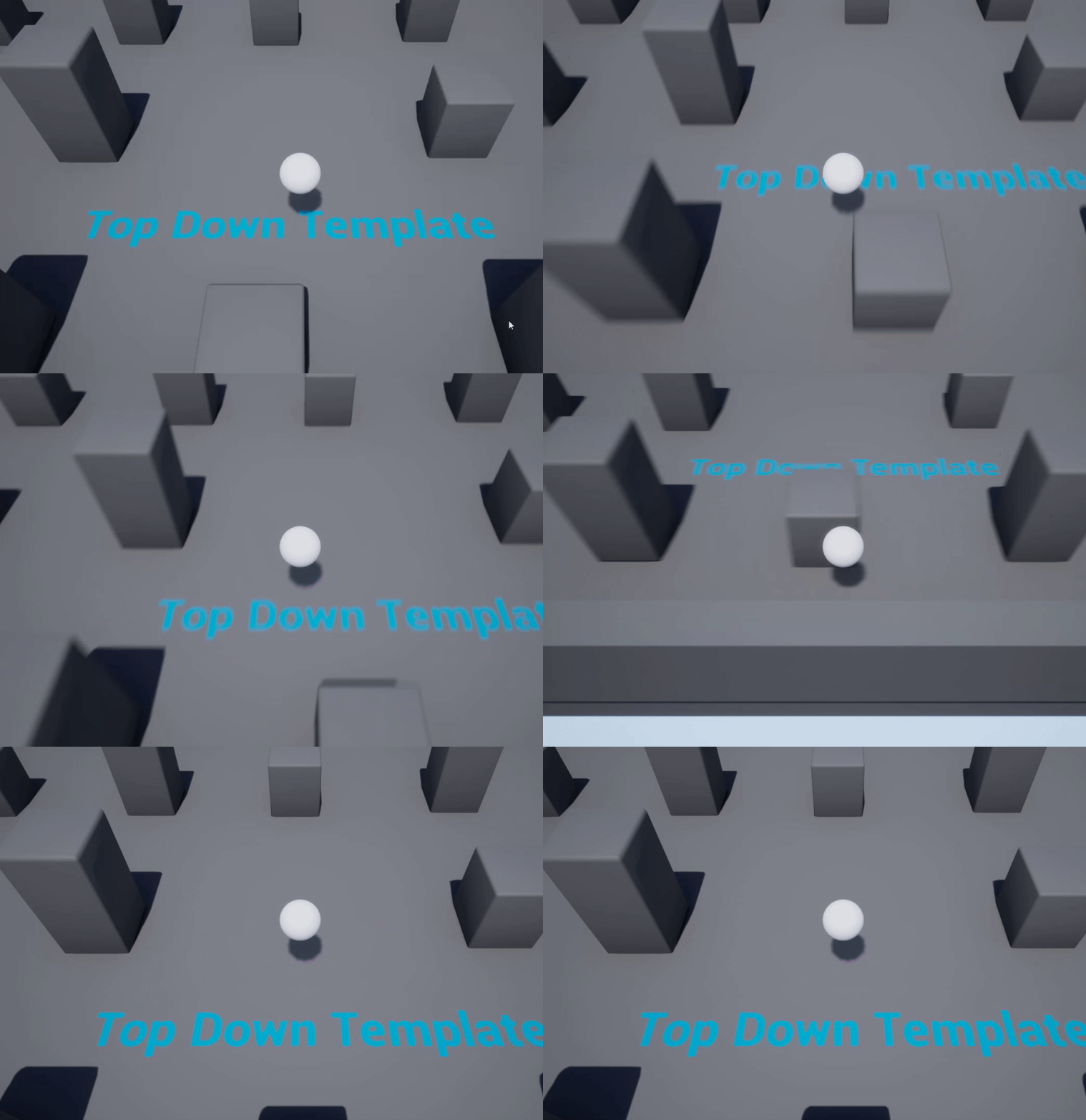
 raven island

make those same number
for every bit u extrude
so texture scale will remain the same
plush yew
what do you mean same number?
winter gale
Quick #UE4 Tip number 113.
Add events for actors from Editor Viewport to Level Blueprint.
https://t.co/aUAwdRMUzY
#unrealtips #unrealdev #indiegamedev #gamedev #indiedev #screenshotsaturday #UnrealEngine
 Twitter
·
raven island
Twitter
·
raven island
set it to planar for all and it will look normal
 plush yew
Where's planar?
 golden niche
Im honestly curious to know at what stage ue 5 is at