#ue4-general
1 messages · Page 942 of 1
 winged pier
i think i know why actually
because it does work then
i recently made a model of an entire city but if the collission is set to simple
it will just be a box
i think i just need to set the collission to complex
 obsidian onyx
 restive yarrow
someone please let me know how i can get post process settings like this from my player camera manager
 gentle rivet
Someone could give me a link to a tutorial guide to game with tanks, I plan to make a game where you drive separately (driver's seat) and shoot separately (shooter perspective), but this is not important yet. I just have been looking for a current tutorial for a few days that would explain how to create a game with driving mechanics, or maybe a whole tank right away... but i cant find good (or mby idk how it should looks like). I have almost no experience in EU 4 so I do not know where to start 😛
 leaden dust
@gentle rivet if you want a simple tank then this https://www.youtube.com/watch?v=Oh7pDL8RFaI

Developer Relations Technical Artist Alan Noon walks us through the creation of a fully functional tank! Learn about setting up a drivable vehicle with working treads, ground collision, a firing cannon, and more!
@gentle rivet also, to be honest this tutorial isn't great
I would recommend watching some vehicle guides
and apply them to a tank by urself
gentle rivet
hm okay thx for the info
 fresh scaffold
Looking for tutorials or resources that can help me snap sockets on objects for an in game builder. Any suggestions?
 ember quest
Anyone downloaded new metahumans project? I want to know how much free space I need on my PC
 exotic thicket
fresh scaffold
Looking for tutorials or resources that can help me snap sockets on objects for ...
exotic thicket
fresh scaffold
Looking for tutorials or resources that can help me snap sockets on objects for ...
There's a few videos on building systems and such if you look up "ue4 building system" or something along those lines
 fierce tulip
@ember quest about 5gb
 harsh sparrow
guys please take a look at this short video,I've been looking for a fix to this problem for a few days now,but no result :(. I don't want the view of the game to be changed when I change the screen resolution.what should I do ? I'm targeting this game for mobiles and I don't want to use constraint aspect ratio as it adds black bars to screen. any help would be appreciated.
 wanton lotus
Why must maps prevent you from adding the same key more than once? Can't it just throw an error when you compile and still have 2 identical keys? Adding keys to maps is so painful when you constantly need to select a unique key before adding a new one.
 drifting shale
Hi
Are we allowed to remake really old games?
Should we obtain the license from the old developer/publisher?
wanton lotus
drifting shale
Are we allowed to remake really old games?
Sure, why not? Do you plan to sell it? Only when money is involved (or your game gets large enough) is when you may run into legal issues.
drifting shale
Yes I plan to sell it
wanton lotus
drifting shale
Yes I plan to sell it
Then you may want to contact the original developer. If you are using it as inspiration to create your own fresh game, then you are all good.
drifting shale
Think of it like remaking GTA San Andreas and selling it..
wanton lotus
drifting shale
Think of it like remaking GTA San Andreas and selling it..
If you are going to make a 1 to 1 copy of it, then there will be legal issues when you want to sell it.
Nothing to stop you from taking the open-world GTA concept and using it for your own though.
drifting shale
Alright
fierce tulip
wanton lotus
Then you may want to contact the original developer. If you are using it as insp...
unless the gameplay element or other aspects are patented.
wanton lotus
fierce tulip
unless the gameplay element or other aspects are patented.
Ah, yes. Good call. @drifting shale might want to also looks into any patents on gameplay mechanics. GTA is a big franchise and there may have been patents (243 of them) made regarding it.
That site required a trial to view those patents, removed the link.
 dusky inlet
wanton lotus
Why must maps prevent you from adding the same key more than once? Can't it just...
dusky inlet
wanton lotus
Why must maps prevent you from adding the same key more than once? Can't it just...
I feel this so hard. When I worked for articy I implemented a customization for a struct that of course also needed to support maps. By mistake I could add two of the same value due to the way the value was represented. When compiling it would remove the 2nd copy though. I left it as is because it seemed perfect to me lol
In my first larger Project in which I managed input state I had huge maps of states and bools to formulate action state logic, that was painful
wanton lotus
dusky inlet
I feel this so hard. When I worked for articy I implemented a customization for ...
Yes, that is exactly how the engine should handle it. Compile and remove it for you or report error so user goes and removes it. I am almost thinking of removing maps just because they are difficult to setup in the editor. Arrays too, how they collapse the view when you add new items to it.
I had to give the users the option to use datatables just because they are easier to visually see your edits.
exotic thicket
makes me wonder what epic uses internally given how buggy some of the editors for data types are
 marble delta
@wanton lotus Why would you want to generate a compile time error when the error can be prevented at input time? Should the UIMin/UIMax controls also let you input inappropriate numbers and then clamp them at compile time? Should blueprints allow connecting incompatible pins and then only warn you at compile time? The earlier that you can flag issues the better since the user will be closer to the headspace of the error. The whole point of a map is a 1 : 1 correspondence, a user should be directed to modifying the existing value.
wanton lotus
marble delta
<@!291620720243376129> Why would you want to generate a compile time error when ...
Okay, so I do a map of Enum to Whatever. You setup your Enum and then go to populate the map. Every new item will default to the first item in the Enum. If you setup that first item, you can never add another item to the map. This forces you to setup the initial enum last or not at all. If you choose not at all, this forces you to create a blank enum, which should not be needed.
This is the same for all types of maps. Forcing you to populate them in a specific order, not necessarily the order the user prefers.
Setting up an array or map in specific orders is a good thing as it can make searches more efficient.
I would rather I be allowed to make the map in the same order as my Enums, instead of being forced to create "workarounds"
 steady zodiac
So I want to dynamically add a blueprint to an existing actor that displays a niagara system. Should the bp be an actor component or scene component?
 peak vigil
Guys, when I open some meshes in Soul Calibur 6 with Umodel my Umodel crashed
It shows an error like this:
ERROR: Package "texture/nude_r016_momo_NORMAL.uasset": wrong name index 992968462
UnPackage::SerializeFName: pos=000AB13E <- UTexture2D::Serialize4 <- UTexture2D::Serialize <- LoadObject: Texture2D'nude_r016_momo_NORMAL.nude_r016_momo_NORMAL', pos=AB13E, ver=513/0 (unversioned), game=ue4.17 <- UObject::EndLoad <- LoadWholePackage: inner_r016_f_H_Hip.uasset <- CUmodelApp::ShowPackageUI <- Main: umodel_build=1504
wanton lotus
Take arrays for example. When I know I need that array to have 10 items, I can add all 10 at once, then set them up with them all expanded and not deal with the collapsing view after adding items.
For a map, you don't get that luxury. So really, the main problem is the view collapsing every time a new item is added.
I could deal with input prevention if the view would remain expanded for easier input.
 stiff verge
if a render target is out of sight, is it cooking?
if I have two different render targets but they aren't visible at the same time.. is this heavier than having one?
marble delta
wanton lotus
Okay, so I do a map of Enum to Whatever. You setup your Enum and then go to popu...
I see what you're saying. I agree that the Map Editor UI does leave something to be desired there. I'd prefer some sort of universal 'Unset' key option that works for all map types over an allowance for duplicated keys. I have also been annoyed at not being able to add multiple entries before configuring them.
Setting up a map in a specific order should be irrelevant to search efficiencies though. Assuming the hash is "good" the map will look basically the same regardless of order of element insertion.
wanton lotus
stiff verge
if a render target is out of sight, is it cooking?
Render targets will always be rendering their target until you tell it not to.
stiff verge
so I could, based on player orientation, tell it to stop cooking
wanton lotus
marble delta
I see what you're saying. I agree that the Map Editor UI does leave something to...
Ah, yes, "unset" would be ideal.
wanton lotus
stiff verge
so I could, based on player orientation, tell it to stop cooking
Yeah, basically you deactivate the camera tied to the render target.
stiff verge
great, at least it's possible
wanton lotus
stiff verge
so I could, based on player orientation, tell it to stop cooking
The render target should still display the last texture the camera created, since that texture should still exist.
stiff verge
i wish I wasn't stuck in 4.19 for my trick to work.. I'm using render targets as portal in VR so I need stereo
oh that's even better if it displays the last texture created
 plush yew
wow that was really cool
wanton lotus
stiff verge
i wish I wasn't stuck in 4.19 for my trick to work.. I'm using render targets as...
You may even be able to use something like WasRecentlyRendered directly on the actor displaying the render target texture instead of testing player orientation.
 sterile tulip
hello guys
I have downloaded this pack, however it is in the wrong version 4.25. I need it in 4.26 but I dont know how
stiff verge
@wanton lotus oh you mean.. if "a rock" was recently rendered in my view.. I disable something else that would be behind the character?
that's useful.. might be easier and strictly better as I wouldn't need some orientation range in which the target is disabled
wanton lotus
stiff verge
<@!291620720243376129> oh you mean.. if "a rock" was recently rendered in my vie...
I mean the portal itself. Since the portal uses the render target texture right? If the portal is not being rendered, you can turn off the scene capture camera that supplies that portal with its texture.
 hearty walrus
What's causing my terrain to look like this?
wanton lotus
So use WaRecentlyRendered on the portal actor. If it is false, you turn off its scene capture camera.
stiff verge
ahh so.. the camera tied to the render target portal could only be enabled when "WasRecentlyRendered" is True
makes sense yeah
i wonder if this is already implemented in the plugin I use
wanton lotus
stiff verge
ahh so.. the camera tied to the render target portal could only be enabled when ...
Ah, yes, going that route works better. I was thinking opposite, hehe.
stiff verge
maybe the issue with this would be that there is a 1 frame delay until it's active?
wanton lotus
stiff verge
i wonder if this is already implemented in the plugin I use
Possibly. If not, I'm sure the creator would love to make their plugin more efficient. Might as well ask them.
stiff verge
I posted twice on the github and got no response.. unfortunately it's an old project
I'm surprised that there is not a recent working plugin for this since it's such a simple and strong effect..
wanton lotus
stiff verge
maybe the issue with this would be that there is a 1 frame delay until it's acti...
I doubt anyone would ever notice a single frame, hehe
stiff verge
performance heavy but still..
wanton lotus
Oh wait, you did say VR, right? if framerate gets low, they may notice something
stiff verge
I spent 2-3 days looking around for solutions and the best I got was this.. that works in 4.19 and for some reason it's broken when I compile it.
https://github.com/FreetimeStudio/PortalPlugin

GitHub
A collection of portal mechanics. This repository might occasionally be updated but there is generally no support for it. - FreetimeStudio/PortalPlugin
wanton lotus
But if framerate is low, they are puking before they notice that one frame off, haha.
stiff verge
yeah I hope I can get away with this
i mean.. this won't run on just any machine.. I have the control over which machine will play it since it's not for a game
wanton lotus
Gotcha, so no worries then.
stiff verge
to me atm the biggest barrier of entry is that older projects are often not supported in newer versions.. 😦
so much potential is lost over the years this way
 dark ridge
Does anyone here operate Unreal Engine on a MacBook?
 dreamy lake
Ever since I upgraded from 4.26 to 4.26.1 my editor has started making the popout menu see through - Highly frustrating, have to restart the editor each time it starts to do it - anyone else experiencing this, and anyone knows of any potential ways to fix it ?
 brazen sail
I am working on an animation blueprint, this is my code but every time i run the game it keeps giving me errors and the player movement animations are also not displayed
These are the errors
wanton lotus
brazen sail
I am working on an animation blueprint, this is my code but every time i run the...
Move the cast to your update event.
brazen sail
I did try that but then the execution flow stops after the casting
wanton lotus
Update event will trigger a few times before the begin play triggers. You can try saving the cast result to a variable, then in update check if variable is valid before setting those floats. Same thing though.
 rigid belfry
how do i bind the event dispatcher "died" to this node? i want my gamemode to listen to this event and do stuff if "died" triggers
wanton lotus
brazen sail
I did try that but then the execution flow stops after the casting
Even better, use TryGetPawnOwner instead. Looks like you aren't getting anything specific from your character. Pawn will have those as well.
TryGetPawnOwner is a node specifically used in animation blueprints to get the owner of the animation blueprint.
brazen sail
tried that but no luck
When i connected IsValid to the rest of the code the execution flow stops at is Valid
Also dunno if this important but every time I select my animation blueprint it adds a " _c " at the end
wanton lotus
brazen sail
tried that but no luck
rigid belfry
do widgets get constructed everytime i remove from parent? isn't there a better way to close a widget without losing previously stored variables?
 spare kernel
set it invisible
wanton lotus
rigid belfry
how do i bind the event dispatcher "died" to this node? i want my gamemode to li...
That bind node you would use in your game mode. In the screenshot, where you check the health, you want to call the dispatcher. And you can just call it right before you destroy actor.
brazen sail
wanton lotus
The errors are gone but there are no visible animations being played for walking
wanton lotus
brazen sail
The errors are gone but there are no visible animations being played for walking
Not even an idle animation? TryGetPawnOwner is definitely the correct node to use.
brazen sail
wanton lotus
Not even an idle animation? TryGetPawnOwner is definitely the correct node to us...
Idle animation is playing
 dapper quest
in version 5 is there an option to use controller for the editor
wanton lotus
brazen sail
Idle animation is playing
You will need to check your blend space and make sure min/max values are correctly setup for your character's speed.
wanton lotus
brazen sail
Idle animation is playing
Can also add a print string in the animBP update event to see what values you are getting.
brazen sail
wanton lotus
Can also add a print string in the animBP update event to see what values you ar...
I did a print String for the speed values and i am getting just 1 even when i'm moving
wanton lotus
brazen sail
I did a print String for the speed values and i am getting just 1 even when i'm ...
Wait, you need to get vector length of the velocity, not forward vector. Current forward vector is normalized and will always return 1.
plush yew
im trying to reverse an anim montage using playing rate -1
but it doesnt work
any idea?
brazen sail
wanton lotus
Wait, you need to get vector length of the velocity, not forward vector. Current...
Oh thank you I completely missed that
Just went with the flow
wanton lotus
plush yew
im trying to reverse an anim montage using playing rate -1
Did you set the time to start? Default is 0 and playing a montage in reverse from 0 will instantly complete it.
plush yew
that makes a lot of sense
wanton lotus
Plug montage sequence length into time to start.
wanton lotus
Ah, probably. Looks like that one is limited. No additional details to expose more pins?
Nvm, I see the details tab there
wanton lotus
Yeah, that is the robust one. Handle notifys too.
wanton lotus
Make montage to play a variable and you can get it from that variable.
Then right before you play the montage, you can use a set node to set the appropriate montage.
plush yew
wanton lotus
Make montage to play a variable and you can get it from that variable.
dont understand this part 😅
wanton lotus
plush yew
dont understand this part 😅
Ah, wait, that starting position is normalized I think. Just set it to 1.0, which should represent the end of the montage.
plush yew
nope setting it to 1 doesnt work properly haha
starting position is the frames or seconds?
wanton lotus
Then it must be sequence length. I can help you setup the variable, will get you a screenshot, one moment.
plush yew
thanks 😄
spare kernel
playrate -1 reverses animation for me 🤷
plush yew
it does in the right node yea
wanton lotus
First, promote to variable:
Then setup looks something like this:
Use the set node to choose the montage instead of setting it directly in the play montage node. Play rate should be -1.0 of course, I forgot that. You could also utilize starting sections. Make one at the very end of the montage and give it a name, then use that name.
plush yew
@wanton lotus doesnt work for some reason haha
@spare kernel it kinda works but it plays to fast or something idk
plush yew
ah no my bad wrong pin haha
wanton lotus
Double check it matches your other montages play rate
Ah, I was thinking other montage might have actually been set to 0.8 or something similar, hehe
plush yew
nah i plugged the node into playrate instead of starting pos on accident haha
but that works thanks 😄
 sterile lichen
Is there any log or way to profile number of loaded assets (wold be happy to see a simple log of assets that gets loaded from disk when actor is spawned)
Asset map does not show all assets that are loaded when actor spawns and i don't see any place to enable logging to see each loaded asset
 lusty carbon
I keep getting these pinkish walls in the bake, they are fully white and so is the floor
HDRI has no pink in it and this only happens on the walls.
wanton lotus
dreamy lake
Ever since I upgraded from 4.26 to 4.26.1 my editor has started making the popou...
You just removed your other question, but I got a screenshot for you showing the options. I'm sure you know how to lock taskbar, but the other settings are advanced system settings in performance options.
dreamy lake
wanton lotus
You just removed your other question, but I got a screenshot for you showing the...
Yeah its already locked though, and windows arent animated - this only started happening in 4.26.1 though - havent experienced this at all before
 dense knoll
How do you fix Translucent Materials screwing over other transparent materials
like a water plane
it hides clouds
and Particles render over the water
how do you prevent this?
dreamy lake
Thats Slashin8r will test those settings actually
stiff verge
That's my VR FPS counter displayed in headset for testing.. I'd like to round that to the units and have it flicker a bit less.. any tips?
by flciker I mean.. it looks like this atm.
dreamy lake
Truncate the value to round it down
then under class defaults set the tick interval to a number you desire, or create er a timer 🙂
stiff verge
I'd do it in python if I could.. I started unreal last week lol
I guess it was easy lol
so light green means float, teal means integer and pink is string?
could I replace the event tick for something that gets refreshed once per second?
lusty carbon
lusty carbon
I keep getting these pinkish walls in the bake, they are fully white and so is t...
??
dreamy lake
stiff verge
so light green means float, teal means integer and pink is string?
That is correct 🙂
dreamy lake
stiff verge
could I replace the event tick for something that gets refreshed once per second...
And yeah you can, there are timer functions, one sec
If you use this here then you can designate which event it should use
stiff verge
so I think I,d need the event tick to get the actual time a frame needs to cool but I'd use the timer with the white inlet of the set node to only "bang" that info once a sec
dreamy lake
by selecting it here
Otherwise bind an event to a timer like this
you can use this to get the delta:
Which in this case is the same as In Delta Time
stiff verge
not sure how that gives me one refresh every second
dreamy lake
Set the time on Set Timer Event to 1 and then set it to Looping
stiff verge
ah wait.. could I launch the timer using the tick on start red thing?
dreamy lake
Wait
stiff verge
hmm I can't find the EventBeginPlay in this context
dreamy lake
stiff verge
not sure why they didn,t call this Creation.. instead of Construction lol
dreamy lake
I usually do this as well, so I can clear and invalidate the timer in case I need it to stop
Or, if you need to pause it etc.
wanton lotus
Probably due to programming syntax where people are used to Constructors.
dreamy lake
then you'll need a direct reference to it
 lucid grove
Hey fellas
I know this might be generic question, but maybe you had same problem
So i have this simple scene view with only 80 fps (on gtx 3070)
And more complex this one with 120+
And i can find a reason whats killing it
dreamy lake
lucid grove
And i can find a reason whats killing it
Have you tried checking shader complexity ?
lusty carbon
Profile GPU
lucid grove
My first gues that its something behind it
stiff verge
not sure what the difference is between the red path and the white path
dreamy lake
stiff verge
not sure what the difference is between the red path and the white path
You cant do it like that
you have to create a new event
like I did
stiff verge
haha yeah I was just trying
wanton lotus
Infinite loop of timers, muahahahahaaa
lucid grove
lusty carbon
Profile GPU
Its kicking basebass for some reason, profile GPU does not lead me anywhere ):
dreamy lake
Construct only run once as well, and in this case you would call construct over and over, so it would recreate itself (if it was possible)
And the red path
lusty carbon
lucid grove
Its kicking basebass for some reason, profile GPU does not lead me anywhere ):
what's "kicking basepass""?
dreamy lake
Is binding your event to a function delegate
stiff verge
but how do I assign how this new event works?
dreamy lake
White one is execution flow
lusty carbon
I'd assume it's realtime shadows that cause this
dreamy lake
Assign how it works ? What do you mean ? - Like put logic in afterwards ?
lucid grove
lusty carbon
what's "kicking basepass""?
dont know
wanton lotus
stiff verge
but how do I assign how this new event works?
Using @dreamy lake's example, you just move your logic from Event Tick to MyEvent.
 stiff bane
what node is this?
 grim ore
Float (green) to string (dark pink)
stiff verge
hmm ok my issue is that I don't understand what an event is in this context
dreamy lake
Events are like an open function
stiff verge
to me, a custom event, unless you specifiy what it is.. it won't be anything no?
stiff bane
from float to string?
stiff bane
ye seem sthe right one thanks@grim ore 🙂
stiff verge
but the function is still empty
wanton lotus
stiff verge
but the function is still empty
You would put your own logic into it. Even if you made a new function, it would start out empty.
dreamy lake
This here will have MyEvent fire every 1 second - and print Hello
stiff verge
ohh the custom event is what will run (the white flow) when the timer is over?
so once the timer is done, it will print?
so I need this?
dreamy lake
The timer in this case is set to loop - So it'll fire the red string event every 1 second every time it fires off its timer event - it won't run the white line (execution node) again - it only does that once
Don't use the Delta from Event Tick
Use this instead
stiff verge
the way this custom event is connected to the timer is unintuitive to me because the event is in inlet.. not an outlet that's what confused me
dreamy lake
Other than that, then its correct 🙂
 tiny grove
Hello👋 This is IndiaHV Harshit Verma, founder of Craft Production Group. We have announced various projects on our YouTube channel. So go check out this video,drop a comment and leave a like❤️
Don't forget to subscribe.
https://www.youtube.com/watch?v=DaVWIK2jU5Q&feature=youtu.be

Craft Production Group announced a lot of projects on Game Craft`s 3rd anniversary.
and you can pre register on these games now
Yoddha: warrior
Link: https://forms.gle/C2oxoi8yUAUcxMVM8
Daylight Dessension:
link: https://forms.gle/CvPDo2XW2rg9Xup48
Discord: https://discord.gg/GxVjSxDghJ
Website: http://craftproductiongroup.com
Work with ...
dreamy lake
Yeah I get it, I think I spent like 2 years with unreal before I knew what the Delegate lines were for (red lines), or how they even worked lol
stiff verge
and you're saying I should use Get World delta seconds because this way I'm pulling this info rather than pushing it constantly
dreamy lake
I don't think (could be wrong here) that you can actually grab it from the tick function, since its not part of the execution flow (the white line) from tick itself.
Think of these events like functions, the Delta Time from Tick is an input coming from that function specificly, and you aren't using tick in this case to run your logic
So you would want to just grab the delta time from the getter instead
dreamy lake
Ah :p
dreamy lake
plus you could turn off tick in this case if you aren't going to use it to get slightly better performance, and just use the getter xD
\o/ - you're welcome 🙂
stiff verge
yeah
dreamy lake
Also
you should be able to convert int to text directly, instead of converting it back to a float, no ?
stiff verge
makes sense
the int back to float was added automatically because I didn't change the toText function
but there's one for ints
dreamy lake
Just in case you didn't want the decimals :p
grim ore
what you can also do is go right to text from the float ( and use the advanced options to limit the # of digits)
click the drop down on the To Text node
stiff verge
what I had at first was an update at every frame with the whole float and that just made the number harder to read
ohh wait I understand what you meant
you can convert a function node in some cases.. good to know
 timber steeple
Hey guys quick doubt... Can I rig characters in blender and port it to unreal in fbx?
grim ore
stiff verge
https://www.youtube.com/watch?v=nY4Q8cYBLP8 @timber steeple he covers many possible issues

💥 Wishlist my game on STEAM 🥊 👉https://store.steampowered.com/app/1512590/Punch_A_Bunch/
Many of you asked me to make a video about my Blender to Unreal Engine 4 workflow. You ask, I make! Here it is!
In this video I explain how I set up my characters with materials in Blender. I take you through the entire export process and bring it all into...
timber steeple
@baron are you telling me?
Ok
Or is it good to learn unreal rigging
I learnt blender rigging a little
stiff verge
unreal has animations you can use with your characeters.. those will require your blender rig to be compatible
otherwise you can just do all your animations in blender and import them
timber steeple
Oho OK... Thanks so much
stiff verge
you're welcome.. I was at that step a week ago lol
I'd rather handle most of the creation in blender
if you have funky modifiers and other kind of animations you can export them to alembic to unreal and it works really well
how come the ground height in the default vr template is set to 280?
timber steeple
Hey I have a nice 2060 card. Nice recent computer 16gb ram. I am sure my computer can handle lot more than blender right
stiff verge
hmm that depends a lot
timber steeple
6gb card.
stiff verge
i mean for rendering with cycles.. blender would be heavier than a game engine in this case
but yeah you should be able to do stuff
timber steeple
But Better 10x than blender
stiff verge
blender is not necessarily lighter or easier than unreal it's different
timber steeple
I am saying it can handle lot more polygons easily right
stiff verge
it's not blender that sets the polygons.. it's what you do
timber steeple
That I understand
stiff verge
a 2060 is definitely a good starting point in 3d or game developping yeah
timber steeple
On the channel YT, I saw the creator telling, it can handle many more polygons...
I am expecting to create bigger scenes in unreal compared to blneder. With average poly cout...
Environments
stiff verge
they are completely different
blender is meant for offline rendering
even eevee gets slow when you tweak it to look better
slow compared to a game engine I mean
timber steeple
OK...
stiff verge
blender is much easier to learn and will give better results easily.. but it won't run like a game
timber steeple
Yeah I will model in blender sculpt in zbrush...
Lets say I have modeled some trees some grass....
stiff verge
you can sculpt in blender too btw.. depends on what you know best and currently use
timber steeple
When compared to blender... I will be able to handle more grass and trees in unreal right
stiff verge
like I said.. it depends because they are different
it depends what you're trying to do
stiff verge
you should use eevee
stiff verge
that would be my best advice if you think cycles is too slow for you.. eevee will solve this.. but getting into unreal will be frustrating.. there are far fewer resources
i don't think unreal looks better than eevee.. idk
and cycles is slower to render.. but much much easier to get good results out of
 next badger
EEVEE GI and lightmapping is um...
irradiance volumes do not blend between each other...why? just?
timber steeple
stiff verge
i don't think unreal looks better than eevee.. idk
I dont agree
I think unreal can give photoreal renders in no time...
next badger
@timber steeple except...translucent objects
stiff verge
i had pretty bad results with translucent so far
@timber steeple unreal and eevee are comparable.. they need to be tweaked to fake a realistic results.. cycles is much much easier to learn at first but of course it's slower
cycles looks amazing right out of the box compared to unreal
timber steeple
Donno ....
 spare sun
its true, Eevee feels lackluster in some areas. Irradiance volumes, particles, nishita sky & displacement support for example.
If you wanna go Cycles then by all means, its pretty good and all features are pretty much supported (aside from things like caustics for which you'd wanna use octane or similar). But between eevee and unreal i'd give unreal the edge simply due to its maturity.
next badger
why you keep comparing offline renderer to realtime?
timber steeple
I dont want to render so long
next badger
out of the box marmoset will tear any rendered like a rug
timber steeple
and if unreal can handle many more polys than blender... as the creator says...
I can create far more complex scenes in unreal than in blender...
is it not true?
next badger
no...i dont think blender has limitations here
plush yew
when I make a 'comment from selection' in BPs, how do I stop the comment stretching horizontally so that I could only see it if I max zoom out?
nvm worked it out
timber steeple
for a limited computer like mine(not so limited) unreal can handle more poly count than blender is this true?
What if i wanna use unreal only for rendering...
 main bolt
Been trying to figure out why this isnt showing my stars would really like some help
timber steeple
Thanks for your supprot
stiff verge
I'd love to try that out eventually.. but I like how cycles look for animations
I'd like to try octane or redshift however
@timber steeple except for making games.. unreal won't allow anything that blender can't do in terms of making your animation look good
lucid grove
Hey, another simple question. With world composition - what happens with actors on it when they not loaded?
timber steeple
stiff verge
<@!419393799488536576> except for making games.. unreal won't allow anything tha...
But it renders quickly right
Since it is real time...
and i can quickly do changes....
I think I will figure out ina week
Thanks
stiff verge
eevee also renders quickly
it depends how you want to work but.. cycles means you work less and the computer works for you in a way.. even if it takes a week to render every night
the thing with cycles is that it's very easy to get realistic lighting using just a HDRI.. shadows look so good
but yeah it's super slow
 violet sluice
Hello, sorry for interrupting. I just join the discord server. I'm new on unreal engine. I'm using it a few months. I need help about save/load game. I did some blueprints it's working but i have some issues. Someone can help me who is prof. on unreal engine. I really need help. Thanks a lot.
timber steeple
Thanks for the inputs baron. Really helps!
stiff verge
you're welcome
stiff verge
i'm a unreal noob
violet sluice
i understand no problem 🙂 me too
stiff verge
yeah I'll probably learn from your question too haha
 sharp frigate
Hello everyone , i am trying to freeze Player character in mid air for 5 seconds after begin play
any idea how i tried turning off gravity on mesh
didn't work
 hollow copper
Bit of random screwing around with MetaHumans. I'm amazed at how straightforward to use this with LiveLink!
violet sluice
firstly, i wanna make a save system like save and continue game system. But when i save my character place doesn't save. i have to show my blueprints
to fix that
wanton lotus
sharp frigate
any idea how i tried turning off gravity on mesh
Maybe custom time dilation then? Set it to 0 and then a timer sets it back to 1 after 5 seconds.
sharp frigate
^ haven't work with time dilation let me try ;D
rigid belfry
hollow copper
Bit of random screwing around with MetaHumans. I'm amazed at how straightforward...
looks scuffed
i have no idea how metahumans works but i think the sensibility is too high and your mouth stays open too much
plush yew
i had the same problem you gotta set gravity scale to 0
im assuming its a character pawn
with the movement component
sharp frigate
wanton lotus
Maybe custom time dilation then? Set it to 0 and then a timer sets it back to 1 ...
while
it did
froze time
but i got stuck frozen
in time basically
dense knoll
How do you make a actual loading screen, The ASYNC loading plugin doesent allow for much customization so i made my own widget but am wondering how to get it to be a loading screen that shows up instead of a frozen game
rigid belfry
sharp frigate
while
i have no other words to put this but, do you want to create something akin to jojo? where time stops for everybody but the player?
plush yew
sharp frigate
rigid belfry
i have no other words to put this but, do you want to create something akin to j...
Okay let me explain 😄 , When i load my Level my character fall out because of the level streaming delay it doesn't load the collision fast enough so i want the character to be frozen in air for a second to let the level load .
plush yew
just spawn it higher or later? 😛
anyway setting gravity scale turns off gravity for that npc
so just use that
 kindred viper
aye
plush yew
yea
sharp frigate
okay let me test this thanks
plush yew
thats how gravity works 😛
kindred viper
why not just load the character once yo know the level is loaded. There is an event for it
rigid belfry
violet sluice
firstly, i wanna make a save system like save and continue game system. But when...
have you read this? https://docs.unrealengine.com/en-US/InteractiveExperiences/SaveGame/index.html
Overview of how to save and load your game
plush yew
yea I feel like theres a better way haha
sharp frigate
violet sluice
firstly, i wanna make a save system like save and continue game system. But when...
i can show you how i save my character location but its not some advanced stuff
wanton lotus
sharp frigate
while
Global time dilation freezes everything. I meant this one:
plush yew
slash you know of a good way to play anim montages from a behaviourtree?
im just using custom events right
or is that okay too?
wanton lotus
plush yew
slash you know of a good way to play anim montages from a behaviourtree?
I use custom behavior tree tasks which then call custom events, so basically the same thing.
plush yew
yea thats how im doing it too thanks 😄
wanton lotus
plush yew
yea thats how im doing it too thanks 😄
Custom events are the only way I know of to run montages. You can also replicate the montages for multiplayer using custom events.
plush yew
not doing multiplayer
wanton lotus
Ah, then a lot less to worry about, hehe
plush yew
but doing montages for smaller less used animations is better then using an animbp right?
animbp's are more for movement and stuff?
wanton lotus
You can technically run everything in the animBP if you are creative with your transitions.
Then just have the game logic change the necessary variables to switch between states.
plush yew
seems like a pain haha
wanton lotus
All really depends on what you need to do. I tend to use montages for anything linked to a button press, except movement buttons.
plush yew
doing ai, so stuff like idling around and eating etc.
wanton lotus
Ah, yeah, you mentioned BT. AI I do basically everything but movement in montages, yes.
wanton lotus
Seem to have more control over it, so I like it that way.
dense knoll
How do you create a loading screen that is created when a map starts loading?
 crimson lake
hey guys, quick question
is getting all actors from class
from a class that only has one actor
costly at all?
dense knoll
It may be more costly depending on how many actors of that class are found
if theres only one actor it will most likely be the same as Get Actor of class
crimson lake
dense knoll
How do you create a loading screen that is created when a map starts loading?
Announce Post: https://forums.unrealengine.com/showthread.php?141784
Alan Willard is back to talk about the different techniques that you can use to handle loading levels seamlessly in your game! Alan will be covering all the bases, from basic cut-to-black to conditional loading on events. How to unload levels and manage what players can experi...
crimson lake
dense knoll
if theres only one actor it will most likely be the same as Get Actor of class
oh shit forgot that exists
thanks
dense knoll
I dont mean Stream loading
crimson lake
dense knoll
I dont mean Stream loading
oo

This engineer-oriented talk about assets loading management for good performance and smooth transitions by Epic Games' Support Engineer Axel Riffard goes over different methods to craft beautiful and highly optimized loading pipelines for your game, be it single or multi player.
Learn more about Unreal Engine at http://www.unrealengine.com
that's what you want
sorry
plush yew
whats that node called that gets everything in a sphere around you?
wanton lotus
crimson lake
is getting all actors from class
If you need to use the "Get * of class" nodes often, make sure to save their results as a variable for later use so the node is actually only called once.
wanton lotus
plush yew
whats that node called that gets everything in a sphere around you?
sphere overlapping * (actors or components)
dense knoll
Async Loading screen sometimes crashes UE4, so im trying to get it to load a widget instead
plush yew
multisphere or sphereoverlap?
wanton lotus
plush yew
multisphere or sphereoverlap?
multi if you need an array of results.
crimson lake
dense knoll
Async Loading screen sometimes crashes UE4, so im trying to get it to load a wid...
err, level streaming -> UI widget ; level stream done -> remove widget
 earnest violet
Hi guys! I got a quick question. Basically I have a ai character that has root motion animations of walking forward but it skips back to the beginning of the animation start every 2 secs. Should I be using In place or how do I get it to stop skipping? THX 🙂
crimson lake
Spheretrace by channel is what I use
wanton lotus
plush yew
or spheretrace?
Honestly any of them will work, hehe
So many ways to do the same thing in programming
plush yew
multisphere gets ALL objects and spheretrace only gets the first one?
wanton lotus
Sphere overlapping will perform a sphere trace, so they are essentially the same
crimson lake
yes the first hit will get it
I suggest
you use sphere trace by channel
because then you can set a custom channel
if you want it to hit a certain object
and ignore all others
plush yew
ah yea
earnest violet
Hi guys! I got a quick question. Basically I have a ai character that has root motion animations of walking forward but it skips back to the beginning of the animation start every 2 secs. Should I be using In place or how do I get it to stop skipping? THX
crimson lake
plush yew
ah yea

Unreal Engine
Choosing what collides is obviously very important, but it can be tricky, and it’s a problem that we have spent quite a while discussing while developing UE4. The system we have can seem a little complex at first, but it is very powerful and consistent, so I wanted to give a little background on how we arrived at it. We’ll talk about the differe...
plush yew
then get the array and get a random hit from that I guess will work
crimson lake
err
wanton lotus
earnest violet
Hi guys! I got a quick question. Basically I have a ai character that has root m...
Yes, walking should be in-place and movement then controlled by controller input (whether it is player or ai controller).
crimson lake
what are you trying to achieve exactly
crimson lake
oooo then
multi sphere trace
is the way to go
with channel
and set all the poi's to block that channel
plush yew
I see thanks 😄
crimson lake
got u ❤️
plush yew
what would I put in end? lol
wanton lotus
plush yew
what would I put in end? lol
It can be the same as start.
plush yew
actor location is fine?
wanton lotus
Yeah, since that is where you want the radius to originate from.
plush yew
lol one actor just refuses to participate
with the same bp and hbt and everything
they all go the same hit location
even tho its not synced
thats odd
 sly vine
hey guys i really need help with my project
its started to get crash after i play , since then each time i start the project file
its get crash
plush yew
If I don’t want to use particularly complex physics and want to incorporate dynamic gravity so that my character can run on walls should I just do use pawn instead of character?
kindred viper
I'd use a regular pawn most of the time. If you want custom movement functionality it's often better to start from scratch than modify the CMC. But that being said, you can use it and save some coding. But tweaking with extra functionality might take more time than starting from a base.
grim ore
@sly vine you will need to install the editor symbuls for debugging and crash it again to get a real crash log, this log will not help. its in the launcher, the drop down next to launch,. and options
sly vine
thanks i will check it and i will report you thank a lot
 topaz tangle
Is there a way to unpackage a game I made myself ages back?
I lost the project files for it and everything.. 2yrs of work down the drain, all I have left is a google drive link to the actual game package.
 robust oar
tewst
oh hey
is it possible to code with visual studio code instead of visual studio 2019
visual studio 2019 is so heavy. even with my ryzen 2700x it takes alot of time
sly vine
@topaz tangle hey bro with my experience in unreal engine , you cannot restore packaged work .
you may get the models by using the umodel tool but nothing else.
plush yew
tomatos?
spare sun
@robust oar should work. Not sure whether it's gonna be faster though, ue4 codebase is.. huge.
grim ore
If VS is too heavy for you, look at Rider (its in beta right now) as an alternative. In the end tho VS is the suggested IDE for use with UE4 and Windows.
 marsh swallow
has anyone worked with the water enough that they have created an in depth tutorial. I am having a few issues and I am not sure if they are limitations or not
mainly with the water and post processing underwater not being as wide as the water and the overlaps/collisions seems kinda.... weird.
sly vine
@grim ore problem solved once i installed the symbols thank a lot .
 dense girder

 mortal cedar
found a solution to hidden bones having no shadow. Attach an invisible egg to the head to act a dummy shadow. Hes now an egg head
robust oar
@spare sun The last word sums it up...so I guess I cant get around the load times 😅
mortal cedar
man without head has shadow. spooky 👻 .
 jolly oak
Is there a way to mirror a camera view? I'm making a camera that projects onto a plane, but I want the image to be flipped, similar to how various phone's front cameras mirror the preview photo
grim ore
scale the plane in a negative direction should flip it
jolly oak
I'll try that out. Thanks!
rigid belfry
is there something like this https://www.youtube.com/watch?v=EFXMW_UEDco but up to date?

This video gives us an overview of the Introduction to Blueprints video series as well as jumps into a high-level overview of the concepts behind Unreal Engine 4’s Blueprint Visual Scripting system.
grim ore
not really but the concepts are still valid. learn.unrealengine.com would have updated content but I dont recall any "generic BP" courses @rigid belfry
plush yew
just spawns inside them
grim ore
if you are snapping, then you probably dont want any transform when you spawn it
plush yew
but its needs a transform to spawn
lucid grove
grim ore
if you are snapping, then you probably dont want any transform when you spawn it
Hello @grim ore whats the most common reason that particles keeps visible even it they out of bounds?
plush yew
spare kernel
but you have not shown the issue
plush yew
still spawns up their ass lol
plush yew
not there lol
 nimble moat
Ive just enabled ray tracing for my project and upon restart the editor is pinning my cpu to 100% is this normal?
spare kernel
@nimble moat compiling shaders likely
plush yew
nimble moat
Ah thanks
plush yew
ohh
grim ore
yep ^^ was just about to say that
wanton lotus
No more crappy coffee?
sly vine
@grim ore i have another error while package my project (android)
Error: Shader compiler returned a non-zero error code (-1073740940).
grim ore
see if the output log shows the shader with the issue
lucid grove
I have bounds set to minimum to see if it works, but its still on the screen
Just notcied that ALL my particles is visible in editor no matter how far they are
topaz tangle
well if i cant recover it, is there a flight system similar to this one?
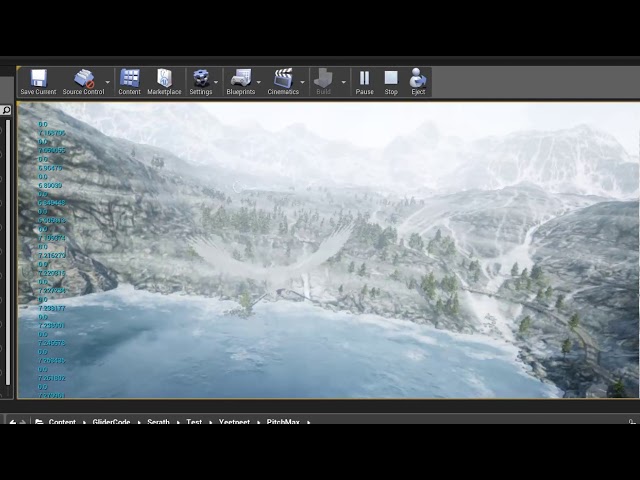
sry for the FPS my machine is dying.
public free release coming soon, doing this for the community.
that anyone has made
grim ore
are you trying to set the culling distance for the particles?
sly vine
grim ore
see if the output log shows the shader with the issue
nothing else just it
grim ore
thats weird
@lucid grove are you trying to set the area that the particles spawn in, or the culling distance?
lucid grove
grim ore
<@!667566391444111380> are you trying to set the area that the particles spawn i...
Culling distance
grim ore
yep thats different, bound are the area it spawns in
marsh swallow
The post process on the water only seems to work inside this area. Is that resizeable? its not even the size of the ocean. lol
 true falcon
marsh swallow
The post process on the water only seems to work inside this area. Is that resiz...
true falcon
marsh swallow
The post process on the water only seems to work inside this area. Is that resiz...
do you have far water material? then it does cover your ocean. Try the tile size under water brush actor I think it is
sterile tulip
grim ore
@lucid grove the LOD determines if its going to draw it or not. If you go into the particle in the world, go to the Rendering -> LOD section, then change the desired max draw distance you can set its max distance for drawing. Keep in mind this only works in simulate/play/game mode
sterile tulip
how do I move this wheel asset inside the blueprint
marsh swallow
i tried the far water material, but that seems more of a distance visual, rather than Colluision/underwater. Ill takea look at the tile size
sterile tulip
in transform there is only option to change scale
true falcon
sterile tulip
how do I move this wheel asset inside the blueprint
you roll it there obvs
lucid grove
grim ore
<@!667566391444111380> the LOD determines if its going to draw it or not. If yo...
Got it, thank you
grim ore
you have to mak sure you test in (G)ame mode or in play tho, editor wont work
sterile tulip
how @true falcon
true falcon
marsh swallow
i tried the far water material, but that seems more of a distance visual, rather...
No what I mean is that the part that's not covered by the underwater post process is probably the far water portion
marsh swallow
ohhh
gotcha. i had not set far water... i dont think
while i am liking a lot of the features of the water, there is a few limitations kind of irritating atm. i really should have read and tested a bit more before migrating to an experimental plugin.
😄
Found em!
 clever axle
Is there a way to curve focus distance in sequencer?
sharp frigate
Hey anyone have suggestions ? Tried building lightning currently have 6200 only built 200 the rest are foliage
true falcon
I feel like the new water system is really really good. it's just that's a bit complicated atm so it's hard to know how to accomplish things. There's very few limitations afaik, except maybe world composition (but think someone worked around that)
marsh swallow
theres about 4-5 of them
all listed in the Deep Dive video
trust me, i cant complain about its blending and many other features. 😄 its fantastic
but i am having a hell of a time getting underwater/collisions to work at large scale on these maps.
true falcon
like what? I saw that but some things he said seems not correct and others there are workarounds for
awesome presentation though
marsh swallow
landscape has to be centered on the map
sterile tulip
marsh swallow
and uniform scale otherwise the render targets do not work correctly
sterile tulip
how do I remove this white thing from my actor bp
marsh swallow
we use WC, so our landscape scale is 100x100xXXX depending
true falcon
I'll give you the landscale scale issues and some height limitations 🙂
true falcon
the biggest problem is having a landscape whose baseline is below the 50% height the ocean sits at. Can be fixed by raising it
grim ore
@sterile tulip that white thingy is an editor thingy that is tied to the default scene root. Replace it with a new scene root or something else. Its just to indicate where that item is in the editor
plush yew
got any idea mathew?
true falcon
like in world creator seafloor should be at like 40% range and land around 50%
marsh swallow
So here is the other thing i noticed. Post Process Depth on the water. Only goes so far down. So to increase it, you have to adjust the Z scale of the WaterBody. Problem when you do that is the collision box goes upwards in scale
plush yew
idk theres no default
marsh swallow
so if you have water under landscape and you begin walking into it, you trigger the ActorBeginOverlap before actually touching the water
plush yew
but I guess int's always default to 0?
marsh swallow
So i am resizing the PostProcess incorrectly? or is that just a current "thing"
lol
true falcon
ugh, hmm, might be not finished :)) could you just set the size manually in blueprint?
plush yew
ugh how do I fix this
marsh swallow
well thats the weirdest part though. lol. There is NOTHING in the BP to set. lol
true falcon
but the ocean has an underwater post process. Just access that directly?'
marsh swallow
this whole system is built on a splineComponent
it does.
hmmmm, lemme see if its exposed to access
true falcon
it must have some logic to resize it after the curves etc. but probably only initially, should be settable later
esp on beginplay
grim ore
@plush yew the blackboard doesnt have a default?
it doesnt.. I literally never realized they dont lol
plush yew
dont think so, and even if it does it doesnt change they all do the same task first 😛
grim ore
might need to debug then on the return to see why its returning 0 or using 0 then. If its showing 0 then maybe some of your AI are skipping that task?
I guess technically there is nothing stopping you from making a task that is literally the first thing ran that initializes BB variables
marsh swallow
okay so with this setup. the landscape is CLOSE to center, and set to 100x100x100 and the WaterBody_Ocean Collision Extent is like 150K x 150K and its working.
grim ore
well yeah it has to have a default and it would be 0 yep
marsh swallow
However, from my testing, as soon as i set the landscape as it should be for 200x200x254.7 its going to break
stiff verge
I'm messing around with volumetric fog.. is tehre a way to have it only show within a cube?
marsh swallow
and post process will no longer work @true falcon
grim ore
to do what?
plush yew
to do nothing
sterile tulip
thanks
how do you disable motion blur for a single object
I want everything to produce motion blur except 1 object
wanton lotus
plush yew
int value == 0 1 or 2 etc
Yeah, just add a wait task somewhere and have that run when int is 0. Then never set it to 0 during runtime.
wanton lotus
BT/BB is pretty annoying until you get used to the little quirks like that, hehe
marsh swallow
Nevermind... this time it worked
nimble moat
Does anyone know if level sequence is tied to FPS? when my fps drops it throws the entire level sequencer out of sync?
stiff verge
hmm it shouldn't be
fps drop should skip frames and keep time constant, right?
otherwise the timeline would be all weird all the time
 wary wave
guess it depends on what is getting out of sync
if you're getting really bad frame drops (let's say 1 second) and you have triggers set up to trigger at 1.05 seconds and another at 1.1 seconds, then both will be triggered at 2.0 seconds and bad things are gonna happen
nimble moat
@stiff verge thats what i thought too, but i just tested and found something out, it only goes out of sync when NOT in increments of 60, so if my fps is 60fps its fine, 120fps fine, 80fps completely out of sync and sluggish
stiff verge
weird
 pseudo bane
Hey has anyone had issues with not being able to Add Content packs to projects in 4.26?
I'm trying to add a content pack to a project, but there arent any packages or features listed when i do. It still works in 4.25.4 for me...
Same when I start a new project, now I've lost all template options...
I was able to open the Archvis 4.26 template, and I've been working in that, so not sure why it suddenly disconnected or how to get those back?
 stray compass
?
wanton lotus
Can anyone explain this to me? So I downloaded my latest marketplace update, but the projectiles don't work at first. Then all I do is compile and save a few of the core files and it suddenly works.
spare kernel
@topaz tangle use the job board to look for people. Check #instructions
stiff verge
pretty circle window... blocky shadow.. what's that?
pseudo bane
Does anyone know how to retrieve the 4.26 Template and FeaturePacks? I think when I updated to 4.26.1 they were somehow deleted because they're no longer in my EpicGames/UE_4.26 folder. Bizarre because when I first downloaded 4.26 I was able to launch an ArchVis template project, so at some point they vanished. I've already verified the 4.26.1 engine inthe Launcher
stiff verge
so even between 4.26 and 4.26.1 it's tricky to salvage assets? wow
 sharp sleet
stiff verge
pretty circle window... blocky shadow.. what's that?
sharp sleet
stiff verge
pretty circle window... blocky shadow.. what's that?
My doubt is that the circles hit box is not round
pseudo bane
I dont know, its gone tho
pseudo bane
stiff verge
so even between 4.26 and 4.26.1 it's tricky to salvage assets? wow
I went to add a thirdperson template to it and there was nothing
stiff verge
@sharp sleet I just uploaded this as fbx to my scene.. how can I edit or even view the hit box? can't it just use the original geo?
pseudo bane
stiff verge
so even between 4.26 and 4.26.1 it's tricky to salvage assets? wow
Then tried to start a new project and realized there were no tempaltes
stiff verge
hmm there are templates in 4.26.1
sharp sleet
stiff verge
<@!774698789851234344> I just uploaded this as fbx to my scene.. how can I edit ...
Depends how the fbx is made...... you could try using blender to edit the circles hit box
stiff verge
i made the fbx using blender
sharp sleet
What did you do at the circle then
stiff verge
sharp sleet
I see. Did you try to rebuild the lighting?
stiff verge
yeah it's built using production quality
maybe there's a shadow resolution somewhere?
nimble moat
it's your lightmap resolution i believe
you need a correctly unwrapped lightmap and you can adjust its resolution accordingly in the engine
stiff verge
ohh there's a resolution setting there let me try
i changed it to 4k x 4k and it's still blocky so it's something else
rigid belfry
is there a way to see how a blueprint is executing its nodes?
nimble moat
print strings, thats how i do it
stiff verge
@rigid belfry you can add prints in the blueprint and you can also visualize data path while it's running if you keep the window open
true falcon
marsh swallow
and post process will no longer work <@!708128504562188378>
Hmm, weird, probably will need to do some debugging :/
marsh swallow
that time it worked btw. lol
but now lakes wont work. Time to play around and why that is. 😂
true falcon
lakes only work if the landscape you added is in the waterbrush layer
well, lakes will only subtract from that layer
stiff verge
@sharp sleet weird how the hand is fine.. so it's definitely related to the wall itself
nimble moat
can anyone point me in the right direction to turn off RTX in game? something the user can do
 vocal swift
Hi, I have an issue with landscape splines not deforming the landscape at certain parts of the map, but when I come there and move them a bit or just click and look at them for a bit the landscape corrects itself. But when I Play in Editor it stays undeformed, and if I fix one and move over to the other place where this happens, once its fixed there it'll reappear somewhere else. Am I using too many splines? How do I fix this?
 devout thistle
I was wondering where is the best place to start learning this from scratch? I have attempted learning UE at least 10 times in the past several years, along with several other engines. I keep coming back to the unreal engine.
plush yew
I like video, so YouTube and Udemy.
devout thistle
My hopping around has been my downfall. I should be able to so things by now. So I am starting from scratch.. "Hello World!" if you will.
nimble moat
UE4 infinite runner tutorial is really good
rigid belfry
devout thistle
My hopping around has been my downfall. I should be able to so things by now. So...
plush yew
@devout thistle Some of my best investments were $15 for a "C++ Beginner and Beyond" and $15 for a "Multiplayer Games in Unreal Engine" courses on Udemy
devout thistle
rigid belfry
learn.unrealengine.com
I am so mad right now... Thank you
vocal swift
plush yew
<@!386546406162169856> Some of my best investments were $15 for a "C++ Beginner ...
I second this, made a solo gamejam game out of it
devout thistle
I learned C and C++ and several other languages when I first started. I need to relearn them cause I do not use them.
rigid belfry
plush yew
<@!386546406162169856> Some of my best investments were $15 for a "C++ Beginner ...
i might consider the c++ course. i have never coded with c++ but i know c#. how beginner are we talking?
dusky inlet
@vocal swift haven't seen this before, might be related to the layer system?
Anybody here with more landscape experience wanting to weigh in? @noble finch (hope you don't mind me pinging you)
plush yew
rigid belfry
i might consider the c++ course. i have never coded with c++ but i know c#. how ...
It starts out very basic, and gets deep enough to inflict pain https://www.udemy.com/course/beginning-c-plus-plus-programming/
I'm happy with it
You'll probably be familiar with the first couple chapters since you have programming experience, but there's still a couple good C++ nuggets he touches on along the way
 waxen raven
I'd only pay 10 but yeah, that dude is incredibly good at walking through it all.
rigid belfry
plush yew
It starts out very basic, and gets deep enough to inflict pain https://www.udemy...
thanks. do you know if theres anything similiar related to blueprints? i've come to realize unreal works best when both c++ and bp are used togheter
devout thistle
I learned programming from https://www.wibit.net/
waxen raven
Honestly not as big of a fan of the Looman one though. At least from what I remember of it.
plush yew
rigid belfry
thanks. do you know if theres anything similiar related to blueprints? i've come...
Most video tutorials you'll find are on BP, I don't think you'll have trouble finding material on that.
But sorry no, I don't have any specific recommendations.
devout thistle
it was the only one I actually finished everything
as you can probably tell, I get distracted easily
plush yew
rigid belfry
thanks. do you know if theres anything similiar related to blueprints? i've come...
Actually I can say that this course https://www.udemy.com/course/unrealengine-cpp focuses on C++ development, but the author often implements things first in BP. That's all I can personally recommend, but like I mentioned, I doubt you'll have trouble finding resources for BP.
waxen raven
Honestly it can be hard to access a lot in BP, though Jeff T on Udemy has some bp multiplayer stuff.
plush yew
Yeah, this is the Tom Looman tutorial.
devout thistle
I have even considered doing an actual college program, just to keep me on track
waxen raven
I did the gamedev one on it, but you really need the C++ to go through that. It's a rough course no lie.
plush yew
UE is hard 😅
devout thistle
BP?
plush yew
Blueprint
 sleek spear
i am trying to make the neo kinect plugin work with a mixamo skeletal mesh instead of the ue mannequin skeleton. how do i do that. or can i easily translate something that works with one skeleton to another?
plush yew
sleek spear
i am trying to make the neo kinect plugin work with a mixamo skeletal mesh inste...
I'm not sure specifically, but I know "retargeting" is the search term if you want to share animations across different skeletal meshes
 drowsy compass
Control + L isn't working for some reason. Any ideas?
sleek spear
@plush yew ok thanks, will check it out
 digital steeple
Inside my char_bp i want to get the world.location of a diff BP. How do I directly communicate without using level.bp or line traces?
Wow nm I got it
 knotty heron
can you not change this meshes material?
The material i choose in the index just turns out with the default mat
vocal swift
knotty heron
The material i choose in the index just turns out with the default mat
maybe try overwriting it by setting the intended material thru construction script or begin play
using the set material node
 deft raven
Hi anyone know a tutorial for create a battle system like total war or even mount and blade, where the player control units of AI? And enemy AI attack with in groups?
plush yew
My understanding is that the main camera triggers volumes (post processing, audio, etc.) and I'm testing a camera positioned really far away...
I don't want to make my volumes huge in response to this decision — is there a way to set a different actor to trigger these volumes?? (I'm trying to avoid having to create custom events to enable volumes on player collider overlap, and am hoping I can just set a new default trigger actor.)
 elder moat
hey y'all what do you think the best velocity for a bullet is? (I simply just want a bullet which keeps travelling in a straight line), currently it's just 3000 at the X but it makes it like go downwards instead of straight ahead
wanton lotus
elder moat
hey y'all what do you think the best velocity for a bullet is? (I simply just wa...
Turn off the gravity in the projectile movement component.
elder moat
ohh alr
wanton lotus
Projectile Gravity Scale is what it is called specifically. Set it to 0.
elder moat
Alright, thanks
wanton lotus
elder moat
hey y'all what do you think the best velocity for a bullet is? (I simply just wa...
If you do want gravity to affect it, you can keep it on and set velocity much higher. Bullet speed can vary between 600 and 5000 feet per second, which in UE terms is 18000 to 152000 cm per second.
elder moat
Ooo, alright, thanks
plush yew
doesnt really fast projectiles have issues not registering
theres a solution for that tho
 magic lantern
Hello I have a problem with rotate system. I am using Blendspace 2d (not blendspace 1d) and controller yaw is off. When I am looking the charact from the front from the anathor side the character isn't turning to your camera view side it is glitching. But I want do same system with last of us. Viz when I am looking the character from any side character should turn to your camera view side slowly and with animation. But not automatically. It should rotate when I press w/a/s/d.
 vital plinth
Hi there, Anyone know of a good way to seamlessly connect these edges together using unreals new mesh tools? Thanks in advance.
 timid spade
what would i connect object to?
im trying to run an event in the widget that makes a loading circle appear for a second every time the user reloads
 thick nebula
Hello guys!
I want to get more familiar with databases
And I wanted to ask you if I can use databases like these in a unreal project
grim ore
depends on the database and the skill of the programmer and how you want to "use it"
but yes is the general answer
thick nebula
Alright, cool ,thank you
grim ore
and that database would not be used in "unreal" but it would be on the server and that server would feed the data to unreal. seeing as how that is a wow database it would be used the same way wow uses it
 brisk tide
Hi all, might be a noob question 🙂 I have bought a 3D model tree in uasset format: https://www.cgtrader.com/3d-models/plant/flower/2021-pbr-common-rhododendron-collection

CGTrader
Model available for download in # format Visit CGTrader and browse more than 500K 3D models, including 3D print and real-time assets
Now I copied the downloaded folder into my content folder. When I open my unreal and go to that folder in my Content browser, I see the mesh with all correct textures, but when I drag it onto my editor, it loses its textures. The same with its materials, when I open the folder, I see them properly. But as soon as click them, they are gone. What am I doing wrong?
grim ore
what does it look like when you double click on the mesh in the content browser
plush yew
Are the shaders Compiled?
brisk tide
it just goes grey
grim ore
show a screenshot of the mesh editor window, when you double click the mesh
plush yew
how complicated would it be to integrate the als v4 systems into a base unreal engine third person blueprint D:
grim ore
im betting the folder you put it in was not the same folder it was in the base project
plush yew
i cant seem to find any noteable tutorials on that
pom pom pom pompom
tomatos?
thats how this feels lol xD
brisk tide
ok, putting up a small video, 2 mins.
grim ore
you can just show the screenshot. Im guessing you need to re hook up all the connections if you didnt put it in the right place
plush yew
the als systems seem to have mostly the same bones with purple ik bones o-o;
to the base mannequin
plush yew
@grim ore can I ask whats with the tomatos in your intro? 😛
grim ore
nothing special, just a random word
plush yew
wheres the audioclip from?
grim ore
one of my kids
plush yew
omg thats adorable
brisk tide
grim ore
none of those are the static mesh editor, the bush itself
plush yew
you really be here posting photos of your monitor 😛
 gleaming creek
The "tomatoes" always sounds wrong to me because it's the American(?) pronunciation
 tardy basin
brisk tide
tardy basin
brisk tide
use prt sc then ctrl+v to discord
plush yew
it still surprises me people dont know the printscreen button exists
grim ore
its weird but its possible they are not on discord on their computer
well I dont know why they broke but without seeing anything else I would guess they are not connected in the material for some reason (the textures are missing in there), or they are failing to compile for a different reason. none of those screenshots show the material or the mesh
brisk tide
I can see the materials as in the earlier screenshot, but when I click on them, they become grey.
brisk tide
tardy basin
use prt sc then ctrl+v to discord
ok 🙂
 median hound
can skeletal meshes have complex collisions?
brisk tide
Yes, they are empty. I just copied the folder they gave into the content folder of my project. I guess thats not working.
This is what I got. Is there a way to import the uasset?
grim ore
so the folder they came from is not the same as the folder you are using?
and no you dont import uassets, if they were supplied like that what you did is what you would do. put them in your project in the same location they were provided, including folder name
otherwise the materials are probably still working they just all need to be fixed and hooked back up
did they come in just raw files or in a project as well?
brisk tide
Just raw files in a zip file
when unzipped, I got a folder "Content", that had this structure inside it. So I copied everything from there to my project content folder.
I guess rehooking might be the option as you said.
I will try that and see. Thanks for your patience 🙂
grim ore
so under content was more folders and you put those folders right into your content folder? is it just this one item in there or other items?
what you are suggesting sounds correct its weird that it would re assign it to the world grid material
grim ore
gotcha so yeah cgaxis_models_105_49 should be the folder that is in your project, which I see, but thats not the one you are showing with the issue
and there is nothing in the root directory above content right? in the cgaxis_models_etc... folder?
brisk tide
Now it's working 🙂 I deleted the folders from content browser, kept them back in and its fine now 🙂 No idea why though 🙂
grim ore
super weird
 dreamy sleet
can someone help me with packaging my game
brisk tide
@grim ore thanks for giving your time! Now for the next part of adding simple wind to these 🙂
I did it before, so hopefully I can mange it
timid spade
grim ore
you would connect the object to it
basically i have a ui widget that contains progress bar that acts as a magazine on the ui. I have a function to make a loading circle become visible for a second then become invisible in the widget
im trying to call it when i do a reload but idk what to put in the object
 inner cloak
Is is possible to set the near clipping on the editor Viewport
grim ore
@timid spade yep so what is AmmoMagCounter. what class or type
inner cloak
I think ue4 uses a cache folder .. but not 100% sure if you can get the image back that way
grim ore
@toxic ridge why do you assume the image is not on the machine anymore?
I could rename a .png to .txt and that doesnt mean the image is no longer there.
epic takes your source file, does voodoo magic to it, then stores it in a .uasset file for later use. the underlying data for the source file is still there in their custom format
 river patrol
Looking for talent for a steam game. This game is breaking me. Anyone down to collaborate with me? You will get credited
And $2 dollars per thousand download
grim ore
please post in the job boards section @river patrol , there are pinned posts in each channel
inner cloak
Oh, good point @grim ore
 random forum
Anyone know how to make ONE window two content browsers?
I have three monitors and I want my 3rd to just be two content browsers side by side.
peak vigil
So, I've made some edits in the 3DS MAX with a mesh, but my edit doesn't shown in UE4 when I imported it, any suggestions?

 inner cloak
@random forum just open a new Content Browser
grim ore
@random forum snap them to the side in windows itself, you can have up to 4 open at a time
random forum
grim ore
<@!275828916554563594> snap them to the side in windows itself, you can have up ...
Thanks.
Jesus Christ that's going to save me so much fing time.
grim ore
@river patrol you can post, read the pinned messages
inner cloak
I have 3 screens .. and my middle one is a 4k TV .. 32 inches
river patrol
Who has been using Unreal the longest?
grim ore
welp I take that back, they removed the pinned messages and put them all into #instructions
leaden dust
tbh why would you use a 32 inch screen if you want to have 3 skins
grim ore
Tim Sweeney?
leaden dust
screens*
grim ore
I have a 32" as my main, then a 27 as a side for stuff like this, and a 27 vertical for code on the other side of the 32
inner cloak
Didnt Tim and his partner (forgot his name) start it together ?
grim ore
@toxic ridge yes, you can also export it out if you need the original file again
 buoyant graniteBOT
:triangular_flag_on_post: hanzmw97#6927 received strike 1. As a result, they were muted for 10 minutes.
leaden dust
why did he get a strike?
wary wave
spamming every channel
 crimson hornet
Isn't that Unreal Tournament?
 regal abyss
could someone guide me to where is the foliage setting to change the lightmap?
crimson hornet
Dude that rocket on the middle floor was so much fun though
wary wave
Redeemer
wary wave
you only needed a couple of good players and that map would be a permanent stalemate :/
crimson hornet
I actually never played it online, I just faced the AI
Anyways I need some help in Unreal. So I have a map where the water level goes up. How do I reset the water level when the character dies without restarting the game?
wary wave
undo whatever you do to make the water level raise
that's kind of an impossible question to answer
crimson hornet
I don't know my teacher just told me to do that and I am stuck on how to do it. I was wondering if there is a blueprint that can do that.
pseudo bane
stiff verge
hmm there are templates in 4.26.1
Hey yeah I know, i used one to start a project with the ArchVis Template. Suddenly they're all gone!
grim ore
@toxic ridge right click the asset in your content browser -> asset actions -> export
@pseudo bane are your templates installed?
pseudo bane
Yeah they were, I know I used one to start a project
grim ore
were, not are. are they installed?
pseudo bane
I have the ArchVis project already going in 4.26
How can I check that
because I went to the UE_4.26 folder and they are gone now
grim ore
your library -> engine version -> drop down menu -> options
wary wave
crimson hornet
I don't know my teacher just told me to do that and I am stuck on how to do it. ...
whatever blueprint or whatever raises the water level - the answer is in your project, nobody here can help you with no information
grim ore
if you dont see them anymore, then uncheck it if its checked and apply then re check it to reinstall them
@toxic ridge no you only get what they support, you can change it outside of the engine if needed
pseudo bane
oh wonderful, is it possible they got deleted when I updated to 4.26.1
grim ore
yep, the engine does not store the source file
@pseudo bane possible yes but not likely
wary wave
crimson hornet
This is how the player dies and how the water moves up
you're using a timeline node; it literally has a 'reverse from end'
not sure why there are two timelines, but it's all there
plush yew
Haha I was just asking about source files and uassets, I think yesterday?
I guess it's not only me disoriented by the meta data showing the source path.
inner cloak
Is it possible to have a BP in a BP ?
grim ore
@toxic ridge yes
@inner cloak depending on the context yes? Actor blueprints can be use as an a child actor component (people seem to suggest not doing this, it can have issues). there are also blueprint components that you can create that are used just like other components
inner cloak
What i am trying to do is ... i have a House Mesh which is a BP and inside i want to add Door BP
I guess the door BP should be added at the map level then, right ?
 clear patrol
hollow copper
Bit of random screwing around with MetaHumans. I'm amazed at how straightforward...
clear patrol
hollow copper
Bit of random screwing around with MetaHumans. I'm amazed at how straightforward...
When I heard "This" my mind was read to hear "This is a bucket"
 dim arch
is there a console command to print current display resolution? need to do some vr debug
plush yew
Hello guys I have a little problem with my inventory, I did it when I hit I to have only UI enabled, but I want to "unpause" the game when I hit again I
but the second part doesn't work
this is the code
plush yew
guys do you know why when i am in the editor i have 120 fps but in game the fps are 30/45 ?
 calm pollen
Can anyone explain what the "Object" part of a cast node is? I really dont quite understand what is supposed to go in there and its messing me up in many ways lol
 honest vale
@plush yew different settings probably
@calm pollen it's the input parameter of the cast node
do you know what a cast is?
restive yarrow
Somebody please tell me how i can change post process settings of my player camera manager
 worthy orbit
hello, my English is not the best, but whenever I tap the material below or want to drag it onto the 3D model, it disappears and does not calculate the shader. What can I do about it ?
fierce tulip
that often happens when the material is inported/put into the project wrong, and loses its connections with textures or other content inside the material.
restive yarrow
I need my player camera manager's camera to set its post process settings, how can i do that?
leaden dust
I was looking in #volunteer-projects for something to get better at programming but everyone seems to want to make a multiplayer game
fierce tulip
hehe
leaden dust
I guess I'll just have to git gud at networking
 ember mauve
when i click to choose the parent socket it does not show the bone
if i dont do that fps camera doesnt feel real
plz help
plush yew
Would anyone know when MetaHuman will be released?
true falcon
in 2021
plush yew
I know for this year
 latent pivot
so am i right to think that GPU lightmass is basically unusable? i cannot get it to look as good as rasterized static lighting no matter what i do
(this is with an outdoor environment)
plush yew
Hi everyone, I'm exporting a sequencer, in the scene I created there are 2 media textures, when I export the frame rates are unsynchronized, when I export only one screen the frame rate is correct. can someone help me?
in simple 1 screen good, 2 screen bad.
 worthy plaza
Is possible to add a new layers to a downloaded lanscape?
true falcon
yes
worthy orbit
@fierce tulip and How can i Fix it?
fierce tulip
hard to tell with the little information given.
how did you import them into your project?
did you move them around in content browser or explorer?
how did you acquire the materials?
did you delete anything related to the materials?
did you fix or break redirectors.
worthy orbit
I got the one from the Epicgames store and didn't interrupt or delete it. I downloaded it and then opened it at Ue4
fierce tulip
id open the material and try to find out what is missing
worthy orbit
Many Thanks
plush yew
hello everyone
i have a problem with the dash ability of my character, when i press alt he does a dash and then there is a cooldown of 1 second before a sound play and he can use the dash again, but when i spam the dash button the sound repeat multiple time and the cooldown become longer, do you know how i can fix that?
this is the bp for the cooldown
inner cloak
How does one get a visual when doing a hit trace ?
inner cloak
lemme see if i find where that is
restive yarrow
inner cloak
Ya, just saw it .. thanks for the help
restive yarrow
np
inner cloak
lol, the hittrace hits my bow and seems to be fired from behind me
ah, its coming from the follow cam .. duh !
thick nebula
guys, if you were a value that keeps track of seconds measured in miliseconds, 2 seconds(2000 miliseconds), that counts down towards 0 and resets in a loop, would you keep values in INT or FLOAT?
inner cloak
Float
 rancid python
Anyone know if the multi user editor is just for lan or can I collaborate over the internet with friends
inner cloak
Anyone know of a tutorial for doing hit traces from the "nose" of the character ?
@rancid python last time i tried it i could not really use it, like 1-2 months ago. Working with my wife things kept disconnecting but i am not sure how improved it is now
I answered @thick nebula , do it with FLOAT
rancid python
@inner cloak I can’t even get my friend in my session. I’m hoping it’s just user error on my end
plush yew
Any way to bulk give a tag, to a lot of chosen actors?
inner cloak
@rancid python did you follow the tutorials to the letter ?
rancid python
Pretty much
inner cloak
Does it connect for a short ?
rancid python
The session never even shows up on his end
inner cloak
Does he have a firewall ? Did he open the proper ports on the router ?
rancid python
I know his firewalls are good cause checked that and didn’t know he had to do that
With the router
inner cloak
Hard to tell without more info
But my guess would be a firewall issue on his side .. like ports blocked
rancid python
Well when I had him pull it up it was checked to not be blocked by firewalls
 serene birch
I don't think Epic has a "master server" to make that work
Make sure that all computers are connected to the same Local Area Network (LAN) or Virtual Private Network (VPN).
this seems like it only works for LAN
tried Hamachi to make a cheap virtual LAN between your two computers over the net?
 daring sequoia
How do i unparent a object
gleaming creek
A Blueprint class? Reparent it to Actor (or Object)
lusty carbon
I need to rotate a WorldAlignedTexture - but can't use Custom Rotator with it. How to go about it?
wanton lotus
daring sequoia
How do i unparent a object
In case you don't know how to reparent a blueprint, you can find it in the File menu of the specific blueprint:
 sonic glacier
I have a new bug with the ue4 editor (4.26.1), my drop down menus getting invisible after a while and I need to restart the editor.
is there a way to fix this, its very annoying!
dim arch
hi, anyone know the console command to save object positions in PIE after physics simulation?
 sonic cliff
Hi guys, somebody know how to keyframe animate in sequencer the rotating movement component of an actor?
dim arch
nvm found it, keep simulation changes
sonic cliff
dim arch
nvm found it, keep simulation changes
Where you found it?
 lunar depot
ue5 might come in early march