#ue4-general
1 messages · Page 940 of 1
 leaden dust
and check if it prints
no it doesn't print for me
it might be because the tutorial is old and the engine may have changed
 inner cloak
oh, its a 2015 tutorial
inner cloak
Ok, will find a more recent one then ! Thanks !
 velvet magnet
definetly had those same issues when I was starting out trying to find tutorials
 rigid belfry
i think only pawns are able to receive player input right?
 desert widget
@velvet magnet can you help me with quixel megascnas thing?
leaden dust
ya and classes inheriting from pawn
inner cloak
Really appreciate the help !
desert widget
I have question?
velvet magnet
well, you don't need to find a new tutorial, you should just place the event bp in a class that supports it
also what's the question
 steady zodiac
How do I reduce or speed up the effect of the screen adapting to light? I guess this effect should emulate eyes adapting to light, but I would prefer to disable it
https://streamable.com/z8z3o2
 leaden dust
@inner cloak just move the entire keyboard input chain into your player character
and it will work
rigid belfry
@inner cloak say you have want a door to open when you press F. you have a custom event called interact on your character. when you enter the Door trigger, you are then able to fire this event which will interact with the object
inner cloak
ok, lemme try that
rigid belfry
or something like that
desert widget
Ok
leaden dust
@inner cloak did it work?
inner cloak
wont be long, im not really fast !
rigid belfry
@steady zodiac find your post process volume in the world outliner and look in the details window. i think thats the exposure?
velvet magnet
just reinput it in
delete and re-add the node
it's from a different class
if you know what classes are
 gritty apex
hey guys, is anyone working with metahuman? just tried the project but cant seem to find the controls like i see in the demos. I'm quite an unreal noob so it might be super simple to find. Anyone have an idea? 🙂
or is it some sort of baked demo
steady zodiac
@rigid belfry Ty!
 unique rock
is there an off topic chat?
unique rock
ok
leaden dust
@inner cloak let us know if you are still having problems
inner cloak
will do
 narrow plaza
gritty apex
hey guys, is anyone working with metahuman? just tried the project but cant seem...
narrow plaza
gritty apex
hey guys, is anyone working with metahuman? just tried the project but cant seem...
I'm the same - I had a play with it but couldn't work out how to modify anything. I don't know a lot about animations, but would have thought the demo would come with a game mode or widget that lets us play with settings.
rigid belfry
i still have to figure out how chaos works 😆
leaden dust
I don't get interested in new features anymore
have been excited for one too many by now
 crimson blaze
yo hows it going?
does anyone know where i might be able to buy some sniper animations from? we need bolt action animations
thanks alot
sorry if this is the wrong section to ask 😉
 storm lake
hello, if I make spider enemies for my game, should I make each leg a prefab to optimize?
leaden dust
I know prefabs from unity
but I am sure theres nothing called prefabs in unreal
Although the prefab equivalent in unreal would be blueprints
and the GameObject equivalent would be Actor
rigid belfry
it would be an actor, which is made out of multiple components
 elfin sierra
Hello,im very sorry but, is anyone Expert kind to help me out for just 5 min, to anwser 2 questions, about Cinematic Sequencer and Wind Source Actor ? I want to record my wavy Flag, but when i hit Record myScene it dosent move. Do i cannot find the right checkbox to activate it ? Or do i need a code to make wind working while recording ?
gritty apex
narrow plaza
I'm the same - I had a play with it but couldn't work out how to modify anything...
that file that we downloaded is just a demo
not adjustable characters yet from what i noticed
narrow plaza
gritty apex
not adjustable characters yet from what i noticed
and yet I see lots of posts showing modifications to the MetaHumans - how are they doing that?
gritty apex
you mean the characters themselves modified, or using the rigs for custom animation>
because we can adjust the animation, poses etc
just not the base character
from my knowledge which is very little in unreal
also their website suggests its not fully released yet
im curious if it will be a paid service
narrow plaza
gritty apex
because we can adjust the animation, poses etc
Well there you go - you are not such an Unreal noob after all 🙂 [I'll see myself out] 🙂
gritty apex
haha, im still an unreal noob but their website teached me something 😄
excited for the release.. i was actually still trying to find a solution for realistic digital humans for a passion project im working on, so it comes at a perfect time
lets just hope it doesnt cost an insane amount of money 🙂
but given unreals track record of " free" products i cant imagine a terrible price, or free.
 fierce tulip
it should be free for ue4 users
gritty apex
i would be interested in taking it to external packages though
gritty apex
hmm.. Can consider rendering BG's in external packages, and keeping the characters in unreal
 earnest violet
I have an Ai movement problem! I have scaled nav mesh and placed it down to cover the ai but they're not moving. I pressed p to see nav bounds and it's fine. I'm using third person shooter kit. I don't know if that helps?! Can anyone help me out of a awful pickle?
Can anyone help?
 stiff verge
does this mean 4.26 is beta or alpha?
also why do I see some unreal wiki pages talk about Unreal Engine 4.9?
 inner vine
4.26 itself is stable, the Chaos branch is in beta.
stiff verge
ah ok
fierce tulip
4.9 comes before 4.10
 thick herald
fierce tulip
it should be free for ue4 users
thick herald
fierce tulip
it should be free for ue4 users
According to some sources, yes it is free https://twitter.com/HighlySpammable/status/1359667937448132610


You know those hours you lovingly wasted away on character creators in RPGs? Well this is one for gamedev and realtime in film and it's absolutely bonkers quality. Free to use with @UnrealEngine. https://t.co/Ezz0kbpZKE https://t.co/pSEa4ZvwXp
Likes
409
 Twitter
·
stiff verge
Twitter
·
stiff verge
So when I create texture images and 3d models for my project, should I place them in the Content folder or elsewhere?
in other words, should the content folder serve mostly for BP, Material, etc.. or should I put my source assets in there as well?
inner vine
With "source assets", do you mean the original files like .png and .fbx files and such? It's best to keep those outside of the UE project folder structure.
stiff verge
yes original png, fbx, etc
ok thanks
it makes sense to have a dedicated folder for those assests but when having them part of the UE project, i had this notification that it detected new stuff that I had already imported
I got equirectangular assets that I want to import as cubemaps.. do I really need to split them into 6 images and then go through the nvidia texture tool?
 runic fern
Goodday Guys
Is anyone working on OnlineSubsystemEOS i need help with installing the plugin
i keep getting error on compiling
 lucid grove
heya
Im trying to use basics cloth in UE4, but in step where i should paint cloth parts brush doesnt show up. Why so?
 plush yew
Does Anyone knows how to export from sequencer multiple Iamge mediad texture with synched framerate
 regal hollow
Quick question, can you change the light colour in a material function for lights?
 ebon marlin
How do I reimport the base mesh of a marketplace asset, if I want to change its import translation? 🤔
I don't actually know where it's located thanks to the ../../ path culls..
And who is William?! 
 calm pollen
when casting to a widget, what goes in the "object" part on the bottom left
 spare kernel
the widget?
calm pollen
calm pollen
but im casting to the bp of the widget itself, how could it be the object of itself?
spare kernel
what?
calm pollen
ok so theres a function in the "RunnerHUD" that checks if a boolean is active, if it is, an animation will play in the widget. I am trying to make this function play after the code that makes the boolean true. I dont think i really worded it right so i can send screenshots if you need
 dense gorge
not enough
calm pollen
@spare kernel
 next badger
@calm pollen you need to cast some hud instance to RunnerHud, that;s the purpose of casting
 feral crow
Hello, if i grab something off the asset marketplace, where do i find the licensing info, and if its non-existant what does this mean in terms of fair use
fierce tulip
calm pollen
next badger
<@!682289272518213632> you need to cast some hud instance to RunnerHud, that;s t...
ive been looking at all of the things that you could possibly use for the object, nothing works, what kind of hud instance goes into it. I am still pretty new to this so sorry if im asking dumb questions
stiff verge
what happened to the blender to unreal github plugin page?
it says not found
is the plugin dead?
I've connected my github to my unreal account too
 lean crater
Guys i pasted some .uasset files into content folder of my project and it's not showing on content browser in ue4 why
stiff verge
i think you have to restart or force the editor to rescan
fierce tulip
if the file is from a newer ue4 version it wont appear either
lean crater
stiff verge
i think you have to restart or force the editor to rescan
How to do that
lean crater
fierce tulip
if the file is from a newer ue4 version it wont appear either
Any solution?
stiff verge
idk but sometimes the editor offered it to me.. but just restart the editor
save, close, launch your project
lean crater
It's not working for me i tried 2 times still not working
stiff verge
i'm trying to follow the forest quixel tutorial thing.. holy fuck the guy assumes we have the assets already lol
lean crater
Oh
stiff verge
i don't even know how to have the material brush tool lol
plush yew
are there any colony sim tutorials out there? theres a bunch of rts ones but theyr all pretty bad lmao
fierce tulip
@lean crater if the file is from a newer ue4 version, you cant get it working in an older ue4 version project
lean crater
That's old ue4 project files i am using 4.26
fierce tulip
then if you place it in the right folder structure (in explorer) it should appear in the content browser
lean crater
Ok I'll try
 lilac citrus
Hey guys.. i just got reallusion Character creator3 and imported my character to unreal.. but id like to be able to change clothes on my character ingame.. but when i try and make clothes of the characters mesh.. like splitting the characters top from the basemesh so it keeps the bones but as its own object.. i get this error message "FAILED TO MERGE BONES:
This could happen if significant hierarchical changes have been made
e.g. inserting a bone between nodes.
Would you like to regenerate the Skeleton from this mesh?
WARNING: THIS MAY INVALIDATE OR REQUIRE RECOMPRESSION OF ANIMATION DATA.
"
and i have no idea how to work around this or if there is a simple way of doing it?
 latent mango
i need help
lilac citrus
Nvm.. im i think i solved it:. i had exported it to unreal then from unreal to blender and back to unreal.. apparently it did not like that at all, but it looks like from cc3 to blender and then to unreal works fine
latent mango
How do I connect visual studio to unreal engine?
ive watched toturials but they are 3 years old
 floral surge
how much help can I get here for a project that revolves around data and spreadsheets?
I want to make a dungeon crawler type game
But it's my first project, first time in unreal 4, and I dont have help
 regal abyss
is there a way to remove the whites at a distance?
 halcyon flame
hey guys, quick question, what is the name for the object in Unreal Engine that's typically called a lookup table or hash table (dictionary in Python)?
(not referring to Color Look Up Tables)
spare kernel
Map?
halcyon flame
that was my first thought, but in this case the keys need to be a custom structure
halcyon flame
is that possible? or do maps only work with basic variable types
spare kernel
they are pretty good, most UE4 containers are pretty well optimized
halcyon flame
if I'm working in Blueprint do I need to worry about generating hashes?
spare kernel
i think bp structs create the hash for you
but in c++ you need to do like your custom struct needs to have FORCEINLINE uint32 GetTypeHash(const FMyStruct& MyStruct) { return HashCombine(GetTypeHash(ID.Index), GetTypeHash(ID.AcquireTag)); } for example
as the Key is hash lookup
halcyon flame
thanks for your help
my use case for this is I need the GI to find an array of songs based on the current level and difficulty
and so now I'm thinking of making this rather sprawling map of all these levels and difficulties to arrays of soft asset references and weights for the songs
is there a better way to do this?
stiff verge
How can I tile UVs in unreal?
next badger
@floral surge only specific questions are answered here, you can use datasheets for source data, but personally i don't think that's wise. just imo
floral surge
I definitely think I have to use spreadsheets for this specific project I am trying to create
whether I want to or not
there's just a massive amount of data I have
next badger
@floral surge if you want a data driven game, try SQLite
steady zodiac
I want to spawn an emitter with the same rotation as the airship (player actor). Does it not work like that?
 grim ore
@steady zodiac it should assuming your rotation on the actual emitter is correct for how you want it (+x forward, etc.)
steady zodiac
Oh I will double check that .. but GetActorRotation should be fine here?
grim ore
that gets the actor rotation yes, assuming thats from the player it should get their rotation of the capsule since that is the root item which should be forward depending on how your moving the character
next badger
@steady zodiac does your emitter support rotation at all?
next badger
plush yew
Also anyone who wanna see my project?
if you want to show WIP, we have #work-in-progress
plush yew
next badger
if you want to show WIP, we have <#225448516376461313>
oK
Ok its in it
This is gonna seem like a really silly question. But I don't have my taskbar pinned, (I have to hover my mouse over the bottom of the screen for it to appear). But for some reason in UE I cannot do this, I have to click the windows key for it to appear, is there a way to make UE windowless?
steady zodiac
@next badger I assumed the rotation parameter of the "spawn system at location" function works by default.. do I explicitly have to enable rotation support in the emitter system?
I just use initial mesh orientation
 broken rapids
Hey what's up guys just wanna ask something that how I can spawn movable obstacle in my endless runner game?
next badger
@steady zodiac the system itself, may inherit orientation from owner or not
Local is the one you need
broken rapids
I already have code to spawn obstacles just want to make it movable in my favourable direction...
 clear patrol
is there any way interacting with objects after pressing the play button can impact the actual map
and save it to where it keeps it in the area it was pushed after leaving and going back into the editor
steady zodiac
@next badger I've tried to set it to local, but no change :/
broken rapids
broken rapids
Hey what's up guys just wanna ask something that how I can spawn movable obstacl...
Please give solution of that..
 oblique linden
broken rapids
Please give solution of that..
oblique linden
broken rapids
Please give solution of that..
if your looking for help its not the best place here, i think itd go in #level-design or somewhere along there.
idk i could be wrong
Welp i tried to start work on my first game today, by that i mean the first one im trying to release and i realised how BORING the concept is. It was like an old arcade game but moderns and is quite boring, so ive got a new game plan:
Spend a while learning Unreal thoroughly and properly while thinking and planning the project for in a few months
Then start work on the game when i feel comfortable with like 80-90% of the stuff i need to know and i can actually think while making the game and not have to google... literally everything xD
broken rapids
oblique linden
if your looking for help its not the best place here, i think itd go in <#221799...
Ohk got it
 solid gyro
I'd like to use UE4 for a simulation with dynamic objects that resemble musical instruments and machines. These objects will communicate with external applications via the OSC plug-in (https://docs.unrealengine.com/en-US/WorkingWithMedia/Audio/OSC/index.html). The "player" switches point of view between various cameras in the scene and may interact with the objects by mouse or by keyboard or by modifying the OSC messages in the external applications. The player has no mesh or visual representation. Given this goal, can anyone recommend UE4 topics to read more about? Would these objects be characters, pawns, something else?
 true falcon
solid gyro
I'd like to use UE4 for a simulation with dynamic objects that resemble musical ...
true falcon
solid gyro
I'd like to use UE4 for a simulation with dynamic objects that resemble musical ...
Cool project 🙂 You'd probably use a pawn if you you're just shifting perspective, flying etc. Character is more for physical movement. With Pawns you could even posses different pawns to change viewpoint and functionality
solid gyro
Thanks @true falcon. Many of the objects will move. They might roll or slide, probably not walk. They will have internal moving parts as well (gears, levers, etc.). Does a pawn still seem like the correct choice?
true falcon
solid gyro
Thanks <@!708128504562188378>. Many of the objects will move. They might roll or...
yeah, if its not humanoid
you probably want to set up things as actor component so you can have some flexibility in using them
solid gyro
Ok. Thanks! If I want objects to send OSC when they collide, is that a volume "trigger" or is there actual geometry collision detection?
Actor component. I saw that. I'll read up on it.
true falcon
solid gyro
Ok. Thanks! If I want objects to send OSC when they collide, is that a volume "t...
Probably easiest with geometry collision
solid gyro
Would you suggest starting with a blank Blueprints template? Is there a template with just a simple floor and gravity?
plush yew
Someone can try help me with a problem with unreal and visual studio 2019 ? 🙂
It´s only in 4.26
 jade carbon
hi does anyone know how to set up the unreal team collab feature...for version control/?
true falcon
solid gyro
Would you suggest starting with a blank Blueprints template? Is there a template...
If you do "File -> New Level" theres the default templates
true falcon
plush yew
Someone can try help me with a problem with unreal and visual studio 2019 ? 🙂
Kompis, du har för lite minne 😉 Stäng ner allt annat
solid gyro
Thanks @true falcon . I think that is enough to get me started.
plush yew
No it´s should not be memery. I have 16 and the other version runs fine . Problem with adding path to when creating c++ classes
true falcon
It literally says "pagefile too small"
true falcon
plush yew
No it´s should not be memery. I have 16 and the other version runs fine . Proble...
If you open your build.cs file it might say something like "PCHUsage = ModuleRules.PCHUsageMode.UseExplicitOrSharedPCHs;", try commenting that line if just closing everything else doesnt work
Having your compiler errors be in Swedish might not be the optimal move for asking to help in this channel 😄
plush yew
I solve that one with closing down as suggested. Now . If I Add a Path to the class I wan´t to create it a error . If I don´t it works fine
@true falcon What?
 hidden sparrow
Hey, My game freezes when opened as a standalone game but doesnt in the editor. How can I see what causes the freeze?
true falcon
plush yew
I solve that one with closing down as suggested. Now . If I Add a Path to the cl...
uhhh, you cant add a path there. By using the module drop down its placed in the correct folder. A:\ ??? Are you keeping your unreal files on floppy disks 😆
steady zodiac
@next badger Nope, that didn't fix it.. but I noticed something else. GetActorLocation keeps returning the same position even though I'm moving.
so maybe this could be the issue ..
plush yew
@true falcon A Is one of the harddrives . I Have 2 . A And B that is bigger harddrives 🙂
spare kernel
anyone here have the road editor plugin?
plush yew
@true falcon Have Nothing to do with harddrives . Test to place in a folder I know working . Same error . And As a Say . ONLY 4.26 . Version before is working .
So something have happens from 4.25 to 4.26 that created this error
what would the correct way to attach hairstyles or clothing to a character so you can change it later?
sockets?
grim ore
did you try building your module inside of VS and not in the editor then load the editor?
plush yew
modular character?
It´s a new project . I add c++ class and add a path to it . Then I get the error . If I don´t add a path . Unreal will create the class .
 calm dove
Can someone help me with Fullscreen/Windowed Mode. Every time I attempt to set my game to Fullscreen it will crash, I've tried googling and finding out solutions but I am at a loss. Fullscreen (borderless) works as well as windowed mode. Its just fullscreen
plush yew
Trying to recompile from VS gives me this . the new Path is there in the folders but the engine is not recognize the changes 😮
grim ore
open up your myactor.cpp and what does it show for its header files
 vernal dock
hey guys how can i view the cull distance of a blueprint object?
 tardy basin
.cullDistance_null
 gaunt blaze
huh. Is this a thing or am I just seeing a small sample size?
 supple cove
i'm following along in the guide and i'm not seeing the assets the teacher is showing
vernal dock
is there a volume i can add inside the blueprint? not in the level outlinter
outliner*
supple cove
In this guide here https://learn.unrealengine.com/course/2503277/module/5435634 at 1:43 he says "add the iron torch actor to the blue print"
i don't have an iron torch
 ocean grove
Hey how are you guys transferring your projects? I've been using flash drives and my projects are now in the ~10 Gb range and it takes forever to transfer
supple cove
My project is a sphere and a dude (1 mb)
true falcon
"A Sphere and a Dude" - Coming this fall
ocean grove
"A Sphere and Two Dudes" - Coming 2022
grim ore
@supple cove did you import the inifinty blade assets?
vernal dock
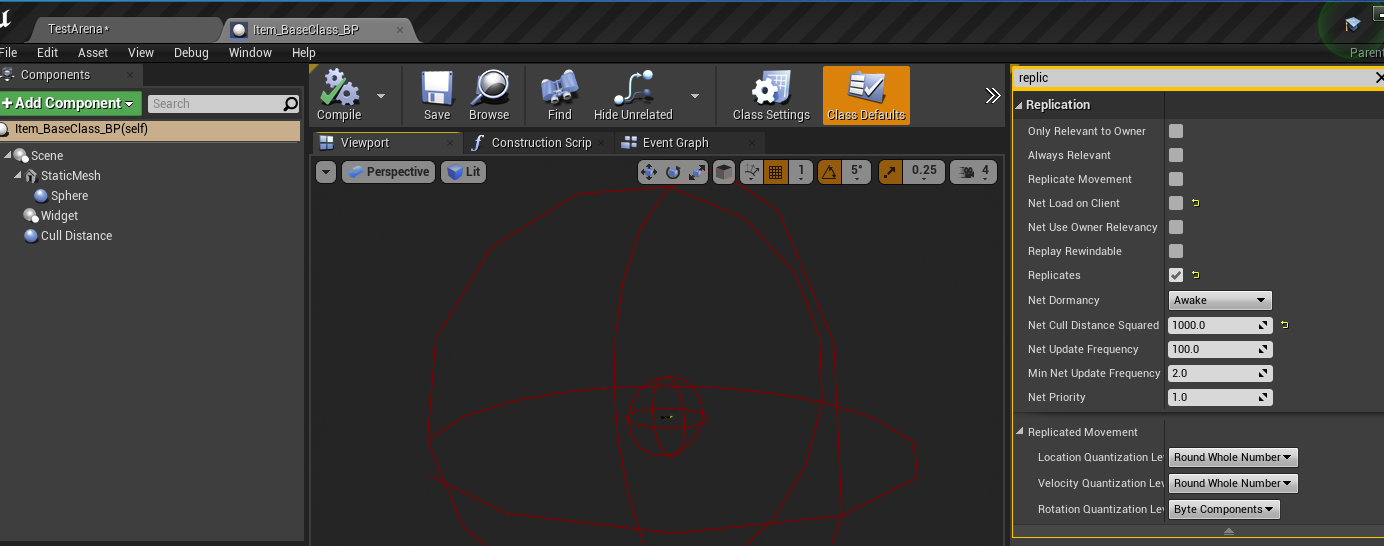
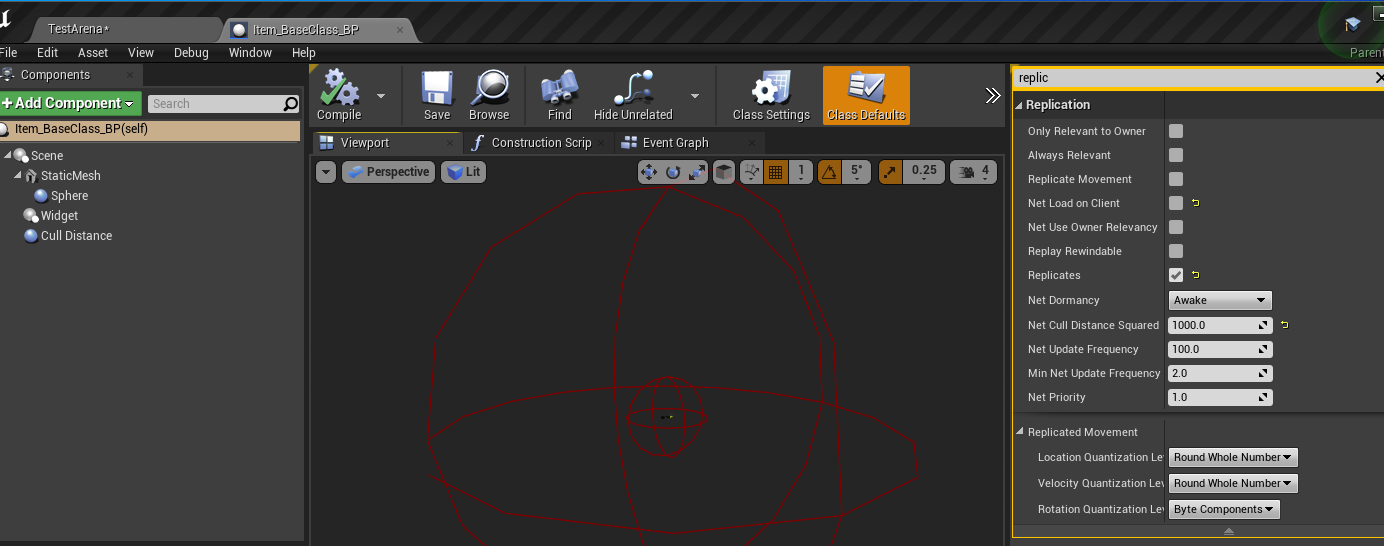
guys i have a blueprint...a weapon...i set it to replicate and cut the cull distance down...how can i view that cull distance in the editor? is there a command i can use on the client to see the cull distance??
supple cove
grim ore
<@!467103139733045261> did you import the inifinty blade assets?
i did not
grim ore
that would be why then, its part of the infinity blade assets they mention earlier
plush yew
@grim ore It´s under Path a . And it´s showing MyActor.h
true falcon
"An Oblong and two Chicas" - Now in RTX
supple cove
grim ore
that would be why then, its part of the infinity blade assets they mention earli...
i'm sure i misses this somewhere along the way. i'm doing the "your first hour" tutorial.
vernal dock
found it...
grim ore
I know I have it open, in the one about working with content he has you add the infinity blade grass lands asset to your project
supple cove
grim ore
I know I have it open, in the one about working with content he has you add the ...
dude! i somehow missed this section. it's right there
iirc this might have been when i went to forums to ask if there was an AutoPlay option for the videos
FYI there is not an auto play
grim ore
there isnt unfortunately, its the way the software they are using is designed
supple cove
that's interesting... i could be wrong but i think the online class marks a project section "complete" showing a green checkmark if you happen to reload the page (not if you've finished the video).
i've reloaded the pages multiple times going through the course when i return to a session
anyway thanks!
fierce tulip
lol
grim ore
so the modules (each section) get checked when you start it.... its uh... an issue they want to remedy. quizes finish when you finish them
and its also super aggressive for logging you out 😦 all known issues, all being worked on
an easy way if you just want fast badges is to next module all of them and cheat on the quizzes but.... thats not learning!
 ocean grove
1 hour and 35 minutes to transfer to USB... 😦
vernal dock
for some reason default cull distance works but if i decrease the range it doesnt work
next badger
@grim ore logging out is a bane of Epic websites -_-
grim ore
@ocean grove if your not updating all of your project, why not just have it do an incremental copy so it only copies changes?
ocean grove
I did not know that was a thing...
plush yew
@grim ore Yea I don´t know what its doing 😮 .
grim ore
yep basically it sees what is different between the 2 and only updates the changed files, or like the basic copy in command prompt windows goes based on access and modify dates @ocean grove
@plush yew what does the top of the .cpp file look like where it references the header?
rigid belfry
half 1 hour in, i am glad i started the course. while i knew most of the stuff, there are also neat things i did not know https://www.unrealengine.com/en-US/blog/learn-how-to-code-with-unreal-engine
plush yew
wrong skeletol mesh lmao
@grim ore Now I did a change . I delete the Binary, intermediate, Saved and sln. Trying to recompile from outside . Ofcourse it dosen´t work so I delete to actor in the project folder . And did the sama steps with a character. Same . In the c++ . I guess You want the include file here 🙂 #include "Nymapp/MyCharacter.h"
grim ore
ugh...
like this is the top of my MyActor2.cpp file ```// Fill out your copyright notice in the Description page of Project Settings.
#include "b/MyActor2.h"
// Sets default values
AMyActor2::AMyActor2()
{
// Set this actor to call Tick() every frame. You can turn this off to improve performance if you don't need it.
PrimaryActorTick.bCanEverTick = true;
}
which i was trying to get you to post yours or look at it so you can see the issue
 topaz plank
Guys, I'm having a problem about car physics:
My car creates an invisible wheel at the center of the body, but at the physics assets tab it simulates normally
plush yew
@grim ore Same
grim ore
yes and look at the include part
are the .cpp and .h files in the same folder? if so the directory should not be there. it should just be the .h file name in the "" part
I guess making C++ files in nested folders like that in the editor is broke/doesnt work/who knows but thats the issue and the fix
plush yew
Yea it´s the same . Should I try put them in different d? 😮
next badger
spaces is a bad thing
grim ore
uuughhhhhh
it seems like you dont know much bout CPP 😦
so this is bad and how the default thingy made it, its broken
this is "fixed". the .cpp and the .h are both in the same folder (b) so there is no reason for the b/ before the MyActor2.h part
also like they mentioned spaces are bad.
if you are trying to learn CPP with UE4 I would try and learn CPP first without UE4
plush yew
@grim ore And it´s compile yes . Then why it´s adding that stuff by default then . I have not change that 😮 . I Always put my in the same . h and cpp
grim ore
I dunno? bug, broken feature, doing something you shouldnt do?
plush yew
That is really strange 😮
grim ore
yep its just a bug introduced in .26, works fine in .25
 vagrant hornet
when is metahuman released? Also will it cost?
grim ore
when its done and not for UE4 dev work
plush yew
@grim ore Yep . It´s adding it when you create a new path when the class are in the same . Then it´s not able to find it .
@grim ore Thanks for everything 😄
 feral cipher
hey guys im new to unreal engine. i have a bug i cant work out how to fix. in the preview my gun works fine with the bullets but after i export the game the bullets dont come out the gun
 dense knoll
how do you make a particle statix
c
so its emmiters dont stay behind when the main system moves
grim ore
@feral cipher package the game? if so package the game as development build and you can have it output the log and you can see if there is anything in there. otherwise. do they not come out or can you just not see them?
feral cipher
its like they are not in the game at all
grim ore
start guessing at random or try the log method
feral cipher
ill try a log but i dont know what im looking for
grim ore
you fire the bullet, it makes a log entry saying "cant find static mesh XXX" or who knows.
plush yew
whatd be the best way to attach different meshes to a character like hair and cloths? sockets or?
 fiery fiber
I'd like to attempt to use UE as a virtual camera, to output the render port to Zoom (or whatever) can someone point me in the right direction? All my googling is returning results for getting webcam IN to UE but I want to do the reverse
dense knoll
How do you make a particle systems emmiters not be left behind when the system is moving
In cascade*
grim ore
set them to local space?
@fiery fiber when I was doing that I was using OBS and a virtual camera setup that basically took my window and outputted it to a camera that zoom used
fiery fiber
Thanks, that's a viable solution, was wondering if there was a UE plugin that would enable output to a virtual webcam. e.g. the Spaces app, which pretends to be a webcam : https://www.viveport.com/6311e4c1-7a67-4995-a35f-c05afb656af9

(That app is using Unity though)
grim ore
Ive seen stuff like NDI but I dont know of any that make a generic "webcam" output
feral cipher
i exported the game as dev and i cant find where the logs are
 burnt cargo
How do i deleate the first carecter that cames with the template i just want to do a new carecter with animations
next badger
@burnt cargo are you planning to do the character from scratch? (character is a special class in ue4)
grim ore
@feral cipher if you create a shortcut to the executable file, add -log to the end of the target in the properties, it will start up with the log in a separate window
burnt cargo
@next badger i want to replace one for another because if i try to make a blueprint of a character is not going to let me put my sprites in the animation green boxes, only if i use this one TP_2DSideScrollerCharacter i can put the animation on it
grim ore
theres the problem. Is the sphere an editor object perhaps?
feral cipher
i have no idea
burnt cargo
i just want to replace them or do a new character with my animations
grim ore
actually I have no idea, you would know lol
feral cipher
i just change the ball to a bullet
next badger
@burnt cargo before deleting one, just make new one, and pick it in your game mode
burnt cargo
how can i amke a new caracter and my animation to it withought using blueprint cause i am doing everything with c++
@next badger
grim ore
I really wish C++ in UE4 was like New Game+ in RPG's lol
next badger
well, you make a character class, then you make a bp from it, and use it in the game mode
@grim ore but it is...
- I'm too young to die
- Hey, not too rough
- Hurt me plenty
- Ultra-Violence
- Nightmare!
- UE4 C++
grim ore
nope needs to be locked like the newer ones so you have to beat the game first
next badger
@grim ore Epic is open to all kinds of devs, even masochists
grim ore
or even like the older code based games to even play it. creating a new C++ project would consist of random questions like "What is the difference between an AActor and a UObject" lol
"The Player Controller inside of your project refers to your Xbox or Playstation controller if it's hooked up"
next badger
And Editor will change the popups based how well you answered, from -kun, to -san, to -sensei?
 jaunty cliff
Hi, I am currently implementing a grid based building system (like in Space Engeneers) but I can't figure out how to detect if two faces are tuching each other.
I need this to do a disconnection check and temperature propagation. Currently each block (grid element) has its own static mesh.
Also not all faces are the same (I am planing to add thinks like sloped Blocks).
Tips on stopping faces inside a grid construct from being rendert whould also be nice (for performance).
Thanks in advanced for any help.
next badger
@jaunty cliff are you planning to leave every module as blueprint in the level?
you can add few colliders to element, and when they overlap you can tell if they interlocked
but that will make a lot of hanging unused logic on every element you have
jaunty cliff
evry Block (grid element) is a USceneComponent witch gets atached to the grid klass wich is also a USceneComponent
can i maybe do a raycast with the normal of a face and the face of the other block ?
next badger
i think you need to store the grid abstaction, as a topology graph in some class
once you will have this abstraction, you will have a lot of benefits like ability to rebuild the structures, track each element as a pure data, use ECS kind of logic
jaunty cliff
next badger
i think you need to store the grid abstaction, as a topology graph in some class
thanks for the tip. At least now I knew what to learn 👍
next badger
@jaunty cliff Entity Component System does not exist in ue4, but, you can make an implementation based on the same logic, it will be more performant, easy for network replication
 modest agate
Excuse me, Im having issues with the save and load
I can load the level perfectly but not the location I want
I always load at the beginning of the level
next badger
@modest agate you mean the save state?
next badger
@modest agate have you debugged it with breakpoints?
modest agate
next badger
<@!443086359163305986> you mean the save state?
When I move, for example, upstairs, I save there, but it would only load me at downstairs
modest agate
next badger
<@!443086359163305986> have you debugged it with breakpoints?
yes, I printed it with strings
modest agate
to which node should I connect it?
modest agate
yes
next badger
yes what?
modest agate
I had to set it from save
next badger
but you dont, you set actor location to 0
modest agate
grim ore
is this opening of level, is this using level streaming or is it a literally separate level?
modest agate
opening of the level
grim ore
so opening the level destroys all the other stuff in the level and opens the new one. It also stops the code from running after the open level because... well thats part of the old level
soo.............
modest agate
it would destroy all the things I did and restart the level?
oh boy
how can I fix it?
grim ore
well thats normal, what Im saying is your set actor location node would never work after the open level
you showed 2 parts of code, which part is when you load up the game again
grim ore
yep thats great and all but where do you load up the save game at
modest agate
Im sorry if Im being difficult
the goal is to save on a specific location and load there
instead of loading at the start of the level
grim ore
so when you call the save game it saves the location and the level its in
modest agate
yes
grim ore
so when you load it, you look at the level name and load the level but at what point when the level loads do you move your player to the new location?
modest agate
I move it when it loads and there I save it by pressing K, then I load with L at the location I moved to
even I walked far away and tried to load
grim ore
your missing what I am saying.
modest agate
Im sorry, truly
grim ore
you are loading the level from your save game, when you do this it loads the level and everything is set up like its set up since your loading it new
at what point when the new level loads up do you move your player to the save spot?
when you load a level like that it destroys the existing level, all code stops, and it loads the level up new
modest agate
I didnt know that
grim ore
what did you think loading a level did?
modest agate
so when I load the code stops working, yes and it resets everything back to 0, thats why it wouldnt load the new location, what you are asking is WHICH part of the code does that happen, right?
Im going to give a deep look at it, print strings
grim ore
what I am asking you is with your code, when you do go "hey save game, what is the saved position so I can use that and set my character to that new location"
where is your code that does that
modest agate
grim ore
ok and when does this code run?
modest agate
when I hit L
grim ore
ok so you hit l, it loads the save game, it gets the level that was saved, it opens the level, and it stops all code
then the new level loads up and resets it all to defaults
where in this process does your actor get set to its new location from the save game?
modest agate
grim ore
thats the save game part isnt it?
modest agate
ok
modest agate
Does it happen because I settled the Set location AFTER the open level right?
grim ore
yes you never set location, it never runs
modest agate
oh
grim ore
when your level starts, you need to load the save game and check for that saved position and move it and do all your logic at that point
you need to decide "when do I need to move my character to a location other than the starting one" and then implement that logic
Does save game exist for this level? if so I should move my dude to that location. Does it not exist? then no need to move it. something like this
modest agate
grim ore
Does save game exist for this level? if so I should move my dude to that locati...
It does have a true or false branch that says wether or not is a saved slot
so, what you say is to put it BEFORE the open level the actor location?
grim ore
if you did that then it will set the actors location, open the new level, wipe everything back to defaults and your back at defaults
you need to decide "when is this character supposed to be in its saved spot"
modest agate
ok
grim ore
then put in logic related to that. is it whenever the level is loaded? is it only if you load a save game?
modest agate
whenever I hit the L it loads wherever I saved
grim ore
like for example if you put that code for "Does save game exist for this level? if so I should move my dude to that location. Does it not exist? then no need to move it." into the characters begin play it would do it on all levels that player is in if this is what you want
well your L for load logic is temporary I hope and not going to do what you want since you are loading the level
you need to design your actual load and save mechanics without your temporary system and your problem would probably go away.
modest agate
oh ok, the problem is it is temporary, then
thank you very much
and sorry for the problems I brought here
grim ore
for the most part, I dont know how you plan on doing this but your logic is trying to do stuff in a way that wont work since you are just testing it
they should be seperate. Loading the level, and loading the data from the save game into the current level. Both can use the save game object, but both actions should be different.
modest agate
Got it
 sleek karma
hello could someone help? why does this not work:
grim ore
welp.
you didnt learn about communication is why not. a character is not a component
that code says "hey, I want to treat this overlapped component as a third person character" and the engine is like "uh... no.. thats not even possible"
now I assume you wanted the other actor
sleek karma
im trying to change the player has master key variable to true in a triggerbox blueprint, the variable is located in my mainplayer blueprint
grim ore
cool... sooo...
player walks over this trigger, trigger talks to player and sets the boolean to true on the player?
 mighty oak
Just use other actor, not other component
grim ore
yup. and this box is on the trigger blueprint? this event here
grim ore
yep so like I said before and vbs just did, you want the Other Actor output when this trigger is triggers
that will be the OTHER ACTOR that overlapped this item (your character we assume)
overlapped component would be your box trigger
sleek karma
i want that if the character overlaps the box collision that it changes the boolean to true
grim ore
yes and so far you have been told 3 times how to do it
mighty oak
What part of use "other actor" do you not get?
sleek karma
i dont understand, its being a problem for me to understand your messages, because my main language is german
mighty oak
grim ore
sleek karma
now i will try
mighty oak
MathewW, I've been watching your YT tutorials, very good stuff, right to the point.
sleek karma
oh its him, i did not notice at all
mighty oak
I'm knee deep in trying to figure out how to work with saved game data, and currently keeping it simple, only using Blueprints. But I'm not sure how best to re-load meshes that are in the middle of some physics simulation. Like if I hit a box with physics collision enabled. I can save its transform and re-apply it on load, but what if this box is in the middle of being "thrown"? The idea that I have currently, and its untested, is try to save it's velocity as a vector and then re-apply that when loading the object...
Maybe that's a bad strategy, i don't know... any suggestions would be welcome.
grim ore
dont do it?
sleek karma
it doesnt set it to true
grim ore
click on the last red node, the Set Player Has Master Key, and press F9 so it has a red dot on it. then play. see if it stops
sleek karma
like that?
i deleted (hit) and used overlap now it works i missclicked
i accidentally selected hit
 jolly oak
just wanted to ask a question real quick. I'm kind of new to UnrealEngine and wanted to know what the best blueprint class would be for making a door that could be grabbed/pushed by VR controllers. I know the PickUp-Cubes are StaticMeshActors, so I was wondering if I should use that class.
grim ore
yes to the first, and yep that would cause it to not work if using hit
chances are yes? static meshes are the thingies you see in the world that are not animated (skeletal animation)
how you interact with them is just how you set it up. Moving it with physics, or animation, or etc.
there are a few videos on recreating doors like that, both in vr and not vr, that you can look at
jolly oak
I'll check em out. Thanks!
grim ore
also there is the robo recall mod editor you can get from the store on the launcher that is a good thing to just download and look at. see how they implemented stuff like grabbing and holding and moving
plush yew
if i was making a morph and modular based creator system
and i have about 4 races in the game
with teenage and adult options for 3 out of 4 races
if i attach different animations to the teenager than adult so they animate completely differently based on the teenage and adult fighting one another as well as fighting with the same type size and age type
would i need to import 4 adult models 3 teenage models of said race; for a total of 7 base morph and modular race meshes for said creator system
and gameplay?
@grim ore help me master engine lord D:
 true ridge
Anyone experiencing the editor becoming unstable when open for very long? My whole editor is flashing black and context menus disappear.
 opal kraken
hi is there any way to convert a prototype object to a static mesh
i find them much easier to work with than modelling it in 3d software
nevermind i found it
 ionic hamlet
is this normal behavior, or something is fucked up with my installation (I want to try the Medieval environment but it's stuck at 95%)
gonna give it more time
it's still loading
yup it finally loaded, ty
plush yew
true ridge
Anyone experiencing the editor becoming unstable when open for very long? My who...
I would try rolling back your graphics drivers.
 kindred viper
@tame zephyr depends on your project. But yes usually.
plush yew
Also, the Enable Window Animations editor setting gives me glitchy black UI
I'd make sure that's off, and try the latest nVidia studio driver — seems pretty solid
latent mango
can someone please help me?
when I try to open my game it says this
does anyone know how to fix this?
latent mango
ionic hamlet
is this normal behavior, or something is fucked up with my installation (I want ...
yo that happens to me
my computer lags a lot when I try to open it
how
opal kraken
did you use blueprints
latent mango
Im looking in google but I dont understand
latent mango
opal kraken
did you use blueprints
yea
true ridge
plush yew
Also, the `Enable Window Animations` editor setting gives me glitchy black UI
That may have something to do with it. Mine was disabled by default. Enabling it causes windows to bounce around randomly, but at least I can see them lol
latent mango
can you tell me where to find the .sln file?
opal kraken
latent mango
yea
i am new to unreal but in unity I would look to find a .sln file
where unreal puts that im not sure
latent mango
In unreal engine or in vs?
opal kraken
unreal
plush yew
true ridge
That may have something to do with it. Mine was disabled by default. Enabling it...
I usually keep window animations off, and avoid the "latest" drivers
plush yew
It'll be near the project root
plush yew
Heheh, UE is hard.
plush yew
Have you been using Visual Studio, or Rider? Some IDE to edit C++ ?
Or only UE and Blueprints?
latent mango
only UE
plush yew
Maybe that's why, I think you have to generate the IDE project files from the file menu
opal kraken
How is he gonna do that if he can't open it
latent mango
how? 😞
plush yew
Yeah I understand the predicament :/
latent mango
yes
plush yew
hello, im trying to add armor to my mesh ingame using master pose component
but im not sure how to set it up
do I just export it like this?
its giving me errors tho
ionic hamlet
latent mango
yo that happens to me
I finally loaded to me, give it a few minutes
plush yew
@latent mango In your file explorer, can you right click your .uproject file
There you go, @plush yew now I owe you a coke
 blissful trail
yo anyone know a better way to do this ?
latent mango
I will try in a sec
 severe smelt
Good day everyone, currently I'm getting this error when trying to build a package, I'm puzzles about what this mean and how to solve it,
Tools.DotNETCommon.Win32ExceptionWithCode (0x80004005): Unable to create process
This might help you @plush yew https://docs.unrealengine.com/en-US/AnimatingObjects/SkeletalMeshAnimation/WorkingwithModularCharacters/index.html
Describes the different methods you can use to create modular characters comprised of multiple Skeletal Meshes.
next badger
@plush yew import what?
plush yew
I got my own mesh
and my own armor pieces
that I wanna put on top of it
I guess using master pose component is the way to do it
next badger
you pick one skeletal mesh component as master, and the rest will be "slaves"
severe smelt
To use Master Pose, you just need to have every asset skinned to the same skeleton, you will export them from your software as the pieces as you need them in the Engine, there import them using the same skeleton. After that you can connect them using the master pose component as is show in the documentation
next badger
all of them need to be skeletal meshes
plush yew
so its just the skeletal mesh with the armor piece minus the base mesh?
severe smelt
yeap
plush yew
I tried that but its saying stuff is vertex painted so its not working
next badger
@plush yew yes, each piece is a skeletal mesh bound to the same skeleton
true falcon
Oh man, I'm a moron, I thought "Wouldn't it be great if you could like shift-delete a node in blueprints and it would connect incoming and outgoing". Tried it, and of course it works 😄
latent mango
It tells me there is an error 😦
plush yew
any way to export an emissive material from Blender?
ok
😐
ok really weird question
but can you import meshes without a skeleton; and than just have unreal engine assign the skeleton to said mesh
or does the mesh have to have its own skeleton following by doing the standard retarget method :C
true falcon
you can chose skeleton upon import
plush yew
so i dont have to setup skeeltons for my merge than retarget i can just apply the ALS v4 skeleton to my mesh?
calm pollen
@hidden pagoda just import it and chose the skeleton you need
oh wait he said that already lmao sorry
plush yew
and it wont make my daz 3d mesh explode?
calm pollen
why would it do that?
plush yew
idk lol
calm pollen
just try it first, if it doesnt work lmk what happened
plush yew
unreal engine can be really weird
calm pollen
facts
plush yew
okie!
true falcon
plush yew
so i dont have to setup skeeltons for my merge than retarget i can just apply th...

Get your custom CC3 characters working with ALSv4 in unreal engine 4.24. This will re-target all animations, movements, overlay systems, physics, etc.
Intro & File setup - 00:00
CC3 Auto Setup for UE4 - 00:30
CC3 Export (with AutoSetup) - 00:55
CC3 FBX import in to UE4 - 02:15
Skeleton retarget - 04:30
Virtual Bone retarget - 05:15
Character B...
calm pollen
@hidden pagoda you can also imprt it into Mixamo and it'll give you a skeleton there, as long as the model looks like a human
plush yew
well daz 3d already has its own skeleton and such
im just wondering if i can just choose the als v4 skeleton and skip the whole retargetting stuff or exploding engine for trying to change the meshes skeleton and such
calm pollen
as long as the meshes are similiar just choose the right skeleton and youll be good
plush yew
;D
well daz is human so here goes nuffin
we're making a charac ter creator systema
and its been quite the journey ._.
calm pollen
ohh cool
calm pollen
what kind of game is it
plush yew
since i plan on giving away the assets and functions for free after ;launch
um
imagine breathe of wild
if it fought like devil may cry
with black desert customizations
but you can spiderman
around the world
;D
calm pollen
damn thats actually impressive
true falcon
Maybe some aliens and pirates too?
calm pollen
good luck tho bro, a game like that could go crazy, people love that stuff
plush yew
yes
i hope i can make it proper
just gotta take it step by step
it just sucks because making the creator system is hell due to the lack of people teaching how to make a decent creator system
so i started with that
calm pollen
yeah you definitely cant rush something like that
true falcon
Maybe better to start with a few smaller games 🤷♂️
plush yew
than spanning to game mechanics and level design since i know my way around the engine to a degree
its just unreal likes to randomly explode >~>
i wanna finish by december and polish the game until mid next year making sure every inch of it hits home
calm pollen
is anyone here good with animations? mine are not doing what they are supposed to and i feel like its a easy fix
plush yew
no idea o-o
calm pollen
ok
plush yew
welp time to test it lol
calm pollen
if anyone is good with animation functionality DM me
plush yew
wait
cant i just switch out the current skeleton of m mesh even if i import it with its own skeleton
calm pollen
wym
plush yew
like can i import the model via the daZ 3D to unreal bridge
than just swap the skeleton
from the mesh to a different one
calm pollen
yeah as long as the meshes are similiar in structure you can use the same skeleton
plush yew
oh okie o.o
so by just swamping skeletons i wont have to do crazy retargeting and such right
calm pollen
if they are not it will say something about trying to create bones, except it isnt very reliable and you are better off making a new one
plush yew
ah
so if i bring in the daz 3d mesh and the bodies arent compatiable itll be the usual route
makes sense lol
grim ore
there is a map in the content examples that shows using the same setup for 3 different sizes and shapes of humanoids and how retargetting and such works in engine
plush yew
Welcome back mathew!
Also is this a unreal video or YouTube one
As im using the als v4 system for the base
grim ore
not a video, the content examples project that is on the learn tab. its full of stuff including stuff like this
plush yew
Learn tab? o:
grim ore
ah if using ALS then I have no idea if it will work
plush yew
Oh oof lol
grim ore
learn tab on the launcher
grim ore
inner cloak
Is using Matinee a good way to make a door blueprint .. is it efficient ?
plush yew
am I looking for treat by using UE on Linux if I want to work on the same project in a long-term?
the target is linux platforms, I am not remotely thinking in windows, mobile or apples
up to now is super okay but today i got the cramp of how in future it will feel
grim ore
@inner cloak its not, matinee is being removed. sequencer is ok but overkill for the most part.
sequencer "works" but its fixed to the item for the most part and level specific. with that said you could drop one into a new level if spawning in actors but thats starting to get into intermediate difficulty. Using an actor blueprint with a mesh, a timeline, and whatever you want to trigger the door is fairly standard
inner cloak
oh, so .. just animating rotations or translations ?
grim ore
its all just animating rotation or location yep, doesnt matter how you do it thats how its done unless you are weird and use a skeletal mesh for it
plush yew
actually mathew is it possible to replicate the entire or most of the locomotion systems with the base unreal engine skeleton and mesh
true falcon
Setting up a door that opens/closes automatically through Matinee.
plush yew
since i only wanted to use locomotions for its crazy cool convience and setup
true falcon
oh wait, that's matinee, shit
inner cloak
nah ... i want simple .. its just confusing with all those door tutorials that are different
plush yew
but if you can do most of it via base unreal skeleton id rather not use it xD
true falcon
An example use of a timeline in which we set up a classic proximity-based opening door.
true falcon
just read the tutorial 🙂
inner cloak
ok, thanks
true falcon
jesus christ...
plush yew
Anyone know how to setup master pose skeletol meshes from blender to eu4? Im getting weird errors
Missing bones and weights
Setting t0 pose sort of fixes it abit
grim ore
@inner cloak there are different tutorials because there are different ways to do stuff 🙂
inner cloak
Yes, i could guess that 🙂 That's why i love UE4
grim ore
and ugh that timeline page on the website is ..... uh.... uhm..... could use some work
plush yew
Like i use the same rig' delete the base mesh, model the piece of clothing item. And when i reimport it says its missing bones/not weighted
Tried to google but coudnt find anything(they all use already perfect skeletal meshes)
Im not sure actually
so does the locomotion systems actually provide any unique benefits that the base unreal manaquin does not?
or is all of the locomotion replicated possibly by being smort and using the systems in unreal
true falcon
grim ore
and ugh that timeline page on the website is ..... uh.... uhm..... could use so...
Im sure it has been updated in the last five years 🙂
plush yew
in simple words can you remake all of the locomotions systems on base unreal with a bunch of work >~>
@plush yew you think i should weight paint in blender?
grim ore
@plush yew I would assume you can with enough work
plush yew
@plush yew no more than a GUI that has text input, vehicles and some "cutscenes" animations (that mostly runs in the game view) ahh and the most important: walking
oh okie than i dont wanna use locomotion lol
XD
its crunchy and complicated and finding tutorials seems to be a huge headache under the als v4 o.e
Yea i know what it is it just didnt occur to me that could be the issue
Since the base mesh works fine
Ill try thag tho
plush yew
plush yew
<@456226577798135808> no more than a GUI that has text input, vehicles and some ...
maybe a spaceship but I think it goes inside the vehicles category
oh guys actually
this is something ive been a bit concerned about
Go to a doctor
if you have modular clothing is assigning the morphs of a mesh to those modular clothing possible or do you have to remake the morphs of the mesh per outfit
O>
does the AI works under Linux?
true falcon
You typically do clothing as separate skeleton parts, that has their own morphs
plush yew
so if i setup 700 morphs for my mesh
i cant somehow leech the body morphs to the outfit so they morph together
o-o
grim ore
@plush yew the majority of the engine should work in linux yes, AI included
@plush yew well the morphs on the character would be driven by numbers, no reason you cant transfer those numbers to the clothes
true falcon
that'd be a first
inner cloak
Creating the button should be easy, its the functionality that may be harder
 uneven hemlock
3000 left to go
plush yew
good luck!
plush yew
inner cloak
Creating the button should be easy, its the functionality that may be harder
Oh ok
grim ore
the UMG system is for UI, so you would make a button in the UMG system
plush yew
@grim ore @plush yew now I only feel the possible regret of being a linux exclusive, thanks by the way
grim ore
eh, you do you. its your game 🙂
plush yew
I was fighting so hard between UE and Godot
is too hard tech to run a linux app under windows?
i got some old friends really mad at me for doing propaganda of open source
grim ore
no but normal people arent going to do it
plush yew
oh, i am not aiming normals
grim ore
but if your using UE4 no reason not to built out to both platforms
plush yew
but the bugs!
grim ore
you will have bugs under linux but thats what happens when you choose to use it 😉
plush yew
grim ore
you will have bugs under linux but thats what happens when you choose to use it ...
wait, windows have less?
plush yew
grim ore
but if your using UE4 no reason not to built out to both platforms
I just do not want to go debugging for both platforms, i am a one person team
and i want play it too, since i made this strange deal of playing my game only
for some dark period of time
grim ore
Windows will probably have less yes, there is a larger windows base so more people reporting bugs so more bugs getting fixed
if you run into a linux bug you fix it yourself or report it and hope its important enough to fix
plush yew
bugs are done in what kind of level, c++ source code or in my dumb bluprints?
grim ore
well if its in your BP its probably going to be the same for windows yeah but core engine issues could crop up in the c++ source
different renderers for example between windows and linux
plush yew
linux bugs helps the development of windows engine?
grim ore
both help both
 dreamy sleet
How do I make a car where I can drive it
grim ore
they also have mobile platforms, xr, macos, and more it all helps
plush yew
cool, at least i feel more utile then
grim ore
theres always going to be bugs, just got to hope you dont run into a showstopper
plush yew
should I aim to dig in UE animations or doing it in Blender?
grim ore
whatever you have experience in
plush yew
I already know blender but I did not came to the part of animation doc
but it isn't better do all in the engine?
grim ore
its not better to do it all in engine
plush yew
You can animate in eu? 😅
grim ore
but your workflow is your workflow. If you are an experienced animator with maya you should use maya
plush yew
Sounds horrible
grim ore
its not, the new control rig is fantastic
grim ore
control rig should be usable with any skeletal mesh
grim ore
control rig is a package designed to animate
plush yew
Fair enough
i guess ill install it
@grim ore if you was me, UE or Blender for anim? I do not mind learning something new
grim ore
if you know blender, use blender
plush yew
wait blender is better for animations o-o
grim ore
take a day to check out control rig perhaps with one of your models and compare the process
plush yew
compared to control rig
grim ore
its not about better, its about your workflow
grim ore
you could use 10 year old max for all that matters
plush yew
now i should play the productivity one
bye 🙂
well if they can both do the job ill probably use control rig >~>
as id prefer if less external programs were used than need be
≳~≳ aha
may i take a chance there
i will need to go inside that doc anyway
so i am off
 analog spindle
Have you guys been having issues with full screen and popups turning black after having the engine open for a bit?
plush yew
I'm noticing that when I drag in an asset, say an audio file, it's not copying it to my content folder — it's just creating a .uasset. Is there a way to get it to also cut/paste the file as well by default?
analog spindle
All of a sudden all my popup windows start turning black, and then the entire editor eventually
grim ore
@plush yew to keep the source file in your project? not automatically. the editor will convert it to its own format (the .uasset)
damn, then it sounds like its your video card/driver having problems @analog spindle
analog spindle
Looking through forums it looks like a driver issue
I'm on a 3080
So support is sketchy still
plush yew
hmm
grim ore
I cant say I have had an issue with mine, but I have my clocked correctly (I had crashing issues when I was overvolting it)
analog spindle
Mines bone stock and works fine everywhere else so idk
plush yew
i can just migrate the control rig and start using him inplace of my normal mannaiquin right >~>
analog spindle
Gunna roll back drivers and see
grim ore
I am using 460.79 tho, i have not updated in a while
@plush yew you should be able to yes, but I have never tried
grim ore
im not an artist, I dont really try and art stuff since I fail hard on it
maybe try loading up the sample control rig project and watch the docs on it, see if it would do what you want
plush yew
okie x3
plush yew
grim ore
<@456226577798135808> to keep the source file in your project? not automaticall...
Yeah I'm seeing that .uasset is the audio file, I gotcha thanks.
Okay so follow up, I imported someone elses .uasset and I'm seeing the "source file" as a relative path to their machine
I obviously don't have access to that, is that meta data just sort of junk at this point?
grim ore
yep just metadata, also kept because you can reimport and it uses that path
plush yew
I'm checking out the "Horror Engine" project, supposed to have cool footstep physical material setup
I don't have access to source files for these, but there's no problem yet. Was just curious
plush yew
Mmmm, it's working 🤤
 still hemlock
hey guys
could someone help me real quick
Is there a way to set all objects in the editor to use "complex collision as simple" all at once?
grim ore
if they are all set to project default, you can change the project default
otherwise you can select what you want, and use the property matrix to change it
grim ore
that would be a good guess
still hemlock
where would property matrix be, I already looked it up but can't find it in my editor
grim ore
inner cloak
What's a property matrix for ?
 marsh swallow

 wheat linden
Hello, I am a total beginner in Unreal Engine. I have made a blank project, and was wondering if I can insert a pre-made 3rd person controller without making a new tpp project?
grim ore
yes you can
I would start by watching some of the intro and beginner courses linked above on the pinned messages here or on the learn.unrealengine.com site
wheat linden
I am currently doing one on yt
wheat linden
grim ore
yes you can
how?
grim ore
the green add button in the content browser, at the top you can add epic content
wheat linden
Ah thanks
wheat linden
I added the third person bp class, but when I enter play mode, a free flying camera is working, not the actual character. Here is my heirarchy, am I doing something wrong?
grim ore
so are you following a tutorial or winging it and want people to tell you how to do this?
because your doing the second
wheat linden
well to be honest I am watching a blueprints tutorial + winging the other stuff.
grim ore
the game has a framework, the framework is how the base of the game is set up and runs. part of that is the game mode which controls defaults such as the default pawn that is used when the map is loaded.
wheat linden
Ahh I see.......They have provided one
It's surprising how much stuff they give you out of the box
plush yew
wheat linden
I added the third person bp class, but when I enter play mode, a free flying cam...
You need to create the gamemode
 static wharf
I have just bought the original Unreal game to play arround with the SDK
This will be interesting
I wonder how much UE1 shares with UE4
inner cloak
Is there a way to snap a mesh to a vertex of another mesh ?
static wharf
Question (that probally no one knows the answer to,) does UE1 games like Unreal: Gold even run on modern windows?
 wary wave
inner cloak
Is there a way to snap a mesh to a vertex of another mesh ?
wary wave
inner cloak
Is there a way to snap a mesh to a vertex of another mesh ?
not without touching C++
plush yew
wdym???
wary wave
static wharf
Question (that probally no one knows the answer to,) does UE1 games like Unreal:...
They do - they're old enough to have pure software renderers
static wharf
wary wave
They do - they're old enough to have pure software renderers
I wonder if I can backport UE4 stuff to UE1, that would be interesting, but probally not possible without much effort
inner cloak
@wary wave Thanks for the info !
wary wave
I think you'll struggle to port anything backwards from UE4 without porting half the engine
static wharf
wary wave
I think you'll struggle to port anything backwards from UE4 without porting half...
Heh, yeah, UE4 and UE1 share very little in common other then the name
Doing some reserch it looks like backporting wont be possible without a lot of converting
And theres of course poly count limitations
And texture resolution limitations
Oh god, I really dont want to do this any more
 wild cobalt
anyone ever have a Spline BP disappear when hitting play on a level?
plush yew
wild cobalt
anyone ever have a Spline BP disappear when hitting play on a level?
What do you mean "Spline BP"?
wild cobalt
nvm lol ignore me
plush yew
wild cobalt
nvm lol ignore me
oh ok'
 autumn talon
unreal engine or unity?
 rigid yacht
Is this the correct server to ask a question
plush yew
autumn talon
unreal engine or unity?
If you want to make something scary or something unreal, then unreal engine. If a 3D game. then Unity.
inner cloak
both are managed differently, i personally think that UE is better than Unity
plush yew
rigid yacht
Is this the correct server to ask a question
To ask Unreal Engine stuffs
rigid yacht
Yes
plush yew
inner cloak
both are managed differently, i personally think that UE is better than Unity
I was at Unity first then this bug in Unity Engine came to me and made me stress then I learned Unreal Engine
inner cloak
I had purchased a 1 year to Unity, they never sent me a mail about a renewal approaching, they billed me and refused to refund me when i told them
plush yew
Unreal Engine is better actually
inner cloak
I love how UE4 is dominating with features
rigid yacht
How can I properly import a model from a website to unreal (I’m fairly new) the tutorials on yt r kinda lackluster
plush yew
rigid yacht
How can I properly import a model from a website to unreal (I’m fairly new) the ...
Download the model
inner cloak
what modeling app you use ?
rigid yacht
I tried but then in unreal it’s texture less
plush yew
Its because you need textures
rigid yacht
Oh they’re like supposed to be included in the download
plush yew
rigid yacht
Oh they’re like supposed to be included in the download
Yessir
rigid yacht
Didn’t show up for me :/
rigid yacht
Do u download the file, then export it through a software like auto desk then add the textures?
plush yew
rigid yacht
Do u download the file, then export it through a software like auto desk then ad...
Yes
Also unzip it
Make sure its .fbx
You can also add .mp4 and .png
rigid yacht
How can I add textures to the model in 3ds
plush yew
rigid yacht
How can I add textures to the model in 3ds
Add the mesh
Then go to the folder(not in ue4) of the mesh's textures
rigid yacht
Oh thanks
plush yew
folder* @rigid yacht
dreamy sleet
does anyone know a good video on how to make cars move
blissful trail
anyone know a good method for making infinitely long mirror reflections ?
i did this with planar reflections
plush yew
dreamy sleet
does anyone know a good video on how to make cars move
Use WASD
 west cobalt
Hello everyone i am facing a problem in UE
I have made a level in UE when hit the play button the player keeps falling from sky.
I have tried these things:
- Making sure the player is well above ground.
2.Player is snapped to the ground.
3.Player Start is well Positioned.
4.Game mode is ThirdPerson.
Any solution/recommendation ?
 silent osprey
Anyone good at c++ I need help
 waxen raven
Good is subjective, but there is a channel for C++
 stray compass
does anyone know this template i have a question
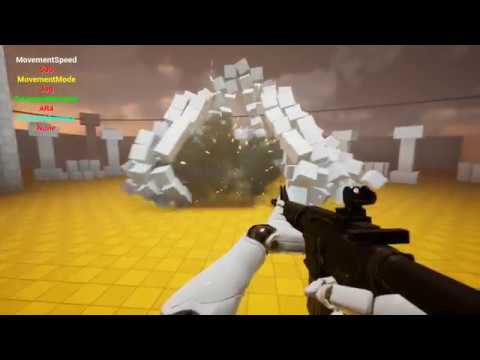
誰でもダウンロードしてお使い頂けるFPSのテンプレートです。
Git : https://github.com/Ujimatsu/ADV_FPStemplate
 plain valve
Hi folks, I was wondering, Does a single player game need servers for players to access the game or not?
leaden dust
@west cobalt do you still need help?
 cursive coral
Hello, does anyone know a way of incorporation tesselation into a landscape layer blend to paint onto terrain? Been bugging me for some time. Thanks
plush yew
Hello guys I added the inventory package which has replication, but it has little problem
I want to make when I move my mouse around to move my camera of the player
actually this code is by default in third person project
 jaunty zinc
plain valve
Hi folks, I was wondering, Does a single player game need servers for players to...
jaunty zinc
plain valve
Hi folks, I was wondering, Does a single player game need servers for players to...
nope, it's offline and the players just need to launch the game which should be an executable file
plush yew
but when I add it on this already it doesn't work
can anyone help me?
the package is called ActionRPGInventorySystem
plain valve
jaunty zinc
nope, it's offline and the players just need to launch the game which should be ...
Ok so i wonder why some games like Cyberpunk had server issues on the first hour release on steam, what could that be ?
and its sp
jaunty zinc
plain valve
Ok so i wonder why some games like Cyberpunk had server issues on the first hour...
could be login issues, for example if you need a GOG account to play cyberpunk.
only thing you need to be online is the download of your game (upload it to somewhere so people across the world can download the game, like itch or steam). game itself can be offline if it doesn't require any online features
plush yew
plain valve
Ok so i wonder why some games like Cyberpunk had server issues on the first hour...
Maybe because a lot players waited the agem and when they launched it and all this traffic and the servers are full, maybe this, I don't know
 undone pelican
How come if I add a plane to the scene, change it's pivot to the bottom left corner and then set it's position to 0,0,0 it still places it from the center? How do I make it position it from the pivot?
jaunty zinc
@plush yew you need replication for the third person camera? why? the camera doesn't move any visuals on the game, am I getting this right?
I could use a picture maybe I'll understand
plush yew
No, the game will be singleplayer, I won't use replication
the package is made for multiplayer
plush yew
jaunty zinc
I could use a picture maybe I'll understand
okay what picture to take of?
I will try to make a short video what Iwant to have and what I have
jaunty zinc
sure, because I didn't understand the problem you're facing
plush yew
you know in the normal games when you look around you move your mouse?
this is what I want to make but when I use the inventory game mode with its character and controller, it doesn't work 😦
this is what I have
jaunty zinc
one sec I'll get on my pc
jaunty zinc
sure
jaunty zinc
ohh i see
so the problem is, that the game doesn't capture your mouse, its not focused
I'll show you how to fix this
jaunty zinc
its okay, this server is used for this kinds of stuff haha
plush yew
jaunty zinc
so the problem is, that the game doesn't capture your mouse, its not focused
I want to make when I mooev my mouse, the camera to move around too, the mouse cursor is disabled don't worry
plush yew
okay
plush yew
nooo man
jaunty zinc
?