#ue4-general
1 messages · Page 933 of 1

 kind dew
I have a ball that has a widget component for an indicator so people can see it. But when the ball rolls, the indicator does too, instead of staying on top. It's set to screen space already, so how do i make it to stay above the ball?
This is what I mean
 fading vector
Not sure if anyone can help with this, but I am unable to find a solution. This is a game called Conan exiles and when you zoom out far enough it will give you a bad tan line on your legs. Your legs can be cut off so I think its a model issue, does anyone have any idea how I could try to fix this?
 marsh swallow
this is a development discord, not a game support discord. :) However what your asking for is not possible. thats textures on the character and would require what is called a Core Mod to change.
otherwise its what the characters textures are. probably has something wrong in the material settings would.be my guess.
fading vector
I understand, normally I wouldn't ask a specific game related question here but my options had run dry rather quickly. Thanks for the input, I appreciate it.
 plush yew
hello 🙂 is temporal sub sample value 16 , too high ? i get D3D error after 5 frames :/
 weary basalt
 midnight gulch
Could I get some help making sense of a crash log?
 jolly jungle
why does lighting darken when you move but then after looking in the same spot for a bit get bright again
 grim ore
@jolly jungle Auto Exposure/Eye Adaptation
midnight gulch
 winged cypress
I have an issue where when ever I package my game it breaks all my lighting, if I switch levels it breaks my lighting, or if I save and reopen the project my lighting gets broken. I checked dumpunbuilt and its basically the whole level
grim ore
have you tried a new simple project to see if its the engine, your machine, or the project?
winged cypress
yes and it still happens
Im streaming the level with all the light information into a persistent level that has nothing inside of it
 mental oyster
Does an actor simply existing with a blank static mesh have any effect on performance
I’m planning an open-world survival in which each cartridge persists as an individual item, yet they won’t be visible all the time
Rounds loaded into a magazine will still exist, but won’t be seen
grim ore
any actor has some performance hit, it has to exist. If it ticks it has more. the more components, more especially if they tick as well
generally if its disabled its going to be negligible
one you figure in culling and stuff just dont be crazy
mental oyster
How about hundreds of identical actors with blank static meshes and tick disabled
grim ore
theres no way of knowing until you try it. I think if they are all disabled it should be fine but I have never tested it.
mental oyster
Any suggestions for a better way to handle it?
grim ore
dont leave stuff literring around?
mental oyster
Having hundreds of not thousands of individual cartridges, each with their own variables I mean
grim ore
its probably why you dont see that in most of those games, why there is a decay rate and such
mental oyster
For instance, a loaded magazine
grim ore
its going to be part of the mesh when you are using it, other wise they dont really exist
it would be data in a chest for example, when it spawns then its in the world as a generic data object so a mesh yep
as long as its not doing anything but existing it should be fine
mental oyster
So a magazine with say 14 actors attached should be fine
grim ore
i mean technically every "static mesh" in the world is a static mesh actor
magazine shouldnt have 14 actors attached to it
plush yew
Why does a magazine have 14 actors in it
mental oyster
Each one would be an individual round
grim ore
no reason for that at all
plush yew
You are keeping each bullet as an actor?
mental oyster
That’s what I was considering, but I figured it wouldn’t be the best choice
Which is why I decided to ask here
grim ore
well what would be the good reason to do that?
plush yew
What exactly are you trying to accomplish with that.
grim ore
assumingly you dont have the inside of a pocket on a jacket modeled for example
mental oyster
Each cartridge would have a set of variables such as Fired (bool), Pressure (integer), etc.
grim ore
so the blueprint holds data, yep, thats what variables are for
mental oyster
I figured one option would be to store the data in a table of some sort when a round is loaded into the magazine. When the round is chambered so to speak, it would spawn an actor with the data
But I don’t know how to do that, so my other option would be keeping the individual actors in the world
grim ore
ok so spawning bullets in the world with data is odd
plush yew
Feels overengineered.
grim ore
^^
plush yew
Like it is not a real gun, you don't have to think about chambering.
grim ore
but I guess depending on how you plan on firing and if its something like a line trace hit or a physical item then it might need to be like that
mental oyster
Honesty, my whole project feels like it’ll be overengineered the more I think about it
plush yew
or having real bullets.
grim ore
take a look at some of the ways that stuff works in other games or tutorials
mental oyster
I’m trying to prioritize realism, meaning a lot of common FPS mechanics will go right out of the window
plush yew
Wouldn't having physical bullets be a bad idea, since the colliders won't trigger hits due to moving too fast?
grim ore
in the end the game is just simulating data doing stuff
you can still do line traces per frame to test for penetration or missing, and CCD can help.
just depends on your goals for the game
plush yew
^
Depends on what you want to do.
Like yeah having bullet actors isn't a normal thing, but maybe your game needs it.
grim ore
making stuff shoot? simple. making stuff feel good when shooting? not too bad. making stuff feel accurate when shooting? still not bad. making stuff accurate when shooting? ugh.... but do you need it?
mental oyster
I actually found a tutorial series for ARMA ballistics, and I’ve been meaning to check it out
Only problem is that I still need to actually learn C++. I have zero patience for sitting through tutorials, so I’ve been taking college courses
grim ore
keep in mind the more you scale the project the more you might need to scale DOWN your systems
 hot tundra
grim ore
hot tundra
grim ore
you dont need to learn C++
hot tundra
Anybody ?
plush yew
Like if you want you can probably create a gun that propels physical bullets with force in the physics system.
but it is too much work unless you need that in the game.
grim ore
the default FPS template uses physical bullets that are faked but look like they are using physics
mental oyster
hot tundra
<#221798862938046464>
The discussion started off as more of a general question for how I should handle the system I’m planning
plush yew
In the end it is all 0s and 1s.
My way of working is to go as simple as possible, fake the stuff to make it look real.
mental oyster
By the way, in case anyone was wondering how batshit crazy “dedicated” I am to this project - I created individual rifled bullets in Blender even though they’ll only be used as said bullet is flying
plush yew
I made air bridges created by pockets of warm air when a button was pressed:
I could have probably set it up to create an upwards force vector to show the wind.
I instead put in blocking volumes and wind particles XD.
mental oyster
Another thing I want to try, btw: physics-based recoil rather than animations
 inner cloak
Skeletons ... What are the differences between a sockect and an actual node in the skeleton .. does a socket have a transfrom or similar ?
hot tundra
Could someone checkout #blueprint channel please ? 😊
plush yew
Node or bone?
winged cypress
So any other ideas as to why lighting breaks when ever I change scenes or package?
grim ore
@winged cypress so even a simple project, -> new third person template, duplicate map, build lighting for project, package, and it breaks?
winged cypress
not on an empty project, I made a copy of the same one and it happens
grim ore
ok you need to test the basics, but it sounds like your project is the issue.
in that case you could go into your project with it closed, delete all of the .builtdata files, re open it and then go back in and rebuild all and save and see if that helps
and your saying just simply building all, packaging, and coming back to the maps breaks the lighting?
winged cypress
When I bake it all I go to the persistent level then test drive in the editor and it works, but the package I get from that the lighting is broken.
Or if I switch from the persistent level to another the lighting breaks
grim ore
so are your lights in the sub levels or the persistent?
grim ore
it seems like this is intended based on the order you open or load them based on what I am reading but you should still be able to build them separately and use them or look into the new lighting scenarios
winged cypress
all the levels get built no problem but if I leave the persistent level and go back its all wiped
grim ore
its wiped or it says it needs to be rebuilt?
 noble wedge
Unreal Engine 5 will be available in preview in early 2021, and in full release late in 2021, supporting next‑generation consoles, current-generation consoles, PC, Mac, iOS, and Android.
So UE5 is right around the corner eh
winged cypress
it needs to be rebuilt
noble wedge
Says most things should be forward compatible. Hoping my plugin works as is in UE5.
 dark furnace
Could somebody message me please, need help with my post processing I get a tan border around my screen I’m using 4.25
winged cypress
Could it be because the persistent level isnt marked as a lighting scenario?
winged cypress
I was referring to my lighting problem sorry
dark furnace
Does anyone have any idea how I can fix this thou
winged cypress
looks like you have a dirt mask on
dark furnace
grim ore
@winged cypress and this happens in editor? Im trying it now and no issues in editor. I get the message but its a red herring since the lighting is fine. packaging it up now
show the post processing material graph
dark furnace
This?
plush yew
hey guys im using movie render pipeline to render 900 frames. i’ve enabled high resolution + anti alias (8 temporal sub samples) ,warmups 32. but i get stuck around 7th frame saying “D3D crash or device lose “ i dont get this error rendering 1 image tho. just a newbie sorry :/
grim ore
yep no issues packaged @winged cypress This is one persisten level with nothing in it, and 3 maps each with different built lighting. I am swapping between the 3 in build and no issues https://i.gyazo.com/dd458597c511c2e8211c7cc9c32c7833.gif

I get the red error in editor if I have more than one sub level loaded which is expected but the lights are fine
winged cypress
is the persistent level marked as a lighting scenario even though its empty
grim ore
@plush yew chances are your card took too long to render. look into increasing the timeout with a registry change
none of mine are marked as lighting scenarios @winged cypress. All I did was go in, make a blank persistent, duplicated the default level, added them, as sub levels, hid all but one and built its lighting, repeated, and added some code to load/unload levels
plush yew
@grim ore thanks mate. i’ll check 🙂
is it okay if i put 1 sub sample ? for anti aliasing ?
grim ore
@plush yew thats just going to depend on your project and hardware
plush yew
ok thanks mate 🙂
winged cypress
maybe its my level loading spaghetti
winged cypress
I may have to try a simpler approach to debug, I have a main menu, level select, and fading load screens
Thank you for looking into this with me
 thin tendon
anyone got patch notes for the new 4.26 update?
grim ore
thin tendon
thanks
plush yew
@grim ore if I make my landscape and the assets for said landscape before all of the core functions and mechanics will I have to backtrack to make mechanics fit or is it free form enough to do it in reverse
dark furnace
Any idea on my post processing issue
grim ore
we would need to see the entire material graph to even guess, but my guess is you have a texture set up wrong
if your shaders are not compiling anymore, your going to have to open up the material(s) and compile them and see if any give any errors
 plush yew
"scene texture not available with forward shading" my first step would be googling that o-o
grim ore
well it looks like you have forward shading on and that just wont work with it
grim ore
turn your rendering path back to deferred
grim ore
dark furnace
Ok so I just uncheck it right ?
grim ore
if its checked yes
dark furnace
Ok it says it has to restart so let’s see
Soon as my project opens back up I’ll let you know it’s 39%
Ok it’s open
plush yew
Hello guys I have a problem with my project as I can see
when I want to import animation why it shows me 3 skeletons when I have only 1?
How can I understand which is the correct one?
I have 2 game mode-s too
wtf
 humble spindle
All are the same one choose anyone
Where can I host servers for Unreal Engine Multi User editing
plush yew
humble spindle
All are the same one choose anyone
yeah maybe they are but I want to have only 1 which is same
not 3
idk how they are 3
hwo I can delete the 2 of them and have only 1?
humble spindle
Which Server Hoster lets me host Unreal Engine Multi User editing servers?
 ivory stag
humble spindle
Which Server Hoster lets me host Unreal Engine Multi User editing servers?
ivory stag
humble spindle
Which Server Hoster lets me host Unreal Engine Multi User editing servers?
The question is how to host multi user editing server
can you explain
dark furnace
It’s working now thank you
humble spindle
ivory stag
can you explain
Normaly u can host it on your Pc
ivory stag
humble spindle
Normaly u can host it on your Pc
yes but how will you host it an a server
humble spindle
You now server for Games or for office and I ask if it is an unreal Engine Server Hoster for the plugin Multi User editing
ivory stag
that means you just need to install unreal engine on a server
 blissful trail
i love this engine
 royal stirrup
guys, how r u all here? Can someone please tell me if there's a way to attach one mesh to another animated skeleton so it follow animation? I know about master pose component, but it requires meshes have exact same skeleton structure. I can't believe it's so hard to do it in Unreal.
in Unity all you need to do is parent one mesh to another
and that's all
grim ore
attaching a static mesh to a skeletal mesh? you would use sockets
you could also just child it but that doesnt mean it will follow the animation just the item
royal stirrup
yeah, sockets doesn't solve the problem
grim ore
what are you trying to do?
royal stirrup
Well.. I have a ship, what have a in air idle animation. And now I need to add a cockpit to it.
grim ore
and the socket wont work?
royal stirrup
Nope. As you already mention - I will follow the objects transform, but not the animation
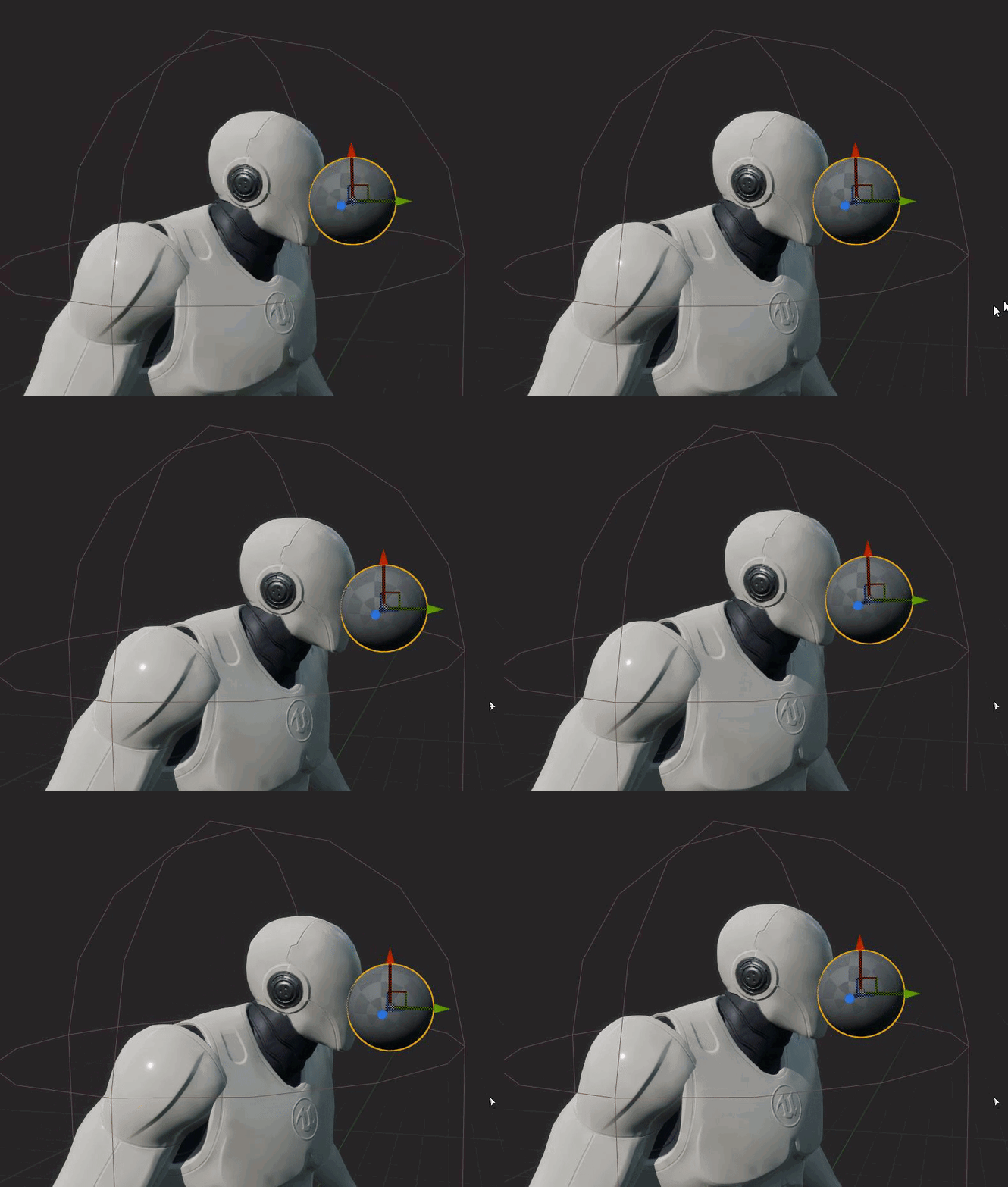 royal stirrup
It's not.. maybe because I have physics on the ship also?
yep
sec, let me record a video for you
grim ore

yep physics enabled and an animation playing, ball still sticks to the socket
it sounds like maybe the item should be authored with the cockpit with the animation if that is the end goal
mental oyster
So I had an idea for my pistol. I’d been trying to figure out how to make the bullet appear as if it’s traveling through the barrel before letting physics take over, and a painfully obvious solution just hit me - using a timeline
The bullet is attached to the case, so I’ll grab the a barrel length variable from the gun, take the round’s velocity into account, then use that for the timeline
The moment it exits, physics take over
grim ore
@proper willow I dont, its weird you have an invalid player controller so I didnt say anything. its basically saying no controller or player camera manager which is odd
royal stirrup
@proper willow https://www.youtube.com/watch?v=-CSjh0CUx-Q

so it follow the movement, but not the animation
I'm not really folllow
all models modelled in 3d software 😄
ivory stag
royal stirrup
<@!750625034967580722> https://www.youtube.com/watch?v=-CSjh0CUx-Q
Holly shit that looks nice
royal stirrup
thank you 😄
 regal mulch
That is indeed strange. But looks nice haha
royal stirrup
@proper willow the meshes in blueprint and cockpit is a child of the ship and binded to the socket.
but I also Set All bodies below to simulate physics Blend wieght
well.. not exactly. I need to move it a bit
Well, yeah, it will fix the problem 😄
but I really hoping there's a easier way
later on I need to add something more and I was forced to add to it skeleton also?
that's so strange
by the way. I also have that problem with first person camera in cockpit
it doesn't follow animation
and I can't add to the rig 😄
camera inside a cockpit
it also doesn't follow ship animation
 lusty carbon
Does anyone have an idea what r.raytracing.reflections.ExperimentalDeferred is for?
It does improve fps significantly when raytracing
royal stirrup
you know what strange? headlight is binded to the sockets and it follow animation
I think maybe problem only with root bone?
hm.. I am right. Problem only with root
problem solved )
I added virtual bone to the root and bind cockpit to the bone
 fallen flower
@lusty carbon seems like experimental optimizations.
plush yew
is it possible to use a mask for a subsurface profile, and if yes, where would I do that?
 silk pumice
Is it possible to clear the hotkeys for numpad + and - in Unreal editor? I rebinded those into something else but still when I press them It moves my camera up and down. I could not find them being assigned to anything from the hotkey editor
 violet goblet
hy there, i got a little problem,
i need multiple lights in my scene with same values like intensity, color etc., what would be the best way? a "blueprint"?
 kind mulch
If you want to easily be able to change it afterwards (so that you can tweak the values) you can make a blueprint of it yeah
violet goblet
cool, would that be a "actor blueprint"?
when i place the light in the blueprint, i cant change the lght value
kind mulch
That’s because you seem to be using a child actor with in it a light, there should be a light component you can directly attach to the current blueprint.
violet goblet
@kind mulch hm i dont quite understand that, i dropped the light into the blueprint (what to be seems wrong), do i have to insert the light somehow other than dropping it inside the blueprint?
kind mulch
In the top left is a green button "Add Component", try finding the right light and add it through that 🙂
Also sorry if I may not respond, I'm updating drivers etc. xD
violet goblet
thanks so much would never have guest that one 😄
do not worry i am thankful for every help, best luck with that drivers 😄
kind mulch
Thanks, they already crashed my entire PC just now lol. Anyway enjoy 😉
violet goblet
another dumb question, cant i reotate/move the light in a blueprint? it seems that the pivot/gimbal is not showing up when i select the light
 uneven mica
Is there a way to change the size of the playable Character
uneven mica
Where can i scale it ? (Im rly new)
 north monolith
Im looking at getting some more city roads done for a project, and it always trip me up some when it comes to intersections and getting in general better control over the creation process. Is there a either some good pluging out there, or is Houdini the way people go with more complicated projects? been thinking I might need to pick that up to get it properly done.

 dim arch
if it's a vertex offset you can use world position as pseudo-randomness
plush yew
thats cute, how did you do those trees?
 pseudo pulsar
For the shader; it's just emissive! (The wind shader is just using black to white vertical mask & a "SimpleGrassWind" node.) And as for the models; just a bunch of iteration till I get a nice silhouette; then I color. 🙂
 leaden dust
what version of UE should I use if I don't need the latest features
what is the most stable recent version
or most preferable by your standards
dim arch
@pseudo pulsar https://forums.unrealengine.com/development-discussion/rendering/7468-how-to-add-randomness-into-shader
Unreal Engine Forums
For discussions about Materials, Textures, Lighting, Particle Systems, and Post Process Effects.
alternativley you can use worldalignedtexture and tile a noise texture across the world and use part of it in the wind effect
pseudo pulsar
Tyvm! That thread looks like it's exactly what I'd need! I'll also see about doing a panning nosie texture though. My Wind Speed caps out at 1 so maybe I could do a 0 to 1 wind speed field. I'll check both options out. Tyvm again!
 dense knoll
How will porting UE4 to UE5 be/
 wary wave
how long is a piece of string?
dim arch
twice as long as half of it ;p
dense knoll

A brief introduction to the biggest contender for a unified theory – a 2000 word introduction to string theory requiring no mathematics.
There
Aparently it involves Rationalizing the Universe
 forest tree
Back again with my (corrupt?) structs. Has anyone fixed an issue like this before? I can't find much on google.
 jolly mason
hey lads, im getting errors for levels that dont exist anymore
 tender pecan
@forest tree any chance you are using hot reload or is this after a fresh open of the ide?
 storm vapor
idk, you can maybe find it in unreal engine marketplace or 3d model sites like cgtrader etc.
You can do yourself too. In game deving, modelling knowledge is important.
plush yew
hello guys, do you know why when i press 'play' the player gets teleported in the sky?
 wanton lotus
plush yew
hello guys, do you know why when i press 'play' the player gets teleported in th...
wanton lotus
plush yew
hello guys, do you know why when i press 'play' the player gets teleported in th...
Did you add a player start to your level? Otherwise it defaults to spawning you where the camera was last in the editor, or something like that.
plush yew
i dont want the player start for now but i mean it teleports really high and not where the camera is
it happens even with the player start
 hidden cargo
hidden cargo
hidden cargo
This error doesn`t seems to happen in UE 4.26.0. I´m currently in 4.26.1
wanton lotus
plush yew
i dont want the player start for now but i mean it teleports really high and not...
Do you have any code that manually spawns the player? If so, maybe Z location was set wrong. Also, check your gamemode and set the pawn to spectator or something besides the character you don't want spawning.
 dawn gull
That’s a thing for your multi user editing plugin, contact the dev
wanton lotus
dawn gull
That’s a thing for your multi user editing plugin, contact the dev
Multi-User Editing is a built-in engine plugin.
dawn gull
Oh, I haven’t seen it then.
dawn gull
Maybe they changed something in 26.1 with objects
wanton lotus
Fix one bug, create another.
dawn gull
just a guess ¯_(ツ)_/¯
plush yew
wanton lotus
Do you have any code that manually spawns the player? If so, maybe Z location wa...
tried everything... its not working
bruh the problem was my sky sphere.... the engine automatically created a collision...
 hidden sparrow
Hey guys i have a problem with my widget. The image in my widget has different resolution depending on how big the window is when playing the game. This results in a weird looking widget like this.
how do I make the image in the middle always fit inside. I tried different anchors but it didnt help
 paper pagoda
Hello everyone. Having trouble using 360 video with ambisonic sound aka 4track ambix format. What's the best way to do it? Can anyone help out?
 random summit
I imported the 3rd person character pack and placed it in my scene but when i hit play it doesnt use the character. how do i activate it?
 thorny sedge
@random summit there are a few more steps. If you want to DM me, maybe I can help a little bit?
 tight roost
I need some suggestions and information. I’m trying to make a 2D game that works like Minecraft. I do not know how to make voxel like block generation with biomes and noise. If anyone knows how to do this or knows a good tutorial for it let me know. I’m trying to stick to only blueprint mode but if c++ is required I can try that.
 jolly void
Is it possible to lock an actor from being clicked / selected ? How ? I'm aware of Selecting > transform > Lock Actor Movement. But what i want is to not even be able to click it
 stark marsh
how do i add swimming but where i press Y to float upwards and press A to float downwards
and push forward on the analog stick to swim forwards
and can turn the view with the right stick
plush yew
Hello guys, I used orbit package and i deleted it and now I mirgrated the ue 4 skelet from enw project
now the character is not moving, like the animations are not setup
when I open it, it asks me which skelet to use, I click this new one and then I have this
what to do?
 sterile tulip
How do I enable Motion blur for my moving UI element?
wary wave
I don't think you can
sterile tulip
I have a speedometer and there is no way to have the dial have motion blur?
stark marsh
im struggling keeping my levels symetrical
im trying to build a sort of temple levels but some things are turning out to be uneven
 dapper frost
how to use the stylized modular character pack that is free this month?
wary wave
yes
also yes
if you move things the editor needs to make sure all the references and stuff remain intact + create redirectors etc
I mean, it's coming through your entire project, for every file you move, heh
likely
you don't move things around all the time
 thick herald
Drive speeds etc are also a factor
wary wave
aye, also memory availability
sterile tulip
SSD makes it faster?
wary wave
yup
thick herald
m.2 make it fasterer
wary wave
needs to read and potentially write to a lot of files, so the faster it can read & write...
sadly not
also the word you want is 'migrate'
thick herald
Nope, things must go into the root content
wary wave
(importing is something else)
wary wave
never move assets outside of the engine, that is almost guaranteed to break references
thick herald
What some people do is create one project that they install every asset they own into and move them into a folder like you are using. This means that in future projects you can migrate single/multiple assets very easily to new projects **and ** have the same folder structure.
wary wave
yeah, I also have 'dump' projects for specific engine versions that I install stuff to / migrate from
sterile tulip
I cant believe there is no support for motion blur on HUD/UI elements
are they going to add it in UE5?
thorny sedge
Taking a look at how to set up Radial Motion Blur.
dapper frost
how do I save a modular customized character as its own mesh?
thorny sedge
@dapper frost hey uh if you go into the skeleton and choose "Make static mesh"?
I'm not 100% on how that all works tho I'll be honest
 viral veldt
How do you activate the "one file per actor" feature for a level in 4.26?
dapper frost
thorny sedge
<@!642727567782051854> hey uh if you go into the skeleton and choose "Make stati...
which skeleton?
i have the blueprint for customization
thorny sedge
@dapper frost yea I haven't used that asset so I don't know what abilities they give you regarding your customized characters. But for example just of what I mean, it's that when you for example create a template and go into the character blueprint and click the character, you get access to their details where you can click the preview that has your character's mesh on it and in the top right there is a series of options regarding your character where "skeleton" is one of them
 limber cradle
does anyone know why the projectile option isnt here?
thorny sedge
@dapper frost so if you can create a character in whatever way they allow you to, because there must be a visual aspect to it, you should search through the options there because they do allow you to at times create a mesh from the options. Sorry I just haven't used that asset.
@limber cradle I would suggest searching for the root of your problem instead of imagining that something should be in the engine. I am definitely not being rude, but you can wish all you want and I'm serious you can say "why wouldn't this be an option" about a lot of stuff. So start at the beginning of your problem and search for documentation and tutorials
limber cradle
dont think so, im going to check it
thorny sedge
right if you're doing a tutorial I would take a step back maybe
@limber cradle also you might be working with a newer or older engine version
limber cradle
im with the newer engine version possible
tender pecan
@limber cradle projectile is not part of that enum (ECollisionChannel),
https://docs.unrealengine.com/en-US/API/Runtime/Engine/Engine/ECollisionChannel/index.html
if you wish to add one, you can use
https://docs.unrealengine.com/en-US/InteractiveExperiences/Physics/Collision/HowTo/AddCustomCollisionType/index.html
to add a custom collision type
limber cradle
humm okay, got it
thorny sedge
@limber cradle right if it's different than your engine version, there could be any number of differences jsyk. Newer versions don't necessarily have all the things the older versions have/had
limber cradle
yeah i know
thorny sedge
kk np jsyk
limber cradle
thanks guys
thorny sedge
good luck
limber cradle
limber cradle
dont think so, im going to check it
https://www.youtube.com/watch?v=Mu4oJvirSGc&t=196s heres the tutorial im following, the guy just goes to details screen and the projectile option is there, that's why i thought something was missing, its about 3 minutes of video
Hey guys, in today's video, I'm going to be showing you how to create a grappling hook system for your games in Unreal Engine 4. In this, the player will shoot a grappling hook, and the player will 'fly' over to where this landed. You can also hit right mouse button at any time to cancel the movement along the grapple.
Grappling Hook 3D Model: ...
thorny sedge
@limber cradle yea he does you're right
I would either look for a different tutorial, just continue with that tutorial and see if he explains it later or create a custom channel and set it the things that he says. That's a weird one. I'm sorry about that.
limber cradle
sure man, thanks though
thorny sedge
@limber cradle
 tardy cargo
Hey guys I'm making a new fps game and I need some help. Because this is my first game I don't know where to start. I want to make a world but brushify.io and others cost for it. So is there any website or app which I can use to make worlds without paying anything?
plush yew
Can't you use the built in terrain editor?
tardy cargo
Umm... Actually I have just started learning UE so had no idea about it.
Will check it. Thx
plush yew
NP at the top in the tool bar where it says "Modes' click it and then click Landscape
tardy cargo
Ok
plush yew
Good luck with your game 😄
that emoji looks aggressive to me for some reason lol : ) <-- there better
plush yew
The smile one lol it looks like Im being sarcastic or something haha
plush yew
cya
plush yew
1pm here dab
 plush yew
Bright day too! Sun is shining bright!
 plush yew
goodnight then haha! 1am is late!
plush yew
Oh I tend to just go to sleep at 1am, no later than that
tardy cargo
Well I don't get the point of sleeping except gaining energy
 celest blaze
can epic change unreal's license after my game release? If i pay 5% quarterly for example. Are they able to change it 30% anytime?
i know its one of those annoying questions 😄
but still not that clear for me
tardy cargo
Hmm...
I don't think so
Because when you published ur game you agreed to just pay 5%
So yeah
I don't think they can do it
tardy cargo
tardy cargo
Because when you published ur game you agreed to just pay 5%
Well I'm not the right person to ask it, but if you go by logic and the terms and conditions, it should be that only
If you can then try asking in the general vc...
It would unlock the general chat there where you can post screenshots
Oh ok
Then lemme search YT
tardy cargo
 fluid wave
You all have a great day
fluid wave
You all have a great day
Same to you 😄
 magic fern
Hey guys. Is there any way of using ps5 controller features in unreal? Haptic and triggers?
tardy cargo
@plush yew I'm sorry I couldn't find what you were looking for...
plush yew
Anyone know a good tutorial on how to make flying enemy ai? I have looked everywhere but cant find anything
help me Im desperate 😦
 potent bridge
I'm terrible at this. How would I get a reference to my enemy Blueprint class?
 smoky sonnet
is there a way to check if a map (a specific pawn) is completely loaded and then can use input
so decline input for him until its loaded completely
 hexed escarp
Guys, how the heck do I move gizmo/pivot to a vertex? While holding V, I can snap objects to vertex' of other objects but I can't move the gizmo of the object I want to snap
Middle click + V doesn't show any vertex points for some reason
royal stirrup
https://www.youtube.com/watch?v=lK9R_vRzlLo good night, guys! Maybe someone knows why particles at some point just die instantly although I set alpha over life curve?
 grim ore
@potent bridge thats the question. where is this blueprint, how many enemies do you have, how does it know which enemy you want to do that to?
hexed escarp
potent bridge
I'm terrible at this. How would I get a reference to my enemy Blueprint class?
Right before CastToTestEnemy you could put for example a SphereOverlap
Assuming there could be multiple enemies at once
@smoky sonnet Why do you need this?
I suppose a pawn can only receive input after loaded
hexed escarp
plush yew
Anyone know a good tutorial on how to make flying enemy ai? I have looked everyw...
Are you stuck with navigation? NavMesh is only a ground navigation, but for a flying enemy could possibly get away with setting gravity to 0 and interpolating the pawn/character to specific locations given by X,Y,Z (and checking for collisions)
 calm pollen
Does anyone know how to change the screen resolution for different mobile devices? I've been looking at the DPI curve graph and i am so confused lol
potent bridge
anyone know why the character and the sky is so bright? There is a cel-shader on the character
actually this is more of a graphics questiob
question*
 toxic hatch
Does anyone know how to get foam to turn on with the new ocean/water stuff in the newest version? I assume there is a checkbox somewhere to get it to turn on but I'm not finding it.
dense knoll
potent bridge
anyone know why the character and the sky is so bright? There is a cel-shader on...
Reduce the intesity of the shader?
grim ore
very good chances it eye adaption lightening it up due to you being in a dark place
stark marsh
when i start making something after a bit i realise ive being just trying to recreate a game that ive already played
i want to make the same style of game but i end up trying to put everything in rather than just being inspired by it
 worn peak
when i play a level without a camera, ue creates one automatically
if i place a camera on the level by myself how do I use that camera instead ?
grim ore
just a camera? you really can't easily. do you just want a fixed camera or one you can control or?
 obsidian nimbus
set view target with blend
worn peak
guess i found
obsidian nimbus
you can drag it in the lvl and set viewtarget in level bp
worn peak
i switch this from none to player 0 and worked, now when i press play it uses my camera instead a camera created automatically by ue
@grim ore do u know where to learn about this player 0,1,2... thing
grim ore
there isnt much to learn, player controllers exist in the world and represent people using the project. it starts at 0 and goes up from there depending on if its multiplayer. for the most part player 0 represents the person behind the screen
worn peak
so how game lane fall guys that has so many players works
it would not use that player x thing ?
grim ore
the server would have to worry about that and thats not an issue
 sage dove
I am having a very tough time with the FBX importer, it doesn't work properly when the number of meshes changes in the fbx, is this a known issue?
 gaunt hawk
ik this sounds like a stupid question but why are all my widgets bigger than usual. i am using the chaos version. what i mean by "bigger than usual" is that when i am watching a tutorial the widgets are smaller, unlike mine.
grim ore
different resolutions for your pc compared to theirs?
gaunt hawk
i am not sure
lemme see my res
i have 1920 by 1080
and it says that is the recommended res
oh scale and layout
grim ore
yep sounds about right. is it just the icons like in the viewport or the entire ui?
gaunt hawk
i changed it to 100% and they are now smaller
gaunt hawk
grim ore
yep sounds about right. is it just the icons like in the viewport or the entire...
entire ui
but i think i got it now
grim ore
ah yeah windows scaling
 broken moat
is there any sort of reusable behavior for scene components in the engine? Like how Actor Components (not scene components) work for actors?
 spare kernel
@broken moat not really
you can make UObjects, and use them, but you can't add Components to Components.
broken moat
sadness. I keep having to do stuff like subclass capsule components with special behavior, then do the same thing for a box, sphere, etc. I tried something where I had a scene component that would do stuff to its parent shape component but that turned out kind of clunky.
I'll just keep at it then, thanks!
 mighty copper
I hate to sound like a noob... But I forgot how to do something... I know that you can put the picture on a plane but how do I import it into my scene so that I can place the picture on the plane (example, picture frame picture, poster or cardboard cutout "which is the look I'm going for") in UE4 so that it still keeps it transparency?
plush yew
how do I remove this off my screen?
 peak vigil
plush yew
peak vigil
plush yew
Okay, I will
Okay, it worked, thanks!
I need some help
So i tried making a first peraon camera in thirdperson
and when i look down my camera goes too low
how do i fix this
 errant venture
How do people do, like, lazer pointers for guns?
or actually, where can i ask tmhn like that
errant venture
plush yew
and when i look down my camera goes too low
what do you mean by that
plush yew
I watched every single tutorial
errant venture
like, you just pulled the first person camera into the guy's head?
plush yew
about first person camera
errant venture
you want to convert 3rd person to 1st person?
plush yew
yes
plush yew
Nope
errant venture
so camera boom is still long
but the camera has been moved into the 3rd person character's head
plush yew
wait wait where
errant venture
does it?
does the camera Z position decrease when you look down?
is that what you mean by "the camera is going too low"
errant venture
is the camera no longer in the 3rd person character's head?
errant venture
so you haven't tried to bring it into 1st person yet?
plush yew
1st person template?
errant venture
you're trying to go from 3rd person template
and make that a first person game, correct?
errant venture
and you want it to be 1st person
plush yew
yes
plush yew
so i attached the camera to the mesh head
errant venture
why
errant venture
hmm
plush yew
and i moved the camera into my character's head
errant venture
In this short Unreal Engine 4 tutorial I want to show you how to turn a Thirdperson Player and Camera into a First person Player for FPS games in which you can see the whole character.
See my social profiles here
G+: https://plus.google.com/+JayAnAm
Twitter: https://twitter.com/jayanamgames
Facebook: https://www.facebook.com/jayanamgames
Patre...
is this the tutorial you used?
plush yew
I watched every tutorial
There is only a fix
Only if i untick Use Controller Rotation Pitch
but if i untick it ,the nose from my character is not following the camera anymore
If you undertand what i mean
And the camera is clipping throught the body
 polar igloo
Is there a way I can create a static mesh out of a socket in another mesh?
(For example, making weapon_r its own mesh)
 little warren
Is there a way to draw a debug sphere only if in the viewport or not playing the game?
 low rock
hi guys, im using water material from starter content, but i dont know why doesnt display at all
mighty copper
Can anyone answer this for me? I know that you can put the picture on a plane but how do I import it into my scene so that I can place the picture on the plane (example, picture frame picture, poster or cardboard cutout "which is the look I'm going for") in UE4 so that it still keeps it transparency?
 vernal dock
guys i linked my fucking github to UE4 and I am still getting 404 not found when i try to download ue4 source to set up dedicated server
grim ore
might just take some time, if its been more than a day maybe try again
grim ore
it shouldnt but it could
vernal dock
going to see if i can torrent it
ugh software is so annoying
can someone put it on google drive for me 😛
lol
mighty copper
@vernal dock I hate to ask, but after linking it did you try to close out and the login to github again?
vernal dock
yep i tried that
mighty copper
But to confirm you closed out the browser your using all the way? not running in the background?
vernal dock
im going to unlink my github while i am signed out of github and try again
is there a link to the github source code from epic games dev portal somewhere?
mighty copper
You shouldn't need to unlink it
vernal dock
ok thanks
mighty copper
on UE4 game launcher there is a link on the library tab I think...
vernal dock
grim ore
log into your github account, on your dashboard in the top left are your organizations. it will show up in there
mighty copper
grim ore
no need to go anywhere but github to get to it
vernal dock
when i click that link it just brings me to my home account page on github
grim ore
 bronze mango
Why is power needed in this context I'm watching a tutorial about changing textures over distance rn shouldn't it also work without it?
vernal dock
how do i get that mathew?
grim ore
top left corner of your home page on github
vernal dock
grim ore
yep your not in it yep so just have to wait
vernal dock
so freaking dumb lol slowing down my whole workflow
thanks for your help guys i would be so effing confused
mighty copper
When I 1st worked with Github... I was completely taken back and thought there has to be a better way... but once you get used to what you have to do and so how it all works... You get use to it... Becomes 2nd nature...
vernal dock
i guess i will set up aws while i wait
mighty copper
Hey @grim ore can I throw a question your way if you have a moment?
@grim ore I know that you can put a picture on a plane but how do I import it into my scene so that I can place the picture on the plane (example, picture frame picture, poster or cardboard cutout "which is the look I'm going for") in UE4 so that it still keeps it transparency?
grim ore
did you export it with transparency?
mighty copper
I want to say yes as a .png file type
grim ore
then you would use it like a normal texture in a material, just have to make sure the material blend mode is masked or translucent so alpha is used
then plug the alpha out of the texture sample into the opacity or opacity mask input to use it
vernal dock
do i have to create an organization on github to get the source?
grim ore
nope
mighty copper
@grim ore Thanks
grim ore
pretty much if you can go to https://github.com/EpicGames/UnrealEngine it works, if not you wait or try again
 lapis bronze
almost like when people said to wait they were speaking from experience
👀
but yeah it took me 2 days when i connected mine
plush yew
@grim ore what hack did you apply to learn so much about unreal engine >~>
 slate thicket
would anyone know how i could have my game be in the size of 256x192 (like the image below) but have the window be 1920x1080?
grim ore
@plush yew lots of time
 coarse wigeon
@slate thicket That would be found in project setting I think
plush yew
where can i buy that D:
lapis bronze
time being the most valuable resource in the world, and isnt for sale
its the ultimate crypto currency
slate thicket
lapis bronze
<#221799195806400512> might know more
will go there
 frank grove
anyone knows how to fix super slow c++ compile?
I change one line of code
and it takes like 10 minutes to compile
 bold hornet
anybody know if UE5 will finally introduce a new Editor UX/UI?
bold hornet
not sure
i was kinda thinking they would target GDC
but thats July now
so its kinda late
spare kernel
No one knows the UE5 release date. maybe some Epic employee's but not the general public.
plush yew
hexed escarp
Are you stuck with navigation? NavMesh is only a ground navigation, but for a fl...
Right now I have some janky blueprint that does the flying but there are lots of issues with it but I will try to do what you said and see if thats better or even works 😄
 true falcon
They just said late 2021 on the stream. More interesting is when the preview will drop :)=
Man the new Property Access System is so amazing, where has this been all my life. Now I just wish I had it for Blueprints too
spare kernel
Property access system?

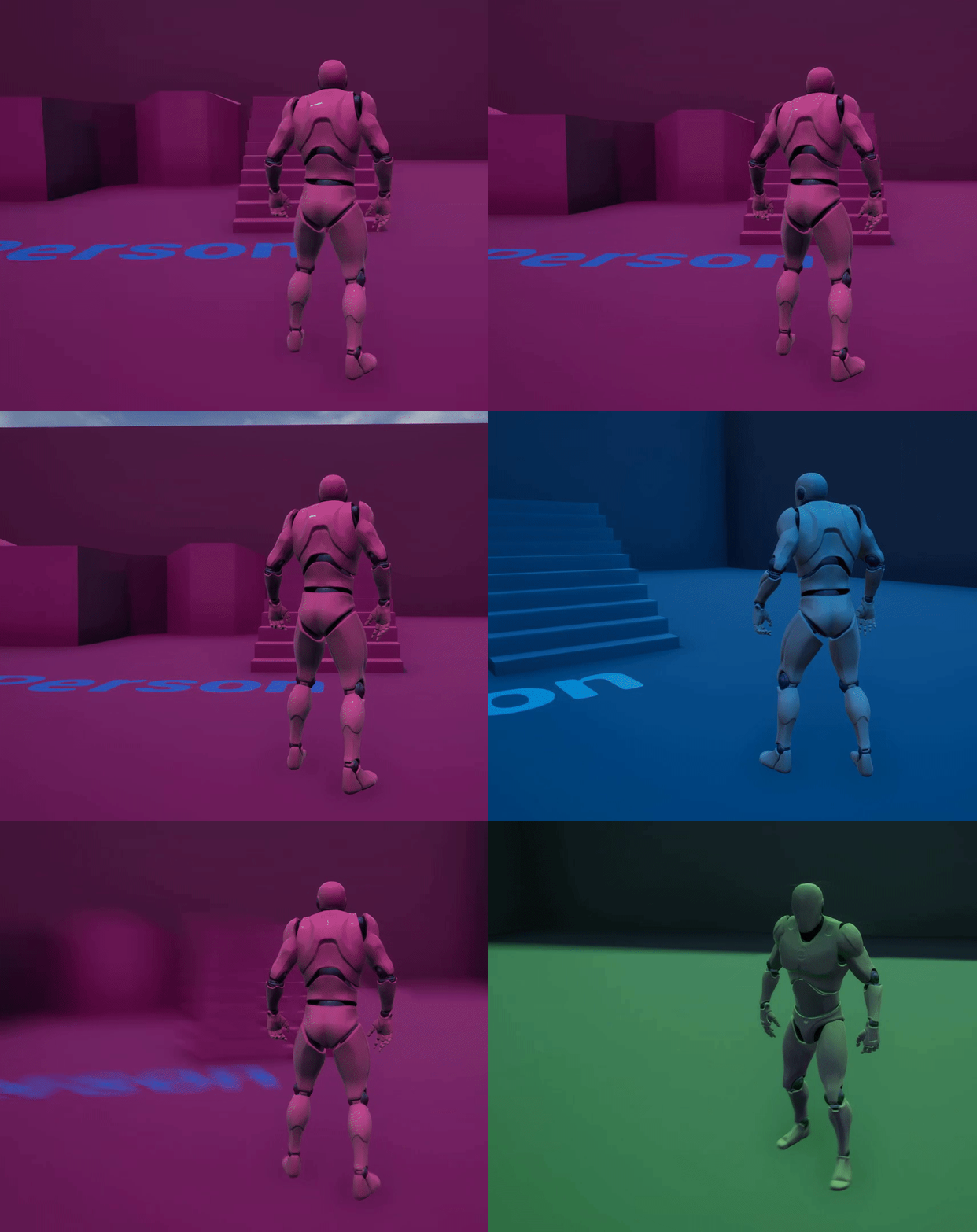
 spare kernel
yeah happens a lot to me
sterile tulip
What new things are we getting in UE5
spare kernel
restarting editor fixes it
bold hornet
Lumen :)
true falcon
spare kernel
Property access system?
If you go into blueprints , to properties where it says "exposed as pins" you can click and select a property from actor, character or whatever directly, and it will be put inside the node beside the property, and use fast path. Less clutter, better performance
sterile tulip
They said they are bringing bounced lighting in UE5. But doesnt UE4 have already raytracing?
spare kernel
is that a 4.26 thing?
true falcon
yup
true falcon
aww :/ Maybe you can convince them to upgrade, altho usually difficult, Get the sense they fixed a lot of things in 4.26
spare kernel
@sterile tulip https://www.unrealengine.com/en-US/blog/a-first-look-at-unreal-engine-5 small google search
4.26 has performance issues
too many reports about that, not worth the risk
true falcon
Yeah, I've seen something about that, hard to believe. Must be some setting they turned on per default
spare kernel
People are noticing a significant drop in frametime from 4.25 to 4.26, and we are too close to open beta to risk anything also
true falcon
How it looks with Property Access
spare kernel
nice
true falcon
Yeah, that's usually a difficult sell 🙂 dont have time to go and refactor for new features either
true falcon
Also the Enhanced Input System is amazing, think that is in 4.25, but like no one uses it yet. So nice to be able to put actions and axises in classes instead and map/remap as you want without needed to change in project settings
I've heard some nightmare stories about Unreal porting... 🙂
true falcon
it's in the plugins
true falcon
I dont think its cloud as you need to add them. Must be something with new sky light and/or atmosphere (if people are using the SunSky Actor)
ahh, might be new too then
bold hornet
Ah yes i did enable that in options
true falcon
I swear to god one of the biggest problems with Unreal is just unraveling what features there are
spare kernel
mine is turned off and i still get that behaviour @bold hornet
yeah Enhanced Input is 4.26 only
:/
true falcon
They've done like 0 advertising about it, I found only one youtube video about it
spare kernel
i heard about it
but was not interested
did not know about the property thing tho
true falcon
Also whole new Network Predicted movement, which I really cant find ANYTHING about
spare kernel
ah i know a lot about that 😄
true falcon
oh you do?? usable?
spare kernel
was talking to Dave Ratti a bit about it
not really, it 'works' but still has issues
true falcon
Nice! you think it'll be viable in a few months? is there a github sample somewhere or something?
spare kernel
He is hoping to have it working before UE4
UE5*
but recently he said it might not be.
spare kernel
yeah, but it looks so good
true falcon
easy to use?
spare kernel
i did give him some suggestions, to improve usability, which he is going to put in
true falcon
I thought even Epic thought the gameplay cue concept was flawed 🙂
spare kernel
it works, and it works well
but it can be done better, but at the time, they had no better solution
i really like the idea behind gameplay cues tho
true falcon
Does it? I saw some statement by them, and also that big talk about Potential issues with GAS talk mentioned it was less than optimal for some scenarios
spare kernel
i heard they might also take the cue out of GAS dependency
true falcon
Yeah, probably just need to be coupled differently
spare kernel
so other games can utilize gameplay cues, without needing to use GAS
i find the concept of them really good
ie i can just put a tag to fire a cue
designers don't need to open tons of assets to tweak a particle for example
just one Gameplay Cue blueprint, done.
true falcon
well its nice that general concepts from GAS wanders over, like gameplay tags. I wish they did something more versatile for payloads and attributes
spare kernel
Payloads is the let down for me in GAS
i have worked around them, but then i think, how could they do it better
true falcon
They idea of having a class per effect/ability is, and couple it up somewhere else is amazing
you basically have to implement your own class right
spare kernel
and really, i have no idea how they could do it better
a lot of people also forget you can create your own Gameplay Effect Context, which is what i do. Then for things like knockback, i execute an already granted (always granted) knockback GA via a Gameplay Event, pass in the Effect Context, that holds the hit result, knockback magnitude, etc
a lot of people forget you can do things like that
true falcon
well, that's true, but than again it can be a bit hard to get into GAS 🙂
spare kernel
yeah, when work calms down a bit, i want to do some streams
cause i know a fair bit about GAS, and would be nice to show people some concepts of common things
true falcon
It struck me that when I work more with GAS it'd want to do a framework to abstract away a lot of stuff, and make server/client/prediction stuff separated. It's too messy with everything intermingled. And you could do some nice layer to access attributes etc more cleanly
Yeah, I read some of your articles, great stuff
bronze mango
Why is power needed in this context I'm watching a tutorial about changing textures over distance rn shouldn't it also work without it?
Power is to make colors darker and lighter right?
grim ore
nope, its math
spare kernel
it takes the base and raises to the power of the exponent
bronze mango
Ye but in the end I need a value from 0 to 1 to lerp the other texture
So for what do I need the power power is there to raise values like you said
grim ore
well how are you choosing to lerp it basically?
like basd on distance apparently
but whats your distances
bronze mango
1 sec I send you a screenshot
Like this
And then contact the chlamp to alpha ofc
grim ore
yep but whats your distances you want this lerp to happen and should it happen at the distance or over a distance
bronze mango
It is 512 it says it in the upper screenshot
grim ore
well isnt this what you want?
bronze mango
Yes it is but I'm wondering why I need power for it since im watching a tutorial about it I wanna lern it and i don't get why the power component is needed
spare kernel
a distance of 2000, there will give a value of 0.02
grim ore
grr
so that is the same camera to preview distance with just more and more nodes hooked up and you can see what it does to the number
true falcon
I do find that Epic could provider some more user-friendly nodes for some of this stuff 🙂 its not like one should need to do vector math for everything. Maybe there are, hard to know 🙂
Just learned about SmoothStep today
grim ore
the first is raw distance, then you divide to make it smaller, then you power it to make it even smaller
so those numbers, the 512 and exponent on the power, are what you have to figure out to get your desired result
and no you dont need the power, but it is used to get it even smaller if needed at an exponential rate
this BTW is the entire graph to get that
the debug nodes are awesome to figure out how stuff is working
true falcon
yeah wow, didnt know about those
grim ore
btw this is fugly but... remap works wonders for what you want
yep lots of ways to get stuff done 🙂
true falcon
It'd just make a function called DepthLerp or something like that and never think about it again 🙂
grim ore
yep one you get it done you wonder why epic doesnt have it already lol
true falcon
I'm like Sherlock Holmes, can't have too much razzling about up there 🙂
I think because all shader developers are hard core math nerds 🙂
grim ore
oh god I wish I was, it would make this crap so much easier
just keep hammering at that crap with a tuna fish and eventually I get it
true falcon
Well, you only need to understand something once, than you can build abstraction layers for it, "training-wheels for my stupidity" i call it
grim ore
yep yep thats the basics of learning 🙂
it's why tutorials that show you how to do something but not how it works is my pet peeve
true falcon
true, and people that don't break down complexity, it's like choosing to live in a house of disarray 🙂
In the end, functions are like language, and if you construct the right language any task is easy
It's like Linus said, "Bad programmers worry about the code. Good programmers worry about data structures and their relationships."
true falcon
Ryan Manning?
grim ore
like him and zak parrish are the 2 I aspire to be like and FFS I don't think my brain can handle the stuff sjoerd knows
true falcon
Is Sjoerd that technical tho? Ryan Brucks though is like a fifth dimensional being that sees all space and math
bronze mango
@plush yew same here xD
true falcon
Yeah really awesome format with bite-size chunks, I hate fast-forwarding through rambling tutorials just to learn how to do one thing
It's actually a really good pattern in general I use, make small experiment levels for things you need to explore, so you can test it in isolation
And you can refer back to them later
grim ore
well Brucks is like super tech artist is what it is
I guess yeah his would be more insane technical where as Sjoerd is more nuts and bolts technical
by their powers combined we get volumetric clouds of death
grim ore
there are waaaaaaaaaaaaaaaaaaaaay too many smart people at epic
and like most of them dont even get into the public
true falcon
Yeah, but then those smart people make the most amazing water system in the world, that no one can use because you need to tweak fifty parameters in five different places in the right way so it doesnt explode
true falcon
This is the epic struggle between tech and ux 🙂
grim ore
thats like literally the hammer on the nail there
spare kernel
John Romero is a G
grim ore
now imagine trying to get those people who made the systems to take the time to either make docs or tutorials explaining how it works in normal people verbage
true falcon
more of a designer tho
true falcon
In my work I usually work as both senior programmer and UX, which is rare, so I can bridge the gap. But it's like being a diplomat between Israel and Palestine, where both parties don't understand nor like each other
spare kernel
18 bugs fixed, and still loads to go
grim ore
sigh been fighting with trying to figure out why auto exposure wouldnt disable itself.... an hour later oh look a PP volume has it overriden lol
true falcon
I spent five hours debugging why a value from C++ wasnt coming correctly into a blueprint, only to realize it did, but for some reason didnt show it in debugging
true falcon
BACK TO PRINT STRING I GUESS 🙂
I'm proud of myself, made a framework for unit testing today 🙂
Only enterprise people...
spare kernel
Noob!!!
😄
how dare you make such a simple mistake...
forgot to return out of a function and got UB :(
easy to do
true falcon
Hey if you have a sequence and one of them goes into the return node, it still executes the rest of the sequence right? Is there a way to break a sequence?
true falcon
yeah Im not quite sure
spare kernel
don't hold me on it, but i am sure it does
true falcon
Guess easy to test 🙂
spare kernel
don't do a lot of BP logic like that
grim ore
why... why would you ask such a weird question....
I mean I've never done it but now I must know lol
true falcon
its just better layout with sequence than lots of branch nodes sometimes
spare kernel
i am 99% sure it ends the function
grim ore
if it fits C++ that makes sense
spare kernel
BP.. Does some weird stuff..
grim ore
I guess I should start using sequences more....
spare kernel
i thought it did
grim ore
I like literally never use them, makes it more ugly to me
just start collapsing crap or making more functions or events lol
spare kernel
haha, let me show you a screenshot..
true falcon
nothing is as ugly as long branch chains tho :))
grim ore
see I like reading the code left to right, having it just like execute a chunk of code then I have to go back annoys me
might as well just put that into a function if you can
true falcon
well, chances are you should break it up into a function
grim ore
but hey some programmers put braces on the same line as their if statements so it takes all types to code
spare kernel

grim ore
like ok so one thing I will say for sequences is it does make it easy to swap stuff in between other stuff as needed since you can just move the wire
spare kernel
that is the definition of spaghetti.
true falcon
In my defense I had to do it! I was mapping some gnarly properties to a data format
true falcon
oh, thats also only one of like five sequences in that blueprint :))
grim ore
heh
true falcon
How?
true falcon
yeah thats true, that struct is bad, was for the game jam so didn't mess around 🙂
spare kernel
over 10 nodes is too much for a single part of a BP for me
slate thicket
is there anyway to set up like
automatic presets for importing images
 maiden swift
true falcon
How?
maiden swift
true falcon
How?
If that's a custom struct you created, you can probably use the Set Members in <struct-name> node to get a much cleaner experience.
slate thicket
it's annoying to go through all my fbx imported textures and set them all to 2d pixel unfiltered
true falcon
I hope there's a special ring in hell for people that think comment boxes makes blueprints good
maiden swift
true falcon
I hope there's a special ring in hell for people that think comment boxes makes ...
It's the same place as child molesters, and people who talk at the theater.
true falcon
But I needed to map my data structure against a blueprint that I didnt make
maiden swift
(That's a Firefly reference)
grim ore
sometimes you have to make comment boxes because...... reasons
true falcon
Comception
maiden swift
That's not really unusual for blueprints.
true falcon
I've yet to manage to get my blueprint cleanup plugins to handle comment boxes correctly
Which also btw, why one should use separate parameter boxes (no sharing) instead of draging from the function box, so you see what can be split into functions 🙂
maiden swift
Perfect example of when you might want comments inside of comments:
grim ore
@slate thicket do you know about the property matrix?
maiden swift
Makes the graph a little easier to navigate from a birds eye view.
true falcon
I think making a separate graph might be better in cases like that
maiden swift
I figured. I just thought I'd chime in with a real example for the sake of reminding others. 😄
true falcon
took a while before I realized you werent limited to one event graph
grim ore
@slate thicket two different ways to do what you want based on your statement
spare kernel
i am a sucker for clean BP's tho
well best you can with UE4 😄
wish i had the uncleaned version 😄
true falcon
I've started moving as much as possible into function and macro libraries, because f*ckit, they wont be corrupted as easily, and much easier to reuse and refactor
That should be at least four functions! 🙂
true falcon
Its like Aretha Frankling sang, No Function to small, No Macro too trivial
I put like EVERY variable in a getter function, just so I Can interject and switch things if needed
spare kernel
@true falcon https://cdn.discordapp.com/attachments/433170279951499264/804106792895512687/unknown.png


i had to clean that mess
true falcon
ugh
spare kernel
true falcon
My refactoring Vietnam was the BallisticsFx library. Jesus Christ the horrors
grim ore
see. comments good
 unique verge
anyone mind sharing their current PC builds (if tailored for UE4)? latest resource I have seen is this, but even that is from 2018, so a bit dated
true falcon
All of that should be functions, you even have the name of the functions in the title of the comment box!: )
unique verge
got it
grim ore
and the answer is as fast as you can afford lol
unique verge
grim ore
<@!680313942563881012> as much as some of us want to, <#221796616653373441> is b...
The legendary Mathew Wadstein - you are my hero man
thanks for your tuts
grim ore
like seriously...... I hug my 3950x and wish I had faster
true falcon
I dont get it, what does people have against functions :)) make em pure and it's super nice and tidy
unique verge
will move to lounge haha
spare kernel
@grim ore 3950x is awesome!
grim ore
i dont think people have problems with them, its just like the next step in programming that they havent gotten to
spare kernel
price for performance, its on point.
grim ore
like using getters and setters
true falcon
yeah, blueprints are bit stone age when it comes to things like that
thank god you can "move to parent class" now
I'm going next gen, interfaces as lambdas baby!
grim ore
lol
 safe rose
What's something new in UE4 you all learned today?
grim ore
I already forgot it...
I literally learned like a bunch of new crap today and now that you asked I cant remember anything
oh i'll go with the last thing, sequences in a function will stop the function if you return out early (as expected just never tried it)
oh and you can adjust texture properties using editor utility widgets like the texture filtering and groups so you can automate processing them after import
true falcon
SmoothStep and DebugScalarValues, oh and that AnimDynamics are obsolete apparently and we should use Rigidbodies
and that Control rig is aaaaaaaaamaaaaazing
 light thunder
well shit
grim ore
@true falcon man I was just trying to get into control rig and that livestream showed up today I was so jazzed
true falcon
I once went berserk and was about to wipe my computer and/or take out a morgage to buy a super computer because unreal suddenly was running so slow. Then I realized the megascans pack I downloaded and was using was in 8K
grim ore
heh.. I tried to use the grass from one of epics packs in a scene and my computer just about exploded from trying
true falcon
Check out this channel for some good intro level stuff, https://www.youtube.com/channel/UCi6QZk-aItE_qwR4_XnPzGw

YouTube
Hi! I'm Sonali Singh.
I've loved Disney movies and its animations since childhood but never knew I'd end up as an Animator until I got an Internship at a game studio 3 years back. So I dropped out of an Animation college to work as a fulltime Gameplay Animator there for 2 and half yrs, and now I'm a fulltime Freelance Game Animator. It's been a...
I dunno where she came from, and she has like no viewers, but the tutorials are great
grim ore
I've had that recommendation before so awesome
true falcon
whats the deal with FBIK btw, is that PowerIK stuff integrated or completely new? I dont get why epic acquired it otherwise
grim ore
I was right lol
ok so I was auditing a course today, the new unreal futures stuff, and I could swear that person was familiar and yep she does the voice over for the course on epic's site that I was just watching
thats such a funny coincidence
true falcon
unreal futures, like async stuff?
light thunder
what's up with this normap map?
grim ore
light thunder
That 3d advert reminds me of Ready Player One for some reason
that and Minority Report
true falcon
ahhh, Key Shot must be pissing their pants 🙂
light thunder
any idea why this displaying like shit? normals aren't flipped according to blender
they looked flipped for sure
 pseudo bane
Good evening all! Looks like you're missing parts of the mesh?
light thunder
Well, it's a wreck so that's intentional lol
pseudo bane
lol
light thunder
but It looks exactly like the normals are flipped but according to blender, they are not
pseudo bane
stab in the dark, but when you're exporting are you exporting the whole scene or have you got "only selected" ticked?
light thunder
nope - I'm using Unreal Blender pipeline tool
sends it right over, in theory with the correct settings
pseudo bane
okay, what about scaling, I'm not familiar with the export tool, but I'm assuming all those parts are separate meshes. Any chance the scaling is way off (not sure if export tool would be affected by that)
(like as in that wing in the b.g and the bit on the right are just scaled into oblivion)
Maybe the pilot knows where they went
 velvet magnet
Is the water content still partially broken for anybody in the public 4.26.1 build? The engine still seems to fail to load some of the content for fluid simulation and foam generation
pseudo bane
@light thunder did you unwrap UVs for those parts as well?
 rancid lynx
inside a blueprint actor's Static mesh, its possible to set hidden, but is it possible to display the static meshes collision collider in game ? id like to toggle the mesh hidden, and display the collision only , occasionally, during gameplay, without faking it by adding a second collision component.
plush yew
in game, or in editor for testing?
light thunder
@rancid lynx search the collider details for "Is Visible During Game" it is default to be off
rancid lynx
ty. i will look again
rancid lynx
light thunder
<@!199858455312465920> search the collider details for "Is Visible During Game" ...
the only visible option i see on the static mesh is talking about the mesh itself, not the collision or colider.
plush yew
You will need to go into the Static Mesh to do it.
rancid lynx
light thunder
<@!199858455312465920> search the collider details for "Is Visible During Game" ...
is it possile to make the static mesh collision visible in game ? ( not the box collision, the static meshes collision ). I can not find the detail option. I do see "set hidden" for mesh, but no options for the meshes own collision
spare kernel
@sterile tulip not the channel 😉
 grim juniper
light thunder
any idea why this displaying like shit? normals aren't flipped according to blen...
grim juniper
light thunder
any idea why this displaying like shit? normals aren't flipped according to blen...
I think Blender shows stuff as two sided by default, so you need to enable backface culling to see it like it'd be in Unreal. Maybe that's it?
pseudo bane
@patent cobalt Just got through the chaos vehicle tutorial by VR marco, having some issues now where the vehicle does not move at all. Axis mapping seems correct, followed the tutorial to a T from beginning to the test phase. Tried it with two different mesh imports, both have worked in the non-Chaos vehicle setup so a bit confused why when i hit Play they just sit there hovering in the air off the surface. the Look Up and Look Right mouse axis mapping is working so I can look around the vehicle, engine is ticked in the wheel BP, but the car doesnt drop down at all. SO crazy, Ive followed this tutorial front to end over and over again today so scratching my head
plush yew
you guys ever seen UV weirdness like this? Getting a big ole circle shadow projection on my sails, not certain what's causing it
 crimson jungle
Hi,
I started a project from the arch viz template but when I try to change to Directx 12 that option is missing. Any idea why is not showing up?
tender pecan
rancid lynx
is it possile to make the static mesh collision visible in game ? ( not the bo...
you can type "show collision" in the editor, while playing, it will show all active collisions, if the mesh has collision, it should show it, its not just for collision primitives
if you are using "complex as simple", then the mesh becomes the collision, but if it has its own primitives generated, it should show them too
 patent cobalt
pseudo bane
<@!399916238098137098> Just got through the chaos vehicle tutorial by VR marco, ...
patent cobalt
pseudo bane
<@!399916238098137098> Just got through the chaos vehicle tutorial by VR marco, ...
Answering you in #legacy-physics
 earnest cape
Physical materials aren't working on the new water body ocean.
I applied it to everything in the material and material instance and still nothing but the default physics material is showing up.
 random forum
Why can't I turn off friend requests?
plush yew
Can someone help me? When ever I press my "TAB"(Called) key, the function does not execute. Please help
Oh ok
Thanks @ebon linden
 jolly anchor
Hello. I have an issue with some lighting. Is this where I ask?
plush yew
jolly anchor
Hello. I have an issue with some lighting. Is this where I ask?
Yes
or #graphics
start here though 😄
What do I have to connect from condition??
 steep flax
Hi, im pretty new to unreal engine and all creating stuff, im trying to create a real size version of a real place. i dont know where to begin, the size is 450 000 km2
regal mulch
Before I dive into source code and what not: Does anyone know if the new 4.26 Water affecting the Landscape can also happen runtime or is that an Editor/Designtime feature?
wary wave
"water affecting the landscape"?
regal mulch
That's what Epic calls it. They adjust the Landscape based on the Water Actors they newly added in 4.26.
And my question is if that can work runtime or if that's where the feature falls short
wary wave
landscape doesn't support modification of any kind at run time, so it's an editor feature
regal mulch
Right, so something like the VoxelPlugin is needed then. sigh
 versed forge
can somebody please tell me why my objects in this actor has these symbols...
like human symbols
cuz i need help
wary wave
looks like a bug
wanton lotus
versed forge
can somebody please tell me why my objects in this actor has these symbols...
Child Actor Component. Notice how the their are 2 humans, a parent and their child.
wary wave
unless they actually are child actors
not sure how you'd end up with an actor like that though
versed forge
im new...
so i don't know either
is there any way i can like un actor it so it becomes a normal object again
wanton lotus
GetChildActor from it.
wanton lotus
Did you make that blueprint?
wary wave
which tutorial?
versed forge
i can send you
wanton lotus
Haha, for new people and they throw child actor components at you.
versed forge
no