#ue4-general
1 messages · Page 926 of 1
 knotty heron
knotty heron
knotty heron
Can I set a resolution for the game that automatically applies when launching the game?
I dont want any resolution options
 weary basalt
You can set the default .ini values to do that yes.
 timid spade
oh
knotty heron
I set it with the game user settings in BP but it didn't seem to work in the standalone sim
 plush yew
What game should I make? Tower of Hell or Tower of Death?
knotty heron
Does it have to be packed to change resolution?
 kindred viper
doubt it will change in pie. check standalone
timid spade
this might be a dumb question but would i connect the target to player controller?
kindred viper
yeah it tells you on the node what the target is expected to be
 light thunder
Anyone willing to help me figure out the cable component at all? I've watched the livestream on it but still have a few questions -
1- best practices in general? Livestream showed some cool material effects and talked about general step but something like making a downed power line fall in real-time, still not clear on how to do
2- How are "unattachments" handled. I can the object to nothing, or should I just destroy the component I was formerly attaching the cable to?
 zinc shore
can UE do ip masking for peer to peer servers
 lapis bronze
anyone know why this happens sometimes?
kindred viper
seems to expect a default material. In fact, it asserts it. However the ! in front of Material might indicate the opposite. It's a strange place for it
@zinc shore nothing that I know of in the default setup but you can add it. Not sure how easy that is on a windows machine though as they are pretty wide open and don't have much in terms of hiding yourself without a VPN. Linux is another story tho.
 sonic quest
Still, OpenLand demo collection has some really great assets.
I think that's a limitation. I am super shocked to see no tutorial or video related to this virtually anywhere 😄
Will be doing one with the process I took.
Anyway: Updated my auto-material with mobile support & it looks great.
 tired escarp
how do i do quixel landscapes
I wanna use quixel assets for a landscape
and I dunno how to get the textures themselves
not a material instance
 wary wave
if you have a material instance... you have the textures
 ivory furnace
Looking for someone / people who want to work together in learning to make games / actually making a game
Just throwing this out there if anyone looking
 wanton lotus
ivory furnace
Looking for someone / people who want to work together in learning to make games...
wanton lotus
ivory furnace
Looking for someone / people who want to work together in learning to make games...
You will get spammed out in 30 mins in this channel. Post that in #volunteer-projects or another job channel so it doesn't get lost.
tired escarp
@ivory furnace you can join my server
 pulsar badge
I know this isnt blender support but does anyone use the archipack by anychance?
plush yew
pulsar badge
I know this isnt blender support but does anyone use the archipack by anychance?
Nope
timid spade
is there a way to check if inputaction is true?
plush yew
You can use a bool that turns to true when the input action is used
Set it to false when the action is released
What exactly do you need it for @timid spade
timid spade
perfect
sprinting
basically, only sprint when w is pressed
but my current setup is restrictive in many ways
if you change keybinds the function breaks
it will only sprint if you only have w pressed, even if you have a or d or s pressed and then release, it wont sprint unless i hit shift again
plush yew
so only let it sprint in one direction?
timid spade
yes thats the idea
but games like rust and call of duty handle it well
if you let go of the restricted keys while still holding shift, itll sprint
plush yew
See here is what I would do
timid spade
but in my game, you'd have to hit sprint again while not having any restricted keys pressed if you had them pressed before
i tried getting around it but i cant
plush yew
Create a bool : IsSprinting
timid spade
i do have one
plush yew
Anytime you press a,s,d set it to false
timid spade
do you want to see my setuo/\
i do
but the problem is
if im walking normally. I hold w and s(for example) and shift. The game wont sprint and thats the intention, BUT if you let go of s and still hold shift, it wont sprint unless i hit sprint again
plush yew
Could you show me how you have done this in BP
plush yew
I can imagine what is happening
timid spade
1/3
i dont think the second branch will be needed anymore
as the third is basically the same
i just havent removed it yet
i lied
its needed
plush yew
I can think up of one solution
Create another bool
to store if shift is being pressed
timid spade
i have done that
plush yew
When the a,s,d keys are released, check if shift is being pressed and if it is set isSPrinting to true
plush yew
Try that, do not delete them, just disconnect the exec pins
plush yew
Also could ya show me how you are handling your movement
plush yew
I see
timid spade
i will send it
plush yew
but does that let you strafe?
timid spade
yes
did i wire this correctly?
my player is not sprinting at all now
wait
im an idiot
ok well i fixed the boolean but now it runs regardless
plush yew
I would personally create action mappings for w,a,s,d to make this a bit easier to read.
timid spade
so i should redo movement?
also how come i cant add pins to nor boolean but i can add pins to or boolean
I GOT IT TO WORK
im gonna put this here for anyone who'd like to copy
plush yew
Back
timid spade
ashen ive come across a new problem
the issue is fixed but the walk speed will still change from 400 to 700 if youre holding a, s or d and shift at the same time
so it wont animate sprint but will still change the walk speed
so what i did was make a boolean canChangeSpeed and i set it to true if shift if pressed and asd are not pressed otherwise it wont work
but now the speed wont change at all
 midnight root
ugh, ( started using it more) HOW do I turn off stats streaming ?
so annoying
from `
 thorny patrol
Has anyone ever had issues making the camera move down when crouching? For me, it only seems to work once im in air.
plush yew
Guys is it possible to get a component from some class and attach it to another then delete this component from the first one?
 marsh gull
can anybody tell me what the console command is to see fps and gpu calls and whatnot
trying to figure out what's causing my game to lag
 pseudo gyro
Hi there, I built an application with UE, I want to deploy the application with Different OSs option such as Linux, Mac, Windows etc. Can I do that? Currently, I know my application support windows 10 (64-bit) only
lapis bronze
You can only deploy to Mac OS building on a Mac Os computer
You can deploy to Linux on a windows machine if you install the Unreal tool chain
@pseudo gyro
https://docs.unrealengine.com/en-US/SharingAndReleasing/Linux/GettingStarted/index.html
Download the Linux cross-compile toolchain.
pseudo gyro
lapis bronze
You can only deploy to Mac OS building on a Mac Os computer
You can deploy to Li...
You have any idea with Jenkins for building exe? Because I don’t want to build an exe manually.
lapis bronze
No clue sorry :/
pseudo gyro
pseudo gyro
You have any idea with Jenkins for building exe? Because I don’t want to build ...
Anyone knows how to deploy via Jenkins or any other CI/CD way?
 pseudo pulsar
Hi! When I build my game my FPS seems to be capped to 60 even though I have that turned off. Additionally when I tab out; the FPS goes up to 250+. My monitor's FPS is 144hz so I don't think it's that either. Any tips on how to remove this lock? https://gfycat.com/sanealtruisticblowfish
 plush yew
pseudo pulsar
Hi! When I build my game my FPS seems to be capped to 60 even though I have that...
plush yew
pseudo pulsar
Hi! When I build my game my FPS seems to be capped to 60 even though I have that...
My game doesnt have FPS soo I don't know how to fix the problem. Sorry
 honest vale
@pseudo pulsar are you running in exclusive full screen mode or windowed?
pseudo pulsar
Borderless Full Screen.
honest vale
so windowed
pseudo pulsar
Yes.
honest vale
I have no idea if it causes issues with the FPS, but I'd try real full screen too and see if it makes any difference
plush yew
Hmmm I had a project that has FPS in it and its windowed but I deleted it for storage
 true falcon
Man why hadn't I thought of this sooner. I've been dying to elevate my blueprints with more functional programming, but stymied by that you can't pass delegates or lambdas. But I realized for many cases, just do some generic interfaces you can pass to functions and dad's your uncle!
ULINQ here I come 😄
pseudo pulsar
@honest vale Unfortunately it doesn't. I did try a completely blank level though, and I'm seeming to get the same results. I'm gonna try a different project now to see if that gives me the same results.
 wintry granite
Sorry to interrupt but i can't find the character movement component anywhere and i need to enable crouching, can anyone help me?
plush yew
wintry granite
Sorry to interrupt but i can't find the character movement component anywhere an...
yeah sure. Let me just find my player bp
true falcon
wintry granite
Sorry to interrupt but i can't find the character movement component anywhere an...
It's an actor component, if you open up like ThirdPersonCharacter it should be in the outline to the left
wintry granite
thanks, I really appreciate it
true falcon
Just google Unreal crouching and I bet there's a billion tutorials 🙂
plush yew
Men I forgot I got 1k player bp
wintry granite
i found tutorials but read in a comment about the component
So i enabled it but found another issue, my blenderspace for the animations is being shown as empty so it won't change animations sets
true falcon
go through some basic tutorials
wintry granite
ok
in the blendspce my samples are there but in my animgraph it's showing that the samples aren't there
 clever axle
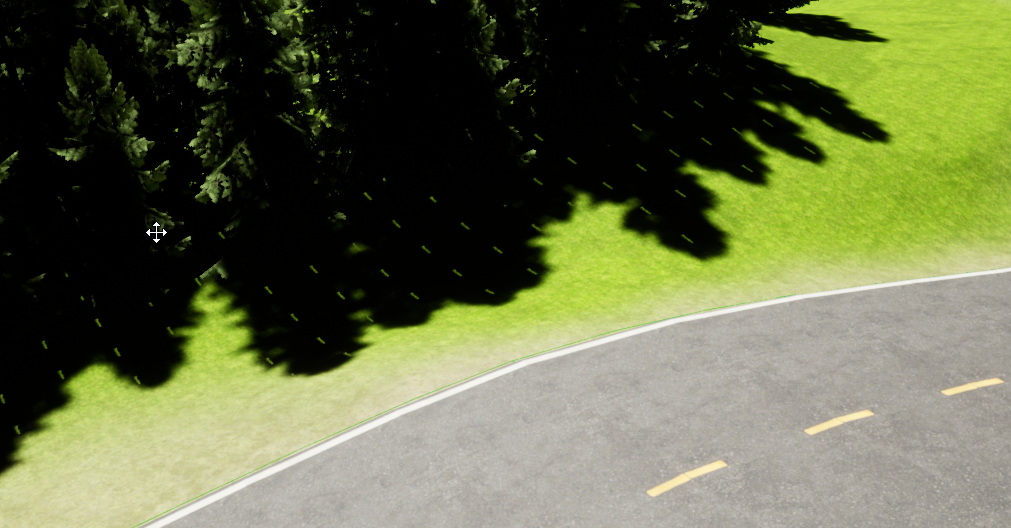
can someone give me some tips on lighting?
https://i.imgur.com/6LDzlv1.png
it always looks overexposed and the shadows too harsh
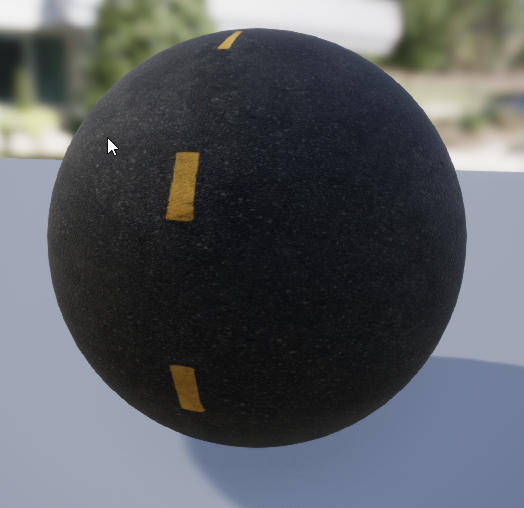
https://i.imgur.com/jVyAKU3.png
this is supposed to be the road material
 serene birch
it probably doesn't help that you have that line repeating in the shadows that I bet is the thing UE adds when you didn't bake shadows yet
clever axle
well it's dynamic lighting so nothing to bake there
serene birch
do you have a skylight at all btw?
clever axle
yes
serene birch
well I guess your sun is too bright, did you try adding some clouds to make the scene lighting less direct? 😛
 toxic owl
anyone knows a good tutorial on a Zelda botw like climbing with blueprints?
serene birch
or cheating with skylight power or shadows opacity
 vivid stratus
Has anyone found a workaround to make the new water system work in 4K+ landscapes? 
serene birch
let me be clear, I don't think your sceen looks that far fetched for an environment that is a clear sky with a strong sunlight
so if you don't like that look, you might need to change the lighting environment itself to a more cloudy day for example
 restive yarrow
Has anyone set up multiplayer lobby where you can spawn with a selected character
 dim arch
@pseudo pulsar did you set max frame rate via t.maxfps xxx
toxic owl
anyone knows a good tutorial on a Zelda botw like climbing with blueprints?
dim arch

Episode one on the in-depth tutorial of recreating The Legend of Zelda: Breath of the Wild in Unreal Engine 4.
Patreon: https://www.patreon.com/cobbdev
DOWNLOAD THE RESOURCES: https://cobbdev.com/courses/breath-of-the-wild/botw-resources/
All footage of The Legend of Zelda: Breath of the Wild is owned by Nintendo.
Like and Subscribe for week...
toxic owl
does it have the climbing @dim arch ?
dim arch
not sure, you can check it but recall that one
you can add some climbing system which is on the marketplace if needed
toxic owl
its paid 😐
 regal hollow
anyoen having a shadow issue with skylight?
if I set it to movable it looks like shit
clever axle
@regal hollow not sure if this is your actual problem but I saw this earlier: https://docs.unrealengine.com/en-US/BuildingWorlds/LightingAndShadows/LightMobility/DynamicLights/index.html
A fully dynamic light capable of changing all of its properties during runtime.
so maybe shadow bias?
regal hollow
@clever axle it seems that Even if I turn off all lights it's happening with the HDRI on skylight when i t's set to moveable 😄
:S*
clever axle
@regal hollow then I'm sorry, can't help you
 steady fractal
Hey everyone, can anyone recommend me a tute how to send AI to specific locations?
I.e. player points at spot on ground with a line trace and executes "go to" action of some sort and the specified AI moves to that location?
So I can get a reference to an AI character, but how do you change one of it's BB keys from another pawn?
regal hollow
@clever axle It was distance field shadows
 thin mantle
Does anyone have experience with mobile 3d games or know how many poligons I can push using 4-5 drawcalls maximum?
clever axle
Why can my boys go into the water when there's not Navigation there? https://i.imgur.com/AcJ2yyS.jpeg
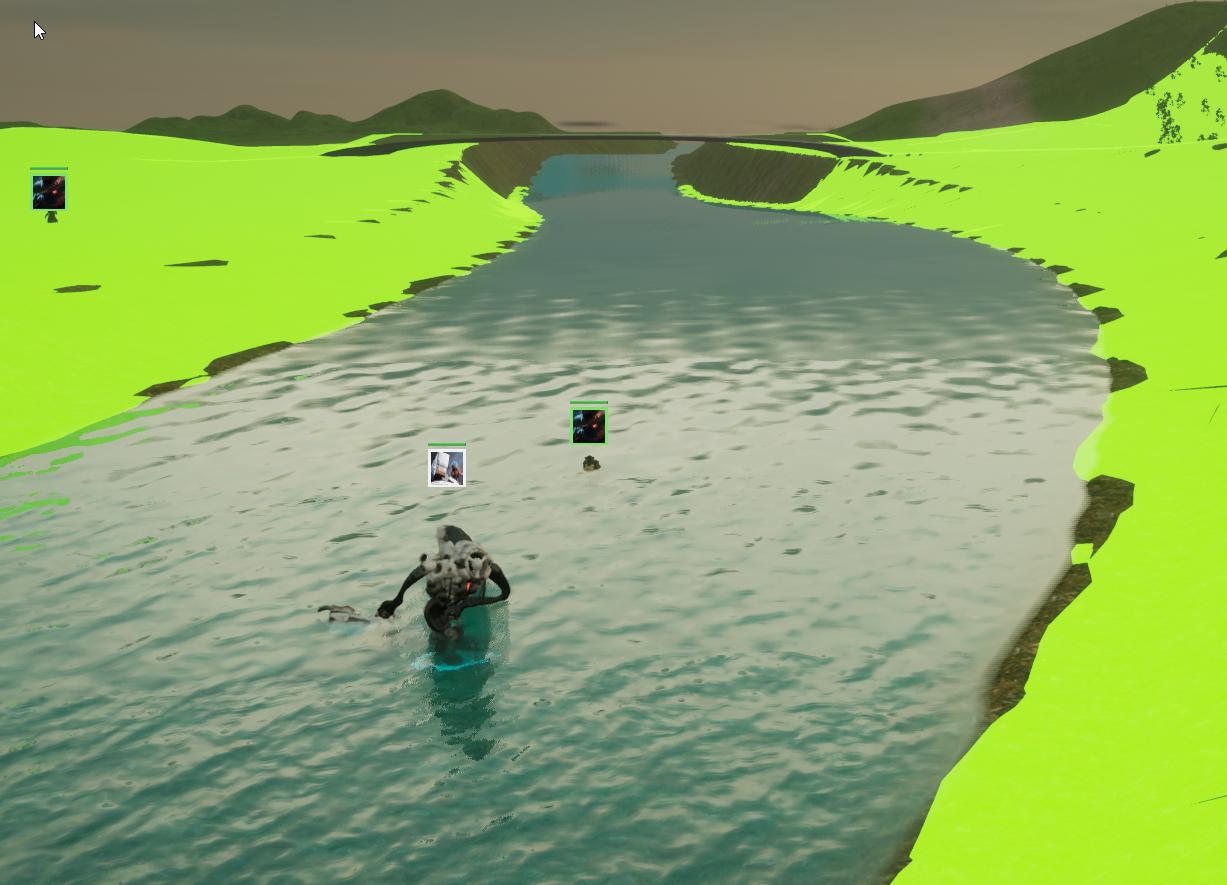
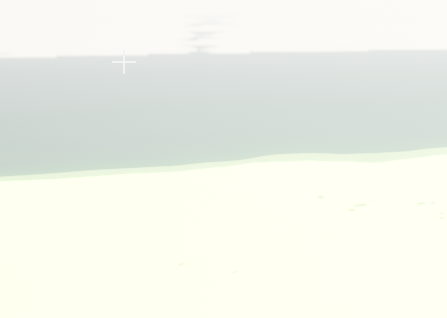
and more importantly: why does my scene look like this in the editor https://i.imgur.com/JhUiRQm.png and like this in game? https://i.imgur.com/hO3ZZEH.png
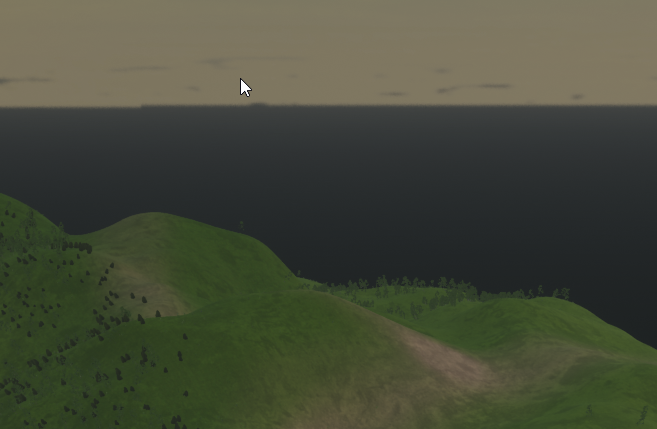
 stable relic
Any idea of why show shadercomplexity can stop working?
 dark briar
whenever i try to create a blendspace, my UE4 crashes
 lucid grove
Does quantity of components on landscape affect perfomance?
dark briar
anyone know why this is happening?
 errant arrow
How do i enable vxgi? In the project settings i can only see ssgi
wary wave
Unreal doesn't have VXGI
some third party branches might have implementations, but it is not a feature of the engine
 karmic ermine
how can i remove this off of my screen,?
 limpid flicker
Hello, I having a issues with No game present to join for season (GameSession), I checked everywhere in google and unreal wiki but i made through Wiki Dedicated server set up.
I might forgot compile in unreal engine. i'll see if that fix it.
 crimson panther
I made a child blueprint, and now I want to just make that the parent and ignore the other blueprint. Is there a way to do that? I need to edit some inherent stuff and can't
 fresh sleet
Can someone tell me how to move landscape tiles from the world composition? Movement is greyed out or it snaps back when i move it in landscape mode
plush yew
Hello guys, I have a road with spline points... do you know how I could make it adapt to the landscape?
Without doing it manually
hi guys
in unreal engine
when i click fire button (left mouse button)
it shoots one time
but i want to do
while i'm pressing
shoot every time
clever axle
Anyone worked with these modular buildings before? I can't figure out how the roof is supposed to work
sonic quest
karmic ermine
how can i remove this off of my screen,?
For temporarly, you can press G on the keyboard.
karmic ermine
ah perfect, thank you

 storm vapor
Hey i wondering, how can i make a game like this in Unreal Engine ? https://turnfollow.itch.io/littleparty . In this game, models something like papper. And this pappers changing rotation, when camera rotation changed. I don't know, what is this style's name.

But I would like to learn.
clever axle
https://youtu.be/NndsCthHDDY?t=53
this is so damn cool. Did they release the Materials and such for this?

The Sky Atmosphere system has been significantly improved in Unreal Engine 4.26, including fully configurable Volumetric Clouds, Sky Atmosphere shadowing improvements, real-time dynamic GPU-based Sky Lighting that automatically reacts to time-of-day changes, and a new Environment Light Mixer panel to make adjusting all things related to the atmo...
 tough pagoda
clever axle
https://youtu.be/NndsCthHDDY?t=53
this is so damn cool. Did they release the Ma...
tough pagoda
clever axle
https://youtu.be/NndsCthHDDY?t=53
this is so damn cool. Did they release the Ma...
FPS:
- Hello! Have a nice day.
It's about clouds. As I know this is for CGI. Maybe I made a mistake. Please, correct me if I said bullshit.
 thick herald
Clouds, atmosphere etc are great tools. Simple to set up and to use.
tough pagoda
thick herald
Clouds, atmosphere etc are great tools. Simple to set up and to use.
How with fps?
thick herald
Fine as long as you don't go crazy, as with all things 🙂
tough pagoda
thick herald
Fine as long as you don't go crazy, as with all things 🙂
This storm clouds look very hard for fps.
clever axle
@thick herald yes.. I've been tinkering with it today and it's really cool but I can't get it anywhere near as awesome as in that presentation so I would like to get those cloud materials, the lightning stuff and so on
tough pagoda
clever axle
<@!347136582224183298> yes.. I've been tinkering with it today and it's really c...
Google. Or tutors.
Why not.
Great experience.
thick herald
Ultra Dynamic Sky in the marketplace, is awesome btw
tough pagoda
thick herald
Ultra Dynamic Sky in the marketplace, is awesome btw
Free?
thick herald
no
tough pagoda
;'(
clever axle
tough pagoda
Google. Or tutors.
bruh.
@thick herald looks good but not much better than what I already got
tough pagoda
But free stuff as regular has not so good quality.
If you want to get very, ultra epic mega material quality I think for you need to learn something in this way.
clever axle
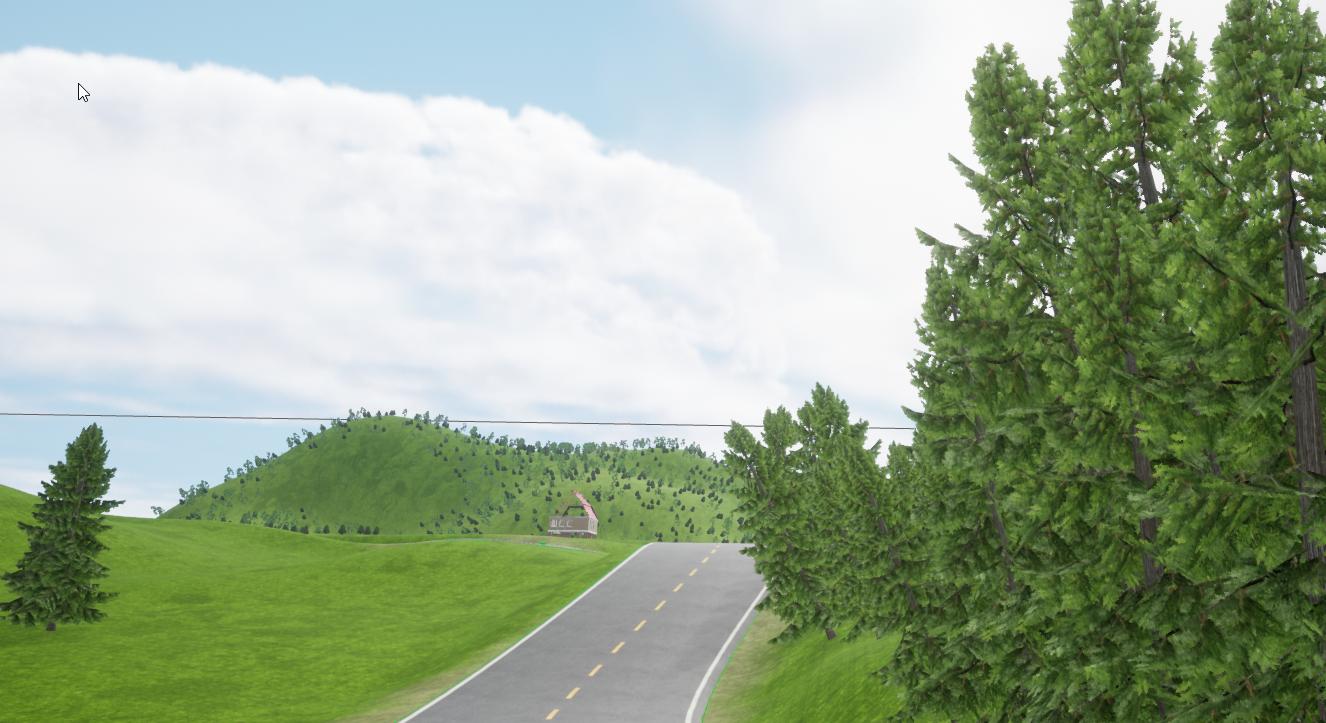
https://i.imgur.com/Hou6ZLK.jpg
Just feels overexposed and undercontrasted.. Can't get that to work somehow
 tough pagoda
clever axle
https://i.imgur.com/Hou6ZLK.jpg
Just feels overexposed and undercontrasted.. Can...
tough pagoda
clever axle
https://i.imgur.com/Hou6ZLK.jpg
Just feels overexposed and undercontrasted.. Can...
Try to change lux and also exit post-processing.
And also:
clever axle
I'm already at only 3 lux. any less and it'll just be dark
 clever axle
tough pagoda
clever axle
clever axle
tough pagoda
clever axle
Try to use fog.
clever axle
I had that too but I don't want it foggy lulz
I want a relatively clear and slightly overcast day with god rays and volumetric clouds
tough pagoda
Well, I'm not pro as you understood already. Sorry, mate.
clever axle
all good, thanks for the suggestions
thick herald
exponential height fog is better to use imo.
tough pagoda
tough pagoda
I fixed it.
I just made the same buttons.
Deleted firls editable text.
And copied and pasted the second.
Bug I think. I'm using 4.26.0 version.
 lusty carbon
Why does it take ages to delete stuff in unreal?
lusty carbon
Honestly nothing references nothing here. Im just deleting junk that's not in the level. takes ages, might aswell just keep it there next time
tough pagoda
It's renaming also automaticly everywhere where it has ref.
lusty carbon
right, thanks
 buoyant graniteBOT
:triangular_flag_on_post: sarahconnor#5376 received strike 1. As a result, they were muted for 10 minutes.
tough pagoda
???
 fierce tulip
sorry, missed some context there as why you where re-posting the same question
kinda not allowed though, keep that in mind
if everybody does that during a busy moment it could become a perpetual machine, hence the rule.
serene birch
but someone answered
 steep ferry
@round tangle What's your problem
like
what you need help with
Explain on DM, ill try to help.
wary wave
someone answered, and you ignored them, and spammed that - which is what annoys people
they literally replied right to you:
steep ferry
Reinstall it then
wary wave
it's pretty impossible to debug "it doesn't open" though
I would suggest checking the install directories to see if any logs are there
serene birch
I know UE4 takes a lot of time to open
the process stays invisible for a long time
so you should check if the process is running or not first
 distant jewel
I've run out of room on one of my hard drives and it's causing crashes. Can I just copy + paste to new drive? I have a feeling I can't but it's worth asking.
fierce tulip
projects yes, engine installs no
distant jewel
So cut all projects and reinstall UE mapping to new drive?
 exotic thicket
as frustrating as it probaby is, getting salty in chat isn't useful in getting help
plush yew
hey guys how can i fix this light blocky effect ?
clever axle
Is there a keyboard/mouse shortcut to add a new spline?
sometimes ctrl + click works, on some spline types it doesnt
knotty heron
Can i somehow set up the gravity so that i dont move at all and just float in one spot?
serene birch
you probably mean to use some kind of flying movement component at that point

Unreal Engine
Welcome to the Unreal Engine Issue and Bug Tracker. You can check the status of an issue and search for existing bugs. See latest bug fixes too.
I have that issue on 4.26 :/
 fallen flower
Can someone explain to me why box reflection captures look weird in Forward Shading? I posted a video in #aec-visualization .
Any help. It's really confusing me.
 tough stream
knotty heron
Can i somehow set up the gravity so that i dont move at all and just float in on...
tough stream
knotty heron
Can i somehow set up the gravity so that i dont move at all and just float in on...
you could do something like setting the character's gravity to 0 and do this https://prnt.sc/xo58th

 upper heart
Anyone have an editor utility for replacing anim notifies in animations? Converted mine to c++ and want to replace them all.
oh there is a node for it. I'll write one myself.
Replace Anim Notify States
 vernal spoke
Is it possible to copy my PostProcessVolume to another project?
wanton lotus
vernal spoke
Is it possible to copy my PostProcessVolume to another project?
Open both projects, copy it from one level, paste in the other.
vernal spoke
thanks
fierce tulip
(if the other project is the same or older version than the one you'll be pasting it in)
wanton lotus
fierce tulip
(if the other project is the same or older version than the one you'll be pastin...
@vernal spoke messing around with just the Post-Process Volume copying between 4.22 and 4.26. It actually worked both ways for this, but that is definitely uncommon.
 past eagle
Hey guys, I've got a quick(?) Question... How might I go about making a character creation/customizer? Any good tutorials you'd recommend? I'd love to make something like this at some point
wanton lotus
past eagle
Hey guys, I've got a quick(?) Question... How might I go about making a charact...
You will want to research morph targets and bone transforms. Dynamic material instances as well. I'd start by getting comfortable with those concepts first, then try finding a tutorial specifically for character customization as it will utilize all those.
 midnight wren
Why are my 8k textures from megascans so low quality
fierce tulip
could be many things
wanton lotus
midnight wren
Why are my 8k textures from megascans so low quality
Texture LOD?
midnight wren
whats that
wanton lotus
It is in texture details, open up your texture and search details.
fierce tulip
looks more like the material not set up well enough
 tranquil isle
where can I find the unreal showcase levels? The ones for math/ animation/ lanscape etc ... they are maps where EPIC shows how everything works in engine with examples you can play in
midnight wren
fierce tulip
looks more like the material not set up well enough
I just put
i just exported a download texture from quixel bridge
downloaded*
thats all i did
tranquil isle
I'm such a dumb dumb @plush yew thank you!
serene birch
by default UE4 downscales all textures to 4k max
 raw forum
how create delay in function?
serene birch
you need to make sure the texture is really in 8k resolution in the import settings for each texture
midnight wren
how do i do that
tough stream
@raw forum you can't create a delay in a function because a function is an expression and expressions can't be halted or something like that :^)
raw forum
tough stream
<@!714577982420680715> you can't create a delay in a function because a function...
what options
,
?
tough stream
you could instead use a custom event, or split up the function into multiple, call the first function, delay, call the next function etc.
wanton lotus
raw forum
how create delay in function?
Timer By Function can do this. Split your function into 2 parts, beginning and end, where the middle would be your delay. Have the beginning end with creating the timer, and then it runs the end function.
raw forum
wanton lotus
Timer By Function can do this. Split your function into 2 parts, beginning and e...
thank i try
lucid grove
heya, im using this simple node to bend my tree a little (wind effect)
tired escarp
Is there any way to customize the volumetric clouds
Like I am unhappy with how they look out the box
lucid grove
But the problem is that tree itself becomes really blurry
serene birch
midnight wren
how do i do that
in each texture import settings at the top you can see the final resolution used after compression and the like, and nearby there should be something like "max resolution" that is set to 4096 by default
serene birch
so basically make sure first the texture is really 8k in the engine 🙂
though 8k is pretty insane by itself
lucid grove
Thats how they look in static
wanton lotus
raw forum
thank i try
Now that I just thought about it more, if you split your function into 2 parts, you can actually just use the delay node between the function calls then, haha. Although if it is more complex, as in the delay is only triggered under certain conditions within the function, then Timer is still a good way to do it, or set boolean inside function and run delay outside function if boolean true.
lucid grove
and thats how when i bend them with material
Maybe thats a normal behaviour, just need to know
midnight wren
um what is the difference between albedo and non albedo textures
and how do I change texture resolution
lucid grove
Aha, probably found - its somehow connected with AA
yeah, probably it is
Since its can be solved with a few clicks, gonna pass it for later ha
raw forum
wanton lotus
Now that I just thought about it more, if you split your function into 2 parts, ...
does not work. it can't be pin related?
 grim ore
@midnight wren https://www.cgdirector.com/albedo-map/ and you can double click a texture to open it and set it’s max size. You can make it larger than it’s normal size.
wanton lotus
raw forum
does not work. it can't be pin related?
What do you mean pin related? You simply cannot run a delay inside a function, so you split it in 2 and run it in the graph instead.
midnight wren
grim ore
<@492870367313002515> <https://www.cgdirector.com/albedo-map/> and you can doubl...
thx
oh i found out why the textures is drastically enlarged in the game thats why its so blurry
how do I make it smalled
smaller
plush yew
hi guys
hi guys
when i shoot
a animation will play but
it plays forever while i'm firing
how can i make
one click one animation
wanton lotus
Set the animation to not loop
wanton lotus
Can you show how you play the animation? Is it animBP based or do you directly play in an event graph?
Maybe it is a montage. It all makes a difference, hehe.
plush yew
wanton lotus
Can you show how you play the animation? Is it animBP based or do you directly p...
anim bp
can it's made with animgraph ?
-make
my english isn't good
wanton lotus
So it is a state in the state machine? Then you can click the play animation node and it has details you can edit. One of them being Looping.
tough stream
raw forum
does not work. it can't be pin related?
https://gyazo.com/a7b88cc8eb6c02b02743136a38cf8b1b in the event graph like slash said
 plush yew
wanton lotus
So it is a state in the state machine? Then you can click the play animation nod...
plush yew
wanton lotus
So it is a state in the state machine? Then you can click the play animation nod...
oh okay
wanton lotus
tough stream
https://gyazo.com/a7b88cc8eb6c02b02743136a38cf8b1b in the event graph like slash...
Solved in DM hopefully, hehe, but that is exactly it.
tough stream
ah great 😄
wanton lotus
In your animBP, hehe
wanton lotus
Ah you found it already, but a screenshot for others to reference.
raw forum
tough stream
https://gyazo.com/a7b88cc8eb6c02b02743136a38cf8b1b in the event graph like slash...
its not work in function
midnight wren
ho do I make a texture smaller when I drag it on to an object in teh game
]the*
the*
tough stream
in function you can't use a delay 😉
plush yew
Hello guys... noob question: if I change some small details in a skeletal mesh in blender and then import it in ue4 with the same skeleton will the animations still work?
I already have all the animations and the skeletal mesh in blender r
grim ore
@midnight wren materials go on items. Textures are part of the material. The uv layout on the item determines how the texture looks including size. Look into using texture coordinate node into the uv input on the texture in the material.
tough stream
plush yew
Hello guys... noob question: if I change some small details in a skeletal mesh i...
they should work fine unless you're changing the bone structure
 calm pollen
Hey i am making an endless runner game, and i am trying to add animations, one for a jump when the player swipes up, a left hop when the player swipes left, and vice versa. Does anyone know how to do it? Just @ me or Dm me if you can help it would be greatly appreciated. Thanks!
tough stream
 honest lily
why doesnt character appear
honest lily
why doesnt character appear
is it hidden in game?
honest lily
yes yes that was the problem lol
ty tho
i have another question
well
i have only that guy in my screen but when i press play it shows me this

for some reason it automatically reposition me in other place with my character
i dont know why
tough stream
you probably have a player start in your map
 frank oar
Can I remove the 'LIGHTING NEEDS TO BE BUILT'
when I press play, so I cant take some screen shots without it ?
tough stream
huh, i'm not sure maybe you're setting the player location at beginplay or spawning another instance of him at that location and possessing that player
lucid grove
Where is my mistake? With this node - all is working. Tree is bending from the middle of it.
But when i connect this part (to make it bend in timer) tree bending from its bottom
 half bay
i'd ask what the hell went wrong but i think too many things 😐
tough stream
frank oar
Can I remove the 'LIGHTING NEEDS TO BE BUILT'
when I press play, so I cant take ...
you could build lighting >.<
frank oar
lol @tough stream theres just one thing in my scene that turns to crap when I build my lighting, so I mive it and it looks much better. (for a screen grab anyway XD)
zinc shore
can Ue spawn child windows i saw in godot 4 you can spawn child windows that display UI in your game kinda like Microsoft flight simulator
lucid grove
nwm, found it
tranquil isle
half bay
i'd ask what the hell went wrong but i think too many things 😐
hey there, sexy
plush yew
frank oar
lol <@!131341150136172544> theres just one thing in my scene that turns to crap...
a lot of people have that same problem its not a bug or anything else, when its unbuilt thats real time rendering i think and when you do build it, it fixes it as in the objects shadows arnt real time or something but to fix your shadow problem double click the object and change the lighting resolution
frank oar
thank you @plush yew but I ohnestly just wanted to take a screen shot of a clear screen. I did find a work around in the end
grim ore
@frank oar there should be a message under that message that tells you how, I beleive in the console "DisableAllScreenMessages"
plush yew
oh yeah theres that to
frank oar
Thank you guys!
 tidal sail
hey, i made this so when i press E while inside the collision BOX, the game add 1 point to "colecionaveis" variable and then destroy the Collision Box
but if i put more than one boxes, the others doesn't are being destroyed after pressing E, can someone help?
idk if that's the right channel to ask help srry
grim ore
is this in the level blueprint?
tidal sail
grim ore
is this in the level blueprint?
yes
grim ore
how does it know about the other boxes? you are telling it to destroy the 1 box you are referring to.
tidal sail
i should make this in the box blueprint?
grim ore
you still have to keep track of all of them somehow, or find all of them.
you want all of them to work the same? any box you can press E inside of and ALL of them get destroyed?
tidal sail
no, i wanna make a collect system, so every box i press E the player earn one point
and then the box he pressed E gets destroyed
grim ore
and destroys that one box not all of them right?
tidal sail
yes
grim ore
then yes you should be making blueprints with this logic, none of it should be in the level blueprint
 autumn flame
Begin Overlap for that on the Character or Trigger Box ^
Returns the reference of the overlap, then you can cast and access variables
autumn flame
grim ore
if you have one player, its usually stored in the Player Character variable that the engine keeps for you. "Get Player Characte" can get it
 ebon kelp
For some reason when I import my model to unreal it removes faces, I looked on internet and found the fix to reset the normals but that didn't work for me. Any one help please?
tidal sail
grim ore
if you have one player, its usually stored in the Player Character variable that...
this?
plush yew
Hello guys.... I attached a variable to a progress bar, the problem is that the progress bar only updates when the bar is 100% / 0%
Do you know why?
grim ore
you asked how to get the player BP, you would use the get player character to get it. If you want to know if the player is inside the box that is different. Like mentioned before you can use the on begin and on end overlap nodes to know when they are inside of a box.
autumn flame
Progress bar goes from 0 to 1, be sure to have normalized the value for that
plush yew
autumn flame
Progress bar goes from 0 to 1, be sure to have normalized the value for that
So a variable should be between 0 and 1 and not 0 and 100?
autumn flame
Ye
grim ore
not A variable, but the value of the percent property of a progress bar is a float from 0 to 1
plush yew
Ok I’ll try that thx
grim ore
also tooltip
autumn flame
But you do that in the Widget BP
plush yew
Oh ok thx for help
tidal sail
grim ore
you asked how to get the player BP, you would use the get player character to ge...
like, i have this on the level map bp
grim ore
@tidal sail you might need to re think how you have this set up. All of your input, the player keys, should go thru the player or the controller and not on any items. If you are trying to see if any of these collectibles are near you, you can do a check around the player and collect those items
the level blueprint should be set on fire and you should never use it
tidal sail
i am using the level bp bc i dont know to refer to others blueprint
lucid grove
Every time i restart editor my spline meshes become invisible and not showing. Only Update Spline Mesh Level restores them.
is there a fix for that?
grim ore
you cant get info INTO a level blueprint which is why it's a bad idea. you need to start with the basics and learn how to use blueprints and communication
grim ore
this code in the player will look for all actors of type BP_Collectible and then print out "I Found a Collectible" for each one
this is super basic but its how you can find items around the player and do stuff with them
ebon kelp
Thank I will try now
How is that option called exactly?
Already done no results
Nope didn't work :/
ebon kelp
Nope supose to look like this
Sorry that was a little confusing :p
Tried to give it another material but same thing happen
Haha yeah thats true
Still ripped
thick herald
So all the normals are facing the right way and it's been unwrapped properly?
ebon kelp
thick herald
So all the normals are facing the right way and it's been unwrapped properly?
Yup and Yup
I already tried and that didnt fixed it.
thick herald
Something isn't right, and it sure looks like flipped normals. Try ponkkis's idea
ebon kelp
unlocking normal in maya is were you are talking about right?
Yes but it rechecked that option instantly
thick herald
unlocking? No that doesn't sound right.
half bay
i cant seem to find an answer to this: i can make a var in a widget of a type of another widget BP, but then i cannot assign that WBP to the variable
ebon kelp
thick herald
reversing faces is the thing you want in Maya
Already tried importing them with reversed faces but the same thing happend
How to revert normals in maya?
thick herald
Dunno.. ask google 😄
lucid grove
ehhhh
ebon kelp
Trying with reverst normals and faces now
lucid grove
im not sure, but looks like my point light radius not working anymore?
everything thats more then 1500 doesn't have any effect
ebon kelp
thick herald
Dunno.. ask google 😄
Omg thanks!!! reversing the normals was the trick!
Thank you too!
tough pagoda

A documentary/short fictional story about the Unreal Engine Mannequins.
★ Ways to Support The Channel ★
Patreon: https://www.patreon.com/JonBeardsell?fan_landing=true
Donate: https://www.paypal.com/donate?hosted_button_id=58TJRR8LZVZ6E
★ Come join the Team Beard Discord: https://discord.gg/9mvGb7e ★
Music: "Warframe - We All Lift Together"
ebon kelp
👍
thick herald
lucid grove
im not sure, but looks like my point light radius not working anymore?
Your radius are all zero there, though
lucid grove
thick herald
Your radius are all zero there, though
That was just for testing. Anything more then 1500 not have effect. Lights fading away at this distance
half bay
i can read this warning message but i cant really understand it 🤔 any clues?
grim ore
WBP Sliders is a User Widget. You are trying to tell it it's a camera rotator.
half bay
grim ore
WBP Sliders is a User Widget. You are trying to tell it it's a camera rotator.
:S i was trying to send the WBP Sliders variable to BP Camera Rotator
lucid grove
Jesus Unreal, stop playing with me. One bug fixed, new appear
grim ore
@half bay well you might be trying to do that, but thats not what you are doing which is the warning message
half bay
grim ore
<@!212834364684238858> well you might be trying to do that, but thats not what y...
any idea on how to achieve it? i'm mostly finding examples where a collision is taking place and some noodles are pulled and it just works for them 😒
OH SNAP you're Mathew Wadstein !
grim ore
well you need to get a reference to your BP_CameraRotator that exists in your world, then you can set the variable inside of it. Does this item have a reference to the BP_CameraRotator?
half bay
i love your tutorials!
half bay
grim ore
well you need to get a reference to your BP_CameraRotator that exists in your wo...
alright ill try this, thanks!
it worked, thank you so much @grim ore !
did you stop making tutorials btw? : / last one was 11 months ago
 median hound
so in ue4, can you simulate physics on like one bone?
grim ore
yes and no, yes for YT right now as I am doing them for Epic now directly for the online learning portal
half bay
oh awesome!
grim ore
I would do more for YT but it's a bit hard finding new stuff to cover
lucid grove
This light problem seems to have some connection with this zone
behind it all lights fading
What could it be?
I mean this "line" moves with character or camera
yeah, beheind this line light fade out
What is it? I checked all distance filters
cant find anything related
weary basalt
Does anyone know if any of the free content/learning projects have breakable armor?
lucid grove
It was forward rendering after all
lucid grove
weary basalt
Does anyone know if any of the free content/learning projects have breakable arm...
By breakable armour you mean mesh deformation?
honest lily
weary basalt
Well im not sure. Im trying to work out what the best method would be for handling destroying individual segments of armor after they take damage.
So like, if you get hit in the Head, your Helmet gets destroyed.
raw forum
tough stream
https://gyazo.com/a7b88cc8eb6c02b02743136a38cf8b1b in the event graph like slash...
Thanks for your help. All works
lucid grove
weary basalt
So like, if you get hit in the Head, your Helmet gets destroyed.
Thats sounds like a task with different solutions.
-
Have several different meshes. When damaged = change mesh to broken. Easy.
-
Have skeletal mesh of helmet with morph target. This way you can apply deformation ans stuff. Hard.
-
Apply decals on helmet on damage (blood, scratches and etc). Super easy.
weary basalt
- Is the naive approach and one that id prefer to avoid.
- sounds more like what im looking for.
Can you deform it so that its just invisible?
Im not an artist btw
lucid grove
I guess its better to change material opacity parts.
weary basalt
Yeah fair point
lucid grove
Morph is more about applying deformation
weary basalt
Didnt consider using a material approach, im guessing you would simply have a material slot for each Armor piece
grim ore
@honest lily do you have your player that is on the ground in the editor set to be your default possessed player? does your game mode have a default pawn?
lucid grove
Im not material master, i would just added several opacity masks for different situations on damage points. Like "front damaged, back damaged, horns damaged" and combined them if needed
so it hide damaged parts
weary basalt
fierce tulip
vertex colors for masking out in one material
So if i said my Character Mesh had a full suit of Armor, you can mask out just the Helmet if you take damage on the head for example?
lucid grove
Vertex colours probably even better
fierce tulip
you could yea, though masked out > masked texture
vert collapse wouldnt need mask material.
weary basalt
Which is cheaper do you think? Vert collapse?
fierce tulip
prolly yea
needs a bit of setup and fiddling, but when a part is removed there is no overdraw from masked/transparency
weary basalt
Ive already got a vert collapse material i found so thats easy to adapt.
Is there any way to identify the location of segments of armor if they are combined in a single Mesh?
fierce tulip
vert color or a mask me thinks
weary basalt
I mean, can i get a Vector value of their "location"
Not visually identify the location
Probs only way would be a skeletal mesh with a bone? Im guessing?
honest lily
grim ore
<@!280685104127541249> do you have your player that is on the ground in the edit...
wait
how can i set it to default cuz im a bit new
grim ore
@honest lily your pawn/character in the world, if you go into the details panel, will have an option for auto possess
fierce tulip
https://www.youtube.com/watch?v=uQu82AmuuEk
I remember how blown away I was when the UE3 preview was showcased.

Evolution of unreal engine game graphics from 1996 to 2020 which includes Unreal Engine 1 (1996), Unreal Engine 2 (2002), Unreal Engine 3 (2007), Unreal Engine 4 (2014) and Unreal Engine 5 in 2020.
If you really like the video then please consider subscribing for more of such videos.
Intro and Outro music-- "Sappheiros - Affection" is under a ...
no clue why they used a lara-image O_O
half bay
when were they bought by tencent though?
grim ore
never?
half bay

Unreal Engine
Tencent Makes Strategic Investment in Epic Games
grim ore
thats not bought
half bay
eh 40%
tidal sail
grim ore
never?
hey i used that example and worked
honest lily
grim ore
<@!280685104127541249> your pawn/character in the world, if you go into the deta...
check this out
tidal sail
tidal sail
hey i used that example and worked
but the boxes are being destroyed in the order that i placed then in editor
grim ore
the code I put doesnt care the order it just grabs whatever is around the player and does whatever you want with it
half bay
apart from putting an overlay on the UMG expandable area to add images as a background, and removing the collapsable button, i found no way of customizing it further, to remove the gray background for example
am i missing something? google turned out 0 useful results 😐
tidal sail
grim ore
the code I put doesnt care the order it just grabs whatever is around the player...
the code worked fine in player's blueprint, that happens only if i use the box blueprint
i don't understand very well what blueprint i should use
grim ore
thats part of the learning
@half bay the Border Brush inside of the Style for the Expandable Area seems to let you color the background from what I can tell
half bay
grim ore
<@!212834364684238858> the Border Brush inside of the Style for the Expandable A...
omg ty! i wouldnt have thought about that since the image was set to None....
 polar fossil
hi, is there anyway to check if ue4 is rendering at 100% resolution on android? it seems kinda blurry
grim ore
the device profile you have set up for the phone before launching, the viewport resolution in game, and I beleive it also says the resolution or scaling % in the adb debug log
 magic fern
I have built the engine from source and it's taking 100 gb, anyone knows why?
grim ore
because you built the engine from source
polar fossil
@grim ore thanks
plush yew
Guys whenever I'm about to test my "open tv" Blueprint, Unreal Engine crashes. Can someone help me??
following some old tutorial on saving and loading actors and running into this issue, there's no player for the game (unless you count the coin spawner as a player since it's a pawn but that pawn is just affixed to the wall or w/e), just the actors that are spawned into the world that i'd like to load if saved at a certain point
nvm, it seemed to work when i dragged the pin off of add and adding the for loop that way instead of dragging the pin off and into the for loop, weird
 barren flume
Having trouble generating project files. I just get this error and not sure what I did wrong or what to do
I was able to get it working fine before but unfortunately when I factory reset my pc I did not backup the engine
plush yew
can a static mesh piece of clothing be socketed into the actor's body as clothing
plush yew
plush yew
can a static mesh piece of clothing be socketed into the actor's body as clothin...
might be
o.o
barren flume
Actually installed windows sdk along with it and now getting this error
plush yew
really?
timid spade
how would i make a socket on a weapon go to exactly the center of the camera in a smooth transition

A blueprint system for detecting and auto aligning gun sights when aiming. No need for aiming animations and works with any sights. For 1st person, 3rd person or true 1st person. Asset available in the UE4 Marketplace with playable free demo.
https://www.unrealengine.com/marketplace/en-US/slug/f38de71c8ae445129aeca0db794514af
FREE PLAYABLE DEM...
how would i do this exactly without paying 20$
i dont care about multiple sights for now
 grim beacon
I'm trying to get the intersection between two meshes and turn it into a mesh with collision
In runtime
Anyone know how I can do that?
light thunder
Why does this happening during begin play when it is fine in the editor (cable component) - NOTHING is set to move so there shouldn't be any change
HERE is the problem - WHY TF is the cable's attachment point moving to world origin when I hit begin play? (that box is an mesh and I just set it to 0,0,0)
plush yew
is this basically saying that my array was empty and threw an error at me because it couldn't get anything of value inside the array?
 candid grove
Can someone help me understand why I cannot get these widgets created on begin play in the player controller and set them to visible in the pawn bp?


also when I try to access the player hud widget variable from cast to player controller its always set to none
I have been stuck ont his for 4 hours
pseudo gyro
Hi there, I am not able to see linux in my launcher? Can anyone help?
 tardy shard
Quick question: Does anyone know why all my textures look like this:
I replaced the traditional sky sphere setup with the new sky atmosphere system -- then things got weird
 tranquil falcon
any suggestions on how to group this geometry on import to unreal so that i don't end up with tons of actors/meshes?
 next nebula
I've imported a simple tree from blender with a sway animation, I checked the import animations option, but when I drag my tree in, theres no swaying. Any idea what my issue is?
median hound
is their swaying in the animation sequence?
median hound
so when you drag the animation sequence into the world theres no animation
median hound
why would it animate thats the mesh, u fucked up exporting or importing
sonic quest
light thunder
Why does this happening during begin play when it is fine in the editor (cable c...
Seems like you have enabled physics on that cable. So, it will goes down (towards the gravity)
Either turn off physics or adjust physics setting accordingly.
next nebula
so I imported with bake animations and apply modifiers
and this is what came in
however
when I drag in the tree, no shaky shake
 royal stirrup
Good morning, guys! Does anyone found a solution from that bug, then skeletal mesh from Blender after importing in Unreal have 100 scale in root?
it cause a problems if I try to bind something to socket. Binded mesh inherits the scale. In most of the cases it can be solved with scale set to "Absolute", but it doesn't help with Physical Constraint by a some reason. I need to bind it to socket and absolute scale doesn't do anything in this case by a some reason.
clever axle
anyone having success with changing the water color in 4.26?
 raw olive
If I migrate a level that wasnt designed to be on mobile to a new project thats been setup to be for mobile how do I make the readjustments so that it works on mobile?
Do I redo the map from scratch or is there an easier way to navigate?
 worldly lynx
how can do this in C++?
ForwardSpeed = PlayerCharacter->GetVelocity().Size(); i wrote this but how can calc it in GetActorRightVector() like BP?
 regal mulch
What part of this do you need?
Guess you want the amount of Velocity in right direction
 analog blaze
Yoo Sims 5 will be done in UE
regal mulch
FVector::DotProduct or so. There is also an overridden operator
analog blaze
Fuk yee
regal mulch
| is the DotProduct operator
const FVector velocity = Actor->GetVelocity();
const FVector rightVector = Actor->GetActorRightVector();
// const float dotResult = velocity | rightVector;
const float dotResult = FVector::DotProduct(velocity, rightVector);
@worldly lynx
worldly lynx
thank you
 gloomy ginkgo
what does the "unknown structure" error mean?
weary basalt
The compiler probably couldnt resolve the type, you probably forgot an #include
gloomy ginkgo
i am using bps
weary basalt
Screenshot?
 stray tangle
Hello, I was wondering if I used a variable inside a blueprint and then changed the variable name will it change in blueprints too?(I mean function blueprints)
stray tangle
gloomy ginkgo
yes
Thx
gloomy ginkgo
👍
 meager stag
is it possible to smooth normals on a mesh in-engine, without re-exporting it from 3D software? With something in material's normal node
 austere scroll
Please Help i have tried 3 different tutorials on retargeting animations to a custom mesh with a custom skeleton . after every one of them the animations apply to the new mesh but deformed in some way , keep in mind the custom skeleton and mesh was also from another tutorial , so i doubt it having the mistake.
im using ue 4.26
gloomy ginkgo
Farsi studios?
austere scroll
@gloomy ginkgo yes ?
austere scroll
blender
 ornate bobcat
Hey guys i have a lil game dev question
 ancient lotus
@austere scroll this made it quite easy, tested it with a makehuman mesh and it did a good job https://forums.unrealengine.com/community/community-content-tools-and-tutorials/1798998-chiro-ue4-addon-for-blender-easy-skinning-and-rigging-with-mannequin-skeleton
Unreal Engine Forums
Greetings!
“Chiro UE4 Mannequin (https://vespero-group.github.io/chiro-ue4/)” is a new Open Source add-on for Blender, making skinning (aka rigging) with Mannequin armature simple and easy as a breeze.
A developer met an artist, and together we made the new addon. This is Open Source and free software (as in freedom).
austere scroll
@ancient lotus i'll try it out
ornate bobcat
So, i want to know what is the name of the effect that happens when you go out of bounds in a game and the background doesn't refresh and it repeats and make a glitchy pattern on the screen if you shake the camera
like this:
 gloomy ginkgo
weary basalt
Screenshot?
gloomy ginkgo
weary basalt
Screenshot?
Thanks, I had to go to the blueprints that were referencing the structure and refresh the nodes.
 late verge
Hey everyone!
In what case would I use a camera shake instead of a camera animation, or vice versa? I haven't actually played with camera animations just yet, but I was wondering what the difference between the two is.
serene birch
typically called a "hall of mirror" effect
honest vale
happens when the frame buffer doesn't get cleared before a frame
instead it just gets drawn onto again
 rancid lynx
when i put a thin cube , about the size of a plank, on the floor, and walk over it, both the pawn and the 10cm thick cube rocket away from each other, ive set max depen to .1, masses to only 20.... whats the problem ? how do i fix this trash physics ?
i fixed this last year, now i cant remember what the super secret magic single option was.
something isnt listening to something.
 azure reef
Hello guys! I have a crowd of AIs but sometimes when they're colliding each other, some of them are starting to fly out the map. How can I solve this? Even my character is starting to fly sometimes when I get hit by the AI
 coarse turtle
Do you know if ue4.26 custom water body could have underwater postprocess?
 slim saffron
Hi guys I have such a problem, what should I do?
wary wave
it's probably a bounds problem on the mesh
 tardy parcel
hey! really new to unreal engine, and im tryna just make stuff but the cubes dont align!
can get more pics if needed.
plush yew
tardy parcel
Disable snapping by clicking the grid
The orange button in the top
Im setting up a blendspace but I can only move in idle animation
Please send help guys ;~;
plush yew
plush yew
Im setting up a blendspace but I can only move in idle animation
Can you send a photo of the blendspace?
Mhm
Is that too blurry?
Ummm have you tried removing some dots? I usually put the base line with all idle, 1 dot in the middle center for walk and the top for run
You think the extra dots could be causing that?
Idk Sorry
Its okay I'm trying to figure this out dont know what I'm doing wrong lol
plush yew
plush yew
look in your anim bp or your character bp instead of the blendspace make sure its hooked up currectly
the dots dont really matter but to keep it simple the way your doing it is for and older version i think, and it goes from left to right instead also make it go from 0 not -100
O.O
and then whatever your walk/run speed is make that the 100 you have to like 600 or whatever your speed is at
Oh oki ill try that
also if the 0 to replace the -100 doesnt work try using just a 1
o-o
Wot
haha it goes up like 0 is idle and 600 is running and anything inbetween is walk
~< blahhhhhh i hope this works
 cerulean nimbus
Will UE5 be put into a New Repo for source? And do we have to sign up again to access it?
plush yew
cerulean nimbus
Will UE5 be put into a New Repo for source? And do we have to sign up again to a...
i dont think we have to sign up again for it, but there isnt much info on ue5 so not sure anyone could truly give you the right into
I’ve tried many ways how to record character but the issue is that it’s not exactly accurate and there are always some offsets. For example with a moving platform, my character can just jump on it but after I recorded this the platform is higher than it’s been when I recorded that. Can anyone tell me the way to record my character and play with him the same lvl?
haha awesome
 sterile tulip
guys
When I open my project, it is opening a default level, but I want the main level to be opened
cerulean nimbus
sterile tulip
When I open my project, it is opening a default level, but I want the main level...
goto project settings and change it
sterile tulip
I had my level saved under main level, but its opening a default one
cerulean nimbus
sterile tulip
I had my level saved under main level, but its opening a default one
maps and modes
cerulean nimbus
sterile tulip
this is what comes up
ok, change the maps you want to use
sterile tulip
There are 2 default maps, what is the difference between ,,Editor startup map,, and ,,Game default map,, ?
lusty carbon
Is it possible to create my own scene with Add to Project like this?
plush yew
editor startup is pretty put in in your face, its when you launch unreal
cerulean nimbus
sterile tulip
There are 2 default maps, what is the difference between ,,Editor startup map,, ...
The editor will launch in the startup map, but I know in multiplayer the default map is what the clients will spawn in when starting the game by default.
sterile tulip
so the above is for the editor, and the bottom one is for when pressing ,,play,, ?
cerulean nimbus
sterile tulip
so the above is for the editor, and the bottom one is for when pressing ,,play,,...
for multiplayer the default map is what the client gets spawned into from my experience.
sterile tulip
so do I change both to main level or only the editor above one?
cerulean nimbus
in fact wait.
plush yew
lusty carbon
Is it possible to create my own scene with Add to Project like this?
yes but dont use it as if it were yours like posting it and claiming it to be your asstes etc but if its your scene go crazy
cerulean nimbus
thats the level for your game.
When you launch a real pacaged game there is no editor
So the default is what gets launched, in multiplayer the client doesn't use the editor map but the default one.
lusty carbon
plush yew
yes but dont use it as if it were yours like posting it and claiming it to be yo...
Just locally, for organisational purposes
How?
honest lily
cerulean nimbus
sterile tulip
so do I change both to main level or only the editor above one?
change the editor level to what you want the editor to launch with and the default to what you want the game to launch with.
plush yew
lusty carbon
Just locally, for organisational purposes
you can install them to a seperate project but when using them or well if you ever post it make sure you note that it was made using unreal asstes
just saying so you dont end up having copyright problems
sterile tulip
thanks alot mate, do you know how gta handled the levels when opening a race. Do they create a new level or do they just make the racetrack spawn with spawn objects?
When they open a race, its the main open world, but they have additional racetrack flying in the air
wary wave
GTA does whatever the heck it wants to do, since it has it's own proprietary engine
cerulean nimbus
yeah IDK what rockstar does but there is a racing template inside the engine you can mess with if you are making a racing game.
wary wave
in Unreal you may want to use streaming levels
 dim seal
Hello devs! I'm the developer of The Final Overs (VR Cricket) game and I really need your help.
As you can see in the video below, the ball crosses the bat with several inches difference, but yet it collides with the bat and the player loses a wicket (life)
I have spent hours trying to figure this out but have failed so far. I'm using complex collision for the bat
This is bat's collision
 sinful bone
Why am I getting this error? It says the sampler type is color, but it's not ... ?
 uneven shore
for unreal marketplace packages, is there a way to add one to a project instead of creating an entire project for it?
sterile tulip
how do I select spline points to move its position?`I have it selected but there is no moving option
fierce tulip
@uneven shore sadly some packs require a new project before you can migrate the content
sterile tulip
it just glows up but I cant move it when selected
uneven shore
fierce tulip
<@!509095175482507304> sadly some packs require a new project before you can mig...
ok
thank you
fierce tulip
@sinful bone linear color and color are different things
uneven shore
fierce tulip
<@!509095175482507304> sadly some packs require a new project before you can mig...
do you think I should make a project and then export the content and import it into my main project?
sinful bone
that's why I put it to linear color just like the error wants me to
fierce tulip
(generally the difference between srgb on and off)
cerulean nimbus
I'm surprised there is no #chaos channel.
sinful bone
@fierce tulip the texture is set to sRGB off, that's why I chose linear color in the sampler node. Now, the sampler node tells me to use linear color instead of color which makes 0 sense to me?
fierce tulip
@plush yew read the #old-rules please.
plush yew
oh sorry
sinful bone
Ah, I had to change it in the texture object as well, didn't know there was another setting.
fierce tulip
read the rules, then #instructions
@sinful bone if its the same for the texture in the texture object, in some cases you need to save, fix up references, save again, reload. but generally it should be fine in onego.
Also, there is no real reason for you to use texture object over just sampling those textures in the texture sample itself.
 dawn gull
So, I have a material of some noise but is there a way to turn it into a float heightmap so I can use it with my procedural mesh component?
clever axle
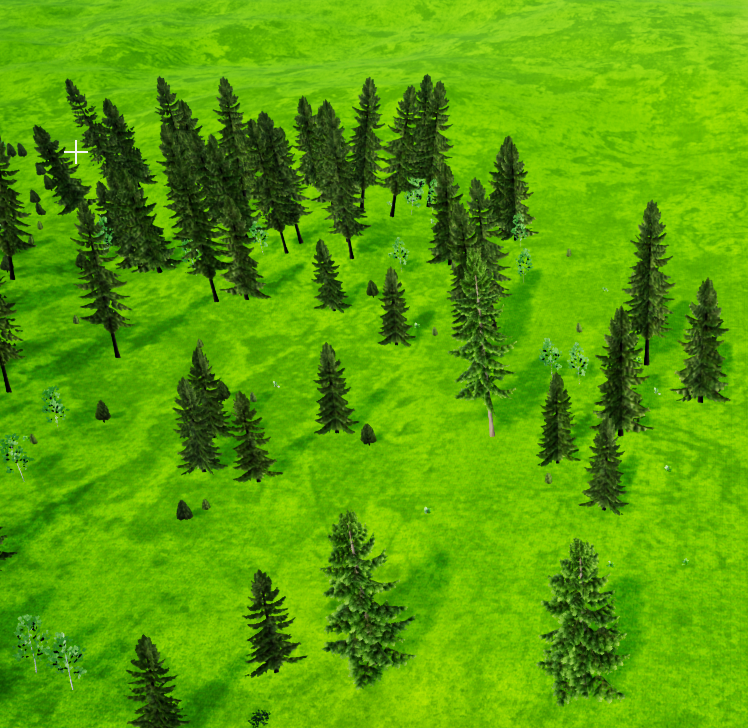
https://i.imgur.com/YQz945F.png
This is the result when I paint foliage with a 0.001 density. Am I doing something wrong?
 sterile tulip
I am having issues with the spline tool
When I select a spline point, I dont have these 3 arrows which he has to move around a spline point
I got it
damn
fallen flower
Anyone know how to set Stat Unitgraph's budget?
plush yew
am i the only one having problems using top, bottom, lef and right view mode? from the moment I use one of these modes, the fps drops to <10, and I'm using an Nvidia 3090. Please send Help
light thunder
Can someone explain to me why my cable component is having it's end attach point (which is relative) that when begin play starts, it goes to world position (and sets the cable to go to 0,0,0 in the world) --- it will immediately set back to the correct location but it causes this snap loop to happen
sterile tulip
can you make displacement and bump textures collisive? So the bumby displacements on the texture have a collision?
wary wave
no
light thunder
Christ why can you not upload a gif onto unreal engine forums...it's like they don't want to make it easy to help
sterile tulip
can you upload videos?
wary wave
no
light thunder
it's actually really, really shitty
wary wave
but you can embed youtube links etc
light thunder
my video snaps are auto converted to GIF's because they are smaller than mp4's
wary wave
it kinda makes sense tbh, there are a stupid amount of users on the forums, so you need to limit the amount of storage space they need
light thunder
No, it doesn't make sense - look at how many users are here and how many things - there's no bandwidth police, I can find gifs I posted here from two years ago
wary wave
Discord has limits on how much users can upload
said limits are based on how much people are paying
light thunder
Still, you can upload 10 mb at a time
the forums give you 768 KB....with a K....from a game engine company worth 15 billion
wary wave
I mean, they weren't worth $15Bn when they set those forums up, hehe
the forums are a legacy thing that has been around for a long, long time
light thunder
I feel for like a very, very small sum, they could pay for an engineer to add hotlinking functionality to just display an image hosted on another website...and I'm being very generous with that
light thunder
yeah, I wish youtube would accept gifs
 vague scaffold
Does anyone know how to fix this error? It's like my project has gone corrupt or something..? This is the second time this has happened, after rebuilding it anew.
wary wave
I would hazard a guess another process has it locked
vague scaffold
Argh, I think you're right. There was a second copy of the same project open. Thank you!
wary wave
hehe, no problem
plush yew
Is there a way to start a new project WITHOUT certain plugins?
sterile tulip
When we bake the static lighting in UE4, is it baking in the bounced lighting aswell or only directional light?
wary wave
plush yew
Is there a way to start a new project WITHOUT certain plugins?
you can disable unwanted plugins in the editor, or manually by editing the project file
though it would be really nice if there weren't twenty-bajillion plugins, including conflicting ones, all enabled by default
plush yew
well the only ones i want disabled at first project start are oculus vr and stream vr, I have a VR headset but i dont want to see the oculus app open everytime i hit play
plush yew
How to make everything goes with the same tick time?
 mighty copper
Has anyone else been having an issue with Epic Games Launcher crashing on startup of the app?
 inland gyro
my expansion and location tool is gone, can someone help me? I didn't find it in my language forum
 spare kernel
Window then properties window
 vale silo
why is there no official 4.26.1 release yet?
 vernal dock
hey guys can i call an interface function to an actor without casting that actor to a specific class to call the interface function on it?
like if i do an event hit...can i just test to see if it has the interface and if it does call that function on it?
without casting the actor
wary wave
you can cast to the interface
inland gyro
where?
median hound
detalhes
vernal dock
@wary wave thank you!
wary wave
no worries
inland gyro
thx
knotty heron
Can I rotate a widget image on button click?
 silk pumice
Is there any plugin for UE to make the asset placement a bit smoother? For example a dynamic grid that you could align on random surfaces or like keyboard hotkeys for object movement & rotation
wanton lotus
knotty heron
Can I rotate a widget image on button click?
Set Render Transform
median hound
so under any reason i cant treat a static mesh as like a socket? cuz its null?
plush yew
Is anyone aware of the bug in 4.26 that closes a menu tab when you click on it?
grim ore
Sockets are on skeletal meshes attached to bones
knotty heron
@wanton lotus thanks man
wanton lotus
silk pumice
Is there any plugin for UE to make the asset placement a bit smoother? For examp...
Snap-to-Grid already exists, and can be adjusted. You can also set surface snapping. Hotkeys also exist, W E R to choose translate, rotate, scale options. Alt+Arrow Keys to adjust with keyboard, but this doesn't work perfect unless you hover the cursor over the axis you wish to affect. Check editor settings, keyboard shortcuts for more customization.
 stark marsh
how would i make the darksiders style hack n slash combat?
royal stirrup
good evening, guys! Maybe someone can give me some advise here? I need to limit angular movement of physics constrain, but by a some reason it ignores the settings. Here's my settings. I even set it to locked, but it's swings all the way anyways. https://youtu.be/SigBJr50oIE - so where's no angular limits at all.

No matter what limits I'm setting - nothing is changing
 worthy plaza
Hello, if i would learn how to see a mesh (let's say a wall) only if enlightened by a torch, what i should write on youtube for a tutorial?
 robust marten
Hey all, I wanted to make a shop and obviously have the player sell at a lower rate than what they can buy. I tried this out but the higher the amount I sell, the more money the player would get. So like, let's say they sell a potion for 1g, but if they choose to sell a whole stack of 99 potions, instead of 99g, it becomes like 123g. Can anyone tell me what I am doing wrong?
Example
stark marsh
is there some free hack n slash combat animations i can use for the defualt mannequin for now?
so that i can get the combat in first and then replace it with my own animations and character later?
 crystal dust


 wanton lotus
robust marten
Hey all, I wanted to make a shop and obviously have the player sell at a lower r...
wanton lotus
robust marten
Hey all, I wanted to make a shop and obviously have the player sell at a lower r...
Wrong order of operations.
Or just this, since I believe integer division node will auto floor, which is essentially the same as truncate.
stark marsh
can i rig the animations to the ue4 mannequin character?
oh and should i set root motion for it or not?
i think i should because the type of combat i want the characters move alot during their attacks
like spin around, flip etc
sterile tulip
Will UE5 have a better performance than UE4 ?
 bronze mango
@sterile tulip yep
robust marten
wanton lotus
Or just this, since I believe integer division node will auto floor, which is es...
Wow, thank you so much.... I see now why the order of operations was wrong, I truly appreciate the help!
 fierce hedge
What would some common reason be for camera drag? Using 4.26.0
I just started the project and its in cpp
 merry gazelle
Is it possible to import files in game? E..g. allow the player to import a sound .wav file to play in a widget
stable relic
Hi, is there access to the device feature level shader model from blueprint/cpp? Im pretty sure there must be something but I can't find it
robust marten
merry gazelle
Is it possible to import files in game? E..g. allow the player to import a sound...
literally just drag and drop them into your game
vernal dock
Can there be crazy lag when u are testing multiplayer on the same machine? like the virtual multiplayer in the editor?
im thinking the lag is just the editor and once it is online it will actually run smoothly
 worn granite
robust marten
literally just drag and drop them into your game
worn granite
robust marten
literally just drag and drop them into your game
That's in the editor. I think @merry gazelle wants to do this in a shipped game
and that's no easy task
vernal dock
anyone help me with my simple question?
knotty heron
PIE usually is way laggier than standalone for me
knotty heron
good luck mane
Can i somehow make a widget image smoothly rotate a litte everytime i press a button?
Don't wanna make an animation for each little turn
 daring dirge
Hi everyone, coul anyone help me on this: I have a rigged character with animation ( fbx) than is working pretty fine in the editor, but when I make a build ( android, for QUest2) it doesnt show up
nothing
sterile tulip
Is it better to delete asset packs from inside the editor or from the windows files?
I looked into the files but I didnt really know what I need to delete
then I tried deleting in the editor and it crashed xd
also when I press delete it just hangs up
I cant press anything
So how do I delete assets?
 modest agate
I need help!
I want to make a block pushable by a projectile
It works but
it moves very little
grim ore
@sterile tulip if you are not using them, it is faster to delete them from your file browser. If you are using them, you should delete them from inside the editor so it can fix any connections. It will take longer in the editor as it has to check for those connections before deleting
modest agate
I want to make it move until it collides with a wall
grim ore
look at the default first person template and how it handles projectiles moving the blocks @modest agate
modest agate
all right, thank you
sterile tulip
I want to delete the asset pack ,,Meadow pack,, from megascans. But when I look into the files it is in 2 places. First in the content and secondly in the autosaves folder. Why is this thing also in the autosaves folder? @grim ore
grim ore
autosaves are auto saves, if you opened then it might have auto saved. you can delete those without worry
sterile tulip
But I didnt understand how my .uasset assets landed in the autosaves folder
grim ore
did you open any of them up to look at them?
grim ore
soo... did you open any of the assets up in the editor?
sterile tulip
I dont really remember
grim ore
welp do you know what auto saves are?
sterile tulip
I know that unreal engine auto saves the project sometimes
but I dont know about the assets
does it autosave every asset in the project aswell or what
grim ore
you open assets, the engine thinks stuff has changed and you might need a backup in case something goes wrong, it make an auto save
 autumn latch
How do I tell in code that the distance has increased or decreased?
grim ore
they are just temporary backups and are not the original assets
autumn latch
Is there anything that does this?
grim ore
The auto saves are backups in case something goes wrong yep
sterile tulip
also I didnt know it also saves the assets aswell, I thought only the project gets saved
tough stream
autumn latch
How do I tell in code that the distance has increased or decreased?
you store the distance in a variable then compare that variable
autumn latch
tough stream
you store the distance in a variable then compare that variable
I will try this, thank you.
 jolly jungle
is fusion 360 any good for game modeling? I learned the basics of it for 3d printing and it is way more intuitive to me than something like blender. Is it a viable option or should i just suck it up and learn blender
autumn latch
tough stream
you store the distance in a variable then compare that variable
And how do I tell in the code how fast the distance is increasing or decreasing
sterile tulip
when I package a game, do I need to delete the autosaves or are they automatically not involved in the packaged file? @grim ore
because they take quite some space
 timber vale
Anyone know why creating a new ue4 project in version 4.26 with no content is taking very long to compile shaders
Ray tracing is off
grim ore
@sterile tulip they are just for the editor you can delete the whole folder and no one would care
@timber vale it still has to compile shaders for the editor
sterile tulip
what if I delete assets/materials from the folder but they were used in the project?
grim ore
@sterile tulip from which folder? the auto saves? Those are backups. They are not in the project. the project doesnt care about those files. The project content is in the Content folder
sterile tulip
from the content folder
grim ore
if you delete items in the content folder and they were used in the project, the project might break or it just might load up and complain
so never delete items in your project if they are in use from outside of the editor
timber vale
I've used 4.26 before with other projects. Would it have compiled those shaders then?
sterile tulip
How long does it take to delete from inside the editor? I tried but it loaded a few minutes and then crashed my pc
grim ore
it might have. they could also have been removed from the cache if it's been a while. They could also be differnt if there was a dot release. they could also be for another platform or rendering type
deleting could takes seconds to hours depending on your machine. If its crashing its trying to load a ton maybe try deleting less at a time
sterile tulip
alright thank you very very much
 lone juniper
Hey! guys just curious, is it possible to build AR apps like these inside of UE4

#10kdesigners | Join the Community: https://bit.ly/10kdiscord
Timestamps:
00:00 Intro
00:18 AR Apps
02:10 Weird Type
03:30 BS Paint
04:30 GIPHY World
05:41 Facemoji
07:23 Measure
08:12 Word Vomit
09:10 Outro
Some of my favourite augmented reality apps that you can use to make creative AR content for Instagram, Twitter etc. | #10kdesigners
W...
tough stream
autumn latch
And how do I tell in the code how fast the distance is increasing or decreasing
sounds like math 🤯 depends on how often you hit. newdistance +- olddistance = speed over x time
grim ore
@lone juniper have you looked to see if it is possible?
lone juniper
grim ore
<@!421739752077787140> have you looked to see if it is possible?
Looked up on YouTube, mostly found tutorials on unity but unreal's got only this https://youtu.be/P3vrr2SZfSs well I should still do my research tho
A brand-new AR template is included with the release of Unreal Engine 4.19. Chance and Nick will discuss compatibility, the new unified workflow, and then they'll dive into the engine, showing off what's included in the template. They'll walk through a project, sharing how to setup and debug your own project.
NEWS
51VR Crafts Photorealistic Cit...
grim ore
Unreal does support AR for both iOS and Android so yes apps like that should be possible
lone juniper
Interesting! I have to look into it.
autumn latch
tough stream
sounds like math 🤯 depends on how often you hit. newdistance +- olddistance = s...
WoooW
It's really hard to understand :)
what is speed over x time?
grim ore
x being how long it has been since the last time you did this math
so this frame you have the distance and you store it. next frame is 1 second later, you get the new distance and compare it to your stored distance and now you have your speed over 1 second which is your distance you just calculated
note 1 second later for the frame is not correct but just using that number to make it easier to understand
grim ore
is it dynamic or static?
 median kettle
static
autumn latch
grim ore
so this frame you have the distance and you store it. next frame is 1 second la...
nice sample thank you.
sterile tulip
How many meters are 100 verts?
Resolution (Verts) = 8000 x 8000x
How many km2 would that be? Or how much is 1 vert?
autumn latch
tough stream
you store the distance in a variable then compare that variable
i did this and it worked very well, thank you.