#ue4-general
1 messages · Page 913 of 1
 grim ore
keep in mind theres also control rig if you actuall want to rig animation directly in UE4 now.... lots of stuff all over the place lol
 light thunder
my head....i'm learning so many different systems I'm running out of basic information - i forgot what "dog" meant the other day after learning cell fracturing in blender

Took from Married With Children S03E21
 plush yew
Do you guys know how how much does BP uses in performance cost?
 frozen pond
so i have question about new water system: is there way to add it to existing map without destroying landscape ?
light thunder
Why can't I get this to copy over? @grim ore
grim ore
because that is editing an animation, you can't do what you want to do
that editor is editing a single animation, thats what it is for
light thunder
I swear I've watched the livestreams
grim ore
you can't make a new animation and splice together animation sequences
light thunder
I was told that was a sequence
that's what the docs say when I look up sequence editor
grim ore
well soo.. epic is epic
that is an animation sequence
sequencer is a seperate tool
lol
and you can combine animations, I take that back https://docs.unrealengine.com/en-US/AnimatingObjects/SkeletalMeshAnimation/AnimationComposite/index.html but it doesnt look like it blends
light thunder
As long as my contempt is justified for Epic's design
grim ore
your not wrong on being confused heh
light thunder
But they have soooooo much money
grim ore
which means they use their own tools and get to add in what they want without much concern sometimes
light thunder
Well, if you are trying to build the next Microsoft, you make sure windows is easy to use a possible
grim ore
which is why it took them a billion versions 😉
light thunder
In the future, (10-20yrs) when everyone is plugged into VR, what do you think will drive those world, and the content creators
I'd make minigames for learning the engine
grim ore
they are working on stream lining stuff
grim ore
and thats what fortnite creative is working towards
and they tried to do that but that stuff is hard
billions of people, hundreds of ways to learn 😦
light thunder
much more engaging than watching videos
grim ore
and i agree, i tried to do something similar and its great until it breaks because software is software
light thunder
you're one man - this would take an actual prioritized approach and the core engine team to expose every element to a non-invasive linking, which I get, is a tall order
grim ore
in theory most of that is already in there beleive it or not
the built in tutorial system is quite robust but it's very finicky and with epic changing systems version to version it got left behind
I do know they want to and are trying to do what you are suggesting, quite a few of the people at epic want more robust learning in engine
but yep without more support it's just free day friday stuff
and you need to pledge long term support which is the big one
light thunder
I'm confused as to how if this shares the same skeleton and I've put both into the exact same transform, why the difference ? \
light thunder
grim ore
and you need to pledge long term support which is the big one
The support should come from Epic's leadership
grim ore
could just be the mesh attached to the skeleton has different weighting
im not an artist, I guess at 90% of the art stuff based on experience lol
light thunder
Or could be my dumbass needs to pay attention to animation names
plush yew
looks like he's being manhandled
grim ore
well that could be the issue as well lol
light thunder
well don't try to drive a truck on opiates kids
 static sparrow
Okay, I have tried and tried to find it but I can't... Where are my log files?
Like, I'll launch the editor from the IDE, do PIE, there will be some messages that I'll want to reference while I edit my code in the IDE (after I close the editor)
But I cannot find them anywhere
I looked in Saved/
There isn't even a Logs/ directory in there
I thought, maybe it means somewhere in the Engine's subdirectory (/Users/Shared/Epic Games/UE_4.2whatever/etc...)
grim ore
things like the output log?
 visual belfry
what is the Ctrl+L shortcut in the viewport that brings up this debug gizmo?
haven't found it in keybinds yet :\
grim ore
i dont beleive you can change it, its part of the new lighting system
visual belfry
huh. you're right, it doesn't work in an empty level, what component specifically enables it?
visual belfry
😬 however it works in a default level that I deleted all actors from
grim ore
I think its part of the engine now for any lighting
visual belfry
thanks for the link 👍 it was the Atmosphere Sun Light checkbox on the directional light (and I had to build the level) that enables the debug
visual belfry
I was wondering how/where it came from since I might want to do something like this for my own projects 👀 got a good place to start looking now though
 gaunt tide
So how come when I create a child directly from a MasterObjectBP I can open it in blueprint but if I do something a simple as rename it, there is no BP to open?
 kindred viper
perhaps it removes the original master reference? It shouldn't but who knows
is there any error at all?
sounds about right
I did hear you could limit it in the ini so its probably that
gaunt tide
kindred viper
perhaps it removes the original master reference? It shouldn't but who knows
So Ig Im doing this wrong because the item name for all of them is changed to the same thing
 kindred viper
yeah because it's a child I guess. It will update the master blueprint with the child name that you selected. It's the child
gaunt tide
Ahh them I must have done this incorrectly from the beginning
I probably misunderstood how the children and master bp thing works.
kindred viper
well consider the master BP holds the name of the child class too, changing that will change it in all instances of the master bp
 lime girder
Does anyone know gneerally when 4.26.1 may come out?
kindred viper
hopefully never. Then we know it works
gaunt tide
Ahh so how would I give each item its own stats than? In the Child BP or the Master BP?
kindred viper
depends on your setup
usually it's the child that holds the variance. But it's not always the case. For simplicity it is done that way though
 fluid dragon
Hii y'all I wanted to ask someone to go over my pc build choices for ue4 where can I ask?
kindred viper
tomshardware forum 😄
 fierce tulip
or that
grim ore
just buy the fastest thing you can afford and it's "good nuff"
kindred viper
i like toms hardware. Im all over it when I buy parts
plush yew
fluid dragon
Hii y'all I wanted to ask someone to go over my pc build choices for ue4 where c...
Depends on the game you want to do
gaunt tide
kindred viper
usually it's the child that holds the variance. But it's not always the case. F...
Im just trying to find a way to have my objects made with the required meshes and stats from the data table I have setup. I am trying to get that object that is selected attached to my mouse to be placed within the scene. Basically its similar to every other game. Minecraft style hotbar that puts the item on your mouse when it is selected and Im trying to get that item spawned in the scene. The problem is that the object is spawned but it isnt visible because the mesh associated with it isnt loaded along with any of the stats for it but a print string indicated that the BP for said specific item was placed in the scene.
fluid dragon
Can I list my specs here that I have selected? No yeah am just starting out to learn unreal engine!
plush yew
Go in lounge
fluid dragon
Okies thanks ❤️
 rotund jacinth
We are integrating rtx and DLS2.0 into Wrench. Our steam launch options will now specify dx12 by default. Does anyone know what unreal does on older hardware that doesn't support DX12? Does it fall back to DX11 or crash? I just want to make sure we don't push an update that breaks our game for users on older hardware.
kindred viper
it won't crash but it will need compiled shaders to support the DX11 I guess. Being that it's a flag you can use in the shortcut, it should be switchable
rotund jacinth
Yeah, we already have 3 launch options though. Desktop, SteamVR, and Oculus VR
I don't want to make DX11 and DX12 flavors totaling 6
kindred viper
just allow the user to set the dx11 flag if they need to then. Probably worth making it known it supports it at least. Then make it clear how to change it. Unless you put a menu option that restarts the client with the flag.
it's gonna be welcome though because some people, like myself, still get random crashes with dx12
rotund jacinth
good to know. thanks
gaunt tide
So the masterbp I have isn’t assigning anything to any of the children bps even if the item names match and now it looks like the children bps are back to being uneditable for some reason
gaunt tide
What are you doing when the crash occurs.
 pseudo river
Yes I'm waiting for it to crash
I was just interacting with the editor ui
And before closing it, the crash report said something about EXCEPTION_ACCESS_VIOLATION nvwgf2umx and D3D12
I didn't do any graphics driver update lately everythin's been the same but it started happening now.
The only thing I did today that I didn't do before was to open 2 projects at the same time
 indigo anvil
Hey! Is there a simple way of generating a rendered line, by using line tracing? Like a "Laser beam"
kindred viper
@indigo anvil multiple ways. Do you need it for debugging or in game?
frozen pond
optimization question: i got only landscape and when i look at it (landscape is big) i got like 60 fps (drom 120), is there any way to optimize it in ealry stage?
light thunder
I'm trying to have a particle parameter for a single axis, (actual a single float) but I can't figure out how to get there - I want to drive this -Z (which basically lets the rain there fall to a given height (the -200 is basically where the ground is)
so I put it to partical parameter but I'm confused about how to isolate that one axis, (particularly the Z)
 solid glade
Question about lighting.
If I use an HDRI source under Cubemap for the SkyLight component - how can I preview the cubemap in the viewport? Otherwise, it is a little tricky to set the rotation, then bake the lighting, then peviewing the result and then starting over...
 runic fern
Is anyone using with Advanced Steam Session Plugin ??
indigo anvil
I need it to be rendered in the game
static sparrow
grim ore
things like the output log?
Yes, exactly those things. The Output and Message logs are what I'm after.
indigo anvil
@indigo anvil multiple ways. Do you need it for debugging or in game?
@kindred viper ingame
kindred viper
you can take a cylinder and stretch it between two vectors and create a line. I did that when I needed to replace the debug line draw.
static sparrow
Supposedly they get saved to the MyProject/Saved/Logs/ directory by default, but that directory doesn't even exist for me; it just stops at MyProject/Saved/
grim ore
it should be there, I checked and it was for me. What else is in that saved folder?
plush yew
How much do you think would take to make a multiplayer fps prototype(nearly all the mechanics witouth art/animations) for a solo dev?
Starting from 0😓?
grim ore
what is 0? like blank template, fps template, shooter game template, rpg action template, marketplace assets? no knowledge? lots of knowledge? you worked on gears of war? etc..
lime girder
ok everyone
I've got a hell of a problem, funny I just watched your views on this too @grim ore
I want a heavy cannon ball. I have a collision sphere, a static mesh, and a projectilemovement in my BP
i have a few enemies, lets say birds in the air, and i want to hit a bunch in a row
ProjectileMovement with bouncing means the BP bounces off, richochetting
i just want it to go straight through, as if it were a heavy cannon ball or something like that
Anyone have any ideas 🤔 ?
i can easily maintain velocity with bounciness to 1, but the hit causes a new vector for the projectile to go in.
I can turn off Should Bounce, but then the projectile stops moving on first impact
kindred viper
it should be a mass equation
lime girder
Hmm. Is that the only way? I can fiddle with mass if thats what it is
grim ore
if you dont want bounciness then dont use it?
or you want bounciness but not on the birds
I would personally say it sounds like you just want the birds to be overlap items not collision items and handle them that way
lime girder
Well, Bounciness off works until the first hit, then the projectile stops in its tracts
I wnat it to keep going, like a heavy cannonball plowing through a bunch of birds.
Oh that's not a bad idea. Overlap rather than Hit/Block
I can't "Hit" if I'm not Blocking them right?
I can only overlap I think...
grim ore
sounds right. you would check for overlaps not hits on the birds then handle the "hit" and let the rest of the environment react normally
lime girder
I dont know why I chose tamale but, thank you! this is a good idea, ill give it a go
yup!
That does it 😄
thanks agian man
I swear I just watched your video on projecitlemovement before this going damn how do I do this without heavy physics..
grim ore
🙂
 potent bridge
Is there a way in UE 4.26 to change the tabs back to the old version? I don't like where they put Landscape.
(Modes Panel)
thanks
 chilly olive
Oi
plush yew
it's actually not working
chilly olive
So I'm willing to buy the legion 5I with the rtx 2060 and I just wanted to ask if is it able to use ue4
16 go ram btw
chilly olive
Huh
grim ore
@chilly olive yes that will run UE4 without much issue (higher end scenes/RTX will not be smooth)
chilly olive
grim ore
<@!508743584187678730> yes that will run UE4 without much issue (higher end scen...
What they added rtx to ue4
chilly olive
grim ore
<@!508743584187678730> yes that will run UE4 without much issue (higher end scen...
Well idk there's 2 possibilities I may buy the 3060 m option if it comes out that should work better than the 2060 m
grim ore
it will be better yes, but there is no firm release date on it and it will cost more
chilly olive
Well then I'm screwed
chilly olive
grim ore
it will be better yes, but there is no firm release date on it and it will cost ...
But technically the rtx 3060 m will be the same price as the 2060 bc Lenovo leaked the price
grim ore
it won't be because the 2060 models will be reduced as they are replaced
grim ore
@plush yew what actually happens when you click the button. The level loads? the level doesnt load? "nothing" ? are you sure the button is hooked up and running.
chilly olive
The 2060 models will drop and the 3060 models will take over the current price of it now which is 1200$
plush yew
ik
grim ore
show us the map you are trying to load in your content browser
plush yew
ok
grim ore
show us what the "show loading screen" function does
show us the output log after your button is pressed
plush yew
umm
chilly olive
Nice prp Mathew I like it
grim ore
show us the debug of your button being pressed and it either pausing or you printing out something
these are all things you should be doing
plush yew
wait can i screenshare?
grim ore
you can but I dont know who is going to want to watch
chilly olive
Yea
grim ore
I dont do DM's
plush yew
ok then let's do it here
chilly olive
You can't
grim ore
any relevant problems in here are teaching moments for someone else who might have the same issue
grim ore
what is the name of the map you are trying to load?
plush yew
FNAF1
grim ore
what is the name of the map your main menu is in?
grim ore
and that would be the issue
chilly olive
60??
grim ore
depends on which RTX/DXR features you are using. 24fps is cinematic so if targetting a film output that is good enough
gaming? depends on the project and game type and if you use DLSS or not
chilly olive
Who is even going to use rtx in a horror game
grim ore
control uses DXR
grim ore
RTX is the name brand for nvidia, DXR is the microsoft implementation of ray tracing in windows
most people use them to mean the same thing since AMD doesnt really have anything
chilly olive
Thank god that they created dlss
chilly olive
grim ore
most people use them to mean the same thing since AMD doesnt really have anythin...
I mean they made some
plush yew
i think @plush yew put his main menu widget in the same level hes trying to open
yeah
probably
wait
static sparrow
Interesting...
Apparently, rotation around the X- or Y-axis follows the right-hand-rule (when axis pointing straight at you: - is clockwise, + is counter-clockwise), but rotation around the Z-axis does the opposite (when axis pointing straight at you: + is clockwise, - is counter-clockwise)...
Is that standard practice? It took my by surprise...
If it's not, why did they do that?
plush yew
@static sparrow i have no idea, it was confusing at first when i started
static sparrow
very confusing
plush yew
i mean slowly it will start to make more sense and youll understand it a little more well in like 2 days to be honest depends but yes it is very confusing
 thorn plank
can I ask general questions about unreal c++ programming? if not, can you direct me to it? I didn't find main function in the project files, then read from the forums that ue4 c++ programming works a bit differently. that the code runs through unreal itself rather than the main function. can someone explain to me how that works? the tutorials seem to just write classes and functions and then run it.
I was afraid to go there because it seemed like ppl would expect directly coding related practical issues, rather than general discussion.
but if they'll answer me I'll just direct my question there.
 stiff sail
is there a way to get a actors rotation on the z relative to a second actors location? so like if actor2 is right in front of actor1 it 0° or if its on the left its 270°. like that?
 obsidian wasp
Has the Spline Mesh Component been changed to use instanced static meshes? The discussion I found from 2016 says they were not back then.
 honest mango
https://gyazo.com/80ad805b1b7c9a003b151c632526aadc do you know where i can get the miniatures of the assets please ^^

 crude tulip
One message removed from a suspended account.
One message removed from a suspended account.
 restive zinc
i need some help
 worn granite
no, it definitely should not be@crude tulip
restive zinc
how can i fix this im using git hub and source control and the inputs wont save
im working with a team and its puzzling us
worn granite
go to #blueprint and check the pins, but in short your Random int along with the get will happen 3 times.
crude tulip
worn granite
go to <#221798862938046464> and check the pins, but in short your Random int alo...
One message removed from a suspended account.
worn granite
Because of how impure nodes work
I literally explain it in a video in those pinned messages
it's not the best video, but the information is there
 wanton lotus
crude tulip
One message removed from a suspended account.
wanton lotus
crude tulip
One message removed from a suspended account.
Save the output of your random int in a variable and use that for the get node.
worn granite
yup
wanton lotus
honest mango
https://gyazo.com/80ad805b1b7c9a003b151c632526aadc do you know where i can get t...
What exactly do you mean? If you want them to be smaller, you can adjust their scale.
crude tulip
One message removed from a suspended account.
One message removed from a suspended account.
One message removed from a suspended account.
 hollow sentinel
hey guys, ive beem playing around with cel shading through post process, and material with only emission. thing is, id still like to affect colour and brightness of the whole character by the lighting e.g. at night to be more blue etc, any solution? or at least where should i start looking, what kind of approach id take?
honest mango
wanton lotus
What exactly do you mean? If you want them to be smaller, you can adjust their s...
I would like to take thoses pictures so i can use them for my editor :/
 fringe pivot
What property should I duplicate on the wall so it gets aligned with the foundation? It's not the rotation because it's always zero doesn't matter where I spawn the object
does it have to do with the mesh forward vector?
plush yew
k
plush yew
fringe pivot
What property should I duplicate on the wall so it gets aligned with the foundat...
Well whatever 3d software you used (if you made the models) you can easily fix that in there such as blender etc and if not you can always turn off snapping on the top right corner of the viewport and if its blueprints you can fix it there as well
Thats just what I got from what you said
 pure hollow
thorn plank
can I ask general questions about unreal c++ programming? if not, can you direct...
pure hollow
thorn plank
can I ask general questions about unreal c++ programming? if not, can you direct...
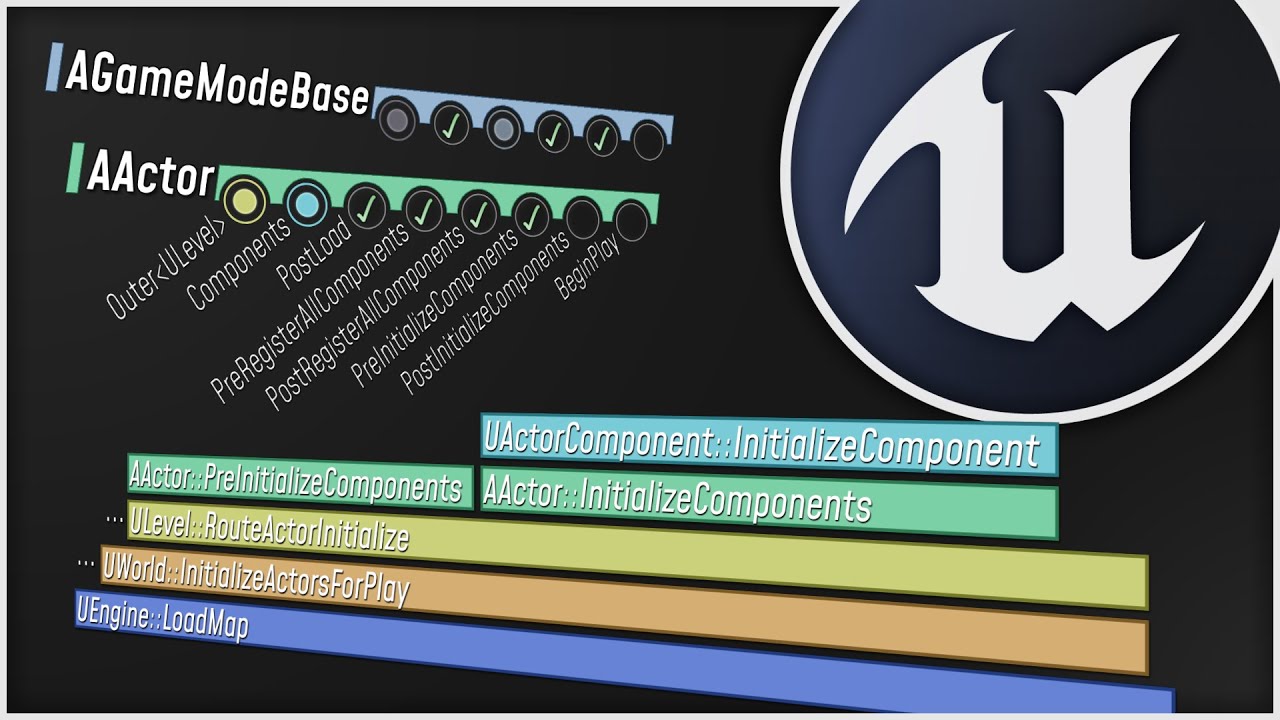
What happens when you start up your Unreal Engine game? This video is a guided tour of the Engine's initialization process: along the way, we'll glimpse the high-level structure of the Engine (modules, game instances, local players, and viewports) and we'll see how all the different parts of the Game Framework (game modes, game states, player co...
fringe pivot
I'm trying to do this at runtime, if I rotate the mesh in the fbx I will have the same problem, now with the other faces of the cube/foundation
plush yew
guys
You mean when you drag and drop the object into the scene right?
i created a new level, i added lighting and when i click on play the light is falling
i mean
fringe pivot
@plush yew no no I spawn the objects at runtime
fringe pivot
As I said, the object is not rotated, rotation is always 0,0,0
Regardless where I spawn it
 waxen raven
You probably just want to manually add the difference and then make it a parameter.
plush yew
fringe pivot
As I said, the object is not rotated, rotation is always 0,0,0
Hmm thats a tough one to be honest, if it's ot working you can double check the bp
waxen raven
I'm assuming you want an outer edge alignment
 rotund scroll
didn't you leave the server?
plush yew
plush yew
how can i make it static mesh <@456226577798135808>
Isn't it already a static mesh?
waxen raven
I'd probably spawn it from the mesh and just give it the local coordinates from there.
plush yew
oh
fringe pivot
@waxen raven are you answering to me?
plush yew
idk if it is
waxen raven
Yeah
waxen raven
Pass an event or something and just have it spawn off is my thought. Then a bit easier to delete if foundation is remove too.
plush yew
so now i need to make it static mesh
fringe pivot
Alright, location is not an issue because I use sockets, I just need to match the direction the foundation is looking at
waxen raven
Ah got you, yeah you were probably on the right path then.
fringe pivot
if I just rotate the wall by 0,90,0 it aligns, but then the problems is with the other 2 faces of the foundation, so I need to figure this at runtime and I can't simply add a fixed rotation
But the foundation rotation is always 0
So I'm getting this wrong
waxen raven
You could just cheat and add arrows and use them to steal a direction. Did that with some proc Gen stuff. Then odd numbers go one way and evens the other, or something to that effect. Then always have them placed in a certain direction.
Kind of like an mt.
grim ore
@fringe pivot look at something like this https://www.tomlooman.com/updated-mockup-material-for-unreal-4/ , I used it to make a mockup material and had different colors based on the X/Y/Z axis of the face of the mesh
waxen raven
That would work too if it's grid based.
grim ore
so you could get the normal direction of the face of the mesh and rotate that texture appropriately for example
waxen raven
Lol damn yeah that's way easier.
fringe pivot
@grim ore will check thanks
The problem with a grid for me at least is that I have no way to know where to snap the object, on this case over which foundation side to snap the wall
I think what I can do is to check the socket name and rotate the wall only if it's one of the two sides that don't align, but probably wouldn't work once I start adding other building parts.
 hearty prawn
Are there any news on UE5? Only that video they did show 8 months ago?
fierce tulip
@plush yew too much text, try pasting it on pastebin.com and pasting the url in cpp
it should, but perhaps the code stuff or whatever messes it up?
iunno.
 median hound
to open ue4 files do i gotta build ue4 from source
median hound
just to normally create a game its a ue4 file i used on epic
median hound
so should i just cancel my build rn
fierce tulip
you might wanna give more detailed info. (also, im off to bed, so someone else might have to take over)
median hound
so i been using ue4 on epic games launcher and i just felt like having chaos so i followed a tut enabled chaos ran the setup.bat and generateprojectfiles.bat
and im just trying to open ue4
is this compiling from source?
 fierce forge
i deleted it because i find out
median hound
used to use visual studios now im dumb, pretty sure this is compiling from source thanks
fringe pivot
You just need to download the Epic's launcher, then you can install the UE4 binaries from there
 open wadi
Hey guys, got a general question - We've been building in Unreal and we love it. However, for this specific project, what we're building isn't exactly a "game" per-se: it's an OS-level application with functionality akin to Facebook, some training videos, so forth.
I've been looking at various engines - are there engines that aren't web-based, but more like Unreal that allow for OS-level apps (and mobile) deployment, but might be more suited to this task?
For example, for this specific task, we're using none of Unreal's 3D functionality, it's nearly entirely comprised of UMG widgets, and I don't know that that's the best use of Unreal's power.
Anyone have experience with such?
 devout swift
is there a way to paint in a straight line with the landscape painting tool?
To avoid wobbly lines like these:
 minor fiber
Just a quick question, I reimported the base mesh and now there's basically two of the meshes stuck together and it's really awkward
Is there a way to fix that?
Yeah figured that would be the case, I don't have an issue with the mesh unless I reimport it, I was following along with a tutorial and the dude seems to have the same problem but doesnt realize it
 exotic thicket
I've had this problem as well.. it imports correctly the first time, and if you reimport it, it gets fucky
Unfortunately don't know of a solution
you could try using one of the export plugins if you're using blender, they can spit out individual objects as separate FBX files
Yeah sounds about right, kinda weird bug since it works on first import :P
minor fiber
The asset is from megascans actually
Completely fine import (albeit normals and topology is wack)
just hitting the reimport button messes it up
Now I know for the future though
so thanks for letting me know
Yeah
Its not too much work to fix I just need to vertex paint again
exotic thicket
maybe they'll acknowledge it now that their own tools replicate it lol
minor fiber
Yeah my normal map didnt import doing that
had to manually import
I hate the plugin updates
Okay hate might be a strong word
dislike
my preferences and file options reset
plush yew
how to randomize a paramater in the material shader ?
 strong vortex
plush yew
how to randomize a paramater in the material shader ?
strong vortex
plush yew
how to randomize a paramater in the material shader ?
You can't in the material shader itself, I think. You can in blueprint with Set Vector/Scalar Parameter Value on Materials Node or Set Vector/Scalar Parameter Value Node
plush yew
is see, thank you 🙂
 celest vapor
In a function library if I make a function that uses an interface call with a return value, will that work as a pure function as long as I dont set any values?
 dim arch
you can get a random value using the custom node
 frank pike
can anyone tell me why my brand new level with nothing in it is locked at 10 fps?
dim arch
maybe your machine is building shaders?
wanton lotus
frank pike
can anyone tell me why my brand new level with nothing in it is locked at 10 fps...
Fixed Frame Rate in project settings is turned on?
frank pike
i restarted and its great but as soon as a do a vr preview it locks back at 10 and doesnt change
honest mango
a. Distribution to end users - You may Distribute the Licensed Technology incorporated in object code format only as an inseparable part of a Product to end users who are subject to an end user license agreement which explicitly disclaims any representations, warranties, conditions, and liabilities related to the Licensed Technology. The Product may not contain any Paid Content Distributed in uncooked source format or any Engine Tools.
plush yew
hi
honest mango
Does this mean that they doesnt allow a custom ingame editor ?
I am making an ingame level editor, is that allowed for public distribution ?
kindred viper
you can make a level editor but you can't use any of the Editor tools. If that makes sense. Like, you can make a class/blueprint that acts as an editor in game, or a UMG that controls values, etc. But you can't use anything that isn't packaged with the Shipped config. Nothing that is part of the Editor itself. You can't export anything from the editor code to re-use either.
 late verge
hello!
bit of a weird question, but does anyone know where i can find some nice dirt mask textures that are ready to be imported straight into UE4? specifically for my cinematic cameras.
 idle crystal
Would you honestly reccomend Unity or UE4/UE5 in the terms of Royalties + Fees/licenses?
kindred viper
depends how successful you presume your game will be. I was told the more you sell, the more it swings towards Unity. But if you are a low level scrub like me, Unreal all the way.
honest mango
kindred viper
you can make a level editor but you can't use any of the Editor tools. If that m...
Oh ok i understand, thanks for clarify, i do not understand english very well :) You know everything about ue haha
idle crystal
ehhhhhhhhhhhhhhhhhhhhhhhhhhhhhhhhhhhhhhh
kindred viper
Not everything @honest mango but I'm trying. Currently stepping outside of my box and learning new things 🙂
honest mango
kindred viper
Not everything <@!472099187853361185> but I'm trying. Currently stepping outside...
Ahah go for it 😁 gonna sleep good night :)
kindred viper
gn
open wadi
By some act of God, has anyone here ever rebuilt chromium for UE4 to a later version than the default 59?
light thunder
Is 4.26 more or less stable? Trying to anticipate programs with upgrading, and in the past, I usually don't realize it until much later
kindred viper
its not had a patch for a month. I'd say it's stable
 sleek solar
I've being using 4.26 since it first popped on github, it is stable
performance is better compared to 4.24
 gloomy gull
bUseChaos = true;
bCompileChaos = true;
bCompilePhysX = false;
bCompileAPEX = false;
bCompileNvCloth = false;
Adding this to the HeadlessChaos.Target.cs file should fix the engine chaos issue in 4.26 source build, courtesy of @pallid flint
 maiden socket
How can I export textures/materials from blender to UE4?
 teal schooner
open wadi
By some act of God, has anyone here ever rebuilt chromium for UE4 to a later ver...
teal schooner
open wadi
By some act of God, has anyone here ever rebuilt chromium for UE4 to a later ver...
Have you considered just using Electron?
gloomy gull
gloomy gull
```
bUseChaos = true;
bCompileChaos = true;
bCompilePhysX = false;
bCompileAPEX ...
@light thunder ^^
That’s the only issue I’m seeing in 4.26 thus far
maiden socket
maiden socket
How can I export textures/materials from blender to UE4?
anyone?
open wadi
lol @teal schooner Yes, I've literally been discussing that all night. Rebuilding the entire client so that it's not using Unreal, but instead using Electron + BabylonJS.
But in the interim, wondering if anyone has performed this task - rebuilding the default Chromium instance that ships with UE4 so that it becomes WebRTC compliant and thus supports h.264.
Apparently it is possible, but hard to discern where to start.
 paper cobalt
sorry to interrupt any existing discussion or help. just wanted to ask this or find a place to ask this.
can anyone help me figure out this texture please?
there are iridescent alternatives, but they do not have the finness this does
https://youtu.be/2qUJ8GfmOPE
thank you kindly
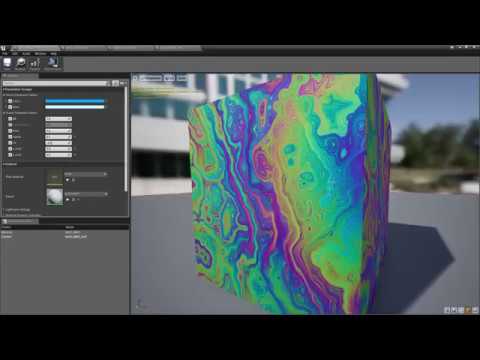
just testing my Elgato HD and grabbed one of my favorite shader -iridescence. IMHO very nice, especially I like pixelated.
 lapis plover
Dumb question, How do I make the Modes tab re-appear?
strong vortex
Editor Modes? Window -> Editor Modes
lapis plover
I can't find those buttons. I found another place that mentions this fix but I can't find the button.
grim ore
If using .25 or later it's a button now and you can bring it back in th settings under enable legacy panel
lapis plover
grim ore
The button and panel do the second thing it's just less space
lapis plover
I'm just trying to find the old one that a tutorial was using.
grim ore
You can use the modes button on the toolbar now to access the second stuff or like I mentioned go into the editor preferences and search for legacy
lapis plover
This, right? I can't find legacy in it. I need a few more directions.
grim ore
Where it says search at the top type legacy like I said
lapis plover
Found it, restarting now.
What's the non legacy way to find it?
Yay. Three hours for this.
lapis plover
I see how the two relate but the drop down place one doesn't give the same options. I couldn't find all the same stuff, or even any of the stuff that is plainly on display on the menu to the left.
grim ore
What stuff?
lapis plover
The big list of items on the left. Empty pawn, sphere, ect. I could not find any of it through the other menue.
grim ore
If you mean the general place actors window you had it closed before
It was under window -> place actors
lapis plover
It is empty.
grim ore
You could have also gone to window -> load layout -> default layout to reset it all
lapis plover
Empty.
lapis plover
I'm learning to hate Ue4 for the same reason I hate Gimp2. If you close a window or something it is gone forever until you go on a quest to find it and re open it.
"Oh, you uninstalled and reinstalled? Yeah, but you closed that window. It's gone forever even through complete wipes. If you want that window open again you have to earn it."
Literally the opposite of good design.
grim ore
Can’t say personally I ever had that issue with ue4
maiden socket
How do I assign an image to base colour? I imported the image but don't know what node to use
plush yew
You need to use UV coordinates
 native tulip
hello, i need help with my projects BP , where can i get help
 modest trench
if you have a specific question you could try #blueprint
 proud narwhal
Is there a chanel for talking about meshes / modeling ?
 lusty carbon
My current level (H) is referencing a lot of other levels, which I don't understand why it happens, and it increases build size unnecessarily . Any suggestion how I can dig deeper in those reference links?
They used to share same sub-lvls but they've all been deleted
So no sub levels that may cause this
 hot beacon
anyone know how to make a grey and white post process
stuff it
ill just mess with post process
ive been trying for far to long
 earnest pawn
Hey, does anyone know why my character is jittering up and down when I start a client and listen-server, the jittering stops when I move my client slightly. It only happens at the start before I focus on the client window
Happens with default third person project, open project and play in editor with 2 players (1 listen server and 1 client)
 dire coral
i need a waterfall of some sort of right in between these rocks any good sugestions on how to make or a premade asset
and can it be done with the new water system
 vast pawn
I couldn't get my xbox series x controller to work with UE4.
I also have a wooting one keyboard that acts as both an analog and digital keyboard that uses the xbox 360 driver for analog purposes.
fierce tulip
@dire coral if you want a challenge:
https://www.youtube.com/watch?v=TH6ZT8Wz4sg
though i think this is part one of an upcoming series.
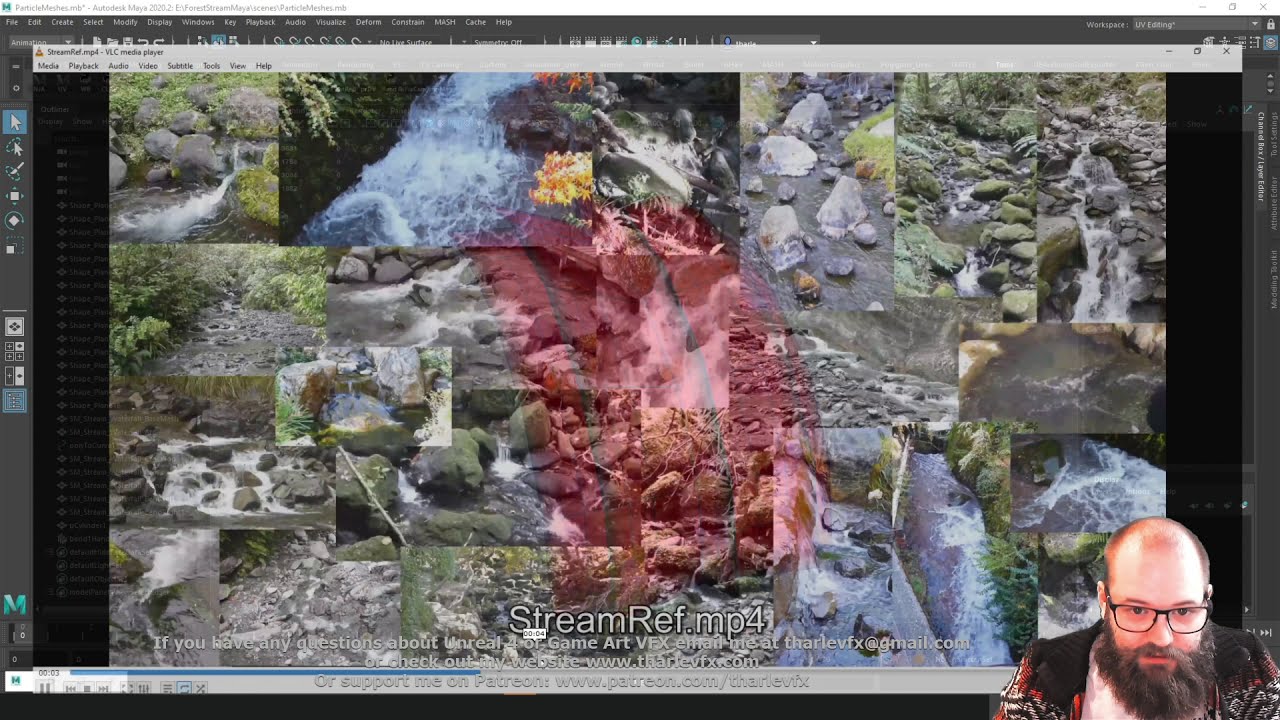
Today we start our breakdown of the fx from the collaboration with Ben Cloward (youtube.com/user/bcloward) - starting with initial setup and making meshes.
If you have any questions about Game Art VFX or the Unreal Engine then email me: tharlevfx@gmail.com
Or you can find more tutorials on my website: http://www.tharlevfx.com
or check out m...
vast pawn
While I can use the keyboard to test play UE4's mannequin as well as hover around the environment I couldn't with the Xbox Series X controller.
Here are the inputs from my project settings
Can someone plz help me out?
fierce tulip
its a quiet morning, so it might take a while before people reply.
 wary wave
if you have two input devices using XInput they're probably conflicting
wouldn't be surprised that if the keyboard is working, then the controller has been assigned to 'player 2' in Windows or something similar
proud narwhal
can I record a macro in UE? I want to repeat Ctrl+E then Shift+M with a single button press
Actually that wont work as I would have to select the faces between each 😦 nevermind
 tame marsh
Is there a version of this UE4 tutorial for Static Mesh LODs for recent Blender versions? https://docs.unrealengine.com/en-US/WorkingWithContent/Importing/FBX/HowTo/ImportingLODs/index.html#:~:text=to be exported.-,Importing Static Mesh LODs,Import LODs option is enabled.
Learn how to import Static Mesh LODs.
or a way to create LODs in your 3D suite and import it as one packaged fbx
 thorny warren
anyone know how to turn off Shadows LODS for procedural foliage? This is only happening when using a Procedural Foliage Spawner...
tame marsh
I don't remember bt does that work with Foliage Type objects?
Or StaticMeshFoliage as it is now called apparently
thorny warren
i would hope so...i would hate to think it's just baked in like that
 gray kindle
how would i go about making a trace coming out of only 1 side of an object? basically im trying to make solar panels always face the sun, and while they "almost" do that right now, when the sun is near the horizon the object im using to start trace shots lines with his walls, so its not really accurate
tame marsh
@thorny warren If it uses FoliageType/StaticMeshFoliage, then I think you should try flipping the Affect Distance Field Lighting flag
I'm working off memory from an old 4.17 project so ymmv
thorny warren
Where would that be?
got this lovely stuff happening now, mirror ball polka dots just appeared out of nowhere
tame marsh
What's your exact foliage setup?
thorny warren
i'm just trying to use the Proc Spawner for trees, super siimple
tame marsh
The flag I said would be in the FoliageType object that you set to spawn
thorny warren
yep, found it, it's turned on
thorny warren
yea no change, i'm just using hand placed ones now because i can't figure it out
tame marsh
On the mirror balls, try rebuilding reflection captures?
thorny warren
ah ok
in the second image, there is a hard line in the culling, the first image is just me rotating the camera
and that foliage was just painted on
wtf
plush yew
thorny warren
Do you have 2 landscapes and they are attached in that line?
thorny warren
hahah, yep, exactly what i did
@plush yew nope
there is literally nothing there, no decals etc
plush yew
Displacement on the ground? Idk
plush yew
so i added a door sound and when i open/close the door it sounds weird
how do i fix this
thorny warren
hit Stop
 proper oar
thanks... it's my first game
thorny warren
sure thing, and congrats!
 modest ivy
beginner question
sorry...
why when i attach a point light to my character does it slowly fill the level when i begin play?
then when i move to different areas the lighting decreases until i stop for a few seconds
thorny warren
add a Post Process Volume, Turn on Exposure to 1 and 1. It's just the auto-exposure that is causing that issue for you
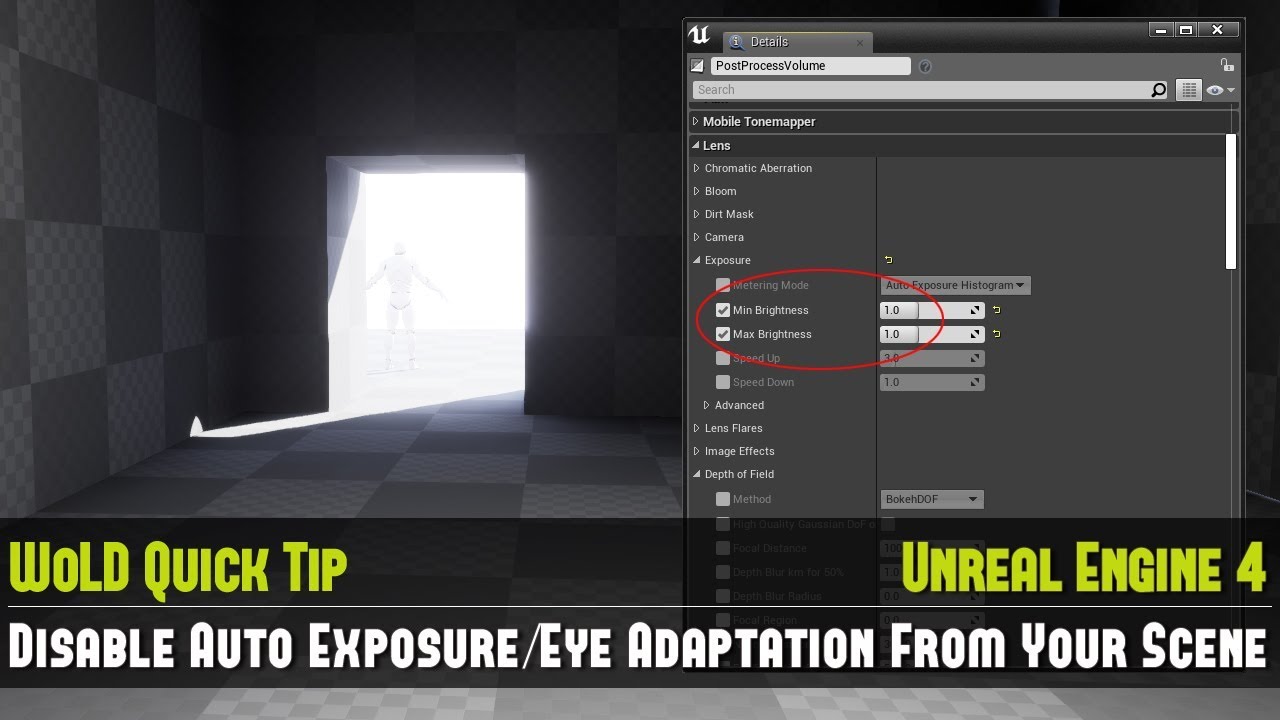
Full UE4 Quick Tip Playlist: https://www.youtube.com/playlist?list=PL_c7yiTIRI8rPQfsNytgjgJh-bssWUczX
Learn how to quickly disable auto exposure, also known as eye adaptation from your scene. This is especially important to do when you are working on creating your environment and not on lighting, as exposure is too distracting in the scene by d...
modest ivy
ah, thank you
thorny warren
welcome
modest ivy
if my character is teh light source, is it safe to attach that to my character?
thorny warren
yea sure
wary wave
this is immensely irritating;
trying to read code whilst the editor is loading, so I move this window out of the way, but it just pops straight back up in the middle again when it starts loading symbols for the next dll
like WHY Visual Studio? I obviously moved it for a reason, why move it back?
modest ivy
oh you can make the volume unbound
thats helpful
thanks again
oooh you can completely disable exposure in the project settings, even better
thorny warren
no problem!
fringe pivot
@stark ledge
Having solved the snapping this next issue appeared.
In the image being green the mesh and red the collision, I do the collision smaller so it's possible to snap 2 walls in a 90º angle (A).
But then when I snap them like B I get those holes.
Can I ask you how do you handle this in your building system?
 stark ledge
fringe pivot
<@!485009514253516800>
Having solved the snapping this next issue appeared.
In ...
stark ledge
fringe pivot
<@!485009514253516800>
Having solved the snapping this next issue appeared.
In ...
I have a second (smaller) collision volume which I use to check collision against other building parts.
It's quite fiddly to get right and I'm not sure if I'm going to keep it, but it works ok for now.
plush yew
how can i add Text in the viewport?
proper oar
Can I add blender assets to my games?
stark ledge
proper oar
Can I add blender assets to my games?
export to FBX first
 cinder minnow
Hey! That might seems like a weird request, but could someone that is NOT on Windows (ie Linux or Mac) take a screenshot of an highlighted text in the editor like that? Thank you very much!
(I want to know if this color is specified by the engine or OS specific)
wary wave
I don't think it's OS specific
if it were, it'd be consistent across all Windows applications that don't change it
I think you'll find the values are somewhere in Slate
cinder minnow
I don't think so either, but I spent a few time searching where this color comes from and couldn't find it... I just wanted to be sure
(Yeah, Core or Editor slate, but couldn't find it there 😕)
potent bridge
What am I doing wrong here?
wary wave
applying torque to a sphere when a key is held, or something
I'm not sure how we're supposed to guess what's wrong with it?
potent bridge
nvm, I think I've worked it out
 midnight gate
why am i getting error that get player controller isnt valid
my game mode setup is fine
maiden socket
@midnight gate not sure but maybe the index is wrong
maiden socket
wary wave
index cannot be wrong
Why is that so?
wary wave
because the player controller's array is filled in the order they are created
PlayerController at index 0 is therefore guaranteed to be the local one
wary wave
nope
so yeah, you either have a player controller at index 0, it hasn't been created yet, or something went horribly, horribly wrong in your game mode code 😄
maiden socket
Do you know what is event construct @wary wave ?
midnight gate
but the player is always in the game
its never destroyed or anything
how can it not exist?
wary wave
it's a widget, so it's the constructor for that widget
maiden socket
Ohh
wary wave
if you create the menu object before the player controller object exists, then you'll probably get an accessed none error, yes
maiden socket
@wary wave that would happen only in a level with just UI right?
wary wave
a slight delay is a bit hacky, but will probably work
maiden socket
Or do I have the wrong definition of Player Controller?
wary wave
it'll always happen if you try to access the player controller before it has been spawned
it's an order of execution problem
midnight gate
but the player always exists
the player pawn is always there
its a third person bp template
tho very modified lol
looks like a full game now
@wary wave what even spawns the player controller?
wary wave
something very early on, never looked into it in detail
 timid frost
 robust marten
I booted up my project this morning and now all of a sudden my character falls through the map when I press play? rebooting the project doesnt work. I get no errors. I try to move the Player Controller around but no luck, please, does anyone know what could be causing this???
Player capsule is set to BlockAll for collision btw
 still schooner
cant we filter the assets by like recently downloaded or smth in launcher?
there is a orange dot in the library tab and i couldnt find it :D
 patent grove
i have a question about quixel where can i ask about that?
 wanton lotus
robust marten
https://www.youtube.com/watch?v=tO3IHNDk0y0&feature=youtu.be
wanton lotus
robust marten
https://www.youtube.com/watch?v=tO3IHNDk0y0&feature=youtu.be
Dancing naked guy was confused, scratching his head. Then you committed harakiri unable to impress him.
robust marten
lol hes just there to test animations
Im so lost on how to fix this
nvm
wow
the fifth reboot fixed it
light thunder
Area map with sublevels - It would be super convenient if I could trigger main events from the sublevels, to manage systems on the Area level -
Can I use Event dispatchers for this? I've been able to use an actor to do so but is there another way?
rotund scroll
yes event dispatchers can be bound manually for stuff like this
light thunder
rotund scroll
yes event dispatchers can be bound manually for stuff like this
From one level blueprint to another?
rotund scroll
I've never tried but I'm sure there would be a hook in, considering you can load in levels through blueprint
light thunder
but you can't have a direct reference to a level's blueprint anywhere - just the level name
so
receiving the dispatch from the other level, how would you reference it?
On one level I have this dispatcher event being bound but I have to pass a reference to it, in this case, it's a widget and works fine
wary wave
level blueprints are an anachronism that exist mostly for legacy purposes - they are best avoided
light thunder
I generally do, but there is some times it's handy, like if I have sublevels that I want to trigger some stuff on, but yeah, I'm just making An empty actor on the main levels to serve as it's Brain basically
light thunder
wary wave
level blueprints are an anachronism that exist mostly for legacy purposes - they...
One of the reason I find it nice being able to trigger small things, like making a static mesh simulate physics, without having to make it a BP actor, and having a direct reference to that static mesh in the world.... I don't know another way than using some get all actor-type command and sorting through all instances for example
patent grove
any reason my megascan is just a blurry mess? i havent touched it all i did is import it from bridge
light thunder
patent grove
any reason my megascan is just a blurry mess? i havent touched it all i did is i...
Look in the content browser and view it as its own object, not in your world
If it looks different, it's your lighting interacting with it
patent grove
plush yew
Hi guys. Cannot find what's wrong there. There are two ways it goes to but I want the laser goes straight down.
light thunder
patent grove
check your import settings, something got jacked up it seems, AFAIK, the static mesh preview is supposed to be as basic as possible meaning if it is a problem there, it's nothing that Unreal is doing to it (beyond what happened during import process)
light thunder
plush yew
Hi guys. Cannot find what's wrong there. There are two ways it goes to but I wan...
I need to see the pivot point of your actual actor you are getting the forward vector from - it's probably off
 winter gale

Quick #UE4 Tip number 91.
Having a material with lot of parameters? The Parameter Defaults tab in Material Editor can be used to change the default values.
#unreal #unrealtips #unrealdev #indiegamedev #gamedev #indiedev #screenshotsaturday #UnrealEngine

 Twitter
·
patent grove
Twitter
·
patent grove
where would one find said import settings? im new to unreal so please forgive the stupid questions
plush yew
light thunder
I need to see the pivot point of your actual actor you are getting the forward v...
light thunder
patent grove
where would one find said import settings? im new to unreal so please forgive th...
Not stupid question. If you scroll down in the static mesh details on the right, (or just type in "import" in the details" it will search for you there)
Or you can just delete it (make sure you remove references or just save it as a different file name, and try to import it again) basically import it again and the settings will come up
 fallen flower
What is with SunSky completely blowing out unlit mode? Directional light's default 75000 lux causes this.
patent grove
okay ive found it, what am i looking for in the import details?
tame marsh
@fallen flower It's physically accurate to represent the strength of the sun
Oh, unlit mode?
Yeah I don't know why it affects unlit mode, it's really annoying
plush yew
light thunder
Not stupid question. If you scroll down in the static mesh details on the right...
It's straight forward 🙂
 gray jetty
 austere scroll
is there a name for the purple glare that u can see on the edges and on the top
like a well-known name , used in tutorials and such
rotund scroll
fresnel
austere scroll
thanks
 simple meadow
Hey Everyone! I have a quick question, I think I have a handle on it now but wanted to run it past the brains (Dynamic material instance BP)
I have a scene where I'm just swapping out the colors on some pipes as I hit number keys, originally I had it set up so that each static mesh component has a dynamic mesh instance that changes the material instance for every key I input
it worked in PIE but when I built the project the materials stopped functioning as expected, random colors and stuff
What I should be doing instead is once the dynamic mesh instance is created is going and 'Set Material' on the static mesh components instead of creating new dynamic instances every time I hit a key?
Its for the pipes changing colors depending on the flow conditions, if anyone thinks I can do it in a better way I'd take all the feedback! Thanks!
simple meadow
austere scroll
is there a name for the purple glare that u can see on the edges and on the top
It can also be an effect called Pearlescence
vast pawn
I am testing a scene with my Xbox series X controller; however, I could not get the mannequin to move at all. I have already set my MoveForward and MoveRight axis to Gamepad Left Thumbstick Y-axis & X-axis.
In addition I have a wooting one keyboard that uses both digital and analog input and just like the Xbox series X controller both use Xinput for analog input.
how do I get my Xbox series X controller to work w/o having to uninstall and install drivers.
rotund scroll
simple meadow
It can also be an effect called Pearlescence
he was referring to the shader type I'm sure
 finite hamlet
Can you use both blueprints and C++ in the same project?
I know blueprints are just c++ classes in visual format but you get the idea
vast pawn
anyone?
grim ore
@vast pawn if the controller is showing up in windows it should work fine in UE4. is it showing up in windows under game controllers?
if it is, it should work out of the box when using the third person template if you want to test it
grim ore
yep double click on it and open it up and run the testing stuff it should show it moving and such
if it is and you can verify its working in windows then make a new project with the third person template and it should work out of the box
you can also hit the windows key and type game controllers and the setup for the controllers pops up like this
vast pawn
I got this
grim ore
its possibly you have ue4 trying to use input from other controllers is the issue since I see 3 of them there
its weird it is not showing xbox game controller in there if its on and working
vast pawn
I have a wooting one keyboard that uses the xbox driver for analog input
grim ore
it might be detecting that as the primary controller then
vast pawn
which brings to the other question; how do I switch the Xbox controller as the primary controller?
last thing I want to do is uninstall and reinstall drivers
grim ore
thats actually a question Im trying to figure out. basically your controller/player 1 is probably the keyboard which means you need to get the input from the other controller/player for the gamepad
or figure out how to reassign which is the part I am stuck on
vast pawn
okay I'll leave it at that then... probably need to contact the UE4 devs about it.
BTW thanx for giving out the definitions of every Blueprint nodes in your youtube channel @grim ore
vast pawn
in UE4?
grim ore
yeah you need to figure out how to assign the second gamepad to player 1
vast pawn
would I find them under Project Settings?
grim ore
no its a runtime thing,
like you need to get player controller 1 (since 0 is the default) and use that
gray kindle
Basically whenever i aim too close to the character the impact point(coordinates on the left) gets below ground, while the green crosshair stays on it.
And when its negative (you can see i aim above the ground but its still under 0) the bullets goes super close - the red line is where it went
vast pawn
@grim ore would you consider blueprints a runtime thingy
plush yew
Hey, guys, how could I create a reference to an actor in my gamemode blueprint ?
I'm trying to get a reference to my Level Sequence Actor
 pastel sapphire
Hi i got this problem when i update the UE 4.25.4 > 4.26
when i try to build the lights (Swarm Failed to kick off)
 worthy flame
my brain went freeze mode, what you call the node that takes 1 node and can give away X amount of nodes out
 crude jasper
sequence ?
worthy flame
OMG YES thank you
crude jasper
ahaha you're welcome
pastel sapphire
what about my problem i do spend days but idk
crude jasper
well, hi everyone.. im having a problem with the camera shake BP, is there a chat room more indicated to talk about this ?
Im sorry Pacho i dont have any idea how to fix that
pastel sapphire
np
 digital anchor
@pastel sapphire try compiling lightmass on visual studio
 long tinsel
Hey there, anyone know how I can collapse multiple errors on the console? (as opposed to having a wall of errors and manually checking which are being repeated)
crude jasper
woah never thought about that that could be really useful
pastel sapphire
i'm using blueprints so i can't build the lightmass from the visual studio
i can't use the UE4.sln file cuz i download the unreal engine from epic games
plush yew
Why can't I add struct to array of it?
Code is like usually, but when I play, it simply doesn't add it.
This struct array is then part of another struct which is also array. Could this have something to do with it?
Game Instance - Visited Systems (Struct, Array), > SystemData (Struct) (Contains, Discoveries array which I'm trying to add to)
Same problem is when I try to set that struct array. Basicly nothing can be changed at that struct array.
rotund scroll
is this in BP or cpp
light thunder
I'm trying to measure how tall my static mesh is - If I'm reading this right, it's 3.47 meters correct?
 runic needle
I need to ask something... I have a project and its have a landscape and some foliages. When I try to open my project its take so time (because of shader compiling.) but... If i package this and run my game, is it will take so long time like in the editor? Because if it will, my game is unplayable, because rdr2 have 10x more detailed map than my game but its opens more more fast. Whats the wrong? am I thinking wrong and packaged project will run more fast than in the editor? Or if this true, why it takes so long time to load? Is unreal engine is a slow engine 😑
plush yew
@rotund scroll BP.
light thunder
so if I scaled this up (this wall) by 1.5, it's as simple as multiplying by the same?
rotund scroll
plush yew
<@!224571781862653952> BP.
structs in general don't play well with BP, nested structs even less
frozen pond
hi, my navmesh stopped doing anything and ended like this:
idk why it didn't build anything from some level?
crude jasper
i dont remember a solution but im pretty sure ive seen it around the forums
if you search it on google i bet you can find it
 nova portal
https://www.youtube.com/watch?v=YP6u2PrXz90&t
I followed this tutorial to get a "True" First Person View. But I am having a problem with headbobbing, does anyone have any tips on what I could to do reduce headbobbing or eliminating it completely?

True first person camera is a cool method of controlling a character. It has been used in games like Mirror’s Edge and Dishonored to give a good feel of body awareness and emersion to the player. I’ve mixed my own methods with a blog post from Froyok to achieve similar results with easy implementation into Unreal Engine 4. This tutorial gives a ...
 buoyant graniteBOT
:triangular_flag_on_post: Mazell#0001 received strike 2. As a result, they were muted for 1 hour.
 dawn gull
How do I add 2 arrays together?
grim ore
loop thru one and add it to the other?
frozen pond
append ?
nova portal
Perhaps append array could help you? You could create a third array and append all of them to it
But I am an unreal noob so don't listen to me
 warm vector
when you learn stuff trough the maze game and then you try somthing yourself you end up like this
https://youtu.be/c5Zq2pfRsxk ^^

Mesh Made by Dutchy!
 uneven fractal
does the opacity mask material output round up or round down?
 cosmic matrix
Do animation retargeting need both skeleton have the same hierarchy?
grim ore
they should have as close as possible yes
missing bones in between others, say a hand with knuckles and one without, can remap ok but completely missing important bones will have issues
 zinc shore
how would i make glassmorphisum UMG elements in Unreal
cosmic matrix
@grim ore ok thanks in my case i haven t pelvis, all spine and clavicle bones it only start at upper arm is it for this reason every thing is broken
?
Do you think i can renam bones and try to merge skeleton to have missing bones
grim ore
Use the retargetting skeleton and try and match but if your missing a main bone like pelvis it’s gonna fail you might need to go add one in your dcc program.
cosmic matrix
@grim ore ok and do spines and clavicle are important bones?
rotund scroll
hmm when setting a component to another component of the same type, that should update all variables inside said component, yes?
potent bridge
Is there a way to get text on top of the shield icon? I can't seem to add anything that ignores the vertical box
overlay, just figured it out I think.
grim ore
The vertical box stacks stuff vertical in it. You want to stack stuff on something else. Wrap the image that is inside the box with something like an overlay or another widget that allows it
rotund scroll
hmm seems like it does update, but still prints default values for some reason
cosmic matrix
@grim ore Do spines and clavicle are important bones?
 dense knoll
When is in engine real world terrain gen comming to ue
 next badger
@cosmic matrix it only matters if you want to preserve animation on those bones
retargeting may be forgiving sometimes, like skipping few bones of spine is fine
cosmic matrix
@next badger ok thanks but i haven t pelvis bone and clavivle
it s a fps armature that i'm trying to make it work with ue mannequin
but result for now is not super good
robust marten
What is AttachToComponent now called? They changed it in a recent update I guess
cosmic matrix
@next badger
light thunder
I can't just enable Chaos in 4.25 right? I would have to compile a source build of the engine?
rotund scroll
does anyone know if for material layers, it would make sense to have something like wave functions as individual layers? the examples I've seen of material layering have been more classical examples where things are texture based for instance. could it be approximated to use something like vertex displacement etc., especially in animated materials?
 frozen valley
Hey looking to start making games.
Any good starter channels or anything like that
fierce tulip
the pinned message in this channel is kinda like a getting started care pack of links to check out
frozen valley
Thxs
honest mango
https://gyazo.com/0c6297b6d7df39339781fe1353b09803 how can i make thoses two buttons the same size please ?

 upper bone
honest mango
upper bone
honest mango
thanks you !
next badger
@cosmic matrix you have to understand, that if you have no similar bones - you have nothing to transfer data to, means animation data lost, thus makes animation look odd, or even broken
stiff sail
my friend says my game opens steam vr even tho its not baked for vr. why would this happen
so just disable and bake again
 thick herald
Yup. For some reason known only to Epic, they enable the VR plugins by default
cosmic matrix
ok i understand.
What i have is an armature for a fps but there are only root bone and after upper arm and the standard hierarchy.
What i want is to transfer upperarm and children animations to the ue skeleton
but the result is upper arms are at bad position but the animation play on
@next badger
 elder plinth
what am i looking at
 rancid lynx
if i want NPCs with physics like GTAV, when you bump into them, they get physics applied to them, what do i start learning about ? I.K animations? or what ?
plush yew
but i should check if i have rtx on
rancid lynx
im new to characters
plush yew
do they have physics or they just fall down
rancid lynx
well
plush yew
I only remember npcs falling down
rancid lynx
if your car slowly pushes them
they lean and curve slowly around the car
im not worried about deep AI simulation lol
i just want to know how to apply physics to skeletons or something simple.
 dark briar
in the new ue4 landmass tutorial, does any1 know where to get that sand material? looks amazing
 barren flume
Having this really strange thing happening in UE 4.26 where it seems to stutter in this pattern at I think the same timings

Only seems to not do that if I look up
gloomy gull
@barren flume Then it’s an issue with ur collision
I remember I had a jitter issue like that
honest mango
https://gyazo.com/442d6f296676ee7074938e796c63cb22 is there a way to import this in ue ? thanks
 barren flume
Not sure what to do then it's just whatever settings the fps default project has
 gleaming lotus
I need a little nudge in the right direction - I'm trying to make a build system where items can be attached to a base item and each other. I need to figure out a way that if an item in the chain is removed, if it is not touching the base item, or in a chain of items that touch the base item, it'll fall down.
What I'm struggling with here is figuring out the best way to implement a way of saving which items are attached to what. My only solution so far has created a really big looping loop which as you can imagine was pretty bad and caused stack overflows
 coarse turtle
Sometimes when you try to save your project after running it in standalone mode, it complains as if your project is still running. Is there any workaround to that?
barren flume
gloomy gull
<@645632310187655198> Then it’s an issue with ur collision
Yeah it's those cubes that I can shoot at
Oh nevermind guess restarting fixed it somehow
Nevermind again it's back
It was fine for the first minute or 2 then it started doing that again
 hallow compass
How would I spawn AI with a random material? Same AI and mesh I just want different colours 😄
rancid lynx
holy shit people.. after literally a decade, the epic marketplace scrolls up and down with the mouse wheel without feeling like a laggy whale.... .... its actually as smooth as the browser version now... whats next ? actual search keywords for Library vault assets that we paid for ? lol no.
wanton lotus
rancid lynx
holy shit people.. after literally a decade, the epic marketplace scrolls up and...
But it already has a search function....
What it needs is a category for pending updates, so I don't have to search through all of them to see which asset updated.
rancid lynx
technically it has a search bar. if you literally type the name of the asset, it doesnt filter correctly,
 still moat
They really have to update the launcher overall its just bad.
wanton lotus
rancid lynx
technically it has a search bar. if you literally type the name of the asset, ...
Ah, you mean search by tag? That would be a cool feature. Categories kind of helps narrow things down.
honest mango
Is it possible to do like a "folder" and put all the borders i have in it ? i dont wanna collapse the hole canvas https://gyazo.com/bb72da40a11f387065af5dfefc3eb790 thanks
 plush yew
Any idea for my first game?
 surreal viper
Pong
plush yew
no
 latent dust
Brainstorm
plush yew
latent dust
Brainstorm
E thanks but someone just told me 50% Cyberpunk 2077 & 50% GTAV
gloomy gull
rancid lynx
holy shit people.. after literally a decade, the epic marketplace scrolls up and...
YES lol
barren flume
Even after clicking on the button to install visual studio when it finishes and I restart the editor I still get that message
teal schooner
Just started implementing multiplayer in a prototype single player game. I vastly underestimated the work to replicate everything. RIP lol
rotund scroll
multiplayer just about squares the amount of work you have to do for a game
teal schooner
its a lot of work, but i love it
dark briar
in the new ue4 tutorial for landmass, what is this sand material. i need it O_O
plush yew
Wait, "no" is not a word?
 tall pilot
nó
 woven whale
no, im pretty sure it is-- infact i know it is
tall pilot
ņǫ
 austere hinge
hi iam unable to render my particle infront of character..i even switched off "disable depth test" but its not working.. can someone help me
plush yew
austere hinge
hi iam unable to render my particle infront of character..i even switched off "d...
And i’m just some idiot recreating Cyberpunk 2077 but it’s GTAV
austere hinge
plush yew
And i’m just some idiot recreating Cyberpunk 2077 but it’s GTAV
😄 ..plz help !
 tranquil falcon
What has Light Propagation Volume been replaced with?
 wintry silo
How do I switch to different Cameras for each dialog speaker?
teal schooner
austere hinge
hi iam unable to render my particle infront of character..i even switched off "d...
Why don't you try moving your particle to be in front of your character?
 quasi lynx
Hey all,
I've got a character with multiple PostProcessingComponents attached for different 'visions' (like normal, heat, nightvision etc)
When the player pushes a specific key, it changes the visions and subsequently uses a different post processing component, disabling the others
Is this the 'correct' way of doing this? Is there a more efficient method?
wintry silo
I've got the dialog set up with the datatable, i just need to know how to switch the cameras to show each speaker when running the dialog.
grim ore
@wintry silo the set view target with blend node is used to change the current player camera to another one.
wintry silo
don't want the cameras to blend, just want simple switch. i guess i just leave blend at 0 for that.
hmm for some reason when I got discord up, unreal editor is now stuck in task bar and won't open the window.
how do I get unreal editor to open up from the task bar, I can see it pop up in the little preview window so the editor is still running but when I click on it, it won't open.
plush yew
Hey guys, i had a new question....
I made a bluepring that make a procedural building.... creating the instantance of that blueprint, can i actually save some performance?
wintry silo
oki had to to go cancle and then quit the window then it opens. Weird bug.
austere hinge
teal schooner
Why don't you try moving your particle to be in front of your character?
the particle is infront of camera only ..when i use masked or opaque material it is rendering front of elephant only..but when i use translucent material it is rendering back of character
plush yew
@grim ore are you also a YouTuber ?
wintry silo
how do we set up the set view target with blend using the data table
it has to read the camera ID to switch it.
What's the set up for switching cameras using a data table to do the switching?
grim ore
@plush yew yes I have a channel
@wintry silo you have to feed in an actor with a camera so you need to somehow map your camera ID from your data table to the actor in the world
wintry silo
i'm not sure of the set up because the data table needs to switch to each party members camera so the camera always pointing back at the speaker.
this is what i have so far
grim ore
not much we can help without knowing your project. the node changes from the current camera assigned to the player camera manager to a new one that you tell it to switch to. you might be able to do a mapping in your project for the ID -> actor that has the camera and feed that in
wintry silo
and i just popped in a camera ID number in the data table for Rex
but do I have to tag rex's camera with that Number.
tranquil falcon
Why?????????? These surfaces are co-planar with the same material and yet the shadowing is all weird. Any idea why this is happening?
grim ore
@wintry silo you need to somehow while the project is running, or at design time if these cameras/actors are already in the world, map that ID to the actual actor/camera that is in the world
@tranquil falcon look up the way UE4 lightmapping works on sites such as 80.lvl and this issue. basically the lightmapper is multi threaded so different meshes will end up with edges like that
wintry silo
each camera will be attached as a component to the party members in the world.
or in other words each party member camera is added into their owncharacter BP's. And just need to get it to swich to their camera when their dialog shows up.
tranquil falcon
@grim ore it sounds like because the lightmapper is multi-threaded each surface gets "calculated" separately and hence the different shadowing? Maybe its more complicated. I'm on 80.lv now - never heard of this site before - thanks for the reference.
grim ore
@tranquil falcon thats pretty much it yep
tranquil falcon
@grim ore so the solution is to make those surfaces one mesh?
grim ore
if using different meshes and static lighting yep or try and hide it as best as you can with doodads
wintry silo
can he just disable baking lights ?
median hound
anyone know what you can do abt light leaks, is it suppose to happen with ue4 props? like the cube
wintry silo
i remember getting this when creating a new landscape it leaves black lines all over it, dont know if it works for also buildings meshes, but try setting lighting to dynamic to see if that removes the lines.
tranquil falcon
fixed it
You can see the other side still has the issue.
And now that side is fixed as well....
wintry silo
i can't reference the camera directly in the world as you can only use the ref in level blueprint. but the dialog struct is in the dialog actor master bp blueprint. not the level bp.
tranquil falcon
Tried the same fix on the corner condition. I can't tell if it helped...
Increased lightmap resolution instead seems to address this better which makes sense.
uneven fractal
TIL material lerps can go negative and above 1
tranquil falcon
whats a LERP?
uneven fractal
linear interpolate
 lucid grove
heya guys, i have a simple problem but probably get my brain frozen
i have simple interface - when i hit E it plays animation
my character sit on bench
when i hit E again - it plays sit animation
i mean stand up animation*
but since my character was looking at bench
it plays stand up animation and rotate character towards the bench
wintry silo
i need to know how to reference the player cameras with the data table'.
lucid grove


Basicly this is how it looks
i tried to rotate character at the end of animation - but it looks weird
 thin tendon
In widget using blueprint, is there a way I can say button = hovered. And set it instead of asking what its state is?
plush yew
thin tendon
In widget using blueprint, is there a way I can say button = hovered. And set it...
What do you mean? Do you mean when the button is clicked it executed the code?
thin tendon
just a default engine button. An ordinary button not user created. Then use the blueprint to tell the engine that even though the mouse isn't over the button, the engine should trigger the hovered code.
plush yew
That... That’s impossible
The mouse must click the button.
Then it executes the code.
thin tendon
well that makes no sense at all. Why would they make it impossible? Surely I could just say trigger event. In other engines I can do things like saying button is = to pressed etc and this is way simpler.
 warm stirrup
playing a video question - trying to start the level (not the game, as in adding video to the game settings window) with a video clip before the player can start the level. Would I accomplish this best using the Media Framework tools? The example the documentation has is more for playing video as a texture( like trying to create a TV screen or the like).
I did find an old forum post that might solve the issue, but I'd like someone to confirm it? They don't go into detail but they say using a 'Begin Play' in the level blueprint.
I also saw someone mention the matinee tool, though I'm not looking to use a trigger in the level to activate this.
Unreal Engine Forums
I was searching & searching, but I couldn't find any tutorial that would explain me how I can do that. Might search with the wrong keywords, idk.
@what I
teal schooner
warm stirrup
playing a video question - trying to start the level (not the game, as in adding...
I'm actually curious about this too. Is there a simple way to play a fullscreen video? Certain format, etc?
thin tendon
wow unreal is soo touchy these days. All I did was try to copy and paste a button and it crashed lmao
winter gale
Quick #UE4 Tip number 92.
Material Function Inputs/Outputs can be sorted relative to other inputs/outputs by setting their Sort Priority.
#unreal #unrealtips #unrealdev #indiegamedev #gamedev #indiedev #screenshotsaturday #UnrealEngine
 Twitter
·
Twitter
·

 full fulcrum
i just downloaded unreal engine so can someone pls send me a tutorial video
plush yew
@full fulcrum This might help https://youtu.be/QJpfLkEsoek

Get the full UE4 course:
https://bit.ly/36lJS3S
Unreal C++ Beginner Tutorial:
https://youtu.be/1dl91ORwmy8
In this video you are going to learn how to build a very simple game using Unreal Engine and Blueprint.
The goal of this lesson is to get you aquainted with the absolute basics of:
- The Unreal Editor
- Simple AI
- Events in Blueprint
-...
 gleaming wing
Hey everyone, I wonder if someone can clarify this for me
Is it okay for me to sell something on the unreal marketplace if I'm using a free 3rd party plugin just to make it better?
full fulcrum
Idk
gleaming wing
It wouldn't break the character if not, it's just a simulated physics plugin, and its also free
full fulcrum
I just downloaded unreal engine u don’t know anything
full fulcrum
plush yew
<@!763849670027378688> This might help https://youtu.be/QJpfLkEsoek
Thanks for the video btw i will watch it later
thin tendon
@gleaming wing Unreal have thier own review process for store assets. But seeing as you are using someone elses work (plugin) even if you think you are good. The polite thing would be to ask them directly. This will also cover your ass if anyone tries to sue you.
gleaming wing
thin tendon
<@!176089222086787072> Unreal have thier own review process for store assets. Bu...
You have a great point in that. I'll try to talk to them about it.
Thanks man
plush yew
Is there any free horror game assets with a volume and a character?
 lethal bison
Guys I am having an issue with a CC3 model. When I switch to WebGL preview the model dissappears.
I get this error :
LogSkinnedMeshComp: Warning: SkeletalMesh nurse_anim_new2, is not supported for current feature level (ES2) and will not be rendered. NumBones 66 (supported 75), HasExtraBoneInfluences: true
modest trench
gleaming wing
You have a great point in that. I'll try to talk to them about it.
Makes me wonder if you can include other marketplace assets as "dependencies"
wary wave
you cannot
modest trench
That's fair, it would probably get weird fast
wary wave
lethal bison
Guys I am having an issue with a CC3 model. When I switch to WebGL preview the m...
There is nothing you can really do, the skeleton has too many bones
lethal bison
thats odd cuz cc3 supports UE4 export and there are multiple skeletal meshes exported which do render
wary wave
the problem is not UE4, the problem is OpenGL ES2
a mesh with more than 66 bones will not render
lethal bison
my bone count is 66 only and it says max is 75
 lean bobcat
Hi sorry any can help me with UE4 ? I have a problem about hardware
lethal bison
lean bobcat
Hi sorry any can help me with UE4 ? I have a problem about hardware
just type your issue dont ask. Anyways how can I help?
lean bobcat
I have 2 pc one laptop i7 7th with geforce 940mx 8 gb ram , and other pc desktop i5 6th with geforce 1050 ti
buoyant graniteBOT
:triangular_flag_on_post: EnricoS#2567 received strike 1. As a result, they were muted for 10 minutes.
proud narwhal
what could be causing my floor to flicker this grid?
lethal bison
its just overlapping renderer gets confused which surface is on top if they are too close to each other I think. This is the viewport graph right?
fierce tulip
if the floor is on same height as grid for some reason it flickers.
this wasnt really a thing a few versions ago, but its just visual noise.
proud narwhal
nope, only 1 surface there, it is doing it even if I open it in the object
lethal bison
just cosmetic should not cause any problems. When I mean surface I count the grid as one too
fierce tulip
same, im glad I dont get seizures
proud narwhal
ah ok you can hide the grid from the show menu then it stops
lean bobcat
I have 2 pc one laptop i7 7th with geforce 940mx 8 gb ram , and other pc desktop i5 6th with geforce 1050 ti what is better for compiling shader?
my pc desktop , so slow , for compiling
stark ledge
there's no silver bullet, to work with unreal you want to get the fastest CPU you can afford with as many cores as possible! Shader compilation is 100% CPU based and distributes across all cores very well.
16GB Ram+ is recommended too
wintry silo
how do we switch cameras using a data table ?
 vapid spoke
Hi all,
How can I use widget blueprint to control the object in map?
Because the widget blueprint can not drag in the map
plush yew
Guys DM me if your game has a bug. I can fix it.
wintry silo
do you know how to switch cameras in dialog with the data table/
fierce tulip
@wintry silo could you please read the #old-rules thank you.
thin tendon
Unreal engine just automatically removed "unused widgets". I changed a scroll box to a vert box and restarted. This is what caused it. Can I tell Unreal not to delete stuff automatically?
lean bobcat
so need to buy a new ram 16 gb for laptop is better ? this is my CPU , or I need to buy a new cpu
wintry silo
don't be too obsessed with classes, it divides people.
proud narwhal
So I cannot find a tutorial on how to ofset a material, I can find plenty that explain how to scale, but not ofset...
thin tendon
@proud narwhal https://forums.unrealengine.com/development-discussion/rendering/14848-uv-coordinate-offset
Unreal Engine Forums
For discussions about Materials, Textures, Lighting, Particle Systems, and Post Process Effects.
proud narwhal
@thin tendon thanks I found that, but I am also scaling the texture so was unsure how to do both
proud narwhal
how do I do both?
thin tendon
Do your add for your offset and then multiply for your scale. Or maybe the other way around. Either should work.
fierce tulip
i'd multiply first, then add
proud narwhal
so I connect the multiply out into a subtract A, and then into the UVs?
thin tendon
If you are using a subtract for offset drag out from your multiply into your subtract
Then from that to your UV pin
thin tendon
which Direction are you offsetting?
proud narwhal
both
thin tendon
That picture in the texture sample node should be showing you the result
plush yew
Hello everyone, I'm trying to load textures at runtime, all is setup and working except the normal map - it loads incorrectly
proud narwhal
 tranquil isle
Anyone knows what EXCEPTION_ACCESS_VIOLATION reading address 0x00000038 is?
I can't open any file
fierce tulip
@proud narwhal use a vector 2 to offset left/right and up/down
tranquil isle
only textures
thin tendon
@proud narwhal What @fierce tulip is saying is spot on. Use a vector 2 like this. Then just adjust the values to move in each direction. You can use anything from 0 to 1 or 0 to -1 to control direction simply.
thin tendon
I just right clicked and typed vector 2
fierce tulip
hold down "2" and left mouse click
proud narwhal
ok I think I got it now thank you
lethal bison
lean bobcat
I have 2 pc one laptop i7 7th with geforce 940mx 8 gb ram , and other pc desktop...
I dont know if 1050 ti is enough tho but definitely upgrade your ram. I have and i7 7th gen too and it runs ok on mine (1060ti 16gb ram). Also turn down your graphics quality a but in the engine scalability options that should ease it out and free up some memory from viewport rendering
midnight gate
now do i cut that last duration timer to be at exacly 3 seconds?
instead of 3,1s
why cant i change it
midnight gate
can i not get what key is player pressing when game is paused
 frozen hinge
how do people handle huge large assests in ue4 on ssd
i want to put the project on the ssd
but the assets are taking up so much space it's ridicolous
modest trench
midnight gate
can i not get what key is player pressing when game is paused
You can enable "Execuse when Paused" on the input event in BP
click on the event node and set that in the details panel
midnight gate
@frozen hinge they buy terabytes of data
@modest trench nah the problem was that i had it set to ui only
so my gamemode could not register wich button is being pressed
modest trench
ooh, good to know
wintry silo
ouch
midnight gate
yup
modest trench
you could probably use symbolic links to the larger disk drive with all the assets
https://www.howtogeek.com/howto/16226/complete-guide-to-symbolic-links-symlinks-on-windows-or-linux/

How-To Geek
Windows 10, 8, 7, and Vista all support symbolic links—also known as symlinks—that point to a file or folder on your system. You can create them using the Command Prompt or a third-party tool called Link Shell Extension.
cosmic matrix
@lucid grove this can happen if you character rotate auto at the camera controller i think
modest trench
frozen hinge
but the assets are taking up so much space it's ridicolous
not 100% on this working well but this guy seems to endorse it https://answers.unrealengine.com/questions/911163/view.html
also maybe move the vault cache in case that's also on the ssd
plush yew
in texture settings, what means "power of 2 mode"?
my texture is a virtual texture udim of several power of 2 resolution images
can anyone help me, so i added a 3D text for main menu and i added a glowing material and when i go to main menu camera it's not glowing anymore
@grim ore great channel with very helpful videos, i am one of your subscribes! Great work
here it glows
and this is main menu camera
how can i fix it
next badger
frozen hinge
how do people handle huge large assests in ue4 on ssd
by buying a larger ssd...there is no other option
 winged crypt
Has anyone here localized a game for China?