#ue4-general
1 messages · Page 911 of 1
 chilly gale
@fierce tulip Thank you
 plush yew
but i guess that might work maybe
well if you use blender i think the character and cloths are parented and the stuff you wand to animate arnt
i was going to most likely use maverlous design for clothing
if its physics dont break when belts are added on top of whatever outfit is setup
look at how fluent this isssss https://www.youtube.com/watch?v=xSn8d613eN4

Character Creator Free Trial: https://www.reallusion.com/character-creator/download.html
Character Creator and Marvelous Designer are a wonderful combination to fulfill Digital Human demands. Character Creator can generate custom character looks across age, gender and ethnicity. Marvelous Designer allows users to create realistic 3D cloth from ...
; O;
but i wanna addd belt straps and pouches onto stuff like that without breaking the physics lol
i mean theres a alot of ways you could do it theres no wrong answer just trial and error and youll get it to work at some point
i think when adding physics in a different engine then exporting to unreal that might not work unreal like makes you do the physics yourself if that makes sense like the physics when exporting dont come with the object
if there is a way ive never seen it sooo
o.o
oh so i might be stupid
Hmmmmmmmmmmmmmmmmmmmmmmmmmmmmmmmmmmmmmmmmmmmmmmmmmmmmm
well this has been an interesting conversation i have an idea of where i should look around to get to that step x3
alrighty
it would be cool tho if unreal could do that like keep the physics of the object from another engine
yesssssssssssssss
C:
 fierce forge
hello, is there a way to get how many cells of a destructible mesh are still not destroyed ?

 spare kernel
anyone here ever done third person shooting
kinda trying to see different ways people have done it
 gray kindle
im currently trying to fix 3rd person to top-down
plush yew
@spare kernel i have, i like FPS tho, third person you need more animations and its slitly more work but if you want to do it theres no wrong answer go for it
gray kindle
i cant figure out how to make the character look at cursor, no youtube or google answer works
plush yew
ohhh well i think its all the same fps and tps
spare kernel
ie tracing from camera, from pawn forward, from muzzle, from muzzle to cam, from pawn forward to cam, etc
there are lots of different params you need to also take into consideration
gray kindle
i had from camera towards the point on the screen
plush yew
yeah, i never really got into it to be honest
haha aiming down sights was a pain for me i didnt know an efficient way of doing it
@gray kindle i think you need to use the mouses location and the rotation of the character mesh or something like that
gray kindle
tried it all, nothing works sadly
the character rotates but not fully
feels like its something with animation
plush yew
i dont think it could be animation your just rotation the character to follow the mouse right?
https://forums.unrealengine.com/development-discussion/blueprint-visual-scripting/96579-character-rotate-to-cursor-location this may help what your looking for
Unreal Engine Forums
Build powerful visual scripts without code.
gray kindle
yes, but its like body twists correctly, up to a point in where the character should rotate with it
its hard to explain with words
plush yew
haha i get it
gray kindle
basically he rotates like he should in a small cone, and then he doesnt
plush yew
yeah i understand, iif you are using animations for it have you tried using root motion?
there could be two things happening at once really
gray kindle
no, i havent been checking animations yet, thats my fresh guess 😄
i will try few more things and i go dig there
ive been working on it for like the last 10 hours
getting from 3rd person to top down
spare kernel
oh
plush yew
ok, well i hope it works out for you,
spare kernel
we rotate to camera
in out top down game

In Red Solstice 2: Survivors, you must plan your strategy and infiltrate a real-time tactical battlefield - alone or with up to 7 squad members. Rock Paper Shotgun's Colm Ahern and Matthew Castle thought two would be enough, but how wrong they were. We're sure you'll do better when you give this one a go when it comes to Steam, later this year.
something like this?
gray kindle
yes, thats it
spare kernel
no :/ but we also have TIP animations but we always rotate the player but counter rotate the root bone so you can aim the gun upto 89 degrees either way before rotating
bp or c++?
gray kindle
bp
 fading kelp
As much as Unreal advertises how it is a great tool in a live production environment, I am finding it difficult to find the answer to a very simple question......how do you get live video output from Unreal, preferably with transparency?
gray kindle
the worst part is i was very close to the answer but it was not fluid enough so i scrapped it
and now i dont remember what i did
spare kernel
@gray kindle well simplest way is find your target
(location under cursor)
and use FindLookAtRotation with start being your player location, and target being your location under mouse
plush yew
@fading kelp from within the engine or using a camera you have at your desk? like from the camera you have and make it go on an object from that live feed or using a camera in the engine if that makes sense
gray kindle
thats how it looks like right now
fading kelp
no no not webcam feed into Unreal, thank you though, I figured that out before..........I mean if I have a scene with motion graphics elements, how do I access the live feed from a camera for use in say, OBS, preferably with transparency so as to not need to color key the scene from unreal @plush yew
spare kernel
Normalize it, then on tick, you need to rotate towards
 weary basalt
@spare kernel How did you guys handle the fading of geometry between the Camera and Character?
Is there a technical term for that i can look up?
I want to learn it for my personal project 🙂
plush yew
@fading kelp that might be tricky
fading kelp
@plush yew isn't that a basic requirement for virtual sets?
spare kernel
oh i see what you are on about
spare kernel
yeah its material magic, @hollow fog knows more than me about it 😄 lol
plush yew
im not to sure in doing that cause welp i havent but there is a video about it i think unreal posted and some other videos @fading kelp
weary basalt
Im guessing you must do some trace to the character from the camera and tell any geo to modify a material param while its intersecting?
fading kelp
I have been searching =/. All I find are showcases of Unreal being used in live environments such as NFL and newscasts, nothing on..............how to get the video from Unreal to broadcast
that is why this is so frustrating..........Unreal can apparently do what I am looking for lol
plush yew
yeah, ive never done it before but i feel like it shouldnt be to hard
fading kelp
i get that feeling too 😄
plush yew
i mean theres probably something about it like in the forums or something, someone had to have asked that question
gray kindle
how long did it take u to make RS2?
spare kernel
we have the camera trace which is always tracing
gray kindle
and how many people were working on it
spare kernel
there is 11 of us and ive been with them 2 and half years, and they started it about 3-4months before i joined
gray kindle
nice, the game looks great!
im trying your fix for my problem but unreal crashed so i have to restart...
 gaunt tide
I feel that lol
fading kelp
does RTSP support transparency?
 lime girder
Does anyoe know if its ok practice to use a Delay node in a BTT? I guess I could use a Wait in Blackboard, but trying to find a way to pass a value generated from BTT to BT key for waiting
lime girder
Neato!
Thanks 😄
stupid question (as im learning BTTs)
Can I set an item key? wait i jsut answered that myself, I could set the key in the BTT and use a Wait later
the "right" way, but i guess delay works jsut as fine
God do you guys ever run into that? there are a million ways to do somethign and you sit there thinking about which way you should do it?!
 waxen raven
That's heavy as understanding grows. Which way is optimal, and why did I start with the dumbest way possible.
plush yew
lime girder
God do you guys ever run into that? there are a million ways to do somethign and...
we've all been there
haha i just do everything and see which way works better
spare kernel
KISS!
plush yew
or what i feel comfortable with
spare kernel
Keep it simple stupid, honestly, its the best way. Make things work. Tweak and clean up later
lime girder
man I struggle with it.
waxen raven
Keep it stumping stupid XD
lime girder
I've 10 years as a professional artist in movies, so coding is newish for me, but the minutia, i just noodle too much
haha nice @waxen raven
waxen raven
Agreed though, just saying we can overcomplicate what it stands for too.
spare kernel
if you have not iterated over a system at least twice, you have not done it properly 😄
waxen raven
A lot of the math will become the same heart I'd assume. Going from programming to art it's helped a lot.
lime girder
I started in March during the downturn, and honestly i spent September rewriting everything I wrote in May... cause I learned so much
so i guess I got one more to go @spare kernel :p
https://storage.googleapis.com/maketheory-send/6da4884f-251d-48a7-b172-fa2eec0ba01d.png
This will returned Finished right? I dont need to add a Finish Execute success?
 gray kindle
man my character rotates but in some weird way
 woven sphinx
man that's some nice blueprint
it should be legally required for blueprints to be that tidy
lime girder
hahai can't stand messy blueprints, let me show you some garbage i did ... one second
woven sphinx
i outlawed blueprints for most usage on my projects, but if i'd only ever seen blueprints like that it may have been different 😄
 hollow fog
somebody mentioned me
probably about the pillars right, its just camera distance dither @weary basalt
lime girder
woven sphinx
it should be legally required for blueprints to be that tidy
https://twitter.com/bravelunch/status/1269108873832599554/photo/1
Back when I hated myself lol
 woven sphinx
nevermind i remember all the reasons blueprints were outlawed
lime girder
But yeah, a BTT will return successful, unless I purposely return it not successful right 🤔
?
gray kindle
@spare kernel thats how he rotates right now, green point is where the cursor is pointed at 😄
basically it works but in wrong direction
spare kernel
cant really tell from a screenshot
gray kindle
i think i know whats going on
the part im rotating towards the cursor is rotated towards his right arm
thats how it looks like
i mean left arm
gray kindle
yes
but theres also the thing that im using wsad for movement, not mouse
i will show u how it works right now, let me find a way to record a quick clip
gray kindle
yes like this
gray kindle
thanks, i hope it works because right now i have no idea whats wrong
like, u can see that hes facing bottom while the cursor is to his right
sadly i cant record with anything
the green thing is cursor, dot is just overlay on screen
it feels like the angle is wrong
spare kernel

1 file sent via WeTransfer, the simplest way to send your files around the world
see if that is what you was after
gray kindle
thanks a lot, i will check it out right now
from what you showed me this is what im after, i just hope it will work after using the code in my project, otherwise it means something somewhere is broken
spare kernel
well i made some changes
in the character movement component, i turned off Orient to Movement, and made it Use control rotation
this here
then in the controller tick, i did https://www.thegames.dev/snaps/UE4Editor_vdhXr2Tuit.png

very crude, but it took me what 5mins 😄
gray kindle
thats also what i did, but it feels like the character doesnt know where "front" is, and thinks that hes facing the cursor with his left shoulder
im going to check your file out now
gray kindle
yes
 light thunder
Do decals not appear over transparent materials?
plush yew
Does UE4 not support HOTAS'?
light thunder
I'm getting that I have to handle the material masked somehow for this to not go away, but is there way
even if it looked like crap, I could work around it
spare kernel
but mine works like it should right?
gray kindle
yup
my character rotates in mine but hes doing the helicopter spin all the time
well at least i know now that its something else thats causing it
thanks for the help!
 cloud pilot
light thunder
I'm getting that I have to handle the material masked somehow for this to not go...
cloud pilot
light thunder
I'm getting that I have to handle the material masked somehow for this to not go...
Have you tried using emissive for the decal material?
light thunder
cloud pilot
Have you tried using emissive for the decal material?
How? the material I want it to appear on (that glass) is a complex glass master material
cloud pilot
Show your decal material
light thunder
gray kindle
i know why it works like that... its somehow related to angle of my boom that has the camera
the angle was at -90 when looking from top towards the character
and somehow the offset of the rotation was also -90
light thunder
cloud pilot
Show your decal material
It's the Quixel megascans decal one
cloud pilot
light thunder
It's the Quixel megascans decal one
https://youtu.be/PjZEDzQuan0 go to 8:10
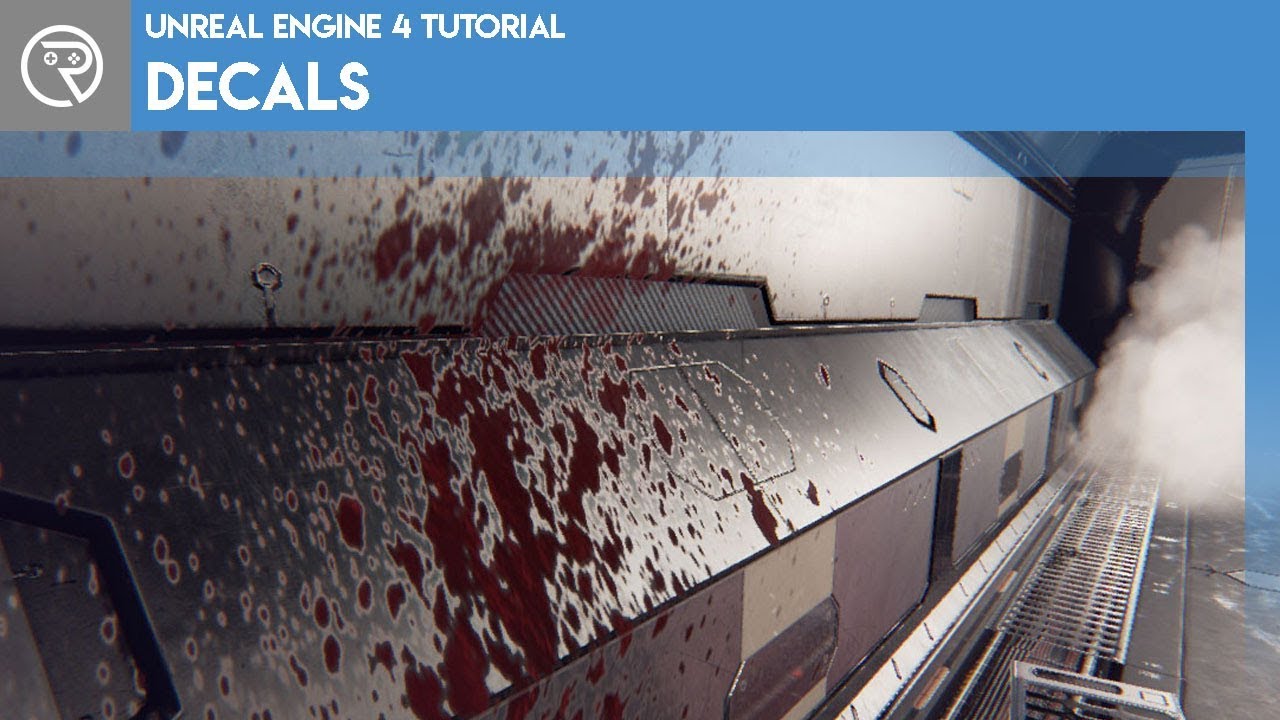
Welcome to this episode where I introduce decals and their uses in Unreal Engine 4. Decals are super useful actors that add so much detail to the environment. Watch and learn what they are, how they are used, and how they are made. Learn how to make opaque decals for blood splatters and signage.
Support me on Patreon and get access to videos ea...
 late verge
hello! would anyone happen to know if there's a way to launch UE4 without the EGS launcher opening as well? i tried my uproject file but it still booted up the launcher.
 weary lion
hi, i'm in unreal and i'm trying to import animations, but i cant see the pop-up box to import because its half off my screen and cant pull it back into view, also when i right click on a animation file in my contents i only get a small menu, it opens towards the top of the screen and i cant access the "Create" or re-target animation option towards the top of the menu, any ideas what i could change to fix this?
i use a 4k LG tv as a monitor
light thunder
cloud pilot
https://youtu.be/PjZEDzQuan0 go to 8:10
Watching now, I love this guy - hope he shows how to combine them (I want to watch the owhole one) thanks for this though
plush yew
why does swarm need networking?
light thunder
not fucking with you, because you can do a network swarm
plush yew
what
light thunder
you can network a bunch of computers together and install swarm on them and they can help you build lighting
plush yew
so thats what its doing?
light thunder
no but it has to ask and check if there are other agents
plush yew
oh ok
lime girder
Ok guys I am in a real pickle...
lime girder
lol (typin)
 snow olive
and its not a real pickle
light thunder
@cloud pilot I watched the video but are you sure that's what I needed? I learned some things but he didn't talk about how to make a transparanet material show a decal
snow olive
 lime girder
my AI character walks up to the target, but MoveTo never completes finished because I have the distance set so low
Naturally I can just turn up End Distance higher to complete. However that means my "attack" animation is just a bit too far away from the target (its a fish eating another one, and right now it looks like he eats from a distance).
Any ideas on how to work with that? I was thinking of doing a timeline right at the end to complete it (maybe itll jump too much?) or maybe just animate the character coming off root in the attack. Any thoughts welcome
snow olive
i would not be able to help you with that
 crude osprey
How do I re-download the project files from Materials Master Learning course (https://learn.unrealengine.com/course/2842589?r=False&ts=637452887589566015) ? I had redeemed the code months ago so it won't let me redeem again. I don't know where to download the project files. I've looked through my library under launcher. If it had sent an email, I can't find it (might have deleted it).
lime girder
lol @snow olive its all good. MoveTo is kind of a funny topic for sure
light thunder
snow olive
im just new to unreal
honestly I'd take a course on udemy or unreal's learning stuff ,or download the project files
snow olive
snow olive
SLACKER
i just realized that the name of the server is unreal slackers
snow olive
light thunder
honestly I'd take a course on udemy or unreal's learning stuff ,or download the ...
unreal engine was the best of the bunch though
so, yeah
dunstin
whats up
crude osprey
@plush yew Thanks found it.
 cloud pilot
light thunder
<@!606344891848458280> I watched the video but are you sure that's what I needed...
cloud pilot
light thunder
<@!606344891848458280> I watched the video but are you sure that's what I needed...
I haven’t tried it, just my first guess. If that doesn’t work perhaps try using a particle with infinite lifetime. Depending on how much it needs to be used.
light thunder
cloud pilot
I haven’t tried it, just my first guess. If that doesn’t work perhaps try using ...
I would have never thought of that, that's brilliant...any other settings?
cloud pilot
@light thunder trail and error
gray kindle
@spare kernel I'm letting you know that i fixed the problem the easiest way possible 😂
cloud pilot
@light thunder you may need to adjust its render pass details depending on the glass shader
light thunder
these might seem obvious but feel free to insult my intelligence and assume I wasn't intuitive
not sure why particle count is 10001
this is my glass one
light thunder
cloud pilot
<@273265779175194624> you may need to adjust its render pass details depending o...
are those right?
 solar tartan
Does someone know how to remove the tiling?
 rain relic
Does someone know how to get rid of those "Lips" wich u get by activating the waves... or am i doing something wrong?
 clever vault
https://i.imgur.com/UPmLQ4G.png is there a way to drag from this side, not from the middle?
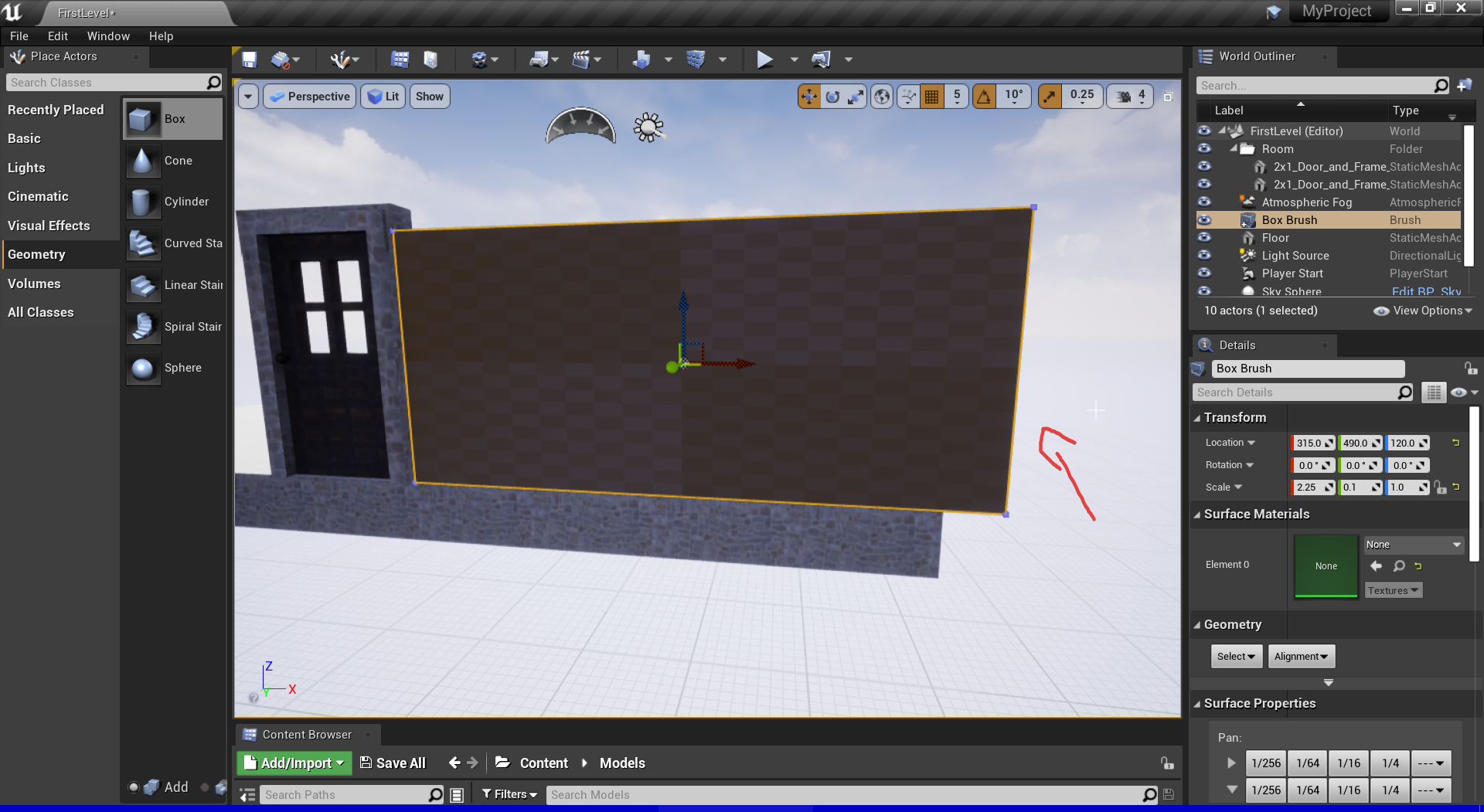
 fierce tulip
keywords: ue4 change pivot location of mesh
light thunder
The workaround suggested does work, we use it all the time. The mesh needs a duplicate and it needs to have an oqaque material. It needs to be set to hidden in main pass. How do I do this, set the material to be hidden in main pass?"
clever vault
fierce tulip
keywords: ue4 change pivot location of mesh
that is the worst way
fierce tulip
no, that would be the most optimal way
light thunder
clever vault
is changing the pivot the way to go?
snap pivot to cursor offset
use this
 rotund scroll
or put it inside an empty actor blueprint and move it within said actor
fierce tulip
blakes suggestion wasnt there before I went on hiatus me thinks hehe
clever vault
https://drive.google.com/file/d/1Y_X0oKUJpjc5r3DioV6OE_-iKVNxIpSg/view?usp=sharing my brain is dying

Google Docs
light thunder
fierce tulip
blakes suggestion wasnt there before I went on hiatus me thinks hehe
Where is the "please tell me the things I wasn't told" button located? The told me it's in the book of stuff I don't know lol
fierce tulip
ikr
light thunder
clever vault
https://drive.google.com/file/d/1Y_X0oKUJpjc5r3DioV6OE_-iKVNxIpSg/view?usp=shari...
I recommend you get Sharex, let's you do these much easier and you can drag and drop from your folder onto discord if less than 50 mb
plush yew
so my character speeds up when holding shift, but my sprint animation isn't working..
light thunder
clever vault
https://drive.google.com/file/d/1Y_X0oKUJpjc5r3DioV6OE_-iKVNxIpSg/view?usp=shari...
also, you will have to set it everytime
clever vault
i am using sharex but i forgot to configure recording
light thunder
it's usually just CTRL+SHIFT to set it to record I think -
clever vault
not that part the one that uploads
light thunder
Btw, there's a reason most developers use assets built in other programs and "PLACE" them in unreal, versus build them
oh, I just drag the file over manually
light thunder
oh
yeah discord business devs knew exactly what they were doing
@fierce tulip I spent a bunch of time trying to get this to render correctly - tried flipping their normals, scaling down thicking of mesh applied to this- even deleted the inside faces but I can't get this to render both glasses as layers through one another, so you see this big whole there kinda
clever vault
https://i.imgur.com/J5EYpq1.png why is cuting from the other side????
 light thunder
even this @clever vault this file is 6 mb as a mp4
light thunder
clever vault
https://i.imgur.com/J5EYpq1.png why is cuting from the other side????
rotate it on the z axis 180
clever vault
need to lower the rez and the fps
fierce tulip
@light thunder that robo recall demo thingy game has some neat glass that uses masked dithering. that might be a decent solution. I do remember about half a year ago they made proper sorting translucency but no clue if that made it in/how to set it up.
@clever vault generally we make 3d objects in programs like blender, 3dmax, maya, etc. not in ue4 itself.
light thunder
I found this workaround i'm trying The workaround suggested does work, we use it all the time. The mesh needs a duplicate and it needs to have an oqaque material. It needs to be set to hidden in main pass.
clever vault
i am following a tut and the challenge is to make the room using geometry
light thunder
clever vault
i am following a tut and the challenge is to make the room using geometry
You'd learn more about unreal doing something else, save yourself the headache
clever vault
well i am half way there and i don't like leaving stuff this way and i learned a lot from him
light thunder
You have no idea the power of the ||dark side||errr. the Unreal Livestreams
light thunder
Udemy is what I would recommend initially if you are just starting out - that or Ryan Lahey
Mat Wadstein's "WTF" videos are perfect for concept videos or when you have a question about something like, "WTF is lightmass importance volume"
 light thunder
clever vault
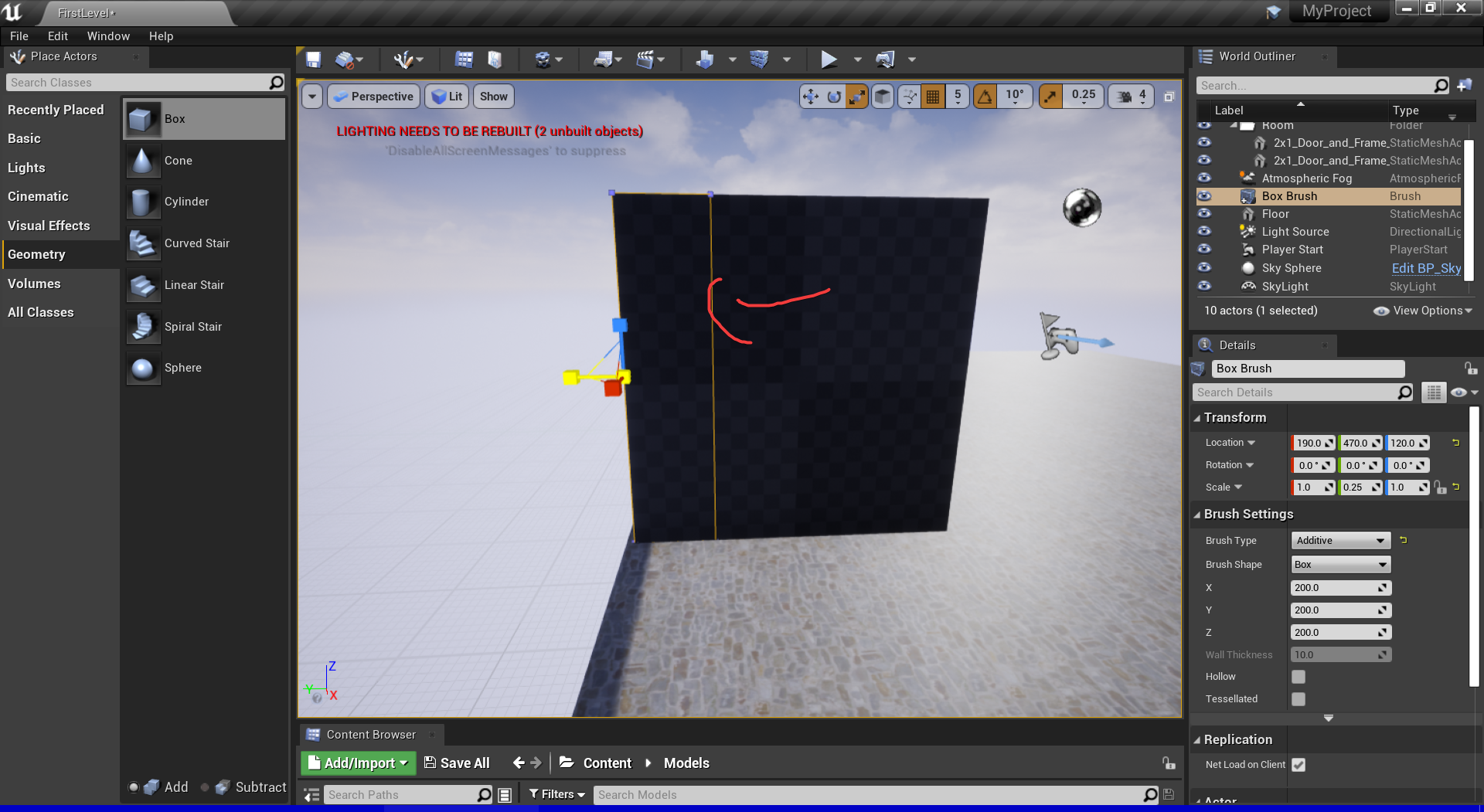
how can i make the snapping smaller
light thunder
clever vault
how can i make the snapping smaller
here
 rare pulsar
Can you recommend some Videos / Tutorials that are based on Level Design? Because there are so much every video is littel bit different is there video you can recommend?
plush yew
Guys I need help
light thunder
rare pulsar
Can you recommend some Videos / Tutorials that are based on Level Design? Becaus...
Not done much but you should think about the conceptual things to google for - for example, general worldbuild isn't the same as landscape material editing, or worldbuild workflow isn't the same as landscape splines - so the process is to do a general dive and figure out what you want to do next - but don't skimp on workflow videos, those are reallllly awesome when you learn some time saving things
clever vault
plush yew
Guys I need help
cool
plush yew
clever vault
cool
ok
rare pulsar
Thanks you Blakestr
plush yew
Is Unreal Engine okay? When I open my game(.EXE), it doesn’t open the program/game
I added levels in the settings
fierce tulip
question is rather vague, we dont know what might be wrong from that info.
plush yew
Oh
I added a level before on build
Then my PC died for 4hours on 58% charge
@plush yew FNAF gamer??
clever vault
the your game is corupted
plush yew
plush yew
<@456226577798135808> FNAF gamer??
No
clever vault
rebuild it
plush yew
clever vault
rebuild it
Euh it took me a week to make it. Am working on another game
clever vault
rebuild the exe
plush yew
No
clever vault
light thunder
here
the snap with 10000 value is the same to 1 value
plush yew
Am working on another game
light thunder
clever vault
the snap with 10000 value is the same to 1 value
remember there a snapping for each type of transform - scale, rotate, movement
clever vault
where i find the snap to scale
 zinc shore
is there anyway to set the editor windows size without using the window border to resize it because my editor window is stuck where i cant move it or resize it so is there another way to set the window size
solar tartan
it's not the texture is grass
plush yew
ok weird question but
actually better yet nvm im going to look into this first xD
ok
so
dont need a real tutorial just a simple if concept possible lol
im going for anime weeb trash skin color material/texture for my game models
can i setup a generic anime like skin color and just have change color from human tones to even blue for example
if i already set a default skin texture on said model in blender prior*
 sharp flax
is it normal to have streaming pool Mem at 100% in a brand new project? (I'm starting to learn about profiling)
I also have this in the logs
I'm having a hard time to understand what's being flushed, what's not, am I going to have the same problem in a build etc..
light thunder
Well fuck lol
plush yew
bad times
light thunder
When you change a project render mode setting in your master project
 pulsar bison
Hey got a question - I'm currently trying to build an FPS with a camera attached to a full model (the default UE pawn for now). I'm trying to do a 'true' FPS where the player can see their body rather than arms. I have the camera attached to a socket I added to the mesh's head.
The issue I'm running into is as far as I can tell, I have no way to hide just the head for the owner. Is there a way for me to selectively hide/show parts of a model's mesh? Or do I need to basically make two versions - a headless and non-headless?
plush yew
Anyone know of a good tutorial for how to make a transform tool? 🤔
pulsar bison
Oh I figured out how to hide it but it's all or nothing, so other player see a headless pawn lol. Guess I'll just have to make a copy of the model without a head and then just load one for player and one for everyone else
 hot beacon
light thunder
Well fuck lol
hot beacon
light thunder
Well fuck lol
this happened to me but for building nav so i just removed the nav i dont know how to do it for shaders tho so rip
light thunder
hot beacon
this happened to me but for building nav so i just removed the nav i dont know h...
Legit it's an overnight compile
hot beacon
holy
 marble orchid
pulsar bison
Oh I figured out how to hide it but it's all or nothing, so other player see a h...
marble orchid
pulsar bison
Oh I figured out how to hide it but it's all or nothing, so other player see a h...
GetMesh()->SetOwnerNoSee(true);
 thorny slate
maybe you are talking about it
 floral mesa
hey party people
hot beacon
hi
floral mesa
is there any way to merge two skeletons? i want to use ALS V4 with an ARPG inventory system i have. Or should i just make similar sockets on the skeleton i want to drive the player & attach equipment to?
floral mesa
plush yew
Anyone know of a good tutorial for how to make a transform tool? 🤔
what do you mean when you say transform? could mean alot of different things depending on applications employed.
 kindred viper
floral mesa
is there any way to merge two skeletons? i want to use ALS V4 with an ARPG inven...
kindred viper
floral mesa
is there any way to merge two skeletons? i want to use ALS V4 with an ARPG inven...
You would need to keep the ALS skeleton but yeah you can combine the two. I combined the climbing pack with it.
 molten grove
Hey! So I have a wheeledvehicle that i'm trying to setup but when I display the collisions, the black cylinders are rotated wrong so the car can't move. does anyone know how to fix that? I found someone that said to set the physics types to kinematic, which i did but nothing changed, and my animblueprint is set to wheeledvehicle..
here's an image
floral mesa
kindred viper
You would need to keep the ALS skeleton but yeah you can combine the two. I comb...
do you mind if i ask you some questions about this later?
plush yew
floral mesa
what do you mean when you say transform? could mean alot of different things dep...
Basically a tool in game for the player to move objects. Similar to this in engine one
kindred viper
I wouldn't be able to give much advice mate. I did this in January I think and I've had a 9 month sabbatical. So I need to refresh myself. @floral mesa
floral mesa
thanks for letting me know it can be done without merging skeletons though
i think my issue is a slot location thing
kindred viper
yeah that was my first worry with the climbing stuff
floral mesa
because i know how to make ue4 compatible rigs, im proud of that haha
plush yew
i have a simple question
just a yes ish or no\
if you set up a default sort of texture and or material
for the character model
like the skin texture for example
floral mesa
plush yew
Basically a tool in game for the player to move objects. Similar to this in engi...
thanks for clarifying. I wouldnt know how to make that in particular unfortunately.
plush yew
can you change its color
kindred viper
yes with material instances
plush yew
or like make an option in game where you can mess with the color real to color it your own custom character skin tone
or shirt and or pants
yes
oh ok
so if i preset a skin texture and tone for my models i can change it in the built character creation later xD
kindred viper
Add a parameter constant as the colour node in your material. Then apply the instance instead of the material, then you can change the parameter from the blueprint or in code/blueprint nodes
Yes
plush yew
O.O
kindred viper
check out material parameters and instances
plush yew
sasving thios
this
thanksies
oh okie
so i can use my already setup nodes in master material
kindred viper
should be able to swap something out easily enough. A parameter is the same as a regular node but accessible
plush yew
to change its color i dont need to set this up in blender?
ok
so setup blender basic skin for each race made than use material in unreal engine, like in material tutorials to change the nodes
thanksies ❤️ gonna reference this for later
molten grove
Does aanyone know what could be causing my problem? 🥲
plush yew
Stair Cursed
 sly glacier
Hello, if anyone heard of .kom files, how do you turn .kom files to png files? Most of the .png converter doesn't support .kom files.
floral mesa
isnt the purpose of an encrypted file to keep unauthorized people from using it?
plush yew
?
floral mesa
whoever that is , I have blocked too hahaha
 proper perch
Anyone able to help me out with attaching a gun to to your character? Followed this tutorial https://www.youtube.com/watch?v=6WCM9bZiPcQ and it is a little outdated but the best one I could find.

Unreal Engine 4 How to Add Weapon To Character
I will show you how to add a weapon to your character in the video i used.
-Character from Hero Character Pack
-Free Animation Starter Pack
-Military Weapons Silver Pack
-Bullet VFX Pack
 honest mango
Someone already tryed to do a multiplayer screensharing like Portal2 did ?
 lilac steeple
I have a question about loading and gamemodes. Is this the right place to ask?
 celest spire
This is a noob question, but I'm working in substance designer, and I see that I can preview materials with "Parallax Occlusion". I'm wondering if Unreal's PBR is set up for parallax occlusion out of the box or not, so I know how best to visualize my materials in substance designer
 dim arch
POM is in UE4 there is a node in the material editor to get it running, but its an expensive process

ArtStation
This is the process I used to generate POM's (parallax occlusion maps) for the interiors of the buildings in Archangel and Archangel: Hellfire. Both of these were VR game titles and therefore had some severe limitations on the amount of geometry we could afford to use. Building out these broken sections of buildings, even with relatively low-p...
 icy egret
hello
I made system of changing graphic setting preset, but it always cause crash(Fatal error) when I change any presets.
Why? How to fix?
 woven heart
I'm not gonna lie, unreal is kinda overwhelming when you are a greenhorn
woven heart
does the pc crash or the app?
icy egret
app crash
woven heart
hmm
I'm new to unreal, but if it is just an app crash, maybe check your code or files to see if they cause any errors with the app files
icy egret
when in the editor, it is ok
when it comes to shipping, it will crash
icy egret
shipping version of game
woven heart
so basically the final copy?
icy egret
yes
woven heart
so it crashes when loading the final copy?
hmm
again, all I can recommend is checking your code or files again
icy egret
when change graphics setting in final copy, it will crash
woven heart
I'm gonna go on a limb and say that is an unintended result and it is what I would do
icy egret
All code is ok because it wont crash when it is in the editor
woven heart
hmm
maybe it is a problem with the final copy of your file.
have you gone through your files to make sure everything is squared away?
I'm not too much help with anything other than base level troubleshooting
plush yew
@icy egret have you packaged your project correctly?
icy egret
I packaged win-64 and it works fine other than graphic setting
only when I change graphics setting, it will crash
plush yew
could you explain a little more such as how you made the graphic setting etc
icy egret
just simple, I use this node
and in the editor, it works fine
but in the final copy, it will crash
plush yew
it could also either be your drivers or you might have to reinstall unreal and also look at the system requirements such as what drivers etc but there also may be an error when fully packaged
or file corruption
icy egret
it's not only for me but other people
even if using higher spec PC, it will cause
woven heart
file corruption sounds possible
plush yew
you should try to use GameUseSettings for making graphics and more settings
Mathew Wadstein has a good video on GameUserSettings and how it works
lime girder
https://www.reddit.com/r/unrealengine/comments/kpo9za/chaos_vs_physx_just_tried_new_chaos_physics/ lol

reddit
521 votes and 31 comments so far on Reddit
icy egret
Thanks, I'll try it
plush yew
@icy egret Your welcome
molten grove
does anybody know why the black collisions are this way? (its the physics asset's collisions i think?) but i can't figure out how to fix that and its driving me crazy
 grim ore
@molten grove https://www.youtube.com/watch?v=nJ2i_-vjV20 ?
molten grove
I'm going to try that tomorrow thanks!
plush yew
Guys I need help I am trying to make a pause menu but there's an error.
 median hound
plush yew
Guys I need help I am trying to make a pause menu but there's an error.
median hound
plush yew
Guys I need help I am trying to make a pause menu but there's an error.
needs an object pretty sure
median hound
plush yew
But it has no object
is it an actor?
plush yew
median hound
is it an actor?
A pause menu
median hound
plush yew
A pause menu
is it a widget or wtf is it
grim ore
set input mode ui only does not need a widget to focus, dont plug that in unless you know what you are doing
and you dont know what you are doing
plush yew
grim ore
and you dont know what you are doing
Yes I do not know what i'm doing
median hound
plush yew
A level.
hold click the object and uh see if theres anythingu can plug with it pluggy plug 🙂
 subtle hatch
Can you not change the Nav Area Class at run time? say from none to obstacle "And I do have runtime Gen on."
plush yew
median hound
hold click the object and uh see if theres anythingu can plug with it pluggy plu...
And it has know warning.
median hound
plush yew
And it has know warning.
drag the thing into blue stuff
plush yew
median hound
drag the thing into blue stuff
What blue stuff?
grim ore
just dont plug anything into that spot... you should not be plugging anything in to focus
 unreal sonnet
I don't know what it is, but this weekend I've just been in a super gamedev mood and I've spent almost all day just implementing basic RTS features. I think what kept it interesting to me this time was that I tried to use the Dependency Inversion pattern as much as possible so that the framework classes are effectively empty.
One thing I felt good about today was that I re-implemented the "Get Selected Actors in Box" method in Blueprints by following the C++ code, except for any two vectors in world space, instead of for only Viewport coordinates via the HUD: https://blueprintue.com/blueprint/397gf9w6/
(here's the engine code for reference: https://github.com/EpicGames/UnrealEngine/blob/2bf1a5b83a7076a0fd275887b373f8ec9e99d431/Engine/Source/Runtime/Engine/Private/HUD.cpp#L1036)
BlueprintUE
median hound
plush yew
What blue stuff?
the object blue stuff connect that to whatever
plush yew
grim ore
just dont plug anything into that spot... you should not be plugging anything i...
Oh ok
plush yew
Is there any tutorial on how to activate the trigger resistance for the ps5 controller in ue4 using blueprints ?
 fringe glade
So I'm learning the basics of unreal and I have come across an issue, I am generating grass using the landscape grass node, however as the landscape automatically tessellates it's shape changes and the grass does not adapt, leading to this "floating grass effect", does anyone have any ideas as to how to solve this?
 void pond
 hushed stag
hey guys could you please help me
i want to start a ui as soon as the player enters the level but for some reason it it not working
this is my current level BP
 mild merlin
hushed stag
mild merlin
hushed stag
you usually create animations in other software like blender or maya, or just get them off the internet
 hearty bloom
hushed stag
hearty bloom
hushed stag
you added only game only, add ui and game
 true falcon
Hey, does anyone know if there's a shortcut material node for combining three grayscale textures into a rgb channelpacked texture2d one? It's probably embarrassingly simple :/
 wary wave
you can append, but it doesn't magically turn it into one texture, you still have three
true falcon
hmm, so how do I turn it back into a Texture2d?
true falcon
Basically I need to feed a Texture2d into a material function that expects a channelpacked texture when I have them separated... I should rework it but for now I just need a quick way to use the grayscale ones
wary wave
you either change the material function or the input texture
true falcon
Surely there must be some way to combine texture objects? 🙂
wary wave
not in a shader]
true falcon
ugh, ok, well, makes sense I guess performancewise
 strong vortex
Why can't you pack them in an external program and import it as the channel packed texture?
true falcon
It's just substance designer not outputting channel packed, and I dont want to convert each time. But i need to figure out how to set it up in Substance Designer
strong vortex
Then you're gonna have to change the material function's input to not take in a texture2d
Should be a quick change
true falcon
I see if I can just make the material output channel packed
probably easier
would've been nice if the plugin had some support for it, but oh well 🙂
 restive mirage
Hello, I've been trying to create assets within a project I cloned from GitHub and I can't. I'm on version 4.26.0 and whenever I try to create a blueprint class in the content browser I get the following error:
I've also tried creating a new project and I am still unable to create it getting the following error. Already tried running Unreal as admin and check the file writing perms of my user in windows explorer but none have worked
It's the first time I install the engine in this PC, does anyone have an idea on what could it be?
I've been considering re installing, but I doubt that would fix the issue in case it has to do with permissions of what can Unreal do
true falcon
looks like you're trying to save the blueprint to an engine folder rather than to your project
are you saving to the cntent folder?
restive mirage
Yeah, the first image is in a project I cloned from GitHub, the second one comes up when trying to create a blank project
🤔
I can create files in the folder itself directly through windows, so I do have the required perms to write files. Its just that Unreal is unable to do so, but I don't really have any idea why.
fierce tulip
and dont post 100 images would be appreciated.
 frozen pond
really please download OBS and record it from PC not from smartphone
 lusty carbon
Hi! I bake lighting and when I change level and go back to it, all baked lighting data is gone!
What is this?
 blissful trail
is there any way to make a widget always ontop of other widgets ?
fierce tulip
@austere pond ive never seen that kind of "error"
i do suggest to download obs on your pc and record that way, would help with figuring out whats going on.
and it might be better to post that on the forums because i doubt there are many people that know whats going on, so you'd be better of posting somewhere where the problem doesnt get flooded by other messages.
@lusty carbon only thing I can think of is that some files might be said to read only. else no clue.
 dapper walrus
kindred viper
dapper walrus
kindred viper
@blissful trail set the z-order of the widget to 999999 or something high
 dusky dawn
My engine stucks in %96 what should i do
kindred viper
wait for ages
fierce tulip
wait it out
dusky dawn
İ Just upload 7gb assets why it stucks like 30 minutes
fierce tulip
depending on computer/kind of files, that stuff takes time.
dusky dawn
İ have 10.th gen i7 processor
8 core 16 threads
İ bought this laptop 1800 dollars not for waiting hours
blissful trail
@kindred viper didn't work :/
dusky dawn
I love ue4 🙃
fierce tulip
lol
kindred viper
@blissful trail does for me. How are you loading your widgets? editor time or runtime?
blissful trail
runtime
kindred viper
then you need to invalidate the widget so it refreshes I guess
lusty carbon
I need help! Built light data isn't saved when re-open the map
fierce tulip
<_< would be great if you read my message
fierce tulip
not replying to continue trouble-shooting and just mentioning the same problem without any proper details wont get you anywhere either.
then also read the rules, because re-asking same question is a no-no.
lusty carbon
It is specifically the sublevel lighting data that won't save btw
 frail mist
Does anyone now why I cannot modify the transforms of "control spaces" in the control rig?
I've seen a Youtube video where they right click to get a gizmo for the control space transform. This was probably from a 4.26 preview or even 4.25, however I can't find how to do that in 4.26
I can't even change the transform of these spaces in the details panel
kindred viper
yeah you used to right click and set it
not sure if its changed in 4.26
you first setup the location, then right click, set, and it updates. If you don't set it, it will reset when you change something
frail mist
yeah they just right clicked in the video - I can't, the 'interaction' doesn't show up in the menu
kindred viper
I'd have to check in editor but my current open project doesnt have a control rig setup sorry
frail mist
I didn't change anything - even if I type a value in the details panel, it gets immediately set back to 0
 buoyant graniteBOT
:no_entry_sign: Vineet#0915 was banned.
 restive orchid
hello, i'm trying to attach a mesh to my Character class
i want to make it so that the user cannot see the mesh but other players can
frail mist
kindred viper
I'd have to check in editor but my current open project doesnt have a control ri...
thank you anyway 🙂
restive orchid
right now this is what im trying:
//ctor
    static ConstructorHelpers::FObjectFinder<UStaticMesh> TetrahedronMesh(TEXT("/Game/Assets/tetrahedron"));

// beginplay
FActorSpawnParameters SpawnInfo;

    SpawnInfo.Owner = this;

    GetWorld()->SpawnActor(TetrahedronMesh, this->GetActorLocation(), this->GetActorRotation(), SpawnInfo);
it gives me an error saying error C2664: 'AActor *UWorld::SpawnActor(UClass *,const FVector *,const FRotator *,const FActorSpawnParameters &)': cannot convert argument 1 from 'UStaticMesh *' to 'UClass *'
kindred viper
perhaps the constructor helper didn't get the class ref. I mean, there is no check on that
restive orchid
as I understand it, blueprints can have a mesh attached to them but cpp classes cant?
 hardy nacelle
Hello I have question about Landscape layers:
What's the difference between thoose separate layer tabs (Edit Layers and Target Layers) ?
plush yew
when trying to import a huge mesh, i get
Fatal error: [File:D:\Build++UE4\Sync\Engine\Source\Runtime\Core\Public\Serialization/MemoryWriter.h] [Line: 42] FMemoryWriter does not support data larger than 2GB. Archive name: None.
do i need to recompile unreal engine to make this work?
or why is there a memory limitation?
fierce tulip
just accept it and import in pieces.
plush yew
and if i try to compile unreal engine with a bigger limit, are there foreseeable problems?
i dont want to publish the game, its only for a fixed hardware setup
wary wave
I'd be wary of changing it - the limit probably exists for a reason other than being arbitrary and changing it could have unintended consequences that aren't immediately obvious
 glacial pecan
has anyone made a realistic preset for the 4.26 ocean systems that you can download yet? I saw that lighthouse map thing, but didn't think it was very realistic and there was no download
plush yew
will unreal engine 5 have a 64 bit coordinate system?
solar tartan
I have this problem. The Blue lines show the texture tiling and the red lines shows the grass tiling can someone thell me how to fix the grass?
 proud narwhal
Currently to develop for the Quest2 you have to compile the engine from source, is there any way to know which engine update will include it? 4.27? 4.28?
for quest2 you have to
solar tartan
The problem is that I don't know how to go around this. for textures you can use the lerp node to easy brake the tiles but with this how do or go around this to break the tiling?
proud narwhal
Describes a quick start for Oculus Quest development in Unreal.
so for step 9
Open Advanced APKPackaging and click the + next to Package for Oculus Mobile Devices. From the drop-down select Oculus Quest and Oculus Quest 2.
I can just set it to Quest and it will work?
 leaden gyro
I exported sound from a game, but it is less than a kilobyte regardless of how long it is in game
why is this ?
proud narwhal
if thats true it will save me a massive headache I will give it a go thanks
plush yew
Guys how do I create a respawn system when my Player dies?
plush yew
plush yew
Guys how do I create a respawn system when my Player dies?
BP or C++?
leaden gyro
is mentioning umodel allowed here?
plush yew
plush yew
BP or C++?
BP
Oh ok then you should check if the health value is less or equal 0 and if it’s true disable input add a widget with something idk, add a delay and choose where to respawn
Something like that should work
plush yew
plush yew
Oh ok then you should check if the health value is less or equal 0 and if it’s t...
C++ & BP
leaden gyro
im using ue viewer to view sound files, but they are all less than 1 kilobyte? why is this
fierce tulip
we dont really appreciate talk about tools that can rip content.
as for the sound files, it might pick up the uasset that uses the actual sound files, not the sound files themselves.
 weak cypress
can you run ue4 with a dx10 gpu?
 clear shard
I don't know what to do with glass over the translucent materials, it just get rendered black
I had to turn off visibility for window glass as sea water is rendered black, but now some of the glasses are also rendered black that are over the sea area
I think I'll just go with non raytraced refractions but this is so annoying
 blazing lily
hello
i'm student and i need to do about presentation about UE
so was looking for a documentation

Unreal Engine
Unreal Engine 4 is a professional suite of tools and technologies used for building high-quality games and applications across a range of platforms. Unreal Engine 4’s rendering architecture enables developers to achieve stunning visuals and also scale elegantly to lower-end systems.
any other source about UE, about tech features?
 barren flume
Really sorry if this is the wrong channel but I was wondering how I take images of a certain actor or skeletal mesh in unreal engine with a transparent background and how to capture an image at a set resolution?
plush yew
How can I get my camera fade to continue when my game is paused?
wary wave
look into the post process, every camera has post process settings you can use
 short aspen
hey, from videos i've seen, the first & third person examples had replication by default so multiplayer at least showed the player moving around
is that no longer the case?
in most of what i saw just enabling multiplayer with two people already synchronized some stuff, but not for me
 unkempt meadow
Hey everyone, I don't know if this is the right place to ask, but my project is stuck at initializing 39%
Never opened it before, this is it creating the project
wary wave
it's compiling shaders
unkempt meadow
ah okay, so is it just a matter of waiting it out?
It's been stick on 39% specifically for about an hour now
plush yew
Hello guys, I’ve created a simple weapon system but I have a question: how do I create a BP where it checks what weapon I have so that it changes the animations? Thx
gray kindle
you will also get stuck at 95% so no worries
plush yew
unkempt meadow
I got stuck at 39% for 10 minutes then it loaded
unkempt meadow
thanks lads it's gone off it now
up and working
took an hour and a half but it made it hahah
proud narwhal
Is there an easy way for me to change the "Collision Complexity" on a few hundred models from "Project Default" to "Use Complex Collision As Simple" ?
fierce tulip
no, and i'd also suggest against it as that turns all those meshes in per-polygon collision and might/will/can ruin your performance
fierce tulip
they added that option to the bulk edit matrix?
remembers having to do that manually because it wasnt there. I feel old now :p
proud narwhal
I think about 90% of them could be simple boxes as they are just straight walls, and the remaining 10% have door cutouts to walk though so they would need the complex collision
fierce tulip
unless you did something weird, generally meshes are imported with simple box collision already
proud narwhal
its a datasmith import
fierce tulip
sorry no clue on that
proud narwhal
I will see if there is a way to enable box collisions on import. I was just messing around with the VR mode which changes the editor to a legacy version? how do I restore it back to default?
 ruby robin
Does anybody know, why localization editor does not start, with error of zero entries?
 austere scroll
is there a node similar to the branch node but for integers ?
wary wave
switch
short aspen
short aspen
in most of what i saw just enabling multiplayer with two people already synchron...
as an update to this, i forgot to launch the game as a listen server instead of standalone. oops.
now it all works.
 tame marsh
@fierce tulip Well I'm today years old and I just found out about the Bulk Property Matrix right now
fierce tulip
hehe, its great. there is a tool on mp that greatly extends the functionality of it though. (though in a separate way)
light thunder
Is there anyway to trigger events on a level blueprint from a widget? I'm trying to bind to the event and could use a nudge here
probably event dispatcher but i haven't messed with those in forever
fierce tulip

Unreal Engine
Speed up your UE4 Editor workflow and edit the properties of 100s of UE4 assets at the same time, materials, static meshes, and BPs!
@silver crown
 silver crown
Looks very useful thanks!
 hidden sparrow
Hey guys, do you know any tutorials on how to create a computer kinda like in WTTG1/2 ? I couldnt find any.
light thunder
Can I safely revert this since there doesn't appear to be any changes?
Revert unchanged doesn't do anything, so SOMETHING changed, but I'm not sure how to be sure that it isn't just unreal saving crap that you opened in the content browser
 iron kelp
can anyone let me know how to show navmesh during runtime, ive tried Show Navigation in the console but that doesnt seem to work, V4.26
never mind I got it to work

 winter gale

Quick #UE4 Tip number 89.
Enabling 'Draw Brush Polys' will display semi-transparent polygons around brush when selected.
#unreal #unrealtips #unrealdev #indiegamedev #gamedev #indiedev #screenshotsaturday #UnrealEngine

 Twitter
·
Twitter
·
 dapper hatch
 sour wadi
Anyone annoyed by the Import button being merged with the Add button in the content browser? Driving me crazy, hoping there's some hidden ini setting to revert it somewhere... Why epic thought it would be a good idea to turn a nice one click action into a two click context menu is beyond me..
much rather would have had them remove the add button entirely,. the right click menu's more convenient anyway
fierce tulip
^ agreed
 civic moth
Hello guys!
 tulip fable
Hi! I'm having a bit of a rough day getting UE4 to work. Installed it for the first time last night, and it was working perfectly - up until I started applying materials to an imported tile. This crashed it, and I haven't been able to start it back up since. After a day of troubleshooting, and countless fresh installs (which include a hard wipe of a NVME disk), I'm currently fatally crashing at around 18 % of the initialisation, with the following error message:
Assertion failed: ShaderEntries.Num() == ShaderHashes.Num() [File:D:/Build/++UE4/Sync/Engine/Source/Runtime/RenderCore/Private/ShaderResource.cpp] [Line: 243]
Looks relatively straight forward - however, the problem is that the filepath in question doesn't exist. At all. And the current install of UE4 I'm trying to start is located on a different drive entirely. Line 243 in ShaderResource.cpp is simply a check, which obviously it fails. I'm starting to think it is because it's looking in the wrong bloody drive.
Any ideas on how to point it in the right direction? Fresh installs and disk wipes won't work, unfortunately. I've got the crash dump ready to go, if needed. Thanks in advance!
PS: if this is the wrong chat, let me know!
grim ore
@tulip fable well the first thing to get past is that path is the build machine when it was compiled. It's not the path on your machine so you can safely ignore the path.
When you did the fresh install (the drive wipe) was it the windows drive as well or just the drive ue4 is on?
tulip fable
the latter, but a third one - C: is OS, D: was first build, E: is now where it's residing
only wiped E: so far
grim ore
temporary files are held on your OS drive is why I ask
tulip fable
I see. I'll try moving it all over to the fresh drive and give it a shot
grim ore
here you can see the cache on my main drive
you might want to nuke all of that on yours and see what happens
tulip fable
ta
grim ore
also is it crashing on just launching the editor from the launcher or opening a project?
tulip fable
the former, as there aren't any projects in the fresh install of it - I have, however, downloaded SabreDart's OWS to test both functionalities, and it crashes the editor on starting the .uproject from there as well
grim ore
yeah the startup of the editor does compilation of the editor shaders so starting with nuking those temp files might be a good start
 vocal flume
I'm designing a main menu for my game.. i rendered a cool background in maya at 1080x1920.. but it seems a bit short for some device sizes (set the device to galaxy note 9 and there is empty space on top and bottom). What is a good resolution to suit all device sizes without stretching? Im using a canvas panel --> scale box --> image for the background
tulip fable
@grim ore that fixed it! thanks a million - patience was wearing thin for a second there
tulip fable
so working theory is something in the cached files was still pointing at D:/ then, given how it's saving instances of the different UE4 versions - or something to that effect
grim ore
@vocal flume there isnt, 16:9 which is what you have is a good one and you just scale it up or down as needed. You could go the high dpi route and aim for the largest iphone and then have it cut/scale down from there but then on low dpi devices its going to be fuzzy
@tulip fable my guess would be something broke in the cache, bad compile or failure during compilation, and when the engine tried to check it on load it crashed
vocal flume
Alos, can anyone explain this? There are absolutely no tutorials and official documentation is vague. I'm selecting the screen size as Phones --> Galaxy Note 9 and I see this at the bottom left. I checked Note 9 resolution and its somewhere in the 2k range. What is this number?
grim ore
which #?
vocal flume
624x1280
grim ore
the 18.5:9 is probably what you are getting from your note9 for the aspect ratio. the resolution is what android considers high dpi
tulip fable
@grim ore yeah, been getting a lot of ctd's and bsod's on download and subsequent install of the engine itself today. thanks for the help!
vocal flume
I checked. 18.5:9 is indeed note 9's aspect ratio but I'm not sure where 624x1280 is coming from
grim ore
mobile is a PAIN in the butt to support everything properly. I would recommend finding the common ground and design for that, then try and adjust out. resolution scaling (dpi scaling) should handle most lower or higher devices if you aim for the middle. Resolution stuff you need to just hide or adjust down
Im guessing thats the default android denisty settings as seen here https://developer.android.com/training/multiscreen/screendensities
civic moth
Where do I go to find artists? I'm specifically looking for environment artists/studios for paid opportunities
Thanking you kindly
vocal flume
I did some trial and error thingy and decided to do this. I rendered at 2560x2560 and set it up like this. Outside the canvas.. This seems to work for most devices but straight up breaks for smallest ios devices.. is there any downside to this approach?
grim ore
you could try adjusting the scaling so it doesnt break but scaling up is safer than scaling down or you just exclude those devices
and there is no real downside. If you check out some of the longer devices you will notice UI is generally centered with extra on the sides. it's going to be more art if they made the default art for longer devices, or its going to be something like a gradient or plain color that fills in the "missing" parts of the art
just design center outwards in your main direction and make sure you are either anchoring to the edges and coming inwards or your entire ui can fit in the center for sure and the edges are just extra
the nice thing with UMG is you can do just that. put your center art in the center (background, key elements) anchored to the middle then your edge items are anchored to the corner or sides so they push out or push in based on the length of your main side
civic moth
Job posted thank you for your help
vocal flume
One last question.. how to destroy the umg widget when i'm done with that screen? I dont want these huge background images hogging the memory when they are only used at the beginning and dont show up anywhere after that.. remove from parent seems to hide it but the widget reference remains in memory
grim ore
you need to make sure you have no references to it, so if you just create widget -> show on screen -> remove from parent you are fine once the garbage collection kicks in
if you promoted it to a variable to use later, null out the variable reference as well
if you are checking this in the editor you have to wait ~60 seconds for the garbage collection to kick in and then it should be gone
vocal flume
Helpful as always! Thank you @grim ore I'll credit you when I finish this thing. This whole project is fueled by your WTF and HTF content.. Thanks a lot!
grim ore
🙂 Always glad to help it's fun
mobile ui is always a giant pain in the rear... like... so much pain
vocal flume
wish i can read the aspect ratio and screen resolution and swap out images when constructing the widget instead of having one image and do this trial and error..
grim ore
im sure you can if you break out the CPP, and i bet there are addons that expose it
and I mean you can get the viewport resolution
civic moth
Guys just wanted to add, the job I posted is not one to miss. I'm on an NDA so can't talk about it so you're just going to have to trust me. but If you work w/ environments/cityscapes - don't sleep on it.
Trust random Discord user ; )
grim ore
yep a few helpful nodes already in there you could use as well
I want to say the proper way nowadays tho is to have different actual .obb or .apk files based on the dpi so they don't have to download unwanted resources
 umbral pike
real quick question, in theory would i be able to implement quick time events into a 2d game the same way i would with a 3d game? Blueprint wise i mean
fierce forge
hello, why in standalone i can't see a destructible mesh until i fracture it ?
plush yew
anyway to optimize the spline mesh component ?
 merry gazelle
any idea how to remove this grid from the viewport?
 still moat
@merry gazelle
merry gazelle
yeah because even if I try to turn on floor it doesnt show either.
still moat
The floor shows up for me but the grid won't go away either
 summer zealot
Anyone knows why my shadows looks like these lol?
fringe glade
true falcon
I see if I can just make the material output channel packed
I'm pretty sure the node your looking for is called create vector 3, if I'm wrong try looking up ue4 channel combine. Don't append them, the will effect would like an additive blend.
zinc shore
why dose a material with just a base color have all these spots on it
all my materials have these weirs spots all over them
 brisk bridge
Hi everyone. Is there some other possibility (not AI) to simulate input in blueprints? I need to move an unpossesed pawn. For example, i want that my pawn run forward, and if i press the button, he turns right or stop or whatever.. The movement change schoud be based on events. For now i call events by pressing the button. I tried to use a TargetPoint as a Location, but if i use the node "Move to Location/Actor" he dosent move at all. If i use "Add Movement Input" it also doesnt work. I dont know how to make, that my button will be percieved as pressed for some time. Can somebody help me? Or do you have any idea what i should try?
vocal flume
1080x2560 background seems to scale nicely for most mobile devices
 civic otter
I can't see to get my transformation widgets to go from relative to absolute, what do I click on?? XP
 brittle gulch
Hi guys, is it possible to create my own vault content? I have several things in different projects that I use quite often in other projects, and it's boring to open them every time and do a migration. It would be very much simpler to use the vault and simply add them to the project that needs the content. How can I do so?
 hollow sentinel
can i edit skeletal mesh geometry, or nah?
civic otter
@hollow sentinel Edit the geometry in a modeling software like blender or maya
hollow sentinel
yeah, i was just wondering if its possible within unreal as with static meshes it is
just got some overlapping geometry that need to delete
 mighty oak
Some thumbnails aren't showing up, is there a way to force all thumbnails to always show up?
zinc shore
why dose enabling mesh distance fields make all my meshes have dark spots all over them
 grim juniper
zinc shore
why dose enabling mesh distance fields make all my meshes have dark spots all ov...
grim juniper
zinc shore
why dose enabling mesh distance fields make all my meshes have dark spots all ov...
Distance Field Ambient Occlusion. I think there's an option to control the self shadowing bias or something like that. Or if you want Distance Fields without DFAO you could probably turn DFAO off
zinc shore
where would i turn off Distance Field Ambient Occlusion
 candid grove
I have create a blueprint that makes an opacity mask on the floor here. It draws the opacity where the "cup" object is allowing you to see down into the cup. This is working properly and I can position the hole anywhere I want on the ground.
The question I have. Is there some way to integrate the collision of the cup with the collision of floor? Maybe like a intersect?

I was also thinking maybe a volume above the cup that turns off collision with the floor? I was worried with this method it could cause some weird bounces
grim juniper
zinc shore
where would i turn off Distance Field Ambient Occlusion

An overview of using Mesh Distance Fields to create dynamic ambient occlusion for SkyLights.
light thunder
Can you not use a delay in a level blueprint? I'm making things happen in the level via event dispatcher and it's just skipping over a 10 second delay (I'm not in a function either)
 empty wolf
anyone have any idea why this default project is rendering in the editor viewport like this? It's every material
I should add that it when it packages up, it renders fine, this is only in the viewport
fierce forge
hello, why in standalone i can't see a destructible mesh until i fracture it ?
grim ore
@plush yew dont tell it to move until 2 minutes have passed. dont call whatever function starts it moving until then
plush yew
oh
plush yew
@grim ore but how
hushed stag
hey guys, i am trying to launch a ui as soon as the player enters a level, but for some reason it is still not working
this is my level bp
grim ore
@plush yew how do you tell it to start moving?
 brisk kiln
hushed stag
brisk kiln
hushed stag
You creating a widget you need to cast it i think
 exotic cave
So Unreal Engine, I love you very much, but for the LOVE OF GOD PLEASE TURN OFF THE REALTIME UPDATING BY DEFAULT
I have ONE 2080RTX and I do not relish the thought of buying another one
grim ore
@hushed stag have you tried making sure that code works correctly? set it up so something like the 2 key can call it once you are in the game and see if the code actually works
hushed stag
@grim ore what does that mean?
grim ore
@plush yew since you are using pawn sensing you can disable the components by default and then just enable it after a 2 minute delay.
exotic cave
If I forget to turn off realtime updating even for a second, on most of my UE projects, my GPU starts to sound like a wounded jet engine
brisk kiln
I am dying here
exotic cave
This is fine because I understand that UE, more than anything else, allows me to use the full power of my GPU. But I'd like to not have it to it the majority of the time it's running.
Thank you all for hearing my rant today.
grim ore
@hushed stag do you know how to do inputs? like make a key do something
hushed stag
what is a key?
brisk kiln
grim ore
<@!365691132211888139> do you know how to do inputs? like make a key do somethi...
Project settings
grim ore
1 2 j H ESC ENTER
brisk kiln
Project settings inputs
plush yew
@grim ore how can i do that
brisk kiln
Is there anyone here that knows UE 4 advanced like build errors
I am gonna kill myself
plush yew
brisk kiln
I am gonna kill myself
its not ok to talk like that here
brisk kiln
Its just a joke sorry
hushed stag
@grim ore i set it but that didn't work either
grim ore
@plush yew on the pawn sensing component you have these nodes and options
plush yew
oh okay
grim ore
@hushed stag so you set it up that when you push a key the key fires but the event doesnt work? then your code is bad somewhere have you tried debugging it
plush yew
@brisk kiln any specific errors?
@grim ore ok i reseted them
now how do i set it to move after 2 minutes
grim ore
begin play -> delay 120 seconds -> set sending updates enabled ?
brisk kiln
Is there anyone here that can help me out
plush yew
grim ore
begin play -> delay 120 seconds -> set sending updates enabled ?
wait
i don't have begin play
wait
grim ore
then add it
 tough pagoda
I have two characters (multiplayer), both characters inherit from the same parent, I have a damage system and a health bar. How can I damage to player? This all happens in multiplayer (server).
Anybody can help?
exotic cave
@brisk kiln : I took a look. What were you doing when it crashed?
grim ore
@tough pagoda have you done any research or reading on how multiplayer works?
brisk kiln
I integrated smart ai and started building and then error
I have survival game kit v2 and smart AI
plush yew
@grim ore done
exotic cave
There's a lot of "Unable to find package" in there.
 restive zinc
why doesn't this work it wont print the string on particle collide
exotic cave
For example, "Unable to find package for cooking /Game/Sounds/Footstep_Sounds_Pro/Wavs/Wood_footsteps/Wood_footstep_9_Cue"
brisk kiln
Yes i did remove a few studf
tough pagoda
grim ore
<@!282513929920446465> have you done any research or reading on how multiplayer ...
I tried to implement Apply Damage -> AnyDamage.
exotic cave
Well, something is still trying to find whatever you took out.
grim ore
ok but... multiplayer research? learning....
exotic cave
It looks like a whole bunch of audio cues
brisk kiln
It was building before that with the yelow warnings
grim ore
@plush yew turn on the set sensing updates option using the node like I said
plush yew
ok
exotic cave
Are you familiar with the audio cues in question?
brisk kiln
It is still in my project
exotic cave
Try right-clicking your project folder and clicking "Clean Up Redirectors In Folder", first off.
plush yew
done
brisk kiln
In the engine?
exotic cave
In the Content Browser.
grim ore
multiplayer isnt easy, you need to learn how it works. You need to learn how server and client events work and the difference between a listen and dedicated setup. Follow the UE4 docs on it
plush yew
@grim ore is it good?
exotic cave
Also, tell me exactly what you changed regarding these audio cues and how you changed it.
grim ore
that wont turn it on, you dont have it enabled @plush yew
grim ore
well you can test and see if it works
tough pagoda
grim ore
multiplayer isnt easy, you need to learn how it works. You need to learn how se...
Well, I replicated anims and so on.
plush yew
can you help me @grim ore
tough pagoda
Has authority, you know about it.
grim ore
did you disable that option by default first? in the component
grim ore
i screenshotted both things
plush yew
where is the component
oh ok
wait let me see
yes i did
wait
yes
can you help me?
grim ore
so turning off that option doesnt stop it from finding the player?
grim ore
so the enable sensing updates is unchecked on that AI?
plush yew
idk
@grim ore im not trying to be rude but a lot of people stopped helping him cause he basically wanted us to do the work for him, he hasn't learned anything fully like learning the engine first etc he rushed into making a game to early, we did try helping him but it was to hard, i would still help him but i feel like he completely rely's on other people and not doing any research about it before hand i mean he does but after he wants other people to tell him how its done if that makes sense
he is mean
restive zinc
you need to learn about behavior trees and such
grim ore
@plush yew I know, I've seen him here a bit. I'll still help until it gets worse lol
restive zinc
so that you dont need to ask for help for everything
plush yew
so can you help me
fierce tulip
https://twitter.com/Luos_83/status/1346235251333410817
Normally I dont ask this, but I'm trying to convince some nice peeps :)


RT and maybe (maybe!) I can get 80+ #VFX focussed material functions for #UE4 onto @UnrealEngine's permanently free collection!
(no promises, but every little like and rt helps and supports me!)
puppy eyes
#gamedev #indiedev #realtimeVFX #UnrealEngine
Twitter
·
 naive kindle
@plush yew welcome back
restive zinc
@plush yew you need to look into pawn sensing and behavior
plush yew
i did
grim ore
I did help, I asked a question and your answer was i dont know lol
naive kindle
Unreal Engine is loading at 39%. I rebooted and tried different engine versions. I checked logs and it says compiling shaders. Does it normally take long to compile shaders?
fierce tulip
it can take very long yes
grim ore
@naive kindle yes. wait.
naive kindle
alright thanks
grim ore
make sure your CPU use in task manager is near 100% tho or you have another issue
restive zinc
it depends if there is alot of materials it might take a while
naive kindle
grim ore
make sure your CPU use in task manager is near 100% tho or you have another issu...
yep it's 100%
restive zinc
since it needs to compile them
naive kindle
lol I have a cube house with lights
grim ore
39% is the engine compiling it's shaders
naive kindle
alright thanks for the help
 radiant veldt
okay, mid life crisis, i need to start somewhere. Here i am
naive kindle
grim ore
39% is the engine compiling it's shaders
it finished 😄
grim ore
yay! persistence!
 alpine wigeon
I am so confused... got a bunch of warnings in my engine log
LogPhysics: Warning: COLLISION PROFILE [Visibility] is not found
Any idea wtf is going on?:D everything does work... I do have two custom Object Channels, no custom Trace Channels. This is a project with dedicated server if that makes any difference.
radiant veldt
where can the newbies go, so you don't have to be annoyed by my questions?
alpine wigeon
If you know the category of the question ask there 🙂 if you are following a yt tutorial most of the creators do have their discord with #help channel or similar 🙂
If you do not know the category...just ask here (like I did... 😄 )
fierce tulip
kinda ^ that
alpine wigeon
We do like to help 🙂 ...
fierce tulip
especially those who try to help themselves!
radiant veldt
I am not a expert at programing, i am only use to Idtech1, but I want to try unreal and make a blueprint for what I really want to make, which will require help
first thing I want to do is either import or recreate the Melee combat from an ancient game
alpine wigeon
Well to be clear.. nobody is going to create it for you :)... so if you are completely new watch some basic tutorials... or find a tutorial for something that is close enough and go from there
If there is nothing out there that is close you would have to build it from bits and pieces... you get most help if you ask only if you get stuck for a bit 🙂
radiant veldt
yah i dont expect help at least for free, I do learn best by seeing a template and modding and building from there. After that I can generally just make my own thing
plush yew
Where can i add code for a shader?
 warm swallow
Does anyone know where i can find setup instructions for running a dedicated server on a raspberry pi?
 dense knoll
Why does Niagara exist, I enabled it and it got the engine in a crash loop, And before anyone asks, The logs say nothing about Niagara, but when enabled it causes a crash loop, And then a lot of new features are coming to Niagara instead of Both, Niagara should be main, but Cascade should be a fulls supported Secondary, Also is there a way to convert Cascade to Niagara without re-doing the entire particle system, or do you have to do the entire thing again?
fierce tulip
been playing with nia all day, no crashes for me.
and cascade (and this is coming from its biggest fanboy) has had its time.
the converter i'd consider beta-ish hehe
 grim beacon
Does ue4 have the functionality that when the player keeps on jumping it reduces the jump force?
I thought it did but I cant find it
plush yew
i mean fortnite has it so
radiant veldt
i assume the creators and publishing has all the same stuff right?
grim beacon
plush yew
i mean fortnite has it so
know what it's called?
I'm googling all kinds of weird stuff cant find it
I don't know if I'm making this up but I do remember myself fiddling with that function
 lofty wave
Im getting crashes constantly with the crash report "unreal engine is exiting due to d3d device being lost"
As far as I know there isnt anything wrong with my GPU
I dont have any outdated drivers
I really dont know whats causing this
Any ideas?
alpine wigeon
your driver crashed
kindred viper
it can be several reasons. Usually it's a timeout issue. It can be from an unsupported feature too.
lofty wave
There arent really new or experimental features Im using...
kindred viper
what is your card and what are you doing when it crashes?
lofty wave
I have a GTX 1080 Ti and it crashes not completely randomly but rather when I do something like save or open a blueprint
But it doesnt always crash when I open something or save
For the most part everything is usable but after about 5 minutes a crash like this occurs
kindred viper
perform a driver cleanup and uninstall your current driver. Either upgrade it or revert it. Otherwise I can give you a registry modification you can use to change the timeout. However that is more of a quickfix than a proper fix. Something is wrong with functionality requesting an active device
lofty wave
Thats really weird
UE is the only program on my entire computer that crashes because of this
Everything else works fine....
kindred viper
it's happened to a lot of people with UE but it's not UE's fault, rather the way the windows timeout is setup as default vs the performance quality of the driver at the specific time, with the specific action occurring. A perfect storm really.
grim ore
I had everthing working fine on mine but cyberpunk would crash. I had my video card undervolted just 1 notch too much and I would have never known if not for CP
kindred viper
yeah I actually reconfigured my overclock for CP2077 just in case. I tend to do that if I can get away with it because you never know
lofty wave
Cyberpunk never crashed for me
What I noticed while playing it though is that neither my CPU nor GPU were ever above 60% usage
grim ore
yep so moral is just because it all works but 1 thing doesnt mean its not the card
fierce tulip
@lofty wave which ue4 version?
lofty wave
4.26
kindred viper
do you have raytracing enabled?
lofty wave
No
fierce tulip
Unreal Engine Forums
Hi
I have noticed a new issue with UE 4.24 when shaders are compiling if I tried to move around in the level even a little movement, or play the level the editor will crash with message
Unreal Engine is exiting due to D3D device being lost.
also when renaming/moving a folder that has many items (lets say a folder contains
might wanna post there
grim ore
fin the latest drivers, find msi afterburner, drop down the default clocks (basically under everyhing it) and see what happens
kindred viper
that hung my pc yesterday loading up a 64km map 😄
https://www.nvidia.com/en-us/geforce/forums/geforce-experience/14/150018/dxgi-error-device-removed/ here is a thread and a couple of posts down is the fix if you need it later.
TdrLevel is the reg thing
lofty wave
Im not really into overclocking
Never did anything with afterburner but I have it installed
grim ore
not overclocking, dropping down the settings on your card so its not as stressed
kindred viper
my gpu was built for overclocking so it made sense. I bought it pre-overclocked though.I watercool my cpu tho and try push it because it's old now
lofty wave
What exactly do you mean with dropping the settings down?
Would it just work not as hard under light loads or would it completely drop the performace down?
grim ore
basically for testing drag the core clock and memory clock down like 100 on memory and clock for testing
your goal is just to make the card work less and see if it helps
the other one would be to lower the power limit so it draws less power
if it still fails with those all down then its probably not the card
in my case I did a custom curve so it would draw less power at the same speeds so it would run cooler. I had the power down too low tho so under extreme loads it would not have enough power and crash.
 winged flame
Hello,
I'm wondering if I understand correctly the Attach To function from the World Outliner.
If I attach something to a Parent, then move this one ingame, the children don't move.
Is it normal?
grim beacon
It certainly doesnt sound normal
In coed if you attach it it should receive its parents transform changes
winged flame
Hm. After looking more into it, it seems that it doesn't work because I move a component from the BP, and not the Root of the BP
Please, disregard my question 🤦♂️
grim beacon
I want to get a fall impact effect where when a character falls down he slows down for a duration
Is a timeline a good method to do stuff like this?
 placid shuttle
Hello guys I just had a question. So this asset was downloaded from the shop and then I tried to add it to my project. Everything worked out perfectly until it was adding to project. It was adding to project for a long time and kept on going
grim beacon
Sometimes happens
placid shuttle
Okay
 edgy latch
hey, I have a major issue going on with my unreal engine and I would really appreciate if someone could please help me out
my unreal engine is continually crashing, I'm running it on a 2018 MacBook Pro and it will not let me start
plush yew
edgy latch
my unreal engine is continually crashing, I'm running it on a 2018 MacBook Pro a...
Your storage might be full
edgy latch
but it's not
I have over 200gb of storage on my computer
and yes that is what it says. How do I fix that?
edgy latch
one
edgy latch
it's 30GB
plush yew
30files?
edgy latch
I mean there is probably more, I have the one file and within that there is about five levels all of which are rather large and within those is a lot of different assets
 hasty gorge
can someone help me parse through this code?
UCardsSingleton* UCardsLibrary::GetCardsData(bool& IsValid)
{
    IsValid = false;
    UCardsSingleton* DataInstance = Cast<UCardsSingleton>(GEngine->GameSingleton);

    if (!DataInstance) return NULL;
    if (!DataInstance->IsValidLowLevel()) return NULL;

    IsValid = true;
    return DataInstance;
}```it's not mine
but I'm trying to figure out what's happening in a finished c++ ue4 project to help me better work out how the engine works
plush yew
hasty gorge
```//get singleton
UCardsSingleton* UCardsLibrary::GetCardsData(bool& IsValid)
{...
I uh use Blueprints so sorry
hasty gorge
that might be fine
cause it's not syntax that Im confused about
mostly the questions are:
1: What is Cast and what does it do?
2: What is a GameSingleton? The search engine says it's a UObject that is initialized when the game starts, but thats it
edgy latch
I don't know code or blueprints so I'm sorry, I would like to help but I can't
hasty gorge
when I searched for "Cast" on the UE4 website, all I got was a link to the "Cast To" blueprint