#ue4-general
1 messages · Page 906 of 1
 plush yew
How do I set one actor to follow another, by giving an input vector and converting this into a movement input? Do I do it every tick?
help
when i play it says
how do i fix this
can anyone help me
nvm i fixed
 true nexus
@plush yew Use an AI controller and tell to follow the other actor
Just do any of the basic tutorials on AI to figure out how
plush yew
yes that is reliant on navmesh which I can't do. it's 3d
true nexus
You can just gradually change it's transform in the direction of the other actor
But you should be able to do it with an AI though
plush yew
I achieved something like it although it is slightly jittery (it's multiplayer up to 4). I am just a bit confused about CMC and how the 'scale' value works, how often it updates and whether I need to update it on server or it handles all replication automatically.
 rocky radish
pretty sure it does (if it doesn't, i think only on 4.25 and above)
 tame marsh
@rocky radish Thanks, just installed UE 4.26 and a new project to check it out
rocky radish
np
tame marsh
On another note, why the hell does it take so long to launch a new VR project
rocky radish
probably compiling shaders or something
tame marsh
Yeah, I checked the log, it compiles ~3000 shaders or something
rocky radish
(btw just double checked, and 4.25 and above versions support valve index input)
tame marsh
Thanks!
rocky radish
you're welcome!
plush yew
Is there way to turn 360 camera view in engine to skysphere?
I would like to do galaxy which is showed based on your location in it.
 still moat
@tiny bridge That error usually occurs because something with your GPU happened, most likely your driver just died.
 tiny bridge
still moat
<@!689381050740113485> That error usually occurs because something with your GPU...
tiny bridge
still moat
<@!689381050740113485> That error usually occurs because something with your GPU...
okay i will update the driver thx
plush yew
Will UE5 feature Blueprints?
 fierce tulip
it will feature almost all things ue4 has
tame marsh
Surprise return of UnrealScript
fierce tulip
and kismet
plush yew
@plush yew you need to make a landscape material first
and apply it to the landscape
it also gets bugged sometimes but the layer blend node is kind of what you need in order for it to show
there might be more ways but this is the way i use
yeah they changed it in the new version on the top screen you can see modes or shift+2 to change to landscape mode
Is there a simplistic modern theme for unreal
 haughty knot
made a plugin just for that - https://www.unrealengine.com/marketplace/en-US/product/d03c4a918fa743848de3cc959b6c27a0

Unreal Engine
No more need for Dedicated Servers! If the host leaves, the game can continue
plush yew
can anyone help me
i'm using a spot light
as flashlight
and when i move something is blocking
the light
and it looks weird
tiny bridge
still moat
<@!689381050740113485> That error usually occurs because something with your GPU...
im done with update all driver
and its same
what should i do again?
fierce tulip
i had to downclock my gpu when that happened, and within 6 months my gpu died.. so as amber once said, it might be some error that most software can handle but ue4 nopes out quite hard
tiny bridge
how to solve it?
fierce tulip
not sure.
- downclock gpu
if that doesnt work - try another gpu
else i sadly have no solution either
fierce tulip
you might wanna google on how to use msi afterburner
tiny bridge
okay thx
 zinc shore
why is my charter movement actor jittery in PIE but not in standalone it this due to frame rate and if so how can i prevent jitter at lower frame rates
 hoary mason
Is there a way to find all references of a GameplayTag?
 half bay
hey 🙂 any way to disable stuff inside a blueprint? to not have to delete stuff and find out it was a mistake? 😛 thanks ^^
 cedar wave
Just disconnect the execution pins.
plush yew
Hello anyone know how to fix the frame drop caused by god rays/fog? I reach 10 FPS with the god rays, but without I am around 120/130
I have a 1080ti and a ryzen7... and something... I don’t remember the model
 pulsar badge
Is there away to pull a height map off of one of my maps lost the first file.
half bay
cedar wave
Just disconnect the execution pins.
well yeah that could work, was hoping there's a more elegant solution, thanks 🙂
 wet berry
Where can I find the fracture tools in 4.26? The addon is enabled, but I am not seeing it in the modes drop down
plush yew
@tiny bridge I don't know what config you have exactly but if you have 2 GPUs, one integrated (like an Intel) and another (like a Nvidia), are you sure to have update the drivers of your second GPU AND these of your integrated card ? Not by doing the automatic install from the property pannel but downloading them directly from the developer website. I'm telling this because I also had a D3D error once (but not exactly the same and I could open UE anyway...) and I could not fix this until I understand that it was just my INTEL's drivers that it was not updated because when I did the update, it was with the property panel. I did not go on the developer website of Nvidia. So I simply didn't have the last drivers for my INTEL and even if all the others drivers was updated (even my Nvidia that is my main GPU for UE4), I had a D3D error and UE didn't stop crashing...
 midnight gate
is theres any way to do facial motion tracking in ue4 USING MY DARN WEBCAM ON MY LAPTOP?
 vivid vortex
Hey could someone please help me? Ive spent the whole day on this problem and ive even asked for help this morning but i only got an indirect answer and im completley stuck
midnight gate
cant help you dont know whats the problem dude you dont tell it
vivid vortex
ok, my enemy character for some reason is stuck in the attack animation
the moment he attacks the player, he doesnt move or anything, he just carries on attacking on thespot
is it ok if i send the blueprints here so i can show you?
midnight gate
you prob have a boolean set to attack and so it forever plays the anim
or if ur using motage you somehow looped it
midnight gate
i forgot
you have to look how to loop it in the curent version
to find how to unloop it
or your code could also be bad and you are repeating the montage after it ends
idk its really imposbile to tell without any details
plush yew
Hello, I have a problem. I downloaded a pack from the unreal marketplace but there is no LOD. How do I create some lod?
 fluid bay
has anyone found a fix for the notorious stuck on 39%?
this only happens when creating "film, television, and live events" project
 grim ore
its not stuck, its compiling shaders. wait.
grim ore
do you have visual studio installed?
fluid bay
yep
grim ore
check to see if you "accidently" installed incredibuild
fluid bay
where
grim ore
in the visual studio installer
fluid bay
nah i didnt install that
grim ore
welp 39% is compiling shaders. check task manager and see if any shader compiler workers are running or anything else
typically if its "stuck" its a slow machine, or you installed incredibuild
fluid bay
this only happens with the "water" plugin loaded in the game section, or in the film preset
the water in game section doesnt get it stuck at 39 but at 45
grim ore
yep 45% is compiling shaders as well. some platform shaders. some engine shaders.
 urban iris
grim ore
yep 45% is compiling shaders as well. some platform shaders. some engine shade...
urban iris
grim ore
yep 45% is compiling shaders as well. some platform shaders. some engine shade...
off-topic message jumping into convo: I love your videos btw!
grim ore
assuming you restarted your system since you last tried, look at task manager when its "stuck" and see what it shows. screenshot it in CPU usage order
 sleek spear
is it better to use actor foliage or static mesh foliage?
fluid bay
ive sent it to you in DM Mathew to avoid cluttering general
urban iris
fluid bay
this only happens with the "water" plugin loaded in the game section, or in the ...
Water is very recently released, it might be some oddball bug causing the engine to not load?
fluid bay
i mean even with the blank film templates
urban iris
with film presets maybe
I don't know specifically what the blank film template changes
maybe some engine settings are causing a problem
because Water has a few problems even in game templates
plush yew
Guys can anyone help me? I have a performance problem... when I press play, after 10 seconds the game goes to 144 FPS to 60 and slowly decrease until 0 and the engine crash. Any fix ?
urban iris
plush yew
Guys can anyone help me? I have a performance problem... when I press play, afte...
You're probably looping something endlessly
plush yew
Huh i have a loop of a flickering light but I don’t think that’s the problem
fluid bay
i have no idea what it changes, but maybe you can answer the question that i want to use it for: where should i go for creating cinematics or mini-movies?
grim ore
welp again if its at 39 or 45 its compiling shaders. what speed is your machine
grim ore
ah thats gonna take a while then
fluid bay
rx 470 8gb
urban iris
he left it running for 20 hours though
grim ore
welp its 4 cores no HT sooo...
its gonna be a while
if your cpu usage is showing usage and shader compilers are compiling then its doing what it can
fluid bay
why does this not occur in the games preset?
grim ore
water has a ton of materials to create when its used, and film and broadcast templates could be using DX12 which would require a complete recompile of engine shaders
fluid bay
can i use the game preset to make cinematics?
grim ore
sure. all the templates do is set up some helper stuff
urban iris
I want to test this
plush yew
this is a loop? @urban iris
grim ore
for the most part the film stuff is for live stuff
 rotund scroll
delay on tick
urban iris
plush yew
this is a loop? <@!212304742137724928>
oof this is nasty
rotund scroll
big yikes
plush yew
its wrong? its my first bp...
fluid bay
ok, thanks guys ill just use the game preset then
thanks lots
and thanks to you Mathew, your videos have been useful to me keep up the good work
plush yew
rotund scroll
delay on tick
what happens if i use a delay on tick?
grim ore
the world literally implodes
urban iris
Honestly i think they should remove the tick on the graph being there by default 🤣
@plush yew are you spawning any actors?
rotund scroll
nothing happens, it's technically calling an event laterally, it's just not very elegant and there are much better ways of doing what you want to do
 nova portal
I am looking to disable Auto Exposure, so I added a PPV and changed Min/Max Brightness to 1. Unfortunetly that makes the scene really bright compared to when I disable Auto Exposure in the Editor Settings, is that the default value or should I change it to something else
plush yew
@urban iris removing that tick fixed my probelm...
rotund scroll
and yeah I agree tick should be hidden under several checkboxes/options
it should not be as available as it is
grim ore
and I just checked, the default film and broadcast template does need shaders remade so it's not a bug
@nova portal if you want it disabled why not use the editor setting?
plush yew
so there is any way to make a loop that doesnt destroy my game?
rotund scroll
of course
nova portal
grim ore
<@!140419301269045249> if you want it disabled why not use the editor setting?
I am... not really sure why not. I guess I am a bit slow today.
urban iris
plush yew
<@!212304742137724928> removing that tick fixed my probelm...
There are people who say never ever use tick, and there are people who say it's okay to tick just do it its fine.
When I first started blueprints I used tick pretty often but as I got better and expanded my way of thinking about how can I achieve the result I want, I realised there's "almost" always a way to not use tick
grim ore
that does look like a simple event that can be called recursively should do what you want?
call event, do the first part, do the delay, do the second part, when second part is done call the first part again. self contained looping event
plush yew
grim ore
call event, do the first part, do the delay, do the second part, when second par...
ok ill try
thx everyone
fluid bay
for making cinematics should i go the C++ route or the BP route?
rotund scroll
tick is useful/necessary for some things, but it's rare that you need to use tick at all in BPs
grim ore
not saying its perfect but thats basically what you want, replace the tick with a custom event node. have the end of itself call itself again. at some point call the event to start it. profit?
rotund scroll
fluid bay
for making cinematics should i go the C++ route or the BP route?
do you have any experience with cpp?
fluid bay
rotund scroll
do you have any experience with cpp?
i have none but i'd like to learn
rotund scroll
go bp
grim ore
cinematics? all in editor no reason to even touch BP or C++ if you are just driving stuff
rotund scroll
true but I'm thinking the sequencer does hook up to bp
anyway in cpp what you would be doing mostly would be exposing functionality to use in BP anyway
grim ore
it does but 99% of properties on objects can be controlled by sequencer itself now so if its basic stuff like lighting or moving its all inside sequencer now
rotund scroll
cpp isn't beginner friendly, and I recommend against it for someone with no prior programming experience
grim ore
yep BP is the front end, C++ is the back end that hands off to BP. learn the BP. love the BP. don't hate
plush yew
grim ore
not saying its perfect but thats basically what you want, replace the tick with ...
It worked and my fps are not crying xD thx
fluid bay
rotund scroll
cpp isn't beginner friendly, and I recommend against it for someone with no prio...
I know python and HTML5 I have some programming experience
I'd just like to get into CPP
grim ore
learn.unrealengine.com has a special joint effort with gamedev.tv for learning C++ for freeeeeeeeee. might as well check it out
fluid bay
deal.
rotund scroll
I'd say even if you do have some level of experience if you haven't done OOP and aren't keenly aware of those type of principles then you are not off to a great start
urban iris
fluid bay
I'd just like to get into CPP
Work on your concepts using BP and when it's working as it should, convert functions into cpp
i'd recommend that
rotund scroll
cpp has many pitfalls, perhaps among the most for any modern language
fluid bay
why did UE4 pick CPP over C#
rotund scroll
because C# is extremely limited in how it is computed
you can never get the performance of optimized cpp in C#
fluid bay
makes sense
rotund scroll
cpp involves a lot of manual memory setup, something that you never have to care about in C#
add to this that UE4's cpp isn't your traditional cpp, so you'll have to understand another layer of complexity on top of already existing functionality
 ashen frost
looking for guidance on where to texture skin, I have been researching a lot but still a bit confused
i see people using substance painter a lot but it does cost money so Just wanted to look around a lot more first
 queen wave
grim ore
queen wave
grim ore
the console command "viewmode unlit" can do that. you can use an execute console command for that in your level blueprint to test
 normal jetty
overlapping geometry, cancer, or occasionally useful?
ashen frost
Mathew Wadstein
 late verge
hey everyone!
just out of curiosity, when i'm rendering out a Sequencer cinematic, is the speed of the render mostly determined by my CPU or my SSD/HDD write speed?
normal jetty
rendering = cpu/gpu
your SSD/HDD can stomp mostly anything you can throw at it in this regard
(unless maybe you are a poor fella on a 5500rpm laptop econo drive
also applicable is RAM (your processes will lean on your ram rather than HDD for any in process storage which is largely why your HDD doesnt matter much)
late verge
gotcha. got a new CPU mostly for the purpose of rendering so i'm super stoked! @normal jetty
normal jetty
I went from a Bulldozer quad to a Ryzen 5 lol so ya, I definitely noticed my games being able to produce more thna 60fps
late verge
^^^^^^^^^^
normal jetty
funny part is, i love my 3600 but im thinking about upgrading it to top out my GPU
Waiting for that sweet sweet upgrade route
late verge
CPU i just got is a 3600xt lol. eager to see what this bad boy is all about.
previously i was on a 4690k
loved that son of a bitch
normal jetty
3600X is a good one, It isnt much better than mine which is why i opted to save some $20 or so. but now the price is nothingburger difference
normal jetty
Definitely
100% reinstall windows and for the love of any god you recognize, update bios
your ryzen will appreciate you
late verge
soon
normal jetty
They (AMD) have been going nuts lately trying to save face for bad drivers, lots of updates rolled out recently for GPU and CPU alike
5700XT has vulkan ray tracing
drool
late verge
am i getting less performance out of my 3600 by not reinstalling windows? i got the latest drivers for the chip and mobo installed.
normal jetty
There is something a little funny about Nvidia pushing ray tracing like nobodies business and amd is like... oh... we have a plugin for that
normal jetty
ok, so, yes Windows is attuned to your hardware both at install and through the process of use
I have many times noticed performance increases over that of a clean install from reinstalling after hardware upgrades
also after bios upgrades
BIOS>Windows>Driver
late verge
gotcha, will definitely do it here soon
normal jetty
as far as i can tell too you missed the sticky wickett
our drivers seem fine now
my recent bios upgrade netted me some insane amount of cinebench increase
like 1k i think? i forget the scale
it was visible to the eye that it was faster tho
late verge
anything in particular you recommend i do to prepare for a windows reinstall? already copied all the stuff in my C drive where windows is to my HDD just as a backup
of course i will unplug the other drives as well since i don't want them getting accidentally wiped
normal jetty
... I only backup installers and completed works personally. but I also like to make a custom windows installer so it comes loaded with nothing... like absolutely nothing. no cortana no defender no nothing
no talky to homebase
that alone gave me like 5-10% performance increase... i hate microsoft
i even stripped search out and installed everything search and replaced the crappy calculator with speedcrunch
7.2GB ram in use with Blender, and like 50 windows in firefox
late verge
last time i used cortana was back in circa 2010 when i walked into a microsoft store and used cortana once with a windows phone
normal jetty
oh youre using it
you just dont know
Cortana is a little spy
I remember when I played Halo for the first time and she gets in your head .. I was like NOOOOO !!!!!! I know how this goes
OUTTA MY HEAD YOU DAMNED DIGITAL PIXIE
xD
Actually, Microsoft in trying to be cheeky by naming it Cortana probably pissed off a whole lot of people who HATE Cortana
 unique kraken
anyone knows why my texture colors drastically change when saving?
its not the compression, tried "no lossy compression"
normal jetty
drastically in shade or actual color representation
unique kraken
fierce tulip
changes from having alpha to no alpha. might be one of the settings
normal jetty
^
unique kraken
 normal jetty
luos is probably right
 unique kraken
no i just reexported it without A channel
fierce tulip
cant say for sure unless I see all the info in one go
normal jetty
weeeeoOOOooooWWWEEEEEeooo
be thankful we arent troubleshooting blender xD
love that program but DANG it throws some weird ones
unique kraken
oh dont worry about blender
to put it easy, im a blender god. no help needed there
im more wondering about ue4, at times seem less logical to me
unique kraken
idk 5 years or so.
 broken heath
Oh started with 2.8
unique kraken
but instead of awnsering questions id rather like to know why ue4 changes my colors
and that only on that one imgs
unique kraken
there is? doesnt matter, i can match my colors
normal jetty
unique kraken
point is the texture changes its color when im saving
broken heath
U wouldn’t need to match it would automatically match
 strong vortex
@unique kraken Have you tried changing Compression Settings to BC7?
strong vortex
3rd from bottom
unique kraken
ah
im blind
MAGIC
😮
purrrfect
love u thx
but why does only that img need it
strong vortex
Dxt compression issue. It uses 5 bits for red and blue
unique kraken
aah i see, i should see if i need this for all my imgs
does it make a big difference compression whise?
dont wanny kill performence
normal jetty
0.o kill performance from a few boxes?
unique kraken
in a general bigger view
strong vortex
Benchmark it? I wanna say no but I can't be sure
 harsh tiger
In my project i have multiple rooms that the player can go to by clicking a button in a widget. Would adding the collect garbage node at the end of this event be a good place to use it? And could this cause any issues?
 tranquil falcon
Quick question: when meshes are turned off in the "world outliner" are they still taken into account during the build/lighting only build process?
normal jetty
GL @plush yew
plush yew
thanks homie
fierce tulip
good luck!
 dawn gull
How can I cast to an actor from a child actor version of it?
plush yew
How can i make a slide door automatic in ue4
 hidden oxide
Hey uhh, my project has been stuck loading at 39% for about 10 minutes now. Is this a bug of some sort?
hidden oxide
plush yew
Boys, i signed up for my first game jam
good luck
dawn gull
hidden oxide
Hey uhh, my project has been stuck loading at 39% for about 10 minutes now. Is t...
Unreal Engine Forums
Hello,
I am new to Unreal, and all I am trying to do is starting a blank media project and it was asking to install 2 plugins
blackmagic design media player and AjaMedia
After installing and restarting, it creates the project (I think) and it's stuck at 39%
CPU turns 100% and see 7 processes running which are all the same
It's a Swarm Agent error
hidden oxide
Ok, thanks
 dawn gull
Are you on a laptop?
dawn gull
Laptops have less processing power, even powerful ones so it will take longer.
@plush yew https://youtu.be/hSbSPixuvgw

This is one way of implementing a sliding door in Unreal Engine 4.
Consider Subscribing: https://bit.ly/CrisTechCuts
Your support is much appreciated!
––––––––––––––––––––––––––––––
Track: Cocktail — Vendredi [Audio Library Release]
Music provided by Audio Library Plus
Watch: https://youtu.be/0GVbYKhVaxI
Free Download / Stream: https://alplus....
dawn gull
Ok? so program it yourself
 clever vault
instead of if button press do event trigger or how its it called
dawn gull
Get a 3d point from your cursor and do a ray cast from that point when you click and if it hits check if it's the button
plush yew
yeah ok
clever vault
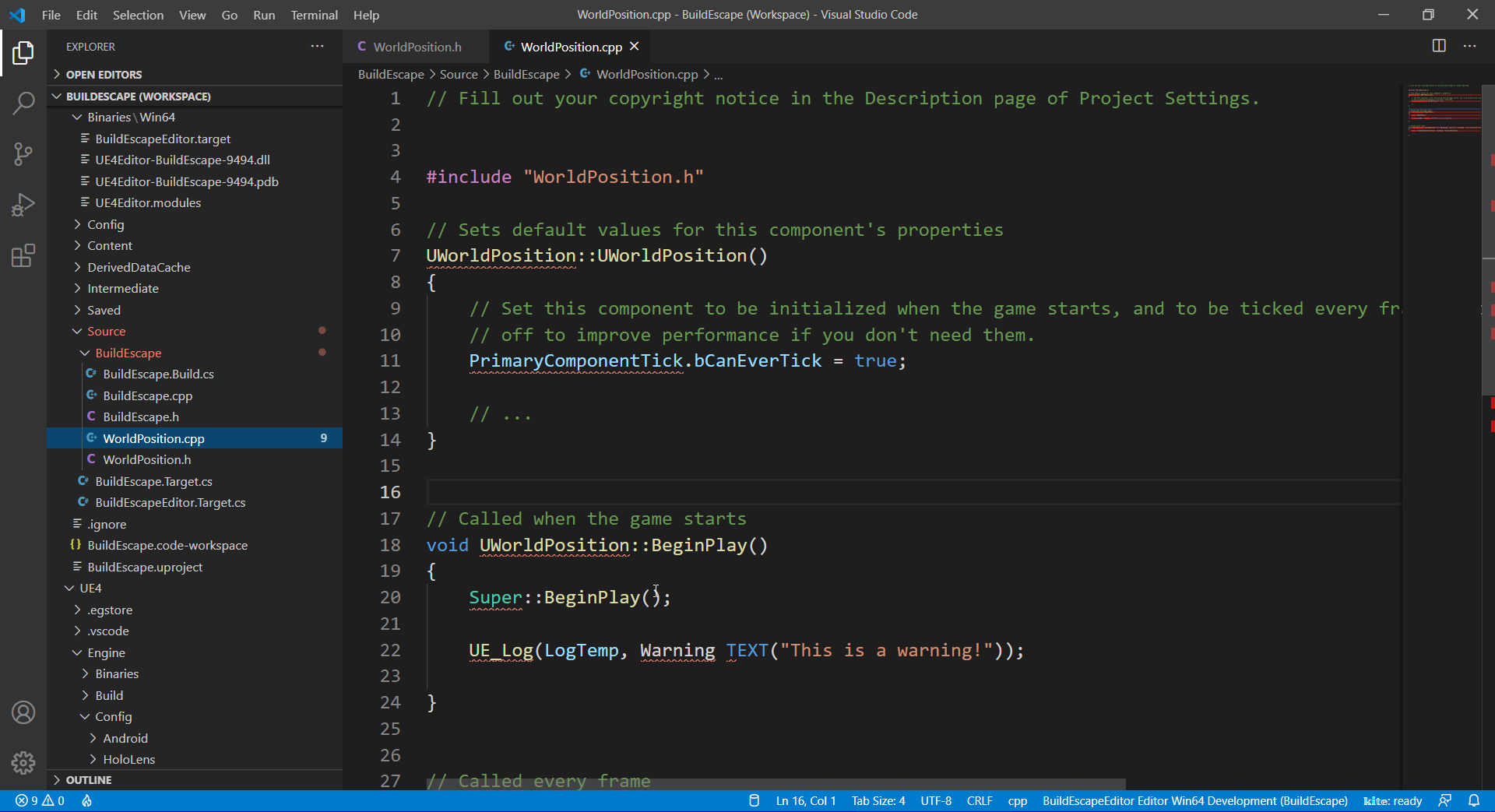
nope i am dying i left it parse but still vscode won't work with unreal
and visual studio 2019 i won't get autocomplete
dawn gull
Visual Studio 2019 can do auto complete, if it isn't showing up press CTRL+ALT+SPACE
So, I have this name generator function for C#, how could I convert this to C++, preferably BP?
        public static void GenerateRandomName()
        {
            char[] consonants = { 'b', 'c', 'd', 'f', 'g', 'h', 'j', 'k', 'l', 'm', 'n', 'p', 'k', 'r', 's', 't', 'v', 'w', 'x', 'z', 'y' };
            char[] vowels = { 'a', 'e', 'i', 'o', 'u' };
            var rng = new Random();
            Func<char> getConsonant = () => consonants[rng.Next(consonants.Length)];
            Func<char> getVowel = () => vowels[rng.Next(vowels.Length)];
            foreach (int i in Enumerable.Range(1, 100))
            {
                var letters = rng.Next(3, 7);
                var name = new char[letters];
                foreach (int j in Enumerable.Range(0, letters))
                {
                    name[j] = (j % 2 == 0) ? getConsonant() : getVowel();
                }
                Console.WriteLine(new string(name));
            }
        }
I already the arrays for consonants and vowels set up
grim ore
prety much break it down into the parts and make it in BP or C++
dawn gull
Just ask your question here @plush yew
 digital onyx
I am in my early hours with unreal engine (using 4.26) and hitting lots of sharp edges with quixel bridge. After importing, all 3D assets from quixel give a "Object has wrapping UVs" when building lighting. I try to fix this by having the editor auto-generate a UV map (and the map generation seems to work), but hit a wall because it seems like I can't actually change the light map coordinate index in the asset editor. (Some limited googling suggests this was a bug in some earlier version, but should have been fixed?)
Does anyone have an insight into my problem - or a pointer to a thorough guide for cleanly/succesfully bringing in assets from quixel bridge?
harsh tiger
ideally i would have colour A and colour B and it just bounces between the 2 colours
strong vortex
@harsh tiger Use a lerp node; take your time and have that as input for the alpha pin, the other two will be your colors
harsh tiger
i just clicked apply doing that exact method as you sent that message 😂 thank you! works perfectly
dawn gull
@plush yew are there any errors?
 foggy solar
Does anyone know if the glTF import plugin can be set to not prompt for confirmation for every file? I'm trying to drag in a folder structure with many glTF's into UE. I'll be clicking for many hours otherwise 😦
plush yew
@dawn gull I think I put in too many shapes or something because it just wont open
zinc shore
how do you pull up the performance profile window
half bay
any idea how to change this name? it's driving me crazy
Minimal_Default
cant rename it
half bay
OMG TY
 open carbon
NP
Does somebody here understand Unity Shader Code? There is a free tutorial only and I would like to apply similar stuff to unreal. Would be great if someone is open for having a short call. As thanks I have some nice Material Functions to share.
*only = online
zinc shore
how do you tell which GPUs the engine is using
plush yew
hey guys do you know why my spot light is weird ? is it about the mesh ?
plush yew
The game jam im in says "Everything in your game must be self made", does this mean i can't use sfxr for sound effects?
still moat
Simple question: Did you make it ?
 frozen pond
not simple question: i want to do something like this but not sure how i could make this kind of "lobby"
plush yew
well kinda, if I make it in sfxr its just a randomized sound
frozen pond
not like how-to tutorial, more like concept like
should i make special actor that is box with lightning etc and place it somewhere in world /
 median hound
do event ticks that go into delays cost performance?
frozen pond
from my expierence using event tick isn't too good, there is many ways of making tick on event like bind timer to event, or to function
@median hound would look like this:
median hound
thx
 burnt ether
@unique canyon I'm afraid I don't understand what you mean by "express yourself more in these BP" :o
 unique canyon
burnt ether
<@!659096112141041684> I'm afraid I don't understand what you mean by "express y...
unique canyon
burnt ether
<@!659096112141041684> I'm afraid I don't understand what you mean by "express y...
it was a covered compliment on your code cleanliness
burnt ether
Oh :o appreciate it c:
unique canyon
hehe
burnt ether
Btw if that picture you sent in wasn't just a meme theres a plugin called auto formater which sorts ur blueprint with one click o.o
 slate vessel
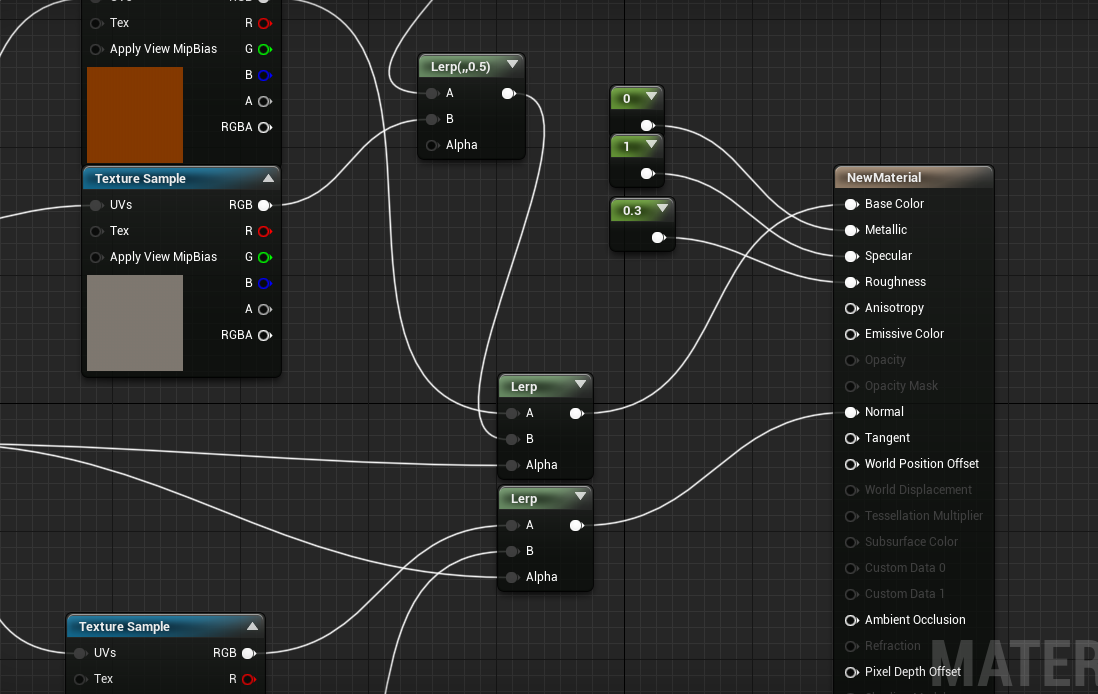
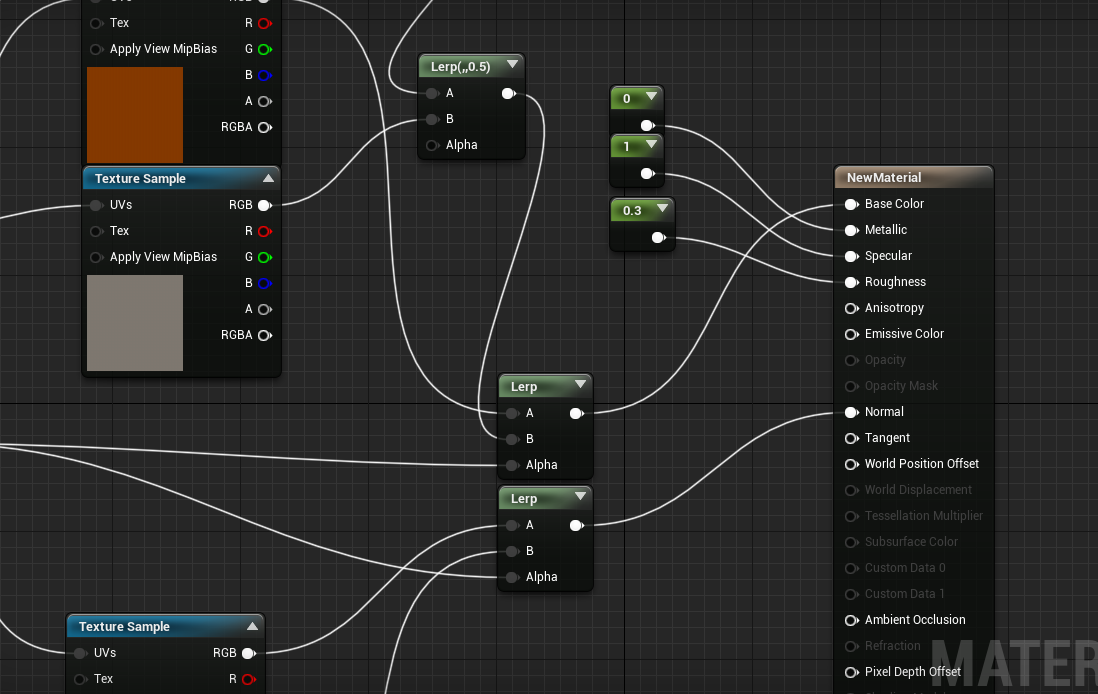
i have this lerp material for painting, but how do i make it so the roughness can be set for only one of the textures, not both at the same time?
 clever vault
i tried to fix the intelisense bug from vscode using the define thing but won't work
any other way to fix it?
median hound
i know line traces can ignore the capsule and just hit the mesh, but can actors ignore capsules and do the same?
frozen pond
question: if i have 1 postprocesing volumes 1. unbound and 2. bound to some place, will both apply ?
 timber tulip
can't you just test it out?
 indigo viper
is there a way to set a udim on a mesh?
and i'm useing Substance painter to texture my mesh
when i open the mesh in SP i can open it as udim and see all the uv maps but when i do it in ue and send it to sp it acts like its only 1 uv
 rare void
Hi guys, i need some help but idk if i should post here ! or there is different room for help!
plush yew
guys
frozen pond
half bay
this?
yes but actually no
if you hit git play and then get your pawn it is that, but if you hit play, posses diffrent pawn then this wont be same
half bay
hm thanks for trying to explain, i'll look for a different approach
plush yew
i was wondering, not sure if it will work but can i convert a blueprint project to C++
frozen pond
half bay
this?
it's like: you drive red car, and your mother ask what color is your car and your dad says its red, but after you change car to blue answer will be blue but question stays same
plush yew
can anyone help me
broken heath
Nope.
half bay
frozen pond
it's like: you drive red car, and your mother ask what color is your car and you...
hmmm okey thanks
rare void
Hi,I have download 2 SDK squad and sandstorm
iam trying to copy some of Sandstorm objects from the SDK to squad SDK just to use on some animations. is there is away to do so?
i did try to just copy from the content file of the sdk to the other but when i open squad sdk the folder is empty
and if i just export the object as .obj it lose it textures and adding them back take sometime
So anyone know how can i just copy from one adk to the other?
plush yew
oh
i want to make automatic slide door
and i found a tutorial on youtube but i need MatineeActor
oh
 nocturne slate
plush yew
how can i add a MatineeActor
nocturne slate
plush yew
how can i add a MatineeActor
Sequencer is it's replacement, but for a door I'd make an actor and a timeline.
frozen pond
@plush yew why would you make automatic slide door on martine ?
broken heath
Oh , not sure of tutorial but i guess theres many bout doors
frozen pond

My Beautiful Paper Smile - https://store.steampowered.com/app/1036700/My_Beautiful_Paper_Smile/
Discord - https://discord.gg/v3gWfxE
Twitch - https://www.twitch.tv/two_star_games
Twitter - https://twitter.com/TwoStarGames
I...
plush yew
when i press a button
rotund scroll
hot damn, a door!
plush yew
i don't want like this
plush yew
i want when i press a button
yeah
that's what i want
@plush yew your gonna need to learn about collisions sorry to be blunt but tutorials dont really teach you only copy from them i mean you can learn from them but if your just doing it to make something and you have no idea what your doing and only doing what the dud is saying then you wont learn anything
rotund scroll
ideally you create an interaction system so that you can use the same system for doors, windows, ducts, items, characters etc.
broken heath
U mastered collisions
indigo viper
can any one help me.....
plush yew
what
broken heath
Whats the problem
plush yew
plush yew
i want to make automatic slide door
.
plush yew
plush yew
i want to make automatic slide door
.
broken heath
If you didn’t start u need to watch few tutorials
fierce tulip
use aforementioned video, find tutorial on how to make a button. combine. bam. done.
fierce tulip
plush yew
and i found a tutorial on youtube but i need MatineeActor
this is also an automatic door :p
plush yew
i don't want automatic
fierce tulip
then again, follow that tutorial, find a tutorial on how to activate stuff with buttons, combine, bam
fierce tulip
@indigo viper
- you might have more luck in #graphics
- read the #old-rules
indigo viper
the second pic is then i import into SP but when i send it to ue it acts like if it is just 1 uv map and not 2
nocturne slate
Okay complex question incoming.
I have a rather large project I've been working on for a long time, but recently I've noticed an issue. When I'm working on the main level (It's an open world game), the memory usage that starts at 8gb used, and slowly rises over about 40 minutes to be 18gb. While this isn't a huge issue for me as I have 24gb of ram, it is an issue for my other developers, one of whom has only 16gb ram. For him the project quickly becomes too much for his PC to handle, even after a cold boot.
Pretty sure this started back when I implemented a Virtual texture for the landscape, so logically I tried to remove the VT to see if that fixed it but it doesn't.
UE4 doesn't seem to cap at your max ram, so I assume there's a memory leak somewhere. I can post my memreport if someone wants to look through it
fierce tulip
that might be better suited on the forums @nocturne slate so someone who knows can answer, since the question might not be answered before more people post questions/comments
and it might take a while before someone who has encountered such an issue is around
nocturne slate
Right, well I've tried the forums before, 0 comments every time.
fierce tulip
if you do wanna post the report, put it on pastebin and link that :)
nocturne slate
Ehh, it's too big for pastebin...
fierce tulip
then its def too big to be posted here hehe
nocturne slate
Could try googledrive?
fierce tulip
google docs
nocturne slate
That might work yea
Even to big for googledocs, google drive worked good though, and there's no need to download it: https://drive.google.com/file/d/1xMqjNfygVkT02UUOAuisg03TVbsBLX23/view?usp=sharing

Google Docs
 merry gazelle
do hit events only trigger when the (other actor) moves? I'm spawning a projectile BP using line trace to spawn on hit. If I don't destroy the projectile it just sits there on an enemy and only prints hit when it moves so I'm confused lol/
plush yew
I am working on my game for a game jam and i wanna make it change map after a certain amount of time, how would i implement this
merry gazelle
just make a timer in gamemode or instance and * open level
 hidden knoll
Does anyone know how to change the default pose of a Skeletal Mesh?
nocturne slate
merry gazelle
do hit events only trigger when the (other actor) moves? I'm spawning a project...
They would, as hit events are when the actor collides with something. So if it's not moving, it won't trigger the hit event as it's not computing any new collisions, I'm pretty sure that's right.
merry gazelle
nocturne slate
They would, as hit events are when the actor collides with something. So if it's...
ahh I see, so I should just use overlap instead right?
nocturne slate
Might work better, that or a line trance downward.
plush yew
Hello ! I have this warning after having rebuild : « InstancedFoliage0 Large actor receives a pre-shadow and will cause an extreme performance hit unless bCastDynamicShadow is set to false. »
I checked google and I found an interesting thread where someone explains the issue :
I understood it's something about having meshes in movable + stationary light at the same time when these meshes are too many or too larges but except this, I don't understand anything...
I'd like to notice that I'm not very at ease with english but, well, if someone could explain me another way what the error message means, I'd appreciate it 🙂
rotund scroll
plush yew
I understood it's something about having meshes in movable + stationary light at...
sounds like a reasonable request, what's the issue?
plush yew
This :
I have low FPS in editor and I think the reason is mainly related to this issue but I don't understand what it is exactly
 full leaf
plush yew
This :
full leaf
plush yew
This :
Dynamic shadows are computationally intensive. So the more actors getting dynamic shadows in your scene, the more time will your CPU take to calculate those results. Depends on how important you think the shadows are in your application, you may want to consider other ways to handle them.
plush yew
i am making a credits tab in my game but when i write it just goes out of the canvas, how can i fix this? i dont want the text to be small
still moat
Random Question: Does anyone here actually use the UE4 Community wiki or rather just google the issue and take the first result?
plush yew
nvm fixed it
@full leaf I have a landscape with these dimensions :
I also tried with static light instead of movable light but I had another message error which said to reduce the component lightmap resolution. But I choose to try with movable instead because I read sometimes that dynamic is better if you have moving foliage and trees because static shadows on moving foliage and trees is rather ugly
half bay
any ideas what the folder Saved>StagedBuilds is all about in an UE4 project? it seems it's the packaged game
tiny bridge
plush yew
<@!689381050740113485> I don't know what config you have exactly but if you have...
ihave update all the driver
clever vault
how can i delete a c++ component
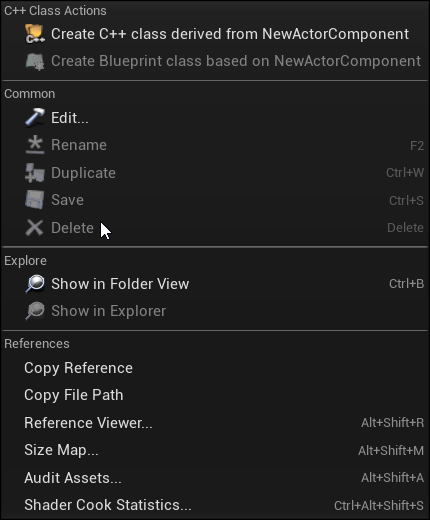
is there a faster way?
it can't be that hard to delete a class
tiny bridge
hello
clever vault
hey
tiny bridge
i have this problem
plush yew
why doesn't this work?
tiny bridge
i already update gpu driver
plush yew
how do i fix it then
i just want the health to increase by 10 if the player has max stamina and click E
is there another way to do it?
plush yew
tiny bridge
ihave update all the driver
Ah, sad... So I can't help more, sorry
tiny bridge
okay
plush yew
do u know how i can do it properly?
works like this so its the stamina calculations
yeah i do
every tick i increase the stamina by 0.6
100
i fixed it
it works like this
tiny bridge
how to solve this problem except update the driver and windows
plush yew
idk how to do that
i have little time, im in a game jam lol
24 hours
ig
do u think this will work? its in the tick function
if health > 100 set health 100
did that to stamina too
lol
one more question
how do I fade in the music
@plush yew
rotund scroll
@grim ore just in case you were interested: figured out the issue(s): A, the control rotation was not to blame. it was in fact, perfect. however, I had not adjusted the teleportation for slopes, so the collision would do a slight offset. B, a separate issue for the glitching was motion blur, turning that off removed the issue wholly. appreciate your assistance!
plush yew
ik i'm asking a lot, but how do i put my levels in order so when i download my game it knows what level to start with? like the build editor thing in unity
@plush yew that should be in maps and modes in the project settings im not to sure if theres something to make it automatic like switch levels in the editor you might have to make that yourself like by adding a delay or something in the levels bp and opening a new level
i dont use unity so im not to sure what your talking about but there might be someone else who can, thats just what i got from what your saying
it kinda worked i think
ok, if you have a ui for the level like a main menu for example you could just change the level from when you hit play or something
tiny bridge
tiny bridge
how to solve this problem except update the driver and windows
hello
 lament star
mfw UE does not save most project preferences
mfw it's been a know issue for years and Epic just doesn't care
tiny bridge
and how to solve it?
grim ore
@rotund scroll glad to see the problem solved 🙂
grim ore
if its a crash like that its something on your machine
your gpu is bad, your drivers are bad, windows is bad, the hard drive is bad. something like that is causing an issue
did you ever try underclocking your GPU like suggested?
tiny bridge
grim ore
did you ever try underclocking your GPU like suggested?
msi afterburner cant detect my driver :((
how i underclocking
grim ore
then you need to find something that is compatible. Which GPU do you have
tiny bridge
intel hd 2500
grim ore
yeah that wont even run UE4
grim ore
maybe an older version of the engine
tiny bridge

The performance of the Unreal Engine 4 with the GPU intel hd graphics 2500, not designed to do this or anithing similar
but its same ue4
man
tiny bridge
ik
but in my second device
i can run
with
very low-end pc
amd radeon r6 graphic
tranquil falcon
Hi @grim ore just want to say thanks for the great videos!
grim ore
is that an HD 2500 ?
tiny bridge
grim ore
is that an HD 2500 ?
nah
grim ore
if thats not an HD 2500 then why are you comparing
tiny bridge
amd radeon 6
grim ore
my car can do 0-60 in 5 seconds, why cant your car its not the same....
burnt ether
Hey everyone... someone got some time ? :o
So I have a begin play event which calls a costum event which runs on server and blablabla... problem is for some reason said event is getting called twice
grim ore
if you want to run UE4 on your machine with that video card and you can see someone else doing it you need to get EXACTLY what he used and how he used it to match it. That is an unsupported device so asking for help to get UE4 running on it right now is wasted effort for most people
tiny bridge
okay
plush yew
i made a widget for the main menu, but how would i add that to a main menu level?
ik its 4:20 am for my fellow norwegians, but i really need help
@plush yew in the level bp on begin play create widget then add to viewport
im really sorry, but im new to unreal, whats a level blueprint?
lol
it should be at the top of the editor
grim ore
there are tutorials on this on the learn.unrealengine site
tiny bridge
is 30 fps in unreal is good?
plush yew
ahh i found it
 warped tangle
@tiny bridge not really
tiny bridge
will my gpu broke?
plush yew
@plush yew by the way after you do the create widget and add to viewport, to make the mouse stay there get player controller drag out and type show mouse cursor then after that set input mode ui only
i think is input ui only, its been a while so
warped tangle
No, but as MathewW said, your specs are outside of the recommended/minimum specs for running UE4.
tiny bridge
warped tangle
No, but as MathewW said, your specs are outside of the recommended/minimum specs...
ik this i use the second pc
it can run
warped tangle
there are editor scaling settings as well you may want to adjust
tiny bridge
where?
warped tangle
plush yew
like this?
plush yew
@plush yew
plush yew
or like this
Okay so here is how I have envisioned a melee combat system in my head, please provide your thoughts on it:
1)My character has a cylinder(Placeholder for a weapon) attached to it.
2)The cylinder has a box collision attached to it.
3)I setup an animation montage to play according to my inputs.
4) Every time the box collision overlaps the enemy it applies damage.(Not sure if this is how the Apply Damage Node works.)
5)I spend a week trying to figure out why this doesn't work.
6)Profit???
So any tips, or insights?
i got a little problem...
when i click credits this happens
tiny bridge
yes at least i can run my unreal thx for your time al guys
plush yew
i just removed credits
@plush yew sorry i didnt message sooner i was helping someone with actors can i get more info?
as in when you click the button
i just deleted the credits tab
or button
u see, im in a game jam i dont have a lot of time
yes i know, soooo for credits its best just make another widget and make is so when that button is pressed you create that widget and add to viewport
also the background is white so change the text to a different color but also make sure when the button is pressed you remove from parent so the main menu disapears
looks like this now
epik
nice art by the way
not me🙂
my friend does the art
thats awesome, better then me i cant draw anything
same lol
she draws a bit slow tho
and that can be a problem when we entered a 24 hour game jam
yeah art takes time but it gets the job done
thats all she made in 3 hours
lol
dang
calling her slow is underestimating her
she's very slow
probably would take me a day to even get the first bits done
yeah, i told her to make the art simple because she has a lot to do, but she won't listen to me
i'm worried we might not make it
 honest dagger
@grim ore I saw your tutorial about pixel streaming, do you have any idea how to automatically run diferrent instance of your game whenever other user run your game in pixel streaming?
I managed to use the matchmaking server and signalling server, but I have to manually run the exe with one by one each with different matchmakingPort on each exe
But how do I do that automatically? Any idea you can point me out?
plush yew
you will, all she need to really do is speed art if that makes sense
Can u maybe help me with the core mechanic for the game? i have no idea how to make it
um sure ill try anyway
ill talk to u in dm's
no promises
tranquil falcon
Is real time GPU lighting project wide or is it actor specific? What I mean by that is can I have real time lighting calculated for my environment (atmosphere skylight directional light) but have static lighting for other lighting actors (e.g. point lights elsewhere in the scene)?
 light thunder
So I finally learned some stuff in Blender and I wanted to make sure this doesn't kill my performance in Unreal - if I bring this in as an animation, but it's baked, what does that do for drawcalls? it's still a single object, albeit a complex one right? (single material with I think 2, maybe 3 channels) - also I am probably not even using the animation, just the position at the end, so is there anything I need to do other than just bring it in unreal as single FBX object? (it can be static, I'm just learning how to make my own assets when needed)
btw, cell fracture is sorcery in Blender, i figured out how to do that in a few hours if that
 sick meteor
hey there, can i get some help fixing this issue with the water system in 4.26
Just creates a straight line, not terrain or nothing
all i did was add the landscape & then dragged in the ocean
 fathom monolith
One question, easy to add modding support, or an SDK of some kind, like the ark editor or the Unreal Tournament Editor, I want to release an SDK for my game.
 jagged gazelle
hello,guys.I meet a trouble
After I downloaded the MAX file, expanded all the MAX files into UV, and converted the MAX file into UDatasmith format with datasmith plugin, I found a very bad bug.It is the original MAX file that is badly compressed by the plugin. For example, my previous MAX file was 2.2 G using the datasmith plugin and all came out with 2.26MB.
Then I start the UE4, using the plugin will be compressed udatasmith file guide to come in, the scene of the contents (such as leaves, wallpaper, mural) although there is a map, a material of attachment, but the whole scene looks very ugly, I have to take a very long time to go back to map guide came in, he has done more to write material inside the UE4.This process is very troublesome for me, but I have to do it.On top of that, some models are distorted when guided in with the datasmith plug-in.
This confused me because instead of using the DatisMath plugin to convert MAX files into UDatasmith files, you could just import the UV FBX files and do the shading in them, so at least you wouldn't break the model
Horrible image of MAX converted to udatasmith file
My renderings in MAX
plush yew
anyones water working cause mine and a friends water just wont apply to the landscape even tho we both have edit layers on and a new layer called water
unique canyon
burnt ether
Btw if that picture you sent in wasn't just a meme theres a plugin called auto f...
nice thank u
 sage grail
Anyone else getting constant crashes in 4.26?
 arctic horizon
It's the number of live objects (uobject class instances) throughout the entire editor, they aren't "physical" things in your level. You cannot get rid of them, they are what make up the editor itself along with your game.
 civic saddle

Documents the Behavior Trees asset in Unreal Engine 4 (UE4) and how it can be used to create Artificial Intelligence (AI) for non-player characters in your projects.
"Behavior Trees can be as simplistic as the roach example given"
What roach example?
arctic horizon
If the value is true, it could execute a branch that causes a roach to flee. If it is false, if could execute a different branch where the roach maybe moves randomly around the environment.
arctic horizon
Most you could do is take a memory dump or maybe use some of the profiling tools... but why would you want to? Again, these are things that make up the editor itself (in addition to whatever your game and level are, but those would be in the minority if you're on an empty level).
plush yew
Blueprint Runtime Error: "Accessed None trying to read property CharREF". Blueprint: HUD Function: Get Minute Text 0 Graph: Get_Minute_Text_0 Node: Return Node, how can i fix this error?
urban iris
plush yew
Blueprint Runtime Error: "Accessed None trying to read property CharREF". Bluepr...
CharREF is not being set
urban iris
plush yew
found the problem lol
ah it happens 😄
plush yew
I have a sprite for player and enemy, can someone animate them?
 regal mulch
plush yew
I have a sprite for player and enemy, can someone animate them?
regal mulch
plush yew
I have a sprite for player and enemy, can someone animate them?
We have a job board for stuff like that. Check #instructions
 somber blade
 rich reef
Is there any extension for Unreal that gives you access to the place actor window as a dropdown menu directly in the viewport?
Im used to Blender and just generally find it so un necessary having the place actor window visible at all times, in Blender yo just right click and get a little menu directly on the screen instead - I find that way more convenient
(Please ping on reply ❤️ )
fierce tulip
not afaik
 forest tree
You could always move it though @rich reef, so that it's just a tab until you activate it.
rich reef
Sure, thats how Im thinking of organising it
(if theres nothing like this)
I might as well ask if there are any Unreal Engine compact themes while Im well here
forest tree
With that, I can help

His nodes plugin is also very very good:
https://www.unrealengine.com/marketplace/en-US/product/electronic-nodes

Unreal Engine
Improve the wire style of Blueprints and materials editors.
 gleaming pelican
hi there! does anyone have the compile error sound (and the success one)? it's for a project
 autumn elm
If I want to have a massive level in singleplayer using World Origin Rebasing, is it enough to check World Composition and then the World Origin Rebase checkboxes?
Do I need to do anything else?
I've seen a couple of functions in UGameplayStatics about setting the world origin and converting vectors to and from rebased world origin.
Couldn't find much documentation on this
plush yew
gleaming pelican
hi there! does anyone have the compile error sound (and the success one)? it's f...
You can get them from the Editor itself
light thunder
gleaming pelican
hi there! does anyone have the compile error sound (and the success one)? it's f...
Yeah just check "use editor content" in your content browser and you'll be able to search for it...i think it is literally called compile_error
plush yew
Yeah that, I myself use it as a placeholder sound for stuff sometimes, is a lot easier to hear 100 times in a row compared to other default assets(Like the fire, or the explosions)
light thunder
forest tree
His nodes plugin is also very very good:
https://www.unrealengine.com/marketplac...
How does that compare to Blueprint Assist?
 patent raptor
Hi All, When moving contents of a folder into a new folder etc, whether this be a subfolder or a higherfolder, BP's seem to break with lots missing.
I've used the traditional "Fix up redirectors" etc. but to no avail, is there a specific method or any tips you can advise me on for this please as I've tried a few things with no luck
light thunder
@patent raptor the folder that you click on" Fix up redirectors" is important, try it on the content browser main folder itself
forest tree
light thunder
How does that compare to Blueprint Assist?
I never used BPAssist much so can't say. IIRC, some things are compatible, other things not. You can find more on that on the questions page, some people asked.
light thunder
It's pretty incredible - literally automatically redraws your blueprints to be pretty, even after the fact
all you have to do is open up the blueprint and watch it do it's work
and it will redraw it, I think, based on your current resolution too - or something to do with the screensize of the blueprint window (if it's too small it tells you to open up the window more)
patent raptor
@light thunder So if i select my folder to move and move them all to "MyNewFolder" - then when complete, right click on "MyNewFolder" and fixup? should be a normal process as im sure I've done this with errors i mention -- and in regards to BPAssist = Love it, i can't do without it these days 😉
light thunder
Almost, but right click on Content and fix up redirectors there, that is getting everything then
patent raptor
ah, ok let me give it a whirl ty
@light thunder Same errors for me, my BP's get badcastnodes and all hud vars are broken..
light thunder
patent raptor
<@!273265779175194624> Same errors for me, my BP's get badcastnodes and all hud ...
restart editor and try the procedure again
also you should put on the filter "show redirectors too"
You'll see one appear when you do that
patent raptor
@light thunder Slowly getting there, nothing showing with a filter though for redirectors, moving stuff 1 by 1 and fixing issues seems to be my best bet,,, very strange as somethings move fine, yet others so not like it. Thanks for the things to think about though appreciated.
still moat
When you move multiple files from a to b in unreal:
patent raptor
Haha, your not kidding 😉 its a good job I'm a backup freak 🙂
wet berry
At what range should I start worrying about world position rebasing?
wet berry
 smoky sonnet
anyone know how to fix invisible sides?
smoky sonnet
anyone know how to fix invisible sides?
If it shows up in blender, you likely have a flipped polygon
light thunder
@smoky sonnet backface culling
Either "flip normals" or use solidify in blender
on the "Face menu" when you are in the mesh editing menu (or use the solidify modifier)
wet berry
You can use a 2 sided material in UE4 to hack it into view as well, but it's better to correct the mesh
light thunder
can also try "filling faces"
smoky sonnet
new to blender where is this option again ? 😅
light thunder
Like @wet berry if you are in a pinch, you can use two sided materials for a quick fix but yeah, consider it a band-aid not a real fix
tab to go to edit mode and check face menu - hit A to select your entire mesh and solidify "should" work
wet berry
2 sided materials are more expensive, can have lighting issues, and are a pain to texture accurately, but they do work 🙂
light thunder
not as clean this way, I've been told the solidify modifier is better but what works and works
smoky sonnet
now it has a knife not bad 😄
wet berry
smoky sonnet
but now it works
yea i also enabled two sided
i had this problem also some time ago but now two sided didnt fixed it but this option with solidify fixed it
thx
wet berry
If two sided didn't fix you have bigger issues with your model (missing/malformed triangles) and the renderer is just ignoring them
for future reference
smoky sonnet
it works for now dont know why my main material isnt exporting :/
my sony logo is missing to feelsbadman
why does some material gets exported and some not?
 snow marlin
Hey guys, I'm a beginner in unreal, was just wondering if anyone can point me in the direction of making my character teleport to where an object lands. Like, for example the first person example, shoot the gun and where the ball hits the player teleports to
light thunder
@smoky sonnet blender does that, even with the pipeline tool - but if you don't mess with it, it should still reference the same material - also, check the OPEN VFX blender discord, it's where I learned most of my blender stuff - I had these same problems about a month ago, it's one of the more common questions so you usually get a response/walkthrough pretty quick
dawn gull
I'm gonna let you figure out the projectile part but here's the basics of teleporting the character @snow marlin
https://www.youtube.com/watch?v=oRT649lWvd0
Sorry I've been gone! I've been ill :(
How to possess some unsuspecting "mechs" :P (power rangers thumbnail ftw!)
Twitter: https://twitter.com/Play_Ruff
Patreon: https://www.patreon.com/deanashford
Discord: https://discord.gg/gPnr339
light thunder
snow marlin
Hey guys, I'm a beginner in unreal, was just wondering if anyone can point me in...
I recommend you do a FPS tutorial series, there's one on youtube that gets recommend a lot, I think Ryan Laley is his name - yes https://youtu.be/IgR-PtaMloI?list=PL4G2bSPE_8um-3MIHOTwFwjWZdWO24S9O

We will be going through together how to put together a shooter game that has different weapons and eventually getting to randomized loot, alternate fires, and many other staples of shooter games.
Support me on my Patreon and see episodes 2 weeks early: https://www.patreon.com/ryanlaley
 rancid bramble
Hey there 🙂 Does anyone know how to handle finding an actor to reference at runtime and the obvious danger of it not being loaded before the actor that tries to find it?
snow marlin
Thanks @dawn gull 🙂 I'll give it a shot and see what I can do. 🙂 Hopefully I can get it down
dawn gull
How can I cast to an actor with a reference to the child version of it as the Object?
 old sonnet
anyone know how to fix the "an unreal process has crashed: UE4- " error? I tried reinstalling unreal and restarting my laptop and its not working
 wanton lotus
dawn gull
How can I cast to an actor with a reference to the child version of it as the Ob...
wanton lotus
dawn gull
How can I cast to an actor with a reference to the child version of it as the Ob...
Child classes inherit from their parent class, so you should be able to use that child object to reference anything within the parent class. You can also directly cast to the parent class as well. For instance, if I have a ball object that inherits from Actor class, I can store a reference of ball and cast that to Actor if needed.
dawn gull
I drag off of it and I can't set variables that are inside of the actor
wanton lotus
How are you referencing it?
wanton lotus
Ah, child actor component, that is a bit different.
wanton lotus
Component is the keyword you missed. hehe
wanton lotus
No problem, now we got it narrowed down.
I don't use that component since I know there are tons of issues with it. Not bugs, but limitations.
@dawn gull Try also asking #blueprint if you haven't already. I know some people there have plenty of experience with that component.
dawn gull
Alright
wanton lotus
@dawn gull actually I found what you wanted. You need to get the "child actor" of the child actor component, then cast that to your class.
wanton lotus
The reference you showed is to the "ChildActorComponent" while the "ChildActor" is the object itself. Component keyword, hehe.
The component itself has parameters as well, so that is why it also has a reference.
 marsh sparrow
heya.. what determines where my hit trace is at vs center of screen.. see pic. the green stuff is the trace and the white dot is center
wanton lotus
@marsh sparrow can you show your line trace code? Need to see how you are determining the start and end locations.
If you want center of screen, start is usually based on camera location and then end is just camera location + distance.
dawn gull
@wanton lotus Ok, thanks for the help! Now I can set the priority and stick on my planet :)
wanton lotus
Nice, that is looking good.
marsh sparrow
@wanton lotus ```void AMain::Tick(float DeltaTime)
{
Super::Tick(DeltaTime);
TArray<AActor*> ActorsToIgnore;
FVector Start = GetActorLocation();

FVector ForwardVector = FirstPersonCamera->GetForwardVector();
FVector End = ((ForwardVector * 1000.f) + Start);
FCollisionQueryParams CollisionParams;

if(UKismetSystemLibrary::LineTraceMulti(this, Start, End, ETraceTypeQuery::TraceTypeQuery1, false, ActorsToIgnore, EDrawDebugTrace::ForDuration, OutHits, true, FColor::Green, FColor::Red))
{
    for (FHitResult OutHit : OutHits)
    {
    ```
so basically.. my FP camera is too low
wanton lotus
Yep there ya go.
So you got start is based on actor location instead of FirstPersonCamera.
wanton lotus
FirstPersonCamera->GetLocation() or whatever, hehe
snow marlin
is it possible to create a looping world that is a plane not a sphere?
marsh sparrow
componentlocation right?
snow marlin
like big scale
marsh sparrow
vs local
wanton lotus
world location of the component.
marsh sparrow
    FORCEINLINE FVector GetComponentLocation() const
    {
        return GetComponentTransform().GetLocation();
    }
k cool
let me try that and see what breaks
wanton lotus
Haha
marsh sparrow
well.. im doing my fps camera sorta weird
since I wanted to look down and see my body
so its like inserted in the head
of the skeleton
wanton lotus
Gotcha, I've done the same for my projects.
marsh sparrow
and it works
thanx
now I can turn the line trace off LOL
needed a quick reticle
 hardy nacelle
What's the difference between this edit layer and target layers, and how are they connected?
plush yew
when i press a button
wanton lotus
snow marlin
is it possible to create a looping world that is a plane not a sphere?
This is definitely possible. Does UE4 allow this by default? Nope. You will have to setup the wrap-around yourself.
marsh sparrow
plush yew
when i press a button
like keyboard button?
wanton lotus
@plush yew Your door currently opens automatically, so based on overlap events?
plush yew
yeah it opens automatically
snow marlin
@wanton lotus I would make the world a sphere but making the directional gravity seems a bit out of my depth yet
plush yew
i can show you the blueprint if you want
wanton lotus
snow marlin
<@!291620720243376129> I would make the world a sphere but making the directiona...
There are actually free plugins to accomplish this if you are interested.
plush yew
get a prop
 mild merlin
means the one that unreal engine 4 gives u
snow marlin
@wanton lotus I did go get a plugin from a yt video for it, but no matter what I did I couldn't get it to load in my ue version. Are there any that work for the latest version do you know?
wanton lotus
snow marlin
<@!291620720243376129> I did go get a plugin from a yt video for it, but no matt...

Unreal Engine
Free vector gravity for planets and directions. GravityMovementComponent allows you to control gravity direction and force for physics and movement.
Also the voxel plugin can make planets for you.
plush yew
@wanton lotus so how do i make
snow marlin
@wanton lotus Thanks so much I'll go have a look. I'm sure thats the vid i watched haha.
plush yew
can you help me
wanton lotus
@plush yew So if you are currently using overlap events. I assume you directly run your "open door" event in the overlap event. Instead, save a reference to that door inside your player blueprint. Clear this reference when overlap ends. Then when you hit your "interact" button, you test to see if this reference is a door and, if it is, you open or close the door depending on its current state.
snow marlin
Has anyone played Exanima
plush yew
yeah
snow marlin
man i love that game
plush yew
hold on imma show you the blueprint
because i watched yesterday a tutorial
is with timeline
wanton lotus
@plush yew can you show the screenshot and continue this discussion in #blueprint? I will move down there to help out.
Don't wanna spam this general channel too much, hehe.
rich reef
@forest tree I did came across that earlier, but it doesnt actually let you make things more compact I think?
forest tree
rich reef
<@!232215194984644611> I did came across that earlier, but it doesnt actually le...
Oh, I think you might be after something else yes
The plugin makes Unreal a lot cleaner though
Less noise, so in that sense it's a bit more compact
But not in actual size
rich reef
Yeah I might still buy it 😉
forest tree
Only thing I know on that front is using the small icons setting in Unreal's preferences
Not sure if there's others
rich reef
Im using some other "theme" currently that does somethign very similar to the look, I think its called MinimalUE or something
Small icons settings?
forest tree
rich reef
Im using some other "theme" currently that does somethign very similar to the lo...
I was on that before I used DarkerNodes 😄
Good theme
rich reef
I tried finding something like that, where are those settings?
forest tree
Hold on
 wispy parcel
why do decals fade in when you play a level? is there a way to stop this? seems like a silly feature, especially as a default
hardy nacelle
Hi I have some problem with understanding Landscape Layers:
What's the difference between this edit layer and target layers, and how are they connected?
 shadow orchid
Anyone know if there’s a bug where the built in subtitle system wont show over a widget
 neat forge
Anybody know what could be causing this when I walk backwards? its like it doesnt know to use the 180 direction https://gyazo.com/f561f175fca538dcc9e50d1bdcf0d809
plush yew
Okay so making a multiplayer game is like single player but hard mode
 uneven hemlock
Whenever I delete something in my tank blueprint
my game crashes
unreal*
when I dleete those it crashes
Pls help
Fatal error: [File:D:/Build/++UE4/Sync/Engine/Source/Runtime/CoreUObject/Private/UObject/Obj.cpp] [Line: 204] Renaming an object (TankTrack /Engine/Transient.World_0:PersistentLevel.Tank_BP_C_0.Left Track) on top of an existing object (TankTrack /Engine/Transient.World_0:PersistentLevel.Tank_BP_C_0.Left Track_REMOVED_379E868B413D1DC932B7E9B20A21E3E6) is not allowed
thats the error thing
it also happens when I rename it
they are based of UStaticMesh component C++ classes
 neon grove
is it just me or the default character movement is bad?
neat forge
the default movement isnt meant to be game ready
uneven hemlock
basically Renamingor deleting Components in blueprint editor crashes unreal
pls help
neon grove
neat forge
the default movement isnt meant to be game ready
yeah but adding events and plugins for everything just makes it so complicated and buggy
i simply ended up making a new character movement from scratch and i dont have to be putting events for everything anymore
like if the default character movement stands on a ragdoll or even small physics objects it will jitter and be sent flying
not to mention it cant be moved by physics objects
uneven hemlock
Theres no location or rotation in the transform pannek
wtf
ARGH I have these bugged compoenents that are missing many options in the detail tab and are very glitchy, but when I try to delete them IT CRashes unreal so I cant delete them
zinc shore
why cant i have a collision box that simulates physics while having a child mesh with no collision
forest tree
Can't seem to figure out through the actor lifecyle document if actor components have their beginplay run before or after the owner 🤔
Anyone know?
EDIT: Tested, seems to be actor component first.
 winter gale

Quick #UE4 Tip number 84.
Continue where you left off by enabling Restore Open Asset Tabs on Restart. Might not work if debugger is attached.
#unreal #unrealtips #unrealdev #indiegamedev #gamedev #indiedev #screenshotsaturday #UnrealEngine

 Twitter
·
Twitter
·
 exotic thicket

 zinc shore
how could i have my packaged project auto set the quality settings based on the system specs like the editor can do
grim ore
look at the game user settings system
 meager frigate
yo, im not conscious of whats going on when I create blueprints for hours. I completely zone into it but after hours of that I start getting a cough like im not breathing normally or something, anyone else have something like that happen? If i create for days at a time my cough just gets worse and I have to stop but im not exercising or doing anything different during those breaks from creating so why does it get better? maybe its in my head but I'm not thinking about it when start coughing, I try to forget about.. anyways just curious if anyones heard of anything like that, its pretty annoying.
like it only happens if i zone into something im creating for long periods of time. if i don't do that i never have any problems
maybe because im barely breathing co2 builds faster or something
forest tree
See a doctor yo
meager frigate
lol yeah i guess
grim ore
@meager frigate that would be why things like newer smart watches have hour long break timers. when you are sitting for an hour it asks you to get up and move/drink. try and set a count down timer on your pc so you can do that or start to put in logical breaks when you finish a task
meager frigate
ahh, its weird i can play a video game for 9 hours straight sitting in the same chair but if I'm sitting here creating blueprints for 9 hours straight i start getting this cough. I'll try taking pit stops though :p thanks for the suggestion!
forest tree
9 hours is a ton of time to be sitting in one stretch
 digital anchor
forest tree
digital anchor
forest tree
I have the same tendency
But it's not healthy, your body isn't designed to sit that long
Needs stretchy time
 teal schooner
gotta pace yourself bro
grim ore
9 hours is bad, you will hurt yourself. even a couple hours is not smart
get a dog, learn to take it out for a short walk every so often
meager frigate
thanks for the feedback guys
rich reef
Customised editor (took the fonts from Blender, used MinimalUE theme and changed the layout to my liking and changed some color settings in the editor pref window) 🙂
plush yew
Hey, I'd like to use Distance Field Shadows but I can not check it. Why ?
teal schooner
plush yew
Hey, I'd like to use Distance Field Shadows but I can not check it. Why ?
have you enabled "Generate Mesh Distance Fields" in your project settings?
plush yew
@teal schooner Nope. Thanks. It works now :]
teal schooner
plush yew
<@!211913374961893376> Nope. Thanks. It works now :]
cool np
plush yew
did unreal engine ever add a custom theme? like besides it being gray can i change the color?
 glacial pecan
plush yew
did unreal engine ever add a custom theme? like besides it being gray can i chan...
glacial pecan
plush yew
did unreal engine ever add a custom theme? like besides it being gray can i chan...
there was a dark theme released on the marketplace just last week, I think
marsh sparrow
hi again. Is there a gamemode for a main menu? Do you typically just use one and use your default hud for it, just swapping widgets out?
plush yew
@glacial pecan ok thank you
@glacial pecan where would i go about finding it? i looked and couldnt seem to find it im not sure what its called
 autumn flame
plush yew
<@!149623011199156225> where would i go about finding it? i looked and couldnt s...
autumn flame
plush yew
<@!149623011199156225> where would i go about finding it? i looked and couldnt s...
Darker Nodes
plush yew
ok
autumn flame
It's 8 bucks or so, worth it
 gray kindle
Anyone had this problem before?
grim ore
@marsh sparrow using a separate game mode for a main menu level is a good way to do it, yes
marsh sparrow
@grim ore thanks
What do you set for WorldSettings then
is worldsettings based on level?
grim ore
world settings is based on the master level/map yes
you would set the individual game mode in that maps world settings so its used for just that level
grim ore
yep
plush yew
Hey anyone know when the megascans if ever are going to become compatible with 4.26? I cannot download them from the epic games launcher otherwise and will have to get them all from bridge.
grim ore
have you tried adding them to your .26 project anyways?
plush yew
yes if you try to add the project does not show up, and if you read on the little i it says not compatible with 4.26. I know they are because they are just meshes and textures, I just do not think they got around to updated it.
gray kindle
not sure what u mean, im working with them right now
grim ore
check the checky box @plush yew
plush yew
Yes I think it is working, I just had to switch it on the bottom from 4.26 to 4.25. Then I was able to download for my 4.26 project. Hopefully it downloads and adds it to my project perfect. Thanks for the help MathewW
grim ore
yep if its just meshes and such it should come in fine. even if its not it normally comes in fine. its the opposite way thats an issue (adding .26 content to .24 for example)
plush yew
yea that messes up a lot because I have tried, and a lot of code I guess gets switched even a little bit between versions.
 sharp pebble
Anyone else experience Unreal Editor not responding when trying to load a static mesh into static mesh foliage? I'm trying to follow the Procedural Foliage Tool Quick Start tutorial.
dawn gull
So I'm using a plugin for making planets orbit and I'm also using a custom game mode for gravity, and when combined I still get attracted but the planet moves from under the character because it has low gravity. How can I make it stick to the planet?
plush yew
Hello, noob question but I have this scene : a landscape with a village in the middle and a cave below :
So when I (or my main character) is in the village, does UE computes all what there is in the landscape and in the cave or just what I (or my main character) see ?
I have a character and a gun sprite for my 2dsidescroller game, how do i attach the gun to the character and make the gun be able to shoot? I need help quick
grim ore
 slender umbra
plush yew
So when I (or my main character) is in the village, does UE computes all what th...
slender umbra
plush yew
So when I (or my main character) is in the village, does UE computes all what th...
I believe there's some default occlusion culling
At the least there's basic frustum culling - i.e. if an object isn't within the bounds of the camera's view, it's definitely not "computed"
I answered a question, hopefully this means karma will get a question I have answered 🤣 , though I imagine that's not how that works. That said, does anyone know what artifact I'm seeing when I rotate the camera while walking in the third person template? There's some rotational jitter on the character that I just can't pin down. I disabled "orient movement to camera" and wrote my own smoothing, and it still occurs at some speeds. I think there's maybe some weird post processing or something that's just causing a visual artifact, rather an an actual jitter of rotational data, but I'm struggling to determine the root cause..... Here's a webm for reference...
If you look at the feet for example, there's this weird smearing - or in the shoulders you can see maybe a frame or two of either over rotation, or maybe a set/unset happening or something....
Happy to just hear suggestions for debugging something like this. I'd love to be able to capture frame data or something so I can play through frame by frame after running something realtime
 celest vapor
If i create an actor that generates a tileset on construction and then place it in the world. will it re-generate every time that level is loaded?
slender umbra
I believe so
Could just throw a print in there and test that the construction script is called. I wouldn't imagine that'd be cached. If you want to leverage some code to generate something and store it, I'd try a different path. Maybe you can persist changes during play, or generate the tileset and create a static mesh from it inside the outliner
 grim beacon
I want my enemies to float in the air as the player attacks them. Should I make it animation based?
rare void
Hi,I have download 2 SDK squad and sandstorm
iam trying to copy some of Sandstorm objects from the SDK to squad SDK just to use on some animations. is there is away to do so?
i did try to just copy from the content file of the sdk to the other but when i open squad sdk the folder is empty
and if i just export the object as .obj it lose it textures and adding them back take sometime
So anyone know how can i just copy from one adk to the other?
slender umbra
grim beacon
I want my enemies to float in the air as the player attacks them. Should I make ...
Do you want colliders / calculations / raycasts / whatever to be offset as well? Or is it purely visual?
celest vapor
@slender umbra So should I have the generator save the generation and then use something else to load and unload the generation?
slender umbra
@celest vapor what's the generator generating exactly? Like what is the tileset? Are they meshes, data, etc
celest vapor
Well at the moment Its generating static mesh components. But I was thinking about having it generating actors for the tile sets because I want each tile to have functionality that i can just tweak after generation
I'm scared that that would be too performance heavy in the end. None of them have timers or ticks that I setup, they all just have information stored on them
 steel shell
can i import 2 tiled landscapes in the same level?
grim beacon
@slender umbra My player has a revolver which will damage everything in its path
I want to be able to lock on to one character
 karmic basalt
Anyone know how to properly stream UE4 on Twitch or Discord? I keep running into issues that I don't see how to fix. (Such as black screens, tool tips taking over, etc.)
slender umbra
@celest vapor yeah, I'd attach them to an actor, then pull that actor out of the outliner into content (that should work at runtime), so that you can modify it later
@grim beacon Yeah, not sure, I feel like I'd probably try to work out some sort of translation offset / curve - I likely wouldn't animate the offset since it sounds like you want everything to actually be offset (and I'm guessing you're not using root motion)
(also, am noob, blind leading the blind here)
plush yew
grim ore
<@456226577798135808> <https://docs.unrealengine.com/en-US/RenderingAndGraphics/...
Thanks
plush yew
slender umbra
I believe there's some default occlusion culling
Indeed, it's exactly the question I was going to ask. The doc in the link explains how to change the distance culling. I've just tried it and it works. No pb. But the doc doesn't explain how to edit the culling with others methods. For example, how edit the occlusion culling ? Is it just a default and uneditable culling ?
dawn gull
How do I make my material with a vector 3 in the emissive color brighter/ have more god rays
median hound
upping the value?
dawn gull
Ok, thank you!
 golden wadi
Hello all! I'm trying to simulate my caracter's hair with the cloth system, but it doesn't collide with the physics, collide all is enabled, idk what to do T.T
 proper quiver
TIL you can copy and paste entire rows of data table into structs of other objects, such as Data Assets