#ue4-general
1 messages · Page 898 of 1
 grim ore
grim ore
grim ore
the "set view target with blend" node is what you use to swap the camera that the player camera manager is using
 midnight gate
now i need to play a flip book in the ui haha
how do i do that
lets see if google can help
 glacial oar
with the info you gave i shoukld be able to google it it can be hard trying to google something u dont know the term of
 light thunder
I made a pose asset for a skeletal mesh, what's the trick to getting it into an animation sequence?
glacial oar
i would have more ram for my project if i didnt have 20 odd tabs open
20 odd chrome tabs i looked using 5gb of my ram
what performance wise is gonna get hit if i use the the megascans cliffs 200 odd times to make a massive cliff
 cloud patrol
im trying to do layer materials for painting, but why does it look transparent? i dont get it
grim ore
@glacial oar just start profiling. How you use it will determine your hit. If its the same mesh and the same material there is a good chance it will be instanced automatically and perform well
glacial oar
cool ill give it a hot
shot
can i parent my castle parts i placed to 1 movable object like a empty
grim ore
you could put them in a blueprint with a scene component as the root yes, or you could group them if its just static mesh actors in the level
glacial oar
i tried bp but couldnt get snapping to work its a big castle made from 10 ish partss
grim ore
you can put them together in the viewport then convert them all into a blueprint if thats easier
glacial oar
ah good idea i think ill do that
 soft fiber
Try again. After the animation, I reposition the Player, but it causes a camera jump. Is there a good way to avoid this issue?
grim ore
what do you want the camera to do?
soft fiber
The camera controls the player. After the animation, I reactive the player and set the position so the root is the player.
grim ore
yep so what are you expecting the camera to do?
soft fiber
I'd like it to smoothly target the Player without the shake the occurs from a large jump movement.
grim ore
are you changing the camera during this animation?
soft fiber
I'm debating do that if I can't figure out another method to make this work.
Just want that jump shake to be gone.
grim ore
you an look at enabling camera lag
soft fiber
Is that part of the camera component?
grim ore
the spring arm
soft fiber
ok, thanks!
 oblique stream
How to get rid of IncrediBuild? is it required now to build projects? Their customer service was spamming me emails asking for feedback. When I asked how to uninstall they stopped responding and google searching failed. Typical method for uninstalling in programs list also failed. Building a project keeps saying:
UATHelper: Packaging (Windows (64-bit)):   IncrediBuild Console 9.5.0 (build 3385)
UATHelper: Packaging (Windows (64-bit)):   Copyright (C) 2001-2020 IncrediBuild Software Ltd. All rights reserved.
UATHelper: Packaging (Windows (64-bit)):   -----------------------------------------------------------------------
UATHelper: Packaging (Windows (64-bit)):
UATHelper: Packaging (Windows (64-bit)):
UATHelper: Packaging (Windows (64-bit)):   --------------------Build System Warning---------------------------------------
UATHelper: Packaging (Windows (64-bit)):   License is invalid:
UATHelper: Packaging (Windows (64-bit)):       License information is invalid. Please try reloading your license file using the Coordinator Monitor application on the Coordinator machine, or reinstall IncrediBuild.
UATHelper: Packaging (Windows (64-bit)): This build will run in standalone mode.```it is not required and its part of visual studio install, so uninstall it from there
 worn shadow
can you see something wrong?
 kind dew
What's wrong with my physics constraints, how do I make things feel "heavier"?
https://gyazo.com/e294c7c939c8ebac5856bd3934d6bb0b
 stuck scarab
grim ore
you an look at enabling camera lag
stuck scarab
grim ore
you an look at enabling camera lag
uh, and that solved my issues as well, ty 😄
worn shadow
i imported runing animation and i think i made every think as well but when start the game i can t see my animation so can someone help me
 pulsar badge
Anyone use brushify
pack
If so do u know why this is blank when i open the grass layers folder
 opaque anvil
Hi! Very new to unreal, I'm trying to implement a weapon sway, and all the documentation I've read says that having a event tick is bad practice. If I have one, is that a big issue?
light thunder
@opaque anvil Learn what animation sockets are and let the engine do the sway for you
probably the only thing about the animation system that's cut and dry
 crimson vapor
how to remove texture from a plane on a button click ? I am playing a video on a plane, I implemented a stop button to stop the video on the plane. When I stop the video the the videos frame is still visible on the frame, how to remove it ?
Thanks in advance
grim ore
@worn shadow after importing it how did you set it up?
@crimson vapor change the material on the mesh to a different one
worn shadow
i used animation blue print and i made what i saw from tutorial but i already made everythink on video i checked 3 times but
its still same :/
crimson vapor
grim ore
<@!758043371548835970> change the material on the mesh to a different one
Can it be done using blueprint
grim ore
@crimson vapor yes
light thunder
@grim ore How did my Pawn spawn twice? I've done a BP find all for the Spawn Pawn Node and it only happens once and I've sat all my maps streamed in to make sure it isn't already in the world
grim ore
@worn shadow well we cant see your blueprint to tell you what is wrong, but did you change the animation your blueprint is using? im assuming a blend space if using running
light thunder
Is there any type of "actor that spawned me" to figure out where this stupid extra pawn is coming from
I tried stepping through to determine what else was loaded but there's too much happening at startup,
crimson vapor
grim ore
<@!758043371548835970> yes
How to get the reference of the plane in the blueprint
light thunder
god I wish you could step "backwards" in BP
grim ore
@crimson vapor thats up to you and your project
@light thunder none that I know of but its possible you can check for references to that blueprint and see what is referencing it. the only issue would be stuff thats using the class and not the bp itself
 dawn gull
So, sorry if I'm interrupting, I have a procedural mesh component that uses noise so it's different every time I load it, how can I make it so the person who hosts a game generates it and then transmits the model so the client doesn't have to re-generate?
 leaden tide
all my actors show up like this white ball, and are invisible if i click off https://i.imgur.com/yhigesZ.png
thats the player start one for example
grim ore
what does the blueprint look like?
leaden tide
you talking to me or him ?
grim ore
@dawn gull you dont, you pass along the same key that is used to generate the noise to every other client
 tardy sentinel
how can i put them togehter into one text bind
grim ore
to you, what does your blueprint look like @leaden tide
crimson vapor
grim ore
<@!758043371548835970> thats up to you and your project
Thank you for help
grim ore
does it show more than nothing?
tardy sentinel
leaden tide
its literally the default stuff i just think i accidently hit a keybind or something
tardy sentinel
Pls help
grim ore
well the G key is for game mode, so that could be it
grim ore
ah
well problem solved then I hope lol
@tardy sentinel we need more info, what do you want to do
leaden tide
erm, so how do i toggle the game mode
cloud patrol
jesus adding tiling variation is so tedious
grim ore
the viewport game mode? its the G key or the drop down at the top of the viewport
dawn gull
grim ore
<@!307936066546040842> you dont, you pass along the same key that is used to gen...
Is there any faster way? Or is that it
leaden tide
oh yeah im dumb thanks
stuck scarab
whats necessary to make meshes physically react to bullets or any kind of projectile?
- Collision needs to be setup for the mesh as well as for the projectile
- Simulate physics need to be turned on on the mesh
-my projectile needs to ... ? Apply force?
grim ore
@dawn gull faster is subjective but no you dont want to send the mesh over the network that is in efficient. Both machines generate the data using the same key
dawn gull
Ok
grim ore
@stuck scarab both options need to simulate physics properly (collisions and channels and all) and you use physics to move one into the other basically
stuck scarab
so they just need to hit then
dawn gull
And another problem related to my procedural mesh, when I open the level from another level is times out and says the ForLoop in the generation code is an infinite loop
leaden tide
how can i move a players camera seperate to where they actually are, so for example if i want them to be sat in a chair and then have a cinematic part where he automatically gets up and is playable
grim ore
your generating an infinite loop then, or a loop that is larger than the infinite loop detection amount in your project settings. You can adjust that or split your loop out across frames. @dawn gull
dawn gull
Okay, thank you again!
grim ore
@leaden tide you do just that. you have another camera that is currently set as the current player camera managers camera, then you do whatever, then you make the players camera the current camera
worn shadow
grim ore
<@!178525639903543306> well we cant see your blueprint to tell you what is wrong...
leaden tide
thank you
worn shadow
it seems working but its not
grim ore
so in the game when you hit play the idle animation is playing?
grim ore
when you preview (the green dot in the blend space) does it show the running animation?
worn shadow
yes
dawn gull
I set the maximum loop iteration count to 1000000000 and it just crashes quicker and gives more errors
grim ore
what does your code look like in the anim bp that feeds the data into the blend space?
leaden tide
one more thing, if i use cameras can i still give players an option to freelock via the camera?
grim ore
increasing the loop count isnt a goo fix, you want to split your loops over frames instead of all at once. or make you loops more efficient
dawn gull
Ok
grim ore
@leaden tide you would basically make a new actor that your player can control that is just a camera so yes
leaden tide
alright cheers
stuck scarab
you can manually set your values here that you have setup in the blueprint, like speed for example. For testing purpose.
If you set your speed here and its not changing the animation than you know something with your values if off
@worn shadow
pulsar badge
Why is this opening blank
grim ore
^^ thats the part of the animation blueprint you need to check for being set up correctly
@pulsar badge random weirdness. just try and open it gain or open th windows at the top that are closed or restart the editor
grim ore
which part lol?
grim ore
the editor randomly does that
grim ore
have you gone up to the window menu at the top of that window?
 finite chasm
Can i hop into a call with somebody for 2 seconds i just have a question?
Wanna stream my situation
grim ore
at the top of that window it says file, edit, window...
grim ore
try loading the default editor layout
 calm sphinx
4.26 feels more stable than 4.25.4, or is it just me?
grim ore
or checking the options you want it to show
light thunder
well shit, what happened here? is this some optimization view mode I forgot about? that I left on?
tardy sentinel
grim ore
<@!702079165641261086> we need more info, what do you want to do
i want to do it like the ammo thing so if burst mode is selected the text should change to burst
grim ore
which text?
tardy sentinel
text binding
grim ore
if you mean text in the bottom right you need to edit your UMG widget and add some more text you can change in there
you shouldnt be binding to something like that, when you change the firing mode you can talk to that widget and change it
tardy sentinel
nono i want to make a text bind so if burst is selected or single that the text change to the
grim ore
you should never* be binding to something unless it changes every frame
we dont know how your text is set up or how your weapons work. You need to have it when you change the weapon mode it tells something to tell your widget to change that text
or you can somehow expose a variable somewhere that has that mode and then bind inside of the UMG to check that text every frame but thats wrong
or I guess you could set up all the weapons to use event dispatchers and have the UMG widgets listen to that and change when the weapons fire off the dispatcher
theres many ways to do this
I also dont see any text to change in the widget so I can't even suggest what to change
tardy sentinel
i just want to sync the 3 thing into one varible at the end like the print string that all appeare on one
grim ore
WHERE on your screen is this text at?
tardy sentinel
i want to make a text
grim ore
is this your blueprint and ui? or is this an asset pack or download
tardy sentinel
blueprint and ui
tardy sentinel
yes but i dont knmow how to merge that thing into one varible
grim ore
look into making an enumeration then
grim ore
but that doesnt really need to be done, you can replace each of those "print string" nodes with a call to your UMG widget and then setting the text
tardy sentinel
i want to have it like in pubg when u change the modes
grim ore
yes if you made the umg widget you should be able to do this
how are you checking for ammo?
grim ore
there are hundreds of docs and videos on enumeration if that is what you want to do. you can make a variable in your character for the shooting mode and change it then have your binding check it and set the ui
its stupidly bad but you can do that
tardy sentinel
idk
grim ore
it sounds like what you want (three things in 1 variable) would be an enumeration
finite chasm
Trying to make a pawn camera move on X/Y axis with wasd but nothing happens
grim ore
fix the problem and then problem solved!
light thunder
Why is all my lighting gone, I see now shadows but it's Lit - I'm using BP Skysphere and it's done this before
leaden tide
so if i wanted a playercontroller to control the pitch and yaw of a camera i'd have to create a pawn that controls the camera right
grim ore
it doesnt have to be a pawn, any actor can take direct input if you want it to but yes the blueprint in the world would take the input then do whatever you wanted
leaden tide
right, so i'd need to translate the input from the player controller directly to the camera?
grim ore
if the actor is just a camera component and you take direct input from the input system then you can do it that way
just depends on how the input is coming in and if the player is supposed to be passing input to something else as well and such
leaden tide
yeah, their actual body should just be frozen
so i dont need to mess about with possessing and such?
grim ore
you can unpossess the character so it doesnt take input, then possess your floating camera pawn and then all input would go into that instead of the character
seems like the easiest way
grim ore
yep which is why i said floating camera pawn 😉
if you arent possessing and just taking input it could be an actor
pulsar badge
@grim ore ok i loaded
grim ore
but since you want to ignore input on the character makes sense to just swap pawns
pulsar badge
i open it
leaden tide
i mean i just need pitch and yaw not movement
pulsar badge
and i see file edit asset window and help
leaden tide
alright
grim ore
under window do you have the load layout - default editor layout
grim ore
yep try resetting your layout
 late verge
Would anyone be able to explain to me why my camera shakes are completely broken?
Here's a video showing what I'm talking about. In particular, the oscillation blend-ins and outs completely break the camera shake. Been stuck on this issue for days now 😕
https://streamable.com/o0kx6k
And these are the settings for my camera shake:
 pulsar badge
@grim ore got a question
is there away to change a mesh foliage to a green one so i can use it for procedural
from blue to green
grim ore
depends on the material but you can probably tint it somehow
 plush yew
If you have a new mesh u can click on the old one and drag the new mesh in the box
light thunder
I want to be able to save revisions of my lighting level, like making changes to the skysphere and other aspects it - but I don't want to push the GBs of lighting data every time (some changes are dynamic) - can this be done without breaking the lighting data?
leaden tide
@grim oresorry for ping, but im assuming i need to follow this tutorial https://docs.unrealengine.com/en-US/ProgrammingAndScripting/ProgrammingWithCPP/CPPTutorials/PlayerCamera/index.html to create a camera pawn?
Learn to manipulate a Camera and a Pawn at the same time, using player input.
grim ore
I havent followed that one, but thats a C++ tutorial. If you just want a pawn with a camera create a new pawn and add a camera component to it
to move it you can look at the same code in the first person template, for the first person camera, and just remove the input that moves the pawn but keeps the mouse for mouse look
grim ore
you would change the material. WE cant see your material, we dont know how the mesh is set up, we know nothing other than change blue to green and that would generally be changing the material
no one can tell you what to do exactly without more information or you can look up how materials work and start from there
 summer pine
sorry for dumb question again, but how i can import this "database"?
cloud patrol
is there any course for learning to tile large scale landscape textures and such?
grim ore
@summer pine look at using data tables
cloud patrol
i looked in youtube but they dont explain how to do tiling with multiple textures like roughness, albedo and normals at the same time
cloud patrol
hmm ill check that one
ill see if i can figure out how to link the nodes to make the roguhness and normals work
roughness*
summer pine
grim ore
<@!203819089167253504> look at using data tables
im again wrote "database" instead of "datatable"
i'm mean this datatable have VERY BIG NUMBER of column (more than thousand) and if i starts write manually it in structure first i'm lost many hours (maybe full day)
grim ore
you will have to do something custom in C++ then or look for a plugin that can help
summer pine
grim ore
you will have to do something custom in C++ then or look for a plugin that can h...
you wrote this to me?
or for Zikiel?
grim ore
yes, data tables need structs. you cant do that so you need to do something custom if you just want that data in the engine
 rough kraken
Hey guys, unreal noob here. Anyone here good with networking? I have a problem with an unreal project, and it probably also relates to my ISP... i am game for any working solution, honestly my goal is to learn
light thunder
really, really wish I knew how to move a preview mesh on an animation - would make position a lot easier
tardy sentinel
and how do i make like ui text appear when some thing is getting pressed eg r how do i make the ui text appear ?
 random summit
anyone got an idea of why my light map looks like this?
plush yew
Cuz there are no lights
random summit
i ticked use my emissive as my light do i still need an additional light?
plush yew
It depends how you want ur map... if it’s a scary map u don’t want light... if it’s good.. idk... you want light?
random summit
quite dimly lit but i'll try to add a light anyway to see if it helps the bake
plush yew
Ok
random summit
ohhh no idk whats going wrong
 night burrow
Can someone suggest me a really good cinematic plugin for UE4? I want to include it in my game.
 sharp flax
Do you guys have some go to documents/webpage you refer to, for optimization tips like: Foliage, LOD's, landscape, streaming, meshes, collisions etc..?
I have these two:
https://software.intel.com/content/www/us/en/develop/articles/unreal-engine-4-optimization-tutorial-part-1.html
https://software.intel.com/content/www/us/en/develop/articles/unreal-engine-4-optimization-tutorial-part-2.html
But if you have something else you want to share, i'd be happy!

Intel
Part 1 of 3 - This is a tutorial to help developers improve the performance of their games in Unreal Engine* 4 (UE4). In this tutorial, we go over a collection of tools to use within and outside of the engine, as well some best practices for the editor, and scripting to help increase the frame rate and stability of a project.

Intel
Part 2 of 3 - This is a tutorial to help developers improve the performance of their games in Unreal Engine* 4 (UE4). In this tutorial, we go over a collection of tools to use within and outside of the engine, as well some best practices for the editor, and scripting to help increase the frame rate and stability of a project.
opaque anvil
light thunder
<@!390528280123539466> Learn what animation sockets are and let the engine do th...
Sounds good! thank you for your feedback!
 meager pagoda
Hello everyone! I'm brand new here, how are you all doing? I'm having some issues with porting collisions of a model from Blender to UE4, is there anybody that might be able to help me with that?
plush yew
Hey
I am new to blender and unreal engine
I am trying to import my simple blender model for a test
when I import it into unreal for some reason the texturing is not done correctly anyone know any reason why it might be doing this thanks
that is what it is meant to look like
but for some reason it is doing grey and green?
meager pagoda
Hello fellow Blender user. lol
plush yew
Hey
grim ore
@plush yew what is not done correctly? you have the blender one highlited so its hard to tell what you expected
plush yew
help here
i cant find the usual camera shake class
i tried each one of those and they dont function the same as the old camerashake
 drifting geode
@plush yew are u importing it as fbx? What are your material settings on import? Could be that it's using an already existing material in unreal instead of importing/creating the fbx's material..
But otherwise, like Mathew said, hard to tell with the selection highlight in blender...
meager pagoda
Well, since some people familiar with Blender are around, allow me to post screenshots of what's happening with my collisions.
The mesh:
The (testing) UCX:
Should be that whole 'patio' area
Mesh imports into UE4 correctly
But the UCX...
I've tried various shapes & sizes of UCX's in blender, and they all get squashed down and have their shape completely changed upon importing
Is it some kind of simple import setting I'm missing?
drifting geode
How many objects are that in blender? 2?
meager pagoda
Yup
drifting geode
Floor and building?
meager pagoda
The entire structure is one object.
drifting geode
Not quite sure but I think unreal creates one convex collision object for each object
meager pagoda
That's if you're using Unreal's automatic collision generation, no?
drifting geode
Try breaking the UCX into smaller convex objects
meager pagoda
No, the UCX is literally a single block, it's only supposed to be the front patio / balcony thing.
See my 2nd screenshot
plush yew
Okay so my object was selected but it was the same orangey colour without selection which is what I wanted
But in unreal it switches to grey and green
I will figure it ou tomorrow bc I have to go off thanks anyways cya
meager pagoda
You did give me the idea to break up my actual structure into multiple objects to see if the automatic collision generator does a better job though
Going to give it a test
drifting geode
" If you need more than one collision object for a mesh, you can extend their names with further identifiers, such as: UCX_Tree_01_00, UCX_Tree_01_01, UCX_Tree_01_02, etc... and they all will be associated as collision for that mesh."
 errant blade
so UE4 question
meager pagoda
yes which is what I was doing fele
errant blade
i'm having an issue where if an explosion throws n object too far away the object will despawn
where does one edit that? cause now its getting to the point where the map is so big that i can just drive far enough that my vehicle disappears and i'm reset to the spawn
im thinking there might be some limit somewhere that despawns objects that go too far away but i cant find it
 median hound
the actor gets deleted?
grim ore
@plush yew did you set up the material, normally materials do not import in from the DCC program
errant blade
median hound
the actor gets deleted?
ye
drifting geode
@errant blade you want some kind of kill plane or kill volume..?
errant blade
drifting geode
<@249271234062188545> you want some kind of kill plane or kill volume..?
no no, the opposite
my actors get deleted when going too far from the spawn / center and i dont want that to happen
drifting geode
Oh ok
errant blade
for example i got this big big yavin 4 map with death star and sometimes when i fly too far away the player and vehicle just get deleted and the player gets reset back to spawn
im wondering what causes that and if its a setting how i can change it
meager pagoda
Splitting my mesh into multiple parts didn't work. Making multiple UCX's didn't work. This is becoming a real pain.
errant blade
drifting geode
Did you disable the world bound checks?
that might be it since i didnt know that existed
thanks!
 haughty hound
Paused game, when so my debug camera rotates but doesnt move, coz that im creating a new one, is that how any if u guys did it too?
drifting geode
But maybe it's not a good idea to completely disable it. think you can change the world bounds..
Try WORLD_MAX in the console
drifting geode
meager pagoda
Splitting my mesh into multiple parts didn't work. Making multiple UCX's didn't ...
Are u using the right naming convention and did you also make sure to turn off generate auto collision on import?
meager pagoda
Again, yes to both.
The UCX is being imported, its shape is just being changed completely.
drifting geode
Did u scale the UCX in blender?
meager pagoda
Did you look at my screenshots?
drifting geode
Hm ok, if it was a blender transform issue it would apply to the Render object as well I guess
 crimson lake
Hey guys Does anyone know a way we can contact the UE community?
I was working for the ue4 challenge : https://www.unrealengine.com/en-US/blog/enter-the-unreal-online-learning-challenge-and-learn-game-development-this-fall

Unreal Engine
Improve your skills in game development and compete for a prize in our latest Unreal Engine learning challenge.
leaden tide
say i want to create a floor with specific dimensions, if i design it with the default cube and use scale, is there a way to create a seperate mesh from that resized mesh so that materials apply to it without being stretched?
crimson lake
and I highkey thought the deadline was on the 18th :/
and apparently the application closed
Is there a way to reach them and try to see if I can still join :/
I thought I got everything ready early but apparently I'm a day late :/
leaden tide
this is while using a bsp btw
crimson lake
@gleaming narwhal @wicked tiger Sorry for tagging I'm trying everything I'm desperate rip
drifting geode
@meager pagoda second screenshot: just to clarify, the UCX is just the highlighted box, correct?
meager pagoda
Correct.
drifting geode
When you created that, did you use scaling?
random summit
unreal engine is confusing... I was relatively happy with the lighting here then i built the lights and it looked very ugly so i hit force no precomputed lighting to undo the built light and it doesnt look remotely the same?
now
meager pagoda
I believe I used scaling, yes.
drifting geode
If so, I think you need to apply it before exporting...
 modest ivy
does "falling" cover any time the character is in the air? including while still jumping?
meager pagoda
I did apply it.
drifting geode
Does bevel for example look correct?
random summit
❤️ Unity
meager pagoda
Bevel looks correct, yes.
drifting geode
@sam try changing you skylight to from static to stationary or vice versa
random summit
it made it look slightly different but not close to what it was
drifting geode
Not sure if that's a precomputed lighting issue. Looks more like a changed environment map
Or try deleting and placing it again..
random summit
still stays the same, itss quite confusing
errant blade
is there a way to go to the blueprint giving errors after cooking is failed?
cause im failing cooking but im checking all blueprints and they all compile fine
wait-
what does this mean?
"PackagingResults: Error: [Compiler BP_SceneRoot] In use pin Scene Root no longer exists on node Set . Please refresh node or break links to remove pin. from Source: /Game/Blueprints/FBXImporter/BP_SceneRoot.BP_SceneRoot"
 devout swift
If I'm running multiple automated tests using BPs that inherit from FunctionalTest, and all the tests are in the same level/umap, how would you recommend resetting the level for each test?
resetting means resetting the location of things that were moved, destroying actors that were spawned, etc.
I thought about using OpenLevel and then giving it the name of the level I'm trying to load but I get a black screen when I do that;
 versed lion
Guys every time I make new variable it makes a window like this
how can I stop it from reopening new tabs every time?
errant blade
How do I refresh all nodes? i swear i can't find the button for it
errant blade
my BP_SceneRoot is not working and i dont even underestand why
 tiny knoll
 rough osprey
anyone know why my tires are sitting above landscape?
rough osprey
anyone know why my tires are sitting above landscape?
Maybe the mesh colision is fucky or something
rough osprey
well shit
 astral sundial
hey i am trying to import a model that is rigged and animated like i usualy do but this time it failed and i dont know why or how to fix it. (i tryed to import into unity to see if it would work and it worked but not in ue4) any ideas how to fix?
never mind i just found out a fix right after i posted even though i was struggling hours before
 rotund scroll
it's almost as if it was trying to tell you something
plush yew
Hey y'all, quick question. I'm gray boxing a level and I'm finding placing smaller objects is a little annoying. Is there a way to snap to the terrain, and perhaps rotate the object based on the surface normal at that position?
I searched and found V + drag thinking it was called vertex snapping, but I'm not sure what that's doing, it just highlights random vertices and doesn't seem to interact with the terrain.
rough osprey
when creating weight blended info for landscape painting my editor freezes every fucking time
 flat pewter
hey folks, has anyone ever used a PS4 controller in unreal?
I can't find the inputs for the touchpad
only x axis and y axis
but no click
haughty hound
Paused game, when so my debug camera rotates but doesnt move, coz that im creating a new one, is that how any if u guys did it too?
light thunder
Why isn't my emitter allowing me to change the material? I don't get any error message and it's checked out from source control
ah, it won't let me change it to a material instance I made ---why? I made a instance of the parent material and modified some stuff, I changing the lighting mode that might break it in terms of how it renders/displays but it should still allow the change
This is fucking asinine
Why is this allow to be this way and no one got in trouble for not having an error message? I feel like this should explain why or at least give an error message instead of nothing happening
and if someone chimes in with "you can't do that with particle parameters" that's not what's happening and even if it was, why not just say that? seems like an extremely common thing to do, to change the material of an emitter
I can't even duplicate the material instance it IS using and set that
rough osprey
is there any easy way or something from the market place that will allow easy creation of interactive water
so i can drive a truck/car through etc
 zinc shore
how can i make my characters mesh slightly lag behind the the capsule to reduce jitter
meager pagoda
Btw, to make sure the issue I was having wasn't just a "scaling issue" in blender (I didn't think it was, but it was the only suggestion I got), I deleted my UCX, made a brand new cube, named it properly, saved it as-is, exported and imported it into UE4 and got the exact same results.
If anybody here is familiar with Blender to UE4 workflow I could really use some help, I'm barely beginning my game and this is completely stonewalling me.
I'd rather not have to resort to making hundreds of collision boxes in UE4 manually after importing the mesh for performance and time reasons both.
I also still haven't been able to find this issue happening to anyone else on Google.
 frail portal
i found an awesome asset pack that's from 2016 and dev is awol, i wanna generally ask if an asset pack from 4.13 could be compatible with the most recent ver?
meager pagoda
that probably depends on what exactly the assets are
if you're talking about just models or materials there shouldn't be any issue
frail portal
post process material
like i know issues are likely gonna happen with blueprint stuff cuz some nodes are not in newer versions/renamed and all
rough osprey
how would I make this look a lot better?
right now it looks like one of the shittiest indie games ever
light thunder
don't forget to make sure all your instances have dynamic shadows turned off unless you've prepped for that
meager pagoda
Okay, well, it seems like i've done the exact steps of every guide and documentation I can find about porting Blender mesh & collisions over to UE4 and nobody seems to know what's causing it to not work
so i'm stuck making collisions manually in ue4
it'll absolutely ruin performance eventually but at least it'll work lol
light thunder
make simple collisions for one, unless you really need them to be that accurate, and even then, you can chain together simple collision like sockets on an animation
@meager pagoda are you using the unreal pipeline tool?
meager pagoda
I am not.
I hadn't seen a mention of this tool in any of the guides, I'll try it out.
cloud patrol
any idea of why layer blend makes my material transparent?
meager pagoda
@light thunder It worked. Thank you so fucking much for pointing out that plugin to me.
This'll save me a LOT of hassle. UCX is working like a charm now.
Seriously, thank you so much, I've been struggling all day to figure it out and now I can continue my game lol, I was so frustrated
Made my day, man.
plush yew
@light thunder on fire rn
light thunder
pay it forward bro, I'm still bitching in animation chat looking for help but if you see someone asking for something and you have an inkling, point them in the right direction
meager pagoda
I'm not super familiar with animation yet sadly or I'd help you out, my forte is programming and I've only been learning modelling for a few months
Animation's next on the list lol
Omg my UCX updates in UE4 with the click of a button now in blender
Dude this plugin is amazing lmao
light thunder
@meager pagoda let me know if you figure out a clear, repeatable way to import LOD's on the same static mesh - i did it accidentally once using that plugin but I could never duplicate the result, not a huge deal because the only time I do that is when I need something functional like editing a wall so I can bust through it in a section, so losing LOD's is on the end of the world, but it's the principle
Make sure you watch your lightmaps overlapping too, you can break a lighting build that way and lose all the rendering time, also if you are using HLOD's it can fuck them up too, if you are coming from blender and have screwed up the asset
meager pagoda
I haven't even started learning to do LOD's yet
light thunder
you don't necessarily have too
I only model when I can't use an existing asset
why build when someone else already has
meager pagoda
I think the opposite! I'd prefer to make sure my game looks exactly how I envision it :p
light thunder
Nothing wrong with that, if you have the time for it
plush yew
Looks like the translate and rotate properties from my decal object's transform is missing in the blueprint editor
I think last time I ran into this, I had to remake the blueprint from class
Anyone have any ideas?
light thunder
you probably resized the window
try resetting your editor layout or check the window in the blueprint
plush yew
I just closed down editor, and rebuilt from IDE
 stuck swan
any ideas why soft object references created in 4.26 are not setable in the details panel anymore. ones created before are still setable.
light thunder
that might not fix it
if it is a layout issue, some of those values are saved in the Users directory for your windows user app data folder I think
plush yew
But the decal component right next to it is fine…
I tried resetting layout, and restarting editor
Made sure hot reload is off
😢
light thunder
let me see the content browser where they are located
plush yew
They're inside my BP_Character
CursorToWorld (decal) and NavTarget (decal)
Are the two I've been comparing
light thunder
find the parent
or show me the construction script if you are using that
I need to see where those originate from
plush yew
I've got a C++ class, OddCharacter
That one shows up just fine
I was trying to not have this one attached to root component, and set location manually
But I feel like somewhere along the way it broke, and I stopped be able to set those properties in blueprint editor
light thunder
I don't hardly ever mess with C++
plush yew
Hmmm, when I reattach it to root component, those properties show up… but then the behavior is broken
I guess it needs an attachment for those transform values to show up
Not sure what to attach it to now though 😦
Lol you still helped @light thunder your question showed me the difference was attachment
light thunder
why is the editor crashing when I try to use eyelid animations?
 tranquil falcon
Hopefully a super simple question: is there a way to view both wireframes and the shaded/lit modes together?
devout swift
for creating automated functional tests, am I supposed to create a new map for each test?
Or is there a way to effectively run multiple tests in a single map?
cloud patrol

Full Blog Post with Videos and Notes: https://www.worldofleveldesign.com/categories/ue4/landscape-macro-tiling-variation.php
Here is how to solve obvious texture tiling on landscapes. Where your textures look good up-close, near the player but then it tiles very noticeably far away.
Get the "UE4 Landscape Essentials" Tutorial Course: https://w...
is it possible to fix tiling like this but with rough and normal maps too?
it seems like its only for colouring the landscape
plush yew
Hmm, should my NavMesh have these holes in its map of the terrain?
I don't understand how to make those areas walkable!
light thunder
you need a navmesh um, jump thing, god i can't remember
basically it's a manually override that helps them get across those gaps
late verge
Would anyone be able to explain to me why my camera shakes are completely broken?
Here's a video showing what I'm talking about. In particular, the oscillation blend-ins and outs completely break the camera shake. Been stuck on this issue for days now 😕

And these are the settings for my camera shake:
https://media.discordapp.net/attachments/225448446956404738/788504133509972028/unknown.png

 open wadi
Quick question - if I unload a widget via "remove from parent", and then I re-create the widget via create widget, will that call the event construct node?
Say I have widget A, it's loaded, event construct ran as normal, then later I get all widgets of class for widget A and remove the results from parent, and then I use create widget A, will that call event construct again for widget A?
I presume so, but just want to confirm.
 frank wren
I have a quick question too:
My tessellation isn't working at all. It has no effect.
This is how it looks like:
I know I neet to put in the Texture Coordinate in the image but it had no effect
any ideas?
fixed
rough osprey
anyone have a good tutorial on intractable water so a vehicle interacts with it?
open wadi
Never mind, found it.
 royal magnet
Hi everyone, I am having an issue with capturing video, I am using FXAA and it is giving a flickering video as a result, it is fine when I change it to the Temporal AA but as you know that gives a horrific blurry result. How can I make a video with FXAA or something like that
Thanks in advance for your time
plush yew
alright so is it possible to export this asset into unreal with my textures?
this is so confusing me to me I did not think it would take this much effort lmao
royal magnet
It looks like you just have a basecolor texture and you are applying a node to manipulate the color? and thats all you wanna have in unreal?
If that's the case make a material, add your texture simply by drag and drop, and press number 3 and left click which will add a node for color. then connect them with multiply node and proceed from there.
sounds like what you wanna do is more like a blender thing than unreal, because unreal just needs the for example png for textures, after that point you will have a mesh and your textures for material then you are gonna setup your material.
 proven shuttle
@plush yew embed textures with FBX or use GLTF 2
finite chasm
Trying to great a click and drag movement system on X and Y for my top down game.
I'm using a basic pawn class and i have wasd working perfectly. Just cant get this to work?
 charred anchor
Hi all, i'm just starting out with Unreal and i'm looking to learn a bit more. This question has probably been asked 1,000 times so I apologise. Can anyone recommend a good order of things to learn within Unreal? I would like to learn how to animate characters within unreal and create interactions between character and object such as pick up / drop an item, click 'some key' to interact with 'X' object etc. etc. This may however not be the best thing to begin with.. if anyone could offer some friendly guidance that would be much appreciated. I have no design background but I have a dev background (PHP, JavaScript, Vue.JS etc.), although I haven't yet touched C++ and understand it is quite difficult from what i've read. Thanks 🙂
plush yew
proven shuttle
<@456226577798135808> embed textures with FBX or use GLTF 2
|I embed them with fbx
thanks I will try to do that when I get in from college thanks so much
plush yew
Hey, any one got a steam understanding? our project got released last friday. now has 19 lifetime steam units sold, 6 returns but so far no one has played first level at our steam leaderboard. is there someway to hide from leaderboard in general? is our game buggy but noone leaves a comment or could this be normal?
 merry bison
I have a level blueprint that randomly creates objects from another blueprint on the screen. To that object blueprint I've added a material, which is just a color in this case. How would I instead of the fixed material/color create a dynamic/random color for each object the blueprint spawns?
 unreal widget
Does anyone know how to deal with the editor not letting you save because "you're still in play mode" after closing Standalone game instances? Its really starting to get annoying not being able to save without constant warning messages blocking me.
worn shadow
can someone help me about char animation import ?
or can some one give me a tutorial link about that
plush yew
Hello I am new in Unreal Engine.
 exotic thicket
merry bison
I have a level blueprint that randomly creates objects from another blueprint on...
exotic thicket
merry bison
I have a level blueprint that randomly creates objects from another blueprint on...
You can create a dynamic material instance and assign the color into the material as a scalar parameter. If you look up "ue4 dynamic material instance" on google you should find a bunch of info on how that works
 tawny igloo
Hi! I am also relatively new to Unreal Engine, but I am planning to give it my undivided attention in order to evaluate whether it is a suitable career option for me - or if I should go back to what I previously did.
I found this online learning program (starting today), which upon completion would give a RITx professional certificate. As my degree is not in software development I think it could give me more credibility going forward. https://www.rit.edu/news/rit-offers-unreal-engine-foundations-professional-certificate-program-edx
Do you have thoughts on this? Would it be worth while - or should I just stick with free courses on Unreal Online Learning platform?
 merry bison
exotic thicket
You can create a dynamic material instance and assign the color into the materia...
merry bison
exotic thicket
You can create a dynamic material instance and assign the color into the materia...
Oh, thanks. I thought it would be harder than that. Started to look at how I would change the blueprint etc.
 floral mesa
@tawny igloo My personal opinion is the only thing that gives you real credibility is your actual skill, and your portfolio. No one needs a certificate for that.
 fallen flower
Why do I have dark/black corners in my box reflection capture?
floral mesa
@tawny igloo however it falls in line of educational content, which i do purchase and add to my library. I'd want to know if I could keep the content in a collection of my own if I paid to take part in anyone's curriculum. It's important to me any classes I purchase that I am able to access them on my own time.
tawny igloo
@floral mesa You might be right. Edx gives free audit access from 16.12. to 27.1.2021 so maybe I'll see what it is all about and if it helps me to improve and make connections.
floral mesa
yeah because you may learn more than what that course covers for free and on your own and look back at it like maybe its not for you anymore
i have a small group where i help people work through things in UE4, if youd like to join I Invited you
tawny igloo
Yeah. But from an absolute beginner's point of view it would be wise to do the foundation work properly
Thanks! Absolutely
floral mesa
definitely, but building foundations to me is the free part all that there is to learn there is out here free.
tawny igloo
Mm.. The unreal online learning platform is great
floral mesa
it keeps getting better too
 cloud flicker
Hey people 🙂 what is the best approach to damage a skeletal mesh in runtime and influence the (procedural) animations? any help is appreciated
floral mesa
@cloud flicker like for severing limbs?
cloud flicker
yes, correct
floral mesa
do you know how to 3d model?
you have to prep the model
there are tutorials for it
its called Gibbing
look into that and youll find what you need
cloud flicker
Thanks for your help 🙂 Wouldn't gibbing only be helpful to remove complete preset limps? I'm looking to create a wound system in which every part of the body can be slashed or shot. The destruction should be based on the weapon strength.
floral mesa
@cloud flicker i want to build a system like that as well. i'll send you a pm
 ember notch
Is it possible to convert Blueprints automatically to C++ code?
 dense ravine
Hey, I have some questions about Asset localization in Unreal, has someone experience with this stuff?
 spare sun
@ember notch might wanna have a look at blueprint nativization
https://docs.unrealengine.com/en-US/ProgrammingAndScripting/Blueprints/TechnicalGuide/NativizingBlueprints/index.html

Technical guide for programmers exposing gameplay elements to Blueprints.
 coral wasp
Merry Christmas!
plush yew
Anyone need help with a Pause Menu in Bps?
ember notch
Thanks 👍
plush yew
ember notch
Thanks 👍
To Jack or me?
plush yew
Ok
 green prairie
After updating to 4.26 I get all these error pop-ups in the right side of the screen.. I didn't get them before.. Before the error log window popped up, which is fine. But these are annoying, and won't go away unless I press Dismiss...
How do I turn these notifications off?
 proud narwhal
Is there any way to see what the engine is doing? I have tried to move some files from one folder to another, its been over 30 minutes and I cannot interact with the window and do not want to force close it
 void barn
 hidden tendon
I'm having an issue where I can't select anything in my scene, I tried pressing "T" but that doesn't help this time... never had it lock up like this. Even in a new level within this project, the problem persists. I can't even use the transform gizmo either. Sooooo frustrating.
charred anchor
proud narwhal
Is there any way to see what the engine is doing? I have tried to move some file...
I can't be sure 'cause i've not checked them but it may be logging out to %localappdata%\UnrealEngine\4.26\Saved\Logs
I'd use a log viewer if i were you though - i'm also assuming you're on Win10
plush yew
Hello
 thorny perch
how does one reset preview settings for a project without opening it? set preview to vulcan but now the project crash at 95%
 forest tree
green prairie
After updating to 4.26 I get all these error pop-ups in the right side of the sc...
forest tree
green prairie
After updating to 4.26 I get all these error pop-ups in the right side of the sc...
Same here. I haven't found a solution yet, but the fact that both of us have it, puts some merit into the idea that this is either a bug or changed behaviour. Hope 4.26.1 will bring a fix.
 mossy hound
how are you all doing today
plush yew
mossy hound
how are you all doing today
good
mossy hound
nice
 slender island
good good
plush yew
mossy hound
cool
plush yew
Thanks
random summit
hey, anyone know how i can replicate my Iray render abit more accurately within unreal? the colors look abit exaggerated in unreal.
thorny perch
is that the iray one or unreal one?
plush yew
Yes
thorny perch
my eyes say they look the same with different approaches to lighting only
plush yew
charred anchor
unreal sensei 😉
Am using the Template of hisbut changing the game(kinda)
 rich reef
Do anyone know whats in the dev-build branch currently?
Feels kinda weird that they are still working in it with UE5 being on the way, I suppose this cant be anything UE5 related no?
 potent bridge
Anyone know a quick way of making it so the player doesn't add any force to physics based objects?
I don't want it to shove a giant falling rock around.
 autumn latch
How can I turn off the bottom right screen?
I'm sorry if I wrote in the wrong place.
dense ravine
autumn latch
How can I turn off the bottom right screen?
you probably have the camera selected. Just deselect it
 hushed dagger
BRUH
i lose like 3 month of effort on umnreal engine
just because of a bug
i love my life so much
autumn latch
dense ravine
you probably have the camera selected. Just deselect it
When I select the character, that screen comes directly.
plush yew
@autumn latch theres a little pin on the camera scene on the bottom right click it, or if its in player bp then i do not know soo
autumn latch
plush yew
<@!421779420307783701> theres a little pin on the camera scene on the bottom rig...
Thanks, this pin helps to lock or unlock the screen. I'm doing research, if I can find it, I'll write. Thank you if someone who knows writes.
plush yew
So how can I have this show up in my viewport? It only happens sometimes. I cant force it to show up.
The All Assets thing
its very handy and I want to know how to have that. By default it shows Content. I tried to lookup and show engine content and what not but no can do.
its in the window panel i think
yeah it might be in the window panel next to file, edit, help. when you click it theres a content browser option if its like 2 or something the default is 1
im not sure tho so
who are you talking to?
 remote flame
Anyone managed to run the water plugin on a tiled landscape? It works perfectly when I import one tile but if there's more imported it refuses to edit landscape/show up anything other than the spline.
 lusty carbon

In this quick tutorial, we apply a camera feed to some simple box geometry. Sorry about the stuttering at parts, when my shaders have to compile, it always seems to crash my screencapture software.
Is this possible to do when the cam is in a different level?
 regal mulch
hushed dagger
i lose like 3 month of effort on umnreal engine
regal mulch
hushed dagger
i lose like 3 month of effort on umnreal engine
Do yourself a big favor: Use #source-control .
There a cheap and even free source control options (I would probably always use $5 per month Digital Ocean Droplet + Perforce) and you can easily roll back to working states of your projects and have a backup incase your local stuff goes to shit.
light thunder
What's the proper way to make changes to the structure behind a data table? I have the struct it was built from, but I'm not sure the best way to modify the structure (particularly nested ones) so that the changes will populate through to the data table - and I'd really prefer not to make a new data table, but maybe I'll have to
plush yew
 wary wave
<#221799439008923648>
wary wave
<#221799439008923648>
Ahh yea , sorry swaped the case with another question I had. Iirc theory stuff goes in here, ima move the question. Thanks for mentioning that
 jagged locust
 calm widget
Anyone know how to set up cavity in post process as in blender?
or even in individual material i suppose cant really find any info on it. Maybe it's called something different outside of blender
plush yew
you mean for a material right?
calm widget
Yes, for post process material or just regular material
plush yew
are you trying to add that outline?
plush yew
yeah i think there should be a cavity node in the shading panel
its mostly all in material just to add that kind of post process i can send you a link here
fallen flower
Sorry about crosspostng, but #VR doesn't get many eyeballs. Has anyone experimented with VR and raytracing? Is 17ms to do RT Reflections in a small interior a lot?
dense ravine
fallen flower
Sorry about crosspostng, but #VR doesn't get many eyeballs. Has anyone experimen...
17ms just for the mirror? Waaaaay too much.
 ancient steppe
Hi im new to 3d modeling do you create your models and textures in unreal or do you use blender and other programs?
dense ravine
ancient steppe
Hi im new to 3d modeling do you create your models and textures in unreal or do ...
you would do in externally in blender, substance painter/designer etc.
ancient steppe
Thanks are there any additional programs i should download in addition to blender that are free since im just learning
dense ravine
quixel mixer is free if you use it with unreal. Can texture some things there
 dire ingot
any help?
i made a node that set the location
of the cone
to the top of the turrert
and there is another node that set the scale of the cone ( which increase it )
the cone is centerd in the turret top
i dont want that
i want the right end of the cone to be cneterd in the turret top only
any ideas?
@dense ravine can i use quxiel to make a texture to my turret? in the image above
light thunder
@dire ingot Try playing with "add relative offset" to the cone
ancient steppe
i just tried to install unreal engine 4.26 and it says i dont have permission
dire ingot
but the cone will be updated when someone upgrade the turret
and that will change
the cone scale
so it is not static
i need a way to keep the cone right side
always in the center of the turret top
light thunder
Pivot points
dire ingot
not the enitre cone center in the center of the turret base
light thunder
Your pivot point of the cone will never change
dire ingot
may u help me? where i set that
light thunder
the cone can get wider/longer but will always rotate from the same spot
light thunder
standby I'm putting something together
dire ingot
ok
light thunder
what did the epic tower defense template do for this?
dire ingot
?
dense ravine
dire ingot
<@!232932563906330626> can i use quxiel to make a texture to my turret? in the i...
sure, see this example: https://www.youtube.com/watch?v=kRtXIj6ENT4&
The wait is over! We’re excited to share with you the first Mixer 2020 preview release introducing the first look at early 3D support. In this video, Quixel's Josh Powers gives an in-depth look into the new 3D features and shows you how to texture a sci-fi craft right within Mixer in no time.
This release is the first of our 2020 update series,...
dire ingot
@dense ravine wow, that thing was textured using quixker?
that app must be so awesome
@light thunder wdym
light thunder
I mean epic's template is a turret/tower shooter - don't they have upgrades to turrets built in and have cones they use?
that image I post explains what is happening
light thunder
standby I'll show you
dire ingot
ok
light thunder
Ideally you want to set the pivot point on that cone in whatever program you got it from, or learn how to export to blender and set it there (basically you'd move the point to the 0,0,0 or world origin) and then export it back to unreal
But you can also do this, which is to make another component as a child on top of the turret head, and you rotate THAT instead of your cone
that video is 45 mb so it will take a bit but it's the easiest way to show you how
 thick herald
You can create a new pivot point in the editor. Alt+MMB will give you a new pivot where your cursor us.
 keen shell
whats cascaded shadows for again?
dire ingot
@thick herald
keen shell
is this some sort of cache or
 ember vortex
I got a Problem ... :
I just created a distanceblend for a LandscapeMat but i cannot use it as displacement :
the problem is that i can use a single texture and displacement is working :
and i get the error : "SM5 Function Cliff_MF : (node pixel depth) Invalid node used in hull/Domain Shader input!"
can someone help me ?
calm widget
I got most of that working some time ago, cant send you some stuff if you want to reference
ember vortex
you can't ?
calm widget
can* lol
ember vortex
^^ yea pls
thick herald
dire ingot
but which object?
Which ever object you need to pivot point to change
light thunder
Anyone advise what caused this? overlapping lightmaps or something else? I know it's baked in there because if I move the object at all it returns to it's original texture
holy crap -
light thunder
that's a jacked up lightmap
light thunder
and probably the source of my issue and therefore the target of my vengeance
that's a UV map, more or less okay
dire ingot
i dont know much about uv maps sadly
i have to learn about them soon
i will learn it sooner or later anyway :p
 plain pagoda
How do I create first person cutscenes in Sequencer? I'd like to lock my first person character body to the cine camera I use in the sequencer.
remote flame
Anyone managed to run the water plugin on a tiled landscape? It works perfectly when I import one tile but if there's more imported it refuses to edit landscape/show up anything other than the spline.
light thunder
plain pagoda
How do I create first person cutscenes in Sequencer? I'd like to lock my first p...
You can probably make an empty pawn and possess that and attach it to the cine camera maybe?
 vale silo
Is it safe to say 4.26.1 won't be released before Christmas 2020 ?
plain pagoda
light thunder
You can probably make an empty pawn and possess that and attach it to the cine c...
empty pawn? then I use my character mesh for it?
because I want to show the hands of my character, play animations too
light thunder
I guess you could put them on the mesh or make a copy
 vague scaffold
Is there a way to "lock" a folder so that nothing inside can be accidentally selected?
remote flame
@vague scaffold if you have world composition you can work in specific world areas and if you don't have a specific area "selected" you won't be able to delete any of its components
Btw. Anyone can help me with an obvious mistake I'm doing? It seems I'm missing something. I'm testing 4.26 water. I've imported tiled landscape - ocean works perfectly, lakes work perfectly but rivers only show as spline without effect on the world?
 round bison
I'm trying to take a panorama using SceneCaptureComonentCube and my photos are suuuuper bright. Is there a way of making them look more like they look on the viewport?
vague scaffold
Every time I let up on the mouse while dragging the axis handles, there is a false trigger that selects something in the scene.
 hallow compass
Does quixel bridge work with the latets version of UE4?
remote flame
@hallow compass I've heard there are some problems with 4.26 but works just fune in 4.25
plush yew
hello! do you know how to make a keyboard event not work with a triggerbox ? for example i want my character to not run in the houses, so how do i remove the Shift?
unreal widget
Your name is the key.
You would have a boolean check whenever the shift key is held basically checking if running is allowed. If you enter the house, this boolean is checked and when you leave the house its unchecked.
 warm hornet
How useful or necessary is it to learn CPP in order to really master effects in UE4? 8 years C# experience but find CPP a bit of a hurdle. Can I stick to Blueprints?
dire ingot
@warm hornet im making a cool game using bps only
but i plan to learn c++
after i master bps
unreal widget
I've heard mixed things, both that C++ executes much faster but also that Blueprints are so optimized you wouldn't have any performance issues using only them.
 cinder minnow
it really depends on what your doing
"simple" logic will have the same performance
if you're dealing with substeping or big algorithms, you'll need c++
 stray coral
Is it possible to use Unreal to make a flight sim?
unreal widget
Pretty sure Ace Combat 7 was made in Unreal, so yes.
cinder minnow
you can use unreal to do whatever you want 😅
unreal widget
But yeah Herobrine is right. If you're trying something ridiculously complicated then you're going to run into issues with Blueprints just from the overhead. So it depends how on your game's requirements.
 worn granite
@stray coral @unreal widget Don't forget Project Wingman
thats far closer in terms of team size
unreal widget
I thought that was under a different engine.
unreal widget
Ooh, nice.
rotund scroll
THE arby, owner of arby's?
 sharp cloud
Hey! Not sure where to put this question. Is there any way for the preview window to stay realtime and active even if you tab out in simulate?
some kind of always active button
plush yew
What IDE do you use for programming with C++ and Unreal Engine ?
 lofty moat
was that in response to me?
😛
the 3D modelling software
I'm trying to make something but I'm not sure how
unreal widget
@plush yew would that actually make a difference to how the code runs?
lofty moat
and the only one in another server to respond is being extremely toxic
is this a good place to ask btw?
unreal widget
Oof, yeah people do be like that.
I believe we have some modelling channels here you could ask in.
plush yew
unreal widget
<@456226577798135808> would that actually make a difference to how the code runs...
That'll make a difference to know which IDE should I use, actually...
unreal widget
Okay, didn't seem like you were asking a question is all.
Visual Studio 2017 works fine for me with UE4.
Aside from Intellisense in general not wanting to acknowledge anything exists.
 misty rampart
Hi
Im new to unreal engine
Can someone help me here?
Im trying to open this
But instead, opens this
lofty moat
hi, sorry if I'm being dumb but what're the modelling channels called?
plush yew
unreal widget
Aside from Intellisense in general not wanting to acknowledge anything exists.
That's the problem I have... No autocompletion at all
grim ore
one is the animation blueprint, the other is a blueprint for the AI controller
soo.... you need to open the correct one
misty rampart
hmm
unreal widget
Neither do I. It hurts. But its good practice too 😅
misty rampart
grim ore
soo.... you need to open the correct one
Im very noob
grim ore
thats fine, if your following a tutorial you shouldnt be that lost
grim ore
then how did it get opened?
misty rampart
sorry, how do I make it normal?
grim ore
I dont know what normal is. you opened up something, close it. the x at the top of the window
unreal widget
At the top are tabs, similar to how an Internet Browser looks.
grim ore
the 2 pictures are completely different items being opened
cloud patrol
is there any texture that i have to use for volumetric clouds?
late verge
when i'm adjusting a camera's transform (the yaw for example), why is it that the rotation is limited to 180 degrees when i'm piloting it, but it can go to infinity when i'm manually adjusting it?
when i'm piloting the camera, it starts going into the negative values
but when i adjust it manually (left viewport), i can go past 180 and never go into the negatives
so to speak
sorry if that's a bit difficult to explain
late verge
it screws up the cinematic i'm working on though, because i like to keyframe my camera by piloting it rather than doing those manual adjustments @unreal widget
so here, if i try doing a "pilot keyframe" the camera will do a big 180 degree yaw rotation
which means i have to use that manual rotation in order to make it so the camera doesn't do that
is there a way to remove that discrepancy?
so upon further investigation, apparently the issue has to do with gimbal lock?
still have no idea why it would affect the pilot camera, but not the "manual" camera
warm hornet
Hi guys. Any OSC users? As of 4.25 apparently there is a built in plugin. Just wondering what advantage if any there is in compiling and using this 3rd party option https://docs.unrealengine.com/en-US/WorkingWithMedia/Audio/OSC/index.html
An overview of how the Open Sound Control (OSC) plugin works within Unreal Engine
 winter gale

Quick #UE4 Tip number 70.
Want to change how the properties are displayed? You can change it in Project Settings -> Appearance.
#unreal #unrealtips #unrealdev #indiegamedev #gamedev #indiedev #screenshotsaturday #UnrealEngine

 Twitter
·
rough osprey
Twitter
·
rough osprey
anyone know how to use the static mesh collision type for foliage?
im pretty sure right now the tree is using simple collision but I would like it to have complex so the truck doesnt get stopped before actually hitting the tree
lofty moat
hey guys
rough osprey
hey
grim ore
if you dont need the items in it, sure
 mild agate
yeah, cus it takes up a full on 5gb
hallow compass
can I use displacement as AO?
I am ticking AO on megascans bridge but im not getting it within UE. Just displacement
cloud flicker
Hey people 🙂 what is the best approach to damage a skeletal mesh in runtime and influence the (procedural) animations? I'm looking to create a wound system in which every part of the body can be slashed or shot. The destruction should be based on the weapon strength. any help / direction is appreciated
 sterile thistle
Can anyone suggest any good starter tutorials for UE? I've got some of the basics down in regards to Laying down premade architecture,basic lights, but I'm interested in tutorials that might introduce me to tutorials that might expand on more advanced indoor placements
I'm more interested in building basic levels like interior rooms as a starter
 frosty sail
cloud flicker
Hey people 🙂 what is the best approach to damage a skeletal mesh in runtime and...
frosty sail
cloud flicker
Hey people 🙂 what is the best approach to damage a skeletal mesh in runtime and...
You can look slides how wounds was made in left 4 dead 2
https://www.slideshare.net/alexvlachos/gdc-2010-left4dead2-wounds
 zinc shore
zinc shore
how would i make certain bones on a skeleton simulate physics
frosty sail
zinc shore
how would i make certain bones on a skeleton simulate physics
You can checkout RigidBody node in animation blueprint.
Also in Content Examples showed how blend physics simulation and animation
 dry moon
Anyone know how they did the control rig hand thing? They don't really show it off

Just this
 ionic hamlet
hi, are udemy courses worth it? Or you can learn pretty much everything on youtube
zinc shore
ionic hamlet
hi, are udemy courses worth it? Or you can learn pretty much everything on youtu...
mostly everything is on YouTube or if not you can probably find out on forums
ionic hamlet
zinc shore
mostly everything is on YouTube or if not you can probably find out on forums
okk thanks
 obsidian nimbus
@late verge did you put camera on quanternions?
 still hemlock
my character is facing the wrong way and I'm trying to rotate but it doesn't save
does anyone know how to fix this
 vale bone
Anyone seen this crash error before, or know what it means?
@still hemlock You can either rotate your character when importing the mesh or rotate it in the character actor you're using it in
still hemlock
vale bone
<@!432261092756946954> You can either rotate your character when importing the m...
Wym by actor
there's bp, animbp, mesh and skeleton
vale bone
the blueprint
vale bone
I mean, a Character blueprint. I don't think you can rotate the character inside it's own blueprint (might be mistaken though)
How are you using the character?
still hemlock
?
vale bone
what is this character? the player character? an AI?
still hemlock
player
vale bone
are you using a starter template, like third person shooter?
still hemlock
I'm using low poly fps and fps multiplayer template
vale bone
they will have a Character blueprint, that uses that 'character' asset
you need to find that Character blueprint
if you hover over it, it will say "Parent class: Character"
that blueprint is usually where the logic for moving and shooting is
vale bone
within that blueprint, go to the Viewport and you can rotate your character there
still hemlock
well
I know how to rotate in bp
but I'm trying to change the skeletal mesh rotation
character bp doesn't work
I'm guessing the only way is to reimport
?
vale bone
go for it
 narrow mauve
Does anyone know how to get height data from a .TIFF file
All good..figured it out in QGIS
rough osprey
anyone know how i can prevent how the wheel just pops up
so it actually slowly gets up on the rock
I feel like its a bit to ask for from unreals vehicle system though I suppose
 gloomy gull
royal magnet
gloomy gull
royal magnet
Hi everyone, I am having an issue with capturing video, I am using FXAA and it is giving a flickering video as a result, it is fine when I change it to the Temporal AA but as you know that gives a horrific blurry result. How can I make a video with FXAA or something like that, Yesterday I couldnt get any suggestions
I would really appreciate any help on this thank you.
narrow mauve
rough osprey
Is it the collision around the rock too simple? Just driving from the bottom and popping to the top..is the collision just a box shape? maybe more complexity idk
narrow mauve
Hmmmmmmmmmmmmmmmm
rough osprey
i wonder if its just a thing that unreal vehicles cant do
plush yew
festive :>
late verge
obsidian nimbus
<@!226944741055397888> did you put camera on quanternions?
how do i go about doing that?
(it's a cine camera btw, in case that changes anything)
obsidian nimbus
gimme a sec ill boot up
plush yew
does ue4 support window managers?
obsidian nimbus
@late verge
late verge
ahhh shit you madlad, i'll check this out
obsidian nimbus
is that rising storm 2?
late verge
an upcoming Vietnam mod for a game called Squad
obsidian nimbus
ahh cool
late verge
gave you a peek at it 😉
late verge
it's really excellent
only blueprints though, no c++
bear that in mind
aw hell
quaternion interpolation works but uh... it makes all the keyframes super linear
i've switched to just dragging the numbers around in the Sequencer, so it's no big deal now
still looks just as good
plus it automatically keyframes
stuck scarab
glad to see you got your car going @rough osprey
rough osprey
yeah it works decently
dawn gull
Is there a setting to prevent Unreal from clearing the screen before rendering a new frame so I get the effect like in out of bounds on Source games?
obsidian nimbus
hmm i usually use curves and quanternions
stuck scarab
jeah you still clip through that stone quite a bit mh .. maybe thats the reason why you quickly jump the stone suddenly
late verge
ahh gotcha. no way in hell i could do that with the amount of cubic keyframes i'm using 😅 @obsidian nimbus
well i mean, it's doable
but it would take me way too damn long
obsidian nimbus
i never norice the diff but i havent done that much keyframing
 limpid helm
@novel summit This is kinda in line with what our issue is... https://forums.unrealengine.com/development-discussion/rendering/1630475-textures-extremely-dark-for-some-reason
Unreal Engine Forums
So I decided to make a quick metal wall texture in painter to experiment with the texturing tools in UE4 but for some reason this wall I made is really dark
obsidian nimbus
@late verge also u can put a frame B4 and after the spin
that would make me flip tho so i use quanternions
 novel summit
@limpid helm yeah that's something with the lighting. I would need to know the lighting settings
limpid helm
Okay lemme ask our lighter for a screne shot of that
novel summit
Try adding a layer to add more color?
limpid helm
@novel summit have a quick meeting then ill get that to you.
rotund scroll
rough osprey
anyone know how i can prevent how the wheel just pops up
put a collision box around the rock
rotund scroll
you want the wheel not to pop
rotund scroll
so put a tall collision box around the rock
 inner vine
But then he wouldn't be able to drive on it at all.
rotund scroll
I don't assume that was the case
rough osprey
yeah i wont be able to drive on the rock
rough osprey
i mean yeah
rotund scroll
how do you figure the wheel will get on top of the rock
rotund scroll
I'm asking
rough osprey
the whee pops up unrealistically
novel summit
@limpid helm k
rough osprey
"so it actually slowly gets up on the rock"
thats what I said under the gif the first time
rotund scroll
probably custom collision more akin to a ramp, and then letting wheel IK handle the bumpiness
rough osprey
aight good idea thank you
leaden tide
Yo how can I use GetSplineLength with a SplineMesh? Some spline options I can't use with splinemesh
rotund scroll
leaden tide
Yo how can I use GetSplineLength with a SplineMesh? Some spline options I can't ...
I reckon it's called something like GetDuration
but not sure
been a while
 rose cloud
Do BlueprintImplementbleEvents not work in widget blueprints? I can't get mine to fire at all
leaden tide
But why would it be different with SplineLength?
rose cloud
dunno. My C++ looks like this:
UFUNCTION(BlueprintImplementableEvent, Category = "SDK Events", meta = (DisplayName = "Menu Navigation Event"))
void NavigationEvent(EApps NewApp);
the blueprint is a child / inherits from that class
I have the event linked to a print string in the blueprint, and it never fires
I"m just calling it like this: NavigationEvent(dest);
dawn gull
Is there something like devdad's SimplexNoise plugin (https://github.com/devdad/SimplexNoise) but it allows me to specify how detailed it is? or is there math or a function I can make that can help me with that
finite chasm
Anybody understand how Unreal can handle 2d world wrapping?
leaden tide
https://i.imgur.com/ZbX9k7C.png Top is SplineMesh, bottom is Spline. How do I access features like that with SplineMesh?
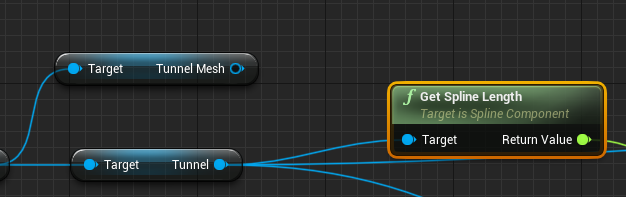 inner vine
Can't you get the spline component or something?
leaden tide
idk

they aren't compatible for some reason
I have two components, one spline, one spline mesh
i can use some functions on spline but not to spline mesh
inner vine
Yes, they're different objects, but the spline mesh should have a subcomponent which is the actual spline
I'll boot up my editor and try to figure out how it's called.
inner vine
I think I may be wrong, the spline mesh does seem like it may be its custom thing
leaden tide
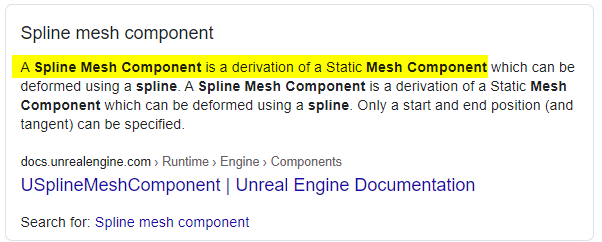


think its derivation from static mesh not spline
Is there a way to make the spline mesh follow the other spline component then?
inner vine
Yes, but if I understand it correctly it seems like the spline mesh only supports a single section of spline.
leaden tide
right, i need an array of meshes along the spline
inner vine
So it'll work if your source spline is only a single section, otherwise you may have to create multiple spline meshes
indeed
 prisma plank
Why my UE4 not enabling raytracing? I have win10 , gtx 1660 support raytrace.. I enabled RHI DX12, skin cache enabled...
inner vine
@prisma plank are you using the latest graphics card drivers?
grim ore
how do you know it's not supporting ray tracing?
prisma plank
Nvidia drivers last- 460.89
Unhandled Exception: EXCEPTION_ACCESS_VIOLATION 0x68a3c400
grim ore
you dont need -dx12 if the default windows RHI is direct x 12
prisma plank
ok, so i removed -dx12 , and not works.. same
leaden tide
@charred dove hello why you steal my name
prisma plank
It's launcing, but havent effect in post process
prisma plank
@grim ore ok, usually i tried without -dx12 shortcut, it's launching, but not see difference in post process , raytracing transulency, et.c.
wait i ll show screen
grim ore
does it show direct x 12 when you mouse over the name of the project in the top right in the editor?
grim ore
and do you have a good test map to test DXR?
 charred dove
@shut bolt thats a good question, i always get stuck trying to test inputs whilst still being able to view my scene from the simulate mode
prisma plank
Heh , why i need to have good map? Simply not see differnce of fps changing performance..
wait pls , make a screenshot
grim ore
if your not using the features then why would you expect a difference?
inner vine
Have you enabled any of the raytracing features in your post-process volume?