#ue4-general
1 messages · Page 870 of 1
 plush yew
 elfin grove
When I first saw it in a gameplay, I was kinda meh, but after trying it out, I was suprised how good the gunplay was
plush yew
Yeah I had a great time with it
elfin grove
One thing CoD always did right, is the gunplay
 merry canopy
Hey, can I actually somehow coonvert a LandscapeLayerSample or LandscapeGrassOuput in a parameter to have that in an mat instance?
Or does that make no sense?
I ask, because I still have no idea how to use Houdini Attributes to change parameters of LandscapeLayerSample or GrassOutput.
And when I have that as a parameter in the instance, maybe it would work...
Just playing around, since I couldn find any answer yet. 🙂
But hmm, I think actually that makes no sense ^^
 glacial pecan
Anyone know what's going on here?
It's the default Architecture scene in an empty project in 4.25.4 with no starter content
All shaders have compiled
 lucid grove
Heya
plush yew
looks to me like crazy material but I don't know why that would affect the camera.
glacial pecan
this is what Unreal gives me out of the box
plush yew
this is outta my league then unfortunately
glacial pecan
I only hid the fog and sunsky
plush yew
does it look like this pre fog and sunsky removal?
glacial pecan
then it's 100% white 😛
hmm... seems all templates except the Game one are borked
great job, Epic!
way to cater to non-devs
lucid grove
Does anyone have experience with ProfileGPU?
I got into a stupid situation. A couple of days ago, I noticed that in one place in my world have great fps impact , I left it for later. And yesterday I bought a new video card (it was 1070, now 3070) and of course now there are no drawdowns. What's most disgusting is that I can't now see what's eating up so many frames. Its showing me 8ms anywhere.
Im totally sure there is some problem in one specific location, cause there was a drop frop 120 frames to 70
But now ProfileGPU doesn't really show me anything
 regal mulch
When talking about Capturing Voice, do peeps use the AudioCapture module or something else?
I can't seem to find much information about the AudioCapture module, despite the Component it offers.
That component works "fine", however it feels a bit lacking. E.g. Volume calculation or just access to the byte stream? idk
lucid grove
You need to have that GPU in, that you want to test it on
@elfin grove well, shit. Created problem for my self with nothing. Alright then, thank you.
 rich spoke
How can I reset animation?
 round bison
Does anyone know how to limit a ue4 game to one instance? as in if you package it and open it, only letting one at a time? Similar to how Steam, Epic Games Launcher, Battle Net do with their games?
 earnest violet
If you look at the screenshot below you will see the packaging problem I'm having. Does anyone know how to fix this please? I'm trying to package it for Android
 thick herald
click on it, and it gets bigger.. like magic!
earnest violet
Can anyone help with my packaging problem?
thick herald
Have you asked in #packaging? That would be the best place to ask.
earnest violet
ok thx 🙂
 vestal goblet
The engine keeps telling me my lighting needs to be rebuilt, how do i do that?
 valid canopy
anyone has any idea why this is happening after importing from blender?
 covert hedge
cause blender doesnt use thhe same forward axis as ue4
did you set that up correctly while importing/exporting the model
valid canopy
I set X as forward
 solid glade
Anyone know what's going on here?
@glacial pecan
Something similar happened to me too, it was the Post Process Volume
does it look the same if you press play?
thick herald
@valid canopy delete the unwanted bit, and add in manually 🙂
 marsh sparrow
sooo upgrading the engine.. im on 4.24.. would you suggest going to 25, then going to the preview?
Also.. when is the 26 version dropping
valid canopy
@thick herald you mean delete everything and put the collisions 1 by 1? won't that takes ages?
marsh sparrow
I've been hearing things about water in 26
 thick herald
@thick herald you mean delete everything and put the collisions 1 by 1? won't that takes ages?
@valid canopy Naa, that's a physics asset, you can change them manually.
vestal goblet
So, i went to build my lighting and my engine has completely frozen, is that normal?
thick herald
It can take a bit of time, yes.
vestal goblet
So, just let it think then
thick herald
Yup 🙂
vestal goblet
Ok
My pc is still running fine, about 8% cpu used so i figured it wasn't too bad
Checked tm and its still responding too
The actual engine has just completely frozen up
valid canopy
I'll see what I can manage
thick herald
That can happen, depending on the size of level and what you have in it, and your lighting settings it can take a lot of time. The editor freeze while it's doing things is common.
valid canopy
thank you!
vestal goblet
Okay, i only have one directional light afaik but maybe its just since its the first time
thick herald
You can set the directional light to moveable, which changes the overall quality of lighting but does removed that pesky 'rebuilld lighting' and the 'preview' text you may see on stuff.
vestal goblet
Then again it was saying it had 40 items to rebuild
thick herald
It calculates lighting on everything that is effected by static light(s) which is why changing to moveable gets around that.
vestal goblet
Ah, okay. So it has to render the light over all of the objects in the scene
So it probably would take a while then
Sorry if thats the wrong terminology, thats just ehat they were called in stencyl
thick herald
If you check out Epics official learning hub, there a loads of course inc lighting etc which will help you plan/design etc 🙂
vestal goblet
i'm following along an udemy course at the moment
"unreal engine 4: how to develop your first two games" it was recommended to me by someone in this discord tinker something iirc
thick herald
vestal goblet
ah, this like a beginners resource dump/tutor?
thick herald
beginner to advanced. Many many hours of stuff.
vestal goblet
cool, i just registered for it, i'll check it out when i finish this course, if my lighting ever finishes lol
thick herald
😄
vestal goblet
i suppose, if its anything like modding building would be a lengthier part of the process
in the video of it the guy got like a percentage reading in the bottom right corner, is that supposed to be there or is that an older versions feature?
i know he is on 4.14 vs 4.25
valid canopy
I found something that might be related to the physics asset problem.I set the min bone size to 0 and this is the result
could it be that the skeleton is somehow too small?
 light thunder
What's causing these flickering shadows in the editor?
vestal goblet
its been like an hour now.. how long is this supposed to take....
oh, the editor has stopped responding
omg i'm a fool. that was much quicker
 arctic osprey
how may I import binary files? I've tried to add one binary files into assets and I get an error that the file type is not recognized
Do I have to put it in some special directory or to have some specific extension ?
 flat gorge
How can I fix overlapping lightmap uvs?
 valid bear
Strange thing has happened randomly in my VR project. The project has been running smoothly for weeks now but yesterday i put on the index and the right eye has no Global illumination. none of the static lights are producing any light at all.
light thunder
Unreal is acting up and slowing down EVERYTHING - is this because my memory is not setup correctly? not sure why I have a paged pool if I have 32 GB
still says 7 gigs of paging file even though it is set to none and I rebooted?
lucid grove
Why my landscape texture so dark? It looks ok without shadows.
Without meshes
Difference is kinda huge
light thunder
And why is unreal only using 7 gb memory but my system haults when trying to play stand alone?
at the time of this screen shot, I could barely do anything on my system - I couldn't even type in discord but profiler says it should be fine
lucid grove
Is seems like shadows on grass much lighter then on landscape
 dire sentinel
https://cdn.discordapp.com/attachments/371740260607983616/773929956354949120/unknown.png
https://cdn.discordapp.com/attachments/371740260607983616/773930233929400380/unknown.png
https://cdn.discordapp.com/attachments/371740260607983616/773930307023405116/unknown.png
Anyone know why my vertex blend material blends wrong? the grass is black vertex color, the dirt is red and the rock is green, but when i paint green over red vertex color, it make s a strip of grass between them? @ me with replies please


 plush yew
@dire sentinel excuse me
dire sentinel
?
plush yew
Do you do game animation?
glacial pecan
@solid glade I only tried to hide the post process volume, not pressing play... then I switched to the gaming template instead and that doesn't have the issue
vestal goblet
What have i done wrong that my directional light is just stopping so sudddnly?
 wind gate
I think I can see a lightmass importance volume, so thats good. The next thing i would look into would be the shadows settings on your directional light.
@vestal goblet
plush yew
Hello
vestal goblet
i did put in a lightmass importance volume but it didn't change the outcome at all
wind gate
and i would add a lightmass portal on your balcony door
vestal goblet
i deleted it temporarily while i was trying to figure out what the heck was wrong
plush yew
Can anyone here do unreal game animation??
vestal goblet
the vid i'm following along with didn't mention a portal at all, theirs just came out in a straight line across the room
wind gate
i did put in a lightmass importance volume but it didn't change the outcome at all
@vestal goblet it doesnt always make that of a difference but it does help,. be careful to wrap all the axes around your scene
vestal goblet
from the moment they removed worklights and built the lighting it was just fine
wind gate
the vid i'm following along with didn't mention a portal at all, theirs just came out in a straight line across the room
@vestal goblet if im not mistaken you re following cris's course right?
 rare skiff
guys, could be possible of map humanoid bones through a python script?
vestal goblet
i don't remember the guys name tbh, its an udemy course though
wind gate
Can anyone here do unreal game animation??
@plush yew what do you mean? use sequences in a scene to export a movie?
vestal goblet
i've followed along pretty much all the way minus a few decorations around the actual room
wind gate
i don't remember the guys name tbh, its an udemy course though
@vestal goblet yep that's the one im talking about. his name is cris i think he's australian.. took the course some time ago
vestal goblet
like he has curtains over the glass door
wind gate
the vid i'm following along with didn't mention a portal at all, theirs just came out in a straight line across the room
@vestal goblet he does mention the portal tho
vestal goblet
i've rewatched this part like 5 times and haven't heard it :/
plush yew
@wind gate like a gun reloading
vestal goblet
i'm on part a currently
wind gate
in any way, try adding a portal and see if it changes anything
vestal goblet
okay, i'll try that
wind gate
but follow him along, he is really good and explains evething. try not to stop the video, watch it a bit and then repeat. I used to stop and the answer was like seconds away haha
i mean generally in tutorials
rare skiff
probably there is no api for humanoid rig bones retargeting 😦
wind gate
@wind gate like a gun reloading
@plush yew oh got it, i wouldnt do that in unreal, never tried it. Always used ready ones or 3ds max is good with that i think. Nevertheless, i dont have much knoledge on the matter
I have a question, can anyone explain to me what "cinematic engine scalability" in exporting sequences is? It really messes with my export quality
vestal goblet
the lightmass portal doesn't seem to have done anything
 rocky radish
Why my landscape texture so dark? It looks ok without shadows.
@lucid grove build lighting
wind gate
the lightmass portal doesn't seem to have done anything
@vestal goblet hmm okay, exaplin to me again what is the problem. The room's too dark?
vestal goblet
the lighting just stops shortly after the doorway
the rest of the room gets almost no lighting whatsoever
wind gate
If yes, then later you will add lights and get better, and if i remeber correctly you will learn more about Global Illumination and indirect lighting
the rest of the room gets almost no lighting whatsoever
@vestal goblet did you try to rotate the directional light up?
always check the direction of the arrow
vestal goblet
....i feel stupid now lmao
that was in fact the problem
sorry for all the bother
wind gate
haha it's fine! you're still learning.
remeber to always check the diretion of the arrow
vestal goblet
i spent so long trying to figure out how to move the white arrow i figured it just didn't move
and all i had to do was use the damn rotation widget
plush yew
@wind gate do u know who can do that kind of animation?
wind gate
lol yeah the arrow just shows the direction of your "directional light", just in case since you learn the basics, you can cycle between move, rotate and scale using space
and all i had to do was use the damn rotation widget
@vestal goblet
vestal goblet
i knew that much, i just... didn't think of using the rotator on the lighting
wind gate
@wind gate do u know who can do that kind of animation?
@plush yew https://www.mixamo.com/#/ MIXAMO is a tool for adobe that can do that, I've only used it for people tho, dunno about guns
from adobe*
vestal goblet
sometimes its the obvious solutions we overlook...
 hasty wharf
How to set "r.screenpercentage" so it will stay a permanent setting when i publish the game?
i guess a better question is. can i set console commands in the editor and bake them into the project when i publish?
 round hawk
You can use execute console command node
 dire ingot
guys i enabled camera actor how to disable it?
lucid grove
@lucid grove build lighting
@rocky radish im using global lightning
 median hound
how should i go about this
rocky radish
@rocky radish im using global lightning
@lucid grove im saying that you should build the lighting
lucid grove
I dont need to build lightning when using global dynamic lightning 🙂
rocky radish
oh i thought that the red text on your screenshot said that you needed to build lighting, my bad
vestal goblet
Just so i know i'm understanding correctly, meshes are essentially more complicated geometrical shapes right?
Materials are then what applies the texture to said shape
thick herald
In broad terms, yup.
 dawn gull
So I accidentally enabled a project setting that makes it so it's gonna take like an hour to restart the project, how can I disable it from a file?
vestal goblet
Is the difference between a first person and a third person perspective as simple as moving the camera back or is there more to it than that?
dawn gull
@vestal goblet https://www.youtube.com/watch?v=VVttmneWJMA
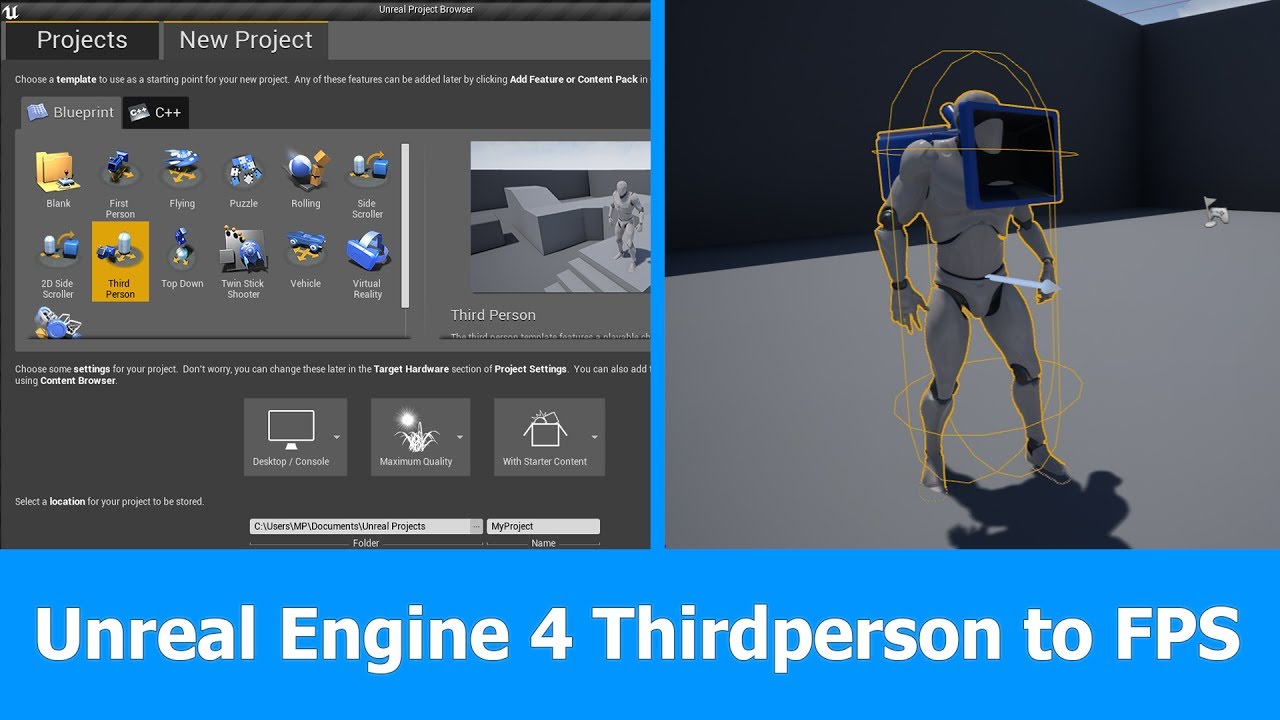
In this short Unreal Engine 4 tutorial I want to show you how to turn a Thirdperson Player and Camera into a First person Player for FPS games in which you can see the whole character.
See my social profiles here
G+: https://plus.google.com/+JayAnAm
Twitter: https://twitter....
 eternal compass
Hi! I'm having trouble understanding how to string events together in my blueprint. I have 3 events on my elevator -- Close Door, Go To Floor and Open Door, all animating using Timelines. I'd like for Go To Floor to first close the door and then open it, but I don't know how to wait on another event to finish -- kinda feels like there's a smarter way to do this
 grim ore
@vestal goblet its basically that but then you have to take into account if you are using animations and what type and how the front reacts when moving (bouncing on a spring arm or fixed, etc.)
vestal goblet
makes sence
grim ore
@eternal compass timelines have finished event wires, you can use those to call to other events when done
eternal compass
@grim ore I know that, but finishing closing the door doesn't always mean going to another floor
e.g. I'd basically need to have a timeline inside a function with a return context, which I can't, since timelines are event only
Right now I'm waiting for however long the timeline takes to play, but that's a flimsy solution at best
light thunder
how do I use visual studio to figure out what process is making the editor go not responding???? I have an idea in the blueprint code but I want to examine what is happening to the memory because it hangs forever on some execution
 rotund scroll
have you made any changes in cpp?
 exotic thicket
@eternal compass you could probably use a simple finite state machine. Basically you'd set your elevator to "going to floor" state, then close the door, then call a function which chooses what to do next based on the current state
You can do the state using booleans or enums or whatever, depending on how complex you need it to be
(this is likely similar to how actual real elevators work as well)
eternal compass
That had occured to me, but it feels real heavy-handed for "do this after animation finishes playing" :V
Is there any way to encapsulate animation and sound playback into a clip I can play in multiple places?
exotic thicket
well it's not really that heavy handed
when you need to do actions after other actions, you often would have to hold at least a little bit of state to know what to do next if multiple choices are possible
this state might be held even if you use the "complete" pins, it's just held implicitly
eternal compass
It still requires me to embed ties to all the potential other outcomes into the "close door" event instead of it being external to the event itself
 vale silo
@gleaming narwhal I just saw there is a new link to the new roadmap. Trying to sign in with my Epic account and it doesn't let me 😦
exotic thicket
@eternal compass not really.. you need to just build a function which can trigger actions in the elevator based on current state
when the door has closed, you just call that function to update the current state of the elevator
so it's not really tied to the closing (or opening) of the doors, the door animations just notify it when they have finished doing their thing so that the elevator can do whatever it needs to do next
 limber mesa
is there a node that stops sound
exotic thicket
all sound or a specific sound?
limber mesa
imported one
exotic thicket
yes, Stop :)
eternal compass
@exotic thicket Then I'll have to busy wait on the state change though, since there's not really another way to return to the original execution context
limber mesa
its under audio
exotic thicket
are you trying to stop analyzing output?
eternal compass
@exotic thicket Either way thanks, I'll try to figure out something nice 🙂
exotic thicket
@eternal compass yeah that's why I mean you need to store some state in variables :) That way you can figure out what the next thing to do is after "losing" the original context
@limber mesa yeah the node you want is just called Stop :)
But you need to have an audio reference for it
grim ore
it's a bit wonky but based on what they are saying
eternal compass
Which sounds like a wonderful way to make the BP an inscrutable dish of spaghetti 😛 I'll stick to the delays for now and see what I come up with if I let it sit for a bit
grim ore
and all you do is fill your elevator queue with what you want it to do
exotic thicket
Well good luck with the delays, they are also a good way to make it into spaghetti ;)
To be fair delays do work great if you don't need anything complicated
eternal compass
@exotic thicket Not really, since they don't redirect the flow anywhere or otherwise change the topology 😄
exotic thicket
but if you need to start making different decisions etc., it can become harder to manage when you can do what because you might have a delay running that might mess it up
eternal compass
@grim ore The queue is an interesting idea
grim ore
it should be expanded of course maybe using structs if needed such as the floor # or the delay for opening and closing if needed but the idea is sound
all you would have to do in your actual call is decide what you want to happen and pop those commands into the queue basically
eternal compass
That's the kind of sequencing I was looking for basically, with a few extra steps
I was just hoping to express it with the BP structure itself, not an external queue... But I suppose that elevators should queue floors pressed anyways 😁
exotic thicket
What he's proposing is effectively a finite state machine lol
But yeah it's a good solution either way
grim ore
yeah there are much better ways of doing it
hell I would try and see if it could just be done in a raw anim bp if possible but I dunno how the animations are set up
exotic thicket
interesting idea
grim ore
I wonder if you could turn the elevator into an AI and use a behaviour tree
eternal compass
That's another thing I don't get -- Are all the animation tools in Unreal for skeletal meshes? I just have a set of 3 objects I want to animate inside a blueprint hierarchy
limber mesa
@exotic thicket how would i plug in a sound base into stop, it wants a component
grim ore
the animation system is designed around skeletal meshes yes, but you can use stuff like sequencer to animation static meshes
exotic thicket
The blueprint sequencer module is pretty freaking buggy tho :\
grim ore
@limber mesa how are you playing the sound?
exotic thicket
so if you want BP-specific animations it's not really a great solution
for not hugely complex static mesh animations I've found timelines work fairly well
limber mesa
i have a sound base var and i plugged it into play sound, but if i release a key i want it to stop @grim ore
exotic thicket
you can use a simple float timeline to control a value such as X position or some angle of rotation
grim ore
yes so how are you playing it? which node? what does the tooltip say
there are a few "play sound" nodes
limber mesa
play sound 2d
grim ore
ok and the tooltip says what bout it being fire and forget or one time?
exotic thicket
use Spawn Sound 2D instead of Play Sound 2D :)
limber mesa
it says that
exotic thicket
that one will give you a sound component reference which you can use to stop it later
limber mesa
ok
eternal compass
@exotic thicket I really like the timeline solution too, except the chaining. I guess I'm just a bit too used to asynchronous functions maybe? 😁
grim ore
yep as the spawn gives you an output you can save for later to call stop on
limber mesa
@exotic thicket still req sound base
eternal compass
Either way thanks a lot for the tips, I'll let it sit for a bit while working on other stuff and see what I come up with!
plush yew
How could i have no mans sky like procedural naming system?
exotic thicket
it's just an elaborate random value generator
You could start by having a list of possible words and pick from the list at random
valid canopy
hey, I'm back with the same physics asset problem.Is there something that I need to do in blender when exporting to fix this problem?
 obsidian nimbus
set min bone size lower
 tranquil hound
Hi, I have imported a photogametry model with UDIMS in Unreal, and it turns out that in Maya it looks good mapped but in Unreal the texture has some deformation. Does anyone think why it is? thank you all very much
valid canopy
I set it to 0, but it still looks kinda wrong? is it just me?
obsidian nimbus
dont think they ever come out perfect
i usually set em up myself
also u need to set the bone size lower cuz something isnt scaled right
lucid grove
Can anyone help me with thath? Shadows looks ok on meshes, but completly dark on landscape material.
Im using dyn.lightning
valid canopy
in blender the armature and mesh are scaled to 1
tranquil hound
 hard quarry
What do I have to do to make a pawn viewable in the multiplayer?
Right now only a little ball is appearing and moving at the player position but not the skeletal mesh
lucid grove
it looks ok on most objects but on the ground totally black
plush yew
Hey all!
all of a sudden my hud cant be saved anymore
I tried restarting the engine but this didnt work! Any Suggestions on how to fix this ?
PS All my widget seems to be unsaveable atm
 supple totem
when my assets wont save, its usually because i have a 2nd editor open
wind gate
How on earth can I keep my direct lighting show like the first pic, more smooth. This happens right after lighting builds and then goes back to the sharp one.
Oh and the “cascade shadow maps” in my directional light is greys out... I was betting on it to manipulate the shape for smoothness
plush yew
@supple totem Yeah Restarting my pc fixxed it. all of a sudden it did it, with no other editor open. restarting unreal didnt work either. glad this fixxed it 😛
how can i have ALL ASSETS thing show in my content browser, im pretty sure i triggered it somehow in the past
 tender granite
Anyone knows how to debug World Composition LODs?
 sweet relic
@wind gate enable "use area shadows for stationary light"
light thunder
How do I use visual studio to watch system resources be consumed by the engine - I'm trying to find out why it is hanging and what it is hanging up on...
vestal goblet
Um, i think i messed something up. I'm making a blueprint and somehow the section where you add components has been locked, it has white outlines on it and i can't interract with it at all
Aand now its gone, no idea what i did or how i fixed it
light thunder
is the game running @vestal goblet
vestal goblet
i don't think so, i'm in the blueprint viewport
grim ore
if you are referring to a white square around a window with something like an X thru it, thats the window movey thingy and it sometimes breaks and does that. Restarting the editor or reseting back to defaults can clear it
vestal goblet
So it was a bug then?
Thats pretty much what it was, it was a white square outline wiht a smaller one inside connecting in the corners
Over just the components section of the viewport
grim ore
yep if you drag a window thats the preview for where the window can be snapped, it randomly bugs out
light thunder
also, my window resizes to hide the "frame skip" button, so I'm using the key toggle CTRL+SHIFT+F to skip frames ---but it opens ALL of these windows....what to do to get around faster?
median hound
why wont this man detect me im peaking it detects if i go a little more to the right but he should be able to see me am i right
exotic thicket
If you're using the sight sense with AI perception, iirc it does a line trace to your character's center
light thunder
Yes, this is the problem. -----what do i do????
grim ore
@light thunder mouse over the InAxisKey and see if the tooltip tells you which key is the issue
glacial pecan
anyone know how to get the mouse cursor to show up over the HUD?
there doesn't seem to be a global way to get a default set cursor in Unreal?
the moment the mouse leaves a menu, it disappears for me 😦
grim ore
get player controller -> set show mouse cursor
in addition you need the input mode to be set to UI (ui only or game and ui) generally if you want to work with that
glacial pecan
@grim ore doesn't seem to work for me...
I can only get this working...
(first image is in playercontroller's beginplay, last image is in my actual menu class)
grim ore
did you set up a custom cursor or are you trying to use the default one?
and if you want the cursor to always be on you can enable it in your player controller directly in the properties
glacial pecan
@grim ore default... but, I do have a full screen HUD running at all times... I wonder if that hides it for some reason (again, cursor works in menus if I use the nodes in my blue comment)
grim ore
are you sure its using that player controller then?
if you set the input mode to UI and show the mouse cursor it should be up 100% of the time unless you hide it
glacial pecan
@grim ore thank you! player controller properties revealed that the "default mouse cursor" in THAT one was set to "none"
changing it to default made it show up everywhere! yay 👍
grim ore
Oh weird
 urban ether
hello, im having problem that whenever i package my game, my main menu doesn't appear, however inside of unreal it works completely normal. Does anyone knows how to solve it? this is annoying me for days
this is my blueprint
 scarlet birch
light thunder
scarlet birch
light thunder
@light thunder mouse over the InAxisKey and see if the tooltip tells you which key is the issue
@grim ore Problem is, the system is so lagging it was all I could do to take that screenshot - is there a way to halt execution or a break on execution?
urban ether
@scarlet birch i used create a widget and then selected my menu as a class
but i didn't change the name of it
scarlet birch
What you posted is creating an Editor Utility Widget.
I would assume that is something that would not work in a packaged game.
urban ether
what should i use instead?
scarlet birch
How to create and display a Widget Blueprint in game.
plush yew
How can we contact community managers? I deleted my old account and created a new one on the same e-mail. This prevents me from logging into the forums and the answer hub.
 iron raptor
 sharp flax
Hi! (Newbie here)
I'm trying to destroy an actor with a Box trigger. I does delete from the world outliner but it stays in the world. I also sometimes get ''Kill Pending''. Can someone guide me? Please, thanks! 🙂
scarlet birch
What do you mean by stays in the world.
scarlet birch
As in there is a mesh visible in the level?
sharp flax
Yes
scarlet birch
is that in the level blueprint?
sharp flax
Yep
plush yew
@gleaming narwhal I deleted my old account and created a new one on the same e-mail. This prevents me from logging into the forums and the answer hub. How can this be resolved?
scarlet birch
My first question would be are you sure the mesh that is still there is the same one you're trying to destroy? not a duplicate? or the wrong object?
sharp flax
It is the right object. I tried from scratch a few times and I always get the same result
OH, actually, does DestroyActor works on a simple geometry?
sharp flax
I dropped a marker in the level from the ressource browser and it does delete. But not when I create a Geometric Box..
scarlet birch
If you worked through some projects from learn.unrealengine.com or some youtube tutorials they'd cover better ways to do this.
sharp flax
I looked at 5-10 tutos on Youtube and they all do this..
I'll look at learn.unreal.com tho!
sharp flax
Thanks!
Oh so the problem (I guess) was that the geometry is registered as a ''Brush''. I dropped a ''static mesh'' wall from the content browser and it does delete. Does it make sense?
scarlet birch
yes
Brushes are great for laying things out but should be eventually changed to something else most of the time.
sharp flax
Makes sense
plush yew
can someone tell me or redirect me to a guide that actually tells you how to make grass look decent and not like crappy 2d planes
shit keeps looking like a ps2 game
unless i fill the whole damn map with 500k foliage entities
 oblique sorrel
So, the roadmap moved from Trello to Okta Productboard
Anybody knows how to access it? The Trello board was public, the Productboard requires login.
vale silo
@oblique sorrel can't login.. Already pinged community manager here and in the forums
I think it's "by design" for now. Maybe when there is something to show they'll open it up
oblique sorrel
Yeah. Tried my Epic account credentials, tried resetting passwords, seems to be locked for now
Apparently, this link works: https://portal.productboard.com/epicgames/1-unreal-engine-public-roadmap/tabs/20-unreal-engine-4-26-fall-2020
Product roadmap and feature requests. Welcome to our product portal.
No way to get notifications, though, far as I can tell
@vale silo
 covert onyx
Hey 🙂 I wanted to know if someone can help me solve a problem I just encountered with Unreal Engine 4.25.4 ?
vale silo
nice find @oblique sorrel thanks.. It doesn't look like the same board as linked on Trello 😛
 gleaming narwhal
@plush yew community@unrealengine.com <--- shoot us an email
plush yew
@plush yew no permission to view haha
scarlet birch
Sign in to the learning.unrealengine.com site or setup access if needed first then try the link.
scarlet birch
@plush yew Now that you mention it, it does not.
If I take off the /modules it does take me to the course. The whole way that site is setup makes it very hard to promote it and share links.
I couldn't share links to it in the past because of the way it's setup.
@plush yew After I add/start the class the link works. I assume it's a permissions thing where you have to join the class to follow a link to a specific lesson.
At the least a landing page using the subdomain would make it easier to share links.
exotic thicket
yeah the learn portal is a bit weird
it feels like it's set up for paid courses
but when the material is all free, the setup just makes it kind of annoying to use
grim ore
So there is a trick to sharing the courses

Unreal Engine
Unreal Online Learning is a free learning platform that offers hands-on video courses and guided learning paths.
If you go to that page and find the course it has a shareable link
scarlet birch
Yeah, but if you're going to use a subdomain for the courses it would make a lot of sense to have a landing page using it. And probably to have landing pages for the courses with a login/sign up prompt.
grim ore
So the material masters course is http://learn.unrealengine.com/?C=2842589 for example.
And yep the buggiest issue is the fact it needs you to log in causing all of this and it’s something they are working on making easier.
 echo zealot
Mathew Waldstein? 😳😳 I know you from YouTube! Great Videos!
scarlet birch
ok, but open that in a private window or while not logged in and you get an epic games login prompt without context
scarlet birch
yeah. I mean I'm not knocking it. I love what's been done.
It just needs some love to make it easier to share.
grim ore
Truuuust me on this one, it’s a serious pain point. At least you can share direct links now
A couple months ago there was no direct linking lol
scarlet birch
Oh yeah, I've been paying close attention to it. I love everything that's going on with it and the courses. I bring it up a lot.
echo zealot
Is it a realistic and solid option to create a commercial game fully in blueprint? Since i mastered blueprint but i just hate that c++ code..
scarlet birch
Yes.
grim ore
Try to lessen the hate, a little c++ can go a long way. Fully bp is doable but working with the c++ might make it more in the end.
scarlet birch
Anything he is in should be required watching/reading.
grim ore
Sjoerd doesn’t make courses, he makes epics
I had to watch the material one a few months ago. It’s amazing
It’s so long but every time I finished a part I wanted more
Someone linked the new roadmap on product board. Has it been made public yet?
scarlet birch
I couldn't view it.
grim ore
I can.... that’s why I’m asking lol
scarlet birch
I'll try again. I have a few logins for that site and it was confusing which one to use.
grim ore
We I never logged in but I could already be
scarlet birch
what's the link? I'm using the one in the Trello
grim ore
Ok yeah I think it’s open now
eternal compass
Is there any way to copy all properties / clone a component in the construction blueprint?
scarlet birch
that worked
grim ore
Yeah I can see it not logged in. Neato.
thick herald
Damn. The experimental features look very interesting indeed.
scarlet birch
It certainly beats trello on presentation.
thick herald
Agreed.
scarlet birch
I'm interested in learning more about this "Variant Manager"
thick herald
Quartz is looking good! Got to love the gif for the CHAOS Ragdoll... 😄
scarlet birch
I like that the info conveyed is a lot more meaningful and descriptive.
thick herald
Yup, first glance and you can see what it actually means.
gleaming narwhal
@scarlet birch @devout gulch Could you (or anyone else) who see's the login prompt for the roadmap send us a screenshot? We're unable to reproduce
plush yew
Hey guys
scarlet birch
@gleaming narwhal
gleaming narwhal
Is that where it takes you when you enter the previous link you pasted? It seems like it's redirecting you. What about this link? https://portal.productboard.com/epicgames/1-unreal-engine-public-roadmap/tabs/20-unreal-engine-4-26-fall-2020
Product roadmap and feature requests. Welcome to our product portal.
scarlet birch
No, only the link found inside the trello board does that
 devout gulch
your link seems to work, the trello one, doesn't
plush yew
Hey how r yall?
scarlet birch
cynical and gruff
 shell surge
hello, is anyone here familiar with reflection captures ?
 maiden sundial
@twilit pagoda Could you please stop ghost pinging me in several channels ?
It's quite annoying
 haughty bear
what is up with these "fake tags"?
gleaming narwhal
Thanks for the help ya'll - Trello is now pointing to the correct link
scarlet birch
If you block them it will stop notifying you. Not a perfect solution but it helps.
maiden sundial
Don't really like to add ppl on my block list for such reasons xD
 noble magnet
@exotic thicket I've got the wet/snowy landscape already down. I need my CHARACTER to look wet when it rains. And I can't find anything anywhere on it, unless it's called something different I don't know
median hound
ai perception is better than pawn sensing right
scarlet birch
I think so.
exotic thicket
@noble magnet yeah I mean a similar method could be used for the character too. Basically the same method can be used as with the snow material, you just use a wet effect which you fade in based on a parameter, similar to how the snow works
median hound
hopefully it sees better ima start learning it
scarlet birch
It's not too complicated once you get the hang of it.
noble magnet
Aaaah I gotcha. Thanks I'll try to look into it more
median hound
the ai blackboard you meanm?
scarlet birch
Ai perception, but that too.
median hound
what does it mean when perception is greyed out
scarlet birch
idk, screenshot?
median hound
scarlet birch
I assume that's the AI debug overlay? I mean the screenshot provides so much context.
median hound
i pressed ' then tried to press numpad 4 tho it was greyed probably a minor mistake ill watch another tut
scarlet birch
It should toggle it. It will show the view angle and any sense hits from hearing and sight.
You might have to highlight a particular ai. If you point the camera at an ai when you hit the ' key it will make it the target for it
shell surge
hi, is anyone here experienced with reflection captures?
 deep arrow
Hey All,
Does anyone know what the best way of modelling, rigging and setting up character in blender and unreal in order to make a customizable character?
An example is imagine having a character made up of multiple meshes e.g. head, body, arms, hands, legs and feet.
What would be the best approach to being able to create a blueprint that will allow me to combine these meshes to make a customizable character.
I've heard about using morph targets but after some research I am still a bit hazy on how to approach this.
plush yew
would anyone be able to help me, ive just started getting inro UE4 and wanted to know if anyone had any good ideas of where to start
best to '@' me to be safe
scarlet birch
@deep arrow You can do either or some combination of them. As long as they're all skinned to the same skeleton you can set it up in the character to have one mesh drive the others.
deep arrow
@scarlet birch Right so you mean in blender I should be skinning the body parts to the armature/skeleton and export the mesh into unreal as a skeletal mesh which I can then attach onto the main mesh of the character?
scarlet birch
You export just the one modular part skinned to the same skeleton as the entire mesh. In the Character you parent them to one
"Master mesh" then in the constructor you tell the child meshes to use the master one to drive them. The node is something like master pose
deep arrow
@scarlet birch BTW do you know how unreal stores the skinning data for a mesh? Like if I have multiple upper body meshes skinned in blender how does UE4 skeleton know how to manipulate that mesh? is it stored in skeleton or mesh?
 harsh tiger
i switched to the forward rendered and now my trees look terrible. any ideas on a fix?
scarlet birch
I have no idea. I'd guess you'd have to look at how data is stored in an FBX.
Switch back?
harsh tiger
it's a VR project and the performance has massively improved
scarlet birch
ah, yeah
harsh tiger
the trees at the front look good, its the trees at the back
scarlet birch
Does VR support distance fields?
If it does I'd switch back and try very aggressive LODs. Maybe use lighter material for higher LODs.
harsh tiger
the assets with foliage have a dark preview image?
but placing the tree as a SM looked perfectly fine
just the foliage version looks strange
https://gyazo.com/fc4fb4d9499c59f89557133e2925c4f2 the lods are kicking in really late
like reallyyyyyyyy late
scarlet birch
Read the docs on them and manually set the screensize and stuff
you can preview them in the editor by zooming in and out while setting up the lods
harsh tiger
i've fixed the lod issue. now i just need to make it not look terrible haha
scarlet birch
Tweaking LODs can go a long way on performance.
harsh tiger
the performance is much better. it's just the trees look really bad at low LOD
i dont want them to look see through 😄
median hound
mike
https://streamable.com/dbromu this is what i mean greyed out i press ' and numpad 4 i thought its suppose to put orbs on me to track me

 plain pagoda
any resources to learn ALS v4?
it's very confusing
I'm familiar with a lot of things and can make stuff but I can't understand ALS
 wet ruin
Hi!
In Unreal,
I added Player Start to the level but the pawn won't spawn at Player Start Location. Any tips?
I have the correct Game Mode in "Maps and Modes" and it's the same on "Game Mode Override"
It always spawns at 0, 0, 0...even if I right click the viewport and choose "Play from here"
 cosmic matrix
hi
i m trying to use tsubclass but there is an error and all exemple i saw do the exact same thing
what i have is:
anyone know why this this incorrect
 ancient lotus
ryzen 5900x, 16 minute UE4 source compile time lol
 deep viper
What could be used to function as a unique ID for a "class" in UE4?
limber mesa
@cosmic matrix is Test2 a class
limber mesa
whats the error
cosmic matrix
must include the type class
using class xxx doesn t work
limber mesa
where is Test2 defined?
hasty wharf
So this BP Event Beginplay will not fire if i start the game in menu - start game. but if i start the game in level it fires
cosmic matrix
test2 is variable name i m defining it right here
limber mesa
@hasty wharf what do you want it to do
hasty wharf
i need that to set location on my door, so it closes
it will open but wont close, the entire bp will not fire but somehow the door opens
i saw somewhere on youtube they mentioned the game state
hasty wharf
well i start in a room where theres a door i need to open
i click a keypad, door opens. whats not working is im supposed to be able to click on the door to close it
but it doesnt work because nothing in the blueprint is fireing
but if i begin in the level map, everything fires perfectly
so its that handoff from Main Menu - Start game
to the level map
limber mesa
so the begin play , the door is closed
limber mesa
do you have anims playing
hasty wharf
i do
so im assuming since the event beginplay never fires
the rest of the bp doesnt fire
limber mesa
does the interface fire
deep viper
@limber mesa So I can use [UClass] to uniquely identify a class? Say I want an object instance to send a message with an ID that uniquely iidentiy its class, and I want it to compare its own class id with whatever message it receives to see if the message originated from an instance that shares the same class as the instance.
limber mesa
@hasty wharf whats the conditions?
hasty wharf
no it doesnt, somehow it jjust started working trying to figure out what happend
limber mesa
ok
@deep viper wdym, UClass Is just a type
if im wrong tell me im wrong
just trying to help
thats all
with tsubclass of, you have a variable in that class
deep viper
e.g. I have a "Skill/Attack" that is a certain asset/class. I would like to have a unique ID for this class. So that this class can send a message with its "class id", and then receive a message and be able to tell if this message was sent from another instance that shares the same class as him. This is because many different types of skills can send the same type of message, which is why I need to be able to tell which class a message comes from.
exotic thicket
It's interesting to look at the logs in Rider when UE crashes...
Log LogSlate Window 'Find in Blueprints' being destroyed
And that's it... :P
Or freezes, rather.
limber mesa
is this a question that you want me to answer?
deep viper
Yes. If you could.
deep viper
C++
limber mesa
ok
exotic thicket
You can compare UClasses yes
limber mesa
im just going to try to lay it out, for each class make a struct or a variable that contains the Id, idk how to randomly generate one
exotic thicket
If you want to send messages between objects, you could for example have TSubclassOf<Foo> SenderClass;
limber mesa
under what conditions do you want to compare?
exotic thicket
Which you can then compare
deep viper
Thanks guys. I was trying to word what zomg just answered.
deep viper
Thanks a Billion Billiam.
light thunder
So, I'm trying to figure out what is causing a critical hangup, visual studio is running but I can't even get IT to respond when this happens - is there a way to put a break in the execution (but I can't just assign one because I don't have a clue in all the vs files where the hangup is occuring)
limber mesa
im sure i didnt help but atleast i tried
@light thunder what do you do that gives you an idea where or what class it is located in?
why not put a break, even though you said you cant, at the first line
light thunder
I guess but I thought I could check the call stack and find out , won't it put time on how long it took or some hangup?
so yeah, this last one took about 8 or 9 minutes before it loaded
It's running now but I can't see where the hold up came from
light thunder
in the editor or VS?
light thunder
where am I typing that in though?
Sorry I'm still learning how to debug through VS instead of the editor
limber mesa
Idk, this is what I found https://answers.unrealengine.com/questions/446990/how-to-print-callstack-into-log.html
Try it in the ue4 log
light thunder
ugh, I can't even move anything at all
pretty shitty when you can't even use task manager to close sometihng
plush yew
Anyone here know if I need a 8pin or 6 pin connector for my rx570 8GB?
light thunder
It's like I have 3.2 gigs of memory, not 32
limber mesa
Wow
What were you working on that caused this
And won't it give you a crash report, or does your computer not a low that to happen
light thunder
other things move except the task manager WTF is that about
no, it doesn't actualy crash
weird bug i've dealt with in 3 years
the only thing that works is sighing out of windows, and then stopping it from signing out completely but no other way to close the editor/VS/standalone game
what a crock of shit
Why am I the only goddamn firefighter who gives a shit about this, why did I have to be the one to learn this stuff?
light thunder
So, I set a break on a node in blueprint it stops just fine on there and pauses execution - no problems at all - I go to his STOP, before that node executes, and THEN it hangs up...how does that make any programming sense?????
The only way I get get out is to use "switch user" from the ctrl/alt/del minute, there is no way to shut down unreal
exotic thicket
Sounds pretty weird... is it using up a lot of CPU or other resources when it does that?
light thunder
@limber mesa I've been working on the same goddamn fire officer simulator for 3 years
it certainly behaves that way @exotic thicket
some programs I can use, others act like they don't respond
task manager....it works, gives data, but I can't click on anything
exotic thicket
Are you able to launch the game in debug mode with DebugGame Editor from your IDE and then just pause execution when it does that?
 earnest cape
light thunder
earnest cape
light thunder
let me see @gusty echo - also I have this when I load up editor but I don't think it's related
exotic thicket
Seems unrelated but it's probably a good idea to fix those when you can
light thunder
I've used local debugger, but how do I "begin play" in VS - still new at that
 dense gate
A series of nodes with no latent actions always execute on the same frame
light thunder
not sure why the first element is blanked out
dense gate
Generally if I encounter such an issue myself, I'll add a print after every node
Rubber ducky debug so to say
Such hangs haven't been debuggable by VS in my experience
Though I ran on custom 4.23 for the longest time
light thunder
left my rubber ducky at home
but I don't know why it hangs on this node, standby I'll pull it up
On my phone
Can't even move on the computer
hasty wharf
Is there a reason why a blueprint will not visually fire but it indeed is working ?
Like the nodes and connectors won’t light up. But if I put stopbreaks they trigger
dense gate
Select your debut object
hasty wharf
I’m not sure. So when I play Level it fires and lights up 100%. If I play Menu and then click start game from my main menu level. It doesn’t light up and the bp doesn’t complete 100%
So there’s a door. You click it and it opens. Click again it closes. If I load the game via main menu level the door won’t close
If I load the game via Level. The door opens and closes
And all the connectors light up etc
That’s what I was looking at. Is that similar to game base mode
Bc the entire game works except that one part
Game is 99.99% complete except when that happens
vestal goblet
What exactly does an impulse command do? Does it just add velocity over time?
hasty wharf
So is there something i can throw after beginplay to change the mode to game mode ?
Thanks I’ll try it
hasty wharf
I’ll try anything
plush yew
anyone know how to rotate textures for a landscape material? i dont like it when it repeats the texture, is there a way to rotate it and make it look more natural?
light thunder
WTF
someone explain this to me
it's PAGES of this stuff @exotic thicket @dense gate this is where that slowdown came from!?
dense gate
Most definitely
I'd open the function that spits out the kphjillion errors and see where it might fail
I like putting IsValid nodes everywhere because they prevent the kphjillion errors you see here
plush yew
alright thanks, i dont normaly do landscapes
light thunder
so many errors
wrong image
although that shadow flickering, i'd like to know what's causing that
sooo many errors
dense gate
That's a lot of "accessed none"
dense gate
Whatever object you're referencing or even calling functions on, it's invalid
light thunder
so where are those calls froming from
light thunder
all I did to fix it was toggle the level
 light thunder
but that goes against everything I know about basic level streaming
dense gate
I think there was a begin play for sub-levels
light thunder
like, if you have something firing a function and it can't find the item because that level isn't loaded, how would that function fire if it is CONTAINED in the same level that isn't loaded???
dense gate
Add safeguards for when the level isn't loaded yet and execute whatever you need at the begin play
When it comes to async loading, always assume that everything isn't loaded (yet)
light thunder
yeah
most of those errors were from construction scripts - can you even set breakpoints on a construction script?
dense gate
I tend to use begin play where possible
Construction scripts have been iffy for me and I only use them for stuff that generates procedurally at this point
Like instanced meshes
light thunder
?
dense gate
Or another asset pack maybe
dense gate
Polygon City / Houses / <some others idk> are a collection of low poly assets that were free a couple months ago
light thunder
like i have this asset, it says failed to load but I can look at it just fine in reference viewer
oh it wasn't that poly pack
so what does it mean, failed to load
dense gate
And that's the only error for that one?
As in, there's not any more text relating to it
If those appear on editor load, they aren't an issue
I'd be looking at why the errors happen at runtime and cause you a borderline hang
light thunder
um, assets are referencing themselves but they don't exist because the level isn't loaded but I don't know why they are able to reference themselves but not get there holy shit i'm not qualified to do this
jesus lol
 light thunder
heh
dense gate
Any idea what those assets are doing to reference whatever?
And is it feasible for you to implement it yourself?
light thunder
what do you mean feasible to implement myself?
dense gate
If it's a car that generates a random body/color it may be better to move the nodes to a point where you know it's loaded
Or make your own way
light thunder
Well that's ...uh...annoying - [2020.11.06-02.43.56:207][692]UnrealWebServer: Request incoming : 䕇T爯煥敵瑳⽳瑳瑡獵樮潳n潣浭湡㵤湩灟慬♹湩異㵴瑨灴╳䄳㈥╆䘲睷潹瑵扵潣╭䘲慷捴╨䘳╶䐳杚䥂䵭歁䡥o呈偔ㄯㄮ - 爯煥敵瑳⽳瑳瑡獵樮潳n潣浭湡㵤湩灟慬♹湩異㵴瑨灴╳䄳㈥╆䘲睷潹瑵扵潣╭䘲慷捴╨䘳╶䐳杚䥂䵭歁䡥o呈偔ㄯㄮ
[2020.11.06-02.43.56:208][692]UnrealWebServer: Warning: NO Unreal callback found
light thunder
yeah right?
dense gate
Actually I think I forgot to say
Take some of my advice to "make your own" with a grain of salt
I've went a full length making a moddable MOBA framework so things may not be as easy for you
light thunder
hmmm - cannot attach '/Game/Maps/UEDPIE_0_SuburbanLevel.SuburbanLevel:PersistentLevel.BP_Fence_A18.NODE_AddStaticMeshComponent-0' which is static to it. Aborting. that's one error i deleted a fence that the BP was using -
 sleek spear
i have some assets from marketplace cached locally, when i add them to a project, do the cached filed get added or does the epic games launcher check if there are any updates first?
 tulip rampart
U wot m8
median hound
how do i check if the guy aint moving let me print that hes stuck, then ill move him backwards
tired of this bean fuck hugging walls
 maiden peak
Does anyone know how to control car by using this steering wheel.... I searched a lot but can't find...
plush yew
gtg see ya
maiden peak
 warped tangle
That is incredibly vague...."using the steering wheel" how?
 hidden raft
Does anyone know how to control car by using this steering wheel.... I searched a lot but can't find...
@maiden peakConsidering that you wanna somehow rotate the steering wheel, you could apply the vehicle rotation based on its rotation normalized
 ornate ice
maiden peak
ornate ice
maiden peak
Did u mean umg(button) ... Or it was used by similar things like joystick inputs @hidden raft ?
plush yew
do we have an ETA on 2.26 release?
hidden raft
There are other ways to do it, but yeah, you can just use like two buttons to rotate it right or left @maiden peak
 rustic leaf
you mean 4.26? didn't we just get preview 6?
i'm getting all sorts of ideas about water-based games.
rustic leaf
I have no idea when it will be released, but personally i'm just going with the preview releases since i'm in no rush to release anything based on it.
maiden peak
@hidden raft thanks ..but how to control via the steering wheel... How to add the wheel in umg nd rotate in origin point.. return to its original position..
tender granite
Anyone can help me with debuging a World Composition LOD?
 brittle epoch
are save game objects just serialized data?
 versed spear
https://docs.unrealengine.com/en-US/API/Runtime/Core/Serialization/index.html Does not look like it.
@brittle epoch here is what I found So in the end each Object in UE4 has the Function Serialize containing an FArchive to read or write data from/to. If you use the UPROPERTY(SaveGame) the underlying variable will be serialized in the Archive during serialization.
This UPROPERTY is the same as you can see in Blueprint.
versed spear
yep
brittle epoch
thx ;] for finding that out
versed spear
makes me wonder if you save an object if you can save objects. I never tried that. I have only saved variables haha.
Would be cool to load an actor from the save game that is in the same state as when the user went offline instead of spawning and reloading all that data
brittle epoch
kind of what im trying to figure out
versed spear
dm if that works haha i have a system i could try it in right now but don't want to mess with it for that haha
how would you spawn the actor from the ref you get from the save slot
However, the SaveGame will only save certain primitive data types, such as strings/names, integers, and structs. If you try to save something like an UActor it won’t save. When you try to load the SaveGame from disk, the variable that was holding your Actor was will be empty (None).
that is sad
brittle epoch
heh
versed spear
but that is what I do I load the data into the player controller on my on load game function then set the data to whatever actors I need or those actors get their save game slot and read the data on spawn
you could set up a dynamic naming system that would create save objects for each actor that needs to be saved.
brittle epoch
im really trying to figure out if data servers are better for storing in game data, or is that done on the game server itself. i imagine it could be both.
versed spear
you trying to make multiplayer?
brittle epoch
im trying to make a sandbox
versed spear
multiplayer?
brittle epoch
muliplayer
yea
the savegameobjects would work well if it was data on the game server itself from what i can gather ;p
versed spear
well that does depend on where the save game object is being called
versed spear
think of it this way. the way unreal replication system works any data that must be secure must go through an api gateway. The server uses the gateways api to authenticate and get or put data to the database.
Why do you need this because of replication. When you load the save game object for that player it will get replicated and that is where you run into problems with hacking.
 bleak elk
I wanted to know if there is any command or way to set all the console values back to their default values?
versed spear
you can read up on how to use amazon api gateway
brittle epoch
yea, but amazon api is for like json data, on a data server, right. im talking about serialized data on a local server.
versed spear
I think its serverless tech
brittle epoch
how the character is driven and stuff doesnt really matter to this particular data
versed spear
use lambda functions from the api gateway
does the data need to be secure?
if not use save game object on client
brittle epoch
heres my though, you log in with the api, but once your logged in the gamemode just loads your character from disk. i dont know if thats a thing. but it would save on data bandwidth.
 gilded dove
is it possible for me to store my project files on onedrive
as i only have 70gb space
brittle epoch
a harddive thats part of the server
gilded dove
is it possible for me to store my project files on onedrive
versed spear
you need to develop a catching system and you can use your save game objects for that. Just remember that is all gone when the server goes down.
gilded dove
that not awnsering my question assuming your talking to mindgap
versed spear
sorry but it is only possible for you to get a new harddrive 😦
gilded dove
ok aslong as project doesnt takeup 20gb of space on my hdd i should be good
brittle epoch
well both could be done.
versed spear
I have to many builds of source and binary builds of the engine on my computer.
Yea it is not realistic to load the engine into memory from one drive and save changes back and forth
that seems crazy actually
brittle epoch
Is your second sentence directed at me?
versed spear
no sorry that was for working with onedrive
but like you said both can be done and if you manage things right you can reduce bandwith many ways
brittle epoch
i think for now i will move along with out worring about saving
thats like an end goal, for where im at i can just use saveobjects
versed spear
are you trying to make money from this game?
versed spear
yea i wish there was a easy way to load and save data with multiplayer.
brittle epoch
yea, i just wanted to have dynamic items that persisted ;p
versed spear
well you can save the dynamic data to save game object and just rebuild them with that data. It should be strait forward.
versed spear
come on now who doesn't like writing a parsing system from the ground up 🙂
gilded dove
how do i add multiplayer to my game like is there a free option
versed spear
I wrote a program for android. It gets the buffer stream of the touch input on the screen. I had to parse that data and feed it into a buffer to get the android device to replay back the touches on the screen
that was fun
brittle epoch
heh, "sounds" simple
versed spear
not when you have freaking a million different version of android haha
no standerds
gilded dove
how do i add multiplayer to my game like is there a free option
like is there a free way to add multipalyer in blueprints
versed spear
api change every os
brittle epoch
@gilded dove making the game multiplayer doesnt cost anything until you start usuing bandwidth
versed spear
near the play button should be an option to set how many players you want to test
then you do your reading on making nodes run on server our client and other nodes that help with multiplayer
The thing is though if I had to ask those questions I would first take a step back and learn inputs and outputs on functions variable types object types passing data around to other objects collision umg and the list goes on.
gilded dove
i have no idea what that means
versed spear
its is the basics for object oriented programming.
gilded dove
im using blueprints as i dont know any coding not even the simplest of it makes sense to me
versed spear
you make an object this object holds place holder values. You feed inputs into these values and the object does what it needs with those values and outputs information if needed
gilded dove
still dont get it
im new to unreal
brittle epoch
So, basically you can build the game, as a server version and a client version. and thats what a multiplayer game is. the engine is designed for this
but its not as simple as just clicking abutton
versed spear
well it kinda is
make a third person template and set 2 players and click play
its a few clicks 😄
and that is as far as they will get trust me
gilded dove
i want multiplayer and matchmaking to be in the final packaged game
versed spear
you will never get there
brittle epoch
yes, but you still need to consider how a server and a client function together.
gilded dove
seen tutoriials but involves buying aws and i cant spend a dollar
(as i dont have one to spend)
versed spear
I tried to tell you go learn object oriented programming then come back to learn unreal engine
C++ would be your best start because you can apply it to unreal engine
then you can write and expose all the c++ code you will need for you multiplayer game to blueprint
@brittle epoch I bought the multiplayer with blueprints.
plush yew
i should probably learn c++ first and not blueprints
the advice i see online scares me
versed spear
Saves all the time of exposing all that to blueprint
brittle epoch
@gilded dove there is a series of ue4 multiplayer tutorials, that would help you understand how multiplayer works
versed spear
they can not even pass a varibale value to another actor
that tutorial will do nothing
brittle epoch
@plush yew blueprints are a great way to help understand object oriented programming imo
but they lack in functionality for complex operations
well they lack functionality compared to what c++ offers
versed spear
Its funny I am 2 years into unreal and every day I am still learning new things. I could not image going into it not know how an array works.
versed spear
I will start matts tutoring service. You will only get taught what I think I know and it may be wrong lmao
brittle epoch
i started with a guide on the internet that had like a simple inventory and pickups using the mannequin model and anims
and blueprints
versed spear
I find that easy for me to. Find a project that someone did a good job on and learn from it. Do that enough times now you can take their code and write it even better for what you need to use it for.
gota get back to work was fun!
brittle epoch
thx for the help @versed spear
plush yew
@plush yew blueprints are a great way to help understand object oriented programming imo
@brittle epoch i really like blueprints and how much easier i can understand them
but since i havent touched the C family at all
i might give it a try and find out
brittle epoch
@plush yew I recently made a blueprint function that exposes a blueprint function i can use to read write text files, and create, delete folder and files.
It was fairly easy with the tutorials online
 sleek tinsel
guys I want to make game, especially vr game, where should I start?
plush yew
right i remember, ue4 doesnt really have any file editing features (not sure abt what i said lmao)
guys I want to make game, especially vr game, where should I start?
@sleek tinsel vr is one of the starter projects when you make a new project so try that i guess
brittle epoch
bubye
plush yew
uhh i really didnt understand your question
plush yew
sorry 😦
 subtle timber
can somebody in her help me with Volume textures?
I created my Volume Texture and in the Texture view everything looks like it should.
but when I build a Material with it and applie it to a static Mesh the mesh goes invisiable
don't know what I'm doing wrong
the resources on this topic are very spare.
 fluid viper
The 'remote control api'.. I was under the impression you could use it make changes to objects while the editor is in playmode. (Think changing HDRI in a LED wall backdrop for virtual productions).. but it doesn't update until you stop/play the editor..
and CORS implementation is shady as well.. but that's another story.. I'm wondering why it's not updating in realtime
technically it works, I send it something like this ```'{
"objectPath" : "/Game/StarterContent/Maps/Minimal_Default.Minimal_Default:PersistentLevel.Cube_2.StaticMeshComponent0",
"functionName" : "SetRelativeRotation",
"parameters" : {
    "NewRotation" : {"Pitch" : 722, "Yaw" : 30, "Roll" : 30}
},
"generateTransaction" : true
}'``` and I can see the UI values update.. but the scene it self does not repond to it only after stop/play cycle, I'm I missing some undocumented update call or something?
the object is set to 'movable' so it's not strapped in some static mode
 tropic pilot
when i set something in a Structure variable and then press compile and save the damn thing Collapse everytime and i have to re-expand to the area i was working in -.- can i turn this off?
 strong schooner
is truesky way better than the current system in 4.25 or even 4.26? I am tempted to buy since its only 100 euros for a lifetime license? Thank you
fluid viper
ok... during playmode everything gets copied to a temp version.. so path changes.. UEDPIE_0_Minimal_Default...
but still no realtime update of remote control stuff.. I'm sure I'm missing something else there is litterly zero sense of using that plugin if you need to restart it manually after every change
 dire coral
any one know when will ue4 4.26 be in full releas
becouse of the quixel megascan link and the water system i want to use them
 lusty pumice
Is there a way to exclude some static meshes from receiving foliage?
because my landscape is static mesh but I don't wanna paint over other objects I have in the scene
thick herald
Maybe hiding them while adding foliage? No idea, just spitballing.
 vocal herald
can anyone help me with Python api?
im creating a socket
but how do I set or change its name?
 shut glen
Blueprint Runtime Error: "Accessed None trying to read property DeathCounterRefrence". Blueprint: BEAN_BP Function: Execute Ubergraph BEAN BP Graph: EventGraph Node: Add Death
what does this mean?
vocal herald
it meas that DeathCounterRefrence is null
vocal herald
when add death happens u call DeathCounterRefrence?
post a screenshot with add death
and deathcounter
shut glen
shut glen
i cant change that
vocal herald
is ur bean_bp in the level?
vocal herald
and wtf is death counter reference
 tight dust
@shut glen Do you know how to post?
vocal herald
is it in the level
shut glen
Yes death counter is in the level
vocal herald
get all actors of class
in ur case is whatever is ur deathcounter class is
get item with index 1 from the array
assuming there is only 1 death counter actor
tight dust
How does one post a message to looking for talent/looking for work?
shut glen
ok?
tight dust
@upper heart , How are you
How does one post a message to looking for talent/looking for work?
shut glen
i do that in my game mode or the player?
shut glen
ok
hasty wharf
Having a strange issue when I load into my game via main menu level then click start game. Tracing isn’t functioning correctly. If I load directly into game level it works
hasty wharf
Tireless Tom. No it isn’t. It’s an interaction type game
Everything works but a door. Game isn’t recognizing me clicking on it
But plays perfectly if I bypass main menu
 spark parrot
Hi, does anyone know of a way to copy all settings from an object and paste it into an equivalent object in the engine? Say I want to copy settings from a directional light from one level to another, or one mesh to another?
hasty wharf
@spark parrot why not just duplicate it
Then change the mesh
If u wanted to
So anyone have any idea why tracing wouldn’t work if I load my game via main menu level vs the game level
 drifting geode
does anyone know if this is somehow possible in a single material? - or is the only way using instances?
spark parrot
@spark parrot why not just duplicate it
@hasty wharf For lights that would work fine, but for example - as I am importing tons of meshes, it is becoming tedious to open each one by one and manually set things like collision, source lightmap idx and resolution. Wondered if there's an easier way..
vocal herald
@shut glen yes
plush yew
GoodDay all
drifting geode
@plush yew thx - forgot to mention that i am using also 3 different uv sets
plush yew
What should be te calculation if i want to let the muzzle always spawn in front of him, because now when i turn around he will let the muzzle spawn behind him
 wary wave
you're offsetting by 100cm in X
you need to calculate that offset in local space, not in world space
plush yew
fixxed thanks amber.
 main cobalt
Hi all, I'm having some weirdness with using Unreal's "Remote control" plugin and rest.
My function call basically seems to only affect my actors in edit mode not run mode.
eg. If I hit run and use REST PUT request to run my function (Which changes an actors rotation), If I had the actor selected before play mode I can see the rotation values changing but the visuals in play mode don't reflect this.
When I stop play the rotation change is now visible.
If I call the function in regular event graph onTick with a delay it works as expected.
Does anyone have any ideas on this? The documentation isn't very in depth.
covert hedge
did you try to print any string to check if the rest api call is received by the client properly? maybe it hangs or something while in PIE 
main cobalt
Yeah it's definitely coming through, also returns properly
First with parameters, I've removed the parameters now and generate a random rotation within the function just in case there was something weird there but both seem to work as expected, just the actual transformation isn't passed properly to the actor if im in play mode
But when I stop play the actor is in the correct pos/rotation
It's like my function is only able to affect the base state of the scene in editor somehow and not while running
sleek spear
i have some assets from marketplace cached locally, when i add them to a project, do the cached files get added or does the epic games launcher check if there are any updates first?
 uneven cloak
it will use older cached, to be sure, check for update manually
drifting geode
has anyone managed to change the node-search/context window from "right-click" to "TAB"? - like almost any other node based software? 🙂
uneven cloak
take GH version, change that part of code, compile, and have it 😄
sleek spear
@uneven cloak how do i update manually?
uneven cloak
@sleek spear i click "Remove local content" then again "Download" and then finally "Add to project"
sleek spear
i see, thats worst case scenario for assets of 20gb for example
uneven cloak
ye in that case, check if there was update since u downloaded, on marketplace
grim ore
If there is an update for a marketplace asset it will show update in your library instead of add / create. It would also show a small red dot somewhere
 trim silo
Is there any SIMPLE way to implement controller support into UI?
wary wave
nope
harsh tiger
why is deleting meshes from the content browser so slow?
an is there something i can do to speed up this process?
 misty cargo
i have discorverd u can play all timelines at once in an array
usually arrays need to get an index of the item in order to use it
light thunder
I'm having a very weird bug where it appears that a sub levels blueprinted actors are running their construction scripts however the level is not loaded and it takes the engine about 8 to 10 minutes to figure it out before it actually begins play....
This was a nature of the hang up that I was trying to figure out yesterday
grim ore
@trim silo there are different controllers and different platforms and not all will have the same requirements so they leave it up to the developer to implement the way they need it.
light thunder
The only thing I can think of is that I have an actor that acts as a level loading system, this blueprint actor is on my persistent level and references the sublevels
hasty wharf
how can i flag a specific item in game and mark it as hud so the texture bias etc doesnt effect it?
grim ore
a texture? open it up and change it's texture group to ui? Can also change the compression settings to UserInterface2D
hasty wharf
yep, ty
median hound
is it cause when i die it no longer has access to character so it cant do shit related to having it? isvalid fixed it.
trim silo
@grim ore Directional buttons are present on pretty much all controllers nowadays
grim ore
out of the box if a button has focus and there are other buttons a controller will move between them and the bottom face button will select.
 runic fern
hey guys i have a wall static mesh i want to make it parts so i can interact with the part individually using line trace and using set custom render depth ?
is that possible and how
i've tried merge small cubes in blender as a one static mesh and using different uvs and material for it but i cant control it seperatly
 dense knoll
how do i fix this?
Assertion failed: GD3D11RHI->GetQueryData(Query->Resource, &Query->Result, sizeof(Query->Result), Query->QueryType, true, false) [File:D:/Build/++UE4/Sync/Engine/Source/Runtime/Windows/D3D11RHI/Private/D3D11Query.cpp] [Line: 45]
 steel shell
i created a tiled landscape but the LODs I generated for some tiles are not displayed. UE Always displays LOD0 for all tiles, although the tiles have different lods. Someone knows what i am doing wrong?
 mental apex


 twilit pagoda
I think Epic should add an option to filter updated assets in the Library Vault, because if you have lots of assets and one of them gets an update you have to spend sometime looking for that asset xd
 rapid monolith
Hi.
The LG Smart TVs run on WebOS.
Any idea how to use Unreal Engine 4 to export games for that platform? Is it possible?
grim ore
it is not