#ue4-general
1 messages · Page 869 of 1
 median hound
 grim ore
the actual head of a character? yes assuming the skeleton is set up correctly
 warm hornet
Anyone know how to convert images to the .hdr format? Even if an image is already HDR it seems Unreal doesn't recognize them as cubemaps. Frustrating.
 open wadi
By some act of god, does anyone in here work with the Blueprints Websocket series of nodes?
I've confirmed with my API that this is not setting the Cookie header whatsoever
Despite similar code working just fine with VaRest
 exotic thicket
You don't use Set-Cookie to send cookies in a request
it's just Cookie for that
Set-Cookie is used by the web server to send you cookies in the response
 regal mulch
Hey everyone, please make sure to report unsolicited DMs to us Moderators.
Sending unsolicited DMs is forbidden as per Rule #1.
We don't want any of you getting annoyed by someone who just spams you with random crap.
Cheers
open wadi
Hi @exotic thicket - I tried Cookie too, no dice.
But, if I break it out and build it like this, works fine:
exotic thicket
Use wireshark or something to dump the request and see what it's actually sending
open wadi
Right, well I can see on my API endpoint what headers it's passing and it's not passing the cookie whatsoever. Looks to me like that prebuilt "headers" array in the "Connect to websocket server" node isn't working properly
I can't define any custom header.
But, if I break it out like this, works fine.
This is the documentation: https://github.com/Pandoa/BlueprintWebSocket/blob/master/README.md

GitHub
Documentation for BlueprintWebSocker available on the Unreal Engine Marketplace. - Pandoa/BlueprintWebSocket
For that plugin.
Little annoying, that first method is cleaner in terms of Blueprint code.
exotic thicket
Odd
exotic thicket
The author would probably be able to answer that I'd imagine
 limber lynx
Hi, is it possible to decloth / change paragon characters with my own clothes?
 ornate forge

Unreal 4.26 Preview 6 is here! Explore the latest features coming to #UE4—available now on the Epic Games launcher and GitHub.
📋 Check out the full release notes:
https://t.co/j0MXYmqXFi
 Twitter
·
Twitter
·
 cyan cargo
So close to full release 👀
 honest rune
ahhh I was just about to ask if there was word on a release date for 4.26 lol
I want to add support for TEnumAsInt32<T> to the engine but I'd rather wait for the final release
grim ore
well with p6 today its atleast 2 weeks till final assuming no p7
assuming vacation next month its between 2-4 weeks away I would guess
honest rune
nice. p6 should be fine then for me to start
 oak drift
Do someone make voice chat with advanced sessions work like it should and can give a hand? PM Me pls
 frozen pond
i clicked something and now my level editor is working upside down, any idea how to fix that/
nvm fixed
 shut glen
i have thos weird glitch were when i reset the player it doesnt move the mesh
only the capsule collision
 shell surge
Hello, can anyone help me fix this ? It's caused by the directonal light, but no idea how to fix it.
 abstract prism
first of all get OBS, its free, so you dont have to use your phone to record second i dont see the issue here
shell surge
do you see now ?
The sun is behind the object, but the object also gets iluminated on that side
abstract prism
you posted this issue 8 hours ago correct???
shell surge
yes and im still stuck on it
cant find a solution
hoping someone can suggest something new
abstract prism
if no one has gotten to you then i dont think anyone knows how to fix it, your just gonna have to deal with it
shell surge
I tried so many things that at this point my only hope is someone else can help
abstract prism
again you might have to deal with it
 worn granite
It could, of course, be that people haven't seen it because who opens this channel and scrolls 8 hours back?
I surely don't treat discord in this fashion, it's not a ticketing software.
@shell surge Not sure what's happening, what are your lightmaps like?
 warm kraken
yeah not to sure of the details of your project, but I would look into this stuff, change your light to dynamic and see if the issue is there or bake it and see what happens. also turn off other lights and pinpoint the issue, also check you light maps for stretched uvs, is there a bad reflection sphere in there? Best bet is to remove all lighting stuff and reset your post process volume to find the issue. Thats my two cents.
 worn mirage
I've loaded an Unreal demo project. I haven't changed anything, but it seems to lose the shader cache at the drop of a hat. If I open the unchanged project it has to compile all 10K. If I attempt to package the game... it recompiles all 10k. Is this normal?
shell surge
@warm kraken It is caused by the directional light. IF i disabled it, the problem is not there. If I use other lights (like point light), also no problem
i tried changing dynamic and static, no difference
warm kraken
is it attached to a sky light?
warm kraken
try disconnect your dir light from the sky atmosphere, and hiding your atmosphere.
also turn off your height fog, if you have bake lighting in the scene and you bake with that on it will mess up your lights
shell surge
im not baking lighting
disabling the directional light fixes the problem
but the thing is I need that directional light
warm kraken
did you disconnect it from the sky atmospere?
you can still leave on the dir light it just won't affect your sky
warm kraken
hmm sorry without actually seeing your project I am all out of things to check.
warm kraken
maybe that car shader has a fresnel setting that is set to high?
warm kraken
Yeah sorry, like I said without diving into your file I am not exactly sure wha is going on with it.
shell surge
you don't really need my file to see that, you just need the automotive beach scene and materials from the marketplace
then turn on double normal clear coat
And apply clear coat material to an object
that you will get that
than*
here you can see that with a simple cube
warm kraken
I downloaded the pack I will chek it when I get some free time, probably won't be till Thursday thought.
shell surge
ah ok
 harsh tiger

could someone please explain why my rotation values freak out after entering the Z value?
grim ore
chances are that is a rotational fix due to gimbal lock
harsh tiger
restarting the editor didn't fix it. do you happen to know of a work around?
grim ore
is the rotation it switches to not the desired rotation (ignore the numbers)
harsh tiger
correct
grim ore
might be a bug i get 90,90,90 here on a cube
is this just a vector in a blueprint?
or... a transform I guess
harsh tiger
transform in the blueprint defaults
i've been using the same master actor for months and not had this issue
grim ore
well im having it in .25.4, just tabbing to the Z changes the transform values
harsh tiger
i'm in 4.23.1
harsh tiger
do you happen to have any ideas for a fix?
grim ore
I assume its trying to do some check for gimbal lock but the rotator type isnt having an issue just the transform
 wary wave
I assume it's the same rotation (mathematically), just the values are awkward
it'll be because in the background it's converting to-and-from quaternions
if it's not the correct rotation, it's a bug
I've seen dumb things like that before in the past, it tends to take some diddling to make it go away, but at a minimum you can try restarting the editor
grim ore
yeah its not a restart fix thing 😦
harsh tiger
it's definitely not the correct rotation. i wonder if just bring this mesh back into blender and changing the rotation there will help. it's just this one case that it's broken with
same here, restarting doesnt fix it
grim ore
yeah its not correct,
on construct map that transform rotation to a cube, set the X to any value then drag the Y and it freaks out
harsh tiger
https://gyazo.com/bc52e24e68c7f006007d1836f91afc72 just clicking on and off it makes the values change 😂
 grim ore
hell just adjusting the Y with the X and Z at 0 causes it to freak out
harsh tiger
mines doing that too mathew, very strange
 inner cloak
@grim ore Sorry to ask again, but can you remind me the link to get the SDK or such .. i had to install on my wife PC too for and forgot the link
grim ore
yep going from 80 to 110 on just the Y flips the X and Z and it starts rotating backwards... wt hell
@inner cloak for what?
inner cloak
for building UE4
harsh tiger
i'll bring the model back into blender and rotate it 90 then i can leave it on 0 in ue4
inner cloak
with VS 2017
grim ore
oh you go to the release notes for the version and look for the SDK versions, if its .20 for example its on this page https://docs.unrealengine.com/en-US/Support/Builds/ReleaseNotes/4_20/index.html
and on that page we get Visual Studio: Visual Studio 2017 v15.6.3 toolchain (14.13.26128) and Windows 10 SDK (10.0.12699.0)
inner cloak
Thanks, that is was i was looking for
wary wave
@harsh tiger - in that gif, they're the same rotation matrix;
all three Euler Angles are the same rotation
grim ore
I gotcha but try using a transform and putting in the info and having it do it
it might be an editor issue and doing it in code works fine
wary wave
I'm not on a machine with UE4 on it right now
but the rotations it's showing are the same
grim ore
yep but the editor doesnt allow you to just adjust the one value smoothly
literally using the editor to go from 90 to 91 flips the direction the rotation is being applied
so 80-90 might be clockwise then 91-100 is now counterclockwise back the direction it was just going
harsh tiger
thank you, i ended up just taking the model back into blended and rotated it 90 on the z and now it's fine in game 👍
wary wave
yes, because you can't have two axes line up using an Euler angle, so it will flip one
grim ore
yep but do the same thing on a transform on a root actor and it works fine
its just the raw transform variable that seems to be doing it
0,100,0 on an actor root and 0,100,0 on a transform variable-> applied to an object ended up being different.. its just weird
wary wave
the latter has to be relative to something, and that's when you would get gimbal lock
so, it's awkward, but I don't think the behaviour is unexpected
diddling the model to have a different rotation solves the problem though 😄
 dire vale
hola a todos yo tengo un canal de tutoriales de ue4 que acabo de empezar asique si alguien quiere un tutorial de cualquier cosa aviseme aca o por los comentarios muchas gracias. https://www.youtube.com/channel/UCzPYfrkJq0nZT8isjJ2zjbg/featured?view_as=subscriber
Hello everyone, I have a channel of tutorials for ue4 in Spanish that I have just started, so if someone wants a tutorial on anything, let me know here or for the comments, thank you very much.

 merry gazelle
I have a general question for devs. Why are modern games still capped at small player counts online?
Is it a bandwhidth bottleneck?
 dense gate
Exponential growth of bandwidth required
1 new player joins in, you have to send their actions to all other players and also send the actions of every player to that new player
Depends on the type of game, those actions can be humongous in bandwidth cost, like RTS games
Also higher player count games don't really work apart from some genres/specific cases
open wadi
I'm attempting to use the "make json" node from VaRest. I've used it in the past without issue - as you can see, my second node, I managed to add two input pins - "Email" and "Password". Now, for some reason, I cannot add input pins to a new Make Json node, either the one I created previously (that has Email and Password) or the new one. I see no option to do so anywhere.
I'm at the latest version. Am I losing my mind? What the hell is going on here?
Why can suddenly I no longer create input pins on Make Json nodes?
I can't drag off a string to make json, nothing is working. Is this a glitch? Perhaps the 4.25.4 subversion broke something with VaRest?
 vestal copper
hey uh, im still pretty green when it comes to ue4 and the sort of assistance i need is a bit more general than what i can find in tutorials. is anyone willing to help coach me along a little bit?
merry gazelle
Exponential growth of bandwidth required
@dense gate
Some people were asking about is regarding Starcitizen
Apparently they were proimising an MMO but its struggling with 50 player servers
dense gate
For an MMO with humongous graphic fidelity, there also comes the problem of loading those assets
But with good optimization the server doesn't give a damn
 thick herald
That's okay though, most of the ships are still jpgs
dense gate

Even then, if 1 piece of gear out of 5 is 20 MB of high fidelity mesh and textures, times 50, that stacks up fast
dense gate
Yeah
 unborn hinge
Hello guys, I just started this animation stuff and came up with a bunch of question that I couldn't solve. Would you guys be able to fix this? So here my question goes..
thick herald
unborn hinge
Oh thanks
 midnight root
sunsky <directionalLight > ctrl-L not working, known issue in 4.26 preview 6 ?
vestal copper
i feel like i could get a hold of things if i just knew how to start
thick herald
Don't buy courses. The official learning hub is a great place to start. Loads of tuts on YouTube once you get a feel of things and know what to search for.
median hound
why the fuck when i export animations and mesh from blender the animations are so small in ue4 and the mesh is normal
thick herald
Blend and scale is.. odd.
abstract prism
mhmmm
median hound
this sized it well
dense gate
I think Blender units get converted to Unreal units on import, meaning that the default grid you see will be 10cm x 10cm when in Unreal
median hound
i dont get how im suppose to push back the slider because of the single root bone thing
oh ill just remove the handle bone

 plush yew
pls help im trying to retarget mixamo anim to als v4 and this happend there is some issue with the hand
but its only problem with right hand
 leaden dust
@tame zephyr Inheritance, probably. Hopefully someone more knowledgeable answers
 glacial arch
Hey guys, I'm doing a SweepMultiByChannel test as a way to test for my player pawn's foothold, detecting the ground and all that.
I'm having a few issues with the collision profile I'm using, mainly the problem is that I want to test every possible blocking hit and determine which one would take priority, because sometimes when my player walks up to an leaning wall it messes with the way the character is standing when in reality the ground next to it should be recognized as the standing surface
 wanton lotus
@tame zephyr Components would hold functionality that can be used by multiple actor classes not relying on inheritance. Functionality in the actor's BP would only be specific to that actor class. For instance: An interaction component can be used for many things, such as characters and basic actors (chest, door, torch, fireplace, etc.), but, using the torch example, this actor would have more specific needs such as turning the particle component on and off.
abstract prism
allright so i got a minor issue
when i go to press play it spawns me as a test model wherever my camera is in the editor when i got a custom model all hooked up set at a spawn and i want it to make me control that instead of spawning in a test dummy
before i added in the custom model its still the same issue though
 grave pollen
i know nothing about nothing as im new to this engine and programming in general but isnt there some kind of varest subsystem node
oops
^droptone*
 worn anvil
i have a question about the 5% royalty. Is that per quarter so like if someone makes over a million in 3 months 5% gets charged on the amount that went over or is it per year? I’m asking because then if its per year then basically you can get away with making 4 million without royalty then?
actually nvm i have found the answer
 autumn yew
@worn anvil I believe it is total earning after you reach 1,000,000 earnings
In other words, no time frame involved, just after a 1,000,000 its %5 of everything.
worn anvil
I just read the entire form, its per quarter based on year so u can make 500k in one quarter and 600k the other but only pay royalty on the 2nd quarter on the 100k which is $5000. Not bad at all.
abstract prism
wow so that aint that bad
worn anvil
Yea it wouldn’t make sense to owe 5% on everything over without a timeframe because you wouldn’t be able to track then
5% is also on everything over quarterly that exceeds a total of 1 million that year so its definitely not bad.
I come from Unity with the flat fee which is nice but i mean 1 million no fee is living good so you can’t complain 😂
abstract prism
whats steams royalty charge
cause i might release my games on steam instead of epic games
dense gate
Steam takes 30%, on top of those 5% you give to Epic
For Epic store, you only give the 12% store fee with no engine royalty
abstract prism
actually that 5% only applys if i publish it on epic store if i remember correctly
nvm you right
still im not in this entirely for the money all be it i wouldnt mind being rich as hell
dense gate
It's better to release on as many places as possible obviously
abstract prism
it increases the risk of piracy which while im not all too worried about\
abstract prism
lounge is really more for relaxing is it not
 grim beacon
Enabling chaos and building source gives this error, has anyone experienced this before?
dense gate
You have bUseChaos = true right
grim beacon
Yes
UE4Editor.target.cs
added this
BuildEnvironment = TargetBuildEnvironment.Unique;
bCompileChaos = true;
bUseChaos = true;
before adding this it worked fine
grim beacon
Thanks
abstract prism
is it just me or are you one of the only people who is strict about channels
dense gate
It just makes it neater tbh
dense gate
And some people mute certain channels, particularly active ones
grim beacon
I think it's better the way it is with different sections for everything, otherwise it becomes too crowded
abstract prism
anyways i just imported almost 31 mb of animations
grim beacon
I didn't see unreal-source
abstract prism
its engine scource
not unreal scource
you can also click the blue text with #engine-source and it will take you directly to the channel
anyways so im working on my game and to be fair id probably have most of the character functions done by now if i hadnt been taking 3 hour long breaks
working on the animation blueprint for it now
median hound
Anyone know why my gun shooting animation is just moving the whole gun in ue4?
 flat pewter
hey, quick question! I'm doing a hook that should be sort of realistic for a multiplayer game. Should I handle all the math by myself or use a physics constraint actor
which one would you go for and why?
 glad thicket
I'd use a physics constraint actor until I found any reason to believe it was no longer fit for what I want. Generally, using a pre-existing solution will be better and quicker to implement. Then if you find that you want to make the hook do something that you can't make the physics system do, then consider making your own
 neon magnet
Guys is there any way to completely disable the default launch of VR (e.g. Steam VR) when starting a new project in UE4? So far I have to disable it in plugins for every new project, but no solution seems to exist to disable it from the start. The Oculus one is easy to disable but SteamVR seems impossible.
 viral sleet
can the newest android studio work for unreal?
 void barn
i have this issue where
my chara when collide with other chara
the other chara fly skyrocket high to mars
is that collision problem
i set their capsule and mesh collsion to ignore
but still like that
any idea how to fix this
 gloomy gull
@void barn there are known physics bugs in ue4 I believe
Make sure they are marked to ignore on the pawn collision channel
gloomy gull
I dunno what results ur looking for @void barn
 plush yew

this is my ue4 game its jet flying simulation im not working on this project
again, and i will give the download link when i can so stay tune, and hope you enjoy :)
Download link :
How would I go about making persistent world systems? Like stuff I want the game to remember no matter what level I'm in? Long term Unity dev here with a fair bit of experience.
This is single player stuff
 sleek solar
you could start by checking GameInstance class
plush yew
Okay, thanks!
plush yew
ive been trying to search for tutorials for microtransactions for pc
can anyone recommend any?
all ive been seeing are resources for ios and android
 honest vale
tutorial?
wary wave
I'm not sure what you're expecting to find
honest vale
usually you need to program one yourself
wary wave
MTX is a function of your platform, so how they're implemented depends on what you're releasing on
honest vale
on mobile phones I think it usually involves having a system for managing the items on the store (whichever one, google play, amazon w/e), then link them to your game's "domain" items and then a system for displaying those in game
and then integrations to the store payment systems
it's a load of work
plush yew
lmao i thought it was integrated already to ue4
honest vale
why
I don't think there is one
I might be wrong, haven't really looked into that side of things 😄
wary wave
There isn't one integrated into UE4 because there's nothing to integrate with
plush yew
There isn't one integrated into UE4 because there's nothing to integrate with
@wary wave wdym
wary wave
Steam SDK etc will have ways of doing it
because MTX is something your platform handles
Android, iOS, Steam, Windows Store, etc
plush yew
ahh ok ok
wary wave
UE4 isn't an accounts / entitlements / payment system
it's a game engine, so obviously it doesn't and shouldn't do these things
honest vale
I suggest you search for if there are any libraries or plugins for the engine that could handle store interactions somehow
 knotty tree
Is the epic marketplace super unresponsive for anyone else? cant click anything, and search is broken
wary wave
I would look towards the platform SDKs & integrations for where you plan to release your game
since I assume it's intended to be on certain stores
plush yew
I suggest you search for if there are any libraries or plugins for the engine that could handle store interactions somehow
@honest vale i saw this sdk called xsolla i'll go give it a try
shell surge
hi, anyone here used automotive materials with clear coat ?
 gaunt tide
Does too many variables on a widget cause other parts of the widget to not work? Because currently I have a Multiplayer Vertical Box that displays things for setting up multiplayer and a Quit Game vertical box for selecting yes or no to quit the game but the problem persists in that if I have so MP Vert Box functioning, the QuitGame Vert Box doesnt work. I have deleted and redone them and if I redo one the other stops working.
 wicked fjord
hello, I just discovered this https://docs.unrealengine.com/en-US/Engine/Blueprints/TechnicalGuide/NativizingBlueprints/index.html
does the version 4.25 and onward generate more readable C++ source code from blueprints? Thanks

Technical guide for programmers exposing gameplay elements to Blueprints.
viral sleet
having a hard time with this android studio
do i need codeworks.. the doc i read dont say i need it
https://docs.unrealengine.com/en-US/Platforms/Mobile/Android/Setup/AndroidStudio/index.html im following this but i have been stuck for 2 days trying to install this thing to do the export for mobile
How to set up your Android development environment for Unreal 4.25 and later
🙏 ok hopefully i just got it finally
 willow marsh
oh my god its finally in the engine!
wary wave
I found blueprint nativisation to be wholly unreliable, so I wouldn't recommend using it at all
honest vale
agreed
at most enable it on a per blueprint basis and cook the whole project before and after to check if it actually works
wary wave
it's hard to even know if it's worked, it can introduce really esoteric bugs
I've seen it silently drop entire components from actors, and the resulting bugs are really hard to pin down
 glacial pecan
I've discovered that box collision volumes behave ENTIRELY differently when you nativize blueprints
it's sadly super unreliable, and some people say it's only about a 30% performance boost anyway
wary wave
I maintain that if your code ran badly as a blueprint, the problem isn't likely that it was a blueprint and entirely in how you wrote it anyway
 obsidian nimbus
i used it a few times but only on an actor that kept track of other actors and doin a whole bunch of math on it
character movement component and stuff is allready nativized 😛
viral sleet
doh this 10gb ram is a big difference from 16gb
 supple osprey
How is it possible?
it must be 8-16-32 or 64 and more, na?
16 is a minimum i think
viral sleet
10gb? how is it possible?
umm an 8 and 2
only 2666 mhz tho thats probably my biggest issue
just trying to do a test run right fast and its taking forever... i guess ishould rad the docs to see how to minify it
 meager frigate
how do you group functions like this? I cant figure how to add a "folder" like this grabbing. It would just be convenient.
 cold dove
Greetings!
I've not seen any channels for optimization issues - where I can cast questions about the theme?
wanton lotus
@meager frigate every function, variable, etc. has a category in its details. You can edit that to group them together.
meager frigate
nice! thank you
wanton lotus
@cold dove you don't know specifically what needs to be optimized? For instance, if you have performance issues and your game is heavy physics based, maybe it is a #legacy-physics issue. If you have performance issues due to draw calls, maybe head to #graphics for some ideas.
Otherwise you can just ask straight out in this channel. Someone might have a link to a tutorial about debugging and optimization in general.
cold dove
@wanton lotus It's VR game for oculus on Windows. To be specific, FEngineLoop_Tick_SlateInput draw lagspikes for 10-15ms and make framedrops by cpu overload.
As I know all input go through winapi, then slate, then InputEngine itself. But I dunno why for certain it can take so long to process inputs to the engine.
And I dunno where to search "deep in that engine" lag issues xD
 hushed cedar
Does anyone know why Unreal makes an alert sound at the end of every operation like shader compiling, changing param values or adding nodes to a material and other things?
wanton lotus
@cold dove ah, VR. That is a whole different animal compared to most projects. #virtual-reality channel will definitely have more people experienced with VR. Personally, I have no VR experience.
cold dove
Gotcha, will try. Thanks!
hushed cedar
the alert sound is too frequent, it's giving me a headache🤦♂️
plush yew
https://docs.google.com/document/d/1YrvrrlPn7OQwpw0QvqI1In5xGugykT2s8XKz2i3plAM/edit anybody can help me with this camera fading plugin?

Google Docs
Advanced Fade Objects This system uses just one component and one material to make objects transparent between the character and the camera. Objects can be of any complexity and with any number of materials. All code is written in C ++ for performance. Setu...
wanton lotus
@hushed cedar Edit > Editor Preferences > Miscellaneous tab > Enable Editor Sounds
wicked fjord
guys, how many animated actors (in this case, humanoid with pathfinding, collision, and attached mesh such as sword) can you spawn in a scene?
the target hardware is intel 5th i5, 8GB, and RX580.
 river apex
Not sure where to ask this so here goes:
Can I (and should I) operate a function timer once PER FRAME?
I have this mechanic that runs rarely and I don't want to hog the tick for an operation that would be gated most of the time
wicked fjord
call that function on start, set the time to 10 seconds or more
set looping to true
it's basically like setInterval(time, ...) in JS
wanton lotus
@plush yew reach out to the creator of that asset. They have a support email listed for their products.
hushed cedar
@wanton lotus that's not it
wanton lotus
@hushed cedar not sure what else could help. Do you have something like "live coding" enabled? I assume you tried restarting the editor with no luck?
hushed cedar
i also looked in the engine sound files, it's none of those
what ever it is, it started with this engine version
wanton lotus
@wicked fjord Kinda hard to determine the max limit on that since level of detail from one character to another could be insanely different. You may have to run the tests yourself with the assets you are planning to use.
wicked fjord
hmm yeah. I read on the forum that unreal doesn't fit for game with big battles like total war
 vestal goblet
Hey, does anyone know where i can find the "ArchVisDemo" kit used in the udemy course "how to develop your first two games"?
wicked fjord
maybe I should run benchmark before entering knees deep
wanton lotus
@wicked fjord Yes, always benchmark if you believe that performance may be an issue for the scope of your project.
vestal goblet
There doesn't appear to be a link on the course and i couldn't find it in the marketplace
Nevermind, i found em. Just unfamiliar with the website
hushed cedar
@wanton lotus i checked for everything i could think of in the settings, didn't find anything and i don't have live coding on
it's a windows alert sound that plays when unreal engine finishes compiling shader and such things
plush yew
i need a plugin for baking light in a specific region
 vernal scarab
Hi, what's the best channel to ask about localization and the Localization Dashboard?
plush yew
what is localization
vernal scarab
game translation to a different languages
 mental cradle
hey everyone
i'm stuck, i tried blender to make a spring like character
but i can't figure out how to make it act like a spring
here it is
it's the fist time i make a skeletal mesh by myself and i don' know anything on how it works
 digital anchor
so you want to animate your character?
mental cradle
yep, like the 2 legs are acting like spring and make the character jump you see
so actually i can move the bones and it works pretty well
digital anchor
yeah that would be done in blender, just create some animations then export to ue4, then you can match the spring animation with the jump etc
 left epoch
anyone has an idea why unreal is only spawning a single shadercompiler,which makes the shader compilation super slow on even simple shaders
it should spawn like 12 cause of having 12 threads
 solemn wraith
does anyone know in which file is an Error class (e.g Engine.xxx)
grim beacon
Does the preview version have chaos?
I downloaded it to check out but there is no fracture tab
 crisp thicket
how do I unselect a brush?
im done using the sculpt tools and I want to select things
oh lol nvm
 serene birch
supposedly chaos was sent back to "beta/not enabled by default" status for 4.26
crisp thicket
i heard chaos is messed up
serene birch
constraints aren't working well enough or so
vestal goblet
So after about an hour of actually using the editor, i can't seem to find an easy way to change between repositioning and resizing geometry pieces without selecting something else first, is there an easy way to switch between modes?
grim beacon
@serene birch So we can't use it any more in 4.26?
I have the plugins etc enable
enabled*
serene birch
you can do like before 4.26: build your own version with it enabled
grim beacon
I'm still trying to, it gives a shader related error when i enable chaos in the build.cs file
 opaque vector
Quick Tip: CTRL+P will bring up a quick search feature for ever single asset
 solid glade
Hello
Does anyone have knowledge in modding / patching?
I just succeeded to do a patch for my "game". So I know how to do the _p.pak approach, ie adding a patched pak file that overrides the original files in a game.
Now, if we see this as modding - can you prevent the usage of a _p.pak file?
 wooden forge
i have this vehicle, when it touches the ground it gets crazy and jumps all around, i checked the collision boxes and this one wheel collision is red, what's the problem?
solid glade
Hello
Does anyone have knowledge in modding / patching?
I just succeeded to do a patch for my "game". So I know how to do the _p.pak approach, ie adding a patched pak file that overrides the original files in a game.
Now, if we see this as modding - can you prevent the usage of a _p.pak file?
Reason why I ask is that I mimicked a folder structure of a game that I want to mod
Everything seems right. The folder structure inside the PAK is identical, the filenames etc.
yet, there is no modification/overriding going on
 mint umbra
How can I prevent the shadows from looking as blocky as shown in the image?: https://gyazo.com/a0de5f641eb808c589e187b9e119e171
 solid glade
How can I prevent the shadows from looking as blocky as shown in the image?:
@mint umbra
can you take a closeup screenshot?
I can see the trees are planes, could that be the case, that the blocky shadows are simply a shadow of the plane trees?
mint umbra
@solid glade Well, close-up the cascades are showing properly, it might indeed just be the billboard shadows https://gyazo.com/e5e01ff44b7d539f4754280bce512d9d

https://gyazo.com/238fa7bd75bf4dd81fdf9f031e2233ea Here you can see the shadows close up and those far away; is there a way to make the distance shadows look less square-ish?
 solid glade
yes, the billboard resolution gets lower by the distance
that is probably the reason, but unfortunately I dont have the answer how to solve this
someone else knows?
serene birch
I'm not too sure how they work like that even 😄 but yeah something of the kind
I think you need to make sure the alpha threshold is set correctly for shadows
for translucency that value has no real meaning, but shadows always act as "masked" elements right? and so the shadow shader wants that threshold value
(someone that knows how this works in UE4 can correct me if I'm wrong)
found the thing I think is happening : https://docs.unrealengine.com/en-US/Resources/ContentExamples/MaterialProperties/1_10/index.html
An overview of the Material Instances example level, example 1.10: Cast Translucent Shadow as Masked
and then you can use the "Clip Value" from masked opacity for shadows
mint umbra
Oh, thanks a lot, I'll give that a go 🙂
serene birch
though I repeat (cause I ramble a lot and it might not be clear), in this case though, I'm saying the billboard is already setup that way and using an incorrect clip value 😉
 river kite
Does collapsing nodes into the "collapsed composite node" have any performance impact?
like this
 hasty wharf
Having an odd issue where it only happens if i start the game in main menu then goto the level. After clicking start in the main menu it takes me to level and i open the Door . The door opens but i cannot close it. if i start the game in the level map it works fine. very odd. I also tried starting the game in level map, then hitting the in game menu and clicking on go to main menu. then i click start game and it works fine. so only seems to happen when i start game in main menu
so i noticed this bp will light up and wrok when i start map level. but if i start map main menu then click on level it wont light up
gloomy gull
@void barn what is being activated on collided?
Is there some sort of function that's getting called?
It could be happening because you disabled collision, the meshes will then overlap which could potentially cause issues
 north badger
Any idea why the keyframes arent showing ?
gloomy gull
@north badger Well, you didn't place any keyframes
 regal granite
Hola people!
actually I want to change the lightmap co. index , but i am not able to change it when i have my LODs on. Is there a way to change the LM co. index while still keeping the LODs on?
 winged crypt
Why does my level's nav mesh data sometimes get lost? I won't even notice because I don't do anything that seems to cause it, and I have to rebuild paths to get it back
 glossy lynx
I'm trying to use two landscape blueprint at the same. It seems my pawn is deleted everytime it tries to go close to it.
I'm using first landscape as land and second landscape as water btw.
grim ore
is one of those lower than the other? you might be hitting the kill Z distance
 next badger
WHEN this issue will be fixed...jss
next badger
@grim ore great, an if i have no opened level?
grim ore
you have to have something open no?
grim ore
is it up as a bug on the website?
 placid orbit
Hi all, stupid question here, is there any way to add the source code version of the engine to the launcher? I'm trying to install a plugin from the marketplace and can't seem to do it since I use the source version of the engine...
wicked fjord
WHEN this issue will be fixed...jss
@next badger restart the IDE
i mean the editor
or you could fix yourself in the source code lol
next badger
@wicked fjord really? i can fix it myself, please point me at code i need to fix
wicked fjord
idk. finding that would be like looking for a needle in a desert
next badger
@wicked fjord then your advise makes 0 sense
glossy lynx
is one of those lower than the other? you might be hitting the kill Z distance
there is Z distance thing in landscape?
grim ore
there is a kill z distance in world settings for the level @glossy lynx
 scarlet birch
Is there a semi-decent set of tutorials, learning projects or courses somewhere that uses Unreal Engine to teach basic programing logic i.e. if statement, while loop, for loop, for each, pseudo code, inheritance, recursion, arrays etc... Basically an intro to programing logic using Unreal Engine?
grim ore
@placid orbit none that I have heard of, for plugins from the marketplace you can install to the same major version of a launcher engine install then copy it over to your source version
glossy lynx
thanks it worked for me
 lucid grove
Heya, can someone point me in right direction? I did basic leveldesign and now trying to make everything less bright i guess? More like grim or "dark" fantasy.
My current image looks like this
Its bright, sort of
Yesterday i found some demo that have almost like i want lightning (its also UE4).
I want to learn how to achieve look a like effect, but dont know from where to start
 covert hedge
post process volume?
lucid grove
I tried lots of settings - but it looked like total catastrophe
 arctic horizon
Make sure exposure doesn't have the default range. Open up your (unbound) postprocess volume and change min/max exposure values to something like 0.9 and 1.1.
Beyond that it's a matter of color grading and lighting.
covert hedge
maybe some LUT tables aswell? 
lucid grove
LUT tables, never heard about them. Can you give me short description of it?
covert hedge
How to create and use your own lookup tables for color grading in Unreal Engine 4.
lucid grove
Hmm, looks interesting
Thank you!
Beyond that, how this.. i dont know... discipline called? Color Grading art? Lightning Art?
lucid grove
Aha, so basicly i can for example make my picture almost like in example with it right? Plus some fog.
grim ore
well we cant guarantee it but yes that is a good start
you could remove all the green for example and make it more look like mud
lucid grove
Yeah that what i was looking for. So Color Grading artists making this post-process right? Like this location will be vibrant, this one dark and grim
grim ore
yeah that sounds about right. you could make the same scene look like it was day, or night, or underwater by adjusting the color grading
its not just the look up tables there, there are a ton of color grading options in the post process volume itself
 pallid talon
Question, when games create open worlds, and they have custom shaped roads and sidewalks (like parking lots), what is the best methods of creating this in UE4? Modular parts in 3rd party 3d software? Or create the entire road layout in 3rd party 3d and bring in one huge road?
grim ore
every game is going to be different but if it's one mesh it can't be culled for performance reasons. I would assume most of them would try and make things modular if possible
pallid talon
Thanks @grim ore .
plush yew
I’m using the ShooterGame template in the launcher and I want there to be one bot that has a specific weapon, is there anyway to do that?
But i want the bot to be very rare(0.1 chance it will spawn)
median hound
give him the weapon g
covert hedge
^ 
median hound
go inside his body give him a weapon and put some blocks in the guy
grim ore
how do you make the bots spawn now?
median hound
random integer?
grim ore
welp you need to look thru the code and figure out how it works, find the part that handles spawning in the bots. then set up another bot and have it spawned in 0.1 percent of the time
median hound
cant you just do a randominteger of 10 if it eq
plush yew
Ok
median hound
i made a quiet easy spawner before cause other tuts were complicated
open up the enemy
plush yew
Hey guys, when my enemy is triggering the applydamage the first time it doesnt trigger the receiver, although the second time it does the same attack it does. any idea what this could be ?
grim ore
so when apply damage is called on something the first time its not being called?
plush yew

indeed
here is the demonstration. i got lucky the random generator picked both of the problems 2x after eachother lol
it is calling the apply damage
but its not sending it to the receive damage for some reason
the first time only
grim ore
so how do you know that?
plush yew
breakpoint
grim ore
on the apply in the sender or on the receive damage in the receiver?
grim ore
and you are sure its sending it to the correct object ?
plush yew
why would it else work the second time
its still sending the same object
thats what iam trying to figure out
grim ore
well if the same code is being called twice but the same code is not being received twice, the only thing I see difference is the receiver is not getting it which makes me think the calling code is not talking to the receiver the first time but something else
so when it breaks the first time on the apply damage did you check all of the wires to make sure its the correct object being talked to?
plush yew
the projectile he throws is hooked up the samish
sameish
and is working perfectly
let me send a blueprint
grim ore
well that wont help much you have to debug it and see what its showing that first time it fails
plush yew
but just to get clear right
how can the exact same code not work the first time the movement is cast and does work the second time, thats beyong my understanding, since iam pretty new.
grim ore
because the code is being called on something else
or the something else is not ready to receive the code
 eager tangle
Hi. Anyone know why lightmass crashes when buildning light?, i have lightmass importance volume to
grim ore
your damaged target is not a static variable I would assume, which means technically it could vary and it could be different between each time that code is called
median hound
 round elk
Hey guys, joined a couple of minutes ago! Wanted to say Hi!!
Have a few doubts...anyone here?
thick herald
 round elk
ue4 needs more hype unity is a piece of shit and it gets so much love
@median hound True that. I'm just a month into Unreal and I can feel the vastness already!
plush yew
@grim ore the damaged target is an actor what u mean by static variable, or is the damage target the thing he collides with
grim ore
assuming you are using one of the apply damage nodes, the damaged actor variable that it takes is not going to be fixed (always the same thing). I assume its going to try and apply the damage to whatever it hit. that means its variable and not static (fixed). If this is the case then the same code could fail if the target you are trying to apply damage to is not correct.
plush yew
But than the projectile that targets the same actor should have the same problem ?
grim ore
which is why I asked if when that first time it is called and it fails, what is the actual damaged actor it's trying to apply damage to
plush yew
iam just trying to get a understaning of it, iam not trying to throw the things u say in the bin 😛
grim ore
you have the breakpoint, just run it again and when it breaks look at what the damaged actor input pin is
and then do it again when it breaks again for the 2nd time when it works (assuming it fails the first time)
plush yew
grim ore
and what does the tooltip show when you mouse over the input for the Damaged Actor
plush yew
same
ah i see i didnt hoover first time ill remake the first 1
ow wait, its None
actually
grim ore
yup
round elk
I'm in brush editing mode but can't see the toolbar which has different options for it
some help maybe?
plush yew
can i come in your private matthew?
eager tangle
@median hound thanks
grim ore
I dont have private enabled
plush yew
allright
so what could be the reason its not called? would instead of making the variable casting him before it solve it ?
because i think the projectile has that
grim ore
@round elk do you have the old modes panel turned back on in the options?
@plush yew where do you set the "reaperman" variable at?
plush yew
on a other switch
round elk
@round elk do you have the old modes panel turned back on in the options?
@grim ore I dont think so...how do I do that?
grim ore
then it sounds like its not being called correctly or early enough to make that a valid target
plush yew
oke let me try something you been awesome so far thanks!!
grim ore
@round elk try and turn your toolbar back on if its off then
but the fact you have the old modes panel makes me think it got turned back on
round elk
but the fact you have the old modes panel makes me think it got turned back on
@grim ore Legacy Editor mode is on
plush yew
Thanks alot for your help mathew
round elk
I wanna use the legacy mode
plush yew
Learned another thing because of that. ill always check the breakpoint value next time haha 😄
grim ore
Legacy mode is the old way, it doesnt use the top toolbar. all of the options are instead in the modes panel on the left
grim ore
yes you are in legacy mode
its one or the other, toolbar (non legacy) or modes panel (legacy)
the options in the toolbar are in the modes panel, you just have to pick which one you want to use
round elk
But if I disable legacy, this disappears
grim ore
yes because that is all in the toolbar now
if you mean that disappears, the place actors panel, then you can turn that back on. the other panels are in the modes toolbar
grim ore
go down to the window -> layout section at the bottom and reset it back to defaults
frozen pond
hi, so i wanted to create ragdoll effect on enemies but after they get "simulate physic on" node they fly into air and doing brakedance on floor, any idea how to fix that?
grim ore
are you just turning on simulate physics on the skeletal mesh and is this part of a character? Is it colliding with its surrounding capsule. Did you set up the physics asset on it so it physics well?
frozen pond
i disabled collision on capsule component but no change, physic asset is default one so not too perfect
yeah physic asset was problem
i removed few capsules on it and now its fall fine
thanks !
 true sail
How do I add a variable to an actor then be able to change that variable for each instance of the actor using the properties panel?
grim ore
click the instance editable option on the variable (or the eyeball in the panel)
true sail
I'm sorry @grim ore but I can't find what you're talking about
grim ore
open the actor blueprint, on the left in the my blueprint panel should be the variables. there is an eye to the right of the variable name. alternately click on the variable on that list, then in the details panel for it click on Instance Editable
this is assuming you have the variable already, If not add it first lol
true sail
ohh im stupid thanks lol
 faint roost
Hey everyone! I was just wondering if anyone here had a favorite combat AI tutorial that they've used and found helpful; or maybe tutorial series, resources, anything like that.
I'm a pretty quick learner and most of UE has been pretty straightforward to me, but AI isn't something I've tackled yet, so any recommendations would be really appreciated!
grim ore
there is the action RPG example project on the learn tab that has ai combat you can look at
faint roost
!
I never knew that tab was there before 😅 That sounds like a great place to start for this; thank you
solid glade
Does anyone have knowledge in modding / patching?
I just succeeded to do a patch for my "game". So I know how to do the _p.pak approach, ie adding a patched pak file that overrides the original files in a game.
The next thing I tried out was to use UnrealPak.exe to create a _p file. This one had no patching-effect.
Any suggestions on what could be the reason why the UnrealPak-approach didnt work as the regular patching approach?
shut glen
Blueprint Runtime Error: "Accessed None trying to read property DeathCounterRefrence". Blueprint: BEAN_BP Function: Execute Ubergraph BEAN BP Graph: EventGraph Node: Add Death what does this mean?
covert hedge
that the reference on the death counter is probably invalid
exotic thicket
FBX works, either direct FBX export, or one of the Blender UE4 plugins such as the official one from Epic
Google has plenty of information on this topic
 drowsy isle
Hi! I was following along a fairly recent tutorial on Bridge+Megascans for landscape materials.
Everything was straightforward... except the displacement part didn't work for me.
Seems ok in the material preview, but not on the landscape (looks flat).
Tried latest Bridge with new projects in both UE 4.24 & 4.25.4
Only visible change is that the Megascans' MS_DefaultMaterial_Displacement seems to have a new set of material parameters.
Any clue what could be wrong/missing?
Tutorial screenshot:
My project screenshot
dense gate
I think there was a checkbox on the landscape that allows for displacement
Though this tanks performance, unless you really need the detail, I'd recommend against using it
drowsy isle
Can't find any checkbox on Landscape...
First, make it look good. Then optimize.
Who knows? By the time I'm finished, hardware might handle it well. 😉
dense gate
Will somebody think of the children with a Vega 8
 elfin grove
Hey, just wanted to start out moving some of my bp to code, and found this workflow: https://www.youtube.com/watch?v=N4RBU3kpK7Y Is there any cons and pros to this? Or is there any other way?
Today I ramble about how I work C++ into my games. Personally, I use it as a performance tool at the end of my game cycle. Here, I show you how easy it is to work C++ into your own games.
 nocturne creek
Hey I've run in to this issue multiple times and no one in the team understands whats happening
If I press Yes, it says its unable to build
dense gate
It seems like you've upgraded your engine
In your project folder, right click .uproject and generate VS project files
That should generate a (new) .sln file, open it, right click the game project and build
nocturne creek
nocturne creek
i tried opening it from there but it wouldnt work
dense gate
You have Visual Studio installed, right?
nocturne creek
to create a new intermediate and saved right?
 restive eagle
when you generate new solution it will add these folders again
restive eagle
do you get this error when building or when opening visual studio?
i think you are trying to build the engine and not the project
nocturne creek
Building
restive eagle
so yeah just take a look at the answer
nocturne creek
i cannot find that option
restive eagle
when you were building did you right click on UE4 or GAME2020 inside your visual studio?
nocturne creek
game2020
restive eagle
hmm that should be fine then, dunno rlly. try googling that error because there are more suggestions on what to do. either your project source is messed up for the engine itself
nocturne creek
I'm sorry
I retried and it came up with errors saying something about the vehicle pack i have in there
restive eagle
try using a backup if you have one before updating to a newer version and see if that one has any issues
lucid grove
heya
Can anyone suggest regarding shadows on foliage (grass) and performance?
Seems like when i set "cast shadow" on grass, which have high intensity in scene - its really blow up fps
So i wonder: is there a way to make it looks like it have static shadow, without shadows
 tired lynx
hi all!
i am wondering how i might be able to save a project file of mine as a default or template project for whenever unreal starts up
 plush yew
i got the same problem as sooopnano @plush yew and i tried different tutorials. its just not updating for me either 😄
My character health bar is
just my enemy health bar refuses
pallid talon
Does anyone know of a good method to convert Mesh to a Landscape object without having to use a heightmap?
plush yew
this is for the enemy character.
it is reading the health if i print it on the top function
and its updating it aswell. it is just not reflecting on the progress bar
Does anyone know of a good method to convert Mesh to a Landscape object without having to use a heightmap?
@pallid talon sorry i dont, but i didnt want your question to be lost so i quoted 🙂
dense gate
Using dynamic textures I think you can paint whatever landscape you're copying I believe, at least export them to heightmaps
pallid talon
@plush yew Appreciate your response.
 inland lion
I was wondering if anyone knew how to fix this issue?
I always see this when I select any object.
Sometimes I see a lot of these dots, sometimes not that much.
@plush yew, I can tell you, it's not a particle system.
I really have no clue what causes those dots.
Maybe it has to do with my GPU? It's pretty... outdated.
But it still runs Unreal fine other than those dots.
Nope, my laptop has never overheated before.
And it also doesn't when Unreal runs.
dense gate
What GPU is it
dense gate
Ouch
That's Intel HD 4400 or 4600 IIRC
Isn't that thing unsupported for like 5 years now
Check what RHI you use
Project settings -> Windows -> Default RHI
Set it to DirectX 11 if it isn't
inland lion
I believe so, I have that laptop for at least 5 years.
I'm currently on mobile, I'll check it out tomorrow since it's kinda late.
Thanks mehtehtrollface, I'll let you know if it has done something or not.
dense gate

inland lion
Also, these dots don't seem to be visible when I'm playtesting.
dense gate
It's tough to debug, particularly on a CPU whose equivalent in desktop is over 10 years old
(In terms of performance)
inland lion
Yeah, I understand that.
I should get a new computer instad 😂
I'm more of a console gamer, so that's why it's so outdated.
But I'll eventually have to buy a better one for highschool.
I know 😅
dense gate
I found a decent PC second hand, though I was looking for a server
So far it's cost me a total of like 300$, 6 cores x 3.4 GHz, 18 GB RAM, 250 SSD, 2 TB HDD, Radeon HD 6790
inland lion
Oh wow. That's pretty cheap for it's specs.
dense gate
That's a server though, I pretty much use it to host some of my web servers, databases and some other game servers
Solid machine
dense gate
If you're smart with second hand, you can find good deals
Equivalent of Craigslist, but locally
inland lion
That's true, but I'm always worried about it being slow.
dense gate
The SSD/HDD are brand new though, I don't trust used drives
inland lion
Ah, okay.
dense gate
So you can drop the bill down to 200$ if I used the old parts
Again, depends on your use case
I tend to look for deals for a week straight and stop at what I need
inland lion
Sounds great, I'll take a look online.
Thanks for the idea!
dense gate
Just one big tip
Ask for the power supply if it isn't listed
A faulty power supply can kill the entire machine
inland lion
Ah, I'll do that!
dense gate
Old server parts can be good if you want more expansion slots
But if you're looking for just a good enough PC, look at what gets you best punch for the cost
inland lion
Alright!
Thanks again for the help!
I may take a look on ebay tomorrow, or some other second hand sites for some computers!
median hound
whats the major cause of health bars being at 0
dense gate
Is your sunlight set to movable?
 lucid stratus
I need a tutorial on how to have it so I press a button while near a box, that box teleports above my head, then as i walk it says there, then i press the button again, it teleports back to the floor; practically picking up and putting down.
open wadi
I'm writing a widget to a grid panel > When I write a new widget to a grid panel index already in use, it leaves the old widget there, so the two overlap. What is the proper method to clear out an existing grid panel index?
dense gate
Clear children doesn't work?
open wadi
Mehtehtrollface: Thank you. Can I clear children to an individual index, or will that wipe the entire grid panel?
dense gate
The entire panel
open wadi
Right.
The issue is, my grid panel is fairly large with potentially hundreds of rows, and if I say, insert a new item into index 0 (at the top), I'd prefer it just pushes down all pre-existing items.
Instead of having to wipe the entire thing and rewrite the entire grid with all items every time I have a new entry.
Is this possible?
dense gate
Not that I know of, depends on how often you need to do that
open wadi
Fairly often, I'm using it for a community component where users can post and comment back and forth.
Which is working fine via my API and WebSockets, but I'd rather not redraw the whole darn thing every time.
Oh well.
If that's all we can do, that's all we can do.
I appreciate the advice.
dense gate
My point was more that it's not an action you expect to perform every tick/half a second at most
open wadi
Right right, no certainly not every tick.
dense gate
Then it should be performant enough
open wadi
Very good, ok.
dense gate
Also implement paging so you don't overwhelm that list
You don't need to load absolutely every comment
open wadi
Right.
Well the kicker too is - say a user is writing a comment to a post via an editable text box. Then a new post comes in via the WebSocket connection and is pushed to all clients - by default, one would want to 1. Insert the item into the WallElements array (which keeps tracks of all posts / comments, 2. Clear children from the grid panel, then 3. Rewrite all the items to the grid panel
Which is fine, of course, very doable.
But then, that comment they were writing gets hosed.
Not quite sure how to handle that, any thoughts?
Perhaps I could detect if they're editing a text box and if so, not redraw the grid panel?
Trying to think about how Facebook handles it...
dense gate
I'd say that depends on the size of your user base
How many people can access that at once, how many instances do you need of it
dense gate
MMOs don't do the X is typing thing because it's tough on network bandwidth
dense gate
Though

Maybe using the websocket send just a new comment (or however you do it) and keep a buffer on the player's end
open wadi
Well with a WebSocket connection, "X is typing" would be pretty easy to implement, I'm just trying to think of what FB does when a new post enters the feed. I can tell they sort all posts by updated_at desc, so the last-edited posts end up at the top. Therefore, new post, slammed to the top of the feed.
But if a user is writing a post of their own, or writing a comment to a post, obviously their interface to do so doesn't vanish beneath them when a new post or comment comes in
dense gate
That buffer gets filled initially with the first request to load all items, so later on you can simply do a LIFO stack in a way
open wadi
This is more about, say a user is writing a comment and a new post comes in: By default, the grid panel (including the comment they were editing) would just vanish when the "clear children" operation executed
dense gate
And using that stack, generate your grid panel, with not much network bandwidth hogging
open wadi
The network isn't a big issue right now, it's more about the UI
dense gate
Generally I haven't noticed a lack of performance even on my old laptop when doing something like clearing a grid and refilling it
Though depends on the complexity of your widgets
open wadi
Right, so this isn't about performance, what I'm saying is this: I have a grid panel of posts and comments of posts. A user is happily typing a comment to a post within an editable text box (within the grid panel). Then all of a sudden, a new post comes in via the WebSocket connection.
By default, this would cause the grid panel to clear children, thus, presumably, completely destroying the editable text box they were writing their comment in.
dense gate
Ah
Maybe keep a persistent text box
The standard "Write a comment..."
And keep it in a vertical box with it and the grid panel
open wadi
Interesting, ok, and somehow set the ZOrder so it's persistent and overlapping? And that editable text box would somehow detect which post it was commenting on (I track the API-based post_id in each widget written to the grid box), so even if the grid panel "clear children" executed, and then afterwards a user hit enter to post the comment, it would know which post to assign the comment to?
I see, never mind.
So you're saying keep the "write a comment" totally separate from the grid panel itself.
The kicker would be keeping track of which post the user was commenting on. I suppose if they click comment, it generates a widget with an editable text box, and passes the post_id in question to an "available on spawn" variable to the comment widget?
dense gate
Something like that
open wadi
That way when the API "create new comment" call is executed, my API knows which post the comment was attached to.
Yeah, that seems reasonable.
dense gate
Tbh I haven't worked much of UMG with this particular use case
open wadi
Great brainstorming with you trollface, much appreciated.
dense gate
For me it's just getting an array of shop items and generating the widget
open wadi
No that seems like a logical path. The key will be to just keep that leave a comment box isolated and ensure whenever generated the relevant post_id is passed to it for the API call.
dense gate
You can do a lot with keeping things clientside
open wadi
Sure.
dense gate
Keeping a buffer for many things makes your app feel more responsive when done right
open wadi
What would be an example of a buffer in my described use-case?
I realize you haven't done something like this, just off the top of your head.
dense gate
Pretty much
Buffers for me are more gameplay related
As far as I've gotten over the weeks, seems like your project is more of an educational hub
open wadi
More or less at this stage, yes.
The gaming elements are to come, have to get the foundation first.
Interesting stuff, good advice.
Ok, I'm off to tackle this comment shit.
dense gate
I tend to keep as many things that you feel the latency on the clientside, and then running a check on the server if whatever the client sent as a buffer is good
I think you should check out some tutorials on blogs and chat programs because it's more related to those than UE4
open wadi
Well, right, but my issues are related to building this out in UE4, lol.
I can already do it in Ruby / Node / 3 or 4 different CMSs for the Web UI
Anyway, thank you.
dense gate
Even then, it'll point you in a direction so you know how it's done
open wadi
Oh I see what you mean
dense gate
It's not as much as implementing as it is getting the concept
open wadi
Yes yes, thank you.
And I can basically reverse engineer a lot of FB
It's not rocket science, what they're doing.
Once I got over long polling and moved on to WebSockets, it's just me writing my API to push the data properly and using UMG to parse it properly.
Anyway, be back in a bit to give this a whirl.
dense gate
A lot of development is finding an idea and adapting it to your tool set
median hound
how should i go about for looping particle system
when i set visibility it works for a couple times then fades away
 spark cobalt
Hey everyone! I am trying to come up with ideas for a game but I am getting stuck. I have a cool VR submarine with 2 arms on the outside that you can control with the position of your hands inside the sub. I'm trying to come up with some ideas for tools that I can mount on these arms that will let me make & solve cool puzzles/challenges. The left arm is a hand that can grab and manipulate objects. The right arm is has a laser cutter. But thats where I ran out of ideas 😅 Does anyone have any ideas for other cool tools I could put on these arms?
median hound
a gun for suicide
dense gate

median hound
when you kill yourself have your player drop to the ground fading black
with a heartbeat sound
spark cobalt
Ah yes, to solve the ultimate puzzle: how to live in a meaningless world
dense gate
Wires and stuff
Cutting wires and making them to fix things
Screwdrivers to open panels

 pale otter
I keep getting crashes after importing assets and project is not opening do you have any idea
wanton lotus
@spark cobalt Just gotta think of all the tasks a submarine like that would be doing. Seems like the main focus with those 2 tools would be to cut and remove debris to get to a job site to do maintenance/repairs on something. You can also include collecting samples for scientists. Tools for collecting samples can vary from nets and jars to scans or taking photographs.
spark cobalt
I like the idea of a scanner a lot! And the grabber arm can probably put things into “storage” somewhere out of sight
nocturne creek
so i imported a blueprint class of the vehicle template in to the project, but the playerstart is what i see when i click "Play". How do I make it so that I go to the car camera view
plush yew
does anyone know how to make a leveling up system in a shooter game(then you can view your level in the lobby)?
plush yew
can someone help me with save game object pls
dense gate
Press alt
 crystal swallow
Alt rotates the camera without moving forward or backward
 tawdry marlin
Hey, I'm new to Unreal, I just baked the level and lighting and for some reason this happens. How can I fix this? (top is before, bottom is after baking)
 next nebula
hey before I do anything I just want to confirm if theres an actual help channel or Im just blind lol
restive eagle
almost every channel is a help channel
 rotund scroll
you're in it
restive eagle
just pick the right one
next nebula
ahahaha ok thanks
 midnight jetty
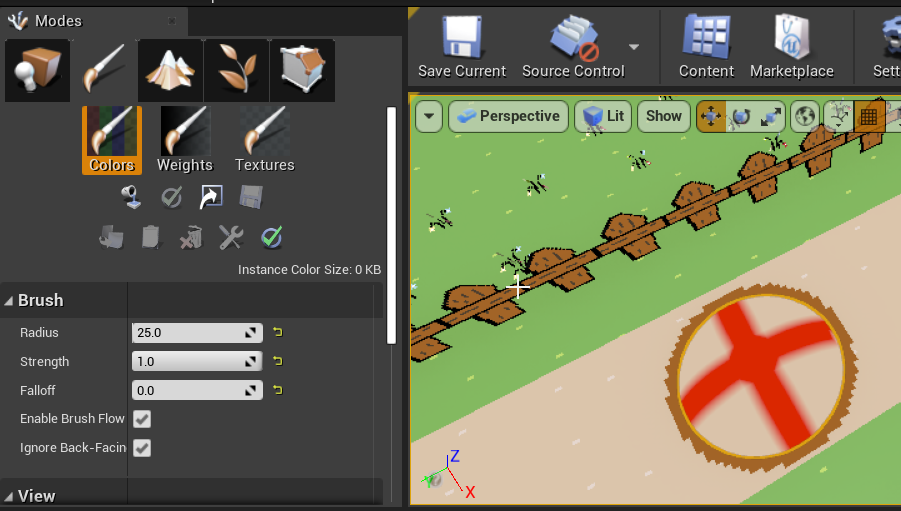
hi im new. is there a reason i cannot find the BSP extrude tool in the geometry editor tab?
crystal swallow
Go to Modes>Brush Editing?
midnight jetty
am i doing something wrong? http://puu.sh/GKbF0/85776bdc30.png
 crystal swallow
Try going to Editor Preferences, search Enable Legacy Editor Mode UI and make it false
It will show a Modes dropdown on the Level Editor toolbar, make it Brush Editing and there should be extrude on the toolbar
midnight jetty
@crystal swallow that worked, thank you! i just wish i got to stay in legacy mode QQ lol
 fiery lynx
how to make sonic in unreal engine
 vernal matrix
Does anyone have experience with using camera based movement? I am making a game were you play as dinos, and since it has a lot of swimming i set up camera based movement, issue is it will make the character glide kind of when turning or they can turn really fast, how do i fix this
 earnest violet
Just tried to package my game into android but it failed saying "Cook failed". Anyone know why plz? 🙂
vernal matrix
could be a million things read the error logs
 dawn bloom
I did "propagates instance vertex colors to source meshes"
and that didn't do anything


 hardy jewel
why do some of my objects move and then do the blueprint content
it happens when I trigger whatever they do
 silent remnant
hey guys and gals. I am having a super hard time trying to follow devsquad's UE4 tutorials cuz 1, its an older version, two, he goes way to fkn fast, and three, he messes up himself alot so i really am not learning crap from him. could someone suggest a video tutorial series that takes its time and describes things in depth for UE4? links would be much appreciated. youtube preferably
no one?
viral sleet
is there any other unreal engine discords? seems this is is a bit quiet and never get an answer X_X
cant seem to find any docs or answer that is helpful to my issue
silent remnant
@viral sleet did you look it up on the UE4 documentation?

Complete resources for learning to use Unreal Engine 4
viral sleet
Yes ive been through that cant seem tk find my issue
That is the first place i go before asking for help 🙂
 noble magnet
I've found video tutorials on how to apply wet look from rain and got it working. But I cant seem to find one on how to make my player look dynamically wet. Anyone have any good links?
exotic thicket
iirc there's a tutorial for dynamic snow that can be applied to appear on materials
you could probably use a similar method to apply a "wet" effect instead of snow, you can probably find it if you look up "ue4 dynamic snow" on google
 cursive salmon
Hi, do You know how used the parsing system to a opération for find the résult ? j'ai by example in my text box "2+2*5" how make out this opération to find the résult pls ?
plush yew
anyone here know how to use 4.26 preview 6 water system on a skeleton mesh?
 loud knoll
I am going to guess they didn't include a make water on skeleton mesh button in 26?
plush yew
i dunno
atleast they fixed the blueprints abit
as of now no errors so thats fine
but i dont even know how to use it on my player meshes lol
loud knoll
sure sure don't tempt me with 26.6 evil ricki bobby
loud knoll
it is work in progress so if you get anything to work you are doing good
plush yew
well so far its working fine
when i was on preview 4 it was a mesh
mess*
lmfao woops
loud knoll
I am just hoping the bugs I am reporting in 4.25.4 get fixed in .26
loud knoll
epic put one out already
plush yew
oh where
viral sleet
i cant seem to get unreal to reconize my device....
loud knoll
https://www.youtube.com/watch?v=XHugDXx6c5c @plush yew

Get a peek at the upcoming experimental Water tools releasing in UE 4.26! Ryan Brucks will start with a breakdown of the new Single Layer Water shading model and then show how Water Bodies create cohesive water features. We will then go over new features such as Gerstner Waves...
plush yew
oh lol
silent remnant
there needs to be a payed team to just sit and answer peoples questions lol. seems like lots of messages are falling into the abyss unsolved
plush yew
yeh
silent remnant
makes me wish i knew more so i could help others, but im on the same boat lmao
silent remnant
i guess good things take time
silent remnant
i wish epic had official discord
plush yew
why ship us a broken system but have a working one in the video
i wish also
but this is the only discord
using discord instead of the forums would be so much better
loud knoll
we have been doing it for weeks for free in the voice chat channels
plush yew
i mean they fixed all the errors but just it still broken so imma wait
silent remnant
i think i remember that it has to be set up the same way as the other textures
plush yew
yeh they had support in vc
silent remnant
@plush yew https://youtu.be/cWOlIvq0Etg

Full Tutorial, Video and Notes: https://www.worldofleveldesign.com/categories/ue4/first-beginner-landscape-material.php
Landscape Materials are very different than any other material you have to create because you have to be able to paint textures on the terrain such as grass...
plush yew
?
silent remnant
check this guy out, he seems to know about landscapes
silent remnant
maybe he has other videos on water
viral sleet
dag nabit
loud knoll
he has no GPU so I don't think water works with just the CPU
he also hasn't slept and seems to be not focused on actually doing game development or getting help
viral sleet
wow so i have a phone 2 years old... it dont support open gl es 3.1
so i have to downgrade my unreal engine to be able to test or buy a new phone?
just cant win with unreal 🤣
 proven mauve
Any way I can open rider from terminal?
rider project.sln something like that.
like code . or whatever.
rider.bat worked, but said my license was expired xD
viral sleet
proably better to go with unity?
seems its much easier to learn?
unreal has gotten way bigger and more advanced in the last few years i feel completely lost in it now compared to when i toyed with it before
proven mauve
@viral sleet why not try out Godot?
Its a really nice engine with good ability to get started, and plenty of room to grow.
If you feel overwhelmed in UE4, I don't think Unity is going to feel easier neccesarily.
viral sleet
i used unreal and made simple games before but allot has changed since then, it didnt seem so overwhelming when i was a bit younger but also havent really touched a pc in years sincei left the us
proven mauve
I really do encourage you to try Godot then (hopefully I'm allowed to say that 😁).
It has a really gentle learning curve. Especially if you want to toy with 2D.
Ue4 is not really good for small-time hobbiests. It CAN be used for indie games etc, but it takes some dedication.
As far as just... having fun, I would suggest trying out an engine with more instant-gratification.
viral sleet
i want to actually create something to put available for public but seems like not much of an active community for unreal
ive toyed and played with engines before but want to try to be a little more serious with it this time, ive made mods for games built small games but never released them
figured once i get a little bit accomplished and can show off some work might be able to get others to join in on building a program
proven mauve
You should join a game jam @viral sleet
Mark your calander for the new GGJ or Ludum Dare
Or even one of the UE4 specific ones.
loud knoll
@viral sleet I would focus on learning the engine and making something that works at all then worry about getting a test project to work on your phone then work on getting your project to work on your phone. My phone is S6 and I can connect it to the engine so it is something you are doing not the phone.
@viral sleet do something small and learn the basics make pong or even a race track for the car templates
viral sleet
na got the phone working apparently on my model i have to also enable tethering
but it doesnt support es 3.1 it is es 3.0 i guess
so it buggered me out not even able to try and roll my ball around with my thumb stick
would have to download an entire different unreal engine just to get it to work with my phone
viral sleet
just bummed me out as slow as network here is in the phillipines and 30gb download
for one setting, couldnt find any plugin or something to make it work with the new version of unreal
midnight jetty
I am watching Ben Tristam’s tutorials on blueprinting. I paid like 11 dollars for it on udemy. Is anyone familiar with these courses? I’m learning a lot, but I’m a halfway through the crystal cave course, and I’m wondering what I’m going to do when I finish all the tutorials. I’m sure I will still be retarded with making something from scratch, so i have no idea what my next step from there would be
regal mulch
Has anyone done some Voice to Text stuff in the past and has a favorite library?
 clever axle
Hey I have a dumb question: how can I get back to my games library in the EGS?
left side I only have Unreal Engine and Friends
Isn't there supposed to be "Library" and "Shop" too or something?
 snow cosmos
why?
left epoch
wtf happened,i can't get more than 1 proccess of the shadercomipler.exe to show up
anyone experienced that
i should have like 9
or 11
the compilation became super slow
 spare sun
check the NumUnusedShaderCompilingThreads in BaseEngine.ini
also check the amount of cores windows shows up on ur cpu atm
left epoch
NumUnusedShaderCompilingThreads=1
ok so i might of figrued out the issue
.... i just uninstalled increbuild
and i got all my shadercompilers back
loud knoll
you just need to change the settings on incredibuild - it willl suck up every core and reserve them
its main job is to find cores and keep them in the farm to send code too
 dense tangle
Gentlemen, for instance, I want to create a zone of a "radioactivity". It is invisible for player or doesn't match exactly with level visual effects. It doesn't have a regular shape. I want to affect player attributes (f.e. "Radioactivity" attribute, from 0 to x, where x - is an extreme hp loss over time) smoothly as player approaches deeper inside. How could I level design it and use it in my logic? What kind of volumes or brushes I could use? Has anyone solved a similar problem?
dense tangle
I was considering about some sort of a custom "logic brush", that I could paint the level static mesh actors with and query the values later in logic. I can't find an out of the box solution for it. Maybe I could implement a brush, which would "paint" a data to a texture via custom render target? Then I could query a value with matching an appropriate uv coordinate. Something close to https://www.youtube.com/watch?v=QL51f8qdsm8. But this solution looks like not a very easy task. Anyone?

How to create and export a very basic heat map using render targets in order to spy on your play testers movements!
 grave nebula
@dense tangle You need to elaborate the task a bit. It is vague so far to give meaningful answer. Typical solution is a trigger collider and on being overlap firing.
obsidian nimbus
thats flipped normals
set material to double sided
or make it solid
this is called backface culling
google unreal double sided material
and any of those terms u havent heared of
 fluid viper
anyone get browser to remote-control-api to work? Hitting a lot of CORS issues
so basically ajax-ing a PUT request into UE and get some data back
elfin grove
Is anybody know how Warzone's "punchy" animations and recoil was created? https://www.youtube.com/watch?v=ja3oGFZ7968

#MW
#CallofDuty
Call of Duty
COD
mw season 6
mw season 7
mw hidden weapons
mw all finishing moves
mw all weapons
mw all killstreaks
mw all skins
mw all obsidian weapons
mw all cutscenes
mw all operators
mw all inspect weapons
mw all camos
mw weapons real life
m...
They just added camera shake for different places, or is there any specific?
plush yew
I definitely noticed the camera shake. I don't remember that in old cod and I don't recall it being in any shooters I've played recently.