#ue4-general
1 messages · Page 864 of 1
 chrome sky
@royal oar
@lapis plover i also have issues with comprenesion but if i was you, i would turn off all other distracting devices and focus on one tutorial and finish it to completion then reward yourself
 lapis plover
but distractions are fun.
chrome sky
well there ya go
ur predisposition because of your issue causes you to have this barrier, if you dont overcome this barrier and learn to manage it, it will over come you
lapis plover
If I could make the learning the distraction then that would be perfect. That's how I leaned almost everything about tanks and armored warfare.
chrome sky
vidyagames
yeah well ur gonna have to learn how to work
ur brain doesnt like solving actually difficult problems
lapis plover
can you send me a good tutorial you know?
oh I solve plenty of problems. it's just that its harder for me to learn in different ways than others.
 plush yew
hi all
lapis plover
howdy. welcom to walmart.
plush yew
any idea why going from client UI --> call a "server" function on the gamestate doesn't go through?
thought gamestate is shared between clients and server
chrome sky

Get full course:
https://bit.ly/36lJS3S
Please Subscribe: http://youtube.com/c/devslopes?sub_confirmation=1
Project Assets Download:
https://bit.ly/2IgYiq6
In this video you will learn how to make a first person shooter. Though the video is short, you will learn the core ...
try something like this
@grand jasperwork
fug
plush yew
(event is set to server)
lapis plover
Worth, not work. I'm not stitched together, I'm worth it.
I am getting a lot of experience with blender. so that's pretty fun.
most of my learning curve in blender was knowing where buttons were for different things. after I got that the whole thing became trivial. I guess I could say the ssame is true for here but it has yet to be seen.
This blueprint system where you use pre made boxes of code to build what you need. I feel that will require a decent amount of explanation.
 vernal matrix
Anyone know a good turtorial on a spawning system to spawn multiple random objects i need it for fish
 lucid grove
Heya, how do you implement something like stun or knockout for you enemys?
I have a pretty good combat system for my enemy
But know to make it do not do nothing when he stunned or knocked - i have to set lots of branches with check for this statuses
Like when he play animmontage for attack - i check if he not stunned\dead\knocked
And that for every action
Maybe there is a way to "freeze" everything inside BP
like set world speed to 0.001 but for exact character
plush yew
lol all this time and i just realised you can right click an array get node to select an option to return a reference instead of a copy. What were they thinking
 gilded plinth
trying to get rid of this white moving texture on the new water system
anyone got a hint?
it's not rly the foam system which isn't working in preview 4 anyhoo, or maybe it's some remnant of it
but whereee do i find this : /
 cosmic plume
@gilded plinth it might be a mask in the material or mat instance
if you didn't create the material it is probably controlled by a scalar param
 winged notch
I'm Trying to Cross-Compiling my Project for Linux but getting a error in UE4.26.0 Preview 4 it works in 4.25 i built both engine versions from source and installed the v16 clang-9.0.1 before i built the engine i need help finding v17 clang-10.0.1
Epic only provides the (clang v16 9.0.1) i Need the (clang v17 10.0.1)
 tall herald
I am in a broken version of a marketplace plugin. According to the creator a new version is live but uninstalling and reinstalling I can't pick it up. Anyway to force a marketplace content update or rollback to a prior version?
 lusty carbon
Is there a reliable alternative to Nvidia Ansel for capturing 360 photos?
 exotic thicket
I'm not a 100% sure but it might be because you're using integers like 5 and 7 in the calculation
try using 5.0 and 7.0 and so on instead
 elder helm
okay
I'm not a 100% sure but it might be because you're using integers like 5 and 7 in the calculation
@exotic thicket thanks it worked
 neat fractal
@neat fractal You can't. UE4 requires Dx11 at a minimum
@wary wave Not even UE4.22?
and what about the command which are implemented in some way like --- d3d10 -dx10 ?
neat fractal
Sauparman 😂
 wary wave
@wary wave Not even UE4.22?
@neat fractal there may have been a command switch for it in early versions of the engine, but it has never really been supported, and I'm not even sure why you would want it? Dx11 has been the minimum standard (and not just for UE4) for over a decade.
Non Dx11 hardware hasn't been around for a very long time, and wouldn't meet the minimum specs for UE4 anyway
not to mention you'd have to be running in Windows XP, which UE4 also does not support
neat fractal
So I should upgrade to a DX11 supported card right?
lmao no at least not windows XP
wary wave
how do you not have a Dx11 card in 2020?
neat fractal
Got scammed by a fake gtx 960 4gb
plush yew
helllo how i can fix this ishhu ?
https://youtu.be/y_29mO2H5fw
my inhariteded skeleton mesh is only visiable for the first comppile / value change than its gets invisable its gets also invisable if i start the game
i using ue4.25.3 source
 neat fractal
@wary wave was actually a gtx450 and was getting my pc crash every time I play a game or try to run something GPU intensive. scam was of 200$
plush yew
@wary wave was actually a gtx450 and was getting my pc crash every time I play a game or try to run something GPU intensive. scam was of 200$
@neat fractal is this about ue4?
neat fractal
it is about why I don't have DX11 card in 2020
plush yew
i see so no ue4
wary wave
GTX450s support Dx11 (and Dx12)
plush yew
i would be glad if u could leave this room for ue4 topics
wary wave
mani wanted to know how to run UE4 in Dx10 - I said you can't, and pointed out why, so it is UE4 related
neat fractal
@wary wave This is what I was getting
wary wave
I couldn't even begin to tell you what's going wrong there
 barren flume
goodness I still can't figure out why my whole ue4 project stops working if I compile c++ classes too much can't open anymore
neat fractal
@wary wave The card was showing that it was of 4GB while physically on card PCB there was only 1GB ram soldered, when ever the OS loads data more than 1GB the screen starts to Glitch as it access the memory which doesn't even exist. and results into this mess and some time blue screen of death showing error related to Video Memory of some crap.
wary wave
yeah, you need to not use whatever hunk of crap you've shoved in there, it's clearly dodgy and could be doing your machine real harm
neat fractal
@wary wave You can say that again, Totally agreed! Already got rid of it.
anyways Thank you for your help and time
 stable ore
I was working, there was a power outage, I reopened my project, and my map is gone
What should I do?
wary wave
check the autosaves folder and copy it across if there's a backup in there
stable ore
@wary wave Thanks mate, it worked
 dim merlin
Hi, Anyone knows whats up with RVT? missing this setting completely in 4.26 P3
4.26 P4, btw
plush yew
hi all - question
quick one
exposing on variables on spawn - do these set before beginplay?
wary wave
yes
lusty carbon
There is no way to show/select only StaticMeshActors in the outliner??
exotic thicket
you could probably search for StaticMeshActor and that should do it, no?
lusty carbon
I want to delete all objects with the name Door_ but it filters along with the parent actors
and there are tens of thousands of them
so I find myself selecting all and deselecting the parent actos manually which is such a pain
plush yew
Anyone know how to run a packaged game on a VM?
Whenever I try to, it gives me a Direct X error.
And I've done searches olnine for this error, nothing I find is useful/works.
 charred stirrup
Hello. where I can see a list of the required names for folders and files for project when placement on the marketplace? I used to find this kind of information on the unreal wiki legacy site, but now I cannot find this page.
 glad tulip
Hey guys, I'm pretty new to ue4 and I got a question. So I'm starting a new project and made some animations with blender, when importing those animations they become small and are rotated on their back. Anyone who knows how to fix this?
 covert hedge
i think there are some issue with blender not using the same forward axis as the engine, when you import stuff you should be able to set which axis was the forward one iirc
'Also, the forward vector used internally in Blender (Object mode) is not the same in UE4. This is something common though regarding 3D modeling tools and game engines.
The Blender exporter have an option to setup custom orientations before writing the data in the resulting FBX. Play with it to ensure you model is facing the same directions as in UE4 (x forward in UE4). If you still have issues with the forward vector then just rotate you object in Blender so it's facing the x vector in Blender, then export as is.'
plush yew
is there a way to make everything except for the player disappear upon death?
so that its all black
Im trying to make smooth local actor rotation
For some reason it isnt working with this. It just spins randomly to every direction
How could i do this?
@plush yew well if you want full darkness, why dont you just remove lights or use post process or just put simply black image to screen.
because the whole game is pretty much unlit and i want to still be able to see the player but only him
well destroying full world isnt choice
lmao
its not even good idea
iwas thinking maybe put a black sphere around him that only goes visible on death and destroys surrounding actors
but i think thered be some problems with it
 grave pollen
anyone know of any tuts for creating a clan system?
plush yew
multiplayer?
grave pollen
ya
like basically a UI that shows clan name, list of players, and then a pre-game lobby to join w/ other clan members before a game begins
 north monolith
Im looking into creating a complex road system, and Its always tripping me up some. Im referencing watch dogs 2 and trying to figure out what they did. Anyone aware if they made heavy use of decals when creating the roads and if this is starting to become common? I mean for things like road markings as well as variations on the asphalt, sidewalks etc. There so much variation in their roads, so I was thinking maybe there is a base, clean tiling texture, then decals gets layered on top of it, though when Im thinking optimization it also feels like it would take a heavy hit on performance working that way.
plush yew
@north monolith Well thats how it usually works
covert hedge
you can find a lot of decals and road texture on quixel bridge
plush yew
Ye roads use alot of decals
covert hedge
i used them a bit, i think you can manage to create much variation with decals indeed
north monolith
I was mostly concerned with the performance hit, but if its common that'll make things a bit easier
thanks guys
 void swan
Hi, i try to make multiplayer. If ı a widget add to viewport it shows all clients. But i just only 1 client
how can i do
i try to count down for death
 scenic fox
hello, my friend has gotten this error. Can anyone help? Do you need visual studio to package a unreal engine game?
plush yew
@scenic fox He is missing visual studio features like it says
plush yew
 chilly token
IN VR
how to setup ui audio in it's just keep going on and not stoping.
can anyone know how to fix it?
IN VR
 sleek spear
i have a material function with some parameters, when i duplicate the function in the same material i can not adjust the parameters separately since they have the same name. so i have to rename them. is there a quick way around this? like mass renaming or using wildcards or something?
covert hedge
asset matrix editor mb? 
sleek spear
@covert hedge is this an answer to my question?
lucid grove
heya
How can i "hide" character from AI perception if it was already seen by enemy?
Right now when characters fight each other they keep attacking cause they keep seeing body
plush yew
Anyone experienced in sequencer and blueprints?
 inner cloak
Which channel would i use for discussing collaboration in UE?
 rose aspen
what is the learning curve UE4
 thick herald
wibbly wobbly
 hidden aurora
@gilded plinth you need to change the Foam Opacity to 0.0 and change Foam Emissive to Black and alpha 0.0
rose aspen
I am looking to get back into game making
hidden aurora
In my case, learning curve in unreal was exponential
hidden aurora
Start small like that, dont aim to make shooters. I mean you can but you will get frustatred
rose aspen
i am making 16bit Lookalikes
hidden aurora
Nice!
rose aspen
For PC and Android
i used to be creative Operator for dimestore gayms
Where games were free ad remove costed $1 and NO CONSTANT Ads
just a banner throughout the game
 meager frigate
Anyone know if theres a way to import meshes from blender with empty material slots? I want slot 0 to be skin and slot 1 to be hair. Some meshes have skin and some dont but for codes sake id like them all the be the same but the meshes wont import with both slots unless i apply it to at least one face. I can add a small face on the mesh and apply it but I want to know how to do it the right way. Also i cant even seem to be able to add a slot after i import it into unreal and swap its index afterwards.
I can add an index to the mesh in unreal but i cant move the new slot to index 0 is what i mean
 plucky lily
@supple totem I tried that, but the problem is texture wise.
 supple totem
you sure? make sure grid snapping is off when you move it
if its def texture maybe multiply opacity?
 tight prawn
All data required for accomplishing this tutorial is available in the Georeferenced Terrain Generation Add-On starting from the UNIGINE 2.7.1 SDK (Engineering and Sim editions only). All you need is just install the add-on and use the assets according to instructions given in ...
I've been looking for this feature in UE4 ever since those development videos of Senua Hellblade
if I remember correctly, they used something similar to the one in the video
does anyone know what's the feature name ?
 lament barn

How do I add this cavity effect that's in Blender in UE4?
It's titled Cavity and Ridges
scenic fox
how can i check if a specific static mesh hit my bp actor's box collision?
covert hedge
onstartoverlap event use the "other actor" pin or whatever the name of the pin is
scenic fox
uh but
what node would i use
im not using a BP actor to touch the box collsion
im using a static mesh
uh
plus i need to have multiple things not just one static mesh
 rough sigil
hi - im having some problems using my ps4 controller in game - it works on viewport i can fly around but when i hit play it doesnt work
im using the advanced vehicle template and when i did it last week it worked fine but for some reason now it refuses work
meager frigate
@lament barn i was wondering that too! I always use that when I model stuff
lament barn
I'm glad I'm not the only one.
I'm like 100% sure there is a possible algorithm to make it look like that.
scenic fox
why is my physics mesh flinging me around so much
it flings me so much that i clip through my walls
and through other collsions
can anyone help?
barren flume
Was wondering how I'd be able to let a friend connect to my repository on ue4? (Git)
scenic fox
can anyone help me?
lament barn
@scenic fox 99% of the people in the discord that knows how to help, won't help because they are busy with their own thing.
scenic fox
then wtf is this discord for?
lament barn
literally looks like it's to show off
every channel is like a bunch of specific ways to show off your work and etc
scenic fox
Yes, but in the server can't you get help?
lament barn
If you're lucky
scenic fox
Mhm so you are saying most of the people i see on the chat are lucky?
lament barn
There is not a single channel in this discord that is remotely close for "help"
I don't see anyone getting help other than just a short message saying "do this" and no further.
To me at least, it seems pretty rare
Maybe I'm blind 🙃
scenic fox
damn so i joined this server for nothing, im not here to show off work tbh
lament barn
Same, neither did I.
scenic fox
if a i have a problem i just ask here, now that you are telling me that most people here don't give any damns for anyone else's problems and are just here show offs shows that i legit came here for literally nothing
lament barn
You can try to find a channel that is specific to your problem and ask there.
Like for me, I need help with something to do with making my meshes in UE4 look like the one in Blender.
That's to do with Graphics, So I'm gonna give that channel a try
covert hedge
well sorry bustzee i often afk and don't look at discord cause i have notifications turned off
you might want to look into colission channels aswell if you want to detect some specific meshes
 runic fern
Hey guys are there anyway to place a window or a door into a static wall like i have wa but i want to add window to it ingame
How can i make a changesto that static mesh without changing the whole wall
 split wedge
whats new in this 4.2 GB update for 4.25.3
plush yew
I need some help.
How could I add something like this, where the camera focuses on something?
 azure shore
@plush yew
plush yew
@azure shore Can I PM you?
azure shore
sure
lament barn
@meager frigate
 narrow mauve
Set your oven to 450 fahrenheit for 15 minutes
 tepid veldt
Considering the heat my PC produces might as well put a baguette behind it indeed
covert hedge
 not cooking baguette in a proper oven
supple totem
You mean like, stencil can be obscured by other meshes?
supple totem
Haha np
 dry moon
thank you tho
 odd briar
Hello, I've some issue related with the collision and physics setup
is anyone available rn ?
The pawn should have the ability for the physics. Just like you assign rigidbody to an object in unity, but I want the collision from the child actor I've added to the pawn. The pawn should exhibit physics, but it should use the child's collider for collision.
This is the pawn, I'll add more child actors to this in future
This is the child actor, it has the collision setup setup according the the mesh
barren flume
dang already can't add anymore things
covert hedge
use your own vps and set up git lfs
barren flume
vps?
covert hedge
virtual private server
barren flume
don't have money for that
covert hedge
new cool name for dedicated 
 dense gate
Tbh second-hand servers are surprisingly cheap
 analog grail
I made a new level in my project and I'm not sure how to add a simple light so that it's not pitch black. Anyone help?
dense gate
My only recommendation is to get new hard drives for those
Would you mind sending a screenshot of the editor? @analog grail
analog grail
dense gate
This is an empty level, of course it'll be pitch black, there's nothing to render
Add a cube at least so you can see the effect of lighting
analog grail
oh
dense gate
If you want to have a sky set up, new level -> default instead of new level -> empty
 lament star
I made a new level in my project and I'm not sure how to add a simple light so that it's not pitch black. Anyone help?
@analog grail Adding light to an empty level is like having a lighter in space
narrow mauve
Holy crap building the height field mesh for a landscape takes a VERY LONG TIME
O_O
grave pollen
anyone know of documentation that shows name of all blueprint names and a small description?
 split tundra
I've tried to run my game by launching it instead of through PIE, and it comes out totally different from the PIE version, then I tried to package it to see if it were any different but it's just as the previously launched version. Any idea?
glad tulip
So I got a problem with animations, I fixed the small animation thing I got earlier but now it does this
Anyone who knows a fix for this, have been trying to get it fixed for some time now but can't really do it on my own
 cosmic matrix
hi,
when i import an animation for my modle i got a really strange thing happen
animation in blender:
https://media.discordapp.net/attachments/221798806713401345/770006983763558460/unknown.png

once imported to ue4:
https://media.discordapp.net/attachments/221798806713401345/770007226344669224/unknown.png

if anyone got an info it will be really apreciate
 hearty dagger
Why do I get this error when importing animations?
cosmic matrix
check logd @hearty dagger
hearty dagger
every bone needs a keyframe?
azure shore
just make sure the start and end of the animation has every bone keyframed
the middle doesnt matter
hearty dagger
like this?
 compact loom
Hello. Speaking of animation issues, I too need help. 😅 I've been trying to make a car, following a tutorial, but for some reason all my wheels collisions boxes are wrong, the wheels also don't turn or steer at all. Yet they work in the armature...😔 Did I forget something important? Sorry if I break a convo, I'm not sure where to post this...
cosmic matrix
@prbo yeah are you on blender
?
@hearty dagger
if so in export option you have a check box for doing this automaticlly
glad tulip
Okay so my skeleton and my mesh aren't in line. does anyone know how to fix this? i'm using blender to animate btw
hearty dagger
ive had that on the whole time
compact loom
Update on my issue : I made a mistake with bone name in the car blueprint. It's almost working now. One issue is still here, the wheels don't visually turn on steer.
 hardy jewel
is there a channel for help?
cosmic matrix
yeah
 narrow talon
Hello everyone
hardy jewel
Hi guys so I have a problem.I am making a pinball game and I have a blueprint that makes my ball stick to whatever is below it(the floor in this case).However I also want to make it so that my pinball bounces of the walls(which are brush type of object built with the geometry tool)but I don't know how to do it without also bouncing off the z axis.TLDR:I want my big white ball to bounce only off the y and x axis brush objects(which are my walls) The ball is not controlable btw
Thanks
hardy jewel
how do i do that?
covert hedge
open the ball find the movement compoennt it has, and check in details panel
hardy jewel
but i want it to bounce
ohhhh
i get it
i can make it bounce and restrict the z axis movement
cool
btw how do i make it bounce?
covert hedge
uh, idk, apply some force to it i guess?
compact loom
So uh... Does anyone know why my rigged wheels don't turn with their wheel blueprint collision boxes? The wheels don't show any movement at all. Here is a picture of me steering.
compact loom
update : I forgot to make an anim bluprint
compact loom
Hey, speaking of vehicle, I've heard of Chaos vehicle plugin, what does it change from a normal car bluerpint?
 mossy prairie
Someone able to help me? I need v 4.6.2, since I am installing the engine via the github, but I currently have v4.8.1 and cannot fully uninstall it for the life of me.
glad tulip
Anyone who knows how to fix my problem? my mesh is not in line with my bones so when i play an animation it goes full crazy mode. It still rotates with the bone, but due to the offset it looks really weird. i've tried to fix this problem for some time now but can't make it work
 jaunty haven
Any one have vivox Experience here ?
 next berry
Has anyone tried the new Megascans Plugin? I cant get the material blending to work. Anyone tried it yet?
plush yew
my editor is hiding my viewport UI every time i delete an actor , what could it be? 🤔
hello everyone i would like to have these two rocks still be selected together, even if i select something else and then i select theses both rock back, anyone know how to do it?
 robust acorn
fuck
(takes damage before animation is played and does not follow player after hitting/missing it)
plush yew
nvm i found
 atomic wolf
is there any feature docs for UE4.26 (beyond the release notes in the forum)? I'm having some troubles with an nDisplay setup that was working in 4.25.
 umbral frigate
Hi I want to know if it's possible to get vertex colors from a USD file(instead of FBX), but the server serch for "usd" hits mostly for the usage "US dollars"
 dawn bloom
sigh, my bridge app got messed up again and doesn't import to ue4 properly anymore
this is annoying
 mighty oak
has anyone gotten grass to work with with Virtual Textures? I can get the landscape to work, but grass just shows up as if it has no materials...
it looks like this
I don't see any error
ah I see some opacity mask error
 rotund scroll
hey guys, long shot but does anyone know about this: https://answers.unrealengine.com/questions/356443/view.html
it's not my question but I'm getting the same hitch from FAndroidDeviceDetectionRunnable despite not having the project enable for android
robust acorn
I was wondering, lets say I find a nice character on the marketplace but it isnt rigged to the default ue4 skeleton, and I bought animations that are rigged to the default ue4 skeleton, how will you solve this, is there a way to swap skeletons if they're near identical?
analog grail
Is it a bad idea to use the empty character for the actual player? I'm not sure what people usually use as the base and I'm trying to make a simple cylinder so I can just test and stuff
 queen wasp
@rotund scroll You're not alone there.. I am also struggling with hitches/hiccups, that is one of them. Haven't found any solutions yet though..
 edgy lark
@robust acorn you could give Animation Retargeting a shot https://docs.unrealengine.com/en-US/Engine/Animation/AnimationRetargeting/index.html
Describes how retargeted animations can be used with multiple Skeletal Meshes, allowing you to share animations.
 sterile tulip
How much RAM are recommended for open world projects?
 vague shale
I've grabbed a fork of UE4 that has some custom render features I need, however all together the source files add up to something like 130gb in size compared to the 30gb of the official files, is there some way to compile the fork into something smaller like the official files? Or at the very least make an installer exe that I can share with my team?
 leaden garnet
I'm not sure, what's probably happened is that the source off github, includes files all other platforms, like iOS, Android, macOS, Linux etc etc. Perhaps you could just find those platform folders and get rid of them?
vague shale
This is the folder breakdown after doing the basic "install prerequisites and hit F5 in VS" steps epic lists
leaden garnet
I assume that program is SpaceSniffer?
vague shale
yeah
leaden garnet
Hmmm, I'm not sure how to reduce the file sizes either, I can only really guess here, or just google some solutions
 kind pumice
what would be the right way to exclude the arms from animating? For instance I have IK on both of my arms and they point where I want them to, but the running animation causes the wrists to twist around wildly... how would I say, "Animate everything other than the arms and hands, but let IK control the arms"
feel like I'm super close, just the damned twisting is killing me lmao
hmmm almost have it working with this but the wrist still rotates a bit even though I'm using "replace existing".... but it's way closer to what I want
hah got it working, just needed some adjustment. Still interested if there's a better way if anyone happens to know... this way seems hacky lol
robust acorn
you could've tried disabling some bones
like you do your animation node > disable those bones
but you get the length of the animation
then enable em
plush yew
anyone had trouble with clipping particle systems? Like rain that clips in the viewport and disappears when recording in sequencer? got a bit of an odd issue there
kind pumice
Thanks! Saving that reply to my OneNote @robust acorn
 fallen hatch
Hey! I'm having some real issues with my Game Jam team with exporting in Unreal
robust acorn
@kind pumice its not perfect like i wrote it there but thats a base that should technically work fine
fallen hatch
For some reason Unreal decides to export an older version than what is actually in the engine in the Windows packed file
We're stuck at a wall and can't find anything anywhere
Any of you guys know why / a fix?
fallen hatch
Issue has been fixed
 celest sequoia
Whenever I try to import my animated model into UE4, it crashes. I have no idea what is causing this.
Crash log:
Assertion failed: (Index >= 0) & (Index < ArrayNum) [File:D:\Build++UE4\Sync\Engine\Source\Runtime\Core\Public\Containers/Array.h] [Line: 614] Array index out of bounds: 0 from an array of size 0
 rustic leaf
looks like 4.26 preview 4 is available now but there's nothing in #unreal-news about it yet.
(i was just hitting update expecting preview 3 and it gave me 4)
 proud verge
Hi guys, in case windows has a different time, "UTcNow" is going to give me the wrong time? or where it takes the time? If not I can cheat time, by changing the time on windows, so UTcNow" takes a different time
Is there a way to take the time, not from a source you can easily edit like windows clock?
lucid grove
someone just sent this to me, what do I google to get those type of characters?
@robust acorn its a paragon character animations + skeletal mesh parts. You can create those by yourself. Just look on youtube "Modular characters ue4".
Armor seems like from last free assets - gothic knight
robust acorn
I knew the paragon part lol
yeah I just need the assets for the skin and shit
@lucid grove
lucid grove
Then open free-assets from this month 🙂 Gothic Knight is there
split tundra
Any idea on why my packaged game is different from the PIE version?
 hasty prawn
Does someone mind to lend me a second brain on looking at my memory report?
 hushed cedar
does anybody know how i can turn off this alert sound ue4 makes every time an operation ends? it's driving me crazy
@split tundra can you explain more?
hasty prawn
@hushed cedar Epic Games/UE_4.25/Engine/Content/EditorSounds look here and this might help you. I'm not sure if you could try renaming the notifications to disable them?
split tundra
@hushed cedar Some stuff is different from the in-editor play version and I can't seem to understand why, some textures don't appear, my tilemaps' hidden layers aren't being hidden and my scene transition animation is completely wrong
hushed cedar
@split tundra what build config did you use?
@hasty prawn i looked at those it's none of them, for some reason ue4 plays a windows alert sound every time shader compilations end or other thing
split tundra
@hushed cedar I'm compiling the project atm, once it's done I'll let you know
Also, did you try looking in the Editor properties? There might be an option to disable notification sounds
hushed cedar
i did, there isn't anything about sound alert
hasty prawn
@split tundra What version of ue4 are you using? @hushed cedar I couldn't find it in editor pref either
split tundra
@hasty prawn The latest, 4.25.3 IIRC
hasty prawn
@split tundra hmm, I'm working on a 2d project in that same version and haven't come across similar issues tbh
split tundra
Odd... do you also have hidden layers in your tilemaps? @hasty prawn
@hasty prawn And how are you packaging your game?
hasty prawn
@split tundra I tested it by creating a hidden layer and it is hidden in standalone. I'm building from editor
split tundra
Standalone is also buggy for me, that's why I was trying to package it to see if it were any different
hasty prawn
@split tundra It works in packaged build as well. I'm using Development Build Config
split tundra
Are you running WindowsNoEditor?
hasty prawn
Yeah
hasty prawn
You must have a big project huh? Isn't it 2d?
split tundra
@hasty prawn Do you get any warnings in your building perhaps?
I'm getting this somehow:
PackagingResults: Warning: Script Msg: A null object was passed as a world context object to UEngine::GetWorldFromContextObject().
You must have a big project huh? Isn't it 2d?
@hasty prawn About 40 cpp files so far, not big by any means, my PC is just slow, so it takes a while to build ahah
hasty prawn
I believe that means that you have a dirty blueprint that is referencing something that doesn't exist (could be wrong) Check you level blueprints
split tundra
I'll try that, thanks!
hasty prawn
@split tundra My project is actually a little bigger than yours atm. Having a decent PC pays off for builds...mine built so quickly
split tundra
Yeah, that certainly helps, my PC is about 7 years old and sadly I can't afford a new one atm, when compiling my PC slows down so much it takes about 20mins to build ahah
hasty prawn
@split tundra That really does suck when you are trying to get rid of bugs...I always fix bugs as I find them (I regularly look for them too)
 gilded dove

pog
ik thats legally not allowed me to copy fortnite but not releasing it
just personal project for fun
scenic fox
anyone/
exotic thicket
You probably don't have enough lights in the scene
and/or low intensity, not enough indirect bounce, etc.
 grim juniper
or bad lightmaps on the mesh it's on
gilded dove
also does anyone know why games like games like fortnite codename things
as in they codename things to do with the map Athena
and the name for each character begins with CID (Character ID)
like why do alot of games codename stuff like this
exotic thicket
they often don't have the final names when they start development
so they just come up with some way of identifying them
gilded dove
if its a map i just mf name it map but games codename everything
exotic thicket
when you have more than one map it's easier to talk about a name than just calling it "the map"
lol
it's also very possible that names change over the duration of development... maybe they thought of a better name, maybe they changed something else so now the old name doesn't work, etc.
of course sometimes the names are just for fun too, but as you can see there's some "legitimate" reasons for it too :)
scenic fox
im using marketpalce content though
i didn't make the mesh
it has the option to give emission and that some how gives it a texture
the texture is there and you can kind of see it but it's super dark
lucid grove
Heya, anyone familiar with AIPerception?
exotic thicket
Somewhat
 haughty hamlet
Hey guys, do you have any predictions when 4.26 will be out?
lucid grove
Im looking for some basic (i think solution). Right know i set target with it for one character. Its work great until i need to finish fights with animation. Problem is - when NPC kill other NPC i have event that force him to play animation and draw sword out. But since there a multiply enemys - it keeps doing it every time.
tepid veldt
Use the do once node?
lucid grove
Its already have do once node, the thing is about target. Target dead = Stop Combat.
But there is another target
Right now: NPC see enemy, draw sword, kills enemy, back sword to sheath, see other enemy that stays near, draw sword and etc
exotic thicket
So I take it you don't want him to put the sword away if there's more enemies?
lucid grove
yup
exotic thicket
Right, so you could check before playing the put sword away animation whether there's another target or not
lucid grove
And thats where i have a problem
Cause atm i have no idea how to hide character from AIPerception
Like enemy is dead, but character keeps attack him cause he see him
exotic thicket
Ah
there should be an unregister from perception system node or something like this
this is one way to do it.. alternatively, you could manually check for things like "is this target dead" based on for example their health value
lucid grove
Thats the thing: i wonder how to check massive of perception characters that npc have seen
And remove\reset actors from it
exotic thicket
You could try making it so that when your enemy actor dies, it unregisters itself with the unregister from perception node
as part of the logic that runs when its health reaches 0
lucid grove
That would be great if i knew how to get this register
split tundra
Dunno how AIPerception works, but whenever your NPC looks for its next target, can't you just make it discard those that are dead? Perhaps those who have an "dead" flag to true, that way you wouldn't keep track of anything and just look for live targets
exotic thicket
@lucid grove what do you mean? the node is called unregister from perception (or something like this), so you'd just use that in your npc when it dies, and that should automatically unregister it
and Darkilon's suggestion is good as well
lucid grove
@lucid grove what do you mean? the node is called unregister from perception (or something like this), so you'd just use that in your npc when it dies, and that should automatically unregister it
@exotic thicket oh, my bad - i thought it was a guess
exotic thicket
ah :)
well, it was a guess, but I googled it and it looks like it exists lol
it's worth typing random words into the create node box sometimes :D
lucid grove
Gonna try it know, thank you
 glossy zenith
Hey all. I've just jumped back into unreal after a long time, and attempting to use the new Rider for unreal thing from jetbrains. Even in a new 4.25 project tho, using twin stick shooter as a starter, I cant get it to open stuff in rider, it insists that I go install vs2017. I've set the source code editor to both Rider (version) and Rider and neither give a different result. Anyone else here using Rider and can tell me where I went wrong ? Is the twin stick shooter perhaps somehow bound to vs ?
by stuff i mean in the ship bp itself, I double clicked the "get ForwardDirection" or whatever the "function" is, and it complains about vs.
i'd actually expected to see a "function" blueprint open up.
but then got rider instead of getting vs2017 ce like it wanted. because ms is poop.
 rotund yew
idk what to do, ive used UE4 i dont want to make a boring game that is similar to all the others and i dont want to make a game that is hard and requres alot of work, and im unintentionally doing the seccond one, any suggestions on what to do cuz im just sitting here with unrest aggitation to make something
cuz im no game animator and the BP's im making, and loading screens, UI's Menu Maps is too much for me
glossy zenith
if you are unable to do anything, perhaps do a course in it ?
wary wave
idk what to do, ive used UE4 i dont want to make a boring game that is similar to all the others and i dont want to make a game that is hard and requres alot of work, and im unintentionally doing the seccond one, any suggestions on what to do cuz im just sitting here with unrest aggitation to make something
@rotund yew games are hard and require a lot of work, period
rotund yew
ik that
just my input of work isnt giving a proper output
i find myself having to redo bunch of stuffs due to UE4 Major Breaking
ive imported 1 model over 36 Times just to get capsules to scale correctly
that took me 1 whole week
taking into account mah school and stuff
 bitter iris
substance to ue4 result, looks terrible, any ideas guys?
what it looks like in substance https://gyazo.com/9713de9ec4c913df64aab59889c07d7f
glossy zenith
it looks like you need a better model. the same skinwont work perfectly across 2 different models
bitter iris
its the same model
 rough knoll
how do i fix this tree's lighting
im pretty damn sure it's not an issue with textures because this happens on literally every tree i use
and it's the only thing that has this effect
bitter iris
ss brightness?
rough knoll
?
bitter iris
is it a ue4 market model or
rough knoll
no, but this issue persists on others that are
i.e. the kite demo trees are like this. that is part of a tree pack
 wise sluice
Hi there!
Working on a virtual production setup.
I've found some easing movement of a camera that we're moving with LiveLink.
And it is a problem for us because it not matches our system in a good way.
When I pan the (phisical) camera left to right it moves in a slow way at the begining and at the end. Easing in and out.
I'm using a tracking system that provide us the exact position of the camera with livelink.
I've checked if it was some frame delay problem, but we've test it and we've adjusted any delay that we had.
If it were a delay problem it has to be stable. But it isn't.
Is there any way to disable this easing on livelink?
Thank you for your help.
 fluid lance
Heh, i was sure the bug with structs isn't fixed in 4.25.4 even though Epic flagged it as such, it still crashes the engine when you compile or save actors using large struct which was modified 😦
rough knoll
that might be why i've been crashing so much
my ue4 has been insanely crashy recently, and i've been working with actors that fit that description
fluid lance
@rough knoll It's been like that with custom structs since the beginning. The problems only got worse on some versions, but never better. Once you start adding structs inside structs and they grow, then get referenced by many actors, the engine will crash when modifying/adding to the struct, and even if it doesn't, you get struct read errors (they don't show up as such, but they simply won't work). Then you need to go and refresh and/or rename struct var name in each bp and ...whatever. In a nutshell, you don't want that!
covert hedge
did you try creating the struct in cpp rather than in blueprint ? mb it works better
mighty oak
Has anyone worked with Virtual Textures in Foliage? It seems that trying to output Opacity Mask breaks it and I imagine Transparent textures are more costly than OM ones?
 wintry silo
Got an issue going on with engine. For the first 10 minutes performance is fast. But 20 minutes later it slowly deteriorates and that's without me doing anything in the engine. When it deteriorates this hitching starts.
 wide trench
Does anyone know of a bug related to floatcurve weighted tangents? I found this:
https://issues.unrealengine.com/issue/UE-89024
But this seems closed. For those wondering, if I add weighted tangents it only works if I set the tangents straight upwards or downwards.
Got an issue going on with engine. For the first 10 minutes performance is fast. But 20 minutes later it slowly deteriorates and that's without me doing anything in the engine. When it deteriorates this hitching starts.
@wintry silo Maybe a memory leak? did you try profiling to see what takes up most of your time? Could be anything, do you keep adding objects to the game without removing them etc?
Or is this happening with a blank project as well?
wintry silo
You can notice this degradation problem when placing a particle emitter in the screen and leave it running for 10 minutes and then it begins to get choppy...
I think there is a degradation problem in the engine. It slows down things after a certain period of time.
I have about 3,400 actors in the map.
 honest vale
@bitter iris you need to design a better material in UE 4
you can't just slap on an albedo texture and call it a day 😄
wintry silo
hold on correction, there's only 1,557 actors in my map, not 3000.
Bu the engine should not be slowing gradually down over time when left running
I think its a memory leak.
wide trench
@wintry silo I am not super familiar with the unreal particle system, but do your particles have a lifetime, I can imagine if you keep spawning particles and never killing them of eventually you pc cannot handle the amount of computations anymore.
did you see the memory going up if you think it is a memory leak?
I have been running a default particle system since 13:27 (+- 15 min ago) without any issues
wintry silo
ok how do I find out if the memory is leaking?
Second, I also have something weird going on with the landscape when moving around in the map. It deforms when getting close up to it.
wintry silo
il'l get the settings hold on
 earnest junco
Drove me crazy till i figured that one out myself
Do you have a particle spawning a bunch of shit faster than it’s killing the particles?
 rough cedar
So there's this project me and I friend are working on
He's hosting the repository, I've downloaded it from there
It's a mobile game, and when I try to preview in ES2 or ES3.1, this comes up
Fatal error: [File:D:/Build/++UE4/Sync/Engine/Source/Runtime/Engine/Private/Materials/MaterialShared.cpp] [Line: 2090] Fatal Error Material not found
The thing is, I don't even have a D:/ drive on this PC. Is this directly copied from this friend's PC, and is the engine just looking for that file in the wrong place, not knowing any better? If so, how do I tune this to my PC, and tell the Engine what's the correct location of the Engine files is?
Or does it -always- say that?
wintry silo
MAX LOD is set to -1
Subsection Min Comp Screen Size 0.65
Occuler Geometry LOD 1
Export Lod 0
Desired Draw Max Distance: 0
Include Actor for HLOD Mesh Gen is checked on
wide trench
@wintry silo It seems like particle count itself should not be a big issue:
Particle counts really play a negligible part in the grand scheme of things when it comes to performance. Regardless of split screen or not, Material complexity and screen coverage (overdraw) are your clear enemies when it comes down to the overall expense of a given system.
Far more impactful on general performance is going to be the instruction count on your Materials.
wintry silo
no, its a small map of about 2-3 km
earnest junco
Ya should be fine then
wintry silo
i try it now
earnest junco
Verts are free anyways 😶
Most expensive tho for particles is probably o v e r d r a w
That’s why spawning a bunch of things would be bad for performance
wide trench
Yea, was just thinking out loud a bit.
earnest junco
Oh same haha
wintry silo
here's my game.
That fixed the landscape problem.
earnest junco
Huzzah 🙌
Are you playing any audio? I’ve heard of audio memory issues where it wasn’t getting rid of sound memory
Don’t know mich about it tho
wide trench
@wintry silo I suggest trying to scale down your particles as much as possible and narrowing in on the problem :
Try running your game without the particles for the same time if it still happens it is likely in another component of the game.
Then try it with the default particle system if it does not happen it is most likely a issue in the complexity of your particle system instead of the engine
earnest junco
Probably should run the profiler and see if it’s CPU or GPU
And check your optimization view modes
wide trench
Unfortunately debugging is mostly trial and error if you have exhausted all logical other options
wintry silo
yes I am playing audio of gem collecting, and also the Flycam's Drone Sound. Oh and I also have a great big emissive material Sun in the background.
The other thing I couldnt figure out also was how to update the widgets of players when switching pawns to control another player. I had trouble with that.
wide trench
Probably should run the profiler and see if it’s CPU or GPU
@earnest junco This
rough cedar
So there's this project me and I friend are working on
He's hosting the repository, I've downloaded it from there
It's a mobile game, and when I try to preview in ES2 or ES3.1, this comes upFatal error: [File:D:/Build/++UE4/Sync/Engine/Source/Runtime/Engine/Private/Materials/MaterialShared.cpp] [Line: 2090] Fatal Error Material not found
The thing is, I don't even have a D:/ drive on this PC. Is this directly copied from this friend's PC, and is the engine just looking for that file in the wrong place, not knowing any better? If so, how do I tune this to my PC, and tell the Engine what's the correct location of the Engine files is?
@rough cedar @next badger Think you tried helping me with that issue a few days back
dawn bloom
is it still possible to make a game using ue4 paper2d features? I heard it has been abandoned, but I wanted to make a 2.5 d game
earnest junco
How to identify performance problems and fix them.
Behold. The secrets of the internet
wintry silo
So for the Gem Collecting the counter works only for the commander's pawn, but not for the other pawns. They do collect the gems but the gem counter stays the same. Its not until I switch back to the commander that counter starts working again.
earnest junco
Tbh that seems impossible to solve without knowing how everything is set up. Probably just a simple logic error somewhere
wide trench
@wintry silo To be frank, we can only point you in the correct direction to solving your problem. We can never help without knowing how everything works and I don't think a lot of people will take the time to do that.
Probably best to take a look at the profiling link provided by @earnest junco
wintry silo
I have no weapons yet installed in the game....i know how to update the gem widget with one pawn, but not when switching over to other pawns.
earnest junco
Ya you gotta watch out for those particle lights. I’ve seen a few marketplace assets that were HORRIBLE as far as performance goes
Even the VFX artists at work sometimes spawn way more than they need to
wintry silo
here's the on overlap logic for collecting the gem (in the gem BP itself).
earnest junco
Guessing CH_human is the parent to the other people as well?
wintry silo
yes ch_human it is the parent BP to the party member pawns.
earnest junco
Also. You should right click in your desktop. Then select “hide desktop icons”, and you can remove about 90% of the stress from your life 👍
wintry silo
But CH_Human's main parent is Third Person Character BP.
earnest junco
Hard to say really. Just keep fiddling and changing things and you’ll figure it out. Part of the nature of learning blueprints in my experience 
wide trench
Can anyone check if this behaviour is what is expected of weighted tangents in the float curve editor? Seems to me it is only working if I set the at a right angle (Y up down)
wintry silo
i probably should be casting instead to the game mode BP where all the variables are stored instead of to the commander's BP.
 open compass
how can i pose a mesh so that the mesh is now that pose when i place it? I tried finding a tutorial for just posing meshes, but they were all about using poses for animations.
wintry silo
because when I switch from the commanderr's bp to another player BP, the widget counter stops updating. So maybe it has to be stored in the game mode BP.
the code for picking up the gem
earnest junco
Hmm kinda been thinking about doing some lighting tutorials, relighting other people’s scenes like 51Daedalus’ lighting academy, but especially focused on issues most beginners have
wide trench
how can i pose a mesh so that the mesh is now that pose when i place it? I tried finding a tutorial for just posing meshes, but they were all about using poses for animations.
@open compass Isn't a pose just a glorified 1 frame animation, I remember being able to apply pose's to a mesh in the animation previewer?
With some additions slapped on ofcourse
wintry silo
I probably need to cast to Game Mode instead of to the commander's bp here's the widget's binding...
wide trench
@wintry silo What is your question?
wintry silo
I now suspect the reason why it might not be updating when i switch pawns is because the casts are to the commander's bp and not to the game mode bp.
open compass
@wide trench basically i want to change the mannequins default t pose to my owm made pose but when i edit the mesh here
it doesnt save
wide trench
At the top left it shows create asset -> Create pose asset or Create animation
open compass
aight ill try that
wide trench
then you can apply the pose or animation to a mesh his animation and it should update
open compass
yeah that worked cheers brother
wide trench
🙂
wintry silo
maybe by casting it to the game mode it should allow me to update the widget while switching pawns.
wide trench
Hmm kinda been thinking about doing some lighting tutorials, relighting other people’s scenes like 51Daedalus’ lighting academy, but especially focused on issues most beginners have
@earnest junco More tutorials are always good, especially newer one's. Some tutorials were great back when they were created but won't hold up now.
Just make sure to write a bit of a script of what you want to do so you don't have to think up everything on the spot. Highlighting common mistakes will also make sure you don't get bombarded with questions (been there)
earnest junco
Yeah for sure. I wouldn’t want them to be longer than like five minutes or so either
wintry silo
am I right? I'm not sure, will have to try it to find out if that solves the widget update issue when switching into a different pawn.. If that works, it might solve the widget update problem I had in updating pawn stats.
earnest junco
No reason to watch the long form tutorial when you just need tips and tricks
wide trench
Yea I hate it when a video is 15 min long, 12 min intro + repeating everything 10 times and 3 min content
I just want what I was looking for :/
@wintry silo If you want us to help you need to ask a single question and put that question into context. You cannot just spam whatever issue's you have and throw screenshots and text at it and hope we figure it out.
wintry silo
ok, Well if it works then I will be able to display all of the party stats up on the same screen... I will be be able to know this if the counter changes when using other pawns for my elixir.
wide trench
What is 'it', what what counter? what elixer?
wintry silo
yep looks like my its got to be cast to game mode, elixir counter now works for all the party pawns.
wide trench
You need to ask a question like : if I have a blueprint which is triggered when a colision occurs, how can I make it so I update a variable inside my gamemode blueprint
I guess
It is like talking to a wall
Glad you figured it out tho
wintry silo
I don't speak always in technincal Unreal Programming terms because I'm not a programmer so I can only speak what I understand of the engine.
wide trench
I am not asking you too speak technical, I am just asking you to put your problem into context. We don't know what your logic is or whatever specific classes / blueprints do within your game. So you need to break it down and only ask specifically about what is not working.
wintry silo
I'm starting to understand why we need to use the game mode for setting up the game rules. But I'm using it to also store variables for the time being. But I think you still need to store those variables in a save file as well. I think you can use Game Mode or Game Instance for storing things.
wide trench
Anyway you figured it out, rubber duck debugging at work : https://en.wikipedia.org/wiki/Rubber_duck_debugging

In software engineering, rubber duck debugging is a method of debugging code. The name is a reference to a story in the book The Pragmatic Programmer in which a programmer would carry around a rubber duck and debug their code by forcing themselves to explain it, line-by-line, ...
wintry silo
well i'm glad i managed to figure that one out with the game mode because it was really important to know how to update the widgets when using other pawns. Oh and thanks for the landscape fix. Its behaving normal now.
plush yew
Hello everyone, i would like to disable a shader (the underwater shader) on this cube only and not on all the scene, do you know how could I do it? thank you 🙂
wintry silo
Oh That's an interesting one. Is there a volume you can put around the cube that stops the shader from affecting that area around the cube?
 drifting geode
hey folks, i am trying to increase the resolution for cube map reflections on mobile but changing the project settings does not work. is there another paramter i am not seeing?
plush yew
@wintry silo how could i do that please sorry i dont know unreal well
wintry silo
I don't know if there is a shader blocking volume in the engine to stop a shader from rendering in a particular area. The others might know.
plush yew
oh alright
wintry silo
change resolution for cube map? i think you have to set max texture size to 1024 in the settings.
drifting geode
i changed it in the settings but it seems to be stuck at 64x64 in mobile preview
wintry silo
i don't think you can have 4k or 8k resolutions cube map but 64 x?., max you are supposed to get is 1024 from 512 as far as I know. Usually when imported its 512.
 vivid leaf
Hey there, I'm a lone VR developer looking for fellow developer teammates to work on a small vr project with me. As far as paid work is concerned, each task will be discussed on a case by case basis. This project is my first long project, it's four months in the making, dm me if interested in collaborating.
earnest junco
wrong channel
drifting geode
earnest junco
@vivid leaf use #looking-for-talent
drifting geode
or is this a compression issue?
drifting geode
set the texture size there as well, but not difference
wintry silo
arrgh what's with this engine. It should work for mobil or was something missed?
vivid leaf
@earnest junco how do I post there
drifting geode
if i set the cubemap resolution to 64 and I switch between mobile preview and SM5, it looks identical
drifting geode
lower values stay the same, larger values get maxed at 64 in preview
wintry silo
strange behavior. is the feature supported for mobile?
with Mobile I think you have to strip down alot of things to bare minimum. It wouldn't be easy to make my game in Mobile.
drifting geode
already stripped down almost everything, but i was hoping at least for some half decent "environemt reflection maps"
128 or 256 would be okay...
wintry silo
it depends on what type of game is being made in it, I'm doing sci fi rpg dialog type. So I don't know if mobile can handle that. Does make me curious what the limits are with mobiles.
drifting geode
its a product visualization...
on the forum some mentioned not using mip maps for sky spheres but that did not help either
earnest junco
screenshot? lol
mighty oak
Can Runtime Virtual Texture have Nearest Neighbor filtering? I changed this filtering on all VT textures but the landscape RVT still shows filtered texture, I would like to figure out how to have sharp pixels if possible...
drifting geode
@plush yew just tried that as well. maybe 64x64 is maximum for mobile, no idead..
just tried it with sphere reflection actor and four different reflection resolutions: 16, 32, 64, 128
the reflection capture on mobile "stays" at 64...
wintry silo
dosen't epic have any answers?
or hasn't the feature been put in for mobiles yet?
ask Laley, he might know a way around it.
 fringe yarrow
Hey guys, I’ve been having problems with randomising points on a platform for a Top Down game that I’ve been working on. I’m randomising a point with the GetRandomReachablePointInRadius node to ensure that the random point is always on the playable area. However, I don’t want these points to generate on the smaller platform at the top (only where the player is). I placed a box collision (pink outline) that is used to check if the random point is within the volume (using the “Is Point in Box” node). If the point is inside the volume, then it is drawn as green, otherwise it is red. When running the game, I can see that it does not work, as some points inside the volume are red and vice versa, and I’m wondering why this is the case. How do I detect if a point (vector) is within the volume, or is there a better way in randomising a point on a specific platform/area? (I tried checking using the bounding box of a mesh, but it doesn’t work if the platform is not rectangular). Thanks!
 spring raptor
do you know what does means "perfect tenses" ?
exotic thicket
Isn't that related to grammar?
wary wave
yes, I have no idea why that question is even being asked in here?
plush yew
When I package a project, it produces an Engine folder, then my game's Name folder. Inside the game's name folder there's binary, content and saved. And inside saved there's a .Pak file that's like 600mb.
What exactly is that file and do I need to redistribute that file every after build?
hasty prawn
Does anyone mind taking a look at my memory report as a second opinion on it?
 grim ore
when you package you make it a standalone folder for distribution. you should distribute all of that. About all that is optional is the redist folder if you included that
the .pak file is the contents of your project that was flagged as needed for your project, so textures/maps/sounds/etc
wintry silo
ooh this nasty. Changing the Bind Event from casting from CH_human to Game Mode had corrupted my Dwig Widget Ref Variable. Its no longer accessing the widget. Do I just delete the Variable and just replace it ?
plush yew
when you package you make it a standalone folder for distribution. you should distribute all of that. About all that is optional is the redist folder if you included that
@grim ore But if I don't change anything to sound, models, textures, maps, just code or blueprint code then I shouldn't have to redistribute it yes?
The previous version should work fine with the new build?
wintry silo
how do I resolve this, this happened after changing a bind cast in another part of the BP. Now I can no longer access the widget anymore.
Blueprint Runtime Error: "Accessed None trying to read property Dwig". Blueprint: DialogMasterBP Function: Execute Ubergraph Dialog Master BP Graph: EventGraph Node: Set Visibility
grim ore
what do you mean you changed nothing?
if you made change to the project and re packaged it, you should send the entire folder. The only way to do partial patches is with special tools
plush yew
oh okay
grim ore
@wintry silo pretty much just fix the code, its trying to access something that is bad now
wintry silo
I changed the Cast from CH_Human to Game Mode but realized that the bind event target pin was CH_Human Type. So I tried to revert back to CH_Human and reconnect the cast when I did, I found Dwig was no longer working...
grim ore
if you want the code to be like it was before then delete those nodes that went bad and replace them again
if you are using the widget binds, which you should not be, then you need to go into the widget drop down for that bind and delete the existing binds and remake them. or go back in and clear out the bind and then select the one you had before again. (binds go weird sometimes and get lost)
plush yew
Hello, I have a question:
Is it possible I saved an interface layout over the Default one. Now if i try ``to reset my layout in UE4 nothing seems to happen...
Or did the layout change by default?
wintry silo
So i thought it corrupted the Dwig Ref, the Dwig Ref is responsible for popping up the Dialog window. I only changed the CH_human cast node but I did not touch the event binding.
No it uses an event binding node for the widget binding.
grim ore
yes event bindings are poor performance and should rarely be used, but if you are using it go back to that drop down and clear it out so its not bound anymore. then go back to it and select the event that you were using before so it makes sure its using it again. then fix the code
wintry silo
here's the event binding for the widget it was to the gem counter, but I did not expect it to affect the dialog system widget reference.
grim ore
and yes I know you said the code in the event is bad and you didnt change the binding but again bindings go bad from time to time so I would refresh it just to make sure
wintry silo
ok
grim ore
which part of that is bad now?
wintry silo
i was gonna change the binding event over to the game mode instead of putting it in CH_Human because i want the widge to continue to update when i switch the pawns..
grim ore
ok did you put the code in the game mode?
wintry silo
because i realizedthat if I put the binding in ch_Human when i switch pawns, it will shut off the code. No not yet, but that what has to be done so the widget will update in game mode so the pawns don't interfere with it.
grim ore
i gotcha so looks like you just have to redo the code to use the game mode, but its not going to work until that code is in the game mode
wintry silo
that's ok, I've only just come to this realisation a little while ago why we have to use the game mode when you have more than one player.
grim ore
well the player controller would work as well, but it just depends on what is going on the game mode is a good spot for "game" tracking stuff
wintry silo
Ah player controller, ok. I wasn't thinking outside the box before. But it makes sense that if you put it in a pawn bp it will only work for that pawn's bp.
grim ore
yeppers, but thats ok its stuff that gets learned while doing 🙂
wintry silo
yep, the game mode is very useful. so is the player controller.
I still need to save the game variables also to a save file. at the moment i'm storing them in the game mode.
grim ore
the game mode is a good spot to hold them during the game tho, just have it save/load as needed in a function in the game mode but keeping them there at runtime is good as it's easy for stuff to access it (stuff like global volume, etc.)
wide trench
Just to be sure, quick question, the MaxAcceleration in the CharacterMovementComponent is the acceleration for the movement component only right? It does not affect physics right? So example if I set it too 100 and a external force hits me it won't stop me from getting a sudden fast acceleration from that.
wintry silo
Resolving the Dwig non access error however aint easy, I had trouble with this reference before....
grim ore
well your screenshot didnt show that code so dont know how much we can help
 rapid moss
hello everyone i am new and i just built a new hackintosh (partly for all my game engine learning) only to realize that apparently the epic games launcher doesn't want to run on it.
Wondering if anyone has managed to get it to work or if i am forced now to make windows partition
 zinc shore
how do i have a gamepad use a scroll bar i cant get it to work
wintry silo
so I need to get the widget to show up on the screen when I step in the trigger area. and its not showing up but print string is saying the dwig ref is valid. strange....
drat I cant get the dialog widget to even show up.
grim ore
I would agree, I would leave it then you won't get annoyed by it
covert hedge
imagine thinking you're so entitled the whole discord is dedicated to be behind their screen ready to jump when you have the slightest issue.. just wait man. it's life.
zinc shore
IKR
wintry silo
The Create Dialog Widget node had turned bad so I redid the node, dialog is working again.
zinc shore
But lets just let it go
covert hedge
see? this dude found the fix for himself and shared it 🙂
grim ore
well I know somebody asked for help but the issue is they didnt actually give enough info to get help. "this doesnt work" but....... all we see is code
wintry silo
oh this engine can get a little bit annoying when the nodes want to stop wokringwiith these invisible bugs, but that's game development, its part of its reality, dealing with bugs. .
zinc shore
agreed
 austere viper
First step to getting good help, is asking good questions. Of course, by the rubber duck effect, if you can ask a good question, you often end up with the answer.
wintry silo
a tiny little bug, but at least its not going all up like forest fires.
covert hedge
very related http://www.catb.org/esr/faqs/smart-questions.html
 sonic ruin
@grim ore how are u not mod? lmao ur always active
zinc shore
IKR
grim ore
I don't want to actually work lol
covert hedge
they dont work 
wintry silo
I'm always on the lookout for bugs, just as th Besians are always on the lookout for the axle.
covert hedge
 just kidding
grim ore
you said it doesnt work. what doesnt work. why doesnt it work? we dont know what your values are. do you know what your values are?
have you debugged, have you tested. this is VERY simple code so you should be able to debug and see why it doesnt work
not me, maybe someone else. But it sounds like you havent tried to debug it
it sounds like you are saying when it's using localization the text doesnt match your variable and that sounds correct
what is the text on the text block, what is the text in the variable.
use breakpoint debugging on the branch and see what it shows
what is the text in the text box and what is the text of your variable. IF the language changed wont they be different? if so what is the problem
 proven cradle
Where is the best place to ask something about packaging? (Because there is not a packaging channel)
grim ore
proven cradle
Wow, how did I miss that 😆 thanks @grim ore
grim ore
yes, that is correct. there is no problem, you will need to figure out a way to solve that. the code is correct.
you will have to find another way to check or compare without the text
that I dont know, I dont know your project.
wintry silo
hmm dialog was working before, but the ref has turned bad again? but how ? What would cause the widget reference to turn bad again after working fine for a little while?
 orchid sable
Does anyone know of a good place to figure out integrating SteamworksSDK that works with 4.25? Everything I can find seems outdated and doesnt lineup w/ the latest sdk
wintry silo
this is really weird behavior. The dialog Ref has stopped working for the Commander Pawn, but works instead for all the other pawns....
 tiny eagle
does anyone know if i cna disable a plugin from ouotside the editor? i enabled chaos on a game's edtor that tells me the module cannot be foundd and the ed won't launch now
nvm, i opened the .uproject in notepad and deleted the plugin entry
zinc shore
how do i get an AI to see another AI because pawn sensing docent work
covert hedge
you have to set up the teams for pawn sensing to work iirc
 abstract bramble
Anyone willing to help me export animated mesh to ue4? I am facing issues currently.
 rose quartz
Can somebody help me with importing Tiles into ue4
If i import an tile and want to load it ue4 crashes
narrow mauve
You are probably running out of ram
or your tiles are too big and going over the limit
I have 64gb of ram and I can't have a full 20x20km tiled landscape open
rose quartz
this is a 5x5
this is what im seeing if i do like 10x10 tiles
when i try it to load im getting this
so thats not good but when i trying to do it with Landscape import i can do 1 by 1 but not all tiles
 harsh tiger
does anyone know if a command exists to show the nav mesh? it's completely broken in my project. no matter how many times i press P or create a new map with a nav mesh, it doesn't show up. but if i open a new project, it works just fine
 worthy depot
only thing i can think of is the showflag console command
but you'd have to look it up, dont knowit off hand
 tribal patio
hey guys ! I would like to have feedback from people that tried their hands at management / simulation game ( tycoon like games ) with unreal engine, was it a smooth experience for you and was it 'manageable' ? I have been using unreal engine and unity for a long time together, but now I have this 'city builder' project coming, I realize I never heard of that kind of project with unreal engine, and would like to know why and if there is a major blocker along the way. What do you think ?
thanks ! 😄
harsh tiger
@plush yew i don't know what it is. the nav mesh in the project works. but i don't see the recastnavmesh in the world outliner and i swear it used to be there haha
not seeing anything in project settings that looks unusual either
i opened up another project and the P key works and in the outliner it has the recastnavmesh actor. but in my main project. that is missing from the world outliner and i don't know how to get it back haha
 dawn gull
So I open a model in a model viewer and the texture imports fine, but when I import into unreal the texture is just white, and im using Import All. This is what it looks like with the model viewer. How do I fix this?
 random violet
is anyone else having trouble connecting to the marketplace through their browser?
 frozen pond
Hi guys, i really like genshin impact graphic, what i should look for to recreate same in ue4?
not sure what is proper name of this kind of graphic
wintry silo
how do I play a widget animation from outside of the widget's own BP. I need to call it from Level Component Actor.
narrow mauve
Is there a way to make these spline icons smaller.
plush yew
hey guys please help. this is my first time importing walls from blender to Unreal Engine 4 and I was testing it out to see if I would have any issues and there's certain places my character isn't able to walk through but I never placed anything there in blender
its like an invisible object
Actually a lot of places cant be accessed as in my character cant reach it because there's an invisible object
 digital anchor
@plush yew open those meshes on ue4, on the header check for Collision > simple collision, it will show you how the collision is set up, you may need to change it
plush yew
@digital anchor I don't know how to change it to work properly..
I'm in the collision section for that wall but I have no idea what settings to change
digital anchor
the green outline is your collision, check if it fits nicely into the mesh
if it doesnt, delete it, add a new collision such as box, and place over your mesh
 stray jasper
Anyone looking to pick up some hobby projects?
cosmic plume
@plush yew there is an option use complex as simple collision
then it will add collision that sticks to the mesh shape
instead of a random cube or sphere extending out in places
plush yew
@digital anchor thank you so much 🙂
I’ll try to fix it tomorrow, my brother needs to use the keyboard and mouse and I need to share so.
 humble yacht
i cant find the version of unreal that i want to use in the epic launcher what do i do ?
cosmic plume
github
im guessing its a 4.2x. the last reference version
epic launcher updates to the latest build of the version
so if 4.24.3 is the latest you can't get 4.24.2 or .1
but you can find it on github and compile it manually
also you will prob need a ton of space at least 80gb (the nvidia branches take over 100gb)
once compiled*
sterile tulip
whats the difference between the old vehicles vs the new chaos vehicles
 midnight jetty
hi im new. can anyone help me with a very simple issue? im trying to edit a static mesh in the editor, but there is no translate tool for me to move colliders around. anyone know why my translate/rotate/scale seems to be missing?
sonic ruin
anyone know why my animation isn't playing when i left click on the mouse?
i already set the correct input in project settings
dawn bloom
I have no clue why everything is spazzing out
my rotation and movement is completely locked on the bounding box
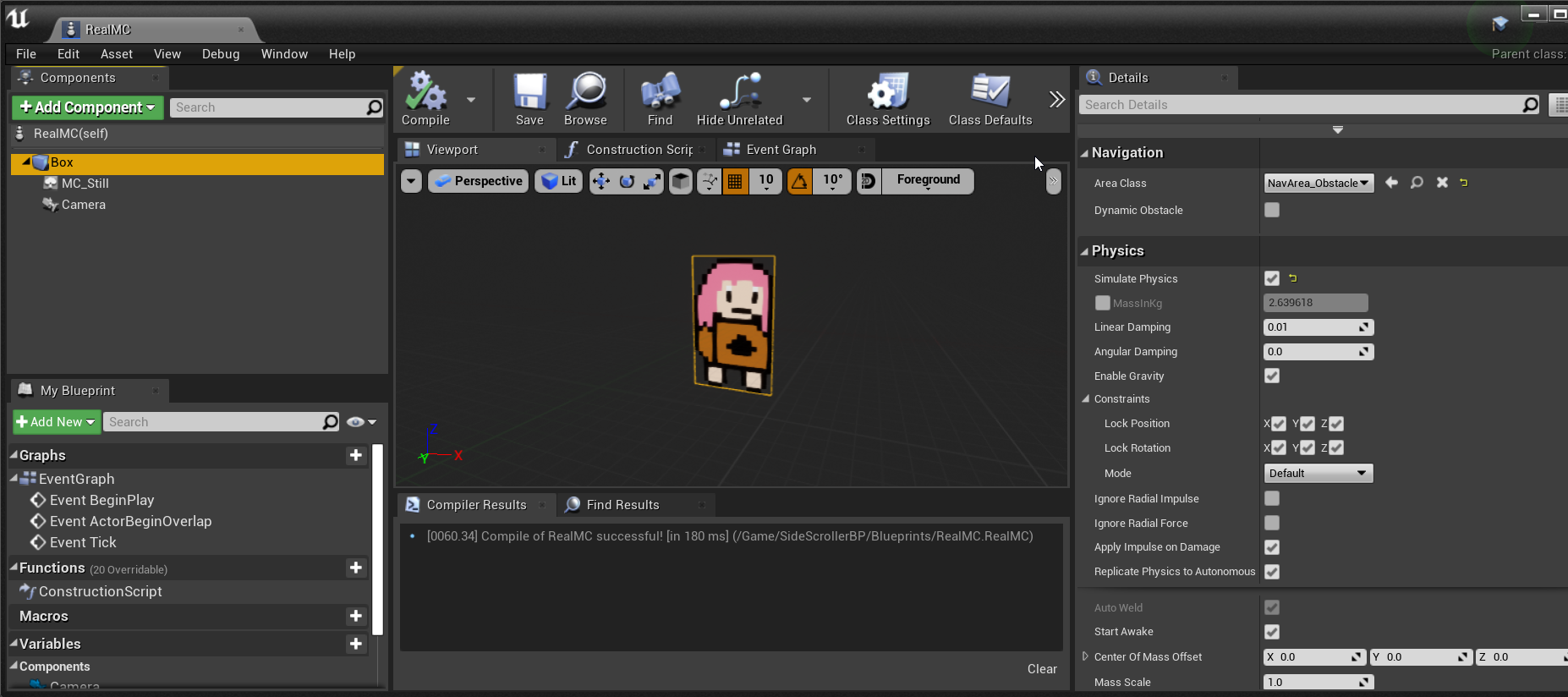
removed the box
it works now
grim ore
probably there or in here
 thorn plank
Okay. I'm just trying to attach assets to sockets but the field is empty in the skeleton viewport abs would like to know how to bring a socket to viewport or how attaching works at all. I added s socket in right hand. That's farthest I got to.
 dry tapir
to save time, is there a way to use a walk/run animation for the legs, but the upper half of the character use a different animation set, like holding a rifle?
grim ore
@dry tapir yes you would use the blend nodes, such as layered blend by bone
@thorn plank sockets are added to skeletons. If you have a socket on the skeleton, and that skeletal mesh is in your blueprint you would add a child to that mesh and then one of its proerties is the parent socket
that list gives you all sockets in the parent
dry tapir
@dry tapir yes you would use the blend nodes, such as layered blend by bone
@grim ore hmm alright, I'll check it out, ty c:
grim ore
there are other ways of attaching, you can attach actor and components using the appropriate nodes at runtime as well
thorn plank
Ok, thanks. I'll see what I can do.
 dapper kestrel
Hi Unreal Devs, I am working on a Pearl Harbor VR demo due by the end of the week. Its looking good, but I'd like to add something more interactive, and want to see if I can hire anyone here to add an anti-aircraft Turret Pawn and system to shoot down the planes I have? There are Turret assets in the Marketplace, this would need to be adapted to look like a Anti Aircraft gun on the USS Arizona, shooting at Japanese Kate and Zero airplanes. It's not an entire game concept, just a little demo in VR, or desktop mode to shoot at planes, damaging them is not as critical if we can get the possesing, shooting and moving the gun, and unpossesing it done for a demo of what it could be.
queen wasp
Wishlist: Array MakeDuplicate node. Reason: I have probably upto 100s of farms in my game with lots of arrays that are initialized when making a new farm, it is a grid with upto 1200 entries in one of the arrays (leaves) and all is the same every time I make a farm (mostly zero values but some other indices), what about making "template" arrays and just one blueprint command to duplicate the whole thing into the current farm... I have a 26+ms bottleneck here per new farm, maybe Nativize will help though.
 spice canopy
Hey how do I report a bug? I get error 500 every time I try to log in to the issues.unrealengine.com page
I can log in to anything else unrealengine.com, but not the bug reporting site
queen wasp
WasActorRecentlyRendered is pure gold. I use it to throttle the frequency of updates of transforms, values/systems, triggering/or not a bunch of things. Basically in my RTS game everything not seen runs at "5fps" ...just sharing an "Eureka" moment I had with this, major performance increase.
 unreal comet
is there a way to force my game to update when on Steam? Every time I update my game I have to tell my friends to restart Steam in order to get the update. Is there a way?
unreal comet
Anyone know how why when I restart my level or even server travel to the same level in my game, Clients sometimes crash? https://i.gyazo.com/d5bf53e284d7e146520f1ce15d17b0c3.png

 limpid oracle
Hi guys, do you all know how to get a quixel model into UE4?
rough knoll
?
sonic ruin
Hi guys, do you all know how to get a quixel model into UE4?
@limpid oracle wdym by that?
i’ll pm u
 slate wyvern

With 4.26 in preview, it's a good time to go over new features and updates! Join us for this livestream where Epic's engineering directors and leads gives us a highlight on what 4.26 has to offer.
FORUM THREAD
https://forums.unrealengine.com/unreal-engine/events/1824503
TRAN...
 stiff cedar
Anyone know how I would replicate random physic movements
When client 1 pushes the log it is never the same on client 2
I understand using rpcs for certain events but pushing physics are done automatically
so i cant figure out how to fix it
stiff cedar
Ended up fixing it with

This shows you how to replicate an object simulating physics across all clients, and how to make a blueprint class out of one so you can call events on your replicated physics object.
 timid frost
What spec do I really need to run unreal engine smoothly it crashes again and again my specs are core I 5 2400s and 8gb ram and GTX 750ti
plush yew
 hello👋
sterile tulip
8gb ram is low
 marble sparrow
I need to build a splash screen loader. Is downloading an external file allowed in UE4 VR application?
 late verge
i just realized how amazing it would be if there were TrackIR support for virtual cameras
marble sparrow
Abdullah I run on a quadcore processor....its probably a video card driver or card problem
 sinful bone
https://docs.unrealengine.com/Images/Resources/Showcases/Effects/WaterExamples/WaterMaterial.png I would like to create a similar material. In the documentation they say this is a translucent lit material, but when I choose transparent and default lit I don't have roughness available, only when I choose to use opaque. How can I get this?
 fluid lance
I take back what I said yesterday about custom structs 😛 (that they still aren't fixed even though 4.24.4 release fix list flagged it as fixed) it seems that the engine did crash when compiling/saving blueprints containing them, the changes were saved and they work properly - so far 🙂
@sinful bone do you have anything into refraction?
plush yew
Hello guys I am trying to make s shader for my strategy project from august 2020 but I can't still make it, noone could help me, I watched the whole yt for thess videos ,read the whole do and when I do it, it doesn't work 😦 , if someone can help me tag me or dm me, will appreciate it a lotHello guys I have question about my project which will be recreation of the browser strategy game called "ikariam", the question is what are the graphics of the game, I mean what are the models, the buildings cus the game will be mobile and idk what type the models should be, 2d or 3d
plush yew
I have a problem with scrollboxes, they work if filled in with text in ue4, but if filled in with "SetText" in cpp I get a long line, which doesn't autowrap and it doesn't scroll therefore I assume, I've also used SetAutoWrapText to true both in ue4 and in cpp (before every set text call)
Anyone have any tip? 🙂
 spare sun
@plush yew
not sure about s shader whatever that means, but as far as the browser game goes - im 99% sure all the buttons and props were flat images, some of them animated. So you could just use planes. This would mean that literally every 'model' is a 2d image with an alpha on it.
wary wave
'a shader'
plush yew
@plush yew Saying making a shader is like saying "I'm trying to make a game" without giving much more info, a shader can be a full game, you can make things warped, you can recolor things, you can add outlines, you can animate things, it's basically programming towards the graphics card.
So saying I'm trying to "program" a thing for my strategy project is too vague
 vocal herald
Hi! I need to make a assembly/disassembly game of some kind of a machine in UE4. I guess I need to create sockets and attach all children parts to them. Any tips on how to autocreate sockets when Im importing from SolidWorks with Datasmith? Any other tips? I only have an idea on how to just brute force it and do everything manually.
plush yew
okay I told you what is the project and show a image, what more dude @plush yew
so the buildings will be 2d? @spare sun
spare sun
well they were 2d in the browser to begin with
spare sun
this is a flat image that they move up and down using js
the only things animated are
flags
here's the frames
and the background is fully 2d too you see its also just an image
plush yew
@plush yew I'm not sure how else to explain it,
"the whole yt for thess videos" What videos?
What are you trying to do with the shader?
Let me give you an example:
I'm trying to program a game in c++, it's supposed to be a shooter game, I can't do it, it's supposed to be a game like CS:GO. Can you help me with programming?
I assume it's tile based as well, so if you're not used to using tiles I suggest checking that up as well.
a okay
okay so I want to make revcreation of this gema
wary wave
honestly, if it's a purely 2d game, I'm not sure why you'd even want to do it in UE4?
plush yew
but idk what are the models, graphics and etc
spare sun
yea it actually is using tiles
wary wave
also if it's 2d, there are no models, it's sprite based
plush yew
I tried to google in wiki for it but they write what you can do in th game and etc 😄
honestly, if it's a purely 2d game, I'm not sure why you'd even want to do it in UE4?
@wary wave cus I work with ue 4 not with unity, and I hate unity, that's it
Well, you can do it in UE4, but Unity handles 2d better, there is a reason all card games is done in unity for example. You do you though.
wary wave
there's also stuff like GameMaker, Godot etc
covert hedge
python 
plush yew
XD
rough knoll
why are these trees not being culled?
and also, why do they not have texture when they're that far out? only trees that i have gotten in the distance of seem to gain texture
this also persists here, when i am far away from the trees they don't have texture
earnest junco
Materials are applied incorrectly on the LODs probably
honest vale
should the trees even be culled?
honest vale
are you using painted foliage?
rough knoll
@earnest junco wdym? shouldn't the actors be disappearing anyways?
@honest vale yes, actor foliage
honest vale
the instance settings should have max draw distance or something that you can set
rough knoll
doesn't seem to work
earnest junco
Flip through the LODs and see what materials are on the higher ones
honest vale
you might need to use the reapply tool and paint
earnest junco
Yea
rough knoll
still doesn't work joni
the odd thing is, it works fine for my grass
but not the trees
honest vale
I hope you're not painting grass on the landscape 😄
landscape grass works best for that
earnest junco
Procedural foliage gen imo
rough knoll
well i do use that but i assumed culling was constant through the project
and i don't understand why it isn't
the culling volume doesn't work for the trees either
earnest junco
Restart the editor? Haha
Landscape grass is ok, but you get really nice clumping with the procedural foliage
rough knoll
honest vale
foliage uses hierarchical instanced meshes so they aren't culled like static meshes are for example
earnest junco
#ripskylight
honest vale
instead they are culled per cluster
 serene birch
right you should inject a fade out effect in the instanced mesh material
something like that
you'll need to set up the distances though
rough knoll
not sure why it's so complicated to have actor culling work
earnest junco
You should delete your trees and try painting new ones. It should just work. Set the cull distance in the foliage type
rough knoll
the only form of culling i've found to work is min/max draw distance in actor settings
but it culls the wrong way
gets rid of whats near and renders whats fart
far* lol
@earnest junco i did, didn't work
serene birch
earnest junco
-_- can you show a pic of what you’ve put in?
rough knoll
earnest junco
And you’re sure that’s the only tree foliage type?
rough knoll
yep
honest vale
remember to check that you have actually checked the checkbox of the foliage type you're painting instead of just selected the tile
earnest junco
Why is it showing up as a circle ? That’s vert odd
honest vale
it's a bit... unintuitive
rough knoll
it is lol
earnest junco
Can you open the foliage type and send a pic?
Something funky is up. It shouldn’t show up as a sphere
rough knoll
this?
earnest junco
It’s... a blueprint?
serene birch
you can paint any random actor blueprint since a recent update
earnest junco
No like the tree mesh itself?
rough knoll
yes
earnest junco
Ah weird I didn’t know that.
serene birch
the question would be what does that blueprint does?
rough knoll
the building system i use has actors for collecting resources
earnest junco
Also.. I probably wouldn’t if you are using it as a bunch of trees. Might get costly
rough knoll
the blueprint is a child of a resource master with a new static mesh
earnest junco
Ah. Well try makeinh a foliage type wiith a static mesh of the tree
And see id that works correctly
Narrow down your options
If it’s fine, you know the BP is eh e issue somewhere
 strong sapphire
Hey guys, do s1 know how to fix landscape lightmass?
strong sapphire
nah, its 8
rough knoll
@earnest junco works ok with static meshes, but im not sure how to test an empty bp
could i add a cube static mesh or something to it?
earnest junco
Yea with like no scripting. To see if it’s the BP you made, or just Bps in general
Sorry @strong sapphire I’m a real-time light guy. I think baked lighting should go burn in hell haha
What you make up in quality and performance you lose in iteration and memory
rough knoll
they don't seem to cull either
earnest junco
Iteration being the biggest one. If you’re a super pro lighting artist then do what you want. But if you’re just amateur, ir even a pro, but not a high level lighting artist, stick to dynamic so you can learn how to light properly instead of sitting around waiting on stuff to bake
Haha they are like low poly sheep
rough knoll
there sure is alot of them but they don't seem to be culling
as demonstrated by the far off cubes where even the grass is culled
and the grass has a culling distance of 10k lul
earnest junco
Looks like an unreal thing then. Might need to set it manually within the blueprint. Probably because it’s a new feature
rough knoll
well like i said max draw distance works ok but it works in the exact opposite way that i need it too
to*
it hides what's close and renders whats far
serene birch
the issue is that
the foliage tool probably cannot go INSIDE the blueprint to set the culling distances
if you use the foliage tool to paint blueprint assets, you are on your own
that's how I see it
rough knoll
shouldn't the foliage material just simply hide it or despawn it if it's not in the range?
it is a foliage actor so i don't understand why it wouldnt work


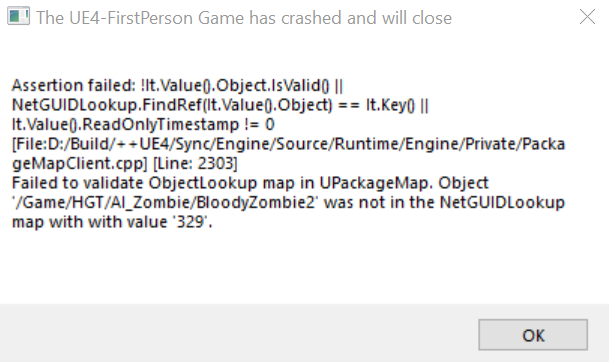

 rough knoll
???
serene birch
remember the "PerInstanceFadeAmount" value
rough knoll
what material?
serene birch
if you don't use it, it won't fade out
rough knoll
where should i even be applying this material
serene birch
your foliages aren't getting drawn without a material
rough knoll
wat
rough knoll
i want my trees to be culled not the cubes, the cubes were for testing
serene birch
though as again, the BP actors you paint as foliage, well anything goes inside that BP so I can say nothing about that
rough knoll
am i supposed to apply this material to the actual material of the mesh
serene birch
the instances mesh foliage generator will make squares of foliage and cull the whole square at once because that's how instanced mesh rendering works
if you want a fade out, the engine will compute a "fade amount" value you can access through the "PerInstanceFadeAmount" material node and it's up to you to decide how you want to apply it to your meshes
so it's up to you to write a material that uses that information
 hasty wharf
any good ideas on how to improve my game fps, ill be installing on some older computers and currently getting around 10fps
rough knoll
@earnest junco i use antize inventory
depending on what you need it's great for a survival game
really well organized too
anyways, why i came here in the first place
can i somehow erase some grass that is placed via the landscape blueprint with landscape grass?
i want to make a small lake but i don't want grass in the lake
hasty wharf
is there a way to to cut all textures to half res?