#ue4-general
1 messages · Page 862 of 1
 scenic fox
 obsidian wasp
What's the "best practice" for setting up both melee and gun attacks for a unit? Most tutorials I've seen seem to use animation sequences in combination with anim notifies to trigger a box collider for melee combat. Is that the "best" approach? Are anim notifies "reliable" enough to use for combat? I'm thinking if someone would experience frame skips, is there not a chance that they would not trigger etc?
For my guns, I'm currently just doing a raytrace, and am planning on animating the recoil with IK in the animBP because I feel like animation sequences would probably be a bit wonky with automatic rifles and the like.
But it seems weird doing the animations for one type of attack with animation sequences while the animations for another type of attack are handled in the animBP.
 rocky radish
why does it not work i dont get it
@plush yew be more specific please, what exactly isn't working? what are you trying to do?
 plush yew
i dont understand what to else i could use instead of my big fish ref
Im trying to use the custom event in the big fish bp and play an animation for it
rocky radish
where are you setting that reference?
plush yew
rocky radish
did you set your reference to anything @plush yew ? simply setting your variable type to your bp class doesn't make it a reference
 tame delta
UE4 crashes everytime when trying to simulate:
Unhandled Exception: EXCEPTION_ACCESS_VIOLATION writing address 0x000002b0

UE4Editor_UnrealEd!UEditorEngine::ToggleBetweenPIEandSIE() [D:\Build\++UE4+Licensee\Sync\Engine\Source\Editor\UnrealEd\Private\PlayLevel.cpp:1934]
UE4Editor_UnrealEd!UEditorEngine::StartPlayInEditorSession() [D:\Build\++UE4+Licensee\Sync\Engine\Source\Editor\UnrealEd\Private\PlayLevel.cpp:2595]
UE4Editor_UnrealEd!UEditorEngine::StartQueuedPlaySessionRequestImpl() [D:\Build\++UE4+Licensee\Sync\Engine\Source\Editor\UnrealEd\Private\PlayLevel.cpp:1089]
UE4Editor_UnrealEd!UEditorEngine::StartQueuedPlaySessionRequest() [D:\Build\++UE4+Licensee\Sync\Engine\Source\Editor\UnrealEd\Private\PlayLevel.cpp:1016]
UE4Editor_UnrealEd!UEditorEngine::Tick()```
Any idea? (sorry for massive trace) fresh bay
My preview shadow looks great but my built shadow looks like poop even though i increased the lightmap resolution to 1k. What causes this?
rocky radish
you should try setting that variable by using a cast, for example. there are many ways to set a reference
but the problem you're having is that your reference doesn't exist because you never set its value to anything
rocky radish
np
My preview shadow looks great but my built shadow looks like poop even though i increased the lightmap resolution to 1k. What causes this?
@fresh bay did you increase the cube lightmap resolution or the floor res?
fresh bay
Cube lightmap resolution
rocky radish
you need to increase the floor resolution if you want the shadow on the floor to have high resolution, otherwise only the cube will have high res shadows since its the only object with high lightmap res
the preview shadows are not representative of how your baked result will look like, its more similar to dynamic shadows instead of baked, which means it ignores lightmap resolutions
@fresh bay
fresh bay
That makes sense, i didn't realize that the outcome of the shadow cast would be influenced by the mesh on which it's casted
When you're talking about floor resolution, do you mean the number of triangles on the floor?
fresh bay
Alright, thanks. Mucho appreciated
rocky radish
np 🙂
 harsh tiger
any idea why i might be getting this error. i added an output to an interface and then deleted the output. but now when i compile i get the warning message and i cant return it to the original node
tame delta
Engine is crashing instantly whenever I press "simulate", I'm repeatedly losing my work because pressing alt+S has become a habit and it's driving me nuts... Any ideas?
rocky radish
any idea why i might be getting this error. i added an output to an interface and then deleted the output. but now when i compile i get the warning message and i cant return it to the original node
@harsh tiger you should be making an event of that interface function (you're making it a function, not an event), because it's already considered a function by the engine when you created it on your interface
there should be an option on your event graph to create a event of that
Engine is crashing instantly whenever I press "simulate", I'm repeatedly losing my work because pressing alt+S has become a habit and it's driving me nuts... Any ideas?
@tame delta what message does the engine show after it crashes?
 loud knoll
@tame delta Are you using Chaos or APEX?
tame delta
@rocky radish
UE4Editor_UnrealEd!UEditorEngine::ToggleBetweenPIEandSIE() [D:\Build\++UE4+Licensee\Sync\Engine\Source\Editor\UnrealEd\Private\PlayLevel.cpp:1934]
UE4Editor_UnrealEd!UEditorEngine::StartPlayInEditorSession() [D:\Build\++UE4+Licensee\Sync\Engine\Source\Editor\UnrealEd\Private\PlayLevel.cpp:2595]
UE4Editor_UnrealEd!UEditorEngine::StartQueuedPlaySessionRequestImpl() [D:\Build\++UE4+Licensee\Sync\Engine\Source\Editor\UnrealEd\Private\PlayLevel.cpp:1089]
UE4Editor_UnrealEd!UEditorEngine::StartQueuedPlaySessionRequest() [D:\Build\++UE4+Licensee\Sync\Engine\Source\Editor\UnrealEd\Private\PlayLevel.cpp:1016]
UE4Editor_UnrealEd!UEditorEngine::Tick()```And this is the lineGameViewport->GetGameViewport()->SetPlayInEditorIsSimulate(true); 🤷♂️
I guess it fails to game the viewport, no clue how that could happen
harsh tiger
this is what im getting now. it looks like the node i need but im still getting this error
tame delta
@loud knoll Oh sorry, no I'm not
rocky radish
this is what im getting now. it looks like the node i need but im still getting this error
@harsh tiger its because you still have that function on your bp
by having both a function and a event that represent the same thing you're just gonna get another error
 harsh tiger
@harsh tiger you should be making an event of that interface function (you're making it a function, not an event), because it's already considered a function by the engine when you created it on your interface
@rocky radish
it was considered an event when i first done it. but when i added an output, it changed to an event. so i deleted the output. but its remained as an function and not an event like the "drop" event below
i've managed to get the red event back which is perfect. but because i cant delete the pickup interface on the left, i'm stuck with the compile error
 quick forge
Hey
may be a silly question.. How to input the colors like that ???
Even his input numbers have ',' instead of '.'
I have no idea - how to do that
Could anyone please let me know this ?
harsh tiger
fixed it, nvm
 vague scaffold
Has anyone installed Houdini 18.5 Engine? Does it work with UE 4.25.3?
rocky radish
Even his input numbers have ',' instead of '.'
@quick forge the ',' instead of the '.' has to do with the region of the person thats using the engine
Hey
may be a silly question.. How to input the colors like that ???
and that probably is just because of how the material was set up
harsh tiger
next issue 😂 this grip state enum has 3 options. but the blend poses node is only showing me the default pose. how could i add more inputs to essentially create a switch for different animations based on the enum state
 elfin bolt
right click
rocky radish
next issue 😂 this grip state enum has 3 options. but the blend poses node is only showing me the default pose. how could i add more inputs to essentially create a switch for different animations based on the enum state
@harsh tiger right click the BlendPoses node
rocky radish
np
 supple totem
@obsidian wasp anim notifies have worked fine for my combat
 abstract plank
Alrighty, anyone down for some random projects? Just bored during covid and getting back into the swing of things with the new update, wanting to finish some projects to be able to list on a resume. I'll be doing them either way too be honest lol, but working with others is always more fun that going alone, I personally specialize in AI neural networks and have been focusing on learning lots of procedural things lately. All projects completed would be shared equally and files access through probably github. If projects get released, all profits would be split evenly, not doing it for profit though so it's not really a job, not sure where to post this, if it's in the wrong channel just let me know
abstract plank
The SkyAtmosphere system is used to create physically-based sky and atmosphere rendering with time-of-day features and ground-to-space view transitions featuring aerial perspective.
That's all the official documentation over the sky atmosphere
tame delta
Do you guys uses the default importer for gltf or the datasmith plugin?
Also does either support collision?
rocky radish
do i have to wait 3 days to know if i can make atmosphere smaller
@plush yew change 'ground radius' value to change the atmosphere size
 hasty wharf
tried to play my game/package on another computer today and it was asking for directX. is there a way around this or is it mandatory requirement?
 wary wave
I don't even know what 'smaller than 100' means, but I'm assuming something like a ground scale of 100 units (which is 1 meter), I can't imagine why you'd even want that
abstract plank
I thought he was referring to the size of the sky bubble, for the atmosphere mesh
wary wave
right, so ground radius
100km is still pretty small, but a lot more reasonable I guess
 spare sierra
Hey all - does anyone know how to set a cvar from an .ini file?
plush yew
how can i make my 3rd person camera not clip through walls
spare sierra
@plush yew is your camera attached via a spring arm?
plush yew
cameraboom
its got some sort of collision but its clipping hard
hi all. I'm having problems with keeping my clients online during map changes. they all get kicked out to the game "startup map" when the level switches. My gamemode has "use seamless travel" ticked and I use open level with "listen" (on the server) to load the next map. Thanks for your help
 spare steeple
how is it that stat unit can show the GPU taking so much longer than the game thread, but ProfileGPU doesnt show anything close to that time?
 worthy fox
I want to create an XP table that defines how much XP is needed to reach a certain level... all the way up to lvl 80.
Right now I’m doing a simple multiplier to “calculate” how much XP is needed for the next level. I.e: CurrentMaxXP * 1.7
But it’s not possible to manually define the amount of experience needed to reach the next level.
How would I go about creating such a table? Creating a Structure and then create a DataTable from that?
 grim ore
@worthy fox yes,use a data table. You can even create it in a spreadsheet program and bring it in
 sour slate
hello guys anybody know how to export foliage data with 4.25?
there was a function in 4.24 but i can't find the same in 4.25
 shut glen
Are there any good tutorials on how to make random generated dungeons? I'm having a hard time finding one because most are usually a hour long and its a Part 1 to a series that the uploader never finished. I would really appreciate it
@plush yew https://www.youtube.com/watch?v=mI7eYXMJ5eI

Technical Writer Ian Shadden takes us through a project designed as a foundation for square tile, turn-based strategy games in Blueprints. We'll randomly generate a map, "dig" rooms and corridors between, and populate it with teams. It won't be a complete game, though should s...
any idea on how to make completely procedural walking in real time?
grim ore
what is procedural walking? Do you mean like IK based?
worthy fox
@grim ore I have created the DataTable with all the values... In my structure I only defined “Experience Needed”. I thought I just could get the row, by number, but it turns out I can only get a row by using a name... Do you know if I’m missing something?
It would be very handy if I could get the values from row 5, if I am level 5, and so on...
shut glen
what is procedural walking? Do you mean like IK based?
@grim ore yes
 barren flume
 umbral ferry
what is that white sphere?
grim ore
that would be the visual indicator of the default scene root
 stone oar
hmm I need a little bit of help
here's my code for movement
when I press down both X and Y movement inputs, my character expectedly moves diagonally, but gets stuck on walls
it only gets unstuck when I release the movement input component that points into the wall
grim ore
@umbral ferry it means what it is. Its a visual indicator, it shows you where in your viewport that item is. It's only for in the editor. IF you don't like it remove the default scene root and add a new one
 ornate forge
Quixel's default material has really obvious tiling, what's the best way to deal with that?
 hidden crystal
Can anyone help me finding out this rotation?
 tiny eagle
@barren flume seems possibly you haven't welded or smoothed the seams?
and the lighting is reflecting either problem as separate shades of lit?
Pythagorean theorum?
@hidden crystal ?
or am i misremembering the name from Algebra;/ trig
hidden crystal
I understand that i must get the center position, subtract the mouse, getting that way the vector from center to mouse, then how do i get a vector from center to right side of the screen?
in order to do a dotproduct
tiny eagle
hmm, not to sure, someone will likely chime in with an easy answer
hidden crystal
and get the angle
 dense gate
Hollup let me make sure
You have a free moving mouse cursor I'm assuming?
@hidden crystal
stone oar
pawn is getting stuck on corners when pressing down movement inputs for both X and Y
 mint umbra
Hey guys. How do I ensure that when I bake landscape LODs using World Composition, that the foliage placed on said LODs actually become a part of the LOD? At this moment the LOD spawns without any foliage on it. Using 4.24.
 split tundra
With level streaming the player is always in the persistent level, right? So there is no other way to know which map the player is in unless I keep track of it manually
 sterile tulip
Waddup
plush yew
is there any1 that has a dust 2 map from csgo that i can download ?
im looking for a dust 2 map but cant find anything and i dont have hammuer so i cant import it
 lilac dust
Hi! Could desban friend from the Unreal Slackers server? He was banned about 3 months ago for questioning doubts about unity. He didn't know he couldn't and is now using he unreal. Could you desban it? Please?
ID : 324916519077281793
 snow crown
this would be a comment for #server-feedback in the future, but it's no big deal
so, we don't ban people for talking about unity
we steer the conversation back to unreal, but it's not an actionable offense
lemme look up the ban in the audit log, because I bet it wasn't for talking about unity
lilac dust
ok, thanks
snow crown
ban reason is "joined and immediately started spamming"
I'll revoke it because I think whoever banned the person thought they were a bot
lilac dust
OK thank you.
snow crown
but let your friend know to follow our rules
shut glen
the mouth doesnt follow along the body in Unreal but in Blender it does'
worthy fox
How come 100% of the tutorials on YouTube teaches you to put important variables and such on the Actor? I have not yet seen a YouTube video that teaches its viewers to use the Player Controller to store variables that are important... For example an XP and Levelling System - they teach "us" to put everything, xp and levelling, on the actor... but little do they tell that when you have come to the part of your development when you start to code Player Death and such - all that data on the actor is lost once you call DestroyActor. It frustates me... and I bet it frustates the viewers even more once they notice their Blueprints are "broken", or not functioning the way they thought it would be from the beginning.... Rant over! Cheers! 😄
 wanton lotus
@worthy fox If you would need the actor variables for use after it is destroyed, you should be updating the values in a similar variable put in a game save blueprint, or using a persistent actor to store what is needed after destroy.
worthy fox
Yeah... and how many videos have you seen suggesting that method? 😄
wanton lotus
Nearly any tutorial that mentions global variables or save games.
wanton lotus
@umbral ferry hit that build button.
wanton lotus
Build button right next to play
umbral ferry
wanton lotus
You can hit the drop-down and build lighting only if you wish.
umbral ferry
 next badger
overlapping uv's (c)
umbral ferry
?
next badger
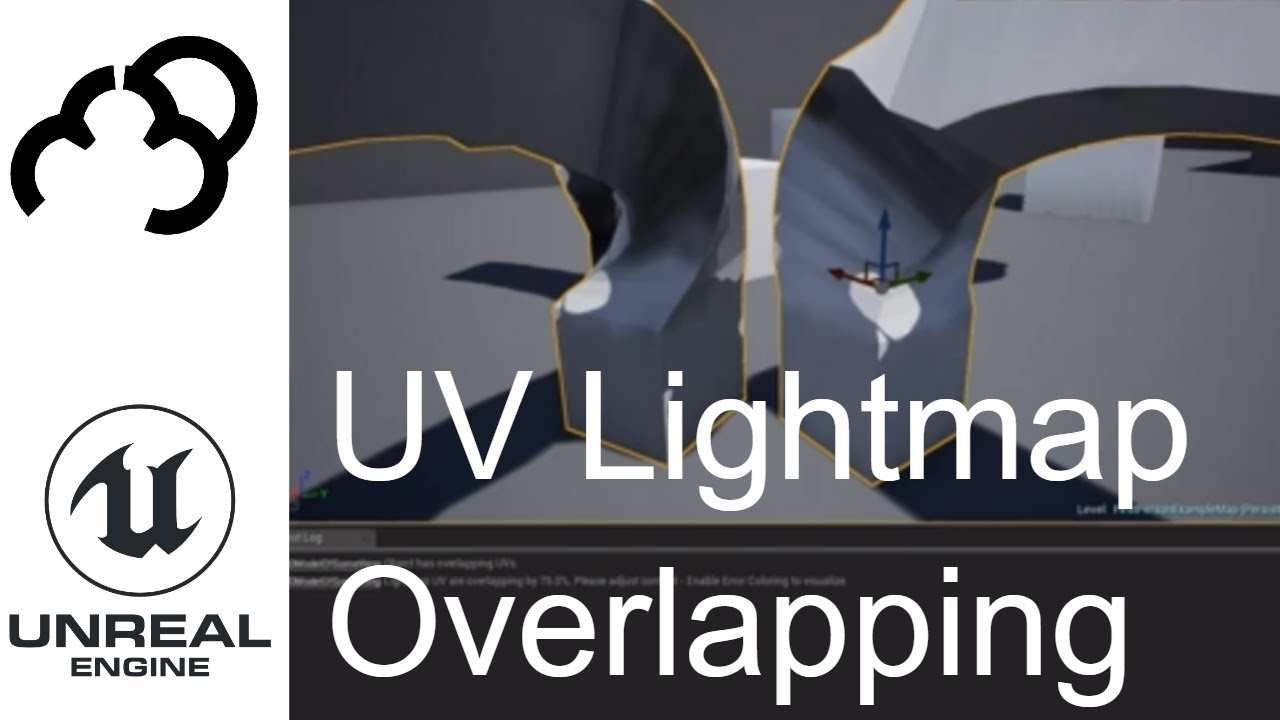
This is how to resolve issues with the UV light map overlapping error message
+++++++++++++++++++
Donate - Paypal - paypal.me/markom3d
www.markom3d.com
https://www.patreon.com/Markom3D
www.facebook.com/markom3d
https://www.instagram.com/markom3d/
One of top 10 questions about ue4.
umbral ferry
i m new in UE i don't know about what you speaking xD
it is an issue with my scene or my asset ?
because i buy a pack and on demo scene i don't have any issue.
 polar dagger
howdy! Would it be possible to have one of the admins add an #python channel in the programming section?
 distant totem
Guide to using Brushes to create level geometry in Unreal Editor.
tiny eagle
@shut glen is that thin nice or dangerous?
 barren lake
if this is the unreal engine is there a real engine
tiny eagle
Unity is just a Queen Latifah promotion, it looks good on paper, but doesn't realy work in pracitce well
nvm, since it is virtual, i guess it doesn't matter, i found a green version in my sister's dog food bowl onee though, lazy and busy lady
omg i was like huh, until the rest of your name came into view
shut glen
@shut glen is that thin nice or dangerous?
@tiny eagle what do u mean
tiny eagle
that looks like some sort of creature you'd find in a cat hoarder's apartment, under the floorboards 😢
shut glen
lol
its a BEAN
but the mouth doesnt go with the body
but in blender
it moves with the body
tiny eagle
ohh, looks like a mutated germ that wrew into a worm-like eel insect in a closeup sorry
i'm thinking a socket or parent link issue?
 drifting wharf
shut glen
drifting wharf
shut glen
@plush yew are these bones right?
grim ore
they seem ok
 sleek swift
tell me how you end fixing it in the end, it's interesting :FeelsDankMan: 👍
@covert hedge Actually trying all this messed the character so much that I tried reducing the gun's size and bought in front of camera so it created a kind of illusion that it's of normal size, temporary but it works for my demo atleast! and the collision works almost fine.
Also there was one trick of using spring arm as the gun parent which makes the gun fold itself when close to walls but it was a little buggy so I did that simple thing instead.
shut glen
and how can i make it not to break?
 spare sun
idk I exported a skeleton with animation from blender 2.9 to ue and it worked fine. Are you sure you went through the checklist? Aka applying scale, etc?
next badger
@umbral ferry "PREVIEW" overlay is shown when you have static lighting enabled in scene but it's not yet build, and ue4 used dynamic shadows to "fake" static ones, preview stamp can be disabled in settings
 hidden aurora
Hey does anybody knows hows to get rid of false virus detection on shipped games?
shut glen
@spare sun
spare sun
did you read any guidelines on exporting fbx from blender to unreal
spare sun
sadly its not as straightforward haha
shut glen
any links ?
next badger
@hidden aurora send one to virustotal and check the ratings
umbral ferry
@next badger ty
hidden aurora
Some of my friends get the warning but I dont, thx
spare sun
ye
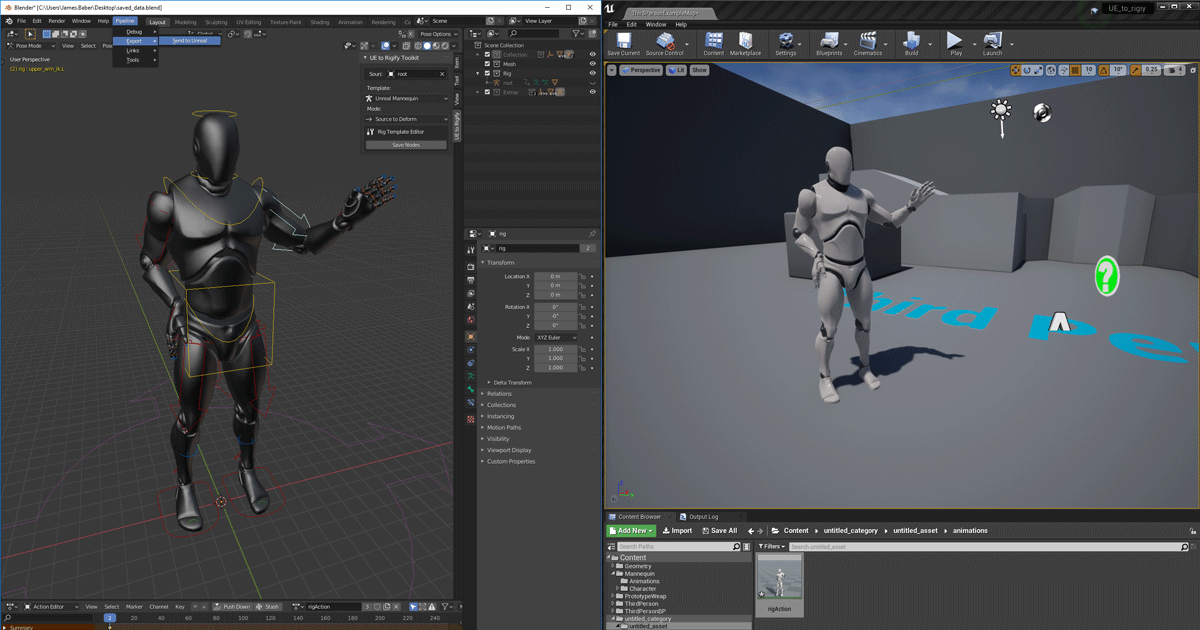
Unreal Engine
We’ve released two new, free addons that greatly streamline the workflow between Blender and Unreal Engine.
kind of a livelink
next badger
@spare sun wish they've fixed broken bones issue with fbx import
spare sun
they broke it?
next badger
it was broken from the beginning
spare sun
ah you mean blender fbx import?
next badger
yep
spare sun
haha yea idk about that I rarely reimport skeletal meshes in blender
 wet sphinx
i got question and i dont know which #chan i should use for that 🙂 so i was adding some classes c++ to my project and than when i compile it it give me .dll file, i would like to share that dll file which include those classes so i dont have to share my source code but how do i do that ? if i open new UE4 editor i dont see that there, if i add it into the UE4Editor.modules file than i got error about that this file is generated during editor compile from SDK
grim ore
possibly look into distributiong that as a plugin?
next badger
yep, the only way to make it work is to make a plugin, as you have to distribute a dll or a lib file along with header files
wet sphinx
oh so i have to create plugin and than add all the classes there again ? 🙂
 nimble star
Hi, could anyone help me with setting up my project with source control? I've had it connected in the past, but i'm on a new machine and getting issues.
next badger
 delicate atlas
how do i make a coin?
grim ore
create a cylinder and flatten it in your 3d program?
next badger
@plush yew really? so you can export mannequin from ue4 animate it and bring back?
w/o bones look funky
same stuff always happens with all mixamo animations
hidden aurora
@next badger is there a way to get a certificate to be sure noone wont get issues?
sterile tulip
If there are beginners here I recommend devsquad tutorial series
He has full playlists on how to create a game
next badger
@hidden aurora well, MS has some upload page, but i've never used one:
https://www.microsoft.com/en-us/wdsi/filesubmission/
Submit suspected malware or incorrectly detected files for analysis. Submitted files will be added to or removed from antimalware definitions based on the analysis results.
@plush yew why no info on that can be found? iirc even epic streamed with their mannequin broken

Blender is getting more powerful by the day, and to improve the Blender to Unreal Engine workflow we're developing a "Send to Unreal" add-on for Blender. Epic's Kaye Vassey and James Baber are the developers behind this tool, and they'll be joining us for this episode of Insid...
 covert hedge
@sleek swift 👍
next badger
@plush yew yeah, i can do that...but it will crap the animation once imported back
i should notice, you can import back only the animation, not the mesh
as it will alter the skeleton
 uneven fossil
Hi, anyone did succeed to link Sentry to UE 4.25 ? Thanks !
next badger
@plush yew ok, i'll try it again...any place to read about setup?
next badger
@plush yew oh...no, we have custom characters
so mr mannequin does not work
well, they are all look like this in blender
and if i force to reorient them on import, animations are broken
FN downloads all the textures of all the addons you may not even own
textures are heavy
@plush yew yep, mr mannequin is for mannequin only
 lofty grotto
Hey guys, I am a new UE user. I'm attempting to create a 2D platformer with the assistance of the template and a tutorial. Can any of you guys recommend any good pixel-art applications?
next badger
@plush yew well, we have some modellers who work in maya and some in blender... -_-
 humble yacht
If there a C++ macro that determines if the build is packaged or not ?
 quiet finch
Why is my mesh flashing?
next badger
@humble yacht there is...
humble yacht
Which one
next badger
it was #if WITH_EDITOR
next badger
there was a kismet function Is Packaged for Distribution
 dire sentinel
https://cdn.discordapp.com/attachments/371740260607983616/768614439360004147/unknown.png
anyone know why my transform arrows arent showing

 storm iris
I have another really important question, how can I do it when I create a new level that the character then also starts there in the start area and after the start type area it can be played through a port in the level in another level with widget etc.? I've already tried the Open World command, but unfortunately it doesn't. he just doesn't port the char etc. ???
next badger
@dire sentinel
humble yacht
Is there a way to modify how unreal generated the solution file ? I want to add a project into the solutiuuon
next badger
@humble yacht ofc, you have full access to source code...
next badger
UE4 uses UBT to generate the project, .uproject stores the modlues it will be adding to solution, then it parses the source folder and all the plugins
humble yacht
How can i add command line arguments
next badger
UnrealBuildTool (UBT) manages the process of building UE4 source code across a variety of build configurations.
you may ask on #cpp
 thick herald
Has anyone else experienced the 4.25 editor completely locking up? Even task manager or a cmd line doesn't even kill it. Even more concerning is that even after rebooting the PC a couple of times the processes are still there.
 toxic hatch
Hi I am trying to create a simple vehicle for ue4. I created a collision mesh for my vehicle and it works if I bring it in the usual way with like UCX naming and all that but for a car I realized it should be a skeletal mesh which uses the phat physics. How do I use my custom collision mesh with the phat system?
hidden aurora
@next badger virus total seems to have an upload size limit and my project is about 800 mb.
 light thunder
For editor blutility, how do I access an existing actor that exists in the world - GAOC doesn't work and I can't drag the actor from the outliner like in a level blueprint...
 kindred horizon
Can someone help me figure out why my baked lighting is so bad? I'm using Quixel Megascans assets with a directional light/sky light
humble yacht
Is there a way to customize how .sln is generated
 open breach
Can anyone please take a few minutes to help a complete newbie here? I am having trouble scaling the UI, and a couple of other small introductory things I need to get started.
Im really frustrated because I cant even post to the forums.
light thunder
@open breach you need to watch the youtube videos on it, there are a bunch of widgets....i feel your pain but you are going to need to try to be patient here,
open breach
@open breach you need to watch the youtube videos on it, there are a bunch of widgets....i feel your pain but you are going to need to try to be patient here,
@light thunder I have googled for hours and cant find how to scale the UI (all videos and posts are about scaling the game UI, not the Editor UI)
 torpid notch
I am having an issue where when my airplane goes to the same altitude as my volumetric clouds are, it puts my vehicle behind the volume metric clouds?
Anyone know how to fix?
 dim arch
anyone know why when I try to export a G8 image from the editor its super distorted?
 thorny vault
I somehow, accidentally did something which has caused wireframes to appear everywhere in the editor viewport. I can't figure out how to disable it. It isn't show>advanced>mesh edges.
 neon grove
 cedar wave
Huh - guess it's been awhile since they've looked at the top-down template
Is there anyway to change the cursor color within the viewport? The cross color gets blended in quite frequently with other things.
wanton lotus
@cedar wave probably one of the icons in here can be changed:
Epic Games\UE_4.25\Engine\Content\Editor\Slate\Icons
So many to look through so not even sure if it is in there.
torpid notch
I am having an issue where when my airplane goes to the same altitude as my volumetric clouds are, it puts my vehicle behind the volume metric clouds?
Anyone know how to fix?
open breach
i really need help wth my UI. ITs terribly bloated. Can anyone help me fix this? I want to get started learning UE4 but its pointless with giant text bloating everything
 winged crypt
@open breach What resolution is your monitor?
torpid notch
I am having an issue where when my airplane goes to the same altitude as my volumetric clouds are, it puts my vehicle behind the volume metric clouds?
Anyone know how to fix?
I want something of this effect, but my plane is shown on the other side of clouds.

Really beautiful volumetric clouds from the new Microsoft Flight Simulator 2020.
Music: by Sergey Tsygankov. A track (fragments) from my new upcoming album /releasing soon/
Location: Nizhnevartovsk - near USNN
 trail sleet
Hey , have anyone konw how to solve the problem of "Assertion failed: WrittenHistoryWordCount != 0 " ?
humble yacht
Is there a way to get the PlayerController from PlayerState ? GetOwner() returns null
grim ore
@open breach if you need to scale the Ui open the widget reflector in the window -> dev tools menu and adjust the scaling in the top left
open breach
@open breach if you need to scale the Ui open the widget reflector in the window -> dev tools menu and adjust the scaling in the top left
@grim ore OMG THANK YOU. Why this is buried somewhere like this is beyond me
will I need to do this for all my projects or is it a Global setting?
grim ore
Because it’s not a normal option
It’s per session. You need to figure out your windows issue
 open wadi
By chance, has anyone experienced a Blueprint compiler error after deleting the contents of the Saved directory?
storm iris
I have another really important question, how can I do it when I create a new level that the character then also starts there in the start area and after the start type area it can be played through a port in the level in another level with widget etc.? I've already tried the Open level command, but unfortunately it doesn't. he just doesn't port the char etc. ???
open wadi
I tried deleting the contents of the Saved directory as I have several times, and yet when I do it now, one of my core blueprints now fails to compile, forcing me to restore the directory. Why might that be?
grim ore
Did you delete intermediate and binaries as well?
open wadi
I did not, no, just saved.
I backed up the entire project prior, so it's fine, I can just restore the entire thing, and it works fine.
But if I attempt to delete the contents of \Saved, one of my main blueprints fails to compile.
I've never seen this before.
grim ore
Same but maybe you have a package setting changed and when you remove your settings it’s now failing.
open wadi
Interesting, how might I confirm that Mathew?
grim ore
@storm iris does the open level not load the new map or your character doesn’t go to the new map
Error log. Why does it fail.
open wadi
Sure, well I mean the compiler itself is telling me one of my Blueprints is failing to compile, I'll see if the logs provide more metadata.
Yes, the logs aren't particularly noteworthy.
The noteworthy lines: [2020.10.22-07.23.21:661][314]LogPlayLevel: PlayLevel: No blueprints needed recompiling
[2020.10.22-07.23.21:661][314]BlueprintLog: Warning: Blueprint failed to compile: BP_HUD_VMainMenu
So for unknown reasons, deleting the Saved directory causes that one BP to fail to compile.
grim ore
Opening that blueprint and moving or adding a node and compiling it does what
open wadi
If I hit compile, it's got the standard red circle with a line through it indicating it's failing to compile.
There's no data on the event graph.
Adding a node works fine.
It appears.
open wadi
Oh I see.
It's saying my VMainMenu object reference no longer exists.
lol, and now it compiles fine.
I replaced the reference.
So perhaps it was pointing at an old version in my Saved directory?
This one object?
grim ore
Perhaps a cached one yeah
If the bp failed to load of compile it will use the last one. I thought that was kept in intermediate and perhaps it is but maybe saved saves those references.
open wadi
Interesting.
Most of the app seems to be working otherwise, though I do find one other aspect not behaving properly.
grim ore
It’s why I always nuke intermediate and binaries if random stuff happens.
open wadi
The standalone simulaton now loads insanely fast.
So now one aspect of my code doesn't work like it did previously, compile works fine. I don't see any compile issues in the widget in question.
not quite sure how to troubleshoot this considering the code is the same as it was previously.
grim ore
Weird
open wadi
Hmm, well actually this might be a coincidental issue with my API endpoint, we'll see.
But holy lord does the standalone simulation boot fast now.
I mean this is a brand new Alienware R11 with maxed out specs across the board.
One would assume this would load fast.
storm iris
@grim ore. he loads the second map / map / world / level or whatever auxh is called but the character does not go with it and the widgets movement camera settings etc. also do not. it looks like first person although it is a third persen game
grim ore
Open level destroys almost everything before the new level opens. You need to look at level streaming or using the game instance to save data between level loads
open wadi
Yup, it was my API endpoint, an AWS firewall rule had somehow become disabled, disregard.
grim ore
Yay
open wadi
🙂
 exotic thicket
It looks like a custom macro
If I had to guess based on what it looks like, it just switches between axis values of -1, 0 and 1
 rotund yew
what is the shortcut to put paramaters in the material menu again?
open wadi
What is the logic that you cannot have a custom event within a function?
Why is that a thing?
That's pretty inconvenient.
plush yew
How to set world gravity with blueprints?
 frail dawn
Hello everyone. I am looking for an experienced ue developer that can teach me the framework. Paid job. I have some experienced with ue already, but I am making a mini game, and I want to do it properly. Please, the interested people pm. Thank you
open wadi
What directories are safe to delete? /Saved, /Intermediate, /Binaries, what else?
plush yew
@umbral ferry You need to enable your maps in project settings so that they open each time you open the game.
open wadi
Hi everyone - UE4 is now crashing every time I try to edit one of my custom BP structs. If I try to add a new var, or change the new var to a map, it crashes at varying times. I've tried deleting everything but:
/
Saved/Config
/Config
/Content
/Source
/Intermediate/ProjectFiles
This is not helping.
Here is the part of my log where it crashes when attempting to edit the struct: https://gist.github.com/TM818/707e77f360d68c85f84e78cba347ba5a

Does anyone have a clue what is going on? I know "EXCEPTION_ACCESS_VIOLATION" is a bit of a generic error in UE4.
plush yew
@open wadi I have same problem sometimes and looks like that there is no solution to it. I am able to add new variables to struct by saving struct after new variable is added and then leaving and opening unreal engine again.
I dont know what you are trying to create, but i recommend thinking what variables you might need when creating new struct.
And create those variables at the same time before putting struct to use.
open wadi
I mean, that's a bit insane, but OK.
I have to ahead of time think of every aspect of something like a struct and once it's in use, you can never edit it.
I've tried a number of troubleshooting steps, I've done map checks, I've fixed up redirectors, still crashing.
Guess I'll never edit this struct again!
Now it's throwing exception for 0xFFFFFFFF
plush yew
Ye i know, but there just is no other solution than saving struct and leaving after you have created new variable to it.
open wadi
Well it's crashing when I attempt to add a new variable to it now.
I can just never edit this struct until the end of time, this struct is done.
plush yew
Is that struct used in many blueprints?
open wadi
Yes, it is.
plush yew
Ye, more it is in use, more likely it will crash
open wadi
Well that's a hell of a thing.
I suppose they should tell you these things prior - "Once a struct is in use, for the love of god don't edit it or all hell will break loose"
plush yew
haha yup
open wadi
Well thank you for the help just the same.
plush yew
Does it crash instantly when you press add new variable or after you do something else?
open wadi
Yes.
plush yew
So you dont save or anything else?
umbral ferry
ty
plush yew
np
open wadi
Well
It's interesting
If I play around in the struct, like add a member var to another map, then delete it.
Expand some tabs, etc.
open breach
I need to know how to speed up the camera in the viewport. Using WASD is very slow. I need to know how to pan the viewport
open wadi
Sometimes it will let me create a new var.
Or at least start to.
This time it let me create the new var, but when I went to rename it it crashed.
So maybe
If I can finagle around I can get another var added.
plush yew
Alright. Maybe before renaming, save and restart ue4.
plush yew
Np
open breach
thank you . Wondering, is there a modifier key that allows us to pan the viewport in perspective mode without rotation like how there is in orthographic mode? kinda like how 3ds Max is?
open breach
ok thanks.. so set to Cinematic and then use which key for modifier?
 half yoke
Hello, trying here just in case: do you know how I can tag a property of type ActorComponent so that I can set it from another actual ActorComponent in the world? EditAnywhere only allows me to select from content browser. To clarify: I have a TypeAActorComponent which has a property of type TypeBActorComponent. In the editor, I cannot fill the property value of TypeActorAComponent with an actual instance of a TypeBActorComponent in the map
plush yew
@open breach No no, just click one of those top, bottom, left, etc bottoms
You dont need to put cinematic viewport on
open breach
oh but I wanted to be able to pan the viewport while in Perspective mode
plush yew
Ye those can do it if i understood you right
is there a specific text channel for asking questions?
can i ask a simple question in general?
@plush yew yes you can ask here
how can i change another actors collision to complex its got a blueprint and animations
so i have made this simple object in blender
is there a way to export this mesh to unreal with all the materials and textures
yes select it then export it as fbx
already done that
i have the object in unreal, just need the materials
when importing you should check the settings
see if you import any mats at all
covert hedge
watafak is a cracked unreal project?
plush yew
they have gta 6
plush yew
make it from scratch
plush yew
oh hi
 sick meteor
rigtag u gonna re friend me? cause i wanted to ask u for some ue4 help
sick meteor
trolling you?
plush yew
lmfaoo
plush yew
rig i will tell everyone that you leak client work so dont expose me lol
cap knows it also
what the fuck
sick meteor
has anyone managed to fix the 4.26 water? or shall i wait till full release?
plush yew
plus my cracked files are just adobe lol
sick meteor
who do i ask about water systems?
plush yew
dunno
 empty arrow
Anyways we can be friend after work 👍
sick meteor
wdym? u always confuse us
empty arrow
Stop trolling 😋
sick meteor
im gonna be honest, sometimes i dont understand you half the time
 mental cradle
hey everyone !
plush yew
haha
sick meteor
should i use the 4.26 water or another water system
empty arrow
I used the interaction tool before
sick meteor
interaction tool?
mental cradle
can someone please help me, i'm a beginner so i try to do little things like grab an object, spin it, etc, and there i try to make the compoment I grab to be propelled forward when I press a key, but I can't find any solution :/
i know it seems stupid, but i'm really beginner and i want to make this x)
empty arrow
Find a tutorial for pickup actors
mental cradle
i did, i found a good one and now i have the blueprint to grab the object and all but i can't find a way to launch it
like how to say
 regal mulch
That means that the object you are picking up is actually simulating physics.
mental cradle
yep
regal mulch
And that means you probably have a reference to that object in form of a variable, right?
If so, you can apply an impulse to it.
mental cradle
mmh i have holdobjectlocation and physic handle
empty arrow
@mental cradle you're the guy I helped before!
mental cradle
yeaaah i remember you ! x)
regal mulch
HoldObjectLocation being?
empty arrow
Oo sorry I miss the chat I looked for you on here
mental cradle
mmh like it's the location relative to the camera if i remember well
@empty arrow haha ;))
regal mulch
Right okay, so you perform a trace in your image
That returns you the HitActor
You could save that to a variable
When you release the object you check if that varaible is still valid
And apply an impulse to it
Make sure to release it first though (order matters)
So -> Release -> IsValid(HitActorVariable) -> ApplyImpulse -> SetHitActorVariable to nothing (null)
empty arrow
Is using a trigger box and with the trigger box his getting a certain actor based on tags
I helped him do all that
mental cradle
mmmh i'll try that, thankssss !
regal mulch
I thought they watched a tutorial?
empty arrow
Ya he did that too
regal mulch
The code doesn't look like any Tag based stuff
Simple Trace to find something they can pick up.
Just gotta save a ref to the Component or the HitActor itself.
mental cradle
i'm really beginner, so i sure messed up a lot of things 😅
regal mulch
All good so far
empty arrow
You messed it up
regal mulch
Just try what I told you
storm iris
@grim ore. ok but how i must i do this can you send me a picture with the blueprint ?
regal mulch
I don't think it's valid to ask for blueprint screenshots for stuff like this. It's a lot to setup just to showcase it. Did you start on something that Mathew suggested already?
Relatively sure that both Level Streaming and saving stuff to the GameInstance are well enough "documented" in the form of tutorials.
 dim merlin
Hi, anyone uses Quixel Bridge? and knows why downloads aint work anymore?
mental cradle
ok, i have the variable and i tried adding a force to it, but i seems like the var is no more valid after i release the object so it does nothing ;/
storm iris
@regal mulch Ok or a showcase link waht ever but at YT are e.g. i has find one or two tutorials but with the open level command and this will be don't run or better not go.
mental cradle
oh f* it worked im so happy wow thxx 🙂
 fallen marten
Guys - can anyone give me a solid fix for 4.25 giving me serious client lag? Its like 10secs and makes testing Mp shit impossible. Yes i have solid pc specs - and weirdly enough im getting steady 30fps on a default new level instead of 200fps
Wish id never upgraded my project
fallen marten
No one? Jeez.. guess its back to google
next badger
@hidden aurora You can't have virus in asset files, only executables and code matter
 digital anchor
you can have your behavior tree have Target actors on the blackboard, place the target actors, and use an actor property to select those actors in the world,
plush yew
@fallen marten upgrading the engine version screwed up one of my projects so i make lots of backups now
digital anchor
use source control guys, no backups needed
plush yew
where can i find that?
digital anchor
#source-control theres some pinned tutorials
plush yew
@digital anchor thx
 zenith flower
Okay. cool.
I got some "drama" I want to talk about.
This is an old example:
So who wants to talk about the elitist attitude I feel some "helpful" people have, and how I feel epic themselves are elitist (or lazy) ?
digital anchor
there are no elitist people here, at least im not, because im better than everyone
i think i should point thats sarcasm :p
zenith flower
I'm not actually targeting specific people on here, or on the forum. Just a general observation of three years.
zenith flower
- <-See this is what I am talking about.
- That only makes it worse, because this has been going on for awhile.
- The only good point you made. Bye
hidden aurora
@next badger that file is the .exe on the main directory of the packaged game
next badger
@hidden aurora main one actually located in nested folder, you can tell by the size
hidden aurora
Yeah sure im scanning multiple ones
next badger
well, it may found nothing if it was detected by heuristics
hidden aurora
There are none in this one.
covert hedge
 drama in discord
next badger
@hidden aurora well, you need to get intel on what, and how was triggered
as i've said, if it was detected by heuristic, you can't do anything about it w/o contacting the AV devs
exotic thicket
Is this Comodo?
next badger
@exotic thicket virustotal
exotic thicket
Ah, yeah was just wondering because Comodo apparently tends to falsely flag Unity games as containing trojans and stuff
 maiden sundial
Is there any guide out there to make proper light for an level ?
Like i'm still not sure how to make it properly, if i should just use a single Directional Light or maybe Sky Light and similar
next badger
@maiden sundial search for UE4 Lighting Academy (it's a post on ue4 forums with linked YT playlist)
maiden sundial
Alright, thanks
 fierce forge
hello , i'm making a mp game , does steam offers servers like in cs:go for developers ?
next badger
@fierce forge steam - no
fierce forge
really , =[ after getting just 30% of the game i need also to pay hosting services
next badger
well, you can distribute the dedicated server in steam tools, or make it work with listen servers...and 30% of 0 is 0...
next badger
@fierce forge
- steam networking api is a custom api
- you need to contact Valve if you plant to use it
- no word's it will be free ofc
steam sockets are available as ue4 plugin
harsh tiger
https://youtu.be/z5w_jYc1lgA?t=389 in this VR game. you can score points for getting the hoop over the sticks. i have created the same VR mini game. but i can't see how i'd score points. any ideas on how this is being done?

Roll up, roll up: the shovelware has arrived on PlayStation VR. Carnival Games VR brings 2K Games' Wii one-hit-wonder to Sony's virtual reality headset.
For more information, visit:
http://www.pushsquare.com
Twitter: http://www.twitter.com/pushsquare
Facebook: http://www...
plush yew
hi guys, quick question
can you do a server->client event on the gamestate?
or would it not work as the gamestate is shared among everyone
(i know server->multicast works)
 misty cargo
which channel is for getting help on a project in unreal
wary wave
depends on what you mean by "getting help"
misty cargo
I'm first trying to get a block clickable.. so that way it can in theory change a number...
wary wave
right, if you're having blueprint problems... #blueprint
misty cargo
Oh ok thanks
wanton lotus
@harsh tiger collision component at the center of the hoop and collision component on the bottom of the stick. If these 2 components overlap then you got a ringer.
harsh tiger
thank you!
 humble timber
Less than 3 hours until my session about realtime motion graphics in Unreal at Adobe Max. Would love to see you drop by and ask me anything :)
https://www.adobe.com/max/2020/sessions/going-solo-as-a-3d-motion-graphics-artist-s6702.html

Discover how one 3D artist leveraged Substance Painter and Substance Source to give him an advantage to leap into a new career as a 3D motion graphics artist.
humble timber
I cleaned to celebrate... and installed monitor arms..
exotic thicket
lol
humble timber
amazing the space and wires it cleans up 🙂
 viscid glen
Hi, Im having issues with packaging. PackagingResults: Error: Unable to find target 'UE4Game'
 grave forge
anyone able to help with sorting out a path for my npc's to follow they seem to just stop at the first one??? or point my to the correct place to ask atleast thank you...
 candid falcon
@ashen geyser did you need something from me?
plush yew
just got started with unreal engine 4, and when I launch it and open a project it just opens in visual studio
isnt there an editor or ide or something
grim ore
the IDE is visual studio
plush yew
but what if I want to choose a different one
grim ore
if you just launched the editor and VS opened, you chose a C++ project
you can change it to VS Code, or XCode if using macOS. There are other ways to use other IDE's if you want but those are not supported
 hidden raft
@plush yew It isn't opening the UE4 Editor?
plush yew
no
grim ore
it should open the editor if you are creating a new template project
grim ore
maybe close VS and relaunch the project from the launcher
hidden raft
you can also try opening directly from the .uproject in the project folder
 vital pelican
Hello, is it possible to convert my Instanced Static Mesh Foliage as Static Mesh Actors ?
Should I maybe use Actor Foliage instead of Static Mesh Foliage ?
spare sierra
Is it possible to set Unreal to automatically import the starter content to a specific folder so I don't have to have the starter content in my project source distribution?
 sly pollen
Since updating to 4.25.4 audio volumes don't seem to work at all, is it just me having that problem? Mainly that audio that is either outside or inside it has no effect, none of the reverb or filters work whereas they have done perfectly before the update
 robust acorn
@humble timber im also doing a setup revamp let me show you
what i have:
what i want/need:
grim ore
@spare sierra it is but you would have to unpack the starter content out of the folder in the engine, move it in engine to the new folder structure you want, then repack it.
spare sierra
@grim ore thanks! I think I'll just stick with the default directories then, since I really want to avoid distributing copies of all the starter content
That way I can just use the packs that come installed with the engine
 hallow nexus
I have a problem installing the engine again
it's stuck on 'verifying'
so I downloaded from github but it's more complicated to get plugins
light thunder
What is the best practice/systematic approach to fixing errors like these when I update assets -
 feral crow
anyone know why this code won't paste into the material editor graph? https://forums.unrealengine.com/development-discussion/rendering/77213-cheapest-performance-wise-fog-for-gles2-mobile-vr-ldr-how?p=703179#post703179
or does anyone have a material function I can borrow that does this?
 glacial pecan
is it possible to restrict what type of data table you and assign an actor which has a public data table row variable?
cedar wave
@grim ore I think Rider is officially supported as of like 4.25. Can't remember the exact version, but it was a fairly recent version.
feral crow
@light thunder you might try fixing up redirectors
grim ore
wow 4.25.4
 covert pollen
I'm trying to do a MultiBoxTraceForObjects but the trace starts inside of the mesh, so its not detecting any hit, is there any way to get it to detect the object im inside of?
 mighty copper
anyone having issue with the epic games launcher crashing after the most recent update today?
grim ore
@covert pollen did you try unchecking the ignore self option?
 merry gazelle
Probably a stupid question but would it be possible to create a 1:1 scale solar system in Unreal? Using basic spheres for the planets / moons
With physically accurate lighting (Sun)
feral crow
@merry gazelle not really, you will start getting artifacting and memory overruns
float errors
merry gazelle
@merry gazelle not really, you will start getting artifacting and memory overruns
@feral crow got it, I guess I'll just need to reduce the scale
covert pollen
@grim ore yeah had tried that, its ok i found some hacky workaround
i think the issue is my trace length was very short
as in starting and ending inside the object
grim ore
ah
mighty copper
@everyone is any one having issues with the Epic Games Launcher crashing on startup after a recent update to it earlier this morning/afternoon? If so did you fix and how? Please... Anyone...
covert pollen
so even though the shape appears both outside and in, its not detecting a hit on it, kinda counter intuitive
glacial pecan
is it feasible to make a dictionary with ALL events that can possibly happen in a RPG as gameplay tags mapped to int (in a dictionary variable)?
open wadi
Question: how come, in the UMG pallette, if you search "text", options appear include "Editable Text" and "Editable Text (MultiLine), as well as "Text Box" and "Text Box (Multi-Line)", yet when you drag the "Text Box (Multi-Line)" to the Palette, it appears as "EditableTextBox"?
Why are both "Editable Text (MultiLine)" and "Text Box (MultiLine)" editable? What if I want a non-editable multi-line text box?
That's meant to house say, the equivalent of a blog post?
covert hedge
@glacial pecan why woudln't it be possible to get a map with <event,int> ? 
glacial pecan
@covert hedge just curious if that's a stupid solution or not...
I suspect a better coder would use data assets?
covert hedge
depends on how your data is structured i'd guess?
glacial pecan
right now, I'm just looking at counters for how many times something has occured... but it would be literally everything in the game... how many times you entered area x, how many times you killed monster y, how many times you sold item z in shop w
 void badge
Is there a way how i can find my unreal install folder?
covert hedge
well then a plain variable might do it ? but if it's to get statistics for the player at the end of their game or whatnot, you'd have to save that data at some point
glacial pecan
@covert hedge yes, and is a huge map a bad way to do that?
feral crow
can someone please code review this snippet ? I'd appreciate it https://forums.unrealengine.com/development-discussion/rendering/77213-cheapest-performance-wise-fog-for-gles2-mobile-vr-ldr-how?p=703179#post703179
or if someone has a material function lying around that offers distance fog
covert hedge
well, you can't save variable per say, you'd have to serialize it in some form, like json so that it's easily readble or edited? i never messed around with saves yet
storm iris
i has a problem can anyone help me please ? when i make a teleport in the same level it is go but when i will make a port in a new level go nothing but way ? because how i can this fix. ? then i think all in one world are to hard for the preformance
feral crow
has object claas EdGraphPin been deprecated?
 minor grove
For an orchestrator/overlord class that instructs multiple actors to do something, would the orchestrator be an actor even though it is not a visible object that needs a position?
grim ore
if it should be running it has to be somewhere. It could be a subsystem for example or be running in the game mode if you dont want it to be part of the world
minor grove
Thanks @grim ore. It has been half a year and I still haven't looked into the Game Mode. Sounds like its time 🙂
minor grove
the most beautiful BP I've layed eyes on m'lord @glacial pecan
 tepid veldt
So, a UE4 newbie here:
I created a little map editor tool inside of an pawn actor so I can place actors around my scene while in play mode. The problem is that I cant save the level with the actors I placed. How do I go about being able to place actors while in play/simulate mode and then save the level as is?
covert pollen
is it triangulated inside out? lol
spare sierra
@plush yew it looks like the normals (and probably as a result the faces) of your mesh are inverted so you're only seeing the back faces
Depends on the tool you used to make your mesh - in Blender I think if you select all of the faces in edit mode and hit "Shift+N" it should fix it
Does anyone know if there is an asset pack for just the default mannequin?
(Something that I can add to my DefaultGame.ini, like InsertPack=(PackSource="StarterContent.upack",PackName="StarterContent") to unpack when the project is first started)
hallow nexus
I still can't install unreal engine in the epic launcher uninstalling it was a bad idea but I don't think I had a choice
'verifying' - operations are sleeping
 storm glen
Guys so I wanted to use C++ with Ue4, so I watched a damn long beginner course, and then, I started to watch how to use C++ in Ue4 from the same guy, after the suggested previous video... and
toxic hatch
If anyone knows how to get custom collision meshes to work for skeletal meshes with the phat system please let me know how. Or if its even possible. Thanks!
 lethal kestrel
Only issue I've had related to that before was enabling "two sided" on the material itself, might be the issue, might not be @plush yew
storm glen
https://youtu.be/LsNW4FPHuZE THIS is the video

Learn Unreal Engine in this full tutorial using C++. In this beginner's course, you will how to create three full games with Unreal Engine and Blueprints.
🎥 Course from Awesome Tuts. Check out their YouTube channel: https://www.youtube.com/channel/UC5c-DuzPdH9iaWYdI0v0uzw
🔗 L...
Help to get started or where to get started plz
storm glen
Right
hallow nexus
I like cpp
storm glen
There are so many channels
lethal kestrel
Nice 
hallow nexus
will I ever be able to use UE like I did before 
 steep oak
Would anyone happen to know why my Rock paint layer texture is being tinted by my grass paint layer?
I can force it by painting over it manually....
 vale silo
@gleaming narwhal by chance, are you guys going to answer follow up questions to the 4.26 stream on the forums ?
 gleaming narwhal
I already reached out to the XR team with yours
I hold questions that I know the current guests won't be able to answer - Thanks for posting them on the forum announcement thread afterwards
 versed pawn
Hey guys! How can I get a Reference to a file from a Data Table and add that reference to a Set node? I would like to have an array of Skeletal Meshes, through which I could switch to refering my their name in the array. I have a Data table with file names in each row. I would like to get those names, add a path to it and refer to actual files and make them "Set Static Mesh". But as I can see, I cannot add "literal" path to a Set Static Mesh or Set Skeletal Mesh node. Is there any way of doing this?
dense gate
What I'm getting is, you want to set a mesh dynamically? @versed pawn
Out of a path (I assume string) contained in a data table
The way I do it in BP is with these:
versed pawn
yeah, I actually found the same way as you do, using the asset registry
it's not fast, but it works
dense gate
It's as good as it gets
dense gate

 burnt spade
what is the use of "material instances"?
dense gate
Making a derivative of a material without creating a new one
plush yew
Hello, i need help, can anyone help me?
burnt spade
Making a derivative of a material without creating a new one
@dense gate but what is the advantage of doing this?
dense gate
Not having to recompile shaders for each new version, reducing overhead
plush yew
Good night, I am looking for a sound, when a person jumps and makes a cry of "effort", what would be the name of that effect?
plush yew
i didnt found the sound
dense gate
Well, did you import those sounds?
And if you can't find that sound in particular, listen to all the grunts and see if one fits
dense gate
Then look up grunts and efforts
plush yew
Thnx man!
burnt spade
Not having to recompile shaders for each new version, reducing overhead
@dense gate oh ok, thank you
tiny eagle
@plush yew Why you hating on American Art from multi-tasking minds, bruh?
robust acorn
guys I had a quick question
im following a course and the professor found an engine bug and a way to fix it
tiny eagle
what blog, url and so on are you referring in youre ad on the unreal channel?
AlextheSlick10/19/2020
ah i made the mistake of not pasting the url by accident, 1 moment please
[3:50 PM]
I hope you could have a look at this Blog section, where links don't parse, but the links are valid url's, https://mmckeon617.wixsite.com/eliteforcegames/post/search-and-seizure-recruitment(edited)
EliteForceGames
Truth And Justice Recruitment
Info about the Basic structure of the Project can be found here: https://mmckeon617.wixsite.com/eliteforcegames/truthandjusticedevelmopmente4-demo While brief, the site is laden with snippets and content, so it should be a breeze to get more info, and Submitting a join Form is...
[3:51 PM]
i tested thoroughly yesterday to this morning over about 6 hours jusst chipping away at it
[3:52 PM]
i know there are some naming anomolies, but it's tested and working
[3:53 PM]
was originally called "Search and Seizure" however, that name was deemed "a bit severe" lol
October 22, 2020
AlextheSlickToday at 5:12 PM
Hi, just wondering, ev if not interested, would you think FPS hardcore Syp/War simualtion fans would like or dislike that concept?
VollgaserToday at 5:38 PM
you should write a proper GDD as i did not read thru youre walls of clueless text. sorry, man.
AlextheSlickToday at 5:39 PM
pff you're clueless if you can't read English, as far as English goes, irt is art, and writing is not much different than drawuing, license infact... looking for a job or jus' hatin' homie?
[5:39 PM]
bye

EliteForceGames
Games | EliteForceGames
Unreal Engine 4 Games Development Studio Modding Community of Artists.
plush yew
How can I find an audio effect like a military man running, the sound of equipment moving
tiny eagle
it's called
tiny eagle
Folet or Sound FX and you might have to buy them but search foostep FX on Google
plush yew
yeah, but the name
tiny eagle
hmm?
plush yew
like the name of the sound
tiny eagle
book by its cover type deal?
 north kayak
hi
plush yew
I have a premium effects page, but I don't know how I could find the sound of equipment moving
north kayak
i need animation website to buy animations
tiny eagle
suppose i wrotee a best selling sci fi novel, but it had a pig's snout on the cover, and it took 10 years for ppl to realize it's good, it's bacwards
proabably no aniation website,
robust acorn
@north kayak just google them on the market place
tiny eagle
right on
robust acorn
if you want custom ones, use fiverr
tiny eagle
pun^
robust acorn
but em anyone know how to fix my problem?
tiny eagle
no
robust acorn
fuck
tiny eagle
ne?
robust acorn
ne?
north kayak
@robust acorn drag static mesh simulation into the scene root
robust acorn
 pallid swallow
Hey I want to create a game with a bunch of 3d models i found on sketchfab for my game and i downloaded a bunch but i cant find the creators because i downloaded it like 2 months ago so i can't credit them can i even do that like use stuff made by all of this people and idk what to do, and like im learning blender so most of the game like npc and enemys are not made by me
tiny eagle
lil snooki so rude
north kayak
oh $hit
pallid swallow
please @ me if you got an answer
robust acorn
I really need it removed since its needed for picking up items
@pallid swallow go to history and google the site and click every link
tiny eagle
Ha @plush yew blocked me to hide his hatred
robust acorn
sick
tiny eagle
i'm sorry you're not american, is it my fault?
robust acorn
?
tiny eagle
read man^
robust acorn
yeah you write things a little different then im used to
tiny eagle
ok
artistic license comes in many forms
"schools of thought" shound't be disrespected because they're differnt, but you only mentioned thery're different Vollgaser staright out spread hate on my DMs
#jealous
robust acorn
what is this political bullshit
grim ore
@robust acorn why do you need to delete the default scene root? what are you replacing it with
tiny eagle
it's not
 cosmic plume
Was there an update to 4.25 yesterday/today?
tiny eagle
it's personal, hence DM
 weary basalt
@tiny eagle @plush yew Friendly reminder to read the #old-rules please be respectful and professional when dealing with other members of this community thanks.
robust acorn
@grim ore The professor just said "I found out whats causing this, its an engine bug, What you have to do is delete the default scene root and then it should work fine."
tiny eagle
then in that case, may i DM you the hate i received from another memebr so that i may continue my progress, instea of being me with evil talk?
grim ore
well you cant just do that with an actor, you need something as a root and that root has to inherit a transform
weary basalt
Or you can simply block the person and move on with your life.
tiny eagle
well, no because that block means friends of friends will be morre hateful, you don;'t know much abou society or? idk
robust acorn
hmm, let me recheck the lecture, thanks mathew
weary basalt
If you have an issue with another Member, we encourage people to contact a Moderator.
tiny eagle
You are a a moderator so
robust acorn
Im guessing alex is between 12 - 15 and trying to prove a shitty as fuck point.

 mystic ledge
is there a quick way to reload a level in editor?
or is the only way to find it in the content browser and reload it from there?
robust acorn
"recent levels"
cosmic plume
My Ue4 (both 4.24.x and 4.25.x) crashes when i enabled Ray tracing - i have a RTX 2060 , have done multiple reinstalls of windows.
Games seem to work (tried Quake 2 RTX) . Fresh projects "work" for a while but still end up crashing.
I always use the Nvidia studio drivers
doesn't crash with RT off
grim ore
what is the crash
robust acorn
@grim ore Thanks alot I fixed it thanks to you because the professor forgot to mention that I needed to readd the static mesh
grim ore
ah and put the static mesh as the new root?
robust acorn
yes just drag it on there
grim ore
yup
robust acorn
you just saved me hours of figuring that out 
 vapid dirge
More core is usually better. Although the faster the CPU, the more snappy is, but most of the times, you find yourself compiling shaders or building the lighmass so, the more core you have, the faster you could iterate.
cosmic plume
for compilling i imagine the extra 4 threads/cores would be better
sterile tulip
Ryzen 3600 has 6 cores and is stronger per core, Ryzen 2700x has 8 cores but is weaker per core
Compiling and building uses all 8 cores? Would it compile faster on the 8 core?
vapid dirge
Yes, drastically and when compiling, it wont be affected that much by CPU frequency.
I personally have one station with Ryzen 2950x 16c and another with i9-9900k. I use Ryzen for UE4 all the way and second one for 3d modeling that is single CPU based action and does not scale with # of cores
supple totem
@sterile tulip https://www.techpowerup.com/review/amd-ryzen-5-3600/7.html

TechPowerUp
Ryzen 5 3600 is the most affordable Zen 2 processor in AMD's lineup. At just $200, it offers six cores and twelve threads, yielding a significant advantage in applications against the competition from Intel. Gaming performance is also improved nicely as it is around 10% higher...
has ue4 benchmarks
looks like 3600 comes out on top
grim ore
@cosmic plume do you know the exact error? is it related to GPU lost
 coral patio
Hey guys! Quick question regarding landscape meshes - is there a way to create holes in landscapes at runtime? Either by displacing part of the landscape or actually cutting parts out? Or can landscapes be altered with booleans at runtime?
vapid dirge
Looks like 3600 is faster in ue4 despite less cores @vapid dirge
@sterile tulip Looks like you are right. I am kind of confused since, general rule of thumb is the more core is the better and I can confirm it based on my different setups but, apparently, in your choice of CPUs are a tad different. Sorry if I gave you somehow wrong input.
grim ore
keep in mind you dont see the actual core speeds they ran those tests at, just the "spec speeds"
clock for clock, yes the 3xxx cpu's have more IPC than the 2xxx series but a 8 core 2xxx cpu at 4ghz should beat a 6 core 3xxx cpu at 4ghz
open breach
@open breach if you need to scale the Ui open the widget reflector in the window -> dev tools menu and adjust the scaling in the top left
@grim ore Hey i just realized while this fix works temporarily it does not save with the project. IS there a way to make this save with the project, or better yet a system wide UI scaling that will stay without me having to make the adjustment every time I open a project? THANKS!
grim ore
nope its temporary, you need to fix your issue with windows itself
this is what it should look like at 100% windows scaling on 1920x1080, yours looks like you have 125% or 150% scaling
@open breach yep I just compared your screenshot to 150% windows scaling and I get a near perfect match at this
open breach
this is what it should look like at 100% windows scaling on 1920x1080, yours looks like you have 125% or 150% scaling
@grim ore yes I am at 150 im on a giant 55 inch screen! is there a way to scale the app with windows so that it does not affect every other application on my system?
robust acorn
there is but its complicated and involves using cmd from my last experience in windows 7
open breach
@grim ore why would this scaling issue not be able to be set permanently within UE4 if it can do it temporarily. This makes no sense. The problem goes back at least 4 years now with many users stuck with this issue.
grim ore
yes.
and it not a ue4 issue, this is a windows issue and ue4 is just behaving like it should be
you are telling windows you want everything at 150%, ue4 is doing that.
the editor having a lack of a system wide savable scaling system, yes that could be considered an issue, but most apps dont have that they behave the way windows tells them to. The widget reflector is just a work around. It is a dev tool used to inspect slate
open breach
@grim ore too bad that UE4 cant make it work for users like me (there's plenty of us). I did try your suggestion as outlined in the photo above but I see no difference at all with that setting. I applied this to the properties in the shortcut to the editor. DO I need to do it to the actual exe to make this work ?
grim ore
yep you can see exactly what I did and it worked for me
the ue4editor.exe file in your engine binaries fodler, change the dpi settings, set it to application and now the application will use normal scale
robust acorn
alright you can see windows is very confusing
because dpi is also an option for your mouse
grim ore
of course it is, its a general term for dots per inch
open breach
ok so I tried it with the binary and it still looks the same.
@grim ore can you show me what yours looks like at 150 windows DPI with the override scaling option you showed in that photo?
grim ore
shrug
changing the scale you can see there does not change the ue4 editor scale at all, like expected
and the file I changed was for my 4.25 install here
open breach
@grim ore yeah Ive done everything you've suggested and my scaling looks much bigger than yours. THanks for taking the time to help. I guess im shit out of luck for UE4
grim ore
just adjust the editor before you use it using the widget reflector
open breach
ya I hjave no other choice do I? It sucks 😦
grim ore
well you can disable windows scaling, you do have other choices
there is a ui scaling option in the editor but I cant remember if it works on the editor or the UI in project, checking now
yeah its in project only, not the editor
open breach
All my other applications scale perfectly (photoshop, 3dsMax, Ableton etc. It would be silly to scale my entire system and mess with how everything else looks to compensate for UE4 not being able to remember my scaling choice. I cant fathom why it would be different on your machine though. I mean, same settings and all... which version of UE4 are you using?
grim ore
4.25, should work fine with any version
open breach
you are on Windows 10, with same version of UE4, with the same Windows DPI settings yet we both get something completely different.
strange
 marsh swallow
anyone feel like testing a bug with me for the new update?
Characters are offset by 30u when AnimBPs are applied to the skeletal mesh. Normally you would set them at -86 or so but with AnimBPs being applied it needs to be -110ish
nmv. i think this was an edit internally someone made after doing a new engine test
open breach
can anyone help me figure out how to use this:
float GetInputAxisValue ( const FName InputAxisName ) const
i need to find out what axis are being inputted but im so new I dont know how to use this code
is there a console I put this into?
grim ore
that is c++
so you would make up a class and add the correct code then read it in your IDE debugger or do the same if using blueprints and the appropriate bp nodes
grim ore
I do, there is a ton of documentations and tutorials on it
open breach
i know! so many but right now I need human help 🙂 Do you have a moment to help someone who is completely new to this?
grim ore
I dont, you can ask the question in here but it sounds like your trying to skip all the learning and just get something done
open breach
ok thanks anyways.
im simply trying to map a controller and have a few simple questions.
open breach
thank you. yes I saw this but my menu looks nothing like this, so I wondered if it was the documentation that was outdated, or it was my project that was different, or if it is the controller I am using that is causing my menu to look diferent than the one shown in that tutorial.
grim ore
what part looks different
open breach
there is no axis config
grim ore
click the down arrow for the advanced options
open breach

thats form the tut
ah yes, I see it ! thank yuo
but again, mine looks different 😦
it has all teh extra things. ANyways ill figure it out
grim ore
yes things change from version to version, but the basic concepts are still there
open breach
my player only turns left. The look is inverted..
grim ore
if your looking for something specific you can also use the search bar at the top
if it only turns left it sounds like one of your axis is not set up
open breach
well actually i explained it incorrectly. THe player only moves 180 degrees each way
grim ore
would have to show what you mean or explain it in more detail?
grim ore
i mean you can paste screenshots sure
open breach
no point I'll make a video i guess and post a link
ok while recording teh video I seem to have figured something out. All I need now is to invert the right stick up and down for camera.
any idea which thing to edit for this?
grim ore
the axis event in the input settings, it has values. usuall like 1.0 or -1.0
that is the direction, if you want to invert you would change 1.0 to -1.0, and reverse
open breach
thank you got it working. I areally appreicate your time and help
how Can I scale a bunch of imported meshes at the same time if I have them all selected? Using the gizmo is not an option as the scale of these meshes is so small that my mouse goes off the screen while trying to scale
is there a way to scale with a numerical input value?
 gleaming creek
Use the transform type-in
I'm not sure if you mean that you've imported the meshes and placed them in the world and want to resize those?
Or if you want to resize the actual mesh assets
You can apply transforms, including scale, during import (or edit them in the import settings in the mesh editor and re-import)
Or you can just place the meshes in the world and scale there
open breach
ive imported them using Datasmith which has no scaling options for importing. THis works thank you! IM so new to this UI
when I am in test mode and I walk off the platform and start falling is that becuase there is no collision beneath the player? if so, will my imported meshes automatically have collision applied to them?
gleaming creek
You will fall if there's nothing under you, yes. Unless you have a flying movement type or something.
Imported meshes will only have collision automatically if your model included collision data
Which is one or more specially-named hulls that are interpreted as physics bounds
Otherwise, you will need to add collision through the mesh editor
Which supports both basic shapes, and automatic physics hull creation with set complexity
open breach
ok thank you. where can i find the mesh editor?
gleaming creek
Just open a mesh asset by double-clicking on it in the content browser
open breach
is this it?
ornate forge
Default exposure settings somehow make a completely unlit corridor look so bright
grim ore
it also shows you have no collision primitives so you have no collision
grim ore
yep just disable it if you dont want it, or set different settings
gleaming creek
I think it makes it very hard to get your lighting looking good, because the same scene can look so drastically different depending on where you are looking
It's kind of a nice effect, but I think if you want it you have to turn its magnitude down significantly
You can control that in a (global) post process volume
ornate forge
I wonder which settings are sensible, I'd prefer something closer to Half-Life 2's exposure
grim ore
well its trying to mimic the effect of real eyes, its just super strong in the dark
I just disable it in the project settings and be done with it lol
ornate forge
Half-Life 2's implementation of this effect doesn't seem to break dark areas
gleaming creek
My main complaint about it is: I'm trying to make a stealth game - how on earth can you tell where the dark areas are if they light up to almost full brightness if you stare at them?
grim ore
you can set the minimum to a different number and it will fix the dark area issue
gleaming creek
The settings are under "Exposure" in the post process volume, Min Brightness and Max Brightness are the main ones you want
ornate forge
I managed to make dark areas look dark by tweaking Min Brightness, but now everything else looks dark as well
Outside the volume:
Inside the volume:
It's kinda tricky
Lower Min Brightness basically restores the default overbright look
Welp, it was actually a SkyLight that broke dark areas
ornate forge

With 4.26 in preview, it's a good time to go over new features and updates! Join us for this livestream where Epic's engineering directors and leads gives us a highlight on what 4.26 has to offer.
FORUM THREAD
https://forums.unrealengine.com/unreal-engine/events/1824503
NEWS...
open breach
is there anyway to keep the camera in the editor window snapped to rotate around the gizmo?
like 3ds Max?
I keep having to press F everytime
i need some serious viewport help! It feels really clunky and awkward to navigate compared to 3dsMax
pivots wont stay where they should either. I need help please
 queen wasp
Wishlist: Custom blueprint editor skins
I know it could cause a lot of havoc though, nice when things look the same, for learning and coop/work, but yeah
 lucid grove
Heya, just to remind my self. Can meshes inside one actors overlap each other?
I have one moving object and one static insde actor. And i set overlap event for them.
Right now they dont overlap for some reason
my bad, wrong collision
queen wasp
VirtualHeightFieldMesh looks awesome
open breach
does anyone know how to change the scale when exporting from 3dsMax using Datasmith (or how to scale when importing a Datasmith file into UE4)?
It seems both ends of this operation lack any scaling feature, so I am confused as to how to reconcile the difference in scale between platforms.
 tender dome
Can anyone point me in the direction on how to implement recoil specifically bringing weapon to its original position.
The way I've implemented it rn is that after the firing is stopped the sum of all the pitch value applied is used to lerp back to zero and this also allows to start firing even when weapon is recoiling backwards but when i try to control the recoil it always goes further down then original position.
plush yew
hello guys I follow this tutorial step by step and I have these errors:
English learners: change the video speed to be slower ⚙️ This tutorial will show you how to draw an outline around an object using a simple post process material.
This effect does not use the Sobel operator.
If you are making a toon outline, follow this tutorial but use cus...
I foxed it
lucid grove
Heya, can someone help me with simple math\logic?
I have this simple logic to move lockpick inside mini-game
The problem is - that picklock head should be always pointed in the middle
 brittle adder

