#ue4-general
1 messages · Page 861 of 1
 dense gate
 next badger
yeah...the vomiting quality of taa dithered ghosting is incredibly painful
 plush yew
@plush yew @dense gate Do I select keep offset?
dense gate
I haven't worked with blender for rigging so I dunno
plush yew
well what do you use for rigging?
 regal creek
To give a bit more context, I'm using the mask to reveal an abstract line, so it's fine that there's a sharp edge
dense gate
I use ready assets when possible
regal creek
It's kind of a draw on effect
Ah, added a directional light in addition to the HDRI and grass is already looking better!
plush yew
@dense gate @plush yew oopsie doopsie
@dense gate @plush yew is this because I didn't assign the bones to the legs?
Maybe I forgot.
but you're a genius.
As you wish : )
dense gate
It's 4 AM so I wouldn't want my phone to wake me up 
plush yew
Oh s***, go to sleep

 rough knoll
how do i lock right hand rotation to the left hand
my left hand goes through my gun
right hand transform i should say
so that they move the same exact way
 bold fog
Hey I don't know why but my CTRL Z doesn't work. I can't undo anything. Anyone had this problem and/or know a solution?
nvm it's working now. that was weird though
 manic pawn
don't use undo in unreal lol
bold fog
why not?
 spiral belfry
sounds like a problem that restarting unreal might fix
bold fog
yeah, good point
if it happens again i'll do that. I was wondering if maybe I'd changed keyboard language by accident, but CTRL C and CTRL V still worked, so I figured it wasn't that
 sterile tulip
I wanna understand blueprints
 fervent sigil
Hey I don't know why but my CTRL Z doesn't work. I can't undo anything. Anyone had this problem and/or know a solution?
@bold fog You can also do it manually and see if it's an input problem or something else. There's even an undo history, very useful.
 tiny eagle
@regal creek did you solve your problem? if not, i wonder what type of lighting system you are using?
regal creek
Hi, thanks for checking in
It seems to be looking much better. Although I'm doing a (long) build now
I was using an HDRI only before
tiny eagle
i suggest watching this: https://youtu.be/Xd7-rTzfmCo
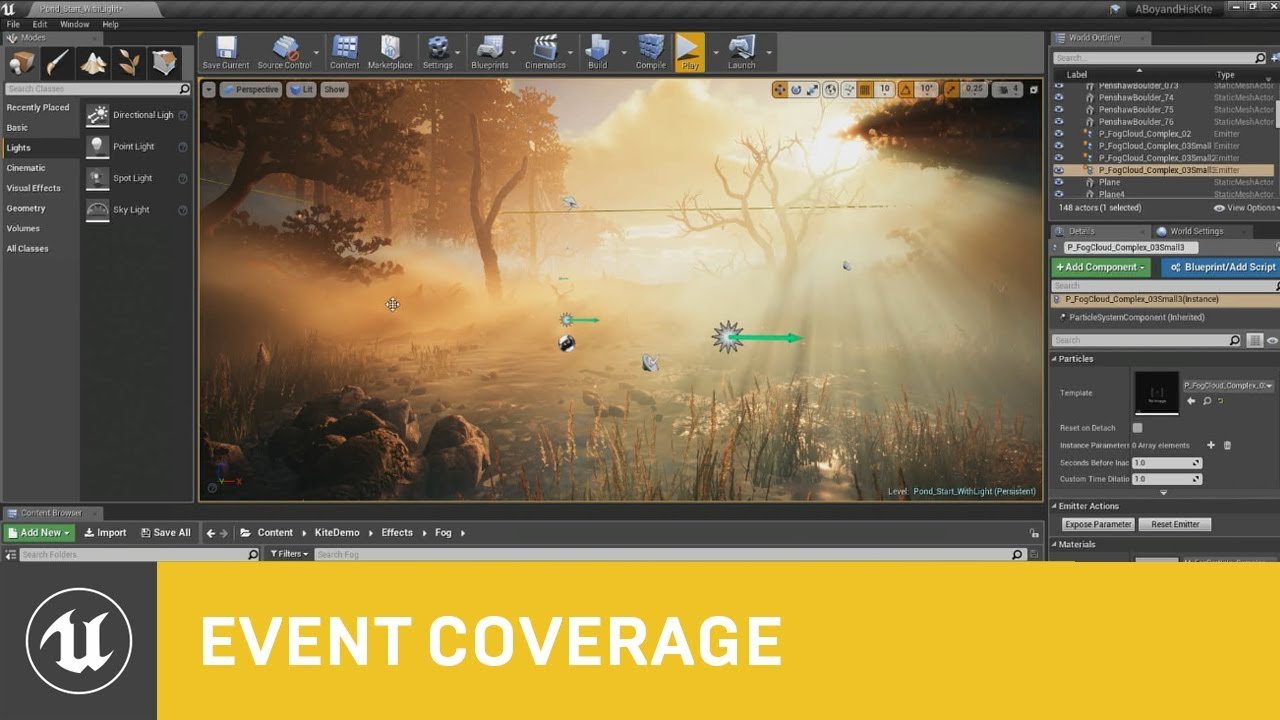
This session by Epic's Sjoerd De Jong covers the latest improvements to Unreal Engine's Volumetric Fog and lighting features.
Within a beautiful nature scene you will learn how to set up these effects, and how you can achieve spectacular results by authoring Volumetric Fog t...
regal creek
Great! Will take a look.
Adding a directional light seemed to help the dark shadows immensely
tiny eagle
you can undo the god rays but then again, a little bit of God Rays in the trees and the volumetrics in the fog will give nice depth to the scene, plus skylight intensity can be adjusted to give an overall effect that the directional dynamic light (set it to moveble to preview, then the middle one (i forget the name)) for final build.
it will give player shaddows and is a littlemore taxing but your overall scene lookss very opmtimized
regal creek
This is what it looks like now (mid-build) it's blown out and needs more varied vegetation, flowers, etc - but the awful shadows are much improved
tiny eagle
well, could i ssee your lighting actors in a folder, (right click top of world outliner, first entry (persistent level) and create a new folder, right clcik any lighting actors (objects, etc.) to make the ligjhting and hover your mouse down to "move to" and select the new folder, shoudl be called lighting, it's a good tip for oganisation and making sure you troubleshoot if needed corerectly
it is washed out indeed, and overshot with brightness,
There are also settings in Volumes -> Post Process Volume that can adjust Global highlights, midtones, and shdows, but given your sky is super bright with really high contrast, i dont't suggest it at this point, might never need it, but can enhance certain workflows if you're new
so if your lighting just won't seem to work right, you can Globally encompass your level with a Post Process Volume, so it will affect all and adjust high,mid,shadow
regal creek
Great
tiny eagle
but the link i first gave you, would replace your lighting very well, and use light shafts if interested in this effect:
that is volumtric lighting wwith Light shafts and the color of directional light set to a mild orange-ish color, intensity not very bright, and the fog wayyy under the ground, with the same settings as in the beginning of the expoheightfog, just positioned about 15,000 to 30,000 units under the level
(lower until fog reduces, and it will Blend with Light Shafts like in that image
the post process volume is covering all playable area, in the level so that is why the Lens flares are there
regal creek
I do like it. In this specific case the reference I'm working from is that super saturated 90's style lighting:
tiny eagle
then you would love a Post Process Volume after you implement the volumtric, you don't need the Exponential height fog to be visible (drop it wayyyy under the map if in the tutorial i linked, you leave density and inscattering(or other 2.0 value in the beginning when the God rays are really strongly visible,) at 2.0,) but it enables volumetrics (think ambient occlusion) so that while the player is in a shadow, which you can adjust in a Post Process volume big enough to cover even the sky mesh, you can also adjust global contrast and saturation, and some individually
regal creek
thank you!
 worn anvil
Does anyone know if is UE5 going to be performant on mobile?
tiny eagle
@regal creek i edited it with some fixes and more information
regal creek
Thank you
 empty dawn
When trying to locally debug from source I keep getting Monolithic headers should not be used by this module. Please change it to explicitly include headers it needs. anyone know what I can do to speed this up?
fervent sigil
When trying to locally debug from source I keep getting
Monolithic headers should not be used by this module. Please change it to explicitly include headers it needs.anyone know what I can do to speed this up?
@empty dawn That sounds like a compiling warnings, saying you should use different includes
fervent sigil
what? that sentence doesn't make sense
fervent sigil
I don't know what include, you'll have to show the entire compile output
But somewhere you're including the wrong header
empty dawn
No, as this does run, it just takes 5 hours after I change some files.
fervent sigil
I'm assuming you change the monolithic header which make sense, because monolithic header are very big which is why you shouldn't include them, hence the warning
empty dawn
Okay but to fix this?
fervent sigil
don't include the monolithic header
empty dawn
I can't not do that 😄 Like I said it's the engine headers.
 slim kestrel
Hi, guys, noob question here. How to blur refraction/make frosted glass with raytraced translucency on? 😅 ,
or anyone can point me to the right😅 tutorial, or forum post ? or anything ? 😅😅. thanks!
fervent sigil
I can't not do that 😄 Like I said it's the engine headers.
@empty dawn It's not. The inner one might be, but you still somehow do it. Like I said before, you are including the wrong header somewhere.
 grim ore
its just a warning isnt it?
the line that is triggering it is // Boilerplate #include "Misc/MonolithicHeaderBoilerplate.h" MONOLITHIC_HEADER_BOILERPLATE() which could just be a macro they put in so you pay attention
fervent sigil
its just a warning isnt it?
@grim ore Warnings are more dangerous than errors, you know. People you ignore them.
 polar hawk

In today's post, we cover why you should treat warnings as errors so that your compiler will become a powerful ally in the eternal quest for code quality.
 exotic thicket
Warnings have a tendency to become bugs even if they're not them currently... or they end up masking bugs, etc.
..it bothers me a lot that my game spits out ~150 warnings atm but I don't have a good fix for it atm :p
fervent sigil
I hate that I get plugin/engine warnings. Not too long ago I fixed all my warnings, and it really annoy me I keep saying this every time:
Warning      LogLinker            Failed to load '/Engine/Tutorial/Paper2D/FlipbookEditorTutorial': Can't find file.
Warning      LogLinker            Failed to load '/Engine/Tutorial/Paper2D/FlipbookEditorTutorial': Can't find file.
Warning      LogUObjectGlobals    Failed to find object 'Class /Engine/Tutorial/Paper2D/FlipbookEditorTutorial.FlipbookEditorTutorial_C'
 late verge
anyone else getting these weird bugs with camera shake BPs? if i set the blend out time to anything other than zero, the blend out will last a considerable amount of time
oscillation duration is correct
 faint grotto
How comfortable it is to animate Control Rig in Unreal Engine ? Also, if you want to animate multiple characters have you guys encountered any bug like eg. the Control transformation resets every time you switch the control rig from one character to another character from the sequence editor?
 errant slate
I have activated Raytracing in Unreal Engine but it's not working properly. I have placed post processing volume and tried with GI , Ambient Occlusion . Although Ambient Occlusion worked real time GI is not affecting at all. Csn anyone help with this?
 humble yacht
Does anyone know the 4.26 update where they're allowing for less dependency for levels ? Or something along the lines of that ? Maybe its not even 4.26 i forgot. Does anyone know about this. If you do could you please provide me a link so i can read about it in detail.
errant slate
@fervent sigil ok.Thankx
 barren flume
I can't seem to figure this out but I downloaded a landscape material pack and when I put it on my landscape it's just completely black and the only way to see it is with height fog
 stiff hawk
sooo... do you guys know how i can get all BPs in a shipped game... for some reason the AssetRegistry only returns assets like textures and meshes but no BPs... any way to fix it?
plush yew
@barren flume make sure you have the initial lighting setup
@Sandman depending on the import, the auto painting may not be working. You may need to set it up.
@barren flume
make sure these are set up
 mortal cedar
Is there a way to include folders when searching using the content browser?
I have like 100 folders and it'd be nice to be able to search for one by name lol
fervent sigil
@mortal cedar nope. Don't have 100 folders :p
mortal cedar
but folders go brr 😦
 wary wave
why would you even divide folders up like that?
 dim arch
got lazy and decided to run this code 4 loops deep, bad idea
need to bake this data so I dont have to loop so much D:
plush yew
Does anyone know what the rapid button pressing mechanic in the resident evil games is called?
 floral aspen
Hey got a beginner problem here. I was following this simple tutorial https://www.youtube.com/watch?v=cspvI84d78g
My problem is that I have no controller buttons working. When I load the "motion controller map" they work just fine. What do I do wrong?

#UnrealEngine4 #Beginner #VR
One of the first things when creating a VR project is how to set up a New Level. This includes setting up your player character and adding navigation for teleport.
Discord: https://discord.gg/xw65fg7
plush yew
Hi! Can someone help me with creating a simple Minecraft Clone? I'm trying to learn to make games in Unreal, and thought a Minecraft Clone may be a good thing to start with
Sure, go ahead, I'll be happy for anything 😅
 digital badger
is there any way to set Z-Lib compression level for game packaging? Or use an alternate compression library
 lucid grove
Heya!
A question: it's time to make caves in the open world and there is a small problem - to make everything completely out of stones (ceiling, walls, floor) sounds quite hemorrhoid with UE4. I would rather use some simple meshes like a straight corridor, fork, descent, etc. and fill itwith various stalactites, stones and some other cavern stuff.
The first thing that comes to mind is a Blender. Someone can recommend the simplest and fastest guide? I actually need to make a couple of "sausages" and add sections to them. I don't want to dive deep into the topic of modeling, but just create simple meshes for this task.
OR MAYBE you know some good not expensive modular cave pack.
 idle needle
Hi! I want my camera to collide with only a few collision channels. Does someone know where can I change this?
dense gate
Generally you have a Camera channel that you can use for that @idle needle
You can change the presets as you wish so it collides with what you need
idle needle
I've created a Camera channel do handle this, but I don't know where do I change the presets. On my Spring Arm I've set the collision channel, but yeah, I don't know where to change the presets @dense gate 😅
dense gate
In your project settings, under collision
 digital anchor
whats up with slate taking 22ms in editor in 4.25.4, anyone with the same problem?
idle needle
@dense gate Got it working, thanks!
dense gate

 frank grove
plush yew
frank grove
plush yew
Hi people, when I use the foliage tool, how can I stop different pieces of foliage overlapping? I know there is a checkbox to prevent overlapping of already painted foliage, I am talking about overlapping of foliage within the same brush.
Similarly, if I have foliage type A and B and set minimum spacing on both to 100, what is to stop foliage A being placed 1 unit from foliage B? How can I set the minimum spacing between ALL types of foliage?
 loud knoll
anyone know how to fix this warning LogAudio: Warning: Detected orphaned looping sound 'Starter_Music_Cue'.
 fresh bay
Hey guys, i made Chris Murphy's automatic tiling material and it looks fine in the initial rotation but as soon as i rotate the cube it starts to stretch and i don't know how to fix it

 exotic thicket
@surreal cloak taxation has nothing to do with how you learned about a job. In most jurisdictions you need to declare all your income and you get taxed based on that... but you'd probably be best to consult an accountant or such in your area to be sure
 surreal cloak
@exotic thicket Ok, Thanks for the info.
 small gulch
Hello,
#unreal
I'm facing an issue here , where u can see cut on hand fingers these cuts appear wherever there is a UV cut
Left image is screenshot from default project and right one is from main project which has rtx enabled
Also Dont know weather its a rtx issue.
(this only happens when i import this as skeletal mesh, somehow looks good when importing as static mesh
 floral lion
Workflow question here
Often when I introduce a new variable to a base blueprint / abstract one, inheriting blueprints null the new default value
i.e. adding a FName variable to add ability to change the DynamicMaterialInstance Vector Property I want to change, however the default value entered in the base blueprint is just "None" in the inheriting ones
Is there any way to "detect" that issue? I mean I didn't set the value explicitly to None here.. which is kind of annoying when suddenly nothing works anymore 😱
Only happened to me relying on raw blueprint inheritance (maybe I forgot to compile relying classes?)
dense gate
I'd suggest planning for all cases about what your class would need
If your class is a unit from an RTS, they'll have default HP, armor, damage, vision range, name, etc
Names default to None always sadly
floral lion
I overrid the default on the base class I even promoted the variable from the original "input"
Planning out a head is fine and dandy but does not work in real-life scenarios
 lusty carbon
I need help
Albedo Texture looks like this
material looks like this! why is it so white?>
 vestal raptor
Can I somehow rebuild map built data registry? It's 850mb on the simplest map ever and I have no idea how to change it, as far as I know it contains light and even when I removed all the light and build lighting that file size stays unchanged.
plush yew
i want to move an actor with its static mesh in the world. what function do you recommend? There are so many different functions!
 cobalt owl
does unreal engine 4.26 support python 3? or i have to build form source?
 quaint fox
is there some bug with the asset system? if i try to delete an asset with no asset references(only memory references) to it it takes a full minute, goes from 2gb to 8gb editor ram usage, and then never frees the memory once done
wary wave
it likely loaded reference chains, then did not unload them afterwards
normal behaviour for the editor
grim ore
@lusty carbon we would need more info to even guess. We dont know what your material looks like, we dont know if you imported the texture at SRGB or not. we dont know what the texture looks like in engine but not in the material.
plush yew
When is 4.26 releasing
grim ore
sometime between this week and 2021
plush yew
why can't a dictionary be replicated? 😦
 rancid lynx
Blender is wonderful. the first 3 weeks, you will shut it off and hate it every time, because nothing seems to be doing what its supposed to, even when you verify correct keymaps. but once figure out what the hell the current UI state is doing, you can at least begin to practice. you will not be making anything decent beyond modified cubes and simple stuff for the first few days practice, and even then, the next 60 days will be slow and tedious. blender is really really well done, its effecient, once you understand the UI , modes and keymaps and tools, it gets more and more fun, the more you know. pay 20 bucks for generic marketplace mesh models,or invest 3 months in blender. youre living a pipe dream to nowhere otherwise.
@lucid grove
 rapid ridge
Hey guys, what is the best way to set up a "theoretical" infinite loop? I have come across this issue a couple of times: I want to get a random number/vector and then decide if it works or not. If it doesn't work it should get another random number until it suits the restrictions. If you simply do a branch with that, UE4 will give out an Error saying infinite loop detected
lucid grove
@lucid grove
@rancid lynx Found a quick tutor and made those meshes already thank you 🙂
 serene birch
well 3 months learning blender or 3h working at a McDonalds and then you buy the 20 bucks asset and you still have some spare
hard choice!
 bronze mango
were can i change my scale to cm (i just started)
plush yew
@rapid ridge what are the parameters of your randomness? There's options to get random (e.g. integers) in range with a function. You can also get a random integer and do some maths on it to fit it into your goal while keeping it random. Sorry not direct answer but plan B and C.
grim ore
@bronze mango the engines default units are in centimeter
bronze mango
@grim ore ok but if i use the starterContent folder use a floor there with 400x400 and then try to make a wall with the same size i cant typ 400x400
grim ore
@bronze mango how are you trying to make the wall?
bronze mango
im trying to get the default items in the starterContent folder the same size like the scal mode for other items
grim ore
what example?
bronze mango
also after the nummers isnt the cm sign that i saw in a yt tutorial
grim ore
you might want to show us the issue? 1 Unreal Unit is 1 Centimeter in the engine
bronze mango
shoudnt be in the scale tab a cm sign behind the number
grim ore
no it shouldnt be
bronze mango
was it there in older versions
bronze mango
mhh ok
plush yew
Do you think that ksp like orbiting and physics would be possible in ue4?
 mossy prairie
Yall, I am running into an issue. I have joined a project, created a clone of the repo, but when I try to open it with unreal, it says its on a different version. Im on 4.24.3, thats what everyone else is on and I have completely uninstalled and reinstalled epic/unreal to no avail.
 thorny perch
is there a quick way of removing all textures from models used in a scene?
keep assets but remove all from use
or make it all clay
 wanton lotus
@plush yew absolutely possible in UE4. Not with the default gravity though. There are even marketplace assets for this.
serene birch
@mossy prairie if you open the uproject file with a text editor you should see which version of UE4 it's on
mossy prairie
when I do it gives some weird shit
oh nvm, so I guess if I have visual studio open, it lets me see the version, before it was a weird series of characters
its 4.24 which is what I am on
I cried a little bit and it started to work! appreciate the response!
 hearty walrus
how would I go importing an SVG?
mossy prairie
Erm now I'm running into a crazier situation. Opening the project maxes out my CPU and then slowly uses up more and more gpu until all of my displays shut off.
I gotta assume this isn't normal
plush yew
Why are clouds stretching like this at equator?
its volumetric cloud 4.26
engine content material
mossy prairie
Should projects normally have 15 ShaderWorkerCompilers when opening?
fervent sigil
@mossy prairie I believe the amount is based on the resource capacity of your computer (cpu/gpu), assuming a large amount of shaders needs compiling. But when compiling it will create some. I usually have around 8 in such cases.
mossy prairie
Ah kk, ya. I just did a huge clean on my computer since it kept shutting down to see if I can reduce heat. because those are pushing my cpu hard.
Should I see if I can kill some of those compilers or do you think it will make it stop working?
dense gate
You can set UE4's affinity and child processes inherit that
As in, which cores it's allowed to work on
fervent sigil
@mossy prairie I believe it will work, but settings affinity is the better option
mossy prairie
How do I due that?
dense gate
I've forgotten how to do that in task manager, I use process explorer
Generally it's right click -> set affinity
You can set with CMD but it might be hard
Ah, here it is
mossy prairie
Like they are pushing hard atm
dense gate
In task manager, right click process, go to details, it'll autoselect the process, right click it again, set affinity
And then set it to like half the cores you currently have
Might want to forcefully kill off the shader compilers so they reset
fervent sigil
I'm using just disabling the first and the 2nd, should be enough
 solemn goblet
I had an issue where all my shit was reset from bindings to collision so
Is it common for all your shit to be reset like that or is epic games messing with my project dafuq
 viscid vapor
hello do you guys know if edges marked as 'sharp' in blender will be preserved in UE and change normal of the faces the same way?
 finite prism
hello, how can I implement In-app purchases for consoles? I've searched in unreal documents and I didn't find something useful
idle needle
Hi everyone! This is a "math" question so I'm not sure if I should ask this here, but I don't see any better place 😅 I want to get a point in a radius, having as a starting point the player position. I've found that there is this function called GetRandomReachablePointInRadius, but it doesn't work for me because I need that this point has a minimum distance from the player. Any help with this? 🙏 Any source helps, thanks!
 covert hedge
just use the circle equation (x-x0)² + (y-y0)² = r² 
Also i'd assume GetRandomReachablePointInRadius has something to do with the point being reachable on a nav mesh 
mossy prairie
@dense gate So I set the affinity, removed process 0 and 1 from the list, still pretty much always maxed out. Should I remove more?
viscid vapor
hello do you guys know if edges marked as 'sharp' in blender will be preserved in UE and change normal of the faces the same way?
@viscid vapor or custom split normals
dense gate
Remove them all so it actually applies
Every new process spawned will have that priority, so the old ones still use all cores
 quick cloak
Hey people! So Ive been meaning to release a game on steam, but I had one question. Can I use any marketplace asset in my game or not?
dense gate
P sure there was FAQ for that
digital anchor
@idle needle random unit vector > remove z > normalize > multiply by a minimun distance
dense gate
Ah, a random position
One way would be to get a random yaw, rotate, multiply if needed
 rustic leaf
theta = random number from 0 to 2 * pi; randomx = r * sin(theta); randomy = r * cos(theta); done.
quick cloak
Ive decided to launch my game on Epic Store. Hopefully my game fits their standarts
finite prism
good luck to you
let me know when its done
hello, how can I implement In-app purchases for consoles? I've searched in unreal documents and I didn't find something useful
lusty carbon
My packaged scene ends up huge! about 13GB and it's just a small archviz house. Can't help but wonder, does unreal package ALL assets in the content browser even those not used in my scene? And if yes, what can I do about it?
 crisp turtle
Does anyone know if a UE4 skeleton character can be placed on a new skeleton containing 2 new bones, so long as those bones extend from the hierarchy?
digital anchor
@lusty carbon you can select which maps to package, then it will only include references in that map
plush yew
How to make sky atmosphere smaller than 100
 dim narwhal
Hey I have a question. Is it possible to make a multiplayer game for android on unreal engine 4 for free?
Like is the multiplayer part free/
rustic leaf
yes it is possible.
the theory being you'd be a drop in the bucket compared to the traffic of fortnite
covert hedge
put a lot of microtransactions 
 static sparrow
just curious, do y'all use any plugins?
If so, are they generally plugins to help development like expanding the editor functionality, or are they plugins that expand the engine's functionality?
lusty carbon
@digital anchor Nice thanks a lot!
dense gate
@lusty carbon if you're sure you've selected only the right maps, also right click on your map and select Size Map
It'll tell you how big it is and it'll show you references to what takes up the most
 ivory urchin
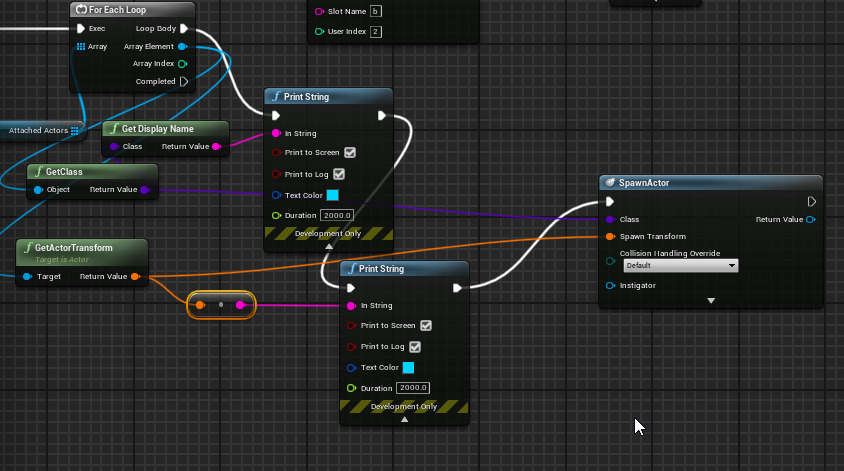
Hey im saving an array of actors and loading it using this https://i.imgur.com/BLdYYcu.png
but every time I load the array it crashes, whats going wrong?
 odd yarrow

how would I make so that the top part slowy
turns into transparent?
i need some sort of a gradient?
 fervent sigil
use texture coordinates + time multiply by color, into the opacity
 timid frost
I just made a node begin overlap for making the object fall by itself and how I can stop them from happening again and again
Need help
 delicate atlas
how do i add a coin?
timid frost
I don't know bro I am new
odd yarrow
@fervent sigil I don't know what that is
timid frost
Can u please help me
odd yarrow
idk man:D
 clear estuary
is there a maya 2020 binary that's been done for live link yet?
how is there no 2020 live link yet?
 quiet token
cause 2020 not here yet
plush yew
I have a sincere question
If your game is pvp based like dragon ball xenoverse 2 for example
Should you build the game via pvp based functions and such than spread it outwards towards PVE additions
or should you build it in mind with PVE and bend the features and mechanics towards PVP gameplay smootheness and functions
grim ore
do you mean multiplayer and single player?
plush yew
i mean like
dragon ball xenoverse, or even phantasy star online 2 or final fantasy xiv
for example
grim ore
those are multiplayer games
plush yew
like do you make sure because its a pvp focused game with a ton of pve stuff to do, that you start with pvp smootheness and such before pushing that into pve functionality
grim ore
answer that question first, if this is multiplayer then you design for that first.
plush yew
also hi hi again mathews ❤️
as always thanksies so much for your keen insight it's sincerely appreciated~
grim ore
as for pvp and pve there is no right answer and most games that straddle both fail somewhere
plush yew
Okie though i guess that makes sense i felt that the pvp should be made purrfect since its pvp focused like dragon ball xenoverse or shinobi striker
grim ore
you have to design for your intended game design and audience
plush yew
yeah i feel ill fail in places doing this
but i really want a sort of shinobi striker like pvp focus but with well fleshed out pve and a very very short introductory story to explian the world you partake in
grim ore
most of the time the PVP and PVE audiences are separate with a small straddle between. Trying to split resources between both ends up splitting resources and you get what you put into it
plush yew
using the pve as a means to bring out differing styles of pvp play and equipment and such or player expression making the pve fast asf and snappy as heck so it doesnt feel like having to slog through pve to get cool stuff you want to woomp pvp players with
hence why i use dragon ball xenoverse 2 as an example though it may not be the best example xD
grim ore
yep theres no right answer, you have to spend the time designing and prototyping systems be it in the engine or on paper
plush yew
yeah alot of prototyping atm and thoroughly matting down all of the possiblities and such on paper
well thanksies i think that makes the first set of design goals pretty clear x3
crisp turtle
I put a UE4 skeleton model with a new skeleton asset of new UE4 skeleton w/ bone from root and head. The new bone additions dont seem to be working with ue4 skeleton model. Any help appreciated if this is possible to do!
https://gyazo.com/e7d6c16f45fed36a1359098ec0330323
says this bone only exists to the skeleton and not the mesh, any idea how to unlock?
 plush yew
hello there, anyone know what tool I need to use to make a usable hole in the landscape? I can make a visual hole but it still has collisions
 twilit pasture
so me and my one buddy decided to DL UE4 the other day but any advice on what polycount we should use for our character models?
plush yew
https://gyazo.com/5819dcb6562d78382e1d44c05174f7ff
Does anyone know how to fix this infinite particle system looping?

The problem is that it's looping. how do you set particle looping to false .-.
grim ore
@twilit pasture there is no answer, it should be enough for your projects requirements and goals
 little whale
Has someone got any experience with clothing getting stuck in mid air for no reason? It's been over 24h non stop looking for solutions but apparently no one got this problem. After hundreds of different ways to export the model from blender and watching lots of tutorials I still dont find a solution.
https://www.youtube.com/watch?v=flfA56uaA-0
I basically have the same as the second 25 from the video, but apparently no one mentions it, flag gets suspended in mid air.

Here is how to use the cloth system in unreal engine 4.24.
NOTE* This is only how you do the cloth system for 4.24, review other videos if using anything else. i.e. 4.23 or 4.22 and beyond.
plush yew
I figured it out. Click on the "Required" Emitter option and then in it's details panel set "Emitter Loops" to 1 to turn off particle looping. Set it to 0 to keep particle looping on.
 thorn wraith
hey guys, looking for someone knowledgeable about the video game programming industry for some general questions. Anyone around that has plenty of experience
plush yew
Why would unreal prevent me from adding actors to a variable array? I am only referencing this variable to check a value so I am not setting it at all.
When I try to set it, it gets reverted to "none"
 broken garnet
when I try to open a blueprint in a c++ project, it just gives this. Does anyone know how to fix?
 grim juniper
Might just have to open the panels in View?
 kindred ermine
Hey, i was wondering if anyone else has had the issue of only being able to save a umap version of the project instead of the uproject, I am working on this game on a school computer and I need to be able to save as a uproject file so I can keep a back-up of it.
 arctic horizon
An unreal project is more than a single file. umap files are levels, uproject files just define some project settings.
kindred ermine
ok, so is there a way to save it so I can open it on another computer then? Because it seems to only accept uproject files when Im trying to open a project
arctic horizon
You need the entire project directory
when you create a new project in unreal it'll create a folder with a uproject file along with a content directory and a few others
you need the whole thing
kindred ermine
ok yeah i know where that is, how do I use it to open the most recent version of my game then? because the uproject file in the project directory is an old version of my game that won't update
arctic horizon
What do you mean it's an old version of your game
Each project has a single uproject file.
Open that, if you're looking for a specific level you should be able to find it somewhere in the content browser.
kindred ermine
alright thanks I'll have a look
ok yeah i get what you mean, seems to be another issue going on on my personal laptop that is the real cause of the issues im having, thanks for helping out with that though
 stark wharf
Anyone use Plastic for version control here?
plush yew
my camera keeps slightly clipping through walls how can i fix that?
 marsh swallow
@plush yew Spring Arm camera collision radius
Alright i have a pretty odd one here.... rather than describe. I will show you:
any particular reason collision is being weird. I have the additional capsule collusion set to block all and its a World Dynamic object
dense gate
Not really, I've had no issues
plush yew
@marsh swallow i got the same problem but during a sitting animation
marsh swallow
@plush yew animations dont count. 😛
Collisions dont follow animations, they stay centered while the anim plays
 steep oak
Hey everyone, I'm trying to track down some information I've spent the best part of two days trying to find.... Paulo Souza has a video where he's using Blueprint Brushes and then using a Paint Layer with keywords to specify specific textures in the material he's using. I've found lots of people asking the question but no real answers that have worked. Would anyone here happen to have at least a screenshot of the material blueprint so I can see what he's doing and maybe share that information in the form of a tutorial?
Well hey, I'm not the first to ask that....for once search has not failed me!
Well...except that it was never answered...much like the forums and answers section on unrealengine.com regaring the same question 😐
 autumn grail
I have a problem , my character always rotate to the same position, and not at the relative position of each Ladder
Help please
maybe the relative rotation i get is a Class variable and not an instance variable?
grim ore
what are you trying to do
you want to rotate your character to the same rotation as the ladder? you wan the ladders world rotation then
and if its a character you would want to set the control rotation if you are using the normal movement
we cant see anything with the super dark screenshots
marsh swallow
Does anyone.... know how to get a mount, ie a horse, to stop clipping through the walls until it hits its root capsule collision?
it looks as if the CharacterBP/Root-CapsuleCollision is the ONLY thing that will not phase through a wall from the research i am doing, I have looked at about 25-30 articles now and tried to do it actor based, component based, etc and nothing works. I am apparently not the only one with the issue. However solutions are only ever for Weapons to just "move" them outta the way. well i cant exactly move the horses head out of the way. 🤣
dense gate
Inverse Kinematics?
autumn grail
@grim ore I want to align the capsule ( which contain all my character components) to the charLocation arrows i added
The moveComponentTo node give the good rotation , but when i move forward input , the rotation change
Because the character rotation is oriented to movement
and the movement detected in fly mode is perpendicular
the forward input change the rotation
grim ore
yes you dont want to move it that way
 mint umbra
How can I bake my foliage/trees into a landscape LOD generated in UE4? If I use the standard method the foliage is not active on the landscape LOD until the level is completely loaded in using World Composition.
grim ore
you want to move the actor itself since you are moving the character, then set the control rotation if you are using character movement
autumn grail
set control rotation create a Last hit by node
and its not working
i have another solution , desactivating orientation to movement when is on Ladder and reactivate it after climbing done
but i need to place the camera in the back of the character
how to do it plz
plush yew
Good morning all - does anyone know whether I should be calling "set visibility" on servers or clients? Or does it not matter if the component is replicated?
doesn't seem to be working when I call it on the server.
grim ore
where is it now?
 modest marsh
Curious if anyone knows any articles for creating FMV? I can't seem to find anything
autumn grail
@grim ore its anywhere and i want to place the camera right on the back of character when he is climbing
 dawn bloom
is there a way to get objects to spawn from a plane?
like this is a plane of a given size and objects spawn anywhere randomly on that plane
I feel like I know how to get the objects to spawn from the plane's coordinate but thats not quite what I'm looking for
as I want the objects to spawn anywhere, including the plane coordinate
 winged notch
I Need Help merging UE4.19 Nvidia WaveWorks with UE4.26.0 Preview or just getting WaveWorks running in 4.26.0 i can't find any documentation online I'm running a Source Build of 4.26.0 not the epic launcher version and VS Studio 2019 any advise
 umbral palm
Hi y'all, I'm looking for SK mannequin version 419, as an FBX, would anyone happen to have one?
winged notch
SK mannequin in 4.19 is the same in 4.25
umbral palm
Ah! Okay! So SK_mannequin_425.fbx would be fine too
winged notch
yes
 placid yarrow
I have a weird problem. In my game, the player controller's controlled pawn is a spectator pawn that I use as a camera. The actual player pawn is a separate pawn run by an AI controller. The weird thing is that, every once in a blue moon, I'll open the PIE and when I click on the screen, the screen goes black and my spectator pawn has a Z location of some huge number -- it seems to go up to the top of the universe where everything is pitch black. If I close the editor and restart, same problem. However, if I shut down my computer and restart, it goes back to normal. Any ideas?
umbral palm
Whoa, is that a 32-bit integer error?
winged notch
Right click on SK_Mannequin and export as FBX
umbral palm
I will do that -- the issue right now is just waiting for Unreal Engine to reinstall again, I'm just the character artist 😛
winged notch
if your in Blender https://gumroad.com/l/MrMannequinsTools

Gumroad
Mr Mannequins Tools (v 1.3) - Third major update of the add-on for Blender 2.8+ that gives the ability to export animations and weighted meshes that are directly compatible with the third person mannequin without re-targeting anything in Unreal Engine! Even more bugs and issue...
umbral palm
I actually have been using Uefy but I just came across this today! Would you happen to know any major advantages/disadvantages of this vs. Uefy?
winged notch
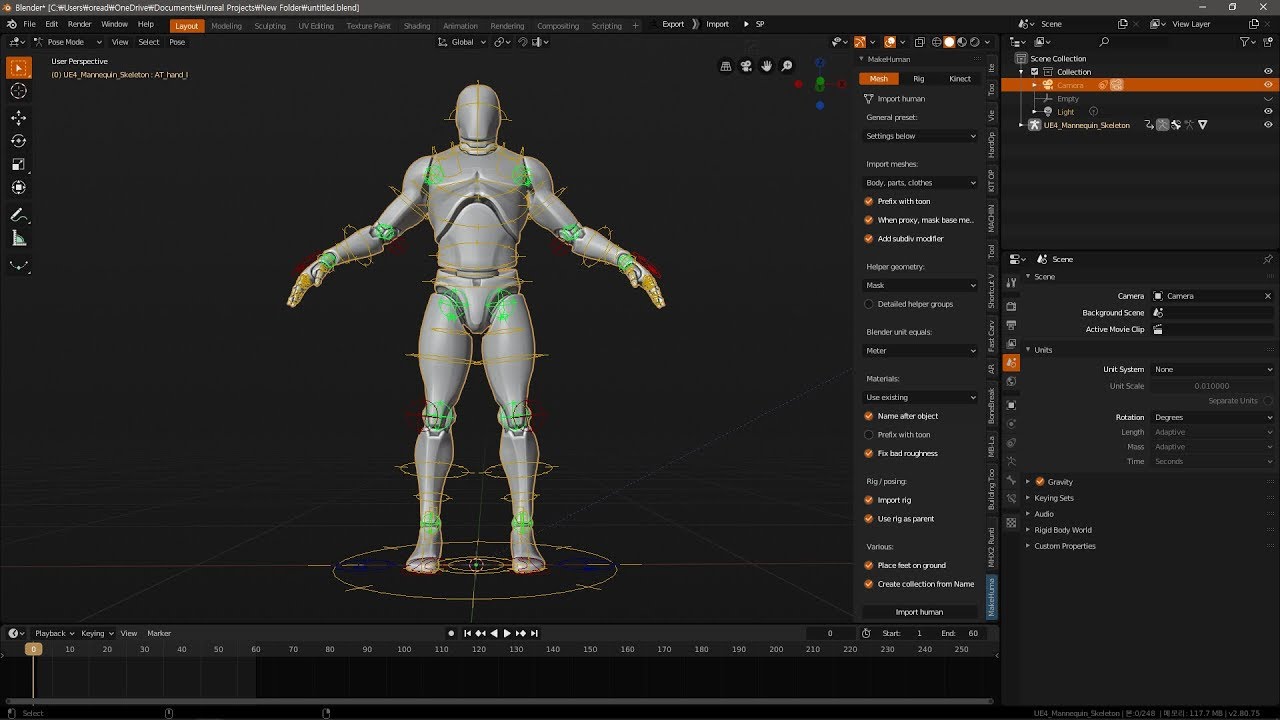
Blender2.8 Unreal Engine 4.23 Mannequins Tools 1.0
Blender to Unreal Engine with Matt Workman
blender 2.81에서는 익스포트 에러가 나더군요..
언리얼 엔진 사용자라면 정말 좋은 무료 블렌더 에드온을 소개합니다..
정말 쉽고 완벽합니다....
https://www.patreon.com/ChamIseul
https://blog.naver.com/oread99
plush yew
the sequencer sometimes doesnt do the first task when i press E right as im letting go of W? it only does the second one how can i fix this
switching them also doesnt change anything
is there maybe something i could use instead of the sequencer?
grim ore
do you mean a sequence node or the sequencer system?
steep oak
Does anyone know how to reference CurPaintLayer outside of my Blueprint Brush?
or more specifically, Paint Layer Target Settings
winged notch
I Need Help merging UE4.19 Nvidia WaveWorks with UE4.26.0 Preview or just getting WaveWorks running in 4.26.0 i can't find any documentation online I'm running a Source Build of 4.26.0 not the epic launcher version and VS Studio 2019 any advise
 wind harness
On project settings, what is the difference between these two tabs?
I'm trying to understand the Navigation system better. From what I've been doing so far, I usually add a NavMesh Bounds Volume that will create a RecastNavMesh-Default, which controls the polygons settings (height, etc)
Now, if I want a non rectangle area, I can create multiple NavMesh Bounds Volume and scale them accordingly, and they will be part of the same "NavMesh" for navigation purposes
But what if I want two different AIs (ex: car and pedestrial) that behave differently on the NavMesh? As in, one can go there but not there. From what I've seen, I must go on Navigation System and add a new supported agent, but what is the Preferred Nav Data field and how do I tell my AIController or Character which NavMesh Agent he should be associated with?
plush yew
@grim ore just a sequence node
 tiny sonnet
i cant add elements to a map for sum reason....
exotic thicket
That's a weird UI "feature" with maps. You need to change the value which has the default to something else
exotic thicket
Yeah it's a bit of a pain :P
tiny sonnet
and why did i understand what u said, but not the error, when u basically said the same thing....
i need help in the head
exotic thicket
:D
rancid lynx
anyone here use Quest2 with UE4? I have CVI, I decided to try Quest2.
grim ore
I've used mine for some testing
plush yew
i hate it when unreal engine crashes when clicking one button.. great engine lol
 crisp thicket
Hello where can I find the GameInstance class?
grim ore
its an engine class. The default one is in the source folder in the engine otherwise you can make a new child of it like any other blueprint or C++ class
winged notch
Right Click in the content browser and select blueprint class
and search for (gameinstance)
plush yew
i have tried every camera collision fix but its still clipping through walls
do i need to add a collision sphere to the cam?
plush yew
Can i make sky atmosphere smaller than 100 in 4.25
 tranquil marlin
Hey Guys
I had a basic question. Im trying to render a simple camera movement video in Unreal sequencer and everything is fine when I open the final render it looks like when my first frame starts the game start loading the map so the texture details and not even the little detail models are not in my shot! and it looks like Unreal dont bring them back in just to keep it consistent. Where can I fix this to see the final high level detailed quality that I see in my viewport but not in the final video.
Let me know with any tips or links. Thanks
tranquil marlin
thank you so much thats exactly what I needed. Is there any specific number of frames that works better?
Also do you know any link that I know which FPS is better for my videos? just overall a good tutorial of which FPS is for which type of movie?
Thanks
plush yew
how do i make materials unlit without them glowing?
dim arch
set the material type to unlit
shading model unlit, use emissive channel and make sure the values arent over 1 so it doesnt bloom
@tranquil marlin most films are 24-30fps, games 60-120fps, youtube videos are capped at 60fps
 pale path
Hey Can anyone help me? i cant change the hdri map in "HDRI Backdrop Actor"
whilst is does work in the tutorials on the internet.
plush yew
How to make atmosphere smaller than 100
 tame delta
https://i.imgur.com/yLxGSlU.png Aww thanks!
 winged notch
I can't find any documentation on nvidia WaveWorks 2.0 for UE4 any ideas
 dark stag
wjere would you look to find someone who specialized in retopology?
more specifically for UE. LOD's etc
lusty carbon
If I want to create this type of illumination from the lamps but without contributing to the scene lighting ?
 fallen marten
Perhaps a plane on the end of the light tube with a light shine texture will do it
fresh bay
Hello, i have a questions about shaders but i don't know where to ask. Is it better to have more shader instructions and less user interpolators or less shader instructions and a few more user interpolators?
plush yew
With the fact that i hate myself, i would like to create a map generation system.
I am creating a ||warning something totaly orignal|| zombie appocalypse game
and i have everything done, but not the map generation, ive seen some plugins that allow you to do that
but i am not ready to pay 100$ for a thing that i will probably will use once.
thorny perch
why does my mesh look like this? https://cdn.discordapp.com/attachments/660903177239003138/767835511761928252/unknown.png

uv looks ok? https://media.discordapp.net/attachments/660903177239003138/768046903052468224/unknown.png?width=582&height=401

black after rebuilding lights
even with a material that is white
plush yew
Character always dies when i go too deep underground. How can i disable this?
Well its same with every direction.
 zinc shore
When I enable the translations of text for different languages if I set my text during run time will it still translate it to the language that is set
digital anchor
@plush yew check world settings, max bounds or something
if its really a TEXT type, that you set up beforehand, yes
zinc shore
It is a text type that gets added to the widget when a item is added to the inventory then set by a string after it’s created so will that still work
 junior compass
Hello! I'm currently working on an Unreal Project and looking forward to stream it through HTTP (with PixelStreaming or something similar). I read about your work and I think that creating a container of the project with all the dependencies (most importantly Pixel Streaming) will help me automate the process of replicating a virtual machine working as a server for the application. I would love to hear your thoughts about this and how to build it (if you have another approach I would love to hear about it!). I'm not quite sure if this is the correct place so sorry if I missed!
humble yacht
When should you use GameMode and LevelScriptActor
plush yew
@digital anchor ye i got it fixed already
but how can i make sky atmosphere smaller than 100
Stupid question but is there any text based coding in ue4
exotic thicket
yes, you can use C++
 vivid night
Hi, so i literally started unreal engine today, and im trying to either find, or create, a better hand controller for a VR game i want to make, for the index controllers
Im just trying to figure out finger tracking cause the current controllers that come with the test demo are angled wrong and I want to try changing it, that and i also want to change the inputs and some how make sliding movement and rotation like in most VR games
I am an absolute massive novice and Im so clueless i dont even know where to start
 stable ore
vivid night
stable ore
vivid night
Im just gonna say i need to go to bed, so if someone can help me with what i need, or direct me in the place where i can get my help, id be very greatful, i just wanna learn how to make a VR game
 solar cove
can we collab in unreal online ?
the other developer is living far from my house and we want to make a level together how can we do that ?
fresh bay
@solar cove You need source control to do that, i think
 dim merlin
so ive been asking around for dozens of times, no one ever answered it:
When i fire up the the editor, somehow randomly all textures (terrain, character etc.) got blurred (in viewport) (like they are not full quality), its really annoying.
note that launching the game this never happens
solar cove
@solar cove You need source control to do that, i think
@fresh bay Okay how to use it ?
and what is the setup
dim merlin
so it atleast from 4.24, im on 4.25.3 now
fresh bay
@solar cove There are a few caveats here. One, you can't work on it live if that's what you were thinking. Two, you need source control/version control to push/pull the data so it means you have to do a little work on how you set up your level so you only push/pull section of the level and not the entire level. You can probably find a few ways to do it, you can look on the unreal engine youtube page and see if there are some live sessions. I found this one but i didn't try it out so i don't know how much it will help you but it's at least a start https://www.youtube.com/watch?v=faYmvw_Pd-A
In this presentation, you'll dive into source control options in the Unreal Editor that reduce risk and improve collaboration between developers on Unreal Engine projects. Learn the fundamentals of source control to manage versioning of Levels, Materials, Blueprints, C++ code,...
 thick prawn
Hello! ^^
I have a problem with autosaves/backups, but I don't find anytopic where I can ask for help, where should I ask things about that?
Thank you ^^
dim merlin
So, i found disabling texture streaming will solve this issue, anyone knows this its obvious to disable it? (it should be enabled ??)
fresh bay
@dim merlin Does your editor load as fast with texture streaming enabled as disabled?
dim merlin
@fresh bay I dont notice a big difference since i just disabled it
But well, never used a stopwatch for it 🙂
dim merlin
Yeah so i think i should disable it as workaround for now, and enable it for non-editor
but still, i dont understand im the only one around asking about it
 sour slate
guys i am pretty fucked i made 2 projects for work with 4.25 and now we realized that external software we need to use dont support 4.25 but only 4.24..tried to switch version, migrate ecc but no way to open it, i can see all assets but cant nether open them... basically i have to redo all the job... any idea? pleeeeease
 idle mantle
Hello please help me im a newbie in unreal, I just need to export the thirdpersonCharacter to 3dsmax in fbx
what I have:

there are no option for exporting in fbx
fresh bay
@dim merlin maybe your textures are too big or maybe your level is too big and you didn't split it properly so the engine has to load it in all at once
dim merlin
yeah, so u mention using world composition?
idle mantle
Do I need a plugin or something like that for exporting meshes from Ue4 to Max?
dim merlin
however its still getting stuck on LQ textures, atleast it should load back the Regular Texures.. so its a bug
idle mantle
how to do that?
I clicked here https://i.imgur.com/36jDt9v.png

the problem is that I don't know how to find it
sorry I found it ahha
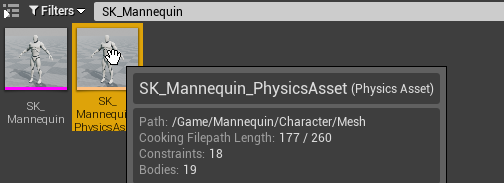
found it thanks!
 worthy fox
Can I buy something from Unity’s Asset Store and use it with UE? I mean.. I own the product when I bought it, right? ...and can therefore use it however I like?
 subtle timber
is this the right channel to ask about lightmaps?
sterile tulip
What about unreal marketplace, is everything royalty free in there?
Meaning I can use it for commercial work?
lusty carbon
What do I need to know to start developing for 4K monitor? What if I don't own one myself and the client is gonna run on one? Is it just supposed to work like in Full HD or are there specific things I need to know?
Im on a RTX 2080 myself. They'll probably have something similar too. but on a 4K screen
Do I need to worry about using more 4K textures though? What about HDR?
gotya
So work the same?
subtle timber
can I use UDIMs in my lightmap or only the space on 0-1 on both axis?
 stark cipher
Hi guys. When I add to my level some objects,it starts to lag when I press "Play". How can I fix it?
dense gate
You can setup your screen to emulate 4k
Generally the thing you need to worry the most about is sensitivity for UI
 opaque plover
Hello there. I have a data table I use to store my weapons. So far so good. But now I realise I’d like more than simple values for them.
I’d like to add a field onHit with a function that will be called during an event.
Is it possible to get away with that or is the data table too limited?
dense gate
Why not create a class of weapons and use that
I'd assume the data table currently has values for the weapons like RPM, damage, maybe mesh, etc
opaque plover
Yes exactly, and the class already exists. It works perfectly as you said for damage, mesh or other attributes.
But two weapons could have different onHit functions. I could get away with a function field I guess, but I don’t know how the data table could support that
dense gate
Your data table has the weapon class, right?
opaque plover
Yes.
dense gate
You can make a standard function/event in there with the shot
And simply not override it for the standard weapons
But then override it for your more specific cases
Might require you to rework some stuff around, but it'll let you be more flexible when doing scripting
opaque plover
It’s the override part I worry about. It’s not like I could specify the subclass in the data table
opaque plover
Ah I see, so keeping things separate.
That will work, thanks!
dense gate
Dunno what purpose you have to put it in the data table anyway
Since you already have the class, use that
fervent sigil
mm how is it possible that a material references a static mesh?
wary wave
preview mesh
fervent sigil
Not it. Anything else?
 ember quest
how can i view through the camera placed in my level in viewport
lusty carbon
@ember quest Right click and Fly camera something like that
 molten arch
Hi all, in my game player/pawn are sticking on wall (not falling down) because I am applying sideways force . Is there any way I can set friction = zero or something like that so pawn will fall down?
autumn grail
How To place the Spring arm in the back of the character via nodes?
 charred stirrup
Hello, I am working on an animation sequencer, trying to make a showrell character animation, and I have a question. How can I make a nice transition between two shorts idle and walk? So that there is no jump between animations, but there is a smooth transition as when using blendspaces, but only in sequencer.
hearty walrus
how would I prevent mixing here?
 white swan
Hello all, I am doing a build with an LED cave and running Unreal on the wall. However what tips would you suggest in regards to genlock? Wall and camera both at 24 frames a second. However we would really like to run the wall at 48 and the camera at 24 but be genlocked together. Almost like we need a signal generator that sends 24 to camera and then doubles what is sending to the wall. Thoughts?
modest marsh
I asked this early hours last night but I assumed no one was online but i'm curious if anyone knows any articles for creating FMV? I can't seem to find anything. Thanks in advance 🙂
 regal zephyr
can someone tell me why i have this triangular icon when scaling?
grim ore
@charred stirrup if they are on the same track you can overlap them like this
@autumn grail your spring arm should already be attached to the back of the cahracter isnt it? whats the issue
dim merlin
So 4.26 Preview 4 is released, any changes on the water plugin?
 gaunt tide
What would cause a SpawnActor node to spawn a cube without a mesh but still show up in the world outliner? All I can see of the “spawned cube” are the xyz arrows.
Collision is disabled btw
charred stirrup
@charred stirrup if they are on the same track you can overlap them like this
@grim ore Thank. I still have some gape between animation
gaunt tide
Hit save
hearty walrus
What's causing the gradient to abruptly stop?
It's anchors are all set to 100%
nvm
doesn't do it now
just saved
 storm venture
So I keep getting this error when trying to duplicate a level, and it's reaaallly starting to get annoying:
 peak vigil
So I keep getting this error when trying to duplicate a level, and it's reaaallly starting to get annoying:
@storm venture gpu?
peak vigil
probably level is heavy
grim ore
@charred stirrup those are not on the same track
storm venture
@peak vigil yeah but i can load the level just fine, is ue4 trying to load it twice since it's duping it? seems like such an oversight
grim ore
how are you trying to duplicate it?
storm venture
just right clicking the level in the content browser and hitting duplicate
im not inside the level or anything
grim ore
if you can open the map, open it then go to file -> save current as
grim ore
definitely weird
storm venture
i ended up duplicating it in explorer, changing the name of the original, and then moving the duplicate back into the original folder
seems to have worked, but i would like to figure out why that error happened in the first place and solve it
charred stirrup
@charred stirrup those are not on the same track
@grim ore Yes. Thank. It help!
gaunt tide
@wanton lotus Could you send a pic of the mesh your using to spawn? Maybe it’s my meshes I created
wanton lotus
@gaunt tide closed my editor already, but it is the default cube mesh from the starter content.
gaunt tide
Okay I’ll try that and if that doesn’t work than I’m tossing the idea lol
 grand walrus
An idle animation is edited to create a new reload animation through Animation Layer Editing.
ok, this is what you need, i think
it looks like you're doing additive layers, and even though I use them in my project, I'm not entirely sure what they do / how they work, but I think the idea is that if you make that animation a montage, then in the ABP run through whatever slot you made it then you'll get the anim you want
fervent sigil
Anyone got any idea what does it mean if I have a reference from a texture directly to a level? how is it being used / how do I clear it?
 ornate forge
Are BSP geometry brushes slower than static meshes?
 potent bridge
How would one round a number to the nearest 0.1 in UE4 Blueprints?
fervent sigil
@potent bridge mul 10, round, div 10 ?
thorny perch
is there an ETA when a quest 2 compatible editor will be available from the epic launcher? 🙂
potent bridge
hm
thorny perch
having a buttload of issues with some models that works fine in 4.25.1 but not in my source compiled 4.25.3 and a binaries version of .3 would prove if its my source version that is the issue or not 😄
potent bridge
@fervent sigil by mul do you mean multiply? because that wouldn't do a thing.
fervent sigil
@potent bridge why not?
potent bridge
because that just returns the same value.
fervent sigil
0.43 * 10 > 4.3 round > 4 / 10 > 0.4
0.46 * 10 > 4.6 round > 5 / 10 / 0.5
potent bridge
ehh round between it fair
fervent sigil
yeah. I said it in order :p
potent bridge
still, displays 99.9002% when I change it by 0.1 in health
@fervent sigil might you know why?
fervent sigil
@potent bridge If it's the .0002 you have a problem with, it's how floating point arithmetic work in computers.
Just trunc it by displaying up to 2 points after the decimal point
potent bridge
I only want one decimal point, also it seems to be a tostring issue
how would I truncate it to 1dp then?
fervent sigil
@potent bridge Use the ToText (float) node
potent bridge
perfect, thanks!
oh, other question, is it possible to detect if the number has no decimal places at the end?
so if it ends up being exactly 70.0 for example.
 fierce forge
how i can use the opacity mask in a decal ?
plush yew
anyone know how i can get to the source file for this file? the source location is greyed out
ornate forge
Export it?
plush yew
ill try
Thanks worked
trying to get all my source locations under control its been fun so far
 sage tree
Has anyone found a good way to sort and store their 3d assets? I have hundreds, if not thousands and I am constantly forgetting what I have and where its at. I really wish there was a good library system for UE.
steep oak
Does anyone know why the VirtualTextureFeatureSwitch breaks my texture?
 vague scaffold
I have an ImgMediaSource referencing an image sequence in the Movies folder. I have a lowres folder which is populated with 1/4 size version of footage. The playback is setup, however, when I render out the result using the LevelSequencer, the images looks like the 1/4 resolution size.
When I am ready to render, do I have to manually remove the typed in word "lowres" from all of my ImgMediaSource assets in order to obtain the hi-resolution original?
steep oak
Previewing from the node immediately before it, it looks fine, but once it hits the Switch node it is just a reflective silver texture (including the application to the landscape). I'm following step by step the RVT documentation using the downloaded Example Content project....
 manic copper
Anyone have any idea why I cant import .ini config files into my project? Project Settings>Input>Import does nothing.
 brisk shadow
does anyone have any resources or advice for merging a project where the input logic is mostly on the player controller with another project where the input logic is on the pawn itself?
dense gate
You can migrate content
After that, on the pawn start replacing the input events with custom events
dense gate
Then in your player controller, cast to that pawn and call the events
brisk shadow
that makes sense
from what i read, having the input logic tied to the pawn is better for games where you might enter a vehicle or switch to a totally different style of movement, is that accurate sounding?
dense gate
Haven't worked with vehicles so I can't say
brisk shadow
man i appreciate you taking the time to give me some advice 🙂
dense gate
It's standard stuff tbh
brisk shadow
im still a noob lol
im mostly tearing apart some free content i got in order to understand how the systems work
dense gate
I know you can safely use input events for movement in the pawn, though if it's multiplayer it might cause some issues
brisk shadow
it is
on one of the systems, the pawn just receives info about the animations it should play and whether it can move or not with the input being handled by the player controller
 tacit void
super noob question here, but how do I unlock objects in my scene so I can move them around?
seems stuck at the origin and when i move the widget it just snaps back to the center
brisk shadow
i guess i am really just working on learning how the input graph and event graphs tie together, although they seem like constructs that just help make things organized
i feel like i really just need to copy a few specific functions
dense gate
If you're making a singleplayer game, there's a kphjillion you can allow yourself
For multiplayer is where things get very iffy
brisk shadow
its multiplayer so its going to be a pain lol
 wind yacht

SHOW YOUR SUPPORT
http://www.patreon.com/yongyea
http://www.paypal.me/YongYea
TOP PATRONS
- Thelionsam (Cipher)
- Miguel Montalvo (Big Boss)
- Feras Ameen (Big Boss)
- FreedTerror (Big Boss)
- KMille (Boss)
- Michael Redmond (Boss)
- Kyle Crawford (Boss)
- Jonathan Ball (Boss...
ornate forge
Update your engine install maybe?
 lime sorrel
already tried that
dense gate
Then maybe they need to update
lime sorrel
i'm testing it with the same computer
 neat current
Due to power outage my computer has shut down and my unreal scene was on the screen. Now, most of the assets vanished from my content folder and I get many "Failed to load /Game... referenced by ...." on my log.
Before this happened I was moving the source assets used in the scene to another directory in my harddrive. Now I see the name of these assets in the world outliner, but not in the scene and the content folder.
I hope I am making myself clear. My question: Is there any way to locate/re-link these missing files in world outliner? I'm very new to Unreal Engine, couldn't find any solutions online.
grim ore
so the .uasset files are missing from the entire project now?
 obsidian lark
it seems Unreal sometimes arbitrarily generates alpha channels on textures when I import them - Im using pngs - Im finding some of my textures have random alpha channels and some don't - any idea why - FYI - Im exporting out of Painter -
idle mantle
hello very simple question here sorry im a big noob
I exported the SK_Mannequin in 3dMax and edited it
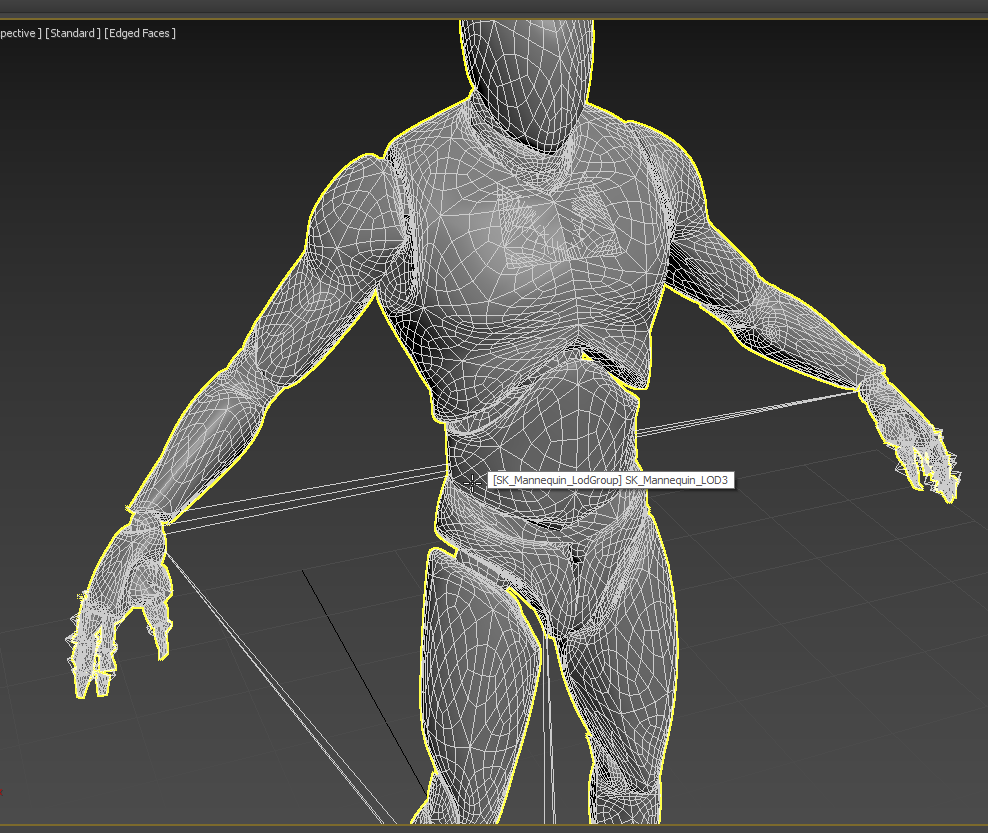
and now how can I replace the original verison in Unreal without break anything please?
because i don't know why I exported a fbx file and can't replace the original one
There are no fbx file to replace here: https://i.imgur.com/lIOOvFO.png
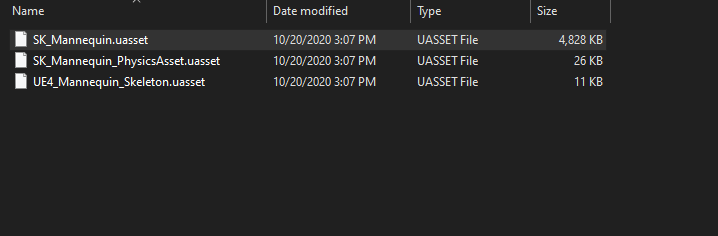
maybe it's on another folder? sorry again im such a noob ahha
 patent ibex
nvidia suddenly updated license on flex's github
it mentions 1-way source code access
full source release ahead?
grim ore
@idle mantle it wont work like that
@idle mantle you can double click to open the mesh and try and reimport it, but as you dont have the original that will not work. you will have to import the new mesh you made then retarget the animations to this new mesh if you want it to use them
 random summit
anyone know a quick way to apply a transform of a bone position in the preview editor of the skeleton?
as soon as i click off and back on it resets any transformations i make
idle mantle
@grim ore Oh it's fine, I just wanted to know if I it's possible to add a turbosmooth modifer in 3dsmax (adding some poly to the meshes)
and I would like to know if it will break the skinning.. I will make a test tomorrow
random summit
fuck
plush yew
@random summit you can position the bone/mesh then hit create asset
if you make a idle asset then a recoil asset
then you can make a 1d-blendspace for the animation
if thats what you're trying to do.
random summit
its just my bone is a tad off, it needs to be in the barrel as its where the bullet comes from but I don't actually have any animations just this
random summit
not too sure what an armature is sorry, I imported it from max but due to issues with xform i can't move it into place without guessing so wondering if i can do it here?
plush yew
and i think you can use a socket if you're trying to get a position i think
if the mesh has seperate pieces id make a "skeleton" for it
can always separate pieces manually to shouldn't be to hard to make basics animations for this thing
just a learning curve.
random summit
its just for a small assignment all of the character, weapon system's is setup and all we gotta do is import the model and put the bone in the correct place so the bullet comes from the barrel but that aint gone so well 😛
dense gate
In your skeleton, you can right click a bone and "add socket"
I'm not entirely sure you need an armature for that, you can import an armatureless object as skeletal mesh
It still creates 1 root bone so you can add sockets at will
random summit
I have a socket but i'm not entirely sure how to use it i'll have a google and look into ur suggestions. thanks for the help
dense gate
You can add a socket inside of UE4
This was originally a .obj file, imported as skeletal, and I can add sockets
random summit
I have no idea what a socket is i added one through unreal but I don't really know how to use it
storm venture
hey, anyone know of a quick way to change the material across multiple BPs?
i have a couple dozen modular meshes all set up as BPs that use a particular brick material, i'd like to try a few different variants, but i'd have to either go into each mesh or each BP to change the material.
is there a way I can, for example, select the current brick material and move all references that use it to another material?
dense gate
Select the multiples of your BPs, right click, asset actions, bulk edit via property matrix
See if that helps
storm venture
doesnt look like it exposes any material options, just general options
dense gate
@storm venture I think I figured out a way to edit components
It's again with the bulk edit
Find under which actor the component is, click the tab for that actor and you can edit there
idle mantle
@grim ore Hey I need your help now I created my mesh in Max with animation I need to export it from unreal
and having the exact same fbx that I had in Max; an animated mesh with skin
but I don't know how to export it WITH the animation 😮
dense gate
You can change properties of components like this
idle mantle
Oh this is not what I want!
I imported my meshes with animation in Unreal, but now I need to export in Max
I Need to export my mesh with animation from unreal to to 3ds max
I select my mesh_Anim in Unreal and export it to fbx But nothing is saved very strange!
It's ok thanks a lot for the help man!
ok I select it

asset action>export
and need to check here maybe
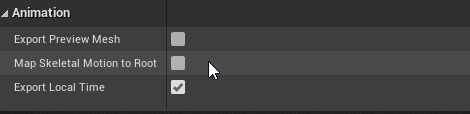
Oh ok
storm venture
@dense gate oh interesting, project crashed so its breaktime for me atm, will try when im back at it, thanks!
dense gate
Aight, hopefully that solves it for you
 limber mesa
Difference between macro and function anyone?
dense gate
Macro is basically condensed blueprint graphs
Functions are, well, functions
Macros cannot be overridden
Functions can
dense gate
Macros can be used to spawn actors or do timed events for example
Functions are iffy on that front
limber mesa
What’s the main difference or is there one?
dense gate
Functions act as functions, macros act like you've added the blueprint nodes into the graph and don't cost anything for calling them
But macros are less flexible
limber mesa
Why do you say
dense gate
I'm trying to formulate a sentence but it isn't working out
limber mesa
What would be a good example on why you personally would want to use a macro?
dense gate
Spawning actors, ForEach logic
limber mesa
So you wouldn’t do that in the event graph instead?
dense gate
It makes it tidier
dense gate
For example if you have a graph that takes all actors in a range and if they meet a certain criteria you call something on them, it's better to use ForEach there
Depends on your use case
For example in my project I have a function that returns me an array of "units" that are in a certain range from point X, are from the selected teams, etc other parameters
limber mesa
Criteria such as their damage types or level
Would that be acceptable or what were you thinking
dense gate
Instead of me calling the function and then a ForEach from the returned array, I can make a macro that simply does the logic at the spot directly while they're being filtered by the criteria
limber mesa
So a macro is like a function but on steroids?
dense gate
It's more flexible
A macro can have multiple execs in its input and output
You can make your own ForEach with them, but with a function that'll be hard
limber mesa
Ok
dense gate
Those can be useful for async loading too
Though if you're new to the engine, don't take on those yet
limber mesa
Really, haven’t dove into a sync loading yet
I have about 6months of blueprints and decent in c++
dense gate
Functions expect to be completed on the same frame always
Macros can have latent calls in them, like delays, async loading
Because they operate as if you added those nodes into the graph directly
limber mesa
That’s what I never got, why can’t you use delays in functions, for that reason?
limber mesa
So a macro is like a condensed bp graph but better
dense gate
Wouldn't exactly call it better
limber mesa
More efficient in certain ways?
dense gate
In space, absolutely
Though macros themselves can become a big mess
Local variables in them can be iffy
limber mesa
Why do you say
dense gate
Local variables happen with a node that acts like a reference
To set the local variable, you need to call a Set-by-ref var on it
limber mesa
Yea
dense gate
And you'll need to drag out of that same node
limber mesa
Oh
dense gate
Wildcard variables can get tough as they have some limitations, like requiring a certain number of references to make them sure of their type
limber mesa
Ok
dense gate
But can be flexible for things like swapping 2 variables by reference
limber mesa
Won’t the ref just get called over again multiple times ?
dense gate
Pretty much
But setting a variable really acts the same way
So the macro itself just becomes more cluttered with links
limber mesa
Ok
dense gate
Again, depends on your use case
If it's a standard function that you won't override, a macro is a good option
If you expect to override it at least once, function
You can still do most things with functions
Though you can't call macros from other classes
limber mesa
Really?
dense gate
As in, in your controller, you can't directly call a macro from the pawn it's controlling
limber mesa
Ok. Thank you for the help
dense gate
Though in those cases you use events that call the macro instead
Makes it easier to get it working for multiplayer too
dense gate
Sorry if I caused confusion, 5 AM brain isn't working well
Things sounded a lot better in my head than when I typed them
 hasty wharf
im getting this when packaging game, it packages then i try to run .exe
any help?
ive tried everything i can find online. feel like im missing something very simple
grim ore
how are you packaging it? it shouldnt be trying to find the .uproject so definitely weird
hasty wharf
file - package project - windows 64
i saw this on a video, unsure if it helped
thats about all i changed. building in development mode
i had it working, sent my version to co-worker, he made some graphics modifications and now this error
grim ore
yep thats weird
hasty wharf
i fixed it
grim ore
did they add any plugins or anything?
grim ore
oh weird
 calm shale
Hello there! Im a big noob, my gizmo are shaped like a Triangle instead of Arrows, someone knows how to switch it to arrows?
humble yacht
Are there any documentation out there that outlines the order of execution of classes
plush yew
try hitting W E or R i dont know what that triangle is
calm shale
the scale is a triangle, and the moving is not appearing
W E R, just switch between them, it doesnt change how they looks like
it seems nobody knows
plush yew
really no idea
grim ore
did you change your near clip plane?
calm shale
how do you do that?
 vernal jewel
hello does anybody know why i don't have this component?
i'm trying to follow this but
 kind pumice
what kind of BP is that? Not seeing your components
vernal jewel
i don't seem to have the same results when searching
kind pumice
pretty sure you need a scene component or something to rotate
vernal jewel
oh i'm trying to make a day and night cycle
ohh ok nvm
XD
yea thanks for that delta i think it solved my problem lmao
i shouldve placed this blueprint on my lightsource so it would rotate yea
kind pumice
sweet
vernal jewel
placed it on my level blueprint
broken garnet
does anyone know a good course to create a car type game with c++?
that is free ^^^
crisp thicket
Got it
 sturdy trench


 vapid narwhal
Im getting an array index out of bounds when trying to assign a new skeleton, anyone know what causes this?
plush yew
how do i cast more than one trace, do i need to use event tick?
because i dont really wanna lol
 misty lynx
is there a way to report an error in the documentation?
 warped tangle
@plush yew Event-based, loops, timer, and tick are options
 split wedge
quick question i was messing around in ue4 and i created a character bp and just copied over the code from third person character content pack and every thing works except for mouse movement and gamepad movement on y axis, did i need to do something extra for that?
broken garnet
@split wedge did you bind it in the engine and the code?
split wedge
yes
the y axis on mouse works for the third person character but not my new character bp
broken garnet
@split wedge that happend to me once. I would get a template and compare to see what you did wrong, might have something to do with the vector not being scripted properly
split wedge
cool thanks, its just frustrating when something that simple breaks for 1 blueprint haha
dawn bloom
is there a way to transition to the next level
when all objects of a given type are destroyed
of maybe like
if destroyed == 64
go to next level
exotic thicket
increase a counter every time object of the required type is destroyed
exotic thicket
could do in game mode or game state
level bp maybe, but it would be limited to existing in that one level in that case
dawn bloom
is it bad practice to store in level bp?
exotic thicket
kind of yeah, it's best used for level design related logic
dawn bloom
ok i read up
I think "game state" is the one I should use
how do I create a game state for a given level?
exotic thicket
it's created for you automatically
plush yew
what exactly do you put in level blueprints?
because for example moving platforms or cutscenes could be achieved in other ways right?
exotic thicket
I had some things that for example trigger level specific logic like spawning enemies
As in, I have a trigger volume in the level, and I have enemy spawn point actors in the level. The level blueprint is then used to connect the player overlap from the trigger volume into calling a function on the relevant spawn points
This type of level specific "glue logic" seems suitable for it
fallen marten
Has anyone got the issue in 4.25 where client lag is random and is like 6secs in duration? Makes testing mp impossible. And yes, all was fine before the jump to 4.25, and yes my machine has ample specs (Ryzen 7 4800, 16gb ram, NVIDIA GeForce GTX 1650ti)
Also for context, level is a default level which should run at 150fps and is giving me 30
plush yew
anyone test 4.26 preview 4 has the water been fixed
plush yew
nvm 5gb update was usless
how do i connect 2 blueprinnnts i dont get it
i was looking for a good document needed exactly that thanks
 median island
Anyone have a 21:9 ultrawide monitor and use it to develop UE4 on?
Been thinking of getting one during Black Friday
How's your experience with it? You get way more blueprint space in the middle, right?
 worldly rose
@median island Depends on what you're upgrading from. If you get a 3840 x 1600 21:9 monitor to replace a regular 16:9 4K monitor of comparable size then you don't really gain width, you lose height. Similar reasoning applies to the ultrawide 1080p monitors.
 honest vale
@plush yew are they actors?
like, subclasses of actor? Where do they inherit from?
If they're actors you can just place them in level and have a variable in each blueprint that holds a reference to the other BP
then just assign them in editor once they're in the world
the variables should be visible in the details panel if they're public variables
you can use splines to sculpt the landscape
they can have width, falloff and such settings
plush yew
@honest vale Im trying to make another actor play one of his animations when the Character does something. Pretty sure its exactly what the doc says, im just struggling with the custom events atm
 scenic fox
how do i cast to a BP Actor from a widget blueprint?
I don't know what i should put for the object i tried before.
honest vale
you need to get the door instance somehow
scenic fox
i tried to get a reference to the bp but it didn't work
i got an object reference
still nothing
 small panther
would this be where to ask questions in relation to an unreal engine game?
scenic fox
idk
grim juniper
Depending on what you're trying to do a cast might not be what you want
scenic fox
@honest vale this is what im suppose to do for getting a reference right/
wary wave
would this be where to ask questions in relation to an unreal engine game?
@small panther probably not, depending on the question - this is a developer community?
small panther
Well it isn't exactly a developer question but it's something I figured they may know more than most
scenic fox
@grim juniper can you help?
small panther
tldr a game I play allows loading of assets via a published folder, and I was wondering if those are forcibly loaded into ram at startup. I ask this because I believe some text caching or allocation is happening very suddenly and always causing a stutter upon the first headshot
wary wave
this isn't an Unreal Engine feature, so there's no way of us really knowing what that game is doing
scenic fox
can anyone help?
small panther
ahhh rip
scenic fox
anyone?
small panther
I believe most of the games code is in the sdk, but I'm meh at reading such large code
grim juniper
I'm not sure exactly since I'm also sort of new to this, but this page goes over various methods of blueprint communication. https://docs.unrealengine.com/en-US/Engine/Blueprints/UserGuide/BlueprintCommsUsage/index.html
Overview of when to use different methods of Blueprint Communications.
mortal cedar
Can someone explain to me why X is up and y is right, instead of like on math graphing where x is right and y would be forward
the number of times I've forgot this and spent ages debugging why my world gen is messing up is crazy
exotic thicket
because that's what Tim Sweeney thought made sense when he created the first version of the engine lol
no joke that's probably the only reason for it
:P
Besides isn't Z up or have I been dreaming this whole time
tbh I never really paid attention to which was which because everything always uses their own rules
mortal cedar
yeah I meant x forward, y right haha
unless y is forward and x is left
depends how you see it haha
mortal cedar
I'm doing all my calculations using the x and y based on what they would be on a graph, and then having to swap them when placing object in the world. but I always forget haha
covert hedge
also just rotate your camera pI/2 around Z and bam, you have the coordinates you want to with x facing right and y facing forward, it's not like it really matters anyway 
covert hedge
how can your self be looking at your self
plush yew
i dont even know what self is
exotic thicket
self is just a reference to the blueprint itself
covert hedge
a reference to the instanced blueprint that is, if you place an actor and use self, the reference isn't to "actor BP" but to "actor"
plush yew
yeah i needed that
scenic fox
how would i make a door with a password?
lusty carbon
While I understand static stationary and mobile lights, I dont quite understand stationary objects behavior. Can anyone make it clear?
 umbral ferry
Circle collision is sphere collision ?
plush yew
@scenic fox Id say first you have to get the interacting ready with line traces or a collision box and from there you add some kind of widget
scenic fox
But like
i've been trying to do that one cast
and i stil don't understand why it's not working
im using a collison box and enabling input once the player enters that box
and disabling when it leaves the box
plush yew
and you wanna make the door open when the code is right
then im trying pretty much the same thing to make blueprints communicate
Overview of when to use different methods of Blueprint Communications.
dense gate
Multiply and put into your opacity
I think there was an option for a masked material?
Not sure tho
I tend to use translucent
umbral ferry
How to make a collision that fill my character ? Because box collision can be too big or too small.
or i have a native collision on my character model?
 sleek swift
Hello, Can anyone help me please?
Actually this FPS Character has only one base collider but I need another collider for my weapon so it can collide with the static environment.
But adding another collider only works with physics object and the gun still passes through static objects
Please help me: DM or Comment below. I really need your help and I will be really thankful to you if you can help me here.
& I am a designer that's why I am not so good in this ..
 unreal mantle
Does anyone have any idea why my optimization viewmodes (shader complexity, etc) have nearfield clipping set very high? Or know how to change this value?
covert hedge
@sleek swift did you check the collision channels of the collision component you added?
sleek swift
@sleek swift did you check the collision channels of the collision component you added?
@covert hedge What I didn't get it ?
covert hedge
when you add a collision component, capsule box or whatever, it is suppose to respond to what ue4 calls channels, if one of your channel is set to ignore or overlap, it wont block anything, just either do nothing or just trigger the OnBeingOverlap and OnEndOverlap events
The Collision Presets section in the Collision Property Category has a large number of properties broken out here for clarity.
sleek swift
Can I show you my problem though screenshare in general?
covert hedge
so if the collision you added to your gun has collision channels set up poorly, it might just ignore the collisions with stuff altogether
uh i guess, idk if that'll change my answer tho
sleek swift
ok then join general you may guide me properly
covert hedge
click on the arrow of "collision preset" and check if they make sense
covert hedge
so the gun goes through the wall you say?
covert hedge
probably something to do with the char collision not being the same as the gun, resulting in the char still being able to move when the gun would be in wall 
you could try what this dude did https://answers.unrealengine.com/questions/156115/how-to-prevent-weapons-from-penetrating-the-wall.html
which is basically line tracing forward to check if there is a wall less than x meters away, and if so, lower the gun or something
otherwise i think you'd have to make your main char collision big enough to include the gun
and use a different capsule for the hitbox
might not be optimal tho
sleek swift
Yeah I will try all this, thanks for your help man😊
covert hedge
tell me how you end fixing it in the end, it's interesting 👍
sleek swift
ok
plush yew
you could also do a battlefield kinda thing where the gun isnt moved but also doesnt clip through the wall
scenic fox
help with weeping angel ai pls
it's
not weeping angel ai
any help?
im using a character blueprint class
anyone?
unreal mantle
@scenic fox you didnt really ask a question
unreal mantle
is your print string firing?
scenic fox
yes
 snow cosmos
HI. Does anyone know about the compatibility of nvidia ANSEL with new versions of ue4 (4.25)? it doesn't work on 5 different PCs🙄
scenic fox
yes i put a print string in the false of the branch and it's working @honest vale
honest vale
what's the value of the move result? You can print that too
honest vale
it's right there on the right side of the AiMOveTo node
 rocky radish
HI. Does anyone know about the compatibility of nvidia ANSEL with new versions of ue4 (4.25)? it doesn't work on 5 different PCs🙄
@snow cosmos it seems to be broken on newer versions of the engine, maybe try some older versions from around the time when nvidia ansel was introduced to the engine
honest vale
just grab it
snow cosmos
@snow cosmos it seems to be broken on newer versions of the engine, maybe try some older versions from around the time when nvidia ansel was introduced to the engine
@rocky radish
Ok thanks.
rocky radish
np
dense gate
Connect to either On Success or On Fail
 whole cedar
guys im looking for a freelancer for a paid job
scenic fox
why is my AI not moving at all now
rocky radish
guys im looking for a freelancer for a paid job
@whole cedar #looking-for-work
snow cosmos
In your opinion, in terms of rendering quality, NVIDIA Ansel or stereoscopic 360 capturing is better ?

Unreal Engine
Here I'll walk you through Ninja Theory's particular settings and workflow for capturing 360 stereoscopic movies like the one we just launched today for Hellblade: Senua's Sacrifice. Read on to learn more about using the "Stereo Panoramic Movie Capture" feature which works out...
whole cedar
@rocky radish i dont have permissions there