#ue4-general
1 messages · Page 838 of 1
 light thunder
@slim pumice check the blueprint section for one, and if you put screen shots of it, that seems to get people's interest
but you are looking at this? mind you, I'm using custom events to show this, but if you are new, then this might be what you are looking for, just type whatever key you want in unreal blueprint when you are adding a node and it will search for the "key event"
 radiant jasper
The on fail only triggers when the ai reaches the player
And the success does the same thing (which it should)
But the on fail should execute when the ai cannot get to the player

anyone know how to fix this?'
light thunder
have you played with acceptance radius?
radiant jasper
that has nothing to do with it, on success i want it to go directly to the player
light thunder
oh
radiant jasper
but i want the on fail to trigger if the ai is blocked by a door
light thunder
why are you setting pawn to "Can Move" to false ?
 plush yew
i have a question how good is unreal performance wise? because the engine seems quite heavy so i’m worried about how game performance would be on lower end PCs or even mobile?
light thunder
It runs fornite on mobile
radiant jasper
can move is just so it doesnt free roam
plush yew
Yea but fortnite is made by a big team of people
light thunder
But there is some work involved learning how to optimize it
radiant jasper
i want it to not free roam when sensing the player
(basically i dont want it pulling random coords)
light thunder
you are saying it still says fail even when it gets to the player?
plush yew
yea i know, i come from Unity tho and since its pretty light weight as long as we don’t make slow code its usually pretty good
light thunder
I remember messing with this once
plush yew
Would blueprints still work good on mobile though or is c++ a must?
light thunder
same thing was happening to me
radiant jasper
c++ is not a must but it depends what ur doing also for apple u have to have a mac
what did u do to fix it
@light thunder
light thunder
print out the movement result on both success and fail, make sure you know what type of failure it is
and you know what acceptance radius is right?
because it will fail regardless if that isn't correct
radiant jasper
yeah when it performs the on success
light thunder
I'd play with it and see
light thunder
like, set acceptance to a ridiculously small number, it should fail everytime
radiant jasper
i have it set at 0 and it still doesnt fail until it gets to the player
light thunder
put the player in a box so they can't reach it at all, does it fail then?
radiant jasper
the player is in a completely blocked off room
doesnt fail
ai just stands at the door
light thunder
no nav mesh problems right?
radiant jasper
no it doesnt get actually stuck
 open wadi
Anyone happen to know if it's possible to insert carriage returns in a text block / rich text block?
radiant jasper
cuz when i open the door he goes right through
open wadi
From the event graph-side?
radiant jasper
i asked the guy who made the tutorial and he said my code was fine
open wadi
Such as, when writing data to the string from the event graph, is there an ASCII char you can write that will be interpreted as a carriage return?
radiant jasper
wait so what do you want me to do with the switch?
do u want be to disconnect the on success and on fail?
light thunder
no, just get the result of the failing?
the movement result
does it say blocked, off path, aborted, invalid, etc
radiant jasper
when at the door it says nothing
when touching the player it says success and fail (cuz i have print strings)
idk what the switch is suppose to do
 bright wharf
anyone know why it takes so long to package? is it cuz i have a poopoo peecee?
 slim pumice
@light thunder Amazing, thank you. Knew it'd be something straightforward! Will give a go later.
light thunder
radiant jasper
ok
light thunder
I seem to remember my problems being nav meshed based
radiant jasper
still doesnt say anything when at the door
now just gets stuck at the door
no message tho
he just stands there
light thunder
which one of those fires off though?
radiant jasper
none
light thunder
then it isn't failing?
radiant jasper
he got stuck at the door and when i opened he just stood there
ima try making the nav mesh thinner
light thunder
two things, I think the nav mesh jump points, forget what they are called but they help bridge the gap
when you open the door are you sending the AI moved to command again?
radiant jasper
no it just follows through with it, going to the player
light thunder
It's been a while things I really messed with it I can't remember the mechanisms that make a I continually try to go to a place but then fail and try again
wait I'm still confused about what is happening?
radiant jasper
hold on im testing it again
ok yeah i dont get any message when he just stands at the door
when he touches the player, it says aborted
(and success)
 dense knoll
anyone know where i can get a free realistic auto material? or at least how to make a simple auto material?
light thunder
so is it failing actually?
radiant jasper
yes it fails when it touches the player
dense knoll
or how to make one of those materials that have multiple paint options/
radiant jasper
which makes no sense whatsoever
light thunder
Instead of using the Get Random Reachable node from the Get Actor Location from the player try just using the location of the player and set your Acceptance Radius to include the 20 from the Random Reachable node. The AI may be getting no return results that are within 20 and so it returns failed....20 centimeters is an awfully small point for him to try to reach and fit in.
radiant jasper
uh what
random reachable isnt included in the on see pawn
i turn it off with the set can move
light thunder
Set acceptance radius to 100
radiant jasper
ok will do
light thunder
this was on that link too
don't know if it is applicable to you or not for certain
radiant jasper
still stands at the door
fail just doesnt happen
success happens when it gets within 100 but the fail only happens when it literally touches the player ig
light thunder
but when you open the door, he continues moving
radiant jasper
yes
light thunder
so it's doing what you want but what it is saying, makes no sense?
radiant jasper
yeah its not doing what i want, i want it to do the on fail when it is blocked
not just stand there
light thunder
That's what I'd advise looking at first -- in your viewport, click "Show" and then check "Collision" to see how that actually looks as compared to the expected layout of objects in your scene.
radiant jasper
huh
light thunder
if the failure is listed it "aborted" this might be your issue
radiant jasper
idk what thats talking abt
viewport?
where
i have no idea what that is referring to
light thunder
another comment from that same A.I. link - ```For those stumbling upon this post and the proposed solutions fail: in your Project Settings, check the "Engine - Navigation System" section. I added a Supported Agent here, following instructions for a different issue. Probably did something wrong.
After removing the Supported Agent and cleaning up the DefaultEngine.ini (removed the [/Script/NavigationSystem.NavigationSystemV1] section), the AIMoveTo started to behave nicely again.```
radiant jasper
yeah i clicked the collision and my doors r highlighted in blue
 tame delta
Might be a weird question, but are there increment/decrement keys in number spinboxes? pressing the usual up/down keys do something very weird (that I don't understand the point of)
radiant jasper
i have no supported agents
light thunder
homemade - try using a new project like the default content once and test it there with simple geometry
maybe that's it
and obviously you have an ai controller on the map right?
light thunder
I'm pretty bad with A.I. but generally when you are trying to figure it out, you want to hard code reliable things to make sure that the most basic elements work, like put a target point on the map and literally copy it's location vector (x,y,z) and put that as the destination in the move A.I.
and just have the A.I. on an empty map (besides something to walk on) navigate to that spot
radiant jasper
it has no way of knowing it it CAN get to the player
light thunder
then experiment with blocking him but as simply as possible, like making a giant block in the way
light thunder
No, what i am saying is, start a new empty project (but include epic content)
and recreate the most basic A.I. you can
move to a single, static point, and make sure it works
radiant jasper
uh ok
open wadi
Question: I have an API endpoint returning multiple responses for a given table, such as "users". I'm attempting to iterate through "users", how does one do this? I'm here testing for each loops, but I'm having trouble with the fact that it's JSON data. Simple decoding doesn't seem to be cutting it.
Anyone ever done this with VaRest?
light thunder
@open wadi There are some cheap (or free) market apps that let you work with JSON and convert the data to something you can iterate with
 radiant sleet
Is DefaultPawn included in engine and thats where it gets it?
I dont see it in content browser
open wadi
Hi @light thunder - Thank you. Looking at these now, such as "EasyJsonParser".
Do you have a particular one you recommend before I go on a buying spree here?
light thunder
low entry might be one that's free
open wadi
I mean one would assume VaRest itself could handle this since it's built for handling JSON API responses and I am using it throughout this project for individual request / responses, I've only run into an issue now that I have an API returning a table with multiple entries I have to iterate through.
But then again, I just scoured every tutorial I could find on youtube and the web to find an example of anyone doing this with varest and I couldn't find one, so perhaps not.
radiant jasper
doesnt work
light thunder
I haven't worked with VaRest, I just remember seeing "JSON" come up in my blueprints (ironically I didn't want/need it, it kept getting in my way)
light thunder
then you know that something is missing at the most basic level @radiant jasper I would tell you want it is, but I am just now trying to get back into AI
 ornate forge
I wonder why I can't delete those selected (yellow at the bottom) keyframes, they ignore the delete command
light thunder
beyond telling you to watch some videos on it
light thunder
I know that, but you need to understand why the AI fails in the first place
or you're gonna have a bad time lol
if you can't make it work on the most simple example, it means you must have a gap in your knowledge base, this is also known as "being a develoepr"
radiant jasper
i watched @grim ore's vid on it
and i just cant get it to work
for him it just on failed when the ai determined it couldnt reach the player
there was a gap between the player and the ai for him, but it should still work regardless
(btw the reason i didnt get it to work on the brand new project is cuz i forgot to place the nav mesh
open wadi
Ok, here's what makes no damn sense. Throughout my project, I successfully go from VaRest Response (CustomEvent) > Get Response Object > Get Sting Field (specifying the name of the field returned from the API) > Write to variable, as seen here. This works fine when dealing with an API request that returns a single object with individual params, such as "first_name", "email", etc.
However, when dealing with an API request that returns an object, such as "users", with multiple "users" therein, iterating through it makes no sense. For example, this here:
Doesn't work. I get the response object like normal, I set it to an array, and within the individual array elements in the for loop, I want to replicate the original functionality - get a field name and write it to a string.
However, even though the pin on the output of the Custom event says "VaRest Request JSON Object Reference", and the array element pin on the For Each loop says "VaRest JSON Value Object Reference", I cannot pull individual fields within the For Each loop as I do normally.
So that begs the question: What the crap is the exact difference between a "JSON Value Object Reference" and a "Request JSON Object Reference" re: VaRest?
All the examples online of leveraging VaRest appear to be incredibly basic, apparently no one on the planet using UE4 has ever dealt with an API endpoint that returns more than one value for a given param, like "users" or "posts", or if they have they don't care to share.
bright wharf
whats the node that has 2 branches
radiant jasper
even the guy who made the fucking tutorial
light thunder
@open wadi Is there a way you could make a structure mimicking the same structure that the object seems to be composed of, and populating your structure with that data? then you could have a much easier time iterating through the data
@radiant jasper watch other tutorials
radiant jasper
ive watched like 3
light thunder
or google, i found those two threads pretty fast
light thunder
try this
 daring tundra
Hi all. Is there a way to know if the level is finished loading when using OpenLevel instead of Streaming Levels?
light thunder
download one of the content examples that actually shows A.I.
like one where it is doing something, and it is already set up
if THAT doesn't work, then your engine install is somehow screwed up, kinda like how you didn't have an agent
(although it should still work at a basic level without that agent thing)
radiant jasper
dont think that exists for this specific node
light thunder
https://docs.unrealengine.com/en-US/Resources/ContentExamples/NavMesh/index.html try this one but look on that same page
Overview of the samples provided in the Navmesh Content Examples.
light thunder
I don't know that well enough, but you should be able to delete your setting ini to set it back to default
radiant jasper
never changed it
light thunder
see if you can download this https://docs.unrealengine.com/en-US/Resources/Templates/ThirdPerson/index.html third person template
Links to various example scenes, sample games, and tutorials.
appears to have some AI in it
light thunder
but there should be AI in it if i'm reading this right?
light thunder
in any case, AI seems to be one of those unreal mechanisms that you have to adjust your expectations a lot more conservatively...you need to really understand what is happening at the most basic levels of its systems before you move on, at least that's my experience
radiant jasper
its just not doing what its suppose to do
unless theres a literal issue wit 4.25.1
light thunder
and you've obviously asked in the AI section of Unreal Slackers? I know there isn't as much activity there
radiant jasper
nav mesh bounds volume ? is that just the normal nav mesh
the green stuff
it moves fine
the problem is that the on fail only executes when the ai gets to the player
light thunder
Just remember the general advice - try to be as specific as possible when describing your problem, like "My AI reads "abort" as the failure reason despite reaching the player
light thunder
You need to start thinking like the logic it's moving
it THINKS it can't get to the player
light thunder
you need to think/define what "to the player" means in terms of the game logic
radiant jasper
is something blocking it
light thunder
that's why I recommended starting on a blank map
radiant jasper
that is built into the node is it not
light thunder
the EPathMovementResult I showed you should give some of the reasons, like abort
radiant jasper
like i said it only aborts when reaching the character
 grim ore
so what does your map and setup look like? have you tested a simple map
or is this map specific
I can say on my simple map I have no issues, execute failed and success work as expected even with a wall in the way
keeping in mind "failed" does not mean cannot get to the target due to a blocker
light thunder
You need to understand what those EmovementPath results MEAN.... block is not the same as abort, for example
grim ore
it wont, fail does not mean "i cannot get to that location on the path"
it doesnt mean there is an obstacle in the way
radiant jasper
whats it mean
grim ore
fail would be if the target is completely not available on the mesh, or no mesh
light thunder
You don't have to have your navmesh constrained like that
grim ore
your asking the ai to move, if it can move it will be a success
light thunder
it should be green everywhere in that room
radiant jasper
right but if it stops moving, shouldnt it be a fail?
light thunder
unless that floor is lava or something
radiant jasper
cuz thats what it does
radiant jasper
ok
grim ore
I dont think you are getting that part
just because you think it should mean that does not mean it does
fail is if the "hey you need to go here" fails, the entire ai move to node
radiant jasper
https://www.youtube.com/watch?v=y0YVP2Sfe28&list=PLSmJxaMDCPffe5jCrVUa47lG_XR95sVBP&index=6 if u go to 40 min
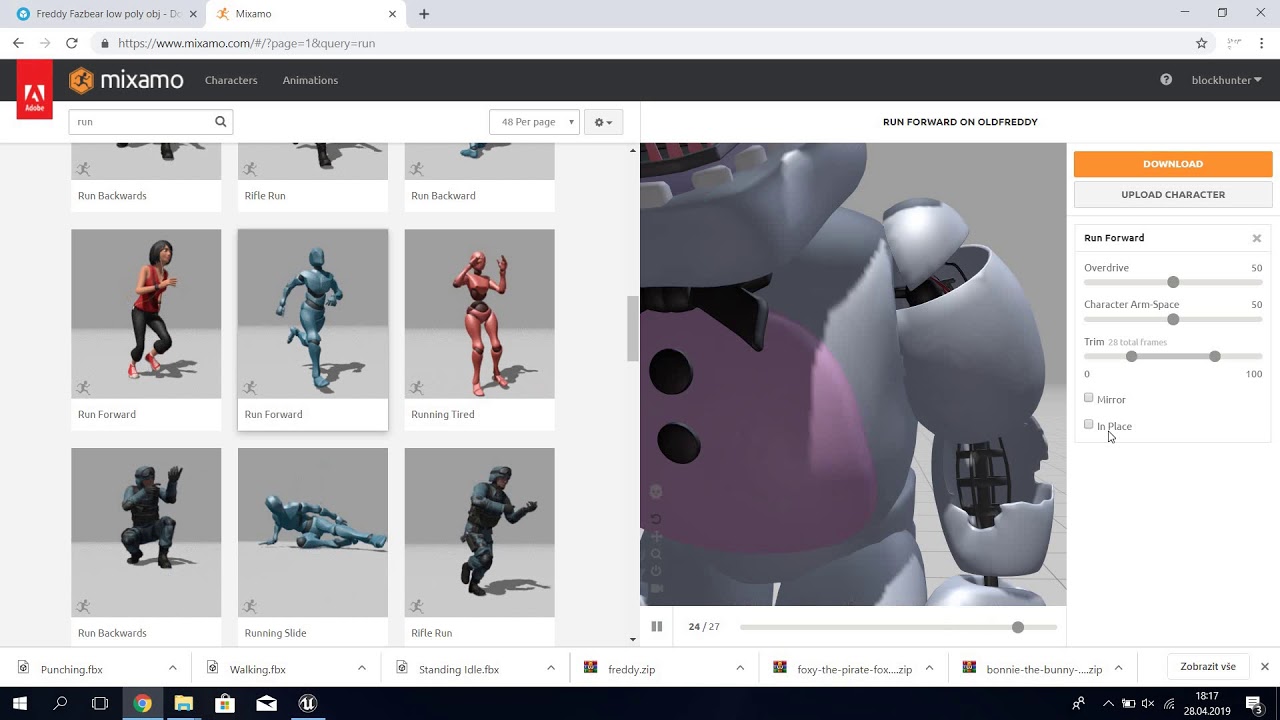
Today we are making complete animatronics, with a jumpscare, footsteps, door functions!
In the next part (Part 7) We will be making the functionality of the music box!
it works for him some how
grim ore
your nav mesh should cover the entire area you can walk, I guess you just want them to walk from door to door and no where else?
you need to check for distance to see if they made it to the target probably
light thunder
check the distance result like he's talking about
radiant jasper
?
grim ore
AI move to -> starts moving -> success -> check distance to player. If distance is within reason we got to the player, if its not we got stuck on a door or some other obstacle.
radiant jasper
thats not a node
grim ore
the ai move to node says "yo can you move to this location or get to this actor some how? do you hve a valid mesh and target? if so lets do it but if not lets fail.
of course its a node
radiant jasper
how do i check distance then
grim ore
did you even try typing in distance?
or do you need 100% copy paste on a tutorial to do this since you arent trying to learn
light thunder
type in dist
radiant jasper
ok so set max draw distance
radiant jasper
what
light thunder
the third person cast
grim ore
good luck anyone trying to help lol
radiant jasper
light thunder
light thunder
good luck anyone trying to help lol
@grim ore https://youtu.be/_V5Eqg6C34E

I know there's another scene with a Thermian saying this but I can't seem to find it.
light thunder
you know about pausing execution right?
like setting nodes to freeze everything once you get to them? so you can step through?
radiant jasper
huh
light thunder
ah, will this will help you a lot
radiant jasper
the get distance to isnt doing anything
light thunder
just hang on sparky
radiant jasper
lol
light thunder
You know about hitting f9 on any blueprint node (once that are executed in the white lines I mean)
it puts a little red bubble on it?
radiant jasper
yup
light thunder
and you know about being sure you have set this to the blueprint that exists in the game when it is running ?
radiant jasper
yeah its auto set to that
light thunder
good, so you can step through and see the different values in this case, set the distance to the SELF of the AI
 lusty mural
is there a tuts for how to control of every bone direction for charterer with nodes "With a timeline of course"?
light thunder
the red dot makes it stop
rather, PAUSE
so you can see what data is and what is happening the EXACT moment in the execution
Like, there's no way to honestly debug anything in blueprint without using this
radiant jasper
ooooh
so
it happens when i open the door
and he starts going to me
ig bc he saw the player
 shy glacier
how do i put a crosshair in my RPG project?
radiant jasper
it stands at the door and waits before the ai moveto even happens
light thunder
yes that's why the breakpoints( that red dot you put when you hit F9) are absolutely vital figuring out basically any
radiant jasper
How should I fix it
light thunder
@grim ore would be the one to ask but the timing is important on when your AI is moving because you have nothing in your blueprint as far as I can tell that is saying hey move again
you need to think of the difference between a behavior and a task
light thunder
right now it seems like you are thinking of this AI that you made as a behavior
but you have not put in a behavior you put in a task a single one time only task
radiant jasper
The on fail resets it back to the e origin location
light thunder
when you start messing with behavior trees then it will loop through and continue on the same behavior or change
grim ore
@shy glacier you would add it to your HUD, using UMG or the HUD class depending on what you want. the FPS project has a generic HUD crosshair but if you need something better look into the UMG system
light thunder
resets what back to the original location?
radiant jasper
Like it has the ai move to the spot it began at
And then let’s it free roam again
dense knoll
ok that works here
light thunder
it's not that it's moving it back to the original spot
it's just not going to try to move to the node you gave it to because it read it as a fail
lusty mural
@grim ore is there a tuts for how to control of every bone direction for charterer with nodes "With a timeline of course"?(how to make a short auto charterer movement with only nodes "
radiant jasper
I’m saying it does that with the on fail
light thunder
so it will default back to the free roam that can given the Nav mesh available
light thunder
Make the entire floor the nav mesh bounds
like get that shit completely green
worry about constraining it later
grim ore
@lusty mural there might be using the new control rig, otherwise you just start playing with bones inside the animation editor and save them out. I havent seen anything yet and the official animation course is not out yet.
lusty mural
@lusty mural there might be using the new control rig, otherwise you just start playing with bones inside the animation editor and save them out. I havent seen anything yet and the official animation course is not out yet.
@grim ore thanks
grim ore
is this basically just trying to adjust a current animation a bit? or trying to make small changes?
bright wharf
guys im tryna put a mesh inside an animation bp how do i do that
grim ore
you dont
bright wharf
oh
grim ore
what did you need to do that for?
radiant jasper
Lol
lusty mural
what did you need to do that for?
@grim ore I want to simulate a complete human body movement using nodes, not timeline animation
bright wharf
what did you need to do that for?
@grim ore i want to make an AnimClass for the mannequin arms but i want to make it so i can use the mesh as a refernece and take it out later
grim ore
@lusty mural yeah the engine is not really designed to do that but you can look into using IK for that or the control rig system and that would let you use nodes to control parts of it
@bright wharf if you want to refer to something inside of the anim bp from outside (the mesh in this case) you can use a variable to hold it and have you character set it to the arms. I dont know really why you need it inside of there tho
grim ore
normally you would have the anim bp talk back to the pawn it is on and work with it if needed
 summer edge
How to set tap inputs for mobile
Not swipe just on tap function
bright wharf
@bright wharf if you want to refer to something inside of the anim bp from outside (the mesh in this case) you can use a variable to hold it and have you character set it to the arms. I dont know really why you need it inside of there tho
@grim ore alrighty thansk
lusty mural
normally you would have the anim bp talk back to the pawn it is on and work with it if needed
@grim ore i just need In order to make a logical cut scene without having to import a short film or something like that
grim ore
@summer edge mobile controls (like stick and buttons) or just buttons on the screen?
summer edge
Just buttons, can say half display coord for one tap other half for second tap
grim ore
you would use the UMG system then to make buttons
radiant jasper
I would use a widget bp
 red prairie
Does anyone know why files do not show in Unreal when I move files from one project to another?
Files show in explorer. I tried to copy files manually and also use migrate function.
I am moving files from 4.25.2 (project built using custom stuff) to newly created project in 4.25.3.
summer edge
@grim ore okay
light thunder
@grim ore since you are doing office hours apparently :), I might as well ask, is there anyway to iterate through an enum? I want the next phase to go based on the previous one, so it is like a sequence, but I need to be able to interrupt it, which I why I didn't just construct a sequence with delay nodes in it
aaand I'm dumb
 harsh tiger
would anyone here mind taking a quick look at my message over in #fab please? unfortunately it isn't very active atm
grim ore
@light thunder lol I was putting together a screenshot but I take it you got it? just increment the byte 1 value and it should work (byte -> int and increment and back to the enum)
light thunder
glad I asked, didn't know you could increment the byte value like that
mine is clunky but i'm prototyping I guess
light thunder
glad to know that though, thank you, i would still need these events but I'm sure I'll use that
grim ore
maybe just a function or macro that takes the current enum value and increments it and returns back the next
light thunder
totally unrelated - is there a quick fix for fixing my saving time - it's super long because I am disconnected from my source control (the machine that hosts it is down at this moment) I don't want to have unreal forget any of my source control settings so I haven't messed with it, I just wish it would realize that it's down and not hang for like 30 seconds while it tries to connect
 turbid plover
huh... anyone else have the starter content packs disappear?
i also dont see any of the starter projects (top down, stick shooter etc)
 fluid lance
How is this possible?
- Cleared saved and intermediate
- I have no redirectors
- Everything works fine
yet, i get this:
when i start the project 🤷♂️
turbid plover
last time i ran into that i created objects with the same name in the proper folder then deleted them and it fixed it
fluid lance
i can't create them in the "proper folder" because they !exist in the proper folder and work fine xD
i had this error many times ofc, but every time it made sense. Now it doesn't 😄
red prairie
Pretty sure it has to be the same version
In order to do that
Talking to me @radiant jasper ?
radiant jasper
yea
turbid plover
@fluid lance any possible references on those objects to those "broken" links?
fluid lance
as i wrote above: no redirectors or broken refs, the files are there and they get accessed and work. The struct pulls 1/2 of the game for instance, the rest are sound cues. They all play, everything is working fine
turbid plover
yeah but there are refs to those files in those objects, correct? i would change them to a different file, save, close, then reopen, set them back. "jiggle" the reference. generally in the engine when i get weird stuff with references like this, kicking the reference seems to fix it.
radiant jasper
ah, after thinking abt it i think ik what the issue is. The ai is attempting to get random point in the locked room
@light thunder
fluid lance
@turbid plover ok, i'll rename them - except for the struct, those are dangerous to play with, i learned that the hard way. But i'll "jiggle" the sounds and see if it works - thanks for the idea! 🙂
turbid plover
yeah youre right... thats a dangerous game with the struct
good luck! let us know if it helps
 hidden aurora
Is it possible to toggle rtx on runtime?
radiant jasper
so like when the ai is standing at the door, it executes the pawn sensing
light thunder
@radiant jasper it's definitely possible but you are going to need to spend some time in a course, it has to do with collision visibility channels, environmental query system, like, take a course on AI, not just watch a youtube series
light thunder
You are going to open yourself to a lot more headache if you "one question more" style of development....you need to take the time to truly understand these systems before you move on....
collision can be frustrating to try to figure out for sure
radiant jasper
would that work tho
light thunder
I am not sure
radiant jasper
iiit does not
fluid lance
@turbid plover aaahh...doesn't wanna "bite" 😐
renamed, saved, did all combinations, this is weird
 stuck anchor
Does anyone know if Unrealengine 4.25.3 is pretty stable at this point for developing games?
grim ore
as stable as it's going to be
it could be 100% for your project or 0% just depends on your project
stuck anchor
i mean for the first version of 4.25 i had many problems and i hope it changed now
grim ore
check the update posts to see if the issues you had were fixed
 midnight root
o_0 everytime I try to change one of the scale values on a terrain ( world comp world) it immediately resets back to 100%
I even restarted to make sure
same thing
4.25.3
only one terrain visible atm
stuck anchor
yes had that same problem
midnight root
omg
 hollow ridge
Mathew how the hell do you make so many tutorials?
midnight root
@stuck anchor what did you do
stuck anchor
i mean i tried to change the scale values and it also resets completly
stuck anchor
i didn't found an solution
stuck anchor
😄
midnight root
I guess ill try changing values on import see if that does it
stuck anchor
yea try that and tell me if that worked
midnight root
still makes no sense its not importing as the same scale as exported,zero sense
anyway yup
shy glacier
can anyone tell me how can I make my basicattack fireball go through my crosshair
red prairie
@radiant jasper Ok, thanks. I will try to move it from 4.25.2 to another 4.25.2 ...
radiant jasper
ok
does anyone here know anything abt ai
and if so how do i let an ai sense the player through a specific mesh
using pawn sensing
midnight root
@stuck anchor ya that works
 rough cedar
Hmm, my Engine stopped showing me the Lighting needs rebuilding warning, anyone have a clue?
rough cedar
To know. Feels wrong not to have it - I stuff a new asset and there's no indication
 paper thunder
I cannot see the parameters in material parameter collection and physics material. Any idea why?
 flat axle
@paper thunder did you duplicate the material?
paper thunder
no
flat axle
How did you get the material?
paper thunder
i just made a new material parameter collection
grim ore
go up to window and reset the layout, you might have to do it in the main editor window it should fix it. otherwise you can go up to window and open back up what didnt open
 empty dawn
hey guys, trying to debug my BP, don't know why I don't have the option.
grim ore
@flat axle just a random bug, restart the editor to fix it
paper thunder
i @grim ore it worked thanks😃
grim ore
@empty dawn is the blueprint loaded into the world and is the world running?
radiant jasper
does anyone here know anything abt ai
and if so how do i let an ai sense the player through a specific mesh
using pawn sensing
flat axle
@grim ore wow thanks! it fixed like 5 other problems I was having XD
empty dawn
@grim ore Ah, okay I get it.
So if I run the level it should just call a break point that I have in the BP?
grim ore
if you have one yep, it should auto select the first instance it finds
radiant jasper
mathew do yk how to let an ai see through a specific mesh
 thick herald
change the collision settings I would imagine.
thick herald
No idea then, sorry. I don't use pawn sensing.
rough cedar
Hmm, my Engine stopped showing me the Lighting needs rebuilding warning, anyone have a clue?
@rough cedar Forcing precomputed lighting on and off as well as restarting the engine worked
 vale silo
Where is 4.25.4 ? Where is 4.26p1 ?
radiant jasper
can someone help me please
empty dawn
tHANKS @grim ore One last question, is there a reason I couldn't select a BP in my example? I followed the docs and thats how they tell you to do it.
grim ore
you should see all of the current instanced blueprints of that class when it's running
thick herald
Spamming channels isn't really allowed my dude. #old-rules
flat axle
How do I make a random float in range but without a range and just make it random from custom inputs
bright wharf
im trying to animate is there anyway to go trhough frame by frame with hotkeys?
grim ore
you would use the random float in range still
ornate forge
I tried to shoot my new character, and this is what happened
I'm not a good animator
thick herald
What/How.... 😄
 steady owl
Is a top spec Intel Xeon better than a top spec Intel Core for a UE workstation?
Things like compiling shaders, code- stuff that is very slow and runs in parallel
Or would the current top spec threadripper be better than both?
thick herald
If the TR has 2GiB RAM per thread, I'd probably go with that
grim ore
compiling takes as many cores and threads as you have so base it on that
radiant jasper
how much it cost
thick herald
AMD rules the roost just now
flat axle
threadripper 3990x is like 3500$
steady owl
So if I had an 8 core CPU, it would compile 8 times faster with the threadripper?
grim ore
depends on the 8 core cpu
steady owl
I had heard AMD was unreliable but it seems they are winning back the CPU crowd
grim ore
8 core 2600k, it would be more than 8 times faster.
steady owl
That is pretty amazing
grim ore
8 core 10th gen, it would be less than 8 times
radiant jasper
what abt the 11th gen ones
thick herald
I'd also wait for a bit, for the new Zen 3 chips
radiant jasper
those came out a week or 2 ago
steady owl
Oooo I wonder how much faster they are
grim ore
announce in a month or so, availability who knows when. compatibility who knows lol
steady owl
And it's fine to mix an AMD CPU with an nvidia gpu right?
thick herald
yup
steady owl
Haha cool thanks just making sure
radiant jasper
r the quadros good for compiling
grim ore
i thought you had to have an intel gpu with an amd cpu...
steady owl
GPU doesn't compile
thick herald
I haven't saw anything from Intel that would make me consider them in any shape or fashion
grim ore
GPU can compile, GPU lightmass in newer version of ue4 as well as CUDA support for quite a few things
radiant jasper
oh yeah cuda
radiant jasper
everything has cuda now
grim ore
well gpu lightmass is out as a drop in replacement
thick herald
Soon™
steady owl
Oh so it'll be fairly fully featured and working?
Is it intended to phase out lightmass? cpu?
Ohh you mean the forum one
Gotcha
thick herald
Preview version of 4.26 might make an appearance this week.
steady owl
YEah the branch is up
grim ore
it could but no one knows, you could be using a machine with an iGPU so in that case cpu lightmass would be better
steady owl
I've been salivating at the mouth for it
radiant jasper
i got a gtx 1060
 sinful lagoon
I wonder why I can't delete those selected (yellow at the bottom) keyframes, they ignore the delete command
@ornate forge if you have all the bones in the armature selected, and can't delete the keyframes, roll-out all the objects in the dopesheet at the bottom.
scroll to the bones that have keyframes and try to delete those keyframes individually
be sure the bone is selected in the dopesheet
bright wharf
this is in the animation thing how do i set it to 60
ornate forge
@sinful lagoon I already figured out that I couldn't delete them because their bones weren't selected
After I selected all bones, I managed to delete all keyframes
 frozen pond
is there any way ($ or free) to save/load whole level? i have many werid like destructable foliages
plush yew
How do you get inputs for pro controller and steam inputs for steam?
Do I need to download something?
light thunder
how do you bind an event to on audio finished when you are playing 2d sound?
I'm inside a function and I'm not sure how to do this, I can't bind the audio component because it is going to change during runtime, so I can't bind it at begin play
I guess this?
 tall breach
does anyone know how to make a random procedural world generation with biomes dm me if you know
 worthy fox
Is it possible to create my own templates for UE4.25? It’s quite frustrating creating stuff from scratch all the time using the existing templates.
 gloomy gull
For making a ue4 game with a story, I feel that the best way to control story flow would be to use timers, but I'm not sure if I should use the TImer manager or something like TimeSeconds
grim ore
@worthy fox yes the docs have info https://docs.unrealengine.com/en-US/Engine/Basics/Projects/CreatingTemplates/index.html as well as there are videos out there that cover it
 inland leaf
can i somewhat see a timestamp at my log entries ?
i have 90 errors but i cant find out where they are
i mean i know what script generates them and what component it is but i dont know if they are old or if theyx are legitimate right now
grim ore
clear the log and run it again
inland leaf
where is the clear button ?
grim ore
right click the log window
inland leaf
uhm ...
i cant find that part where to clear the log
oh ... well, its on start up ... atleast i now knjow that its on startup
 tough oyster
I've started down the rabbit hole of this tool idea and was wondering if there is anything else out there like it. Has anyone heard of an Unreal plugin or feature that lets you VERY quickly make objects you can interact with as an FPS player that can move/rotate when activated, allowing you to easily set up basic Begin/End Nodes for the Translation of the 'animating' StaticMesh within the same Blueprint, and alternatively lets it Activate another identically linked Object for Translation where it follows these same rules for animation/interaction as well? Something specifically designed to make the process of building doors/levers/buttons/platforms/ect..., and all of their connected interactivity, as streamlined as possible.
inland leaf
Blueprint Runtime Error: "Accessed None trying to read property CallFunc_K2_GetPawn_ReturnValue_1". Blueprint: TwinstickController Function: Execute Ubergraph Twinstick Controller Graph: EventGraph Node: Add Movement Input
this error translates to that there is no pawn yet ?
grim ore
which log are you trying to clear?
@tough oyster while not a separate tool you can expose a vector 3 to the world as a viewport tool and it lets you visually see the location of it and move it in the world easily which would let you visually set up a start location and an end location.
 green yarrow
Hey guys,
we have released our first mobile game (two-man team). Hope you will like it!
https://www.youtube.com/watch?v=w4Yw5LRiMQ4&feature=youtu.be

Jump into a world of parkour, animal heroes and endless fun! Become a Parkour Hero!
Pick your favourite animal character and explore lively levels full of various fun obstacles and enemies. Customize your appearance, train yourself and become the best in the world of Parkouri...
inland leaf
message log @grim ore
grim ore
ah, yes the message log keeps track based on the run in the bottom right. that would let you know which play session it was from and the clear button would be down there as well
inland leaf
thanks buddy 🙂
 next badger
Greetings!
Is anyone here using SuperPNG for texture export? Is it possible to combine it with PS Slicer?
flat axle
How do I package a product for mac?
grim ore
run UE4 on a mac and use the package project option
inland leaf
Blueprint Runtime Error: "Accessed None trying to read property CallFunc_K2_GetPawn_ReturnValue_1". Blueprint: TwinstickController Function: Execute Ubergraph Twinstick Controller Graph: EventGraph Node: Add Movement Input
is there a way to debug this ? I have no clue what the problem is
there is no input, the event is "InputAxis MoveRight" but when i dont hit anythingj on my keyboiard the event should never be called ... right ?
grim ore
that is the input
and its an axis event so it reads every frame the value of that input
so yes it will be called even if there is none, that would return back 0 in that case
is that error called over and over or just a few times?
inland leaf
a few times at start up until the pawn is spawned
grim ore
yep then you know what the issue is
so you need to make sure your pawn is valid before you talk to it, you can use an is valid node before the pawn to make sure its valid before you try and use it
grim ore
yes, there are 2 of them and either would work
inland leaf
can you tell me the exact name ?
 minor grove
I have a kit bash collection for cockpit items, but frankly don't know how to get started. Eventually it'll make its way into UE4 for prototyping (but suspect the poly count is astronomical). Would anyone be able to provide tips? Should I use blender?
https://gumroad.com/l/kWpq

Gumroad
Have you ever wanted to kitbash an awesome fighter pilot cockpit? Well now you can with all the pieces from this kit in an instant! All models/shaders/texture from the original render is included. Send me an email @hrosenberg236@gmail.com if you have any questions. You have my...
grim ore
the exact name is "is valid"
inland leaf
i dont find it ... 😦
grim ore
drag off the pawn you are adding input to and type is valid
 quick silo
is there a way to hot reload c++ components?
gloomy gull
@quick silo restart the editor
grim ore
c++ doesnt work the way unity handles C# scripts
plush yew
Why are there no input methods for pro controllers or joycons? (Or steam virtual inputs?)
grim ore
what is a pro controller? and you can make pretty much any input work with raw input
There is also a steam controller plugin from the looks of it
 fair field
Procedural foliage generation. I've followed very basic guides - I have my spawner, procedural meshes, and a proceduralfoliagevolume - yet I can't get anything to actually spawn. Everything has default settings. What am I missing? 😮 (4.25.3)
 languid herald
Whenever I run my game in the viewport, the sprites appear as it should. But when I launch the game to play it, the sprites are now invisible. How do I fix this? I'm not sure if it's a material issue or not.
grim ore
its really hard to tell what could be causing it. When you launch it how are you launching it? have you tried these "sprites" in a new blank level to test they work. How are you displaying these sprites. e tc.
languid herald
I just press launch next to the play button in the viewport. I've had the same problem in every project I used sprites in. The sprites are for the player character, and are located in a 3d map.
plush yew
@grim ore A pro controller is a nintendo switch controller that you can buy as an external controller (I think it uses same input as joycons)
ornate forge
Is there a way to replace a capsule with a box in Physics Asset editor without completely deleting the capsule?
grim ore
@plush yew yeah switch controllers dont use standard input is why they would not work, they would be bluetooth controllers and even then really wonky ones at that.
@languid herald the launch button on the viewport is not the proper way to start a project for testing. Have you tried play in standalone window to see if the issue is still there?
@plush yew if you want a switch controller to work with UE4 you need to get the software that allows it to be emulated as an xbox controller as that is the standard input for windows (X/D Input). This is on windows of course, if you are talking about on a switch itself there is support for that on device if you are a developer.
plush yew
Alright thanks :)
ornate forge
It would be really nice if there was a delete button for each primitive
languid herald
@grim ore I just tried that out, the sprites appear fine, so that might've been the issue
ornate forge
If I add a box, then delete the capsule in the viewport, then both primitives get deleted
grim ore
@languid herald if you want to test this as is, as if it was a final project for someone else, you would use the file -> package project option
languid herald
Alright, thanks for the info!
 robust prism
So. There was an option to change scalability in the viewport (where there are functions like Perspective, Lit, Show). I changed the scalability to Epic and now its disappeared. Everything is now super slow and I don't know where I can change it back to Medium, Low. Please help.
grim ore
@ornate forge maybe your setup is weird but it should work like you want it, selecting the shape in the viewport and deleting it should remove just that 1 shape
do you mean the little drop down in the top of the viewport? that is only there if its not on epic. The normal controls are in the settings drop down above the viewport @robust prism
robust prism
Oh thank you! I got it!
 inner cloak
Am i the only one having issues with multi-user editing ? I tried with my wife and UE4 kept crashing !
flat axle
How do I package my project on pc for mac?
 sudden bridge
Go to file>package project> MAC OS
flat axle
flat axle
@plush yew so no mac people can ever play a game you make on pc?
flat axle
@radiant jasper how did you get that option?
flat axle
I don't think I understand lol. What do I need to do in order for mac people to be able to download and play
radiant jasper
install from github
grim ore
you need a mac to build to mac or ios
 restive eagle
I thought you need a mac to build for mac
radiant jasper
that too
or vm
u need to remote compile on it
and u have to have xcode server on that mac
restive eagle
i remember steam had a system which let linux users to play windows games, but i think its no longer in use
and wasnt really reliable
radiant jasper
linux is easy to export tho
restive eagle
i know its off-topic, just an interesting fact 😄
yeah you can do that with windows
radiant jasper
packaging with macos/iOS/tvOS is a nightmare
flat axle
so theres no way to turn it into a dmg file or whatever mac uses?
radiant jasper
there is
u just have to remote compile it on a mac vm
would not recommend tho unless u wanna have fun changing the source code cuz ue4 broken as shit
flat axle


radiant jasper
unless they fixed all that in which good for them but i doubt it
flat axle
I don't know how to do that, and I dont have a mac lol
radiant jasper
u could run a vm technically
restive eagle
on steam there are only 3.34% of mac users, so not a huge loss 😄
radiant jasper
yeah
 grim ore
not a completely fair comparison as steam is not the primary source for downloads for macOS
radiant jasper
where is then lol
restive eagle
apple store i guess
flat axle
Okay so I run a VM with macos installed, and then I have to do what?
flat axle
okay, im taking notes lol. What after that?
flat axle
Yeah, What he said lol
 frigid needle
i remember steam had a system which let linux users to play windows games, but i think its no longer in use
@restive eagle This is inaccurate. The system in question is called "Proton" and is very alive, well, and functional for Linux users.
restive eagle
few years ago i was looking into it and thats what i remember about it, maybe something changed
or i recall incorrectly
frigid needle
Yeah, I had Linux as my main OS for several months this year, so have some first hand experience with it. It's pretty reliable, if not yet perfect
radiant jasper
just so yk what ur getting into this was my convo with someone on answerhub abt it
restive eagle
didnt they discontinue the support for it?
radiant jasper
frigid needle
No, you're thinking of "SteamOS"
restive eagle
hmm, maybe
frigid needle
Proton is regularly receiving updates
current release is 5.0-9 which was released on June 11th.
restive eagle
hmm thats good to know that i wont have to worry about linux users, even though there are not a lot of people using that OS
radiant jasper
anyone know why the sequence wont play
https://cdn.discordapp.com/attachments/225448446956404738/755172643090595920/unknown.png


 vast fossil
 clever bison
hello?
i wanted to ask, hypothetically...
if one were to ask questions about unreal models extracted from unreal games...
would that be ok here?
turbid plover
anyone else had the tutorial/example projects disappear? i cant add them in editor either 😦
grim ore
it would not be unless you have permission from the author
@turbid plover check for the templates folder in your engine folder
clever bison
very well, good to know. thank you and have a nice day. u_u-b
grim ore
you can also simply not install them, it's an option in the launcher @turbid plover
turbid plover
eesh maybe i was in a hurry and didnt install them
yup
you got it 🙂
thank you! also thanks for all your rad videos. 5 years in and i still look at them! how big is your project folder for those?
grim ore
empty? lol. I dont keep most projects but those ones in particular are all on github. no clue on the repo size
turbid plover
ah. occasionally i got glimpses when you scroll through your project stuff and it looked huge.
wasnt sure if it was some monolithic god tier tutorial project
grim ore
well the main series is yes, its all in one repository but as I use a basic project without much added to it the actual size is small
tons of folders, but small in size lol
they should be if you encrypt the pak file
but I have never used one so shrug
restive eagle
you simply have to tick encrypt in your project settings
and it will ask for key when you try to extract
but if someone really wanted, they could bypass that as well
grim ore
but even then there is nothing stopping debugging tools from pulling stuff from memory or the GPU so you can't just stop people who want your stuff
plush yew
Anyone know why my skeletal mesh won't save after trying to change it in the editor? I can move a bone all the way to the right and click save and it won't do anything when I compile and start the game... :/
restive eagle
theres a funny thing with valorant, if you dig deep enough in their files, you will find a job offer 😄
grim ore
@plush yew moving a bone in the animation part or in the skeleton itself?
plush yew
I'm moving it in the animation, I didn't realize it made a difference 😮
well, In the preview animation
grim ore
it does, but in the animation you need to set a new key frame
changing bones uses additive animation
so you would move the bone to where you want, hit + at the top for add key and it will add a new additive layer track at that animation frame for that new bone positions. Then you hit apply and it will apply that change. then you can save it
plush yew
I am actually in preview animation, so that would mean I'm in the actual skeletal mesh right?
grim ore
well what tab does it show at the top?


 grim ore
on the top right, one of them will be highlighted
and are you trying to adjust the actual skeleton itself and not an animation?
plush yew
I'm in mesh, so I'm assuming I should be in skeletal
and I'm trying to adjust the skeleton itself, not just one animation
grim ore
ah, you can't really do that in the editor unfortunately
grim ore
you can do it at runtime in your animation blueprint but as far as I know you can't edit the bone transforms themselves in the editor and have it save
 silk lintel
Hey, just getting into plugins for ue4. I've created my own, but how do I use it in other new projects?
grim ore
add the plugin into the project if its a project plugin, or into the editor if its an editor plugin
silk lintel
@grim ore I don't see it in the plugin browser. Do I need to publish it first?
grim ore
did you put the plugin into the project?
did you follow the docs on plugins? https://docs.unrealengine.com/en-US/Programming/Plugins/index.html
silk lintel
I'm trying to package my plugin and I keep getting this error: UATHelper: Package Plugin Task (Windows): ERROR: Platform Android is not a valid platform to build. Check that the SDK is installed properly. It doesn't say which SDK, though. Do I need to install some Android SDK through vs installer?
 marsh swallow
So today i finally tracked down that the weird really dark shadows we have around the camera are DFAO caused by the moveable Sky Light and just by touching any settings on them or moving the camera far away it fixes this issue and corrects the shadows.... so question. How do i fix this permanently? It happens both in editor and in package upon loading a new level up.
but for obvious reasons players cant move their cameras far away to fix the issue. Its apparently decently common?! I guess. but to fix it noone really seems to have an answer.
grim ore
https://docs.unrealengine.com/en-US/Platforms/Mobile/Android/GettingStarted/index.html for the android setup
silk lintel
@grim ore I don't want to build for android. I'm seeing that you can disable the andriod build in the .uplugin file, but I don't have one.
grim ore
you should have a .uplugin, its a requirement for a plugin
silk lintel
yeah, that's why I'm confused
@grim ore this is my plugin folder, I assume it's where my .uplugin file should be, right?
 solid gazelle
There should be a uplugin file there if it's a plugin
silk lintel
there should, it is, and im confused
solid gazelle
is there one anywhere in that directory?
silk lintel
nope, checked everything
silk lintel
no
radiant sleet
Any blueprint courses yal lreccomend once im done with ym current one
 storm venture
sorry to interrupt, does anyone know how to increase performance when simulating physics on a large body of welded HISMs?
as in, i have an HISM with 1000 instances of cubes, performance is great, theyre all welded together so they act as 1 rigid body. but as soon as i simulate physics on it, performance drops terribly
grim ore
how did you create this plugin?
silk lintel
@storm venture not sure if this helps, but this is a good video to watch in any case https://www.youtube.com/watch?v=oMIbV2rQO4k

How to render millions of polygons with Hierarchical Instanced Static Mesh in Unreal Engine 4.
Get project files: https://techartaid.com/products/
Optimize draw calls, reduce CPU overhead, avoid common mistakes in Construction Blueprint and have fun creating a massive asteroi...
@grim ore through the editor, it's a c++ plugin with content enabled
storm venture
nice, ill check that out, thanks!
grim ore
yep super weird, maybe make your own .uplugin tho in the directory using the docs or grab one from the engine and use as a base
silk lintel
good idea, i think theres an example plugin somewhere if i can find it
solid gazelle
if you grab one from the engine make sure to change its type. Might be better to try to make another
silk lintel
you mean the api or...
solid gazelle
    "FileVersion": 3,
    "Version": 1,
    "VersionName": "1.0",
    "FriendlyName": "SimpleUGC",
    "Description": "",
    "Category": "Other",
    "CreatedBy": "",
    "CreatedByURL": "",
    "DocsURL": "",
    "MarketplaceURL": "",
    "SupportURL": "",
    "CanContainContent": true,
    "IsBetaVersion": false,
    "Installed": false,
    "Modules": [
        {
            "Name": "SimpleUGC",
            "Type": "Runtime",
            "LoadingPhase": "PreLoadingScreen"
        },
        {
            "Name": "SimpleUGCEditor",
            "Type": "Editor",
            "LoadingPhase": "Default"
        }
    ],
    "Plugins": [
        {
            "Name": "PluginBrowser",
            "Enabled": true
        }
    ]
}```That's the one from the SimpleUGC Plugin
silk lintel
okay now im not seeing my plugin at all
solid gazelle
cpy and paste that one
silk lintel
not even in the project its in
solid gazelle
Do you have something writing to that disk?
solid gazelle
If it's a code plugin, you will want the modules section to match your code modules name
silk lintel
right
solid gazelle
you were mentioning that the plugin is gone now
didnt know if there was some process running on that dir
solid gazelle
What does that mean?
silk lintel
for whatever reason, ue4 isn't installing file associations for me
 versed lion
Hey guys, question I have a BT of an enemy when he sense player he will chase him and if he doesn't see him he will move to random location, the problem i have is that it will start chasing the player right after the move to random location is over, is there anyway to improve it so it will instantly trigger and run towards the player?
solid gazelle
The editor / engine look for uplugin files on startup (and a few places in editor when they're created)
silk lintel
so i have to manually select the program to open uplugin and uproject the first time
 tiny wing
Hey there, I was hoping to get some debugging help with persistent engine crashes I keep getting. Here I made a question on Unreal Engine AnswerHub that seems to be ignored https://answers.unrealengine.com/questions/981002/view.html
silk lintel
yeah but it still takes a file association
grim ore
read the plugin descriptor section from the docs linked before @silk lintel
tiny wing
so i have to manually select the program to open uplugin and uproject the first time
@silk lintel you can edit it in a text editor, the uproject file
silk lintel
no, thats not what i mean lol
ill look it up, it must be buried in the docs somewhere
grim ore
the project loads, it reads the .uplugin file from the plugin folders and uses that to load up the stuffs. if you have no uplugin its gonna be a bad time. And its not buried its in the docs for the plugin in the plugin descriptor section
solid gazelle
I don't think I quite understand what the question is, but best of luck to you on that
grim ore
if you saw it in your project before then it was there... maybe uh you had a copy somewhere else?
solid gazelle
MathewW's post is correct, a uproject is what is opened in the editor. The editor / engine looks for uplugin files to know what plugins are part of the project
silk lintel
ill just make the uplugin from scratch, try to build, and hope it works regardless of file association
light thunder
What's the general process to get a monitor's image into VR in Unreal (or unreal in general) ala BigScreen Beta?
solid gazelle
The file association part I think is what I am confused on
what do you need associated?
grim ore
its just a file name and extension, nothing "opens" the .uplugin
silk lintel
@grim ore no, never moved project files, there never was a .uplugin file
versed lion
Can someone help me with the ai? its ok i can wait for an answer if you are busy or something
silk lintel
my plugin is showing up in the project now, im confused but ill take it
ill try to package now
grim ore
check the folder again see if the uplugin showed up for some reason
silk lintel
i manually created a file and it didn't get overwritten, so no
light thunder
What is the phrase I'm thinking of? Is not a media texture because it's your entire screen/monitor, but I want to be able to basically make my own theatre and see what's on my desktop monitor IN unreal engine
light thunder
how do I get the desktop feed into render target?
I've worked with them before, just not those
err, one that took my actual comptuer's display
silk lintel
im not one to ask about that, but i saw something for that in the plugins actually
let me check
@light thunder check the media/media players category, maybe the media framework utilities?
grim ore
@versed lion you can try asking, if someone can help they will. you can also try #gameplay-ai
versed lion
oh ok 🙂 ty
silk lintel
@light thunder so it's live?
light thunder
yes
so like, one of my monitors has the discord window on it (obviously)...I want to get that window to display in the actual editor
silk lintel
ah i see
light thunder
@grim ore can you advise? seems like a simple use case
grim ore
it is but there is nothing built in that I know of, your trying to capture the screen outside of the engine
light thunder
I don't even know the correct terminology to search for
 winter zenith
I restarted my pc and all of a sudden my unreal engine is crashing when I open up my main map
I opened up epic games and it appears my engine is no longer there (says not installed)
grim ore
well screen capture or desktop capture would work
silk lintel
@grim ore So I created my own uplugin file and I'm trying to build, but I'm still getting this andriod error. This is my uplugin file, I even added a whitelist: ```json
{
"FileVersion": 1,
"Version": 1,
"VersionName": "1.0",
"FriendlyName": "DefaultPlugin",
"Description": "",
"Category": "Other",
"CreatedBy": "",
"CreatedByURL": "",
"DocsURL": "",
"MarketplaceURL": "",
"SupportURL": "",
"CanContainContent": true,
"IsBetaVersion": false,
"Installed": true,
"Modules": [
{
"Name": "DefaultPlugin",
"Type": "Runtime",
"LoadingPhase": "PreLoadingScreen"
}
],
"Plugins": [
{
"Name": "PluginBrowser",
"Enabled": true
}
],
"WhitelistPlatforms":[
"Win64",
"Win32"
]
}
are you trying to package your project to windows or android or?
silk lintel
@grim ore Im trying to package the plugin. I'm not sure how to specify platform, but I saw the whitelist option and figured it was worth a shot.
grim ore
package it for what? thats where I am confused
silk lintel
grim ore
ok gotcha
I dont think you need the plugins section, just the modules assuming this plugin is standalone
light thunder
@grim ore found one...actually had this in my library too
GitHub
Library for capturing and displaying windows in real time with UnrealEngine - ayumax/WindowCapture2D
silk lintel
@grim ore Are you supposed to specify a platform? If so, how? All I see in the uplugin is whitelisted platforms, and that didn't seem to do anything.
winter zenith
My unreal engine is getting a fatal error when I open one of my maps
solid gazelle
have the log?
silk lintel
@winter zenith have you tried reinstalling?
I used to have this issue and I could never find a fix, cost me several good maps
solid gazelle
\Project\Saved\Logs
winter zenith
All I did was restart my pc then I got this issue, i'll pull up logs rn
grim ore
@light thunder thats a neato plugin
winter zenith
".09.15-01.45.03:748][462]LogWindows: Error: === Critical error: ===
[2020.09.15-01.45.03:748][462]LogWindows: Error:
[2020.09.15-01.45.03:748][462]LogWindows: Error: Fatal error!
[2020.09.15-01.45.03:748][462]LogWindows: Error:
[2020.09.15-01.45.03:748][462]LogWindows: Error:
[2020.09.15-01.45.03:825][462]LogExit: Executing StaticShutdownAfterError"
solid gazelle
That's the entire log?
winter zenith
Obviously not the entire log
silk lintel
lol
silk lintel
pastebin it
grim ore
@silk lintel no it should package based on what you have, I wonder if you have some code that is causing the issue
silk lintel
@grim ore im not sure what to do, maybe make sure i don't have any android SDKs installed? idk
plush yew
hello
is it possible to attach static meshes to a skeletal mesh in the editor?
preferably not at run time
my problem is i have a weapon model
the base of it is a skeletal mesh with the bones
and i have different components for the weapon that i need to attach to their respective bones
i can setup them as "preview assets" in the skeletal mesh editor
but is there a way to save these?
silk lintel
@plush yew You mean inside an actor? Cpp or bp?
plush yew
neither
i need to modify the skeletal mesh itself
how i have the weapons configured it accesses/spawns one skeletal mesh
so i'm looking to alter my skeletal mesh file to include the additional components
i can of course do this manually outside of unreal but im wondering if its possible within it
silk lintel
@plush yew Oh, I see what you mean. Yeah, just drag the sm onto the sk and you can set that up in the details panel, there will be an option to attach to a specific bone after you specify an sk.
grim ore
@silk lintel I just noticed that was an engine plugin, perhaps you have it set up wrong
silk lintel
@grim ore Where do you see that? Maybe I did set it up wrong...
light thunder
Yeah this is pretty neat
silk lintel
@plush yew
grim ore
its in the installed section of the plugin browser, if it was a project plugin it would be in the projects section below
silk lintel
@plush yew it will only show up after you've set a specific sk, though
@grim ore I have the category set to "Other"
@grim ore And I did set it to installed, but it wasn't by default
plush yew
@silk lintel that's for a blueprint 😦 i need my changes in a skeletalmesh
because how its set up calls for a skeletalmesh
not a bp
silk lintel
@plush yew i'm confused... do you want it in the world only?
cause I don't think you can have standalone skeletal meshes
 crude robin
is there anything extra i need to do to get my texture i assign to a model to work in ue4 when i import the model it doesnt load the textures
radiant sleet
How viable is learning blueprint frist then c++
does is flatten in the learning curve enough?
 exotic thicket
@radiant sleet very
crude robin
i am using blender.
plush yew
@silk lintel
no
sooo
my weapon system is calling for a skeletalmesh
the skeletal mesh i have for my weapon is "incomplete"
the rest of the parts to the weapon model are static meshes
as it is, if i instantiate the current weapon skeletal mesh, it's only a part of the weapon
so i'm trying to attach my components together in the skeletal mesh through the editor but i'm struggling to find a way to do this
plush yew
bp
plush yew
silk lintel
oh, ok
plush yew
i can attach the magazine as a preview but its just for the preview
silk lintel
@plush yew can I see your blueprint where you're calling for it?
@grim ore I'm like 99% sure it's not an engine plugin
@grim ore Still, I can try creating a new one from scratch
 hoary spruce
Hey, I'm new to UE4 and I'm hoping someone here can help me...I've made an actor blueprint class, and I want to make it just a basic cylinder. I open the actor and select the cylinder component. However, instead of a cylinder, I get "static mesh". Same with cubes, spheres, or anything else. It's happening in all my projects. I never had this problem before, I have no idea what's going on.
versed lion
the static mesh is ok
winter zenith
Pastebin.pl is a website where you can store code/text online for a set period of time and share to anybody on earth
Here's the pastebin
to my log
When my Unreal keeps crashing when I open my main map
versed lion
you need from the static mesh section to choose the cylinder @hoary spruce
silk lintel
@hoary spruce You can add collision components, static meshes, and skeletal meshes
grim ore
@silk lintel I noticed the issue, your whitelist is in the wrong spot
hoary spruce
If I try to select cylinder after I get the static mesh, it just gives me ANOTHER static mesh lol
silk lintel
oh lol
hoary spruce
How do I get the cylinder to show up?
silk lintel
thx, I'll fix it
grim ore
and thisis what I meant by if its not set to installed it shows up as a project plugin
versed lion
@hoary spruce Click on the static mesh, look over to the right, you will see an option to set static mesh (into any shape)
winter zenith
My unreal engine is getting a fatal error when I open one of my maps
Pastebin.pl is a website where you can store code/text online for a set period of time and share to anybody on earth
^ log
hoary spruce
@oshiri 😮 I used to be able to just grab basic shapes and mess with them within the viewport, is that no longer the case?
silk lintel
No, that's a static mesh. It's different in an actor class. You use components.
So, static mesh component.
silk lintel
@hoary spruce Check 'show engine content' in view options and you can use basic editor shapes
grim ore
@winter zenith there is a ton of [2020.09.15-01.43.38:582][462]LogSlate: Took 0.000343 seconds to synchronously load lazily loaded font '../../../Engine/Content/Slate/Fonts/Roboto-Light.ttf' (167K) [2020.09.15-01.43.38:678][462]LogLinker: Warning: The file '../../../../PolyGunUnreal 4.25/Content/SurvivalGameKit/Blueprints/Other/Libraries/BP_InventoryMacros.uasset' contains unrecognizable data, check that it is of the expected type. [2020.09.15-01.43.38:679][462]LogLinker: Warning: The file '../../../../PolyGunUnreal 4.25/Content/SurvivalGameKit/Blueprints/Other/Libraries/BP_InventoryMacros.uasset' contains unrecognizable data, check that it is of the expected type. [2020.09.15-01.43.38:688][462]LogLinker: Warning: The file '../../../../PolyGunUnreal 4.25/Content/SurvivalGameKit/Blueprints/Other/Libraries/BP_InventoryMacros.uasset' contains unrecognizable data, check that it is of the expected type. [2020.09.15-01.43.38:688][462]LogLinker: Warning: The file '../../../../PolyGunUnreal 4.25/Content/SurvivalGameKit/Blueprints/Other/Libraries/BP_InventoryMacros.uasset' contains unrecognizable data, check that it is of the expected type. [2020.09.15-01.43.40:077][462]LogLinker: Warning: The file '../../../../PolyGunUnreal 4.25/Content/SurvivalGameKit/Blueprints/Other/Libraries/BP_InventoryFunctions.uasset' contains unrecognizable data, check that it is of the expected type. [2020.09.15-01.43.40:077][462]LogLinker: Warning: The file '../../../../PolyGunUnreal 4.25/Content/SurvivalGameKit/Blueprints/Other/Libraries/BP_InventoryFunctions.uasset' contains unrecognizable data, check that it is of the expected type. so I would suggest rolling back to your source control your drive might have eaten part of your project
winter zenith
I am using source unreal
silk lintel
@grim ore Okay, looks promising after fixing the whitelist
hoary spruce
@silk lintel the "view" options has stuff about pins, but I dont see "show engine content" in there 🤔
silk lintel
@hoary spruce let me see, might not be the same exact wording
@hoary spruce Nope, that's what it's called
hoary spruce
I'm trying to snip a screenshot but struggling to keep the drop-down open xD
silk lintel
@hoary spruce
hoary spruce
I was able to get the cylinder to appear with the area on the right-hand side, I'm just used to being able to grab a cylinder component directly
silk lintel
that works too, but you don't need starter content to use editor shapes
winter zenith
@grim ore I opened up an autosave from my map and still same issue
hoary spruce
I'm using the 3rd person template with all the starter content in there, I was able to make a few objects a week or so ago where I just grabbed various component shapes via the viewport. I can work with this now that y'all have helped me figure out where to find the shapes, its just weird that it changed
silk lintel
@grim ore Okay, new error: UATHelper: Package Plugin Task (Windows): ERROR: Visual Studio 2017 must be installed in order to build this target. Apparently you need vs 2017 to build? I'm using 2019 so that's easy enough to fix.
grim ore
yep its a bug in .25 😦
silk lintel
@grim ore It's a bug that it is required, or it's a bug that it says that it's required?
winter zenith
@grim ore "so I would suggest rolling back to your source control your drive might have eaten part of your project"
What do you mean by this? Sorry, I'm new
silk lintel
@winter zenith do you use source control?
grim ore
bug that its required, it should work with 2019 but doesnt. needs 2017 for now
winter zenith
No but I have backups
grim ore
well the map was not what was corrupted, it was other parts of the project did you replace those?
it looks like a large part of the project went back I would open the latest backup you have in another folder and see if it works
winter zenith
kk
Yes my backup worked, luckily I made one earlier today
My project was working perfectly fine though earlier today after I changed a few things
All I did was restart my PC 😛
grim ore
i would run some hardware tests
silk lintel
@grim ore Okay, installed vs 2017 and tried to build. This time the error isn't so blatant. I'm going to have to go to the logs to find it.
@grim ore All it says is that the UnrealBuild Tool failed.
grim ore
it should still say why somewhere ahead of that error
 fresh eagle
Hlo i have just made a 3d lev /game any idea how to add homescreen etc since its actually 2d ?
silk lintel
@grim ore I can pastebin the output and the log, but I don't see anything in either...
Output Log: https://pastebin.com/BdFwssH8
Build Log: https://pastebin.com/Ly73LFVq
Pastebin
Pastebin.com is the number one paste tool since 2002. Pastebin is a website where you can store text online for a set period of time.
Pastebin
Pastebin.com is the number one paste tool since 2002. Pastebin is a website where you can store text online for a set period of time.
grim ore
C:/Users/abbyt/Desktop/DefaultPluginPackage/DefaultPlugin/HostProject/Plugins/DefaultPlugin/Source/DefaultPlugin/Private/Player/PlayerCharacter.cpp(34): error C2664: 'void USceneComponent::SetupAttachment(USceneComponent *,FName)': cannot convert argument 1 from 'USkeletalMeshComponent *' to 'USceneComponent *'
silk lintel
huh, where was that?
 cedar wave
Dang - kinda sucks the floating pawn movement component doesn't have the checkbox to orientate the pawn to the direction it is moving.
grim ore
right before the fail part UATHelper: Package Plugin Task (Windows): [1/2] Module.DefaultPlugin.cpp UATHelper: Package Plugin Task (Windows): C:/Users/abbyt/Desktop/DefaultPluginPackage/DefaultPlugin/HostProject/Plugins/DefaultPlugin/Source/DefaultPlugin/Private/Player/PlayerCharacter.cpp(34): error C2664: 'void USceneComponent::SetupAttachment(USceneComponent *,FName)': cannot convert argument 1 from 'USkeletalMeshComponent *' to 'USceneComponent *' UATHelper: Package Plugin Task (Windows): C:/Users/abbyt/Desktop/DefaultPluginPackage/DefaultPlugin/HostProject/Plugins/DefaultPlugin/Source/DefaultPlugin/Private/Player/PlayerCharacter.cpp(34): note: Types pointed to are unrelated; conversion requires reinterpret_cast, C-style cast or function-style cast UATHelper: Package Plugin Task (Windows): [2/2] Module.DefaultPlugin.gen.cpp UATHelper: Package Plugin Task (Windows): Took 14,3455988s to run UnrealBuildTool.exe, ExitCode=6 UATHelper: Package Plugin Task (Windows): UnrealBuildTool failed. See log for more details. (C:\Users\abbyt\AppData\Roaming\Unreal Engine\AutomationTool\Logs\C+Program+Files+Epic+Games+UE_4.25\UBT-UE4Game-Win64-Development.txt) UATHelper: Package Plugin Task (Windows): AutomationTool exiting with ExitCode=6 (6) UATHelper: Package Plugin Task (Windows): BUILD FAILED LogSlate: Took 0.004575 seconds to synchronously load lazily loaded font '../../../Engine/Content/Slate/Fonts/DroidSansMono.ttf' (77K)
silk lintel
oh
grim ore
can always search for "error" as well
grim ore
yay
hollow ridge
anyone know why my launch character is only moving the player when its over like 20k
 normal fiber
How can I create a pinless function such as "random float" ?
I swear you used to be able to do it, haven't been able to figure it out
grim ore
a function without the execute wire? make it pure
normal fiber
Ah, I see
 prisma marlin
sorry for silly question but how can i keep the pivot always in front view even if i rotate the model? because when i rotate the mesh even the pivot changes and that makes it bit annoying when i want to move the object to X or Y direction
grim ore
you can try toggling between local and world for the coordinate system (the world/cube icon in the top right of the viewport)
prisma marlin
omg googled but never found such easy answer
thank you @grim ore
i have another issue ....whenever i import the fbx it shows this error !!!
but if i untick the "transform vertex to absolute" i can import the file but its scaled up about 3x-4x size and i checked the units and everything is fine with units
 solemn mauve
When learning unreal or even building a game. Whats the best place to start. I have watched a lot of stuff and i know how to use the software some but when it comes to finding a starting point im kind of lost. I do music production and music i always start with a melody or a beat and build my arrangement around that but with this stuff its tough to find my path.
cedar wave
Make GTA6. It'll show you everything you need. Touches on all aspects of gamedev.
(just kidding - don't do that, it's a joke)
cedar wave
Start incredibly small. Focus on one part and then move on.
solemn mauve
Mega Theft Auto Six incoming
grim ore
@prisma marlin it sounds like the source model is too small
solemn mauve
i kinda figured starting small is good but im just like do i learn blueprints or just build out my assets. I think im more worried about wasting time on something that was the wrong path
maybe im overthinking it and letting the anxiety get me
cedar wave
You only waste time if you're not growing. Success or failure is irrelevant. Just keep growing.
Yeah, analysis paralysis is a bummer, but it happens.
grim ore
well ask yourself, do you want to make a game?
prisma marlin
@grim ore i imported whole hogwarts scene but there was no issue but today im trying to import modular assets and its causing the issue.
grim ore
@prisma marlin well there is a remove degenerates option but I dont think it will help in this case. Try scaling up the model in your external program before bringing it in
solemn mauve
of course i want to, i have ideas for stories or just mechanics id love to have as a game i want to play. But man i suck at coding and alot of the logic so i get scared. Games feel like the ultimate creative outlet, i do music production, graphic design and writing and it just feels like the next logical step for my creative process and expression.
cedar wave
Blueprints (or BP for short, you'll see that a lot) make coding a lot more approachable for a lot of people.
solemn mauve
blueprints even get a bit daunting for me
grim ore
yeah but do you want to make a game
prisma marlin
btw it wont cause any problem if i have about 1.2k modular assets in my scene right? lol because i never done this big project before