#ue4-general
1 messages · Page 826 of 1
 edgy lark
 autumn elbow
@ornate forge keep the link, then switch, then delete the original class
 mental oyster
Welp, I finally have an idea for my game’s bolt action rifle. Some mad lad in 1885 created a bolt action rifle with an internal tube that can hold spitzer rounds
autumn elbow
@quick plover make a Pawn class, and your controls.
mental oyster
They’re loaded so that the tip of the bullet is angled downward and touches the rim of the round in front of it
autumn elbow
In the game 1885?
mental oyster
The year
autumn elbow
Oh ok
mental oyster
My game is going to be set in an old western inspired fantasy world
It’s going to be an open world survival
 jolly oak
I've been following a VR smooth locomotion tutorial and it looks like the guy dragged off his camera and could make a 'get forwards vector'. I however, cant drag off my camera at all. Is there any solution to this?
 hollow ridge
o god I feel so dumb rn Ive spent the past 2 days learning about TanH then I relised aw shit didnt even need it
autumn elbow
@jolly oak which tutorial ?
jolly oak

In this video I show how to replace the teleport functionality with regular walking type movement to the VR pawn that you find in the standard VR template project.
autumn elbow
There is a Get Forward Vector on the Camera.. @jolly oak
The difference I see, is he has a Pawn class, and you have a Character Class. maybe the Character has something special for the camera?
If it's using control rotation than it might, not sure.
Try making a Pawn as a test.
 amber moat
HI guys, It seems my animations are capped by client FPS. Let's say the game is running fluid on the listen server (120+ fps) and then a new player join and his game runs at 30fps ... The listen server will see animations of the other client not smooth at all ... why is that happening ?
autumn elbow
@hollow ridge I spent a week working on some math that was already in the engine. 😂
 rapid gulch
Hello everyone. I want to start making my first game in Unreal Engine. First I wanted to make a car game but I didn't find any good tutorials. Can you give me some recommendations? It could also be an FPS game or something else. Thanks.👍
autumn elbow
What kinda game do you like playing the most? @rapid gulch
 quick plover
@autumn elbow thanks, I'm a complete newbie so idk how to properly make those controls. I was playing around with the first person BP but couldn't do it
autumn elbow
Try a Pawn. It's what he has in the video.
hollow ridge
@autumn elbow dang that sucks. What was it?
autumn elbow
A kinda angle snap for building. It was all good though. Game dev life. 😂 @hollow ridge
 quick plover
aah the pawn works fine now lol, I think i was trying to move outside of the level or something lol
jolly oak
@autumn elbow I just tested it and yep, changing mine to a character is what stopped it from working. ty for the suggestion!
rapid gulch
@autumn elbow Simulators like a car simulator and FPS. Sometimes also games like Fall Guys.
 tight swan
how can I seperate armor from a mesh in ue4?
I have a knight character and it has a mesh underneath and I wanna make it so that I can toggle the armor on with something
autumn elbow
@tight swan there are a few tuts on YouTube for that. Look up clothing change or equipment.
Or Character Customization

in This video i am going into show you How i created Random Character for unreal engine 4.
First in character creator i create Face and Body.
In marvelous designer i create cloths and export as a OBJ File.
in character creator i import OBJ File and convert obj file into clo...
Having multiple Skeletal Meshes running at the same time is a bit taxing. So, performance test. Instead of having multiple sk meshes, if you have just one customization, then maybe switch out the entire mesh.
 pseudo pulsar
I have a question. Are texture arrays not a thing in UE4? I seen this https://docs.unrealengine.com/en-US/API/Runtime/Engine/FTexture2DArrayResource/index.html, but I can't seem to see anything about this in my material editor.
I also seen a pull request on the epic git, but they mentioned that they were gonna do something bigger than just arrays, but they were going to also implement arrays although this was a couple of years ago so I'm a little confused.
 heady fractal
I closed the edit landscape but i still need to edit it
wt am i supposed to do to re-open it again???
nvm...ik im new but im also blind...it was right there
 supple crag
Hey everyone, i have question. As you can see in the image all the white nodes have those weird "distorted" edges. My camera is rotated by 5 degrees. So it's not completely 90 degrees top down. Is there a way to make the edges of those cubes smoother? They have a plain static mesh
 sudden agate
You want antialiasing
 queen dirge
may I ask what is the workflow of making a camera follow a path?
supple crag
@sudden agate thanks that was it. The edges are real smooth but now i got that weird glow to my level. Do you know how to change that?
Or maybe it just looks weird to me now cause i got so used to the different look 🤔
queen dirge
question...some packs have procedural foliage type set and some do not have, they have only static meshes
do i need to make a foliage type for those static meshes to paint them? is this because of performance or what is the case?
because I can see that I can add those static meshes to the foliage type menu for brushing
im a bit confused
 vapid spoke
Hi all,
I can not find the rule to convert the rotation from unity to unreal.
In unreal, I use GetActorQuat() to get the actor rotation.
I have uesd from Unity3D[x,y,z,w] to UE is [y,z,x,w].
But the rotation value in unreal is usually multiplied by a minus sign with unity.
And there are no rules in any rotation.
EX:
unity: Set Rotation Z->170
data.rotation.x: 0.000000
data.rotation.y: 0.000000
data.rotation.z: 0.996195
data.rotation.w: 0.087156
unreal: Set Rotation X->170
data.rotation.x: -0.000000
data.rotation.y: 0.000000
data.rotation.z: -0.996195
data.rotation.w: 0.087156
unity: Set Rotation Y->80
data.rotation.x: 0.000000
data.rotation.y: 0.642788
data.rotation.z: 0.000000
data.rotation.w: 0.766044
unreal: Set Rotation Z->80
data.rotation.x: -0.000000
data.rotation.y: 0.642788
data.rotation.z: 0.000000
data.rotation.w: 0.766044
 pliant rose
hi, what makes us who we are? how can we group some humans with others? Belieds? Skills?> Views? what else?> any assistance would be highly valued
 dapper bluff
hi
 low sleet
Can you prevent the Skylight from being selectable?
--I don't want to include them in my box-select
 quartz forge
hi, can someone help me ? i got a packaging-building problem, idk why , maybe cuz of plugins, anyway here's the logs
hollow ridge
is there a way to see what in your scene is causing the most preformance loss?
quartz forge
maybe its the terrain generation bluprint
cuz it generates real meshes
and im using simplex noise plugin
heady fractal
can i fade out an audio in an audio cue???
rapid gulch
Can someone give me a recommendation on a good tutorial how to make a car simulator in UE?
low sleet
@rapid gulch You've probably seen https://www.youtube.com/watch?time_continue=15&v=9ariPx6M33o&feature=emb_logo

For the full tutorial playlist:
https://www.youtube.com/playlist?list=PLZlv_N0_O1gaz6eETtIxcmUDnqu5A-8At
In this video, we setup a basic car using all the default values. We will use this car for future tutorials to learn about tuning and handling.
A link to the wiki for fur...
 plush yew
What is this error?
Please help me..
 flint dagger
Seems like you have double vertices?
plush yew
I removed double vertices on blender
flint dagger
hmm... weird, I can't really assist without seeing the mesh - but you have some incorrect vertex somewhere that's preventing the cloth from creating.
plush yew
oh... thanks a lot
rapid gulch
@low sleet Thanks. I'll have a look at it.
mental oyster
K then
 honest vale
@fierce forge don't program infinite loops
 rocky radish
what i did wrong ?
@fierce forge you're making an infinite loop by adding over and over again the same thing, making it so the loop never ends because the array keeps adding things forever and these things are being processed in the 'For each loop'
honest vale
you're adding to the array you're iterating
you have spaceship A and you compare it to spaceship B. If they are NOT the same, you add spaceship A to the array. Then you compare the next one, which is the just added spaceship A and compare it to B. Not equal and rinse and repeat
 steady owl
I had installed a market place pack as a test on my project, I later deleted my project and copy pasted a backed up version of it without this market place pack added, however now whenever I open my project, it complains that the pack is missing Warning: Failed to load .....
Is this just because the cache on this PC still has the pack as being in the project or something?
When I open the project on another PC, this warning doesn't show
 fierce forge
@honest vale
honest vale
I'm pretty sure that for each loop does exactly what I said
 patent jolt
Strange question, but is it good practice to break everything out into actor components? Like my player now has a dash actor component, inventory actor component, levelmanager actor component and then the player blueprint interacts with those components when necessary. Always thought this was good but was recently told that this is bad for performance and I should use functions/macros instead
heady fractal
Is ther a way to hide the player UI ?? When in game I have a PlayerUI to show ammo and health and stuff....but when I start the game from the menu I can see those things there too. So I wanted to hide those when in menu
 hot pine
Is it ok to mark my job offering as paid in #looking-for-talent when it's revenue share
Unrealbot didn't quite give me the choice
@heady fractal set the visibility of the widget to invisible
 lofty wave
Is there a kind of event that can be used on all actors that can be selected through a reference
(This is gonna be a tough one to explain)
hot pine
Are you limiting the types of actors or do you want the event to be available on every single actor?
lofty wave
Its for an interaction system
My old one completely sucked because it was a giant list of Branches and calling actors names
hot pine
So, I suppose that all of your interactable actors inherit from a base interactable class or have an interactable component?
 mighty hearth
Just saw that unreal engine 4.26 will have the fortnite water system, super hyped!
But uh, when is 4.26 supposed to drop?
rocky radish
But uh, when is 4.26 supposed to drop?
@mighty hearth around the end of 2020
lofty wave
@hot pine So thats what it looks right now
But I dont want to make a special case for every interactable object
hot pine
Make a master interactable class or an interactable component
lofty wave
Oh I havent thought about parenting Blueprints...
hot pine
Then you can just cast to that interactable class (or component) from the line trace and check if the cast is successful and then proceed with your event or other stuff
hot pine
Also you can do this with a sphere overlap instead of a line trace
hot pine
Is there a way I can make a correction to my job posting or delete it altogether?
 frigid needle
Wouldn't you want to explore an interactable interface?
I think that would prevent a lot of the unnecessary casting, and keep some of your performance
 vale root
hey i know its the second time im asking this but i couldnt find help anywhere else
basically im getting errors when transferring projects to my new workstation
everything looks just fine in the viewport but when i try playing it i get this screen
followed by this message log
vale root
someone over on answerhub told me there must be missing textures or something
and how could i fix this?
its in the actual project's blueprints not something made by me
 stark marsh
my lods aren't working
it sort of works in the viewport
but in actually in game when i fly away from them they don't go down in detail at all
the only time it goes down in detail is when i manually select which lod to view, and i only see this in the viewport
hot pine
@vale root did you use the migrate feature?
vale root
no? does it work with projects as well
i only copy and pasted the project's folder onto a usb stick then transferred the files over on my other machine
hot pine
Wha
vale root
could there be like a model or texture on my laptop somewhere else than inside the project's files?
so when i run it, it references to that or something
 quaint sedge
I want to t into Unreal Engine because I can't code for shit, could I ask a question?
frigid needle
I need some high level advice so I can start researching. If I'm planning on creating a number of weapons that fit into various equipment slots (think gun types that fit onto a spaceship), is the Gameplay Abilities plugin a good method of doing this? I keep seeing mention that Fortnite makes use of the same system, so I'm thinking it may suit my needs, but wanted to check
hot pine
@quaint sedge ask
vale root
okay apparently it could be because of drive letters?
i think
even though all the textures and models work
 harsh tiger
I have a question that I'd be interested to see if anyone knows an answer too about audio in ue4. If I have a SMG fire sound and it's classed as "gun SFX" and then in game I set "gun SFX" volume to 0. If I then fire the SMG will that sound still be played? Because if the volume is 0 then it's pointless. So, would I have to check first if the "gun SFX" volume is > 0? Or is this done automatically by the engine?
 manic pawn
inaudible sounds are automatically culled unless you set them to play when silent
this can be useful for music that you don't want to reset when someone drags the volume slider down and back up
quaint sedge
@hot pine Is Unreal Engine's coding similar to Scratch?
hot pine
No
harsh tiger
Perfect, I was thinking something like that would happen, but wasn't 100% sure
quaint sedge
Because I was watching a video called "Flappy Bird RTX" and they used UE4
hot pine
Do you have any prior programming experience?
vale root
when talking about the way it looks, yes. other than that its not really related at all
quaint sedge
Only with Scratch, nothing else
hot pine
Well, I suggest you go and learn a programming language before diving into unreal
quaint sedge
hot pine
You can still code blueprints without this but it will be much harder
frigid needle
Alternatively, learning with Blueprints can help them better understand concepts related to C++ programming
 serene birch
UE4 is a truckload of C++ yes
mental oyster
I’m using Reid’s weapon system tutorial series, and I just named the skeletal mesh for the gun Spooky
I refuse to change it
I admit I sort of jumped the gun and set up all of my shotgun’s meshes before getting to that part of the vid, but all I had to do was put everything under a blank skeletal mesh
 ornate ice
Hey good morning
I was trying to convert a piece of logic I used to keep my player inside the camera in Unity
screenBounds = MainCamera.ScreenToWorldPoint(new Vector3(Screen.width, Screen.height, MainCamera.transform.position.z));
so I was using this
to calculate the camera bounds
but the numbers I get are not fine
anyone knows if I'm mistaken with the node I'm using
quaint sedge
Okay, I was wrong Blueprints just looks like Lua coding but less stringy
stark marsh
hello
i don't want to use simple collision for my objects
but i want to more complex collision
but could i lower the resolution of the complex collision just a bit, so it's not too intense but not really basic either?
 exotic thicket
you can either try using the collision generation options in the mesh editor, or create a custom collision mesh in blender or such
stark marsh
yes
i could just make a lower poly version of the object
like just use decimate tool
then import the lower poly version as the collision for the higher poly one
i don't know how to do that
i have made a lower poly version of my object
but how do you use that lower poly one as the collision for the most detailed one?
exotic thicket
Setting up, exporting, and importing Static Meshes using the FBX content pipeline.
Check the collision section there
 worthy plaza
camera up and down don't work, even if i click on "use pawn's pitch", why?
stark marsh
i still don't get how
 lament star
To anyone getting UI flickering in UE4:
To fix it turn off window animations inside the editor preferences panel
Posting this here in case anyone needs it, I've been having this issue for a while and could find a solution anywhere
frigid needle
@worthy plaza when I ran into that issue, the fix was "inherit pitch"
even with "Use Controller's orientation" checked
worthy plaza
Where i can found these things?
Found the inherit pitch, was "on", i've to turn it off?
 severe gorge
Tool for interactively setting up and modifying curves to drive values of Distribution properties.
hey this is out dated
anyone know how to use the curve editor anymore?
its not the same in 4.25
and the old UI was so much better
this new one is confusing
stark marsh
i've figured it out now
custom collisions
i know how to do it
you just make some objects in your 3d software of the basic shape of your main object, it's that simple
 night kindle
hi
did anyone see this game trailer Black Myth: Wukong
is it made in Unreal engine
 radiant haven
is ther an add Force for an undefiend actor?
 frozen pond
how i can select random value but from pool ?
exotic thicket
You could make an array of the values and select a random value from the array, or you could use a Select node and choose a random value using a random int
pseudo pulsar
Anyone know if reading from 2D Texture arrays are a thing in UE4?
When my project was in Unity I was using them to store/read information from my tilemap.
 grave nebula
aye
 left citrus
I've received a project from a colleague for VR, but none of the input is working - after opening the pawn I see a bunch of warnings. I thought at first it was because I didn't have the appropriate 'Input' project settings set up. But I don't think that's the case as these are reading the raw events right?
same error across all the input in the project
 grim ore
do you have the same version of the engine he is using?
left citrus
yessir
I can go through and create Axis/Action mappings for all of these, but it seems strange that his would work
grim ore
and you verified that all the oclulus plugins are enabled? I would assume so
left citrus
I believe so, I can test the project on my occulus etc
workplace ordered both of our quest headsets at the same time too so I'm confident the hardware is the same etc
grim ore
yeah definitely weird. I know in new versions you cant bind directly to motion controller inputs
but if it worked on his and you are using the same engine version that that makes no sense
left citrus
that was my thinking, that's good to know though
I'll warn the rest of our engineers not to bind directly any more
grim ore
yeah its bad practice in the first place, I guess this is a good reason why lol
maybe this project was an older version then upgraded to newer ones and it was fine on his but when directly opened on yours its complaining
its also super weird since its the direct motioncontroller inputs and not the platform specific ones you are using as well...
 quick shell
where do these lines come from?
left citrus
Yeah it's strange - I can swap the keys it's listening for to keyboard input and it all works fine
as you would expect
grim ore
ah yeah it happens on oculus inputs as well according to the oculus pages, changes as of .24 and it should work just complain but yeah input bindings is correct
its just for the motion controller stuff apparently since the old way was wrong
grim ore
yeppers, warnings should be paid attention to 😛
grim ore
@quick shell when do they show up? is this one mesh or multiple meshes lined up next to eachother
quick shell
is land scape
grim ore
ah, then its due to your lighting not being built yet (should say in the top left)
or you have to switch to dynamic lighting
quick shell
do i have to get a new skybox if i want the sun to be above?
grim ore
the round sun dot?
 mossy nymph
@left citrus it seems like you don't have the input actions configured in project settings
almost like he didn't send you the config folder
definitely not the DefaultInput.ini
grim ore
those are not inputs, those are key events
mossy nymph
hmmm
grim ore
its a .24 change to the way VR controllers were handled
quick shell
textures and materials are 2 diffrent things?
serene birch
they are, GPUs cannot draw "textures", they can only draw materials, materials that will read textures (or not)
quick shell
should animations be made in ue4 or something else
left citrus
@mossy nymph Yeah, this is just directly mapping the key pressed
the equivalent of doing this
grim ore
@quick shell depends on the type of animation, if its a skeletal animation then outside of the engine
 sudden bridge
As a little test I put an orange cylinder on the default vehicle and made a script where it would flicker as an emissive when the E key is pressed. It doesn't do anything and I'm not too sure why, can anybody help me out?
left citrus
@quick shell Textures are just a 'container' they contain the pixel/colour information in 2D, a material implements a 'shader' program to actually take those 2D textures and put them on your mesh and draw them to the screen. The material editor in UE4 lets you do some fancy calculations before drawing to the screen to tweak how the surface looks (shiny, metallic, reflective, high/low specular, normal maps, glowing etc)
I'd suggest going and checking out some of the documentation, there's a lot of really useful reading material out there/videos which can help
 forest tree
Hey guys I'm facing a crash when I click on a node within my BP graph. Has anyone ever faced this? I can't find anything about this.
Assertion failed: EntryNodes.Num() > 0 [Engine/Source/Editor/Kismet/Private/BlueprintDetailsCustomization.cpp] [Line: 842]
left citrus
@forest tree that doesn't look like a standard BP graph, what editor is that in?
or do you have some skin on it?
forest tree
Just a skin on it, with electronic nodes
left citrus
does it crash with the skin disabled? 😛
grim ore
@sudden bridge from what I can see your for each loop has nothing going into it, it should never run you are not looping over anything. IF you just have one item you shouldnt have a need to loop so that is super confusing
forest tree
That has never been an issue @left citrus, I highly doubt it. Have used it for a long time now
left citrus
fair enough
sudden bridge
I'm trying to make the emissive of the material change back and forth every 1/2 second when the e key is pressed, do you know of any better way I could do that?
grim ore
look into using parameters, an if or lerp, and a sin/time node in the material
then you just turn on that part of the material using the parameter and it will automatically turn on an off until you tell it to stop
sudden bridge
ok
grim ore
the code you have there might work but you need a For Loop not a For Each Loop. For Each takes in something and does stuff with that something, without a something you cant loop.
if you want to not use a material parameter or instance then using a timer would work as well
look up ue4 blinking light material
or even a flickering light
sudden bridge
Ok, thank you!
 turbid vigil
hey can someone help me out with an object reference issue?

We continue to work on the UI for our equipment system, this time adding what will be the inventory menus for each slot.
Support me on Patreon and get access to videos early, join our developer community on Discord, get exclusive behind the scenes videos on my projects and m...
video reference at 4:50
i am only getting character sheet instead of heads up display. followed the same steps
 scarlet birch
Anyone using Houdini for generating landscapes for use with world composition?
grim ore
@turbid vigil well you didnt name yours the same as his, are you sure thats not just what you named it?
turbid vigil
what exactly didnt i name? @grim ore
grim ore
well he is using the third person game mode for example, you are not. Are you sure you named your widget reference in your game mode the same as his?
turbid vigil
ahh thats what you refering to
no i dont use the standard third p gm
i came up with my own
but as far as i know i also made a reference there
grim ore
yes and what did you name it
turbid vigil
hold on
grim ore
show your game mode variables
grim ore
yes so you named yours different than what he named his didnt you?
grim ore
thats what it looks like
I mean you didnt follow the tutorial exactly and now you are lost and you wonder why
turbid vigil
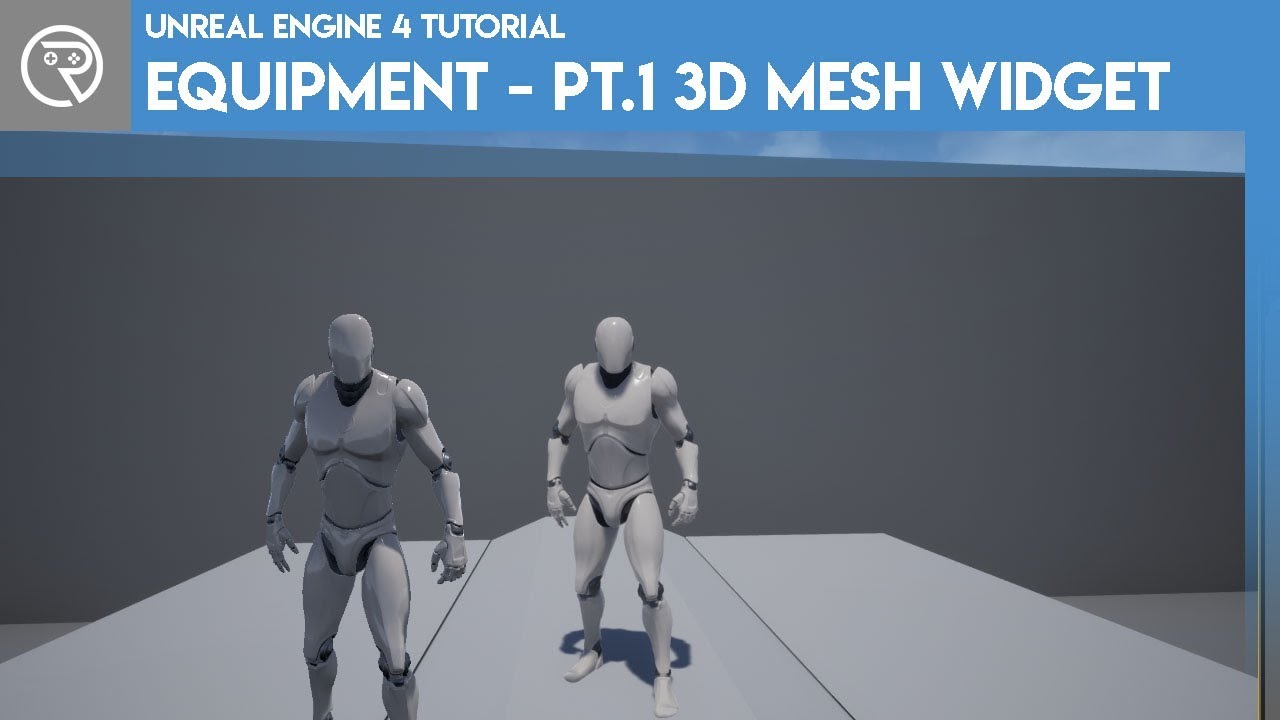
Welcome to a brand new series on making an equipment system. The aim of this series is to mimic a equipment system from an RPG. Allowing the player to equip different armour/weapons that affect their stats/abilities. In this episode we take a look at how to make it so you can ...
he s doing it here at 9:00
so i am checking real quick if thats the case
okay so difference is
 hearty walrus
how do I make an icosahedron in UE4?
the tetrahedron default doesn't get something like this
turbid vigil
he called it HUD and I called it HUD_Character_Sheet (so that i dont swap it with my general HUD..) but at the end it still says heads up display in the video .. do you know what i mean? @grim ore
turbid vigil
@stark marsh vector 3 something
turbid vigil
@stark marsh https://www.youtube.com/watch?v=JEazlsJFWb0 this should help
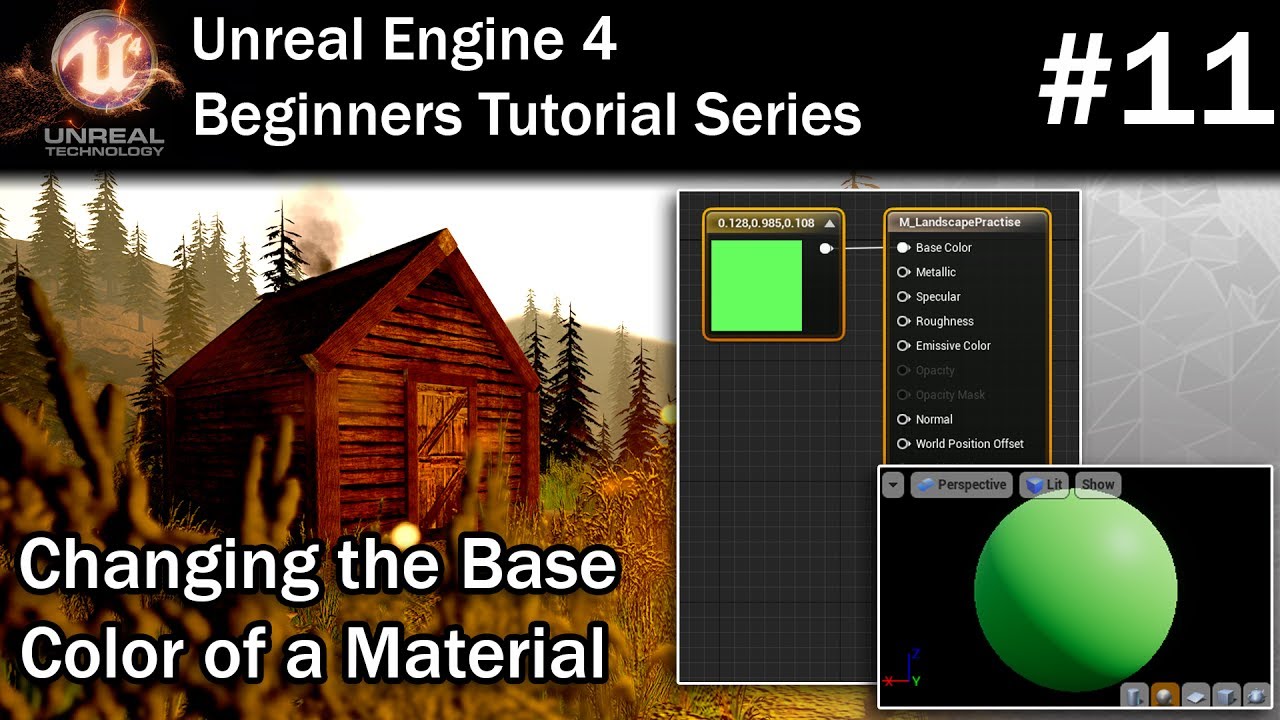
In this part of my Unreal Engine 4 Tutorial series you will learn how to use a constant3vector node to control the colour of a material. You'll also learn how to add new material expressions to the material graph.
To view this whole tutorial series in one video click here - ...
grim ore
@turbid vigil yes and like I said you want to get whatever you named it. If you read the comments you will also find other people had the issue as well as other problems with that video you will run into
turbid vigil
@grim ore aight then it have to be character sheet .. just a bit confusing at the start .. i ll give feedback if everything went accordingly
 near pine
any way to change this from blueprint
turbid vigil
@near pine try to look up at the parent bp since thats where default settings come from
near pine
ok
grim ore
turbid vigil
@grim ore i am missing now the hud canvas right after the next step in the vid or was it the same issue as rn?
grim ore
that is another issue that is mentioned in the comments
there are quite a few problems with the video
turbid vigil
ok so do you know what he is refering to with the HUD Canvas? do you need to see my setup of bps and game mode again?
grim ore
I do, and the comments tell you how to fix it
sudden bridge
How come whenever I use the vehicle blueprint and try to use a controller it screws up the car?
it gets stuck in reverse idk how to fix it
turbid vigil
Go to the HD UMG then click on the Canvas panel onthe details panel right side of the name there is a check box called "Is variable" turn on this and you will be good to go @grim ore
idk what the HD UMG is could you please tell me where to find it?
grim ore
in your hud character sheet it is probably your main canvas panel, the root. You are supposed to make it a variable
turbid vigil
@grim ore the variable option above wastn avaible in ´´character_sheet´´ so i asume it has to be sizebox_0 ? i turned on the variable
or did i did something completly wrong and this sizebox has to be swapped with a canvas panel?
grim ore
it looks like you should have another widget that is your main heads up display, and that should have your character sheet in it
the main widget is the one you are supposed to be referring to in all of this not your character sheet
 bronze cliff
Are there any recommended resources for learning C++ and Unreal?
turbid vigil
so should i put the eq character sheet into the main one?
grim ore
you have a widge that is called heads up display, according to this tutorial that is your main widget that you are supposed to be using. The character sheet was added to that.
you are supposed to have a reference to that heads up display in your game mode after you created it, I think you called it hud character sheet for some reason
that widget has a canvas panel you are supposed to make a variable
@bronze cliff learning C++ or learning unreal C++? do you know C++ ?
 keen moss
how do i go about changing the location of the derived data cache?
i want to move it to a secondary HD
grim ore
then look at learning C++ outside of UE4, learn the basics. Do you know UE4?
grim ore
then look at learning UE4 next using blueprints. then work on converting your test project from BP to C++ (all the blueprint code is in C++ so it's easy to compare)
turbid vigil
@grim ore that is my main hud also mentioned in my game mod .. the current class in it is used for the health bar at the top corner... can i add the character sheet to this hud class?
bronze cliff
Thanks!
grim ore
you can skip all that if you want with some udemy courses like ben tristems but the lean C++ 0> learn UE4 0> learn UE4 C++ is a good path
turbid vigil
or do i just go along with ´´sksy_hud´´ instead of canvas hud mentioned in the video?
grim ore
@turbid vigil I have no idea, I did not make your project. Your trying to follow a tutorial but not doing it the way they did it.
turbid vigil
well okay thanks anyway you could help me get a few steps further so thanks for that
sorry to have bothered you
*you did
not could
grim ore
not a bother but the tutorial you are watching doesnt seem to explain what you are doing and is a mess so I dont know how much help its going to be in the end
turbid vigil
yea its no problem
i ll find a way gods willing
but anyways thanks
u actually helped me a bit here
plush yew
im trying to create a game but i suck with blueprints
grim ore
your top return node is not plugged in
grim ore
also it looks like you are trying to basically wrap around a number?
 errant venture
oh, okay
quick shell
can u paint textures onto a landscape?
grim ore
you can using material layers and blending https://docs.unrealengine.com/en-US/Engine/Landscape/Materials/index.html
you can also find a quick start guide that covers it here https://docs.unrealengine.com/en-US/Engine/Landscape/QuickStart/index.html
its amazing how much info is out there just by looking at the docs or google. It's almost like they designed it in a way for you to search and find the answers to your questions in an efficient way.
stark marsh
hello i want it so when i do something, for now when i overlap an object
for an other object to be activated
like set active
so when i finish a level, i want a portal to be set active
how would i do that?
grim ore
lots of ways, it all depends on your skill and your project setup. basic way would be when that one object is overlapped it talks to the other object and runs an activate event inside that other object that does whatever you consider is acivated
stark marsh
i'd need to reference all my objects that make up the portal
so the actual meshes, and the trigger volume that actually teleports my player
grim ore
your portal can be a blueprint
 brisk pebble
Hi guys. Attempting to create a ControlRig in Unreal and the engine keeps crashing every time I try to delete a certain sets of controls from the hierarchy that I plan on redoing. Was wondering if anyone has come across this issue and knows of a fix or a work around.
sudden bridge
for some reason whenever I move an object in it's stuck on compiling shaders... it never progresses the texture's always blank
grim ore
what does the material look like?
 modest cloud
Hey there, I'm using high poly megascans assets in a test project but the assets are showing up very low res in the viewport....does anyone know why that would be or have any experience using high poly assets from megascans inside UE4?
 flint trench
Yo am I tripping or does the Background Blur Widget straight up not work on Widget Components?
It just looks like this
grim ore
@modest cloud low poly or low texture quality?
flint trench
grim ore
@flint trench I would assume it does not work as it says it does it in a post process way
 haughty willow
I need help
I deleted my game stuff folder by accident thinking it had the wrong contents.
When I switched maps it asked me to save I didn't know what it mean't so I saved and I checked and everything I worked on was gone. Is there some sort of puragtory or autosave feature??
grim ore
there is a saved folder with auto saves, you can try in there
grim ore
i just said, a saved folder
autumn elbow
also, consider adding source control to your project. It helps when you need to go back to different states of your project.
grim ore
inside your project is a saved folder
heady fractal
how am i supposed to select a material to paint?? i could when i was placing the landscape but i cant anymore
 deep viper
I am having a really hard time trying to learn UE4, I'd like to say I am experienced in using game engines (especially since I've used ue4 in the past). But I can't even get past basic problems after googling through 6-7 pages of results. Why can't I change the image on a button to save my life?
grim ore
does our landscape have a material with layers?
heady fractal
No it doesnt have layers
grim ore
then you cant paint layers
heady fractal
can i put something above at a certain place to make it seem so??
grim ore
@deep viper i know you said you googled but changing an image seems an odd one to find no solution to
heady fractal
like a small new landscape??
grim ore
your material has to know what to show when you paint, without a material set up to allow you to paint you wont be able to paint
you cant just "paint textures" on a landscape
@deep viper you said you cant get basic problems but how much learning have you done with the engine. actually learning how it works not just trying to dive in and do stuff. Learning how UMG functions would lead to the answer on how to set an image on a button.
@heady fractal and you can make your material then assign it to the landscape and then you would be able to start painting layers. https://docs.unrealengine.com/en-US/Engine/Landscape/QuickStart/index.html
deep viper
@grim ore My ego did take a big blow from not being able to do it on my own. I'm reading a UMG guide right now, but I still haven't seen anything related to changing the image of a button. I've tried 2 different blueprint solutions, but neither work, meaning I can't do much about that.
grim ore
so the first issue that I can see is what do you mean by "image". Do you mean the way it is styled (looks like a big grey button) or an actual image on the button like you would have text?
and do you mean at design time or runtime
deep viper
I am referring to a [png file] and switching it with another, I drew them in some drawing software. The engine text looks monotonous and only invites more technical issues compared to swapping handdrawn image files.
grim ore
so that instead of a grey square its like a purple spiky blobby button?
deep viper
Correct.
grim ore
buttons are styled, the style determines what it looks like when normal, hovered, pressed, and disabled. each style has options including the image that is used to display that state.
so in the appearance section there is style section and you can change each of the styles for that button
sudden bridge
Hello, anybody know of a good vehicle enter/exit tutorial? I've been looking at alot but it's usually someone with a really heavy accent and tons of background noise and unreal engine running at 2 fps so I'm having trouble finding out how to do it.
plush yew
Hello. does anybody know how to convert a unity aset from the unity aset store to unreal engine thanks in advance.
grim ore
it depends on the asset but normally its drag and drop, most unity assets (once in your project) are source files like fbx and png/tga
if its code, nope. If its a custom asset like a mecanim, nope, etc.
plush yew
Hmm i see i have a model that i paid for on the unity asset store can i convert that?
It has no scripting
grim ore
look at the model in your project, its probably a fbx so yes
plush yew
Alright
grim ore
if that is allowed by the asset store EULA is completely different and up to you to find out
deep viper
@grim ore Thanks a bunch. It is now much more apparent why I need to read on all the tools in the engine before trying to do everything with blueprints. I finally have buttons updating properly with all the states.
grim ore
yay
plush yew
MathewW = POG
modest cloud
@grim ore It seems to be low texture quality, when I view the wireframe the mesh is extremely dense.
errant venture
I have actors that always appear as well lit, even in the dark.
any ideas?
They aren't emissive
and i've rebuilt lighting multiple times.
grim ore
@modest cloud did you import the higher res textures from bridge? it has options. also is your scalability set to high or higher in the editor?
modest cloud
My bridge export was set to export the 4k textures.
Where is the scalability parameter? I'm fairly new to UE4 so I'm still learning where everything is.
grim ore
settings on the main toolbar, then its in the middle
double click on the mesh as well to open it in the editor its possible its mip mappin early or just simply your lighting and such doesnt match the example
haughty willow
Found my files. The map texture is stripped and I don't know how to use the layer data on it or if I can restore it, all my textures have an error beside them so everything has a problem
sudden bridge
So what I notice in my coding is that it stops running right at the 'Cast to BP_SUV' thing. Is there something I'm doing wrong?
exotic thicket
You're casting your character to BP_SUV which doesn't seem right
modest cloud
@grim ore I sent you a DM with a screenshot of what it's looking like.
sudden bridge
ooooh, what can I replace it with so that I can use the variable from my BP_SUV class?
deep viper
I imported an mp3 file and saved the changes in my project, I made a blueprint function of "Play Sound 2D", but no audio assets show up when I clicked on "Select Asset" under Sound. NVM, seems ue4 doesn't support mp3, just some erroneous info on the internet.
heady fractal
how do i cut a static mesh into pieces in the editor??? is there a way??
mental oyster
when you follow a tutorial, try to modify it to fit your own game idea halfway through, and fuck it up so much that you have to scrap the whole thing and start over
heady fractal
wheres the edit mesh tab??? it says thers one in the unreal documents
grim ore
edit mesh in the static mesh editor or in the viewport? you need to enable datasmith and the geometry tools and mesh editing tools
heady fractal
in the static mesh editor...the one that opens when u double click a static mesh
grim ore
if you mean this one https://docs.unrealengine.com/en-US/Engine/Content/Types/StaticMeshes/HowTo/ModifyStaticMeshGeometry/index.html there is a plugin to enable
heady fractal
yes ty
pliant rose
3d artists modeling 3d objects find me, I made an app, want to know if you will benefit from having this app too or its just me...
 urban shell
Hey guys don't know if this is the channel for troubleshooting; but I'm having an issue with the UE editor...
A short time after starting the editor, the preview window will stop refreshing, all tooltips will turn black, and when I minimize or make the window smaller it goes completely black. GPU drivers are up to date. Has anyone else had this issue?
plush yew
Yo
deep viper
Any obvious difference between "OnClicked" and "OnRelease" ? , I know that both of these conditions become true when the mouse button is released. Now I'm pretty confident these are not redundant, and they differ somewhere.
urban shell
One is as soon as the button is pressed, the other shouldn't happen until its let go. A click is two events, the start and release events
deep viper
Are you referring to "OnPressed" ? "OnClick" does not seem to trigger when the button is pressed, but "OnPressed" does trigger. (Been playing with it just now)
heady fractal
i have a fire explosion effect.....how do i make it that it keeps looping but randomly...like after random intervals or something
autumn elbow
@deep viper OnClick is 2 events- OnPressed and OnReleased. Sometimes you'll want to tie a function to OnPressed alone, or OnReleased alone.
deep viper
Ooooh, that does make sense.
 dire fjord
The "end" key is used to take a model and move it directly down until it hits something. Is there a similar key to move something along the x or y axis?
 cold halo
guys i have a serious question

Welcome back to more Call of Duty Modern Warfare. In this video, I'll be playing through one of the later missions in the game called "The Embassy". I really enjoyed how this mission played out, the beginning starts as the usually CoD mission with a high action set piece, then...
how are they doing this cinematic type of gameplay
can you break it down for me someone cause i cannot ever understand how to set gameplay up like this
its like the ai is following a cinematic story idea
for example at 2,54 an explosion triggers!
and ai then spawns into the environment
but it so smoothly transitions into the scene as to a point where i was thinking it was a sequence
in the sequencer
mental oyster
Is there a specific channel for mechanics in a game, or is it alright here
I’m looking for some feedback on an idea
modest cloud
Does anyone know how they got the assets to look so highly detailed in Rebirth? I've been trying to get similar results with the same high poly assets and my geometry never looks the way they got theirs to look.
autumn elbow
@cold halo player enters a trigger box, explosion fires, character take cover anime plays , then control is returned to the player
@mental oyster what's up?
mental oyster
My game is going to be set in a 19th century/old west themed fantasy, and I had the idea of using Q for a Quickdraw - the player draws a small holstered weapon of their choice and automatically fires a single shot with an accuracy penalty
Skills will improve the more the player uses them, so the draw speed and accuracy will increase over time
mental oyster
Dead Eye
The difference is that rather than slowing time to mark targets, it simply fires in the direction you’re looking
autumn elbow
Ok
pseudo pulsar
Oh no... nononono.... I finally started messing with my animations in-engine...

NOW THEY'RE INVADINGGGG

(lol)
I was having a lot of issues getting my animations to import while using the blender to unreal addon. Just manually importing seems to fix it for now though.
frigid needle
I don't know what this is, but I'm both horrified and intrigued
 eternal flame
@pseudo pulsar great Job some times importing from blender at first can be a big hurdle to get past. You did great work... yeah i never used the plugin before i do it all by hand because i find it a good enough pipe line anyway.
 peak hare
Tbh, why don't they do functionality of allowing us to rename C++ class in the UE editor.... instead of having to manually edit it
eternal flame
@peak hare lol that would break the code for other scripts... especially if you where unsure of what you where doing ☠️
frigid needle
Because C++ is a finicky and complex beast that demands blood sacrifice, and in exchange grants us performance
pseudo pulsar
Awee thank you!!! @eternal flame Also I agree. Blend to unreal seems really useful for static meshes anyways so in the end I think I might keep using it still for static stuff, but anything that has animations I'll just manually export since it's so quick to do anyways.
 cobalt kelp
hey im fairly new to ue4 and im just curious, is there a reason people dont use the cinecamera for 1st/third person and use the default camera instead
eternal flame
@cobalt kelp heheh yep. one it would be pretty annoying.... but come with a whole bunch of functionality all set up ready to go that you will most likely not need or want. Cost that is the difference. You can use for sure i think i have never tried to before in an actual build
cobalt kelp
hmmm  im kinda happy to give it a try now see what i think haha prob not worth like your saying but worth a try haha, thanks
mental oyster
@pseudo pulsar dread it, run from it, the chickens arrive all the same.
cobalt kelp
@eternal flame actually alot of setting literally say (to expensive for game) next to them HAHAHA well then...
 bitter orchid
Anyone want to hop in chat for a little?
 digital badger
mfw I find a std function that does exactly what I've been trying to do for a week
plush yew
I'm trying to submit a bug report but every single time I get the following error from the website:
<Message>
Invalid according to Policy: Policy Condition failed: ["eq", "$acl", "private"]
</Message>```
Any idea what's going on?@plush yew Maybe you didn't accept the Privacy policy?
plush yew
@digital badger that's what I thought too but there is no such a field in the report form.
digital badger
Can you link me the bug report page?
digital badger
Maybe it's your browser then?
plush yew
I tried two, no idea what's going on.
digital badger
Neither - sorry I just have no other idea lol
 tame marsh
plush yew
tame marsh
plush yew
It worked when I tried to report without any attachments. Maybe when adding attachment new field is supposed to appear where you can actually confirm some policies? dunno
digital badger
Maybe the file format was deemed invalid?
Upload your photos to a service like imgur or on your sFTP and just include a link
plush yew
Well... I just checked my mail and I have 4 Unreal Bug Submissions confirmations there. So even though error was displayed it looks like the reports were actually accepted. Now I will be marked as a spammer. ;_;
 frail mist
hey guys, not sure if this is the right channel, but I am facing performance problems. Do you know any ways to improve the performance of DoF, as I would really like to keep the tilt-shift effect. The performance was measured on my notebook, with a NVIDIA Quadro M2000M. Things look better on my desktop (40-50 FPS on 4k with a 1080Ti). I think there is lots of room for improvement as the scene only contains very few objects so far.
plush yew
so tere is a fight between aple and epic ?
serene birch
a tiny bit 😄
plush yew
over what exactly ?
digital badger
@plush yew The Apple Store - Epic doesn't like how apps created for Apple devices must go through their store front
Unlike Android where I can download and install an app through a file ( .apk)
This means all IAPs must be processed through Apple, so devs have no choice but to give up 30% royalties
And since Fortnite makes a ton of money, 30% adds up
However it turned into a massive drama since Apple decided to use The Unreal Engine as hostage
Revoking access to the Apple SDK to all of Epic, not just the Fortnite team
This would have meant that anyone who uses the UE to make games for Apple Devices would be affected.
pseudo pulsar
It's all very unfortunate. 😦
I'm surprised nobody has done it sooner though. I'm sure Apple will lose since a similar case was brought when Linux first became a thing using Windows machines.
digital badger
Well the Judge already stated that Apple can't hold the Unreal Engine hostage - so we're no longer affected
pseudo pulsar
Oh I didn't know that. That's good to hear for indies.
digital badger

Epic Games wins a victory against Apple, Fitbit announces a new smartwatch and Microsoft Word adds a transcription feature. This is your Daily Crunch for August 25, 2020. The big story: Judge says Apple can’t block Unreal Engine U.S. District Court Judge Yvonne Gonzalez Rogers...
The story was published last night, so that's why you probably missed it
“Apple has chosen to act severely, and by doing so, has impacted non-parties, and a third-party developer ecosystem,” Rogers said.

A full hearing on the dispute is scheduled for September 28.```that judge seems strangely competent in technical matters
digital badger
Silicon Valley so it's practically in the job description
serene birch
well anyway it's for the best!
digital badger
Definitely!
 north monolith
To block light properly with modular interior pieces, is best practice always to make them two-sided, or is there other ways to block light properly on one-sided meshes?
serene birch
no
unfortunately 😄
(Apple can do jump in a lake with their constant incompatible standards meant to make us devs suffer)
 errant lintel
Is there a plugin or option that will record footage while I'm testing things in Unreal Engine?
plush yew
Is unreal engine version 4.20.3 good? or should i get a better version of unreal
honest vale
do you have a reason for using an older version?
digital badger
@plush yew For Windows development, 4.20.3 should be good - if you're working on a different platform the SDK might not work on an older version
forest tree
Does anyone know why I wouldn't be able to change the playback range start/stop times?
Greyed out
 ember raven
when i import anything to unreal engine, Mesh.. or object looks okay, but it has no actual body? i can just step in. how do i fix it? what should i create?
 real lake
Good morning, everyone! Do you have a dedicated channel to discuss the Unreal Containers project? The website directed me here for community support. Thanks! 🙏 https://unrealcontainers.com
Welcome to the central hub for developers running the Unreal Engine inside Docker containers.
frigid needle
@ember raven You'll want to go to the Mesh itself and have it generate collisions.
plush yew
quartz forge
plz help im trying to package the prjct multiple times but it doesnt want to
plush yew
@quartz forge for wich platform ?
quartz forge
windows 64 bits
plush yew
So i bought somthing from the unity asset store i want to move it to unreal where do i find the files for the asset?
quartz forge
wait im gonna show u th log
plush yew
@plush yew Unity is bad
 unreal sable
So unreal engine doesn't like concave collision, how do i make arches work when they're pretty much the opposite?
https://docs.unrealengine.com/Images/Engine/Content/Importing/FBX/StaticMeshes/Convex.webp
Should i just set collision to high detail?

 frigid needle
@plush yew You'll need to do a couple of things:
- Make sure the license allows you to use it in other engines. Most of the Unity Asset Store will, but anything directly from Unity will not.
- Create a simple project in Unity and import that asset
- then find the Unity Project's directory you created and the asset should be there, under "Content"
quartz forge
hmm... anyone can help plz ?
plush yew
Thanks
frigid needle
It probably goes without saying, but is good to reiterate just in case, you won't be able to bring over code, prefabs, or editor plugins to Unreal
but art assets, animations, audio, etc, should come over just fine, with some careful work
plush yew
How to get a Link of the server
plush yew
Thks
quartz forge
but boi can ya help me
here are the logs
oh and i use the advanced sessions plugin
 tired lynx
ok the epic games captchas are getting a little out of hand now. apparently i have to do five of these..
errant lintel
Is there some way to move or remove this camera so it doesnt get in the way when I click 3rd person controller?
ember raven
@ember raven You'll want to go to the Mesh itself and have it generate collisions.
@frigid needle thanks, collision generation i got it
 fluid lance
Hey, a weird question: why are the notifications on MoveToLocationOrActor delayed? I project the point where I want the AI to go, it reaches it, stops, then up to two seconds pass until i get the notifications. I need them to be precise to trigger animation state. Am I missing something?
 burnt crescent
Can anyone tell me how to paint the colour of sk_mannequin
 celest creek
Hey, what's the correct way to copy gameplay tags? I have a set of tags like 'Team.A', 'Team.B', 'WeaponType.Energy' etc but I only want to copy the 'Team' tags to a spawned actor. How do I do that?
near pine
im following a tutorial and he ovverides the function and, this is what he gets:
this is what i get:
i did exactly what he did
unreal sable
I've got LOD on some static meshes, but at some point they don't need to be rendered anymore.
How do i make meshes disappear after a certain distance?
digital badger
@unreal sable Invisible LOD is your best bet - but remember that UE4 culls any object the user can't see automatically
unreal sable
Ooh
 main tendon
Guys which new version of UE4 you can recommend? Im still use 4.20 and quite annoyed of some bugs. But im not sure which newest version are more stable and trouble free.
unreal sable
@digital badger Well i tried this little object, but i could always see it as a tiny little dot ingame.
digital badger
@main tendon Just use 4.25.1
@unreal sable Yes, as long as the user can see the object it'll be rendered
But once you turn around it'll stop being rendered
unreal sable
I see, well that does answer my question 😛
digital badger
But yeah, if you wanted it to disappear invisible LOD or code would work
Just don't see the need, as I'm sure you'll agree
unreal sable
Normally yes, but the game i'm making goes really fast so if i cull small things abruptly you wouldn't notice.
main tendon
@main tendon Just use 4.25.1
@digital badger from sources? I mean 4.25.1 unavailable from launcher. Only 4.25.3
digital badger
Sorry I use 4.25.1 and thought it was the latest
Just use the latest on the launcher
Which sounds like it is 4.25.3 from your comment
 verbal tide
Hello! Newbie to the Unreal world. Does anyone recommend any good learning material for getting started? I took Java 1/2 in College, and can fuddle my way through Python.
 small mortar
Hey I've been struggling with a serious problem for a while. My game keeps crashing because of the unhanded exception EXCEPTION_STACK_OVERFLOW? Is this the proper channel to ask for help with this problem in?
digital badger
@verbal tide Unreal Online learning is a website ran by Epic Games with courses made by Epic
@small mortar Sounds like a C++ issue - since Stack Overflow usually refers to CPP code
small mortar
@digital badger The actors that are causing the problem are nativized blueprints. This crash also only happens in the cooked game and never in editor if that helps.
So, it might be C++
but I didn't write it.
digital badger
Maybe see if the issue occurs without Blueprint Nativization?
Because yeah it's usually the result of bad C++ ( a int going over its max value)
plush yew
I've enabled Landmass to get access to the blueprint brushes but nothing on my landscape menu has changed, it seems like enabling the plugin and restarting UE did nothing
serene birch
stack overflow screams of an infinite recursion call
small mortar
@serene birch It could be
serene birch
you should be able to combine your PDB from your build with the crash dump of the crash
small mortar
I'm just lost as too why it would never cause the crash in editor if its recursion.
serene birch
and look at the callstack there
 cosmic axle
@verbal tide I am new to this too but I would also recomend you checking out the FreeCodeCamp youtube channel, they have a 4 hours course of UE4 and a for C++ too
plush yew
Nevermind, I just had to restart my whole PC and that fixed it
verbal tide
Thanks @cosmic axle!
near pine
how do i test this camera(see its view)
small mortar
@serene birch How do I do that. I have these three files from the crash, but none have a readable call stack.
serene birch
make sure when you open the crash with your debugger (Visual?) that it can find the corresponding .exe and .pdb
not sure how and where UE4 keeps the PDB when package a game though
plush yew
I've just copied/pasted a little level of a marketplace's pack (an exemple scene map of the free content of this month : Medieval Kingdom by beffio) in another level containing just one landscape and some foliage. Each levels works good when not mixed together, no pb. But when mixing together, I have many lightning problems. Is it expected or did I made something wrong ?
The issues are this :


and finally : https://cdn.discordapp.com/attachments/688929503308808227/747929968217948270/unknown.png


( Also, I had 2 skyspheres but I deleted one )
small mortar
@serene birch @digital badger Do either of you have a theory as to why this only happens in the cooked game? Is there some extra level of error handling in the editor that prevents it but doesn't warn me? Also @serene birch Do I need to have the Editor symbols installed to do what you suggested?
serene birch
I can imagine a lot of theories for that
it's too wild, check the callstack 😛
I don't think you need the editor symbols? not sure
small mortar
Could you please walk me through that a little? I've replicated the bug and have the three log files here. I have a feeling that this isn't what I'm supposed to be looking at though.
Also where do I find the PDB you mentioned?
 midnight root
followed youtube tut on terrain textures ( alpha channel) and I have no such brushes with *crack in name - brushcrackX or similar, and wondering do I need to get those somwhere else as in not in default install ???
modest cloud
Hey there, this is a high poly quixel asset with 4k textures...does anyone know why it looks so incredibly low res?
serene birch
likely because UE4 capped your textures import resolution at 2k or 4k
you need for each imported super high res textures to check it's "final and effective resolution" and override that cap there
modest cloud
I see...where do I do that?
It says here it's displaying at 4k but is that not necessarily true?
rocky radish
It says here it's displaying at 4k but is that not necessarily true?
@modest cloud maybe try increasing texture streaming pool size?
(the default is 1000)
modest cloud
I will try that, where is that parameter? I'm fairly new to UE4.
rocky radish
I will try that, where is that parameter? I'm fairly new to UE4.
@modest cloud output log
r.Streaming.PoolSize <size> @modest cloud
you have to do that everytime you open the editor btw
modest cloud
Ok, how do I get to that? I'm sorry for all the noob questions haha.
rocky radish
Ok, how do I get to that? I'm sorry for all the noob questions haha.
@modest cloud Window->Developer Tools-> Output Log
a window will show up
and you type that in it
rocky radish
dont type <size> that was meant to represent a number
modest cloud
ohhh, ha
rocky radish
the default value is 1000. try increasing it
 glossy lynx
I have been trying to set multi-user editing through VPN. But we can't connect via Radmin VPN.
Any workarounds for that?
rocky radish
@rocky radish So I type in r.Streaming.PoolSize<5000>
@modest cloud without the <>
r.Streaming.PoolSize 5000
modest cloud
ok
modest cloud
Right, ok
errant venture
Any idea on why this box might always appear to be well lit?
And the gun, I guess.
modest cloud
@rocky radish Yeah doesn't seem to be making a difference, very strange.
rocky radish
Any idea on why this box might always appear to be well lit?
@errant venture does the box have the material shading model set to unlit?
grim ore
@errant venture have you rebuilt lighting yet?
 echo verge
Hi guys I've a pawn that appears on desktop but doesn't when i play it on mobile
errant venture
I have rebuilt lighting.
The box used to use an emissive material, but i switched it to non-emissive,
fluid lance
I asked before, got no answer, maybe i'll get one now: Why are the notifications on MoveToLocationOrActor delayed? I project the point where I want the AI to go, it reaches it, stops, then up to two seconds pass until i get the notifications. I need them to be precise to trigger animation state. Am I missing something?
 runic fern
How can i replicate something like this ?
errant venture
@rocky radish setting material shading model to unlit makes the box completely black.
grim ore
@errant venture have you tried removing the box and replacing it with a new one then that has the non emissive texture? it seems weird your weapin would be doing it as well
errant venture
I have.
grim ore
so dragging in a new box still has the same issue? or its an issue when you drag in a new box and set up the material on it
errant venture
Ill test that.
fluid lance
nvm, restarted engine and it works fine... 😐
plush yew
Ok, very weird. I don't understand at all. I've just tried the inverse thing : Copy/paste the elements of the other level (the landscape+foliage) into the Medieval Kingdom example scene map and... it works. It just works... No issues. 🤪🤪🤪
As a reminder, my problem was a few lines above : #ue4-general message
fluid lance
@plush yew Probably, because "Medieval Kingdom" uses dynamic lighting
wanted to respond in level design to ur question but thought it's way too late
if you are using dynamic lights (directional light/any other lights set to moveable) then it doesn't bake lightmaps - which is where you had problems with overlapping UVs and foliage casting static lighting
 earnest jasper
I have shifted axis on static mesh after export from Blender. How to fix it?
fluid lance
@earnest jasper import/re-import options, set transform as you want it
near pine
HOW DO I MAKE THIS SMALLER
plush yew
@fluid lance Mh, I'm a total noob in the lightning but, as you can see, in the Medieval Kingdom example mapscene, apart from two elements (the SkyLight and the ExponentialHeighFog which are on "Movab"), all is on "Station"... 🤔 : https://gyazo.com/e4945650d0b929c5f1a948fe71c4c151
grim ore
scale the mesh now that it is in the blueprint or reimport it with the correct scaling @near pine
near pine
ok
fluid lance
@plush yew What about the directional light? You went through the point lights - most of which don't light up the foliage (which was the component returning errors). The directional light - if there is any, was probably attempting to cast both static and dynamic shadows on foliage which was set to cast both static and dynamic lights, hence the warnings.
On the other hand, idk what you had in the "other" level in which you tried to copy all of this
grim ore
Where is the gun at, what component type is the gun, etc.
earnest jasper
@fluid lance as I see, model axis attached to the center of Blender scene. But object also has own axis. How to switch it?
grim ore
I dont see parent gun there anywhere
grim ore
ok so its a skeletal mesh component then and its the Guns component?
fluid lance
I have a chicken with some blueprint (no AI) behavior: Moves around, randomly switches animation on enum, delay 3-6 secs, gets random point in nav radius around it's initial location with some offset, and restarts the process. I have a collision sphere around it which triggers OnBeginOverlap whenever an NPC gets near it. The idea is for it to run away when this happens. How would I approach this?
near pine
i think i figured it out
fluid lance
I have some ideas but they're all pretty bad, and I'm not sure I understand how to work with vector length. The chicken will need to stop at some point and recheck if it's still overlapping.
grim ore
it sounds like what you have and want to do you already know. Are you trying to figure out "away" from the player or just randomly away?
echo verge
okay my mesh is visible on when i hit play on editor but not on mobile and it is also not visible on the camera view when i select the camera? Wtf?
plush yew
@plush yew What about the directional light? [...]
@fluid lance Stationary too it seems. I searched it in the World Outliner and I've found 3 DirectionalLight all on "Station" :
fluid lance
@grim ore Away from the player would be ideal, random from the player would b ok too 😛
@plush yew stationary = problem causer since it's a mix between baked and dynamic lighting.
grim ore
there is a node for "find look at rotation" that you can use to do that. Find the look at rotation for the player to the chicken and then have the chicken run to a point in that direction.
@echo verge is this a skeletal mesh? and its missing on mobile but not in editor?
 strong sapphire
Hi, when I enabling 'Write Payload to Particle Attribute' in Receive Location Event new spawned emitter lives for a few frames and dies.
Is this ok?
Can someone help me with this?
Sorry for duplicating.
grim ore
there are also lighting channels to look at, its possible you have certain channels assigned to lights in the example project
plush yew
@fluid lance ... And in the other level, I have this lights : https://gyazo.com/7cff3a7a8609fcdda9330b1ede3e0563
echo verge
@grim ore a bunch of static mesh under a root. It is visible on when i play on editor but not visible when i play on my phone
plush yew
@fluid lance ... so yep, it seems you've right, there are not the same lightning 🙂
 stark cipher
Hi guys. Can somebody help me with something?
 wooden jacinth
how can I learn blueprints? Is there any good tutorial series that you could recommend?
grim ore
@echo verge have you tried enabling the mobile preview renderer in the engine? perhaps your material is not compatible
echo verge
I've tried putting the material on a cube and it rendered without problem
fluid lance
@grim ore great idea! Too bad my understanding of vectors and vector math is crap 😦 In other words - what do I do now?
stark marsh
can someone help me with importing animations
echo verge
@grim ore it is also not visible on the camera view/
grim ore
@fluid lance rotate the chicken to that direction and now its facing away from the player. then make it go X distance away
stark marsh
it says things like theirs no valid key
and that bone transform is differant from original
grim ore
you can make it more magical using stuff like finding a random point X distance away in that direction if you want as well
@echo verge maybe show your viewport? is your camera in the correct spot for example etc.
fluid lance
@grim ore That's the exact bit I don't understand. I need to make it go to a location xyz. How do I provide it with that location? I don't know/undertand how to set the location according to "distance" between point a and b, without raycasting 😐
fluid lance
Say, i do something like this:
what do i add to obtain final locatino for ai nav/
?*
grim ore
you have done a linecast before right?
fluid lance
yes
grim ore
so to do that you need to determine how far and what direction for the end point no?
fluid lance
yes
grim ore
same concept. you have the chicken location, you have a rotation that you can get forward from.
so get the forward vector, multiply it by a distance you want it to end up at. Add that to the starting location and you should get the end point
same as a line trace
fluid lance
heh...the problem is Z
echo verge
@grim ore
fluid lance
terrain might be +/- Z from the chicken's location
grim ore
then get that location and do a find navigable point in radius around it
fluid lance
so I somehow need to account for Z change right?
there is a "find nav" node?! wtf that's great, lemme try 🙂
grim ore
@echo verge how is your camera set up? is it set to ortho or perspective
echo verge
@grim ore it is ortho
plush yew
there are also lighting channels to look at, its possible you have certain channels assigned to lights in the example project
@grim ore You're talking about this thing, right ?
I had an error saying : "Lightmap UV are overlapping by .....%" and yes, when I was checking some infos about this, it said to check the UV channels. I did it but I didn't saw any change in the UV channels after I imported my level so I didn't change nothing on this side.
grim ore
@echo verge you might not have a good width would be my guess. Also you need to test it in preview mode to see thru an ortho camera correctly
you need to play with the ortho properties on the camera adjusting the near and far clip plane along with the ortho width
and make sure you test in preview hitting play as the camera preview is weird with ortho
@plush yew meshes and lights have lighting channels, it allows certain lights and meshes to work together
so you could have a directional light on channel 1 and some meshes on 1 and only those 2 will interact
just a possibility to look at, if there are multiple directional lights its possible they are set up with different channels
turbid vigil

Title: Unreal Engine 4 - Slot Inventory not popping up when clicked (Original Tutorial in the Description)
Showed at 8:00 ; 9:46 and 14:40
https://www.youtube.com/watch?v=eRto-4mc9z0&list=PL4G2bSPE_8ukyyJGDPii-CQMFmPhY9esS&index=4
#unrealengine4 #ue4 #issue
grim ore
what is aiming? your shot hits too far to the right or your crosshair is not in the center?
the default FPS crosshair is not centered
near pine
aiming is like an iron sight, and when i do it the camera goes too far right instead of going on the iron sight
the default FPS crosshair is not centered
@grim ore it is this is a screenshot of where it goes
heres normal
grim ore
hard to even guess what the problem is without more than a screenshot, nothing looks wrong in that picture
grim ore
how are you zooming in?
grim ore
so you are changing to another camera, where is the other camera
grim ore
oh lol you are changing to a camera on the weapon itself?
near pine
or the aim one
stark marsh
i really need help with importing animations
near pine
yes
stark marsh
so my skeleton and mesh is fine
grim ore
the weapon isnt straight down the middle of the screen of course it's going to be off center
stark marsh
but when i import the actual animations it just doesn't work
near pine
wait so do i move the camera to the right
stark marsh
i keep getting errors like the the bone transform locations is differant
near pine
till i get it right
stark marsh
why isn't it working
harsh tiger
is it possible. to delete a model from your content browser, an then have the textures and materials automatically deleted too?
with a EUW maybe?
grim ore
you can make the camera centered, not on the weapon. you can make the weapon move when you zoom in so it's more in the center. You could use FOV to simulate zooming in. There are a few ways
errant venture
Okay, so for some reason most actors aren't getting properly lit
so they all show as being constantly well lit
actors i create with blueprint classes
actors i jsut drag in are fine,.
grim ore
does it do that in a new level? new level -> drag in the same actors -> problems?
stark marsh
please can someone help me
it says imported bone transform is differant from original
fluid lance
@grim ore Ok, I have this implemmentation. The ckicken turns around, the location is there, but it doesn't move to it...wtf
nvm, i'm retarded...lemme check
yea, now it tries to, but i somehow need to clear it's previous path since that was interrupted
harsh tiger
is it possible for me to use the "Get Material" to get a reference to the textures inside of the material to delete them from the content browser?
 maiden shadow
What machines are you guys using? I'm trying to decide on multiple Intels 10c at high clock with having those as usable separate machines that way, swarmed and XGEed for compilation and build, vs a huge Threadripper to do it on a single machine.
Intel 10900K core at 5.1 is about 30% faster than each 3950X core, so being easier to cool 3x 10900K than 3970X, together with added bonus of being separately usable...
grim ore
#lounge is usually better for hardware but more cores and more speed when compiling is never really a bad thing just the cost issue
harsh tiger
hello mathew, you wouldn't happen to have some insight for the issue i'm having by any chance would you?
grim ore
I dont but it would be a different node in the utilities plugin
so easy enough to look thru there
turbid vigil
https://www.youtube.com/watch?v=5emU90WprTA&feature=youtu.be
@turbid vigil would it be useful if i made the slot inventory into a variable?
Title: Unreal Engine 4 - Slot Inventory not popping up when clicked (Original Tutorial in the Description)
Showed at 8:00 ; 9:46 and 14:40
https://www.youtube.com/watch?v=eRto-4mc9z0&list=PL4G2bSPE_8ukyyJGDPii-CQMFmPhY9esS&index=4
#unrealengine4 #ue4 #issue
harsh tiger
i've looked, but unfortunately can't find a node that seems to be what i need
errant venture
Okay, my problem seems to be related to these boxes that are partially in the light and partially out of the light
small mortar
@serene birch could you please point me toward some documentation for debugging cooked games and finding the call stack that you mentioned earlier?
serene birch
I don't really have such doc page at hand
fluid lance
@grim ore Ofc it's working, great idea, thanks for the help! 🙂
 earnest violet
Just a quick basic question if I may??? What's the best and quickest way to cast to different trigger boxes? I need to relay mission dialogue through a widget but cast to trigger box is the same for all different add trigger boxes
grim ore
@harsh tiger I just looked and what you tested should work, this is not finished but this does work when I selected a static mesh it deleted the material assigned to it
plush yew
forced to use an event tick for my crouching script 😔
earnest violet
Basically I need to be able to trigger multiple widgets and at different times for different text dialogue? I can't do it with triggerbox 😦
plush yew
@earnest violet try using a Blueprint interface
earnest violet
And do what exactley. Could you please elaborate. Forgive me if I am being stupid
grim ore
what are you casting to the trigger box for?
deep viper
I recall deleting all of these default assets on the right hand side twice already, but it seems they keep being generated again whenever I open my project. Is it safe to ignore them, or is there a way to remove them permanently from the project if I have no intention to use them?
plush yew
@earnest violet sorry i misunderstood the question, thought you wanted to run multiple blueprints
@deep viper try deleting them from windows file explorer
earnest violet
@grim ore I am casting to triggerbox to output a dialogue widget to screen and I want to have more than one per level
grim ore
the items on the right re in your scene, they are not in your project....
please do not delete anything from file explorer
harsh tiger
@grim ore thats awesome. now i need to get a reference to the textures inside the material and delete them as well
grim ore
now that might be harder lol
harsh tiger
yup 😂 it's the last step to the puzzle
grim ore
@earnest violet yes but why are you casting to the trigger box? are you trying to see what trigger box you overlapped?
plush yew
@earnest violet so you want to cast to the trigger box but cant select it individually?
earnest violet
Sorry if I am being thick but I am trying to trigger some on screen dialogue
If I have 3 trigger box's in world outliner I can still only cast to one triggerbox
grim ore
if they are generic trigger boxes and you are generically casting to them then yes, that would be an issue.
so you need either the trigger box to tell the thing that overlaps it what to do, or you need a way to uniquely identify each trigger box
earnest violet
Yeah the last one bro
grim ore
generally it would be beter to have the trigger do the work, not the other way around.
earnest violet
ok
grim ore
this lets your trigger boxes be self contained
earnest violet
ok
grim ore
so the question is, is there any reason that code you showed us cannot be in a unique blueprint that is your trigger?
blueprint actor -> put that code in it and your trigger. the player triggers it and it does it's own unique stuff
earnest violet
tell me more my good friend 🙂
grim ore
you can now have 3 of those in the world, each with its unique info
plush yew
create a blueprint from that triggerbox, and put that code inside of it
earnest violet
What do I want to create? A LUEPRINT???
grim ore
an Actor Blueprint
earnest violet
nice
grim ore
this is the purpose of blueprints and code, reuse
earnest violet
I C 🙂
grim ore
your goal would be to make the unique parts of the code as exposed variables that you can easily change on each one. You would then drop one in the level, select it, and in the details panel set up from my guess the widget and the sounds that should play and then you are done. repeat as many times as you have events.
errant venture
Is there a way to make a night vison camera in ue4?
grim ore
sure, turn down the blue and red on your monitor
 gusty dune
Could anyone recommend some videos on AI grouping please? Specifically how to have AI work as a team that react to a % of a group being killed
 alpine laurel
please i dont know whats causing this
stark marsh
help it says it doesn't contain any valid information takes
grim ore
stark marsh
it also says that it doesn't contain a valid key please help
grim ore
@alpine laurel we dont nkow either, is this a commercial game or your project. Have you checked the logs?
plush yew
Anyone know how to trigger an event when a boolean changes value without using event tick?
errant venture
yeah, my bad :p
plush yew
@errant venture https://www.youtube.com/watch?v=QDsA-FMqon8

In this video we are going to take a look at how you could create night vision in Unreal Engine 4
earnest violet
I created an ACTOR BLUEPRINT but there is no radius to it. How do I set it to triggerbox please? 🙂
errant venture
i'm watching that tutorial rn
plush yew
@earnest violet are you using a box trigger?
grim ore
@plush yew use a setter or getter function and require that be used when changing the boolean.
alpine laurel
@alpine laurel we dont nkow either, is this a commercial game or your project. Have you checked the logs?
@grim ore my own game
earnest violet
I was told to make an actor blueprint?
plush yew
@earnest violet yes but what kind of trigger are you using?
earnest violet
box trigger
grim ore
you could learn how blueprints work
plush yew
@earnest violet click on it and in the top right click this button
that will make it into a blueprint
earnest violet
ohh OK I thing I got it. I will just try that a sec 🙂
plush yew
I'd really recommend watching some ue4 beginners guides though :/
@grim ore wouldnt i have to call the get function with event tick to see if its changed value though?
grim ore
if you are using a getter and setter function no, the setter function ( which everything has to call to set this boolean) is tasked with setting the variable as well as calling anything that needs to be notified when this changed. Obviously this is an issue if you are trying to monitor built in properties but not if you do this yourself
its similar to an on rep notify if you were using networking
and its a traditional programming paradigm for doing what you want, you can even set up event dispatchers for people to subscribe to for this event if needed
grim ore
does your material have that info?
haughty willow
I'm not sure what you mean, I used it to landscape paint and saved the layer info to the same folder as the material
grim ore
there is a layer node in a landscape material that determines how it looks. Your layer info holds that info when you paint it and gets assigned to layer slots in the landscape based on the material
queen dirge
hey guys im trying to make this leaf texture translucent, i got it transparent already, but now i dont know how to make them translucent
grim ore
grim ore
well what does the alpha channel look like for that texture
I am assuming its a black/white mask
echo verge
@grim ore I found the problem. It was because I've selected is editor only under cooking.
queen dirge
yes it is
grim ore
@echo verge for it showing up in the mobile right? makes sense
echo verge
@grim ore yes. Thanks a lot
grim ore
@queen dirge that would be why then You need either a gradient mask for the leaf itself for translucency or look into how sub surface scattering might work for that
queen dirge
is the gradient map created with nodes in ue4 or i need to do it in photoshop
grim ore
it would be external but there are settings specifically for foliage you can use that simulates it
look at setting it to masked instead and the shading model to two sided foliage
then you can adjust the sub surface color
harsh tiger
@grim ore i was hoping this would work. but it only deleted the mesh and material. not the textures referenced by the material
grim ore
@harsh tiger yeah I dont think there is any way to get the textures I was checking that out as well
@queen dirge https://www.youtube.com/watch?v=PDlGKZ1c3Zc&list=PLrRKIIeJlBFTR_oBHehGyaP97_uEF_dtg&index=76&t=0s from epic, there is section on foliage
harsh tiger
ahh. the reason for it is because i'm sick of having to delete a mesh and then delete the material an finally the textures within the material. so i'm trying to make a asset action utility to put all the steps into one
the mesh and material is working, just not the textures
queen dirge
thank you !!
harsh tiger
is there a way to check if a texture is being used?
grim ore
not inside the utilities that I can tell, just the reference viewer in the editor
harsh tiger
they have this, which might be helpful
grim ore
oh thats cool I have not used that before. If you really wanted you could make your own C++ library to do this with that snippet
haughty willow
Oh I thought layerinfo held landscape painting data but thanks
plush yew
another event tick eliminated 😎
quick shell
what do they use this for?
harsh tiger
i was hoping this would work. but i think im using the get referencers node wrong. my thought process was if it returns true then it does have a reference somewhere, so keep it. but if its false then it isnt used so delete
grim ore
@quick shell lots of stuff https://docs.unrealengine.com/en-US/Gameplay/Framework/GameMode/index.html
quick shell
is this needed for every game?
grim ore
every game has a game mode yes, even if it's the default
quick shell
whats the point of something defining a game if your making it?
plush yew
it's just there to make your life easier, you can always tweak the settings
grim ore
@harsh tiger yep using the asset registry to get dependencies works fine for the meshes, I can get the material that way, but textures dont seem to show up as a dependecy for a material. There is C++ code for it and based on how it works I dont think it works as a dependency in editor
@quick shell the template for third person has the character in the scene set to be auto possessed by player 0
harsh tiger
so what your saying is, what im trying to do is not possible in blueprint?
grim ore
I dont think it is without some C++. It mightbe possible in python in the editor but I cant tell for sure, based on the fact that the registry doesnt see textures as dependencies for materials I dont think so
harsh tiger
ahhh okay. i don't think my c++ knowledge is good enough. if someone had this on the marketplace i'd buy in a heartbeat
quick shell
wheres this template?
grim ore
ok so its super backwards but technically it looks like you can go backwards, you can look at what a texture is referencing, not the other way around lol
so you could techncically scan all textures I think and see who owns them then if they match a material which is inside a mesh blahblah lots of loops
@quick shell its included with the engine
quick shell
so i cant change it?
 noble magnet
Ah there we go I can finally chat. I have a quick few questions for all you smart people in here