#ue4-general
1 messages · Page 822 of 1
 hearty walrus
I am the dumbest person on earth
 grim ore
yep create widget -> add to viewport but where you do it is important lol
hearty walrus
somehow forgot the add to viewport
 lofty wave
I'm wondering, due to the conflict between Epic Games and Apple and Google, there will be no problems with developing games for mobile platforms?
@willow quarry
Depends on the device
grim ore
@willow quarry no one knows until Epic makes official statements on it. as of now there is no statement.
grim ore
yeah UE4 uses ADB to connect to the device in editor so having that working is helpful lol
 golden light
Sorry for nor related question. i got here bc of this:
lofty wave
yep
golden light
I just want everyone to know it, bc i love Unreal
lofty wave
Thats the only one connected
golden light
Where can i post this?
 robust acorn
Hello guys I just did a quick line of code is it ok if I use customevent because the tutorial im watching says event beginplay but but I need to add a sequence
lofty wave
If the custom Event gets called at Event BeginPlay it should be fine
robust acorn
or is there like some sort of duplicator that has 2 pins
oh ok
so I rename it Even BeginPlay?
lofty wave
You dont need to
robust acorn
so this is fine?
lofty wave
Just make sure to add a node at Event BeginPlay that calls the Custom Event
lofty wave
Right click and search for the Custom Event you created
Then plug it into the Event BeginPlay
Otherwise it wont be used
lofty wave
That would cause it to loop infinitely
If you want the Event to be used as soon as the game begins, you have to plug into BeginPlay
@grim ore :/
robust acorn
its for stamina and stamina bar
hearty walrus
how do I keep a button locked in one style if an integer is set to a certain number?
robust acorn
just created sprint and am creating stamina
robust acorn
yes but im following 2 different tutorials so ill find a different one
hearty walrus
so the "Selected" option has a nothing but a line underneath the button
basically, keep the button selected until another is pressed
lofty wave
@robust acorn If your bp currently looks like this (Of course with actual nodes)
You could just do this
(Ignore the functions, they are just for visualisation)
hearty walrus
 cyan hatch
I have a beginenr question :
I'm using a mesh on a Vfx, but every time i play it i got an error : ".FBX_SlashPlane : StaticMeshComponent0 has to be 'Movable' if you'd like to move. ". how can i set it to movable ? i dont find answer on the internut
lofty wave
cyan hatch
particle emitter
lofty wave
A particle system?
cyan hatch
yes
hearty walrus
is there a way to only have one "tab" open at a time to prevent stuff like this?
grim ore
@lofty wave yep that sounds like your device is not being found by ADB or windows. might need to make sure it shows up in device manager or turn on debugging mode if your phone has it (might be one of those options when you plug it in)
grim ore
@cyan hatch what particle system are you using this in?
lofty wave
Might be because I dont have "pure" Android and instead an OS that uses Android as a base...
grim ore
@hearty walrus if you mean UI, then yes whatever is on the screen is up to you so just dont show more than one
hearty walrus
how?
grim ore
well how are you showing more than one?
hearty walrus
spam clicking the button
I need to add a way to stop extra clicks from drawing extra menus
grim ore
so you are creating the widget every time you click the button?
cyan hatch
@grim ore cascade. i just ise my static mesh as a mesh emiter
grim ore
are you moving the particle?
cyan hatch
yes, rotation
grim ore
and how are you moving it, just setting the mesh as typedata would not give that error
hearty walrus
yes, I am creating the widget on button click
grim ore
how are you destroying it when you are done with it?
hearty walrus
not programmed in yet
cyan hatch
i'm not destroying it yet (i'm looking how to destroy it at the moment)
hearty walrus
anyway, the goal is to destroy the widget that was open last, and then load in the new one
problem 2: how the fuck do I do that
grim ore
that was meant for hawk on the destroying, maybe show your particle in #visual-fx and see if they can help but it should not have an issue when you add it
cyan hatch
Thx, i'll do it :)
grim ore
@hearty walrus once you figure that out you would figure out the first part. After you create the widget store a reference to it so you know its created and you can remove it later.
now that you have it stored and its valid, you can use it whenever you press the button to check and see if its valid. If its not, create it and go on with your day like normal. If it is valid, then do nothing since its already created.
or disable the button to prevent it from being pushed again is another option
 prime iron
does someone know how to make a easy wall running blueprint? i can only find things with animations and stuff.. ;/
hearty walrus
oh wait that just also solved problem 3
okay new problem
I've set up the new system, but the text goes grey after clicking
how can I stop this?
grim ore
yes click on the button and look at the states
if you dont want it going grey then how would they know it's disabled also
grim ore
it might be best to just keep it enabled then and ignore the input if that widget exists already
if you want to not do that, you can change the text color and opacity to Inherit so it will stay black when you press on it
if you copy the style from normal and paste it into disabled on the button as well clicking on it will make it disable but not change the look
 errant blade
How could i make it so primitive components can simulate physics but not fall off of the object? like weld them to their parent? I have no idea how to do it
i googled but found nothing
grim ore
look at physics handles and constraints
I beleive the content examples project has some examples of them
errant blade
thanks!
 ember star
this feels like a dumb question. I have an NPC class (AActor), and a Character class (ACharacter), and I want to make both of them inherit from a parent (call it ProjectEntity). what's the right way to do it?
I was thinking make an AActor called AProjectEntity, make NPC use that as a parent
then do I need to make an EntityCharacter and EntityPawn that uses AProjectEntity as actory parent?
just to get the original character class to share same parent?
 pale verge
So going off of defeating all enemies in a level how do I spawn 3 different objects into the world at specific locations and once one is consumed it moves them into another level?
 frozen shell
@ember star that would break the existing character behavior from ACharacter, unless you wouldn't mind fixing it and stop using the controllers, character behavior that Ue has on default, it wouldn't be a very good choice
a bette choice might be make a subclass from ACharacter as ProjectEntity and move NPC class there
hearty walrus
can you make a plus icon in the material editor?
ember star
It's not overkill to have an acharacter thats never possessed, etc?
frozen shell
what's your purpose of making character and NPC inherit from the same class?
If you want them to have some similar behavior, you could use interface
I'm not sure if it's exactly an overkill, I don't imagine it would effect performance too much. But I could be wrong. To be safe, if there are just a few functions to be shared, then Interface is a pretty good practie
 marsh osprey
what is the appropriate chanel for help?
frozen shell
Are you achieving targeting with collision? then it could be a collision preset. The functions to implement the target behaviors could be done with interfacing
@hearty walrus yes, though the texture is probably done outside of UE. you could pretentially procedurally make one, but it's kinda hard and inflexible.
@pale verge it could be achieved with Level blueprint and something like "spawn at transform"
The 3 different objects probably carry the functions that move them to another level or give the level blueprint a greenlight to transport the character to another level
errant blade
@grim ore sorry to bother, i made consttraints for my object and locked everything i saw but they just rotate around instead of having a solid connection... what am i doing wrong?
ember star
Ill try with interfaces, thanks Esurielt
marsh osprey
im not doing anything monumental in my project. but i get a recuring issue. seemingly randomly my open level breaks. works fine in editor but if i build the game it just freezes the whole thing. i have restarted the project several times due to not seeing the issue. then at some point randomly it does this. i have to build the game frequently to check on this issue so i dont waste more time with creation. any guidance as to what is causing this?
pale verge
@pale verge it could be achieved with Level blueprint and something like "spawn at transform"
@frozen shell How do I set the spawn transform? I'm pretty new to unreal so bear with me
 hybrid light
can some one help me out
 topaz brook
@hybrid light whats up
hybrid light

In this tutorial we'll extend the third-person template by a quick-reset function and auto-adjustment when the player is moving (as seen e.g. in the Batman games or Dark Souls).
0:00 - Introduction
1:43 - Camera reset
11:42 - Camera auto-adjustment
so i followed this and its all working great
except that when i press D or A my character walk left or right in circle
this the code btw so you can take a quick look
BlueprintUE
grim ore
show what is happening to you? is the camera locked behind the player basically?
hybrid light
yeah
when i press D for walk left or A for right
my walks in circle
i can post a video
grim ore
if its locked behind the player its a setting on the spring arm to have it follow the characters rotation automatically, look for the use controller XXX settings
 frozen shell
@pale verge it's a blueprint function called SpawnActor I think. you can create objects called "Target point" in the world, and use their transforms
 plush yew
does anyone know how the change the white bar of the progress bars?
or is there even a way
pale verge
@frozen shell Thanks
grim ore
click the progress bar and change it....
frozen shell
https://www.youtube.com/watch?v=IjFUqverTio Just looked up this tutorial that teach you how to spawn at one of the random locations in 3. You can make that with an for loop to spawn all of them
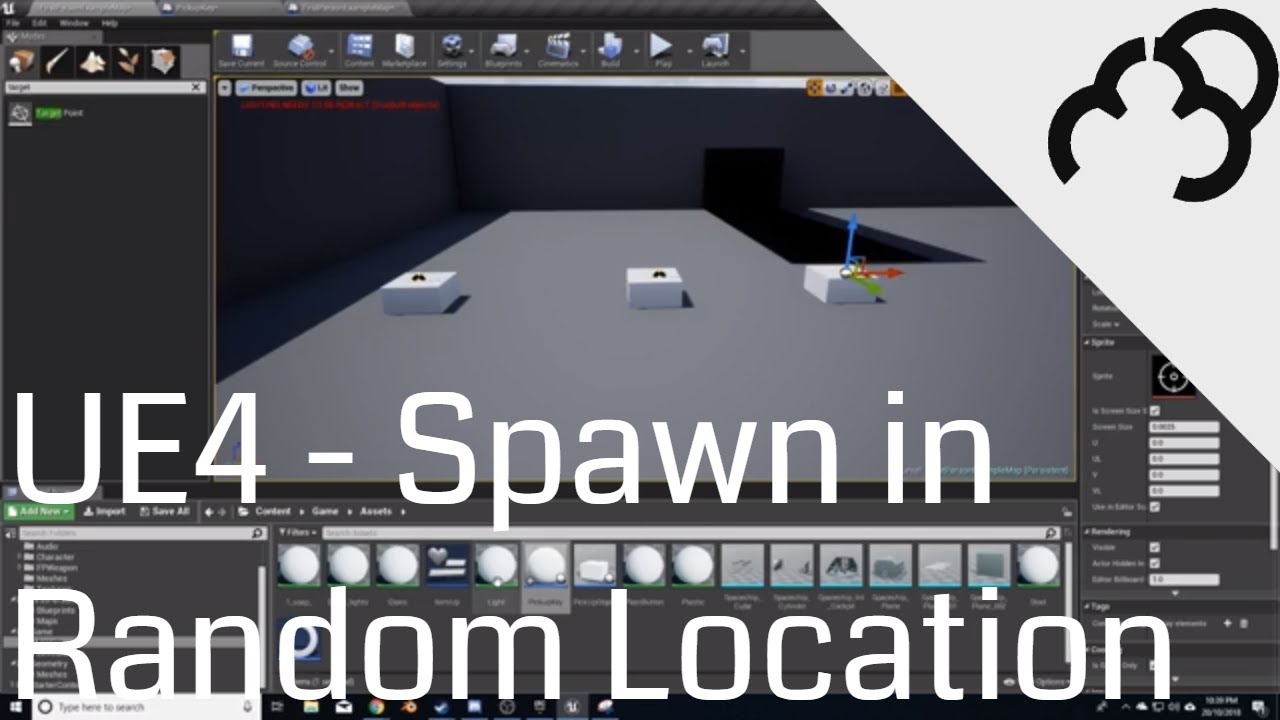
We go through the process of quickly setting a way to spawn an object in a random defined location
This is a very watered down version of the Unreal tutorial series, and it is more of a way for myself how to do this, then for anyone else. If however you would love to see mor...
errant blade
how can i make an actor's physics-enabled primitive components have a solid connection between them? i tried constraints but they just spin all over the place and bug out
plush yew
@grim ore I dont see an option for that
grim ore
which part is the white part for you? the background behind the yellow and green?
plush yew
Yep
grim ore
how did you change it to green and yellow?
plush yew
like this
hybrid light
am still looking for help on this one
grim ore
of yeah that is why, look above that under style
grim ore
scroll up on the right in the details panel and look for the style section, one of them is background image
plush yew
oh ok thank you
grim ore
you could also in the future search for what you want, like color, in the top of the details panel in the search bar
grim ore
@hybrid light do you have the camera moving every time you move? if so thats going to happen
hybrid light
yeah i have event thick for this
grim ore
if you are moving left of camera and you move the camera to behind the player then hold left will always make them rotate left of camera which is always behind the player
hybrid light
is there a way to keep the setup but ignore this when walking left or right
i seen someone comment the same thing
when following this tutorial
 pseudo star
is it only possible to use chaos with 4.23
grim ore
key pressed -> set boolean to true. event tick -> check if boolean is true or false, do whatever. key released -> set boolean to false.
chaos works with .23 or later
hybrid light
@grim ore will give it a try
grim ore
there are source builds for every version of the engine so no it does not mean .23 only
 teal moth
Hey all, I don't really ask questions here because every time they do they take a while to solve, does anyone want to help me solve a problem? I'll explain it anyway
https://giphy.com/gifs/KEYg7UGCThBPOtTtBg
So I've got an electricity system set up, where once a conductor touches a power source, a beam of electricity will go from the source, to the conductor.
If another conductor overlaps a conductor which is electrified, there should be one beam of electricity between them. But the problem here is that there are two beams per connection, which is undesired.
This stems from the fact that each conductor is the same class, and so they'll be checking for eachother, and creating beams between themselves. I don't know how to solve this though.
I've added a gif that should show the problem:

this is how it should look like (the painted on blue lines also represent a beam of electricity)
BlueprintUE
here is the BP ^
 vernal arrow
What resources did you guys use when you were starting learning UE4?
marsh osprey
i use youtube 😄
grim ore
the docs and source code
marsh osprey
some will make a series of tutorials
vernal arrow
Ooo? Any specific channels in mind?
marsh osprey
EvilDoUsHarm and WazzaTuts have the more complete paper2d series i have found yet
grim ore
there is a pinned message here in the channel with links to learning materials
marsh osprey
i'm workign on a paper2d for a friend for her birthday
 pliant rose
@vernal arrow Unreal Learning on their website
marsh osprey
i have a recquring problem with my projects though. eventualy the build will break the Open Level and wil only freeze the game
vernal arrow
there is a pinned message here in the channel with links to learning materials
@grim ore Thanks, man
grim ore
@marsh osprey read the logs, see why it is failing
grim ore
its possible its an issue with packaging or trying to load a PIE soft refererence or something similar
in the saved folder
marsh osprey
in the poject saved folder?
grim ore
yes if you are playing in editor. or if you are playing in editor the output log in the editor.
marsh osprey
oh it does not crash in editor
only in build
and this problem seems to begin randomly
grim ore
then turn on logging and check the saved folder in the build
 clever bone
where could I ask for help regarding nDisplay?
marsh osprey
if i can find it
im sorry @grim ore but i just cant find where to do that. could you guide me along?
marsh osprey
yeah. thats how i have been building it. and console shows no text when the problem happens
grim ore
maybe start adding in debugging then. print strings before the open level node to make sure its being called. Print out the level name that is being fed into the open level node. Maybe print string after the open level to see if it failed. stuff like that
errant blade
I still need help, i have an actor made out of multiple primitive component spheres that i want to use for buoyancy, but if i activate the physics (needed for the buoyancy to affect them) they each go their own way, how can i make them all stick together like one object but still have their own physics? (so each sphere can have a different force applied to them)
marsh osprey
im not sure how to implement this print string you refere to
you mean the one that will echo values to your screen in game?
grim ore
yes it also echos to the log
hearty walrus
...what?
 heady fractal
wts "dll linkage error"????
teal moth
@errant blade have you tried looking into physics constraints?
grim ore
@hearty walrus its a random bug, when it happens save the current level
errant blade
@teal moth yes, yes i have, i have tried a into exhaustion but i couldnt find a way to make the constraint not swing and be solid, couldnt find anything in google either, if you know how to fix that please do let me know
teal moth
ah, well i don't really know then, sorry
grim ore
@errant blade you might need to use the post physics tick and manually set their distances if that is what you want
errant blade
so like just make them teleport to a relative position from each other every tick?
grim ore
well I dont think we know what you are trying to really do
physics doesnt seem to work for you but its what you want is why its confusing
errant blade
ok i'll try to explain in more detail, maybe im facing the issue wrong even
so i have this game i'm modding which has no water, i can make levels for the game and add new stuff into it, but i can't directly edit the game's code or blueprints, i want the game's vehicles (which are made out of building bricks) to have buoyancy, that's the goal
so far i made a script that pushes them up at a certain z axis height to simulate floatiness, but it only affects the center of the vehicle, so they rotate freely, i'm trying to improve that aspect so they can float upright
grim ore
restrict the rotation of the mesh then so it doesnt rotate?
or limit its rotational values to a certain range if you want rotation
errant blade
well i can't edit the vehicle's mesh directly, they're in-game objects, i'd have to do it by editing the level blueprint or other actors that i add, could i limit the rotation in any of those ways?
grim ore
if you can access the mesh you can lock it, if not then I cant think of any way besides setting it on tick
errant blade
would there be any way to make all actors in the water want to get back to their original orientation? that'd fix the problem
i could do something like getting all actors in the water surface layer then applying that to them
 radiant pilot
Is there a way (perhaps material? or material instance definition) to only show colored vertices of a RuntimeMeshComponent (or just any node)? Assume all color data is loaded, valid. It's been suggested that I use some kind of mask and the Vertex Color node. Can you give me an idea of what to add in the Material Editor? I can display any material just fine on a node - that works.
Second question: Is there a good way to display mesh surface normals in grayscale (VertexNormalWS hasn't been helpful for my needs)? I'm using Lerp on Fresnal Alpha... Not really sure about BW shade colors, I have the Material def:
 fluid lance
Hey, does anyone have some good references/tutorials/courses I could follow on top-down level design? It looks like for top-down games, rules are somewhat different than 3rd or first-person. I'd like to know general rules on virtually anything/everything regarding the topic but I so far I only found tiny bits and pieces. Thanks!
 barren flume
frozen shell
barren flume
frozen shell
@barren flume TexCoord is a 2-Float array, meaning it's (x,y), but the color is a 3-float array, meaning it's (x,y,z)
the error message is saying that multiplying (x,y) to (x,y,z) is not a valid move
so what you need to do, is to append a 0 at the end of the texcoord using the append function
or mask the last channel from color using Mask, and tick R and G in the setting panel on the left
@fluid lance I also would love to know more on that topic, but I think you might get better luck in the #design-chat
fluid lance
@frozen shell Yea, thanks, but design chat is one of those ghost-channels, there's rarely anyone there...
pale verge
I'm having issues with a component in the game that is intended to increase max ammo when walked over. Right now it currently disappears when I go through it but it is not triggering the ammo increase
 zenith flower
I have to say, I'm glad they do add things over time. I just found a node I had to create myself in c++ two years ago:
zenith flower
Tick tack toe (Just kidding)
Dota
I'd recognize that pattern of dots anywhere xD
Well, I hope its dota not LOL
@plush yew
plush yew
We're creating a moba
 rough knoll
i get this error when importing a character mesh & skeleton Assertion failed: VertexShader.IsValid() && PixelShader.IsValid()
ue4 will crash
pale verge
How do I transfer from level to level while keeping my characters health, and ammo variables?
 open wadi
Question: Does anyone have any recommended software for flowcharting or otherwise documenting a game to allow for a birds-eye view when it's getting complex?
I see many options online, wondering what the UE4 braintrust tend to use.
frozen shell
@pale verge Please look into the structures of UE Gameplay framework, so you would have a good idea of how and when things get destroyed. usually, you could use a GameState to store that information, and retrieve it whenever you start a new level. Youtube GameState would give you some good tutorials on this, I think the WTF series has one
open wadi
Thank you @weary basalt, much appreciated.
 weary basalt
It also has a desktop app version
Which is basically just a shortcut to the website lol
frozen shell
@pale verge on the matter of ammo, how are you setting it up? Could you give a screenshot of the relative blueprints?
pale verge
@pale verge on the matter of ammo, how are you setting it up? Could you give a screenshot of the relative blueprints?
@frozen shell
plush yew
anyone know if theres a way to import images with a transparent backround into ue4?
frozen shell
@pale verge how is the increasing ammo setted up?
plush yew
I want to import a image that I can put on the UI of the game but its gonna like kinda dumb if theres a black border around it
rough knoll
i get this error when importing a character mesh & skeleton
Assertion failed: VertexShader.IsValid() && PixelShader.IsValid()
^ it works after migrating the project but still wondering why it happened
frozen shell
@plush yew I'm kinda sure that it's a option in texture to change the texture to have alpha as transparency
after you imported the png, click it open and on the right there would be one of the top import settings for that
pale verge
@pale verge how is the increasing ammo setted up?
@frozen shell
frozen shell
😂 well, what about how this increase is triggered
pale verge
😂 well, what about how this increase is triggered
@frozen shell
plush yew
@frozen shell Is this where you're talking about?
frozen shell
check the compression, if not, try open up the advance settings for compression and texture
it says has alpha channel false, so there is certainlly some setting needs to be changed, or the image is not a png
@pale verge does it not work without the open level?
plush yew
hmm, maybe the render is messed up? I rendered the image in blender, though It was rendered with a transparent backround
pale verge
@frozen shell correct, it doesnt restore ammo but consumes the item in game
frozen shell
@plush yew It could be! I have done it before, blender has a setting to render transparency or not!
plush yew
these are my settings
frozen shell
and... I don't exactly remember where that setting is, sorry you have to google that one
try open the image outside of ue, if there is no transparency there then that's probably not the setting
plush yew
when i open it it should be checker backround right?
does that compression percent have anything to do with it?
plush yew
heres the render result
frozen shell
oh yeah this is transparent
@pale verge "EnterPickup" is set to be triggered on actor begin overlap right? try not destroy the actor and print the ammo at the end of the enter pickup function
btw the logic in add to max ammo is a bit incorrect
plush yew
lol when I open it its just black backround
frozen shell
hmm strange, it's actually the opposite of what it's seen in blender
pale verge
@frozen shell the string doesnt print after enter pickup : /
plush yew
i think the next best option is just to chroma key
frozen shell
The add to max ammo function should take amount to Add and drag the current max ammo from the side (or aka get current max ammo) and add them together
if you know what I mean
pale verge
like so?
frozen shell
@pale verge well the old fashion way is to change the print string to different places lol I'm guessing the cast failed
yes
pale verge
yeah so now when i run into the pickup the pickup stays but prints the string
frozen shell
print what string? try set it to get the max ammo from the character, if adds correctly, then it should work and just add the destroy actor back
pale verge
I put a string after enter pickup like you said
 surreal laurel
I'm trying to get my characters velocity on collision, but it seems to grab the velocity after the character comes to a full stop. If I wanted to incorporate something like fall damage than how am I supposed to figure out my velocity at the moment of collision?
pale verge
print what string? try set it to get the max ammo from the character, if adds correctly, then it should work and just add the destroy actor back
@frozen shell So I should be Getting max ammo instead of setting it in my add to max ammo function?
surreal laurel
@surreal laurel Figured it out, I discovered the EventOnLanded, which grabs the velocity at the point of impact with the ground. It doesn't work for other collisions though, but luckily that's not an issue for now
frozen shell
@pale verge No, sorry if im not clear, the function rn is fine. I'm just saying set the print string to print out the max ammo to check, if it works then it was just the function that was broken and we fixed it
and you can put the destroy actor back
but be sure that increasing max ammo like this wouldn't set your current ammo
pale verge
@frozen shell I mainly want to make it so that when the player first starts the game they have 20 bullets. At the end of a round they can choose an ammo replenishment that gives them 10 additional bullets maxing out at 250. If that makes sense.
frozen shell
Sure, that would be making a gameState, add max ammo there as a variable, setting the max ammo in gamestate to 20 in the first levels, and increase it through picking up ammos.
and make sure to retrieve the max ammo from the gamestate at reasonable times depends on your mechanics. need to come up with a neat way to sych the two, or don't store it in player character at all
pale verge
but the thing is they will be able to choose from 2 other power up that if they do not choose then they miss out on it.
i.e. player finishes round 3 power ups spawn: heal, weapon up, and ammo up.
You only get to pick one though
frozen shell
well, like you setted up before, just transport the character out the level then
and because you stored these information in GameState instead of Character or controller, the gamestate wouldn't be destroyed upon loading a new level
and you can keep that information consistant
pale verge
and you said there were videos on how to do gamestates?
frozen shell
I also recommand this document to you to figure out the hirechy and preservation of info across levels and client
pale verge
alright, thanks! I know im probably irritating but im trying to learn.
frozen shell

In this example we show a few ways to save variables in different parts of the map as well as how to save them between maps so we can use them again later.
Totally, it's good to have questions.
pale verge
Totally, it's good to have questions.
@frozen shell Ok, so I'm not 100% on how to do what he did in the video. He went through it pretty quick. I made a gamestate with my two variables: health, and ammo. Everything after that went right over my head 😖
radiant pilot
Is there a way (perhaps material? or material instance definition) to only show colored vertices of a RuntimeMeshComponent (or just any node)? Assume all color data is loaded, valid. It's been suggested that I use some kind of mask and the Vertex Color node. Can you give me an idea of what to add in the Material Editor? I can display any material just fine on a node - that works.
 inner flume
Hi, is it possible to downgrade a project (4.25 -> 4.23) ?
pseudo star
any good chaos tutorials
frozen shell
@pale verge it's actually that simple! you made those, and then you just retrieve the game state in your other classes and set it
pale verge
@frozen shell I tried to cast it like he was doing and it had an exe function tied to it
frozen shell
I don't really have time to watch the tutorial, but say you want to set it in level blueprint, just say, trpe get gamestate and see what pops up
exe? @_@
frozen shell
yeah, that should work?
pale verge
idk where to plug it in, in his tutorial it didnt have execs
 jolly jungle
 alpine laurel
UATHelper: Packaging (Windows (64-bit)): LogWindows: Error: Unhandled Exception: EXCEPTION_ACCESS_VIOLATION reading address 0x00000038
my editor is crashing every single time i try and export and sometimes just using it
always with this damn error
what is it
 sharp laurel
Hey im making a rpg game with wsad keys. I'm facing a problem that when I move my character moves but he doesn't face the direction he is going.
 thorny coral
how do i rename a project in UE4
 distant totem
@thorny coral that is one of the most difficult things to do believe it or not. Much easier if you are only blueprints, but if you have C++, your not going to have a good time. Valorant, made with unreal engine, is still called "Shooter Game" in the install directory, because even a big company like Riot couldn't figure out how to change a project name. I would paste that question into google and check out what some of your options are
thorny coral
@distant totem i figured it out
i just changed the project name in the file directory
distant totem
Nice, are you all BP?
thorny coral
yup
all blueprints
i have no idea how to code with C++ lol
or javascript or any of those coding languages lol
distant totem
once you learn BP you will be surprised how well you are able to transition into C++
thorny coral
its actually alot more easier to use blueprints rather then coding
like UE is the only engine ik that uses this nice way of game creation, does any other game creation software use BP?
distant totem
Blueprint is the name of this visual scripting system Epic created, it used to be called Kismet. There is some node based stuff out there but nothing really like this
 grim juniper
@pale verge Right click it and "Convert to pure cast"
thorny coral
i see
damm unreal is a real one of a kind, and this is free? i would pay money for something like this
pale verge
@grim juniper Alright, thanks I'll try it out
 fallow cargo
Hia is there an issue in unreal engine with 16bit pngs? They turn out washed out while 8 bit pngs or other 16bit file types are fine?
 solar cove
can anyone tell me how to setup cloud painter
 scenic fox
do people use python with unreal engine???
Ohhhh
hello neighbor is made with unreal engine right?
nice
unreal is pretty good since learning blueprints is easy
 shy sundial
How do you exclude a value from a range . like say " Whenever this object hits this object I want a value between 1 - 10 , but not 5 " [ 1,2,3,4,6,7,8,9,10] Any one of these values.
@shy sundial
to make this more clearly ; i have a range from -10 to +10 . this range is the X coordinate of a vector . and I don't want this X to have a value of 0. is there a method like Clamp to exclude values ?
scenic fox
blueprint?
shy sundial
Thanks, but I was checking for a single node existed for this like the clamp node
surreal laurel
What's the best way to do footstep sounds? A sound cue or referencing every single audio clip in a BP? The latter seems clumsy but a sound cue won't seem to let me play through clips in sequential order...
 lost niche
Is it possible to name the log files? It's a total mess on my gameserver
 fickle wharf
is there a way for me to clear all memory references to an asset without closing the editor?
gets reaaaaaaaaaaally old reaaaaaaaaaally fast when i have to open and close editor for a component i scrubbed out of the codebase
coz it's showing memory references and not allowing a safe delete (only a forced one)
 grim sphinx
@thorny coral Actually, Unity rolled out their blatant ripoff called Bolt less than a week ago.
Worst part is, Bolt 2 is out and they're not using it.
Far as I know, Unity purchased the rights to the asset that was already existing in their marketplace.
 lusty carbon
I heard somewhere that rendering a rough surface is more expensive than rendering a complete reflective surface. Is that true? and why?
 heavy goblet
I need help with the "Weld Simulated Bodies" Option... I have it active but if i move the Object, they get separated. How can i "glue" them together?
Ok i fixed it :D There were some wrong settings in the physics menu
 tight prawn
Is it possible to render a model into transparent background png ?
heavy goblet
Is there anything to "update Physics" ? It only has physics when i touch it and i dont know why
 open gorge
not really my area of expertise, but there is this: https://docs.unrealengine.com/en-US/Engine/Content/Importing/FBX/SkeletalMeshes/index.html
 loud knoll
@gleaming narwhal 4.25.3 packaging with Text 3D plugin enabled, use it in bp class, any success on packing?
@tight prawn sure set your setup your background as a bright pink, green, blue color then once you have rendered the image bring it into a 2d package and set that background color as a transparent color.
tight prawn
what 2D package ?
tight prawn
well i just want to switch from 3D to 2D
and since i've already prepared all the assets materials and everything in UE4
I thought it best to use it to render tileset for each character on 18 angles with animations
loud knoll
so you want to create 2d images from your 3d assets and then import those images to create a 2d version of the game?
tight prawn
exactly
the final result would look like this
OpenGameArt.org
Figure I might as well share this since it's something I spent a while figuring out. 2D renders of 3D models is a bit of a lost art, utilized beautifully in games like Diablo 2. The programs I use are Blender and Gimp. I've also heard you can substitute Gimp for Photoshop. I d...
loud knoll
Sorry I dont know that one.
 serene birch
it is possible
that's basically how the prebaked imposters work
like that one does

but it's an old blueprint 😛
serene birch
yeah, it renders to a texture in a BP you run in the editor more or less 🙂
tight prawn
and it exports them into png ?
serene birch
you can always export a texture from UE4 in png I guess
you don't need to do that to use it in the same UE4 app though
 dim axle
Umm I have a problem
of the enigne crashing everytime i press the luanch option
Is this a common thing because my frind has this problem as well
we are sharing a project with github
serene birch
project with C++ source?
dim axle
blueprint
also when I try to package the project
it give me this error code
ATHelper: Packaging (Windows (64-bit)): ERROR: Could not find NetFxSDK install dir; this will prevent SwarmInterface from installing. Install a version of .NET Framework SDK at 4.6.0 or higher.
PackagingResults: Error: Could not find NetFxSDK install dir; this will prevent SwarmInterface from installing. Install a version of .NET Framework SDK at 4.6.0 or higher.
UATHelper: Packaging (Windows (64-bit)):
but i have .net framwork
4.6
and so does my friend
and even a fresh open
example project wont luanch
loud knoll
test the engine with a default template project if it works then it is something you did in your project
dim axle
i did
 harsh tiger
if i have a map and multiple gamemodes. how could i load that one map with different gamemodes loaded, depending on which button i click in the main menu?
my only solution atm is to duplicate the map and change the gamemode under world settings. but i just feel like there must be a better way
 digital anchor
open level as "/Game/MyMap?game=/Game/BP_MyGameMode.BP_MyGameMode_C"
harsh tiger
Is that with the open level node?
digital anchor
yea, the game part can be on the options input
harsh tiger
3 years I’ve used ue4 an looked into this issue a few times and found nothing haha. Thank you so much!
robust acorn
Hello, I just created a sprint feature in my game and I was wondering if there is a node where I can assign when lets say its walking it does a walking animation instead of drunk jogging
this is my code
serene birch
you do that in Blendspaces mostly I'd say https://docs.unrealengine.com/en-US/Engine/Animation/Blendspaces/index.html
Blend Spaces are assets that allow any number of animations to be blended between based on the values of multiple inputs.
robust acorn
ah thanks
like this @serene birch?
https://gyazo.com/a0ea9c1f4a7d304ec0cc4b3ebcb91c9e
serene birch
that's the idea I guess
robust acorn
hmmm, then how can I add this in my code?
serene birch
Describes Blend Spaces are used within Animation Blueprints resulting in an output pose.
surreal laurel
I'm trying to get my character to enter a different animation state when falling from high distance. I tried grabbing the velocity and including that as the transition condition, but it's not working and I think it's because the velocity is 0 when the transition happens (because the character has already landed). Any advice on how to make the velocity at the point of an animation transition part of it's condition?
heavy goblet
How can i fix it so it does connect properly with the other cube and does not fall down?
(Code)
tight prawn
i've recently seen a youtube (tutorial?) video where the default mannequin would interact with objects (fall on the ground as ragdoll) then stand up etc
anyone knows it? i can't find it
heavy goblet

Unreal Engine 4 Physical Animation
This adds the simulated physics and the models animation
@tight prawn
radiant pilot
Is there a way (perhaps material? or material instance definition) to only show colored vertices of a RuntimeMeshComponent (or just any node)? Assume: all color data is loaded, valid, zero use of BP, materials appear perfectly on the node. It's been suggested that I use some kind of mask and the Vertex Color node. Can you give me an idea of what to add in the Material Editor? I can display any material just fine on a node - that works.
tight prawn
similar to that one, it had small obstacles that would cause the character to fall
heavy goblet
Only found that one here @tight prawn
but its not a tutorial
https://www.youtube.com/watch?v=V3t0niAN7gw

A little progress. Mostly setting up a few things help help speed up iterations/testing.
 orchid oyster
Hey guys, Im trying to figure out the best way to do patches, the build in patch system in unreal using the launcher is an option but was wondering if there is a better wat of doing this someone mentioned itch.io's butler, but that seems to only have third party integration to unity?
 abstract oxide
Hey again, I have this event graph on my object_interactable object. I realize although all interactables should do event highlight and unhighlight identically, the code referenced by event interact will change based on the object. Can someone tell me the best way to organize that?
I tried making a child blueprint of InteractableObject called InteractableDoor, but it seemed that it wasn't inheriting this event graph?
Ah wqait I think I am figuring out a decent way to do it, but any suggestions are appreciated
 heavy yew
putting it here too (sorry for cross post)
anyone with experience in stereo layers.
I am doing a flight computer with UMG, works ok but too fuzzy with widget component so using stereo layers.
I am getting a gamma issue where the stuff on the stereo layers is not rendering WYSIWYG but too dark.
(Rift, UE 4.24, PC)
Above all I would like to know if this is a feature or a "bug"
I can work around it but if it is a setting that I have not found I would
like this (top is stereo layer, bottom is 3d widget, and correct)
robust acorn
can someone explain to me real quick how minecraft did their hunger system
im like confused
because im creating something similar but not like that
just need to know if you have 4 circles, how can you lets say every 10 seconds take half of one
if you get what I mean
 somber quail
Anyone know if it's possible to give brushes (PostProcess Volumes, Level Streaming Volumes, Trigger Volumes etc) a material? Having them always be 100% transparent makes it tricky to lay them out in a scene
 paper hemlock
Is it possible to package to FireOS?
loud knoll
anyone have an idea why they removed Text3D objects from the BP editor in 4.25? In 4.24 I could add them to actors now they have a new transform to allow animation of the Text3D object but you can't add it to the BP.
grim ore
@loud knoll Text3d is a plugin, is it enabled in your project?
 kindred jolt
Hi, someones has experience and can teach me about how to implement the Epic Games Online Services in my game??
fluid lance
Anything I can do to make the engine run smoother on a large project?
Context: I added more and more content and content packs now that I need to start level design and the editor got slower and slower. The scene renders fine, apparently the size of the project in terms of assets causes this.
grim ore
remove assets you are not using
fluid lance
so no 😛 thre are no "tricks" about it 🙂
grim ore
well brute force with more computer power, don't reference stuff you aren't using so it doesnt load it into memory, turn the content browser down in terms of icon size so maybe the list view
fluid lance
prob. is idk what I'll be using, making levels now so there's plenty of junk there which won't make it into the game, but I need it - you know
tried list now, got nothing...However it does it up more ram than it was, but far from eating more than 50% of them. Maybe allocate more resources? Is there an engine setting for it? It seems engine is limiting resource use.
grim ore
off hand not that I know of, maybe a question for the forums or answer hub. #level-design might have more info but its not one I have seen asked in here before
fluid lance
@grim ore Thanks! I need more RAM apparently, never monitored while working to see...it's the RAM 😐
grim ore
ah well good to figure it out 🙂
fluid lance
not so good not being able to do much about it atm...:P
 slender moss
im having issues with exporting blender animations to unreal engine. For some reason they come out really small?
 thick herald
That's likely because of the scale you used in Blender
slender moss
the mesh comes out fine just the animation
cant seem to find the blender tools
nevermind
 mild valve
Hey all. Is there anyone on here that can help me adjust my Capsule Collider on a pawn? I have an issue where the collider is the wrong size and shape. I disable the collider, make a new one. But now the actor is destroying itself immediately after pawning.
But nothing in blueprints that destroys on collision. Only one being hit by a ray from a character
 supple totem
how do you visualize LODs again? not for landscapes just everything
 royal pewter
Hello!
Would anyone care to comment on that? That would be very helpful!
https://forums.unrealengine.com/development-discussion/rendering/1801623-why-my-ground-is-black?view=thread (feel free to @ me)
Unreal Engine Forums
Hi everybody!
Before asking my question, I tried these keywords (https://forums.unrealengine.com/search?q=light+black+ground&searchJSON={"keywords"%3A"light+black+ground"}) but didn't find anything about it.
I read this page (https://docs.unrealengine.com/en-US/E...
slender moss
when i go to export my rig using blendertools i get "unreal could not find a skeleton here"??
okay it worked buts it's really small again 😩
thorny coral
@grim sphinx but does bolt actually work or function correctly at all?
 hasty osprey
hi i want to take a W:256, H:1024 screenshot of my level, so how can i choose dimension when i screenshot?
 green iris
hi guys, anyone know how to connect nodes in a blueprint using python?
grim ore
@hasty osprey go into your project settings and adjust your viewport size for play in new window
then go to play -> new window to launch it in that size. then open the console and type screenshot
rough knoll
anyone know why my decal isnt showing up?
rough knoll
@plush yew when i switch it to translucent nothing at all sh ows up
plush yew
Hello. is it ok to ask a question here?
 inland pivot
Strongly suggest this tutorial on decals: https://youtu.be/PjZEDzQuan0
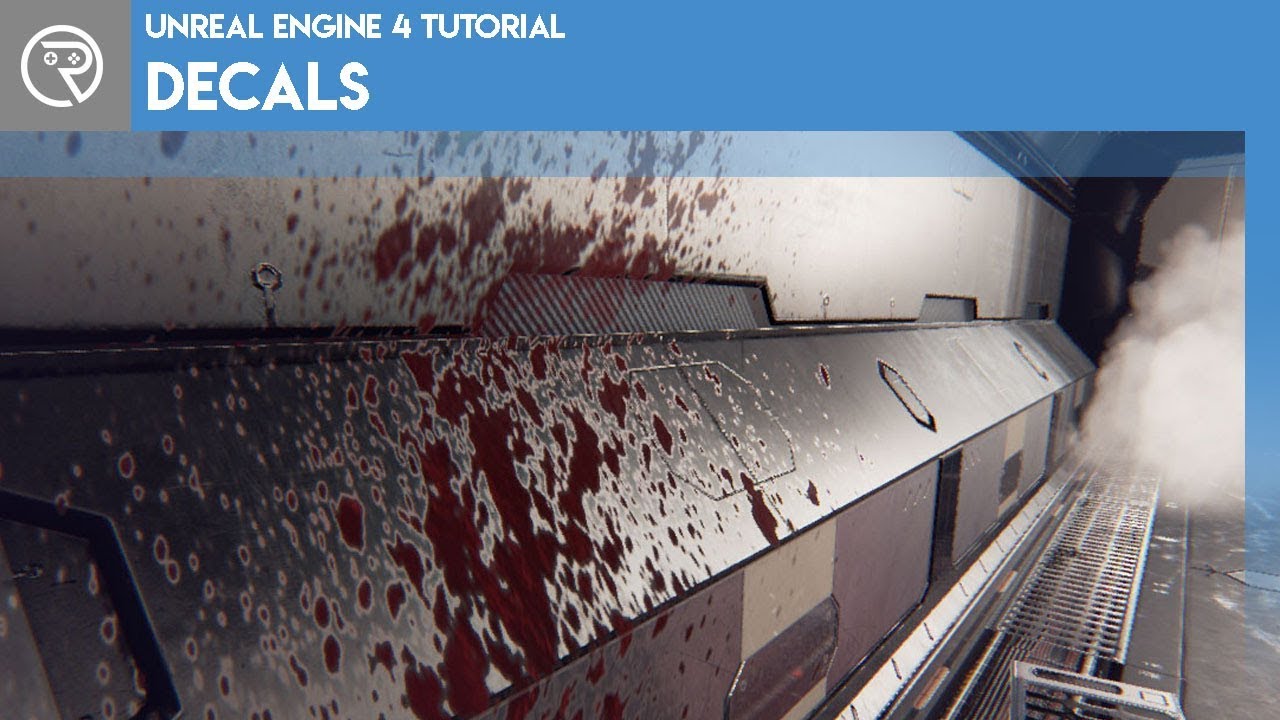
Welcome to this episode where I introduce decals and their uses in Unreal Engine 4. Decals are super useful actors that add so much detail to the environment. Watch and learn what they are, how they are used, and how they are made. Learn how to make opaque decals for blood spl...
plush yew
Could anyone please take a look at the question I posted in UE4 Answerhub?
Basically I cant get my character to not clip and walk through walls.
robust acorn
hello, my sprint system is kind of bugged and I cant find like a "If Button pressed" then true or false node. Is that available because otherwise I have to rewrite my code
oh no wait the plugin im getting (ARPG COMBAT) has stamina and health, I can scrap that from the list then

plush yew
that is the Collision Sphere, it doesnt change anything unfrotunately
I have tried all sorts of settings, now the capsule is set as Pawn
and still wont work properly
the thing is, it doesnt just walk through. it struggles, but if I try hard enough, eventually the character goes throug
 frigid needle
With the mesh you're trying to collide with, do you have it set to Block All on its own collision?
Also, is the mesh you're colliding with a World Dynamic, or World Static?
Because right now your collision sphere expressly says it overlaps all dynamics
so will clip through anything that's a World Dynamic
pliant rose
Need some Math here.. this is Fibonachi curve, red spot on left is first, how to calculate rotation degree of next one ?
plush yew
With the mesh you're trying to collide with, do you have it set to Block All on its own collision?
@frigid needle I have set the sphere to block all. The character goes through BSP`s .
in the First Person preset I can see that the character wont walk too close to walls , and that is the main difference
 obtuse hare
Anyone know how to get the NavMesh to start showing again? It used to be green and now it shows nothing even when "Navigation" is set to show
grim ore
move the nav mesh a bit?
obtuse hare
Yeah it's touching the ground
tried jiggling it to a few places and still nothing
I also tried deleting the NavMesh and then Deleting the RecastNavMesh then dropping in a new NavMesh
frigid needle
Typically in Unity, the navmesh appeared when you had an agent selected, rather than the mesh itself
plush yew
I understand now why even triple A games have bugs. It s not the devs, it s the Engines lmao
obtuse hare
True lol
prime iron
does someone know a cool theme? i have a dead world, and i got snow
i can't find anything from back2thefuture sadly
 slate sierra
So is a physics asset the thing people refer to as hitbox in games?
To understand it you have a physics asset which is the collisions, you have a skeletal mesh which is the appearence?
tight prawn
"Assertion failed: (Index >= 0) & (Index < ArrayNum) [File:D:\Build++UE4+Licensee\Sync\Engine\Source\Runtime\Core\Public\Containers/Array.h] [Line: 674] Array index out of bounds: 0 from an array of size "
is this crash a common thing ?
 trim silo
Quick question, how can i make a particle follow slopes/stairs on the lanscape etc?
So when i shoot a particle it will follow the ground rather than just go straight through stuff
is it something simple or is it very complicated?
let's say i have a rolling boulder particle or something and i want it to roll on the actual landscape rather than through it? anyone?
 bleak mural
ftlog. How do you disable/rebind this menu. Seems to be on "quote". As an azerty user this is driving me up the wall.
grim ore
@slate sierra for your exact question usually not, usually for a hit box they use a primitive collider so the calculations are faster and more generic. For example a capsule around a player or body parts specially designed for weapon hits. The physics assets in ue4 are used for physics interactions, so say you ragdoll a player. They can be used for hit collisions but normally most people seem to use custom collisision wrapped around the mesh in the character blueprint so it can be handled differently
you can have no physics assets on your character for example if you dont intend on them to be interacting with physics and just have custom collision shapes for the hit boxes on the character
tight prawn
I have tracked the editor crash to this node, If I set the Bone name to anything (except "None")
the editor would crash
"Assertion failed: (Index >= 0) & (Index < ArrayNum) [File:D:\Build++UE4+Licensee\Sync\Engine\Source\Runtime\Core\Public\Containers/Array.h] [Line: 674] Array index out of bounds: 0 from an array of size "
@tight prawn
as I looked through search results, it seems some people already had this issue, however with no answers provided nor comments, I don't know where to go with this
 tawdry python
where did the box shape go ? I'm trying to add a box shape component
but I can't find it 
 ancient grove
Hi, is it possible to utilise specular maps like this for characters in unreal?
Relatively new to ue4.
slate sierra
@grim ore THank you!
grim ore
@tawdry python box in a blueprint or in the level?
grim ore
well there was no box that I know of, a static mesh and the box collision
tawdry python
I want a box collision without the collision
grim ore
sounds like you want a static mesh then
tawdry python
I used a static mesh initially but I want it to be invisible
how would I do that?
I mean I made it invisible but it was visible in the editor
and I feel like a static mesh is overkill
grim ore
so what do you need this box for?
if you dont want a collision and you dont want a mesh
grim ore
the box collision would be fine then, just turn collision to none
bleak mural
ftlog. How do you disable/rebind this menu. Seems to be on "quote". As an azerty user this is driving me up the wall.
@bleak mural
In project settings - gameplay debugger the activation menu is set to none. Changed both BaseInput configs ( unreal folder and project folder). Still no dice. Anyone a hint/clue/idea?
grim ore
did you try changing the key in that project settings window?
pale verge
Could anyone help me or point me towards a video tutorial that will show me how to create a system that counts how many enemies are in a level and then spawns something, and then keeping variables such as ammo and health when transitioning in between levels?
grim ore
you might not find what you need exactly, rarely you will but you can look up the Game Instance to store stuff between levels and you can look into the Game Mode for tracking game stuff like # of enemies in a level and events that should happen
bleak mural
did you try changing the key in that project settings window?
@grim ore
Yes it did. It functioned as an extra button to open op de debug window. It did not clear the key.
frozen shell
@ancient grove to my knowledge ofc, just set up the UV and plug it in to the material
 pseudo sapphire
hi im trying to make a FPS using third person mannequin but wen i edit my anim graph he stops doing the run animation and kinda floats what am i doing wrong ?
ancient grove
@ancient grove to my knowledge ofc, just set up the UV and plug it in to the material
@frozen shell Im a bit new to unreal’s material editor, can you elaborate? How would I go about this?
frozen shell
Could anyone help me or point me towards a video tutorial that will show me how to create a system that counts how many enemies are in a level and then spawns something, and then keeping variables such as ammo and health when transitioning in between levels?
@pale verge the level thing i can quickly show you later, but i promise you it's relatively simple. The tutorials online could be a bit outdated and there are minor changes to the functions. Counting enemy could be a thing you set up to track how many you spawned then deduct one when ever you kill some enemy.
pale verge
@frozen shell That would be much appreciated ive watched the HTF video like 3 times and am still trying to figure out where to send everything in my bp
frozen shell
These could be in GameMode to do it across the levels. Alternatively, you could also have an event being triggered every few minutes to count everything that has the class you want to count by putting them in an array whenever you spawn them. But this is super inefficient
@frozen shell Im a bit new to unreal’s material editor, can you elaborate? How would I go about this?
@ancient grove in the material editor just right click and search for texture2D and look for the texture in your content folder. Plug this one in Specular to the output. Unreal have a couple shading models that might be of interest. The default lit one is not great for realistic characters. The subsurface one and skin one is better. You can change the shading model when you select the output tab and found the option at the left side
jolly jungle
How do I make my packaged projects not trigger antiviruses
frozen shell
I recommend you go download one of Epic's free character from the marketplace. Their skin setup and eyes set up are all very good
How do I make my packaged projects not trigger antiviruses
@jolly jungle not an expert on this but I'd say it depends on what u r triggering
pseudo sapphire
hi im trying to make a FPS using third person mannequin but wen i edit my anim graph he stops doing the run animation and kinda floats what am i doing wrong ?
frozen shell
hi im trying to make a FPS using third person mannequin but wen i edit my anim graph he stops doing the run animation and kinda floats what am i doing wrong ?
@pseudo sapphire you need to tell us what you are doing exactly
pseudo sapphire
i had it all set up so the character moved his legs and walked like he would in a default therd person setup but wen i add the equip weapon inimations his legs dont move
frozen shell
@ancient grove Also there are some really good character material tutorials for Unreal on YouTube. Some of then are pretty advanced. But just don't sink too deep into the things you don't need it would be fine.
@pseudo sapphire im not sure i understand you. If you are saying that you add a holding weapon anim on top of running then you are probably substituting the animations or not blending the animations right. Make sure the animations are set up in an animation blueprints to deal with all the transitions and overlaying. Do you have it set up in a kind of locomotion system where the upper body and lower are separated?
ancient grove
Alright thanks!
pseudo sapphire
i do not im not shure how to set the top n bottom as separate animations lol
 green prairie
Oh man... I'm getting this red error when trying to package my game... I have done something since yesterday that breakes it... Anyone know what this means?
LogInit: Display: LogCook: Error: Could not clear asyncdelete root directory 'F:/The Adventures of Gorm/Unreal/TheAdventuresOfGorm 4.25/Saved/Cooked/WindowsNoEditor_Del'. LastError: 3.
 subtle gust
hello everyone! I'm new here, it seems like cool place for UE help
frozen shell
@pseudo sapphire Well I'm not too sure either, But look into Unreal learning and there are probably multiple live streams that teach you set up animation blueprints for all kind of situations
pseudo sapphire
i have something on udemy that might help in that ill just have to convert it to my project thanx Esurielt
👍
frozen shell
I do really recommend you watch as much as possible from the Epic devs tho! Udemy is a great resource but Epic devs can show you what the engine is built to do and all the best practices that they developed with in mind
grim ore
@bleak mural ok since Epic is odd here is the problem and fix. In your Engine Config folder is a BaseInput.ini where they are adding in 2 key bindings at startup which is why when it says none or you override it you still have the Apostrophe and Quote keys calling the debug menu. ; Please remove EnableGDT command binding after removing deprecated GameplayDebugger module (we are going to use Gameplay Debugger plugin soon) +DebugExecBindings=(Key=Apostrophe,Command="EnableGDT") +DebugExecBindings=(Key=Quote,Command="EnableGDT") this is the section near the top, just remove them or ; comment them out and it will be fixed. This is in your engine config which is why it was always happening and not showing up in the project settings
bleak mural
yeah.. i've removed this and that didn't help..
grim ore
removing them and restarting the project disabled those keys from pulling up the debug menu here
at that point all I had was the one in project settings working
frozen shell
Oh wait, you are The Matthew! I really like your videos! Thanks a lot on helping me get started!
bleak mural
and you only had to do this in engine?
grim ore
@green prairie close the project, delete the intermediate, binaries, and saved/cooked folder from your project and then try again
hearty walrus
how do I make a UMG timer?
grim ore
yep I only did this in my engine folder for the version I tested with (.25)
pale verge
anyone know how to fix this?
Invalid Simulate Options: Body (Enemy_Chrome.CharacterMesh0 SK_Mannequin) is set to simulate physics but Collision Enabled is incompatible
 gleaming lotus
For some reason one of the static mesh collisions in one of my actors is flashing in player collision view- I think this is also causing issues to go through the item in game. Any idea why?
green prairie
@grim ore Hmm.. Thanks, Will try that.. Even though deleting things I don't know what is seems risky
grim ore
@pale verge your skeletal mesh has bad collision settings (not set to collide based on physics I would guess) when trying to simulate physics. What are the collision settings you have it set to?
@green prairie the 3 folders I suggested are all temporary folders and re created as needed
gleaming lotus
@pale verge I've experienced this issue when attaching actors to other ones, are you attaching it to anything?
Specifically the character to another actor
pale verge
@pale verge your skeletal mesh has bad collision settings (not set to collide based on physics I would guess) when trying to simulate physics. What are the collision settings you have it set to?
@grim ore
green prairie
@grim ore Thanks man!!
subtle gust
i have a really specific question, i'm developing skateboarding game SKATED and in my dev process I need to figure out how to do slides/grinds in my game. there are different props as obstacles and I need to do it slideable... as I'm thinking there are two options, to do blueprint with mesh inside and place it on top of edges of the obstacles and create event on overlap (create collision inside skateboard for overlapping with collision of the blueprint slideable mesh) or create for each prop inside 3d package additional extracted geo for the same purpose, but I do not know how to work with it without coding (all programming I'm doing with blueprints). the first idea is hard, because I need to hand place blueprint for slides on all objects, but it is easy to setup, 2nd option is faster and more organic to do it in 3d package... what are thoughts about it? thanks
grim ore
@pale verge look at what it says for your collision, it says no physics collision
also when using a character you normally dont simulate physics on the mesh
 glad flume
Unless you want it to interact with phys objects more precisely than the collision capsule
Projectile dont make sense tho
pale verge
@grim ore What should I have it set to? Everytime I set it to something else my guy just either crumples up or flys away...
bear with me im new to ue4
grim ore
well why are you trying to simulate physics on the mesh?
pale verge
thats whats weird i dont have the physics box checked on any part of this
grim ore
you do.. its literally in the screenshot
First checkbox under physics, Simulate physics
pale verge
oh my goodness.... thanks. its been a long night 😖
glad flume
Leave collision to the capsule unless you're doing something more specific with collision
bleak mural
@grim ore Weird man. I've removed it like you said. Even made a quick test project and changed it there and no dice..
grim ore
😦
glad flume
Might wanna switch the collision preset back to normal (yellow arrow next to the field) @pale verge
grim ore
might be a language issue then with the keyboard. Setting project settings to none but not changing the input file still let the ' and " keys open it. changing the .ini file and not project settings (default was apostrophe) let ' open it. Changing the .ini and changing project settings to none disabled it
pale verge
@glad flume ok now he takes damage and stands still but when I run my character into his he falls over like a statue
grim ore
maybe you are simulating physics on the capsule now lol?
glad flume
Sounds like it
 quiet raft
just had my internet die, and tried to launch ue in offline mode
does it mean that ue is not usable offline?
glad flume
It should be, just go to where your project is and use the .uproject
quiet raft
i needed to create a new project
bleak mural
might be a language issue then with the keyboard. Setting project settings to none but not changing the input file still let the ' and " keys open it. changing the .ini file and not project settings (default was apostrophe) let ' open it. Changing the .ini and changing project settings to none disabled it
@grim ore
Like i'dd accept it for what it is. But i just packaged the game and tested it out and the debugg shit is even in here
Put it on "release" too
glad flume
Ah, maybe try restarting epic launcher
 fiery lagoon
Could anyone help me to figure out how to have screenspace mapping locked to an object's world position? I followed this twitter post but anytime I move back form the object the texture scales rather than staying in place.
https://twitter.com/JKashaar/status/1047979071609757702?s=20
heres another thread about this effect but in unity
https://twitter.com/Ed_dV/status/1047006623330373632?s=20
Heres my blueprint https://blueprintue.com/blueprint/zwo17f6x/


Freebie: Object-stabilized screen-space UVs. Probably useful for VFX, I don't know! :D
With a hat tip to @Ed_dV who made the same thing for Unity, here's an @UnrealEngine version.
Material graph in the replies!
#realtimevfx #gamedev #gameart https://t.co/aWrnRnoeCN
Retweets
155
Likes
620
 Twitter


I'm sure this is trivial to smarter people, but I've struggling for an eternity trying to figure out how to have screenspace mapping locked to an object's world position. Thanks to @wingcutangel for the tip! https://t.co/F1KuY8CPrv
Likes
159
Twitter
BlueprintUE
quiet raft
heh looks like matcap
 obsidian plover
hey guys, how can we use marketplace stuff as a team? (AKA buy only 1, not 1 for every team member)
plush yew
I'm not sure that I want the same thing that Dmaw just said but I'd like that the scale of the texture does NOT change when I'm rescaling the mesh. Checking some doc, the node "Object Radius" can do this. The problem is I don't know how to implement this node in my code. This is my material :
I've tried different ways but it doesn't work
fiery lagoon
hrmmm its kinda similar
thorny coral
i have 2 questions
- if i use free models and assets from the marketplace in my game, can i sell it for money?
- anyone know of any free street buildings models
glad flume
Yes and no
fiery lagoon
hey guys, how can we use marketplace stuff as a team? (AKA buy only 1, not 1 for every team member)
@obsidian plover from what ive done when working with teams i just add the stuff to the unreal project and then have my team dl the project from github that we use for production
thorny coral
alright good, i just wanted to make sure because i plan on selling my game
thick herald
Absolute World Position, instead of TexCoord allows for world aligned textures
pale verge
maybe you are simulating physics on the capsule now lol?
@grim ore No my capsule is set to BlockAll for collision with simulate physics unchcked
obsidian plover
@obsidian plover from what ive done when working with teams i just add the stuff to the unreal project and then have my team dl the project from github that we use for production
@fiery lagoon yeah, was thinking about that too
glad flume
@pale verge whats the collision preset on the capsule?
subtle gust
guys any ideas on my question? I'm really stuck what option to choose 😦
pale verge
@glad flume BlockAll
quiet raft
is it possible to edit blueprint while game is running?
glad flume
@subtle gust id say make slides and grinds blueprints with splines as a rail
Move character along it
@quiet raft no they gotta be compiled first
green prairie
@grim ore Hey man. Thanks.. It works now 🙂 Although I couldn't find the binaries folder
glad flume
Theres realtime c++ coding but blueprint is read only while playing
quiet raft
lol
subtle gust
@glad flume thank u, will try to research about splines... never used those before
quiet raft
here i was thinking its one of those cool unreal features
apparently unitys bolt blueprints were better in this aspect
glad flume
Theyre useful to learn, tonnes of utility
robust acorn
Isnt it smart for open world map that I make the core map not too big and make everything like npcs buildings fiolage etc small af?

glad flume
@quiet raft it will just be an imitation, wont be better implemented or as fast as unreal
glad flume
Well i kinda do
Epic has been developing blueprints for longer
Its a fact that a more developed system will be faster and better implemented
quiet raft
logical fallacy
glad flume
Unity is playing catchup
quiet raft
whatever
glad flume
Logocal falicy doesnt mean anything bro
plush yew
@thick herald Just put a Absolute World Position instead of TexCoord makes errors in my texture noes :
quiet raft
glad flume
Saying "you're wrong" and providing no argument means nothing
And a definition doesnt help lmao
quiet raft
anyway its an engine limitation that its not in any way (not by enabling some setting, or somehow else) to edit running blueprints?
glad flume
Blueprints compile into c++, it needs to be compiled in order to run
 opaque plover
Additionally even if that was possible, it feels like an antipattern.
glad flume
Im keeping it simple because you dont seem to understand how some languages need a compiler and an interpreter to run code
Its just fundamentally not gonna happen
quiet raft
The reason that non-programmers can work strictly with Blueprints, is because Blueprint nodes run in a virtual machine (VM)
from ue4 docs
glad flume
And they still need compilation
Hence why you need to compile them before running in editor, or packaging
quiet raft
so its an interpreter that runs cpp?
glad flume
Its a bunch of visual functions that correspond to c++ code
opaque plover
Editing a running blueprint, is not unlike code-editing at runtime. That is something we tend to avoid, being able to guess more, find errors and predict the flow at compile time is always better.
But that's not specific to blueprint themselves.
quiet raft
its something very useful when you are editing simple stuff
like doing tons of misc level scripts
glad flume
Well with enough experience youd be able to code without going back to test it each time
Or you can just leave bugspraying until after the content is done
 granite spindle
With enough experience you dont need blueprints at all
quiet raft
still eludes me, if its run on a vm, it should be stored as some form of data, compiling on runtime should be no issue, then serialize the state, replace bp, restore state
im missing something here
glad flume
C++ is stinky tho, lazy bp days
quiet raft
now if bps are coupled thats a problem, updating all coupled bps that use some function you modify, and yadayada
that would be very tedious to solve and probably buggy
heady fractal
ok so i put in a static mesh inside a thing in unreal but every time i compile it disappears.....how do i make it stay there and not disappear
 haughty willow
-o-
heady fractal
btw the thing im trying to put a mesh in is a blueprint spawnable C++ class
glad flume
Disappears how? Like gets deleted or is not visible?
glad flume
So you set it to a specific mesh and it gets cleared?
Is that per instance or the main class?
heady fractal
thats the main class
wait i deleted it and added the class again and now it works
thats some weird magic
it doesnt make sense
glad flume
I blame the devil
heady fractal
ty for the help tho @glad flume
glad flume
Np boss
 frozen pond
i'm trying to make "multiplayer" but i spawn actor form a class and i see it only on client
its set to multicast but it dont work
grim ore
who calls the spawn actor code?
plush yew
We need help
Basically I have an actor blueprint that I want to by default have a static mesh attached to it that shows when the actor is placed in the world or spawned. This actor is meant to be a projectile
frozen pond
client
grim ore
then only the client will spawn the actor. what does the multicast description say when you mouse over it?
radiant pilot
Help me define a Material in the Material Editor that will only output colored vertices for a node. No meshes. Assume all color data works correctly and materials assign perfectly to a mesh/node.
 pseudo pulsar
Is there a way to smooth a mask without bluring it? I was gonna try smoothstep instead of an if-statement for my post-process cel shader to fix these jagged lines, but it seemed to only make it more diffused instead of smoothing the curvature of the shading.
(This is with smoothstep.)
plush yew
@grim ore Hello MathewW, I'm following your tutorial about the Object Radius (I'm trying to implement this node in my material to avoid my texture to move while resizing the mesh) but I see this curious pin :
Your tuto is from 2016 so maybe this pin doesn't exist anymore ?
plush yew
Indeed I've just found the answer in the comment section of your video lol.. But thanks ! 🙂
 light vigil
Does anyone know how to add a custom category to the place actor mode list here?
grim ore
@plush yew yeah i just noticed i never showed how to get customized uv inputs in the video. bad me
@light vigil you would do that in C++
light vigil
Does it require changing the engine source, or is there an extendable way to do it?
plush yew
@grim ore Yeah baaad ! I'm gonna unsubscribe immediatly !! (just joking, your tuts are the best ! ^^)
We need help
Basically I have an actor blueprint that I want to by default have a static mesh attached to it that shows when the actor is placed in the world or spawned. This actor is meant to be a projectile
Asking again cause it got confusing ul there
fiery lagoon
@grim ore hate to bother you but, ive asked just about everyone i can think of any ideas on this? https://discordapp.com/channels/187217643009212416/225448446956404738/745726327197401278
 copper silo
hi everyone, i am new to this discord, i am wondering if anyone here with enough experience with replication could help me a little? Thanks!
grim ore
@light vigil I beleive you do it in the actor factory for the class, you can check out stuff like the sky sphere or another blueprint that is in the list but I have a feeling you might need to edit the engine source to add new categories
@fiery lagoon I don't mess with materials enough to know the answer 😦
fiery lagoon
Rip thanks anyways 🙃
copper silo
@grim ore i sent you a private message, when you have any time.. Thanks!
grim ore
I dont have pm's turned on
light vigil
Thank you Mathew!
copper silo
oh alright well i'll ask you here then.. are you able to help me with my camera direction? i can't replicate it for the client & server to see the same thing 😦
@grim ore im new to this so any help would be very appreciated
grim ore
just ask in general in here or the correct channel, #multiplayer might be better since its well multiplayer
rough knoll
anyone know why the reflection does this when i look down? i want it to look like what happens when i look up constantly
grim ore
might be able to figure it out if you walk thru the code out loud tho. Does the object exists on the server and client? is it the same object in the same place basically (spawned by server) or is it possible these are separate objects? Do you also mean listen server and not dedicated server because if so that has it's own possible issues lol
obsidian plover
@rough knoll it's a side effect from SSR
rough knoll
is there any way i can make it always look like what it looks like when i look up
obsidian plover
you could mix a texture (to work as old-school reflection) and add in the SSR into the material to obtain a nice effect but still not having to use planar reflections (which would get rid of that, but using noticeably more performance)
grim ore
look at adding a planar reflection to the water
obsidian plover
keep in mind that enabling planar reflections eat up more performance, even when not used
I remember seeing someone on the forums who created a workaround which played with fov and camera to somehow render SSR beyond what you actually see
grim ore
You could always switch to DXR and use ray tracing 😛
obsidian plover
haha that also
heady fractal
- Its a C++ Class
- Disappears after every compile
- Can still see here but not in world
why is this happening ...it doesnt make no sense or maybe im just stupid
see no barrel here
grim ore
@heady fractal it makes sense that it would disappear if you are rebuilding the class, the instance in your editor is what is changing so its just instanced changes
 sudden bridge
I'm trying to attach a knife to my character's hand, but when I try to select the socket it says this
heady fractal
@grim ore im sry but im totally confused by wt u mean by that...if u dont mind and sorry but could u explain that in baby words??
rough knoll
@sudden bridge would you be swapping to the knife or is it in the hand by default?
sudden bridge
what do you mean by that?
I just imported it as a static mesh and moved it into the hand
rough knoll
would you have a different weapon equipped and then be swapping to the knife or would you just have the knife in your hand by default when you spawn
sudden bridge
have it by default
rough knoll
make it an actor and spawn it in that socket on the event beginplay in your character blueprint
grim ore
rough knoll
mhm
heady fractal
@grim ore ok ok...ty ^^
 gusty dune
I imported a new skeletal mesh to my project, tried to retarget the skeleton. Now it's broken the original skeleton as well, only the head animates. Any idea what's happened?
 ivory furnace
hey, since apple said unreal engine cant be used on mac or ios anymore, I need to get a desktop pc for ue4 development on PC. I know nothing about hardware or computers. Can someone recommend me some? or give me a good resource to look at?
grim ore
apple has said no such thing
ivory furnace
yes they have
as of the 28th
just came out 2 days ago
they are in a lawsuit battle with epic
grim ore
still doesnt mean what you said
ivory furnace
?
obsidian plover
from what I've read, developers that have no problem with using Apple payment methods, shouldn't be affected
 magic jewel
You can still use the Unreal Engine on Mac lol, they aren't blocking you from opening the software and if that was the case there would be literal uproar
ivory furnace
@obsidian plover can you link? because ive heard the exact opposite. That they wont support any unreal engine game on the app store or mac
grim ore
Unreal Engine runs just fine on macOS now and for the foreseeable future
magic jewel
What they're doing is blocking Epic from publishing their games on the ios app store
magic jewel
Third party developers who are complying with Apple's ToS, whilst using UE4, are unaffected
grim ore
you definintely are missing what is going on
obsidian plover
@ivory furnace sadly, I can't, so don't trust me 😦 But that was my interpretation of it... I highly doubt it's going to be 100% just Epic related stuff gone from Apple
ivory furnace
i swear i read that they specified unreal engine games, not epic games
people where mad that this effects all developers
magic jewel
PUBG uses Unreal Engine
ivory furnace
not just epic games
magic jewel
Do you think Apple are gonna block PUBG?
grim ore
Until you see an official notice from Epic Games on what is going on, you might want to not make any decisions
magic jewel
The reason Epic Games are being blocked by the app store is because they broke Apple's ToS, intentionally
ivory furnace

Game Rant
The battle between Epic Games and Apple appears to be escalating further, but why is Apple planning to block Unreal Engine, and what does it mean?
this says they are blocking unreal engine
magic jewel
If you're a developer and you comply with Apple's ToS, even if you use Unreal Engine, you're fine
magic jewel
You really think Apple are gonna block PUBG?
grim ore
again.
ivory furnace
"Apple is blocking Unreal Engine on its platforms by August 28"
grim ore
until you see an official statement from Epic Games, the people who manage Unreal Engine, you might not want to do anything
magic jewel
You're misunderstanding what the article is saying
ivory furnace
can u explain then plz
magic jewel
They wouldn't even be able to block the engine without access to the app's source code lol?
grim ore
#lounge would be better especially since this started with you asking for hardware suggestions.
ivory furnace
"If the Unreal Engine can no longer support Apple platforms, the software developers that use it will be forced to use alternatives,"
sure my b
new to the discord
grim ore
and as for hardware whatever your hardware is inside your mac you use now would work fine, or uh... why not just use bootcamp?
ivory furnace
happy to move
magic jewel
You should get a Windows based PC anyway unless you're running a Hackintosh
ivory furnace
dont u guys know a lot about pcs? idk just a recommendation would be ncie
obsidian plover
as I said, I highly doubt stuff will go just like "Ok, Epic stuff removed (that includes any UE made games)". I think that if epic does not succeed, then they will just revert back to how it was before...
ivory furnace
i dont mind ditching map
magic jewel
You tend to just pay out the ass for Apple products
grim ore
if your mac works fine now, just use bootcamp. dont buy anything new
if your mac works fine now and you dont want to use bootcamp, you have hardware that works so get a PC with the same hardware.
ivory furnace
i hate bootcamp
id rather get a computer where i dont have the hassel and it works ncie
nice
gusty dune
This channel is for Unreal Engine questions, there's 11,497 people on this server and every few hours this topic comes up and takes over discussion
ivory furnace
I make 3d models animations and i game develop i want a nice computer and i hate macs
especially after this
grim ore
well its because epic doesnt have official requirements in their documentation for people to look at....
radiant pilot
Fatal error: [File:D:/Build/++UE4+Licensee/Sync/Engine/Source/Runtime/Engine/Private/Materials/MaterialShared.cpp] [Line: 1810]
Failed to find shader map for default material WorldGridMaterial(/Engine/EngineMaterials/WorldGridMaterial.WorldGridMaterial)! Please make sure cooking was successful (Contains inline shaders, has GTSM)
This happened randomly out of nowhere. Unreal has really bad Shader management. How to address? I don't even use that material. Showed up on Google a few times
grim ore
ivory furnace
alright i just thought someone would be like: heres this super cool computer i use for game development. try this one.
didnt think it would be so hard
my bad
grim ore
everyone system requirements are different
grim ore
I need massive CPU power for engine compilation, someone else needs massive memory for Mudbox, etc.
 warped tangle
he did
ivory furnace
okay i use blender and unreal engine and after effects
magic jewel
People have different requirements for their hardware. Artists tend to favour more budget for their GPU. Programmers tend to favour higher CPU budget, particularly if they're building and compiling locally, frequently.
grim ore
welp read the recommendation from epic then lol
ivory furnace
okay well im an artist and a programmer so i guess i need both
magic jewel
I'm an artist, so I spend £500 on my GPU but only £250 ish on a CPU. Someone doing builds/compiles regularly may want to invest £600 into a Threadripper, but only buy a cheap GPU
ivory furnace
i dont know anything about computers thnx for telling me that subzero
appreciate it
grim ore
warped tangle
If you're doing everything, then get the most computer for your money that you can.
ivory furnace
ty @grim ore
obsidian plover
@ivory furnace quick response: get any high end (top end not needed) Ryzen, at least 16GB RAM and a card that's equal or better than a GTX 1070
ivory furnace
yess ty
@obsidian plover i just wanted someone who knows whatsup to be like buy this lol. Sorry i rly dont want to do a ton of research right now. So ill do that. thank you
@plush yew tyty
grim ore
"I dont want to do a ton of research, hold my hand for me please" .... seriously
ivory furnace
is their something wrong with asking for a recommendation from experts when im clearly absolutely clueless?
magic jewel
Actually PCpartpicker links probably isn't a bad shout to handle this question quickly lol
That's my build
obsidian plover
I think this escalated too much, it was just him needing PC guidance
ivory furnace
ill check out all the links really appreciate the help
 subtle hatch
is there any way to add script components using a script component to an actor?
plush yew
@grim ore would you mind taking a look at my question on UE4 AnswherHub? Thanks https://answers.unrealengine.com/questions/978484/no-matter-what-i-do-the-character-goes-through-wal.html
obsidian plover
@plush yew how are you moving your character? Based on physics, or straight XYZ + 1?
plush yew
which settings are you referring to?
obsidian plover
your character movement, is it using acceleration, mass, etc etc or did you make the movement logic yourself in another way? I'm asking because if your movement is calculated like (roughly) position + something, then it will go through walls because you would still be moving that "+ something" everytime
@plush yew can you provide a video to show the problem?
warped tangle
A screenshot of the movement logic would help too
plush yew
Movement Logic on the PlayerController Blueprint
as for the vide, im not sure how to record, but it just clips the walls sometimes, especially if I play with the camera and make the camera look through a wall
this is part of the same node graph if that helps
gusty dune
With 16gb of ram and a gtx 1060 (3gb) is it normal for some megascans demo scenes to remain at 75% loading after 20 minutes?
magic jewel
@gusty dune When you say 75%, what do you actually mean? It's stuck on the loading splash screen, at 75%?
grim ore
75% is shaders, let it go... let it gooooooo
magic jewel
If yes, then it probably is normal. It'll be compiling shaders I imagine, and the GTX 1060 3GB is gonna be a bit slow at it
grim ore
shaders is 100% cpu
magic jewel
Oh I thought it was accelerated with gpu
gusty dune
Oh the loading % correlates to a specific type of loading?
rough knoll
can i make more than one networkplayerstart? if so, can i allow a player to choose between them?
grim ore
yep different percents are different stages. shader compilation is like 39 and 75 and 83
gusty dune
Oh that's cool to know, thanks!
obsidian plover
completely normal, I remember back in the day trying to open Kite demo project and it went to shit for about half an hour in my old card. I changed the card to a 1060 6GB and it loaded right away
grim ore
@rough knoll you can have as many players starts as you want yes
rough knoll
how can i allow players to choose between them via a widget button?
grim ore
thats up to you, you would override the choose player start in the game mode
 limber swallow
Hello, is there a way to initialize game instance? Something live a BeginPlay? Where would be a good place to initialize fields on it?
grim ore
game instance should have it's own begin play if that is what you are asking
thorny coral
why does this never line up whenever i copy and paste
grim ore
your snap is at 10 and your item is not an interval of 20 on the edge? so perhaps its 10 and its now snapping 5 on each side
also you seemed to have scaled it
thorny coral
so i need to change the snap to 5?
grim ore
well you dont seem to have snap on so thats probably not it
obsidian plover
@thorny coral I suggest checking out splines tutorials, that would probably be a lot better for what you're doing
grim ore
when you try and move it does it not allow you to line it up?
thorny coral
i can lining it up perfectly by moving it but it just doesnt line up when its pasted
grim ore
well pasting usually offsets a bit so things dont overlap
thorny coral
ah
 patent wigeon
When dealing with the player's graphics settings, how should you do that? Save the settings to a save file and run console commands to apply them?
limber swallow
game instance should have it's own begin play if that is what you are asking
@grim ore Doesn't look like it has it, it has a method called Init which I expected to do the same thing, except it's not being called on my class :/
grim ore
you might be right, it should have a startup event but yeah some might not be called begin play. Whatis not being called?
like what are you trying to do
@patent wigeon look at the game user settings object in the engine
limber swallow
I'm trying to set up a reference to a UserWidget when the gameInstance is created.
plush yew
@obsidian plover any Idea?
limber swallow
but maybe I should just initialize it if it's null when I try to access it
grim ore
you might not have a valid viewport when the GI is created perhaps?
patent wigeon
@grim ore Ah, thanks
obsidian plover
@plush yew can't really see a problem in what you've posted, a video would really help
limber swallow
I would think so... but I added a print statement and it's not being shown in the logs...
grim ore
yep the GI is special its created when the engine starts its possible the initi is just done super duper early (ive never done heavy work in it, just stored stuff)
and you are sure its using your custom GI?
 limber swallow
Yeah, I had it working by checking for nullity and then getting my instance, but I thought it would look/work better if I just set it at the start
thanks 🙂
grim ore
based on that showing the GI coming up before the world it seems to make sense some of that would not be valid on init
 woven cliff
any idea how to fix those errors?
Am trying to build from source (render_dev)
plush yew
@obsidian plover I ve recorded my screen, just compressing it so its less than 50mb
thnaks
I m a data scientist and tbh i didnt think using engines would be harder than data science 😆
obsidian plover
watching rn
grim ore
@woven cliff you might not be able to fix it, render-dev is not guaranteed stable and it might be a partial commit
obsidian plover
@plush yew did you try making the head collision smaller?
grim ore
look thru the commits to when that was last updated and maybe try the commit before that instead
woven cliff
ok I will go check that out, thanks!
obsidian plover
@plush yew I mean this
the top one
oh
@plush yew idk man, to me it looks like you are rotating the collision mesh, which then probably is half way past the wall when you look down/up... It only happens when you do that, right?
plush yew
it happens mostly when i look down up
sometimes, it just goes through
i ve recentered the mesh
but it just goes through, did no one else encounter this problem
?
obsidian plover
are you using any premade BP to see if I can recreate that? Like the fps one or something
plush yew
i mad the blueprint myself as part of a Udemy course
guess i ll give up lol
no one seems to know, its odd cause I m doing something so basic