#ue4-general
1 messages · Page 818 of 1
 zealous cloak
 sharp crest
What kind of games are people making
 rare pulsar
Is it a lot harder to create a Third Party Shooter Compare to a First Person Shooter? I was thinking of creating like stealth game but i am not sure how pupulair that genre even is? It Would be My first Project since while (I did just some top down shooters before) And i wanted to create this game littel more polished with a propper map.
 azure shore
its kinda a shame to see this channel every day its just filled with questions but no one ever answers them, the questions just keep stacking up
and afaik third person and first person would be pretty much just as easy to make for the most part
 dense hatch
unfortunately it's a chat not a board so things will often get drowned out
 magic jewel
@plush yew Don't reorganise Ue4 projects through file explorer, do it in-engine.
When you re-arrange stuff in engine it preserves references by using redirectors. After you're done, right click the content folder and hit 'Fix up redirectors'.
If you rearrange files from file explorer then Unreal will lose track of assets and possibly break references. For example, if you move an Object from one folder to another through file explorer, the object will probably lose it's material reference or any blueprint references.
azure shore
tbh it kinda surprises me Ive even learned as much as I have done knowing how easily stressed I get
dense hatch
learning is a good skill 🤔
 narrow mauve
Tessellation breaks on the edges of the field of view...hmmmm...anyone know how to resolve this? Crack free displacement is checked..it just happens around the viewing edge..weird
dense hatch
@zealous cloak you could do something like this
magic jewel
Clench your asshole and hope it hasn't broken all your references lol
dense hatch
@plush yew move it back from explorer
zealous cloak
@dense hatch its a bit more complex, since my application is in VR and i guess the computer is disconnected from the internet
dense hatch
@zealous cloak how are users going to send the form then?
zealous cloak
thats what i wanna discuss 😄
magic jewel
Honestly.. I'd advise moving it back. Because you've opened the engine I think there's a high chance you'll get a crash.
dense hatch
you can't submit and internet form without the internet
magic jewel
Stop moving things around in file explorer, open the engine and save. Then right-click content folder and hit fix up redirectors. Then, go through your assets/try to play your game and see if anything's broken. If it is, just fix up the references again and it should be fine
zealous cloak
cant i save them locally on the pc ?
magic jewel
No, I'm advising you not to move anything around at all from now in File explorer
Because you're increasing the chances of the engine losing it's shit/crashing on you
You've opened the engine since moving them, yes?
dense hatch
@plush yew if you didn't save your project since then you should be able to move them back
if you have saved then you can still try moving them back but you might be SOL
magic jewel
If you haven't opened the engine at all since moving them, then you can just move them back yeah
dense hatch
@zealous cloak sure if you want
i guess i'm sort of missing the point of how you plan to get the submissions of a form without the internet. unless it's a survey that you're never going to see?
 glass geode
@azure shore agreed, I’m yet to have a question answered in this chat, maybe I would have better luck on the forums :/
magic jewel
Your skeletal meshes may have their animations missing/no longer hooked up. But if it's in blueprints you can just drag/drop them or add them back
azure shore
I have had some help from here in the past though to be fair
magic jewel
It's not a huge deal if it's a small project, but if this were a huge project and you suddenly started moving things around in file explorer it'll probably break a lotta shit
dense hatch
@glass geode a lot of easier questions are answered pretty quick. but more complex questions aren't necessarily ignored, people just don't answer if they don't know :P
magic jewel
You can move things around in file explorer for Unity fairly safely, but not Unreal
The problem is that a lot of questions about 'Unreal' just get thrown into this channel. If you know the general area, it's better to ask them in the appropriate channel such as Graphics, Animation, Programming, etc.
A question about 'unreal' could be anything from textures to animation to writing engine code, so it's got more visiblity if placed into the appropriate Content Creation channel
glass geode
Ive placed my question in the respective channel, fingers crossed this time, it’s a bit misleading how the list is called content creation and not disciplines or troubleshooting
zealous cloak
@dense hatch i could also print out some survey lay them out and collect them at the end of the week, but i want to include it in the application to make it more usable and less tedious. Also my current supervisior is against research
magic jewel
It's not really meant for troubleshooting. It's for discussion, of which includes getting help if you're stuck, and somebody knows the answer and has the time to articulate it for you 🙂
dense hatch
Also my current supervisior is against research
the issue here seems to be deeply rooted 🤔
anyway when you exit the game you could make a UI that takes a few answers (might be hard to input on VR).
magic jewel
@plush yew Play a level/start simulating in viewport and see if anything breaks or throws up an error. If everything is clear, then you're probably all g
@zealous cloak When we have members of the public come into our studio to playtest things as part of our insider's programme, we give them a few options for presenting feedback. This makes sure that they're comfortable and honest.
• iPad sat on a desk which they can use to fill out a survey shortly after finishing
• Get given a shortened URL link to an online form that they can fill in
• Printed copies of the survey for people who wish to use pen and paper, to fill out then and there
zealous cloak
@magic jewel yeah that are all possibilities, but first i have to convince my boss to actually do research 😄
so i should start with minor research and show them the benefit
 plush yew
im trying to build the engine from source, and my computer keeps fully freezing midway. i watched last time and it seems like it got hung up on the WindowsTargetPlatform module. anyone ever run into anything like that?
 sudden bridge
UATHelper: Packaging (Windows (64-bit)):   ** For Breakin-Win64-Development
UATHelper: Packaging (Windows (64-bit)):   MyClass5.cpp (0:10.37 at +0:00)
UATHelper: Packaging (Windows (64-bit)):   C:\Users\PC\Documents\Unreal Projects\Breakin\Source\Breakin\MyClass5.h(8): fatal error C1083: Cannot open include file: 'UnrealNetwork.h': No such file or directory
UATHelper: Packaging (Windows (64-bit)):
UATHelper: Packaging (Windows (64-bit)):   Error executing E:\Epic Games\UE_4.25\Engine\Build\Windows\cl-filter\cl-filter.exe (tool returned code: 2)
UATHelper: Packaging (Windows (64-bit)):   ---------------------- Done ----------------------
UATHelper: Packaging (Windows (64-bit)):
UATHelper: Packaging (Windows (64-bit)):       Rebuild All: 0 succeeded, 1 failed, 0 skipped
UATHelper: Packaging (Windows (64-bit)):
UATHelper: Packaging (Windows (64-bit)):   1 build system warning(s):
UATHelper: Packaging (Windows (64-bit)):      - License is invalid
UATHelper: Packaging (Windows (64-bit)):
UATHelper: Packaging (Windows (64-bit)): Took 10.5725591s to run xgConsole.exe, ExitCode=1
UATHelper: Packaging (Windows (64-bit)): BUILD FAILED: Command failed (Result:1): C:\Program Files (x86)\IncrediBuild\xgConsole.exe "C:\Users\PC\AppData\Roaming\Unreal Engine\AutomationTool\Logs\E+Epic+Games+UE_4.25\UAT_XGE.xml" /Rebuild /NoLogo /ShowAgent /ShowTime /no_watchdog_thread. See logfile for details: 'xgConsole-2020.08.12-15.36.36.txt'
UATHelper: Packaging (Windows (64-bit)): AutomationTool exiting with ExitCode=1 (Error_Unknown)
UATHelper: Packaging (Windows (64-bit)): BUILD FAILED
PackagingResults: Error: Unknown Error
Sorry for the long message but I can't package my game and it gives this error
 grim ore
well one issue is you have incredibuild installed but i dont think that is the issue, the 3rd line says your header file is missing another header file so you neeed to fix that @sudden bridge
@plush yew how is it freezing. what does task manager show?
sudden bridge
Apologies I'm not quite sure I understand, how can I fix that?
 ornate ice
 grim ore
@sudden bridge did you not make this code? UATHelper: Packaging (Windows (64-bit)): C:\Users\PC\Documents\Unreal Projects\Breakin\Source\Breakin\MyClass5.h(8): fatal error C1083: Cannot open include file: 'UnrealNetwork.h': No such file or directory
this says on line 8 of the MyClass5.h file there is an issue with that file not existing that you are telling it to include
so fix that error
also you installed incredibuild from the looks of it which will just end up slowing down your compiles so that might be something to fix in the future
sudden bridge
That's weird, unreal network is required for Advanced Sessions I thought
I didn't install incredibuild either
which is weird
 autumn elbow
Do you guys use asset tracking software, if so what do you use ? (excel, shotgun, something else)
grim ore
well someone installed incredibuild according to the log, and the error is the error, there was no reason to change your blank class if that was all you were doing
sudden bridge
damn
 ember cliff
I have frequent video crashes while in-editor (like every hour or so, somewhat regular) and im working on an extremely light project (game prototype, no mesh assets / special materials / shaders) ... basically only primitive shapes
I do use two video cards (not sli, for additional screens) - could that be the problem ?
magic jewel
@plush yew
If, with the Unreal engine closed, I use File Explorer to move files in the Content folder, upon opening Unreal there will be broken references.
If you have not opened Unreal you can simply move them back
Yes. The engine has no way to know the files have even moved if it hasn't been opened since you moved them, and then moved them back -- it wouldn't know the difference
magic jewel
Nothing would happen if you didn't open the unreal engine at any point in that process
Remember, the engine only 'reads' the files when you launch the engine
So if you move some shit, then move it back, then open the engine, it doesn't know the difference because it only reads them on launch
 hollow ridge
Hey, I need some help. when I add a child to my horizontal box nothing shows up anyone know why?
 zealous mirage
I think I'm going mad, where has shooter game and the other examples gone in the launcher?
hollow ridge
am I going mad or does that not make any sense
 scarlet birch
Anyone know a good guide to setting up Perforce when working with a source build of the engine? I'm going to be working with some artists and don't want them to have to build the engine.
 midnight root
4.25 having vertex snapping issues, not working at all, altered cub on terrain, any 'known' issues ?
I dont use much, but it would be nice if it at least worked or IF I'm doing something wrong, correct that behavior
 rain coral
How do i remove this
scarlet birch
edit command line parameters to turn off the logging. there's an option box for them in prefrences
rain coral
i was playing around with the Debugging Tools and i accidently turned something on
nvm fixed it
 pale verge
Is this a good place to ask how to share files with people to work on the same project?
 keen moss
i am fairly skilled at using unreal, is it worth learning Twinmotion too? Is there a benefit to knowing both?
midnight root
WELL chris its not CHEAP for anything but students and such, but if the money isn't a huge deal, it sounds interesting in creating amazing visuals https://www.unrealengine.com/en-US/get-now/twinmotion

crrrud wth is that one sec sorry no idea what happened ;0
wth , whatever what I see in browser does NOT look like that, but thta's the right website SHEESH
I know I won't be using it anytime soon :)))
WAY out of my price range- but do so if you can swing it
maybe for #graphics not sure
scarlet birch
They've been pretty awesome about giving it free to anyone who signed up early on. Didn't expect that at all and just got 2020.2 free too.
midnight root
nice
keen moss
but twinmotion is built using unreal, im curious if its redundant to learn both. what can twinmotion do that unreal cant?
midnight root
there's the rub, I'm not sure didn't look very far honestly
scarlet birch
There's a link to some learning stuff for it on the twin motion tab in the launcher
 open wadi
Anyone present ever extracted a session cookie from an HTTPS response? Perhaps via VaRest?
 stark marsh
i need some help i've got a main menu screen in my game but when i press anything other than my buttons my mouse cursor disapears
and i have to press shift + f1 to get it back
i want the mouse always their even when i click outside the buttons
 fickle ridge

This Star Wars: The Force Unleashed II trailer is beautiful and serene aside from all of the death and Storm Trooper destruction.
I might try recreating this in UE4, with raytracing.
Worth?
scarlet birch
The mouse isn't captured before you're clicking. I forget the exact node names but turn the mouse cursor visibility on and set input mode to ui.
 thorn lichen
New to UE4. Is there some default developer material/texture pack for UE4? I'm surprised I can't find things like UV test maps or height maps in the engine content folder.
Unless I'm missing something, is there no material presets? triplanar/landscape-ready material, basic water, UV transform parameters, etc.
keen moss
@thorn lichen there are a lot of free material collections available on the store. triplanar/uv transforms i believe is something u have build yourself
the basic unreal package has some really basic materials, if you include starter content with your project
also be sure to show engine content in the content browser, so u can find the built in materials and some functions
 gusty dune
Does anyone know if this type of emissive (not single items) edge highlighting is possible in UE4? And if so, what the general approach would be?
 digital anchor
do a sobel on the normals on pp https://en.wikipedia.org/wiki/Sobel_operator
gusty dune
Thanks guys, really appreciated 😄
 fierce forge
how i can use DPI Scaling for 16:9 and 4:3 ?
 hoary silo
How can I make my pause menu always stay on top of other widgets and in focus without pausing the game?
 surreal bramble
hello! Sorry for the trouble, im trying to automatically send a crash report each time the game crashes without the need to press the Send Crash Report Button, does anyone here know how to do that?
@unreal fox maybe the -unattended argument?
 grand scarab
Is there a way to set the overall scalability settings at runtime? I have a splitscreen multiplayer, and I'd like to reduce the load on low-end machines a bit
midnight root
ok snapping works, just a little finicky, nothing a little practice doesn't fix ;0-0
finally
open wadi
I have a question - I'm trying to extract the Cookie from my HTTP headers and just print it for debugging purposes (to ensure it's being taken correctly) - I'm storing the Cookie in a GI variable - is this code to print that variable to the screen (for debugging purposes) designed correctly?
plush yew
Hello
How can i fix this
UATHelper: Packaging (Windows (64-bit)):        (see C:\Users\jairo\AppData\Roaming\Unreal Engine\AutomationTool\Logs\C+UE_4.25\Log.txt for full exception trace)
UATHelper: Packaging (Windows (64-bit)): AutomationTool exiting with ExitCode=25 (Error_UnknownCookFailure)
UATHelper: Packaging (Windows (64-bit)): BUILD FAILED
PackagingResults: Error: Unknown Cook Failure
Check log.txt first
@open wadi again I get the logic but my programming is meager in certain areas , it 'looks' fine logically, but then I have no knowledge of some of the nodes you're using, it looks like it should work , logically speaking
be nice if someone with that knowledge chimes in, thats the best I can do on topic
open wadi
It's fine neighborlee, I'm leveraging different methods to resolve the issue, such as not bothering to cast to the GI prior to printing to eliminate that potential point of failure.
midnight root
I suppose I need something like that at some point 🙂
I'll
ya simple is good, less paths to bother with no doubt
open wadi
My node.js-based API clearly says it's returning the cookie.
midnight root
right
midnight root
ahh
open wadi
Or rather, whether the header is being analyzed properly.
midnight root
no clue, if you suspect your objects , whatever you're cooking are 'fine', I guess the good ole standby of exiting, restarting ue4 couldn't hoit
plush yew
but
midnight root
scary how often that works ;0-
midnight root
no sarc actually, been there...
plush yew
wut
plush yew
dam
 dreamy sleet
so how do i fix it
dreamy sleet
ok
 cobalt kelp
Hey guys i have a question i been asking everywhere but most the people in the blender discord dont use UE4 so figured I'd try my luck here dose anyone know how to export a FBX in blender with the textures, cause every time i do it it is just a solid white in UE4
 opal portal
@cobalt kelp you have to "pack" the textures in Blender, export as FBX, and then import both the FBX and the textures into UE4. Afterwards, you have to apply the textures to the materials (they should be already made and applied in Blender).
cobalt kelp
hmm ok ill give that a try thanks
opal portal
Yeah so your steps should be:
- Make and assign Materials/Textures in Blender as usual
- File ---> External Data ---> "Pack all into .blend" (you can also choose the always pack option)
- File --> Export --> FBX --> Choose "Mesh" in the "Included" section ---> Choose "Faces" as the Smoothing
- Import FBX and Textures into Unreal
- Apply Textures to the Materials
The textures will retain their UV Mapping and everything you just have to manually set up the materials again for a hot second
@cobalt kelp
cobalt kelp
OMG thanks you i was going to ask those details but you mentioned everything thanks so much
opal portal
I gotchu I know how annoying it can be to find resources on Blender to Unreal. @ me know if you need anything else or get stuck in this process
dreamy sleet
what should i use to make main menu like background and every thing
plush yew
UATHelper: Packaging (Windows (64-bit)): ********** PACKAGE COMMAND STARTED **********
UATHelper: Packaging (Windows (64-bit)): ********** PACKAGE COMMAND COMPLETED **********
UATHelper: Packaging (Windows (64-bit)): ********** ARCHIVE COMMAND STARTED **********
UATHelper: Packaging (Windows (64-bit)): Archiving to C:/Users/jairo/OneDrive/Escritorio/Test 2 Lowpoly
UATHelper: Packaging (Windows (64-bit)): ********** ARCHIVE COMMAND COMPLETED **********
UATHelper: Packaging (Windows (64-bit)): BUILD SUCCESSFUL
depends what your going for if you want it live rendered or just throw a mp4 in and some UMG buttons and such @dreamy sleet
opal portal
sometimes all you need to do to find the answer is to ask a question and solve it yourself lmfao
dreamy sleet
@cobalt kelp i want to make a background and play option quit buttons for my main menu
opal portal
I'd recommend googling that stuff. There are some great tutorials out there @dreamy sleet
cobalt kelp
I'm kinda a big noob but this is the tutorial im going to use for my development then make my own changes as i please, but i haven't got to that part yet myself https://youtu.be/ulUO4EN8BG8

Welcome to the first UE4 tutorial here at CodeViper!
Learn how to create a basic main menu setup in Unreal Engine 4.
Love computers and programming? Subscribe to my channel for awesome new tech videos every week!
"LIKE" us on facebook for daily tech news, coding ideas, pr...
open wadi
So I'm having trouble simply getting the headers from my node.js API response coming to my UE4 project.
I'm attempting to simply print them off, and nothing is outputted.
Example 1:
That's me attempting to iterate through the array.
Prints nothing.
Here's me attempting to simply print the "cookie" section of the header, again confirmed it is being sent from my API endpoint.
open wadi
I fixed it, but now my string is too large to fit on the entire screen.
What's the recommended node(s) to leverage when writing a string to a local text file for later review?
Anyone ever written anything to a local text file using BPs? Research keeps pulling up "Rama's Victory Plugin", which I cannot locate on the UE4 marketplace.
Ok, so how about, how do you explicitly write to the logs in BP?
 open gorge
you can use print string, and then check the log bool that's there @open wadi
alternatively, make a custom C++ function that takes an FString as an argument and just call that anytime you want to log something from BP
 slim horizon
Has anyone encountered this before after re-exporting a model from a 3d software into a scene?
Basically any changes I make to the materials on this model wont save, so while it looks fine in editor any time I build it they all get messed up
Never had any problems going quickly back and forth between 3DSmax and UE4 before, but havent touched this asset in particular for a while so maybe that has something to do with it? I have 0 clue and google doesnt seem to bring many solutions that work
 tight dust
How does one submit a looking for talent request on the #looking-for-talent board?
 smoky palm
Hello, guys. I'm new with game development in generally and chose to use UE4. I just started today. I have a problem which can be seen on the picture.
Two walls have the same material but shows different colors. I don't know how to fix this. I've been playing around with surface properties for a while to check if I can fix this.
 molten burrow
Hello Unreal Community,
Im not sure if this is the right place to ask my question. my friend and I have been trying to build this island environment, but we have run into some issues with the water. As you can see on the picture, the material and post process material are out of sync. We have been trying to fix them for quite some time now, but cant come up with a solution.
The material is taken from the Waterline Sim Pack (in the package the material is called 1_PC_water_s_high and 1_high_PP ).
We basically followed this tutorial: https://www.youtube.com/watch?v=Io2_rxSKQ9c
Thank you very much and all the best!

First Waterline tutorial! Here we look at how you can quickly set-up the large water actor combined with customized materials for water surface and post-process materials.
Later on we also add in Water Caustics and Planar Reflections for better visuals!
Product is currently av...
tight dust
Lol bro that is becouse ther is a shadow that unreal generates on surfaces @smoky palm
Not sure about that
smoky palm
Oooooh! I tried the Unlit Viewmode and the color was really the same. I'll check it out regarding the shadow you mentioned. Thank you so much!
tight dust
Cool
 patent plover
I already asked in the Mac channel but- can anyone assist me in exporting my demo project to Mac? I am developing on Windows, researched for hours only to find out this is the only way to go about it.
 cunning dagger
does anyone know why is this not working? i want to set up a variable to store the time that the space keyboard is being pressed
patent plover
does anyone know why is this not working? i want to set up a variable to store the time that the space keyboard is being pressed
@cunning dagger Are you going for something like, the longer you hold, the higher you jump?
If not then ignore me, I don't know the answer. Although you can ask BP related questions in #blueprint
cunning dagger
@patent plover thx!
 scenic moon
newbie question: PlayAnimation makes my animation blueprint to stop working, how do i fix that?
 shy sundial
When I rotate a single static mesh by Pressing Alt key . It Duplicates and rotates the object using the Object corner as pivot point .
But when i select multiple Objects and Try to Duplicate and rotate the Pivot point snaps to the centre of both the static meshes. and not the pivot point of the final mesh selected
cunning dagger
Try this
@paper axle thx! mate it work perfectly
 paper axle
No worries 🙂
 mint thunder
Hey guys, i made an automatic landscape material with 3 material placeholders, worked fine.
Then i took a material from a project from the marketplace, made a material function of it and replaced it with a placeholder. The result is black T_T what did i do wrong?
paper axle
@mint thunder have you tried reassigning the material on the landscape?
paper axle
That's all I got, turn it off and on again.
mint thunder
and that one had mat functions in it
could this be the reason why it doesn't work? having this kind of layers inside a material function then adding all these nodes into 1 layer?
 lost niche
Hey all, after a fresh Windows and UE4.21 installation I tried to launch the engine to create a project but it immediately crashes on %45. Is there anything I can do to fix this rather than reinstalling or formatting my PC again?
mint thunder
i had this happening yesterday when i changed something in editor preferences 😛 it's probably because something's hitting your performance too much
is it your project that does that or everything?
lost niche
I didn't even download my project yet, I tried to create a project so I can download visual studio but it crashes when I try to launch the engine
mint thunder
does it get stuck on 45% for a long time or does it close?
lost niche
Everything was fine before formatting my PC
Nope, I see %45, and it gives crash in 2 secs
mint thunder
maybe you haven't installed something in your computer then
 stark cipher
Hi guys. I have a problem. I just started my first game,and I dont know how to solve this. So,I cant go under the gate.
 serene birch
check the game mesh collision shape in the mesh import/viewer tool
you'll probably want to include custom collision boxes in the mesh for UE4 to use
How To Set Up Collision
 snow fog
hi i am new here on this server and i wanted to ask if anyone knows how to make a cracked camera effect like in Outlast?
 lucid socket
It can be done as a post process effect.
lucid socket

Pack of 16 Post-Process to simulate glitch and monitors.
stark cipher
check the game mesh collision shape in the mesh import/viewer tool
@serene birch Thank you
lucid socket
Could buy that and see how they do it.
serene birch
look at the link I posted too to learn more about the topic
lucid socket
How to author and blend custom Post Process passes with the Material Editor.
 solar cove
will i get a strike from nintendo if i make a pokemon game with all my own asets
mint thunder
do not call it pokemon
you can have an exact game with exact mechanics but you need to have different names and different graphics
don't copy any pokemons
or names
lucid socket
All of that stuff with either be copyright or trademarked
plush yew
hello guys I try to make outline functions when I hover with the mouse cursor and the functions are created in bp actor, I want to call them in level bp-how to do it?
solar cove
All of that stuff with either be copyright or trademarked
@lucid socket what do you mean by that stuff
lucid socket
@solar cove Nintendo can ask you to stop working on the game if you use their stuff
solar cove
if i make my own scluptures and story
mint thunder
even the name poke-world is refered to the pokemon universe
you can not call them anything related to pocket monsters
solar cove
what if everything would be mine but concept would be based on pokemon
mint thunder
call them ballmonsters for all i know, they might sue you because of poke-balls
so you make your own creatures your own characters your own story your own names
solar cove
and can i use pokemon names or not
mint thunder
no
fierce forge
how i can make the UI to scale for every resolution ?
mint thunder
the only thing they probably do not have copyrights on, is the idea of "throwing an item to a monster, capturing it inside that item"
but hey, i don't know, hugo boss company has sued everybody that used the word boss in their brand
and they win every single time
plush yew
hello guys I try to make outline functions when I hover with the mouse cursor and the functions are created in bp actor, I want to call them in level bp-how to do it?
mint thunder
to ask for permission?
solar cove
yep
mint thunder
not gonna happen
The only thing you can actually do is make this game you want, call it "pokemon fan art" tribute it to pokemon, give it out for free
or just change all the names and just keep the basic idea of throwing something in a monster and capturing it
and build off from that, with as little resemblance to pokemon as you can
solar cove
how Pokémon Phoenix Rising is there
solar cove
i don't think it is licensed
mint thunder
do these people get money from it?
solar cove
by The Pokemon Compony or any other compony that holds the right of pokemon
mint thunder
so, i guess a couple of things are probably happening
Pokémon has this é where the original doesn't, and that might have won in the courthouse (high unlikely)
solar cove
do these people get money from it?
@mint thunder it shows its free
but i dont know if there is other source of money
plush yew
hello guys I try to make outline functions when I hover with the mouse cursor and the functions are created in bp actor, I want to call them in level bp-how to do it?
mint thunder
this game might have been owned by a person who owns the copyrights, or by a company who is not the original, but is owned by the original
another possibility is that it is ongoing battle with the original brand in the courthouse, it takes year to reach a conclusion
or simply they didn't bother cuz it's free
solar cove
"é" i think these kind of letters are used in Japan
mint thunder
here's another thing
pokemon might have been pattended in europe or USA, and not globally
but i doubt that too
some people might also sue free stuff because nothing is "free" it gets you visibility and you build your brand
i'd say don't bother asking them, do not tell them any your ideas cuz they will simply decline you and do it on their own (if it is THAT good of an idea)
just find something clever that reminds people of pokemon, but deviates from those names
like digimon, heck that was a clever rip-off
 next badger
Well. You can get sued for "Cause of damage to a brand image"
solar cove
damage😅
mint thunder
Like that pepsi advertisment where the child bought 2 cokes from a vending machine to step on them and reach the higher button that sells pepsi xD
next badger

The Independent
'The day before the PAX party, Pokemon sued me without even a cease and desist'
mint thunder
well all these cute pokemon eyes are just a cover of a brutal organization
i hope we don't get sued for brand damage in this discord server haha
solar cove
but if you search for fan made pokemon game : result -there are many games with all same name and even that é with them
mint thunder
okay so i have 2 questions in this
solar cove
except pokemon uranium
mint thunder
do you want to take the chances?
and in the end, do you want to make something that everybody does?
solar cove
lets take it
mint thunder
i'd prefer making something original, even if taking the pokemon idea and molding it to something different
solar cove
ya the story is my own game would be own and other things would be mine except that cute pokemon concept
mint thunder
so then why don't you call it something similar yet different, and try to find some exciting but similar mechanics and make a new game of your own that will excite the pokemon fans, giving them something they love but different?
solar cove
can you suggest
mint thunder
these ideas do not come by in a few minutes, you have to research and think
plus, i'm not a huge pokemon fan
mint thunder
No, just art. I have a couple of ideas for games i'd like to make in the future but first i need to be able to create the visuals 🙂
solar cove
"just art" do you mean by sculptures
mint thunder
no, art for games

right now i'm building a ue4 shader for a new desert environment project
so many tutorials, imagine building the mechanics as well.... nonono
solar cove
wow you art is awsome
 hot thistle
in 4.25 how do I correctly disable auto exposure?
if I do it in the project settings it gets all white
solar cove
from how much time you are working with ue4
mint thunder
i've been making crap projects for a couple of years 😛
solar cove
Bro i just learn something
do a good practise
and implement on the game
@mint thunder where are you from
?
solar cove
i think its cloudy there
 glad badge
This is a weird ass question, but how do you improve the third person animation playback smoothness? As in, in a multiplayer environment - I'd like player models to look like they're moving smoothly across the screen. Right now it feels like it 'stutters' very lightly.
solar cove

Download Project : https://www.patreon.com/posts/31567533
. In this episode of my unreal engine third person shooter series, I am going to implement a way to smoothly change the speed of the character when it changes the movement mode. For example, my character can have differ...
this may help you
hot thistle
Anyone know if I can affect polygons on a mesh, kinda like when you form a landscape?
midnight root
https://www.bing.com/videos/search?pc=MOZI&q=ue4+c%2B%2B+write+cursor+to+screen&ru=%2Fsearch%3Fform%3DMOZLBR%26pc%3DMOZI%26q%3Due4%2Bc%252B%252B%2Bwrite%2Bcursor%2Bto%2Bscreen&view=detail&mmscn=vwrc&mid=1E17C57089CBB1A417DA1E17C57089CBB1A417DA&FORM=WRVORC < if that isn't precisely what you need it might get you closer
cool
ah when you said blank I was thinking c++/bp's
 keen kiln
QUESTION - for a hard surface anim how would one implement the movement of the ring over the geo shown here in the bottom portion of the gif? Morph maps?

 scenic fox
does the table cloth look good?
keen kiln
the fk is this?
keen kiln
cant see much
keen kiln
@scenic fox 🙂
scenic fox
here
also why are you smiling?
@keen kiln what do you think??
just need advice dude
how long does it take you to type?
keen kiln
- it is still hard to see
- its shape is unnatural
- there is little draping which it needs - so apply some soft body dynamics or something - there must be plenty of resources on creation and animation of cloth.
- what are you trying to do?
- it needs a texture other than the black and white checker
- Find a place with lots of other artists to help you refine and learn who specialise/ are focused on asset creation - if this is what you want - and once you can provide feedback and help and youll improve significantly along the way
typing is not something im particularly accomplished at sorry
midnight root
its also monstrously large or is that a style you're doing with , or maybe just how it looks in the picture (dark atm)
length I mean
scenic fox
its suppose to be big yes
@keen kiln i used blender's cloth thingy simulaton
simulation
midnight root
cool, I've yet to try that
keen kiln
- the image is also clipped
scenic fox
meaning?
keen kiln
clipped- cut off
so like - Heres a picture of my beautiful face. Do my eyes look pretty?
IDK - i can only see your chin
scenic fox
so you cant see the full thing?
i mean it looks good as a flat surface
but as a cloth i think you're right
also
is the texture worth using? @keen kiln
keen kiln
a texture - once youve got the shape correct yes
keen kiln
isnt there a blender discord?
scenic fox
@keen kiln is the shape unnatural?
keen kiln
depends - is there gravity in your natural environment?
I take it youve seen a cloth on a table before or have a picture available somewhere
maybe your cloth is made from an unnatural substance
keen kiln
not the usual type of cloth
could you describe it to me please
with words
in english
scenic fox
basically
keen kiln
as supplement
scenic fox
i pretty much just took a plane in blender subdivided it a lot of times, and then put a cloth on it.
and put it above my table
and that's what came out
 molten tusk
anyone else using the complex collision mesh option for their more advanced meshes that has gotten it to work ? reloading levels or editor just removes the collision for me
scenic fox
hold on im remaking my shitty cloth
keen kiln
you can undoubtedly add a weight map/ pins and run some sort of simulation with gravity and collisions enabled - freeze the mesh and get something superior looking - play around with settings - Rigidity etc - or just set a collision mesh
but i dont know how to blender
and finally why the smiley face? ofc "because its all so fucking hysterical" - or is it?
perhaps someone else would care to chime in?
scenic fox
idk is this better?
keen kiln
come out voyeurs
scenic fox
@midnight root its not better?
midnight root
ok its different
scenic fox
sigh
midnight root
sometimess , often, beauty is in eye of beholder\
keen kiln
as is stupidity
midnight root
I suggest a video tut on table cloths
would help you immensely , I'm sure of it
they always do me, on tons of subjects
 ember shadow
Hey guys, when using foliage tool, how do i make it so the foliage has random rotation and is not facing the same way all the time
 gritty oxide
Is there any way to get the preview result of a Cine Camera Actor to "pop out" and actually be added to a secondary monitor in fullscreen mode (for instance)? Would be very handy when setting up certain cinematic scenes, as it would allow me to make changes and see the results in real time on my other monitor.
keen kiln
@ember shadow you might want to check the most basic foliage tutorial or read what is probably on the opening section of foliage document ation
midnight root
@keen kiln gosh ya
keen kiln
@midnight root paradoxically it is always absent when in front of a mirror
so i hear
or well no actually - i dont
@ember shadow you have access to this?
midnight root
https://www.bing.com/videos/search?q=blewnder+table+cloth+youtube&docid=608028504229414325&mid=311B12DE766CDE3A0D00311B12DE766CDE3A0D00&view=detail&FORM=VIRE , this looks decent if not olddder, but it looks smack on, 4 yrs later no idea what blender has done
 north nova
does anyone know where i can post a error i ran into with packaging a project in 4.25?
scenic fox
can anybody fart?
scenic fox
sorry ):
midnight root
well funny helps, these days especially, but ya heh
scenic fox
im forgetting about the table cloth since i can just bring a table ya know
paper axle
Which is the best channel to ask a landscape LOD question?
scenic fox
dont know
 rocky radish
does anyone know where i can post a error i ran into with packaging a project in 4.25?
@north nova #packaging
north nova
thanks
rocky radish
np
 ember star
How reliable is 'get all widgets of class?'. When I use it I get countless widgets that have already been cleared/removed from viewwport
plush yew
looks like unreal finally have the best car game asset and its free.
this will motivate me to learn unreal.
 fast hinge
hey pals, im live tracking my handset position and want to use that to drive my camera live in the viewport. The cube is moving as expected but when I parent a camera under the cube it doesnt move with the cube. Any ideas?
Actually, when I simulate the viewport the camera does move but when you are looking through the camera or viewing the pop-up camera view, that doesnt update
 shy rover
ive been using the scene fusion plugin (realtime editing in multiuser mode) and it works fine, though files aren't synced like i created a blueprint but my teammate can't see it
does ue4 have file syncing or how do you get to generate it for him aswell?
grim ore
it has a multi user editing mode but its not intended to be used over the internet and it's in beta. I would assume scene fusion should do what you want, perhaps its not saving or set up correctly?
scenic fox
@grim ore
need help pls
its for my code
@grim ore can you help with my code please?
he's not responding
can anybody help please for the love of god
 little warren
Hey, how would I go about adding something with complete functionality to a character? Like weapons for example, that can be added to both the player and the enemy, is it possible to add an actor component to handle the logic + a static mesh component attached to the actor component for the weapon mesh for example? Or is there another way to approach this
 terse pawn
Hey all, having an issue where my game freezes when I push play in the editor. I can skip past the issue with my debugger (c++ project) after which it runs fine and after I do this once it never freezes when I hit play again. In the output log I get this Late PlayInEditor Detection: Level '/Game/LevelOne.LevelOne:PersistentLevel' has LevelScriptBlueprint '/Game/LevelOne.LevelOne:PersistentLevel.LevelOne' with GeneratedClass '/Game/LevelOne.LevelOne_C' with ClassGeneratedBy '/Game/LevelOne.LevelOne:PersistentLevel.LevelOne' I called the level Level One, but I'm not entirely certain what the rest of this error means. Any help would be appreciated.
@little warren take this with a grain of salt as I am still new to game dev as well, but the way you described it is the way it has seemed to work to me in this, and how things work generally in object oriented programming. your "weapon" class has the logic and static mesh attached to it so that you can reuse that functionality wherever it is implemented.
 hardy oyster
hi guys it might be stupid question but is there any possible way to get the old assests from free for the month (since they started it) for someone on budget ?
scarlet birch
How do you get UCX collisions to work with the send to Unreal from Blender thing?
 thick herald
Magic fairy dust
 olive kiln
Hi can somebody please help me, I'm experiencing WTF moment with UnrealInsights, once I launch the game the UnrealInsights tool will close automatically, I wanted to see the log file, but after opening it the process was closed almost immediately, that was weird to me enough that I created file named "Insights.txt" on desktop and when opened and the game launched it will close automatically, I don't understand how launching the game causes closing process with "Insights" in it's name
stark marsh
need help i've got a wall jump ability but my player goes up a bit and forwards
i want them to go the opposite direction of the wall i've just jumped from, and up slightly
scarlet birch
This looks like it might work better than fiary dust. https://github.com/EpicGames/BlenderTools/pull/29/commits/7c19b0029453c2a7aaf0d580511eb19e636e17e0
 quasi zealot
Sorry for very basic question, but i can't find solution. When i set input mode to game only, but then show cursor, my left click doesn't work at all, only work double left click. How can i make input mode as game only + show cursor without any issues?
grim ore
@worthy plaza try #graphics but we can't see your mesh or if you have it selected for export, what size is your .fbx file?
 worthy plaza
I don't think i've a mesh, used a tree add-on
grim ore
well it needs to be a static or skeletal mesh when coming out of blender
worthy plaza
so add > mesh> and put a mesh around the tree?
grim ore
no your tree should be a mesh, We cant see what you are doing so I am just telling you what I know. #graphics might have more help if you tell them what you are doing
worthy plaza
Oh ok, then yeah. i'll go on graphics
 midnight bolt
does anyone have an example how can i add a simple, performance friendly 'wind wobble' around pivot for static mesh? like gondola being gently affected by wind, without using wind within UE itself
grim ore
if it doesnt need to be physically accurate, collision and all, you can use world position offset in the material which is similar to wind wobble
midnight bolt
is there a sample where such trick is used?
grim ore
flags in some of the learn content are common examples
the material map in the content example project might as well
grim ore
have you tried just moving it? rotating it along the pivot like expected using normal offsets to the transform? maybe a timeline with a curve to give it that movement
magic jewel
@midnight bolt Could you animate it in blueprints with a bit of random variation?
e.g run a blueprint which rotates it by:
x = varA (this is the tangent running along the cable so it wobbles side to side)
y = 0
z = 0
Then set VarA to something like 5, for 5 degrees - and run it through a bit of code which randomly bumps the value between like 0 and 10?
stark marsh
the defualt controls just feel really dodgy
i want to make a really smooth feeling first person platformer
but the main character rocks when he's stood still
and it just doesn't feel right at all
plush yew
https://store.steampowered.com/app/1097150/Fall_Guys_Ultimate_Knockout/ is the game of 21th century change my mind

Fall Guys: Ultimate Knockout flings hordes of contestants together online in a mad dash through round after round of escalating chaos until one victor remains! Battle bizarre obstacles, shove through unruly competitors, and overcome the unbending laws of physics as you stumble...
Price
$19.99
Recommendations
50343
Metacritic
80
i love the visuals, gameplay, takeshis castle
pure love
❤️
magic jewel
Battle Royale Takeshi's castle was a pretty killer idea
plush yew
i had this idea tho before
but as always... no budget and you're fuked
and you stay a shitty low wage guy
magic jewel
What stops you from learning the skills to create a whitebox prototype and then presenting it to one of the various funding bodies, such as the Epic Megagrants?
magic jewel
What stops you from learning the skills
olive kiln
I figured it out, the SCUE4 Anti-Cheat plugin was closing UnrealInsights
 errant blade
Yo, extremely noob question, if i wanted to ask for help about modding gravity in an unreal game, what channel would i do that in?
magic jewel
This one? Depending on the actor, I think there's a parameter called Gravity Scale you can adjust
errant blade
doesnt work sadly, i think something in the game's vanilla code overrides it
plush yew
@magic jewel ... not everybod can get good in programming. not with 10k hours. not 5k
you have to have the brain for that or what ever it is
magic jewel
Of course some percentage of the population don't have the capacity to become good at x skill. However, if you were able to graduate high school and put in a productive 10,000 hours, you'll probably be quite good at it by the end of it.
plush yew
@magic jewel i am not able to invest so much time
dont you see how that looks? 10k hours. then prototype. then getting accepted by epic. then again 10k hours for making the game with others. etc.
magic jewel
And of course there are people who were, to some extent, born with some level of 'natural talent' for a particular task -- But no one is magically gifted when it comes to mental tasks. Even people who, for example, are really good at drawing, likely became so not because of natural talent, but because they enjoyed the task as a child and thus spent 1000's of hours in their childhood developing the skill
magic jewel
Ok then. Whitebox the levels and the characters, and then present a design document with your ideas, and make a game jam team?
plush yew
doubt x you will find a team with my personality and without finished visuals
magic jewel
I'm not particularly great at writing blueprints because I haven't spent the time learning. If I want to Prototype something I whitebox a level/environment, a character, and some props
Then I'd take a small area of the level ("vertical slice") and polish it to high quality
Then I'd look for a programmer to help me - aiming to capture their interest with interesting written ideas alongside good visuals to prove I'm invested in the idea.
plush yew
i know how that looks like
unrealistic
you need money
for free, nobody will do that
errant blade
OK here goes my question
So i'm making a mod for an unreal game called brick rigs, which recently got a modding tool that allowed us to make a level in UE4 and replace one of the game's vanilla maps with it, thus allowing for custom maps. I downloaded unreal just for this so i'm really new and made a tatooine map.
I want to make it so in the tatooine map if you fly up a long distance (with an aircraft) you can go out to space, the gravity disappears and the skybox is replaced by stars, but i have no idea how to do it, like zero. there's also the problem that the vanilla game overrides the global gravity setting so changing it does nothing, and also the skybox is also a vanilla object that im referencing, so i cant really change it, i'd have to make it so its somehow overridden when going out to space, i tried looking for tutorials and i didnt find anything that i knew how to use to accomplish this
so in summary, im really lost and i need help
 hollow briar
guys, do you have an expirience developing games under linux?
ho unreal engine works in linux?
magic jewel
Game Jams are almost always free to participate in lol. The whole point of them is a small group of hobbyists working together to try and make something professional - and if it goes exceptionally well, they would seek funding
hollow briar
i use linux for years and I think it is more developer friendly
magic jewel
@errant blade Your scope there is absolutely huge - there's a tonne of different systems that would be required to fly from the ground into space. That sort of thing could easily take an entire team months to prototype and develop into something playable. If the game doesn't already support that sort of gameplay, there's no way you're gonna easily implement it I'm afraid.
Probably not the answer you want, but I think it would be impressive to simply mod a level inspired by Tatooine. Dial it back a bit? 🙂
errant blade
I... care to elaborate how it would be so hard? maybe it sounds more grand than i intend it to be, the "space" was just meant to be a different skybox and no gravity- (so i could place a few static ship assets up high and have 0g dogfights there) also i shoud point out the game already has a different level that is space, do you still think its unachievable? if so i'd drop it since you surely know better than me, but if there was a way to do it it'd be great
magic jewel
If you just want a simple skybox transition then you could make a Sphere with flipped normals and place a Skybox material on it
Lerp between two Skybox materials in the Material Editor to fade between them
errant blade
that actually is an awesome idea, i just have to figure out how to make it wide and big enough so you dont fly out of it easily (there's no map boundaries in this game)
How could i do the gravity change tho? i cant use the normal gravity settings since the vanilla game overrides them, would something like a constant upwards force work?
magic jewel
Trigger volume attached to Spaceship that allows Gravity control within it?
something like GetAllOverlappingActors within the volume and disable gravity for each
errant blade
i cant attach anything to the player nor the spaceships since i dont have access to those, they are part of the vanilla code which i cant touch, i just can make a new level, then from in-game you can spawn the spaceships or any vehicles
maybe i could make a huge trigger volume high above the map that makes it so when an object is in it it has no gravity? i have no idea how to do that though
grim ore
@ebon linden do you mean as the player moves forward the level around them would repeat over and over? if so its the basics of an endless runner. You can spawn in 3-5 "rooms" with the player in the middle and as they go forward it removes the one in the back and moves it to the front. there is a heavy fog in the back masking the missing rooms
 fluid bronze
https://answers.unrealengine.com/questions/975813/view.html Could anyone please help me with this thing i want to do?
fierce forge
how i can use Epic Online Services in blueprints ?
grim ore
@ebon linden its not really a mechanic but its common in endless runners
so looking at any endless runner tutorial would have the info
@fierce forge you cannot right now without using a third party plugin or making our own nodes
 radiant fox
this is a blueprint in a projectile, and it seems that nothing is happening when the projectile collides
anyone know how to help?
grim ore
what is event hit?
hardy oyster
hi guys it might be stupid question but is there any possible way to get the old assests from free for the month (since they started it) for someone on budget ?
grim ore
yep but where did event hit come from?
@hardy oyster its is not possible as they are no longer free
hardy oyster
@grim ore thanks
radiant fox
the actor? idk how to answer that question tbh lol
grim ore
ok so you have an actor and the Event HIt was an event on it. how is your collision happening? setting a new location or using force?
autumn elbow
@hardy oyster in the epic launcher, check the marketplace, free section. Add them all to cart. There are some pretty old stuff.. not all, but maybe you'll get lucky
hardy oyster
@autumn elbow thanks bec im working on something big and its hard to build everything from scratch
autumn elbow
Game dev lyfe
radiant fox
the rocket should spawn an explosion particle when it hits anything, I'm sorry, I'm bad at explaining and comprehending lol https://gyazo.com/d78c6032b5cfabf2b2938f366f5cd501
but it doesn't
grim ore
your rocket is a blueprint actor? what components is it made of
IE: collision components, static meshes, etc?
keen kiln
Question: If this were to be part of a characters vehicle - a moving part on that vehicle - like part of a gearbox - what way would be best way [cheapest?] to animate it?
- Lots of Bones?
- Morph targets?
- Vertex animation?
- Rag Doll?
- Something in Niagara?
- Other?
 dim merlin
- or runtime mesh maybe
autumn elbow
What part of a gearbox does that? 😂
radiant fox
the rocket is a blueprint actor and it's made of a capsule collision, and a static mesh. It also has a radial force but idk if that's necessary to know
keen kiln
like.... Say plastic around a shaft?
autumn elbow
Like the rubber part?
grim ore
ok and how do you move the rocket? even ignoring that if you are using a capsule collision I assume you want to use that for checking collision/hitting stuff? If so you would click on the capsule collision in the list and then scroll down in the details pane and use the On Component Hit event so when that item hits you get an event. The Event Hit you are using is for the main actor and you might not have it set up right. The main thing is your collision only happens if you use physics, so forces, and will not trigger if you just move the object
radiant fox
alright I'll test that real quick.
 hot pine
Native c# support for unreal engine 5 would be sexy
autumn elbow
if it's got predefined motion, then animate. If it needs to be dynamic, maybe look at cloth?
grim ore
basically yes
grim ore
how are you moving the projectile
radiant fox
grim ore
ah using the projectile movement component
stark marsh
i need help my jumping just feels wrong
i think i need it to jump and fall fast
i don't want much time in the air
radiant fox
yup
stark marsh
and i want it smooth
how do i make my jumping so i jump fast
and fast quiet fast too
i don't want to jump further, i just want to go faster
radiant fox
wait I'm getting somewhere, I think I know what's up
grim ore
@radiant fox ok so then on the capsule, what is the collision set to. .it has collision presets
grim ore
you should set it to block all and see what happens.also you need simulate physics on or hit events wont work
stark marsh
hello i want to have my character moving at max speed all the time, right now they start slow and over about a second get to max speed, but i want them moving at one constant speed all the time, until i let go of a movement key
radiant fox
yeah I just noticed it was off, and everything in the blueprint works, but now this happens https://gyazo.com/103e0b3053f2bf65070c088d71c8ff00
grim ore
yep now you have an issue since you are simulating physics 😦
radiant fox
yup
grim ore
projectile movement is either a push in the direction if using physics or its a constant direction if not
you cant get both
radiant fox
ahh, so how would I replicate what it was doing at first
open wadi
I have a question. I am successfully extracting the Set-Cookie header from my API response, and I can print it to prove that, but I would like to store this in a GI variable so it can remain persistent throughout the game. I am attempting to cast to the GI I have set as default in my Maps & Modes, but whenever I try to print the variable from there to ensure it's set properly, I get nothing.
Does anyone see something wrong with this casting operation?
grim ore
try keeping collision on and such but turn the gravity on the projectile to none
open wadi
Wait, this image doesn't include me running from the true on my branch to the later cast, apologies, that was from testing, updating.
grim ore
@radiant fox so like on my capsule which i am using for collision disable gravity on it
then the projectile movement should still move it like expected and gravity should not pull it down
open wadi
This is what I meant to post.
grim ore
@open wadi press F9 to breakpoint on the cast then when it gets called mouse over the Get Game Instance and see what it shows
should solve the problem quickly
radiant fox
it didn't work, because like you said, projectile movement doesn't work with physics, but I was wondering if you could add like a force to the rocket in the blueprint in someway?
stark marsh
i need some help when i move my character starts off slow but over about 2 seconds he gets to top speed
but what i want is him to always be moving at top speed from the moment a movement key is pressed - i don't want a build up, i want him moving at top speed straight away
open wadi
Question: I have a remote artist working on my project, he's asking about remote pixel width and being able to test things. Since I don't want to provide him the entire project with all source code, right now he'll mostly be working with widgets (since he's currently designing the main navigation) - might it be logical for me to build him a specific "skeleton project" that just contains the widgets he needs to edit? Is that a known thing?
Or a known methodology, per-se?
Tell him to the skeleton project?
Could you elaborate @haughty ledge?
Oh, interesting, ok.
So have him do the widgets himself.
 storm venture
is there any to exclude shadows of Object A from being cast onto Object B but still cast on Object C?
grim ore
there are lighting channels but you might end up duplicating lights to do it. Check out the lighting channels on the light and the objects. You could for example have lighting channel a not turned on for the object B so it would not have shadows for the light on it
the issue is the light itself is basically not on that item now so it wont be lit or cast shadows itself
in order to do that you would duplicate the lights and have one set on A and one set on B and just have object B using light B only
 quasi lynx
Can anyone recommend a good 3D character modeller they've had a good experiencer with for a paid project?
 ruby folio
Anyone remember that old demo made in UDK/UE3 that was a jungle temple. I believe it was based on Angkor Wat
https://www.youtube.com/watch?v=CtGYtdDI6eE
Its shown in this video at about a minute in
See the latest UE3 has to offer, from high-end DirectX 11 features to handy mobile game development tools.
I'm wondering if its still possible to grab UDK and that project
thorn lichen
Is _M supposed to be just a color mask map or is it the same as _ORM (AO, Rough, Metallic)?
Different sites have different naming conventions so it's a bit confusing. 😕
grim ore
it would be up to whoever made the asset
ruby folio
Allar has a pretty good writeup on one of his git projects. I tend to stick to that
@thorn lichen https://github.com/Allar/ue4-style-guide

GitHub
An attempt to make Unreal Engine 4 projects more consistent - Allar/ue4-style-guide
thorn lichen
goddayam, had no idea just how many types of assets UE4 had 😮
plush yew
Hello guys! im a 13 y/o that wants to make a game or two that is already out! I wanna start from scratch and try as best as i can to duplicate it! It will take a long time but itll be fun! i would like people around my age 13-14 to build the games with me! dm me if interested! Im kinda lacking in the animation but can still do it!
 ancient orchid
Hello! I am a beginner to unreal and I am trying to get used to it. I made my own method to render haircards in ue4 but I still need to figure out how to setup the different maps. Does anyone know what's the id map useful for and how to use it in a material inside unreal? Thanks:)
 grim sphinx
I've got a bit of an interesting challenge involving vectors.
Anyone here want to take a crack at it with me?
 exotic thicket
I'm doing some refactoring in my project and using the Reference Viewer to check for stuff... and it's showing I have actors referencing things... but I can't find where
Is there some secret feature in Reference Viewer that would actually point out where this reference is? As far as I can tell it just tells me "there's a reference somewhere"
Well I guess it was nothing, I realized the "validate asset and dependencies" option exists. Ran it, opened the BP, compile/save, and poof the refs disappeared ¯_(ツ)_/¯
scenic moon
how do i make that my particle system velocity follows the rotation of the component it's attached to?
i dont see anything like "local space" on the initial velocity
exotic thicket
iirc if you enable "Use Local Space" in the Required section of the particle, that should do it
exotic thicket
ah, it's always facing camera?
scenic moon
if the velocity is 0,0,1 it always go up even if i rotate it
so my guess is that it only allows world space on velocity
exotic thicket
you may have to change the screen alignment in the same place as the use local space checkbox
not a 100% sure on that though
 vivid leaf
alright boyos
vivid leaf
I have a samsung odyssery headset plus and im trying to get the position of the controlers
unfortunately they spawn with a weird offset
any suggestions?
scenic moon
if i mark local space the particles that already emitted does follow the rotation
but the new ones keep emitting 0,0,1 world space
open wadi
Question: I am trying to see if my GI cast operation is working correctly so I can set a SessionCookie variable in GI, and to confirm I'd like to print it out the value of the GI SessionCookie variable. It was suggested I use a breakpoint, but I'm not sure how to them see what the story is? I'm guessing the cast isn't working because the print string node works fine if I'm not casting to a GI variable.
What might be the best way to troubleshoot this issue, or elsewise what is wrong with my cast operation?
Ok, I added a print string if cast failed on my cast to operation and it confirmed that the cast is failing.
This code confirms that the cast is failing. What is wrong with this cast operation?
Never mind, I fixed it, found one little post from 2014 where someone had a similar issue > you have to not just change your global GameInstance, but you have to change the default GI class in Maps & Modes as well.
open wadi
Ok, so since that issue is solved, have an actual question that I can't quite solve - I'm trying to find a guide or tutorial on this - it was previously recommended to me that I use my GI to house networking functionality since the GI is persistent throughout the duration of game running. Thus, I'd like to add a function that I can call as users click around the nav that confirms their existing session cookie with the remote API.
Regardless of the functionality, is there a tutorial for simply writing a function as you would do in any standard language - C, Pascal, BASIC, Ruby, anything - where I just "write a function in a GameInstance I can then call"
If I write a function in a GameInstance and I"m in a widget blueprint, do I then need to cast to the GI every time before I call it?
How might one perform such a task?
 covert coral
Hello guys, I'm new to unreal engine and does anyone know how to stop the freecam from rotating?
open wadi
Or, to put it more simply - how might one call a function present in another Blueprint?
 gleaming narwhal
@open wadi This will explain in great detail about Actor<->Actor communication: https://youtu.be/EM_HYqQdToE
I also recommend looking into Function and Macro Libraries

Announce Post: https://forums.unrealengine.com/showthread.php?101051
This Training Stream takes a look at Blueprint Communication. We find that Unreal Developers of all levels can sometimes struggle through the concepts behind moving data between objects. So in this video we'...
 tough girder
Nice
 unreal comet
Do you guys know much about lobby systems in regards to dedicated servers? I was asked today about how a person could select a level and start the game while in lobby if it was all done on a dedicated server. I thought you may know of some documentation or material somewhere to read.
 strong nest
@unreal comet I assume there are ways to send commands directly from the dedicated server's console, but why bother with all that?
I just make a client side interface where a client connected to the server can type in a code or something to initiate admin mode, and then you send commands up to the server that way using UMG
Quick and easy, if hackers aren't a looming concern
unreal comet
That's a good idea! Use a widget button to execute a command to start the game, etc
Thanks @strong nest
strong nest
Yeah my projects all have an ADMIN widget which is loaded up when I type a special code, so then I can send all sorts of little commands up to the server and he executes. Just remember the widget itself won't be replicated, so you should use something like the Player Controller or the Player State to replicate a message up to the server.
unreal comet
That's good to know. Thank you. 🙂
I would only need to select a level and then be able to start.
Do games that have pregame lobbies just have the dedicated server sit there hosting a lobby level? Just curious how it works.
strong nest
@unreal comet Yeah I don't remember the exact command for level switching on a dedicated server, but I'm sure gooogle has it. Some variation of "Open Level". All your client should need to send over is the name of the map to travel to, then the server pumps it through
@unreal comet It depends on the game type, but generally no. Most modern match based games use dynamic clouds of servers which spin up new server instances as needed - often times using Microsoft or Amazon clouds, I think playfab is a solution for something like this too
It can be alot to wrap your head around, and can get pricey
So just be careful
unreal comet
Oh I gotcha. I made a listen server game similar to some games where you all join in to a lobby and wait for the host to pick a level, then everyone readies up and the game starts. But a person asked me how a dedicated server would work like that and I was just wondering how you'd let the dedicated server know when to start the game and stuff. Then it got me thinking what does the dedicated server host when nobody is in the server. Sounds complex
I appreciate you guys explaining it 🙂 thanks again
All the tutorials I see are just hosting one single level so I was curious how lobbies were hosted and worked
strong nest
The older games like Counter Strike used to run on persistent dedicated servers, and admins would connect as players and send commands up to the server while logged in as clients
That's a cool way to run a game, I miss those days
So the players would just see a list of available servers, and community could develop cause you would be going to the same place every day
@haughty ledge This will find you the location in the world of a mouse click
unreal comet
I have another question that keeps me up at night wondering how it's done. How do third person games like Fortnite calculate their bullet line trace? I personally use two traces, one from the camera and then the second from the weapon's muzzle towards whatever what hit by the first trace. Problem is you can sometimes shoot sideways. There has to be another way to shoot towards where your camera is looking. I'm open for ideas. https://i.gyazo.com/6d11297027d5df711b37620efe6f372c.png

 restive zinc
how do you freeze a ragdoll i dont like that you could push them around anyone
so like ragdoll then delay then freeze ragdoll position
 covert ivy
I'm trying to do a chase system for my bots. I'v followed a tutorial where the guy do an entire system with patrol, chase and other things. There is not so much explanations. I think the "chasing part" is here but I'm not sure at all. It's not clear...
If I understand good, on a AI Perception, the bot checks if he see the player and if he see him, it... Mh, I don't know exactly... It get the position of the player ? With the node "Get Player Character" ? What does this node return exactly ? Then finally, it changes a value of the blackboard into "Enemy key"... Anyone could enlight me a bit please ?
hollow ridge
is there an easy way to make a multiplayer game?
 unborn vessel
Is anyone able to help me do a quick play test for my small online multiplayer game demo? Lol It'll only take a few moments. I haven't been able to find any of my friends playing on PC today, so I have had no luck so far. I've been testing a lot of it locally on the same machine/network. I'm using the Steam Subsystem, and everything seems to be setup the way I want it to. However the only thing I have been unable to do is confirm if my online connectivity works properly. Lol A small prop hunt inspired game, made for online multiplayer, but after I finish Multiplayer, maybe maybe some single player modes for the fun of it. This is my very first online multiplayer project. :p All help is appreciated.
ps. Idk if this is the right section to post under. Lol
terse pawn
@covert ivy without getting too deep into it, what you have set up right there does not do what you're expecting here. this particular function sets the blackboard value with the key of "enemy key" to the specific instance of the class of the player character. presumably elsewhere in your BTTs you can use that value to get the player character's location and move the AI character to that location but this appears to be kind of a roundabout way to do it
@covert ivy bear in mind I am still fairly new to all of this, so someone who knows better may have more to say on the topic.
covert ivy
@terse pawn You're right. The chasing function itself or let's say the very last part of the chasing function is into the BT, here, in the left branch :
But the function I've posted just before is kind of roundabout... Though it's still very obscur to me...
I just understand that the left branch of the Selector is about chasing the enemy, and the right branch is about follow a patrol path...
 glass dirge
My grass is too bright at night and causes a nasty green reflection across the ocean
help
 dark kraken
Hey
What's better unreal or unity?
Why
Hi
Tell me what do you need@steep glacier
 fringe ginkgo
someone can help me?
@steep glacier no 😎 👍
autumn elbow
@unreal comet never played, but is it like normal games shooting from the camera?
dark kraken
Was code of kid?@steep glacier
dark kraken
Do you speek Spanish?
I'm from canada
Don't look my perfil photo
Stop spam
Ala
Digo
Omg
Yes
Do you know who professor existing in English right?
Is teacher of University
fringe ginkgo
????
glass dirge
Can someone help me with my grass?
dark kraken
Hahahaha
glass dirge
@fringe ginkgo My grass is WAY too bright at night and makes my ocean very green.
<@&213101288538374145> Can you guys take care of these trolls?
fringe ginkgo
@fringe ginkgo My grass is WAY too bright at night and makes my ocean very green.
@glass dirge i'don't know if I can help you, but send some images
dark kraken
Do you ajusted you roughness?@glass dirge
glass dirge
Roughness? Im using a material addition, not foliage.
fringe ginkgo
Roughness? Im using a material addition, not foliage.
@glass dirge oh, i probably won't be able to help you, sorry
 snow crown
glass dirge
snow crown
glass dirge
thank you
 woeful wadi
I'm trying to make a main menu in a different map, that way I can have something actually there instead of a static screen
How do I make it just use the camera instead of the player
glass dirge
Can anyone help me with my grass? It's way too bright and makes my water green.
woeful wadi
I'm so confused how do I make a certain map use a camera instead of a player
woeful wadi
do you know how to make it use this camera instead of a default player
How do some people make their menu inside of a level?
like a main menu that's its own level
I have
I can't exactly figure out what I'm supposed to be looking for
unreal comet
@autumn elbow just any third person shooter game. I was curious how they calculate the end location for where to shoot their bullet. When you shoot a weapon, it has to have a direction to shoot towards. But with the camera being third person and off to the side of the character, it causes some issues. I was just curious how modern games do it.
 icy egret
Hi someone please help me
I want to make animation for my gun, but I don't know how to make it
There is no animation files, so I can't edit key frame
autumn elbow
@unreal comet lol.. i see.. i went to go see a few walkthroughs to see it just now... seems like the character turns to face the way the camera is facing to shoot
woeful wadi
why are there black bars here?
and how can I remove my crosshair on the menu but not in game?
open wadi
Anybody here work with VaRest?
autumn elbow
If I claim FREE FOR THE MONTH assets from the marketplace, is that for me to keep forever, or does it expire within the month if I don't use it?
 proud aspen
@autumn elbow it’s forever 🙂
autumn elbow
Wonderful ! Thanks! @proud aspen
 ancient lotus
anyone here working with substance and UE4? im having an issue here with seams showing horribly in UE4 but perfect in substance
substance
scenic moon
is it expected that all sweep results from a capsule component are empty?
even the result normal is vector zero
open wadi
If I have a major error in my UE4 project, like a cast fail operation, what's the best way to actually handle that error? I was considering quitting the game with a fatal error, how would that be done in a BP?
 quick shell
what do i use for sounds that dont matter on distance?
ancient lotus
@quick shell play sounds 2d?
quick shell
ya?
ancient lotus
?
icy egret
someone I need help
I want to copy the animation curve
Can I do?
Ex) Make Blind animation morph curve, and copy them and paste to all animations to let characters blind
 silk sleet
maybe one of you big math guys can help me on this comp geo problem
i have a floorplan generator that, in the end, gives me an unordered array of these colored points, one for each color, and they specify the boundary of each room
i need to find the outline of these clusters of 2d vectors, as in, an ordered array of the points where the "wall" of the room would go from point to point
my solution is to compute a concave hull of the clusters, but that get's finicky
i figure there has to be an easy way to just to get the hull i want, considering i know every point ends up in the final hull, and that usually isn't assumed
something along the lines of ordering the vectors by distance to each other, but doing that naively would give you problems with thin rooms
 honest vale
I handled a similar case by storing the points in a grid instead of just an array, then scanned the grid with a 3x3 kernel and stored the info about neighbours in the current tile
similar to marching squares
silk sleet
oh fuck you could march this that's a great idea
plush yew
This is where I left it before my summer holiday.
https://www.youtube.com/watch?v=tVkMFEXufW0&
@plush yew
Just answering my own question - not that people probably look for old posts.
I put a an actor script in my player controller to manage inventory of game entities and from there forward a command via event dispatcher to a Widget Blueprint that creates a child blueprint based on the info it received.
Bascially I have a struct for the entities that includes some basic info, I create an array where new found entities are stored. I will be creating another array of the child widgets to manage several radar items. The latter I have not done yet.
Non-spectacular video, but the marker pops on the radar screen and is tracked. https://www.youtube.com/watch?v=F1vL_But7kQ
Heikkki


 proud narwhal
when I click build on my level I get this error
plush yew
Is Online Learning Platform working for you? Since yesterday I cannot play any videos.
plush yew
@plush yew you need to activate the plugin first. Niagara is turned off by default.
 sand spruce
I am trying to show only hidden things in the 'world outliner', is it possible?
 inland pivot
Build all levels does not fix it?
Alright I haven’t played with sublevels much, sorry 😐
sand spruce
@plush yew I am not sure if that will help you but they talk a bit about it here https://youtu.be/GkDg9GPpzXE?t=2591
you might try to make a second level streaming volume and place and load navmesh+AI in this seperate volume (my thought process is that the navmesh might load before the actual geometry). But that's just a random guess, I myself haven't done anything like that before
Announce Post: https://forums.unrealengine.com/showthread.php?141784
Alan Willard is back to talk about the different techniques that you can use to handle loading levels seamlessly in your game! Alan will be covering all the bases, from basic cut-to-black to conditional load...
 stone steeple
I'm building the server classes in our project, is it really needed to compile the maps into server builds as well?
Or is that just how it works and I have to deal with that fact.
 left zephyr
Hello, When using CopyPoseFromMesh, I sometimes get random freezes on the animation of the mesh. It's not consistent. Has anyone else experienced this?
 vestal ferry
for some reason play in standalone dosen't works, it just chrashes 😦
anybody could take a look at the logs ?
sand spruce
@plush yew I guess you did 'Build Paths'? If so I have no clue what to do.
sand spruce
@plush yew I just took a quick look but the tooltip for the "DYNAMIC" option is saying that geometry changes will be applied. So you probably still have to 'Build Path' on the actual geometry you want the AI to move on.
thick herald
I'm guessing you've attached Navmesh Invokers to your actors?
 hidden viper
Is there a way to freeze a folter in the world outliner /or specific actors like the sky sphere?
Pls @hidden viper me
 winged robin
I'm watching the "Unreal Engine Kickstart for Developers" (https://learn.unrealengine.com/home/LearningPath/113226) and saw this piece of code. That safety check looks wrong to me, surely it should be || instead of && or simpler if (!(GEngine && WorldContextObject)) ... ?
 real thorn
I am interested in what is the "delete key" because I am suffering on this part of my game making and I don't know how to delete stuff. (yes I am this stupid that I don't know how to delete)
Thanks but... What is the delete key?
is it just backspace?
 fallen aurora
hey guys may i ask a very basic question here 🙂
 vale silo
are we getting 4.25.4 hot fix ?
 glad loom
Hello, how to calculate the time for one frame, knowing the framerate and the number of frames?
glad loom
Alright thank you!
 dark wagon
So, I want my networked game to share one camera actor, I cannot for the life of me figure out how to not have PlayerCameraManager spawn at the start.
grim ore
@winged robin depending on the compiler and language there could be an early out in the code. As there are 2 comparators in there if one of them is invalid and it being an AND (both have go be valid to be true) it can early out the comparison check and never run the rest of the checks (the !WorldContentObject check) to optimize performance.
keep in mind the !GEngine is an actual check as is !WorldContextObject which is why they are in their own (scope)
@dark wagon you are always going to have a player camera manager, if they need to share the same actor just tell the player camera manager to use that actor
dark wagon
@grim ore So I should assign a custom PlayerCameraManager to my controllers. How the heck do I set the camera in it?
grim ore
you dont need a custom one, you set the current view target to your one camera actor
either setting it to be the only valid camera in the scene or by using something like the set view target with blend node
winged robin
@grim ore For the early out to happen, it has to evaluate to (!false) && (!false)) which means that the WorldContextObject pointer can be accessed even though it is null. If GEngine is true the expression evaluates to (!true) && (!WorldContextObject) in which case the second condition doesn't matter because false && whatever evaluates to false.
And this is ofc C++
dark wagon
@grim ore I got it. Thanks so much.
narrow mauve
Is there a way to use the SkyLight but then have certain actors not effected by it?
grim ore
uncheck the lighting channel for the light in the mesh properties?
 green iris
hi does anyone know how I can import a material from a png file or (even a texture, uasset file) using python? I've tried using MaterialFactoryNew but it's just showing up black when I apply it to a mesh
or does anyone know why it's showing up black?
 minor grove
I noticed that the packages I buy only have .uasset files. Am I unable to access the raw file?
dark wagon
@minor grove Right click->Asset Actions->Export
minor grove
thank you 😄
worthy plaza
Why when i try to sculpt a landscape the terrain look "glitched"?
plush yew
How do u mean?@worthy plaza
 plush yew
Idk where u can set the pixel error to be honest, but u should set it to lowest possible
Otherwise it could be a problem with ur graphics settings
worthy plaza
Tried to google "ue4 sculpt terrain glitch" but nothing appear
covert coral
Anybody know why my spotlight isnt working ......?
plush yew
Im not too experienced with problem solving so maybe wait for someone else
covert coral
 worthy plaza
Hope someone know how to fix, trying to create a world but doing all flat isn't the best thing
 karmic basalt
If I cancel a cook, does the engine still keeps all the content that was cooked up to there?
glass dirge
Hey, Im getting help with my grass but I dont understand what the person said. They said "hello, release the material. ve if you have any color defined .."
ember shadow
How to fix?
narrow mauve
I want to have some meshes effected only by the directional light..but not by the skylight..but I need to have the skylight in my world as well. So my problem is I can't just go and tick off the shadow and lighting options for the mesh because I need it to be lit and shadowed..but only by the directional..any advice?
 dusk ferry
If you are using deferred rendering i don't think that's even possible as the lighting is done post geometry. But one of the more rendering oriented people might be able to help better.
rocky radish
I want to have some meshes effected only by the directional light..but not by the skylight..but I need to have the skylight in my world as well. So my problem is I can't just go and tick off the shadow and lighting options for the mesh because I need it to be lit and shadowed..but only by the directional..any advice?
@narrow mauve maybe lighting channels can help?
plush yew
Hello, i'm making a parkour game with items from bridge.. but windows says that the game is 67GB, i don't believe that.. is there a other way to check it?
gta is like 55gb
i only have 2 levels.. o_O
scenic fox
wtf
 royal pewter
Hi all (sorry if I'm in the wrong topic, feel free to guide me)
I read this page https://docs.unrealengine.com/en-US/Engine/Actors/FogEffects/SkyAtmosphere/index.html to build up a simple atmospheric ambiance but... I don't know why the ground stay "black" - why the ground isn't as clear as the sky?
What I'm doing wrong, please?
The SkyAtmosphere system is used to create physically-based sky and atmosphere rendering with time-of-day features and ground-to-space view transitions featuring aerial perspective.
(second pic)
rocky radish
Hello, i'm making a parkour game with items from bridge.. but windows says that the game is 67GB, i don't believe that.. is there a other way to check it?
@plush yew before or after packaging?
 prime sandal
Some one point me in the right direction please : ) Not sure what to dive into first, Havent touched coding too much but have a little knowledge with lua because of gmod, Should I jump into Blueprints or try and learn c++, Keep getting told that blueprints are not an effective method for development for most games and you will typically just switch over to c++ anyways and its better to learn it now then push it off
plush yew
well, i click in the unreal engine browse.. and than i see MyProject.. and that is like 67gb
says windows
dusk ferry
Uncooked content is significantly larger than cooked content.
plush yew
rocky radish
well, i click in the unreal engine browse.. and than i see MyProject.. and that is like 67gb
@plush yew after you package it will be a lot smaller
royal pewter
Hello @prime sandal, please check that thread: https://www.reddit.com/r/unrealengine/comments/hj6ev6/faq_and_newcomers_thread_jul_2020/
reddit
57 votes and 23 comments so far on Reddit
prime sandal
Thank you! : )
dusk ferry
Some one point me in the right direction please : ) Not sure what to dive into first, Havent touched coding too much but have a little knowledge with lua because of gmod, Should I jump into Blueprints or try and learn c++, Keep getting told that blueprints are not an effective method for development for most games and you will typically just switch over to c++ anyways and its better to learn it now then push it off
@prime sandal
I wouldnt believe a lot of what you hear about blueprints. It's certainly less featured and less performant than C++ but its by no means bad. We use BP's all the time for things that need to be edited on the fly. A lot of our backend and anything maths related is done in code, but generally we build the system in code then extend off it with BP.
rocky radish
ooh okay, how much will that be than?
@plush yew I don't know how much your project will be, but after packaging things usually get a lot smaller
rocky radish
you gotta package it like a zip when you're done i guess? @rocky radish
@plush yew even when it's not zipped it's smaller after you do that
plush yew
i want to upload it to steam later on
oh okay
do you have experience with uploading games to steam?
 wide sorrel
Hi Everyone :)
I have this weird issue when I move an asset. It jumps around on all 3 axis, impossible to set to a correct location with the mouse. It is inside a blueprint, not on the map. I tried to change the position grid value, no change. Could this be because of a setting maybe? Sorry, probably a noob question :)
rocky radish
do you have experience with uploading games to steam?
@plush yew no
plush yew
okay, thanks for you'te help anyways!
rocky radish
Np
dusk ferry
I do, steamcommand is a nightmare
theres a good tutorial by someone at valve on setting up vdf's to do most of it for you though

A tutorial to help you build your content for Steam via the Steamworks tools.
Outline:
- Introduction (00:00)
- Configuration and Depots (01:37)
- Prepping Your Files (04:06)
- Setting Your Build Live (06:31)
- Check Your Work & Make Changes (0...
 wispy adder
Hi folks - sorry if wrong place. I'm having issues connecting my progress bar to my current player health and updating as suited. Followed a guide which done stamina and i've done what I thought was the same to the health but nada! If anyone doesnt mind pm'ing me so I dont spam here, id appreciate that
restive zinc
do current health divided by max health
do you have two floats for health @wispy adder
oh
 left elk
Attempting a VPN-based multi-user editing setup.
- Using SoftEther, and the VPN is set up + both machines can see each other via ping confirmation and successful VPN connection.
- UDP settings for the client use ipconfig's VPN-provided UP as the Unicast Endpoint.
- However, the Client machine still can't see any sessions that the Host machine creates.
- I've tried Port Forwarding on all my SoftEther ports, no dice.
The tutorial I used: https://www.youtube.com/watch?v=oRgdLpHkc4g
Can anyone think of something I might've missed? Can provide additional info if needed.

Learning how to set up a private VPN to allow multiple users across the internet to connect to and edit the same unreal project.
stark marsh
i need help, i've got a water shader but objects deeper in the water aren't going darker
wispy adder
I fixed my issue so no need to bother. Thanks to those who did though.
 thorn vector

 queen dirge
hey guys
was wondering if there is someway to clear the Items i have in the foliage window type
to load some fresh ones in there, so it isnt so crowdy
 modern zenith
Does anyone here know how to make an echolocating game mechanics in unreal engine? By the way, this server was advertised in the game dev league server for questions like this. I hope someone can help me. I just starter using unreal last July 25 so i dunno, i think in still a newbie haha. I hope someone can help me 😅😁
dense hatch
@modern zenith can you please describe echolocating game mechanics
grim ore
he means something similar to what you see when you google what they want.. which I dont know why they didnt https://forums.unrealengine.com/development-discussion/rendering/1591023-echolocation-material-effect something like this is a start along with the depth based material training
 distant totem
Hey, are the Miro flowcharts from yesterdays inside unreal available online? Can't find them
exotic thicket
Where on earth are the collision profile settings like channel responses for physics assets?
grim ore
project settings -> collision ?
@distant totem look in the kickstart courses on the online learning website for those pdf files
exotic thicket
Nevermind, I think I was confusing myself because the NoCollision profile was colliding with a linetrace
distant totem
Awesome thank you Mathew
exotic thicket
but I realized I never reconfigured the NoCollision profile when I added some new channels which have Block as default :P
distant totem
oops I should have kept watching, of course I wouldn't have been the only one asking
 barren flume
I'm trying to redo some materials from udk in ue4 but I get this error
All the settings are the same on both sides
Nevermind
I fixed it
terse pawn
Anyone have any insight into BlueprintRuntimeError: Attempted to access missing property 'bIsDead'. I'm only getting this error if I set the property in C++ as anything other than an empty UPROPERTY(). VisibleAnywhere, BlueprintReadOnly and BlueprintReadWrite all result in this error.
covert coral


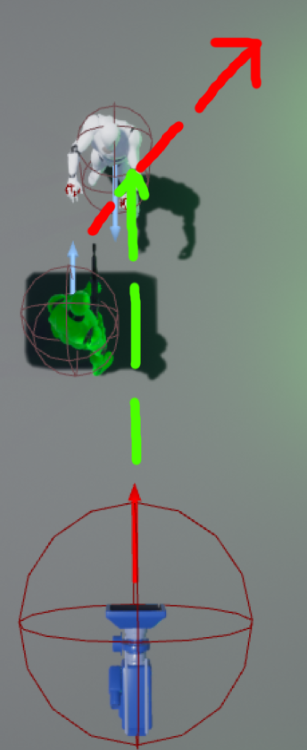
anyone an idea why the chunks keeps disappearing like that?
like why does it keep jittering
 hybrid light
is it good to have camera shake is third person games for walking and running?
hoary silo
Is it possible to set the visibility of the widget viewport? If it is, how can I do so?
exotic thicket
Is there something with Skeletal Meshes that make them more expensive to render than a Static Mesh if they're just sitting there?
I'm noticing a fairly significant frame drop when my actors use skeletal meshes vs when they use the same mesh but as a static mesh
(If I stare at a wall I get good fps which is why I'm thinking this is rendering related)
 proud hedge
how can I simply add my alpha material on a mesh which has already a material on it?
 supple totem
@exotic thicket is there an animbp ticking? Are lods functioning the same?
Also I think newer engine versions will auto instance static meshes. Not sure that's true for skeletal
exotic thicket
it has no animations whatsoever and I disabled pretty much everything I can think of on it that seemed like it would do something
I'm noticing a small increase in the game tick ms as well but it's primarily in rendering
guess I'll see if I can figure out the instancing thing for it, I do have about 200 of them so that seems like it could easily be affecting it
exotic thicket
what should I be looking for in that?
supple totem
I think there it one row for draw calls
Instancing combines multiple meshes into a single draw call
exotic thicket
yeah it has DrawPrimitives Calls
supple totem
So in theory you'd see more draw calls for your skeletal mesh scene than static mesh
exotic thicket
okay I'll look into that, thanks :)
supple totem
But similar poly count
exotic thicket
ugh, and all I wanted to do was animate a box opening
so I was like "oh hey I'll just give it bones in blender and it'll open real nice like"
and then it just destroys the framerate lol
 manic pawn
you can render skeletal meshes as static in idle pose while not animating
it's somewhere in the options on the component
exotic thicket
yeah I think I might have found it, when toggling everything I could find I think it was one of the options I turned on to test
it's definitely a bit better but it's still not really as good as it was with static meshes
manic pawn
static meshes are much cheaper though still
skeletal meshes are for skinned animation, if you have some simple mechanical stuff it will almost always be better to just put a static mesh for each piece (unless you have a huge number of pieces)
exotic thicket
yeah it would pretty much just be three pieces but I have about 200 of them currently and maybe more later
I guess I might give it a try with just animating the individual static mesh pieces like that and see how it compares
I could probably always set it up so that it would use a different mesh for when it's not opened, it really only needs to use the animation version when the player interacts with it
 rancid lynx
Boolean Branch and Switch on INT are probably the same CPU cost correct? if i carefull put a few in my event tick, im curious, which one would be less CPU usage, more effecient, both ping the status of a variable and return a result.
im probably thinking too deeply for shit thats only going to linetrace 10 times a second.
that sounds wonderful, how do i toggle on the profiler?
ill youtube profiler, how do i open the profiler ?
ty ty , ive gotten decent with line traces, hit results and forward vectors. but im not sure how to open profiler things
ty. ill try n find it !
session frontend profiler ! thanks, ill watch more of this
 gilded plinth
Could anyone please pass me a tip on how to even see the keyframe handles in the new animation curve editor?
i'm totally stumped
i can't edit or add or remove keyframes
this does nothing
glass dirge
How do I toggle emissiveness of a material between day and night?
I need emissive on during day but off at night
exotic thicket
give the material a parameter that you can use to adjust the emissiveness level
then you can for example create a material instance dynamic on beginplay and assign it as the material, and you'll be able to adjust the parameter on the fly then
exotic thicket
Which part specifically?
exotic thicket
Right, do you know how the material is set up and how to change it?
glass dirge
I know how to change the emissive manually
exotic thicket
Okay, so you'd add a ScalarParam node into the material and call it Emissive or something
this will allow you to use a float value from BP's to adjust it
glass dirge
there already is a Emissive Parameter
exotic thicket
can you show a picture of what it looks like
exotic thicket
okay, that works
so in your BP's BeginPlay, use a Create Material Instance Dynamic node
choose your material, then use the Set Material node to set it into the mesh
then you can use Set Scalar Parameter on the created material instance, set parameter name to Emissive_Amount and the value as the value you want to use
glass dirge
you lost me at set material node to set it to the mesh
exotic thicket
:D okay gimme a sec I have a BP which does this so I'll just take a screenshot