#ue4-general
1 messages · Page 797 of 1
 steep cedar
isnt that procedural animation
 balmy tide
there are just jump animation, but none with 3 parts. Also I don't get how retargeting Mixamo to UE4 works fine, but vice versa doesnt
 plush yew
procedural animation as in changing bone position in Character BP?
 rustic pewter
i just switched to unreal and when i made a project and made a class i got all these errors and no code completion. does anyone know what could be causing this?
 hidden viper
When i move the folders 01-11 into the "Test" folder, then why
1.) Are they still there afterwards
2.) can i NOT delete them because they apparently have still references?
plush yew
UE has probs with file management
even like
taking 100 lightyears to delete a single folder
hidden viper
Yes i mean that makes sense, because it checks references and stuff
But after moving folders into another folder...they should be deletable
plush yew
i'm guessing that it's an insect
steep cedar
I managed to get around this once but have forgotten how 😂
plush yew
business as usual
steep cedar
you can go into explorer and delete the folder manually, ue4 still believes the folder is in use. So find and delete the folder in windows explorer, and restart ue4 @hidden viper
 rocky radish
When i move the folders 01-11 into the "Test" folder, then why
1.) Are they still there afterwards
2.) can i NOT delete them because they apparently have still references?
@hidden viper fix up the redirectors
plush yew
this true
rocky radish
and you'll be able to delete them
hidden viper
@steep cedar The thing is, it actually STILL has references, and that drives me crazy!
@rocky radish how can i do this?
 regal mulch
Lovely, OnComponentHit calls with "OtherActor" and the HitActor from the HitResult being two different things.
Sometimes they are the same, sometimes the HitActor is just the Actor in which the OnComponentHit calls. WTF UE4
rocky radish
@rocky radish how can i do this?
@hidden viper go to the content browser->filters->miscellaneous and in there you'll find redirectors, enable that filter and right click the redirectors of the folders and select fix up redirectors
after you've done that you'll be able to delete the old folders
steep cedar
saviour
plush yew
@regal mulch UE physics do be like that
i had my linetrace going into fixed position once
better than that
 weak cypress
@plush yew i hadnt made anything incredible
hidden viper
@rocky radish Thank you, really appreciate your help, it worked!
I wonder why UE just dont do this on its own..
rocky radish
np
hidden viper
This actually should be something which should be done on the fly, without doing normally. I dont see any reason why not to do that after you rename/move a folder
rocky radish
@rocky radish Thank you, really appreciate your help, it worked!
I wonder why UE just dont do this on its own..
@hidden viper Moving or renaming an asset in UE4 leaves a Redirector in its old location. This is so that packages that are not currently loaded, but reference this asset, will know where to find it in its new location. Choosing a naming system early on and sticking with it will avoid many of the problems experienced with Redirectors.
thats whats in the docs page for redirectors
hidden viper
Yep, after you gave me the name "redirector", i found it aswell. So i am really glad for that. Sometimes its just to know what to look for
steep cedar
Would anyone know where I should ask for help here, because I'm kind of stuck, not sure if its within graphics or blueprints channel...
I am to make an enemy NPC switch faces when noticing the player, but I'm unsure on how to do this if its with animated UV maps or something?
The faces would have to switch instantly or very fast when noticing the player.
Tried asking in graphics channel first, should I try posting in UE4 forums as well? Just unsure what category this fits within
ofc if anyone has any ideas to this just ping me
hidden viper
@steep cedar there are different ways to go for this, and im no expert at all, but here is how i would do it:
In blueprint: If enemy sees player, then switch the material.
of course, you need to programm the "if enemy sees player" on your own.
for the material part: you can have 2 materials
steep cedar
And it could be just as simple as that you think?
yeh yeh
Yes I have AI blueprint I can modify the branch when they see player
I can prob mix it up with "chase player" or something
do you know what nodes are used to switch material?
never touched this before
Im making a small game
for my exam
rustic pewter
i just switched to unreal and when i made a project and made a class i got all these errors and no code completion. does anyone know what could be causing this?
i fixed all the errors, but i still dont get intellisense
steep cedar
What do you think is best, to make a separate BP or to add as a task inside AI blueprint? @hidden viper
 patent crater
@steep cedar usually people use morph targets for that kind of stuff, assuming you have a 3d character
hidden viper
@steep cedar our whole village lost power..wtf..anyway:
https://youtu.be/DJ7fBSTE45Q
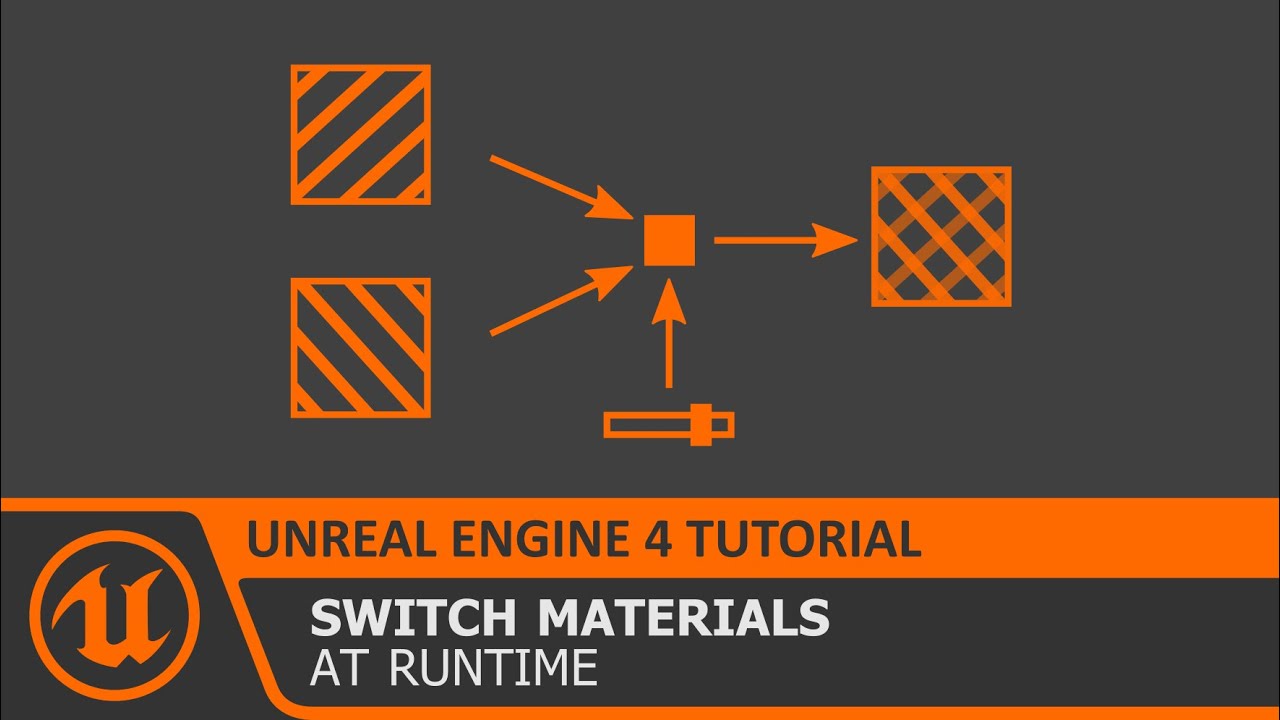
In this free step by step Unreal Engine 4 tutorial video (UE4 how to) you will learn how to Switch Materials of an object at Runtime.
All my UE4 tutorials: https://www.youtube.com/watch?v=BT0jFArPtGM&list=PLEp7216xGGILh3i2BZe2E0ZEuiIGa-VQT&index=1
Join me for Live Streams: ht...
steep cedar
Could you explain if you could? Not sure how that works in UE4 @patent crater
 woven tree
This is interesting, did someone did the same in Unreal?

Artem Krizhanovskiy demonstrated the Indexed Material Mapping approach that allowed him to increase detail without memory loss by sampling all material data from pre-defined LUT.
 hoary silo
Does anyone know where to get started to use custom maps from the steam workshop into ue4?
 next badger
@hoary silo try https://forums.unrealengine.com/unreal-engine/marketplace/1526653-plugin-steam-workshop-accessor-blueprint-wrapper-with-full-access
Unreal Engine Forums
Description
This plugin exposes the full Steam UGC API to blueprint, which allows you to access the Steam Workshop. Steam Workshop allows you to upload and download any arbitrary content for your game that can be shared between users.
Easily create, update, download, delete y...
hoary silo
Thank you so much, that's exactly what I needed, wasn't sure what to look up!
 remote frost
Hi all, I play a racing game built on UE4 4.22. I have some rendersettings in the engine.ini which work nice and makes the game look better beyond their Epic Settings, however I can't get foliage.LODDistanceScale or r.Shadow.DistanceScale to work. The only way is to launch Uuuclient everytime and use the console. I've also tried adding then in scalability.ini but again ignored, however when I check the logs they accept them but the game when running is using the original settings. Is there anything else I could try? Thanks.
BTW the game is Assetto Corsa Competizione
next badger
that's because there's a priority of settings, ini file settings are lower in priority than say console
hoary silo
dang nevermind the plugin is $30
next badger
@hoary silo you can try mod.io
@remote frost if you can check which way the setting was modified last (it's written in console generally "lastsetby:")
if it's scalability you can make BaseScalability.ini
and follow steps from here https://docs.unrealengine.com/en-US/Engine/Performance/Scalability/ScalabilityReference/index.html
Scalability options, properties, and console variables.
 slate basalt
is it possible to download dependencies via a webbrowser instead of running ./Setup.sh?
(it'd be easier than going through the process of getting a security exception from the company)
hoary silo
@next badger that plugin is perfect, thanks!
 desert plume
Guys, I would like to use Unreal engine 5 in the future. But I don’t want to learn C ++. Do you think there will be ways for me to use C # in UE5?
hidden viper
Dont think so. You might search for a plugin which converts C# into C++, but probably wont be reliable @desert plume
 sweet relic
@desert plume just use Blueprints if you dont want to learn C++
 frank oar
Hi all,
If I want to retarget a mesh to a skeleton which already has a bunch of sockets, do I retarget the mesh to the skeleton or the skeleton to the mesh ?
(which do I select first?)
or do I retarget the skeleton without the sockets to the one which has them ?
 zealous galleon
I'm tryna get a weapon pick up
I have data tables for the weapons states
And the pickups
But whenever I set the row name to 3 it picks up any weapon and set it to 3
How can I make it depends on the weapons name to go to that weapon state??
@ me if you could help
frank oar
if there is anyone here who knows about retargeting could I please ask you a couple of questions...
please @ me
hoary silo
does the UGC plugin work with steam workshop?
 sour quiver
Hey guys, I'm new here! I have a very strange UE4 scripting bug.
I'm picking up and dropping crystals in my level (it's based on God of War)
Currently, when I pick up a crystal, I'm attaching it to the player's shoulder bone so that it looks like they are carrying it.
When I drop it, I am detaching it from the player and placing it in front of them at a location.
The weird thing now is that it seems to be grabbing the nearest crystal (or maybe next in the level heirarchy) and placing that one down instead of the one I'm carrying
And it's not detaching the current one at all
Does anyone have any ideas what might be going on?
frank oar
I am happy to pay 10 pounds for a little retargeting advice if anyone is up to helping me out
 rigid belfry
@sour quiver you gotta store the reference of the actor you picked up somewhere. how do you know what crystal it is that you picked up?
sour quiver
There's a variable called "Carried crystal" that sets the crystal on pick up
It's also weird because it's doing this bug even if I just play from start, without touching any other crystals, and pick up and drop a crystal @rigid belfry
frank oar
I am trying to transfer from one skeletop to another and I could do with some help as i want to take the sockets to the new skeleton too.
so far all I have manage to do is break everything and deform the mannaquins :S
 scarlet birch
Not sure if you can add sockets as custom bones or not. Haven't messed with retargeting in while but you could check under the skeleton retargeting manager and try it.
Can you keyframe sockets anyway?
if not then you'd just want to copy them over or recreate them
 dense hatch
There's a variable called "Carried crystal" that sets the crystal on pick up
@sour quiver try printing to see if you are setting the variable at any other time
either the reference is incorrect, or the variable is set more than once
dense hatch
no
right after you set the variable, print the name display name of it
so you know both when and what is being set
frank oar
@scarlet birch I would just remake the sockets but the actual animations are becoming deformed when I retarget, massively stretched and deformed.
 dusky inlet
You can just try out things. Tick works to see the var content, if you have a dedicated function to set the crystal you could just set a breakpoint instead
 weak coral
@sour quiver are you calling the drop logic before picking up?
Need to make sure carried crystal is not valid before picking up
scarlet birch
Then go through the retargeting settings, double check the bones are set right, that everything is appropriately set to animation, skeleton if that's good maybe the skinning is off on one of the models or the bone rotations.
or retargeting poses
sour quiver
@weak coral I am only calling the drop logic if the character presses the interact button and is carrying a crystal
dusky inlet
But are you maybe calling the pickup logic again by accident too?
Effectively overwriting the reference to your currently carried crystal with the new one
weak coral
You need to check if carried crystal is valid. If it is call the drop logic then call the pickup. If its not valid go ahead and call the pickup
sour quiver
Huh. Very weird. Okay. So it's picking up the right crystal, but when I "drop" it, it drops the wrong one, and then if I pick it up again, it's the wrong one
frank oar
thank you for the info @scarlet birch I will work on it
sour quiver
To be a bit more clear, I'm picking up BlueCrystal0, then when I drop it, it's actually grabbing BlueCrystal8 from a different part of the level and dropping it in front of me (while keeping 0 on my shoulder). If I pick it up again, then I'm actually somehow carrying two crystals on my shoulder (both 0 and 8)
dusky inlet
You will need to debug that stuff, set breakpoints and trace the bug
sour quiver
It always seems to be the same crystal, even if I delete it, or rename it
I even tried setting "Carried crystal" as null at begin play
weak coral
Then your setting a reference to it somewhere where you shouldnt
dense hatch
or you're using the reference incorrectly when you drop it
dusky inlet
No way to help you without the actual code or you debugging it on your own
dense hatch
just check both of those places and work your way in, you'll get it
sour quiver
I'll keep looking. Thanks for the advice!
dense hatch
good luck!! ^^
has anyone here experimented with OBS Game Capture transparency?
I can't seem to get my project to appear transparent at all
 exotic thicket
You should be able to use a chroma key to get the capture source to be transparent for a specific color/range of color
dense hatch
Right
I'm not trying to get the effect of it, I'm trying to get the transparency as a feature to work. Chroma key will not work for me :p
exotic thicket
I'm not sure if I understand - are you trying to capture your game in OBS, while making certain parts of that transparent?
dense hatch
OBS has a feature in their Game Capture called "Allow Transparency" which can be used to render a game with elements of transparency
For example, Stream Avatars is compatible, and it allows you to composite just the foreground (or whatever part) on top of everything else
 oak sequoia
how can I set homing projectile to target a pawn and not a static mesh?
dense hatch
This is what happens when you click Allow Transparency for Stream Avatars. But when I click Allow Transparency for my game, it doesn't change the appearance at all
exotic thicket
Ah, yeah all programs I've ever used that were designed for that used the chroma keying functionality instead 🤔
This might be something in the Windows API where you need to enable it for your application's window or something like this
sour quiver
Aha! I got that problem fixed! Thank you everybody!
Now I just need to figure out why it's not detaching from my character...
 plucky mural
Why do unreal engine games struggle on amd hardware?
 forest patrol
Hello guys i downloaded unreal engine recently... im wondering where do i start? Should i watch some courses on yt on how to make some games or learn blueprinting by myself?
 carmine sorrel
Has anyone had success running the Chaos Demo files on 4.24 or 4.25? I'm using the sourcecode version and building it - and can run my own projects with Chaos. But I can't seem to get the Demo project to open at all in either 4.24 or 4.25 (I've not tried 4.23 yet).
@forest patrol https://www.unrealengine.com/en-US/onlinelearning-courses is a great launch pad to get started.

Unreal Engine
Unreal Online Learning is a free learning platform that offers hands-on video courses and guided learning paths.
plucky mural
Hello guys i downloaded unreal engine recently... im wondering where do i start? Should i watch some courses on yt on how to make some games or learn blueprinting by myself?
@forest patrol
I would say better buy udemy course of unreal engine if you can. In case you can't you can also find a lot of YouTube tutorials
forest patrol
lemme check it out
 keen moss
what does it mean when unreal says a placed object is outside the bounds of the current level?
forest patrol
@plucky mural yes but i feel like im just copy pasting blueprints from yt i dont feel like im learning...
plucky mural
I know it feels overwhelming at first but try to not understand everything they say in videos
carmine sorrel
@forest patrol - take a look at what I just sent a link for.
plucky mural
You'll start to get the hang of it slowly as you go on further
forest patrol
kk lemme check the vid out
carmine sorrel
It's a directory to the UE4 online learning portal with different learning paths.
plucky mural
What i really meant is that if you don't understand certain thing then don't beat yourself for it
 vernal thicket
How do you hook a texture 2d array into a widget brush image?
plucky mural
Try to learn one thing at a time
 storm venture
anyone know of a way to check how "lit" part of a material is? i assume since lighting is baked onto lightmaps, maybe i can pull data from a lightmap to use in a material?
forest patrol
@plucky mural i will learn "Exploring Blueprints" learning path on the unreal engine tutorials on epic games
carmine sorrel
@storm venture I could be wrong nowadays, but I think that can be a bit tricky, since I believe you'll need to cut into the atlasing process for the lightmaps.
Since lightmaps are merged and combined in the baking process depending on the size you specify in the lightmass settings and the objects.
@storm venture But if you're just trying to check the lighting, you can flip through the different visibility options.
weak coral
@storm venture

GitHub
A C++ Implementation of a stealth game Light Meter similar to those seen in games such as the Thief or Splinter Cell games. - MedicalDog/UE4-Light-Detector
Might be able to look into this to get an idea
storm venture
awesome thanks guys
 robust obsidian
Anyone put a camera in a blueprint, than tried to attach said blueprint as a child actor of another blueprint?
vernal thicket
@robust obsidian youre better off stating what youre trying to acheive
 open wadi
I have a question. I purchased a plugin, UMG Video Player, from the UE Marketplace. I followed the instructions here: https://docs.isaratech.com/ue4-blueprints/video-player
I installed the plugin via Epic launcher, and Epic launcher gives me the following message if I click "install plugin" now, indicating it has been successfully installed to both my UE4 versions, 4.24.3 and 4.25.1:
However, when I go to the Content Browser > View Options and ensure "Show Plugin Content" is checked, I do not see any evidence of it in the Content Browser as I am supposedly supposed to. For example, here's what my Content Browser looks like in a given project - I see the same behavior for old and new projects in both engine versions:
carmine sorrel
Did you enable the plugin?
open wadi
Per the docs, I'm supposed to see the plugin directory "UMG Video Player Content" in the Content Browser. I've reached out to their support, but in case I'm missing something obvious, does anyone have any ideas?
@carmine sorrel Apologies for the newness - how does one enable a given plugin?
carmine sorrel
@open wadi I dont have the editor open in front of me, but above the viewport there's settings dropdown, and will say like 'plugins' or plugins settings. Basically it's a list of all the enabled plugins. You'll want to check to make sure the specific one you're wanting to use is enabled (checked box).
Here's the example for Niagara, but similar workflow for any plugin - you'll want to check that whatever you're using is enabled https://docs.unrealengine.com/en-US/Engine/Niagara/HowTo/EnableNiagara/index.html
Describes how you can enable the Niagara.
open wadi
@carmine sorrel Thank you, very helpful. I have now enabled the plugin and restarted the engine. However, I still don't see the specified plugin directory in the Content Browser.
 hasty osprey
I have clothing data on a different skeletal mesh than the one i want it on
carmine sorrel
At that point I'm unsure since I don't use the plugin - but the fact you see it enabled is a good sign. Probably need to hunt around for the specific places it's found in.
hasty osprey
how can i transfer?
open wadi
Screenshot of current Content Browser, same as before. View Options are confirmed to have "Show Plugin Content" checked.
Thank you @carmine sorrel, will continue to hunt.
 tired lynx
my actual human brain
i'm currently on the materials segment of the 'getting started in unreal engine' learning path
and hoo boy is it complex
on the surface it works really similar to blender's system, especially re: the material instances, but from there it seems like a real departure 😅
anyone else transitioning from another DCC experience this kind of whiplash?
open wadi
Well, I'm coming from a background in non-GUI-based coding - C, x86 / AT&T Syntax ASM, Pascal, Ruby, little Bash scripting, and yes, UE4 to me has been quite a journey.
Just determining how to leverage Blueprints to display and hide content in a GUI has been an adventure. But progress is being made.
vernal thicket
Anyone know how to set a widget image from a texture 2d array?
tired lynx
i'm finding a lot of the naming conventions for nodes super unintuitive vs blender's 'texture is a texture node, colour ramp is a colour ramp node' etc. plus the fact that every blender node has internal parameters and does not need to be driven by an external math value
this is such a good example:
five steps to insert a simple image texture vs just the single 'drag and drop' in blender :')
dgmw i love this program and it's just a different workflow that i'm not used to
but man is that 'getting used to' process painful
storm venture
hey does anyone know the hotkey to control the sun with that cool gizmo they added recently? it let you change sun direction and it auto adjusted temps and whatnot as you did it
 fiery mortar
whenever I try to import character from character cretor 3 I get this error anyone have any idea?
dusky inlet
@open wadi do you see .uasset files in the windows explorer?
open wadi
@dusky inlet Come again? Are you referring to my previous question from last evening where I was asking about UE4 leaving behind .uasset files for deleted content that no longer appears in the Content Browser?
dusky inlet
no, your plugin content you're looking for
scarlet birch
@open wadi Plugins are not under the content directory. You may need to check show engine content. I'm not sure why you need access to the plugin directory in editor though.
open wadi
Hmm, let me check.
@scarlet birch It's in their documentation here: https://docs.isaratech.com/ue4-blueprints/video-player
dusky inlet
oh yeah and that ^, it wouldnt be under your game's content anyways
open wadi
Under the section "Testing the video player", it specifies "Don't forget to make the Plugin directories visible"
dusky inlet
enable showing engine content too and see if that makes a difference
open wadi
And in their example screenshot, it shows , underneath content in the Content Browser, a directory for "UMG Video Player"
scarlet birch
There's a discord support link on the market page. I'd suggest you ask there.
open wadi
@dusky inlet Well I'll be damned, that did it.
It's under Show Engine Content.
Hi @scarlet birch - Yes, as specified earlier, I've already done so, but there's little activity in that Discord channel so I gave it a shot here.
Thank you @dusky inlet - Very interesting, so it is here in Engine content, buried with all the other ten million directories.
dusky inlet
figured... often times developers create their plugins project-based, not engine-based. But marketplace plugins always install to engine rather than to the project
open wadi
Ahhh, I see. So it's due to the fact that I leveraged the Epic installer to install the plugin.
Thus it wrote to the engine itself.
 north badger
Quick question, sorry to interrumpt, how do you block a component rotation ?
frank oar
what is the bare minumum you can use to achieve a material ?
is a 3 vector into base color ok or do you need a roughness value too ?
its for mobile and I want to make it bare bones...
open wadi
No worries CastleMS, I'm done here, thanks much @dusky inlet, very helpful.
scarlet birch
No, not always. Not all plugins install at the engine level.
dusky inlet
which doesn't?
and glad to help droptone
what is the bare minumum you can use to achieve a material ?
is a 3 vector into base color ok or do you need a roughness value too ?
its for mobile and I want to make it bare bones...
@frank oar if you arent supplying required values it uses default values, so you can't really 'lack' any
@scarlet birch Im genuinely interested, what plugins don't?
frank oar
ok thank you @dusky inlet
carmine sorrel
just checking again - has anyone gotten the Chaos Demo project working in UE4.25 or .24? I have built and run the source code and gotten chaos working on my own stuff, but with limited docs I'd love to get the demo working. Can't figure it out.
scarlet birch
I was barely paying attention and didn't see you specified marketplace plugins.
 karmic obsidian
Hey everyone. Does anyone know why the CSV fails to import? The structure has the correct variable name
This is the structure
dusky inlet
ah ok, nevermind then
amdude, can you show the csv?
top left corner would be enough
karmic obsidian
dusky inlet
hmm no clue then, seems like it should be working (outside of your rows possibly having too many cells)
@karmic obsidian googling gave me this https://forums.unrealengine.com/development-discussion/blueprint-visual-scripting/115669-general-question-about-importing-csv-data-tables
Unreal Engine Forums
Build powerful visual scripts without code.
seems like your row names should start from the 2nd column
 solemn niche
Hi guys, I would like to ask if any of you face this issue before.. the Unreal source 4.24 I can not compile after I installed the Linux tool Chan version V.16 _clang C:\UnrealToolchains\v16_clang-9.0.1-centos7 """Severity Code Description Project File Line Suppression State
Error MSB3073 The command "chcp 65001 >NUL && ....\Build\BatchFiles\Build.bat ShaderCompileWorker Win64 Development -WaitMutex -FromMsBuild -2019" exited with code 9009. ShaderCompileWorker C:\Program Files (x86)\Microsoft Visual Studio\2019\Community\MSBuild\Microsoft\VC\v160\Microsoft.MakeFile.Targets 46"""
dense hatch
@solemn niche looks like shader compiler crashed. try restarting your editor?
karmic obsidian
@dusky inlet ok thank you
solemn niche
@dense hatch Thanks Lyric, I already tried that did not work unfortunately.
 hidden knoll
I have a system that finds the closest player, but I need to exclude the owning player
Does anyone know how to do that?
dense hatch
@hidden knoll
 gleaming narwhal
Adding Mod Support with the UGC Example Plugin - On Inside Unreal next Thursday!
https://forums.unrealengine.com/unreal-engine/events/1789649
Unreal Engine Forums
Inside Unreal: Adding Mod Support with the UGC Example Plugin
WHAT
We've released a new sample project to help Unreal developers bring mod support to their games. Based on the work done for Robo Recall, the UGC Example Project and SimpleUGC plugin aim to make it easier than ...
dense hatch
very nice!!
vernal thicket
what is the hotkey to come away from character while playing?
cant remember what it's called so can't figure out what to google lol
exotic thicket
not sure if there's a key for it but there should be an unpossess button in the toolbar
vernal thicket
where's the button on the toolbar?
exotic thicket
oh sorry it's called "Eject" not unpossess
vernal thicket
Ah that's it Eject
plush yew
Can I make games in UE4 without coding experience using blueprint?
plush yew
Thx
vernal thicket
@exotic thicket It's F8 to eject but only works if playing in 'Selected Viewport'
exotic thicket
ah cool, good to know :)
 fallen elbow
 brisk spire
Nah there's another option
It's like a checkbox in the settings @fallen elbow
I think it depends on your android build as well
Emm, for some reason I can't send a screenshot, but.. yeah it's in settings > platform > android
 modest agate
hello, excuse me, how can I make the camera rotation not affect my character's position?
 restive zinc
my climb animation plays but he doesn't get up help
modest agate
when I look up or down, the whole body changes of perspective
how can I fix it?
 digital badger
@modest agate Are you re-making the ps2 harry potter games in UE?
modest agate
yes, Im recreating it
digital badger
I'm sorry I can't help with your issue, but that's cool I miss those games 🙂
modest agate
the problem I have is that when I look up or down, the body is changing of position and I cant play it very well, if anyone can help me, thank you very much
 quiet swallow
I have never heard a better quote about unreal, "Why don't you download it, it's free so what can you lose...? Apparently your mind"
digital badger
@modest agate Could you show me your SpringArm settings?
And Camera settings as well
Gonna try and help you - until someone who actually knows the issue comes
digital badger
Can you enable "Use Pawn Control Rotation" on the spring arm?
digital badger
This issue is so weird, your settings are exactly the same as the TTP template
Wdym exactly with the perspective changing?
modest agate
digital badger
oh lol
modest agate
this is I what I mean, sorry if it wasnt well explained
modest agate
oh okay xD
digital badger
I've found your issue 🙂
Go to the class detail panel of your pawn
Then search for "UseControllerRotationPitch"
And set it to false
digital badger
Any more issues on the pawn class or is harry okay now?
digital badger
yw 🙂
 night eagle
How do guns work in Unreal?
digital badger
@night eagle Like in any other game engine, you mainly have two options Raycast and Physical Projectiles.
actually I saw this article on 80.lv today hold on

Today we're going to look at two main techniques used for bullets in games.
In UE4, hitscan this node is used:
While projectile is represented well in the FP content template
night eagle
Thank you, I'll read this article and look into it
I always wondered in shooting games like COD or something, do they actually spawn bullets moving at fast spped
digital badger
Yes. They do this in order to have effects applied on the bullets
such as wind velocity
Overwatch is really good example of this ( as seen in the article) as it's less realistic and easy to understand. A character with an RPG shoots projectiles ( Pharh) these take time to travel where as the Soldier( 76) shoots hitscan and is instant
The RPG is affected by effects, such as a character's ability which pushes objects back( Lucio)
Probably a bad example as it's 1am and specific to a title however I hope it helps along with the article.
Any more questions just ping me,
digital badger
UE-Specific wise some devs implement guns with the #gameplay-ability-system with each gun being a gameplay ability - though I haven't looked into this.
While others use a weapon component that is equipable by a character which gets data by a Data Asset
The DA would store stuff like, "bIsHitscan" or "RateOfFire" etc which is then used directly in gameplay
Data-Driven gameplay is my favourite lol 🙂
night eagle
: )
plush yew
I’m smart
digital badger
What have you brought on this cursed land
 radiant jasper
I’ve packaged and deployed my game, and it’s doing some weird flickering
restive zinc
thats creepy
radiant jasper
The flickering is a bug not on purpose lol
digital badger
Flickering should come from an hardware/packaging issue
radiant jasper
Would it be an issue that my phone is running ios 14
digital badger
Maybe export as a DebugGame and go into Unreal Insights?
Not sure, Epic seems to support IOS better than android
radiant jasper
It’s a beta
digital badger
Oh, apologies I'm not familiar with the apple ecosystem
radiant jasper
Would it support betas
plush yew
Someone post this in another server
plush yew
Ok
 alpine laurel
my camera is a child to the arms of my character so the arms wont go up and down with the camera. what do i do to fix that
carmine sorrel
Checking again - any chance anyone's gotten the Chaos Demo Project to work on 4.25 or 4.24?
carmine sorrel
@digital badger - oh yeah, I'm using the source code version. I can run chaos in my own projects. But I can't seem to open the Chaos Demo projects. The demo project build's without error,but when I launch it in either 4.24 or .25 it doesn't seem to function properly.
digital badger
Hmmm perhaps they're just building? I remember getting it to work a while back( year maybe idk what time is)
Not building sorry, compiling shaders
What does the output log in VS say?
carmine sorrel
It won't even open the project at all - like no loading splash or anything. It seems to fire up a background task that seems to keep restarting over and over.
I'll have to double check the logs - I'm less familiar with the VS / Build side of things and running from source code, but got it in my own created projects okay. So wasn't sure if I was missing something specific for the Chaos Project that's creating such odd launch behavior.
digital badger
Well, next time you launch run it from inside VS
The output log should open( since you're technically debugging the application)
Allowing you to see what UE4 is doing
carmine sorrel
correct, if I recall it just said it was opening a bunch of modules then instantly closing and exiting. I didn't see any clear red flags, but I'll have to check.
digital badger
Exiting modules is a red flag, maybe it can't find something and gets stuck in a loop?
carmine sorrel
it all happens in a flash, too.
digital badger
It's very late here, so I'll be unable to help you. However if you run it and copy the output log to a service like pastebin and DM me I'll be able to help you in the morning
carmine sorrel
I know most people have said they can't get it to run - so I'm not sure if there's anybody out in the wild who has gotten it to work on .24 or .25.
@digital badger I appreciate it - I'll send a note when I look at it again. Thank you
 humble oyster
For goodness sakes
Yes it’s me y’all
I’m a changed man
It’s been like a months since I’ve been here and I still have no idea what I’m doing
digital badger
When I get back home tomorrow, and if you're still having issues I'll try to get it to work from my end and tell you the steps for it to run. Worst case I'll just send you my whole environment 😂
humble oyster
I will once again ask... if someone will please help me lol🥺
This time I know what I’m asking
digital badger
@humble oyster It's etiquette to post your issue first rather than having someone to ask what the issue is first
carmine sorrel
Yeah, I'm just glad I know Chaos itself works on my own projects. But documentation is so limited, I wanted to poke around the projects. I still need to attempt in 4.23 since I think that was the start of that Chaos project.
But they have it listed and creatable as a project for 4.23, 24, and 25.
digital badger
@carmine sorrel If you're in America I should be home by maybe your noon? Then I can look over your output log and try it on my end, I plan to use chaos myself so this will be a good for me too :)
digital badger
No.
humble oyster
Oh
carmine sorrel
Chaos is the new Beta destruction / physics engine.
humble oyster
Oh I see
digital badger
Not beta it's ready for production now for most applications
The UE5 stuff is still in alpha but destruction is production as of 4.25.1 I think
carmine sorrel
It's still listed in beta. I think it wont be considered production ready until it's merged with the launcher branch of UE4.
digital badger
Ah my mistake
carmine sorrel
You can find all of the plugins in 4.25.1 and enable them - listed in beta - but the front-end isn't get there to use it.
 ornate ice
digital badger
ornate ice
digital badger
Lol, still going to use LODs personally
carmine sorrel
I liked the UE5 talk looking more at the art pipeline. Nanite seems intriguing. But seems like it's only for solid, surfaces.
at least right now. And nothing transparent / masked.
digital badger
Yes it is. There's a limitations slide floating around somewhere
Though as much as I believe in Epic's technology. I worry about File Sizes and tarfetting low/mid spec hardware
Since the majority of players don't have an RTX 2080TI ( or will it be the 3090TI by that point?)
But I guess we'll see
carmine sorrel
Yeah, they'd require a lot of storage on any platform.
digital badger
I read an article recently stating that the new gen platforms have storage capacities of 1TB or less
restive zinc
guys how do you add a weapon to a third person character
digital badger
The new COD game is like nearly 200gb( according to the article, I haven't played the game)
@restive zinc As in a mesh of a weapon? Or the actual gameplay
restive zinc
um a skeletel mesh that fires a line trace that applies damage
or is a static mesh better
its a third person game
digital badger
Typically you have a SK with the same bones as the player rig, so then you can use the "Set Master Pose Component" node to equip the weapon SK to the player
From there you want a socket on your weapon at the muzzle. Then get the location of the muzzle and plug that into your line trace code
Then get the actor hit, and use the "Apply Damage" function
restive zinc
can i make it an actor to attach it to a bone of my character
digital badger
This will call the OnDamageReceived function on the hit actor
Definitely, that's just my approach that I listed.
That just means you have to play the animations on the actual equipped weapon rather than on the player
( my weapons have bones for things like ammo clips, which then is linked to a reload animation which is weapon agonistic, though most weapons have unique animations)
digital badger
Ik I'm just bragging
Anyway you need a socket/bone for the muzzle
So then you have the location to spawn the bullet trace from
Then you can use the bullet in damage system on the actor or implement your own function / interface
restive zinc
oh how do you attach a child actor to a bone also
digital badger
I'm not sure about actors
Components can be bound to bones
Ah here you go
Perfect for your use case
restive zinc
thx
digital badger
The "in socket name" can be a socket or a bone
@restive zinc Though make sure the In Parent Actor is the mesh of your pawn
Or else the bone attachment thing won't work
restive zinc
@digital badger how do i attach it to the back of the default character can you show me pls
digital badger
I would but it's 2:34am and I'm away from my home office. Your best bet would be to make an animation for it, or you can just position it using the transform gizmo and save those coords
Then move the component into those coordinates when you need to display the weapon on the characters back
 grim ore
@restive zinc open up the skeleton and add a socket where you want it. then select that socket in the details panel for the mesh (parent socket) so the mesh will snap to that socket on the characcter. The you can rotate/move it as needed to make it look right.
 cold thunder
Please @ me. How do I prevent my whole character/camera from rotating on a rotating platform. My game is side scroller based mainly. Thanks in advance.
digital badger
Ah that's much a better approach rather than it being hard-coded
Plus you can change the socket in a skeleton rather than finding the "CharBackV3" variable
restive zinc
why does it freeze when i simualate physics on death anybody know why my ai applies damage and then when my player has no health it ragdolls but it freezes
 harsh ether
Hi I was thinking about making an ads for rewards app but was wondering about rate limited with the ads. Is there a certain number of ads that can be shown for every person? Or is there a certain amount everyone on the app has?
I'm going to use Google admob btw
 ebon storm
is it possible once that you have extracted a pak file what contains a unreal engine project file and all its plugins and content to load it up if so where do i put these plugins and contents from this file ive extracted
restive zinc
@grim ore how do i make ai go to last seen location
open wadi
By chance, is there a known phenomenon where videos being played in UE4 don't emit audio (despite confirming the machine itself is emitting audio fine)?
I realize that's vague, just wondering if that's a known phenomenon.
open wadi
I've got a question. I'm interesting in adding some basic community functionality to my app. I'd like users to create an account, and be able to for example, message each other, and maybe have a basic forum or simplistic Facebook-like functionality. Can someone point me in the right direction for adding such functionality to a UE4 project?
open wadi
I've been reading documentation on the UE4 "Identity Interface", but I'd like to have my own user authentication system, basic usernames and passwords, not link them to Facebook, Gmail or anything else. Anyone familiar with tutorials or guides on such matters? Anyone in here done this themselves?
 sage shoal
I'm trying to 'template-ize' all my buildings (Currently i have to place individual assets to make a house - 4 walls, roof and a floor). Is there a way to make it a single object, but then allow me to delete 1 wall and replace etc (Editable)?? Currently im turning my props into 1 big static mesh, but i can't edit it later...
 mighty copper
Would anyone happen to know any good tutorials for horse mounting and socket attachment and control like for controlling a Lance in a players hand? (not a gun) or possible point to some good Unreal doc that may highlight on one or both of these? If so please P.M me. so I get the message directly. Thanks
 dusky crest
anyone have ContentExample project ??
if you have, can you export 3 of those skeletal mesh for me
i need for some test retargeting
I don't want download 3GB ContentExample only for model
 azure reef
Hello guys! It's been a week and I still can't solve this error. I've posted everywhere and nobody know what this is! Can somebody explain to me what this means? My app crashes after the splash screen on a mobile device.
Fatal signal 11 (SIGSEGV), code 1 (SEGV_MAPERR), fault addr 0x0 in tid 23830 (Thread-4), pid 23751 (MainThread-UE4)
Even on a fresh project it's not working if using obb files
 celest dew
So megascan library is free with Unreal. Is mixer free as well?
dusky crest
@celest dew yes, You may use other tools at various stages in your pipeline, as long as the final product is in Unreal Engine.
https://help.quixel.com/hc/en-us/articles/360003457057-I-am-on-the-Unreal-Unlimited-plan-Can-I-use-tools-other-than-UE4-

Quixel
Under the Unreal Unlimited plan, your access to Megascans is licensed for use in Unreal Engine as UE-Only Content -- that means that any output (renders, game, demo, video, etc.) should be produced...
someone already ask that question in https://help.quixel.com/hc/en-us/community/topics/360000090137-Mixer-Support, but I forget the thread

Quixel Forum
Join the Quixel community. Connect, discuss, and get help from fellow Quixel users.
the point is as long as the final product is in Unreal Engine
like mixer is free, but the material and 3d model is still importing from megascan
 barren kayak
Anyone willing to help out a new unreal engine user? I’m in need of help with modular objects functionality. I can’t figure out how to activate the grid snapping or the shaping of modular objects.
Also what’s the best way to learn coding .
Please dm me all the tips and tricks you can offer . Thanks 🙂
 marble isle
Anybody know how it is possible to draw shapes inside the animation editor like this?
 silver crown
First off video memory doesn't page
Which engine version is that?
I've seen several reports of out of video memory on 25
frank oar
I have been looking for draw calls to see the count for meshes/materials.
Is that the DrawPrimitive calls ?
 crystal glade
Hi there, I'm just playing about with the TopDown Example. I'm trying to get my player to move to an exact location when I click it, but he moves next to it instead, any idea what I'm doing wrong? Here's a link to a video showing what happens.
Edit: Also just to note, my controller blueprint is almost identical to the original example one, as in it uses the "Simple Move To Location" function.
https://www.dropbox.com/s/25sch1dmmgijpn9/TopDownTest - Unreal Editor 2020-07-18 11-30-21.mp4?dl=0
Edit2: Found the issue, my characters collision capsule was colliding with the end point of the path, so technically it had reached the end of the path. Setting this to something small allows the character to stand directly on top of the last point, but obviously collision for the character is then borked. Going to need to find a better way...

 restive yarrow
Yo guys emergency alert here, what is this message? why does it say this? on UE 4.22 I load my level it takes around 15 mins to load and opens, but i converted this project to 4.25 and the level load goes upto 20 mins or something and ends up crashing
what is this ^ ?
frank oar
Hey,
After messing around for a while I believe that my widgets are tanking my performance, specifically these two stats...
Does anyone know how I might reduce /improve them ?
HitTestGrid AddWidget and
Tick Widgets
 wet laurel
i cant find the Procedural Foliage Tool. 😦
wet laurel
Your version is not the 4.25 or?
wet laurel
i have the 4.25 and i cant find 😦 mimi
restive yarrow
@everyone what is this?
plush yew
i have the 4.25 and i cant find 😦 mimi
I will have to check whenever I update 😃
@everyone what is this?
@restive yarrow Please do not use everyone pings, even though I think they would be closed here
Is it possible to have a movable object invisible but the shadows remain visible in-game?
Also the engine is telling you that you are calling a pure virtual function
I want to make an "invisible" enemy and have its shadows still visible
 tender pecan
@wet laurel is it not still under "Experimental Settings" that must first be ticked in the editor?
plush yew
Set visibility off @plush yew maybe would that also remove shadows?
wet laurel
lol i dont have experimental settings.
plush yew
Yeah the shadows disappear
tender pecan
@wet laurel From the Main Toolbar click on the Edit option then click on Editor Preferences, no main toolbar either?
wet laurel
I think they have integrated that now but I have no idea how I can get there.
that is version 4.25.1
plush yew
In Unity there's an option to set an object to "shadow only". I just wanna know if that's something I can do in Unreal 4.
Maybe add another component to the enemies Closet?
Well that I would have to check
hmmmm
Found it
tender pecan
@wet laurel the documentation needs to be updated then. 🙂
plush yew
select the object
go to it's details panel
go to the rendering section
set the Actor Hidden In Game flag to true
go to the Lighting section
set the Cast Hidden Shadow flag to true
wet laurel
oh yes.
plush yew
Ooo
@plush yew Thank you so much!
This is gonna be terrifying 😂
He he he
I have the power
Now let me go learn how animation is supposed to work
My idea was to have a literal shadow monster that you only see on the walls
So glad I can make that happen
Glad I could help somewhat
Yes, thank you!
And as a bonus I can still see the object in the viewport to edit XD
frank oar
haha Its just how it spanwed, im deleting it because I cant see any improvement when I use 'stat slate'
and implement this bp.
tender pecan
ouch
frank oar
How can I record the last open page of a menu (element in a widget switcher)
so that when the menu is re-opened it returns to that last page ?
I cant find anything like 'get current widget' ect...
plush yew
hello guys,
can you separate a static mesh you imported into Unreal?
I combined a 4 walls and I was wondering if you can separate them in Unreal.
If that is not possible, its alright :D
nvm found out that you can uncheck combine meshes
tired lynx
hello! how do i go about resetting my editor settings in unreal engine? i'm experiencing a nasty crash that i need to troubleshoot
hello guys,
can you separate a static mesh you imported into Unreal?
I combined a 4 walls and I was wondering if you can separate them in Unreal.
If that is not possible, its alright :D
@plush yew you need to import meshes into actor instances
then you can have separate control over those objects within the actor editor, yet have those objects be treated as one within the main editor
oh just noticed you'd already fixed it!
guess that's another way of doing it haha
 solemn siren
This query is not directly related to unreal engine but I didn't know where else to ask so here it goes:
Can I download a free fbx file from turbosquid or other sources in the internet using python script?
Any pointers are appreciated
Thanks!
tired lynx
any answers for my Q about resetting unreal engine back to defaults? really need to get back up and running
 tight prawn
how to copy an asset thumbnail (to be used outside of unreal
 coral shoal
I can get a physmat return from a trace, is there a way to get a physmat return from a sweep hit?
Like a projectile sweeping into another mesh
the hit returns are just all blank for physmat when i sweep
got it, "return material on move" in the collider
 empty mason
Hey i gave downloaded unreal engine rn and joined because if i well have questions i can ask here
plush yew
Guys who can help with Automaterial landscape
frank oar
Sorry for the noob question, I knew how to do this but it is totally escaping me...
what do I connect into these object pins to resolve the errors ?
oak sequoia
Does anyone know why my particle effects dont show in anim notify?
Ive followed tutorials but it doesnt show :/
hm seems some show up actually but not all :/
frank oar
you able to play test it in the editor @oak sequoia
I have several things happening in on anim notifies but In my case they only happen when the game is running..
oak sequoia
Ahh okay thank you!
frank oar
did you have any luck with it ?
 wraith wyvern
hi guys i have looked it up but i dont think ik how to use the right words but how do i make it so when i interact with something it plays music but when i interact with it again it stops?
frank oar
I would be very greatful for some help, I have forgotten how to use the cast node and am unsure what I should plug into these object pins.
I have been watching videos and reading up on it for a couple of hours now...
https://cdn.discordapp.com/attachments/221798862938046464/734058547163168808/unknown.png

@wraith wyvern what kind of interaction do you want ?
frank oar
Do you want music to play when your player walks into an area ?
or when it presses a button ?
wraith wyvern
so i have a thing where i press and hold E on a object i can pick it up right ( like in half life or gmod )
i want it so when i press E on it
it plays the music
( i wont enable physics so it wont be able to move)
frank oar
in your bp you can do the pretty easily I think
wraith wyvern
so is it just blueprint then pawn?
frank oar
could you take a SS of the bp you are using to pick up ?
wraith wyvern
okay
ill do that hold on gimme a sec
there are a few
( i used a tutorial to do it)
frank oar
I think youll have a good idea once you have shown me one I might be able to help
wraith wyvern
welp gimme a sec
its rn fucking my pc with a 21 inch strap on
i made it force delete some shit
frank oar
np, no rush
 forest compass
Hello, I am beginner and I'm trying to follow a tutorial, but there is one menu that is missing from my Unreal Engine 4 editor. How can I enable it? Basically I want to use the Extrude option which is currently missing?
Thats how my menu looks like at the moment
frank oar
sorry I thought you didnt have that at all
wraith wyvern
god my pc doesnt like this
frank oar
actually it might be
wraith wyvern
its frozen lol
forest compass
Its just the edit, extrude options are missing
forest compass
Strange 😦 mine are totally missing
frank oar
think its the geometry editing tools, was a long time ago when I was creating all my meshes in unreal instead of blender
forest compass
If I disable legacy editor mode I cant find the geometry items like cubes etc
wraith wyvern
thats the picking up thing
frank oar
it sdhould me a.... one sec
wraith wyvern
?
frank oar
sound cue @wraith wyvern
wraith wyvern
what sound type does it have to e
forest compass
@forest compass they're there:
@plush yew I had to enable them from "window", thanks a lot!
you guys saved my day! 🙂
 frank escarp
]
wraith wyvern
what sound type does it have to be
frank oar
can you drag a sound file into the content browser then right click on it and select create sound cue ?
wraith wyvern
gimme a sec
frank oar
@wraith wyvern
plush yew
Guys, how can i get overlapped static mesh actor with Trigger box?
frank oar
I do all the time XD
wraith wyvern
@frank oar it says " create cue" is that right?
wraith wyvern
wraith wyvern
You can use audacity to convert to wav @wraith wyvern
@plush yew haha N o p e i used a website
frank oar
Then drag from the white exectuion pin of the grab component at location (the first SS you put up)
frank oar
from there @wraith wyvern make a 'Play sound at location' node
put your cue in the sound drop down
if you don't set a location it will just come out generically (that is how I play all of my sounds).
frank oar
have you saved the cue ?
wraith wyvern
yea
wraith wyvern
found it nvm
now what do i do
and im guessing when ever i press and hold E it will make this noise
frank oar
if you attached that node, when you pickup it should play now
so go into the editor and test it if you can
wraith wyvern
frank oar
oh yeah it might, that should be easily fixed if that is the case!
wraith wyvern
so go into the editor and test it if you can
@frank oar H U H so every time i press E it starts the song
thats not what i wanteeed
frank oar
LOL its easy to fix
wraith wyvern
i wanted when i pressed E on a specific object
it wolud start music
from that object
like a radio
frank oar
is it actually a radio, do you want it to fade if the player runs from it ?
wraith wyvern
yes
like.. okay so
you walk up to this object
and you interact with it
by pressing E
it then plays music
FROM THAT OBJECT
open wadi
Good morning, team! I've got a question. I'm interested in adding some basic community functionality to my app. I'd like users to create an account, and be able to for example, message each other.
First things first, I'd like an authentication system and don't want user logons linked to an external account from Facebook, Google or anywhere else. I've found the unreal documentation on "Identity Management", but that seems to be used for leveraging 3rd party providers.
Does anyone have an example or tutorial, or general advice, for building such an authentication system?
grim ore
@wraith wyvern look online for object interaction. The quick and dirty way is to make a blueprint interface that you can put on object you want to interact with that has an interact event. Your radio is a blueprint with this interface that knows what should happen when you interact with it (play music in this case). Your player when you press E does the line trace, checks to see if what it his has that interface on it (can be interfacted with basically) then tells that item to do its "interact" event which plays the music.
frank oar
https://youtu.be/u1iwQBwafNI
is is a good tutorial for that kind of thing @wraith wyvern

How to set up some basic music and sounds in UE4!
Music used was "Shadows of the Mind" from https://machinimasound.com/
Sound used was "Spring Birds Loop" from http://www.freesound.org/
Both music and sound are used fairly under the creative commons licences provided.
particularly the bir sounds he makes fade in and out
grim ore
@open wadi a user system like that, if you plan on it not leveraging a 3rd party, is mainly not UE4 related. Look up any normal user authentication system created in asp or node and such and you would use that with something like a rest.api on the UE4 side to send the data back and forth
open wadi
@grim ore Will do, much appreciated.
frank oar
@grim ore oh wise one please could you spare me a moment to tell me what I should be plugging into these Object pins to resolve my errors.
I spent a long time firguring out how to put this BP together but since I worked with BP last I forgot how to use them and looking it up hasn't helped me understand it..
I would be very grateful.
https://cdn.discordapp.com/attachments/221798862938046464/734058547163168808/unknown.png
grim ore
you should be plugging in the items you want to talk to... thats how it works
in #1 you are trying to talk to a motion controller pawn blueprint, where is that at? talk to that item and get it and done
you want your controllers to talk to the user interface. Something created the user interface. that something should keep a reference to it so you can talk to it later. That something should be something that is easy to get to (player controller, character, game mode, HUD, etc) so you can easily get it when needed
frank oar
when I 'get' motion controller pawn and plug it in I get the blue note saying it is refrencing itself :/
grim ore
all of the information is in this video https://www.youtube.com/watch?v=EM_HYqQdToE you have to understand communcation and references
frank oar
thank you, I have looked into and learned communication a couple of times but when ever I move onto learn another aspect I spend so much time doing that I forget the communication info
I have a bloody siv for a brain
I already have used casts a bunch of times in my project and they all work, but I am having a totaly brain malfunction
wraith wyvern
will this loop?
frank oar
@wraith wyvern this is how I loop
 glass rapids
Hi, I'm trying to make an ability system like Overwatch but I would rather not use GameplayAbilitySystem. I need to be able to replicate it.
open wadi
Disregard, I'm watching various tutorials.
plush yew
I use firebase for my game
 inner cloak
Any of you know of a reason that would prevent Print String to display in viewport ?
open wadi
Oh, interesting, thank you @plush yew.
glass rapids
plush yew
but that requires u to have server i think
inner cloak
yes, as a debugging tool
glass rapids
what are you trying to put into the string?
glass rapids
Im gonna remake it @inner cloak to see if it works for me
@inner cloak What are you trying to do? I don't completely understand
inner cloak
i'm trying to make a grid of some sort .. really just trying to learn stuff
like that could be used for terrain
glass rapids
how are you setting the height? do you want it to print before you play?
inner cloak
i have not started on the height yet, just trying to make some grid
this is the full blueprint
wraith wyvern
https://youtu.be/u1iwQBwafNI
is is a good tutorial for that kind of thing @wraith wyvern
@frank oar nothing in the tutorial is what i wanted
How to set up some basic music and sounds in UE4!
Music used was "Shadows of the Mind" from https://machinimasound.com/
Sound used was "Spring Birds Loop" from http://www.freesound.org/
Both music and sound are used fairly under the creative commons licences provided.
glass rapids
@inner cloak Are you setting the variables in the viewport before clicking on play? If you want to use these checkboxes on each variable
inner cloak
never mind, i'm dumb, that will only output if i add the component to the project
frank oar
@wraith wyvern I am only learning myself still but I can tell you theres only a couple of steps between what he did with the bird sounds and you setting it onto that radio you talked about so that you can walk away from it and have it fade out...
frank oar
most of the time you are in unreal you will have to adapt concepts to get your own desired outcome.
 gusty stirrup
edit: Qn removed. Realised i should be asking my qn in blueprints instead.
 tribal citrus
hey guys, is there any way to link a light's intensity to the intensity of an emissive material...
i'm completely new to unreal idk whether it's possible or not...
grim ore
@tribal citrus not directly but there is nothing stopping you from setting it automatically or whenever one changes you can set the other
grim ore
That's what my profile says!

 grim ore
Thats why I did them 🙂
 mint raptor
Guys I'm super confused, can't find any real answer to this but how do you convert Scene Depth value to Unreal Units?
wraith wyvern
@wraith wyvern look online for object interaction. The quick and dirty way is to make a blueprint interface that you can put on object you want to interact with that has an interact event. Your radio is a blueprint with this interface that knows what should happen when you interact with it (play music in this case). Your player when you press E does the line trace, checks to see if what it his has that interface on it (can be interfacted with basically) then tells that item to do its "interact" event which plays the music.
@grim ore i did a tutorial but im un sure on how to make it play music in the location of the radio and for it to stop playing when i press E on it again
grim ore
@wraith wyvern the play sound at location node would let you play it at the location of the radio. The interface would let you talk to the radio and turn it on and off as needed.
if you can talk to the radio, you can tell it to play or stop. have you got that part working yet?
wraith wyvern
is this right?
all i got it to do
was when i pressed E on it
it wolud say "succsessfull"
grim ore
well what is printing successfull? nothing I see there
grim ore
and to make it play from that location you would put in the Actor Location into the location
so Get Actor Location (which if this is inside the radio blueprint would be the location of the radio) and plug that into the Location for the Play Sound at Location
in order to turn it off you can either set a boolean for like "IsPlaying" and turn that on when you start playing. Then right after the event interaction you would check to see if the boolean is true or fale and either play or stop the sound.
grim ore
welp I can find it in mine, GetActorLocation
this is assuming you are inside of your radio blueprint and it's an Actor (which it should be if it's inside the world)
grim ore
well you unhooked the wire
grim ore
you will still end up running into the issue soon where you wont be able to stop it, since you have no actual sound to stop
grim ore
yep, if you read the tooltip it tells you that
"fire and forget", it's intended for one off stuff
the node you actually want, if you are doing it this way, is the Spawn Sound at Location node (and this assume you are not moving the radio at all?)
the difference is the spawn sound has a Return Value on the right which is the sound that is playing
wraith wyvern
wait so sorry what do i do now
grim ore
wraith wyvern
like how do i make it so when i press E on it again it stops?
whats that SET blueprint called?
grim ore
its a variable I created
the node is a Setter, it sets a variable. The variable is named Sound That Is Playing
You can drag off the Return Value and Promote to Variable to create it, or just create one in your My Blueprint panel and use that
This is approximately what you want to end up with, not the "best" but it should work. Better would be for the radio blueprint to have it's own actual audio component (so you dont spawn in a new one as needed) and use that. Doing it this way above you will keep spawning in new components
wraith wyvern
how do i open a varable?
i have done it before
im just tired
sorry
im a idot
wait
is that a boolien?
i cant spell but you get what i mean
grim ore
the red one is a boolean, the blue one is an audio component
but the blue one you can create automatically by dragging off the return value and promote to variable
this is the better way. The radio blueprint has an audio component sitting on it that has your sound you want to play. All you do is toggle between playing and stopping the component
no spawning, no destroying, nothing heavy just play and stop
and you can ignore the red IsPlaying on the left, its not used I forgot to delete it (we are asking the audio if its actually playing, its more efficient)
wraith wyvern
grim ore
assuming Audio is an Audio Component on the blueprint and you have it set up to play your sound, that seems right. You can even adjust it at some point so it "pauses" the music and when you play it resumes where you left it if you wanted
grim ore
the nice thing is if you can put 10 or 20 of these in the world and just change the sound on them in the world and they will all work uniquely
wraith wyvern
yeah
well the thing is
im making a sanbox type game
and you can spawn in objects
(like garrys mod if you will)
and this will be one of those thign
the nice thing is if you can put 10 or 20 of these in the world and just change the sound on them in the world and they will all work uniquely
@grim ore wait how do i make it so the music gets more quiet the ferther i walk way
grim ore
its already set to do that, your audio radius is probably just real high
wraith wyvern
oh okay
grim ore
its part of the sound effect itself but the easiest way to do it for this item is find the Override Attenuation checkbox on the Audio Component
then you should see 2 spheres in the viewport around the audio, scroll down to Attenuation Distance and check Enable Volukme Attenuation and then you can adjust the distance (the spheres you see)
the default one is 3600 for the outside which is pretty big
wraith wyvern
grim ore
pretty much yes, if you dont search you can find the entire section which has more options like the inner radius
and in the viewport if you click the Audio Component you can see the radius with 2 orange spheres
grim ore
if you go into the Sound Cue or the Sound itself, look for
you can change it to play when silent and it "should" keep playing when out of range
grim ore
mouse over the Play when Silent and read what it says
you can only have so many sounds at once, if it has to force stop this one due to other sounds then it would restart
 hallow heron
Hi everyone. I'm having problems with the Epic Games Launcher. Every time that I want to execute the launcher, I got this message. The weird thing is that this happens when I put my PC in Standby mode and after installing Quixel Bridge Plugin. I reinstall the launcher twice but, I still got it. Do you know what it could be? 🤔
 kindred viper
Would anyone happen to know anything about the Send to Unreal plugin for Blender requiring remote execution? Because I guess I need a local IP in there or something right?
wraith wyvern
sweet thanks @grim ore
kindred viper
@hallow heron could be a number of things. You would need to check the logs in Saved/Logs and read the stack before it crashed
 hollow yarrow
Hi, does anyone know how to loop part of an animation in a anim montage? This is for a jump animation
grim ore
@hollow yarrow you would set that part twice basically in the montage and that sets it to loop? is this using the new .25 stuff or older?
hollow yarrow
the .25
grim ore
so here I have my montage with my 3 sections set up, on the right I have my montage sections
I click the whic box next to jump start and choose jump loop and I get this
hollow yarrow
thats exactly what i want to do
grim ore
I click the box to the right of jump loop and select it again
hollow yarrow
how do i split the montage into the the 3 sections?
grim ore
and now I get the loop
you need to define groups, right click on the top track and create the montage section
so you can see I have one section for each animation on mine and that lets me set up the timing and flow
hollow yarrow
i created the sections but im unable to move them
grim ore
you drag and drop the animations in to the slot/group you want it in on the timeline
hollow yarrow
only been using unreal for a few days and still learning lol
grim ore
sec
hollow yarrow
is this correct?
grim ore
the question is does discord process mkv as inline video lol
it does not, durn lol. sec
hollow yarrow
i downloaded it dw
wraith wyvern
does any one know how to made it so if you press a button on your key bored a interface shows up and if you press it again you guessed it it goes away
 dire sentinel
dire sentinel
dire sentinel
why does my spline not texture my landscape? if i enter the name here, no matter what layerr i use it doesnt work
grim ore
ive actually never tried it on one animation
hollow yarrow
ive seen a few tutorials on it using one animation but its from older versions
dire sentinel
anyone?
hollow yarrow
so the way ive done it is correct?
grim ore
you dont have your loop set to loop is why
wraith wyvern
does any one know how to made it so if you press a button on your key bored a interface shows up and if you press it again it goes away?
grim ore
you have it set to jump start -> jump loop -> jump end -> jump start. Try jump start -> jump loop -> jump loop
tell it to go to itself is what sets up the loop
hollow yarrow
this?
grim ore
and I never tried doing sections inside one animation so that is neato that it works
yep that looks right
hollow yarrow
awesome, thanks for the help man
grim ore
@wraith wyvern its just simple UI, check out the your first hour with UMG course on the unreal online learning it has something like that to show a menu
hollow yarrow
just so you know, you click the arrow to the right of loop and choose that section
 spice cliff
hey how can i cast to my level blueprint, im trying to use a custom event but i dont know how/if theres a way, please help thanks
grim ore
you generally cannot. The level blueprint is a bad place to put stuff due to that issue
hallow heron
@kindred viper Thanks for your help. I'm going to send this as a report to UE support
Can I send via Bug submission form, right?
spice cliff
@grim ore thanks but is there another way?
hello, what would i put in the object port for this error to go away?
dire sentinel
why does my spline not texture my landscape? if i enter the name here, no matter what layerr i use it doesnt work
https://cdn.discordapp.com/attachments/225448446956404738/734102461912055946/unknown.png

 grim ore
@spice cliff you would need your CPC blueprint to make the error go away
 silk sleet
is there a way to zoom in further when using "front" or "left" etc. instead of perspective
grim ore
@wraith wyvern if you go to window, load layout, default layout it will reset. Otherwise drag that to the right and it will try and dock it to the right
@silk sleet just the normal mouse wheel to zoom in and out, but I dont think it can go any closer than 1 grid = 10cm
wraith wyvern
those dident work
spice cliff
@grim ore what do you mean by that
grim ore
@spice cliff I mean it's asking for your CPC blueprint in the object in, you need to give it a reference to it. I have no idea where that item is or if it even exists in the world.
silk sleet
I mean like, I need to place sockets on the iron sights of a gun, and I can't zoom in far enough to do it accurately, unless im in perspective, then it's hard to line up because of the perspective
grim ore
have you watched the basic introduction to communication in blueprints videos or courses that epic provides? they are pretty much required @spice cliff
@silk sleet about all you could do is adjust it manually in the details pane, it only zooms in so far with the mouse wheel
so no , there is no overdrive setting to zoom in "further" than the default scroll in and out
silk sleet
ah darn, thanks!
spice cliff
@grim ore nope
but i just want to know how i can use 'event destroyed to and cast' thats it
if keep asking me for a object but no luck
grim ore
same way you would communicate with anything else, you need to point it to the item you want to talk to
spice cliff
mean i cant use it
grim ore
it has no idea what you are doing
you could have 10 copies of this item in the world and want to talk to a specific one, how would the game know which one you want?
spice cliff
yh that makes sence
grim ore
if you only have one, it's fine you can use something like get actor of class and find the one that is in the world at that moment. otherwise you need to find a way for this thing to know about that thing
frank oar
anyone understand why this isn't changing the active index ?
 mortal cedar
is there a feature in unreal engine to put licence ifo into assets and generate licence list of them afterwards?
for example, I want to use third party sounds with cc-by licence, which requires attribution — you must give appropriate credit, provide a link to the license, and indicate if changes were made.
imagine the pain if you have more than dozen of such assets, it is impossible to track all of these.
so I imagine a feature, which:
- allows to put a licence metainformation into asset, e.g. a piece of text;
- parse all assets and compose all licence notes into one complete list.
is there something like that in the engine, or available plugins for it?
digital badger
@carmine sorrel I've sent you a DM :)
@mortal cedar No feature like this exists. It's recommended to keep a license folder during development and put all license files in there as you develop your project rather than at the end. Also metadata on assets isn't the correct attribution method, you should include attributions in the credits
mortal cedar
metadata on assets isn't the correct attribution method
that's why I was asking about
parse all assets and compose all licence notes into one complete list.
hm
how hard it should be to write such plugin
it might be useful
 crystal ruin
hello everyone !! .. please help me in the * morphs not being imported * ... i tried checking advanced setting * import morphs targets * in unreal importer ... nothings happens ... someone tell me the trick !! PLEASE !!
coral shoal
So, in BP you can call an RPC to server from a client but only if you are the actor's owner. Is there a way to make an actor that accepts RPCs from every client, not just the owner? Can pass signals through the playercontroller for each client instead but that's a bit clunky
plush yew
Hello everybody!
I started playing around with UE4 and I ran into an issue
my view port has changed dimensions
and the window at the bottom is gone
how do I reverse those?
grim ore
go to window, load layout, reset layout to default
and what has closed is the Content Browser
well and the world outliner in the top right it looks like as well
plush yew
thank you
currently UE4 froze for me lmao
I pressed "Launch"
ok I fixed the layout
Could you please tell me how to build my "game"?
I want to be able to access it from an .exe file
plush yew
alright
 dry moon
What's better performance wise. SetActorHiddenIngame or set visbility
silk sleet
okay when you right click the camera speed controls / snap scaling / etc bar in the top right of the mesh editor how do you get that back
plush yew
@grim ore do I really need Microsoft Visual Studio 2019 in order to compile my "game"?
grim ore
@dry moon the code for that is the same, setactorhiddeningame is just a node that toggles the hidden property
@plush yew you need it depending on your project, if your project is just blueprints then no. If it needs C++ then yes
plush yew
so?
grim ore
so that plugin is requiring a compile, if you use that plugin then yes
plush yew
from where can I get this plugin?
grim ore
@silk sleet
@plush yew the plugin is part of the engine, you had to have turned it on or you are using something that is using it
plush yew
well I guess it is not turned on
grim ore
it looks like its turned on by default on the template you used. you can go into plugins and disable it then try packaging again
grim ore
RawInput. It's in the middle of the error message
grim ore
Edit menu, and I tested and it worked fine with it disabled
plush yew
thank you!
grim ore
ah this is why "Example (Vehicle Templates)
As an example, the Vehicle templates that ship with the Unreal Engine have been configured to work with the Logitech G920, a driving-game controller with a steering wheel and gas/brake pedals."
I don't think they realized it needed C++ installed to compile
grim ore
did you type raw in the search bar
grim ore
ah yeah it's called windows raw input would be why
I sent in a bug report on this, it's not the only one that has this issue lol. I think devs forget not everyone has C++ installed
 neon grove
i tend to avoid plugins they just cause so many problems
plush yew
Guys
Do you think it would be possible to make an AR game where you scan the room like the quest does
And make like an army game
i dont know how to create a character and i dont know how to make animations and stuff, please help
restive zinc
@plush yew microsoft visual studio 2019 is not a big download its only a gb
restive zinc
oh
 cosmic veldt
hey anyone knows anything about chaos vehicles? just find out it's coming with 4.26
 heady quartz
I just realized that HUD stands for Heads-up display
digital badger
@cosmic veldt This was a short and sweet GDC talk - quite old but covers the basics of easy animation for indie developers

In this 2014 GDC session, indie developer David Rosen explains how to use simple procedural techniques to achieve interactive and fluid animations using very few key frames, with examples from indie games like Overgrowth, Receiver and Black Shades.
GDC talks cover a range of ...
If I recall correctly, the developer created only a couple of frames per animation and used math functions to make the transition between them look correct
Compared to a frame-by-frame approach more commonly seen
Of course like any skill you'll need a good couple of weeks to practice before getting anything usable.
And even then it won't be perfect.
If you're open to using third-party assets a lot of indie devs use Mixamo when first starting out available here - https://www.mixamo.com/
Mixamo is a library of animations with an automatic rigging system
I think it's free for commercial without attribution but check this yourself