#ue4-general
1 messages · Page 778 of 1
 jolly void
 tight prawn
is there a way to control static mesh opacity ?
 rocky radish
is there a way to control static mesh opacity ?
@tight prawn in the material maybe?
tight prawn
indeed, i find myself finding the solution on my own right after i ask the questions here
thank you nonetheless
rocky radish
np 😄
 vocal herald
@vernal thicket I have 2 keyframes with different rotation values in Sequencer. When I play my Sequence I can see that rotational numbers are changing both inside Sequencer and inside PlayerController, but nothing actually rotates
 limpid swallow
Is it possible to hide components only in blueprint viewport?
 brazen pier
i cant seem to find the ammo count variable
 stray notch
firstly, did you name your variable correctly? Check the details?
if you already got the math stuff done and a connection to a widget which displays the amount, you should be fine. most tutorials should explain the full layout fine.
 atomic vortex
can I pass a DataTableRow in a blueprint exposed property or do i need to pass the DataTable and the row I'm after as string?
 plush yew
@plush yew I'd start with some of the sample projects (the ue4 templates, or ShooterGame, ActionRPG from Epic) and just try and implement a few new features into those as a start
@plush yew I think it's better to start with your small projects, rather than ready-made blanks. In my experience, I will say that someone else's code is harder for me to disassemble and easier to write mine 🙂
 vernal thicket
Anyone know how to reference variables accross maps? I've watched Mat's video on it but I have no idea how to pass information through player controller?, I've set up a volume adjuster, each time I travel through maps the volume stays adjusted but the slider goes back to it's default point so it looks like the volume hasn't been adjusted
plush yew
@plush yew yea, I gotcha, thx)
vernal thicket
@plush yew I think it's because if I create it in the level blueprint or the character blueprint, whenever a new map opens event begin play is called again and so that creates a new widget thus resetting the variables inside, is there a way to store the variable accross all maps.. I figured creating the widget in a way it's created once and that's it?
Looks like I can pass the variable contents to a Game Instance and then just go back to it to get the values
 low brook
has anyone ever had this issue ? i have it all the time in 4.25 and i cant find anything about it
 storm dome
I'm new to unreal and in trying to make a really basic game where you have to run from one side to the other as fast as possible but I don't know how I would make a wall that would follow you that you would have to outrun and if you touched it you would die has anyone got any vids they could link?
 rigid belfry
@low brook is that actor perhaps using physics?
storm dome
Okay thanks Ill try and do it without a video first and see what happens
rigid belfry
i doubt you'll find videos about that because thats too specific
plus it doesnt look that complicated either
you have a wall that on hit = lose game and who needs to have its transform constantly updated
 wise rain
Guys, l have created a coop gameplay game for 4 people but whener one of the characters dies, all the characters dies and only host repawns at the check point. Around 2 weeks trying to solve it but coundt solve it.
vocal herald
Is there a way to change Preview Render Level outside Unreal Editor? My project wont launch anymore after I changed it to Android
storm dome
Okay I'm sure I'll figure it out it seems simple enough
 fleet wraith
is there an engine setting to make it so when i open an asset it opens as a new tab and not a new window?
low brook
@rigid belfry no
it happens to litteraly any static mesh
sometimes hinders me from moving stuff at all tbh
rocky radish
is there an engine setting to make it so when i open an asset it opens as a new tab and not a new window?
@fleet wraith there's an option for that in the engine preferences i think
i'm gonna check the name
when my editor gets out of 45%
wise rain
Is ther anybody who is experienced with coop gameplay and character checkpoint spawn ??
 zealous cloak
i need help to built sth like filling a tank with gas for 15 seconds
how can i make sure the user keeps spilling a liquid over the target tank?
 kindred tusk
does anyone know where i could get a modern revolver model for my first person shooter
zealous cloak
after a certain amount od time i want to set tank as full
vernal thicket
Can you not cast to game instance inside a widget?
wise rain
l have created a coop gameplay game for 4 people but whener one of the characters dies, all the characters dies and only host repawns at the check point. Around 2 weeks trying to solve it but coundt solve it. Can anybody help me please?
plush yew
is that category vanished????? when i click on it twitch say that no exist..
rocky radish
yes, they removed the twitch category a while ago
is there an engine setting to make it so when i open an asset it opens as a new tab and not a new window?
@fleet wraith Asset Editor Open Location in the Editor Preferences tab
fleet wraith
@rocky radish ty!
rocky radish
you're welcome
rigid belfry
i think they stream in the science and technology category now?
 grim juniper
iirc the Unreal Engine category was changed to a tag
rocky radish
i think they stream in the science and technology category now?
@rigid belfry yes, its in a tag (i think its either called unreal engine or ue4) now
plush yew
ok thank you guys for answers ^^
rocky radish
np
plush yew
maybe someone have to inform Epic that link is broken on the launcher page?
rocky radish
@heavy lagoon for that case you could cast to the player using 'get player character' as the object and getting the actor direction for the turret from that
maybe making traces and casting to the objective according to the hit actors?
then just drag a 'get player character' in there and connect it to the 'GetActorLocation' @heavy lagoon
what problems?
just do what i said inside the component, i'm not understanding what issue you're having when doing this.
 wheat hare
You cast to it, if I understand right
rocky radish
wich is literally what i said
rocky radish
oh
 blazing shell
I am using nav bound mesh volume and notice that a navigation area ends if there is a polygon above it. Is there a way to circumvent this limitation?
rocky radish
@vernal thicket what errors are you getting when trying to cast to game instance?
vernal thicket
Just Cast Failed - I've checked for the 5th time that i've got the correct one selected inside project settings maps and modes
rocky radish
what are you using as the object?
vernal thicket
Literally been stuck on this for 8 hours xD
Get game instance
Hold on i'll screenshot
rocky radish
did you set that game instance as the project default?
vernal thicket
Under Maps & Modes, yeah
 grim ore
breakpoint after the get game instance. Use a print string, plug in the get game instance node, F9 on the print string to breakpoint it. When it hits mouse over the return from the Get Game instance and see what it says it is getting as the return value.
vernal thicket
^ I'll give that a go, I followed your tutorial on storing variables accross blueprints but I couldn't figure out how to access or store player controller variables?
 dawn plover
is there a dedicated quixel server?
vernal thicket
So been trying with the game instance
grim ore
this is in .25.1 and no issues getting my custom game instance
player controller should work the same as the game instance except the player controller is temporary. Should still be able to get player controller -> cast -> get/set variable similar to the game instance way.
vernal thicket
I did the break point and plugged it in, saw it stopped failing so Unplugged the print string now it casts fine
grim ore
super duper weird lol
vernal thicket
I swear to god.. wtf
grim ore
maybe it never fully compiled at some point and this forced it to
vernal thicket
Maybe pulling the display name from the game instance repaired whatever issue was there
Yeah
Welp thanks 😄 lmao
8 hours for that, man
grim ore
if something seems weird either try and debug, or shut down the project and re open it. it might find the stuck blueprint at that point
dawn plover
is there a quixel server? the update isn't working
vernal thicket
Yeah damn I'mma remember that, its working sweet now.
grim ore
@dawn plover the update fails to let bridge launch?
dawn plover
@grim ore no Bridge launches, but clicking 'download update', downloads nothing, opening settings will show the image below, but the link is unclickable, and the plugin update popup in the topright, is unclickable either
grim ore
I got an email from them earlier today with "Due to a technical difficulty, the automatic app update that appears when you launch Bridge will not function correctly on Windows. To get the latest update, please download from quixel.com/bridge and run the installation."
rocky radish
for me it worked just fine
vernal thicket
Ugh, It's such a relief to see it work - can't thank you enough
 hot thistle
So, this is something I've worked on in RPG Maker, but I really want to work in Unreal instead, but like, what would my approach be?
https://www.deviantart.com/hermanjarl/art/Short-Battle-Preview-813002413

 slim idol
suddenly the epic launcher is extremely slow
did an update happen?!
it crashed on me by just using the filter and search vault function
 grizzled condor
Hello guys how can i import my daz hair to unreal engine ?
when i import to unreal engine it look so weird
this is how the hair look like
 smoky sonnet
hey short question hope somebody can help me. i am creating a game which includes many songs and my question is HTF is piano tiles 2 for example so small at storage ?
piano tiles 2 has around idk 200+ songs and i have 2 and it already uses around 40mb
 wanton lotus
@grizzled condor those sideburns put mine to shame, hehe.
grizzled condor
what do u mean ?
wanton lotus
Was just making a joke. The import problem is making the hair on the side of the face look like some wicked sideburns.
@grizzled condor someone in #graphics may be able to help you import correctly (not many experts watch this channel). Importing into ue4 is a pain.
@smoky sonnet I am not familiar with piano tiles 2, but it is possible they aren't even storing their audio files within the game and they are downloaded during runtime??
smoky sonnet
that could be it mhh, i was just curious if there is a better way to handle audio files because they are so BIG
wanton lotus
Does piano tiles require an internet connection or can it also be played offline?
smoky sonnet
mhh the web says no
i never tried it myself but some say you dont need a wifi connection
wanton lotus
They possibly broke it all down note by note as well.
You technically can make a song with a single sound cue if you are an expert at altering the sound cue during runtime to make it sound like any note you want.
smoky sonnet
okay i understand what you mean but that is to complex for me 😄
wanton lotus
Then you just need the sheet music for every song, which would be much smaller files than audio files.
Yeah, it is beyond me as well, haha
The logic is there though
smoky sonnet
😄 hey do you know if ue4 and also android are able to work with mp3s because i am working on an old project of me and i am using .wav files instead of mp3s i forgot why i did this
 grave radish
You can turn mp3 into a wav in like 3 seconds with audacity
smoky sonnet
i know
but can ue4 work with mp3s i dont get it why i used .wav files
because my song as a mp3 is 6mb big and as a .wav its 40MBs
plush yew
I have a question
A lot of unreal fps tutorials have the student make a thirdperson camera and stick it inside of the character to emulate a full body character, but I believe most "good" games make seperate models and just disable the model they dont need to see. For example in multiplayer, the fps player would only see his arms, however the enemy player would see the third person model and not the arms. How tf do I get this to work, since im a beginner, or is it okay to use the "true first person camera" many of these tutorials suggest using?
wanton lotus
@smoky sonnet looks like aif, flac, ogg and wav are the only supported formats. Just tried to change the source of one of my sounds to check it.
 green yarrow
Hey guys, I have frustrating problem with localizations, Iam working with 4.24 and problem is with Hindi translation. I have made for test Third Person blank project with one widget containing about 22 text blocks with ~100 words each. English language is native and for testing i have made 2 other translations of that text, one is czech and one is hindi. I have 1 composite font, main font is for english, 1 subfont is for czech, 1 subfont is for hindi. Problem is when I switch language ingame via SetCurrentCulture, than Hindi make extreme fps drops, czech and english is without problems. Internationalization support is All, languages are checked in packaging.. Please help..
 static sparrow
Anyone ever gotten this before? I tried the "fix redirectors" or whatever it's called, on the containing directories, didn't help. I can't figure out what it's talking about. Google search didn't produce anything, either.
It happens when I try to create a child blueprint from a specific abstract parent class.
It doesn't crash the engine, it just refuses to create the child blueprint.
wanton lotus
@green yarrow just did a bit of digging to find some info that may help. "We had a bug awhile back where when users were setting them to a non-existent font file it was causing large perf spikes." and "I had the same issue on 4.7 and it turned out to be that I had left a font parameter null. The reason this is hard to find is that no error is thrown and the font still draws fine when setting default font to a bogus font or null."
static sparrow
I tried deleting the parent class and doing it again, same result.
Sounds like a source control thing, right? But I don't have my project connected to source control atm
I figured out that it has to do with the name I'm trying to give the child class. If I name it something else, it works.
Weird. So, I just made it a different name, then renamed it to what I originally wanted, and it worked fine.
plush yew
Literally no one available to help the newbies here lol
 wraith wyvern
@rocky radish you online? sorry for pinging you but im really fucked
green yarrow
@wanton lotus thank you, I dont use any font material, Iam not sure, if there is any font parameter
rocky radish
@rocky radish you online? sorry for pinging you but im really fucked
@wraith wyvern yes
wraith wyvern
So basically
i made a intro thing
like a splash screen
and first this showed up after when i tried to load in
and the other thing
when i tried to play my game it just went to the main game insted of the menu first
wanton lotus
@green yarrow Sorry, I am not too familiar with fonts in ue4. Was hoping what they mentioned in those quotes would be familiar to you.
green yarrow
@wanton lotus Thank you anyway.
rocky radish
when i tried to play my game it just went to the main game insted of the menu first
@wraith wyvern did you set the main menu as the game default start map?
wraith wyvern
yeah
wraith wyvern
where do i check it again? @eternal urchin helped me set it up in the first place
rocky radish
where do i check it again? helped me set it up in the first place
@wraith wyvern project settings->maps and modes
 rigid belfry
error message?
rocky radish
idk about that, but gtg so i wont be here
rocky radish
np
rigid belfry
when do you get that error
rigid belfry
did you package the project or are you launching from the editor
from where are you "launching" the game?
wraith wyvern
F ucks sake
now another problem

every time i click start game on my menu
it just loads the menu again
annd why are my trees black now
@rigid belfry can you help me?
rigid belfry
i cant, sorry
 ionic gyro
Hey guys. I’ve been trying to wrap my brain around this but I’m stumped. I think I’m supposed to used spline meshes for this sort of thing but I’m pretty new to the topic. Basically I’m trying to create something like a 3D model trailing behind the player, extending as they gain speed and bending as the player rotates. A good example of what im trying to do would be the trail that’s left behind the morph ball in Metroid prime
plush yew
hello guys one friend want to make animation for door opening but she did the model but she can't make the animation because the door can't rotate, I mean this:
not like this
 open wadi
I have a question. This is my main menu widget event graph. I'm trying to reconfigure this so that, on hover, the relevant nav text becomes bold, not switching background images.
Wha's the technique for, onhover, bolding, instead of image switching?
blazing shell
Hello. I have 200 static meshes where I want to use Complex As Simple Collision, how to change that simply?
plush yew
about my problem?
 stable needle
@blazing shell Shift-select your assets > right-click > asset actions > bulk edit via property matrix
blazing shell
Thanks!
is something similar possible for materials? i dont like how they have glossiness by default
 frank oar
Hi guys,
Does anyone know if it is possible to convert a project to scalable (for mobile, oculus quest) if it was originally built in "highest quality"
I honestly dont mind if a bunch of materials are removed in the process ect...
stable needle
@blazing shell You'd have to create a master material and use material instances for the individual meshes. If you just imported and auto-created the materials, I don't think there's any way to bulk edit
plush yew
Hi All, I am working on a list view with UMG and thought the On Item Selection Changed event was not firing but I accidentally right clicked the item and then the event fired 😛 Anyone know how to switch that to the left mouse button?
@wraith wyvern seems like u have multiple problem
also if it load ur main menu again, most likely u didn't cook the map u are trying to travel too
plush yew
U need to add maps on the cook list
plush yew
depend, i got 10 mins before bedtime
wraith wyvern
wiat are you talking about the trees or my menu problem
wraith wyvern
yeah i fixed that
plush yew
cool
wraith wyvern
im talking about the trees
how to i fix them
they are black
when i build lights
plush yew
ur trees isn't black in editor?
wraith wyvern
when i build lights
plush yew
does it give u warning after light build finishes?
like overlapping UV
@wraith wyvern make sure u have extra UV channel for lightmap
and set the resolution to 512
ionic gyro
Would anyone have any idea if spline meshes are the correct solution to my problem or should I maybe try something else?
wraith wyvern
yes
plush yew
if u dont have UV channel one
wraith wyvern
i dont have that pannel
plush yew
then u must make one
errr
Click on ur tree
the reason why ur mesh is black because most likely, there is no Texture map to put the light into
the whole point of building light is to put light information on a Texture channel
wraith wyvern
i think i solved it
plush yew
k
wraith wyvern
can you help me with this before you gho
plush yew
u have 2 different camera setup eh?
normally u want to hide he head in a true FPS game
everyone ignores my questions
is there another discord I can go to?
@plush yew U are trying to make true fps camera too?
yeah
here is prob best
its super difficult
in forum u dont even get ansswer...
I just need advice
Well I can tell u when it comes to
other player seeing ur mesh but u dont
im following a tutorial series
the variable is called Owner See
hang on let me SS
yeah
or u know about it?
I know the concept right
basically
the players view disables parts of the mesh of the third person character right?
like for example the head
Yeah, sort of
but it keeps it visible for other players
that's the idea
for say multiplayer
Yes
yeah
my issue is
So other player sees ur 3rd person mesh
in these tutorials im following
but u only see ur first person mesh
yeah
do i need to make seperate animations for first person arms
or can I just make third person anims
and make sure the camera fits well
u can man, as long it's the same skeleton but tbh it really depend on ur game
cuz in AAA game
I literally have no idea what to do
Im sure the First person mesh have it's own animation
my game is just supposed to be like a quake game
ionic gyro
hmm i am doing a similar thing
ionic gyro
i use seperate animations for 1st person
rigid belfry
@plush yew is this your first project?
plush yew
Ive made a projevt before but it was a third person zelda like
there is tutorial out there to animate FPS arms too but I suggest keeping it simple if this is your first project
the tutorial owner stopped updating
rigid belfry
you want to make a fps game?
plush yew
I'm not really in the FPS bussiness but there are tons of fps tutorial out there not just one
Yeah, im making a quake game essentially
rigid belfry
see
plush yew
Mirai there arent many good ones
So u have animation for the 3rd person?
Idk
What mesh are u using?
ionic gyro
fps arms can be simpler if you dont use 3rd person imo
plush yew
Im asking if I should just do third person anims
rigid belfry
the problem with tutorials is that you basically learn nothing. 0.
plush yew
do u know how to re-target animation? cuz if u do u can get makret place starter anim
rigid belfry
zero
wraith wyvern
normally u want to hide he head in a true FPS game
@plush yew im doing both but if i launch the game and im in first person the camera doesnt work and i can look 360
rigid belfry
stop following tutorials
plush yew
@rigid belfry well I learnt everything from watching tutorial
Yeah well idk how to do anything without them
plush yew
bruh
rigid belfry
start a fresh project
plush yew
well mate , if u want the mesh to move u gotta animate it one way or another
rigid belfry
you wanna make a fps? start a fps project
rigid belfry
wanna make the projectiles destroy? google if you dont, or do it yourself if you can
the next step is not to animate
wraith wyvern
righy can you help me ?
plush yew
@wraith wyvern Can't tell without looking at your code
rigid belfry
you literally do that at the end of the game
plush yew
righy I dont understand how tutorials are terrible
rigid belfry
when everything is done
plush yew
so are u saying it's ok in editor but at launch it got fucked?
wraith wyvern
@wraith wyvern Can't tell without looking at your code
@plush yew what code do you neeD?
plush yew
try to check the gameplay mode maybe?
like for a person with maybe 10 hours of total unreal experience
Ive learned a lot from tutorials
@plush yew everything looks terrible until one day after you brute force your way with tons of tutorial, things started to make sense
rigid belfry
yes, but at some point you gotta stop blindly following them
ionic gyro
tutorials are fine i think he just meant dont souly rely on them
plush yew
but im a beginner
rigid belfry
i aint saying stop following them
plush yew
@wraith wyvern Does it have anything to do with launch at all? if u play in editor the camera is fine?
So why say anything
rigid belfry
just, understand whats going on
plush yew
you make it seem like im retarded
plush yew
Tutorials wont make you "better" at anything
Chill guys, I also only rely on tutorial and books
rigid belfry
its like learning how to ride a bike
plush yew
its just tips and tricks
rigid belfry
sure you need the wheliees when youre starting
rigid belfry
good
plush yew
Reading documentation is nightmare, it's better to do tutorial 4 - 5 times and u get the concept eventually
wraith wyvern
@wraith wyvern Does it have anything to do with launch at all? if u play in editor the camera is fine?
@plush yew nope editior its fucked if it launches in first person both with launcher
plush yew
Ok so here is my question
@wraith wyvern wait, I dunnoe what u mean. So the problem have nothing to do with launcher right?
rigid belfry
@wraith wyvern why can you look behind you when using the fps cam?
wraith wyvern
@wraith wyvern why can you look behind you when using the fps cam?
@rigid belfry i dont know thats what im asking
rigid belfry
in a first person game, the camera controlls the rotation of your character
rigid belfry
have you tried googling it first, and then asking the discord?
plush yew
you need to enable the pawncontroller I think
rigid belfry
we're not a full time help center
wraith wyvern
have you tried googling it first, and then asking the discord?
@rigid belfry y es
rigid belfry
i doubt
plush yew
Guys can u all chill
ionic gyro
google is not my friend right now lol
rigid belfry
programming is 80% knowing what to google
plush yew
@plush yew U gotta limit the rotation
Yeah
mine works as is
i cant see behind me without the character rotating
like everything rotates in sync
hmm yeah that's kinda not a simple thing I suppose... these true FPS cam setup
because u do want the actor to rotate with the camera too
no its really easy
wraith wyvern
every time i launch the game and im in the first person mode i can do 360s but as soon as i toggle Third person then first person again its all good
plush yew
In today's episode we take a look at how we can setup the true first person camera by converting the third person camera to first person, giving us a realistic look and feel to our FPS game.
We also take a look at setting up our project and adding the animation starter pack t...
watch this
oh if you're doing 2 cams idk
@plush yew https://www.youtube.com/watch?v=VVttmneWJMA
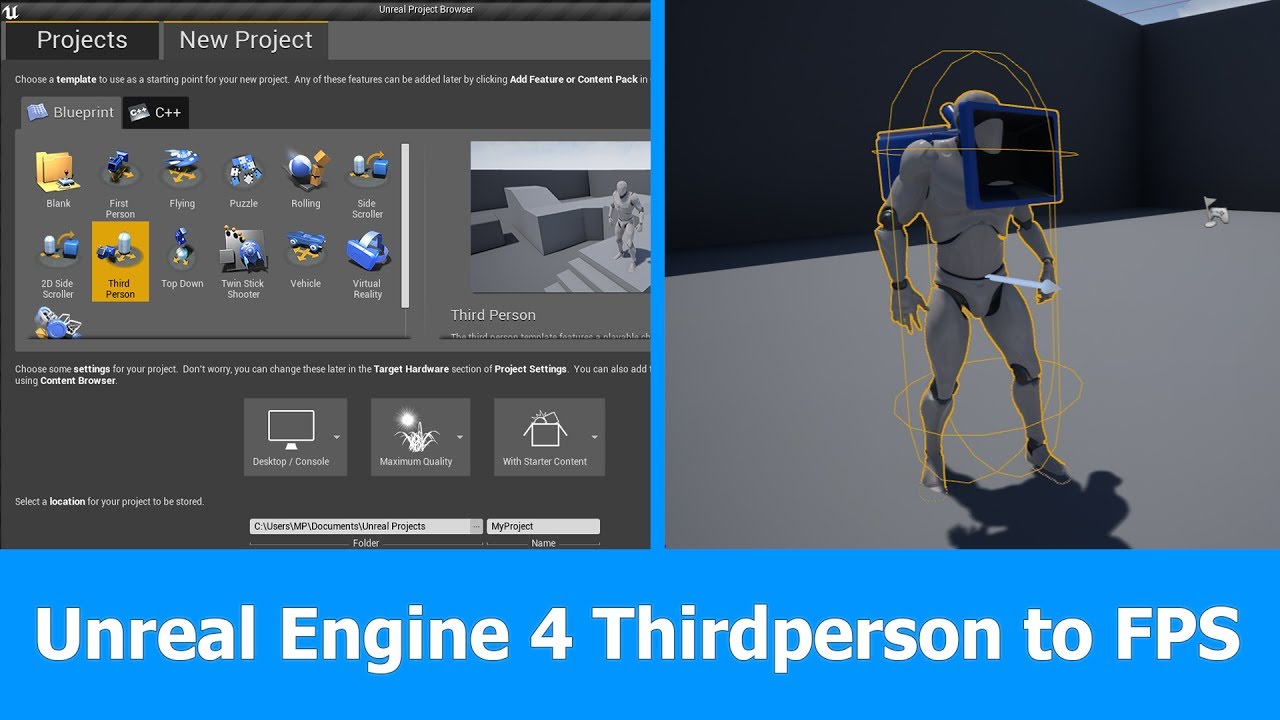
In this short Unreal Engine 4 tutorial I want to show you how to turn a Thirdperson Player and Camera into a First person Player for FPS games in which you can see the whole character.
See my social profiles here
G+: https://plus.google.com/+JayAnAm
Twitter: https://twitter....
when u are in FPS mode
u checked use controller rotation YAW?
wraith wyvern
plush yew
yeah thats what I was gonna say
you have to go into the 3rd person character settings I think
@wraith wyvern U got it mixed up.....
that's why u have to toogle twice
before getting the right setup
Can u make A connect to the bottom
and B to the top one
see what happend brother
wraith wyvern
A connection from were
rigid belfry
when you first start the game, youre in third person
plush yew
Try that
wraith wyvern
oh okay
rigid belfry
when you press the change camera button, the FLIP FLOP sends you to A
but in A you set it to third person
basically you're doing nothing
plush yew
I mean, I didn't really check the code, I just know if u have to press something twice before u get the right result. That's most likely the flip flop
rigid belfry
then, the second time you press again, the FLIP FLOP sends you to B
plush yew
@plush yew bro u making simple game
start with assets that u can have
especially if it's ur first game
yeah
my game is really simple
if u cant make animation
like
I can learn animations
try to use animation from marketplace
Im an artist
rigid belfry
@plush yew what problem did you have?
plush yew
Ok so my issue is idk if the tutorials im following are even decent
rigid belfry
you want to make custom animations you said?
plush yew
I have regenerating armor, health bars, damage volumes, etc
I have held off from doing anything weapon wise
because I dont want to lock myself into a system where I cant like add my own stuff
one step at a time buddy
but if ur game dont have to be perfect like i said
No I know
u can use Third person animation
Yeah
but that's kind of a pain
u need to learn aim offset
etc
I just want it to be like, smooth?
rigid belfry
you dont even need to use any real animation to be honest
plush yew
I dont plan on using ads btw
plush yew
Yeah but I want it to be multiplayer
rigid belfry
add a cube as a "gun" and shot mini cubes out the "gun"
plush yew
Yeah ive seen that stuff
Well for the 3rd person mesh, which u do have to make one. Assuming u gonna see other player character U do have to learn aim offset
rigid belfry
my dude
plush yew
like I just want a simple 4 player arena shooter
Multiplayer is really advance tbh
replication isn't an easy subject
rigid belfry
you have no idea what you'll get into, if you start working on multiplayer right now
plush yew
Im not working on it right now
 calm spade
Wait can someone help me with a water texture problem
rigid belfry
just get to know the engine first
calm spade
I’m new to ue4 like very new
rigid belfry
make some stuff
plush yew
I don't want to discourage people from doing anything man, but If I have to give u advice after years of doing UE4. Try to stay away from multiplayer
plush yew
U can just make the game vs an A.I
rigid belfry
sometimes i train my landscape building skills, sometimes level design
you dont have to make games
plush yew
The only reason I picked unreal was for multiplayer
Well I mean, u can use template from UE4....
Because of the account integration
ur Logic from the start have to be tailored for multiplayer
calm spade
When I make a new landscape, then make the material my water. The water is all spiky and bugged can anyone help
plush yew
If u are doing the game from single player way from the start
u will end up redoing ur whole game
Okay well im willing to make it multiplayer from the start
rigid belfry
its a problem related to the materials most likely @calm spade
calm spade
It’s the wind waked material
plush yew
this is just for fun
rigid belfry
it doesnt matter how many blueprints you have
plush yew
I want to have something me and my friends can play
I literally have no code is what im saying
rigid belfry
that will take a lot to learn
plush yew
so I can just start over now
I understand man, but it's better if u start from single player till u know most of the coding
Yeah
U gotta make server
IP
dedicated server
replication
I was going to make it p2p
and that's old method already.....
most people use web service now
Idk if thats harder
rigid belfry

Welcome to my Unreal Engine (UE4) 4.24 Steam Multiplayer tutorial course! Yes, this content is different from the pack opening stuff I normally do, but gamedev in UE4 is another big hobby of mine. You will learn how to integrate the Steam subsystem into your game, package up y...
rigid belfry
you wanna learn more about multiplayer? then follow the tutorial
rigid belfry
but this is not something for beginners
plush yew
I love silent hill man, I used to want to make a mini silent hill game multiplayer
rigid belfry
and you'll most likely learn nothing if you just blindly follow...
plush yew
took me 8 hours to get a god damn door open on both server and client
ionic gyro
i guess the main problem im having is im not sure how to manipulate the end position and tangent of a spline mesh based on velocity
plush yew
@ionic gyro You haven't even tell us what u want to do 
rigid belfry
@plush yew i just starting learning multiplayer stuff, but from what i could gather, you dont really use peer to peer anymore
instead you'd make something called a listen server
plush yew
yeah
plush yew
Unreal engine have multiplayer tutorial right off the bat
some Chat, finding game, etc
Well for the game Im making atm i planned on making a single player tutorial
But man... looks soo outdated. since I am trying to sell my game I will never model my game that way
so maybe Ill just make it a short game
and use it to springboard into the next project
ionic gyro
i thought i did? but i can explain it in more detail if you need lol
rigid belfry
@plush yew yes the steam multiplayer tutorial from unreal is really outdated by now
plush yew
so what's exactly is ur problem? @ionic gyro
rigid belfry
but i posted a video of a really great guy who recreated it in 4.24
plush yew
Right now people use web service like Amazon game lift
etc
makes it harder to cheat
if people do everything server side
is anticheat really hard to add?
rigid belfry
@plush yew i just started working on a multiplayer game and only this took me 2 days(12h of work?)
plush yew
idc how long it takes
@plush yew Yeah you can forget doing anti cheat
ill probably stick with singleplayer anyways
Yeah man, I totally recommend single player
it looks good though rig
rigid belfry
my take on this is
if you cant make it singleplayer, there is NO WAY you're gonna do it online
plush yew
I dont even have assets lmao
ionic gyro
well you know how ribbon trails work right? well i basically want to do that but with a thin rectangular mesh. where the mesh extends and bends away from the object its attached to as it moves
rigid belfry
you dont need the assets my guy
rigid belfry
i am already repeating myself, but you could literally have cubes running around
plush yew
No I know
 cedar wave
UE provides so many free assets that you can use as placeholders....it's a pretty outdated reason on not creating a game.
plush yew
with the "true" first person stuff right
@ionic gyro are you talking about particle effects? I hope someone can help you with it because I don't touch them
should I just make it arm animations instead of true first person?
ionic gyro
nah i im thinking i can do it by manipulating the mesh with a spline
rigid belfry
you can do whatever you want
plush yew
if its single player I dont think I need true third person
rigid belfry
and how confident you are
plush yew
If u are doing it for fun with friends... i would just do the Aim offset for 3rd person and do a true FPS cam
If it's single player then dw about True fps camera
just do an arm Animation
and hide the rest of the body
well I already said I have no idea how to do multiplayer
plush yew
well yeah i dont want to screw myself
like im literally just following this guys tutorial
ionic gyro
i just want to know how to manipulate the spline correctly. i would offer my code but im pretty sure its way off from what i need to be doing
rigid belfry
what you could do to speed up your learning is
ok, follow the tutorial, but dont copy as you watch
watch the tutorial, finish it and then try to do it on yourself
plush yew
I dont have a good enough memory for that lmao
rigid belfry
if you dont remember or its not working, go back and look what was wrong
and you'll already learn stuff
its not about memory
plush yew
It is literally about memory
rigid belfry
look at it as a language rather
plush yew
Im terrible at languages
plush yew
I was viewing blueprints more as logic
Im not just copying things without thinking
I figured out how to modify damage and regeneration and stuff like that
ionic gyro
could i maybe do something similar with a skeletal mesh?
rigid belfry
@ionic gyro you wanna change the way a mesh looks in real time?
ionic gyro
yeah basically
i kind of just want one point of the mesh attached to the player while the opposite point interps towards that point as it moves. so it will go out as the player moves and retract when the player stops
plush yew
like a cape?
ionic gyro
more like what you would see a sword trail do but slower
ionic gyro
the reason im trying to do it with a mesh is so that its visible from all sides
plush yew
Sword trail use anim notify
ionic gyro
so not really a particle
plush yew
particle also visible on all sides tho
and it work from trail start to trail end
so i just match it with my sword and always get the result i wanted regardless of the attack animation
ionic gyro
yeah but i want the trail to be visible even when looking straight at its side
plush yew
well my particle always visible when viewed from all sides
ionic gyro
nice @plush yew
plush yew
if it's something u are looking for, u can get sword particle from market place
and see how they do it
it's currently free i think
Yeah advanced magix FX12 is free atm
ionic gyro
idk if you saw my post earlier but its not so much a weapon trail as it is something like the light that trails behind the morph ball in metroid prime
plush yew
yea sry, I don't think I fully understand
ionic gyro
let me see if i can find an example\
idk if you can see it but the trail behind the morph ball is actually three dimensional
its made so that you can see it even when viewing the morph ball from straight behind
plush yew
its like s transparent block
ionic gyro
yep
ionic gyro
wait so i wouldnt need to make a bending model?
ionic gyro
ah so would i just spawn the thin cubes at an interval so that it would appear theyre curving?
ionic gyro
yeah
i tried that. i mustve done it wrong though lol
why didnt i think of a rectangular material? god i feel dumb
thanks sorry for my bad explanation lol
plush yew
are you making a zelda like?
plush yew
oh nice
ionic gyro
specifically metroid prime.
ionic gyro
ball works perfect just need that trail effect
ionic gyro
thanks. i can show my progress on here if you guys want to see it
 serene ridge
Hi, someone has an idea of the best way to convert some Autodesk Inventor files to unreal?
ionic gyro
capsule? you mean like a capsule shaped material?
plush yew
nice
ionic gyro
thanks 🙂
ionic gyro
well i cant take credit for any of the assets in that vid accept the textures on the gun really. and the particle effects lol
 rigid iris
Hello everyone! Epic Games support tell me write my feedback to official Discord. Who know what official Discord for Epic Games?
plush yew
noa I havent even gotten guns set up and im starting over lol
ionic gyro
tbh i started over that project several times before i got this far lol
i could recommend a good youtube channel for gun mechanics if you like
his channel is called underscore. i based a lot of my initial gun mechanics off of his videos
 plain terrace
I have this obj file that has like 129 parts and I don’t know how to import it as one skeletal mesh
open wadi
When using a "set color and opacity" widget, how do I reference the text within a button?
I want a nav menu option to switch to bold on mouseover
ON hover
I have this now:
 lilac wedge
not really good with materials any idea on a material that randomly changes color over time cycling through 4/5 different colors ?
 digital anchor
time * float for speed, plug that as the X of a 1d texture gradient with your colors
digital anchor
no i meant if you just want some colors make a texture with like 1x5 pixels to use as a gradient
lilac wedge
ahh ok
 late verge
roughly how long would it take for me to get competent with blueprints having no prior coding experience
lilac wedge
It depends on how fast you pick things up everyone's different. There's a lot of documentation and nearly every question you have as a beginner has an answer somewhere on the ue4 forum so depends on you
 white relic
ue4 4.24 always crashes randomly when drawing out node s
 zenith herald
how do i open engine's console to allow texture2d array?
open wadi
In fact, does anyone have any idea how to alter the text within a button in any way when someone hovers over it?
lilac wedge
but would say you should be able to starting making something youself in a few weeks. Thats the beauty of blueprints
@open wadi get the on hover event of the button. And make the text within the button a varible and you can change the font size ....
open wadi
@lilac wedge interesting, ok. So something like this isn't necessary?
lilac wedge
I mean if you want to save the selected button for later than i guess but just to change the color not really. Just drag the heroes node to the target of the set col
 mystic holly
Can anyone help me with soccer mechanics
open wadi
@lilac wedge Thank you, I just made the relevant text a variable, what node should I leverage to change it to bold? Set Color and Opacity?
lilac wedge
theres a set font node. Right click on the "In Font Info" and split the struct to change it or make it a variable if you are going to use the same settings later on
open wadi
Great, thanks much @lilac wedge!
lilac wedge
Np 🙂
 azure shore
hey is there a way to constrain rotation on a chosen axis outside of physics
like this but not for physics
 exotic thicket
If you're not using physics, then the object wouldn't rotate unless you rotate it yourself
So you'd have to make sure your own rotation code doesn't rotate it in ways you don't want
 onyx cedar
here's a dumb question: how do you pan the blueprint graph on a laptop with only a keyboard and trackpad?
i'm dying over here
That didn't work, but I did get it to pan by stretching the rectangular marque off the edge of the graph. So I guess that's ok?
it may be my track pad is dumb
 still hemlock
open wadi
still hemlock
open wadi
If I want to create a gif so that I can demo functionality to this support channel, what does everyone use to do such on Windows?
What's the best app for that?
plush yew
Hello everyone, I need help. How can I encrypt .pak file on Android?
It gives me an error
If I enable encryption
It'a fine on PC but wrong on Android
module_engine_28_of_47
Smth with types
open wadi
Example of the animation I'm attempting to create in my navigation - notice how the "store" text becomes bold on hover, then fades back to normal on unhover
plush yew
invalid sh_type for string table section
open wadi
I got the "turn to bold version of font on hover" code to work by using the following - but instead of just doing the reverse for on unhover, how would I generate the fade to normal font?
As seen in this gif?
open wadi
If useful, here's the full event graph section for bolding / unbolding the text on hover. I just need to create the quick "fade back to non-bold-version of font", instead of this, which just flips back and forth between bold and standard font on hover.
No, this code has it flipping between the bold and standard version of the font on hover.
And it works properly.
The "fade from bold version of font to standard version of font on unhover" is the part I'm having trouble finding articles or tutorials about online.
@lapis bronze Are you saying that the example gif of the example I'm emulating, they're changing the color, not changing the font itself? That makes sense, thank you.
So I need to be altering the color of the font itself, not changing the font itself.
 lapis bronze
yeah they are not changing the font, you can change text color
open wadi
Interesting. If I were to do that, do you know of a way to "fade" between colors like the example gif is doing?
lapis bronze
timeline
open wadi
Timeline, ok, I'll research that, thank you @lapis bronze.
lapis bronze
or even better, just make an animation of it happening and play it
the widget system has an animation timeline
you can animate almost any property
open wadi
Interesting
lapis bronze
and save it to an animation to be played back in blueprint
plush yew
Some help for me with sh_type?..
open wadi
Will work on that, thank you much @lapis bronze!
lapis bronze
@open wadi
https://www.youtube.com/watch?v=HXL5lX5efyA

Learn how animated widgets work and what you can do with them. This video was voted for by my supporters on Patreon and YouTube Memberships. Join them and support me and cast your vote into the next poll!
Support me on Patreon and get access to videos early, join our develope...
open wadi
Very nice.
lapis bronze
there's probably a better tutorial than that, but this will get your feet wet
just search Widget Animation blueprint
@plush yew try #packaging channel
wanton lotus
@open wadi You also don't need to set these variables to themselves.
open wadi
Oh really? That's great @wanton lotus, yes I'm building this off that super-helpful example you provided, that was a lifesaver.
I'll remove those, thank you much.
plush yew
@lapis bronze Ok I'll try, thank you
open wadi
Yup, just eliminated them and it works perfectly.
 distant totem
@open wadi sorry to bother, is this example of which you speak available publicly? :3
distant totem
OH sorry nevermind, I mis-read what you said above, I thought there was an example UMG template somewhere, sorry xP
open wadi
Oh no worries, no it's a very specific bit of code for this project.
wanton lotus
I put together a small example to help @open wadi get his navbar started. You are welcome to use it for insight if you want. https://cdn.discordapp.com/attachments/723718296104468531/723719176673427466/NewWidgetBlueprint.uasset
open wadi
Nice, there it is.
distant totem
awesome thank you for that! I'm honestly really interested in your project droptone and would love to see it as it progresses
dota has a great menu layout imo
open wadi
Sure thing @distant totem, yeah I'm just trying to learn UI / UMG and I'm trying to build a non-standard UI as an example. Every single tutorial on "here's how to build a menu in Unreal" as the same menu example, like 3 rectangles.
Kind of akin to the pubg pause menu.
Which makes sense considering it was built in Unreal.
And that's boring to me.
distant totem
ah yeah i completely agree, every UMG tutorial i've seen also is very basic like that too, it makes it hard for me when it's time to actually tackle UI because I always get lost, little things like you can't call keyboard presses from UMG or cast to level blueprint iirc
open wadi
Exactly.
lapis bronze
once you learn how the hierachy, padding, and when to use Canvas'
it gets easier
a lot of those tutorials are built on the knowledge of other shittier tutorials
I bought a really nice asset off the UE4 store, and it had the cleanest UI setup ive ever seen, and ive been using it to learn the UMG system from the inside
Making widgets for things you'll reuse later is a big tip
You can place widgets inside other widgets
open wadi
Interesting, thank you @lapis bronze.
 boreal sun
Weird question, but does anyone know how to keep my player facing forward when running into a wall?
Like if I move and hit some sort of collision my character will turn, even when holding the movement direction forward
exotic thicket
I recall there's an instigator option on spawning, you might wanna try using that
the instigator is basically whoever is "responsible" for damage and such the object causes
if that doesn't do the trick, then you may wanna just add a variable into the actor and save it there
distant totem
@lapis bronze what is the name of that asset? would love to check it out
open wadi
I need a subtle drop-shadow as seen here. It's going down and to the left. Anyone know how to emulate these font settings for a given text block?
I'm here fiddling with shadows and offsets but I can't get it to do this typical drop shadow look, I know the engine that built this particular asset is based on CSS / XML so I assume they're leveraging some standard HTTP / CSS component.
lapis bronze
@distant totem its called "Auto Settings" on the marketplace
open wadi
This is a text block in UMG - I'm supposed to put a light behind a camera?
This is in the main menu.
Is that correct?
What's odd is that there are settings FOR drop shadow for the text, but not a checkbox to enable the dropshadow itself.
"shadow offset" is present
in the settings
And the shadow color as well.
But nowhere to simply enable the shadow.
If it were light-based I would assume the offset wouldn't be necessary, as that would all be relative to light positioning.
plush yew
hey
i want to make an house
were u can upgrade stuff
from house to farm to castle to BAAAAM 😄
i dont know were to start, is there any right direction i can find
?
Can someone tell me why my ball character cant jump from any mesh that is moved or scaled ingame time?
but in the house u can upgrade other stuff to not a big upgrade stuff XD
distant totem
@lapis bronze awesome thank you 👍
open wadi
Guys, holy crap, I'm today's lucky visitor!
 vague shale
I grabbed a copy of my friends project for 4.24 and am trying to build it so I can mess around with it, but when I hit build in VS its trying to build using my friend's engine location (H:\Unreal) instead of my engine location (C:\ProgramFiles\Unreal) is there some file somewhere in VS where I can tell it to look in the right place?
MSB3073 The command ""H:\Unreal 4\UE_4.24\Engine\Build\BatchFiles\Build.bat" Cybold Win64 Development -Project="C:\Users\lordm\Documents\GitHub\Cybold\Cybold.uproject" -WaitMutex -FromMsBuild" exited with code 9009
open wadi
This is what happens when you hit page 8 of google results for "drop shadow text block ue4"
plush yew
sooooow
distant totem
now we all know your real name is Chrome user, muwhahaha
page 2+ of google is definitely what they call the "dark web"
open wadi
Yes that's my real name, I was undercover until now.
My parents named me Chrome and my last name is User.
User, Chrome
Middle name is Entry-Level
 dense hatch
quick question about materials, if i know a mesh is going to be switching between material params a lot (and many times a second) would it be easier on the gpu if i broke up the material into smaller materials and set new materials in code?
i guess the question is: is it faster to use an IF node in material graph or to set the mesh material?
 alpine laurel
is there a setting to turn of message log or at least have it not pop up every time i hit play to test something
open wadi
So here's a new one: I can now properly change the text color on hover, works fine using this code, but "on unhover" does nothing. Why might that be?
According to this post, there's some crazy setup you can use where you set a bunch of booleans: https://answers.unrealengine.com/questions/483337/umg-how-to-change-text-color-with-onunhovered.html
Why on earth would that be necessary when the "onunhovered" event exists?
And works fine when changing between two fonts?
plush yew
how can i simply interact with that actor?
i want to get a component mesh within that actor and make it visible
why do no tutorials show you how to make your own assets??
literally none of the ones ive seen show you how to rig a gun or anything
I dont understand how to go from like practice assets to making them in blender
rocky radish
because its not really related to unreal engine, more to the 3d software that you'll use
plush yew
well yeah but how come theres not like a masterclass that shows both
white relic
Like when you try and find a tutorial for something you're learning for the first time and the person skips over the keys they're pressing lmao
plush yew
its just so confusing
yeah
idrc about the keys I can figure that out
I just dont want to follow a tutorial and not be able to do anything with the finished product
its so fucking irritating
rocky radish
there are some rare tutorials that actually DO show you how to make the assets (dont ask me for them because i dont remember the names)
 kind mulch
Are you using Blender?
 upper marsh
I am sorry but is this thing supposed to be a launcher? Where is settings? Where is well... anything? How do I find unreal engine in that?
rocky radish
@upper marsh maybe in the 3 bars on the top left?
plush yew
I have used blender in the past
im not super great with it but Id love to learn it more to make game assets
I hate using stand in assets because it always seems like so much work to replace the old files when I can start a project with assets
but alas idk how to do that even if im an artist
upper marsh
@rocky radish They does nothing, just switches view from one big to couple small featured games. Typing unreal engine in search does nothing.
rocky radish
@upper marsh maybe try restarting the launcher?
upper marsh
@rocky radish Did so. Nothing still. This thing is horrible.
kind mulch
@plush yew I found this tutorial today, so far I could tell it seems like the person is doing a good job at showing what they are doing. I wanted to take a look at a it later on, but it might be useful to you, it shows all the steps to create a model in blender https://youtu.be/KcCXM5zCuc0
In this step-by-step Blender tutorial series I'll take you through the entire process of modeling and texturing a combat knife game asset in Blender. In the first part of this series we'll be creating the high poly model of the knife that we'll later use for baking normal maps...
 gaunt tide
Point me to the correct channel ,Idk which it belongs,but the question relates to creating a building system similar to stormworks and from the depths to use as an example.
Level design?
wanton lotus
@open wadi You don't need to set those variables. You only ever need to use "get" with them since they are already initialized with the defaults you set in the designer.
 ancient lotus
whats the easiest way to paint a decal or paint a little spot on a skeletal meshes material without using a scene capture component?
plush yew
I cant figure this out idk anymore
 mental helm
Did Epic ever release the UT Outpost 23 map as a editable level/map or content example?
Looks like they did, found someone used it for testing a lighting change to the engine, https://forums.unrealengine.com/development-discussion/rendering/1493669-localized-ibl-implementation , anyone know how to download it?
Unreal Engine Forums
Coming over from the SVOGI thread (https://forums.unrealengine.com/unreal-engine/feedback-for-epic/659-svogi/page11) and the Physical Lights thread (https://forums.unrealengine.com/development-discussion/rendering/1414326-4-19-physical-lights?p=1491698#post1491698) I decided t...
 surreal laurel
Alright i'm thoroughly confused about the different realtime GI and AO features. I've been using Light Propagation Volumes but the light bleed creates a real issue for me. After some looking around, i've come across ScreenSpace GI, HeightField GI, DistanceField GI, and Cascade Shadow Maps (not sure how this relates?). Now i'm totally unsure about what combination of these features are best for a realtime, day-night cycle, interior & exterior environment game.. any thoughts?
plain terrace
Daniell isn’t here to save the day
alpine laurel
i need to change the vaultcache location. Is it as simple as changing the location in the epic games launcher or do i have to do something else?
 dim gate
does anyone get this thing where if I open ue4 with visual studio firefox just suddenly stops working all of the sudden
edge also doesn't work
I haven't tried chrome
 stray smelt
I assume this is not possible, but gonna ask just in case. If I have selected multiple blueprints of the same type, is there a way to edit a child component of them simultanously? (e.g. material of one of the child meshes)
not in content browser/asset, but in an actual level
plain terrace
 manic pawn
means your question was not simple enough for someone to answer without thinking about it and not interesting enough for someone to investigate it more
plush yew
@plush yew wat kind of artist are u?
@stray smelt sure you can. Just get the one the one that you want to reference
@stray smelt it really depends on how u want to do it but giving each child blueprint an ID is one of the way
so when u cast the blueprint, u can check if ID == 4 for example, then change material on that referred actor
With Quixel is there a material generator?
yeah pretty sure there is like plugin for it as well
where u can see the changes in real time
I havent use that since forever tho
I need real textures for my map, mostly plaster, marble, granite, bronze and such.
last time i use quixel they have preset for cloth, metal, plastic, etc
plain terrace
@manic pawn dont bully me i just made that meme cuz i saw how there were many other questions that were being asked without any asnwers. I haven't really had that many questions here yet
plush yew
and there is substance
manic pawn
there's no bullying here, it's just the truth
plush yew
yeah I moved from substance to Quixel tho
just pick one?
i think substance designer also have plugin in market place
quixel creates materials procedurally?
@plain terrace wat's ur question?
@plush yew not sure what u mean by procedural
i used it cuz it have preset for materials
u can have multiple layer as well
So when u make a gun asset for example
i can add scratches, dust, plastic, metal, etc
it will produce the normal texture, roughness texture, diffuse, etc
@plush yew every tool can be good man, so long you can utilize it. Here is a tutorial with substance painter

Dear friends, It's time for the next venture into the chamfer zone! I am happy to say that the AKM tutorial is finally available at www.gumroad.com/timb
The trailer should give you a good idea of all the different stations we are going to cover and those are a lot.
I am cert...
manic pawn
or maybe you are taking the responses too seriously 
plush yew
I'm installing quixel
 open eagle
How Inefficient is BSP
 barren flume
Is there a way I can import .MP4 videos without using it for just startup videos but to use as a video sequence
for like a certain part of the game
I'm trying to get it so when you press a button a video clip will play with text on it
or if I can't use a widget
I could just play the video
 serene owl
can i ask a dumb question
how do i import an enviroment

Infinity Blade: Grass Lands is the earthy citadel adorned with stone set pieces and beautiful props. It’s one of three environments that ship with the Infinity Blade Collection, a massive suite of content designed for high-quality mobile experiences.
 cloud mortar
hey, so whats the rule of thumb for how many lods i should have, and at what distance they all should be?
exotic thicket
I suspect that largely depends on the complexity of your scenes and/or how noticeable LOD pop in is
 tawdry osprey
Hey yall, UE4 rookie here. I'm trying to use the procedural grass too for my landscape, but the LandscapeGrassOutput node isn't turning green even with the landscape grass type set up. What the heck am I missing to make this work?
alpine laurel
if your game has a mac and pc version and discord game sdk could people play together
trying to figure out a good way to enable mac/pc crossplay
 vale silo
I made a simple material with bump offset and it looked as expected. Then I decided it would be nice to do 3-way blend using vertex colors, heightlerp and bump offset. Well, that didn't work for some reason. Is there a trick to making N-way blended material (using vertex colors) with bump offset and height lerp (to have more natural transition between textures) ?
 storm terrace
and stuck loading the 3rd person template at 39%.... why?
what I meant to ask is possibly how?
Because I load way more complex ue4 maps without any issues so I think something is wrong with my project.
If that is the case, do any of you know how to find and fix the issue?
Wow, the level did load up, not sure why for such a simple template (compared to other complex levels loading way faster).
vale silo
how do I spawn an actor with its Z axis aligned with surface normal ?
 shut lantern
Hi! I'm new to the engine and have a beginner question:
What's wrong with my collision setup that my character falls through the floor?
(that's the capsule component)
and this is the mesh
 prisma plank
or maybe you are taking the responses too seriously :Think360Warp:
@manic pawn ahahha )) crazy smile! ))
 storm venture
@shut lantern might be an issue with the floor, the collision settings on the character look good
shut lantern
thats whats weird, I'm using the default floor from the default map
and suddently it doesn't work anymore
😦
 little hill
i have a willys jeep with a mounted i have been modeling and now i am trying to get the gun to work. i have the driving physics sorted. do i need to export the gun as a seperate object?
import*
shut lantern
thats whats weird, I'm using the default floor from the default map
i'm positive i have the collision stuff setup properly, unless something's overriding it ?
 sage ingot
I'm having trouble displaying variables in a widget that contains another widget. https://answers.unrealengine.com/questions/966929/view.html
stray notch
Anybody have a recommendation for an intermediate level Udemy course ? Most Interested in seeing content about how more advanced blueprints get setup with some explanation
 glacial lantern
Hey would anyone happen to know why I have two "guns" on my character?
It doesn't show up in the blueprint view port
only the one I actually want to see shows up there so I'm not sure where this one is coming from
glacial lantern
This is the only thing I have related to the gun actually showing up
calm spade
How come my foliage won't place on my landscape?
glacial lantern
and that just attaches thee gun to the hand (which the other gun isn't doing)
calm spade
Can someone help
plush yew
hello guys one friend want to make animation for door opening but she did the model but she can't make the animation because the door can't rotate, I mean this:
lapis bronze
https://streamable.com/7rgt61
Anyone know what could be causing this?

i thought reflection probes were baked, and not realtime? The reflected light is changing when the flames come in
 lucid socket
@lapis bronze UE4 also uses screen space reflections.
Effect which alters the reflection that appear on the surface of materials within scene view.
lapis bronze
Ah so it must be that
storm venture
hey so im playing with ray tracing in an open world scene and my fps drops from 60 to 20 whenever i move the camera's position, but rotation has no effect on fps. any ideas why?
 lusty plank
moving the position changes the LOD range and the bounds of rendering (from origin at the camera/pawn), rotation does not.
So maybe it triggers ray recalculation?
 ocean smelt
@calm spade I would suggest being more detailed in your question, and add some screenshots at least. Saying foliage won't place on your terrain is very broad. It's like saying hey doc, my bodies sore, what's wrong? 🙂
 grave nebula
@storm venture Accel structure does not need to be rebuild, when you are only rotating viewpoint.
 lusty pumice
hey guys I have this particle running in realtime. problem is when I move the camera away the lights on the wall dissapear
hope someone can help me with this
stray notch
simple question: what's the reason that my function is blue? how do I make it display as green?
plush yew
Click your function and check "Pure"
stray notch
ohhh. Right
plush yew
only do it if the call has no side effect though
stray notch
nah i just forgot to make this one pure. didnt know that was the reason it changed color.
lmao
plush yew
Hey, I am trying to compute the angular velocity of a vive controller.
I currently do the following to get the delta angle since last tick, but the Roll and Pitch do not follow the controller's rotation.
Basically if in front of me, the pitch and roll are correct, but if I turn 90° left/right, Pitch and roll get inverted.
Any idea why ?
btw - I just joined the serv, if this is the wrong place to post please tell me
 dusky crest
I try to post in forum but I get this error message, why ??
 honest vale
at least there used to be a system where users with less than 10 posts had to have their posts approved by mods
 scarlet birch
@plush yew either move the hinge corner of the doors to the origin in the modeling program or add the mesh to a bp with a scene component as the root.
 austere hinge
hii iam working on minimap for simplicity iam using render target.. now how to show checkpoint on minimap without making it visible to player camera..
 gaunt basin
Hey guys, I'm trying to replicate the in-game cutscene system from Final Fantasy 9. Can someone who's made something similar please DM me to give advice? Thanks
calm spade
How do I attatch my rain particles to my player?
plush yew
@plush yew I believe u have to take the player actor rotation into account
@plush yew my A.I head can look into the camera/player. There was a problem once where if i rotate her -180 degree she will no longer properly (inverted). Solved the issue by adding actor rotation into the equation
 lost shore
When I build a project, my destructible meshes are invisible (until destroyed, then it shows up) but in the editor they render properly, anyone have any idea why this could be happening?
 jagged halo
How do I attatch my rain particles to my player?
@calm spade You can just add a particle emiter as a child in your character blueprint. Make sure that particles spawn in world space tho.
jagged halo
It would be wise to start watching some tutorials then 🙂
jagged halo
😛
What is your problem exactly? the particle system or using your particle emitter as a child to your parent (character)
calm spade
Well, I created the rain particle, I just want it to attatch to the character while they walk, and I'm not too sure how to.
jagged halo
Well, so you have your blueprint character right?
calm spade
Yes
jagged halo
You should be able to add a particle emitter in that blueprint
when you open that blueprint you see a hierachy of children of your parent blueprint
Just give the emitter a relative position above your player!
calm spade
In the Event Graph?
jagged halo
Nope
calm spade
Where is it located then?
calm spade
Do I attach the emitter to my mesh?
plush yew
entirely up to you
its ur game
u can attach it to the capsule component and it will still follow
 copper flicker

