#ue4-general
1 messages · Page 776 of 1
 exotic thicket
 mint raptor
I tried deleting with replacement that worked but now I can't delete the replacement
and validation says passed
 zenith mountain
Hey I am not sure where to post this but I have a massive problem getting rect light baked through glass :
second screenshot shows an unbaked rect light
shader setup
Glass is on two planes
 cloud briar
Hi! Can somebody help me find these blueprint nodes?

Support HDRI Display Output, and Enable HDRI Display Output nodes
 karmic cloak
Hey guys i got a rip of a map im trying to port to a different game. it has exported as a .obj and a .map file how would i import that into ue4
 alpine laurel
is there a reason why the normal map is having no affect?
there should be scratch marks on the armor if it was working
 dawn gull
Is there a way to to dedicated servers without downloading and compiling the source?
Specifically Unreal Engine version 4.20.3
 lost marlin
anyone knows why some things are different in the built project than the editor when playing? For example, my character has vastly different jump distances
 vernal thicket
Different controllers?
What do we use now matinees are gone for level specific cinematics?
 kindred tusk
im trying to cast to my game instance to get a reference to a variable but when i attach it to a branch it says that "Property associated with Level 1Complete could not be found
 valid agate
@thick herald Found out that, at the scenes on my project with this error, when disable in the viewport ->show->Specula. The redness disappear. Dummy question: Does that makes any sense to you, what am I missing in my lights?
 midnight gate
so your specularity is super red huh? @valid agate
valid agate
@midnight gate Is there's any master config for this? as it affects most of my maps now.
 winter gale
Is there a way to to dedicated servers without downloading and compiling the source?
@dawn gull So far no. You need source version.
dawn gull
Dang. The source is super big and I barely have any space left XD
midnight gate
must be smth with your lighing
valid agate
@midnight gate Originally I tough it was. But had downloaded the Lightroom_day from the UE Library, and after the first build this happened. Without me touching anything.
midnight gate
hm lighroom is known as a color modifier
it could be that it sets all your specularity to be red with some kind of color lockup
ya got a post proces volume?
or any kind of post process aplied
valid agate
This is the project I'm referring to.
@midnight gate this project in particular has a Post Process Volume.
@midnight gate anything particular setting you would suggest me to look at?
midnight gate
try disabling the post proces and seeing if the specularity is still red
valid agate
@midnight gate It is the post processing indeed!
midnight gate
ah must be some lut file that makes it all red
valid agate
thanks
midnight gate
np
good luck
while ima tryna figure out how to export eveyrthing as fbx in blender
valid agate
@midnight gate FBX is Another topic that I'm struggling at the moment.
Have you tried FBX Converter?
Autodesk.
kindred tusk
im trying to cast to my game instance to get a reference to a variable but when i attach it to a branch it says that "Property associated with Level 1Complete could not be found
 novel oriole
Hey all, how would I go about getting a perpendicular vector to a wall in ue4, I've tried crossproduct, but the axis of which I need the perpendicular wall can change, thanks
midnight gate
no thats not my problem
 runic yoke
Hi. Tried to make the hand follow the camera(to move the hand with the camera rotation), camera is attached to the “camera” socket, but it doesn’t work. What am I doing wrong?
mint raptor
How does one not force delete an asset that has circular dependency?
midnight gate
can i export 2 riggs on one skeletal mesh in ue4?
can i use bones as controlers for morphs in my 3d software and will it work in ue4?
kindred tusk
how do i reference a variable from a game instance to a level blueprint when i do it gives me an error that it could not be found
midnight gate
game instance is your game mode i assume?
kindred tusk
i have a vaiable that is marked as complete and i need that to be able to affect weather an actor spawns in one of the levels i have
exotic thicket
@kindred tusk you probably need to show what your BP looks like because if you use get game instance -> cast to YourGameInstance and then try getting the value it should work
kindred tusk
i get an error when attaching it to a branch
exotic thicket
so if you drag from the "As My New Gam Instance" pin, and type in get level1complete, does it show that as an option?
midnight gate
@kindred tusk what object are you trying to refence to?
i recomend using a data box and a save file for complex casting
kindred tusk
no but if the get game instance isnt there it does
midnight gate
a data box is an actor that stores all your data
maybe its not set to that instance
the lvel that youre casting it in
exotic thicket
The game instance is always the same, it can't change mid-game
I'm not sure if I understand what's going on with it though, because assuming My Game Instance has a variable in it with that name, and you have changed the game instance class in your project settings to My Game Instance, that should work
I do exactly the same in my game and it works :P
kindred tusk
weird
exotic thicket
Are you sure the variable exists in the game instance you created?
you didn't put it somewhere else?
midnight gate
try data box
its good
no weird casting
only data and saving and loading
simple
just gotta have it in your level
thats it
just as easy as that
method i came up with when i was doing pokemon template
kindred tusk
how do i make a data box it doesnt show up when i try to make a new actor
midnight gate
because its a thing i named
just name a normal new actor
and name it data box
thats where ya can store your variables
just cast to it if you ever need any
now is this suposted to be goingon for over 20 minutes?
my mesh isnt really that big
oh wow ok it imported like 90 animations
where did that come frm
midnight gate
ok ugh
how can i make rigify and another secondary rigg that controls the face morphs work from blender to ue4?
 open eagle
How could I know how close my reticle is to a certain actor on screen
Like, if I am looking at it or not
I have a reticle/crosshair in the middle of my screen
I want to know how close it is to a certain actor
midnight gate
you can try get distance of 2 points theres a node for that
open eagle
Oh wait
Can I use world to screen and compare it to the screen location of my reticle?
how would I get the middle of my screen
for any given screen
open eagle
oh wait
hold on
lol
I can just get my screen resolution and divide it by 2, that would be the middle
and compare that to the screen position of that actor
 wraith wyvern
uhh colud some one help me?
kindred tusk
How would i start this command "EventBeginPlay" and "EventTick" Both dont work
wraith wyvern
yeah can some one help me with my problemo
 proper holly
Do we need to enroll for apple dev program to just test the faceARsample? I am getting issue while trying to install the app in the ios device. It is asking for provisioning profile and signing certificate
kindred tusk
@wraith wyvern what is your Problem
 fresh rampart
Hello, Im new to Unreal and im trying to make an enemy do an attack like this -> https://youtu.be/ShJP0oyrJrg?t=12
I asked in another place and was told to look into RootMotionSources to mix an animation root motion with code, and in the docs there is even a FRootMotionSource_JumpForce which sounds promising (Even though im having trouble finding much documentation about it). Has anyone implemented something similar and how would you recommend doing it?
 fresh python
the clouds move way too fast but i dont see anywhere in the plugin settings to make them move slower
 digital badger
Anyone know why the engine is hard limited to 120fps?
exotic thicket
I don't think it is? I've definitely had UE based games run at way past 120 :P
 rocky radish
Anyone know why the engine is hard limited to 120fps?
@digital badger you can use t.MaxFPS <fps number> if you want to remove the fps limit
 storm jasper
how i can set this character
to player?
when i press button play i want to move
tihs
this*
character
wraith wyvern
hey can some one help me real quick
digital badger
@exotic thicket @rocky radish My mistake, t.MaxFPS 0 defaults to 120fps, however individually setting higher numbers allows the fps to climb higher than 120fps
rocky radish
hey can some one help me real quick
@wraith wyvern yes?
wraith wyvern
is there a way to put music in the main menu?>
and have a video as the main menu background insted of a picture
rocky radish
add an ambient sound in your level and select the sound file UwUOwO
wraith wyvern
like the forest background
kindred tusk
yeah i have an idea just let me set up an example
 river silo
Hey can somebody help me creating a C++ Character Movement for small planets?
wraith wyvern
add an ambient sound in your level and select the sound file UwUOwO
@rocky radish god im dumb that makes so much sence thank you
exotic thicket
@digital badger sounds like it might be defaulting to your monitor's refresh rate :)
rocky radish
@rocky radish god im dumb that makes so much sence thank you
@wraith wyvern you're welcome, and don't say that, you're learning
sounds like it might be defaulting to your monitor's refresh rate :)
@exotic thicket it doesn't defaults to refresh rate, it's 120 fps no matter what
wraith wyvern
yeah i have an idea just let me set up an example
@kindred tusk were you talking to me
rocky radish
my monitor is 60hz and it's 120fps limit by default
kindred tusk
i thougth i had an idea but it turned out to not work
 plain terrace
ive been using unreal for a few days and the only thing i know are booleans, and begin and end overlap
lul
wraith wyvern
uh oh
@rocky radish i have a problem... when i dragged my audio it doesnt show as a music thingy
its a mp3
rocky radish
@rocky radish i have a problem... when i dragged my audio it doesnt show as a music thingy
@wraith wyvern whats the file format?
digital badger
it needs to be a .wav
rocky radish
there are tons of software for file conversions, but i think you can export the file as .wav in audacity
plain terrace
whatever that works and doesnt give u a virus or a redirect to shady extension
wraith wyvern
thanks
plain terrace
vlc would also work if u have it i think
wraith wyvern
yeah i do
digital badger
Audacity will work 🙂
wraith wyvern

FreeConvert
Free online file converter to convert your image, video, document, and music files from one format to another.
im using this
digital badger
But you might suffer quality loss, export it straight out of the DAW
 plush yew
I wonder if there's a way to measure light intensity at a point or a material surface or at least to tell if it's lit/unlit
wraith wyvern
But you might suffer quality loss, export it straight out of the DAW
@digital badger i cant make music for shit so its just nature sounds
i think it will be good
@rocky radish sorry for all the questions but its it possable for me to have a background like the forests menu thing whats like its in the game but yeah
do you know what i mean
rocky radish
@rocky radish sorry for all the questions but its it possable for me to have a background like the forests menu thing whats like its in the game but yeah
@wraith wyvern that's not just an image?
plain terrace
you can take a picture, or copy the terrain
or have the main menu on the same level
wraith wyvern
@wraith wyvern that's not just an image?
@rocky radish yeah no image
rocky radish
you can make a camera in the world that possess the player and make the enviroment in that level
and remove the background image you have
wraith wyvern
ohh okay
but how do i make a skybox?
sorry for the questions im just really stuck
do i make it like in hammer?
a big box
nah
that wont work
plain terrace
also how can i make other actors/pawns that are not the playable character recieve axis inputs. I do not want to do possesing cuz thats annoyin
ive followed some tutorials and docs and did not find any solution
exotic thicket
You can put input events directly into a pawn
instead of having them in the player controller
plain terrace
so i just smack this in a pawn, then wat. i honestly have a very empty mind at the moment
 thick herald
@plush yew yes there is, but can't recall how exactly.
 jolly sage
how do i seperate these textures?
fresh python
@jolly sage I was wondering the same, because its impossible to change textures of synty low poly free pack
when its all mashed together in one texture
jolly sage
im glad im not the only one with this problem
plain terrace
reee still i dont understand how to make this work for a pawn. Imma stop now then
oh wait do i have to posses a pawn to move it
river silo
Hey can somebody help me creating a C++ Character Movement for small planets?
kindred tusk
i want to have a chain of commands start and then repeat inside of a game instacne
Can anyone help me
fresh python
How can I copy this to another level? Including settings, CTRL C+V not working, drag and drop into new editor window with level open not working
kindred tusk
click on the skylight and then shift click on the volumetric sky portotype map
fresh python
Do I have to do everything from scratch just to include it in my level? :(
Yes I did, that marks everything right? But nothing happens when I drag and drop into other world outliner
kindred tusk
you need to select to whole thing and the ctrl+c and the go to the world that you want to add it to and then ctrl+v
kindred tusk
what is wrong with it
kindred tusk
ok
kindred tusk
ok
fresh python
@kindred tusk thanks wow that actually worked! i feel dumb now. but i still cant get the blueprints + specific settings copied
wraith wyvern
okay so eggnog
the world goes really bright when i move one in
and its not directional
atall
kindred tusk
@fresh python no need to feel dumb im not super good with unreal either
wraith wyvern
kindred tusk
have you tried re building the lights
plain terrace
theoretically this isnt supposed to move, but it does
wraith wyvern
have you tried re building the lights
@kindred tusk how?
wraith wyvern
waiy
wait
i think it works
its just super bright
How do i make a Static camera
for my menu
kindred tusk
like a camera that doesnt move
wraith wyvern
like a camera that doesnt move
@kindred tusk yeah
kindred tusk
the way that i have done it in the past is to turn your player toward where you want to have the static view and then disable movement
wraith wyvern
?
 eternal urchin
or just change gamemode character @wraith wyvern ?
eternal urchin
is the menu in a level of its own?
kindred tusk
to see your couser you need to set the mouse couser to on by typing show mouse couser with context sensetive off it should show up
eternal urchin
or the pawn you are using
eternal urchin
goodm, then change the game mode
wraith wyvern
eternal urchin
in the world settings
wraith wyvern
is it on here
eternal urchin
its top
wraith wyvern
player controller?
eternal urchin
deafault pawn class
eternal urchin
you dont want the camera to be a pawn.
 rigid belfry
where can i read more about making multiplayer games?
kindred tusk
wraith wyvern
you dont want the camera to be a pawn.
@eternal urchin then how do i make it so a;kdfm
eternal urchin
give me a moment @wraith wyvern
wraith wyvern
okay
 cosmic panther
How do I call a Variable from client to dedicated server, I have the variable inside of game instance and then the GameMode calling it to set it, When I do Open Level and it loads everything into my database correctly including the right GameMode. but once the dedicated server is involved it just set it to the default value of the Variable
It works on sending the variable if I click listen server and then open the map directly without the IP travel. But once I do an IP travel it just sends a 0 to my database
 storm dome
Hi I literally downloaded UE 4 a couple hours ago can someone tell me or link a vid as to how I would add the textures given by unreal to blocks ive placed
cosmic panther
I asked yesterday, got no response so I figured I should ask in here @wraith wyvern
wraith wyvern
@storm dome https://www.youtube.com/playlist?list=PLL0cLF8gjBpqGJwEe5XL5mSL8UvwwVMKu follow this tutorial

YouTube
Ever wanted to create your own survival horror game from scratch? Well now's your chance, we go over how to create a terrifying survival horror game from the...
it helped me learn
the basics
storm dome
Thanks
wraith wyvern
on his channel
kindred tusk
@storm dome if you look on youtube you can find anything that you want to make and it you have anyother questions someone will probebly help you here
wraith wyvern
there are diffrent games he teaches you how to make @storm dome
 lime gull
Is it possible to add decals onto a sprite?
storm dome
Okay I'll have a look through his channel now 👍
wraith wyvern
eternal urchin
 eternal urchin
thats my menu.
now create a new character (for example) like in my content browser
wraith wyvern
dude
just saying
you dont need to uplode it
you can press print screen
or use snipping tool
so make a charicter
eternal urchin
what ever. now create a new character.
concentrait, i wanne go smoking, so keep up
eternal urchin
put it into the gamemode in the world settings
wraith wyvern
great done it
uhh
f ug g g g
now it just acts like there is gravity
and falls
NOW IT DOESNT WORK
wraith wyvern
i do
i know whats happaning
the camera isnt spawning where the charicyer is
its spawning where my camera is
the player
eternal urchin
add a playerstart to the level
wraith wyvern
isnt listed in the world settings
plain terrace
noice i finally figured out how to make a vroom vroom machine (car)
wraith wyvern
This is getting really annoying
plain terrace
ya can take a break and work on da map instead
eternal urchin
did you add a playerstart?
eternal urchin
good now it should work
wraith wyvern
eternal urchin
you have a playerstart and you gamemode is set with the character
wraith wyvern
not were i placed it
eternal urchin
replace playerstart (>°.°)>
wraith wyvern
can i resize the player start
plain terrace
lol
wraith wyvern
okay
it works
one problem
tho
if i click on anything other than the buttons
the cursor goes away
eternal urchin
levelblueprint
eternal urchin
now let me smoke for a sek and wait
wraith wyvern
ok
eternal urchin
we already solved the first probl.
wraith wyvern
yeah
 plain terrace
lol

most convincing argument tbh
time to use the worst language for making functions: js
eternal urchin
right click. press show context sensitive
wraith wyvern
right click. press show context sensitive
@eternal urchin it was alreaddy ticked
 azure shore
when the player is flying he isnt affected by any moving objects
they just go straight through
eternal urchin
untick it
azure shore
ok I guess I picked a bad time
rigid belfry
what are game states?
wraith wyvern
like this ?
 brave lynx
hello! can i leave a basic beginner question here?
wraith wyvern
yes
brave lynx
thank you!
wraith wyvern
and set the widget in construct none
@eternal urchin set it to what?
eternal urchin
main menu UI. or what ever your main menu widget name is
brave lynx
this is where i am. right now. i try to connect the variable "DisableCamNav" (boolean) with this condition here, following an older tutorial. however its an array it seems (?) i cannot connect it.
eternal urchin
remove everthing behind show mouse cursor
wraith wyvern
what does that even mean
eternal urchin
remove the nodes behind it. just delet them
wraith wyvern
do you mean After it
eternal urchin
now create a playercontroller
wraith wyvern
okay
brave lynx
i think its an issue related to working with an outdated tutorial, because, i also had a different situation with an array here.
wasnt part of the tutorial either
eternal urchin
@brave lynx you need to change the variable
eternal urchin
its set to array
brave lynx
strange. i thought i have boolean set there in details
eternal urchin
it is a bool. but its also an array

behind the dropdown @brave lynx
@wraith wyvern and connect it to mouse cursor
eternal urchin
Just connect it and you are done...
wraith wyvern
connect what sorry?
eternal urchin
ffs. connect player controller to mouse cursor
wraith wyvern
eternal urchin
yes
wraith wyvern
dfsht dfhgsdfgh sdfgdfasg
wraith wyvern
it doesnt show my fucking menu now
eternal urchin
COMPILE!
wraith wyvern
I DID
eternal urchin
and?
wraith wyvern
it doesnt show my fucking menu now
@wraith wyvern
i think i know how to fix this
eternal urchin
add a "add to viewport" behind the create widget
forgot that
now its working
atleast it should
wraith wyvern
YES
eternal urchin
good
eternal urchin
do me a favor go to this discord and do the walkthou of the #getting started channel
rigid belfry
i dont think thats allowed
wraith wyvern
yeagh
eternal urchin
because you have no clue what you are doing you should start learning the engine first.
its a lerning path from epic games. to learn the engine
rigid belfry
• No Discord Server or other community group invites or links, unless determined by <@&213101288538374145> to be relevant and useful to developers.
rocky radish
• No Discord Server or other community group invites or links, unless determined by <@&213101288538374145> to be relevant and useful to developers. Contact a <@&213101288538374145> via DM for approval.
rocky radish
oh i didnt see you already sent that righy lol
eternal urchin
jajajaja. no the less.
do the tutorials
wraith wyvern
oh hi danielll
rocky radish
oh hi danielll
@wraith wyvern sorry for not helping you before, i was helping some people in bp chat. Hi!
wraith wyvern
can you tell me how to add grass?? as in
 snow crown
as was correctly quoted, @eternal urchin please don't link discord servers here
wraith wyvern
3d grass
snow crown
thanks have a nice day
rocky radish
can you tell me how to add grass?? as in
@wraith wyvern foliage tool
rigid belfry
anyway, anybody knows what "PlayerState" and "GameState" are? whats their definition and their use case?
wraith wyvern
thanks
rocky radish
that makes sence
@wraith wyvern https://docs.unrealengine.com/en-US/Engine/Foliage/index.html
Mode for rendering Static Mesh or Actor Foliage on the surfaces of other geometry for use as ground cover effects.
you're welcome
rocky radish
yes?
eternal urchin
ffs @wraith wyvern do the tutorals first https://learn.unrealengine.com/home/LearningPath/90588
rigid belfry
actually, yes
wraith wyvern
ffs @wraith wyvern do the tutorals first https://learn.unrealengine.com/home/LearningPath/90588
@eternal urchin dont get angry at me
rocky radish
is there foliage in the starter content?
@wraith wyvern there's a plant asset (only a single one though)
eternal urchin
nwm
rocky radish
anyway, anybody knows what "PlayerState" and "GameState" are? whats their definition and their use case?
@rigid belfry there's this forums page that people explain what they are https://forums.unrealengine.com/development-discussion/blueprint-visual-scripting/119603-what-should-i-do-in-gamemode-gamestate-and-playerstate
Unreal Engine Forums
Build powerful visual scripts without code.
rigid belfry
you can search in the toolbar
rocky radish
do you guys know what folder
@wraith wyvern props folder
rigid belfry
@rocky radish i knew about that but i wanted to see if others had anything more they wanted to say
wraith wyvern
thannks
rocky radish
thannks
@wraith wyvern you're welcome
@rocky radish i knew about that but i wanted to see if others had anything more they wanted to say
@rigid belfry oh, my mistake then, sorry
rigid belfry
i have worked with the engine for well over a year now and i havent seen playerstate and gamestate ever mentioned
eternal urchin
its for mostly mmo @rigid belfry
rocky radish
i have worked with the engine for well over a year now and i havent seen playerstate and gamestate ever mentioned
@rigid belfry they're mostly for multiplayer games in general
eternal urchin
dedicated server and such
rocky radish
not necessarily mmo's, but multiplayer games in general usually use these two
wraith wyvern
its not letting me drop it
rigid belfry
maybe i havent encountered them because i have never done any multiplayer
rocky radish
maybe i havent encountered them because i have never done any multiplayer
@rigid belfry they're kinda useless in singleplayer anyways
wraith wyvern
rigid belfry
i am just starting to do online stuff so i wanted to make sure i knew what i was getting into
rocky radish
@wraith wyvern you need to drop a mesh in there, not a material
rigid belfry
@wraith wyvern theres a foliage quickstart guide you can read
rocky radish
or a foliage asset
rocky radish
@wraith wyvern theres a foliage quickstart guide you can read
@rigid belfry yeah, i sent him the docs page in here https://discordapp.com/channels/187217643009212416/225448446956404738/724365114035142706
eternal urchin
...do the tutorials...
rocky radish
im a idiot
@wraith wyvern you're learning, don't say that about yourself
wraith wyvern
thanks danielll i dident know i had to drag the prop insted of the material until you told me 😅
 slate vessel
is there a way to get a report of what specific textures are hogging streaming memory?
eternal urchin
none the less. im looking for a node that shows me if a actor is loaded or not
any clue?
rocky radish
is there a way to get a report of what specific textures are hogging streaming memory?
@slate vessel maybe this https://docs.unrealengine.com/en-US/Engine/Content/Types/Textures/Streaming/Stat/index.html but i'm not sure if thats what you're looking for
Use the new STAT STREAMING command to report texture streaming metrics
thanks danielll i dident know i had to drag the prop insted of the material until you told me 😅
@wraith wyvern 😄
slate vessel
thanks
rocky radish
thanks
@slate vessel np
wraith wyvern
any one got free tree modles?
wraith wyvern
sorry i suck at spelling
 wanton lotus
@wraith wyvern https://www.unrealengine.com/marketplace/en-US/assets?count=20&keywords=tree&sortBy=currentPrice&sortDir=ASC&start=0
Search over 9,000 packs in the Unreal Engine Marketplace.
Sort by lowest price first
 clever sequoia
Hey guys,
I am a cinema 4d user and I am searching for a "realtime" bridge to ue4. I know, that there is the cv-c4d to ue4 plugin, but it is not available for the newer ue4 versions. I hope that anybody can help me to find a bridge! Btw. I also know that you can import the c4d files directly, but it is extremely complex to delete all files and import them again.
Greetings Jonny
kindred tusk
yeah i love the epic market they give so much away for free or very cheap
wanton lotus
No prob, but that is just a small example. There are over 400 free assets with a bunch of them being 3D models of all kinds.
plain terrace
"tropical vegetation" this looks similar to weed lol
kindred tusk
dude thats just canabis
wraith wyvern
No prob, but that is just a small example. There are over 400 free assets with a bunch of them being 3D models of all kinds.
@wanton lotus are they free to use like 100% or do i have to like mention them in the game
wanton lotus
100% free if found on the ue marketplace and used within the unreal engine.
rocky radish
@wanton lotus are they free to use like 100% or do i have to like mention them in the game
@wraith wyvern free assets on marketplace are completely free for use, no need to mention (idk about the ones made by epic games though)
wanton lotus
If you find the content somewhere else, they will specifically mention what their license needs.
wraith wyvern
sweet!
wanton lotus
Ones made by epic games state that they must stay within the unreal editor. So as long as you don't plan to take the assets and then build your game using unity or something, then all is good.
kindred tusk
does anyone know how to start a chain of commands in a game instance
rocky radish
does anyone know how to start a chain of commands in a game instance
@kindred tusk wdym?
wanton lotus
Async?
kindred tusk
i have a chain of nodes that i need to start on starting the game
both event begin play and event tick dont work in game instance
rocky radish
event init @kindred tusk
isnt in my market libary
@wraith wyvern restarting the epic launcher maybe will work
wraith wyvern
i did that
 night bridge
How was I so stupid to not know that UE4 has this thing where you can destroy stuff
plain terrace
search "temperate Vegetation: Spruce Forest" or another product
kindred tusk
thank you so much i have been sitting here wondering how to do that for about 2 hours now
rocky radish
thank you so much i have been sitting here wondering how to do that for about 2 hours now
@kindred tusk you're welcome
THERE IS SOME TREES
@wraith wyvern tbh i thought that it'd be bigger lol
wraith wyvern
can i indivisually place them
rocky radish
can i indivisually place them
@wraith wyvern yes
wraith wyvern
great
wanton lotus
@wraith wyvern https://www.unrealengine.com/marketplace/en-US/product/interactive-tree-creator INFINITE TREES! ........ but for a price 😝

Procedurally create interactive trees with many dynamic features, all suited for a regular instanced mesh foliage workflow.
azure shore
hey does anyone here know how to let the player move upwards but without using fly mode, aside from jumping
rocky radish
https://www.unrealengine.com/marketplace/en-US/product/interactive-tree-creator INFINITE TREES! ........ but for a price 😝
@wanton lotus that's an interesting pack i never heard of
Procedurally create interactive trees with many dynamic features, all suited for a regular instanced mesh foliage workflow.
hey does anyone here know how to let the player move upwards but without using fly mode, aside from jumping
@azure shore launch the player maybe?
azure shore
Ive been p;laying with that a bit but it seems that it just stacks up and gets faster and faster
well theres the override but thats not great
oh launch makes the player think hes falling too
ok launch wont work
GOD ue4 really lets you down with such SIMPLE things sometimes
wanton lotus
Only the best tree will do
wraith wyvern
it will be £98 each
plain terrace
lol
azure shore
god this is a nightmare
wraith wyvern
god this is a nightmare
@azure shore fine you get a rock insted of a tree
happy now?
azure shore
bruh
rocky radish
lol
azure shore
Im trying to make some stupid fuckin wall walking but unreal engine makes it as hard as possible for you
wanton lotus
@azure shore you will want to look into some of the directional gravity plugins.
azure shore
I tried with custom gravity it didnt even help
plugins are either a thousand quid or too hard to implement into existing projects
wanton lotus

Free vector gravity for planets and directions. GravityMovementComponent allows you to control gravity direction and force for physics and movement.
freebie one
I've actually messed around with that one before. It is on a per actor basis so should fit your needs.
azure shore
thanks I guess I can look at it
wraith wyvern
well fuck
the trees were too cool
for my pc
my unreal engine is frozon
frozen
night bridge
Guys
So
I now know how to make a gun shoot and stuff
But lets say I equip a Rocket
And I shoot a rocket at a building
How do I make it so that there is a huge explosion and that there is massive damage to the building
rocky radish
How do I make it so that there is a huge explosion and that there is massive damage to the building
@night bridge you mean destroying the building?
wanton lotus

Outlines where to find learning resources for the Chaos Destruction system within Unreal Engine 4.
Enjoy the videos and music you love, upload original content, and share it all with friends, family, and the world on YouTube.
rocky radish
you can either use chaos (as Slashin8r said, but requires building the engine from source) or use apex destruction system if you want (doens't require building from source)
azure shore
chaos looks awesome but I have no idea where to even start with it if I wanted to
wanton lotus
It is also possible to setup your own destruction system using procedural meshes and slicing patterns.
azure shore
apex is good but kinda limited
night bridge
@night bridge https://docs.unrealengine.com/en-US/Engine/Chaos/ChaosDestruction/index.html
@wanton lotus Where am I supposed to look in that link
Outlines where to find learning resources for the Chaos Destruction system within Unreal Engine 4.
night bridge
Because I know how to apply destruction to the object
brave lynx
hello!
- i followed this tutorial: https://www.youtube.com/watch?v=MpKXKr9alqY
- I got this issue: "Blueprint Runtime Error: "Accessed None". Blueprint: CACameraPawnController Function: Movement Speed Calculation Graph: MovementSpeedCalculation Node: Return Node"
- i watched the slackers video: https://www.youtube.com/watch?v=7uDQnQty0-4
- i tried to repair my CameraPawnReference being not filled, but i could not. It is the value the engine doesnt fill. i attach a screenshot.

In this episode we create our camera pawn which we will use to view and move around in the world with. We also set up some basic functionality in our begin play node as well as setup our forward and backwards movement of our camera. We create a couple macros as well as a cus...

In this series of videos I show you how to fix some of the more common errors found when developing games in UE4. If you have an error that you want explained, please leave a comment below.
This is the solution to the error of "Blueprint Runtime Error: "Accessed None trying t...
night bridge
But I dont want to walk into it and destroy it
But like shoot a rocket or grenade at it
And make an explosion
And destroy it
brave lynx
so my "get camerapawn" doesnt work it seems but i dont know how to fix this; because i cannot choose the camera pawn mesh or anything, and in the camerapawn i also cannot set up anything as mentioned in the unreal slackers fix video there.
rigid belfry
is there a way to download the multiplayer shootout project?
Breaking down the Blueprint Multiplayer Showcase and how it was constructed.
also is there any other way to read about starting a multiplayer project beside starting a 20 episode series on youtube where each video is 40 mins long?
i'd rather read than watch tutorials
wraith wyvern
does this look good?
rigid belfry
no
wraith wyvern
rip
rigid belfry
first scene?
wraith wyvern
yup
rigid belfry
then thats pretty good
wraith wyvern
rocky radish
rip
rigid belfry
@wraith wyvern https://www.youtube.com/watch?v=WPimiBP8d6o
watch this YouTube video

What have I learned after making 100+ Level Designs in Unity? Let's talk about it!
Check out Game Creator here! http://bit.ly/GameCreatorSykoo
♥ Support Sykoo on Patreon: https://patreon.com/SykooSam
·········································································...
plain terrace
Lol
wraith wyvern
why isnt the paint tool working
night bridge
@wanton lotus I still dont understand how to do it
rigid belfry
the paint tool is used to paint textures on a landscape
 tight prawn
is there a way to scale texture files inside UE ?
I want to reduce the size of a texture
rigid belfry
@tight prawn the UV channel
wraith wyvern
the paint tool is used to paint textures on a landscape
@rigid belfry i know im trying to place dirt
rocky radish
@rigid belfry i know im trying to place dirt
@wraith wyvern do you have a landscape material?
plain terrace
If ya don’t know, ya don’t have it
wraith wyvern
? @rocky radish
plain terrace
So he doesn’t have one
wanton lotus
@night bridge I'm definitely no expert on the matter, just was pointing you in the direction that could achieve your goal.
rocky radish
? @rocky radish
@wraith wyvern do you have the landscape material with the layers for you to paint?
night bridge
But like I need a specific tutorial
wraith wyvern
 craggy wraith
night bridge
craggy wraith
night bridge
On how to shoot a projectile and when the projectile hits I want it to explode and destroy the thing
rigid belfry
@wraith wyvern no idea what you're doing, but this is how you paint materials on a landscape
craggy wraith
@wraith wyvern you want to use the layer blend node to paint multiple textures on your landscape and that picture i posted is the most simple set up for it
 sinful plume
Hi guys, I have a question about adding a key stroke to trigger particles. What's the best channel for this?
wanton lotus
@night bridge How you go about that all depends on how you want it to be destroyed. Let's say it is a brick wall. Instead of being a single wall, it could be made up of individual bricks, ready to be destroyed. Or, you can have a single wall, and procedurally destroy it by cutting it up into smaller pieces.
rigid belfry
Getting up and running with the basics of the Landscape System in Unreal Engine.
rigid belfry
dude
follow
the damn
quickstart
😄
we cant guide through clicking each button
night bridge
@wanton lotus I read something about diffferent parts of the object
For example you want it to break into 10 pieces
Then it breaks into 10 pieces
Something like that
rigid belfry
@night bridge what are you doing?
night bridge
Im trying to find a tutorial that shows how to do it so that when a projectile hits an object an explosion happens with a sound and the object gets destroyed
wanton lotus
@night bridge that would be procedural destruction, so you would look into using APEX, Chaos or procedural meshes with slicing.
night bridge
And that the pieces fly into the direction to where the rocket it
wanton lotus
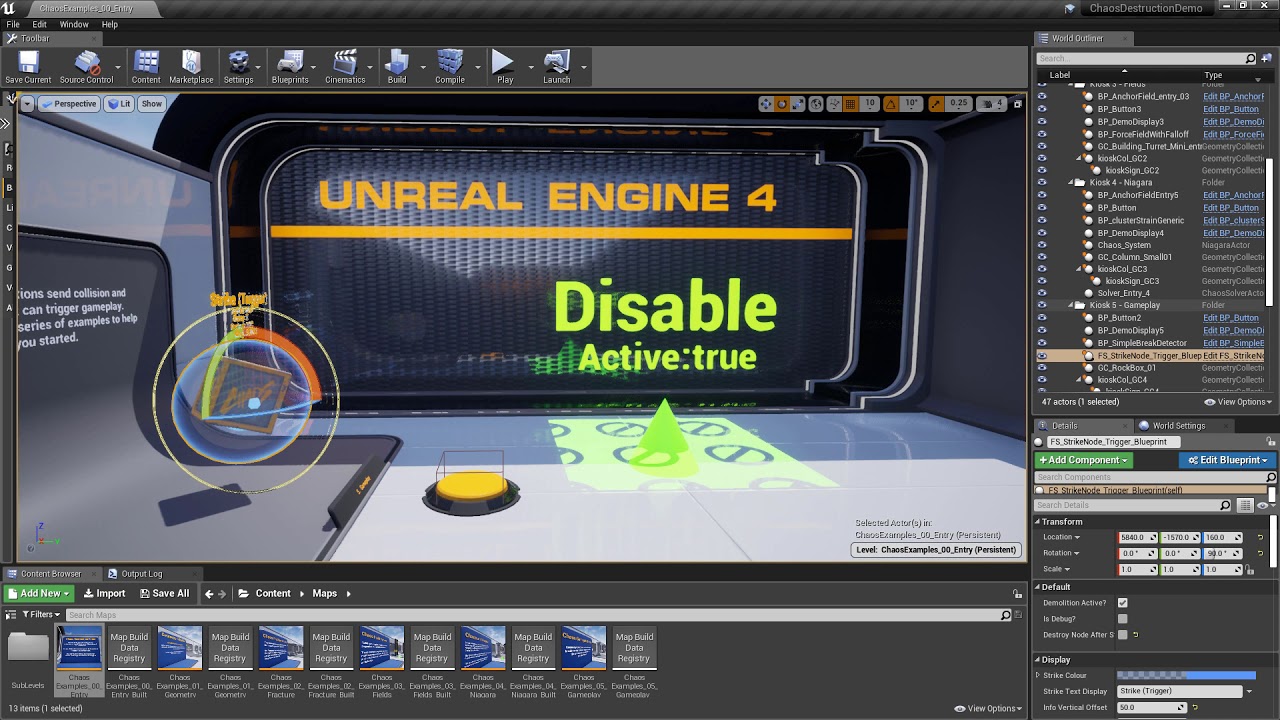
A new feature in 4.23. I've been playing with it since the preview in July (https://www.youtube.com/watch?v=FajciFOFzkw), and I'm excited to dive into a proper set of examples to better understand it. Learn with me!
Resources:
Building from Source: https://docs.unrealengine.c...
rigid belfry
the projectile or the object that collided?
also i think you dont need chaos for that
wraith wyvern
@rigid belfry bruuhhuhuhuhhuhhuhhhhhhhhuhhu
rigid belfry
ue4 should have a built in mesh destruction system
wraith wyvern
the option isnt there
wanton lotus
You don't need chaos, but it is an option for it.
wraith wyvern
wanton lotus
The built in one is called the apex destruction system.
wanton lotus
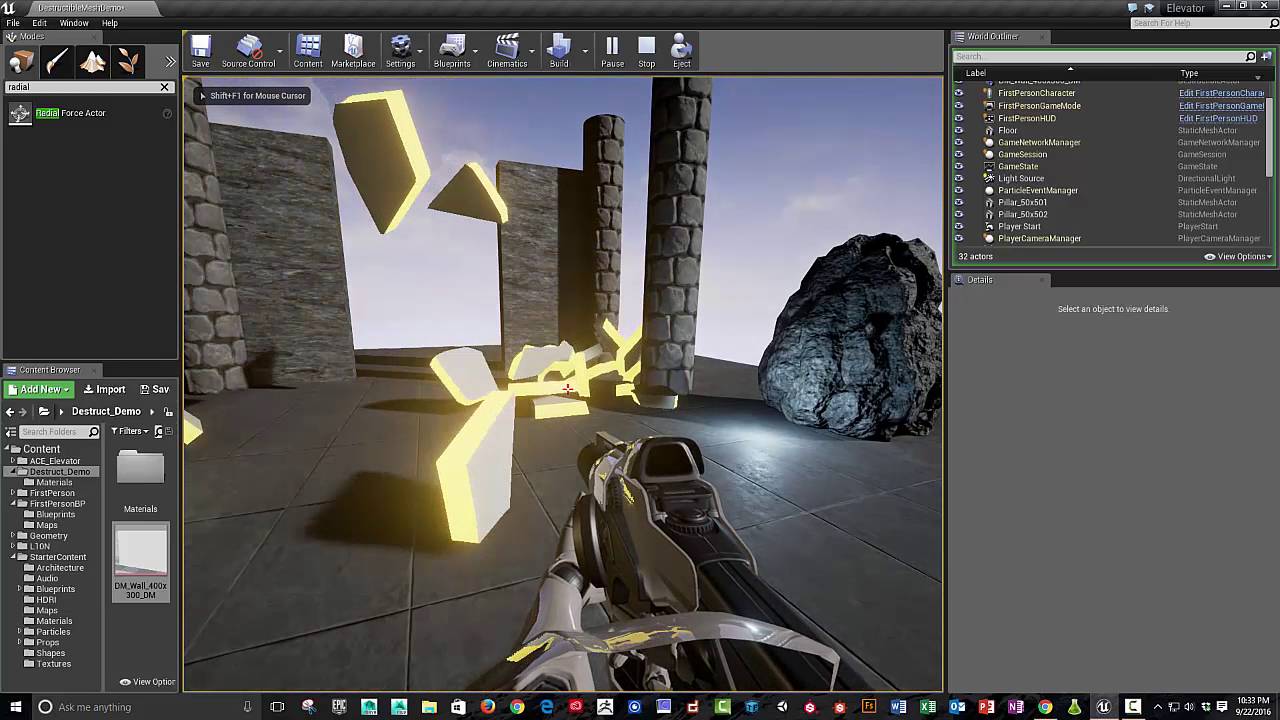
FYI: Unreal in 4.18 (and higher) ... go to Settings / Plug-Ins / Turn on Apex Destruction! (restart Unreal) phew all set!
Unreal 4 Destructible Mesh Tutorial
01:20 Fracture and add particle & sound effects
02:54 Physics destruction
03:42 Radial force actor
05:20 Add radi...
brave lynx
okay so no ideas why? thx anyways
wanton lotus
@brave lynx someone in #blueprint may know.
brave lynx
ah thank you!
alpine laurel
why is my main menu ui blurry for about 10 seconds after starting the game (in editor and application)
its only the buttons. the images are fine
wanton lotus
@alpine laurel can you show before/after screenshots or a short video of the problem. Preferably in the #umg channel so other ui experts can see it.
alpine laurel
sure
rigid belfry
@wraith wyvern did you find it?
rigid belfry
what is that you cant find?
wraith wyvern
for somereason
rigid belfry
preview means that the lighting needs to be built again
wanton lotus
^
wanton lotus
It is guessing what the shadows should look like without knowing for certain, hehe.
rigid belfry
can you post ONE screenshot of your whole engine?
you cant find the landscape button?
wraith wyvern
Give me a minute
 wise dirge
whats the difference between "Merge Actors" and "Convert Actors into Static Mesh"?
 spice cliff
hey, i need some help, i want to make my own function called 'is moving' its like 'is falling' but its used to find out if the player is moving, how could i do that??
@ me if you know what i can do, thanks
rigid belfry
i think theres already a function for that
 wheat hare
hook a variable to it
plain terrace
@spice cliff
plain terrace
I thought there was already a function for that
I wanted first person mode so I just use the template and deleted the gun and now there’s an error every time I play but it works 👌
wheat hare
I was going to buy a player when I'm done
spice cliff
@plain terrace i wanted to know cuz the 'is moving on the ground' does not work as it should be, call me stupid but, it does not work the same as 'is falling' or 'is crouching'
plain terrace
Maybe ur pointing to the wrong object I dunno I haven’t used it so I don’t know how it works
Have u tried finding an example of it?
spice cliff
@plain terrace well i tried using print strings to show the current state
rigid belfry
btw, if you just wanna check if player is moving, you can get the velocity
spice cliff
@rigid belfry well if you put it that way, yes is does work but whats with the "moving" part
oh ok
rigid belfry
you can do get velocity and then get the vector lenght
it should spit out a float velocity
spice cliff
oh ok
rigid belfry
btw you shouldnt run in on tick
also if you really wanted to check if moving, you can set a variable to true while Movement input pressed, and set it to false when released...
spice cliff
how would you lay out setting the variable for movment
 whole quarry
What is the Variable: Set in Unreal Engine 4
Source Files: https://github.com/MWadstein/wtf-hdi-files
oh wait, thats not just variables..
spice cliff
oh yh that makes sence
but, since 'is moving on the ground' is just 'are you on ground' how could i do a 'is moving' for when I'm actually moving? sorry if im repeating myself
spice cliff
ok, sorry, im being stupid, thakns for your help
 sterile venture
why is my cpu 100% and my gpu 0%
i7 7700k and a gtx 1080ti
raytraceing is 10 fps and without it is looking bad 😦
sterile venture
If u give me the rtx 2080 super 🙂
spice cliff
@rigid belfry well your not wrong there, thanks
 earnest violet
My landscape Heightmap has suddenly got low res textures and I haven't chaned anything. I have built everything and the landscape is now lo res material. Does anyone know what's causing this please? THX! 🙂
I got a 2080 super! Well powerful!
jolly sage
does anyone know how to make your character go through windows
wise dirge
@jolly sage do you mean the collision is blocking you? if so set the collision to "use complex as simple"
 open wadi
I'm studying a project here and I notice in some of the widgets, they don't have a canvas panel, such as seen here. Is this OK? Is the Canvas Panel asset in the hierarchy not necessary? What is its purpose?
I ask because every time I create a new widget of my own, the canvas panel is present by default in the hierarchy.
jolly sage
@wise dirge ahh sorry im new to unreal where can I find the collision settings again
wise dirge
click or open you asset and then on the right. you might have to scroll down a bit or just search for "collision" @jolly sage
 grim ore
@open wadi Canvas is just the default as you need a default something, also canvas is the only one that is positional so having something else like a box would confuse people. You can adjust it to be whatever you want. And yes its ok to have something else, for example you would have a button as the root if your widget was just a custom button you were making.
open wadi
Perfect @grim ore, thank you much.
 rain pecan
anybody got some tips for what's a good first thing to mess with for designing 3d spaces in ue4?
trying to get past a "block" so to speak so just messing with some tutorials atm
might look around the marketplace to see what assets might be good to mess with

 kindred viper
depends what kind of 3d spaces really. There are some great sci-fi packs on the marketplace for janking together some scenes. You can find kitbash everywhere (including the main kitbash site). Just throw it in and see what sticks. If you have a design in mind, perhaps simply blocking it out is a start, then working on each individual section to bring it out of blocking stage.
 distant totem
i had no idea about the UMG root, here I have dozens of canvas panels overlapping from different small widgets
earnest violet
My landscape Heightmap has suddenly got low res textures and I haven't chaned anything. I have built everything and the landscape is now lo res material. Does anyone know what's causing this please? THX!
rain pecan
I'll have to peek around, I'm trying some landscape stuff now
since the brushes sound fun to mess with
I'm thinking of making something simple to mess around with
 dim plover
Canvas Panels get pretty expensive, don't they?
rain pecan
my ideal is I wanna be ready to do a gamejam
plain terrace
i wanna make a game where you drive for 10-15 minutes to go order a pizza
obviously theres gonna be a bit more to it
but thats the first thing im gonna work on
rain pecan
how do I get the modes bit to appear? I can place actors but unsure how to get these to show.
(also sorry, unsure of best place to ask)

probably in one of the programming chats I'm guessing  ?
?
jolly sage
how do i download my character from unreal to use on mixamo
rain pecan
hrm all I see are 2 grayed out modes (I'm on 4.25.1, tutorial I'm on is old though)
distant totem
@rain pecan
since your following an old tutorial you could go into editor settings and tick enable legacy ui for modes tab
rain pecan
Ah I see, so they just changed how it was and I can enable legacy too
I'll have to get that a bash, thanks @distant totem !

yeah enabling legacy helped a lot, everything matches now
I'm so glad they fixed the weird shadow lighting bugs the older versions had
everything looks so much nicer
open wadi
Question: What is the purpose of marking a given palette asset, such a size box or overlay, as a variable? How can that be leveraged?
Is it used to be able to dynamically modify a given palette element within the project?
mint raptor
should an empty scene eat up tis much memory?
 idle hearth
mint raptor
idle hearth
mint raptor
@idle hearth Ask in #visual-fx or #niagara depending on if you want to use Cascade or Niagara for particle effects.
or if anyone can help me understand better memreport results
open wadi
I have a question - I have some assets from another UE4 project I want to import into my current project. When I copy / paste the uassets and attempt to open them, the engine crashes. What's the best way to import said assets?
mint raptor
@open wadi Right click on asset and migrate it to your new project by selecting the content folder in said project when it asks you to pick the location to migrate to
mint raptor
np
open wadi
When I highlight the folders in question in the old project, and I right click, the menu I get does not have a migrate option.
The options are Show in Explorer, Set Favorites, Set Color, Save All, Resave All, Delete, Fix Up Redirections in Folder, Reference Viewer, Size Map, Audit Assets, Shader Cook Statistics, Validate Assets in Folder, and Connect to Source Control
Seperate question: What is the recommended source control provider?
open wadi
Right, that's within the content browser in Unreal.
I'm in the old project that has the assets I want in the new project, I highlighted the folders that contain the assets, and those are the only options I saw.
Do I have to do it one asset at a time?
mint raptor
You may need to select the folder one by one or if the entire content folder then just the content folder
You can only do one folder at at time it seems
not multiple folder
single assets or single folder
open wadi
Yes, I see it now, thank you @mint raptor
What's the difference between export and bulk export?
3
"Hi Marcos,
I took a look through our other JIRAs and asked some of our developers about it, and it seems that both .COPY and .T3D are legacy UE3 options. We don't have a specific plan to remove them, yet, but the expectation is that Blueprints shouldn't be able to be exported.
There are a couple of other options for moving Blueprints that may help, however. First, the Migrate feature will allow you to simply move the Blueprint and any relevant assets from one project to another. If you don't have access to both projects on the same machine, you could instead copy the graphs in a Blueprint and paste it into a text document. This becomes a little more complex once you involve multiple functions, as the Blueprint and each function needs to be created in the receiving project before you can copy the graphs over, but it's an option.
Additionally, .uassets can be moved to and opened in a separate project directly as long as all references are moved with it (with the same file structure). This is basically what the Migrate feature does.
Hope that helps! Right now, there's no easy way to use T3D files in the manner you suggested."
 subtle hatch
is there a way to limit the max velocity of the character movement component?
open wadi
Looks like, for BPs, you might need to leverage Migrate
distant totem
to import a .uasset file, you have to use windows explorer to drop it into the content folder somewhere, but if you want to transfer something like a blueprint, using migrate will transfer all dependencies
open wadi
@distant totem I'm getting that, thank you.
mint raptor
@subtle hatch You can always clamp the velocity of the Character Movement Component every tick
open wadi
That's the issue, when I simply copy a blueprint to a new project manually, and try to open it, the engine crashes, I'm sure due to lack of dependencies.
mint raptor
@open wadi Is migrate not working for you?
open wadi
@mint raptor No migrate works, I tried export first and it created a .COPY file which apparently is leftover from UE3.
So I was a little confused for a moment.
I appreciate the help.
subtle hatch
@mint raptor yeah, was wondering if there was already a option in the default movement component options so i dont add something that was not needed.
mint raptor
@subtle hatch From the quick peak I saw there is no setting to set to clamp velocity on the character movement component natively
subtle hatch
@mint raptor Alright, Thanks for the help.
mint raptor
np
 tawny python
If anyone's experienced with world blend landscape materials, dm please. Having some trouble figuring this out
distant totem
perforce without a doubt, or do you mean server hosting?
https://www.linode.com/pricing/ isin't bad, but i've seen some people chatting that azure has a killer hosting package
Compare plans sizes and pricing to find the perfect match for your application's needs. Choose from a wide range of instance types.
 fierce forge
how i can disable the shadow from a widget ?
 prisma plank
how to isolate some indoor from fog? Have a whole scene with fog, but want to isolate some interior. With blueprints?
 dim arch
@fierce forge disable shadows on the surface the material is applied to
@prisma plank you need to create a volume around the building and disable the fog when the player steps inside
prisma plank
@dim arch what kind of volume? there is scene not players
dim arch
what do you mean
prisma plank
how to disable fog when in?
prisma plank
ok then how to disable when enter players?
dim arch
get a reference to the fog actor and the collision box
(in a blueprint)
CollisionBox:OnEventOverlap->cast to player->fade/disable fog
CollisionBox:OnEventEndOverlap->cast to player->fade/enable fog
the easiest way is to make a collision box, convert it to BP, add an actor object reference, set it to editable, pick the fog in the editor
prisma plank
will try now
fierce forge
@dim arch ?
dim arch
you're in the wrong editor
fierce forge
?
dim arch
whats is casting the shadow?
dim arch
widgets dont cast shadows
dim arch
can you take a screenshot of the BP
dim arch
emm
can you screenshot the full window
Ok, I just tried it, apparently they will cast shadows from a directional light but not a point light
prisma plank
@dim arch cast to player and fade fog- not see in bp..
dim arch
@fierce forge
This is how you setup your widget, you set the material to Widget3DPassThrough_Translucent
then, you add your WidgetBP in the "Widget Class" option. You need to create a widgetBP and set the image there
Basically, the material you have applied to Element0 shouldnt be there, it should be applied to a texture object inside a widgetBP, and you need to set that widgetBP to your WidgetComponent in the Blueprint
once you do that you will have one which doesnt cast shadows
@prisma plank that isnt the name of the function, you need to get the fog actor and set its density using a timeline or something, there's not automatic function for it
fierce forge
the widget class also have shadows
dim arch
this also works with transparency type set to masked
it wont work if you set the widgetcomponent material directly, you need to add a widgetBP with a UI material
dim arch
what material is set in the widget component?
dim arch
you're using passthroughmask
use passthrough transluscent
I guess the mask material casts shadows, transluscent doesnt
fierce forge
what's the name of the material ?
dim arch
fierce forge
i don't have it
dim arch
wut
fierce forge
fierce forge
4.25
dim arch
make sure show engine content is checked
fierce forge
it is
fierce forge
anyway how i can make my material to be like this ?
dim arch
just make a material, set its domain to UI and blending to transluscent
fierce forge
how i can add opacity mask to a translucent material ?
fierce forge
but i need mask
dim arch
its the same thing
fierce forge
no
i need opacity mask
for deleting the black put from ue4 on the image
if it is on translucent then this is the widget
dim arch
You have two choices
set the blend mode to transluscent and feed the alpha into opacity
you have no shadows, and a transparent object
set it to makes and feed the alpha into opacity mask
you have shadows, and 0/1 transparency
I am pretty sure opacity/opacity mask are almost identical for UI materials as they have no normal/specular pass
one just has on/off and the other has opacity blending
plush yew
hello im new to unreal engine and did a couple of things for trying but i like to know how to start a dungeon crawler game
 tender flume
 plush yew
i wanted to make a game
i have a log in menu
but doesnt have the background function
i wanted to make a dungeon crawler game but i cant find good tutorials
 exotic cave
That's not because there aren't good tutorials out there 😉
But you can't do it in a night.
 waxen raven
There are packs