#ue4-general
1 messages · Page 771 of 1
 dawn kelp
 novel oriole
can you create custom macros with UE4
 plush yew
@plush yew Thanks
novel oriole
Cpp macros
plush yew
Does anyone know any MP level designers? I am going to post a job listing on Indeed, but if you know someone qualified please let me know. I have an LLC founded, I'm looking for legitimate candidates .
novel oriole
novel oriole
Does Cpp have a equivalent to the dynamic type in C#4
 digital badger
auto?
plush yew
hello guys again I have problem, when i enter in trigger box the widget shows up, when I end overlap I want to disapear this but it doesn't appear 😦
 midnight gate
you didnt set the refrence
but also this isnt an optimal way to do it
a notification widget im asuming youre doing
that says smth is locked or smth and goes away after a few seconds
midnight gate
its best to do it inside the widget like event construct delay and remove from parent
if its a widget that is just a tiny notification you should remove it inside the widget
 lethal venture
Hello, the FirstPersonGamemode won't load anything
midnight gate
did you make it load things with event begin?
lethal venture
Yeah
It shows like this, is it because I have another gamemode for another level where my main menu loads?
midnight gate
i dont see anything inside your blueprint brandon
lethal venture
It keeps loading like this
midnight gate
@plush yew so your widget waits a bit then creates a widget and insantly removes it
lethal venture
only for this gamemode
plush yew
no I don't want to do it so complex
I want when I end overlap to remove the widget
hidden visibility doesn't work 😦
 rigid belfry
hello everybody, last day i made a very basic spawner and i want to expand on it a little more. my current idea is to have the transform be an actual "SpawnPoint" actor in my scene and then have whatever i want to spawn, only spawn in a radius around it. have you guys ever done anything similiar?
plush yew
lethal venture
I can't edit the blueprint as none of the windows don't show
midnight gate
@plush yew hidden visiblity only hides it
plush yew
so to set it instead of creating the widget?
midnight gate
what you want to do is create the widget yes have good code on the overlap
but your code on the widget is just doesnt make sense at all
plush yew
I need to hide it or remove, doesn't matter
midnight gate
what is not working?
midnight gate
ok then right after create widget set it
this is how
then its gonna know wich variable to remove
midnight gate
good job 👍
your problem was that your variable was not set
so it didnt knew what to remove
plush yew
okay
yeah
now I want with this widget to setup the colors on the furtniture where it is
I want for example to change the color of this cube
but from here idk how to do it
can you help me?
rigid belfry
there are a lot of ways you can do that. what did you have in mind? @plush yew
plush yew
do the cube blueprint actor?
I did it now
but now have no idea how I can do it when I click on the green how to change the color to green
also these 3 colors are buttons
I hope it won't be hard to do it but idk how to do it 😄
midnight gate
you gotta use the material collections
plush yew
huh?
plush yew
is it hard?
midnight gate
not really
its just a bit of setting up
so a material parameter collection will set material values
 granite magnet
when I delete my landscape the editor crashes.. what is wrong xD
midnight gate
and you can set those values in blurprints
plush yew
okay can you show me in dm or send me video?
midnight gate
for example you click 1 and your green value will be set to 1 so your material will turn green
yes ill find you a good video that i used to learn this
Assets that store an arbitrary set of scalar and vector parameters which can be referenced in any Material.
What is a Material Parameter Collection in Unreal Engine 4
Source Files: https://github.com/MWadstein/wtf-hdi-files
if you need extra help dm me
but i am a bit busy rn so yea i hope you understand
plush yew
okay yeah I checked them quickly, I will do it now but it doesn't show how I can do it for widget
midnight gate
just use a material instead of widget
now can i use a map as an array?
to store bunch of data?
im trying to but it doesnt seem to work
only gives me the first row
lethal venture
When I build the game and run it the mouse don't show on the main menu any help would be great thanks.
 cedar wave
About the only think I like Unity over UE is that they have C# ❤️
plush yew
just use a material instead of widget
@midnight gate but I need to do it the person to choose which color to color the furtniture
that's why I need to do it with widget
midnight gate
@plush yew then use material
make it click on button execute the whole set material parameter
cedar wave
@plush yew That's pretty subjective. I don't mind C++ personally, C# is just my favorite language.
lethal venture
How can I make this with the mouse
cedar wave
And with Rider for Unreal - programming in UE is like a breeze now. Such a better experience than VS
lethal venture
Okay
rigid belfry
alright, i changed my actor spawner a little bit, so now i get all actors of type Friend spawn point, and out of that array i get each transform, where i then add some randomness to the relative location and use that to spawn 1 actor. i then run this function with a for loop based on an integer array that i created which could also be called "ActorsToSpawn"
 frank oar
Is there any risk to moving/ re-organizing your files in your project ?
Just to tidy it up ?
I am pretty far into my project and it is getting a little unmanageable /messy.
Can I begin dragging and dropping files to organize
rigid belfry
to follow up, i have these little spheres i use to see where the spawn points actually are. the collision is set to disabled and the actor is hidden in game. each spawn point will (currently) spawn 4 actors, based on that "actors to spawn" integer i was talking about. so i can drag another sphere and have more actors
provided your actors are already set up and functioning, you could also use this to spawn in AIs, or even just random loot you want your players to collect
 sullen rain
What is error please help me...i am trying to packge my project
this error is coming up
last time i packged it didnt show up
 dawn plover
Can someone link me a video or tutorial for a definitive way to properly use sun and sky, especially how to build the lighting and shadows after adjusting the sun angle to my liking?
For some weird reason my build always snaps back the sun and it shadows to default position.
this is what I want ...
 exotic thicket
Are there any particular gotchas with destroying actors? For some save/load logic I have, I'm destroying an AIController, but it seems it never actually gets destroyed 🤔
(I added some code to track what's going on and indeed the AIController which I call Destroy on just... seems to ignore it)
dawn plover
and this is what ue builds
 static sparrow
I think I need to repost this here. I think I fucked up
Anyone ever made that mistake before? ^
I can't find anything on Google or the Unreal Forums about it
 fresh rampart
is there a way to enable or flag a socket during some frames of animation? I have an animation where the character elbows and then does 2 punches. I could just do a line trace on all 3 sockets when he attacks using a notify independently if its an elbow or a punch and see what connects. But i was wondering if there is a way to enable only the elbow socket and then the notified function would check what socket is enabled and do a line trace from that one
midnight gate
turns out
that maps can only store 1 id
for some weird reason
i have a bunch of children set that all have a unique id
but the map reads it all as 1 id
 upper karma
Hey so I'm followeing this tutorial (https://youtu.be/Z3mWSpKb3Kw?t=234 [timestamped to specific section]) and I'm wanting this helper AI to follow this helper AI right here. However in the tutorial the guy uses a gets player asset for the object value when this AI right here isnt the player. What do I do?

In this Unreal Engine Tutorial I show how to add an enemy with an AI Controller that follows the player.
It is a very simple AI but I introduce some basic AI components: The Blackboard, a Behavior Tree and the AI Controller blueprint.
See my social profiles here
G+: https://...
Heres what I did and it didnt work
and heres what he did
 mellow flame
do you know how can i simulate physics of a static mesh inside the sequencer?
 viral fractal
Static ? You mean collision ?
mellow flame
yes, basically a mesh falling and colliding
viral fractal
Well the falling mesh wont be static
But i think just as you usually assign collision proxy
upper karma
You will need a "get NPC character" node
No not really, but thank you so much!
mellow flame
if i hit play in the game the mesh is already simulating, i would just like to render the scene
upper karma
I'm not seeing it in the get list when I search for it
 surreal laurel
I have a pretty large vector array (5000) that I need to reference about 20 values from in a different BP. What is less overhead: pulling the array directly in and grabbing the values from that, or setting 20 variables with the values I want from the source BP and pulling those variables in?
 onyx halo
hi, do you know a good free assets of trees and grass in 4k?
 frozen pond
hello boyz, you can retarget ANIMATIONS but can you retarget mesh to diffrent skeleton ?
 brittle adder
upper karma
brittle adder
upper karma
Do yall know where Get NPC Character node is?
 thin hollow
Hey can anyone help me here? I really need some help with WorldGrindMateriels... im exhausted
 maiden sparrow
i somehow managed to get raytracing working on my all amd computer with a Ryzen 3 and an rx480
does anyone know why this works?
 gloomy ginkgo
 floral cliff
owh, sorry.
upper karma
You will need a "get NPC character" node
I'm sorry to just keep asking but do you know where that is exactly? I'm not sure I follow. I cant find it anywhere and google isnt any help @viral fractal
 obtuse pendant
Does someone have a tutorial/guide/documentation for player movement? Im looking for guides on root motion from start to finish but theyre all "just buy my 90 dollar asset lol"
maiden sparrow
matthew palaje has a good one
upper karma
me when i was using unity tho lol
 grim ore
@upper karma The Get Player Character node is a node you use to get the current player character in your level. You should be able to right click on your event graph in blueprints and type "Get Player Character" to get it
it sounds like you have skipped the fundamentals of learning how blueprints work, you might want to check out some of the docs and tutorials on that
upper karma
Oh no that's not what I'm needing tho. I'm wanting this one specific AI to follow another one, not the player.
I', new to unreal so it probably is p obvious, I'm just not sure where to find it, I'm sorry.
rigid belfry
is there a way to shade a material based on the its occlusion? say my camera is looking at an enemy, but the current enemy is hidden behind a box, i want in that case my material to display a different color on top of the obstructing object
how would i even do that
grim ore
then you have to look up how to do blueprint communication if you are trying to target the AI and not the character. We don't know how your blueprint is set up so we cant tell you how to do it. The idea is you need a reference to your 2nd AI so your first AI can follow it
grim ore
yep so you need to find some way for this 2nd AI to find the 1st AI right?
upper karma
Yeah
grim ore
are they the same class?
upper karma
Yeah they are.
rigid belfry
i also remember seeing some posts about having the player character always be visible, and have anything on top of it blur out, or something along those lines.
grim ore
If they are the same class then it's going to be harder. Are both of the AI in the level at the same time? as in are they in the level before it starts at design time.
upper karma
Yeah they are in the same level.
rigid belfry
i think this might help me? https://www.youtube.com/watch?v=GXbE0IqbA7w&feature=youtu.be anybody ever watched it? its a 5 years old video

Announce Post: https://forums.unrealengine.com/showthread.php?84886
Alan Willard discusses different depth and location-based effects, like hiding objects that the player is behind relative to the camera.
grim ore
look at tom loomans website for post processing materials, its probably the same concept but it sounds like what you want @rigid belfry
@upper karma You can probably set up an exposed variable then and set it to the correct AI if you want. Drag off that Object Value pin to the left and let go and select Promote to Variable. Then rename it to something like OtherAI or EnemyAI or whatever. Then click the Eyeball to the right of the variable name in the details panel.
rigid belfry
i think i have to do it inside the materials instead of tracing lines and what not. i'll try have a read on that website and watch the yt video later
grim ore
you can then go into the world where the 2 AI are, click on the AI you want to change, in the details panel it should now show that variable name with a drop down list, and you can select the one you want it to know about from that list.
it might be smarter to change your variable type on that variable to the class that your AI is as well to make it easier to find them and to make sure the correct item is being set
exotic thicket
Anybody used string tables with enums? I wanted to try and give a nice "human readable" name for enum values, and now the damn enum editor just kinda broke and won't let me change any of the string table references...
I can't even change the first value's string table ref anymore to turn it off either :P
 earnest violet
1a
1b
1c
2a
Hey there you guys! I have a problem with pro horror hud asset pack. I am simply trying trying to remove the Exclamation notification from the compass when enemy ai is dead
but for the love of god I must have tried about 80 different approaches over the last two days and it's being stubborn. Does anyone one know how I might achieve it please?
 severe lodge
Hey guy when i Import a Wall for Example out of megascans into ue4 it will only Show 1 side rendered and the other one is halfway invisible - anyone know whats going on and what to do? Thank you very much
earnest violet
For some reason I am calling the objective notifier on a character that gives you the mission and this objective handling is excuted after some mission acceptence dialogue but I have the remove marker widget being excuted from the enemy ai afetr he dioes and it's not working!
 strong schooner
Hi, anyone using blender and zbrush>UE4>substance painter livelink>marmoset(normals)and substancepainter (other textures) workflow?
 dapper vortex
Some one work on vr ?
grim ore
@upper karma yes and no. correct starting part but you skipped the part about clicking the eye to make it instance editable. Click the checkbox on the right that says Instance Editable then clear out what you ahve in the drop down. then go BACK into the world where you made the level and both of your AI exist, click on the one you want to set up this variable in, and in THAT INSTANCE of that blueprint in the world you can click on its details panel and you will have that same drop down list and you can then choose the AI that is IN THE WORLD that you want to talk about.
earnest violet
i think maybe I might hav to cast bk to npc who gives you the mission, where create widget is and use a boolean but I'm not too sure how to go about this. Any advice you kind people can give will be gratefully appreciated! 🙂
grim ore
but I would recommend changing the variable type, right now you can see in the top right it says Object, I would change it to the class that your AI is so I guess HelperBP?
@sonic pagoda the modes tab is gone in .25, it is now a button. You cannot switch it back.
 bitter iris
hey guys
got a problem
I'm having a memory leak with ue4 does anyone know a fix or how to tell where its coming from inside of ue4
(gpu)
earnest violet
Hey there you guys! I have a problem with pro horror hud asset pack. I am simply trying trying to remove the Exclamation notification from the compass when enemy ai is dead
but for the love of god I must have tried about 80 different approaches over the last two days and it's being stubborn. Does anyone one know how I might achieve it please? For some reason I am calling the objective notifier on a character that gives you the mission and this objective handling is excuted after some mission acceptence dialogue but I have the remove marker widget being excuted from the enemy ai afetr he dioes and it's not working! i think maybe I might hav to cast bk to npc who gives you the mission, where create widget is and use a boolean but I'm not too sure how to go about this. Any advice you kind people can give will be gratefully appreciated!
 sonic pagoda
how do you know its a memory leak jordan
bitter iris
still ad more than enough vram
earnest violet
dapper vortex
Some one work on vr ?
 rocky radish
@earnest violet what issue are you getting from that bp?
earnest violet
I'm trying to remove marker from compass when Ai is dead! 🙂
bitter iris
in that bp does it have anything about the ai dead?
if so the compass/ui would be in a widget, so you could just remove from parent or visibility node
earnest violet
I'm apply it from the end of enemy ai death event
bitter iris
after teh death event try remove from parent and target to be the compass/market widget
 hearty trench
where can I start learning unreal engine?
 lucid geyser
Why doesn’t a spline point appear when I try to create a road?
I tried doing the CTRL + alt but it won’t create point like I see in YouTube tutorials
@hearty trench you go to epic games .com and there are video tutorials under unreal engine section
hearty trench
alright
lucid geyser
@hearty trench they also have tutorials documents that teach you everything
earnest violet
I did what you said Jordan but I had to cast to widget and now it wants an object! Do you know what that might be bro?
lucid geyser
Except for when it come to clarifying on how to create spline points 😠
upper karma
yes and no. correct starting part but you skipped the part about clicking the eye to make it instance editable. Click the checkbox on the right that says Instance Editable then clear out what you ahve in the drop down. then go BACK into the world where you made the level and both of your AI exist, click on the one you want to set up this variable in, and in THAT INSTANCE of that blueprint in the world you can click on its details panel and you will have that same drop down list and you can then choose the AI that is IN THE WORLD that you want to talk about.
@grim ore I'm really sorry but is it okay to ask that we jump into a quick call so you can guide me a little better? I understand what you mean, and I've checked the "instance editable" box, but it's not showing up anywhere in the details panel of Unreal. I hate to sound dumb and just keep bothering, so I really appreciate your patience with me :)
earnest violet
Hey Jordan that did not work!
This is literally doing my head in
I've been trying to get this marker to dissappear for two days!!! HELP!!!!!
dapper vortex
some one work on vr ?
earnest violet
Hey there you guys! I have a problem with pro horror hud asset pack. I am simply trying trying to remove the Exclamation notification from the compass when enemy ai is dead
but for the love of god I must have tried about 80 different approaches over the last two days and it's being stubborn. Does anyone one know how I might achieve it please? For some reason I am calling the objective notifier on a character that gives you the mission and this objective handling is excuted after some mission acceptence dialogue but I have the remove marker widget being excuted from the enemy ai afetr he dioes and it's not working! i think maybe I might hav to cast bk to npc who gives you the mission, where create widget is and use a boolean but I'm not too sure how to go about this. Any advice you kind people can give will be gratefully appreciated!
dapper vortex
some one work on vr ?
earnest violet
Removing widet does NOT work either. What is a guy to do???
This has caused me untold stress! I'm thinking actually about just stop developing with UE4 it always gives me one problem after another#
Can anyone help? Is there another NODE other than "Remove from parent" that will actually destroy a widget?
rocky radish
what's in your remove marker node?
earnest violet
please elaborate??
@ebon linden Yeah man a while ago now!
there is no contact info 😦
@rocky radish Just a target for hud manager and an actor to mark
NOPE
Only some shitty setup and migration videos on YouTube. I left this question on his youtube channel two weeks ago and still no response
lrmmr see
yeah I've found the email now so I guess I'll shoot him the question. Thx for the help man!
 tame rose
hey if anyone can dm me i need some help putting some cinematics on my canvas for my main menu
 regal wyvern
Hey guys can I please ask a quick question? I just installed UE4, started a project from template (1ps) and tried running the template game right away. I get random very short freezes every two seconds or so. Is it normal? I'm not sure if I should start learning it if it's lagging like this, who knows what happens later? (GTX 1050Ti, i5 7500, 8GM DDR4)
regal wyvern
Yeah I mean I don't want to make some super demanding games, but I guess it should be enough to at least run template project without lag? Could it be because it's in editor?
I mean other than ram and slightly slower CPU, my spec isn't that different..?
exotic thicket
8 GB RAM could be a bit problematic, have you checked system resource usage while running the editor?
regal wyvern
will do, sec pls
 uneven wyvern
Hi everyone, so i wanted to take some pro advices from you all, i want to make a fully functional mounting system, knowing that i want to include both my bow and melee attacks
so how should it be done in the right way
-attaching my horse to my char ?
- attaching my char to the horse
or maybe make another actor that includes both together
without the need of attaching an actor{horse} to another actor {char}
dapper vortex
some one work on vr ?
 lime girder
We do! durp
dapper vortex
ye i see
regal wyvern
@exotic thicket https://www.youtube.com/watch?v=POUI9QW5o1U here I recorded it so you can see the issue I'm talking about along with resource usage
exotic thicket
that kind of stuttering is still kinda weird
tame rose
click on the drop down arrow next to play
exotic thicket
he's not even maxing out the CPU or anything
regal wyvern
ok sec pls
tame rose
now someone help me i need to put a video in canvas
regal wyvern
still there. I guess if it's weird I'll try to google a bit more, thanks
tame rose
ye
 white relic
So I am havin this weird issue where render targets arent working anywhere
opened a project from someone else and the materials are relying on render targets..and nothing
is there some sort of checkbox somewhere ..like idk
 clever flare
I made a clock BP where the hands rotate every second. but it caps on 15 minutes. the reason for this is cause pitch counts to 90 degrees and then back down. is there a way to make it go beyond 90 instead?
 proven mauve
@clever flare I've done this before.
Well for one, the term you can search for is Gimball Lock.
Anyway, use an FVector, and convert to FRotator and back again.
Oh, its the clamping, isn't it?
Well anyway I got around clamping by using FVectors.
FRotater is sort of a "dumb" class, and it always takes the shortest route
Yep thats true.
frozen pond
any1 knows blender here? i wanted to try something and exported + opened in blender -> saved -> imported from new file and got:
sadly it crash
plush yew
:/
frozen pond
blenders add addional bone idk why
clever flare
not sure what you mean. it's kind of my first BP
plush yew
did you unselect leafy bones?
frozen pond
yeah
plush yew
oh than idk
frozen pond
plush yew
oh select only mesh and armature
clever flare
no it goes to 90 degrees and when i go further it goes back down
when i search float theres alot
 zenith herald
hi all guys,
i've managed to decode the terrain of an old game and put it on blender through a python script
now i'd like to put that terrain on ue4. could you suggest me how?
do i have to recreate a decoder that puts it on ue4 or can i just export it from blender and use it in ue4.
it would be easy exporting the mesh but the material has a complex node-based structure (blender thing) that probably ue4 won't support.
frozen pond
@plush yew thanks !
plush yew
@frozen pond did i work?
frozen pond
looks like, now it import without any crashes, and i can change skeleton without bones missing
plush yew
kool
zenith herald
meh, a static mesh? if my terrain is really huge the best thing i expect is it being loaded in chunks, does a ue4 static mesh support it?
i guess using a terrain will bring many optimizations
yeah as i thought
frozen pond
@plush yew almost fine XD
zenith herald
but you'll need to make a properly segmented heightmap texture for that
@plush yew
sure, i can make a heightmap for it
i just have to recreate the loader and make it output the heights on a heightmap texture
zenith herald
i have to study it further
plush yew
so i setup the gamemode so the default spawn would use my character, but everytime i press "Play" no character shows up and when i drag him in it doesnt give me control of him. help? suggestions?
its supposed to be a first person character but idk what im doing wrong.
you mean do i have the default pawn as my character?
in the gamemode
than yes
actually lemme check rq
 wooden heath
Hello
wooden heath
i am new here and i need some help with my unreal multiplayer android project game...where i can found persons can help me with some things about dedicated server for android game..thank you so much guys
Lorash hi! the message is for me?
Thank you
i can tell you what i need like help?
Ok Thank you Lorash so i need go to multiplayer section?
plush yew
i cant get the default player spawn (bean lookin thing with controller) to spawn in my character when i press "play"
i setup the gamemode and set the default pawn to mine
 mint raptor
how does unreal handle line traces for objects that have their opacity set to 0? The editor seems to know some how run time nothing changes.
plush yew
yes it should be, i went to "edit" and then "project settings" and then "maps and modes" and made it my gamemode.
i see
that might be it
how do i get to that?
mint raptor
@plush yew was that directed at me?
@plush yew Editor seems to know. If I make half an object invisible, I can click through the half that is invisible in editor, it ignores that half, but then I can click the half that is visible. I'd like this behavior at runtime as well.
and when I say click through
I mean select objects behind it
plush yew
@plush yew its set to none
mint raptor
so basically look at their source to see how they handle editor clicks?
As they are probably doing what you see
for workability sakes
if you didn't mean source then?
trying to figure out best lingo for this search
almost seems like masked line traces
plush yew
i made the character from scratch, are there blueprints i need to have completed before being able to controll him? i setup the "W A S D" and "Mouse X and Mouse Y" but its not letting me go into his camera mode.
ima try that
lethal venture
Hello, how can I make a set like this thanks
How can I add the target part
okay thanks
dapper vortex
vr -after package camera behind my game object, but on game engine all works nice some one know what cann happend ?
lethal venture
I got it thanks 🙂
digital badger
Anyone know if the header of a *.sav file contains any data that is used to read the file?
nvm
 agile aurora
dapper vortex
agile aurora
dapper vortex
after package camera behind my game object, but on game engine all works nice some one know what cann happend ? only on vr,
grim ore
@dapper vortex how is your game settings the camera? it sounds like it cant find the camera in the build version or however you are setting it is not running. you need to debug
dapper vortex
I mean bsc in engine work nice for vr/and for pc
when i do exe, pc work nice, but vr not
obtuse pendant
whoever thought of blueprints deserves a smooch on their forehead
grim ore
it sounds like your VR software is not starting up
wooden heath
Hello Guys : any one have idea about the google cloud server solution : (Kubernetes and Agones) ?
dapper vortex
this one right
grim ore
does the camera move when you move the HMD?
dapper vortex
when i move yes its move but
im not sure this is camera
bsc i have camera on orther position
lol
grim ore
you might have to show some screenshots or something else
grim ore
I dont read PM's, and someone else here might have an answer. If not you can try in #virtual-reality
grim ore
any reason there are 2 cameras?
grim ore
also build and editor might not have the same process, how are you choosing which camera is being used?
dapper vortex
exe
there is one camera sorry this 2nd its just to trash
on package i never chose anything aobut camera
wait u mean build or package
grim ore
well your vehicle has 2 cameras
it looks like your game is choosing one at random when you play, you should remove or disable the cameras you are not using
grim ore
the EDITOR and PACKAGED builds can do different things, the EDITOR might be picking one camera when you hit play and PACKAGED might be picking the other
dapper vortex
this two cameras
have same place
u know what i mean ?
no one cameras look like that like a vr screen
sorry for my english
grim ore
your vehicle shows a CHASE CAMERA on a SPRING ARM, I doubt its the same location as the other one
the VR picture looks like the chase camera
dapper vortex
 stray tundra
when I use Exclusive nativization in 4.24.3 and package and then stat the game, it crashes and I get this kind of error on multiple classes
-16.55.41:991][ 0]LogStreaming: Error: Cycle Node /Game/GameModes/BP_Deathmatch
any idea why?
grim ore
@dapper vortex welp we can argue over this all you want, your game seems to pick a wrong camera and you have more than 1 camera so disable or remove the extra cameras to see if it fixes the issue
white relic
Anyone know how to fix this in blender? I don't want these super stretched vertices...because when applying a texture in UE4 it stretches it along the vertices. How do I break it up so it's even? Subdividing does nothing
dapper vortex
@grim ore yes sir
@grim ore lol i deleted, but haha now its work nice but i look right this is loook left
and i look left, vr looks right
lol
agile aurora
is there anything I can do to make the engine itself run faster
when I search up UE4 optimization I just get how to optimize the game
but the UE4 program itself is constantly taking up 90% of my CPU
plush yew
anyone here know how to make a harpoon mechanic?
granite magnet
I've downloaded a free tree pack from the store and these are the values.
Are these too many tris? Or I just don't understand how I could optmize my foliage. Im pretty new to unreal so yeah.. maybe it's that 😅 but other than that is the tree maybe too high poly? Because if I move near this small "forest"
I'm getting very hard frame drops
 kindred tusk
How to i get the time function to drop by .5 every 10 seconds
dapper vortex
@grim ore what can be wrong about this movment on vr wrong left/right
grim ore
the camera could be backwards?
 hearty walrus
How do I fade objects in the way of the camera?
dapper vortex
@grim ore uh idk why when i left right this is go left
 subtle hatch
@granite magnet I havent used Imposters yet but I think that might be what you are looking for. https://docs.unrealengine.com/en-US/Engine/Content/Tools/RenderToTextureTools/3/index.html
 neat forge
Is anyone familiar with the base flying pawn? Ive been using it and for some reason when I go into a level Im trying to create, despite there being nothing in it I get horrible frame rate.. Its working fine in the base sample level though https://gyazo.com/8574c177d745099de55499069834664f
 spare sun
@granite magnet try profiling, it's most likely not the amount of tris - especially if there's lods. stat commands and visualizers will help finding the bottleneck
plush yew
hey guys, what does a spline do?
neat forge
plush yew
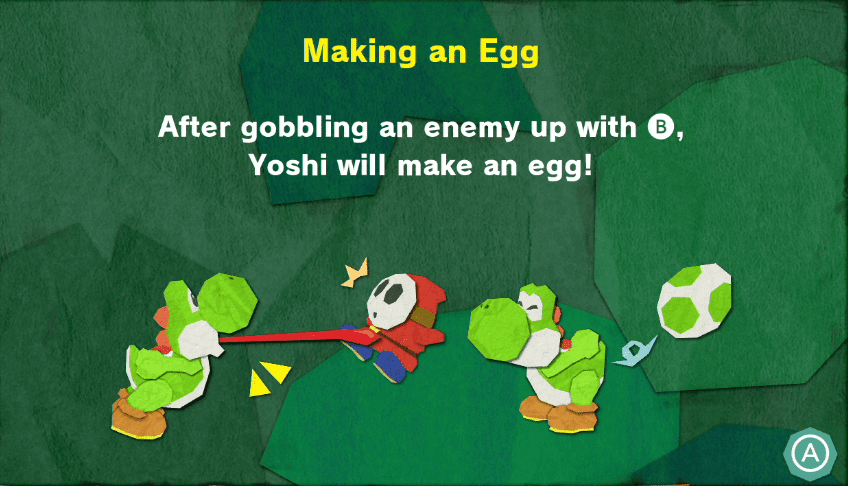
@neat forge ah okay, cuz see, I'm trying to make a sort of harpoon mechanic in a 2d platformer (think of Yoshi's tongue) and I was wondering how I'd go about it, like to get a cable to extend to an object, then attach, then pull it back towards you so you can hold it, would any of you guys maybe know how to do that? I'm really new to UE4
neat forge
I dont think a spline can be used for that
plush yew
and when I was googling it, I heard something about splines, so I thought maybe that would have something to do with it
ah, why not?
doesn't a spline attach one object to another?
i need help, ive been following Unreal Engine 4 Tutorial - Animation Pt.1 Character Setup by Ryan Laley and i cant get the default player spawn to spawn in my character. ive setup the gamemode and movement controls exactly but for some reason its not working. and when i manually put in my character with the camera attached 1st person (to his head) it wont use the 1st person camera.
 grave spruce
spline mesh or bone rig can work
kindred tusk
Can someone help me
plush yew
or maybe you'd know some good tutorials on how to spline mesh?
@plush yew yeah, I have, but see the thing with that is that it pulls the character toward an object, whereas I wanna pull an object toward my character
think of Yoshi's tongue
oh, well how would I go about doing that?
hearty walrus
How do I change a boolean from another variable?
I'm trying to change InLevel to true when entering a room, and setting it to false when the player leaves
plush yew
does anyone here have experience making a first person character setup from scratch?
because i need someone to help me with a problem.
hearty walrus
Don't Just Say "Hello" in Chat.
grave spruce
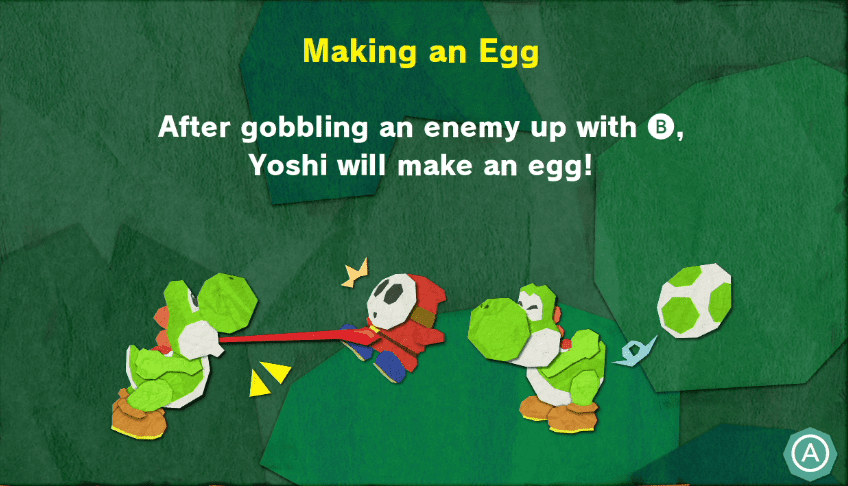
this is part of the rig
do animation
attach it to the tongue bone
later destoy it before the egg
plush yew
@grave spruce attach what to the tongue bone?
grave spruce
skeletal bone
plush yew
hm, again, I'm really new, maybe I should just watch a tutorial
I can really only find tutorials on grappling hooks, but maybe you guys can help me later reverse engineer it into a harpoon
 thick herald
@granite magnet that looks like it's from Project Nature? The poly count is fine, but you may want to adjust the cull distance on them. They come with well set up LODs so that is unlikely to be the issue.
grave spruce
gravity gun can also help you making the harpoon
plush yew
@grave spruce I had a feeling it could, is it also possible to make it in paper 2d?
grave spruce
How to attach objects to sockets defined in a Paper 2D Sprite.
regal wyvern
Hey guys, I posted here about an hour ago. I had problems with this weird stuttering every two seconds when running a game, and according to google there are more people having the same issue. For some reason, unchecking following option (in a templeate 1ps project) completely solves the freezing issue. Why does UDP related problem affect template project if it's not connecting to internet? Also, is this UDP option going to affect my ability to create multiplayer game eventually? I assume yes?
kindred tusk
Can some one please help me with getting the time function to lower by .5 every 10 seconds
plush yew
@grave spruce oh I think I'm starting to get it; so in Yoshi's situation, that means I'd have to add a sprite socket to the tip of his tongue for each animation frame for him to grab an enemy with, right?
 stuck skiff
@kindred tusk use a timeline, set the desired length and values at the key moments that you are interested in
kindred tusk
Thank you
regal wyvern
Oh btw, I would like to add. Due to UDP option in question, not only template project is lagging, but whole UE4 is lagging at fixed intervals...wth :S
Can I report this anywhere?
granite magnet
alright thank you @thick herald @spare sun @subtle hatch I will check your answers out 😄
thick herald
You may want to make sure you have correctly set everything up too, especially if you've merged multiple Project Nature packs.
 lost monolith
I have a question, I am trying to make a photo realistic world with quixel, but every time I import something my core i7-9700k goes to 100% turboing up to 5.0 ghz while my graphics card stays to 0%. Is there a way to take some stress of my cpu by utilising the gpu
thick herald
You mean Megascans? Importing assets can take a bit of time, nothing you can do about it really.
lost monolith
Yea I mean megascans so my graphics card is pretty useless in this case
thick herald
For importing, yup.
lost monolith
Ok, thx
 lavish garden
wonder if UE will split off into game engine group and movie/tv group.
regal wyvern
There is no 'Windows' under platforms options at report a bug section? 😂 😂
oh there is
I'm dumb
lavish garden
that's cause no one uses windows anymore, where are you? 😉
regal wyvern
hahahah 😄
lavish garden
(just kidding)
regal wyvern
I'm used to opening a drop down and typing what I need, but seems in this case it's not working 😄
lost monolith
Sorry if I disturb again but I was wondering how to add collision to imported 3D assets from megascans, sorry for stupid question but I am very new to game dev
Yes
Thx very much
 violet yoke
There is whey to add object(actor) to scene without use spawn from class.
 tight prawn
console command ?
violet yoke
I think is impossible from command line but maybe something ass posses of controler
@tight prawn change transform? or to spawn?
@tight prawn Maybe you can create function in actor to change or transform and call this in command line
surreal laurel
I've been scratching my head over this for a while - I'm trying to set the values of an array so that each sequential index would be something different (in my case, each sequential index would just be it's own index number times 100, so that 1=100, 2=200, 3=300, etc.). I'd like to do with it with a loop somehow, so that all indices get set simultaneously and I wouldn't have to manually set all the array elements separately. In addition, the entire setup needs to continually refresh so that the values stay updated. What would be a good way to accomplish this? Sorry if the explanation is confusing, still learning
 open wadi
Afternoon / evening everyone. I'm attempting to migrate from UE 4.24.3 to 4.25.1. Is it safe enough to simply open the old projects with 4.25.1 and UE will convert them?
Since it's a subversion upgrade I assume the projects are 99.9% compatible, none of them are particularly complex as I'm studying the engine.
 quiet latch
25.1 has issues on win 7... wait
open wadi
I'm on Win 10.
Same issues exist on Win 10?
Or is it just indicative of the fact that 25.1 has issues in general?
quiet latch
so you're not launching anytime soon.. cuz your players may be not ^^
quiet latch
✌️
plush yew
can you make cool games like terraria with unreal?
 shut minnow
Question for you guys. I have a model of a flare gun I made with hammer, trigger, barrel, and body as separate objects with actions assigned for animations. It appears based on a lot of reading online that I can either:
- Socket these together and animate them separately, or
- Merge all four in to one object and give it a skeleton, then animate the skeleton.
Is one of these approaches objectively worse than the other?
shut minnow
It seems like it's the cleaner but more time-consuming option
 cerulean sandal
Hm
shut minnow
I'll give the first one a go in any case - just wanted to sanity check that I wasn't doing something crazy
Thanks
 alpine laurel
whats up with this? Every time I make a minor change to my player, something major just fcks itself
cerulean sandal
Make sure the player in the Blueprint Is at 0, 0, 0
 ashen scroll
Turn your computer off and on
alpine laurel
🧠
yeah if only that worked
I just cant understand why this happened by me adding a widget to the viewport
 wheat hare
Perhaps something in your scene is bound to the viewport
dapper vortex
Some one have tutorial how to import ''car'' to ue4 ? i mean i have now one but i want nicer car .
wheat hare
@dapper vortex Migrate?
dapper vortex
Im not sure im newbie it, i had this ready project from ue4
advanced car something
wheat hare
There's a tutorial on YouTube that's recent for the drivable cars basic pack from last month, that has a lot on how to migrate vehicles between projects and merge the player controller.
 ornate vessel
does anyone know a good tutorial for knockback on an enemy after a certain attack?
dapper vortex
uh but i just want change, dont want be drivable to enter car, i just want change model
lol
wheat hare
Import the fbx and switch it with what's there?
 uneven fractal
blueprint sins
kindred tusk
how to i change the gun in the FPS template to only be able to fire once in a set amount of time
 limpid surge
Anyone know how to change the units of this zoom indicator? It doesn't seem to care what units you use in your project settings, or what you set for the ruler/measurement tool:
I'm using 1uu=1m, but this is in 1uu=1cm
 little falcon
xue hua piao piao
agile aurora
bei fung xiao xiao
little falcon
lol
little falcon
you shader is way too complex?
little falcon
 agile aurora
well I guess those count as shaders but
little falcon
How come...
agile aurora
some of the grasses
and that rock in the top corner
and it's completely eating away at my cpu
surreal laurel
hey how would I grab all values of an array and convert to a string?
agile aurora
string somethin = "";
for (int i = 0; i < arraySize; i++) {
  something += array[i];
}
supposedly
it's been forever since I've used strings in C++
not sure if they work like that
wait so
how do I adjust the affinity?
sorry, I'm brand new to UE4 😅
and also what does the affinity affect, visuals wise?
open wadi
Question: Is it possible to run two different versions of UE4 simultaneously? Or does that lead to the collapse of the universe?
open wadi
Yes to which part? I don't want to end up collapsing space and time.
agile aurora
oop
also
since I'm super new
could anyone direct me to a simple and short tutorial on how to place folliage?
I have a whole bunch of meshes and I want to just scatter them all randomly down on a surface
all I have is this
I tried copy and pasting manually but that got tiring
and I know there's a way to do it since I saw it in some previews/tutorials
open wadi
If you create a project with the settings set to Blueprint, can you later add C++?
agile aurora
I think so
uneven fractal
you merely adopted the shaders
 hushed hare
this server really is a life saver
uneven fractal
@plush yew https://blueprintue.com/blueprint/lisrw7u3/
BlueprintUE
hushed hare
@uneven fractal are you making voxels in blueprints?
hushed hare
lol
uneven fractal
90% of it is in blueprint but 10% of it is c++
hushed hare
ah
thats cool still
most voxels you see in ue are at least 50% c++
how well does it run?
uneven fractal
the chunks of the world overlap for complex reasons so this function is meant to handle situations where I want to deform voxels that multiple chunks share
hushed hare
o damn ur even having deforming
kindred tusk
Does any one know how to limit fireing speed in the FPS Template for example only being able to fire every .5 seconds
uneven fractal
set a bool to false whenever you fire with a .5 timer that sets it back to true
control if the firing occurs based on that bool
open wadi
If a level has a GameMode override, where is that listed in the level?
agile aurora
oh god
open wadi
Trying to determine why I don't see World Settings on my right sidebar.
uneven fractal
agile aurora
open wadi
Here's what I see when I double-click the level.
Details and World Outliner are empty.
uneven fractal
click the window button and make a world settings window
open wadi
@uneven fractal That did it! Thank you much.
uneven fractal
it's not there by default since it's rarely used
hushed hare
is this flicker when i teleport with rotation while moving backwards caused by the engine loading in things that were hidden because i cant see them?
that tiny 1 frame flicker is bothering me and idk whats causing it
agile aurora
is 27000 objects a lot?
uneven fractal
where is that shown?
uneven fractal
hmm I don't have that
regardless if you have .4 fps then yes you have too many objects
agile aurora
maybe my computer was not meant to handle these types of games
no idea
probably meshes
also
uneven fractal
your computer can run with that much grass but you don't know what your doing so...
agile aurora
how do I set the affinity to "low"
ouch
I mean it's true but
butthurt
lol
oh that makes more sense
hushed hare
so ive narrowed down this flicker to definitely slow rendering
when i freeze rendering, you can see exactly whats happening
how can i disable this?
im not sure what words to use for this but i think this is "culling"
how do i turn that off
my game doesnt need it anyways
agile aurora
backface culling?
hushed hare
dynamic occlusion i think
agile aurora
also it's more not rendering them in the first place rather than "unrendering" it
wait shit uh oh
I'm running out of ram
not good
very not good
hushed hare
download more
ez
dammit this is a problem
so
i want to hide objects out side of the clip planes
but only for scene captures
for the player i want this culling stuff disabled
is it possible to turn off culling on a camera
im not even sure if im using the right terminology here
 tiny sonnet
can someone tell me whats wrong with this? i tried to make it so if the user clicks out of the widget, its stop showing the mouse cursor
hushed hare
@tiny sonnet is your game singleplayer or multiplayer
tiny sonnet
multi
tiny sonnet
wait wut
i not well-versed with UMG, wut do u mean
im getting the owning player controller
hushed hare
from what i know, you need to reference the player controller as the target when you hide the cursor
does owning player return a controller?
tiny sonnet
ye
hushed hare
are you sure its returning true?
make a print node that prints the outcome of the branch
 mossy nymph
go to your epic launcher, find the unreal installation, down arrow for options and install editor symbols for debugging @mossy tangle
then you just might have enough information to start debugging this
 mossy tangle
Doing that now, Thank you.
 honest rune
should people be blanking out their account IDs on screenshots like that?
it seems awfully specific... lol
open wadi
If I had a new BP game mode, and it was for the Intro level, what's the proper UE4 naming convention?
BP_GameMode_Intro?
mossy tangle
@mossy nymph Now it says this.
open wadi
Or is it BP_GM_Intro?
kindred tusk
how to i randomly spawn in an enemy and then attack you
honest rune
@open wadi this is a style guide that much of the community refers to for naming etc
https://github.com/Allar/ue4-style-guide

GitHub
An attempt to make Unreal Engine 4 projects more consistent - Allar/ue4-style-guide
@polar hawk shameless plug, please send royalties
tiny sonnet
is there a difference between get controller, and get player controller?
 scarlet birch
A controller isn't necissarily a player controller.
tiny sonnet
@scarlet birch but this works right?
there is no way to access the player controller from the playerstate, this is the best workaround i found
 radiant jasper
how come when I run my game on mobile, part of the map is black
it works fine when running on pc
plush yew
Do you have to set the material to mobile?
 radiant jasper
?
plush yew
Will rebuilding help?
radiant jasper
ive tried that
plush yew
I haven't touch mobile in ages hence the gl bit
plush yew
Is the black part use the same material?
radiant jasper
yea
in the map preview it shows correctly
but when i play it it doesnt work
would i get in trouble for @'ing everyone
 restive eagle
you think regular users can ping thousands of users? 😄
restive eagle
doesnt mean it works
radiant jasper
do yk how to fix problem
restive eagle
it only happens on mobile?
restive eagle
no clue then, never worked with mobile stuff
radiant jasper
apparently no one has
restive eagle
i think most people stick with unity when it comes to mobile
radiant jasper
im just trying to convert my pc game to ios
radiant jasper
do yk how to make it so there's no lighting
like there's an option to show it as "unlit"
and that works
restive eagle
delete all light sources i guess 😄
restive eagle
sorry thats not my cup of tea, i have other team members who dabble in this kind of stuff
restive eagle
yes, i mainly work on game mechanics
restive eagle
depends on what you call basic, sure its pretty basic to change the intensity and other options
radiant jasper
just to make it show
restive eagle
but there are professions that solely focus on that
radiant jasper
so i can see things and textures arent black
restive eagle
dunno, add a directional light if you dont have one
radiant jasper
it stays black no matter what I add
restive eagle
then its either problem with your material or how it is being rendered for phones
cant tell you more
 vernal thicket
@radiant jasper what have you got the material on? Have you tried flipping it around?
radiant jasper
the material works on pc
and shows when unlit
not a problem with material I think
vernal thicket
I mean have you tried flipping whatever you've got the material on
So if you have it on a plane rotate the plane
radiant jasper
wdym
restive eagle
flip it like a pancake
restive eagle
because if its one sided then you wouldnt see that its there
vernal thicket
^
restive eagle
but i guess thats not the issue here
 sonic vector
Hi everyone, I'm having a bit of an issue, and I'm wondering if anyone here had experienced this, my viewport in 4.25 is glitching out, and the UI in general is fuzzy, in a low res kind of way. I've just done a windows update and I hope that wasn't the cause lol
vernal thicket
Jeeze
sonic vector
I don't understand why it has to do this when I have a deadline lol
Unreal, for all its faults and shortcomings, has in my experience at least, worked
radiant jasper
well ur lucky
my textures are all black cuz lighting refuses to work
i put in 200000 directional lighting and nothing lights up
sonic vector
check your exposure settings maybe?
radiant jasper
where?
sonic vector
let me get a screenshot one sec
restive eagle
cant imagine that will fix the issue
 eternal rain
I'm learning to make a Pause Menu right meow and it occurred to me that if I'm making a traditional RPG with turn based menu combat, will my battles basically be a variation on Pause Menus? With the caveat that the player has to win or run away to "close the menu", and that its activated as a chance event?
sonic vector
also it appears my issue is isolated to 4.25.
radiant jasper
@eternal rain theyd be different levels Id think
and there would be a button to go to the main level
you should make a map for your combat
you will use the widget blueprint aswell tho, for various buttons
and other stuff
but how do I fix metal
@sonic vector
 radiant jasper
done that many times
restive eagle
for some it fixed the issue
radiant jasper
will try again
restive eagle
but you are not alone with this problem
eternal rain
I thought of different levels. One thing I want mine to do is have the enemies appear on the screen without jumping to a new scene.
restive eagle
just check google, plenty of suggestions
 quick cloak
Guys I created blend material with megascans livelink and wanted to vertex paint my mesh with it but it wont paint
radiant jasper
@eternal rain just create more actors and place them in the level
or animate them in, however u wanna do it
and that didnt fix anything btw @restive eagle
actually now the skylight wont work anywhere
eternal rain
that is the plan; would that be to say that combat is another level but one that overlays the menus over the existing level without hiding it?
restive eagle
unreal cant make rpg?
eternal rain
My RPG is a 3D dungeon crawler
radiant jasper
3d?
eternal rain
ya. Outside of combat it looks and controls kinda like an FPS
radiant jasper
so like persona
eternal rain
ya
radiant jasper
ok
yea unreal is fine for that then
so what do i do tho
is this an un fixable problem?
cuz if so how tf anyone be making mobile games with unreal
skylight just isnt working
at all
ok skylight works but not with metal now
is there another unreal discord server
this ones a bit unhelpful
restive eagle
we are not your personal assistants lol
radiant jasper
never said that
restive eagle
you need to be patient
radiant jasper
but is it not true
restive eagle
do some research first
radiant jasper
ive spent hrs on this lmao
restive eagle
leave that problem aside then and do something else, after you spend couple of years using unreal you wont have these kind of issues
i mean he only used the engine for a week and cries that no one helps him
restive eagle
then report it as a bug and wait for it to be fixed
but im pretty sure that its lack of experience and no the engines fault
radiant jasper
then what am i doing wrong
restive eagle
the best you can do is to write a full description on your exact issue with some pictures, maybe someone who worked on this will see and answer you
radiant jasper
there are no tutorials for making a mobile game
restive eagle
we have different time zones as well, maybe the person that knows your problem is sleeping now
vernal thicket
^^ I second that tbh
Anyone experience in upgrading project? is it as simple as moving all current project files into a new project on the newer version?
I need that new groom tool to save time and am currently running 4.23
Dunno wether to move my project to 4.24 or 4.25?
restive eagle
if you are just jumping 1 version up it should be relatively easy
just right click on your project start file and select switch engine version. be sure to make a back-up first
some things might break though, depending on how much the code has changed
 full goblet
how bad is working with UE4 on mac os
vernal thicket
Ahh okay, the only thing i've got which they are gonna remove is matinees, have they removed taht yet?
restive eagle
not exactly sure, it still might be there but it would be a good idea to redo that system
plush yew
Hello guys, good morning, I tried yesterday to setup when I overlap in trigger box to popup widget, you will see 3 colors about the furtniture(cube), when you click the green button I want to change the color of the furniture to green, idk how to do it, I watched videos for scalar parameter ue 4 ui widget and read the docs but it didn't help me 😦
full goblet
how bad is UE4 on mac os
vernal thicket
Why would it be bad?
full goblet
isnt it more optimized for windows?
full goblet
Well i dont own a mac. Im trying to gauge if it would be good for it or not
 unique kraken
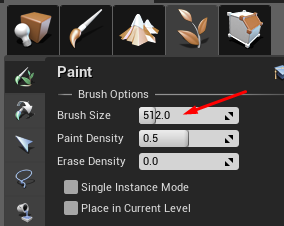
first time trying ue4.25 foliage painting, anyone knows where the heck the brush size is?
i feel really dumb bcs i srsly cant find it
 restive eagle
oh 😄
restive eagle
that happens a lot, just as you post it
vernal thicket
Is there not a way to change the engine installer location? All my Epic games related stuff is on my 2nd drive yet the installer is trying to install onto my primary drive?
vernal thicket
No it just says unable to install onto drive coz not enough space
for some reason it wants like 36gb?
unique kraken
i installed mw yesterday, had 100gb
vernal thicket
Why's it so big?
unique kraken
so a game engine just has 36, not that much
vernal thicket
Epic games leaves shit just about everywhere
unique kraken
36gb is honestly not that much lul
vernal thicket
No I know but my primary drive is only like 120gb
unique kraken
same
vernal thicket
My secondary is where the space is
for some reason it had created a secondary folder just for the 4.25, so i deleted that, and now i can't start the download at allD
xD
Becasue I cant click install it just gives me the option to 'resume'?
ffs
plush yew
my problem?
 sullen sonnet
Anyone know why root motion animation doesn't work if use play animation node in character bp but montage works?
restive eagle
@unique kraken you can place actors with foliage tool
unique kraken
huh
restive eagle
 unique kraken
how
unique kraken
AAAAAAAAAH
restive eagle
you will be able to set your actor class
unique kraken
i would have done a ton of work for nothing
restive eagle
thats how you usually place trees that could be cut down
or in other words, interactive foliage
always do some research before abandoning the idea
sullen sonnet
@restive eagle i need you again 😛
restive eagle
just post it, i will try to take a look but no promises 😄
sullen sonnet
i did
Anyone know why root motion animation doesn't work if use play animation node in character bp but montage works?
@sullen sonnet
unique kraken
it seems like it doesnt place the actors
restive eagle
have you checked that animation to be root anim?
@unique kraken sorry to hear that but it should be possible. maybe its an issue with 4.25
try looking up some tutorials
sullen sonnet
root motion is enabled
unique kraken
hmm its now placing it but my bp doesnt look like it should hmmm
sullen sonnet
@restive eagle

 sullen sonnet
that i set it for everything
restive eagle
and you enabled it here ? https://prnt.sc/t17vii
 thin hollow
Say, does anyone know if its possible to open .mat files with c4d or blender ? I am using umodel to export models and textures from Valorant, but most of the textures are exported as .mat files
sullen sonnet
yup
restive eagle
hmm, you sure 100% that its a root anim? does your character move in the anim preview or just stands in place?
sullen sonnet
So the root animation supposed to lift the character in air, maybe it's gravity issue ? but then again montage works @restive eagle