#ue4-general
1 messages · Page 759 of 1
 wheat hare
 scarlet birch
Might be a good idea to move the project to a shorter path anyway. I'm not sure if that's referring to the source or destination file path. I know I've run into it before but don't recall which method fixed it.
 sharp crest
Assertion failed: false [File:D:\Build\++UE4\Sync\Engine\Source\Runtime\Engine\Private\EdGraph\EdGraphPin.cpp] [Line: 1852] Pin named StructOut was serialized while trashed - requesting pin named StructRef owned by node K2Node_SetFieldsInStruct_650
any idea how to fix this crash when loading my player controller file?
sharp crest
Ok so for some reason all of the structs that had a variable of another struct in them now cause that error when I load them...
Any idea how to fix that? <_>
 marsh swallow
Cpp? or BP?
sharp crest
Blueprint @marsh swallow
marsh swallow
open the BPs causing the issues (look at your logs to find them or use Reference Finder)
go to File > Refresh all Nodes
its a long crappy manual process.
especially if you used the struct in a bunch of different places.
sharp crest
When I right click a struct that is referencing another struct, it crashes, how would I use the reference finder?
 sharp crest
😭
marsh swallow
Yeahh.... see this is why i highly recommend building before and after BP Struct edits
for that reason.
sharp crest
wdym building?
marsh swallow
packaging
marsh swallow
it confirms no errors before build
sharp crest
ah
marsh swallow
and then confirms you didnt fk your structs after edit
sharp crest
well any idea what to do now? 
sharp crest
well I have a lot of structs
marsh swallow
and it should error out all the BPs
marsh swallow
thats 1 way of finding it
sharp crest
o ok
well
I mean I will try but Idk how that will help
Ik what's crashing, not how to fix it tho
marsh swallow
when you buiild, it will error out the BPs that have the reference. Look at which ones they are and open those BPs
sharp crest
trying to package, see what it tells me
marsh swallow
File > Refresh all Nodes
and just keep building and finding them
like i said, its a crap process but ive been through it enough
sharp crest
bro I just wish I can fix it
marsh swallow
4/5 times i will usually just roll back
marsh swallow
Perforce FTW
sharp crest
😢
marsh swallow
i suggest you get a move on
😛
for real tho, its frustrating as hell
good luck!
sharp crest
thx bro
so u think it's an issue with one bp?
not a struct?
so I just need to find the bp and refresh all nodes there and it will fix it?
marsh swallow
if this was caused by a struct edit, then yes
however if your struct itself is corrupted
then no
so you need to restore a backup
sharp crest
I have a backup
I mean
it's the backup
I'm thinking maybe it's cuz some plugin
omg I hate this 😢
ty for ur help I will try lots of stuff hopefully I will manage to fix
marsh swallow
also you might be able to just copy out the struct file from the project and open the project without it. See whats all broken and rebuilt it from scratch updating your BPs.
either way... sounds like you have a long road, but it doesnt sound like your borked yet
sharp crest
so remove all the structs out of the project and see if my bps crash?
marsh swallow
if our Items Struct corrupted with no restore... i would just quit. 
sharp crest
😓
marsh swallow
no! Just the 1 you think is causing the issue
sharp crest
well Idk which one
marsh swallow
Oh! i thought you said you knew which one was causing it
sharp crest
I dont know whats going on
Idk if it's even the structs
😭
ok, it seems to be the player controller
I think now 100% it's a plugin issue
mmm
omg I think I found the issue
diaCompositing/', '/OculusVR/', '/PostSplashScreen/', '/SteamVR/', '/Config/', '/Script/', '/Memory/', or '/Temp/'```I think it's because this plugin
sharp crest
wdym where
marsh swallow
C:\Projects
sharp crest
well it was in a lot of places overtime
lol
but yes now it's there
I got new 2tb ssd yesterday
marsh swallow
or something like... C:\REALLY LONG INITIAL FILE NAME\USELESS NAMES\CAUSING LOTS OF PROBLEMS
marsh swallow
okay. lol
however i have learned... even though plugins can flag issues... its not always the plugin
Reallusion had a LiveLink issue with running a build awhile back if enabled when building, but it would say that our Ocean plugin was the issue
but it wasnt
 primal coral
Hi Skilled people, I am just curious if any of you can help me out here before I lose my mind... WHY is my first BP screen with everything it needs or how it's supposed to be however my second is blank.,...
sharp crest
I copied the player controller with I'm sure was using that plugin to a new project and packaged (awesome tip <3) and it gave me that error (and a bunch of others) but I think thats the only one that would have crashed it
primal coral
sharp crest
window -> graph or something @primal coral
primal coral
I swear to god if this is an issue that can be fixed by restart I'm switching to fucking Cryengine
sharp crest
😂
sharp crest
lol
send me ur file I will try to run

whats the parent of that file?
is it a new file?
need more details
primal coral
I can't deal with this Shit man T.T
everytime I am trying to create things there is something that STOPS me
WHY T.T
new
just created it
fucking following a tutorial
and everything is the same
..
sharp crest
seems like ur ue4 is a little bugged
primal coral
except the fucking blank screen of nervwrecking
sharp crest
try creating a new one?
sharp crest
nop
sharp crest
have u tried window -> load layout -> default?
sharp crest
u probably created it wrongly
show how u created it
what r u trying to create
I will show u how
 open wadi
Question: I've been coding for decades but am quite new to UE4. I'm in the event graph and, per this UE4 tutorial, am instructed to "add an R key event". I see that I can do this by simply right-clicking in the event graph and looking for nodes - it appears I can manually create events for any given key in this event graph. Do I also need to go to project settings > inputs and add a key mapping for R?
primal coral
So what I have done
open wadi
Or is doing such redundant?
primal coral
is simple,, right click.> Bp class-> Character
sharp crest
Question: I've been coding for decades but am quite new to UE4. I'm in the event graph and, per this UE4 tutorial, am instructed to "add an R key event". I see that I can do this by simply right-clicking in the event graph and looking for nodes - it appears I can manually create events for any given key in this event graph. Do I also need to go to project settings > inputs and add a key mapping for R?
@open wadi no u dont need to do that, but u should, so u can keymap later on (control settings)
^
open wadi
@sharp crest Thank you for the response. What do you mean exactly?
sharp crest
u should do the thing in the settings so u can have control settings later
open wadi
so that, for a given keymap, it will be available outside the blueprint I'm creating the keymap for?
Or the key event rather.
sharp crest
once you create it you will see the node of it
open wadi
A How To Guide for setting up input on an Actor in Blueprints.
Oh I apologize, I mean this tutorial: https://docs.unrealengine.com/en-US/Engine/UMG/QuickStart/index.html
Getting started with using Unreal Motion Graphics in Unreal Engine 4.
The tip under step 6 reads as follows: To add the ability to reload, add an R key event, alt drag in the ammo variable, ctrl drag in the max ammo variable and connect it as shown in the image below:
primal coral
OK @sharp crest I have deleted that one and created another one as it was blank..and it now is Fine..
don't really understand what has happened and it drives me mad
sharp crest
okay what is the question? @open wadi
primal coral
appreciate the support
sharp crest
😅
primal coral
also, are you working on any project atm @sharp crest ?
open wadi
@sharp crest I suppose, in this Pluralsight training I went through, he had us mapping the keys via Project Settings > Inputs, but this here is simply adding an individual Key event in the BP itself.
sharp crest
yes I'm working on an epic project
but my whole project is corrupted so I'm trying to fix it rn @primal coral
sad story rly
open wadi
And I find that confusing as to the advantages / disadvantages of doing such.
primal coral
I trully feel your pain
sharp crest
@sharp crest I suppose, in this Pluralsight training I went through, he had us mapping the keys via Project Settings > Inputs, but this here is simply adding an individual Key event in the BP itself.
@open wadi as I said twice already, you should add it in the settings inputs, so you can have control settings later on in your game
open wadi
Right, but can you translate "have control settings later on in your game" by chance?
I'm not familiar with such.
sharp crest
open wadi
Oh, you mean, control settings as in, allow the user to modify the keys used.
I see what you mean, thank you much.
sharp crest
👍
primal coral
@sharp crest
sharp crest
Yes?
primal coral
PM
sharp crest
I will get to it tomorrow
primal coral
xD
sharp crest
Am trying to fix and sleep
sharp crest
😅
primal coral
where are you from?
sharp crest
Israel
sharp crest
4am ye
primal coral
Good luck sir
open wadi
Interesting, are most users in here in Europe?
primal coral
not necesarly
however I guess Europe is in the Middle of the World so it would make sense to have all the best Devs
and don't say anything about america..we have CD Project Red
open wadi
Here's a question: If one changes for example, the "R" key in Project Settings > Input, and also creates an individual key event for "R" within a BP's Event Graph, will that cause a conflict?
lol @primal coral, I'm American, I won't say anything about America. 🙂
primal coral
I guess the best thing is to try.. set it up now and see what happens,
I wish I would be able to help
honestly, unfortunately I am learning myself and ..we're at the same stage
xD
open wadi
Indeed.
open wadi
I'm working on a project for my company where I'm basically creating what would be considered a UI "menu" to display various content.
primal coral
xD
open wadi
I grew up coding in C/C++, Pascal, and ASM, and more recently Ruby and some Bash scripting, but I'm still quite new to UE4, only been working with this engine for about 2 months.
primal coral
Don't Quit
sharp crest
I won't, it's fun
open wadi
I'm using to coding entirely server-side where it's CLI-based, very little GUI work, the web devs usually do that.
primal coral
like... in Lego Land steping on LEGO
T.T
@open wadi it's much more easy for you as you already know C++
open wadi
Yes, and I was going to try to be a purist and leverage C++ entirely, but I've been advised a combination of BP and C++ is ideal.
I watched a presentation from a 2019 Epic developer conference where there's as much as a 10X performance loss from BP in general, so I plan to use C++ wherever I can.
I wrote Tetris in high school in C++, but things have changed a bit since then. 🙂
sharp crest
it doesnt rly matter if it's not a technical heavy game
plus there is a naitivizvioatino
open wadi
naitivizvioatino?
 jolly jungle
guys, i made a basic landscape blend material, just put landscape blend nodes on the albedo roughness ao displacement and normal inputs, connected three textures to each, and created a brand new landscape with no terrain, but when i tried to apply the material to the landscape, unreal crashes. every time. I need help
open wadi
I see.
 civic saddle
Which channel could I use if I have trouble opening a project? ._.
sharp crest
guys, i made a basic landscape blend material, just put landscape blend nodes on the albedo roughness ao displacement and normal inputs, connected three textures to each, and created a brand new landscape with no terrain, but when i tried to apply the material to the landscape, unreal crashes. every time. I need help
@jolly jungle did u think about providing the crash error/log file

open wadi
lol
sharp crest
Which channel could I use if I have trouble opening a project? ._.
@civic saddle Idk try this one as a start
primal coral
I like him
sharp crest

civic saddle
My teammate updated to the newest .1 version with our project and I updated mine as well and then I synced it
sharp crest
send him your log file from Saved/Logs
and check why his new code isnt compiling for you lol
civic saddle
The best it gives me is LogInit: Warning: Incompatible or missing module: wailingwest
which is the project name
sharp crest
You need the file bro
it's not one line
It's in Project/Saved/Logs/ProjectName.txt
civic saddle
Yeah but it doesn't really same much else useful
sharp crest
send I'll find
civic saddle
sharp crest
WARNING: No Visual C++ installation was found. Please download and install Visual Studio 2017 with C++ components.
civic saddle
hmm
sharp crest
Because it needs to compiler bro
ERROR: Visual Studio 2019 must be installed in order to build this target.```
u need to install it@sharp crest here is the crash report: https://pastebin.com/jVecNmrt

Pastebin
sharp crest
@jolly jungle u need to crash it and then send me the file
not crash it and then reopen the project and then send me the file
jolly jungle
i crashed it again
jolly jungle
thats the one i did
open wadi
I have a decidedly noobish question. I'm learning UMG / Widgets, and in this tutorial, they've had me create multiple vertical boxes, etc, within a horizontal box. I'm attempting to move the box itself towards the center of the screen, but I'm only able to resize due to what appears to be a large daisy in the upper-left corner.
jolly jungle
i literally crashed it and in the crash message clicked the link that said link to the file directory and copied the text right from that file
open wadi
First, how does one access the upper-left corner of the horizontal box in this situation, secondly, what is that daisy-like object? It's difficult to determine what exactly to Google in this situation.
Is that an anchor?
jolly jungle
il try again
sharp crest
i literally crashed it and in the crash message clicked the link that said link to the file directory and copied the text right from that file
@jolly jungle no you need the file from the path I said, not Crashes folder
jolly jungle
oh ok
open wadi
It appears this is the "anchor medallion"
sharp crest
am going to sleep gl guys
open wadi
Goodnight @sharp crest, thanks for the help earlier, much appreciated.
jolly jungle
hows this: https://pastebin.com/RGzjtQdC
Pastebin
open wadi
Disregard previous question, solved.
jolly jungle
also can someone look at that crash report i just put? it happened when putting a landscape blend material on a landscape. nothing seemed like it was wrong.
open wadi
So I'm incredibly new to UE4 but have been a Network Administrator for years. So just looking at this log, look at the bottom.
Line 718
jolly jungle
are you looking at a different line 718 cuz it seems pretty normal
open wadi
Apologies, 720
jolly jungle
ah ok
open wadi
That's where shit hit the fan for your engine.
And this here: [2020.06.06-01.30.33:503][793]LogWindows: Error: Unhandled Exception: EXCEPTION_ACCESS_VIOLATION reading address 0x00000018
open wadi
So then, you begin googling UE4 and an unhandled exception for EXCEPTION_ACCESS_VIOLATION
In general, as memory serves, that's a ram error.
But you can also see here:
[2020.06.06-01.30.33:525][793]LogWindows: FPlatformMisc::RequestExit(1)
[2020.06.06-01.30.33:525][793]LogCore: Engine exit requested (reason: Win RequestExit)
jolly jungle
so shud i try assigning more ram?
open wadi
Again, without being a UE4 expert, looks like Windows killed UE4
jolly jungle
ok
open wadi
well first I'd google that specific error with UE4.
One sec
Unreal Engine Forums
Hi guys,
I am working on a project which is using HTTP chunk files to download and mount assets into the application at runtime. It is working fine most of
First result, someone else on a forum, from 2019 so it's recent
Now having said this, I've been through a couple Udemy and Pluralsight UE4 course and I know there are specific behaviors you can do that will cause UE4 to crash, I don't recall them offhand.
jolly jungle
this seems like a pretty general error that happens on many occasions
open wadi
What were you doing when it crashed?
jolly jungle
i put a landscape blend material on a landscape.
open wadi
Ok
jolly jungle
the landscape was fine when i put other materials on it
open wadi
Here's something that might be loosely relevant from 2014: https://answers.unrealengine.com/questions/7605/is-there-a-way-to-use-material-functions-as-layers.html?childToView=7606#answer-7606
jolly jungle
and as far as i can tell there is nothing wrong with the material because i have made other materials exacly the same as them
open wadi
"Landscape Layer Blend node causes the editor to crash. This is a known issue and i have reported it here and Epic is looking into it. So at the moment you must use Layer Weight node."
jolly jungle
okay, thats weird thouhg because i have used landscape layer blend before without issues
open wadi
Yeah, beyond that, I might post on the forums so some of the guys who regularly deal with this type of granularity can help.
jolly jungle
ok
open wadi
Right, I mean that post was from 2014, that bug might have long been resolved.
But, it could be relevant, perhaps there's something about your specific material that causes the editor to reproduce that error.
 copper pike
hi everyone!
open wadi
"Am rly dumb"
sharp crest

open wadi
lol
sharp crest
Pin named StructOut was serialized while trashed - requesting pin named StructRef owned by node K2Node_SetFieldsInStruct_274

open wadi
Did that smiley just commit suicide?
sharp crest
Yes.
marsh swallow
Question: We are having a modular kit built for us. here is some pre-texture images. What would an appropriate Poly be for performance in UE4?
https://cdn.discordapp.com/attachments/651578693457674242/717509180776382514/bforartists_wPFpjHL2UB.png (Non-Aged/scultped)


These are around 13-40K per "Modular Part"
 wheat sphinx
Anyone got any ideas why games packaged with 4.25.1 now crash always in windows 7

Installed a virtual machine to confirm but something is definitely broken in 4.25.1 for Win 7 support
Win 10 works perfectly
Havent tested 8.0 or 8.1 yet
marsh swallow
have you updated that VM to be fully patched?
wheat sphinx
Yes and Twitch streamers and others are reporting it
its widespread
From any user that runs our game on Win 7
marsh swallow
DX11 or DX12?
wheat sphinx
DX10 and DX11
I had them try both
and in a fresh VM install i get the same error they are
marsh swallow
Question... do you use something called SweetFX?
marsh swallow
https://steamcommunity.com/app/2600/discussions/0/133262487498362725/ this is something i found. but this was caused by SweetFX.

I'm gonna post this here in case someone in the future has the exact same problem as me, because I just fixed it. Problem: When launching the game using a mod or unofficial patch, the error "the procedure entry point createDXGIFactory2 could not be located in the dynamic link ...
wheat sphinx
But the needed engine runtimes
Well there isnt a dxgi.dll? far as i know
that ive found
marsh swallow
If you build a debug build and package the symbols with it, what do the logs say when it crashes?
might give some more information
wheat sphinx
i can try, but the odd part is theres no log files even in the shipping on in appdata
marsh swallow
shipping doesnt make them i dont think
wheat sphinx
hmmm
Well see the thing is

Gyazo
If i revert the game back to 4.22.3 it works in Win 7
gives this error message instead
But it just might be the 4.25.0 as a whole for win 7
as i saw people on the forums and here talking about it
 open eagle
I have an annoying issue
for some reason
when I try to set view target with blend, and I make my new pawn I just spawned as the target, it does not move over to where the pawn's camera is
it goes to the pawn, but not where it's camera is
 shadow osprey
Are there any highly suggested books out there for people starting to use UE4 that already have a fairly comprehensive base with programming?
wheat sphinx
@marsh swallow I can confirm it is infact 4.25.1
4.25.0 Win 7 worked perfectly
I reverted the build and tested it and with no changes other then engine version it works without any extra work
But the current Epic Launcher forces you to use the highest hotfix version so how do i even go about fixing something like that? Since its not like we can downgrade to 4.25.0
marsh swallow
You file a bug report
wheat sphinx
Ok!
marsh swallow
if it works with 4.25.0 and not 4.25.1 that means something happened and they need to take a look.
Someone else may have the same issue
wheat sphinx
o they do i have found others by searching Win 7 on here and google with 4.25
marsh swallow
I always wait to migrate until the .2 😅
wheat sphinx
xD
marsh swallow
mainly cause we have to update the scripts we use to keep our stuff in sync and its a pain. lol
so undoing things just for testing isnt fun.
 ruby surge
lol @ Tbj
 rich helm
I can scale the geometry shape's texture in the first pic using the UV scale, but how do I make the textures scale 1 to 1, so they arent streched out in the actor blueprint model, the 2nd pic
 hybrid ferry
Hello, does anyone have some advice on how to detect water volume depth so I can have the player walk in shallow water and dive into deep water? I have water mechanics setup so that my player can swim differently when underwater and on surface. But the player starts to swim as soon as it enters the water volume no matter how deep it is 😩
 fallen marten
Maybe try some kind of trace that detects deprh
 grim ore
@rich helm you didnt mention which shape is the issue? the circle, the square, the ground?
but the UV map on the mesh determines how the material scales the texture, if you are using geometry brushes and you need it exact you might need to turn it into a static mesh and edit it in an external program or use the new mesh editing tools
rich helm
@rich helm you didnt mention which shape is the issue? the circle, the square, the ground?
I learnt to scale the texture of the ground to the "correct scale" but how do I scale the square's texture in the 2nd pic to be 1:1
grim ore
1:1 to what? the scale is determined by the size of the UV map and the texture you are using.
if you dont need it perfect you can adjust the material to have a larger or smaller texture UV coordinates to scale the material on the mesh
open wadi
Bit of a basic question, but in the Widget Blueprint designer, I've added an Image to the canvas panel, I've downloaded the image I want to use, I'm attempting to set the image widget to use the image I downloaded, I navigate to Details > Appearance > Brush > Image, and the dropdown there gives me the options "Canvas Render Target", "Cube Render Target", "Curve Atlas", "Material", etc, and an option to browse existing assets.
I don't see any option to specify the image I just downloaded. How do I do this in this dialogue?
rich helm
1:1 to what? the scale is determined by the size of the UV map and the texture you are using.
If I make a rectangle for example, how do I make the texture scale so that it isn't streched out
grim ore
@open wadi did you import the image/png/tga/texture into your editor?
 barren flume
I was wondering how to have a level load after the level sequence has finished?
open wadi
@grim ore I have not, no. How do I go about doing so?
grim ore
drag and drop it into your editor
grim ore
@rich helmyou would have to design the UV map on the rectangle to do that. Out of the box you really can't do that if you adjust the scale of an object its going to stretch it unless you also adjust the scale of the material
UV Maps on the meshes determine how the material is layed out
if you are using geometry brushes you should be fine with a tiling texture if you adjust the SIZE of it when you make it, not scale it. Once you scale something the texture is going to scale as well
grim ore
no, its part of the mesh. You can use the new mesh editing plugin to do it or a 3rd party program
open wadi
Question: When sizing an image in the widget editor, I've set the anchor to full screen, is there a hotkey to automatically stretch the image to fill the screen (automatically stretch to the borders) in the editor as well?
Or some option to do so?
rich helm
Can you give me a link for the mesh editing plugin?
grim ore
@open wadi if there are any hotkeys it would be in the editor prefs, but none that I know of I just click the anchors button to set it to full screen then edit the offsets so its full full screen every time I have to do it
barren flume
should I use a delay?
open wadi
@grim ore Perfect, thank you.
grim ore
@rich helm i dont know if there are any docs for it, its mentioned in the release notes. At one point there was docs but that was when it was part of datasmith
rich helm
Release notes for 4.25?
grim ore
its been in the engine for a few versions now, trying to get a screenshot of it
rich helm
Ok, sry its my 2nd day learning UE4
grim ore
rich helm
Where can I enable it?
grim ore
the top screenshot is the plugins, Edit -> Plugins
what you are trying to do might be out of your skillset right now. Whats the actual issue?
rich helm
I am just asking so I can learn how to scale properly
Probably out of my skillset
I guess I'll learn it on a later date
grim ore
well properly would be making sure the mesh is created in a proper DCC program like blender and the UV maps are created correctly for the mesh
grim ore
look into materials, material instances, and the texture coordinates.
in theory you could make a material instance with the ability to adjust the scale in the editor on each mesh so you can scale the mesh, then scale the material on it till it looks right
if you are using the geometry brushes tho if you make them the correct size, no scaling, you should get normal scaling
rich helm
What is geometry brushes
grim ore
its the way to create stuff in the engine, are you using like the default cube and stuff and editing them?
https://docs.unrealengine.com/en-US/Engine/Actors/Brushes/index.html are brushes, it lets you make and edit basic shapes
rich helm
Ok
 steep sandal
When i click the play button this message pop up i have to double click the map to get away from this , this happened when i change the color of the text in the widget ? any help to fix that
 spare flax
Is there a shortcut to quickly reset non-looping emitters in the scene without having to press the button from the emitter? (Sort of like a refresh button) I have a vague memory of someone doing so in a unreal livestream ages ago 😅
 quiet meteor
Hi, does particles effect not work well in RTX scene?
 upper wigeon
Hello. Newbie dev here. Trying to build a server project in VS2019 and getting this error error MSB3073: The command "chcp 65001
grim ore
what is the rest of the error
upper wigeon
error MSB3073: The command "chcp 65001 >NUL && D:\Games\UE_4.25\Engine\Build\BatchFiles\Build.bat MultiplayerTestServer Win64 Development -Project="C:\Users\xloca\Unreal Projects\MultiplayerTest\MultiplayerTest.uproject" -WaitMutex -FromMsBuild" exited with code 6.
Is this the right channel to ask such questions or should i go to cpp channel and try there?
grim ore
you could try in cpp but most of the answers for that seem to be a permission error. Bad folder permissions, bad location for the project, stuff like that
grim ore
yeah starting it up in admin mode might help as well. I think it has to do with the chcp code but the actual build.bat might be failing earlier and this is just the error message at the end
upper wigeon
Running as admin didn't help
 true nexus
Is there a way to reduce the packaged project size? My engine directory seems to be bloated. The project is <20mb while Engine is >80mb
I did the basic documentation instructions already
 empty smelt
Hello everyone, I hope you’re all well, I’m a trainer and I’m doing online live courses for unreal engine, are there any recommended platforms where I can upload the recorded live sessions, where the students can access them during the a certain period without being able to download the videos?
 modern sinew
I'm trying to follow @grim ore 's Circular Progress Bar tutorial, anyone know what this is?
I don't know what the name of that node is
 stable vale
@empty smelt YouTube?
empty smelt
@stable vale but you can download YouTube videos
stable vale
Any video sharing platform can be screen recorded
 plush yew
@modern sinew Maybe this is constant4vector in materials
modern sinew
ok, found it
upper wigeon
Hello. Newbie dev here. Trying to build a server project in VS2019 and getting this error
error MSB3073: The command "chcp 65001
The solution for this is to remove both.vcandIntermediatefolders and Generate Visual Studio project files again
modern sinew
So I have an image with a material as a brush, how do I get that material from the image in the event graph?
:/
niether of these work
stable vale
Anyone willing to help with my issue in #design-chat?
modern sinew
nvm
 rancid lynx
Is it possible to change material instance variables from a blueprint? I have an unlit emissive texture, that i want to brighten and darken from a blueprint. Over a timeline.
plush yew
hello I want to learn how I can do this:
https://www.youtube.com/watch?v=zcfeE3P8qeU&feature=share&fbclid=IwAR3LZjJ51KapzRcaCLREsqLSRSJFLRvDTEPGmQBeZ2CkYiLBRBH9MIDYG1M
2:03 of the video
how I can make to click on each furtniture and change it's color
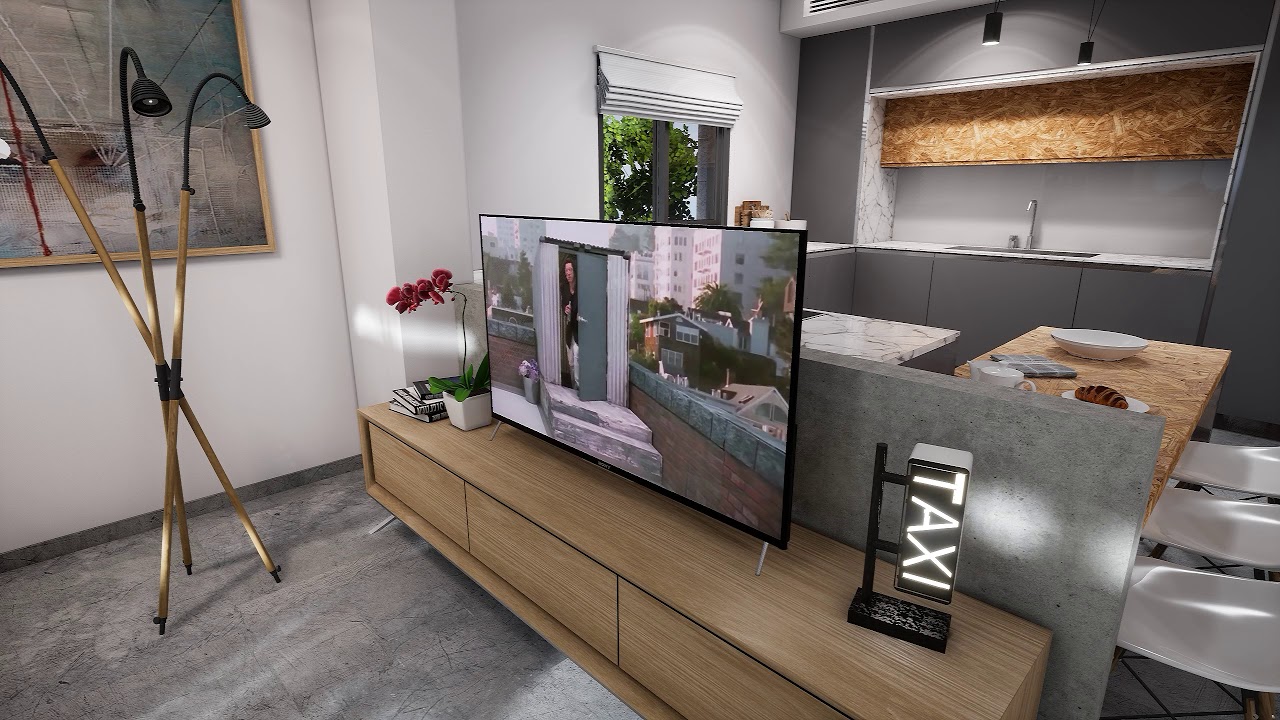
So what is this series all about?
I will teach you to import scenes from 3ds max to unreal 4 and add interactions like switching on lights, changing object materials in real time and so much more!
Here is a Link to the Walk through Itself , if you want to give it a try:
http...
 inner torrent
I would like to play with the blizzard example from here:
https://docs.unrealengine.com/en-US/Resources/Showcases/Effects/SnowExamples/index.html
(the "Particle Effects example included with UE4")
It doesn't seem to show up in the Learning tab in the launcher.
Last time I had a similar problem (with the Tower Defense / Strategy game example), it was because the example wasn't compatible with 4.25. So I switched to 4.24 and someone here (thanks again @steep crystal ) kindly exported a version he had saved from before.
- will this example still work with 4.24? If not, what's the latest version with which it'll work? The minimum version appears to be 4.9 so it's been around for a while.
- Does anyone have a copy of this example locally and is willing to share it with me (on something like a Google Drive folder I can provide)
An overview of the Snow Effects that exist as a part of the Particle Effects example included with UE4.
upper wigeon
Any professional UE4 dedicated server here? Want to ask some questions regarding compiling UE from sources
modern sinew
Anyone know what this means?
 steep crystal
@inner torrent Sadly I don't have this one in the vault. Though, I think in this case you might try to look for more modern examples anyway, as the particle effect examples used the older Cascade system that's being phased out in favour of the new Niagara system, and they are different enough that you might start learning niagara immediately anyway. I imagine sooner or later we'll see a new particle effects example with niagara as base instead.
inner torrent
@inner torrent ... look for more modern examples anyway, ... I imagine sooner or later we'll see a new particle effects example with niagara as base instead.
@steep crystal so you're saying I should actually make an effort and learn this rather than blindly copying an example? aint nobody got time for that, #game-jam-chat 😆
okay, I guess I'll bite the bullet and actually learn how to make a snow storm in Niagara. or maybe the storm is not so important for now.
anyway, thanks as always
steep crystal
Haha, if you're doing it for the jam then for sure search up an older youtube vid or something if you're using cascade for it, there's plenty out there
 upbeat lake
Is there a blueprint ready marketplace asset I can buy to achieve multiplayer cloud saves with Steam anywhere? Anyone have any advice to offer for best path to achieving this?
I'm using steam lobbies and not dedicated servers..
inner torrent
@steep crystal I'll give it a shot and try and recreate something just from the docs linked, without the "safety net" of having an actual project
plush yew
i opene ue4. compiled shaders. after 2 hours ue4 freezed. i terminated ue4. now i started ue4 and it again compiles all shdaers
 fiery moat
I want to make my character do the death animation when his health is down to 0 but instead he dies with the 1st shot with full health can someone pls help me?
also I need to make the enemy projectiles (there aren't any btw) to take time before reaching and damaging the player
hybrid ferry
Hello, does anyone have some advice on how to detect water volume depth so I can have the player walk in shallow water and dive into deep water? I have water mechanics setup so that my player can swim differently when underwater and on surface. But the player starts to swim as soon as it enters the water volume no matter how deep it is 😩
jolly jungle
@sharp crest here is the crash report from before could u look at it? https://pastebin.com/RGzjtQdC
Pastebin
 wind bronze
so hey is it possible to customize the veiwport navigation controls. btw just so you know i dont mean the keyboard controls i mean the mouse controls
jolly jungle
no idea
fiery moat
how can I make my character hold a gun?
he already has the animations but he is holding no gun at all
wind bronze
darn hope it is possible
fiery moat
help pls
 mint umbra
Got a dense MAWI forest scene running at 60-80 FPS in 4.24, but in 4.25 it runs at 20-30 FPS...
wind bronze
I appologise for not replying. i didnt know the answer to your problem @fiery moat
mint umbra
@fiery moat Attach the gun to a socket in your player's hand.
jolly jungle
@fiery moat , there is a vid in an fps series hold on im pulling it up:
fiery moat
my game is a side scrolling shooter and the ai use the same character as the player
jolly jungle
@fiery moat Here: https://www.youtube.com/watch?v=YCdAX6zhyBs&list=PLL0cLF8gjBprG6487lxqSq-aEo6ZXLDLg&index=9&t=0s
We take a look at how we can set up a gun for the character, more specifically the AK-47. We show you how to import the weapon into the game and have it spawn inside of the player's hands.
We also go over how to align the gun and set up the socket for it.
► Resources: https:...
its designed for fps but shud work fine for anything
mint umbra
@wind bronze Pretty sure you can customize that in Input under Editor or Project settings
@fiery moat Make a socket in your players hand skeleton bone, get the socket and AttachToComponent, the location being your socket actor location.
fiery moat
when I open up my character skeleton the ai one shows up instead
mint umbra
Are they using the same skeleton then
fiery moat
yeah...
wind bronze
@mint umbra hey bud i wanted to configure these controls but i didnt see them anywhere listed in the navigation controls list
mint umbra
Thats completely fine, just add a socket for the gun and use it in the BP to get socket location
fiery moat
BP?
mint umbra
@wind bronze Hmm no clue then
@fiery moat Blueprint
Best bet is to watch that video ^
wind bronze
ok man id be kinda let down if its not possible. im coming from blender and the veiw port controls really slow down my workflow in unreal.
they seem so extra is all
a bit wonky too
fiery moat
I have already attached a gun to the skeletal mesh but it is not showing up
wind bronze
thanks for your help tho @mint umbra
mint umbra
@fiery moat image of code please
fiery moat
as you may notice I have also been trying to make the character die when health =<0
but I don't know why I can't
what am I doing wrong?
ok 1st of all I want to make the character die when is depleted and then we will continue about the gun
mint umbra
@fiery moat You can also just make a static mesh in the bp and attach it to the socket, unless you want it in code, i.e different weapons etc
 cerulean sandal
can someone help me? im trying to set the default pawn class to something different in the menu level but its not setting it. The cast works, its not setting for some reason.
mint umbra
Hmm.. maybe because the target thats made to spectate is the gamemode and not the player? Just brainstorming here
@cerulean sandal
cerulean sandal
i just changed that to spectator for testing, but no matter what i put nothing works
and sorry if i may be misunderstanding you, but im not the best at english
mint umbra
Try getting player pawn into target of set pawn class
mint umbra
Hmm, what can be the target then?
Oh, Game Mode Base Object... yeah never touched GMs so someone else gotta step in on that one :)
cerulean sandal
it can only be "get gamemode"
Oh, Game Mode Base Object... yeah never touched GMs so someone else gotta step in on that one :)
its fine
fiery moat
quick question how can I make my character die when his health reaches 0?
 tacit onyx
I always creates a separate game mode with different classes for menus. Never attempted to mess with a game mode's default class on load.
fiery moat
it will disable input and do the death animation
cerulean sandal
I always creates a separate game mode with different classes for menus. Never attempted to mess with a game mode's default class on load.
@tacit onyx the problem is, whatever gamemode i set it sets globally
tacit onyx
Override it on the map.
cerulean sandal
how?
tacit onyx
Open a map and look at the world settings. Should see a GameMode Override setting there.
cerulean sandal
yea, thats global though
wait
oh it worked
lol im so dumb, Thank you @tacit onyx !
 ember quest
in my level I placed blueprints with static meshes to do level design faster. However the meshes are flickering in game. Any idea why is this happenning?
fiery moat
Am I doing this correctly? And how do I connect it to other nodes?
cerulean sandal
in my level I placed blueprints with static meshes to do level design faster. However the meshes are flickering in game. Any idea why is this happenning?
@ember quest i did something very very similar in the past, from what im seeing thats a culling problem but idk
fiery moat
can someone answer me pls? I gtg
cerulean sandal
why do you have a branch without any condition?
 trim silo
create custom event on death
ember quest
hope I can smh solve it. I dont want to manually place dozens of bricks
fiery moat
red node?
trim silo
yes
so you have Custom event = Death then if pllayer HP reaches 0 then you firre the death event
and the death even plays whatever you want to do, animation, sound etc
cerulean sandal
hope I can smh solve it. I dont want to manually place dozens of bricks
@ember quest wait so one wall of that is a blueprint made of a lot of little bricks?
trim silo
@fiery moat
fiery moat
ok thx
cerulean sandal
da hec is that node curve valefor
 cosmic veldt
Do not install 4.25.1 Animation Compression is broken.
trim silo
😮
 tired lynx
real talk does anybody know what i can try in order to resolve my issue? i have uni deadlines coming up and really can't afford the time i'm losing over this. i'm sure epic support will give a proper response once they realise but they can be pretty slow to respond. any thoughts?
cerulean sandal
Do not install 4.25.1 Animation Compression is broken.
@cosmic veldt pffffffft as if i ever used animations

srsly i never use anims
ember quest
@cerulean sandal yeah I am participating in a spring jam so I dont have much time
cerulean sandal
having little bricks is extremely performance killing bruh.
ember quest
I could do that wall in blender but it's just easier for now to use my brick models in a few different ways
fiery moat
finally did it thx man
trim silo
Also guys i also have a question and i need help. So i have a destructible mesh and when i break the mesh my character can stand on those pieces. How to disable collision on those pieces? It doesn't work when i do set collision to no collision
any ideas?
cosmic veldt
you gonna get no scale keys error on animations with no problem and editor will shut down. workaround is moving animations into another folder while opening the project. then moving it back to content folder and resaving with 4.25.1
cerulean sandal
i have pretty nodes, didn't straighten this one out yet haha
@trim silo yeah but like how do you get those curves like that lol?
tired lynx
ah wait i have the crash logs and system specs that i can send. forgot to share with the image post sorry
trim silo
Ahh it's a plugin @cerulean sandal electronic nodes https://www.unrealengine.com/marketplace/en-US/product/electronic-nodes?sessionInvalidated=true

Improve the wire style of Blueprints and materials editors.
best plugin ever
trim silo
tired lynx
(wasn't sure which log would be relevant. those were all logs recorded at the time and they seem to show different events so i thought it may be best to provide them all)
trim silo
Any idea how to turn off collision on the destructible chunks?
My character gets sent to space
i want the barrel to break and have no collision, setting collision to none doens't seeem to work
cerulean sandal
damn lol everyone here is like 10 thousand times more skilled than me lol
tired lynx
ah, i'll give the game ready one a go, and the downgrade failing that
this is super helpful, thank you!
and what you say lines up with what i experienced in the editor now that i think about it
the crashes seemed to be UI related, as opposed the viewport related. ie almost always occurring as i skim over ui elements that highlight and then unhighlight
i am force running the editor on my dedicated gpu, i don't know if that would also include the UI?
yes, it really is. i should've waited for a few months before i got my current blade as they put out non max-q editions later that year, sigh
20/20 hindsight
still, i've never experienced a program issue quite this.. fatal. it's like the unreal crash takes over all of my system's available resources or something
but either way, will try those fixes whilst i wait for support to get back to me!
thank you for your help ^^
 vocal topaz
t
tired lynx
yeah, i definitely get the impression that whatever's happening is probably a confluence of multiple hyper-specific occurrences. i mean that's why i'm focusing my troubleshooting efforts on unreal for now as opposed to my wider system. i'm doing video encoding, PT rendering in octane, and other super intensive tasks with no instability whatsoever
hopefully i'll get to the bottom of this quickly. i mean there are always coursework extensions if this becomes a major issue, but hopefully it won't come to that
will do! thanks
oh god x)
well whatever'll get me by
plush yew
hello I want to learn how I can do this:
https://www.youtube.com/watch?v=zcfeE3P8qeU&feature=share&fbclid=IwAR3LZjJ51KapzRcaCLREsqLSRSJFLRvDTEPGmQBeZ2CkYiLBRBH9MIDYG1M
2:03 of the video
how I can make to click on each furtniture and change it's colo
So what is this series all about?
I will teach you to import scenes from 3ds max to unreal 4 and add interactions like switching on lights, changing object materials in real time and so much more!
Here is a Link to the Walk through Itself , if you want to give it a try:
http...
what are the best auto exposure settings for photorealism?
i just can't get it right
cerulean sandal
@cerulean sandal if your bricks are instanced static meshes it's not that bad, still worse than just a wall with fancy texturing obviously but if you want your wall to be breakable that's one way to go
@plush yew true lol
trim silo
@plush yew set material instance node
plush yew
huh? I don't know how to do this, can you send me tutorial to learn it?
trim silo

What are Dynamic Material Instances in Unreal Engine 4?
Source Files: https://github.com/MWadstein/wtf-hdi-files
 ashen orbit
Hey, guys. I'm in my level blueprint trying to check if my character has died, and if it has i am able to press E to ressurect. I'm using casting to get data of death (either True or False) but I'm not sure what im supposed to put in "object" node of cast block?
there is probably some script already written for my purpose but I'm trying to learn blueprints
solved it like this, really disgusting
if someone can tell me an easier way please do tell
 frozen pond
i'm trying to interp my hand rotation so i get smooth move but its give my bone helicopter
and anim bp
is there a way to make button in my actor so i can save world possition ?
 winged cove
Hi to everyone!
Does anybody know how to get audio from line in to use in Niagara?
All info I find is about using an internal audio player.
 pallid ivy
@grim ore Ah many thanks! I stumbled upon this setting in the past but never knew what it was for. It was set to epic 😅
fallen marten
@ashen orbit if your player is dead, handle it in your controller, not the level bp
sharp crest
Error: Assertion failed: false [File:D:/Build/++UE4/Sync/Engine/Source/Runtime/Engine/Private/EdGraph/EdGraphPin.cpp] [Line: 1875]
Error: Pin named StructOut was serialized while trashed - requesting pin named StructRef owned by node K2Node_SetFieldsInStruct_274```
Still looking for help fixing this crash with my player controller file. If you have any idea let me know. It seems to be caused by a struct file that is missing, it seems if I will recreate that struct file the error will be fixed but I have no idea what that missing struct is.@frozen pond on key press, get world location, save game, make sure your save game has a vector to save the world location to
ashen orbit
@fallen marten you mean my character blueprint?
its just that when my character dies the actor is deleted
so i cannot press E as my character is dead you know what i mean
ashen orbit
When you mean controller what do you mean exactly
fallen marten
Really?
ashen orbit
yes
fallen marten
The character controller
Go to details and search controller
If you don't use controller for anything, it's time you learned
fallen marten
It's what should dictate what triggers the functions you make in your character
ashen orbit
yeah im using the base third person character anyway
its not like i made it
but thanks man
i will check it out
fallen marten
It's pretty handy if you are going to even contemplate multiplayer
ashen orbit
of course i am
fallen marten
And also will simplify some actions
ashen orbit
my game will support 1024 players at the same time mate
ashen orbit
i plan to learn everything that there is to learn
im jk btw
im making an escape room game with 2 players where ppl dont know where each other spawned
and then you have to chat on discord to get out
 dusky dirge
Im working on a Charecter Creator, and Im looking into. well... how many bones is "too many" lets say the customisation and fluid animation is Priority #1, enviroments are super simple, and the number of charecters ina scene are few. does anyone have insight into this. My rig In blender is fantastic, and does all the shape changes as needed, Not quite ready to export... but the fear looms
fallen marten
Sounds fun man
@dusky dirge I'd keep it under 100 lol.. logistical nightmare otherwise
dusky dirge
im fine with Logistical Nightmares lol, the whole project is a Logistical Nightmare
but around 100 should be more or less safe tho?
Again, not worried about increasing my workload, im just worried about out pacing the availible technology
I know ill need a minimum of 300, granted not all will actually be exported
exported count will probably be around 200-250
fallen marten
Dude.. 250bones? Why?
dusky dirge
Extreme customisation, while maintaining shapes and avoiding mesh tearing
again, not at all concerned about workload, just... you know.. worried if the technology can handle it.
plush yew
https://www.youtube.com/watch?v=IVKVXjaT6QM
@trim silo
yeah, thank you, I watched it but I want to make it to choose the colors, how I can do them when I click on object to popup 3 variations with colors, for example blue yellow and red?
What are Dynamic Material Instances in Unreal Engine 4?
Source Files: https://github.com/MWadstein/wtf-hdi-files
fallen marten
You would have to setup lod on the skeleton. Otherwise too many characters will drain resources with that amount of data to process
And on the anim bp
That's a fuck tonn of bones man
And if there is morphs with all the skin data.. then yeah you have to look at lod-ing it all
 harsh tiger
i've made an animation in my widget which is 0.25 seconds long. but i cant move the red line to 0.25. so when the animation is played in reverse, it takes 0.75 seconds before it starts because the time starts at 1 second. does anyone know of a fix?
even with the start time on 0.25
dusky dirge
@fallen marten Thats fine, I would rather that over the tearing and the lack of customisation.
@fallen marten thanks
fallen marten
@dusky dirge no Problem - it's better if guys know what they are in for before they start than going balls and all and running into drama
fallen marten
@harsh tiger so starting at time 0, it doesn't do what you want in reverse?
harsh tiger
it did. but because the red line was at 1 second. it took 0.75 seconds before hitting the 0.25 point
i ended up deleting the animation and remaking it, but didnt go past 0.25. wasnt ideal, but got the job done
fallen marten
Still a win
trim silo
@plush yew you need to code the interaction so when you click on object then a widget shows, then once widget shows make 3 buttons, if you press on yellow button then you set material to yellow for example
harsh tiger
i guess so haha. but if you happen to know a fix to move the end point of the animation, i'd love to know. i could not move it for the life of me for some reason
fallen marten
I'd have to check my fade in widget and see how I did it... But it ain't gonna happen rn lol.. after many drinks and games with the missus - time to crash
Good work Tbj
 white relic
What's a good free normal/height/disp generator
sharp crest
It only took downloading the whole ue4 and source building it and removing a shit ton of lines
😂
white relic
There's one I used years ago when texturing for source engine and idek if it exits anymore..cant find it C:
:C
plush yew
okay yeah I have idea how to make the colors to show but idk when I click on object how to react? @trim silo
trim silo
I'm nont sure about that since i've never made anything with mouse cursor interaction (except the widgets), i suppose it's just on clicked event or something like that
So you do on click/interact event, then run the code to add widget to viewport and then you interact with the widget itself to change colours
plush yew
okay, will try to do it, thank you ❤️
trim silo
good luck
plush yew
thank you 🙂
white relic
Can someone help me. What file type does UE4 like to use for its textures
wait what...ue4 can use psd files wtf
 clever niche
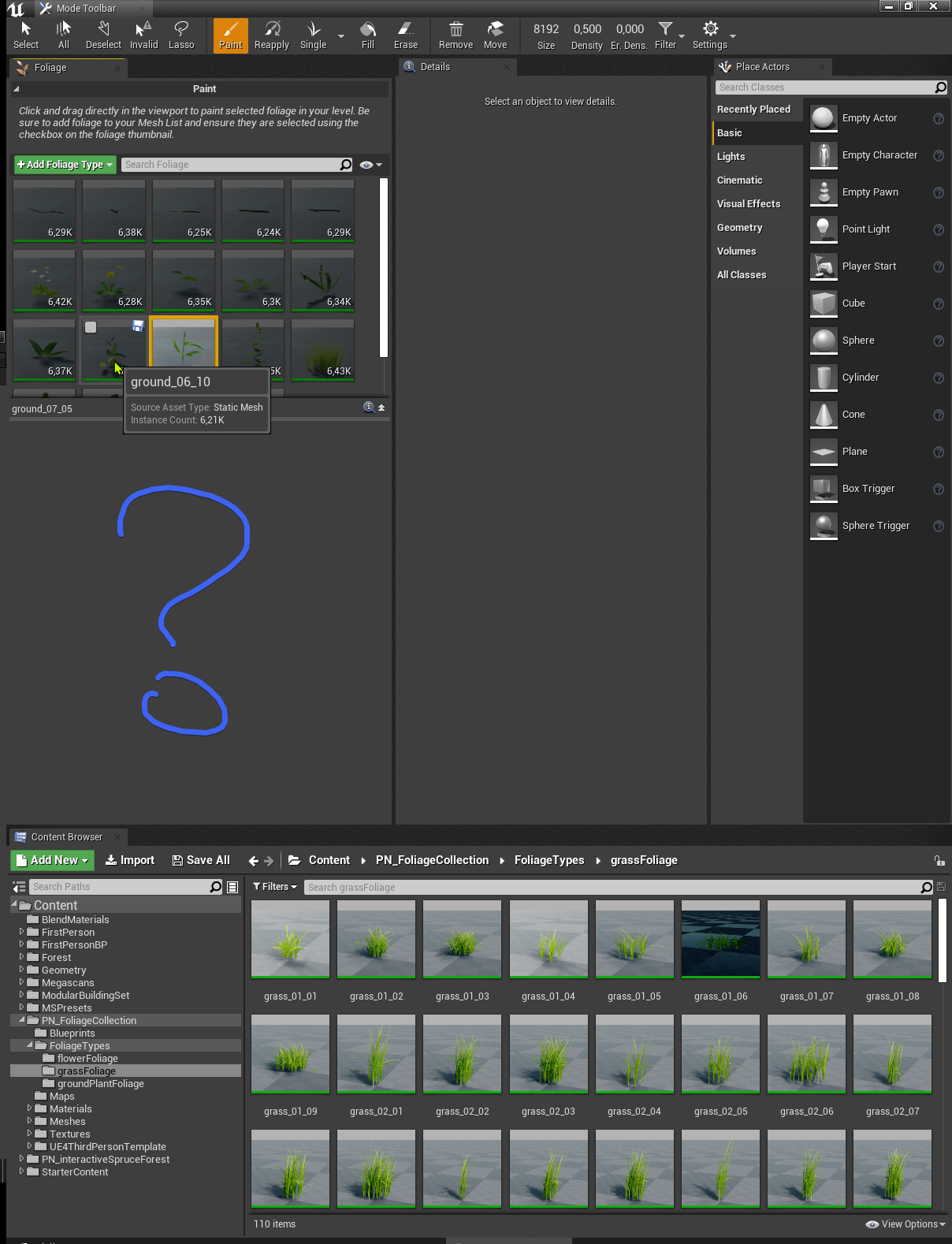
is there a way to give a plugin different development platforms from target build platforms and how can i tell which each currently is
 sage hinge
hello friends I need two people who are good at video game marketing write to me inbox
sharp crest
@sage hinge #looking-for-talent
brosssssssssssss I fixed my file!!!!!!!!!!!!!!!
like this time 100%
And the fucking issue was
the dumb Discord Rich Presence plugin that their own company provided
Well Ig it was kinda my fault too for forgeting to add it
anyways Imm post answer on my github post brb 😂
sage hinge
@sharp crest but it doesn't come out to write, you don't have permissions
sharp crest
wdym @sage hinge
sage hinge
😩
 young bobcat
Hey guys, i need some help :)
I'm reading this UE4's Landscape guide - https://docs.unrealengine.com/en-US/Engine/Landscape/TechnicalGuide/index.html . Each component's height data is stored in a single texture. Because of this, its size has to be a power-of-two number of vertices - what second sentence mean ?
Technical Settings for Landscape.
sharp crest
@young bobcat because of this the components need to be in these sizes
it's not something u should care about, the editor wont let you make them anything different than those
 bold perch
Is there any way to rearrange these icons?
 worn granite
Not without engine modification
bold perch
Thanks
worn granite
@young bobcat While Tbjbu is right that the editor won't allow you to create them in other sizes, power of two is a concept that can actually be important. It's just incredibly easy for processing, so a lot of tech (landscape here) will either require you author to that or will not be 100% effective. Mips go away, for instance, if you're not power of two.
white relic
Chocolate Rain
 coral folio
i have an issue with LOD displacement Landscapes
the bottom side of the screen isnt applied with displacement, like a sort of frustum culling issue
the more i look towards the horizon the more its visible
open eagle
I have an annoying issue where setting the view target with blend on my client does not go to the right spot
well
the camera moves over to the correct location, but not the correct rotation
when I run it on the server, it works fine
 rain relic
did someone managed to implement "CloseCombatSwordsman" into "ActionRPGInventorySystem"? Or is there a Combat system in ActionRPG? Or who can i get Sword animations and that stuff into it?
 still moth
Whelp, with Unreals recent announcement, I am done developing on their engine, good luck everyone
white relic
What did they announce
Whelp, with Unreals recent announcement, I am done developing on their engine, good luck everyone
@still moth And what did they say?
still moth
its on the epic store twitter feed
and i meant epics announcement, not unreals.. but, close enough
 tight prawn
plush yew
tight prawn
plush yew
is there any reason to use rtx for foliage scenes?
fiery moat
YES! I have made my character hold a gun properly
and it remains at a proper position even when the character is moving! it basically snaps to his hand lol
rain relic
How can i get an Combat system/Sword animation into ActionRPGInventorySystem?
there are already swords, but you can't hit or swing them
sharp crest
im an unreal nooob!
@jade rivet hello!
is there any reason to use rtx for foliage scenes?
@plush yew sounds like something u should google
sharp crest
anyone knows how to move editor camera to coordinates ?
@tight prawn same, google it if cant find then prob no way
fiery moat
now could someone tell me how I can make my character aim where the mouse aims?
sharp crest
@sharp crest can u help me with a noob question
@jade rivet sure, even more than one maybe! post here
sharp crest
now could someone tell me how I can make my character aim where the mouse aims?
@fiery moat google it this is not a one line response
 jade rivet
but everytime i stretch it down it gets wide
i want to keep it narrow
i tried googling how to narrow the spotlight to no avail
fiery moat
ok
sharp crest
Idk send screenshots I dont get what u want @jade rivet
ok
@fiery moat oh wait you just want the character to rotate when the mouse moves? rather than when you walk
jade rivet
k
fiery moat
yes I am making a side scrolling shooter
jade rivet
i see that
white relic
what is causing this
 ember raven
will it be possible to bring a quixel megascan object(for example rocks, trees), as placeble block like minecraft, in a game?
jade rivet
which option am i looking for
ember raven
cause i want to make a arcitecture game
sharp crest
yes I am making a side scrolling shooter
@fiery moat oh ok try searching for 'rotation' settings in the movement component and the camera component, changing one of those will do that.. probably lots of people showing how to do that in google
will it be possible to bring a quixel megascan object(for example rocks, trees), as placeble block like minecraft, in a game?
@ember raven yes
rain relic
and i meant epics announcement, not unreals.. but, close enough
@still moth what do u mean? what did the announce?
jade rivet
?
sharp crest
which option am i looking for
@jade rivet Idk just mess around with them if the scale doesnt make it narrower then it must be there
ember raven
@ember raven yes
@sharp crest resizing them etc will be also possible yeah? , also should it be pre-downloaded, pre packed in game folder?
sharp crest
@ember raven yes wil lbe possible
and yes u need to pre download the models and put them in the project before you package
you can also look on the UE4 Marketplace, there are some stuff u can buy that will help you do that without coding urself (if u just want a game that u put models and resize etc)
ember raven
yeah i am making Minecraft style- block placement and destruction, also little bit more details
and bringing Internet browser, holograms
for PPt, Virtual Reality conference
in high qualtiy.
sharp crest
yeah i am making Minecraft style- block placement and destruction, also little bit more details
@ember raven tbh u seem like u have no idea on how any of it is going to work so I suggest going through some ue4 basic blueprint tutorials
if u have more specific questions we can help
ember raven
yeah, i am just going to begin with Minecraft block placement
still moth
@rain relic their engagement in politics
fiery moat
oh nice found a guy who did it just fine
still moth
i have more respect for companies that just stick to doing their jobs and stay out of it
sharp crest
if you want to have lots of cubes like minecraft then you need to use a proceduralmeshcomponent, not actors or instancedmesh @ember raven
fiery moat
all I need to do is copy the code
fiery moat
my project is just taking pieces made by other people and putting them together
eventually something good will come out at least
sharp crest
haha ye thats best to do really u learn the fastest that way
thats how I started too
and at some point u just get it
fiery moat
ok
white relic
I am so confused..I paint the texture..says compiling shaders and then nothing
just checkerbox
sharp crest
what @white relic
white relic
scroll up
white relic
using layer blend all the textures paint fine except for one
I relooked at it ..nothing is done differently
just shows this checkered box when painting and never goes away
fixed it
open eagle
I think I found why my view target with blend is not working properly
fiery moat
Help I have tried replicating this code but I can't add the "negative mouse" node
worn granite
that's an axis event node. You have to have an axis defined in the project settings by that name to use it.
The Input object is responsible for converting input from the player into data in a form Actors can understand and make use of.
fiery moat
thx m8
 alpine sand
How do you change camera speed when viewing a static mesh?
Not exactly sure on the name of the window, wherever it is that you view and add collision
 chrome summit
ue4 rotation snaps from -180 to 180
can somebody help me?
i will upload a video now
help?
fiery moat
omg My higher brain functions have stopped again and I can't make out the guide you provided@worn granite (sorry for pinging) could you tell me what I need to do? I am seriously very stuck
sharp crest
ue4 rotation snaps from -180 to 180
@chrome summit show ur code bro
How do you change camera speed when viewing a static mesh?
@alpine sand what??
fiery moat
um...
chrome summit
thats what i tried to fix the snapping
sharp crest
oh Idk
chrome summit
sharp crest
what snapping are you talking about? @chrome summit
sharp crest
I did but it wont just happen randomly, it's something with ur code
chrome summit
so i made the axe smoothly rotate different when i rotate the camera and when it reaches -180 it snaps to 180
worn granite
Yeah, on yaw?
I take it you get stuck once that happens?
oh it just does a weird thing.
chrome summit
i fixed it
worn granite
Yeah, you're going to have to work around the "pole" here - you can do that by incorporating the sign of the existing rotation value... I think.
fiery moat
so according to the guide and u I have to add axis mapping?
worn granite
I'd say so
fiery moat
ok lets see if it works now
 radiant leaf
Hi all, just starting with unreal 😄
 latent orbit
Could anyone tell me how to add grass simulations to Automaterials? I'm very new to Unreal Engine. I keep running into the issue of either using my auto material, or using grass simulation through the paint tool. I can't seem to figure out how to add it to my auto material.
fiery moat
dammit it ain't gonna work
 hexed jasper
Can anyone tell why my tessellation is flickering?
There are no duplicates near by that plane.
latent orbit
I was having the same issue with my physical material. Hurt's my eyes.
hexed jasper
That video caught the better end of it. Sometimes it flickers even faster.
 errant crow
I've got a pesky Capture Card I/O question, if anyone has any familiarity:
Having issues getting certain inputs through the card into UE. Only on some sources. Currently going HDMI into the card. Laptop as a source works, Nintendo Switch doesn't, Canon T5i doesn't... Can capture all sources in other platforms (OBS, Blackmagic Media Software) but when I go into UE, I get the pictured error.
I'm taking that to mean that if a camera doesn't natively do YUV colorspace output I can't use it, was looking for someone with a little more knowledge to verify that.
 copper gulch
@alpine sand Use the scroll wheel to change the speed that your camera moves through the scene. Keep in mind you have to be holding the RMB already.
So this works well if you hold RMB and use WASD to fly around use the scroll wheel to change the speed you fly. This works in the static mesh viewer as well.
alpine sand
Ah so it was that simple, thanks!
copper gulch
@hexed jasper First thing that comes to mind is that is a bounding box issue. Seems to happen easily with tessellated meshes. Select the mesh and in the details panel search for "bounds scale" the default value is 1.
Change this value to something like 10 (which is way bigger than you need) and if it fixes the flicker you know what the problem is.
You'd want to fine tune this number so that it's as low as possible while still not causing the flicker.
hexed jasper
2 works perfect. Thanks so much!!!
copper gulch
@hexed jasper If you are wondering what the bounds scale is used for it's an optimization feature. Basically there is a box around every mesh known as the bounds for the mesh and the engine uses this to determine if the mesh should be hidden or not. It's a cheap form of culling geometry since if the bounding box is outside your view the engine knows that you can't see it and will not render it.
Sometimes it can't tell if the mesh is visible or not and this happens when the geometry protrudes outside of its bounds which is what looks like is happening with the displacement on your material. So the engine will flicker the mesh culling it then rendering it back and fourth.
alpine sand
How do you set the location of something to be a condition?
move camera to a second position on a button press
just the camera
hexed jasper
Hm interesting... ill look into that stuff more, thanks for the help @copper gulch
alpine sand
I've got both positions as variables
the 'before' and 'flipped pos'
just dont know how to smack it into the branch condition
third person, pressing x makes the camera go to one position, pressing again brings it back to the original
so you can flip between
 open eagle
uggh my set view target with blend is still acting up on multiplayer
for some reason, when I spawn a pawn from the server, the world rotation of the camera spring arm is not in check with the pawn's rotation
for example
if my pawn is facing 60 degrees to the left, the spring arm and camera will still have 000 for all rotation axes
 rigid belfry


 copper flicker
round of applause
 lucid spire
looks pretty nice
copper flicker
So peoplez... I have a question
What happens past 10.something kilometers in Unreal
At around.... 1.05 million units / cm
away from zero, I presume, in any direction
I made a similar test in Unity back in the day, the shaders were starting to flicker, so on
what happens in UNity makes sense
in Unreal, I get cut off, the camera stops working or something, like there's an invisible wall
I disabled world margins as far as I know
so my char can fall forever, in a basic Unreal scene
so basically my question is... how to enable Unreal to allow me to walk.. and walk.. and walk... until measurements start breaking
cuz of 64 bit limitations, or something like that
I wanna find out how far you can go in Unreal
O o
 regal mulch
Not sure why you would want that. The Engine has the same limitations as others. It's float based, so normal floating point errors apply.
You can use WorldOriginRebasing to counter that, which is a feature of UE4.
copper flicker
Indeed, I just wanted to understand the numbers, in terms of.. max distance
is 10km max?
copper flicker
I presume... but look, in Unreal the results I get are very different from Unity
which is odd
 sudden glen
Editing Unreal Engine 4 source World Max value enable users to push World Origin Rebasing to its limit: int32 positionned in Unreal Unit (= cm).
You can create world as large as -21000km to +21000km Any direction.
That's not double precision, but it's pretty massive !
copper flicker
Unity lets you walk so far, the shaders start flickering, and you start getting odd stuff
in Unreal, you get cut off suddently at 10 km
ok, weird, it's not 21 on my machine
I'll take a look
regal mulch
the error on 1000000+ isn't small
copper flicker
I wanted to know if Unreal has a hard limit
I loaded some of my levels at 10 km
and they seems to work perfectly
on a quick... test
copper flicker
interesting
I don't understand how the guy got to that distance anyway
without the camera being broken
his test looks exactly like my test in Unity
shaders and numbers going out of whack
anyway, point taken, at 10 km... things are risky 😄
copper gulch
Dumb question but if you are suddenly "getting cut off" maybe you're running into your kill z
Did you check?
copper flicker
yeah, is it possible? I disabled kill z
I thought it only works for vertical
yea, that was it
-1048575.0
haha, odd
copper gulch
so my char can fall forever, in a basic Unreal scene
@copper flicker
I was skimming and saw this. Plus the "getting cut off" made me think of Kill Z in world settings.
copper flicker
I've forgotten the name of that.. haha
World Bound Checks!
let's see now... where mah game breaks
amazing, the first errors... small collison or movement errors.. at 100 KM!!
100/100
sure, it's not practical.... but it's surprising
😄
plush yew
Let's say I'm making a bullet hell game. What would be the best way to make these bullets? A projectile movement with tick disabled?
 grave nebula
custom manager with pooling and stuff