#ue4-general
1 messages · Page 754 of 1
 grim juniper
 whole quarry
@sharp cloud like it says in your top left corner of your viewport: LIGHTING NEEDS TO BE REBUILD
 sharp cloud
Oh I see. Cheers.
 frozen pond
Looking for tutorial how i can make particle effect in cascade/niagara that spawn on my pawn and moving into selected actor in map
 dawn kelp
Is there a Way to change the mesh of an actor in the level? For example, I have a tree as an actor (Harvestable). And I want it to change its mesh
Constructor script right?
whole quarry
Either custom event or a function
 woeful bobcat
RIOT - Civil Unrest. Anyone play this game?
 barren flume
I was wondering how I could have it so you can move a ragdoll with your character instead of going right through it
 covert pollen
make a collision channel for it and set to block it
 plush yew
this is ablueprint ihave setup formouseinput in anfps controller thanks. how do imodify the sensitivity to beslower?
covert pollen
@plush yew when you hoever the input it comes up with this
so probably modify the inputyawscale on the controller
or plug in your own modifier maybe
barren flume
Any possible way to use same anim blueprint on different mesh
it has the same skeleton
I don't really want to constantly retarget
for each character
covert pollen
it should be selectable if its the same skeleton
as the blueprint targets a skeleton not a mesh
if you have two seperate skeletons for them this wont work though, even if they're technically the same, in which case you need to right click the skeletal mesh and click 'assign skeleton' to make it use the same one
barren flume
yeah it has own skeleton
i'll try that
then i just select the skeleton the animation blueprint is assigned to?
covert pollen
yeah if it has the same bone structure etc
covert pollen
just click accept, and then afterwards you should be able to select the blueprint on that mesh
covert pollen
np
barren flume
made things so much easier
covert pollen
yeah i found all that out the hard way too 😄
plush yew
?
covert pollen
for instance, connecting the nodes would help though 😄
 shut minnow
 thick herald
I often get emails for other people as they either don't know their own email or it's been entered incorrectly. I've been invited to judge music festivals, concerts, art, been asked give speeches at various venues and had the odd military email. Most of the time I politely reply telling them of the error. Then there is the shop emails... I have now decided that if someone gives my email and sets up an account... well... more fool them 😄
 tired lynx
day 2 of the credentials verification error. ya boi just wants to do some renders smh 😒
like i probably don’t have 70% of the information present. actually just silly
barren flume
like i'd know when i made my epic games account
tired lynx
yeah. i know things that i will have had verification emails for, because i can just do a search. everything else though? absolutely not. 🙄
whole quarry
are you sure its not phising?
 solemn orbit
hello
i have a problem
when i try to launch my game i get this error : Fatal error: [File:D:/Build/++UE4+Licensee/Sync/Engine/Source/Runtime/CoreUObject/Private/Misc/PackageName.cpp] [Line: 512] LongPackageNameToFilename failed to convert '/GameplayHelper/Blueprints/'. Path does not map to any roots.
and yes i disabled the plugin GamePlayHelper
yes i removed the gameplayhelper folder from my plugin folder
yes i removed it through the epic games launcher
plush yew
solemn orbit
the thing is i didn*t even used this plugin
plush yew
whyisnotmultiplying?
whole quarry
because you did not connect the white wires
 wheat hare
I have read some on the topic of creating a final build, and many people migrate their levels into a new project instead of trying to clean up the one they developed in.
 severe lodge
@Thomas Rafty 𝘏𝘢𝘤𝘬𝘦𝘳𝘮𝘢𝘯#723 false plugged
solemn orbit
I have read some on the topic of creating a final build, and many people migrate their levels into a new project instead of trying to clean up the one they developed in.
@wheat hare how can i copy my files that i only use in my project to a other project
whole quarry
use words @plush yew
severe lodge
Thomas why are you spamming the same picture over and over again
severe lodge
Maybe you should compile xD
wheat hare
@solemn orbit follow a tutorial when you do it and back up first, but essentially you need to create a new project and use migrate to copy your levels from one to the other, then rebuild everything there which takes less time than it sounds
plush yew
oh oikay XD
severe lodge
Thomas do you know how ue4 works?
wheat hare
In this way, you only have the assets you used in the project.
solemn orbit
this one ? https://www.youtube.com/watch?v=i59AKLodlAM

This was made to show how to add content from a complete project downloaded from the marketplace to any project you wish.
wheat hare
@solemn orbit I don't remember where I ended up, but I started here https://docs.unrealengine.com/en-US/Engine/Performance/ReducingPackageSize/index.html
How to reduce the size of your packaged game.
solemn orbit
but my question still is how to fix this problem with gameplayhelper (a plugin i didn't use)
wheat hare
It seems if you aren't using it in your level then it will not be referenced in your new project.
There's no need to fix the reference since if you're not using it, it won't be there.
solemn orbit
but my engine crashes when i try to launch
but why when i don't use t he plugin
i installed it and removed it after 3 minutes
because i didn't liked it
wheat hare
Clutter is an eternal problem across multiple programming, engineering, and design concepts.
solemn orbit
i just installed the plugin again, i will just not use it
okay wow
now i get this error
LogPlayLevel: Error: ERROR: Stage Failed. Missing receipt 'C:\Users\lilma\OneDrive\Dokumente\Unreal Projects\ProjectGame\Binaries\Win64\ProjectGame.target'. Check that this target has been built.
my game is called project game
dawn kelp
Is there a way to show the UV map of an object? I would like to edit the texture but I don't know where the UVs are
It's an FBX imported into unreal. And the texture (since its low poly) is a palette of colors
whole quarry
open the mesh in UE4 and press the UV button in the top bar
plush yew
Guys does things that are not being used in the current level scene still lower fps?
So if i have like 10gb of actual content but i don't use any of it will that affect fps?
whole quarry
with current level scene you mean the current loaded map?
plush yew
yes
whole quarry
well... why would it if they aren't loaded?
dawn kelp
open the mesh in UE4 and press the UV button in the top bar
@whole quarry Damn, how could I miss that. I searched in that screen. Thanks man
Where does unreal re-import stuff?
Does it save the actuall location of my texture ?
What happens if i delete it
whole quarry
same place as where they were
whole quarry
when you import something, its created a uasset for it
when you reimport it, it searches the location where the original something was
dawn kelp
Ah okey. But it creates a copy of it right?
whole quarry
when you import something, its created a uasset for it
^
dawn kelp
I understand
But the uasset contains the information of the texture right?
In addition to the path
whole quarry
no, the textures are in the material
dawn kelp
This thing. Has all the information of the texture (pixels, width etc). Like a copy.
And it has a path to the original. If i delete the original, is that texture still in there?
Or is that uasset thing really only the path and some meta information to the real texture?
whole quarry
isnt that a texture?
dawn kelp
Yes
whole quarry
so again, when you import something to ue4, the engine makes a uasset for it
the uasset contains, in your words, a copy of the 'something'
dawn kelp
Thanks. That's all I wanted to hear 🙂
So it's save to delete the other texture outside the unreal engine thing.
whole quarry
deleting the original stuff is a bad practice
dawn kelp
Was just for understanding purposes.
whole quarry
you never know if you will need it again
dawn kelp
Yes, thanks.
whole quarry
or needs to be editted at some point
dawn kelp
In my case, I wanted to move it. That should also "delete" it
whole quarry
best is to have a sources folder next to your project folder
 hollow fjord
I try to apply a material to a landscape and it crashes my engine saying that im out of video ram?? I own a 2070ti? How? anyone have a fix?
 real vector
Hello everyone. My question is about TwinMotion. I'd like to create a some kind of shack for hobby. Should I use UE or TM for this? Which one is better for this purpose?
 terse hornet
Hello, is it possible to use the default 3rd person camera provided in the UE '3rd person' preset project, in my own personal project?
 wooden bane
Hey guys. I’ve never used unreal before. I’m looking for some video tutorials where I can bring in a character, light it, shade it and render stills
I’m looking through the official YouTube but not finding much
Any thoughts
 balmy rose
hey guys, is there any full guidance how to create own photogrammitry - the way from which camera into the engine ?
real vector
@wooden bane There are many UE tutorials on YouTube and learning channel.

Unreal Engine
Unreal Online Learning is a free learning platform that offers hands-on video courses and guided learning paths.
wooden bane
Thanks
 hallow compass
Does anyone use World Creator?
 brave mesa
i think this is pretty stupid from me, but im a complete beginner, i have great ideas, but am at the beginning of everything... i got my model in ue4 and put it on a capsule, added physics, but my capsule keeps falling over.... im so ashamed of myself... any advice?
hallow compass
Typical Unreal, I have been stuck on something for 3 weeks and not 1 person has the answer hahahaha
brave mesa
maybe general is not the right place to ask? no idea
whole quarry
Does anyone use World Creator?
@hallow compass
Typical Unreal, I have been stuck on something for 3 weeks and not 1 person has the answer hahahaha
@hallow compass
?
 wanton lotus
@hallow compass maybe try World Creator's discord....
whole quarry
Or google
whole quarry
Asking the actual question also helps a lot, not many enjoy playing questionaire
brave mesa
i asked a question 😄
hallow compass
Its to do with Unreal as well as World Creator. I have tried their discord, I have tried a few different ones and I have tried Unreal Engine facebook and everything lol
@whole quarry I have wrote it many times even in this server. I just get blanked
wanton lotus
@brave mesa does your character need physics enabled?
brave mesa
i need to jump and run around, i wanna make a dark souls like system as a bunny character
whole quarry
@hallow compass dont expect people to search your question in the history >.>
brave mesa
and need collision with everything
wanton lotus
You can do all that without physics enabled. The animations take care of that for you.
Collision will still occur as well.
brave mesa
but when i disable physics on the capsule, and spawn,i fall throu the ground
so i need to disable physics in gamesettings too?
wanton lotus
Create new project using third person template. Then edit the mesh of the third person character with your new mesh or copy the settings from that character to your current one.
Enabling physics is essentially turning your character into a ragdoll.
hallow compass
@whole quarry I am not expecting anything at all. I was stating a point that I have been stuck for 3 weeks with no help and wouldn't expect to get any
whole quarry
Aha, well, good luck with that then
wanton lotus
@hallow compass it looks like you are asking for a comparison of products. Even if you intend to use the end result of these products in ue4, you should go to their respective discords to ask about the quality of their products.
brave mesa
ah, okay thanks... how do i copy settings from one game into the other?
wanton lotus
@brave mesa in your current project, you could just import the third person template.
hallow compass
@wanton lotus no no. I already have the product. The product is fine it's when I get the thing in Unreal where the issue arises. Trust me I have been on their discord and every other discord you can think of lol
wanton lotus
@hallow compass then just ask the specific question. If it is level-design related, you will find better people suited to answer it in #level-design
 late osprey
Hey yall hope you're gret
So I'm hving a bit of trouble with unreal version 4.16 for linux
It loads and opens well but the viewport is black
Any idea what the problem is?
wheat hare
You have not opened anything?
 atomic forge
How do I get rid of this black stuff when using the sky atmosphere?
Is the solution to just have an insanely large world?
 hushed peak
Hello guys I'm new
I
am trying to decide between UE and Unity
I am beginner
Dont know jack about coding or anything in general
What do you recommend?
Yeah that's what someone elsetold me.
Well then
guess I'll be using UE
Is cpp hard to learn?
 frigid herald
this
hushed peak
How hard is it to learn
I have time and dedication so idk
oof
well thats
depressing
hushed peak
Oh nice
frigid herald
personally i think you might have less trouble with blueprint than with C# in unity.
hushed peak
\
Fair enough
Also
Does UE allow heightmaps?
I have a nice terrain software
Which exports into heightmaps
And I can import it anywhere basically if they allow heightmaps
Are you all self taught?
Or did you take some courses
Is it always a huge update with each version?
ok
So by UE5 will I need to re learn everything
?*
Okay cool.
Wow I'm
excited
Will UE run smoothly on my laptop?
It has a GTX 1660 Ti
i7 9th gen
It's brand new arrived last week
 dire sentinel
anyone know why I can't change material of a static mesh? I drag and drop a material or a material instance on the material slot (which is already occupied) on a folage mesh from quixel and it does nothing :/
 hushed peak
Idk about the series
It's probably the most recent
Holy crap its 10 GB
the UE ^
Yeah it's H series
 grim ore
@hushed peak I have the 9750h with 1660ti full and it works fine for UE4 for almost all tasks. Memory is going to be a limitation for larger stuff.
hushed peak
Oh nice what laptop do you have?
I have the Lenovo Legion Y740
And I have loads of memory
grim ore
well you cant have loads but as long as you have 16 you should be good, msi gf65 is what I have in the office now
hushed peak
memory as in available space in the laptop right
grim ore
memory as in memory, ram, system memory.
hushed peak
I have 16 RAM
grim ore
chances are its 16gb but it could be 8
hushed peak
1 TB Hard drive and 512 SSD
grim ore
yeah you should be fine. I use infiltrator to test with and it gets ~80fps in full screen which is a good framerate
hushed peak
Nice
grim ore
and the lenovo Y series tends to be highly recommended
hushed peak
Thanks a lot guys really helped me
 runic fern
Hello Guys im getting this issue when trying to join to dedicated server
[2020.05.31-17.48.55:309][ 85]LogNet: Error: UEngine::BroadcastNetworkFailure: FailureType = OutdatedClient, ErrorString = The match you are trying to join is running an incompatible version of the game.  Please try upgrading your game version., Driver = PendingNetDriver IpNetDriver_0
[2020.05.31-17.48.55:310][ 85]LogNet: Warning: Network Failure: PendingNetDriver[OutdatedClient]: The match you are trying to join is running an incompatible version of the game.  Please try upgrading your game version.
the client just returning to Mainmenu not joining
 bitter iris
Getting some weird shadow flickering on my foliage, any ideas what causes this? https://streamable.com/qa6bn6

 dawn plover
Not sure if this is the right channel, but I'm trying to import assets I downloaded from Quixel Bridge, without the plugin. I copied the entire folder to my project content folder, it recognized it and asked if I want to import those new files, and I clicked yes.
But then it opens a dialog asking what kind of datatable I want it to be.
What do I do?
 spring arch
I think you can skip or chose anything there
It tries to import file that is used for something else and just placed in folder with assets
 drowsy turtle
How to make kill message aka a message which shows to every players and it says "Player1 killed Player2".
I couldn't find anything on google
spring arch
@drowsy turtle You need to use Widgets and some variables that contains players names. Widgets is like User interface
grim ore
did you copy the assets into your content folder directly? if so that was bad. you want to add them to the content browser thru the add button or drag and drop. You do not want to put them directly into your content folder on the drive
drowsy turtle
I tried using print string and this is how the "code" looks like https://gyazo.com/7db623f7f4d2d0903c025bd5bd1bf688 https://gyazo.com/7db623f7f4d2d0903c025bd5bd1bf688

but it seems to don't work
when i'm killing another player he dies but the message doesnt send
grim ore
mouse over the icon on the any damage, what does it say for the event type? does it say server only?
drowsy turtle
server only
dawn plover
@spring arch thanks; @grim ore ahhh I see, it did end up importing the assets, but the textures are not applied, if I import it the correct way, would this means that I can simply drag and drop (the rock in my case) with all materials set up and ready to go?
grim ore
@dawn plover no that would not be the case as just the raw assets would not include the material. Are the files in .uasset format or the raw format (.png/tga/etc.) in the bridge directory? I assume the raw assets
the only way to get the "correct" setup as far as I know is to use bridge as it does it all for you using the master material
spring arch
@drowsy turtle can you show where the print string node is located? If its after destroy actor node maybe its not activating because actor is destroyed. You can try and put it before that Destroy node.
dawn plover
@grim ore I used this, is this not the proper way?
drowsy turtle
@spring arch check the screenshots i've send some minutes ago
spring arch
I cant see the print string node there maybe its too small?
drowsy turtle
oh wait
i've sended same screenshots
anyway it's at the ened
of the script
end*
but
i dont think it will change anything if i will put it at the end or before destroy actor
cuz it seems like "cast to firstpersoncharacter" is not working properly
spring arch
When I have problems like that I put print string with default text hello in it just to see if that line is actually executing
drowsy turtle
its not executing
spring arch
Ok so maybe you need to find the place in your chain where it all stops working
You also can place print string in cast failed output of the cast node
drowsy turtle
it stops working on "cast to FPC"
grim ore
@dawn plover I meant using the bridge plugin in UE4 to import it, that will create the materials for you
spring arch
@drowsy turtle https://gyazo.com/f956458e304cc65d86c46e9aa016f26e
 grim ore
Icon.. Lightning Bolt.. read description...
spring arch
@drowsy turtle can you show that node? Where are you getting your FPC reference
spring arch
Ok 😀
dawn plover
@grim ore ah I see, thanks
 eternal mountain
can anyone help me fix this error I get whenever I try to run the .exe I got from packaging the game?
I haven't been able to figure it out and google hasn't helped any
 vivid spindle
Hi all, could someone show me how i can change my projects runtime unit scale? id like to change the UU from 1cm to 1m, but for this to actually take an effect on calculations for Audio attenuation etc etc
covert pollen
do virtual textures not work if the texture is not equal power of 2? I'm just getting constant crashes
whole quarry
@vivid spindle why would you want to do that?
vivid spindle
@whole quarry i am modding audio in a game where everything is measured in metres but the UU is set to CM unfortunately - the game worlds are very large with large weapons so i want to be able to RTPC farther out
doesnt feel right currently as a 100 tonne robot firing massive lasers ans rockets would not be 100% mute at 1Km
whole quarry
it seems like it cant be changed
vivid spindle
a shame
as technically a 102DB sound wave of the right frequency would still be 36dB at 2000m
given the perfect conditions
frozen pond
is niagara still in beta or its safe to learn ?
dire sentinel
anyone know why I can't change material of a static mesh? I drag and drop a material or a material instance on the material slot (which is already occupied) on a folage mesh from quixel and it does nothing :/
https://cdn.discordapp.com/attachments/371739852758319114/716726037572223097/unknown.png
brave mesa
Looking for People who wanna build a Game together, its a small game, should be done Pretty fast, we will try to sell it on android when its done PM for Info.
 sleek solar
there is #looking-for-talent for that
 heady moon
is there any noticeable change from ue4.24.3 to ue4.25.0 other than bug fixes?
 lofty wave
Is it just me or does VR in UE look kinda... weird...?
 lusty pumice
noob question. how do I create that thing in material instance where I can turn on something or turn it off, for instance a texture?
lofty wave
A boolean?
lofty wave
I cant remember it exactly but I think it was a dynamic boolean
Or a parameter boolean
Something like that
And be sure to combine it with a switch!
@lusty pumice
lofty wave
Its really not
heady moon
do you mean bVisible?
lofty wave
I think they just mean a boolean that can be changed individual for every instance
heady moon
oh
lofty wave
So I guess I was right
lusty pumice
this is for megascans so I dont know how to make it myself
wait so what is it again?
lofty wave
Into the switch
If I remember right
The switch kinda is the branch equivalent but for materials
lusty pumice
yea the ticks are there when making parameters
but doing that switch thing is good for grouping stuff
the ticks don't do anything actually they keep their settings from the master material
lusty pumice
the thing is they are ticked off but doesn't mean normal map for instance is not applied
so basically all materials work even when it's ticked off @lofty wave
lofty wave
Did you plug the normal map into the switch aswell?
Or replace normal map with whatever you use
Could you send an image of what it looks like?
@lusty pumice
 spiral island
I have a main menu gamemode and a gamemode for the actual game. How can I set values on the game gamemode from the menu?
they are in different levels
basically i need to pass 4 ints
runic fern
Hey guys Anyone know how to change this name and Game just for test purpose ?
lusty pumice
@lofty wave I didn't use switch but I found youtube tutorial on how to create it, it's called switch parameter
 reef pine
I cant install discord pc help me please
lofty wave
I cant install discord pc help me please
@reef pine
This is a ue server
 eternal rain
I want to keep player movements in the centers of 400x400 grid squares. Is this best accompished by:
putting blocking volumes around my edges and corners?
Changing the player actor to use some kind of spring arm or add some kind of check for proximity to walls?
 wild cobalt
Not really sure where this question falls under for the channels. So I will ask here. I have a team of 2 and we need to use a shared source control. We are having trouble getting perforce setup. The next option we are looking at is Github since it is free to teams now. Can people please share Pros and Cons to Github, Perforce, SVN and any other free options they know of
EDIT: I am an idiot and missed the source control channel. Either way if you can share any advice let me know
heady moon
what's the size of unreal engine 4.25?
 wintry silo
ok how do we get the timer to start ticking.
tired lynx
@heady moon 11gb's
out of curiosity as anyone else's epic games launcher real laggy? the ui feels super choppy for me.
heady moon
@tired lynx oh that's not alot, good. thanks
and the ui is a bit laggy for me too tbh
tired lynx
@heady moon np!
heady moon
i felt some slowness
tired lynx
yeah a quick google search shows this to be a pretty universal problem
heady moon
yeah it doesn't go with restarting the launcher
heady moon
if you're on windows 10 you can simply search for unreal engine and launch it
and then you can pin it
in your taskbar
i always do that lol
tired lynx
i genuinely thought there wasn't an accessible .exe shortcut because for whatever reason every time i would search 'unreal en' in the start menu it would only come up with the epic games store. just typed in the full 'unreal engine' and it actually appeared lmao 🤦♂️
thank you
 full kestrel
Is there a way to pass a reference into a gamemode through the editor?
example being a public blueprint variable or a editanywhere c++ property
 honest rune
what's the voodoo required for getting UE4 to import a custom collision mesh for a static mesh made in blender?
I've named it exactly as required, prefixing UCX_ and no luck. UE43 import completely ignores that the custom collision exists
 glossy lynx
Here's a question how it's possible to have multiple keyboard throwing different inputs?
What I mean by this is for example I want to make 2nd keyboard throwing it's own output instead of copying the 1st keyboard in general
Kind of want to work with the concept of two keyboard and two mouse game.
each simulating it's own input/output
hushed peak
How do I build on Unreal?
Do I model it on Blender and export it or does it provide good building tools?
grim juniper
Blender, but there is an experimental modeling mode in the plugins
hushed peak
Oof guess I have to learn blender too :sigh:
heady moon
Since I'm sure most of you use visual assist, does it have high cpu usage?
The extension
bitter iris
Hi guys, the lag spikes ive been getting i ran a file on it, seems to be these on that 1 frame I open a storage. What is FFileTransferRunnable {0x41c0} would appreciate any help
 dusky crest
@rigid belfry change the Lightmap size
 silver crown
bitter iris
silver crown
bitter iris
ill check it out
looks like its linked to constructs/preconstructs
thanks phy, ill look further into it
lofty wave
Is it normal that UE looks so weird in VR?
I dont really know how to describe it
Its just...
fishy...?
hushed peak
this is so confusing when you open it
 small pewter
Anyone knows how is it going with quixel textures on other Engines please ? Beucause I want to use it on Source, but I don't want to do something against the rules of Epic Games please. My question is if it's not possible to use it on other engines, is it possible to buy these textures to use it on other engines ?
bitter iris
You can buy points on quixel and use them in other engines if thats what you mean
You can't however use a ue4 licence to obtain quixel things free then use on unity for example
small pewter
Thanks
 storm terrace
any of you know what the issue is here?
what I must do to solve this?
can't test-play game
It turned out that I accidentally deleted color from one of my brush boxes.
Fortunatly, ctrl-Z fixed it for me
 hearty cosmos
Hey guys, is it possible to add a 2060RTX with a 1080Ti to enable ray tracing?
or should I just sell my 1080ti and buy a 2080rtx
bitter iris
@silver crown this is what it shows
seems to be self, that starts it an umg create an constructs, not sure
@plush yew for interfaces when playing? or in ue4 editor in general
ahh np
 alpine laurel
is there a reason that when I render the textures do this?
 distant totem
@plush yew
-
Retarget animation will take a single animation, like third person jump, and open the retarget window to choose another compatible skeleton. This would need some setup, like going into the skeleton of both of the characters, and ensuring their rigs are compatible or hooked up to the epic humanoid rig.
-
Will retarget and dupe the entire animation blueprint, and every animation associated with it. You could retarget animbp for a Paragon character, to the standard third person animpbp.
-
As stated in 1, skeletons need to be compatible with each other, so this option would let you retarget a skeleton to the epic humanoid rig for example
plush yew
@distant totem You are awesome ! Thanks !
plush yew
It's weird because in the tutos that I watch on Youtube about retargeting in UE4, it's almost everytime with the n°1 (retarget animation), a very few times it's on the n°2 (retarget the entire animation blueprint) but I can't never ever find a tuto with the use of the retargeting of a skeleton (n°3). Is it kinda useless ? What this type of retarget do exactly ? 🤔
 tacit harbor
hi
plush yew
Does it "adjust" the skeleton on another skeleton, that's it ??
tacit harbor
anyone know why when i execute consule command r.PostProcessAAQuality 0 it doesnt work
cant seem to switch Anti aliasing
plush yew
@plush yew Haha ! Precisely, the skeleton that I'm trying to retarget does have IK ! 😁
I would replace the mannequin skeleton of the Advanced Locomotion System
I've found a very good tuto on it

Get your CC3 characters working with ALSv4 in unreal engine 4.24. This will re-target all animations, movements, overlay systems, physics, etc.
Intro & File setup - 00:00
CC3 Auto Setup for UE4 - 00:30
CC3 Export (with AutoSetup) - 00:55
CC3 FBX import in to UE4 - 02:15
Skel...
But I don't understand some things
And the guy use the "Retarget to another skeleton" thing
Ok, I take note
 open wadi
AIDS
plush yew
@plush yew Thank you for these great explanations ! 😄
open wadi
So no one knows what the BPI_ prefix refers to?
plush yew
no pb ^^
@plush yew I'm exaclty at the step where he steals the ALS skeleton (around 4:40)
As far as I understand, it doesn't just copy the skeleton of the ALS, it really steal and DESTROY it because the animations of the ALS mannequin does'nt work after this operation
I'm not sure to really understand what it happens but... eh, ok, well ! 😄
but why it does'nt simply copy/duplicate the thing ? it would create sort of conflict maybe ?
yeah, it is... 😄
haha
 tame chasm
Is rtx 2060(6gb) and 16gb ram enough for newbie indie game dev?
plush yew
yeah, that's the explanation that I prefer : MAGIC ! haha ! 😄
I see... I am content with the main principles. Yeah, UE4 FTW ! (and I don't even talk of the near future UE5, OMG... )
I see
Btw, there is something like that in the tuto that I've send, at the end
( many AI characters automatically retarget... impressive ! )
( AI characters but even others player characters in fact )
ok, I understand
very cool
awesome 😄
 sinful wedge
I've been trying to play on an unfinished map in Tower Unite (unreal 4 game) by renaming the files from those maps with the names of another. This usually works perfectly fine but it seems like the devs have locked some of the newer maps as they only load for a split second before kicking me back to the main menu. Is there any way to bypass this? Not going to share what I find on the map, just curious.
Apologies if this isn't allowed here, just not sure where else to go for help
This seems like something done with .umap files that might be universal
open wadi
HIV the virus that causes AIDS
sinful wedge
there's a frame where I'm loaded into the map though
one guy in the community managed to get into it without any issues but he doesn't want to share how he did it
i'm new to this sort of stuff, is there anywhere you can direct me that might give me a bit more info on how to do that?
 winged crypt
anyone else ever notice navmesh/paths not saving? when I reload project, I have to rebuild them every time
 mint wave
When thinking about performance outside of applying general practices is there a tool or report that lays out the performance hit of different aspects of a game? Code, BP, Meshes, Animations, Particles etc?
 uncut vigil
hot damn
mint wave
"Lower is better" 🙂
alpine laurel
is there a way to make part of a model 1 way? character can walk into but not out
 floral arrow
damn thats dope
cool how unreal scales with the 3990x
1/4 the time of another cpu that only has 1/2 the cores, pretty crazy
 maiden kindle
Are there any known breaking issues in 4.25.0?
 hidden oyster
can anyone enlighten me on why my TileMaps have this white tint overlayed on it? It's present in all viewports and ingame too.
 drowsy zinc
is the brick backround on you background layer?
and if so, does it change to normal when you click on the background layer?
drowsy zinc
does i look like that in the level?
hidden oyster
yeah it does 🤢
drowsy zinc
and np, I'm not super familiar with the 2d stuff in UE4 but I did learn bit in school
are the images set to raw or rgb?
hidden oyster
i understand paper2d isnt the most stable thing but i dont wanna go back to unity right now hehe
drowsy zinc
nah I never had thi issue when I was messing around with 2d so you should be able to figure it out
no need to back step to unity
hidden oyster
hope this helps
drowsy zinc
I mean, it looks like there's also a point light in there. Which could be shining a light against the image causing it to show brighter?
hidden oyster
ooo maybe, one sec
Yes there is a point light in my scene but deleting it made no difference
drowsy zinc
hmm
 severe meteor
quick question... where's the log file saved from a shipping build?
hidden oyster
the tutorial made me mess around with these engine settings, could it not be relevant anymore in 4.25?
I changed min screen radius for lights to 0
drowsy zinc
@hidden oyster does your sprite sheet have transparency? And if so, is it possible the image itself is slightly less opaque? It's happened to me before where leaves were transparent and I couldn't figure out why and all I did was dupe the layer in photoshop, use a blend layer of white behind the same image and save that out as a png.
hidden oyster
Okay i'll check but I dont think so
drowsy zinc
I don't think that would make your images look like they were slightly transparent.
hidden oyster
i converted a png to a tga so maybe?
 drowsy zinc
@hidden oyster okay what happens if you select outside of the level where you've placed he tilemap
hidden oyster
@drowsy zinc nothing! I thought it might be that too. I found a blog post about a yellow selection tint that gets stuck but that wasnt it
drowsy zinc
Yeah I remember people in class having that exact issue and there was a simple fix for it but at least we know it's not that
hidden oyster
Hehe yeah. just reimporting the texture one sec
drowsy zinc
I think it could possibly have something to do with tonemapping.
hidden oyster
The moment it comes into the tileset, it goes white :/
drowsy zinc
can you enabe sRGB in the texture editor?
drowsy zinc
I figured yeah, sorry I mentioned earlier but I wasn't very clear.
hidden oyster
Sorry im still new, it gets overwhelming
hidden oyster
Hehe that was driving me insane
drowsy zinc
haha same though!
hidden oyster
it took me long enough to get the pixel art showing right
drowsy zinc
I find often with Unreal that unless it's mega complex, there's always a simple solution that takes a second eye
hidden oyster
Aha thats good advice, thx
drowsy zinc
On that note,
I'm having this issue where I've made my water material using the distance to surface node, but it doesn' effect the player character. I haven't been able to figure it out and i thought maybe something to do with the world position but I've tried that as well. Here's What I mean:
https://dl.dropboxusercontent.com/s/mft8hzf5otdb6rx/bNgsJAn7eX.mp4
 honest vale
because the lightmap resolution on the wall is low
 rigid belfry
its set to 512
honest vale
set the viewport viewmode to lightmap density https://docs.unrealengine.com/en-US/Engine/UI/LevelEditor/Viewports/ViewModes/index.html#lightmapdensity
Explanations for the available View Modes within the viewports.
and then post a screenshot
honest vale
the light fixture is on the left?
looks odd I'll give you that 😄
did you build that with production settings?
rigid belfry
i have but when i change the lightmap res on all objects, it takes either ages or the engine crashes
@honest vale also excuse me but english is not my native language. what would a light fixture be?
honest vale
it means the lamp + shade combo
I would lower the resolutions so that the shades are blue across the walls for starters
because the lightmap you currently have looks really low res
would probably be faster to debug it with lower wall lightmap resolutions since light building wouldn't take that much time then
 acoustic ether
Hey, I am unsure where to post my question. I am coming from C4D and other 3D suites to Unreal to use it for only animation and rendering, would this be a good channel to post on for that?
honest vale
#animation and #graphics or other channels under content creation category probably
or just here if it's a general thing
acoustic ether
Got you. Thanks man!
In short, I am looking for a way to randomly add shake to a light/object that will play in the viewport/when i hit play in sequencer. Everything I find online explains how to do it after the play button is hit, which I don't use since I am just animating/rendering.
 chrome cedar
has anyone ever had this before? this weird box prevents me from moving my camera and I have no idea how to make it go away. I can still click on assets in the outliner though
 dim arch
yep its a resize window bug, you need to restart the editor
chrome cedar
ah damn :/ but ty for the feedback! 🙂
dim arch
no problem, it happens now and then
chrome cedar
alright
severe lodge
Is it possible to create a heightmap out of quixel mixer?
mint wave
Why is it that after creating and opening a GameMode BP or PlayerController BP and editing it, then closing it and when I try to reopen it its 100% blank?
 restive vale
Anyone here has worked with Epic Online Services? Is there any way to use it via Blueprint? I would like to manage my in app purchases with their services but I don't know if their platform is still in an early stage
rigid belfry
@honest vale hey sorry if i am bothering you, but i just wanted to let you know that even when increasing the lightmap res, the shadows still look incredibly low res. in the screenshot both objects have a resolution of 512 yet it does not make any difference
honest vale
could be due to lightmap compression
also shadows will look blurry if your light source's radius isn't a point.
Edit: In other words if your light source is large then the shadow will be blurry
 midnight gate
HOW IS EVERYONE TODAY :3
mint wave
Is it best practice to use a single UMG widget for your main menu / options / video / sound and just hide everything or better to create multiple UMG's for each one?
 radiant haven
did anyone had this step effect?
radiant haven
@rigid belfry Build, Lightning, eventually cause its preview, look at your scaling settings
 hard ruin
HOW IS EVERYONE TODAY :3
@midnight gate I hope this doesnt sound feminist or any other ist thing I ask out of curiosity, are you female?
this is why women should run the world
men are good, good for labour
women should make decisions
one reason, they have empathy
anyways #offTopic
rigid belfry
what the fuck
hard ruin
haha
midnight gate
yes i am a female
and no women should not run the world
nor men
it should be run by people not by genders
@hard ruin
it shounlt matter whats betwen ya legs but whats in your brain
are you a female yourself?
hard ruin
well, I think you would agree the difference in human genders, essentially: Men dominate, Women nurture. the objective of 21st century government should be to provide an infrastructure in the country that will enable equal opportunity for anyone living in the country to thrive and achieve, without prejudice
I'm male, the worst kind, full of testosterone, obsessed with wealth..
cant help it, hate seeing other men richer then me, probably the reason Im workaholic
midnight gate
eveyone does have an equal apportunity and everyone thrives nowadays its your fault for being obsessed with wealth not the testosterones plus if you really dislike it you can always switch gender nowadays
yes thanks moad
hard ruin
agree with @thick herald
tired lynx
uhh
 digital anchor
tired lynx
digital anchor
tired lynx
Huh, wild. I skimmed the rules but didn't notice the feedback part. They should really put 'feedback' in the title of that rule honestly.
plush yew
I am not able to run ue4
It shows the error d3d lost
what to do
I have 8gb ram
inter i3
display card : Intel(R) HD Graphics
what to do
?
Please help
midnight gate
how can i get the collisions?
the red things are collision speheres
they are making it hard for me to edit the level
@plush yew d3d error is related to your direct x software
try to update it to the latest direct12 and 11
plush yew
Okay
midnight gate
if not your hardware doesnt support the latest direct x
i have similar issues sometimes
but if you dont go too heavy on the engine and press buttons carefuly and dont switch thought difrent windwos such as browser discord photoshop it should work
also might be that you are running some 3d software like blender or substance
plush yew
I am opening ue4 editor for the first time
midnight gate
every time i open blender ue4 imeadietly crashes
midnight gate
try to use direct 11 instead
plush yew
Okay
midnight gate
with hardware i meant like your graphic card etc or whatever
my laptop model is around 5 years old so i have some direct x issues sometimes
i cant run most of unity 3d games cuz of it
plush yew
Got it
 rocky radish
Got it
@plush yew did dx11 fix your issue?
rocky radish
are you sure that your gpu supports dx11 or dx12?
midnight gate
mine sure doesnt but ue4 works half of the time :3 its a bit annoying to use it with all the crashing but it works
rocky radish
mine sure doesnt but ue4 works half of the time :3 its a bit annoying to use it with all the crashing but it works
@midnight gate new ue4 versions only support dx11 and above (at least for me these are the only options other than vulkan)
so you're gonna have a bad time trying to use ue4 with a pc that doesn't support these
plush yew
I can't do it
I can't degrade my directx to 11
@rocky radish @midnight gate
What to do
rocky radish
I can't degrade my directx to 11
@plush yew in the engine?
plush yew
I am not able to open the engine
It shows a fatal error before opening it[d3d lost]
@rocky radish
I just upgraded my ram from 4gb to 8gb today
for ue4
Did not help
rocky radish
the problem is not the ram
plush yew
how to fix it? @plush yew
midnight gate
@rocky radish ye but i dont think my hardwre suports d3d11
rocky radish
Lorash has a good sugestion on what could be the problem (driver issues)
I think you downgrade to dx10 by using -d3d10 on the command line when you launch ue4
@plush yew don't you need older versions of ue4 to use dx10?
in the project settings in 4.25 its not a thing
i thought it released in 2013 lol
it amazes me how games still use an 11 years old api
i know, just saying because it's old
 serene birch
windows is still used and is even older 😛
I've actually launched an old Windows 3.1 game semi recently XD
in a VM
rocky radish
and i can launch pong in emulators too
serene birch
oh I wasn't commenting on the capabilities of launching those but how I actually did use such an old app recently 😄
rocky radish
lol
 digital rover
If we use a web server and mysql to save player data that changes frequently is it good decision?
it's like once every minute
100k
100 thousand
okay, what about thousands of http request for the web server at the same time?
or hundreds of request
I'll guess some kind of multiplayer games that can load offline players data (without changing servers) use sql database and http requests. Am I true or are there any other techniques. I guess dedicated servers cannot keep 100K players at same instance
does unreal has a better solution for this other than VaRest jason request?
thank you for the help
bitter iris
is there alternatives to using constructs? Getting a large frame hit
 lilac wedge
Anyone have 2 mins to chat about multiplayer? Ive got a few questions and my replication isnt working! Ive watched a few youtube tutorials and still have no clue on a lot of thing
digital rover
@lilac wedge why dont u mention the problem
lilac wedge
I mean my blueprints are quite complicated ish and sharing my screen and explaning will save soo much time
instead of 50 messages going back and forth
 forest tree
I'm having a strange issue. I am TInterping the mesh component of this character back to 0,0,0 (relative). Initially, it wants to move to a weird position (see how it initially goes to our right), only when I click on the character again in the viewport does it move to the actual position I want (end of gif).
It seems to initially ignore the parent's world position
Anyone got a clue what this could be? 🤔
I noticed that the position it's initially trying to go to is worldlocation 0,0,0
The weird part is that the transform on the mesh says the following when it goes to that weird position first:
While the parent is offset, not at 0,0,0
 sleek spear
can niagara particles be affected by the player? like being pushed around by the player movement for example?
 loud eagle
How better is UE's rendering engine with no raytracing compared to Blender Eevee? Is it still noticeably better? How do they compare
grim ore
I know this is an odd one but can anyone give me an easy to reproduce crash in the engine in .25? something I could wire up in BP or write in code that would guarantee a quick and easy crash in the editor?
 mint raptor
@grim ore Wouldn't a null object or actor do that quite nicely?
Especially in an array.
grim ore
yeah I was thinking just make some code in C++ access a null actor, was just hoping something else obvious was broke in the editor lol. Need to capture a crash log screen
mint raptor
grim ore
lol thanks 🙂
mint raptor
One of those should do it
 grave radish
Does anyone know what an Epic Games Grant entails? I'm curious about them, but not sure if you can release on steam with one
midnight gate
@loud eagle i think blender is easier to use for the raytracing aka realistic rendering with ue it probably takes alot of setting up and ue4 is a bit more unstable than blender
grim ore
@grave radish Do you mean a dev grant? or mega grant? or super mega dev grant?
grave radish
I believe the mega grant.
sleek spear
@loud eagle what are you interested in, comparing eevee with unreal?
sleek spear
well, they are different. brb
rocky radish
Does Unreal feature voxel GI?
@loud eagle don't think so
 lament saddle
UE5 does 
rocky radish
true
the VXGI branch from nvidia has voxel gi
you can use SSGI if you want something built in
but it's screen space so it'll cause some weird results
grim ore
@grave radish There is nothing really with a grant besides you get money. No strings, no requirements, not stipulations it just is money for you to work on your stuff
loud eagle
So, would you say non raytraced UE still produces better results than Eevee?
rocky radish
SSGI or VXGI? if SSGI then no. if VXGI then probably
rocky radish
isn't eevee ray traced?
loud eagle
nope
rocky radish
i don't really render in blender
loud eagle
not yet
is there any way to get better results with SSGI in UE? I'm stuck with a radeon GPU this quarantine and want to get the best results possible with what I have
rocky radish
increase quality i guess, it has a big hit in performance though
loud eagle
since I'll be doing environment art, performance isn't an issue to me
whole quarry
Eevee isnt a game engine
 timber mountain
is it possible to edit character controller parameters during runtime game test? it offs when i start the test.
rocky radish
it technically is
@loud eagle it isn't, it is a render engine
loud eagle
raster render engine
rocky radish
so its not a game engine
whole quarry
Different worlds
whole quarry
Notepad isnt a IDE, but you can code in it
loud eagle
yeah, it's closer to a game engine than any other renderer
but isn't a game engine really
rocky radish
just because its raster doesnt mean its a game engine
loud eagle
anyways
increase quality i guess, it has a big hit in performance though
@rocky radish does this produce better or fully accurate reflections?
lament saddle
@loud eagle it's not realtime GI but it's something. World-space AO solution. https://docs.unrealengine.com/en-US/Engine/Rendering/LightingAndShadows/DistanceFieldAmbientOcclusion/index.html
loud eagle
aha
rocky radish
@loud eagle it's not realtime GI but it's something. World-space AO solution. https://docs.unrealengine.com/en-US/Engine/Rendering/LightingAndShadows/DistanceFieldAmbientOcclusion/index.html
@lament saddle AO as GI?
loud eagle
nice
grim ore
@timber mountain You can change instance settings at runtime, in the world outliner you can choose the actor in the world then adjust iuts details at runtime. This only changes the current running one but there is an option to apply those changes to the base blueprint if you want
lament saddle
AO is kind of like bootleg GI. I mean yeah, it's not interchangeable, but if you had perfect GI you wouldn't need AO.
rocky radish
AO is kind of like bootleg GI. I mean yeah, it's not interchangeable, but if you had perfect GI you wouldn't need AO.
@lament saddle interesting
loud eagle
Eevee uses screenspace AO only
lament saddle
assuming your meshes are static anyway. There are some limitations to distance fields; can't use them on skinned meshes, spline meshes, and otherwise deformed stuff.
rocky radish
@loud eagle but do you only want to compare GI or other stuff too?
timber mountain
@grim ore thanks. but there aren't all of options in details panel. i want to edit blueprint character controller attributes in runtime.
sleek spear
@rocky radish actually, blender has a game engine built in
rocky radish
@rocky radish actually, blender has a game engine built in
@sleek spear yes, i know, but eevee isn't a game engine is what i'm saying
grim ore
@timber mountain which one do you want to change?
thre is no character controller, there is a character, there are components on it, there is a player controller
timber mountain
character movement component
sleek spear
@loud eagle the best thing you could do, is try both, since both are free. they are different, i wouldnt say one is better than the other, depends on the project, sometimes somethings looks bad in one software and nice in the other.
timber mountain
they be off after run test
loud eagle
@sleek spear that's true. I just wish there was a specific list of features UE has that Eevee does not
grim ore
@timber mountain did you try clicking on the component in the actor in the world?
timber mountain
i can't believe ue4 hasn't runtime test like Unity 😦
sleek spear
its not about features, but since realtime rendering means to use tricks and workarounds to produce images and certain effects
rocky radish
@sleek spear that's true. I just wish there was a specific list of features UE has that Eevee does not
@loud eagle compare it by yourself, both are actually similar, but imo eevee has slightly better looking graphics
sleek spear
they both have AO for example but implemented in a different way and it looks different
there are pros and cons to both solutions
loud eagle
its not about features, but since realtime rendering means to use tricks and workarounds to produce images and certain effects
@sleek spear It kinda is, I wanted to know the technical differences in methods.
timber mountain
@grim ore oh thanks. i didn't attention that. 😁🌹🌹
loud eagle
thing is, I'm still relatively new to UE, so wanted to know what to expect and whether this will be an upgrade, rendering-wise or not
I believe it is 😛
plus, performance is actually realtime, vs Eevee which is not
lament saddle
I don't know much about Eevee but UE is a smorgasbord of rendering features, and you pick & configure the stuff you want to achieve the intended look for the game. I suspect Eevee is more about approximating the look of your offline renderer for viewport purposes.
e.g. you can do screen-space AO, or DFAO. You can use cascaded shadow maps, distance field shadows, or both simultaneously handling stuff at different distances.
it's all about what your intended look demands
loud eagle
thank you
so tweakability of look was what I was looking for
thank you so much to you all 🙂
we'll see us again when I post here my first project 😛
sleek spear
@loud eagle i solved the same dilemma you have by not choosing one but using both instead. if you have to use one, pick either, in my opinion there is no right or wrong choice. but i think you will end up using both
loud eagle
Yeah, I'll still use eevee, a lot!
mostly so I don't have to jump around in softwares for a quick preview render
drowsy turtle
why some of the cubes are dark while other are bright? Can i make the lightning more natural?
sleek spear
can anyone help with niagara? can the player character push particles around?
rocky radish
why some of the cubes are dark while other are bright? Can i make the lightning more natural?
@drowsy turtle what do you mean?
 plush yew
@drowsy turtle why
lament saddle
it is a mystery
rocky radish
are your UVs overlapping @drowsy turtle ?
rocky radish
the lightmap uv's
plush yew
i try 4096x4096 heigh map lightning build dont give error but i try 8192x8192 light builg give this error
pls help me
rocky radish
tbh i don't know
@drowsy turtle ok, do you have an second uv for lightmap?
 waxen imp
hi man just trying merge ALSv4 with Character Interaction, everything works fine but i have one bugs, i cannot give damage to enemy, and vice versa, any idea how to fix that?
drowsy turtle
you mean how much lights do i have in the level?
rocky radish
first of all, are the cubes that you're using the default ones from the engine or custom made ones?
drowsy turtle
default
rocky radish
try placing a lightmass importance volume where the cubes are and rebuild the lighting
did it work?
drowsy turtle
i don't know, there's so much cubes in my level so building lightning takes a lot of time
i think it didn't work
yup
it didnt
rocky radish
can't you just increase the cubes sizes and adjusting the tiling so you don't have to make a ton of cubes
drowsy turtle
oh well if i could i would just make a one big cube but i don't want to have a building made of big bricks https://gyazo.com/5a368596882ce48567167e32f6d4038e

 rocky radish
oh well if i could i would just make a one big cube but i don't want to have a building made of big bricks https://gyazo.com/5a368596882ce48567167e32f6d4038e
@drowsy turtle adjust the tiling
but if you don't want to do that try increasing indirect lighting quality in the world settings
or indirect lighting smoothness
 dawn venture
I am using ue 4.25 i want to use chaos system.. I did activate all the plugin mentioned in ue doc.. Still couldn't find anything in modes.. Need help
frozen pond
is niagara out ot beta? safe to learn?
lilac wedge
Which netmode do i use if i want to mimic a listen server and a client? There play as a listen server option but both editors show as servers?
drowsy zinc
Good morning (ish?) Hope everyone's doing well. I had posted an issue last night (in here) about something I've been struggling with my water material. It's pretty far up there now but I didn't wanna spam post. Anybody wanna take a crack at a suggestion?
 next badger
@grim ore Greetings. Have You ever worked with network replication? Character movement component? 🙂
honest rune
Is there something in the engine out-of-the-box that allows transforming single vertices of a simple mesh at runtime? I have a simple square plane (literally only 4 vertices) that I would like to translate the individual vertices vertically at runtime on several instances of it
its being used for a very simple tiled terrain implementation so the UV mapping does matter
also contains a simple convex hull imported along with it as a collision geometry (which I would also need to edit accordingly) so I figured procedural mesh would not be suitable
plush yew
hey does anyone know how to install Nvidia Flex?
I'm familiar with fluid and non-rigid body mechanics
acoustic ether
Hoping someone can help me with VR camera input. In this video made by Quixel they show them recording with a VR setup and they are controlling a moving camera in the scene that they are transforming locally. Any time I try this I can't influence a pre animated camera. Does anyone know how to do this? https://youtu.be/0iQJkSpOoOQ?t=2245
This in-depth tutorial goes through the entire production process for ‘Rebirth’, a cinematic produced by Quixel using Unreal Engine 4. Beyond its visual process, Rebirth serves as a benchmark and kickstarter for virtual production workflows.
Read more about the project on Med...
 ivory marten
hi
covert pollen
is there any way to keep the landscape mode pinned in 4.25, so i dont have to re-open it every time i restart
spring arch
Anybodie know how to make good triplanar mapping with correct normal maps? Cant find one that works fine.
ivory marten
im new to unreal engine and im trying to create a cool cartoon fps game
any tips on how i can get started
whole quarry
Fps template would be a good start point
whole quarry
Why?
 vale silo
still no word on 4.25.1 ?
whole quarry
Only asking words
plush yew
hi all, would love your input on this
ivory marten
uh im new to coding and unreal in general
vale silo
@gleaming narwhal @wicked tiger could you please hint about 4.25.1 release timeframe? End of month, sooner than that, next month?
plush yew
If I builds up world in unreal engine, and sort out the blueprint scripting thing what would that come under job wise ??
whole quarry
Start with the basics then
plush yew
would that be UX ??
vale silo
@plush yew world building blueprinter
whole quarry
UX is a term for the userinterface stuff
vale silo
UX is user experience, UI is user interface
plush yew
right so for what I've stated above what would you say the job title kinda for that is ??
whole quarry
Then google lied to me
 primal furnace
Hey folks, would you know how to exclude certain objects from post-process?
Pretty sure I did it before but can't remember how, and can't find the answer anywhere..!
plush yew
cool that's fine, if i'm looking more a work that involes building the world, and may be sorting out blueprint scripting as well what would i look out for ??
plush yew
would they build the world as well
whole quarry
No, thats more a level designer
plush yew
right that's what i may have been looking for level designer
so technically jobs I want to be looking for are level designer & Blueprint Programmer ?
whole quarry
For the world a level designer, and if you want to have your project blueprint only, a bp programmer
But, c++ programmers with ue4 experience can do bp too
Any with ue4 experience tho.. bp is not that difficult
wheat hare
Do you folks watch any youtubers with videos specifically on 4.25?
I'm trying to maximize learning the features in the latest version.
Sequences for cinematics, and the actor sequence component is what I'm grinding right now.
 sharp magnet
Hey so im not sure if anyone has had this problem or not
but when i open the epic games launcher it instantly closes and opens again and its stuck in this loop, preventing me from typing or clicking or anything. It even affects the task manager at times.
wheat hare
Uninstall and reinstall
That epic launcher nonsense is so friggin janky and the way they put the marketplace in there sucks, and it doesn't seem you can sort your own asset library
primal furnace
For some reason it created problems for me when I installed it on my SSD, but it became stable after I uninstalled and reinstalled on my hard drive..
dawn kelp
Hi
Whats best practice to make animations for stuff like machines and such? For example, for a saw blade to spin?
Still making bones etc for the saw or?
primal furnace
If you want a saw blade to spin, just add a rotating component to your blade and that's enough.
dawn kelp
And for other stuff? Like, idk, on-click a valve turns?
primal furnace
Again, that's just a rotation that can be done via blueprint. Just place the pivot at the right spot and you're good.
"add relative rotation"
You know blueprint right?
 hidden knoll
@grim ore How do I use widget to widget communication?
 little falcon
I had error message: LightingResults: Warning: Instanced Foliage Actor 1 Instanced meshes don't yet support unique static lighting for each LOD. Lighting on LOD 1+ may be incorrect unless lightmap UVs are the same for all LODs
Anyone has encounter this before, find few info on google.
Anyone can help...?
I have checked my foliage mesh and set it at LOD0
rocky radish
I am using ue 4.25 i want to use chaos system.. I did activate all the plugin mentioned in ue doc.. Still couldn't find anything in modes.. Need help
@dawn venture did you build the engine from source?
frozen pond
any1 know niagara here ?
alpine laurel
ok im lost. how do i open the matinee sequence? im using 4.24
dawn venture
@rocky radish no what exactly should I need to do
rocky radish
ok im lost. how do i open the matinee sequence? im using 4.24
@alpine laurel it's been deprecated since 4.23
@dawn venture https://docs.unrealengine.com/en-US/Engine/Chaos/ChaosDestruction/ChaosDestructionOverview/index.html

Overview of the Chaos Destruction tools that are available, and how they work together to create destruction in UE4.
dawn venture
@rocky radish thank u I thought that was only for 4.23..i ll do this.
rocky radish
@rocky radish thank u I thought that was only for 4.23..i ll do this.
@dawn venture 4.23 and above works just fine!
you're welcome
@alpine laurel use sequencer instead
plush yew
https://www.dreamstime.com/old-rusty-metal-winch-coiled-rope-image157024183 to make something like this that really works. Do I have to animated it by hand or is there some way of making such coil with physics simulation?

Dreamstime
Photo about Old rusty metal Winch with coiled rope. Image of construction, machinery, brown - 157024183
rocky radish
any1 know niagara here ?
@frozen pond #niagara
I had error message: LightingResults: Warning: Instanced Foliage Actor 1 Instanced meshes don't yet support unique static lighting for each LOD. Lighting on LOD 1+ may be incorrect unless lightmap UVs are the same for all LODs
@little falcon that means that the lighting may be incorrect in lods different than lod0 because foliages don't yet support that in static lights
little falcon
Is it the problem of AUTO lod?
i tried disabled the Lod setup in Megascan Plugin, and now it could work.
but if it's because Auto, does it mean i cannot not use auto Lod in foliage...?
rocky radish
but if it's because Auto, does it mean i cannot not use auto Lod in foliage...?
@little falcon it depends, there's nothing really stopping you from using it, just see if it makes the foliage look weird
but see if the error occurs if you only use a single lod
 keen moss
is there a difference between HDRI images from HDRI haven and CGI backgrounds? One works with unreal domes as a directional light source, one does not
grim ore
@next badger Sorry for the late response, and no my networking experience is just the basics of the basic RPC system and none of the component specific stuff
next badger
@grim ore no worries about late reply, i've asked you while you been offline anyway 🙂
rocky radish
is there a difference between HDRI images from HDRI haven and CGI backgrounds? One works with unreal domes as a directional light source, one does not
@keen moss wdym with CGI backgrounds
keen moss
the website https://www.cgibackgrounds.com/
they are another site to get HDR domes
when i use domes from HDRI Haven they work perfect and give me directional shadows based on the hotspot location of the sun using just a skylight
rocky radish
oh ok it's a site
rocky radish
cgibackgrounds is for stock images
keen moss
meaning?
rocky radish
that its not meant to be used as a cubemap
its meant to be used as a reference, or a base for other kinds of stuff
stock is different from hdri
acoustic ether
is there a blueprint function to set which camera is used when the play button is hit?
 ivory temple
Where or whom I could ask for help about lighting issues that I'm struggling with?
rocky radish
Where or whom I could ask for help about lighting issues that I'm struggling with?
@ivory temple #graphics
plush yew
https://www.youtube.com/watch?time_continue=53&v=tCE7AEDt5UM&feature=emb_logo is there a way to do this in unreal? It doesn't need to be physically correct, I only want it to look good
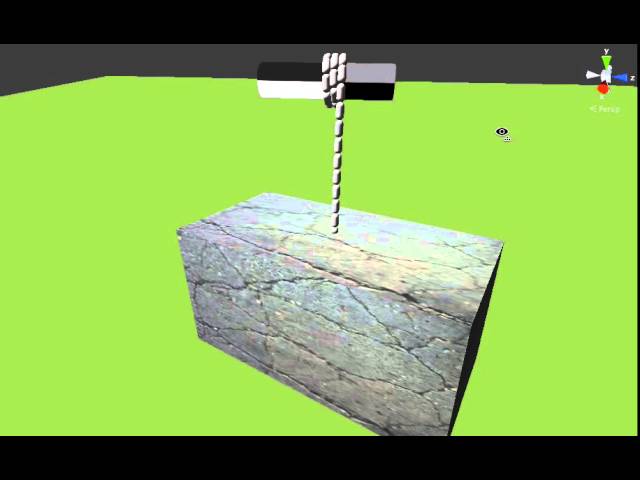
This is a simulation by APE (Articulated Physics Engine) in Unity 4.5.2 environment of a coil of rope consisted of 30 rigid body capsule segments inter-connected via 30 ball socket joints. A heavy weight was hung at the end of a mass ratio of 1:100 between a single rope segme...
rocky radish
is there a blueprint function to set which camera is used when the play button is hit?
@acoustic ether auto possess player
they have a subsection for HDR domes, are those still not ment for this?
@keen moss are you using the images from that section?
acoustic ether
@rocky radish where is that located?
acoustic ether
@rocky radish thanks! is a cine camera actor considered an actor? I am really new to this and I am only using unreal for rendering/animation. no games
rocky radish
@rocky radish thanks! is a cine camera actor considered an actor? I am really new to this and I am only using unreal for rendering/animation. no games
@acoustic ether let me check if it can possess a player
grim ore
@acoustic ether Set View Target with Blend is the node you can run that will determine which camera the Player Camera Manager is using.
rocky radish
@rocky radish thanks! is a cine camera actor considered an actor? I am really new to this and I am only using unreal for rendering/animation. no games
@acoustic ether oh, so you can make that into a sequencer
or what MathewW said
acoustic ether
@rocky radish Yeah I am using the sequencer but need to specify which camera I want to use when I hit play to record with VR cam. Thanks. Let me see if I can figure out what @grim ore said!
rocky radish
@rocky radish Yeah I am using the sequencer but need to specify which camera I want to use when I hit play to record with VR cam. Thanks. Let me see if I can figure out what @grim ore said!
@acoustic ether you can just drag and drop the camera into the sequence
acoustic ether
@rocky radish Yeah, but then I cant record with VR when I hit play. When I hit play it spawns something new.
keen moss
@rocky radish yes, ive also tried HDR images from NoEmotion that also do not work as well as HDRI Haven and what I really want to know if what is the difference
rocky radish
@rocky radish Yeah, but then I cant record with VR when I hit play. When I hit play it spawns something new.
@acoustic ether oh ok, sorry
@rocky radish yes, ive also tried HDR images from NoEmotion that also do not work as well as HDRI Haven and what I really want to know if what is the difference
@keen moss what file extension does it save the images?
acoustic ether
@rocky radish no worries man. thanks for the help. Been trying to figure this out for days but everytime I get further i run into another roadblock.
rocky radish
@rocky radish no worries man. thanks for the help. Been trying to figure this out for days but everytime I get further i run into another roadblock.
@acoustic ether you're welcome!
keen moss
.HDR
keen moss
in unreal?
rocky radish
yes
dawn kelp
How can that happen, that my unreal engine just can't detect my uassets anymore?
rocky radish
How can that happen, that my unreal engine just can't detect my uassets anymore?
@dawn kelp where the assets there before? or did you just import
 azure shore
hey just wondering, does anyone know of any tutorials on creating an in-game level editor? I cant find any anywhere
keen moss
@rocky radish compression settings are HDR (RGB, no sRGB)
dawn kelp
No
I just imported my meshes and stuff
created materials in that folder, used them in my project. Closed (save)
Worked for 1 week, and today I open, browser empty. But the uassets are in the folder (windows explorer)
@rocky radish
rocky radish
@rocky radish compression settings are HDR (RGB, no sRGB)
@keen moss but the issue is that you just can't select the hdri from the skylight or wherever you're trying to put it in?
dawn kelp
But I find them by selecting a new mesh for example for the actor
They are just not there anymore for the content browser
rocky radish
@dawn kelp click on the magnifying glass (sorry if i spelled that wrong) and see if they'll show up
ivory marten
hi im new to unreal and im trying to make an fps game can someone help me
keen moss
@rocky radish no, i can put the HDR into HDRIbackdrop just like the one from HDRI Haven that works, but when i do the scene goes dark and has no cast shadows, im using raytracing
azure shore
...Ill ask another time then
 coral patio
Hey guys! 😄 I have a question about translucent shaders - how do I enable roughness for them, ideally metallicness as well? For example, if you want to create a band of silk and want to give it some very slight translucency but you still want it to have its distinct semi-metallic shine, what ways are there? Or another example would be glasses - you want the glass itself to be mostly translucent but not completely transparent and you also want it to shine. What ways are there? I've always wondered that but now I want to actually use it
dawn kelp
@dawn kelp click on the magnifying glass (sorry if i spelled that wrong) and see if they'll show up
@rocky radish Hi thanks. Where's that one?
OH WAIt
that worked
grim ore
select one of your meshes from that list then the eyeglass to browse to it
rocky radish
you're welcome
dawn kelp
That refreshed the content browser
Weird. Shows everything now (btw, it was just 2 of my folders that didn't have content 🙂 )
rocky radish
the engine probably didn't load the content browser properly
rocky radish
@rocky radish no, i can put the HDR into HDRIbackdrop just like the one from HDRI Haven that works, but when i do the scene goes dark and has no cast shadows, im using raytracing
@keen moss does it happen when rt is off?
try in another project to avoid 10000000 compiling shaders
primal furnace
Hey @grim ore, by any chance would you know how to exclude an object from being affected by post-process?
keen moss
i will check @rocky radish
primal furnace
Or anyone else for that matter, but I know Mr. Wadstein is the master here!
rocky radish
Hey @grim ore, by any chance would you know how to exclude an object from being affected by post-process?
@primal furnace have you tried custom depth?
primal furnace
I've looked into it but didn't make it work. But now that you're telling me, it must have something to do with it..!
I know I made it work before.. thanks for the tip!
grim ore
yep its definitely custom depth http://www.tomlooman.com/the-many-uses-of-custom-depth-in-unreal-4/
 pallid sage
Hey there, are there any good videos out there to understand dark scenes in Unreal Engine?
primal furnace
Thanks both Daniell and Mathew!
rocky radish
you're welcome Expod
little falcon
@rocky radish Thank you!
rocky radish
@little falcon you're welcome
acoustic ether
@grim ore thanks man i got the camera working
little falcon
Did not figure out the reason, but now its working...😅
rocky radish
oh ok 😄
acoustic ether
@rocky radish do you mind if I shoot 1 more question your way man? I have my camera set up but I have one problem stopping me from doing what I am trying