#ue4-general
1 messages · Page 743 of 1
 teal tulip
 fierce forge
idk
 unique kraken
anyone got a sec? im trying to place sockets very pricice using snapping but i cant seem to make it work
fierce forge
ask him to try to activate on a another account
teal tulip
yeah is seems like will need to disable the first one
but no idea how this guy will disable the other key xD
fierce forge
you will need to revoke the key and give to him another
 gilded eagle
Still trying to make sense of game instance and game mode
Why is not a good idea to store everything in gameinstance?
 jovial palm
@fierce forge did you get the volumetrics to work?
fierce forge
i enabled the plugin but idk how to use it
jovial palm
i watched this but i don't get the plugin library showing for volumetrics like it does for him https://youtu.be/YOgxWb8_u6k?t=155
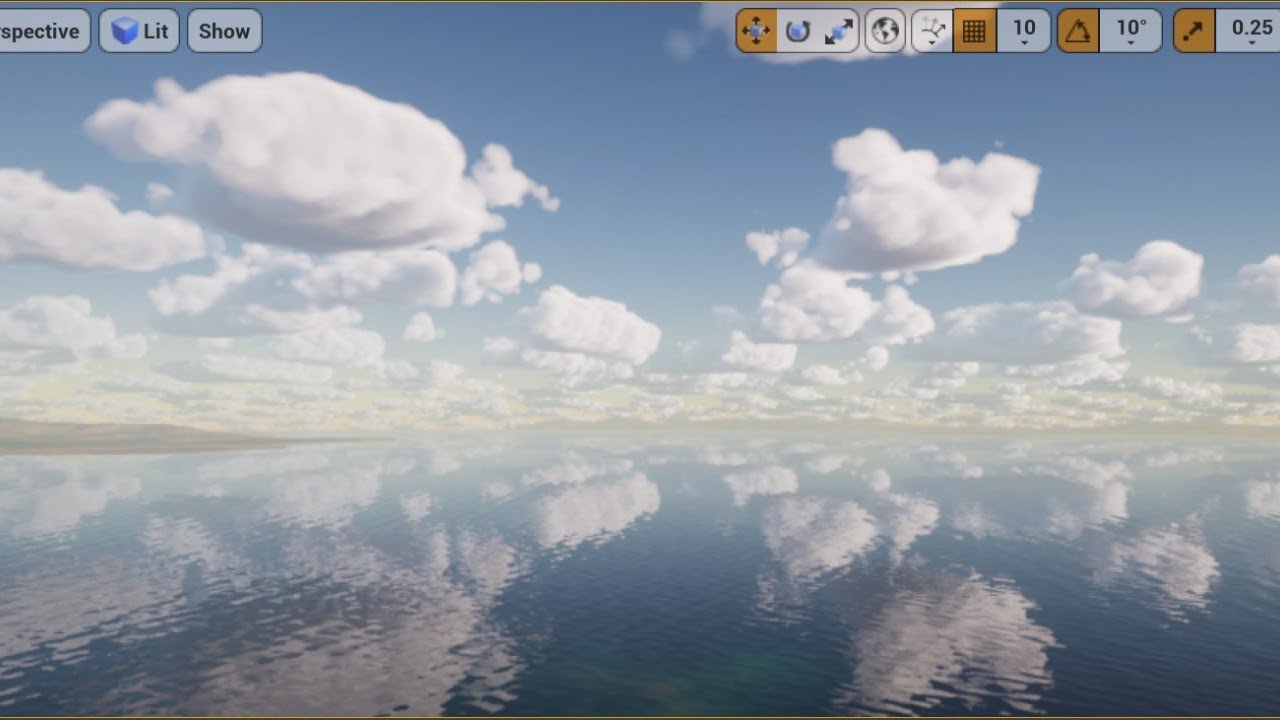
added the timestamp
gilded eagle
Why game mode and game state exists?
Why should I pue game logic in there instead of game instance?
I understand that when I save the game for example I need to do it from game instance
I have to pass all the info I want to save there.
jovial palm
oh found it
jovial palm
i just turned on everything as visible lol
 glacial pecan
@gilded eagle store everything in game instance... game mode is a useless piece of shit unless you want multi player
 versed yarrow
thank you @glacial pecan, i should have looked to the marketplace but i got dazzled by loads of third party stuff
 mortal quarry
pivot doesnt act the way it should when I move it and Set as Pivot Offset (when animating, the pivot gizmo is correct, but the path it follows is not)
 molten cairn
What is the difference between the Default and TimeofDay Level in ue 4.25?
 merry gazelle
I'm creating a cyberpunk game that uses a particular sign material in the character and building BPs spawned in the map. I was wondering if UE4 has a built in node that would allow me to reference all actors with a specific material? The idea being (Get all actors with material X > Dynamically change to material Y), this would allow me to update all the sign materials with a flash alert when the player is detected.
I can think of some less performant options to get this done, I'm just curious is there's a "get all actors" equivalent for materials?
 kindred viper
@merry gazelle you could use an Interface for that. Add the interface to the models you want to check, then check if it implements the interface. You could use the interface to both return the material and change it
 wary wave
build it into one material and use a material collection parameter
merry gazelle
ok thanks, I'll look into both options 👍
 plush yew
Hey.
Silly question but:
Does Epic Online Services give free VMs to host the dedicated server too? Just heard about it and it seems like a gift from god but a horrible business model.
 floral arrow
ive never heard of that
plush yew
You haven't?
merry gazelle
I also heard something about Epic offering free online services, not sure about VMs
 astral phoenix
Hello idk where to put this but can some1 help me im trying to make so i can switch characters with a button but i can only get 1 part to work on the new char, i have different parts of the char (head,hair,shoes and stuff like that) i want to combine it to 1 full char if that makes sense? 🙂
 short geyser
Hello. Anyone has info regarding GPU lightmass baking? I keep seeing these videos about 4.26 render dev branch but can't see any official post about it nor on the trello board
 spare sun
https://docs.unrealengine.com/en-US/Engine/Rendering/Materials/HowTo/BumpOffset/index.html
am I the only one being redirected to the main page
short geyser
@spare sun no. Me as well
 candid falcon
is it just me or was there a biplane able to be used in the landscapemounts project?
 fossil ore
Does anyone know why Console button doesn't always works in Engine ?
plush yew
yooo
 deft nebula
How can i get the camera from the player pawn
plush yew
bro im gonna make a kick starter for a game, use only purchased assets, take 100,000$ from teh kickstarter then disappear and leave the dev center as an apartment complex
free money?
fossil ore
Totally legit
plush yew
RAW moment
 cold venture
I was watching a video about water surfaces by unreal engine and he demonstrated two types of surfaces. Lake and ocean. Now I was using the lake one and there seem to be too many ripples. Can someone help me with that?
Also at the start of the video he said he used a simple plane mesh to use for water but with a lot of tesselation so that waves are visible. What is that?

 topaz loom
try offsetting your tessellation overall back to 0, it looks like you're adding a lot with "crack free displacement" but only a guess
 tacit moon
@jovial palm are those clouds from the volumetric cloud plugin in 4.25?
jovial palm
yep
tacit moon
That looks incredible.
jovial palm
making an animation atm
tacit moon
That's some professional looking work.
jovial palm
thanks, this is my first personal project in ue4, been using blender entirely in the past but hearing about the volumetrics got me here
plush yew
@topaz loom how would offset the tessellation?
i used SetMasterPoseComponent with GetMesh on some skeletal meshes but when i change the anim in bp it doesn't change all of the meshes, any ideas? in 4.25
 high flax
guys what kind of performance do you get on exported project vs play in editor?
topaz loom
@plush yew right before World Displacement do a subtract by a scalar parameter and play with it until it goes back to normal
@plush yew some version of this is my best guess
plush yew
that just moves the whole mesh back and forth
topaz loom
try subtracting from the texture sample then
plush yew
what do you mean? base color?
topaz loom
no like in this example pic i posted
my idea is that your values are too high so it's moving the verticies too far in your displacement
topaz loom
so try subtracting before you multiply by the vertex normal WS
 zenith lily
Are there any tools out there to convert CableActors to StaticMesh?
plush yew
that stops the stretch effect but ive lost a lot of the tessellation factor, lemme see how I can add the tess scalar i had back into the mix
ok that helped, but now it goes opposite direction
and the walls overlap
topaz loom
it sounds like you just need to adjust the value you're subtracting now
topaz loom
no prob!! hope u get it
plush yew
I did is what im saying
now i gotta figure out how make this work on the landscape
because that was the issue, so i thought lemme do a test on a mesh
 frozen pond
fast question, in standard empty top-down project, i can't find any control actions? blueprint is empty
 tawdry sigil
Someone Ideas how to sucess this ? I know how to tile grid stuff but how to get the height ? If Noise is a Option then how i difference between the edges corners and all ?
https://i.stack.imgur.com/rzqj8.jpg
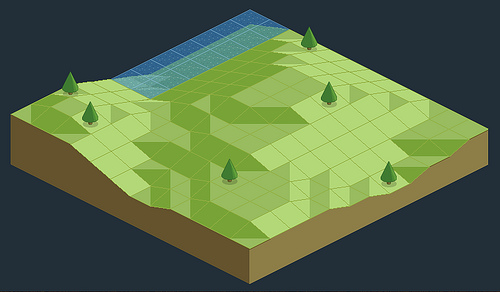
 blazing pumice
I want to reference the current level to decide whether or not to run a script. Currently I have 'Get current level name' and then 'Branch', what goes inbetween?
plush yew
all hail nanite
 thick herald
start with the official Unreal Learning hub, learn how to use the engine, figure out what you need to learn to make your game. Asking "Where to start" is incredibly vague, but you have to know how to do some of the basics first and the only way to do that is to follow either tutorials or documentation.
 fervent nacelle
Or what I did which was dive in head first and start dissecting already available content
I've gotten pretty far with that method tbh
requires a lot of work for sure tho
thick herald
all of them
fervent nacelle
Any avaiable on the market and/or other with a proper license from external sources
They can
they cant be used outside of unreal
yeah, its coo
speaking of monetization, anynody know when the minimum earnings for royalties starts?
thick herald
Anything available through the marketplace can be used for any game or project in Unreal or any other game engine with the exception of Epic Games and Megascans assets which can only be used in Unreal.
 stray smelt
$1 mill was announced last week
fervent nacelle
yeah, but has that kicked in already or is there a date that starts?
thick herald
it's retrospective to 1st Jan this year
stray smelt
I have a BP that is being spawned x amount of times. That BP does spawn decal, then create dynamic material instance and edits texture parameter value (texture).
problem: once I change the texture for that instance, it's changed for all the BPs spawning that decal. How do I make it unique to each instance of the BP?
thick herald
you need unique instances
fervent nacelle
^
stray smelt
how do I make them unique?
fervent nacelle
Probably an array would be my first appraoch, havent done it much myslef tho
specifically wiht dynamic mat instances that is
stray smelt
so what exactly would be in the array? the decal itself? or an array with the material instances?
thick herald
once they are spawned, you should be able to cast to that actors materials and change it there I think.
fervent nacelle
@deft salmon have you baked lighting?
same things, that'll stay until the lighting is changed or invaliudated. moving the object should change it
 earnest charm
I'm sorry if this is a dumb question. When I exported a model from maya as fbx and imported it into my unreal engine. All the body parts from the character model are separated. How do I make sure the parts aren't separated?
fervent nacelle
by building it
they're more or les interchangeable in this context
do you have emissive in your materials?
 midnight gate
anybody know how can i lock my camera to only move on the x axis?
its very important
fervent nacelle
Mind postring a screeen of the material?
@midnight gate is it on a boom or on the char?
midnight gate
on my 3rd person character
any way
just how do i lock the moveent and only allow it to go on the x axis
and still follow the player
fervent nacelle
Hang on, I'll post a screen, this is something easier shown than said. JUst gotta wait for my engine to load up
midnight gate
thank you
fervent nacelle
@deft salmon HM.. Do your meshes have a metalness value more than 0 and do you have reflections captures in the scene?
thick herald
@earnest charm in the import options pop window there's an option to have them combined
midnight gate
im waiting for help
fervent nacelle
sorry, its gonna take a few minutes to load, ill let you know when it does
earnest charm
Thanks @thick herald
midnight gate
thank you
fervent nacelle
@deft salmon My thought is that the captures are retaining older lighting data and metalness is influenced almost solely by reflection captures without rtx on
midnight gate
hmm
 cursive hare
Anyone who have made there game with unreal engine and uploaded it on steam?
I needed some help
 exotic thicket
Is it a bad idea to use Map types in variables? The editor seems to crash every single time I try to add default values into a Map :P
fervent nacelle
hmm, can you send a screen of the char bP?
fervent nacelle
wasnt that what you wanted? Or do you want the world x-axis?
midnight gate
i want to lock the camera on all axis execpt x
and it moves in all the axis
i need it to stay stragiht
im making an infinite runner thats why
the camera is always locked on those games
tacit moon
Are the open world tools still experimental? I see they were first released in 4.8.
fervent nacelle
@midnight gate so you dont want the camera moving inward/outward and and not allow it to rotate correct?
tacit moon
@plush yew I'm still reading the docs
But ifyou want to play with it, it's in the experimental section of the editor preferences.
To turn it on
midnight gate
@fervent nacelle i want the camera to be locked on everything exepct moving forward and backward in x axis
i dont need to lock the rotation
i need to lock the movement
exotic thicket
Open Broadcaster Software or OBS
 thorn fog
Thanks
 marble sparrow
Hey, anyone can tell me what the debugging symbols are for ? Looks useful but that's quite large (27GB when the size of my engine is 35…)
(By "what is it for" I actually mean "is it that useful / necessary" ? )
fervent nacelle
@midnight gate you could try something like this
tacit moon
How do people make flying games where you can fly close to the ground and see high detail, but then fly high up and see the curvature of the earth? Just stream in/out levels?
fervent nacelle
ditch the boom and constrain movement to the x_axis
midnight gate
hm thank you i will try
fervent nacelle
@tacit moon thats part of it, but then you have distance based shader modification, HLODs, proxylod, Clustering, distance and occulsion culling, draw call density, etc
yeah np
@tacit moon youll likely be overwhelmed starting there
tacit moon
@fervent nacelle What is proxylod?
fervent nacelle
Its essentially a feature built-in that creates a distance mesh representation of a certain segment of assets in a level. It allows for more objects in the distance by merging and consoolidating things
tacit moon
In Unity and WebGL I've done shader based terrain LOD and implemented my own quadtree LOD's. But Unreal seems to have so many built in tools.
fervent nacelle
far-distance mesh
tacit moon
So proxylod would merge assets automagically?
fervent nacelle
it does, however open-world is still a challenge do to how much information is being handled. And yes, but the reduction in quality is usually quite severe, so I would only recommend it for very far away meshes
the merge actors tool can help with things closer up by merging them into a single asset
tacit moon
Yeah, I've never had any luck doing large terrains that look anything close to good.
fervent nacelle
Theres a good starting example for HQ landscapes in the learning tab.
photoreal landscape or something like that
Id start disecting whats going on in there
tacit moon
It might as well be rocket science. The only time I got decent results, everything was done in shaders, leaving me an overwhelming amount of work to get the physics and collisions to line up with what was in the shader.
frozen pond
how i can get input action key ?
fervent nacelle
that's fair, unreal has a lot of useful tools that help workflow, which I very much appreciate
@frozen pond in what context, like in a bp?
tacit moon
I'm on day 2 of reading docs and so far I can't believe what I've been missing out on. So far Unreal seems amazing.
frozen pond
nvm found it, now i need to make loop with delay in component blueprint
fervent nacelle
I hopped ship from Cryengine in like 2015, and havent looked back
even spoken at an IGDA meeting for ym use with the engine, which is certainly a nice accolade on my side
 clear cave
WorldofLevelDesign has plenty of UE4 landscape tutorials you can look at @tacit moon
fervent nacelle
yeah, been around for some time, too, and Im pretty sure its still run by the same guy its always been, but dont quote me on it
cursive hare
Anyone who have made there game with unreal engine and uploaded it on steam?
I needed some help
 rocky radish
Anyone who have made there game with unreal engine and uploaded it on steam?
I needed some help
@cursive hare with what exactly?
cursive hare
@rocky radish When i add advanced steam sessions to my project the overlay isnt showing up and it isnt working i tried doing it several time but dont know why it just dont work
cursive hare
ohhhh i see
i guess that is why it isnt working
can you recommend me any version that would be just good for that
rocky radish
4.24.3
cursive hare
i see thankyou so much
rocky radish
you're welcome!
 hidden bloom
Morning peeps
Question: I Finally got megascans export feature working but when it exports to Unreal do I still have to click to invert green channel on the normals? or does it do it automatically
 tepid dragon
Has anybody got EOS to work with UE4?
 astral spindle
hi, can you explain this , default glass material
 grim egret
Hello, I just build a test, and Werer the heck is it? XD :)) i mean i expected to get a executable to test the game, or i'm missing something?
 brittle tundra
Question: I Finally got megascans export feature working but when it exports to Unreal do I still have to click to invert green channel on the normals? or does it do it automatically
@hidden bloom that’s is auto for me
 hexed dagger
hey
when I go in a pointlight area
it seems to make a bigger area lighter than the area shown before entering it
is there a way to stop that?
 thin tendon
Whats a good way to determine if a widget has already been added to the viewport?
 somber moat
Hey just a quick question. Im trying to use the Quixel assets but everytime i import one I get this Warning / Error
And when building the light im getting https://i.imgur.com/n6QFUNV.png
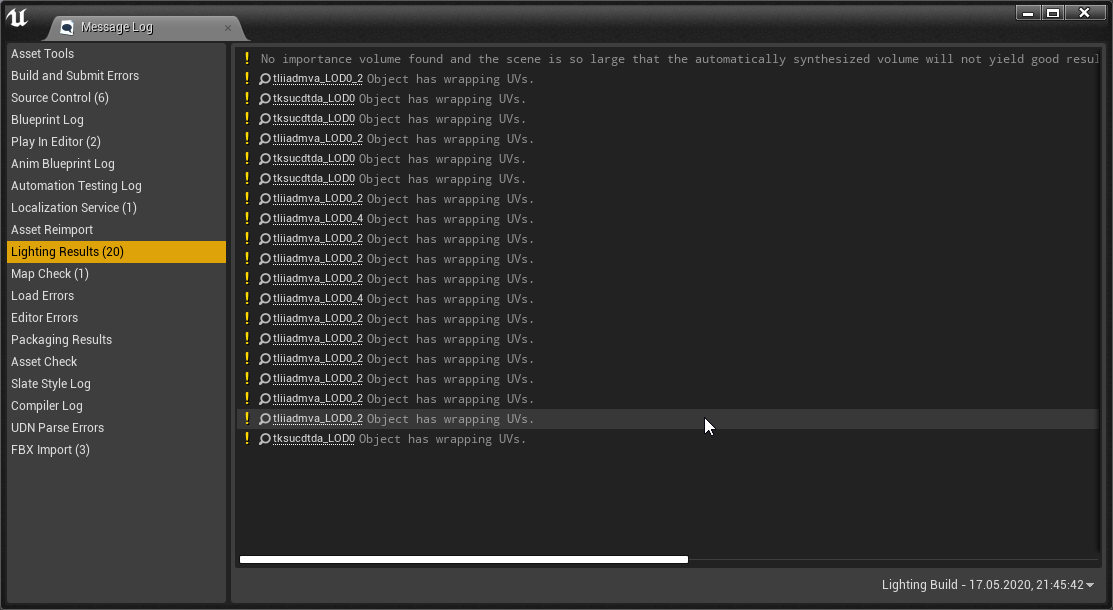
(Im new to unreal so im kind of lost)
grim egret
@somber moat Yo hey did you did the Bridge set up correct?
somber moat
I think, I selected the unreal engine installation in the bridge
grim egret
I downloaded the Bridge yesterday, and tested it with a material and everything worked perfectly
Have you done this install?
somber moat
Yea
 clever arch
Hi can any one give me advice on why this won't move the enemy character. Im trying to follow one of Epics tutorials on their website and have got stuck on this. That character won't move. I feel I may not have enable something to make the character move or something
 vocal topaz
thanks
 atomic forge
what's the culling of models after a certain distance called?
Like when the tree disappears after you walk X feet away from it, and reappears when you come back to it
Thank you!
clever arch
@plush yew Sorry didn't see your reply! If i attach a print string to the end of the simple move location it will fire the hello message every 1.5 seconds so I assume it is happening
if i attach the print to the random location of the point in radius it shows now value. If i attach it to the get actor location it shows a value there
so it appears that nothing is happening or the Enemy characters movement is locked
hidden bloom
I got bridge to fina;lly work and get the fbx export error too but everything seems to come in fine. only took me 2 months to get bridge working lol
when they did the fbx they prob didnt check the smoothing groups it says have to do
I just wished you got the master material instead of just the instanced so that I can see how it was built and learn from it
hexed dagger
which one is the height map in the material editor
 vague sable
anyone know where in the source the free flying camera code for the editor is?
I guess it's CameraController.cpp ?
 worthy flame
 outer saddle
@clever arch did you set a navmesh volume?
hidden bloom
@hidden bloom that’s is auto for me
@brittle tundra Thanks Max Had to run to get my meds hehe
plush yew
Hi all, anyone know how to remove these seams between these 2 modular walls? I'm following a tutorial and he didnt have this problem
 mortal escarp
oh finally i found a unreal engine server
 hollow night
lmao
clever arch
@outer saddle Yes i did but I must of done something to it. I deleted it after your comment and readded and its all working again! woooo thanks
outer saddle
Glad it worked
 silk lintel
Hey, has anyone here used ray tracing?
I've tried literally everything and I can't get it to work. 'Ray Tracing' enabled (so 'Support Compute Skincache' is also enabled), reflections set to 'Ray Traced', compatible gpu (rtx 2080 super), compatible windows version (1909), compatible engine version (4.25), default values in 'Path Tracing', post process volume set to 'unbound', default RHI = dx12.
 vital cosmos
is it possible to store some unreal project content in another directory? My main ssd is gettin kinda full
silk lintel
@vital cosmos Unless you want to go into the source code, I think you have to manually set your project directory to something other than (ue4 installation drive)/User/Documents/Unreal Projects, but it might carry over when creating projects.
vital cosmos
@silk lintel My project is a c++ project so I want some parts of it on my ssd for faster compile times and others elsewhere on my other hdd
 astral sundial
how do you install mega scans plugin?
silk lintel
@astral sundial you need bridge first
@astral sundial when you try to export something you download, it will prompt you to install the plugin
@astral sundial It hasnt been working (for me, at least) for the last month. If it's the same for you, you'll have to manually copy files over from Documents/MegascansLibrary/Custom or Downloaded
astral sundial
with the prompt where are you supposed to put it?
silk lintel
@astral sundial I don't think it asks for a directory, if that's what you mean.
silk lintel
@astral sundial It looks like the plugin is already installed. Try exporting?
astral sundial
@silk lintel it says it succesfuly installed but when i open the project it does not show up and it fails to export.
silk lintel
You have to have the project open while you export. It sends data over a specific port, so you can only have one project window open at a time.
@astral sundial Is it working for you?
astral sundial
i had the project open and it says sucessfully installed but it still does not show.
And when export
@silk lintel
silk lintel
@astral sundial Yup, same for me. Incredible that they haven't fixed this if it really happens to everyone else. You're gonna have to create a support ticket for quixel bridge since it's on their end. I've been looking through forums and I haven't found a fix. If you do, I'd appreciate if you told me lol.
 grim ore
that install location doesnt look right, the root folder seems odd to have installed it into (epic games), it should be more like epic games\4_25. Sorry didnt see the 2nd screenshot, the first was wrong the 2nd looks ok
 split tundra
Is there any way to change a DataTable's structure?
unique kraken
anyone knows a way of smoothing the capsule movement over, for example stairs?
(i know about the different collision for stairs)
i specifically ask "is it possible somehow smooth the movement of the capsule ?
grim ore
I just tested bridge with a new install of it and 4.25, works without issue here.
does the mega scans plugin show up properly in UE4 for you?
silk lintel
@grim ore I tried reinstalling both bridge and live link, still get that issue.
grim ore
there is no reason to install link
download bridge, install bridge, setup bridge, launch UE4, export
when you run UE4 does it show the mega scans plugin on the toolbar?
silk lintel
No. It used to, but not as of 4.25.
grim ore
then it didnt install the plugin correctly so yep that would be why you have the error
without the mega scans icon the plugin is not working, so no connection
glacial pecan
why would DrawPrimitive calls triple when I move my pawn?
astral sundial
@silk lintel i was struggling with this for a while in the past and somehow got it to work. but i had to update versions and it broke on me. now i cant figure out how to fix it again. But i did just find a work around. if you check your megascans download folder you can grab the raw file and import in project manualy.
glacial pecan
(first person, btw)
grim ore
after you install bridge, you set the export options up to UE, then 4.25, then you choose your epic games\4_25 folder? after that it should show epic games\4_25\engine\plugins and in the top right it should say it is installing the pluing.
if the engine is open during this you will get an error
at the worst you can do the last steps again, choose export to UE, choose engine version 4.25, point to the 4_25 folder and it should say installing and 5.7 on the top right
and of course when you installed bridge you allowed network access right?
unique kraken
anyone can reccoment a good anim starter pack? i just want a bunch of walks and what not
deft nebula
Can i set an actor tag to an blueprint pawn thing
Is that possible
To set a actor tag in a blueprint pawn
hidden bloom
Guys this morning I got UE4.25 installed but when I start a project I dont have the icons etc for creating and editing landscape like was in 4.24 how do I get them to show back up?
hidden bloom
yea I used to have it up next to place actors tab I cant even find the landscape tab in any the things I was scrolling through them
grim ore
@deft nebula it should be, a pawn is an actor so yes
deft nebula
@grim ore thanks
grim ore
@hidden bloom the modes panel has changed to a button in .25, click the Modes button
hidden bloom
@hidden bloom the modes panel has changed to a button in .25, click the Modes button
@grim ore where do I find the modes button? lol i was new in 2.4 just before the chancge so not familiar yet with uE
grim ore
Look at the top of the viewport, It is in the main toolbar above the viewport
hidden bloom
in window editor modes they both greyed out thats the only modes thing I can find
ignore that
deft nebula
When will 2.26 come out
plush yew
Hey guys, I'm having an issue where windows isnt recognizing the .uproject file
it brings up this even though my default directory should be on the C drive
These were old engine I wiped months ago
hidden bloom
I had to start over cause my project crashed earlier dagnabbit
so I am guessing megascans doesnt come with a master material only an instanced one?
silk lintel
@plush yew Have you tried opening the .uproject file with UnrealEditor.exe? It should create the association then.
plush yew
Hi y’all! I was wondering y’all’s thoughts on getting a NZXT Build pc for developing games with Unreal Engine 4. Specifically for this one, https://www.letsbld.com/streaming-pc
Thanks 😬

NZXT gaming PCs optimized for streaming
I did but it didnt automatically assign it
it still thinks that it is the broken file path
silk lintel
hAvE yOU trIEd rEstArtIng
silk lintel
@plush yew Go to Control Panel -> Programs -> Default Programs -> Associate a file type... then try removing the existing association for .uproject and adding it back manually
grim ore
@hidden bloom you have to have a master material to make an instance from so yes it has a master material
plush yew
@plush yew hmm even starting there as a base cpu and upgrading to 32gb ram when felt needed?
hidden bloom
I know that Matthew but when i open the exported files from Quixel they only send their instanced with it they hold on to the master
grim ore
@plush yew my current machine is very similar to that with the exceptions I have a 2700x instead of that 3700x. UE4 performance is good enough 🙂
plush yew
to UE4Editor right? @silk lintel
hidden bloom
but I figure when I learn things I can take all the adjustments that is in their instanced material and recreate a master
silk lintel
@plush yew yeah
grim ore
@hidden bloom
silk lintel
yeah just a sec
plush yew
Because when I do ue4editor it removes all of my options
grim ore
You can see the parent material there, you can see the master material in the content browser there.
silk lintel
@plush yew This is the path: C:\Program Files\Epic Games\UE_4.25\Engine\Binaries\Win64
hidden bloom
im exporting one now to the new project ill look but the only one I was showing was instanced
plush yew
Whats the .exe?
silk lintel
'UE4Editor.exe'
plush yew
Shoot
what the hell?
Yeah it isnt giving me any options when I set it to that
You know when you right click on the uproject? No options
grim ore
even if the item coming from bridge has an instanced material assigned to it, it still HAS to have a master material that it is instanced from and that master material HAS to be in the project somewhere
silk lintel
I hate to say it, but you might have to reinstall the engine.
deft nebula
Does anyone know how to save and load the player location while using world origin shifting from world composition?
silk lintel
@plush yew I've never heard of something like that before. Maybe you have a non-default installation location?
hidden bloom
ok I will look again Matthew its almost done importing into project
deft nebula
Have askt it alot of time never got a answer even on the forums and answerhub
plush yew
ugh SO STUPID all because I downloaded a build from another project Im working on
No, its normal install location
C:\Program Files\Epic Games
grim ore
You need to use the unrealversion selector executable to tell the OS where the engine install is and to register it.
plush yew
@plush yew @grim ore I understand it can be more $$ on NZXT but i think bc of the shipping and build fees. Y’alls input helped though! Thanks 😄
grim ore
@plush yew ignoring the cost, as thats a personal issue for you to decide, the parts would work fine for UE4
deft nebula
No had 4.23
plush yew
I just need the versionselector
deft nebula
But has anyone a answer on my question
Does anyone know how to save and load the player location while using world origin shifting from world composition?
@deft nebula this one
grim ore
you don't, use the one that is in the launcher binaries folder. They moved it there at some point. Copy the file from the launcher Dir to the engine /win64 folder and run it.
plush yew
got it thanks
deft nebula
Someone
Does anyone know how to save and load the player location while using world origin shifting from world composition?
@deft nebula anyone
 inner cloak
Does UE4 support mesh deformation with splines ? ... like making a water hose
astral sundial
How do you adjust sky parameters like horizon falloff and zenith color? I change the value but nothing results of it.
hidden bloom
can I just copy and paste all the stuff from one project content folder to another project folder?
plush yew
Whats the command for showing vram usage?
hidden bloom
man this uses a ton of online data usage just to get stuff into a project lol
astral sundial
@plush yew where would i find that setting? thank you by the way!
hidden bloom
is it just me or does 4.25 seem to act buggy
 glossy scaffold
Does anyone knows why FloatCurves from animation files disappear once the project is packaged? Any solution to this issue?
astral sundial
@plush yew thanks found it
 dusky hound
Hey all, so does anyone know where I go to publish a game on the unreal game market? I found https://publish.unrealengine.com/ but that appears to only be for market assets and not finished games.
thin tendon
@dusky hound There is a form you fill out. Then you just wait for an answer from them
dusky hound
@thin tendon do you know where I go to fill out the form? The form on https://publish.unrealengine.com/v2/products only lists "Asset Pack" or "Complete Project"
Oh oh
sorry
Just saw link you linked
I'm blind
Thank you 🙂
thin tendon
All good mate
dusky hound
@thin tendon Annnnd summited. Much much appreciated Slim
silk lintel
I need a straight answer. Is Chaos available in the 4.25 official release, or do you still have to manually compile a fork of the source code?
And when I say 'Chaos' I mean the Fracture Editor.
silk lintel
yet geometry collections and chaos solvers are available?
@grim ore Do you know of any tutorials for compiling a fork of the engine?
grim ore
its not a fork, its the source version. any of the source versions will work, you can do the .25 source. you just need to enable chaos
silk lintel
oh
grim ore
and the instructions are in the chaos doc pages
 late verge
hello! in what "practical" scenario would i be better off using individual mouse events (TOP) rather than just an event tick with mouse values (BOTTOM)?
grim ore
yes you can open your project in the source version as long as its the same engine version
grim ore
@late verge neither is optimal, the engine has input events used for handling input
late verge
oh, alright. i've been following a tutorial. the top is the first way he did it but then he created the bottom part to show a more efficient way of doing it.
rotating the floor, that is
grim ore
for just testing or learning, they are fine but for final product the input system should be used
personally I dont see why either is more optimal or efficient tho
both run on tick, the mouse event and the event tick
late verge
he actually had two rotation functions and plugged one mouse event into each function, so the bottom was obviously more efficient.
however, i "optimized" it myself by simply having one rotation function.
grim ore
having one or two wont really matter, the code is going to end up the same
you have 2 code paths on the top one
silk lintel
@grim ore why cant I just recompile the release with bCompileChaos changed?
grim ore
recompile what release?
grim ore
the launcher version without all of the source code?
silk lintel
nvm
late verge
got it. i'm just trying to wrap my head around why i would ever use mouse events when i can just use an event tick. i guess the mouse event would be more efficient for workflow if i'm only tracking one axis? @grim ore
cause for tracking both axis, using a simple event tick is a cleaner per se
grim ore
well using a tick and using the mouse event would give you the same result, both are basically ran per frame
assuming you are using an axis event for the mouse, which you would
and using the event tick might be "cleaner" except your now tying your input events and process to the general tick event
soo.. lets say your checking for mouse X and Y right now on tick, what if you want to add gamepad support?
late verge
and using the event tick might be "cleaner" except your now tying your input events and process to the general tick event
could you elaborate a bit on this?
grim ore
well maybe you want to change your tick to be not every frame but every other frame? now your input will only fire off every other frame
or say you want to do other things on tick, now your input events are somewhere in your tick chain
its less clean
but back to the other question, with your code how will you look for gamepad left or right to rotate?
plush yew
hey
can anyone help me with something
im trying to fix a bug
and i have no idea how
late verge
@grim ore im not sure at all. it's just a tutorial i've been watching haha.
thin tendon
@grim ore@late verge The system I'm using for game-pad. Is having a cursor widget that is always focused. Then using over ride functions to move it around.
grim ore
input event let you use more than one input in the event. so you could have one called say RotateX and it would check for the mouse X and the Joystick X at the same time so you hook up your code once and it would work with joystick and mouse
thin tendon
Then you just remove it when you don't need it
 fresh oasis
Is anyone familiar of any existing UE games where it included an in-game editor for asset creation?
And I mean like full assets, like being able to import FBXs or similar for example.
 hazy widget
I have a problem with procedural meshes. It wont show when I try to launch it on desktop but it works fine when playing on editor.
hidden bloom
@grim ore took a screenshot of imported files from quixel and there is no master material only the instanced
somber moat
Hey any suggestions why the shadows are messed up?
(New to unreal don't hate me)
or do meshes cast shadows in a weird way? Or am i just bad :3
 calm sphinx
Does anyone know why Epic stopped issuing badges on forums?
late verge
@grim ore understood. would it make sense to say that Events are what let the engine know how or when something will occur?
rationally, i'd assume this would allow me to rotate the floor, but the engine doesn't know how or when to do it
the event tick is telling it to rotate every frame essentially
fresh oasis
They really need to catch up with Unity on documentation.
grim ore
@hidden bloom You might have had the master in there from before. Open the instance, scroll down to parent, that is your master material
 patent fjord
Does anyone know any tutorials going over the basics/fundamentals of UE4?
 tiny sonnet
@patent fjord tons on youtube, just search up basics of ue4
patent fjord
I did but they are all going over basic c++ or blueprints
I mean like what actors, pawns, and characters are and how components work
patent fjord
or?
tiny sonnet
what i did was try to make a game, and search for tutorials when i need help
tiny sonnet
yh
patent fjord
did it help you learn quickly?
patent fjord
(I mean, if it was a year, I would count that as pretty fast)
tiny sonnet
👍
I'm trying to network dropping a sword. This worked yesterday on both the client and server yesterday but for some reason, the client still "shows" an outline of the a sword in its hand like it isnt being replicated (replicates is on) and you cant use it so the character technically isnt holding a sword. both events are "run on server"https://blueprintue.com/blueprint/k5_q_unq/
BlueprintUE
patent fjord
ONE SECOND, YOU CAN PUT BLUEPRINTS ON HERE!?
Mind putting some functional ones you dont use so I can read them?
(and try to understand them as practice)
tiny sonnet
thats a copy and paste from #multiplayer, im not on my pc rn lmao. i can do it later
patent fjord
oh alr, thanks
 safe swallow
can I copy input mappings and axis mapping from one UE4 project to another, via file or do I just have to reset it all manually in UE4?
grim ore
you can export them at the top on that page, and import them in
safe swallow
Thank you
 static sparrow
Is anyone else having problems getting their open tabs to stay put?
I'll be working... looks something like this
And then I'll switch to a different tab, and then I look up and the order of one of them has completely changed, moved a few spaces to the right or something
A few times, it's even closed all other tabs that I didn't have open (I checked to make sure they weren't in the background... they just disappeared mysteriously)
It doesn't happen all the time, just randomly, maybe a few times a day
tiny sonnet
thats a weird one
you might just be blacking out lmao
either ways you can try verifying ue4 as a starter
 quiet token
im compiling shaders for a giant folder im deleting... cmon ue4...
i had to end process ue4 and delete the folder from explorer
grim ore
it sounds like its not installed correctly
is it showing up in the plugins list in the editor?
and it is installed in UE_4.25\engine\plugins\megascansplugin?
 cloud stream
How does Nanite work guys?
grim ore
what version does the plugin says its compiled for? the UE4Editor-Megascansplugin.dll?
yep then its not installed heh
when you set the export directory in bridge it says sucess? what version does it say
damn. and the install folder is showing engineversion\engine\plugins in bridge ?
 marsh swallow
So is there a way to read the .txt file in a directory when the game is packaged?
it works in editor, but when we package the file no longer is read. We do have it added to the "cook additional directories" as well
grim ore
@plush yew yep find your temp folder and grab it from there, for me its at "E:\MegaScans\support\plugins\unreal\5.7\latest\win\4.25"
my only thought is it doesnt like the folder you want to install in, or the anti virus is causing a failure. I install my engines to c:\epic games not program files
marsh swallow
ohhh wait. i think i had it in the wrong place
grim ore
~10mb
the plugin in the megascans folder or in your engine?
in the megascans/temp folder/download folder the entire plugins folder with all versions is 260mb, the individual 5.7 4.25 latest plugin i only 10mb.
maybe delete your temp directory, set it back up again in bridge, and try again
or just change your directory to something else in bridge, for the temp directory
shouldnt be too long, edit -> settings, change the local library path, and uh... profit?
ok so I did that, made a new folder, now in export settings in the asset it doesnt show the plugin info but has a new Download Plugin button... so if yours says that you have a clean download folder
and yep fresh download about 260mb for the plugins folder
 frank iron
Are your positional (x,y,z) vectors the same as longitude and latitude?
grim ore
yay, and good to know about the possible problem as other people have had it recently as well
hidden bloom
@hidden bloom You might have had the master in there from before. Open the instance, scroll down to parent, that is your master material
@grim ore Nope and used exploreer in all my folders only the instance. I guess they dont gove the master material only the instance and the textures
marsh swallow
With dynamic lighting... what would cause these shadow issues?
If i move things around while inside it goes black, then if i move around, back out and come back it looks like this again
grim ore
@hidden bloom which item is this so I can test it. Also what does your instance show for the Parent material?
hidden bloom
It is from the quarry set on megascans I bought the entire set as it fit my theme
is it the parent that I highlighted? Im new to all this but the folder with the asset itself has no thing but the texture maps and an instance
grim ore
that is your master material
grim ore
you can also click the eyeglass icon under the name and it will navigate to that folder and item
that is your master material, the material that is used for the instance for the item
hidden bloom
ok cool i got to it now i have something I can study
thanks for being so patient today
grim ore
you can also double click that item in the instance, the Parent material there, and it would open it up directly
grim ore
eep, hopefully it goes well
hidden bloom
prostate cancer its full 12 of 12 points 8 on the 1-10 cancer scale they going to take it all out and cancer at the moment they believe is just in prostate but its been 4 months waiting for hospitals to let me in
silk lintel
@grim ore I've done everything up to GenerateProjectFiles.bat, I'm getting this error. I've installed all the .net packs for core and framework, including the developer pack, still doesn't work.
 candid brook
Trying out the atmosphericFog component, but after pressing ctrl + L I managed to get it stuck, spinning around the up axis. I can't seem to change its direction. It just spins.
Anyone know how I can reset it without completely replacing it with a fresh one?
grim ore
@silk lintel show me the VS installer for the individual components section? like this
silk lintel
yeah, just a sec
 digital geyser
Hi guys I’m new to the unreal engine and was wondering if anyone can help me get started on creating a tactical turn based game like XCom. I am comfortable with c++ but I am also learning blueprints. I am also quite familiar with the design basics regarding turn based systems. Just not sure about the approach within unreal.
candid brook
@digital geyser People here are very helpful, but I think you might be better off asking specific questions as you work
I would start off learning the class hierarchy from AActor down to Components
digital geyser
Hmm I am more of learn as you fail kinda guy. Anyway so here’s what I think I understand - The GameModeBase should be used as a container for the turn system. I would have to create a turn queue (maybe just an array?) and have custom events for begin turn and end turn for the members. But what should the members be? A custom pawn class?
I understand player controller is used for input but for a game like XCom maybe use the UI system for mouse inputs?
 lucid socket
Are you planning to do multiplayer?
digital geyser
Not necessarily just learning so might think of adding it later or not. But I want to do a simple prototype first.
lucid socket
You can use either GameMode or GameState, but I would make a state machine.
 lament breach
What's the best place to report bugs and crashes ?
Im getting this when i try to retarget whole skeleton to another or even when assigning a new one to the mesh.
Assertion failed: (Index >= 0) & (Index < ArrayNum) [File:D:\Build++UE4\Sync\Engine\Source\Runtime\Core\Public\Containers/Array.h] [Line: 614] Array index out of bounds: 54 from an array of size 54"
Anyone had something like this happen?
hidden bloom
Anyone Know is there a way to flip an asset horizintally in UE like a landscape peice
digital geyser
@lucid socket would a state machine work when characters can join and leave the turn queue? Also isn’t GameState (as the name suggests) used mainly for storing data?
lucid socket
If you're doing multiplayer, GameMode only exists on the server. So if you want to replicate the state of the turn, you'd do that in GameState.
Should work fine if the state is more "broad" like "PlayerTurn" etc
 sinful osprey
Anyone know why my Input in Project Settings would be showing default (breaking current BPs) when the file shows the correct settings when I open in Notepad?
Shut down UE for dinner, came back and all my input mappings were broken. No idea why.
digital geyser
Okay cool thanks.
grim ore
@lament breach where did the new mesh come to that you are trying to retarget to?
lament breach
@grim ore Im not sure what you mean exactly.
Im basically retargeting to the same exact skeleton, they were just imported under different name from two separate content folders. One is running my Animatiom blueprint and im trying to retarget everything to it but it crashes the engine every single time.
I figured direct skeleton to skeleton retargeting crashes the engine immediately, but when i assign a new skeleton to the mesh it starts rebuilding animations and then crashes like 3 seconds into that. Maybe this helps.
 half turtle
good morning everyone!
late verge
posted this in #blueprint but i found a more concise way to explain my confusion here.
the top pic is code that allows me to rotate a floor. however, the problem is that there is yaw.
the bottom pic is code that allows me to rotate the floor and eliminates yaw.
my two questions are: how is the bottom code allowing me to rotate the floor? how is it eliminating yaw?
a plain english step by step explanation would be ideal as i am brand new to this haha
 toxic prairie
is there a command in UE4 like in zbrush where you can focus on an spot/vert/mesh etc. I know its F but then pivot/rotate the camera around it?
grim ore
@toxic prairie the default controls after you Focus on something is to hold ALT and left mouse then rotate the mouse to orbit around the focus target
grim ore
@late verge the main difference I can see between the 2 is the first ADDS rotation to the current rotation directly so any existing Z that is already on the object will be there. The 2nd one SETS the rotation based on the current rotation BUT removes the Z completely by setting it to 0 every time
 scenic merlin
@digital geyser if you want to implement a turn order then i'd recommend giving each player unit an initiative score that determines their priority for taking a turn and a boolean for whether theyve taken a turn or not
this means you'll be drawing up your turn order every time someone wants to take a turn, which means you don't have to maintain an array
at least that's how i did it
 next drum
Hey, I was wondering, is Unreal more efficient on Windows or Linux?
Is it a big difference?
tacit moon
Are unreal units generally in centimeters?
As compared to Unity where the units are most commonly used as meters.
toxic prairie
I am very beginner also so hopefully this helps @late verge , This was from a marble/maze game where you tilt the floor to get the marble to the exit.
First need to get the current rotation of the actor which would be the floor. You then want the values of the current rotation such as roll and pitch.
From there you would also want to get the value of your mouse X and Y, It is clamped because up is positive and right is positive while left is neg and down is neg. You would add them both together with a clamped min and max so you wont get too far in rotating the floor.
From there you would make a new rotator and assign that as a the new rotation for the actor.
late verge
the main difference I can see between the 2 is the first ADDS rotation to the current rotation directly so any existing Z that is already on the object will be there.
what is the "current" rotation and how much rotation is added? and if the Z is at zero in the beginning because i'm not moving the floor at all, how is there any "existing" Z? @grim ore
First need to get the current rotation of the actor which would be the floor. You then want the values of the current rotation such as roll and pitch.
what is this information needed for? @toxic prairie
toxic prairie
because its constantly changing
so you need its current status
like @grim ore said
ADDS rotation to the current rotation directly so any existing Z that is already on the object will be there.
in english its like , Ok I want to move this, but first I have to figure out in what position it is
ok I moved it, do I want to continue moving it from the position i left it in or let it reset back to how it was
oh nah I want to continue where i left off
 radiant fable
anyone ever realise the mannequin is just the eset smart security guy
toxic prairie
?
no thank you, this is one is fine
thats a bad move there.. I wouldnt do that..
you just pinged everyone...
toxic prairie
oh ok phew
 dapper shard
It's disabled :)
toxic prairie
noice
 marble star
Look at #old-rules number 6
dapper shard
Since im talking to you, Ive got a blueprint related question, its pretty simple, would you be able to answer it?
 restive eagle
<@&213101288538374145>
toxic prairie
im very new but ill meet you in #blueprint
late verge
i'll meet you there also henry
you did the same thing im doing
the marble game thing
 snow crown
@plush yew don't advertise discord servers here
 narrow meteor
Does anyone know why my replication in my game isnt working right when i package the game and run a host and join server but it works perfectly in the editor when im testing it?
 little falcon
Hi guys, I am new to UE4, while playign with UE i met some problems and after doing some google search, still not find any helpful info, so i posted here. BTW, what are some other great UE4 forum that i can find some great resource? i would love to go check it out(except the offical forum)
My problem is whenever i place my mesh in the level, it wont be place on the ground. it would always offset a lot, sometimes in the sky, sometimes into the ground. the Location sometimes were at (10000,-10000,-10000), all the mesh were form package i download from marketplace or Megascan asset. which should work fine. I have no idea where did i messed up, how can i fix it?
BTW, i cannot move the mesh with gizmo(though i can rotate or scale it with gizzmo), but i can adjust the location in details panel
Thanks, hope you guys doing good!
Here is the gif
 quasi lynx
@little falcon Cam you take a couple screens of the BP itself?
Can*
The viewport and event graph
restive eagle
its a static mesh, not a bp
quasi lynx
Ah right
Yeah that's weird... I don't know right off the bat but it can't be a coincidence that'
s just where you happen to have the directional light
restive eagle
yeah somethings fishy, havent encountered anything like that
maybe the landscape is below allowed Z. just a guess
 modern sinew
Can someone help me find why my Join Session node isn't working?
I'm following along with the UE4 Blueprint Multiplayer tutorial, and got to episode 11, where at the end, they were able to join in with two different computers. My guest computer was able to find the match, but not connect, and with print statements, I found that it got as far as the Join Session node but didn't connect
 acoustic crag
Once we report a bug, how long does it usually take to hear back?
 lost reef
@acoustic crag depends, believe my last bug report only took a day or two
acoustic crag
Do we sometimes not hear anything at all?
lost reef
@acoustic crag i havent had that issue so not sure. The possible solutions didnt work for me however. Ended up spending about a month figuring out a fix on my own.
acoustic crag
I cant open up any large scenes, on my desktop and laptop, which is why i think it could be an operator error if im the only one experiencing it lol
like instead of a bug
Which is what im kinda afraid they're not gonna answer if it is somethin im doin wrong lol
lost reef
Whats exactly happening? A crash? And nah im sure theyd still give you solutions to try
acoustic crag
https://www.youtube.com/watch?v=JiPculJF5_g
this 30 second screen capture shows it all

Ive tried everything i can think of, and find on google
completely lost
updating drivers, changing my page file size, clean install of windows, lowering the engine scale to 1 percent, lowest possible resolution, always the same result
I hope they answer lol
lost reef
Whats your gpu?
acoustic crag
AMD radeon pro duo on my desktop, and a gtx 1060 on my laptop
i tried on both, same result
lost reef
Have you tries a fresh project and adding the content to it and opening that level on there?
acoustic crag
Yeah, i create a project, then close it, go to the marketplace, add it to that project, then open up the project then try opening the map
The main solution i found on google was to increase the file size, but that's not workin for me
restive eagle
i might have had a similar issue when i tried opening a specific texture. removing it fixed the issue
you will just have to find which one
 fluid stone
is .uproject the only file that actually changes when switching the project over to new engine version?
 wary birch
Well, you could run a little diff to check that
I'd expect plugins to change metadata too
fluid stone
my perforce didn't detect anything at all until i checked everything out and reverted unchanged files. .uproject was the only file left on the list
 astral summit
Can anyone help me? I have a top down project in ue 4.19.2 I want my character facing towards the cursor how do I do it?
restive eagle

use that to set your characters rotation
start is actor location, target is your cursor
 brave pebble
Hey, does anyone knows how can i fix this? I'm trying to run Unreal Engine on my Oculus Quest but I keep getting this error
 raw tusk
@brave pebble do you have the latest version of NDK?
candid falcon
anyone remeber Euclidean?
these guys
https://www.youtube.com/watch?v=00gAbgBu8R4
from a decade ago?
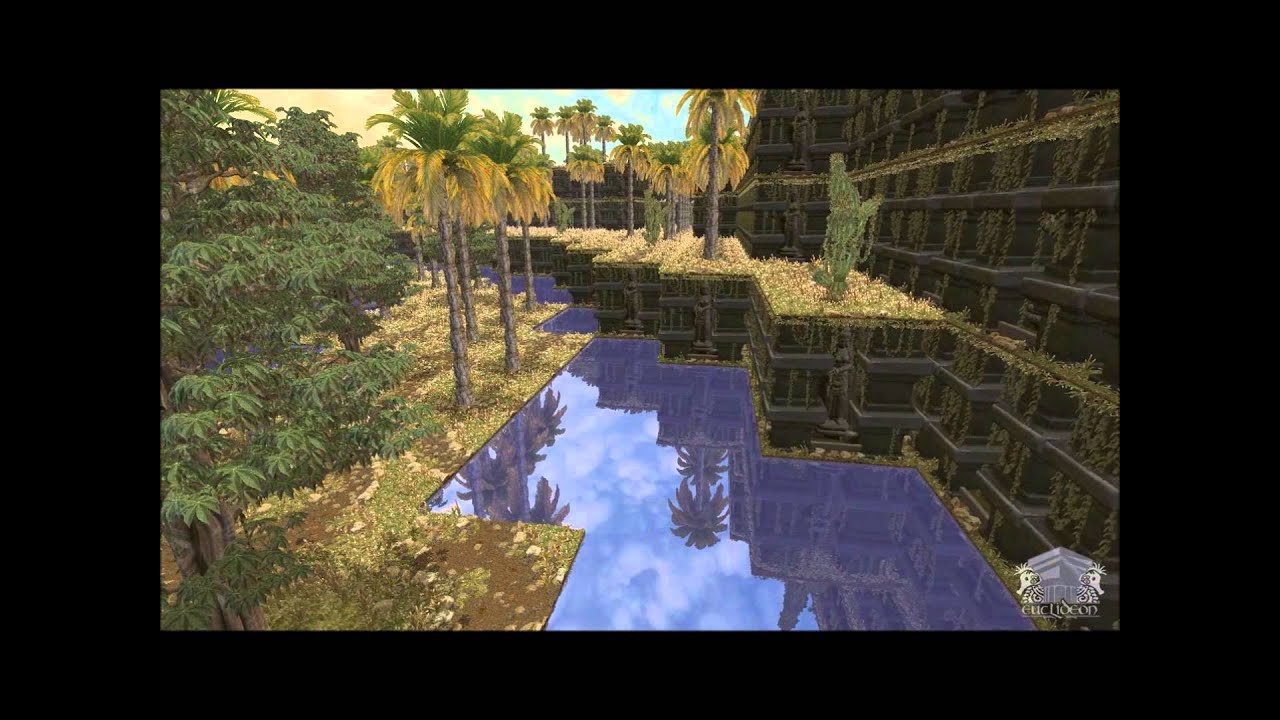
[HD version of the other video]
Hi everyone. We've been working very hard and we hope you like what we've made. This is just our 1 year report, after which we will probably go quiet again while we finish our work. This demo only shows what was ready at the time, we have a lot...
brittle tundra
Hello Slackers :), did anyone would know why I have a freeze eachtime a level is loaded in my World Composition... mini freezes it loads and after it's fine but if I go out of range and reenter same freeze 😦 ?
candid falcon
its a heavy load
brittle tundra
how can you smooth this? Smaller world tiles?
 pale pumice
Ive been working on a project and just jumped to 4.25 , only i cant seem to get unreal engine to register my valve index controllers anymore, does anyone have any ideas what might be wrong wrong?
restive eagle
@brittle tundra theres a chance that in packaged game you wont feel the lag
atleast in my case i had those hickups only in the editor
brittle tundra
oh really ? that's really not reassuring
restive eagle
just try packaging and see for yourself, maybe your level is too big. but as I said for me it only happened in the editor
brittle tundra
9 tiles of 64x64 with 505 resolution... with a powerful PC I doubt that it's too big
plush yew
Hi I want to do a line trash from a skeletal mesh with an animation to a landscape, what is the best way of achieving this? My blueprint is outputting that the length of the line trace is 0. Is there a 'landscape type' I can check for? Also I suspect my line trash is hitting the skeletal mesh (I have the trace checking for 'world static') and I'm unsure how this works, is it the physics asset that is registering?
hexed dagger
why is my material having film grain
restive eagle
its still compiling shaders probably
hexed dagger
could it be because it's a 12k texture? should I download the 8k version
nah it completed the compile
restive eagle
yeah then 8k is max that can be supported
restive eagle
Unreal Engine 4 supports texture resolutions from 1x1 up to 8192x8192
brittle tundra
@restive eagle is you "world compositor" sometimes super slow?
restive eagle
by slow you mean loading/unloading levels?
brittle tundra
nah just to use it... changing layers.... sometimes it's freezing for a while without consuming that much CPU/ram
restive eagle
oh yeah, for sure
theres too much stuff on the creen
try unloading other levels maybe and just keep the one that you are working on
brittle tundra
yes yes I don't know if it's my virtual texture setup which is slowing everything down
restive eagle
i've used world comp before virtual texture became a thing, so dont know much about it
brittle tundra
No one really using it... not that much documentation on the matter but figuring out myself it's quite fun...
restive eagle
i think its still experimental
brittle tundra
when you have no more red on your screen due to shader complexity
hexed dagger
@restive eagle the problem is gone
restive eagle
yeah so 8k max?
 queen geode
you can go way higher with texture resolution using virtual textures and UDIM's on a model
queen geode
255k was max I think
restive eagle
i dont work with textures so basic google result returned 8k max by default. i guess there should be ways around that limitation like kubab mentioned
hexed dagger
nevertheless the problem is fixed
queen geode
You can import bigger standard texture to UE4 but maximum displayed resolution will be 8K
restive eagle
and yeah kubab you are right, my level designer used a single texture for the whole landscape which was more than 8k
queen geode
only UDIM approach will give you higher resolution
restive eagle
i remember even his photoshop could barely handle the res 😄
queen geode
Epic has a video on YT and virtual textures and they touch up on this problem
restive eagle
but at that time there were no virtual textures, not sure how he accomplished that
hexed dagger
@restive eagle do you know why, before I go into a spotlight, the lighting is normal, but if I go into it, the lighting area gets bigger and lights more things
is that HDR?
restive eagle
um i dont really work with that kind of stuff so my only suggestion would be try playing with these settings https://prnt.sc/siu32h

it looks like it only happens when you probably are inside the inner cone, but as I said i dont know much about that stuff. its better if you ask in #visual-fx (maybe?)
also it might have to do something with auto exposure, you can set min max to 1 inside your post process just to see if theres a difference or not
queen geode
check exposure settings in post process
modern sinew
Can someone please help me figure out why my Join Sessions node isn't working?
restive eagle
thats not what i told you to do
target needs to be your mouse cursor in world space
but the other part is good, just change the target
restive eagle
there is a cull distance volume, but i dont think you can use it within a bp
but you can place on top of that actor inside your level
fierce forge
i want it for a foliage actor 😦
 twin orchid
Worked yesterday. Al fine. Started UE4 today. It's I have pitch black.
Browsed ineternet. Many have the problem Nobody solved it.
Wtf?
restive eagle
@fierce forge dont you have an option here?https://prnt.sc/siun9o
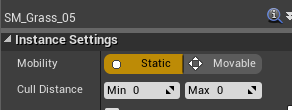 fierce forge
it is not working
restive eagle
hmm strange, you sure you clicked on the correct instance when setting the cull distance?
restive eagle
if you click on it again, does it show 0 cull distance or the one you entered?
fierce forge
the one i entered
restive eagle
ok, no clue then. sorry 😄
if your normal foliage works fine then it has to do smth with instanced actor. tried googling but couldnt find much
restive eagle
you can always try restarting your editor. its a long shot but sometimes it helps
restive eagle
i dont think theres a better approach for cuting trees than the instanced actor
fierce forge
yep 😦
restive eagle
you could manually placed them inside the level, but thats just a lot of busy work and it wont be culled
fierce forge
😦
half turtle
i hate array shifting...
 wet lance
Hello ! my assets path saved as relative path, is there a way to switch to absolute path ? https://i.imgur.com/EJW46y1.png

 fervent marten
hi all, I'm looking for a Niagara VFX artist to do some paid work, specifically creating a magic fire effect that can be spawned from specific points on a skeletal mesh. I can provide more details. Please PM me if interested
 boreal yarrow
@fervent marten #looking-for-talent
does anyone know how they make the planet in this video?
 hoary locust
they don't
hoary locust
it's a landscape
hoary locust
he's literally showing you that?

This hands-on presentation by Epic's Sjoerd De Jong explores the Sky Atmosphere system in Unreal Engine. Starting off with the basics, viewers learn how to render a beautiful and fully dynamic sky within seconds. From there, the session showcases how to create alien, dusty, or...
he's setting the radius of the "planet" and it curves the landscape based on that
hoary locust
he even replied in the comments how exactly this one is made to look like this
his username is Hourences
"In short the central part of the world, where the key detail and foliage is located, is a large 8k generated landscape from World Creator. Beyond that it are gigantic (millions and millions of units) staticmeshes. Also made in World Creator.
The far off landscape is actually merely a tiling gigantically large square mesh but due to the extreme scale and the fact that the planet is an actual sphere the tiling is not very apparent."
 dusty marlin
Hello guys! Can someone help me understand the Hierarchical Instanced static meshes? Do they cull or always render all of them ? (like Istanced Static meshes)
Is it useful to use them in an open world game? Thank you so much
 severe meteor
hey'all, quick question. How can I ship my Windows build to require admin rights on-boot?
our game gets installed to Program Files (x86) and requires admin in order to generate the Saved folders and its content. Without it it can't run the game properly :/
 zealous cloak
can someone give me tips on how to script a level scene?
basically if that happens the user is allowed to do that, after that happened the user can pick up that and so on
dusty marlin
they cull, and they're very useful
@hoary locust tysm!
 fresh bay
I don't know where to ask this but i downloaded bridge and i clicked on "install plugin" for exporting to unreal engine and now it's been stuck on "Downloading latest" for like 20 minutes now
plush yew
If I was to make a game my self how long would it take?
It’s gonna be kinda like metro 2033
restive eagle
depends, can be done in 1 week or 5 years
but be prepared to put atleast couple of years
restive eagle
in any case your first project will be a learning one. i doubt that you will reach a point were you could start selling it
its very easy to start a new project, but only few % of devs manage to finish it
plush yew
I was gonna make a test level like The division but nah
restive eagle
working on large scale maps comes with a lot of challanges
and working alone wont help much
plush yew
It was a small map like a road, buildings on each side and cars
restive eagle
well I mean if you are just starting, then dont focus on making a full game.
better spend time experiencing bunch of different methods/approaches
plush yew
Every time I play divison 2 whenever I see someone unique I jot it down and try to recreate it
restive eagle
after you have some experience under your belt, it will be easier to plan out stuff in the future
i've only released my first game after using unreal for more than 5 years
plush yew
I even tried making a mountain level but some bits are way off
restive eagle
just dont try to focus much on releasing the game, have fun experimenting with stuff if its not your full-time job
plush yew
I’m experimenting with different assets and mix and match. Might stay with the road level
Also I forgot to mention I use unreal engine on the weekends and sometimes on weekdays
 drifting geode
can someone help me to understand how the replication in the Collab Template works?
not quite understanding whats happing here or when these events get called
plush yew
Can anyone help me, I'm trying to do a line trace from an animated skeletal mesh actor down to my landscape and checking the impact point to measure the length between the actor and the landscape but something is going wrong. If I use 'hit actor' it correctly returns the distance between the landscape ORIGIN and the skeletal mesh which is little use but it means it is the landscape getting hit. However the debug lines have a red square on my skeletal mesh and a green line underneath when the red square is supposed to be the impact point.... if I measure distance between skeletal mesh and impact point it gives me 0. I have set skeletal mesh to 'world dynamic' in editor and only trace for 'world static' doesn't help. Maybe something to do with physics asset? Unsure.
half turtle
which of the two impact points?
the one on the skeleton or the one in the world?
(landscape)
plush yew
Well I just took 'impact point' from the out hit struct
I am confused because the red square is at the start of my line trace which I thought was supposed to stop when it hit something
half turtle
are the collision channels properly set? usually collision issues are related to collision channels
plush yew
Well I am trying now with the 'visibility channel' thing, my landscape blocks visibility
and my skeletal mesh doesn't (when I edit from editor, maybe I am supposed to edit the physics asset somehow)?
still not sure why my line trace is displaying anyway it should stop when it impacts as the red sqaure shows
half turtle
is the landscape mobile on any way? could be an issue with the collision geometry in the mesh
also check your skeletal mesh collision, did you make the proper convex shapes? or are you using just complex collision
plush yew
I thought only the physics asset controlled collision
I just realised I have very large meshes in my level with simplified collision and I tried to apply gravity to a cube and it spazzed out
May be that
yeah it is that lol
candid brook
Anyone know why UE4 makes my blender model look like a plane crash? (and how to fix it)
Or, Blender exporting. Whichever is at fault
half turtle
your model normals and triangles are wrongly sided
blender is rendering both faces thats why you are not seeing the issue in blender
tell blender to render a single side
candid brook
I've recalculated them in Blender
 frail sail
its only me or
candid brook
I did "normals -> recalulate outside"
 fierce tulip
@frail sail for me as well, might want to report it
half turtle
doesnt mean blender is going to be flawless, make sure to show them manually and verify that they are correct
plush yew
@candid brook you can also visualise normals
frail sail
can u report ? i dont know how to report
wary wave
anyone have any experience creating a custom editor within UE4? Specifically I'm looking to create a tree structure, something not entirely unlike what Dungeon Architect has
fierce tulip
the link for it pinned in this channel. (for bug reports)
not sure hwo to go about docs-reporting though
candid brook
yep, sure enough the normals are pointing inward. I can see the faces rendered if I clip the camera inside
wary wave
I'd google for information on such a thing, but well, good luck finding anything with generic terms :/
fierce tulip
ill nudge em
frail sail
i was reported about bug for ue4 but didnt get reply back. and still cant see on issues site
idk it doesnt work for me, anyway thank you
fierce tulip
i dm-ed the community-peeps, they'll take a look at it once they are at work
 heady quartz
Is UE5 going going to have a new UI? I know this is not Ue5 but damn, i wish this is a thing
rocky radish
hopefully there will be a flat design option
wary wave
well, I found this RE: custom editors, but it's really dated;
https://www.youtube.com/watch?v=hr9ybCCPw9Y
still looking for more up to date info
(it's also 4 hours long, which is much less than ideal)
 pale raven
plush yew
pale raven
plush yew
Hi everyone, i want to install ue4 vaults to somewhere else. If i change vault cache, will location change? or should i do something else?
 stoic yew
hello all. Im in need of help before i can switch from unity hell to unreal heaven. I have some character skinned meshes that i need to combine. in unity i have the third party tools to combine them but when i export them out it produces a messed up mesh. The characters individually have over 30 parts... not just armor ect.. its a performance killer without combining. so my question is how can i combine them inside or outside UE4 without losing data? i know there is a feature in UE4 where you can combine at runtime. but its a c++ only feature and im not familiar with C++. also i prefer to combine in editor.
prefer to combine in editor instead of runtime.. is what i mean
 sleek bone
Hey! Im new and I was wondering, how much better is a c++ game compared to blueprint only?
stoic yew
the EU4 forum answers that question many times
restive eagle
if you know bps then it will be easier to move to cpp
 steep ferry
sleek bone
steep ferry
sleek bone
ok thanks!
plush yew
@heady quartz is that a reskin?
plush yew
@calm sphinx wdym
calm sphinx
Someone removed his message back
He was asking why images are not appearing in texture streaming documentation
 fringe orchid
Hello. I am kinda new to unreal engine and I need a bit of help, i have 2 questions.
why do I get this error when try to change material to the landscape. It happens with every material I try and I cant find a fix online :((
 ember shadow
Hey guys, just a general question, should i build my level out of static meshes or BSP boxes. The base level will just be walls and floor as its a istrometric game
fierce tulip
static meshes
clever arch
Hiya, does anyone know of any good lessons on Unreal AI and behvaiour trees etc. I have followed the simple ones on Epics site but i want something that can explain it in a nicer way and not so hand fed
plush yew
Anyone know how to fix this?
 dawn kelp
Hi
I just came Back to Unreal from 4.19. Updated to 4.25
Did they remove the "Run dedicated Server" checkbox? How do I achieve something like that now?
 serene birch
@plush yew this is totally a FAQ 😄
plush yew
I have googled this so much yesterday, still no answer
serene birch
mostly, you either merge your modular geometry in a single mesh, or you stick to dynamic lighting, or you hide seams with other models, or you can try the GPU based light baker
plush yew
But I'm following a Udemy course and when he builds the lighting he instead gets what you see on the first image
serene birch
Unreal Engine Forums
Click image for larger version Name: image_138398.jpg Views: 1 Size: 82.0 KB ID: 1478783
Disclaimer:
This is a very simple and early version of my GPU lightmap
plush yew
In his case it seriously goes from 2nd image to 1st
serene birch
never tried that last solution myself though
fierce tulip
luoshuang's gpu lightbaker is inside the engine as of latest few versions
serene birch
though it's a version that requires RTX card isn't it?
plush yew
I actually have, RTX 2060 in my laptop
fierce tulip
iunno, never had the opportunity to play with it
plush yew
If I wanted to use fully dynamic lighting, I just don't build the lighting right?
I'm new to Unreal, decided to switch from Unity
serene birch
rather you make the lights non static
plush yew
Yeah that's all right?
serene birch
there's also an option in your project to flat out disable lightmaps
so you cannot have those baked by mistake
or maybe you can set it on a per map basis too
plush yew
How do I add epic's gpu lightmapper?
https://forums.unrealengine.com/development-discussion/rendering/1729277-epic-s-gpulightmass/page2 they're talking about it here, he works for Epic now and says epic's one doesn't use his old algorithms
Unreal Engine Forums
Epic recently revealed their code for their GPUlightmass in the dev-rendering branch on GitHub. Some people are already playing with it and some (like me) are running into issues.
I think it could be nice if people's experiences with this new plugin could be found in one topic...
restive eagle
on the first page they have steps on what to do
If you want to test the GPULightmass prototype:
`
- Download dev-rendering branch from GitHub and build it.
- Enable ray tracing (including switching default RHI to DX12 and check 'ray tracing'. And having a DXR capable graphics card with Win10 version >= 1809).
- Enable virtual texture and virtual texutured lightmaps in project settings (optional, yet without this realtime preview in editor will be unavailable).
- Enable GPULightmass plugin and restart the editor currently no UI has been setup, so just a bunch of console commands r.GPULightmass.xxxx controls parameters and finally, ToggleLightmapPreview to start GPULightmass in editor.
- GPULightmass throttles itself when the level editor viewport is realtime. To make it run at full speed, uncheck 'realtime' in the viewport options.
`
plush yew
I see
Will this be a part of 4.26?
I have an RTX 2060 laptop with an i5 cpu, man this will be such an improvement haha
 hallow compass
Does anyone use World Creator?
 potent veldt
@hallow compass yep a bit, why ?
restive eagle
@plush yew i think yeah
 covert pollen
is there any benefit to using an emitter for bullet casing ejection on weapons, rather than lets say just a static mesh component?
serene birch
cheaper overall if there's many of them?
covert pollen
if i have to spawn one manually on every shot though, would it matter much
are emitters more optimized in terms of meshes like that
lucid socket
You'll be paying object overheads if you use components.
 placid arrow
what on earth is this? im so confused:
https://hatebin.com/uzrduzfqqh
its trying to delete a file its using, to rebuild itself as a dependency?!
it was working, now its not
hallow compass
@potent veldt Have you used heat maps etc to add material layers within unreal?
covert pollen
@placid arrow i get similar issues when my editor crashed and i leave the crash reporter open
dusky hound
Anyone seen any actual in depth explanations of how the few features in UE5 work?
fierce tulip
not yet
 maiden swift
Epic will release tech talks about it soon.
fervent nacelle
The info seems to be slowly coming out, too
placid arrow
i solved it, im not sure how it makes a difference, but if i launch the process with AutomationToolLauncher.exe instead of AutomationTool.exe, it works
fervent nacelle
just gotta be patient
placid arrow
i guess one of them is a simple wrapper around the other that lets it replace itself
fervent nacelle
I'm trying to adjust my work flow on preparation anyway
placid arrow
but ive not upgraded or anything and it worked before, must have just been getting by thru some fluke race condition
dusky hound
Okidokis, it makes me twitch when they show things without explanation, I shall waite
placid arrow
automationtool seems to not be particularly well documented tbh
fervent nacelle
Tell me about it, been perfecting my development pipeline only to have it completely changed XD
 twilit hill
so many years and still no proper road package on the marketplace, only outdated stuff or things without proper intersections or spline setups 
is there any kind of package outside of the ue4 marketplace for roads?
i remember there even was a plugin at one point, but it was outdated before i searched for roads the first time like 3 years ago
 tender flume


 plush yew
if you do now what you can add to your DefaultEngine.ini or DefaultEditor.ini or DefaultGame.ini go to the Unreal engine folder and check the .ini files under Engine/Config/ to see a hint of what all the ini-files beginning with Base is doing 🙂
lucid socket
@tender flume Yes.
dusky hound
@twilit hill Have you checked out the brushify stuffs?
https://www.unrealengine.com/marketplace/en-US/product/brushify-country-roads-pack

Country road splines with textures and additional props. Includes a ready-made example environment. Also includes the Brushify landscape auto material. Use #brushify to support the project!
twilit hill
that is literally one mesh, no intersections or anything
dusky hound
oh right right
twilit hill
ive checked the marketplace up and down today for 3 hours and looked into the packs
:/
dusky hound
you need actual proper road tool thingy
twilit hill
its a shame, thats something alot of openworld games could use, and people (including me) would pay good monehs for it
twilit hill
yeah, i mean i know how to make one, but i also know it will take me a good 2 weeks to finish it properly, with exit ways etc.
always better to pick up on something and customize it 😄
dusky hound
I wonder how hard it might be to build a spline tool that would join, repeat, and fade blend meshes...hmmmm
vital cosmos
@twilit hill https://www.unrealengine.com/id/login/login?ssoLogin=true&client_id=43e2dea89b054198a703f6199bee6d5b&redirectUrl=https%3A%2F%2Fwww.unrealengine.com%2Fmarketplace%2Fen-US%2Fproduct%2Fdowntown%3FsessionInvalidated%3Dtrue this one has a very nice one with intersections and crosswalks
twilit hill
not too hard, you keep an array of these things
midnight gate
can i procedurally create this in ue4??
twilit hill
@vital cosmos yeah, these are city roads with bus lanes and one huge intersection, but with the default spline tool (not a customizable bp with exits/to snap on etc.)
everybody can use the spline tool, but what do you do when you need to make an exit lane 😛
you have 2 snap points suddenly, so you need some functionality behind that
plush yew
Can I get worldposition of skeletal mesh instead of capsule component? Is there a difference?
lucid socket
@tender flume It doesn't have to be uniform, it depends on the asset itself.
 pulsar badge
Has anyone used the Extile asset on the UE4 marketplace before?
midnight gate
how do i stop my sprite from rotating?
every time i go left or right it rotates
but i want to play 2 other sprites when this happens
i just put a flip book on a 3rd person template
potent veldt
@hallow compass I don't know because I use it with maya :/
little falcon
@quasi lynx Thank you, i am not using any blueprints, just a very basic scene.
@restive eagle my landscape has some part below 0, but isn't that common since the landscape always have some displacement?
restive eagle
hmm, never had this issue so cant give you any other suggestions. its just weird that all the stuff goes into the same place
maybe create a new map and see if the same issue persists
little falcon
it seems to stick to some specific position
i will upoload a new capture
all floating in the same Z level
restive eagle
same issue with a clean new map?
 strong grove
Hey did anyone mess around with the demo project for VR in unreal? Im trying to get the trigfer button to do things but no luck
little falcon
sorry i am pretty new to UE, do you mean using a new height map for landscape?@restive eagle
restive eagle
no, just make a new empty map
and test it there
in worst case scenario you can move everything to a new map
little falcon
OK, let me try
restive eagle
theres also a trick moving objects to the ground. press "end", but in your case they still might stay stuck in the air. no idea why this is happening
little falcon
the end key not working
i have tried it yesterday
Well. seems i messed up my project for now.... LOL
😅
restive eagle
yeah happens sometimes, if its works in a new map. just move everything there 😄
other than that, no clue
little falcon
so a new map is a new height map right? not a new level
restive eagle
im talking about a level
little falcon
oh.. i will try a new level
grim ore
look at your grid snap level in your viewport, its set to 5000 units @little falcon
little falcon
Oh!!!!!!!!!!!