#ue4-general
1 messages · Page 727 of 1
 normal burrow
primitive components are things with materials and collision
yep, its irrelevant
no matter what you use
if its overlaps, and a frame goes by where its not overlapping even though logically, you'd expect it to have, it wont.
its actually pretty complicated
the way you'd do it is with sweeping
but that is more complicated than it sounds
and it wont go through the skeletal hierarchy in sweep
so itll just be like long line points joined to make some shape, and not neccisarily an arching attach
fighting games use 'frames'
a frame runs of animation data and checks overlap, then the next frame runes.
it does not skip frames
anim notifiers are also really all over the place
the engine isn't very well suited to do frame based animation things like this without lots of edits
 short vector
If the material shows use with skeletal mesh and it's still not working you can look at the logs, perhaps the materials are not being packaged
@grim ore thank you for the help means alot i finally did it
normal burrow
keeping track of the previous world location of the sword, and sweeping to the current location of the sword then updating current to previous and so on.. every frame would how you'd get things to at least be semi consistent. but you'll run into issues like things rotating when they sweep. you just gotta find something that works for you good enough.
I think @mint sequoia has some solution for sword swinging that looked pretty cool
 devout pine
Does anyone know how i can get rid of the gaps between the floor tiles? You can only see them when you're further away
 supple totem
what is the proper way to define the default settings for a packaged build?
like what the users' rez will be when they first launch
 grim ore
@short vector What was the problem and the fix for your issue so we know for other people?
short vector
the problem was the folders was not in order in unreal editor
grim ore
any more details on that? that is weird
 hollow ridge
Hey has anyone ever had ue4 successfully restore stuff?
 quartz pike
 midnight root
Would love some input, 4.24.3, using dynamic lights and as of yesterday Im seeing the, background being normal, but seeing these weird largely white rectangular patches, and underneath character as seen this weird multicolored blotching that MOVES as if animated, has anyone seen this and what I may have enabled causing this..using newer Sun & sky with exp heightfog and postprocess ,
Doesn't happen everywhere, and I can walk through it, and on other side its back to normal terrain texture
normal burrow
is your skylight movable?
 swift spindle
that looks like a VR lens profile and minimal distance settings gone crazy
 abstract relic
Tis the con for dynamic lights.
normal burrow
tis.
 manic galleon
Hello
i have a game concept that i need advice on
I want to call it Total World.
but i need to know if its possible to develop.
so if anyone can advice me lets do a voice discort chat in a room
 rain coral
Hello, im making an FPS game and i need my weapon to play a shooting animation, while at the same time playing the idle, moving, or jumping animation, how can i do this ?
Tag me if you want to help me out
 last dove
@rain coral you need to set up an animation blueprint and when you're making your different states (idle, moving, jumping) you need to also make shooting states to go along with it by using a blend node so you get idle-shoot, move-shoot, and jump-shoot from their respective states
here's the video that I see most people follow when they start out: https://www.youtube.com/watch?v=fktCz7TtUh8

Here we take a look at how we can blend the top and bottom halves of two animations using the layer blend per bone node to split them from the spine and marge them together to create one animation state.
♥ Subscribe for new episodes weekly! http://bit.ly/1RWCVIN
♥ Don't forg...
 storm terrace
when would you use the UE4 Cast<> function over dynamic_cast<> macro?
normal burrow
always
storm terrace
what is the advantage?
normal burrow
consider dynamic_cast dead
normal burrow
rtti is disabled by default anyways
so dynamic cast wont work without a change to your project settings
basically they handle all the dynamic casting themselves in uobject
so cast is what you want
storm terrace
ok so Cast<>
normal burrow
Yeah, do use the other variants when you can too
when your casting to something you know will be what you expect it to be CastChecked<> will be what you want
in editor it will be the same but it will cause you game to crash with an error message if its not what you thought it was
at packaged runtime it does the faster cast without checking any type information
just remember you can't pass null into it. it will cause the same mentioned crash
storm terrace
thx for the info
midnight root
@pot oops ya it is, so HM don't recall what does it default to static or stationary
 manic pawn
pot
 kindred viper
its short for pat
midnight root
@normal burrow darn static or stationary make no differencde,the odd patches are still there
difference
 lucid geyser
Hi is there a tutorial anywhere online on how to publish a mobile game from unreal engine to play store or IOS store ? Thanks!
 thin tendon
Was wondering if anyone here can answer a Steam question. Do free to play games typically get more traffic to the store page the paid for games?
kindred viper
I doubt it. Paid for games have marketing budgets beyond what free to play games do unless they are already a success. But I would presume there are a limited amount of F2P games that equal or go beyond others based on the success
thin tendon
I mean that makes sense if you have a budget. As a solo indie I don't have said budget
 safe rose
You're actually wrong about that @kindred viper
F2P definitely get much more traffic
Actually, I have one good usecase recently that's very telling...
safe rose

reddit
2,904 votes and 781 comments so far on Reddit
Maybe this belongs in #industry-chat
thin tendon
Sorry if it was the wrong chanel
safe rose
But anyway, TL;DR: They launched Free Prologue.... great results... launched premo game... terrible results
But you can simply just look for the the f2p tag on steam and see how huge they can be (look at review counts)
thin tendon
Thanks mate. I'll do that and I am reading through that article now.
kindred viper
Can be, but I was presuming limited scope in that.
most of them are trash after all
safe rose
They can be. But they still get great traffic
thin tendon
Well atm my games page only gets about 20-30 views a day. I feel like it should be much higher
storm terrace
do any of you know how I set those 2 values in C++?
self.Axle->SetCollisionEnabled(ECollisionEnabled::QueryAndPhysics);```is what I used for getting the first 2 parts, but I don't know how to set the checkboxes
 flint trench
Hmmm, Anybody have the weird issue with UE4 packaged builds when you ALT+F4 it doesn't actually seem to quit? People are exiting my game but Steam and Discord callbacks are still running. The UE4 Process seems to tuck itself under the Steam Login Process for whatever reason and kinda just stays there in the background
 plush yew
So, i want to make an rts, is there a built in way to find characters within a 2d box? Or.. Would i need to figure out the logic myself?
flint trench
So, i want to make an rts, is there a built in way to find characters within a 2d box? Or.. Would i need to figure out the logic myself?
@plush yew UE4 Editor has this functionality if you hold ctrl alt and then left click drag in the viewport. If you're savvy enough you might be able to dig that function out of the editor and repurpose it for your needs
Wait actually, I think they added a node for this
Yeah here you go!
https://docs.unrealengine.com/en-US/BlueprintAPI/HUD/GetActorsinSelectionRectangle/index.html
Get Actors in Selection Rectangle
 barren flume
hm that steam thing still isn't working
plush yew
I was just thinking of doing raycast from camera to terrain on all 4 corners to get a 4 sided polygon then doing a check to see if any units overlap that polygon
If there wasn't one, but good thing there is is a node
flint trench
could do, looks like that node does everything you need tho so I wouldn't bother
yeah
plush yew
Soo "get mouse position" takes 2 floats as aliases... I guess it doesn't just return a FVector2D because that would cause memory leak
If the user forgets to delete the FVector2D that's passed back... Lol C++ is so strange to work with after spending much time with C#
manic pawn
no
there is no particular reason for that function to work that way, they just wanted to or something
plush yew
i mean, the alternative are to create FVector2D in a heap and return an alias to it, create FVector2D in a heap and return the address to it, or return the local FVector2D which returns the copy constructor that creates a shallow copy of the local FVector2D
manic pawn
everything you just said is wrong, stop making random assumptions
plush yew
isnt that how c++ works?
manic pawn
returning it by value is completely fine
plush yew
if u return by value, it calls the copy constructor?
manic pawn
it's a simple struct so that wouldn't matter even if it was the case, but it isn't because of return value optimization
plush yew
wut. why does all the c++ related sources tell u that when u return an object, it calls the copy constructor
manic pawn
vector 2d trivially fits in a register for return, passing in two pointers to write values to would be far more complex
plush yew
soo, copy constructor dont get called?
or, is it that it only gets called if you define it, or else it just uses copy elision?
also, thats awesome
Does anyone have any links to papers on real-time rendering of complex ocean behaviors like breaking waves, spray, foam, wakes around objects, splashes from bodies that impact the surface and global illumination of the ocean environment? I am using tessendorf’s FFT based ocean simulator but he does not cover these topics. Any help would be great, thanks.
normal burrow
@midnight root keep turning lights off until they don’t exist would be all I could say
Using buffer overview helps. You may be able to see what those rects are
 plush thicket
how to you fix a box jumping glitch with UE4 physics object?
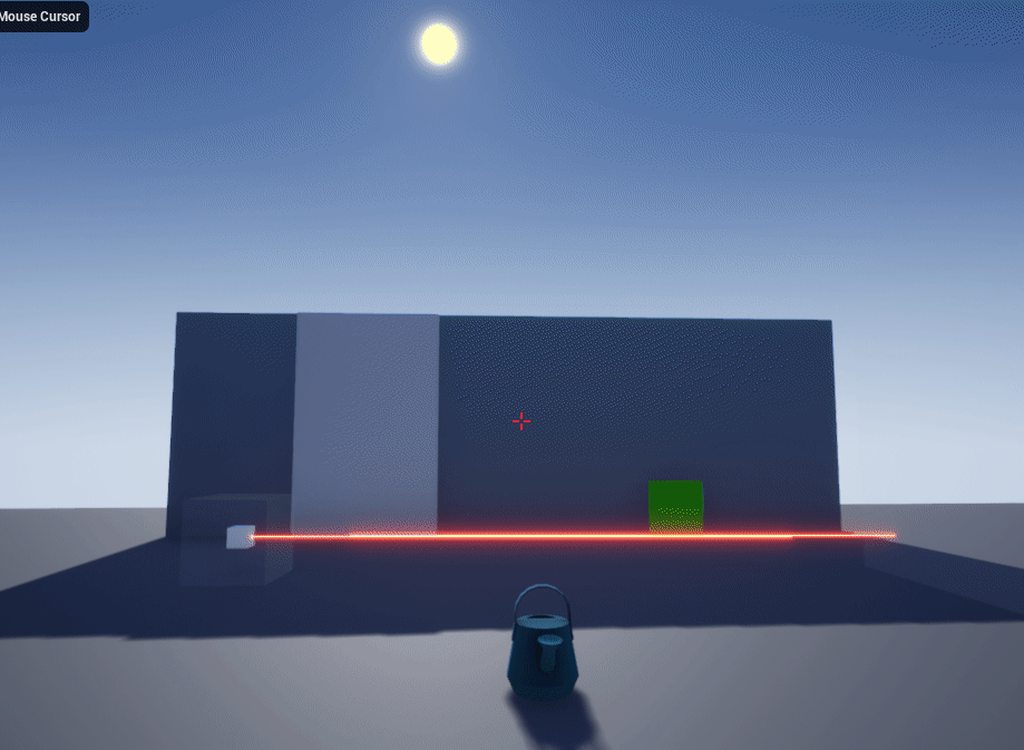
i know the best way would be to disable collision between the player and the object being held
but how would i do that
 bleak widget
hi everyone! is it possible to turned off landscape LOD and tessellation? Trying capture texture by Scene Capture and getting so terrible result
plush yew
for some reason, i cant seem to #include c++ classes that i created it cant seem to find it
bleak widget
try "generate visual studio files"
normal burrow
An error would help @plush yew
plush yew
okay i found the reason, though i dun get it? O.o apparently, UE4 doenst recognize .h and .cpp files that i create through visual studios
but it recognizes them if i create them through new C++ class > none
weird
normal burrow
Good question for #cpp but yeah you don’t create the files in vs. unreal looks strictly inside folders. The sln is more or less for your ease of development
You can make blank files for .h and .cpp but unreal editor will do this for you if you make the new classes inside the editor
thin tendon
On a scroll box is there a way to get a reference to the scroll bar itself?
I can see variables related to it but I can't seem to reference the object itself
 remote roost
unreal spaghetti best spaghetti
 brave pebble
Hey, I've been learning unreal lately following "Udemy - Unreal Engine Blueprint Developer - Learn Visual Scripting" tutorial. I am stuck at certain part. When I put a node Calculate direction there are no execution pins but in tutorial it does
One above is mine, and on the bottom is tutorial
 sturdy star
the top is a pure function, it doesnt require an exec pin, likely an update to engine since the video was made - just plug the Return Value into wherever it's supposed to go and be happy, if its connected it will run
etc
 oblique bobcat
Is there any way to fix these super dark shadows on left?
sturdy star
have a skylight?
oblique bobcat
I have
sturdy star
might need refreshing, tweakign values, boosting intensity etc
and make sure it is not set to stationary if you are usign dynamic lighting
oblique bobcat
i've set it to movable
 serene birch
you are looking at the sun rather straight up too, autoexposure might come into effect to make that not horribly blinding but in the process making the dark areas darker
 rancid lynx
if i want a nice crisp line between two layers of a terrain landscape material, how do i do that? like, where the grass meets the stone, without that terrible blue effect, or blending between layers. something about masks, or heightmaps, idk.
i turn my directional light down by 50 percent, claim my MIN MAX exposure adaptation to 1.0 1.0. and also, something about global illumination inside of post processing, i up that a little, and make the post processing infinite . i hate those shadows also .
 tacit cypress
kicks down door
I have no clue what the hell im doing but its working?
Anyone wanna help me?
Nvm ill check in the morning
 runic plank
Hi, has anyone an idea what this causes? When im near the Texture is light but when i get a bit away it gets nearly black. It seems to have something to do with the material because the effect doesnt occur with a simple white texture. Thank you! ❤️
 hallow frigate
can someone help me with something?
Assertion failed: [File:D:\Build++UE4\Sync\Engine\Source\Runtime\Windows\D3D11RHI\Private\D3D11Util.cpp] [Line: 198] Unreal Engine is exiting due to D3D device being lost. (Error: 0x887A0006 - 'HUNG')
UE4Editor_Core
UE4Editor_Core
UE4Editor_Core
UE4Editor_Core
UE4Editor_D3D11RHI
UE4Editor_D3D11RHI
UE4Editor_D3D11RHI
UE4Editor_D3D11RHI
UE4Editor_RHI
UE4Editor_RHI
UE4Editor_RHI
UE4Editor_RHI
UE4Editor_SlateRHIRenderer
UE4Editor_SlateRHIRenderer
UE4Editor_Core
UE4Editor_Core
UE4Editor_RenderCore
UE4Editor_RenderCore
UE4Editor_Core
UE4Editor_Core
kernel32
ntdll
unreal keeps crashing and i get this error log^
usually occurs whenever im using the file menu
does not occur when my charger is disconnected
 grave nebula
@hallow frigate It is a GPU crash and can happen for myriad of reasons, perhaps unrelated to unreal at all.
hallow frigate
so no way to fix it?
 hollow palm
@plush thicket you cna do
uhjh sec
I had the same problem, lemme dig through my code
okay so you want to Set Collision response to channel to the physics object as ignore
when youre holding something
then if you're not, Set Collision Response to Channel to Block
 tacit onyx
@hallow frigate Laptop or Desktop?
 ruby folio
@hallow frigate Weird. Literally posted the exact same issue moments before
Well not exact. But near enough
I wondered if it was GPU related myself
tacit onyx
@ruby folio His is a D3D error, likely either from a bad laptop power cord, or bad drivers, overclocking, etc. Yours is a memory access issue. When does this happen for you?
 hard cobalt
Hello, is this server newbie friendly ?
i have a simple question regarding animation
ruby folio
No, get out. haha
hard cobalt
😭 waa
ruby folio
@tacit onyx Mine happens when I am walking around on a large tiled world. I can do so for a while but then it crashes.
@hard cobalt #animation
hard cobalt
thanks!
ruby folio
No worries!
hard cobalt
wait it's simple tho
maybe you know it
So i modified the thirperson run animation and saved it as a new animation, how can i replace the run animation for my character ?
tacit onyx
@ruby folio Hard to say in that case. Could be too much memory use, or a memory leak of some kind. Or even a corrupt actor that suddenly gets referenced, but the last is unlikely.
@hard cobalt In the character blueprint, click on the mesh, and change the Animclass in the details.
ruby folio
I dont think its the last. I have re-created just the landscape on its own in a new project using the third person template. Same issue
hard cobalt
@tacit onyx i don't want to change the whole class, i want to replace the run animation in that specific class with another run animation
tacit onyx
Oh, you're wanting to change it inside of the animation blueprint you mean?
tacit onyx
Go to the AnimBP and go to the AnimGraph. Bottom left in that picture you just linked.
Should see something similar to this.
You're looking for the left, one, a State Machine.
hard cobalt
yes i'm there
then what ?
wait i'll show you how it looks like
or did you this one the state machine @tacit onyx
tacit onyx
The first picture you sent. You want to place your animation sequence in there.
hard cobalt
okay thank you!
hollow palm
I wanted to implement a system using render targets within Unreal Engine 4, something a long the lines of Tag's paint, Portal 2's gels and even Splatoon's ink, so far, the only idea I have is to use render targets with sphere collision in the center for detection, I've found nothing similar in UE4, I found something done in Unity, which was a exact and well done replica but the guy who made it has last logged into the forums in May of 2016, therefore leading me back to nowhere, I'm also trying to get in contact with the creator of the Portal 2 mod Aperture Tag in order to maybe receive any information about how the gels in that game were implemented as it's highly possible he could have had access to the code itself via a Source engine license permit
It includes stuff like
- Dripping


Smudges from swimming
https://cdn.discordapp.com/attachments/706970520779882527/707174179027419156/EXCbIaTUwAADxSb.jpg Reflective surface

https://cdn.discordapp.com/attachments/706970520779882527/707174256282173510/EXCa9wyU8AAMCPJ.jpg Preservation of decals

This seems just impossible to me and I scratch my head at this nearly daily now with only one goal, that being to achieve a similar effect while keeping decent optimization
https://cdn.discordapp.com/attachments/706970520779882527/707178937188483102/unknown.png
https://cdn.discordapp.com/attachments/706970520779882527/707178986983260210/unknown.png
https://cdn.discordapp.com/attachments/706970520779882527/707179141404950528/unknown.png


Here is the thread
Problem is, game like this usually has stuff such as different maps and different types of objects, a lot of them in fact which makes me wonder how proper optimization is kept in place
Especially for a mobile console.
thin tendon
Maybe they use a system that says once the surface of a model is covered by a certain amount of paint. Just replace the model with one that has a matching colour?
hollow palm
Nope, if so, there'd be models of that.
And that basically doubles the amount of objects in the game
Inefficient
hallow frigate
@tacit onyx laptop
thin tendon
Not if you have seamless materials for each colour. Then all you do is change the material
hollow palm
I doubt that'd be what it is
especially since Tag was a digipen project
done in like a year or something
they wouldnt be able to do that kind of stuff
tacit onyx
@hallow frigate First check is to wiggle your power cord. If you can crash UE4 by doing that, your power cord is coming off and it's temporarily switching to the non dedicated graphics card. There might be a fix for that but I'm not sure. Maybe a registry or power setting to not switch devices or to wait longer. If that's not the case, I'd recommend looking into installing clean graphics drivers after cleaning the current ones out. If you're overclocking your video card at all, I'd turn that off.
thin tendon
@hollow palm Creating seamless materials. And creating a ray cast or something with a bit of code to swap materials wouldn't take long at all.
hollow palm
okay but you need to cover the entire object, right?
hallow frigate
thank you, ill try it out now @tacit onyx
thin tendon
A material swap would change the entire mesh yes.
hollow palm
okay but if youve ever played tag or portal you know that it never covers the entire mesh and only parts of it
and can seamlessly
cover multiple meshes

 unique kraken
gosh i forgot, how could i group material nodes again?
wasnt there like a shortcut to put them in a group/function whatever u call it
ruby folio
You need to create it in the content browser
ruby folio
Copy and paste
And no, because you need to create material function inputs and outputs
 upbeat lake
Is it somehow possible to follow the now broken links from google to: https://forums.unrealengine.com .. I heard there is a community where the content has been migrated??
Unreal Engine Forums
Forum Description
unique kraken
hmm, is there a draw back? i basically will have those nodes just in one material but i want them clean and sortet
supple totem
@hollow palm https://www.unrealengine.com/marketplace/en-US/product/don-s-dynamic-mesh-effects kind of does what you want

Easily create runtime visual effects for characters/landscapes/props or boost gameplay with Pixel Collisions. Multiplayer, Save/Load, Decals, UMG Text, multiple UV workflows all supported out-of-the-box with just one Blueprint node!
uses lightmap uvs I think for meshes
ruby folio
No drawbacks that I know of. Other than time to make it. Seems pointless to use a function if its only going to be used once
unique kraken
well its a lot of nodes, it will simplify things. thx will make one
thin tendon
@hollow palm ohh it could be some kind of material function that uses the world space of each paint ball to swap the colours around. Or maybe a some kind of vertex painting system or even a decal set up. The way that video had them vanishing and stuff I'm thinking decal.
hollow palm
Decals are too memory intensive
and as they pile up, would basically make the game unplayable
thin tendon
But you wouldn't need to place another one unless it passes over the outer edges of the one under it.
hollow palm
it still is memory intensive though
plus
you also have to remember that there are a lot of different sizes of ink you can have
for dripping, different weapons, etc.
ruby folio
@tacit onyx Would you think I am getting crashes due to GPU memory or system memory
tacit onyx
@ruby folio System memory. That's a RAM error if I'm not mistaken.
ruby folio
Shiiiiiiiiiiiiit. Time to run memtest?
unique kraken
in a material function, can i output multible things?
unique kraken
?
 fierce tulip
yup
unique kraken
just to not get confused (i have A LOT of ndoes going on here)
the sort priority, 0-99 the order top to bottom?
fierce tulip
yup
fierce tulip
good luck :)
 junior vessel
In the demo 3rd person project in unreal, we can just select 2 players in the dropdown menu next to the play button and each character will run in it's own window.
When I do this for myself, it just crashes. Anyone know what is needed to be able to do this?
It seems native to unreal somehow, but I can't get it to work.
 zealous cloak
i cant set my collision during runtime neither relative nor worllocation is movable
hard cobalt

can someone explain to me where to find the thirdperson run animation ?
how does it know which animation to choose ?
unique kraken
just bcs of that name ill awnser
hard cobalt
lol
unique kraken
its in a so called blend space
fierce tulip
its in exploooosjun space
unique kraken
save what
unique kraken
there is a
ue4, yt channel where they do 3rt person character from scratch
would reccomend
hard cobalt
i watched this one

(00:05) - Intro and Persona
(01:06) - Populating the State Machine
(02:10) - Updating the Speed variable
(04:46) - Creating new states in the Locomotion tab
(06:28) - Setting up the Transition Rules
(11:50) - Testing in the Preview Editor
(13:04) - Fixing the transition hitch
...
but he didn't mention the blendspace
hard cobalt
that's the anim graph no ?
unique kraken
yes, but what i drew the circle around is the anim blend space
imagine, the blend space and its just draged in there
i mean thats what it literally is

 hushed bluff
Hey guys, im trying to use a pointer to access another function in a different class, to unreal it compiles however im getting a exception access violation, anyone have an idea to fix it?
junior vessel
@hushed bluff I'm not sure exactly but it sounds like it's got something to do with Unreal's memory management. You could maybe try with and without the UFUNCTION() (unreal handles it differently with and without this) macro prefix or try using shared pointers https://docs.unrealengine.com/en-US/Programming/UnrealArchitecture/SmartPointerLibrary/SharedReference/index.html
Smart pointer type that cannot be uninitialized or assigned null.
junior vessel
You're welcome 🙂 It's complicated stuff. If I were to guess, what is happening in your case is probably that Unreal clears the allocated memory before you are accessing it. Shared references can't be null though, although in some cases shared pointers are the better choice. More about it in the docs I linked 🙂
hushed bluff
Hmm i dont think I can do it within a UI class, as im trying to access a spawner through a button click. So from the UI im trying to call the spawner class through a function to get the spawners location (think that makes... sense?)
grave nebula
@hollow palm So, what is your issue in implementing the system ? It is pretty straightforward more or less.
hollow palm
@grave nebula It's mostly stuff like dripping and performance
 sly coyote
Ild like to set up a devoloper folder to follow me around from project to project that i create of commonly used assets of mine...however while everything seems to work perfectly any of my "test maps" dont seem to correctly load at all...anyone have experience with dev folder
 native cypress
i am in a really really bad situation right now
i was working on my project this whole time and today i open epic games launcher and when i try to load my project it just gives me this.
is there maybe any possible way to backup or something like that?
sly coyote
If the map isnt used as you main level...you could back up your content folder and then try overwriting it with the original version from another 3rd person template...
Make sure to back up your content folder before trying that
native cypress
is it possible to load for example with autosaves?
sly coyote
And you could delete you intermediate folder and allowing the engine to rebuild on launch
That i cant answer...youre in a prettt scary situation currently if you didnt have source control set up
Cause even what im suggesting is a hacky workaround
native cypress
i am afraid dont know whats control set up 😬
i am kind of newbie but heck my diploma is kind of there
sly coyote
Source control...like github or cloud backups of your project
native cypress
i am afraid i dont
sly coyote
It fails to load map...but does it still open your project
native cypress
interesting thing is that in explorer it show that the map is there but it just refuses to load
well ye it is very important
my whole thesis is there
the map is there but editor doesnt recognize it for some reason
it loads everything and on 90% it gives the error message
and when i click ok on the error message it just opens like this
with all assets and folders
just without any map data
sly coyote
Yeah contact support i guess... You just learned your first brutal lesson in how important source control is....
native cypress
yup
sly coyote
I don't want to suggest anything with how important that map is... Pretty sure no one else will touch that in here with a 10ft pole
native cypress
yeah thanks for help anyways
sly coyote
@native cypress did you upgrade your engine version?
native cypress
nope i didnt
i was working on same version and when i decided to continue my work today it appeared like this
sly coyote
Shoot...yeah nevermind...sorry man
 sweet heron
Hello ! Huuuuge beginner question here
Whenever i rename a blueprint the first time the mesh is moving very far from its default scene root. What is causing this ? i'm struggling to find the right words to google it...
sly coyote
Renaming an asset shouldnt effect transforms at all....
I guess "renaming asset messes up transforms" would be a good search
tacit onyx
@native cypress Have you tried to use a backup file yet?
native cypress
yes thankfully everything worked
i just replaced default umap which wasnt opening with autosave and it loaded magically everything
i can tell my diploma is now saved
tacit onyx
@native cypress Do you know how to get to backup files in your projects? It'll save you some headaches later.
sweet heron
This is before and after i rename my blueprint :/
 quick kelp
@sweet heron maybe you are renaming it to a name that is taken by another blueprint in the project ?
sweet heron
i mess up my screenshots haha
ok now should be good
@quick kelp nope it's a new project and i'm renaming it with a new name
native cypress
@tacit onyx i think i just need to copy the core file and save it somewhere
tacit onyx
@native cypress Not what I meant. There's literally a backup folder that saves copies of your assets often. You can copy those into the content folder and overwrite the current one there to go back to an asset from a previous date.
native cypress
oh ye i tried with that
and it gave me an error that the files were done in newer version of unreal tho i didnt update anything
 hasty osprey
hi there could someone explain this problem to me?
it happens when i try to make the cloth paint
grim ore

Unreal Engine is the world’s most open and advanced real-time 3D creation platform for photoreal visuals and immersive experiences.
 lilac wedge
Inverse Kinematic systems allow for reactive animation, such as foot placement on non-planar terrain.
is this the right way to make foot iks?
it seems a bit extreme using event tick like that in player bp, i would think there is a built in function that does this in the engine?
grim ore
well what would the built in function do?
lilac wedge
@grim ore Just take care of the foot IK at the click of a button hahah, blueprints have really made me lazy :/
grim ore
well the function runs on tick as it is adjusted in real time
 summer verge
Did 4.25 just come out?
 agile echo
came out of preview today i think
summer verge
Nice
 thorn sun
yo
sly coyote
I wonder if they fix the problem with RTX the driver has quit working issue
barren flume
This is great
 azure shore
lol why did I think it was talking about actual leaves
 tiny sonnet
i still using 4.23 and they come out with 25 lmao
barren flume
time to move files
 whole quarry
Imagine still being on ue4.8
azure shore
I think I use 4.22
 hearty walrus
4.25! 4.25! WOO!
 marsh swallow
as normal we will be waiting for 4.25.2
barren flume
marsh swallow
😂
barren flume
move to other hard drive
 proud crow
Only have the Preview version for 4.25 available in the launcher
azure shore
oh my what am I looking at
barren flume
and install 4.25
wait what am i doing
some of the plugins i have don't support 4.25 yet
not yet
 hoary silo
I hope the ray tracing in the engine finally has caustics!
marsh swallow
@azure shore what is that? lol
azure shore
its on the site, Im not actually sure
marsh swallow
Niagara it looks like
grim ore
you can still install .25 side by side with .24
marsh swallow
as for the creature..... its a forgotten transformer
tiny sonnet
pretty sure thats niagra
grim ore
the creature is crunch from Paragon lol, and yes thats the new niagara layout
 honest vale
New: Added Physical Material Masks to Materials, which are used to associate multiple physical Materials with a single Material based on a mask. This is only supported when Chaos physics is enabled. In the Material, set the Physical Material Mask to a mask and Physical Material Map to an array of physical materials. In the Static Mesh properties, Support Physical Material Masks must be enabled and additional data will be stored at runtime.
holy shit
 digital badger
Is the github branch up to date? There's only been a single file change in the last 12 hours
 unkempt delta
digital badger
unkempt delta
digital badger
Ah looks like the master branch is but the 4.25 branch isn't - looking at commit history
 thorn topaz
Uproperty documentation https://docs.unrealengine.com/en-US/Support/Builds/ReleaseNotes/4_25/index.html#bookmarkuproperty
"TFieldIterator no longer iterates properties, use TFieldIterator instead"
Release notes for Unreal Engine 4.25
 reef lava
Did someone seriously try to spell the n word in the announcement reactions
plush yew
Lol
reef lava
Anyways people are already stating crashes with the new build
Any experiences from y’all so far? I’m not home yet
plush yew
Nope UE4 is bad
digital badger
I've been using Preview 7 I think - and it only crashed when I tried to do something that was too much.
reef lava
Hmmm I disagree despite my anger sometimes @plush yew lol
digital badger
I.E save/compile a blueprint while doing a file operation
reef lava
Lol
rain coral
@last dove thx for the help
reef lava
But yea it’s not a preview anymore so we’ll see what happens I guess
rain coral
da fk
reef lava
My phone
rain coral
oh
reef lava
I hate discord mobile
 maiden swift
I can help delete them more quickly.
maiden swift
There.
 rocky radish
for anyone who only has the preview of 4.25 to download, restart the epic games launcher
 maiden sundial
reef lava
maiden sundial
reef lava
I’m suing discord if I get banned from a server if that happens
Anyways yea isn’t it out?
4.25 is live right
maiden swift
Yes.
reef lava
That’s what I thought
maiden swift
Hence the announcement in #unreal-news. 🙂
rocky radish
yes, ue4.25 is now available
maiden swift
It's a good one!
reef lava
Right I don’t know why people are confused then
rocky radish
why is my internet so slow it takes so long
 dawn linden
Ok so I only need 60GB free to update from preview 7 to release. That's totally reasonable...
reef lava
Don’t worry Daniel my phone just had a spas attack
digital badger
Time to leave my computer doing an engine build for 8 hours :/
 paper hemlock
how would I make a material or particle that looks like this?
maiden swift
@dawn linden Ouch. Do you install editor symbols?
digital badger
Stop releasing them so fast!
rocky radish
@digital badger good luck
digital badger
I need a dev grant for a server farm pretty please
tiny sonnet
@rocky radish thats why i nvr update until the next version comes out
dawn linden
@maiden swift Yeah. But now it failed and is in a halfway point apparently the launcher won't even let me change that now. Remove and reinstall it is I guess.
rocky radish
whenever i maximize my discord the download speed goes down to half, so just staring at epic games launcher i guess
digital badger
@rocky radish I mostly just rebuild plugins manually - as VS mostly tells you what to do
rocky radish
@digital badger but i need the engine source to do that, right?
or can i do it in the launcher version?
digital badger
You can do it in the launcher version on a per project basis
But not editor plugins - like Substance or Megascans intergrations
rocky radish
You can do it in the launcher version on a per project basis
@digital badger that makes my life easier
But not editor plugins - like Substance or Megascans intergrations
@digital badger and that makes me sad
digital badger
😦
 urban chasm
"TFieldIterator no longer iterates properties, use TFieldIterator instead" 🤔
rocky radish
"TFieldIterator no longer iterates properties, use TFieldIterator instead" 🤔
@urban chasm visual studio just had a stroke
digital badger
👀
 misty owl
5400 RPM HDD? 😄
normal burrow
Tiny little files
digital badger
no - that would be faster
 wary birch
Next-gen console?
digital badger
@wary birch if you have ftp access then yes.
wary birch
What does that even mean lol (patch notes doesn't load for me)
digital badger
to get console development files - you have to sign up with Sony and/or Microsoft
 thorn violet
I'm confused about this sentence in the release notes:
"TFieldIterator no longer iterates properties, use TFieldIterator instead". Am I missing something or is it the same thing twice
wary birch
Oh, is that to prevent the needs of a dev console?
digital badger
Not exactly - to build for the console you need special files
You then test the game using the Devkit/testkit
 latent moth
anyone else stuck here indefinitely?
wary birch
How were you used to get them then?
 knotty falcon
@latent moth Yep
dawn linden
@thorn violet Someone just got confused. FindField was replaced by FindUField and FindFProperty. But field iterator is unchanged as far as I'm aware.
latent moth
@knotty falcon awesome
knotty falcon
It was only showing UE 4.25p7 so I restarted it, I assume there's something going on server wise
digital badger
@wary birch By signing up with the Console Developer, so Nintendo, Sony or Microsoft
digital badger
@knotty falcon @latent moth I assume it's because everyone is updating now lol
knotty falcon
Yeah
latent moth
ah could be
knotty falcon
but shouldn't cause us to be completely locked out
wary birch
Okay thanks!
knotty falcon
Ayy got it working
 next badger
UE 4.25 planned on this week?
knotty falcon
4.25 out now
 viral fractal
Where, i dont see it
 upbeat trench
finally
knotty falcon
You might need to restart EGL but be aware you might get stuck at a "Preparing" menu
wary birch
let's go for 4h of compiling
digital badger
4h is gud ngl
rocky radish
@viral fractal if u don't see it on the launcher, restart it and then it'll be available
knotty falcon
ahh memories of 4.8
knotty falcon
Yeah looks like EGL is having issues, its cleared my games list and given me licence errors for them
viral fractal
Ahh, 4.24 Just crashed my PC, thanks...
Guess its time to go through all the nightmares of setting this thing up with 4.25 then
knotty falcon
Getting pumped to download it + debugging on my 20 mbps Australian internet
next badger
@viral fractal no one says it won't crash either
knotty falcon
Most UE4 versions will crash at random times
 visual belfry
and the rest will crash at maximally infuriating times
reef lava
I want Australian internet
viral fractal
I wait for the day where it doesnt crash, compile for hours for no reason or make my entire system lag randomly
reef lava
Wait...another wizard
next badger
https://twitter.com/UE4Memes/status/1184964145700958208 (warning Volume)


 weary hull
is the new one supposed to be preview 7 or final?
reef lava
Maybe we can compile at light speed
knotty falcon
Final @weary hull
weary hull
hmmm
knotty falcon
Restart your launcher
viral fractal
I just want to do some tests with this engine... Idk. Its hard
reef lava
Still gotta start mine
wary birch
UE4 without crashes wouldn't be UE4
reef lava
Ikr haha
rocky radish
UE4 without crashes wouldn't be UE4
@wary birch accurate
 solemn orbit
hello i have a question
wary birch
Neither your keyboard
weary hull
I guess its just overloaded
knotty falcon
Yeah
solemn orbit
i cant find add state machine in animation blueprint
i cant find add state machine in animation blueprint
what can i do?
rocky radish
Just gotta learn from it, and never give up
@reef lava that's what i said, when i realised my pc ran it at 20 fps on low preview settings
reef lava
Ummm, are you in the anim graph @solemn orbit
knotty falcon
Google is a life saver
wary birch
that's what i said, when i realised my pc ran it at 20 fps on low preview settings
@rocky radish you haven't pressed the build level button yet
reef lava
Idc what people say, find the right forums solve ur problem, learn, rinse and repeat
solemn orbit
@reef lava i send you a message at private chat
knotty falcon
The new profiler tho 😍
rocky radish
@rocky radish you haven't pressed the build level button yet
@wary birch haha i upgraded my pc, don't worry
reef lava
Alr I’ll have a look in a sec
viral fractal
What will take longer ? Waiting for the damn launcher to work again or compiling the thing from github with 64threads ?
knotty falcon
Yes
wary birch
Wait for the launcher, trust me
knotty falcon
I just kept rebooting my launcher til it logged in but now it won't let me hit Install
wary birch
Visual studio behave poorly on low rate cpus
rocky radish
well, time to wait until unreal creates a copy of my project
viral fractal
Low rate ?
 pseudo canyon
Anyone have experience testing VR multiplayer? DM me please
wary birch
CPUs with a lot of cores tends to have some low tick rates
The number of cores doesn't mean better performance everywhere
rocky radish
The number of cores doesn't mean better performance everywhere
@wary birch core i3's - did anyone say LOW AMOUNT OF CORES
viral fractal
It should be 32cores @3.3ghz
viral fractal
3gbit/s
wary birch
Unh what haha
Download the binary for sure
There's no way that you'll download the source code and compile that fast
next badger
if you think that source version smaller - you gravely mistaken
iirc 4.24 source was 9Gb
viral fractal
And install 33
next badger
9GB download...install was 13
misty owl
I'm fairly new to UE and have been learning on 4.24. Should I update to 4.25, or is it a good idea to let more experienced game devs use 4.25 for a while before adopting it...?
wary birch
Depends on how your current git cache is
next badger
compiled 4.24 is ~120Gb
@wary birch download...it's when you run Setup.bat...no git necessary
wary birch
I mean, you have to pull first, or maybe setup does that for you
rocky radish
the new auto exposure feels dark but it looks much better than the old one in my opinion
viral fractal
And i thought our 7gb custom engine is huge
normal burrow
@wary birch nah, you can get the cores and tick rate with TR
next badger
Setup does not download files form the git
next badger
it uses Epic's servers
viral fractal
With 4.25 i start my 10th or so attempt to learn unreal
The loading Times everywhere and Shader compiling always made me quit
 sinful pier
with 32cores and 64 threads your compile time will be bottlenecked by the SSD anyways
plush yew
Ok imma need a big brain to help me out: So I have rendered some nice 3D moving volumetric clouds onto my planet. I was wondering how I could make the clouds still look nice up at high altitudes like in space and be real-time for the transitions
viral fractal
Im using 2 nvme ssds in raid
sinful pier
probably better off with something low-latency like optane, file speed is not the issue but IOPS is
next badger
seems install download is broken in EGL
viral fractal
It doesnt even open for me
 vagrant pike
Is chaos included in 4.25? I didn't quite understand the release notes
next badger
it was not in 4.24 (Rocket build)
sinful pier
I think they said in the last livestream that you have to compile from source with chaos but I do believe so
vagrant pike
from source in 4.25 as well? I know it was from source in 4.23
knotty falcon
Wasn't it? I remember trying to learn it
vagrant pike
It's just that all chaos plugins is enabled in 4.25, just checked it. but can't seems to get it to work
next badger
nothing has changed, Chaos still require you to compile custom ue4
visual belfry
anyone else having Product Activation Failed issues with installing 4.25?
sinful pier
yes because it should replace Physx at some point and that stuff is everywhere in the engine
next badger
@visual belfry i can't even start download
knotty falcon
Yeah @visual belfry everyones having issues at the moment
sinful pier
worked fine on my end
visual belfry
oh well that's fine then 🙂 we can share in the misery
I did just change my 2fa method and didn't want that to be some permanent screwup on my account 
knotty falcon
Ok, most people are having issues
From what I've seen over the past 20 minutes you're the only person here to successfully download 4.25 on Epic, Atomic
normal burrow
you win
unique kraken
Reasons a normal map doesn't work as expected? (normal works in blender)
Img settings are to normal map and srgb is off. Then just plug the normal in, right?
normal burrow
flip green
normal burrow
no, its an option in the import settings
normal burrow
may be named invert green
i cant remember the name, there is one option specifically about green, do it
if your normals look like they point the wrong way on the surface anyways, and or the normal map was generated from blender
unique kraken
Was generated in blender
normal burrow
once you drag and drop
double click the normal map
then change the green channel option, it might be undera a ⏬ things
next badger
@knotty falcon if I read correctly, the only one who downloaded 4.25 is Markus
unique kraken
aaah found it
thx will take a look
huh
still doesnt work
a litle bit of a difference
normal burrow
that is so bright i can't see anything
take a sphere, put it next to the person, then set the camera option to show world normals
unique kraken
where?
 warm flicker
anyone else getting launcher sign in error ##-##-LS-0
visual belfry
\o/ install going through for me
viral fractal
To the small discussion we had before, would it make sense to put the stuff i need to compile in a RAM-Disk ?
I mean in theory that would speed Up IOPS and file speed
plush yew
What is it called when wind and other stuff likes clouds are displaced by mountains and terrain
Trying to find a paper on it
Or like when wind flows up the side of mountains
 thick herald
Windy, I call that windy
plush yew
Oh nice
abstract relic
@plush yew Orographic precipitation, rain shadow, Foehn wind
plush yew
Thanks dad
serene birch
We are officially deprecating our Win32 support. It will be included in Unreal Engine 4.25 and Unreal Engine 4.26, but support for 32-bit Windows operating systems will be removed in a future release.
sinful pier
not a big surprise, really
serene birch
they also broke asset cooking compatibility between 32 and 64 versions at the same time
the signs are clear, better skip win32 support
grim ore
awww man I hope we can get these exposed to all the curve editors
 keen birch
ooh
Time Sliced Navmesh Regeneration with Recast Navmesh Generator
Realtime navmesh regeneration can have a very high processing cost, often leading to long server spikes in networked games. Time sliced navmesh regeneration distributes the process of regenerating nav mesh tiles over a desired period of time, greatly alleviating the potential for processing spikes with non-async navmesh generation.
I feel like that's relevant for way more than just networked games
unique kraken
@normal burrow sry for tagging u but, i looked more into it and i think my texture is flipped on x? does that even make sense
unique kraken
normal burrow
use a sphere without a normal map on it please
unique kraken
normal burrow
try flipping green checkmark and take another screen
unique kraken
thats actually flipped
normal burrow
yeah, unflip it then
maiden swift
Holy cow, kamraan wasn't kidding.
unique kraken
i think i found my problem
not sure how to solve it thou
in blender u use this node here if u want to use a normal map,
and if i remove the "lightmap pack" uv it looks like it does in ue4
so basically, i need this node for ue4
or the equvalent
 maiden kindle
Does lightmass support raytracing yet?
If raytracing would speed up lighting building I'd buy two 2080tis right now 😂
fierce tulip
there is gpu-lightbaking nowadays
normal burrow
i want to say not flipped, the top one is the correct option @unique kraken . but i'm not sure whats up with all your pixelation there
unique kraken
well like i said, i think i need to choose the tangent space for this normal manually
since i use multible uvs`?
@normal burrow https://gyazo.com/66130e537d954d87c9788b02783587a8
its exactly the same actually (not flipped) but i need to choose wich tangent space it seems
 mint sentinel
does anybody know who writes these changelog pages?
https://docs.unrealengine.com/en-US/Support/Builds/ReleaseNotes/4_25/index.html
Release notes for Unreal Engine 4.25
 digital anchor
rebake on uv0 then, not sure u can select other uv to use as tangent space
sly coyote
Any way to add my custom macros to the engine where they are just there on project creation? I have a few handy macros like foreach loops with delays ect in a macro library that ive been copying back and fourth between projects...i kind of just want them there by default?
grim ore
you would add them to your engine as a feature or content pack and import them, or add them to the default templates in the engine so when you use the templates they come in as well
lilac wedge
Is it possible to add the player mesh to a physics constraint ? It’s not working for me
plush yew
Im having an issue with a landscape material, when i add it then try to add the weight layer (The little plus button next to the layer) it just freezes up my entire editor (Using the Landscape auto material) and it just freezes
and sits at 100% CPU and just hangs
so it sits for like 30 minutes now
 lament star
sly coyote
lament star
sly coyote
@grim ore we can make content packs?
sly coyote
Could i turn an entire existing project into a content pack... Do you have a video on that?
Cause I have several assets that I'm constantly reusing I would love to just be able to click add to project
grim ore
you can but that would be more of a feature pack probably if you need input for example
feature packs are like content packs but can have input settings imported
and no video, I am working on it but 4.23, 4.24, and 4.25 changed the way they all worked so I had to wait for .25
DXR spotlight just announced using .25 if anyone is bored https://developer.nvidia.com/DXR-spotlight
 mint umbra
When updating a project, should I convert-in-place or skip conversion? (Manually backed up the project soeh...)
 wary wave
convert in place, but ABSOLUTELY have a backup before doing that
mint umbra
Yeah, got a backup 🙂
sly coyote
@grim ore i can wait for your guide...its not dire, just something that would be nice to know how
Its mostly a set of generic bps for functionality, basic game mechanic bps, and a couple macro libraries..oh and static and skeletal meshs... they dont require any specific input set ups
swift spindle
@grim ore has good quick tuts
of course I watch them at 1.5x speed
you sound hilarious btw
grim ore
@sly coyote there are some documents out there and I think the official docs mention some stuff. Its not too hard you can just take apart an existing .upack file
 brisk urchin
Hi guys, in the static mesh edit mode tool is there a way to select multiple objects at once to delete? Kinda like a selection tool.
sly coyote
@grim ore my googlefu is failing me cause all i pull up is videos showing how to install them...im looking to create my own
maiden swift
@dawn linden I ended up with a 68GB install for 4.25, too, and was confused... all the options I don't need were unchecked, etc. Seems like it's related to updating from a preview because I uninstalled/reinstalled and it's back down to the expected 16GB.
 lofty wave
I know that UE needs very long at 45% but is 15 minutes still considered normal??
swift spindle
yes
lofty wave
w a t
swift spindle
for an initial load sure
maiden swift
It's not unheard of. It depends on your PC specs and the project settings.
swift spindle
I've seen it take 20 hours before (looks at epic)
lofty wave
W H A T ! ?
swift spindle
one of the most common mistakes ppl have is that "realtime" means everything is fast hehe
lofty wave
I know
 vale field
is the bridge for Quixel working with 4.25?
swift spindle
give it a day or 2 😛
 desert walrus

#OctaneRender for Unreal Engine 4 is free (and coming soon to MacOS with Octane X). A unique feature - it can actually import ORBX files, not just as a proxy, but with full scene conversion + material translation to native #UE4 elements! https://t.co/E3Fx9A5ysO
 Twitter
lofty wave
Twitter
lofty wave
aaaaaaaa 4.565 shaders that have to be compiled
 safe forge
hey
just wondering does 4.25 have gpu lightbaking?
checked the release notes couldnt see anything
are texture arrays working in this release?
lofty wave
I T C R A S H E D
After 15+ minutes of waiting and shader compiling
Why shouldn't it?
thick herald
to chaotic to get working
storm terrace
has 4.25 fixed the issue with transform's not being updated after adding a sub object (static mesh) in C++? I keep needing to close out of UE4 to get the transform to be added in the editor when using C++
grim ore
@sly coyote This is the basics of it in this thread, the unrealpak instructions https://forums.unrealengine.com/development-discussion/content-creation/30199-custom-made-vault-packs beyond that once you get one unpacked you can basically follow the same structure for your pack and repack it then put it in the same folder and upong next start it will find it and you can use it
@maiden swift yeah it looks like its not cleaning up correctly. I upgraded and it was large, went into options and it was normal. I removed the templates and after it removed them it ran a cleanup and now its down to the correct size 🙂 no need to uninstall/reinstall but durnit epic...
maiden swift
Oh hah. If I knew I could just toggle an option to trigger cleanup I would've done that instead.
Oh well, I was working out at the time anyway so I was fine with waiting.
grim ore
I didnt know if it would work but I figured it couldn't hurt to try
hallow frigate
@tacit onyx hey so I tried what you suggested and it didn't work
only way to make it usable is to use on battery power but that makes unreal pretty slow
plush yew
Hi, UE4 beginner here
I've got an OBJ model of an apartment layout however I can't figure out how to "re-invert" the direction of the face normals
I'm exporting this model from blender, I've tried FBX/OBJ, I've also tried manually recalculating the faces in Blender too so I'm kinda stuck here
Would it be possible that the imported file is being scaled negatively?
IDK just went and selected all the faces in the mesh and flipped them, still have no idea why UE4 does this to every OBJ i import
 charred stirrup
Hello! I want to make the character reload their weapons, but I don’t understand how to properly configure blueprints so that it reloads once with a single click, and does not play reload animation endlessly.
 brave gate
just wondering does 4.25 have gpu lightbaking?
@safe forge it's there, but experimental
a lot of basic updates on dev-rendering for it
 distant totem
What happened to the options for installing 4.25, like platforms and C++ debugging symbols?
brave gate
@distant totem restart launcher
distant totem
@brave gate of course I wouldn't remember the golden rule of troubleshooting... lol thank you 👍
grim ore
@charred stirrup You can use an event notify on the reload animation to tell the anim bp to tell the player that the reload is done. You could also if you know the duration of the reload animation set a delay after your set your "is reloading" then have it set it back to false after the animation is done
 frozen pond
any idea how to create same effect (on groud) as editor ? or how its named?
decal maybe?
 outer peak
@plush thicket , there is my code, I've got the Half-Life 2 mechanics) That problem solves in few steps: choose your physics object on the scene, in Details find "Collision" section, set "Collision Presets" to Custom, "Object type" to Physics Body, in subsection "Pawn" turn on the flag "Overlap" or "Ignore". If you're using an actor, you should do the same with the actor's static mesh component. And can you tell me about how you made that your mesh collides with WorldStatic objects? I'm very interesting in it.
 autumn elbow
Quick .25 question... The Control Rig. is that a script for a DCC, or a built-in rigging/skinning/control system inside unreal ?
outer peak
This is a built-in Blueprints' script rigging control system. To use, you need to enable the Control Rig plugin and create "ControlRig" or "ControlRigSequence" Blueprint.
frozen pond
why my texture looks like pure white in material editor? \
 heady moon
For people who have just downloaded Unreal Engine 4.25, how does it look and are there any new useful features that you've noticed 🤔
fierce tulip
@frozen pond because alpha isnt shown in the sample, its there though
frozen pond
looks like no, my decal is white too
fierce tulip
need to use the alpha output :p
frozen pond
added texture sample again and now its works
fierce tulip
put the alpha into opacity or mask
frozen pond
yeah i know that
fierce tulip
or that
frozen pond
deleting node and adding it again helped
mint umbra
Hmm, updated my project to 4.24.3 using "Convert in place" and all is working fine, except I'm getting FPS drops from 120 to hitches (fast drops that I cant read, but it drops). What should I do?
Empty scene has the same hitches, but here I try to showcase it: https://gyazo.com/d01ef7640c0896fa257c4c22e3e2a971


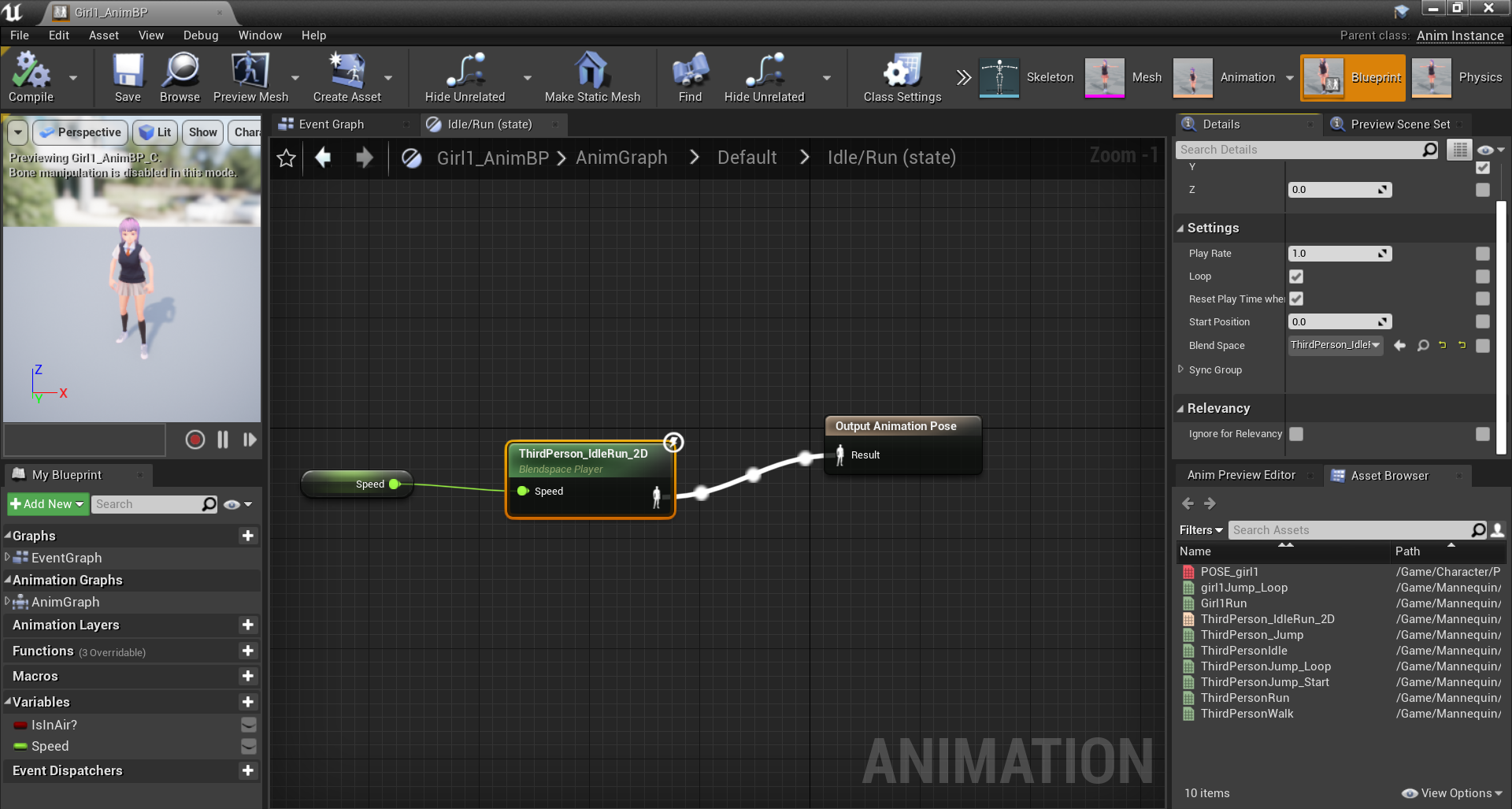
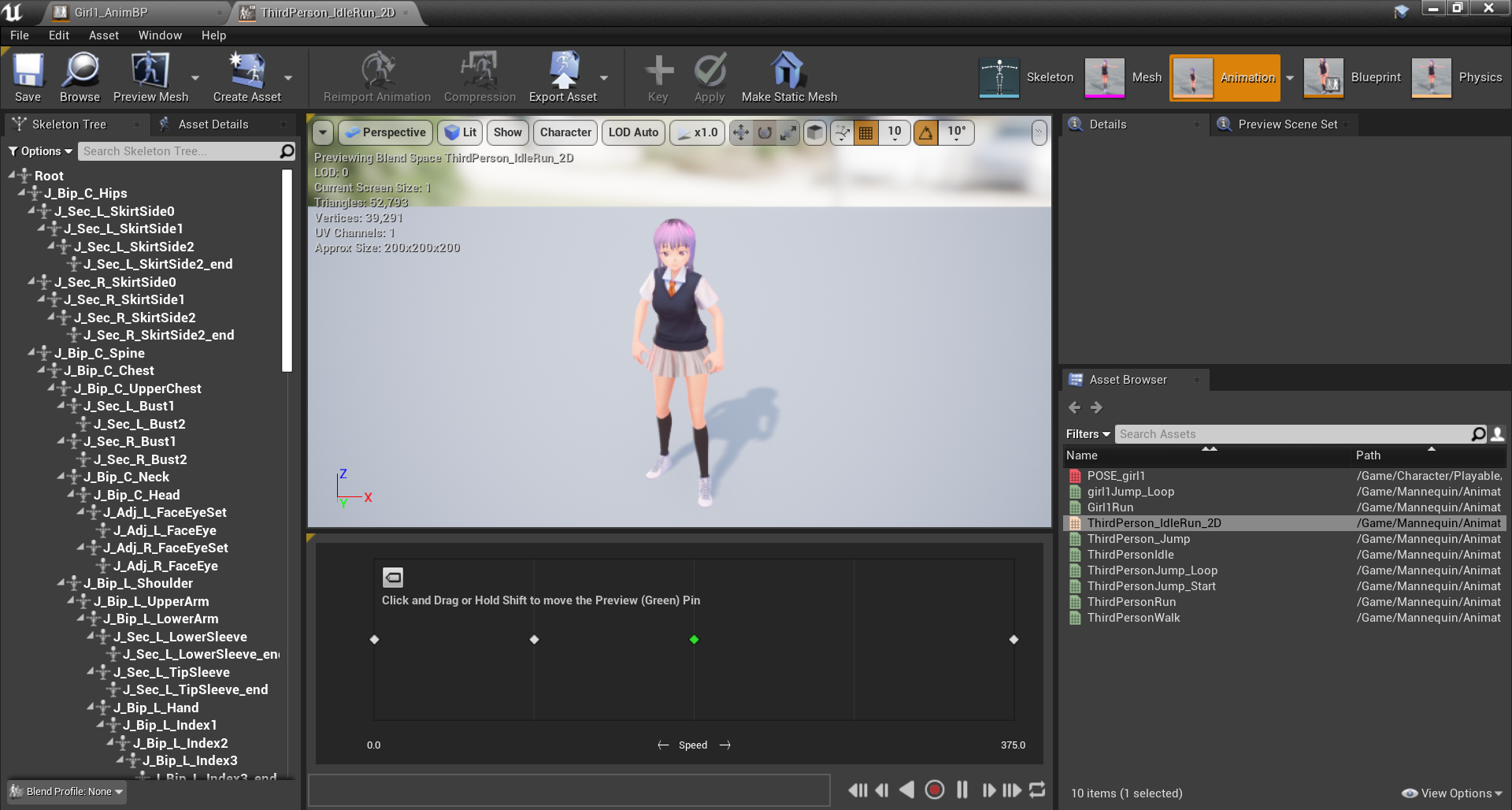
 worn jasper
It seems the Unreal Python API Documentation is gone all of the sudden... anyone knows the new location?
 verbal bronze
Hey guys, any idea when quixel bridge is going to be updated for 4.25?
Or any way to hack it so it exports?
rocky radish
i think you can make the plugin per-project and rebuild, but i haven't tried that out to be sure
 inner vine
Is there a way to make a ragdoll collide with dynamic objects, but not apply any forces to the objects it collides with?
rocky radish
@verbal bronze you can put the megascans plugins from a previous version to the engine into [project path]/plugins(if you don't have that you can just create that folder), and in MegascansPlugin.uplugin you change the engine version to 4.25.0
 uneven tundra
When doing UV's for UE4. And mirroring my assets. How do I make the lightmaps? Do i do a lightmap UV for the asset, and then mirror it, or do I mirror, and then UV-lightmap
ruby folio
I just waited 6 hours running memtest x86, modifying page-files and such.
I am still getting crashes in UE. Access Violation.
@uneven tundra Lightmaps are not specific to UE. They need dedicated UV space. Generally light-map UV's are the last thing you create.
Unreal engine does a pretty good job of creating them itself if you set the import options properly.
plush yew
Hello folks, quick question: how do I find the png files of a texture that I have imported from the marketplace into my project? I'm only seeing UE4 related files :/
ruby folio
@plush yew Source files may not have been included with the marketplace item.
However, you can right click and export the texture in UE content browser.
plush yew
Hmm how do I do that?
I've right clicked on the texture but I'm not seeing any export option
grim ore
asset actions -> export? if you dont see it which MP item is this
plush yew
Awesome! Thank you, I've completely missed that!
autumn elbow
anyone know of a plugin or way that i can have my windows desktop displayed on a widget in ue
 trim tapir
need some help with animation montages. I have everything setup properly, but one of my assets isn't playing the montage in the game and a nearly identical one is
info in #animation \


 azure glacier
Has anyone seen a tutorial they can link that would show me how to within unreal engine require material from a person to build a vehicle. If anyone has seen that game last oasis to build a walker the person has to collect materials then place a blueprint on the ground and use the material to build there walk/vehicle. I would like to achieve something like this in my project
 ancient lotus
any way i can move the engine (built from source) to a new directory without having to recompile the engine? for example i built the engine in my C drives root and i moved it to my program files in the epic games folder. when i try to launch it from VS its making me recompile the engine
mint umbra
Hey, I got this message when upgrading my project from 4.23 to 4.24. I have updated the plugins accordingly to 4.24, so kinda baffled... the compile failed:
"Running D:/UE_4.24/Engine/Binaries/DotNET/UnrealBuildTool.exe Development Win64 -Project="D:/Development/A BACKUP FOLDER/05.05.2020 – Kopi/ProjectAlteration 4.24/ProjectAlteration.uproject" -TargetType=Editor -Progress -NoHotReloadFromIDE
Creating makefile for ProjectAlterationEditor (no existing makefile)
Mod Dir : D:\UE_4.24\Engine\Plugins\Marketplace\DragonIK\Source\DragonIKPlugin
D:\UE_4.24\Engine\Plugins\Marketplace\RMPP\Source\RMPP\RMPP.Build.cs: warning: Referenced directory 'D:\UE_4.24\Engine\Source\RMPP\Public' does not exist.
@progress push 5%
Parsing headers for ProjectAlterationEditor
Running UnrealHeaderTool "D:\Development\A BACKUP FOLDER\05.05.2020 - Kopi\ProjectAlteration 4.24\ProjectAlteration.uproject" "D:\Development\A BACKUP FOLDER\05.05.2020 - Kopi\ProjectAlteration 4.24\Intermediate\Build\Win64\ProjectAlterationEditor\Development\ProjectAlterationEditor.uhtmanifest" -LogCmds="loginit warning, logexit warning, logdatabase error" -Unattended -WarningsAsErrors -installed"
mint umbra
Not a c++ project, no
The RMPP and DragonIK plugins are C++ though...
@ancient lotus
So I should disable the plugins in the 4.23 project and update again, and then install the plugins again after having updated the project?
/ re-add?
ancient lotus
not sure on that one
mint umbra
Really baffled at how my project suddenly gets framedrops when I updated to 4.24... shouldn't be this hard to just update a project, even though it contains two plugins...
 lapis bronze
4.24.3 has some serious bugs, i really hope .3 isnt their last version of it
ruby folio
It is
mint umbra
Which version should I update to then?
All of a sudden my backup is telling me to install a plugin that I already have installed... yikes.
mint umbra
There's some assets for 4.24 that I wanna grab, but looks like they'll have to wait... first I gotta solve why my 4.23 backup doesnt want to open
ruby folio
How did you back it up?
mint umbra
Copied the folder and pasted into a subfolder of my dev folders
(I made two copies; one from when I updated the project aswell to failproof the backup) - both are requiring the plugin before opening
Oh wait, it works. When updating the engine set had changed to 4.21 (which I didnt have the plugin for) - changing it solved my issues. Jesus, had me sweaty there for a bit haha. Guess I'll wait for the asset creators to move to 4.25, might aswell.
lapis bronze
I wish making bug reports wasn't a giant pain in the ass
 calm sphinx
@worn jasper They will remove the documentation completely after murdering the wiki, lol
worn jasper
@worn jasper They will remove the documentation completely after murdering the wiki, lol
@calm sphinx what is going on lol, is it temporarily?
calm sphinx
was joking, probably an internal problem 😄
lilac wedge
Its not letting me change the Linear Damping in my player bp, like i cant find any node that allows me to change this variable. Anyone know a solution ? This is quite a big problem for my project
storm terrace
See how the sky is darkish while the ground is very bright. How do I increase sky brightness but not increase the brightness on the ground
 hoary inlet
Small question here: If my camera's axis gets broken to where it's diagonal or up and down, how can i reset the roll to 0?
 rapid geode
Just updated to 4.25 and getting this error, what should I do?
Fatal error!
Unhandled Exception: EXCEPTION_ACCESS_VIOLATION reading address 0x00000014
0x00007ff8e3dd028c UE4Editor-OculusAudio.dll!UnknownFunction []
0x00007ff8e3dd5510 UE4Editor-OculusAudio.dll!UnknownFunction []
0x00007ff8e3dd479a UE4Editor-OculusAudio.dll!UnknownFunction []
0x00007ff90affe082 UE4Editor-AudioMixer.dll!UnknownFunction []
0x00007ff90aff9a4d UE4Editor-AudioMixer.dll!UnknownFunction []
0x00007ff90affbe49 UE4Editor-AudioMixer.dll!UnknownFunction []
0x00007ff8f1b770a3 UE4Editor-Engine.dll!UnknownFunction []
0x00007ff8f1b4954c UE4Editor-Engine.dll!UnknownFunction []
0x00007ff8f1b5f8b6 UE4Editor-Engine.dll!UnknownFunction []
0x00007ff8f1b87363 UE4Editor-Engine.dll!UnknownFunction []
0x00007ff8f1b78264 UE4Editor-Engine.dll!UnknownFunction []
0x00007ff8f2a4c673 UE4Editor-Engine.dll!UnknownFunction []
0x00007ff8f2a473a0 UE4Editor-Engine.dll!UnknownFunction []
0x00007ff8f0228132 UE4Editor-UnrealEd.dll!UnknownFunction []
0x00007ff8f022768e UE4Editor-UnrealEd.dll!UnknownFunction []
0x00007ff8f0ae0a31 UE4Editor-UnrealEd.dll!UnknownFunction []
0x00007ff666002b86 UE4Editor.exe!UnknownFunction []
0x00007ff8f0ab2530 UE4Editor-UnrealEd.dll!UnknownFunction []
0x00007ff66601b8fb UE4Editor.exe!UnknownFunction []
0x00007ff66601bb5a UE4Editor.exe!UnknownFunction []
0x00007ff66602e31d UE4Editor.exe!UnknownFunction []
0x00007ff66603145a UE4Editor.exe!UnknownFunction []
0x00007ff972ef7bd4 KERNEL32.DLL!UnknownFunction []
0x00007ff97480ce51 ntdll.dll!UnknownFunction []
 gilded plinth
Hey all, is there a megascan plugin that works with 4.25?
I had to disable the 4.24 one to launch my project
abstract relic
@grim ore a video on what debugging symbols are and how to download them seems to be in order. Granted, it would be a 60sec video at best 😜
 mighty copper
Does anyone know if Chaos still requires a Github build for you to mess with it in 4.25?
normal burrow
yes, it does
mighty copper
Well that is a buzz kill.
normal burrow
have issues compiling the code?
mighty copper
Haven't tried... I have all the right tools in all the right places, just lack the knowledge to make it work for me.
maiden swift
Why are so many Chaos features on by default in the launcher build if it still requires a source build to work?
mighty copper
That's what I can't understand...
maiden swift
For example, all the Chaos asset formats are available in the content browser.
mighty copper
unless it's just the way the demo from the learning tab is built and they need to update it...???
normal burrow
that was the case with 4.23 too i think pfist
there was a hit result to chaos contact node or something too
mighty copper
most that I saw were off in 4.23
you could go in and enable. but you still couldn't load the demo.
maiden swift
@normal burrow Right but I want to understand why it's like that.
normal burrow
eh, think about if you tried chaos for a day
you wouldn't want the engine to not recognize the files specific to chaos when you go back to physx
they could put effort into hiding the menus sure
maiden swift
Why not simply disable the plugin? Other plugins handle this just fine.
normal burrow
but thats more effort 🤷.
the c++ code in engine is spattered with #if USE_CHAOS so its not merely a plugin afaik
maiden swift
That's odd.
normal burrow
nah, you woudln't want the slowness of completely abstracted physics interface
maiden swift
There's been a move towards turning everything in the engine into plugins to modularize things for quite some time now.
It just seems weird that this one is different.
normal burrow
plz no on the physics engine
i don't need every change to velocity to do six virtual table lookups
abstract relic
Isn’t chaos an extra 80gb on top of all that?
 steep crystal
@normal burrow Now that there's an alternative, do you know if the engine builds without WITH_PHYSX?
normal burrow
all the engine abstraction with the physics is type'defed which is why you have to compile it in the first place as a seperate engine
Zeb is the only person I know that has tried chaos 😄 not sure on the size added
that would be the #else @steep crystal
abstract relic
@manic pawn oi 😜
normal burrow
zeb, share your knowledge and experience with us
manic pawn
wut
abstract relic
Probably the only one who tried chaos at this point 😜
manic pawn
I've not messed with it much more than trying to run a pile of 1000 cubes that works perfectly fine with physx and discovering chaos runs like total garbage with it
normal burrow
or got it to compile lol
ah gotcha
why do we have content browser things for chaos in not-chaos?
steep crystal
One would assume its not too hard to get working as its out of beta, but who knows eh 😄
brave pebble
Hey, is there a designated channel I can ask for assistance here?
manic pawn
calling it production ready with this sim performance is like a joke
normal burrow
did you try it outside of dev?
normal burrow
i could see there being extra sensitive printing going on for development but idk, pulling at perf. but that is a stretch
manic pawn
have only tried editor recently
abstract relic
looking at you unreal insight
steep crystal
@brave pebble If you check the channels and see one that fits your question then that would be best, if you don't know where it would fit try in here and maybe someone can help
manic pawn
oh yeah
now that I finally figured out how to make insights do stuff in 4.25 I can profile chaos with it
abstract relic
Oh insight can actually be run?
manic pawn
you now have to add -tracehost=127.0.0.1 because the auto connect is broken and manual connect results in corrupt analysis
normal burrow
that is in .25 though right zeb?
manic pawn
ye
 hoary locust
is it possible to update a project with only the new engine version installed?
manic pawn
idk what dark magic is happening to you, insights works totally fine for me in 4.24
normal burrow
unmeasurably fast
abstract relic
Your boids are that clean
normal burrow
Very clean boids.
abstract relic
Yep
normal burrow
Sure can
 warped tangle
@willow plank Only with the expressed written consent of the NFL
 willow plank
@warped tangle can you give me more information? Like what is written consent of nfl
warped tangle
Sigh..... that was a joke, just right click the asset -> asset actions -> export...
 fallen marten
NoobsForLife
willow plank
🤣
hoary locust
anything is better than 4.24, and it'd better be considering it's twice as big in disk size
midnight root
Unreal Engine Forums
Unreal Engine 4.25 now available!
With the release of Unreal Engine 4.25, we continue our mission to provide the most complete, flexible, powerful, and proven real-time 3D creation tool. We have further expanded the toolset to include content creation and editing for more ar...
plush yew
@hoary locust really ?
midnight root
I tend to agree, tho mine was stable for most part, but SO tired of lighting be so inadequate , realism shouldn't be THIS hard
I hope they streamlined some of it, atm its a nightmare too many parts
plush yew
you mean its hard to setup light in ue4 ?
 hexed jasper
Hey this is a newbie question but how do I add more subdivisions in my plane? I only have 4 right now and that is not enough
plush yew
i agree wit you smh
midnight root
maybe
plush yew
@midnight root try d5
midnight root
@hexed jasper don't have it open atm, just look way down with assset highlighted and you'l see where you can add more detail
plush yew
even thoo it has same issue , well its based on ue4 anyways
midnight root
d5 ?
plush yew
yeah it is a 3d standalon app based on ue4 core
midnight root
OH that
plush yew
better then twin motion
midnight root
ya ive not looked into , but I tend to agree , its just another thing to learn and prob not as REFINED
hexed jasper
In the "Details" window? I can't seem to find that. @midnight root
midnight root
I mean it took how long to get this far 😉
sorry not loaded atm give me a second ill show you
hexed jasper
alright 👍
midnight root
item selected in world outliner > Brush setting > tesselation assuming thats what you're after
brush settings
its like subdivision in blender, same basic thing
plush yew
btw 4.25 has modeling feature right ?
hexed jasper
Sorry you gotta show me where brush settings is 😂 i am familiar with blender but im learning UE
midnight root
its way down under surface properties
where you can flip, pan rotate blah
tho I wish they had a better stairs builder
midnight root
let me rephrase that, its way PAST surface properties, in its own SECTION named: brush settings
hoary locust
@hexed jasper why not add it in blender if you're familiar with that?
midnight root
highlight your sphere brush or whatever, then you can see surface properties way at the top of details tab
blender is advanced modeling already containing everything plus millions , ue4 has in simplicity
midnight root
share your screen and I can make this faster
if you wish
it is once you get used to it, like anything in life
no sweat I promise
 topaz haven
Hello
 balmy parrot
e
autumn elbow
is it possible to 'Allow CPU Access' to a mesh from Blueprints ?
 tame lion
Hello guys ! I have downloaded the fast noise generator and i'd like to use it to create procedural Landscape at runtime but i am very new to the unreal engine and couldnt find a tutorial on the internet. Anybody knows a good guide about that ?
last dove
I believe you have to create your own procedural mesh
and use the noise generator to spawn vertices on the mesh
 ivory sail
just out of curiosity does anyone have experience setting up the vive's front camera for use in UE4?
tame lion
i see ... so i'd just take an empty level , put a cube in it and use code to turn it into a landscape .
 rotund linden
Good evening. I have a doubt. I am unable to call a custon event from within a widget. I created the widget in gamemode and made a reference variable, but I can't call a custon event from within the widget.
last dove
well yeah, but you have to use UE4's procedural mesh actor
I'm trying to remember how to enable it
if you're using C++ it should already be enabled (it's a component) and if you're using BP's you gotta enable it
tame lion
i should be fine using C++ ill try it that way 😉 thank you
last dove
yep np 😄
devout pine
Hey, i'm having the same problem as yesterday, when these floor tiles are further away, there appear to be cracks in between when there are actually not.. Does anyone know how i could fix this?