#ue4-general
1 messages · Page 703 of 1
 runic fern
actually its both setted FreeForAll idk why its getting DeathMatch
its not getting actually
even in debug its wrote FreeForAll
 grim ore
oof
so maybe the issue is in the array when you make it? have you checked that out yet
after you click create what does the array look like?
runic fern
its normally arranged
i think its something wrong with the UI Functionality because the functions in GM looks working very good
yes
grim ore
so when you hit create on that screen the ServerModes array looks fine? its not duplicated in there?
grim ore
I will say the way you create that array is.... odd but it should work lol
grim ore
ah
runic fern
im really sorry mate 😄 😄
grim ore
yeah if I was doing this when I needed the array, like on the create button, I would loop thru all my options, see if they are checked, and then add to the array. At that point you could even start with the selected mode, make that the first value in the array then loop thru the checked options and add them after.
then there is no weird stuff adding the selected mode later for example
runic fern
Yes good information thank you and im really sorry again
 limber mesa
Hey @grim ore is there an easier way of sharing a ue4 project than github
runic fern
its took alot of energy 😄
grim ore
no reason to be sorry, we figured it out
runic fern
yes finally thanks Mr Mathew ❤️
grim ore
@limber mesa any source control could work, there are other such as Bitbucket, perforce, or setting up your own
@grim ore
 umbral ferry
In today's episode we show you how to create a moving platform for our level inside Unreal Engine 4 to make things a bit more dynamic. We go over setting up the matinee sequence along with how we can use blueprints to loop & rewind it!
► Sidescroller Resources - https://www.v...
i don't undesrtand how i can do the animation
wihtout matinee
limber mesa
Thanks
umbral ferry
how i can do that with sequence ?
grim ore
the same basic way. set up your keyframes and thats it
have you looked at any documentation or videos for sequencer?
grim ore
You would add the actor to the sequence so it has a track, then you can use the Transform track to move it and done
 delicate needle
Just curious, just watched that platform video, you notice how the character collides and floats with the movement of that platform, I would how that would be mitigated? Just out of an exercise of curiosity? Maybe upon touch of the platform it inherits its velocity or something?
Just to note, I don't make games, but I like that kind of problem solving.
grim ore
I'll have a video in like 2 minutes on YT for the sequencer platform thingy because why not, its shit without audio but its a video with a moving platform
I can say that the way I did it I had no issues with that @delicate needle so maybe it was his framerate or something similar? https://i.gyazo.com/efdc6c30f4ea1b174797b896f34d590a.gif
https://youtu.be/zqN8r4Pisjc @umbral ferry
now I would never use sequencer like that but hey Epic does so why not
 mystic holly
anyone want to make a game and have fun?
runic fern
mystic holly
ok
grim ore
with matinee being removed in .24 we have certainly been getting more of the "how do I matinee" questions 😦
runic fern
sequencer instead of matinee right ?
grim ore
yep, its been in the engine for over 3 years now
runic fern
Yes its very nice feature specially when you use camera on track and recording 
 pulsar badge
Has anyone use unreal.js plugin before?
 teal tulip
MathewW you upload a lot of content to youtube, you know why my video at first display all the quality settings from minimum to 1080p but no the 1440p and now only displays the 1440p ? given the video its 1440p
oh it seems like it a bug at import from photos
 normal burrow
You’ve gotta use the super huge files for it to register things hev. We uploaded a 4K video that wouldn’t register as 1440p once lol
umbral ferry
@grim ore thanks.
i will see that on few minutes.
You said that work but it isn't the correct way to do that ?
teal tulip
@normal burrow I checked the first option, on the photo mode, the other says if the content its bigger than 1080p get clamp but the problem I had was at upload at first displays everything, now just allows to set 1440p xd
a guy says its a bug from photo mode, so will have to upload them directly from my computer to youtube 🤔
normal burrow
 not sure I follow
teal tulip
There is a bug that forces to watch the video only at maximum if you upload it from google photos it seems
that I mean, don't display or allow lower quality options
 manic pawn
better than it only being available at 144p 
 spare sun
how long has it been since the upload
teal tulip
1 day
actually a bit more
after the upload youtube display every resolution up 1080p like 2h later just display the 1440p
normal burrow
https://youtu.be/9KR2wIXD8OU this is the 4K upload that only shows up as 1080p  didn’t use photos
 elder moat
why does my character suddenly become small whilst punching
Is there a way to make him bigger for one animation then scale back down when he's walking
grim ore
there probably is but maybe fixing the sprite in the first place would be better?
elder moat
Okay. I'll just do dat
umbral ferry
i have a issue
i don't know how to activate collision with my character
bc atm i have no collision
and i pass trought
grim ore
correct. at the top left it shows no collision primitives. You need to either add collision and bring it in in your DCC program, add basic collision in UE4 using the collision menu at the top, or use complex collision (the mesh itself) for collision
all of that is covered in the documentation including setting it up https://docs.unrealengine.com/en-US/Engine/Physics/Collision/index.html
umbral ferry
better to use mesh itself no ?
umbral ferry
grim ore
complex uses more memory and resources as its more complex
umbral ferry
but i want the collision to be representative of the mesh
i did that
but i don't have collision by behind
grim ore
what is behind?
umbral ferry
only one side
no other side
Me on platform collision
platform on me no collision
grim ore
how is the platform on you?
umbral ferry
if i m if I'm downstairs and it goes down
grim ore
maybe show what you mean?
 sly coyote
You doing a course pytchoun? That reminds me of a platform I created doing Steve's udemy course on making an RPG game
umbral ferry
grim ore
if you arent using physics to move an object it wont collide
grim ore
yes you are not using physics to move the object so no collision will occur
that is expected
if you were to stand under it when it was not moving and jump it should block you
umbral ferry
how can i do that
grim ore
well you can turn on simulate physics on the object, the platform, but...
grim ore
yep its now physics based, you can turn off inertia on it so you dont slide off. turn your damping settings to 0 so it doesnt slide your character
and lock rotation so it doesnt rotate when you are under it
umbral ferry
btw complex it is the correct thing i did ?
complex collision for have collision on my gameobject
grim ore
There is no correct. What you use will depend on your project and goals.
umbral ferry
ah?
sly coyote
There is a octagonal collision under the simple collisions with 16 sides that accomplishes the same but is less demanding on the game
If you remove the collision, and try the various simple collisions you'll see the perfect one for that shape in there
umbral ferry
where yo usee that collision
umbral ferry
yes it is where ichoose complex thing
sly coyote
Click that and you'll see a bunch of simple collisions options you can try
sly coyote
One of the dop simple collisions either dop10 or 16(I have way more options since I have a few custom created algorithms)
umbral ferry
i have 18 or 26
umbral ferry
where is it
sly coyote
Just remove the complex you added and try the different dop options under simple collisions...one of them is perfect....also...Steve's course was a paid 50 hour long udemy course
It's not up anywhere free
umbral ferry
your collision let me flying xd
sly coyote
But I can grab you the link if you want
You found the dop option that best represents the mesh?
 floral arrow
subsurface scattering works with static lights right
umbral ferry
oh he cas bc i didn't unchecking gravity
sly coyote
That would do it lol
umbral ferry
what
sly coyote
Not sure Jesus, maybe a material guru can answer that...I want to say yeah cause it's just material shader quality...but mat editor is my weakest point
Maybe @grim ore can chime in?
Material editor to me looks like hieroglyphics...I have no idea how people pull off some of the crazy materials they make
That's such an old post tho ponkkis...so much has changed even in the last year....I wonder if that's still valid
 hoary locust
The material editor just looks complicated, it's really just the same few things over and over again
sly coyote
God bless quixel and mixer...haha I spent 700ish hours learning every other part of unreal....but not 10 mins learning it's material editor
 brave lark
anyone know of a decent third person camera system for an RPG. realizing the default one sucks for this
mention me if you respond
hoary locust
take the master course on materials, it's really worth your time
 rotund silo
I'm trying to adjust around the lighting on my landscape but when I move the sun nothing's changing all the shadows are the same
brave lark
@rotund silo rotate it
rotund silo
how?
whoa
I rotated it and I saw the new lighting/shadows but then once I let go it instantly reverts back to normal @brave lark
brave lark
?
rotund silo
I used the numbers on the coordinates thing to rotate it
this
but once I let go of it, the lihgting just reverses back to the old one but the values stay the same
brave lark
z is only going to effect it
rotund silo
It does nothing if I change the Z value
I tried setting it to 100 and nothing changed and sun's still in the same spot
brave lark
maybe I'm confused with blender, let me reopen my project
rotund silo
maybe
When I chaged the X and Y values by scrolling up and down on it the sun/shadows changes but the second I let go of left click it just reverts back to the old lighting but the new values are still there
brave lark
is it static
rotund silo
no clue
How do I chekc that?
It also says this on the top left
and idk what this means
brave lark
means its static
sly coyote
The one listed on epics training section 1cg?
rotund silo
what
sly coyote
I'll check it out thanks 😊
brave lark
@rotund silo you should go follow a youtube vid on the basics
most people won't answer questions that are easily googleable
grim ore
@rotund silo click the build button at the top, have a snack, message gone
sly coyote
Didn't ue add that new sun object to handle basically everything related to the sun and time of day in 4.24?
I haven't messed with it but there's a hotkey you hold to change the angle the light coming off the Sun
I can't think of it now, at work
brave lark
it's three odd keys too, I have it in a few projects
but it currently breaks some other lighting features
sly coyote
I like it, seems like you can get pretty close to "true sky's" results for free in engine now
Hopefully they fully realize it rather than abandon it like paper2d...
brave lark
it creates a weird effect around the edges of some stuff too
 bronze cedar
i was downloading a game, it was just about to finish , but my computer restarted, and after that epic launcher got updated, boom i lost my downloaded game which was like 62%, that's 20 GB 😦
brave lark
theres a lot that needs to be fixed before making new features honestly
bronze cedar
anyone every saw that type of error
brave lark
yeah your temporary files were cleared
sly coyote
You probably should ask in epic store section...this section is ue4 engine
brave lark
sucks, just have to redownload
bronze cedar
yeah @brave lark
ok i will be going in store section, @sly coyote
thanks for the help guys haha 😦
brave lark

sly coyote
👍
bronze cedar
lol wrong smiles, i mean this , thanks for the help 🙂
sly coyote
Hahaha
brave lark

bronze cedar
it feels bad when you wait for something and than it delay more than you thought , hahahahaha
sly coyote
I agree...the driver issue with rtx 2080 ti and Ray tracing crashing the engine....that's a pretty big deal for some
Myself included in that mess
I can't play with the shiny new Ray tracing toy until that crash is fixed
I want to blame invidia on that one...but epic could push a little harder to make them fix it
brave lark
who pushes epic to work on forward renderer then
sly coyote
Even just a "hey guys we know what's up, and were working with invidia to fix the crash" would be nice...epic seems to be ignoring those having the crash
brave lark
because I'm missing important features still
^also nvdia is probably busy ramping up for how to deal with the new amd stuff
js, theres going to be a serious tech boom with the new consoles
sly coyote
Anyone else feeling my pain with Ray tracing crashes on the newest driver...in engine only
And I'm not going to fidget spin my trdelay or whatever hack people are doing to fix this...it wasn't an issue until Ray tracing came around
In engine
Something in engine isn't playing nice with invidias newest drivers....
rotund silo
@brave lark I built the lighting now, but the lights are still static and won't change and I tried googling it but all I could find was about static lights
 gaunt abyss
newest driver works fine for me with the engine 🤷♀️
 trim tapir
So I am doing a minecraft terrain generation project, which consists of a lot of actors with a cube mesh that form terrain. It seems that the shadows these objects produce are severely reducing performance. Whenever I disable shadows, it is very fast. Is there a way to cull shadows so that they only render a close distance away from the camera?
brave lark
@sly coyote i'm on a 3770k and 980 ti so I can only feel jelly
@trim tapir part of your issues is your rendering stuff that isn't seen
you should use a procedural mesh
trim tapir
well I want all of my blocks to be actors, not standalone meshes
is that still doable with procedural meshes?
I tried distance culling of the mesh, but that didn't work at all
rotund silo
@plush yew Mines doesn't have a Mobility setting
sly coyote
Anything can be turned into blueprint actors...noctis
Just add it as a component...even easier in cpp if you go that route
trim tapir
so a procedural mesh component?
rotund silo
@plush yew
sly coyote
Are you blueprint or cpp?
rotund silo
nothing there
trim tapir
blueprint, but i made it a cpp project just in case i needed its functionality
sly coyote
In cpp you can make a custom class based on actor and attach the proc mesh as a component as root
In blueprint I believe you can just add it as a component in the drop down then set it as root
trim tapir
ok
ill just use blueprints for now
how do I use the procedural mesh @sly coyote ? The button "Create StaticMesh" is grayed out
sly coyote
Blueprint only I'm not too sure on...but https://www.orfeasel.com/creating-procedural-meshes/ this is the guide I followed when I was creating meshes that can be smashed or broken

In this post we're going to see how to create a simple procedural mesh during runtime in Unreal Engine 4. While there are several components and plugins (most notably RuntimeMeshComponent by Kode
One of the guides...there is another for creating slice-able proc meshs
Also that's very good...but they're cpp
Are you making destructible environment pieces?
If so you should really look at the chaos engine inside ue4
 ionic lagoon
Anyone know how I could grab variables from my fpscontroller and use them in my statemachine for the animation blueprint
sly coyote
There's multiple ways....you could grab the playercontroller which would be set to your fpscontroller and drag off it to get...if the variable is public "eye ball open" in the fpscontroller
Or you could pass it along using levelbp but it will just do it the same way you would directly in the anim bp....
Or you could use blueprint interfaces
ionic lagoon
How do blueprint interfaces work exactly? Sorry I am very new to unreal and game development in general
trim tapir
@sly coyote I am not doing destructable meshes. I am basically making minecraft in unreal engine, so like blocky terrain generation. With so many blocks, the engine becomes very laggy when I enable shadows.
sly coyote
Interfaces are simple to use but hard to explain...best thing to do is watch matthews video on yt about it https://youtu.be/G_hLUkm7v44

What is a Blueprint Interface in Unreal Engine 4 Blueprints?
Source Files: https://github.com/MWadstein/wtf-hdi-files
ionic lagoon
Ill check it out
sly coyote
So you're doing voxel terrain
trim tapir
yes
 lavish sapphire
Anybody interested in being a paid Unreal tutor? I need a few sessions.
ionic lagoon
Ok I don't think an interface is really what I'm looking for. Back to the first thing you said. I have the playercontroller, but I don't know what to drag that to.
sly coyote
So in fpscontroller make sure the variable your trying to get is public
ionic lagoon
I think it is considering the private box is unchecked
sly coyote
Then in the anim bp graph do a getplayercontroller...do a "cast to fpscontroller"...then off the "as fpscontroller" pip, drag off and "get 'your variable' "
The variable would have it's eyeball icon next to it open
ionic lagoon
Oh ok
 plush yew
I have an extremely powerful PC yet UE4 hangs for 30 minutes to delete 3 assets
ionic lagoon
Ok, but doesn't the cast need something executing it?
sly coyote
Luke that's a recent bug...it's happening to me also when I'm deleting things that have existing references...started last patch
grim ore
if you use the third person template you can see how the animbp is set up to get info from the character, same idea for getting it from somewhere else. The other way is to push it to the anim bp that is running on the player as needed
sly coyote
The legend has spoken 😋
sly coyote
For me it looks like a terrible crash but keep telling it to "wait"...it will recover
trim tapir
so zethfox I just need a way to optimize shadows so that they don't render outside a certain radius or when they are not in view
sly coyote
Noctis I personally wouldn't tackle voxel with blueprint only it just seems like so much work
sly coyote
Ouch that sucks... At least for me it always recovers after like the third or fourth wait for program to respond
trim tapir
rip
sly coyote
If you really need to delete the assets make sure nothing else is referencing it in the stage
I've started doing a replace before I delete now
At least until they fix the bug
rotund silo
Anyone know why my Directional Lights reset back to their original position after I rotated them?
trim tapir
ill try to hard code diabling shadows outside a radius
sly coyote
I'm not so sure that the shadows are only problem... You could have way too much draw calls
trim tapir
well i disabled shadows and it ran smoothly
 hoary silo
My project is crashing on start, does anyone know how to fix this?
Here is the crash report: Unhandled Exception: 0x80000003
UE4Editor_CoreUObject
UE4Editor_CoreUObject
UE4Editor_CoreUObject
UE4Editor_Engine
UE4Editor_Engine
UE4Editor_SkeletalMeshReduction
UE4Editor_SkeletalMeshReduction
UE4Editor_SkeletalMeshUtilitiesCommon
UE4Editor_SkeletalMeshUtilitiesCommon
UE4Editor_SkeletalMeshUtilitiesCommon
UE4Editor_Core
UE4Editor_Core
UE4Editor_Core
UE4Editor_Core
UE4Editor_Core
kernel32
ntdll
trim tapir
well my project crashed on start once when some plugin i got corrupted or something
sly coyote
Cpp or blueprint no good name?
ionic lagoon
hoary silo
@sly coyote blueprint
ionic lagoon
What would I execute the cast with
hoary silo
@ionic lagoon Get all actors of class, choose the actor your casting to, then get a get node
sly coyote
"get--->whatever variable"
hoary silo
^
Now it is saying this when it crashes: Fatal error: [File:D:/Build/++UE4/Sync/Engine/Source/Runtime/Core/Private/Serialization/Archive.cpp] [Line: 644] BulkData compressed header read error. This package may be corrupt!
UE4Editor_Core
UE4Editor_CoreUObject
UE4Editor_CoreUObject
UE4Editor_CoreUObject
UE4Editor_CoreUObject
UE4Editor_Engine
UE4Editor_Engine
UE4Editor_SkeletalMeshReduction
UE4Editor_SkeletalMeshReduction
UE4Editor_SkeletalMeshUtilitiesCommon
UE4Editor_SkeletalMeshUtilitiesCommon
UE4Editor_SkeletalMeshUtilitiesCommon
UE4Editor_Core
UE4Editor_Core
UE4Editor_Core
UE4Editor_Core
UE4Editor_Core
kernel32
ntdll
sly coyote
That's rough, remember the last thing you added or changed?
sly coyote
You can try finding it in your content browser through computers file explorer.. move it to the desktop for right now
And see if the engine will let you start it up
hoary silo
alright i'll try it
sly coyote
It should just complain that its files missing in your blueprints that you attached it to
hoary silo
The file is too big so it is going to copy it
ionic lagoon
So what do I do after get all actors? Like where do I choose the player
sly coyote
That's fine I just wanted to make sure that you had a back-up in case it didn't fix your problem
ionic lagoon
On the purple?
hoary silo
Yeah
sly coyote
Get player controller and that number 0 means the player that's playing the game on that computer first player slot
hoary silo
@sly coyote should we use DMs?
sly coyote
If you're making something with couch co-op... That piece of code would be a little bit more complicated
ionic lagoon
I'm not
 lucid magnet
how do i set a function for the content of this combo box?
sly coyote
If you scroll down the details panel with its selected you'll see options you can add
And no good name... It's actually really tough to diagnose that on blueprint only project.... CPP projects are way more forgiving cuz you can run it with visual studios and it will point you to the exact thing causing you the crash
hoary silo
That makes sense
hoary silo
Drag out from the array and type in get
and plug it into the "object" plug on the cast node
leave the index number at 0
sly coyote
Lol
hoary silo
sorry i meant "get a copy" lol
ionic lagoon
gotcha
sly coyote
When we say drag off and get... We mean dragged off that little pip or node and type the word get
hoary silo
^
ionic lagoon
Yeah
 hearty walrus
How do I fix a low quality viewport?
ionic lagoon
Alright and then where do I go from there
lucid magnet
@sly coyote i cant find the option to add a function for the selections?
sly coyote
And if you start typing is sprinting in your example there... You'll see it come up as an option if the variable is public
hearty walrus
Also, how do I intergrate discord's rich presence into a game?
ionic lagoon
Ok I see so I don't need the cast right?
sly coyote
R3 once you have your options set up there should be a bind button for on selected or something like that... In the details panel of that menu drop-down thing... Meaning highlighted then go to the details panel...
Once you click that on selected or on choice made whatever its called in that details panel... It will take you to the event graph of that umg
hoary silo
Oh cool a new error 😭
lucid magnet
sly coyote
Then you have to code in each of the options code yourself in that event graph
See where it says events
Drop that triangle
ionic lagoon
How would I execute that pin for getting all the actors then?
sly coyote
No good name... Chances are that animation wasn't the problem and it was something right before it
hoary silo
Ill just copy all of the content to a new project
sly coyote
Alin... What you're trying to do is very basic... That kind of help is way too tedious to ask for someone to explain for you how to set up such a simple function... I'm not trying to be mean... But please consider checking out vertus guides on YouTube
ionic lagoon
I understand and apologize. I'll take a look.
sly coyote
Vurtis's game creation guides are actually really amazing...a great start to moderate level coding lessons
Checking player states in an anim bp is the first thing you'll learn when you do animation blueprints in his guides
ionic lagoon
Ok great
sly coyote
Oh no, I never recommend epics streams to beginners....they're done for advanced users
ionic lagoon
Yeah I'm not watching 2 hours of that
 wild cobalt
So I wanted to others thoughts. I am in a constant struggle of wanting to buy BP game assets or to just create everything from the ground up.
ionic lagoon
Thats not it ponkkis
The thing is that I can learn what I need to from other videos, not 2 hours just to learn one specific thing that a 10 minute video could show me
Ponkkis thats because I didn't watch a video on that.
And I should have before coming here, but its hard to hunt down exactly what you're looking for.
wild cobalt
@plush yew but you recommend not buying gameplay assets? I am looking at https://www.unrealengine.com/marketplace/en-US/product/advanced-rpg-combat-template specifically

Advanced RPG Combat Template is a complete, networked RPG fight system template, inspired heavily by the legendary RPG games such as Gothic, Dark Souls, Witcher.
wild cobalt
thanks!
 swift spindle
that does look like fun
plush yew
Is there a way to make my animal run away from me i did set everything i just need to knowlegde how he can run away from in a stright line and not in a random point
People suggested Dot Product
but how i can change the rotation of the animal to go the other way around
;d
sly coyote
Then virtus ue4 channel on yt would be perfect for you alin...they're 10 mins ish long and show you at the start what your about to learn
ionic lagoon
Yeah I found a video that covers what I was looking for
thanks for the recommendation
hoary silo
@sly coyote after opening my project over and over again it just suddenly started opening again
trim tapir
@sly coyote fyi I successfully increased performance by disabling the shadows if the player is too far away. I am also working on another function that line traces to the camera from each vertex, but it seems to eat up more performance than enabling shadows in the first place. Ill just stick with the distance one for now.
 gilded plinth
Hey all, I have this planetary post process atmosphere material and it looks great in the editor and PIE, but when I package I get horizontal screen tearing. I can remove it by turning vsync on (instead of default adaptive), but does anyone know why it's doing that?
swift spindle
that seems a bit odd... fps issues ?
plush yew
Anyone tried to put an Ai actor as your child in player mesh?
dose that work??
Like so it moves with it
 kindred viper
@gilded plinth its going to be a vsync issue. You fixed it
gilded plinth
Marc is there something about post process materials that exacerbates the issue?
kindred viper
well no its framerate vs frequency
gilded plinth
It's just that with some other projects and even another atmosphere that doesn't use post process i don't notice it
swift spindle
" profile gpu "
gilded plinth
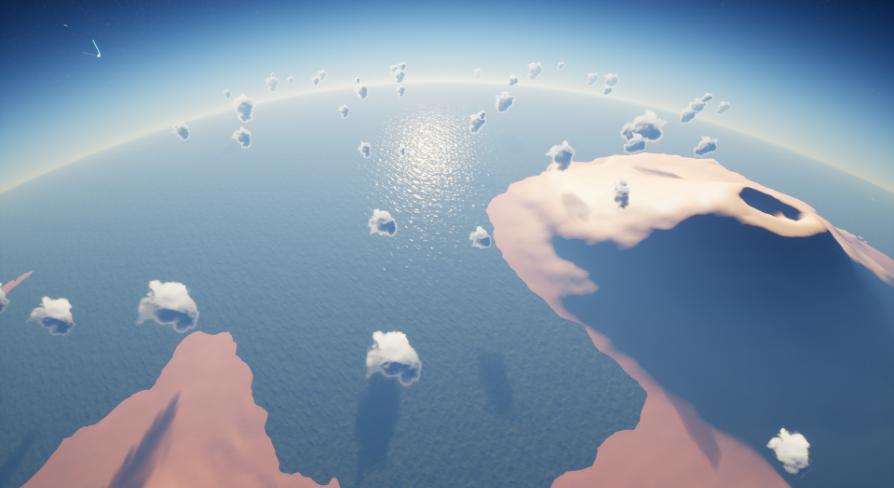
With this post process material you can add the atmosphere to an existing planet which will look quite realistic, whether viewing from the planet surface or outer space.
swift spindle
that will give you a basic breakdown right away
rotund silo
How can I make a sky?
gilded plinth
How do i get to the gui for that Altermind?
swift spindle
tilda key @gilded plinth
gilded plinth
that's the console
i type profile gpu and nothin happens
also tried r.ProfileGPU.ShowUI
swift spindle
it'll pop up a UI
gilded plinth
for some reason doesn't : /
swift spindle
oh... make sure you have the main window selected
gilded plinth
weirdly control+shift+, does show it
swift spindle
the viewport
plush yew
How do I simulate a nuke explosion on a large terrain? I want the explosion to have a crater and have dynamic interactions with the environment-- like burning trees, nuclear fallout, etc.
plush yew
Yea I know, but I believe it is possible
swift spindle
well
plush yew
Just dunno where to start
swift spindle
your not going to "simulate" it
gilded plinth
weird. These are the exact same shader. Why is one crazy and the other not?
swift spindle
but you can create the different states and blend them together using camera cuts and creative effects
plush yew

I do have this child actor
But is there a way i can spawn it when i want?
I know fallout 76 tried a similar thing, but it ended up being really ugly and didnt really have a realistic efffect
Like it just stays there the whole time 😄
I want it be there as i call it
swift spindle
crys in performance
plush yew
Im thinking of having the nuke have a super bright blinding effect and then following it with some other effects
But there is one major issue even worse than trying to recreate the effects of my nuke....
I have to somehow make it visible from orbit, since my game is based somewhat like star citizen
And people launch their bombs from spacecraft in orbit
 rose frost
Ahem...
I'm sorry to bother you, but any idea why my floor is flickering like that? 😕
I think it's due to my foliage but I don't know why 😕
swift spindle
looks like a sorting issue... also.. is your ground compiled properly ?
kindred viper
is there any reason to overlap UVs these days? I mean, I get the higher detail thing but aren't people using UDIMs now?
rose frost
I think so, it's just a mesh with a material and foliage added on it.. I'm not sure to get what you mean by compile a ground
swift spindle
well your ground looks black
kindred viper
@swift spindle why would using overlapping UV's be good for ram? And I presume you mean for consoles because PC isn't exactly short on minimum spec ram these days.
swift spindle
@kindred viper it's a complex issue.. but it's not a clear cut rule on ether way.. . also depends on engine...
and workflow and resources
and target platforms
while a dev system might have 32 / 64 gigs of ram.. it's a safe bet your users system only has 8 to 16
and you'd be lucky to get to use half of that
plush yew
Damn I need some good programmers
Im trying to recreate star citizen with steroids all alone 😦
swift spindle
good luck on that one
kindred viper
@swift spindle its GPU ram not system ram
swift spindle
sighs and rubs temples
kindred viper
that gives me an idea of why you would want to optimise it for streaming data purposes, but I can't see the advantage of it
Im not trying to be fussy about this, just getting an understanding. It's not something I have looked into well enough
I might go profile some stuff and see if I can figure it out. I dont want to get into learning this and be ignorant of the caveats
swift spindle
that's fair... sorry if I seem.... put off.... its just a massively huge topic
kindred viper
its ok dude. My inquisitive way of asking things can sound a bit off in text form. If you saw my confused look in real life, you would realise I'm genuinely confused :p
kindred viper
will do. I can go profile some stuff too. Get a visual approach which is better for me. thanks
swift spindle
but remember this.. basic profile will only go so far 😉
remember.. you can right click on assets and use SizeMaps
 grizzled ferry
Hi I am new,
There is a support channel?
swift spindle
@grizzled ferry what kind of support you looking for ?
grizzled ferry
@swift spindle I was searching on YouTube how to setup a multiplayer team competitive FPS game, but I didn’t find anything
swift spindle
well.. that's because your looking into hundreds / thousands of hours worth of learning 😉
you best bet is to break down what you want to learn
and have to learn
and what you can buy / download for free...
@grizzled ferry https://www.unrealengine.com/en-US/onlinelearning-courses

Unreal Online Learning is a gamified learning platform that offers free, hands-on video courses and guided learning paths.
start here
grizzled ferry
Ok thanks
delicate needle
I migrated my project to an empty one to reduce the project size, and now I am getting an "out of video memory trying to allocate a texture!...." error, and then closes. Has anyone seen this?
swift spindle
you need to check your logs
sounds like you got yourself a corrupted file..
or a memory leak from trying to load to much at once
 worldly axle
@grim ore Thanks !
delicate needle
It dosnt happen on the original file, just on the newly migrated one, upon opening the map. Never gets far enough for me to read an error. Is there an error log dump?
swift spindle
yup
delicate needle
Found it
rose frost
Ok, so for my problem : my foliage has cast shadow enabled, I've disabled it and it seems fixed for now
swift spindle
yeah... only cast shadows on larger foliage objects for performance reasons
rose frost
Aaaah no it wasn't that 😦
plush yew
gogle
grim ore
can you show us this?
 merry gazelle
Guys when I use pawnsensing for some character AI they only search for the player. Is it possible to have them also detect each other, maybe an alternative "sense" to pawnsensing?
rose frost
@plush yew May you explain what are you trying to do? What do you want? Cause it's hard (for me) to understand what you are saying
For my flickering issue, I think it's due to the lack of world... Like, when the camera look too much of the "void"
But still struggling to fix it 😕
grim ore
@plush yew if you have your widget component in Screen Space it will do that
thats how it is supposed to work
yes, you are telling it to move every tick depending on where this actor is at
 modern sinew
How do I test if the current key (from get key) is equal to a Key Struct? I can't find an isEqual for key struct
can I turn them into strings or something?
grim ore
@plush yew what do you want it to do? how should it work
 ancient lotus
anyone with a haswell i5 cpu built the engine from source? if so how long did it take? its been an hour and im at 950/3596
a 3d widget or whatever its called thats in the world?
grim ore
then you want to use the UMG system and add it to your viewport, you do not want a 3d widget or widget component @plush yew
@ancient lotus I build it on a i7 4770 and its takes about 90 minutes. you have half the cores so longer?
ancient lotus
half the threads, same cores. did it speed up near the middle/end? its just taking ages at the beginning to compile
grim ore
it is very slow for about the first 2000
ancient lotus
ah. then lets aim for 120 minutes and see where were at
delicate needle
@grim ore - Are you aware of any issue where if I migrate a project into a blank one, opening the map gives me a out of video memory, hard crash error?
grim ore
then your widget will be in the world and move @plush yew
I mean if you dont ever want it to move why set the position every tick, unhook that
 carmine narwhal
Hey everyone, Im just getting into Unreal, I have a ryzen 5 2600, a gtx 1060 6g oc windforce, 16gb vengeance lpx 3200 ram and Im running my os off of a 970 evo plus, what would be the most stable version of ue4?
grim ore
@delicate needle not that I know of, delete any intermediate files in the project maybe but if its a new project that is weird.
kindred viper
@carmine narwhal 4.24.x currently
delicate needle
@grim ore - im cutting content folders out until I can get it to boot.
grim ore
@plush yew that sounds weird, it shouldnt do that. #animation might know 😦
delicate needle
@grim ore I removed all folders from content and still got memory error!
grim ore
so opening an existing map without it's content?
delicate needle
I think, that maybe something from the migrate, should have came over, and did not, some weird bug with a plugin.... maybe... maybe ill disable all plugins....
@grim ore
Here is a part of the log, last part
grim ore
@delicate needle no idea, weird 😦
delicate needle
I'm re-installing video card driver right now
All I was trying to do is get my project/bake exe slimmer. I have a python script that helps... but maybe I should just buy a plugin that does it well
 loud valve
Hey guys, any tips on Returning the camera to its original position (after the player moved it) without clamping it? I had to do a clamp because else the camera would always go to the floor for some reason. I only want the camera to go the original transform. See picture.
So the player has freedom to turn the camera they want, but after this clamp to get it in the right position, the player cant do that anymore. Thats the issue. I want the camera to be able to do that when he moves the mouse again.
grim ore
nice
@loud valve if this is just stopping the min/max angle of the camera you can look at implementing your own player camera manager and it has settings
and you can set your custom player camera manager on your custom player controller
loud valve
hmm.. interesting, but is this an overwrite on all game mechanics? Because I only want this to be in certain vehicles.
not on walking or anything
So if I could active it only when entering a vehicle then yes
grim ore
you can look into having separate player controllers then and swap them per vehicle and such
loud valve
okay never did that before, how does one load a player controller when possesing?
sorry camera manager
modern sinew
For some reason, even tho this used to be working perfectly, it's not anymore
grim ore
you would change the controllers not the camera manager, each controller would have its own camera manager( default or custom)
 brisk urchin
Is it ok for two static meshes to intersect each other?? For example, my room ceiling is penetrating the outer walls of the building a bit.
swift spindle
yes
loud valve
@grim ore okay, will look into that. So how would I go about returning to original position then? like in my screenshot? I want the player to have that feature but when returned have the ability to move it again.
grim ore
do you mean having it not clamp?
@brisk urchin that is fine if its for the environment and such
loud valve
Yeah, so theres already free look in the current camera manager, but I have this dynamic camera feature that returns the camera to behind the car when not moving the mouse right? To do that I don't need a clamp, but .. the camera goes behind the trunk (for unknown reasoning) so you can't see shit. Thats why I implemented the clamp to push it back up thats all. So I actually only need a fix on that clamp.
😅
been working on this for a day now, nothign works
grim ore
yeah trying to picture that. So if the player is moving the camera while in the vehicle its fine and its as expected, clamping and all?
ancient lotus
@grim ore 6:05-7:49 compile time
grim ore
@ancient lotus yep just had to wait then 🙂
loud valve
yes that works great 🙂 and the clamp to, but After the recenter/clamp you can't go lower that the clamp pitch I set up. So when that clamp has occured it does not go back to the original free controls.
I can show more, this is the original camera clamp for 3rd person camera with mouse
 crude robin
so, if i just want to say use the mouse and not an actual character for like point and click adventure do i just make a player controller and delete the character
grim ore
the free controls shouldnt work when in the vehicle?
@crude robin you can have the default pawn be nothing and it will not spawn one in yep
crude robin
ok.
loud valve
@grim ore They should always work. After the recenter/clamp camera system happened, you can't go lower that the clamp pitch I set up for recentering. So when that clamp has occured it does not go back to the original free controls. It stays on the new max setting.
grim ore
im just confused is all lol
loud valve
haha I understand
grim ore
when you are not in the vehicle you dont want clamping to work at all right? that works fine?
loud valve
yes
grim ore
ok in the vehicle it should clamp but not always?
loud valve
yes it should clamp to the car cam rules".
And those work too
But.. when the recenter happens, it goes to another clamp like in my first picture I send. And that clamp is set up higher. It is just meant to give direction to the camera where to go.
But it also limits the players ability to lower the camera
grim ore
im missing something somewhere 😦
is there an issue at all when the player is not in the vehicle
loud valve
So in short, the free clamp goes to 0 degrees, and the camera recenter clamp (which should be temporary just to recenter) goes to -20. I want the player to be able t o move to 0 again after it is recentered.
no all the issues are in the vehicle haha
grim ore
ok so in the vehicle are all camera movements clamped in some way?
grim ore
if you are not moving the vehicle and just playing with the camera what does it use? what code path
loud valve
it uses the camera input clamp the player controls which is good.
grim ore
which is something you call on the normal input knowing they are in the vehicle?
loud valve
yes here
grim ore
is the main thing here is your changing one variable depending on if its auto camera or manual camera?
like I see its -60/6 and -60/-10
loud valve
uh yeah, like in GTA when u look to the right when driving and then don't move the mouse for a second, the camera returns to behind the car. Remember? That is what I created.
like I see its -60/6 and -60/-10
@grim ore Yes so that last one is the Recenter camera system. If I don't do that higher camera location Clamp it will go behind the trunk and you wont see anything. I just need the camera to where it belongs. But telling it that will just put it down on the ground again.. so weird.
grim ore
what about something like this
in the spots you are clamping, and when you are centering you set the is centering boolean. If its true it will use one value and if not it will use the other
I would assume this would let it have the right values for clamping the pitch at all times based on that boolean
since that seems to be the issue?
obviously fill in the correct values for the rest of the stuff, this is mainly just to replace the input on the Max for the Clamp
grim ore
i doubt I have the correct values but you do lol
loud valve
no thats fine
grim ore
well when you start auto centering set the boolean, when you move it by hand or stop auto centering or however you detect that set it to false
then just swap in the Select node for the max input rather than a set number
loud valve
yes exactly ok let me try it out. Thanks allot bro. Also for the patience it was not easy to explain I guess.
grim ore
yeah im just slightly confused on the code was all. I would assume if you were trying to recenter it after it being untouched you would have a fixed value to interp/lerp to from the current and clamping wouldnt even come into play
like all movements would be clamped when in vehicle mode regardless of anything you are doing because thats what you want
loud valve
well if I do that then there is no ability to move.
grim ore
and it would just be one check
loud valve
yeah tried that
like set relative transform no clamp and then its stuck behind the car, no movement possible
modern sinew
Does anyone know why this is no longer working? I didn't touch anything
it's giving me the action to package it tho, and giving me an error when I click that
ERROR: Engine module 'Engine\Plugins\AdvancedSteamSessions\Source\AdvancedSteamSessions\AdvancedSteamSessions.Build.cs' should not depend on game module 'C:\Users\Tarik Desktop\Desktop\AdvancedSessions\HostProject\Plugins\AdvancedSessions\Source\AdvancedSessions\AdvancedSessions.Build.cs'
 sharp crest
 short echo
I'm writing a battle camera for a fighting game. I have the midpoint between the actors, and I can point the camera at the midpoint.
What I am struggling to do is to add an offset to the midpoint so that it is higher and out to the right.
With this method, I get a horrible jitter ever frame due to the "SetActorLocation".
How do I convert from local to global in such a way to add an offset to the midpoint?
    auto Midpoint = GetMidpointBetweenActors(FoundActors);
    DrawDebugSphere(GetWorld(), Midpoint, 10.f, 30, FColor::Green);
    SetActorLocation(Midpoint);
    AddActorLocalOffset(FVector(0.f, 300.f, 300.f));
    SetActorRotation(UKismetMathLibrary::Conv_VectorToRotator(Midpoint - GetActorLocation()));

```\@grim ore Dude you are king, such an easy solution, never thought about that. It works like a charm! Thanks
Already had the boolean for CenteringCamera just had to connect one freaking Node (Select) and thats it.
modern sinew
Can someone work with me to try and figure out why Steam isn't working?
 marsh cloak
Hello, I have a question about the Notifies section of imported animations
is there a way to change material parameters through it?
eg disolve start
and then disolve end
or use the curves to control the on/off
Like this?
How would I go about animating a material property?
what would I have to google?
grim ore
marsh cloak
not quite swapping materials
grim ore
if you read the thread you will see the answer
plush yew
Is there a way to set the "Other Actor" to null?
Like the thing got in side my collision Other actor that is the thing
When he leaves the collision
Null Other Actor
is there such a thing?
grim ore
same way you do anyghing with a notify, event fires in the anim bp and then you do whatever. In your case tell your whatever to change its parameter
@plush yew destroying it would basically be setting it to null, why do you need it to be null?
plush yew

MathewW look
Its turret shooting zombies as they get out of range i want it to be null
grim ore
oh you mean literally setting a variable to null? just set it
dont fill in anything in the input or value
 grim ore
no
plush yew
oh am bad 😄
grim ore
unhook the input on the set other actor node
grim ore
on the end overlap, you want your local variable to be null/nothing/empty/default when they leave the overlap right?

 tawdry narwhal
I'm noticing that my DefaultEditor.ini is over 1.2MB in size - this is probably abnormal, anyone know how to fix it?
plush yew
it worked thanks again matheww
ancient lotus
well considering you said c plus plus id say blueprint
plush yew
Humm but now it will keep shooting new zombies who enter the collision
like it will never finish the first zombie it was shooting at
Any thoughts :D?
grim ore
didnt you want it to stop when they leave?
plush yew
Oh yea MathewW but if he is already in collision
and other zombie enter
he will focus the new one
i think he will be the new other actor
grim ore
that sounds like your code is not checking to see if it has a target already before getting a new one
 grim ore
so check if other actor (such a weird name for your variable) is null or not when on overlap
on overlap -> do we have a valid target? if so do nothing. If we dont, get a target
you definitely should not be casting on tick tho so at some point you should be saving the actual class type after being cast or since you just want the location you have no reason to cast
marsh cloak
ah okay, so I have the animnotify in the event graph, I assume I need to cast that to my object that needs to activate/deactivate?
oh gosh I suck
plush yew
ok matheww am doing it atm
grim ore
check out the action rpg example project on the learn tab, it uses anim notifies and events quite heavily
marsh cloak
Ok, so I think this is what I need to do, but there isn't a timeline in this even graph, is there something else I am meant to use?
plush yew
It worked yay!
But this "actual class type after being cast or since you just want the location you have no reason to cast"
You mean zombie casting?
to get location
grim ore
where is your material activate event at @marsh cloak ?
yes your Cast to BP_Zombie Nodes dont seem to be needed
plush yew
I think you saying something next level for me hehe
Cuz am in Turret BP
So i need to get Zombie BP so the turret collision know that it collides with it
maybe am doing it wrong 😄
grim ore
your on overlap cast to bp_zombie does nothing, you are doing nothing with your output pin
your event tick cast to zombie is asking for its location as an actor, but you already have it as an actor before you cast to it so no need to cast to get its location
 ancient otter
Hi guys i have a question
Can I use Qtpie instead of slate? 🤔
For a plugin im doing
@plush yew why you youtube or google?
Qt is a cross-platform framework with multiple tools. Qt supports multiple platform using the same code base for all and can be deployed on multiple type of devices.
qt
i said it wrong lul
 sweet relic
@ancient otter you could probably hook editor python scripts into pyqt
ancient otter
not python
c++
@plush yew https://www.youtube.com/watch?v=R--jTs94Yrw

The Ultimate Vray Materials Course: https://gum.co/PAAah
Vray Lighting Course: https://gum.co/VrayArchVizLighting
In this video we will go over the basics of the UE4 user interface, menus and navigation.
Links to contact and support me:
Paypal :...
 first google result
@sweet relic for creating python plugins the new python thingy is trash
https://github.com/20tab/UnrealEnginePython if you want to do anything related to python use this

GitHub
Embed Python in Unreal Engine 4. Contribute to 20tab/UnrealEnginePython development by creating an account on GitHub.
much faster and more functionality
sweet relic
its great for editor scripting; 1000* better than using c++
grim ore
ancient lotus
doesnt QT use C++ regardless?
or am i misunderstanding what your asking? i used QT for my final CS project
sweet relic
@ancient otter i cant see why you couldn't.
ancient lotus
STOP ASKING THE SAME DAMN THING EVERY 5 MINUTES PLEASE
sweet relic
@ancient otter it should be, but you will probably have to do some rnd
@plush yew #old-rules
begging for help is not allowed
ancient otter
What is rnd?
sweet relic
Research and development
ancient otter
Oh ok
Probably would have to
@plush yew you literally are
If you really need 1 on 1 go pay someone
But we are all telling you
Instead of being lazy learn it by yourself
sweet relic
my consultation fee is $100/hr if you are interested
ancient otter
Nice

Man
Use google
Literally use google
The reason you were scammed is because you had the audacity of not using google
The scam is your fault

He keeps begging
ancient lotus
how old are you roughly
grim ore
against my best judgment I linked you 2 courses to watch that are what you asked for. No one here is going to tolerate spamming or helping if you don't put any effort in.
ancient otter
thats what you are doing
grim ore
and... bam
ancient otter
Hello if anyone here is willing could u please teach me how to use unreal engine I'd really appreciate it if u r interested please dm me
Can someone teach me unreal engine **please **one on one
marsh cloak
Hmm
ancient otter
I am not I'm saying Hello if anyone here is willing could u **please **teach me how to use unreal engine I'd really appreciate it if u r interested please dm me
 maiden swift
@plush yew Please read the #old-rules. You're repeatedly asking for free technical assistance via DM, which we don't allow here.
ancient lotus
only because you asked nicely @ancient otter
 weary basalt
@plush yew We have a #looking-for-talent channel where you are free to post a Job Listing (paid/unpaid).
plush yew
guys chill its okay ;d
ancient otter
- Learn by youself and dont have the audacity of aksing for help when you DONT want to put effort

grim ore
all i see is blocked message, blocked message lol
maiden swift
@plush yew Please also be patient instead of asking the same question repeatedly. That is considered spam.
marsh cloak
where is your material activate event at @marsh cloak ?
@grim ore So my custom event is in that A_player_morph_steal_feedback_blueprint which I know will scale the material parameter, but I'm unsure how to activate that custom event through this?
ancient otter
Whatever not gonna bother anymore 
grim ore
@marsh cloak so is this blueprint in the world somewhere or on something related to anything else? I noticed it targets the sword
 lusty rampart
I started with the default first person shooter project and am trying to move the gun into a class. I created a new actor for the gun, and then on firts person character event beginplay I spawn the gun and use attachtoactor to put the gun in the "grip point" of the arms skeletal mesh. When I run the game, I see the gun show up hierarchically under the arms in the world outliner, but nothing actually draws where the gun should go
marsh cloak
so In that blueprint I have the sword that is an object in the blue print
I'm just using animations and dragging them into my scene to test the trail/effect
ancient lotus
google, blueprint section of this discord, literally go by the channels, youtube and literally everywhere
sweet relic
ancient otter
^
grim ore
ancient otter
btw guys
i found this new website
its really cool
to learn ue4

To all emergency services workers, thank you #GoogleDoodle #thankyouhelpers
marsh cloak
@plush yew I would reccomend just starting out small
loud valve
You guys are too kind.. How long has this conversation been going on..
I'm trying to get some sleep here
marsh cloak
Go to Udemy for online training
grim ore
@marsh cloak well you are going to have troubles then basically if nothing is connected. You need a way for your animation blueprint to talk to this blueprint. normally you would want to talk to your character but if this is just a blueprint out randomly in the world it will be difficult
if this is something out in the world you can always on the event notify get actor of class, get that actor which is in the world, then tell it to activate
loud valve
yeah I also learned from Udemy and YT to start with. It ain't easy ever. Just go fall and get up and try again. Trust me we all do.
ancient lotus
aaaaaaand blocked
ancient otter
I learned with youtube videos, a lot of investigation and some friends. (even tho i dont do games or anything like that, i just do graphics stuff)
loud valve
Udemy is 10 bucks ... come one]
ancient otter
he says he got scammed because he bought a "ue4 account" and spent his money on that
loud valve
lol
ancient otter
makes SO MUCH SENSE
loud valve
then go YT
plush yew
😂
plush yew
Scypher7 you killing me bro 😄
loud valve
hahaha
ancient otter

maiden swift
@plush yew Then you're breaking the Discord Terms of Service. You need to be 13 to be here.
loud valve
it's kinda cute in a way though
ancient otter
TRUE
lusty rampart
anyone have any idea why I can't see my gun? (sorry if I don't know how to ask questions properly here - what to provide/etc) you can see the lack of gun along with "firstpersoncharacter > bouncinggrenadegun" over on the right
plush yew
King pfist has spoken
sweet relic
COPPA
ancient otter
then try more
loud valve
@lusty rampart is the mesh not hidden in the details of the gun/character
plush yew
Scypher7 i will help you out am sending you a private msg ;d
ancient otter
you cant give up just because you coudlnt do it the firs titme
plush yew
Just a small push
ancient otter
i bet he will send links
loud valve
exactly thats how life is, it ain't about always winning especially the first try.
ancient otter
how much time is lots?
marsh cloak
Hmmm
ancient otter
also @plush yew you should know that discord does not allow people under 13.
loud valve
So what have you tried exactly?
ancient otter
Its discord rules.
Not my rules.
Im 15, im not a grown man.
I learned by myself still

grim ore
a@lusty rampart use shift-f1 to escape from the editor, click on the grenade gun, and use F to focus on it. See if it's somewhere else (probably below the world)
marsh cloak
I come from Unity so If you know anything of what I'm about to say lemme know if you can translate haha, So in unity inside the animation, I can have funtions called, and inside my c# script I can have that method(CustomEvent) called from, and it would do whatever is inside
 grim ore
@marsh cloak yes ue4 can do that with animation notify blueprints.
marsh cloak
Reee
ancient lotus
tard
marsh cloak
lol
grim ore
your problem is you are somehow trying to talk to another something that you want to do something without knowing where that other something is
ancient lotus
hes gone
grim ore
unless the animation is on this actual item
marsh cloak
the animation is on the wait
maiden swift
Alright, folks. Time to take a deep breath and move on. Find your happy place.
ancient lotus
thank you
marsh cloak
I think I am understanding what you're saying
plush yew
pfist noo hehe
ancient otter

plush yew
he was so funny man
 ancient otter

loud valve
@maiden swift wow that meme is very accurate to how i feel now 😅
ancient otter
ok im done here, @sweet relic thank you for the help with the qt thing
lusty rampart
@grim ore do the shift-f1 while playing the game in editor, right?
grim ore
@lusty rampart yes that will release the mouse so you can then click on the world outliner
lusty rampart
@grim ore thank you. I didn't figure it out quite yet, but that's a great tip. (and I have to go pick up dinner)
thanks all!
loud valve
didnt know that, always used f8 to unpossess
@ancient lotus Wait I didnt know that! And knew the shift f1 . But arent they the same thing?
Then f8 is easier right..
ancient lotus
idk i guess it depends on what your trying to do lol
 tiny sonnet
for health and stuff, should i be using the player state or is using the player character pawn fine?
plush yew
I have one last problem
If the Actor died and there is another zombie inside the collision he wont count it as next actor "Cuz i think he didnt On Overlap thing"
Like hummm
lusty rampart
Do you have to unposses to focus? I tried real quick before I left and f didn’t do anything. Same with selecting the focus option in right click on an element of the scene.
grim ore
you do yes, so click eject at the top after you release the mouse
man I must instinctively just eject every time I get mouse control lol
loud valve
ah thats it yes, so F8 unposesses and lets you use mouse.
Shift F1 only lets you use the mouse
 untold steppe
Why does my navmesh have gaps in my static meshes.? My stairs also wont generate a navmesh. Could it be a collision issue?
plush yew
@untold steppe the green works with the default nav agent settings if im not mistaken
you can add supported agents in the project settings but i think it wont work with the default anymore then
you can go to your character bps and in the movement component set this to be the supported agent values
the debug mesh or whatever it's called doesnt fill the whole path because of the agent radius most probably
and the stairs cant be walked because of the step height
What is the safest way to move a project to a new computer? I am finally upgrading my potato and want to keep my project safe.
@gleaming narwhal
ancient lotus
push to git or something as a backup
plush yew
ok
plush yew
ugh
How do I upload a project to github?
@gleaming narwhal
ugh
zipping it didnt work either
ancient lotus
Source / Version Control:
This playlist will cover multiple ways to work with source control with UE4.
This Video:
In this video, we cover all of the steps required to get a GitHub repository and the Git desktop app working with the Unreal Engine. As an extra, I also cover s...
 thin tendon
Anyone else have issue with Unreal Having random as lag spike with no explanation?
I have done tons of stuff to optimise and even emptying my terrain maps it still randomly lags in a single player project
 dim arch
you can run the profiler to see which frames have high execution time
thin tendon
I have been checking all the different stat windows. there isn't any explanation so far. I suspect it may be to do with garbage collection but have no idea how to fix or test it
dim arch
@thin tendon https://youtu.be/hWpbco3F4L4?t=230

The Visual Logger, built into the Unreal Editor, is an incredibly useful tool for recording, visualising and tracking objects, locations and data in gameplay, but it’s rarely used outside of AI. Let’s change that!
In this talk by Rare's Principal Gameplay Engineer Andy Basta...
thin tendon
For me its happening packaged. Thanks for the link I'll give it a look now
dim arch
the other way it to use the profiler @thin tendon
 arctic ravine
I have my c++ project but I am trying to hand off a version to designers howeve I cant for the life of me figure out what binaries I should be including so they dont have to compile/build themselves. Really trying to avoid making them all download vs
dim arch
@arctic ravine if you compile the project, it should launch on a machine without needing a VS installation, It's compiles project code into binaries
it will save it in the /binaries/ folder of the project, as long as they have the same engine version and you include the plugins with the project, it shouldnt need anything else
 next badger
@plush yew please, do not ping Epic devs if they are not in discussion at that moment
ancient otter
Sup guys.
So i am trying slate out
            SNew(SVerticalBox)
            + SVerticalBox::Slot().HAlign(HAlign_Center).VAlign(VAlign_Center)
            [
                SNew(SButton).Text(LOCTEXT("ButtonTest1", "This worked, nice."))
            ]
            + SVerticalBox::Slot().HAlign(HAlign_Center).VAlign(VAlign_Center)
            [
                SNew(SButton).Text(LOCTEXT("ButtonTest2", ":thinking:"))
            ]
        ];
Is there a way i can like add 2 buttons in the same box?
that way i can align them in the center together (for example)
Oh, just found the #slate channel
Sorry if I bothered you guys here 😄
thin tendon
@dim arch Not sure how to make sense of it. But this is what mine looked like when I ran it
marsh cloak
Hello, I have this but my dynamic params aren't being updated
it's running, and the values are changing on the sword
but nothing is happening in viewpoer
port*
 fast berry
Hello, I am andrew. I’m 13 and live on the east coast of America. I work on UE4 creating 3D game’s and levels. I use blue prints, looking for a group to join just to chat with, give eachothet help. Thanks
plush yew
Is it possible to use root motion with the pelvis as the root bone?
thin tendon
@plush yew Not sure but what I found works well is just creating an extra bone for between the feet to use as root
plush yew
The problem there is that I have about 800 anims ported over from UE3 (for experimental purposes) and need a way to make them work with UE4's root motion system - I can't very well edit them one-by-one, and I'd still need to find a way to transfer the actual movement. @thin tendon
dim arch
@thin tendon the top horizontal bar shows the timeframe
so looks like there is a big stall on the gamethread, if you drag select that area, it will show you which events are using the clock cycles
thin tendon
@dim arch Is there a video or something on how to use this tool properly? None if this is making sense. Each time it spikes its different stuff showing as red
The only thing consistent is each red one usually says cpu stall
dim arch
yeah, sometimes its difficult to track the root cause because it surfaces as a function call but its another process which is stalling it
cpu stall is generally not a bad thing, it means it isnt processing but waiting for another thread on the gpu or sth
there is also a GPU profiler, you access it with ctrl+shift+;
and I havent seen any videos on how to use the profiler in session front end, think its more for engine devs, but you can usually find BP threads which are taking up time there
thin tendon
okay thanks. Sounds like I'll be reading through tons of threads before it makes proper sense to me lol
dim arch
you can also attach the debugger to the proces if you launch it through vs
https://docs.unrealengine.com/en-US/Engine/Performance/Profiler/index.html there is some reference here
An overview on the Profiler Tool used to monitor game performance.
oh, the unreal insights tool is in 4.25, I think that is their new solution to profiling performance
Overview of Unreal Insights application profiling tool
pretty sure this is a frontend which merges the functions of session frontend profiler/gpu profiler and some other ones into one place
thin tendon
I'm about to head out but I saved all these links. It looks like I need to research profiling. That Profiler tool reference link looks like it might help alot
Thanks for your help mate
dim arch
no problem, if you can use 4.25 I suggest you learn to use unreal insights
thin tendon
I only just updated to 4.24 lol
dim arch
it may be in 4.24 too
 open ermine
I have a question - I have a huge landscape that I want to chunk into pieces for level streaming like how Ark Survival Evolved has A1 B1 chunks in a grid, is there any good documentation on mimicking this anywhere?
open ermine
https://docs.unrealengine.com/en-US/Engine/LevelStreaming/HowTo/StreamWithVolumes/index.html this seems close to what I want to accomplish but I want the volumes to be perfectly snug against one another and the same scale
How to use volumes to control the streaming of Levels based on the player's viewpoint.
 narrow meteor
I have an issue and im sure theres a simple solution but i cant figure it out. Im trying to have it that when the player overlaps with the mesh they get a powerup for a certain amount of time but the delay node isnt working at all. Does anyone know whats going on?
To be more specific — the power up continues forever and all nodes after the delay don’t go off after the specified time.
 tiny vigil
so i was going through some files in UE Viewer and i saw a .umap file
how do i open it
or how do i get a visual of a .umap file
also since every time i ask somth and someone answers and other ppl text after mine i can’t find the response so please dm me if you can help
narrow meteor
Bruh u just did that to me
grim ore
@narrow meteor you are destroying the actor. Any code after that ceases to exist as the actor is now gone.
grim ore
@tiny vigila if you want to open a umap file put it in your content folder In a project using the same version of the engine the umap file was created in.
tiny vigil
how do i do it it’s open in ue viewer i think i can export he file but do i just put it in a project folder
also idk what version it was created in i’m assuming 4.24
plush yew
hello guys I have texture in the other project, I migrated it into the new-no problem all works but I need this texture in png file-how can I get it? cus I need to resize the picture
 quiet token
is there something that exists in a more permanent state like UGameInstance but exists in editor, pie, standalone, and packaged?
 fallen marten
A save game file?
quiet token
im trying to store the data i have in dataTables for my items into memory
its huge performance improvement but gameinstance does not exist in editor
maybe im overthinking it... theres prob a way to access datatables from like editor widgets?
fallen marten
I can't picture what you are trying to achieve
 ashen brook
@quiet token take a look at subsystems - they were added a little while ago, good place to put custom data and logic
plush yew
hello guys I have texture in the other project, I migrated it into the new-no problem all works but I need this texture in png file-how can I get it? cus I need to resize the picture
swift spindle
If you used defaults on static mesh import you’ll be fine as it generates new uvs for lightmaps.
plush yew
nevermind
was gonna ask how to check if the actor I'm overlapping was overlapped at a specific component
idk if this is efficient but it works so
 timid crown
Anyone have good sources to learn about NDI video input? Or maybe Spout? I ran into a big issue trying to get Spout input working, I got a test pattern working with the SpoutSender.exe, but trying to send spout from Resolume to UE just never worked 😦
 spiral island
(C++) I have a custom USceneComponent, but when run CreateDefaultSubobject on it the pointer is null. I think this is because i'm not setting the root object in the constructor. How can I do this?
My USceneComponent's constructor:
UVRController::UVRController()
{
    // Set this component to be initialized when the game starts, and to be ticked every frame.  You can turn these features
    // off to improve performance if you don't need them.
    PrimaryComponentTick.bCanEverTick = true;

    Controller = CreateDefaultSubobject<UMotionControllerComponent>("Controller");

    //collision boxes for controllers
    ControllerDetect = CreateDefaultSubobject<UBoxComponent>("Detect Trigger");
    ControllerDetect->SetupAttachment(Controller);

    //show the model for the hands
    Controller->SetShowDeviceModel(true);

    //Collision Events
    ControllerDetect->OnComponentBeginOverlap.AddDynamic(this, &UVRController::OnBeginOverlap);
    ControllerDetect->OnComponentEndOverlap.AddDynamic(this, &UVRController::OnEndOverlap);
}
called in parent:
LeftHandController = CreateDefaultSubobject<UVRController>("Left Hand");
//when used later, LeftHandController is null
i think they are getting garbage collected right after the constructor ends
It decided to start working again when I deleted the actor in the scene and put it back
ok unreal
 brazen forum
anyone know the release date for 4.25?
 rose quartz
can somebody help me with this im trying to compile the source 4.24 but im getting this error everytime
This is the error https://pastebin.com/6ASmjk7d

Pastebin
normal burrow
/wd4800
 midnight gate
so i need to fix my day system
i have a value that is going from 0 to infinity
but at 24 it rotates
now how to i make so every 24 of that float i get back from 0 to 24
and so on so on
also is theres a way to get component rotation?
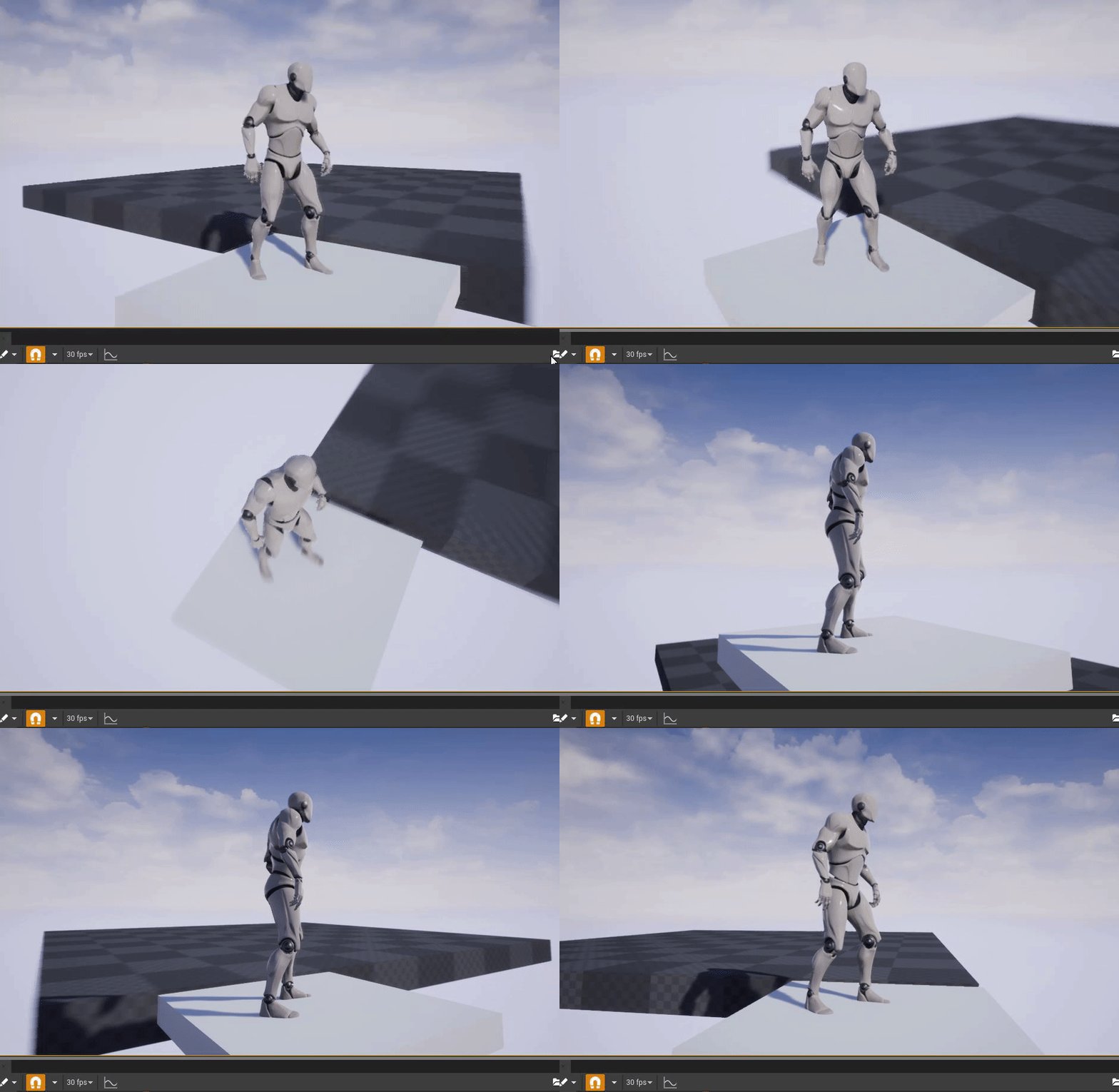
 honest vale
 spring schooner
hello world guys, i want to choose word in chat
but in game, the IME candidate characters work,
just doesn't show the list in screen, anyone have any idea ?
using the UNREAL 4.22.3, thanks!
IME candidate characters
 brave shard
hi guys what do u recommend to add a voice chat ( maybe with proximity attenuation )
do i have to buy a plugin or something?
hearty walrus
U⁴
 idle compass
does vertex painting needs a hi poly mesh ?because mine seems really square kinda looking
idle compass
(wait, unreal can vertex paint?)
@hearty walrus yep, I am new to unreal engine and it looks really crisp, the gradient is top notch