#ue4-general
1 messages · Page 700 of 1
 novel summit
@kindred viper wait so is it possible to add the physics animations to vr hands so it doesn't clip into objects?
 kindred viper
remember that binding visibility has a performance cost. Better to use an event to do it manually. But if performance doesn't bother you, carry on.
@novel summit should be. I mean, I can't see why not. Everything is possible.
novel summit
Ok thanks
 umbral ferry
hello any one have a good tutorial for create a side scroller game ?
kindred viper
there is a side scroller example isn't there?
 acoustic wraith
Does anyone know the performance impact of having Dynamic Material Instances versus regular Material Instances?
 plush yew
Can someone tell me who to get this to work? I cant set the WidgetSwitcher to invisible from the player blueprint
kindred viper
yeah thats a bit broad of a question. If you mean at a 1:1 ratio, a material instance has less overhead because it doesn't need to check for parameters I guess. But if you want compere it to real-case usage with a purpose, then using DMI is probably going to be saving you some frametime here and there.
 frozen pond
hi guys, so i have problem with FPS, when i spawn multiple actors from a class i get huge fps drop from 120 to less that 30
i spawn them in play time
kindred viper
then you need to pool them. Spawning is a heavy cost for performance
frozen pond
what you mean by pool them ?
kindred viper

it means you pre-load them, and keep them ready to use. So they are already spawned but "out of the way"
frozen pond
but what if i want to build something? lets say like minecraft creative mode?
kindred viper
?
this presumes I play minecraft :p
the only thing I do with minecraft is shout "STFU" at the kids when they argue about destroying each other's crap
frozen pond
so player create a lot of new actors, snap them together and build houses etc.
kindred viper
well when you play lego, do you start by moulding plastic to make new legos, or do you buy legos and keep them ready?
@umbral ferry its not easy to find a tutorial for a whole game. As it would be 2000 hours long.
frozen pond
@kindred viper video says about stuff that dissapear, but what about stuff that dont ?
kindred viper
it was just an example. You have to use your own insight into your game to relate how it is useful to you.
plush yew
hello
frozen pond
@kindred viper so maybe diffrent question, should i spawn every time new wall (wall actor is checking overlaping etc.), or should i try to add new static meshes to my blueprint like spawn actor floor, then add static mesh wall to floor ?
kindred viper
I've no idea dude. It's not my game, I dont even know what you are trying to do. Im sure you can figure it out 😄
umbral ferry
i m stuck here, where the c++ code appear ?
frozen pond
still not a game lol, trying to do building system, with multiple houses
 digital anchor
if stuff doesnt disappear actor pool is completely useless
kindred viper
well then you you should pre-load the base objects and instance them when needed. If performance is kicking you in the face, pool a few of them first and just refresh the pool content when you have a spare frame or two.
frozen pond
probably i will change concept to adding static meshes to actor instead of spawning multiple actores
plush yew
help
i need help with DX11
level 10
required
i just updated my computer
its windows 10
anyone know whats wrong?
 lusty rampart
@lusty rampart https://www.youtube.com/watch?v=94HpeqlgKAs some tutorials ?
@obsidian kettle thanks

We continue on in our FPS tutorial series. In this episode we cover one way of how to switch weapons; from a main primary weapon, to a sidearm.
Support me on Patreon and get access to videos early, join our developer community on Discord, get exclusive behind the scenes video...
plush yew
?
 glad gulch
Somebody work with the UE4 <-> Blender addon "Bonebreaker"?
kindred viper
@plush yew what is your graphics card?
 warped sun
hey quick question, im moving my character and its shaking left to right like a jigglly boy. anyone know why?

 left pelican
peeps i need help
warped sun
thats a CPU
left pelican
can someone help me, i cant open up an unreal engine project I got from another one of my devs
kindred viper
@warped sun How big is your level and where is the location of the Character? (because you might be suffering floating point errors if you are way out from world origin)
@left pelican can you post the log of the crash?
kindred viper
you need to compile it
left pelican
idk how
kindred viper
go read how to compile then 😄
warped sun
my level is very small.
i dunnno what you mean by location of the character, in what context?
 abstract relic
Select project file >> generate visual studio project file >> open up the .sin >> build
kindred viper
@warped sun vector location. ie. 0,0,0 being the world origin
 onyx cedar
hey do any of you have experience setting up ue4 servers w/ aws?
abstract relic
I’m a bit alarmed that your dev didn’t instruct you on this
kindred viper
no as they were going to charge me stupid money once the trial ran out 😄
onyx cedar
will t2.small be good enough for it? Or am I going to have to go more better?
left pelican
i get this then
could i be because its in blueprint and not c++. the programs in the project are made with blueprint
kindred viper
the plugin is the issue. It has files built for the other guy's engine. You need to recompile that specifically
warped sun
https://gyazo.com/e19c1b9e9606e2dae46b5057c99b9851 @kindred viper this is me pressing A and D
 kindred viper
looks like it's colliding with something and adjusting itself
lusty rampart
I just watched that tutorial, but it didn't answer my specific question about how to have the gun mesh change when you switch your gun - it re-uses the same mesh, just changes its behavior. I'm trying to understand how you combine the behavior and the mesh into a single object that gets swapped in and out at a skeletal socket
warped sun
its rotating very slightly when i press left and right and S
kindred viper
ok. then check the rotation code. 😄
kindred viper
does the gun have collision?
 cyan robin
how do you do step #2 here?
-
make sure you've specified on the Play Anim Montage node WHICH montage to play
-
make sure you're feeding an active slot! A montage needs at least one slot name, and you have to make sure the output of that slot is actually being fed to the anim graph (either outside the state machine, or inside the state machine in an active state at the time the montage is played).
 runic fern
Hey Guys GoodDay .
What is the Game State
Can someone explain to me little bit please ?
and how can i use it and when
kindred viper
Imagine you need to know what state your game is in. ie. A state that tells you the character is in a cutscene. That's what it's for.
plush yew
ok my grapchics card is a intel(R) HD grahics
kindred viper
tell Amazon it's for use with Folding@Home. Might get a priority delivery 😄
runic fern
Yes but how can i use it in Multiplayer What can i set inside it
plush yew
i have a laptop tho
kindred viper
@plush yew Funny you should say that. Unreal used to have a fallback system for inferior hardware to allow more usability across platforms, but I think they removed that and use enforced minimums now.
kindred viper
you need to go back to UDK for your card.
plush yew
?
abstract relic
The first unreal 😜
kindred viper
True story. The first unreal was actually called "bollocks I dont believe you" :p
plush yew
because i havent downloaded the first version
i used 14.17.2
it worked nice
like 60 fps
abstract relic
Use .14.17.2
Problem solved
kindred viper
there was a point when Unreal forced a shader model upgrade. Think it was around 4.20 or shortly after. Might get away with a 4.19 build
which was a good build btw
could be
kindred viper
Intel have that knack of using software tricks to make things work with on-die gpu
 jagged garden
can we just ban this guy he's clearly a troll
warped sun
lmao
onyx cedar
Minimum and recommended hardware specifications and necessary software for developing with Unreal Engine.
 velvet pawn
Anyone able to help with this Crouch Flight?
 rustic panther
anyone know why pressing down arrow key moves focus 2 buttons, but up arrow is still moving just 1?
in UMG menu
kindred viper
have you checked its not firing it twice?
 bold siren
thanks @thick herald i'll check that out
 fair storm
how can i install easy anti cheat on my game?
rustic panther
how could i check that @kindred viper
it's not anything I setup, it's the builtin engine UMG stuff
kindred viper
@fair storm No idea but it;s utterly useless anyway.
@rustic panther im not really sure tbh if its just the base NavigationConfig in editor.
rustic panther
NavigationSystemConfig?
kindred viper
FNavigationConfig
perhaps I should refresh my UMG tbh. I did it for years and got so bored I haven't done it in a while 😄
novel summit
Anyone on here with a vr wanna make 20$?
I need help with physics animations for vr hands and I'll PayPal 20$ if you help
Just dm me if you can
plush yew
How come Unreal engine uv coordinates are flipped compared to blender?
i was messing around so long lol
i'm dumb
 lucid magnet
so i have set up this blueprint class for a button mechanic on my menus - it works fine in the normal menus, but in my pause menu, its not working, even do everything is the same for the buttons... why is that, and how can i fix it?
kindred viper
@plush yew unreal uses X-Forward, blender uses Y-Forward. Dunno why, don't care why, just have to factor it in 😦
 karmic cloak
Anyone familiar with vr?
karmic cloak
Lol ya virtual reality im wondering how hard it would be to get a car in full vr
kindred viper
depends how you want to do it. Full body tracking? Seated experience? Roomscale?
karmic cloak
Ever play thief simulator vr?
kindred viper
nope I get motion sickness so I haven't played much
karmic cloak
Ohh sorry
kindred viper
its nothing to be sorry about. Just need the tech to beat the syndrome 😄
karmic cloak
But im looking for changing gears with in game stick , starting car with key and driving with the wheel not controller analogs
I would think its rather simple for the experienced but i have basic knowlege on how things work
kindred viper
physics handles are good for some things. But generally just a trigger box into some animation that is driven by the motion controller is a good method too
fair storm
theres any tutorial of how to make matchmaking lobby with amazon gamelift?
karmic cloak
I will look into trigger boxes then thank you
 storm burrow
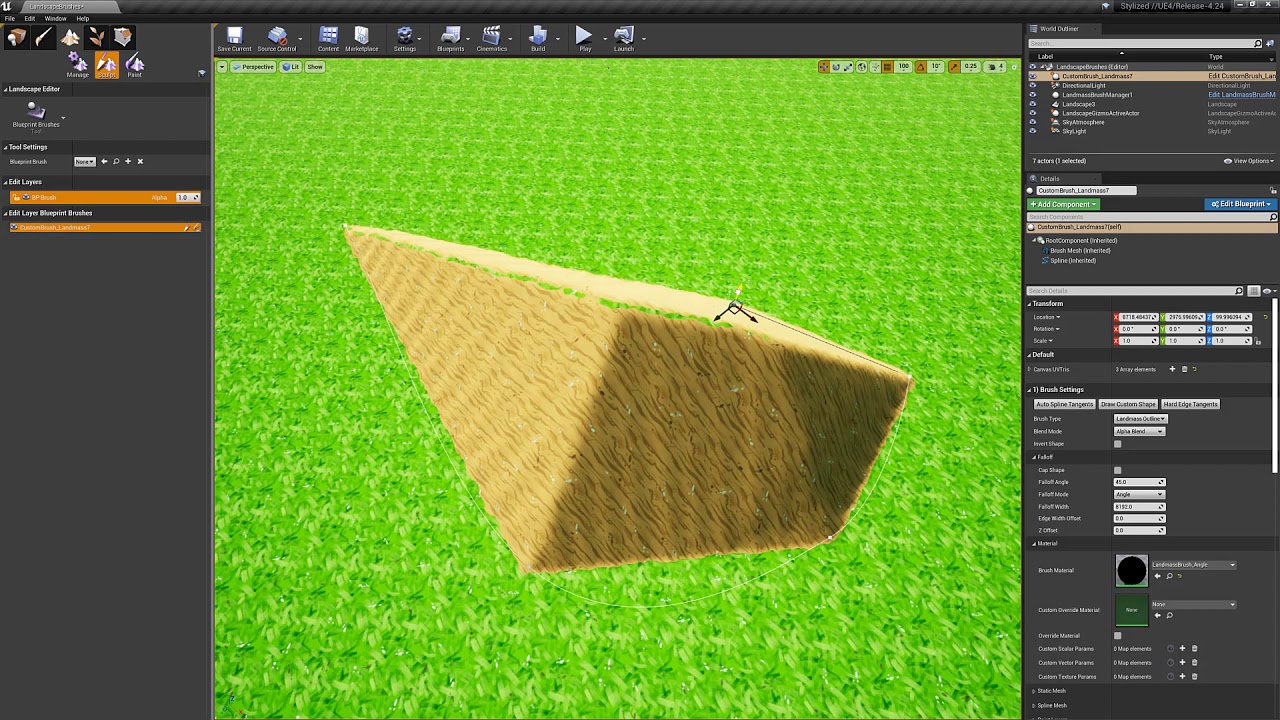
anyone know how to get these to work?
a sample or a tutorial would be great
nvm
just saw this
 summer maple
Hi everyone ! Someone had a problem with landscape loading in multiplayer in 4.24.3 ? It don't work 19/20 times but sometimes works without any changes. I don't understand why...
When it don't work, the whole map just don't load at all. And when it rarely works, everything works perfectly
 blissful trail
 limber mesa
Anyone know when a character hits 0 mana, is it possible for him to stop flying and fall down. I used stop character movement immediately but that stops him in mid air
 fallen marten
Simulate physics
limber mesa
Where do I do it at
fallen marten
Your root bone needs a collision capsule tho
So add it to the physics asset first, then after your stop movement node, use your mesh as reference and call simulate physics
limber mesa
Sorry but I’m kinda confused, I just transitioned to 3D
fallen marten
You'll have to google what I said because I'm on my phone and can't screen shot you an example rn
fallen marten
Simulate physics
limber mesa
In mid air?
fallen marten
No, just in general. It's one node, or, you can simulate physics from one bone down the chain for example, to simulate a gunshot on an arm, you would simulate physics below, and use the shoulders bone name in the bone input on the node
 storm venture
sorry to interrupt; does anyone know if its possible to use a material as a parameter for another material?
i need a system that can take any arbitrary material and overlay some effect on it to simulate a glowing/hovering feedback
 grim ore
If you are using a character you might want to rethink using physics to do this. How are you "flying"
limber mesa
I set flying
grim ore
so you set the movement mode to flying from?
grim ore
from what?
grim ore
what was the movement mode before you change it to flying
limber mesa
Walking
grim ore
seems like it might make sense to change it back when done flying...
limber mesa
True
I’ll do that thanks
🙂
Hey @grim ore do you have time to make any tutorials lately?
grim ore
I plan on doing some more videos now that I am stuck at home due to the virus yep
storm venture
anyone know what node i need here?
i'm trying to make a material that allows me to overlay a glow effect on other materials
grim ore
so you want to use a material as an input
storm venture
right, well, as a parameter
i need materials to glow but i cant spend the time to remake all the materials that have been given to me, so i was hoping for a shortcut
plush yew


Am adding a texture on my wall
what ever texture i add it will look super small
Is there a way to fix this?
The problem not in the texture as i tried many other
 winged crypt
anyone know why "navmesh walking" mode causes characters to float above ground?
regular "walking" doesn't have the same problem
@plush yew you can scale the tiling with a texture coordinate
plush yew
@winged crypt Am trying to search for it in the texture it self
or am i looking in the wrong place?
winged crypt
this would be in the material
look up "how to scale textures in materials"
it's a fairly simple set-up
rustic panther
@kindred viper I took apart my widget and found when I turn this Scale Box these buttons are in to Auto Size it moves focus down by 1 button....
I don't understand
kindred viper
me neither tbh
rustic panther
I have 2 scale boxes in a vert box set to Fit .5
kindred viper
and the scale box has two buttons in?
rustic panther
5
kindred viper
hmm so its not cycling the scale boxes, but going 2 elements within?
rustic panther
no it's just moving through the buttons inside the scale box
the buttons are in a nested widget
kindred viper
I'd check the widget reflector and see if you can notice the action causing it. Sounds like its using two events (akin to OnPress, OnRelease rather than OnClick)
rustic panther
oh forgot about that thing
I dunno, but changing the scale box's size from Fill to Auto fixes it for some reason
 ionic lagoon
Anyone happen to know why I cant select my blend space for the anim class of my mesh
Like the option isnt there
grim ore
if you mean the Anim Class under Animation in a Mesh that is an Animation Blueprint if you have anim blueprint seelcted, a blend space would not work you would need to change the mode to use animation asset
 harsh tiger
https://gyazo.com/6ac65e7735d03b0e411ecf2bd165ad4d i've made an item shop similar to fortnite. but i have an issue. when i purchase a skin it works. but when i close and reopen the item shop widget. the item is no longer purchased. any ideas? thus making it possible to buy the same skin multiple times
 ionic lagoon
I'm following a tutorial, the link will have it start where I am https://youtu.be/DimZmTd5H44?t=847

Unreal Engine Courses
https://www.awesometuts.com/ultimate-game-dev-academy-dis?utm_medium=youtube&utm_source=tutorial_video&utm_campaign=unreal_mixamo_tut
If You Are A Complete Beginner And Want To Learn How To Make Games Click On The Link Below And Start Learning By Creatin...
Except I'm using my own animations
harsh tiger
all the info is being pulled from a data table. but i have no way of setting a purchased boolean to true and then saving it back out again
grim ore
cant really tell where you are stuck at based on that link and what you said
ionic lagoon
Oh thats a bit early one sec
 lime girder
This may be a dumb question but im having a hell of time googling it. How do I pick different LODs depending on platform (Desktop vs mobile) ?
harsh tiger
looks like it isn't possible to do through a data table. which makes me ask the question, how have epic done it in fortnite?
grim ore
if you mean when he selects the anim bp later, he is selecting the anim bp not the blend space
grim ore
unless you mean where they are adding the blendspace to the anim bp itself
grim ore
@harsh tiger data tables would be used for read only, so they would be doing it another way . They probably have a back end system that stores that info in their account system
for example with the mobile platforms google and apple keep receipts you can query if you need to validate a purchase was made thru their store. Epic probably does something similar as well as flagging the account when it's purchased as they hold the account on their side.
is this something using real world money and a transaction system or just in game currency for a local game?
harsh tiger
ah okay, that makes sense. however i'm just making a little single player game for a college project so i wouldn't need something that complex. what would you recommend?
in game currency for local game
grim ore
then save the item ID inside their save game when they purchase it. basically keep an array of all purchased by ID in the save game object for the game
harsh tiger
would that be a matter of saving skin(x) in the array?
grim ore
looks like the easiest way. Just save the ones they actually purchase. Whenever you load the game or store or both or whatever just check that array and unlock whatever is there.
harsh tiger
definitely sounds the easy than the other method. but still not very easy for me 😂 thanks for the info anyway!
grim ore
well if it helps this is a good example for something I am working on that I just added to the list lol
harsh tiger
working on as in a new yt tut? or a personal project
grim ore
something for Epic actually covering Save Game. I like the idea of a complete store loop as an example
harsh tiger
oh wow! sounds incredible. i think it can be hard to find good info for store loops on google. do you have an eta?
grim ore
months unfortunately 😦
your stuff seems fine just look into the Save Game object, the docs cover it fairly well.
harsh tiger
arrr. i'm sure it'll be worth it. an thanks! i've created a name array and saving that to my GI and then using it to determine if somethings been purchased. not working so far though
is that the right way to go about it?
grim ore
depending on what you are checking but seems like it would work
 harsh tiger
on the construct yeah
grim ore
ah smart 🙂
harsh tiger
all the info is being pulled from this data table. but i want to find a way to be able to update the data table from a website or something and be able to change it in run time
it'd be cool to have it so every day at midnight the items randomize like in fortnite
if i buy a skin an go to the main menu an back to the shop an buy the other skin it works perfectly. but if i go the shop an buy both skins and then go to the menu an back to the shop, then only 1 item shows as purchased
the item i buy last is the one which shows as purchased. like it overwrites the other purchase
i think this is wrong somewhere
this fixed it
 narrow meteor
What would be the best way to make a HUD that displays what gun the player is holding? im beginner to unreal
 clever trail
May i ask a question?, my character changes in size during animation and from what i see online it says setting translation retargeting fixes it but im struggling to find it, could somebody please help?
 obsidian kettle
@narrow meteor https://www.youtube.com/watch?v=TeXBkqrlAZI that gives you a generall understanding and after that i could suggest following a tutorial where they do it

What is the HUD Class in Unreal Engine 4.
Source Files: https://github.com/MWadstein/UnrealEngineProjects/tree/WTF-Examples
Note: You will need to be logged into your Epic approved GitHub account to access these examples files.
narrow meteor
thanks @obsidian kettle
obsidian kettle
you are welcome buddy, i am new too 😄
lime girder
@grim ore 's videos are all great @obsidian kettle 😄 Funny im watchign another one right now
im struggling with a concept, if something is not rendering (Actor hidden in game) is it still rendering?
obsidian kettle
yeah his vids are really good if you want a general understanding ! I also feel the need using other tutorials that are hands on too.cough I wished he would do 2 hour vids coughxD
lime girder
haha
man the Profiler is black magic to me.
I cant deduce it yet... so im deleting things in my level to get it to framerate (Quest)
obsidian kettle
@lime girder pls learn how the profiler works ! so i can ask you in future more about it xD
lime girder
😄
 steep rampart
So im watching this tutorial and this guy made a box trigger and then clicked on the Matinee button. I don't have a matinee button, what do i do?
obsidian kettle
first lets start with the vid you talking ? and tell me witch minute so i can find it faster
@steep rampart
steep rampart
old video at around 2 minutes. https://www.youtube.com/watch?v=fBxaoPdz_M0

This is a series, in which I'll teach you how to create the basic mechanics for Horror Game in Unreal engine 4.
Today we'll be learning about Simple Matinee Sequences and how we can use them to create simple moving objects. We'll be continuing on with opening door via button...
im decently new at UE so i'm just watching tutorials at this point
grim ore
Matinee was removed in 4.24
steep rampart
oof
 normal burrow
sequencer is good though
obsidian kettle
lol what is matinee ? it looks the cinematic symbol xD
steep rampart
it does
obsidian kettle
what is debug symbol and how to use it ? i found c++ something that i cant understand xD
I lack the general understanding. Is it something i download ?
obsidian kettle
what :0
you probably missed my reply, i asked more...i thought you just didnt wanted to answer, so i didnt bother you more xD
kindred viper
well you never asked more about debug symbols. You said you should download it. You then asked about multiplayer. So I gave you all you asked for. If you need more info though, check out the debugging with UE pages on the official site and Youtube for some video examples
obsidian kettle
NuN Quote: where do i get this "symbol" ? or which Mathew vid do i need to watch ?
eitherway, sry for being inexperience xD
yeah i goggled so far with the search term "debug symbol" spite out some c++ talks and videos.
quoting you:
well you never asked more about debug symbols. You said you should download it. so it is something to download ! xD
i will go try searching "debugging with ue" I hope there is some information for no c++ coder xD
normal burrow
if you have them installed, it just makes your log files not impossible to read.
kindred viper
I told you that it comes with the source or it comes with the launcher optionally
it might offer you the option if you get it via Visual Studio launcher or the Unreal Launcher. This is because they can be a large filesize.```that's the part that confuses me xD
i know github only as a platform that allows me to download or upload something. (didnt uploaded ever so far^^)
goggling sorce github will pop up weird links. Can you make my life easier and drop a link ? pretty pls ?
I think i have wrong imagination on what it is. I am becoming a coder. So a lot of times i have sometimes the wrong imagination of it. At the beginning only ofc* xD
meanwhile i will research debbug ue 🙂
kindred viper
https://docs.unrealengine.com/en-US/Programming/Development/BuildingUnrealEngine/index.html this is the building part but there is a link at the top of this page for the prerequisite info
Compiling Unreal Engine from source.
obsidian kettle
thank you very much !!!!
Also, topic is clarified as "Advanced". that means i am getting better right ? xD
....downloading visual studio is step one xD
kindred viper
depends if you understand it 😄
kindred viper
the only german I know is offensive or strange or "schnell schnell kartofelkopf" 😄
kindred viper
when I last did that from the launcher though, I got the win8 SDK, win10 sdk and all the .NET runtimes.
if you are on windows only and want to use windows code, you can install the MFC stuff too. Gives you some windows only functionality that can come in handy
 tiny sonnet
Im trying to drop a sword in a replicated function. This code works on the client side, but if another player looks that them, they are still carrying the sword.I'm raw to networking sry.
i figured this out
i did a dum-dum
obsidian kettle
welcome in my world, i do daily dum dum xD
 restive yarrow
Anyone knows why my bullet projectile wont recognize the physical material on my landscape layers? Like it works on static meshes
tiny sonnet
can u have multiple event any damage in a game, if so , how to specify
obsidian kettle
@tiny sonnet https://www.youtube.com/watch?v=8RuMckVAA4c take your doses Mathew

What are the Apply and Receive Damage Nodes in Unreal Engine 4
Source Files: https://github.com/MWadstein/wtf-hdi-files
tiny sonnet
@obsidian kettle i made another dum-dum i fixed it lmao
my sword did 1.2 damage against a guy with 1000 hp. no wonder it didnt die lmao
obsidian kettle
thats good balancing i see there 👍
your players wont dare escaping the beginner area
tiny sonnet
OoF
kindred viper
sounds standard for The Division 2
plush yew
What's the default pawn for when you don't have one placed in the world?
kindred viper
to have some kind of control as a character when not in spectator. Or to base your pawn on (as its an engine class)
plush yew
Do you know the name of the engine class? I just want to quickly and easily replicate the viewport movement for debug purposes, and it looks like UE4 already has that functionality.
kindred viper
ADefaultPawn I guess
abstract relic
You can check in Project settings >>> maps and modes >>> default pawn
plush yew
Got it. Thanks!
kindred viper
DefaultPawn implements a simple Pawn with spherical collision and built-in flying movement.
 half yoke
I thought it was ASpectatorPawn. Edit: indeed I was wrong ASpectatorPawn has a collider around the camera, which is not the case in the viewport
half yoke
built in
normal burrow
Interesting
velvet pawn
I'm having an issue with flight..... Can some one help?
Flight/Jump Command 1
Flight/Jump Command 2
Input to move up and down
With this set up, it acting like I'm still falling, not able to move up at all (but still moves down with Gravity)
normal burrow
Do you have to do all this with the character type?
 spare dust
Currently getting an issue with packaging my project
It's sending me to the doc every time I attempt to build, without giving me any kind of error message
normal burrow
You’ll want to use something better than launch character @velvet pawn . If character has an add force node (not velocity, not impulse) then use it. You can defeat gravity by applying its opposite acceleration. If you must use force that would be mass * -980
Also try asking in #legacy-physics
 covert ivy
Hi guys
How do you do to have nice seamless texture with the lighting (I'm not talking about the texture itself) when you combine meshes (notably with modular assets) ?
I found this tutorial which explains very simply how to do this (in short : just reduce the Static Level) : https://www.youtube.com/watch?v=_eruvJhZ460

Sometimes we get weird issues where multiple static meshes next to eachother cause weird shadow problems across mesh edges and this shows one way to fix that.
Source Files: https://github.com/MWadstein/wtf-hdi-files
I tried to the same thing but apparently, it doesn't work with me. Don't know why... 🙁
 covert ivy
@plush yew Yep I have a lightmass importance volume and yes I have build my lighting
For the static/dynamic thing, I just clicked in the "Mobility" tab and switching between Static, Station and Movab
for the Directional Light and the SkyLight
but it doesn't resolve the problem
It doesn't need to rebuild the light when switching between this parameters, right ? 🤔
I don't know if I'm doing something wrong...
 grim juniper
Does it move with the mesh or is it only when the mesh is in that spot?
covert ivy
@grim juniper https://gyazo.com/d4f729f35f120dd0f88dad71449aec7d
grim juniper
Oh, I don't know then ¯_(ツ)_/¯
covert ivy
Maybe the thing works only on walls
or meshes with similar geometry
but it's weird
I don't know...
Oh I should specify that in my case, it's not really a rock in two parts but a single rock with 2 elements :
Is it supposed changing something ? I don't think so but............ 🤔
 patent cobalt
@covert ivy that artefact is very likely generated by your UV map which doesn't wrap around (the normals and the tangents are discontinuous). You can rethink where your seams are or use smoothing.
covert ivy
@patent cobalt Ah ! Very interesting ! I'm checking my UVs right now. Here what it looks like :
I don't remember if I did a Smart UV Project or if I unwrapped manually but it's very probable that the problem comes from here !
I must admit I'm not a pro of the UV unwrapping ^^
I'm also noticing that the UVs in blender are slightly differents (see the part surrended in red) I don't know if it can be an importance 🤔 :
@normal burrow Just wondering why you put a tomato under the tuto I've posted, lol... Does it mean it's a bad how to ? 
kindred viper
ugh man thats a horrible UV 😄
You should go back, Mark Edge and flatten it out properly
covert ivy
Ok so that explains everything... 😆
kindred viper
Smart UV is great for box shapes, but anything organic or spherical it's terrible
covert ivy
I never understood what is the best way to unwrap organic or spherical things. I feel that everybody cut their meshes differentl... 🙄
I'm gonna try to re unwrap the thing more properly and see...
patent cobalt
Anyone else missing the CSS from the Documentation site?
kindred viper
@patent cobalt saw someone else with that issue earlier tonight.
@covert ivy It's variable, but you just try to reduce as much polar capping as possible.
patent cobalt
Probably a revenge for having closed down the Wiki! 😛
 rare axle
Anybody here have experience with pixel streaming?
Would vastly appreciate some advice right now, trying to get it set up and I've hit a bit of a wall
[PMs welcome to avoid any unnecessary server spam]
Been following Epic's official guide but I just can't seem to get to the 'End Result' section of '2 - Start the servers'
¬ My output log displays:
WebSocket listening to Streamer connections on :8888
WebSocket listening to Players connections on :80
Http listening on *: 80
¬ But starting the application does NOT show:
Streamer connected: ::1
¬ As it apparently should, and trying to connect via my public IP doesn't work at all.
I've forwarded the ports 80 and 8888, to the best of my knowledge correctly.
Assuming that's the correct way to do so? Sorry I'm not super knowledgeable about this so I may have messed this port forwarding up?
Please let me know if that looks correct or not
lucid magnet
so can anyone explain me why my button blueprint only work for some menus, but not for my ingame pause menu?
 dire coral
where can i go for some help
i cant find it there
@plush yew if you could plz look at the animations chat
plush yew
Is anyone here who wants to do something, has world machine or hand sculpting experience and a lot of time?
plush yew
@everyone Is anyone here who wants to do something, has world machine or hand sculpting experience and a lot of time?
 fierce tulip
^
doesnt happen often someone gets three infractions in such a short period hehe.
nice quest
quite nsfw
so had to remove it.
 fiery mortar
@fierce tulip what was nsfw about it 😄
fierce tulip
suck my... falls under nsfw
fiery mortar
...I forgot that was still there lol sorry
Okay so is there anyway to fix the arm thingy? :d
fierce tulip
np, guessed as much. hehe
 silent parcel
I'm very new to unreal, but I keep getting this issue where my floor keeps reflecting
even though it's got a 1 roughness
and 1 specular
So I'm fully confused
 timid jacinth
@silent parcel Make the specular 0
silent parcel
oh shoot, I must have misread XD
ty
@timid jacinth it's still doing it
I can see the reflection in the default FPS gun
fierce tulip
show the material
fierce tulip
and now a screenshot of the reflection happening?
silent parcel
fierce tulip
lol
silent parcel
is that the gun?
timid jacinth
Oh is that for a green screen
All I did was removed lighting from the material for it
Make the material Unlit
 rotund monolith
@rotund monolith is the player falling/moving? make sure the space is empty because if there is something colliding with it, it will spawn you on top of it
@light thunder
It is empty
i emsured it myself moving the player start
if i move PlayerStart to 0,15,0, players appears in that position
if i move PlayerStart to 0,-15,0, players still appears in 0,15,0
rare axle
Seems nobody cared earlier, just got ignored, guess I'll try again, does anybody here know about pixel streaming?
Could really use some advice for something. Please let me know 🙂
 green venture
So the engine has Raytracing as an option when creating a project, what does this option means exactly? Is the whole rendering raytrace?
But most importantly I'm curious to know if it's possible to ship a game that allow the user to choose that option rather than deciding yourself
fierce tulip
@rare axle assuming you got ignored is quite... meh.
If nobody is around that knows the answer, they cant answer.
Could try #graphics instead.
rare axle
It's not really a graphics question
There's no specific channel that covers this unfortunately ;l
fierce tulip
oh derp, #packaging
sorry, am in material-mind-set atm :p
but as its rather specific, you might get better results on the official forums.
restive yarrow
Anyone knows why my bullet projectile wont recognize the physical material on my landscape layers? Like it works on static meshes
im using UE 4.22.3
rare axle
@fierce tulip I've just searched the forums for Pixel Streaming questions, seems to get ignored and unanswered on there too :l
fierce tulip
doubt its being ignored, just something so specific not many people have knowledge about it.
rare axle
Alright. So what solution do I have other than complaining here or there and continually asking? 😁
I'm searching around, there's sadly not a whole load of resources on this one
fierce tulip
complaining doesnt get you far, and as long as you wait about 1-2 hours before asking again, not much youcan do.
Answerhub maybe? reddit? ue4 helpdesk on facebook?
lucid magnet
so i have made this graphics panel to change the graphics settings, it works and all, but how can i make a save function for it? (currently the button ''save'' does nothing...
rare axle
Exactly what I did. My last post on here was around 4 hours ago actually I think
lucid magnet
@rare axle was that an answer for me?
fierce tulip
nah, to me
 trim dawn
is making an UFUNCTION with void return type not allowed?
green venture
it is allowed
trim dawn
UFUNCTION(Category = "Climbing", BlueprintCallable) inline void SetbCanClimb(const bool tf) {bCanClimb = tf;} gives me error that void is not recognized "must be ustruct enum etc.."
green venture
remove inline?
trim dawn
oh, so inline is not allowed in UFUNCTION?
green venture
No cuz it removes the function
In C++ inline function get..well.. Inllned
So after compilation the function wont exist anymore
So my game is much much slower once packaged, than it is in dev mod. Dev mode is a pretty much stable 300FPS, but once packaged, the game stutter veryy severly every few seconds
Any ideas?
(Dev is fullscreen so its not a viewport size issue)
The FPS in non stutter situation stays the same vs. dev
But every few dozens seconds it will drop to 5 FPS for 2 - 3 sec and cmoe back
 fresh yarrow
I asked this in blueprint. but maybe this is actually a more general question. Does something like android arsenal exist for ue4? specifically blueprints?
Like it is a page where basically most free utility libs are gathered with references to their creators and what tagged what they do.
I know some that have their own blog but finding most is more like luck+google.
plush yew
How do you make Emiters not go on forever, because mine does when I shoot my gun?
fierce tulip
lower the lifetime module values
plush yew
Where?
fierce tulip
in your emitter
plush yew
Ok I see Thank you!
fierce tulip
( 0 means the will live forever)
rare axle
Would anybody be willing to help me by attempting to set up pixel streaming also? I've followed this tutorial to the letter twice over;
With the new 4.24 engine version, Epic Games changed a bit how Pixel Streaming works, embedding Web RTC directly into the plugin and simplifying the setup process.
In this video, we are going through the setup process of an Unreal Engine project in order to be able to stream i...
 somber quail
It tells you
"Target is Game User Settings"
Use the "Get User Game Settings" node then make sure to use the "Apply Game User settings" node when you are done making changes
lucid magnet
oh
limber mesa
hey i set up mana to stop the character from flying if it is zero, but when it is 0 how do i make the character fall down,
the character is still up in the air
 sharp crest
so set it to flying
limber mesa
i want him to stop flying when his mana is 0
sharp crest
oh sry I got ur question wrong
how do you make it fly atm?
sharp crest
so just set it to walking and set is flying to false?
I dont get what issue you are having lol
sharp crest
^
limber mesa
is flying only affects the mana regen @plush yew
sharp crest
try adding a print string
afterr the set walking to false
to see if it actually does it
maybe it never runs
limber mesa
ok
yea it runs
but the character is still up in the air in a walking mode
ill try that
 half turtle
question, i have a blueprint that only and only needs to read information and send messages, is it possible to separate this blueprint tick task to a separate thread easily?
limber mesa
finally some free content
@sharp crest that is what happens
after i put the string on the walking
 rain relic
Hey guys, does someone know how to fix this weird error?
rare axle
Asking again for Pixel streaming assistance. Still churning away trying to get this working would appreciate anybody with experience to advise me on Pixel Streaming
[Banging head against wall, nobody seems to know]
rain relic
hmmm idk how that works sry
patent cobalt
@rain relic what's the problem? Your pivot point being far away from the mesh?
patent cobalt
You need to reimport setting a translation
Or go back to your DCC tool (Blender/Maya/...) and fix the pivot point.
You can also move the Pivot directly inside Unreal but only if the actor is in the editor viewport
rain relic
Oh okay
 ionic sandal
Guys, generic question:
I'm developing a first person game. How can I see the scene from outside the first person camera when running so that I can visually see if things are working (like hand placement and guns)?
In Unity there's a distinction between a Game window and a Scene window, where you can see and move around both at the same time.
But in Unreal I'm having trouble figuring out how to visually debug the scene
half turtle
you could use a scene capture
with independent controls and add it to the viewport
at least i dont know of an independent "camera"
or view in ue
ionic sandal
Thank you! I'll try it out
 simple pebble
hey there im looking for assitance regarding top down, i made an inventory with a scroll box but the scroll box wont scroll and unsure why
limber mesa
@plush yew so how can i get him to fall
i set it to false and drag out off the false node
simple pebble
@limber mesa have you tried just enableing physics
 fossil gale
Hi evryone ! Same message from graphic's channel but I have a problem, in my material, I have an emissive but when I go back to the preview mode, my emissive is not here 😦 You know why? It's the first time that make me this 😦 thank's 😄
fierce tulip
- would need to see the material, because we dont have magical-material-vision powers.
- could be that you applied a wrong material.
 midnight gate
what? my messege was deleted
fierce tulip
because you are asking the same thing in multiple channels
fierce tulip
read the #old-rules, dont complain.
 gray raptor
Hey , my favorite thing about the begginging of the month is that new Free marketplace content. It literally charges me up to keep working non stop, so a big thanks for that. I am wondering though , this months free assets have not dropped yet. Will it not happen this month due to the this corona virus thing ?
grim ore
First Tuesday of the month in america on eastern standard time
rotund monolith
No answers...
gray raptor
ahh I see that 31st , Thanks !
lucid magnet
so im trying to set up a custom cursor... is there any way to make it dynamic - so when i click the mouse button, it decreases in size etc?
 whole quarry
@lucid magnet Sure, can be done in several ways, you can do it from the widget bp, or the player, or using a dynamic material
normal burrow
@covert ivy no a tomato reaction on tutorial means it’s good.
 spiral pilot
Guys how do you attach component to camera socket?
HittedObject->AttachToComponent(MainCamera, FAttachmentTransformRules::SnapToTargetIncludingScale, TEXT("CameraSocket"));
Is attaching object to camera component, ignoring socket.
MainCamera->GetSocketLocation("CameraSocket") also is giving location of camera component
 austere scroll
how am i gona connect all these to one plug ???
whole quarry
@austere scroll material functions
austere scroll
explain further ?
spiral pilot
@whole quarry thx didn't see that
whole quarry
grim ore
you would not be plugging that many into that one node, that one node only goes to base color so why would you plug in your normal, AO, roughness, etc.
austere scroll
@grim ore bcz i want to paint it on the ground , and i want it to look realistic , not a plain color
grim ore
doesnt change what I said
your paint the material, the material has settings
your asking how you should put the normal map into the base color on that material
what @plush yew said is the correct answer, you would have a layer blend for each material output you want
austere scroll
but how am i gonna paint it on the landscape ????
grim ore
why would it be different if you are using more than one layer blend?
you have a layer blend right now plugged into Base Color that is taking in your Textures/colors for that material. You would have a Layer Blend plugged into Normal and plug in your normals for each layer. repeat for each thing (roughness/ao/etc)
runic fern
GoodDay
Guys any Idea... When the players select Check box like 4 Game Types ( Race , TeamDeathMatch , DeathMatch , DeathRun )
and start the game how can i make these types Sequenced Running one by one after a specific timer ?
grim ore
when you paint that material, it will paint that material
that material will look like whatever you set it up to look like
austere scroll
it doesnt really make sense , how will the engine know that this normal is for gravel
and not for grass
grim ore
didnt you tell it?
 grim ore
uh... doesnt the node say Layer Blend with the Gravel as the layer?
simple pebble
Anyone know why I can't scroll a scroll box. Iv got the house set to ui only but to no avail.
grim ore
https://docs.unrealengine.com/en-US/Engine/Landscape/Materials/index.html , and you can check out the sample materials in the learn tab for more examples
plush yew
hello guys I want to make when the game start the player start with random generated nickname and when he opens the inventory he can change manually his name-the second part is done but I looked for random generator name but no results 😦
can you help me?
austere scroll
https://docs.unrealengine.com/en-US/Engine/Landscape/Materials/index.html , and you can check out the sample materials in the learn tab for more examples
i'll look into it , thanks
grim ore
If the name has to be a valid name you need to look at creating a dictionary of names and it can pick from that. So it would be an array of names somewhere in your project you would pick from. you would have to create it by hand or import say a CSV file from somewhere with the names
plush yew
what?
isn't there like blueprint called random generator for text or something like this:
runic fern
You can do Datatable with Indexes and Names each name have index and Call random index to call the name
i think like this should work xD
grim ore
https://forums.unrealengine.com/development-discussion/blueprint-visual-scripting/10178-how-would-i-go-about-making-a-random-string if you want something that is literally just picking random letters
runic fern
Mathew Still my question 😄
grim ore
I dont understand the question so I cant answer it
runic fern
ok will explain it
grim ore
both of those ways are simple, you have to choose and do it
runic fern
When the player creating Session can select Multiple Game Types with Check box to play in one session ..
- Runner
- Team DeathMatch
- DeathMatch
i want when the player Select more than one game type i want them to start type by type
like when the timer of runner Finish will change automatically to TeamDeathMatch
etc
grim ore
you can store the ones they chose in an array in say the game instance (which persists) and then you just look at the array and get the next one when you are starting it.
plush yew
this is all the code for the generating the letter?
grim ore
that code would generate a string 6 characters long
 cursive salmon
Hi, in my game there is a video and I want my slider to be the type connected to the video. How to do ?
plush yew
I want to make it like player 15465, player 24534645, player 35346436, player 5453534,
runic fern
im storing the modes into Array String and passing them to GameInstance
plush yew
Can I do it to generate like Player to be static, the rest of the lenght will be the random generates and to be from 1 to 9
runic fern
in this function what is the result you are getting ?
grim ore
if you just want it to be numbers then yes generating a random integer would be fine
plush yew
I want player and then generates random nu,ber from 1 to 10
grim ore
you might run into collision with only 10 valid results but ignoring that you would use an Append String node to append them together
runic fern
Append 2 Strings one called " Player " and the 2nd will be random integer in range
Or Just Random integer
plush yew
have no idea how to do it-lol
grim ore
2 people literally just said how
runic fern
i will show you how
normal burrow
Guid would be better tho
grim ore
GUID would be better but he just wants a random 1-10 soo.....
 north badger
Hey, quick question is there a sort of delay node for functions ?
cant seem to find anything like it
normal burrow
Ye
grim ore
it would technically be better to use increment from 0 so you don't collide if you plan on using small numbers but shrug
runic fern
i think that should work right mathew ?
grim ore
yep thats good but again... collision unless having people with the same name doesnt matter?
plush yew
the people should be with different names-lol
grim ore
yes but you are not giving out unique names
random is random, it could be 0 100 times in a row
runic fern
Ok got it
plush yew
that's why I want each player has to be with unique name
grim ore
if you want random you either need a list you remove results from, you do it in order so its not random but its unique, you use some other seeding function to reduce your collision chance to nearly nil, or you use GUID
runic fern
grim ore
you are not asking for unique, you are asking for a name that start with Player and ends with a value from 1-10
runic fern
If your game is online on steam Use their steam name When they spawn and give them rights to change it when they want
grim ore
if you did that 11 times you are guaranteed to have a collision for example
plush yew
hmmm ^
ok this bp I need to do it in the event begin play-right? but I have hud with text which will be changed in the begin play this means that I need to do it in the widget blueprint cus it is variable
grim ore
unless this is on a server for example and you are validating the name as created then you could generate, if it fails do it again, etc. but even then its not random. You could make an array of integers from 1-10, shuffle it, then assign in order and remove as you assign
plush yew
gg but in widget there is no begin play-ahhh
grim ore
event contstruct is for Widgets
plush yew
a ok
I have this for now:
on it
so the new system will be in front of this system or behind it?
grim ore
we dont know. Is this single or multiplayer?
grim ore
then its multiplayer
plush yew
?
grim ore
you dont convert SP to MP
grim ore
because systems designed for single player are generally not compatible with multiplayer designs
plush yew
ok
grim ore
so you would basically be making the game twice
grim ore
if its single player then it doesnt matter about collision, it will only ever be done once
why not just let them set the name during creation then
grim ore
then just assign the random name when the character is created for the first time
it doesnt really matter where and the UI has nothing to do with setting it for the first time
plush yew
ok
but what happened when 2 players at same time register and they are with same name?
grim ore
they cant, you said it was single player
 plush yew
it will be in future
grim ore
and this is where we just go in circles
fossil gale
Sorry to come back but I search in the documentation but I don't understand for my emissive 😦
runic fern
Mr MathewW told you if you are planning to make Multiplayer game you need to do it from now
plush yew
so let's do it for multiplayer then
grim ore
designing a SP game is not the same as a MP game,
runic fern
Because you cant make A Singleplayer and change it to mutliplayer
if you will make multiplayer in the future you will change almost all the functions
grim ore
if you are doing it multiplayer then your server would create it and you would probably have a database somewhere with the name being a key and index and you would check that when they create it to make sure it's not a duplicate. If you are generating this yourself then your server would probably just keep track another way or even use something like a GUID so it's almost collision proof. Chances are it's not going to be random if done correctly but merely increasing the number from 1, perhaps the same # as the character ID in the database
this is why when you create a character online they ask for a name and check it
or if you allow more than one person to have the same name they append it with a number but at that point your not having everyone use Player as the name so you have a million unique names and then you can just generate a smaller unique number and check it quickly
and even then you could just "check name count" -> add 1 to that count -> append that number to the name -> validate it's unique -> set as player name
lucid magnet
so i have made this image with a animation for it... how can i set the animation to play when clicking an input?
grim ore
every animation has a name, every animation that has a name has a variable for it in the event graph, every animation variable can have the Play Animation node called on it to play that animation in the event graph
how you tell it to play, probably a custom event, is up to your code flow
lucid magnet
i get that - but how can i call an input to play it in the widget graph?
runic fern
and create custom event to call it when you do something specific
lucid magnet
so i should maybe create a component for the widget
plush yew
silly question: if I make the game and the functions for multiplayer it will work perfectly for singleplayer-right?
 rotund silo
Isn't that what Minecraft did though? They started with an SP game and made it into an MP game?
plush yew
idk tbh
runic fern
@plush yew Yes Sure
plush yew
ok cool 🙂
another silly question: also I added package for inventory that has replication which I think means that works perfectly for multiplayer?
runic fern
Not Everything will work you need to Make it Compatible with your Functions that way will Work
grim ore
If you want to make it single player first then later redo the entire game to work in multiplayer you can, atleast it will give you work in the future
plush yew
wha?
grim ore
@lucid magnet how did you create this widget? it has to be somewhere in order to see it right. How are you wanting to play the animation on it? after an event or something. Event happens -> talk to widget -> play animation event
lucid magnet
@grim ore its actually a custom cursor for my game, which im trying to find a way to animate when the clicking the left mouse button
grim ore
so its set as a custom cursor using the project settings?
 novel vine
what would you say the best way to make a building is?(like unreal editor or blender)
plush yew
so this works for multiplayer? @grim ore
plush yew
fbx format and obj format accepts
lucid magnet
@grim ore i have this setup which work - but i just want it to play the animation when i click the left mouse button
grim ore
the problem is you are using the widget as a cursor now so it works differently
plush yew
runic fern
@lucid magnet You Have to Bind a key to Run the function from your player controller
in your Widget Create Custom Event Call " Mouse Animation "
And Plug this Play Animation Node to it
Go to your Player controller Get Mouse Click Button
and Get Reference for your Widget And Call the function plug it with the Mouse Button
I think this will work 
@plush yew
im Still new with Replication
But this Can work if you Replicate the Player Name Variable And Connect the whole Function with custom Event Called from Server Side and Send it to Widget
grim ore
the problem is getting a reference to the widget is an issue when it's a custom cursor
lucid magnet
yeah i can see how it would work
but icant get a reference
from the widget custom event to the player controller
or at least dont know how to
plush yew
I did this
and I considered why the text is empty-looooool

here need to be the generated name
but it is text block
runic fern
Nope You Cannot Append the Text Block with the Random Integer
plush yew
ok
runic fern
You need to set it somewhere else in player state for example maybe
plush yew
?
runic fern
and get the function result into your widget
lucid magnet
runic fern
Easy way to do that Make a text variable in your Widget and set it Expose on Spawn
set your Name with Begin play after setting the name Create the widget and connect the Result to the Variable your have exposed
lucid magnet
would it be something like this
runic fern
But this Animation will play once your widget Constructed
for one time
everytime you creating this widget will call run play animation
runic fern
idk Mr MathewW Experienced i wont shot something wrong he know how its will work
lucid magnet
fair
@grim ore do you have an idea how i can get a ref to a custom event to my player control from the widget?
runic fern
Not your Text Block create a new variable Type Text
runic fern
And Bind this variable to your TextBlock
runic fern
 scarlet birch
Learn the engine at least a little before you add multiplayer on top of it.
grim ore
@lucid magnet It's super stupid but I just tested and it works. In the event contstruct of your cursor widget tell something else about the widget, for example here I am letting my player controller know about the widget so the player controller can animate it when I press the left mouse button. I have to use a 0.2 delay because the player controller is not valid before the widget. IF you used something like the game mode or instance it would be fine. this is just a stupid way of doing it but it works
plush yew
that's why I don't add it now-lol
I binded it with the variable-now I need to make the function in the third person character bp and then get it in the widget?
runic fern
yea
grim ore
@lucid magnet is the code in my player controller
and this is the cursor in action https://i.gyazo.com/4510be7c3367c29a5403474d3a4f36dc.gif

with all that said, using a software cursor is bad and I wouldn't recommend it lol
lucid magnet
@grim ore ok just to question
 simple hemlock
Anyone running into "Unreal Engine is exiting due to D3D device being lost" on 4.24.2 and 4.24.3? I'm not sure when it started, I used to be able to run my project just fine. A blank project on 4.24 also crashes whenever I try to move the viewport or the blueprint editor with the right mouse button.
I've tried repairing the engine, updating drivers, using DDU for a clean driver uninstall, ran a scannow on windows... Nothing seems to work. Other versions are fine.
grim ore
I made a variable....
like literally went into the player controller and made a variable
grim ore
Play pulse is the custom event in the widget to play the animation
runic fern
Set result to a variable and send it to the Widget when you create wtih widget
grim ore
but again I reaaaaaally dont recommend using software cursors unless you can guarantee a 60fps frame rate
plush yew
I can't find the function to get it in the widget
runic fern
Mr Mathew if he got less than 60 the custom cursor will start tearing right ?
@plush yew Go to your ThirdPlayerCharacter_BP Find Begin Play
Connect This Function " Nickname Generation " First after that Create Widget " your Name Text Box widget " And connect the variable you've created to it i will show you
grim ore
no it would start "lagging" as the cool kids call it
software cursors are tied to the frame rate so it starts to feel really really bad as it gets lower
runic fern
oh
grim ore
trying to play "hit the ui targets" when your game is running at 20fps is not fun
its easy to test too 🙂 set your max fps in the editor to something like 15 and test with a software cursor heh
plush yew
runic fern
 marble cloud
Seems like linking my Unreal account to GitHub is "temporarily unavailable" anyone know where I can find out more about this
plush yew
runic fern
Connect the Result of the Function
plush yew
?
runic fern
@plush yew In your Character BP create a new variable call nickname Type -> Text
plush yew
done
plush yew
grim ore
@lucid magnet where is the left mouse button code at? have you debugged at all. Is the left mouse button code firing ?
plush yew
I can't get the variable form widget to the chaarcter bp-lol
grim ore
I have a feeling I know what it is but you still need to debug
lucid magnet
how do i do that
grim ore
easiest is to put a print string after the left mouse button and see if its prints string
if it doesnt, then your left mouse button code is not firing.
grim ore
is your player controller set to take input? by default its not
I know it sounds weird lol
grim ore
in the picture I sent for that player controller, look at the right
plush yew
Mathew?
grim ore
the Auto Receive Input section
grim ore
is anything else anywhere using left mouse button input? did you set up that player controller as your default in your game mode?
grim ore
wherever you created the widget you have a reference to it, use that reference to then get that text widget and set it
plush yew
ok but Idk how to get reference to it
grim ore
Where did you create that widget at
plush yew
the widget is in folder-lol
grim ore
then it's not being displayed on the screen at all?
grim ore
the Widget, the entire UI that you are showing
i know its alot of widgety widget talk but you have multiple widgets.
 smoky sonnet
hey i have no clue and want to ask you guys what is the difference between the build options arm64 and armv7
plush yew
the UI widget that I show is the player and it is in the inventory widget
grim ore
Somewhere in your project, assuming you want your UI on the screen, you use the Create Widget node
runic fern
MathewW he Created that in his Character BP on Beginplay
plush yew
I need to do it in the hud when the game starts to show it-lol
I am so silly wait moment
runic fern
put it in your character BP after Beginplay
plush yew
wit wait wait
fair storm
theres anyone who know how to use amazon gamelift?
plush yew
the whole inventory is so complex
the things is that the hud has pieces
let me show you
this is basically
so I need to do the script in the player
grim ore
you are definitely missing the basics of how stuff works as mentioned before https://www.unrealengine.com/en-US/onlinelearning-courses and https://www.unrealengine.com/en-US/onlinelearning-courses/your-first-hour-with-umg might be useful to catch up on
grim ore
but you dont know how to communicate with them
plush yew
the problem is that I confused on the widget and character bp
just help me to get it please
grim ore
there shouldnt be much confusion. somewhere at some point you call Create Widget and add something to the screen, you can get a reference to that something when you create it
plush yew
in the widget ui I did this
grim ore
at that point you just go thru the tree of parents and children to find what you want and set it directly or you call a custom event on something that does it for you
runic fern
Mr MathewW i told him to Bind a variable to The Text Block and make it Exposed on Spawn so he can send the result directly when the widget constructed and He can add it to view port
in your Character BP on Beginplay do something like that
Sender Name Change it with " Text NickName
 mossy spear
@grim ore does the GROOM ALEMBIC IMPORT not work on MAC?



 grim ore
@smoky sonnet I was trying to find an official guide on it but basically arm7 is 32bit and arm64 is 64bit. Different devices have different support and you would pick what you want based on what you want to target and support
fair storm
how can i create a gamemode blueprint from c++? to use it instead of the classic gamemodebase?
grim ore
@mossy spear it looks like that is correct based on the .uplugin info "WhitelistPlatforms": [ "Win64", "Win32" ]
mossy spear
and they decided not to mention that on the docs page
grim ore
that was the first place I looked and my guess would be due to it being experimental
runic fern
Sorry Blueprint Settings **
fair storm
?
runic fern
mossy spear
@grim ore where is the plugin ini file located
fair storm
but i dont want to use the original gamemode blueprint class
grim ore
"Engine\Plugins\Experimental\AlembicHairImporter"
fair storm
i want to make a blueprint class scripting a c++ class
grim ore
in UE4 go to Add C++ class and choose Game Mode Base as the parent?
fair storm
but i want to use blueprint in it
grim ore
then make a new blueprint game mode?
fair storm
i need a to add code
grim ore
I got to admit I am confused at this point. is this a C++ or BP project or hybrid?
fair storm
mee to. so i try to explain
grim ore
I am pretty sure you want to just add the C++ class with Game Mode Base as the parent and you will get what you want
 thin gate
i am trying to open a project that was built without bCompileChaos using a editor that was built with chaos, but keep getting this error
GameEditor modifies the value of bUseChaos. This is not allowed, as GameEditor has build products in common with UE4Editor. G:\Unreal Projects\Game\Intermediate\ProjectFiles\UnrealBuildTool 1
fair storm
in order to initialize amazon gamelift. i have to make a c++ class. and add some code
https://docs.aws.amazon.com/gamelift/latest/developerguide/integration-engines-setup-unreal.html. in the end of description
maybe the more simple question is. can i initialize gameLiftSdkModule->InitSDK(); with blueprint?
 unique halo
https://i.gyazo.com/4847ffecf683416baf4a516ce254679f.gif
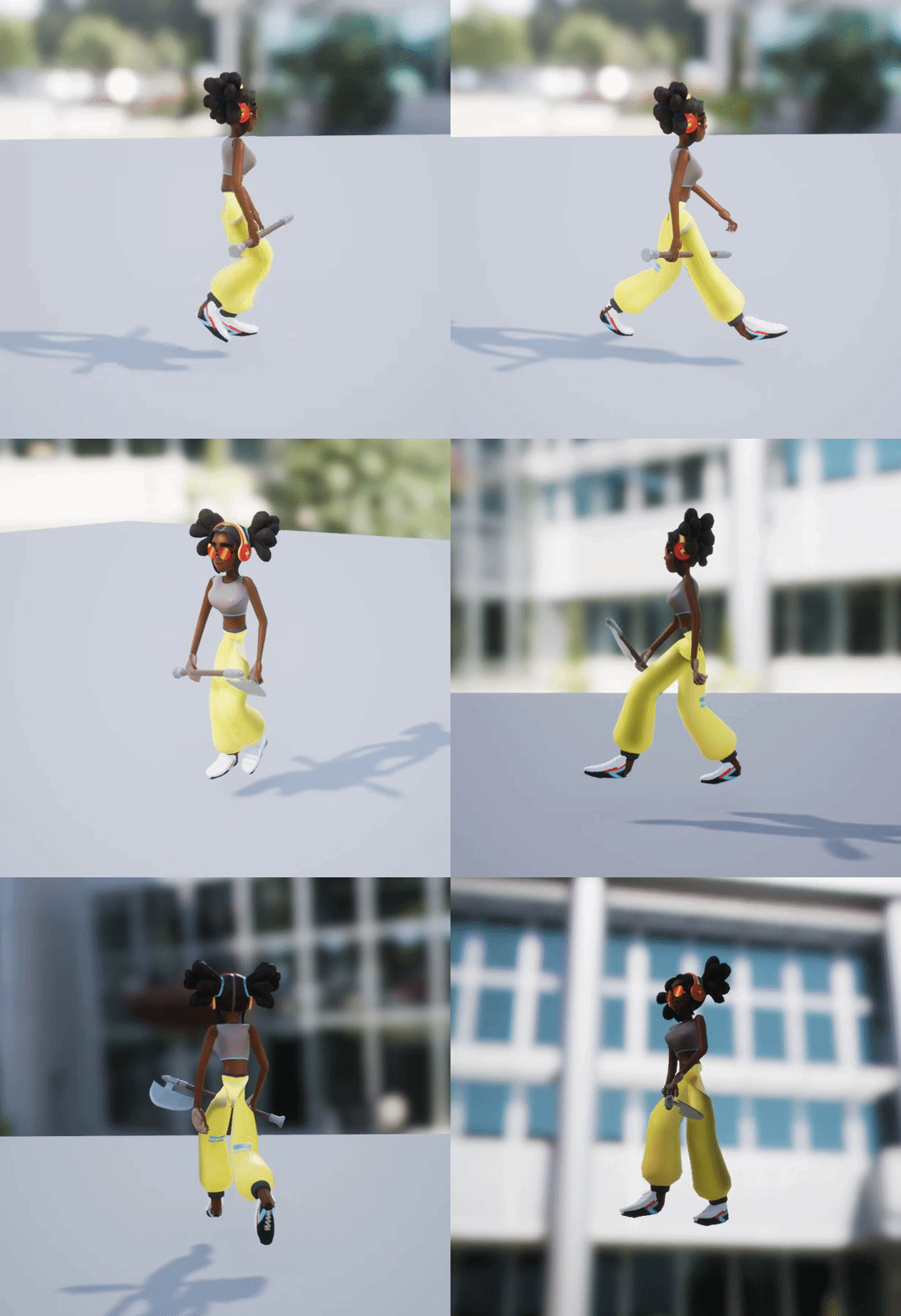
I tried to do skeleton retargeting with two meshes
But I have issues with the legs
Mixamo character btw*
 grim ore
Create a new C++ class using Game Mode Base as the parent, do whatever you want with it, and use it in your project. If you need it to be a blueprint class as well as the C++ stuff you right click the C++ class in the editor and create a blueprint class from it and use that instead
all blueprints are C++ in the back end
 keen parcel
Does anybody know how to unlock actor movement in level viewport? I managed somehow to lock all actors drag movement in level. Can move actors currently only via details transform tab.
grim ore
if you are using levels just right click the level in the level window and go to Lock
grim ore
you can use the normal Create Blueprint window as well
where MyGameModeBase is my custom C++ Game Mode
fair storm
you solved my abnormus big problem
i'll be the best video game maker in the the history now
ahahahah
mossy spear
sad they made it for windows only
grim ore
you can always grab the source from the github, change the .uplugin to support mac, compile it and see what happens