#ue4-general
1 messages · Page 690 of 1
 next badger
 golden magnet
oh thats kinda nice
next badger
@golden magnet the issue with BSP, they have no proper UVs
golden magnet
not putting textures on them though so does it matter that much?
next badger
also, if you enable polygon editing, mesh editor plugins you could make new meshes
@golden magnet if you don't need to bake lighting to them - you could use BSPs
golden magnet
i'll look into both then, ty
next badger
@plush yew yellow ones?
would help if you can tell the exact moment
cause i see no eny
except spalshing blood
 plush yew
https://discordapp.com/channels/187217643009212416/225448446956404738/692770424672747560 @tawdry storm how is a zoomed out bp a flowchart for you if you cant read the text?
next badger
@plush yew that?
it's a crosshair
you can can change it on event...like linetrace or whatever
that was not nice
 fiery mortar
hey lads
why the hell I cant import my fbx file into unreal without seeing these empty.. vortexs I guess? In blender it's completely fine.
 pseudo swift
check your normals
you can either flip the inverted normals in blender or check "double sided" in your material
but ppl will advise you against doing that
I have an issue of my own, I purchased an ice shader, and it look fine in the demo map, but when I try to use it in another map I cant get the shader working correctly. I am using the same materials. Even copy pasting over the same assets, any idea why my models look different in another map? I checked the level blueprint, materials, post-processing / reflection maps etc. Cant figure out why the materials have a "drippy" look in one map but doesnt work correctly in the other, any ideas?
demo map
my map
 bronze cedar
hello everyone 😄 🙂
need help on touch controls for android, i want to implement that in my 2d platformer game, little confused and can't make it , any video link, or site link tutorial will really help
pseudo swift
yea its ice cool
ponkkis please help mee hahah
did you buy it aswell?
okay but talk to me lets break this down
so the mesh is regular ue character, and the material is the ice shader
i assume the drips is from displacement
but that should be in the material right
so why wouldnt the same material work the same way in another map?
my other thought was that it is because a BP
fiery mortar
@pseudo swift ooh that worked thank you sir
pseudo swift
but the level bp isnt doing anything to the materials or the character
I even copied over all the post-process reflection stuff
there must be something im missing which is affecting how the meshes look
could it be the map settings?
like graphic settings?
oh u wrote him
where?
link?
ah
thought it was yyou
the thing i dont understand is that the mesh + material is the same
yet it still has another geometry
(the drips)
the first image above consist of 2 characters
overlaid
I also imported another mesh into the demo map and it works to apply the drippy look to it
which means it has to do with the materials
yes
but the displacement + the shading break when you move map
 tacit onyx
@pseudo swift Are you using the right material? Because there's a basic material in the IceCool/Materials folder. The ones used in the map are inside of Demo/ExampleMaterials/Characters
pseudo swift
Authaer, I tried copying over the forzen characters from the demo map
without changing any materials or settings
and they get a different look in my other map
im wondering why
Literally just copied the ice characters to another map, and they change
@plush yew it does this to a sphere
so just displacement in z axis
tacit onyx
Dunno. Copied a few over and they look fine to me.
pseudo swift
i almost fixed it
its a scaling issue
my project is huge
in scale
compared to the demo project
okay so it works
so when i copied them over before I scaled them up in size
cause my environment is a big scale
but scaling them up breaks the material
or how the nodes are setup
so If I want to use the ice shaders correctly I just have to figure out a way to down-scale my entire project
it makes sense
yeah so if you do, then make sure to keep the scale to a regular default one!
i would start by copying over one of the ice manniquins, and just have it as a reference
cause I started with a lot of other objects without checking their scale
and u run into problems like this
is there a way to scale down an entire map?
or entire project?
 iron raptor
quick question - how was your scale so different from the default?
 dreamy lake
I am having an issue where visual studio says that Editor.Target file has access denied - I really have no idea as to what has happend as I was fully capable of compiling my project yesterday, and been trying to search online for different solution but can't really find anything that would actually help me solve this - Anyone here who might have more knowledge on write access and what not, since this is really doing my head in :/
pseudo swift
@dreamy lake Idk I am using another asset from marketplace which is a floating island
maybe that project was incorrectly setup with a large scale
dreamy lake
@pseudo swift That wasnt for me was it ?
dreamy lake
np 😛
 little warren
Guys is it possible to use commands from the tilda key in game without using the tilda key? What I want to do is have a debugging UI that shows some statistics like draw calls in game on android, which is why I can't directly use the command like
 frank snow
I have a question regarding the Chaos Engine. Will version 2.25 have it?
If I download from the Github.
plush yew
ssd is recommended for UE or?
 swift spindle
SSD is always recommended....
plush yew
-.-
@swift spindle do you know a library of photorealistic meshes which are recommended?
plush yew
why trolling? megascans, they dont have much
 viral fractal
So Guys, a question
swift spindle
they have 11 thousand...
plush yew
meshes?
swift spindle
they have more then your likely to ever use
plush yew
they have textures mostly.
swift spindle
yeah... gathered...
viral fractal
What is the biggest world size you would recommend Working with in UE4
swift spindle
@viral fractal whatever it takes to make sure your game / project works from a enjoyable standpoint
viral fractal
Ofc., But how well does the levelstreaming and Occlusion in ue4 Work without need to rewrite huge parts of the renderer
swift spindle
it works very well... but it really depends on what kind of content you wanna show...
viral fractal
Can it handle 16x16km with high asset density and visual quality ?
viral fractal
Most engines get world origin accuracy issues somewhere
swift spindle
realtime does not have bucket rendering...
floating point numbers can get crazy.. you need to know your limitations on what's actually needed for convincing detail instead of hoping that it will just work if you throw something at it
viral fractal
Are there examples out with similar sizes ?
swift spindle
you might wanna go debug on satisfactory to see how they did things
frank snow
Will UE 4.25 have the option to enable Chaos Engine?
viral fractal
Im head of a pretty big project with a decent team and Budget behind it, and we are searching the really best engine for the job, my ue4 expierence is pretty much 0, i only worked with CryEngine and 1 inhouse engine so far
swift spindle
DM me.. might be able to give you some more in depth pointers
 abstract relic
Can always look into World composition in that case
 grim ore
@frank snow it doesnt look like it but .26 has it enabled by default
grim ore
no its the master branch
bronze cedar
@grim ore Sir I managed to run the game on my mobile, thanks to you 😄 for the help
grim ore
@frank snow using .26/master or in .25?
bronze cedar
now what i am looking for is , how to make the touch controls using widget like left and right, jump and shoot, can't get it working as i cannot make those sprites working, i mean when i touch them , i cannot set this 😦
frank snow
.26
 nimble moat
guys i deleted a project and all backups ive been working on for 4 years, this is just a daily reminder to back up stuff elsewhere than your own hdd
😦
frank snow
Oof.
grim ore
ah yeah if using .26 it will simply just work as far as I can tell. its on by default and shows up in the models panel
frank snow
Thanks.
grim ore
It seems like it should work in .25 but it doesnt show up in the modes panel even with all plugins enabled
bronze cedar
i got touch 1 to touch 4 in input mapping, now i want to connect them with my widget sprites, like left and right sprite and jump and shoot sprite @grim ore
 limber mesa
@grim ore I’m back, just wanted to say that I changed the pic and it works. Something must have been wrong with the previous pics
grim ore
that is super weird, maybe the settings in the texture are different (like using UI instead of a world texture group or something) so its using weird settings.
@bronze cedar are the items in the world as actors or UMG widgets? if so are they buttons or just images
limber mesa
Idk I’m not worried about it anymore. Thanks for the help though
bronze cedar
they are buttons, i put images on them @grim ore
grim ore
they should work as input events then in the UMG directly, using the On Clicked or On Pressed
grim ore
they should work as touch as well yes
if you look at the Action RPG example they have a touch interface you can look at
you can use either one
just depends on the game
 sly snow
@viral fractal from which region are you?
plush yew
@grim ore Quick question
for the timeline
Is it possible for me to make it play slower?
grim ore
change the play rate
grim ore
its on the timeline component and on the timeline itself in the bottom left

 grim ore
oh lol guess thats not play rate
nah get the component for the timline and use the set play rate node
plush yew

Something like this 😄
?
do you have problems with epic launcher? https://i.imgur.com/zuD35VS.png

Ok thanks i get it now
next badger
@plush yew ok on my end
viral fractal
@sly snow im from switzerland, why ?
 gilded sierra
Hello ! Got some issues with landscape painting, i'm painting by filling layers (with a splat map i did on substance designer) but some components fill themselfs and some others get empty. I have an automatic slope layer as alpha and all the others are as height blending
and my auto layer shows up through all thoses painted layers (at the edge i can see basic grass)
 amber heath
hey im new to this trying to make my first game just to see how everything works but i ran into an issue can you not move the capsule i made a dwarf and im trying to fit to him but i cant seem to move the capsule so i moved him but then hes through the floor in the viewport any ideas or advice?
 paper scroll
Hey guys, I’m new to unreal and wondering what type of games should I focus on making first
next badger
mmo is impossible...if you have no AAA funds
next badger
i think you may start with just ue4
i'm a 3d artist for ...16yrs...and i can tell, you can make game in ue4 with only assets from Marketplace and Learning launcher tab
w/o need to use blender/max/maya
ofc it depends on scale
if you want to make a lot of art - you better spend a year learning 3d
just take a look on ue4 Jam games
we're not talking about selling a game here
if he will - that will be amazing tho
a lot of models can be found here https://www.cgtrader.com/3d-models
*for free as well
 storm venture
anyone know of a way to force the ForwardAxis value of a pawn to 0?
 south ridge
What do you mean
storm venture
im having a bug where opening a menu whilst moving causes the movement to continue despite letting go of the movement buttons
as in, i hold W, open my menu, release W, and it still moves forward
grim ore
tell it to stop movement if its a character?
storm venture
ive tried, doesnt seem to work
i've tried StopMovementImmediately and StopActiveMovement
grim ore
super weird, are you using normal character movement component input?
next badger
just a guess...it stops on release generally?
storm venture
yup, just a simple pawn with the typical Add Movement Input deal
just a guess...it stops on release generally?
@next badger correct, as in if i release W without opening a menu then it stops movement like it should
next badger
yeah, it's how ue4 behave in general, i'm having the same issues in editor viewports
grim ore
lol man it used to work but yep setting input to UI then stopping movement keeps it stuck
sooo best solution, disable input!
works like a charm
storm venture
ooh so you guys are experiencing this as well? at least its not just me haha
next badger
are you on 4.24?
storm venture
yup
grim ore
axis value gets stuck at 1, Im guessing it never clears the value or goes back to check it again which is odd
storm venture
right, and disabling input didnt work for me due to exactly that
grim ore
oh worked here
storm venture
because when i re-enable input, the value is still at 1
next badger
aweful - awesome awful?
grim ore
I wonder how to get around this issue
because the inputaxis is still detecting it as 1 even tho its not...
storm venture
my only solution is to have a branch in my movement controls to block the input when i dont want it but i dont want to stoop to that level
next badger
Unreal Engine Forums
Hi,
when I use "set input mode UI only" while my character is moving my character keeps moving on his own when going back to "input mode
grim ore
ok so got an idea, try input mode game and ui only and it clears the buffer if you disable input after. so setting it to ui only stucks the input
next badger
found someon mentioned Set Input Mode UI Only
grim ore
so the top one, ui only, when the delay is over and no keys are held will keep moving forward
with ui and game when the delay is over it polls back to 0 as expected
so I guess setting it to UI stops the actual detection of inputs but it still has that value stuck so the actual input event fires and keeps moving forward
storm venture
yup, i get the same results, weird
grim ore
so maybe set input mode game and ui, disable input (should stop immediately, no need for stop moverment node, delay a tiny amount, set ui mode only?
actually I bet one frame might work
storm venture
unfortunately this is all in a function for me so i cant use delays until i rip it all out 😦
grim ore
oof no bueno and damn 😦
storm venture
is there a difference between using (SetInputModeGameAndUI + DisableInput) versus (SetInputModeUIOnly)?
i wouldnt mind doing the former and then EnableInput after i suppose
grim ore
there seems to be a difference for some reason yep
 brisk urchin
Hi guys, is Texture Streaming usually on by default? Is it recommended to leave on? Or does it depend on the size of the project?
storm venture
woah, even just using DisableInput while holding input will get it stuck at 1
grim ore
ooh ooh
storm venture
doesnt seem like it has to do with the InputModes, but rather the Disable
(which i assume, Disable is probably called in SetInputUIOnly)
next badger
@brisk urchin it is enabled by default...
and it's wise to leave it this way...(and just manually disable for some textures)
brisk urchin
@next badger I see. It seems that my texture streaming pool size is being exceeded. What's the default amount size?
Also, how do I disable it manually for some textures?
next badger
Unreal Engine Forums
Talk about Level Design, Static Meshes, Physics, and more.
it's a common question
brisk urchin
thank you
Also, I noticed that my monitor that had UE4 open on started to flicker after I rebuilt the level. Is this some sort of bug? I'm using 4.20.3
 wintry forge
anyone got a simple explanation on what a "normal map" does on a material?
cant see a difference in this tutorial after applying it
 midnight root
It just gives illusion of height
next badger
normal map alters the "visible" surface curvature to interact with the lighting, w/o changes in the geometry
 normal burrow
@wintry forge look up tangent space
meshes have arbitrary coordinates of directions on them which interact with lighting information
when you have a uv map on a peice of geometry, the x and y of that coordinate to the tangent and bi-normal directions of any given vertex, where z is up.
so the red and green channels modulate the surface direction while the blue channel pushes it out from the surface.
next badger
blue actually does nothing, if it's tangent space
normal burrow
unreal has a backwards mechanism for assuming blue is always positive and rejecting it
in unreal blue is always sqrt(1.0-(r*r+g*g))
but that actually isn't linear and i've got my own issues with that being the default (still yeah, this is how both unreal and unity do normal maps marked as normal maps)
wintry forge
@plush yew https://www.youtube.com/watch?v=O7s4rnt--ck&list=PLL0cLF8gjBpoTwM62rvhgmsk_Xp1_G1Vn&index=3 he says it was for fake depth but i couldent see any visual changes whatsoever
In this video we take a look at how we can setup the floor tiles for our endless runner. We cover setting up the blueprint, material and the attach point for spawning new tiles ready for scripting the functionality in the next video.
►Resources: https://virtushub.co.uk/runner...
i like this guy, i did a couple of his tutorials already but it was a couple years ago
 atomic forge
Is it normal for Behavior Tree tasks to run once, and never again?
next badger
um...his normal looks like not a proper normal to me
wintry forge
nah im not disagreeing, just saying i couldent see a difference. the unreal first google result had an axe with a ton more detail on it with a normal, but i cant really understand how fake depth could do that as opposed to actual shading
but ye ima move on
 tiny sonnet
https://gyazo.com/5e263fbc5c36d775fe724318eab9942e I have root motion enabled yet he stays in place.

this is using als btw
abstract relic
Open the skeletal mesh
next badger
@tiny sonnet that looks like a proper root motion to me...it won't move the character if you expecting it to
abstract relic
Show us the bone hierarchy
 next badger
root motion only affects skeleton, not the pawn
tiny sonnet
wait so i have to move the character as well? im confused, i thought root motion moved the character
abstract relic
Root motion moves the pawn. That’s the point of it
normal burrow
Ye
tiny sonnet
you two are saying opposite things now
normal burrow
Root motion moves the capsule which is the root of pawn
tiny sonnet
i have root motion enabled, so why does it stay in-place
normal burrow
lets see your settings
tiny sonnet
which settings?
normal burrow
root motion
abstract relic
Just to double check. You have this enabled yes?
 normal burrow
play the animation, in the animation view thing
and select the root bone, see if it moves
tiny sonnet
it doesnt
normal burrow
thats the problem then
abstract relic
Yep
normal burrow
can't animate the pelvis (and expect root motion)
tiny sonnet
@normal burrow is it because i have a IK animationBP as well?
normal burrow
if the animation does not animate the root you will not have root motion
normal burrow
animating the root basically.
Not sure if there are automated ways to do this or some setting though.
tiny sonnet
@normal burrow the characters feet are locked in the animation. its rly weird sent a gif
i just crashed ue4 gimme a sec lmao
abstract relic
Copy/paste keyframe data and clean up in your 3D software of choice is the only way I’m aware of fixing it
tiny sonnet
@abstract relic its ONLY locked in teh animation, not in game tho
 rough hound
Is there an easy blueprint function that grabs a random value from an array?
tiny sonnet
abstract relic
I’d call it a feature
abstract relic
You got options when it comes to random functions https://docs.unrealengine.com/en-US/BlueprintAPI/Math/Random/index.html
Random
rough hound
How would i set this up so that they connect?
rough hound
The Array has values by default tho
and i still can't connect it to Set Skeletal Mesh
abstract relic
But you never know if it has 4 5
normal burrow
ye 5th item would be at position 4 so i think that is right zadkiel. I'm just saying there is a LAST index node you could pull off teh array and plug it in and not have such hard coded design
abstract relic
Ok
Back up
Computer count starting at 0
Instead of 1
So first index is 0
Second index is 1
Third index is 2
Etc
next badger
@rough hound what type of the array variable you have?
rough hound
It was set to object, i just changed it to skeletal mesh.
and now it works
My table goes from key 0-4. So if my random int also goes from 0-4 then i shouldn't have a problem right?
abstract relic
Max 4 = 0-3
rough hound
But there's 5 objects, not 4.
rough hound
oh
So it can return between 0 and my max - 1
Why is it set up like that
Why isn't max just max
normal burrow
thats a different node
abstract relic
rough hound
That ones easier, that one is more the kind i'm used to using from my previous work.
 maiden verge
How do I make a post to the #looking-for-talent ?
rough hound
Which was just math.Random(0,1)
abstract relic
normal burrow
Would prefer using RandomInteger if your just passing in length tbh
rough hound
I'm just using RandomInteger, i don't need the in range.
normal burrow
then you use the count, not the last position/index (you should be using 5 here)
rough hound
I could but i also don't need it because this table is always going to be the same. It should never change because i don't have any more models to jam into it.
abstract relic
Wouldn’t recommend that mindset
Program it to protect the project against yourself
rough hound
abstract relic
Yay
rough hound
Can you have "gaps" in arrays in UE4?
Like say you have [1] = x and then [2] = nil, [24] = y.
normal burrow
wouldn't call that a gap
but if its an object reference, you can assign none to pretty much anything
rough hound
I mean like, you can have indexes empty. So like using length would return 2 in that case but since the index is 24 on y you wouldn't get that item.
rough hound
A map?
rough hound
and what's the difference between an array and a map?
normal burrow
maps have keys and values
rough hound
Doesn't arrays have that too?
rough hound
You have your index/key and your value.
wintry forge
did they change it so you cant press Alt+Left Click to duplicate objects?
normal burrow
everything sits in it one after another
wintry forge
or is a setting off for me
rough hound
so maps are what i would refer to as tables
normal burrow
these are words that are similar enough yeah
rough hound
can you have different values in "maps".
Like say an int in key 1 but a float in key 2
normal burrow
nope
normal burrow
[key] then [value]
can't change the types of either
you can have your key be sa string for example, but value type is gonna be what it is
rough hound
I'm used to keys being either ints or strings and then values being whatever you want.
Like you could have a table with both int and string keys and values of ints, floats, bools, more tables, strings, functions even.
normal burrow
your probably thinking of object notation or something which is not what maps are
wintry forge
Did they remove Alt+Leftclick as a duplication method, or is it a setting I need to enable?
It currently is just moving things instead of copying them like im used to
rough hound
Idk, i've only coded in Lua before using Blueprints in UE4 😅
rough hound
Idk if it's because lua is interpreted and not compiled that it has some more freedom
wintry forge
its not working in the blueprint editor viewport 😦
normal burrow
i tried in world outliner
wintry forge
i just checked, it works in the main viewport
wintry forge
blegh. ill do that instead thanks
even this guide is telling me to do it, and i know it works, but its not working for anything in the blueprint editor for some reason
what do you mean? it doesnt work for you either?
its supposed to and it did a year ago
swift spindle
alt drag works fine
next badger
copying node by alt drag?
wintry forge
copying a box/arrow atm in blueprint viewport
yea it doesnt let me alt drag
in the main viewport/the world viewport it works fine
next badger
i'm really in doubt...was neve using alt+drag in bp viewport
 marsh swallow
Okay so i have an issue with setting a struct yet again. I am getting a map of Name:Struct then breaking that and getting another Map of Name:Struct and then adding a new Item to it. However it does not seem to get saved back into the "CharactersAdditional Struct" What am i missing.
next badger
@marsh swallow you need to set the struct back
set members does not change the original
marsh swallow
i know, but i cant quite figure out which part i am setting back. lol I hate struct when it comes to this. lmao
so i have to actually set the variable at Set Members
 cedar wave
Does anyone know the status of Epic's cross-platform SDK?
https://www.unrealengine.com/en-US/blog/epic-2019-cross-platform-online-services-roadmap

Unreal Engine
Throughout 2019, we’ll be launching cross-platform game services originally built for Fortnite, and battle-tested with 200,000,000 players across 7 platforms. These services will be free for all developers on all engines, all platforms, and all stores. Developers can choose mi...
next badger
@cedar wave https://dev.epicgames.com/en-US/services

Epic Online Services
With Epic Online Services, we're making it easier and faster for developers to successfully manage and scale high-quality games. As a game developer ourselves, we've tackled numerous hard problems over the years. With Epic Online Services, we're sharing the fruits of our labor...
marsh swallow
CharactersAdditional is a Map tho. so how would i copy the whole map. If I set CharactersAdditional its expecting a map input and i can make map but that would erase all other values
next badger
@marsh swallow is it a map or a struct?
marsh swallow
I am breaking a Name:Struct Map to get the characters outfits, which is also a Name:Struct Map
and i want to add a new outfit to the inside Name:Struct Map then save that back which has all the other characters.
and i can see it breaking and adding in all the data correctly, it just never ends up actually adding because its not saving back correctly. I know i have encountered this before and it drove insane then. lol
 inland trellis
Does anybody know what files and directories can be removed when transferring an Unreal project between computers? I'm looking to remove unnecessary stuff to optimize transfer size.
normal burrow
open the project up in editor and
inland trellis
Awesome Thanks
next badger
@marsh swallow my bad, set members works by reference...should change it inside the struct
marsh swallow
which.... struct. 😂 i have do damn many and im doing im some crazy stuff atm. lol
next badger
i see only one
marsh swallow
wintry forge
this is a stupid question, but is there a simple way to revert the viewport to what it was before you pushed play? (besides world outliner > select > f)
next badger
@wintry forge save the view, by ctrl+num...then restore bu num
marsh swallow
Wait. I think i remember now
wintry forge
ty!
next badger
@marsh swallow i see, doesn;t matter...set members will override the content, as it passed by reference
struct of structs of structs of....
wintry forge
Blueprint Viewport: Y = 32.3
ThirdPersonCharacter: SetActorLocation New Location Y = 323
what is causing the disrepancy?
having New Location Y = 32.3 moves the character minimally, and having it 323 makes it move to the expected location, so obviously the scale is off by 10, but idk why it would be listed in different units across actor's blueprints
next badger
@wintry forge check if the parents of this component in the bp all have scale of 1
SetActorLocation is world space
 grim shale
Hello, I created a base BP called character_BP with a base height and width integer variables, After that i created a another BP based on that BP called character2_BP, By right clicking on character_BP and selecting Create Child Blueprint Class, But when i open the variables menu of that BP(character2_BP), I can't find the two variables (width and height) Although i can set and get them in the event graph. Is there a way to make them visible in the variables menu?
next badger
@grim shale
wintry forge
that was it, thanks
 restive arrow
Hey I just wanna make a block move to a different direction when the game starts
I'm new so I don't know stuff i guess'
restive arrow
Ok thanks
plush yew
How many storage is recommended for creating a game? Is 1Tb HDD enough?
 fallen wing
please help me 🙂 whenever i import an animation into unreal engine i ALWAYS get these errors. it's really annoying me because I've spent so much time animating.
"imported bone transform is different from original"
normal burrow
is it a warning or error?
fallen wing
@normal burrow error
 copper wing
is unreal engine 4.24 not out yet?
normal burrow
you likely need to install that version then
fallen wing
it is names armature
normal burrow
and in blender do all these bone names match?
fallen wing
Yes just without the -
it's just spaces there are no "-" inbetween words in blender
I appreciate your help
normal burrow
hm i'm not sure tbh, people who have this issue also name it "Armature" which makes unreal ignore the "Armature" object as bone.
but maybe it doesn't do that with animations
fallen wing
Yeah, ty for your help anyway
normal burrow
which version of unreal are you using
copper wing
4.23
fallen wing
me?
copper wing
oh ok thanks
fallen wing
I'm using 4.25.0
 cyan robin
how would you make the mesh invisible for the character, and still be able to use the animations holding a weapon -- so that when the player runs the weapon is still bobbing up and down but the character is invisible?
abstract relic
come on, why do people keep using preview version of the engine for their projects
fallen wing
idk lol is that old?
normal burrow
lol
abstract relic
it's young
fallen wing
oh holup
abstract relic
too young to use
normal burrow
its edgy and has a bad attitude
fallen wing
Wait
abstract relic
needs to ferment a while longer
normal burrow
engine fermentation is an important engine thing
abstract relic
because it's not out of beta
abstract relic
it's for... previewing 🥁
normal burrow
you can't go back in time without source control harvey
but you could ride out the preview
it just makes problems like this impossible to address cause it could be anything
abstract relic
give it a month or three
fallen wing
i think i'll just switch back and start fresh
at this point idc
it's been annoying me for too long
and someone else is making a similar project to mine so if they release it first it'll look sketchy on my end
so zoom
ty
for your help
normal burrow
get some source control
fallen wing
ok
normal burrow
if you do restart harvey, would recommend against the Armature name thing based on the google results
fallen wing
i don't know what anything means
normal burrow
name your armature root, and dont' have a root bone
abstract relic
you have a bunny from 5 nights at freddy's. It's already sketchy 😛
normal burrow
sketchy preview engine and bunny could work
fallen wing
i'm so confused if you guys are trolling me rn lol
normal burrow
nah your good
fallen wing
ok ty 🙂
normal burrow
we're just engine connoisseurs
fallen wing
ah lol tysm
abstract relic

fallen wing
ty
restive arrow
I'm trying to do something, where two cubes close in, and when they crush somebody, that player dies, I have the cubes moving.
 tawdry sigil
Hey maybe someone here has a answer to my question? Please with @
https://stackoverflow.com/questions/60877859/agorithm-grid-placing-cubes-ue4

Stack Overflow
I have a Grid at the moment where i want to place Cubes some are filled and some are only half Cubes for the Outline of it.
What i want to get at end is a Island shaped Plattform random generated....
 honest vale
@tawdry sigil what exactly is your question?
there's marching squares for generating the contour lines for a scalar field
Marching squares is a computer graphics algorithm that generates contours for a two-dimensional scalar field (rectangular array of individual numerical values). A similar method can be used to contour 2D triangle meshes.
The contours can be of two kinds:
Isolines – lines foll...
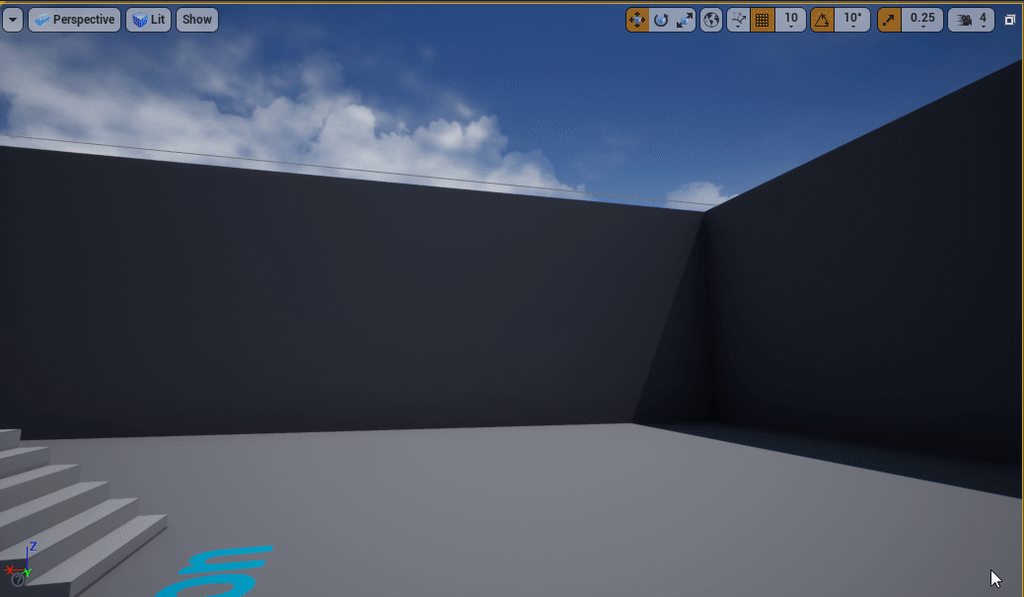
tawdry sigil
Searching a algroitgh or a way to get the outline
like when i ikt need to place outline cubes with which floats and when its full cubes
@honest vale The Cubes itself i already have
Input are 4 floats for like the top left bottom left vertecies and so on
 sage kettle
Hey guys, I am having chrashes after pressing ctrl+z. Anyone else having the same issue?
restive arrow
Is there a way to bypass the "Object" thing when you cast?
 thin mango
any ideas on how i can improve the weapon sway here?
@cyan robin I would add a bit of anticipation. Looks more like a wand because without anticipation it looks like it has no weight: https://www.youtube.com/watch?v=F8OtE60T8yU

NEXT VIDEO: http://youtu.be/u-SXLaQGg50
PREVIOUS VIDEO: http://youtu.be/haa7n3UGyDc
This is my video series highlighting each of the 12 Principles of Animation as described by Frank Thomas and Ollie Johnston in their book "The Illusion of Life".
SUPPORT ME: http://www.patreo...
cyan robin
Ah, great, thank you @thin mango
So should I keep the weapon to one side for a few frames more before swinging to the other side?
restive arrow
I have two blocks, that close in on a player, and I want to destroy the player when they actually crush him. Any help?
thin mango
I would make it go backwards (to the right) for a couple of frames) to get impulse, and the do the swing. @cyan robin
thin mango
I haven't used that plugin, but those blocks are generating forces or they are just kinematic?
restive arrow
They are just blocks that I put a move component to crush the player.
cyan robin
Thank you
thin mango
You can check when both overlap/hit the character at the same time and if they are going one towards the other and the kill the player
restive arrow
Ok, lemme try
thin mango
@cyan robin, if you find that it takes too much time to anticipate and that it is not responsive, here you have a tip from a Riot animator (it took me some minutes to find it) : https://youtu.be/_1j5Tf6ulII?t=181

In this GDC 2016 session, Riot Games' Alex Lehmann is joined by 5th Cell's Amy Drobeck-Jones, ILM's Jean-Denis Haas, Sucker Punch's Billy Harper, Epic Games' Jay Hosfelt, and Phoenix Labs' Simon Unger as they explain the best tips and tricks for improvig your craft as an anima...
It's about doing anticipation before and making the character ready to land attack
cyan robin
This is great, thank you
tacit onyx
@restive arrow You cannot bypass the object pin on a cast node. In fact you should never have a cast node unless you have an object reference to plug into it that you need to change. The Cast node is meant to take a reference and change that reference into the type you need to access the data of certain classes within an object.
 midnight bloom
Is there a way to forbid having several components of the same class in an actor like Unity?
 wary birch
What would be the easiest way to get the viewport size in blueprint? GetViewportSize returns an error
tacit onyx
@wary birch What kind of error? GetViewportSize is working fine for me.
wary birch
I'm running using Vulkan, I think the error came from it
I can't start the editor now, it just crashes
A failed assertion apparenlty
Assertion failed: InSize == (~0ULL) || InSize + Offset <= Size [File:/home/akarys/UnrealEngine/Engine/Source/Runtime/VulkanRHI/Private/VulkanMemory.cpp] [Line: 435] Failed to Map 33554432 bytes, Offset 0, AllocSize 256 bytes
rebooting seems to have fixed it
@tacit onyx right here chief
I also see an error in the console Ensure condition failed: Viewport.width > 0 || Viewport.height > 0 [File:/home/akarys/UnrealEngine/Engine/Source/Runtime/VulkanRHI/Private/VulkanPendingState.cpp] [Line: 530] LogOutputDevice: Error: Stack:
tacit onyx
I'm not sure, but I think a few others are having that problem on androids, someone mentioned something about making sure that there is a HUD assigned to the player controller. Other than that, afraid I'm useless there.
 civic lance
Guys how can I make the certain objects appear only when I am close to them? Obviously it has to do with the "visibility" attribute and i could've coded it up in raw c++ code, but how would you go about it in UE4?
plush yew

Too many event ticks like this
Would it be heavy?
For only checking
Lets say there i 20 of these checking
Any thoughts?
 surreal tundra
hey! ive been struggling for ages with this local fog, it disappears when the camera goes far away and i want it to stay constant
ive been sliding every slider and changing all parameters i can think of but nothing works
anyone has any idea? would be of so much help!!
 tawdry storm
@surreal tundra your sphere mask is based on camera position, so everything in a radius around whatever you set the 'radius' variable to, will be visible
tawdry storm
well hardness shouldn't be anywhere outside 0-1 for a start, but that shouldn't be the issue
why do you have the sphere mask in there at all?
surreal tundra
It came from another tutorial on how to make local fog. I tried removing the node but it didn't really help. Do you have any tips on something I could plug there instead of that node?
tawdry storm
what happens when you plug in the texture directly without any of the multiplies?
surreal tundra
@tawdry storm no difference 😦
tawdry storm
okay that's super weird, so it shouldn't be the material
civic lance
usually that means that the light is not active because there are a lot of other light sources around it
 midnight gate
HMMMMMM 🤔
plush yew
Is there a way to see whats lighting or effect are cuasing some kind of lag?
midnight gate
it should tell you performance issues when you build lighing i believe
 placid arrow
what is a "licensee build" of ue4?
plush yew
Anyone could help me how would you go about setting up a "customization menu" that is essentially scene and has it's own player controller and pawn?
I've been trying to create separate UWorld's just like it's done in UT for the replays
but the engine doesn't seem to support this yet?
placid arrow
works fine for me?
you need to override the game mode for your customisation menu's map and make sure your customisation menu has its own map
there may be other ways, but that seemed straightforward for me
plush yew
Are you sure you understand what i am talking about? I want to switch between UWorlds and not load levels*
placid arrow
i also have some checks in my character that check if the player is in 'play' mode or 'customisation' mode, which disables some stuff like sound effects and alters some inputs
hmm, not sure you can switch uworlds without switching levels can you?
in that case the answer to your question might be 'no' 😦
plush yew
That would be the goal. I have a multiplayer session going on. I want a 3d window opening up in an umg widget ; )
placid arrow
ah! i see.
plush yew
So can't switch levels
placid arrow
i dont have that issue as i keep customisation out of the multiplayer part, they customise before they join the match
plush yew
It seems to work only when replays are used
placid arrow
you could put customisation and play code into the character
and have a switch in there based on a global setting that says if theyre in customisation mode or not?
a bit messy though
plush yew
it's about loading a seperate player controller and handling over input to this view
placid arrow
hmm
plush yew
now putting this on top of the current character would be a mess once again :/
figuring out why UE4 crashes when switching to a seperate UWorld would be great
people say they got this working >_> yet i can't reproduce this
I am pretty sure it's possible i just do something wrong
or maybe the engine needs slight modification to enable this
placid arrow
im pretty sure a lot of internal pointers are attached to the uworld object instance
plush yew
otherwise the split screen view, and the replay system wouldn't work
placid arrow
and changing it after initialisation isnt really supported so those pointers might be left dangling
could be wrong though
plush yew
Wondering if anyone got this working
I saw it's been done in some titles ; )
And it would be a great feature though, especially if you want mini games, and other small 3d previews to be done
placid arrow
stack trace looks a little like its trying to free the initial uworld?
plush yew
Yeah, it's keeping a pointer to the current uworld somewhere
and then when you change levels in the new world it crashes.
placid arrow
i have something a little like what youre after in one of my games, in appearance only. its a hack. way outside the game world playable area i have a 'movie set' containing a copy of the character, with a different animation blueprint and is controlled by a umg blueprint. it is visible only via a separate camera that renders to a umg texture
sly snow
@viral fractal You can write me a DM. (in German if you want) I might be able to help you.
plush yew
I want to use this for minigames, customization menus for various stuff and having the option to run an entirely different world there would be the perfect option
i gotta hack around wit the engine source then i guess 😦
placid arrow
on the plus side at least we have the ability to change the source
unlike other options offered in other engines
thin mango
Guys how can I make the certain objects appear only when I am close to them? Obviously it has to do with the "visibility" attribute and i could've coded it up in raw c++ code, but how would you go about it in UE4?
@civic lance Depends on the implications of making certain objects appear. You can do it on the material, if you want them to still have collision while invisible. A masked/translucent material where opacity depends on camera position or the tracked position of the character should be fairly easy to implement. But if you want also collision to go away and you don't want to use C++ in BP it's relatively easy to achieve. Create a sphere collision that only overlaps and the you Set Visibility for the actor when the character Begin the overlap and Ends it.
civic lance
@thin mango All I want is to render the mesh once the firstpersoncharacter is within a certain distance of it. Just creating a small simple game based on sound cues
The collision can just stay there, since it will simply render when you get close to it
So i do still want collision
 dark briar
how do i change that annoying unreal engine high pitch sound whenever i compile?
 austere scroll
i have these trees and foliage in my project , ITS EXTREMELY Laggy ( in terms of the framerate)
in the "shader complexity" view mode , its all green , so its supposed to be amazing in frames
any reason why it does that ?
tacit onyx
@dark briar There's a sound when you comile? O.o
tacit onyx
Oh, not a clue. Thought you meant BP compiling.
 wary wing
Do you mean this https://www.howtogeek.com/297166/what-is-coil-whine-and-can-i-get-rid-of-it-on-my-pc/ ?

How-To Geek
Modern PCs are ridiculously powerful, so creature comforts like low noise levels have become more important. Most noise comes from your cooling fans, spinning drives, and optical drives (if you still have one), though there’s one other lesser-known noise source: a phenomenon c...
@austere scroll What do the stat commands tell you? stat gpu for instance
dark briar
everytime this pops up
wary wing
Oh that kinda beep noise?
austere scroll
@wary wing how do i use ccommands ?
wary wing
@austere scroll Type em in the console
dark briar
can i turn that beep off itself
tacit onyx
@austere scroll Tilde key by default
wary wing
@austere scroll Start with stat unit
Output Log
You can type commands into the bottom of it
 serene birch
a little more and you can switch from fps to spf (seconds per frame)
tacit onyx
Lol
austere scroll
@serene birch so its good ?
serene birch
the green one is good, the others in red is your GPU struggling 🙂
austere scroll
300 frames is good , isnt it
wary wing
@dark briar Perhaps try this? I'm not sure if if controls that particular noise
serene birch
it's a frame duration in ms, bigger is NOT better here
tacit onyx
That's 300ms to draw a frame. Meaning you have about 3fps.
serene birch
you want that number to be like 16ms (16ms gives you 60 fps)
dark briar
THANK YOU
wary wing
Yay! 🙂
 scarlet birch
austere scroll
scarlet birch
austere scroll
 fierce tulip
@austere scroll gta is extremely optimized, if you do the same for your ue4 project, itll run just as well
austere scroll
mhm..
but the performance drop only happend when i added the trees
even when there was grass , i was ok
this is in the trees world
and this is in the third person example map
fierce tulip
well, then you know its the tree's, and can do some research on how to optimize them
austere scroll
do u think if i put the trees as normal objects instead of foliage with collision , it will make a diffrence ?
wary wing
@austere scroll It may be the tree mesh asset itself. How many polygons is it, and does it have LODs?
austere scroll
@wary wing do i get the polygon number from blender or UE4 ?
wary wing
You can see the triangle count if you open the mesh asset in UE4
(or by mousing over in the content browser)
 royal crest
is there a way to make this default(no need to press alt)
austere scroll
@wary wing 0 LODs but a lot of polygons
wary wing
Well that sounds like some good targets to look at 🙂
plush yew
Hello Guys is there any way to change the landscape mobility?
to make it moveable
how to change material tiling on mash basis? not via changing tile on the mat
comon man, it's not funny
midnight root
4.24.3 how do I get rid of shadow that follows player around at , I tried all settings and nothing fixes it, not seeing any articles on forum that fixes it either
plush yew
@midnight root you mean to hidden the shadow of the mesh?
midnight root
I have no idea where the shadow is coming from, it followers player in play mode as well as non play mode
I worked through all settings nothing fixes
Forum doesn't seem to be finding one either so came here hoping somebody had dealt with and fixed
wary wing
@midnight root Can we perhaps see a picture of this mysterious shadow?
midnight root
sure one sec
plush yew
@wary wing hahaha
wary wing
Do you mean the darkness in the distance?
midnight root
yes
plush yew
@midnight root make a higher number to get a clear shadow try this
wary wing
Well shadow cascades only work out to a certain distance. I notice you don't have any shadow at all on your character though. Are you trying to do something in particular with the lighting?
midnight root
dynamic shadows
set force no compile in world settings as well
precompute
@plush yew I"ll check thx
midnight root
I"ll check,
wary wing
In that picture of yours it looks like not wholly incorrect self-shadowing on the terrain
Can you point out a particular piece that's "wrong"?
midnight root
@wary wing off entirely, and shadows aren't supposed to follow player like a puppy 😉
wary wing
Well... actually they are
midnight root
?
wary wing
There's essentially a sphere around the camera where you get dynamic shadows
Up to the max cascade distance
This
abstract relic
Maybe #game-jam-chat
midnight root
@wary wing I have all that off though
wary wing
Yeah I think #game-jam-chat is a good place for it
Err
So how are you getting any shadows at all?
Do you not want any, or?
plush yew
is there anyway to change the mobility of a landscape?
midnight root
just dynamic due to static taking forever
to build
fairly large world comp world
midnight root
?
midnight root
avoiding cascades as they aren't supposed to be great for world comp terrains/worlds
besides cpu hit
etc
midnight root
sun & sky for starters
wary wing
Ok that's not a shadowing technique
midnight root
directional light is included ofc
wary wing
Sure
midnight root
and atmosphere
plush yew
@wary wing is there a way to make from a landscape to a zylinder
midnight root
skyatmosphere
wary wing
Ok. And what settings do you have on your directional light? That's what matters for shadows
@plush yew As in like a mesa?
midnight root
@wary wing Moveable affects world cast shadows and oddles more
typical ones most use I'm sure
wary wing
Sorry I thought you'd typo'd "cylinder" heh
plush yew
@wary wing thx yeah this should work
wary wing
Cool
plush yew
i will try this out^^
midnight root
dynamic yes
wary wing
Ok, but you said you turned off cascades. Can you screenshot those settings?
midnight root
I did
plush yew
at first i wanted to make a zylinder brush and paint it then turn it into a mesh but the resoultion will go under ground hehe^^
wary wing
@midnight root Oh I mean the actual settings, like the details panel for the light. I'm not sure what shadow setup you're using so a bit lost as to what to suggest
wary wing
What's in the CascadedShadowMaps section?
wary wing
Ah
So are you using screen-space (contact) shadows or something?
Nope
You did screenshot that
@midnight root Have you built lighting since you changed everything to dynamic?
wary wing
It's Contact Shadow Length You have it at 0
thin mango
So i do still want collision
@civic lance You can try something like the following in a masked material:
The result would be like this when approaching to the object:
midnight root
right
plush yew
Is there an option now to add C++ files to an UE4 project from Visual Studio or anywhere? I mean anyway to do this Without using the Engine? 😦
@wary wing thx
wary wing
@plush yew Nice 😄
@midnight root Have you tried completely disabling Cast Shadows on your directional light?
midnight root
Ya doesn't help, they are still there
Maybe a bad project file, something borked somewhere duno
Others have had same problems on forums but zero resolutions
 worn granite
@plush yew Sure is. Make the files with the file explorer, then regenerate the project files.
wary wing
@midnight root ^ that looks a bit like what you get from having a reflection capture on only part of the map
midnight root
HM
worn granite
You could add them from VS, but both the editor and MSVS suck really hard at adding files.
wary wing
But I wouldn't call that a shadow
plush yew
@worn granite that still requires to use the engine.
worn granite
Eh. Pick your battle. You're using the engine at the end of the day and UBT isn't really the editor.
wary wing
@midnight root Ok sure, but it also doesn't look much like what was in your screenshot does it?
plush yew
after every file i have to regenerate the project files, and reload the project, and let the scan to complete
hell so slow
worn granite
Unless you TOTALLY mean outside UE4 - then you can just use cmake
midnight root
It was an example of someone else with the problem no fix
worn granite
Either way, you're stuck with MSVS and nmake if you wanna do UE4
plush yew
worn granite
My suggestion allows you to not have to have the editor open, and also not have to deal with the annoying file thing in MSVS
plush yew
I would really prefer to use this :C
wary wing
@midnight root Am I missing something? That looked completely different to your problem
worn granite
Yeah, but that's the filter view. Guess you could try the other view mode in the solution explorer... might create the file in the correct place?
plush yew
@worn granite i am already doing it that way but it's way too slow, was hoping there are improvements on this in 5 years
midnight root
nope it wasn't , not sure if his was completely dynamic lighting but the same pervasive circular shadows was present
plush yew
@worn granite the other view mode doesn't work afaik
 midnight root
Unreal Engine Forums
What causes a circular shadow to appear around the camera/player & how do you fix it?
The engine crashed on me and upon loading the same level, there is now a
but Im clearly not using EXP fog
wary wing
@midnight root Could it be post-processing? AO perhaps?
midnight root
I'll check to be sure
wary wing
I just put together a map with similar light settings to yours and don't have the same issue
wary wing
That's just a combination of a skybox and some lights isn't it?
midnight root
ya faik
wary wing
I haven't used that
midnight root
its NEw
SO YA
so ya
could be a bug with that dunno
I was exhausting errors on my side before reporting it as one
wary wing
I still think it's something about your setup
midnight root
I tend to agree, maybe but its happening to others
maybe diff sertup,,to what degree who knows
wary wing
This is roughly similar to what you have based on what I know
midnight root
VERY ROUGHLY
wary wing
Do you have a post-process volume? Anything turned on in there?
wary wing
Hmmm... thought: The Syn & Sky actor has its own directional light. Is that the one you've been changing settings on?
midnight root
yes
Its not the end ofthe world , concentratikng on design , appreciate your efforts always
concentrating >
wary wing
Ok cool. You'll probably come back to this in a day or two and the solution will be obvious 😄
rough hound
What do i need to keep in mind if i want to create a "horde" type of AI?
grim shale
Hi, How do i set the visibility of a component from another BP? I tried using (set visibility node) and it didn't work.
Note: This BP is a child BP of another BP.
fierce tulip
@rough hound optimization. In days gone most of the zombo's are vertex animated static meshes, and I think even sprites in the far distance. only the close ones are actual skelmeshes
fierce tulip
few thousands in some cases
 plush yew
@fierce tulip that is the game which isnt there for pc or?
rough hound
Maybe horde was a bad choice
fierce tulip
@plush yew iunno
rough hound
I'm looking for something more coherent
How many of "this" would i be able to pull off before game starts chugging really bad?
fierce tulip
a few, unless you extremely optimize
there should be a gdc talk related to it, but my google fu is sucking today

 kindred viper
@rough hound there has been some advancements in animation sharing in recent times so it should be fairly standard to run through the techniques and get a couple of thousands running without issue. I've seen people do crazy experiments with it but not in actual game runtime environments (besides fortnite). So it's possible if you are careful with draw calls and share as much anim as possible. Perhaps utilise the Crowd Agent system.
rough hound
I don't need to worry about it just yet
way too advanced for me
but it's nice to know i'm not severly limited for future reference.
thin mango
@rough hound The Animation Sharing Manager should work fine for you, then : https://docs.unrealengine.com/en-US/Engine/Animation/AnimationSharing/index.html

Sorry, I saw later that Marc just suggested that 🙂
wary birch
If a function has this signature in the engine source code, it isn't callable from blueprint, right?
ENGINE_API void ResizeTarget(uint32 InSizeX, uint32 InSizeY);``` flat gorge
I have created a custom event, update slot, however when I move to different bp I can't seem to connect it with array note output
also this is the error line I get
normal burrow
Press compile button
flat gorge
it didn't help
normal burrow
Then inventory slot object is the wrong type or it needs casting
wary birch
Which mode creates this combinations of parameters? I can't find it anywhere
 vast fossil
@flat gorge maybe you need to get the specific component out of the GET and plug that in
flat gorge
hmm.. idk I am working from the tutorial cause I never made an inventory b4, but I did everything as in the vid, double checked everything and to update he connected the get to update slot, I get that connection error, I even went back in the video just to make sure I didn't miss anything, everything seems correct
 worldly axle

 glad stone
is it possible to import vertex colors in UE4 ?
already have a mesh painted inside of Blender
abstract relic
Yes
glad stone
im seeing this option to import
how would I export a vertex painted mesh from blender/maya ?
afaik there is no texture just the mesh with vertex color info (?)
 frank oar
anyone know what kind of BP i would need to reset a level ? I can quite figure out how to work this reset level node XD
 white geode
does anyone know why all the normal windows are gone when I open a new empty Actor blueprint?
I don't get the viewport or components or event graph/etc.
when I first create it, they're there
but when I close it and reopen it, they all disappeared
frank snow
Hello again. I am trying to compile UE 4.24 from source for the Chaos Engine and I keep getting this error. I have followed the guide on the doc site but it dosn't mention this. I thought it might be that I had to run with administrative permissions, but that didn't help.
@white geode I think it is because you have nothing in the blueprint. Like it says on the top of the right panel. I have accidentally forgotten that a few times myself.
white geode
oh gosh I didn't even see the blue link for some reason, thanks
 civic crown
How do I destroy an actor when it exits the player's viewport? I have a 2D projectile that penetrates walls and I don't want it to linger forever if it doesn't hit something.
grim ore
you can have it check to see if it's in view of the player, otherwise set it to be destroyed after X time (there is an auto destroy variable on all actors you can change in the details panel)
civic crown
I didn't know about Initial Life Span, that should be good enough for the scope of my current project. Thanks!
sage kettle
Guys I am having d3d chrash anyone else having the same issue?
civic crown
actually after some heavy googling I managed to find this code which seems to work. I'll probably keep in the actor life just as a fail-safe though
do you have any more details about the error? (as in a crash log or something)
 warped tangle
@sage kettle are you on a laptop by chance?
sage kettle
yes running 1060 gtx
warped tangle
are you getting the crash on battery power?
sage kettle
just installed new win10
well disabled an option on geforce experience
if you meanthat
warped tangle
yeah that's usually the cause
It's usually the laptop switching from the dedicated gpu (1060) to the onboard one that causes that crash
sage kettle
yes I feel like that causes the problem but cant find a solution.