#ue4-general
1 messages · Page 689 of 1
 limber mesa
thanks Mak
 next badger
weird, but i've just made a widget and it does work fine
 exotic cave
@plush yew : I think "get a job" is maybe hard for some of UE's younger users particularly in the middle of the worst economic crash in decades 😄
But, UE does require a reasonably good PC
i7/1070 for real commercial development in my eyes, or better
Would be nice to see some UE projects meant for ~~potato level users ~~ newer/younger users who can't afford uber machine through no fault of their own
(...I say, as I create yet another gorgeous hog that may not run on anything below a 1080)
But, I really believe game development should be open to all
next badger
how "potato pc" turned in to "potato level users"?
exotic cave
I feel like I ought to /nick myself to Potato now to show no harm was meant 😄
next badger
if you have a mashed potato brains, nothing would help much...except if you have a "dad who works at Nintendo"
exotic cave
Anyone know how to do a Transform Selection on a set of keyframes without reinterpolating all the movements for the new time scale?
So, I was able to answer my own question by changing all the keyframes from Cubic (Auto) to something else and then back to Cubic (Auto)
Apparently it will reinterpolate them correctly at the new time scale, but not when it first scales them
Would be a nice QoL fix one day to make it automatic 😄
 ancient lotus
dumb problem, im sending a line trace at an actor to try and hit the skeletal mesh, however eventhough the collision for the actors capsule is set to ignore traces the line trace still gets blocked by the capsule component before it can hit the skeletal mesh
 thin tendon
Is there a way I can spawn an actor inside a sublevel?
instead of the main persistent
 dusty kernel
Hi everyone!
I've followed this --> https://docs.unrealengine.com/en-US/Engine/Paper2D/HowTo/Animation/index.html
How to set up and play different animations for a 2D character based on different states.
but im using topdown template , so in the last step i don't know where to connect the update animation node
i'm new to this so, sry if it is a dumb question hehe
 dim knot
Hi 😄 new here.. need to know something... This is my PC: Ryzen 3600 no OC, RTX 2070S, 16GB Ram. Do you think I can do good projects with this machine? Gonna go for architect projects...
 dense gate
I've seen people (including me) developing on machines that are far worse than that
You'll be perfectly fine
dusty kernel
Any clues on my question? >-<
dim knot
@dense gate thanks for the answer 😄 time to work then.
dusty kernel
Found how to fix my problem, just needed to recreate this inside my eventgraph on my character, and then put the update animation node there 🙂 -->
 grim shale
Hi, How can i check if an object has overlapped with a certain object, So not any object with in the level but a player for example, I wanna check to see if that object has overlapped with a player.
 flat idol
Add a sphere collision to the actor wants to overlap with something else. Eg a bomb want to overlap with you walking into. Right click on the sphere and select on component begin overlap, it will create an begin overlap event. Pull a blue colored wire from other actor and Cast the other actor from the begin overlap event's other actor pin to Character. Or ThirdPersonCharacter, which is also a Character but it's a derived class.
 half turtle
question, coz i am not sure what is the behavior of UE, when casting to a class, would this affect any future instance of something created? and would this persist between level changes?
 normal burrow
casting does nothing
half turtle
i mean after i set a variable from casting
normal burrow
it is a utility only to view something as a different representation
its always whatever it is
flat idol
he means spell casting i think
normal burrow
hm idk how to answer that one then.
flat idol
yes it has depth. but i could be wrong in which case sorry to interrupt
half turtle
ack nvm that question, let me change the question
i have a blank level with the default game controller class, and stuff, its just for the main menu of my game, my game has its own game mode.
after i press new game, the game switches level to one that has my custom game mode as an override
how can i change variables and values for my custom game mode, from the main menu so that they will apply to the level once it loads?
because as i understand, until the level loads, my game mode doesnt exist.
so i have nothing to reference
flat idol
gameinstance does exists its peristent
half turtle
can i add variables to game instance? i am sorry if the questions sound dumb, i been learning unreal recently so ia m not certain of a lot of the ins and outs...
i mean this, because as my game is currently, the game mode controls a lot of things via components, like how many ships to spawn, where to spawn, when to respawn
 copper wadi
Anyone ever run into an issue where your Inputs in Project Settings don't update? Like if I switch a key from A to D, it's saved in the DefaultInput.ini correctly, but A still works?
grim shale
@flat idol Thx.
flat idol
FangJi, can you try adding a variable to game instance and debug print it after level load to check if it's still there and set?
half turtle
ah yes this should work
flat idol
Hades, its not ideal but works for prototyping things. later you want to setup custom colision channels for your player pawn and filter overlaps that way. It's more efficient and prefered for many reasons.
half turtle
thanks this works perfectly! this should solve my issues
flat idol
anything possible yes good luck with that
 plush yew
Hi, anyone can tell me how can I stop sliders from using this long decimal numbers and instead they all snap to integers? thanks
 fallen marten
@plush yew seriously? Well you would have to dig into the engine source code and change them there
Or just type a whole number in lol
 gilded plinth
Just trying to launch 4.25 preview 4 and i get
can't find the code in the knowledge base
 lime linden
I'd like some suggestions. I'm having a dark shadow issue on my model and would like to troubleshoot how to improve them. I did a reskin mod for Ark, using the Dev Kit (UE4, version 4.2-ish.) I know doing the specular map right is a big part of how lighting affects the character. I am wondering if anything else might be going on though. I adjusted the parameters and thought I got a better result, since it looked far better in the kit, but after the mod cooked the terrible shadows and glazed eyes were still an issue. I don't have access to the programmer's file so maybe my improvements just weren't saved, and the maps were all that made it through the patch. That's all that seems to have updated. Until we get our SVN working so I can check, I just wanted to ask any trained eyes that might be in here what they think is going on. I hope it's not spammy to share two vids here, but they're just previews of the model; one before I fixed some issues (the colorize map had artifacts I fixed with a new map, so the shadows is all that really matter at this point) and the second video is after I played a bunch with parameters and did the specular map the right way. You can see, lighting on the original Ark model is better for visibility, though might be a tad too unrealistic for my taste - I like how my improved version looks in the kit, but it still looks just as bad as before in-game. In case the new parameters did in fact carry through the cook, what else could cause those dark shadows in game, but not the kit? Sorry to be wordy, I just want to explain my situation clearly lol.
video with original issues:
https://www.youtube.com/watch?v=0s5Xi2OVi6M
showcase after I believed I fixed the issues:
https://www.youtube.com/watch?v=-b3DROMU2Io
plush yew
@fallen marten Thank 😄
lime linden
Yeah, playing with the AO definitely improved it to my eyes in the second vid. Guess I'll mess with params while I wait for the SVN
Then I will know for sure if it's still dark because somehow we're still using old material settings
perhaps I'll share my settings later, in case anyone is feeling like giving a critique
 dark briar
hey guys im super new to unreal, how do i become the character from an asset i just bought? ex: franks rpg sword
when i hit play, it spawns the basic third person mannequin
 abstract relic
Project settings >>> maps and mode >>> set your default pawn
dark briar
thank you!
 placid arrow
what does this mean ??
@blissful trail you probably dereferenced a null pointer in an object constructor of a uobject in the C++ portion of your project.
half turtle
Hi, why the Add component node cannot be used inside another component node?
 wary birch
Are blueprint compiled to C++ before being compiled to machine code?
 glacial pecan
@wary birch only if you choose the nativize option, I think
 honest vale
yup, otherwise they run in some sort of a virtual machine I think
wary birch
Okay thanks!
half turtle
whoever suggested to use the game instance for the variable stuff, i ❤️ you
 vast fossil
hello quick question. How can I make an object destroy when another specific object hit it instead of all other objects ?
ok I got it. in "on component hit" You have to cast to desirededobject and pin the "other actor" into hit, then use destroy actor.
 tacit onyx
@vast fossil If you want to see if it's another "specific actor", it needs to be used with a reference to the specific actor and an == node. Casting to a class will just be sure that actor can be cast to that class type.
exotic cave
Morning all! Who wants to make something Unreal today? 😄
fallen marten
I've been making something unreal for the last 4yrs and still no end in sight 🙃
exotic cave
That's how you know you're in game development 😄
exotic cave
Wouldn't we all?
One of my classmates sold a $375 million company at the age of 32 or so
Meanwhile, here I am wondering if my grass needs yet another revision before I can hope to get a viable four-figure Marketplace product 😄
But, it's just the nature of the work
fallen marten
What, like $20.00 lol... 😂
exotic cave
That's one of the price points I'm considering, yes 😄
But I get to make games all day
That's the reward
fallen marten
My product I posted for 20, and after a week dropped to 5 and left it
exotic cave
Yup, that's the fate of lots of small kits 🙂
fallen marten
Made a few hundred from it at least before it died off
exotic cave
Bar is high 😄
fallen marten
Yeah it is, but them again the market is flooded with similar products now so price will never stay high for anything unless it can make a whole game visually
exotic cave
Me: "Wow! Unreal is letting me do some of the best work of my life and I will not fail!"
fallen marten
Code stuff is always bound to be cheap
exotic cave
Also me, 5min later: "Oops, Unreal is also letting a lot of other amazing people do the best work of their lives, and some of it is better than mine. 😄 "
fallen marten
Lol yep
exotic cave
"I'm doomed!"
But, it's good for gamers and consumers 🙂
What we used to call "quality problems"
What was your plugin?
fallen marten
The only problem I have now is trying to find a team to join
Mine is just a few taunt animations
exotic cave
Ooo, character animator?
exotic cave
Everything everything? Or just character animation everything?
fallen marten
I'll have a go at anything
exotic cave
I'd love to get into making a real character creator one day, though I think that's a multi-year project for a small team.
fallen marten
It ain't rocket science lol
exotic cave
But, we're all going to need it, especially with Adobe cancelling Fuse this fall.
fallen marten
I don't use it really
exotic cave
I just think the space needs character creation options
It's the only thing I think the industry is lagging behind on as of 2020
I can sculpt and paint a large, beautiful, near-photorealistic environment map in under a day in UE, thanks to the innovations represented by automatic landscapes. I can do a building in a few days at most, because lots of 3d tools have really good modular and procedural generation options now.
But characters, still weeks at a time.
This in a world where the better AAA teams have had character creators that you can make nearly anything in, for years, on titles like Tekken or Soul Calibur or some of the major nine-figure RPG's
exotic cave
I know the product I want to see in my head, but it would probably take a million dollars to make it, in the traditional sense 😄
fallen marten
The amount of work that it would take to make, and the amount of meshes it would need would be mind blowing
exotic cave
But, hey, Epic's on a tear buying up amazing companies lately, maybe there's a character creator team out there that just needs a little boost
I know.
But it's not impossible.
People over at Namco are apparently doing it all the time 😄
fallen marten
Make human is a good free program. There's a growing number of things available for it like clothes etc
 lethal spoke
Hey bois, so my PC ain't powerful enough for UE4 editor but I got a good enough internet connection.
I guess y'all heard about Stadia and GeForce Now.
Is there any alternative to them which would allow me to stream UE4 on a tanky server? (And no I'm not mentioning the automatic test apps)
exotic cave
Sure!
fallen marten
And you can add your own
exotic cave
@lethal spoke : 😬
I don't have a good recommendation on a way to do, like, streaming of UE as if it were a gaming title
It's an interesting concept, but I know zero good ways to develop in UE in 2020 without at least a mid-end PC. Maybe others might.
fallen marten
My laptop can run it ok, and it was cheap. It does the job while I'm at work on my smoko breaks, and it's a dual core with 8gigs ram and an r5 graphics. $600 - you could buy enough parts to build a decent desktop for that
exotic cave
Yeah I could recommend $500-$600ish desktops that can do a decent job on UE as well
But it's about the limit.
fallen marten
My desktop is way better btw lol
If you wanna play with the big toys, you have to spend a little cash
exotic cave
Lotta folks in here lately evaluating UE and finding it too beast for their machines, maybe Epic needs to buy a PC manufacturer and release, like, a line of UE boxes 😄
exotic cave
I'd sure be interested myself
 oblique tangle
Anyone know how I can make my player's rotation smoother?
fallen marten
Lerp
exotic cave
@oblique tangle : Use curves 😄
fallen marten
Or a timeline
honest vale
if you're using character there should be a turn rate setting
lower it to make it look smoother
half turtle
i have a ryzen 1800x, RTX2070, 32gb ram and 4x ssd raid 0, and UE can still kill my rig when doing shaders or some test case scenarios (god forbid i set an extra 0 on a point light)
exotic cave
I have an i9/2080/SSD myself and I can still choke UE if I try really hard. In fact, even my godrig chokes on some of the 5-10GB Marketplace packs and even Epic's own stuff. 😬
half turtle
been thinking of switching to a threadripper, and goign nuts iwth ram, NVMe and GPUs coz bandwidth seems to be in dire need
exotic cave
It's part of why my packs are going to be planned to come in under 1GB apiece.
half turtle
i mean... open an Ark survival map and cook... wait a week
exotic cave
My current project isn't quite up there with the super-photoreal stuff, but it also opens and builds probably 100% faster or better, I can build a decent mid-size map in about 2-3 minutes at most with these resources 😄
I feel there's a 1080p/2K resources sweet spot I'm doing okay at hitting, that will represent a reasonable mid end and be universally fast enough for the current and next generation of PC's and consoles
Not looking forward to my stress test on my old i5/720 though!
I'm pretty sure I'm about to shed tears and quietly move my minimum recommended specs to i7/1000 series
oblique tangle
@honest vale Adjusted the rotation rate, didn't really seem to do anything
Do I have to use lerps to get around this issue?
tacit onyx
It all depends on how your rotation coding is set up.
 brave gate
been thinking of switching to a threadripper, and goign nuts iwth ram, NVMe and GPUs coz bandwidth seems to be in dire need
@half turtle and imagine new consoles beating any NVMe on today's market :D
although you can save some money on buying regular Ryzen instead of Threadripper and its expensive mobos - unless you need more than 128 GB of RAM 😛
exotic cave
vents coolant at the thought of 100GB+ RAM sizes
 exotic cave
SSD has actually made the most difference in my life though.
I don't think I'll ever go back to non-SSD again
brave gate
I'm even gonna replace server's HDD with NVMe, relatively cheap nowadays
one 1TB NMVe to serve all server needs 😄
exotic cave
The Tekken 7 levels that take 15-30 seconds to load even on my friend's Xbox One are nearly instantaneous on my machine
brave gate
most difference? what it's more important in modern life now? SSD or toilet paper? 😛
exotic cave
Don't force me to choose 😄
oblique tangle
ahh there we go
doesn't look as smooth as i want as a gif
but it feels better ig
half turtle
threadripper advantage , the biggest one is not the RAM limit
the biggest advantage of threadripper is the PCIe Lanes
and the PCIe4, so basically bandwidth, LOTS of it, so you can setup raids wtih NVMe, multiple GPUs working in concert, without killing your Mobo chipset and bottlenecking everything
great for compiling and cooking
brave gate
what the numbers? I mean, I know 3rd gen Ryzen crashes 2nd gen Threadripper - thanks to PCI 4 and cache
half turtle
if i remember right, the 3990x has 128PCIe4 lanes...
or close to that... compared to the 30 something of a ryzen
letm e dig the specific stats really fast
brave gate
yeah, so if you want to utilize that properly, you probably need the fastest NVMe you can get 😄
fallen marten
It's official - you guys are in a whole nother geek level than me
half turtle
not the fastest, just multiple in a raid
brave gate
128 threads CPU has bottleneck on NVMe 😛
half turtle
okay, the threadripper 3990x has 128 threads as most people know, and 72 PCIe4 Lanes.
the ryzen 3950X 32 threads, and just 20PCIe4 lanes
so that is 3.5 times more bandwidth
the specification also gives threadripper platforms full PCIe lane splitting so you can get a card and stick 4 NVMe in a 16x slot, on 2 of the slots, for 8times the bandwidth and data throughput without counting the onboard NVMe slots (which most motherboards come with 4 already)
the CPU has the threads to process and move terabytes of data in seconds and just feed your GPUs until they explode, get 2 of the most powerful GPU you can and fit them in theo ther 2 pcie slots
brave gate
and this still gonna be cheaper than Mac Pro 😄
half turtle
actually yeah lol or about hte asme price for about 16 times hte perf
i got one ready for my christmass cart and is about 6grand
cpu, mobo, ram, and 2 super 2080
what i wonder tho, is, if the upcoming unreal engine updates will increase functionality for more multithreading, ... rather when we will get this, as 16 threads are becoming common even on consoles any game that doesnt use the full power of both the cpu and gpu seems like a waste
 lucid venture
@plush yew you can use https://www.unrealengine.com/marketplace/slug/5300c1dc33f74524bcad23bdeb9b2196 plugin for steam achievements

Steam / Steamworks Implementation
limber mesa
Can anyone help me with a problem that I’m having with a widget
brave gate
what i wonder tho, is, if the upcoming unreal engine updates will increase functionality for more multithreading, ... rather when we will get this, as 16 threads are becoming common even on consoles any game that doesnt use the full power of both the cpu and gpu seems like a waste
@half turtle AFAIK much of asset loading is moved from game thread to async loading threads
Chaos make use of many threads, if configured that way
what's possible to distributed between threads, but that's always difficult thing with games (in the end everything need to be synced before proceeding to the next frame)
half turtle
i am not skilled enough to understand some of the nuances of programming stuff, but one thing i never understood with multithreaded games is, why dont just let the actors and similar do their own thing each with their own thread and just use a core to transfer information when requested between threads , i understand that execution order is important, but as long as the actors are self consistent...
 frank escarp
@half turtle you can do that in unreal
you can set the Tick() of an actor to be able to run on multiple threads
but
if you do that
any modification to the actor or specially the scene components will explode
half turtle
at least the game i am making, with spaceships... mentally i am making it work like that, everything is self contained and doesnt care much about the state of other things, unless and unless explicitely and forcibly required (say.. each ship has its own AI module that trackas things by itself, and if a target dies, its teh agresor that notices the target is missing, then is the agresor that self updates, instead of waiting for everything to inform everyone that some actor died
frank escarp
you cant:
spawn anything
trace anything
move anything
do any physics
change materials
essentially, if you use multithreaded tick, you cant do anything other than modifying your local actor variables
if you try to hack an ecs model like i did, you can definitely make a lot of stuff multithreaded, but because its "outside" of unreal engine
Victors Blog
Video Inspired by the new Unity ECS system, i decided to try those same techniques with UE4 and C++ instead of Unity and C# . For my experiment, i used the library EnTT to drive the ECS.
i tried to make multithreaded tick work on an experiment, but it was pointless
basically anything important you need to access engine, and that needs to be singlethreaded, so it bottlenecks quite hard
half turtle
precisely my point...
frank escarp
hell, even on that fun ECS space battle, it was crazy bottlenecked by the engine
half turtle
(lets not forget tho, that i am a retard programming when i am just teaching high school students AP CS mostly in java)
but as i see it, the way the tick has to sequence through every single thing seems... wasteful
frank escarp
the trick is that you can use "manager" type actors
that handle a bunch of objects at once
the most obvious one is some sort of projectile manager
so instead of having each projectile actor doing Tick
you have a projectile manager that updates all projectiles in the map at once
and does pooling or other stuff
half turtle
that... sounds ideal for my game... tho i dont think i know enough to do that
honest vale
watch the sea of thieves video
frank escarp
subsystems make it trivial today, they are almost tailor made for that sort of thing
and yeah sea of thieves video explains it
half turtle
right now my game creates a bunch of stars with their own spawners, each star creates their own planetary system and each planet might or might not have its own spawner for bandits
honest vale
you can probably get the general idea from there https://www.youtube.com/watch?v=CBP5bpwkO54

This Unreal Fest Europe presentation by Rare's Senior Software Engineer Jon Holmes covers the techniques employed to efficiently manage the scale of Ticking Components and Actors within Sea of Thieves while also diving into a few real-world examples of how the team optimised t...
half turtle
while also each planet and star have their own (self made) gravity component
start a small level, it generates about 420 actors... but each actor has gravity bubbles checking for overlapping things to apply force, plus lightpoints from each star... (gigantic radiuses) and on my mind this should be piece of cake for teh CPU
but i can already see my frames dropping
frank escarp
hell nah man, thats a N^2 algo
turns out thats basically the same im doing on that spaceship thingy
the article i posted has a link to github
the approach shown in that project is almost exactly the same you need
half turtle
yeah i can see it
frank escarp
i had spaceships searching nearby spaceships to avoid them
and missiles searching nearby enemy spaceships to pursue them
half turtle
man you did exactly what i am trying to do...tho i am working entirely with blueprints only
frank escarp
lmao fucking rip
what you are trying to do cant be done on BPs
too slow for that
BPs are disastrously bad on big loops of math code
half turtle
i don't have enough C skills, i mean i have the basic knowledge and the idea of how to... but not enough experience and i would probably waste hundreds of hours if i do it by hand
my plan so far is to release at some point my game, and if i get a few bucks out of it.. get help from someone to make it ... efficient
for now what i will do is to try sectorize my game into small chunks with about 400 actors going around and just put to sleep sectors that are not in use
frank escarp
just to give you an idea
Tick alone
unconnected to anything
on BPs
will already waste 1 ms for each 100 actors on consoles
so just the tick, with doing nothing, will already waste 4 miliseconds, which is 1/4th of your entire frame, on console
bit worse on mobile
half turtle
wut?
frank escarp
BP Tick is outrageously slow
half turtle
i though the engine would just delete tick nodes that have nothing connected
frank escarp
nope
if the tick node exists, it gets called, even if connected to anything
btw, the semi-transparent tick nodes arent activated
half turtle
i have a bunch of unconnected ticks tho from childs and parent classes ... dirty edits
if you dont mind, can i add you so i can ask for advice later ? i already spent the entire morning today working on my game so i am on relaxing mode, but i could really use counsel from a pro with my project
frank escarp
ask on the public channels, i dont like answering anything in PMs
honest vale
@frank escarp regarding subsystems, do you happen to know what's the correct way to hook them up for ticking? Do you just get CoreTicker and add a Ticker to that in the subsystem initialization function?
honest vale
when do those ticks run? I mean, actors and components have tick groups and what not and the FTicker doesn't seem to provide anything relating to that. Though I don't know how tick groups work in general either
 civic crown
Is there a way to prevent a camera component from moving on a specific axis? (Similar to how you can lock components with physics from moving/rotating on specific axis')
 winged notch
Chaos Runing on linux
frank escarp
@honest vale just check how actor component and actor ticking works, and copy that
brave gate
I simply extend my classs with FTickableGameObject 🙂
but didn't need tick groups there, didn't use
winged notch
My New (UE4Editor.Target.cs)
plush yew

Early Unknown Origins game footage, presenting dynamic tree & plant system.
Made in Unreal Engine 4.
Using my "Dynamic Tree & Plant Generator" tool for Unreal Engine 4 developers: https://www.youtube.com/watch?v=ixkP5WTr4DY
Unknown Origins game info: http://www.unknown-origi...
As he take the stuff
it appear in the left side
- thing
How dose he make it to be one after another and not all of them coming in the same place?
dark briar
I imported franks rpg sword pack, how do i test it out?
plush yew
@dark briar You can see it in the folders on the left side below
just search for its name
dark briar
I see it, when i drag it in and hit play it starts me as a default third person mannequin
I just started using unreal engine last night so I'm super new
Hahaha
brave gate
exotic cave
@half turtle : Concurrent processing is not trivial.
Yes, multicore stuff can really improve a lot, but there's a reason lots of things are not easy to multithread too.
frank escarp
its mostly an architectural issue. Some architectures are far easier to parallelize than others
for example ECS is about as trivial as it gets to multithread
exotic cave
One of the better Stanford programmers I ever knew in my class warned me that parallelization is not to be taken lightly
frank escarp
but ue4 actor model is the exact opposite
frank escarp
@exotic cave mesh shaders will be on both consoles
exotic cave
If you're wondering why everything isn't just multithreaded, that's why anyway 😄
frank escarp
i expect them to be the default of rendering
dark briar
@plush yew hahaha thanks, yeah it says root motion doesnt work when i load the maps so i dragged in the mannequin but still spawns me as another. ill do the virtus learning first haha
exotic cave
It has to do with the deadlock problem revolving around asychnronous threads trying to access the same data, among other things
Imagine lots of people around a single water cooler, and you get a sense of the problem (except that people don't usually put water back in a water cooler so it's really even worse)
frank escarp
a good architecture makes sure that your threads just dont need to access the same data
task based is fairly OP for that
i have a significantly multithreaded game engine with a bunch of features with only like 3 mutexes total
exotic cave
How was your performance speedup from multithread?
frank escarp
about 90% scalability
frank escarp
scales to x6 speed on 8 cores
frank escarp
data oriented techniques make it trivial
try to OOP anything and say goodbye to multithreading
exotic cave
Huh, interesting
That makes me sad, I'm an OOP guy at heart in written code 😄
But, I will adapt
frank escarp
oop is essentially impossible to multithread
unless that oop is "actor model", like on erlang
but java, cpp, c# oop isnt that
that sort of OOP cant be multithreaded at all
by design
exotic cave
I'm kinda glad to be coming back to C++
There is nothing better. C# is very good but I find it limiting at the highest levels
frank escarp
to multithread, you need to knwo your data dependencies. If you have a virtual, that goes out of the window
exotic cave
No multiple inheritance just ends up wrecking me. I like very modular code.
frank escarp
Data-Oriented Design
dark briar
heyguys what tutorial would you recommend to someone new to unreal, ive been coding for years but never really used a game engine. tried unity for a month but after opening unreal i wanna stick with unreal
frank escarp
there is a cpp unreal course in udemy that its really good
essentially they only good unreal udemy course XD
exotic cave
@dark briar : I am a Unity refugee, you won't regret UE
dark briar
that would be great, i did a lot of java, javascriot with angular, typescript, and salesforce so that would be a good start!
honest vale
man the actor component tick registration jumps through a ton of hoops
dark briar
so much to learn and im so motivated to make a gam
honest vale
the rabbit hole just keep on going on and on and on
exotic cave
https://learn.unrealengine.com is really good actually
honest vale
then finally after many many function calls you get to
ULevel* ComponentLevel = (MyOwner ? MyOwner->GetLevel() : GetWorld()->PersistentLevel);
            TickFunction->SetTickFunctionEnable(TickFunction->bStartWithTickEnabled || TickFunction->IsTickFunctionEnabled());
            TickFunction->RegisterTickFunction(ComponentLevel);
Hey @honest vale could you help me out with an issue that I’m having
honest vale
no, sorry 😄
limber mesa
It was a menu widget
Idk if you have experience about that, but trying to find anyone who can help
dark briar
@exotic cave does the unreal site give a roadmap of classes to follow?
a specific order of classes
exotic cave
@dark briar : It's more that there are paths you can choose to specialize in and master
UE is quite big. It's useful to master it by sections.
However, don't neglect the YouTube learning as well, much of which is even more accessible than Epic's formal stuff
Stuff like this is great, and will give you an intuitive understanding that the detail-focused stuff may not 🙂
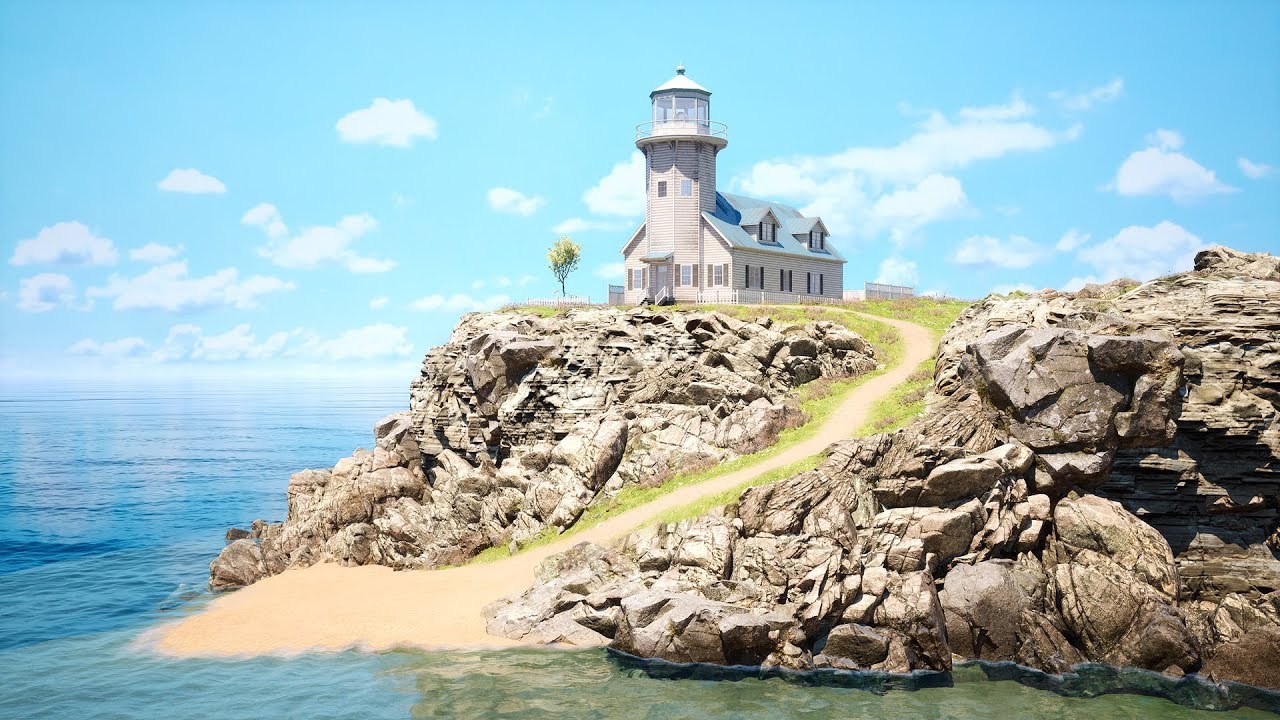
Final result at 15:10
Hi everyone,
In this video I want to show speed level design of Lighthouse level.
All the asset can be found inside project files, including Lighthouse that is part of Modular Houses asset pack,
I decide to share it for free as a demo of a main product....
That speeds up a good hour or two of top-level stage design into a 15 minute video you can just scan over, watching the different processes as that there lighthouse scene literally is built nearly from scratch.
One traditional start to UE is to examine some of the various templates that are provided (rolling ball, first person shooter, third person platformer, or what-have-you) and then try to build a working stage for that template 🙂
 green sky
is ue 4.25 crashing like 4.24.3 does, i mean is is it working better? Can someone please answer thank you
exotic cave
feels soooo lucky to have started on 4.23 which has been surprisingly stable
green sky
I know 4.23 was better but due to animation modifiers and a few 4.24 features made me switch 😦
abstract relic
.25 is still in preview
exotic cave
just tried building lighting in High quality mode for the first time
I was not expecting it to get significantly better
I was WRONG
green sky
yeah i see its on preview 4, but i wanted to know if anyone thats using it if it crashes alot or not
limber mesa
Can anyone help me out with a widget. I asked a bunch of people and they can’t seem to figure it out
green sky
Right now 4.24.3 crashe's when ever it feels like, even while not doing anything. It's quite frustrating & i definitely know is a bug
It sometimes feel's as if Tim sweeny is some how trolling me, by pressing a magical crash button lol
abstract relic
Again. Preview. It’s not meant for production.
green sky
I know. i wish i could go back to 4.23 but that wont be possible at this point 😦
@limber mesa What do you need help with?
limber mesa
I made a menu widget and when I hit new game the level pops in for a second then the menu takes over again
green sky
make sure that your removing the menu widget after the level loads
green sky
i cant make out the nodes the contrast is to high on that image
limber mesa
Ok one sec
exotic cave
Use the snipping tool, @limber mesa
green sky
exactly
exotic cave
abstract relic
Or Windows key + shift-S
green sky
try adding a short delay before removing from parent
exotic cave
God I love UE ❤️
green sky
try adding a set input mode game and ui node and disconnect remove from parent node
limber mesa
Game only or ui only
 rough hound
How do you get lighting like that
green sky
both
exotic cave
@rough hound : You mean the screenshot I posted?
rough hound
Yeah
exotic cave
Combination of lots of things 😄
exotic cave
Postprocessing settings, lots of materials work, lots of subscattering in the materials, and turning on an advanced feature for the sun godrays
rough hound
I really need to find myself a pack of trees and other foliage.
green sky
did it work?
limber mesa
No
exotic cave
Mine ought to be submitted very soon! 😄 That's a screenshot from a pack
rough hound
Like i'm just using a testmap but this is god awful anyway.
green sky
ok when you say the menu takes over, what exactly is it taking over?
exotic cave
But, thanks for the interest! I'll be working up the manual and the branding for this, which will include learning resources on how to do the kind of lighting I did. 🙂
limber mesa
The title widget
rough hound
Good Lighting makes me weak.
exotic cave
Me too man, me too 🙂
green sky
so the title menu covers the main menu?
limber mesa
Both the same thing
green sky
those setting you dont need to touch there just there from initialization of the project in pie
limber mesa
Ok
green sky
so you have no control of the level after it loads and you cant close the menu you mean
green sky
OK where are you calling the level from? Like what blueprint?
green sky
OK if im not mistaken try calling that logic from either your character controller or gamemode or game instance not from level blueprint
green sky
Yes take it out from your level blueprint and maybe call it from character controller or gamemode or game instance
Also before anything
That level that loads do you by any chance have that logic in there too?
limber mesa
Character controller?
green sky
Before you do anything else check if you have that code in the level that your loading also
limber mesa
I’m looking
I have it in my starting level too
The blueprint
It seems like they are both being affected
green sky
But its not like hooked up to beginplay or anything like that right?
Because it seems like its triggering twice
limber mesa
How do I check
green sky
normally i that type of logic would be best called from your character controller
limber mesa
In the character code?
honest vale
....
limber mesa
Idk I just started making a menu yesterday
honest vale
I was browsing c++ api docs, search for something and then the system logs me out and redirects to https://www.unrealengine.com/en-US/?sessionInvalidated=true
ffs
green sky
Try creating a controller and assigning to the gamemode the controller you create, open that controller up and add the code in there and give it a try
limber mesa
No I don’t @plush yew, only on the main menu
Your right I am doing it
Because I can’t move the character until I hit play
So how do I fix that
Delete the starting level blueprint?
green sky
Dont call it from the level blueprint
limber mesa
Where from then
green sky
or make a level that only loads that menu and use it as a portal to what ever you want to do
limber mesa
That’s what I’m doing right?
green sky
if the menu is overlapping or blocking check your widget to see that your not calling the title menu from within there, if so disconnect it
green sky
yes your calling the starting level and from what i understand from that levels blueprint your calling the widget
green sky
exactly
limber mesa
The main menu loads up
green sky
ok
limber mesa
After it loads up
green sky
Good Eye Ponkikis
limber mesa
Nothing happens
Can’t move anything
Then after I hit play, I can but the menu is still there. So that tells me that the menu is being opened twice and not being closed
green sky
did you setup the game mode to that level?
green sky
@limber mesa did you setup the game mode to that level?
green sky
How about the new level
limber mesa
?
I have two levels. One is the main menu. I set the main menu to be the first one to pop up
green sky
So your not going from that level to another?
limber mesa
I was following this guys tutorial
I’ll link it
In this part we will create a start menu and title screen for our game! Leave anything you'd like to see in the comments below so I can work them in as I go!
UE4 Download: https://www.unrealengine.com/en-US/what-is-unreal-engine-4
Assets used: https://www.gameart2d.com/free-p...
I followed this exact tutorial
 obsidian kettle
may i ask an easy question xd
i messed up with my thirdpersoncharacter. Is there an easy way to get the default character again? or do i need to create an empty blueprint and create the default BP new ?
limber mesa
You deleted the character?
obsidian kettle
i tried my best to delete it xD
So, i hope yes.
i messed up in the blueprint and wanted to restart fresh
limber mesa
Do you see what he did @green sky
green sky
@limber mesa Wow im pretty much stumped and im not at my machine at the moment, what i would recommend there are main menus in the marketplace that are free and you could just use it as a template, I think it's best way to go
limber mesa
Really there are?
green sky
BTW i couldnt see the video as my internet is crap and im on my phone but i will check it out when i get home
gimme a sec
green sky
UI Navigation , Auto Settings, These are a few i can remember you can also search for UI or widget in the marketplace
limber mesa
Can’t find anything, could you link it
green sky

A simple-to-use and flexible UMG framework that allows building menus that can be navigated with Mouse, Keyboard and Gamepad in one go.

Auto Settings is a comprehensive and highly configurable game options and input binding toolkit that supports a range of functionality that is standard in modern PC and console games.
Thats what i could find dude , wish i could be more help
green sky
Ok bro, well i have to head back to work so ill be on and off, ok i sent you a friend request ok, Good Luck
limber mesa
Thx
green sky
No prob:)
obsidian kettle
... :3
 patent dawn
anyone know about running EQS from inside a Blueprint (Behaviour Tree Task). It seems to always fail but same query is okay when run from the Behaviour Tree:
 uncut widget
Hello 😄
 wispy spruce
anyone good with hair in unreal engine?
 fierce tulip

Epic launches publishing label, signs creators behind Control, Inside, and The Last Guardian https://t.co/6Q4uc1bLDj

 Twitter
oblique tangle
Twitter
oblique tangle
Just curious, when releasing and packaging a ue4 proj as a .exe, do you have to remove any files/assets that aren't being utilized in game? does that matter or nah
fierce tulip
there are some options when cooking the build that will remove any unused content to a certain degree
 worthy inlet
woah, Epic starting a publishing label definitely felt like the next step, but it's cool to see it happening.
Those publishing terms are also chef's kiss
copper wadi
Anyone ever have an issue with their Project Settings Inputs no longer updating? For instance, I have an Action Mapping to A but if I switch it to B and play the game. A still does the action and B does nothing? Also the keys look correct in DefaultInput.ini
plush yew
hmm I think that should only happen if you try to change them during play mode, maybe your VCS is acting up?
copper wadi
I'm using Perforce, I'm thinking that might have something to do with it but the ini file is not marked read-only and it actually does edit the file
 fallen wing
please help me 🙂 whenever i import an animation into unreal engine i ALWAYS get these errors. it's really annoying me because I've spent so much time animating.
oh i'm really sorry i didn't realize you were talking i was above in chat
please tag me if you reply
copper wadi
And in the top of the settings it says These settings are saved in DefaultInput.ini, which is currently checked out
By me of course since there's just me
Even if I turn source control off, it doesn't update.
fierce tulip
@copper wadi perhaps the file got set to read-only
copper wadi
@fierce tulip I checked that and it is not set to read-only and when I open up the file I can see the key change in the mapping.
fierce tulip
O_o
copper wadi
I think it does have something to do with VSC though
 radiant haven
Action Mapping as a Condition
 winged crypt
Been stuck on this for weeks, anyone have any ideas?
- Skylights in packaged builds are very dark, work fine in PIE. Tried both stationary and movable.
- Default level loads with correct lighting, any level loaded after that (even if its the same one) will be dark like this.
- Checked reflections, they seem fine, so it must be a lighting issue.
- This started in 4.23, it fixed itself when I upgraded the project to 4.24, then started happening again.
lethal spoke
UE5 when
plush yew
hey guys where do you usually implement your controls? I've seen people put them in characterBP and others put them in the controllerBP... Idk which way is more "optimized" as you would need to cast more if you put them inside the controllerBP.
winged crypt
You can cast to the controller once on BeginPlay, set it as a variable and reference it whenever you need without casting again. I usually put them in the character blueprint, but it's probably better to put them in the controller
plush yew
@winged crypt yeah that's what i did
 grim ore
@lethal spoke UE5 will be released within the next 10 years, I guarantee it
lethal spoke
@grim ore oh nice
dusty kernel
Hi! I'm trying to make a paper character controlled by mouseclick, already managed to make the idle animation and the walkforward animation, but i have no clue on how to proceed to make the walkin back animation and the walking left and right animations. If someone could help me i would really apreciate 🙂
 ornate vessel
does anyone has the program to open .lwo files??
fierce tulip
lightwave objects
dusty kernel
plush yew
are blueprints really easier to learn and work with than c# ?
plush yew
based on?
grim ore
based on the person. skill, knowledge, intelligence, artisticness, etc.
plush yew
i dont think artistic people like blueprints more.
grim ore
Blueprints are just pretty interfaces for actual factual code
plush yew
i think a real programming is much better
grim ore
artists might have better spatial reasoning which lets them "see" the code when using blueprints easier than other people.
again it's all subjective on if it's easier
in the end Blueprints is just another way to program, like C# or C++ or Java or etc... It's still code in the end, programming paradigms still exist, and you still have to use logic to make stuff happen.
plush yew
i think im artistic and real coding is a lot more clear to get a grasp on
that this spaghetti bp
grim ore
then you have the answer for if it's easier than C# for you
plush yew
not for me. for all.
creating a var is tsame in bp as in c#
in bp its even worse
I managed to make basic gameplay mechanics to my character with zero knowledge in programming 😄
you have more steps in BP if you wanna do something
@plush yew you could to the same with c# in unity
grim ore
plush yew
naaah
int angle = 15;
so easy
now do that in BP...
a lot more stuff to do
first have to click on +variable or what was it
copper wadi
You don't have to worry too much about syntax with BP, so there's that
copper wadi
No semicolons in bp
dusty kernel
Hi! I'm trying to make a paper character controlled by mouseclick, already managed to make the idle animation and the walkforward animation, but i have no clue on how to proceed to make the walkin back animation and the walking left and right animations. If someone could help me i would really apreciate 🙂
plush yew
thats not hard to know when to use that @copper wadi
copper wadi
It's not really about knowing when to use it, it's about opportunity for mistakes
plush yew
in BP we have the level blueprint, where would i find this in unity?
would i create a script called level.cs?
 tawdry storm
well I can say for a fact that I have a much easier time learning how to do stuff in blueprints than usind C++
plush yew
lets not talk about c++, rather c#
tawdry storm
I didn't know you could code in C# in unreal?
tawdry storm
then use unity 😄
tawdry storm
for you
dusty kernel
Welp :<
plush yew
try it out or don't say anything else
tawdry storm
I did
plush yew
then you didnt try for long
tawdry storm
I learned it back in school, blueprint is easier for me
tawdry storm
I won't because it's true, why is that so hard for you to bleieve?
plush yew
what is hard about c# in whatever environment youve used?
dusty kernel
Someone can welp me pls? i would really appreciate 🙂
tawdry storm
a node based system gives me a flowchart to look at that's easier to follow that just plain text
that doesn't just go for blueprints, but every node based system
that's my experience and my opinion and for me it's easier to use and more intuitive
and even though I'm trying to learn code, I have a much harder time wrapping my head around it, even though it's in principle very similar
tawdry storm
there's ton's of tutorials for UE4
plush yew
@tawdry storm i am not talking about basic ones who show your basics. and tahts it.
tawdry storm
but not all of them are especially good
tacit onyx
Have you tried Google? There's a few hundred thousand or more tutorials there.
plush yew
have you tried thinking that i already watched many tutorials?
tawdry storm
well then go and make them 🙂 here's your opportunity to contribute to the community
grim ore
@dusty kernel you could ask in #animation but that's a pretty basic setup. You can also look at the 2d sidescroller template for how they handle the animations
plush yew
🤦♀️ authaer
tacit onyx
I'm confused, you just said it was lacking tutorials. If it's lacking them, how'd you watch them?
plush yew
@tacit onyx by watching them.
i didnt say there are no tutorials
i said its lacking tons of tuts
dusty kernel
Oh @grim ore the thing is my paper character is on 3D map
tacit onyx
ue is lacking tutorials
@plush yew
tawdry storm
okay but what is it that you wanna do, that you can't find a tutorial for?
plush yew
@tawdry storm almost anything.
grim ore
the basics should still apply for handling a paper2d character
plush yew
nothing particular
tawdry storm
name one thing
plush yew
snake tutorial
plush yew
ok there is one new tutorial. wasnt there few months ago
tawdry storm
there is no "make world of warcraft" tutorial
tawdry storm
then use unity
grim ore
well so far there is 100% for what you asked for so.....
plush yew
@tawdry storm problem no visual scripting
tawdry storm
what?
tacit onyx
Okay, but if there's a tutorial to make exactly that, what's the point in making it, because someone already did. Do you need a tutorial in how to come up with something original?
grim ore
Unity has MANY visual scripting systems.. MANY
tawdry storm
you just complained that visual scripting is harder than C#
 harsh tiger
https://gyazo.com/3bb0f5035a63b26d71df48d5f11c92f8 any idea how i could get the road mesh to follow the spline path?
 plush yew
@tacit onyx yes i need a tutorial. i look at it. change some things and voila, you got a new game.
tawdry storm
I'm sure that's a great game then
plush yew
@tawdry storm thats what i think currently. that c# is easier. lack of tutorials is included in this argument.
normal burrow
There actually is a good snake pass stream with epic
plush yew
bcs ue4 is lacking tons of tuts, c# in untiy is easier, because you have tons of tuts
normal burrow
It’s a trap though Velcro
grim ore
oof.. guys... uh... just hit block at this point it's a lost cause
tawdry storm
but there is a ton of tuts, it's just split up into the individual component you need to make a game
normal burrow
Unity is made to make you spend time in it
plush yew
@tawdry storm yes. there are many great games which are based on older games. nothing new. no need to create something new
tawdry storm
you start by doing something, like make the movement of your snake character, and you look for tutorials on how to do that.
you don't look for tutorials to make the whole game
normal burrow
It takes a lot to wear the patience of Mathew
tawdry storm
just the parts you don't know how to do
harsh tiger
@grim ore you wouldn't happen to know a fix for my issue would you?
plush yew
@tawdry storm i cant enter ue4 bp turn 180° in youtube. nothing will appear
tawdry storm
because that's not a thing
grim ore
@harsh tiger I was actually looking at that but it should work how you want out of the box. I am curious if your mesh is rotated weird
plush yew
its neither a pure basic character control
tawdry storm
look into how to rotate an actor then, or a component, depending on what you need to rotate
harsh tiger
@grim ore its messed up because the default rotation of the road mesh. if i use a default cylinder it works perfect. but i need a way to offset the rotation
tawdry storm
what if you want to rotate by 57°?
wary birch
Is asking C++ questions fine here?
harsh tiger
plush yew
@tawdry storm i did and coulnt find how to turn it by 180°
harsh tiger
the set forward axis seems to help. but again, i cant offset the splines rotation
wary birch
@harsh tiger which plugin do you use to make those connection cable thingy like this?
tawdry storm
@plush yew https://www.youtube.com/watch?v=Lmd0XCEyqog here's 10 minutes on rotating an actor

What are the Actor Rotation Nodes in Unreal Engine 4
Source Files: https://github.com/MWadstein/wtf-hdi-files
plush yew
i just google endless runner unity tutorial and ill find a tutorial which shows me how to turn by 180°
harsh tiger
eletronic nodes @wary birch
plush yew
@tawdry storm yes. i cant ask you always here what to do
wary birch
Thanks
grim ore
@harsh tiger any reason you cant just rotate it on import again to fix it?
tawdry storm
I didn't need to ask anyone here either, I just asked google nicely
plush yew
i cant wait 10 yeears until someone answeres something in discord
@tawdry storm yes. and i would never know that i should google actor rotation
tawdry storm
literally google "ue4 actor rotation"
tacit onyx
Ue4 Rotate Object works too.
harsh tiger
that would fix it. but it's not an ideal fix. i dont want to export a model an fix the rotation and reimport everytime i come across this issue unfortunately
tawdry storm
then you need to start with a basics tutorial that explains what actors are so you know what to look for
tawdry storm
https://www.youtube.com/watch?v=yS-yQfo0lc0 also there's a whole youtube series on how to make an endless runner in UE4

In this video, we discuss the type of game that we're going to make and begin by setting up the player controls.
actor is an object in your scene, not just the player
tacit onyx
Actor is a higher level object. Not a player.
plush yew
@tawdry storm i also was looking for that, couldnt find it
tawdry storm
what did you google?
plush yew
see how non efficient this is
normal burrow
Tend to side with mathew
plush yew
endless runner ue4
tacit onyx
Sounds like you have a case of being unable to google anything.
normal burrow
Velcro you don’t sound like your willing to put effort in
grim ore
@harsh tiger you might be trying to fix something with complex fixes when it's just a technical issue and fixing it correctly on the original import would be the right answer 😦
plush yew
yers. because google evolved into a shitty search engine. google was a lot better 10 years ago
plush yew
i would find a lot more useful results 10 yrs ago in google.
tacit onyx
Found it on Bing too.
plush yew
yes i saw that series when googling for it, but i didnt watch this video you linked
normal burrow
What about altavista and askjeeves
harsh tiger
@grim ore the meshes is from a pack so i dont have source files and it has a lot of road pieces. i get that it would fix the issue. But i really need to get the rotation offset working if possible
tawdry storm
it even auto fills after typing "ue4 endl"
tawdry storm
are you serious?
tawdry storm
then why didn't you search for the first one?
plush yew
bcs i didnt thought he will make rotation in first video
harsh tiger
adding this kinda fixes it in a way
tawdry storm
welp I'm done here
harsh tiger
the road pieces are facing the right way, but still not following the spline path
tacit onyx
Kind of at the same conclusion. Pretty sure we just got trolled by a tool. Going back in my hole now after that.
harsh tiger
your trolling for sure
tacit onyx
There's documentation for any and every node you need.
tawdry storm
@harsh tiger have you tried getting the location and tangent in world space?
@plush yew then look for the blueprint one? https://docs.unrealengine.com/en-US/BlueprintAPI/Utilities/Transformation/SetRelativeRotation/index.html
SetRelativeRotation
harsh tiger
@tawdry storm of the created road pieces? nope
plush yew
ya but i dont get that documentation. unity ones makes more sense
tawdry storm
on the "Get location and tangent at spline point" you can set the Coordinate Space. It's a long shot, but maybe it works
 grizzled fox
Hey guys, I have some questions if somebody can help with, posted them in blueprints
harsh tiger
ohhh this?
tawdry storm
yes
harsh tiger
so could i add 90 on the Z on the tangent?
tawdry storm
no literally just set it from local to world and start it again
plush yew
@tawdry storm ur are making me suffer
harsh tiger
@tawdry storm i've got it facing in the right direction! but it's offset with the spline itself
tawdry storm
@harsh tiger set your local offset variable to 0,0,0?
plush yew
yo bcs. you make it sound like i am doing something wrong with unity
plush yew
and i stopped with ue only because i cant find anything and can find 1000 times more tutorials and thus useful code
tawdry storm
hmmm does it stay in that position when you move the spline or does it move around too? I mean relative to the spline
harsh tiger
follows the spline which is perfect. but its so far away from the spline itself
tawdry storm
can you show us the mesh in the mesh editor?
basically double click on it in the content browser, I mean
harsh tiger
tawdry storm
so it's not the pivot 
harsh tiger
like what matthew said before. i could change the rotation for each mesh in maya and that would fix it. but it has a lot of road pieces and i would rather find a way to add a rotation offset
tawdry storm
I mean you have that, with the rotation variable on the 'Add Spline Component' right?
harsh tiger
yeah
tawdry storm
can you show the default values for both variables just to be double extra sure? 😄
harsh tiger
both 0, 0, 0
harsh tiger
it works perfectly. its just when the mesh your using has a off rotation like these road pieces that it becomes an issue
tawdry storm
attach it to the spline
and not default scene root?
oh okay
well sorry without the ability to tinker around with it myself it's hard to help here, maybe there's some weirdness with the math when it comes to rotation that goes over my head
tawdry storm
well good luck with that 🙂
harsh tiger
https://gyazo.com/8298c59f18c6cf907e60277408a6e7e9 i set the offset to 270 on the x and it pulls the road out. but when i go up it goes left and down is right etc
 tawdry storm
I guess the easiest would be to fix the model
harsh tiger
i'm fairly new to this thing but is tangent rotation?
tawdry storm
kinda? it's a bit like the rotation of the spline point, I guess
harsh tiger
i tried to hack it a bit an it didnt work 😂
tawdry storm
yeah not sure if that's how it works 😛
grim ore
yep the issue I ran into is the fact that the mesh itself isnt being rotated and you have no way of doing that. Rotating the component wont help as the mesh itself is bad
harsh tiger
you have no way of doing that.
@grim ore
so is what im trying to do literally impossible?
i know you can place a mesh in your scene and move the pivot. but afaik the new pivot will just be for that instance. my question is, is there a way you can move a pivot in unreal and then save that as a new object in your content browser?
grim ore
nope
I made a video on it even lol, you have to fix it in the DCC or reparent the object to a scene root (you cant do this doing what you want)
all of the source files are there in the pack, you could just reimport all the original source files and set up the rotation correctly on the reimport for all of them at once
grim ore
when you downloaded from the website there are 2 links, one is the unity and unreal packages the other is the source files
harsh tiger
i never got them from humble bundle sorry. its from the epic market place when the city pack was free
grim ore
oh.. uh crud, doesnt include source in there anywhere then?
harsh tiger
i've always thought you only get the UASSET from marketplace packs and never the FBX. unless its hidden in a folder somewhere?
grim ore
crud I wonder how I missed that one
harsh tiger
which, asset packs not including the FBX?
grim ore
no you said you got it from the mp when it was free, wondering how I missed it
harsh tiger
ohhh haha. i think it was last year some time
grim ore
doesnt show as including source files so yeah you would have to export them out then back in 😦
harsh tiger
that sucks. oh well, thanks for the help anyway! i would've been head butting the wall for a couple more hours on that issue
exotic cave

Animals for your game environments by Living Systems. Add interactive Ducks to your game environments. Drag and drop easy. Built in obstacle and enemy avoidance. Water Interaction.
I did not make this, but wow those ducks 😄
has an odd urge to make an Untitled Duck Game now. Or Unreal Duck Hunt.
Why UE gots to be so good at errrything
 grim juniper
Tangents are directional vectors, not rotators. They both point in the direction the spline point is facing and their length determines the curve of the spline. You can also get the rotation at a spline point
@harsh tiger Here's a good tutorial series that's old, but good https://www.youtube.com/playlist?list=PLHadbgEqCTxDgj-RwPQGkaUypb05NJYN6
 grim ore
the problem is his source mesh is not set for X forward
grim juniper
That shouldn't matter
You can choose which is forward for spline meshes iirc
In the details panel for the "Add Spline Mesh Component" there should be that option
 uncut pebble
hello
i use source control with UE4
(perforce)
and i moved a folder in projet from à point to an other
and I think this move is causing bugs
in PIE :
it s ok
but in standalone :
when i take an old revision on souces control of my Pawn all is ok
but, between the current revision and the old revision, there is no difference
and the revision that works, corresponds to the time of the file movement
so i really don t know what to do
and I don't know what is causing this bug either, to possibly fix it
if someone have an idea ..;. 😦 😦
(PS i already made Fix Up Redirectors in Folder after the move)
 heady moon
is the documentation for people completely new to the engine or for people who are already expert with the engine
should i start with the docs or video courses if i want a quick start
for unreal c++ btw
 hollow tusk
hi guys, is there a way to save floats into an array and then print them?
grim ore
there is documentation for new users and experienced users. There is documentation for using C++ for Unreal as well as videos. The big question is if you know C++ already or not
hollow tusk
lets say i have a certain float value that i want to store and print eventually
grim ore
you can make an array variable and then add to it yes
hollow tusk
could you elaborate on that? any helpful links?
grim ore
@hollow tusk elaborate on what part. Creating an array, adding values to an array, getting values from the array, printing the value? https://docs.unrealengine.com/en-US/Engine/Blueprints/UserGuide/Arrays/index.html
grim ore
that looks fine, you are adding a new float to that array every time it gets called
hollow tusk
that's what I want
But I dont see an option to convert this to a string
is that correct?
grim ore
convert what part? the values in it. You would get a value and then convert that value (float) into a string using the float to string node
if you want all the values then you would loop over them using a for loop or a for each loop, get the value, print it, and it would repeat
heady moon
Introductory guide for C++ programmers new to Unreal Engine
i was using this
its the same right
grim ore
yep
hollow tusk
I am trying to get the game time at certain points and put those into a text file, so by creating this array of times I was hoping I would be able to print all of them at once, since it would only print 1 value otherwise (the last one)
grim ore
you store them in the array, the array holds them all. When you want them all you use a for each loop on the array and print out the values all at once
grim juniper
example
uncut pebble

side to side the two pawn
the bug pawn
and the duplicate of this pawn
juste put on map
one is ok
the other not
and ONLY in stand alone.....
noe on e have an idee about where i can looking for.?
 grim ore
@hollow tusk that saves a single string, so you would only get the last item when saving. If you are trying to save them all to a file you would during the loop get the current value, change it to a string, use the append node to append that current value to an existing string variable that you plan to save to file, then repeat until you have this massive string to save then save out that string.
 frank oar
Can anyone tell me why I am getting these wierd lines on my textures for my carpet ? and is it easy to fix ?
grim ore
is this before or after building lighting? if its after when you move that mesh does it go away?

 heady moon
how do u set ur status as vs19 then below the workspace ur editin
idk how to do it lol
cuz im in a team and i want my team to know what im editing
frank oar
and all the lighting in the scene is just SO bad , i have tinkered with it for so long and havent gotten anywhere..
next badger
Any ideas why property matrix change may be incredibly slow?
frank oar
@grim ore its a mesh hovering above another mesh, when i move it away from the other mesh it loses the lines..
 orchid seal
can anyone recommend a beginner tutorial series? I want to get used to the workflow and tools. How-to with examples. From level creation to blueprints.
fierce tulip
@orchid seal check the pinned message in this channel
orchid seal
ohh cheers 😄
fierce tulip
good luck!
 scarlet birch
@oblique tangle Just manually setting the maps to package in project settings will go a long way towards cleaning it up.
 paper scroll
Yo guys
limber mesa
Hey can anyone help me out with a issue that I’m having
fierce tulip
just explain the issue, preferably in the channel best suited for it :)
limber mesa
I made dirt blocks and put them into my level. But when I hit the play button they disappear but the character can still walk on them
Idk how to fix it
next badger
@limber mesa is that a static mesh or BP?
limber mesa
How do I change it
 pallid valley
Hey guys, I was wondering if anyone knows how to dismember bones. is it possible through a mesh using "constraint bone" node?
next badger
@limber mesa you know the difference?
limber mesa
No. I just started doing this 2 days ago lol
next badger
look in your world outliner then
limber mesa
?
next badger
next badger
next badger
so, what type your blocks have?
next badger
all objects in world are actors
you need to be specific...is that static mesh actor or what?
limber mesa
Idk
next badger
good, it's a 2d game...
next badger
Don’t see anything
as we are...
heady moon
I never knew learning from the docs would be this easy
i literally understood classes in 30 minutes
limber mesa
Can you link the docs @heady moon
next badger
@heady moon unfortunately true until you hit some point -_-
heady moon

Complete resources for learning to use Unreal Engine 4
limber mesa
Thx
heady moon
@next badger atleast the time you take in understanding it is lesser than the time it takes to understand pointers
~_~
next badger
many people here know, how bad Docs are...not terrible but.
limber mesa
So @next badger how do I fix the problem
heady moon
ok lol
video courses seem kind of outdated
though
i dont know but
last time i tried them they were bad
limber mesa
So @next badger I need to convert bps to a static mesh
next badger
@limber mesa um? why?
limber mesa
Idk I’m throwing ideas out there that I have
next badger
the only thing i've asked is more info, like screenshots
harsh tiger
@grim juniper ty so much!
limber mesa
Ik. Just trying to figure something out
heady moon
is changing the variable value in Blueprint is the same as changing it in the actor's/character's CPP file?
limber mesa
@next badger what do you think
grim ore
Its possible your not actually walking on it, we dont know how your character is set up. If it's not using physics its not going to fall for example.
grim ore
what did you have on the ground before?
grim ore
just based on what you have its reaally reaaaaally hard to even guess
we cant see the outliner, we cant see the item that you are using for the ground, we can barely see the screen when you hit play
limber mesa
I’ll do another vid. I have a time limit since I don’t have nitro
grim ore
like those boxes dont look like the same boxes when you hit play
you dont need to do a video, screenshots are fine
grim ore
run your character off to the left where there is no dirt and they fall down and die?
grim ore
when you double click on one of the ground items and it opens up a window what is in there?
limber mesa
Just the sprite
grim ore
is this a 2d camera or a 3d camera?
limber mesa
2d
grim ore
welp since the ground is there, once you hit play hit shift-f1 to escape out and hit unpossess
then you can click on the ground while it's playing and see if it's visible in the editor
grim ore
might be called eject
limber mesa
It’s not visible while playing
grim ore
but you can click on it?
limber mesa
No
grim ore
you should be able to click on it in the world outliner then
limber mesa
Actually I can
The background was what was clicked
I can access it from the world liner
@grim ore so what’s wrong
grim ore
its hard to tell. if you change the texture to another texture while its playing does it come back?
limber mesa
Idk
I basically made a original sprite with textures that would show then I replaced those textures
That’s all I did
next badger
Idk
You need to check it, if you won't apply effort to fix it, no one will.
limber mesa
I am applying effort @next badger I only been doing this for 2 days. You have been doing this longer lol
next badger
@limber mesa Mathew asked a relatively simple question, i'm not asking you to figure it yourself
 golden magnet
when blocking out an environment with BSP, is it better to use wall pieces or simply 1 long wall?
next badger
@golden magnet dou you really want to use BSPs?
golden magnet
just for blockout, will be replaced with static meshes later
limber mesa
I’ll contact you when I try it. I got to do something rn
next badger
i suggest to switch to static mesh boxes
golden magnet
cant really create doorways/windows and stuff with static meshes though right