#ue4-general
1 messages · Page 687 of 1
 regal mulch
So if the array gets overridden via the child to parent bug.
And you clear the array on the parent
it also clears it on the child
gg
The issue with this is if you have variables, like booleans, that have very likely a default state shared with the parent
One child sets the parent to something you don't want
You change the parent
And all other children that you maybe want to have on that value, reset.
 tawdry storm
oof yeah no idea how to theck that on the fly, but so far if I compile the parent after the child it seems to behave normally, but yeah this shouldn't happen at all
regal mulch
Parent bool false
Child 1 bool true
Child 2 bool false
Child 3 bool false
Change Child 3 to true ->
Parent bool true // Changes cause of the bug
Child 1 bool true
Child 2 bool false
Child 3 bool true
Fix Parent back to false
Parent bool false
Child 1 bool false // Changes cause BP default behavior
Child 2 bool false
Child 3 bool false // Changes cause BP default behavior
gg
tawdry storm
lemme try 1 sec
yup
so if I change a bool somewhere inbetween I have to go from the lowest child all the way up to see the expected result, but yeah once I change the parent everything goes tits up
I guess the binary state of bools makes UE4's behavior in this matter really finicky
jesus with 4 children it's so weird how every compile seems to have sweeping changes throughout the hierarchy
I'm surprised this hasn't caused anyone problems before 🤔
 next badger
@regal mulch i've reported similar bug some time ago...can't recall if it was accepted or not...
the problem was that if you change the property on parent to the same as child had, it will reset the custom property later
Parent - A
Child - B (custom)
Parent - B
Child - B (not custom)
Parent - A
Child - A (as it's not custom anymore)
tawdry storm
I think they're similar, but not the same, but the initial problem he described probably causes the later problems that are the issue you describe
regal mulch
Yeah that's not a bug
It's a shitty design decision
Basically BP Children don't know their state is changed
BP Parents update the children based on the properties being the same
next badger
yeap, but if i've set the property on child manually, why would it reset it later?
regal mulch
Because the Child doesn't know that
In C++ this can't happen of course
But in BPs the child or rather the parent, doesn't know about that
If the default value of a boolean is false (0) in general.
And the child has it true, then as soon as the parent has it true, it counts as unchanged
next badger
can't BP just store the value no matter what? (if the property still has same type at least)
regal mulch
I think the issue is that Epic didn't add a way to keep track of that
In C++ the child would actively write "bSomeBoolean = true" in the constructor
And the parent changing back and forth doesn't change that line
But BPs don't do that. They only have != or == parent
Same should happen with more complex variables, like a string
Parent ""
Child "Hello"
-- Change parent to "Hello"
Parent "Hello"
Child "Hello"
-- "Change parent to "World"
Parent "World"
Child "World"
Compiling in between though
next badger
I thought that setting some value in BP child acts like adding a constructor custom value
 weak cypress
i just tested my game outside the engine and for some reason it seems that each client runs on its own server
how could i fix that?
 analog sigil
 solid matrix
anyone know how you can reorder material slots? I want to make some meshes have consistent slots
 sour slate
hello guys any chance u know how to remove height/volumetric fog from a specified area?
next badger
@analog sigil i like the button, but i don't the menus...they are inconsistent
 scarlet birch
I've always used steam for testing multiplayer and now I'm trying to do it with the default sub system. I'm using AdvancedSessions and would like to open two instances from the editor at the games main menu and have one listen and then the other join. Do I need to do anything extra to find the session ? Should I specify the loopback address somewhere to join it?
The session's there but I can't get the other instance to find it. I'm not sure if I'm forgetting something or not. I'm working through the docs to try and find what I'm missing here but if someone can help save me time figuring it out I'd be grateful.
regal mulch
Inside the editor or at least standalone?
scarlet birch
I'm fine with either. Should I just build it? Can I run two instances with Standalone? If so I may have tried it wrong.
Ultimately I just want to test basic stuff on one machine before using 2.
ok, yeah standalone is running 2 now. But not finding the session on the other instance
 rough hound
How would i create a "timer" that plays a sound at a random time, and when it plays a sound it has a cooldown before it can play a new one? This is what i have so far.
Should i make a new function that deals with the stuff and then use delay instead maybe?
cause delay won't work like i have it now.
 grim ore
set timer by function name -> set random time on the timer -> timer points to the custom event to play the sound. After the custom event sound is played -> set timer by function name -> set random time on the timer -> timer points to the custom event to play the sound.
 sly coyote
So tricky on event tick...that's every frame...
No matter what you put as conditions they'll be met like 100s of times a min
Giving very bad results
rough hound
I could probably do something else? I'm very new to UE4. I'm used to having "think" functions which are way less frequent than ticks.
sly coyote
Can you set up a collision sphere instead and do what Matthew suggest
Have it only happen while in the sphere...cause yeah on tick would be not so good and completely unpredictable...you want random, not crazy
 wise marsh
No matter what you put as conditions they'll be met like 100s of times a min
@sly coyote event tick 1.0 its 1 sec so its 1 per 60 frames
sly coyote
I have a GTX 2080 ti...on a 240mghz monitor...my tick triggers 240 times
Per sec...on tick is called at every frame refresh
rough hound
I'm trying to make this man make some idle sounds, to give some more context
weak cypress
does a bigger+better monitor help with game development?
sly coyote
That's why you never tie important functions to tick because the results will be unexpected
rough hound
You get more efficient with 2 monitors at least.
sly coyote
You can set it up in ai behavior tree
scarlet birch
I'm just going to work through it from start to finish. I must have forgotten something simple. It's always just worked before.
rough hound
I can play sounds through behaviour trees?
 vast pine
Anyone familiar with the ins and outs if you wanted to make release project files on github as GPL?
sly coyote
You can do tons of stuff with behavior trees, it has a steep learning curve and not enough tutorials tho
rough hound
hmm
so i make a new task for the behaviour tree i guess? PlaySound won't work for what i want.
sly coyote
You can also add notifies In multiple idle animations
wise marsh
You can play sound until your bool idle its true but with a delay with a random in range float
@weak cypress
sly coyote
And have the idles be randomly selected in anim bp
sly coyote
And on notify have it play...
But now that I think of it, sound que allows for random sounds and you can add random delays In the sound cue itself
sly coyote
There's a lot of way to handle what you're trying to do...but not In Event tick
rough hound
I've figured out how to randomize the sounds in the sound cues
 random tree
does any one know how to use c++ in unreal
rough hound
But i also want these sounds to be randomly played throughout every animation
not only the idle animations
I guess i could just add anim notifies for all the relevant animations
wise marsh
does any one know how to use c++ in unreal
@random tree create a c++ project and you Will need visual studio with all unreal stuff
 loud knoll
@fierce tulip Hey man thanks for the asking, I am an idiot I had added a second emitter to the setup that I forgot about and wasn't changing it's color as well so it looked like 1 emitter but it was two. I thought this was the constant color value.
grim ore
learn C++ , apply knowledge to Unreal
sly coyote
Ild have to be sitting at my comp to look it over, only thing I can think is with so many things being random you'll be bound to end up with lots of overlapping sounds that don't sound good
random tree
yea but the code looks way different then what ive been learning
wise marsh
i mean how to script with unreal
@random tree theres some bugs you need the project in c++
loud knoll
@grim ore < Hero to the people < I have watched 2 more of your videos in the past week. Thank you Unreal Jesus!
what is it like to be warshiped?
grim ore
@random tree once you learn C++ properly you can then learn the small things that UE4 has specific like their heavy use of Macros and using the docs https://docs.unrealengine.com/en-US/Programming/Introduction/index.html can help once you learn C++ normally
sly coyote
Matthew is a humble God amongst us... If we praise him too much he goes silent...shhhhh
random tree
thk you
scarlet birch
It wasn't actually loading the NULL subsystem even though the advanced session node was returning the session was valid it wasn't valid.
 tiny sonnet
im a beginner to replication. When your trying to replicate an asset, you don't have to change the animgraphs do u?
 fathom glade
Does anyone know the best way to get dynamic text onto materials? Or to have text pop up in games? Like in a book?
The render target canvas thing is really confusing. It looks like I need to make a dynamic material and write on that material with some 2canvasrender but I'm not sure if this is the best way
 brisk folio
Project: 2 Skeletal meshes, with perfect collision boxes. If I animate for mesh 1 to punch mesh 2, i want to check the collision for which bone was struck, make said bone on mesh 2 a child of the bone on mesh 1, and change mesh 2's bone location using the parent location. Creating a dynamic collision physic. Is this possible?
 gleaming creek
@rough hound If you want something to happen after a delay, just start a timer once, e.g. on BeginPlay
You want to avoid using On Tick unless you have no other choice, as it's expensive
You usually only use it for visual things that need to change every frame
If you're playing a sound, you can hook up an event to fire when that sound completes
which you can then use to start the timer again
Though for an even simpler solution you could just make it so that the timer just repeats at x interval, meaning that longer lines would have slightly less time between them
Which would probably be fine too unless there's huge variance between the length of your idle lines
You could also check if a sound is still playing and not play another one if it is
 torn shell
Does anyone have experience with DBuffered decals and static lighting? I'm having this problem where I can't build my lights because it crashes the minute it finishes calculating. This has only occurred after I enabled DBuffer decals and actually put some in my level? Am I missing a checkbox somewhere?
 jovial marsh
Hello everyone. I have started getting this error message whenever I import using datasmith and it crashes all the time. Is there any way to fix that? It's happening on both my mac and windows
 sudden crescent
Hey guys, could someone explain me the difference between the default pawn and the character ?
 digital anchor
character has code simulating a biped person, with some custom movement code like crouching, swimming etc, and has some code for networking, prediction and simulation etc
 abstract relic
Character is a child of pawn. So it’s a pawn with some extra bling
 rotund scroll
main difference is the character movement component which allows for rich movement styles mimicking that of a real life character
whereas pawn is just any actor that you want to be able to control
 normal burrow
that capsule and skeletal mesh be bling'n
 sharp crest
does get all actors of class gets child actors too?
(so actors that are a child of the class I specified)
abstract relic
Another for the “we need a hardware channel” list
weak cypress
why tho
 plush yew
@weak cypress i was looking at the radeon vii
normal burrow
because it reverberates into a echo chamber of peoples rigs
 worn granite
Well lets think it through. Where are we starting at? How do you imagine a money system to look like?
plush yew
Every time you kill or assist you get money, Assist = +50 cash and kills = 150 cash
Everytime you lose a match you get 2750 cash for every round loss
and every round won you will get 3150 cash
torn shell
Is validating and cleaning the swarm agent cache meant to display any notification?
plush yew
wym?
torn shell
is there meant to be any visual notification that it's actually cleaning the cache? I clicked it and nothing seemed to happen
worn granite
Okay, and what sort of variable would you use for it?
plush yew
Me?
sudden crescent
thank you hightide takain and cranzEstebogen
worn granite
Yup
abstract relic
Vector? Bools? Stars? He’s trying to walk you through the process. Like a good teacher 😜
plush yew
I know
I just dont know very much about development
bool money = false. sounds about right 😛
@plush yew what does this mean?
and if is true they do?
Max is $10000
abstract relic
Bool (boolean) is a true/false variable. That’s the joke
plush yew
they'll start with $800
 little bronze
how can i make the pivot points of multiple objects not the same and in the right place when i import as fbx from blender?
plush yew
What happens if you have a static light and a moveable light inside each other?
scarlet birch
I'm sure I'm forgetting something basic here but if someone can save me some time searching for answers thank you.
Any idea what would cause the map not to change on joining a session
 bitter iris
Hey, could anyone help with this, not sure what im doing wrong. https://gyazo.com/ff834eb7e3107ed11e136b57e9390387 Need to be able to stop the character from moving completely (multiplayer) its fine if i just press E but say if im sprinting past an press E it locks to UI an doesnt stop character
this is the code behind it
grim ore
call stop movement on the character when you do that to stop them?
 dense gate
Welp, I found out a workaround to disabling Datasmith so you can compile 4.25 preview with Chaos
If you kept getting Datasmith/Dataprep related errors when attempting to compile, go to UnrealBuildTool program, file System/RulesCompiler and do this
bitter iris
@grim ore the "Stop Movement Immediately"?
this code isnt on teh character either so would i have to cast
 pseudo swift
Hi guys, I added a material to my landscape-painting-mat but im not getting the mat to show up on my landscape when painting, what am I missing?
nodes are bit messy but this might help
I added the one I have selected called forestground
hooked up all texture maps in a similar way as the others but in my first screenshot you can see that it does not display an img for my material in the list, instead it is just a transparent square
rough hound
Is PlayAnimation known to mess up animations after it's finished?
Cause it seems to break my idleWalk blend
making my AI only use the idle anim
 summer loom
Oops i think i got the wrong channel

 fierce tulip
its when you click on a skeletal mesh that is placed in the world
 frank oar
Thank you @fierce tulip WOW i have been looking for it for hours! omg it was right there !
rough hound
How should i play a melee attack? Do i use anim montages? That's what i've seen most around but i can't get it to work.
worn granite
I just dont know very much about development
@plush yew Ok that's good. You found your first stumbling block - you only know about floats. Now you'd want to find out about the variable types you can use in UE4
So here's a good place to find that information
Properties that hold a value or reference an Object or Actor in the world.
 violet goblet
i already had that problem, what is flickering in unreal engine?:
https://i.gyazo.com/eeefab54d573addd14f007bae6c2b779.gif+
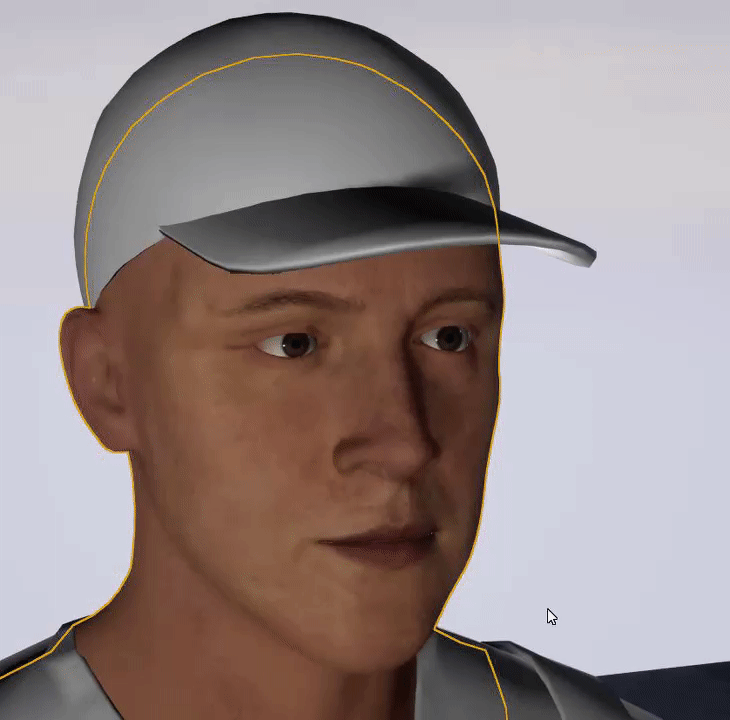
 worn granite
I got to that documentation page by googling "ue4 bp variable types" @plush yew
frank oar
Im looking into how to use animation montages can anyone tell me where i would be inserting these nodes if i wanted to do the same ?
worn granite
You'll have to be patient if you learn this way, but you can learn everything - even things not covered by a tutorial @plush yew
@frank oar Uhhh... where in your logic do you want the animation to happen?
That node has to be inside an event graph, and that's the only restriction
frank oar
I have been trying all day to learn how to put an animation i made onto an NPC so the player can start/ stop the animation with a button press (With a VR controller) so im not totally sure but i have been lost for a while now...
@worn granite
I could do with knowing a solid way to acess event graphs/blueprints as well as knowing what does and doesnt have event graphs to begin with
 silk lintel
@here Hey, I'm working on a stealth game with a cctv camera/monitor system. I modeled some of the basic assets in blender and just had a quick question. I want to create a multi-monitor wall mounting system for a cctv room, and I'm trying to decide how to go about it. I thought of creating an armature for it and importing the model as a skeletal mesh, but then I wasn't sure how to edit the bone rotation in real-time on instances. I then thought about using a spline component, but I don't know how to make a non-bending spline (I don't want to bend the mesh, just the joints). Also, I'd want tomake a bidirectional spline, where two branches come from one central socket/joint. I don't think that's possible, though. Any advice?
worn granite
Trying to get a handle on UE4 might take a bit, @frank oar. You'll get a feel for it. Most things have an event graph, if it's a kind of blueprint
silk lintel
@frank oar you should probably use an anim montage for that
plush yew
@worn granite okay thank you!!
worn granite
You're super ambitious, trying to tag here!
silk lintel
@worn granite what's the tag
frank oar
Thank you @worn granite I have managed to do a lot in a couple of weeks, between learning UE4 and Blender i have most of my rough concept put together, im just struggling with a couple of things at the moment that arent obvious for solutions...
silk lintel
@frank oar What! You're struggling? It's almost like life is just a work in progress where you're always learning new things, trying to get better and better! 😄
frank oar
@silk lintel I have made an anim montage but i want to figure out how to use it with an oculus touch controller..
I pormise im not new to the learning process XD
promise...
silk lintel
ah i see. Sry, can't rly help with VR stuff, I only do pc...
When you say 'oculus touch', (don't laugh at me), I assume it's a button rather than a touch screen. Is it not?
frank oar
in that picture it uses a mouse click but for some reason i dont even get the option for oculus touch face buttons, despite pluggins being turned on and buttons being activated in project settings...
silk lintel
oh, I didn't see the picture
frank oar
yes, its a controller with buttons and stick like any other so i would assume its the same as any other controller input..
 silk lintel
Huh, I'll get out of you're way and let someone more experienced help, but I've never seen that event before. It looks like it should inherit from UMG rather than something you could use as an input...
Wait, so when you type "Input Play animation Right (B button)" in you character's event graph, nothing comes up?
That's the event you should be using if you want the animation to play on that button press
 fallen marten
Correct
frank oar
ill try now!
frank oar
about to!
fallen marten
You have to be controlling that pawn tho with your player controller, otherwise it won't do anything
 quick pollen
Hey I recently got into unreal and was wondering if anyone knew of any good youtube series? As well as more animations other than that in the starter pack
silk lintel
yeah, maybe i shouldn't have assumed that
@quick pollen Epic Games YouTube BP Series
Mathew Palaje let's create season 1/2
Tom Looman's udemy course (c++)
frank oar
omg @silk lintel you just said youll get out of the way BUT your advice helped!!!
silk lintel
@frank oar aww shucks
frank oar
one step closer! thank you @silk lintel !!!
rough hound
Is there an "IsActor" function i'm not seeing or something like it?
or rather
I have an object reference that i need to be a actor object reference
frank oar

this is what i have with the node included

now i have to figure out if its possible to make it function the same or similar to the mouse click
rough hound
I have this, the blackboard value is set to Object with baseclass of Actor
But i can't use the object for the damaged actor, because get Value as Object doesn't output an Actor Object reference but rather an Object Reference, is what i'm assuming.
plush yew
is there a way to change an image of a button in UMG?
silk lintel
sry about that, my internet just cut out
plush yew
do i need to overlap a transparent image or is there an option in the button details?
silk lintel
i was gonna site those sources
don't wanna spam or anything, but i don't think anyone saw my original post
@here Hey, I'm working on a stealth game with a cctv camera/monitor system. I modeled some of the basic assets in blender and just had a quick question. I want to create a multi-monitor wall mounting system for a cctv room, and I'm trying to decide how to go about it. I thought of creating an armature for it and importing the model as a skeletal mesh, but then I wasn't sure how to edit the bone rotation in real-time on instances. I then thought about using a spline component, but I don't know how to make a non-bending spline (I don't want to bend the mesh, just the joints). Also, I'd want tomake a bidirectional spline, where two branches come from one central socket/joint. I don't think that's possible, though. Any advice?
 feral crow
Is it possible to do a team build?
silk lintel
in what context
feral crow
So for me and my friend could work on a project/ game together at the same time
abstract relic
Use source control
silk lintel
github
silk lintel
its what you want to do
normal burrow
source control is the magic people use to make software together
but for individual people it is also magic for time travel and not losing your work
so its something you want to obtain
silk lintel
so you can't normally upload entire ue4 projects to github because of the file size limit, as well as github + vs both needing to be created in empty folders
normal burrow
you can run a local svn server on the same comptuer you work at shogu
silk lintel

At the core of any successful project lies planning, tools, and execution. To reduce risk and improve collaboration between developers, agile teams often implement Version Control systems to record changes to files over time, allowing them to easily recall specific versions at...

Source / Version Control:
This playlist will cover multiple ways to work with source control with UE4.
This Video:
In this video, I cover the basics of source control, what it is, why you'd need it and some of the popular options available to you when working with UE4.
Link...
normal burrow
much better than zips, but if your computer dies your sol still
silk lintel
I think perforce is preferable, but you could try your luck with github
I definitely prefer github to anything else on smaller projects, though
feral crow
My wifi isnt the best to upload and download huge files but okay, thank you.
silk lintel
well, that's the only way you can share project files over the internet 🤔
well, okay thats not true
you could use lan
but u get what i mean
the other internet
abstract relic
Maybe they’re sharing the same computer. One controls the mouse, the other controls the keyboard. 😜
silk lintel
lul
normal burrow
I need some cursor over here gee
silk lintel
aww, ue4 doesn't have lul emote!!?

all we get is alex paschal
touring was better
abstract relic
Don’t look at the server emoji. It’s in a sad state
silk lintel
yooooo can someone at least acknowledge my questionaaaaah!?? I rly dont wanna spam
 silk lintel
wooooowww
frank oar
any idea how i would connect the two red nodes ?
silk lintel
@frank oar i see how it is
@frank oar you're gonna have to be a bit more specific than that
frank oar
IM really sorry @silk lintel Im absolutely not trying to speak over you
normal burrow
its up to you, do it how you'd like to. that is one way of doing it
silk lintel
I mean, you can just plug them both into the branch, but if you want to connect them to each other you have to use an event delegate
look up event delegates on yt
 celest creek
@plush yew You mentioned you could not get tesselation to work on landscapes, it does work but you'll need to swap to 'flat tesselation' as default is off on the material
silk lintel
i think mattew wadstein has a video on them
frank oar
I feel really disrespectful, im just too noob to help you with your problem because ive never came across it
silk lintel
@celest creek @plush yew only use pn triangles for character models, basically
abstract relic
@everyone / @here was pretty amusing. It’s disabled but still a fast way to get people to ignore you.
silk lintel
and turn off crack free displacement
@frank oar ur good
@abstract relic ahh
then why does it work?
abstract relic
It doesn’t
silk lintel
you cant stop it from being highlighted?
celest creek
Does anyone know if it's possible to set only a section of a landscape to use tesselation? Even though there's only a small section getting tesselated close to camera I'm suspecting all vertices of the entire landscape gets a distance calculation to check if it should tesselate. It's really slow when switching it on, despite only a small area gets tesselated higher than the rest.
silk lintel
idk i dont run discord servers...
@celest creek dont think so
@plush yew you also have to use wp offset + tesselation multiplier
celest creek
Does that make sense though - that it'll get a lot slower despite only a small section will get tesselated further?
celest creek
My landscape is quite massive..
silk lintel
i mean you could use level streaming to create multiple terrains, only one with tesselation
landscape layers are still pretty buggy
normal burrow
rumble monk yeah tesselation works this way, doesn't tesselate far away things
silk lintel
once they get out of beta might be an option
celest creek
It's actually a lot slower just by setting the material to tesselate, while setting your values so that nothing actually does tesselate..
silk lintel
@celest creek @normal burrow yeah im not sure what the problem is... 0 tessellation vs tessellation off shouldn't be that much of a performance difference
celest creek
@silk lintel Ok, maybe I can see if there's something I'm doing wrong if so then
silk lintel
do you have flat, no crack disabled, adaptive disabled?
celest creek
silk lintel
hmm...
celest creek
That's my settings. And I'm checking it in wireframe and only close area gets changed when switching tesselation on/off, but frame rate drops hard
silk lintel
can you take a screenshot of you landscape in wireframe mode
celest creek
sure one sec
silk lintel
thats without tesselation!
your landscape is kinda messed up
shouldnt be showing such high vert count on that hill
thats probably whats slowing it down
celest creek
The frame rate changes from 40 FPS to 8 FPS
weak cypress
F
celest creek
I think that far hill is just as low as it gets.. that's why it's so dense
silk lintel
ill let someone with a bit more experience take over here, but there should be some sort of lod controls you need to adjust
 wanton wadi
Quick question: is there a way to temporarily enable (rotation) snapping in the level editor? I'd like to hold ctrl for example when rotating so it snaps to the grid, instead of having to manually toggle the "snap" button
celest creek
But that hill is the same and it's perfectly fine FPS-wise without tesselation
silk lintel
@wanton wadi depends what you mean
theres 'snapping' as in 'snap to grid intervals', and theres 'snapping' as in 'snap to mesh'
celest creek
@silk lintel Ok, thanks for your feedback 🙂
wanton wadi
like -> rotate freely -> hold control and it snaps -> let go and its free again
wanton wadi
in editor yeah
but instead of having to manually click is isn't there some hotkey to toggle / temporarily enable it?
wanton wadi
in most editors its like "shift" or "ctrl" that enables "snapping" to angles and such
celest creek
@plush yew I just added some stuff to the inputs that get exposed when you set the material to tesselate
wanton wadi
thanks Shogu, but then I suppose I need multiple keys? 😄 I can't jsut use "ctrl" apparantly
celest creek
@plush yew Actually this setup shows how that's done, but there's tutorials online too https://store.speedtree.com/store/koolas-snow-example-project-ue4/
 surreal raft
alright I feel like I need some insight. lol. I recently switched from Unity to UE4. And I have been messing around with blueprints for awhile. And I feel like I get kind of confused with all the nodes going every which way and such. I would say im Intermediate in C# and Unity, so do you think I should learn C++ or just stick to blueprints until I get less confused?
silk lintel
@surreal raft first of all, good for you. You made the right choice.
summer loom
@surreal raft I went with C++ because if you learn C++ you'll have a powerful language that you can use and a lot of jobs actually want you to know that
surreal raft
@silk lintel thanks lol, I feel like from what I have seen UE4 is more high quality
celest creek
@marble pasture No probs, hope that'll help
wanton wadi
(I'm going to write a pull request for the editor for this feature lol)
celest creek
I'm doing things like this anyway..
summer loom
Do you guys use this Live Coding thing?
celest creek
But it's all stuff koola is doing too I believe
silk lintel
@surreal raft definitely bp first if you're just jumping in. You don't wanna get too confused, and bp is c++, so the concepts will be familiar when you eventually switch to c++
and theres no shortage of bp tuts on yt
surreal raft
@silk lintel I have been using bluepritns for about a week
silk lintel
id recommend Matthew Palaje and the official epic games series'
celest creek
@marble pasture I didn't compare the two to be honest.. Epic does have a habit of being out of date
silk lintel
@surreal raft dont worry, you'll get the hang of it
surreal raft
@silk lintel I really like palaje
wanton wadi
@surreal raft I hear that its much better to first get to know the API by using blueprints, and then jump into C++
silk lintel
yeah, thats what i recommend
wanton wadi
the API is pretty hard to grasp, even for experienced C++ programmers
celest creek
@marble pasture 🙂 Good to know for reference then!
summer loom
C++ is perfect to learn because it teaches you to do memory management, garbage collection and all
But the APi makes it hard lol
wanton wadi
exactly
summer loom
I know C++ quite well and i cant create a mesh with code right now LOL
silk lintel
Tom Looman has a good C++ series when you're ready, but I'd recommend a bit of prior C++ knowledge
wanton wadi
i'm quite an experienced programmer and the blueprint system annoys the shit out of me some times (making a big literal spaghetti mess where i'd otherwise write 1 line) but it teaches me how the API works
summer loom
Yeah do console games first
surreal raft
@silk lintel The Too Looman course on Udemy
summer loom
If you know like C# its quite similiar to it
silk lintel
@summer loom Mesh = CreateDefaultSubobject<UStaticMeshComponent>(TEXT("blah"));
or if you mean from vertices
 coral patio
Guys, when creating an animated shader with displacement, where could you switch on again that the displacement doesn't split faces up in your model (at UV seams and so on)? I know there was just a box that needed to be ticked but I can't quite remember where
plush yew
How slow is a cast vs a "doesImplementInterface" node?
rotund scroll
probably roughly the same, does implement might be the tiniest bit faster
considering the sets of available members
the running time is probably still O(log n) in either case so the improvement might not show up even
violet goblet
DetailTexturing-Node:
can i use a mask with that node somehow?
plush yew
what is Post Process Volume?
violet goblet
i guess the area where post processing is done, outside of it, it has no effect (i am just guessing here)
plush yew
okay
rotund scroll
yep
you can make it global as well
generally if you're making it global though it might be a better choice to add it to the camera you're using, especially for single player
 sage coral
Im not sure if anyone can help me on this one or not but I am on phase2 of creating my game which is the character creator I basiclly have everything set up however I cant seem to figure out how to make the moprh targets I couldnt find alot of info on how to do it either. but its basiclly a simple silder that would cause a mouth to open or close.
rotund scroll
none of that is simple, but try asking in #animation
sage coral
Just had someone sent me an insanily informative video thank you to whoever it was and thank you @rotund scroll and @plush yew
@plush yew Really? I musta missed it during my hunt defo one on my list now
 flat axle
Does anyone know how to get this to work?
 hoary locust
yeah, have it in the playercharacter or controller BP
rotund scroll
should work anywhere really unless that function is private to the game instance
which I doubt
 fleet cedar
I hate the feeling of when UE4 freezes for a second and you've got unsaved work so that whole time while it's frozen you wonder if it's about to crash and lose everything
sage coral
Just a quick question is Ue4 capable of using things like IK and face controls?
 indigo abyss
I have a components best practices question.
I have a component (let's call it BaseComponent) that is added onto my BaseCharacter. I have multiple characters derived from BaseCharacter. This is all working great.
I've reached a situation where I want to specialize and differentiate BaseComponent by creating versions of it (BaseComponent1, BaseComponent2, etc.) that are derived from base. These components fulfill the same purpose, but have different logic and behaviors in game.
It seems now like I need to remove my BaseComponent from BaseCharacter to do this, so I can put the correct derived component (BaseComponent1, BaseComponent2, etc.) on each character. I can do this but as a result I'll lose the "every basecharacter has a basecomponent" aspect of the component, which is nice. I find myself wanting to "override" the component so I can maintain that, but I don't think components work that way.
Is there an implementation pattern I'm missing her?
grim ore
@sage coral yes
sage coral
@grim ore ah ok thank you Im using makehuman as a base and the skeletion was going all weird I found that the IK seems to work much better and act more realisticly
plush yew
hey im new and i really need help
i was beginning my journey into the unreal engine first hour project but i messed up along the way how do u restart from scratch
sage coral
Would I need to only export my model into ue4 if it has an IK from blender or will I need to make a IK system in ue4 also?
rotund scroll
@mossy bay is that a question?
rotund scroll
I see
 mossy bay
Haha, it's just the perspective.
Also don't mind the person taking a nap on the right-side of the photo.
Yes! I'm already planning my next map, since that was a learning experience for me.
next badger
@plush yew change the chair?
mossy bay
Huh?
next badger
@mossy bay back to the first one, from it it's all started
grim ore
@plush yew we dont know what messed up or where or how so unless you can figure out your mistake or are using source control from earlier you might need to restart
mossy bay
I'm not sure what you're getting at.
grim ore
@sage coral #animation might have a more accurate answer
fierce tulip
he meant if you changed the chairs since you started having the problems and posting here
 midnight bolt
how do you smoothly rotate directional light in 4.24? in 4.23 it was on by default when you grab the middle of icon
tiny sonnet
when trying to replicate, do u usually need to change anything in the AnimBP?
next badger
@midnight bolt it's the same as always...dont forget to disable the angle snapping
midnight bolt
i only have surface snapping
next badger
ue4 does not have surface snapping...except "end" key
midnight bolt
midnight bolt
i'm talking about really free grab, in the sun like a sphere
midnight bolt
i only seem to get separate x y z
no, just GoodSky asset, but it always worked by default on 4.23, i migrated my level before
ctrl+L is not the same, Alexey Mak showed what i mean
but i cant get it in 4.24
mossy bay
Ahh, yes the chair is different.
flat axle
Okay, I've messed around with some setting and got a bit further but am still stuck. I've mapped the input on project settings to have "P" on the keyboard as Pause. I have then created an Input action Pause with the flip flop node inside the Player Controller Event Graph. The game will Pause with the "P" key however, it will not un-pause with another press of the "P" Key. Any thoughts?
mossy bay
@next badger
next badger
@midnight bolt there's a dead zone... (notice cursor)
https://i.gyazo.com/7cabc436a91037b3ce5f9eccdcaa90b0.mp4
midnight bolt
i dont have yellow circle around
 timid carbon
Where is the details tab ? it keeps disappearing
grim ore
@flat axle click on the inputaction pause and look at the details pane for the options
 blissful trail
hey so i have this variable that counts from 0 up by 1 every 0.2 seconds until it reaches 162
i need to get another variable that counts up to 100 and i need them to finish at the same time
any easy way to do this ?
flat axle
@grim ore that did it! theres an option to execute when paused! thank you so much!
 final sparrow
@timid carbon you can get a new one here, dunno why it would keep disappearing tho
timid carbon
@final sparrow Thank you, you saved me 🙂
 dire fjord
Accidentally hit "apply settings" while working on my menu, for UE4 that means: Compile 4600 shaders at runtime..
blissful trail
oof
dire fjord
Not even sure why. I didn't actually change any of the scalability stuff, it's not actually hooked up yet
next badger
@midnight bolt i'm really sorry, it is indeed surface snapping...was never used one, but it actually snaps to surface normals
i'm still looking for this transform gizmo
midnight bolt
i feel like i've seen it on one of the 100-tips ue but its difficult to find
next badger
it actually has a white circle
 ashen frost
do devs creates environments within the game engine or 3D software?
 upbeat jackal
Is there a way to keep the cine cameraActor preview (the small preview on the lower right hand side) always on? Im moving around my level doing some set dressing and find myself always having to click the camera actor to see the preview. Im sure there is a smarter way of doing this.
ashen frost
how about animated cutscenes @next badger
next badger
@ashen frost that depends...ue4 does not have flexible tools for that...so AAA probably using software like maya, using live link etc...
but some cinematics can be done inside ue4
 ivory sail
anyone know why my meshes are getting stuck to a certain point on the landscape? i cant move them
upbeat jackal
@next badger legend! thanks. Any chance the preview image can be scaled?
next badger
@upbeat jackal
^ editor settings
@ivory sail are they just plain static meshes?
@ivory sail are they just plain static meshes?
ashen frost
@next badger how about something like this? https://www.youtube.com/watch?v=jKcqtOgNAQQ

She's just done. So done.
ivory sail
@next badger Yeah im just dragging and dropping them into the editor
then they just snap to the center of the map and all my stuff is now set to static which is weird cause it was all set to moveable
 tidal totem
Is printf the standard print method that y'all use for c++ scripts in unreal?
next badger
@ashen frost definitely done outside engine...as it's all mocap data
you can do the same in ue4, but you will need some voodoo c++ skills
ashen frost
lol
next badger
@ivory sail yeah. it's cause they are set to static...
some inheritance issue in ue4 -_-
ashen frost
thanks
ivory sail
bleh damn you unreal
next badger
@ashen frost look at hellblade GDC talks
ivory sail
thanks @next badger
ashen frost

In this 2018 GDC talk, Ninja Theory's Dominic Matthews and Tameem Antoniades discuss the approach taken by a small team of 20 to deliver a AAA quality game that strives to push the boundaries of narrative within gaming, with a particular focus on the team's approach to researc...
next badger
they have another one too
Enjoy the videos and music you love, upload original content, and share it all with friends, family, and the world on YouTube.
upbeat jackal
@next badger thanks so much!
ashen frost
@next badger thanks will def watch it
ivory sail
is there a way i can reset all the meshes back to moveable? @next badger or do i have to go through all my assets one by one
next badger
@ivory sail slect them all and just set it o movable
but my guess, your issue is not actors but their components
tidal totem
....woah. I was literally just watching stuff about Hellblade!
ivory sail
sorry they're not actors just meshes i have placed in the world
i'm still moving stuff around in my level
blissful trail
i have this varialble [variable 1] (it goes from 0 to 162 and goes up 1 every second), i have this other variable [variable 2] (it goes from 0 to 100 and goes up 1 every second) i need ( [variable 2] to finish at the same time as [variable 1] ) how would i do this (i have been trying to figure this out for 2 days)
ashen frost
@next badger I hope that I can become as knowledgeable as you someday and help people
next badger
@ivory sail static mesh is an actor too =)
ivory sail
ah yes sorry. I'm still relatively new to UE4
seems like i cant move any of the actors still
tidal totem
Do you have them set to moveable @ivory sail ?
ivory sail
yeah
next badger
@ashen frost i'm nothing compared to Mathew or Deathrey...or Shadowriver...those are monsters =)))
ashen frost
next badger
@ivory sail check this
tidal totem
Oh crap...I should have looked like 4 messages behind your last question lol
^^^ Would be slightly odd, but also another possibility
next badger
I only had "0 teleport" issue with BP actors
tidal totem
since I don't think that is ever naturally selected, but perhaps it was clicked by accident
plush yew
@grim ore how would i restart
ivory sail
@next badger whats that menus context?
 civic lance
Guys is it possible to like create irregularities / bumps on a default plane mesh?
tidal totem
correct @ivory sail
ivory sail
its disabled. but i still cant move anything
blissful trail
nobody knows my thing ?
ivory sail
@blissful trail is this a blueprint question?
blissful trail
its a math question thingy
tidal totem
So they technically should both stop at 100? @blissful trail
blissful trail
one should stop at 100 the other should stop at 163 but at the same time
tidal totem
Then they both can't be going up by 1 every second
civic lance
^
blissful trail
i can alter the one that goes up by 100
tidal totem
the one at 163 needs to be going faster, or the one at 100 needs to go slower
tidal totem
that is the only way that they can meet at the same time @blissful trail
fleet cedar
@blissful trail When you say "every second" are you doing that in a timer event or a tick event?
tidal totem
You would have to have the var = 163 moving at approx. 0.61 while the var = 100 moves at normal speed
plush yew
How do this?
tidal totem
so about 1.61 seconds for every 1 second that passes
You either have 100 seconds or 163 seconds to work with. I decided to go with 100 seconds. To fit 163 seconds into 100 seconds you need to divide the two...100/163. You end up with approx .61, which would be .61 added onto a second. That would mean that for every second that passes for the var = 100, 1.61 seconds would need to pass for the other var so that they both would finish in 100 seconds
I'm nearly positive that I am doing the math correctly
fleet cedar
@plush yew There's a few ways to do it, one way is a bit more complicated than the other way but it's got the advantage of being easier to tweak
tidal totem
but that is if it is being based off of standard time
fleet cedar
@plush yew If you're using the character movement component, you can set the max walk speed like this:
So when you press your button to crouch, set that to the speed that you want to walk at crouched
tidal totem
@blissful trail
blissful trail
yes
fleet cedar
There's a different way to do it which is better for the long term, but try that out and if you're happy with it then go with it
plush yew
I set it up the old way i think
tidal totem
did that work for you? @blissful trail or is it still not working correctly?
fleet cedar
@plush yew Mind posting a screenshot of your setup?
plush yew
Hello
civic lance
so is there no way to add bumps/irregularities to the default plane mesh?
i know its obviously possible with landscape
fleet cedar
@plush yew So after you set the camera location, you also need to set the speed like I posted in the screenshot
And probably also resize the capsule for accurate collisions
plush yew
where do I attach the character movement node
grim ore
@civic lance no, the landscape system is different than the mesh system. You can use the new mesh editing system in .24 and later to try and add details with sculpting
fleet cedar
@plush yew How long have you been working with Unreal for?
plush yew
3 weeks
fleet cedar
You might want to do a few structured tutorials since they're pretty helpful for getting you up to speed on how to do things on your own
Making your own projects is a great way to learn but you also need to get a good foundation first
This is my go to recommendation as it helped me a lot: https://www.youtube.com/watch?v=GCCIBnwhzSM&list=PLwmGmCVti_dDV27SVvB56m-tgabXzOvou

Unreal Engine 4 Platformer Tutorial Series:
In this series we will be setting up a small template of a platformer game. The aim is to focus more on improving the interaction with the player and increase the overall feel of even the most simple prototype.
This Video:
This is ...
Since it's a 2D tutorial you get to just focus on the important basic parts of programming
fleet cedar
👍
timid carbon
Testing out projectiles , how do i move this collision box ? i can scale it but not move its location its anchored to center... unless there is a ignore collision from spawn ?
it is set to delete off collision but the box is in middle @spark sonnet (if you would like to take a look)
fleet cedar
@timid carbon That's your scene root component that can't be moved there's a few different ways:
- Add a new scene component and call it root, child everything underneith it should work for your method
- Child the collision to the beam and make the beam the root
timid carbon
its moving everything
fleet cedar
Yeah so now you'd have to do in and move everything back to where it's supposed to be
ivory sail
just an update i figured out what was wrong my snap values were set waaaaay too high for some odd reason
Thanks for the help @next badger & @tidal totem
timid carbon
not sure if all that has to be above like it was before ? but now there is no collision 😦 it does not delete at all
fleet cedar
@timid carbon Show me where you're detecting the collision in the blueprint
timid carbon
as soon as the collision box hit something it deleted itself,,, but the collision box needs to be moved
fleet cedar
Oh I see
Well first of all, why not just have collision on the mesh and skip all of this?
Then just make the mesh the root component
fleet cedar

You will NEED a 3D modelling package for this one! But here's how to set up custom collisions in UE4 (not complex to simple, ugh).
Document: https://docs.unrealengine.com/latest/INT/Engine/Content/FBX/StaticMeshes/#collision
Take a look at that
fleet cedar
No problem
 winged notch
Im Having Trubel Building Unreal Engine 4.24.3 With the Chaos Engine On Linux Xubuntu And Windows 10
Have 2 Different Computers Both 64 Bit
Computer One Runing Linux Xubuntu With Intel Core i7 CPU And The GTX Titan (2014)
Computer Tow Runing Window 10 With Intel Core i7 CPU And Nvidia Quadro K1200 (2015)
 manic pawn
maybe if you don't capitalize every word, it will work
normal burrow
lol
winged notch
I Successfully Built Unreal Engine 4.24.3 From Source Without Chaos On Computer One (Xubuntu 64 Bit)
winged notch
it Won't Build the Binaries
normal burrow
An error?
winged notch
Im Building it one more Time to get the error and upload A screenshot
normal burrow
okay, we'll wait
winged notch
Ok
Im still building Unreal Engine 4.24.3 to find the error heres the tutorial i followed
Tutorial video on how to setup Unreal Engine 4 from source on Ubuntu.
This guide should work on all versions of Ubuntu 14.04 and above. It should also work on non-Ubuntu distributions as well.
Link to text tutorial: http://techpromad.wordpress.com/2015/03/14/running-unreal-e...
heres the Chaos Destruction Overview from epic games

Overview of the Chaos Destruction tools that are available, and how they work together to create destruction in UE4.
normal burrow
may want to check #engine-source
winged notch
Heres the UE4Editor.Target.cs that i modified compared to UE4.24 doc
UE4.24 Doc
Modified local File
normal burrow
this doesn't help find your problem . try posting in #engine-source or getting the error.
winged notch
Im Getting the error
just trying to see if i capitalized something or misspelled a line of code
normal burrow
Yeah it would be good to post an error. If you have a hard time getting it ask in #cpp or #engine-source
 half turtle
question, hwo many actors is too many actors?
winged notch
explain
half turtle
is 10000 static actors too many if they have point lights and a collision sphere? how can i make the engine not process actors that are too far away from the player pawn?
i am makign a game that creates kind of miniature galaxy with stars and planets, it spawns Max about a thousand stars with max 10 planets, this stars only have light sources, and some pseudo gravity bound by a collision sphere
the planets orbit the stars, but is not really important if they are a million kilometers away from the player
and id ont want the game calculating lights from this stars that are super far away
winged notch
I believe unreal engine 4 infinite no actor limit
half turtle
ahh okay so no actor limit, but i need to lower the load coz my game is slowing quite a bit... 😦
winged notch
but i would implement LOD system static mesh/skeletal mesh
And Mipmaps for textures
half turtle
the nature of the game makes it non load really gpu wise..
is mostly... empty space lol
winged notch
and Delete of screen lites
half turtle
wtih very simple models (no more than a thousand polygons on spaceships), planets and stars are just spheres with like a 100 poly
winged notch

This in-depth presentation from Unreal Indie Dev Days 2019 outlines CPU and GPU-related overheads, identifying bottlenecks, and how to plan optimization strategies and pipelines early and as a team. Learn the tools and how to employ them to identify key performance problems as...

This session by Sr. Dev Rel Tech Artist Zak Parrish explores performance concerns for shipping games, focusing on how to track down problem areas on both the CPU and GPU. Learn how to set up a test environment and how to employ the necessary tools to identify key performance p...
When developing any type of project in UE4, trying to maintain a target framerate of 30, 60 or even 90 FPS without sacrificing the quality of the visuals can be a real challenge. Epic Games' Sam Deiter shares some tips and tricks that you can use to make sure your UE4 projects...
half turtle
is there any written one?
i am in china right now... youtube is not my friend at all...
videos are not my friend at all whatsoever lol
winged notch
How to identify performance problems and fix them.
half turtle
thanks!
winged notch
Add a delay function to remove stuff like projects small rocks after a set time
and try replacing small asteroids with PBR billboards sprites
half turtle
okay so i know what is killing my CPU now
winged notch
What
half turtle
because unreal has only fake gravity towards the z axis i made fake gravity with the collision spheres as mentioned, and this spheres are constnatly getting overlapping actors to see what to pull towards the star
when i have 2 thousand stars, that is 2 thousand 15000 radius spheres constantly checking for overlapping actors
and some spheres are even twice or triple that radius
 spark niche
Hey, does anyone know if Multiuser editing works with C++ code?
And/or if this is planned to be implemented?
half turtle
that is how i added gravity
do gravity applies force to whatever actor that receives that message
winged notch
I would recommend set is up to only spawn the gravity on collision event
UE4.22 Multi-User Editing doc
Get multiple users on different computers into a shared Unreal Editor session, collaborating live to build content together.
half turtle
i tried that before, using on begin overlap and end overlap to add the actors that had to be affected towards an array, but it glitched horribly, sometimes when ships left the collision sphere, they would become able to accelerate towards infinity in seconds
winged notch
Im still trying to get multi user editing myself
half turtle
and even now sometimes on hit and overlap seem to not execute at all (i have had ships crash against a star and bounce off, even tho teh stars have a destroy actor on hit)
winged notch
try spawning 2 shape 1 for spawning the overlap event and 1 for the gravity
spark niche
@winged notch I had a look at that, and I've got multi user set up with two users. But when I edited and compiled the C++ code it didnt update for them.
Moving models in the scene, and making "content" changes seems to be reflected. But I'm not sure what happens to C++ files
winged notch
Are you Hosting the multi user session
half turtle
thanks john i will try with a second collision box
spark niche
@winged notch I am hosting it. I've got the server on my PC. And they've connected in. We're using hamachi as a vpn.
winged notch
I was runing the GenerateProjectFiles.sh
plush yew
how do i adjust gravity settings for my character
winged notch
I would recommend waiting for discord member that understand more about Multi-User Editing

UE4 - Adjusting Character Jump Height in Unreal Engine 4
(I'm using version 4.19)
For those of you who were as baffled as I was when looking to change my character's jump height...
Under character movement inherited, you adjust the jump Z Velocity
Here's a quick video on h...

Here's a rapid tutorial covering how we can set the gravity for our world, and for our character.
timid carbon
@spark sonnet scroll up until you see my message
winged notch
Error Time (Computer 1)
 vernal gust
does anyone here manage a 7days to die server? need help with a few things
blissful trail
when i try and launch the game in unreal engine 4 it stops responding and uses 90% of my cpu
 willow vapor
Any idea of if it's possible to copy/share a camera translation from the viewport? And then easily "paste" it to move the camera there.
If I want to tell you, look at this and BAM, exact camera.
 sharp mist
hi guys. I'm trying to link a dll from another library into a module. the library uses c++ new and delete. However UE4 overrides the new and delete which causes a lot of issues. How do I disable the new/delete override just for my plugin?
 olive atlas
I'm not sure if this is the right place. Could anybody direct to where or who is working on the ue4 to blender bridge.
 lament yarrow
Hi, I need help, since I couldn't find that info anywhere else.
Say I have a .png image that I want to create asset from. After I do that, can I delete the png? What is "Source" field of a newly created uasset is used for then?
plush yew
if you're interested into NINTENDO visuals! go here and learn how they make it! https://noclip.website/
you can fly thru many nintendo games!
A digital museum of video game levels
weak cypress
@blissful trail maybe you dont have enough ram?
half turtle
so what is the msot recomended approach for this : i have created my main menu, however the way i made my game, the game controller has the components that spawn things and essentially all the rules.
when the game starts, it starts wtih a blank level and the default base game mode controller.
when i press new game, it loads my game level, which has an override for my custom game controller.
should i use this approach, or should i use the same level i start in and just generate the world on it after i press play?
also if i cast to class, does this affect any instances of this class that get created afterwards?
 atomic onyx
anyone knows how can I get all instanced static mesh components on a foliage?
 shut oxide
 glacial pecan
how do I add a editor utility widget to the editor?
oh right... I need to run it... by right-clicking on it... in the content browser...
I shouldn't have to do this, but here we are... at least I'm able to 🙂
solid matrix
i'm on 4.25 preview 3 and my landscape grass is floating. Anyone have this issue?
 honest vale
there's a way to flush the landscape grass cache or something
might've been a console command 🤔
rough hound
How could i reference particles created in anim notifies?

I need to edit the end point of a beam particle
Or do i need to make it a particle component?
tawdry storm
is there an 'easy' way to add HTML5 as a build platform to 4.24 or do I have to make a full on source build from the community git?
basically through the launcher I can just add Android, but since HTML5 is now depricated I was wondering if addint it would be as simple as downloading the right files and adding them manually
 pallid talon
Has anyone had issues on 4.24.3 freezing up? UE4 just freezes randomly. Not crashing, rest of PC runs fine. But UE4 quits responding.
I've never had this issue happen before.
The only plugin I've enabled is Megascans.
 worldly axle
Hellon why does my camera position resets to 0 0 0( i guess) when i hit play ? https://gyazo.com/741c85f498e66890414c7275b0902cd1
 next badger
Any firefox users?
Can anyone verify this issue?
https://docs.unrealengine.com/en-US/Engine/Rendering/LightingAndShadows/VolumetricFog/index.html

An overview of the Volumetric Fog features available when using Exponential Height Fog.
 left arrow
Anyone knows some good stylized/cartoon HDRI's for Unreal? I really need some for my project 🤔
tawdry storm
@worldly axle is there something that set's the camera arm length to 0 maybe? or maybe since it's origin seems to be inside the character it could be that the camera is colliding with the character itself, did you try dragging the camera arm out of the character?
 sonic gust
Does anyone know any good guides / books / tutorials about good games architecture in UE4 specifically?
 midnight root
@next badger nice image so only for exp. height hm,,I wonder if that works with sun &sky well
 lament saddle
@next badger can confirm in Firefox, Edge and Chrome. Razor-thin slider widgets.
tawdry storm
on my chrome it's also super tiny
next badger
ok, i'll report it
flat axle
can you set an unhovered event for vertical boxes?\
plush yew
hello, has anyone here imported a DLL to unreal engine before? mine keeps returning NULL even though I have a valid DLL in my path
rough hound
Why is there no information on referencing particles in anim notifies? Is it simply not possible?
plush yew
half turtle
in a 2d capture component, is there any way to tell it to render actors as a custom sprite?
 rose gulch
Hi guys, I have a kinda noob question.
I want to create a character that I can change the clothes of in game. I though of making a socket system that I could change the clothes to what I liked. Though the animations don't play and the clothes don't interact properly with the character. Any tutorials or any guides I could follow? Any suggestions in general?
worldly axle
@tawdry storm I tried to moove the arm outside the character, it still doesnt works. Mooving the camera alone doesnt works too
tawdry storm
weird, it could be that there's either something that sets the arm length to zero or maybe an object with a big collision that blocks the camera
plush yew
I have a problem
I can't play my game in the editor. ```
Can't play in editor while performing Add Componet
have you tried restarting the engine?
 copper wing
 thick herald
everyone...
 exotic cave
@solid matrix : Yeah, that's your grass trying to conform to a topology that is no longer there.
 glad karma
Somebody know maybe where can I find free particles of rain and sound? I did one particle but when I choosing incollision on distance field and changed settings in project doesn't work :/
 opaque plover
In the editor, I cannot add a Material to a (UMaterialInterface*) property of my GameInstance.
The square and all the GUI is there, but there is just 0 items to choose from in the menu. Drag&drop from content explorer does not work either.
Any idea?
exotic cave
@rough hound : Is that your model? It looks great!
rough hound
I only ported it 😅
It's from a game called Total War Warhammer 2, initially ported it to another game but thought it was a cool model i could use learning to make AI.
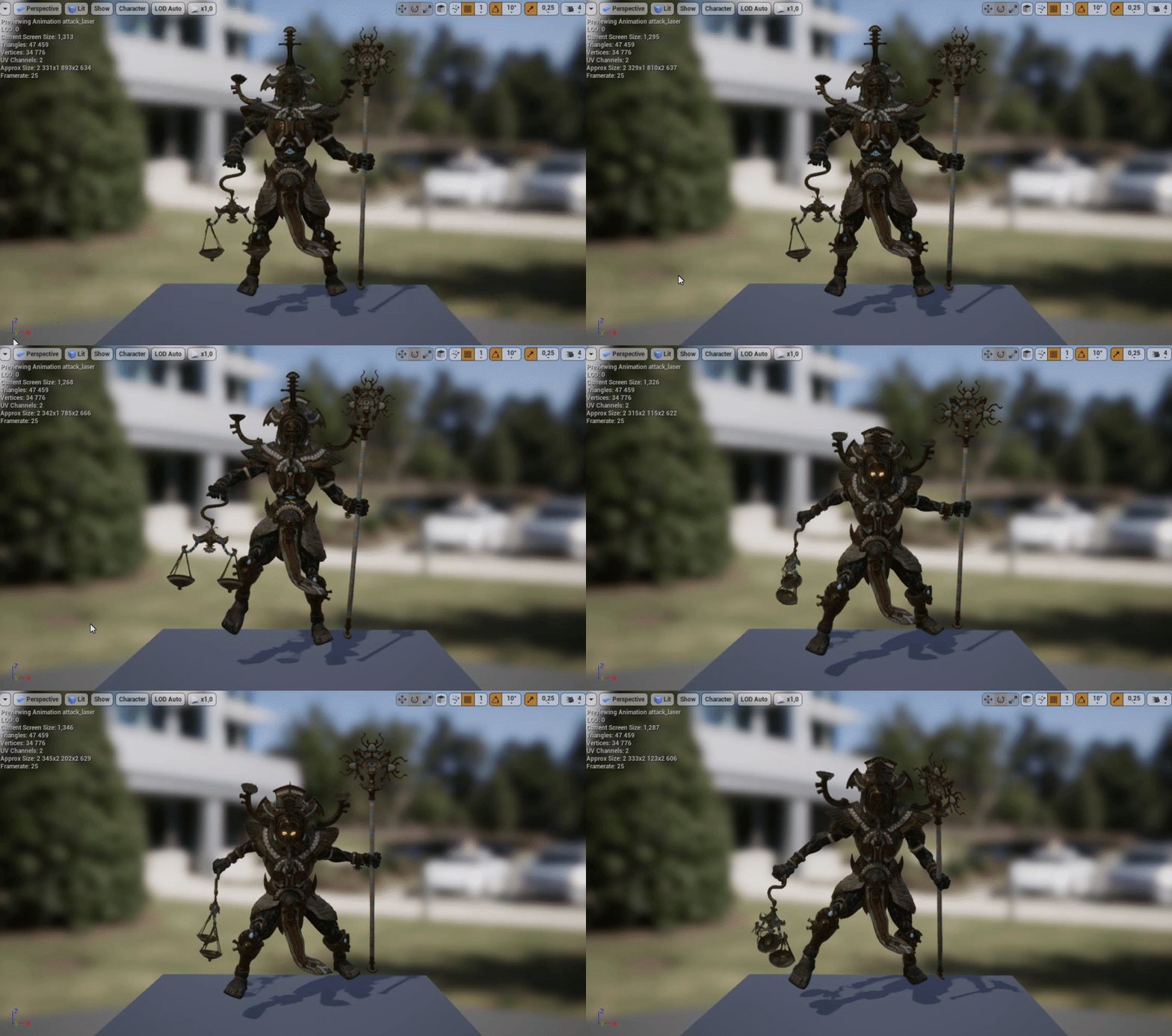
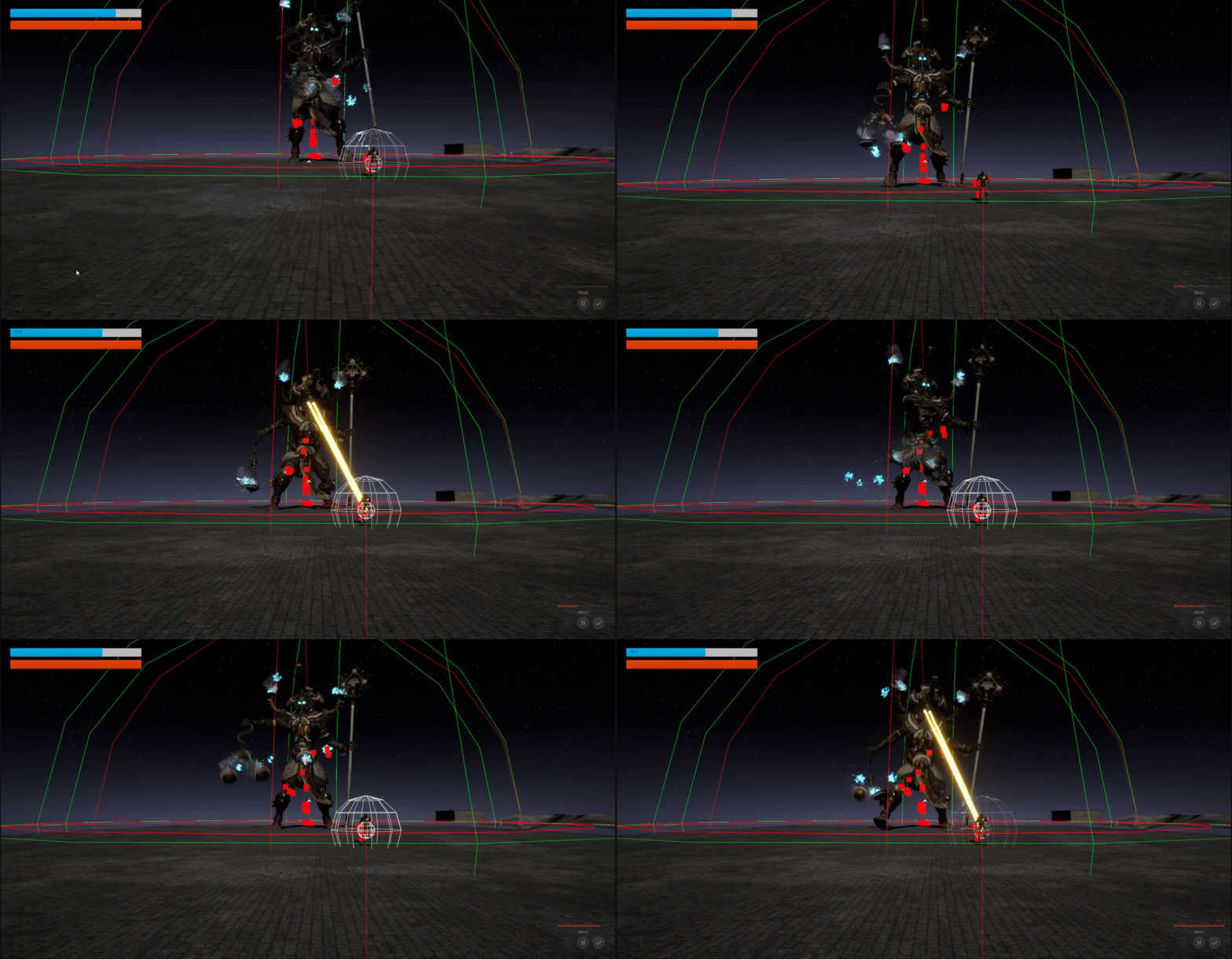
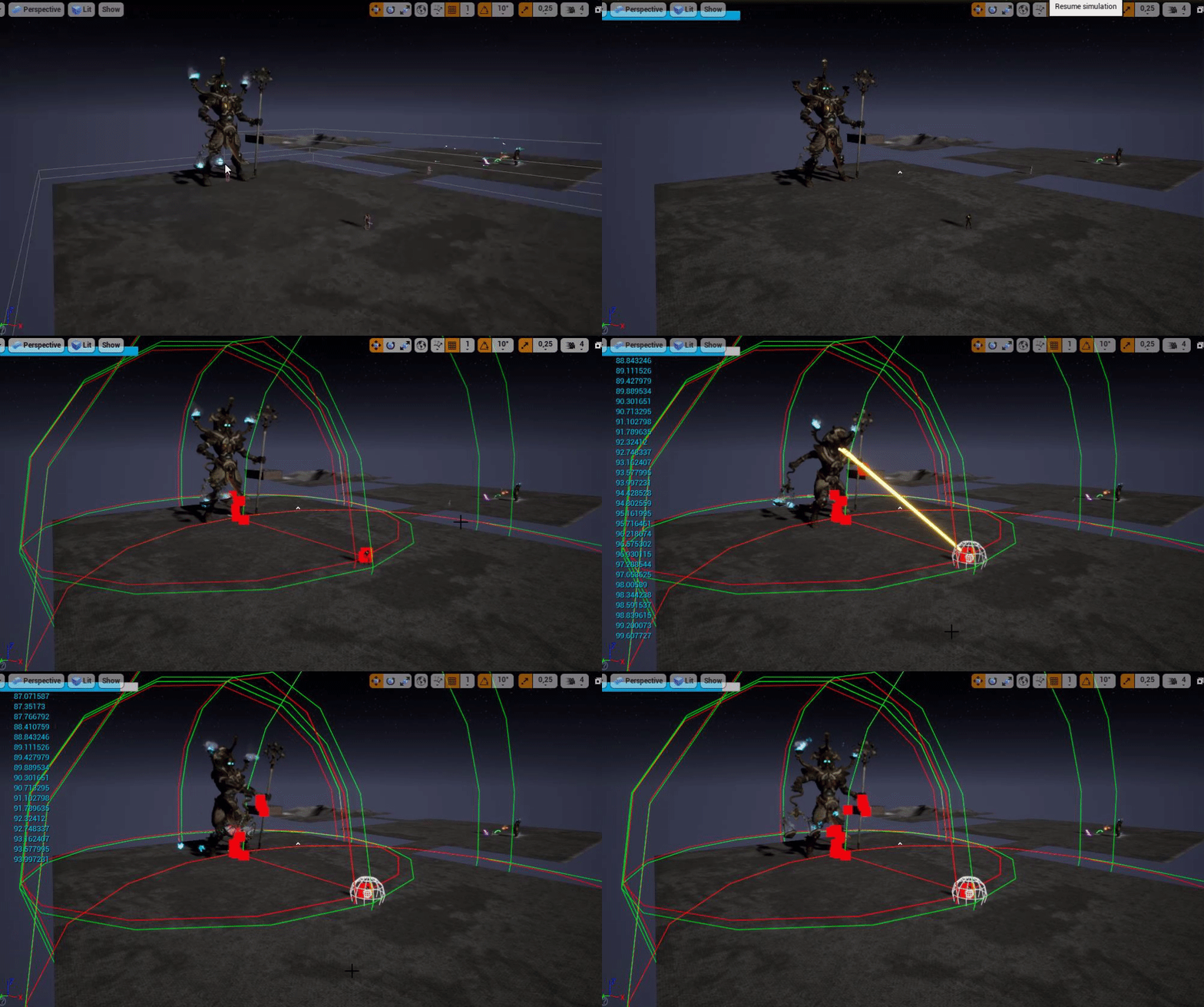
On that note. https://i.gyazo.com/e03d42820be86d352ac1ee7c721a33ac.gif What would be the best way to create an sustained damage for this laser.

I'd assume using tick would be too intesive. (Like Apply damage every tick)
exotic cave
@rough hound : Tick is fine, but do it in a time independent way
rough hound
I was planning on starting and stopping it the same way i do the laser
exotic cave
Tick should have a real-world time-elapsed since last tick somewhere, I can probably go look it up
And then just use unit analysis to make sure you're getting DPS, not DPT
exotic cave
In engineering and science, dimensional analysis is the analysis of the relationships between different physical quantities by identifying their base quantities (such as length, mass, time, and electric charge) and units of measure (such as miles vs. kilometers, or pounds vs. ...
You didn't have this in math class?
You want damage per second, but you're in a loop that happens per tick, not per second
rough hound
I'm not from an english speaking country.
Yeah i get that. Wouldn't there be a problem with doing damage per tick, as tick is called every frame right?
rough hound
Say you have 60fps at one point. then 120fps next time. Wouldn't that double the amount of times the damage is applied?
During that second
exotic cave
Not
If
You multiply by your time delta 😄
Every tick, you actually get the time elapsed since last tick
So, let's say you are at 60 fps. Your time elapsed since last tick will be about 0.016667 seconds.
Let's say your damage per second is 100 ouchies per second.
You multiply that by the seconds elapsed (1/60) and you get 1.6667 ouchies.
rough hound
Oh
exotic cave
Now your engine speeds up, you're at 120fps. Time elapsed per tick will be about half of before.
rough hound
Yeah that makes sense.
exotic cave
0.0083333 etc seconds
You multiply that by your dps and get .83333 ouchies
There are slight drawbacks to this approach
grim ore
one thing some games do if dealing with a "tick" is to set a standard tick rate on the server for these events. Everquest 1 for examples has a 6 second tick
exotic cave
@grim ore is describing the cool, e-sports-y sort of way 😄
 civic cobalt
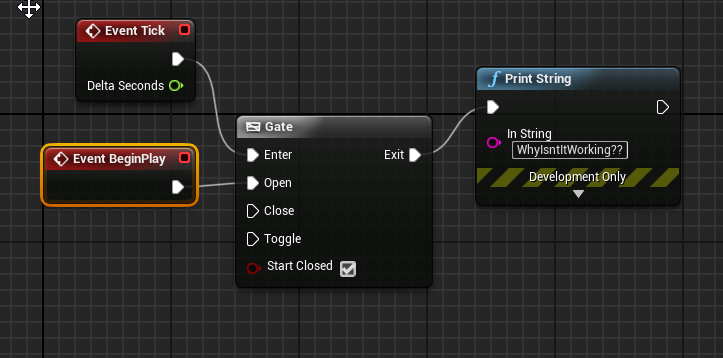
why the hell isnt my BeginPlay firing? In none of my bueprints???? https://i.imgur.com/6uhm6OC.png
 exotic cave
Whereby it gets standardized a bit better so it's not so subject to individual machine differences
civic cobalt
if i enable tick before beginplay, the tick works, but beginplay still doesn't fire
exotic cave
@civic cobalt : Is that your level blueprint?
civic cobalt
thats just an actor inside the level
exotic cave
Hm, then it should work
exotic cave
You have a custom class?
civic cobalt
no
exotic cave
Custom camera manager?
'''With help from the friendly helpers on AnswerHub, I've learned that mis-matching GameMode/GameModeBase with GameState/GameStateBase will cause event begin play to not fire.'''
Unreal Engine Forums
Build powerful visual scripts without code.
rough hound
Ok lmao i def messed up cause i crashed my engine lmao.
 wicked kettle
hey guys, what is the hotkey for that thingy where you can see your map in red/green shows which areas need to be optimized etc?
I dont know the name of it
exotic cave
@wicked kettle : F5
civic cobalt
@exotic cave holy crap
exotic cave
At least if you're talking about shader optimization
civic cobalt
thank you
wicked kettle
it doenst do anything
exotic cave
@civic cobalt : Happy to help 😄
wicked kettle
with f5
exotic cave
Unique vantage point in space/time
Possibly related to being a programmer for 29 years now
@wicked kettle : Sec, I'll pull up my project
wicked kettle
thank you!
civic cobalt
sweet thanks man
rough hound
How would you get the delta time for the ticks?
exotic cave
You have to be running, you know that right @wicked kettle ?
wicked kettle
running?
exotic cave
@rough hound : This I think https://docs.unrealengine.com/en-US/BlueprintAPI/Utilities/Time/GetWorldDeltaSeconds/index.html
Get World Delta Seconds
wicked kettle
and yes its shader complexity
exotic cave
@plush yew has the right key combo for in-editor
Then Alt-4 will turn it back to your lit render
wicked kettle
@exotic cave thank you so much
exotic cave
Thank @plush yew, I wanted so badly to be 3 for 3 here 😄
Instead I get two and a foul tip
plush yew
Hello
How can i create pedometer for android
I have to carculate steps
@grim ore you know this kind of stufff
plush yew
I know him
 wary birch
Does anybody here know where the setting they say to enable is?
thick herald
engine settings maybe?
wary birch
Nope MOA
plush yew
How to even connect android gps
exotic cave
@plush yew : You talking about how to write the script, or how to link it to the blueprints?
This thread seems relevant
Unreal Engine Forums
For gameplay programmers writing C++ code.
I mean, seems fine 🙂
Assuming you don't mind the complexity of the actor component
 dapper idol
Does anyone know how to solve the project not saving?
I'm getting this error for everything I change and try to save
The asset '/Game/ThirdPersonBP/Maps/1' (1.umap) failed to save.
Cancel: Stop saving all assets and return to the editor.
Retry: Attempt to save the asset again.
Continue: Skip saving this asset only.
and this is what it says in the console:
LogSavePackage: Moving '../../../../../../Megaport +/Documents/Unreal Projects/LevelDesign/Saved/1F446701D4C7E4D6DEE464A97173096D5.tmp' to '../../../../../../Megaport +/Documents/Unreal Projects/LevelDesign/Content/ThirdPersonBP/Maps/1.umap'
LogFileManager: Warning: DeleteFile was unable to delete '../../../../../../Megaport +/Documents/Unreal Projects/LevelDesign/Content/ThirdPersonBP/Maps/1.umap', retrying in .5s...
LogFileManager: Error: Error deleting file '../../../../../../Megaport +/Documents/Unreal Projects/LevelDesign/Content/ThirdPersonBP/Maps/1.umap'.
LogSavePackage: Error: Error saving '../../../../../../Megaport +/Documents/Unreal Projects/LevelDesign/Content/ThirdPersonBP/Maps/1.umap'
EditorErrors: New page: Save Output
EditorErrors: Warning: Error saving '../../../../../../Megaport +/Documents/Unreal Projects/LevelDesign/Content/ThirdPersonBP/Maps/1.umap'
exotic cave
@dapper idol : Them's a lot of directory ditto marks, so to speak.
What is "Megaport +"?
dapper idol
thats just where my documents folder path is
exotic cave
Is that your Windows user name or user directory? O_o
worldly axle
@tawdry storm i guess its not even the arm length cause if it would it would not be 0 on the horizontal axis, but it does
exotic cave
Well, it can't delete your temporary map file.
grim ore
@plush yew the engine has Accelerometer support built in, you can use that to determine movemement. You will have to use math to determine what counts as a step or you can look at geting a plugin from the marketplace
dapper idol
It's a bigger hdd so I changed the path to this folder (a while ago)
tawdry storm
@worldly axle based on your video it looks to be centered to your capsule collision, so if it's parented to that it's location should be 0,0,0
exotic cave
I haven't used actor components really, @plush yew . I've only read the docs.
They seem fairly involved to me. If you don't mind that, by all means forge ahead.
plush yew
@grim ore Okay thanks
exotic cave
@dapper idol : Go in with Windows File Explorer or the file explorer of your choice.
See if you can make a backup of that map yourself, and then delete it yourself.
worldly axle
yup
exotic cave
One way or another, Unreal Engine is calling your filesystem and asking it to delete a file so it can overwrite it, and getting an access denied message from your Windows filesystem.
worldly axle
but i moved the arm up
so if the arm would be a length of 0
it would be still a bit up
no?
dapper idol
Imma try that @exotic cave
worldly axle
i mean i moved both the arm and the camera
exotic cave
That's not really on UE. It means there's something wrong with your current filesystem, which could be anything from your hard drive to system configuration to whatever.
rough hound
Hmm... What type of loop should i use for my laser? A while loop is giving me infinite loop error, and i'm not sure how i would set up a for loop to work with the timing.
exotic cave
@rough hound : Why do you need a loop?
Doesn't your animation have start/stop points?
exotic cave
I can't see your whole graph but I suspect you're misinterpreting what a While loop in a Blueprint does
That While loop will run inside the blueprint during that tick until it is false
exotic cave
Noooo
rough hound
lmao
exotic cave
You just want a single conditional
@plush yew : I think you're the only one today that I probably am not advanced enough to help 😄 I think if actor components make sense to you, go with them
rough hound
So i check the bool variable in my tick event and do the damage there instead i guess.
wary birch
Recompiling all shaders is slooooww
exotic cave
@rough hound : Yes, the "while" in your head is "while the laser is on", I think, but the while within a blueprint loop is something very different
wary birch
Wait, the skysphere is centered around the camera?
exotic cave
@plush yew : U da man 😄 I learned something new from you today (the Alt-8 in editor for shader complexity)
grim ore
@wary birch Define slow? 30 minutes or more or just annoying
exotic cave
@rough hound : I think you have the right idea 😄 Your conceptual "while" translates to "per tick", I think, not an actual in-blueprint while loop
"While laser is crisping actor, burn actor" is just a check per tick, not an actual while loop.
rough hound
Yeah
 hasty pewter
https://ue.unrealengine.com/Quixel_RegistrationLandingPage.html - just gonna leave this here for anyone who's interested
wary birch
Around 20 minutes I think, it is more about the fact that the number is moving slowly
fleet cedar
What's a good channel for some vector math help?
exotic cave
In-blueprint while loop would be for doing a repeated calculation on something that you want to repeatedly check and happen all inside one tick.
rough hound
I should've known this because it works the same in the engine i used prior to UE4. Though i almost never used while loops. Always for loops.
grim ore
@wary birch what is your CPU on your machine?
exotic cave
@fleet cedar : What are you trying to do with them vectors?
 amber tangle
Is there a way to reset the editor viewport? Somehow when I launched my editor this morning, it's somehow acting like there's incredibly weird culling going on (even with different maps)
Not happening in the play standalone
wary birch
i5-8500 @ 2.8GHz iirc, although I'm on linux so it should be a bit faster
exotic cave
Physics, raycasting for logic (line of sight etc.), or graphics?
grim ore
@wary birch ah yeah no hyperthreading so it's gonna be slow 😦
wary birch
Yep it is
grim ore
you are on linux so Incredibuild shouldnt be an issue, that was what I was checking for mainly
grim ore
part of visual studio on windows
exotic cave
feels happy to be among gurus today
amber tangle
it's wild - even PIE works fine, but the standard view only shows things at off angles
anything directly in front vanishes
not seeing any setting that looks different than yesterday
fleet cedar
@exotic cave In trying to describe my problem I think I may have found some sort of solution
grim ore
@amber tangle did you change your near clip plane?
amber tangle
Not intentionally, let me check
exotic cave
@fleet cedar: Often happens that way, still, would be nice to know your problem so that I can point you at the various channels around here
fleet cedar
But basically at the moment I'm trying to keep a vehicle AI on the nav mesh, so what I'm doing is calculating where it's position will be in the future and if that position is off the nav mesh then I want to apply either a 1 or a -1 to rotate back to the right direction
So gameplay programming vector math I guess
amber tangle
@grim ore it's set to 10, what should it be? (haven't intentionally changed it)
rough hound
Thanks @exotic cave Got it working. https://i.gyazo.com/1c61a06874345a3dbe217a2092e08c2b.gif
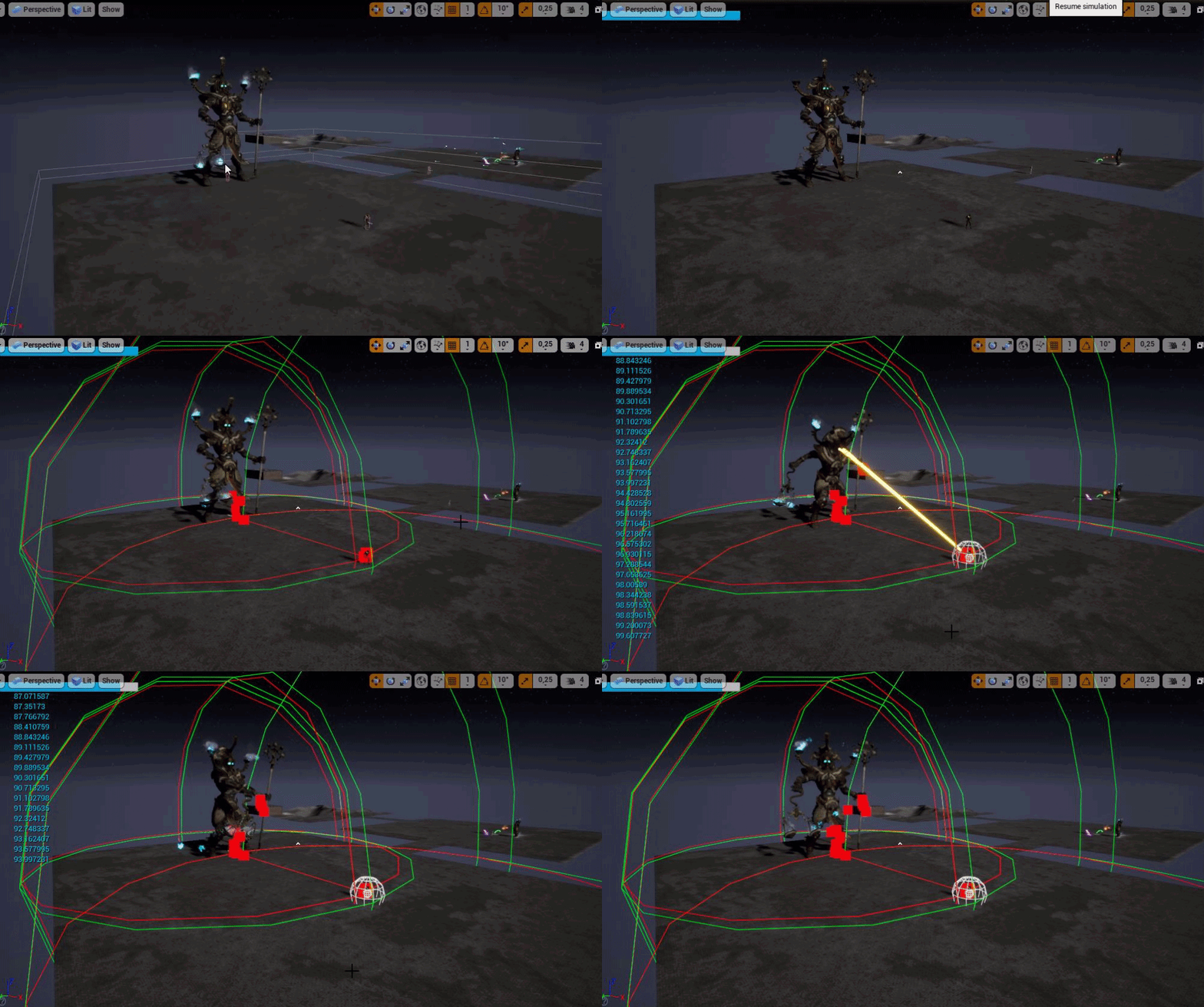 grim ore
nope that the correct #, was just a guess since that causes the camera to look wrong if its changed
amber tangle
Worth a shot
whatever it is, it's only impacting the main editor view, not PIE or standalone
grim ore
@amber tangle well you can try resetting the layout to defaults from the drop down menu, cant hurt
amber tangle
The show> use defaults? Tried that one
layouts > one pane seems to have done it
Wild
dapper idol
Thanks @exotic cave , making a backup and deleting the map worked, I can save again! :)
exotic cave
@dapper idol : No problem 😄
And just in time for me to head off and get some sleep after all-nighter. Be well all!
plush yew
found the issue with GetDllHandle when linking my DLL...my DLL was created for x32 but i put it in Binaries/Win64/ folder
amber tangle
(the weird part is it was already in one pane... so nothing changed that I could see... just suddenly all my objects appeared again. Wild)
grim ore
there most definitely are timers and delay
you literally type "set timer" and the options come up
rough hound
oh
 south kernel
I am trying to get my phone preview to be in portrait mode but keeps going to horizontal
how can i fix that?
grim ore
have you tried to change the orientation settings in android for the project?
grim ore
do you mean on device or Play in editor on mobile?
south kernel
play in editor
grim ore
PIE has it's own settings
you can click on the common resolutions and choose a device, then the icon to the right of it toggles between portrait and landscape. If yteting mobile you should definitely make sure you use the mobile preview as well
south kernel
i see Thanks i couldnt find it for my life
grim ore
also play in standalone is different than Play in editor so that might not respect the play in editor settings
rough hound
So this doesn't work 😅 I'm trying to set a "cooldown" on my ranged attack. I'm guessing the delay doesn't run after finish execute.
rough hound
Yeah, i use those for other things but the problem is i don't want him to stop completely and wait for the cooldown to finish
i want him to go into melee range for example while it's on cooldown.
 faint tide
I'm about to buy a new computer screen for my PC and thought it would be nice to have one that supports my work well in UE4.
Any recommendations?
I've noticed on some guides on youtube where people use really high resolution screens which seems to make their UE4 work much more overview-able.
midnight bolt
is there any tool to automatically assign 'correct', ie greenish lightmap res to my meshes?
rough hound
Which he does atm. But it won't re enable the ranged attack so if a target moves out of his melee range and the ranged attack is not on cd it won't fire.
 rancid lynx
is there a node that executes pin 1 if X = 0, pin 2 if x = 1, pin 3 if x 2. etc etc ? a multigate that fires based on an INT or float ?
 tough marsh
@rancid lynx switch on int?
rancid lynx
tyvm. ill check. very probably that yes
tough marsh
@rough hound im pretty sure after you call finish execute the rest of the code doesnt fire I may be wrong you be can toggle a breakpoint there and see
rancid lynx
switch leads me to believe the same. else they could call it sequence on int
correct. it only calls 1 path each time. tested and working perfect. ty ty
tough marsh
yeah it will only call the one int you feed into it and np
rough hound
the delay executes but is "deleted" right after.
or
the breakpoint works
But the delay doesn't go through
tough marsh
put the delay and bool before the finish execute also you said you were trying to do a cooldown epic already has a built in cooldown node for the bt
rough hound
?
How
Also if i set the delay before finish execute then it wouldn't be able to perform other actions while it's waiting for the cd to finish.
 pallid thistle
hey guys, someone knows if ue4 have a global shake intensity multiplier?
to apply on game settings
tough marsh

What is the Coolwdown Decorator Node in the Behavior Tree in Unreal Engine 4
Source Files: https://github.com/MWadstein/wtf-hdi-files
then get rid of the delay and just do a set timer by event and set and unset the bool as needed
rough hound
Yeah that worked
or rather i just needed the cooldown part on the behaviour tree.
Here is my current version of him. It's still not anywhere near i want it but it kinda works. It doesn't like moving targets at all though lmao. https://streamable.com/6qsyf Think it's ok so far as my first AI though.

 wintry forge
Ay boys. Do you suggest I learn coding from scratch (I have some very old experience w java and simple stuff like ahk, gamemaker) or just use the visual programming of unreal?
Also I'm restarting w unreal, what guide is the best to follow in your opinions?
 frail sail

 lavish glacier
I am trying to work with skeletal mesh lod generator, following this tutorial:
https://docs.unrealengine.com/en-US/Engine/Content/Types/SkeletalMeshes/SkeletalMeshReductionTool/UsingSkeletalMeshReductionTool/index.html
But my interface (4.22) does not match whats in the tutorial (also 4.22)
What could be the problem?
Going over how to use the Skeletal Mesh Reduction tool.
Number of lods box is missing
tough marsh
Check a different mesh it may be your LOD import
lavish glacier
there is no lod imported with this mesh, just default mesh
rancid lynx
@wintry forge i suggest you spend some time learning blueprints. they can do alot. alot. my entire game is blueprint. i know alot of basic java. i havnt needed any programming.
tough marsh
well check a different mesh and see if you have the same problem
lavish glacier
ok
wintry forge
@rancid lynx i made a partial game using blueprints in the past, but i was wondering if people saw a large advantage to actually coding everything. though just jumping in again i might as well get started with blueprints again 🙂 ty for the advice
rancid lynx
@wintry forge youtube search "wtf is overlap" mat wadstiens videos are amazing. https://www.youtube.com/results?search_query=wtf+is+overlap
Enjoy the videos and music you love, upload original content, and share it all with friends, family, and the world on YouTube.
thatll show you a quick examples of what blueprints can do. they are very fast. much faster than formatting program code
wintry forge
ill check him out 🙂 thanks man!