#ue4-general
1 messages · Page 682 of 1
 next badger
 rotund scroll
that's a lie
 grim ore
put more than 1 nodes in it's own macro or function for elegance!
next badger
sequence nodes, macroses, functions...all that makes BP clean
rotund scroll
elegance should be a function of readability
every time you change scope you make it less readable
next badger
pwahahahah
 latent moth
all, this is my animation:
this is my animation once in a montage:
notice the hand misplacement
rotund scroll
looks like a hand IK issue
rotund scroll
exactly
rotund scroll
try #animation
next badger
@latent moth looks like lengths of the bones if different...
latent moth
it’s an anim that i just create a montage from...
rotund scroll
it's perspective
latent moth
how could the bones be of different length?
rotund scroll
still, better go ask the animation people
latent moth
no it’s not
rotund scroll
well yeah it's perspective, not bone length
probably some added rotation from who knows where
but again #animation would know
 abstract relic
For a moment, I thought you were talking to yourself
latent moth
lol
next badger
@latent moth are you using slots?
latent moth
no
i’m not doing anything besides “create ...”
oh well. time to go to bed.
thanks anyway
latent moth
i still don’t understand why you add noise ¯_(ツ)_/¯
next badger
well, you don't have to add slots if they are already there
rotund scroll
people who actually know about animation frequent there, not here
but sure, be a dick about it
latent moth
❤️
next badger
@latent moth just make sure you have no there
latent moth
thank you akexey, default is the only one in there
 scarlet birch
The animation is probably using curve key frames and losing them in the montage.
latent moth
the animation does have an added curve in there
scarlet birch
to move one of the joints?
latent moth
more than one
scarlet birch
yeah, that's your issue.
scarlet birch
You'll have to actually edit the animation or use ik
latent moth
so apparently it keeps them but they become a little different
next badger
@latent moth maybe you have many skel meshes?, is the correct picked here?
scarlet birch
or not use it in a montage
I think you can use a sequence in a montage though instead of the curves
latent moth
he... i’m using it to raise arms when close to walls
scarlet birch
I've seen it done, but it's above my knowledge
latent moth
still weird that it does not lose the keys, it keeps them, but slightly offset
yeah time to go to sleep
thank you
next badger
@latent moth you have time sampling setting in montage, check tomorrow
 brave lark
anyone have a set up for notifications when the project starts and finishes a build? I know of a jenkins thing that does this through slack, but I'm looking to set up my discord bot to say when a build was kicked off and finished or failed
 fierce tulip
wip goes into #work-in-progress :p
 atomic onyx
sorry guys, will upload there next time, haha 🙂
 plush yew
Can someone tell me why my character stops roaming after ai move to?https://gyazo.com/93b72d877efd2215f8541bb05601066c

 rancid lynx
when i make a new "Landscale Grass Type" for material based landscape,automatic grass placement , the new file is totally empty. it has zero elements, and i can not add new elements to the file. anyone know why ?
wow... "details" were toggled off.
and now that i toggled them on, its not an option to toggle them off.
wasted yesterday X_x
 fickle barn
hello guys, is there a way to enforce unreal to open new windows as attached tabs to the main one?
fierce tulip
you can somewhere in editor settings
 median wigeon
Hey guys, thought I'd ask cause I am a bit stumped on a seam issue I am running into. I have noticed that whenever I export the UE4 mannequin and re-import it, it gets sharp seams. At first I thought it was something simple like normals not being smooth or averaged, but neither seem to be the fix. Any ideas on what might be causing this? I was bringing the default mannequin into Mixamo for animations and on return it has this seam issue.
Probably something super simple >.>
fierce tulip
cant you just retarget the animation to the original mannequin?
also, did you import tangents/normals?
median wigeon
fairly certain, I can check that.
yeah seems to be enabled
I am going to try an older fbx format. Maybe could be incompatibility?
fierce tulip
tried without?
median wigeon
I have not tried without
fierce tulip
it has something to do with the mesh normals afaik
median wigeon
I can give that a go to
yeah that was my initial thought
that is what it is..
but WHAI
lol
fierce tulip
so, again. why not just use the original mannequin?
median wigeon
Umm
The main issues are with Mixamo
the results come in skewed without 'their' rig. Not always, but in some cases
fierce tulip
odd :/
median wigeon
I'll resolve it, but it's definitely a normal issue. And it's being silly.
scarlet birch
With Mixamo your best bet is to pick one of their models like the Xbot and import all animations on it and then retarget in the editor.
median wigeon
Yeah normally I would...
Here is the thing
I have to follow specific instructions unfortunately. So for the sake of my purposes I can't expect students to have to go through that before hand.
 brisk folio
Ok question time, if I used GIS data inside blender to create my map terrain, and export to ue4, what measures can I take to make the mesh more mobile friendly?
median wigeon
Would need a few more details, but I'd watch out for your material instructions and poly count. Don't go too overboard with the polys.
I have worked with GIS data as well in blender. Actually used it for early level design on a multiplayer map I am working on 😄
brisk folio
I have no plans to extrude. in basically looking for flat map data for my hometown to be the location for my game. The games main camera will be a top down. ussing 2d assets
too down 2d car game to be exact
I wanted all of the US to be the map. Now that I understand the realities of the tech, I am aiming for something more realistic. So I'm starting small with just my County.
median wigeon
Hmm okay
 hexed tendon
Off-the-wall question. I have a design that uses basically a "galaxy" as an object
like a map
I have that working well as a widget, standard 2D texture sort of thing, but I want to make it more... deep feeling
I created an in-game widget of it, gave it a nice tilt of 45 degrees, and that sort of worked
trying to think of how I could create a more 'real' feeling map like that, though, without actually making several hundred individual objects
scarlet birch
Make a couple of layers with stars and whatever and create a mild parallax in front of a dark background
hexed tendon
Yes, was definitely thinking parallax + tilt shift
then the UMG layer on the top for clickability
tried that already with some planes, but it didn't seem to mesh very well. Perhaps I need to split the objects more
scarlet birch
If you use a perspective camera with a high DOF and a big distance it will create the effect with only a little movement.
hexed tendon
Ooo. That's a good point
especially if I make it slightly cylindrical
(fixed camera, but can be pivoted)
I think I'll give that a go - the parallax with the high DOF camera, I hadn't tried that combo yet. Thanks!
hexed tendon
Right, I'll experiment with the camera settings, basically
hadn't thought of that angle at all
scarlet birch
and big distances
hexed tendon
yeaaaaaaah. That's a much better idea
I was grasping at like particles and other weird ideas
this is better, certainly cheaper
Thanks @scarlet birch and @swift spindle
scarlet birch
You could do it in a material too using panner nodes.
 fading vector
Is there a way to set the RGBA/tint of an image in a widget?
via blueprint I mean ^
 swift spindle
yes... most of them just require a Set Color... but that does not work on all of them 😦
fading vector
Any ideas how I can fix this?
It's on a sphere, I just want it lineup even if the shapes are changed.
 opal hornet
should property bindings be avoided whenever possible?
 manic pawn
yes
avoiding them is always possible, and there exists a project setting that completely bans the usage and hides the UI for it
manic pawn
it will result in all existing bindings you might have forgotten about causing compile errors
opal hornet
so for a game like a diablo-clone, where the player has hundreds of stats that can be modified multiple times a second, it should still all be event-based?
manic pawn
absolutely
manic pawn
updating hundreds of bindings per frame = 
opal hornet
gonna be annoying setting up the stats screen to display in realtime lol
wonder if theres a better way of doing it, like having a base object for each variable and that object shares all the same logic of updating UMG and changing the target variable
 soft atlas
I feel like I've been spending too long trying to figure out how to get a pawn to orient itself while following the player.
opal hornet
set its orientation to the Look At angle
soft atlas
Where do I find that?
soft atlas
Figured out what was up with the following but now when it hits the player the pawn stops moving
Fixed it!
 wintry summit
Moving the End component doesn't re-trigger the Construction Script when it's moved on a placed instance of the BP. Works fine in the BP Editor Viewport though.
Do I have to create a new Actor component by deriving from USceneComponent, hook into TransformUpdated and manually Actor->RerunConstructionScripts() to do this?
Crappy example screenshot maybe. Moving the right sphere in the top view doesn't re-run the construction script basically.
opal hornet
anyone know why if i import a mesh as static from Blender, it retains its flat shading, but if its imported as a skeletal mesh, it smooths it all?
 random ginkgo
Just wanted to thrown under the bus an UE4 hater, and worst colleague ever : Hélios
 teal tulip
That monitor have a better glass than the new tesla car
random ginkgo
Tell me about it xD
fierce tulip
Awwwwww Helios is adorbs
 blazing owl
i have a cat that is like this too. But I won't let her touch the screen. Luckily my other cat doesn't care about the mouse on the screen. Instead that one likes the mouse cable and keeps grabbing that if I dare move it.
fierce tulip
https://realtimevfx.com/t/vfx-pets-animals/7012 we vfx-peeps have a thread with some great pet photos

Real Time VFX
Happy holidays everyone! I asked Keith (quite) a while ago if it was fine to start a topic about our pets, the ones that support us no matter what, keeps us warm during cold days, and makes us that much happier on days where nothing seems to go right. shakes fist at 3dsmax cr...
fading vector
Any idea why my pawn wont spawn on my level? I have a gamemode setup and the default pawn is selected to the right one
fierce tulip
shout-out to bayonetta, the most metal hamster name ever
https://realtimevfx.com/uploads/default/original/2X/b/b24799f45af632bd36ee087389735698bbdf839b.jpeg

@fading vector iunno, hope someone is around to answer.
fading vector
They're the exact same
 junior vessel
@fading vector Does your gamemode inherit GameModeBase?
junior vessel
If you mouse over the gamemode in the content browser, you can see the parent class there
fading vector
yes it does
junior vessel
Hm
I thought it was set there
I mean I thought the spawn was set in the parent class
Ooooh
Oh never mind
fading vector
It's not a gamemode issue
I made a new pawn
through a static mesh
and a camera
and it spawned
junior vessel
So, if it spawns, what is the problem? I thought the issue was that it doesn't
junior vessel
Then it must be an issue that there is no code for spawning it. Did you inherit the default one when creating it?
fading vector
yes
junior vessel
🤔
junior vessel
Aah okay
So did you figure out the reason why it wouldn't spawn on the Player Start?
Good to until next time
junior vessel
Alright
fading vector
Before this my physics system broke for just the ball
w/o me changing anything
Super weird
junior vessel
Weird indeed
I would delete the Binaries and and Intermediate folder if I were you
Let unreal generate new ones
fading vector
Oh?
junior vessel
Something seems to be weird and I always do that if something seems strange
You can just delete them and Unreal will generate fresh ones
When you build/compile ofc
fading vector
Yeah I will for sure go do that
fierce tulip

i want to tell you good luck, we're counting on you
fading vector
I am able to edit a texture cord via another class?
I am trying to create like a skin editor where the player can change the texture and color
 zealous cloak
how can i set my editor preferences for all projects?
new ones. USe small font icons
rotund scroll
@zealous cloak it's not an engine setting, but maybe you can do some trickery and add the ini file to the default ini files of the engine
zealous cloak
good idea, will look into it
plush yew
hi all
when you destroy an AIController's pawn, does the controller also get destroyed?
or does it linger in memory
junior vessel
@zealous cloak There is a "Set as Default" button under the setting title
zealous cloak
@junior vessel yep but it doesnt saves it for new projects
junior vessel
Oh okay
I don't know then but there is also an Export button
I suppose you could export the setting file, find the location of the default one and swap it out for the newly created one
 radiant wolf
Hi dear Unreal lovers, I have a question about game for mobile.
I have the game which created on Unreal Engine and now me need to test it on iOS, I can't find the serious resources on the google and youtube about that.
Now can you describe all of the proceses, what me need to do for test that game on iOS?
Thanks,
Suren
 upbeat trench
So was there meant to be some state of unreal thingo?
grim ore
There was tomorrow at GDC
rotund scroll
GDC is still on?
upbeat trench
Are they going to do a stream on their Twitch or what
grim ore
upbeat trench
do we get State of Unreal live from Tims Mansion now
grim ore
There is no official info on what Epic will be doing, if anything
upbeat trench
Major suckage
radiant wolf
thanks @grim ore
upbeat trench
I dont remember the world ever coming to a complete halt for the HIV pandemic which has been going for 4 decades
But some pissweak flu with a mild kill ratio
rotund scroll
HIV didn't carry as easily as corona does
rotund scroll
HIV had 4 decades
and spreads mostly sexually
corona infects through the air and we're still just in the initial phases of the pandemic
upbeat trench
HIV actually spread the fastest in its first few years
fierce tulip
I have a massive brainfart
whats the node called that changes tangent to world space
(mat editor)
transform
derp
 rich reef
Idk if this is the best place to post this but I dont seem to get any help anywhere so
I have been getting this crash lately that happens every time I launch the editor
My UE4.log
https://pastebin.com/6vX1vJVh
What the crash looks like:
https://imgur.com/a/ftySW4A
The crash report:
https://pastebin.com/izaGk742
Does anyone know whats causing the crash exactly? I dont understand the crash report.
It happens every time I launch the editor (check links ^ ), happens on both UE4.24.1, UE4.24.3 and UE4.25 Preview 2 but not on UE4.23 (Unreal used to run fine until last Friday)
I've tried reinstalling Unreal Editor itself and reverting a recent Windows update (Theres also a security update that it wont let me revert for some reason, so that might be the cause, tho I havent heard of anyone else having this error so it feels unlikely)

Please ping me 🙂
fierce tulip
heads up ! Preview 3 is now available for remote injection in your brains
https://forums.unrealengine.com/unreal-engine/announcements-and-releases/1728453-unreal-engine-4-25-preview?p=1733748#post1733748
Unreal Engine Forums
PREVIEW!
Preview 1 of the upcoming 4.25 release is available now on the Launcher and GitHub. We are making this Preview available so that our developer community can try our new features and help us catch issues before the final release. As fixes are implemented, we will rele...
zealous cloak
unreal crashed and i cant open any projects anymore :/
4.24.3
i was editing normal blueprints
grim ore
install the debug symbols and crash it again. Is it just the projects or is it the entire engine when you launch it without a project? https://i.gyazo.com/d9ba3d04b4aaa81be26b72f946a70457.gif
zealous cloak
the engine
grim ore
also restart your PC if you have not, your video card may have just gone wonky
grim ore
could be, no way of knowing till you get the full crash stack and restart the pc
zealous cloak
yep installing the editor debug symbols and then restart my pc
 urban basin
why this is again can't be contoroled
manic pawn
just wait
manic pawn

now that doesn't seem right
unless you're running this on a totally underpowered pc
grim ore
or... or... do you have visual studio installed?
 polar falcon
Yes I have
grim ore
did you install Incredibuild like a naughty person
polar falcon
I think yes...
grim ore
then.....
grim ore
Incredibuild will tank your compiles if you don't pay for it
manic pawn
get rid of that, but even then it should not take 12 hours
grim ore
it can if you consider its basically using 1 thread for compiling now
manic pawn
doesn't it limit you to 4
manic pawn
oof
that'd explain it
they really need to add a warning to that expensivebuild checkbox
"you need a license for this to work"
grim ore
I always just remove it from the VS installer
manic pawn
btw, unless you have multiple pcs, incredibuild does nothing
ubt and the shader compiling already parallelizes the build
grim ore
It's really annoying that Incredibuild is suggested when adding the C++ game dev stuff
abstract relic
Just tell us what the value of the default is
abstract relic
Do you have anything messing with movement in Begin play or Construction script?
manic pawn
interesting that they turned the xge shader compiler on by default now
it used to be disabled, so this wouldn't have happened
abstract relic
Print movement value in event tick
 weak cypress
is it worth it to switch to unreal? what was your experience?
weak cypress
Unity ofc
rotund scroll
highly loaded question
weak cypress
hmmmm
junior vessel
@weak cypress If it's worth kind of depends on what's your reason for thinking about it
weak cypress
graphics
junior vessel
Then yes imo
Are you an artist or programmer or designer or what do you do, bit of everything?
weak cypress
programmer
abstract relic
for my bias, unity is second to none on how terrible it is
 cold halo
junior vessel
cold halo
junior vessel
@weak cypress One thing I absolutely love with unreal is their recent collaboration with Quixel. You basically get free 3D-assets, perfect if you wanna focus on programming
and still make something good looking by yourself
weak cypress
i do have the quixel pack for unity
abstract relic
No
weak cypress
idk i remember that i had a folder full of quixel assets
junior vessel
I mean, I haven't really used Unity that much but actually the biggest reason for me is C++
C++ > C# any day
I just like it more
But actually with coding in Unreal and not pure C++ the difference may not be that big
I don't know actually, it just depends on if you want to or not really
Unreal has always appealed to me more
I would recommend this course if you want a good intro to it https://www.udemy.com/course/unrealcourse/
Udemy
Created in collaboration with Epic Games. Learn C++ from basics while making your first 4 video games in Unreal
 ancient lotus
working with unreal and c++ is similar to working with C# outside of any game engine. UE4 gives you so much to speed up and help you along. if your working outside of a game engine then c# is going to be much faster and easier to do what your trying to do since there is so much offered to you from the start
junior vessel
I see
ancient lotus
also to self advertise 😉 some tutorials
https://www.youtube.com/watch?v=CfCq_pK78yw&list=PLnHeglBaPYu_aUsm78py_O_OENKhdCGZS

I apologize for my mic, in the beginning it has some static and is picking up every sound, int he second half the mic is not sensitive enough either. I'm trying to find a good middle ground with my mic.
How to setup a dedicated server:
https://www.youtube.com/watch?v=_XW9oI36kTE
weak cypress
like the big problem is that i have worked so much on unity that the switch to unreal would be steep
like over 5-6 years of working on unity
junior vessel
I have experience from coding in C++ and C#.NET and haven't been using Unreal for that long. But a big reason is just because I really prefer the syntax
abstract relic
Adaptability comes with the territory
ancient lotus
^
weak cypress
i would need atleast 2-3 years to adapt to unreal
junior vessel
I don't think so, not if you've worked with an engine before
ancient lotus
plus after a week or so in UE4 you should start to get comfortable. its laid out in a friendly manner and since you have alot of experience in unity you should already know roughly what you want to do and the steps to take to solve your problem, you just will be googling where or what UE4 is giving you to do what your trying to do. really bad explanation but its not as bad as you think going into it with your past experience
abstract relic
Once you learn one tool (ie unity), you’ve learned them all
junior vessel
I wouldn't go that far but Unreal and Unity aren't that different. I think it would be much much harder coming from something like Pygot or Gamemaker
But to be honest, it isn't really that hard to begin with. It just takes time
weak cypress
and my other concern is that i would have to port my current project to unreal
junior vessel
Oh yeah. That will probably be annoying as hell
@urban basin What do you mean by "things"? There are a lot of things in those pictures
scarlet birch
Coming from Unity and engines without a WYSIWG editor it took about 2 to 3 weeks to be making a simple game and about 1.5 years to feel somewhat competent. I'm at just over 2 years with UE now.
 jolly pumice
Hello
weak cypress
also i need to figure out if my pc is good enough for unreal
jolly pumice
Are there good youtube vids about how to setup a scene with UE4 and megascans?
junior vessel
@jolly pumice Yeah and it's extremely easy with the plugin
I think unreal will run on most PCs, the difference is how long you will have to wait for things to load
abstract relic
Just remember to uninstall incredibuild 😜
junior vessel
I think the recommended specs are like 2.5ghz processor and a gtx 970
ancient lotus
the heck is incredibuild
urban basin
@junior vessel objects are randomlly scatterd all the sudden
ancient lotus
type dxdiag in your windows search
junior vessel
Or open Powershell and typ Get-ComputerInfo
weak cypress
ok so where do i look?
junior vessel
Nevermind what I said, that's something else. Use dxdiag
weak cypress
junior vessel
@urban basin Sorry, I have no idea why
weak cypress
is the gpu in there?
ancient lotus
remember when i said display shows gpu XD
weak cypress
junior vessel
I don't know radeon cards o.O
ancient lotus
then you should be checking on your laptop lol
weak cypress
let me check
junior vessel
Oh so it's like a 1060
weak cypress
i remember in the summer i splashed alot of money for the cpu upgrade
junior vessel
Yeah I run with a 1060, I do have the 6gb version but I don't think it would matter, it's way more than you need for unreal anyway
ancient lotus
going old school. your going to struggle off of the igpu
cant say on the cpu but you should still be able to code, just testing it should be ok but dont expect it to be a smooth experience (off more than a default project)
weak cypress
laptop
ancient lotus
smart fridge
junior vessel
I mean the absolute minimum for running unreal is basically having DirectX installed
But it won't be smooth sailing with that
cpu is probably ok but using integrated graphics must be slowww
For simple projects probably fine though
Maybe just install and try it
ancient lotus
to give you a rough idea, i tested on my moms pc which i put a pentium g4400 in to use as a separate pc for testing a packaged game. just by running a default third person project with almost nothing done to it it was pushing between 10-20 fps. compare your laptops cpu to
https://www.amazon.com/gp/product/B015VPX05A/ref=ppx_yo_dt_b_search_asin_title?ie=UTF8&psc=1
alrighty p@t, sorry
 willow void
anyone have 3ds max here ?
fierce tulip
yes
abstract relic
Queue dm
 bitter iris
i put a widget name tag above the master character, so it shows steam name above. How can i hide it from owners view? but visible for everyone else
 brittle gulch
Hi! There's no more free rotations in 4.24?
scarlet birch
For multiplayer? if local controlled set visibility to false
ancient lotus
@bitter iris ownerNoSee = true. i think thats what its called
bitter iris
see ive enable that but it doesnt work?
scarlet birch
That might work, depends on if the camera is owned by the same thing
ancient lotus
in your oncomponentsinitialized or whatever its called, you can check and see if your the owning client, if you are then set the text for the name to an empty string? or force hide it in there?
bitter iris
scarlet birch
if pawn is locally controlled then visibility = false.
bitter iris
okay
 vernal spoke
Hey guys,
I hope it's alright to ask this here:
I'm having massive issues with the Media Player all of a sudden.
Whenever I open it and double-click on a Media Source, it's being added to the Playlists and plays perfectly both in Preview and in Editor; as soon as I close the Media Player, however, it stops playing and goes blank, even though I save and save the Media Player.
Can anyone help?
Before closing, after closing / on re-opening
 misty creek
How can I check if a widget is being rendered?
rotund scroll
ask it
ancient lotus
mine lol. its up to you to decide if its good
ancient lotus
i whip up quick stuff for the tutorials, their poorly done as its just so there is something there, same goes for animations. meshes for med kits, food/water bottles, the chest for inventory and such are provided, the meshes for the weapons are free on the marketplace and such. everything used is free
https://www.youtube.com/watch?v=CfCq_pK78yw&list=PLnHeglBaPYu_aUsm78py_O_OENKhdCGZS
I apologize for my mic, in the beginning it has some static and is picking up every sound, int he second half the mic is not sensitive enough either. I'm trying to find a good middle ground with my mic.
How to setup a dedicated server:
https://www.youtube.com/watch?v=_XW9oI36kTE
do you need something in particular?
weak cypress
just how i can start modeling a level and doing player movement
misty creek
@rotund scroll How might I go about that? IsVisible doesn't actually return if it is rendering
rotund scroll
tutorials@weak cypress
ancient lotus
character movement component as a base and start modifying it until you get a good understanding of what your doing or feel like you want to make your own from scratch. place down a landscape and sculpt it. use a 3d modeling program like blender or 3ds to make assets, you can use armor paint (free if compiled yourself) or substance to create materials for those assets if you wish such as buildings or trees and such to populate your world with
weak cypress
thanks
rotund scroll
@misty creek why would it not?
misty creek
misty creek
That's not rendering, right?
misty creek
I assumed it wasn't as when I was trying to use it, it seemed to be giving me false positives
rotund scroll
are you self hit testing?
 grave radish
One bright side about covid, is that I can finally take time to work on my C++/UE4 courses
misty creek
I'm not at my computer right now so I'm not 100% sure, but I don't think that I am
 fair storm
after 2 days. finally my ragdoll works fine 😄 damn blender rigify xD
i rigged my character like 7 times
rotund scroll
@misty creek if you read the message, it tells you that if you're self hit test invisible, it will treat it as such
misty creek
Okay, so how could I figure out it I have a widget behind a different widget?
misty creek
Hmmm, that's probably not going to work as I'm randomly spawning widgets on the screen
That's why I'm having so much trouble actually getting it to work 😐
scarlet birch
There's a wasRecentlyRendered. You have to be careful with it though. It might not work exactly how you would expect.
I've used it to kill projectiles moving off screen
scarlet birch
ah, that's what I get for barely skimming
misty creek
Yeah, I've actually looked at that thought
rotund scroll
@misty creek you should ALWAYS have a reference on screen
scarlet birch
Yeah, create a reference when you spawn it and then use that.
misty creek
It isn't that I don't have a reference, the problem is that I need to know if that are spawning behind one another
rotund scroll
then use IsVisible
if it's not visible it will tell you false
as long as you have hit test enabled
scarlet birch
What is it you're trying to do exactly?
rotund scroll
detect widget behind another widget
misty creek
Okay, thank you! I'll check that when I'm back at my computer
rotund scroll
really you should check that it is valid and not visible at the same time
just to avoid any kind of mishaps
 knotty vessel
i just got unreal engine and my texture wont fit onto my mesh like it did in blender what do i do?
scarlet birch
There's probably a not too complex way to determine if the bounds of one widget is overlapping the bounds of another.
knotty vessel
i also want to import a model but it wont let me let me find the error message again
this
sorry if im being obnoxious or asking dumb questions but i really want to be able to use this
output log
rotund scroll
@knotty vessel have you googled the issue?
knotty vessel
yeah nothings fixing my issues
fitting textures doesent do anything and i cant find much on my error thats helping me
knotty vessel
but theres also my texture issue
rotund scroll
well if it doesn't import how can you test the texture?
you should look up some tutorials
bitter iris
dont think ive done this right @scarlet birch 😄
knotty vessel
its another mesh its not the character and the bones are parented
scarlet birch
Cold DMs for help are frowned on. I would suggest setting the visibility not owner no see. I'm also unclear as to why a cast is necessary. I think it would be safe to call it in Begin play but I think in the constructor might not be. I'd have to look to be sure.
knotty vessel
if it helps im gonna send my blender model and the one in unreal
blender
unreal
the texture isnt matching up to the uv map
how do i get it to match properly?
scarlet birch
@bitter iris I would set the visibility of the widgetComponent in the playerController during the OnPossess event using a branch hooked up to a isLocalPlayerController.
and use visibility not ownerNoSee
Someone else will have to chime in if that's bad. It's been a while.
rotund scroll
@scarlet birch for cold DMs I definitely recommend turning on friends only DM mode
scarlet birch
Yeah, I know but every now and then I get one from someone reaching out with opportunities.
scarlet birch
Are the faces flipped?
knotty vessel
i dont think so
how do i check if they are?
i just got this today so i have no clue what im doing im sorry
scarlet birch
In blender there's an option to show face orientation. It's one of the icons at the top right.
 pulsar badge
Anyone know why my textures are applying on my model so small?
knotty vessel
i dont think they are
in blender the model and textures are fine
its just when i import them into unreal it messes it up
next badger
@knotty vessel show normals in ue4
grim ore
@pulsar badge It would be based on your material and your UV/Texture Coordinate space. What does your material look like? what does your UV layout look like for the model
pulsar badge
I just wanted to test something I have a pack that has a good materials, so i made a random wall and applied it to it
I'm just using a basic 3d editor
next badger
if random wall was BSP - it may be the reason
weak cypress
can anyone help?
pulsar badge
I'm using someone elses material though
junior vessel
It will give you the parameters U and V on your material instances
pulsar badge
His material is a mess lol
junior vessel
Aha lol
next badger
@weak cypress you need to ask the question
weak cypress
what do i choose?
junior vessel
@weak cypress C++, maximum quality, ray-tracing pick yourself but I would pick disabled as it takes a lot of performance
Desktop/Console
Starter content is just a few models in your scene if you want. I think it's 2 chairs and a table
next badger
@weak cypress it enables raytracing...the RTX one
weak cypress
how much performance does it take?
rotund scroll
@weak cypress I recommend finding a tutorial
junior vessel
a lot
next badger
500%
junior vessel
It's basically
weak cypress
wait dont i need special hardware for it?
next badger
you need RTX card
rotund scroll
yes you do
junior vessel
Basically it calculates "sunrays" from lights in your scenes
rotund scroll
but @weak cypress really just look for a tutorial
 mellow turret
Any idea what this ghost images are, its a 4.25 source build, PIE has them too, didn't happen in 4.23
junior vessel
Actually you don't need an RTX card, but it will run much better on one
@weak cypress They are talking about Nvidia RTX, not Radeon RX that you have
weak cypress
oh
pulsar badge
Does anyone know how to stop texturing repeating?
next badger
@junior vessel running DXR on 1080 is...well...arrow in the knee
junior vessel
I mean you can if you keep it light. But I really don't think it's as amazing as people claim
next badger
@mellow turret 4.25 is not released, so i guess everything is possible. But i dont' have anything like it in my 4.25 rocket build
junior vessel
I mean of course it is freaking cool but that price jump compared to what you get isn't worth it, at least not for me
next badger
@pulsar badge use clamp instead of wrap in texture settings
rotund scroll
@pulsar badge nothing stops you from googling it
junior vessel
@weak cypress Anyway, basically imagine you take the sun, and calculate the path of each sunray and how it reflects on objects. It becomes a lot of vectors, which eats up a lot of performance. Even the games that have it nowadays can only do it on a few things, like water reflections. If you do it everywhere it will eat too much performance
weak cypress
can i do it with my current setup?
mellow turret
What do you mean by not released? not safe to use?
next badger
@pulsar badge open a texture
rotund scroll
@pulsar badge generally anything you can google, you should google
so much information for free out there

 silent harbor
Can I get this straight
jolly pumice
Does UE4 support UDIMS?
silent harbor
You cant add more than the capsule collision in your characters right? So if I have a broad, large character, the capsule component will be very inaccurate. Is it possible to have more than one collision component in your characters?
junior vessel
I mean I guess you could try it. I think the people who use it are generally people working on games like Battlefield, but sure you could probably try it. There's probably something on youtube about it
You can actually code a raytracer that isn't "live" pretty easily, but you do need to know a bit of linear algebra
rotund scroll
@silent harbor you can but really you should just resize the capsule component
junior vessel
I mean you can code one yourself, without unreal. If you want to experiment
Free ebook on the subject
next badger
no joke, raytracer with source that fits the postcard
http://fabiensanglard.net/postcard_pathtracer/
silent harbor
No you cant have more collisions in your characters apparently
Also capsule components will be very inaccurate on non proportional characters, broad characters, wide characters etc
Imagine you have a non proportional character where the legs and feet and slim but the upper body broad (like cArtoons) the capsule component is very inaccur
rotund scroll
have you tried?
silent harbor
I am the guy with the shopping cart through wall guy
rotund scroll
besides that
capsule is only really used for character movement component
if you're talking about collisions, you should use the mesh
silent harbor
I have looked up everywhere and it seems to be a common probelm
rotund scroll
perhaps by people that don't know what they're doing
rotund scroll
is a tank a character? 🤔
silent harbor
Imagine someone is controlling the tank (player 2 or whatever) and the collision box is inaccurate, i hVe tried everything to have a custom collision box on characters yesterday it wont work
rotund scroll
maybe try creating a custom class for it
I'd genuinely try using the vehicle template for it instead
since that will have more options for what you're looking for
silent harbor
The tank is just an example
Lets say you havw a character with large wings and a door way
Wings will always clip
rotund scroll
you use IK
rotund scroll
yeah people using it when they shouldn't be
silent harbor
Letz say you have a human holding a cart like in my case, a character movement for the human capsule, and then a static mesh compomemt being the shopping carr
*cart
Now in order for the cart not to clip througg walls, you would need to make the capsule of the character encapsule the cart as well and you can imagine how inaccurate the collisions then become
rotund scroll
collisions should work
silent harbor
The carts own collision get completely ignored by static meshes
rotund scroll
and I have personally worked with additional collisions on a character with a capsule collision on it already
silent harbor
Apparently not, characters can only have one collision, the capsule
rotund scroll
not true
silent harbor
Can you maybe try on your end
rotund scroll
I have
rotund scroll
in the project I'm working now i have an additional sphere component
works flawlessly
silent harbor
Can you try to redo right now? Collision works fine for simulating physics objects, not static meshes like walls on my ened
Can you send a gif or screen
rotund scroll
not really, but it's pretty simple to add
you can try in an empty project to do the same
idk why your particular case doesn't work
silent harbor
Well on forums im reading only one capsule collision is supported, and you say it works so now im confused. Any reason you cant show me a screenshot if it works on your end
rotund scroll
plenty of reasons
but like I said you should try yourself in an empty project
it should work
silent harbor
I dont see why it should be different but let me try
rotund scroll
be sure to screenshot your components
weak cypress
uhm
 ruby ocean
So I rotated the legs of the weapons biped 80 degrees and I want to save it as a either a new skeletal mesh or an altered version of the original, any way I can do that?
junior vessel
weak cypress
what exactly is that?
junior vessel
Oh, actually this is the updated one https://developer.microsoft.com/windows/downloads/windows-10-sdk
SDK = software development kit
junior vessel
No idea
I didn't have to install it like that but
maybe you have an older version already or something
weak cypress
of windows?
junior vessel
Oh yeah the link I sent is for Windows 10
But no I meant, maybe you already have Windows sdk but an older version
What IDE do you use? I think if you get the latest visual studio community you will get it with that
weak cypress
i do have VS 2019
junior vessel
If you open the visual studio installer
You can just tick the one that's for Unreal
Click modify and you will get this
More->modify
This is the one you should get I think, it should include everything you need for Unreal
 bronze cedar
hey guys what's up 😄
i want to know that is it possible to preview the project direct on the mobile without making an apk file, or i have to make that apk every time i want to check
anyone 🙂
grim ore
if you launch on device it doesnt make an apk every time
abstract relic
One-click deploying your project to devices like iOS and Android for testing
weak cypress
@junior vessel ok so i did all that
plush yew
Is Directional Wind Source physics Broken with 4.24.2? I have a cloth painted flag and it won't respond to directional wind at all.
 opaque vector
Is Steam down for anyone else? Looking at the unofficial status page looks like it's down everywhere.
 marsh cloak
Hello, I come from Unity and decided to make the switch to Unreal because Unity is meh compared now.. But I was wondering if it is possible to make say a projectile template. then I can drag my projectiles and impacts into slots (like the inspector in unity with game objects as components) or however Unreal does its thing
abstract relic
Translate your Unity knowledge into UE4 so you can get up to speed quickly.
 iron goblet
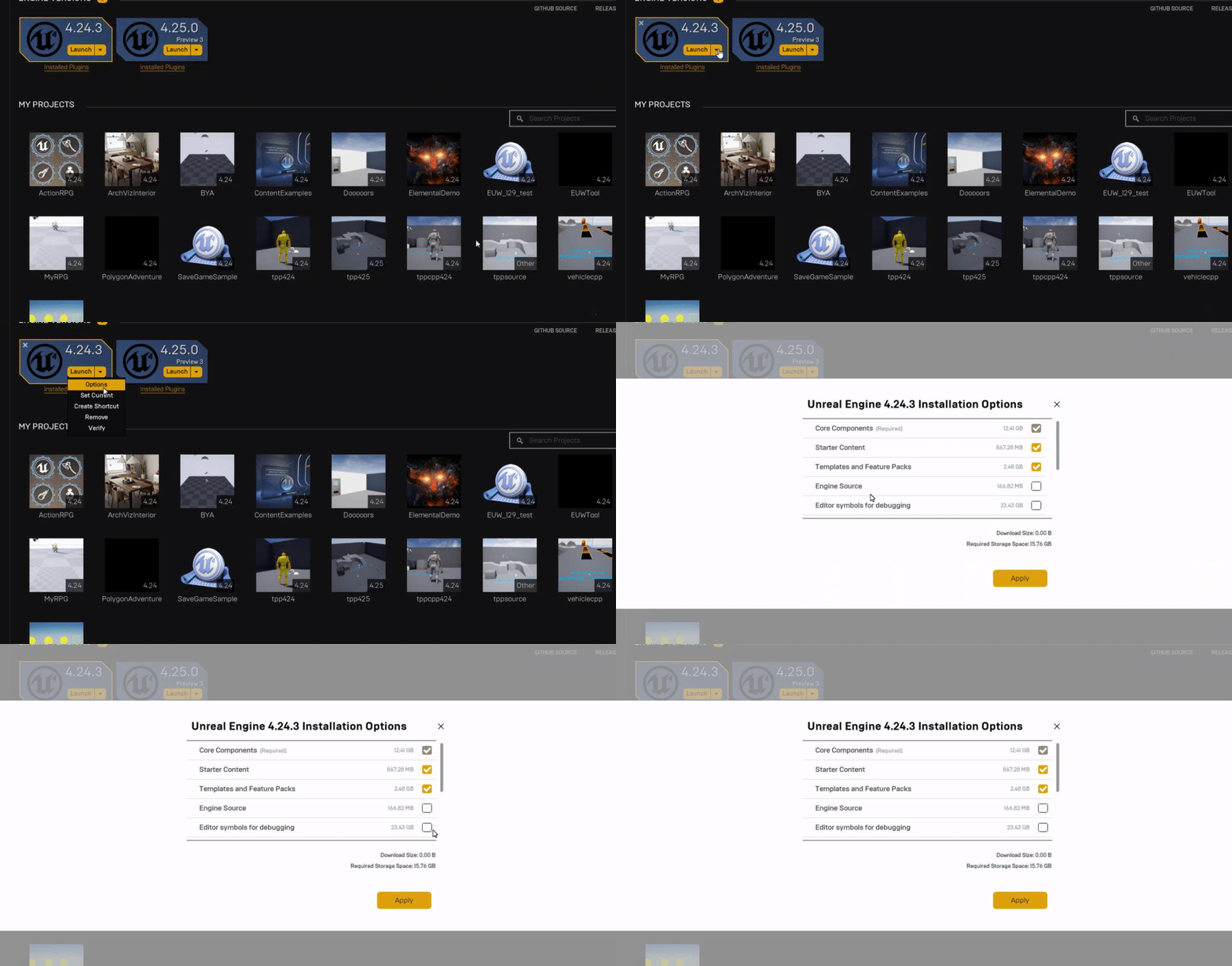
So my UE4 installation is kinda huge and I'm sorta wondering if maybe I could slim it down. Can the Source folder get deleted without breaking things?
daniel@Pascal:/mnt/d/Program Files/Epic Games/UE_4.24$ duh
0       sizes.txt
2.9M    FeaturePacks
828M    Samples
2.5G    Templates
29G     Engine
32G     total
daniel@Pascal:/mnt/d/Program Files/Epic Games/UE_4.24$ cd Engine/
daniel@Pascal:/mnt/d/Program Files/Epic Games/UE_4.24/Engine$ duh
28K     Programs
548K    Config
5.4M    Shaders
12M     Build
97M     Extras
224M    Documentation
869M    DerivedDataCache
999M    Content
4.7G    Intermediate
5.0G    Plugins
7.9G    Source
8.8G    Binaries
29G     total
Ahh fantastic HighTide, I will give this a read
 crisp fable
Is state of unreal still happening
 quiet token
abstract relic
quiet token
abstract relic
130gb for source build 😜
 normal burrow
I hear the unreal -> unity guide can be a nice read for reverse logic @marsh cloak
iron goblet
Oh this stuff can be removed via the Epic launcher, I'm silly
weak cypress
it looks like i am going to give unreal another shot some other day 😦
swift spindle
it's not something you pick up overnight @storm snow
ancient lotus
@weak cypress would you like some one on one help? whats an example of something your trying to do
weak cypress
i tried watching your tutorials
abstract relic
Brain injection therapy for immediate gratification hasn’t been developed yet unfortunately
swift spindle
it's called drugs @abstract relic 😛
weak cypress
i am already going a survival game so i though your tutorials would be good
they help
but i am still an amatuer in c++
abstract relic
Where’s our unreal drugs 
ancient lotus
what is it that your struggling with specifically? is it the language itself? the syntax? something specific within the language?
marsh cloak
Ahh I get it now, so I would create the template of the projectile going from a to b then in the viewport I would add the particle blue prints I had created in the projectile template
weak cypress
language itself,syntax
ancient lotus
well its not really that different than C#
heck i jump between the two without really a second thought
marsh cloak
C# i found pretty simple
I hear in C++ you need to make methods that don't dump data or store it, you need to delete the cache or somthing
(I don't know the terminology)
ancient lotus
are you referring to pointers?
abstract relic
Garbage collection. Aka lifting the toilet lid 😜
marsh cloak
For example I spawn an object move it to x,y,z then delete the asset. but you need to delete it from some other place aswell
some memory leak thing
ancient lotus
call destroy and the engine should take care of the rest on that actor
plus UE has its own form of garbage collection like unity does to help with it
marsh cloak
I'm no expert so I will just agree hahaha
ancient lotus
earth is flat
marsh cloak
Yes
ancient lotus
lol
marsh cloak
The sun is too
ancient lotus
woah
abstract relic
Z is up 😜
ancient lotus
prove it
abstract relic
Look up. There’s a giant z
marsh cloak
the 4th dimension is time so where does w come from in x,y,z,w
weak cypress
4th dimension is where ideas for games come from
ancient lotus
this conversation has hit the pinnacle (right word?) of stupidity
scarlet birch
Can anyone help me narrow down what's causing this mesh to disappear?
marsh cloak
It's Wumbo
ancient lotus
thats really strange
normal burrow
Science
scarlet birch
IIRC the artist who made it uses Maya.
ancient lotus
good
scarlet birch
No that fixed it. I forgot you had to do it in the actor and not the mesh.
I had the same issue before with another mesh.
yeah
fading vector
Does anyone know why a sphere static mesh with a simple sphere collision would bounce on a geometry box? Like just moving down it and it jumps up randomly. I have no blueprints that would do this and it works on a normal cube.
abstract relic
Look into profiler and unreal insight
fading vector
@abstract relic Any idea on my issue?
rotund scroll
@silent harbor dude if you can't make it work then I'm sorry. it works for everyone else
normal burrow
https://docs.unrealengine.com/en-US/Programming/Development/Tools/LowLevelMemoryTracker/index.html there’s this too
Going over how to use the Low-Level Memory Tracker in your Unreal Engine projects.
scarlet birch
window menu
fading vector
@normal burrow Any ideas on that issue? ^^^^^^^
rotund scroll
I swear some question make me want to beat my head in
fierce tulip
@fading vector please dont ask the same question (or bother others)
plush yew
how do i drag a copy of an object?
rotund scroll
have you tried googling it?
plush yew
no
rotund scroll
well there ya go then
plush yew
have you tried helping?
 frail sail
@normal burrow thank you ill look at, also how i can use this with dedicated server? it does write in to logs?
normal burrow
The windows menu item at the top gnocchi should somewhere contain a plethora of windows you can open and dock such as world outliner
fierce tulip
basically, dont expect people to help you if you dont help yourself.
I'd suggest to check out the "getting started" documentation to get... started with the basics of ue4
rotund scroll
^^^^^
 fading vector
Upon further exploration of my issue, I have discovered that even on a brand new project, brand new level and brand new pawn it still persists. Not sure why but negative geometry on a additive geometry shape causes a simple sphere collision to jump upward when it goes near the negatives. I've tried messing with the physics settings, but so far nothing.
scarlet birch
open the mesh in the editor and look at the simple collision
scarlet birch
just look at it
fading vector
Looks fairly normal, just like a sphere.
scarlet birch
BSP isn't really meant to use for final. Convert them to static meshes and see if the problem is still there.
fading vector
Hmm, what does BSP stand for?
fierce tulip
binary space partitioning
scarlet birch
BSP can cause errors with some of the collision stuff.
fierce tulip
not many are, hence it being rather quiet in umg hehe
abstract relic
Grumps reside here mind you 😜
fierce tulip
if you asked it in the right channel, please give it two hours, try the forums, answerhub, reddit, etc.
 worldly dust
okay thank you
fading vector
So when I convert the BSP to static mesh is there an easy way to keep the collision or do I have to remake it all?
fierce tulip
as for the offset, its related to its pivot. if its in the center, it scales from the center. so you either offset the height while scaling, or change its pivot location. @worldly dust (dont know how exactly, im not a blueprinter)
rotund scroll
@fading vector you'd have to remake it I'm pretty sure
but it's not hard
the static mesh editor is built for it
fading vector
Cranz is there a tutorial you would suggest? I'm not familiar with the static mesh editor.
worldly dust
thank you @fierce tulip that gives me what I need to research how to change the pivot point of a spawned volume, I wasn't aware that volumes had pivot points, much appreciated,
rotund scroll
I don't have a tutorial ready for everything
fading vector
haha
rotund scroll
perhaps MathewW's youtube
fading vector
I'll look around
rotund scroll
or perhaps just try it yourself
worldly dust
double click on the static mesh @fading vector and play with these settings
fading vector
Well I need to create some holes in my static mesh, but I'll mess with these
worldly dust
you can create and shape boxes and capsules to form holes
rotund scroll
really though you're better of using a 3d package to make stuff
yeah it's not impossible to work around it
it's not going to be great if you want concave stuff
but it'll work
fading vector
I mean its mostly hexagons and squares
worldly dust
it's good to get the ball rolling quick though, that's why they say polish later
fierce tulip
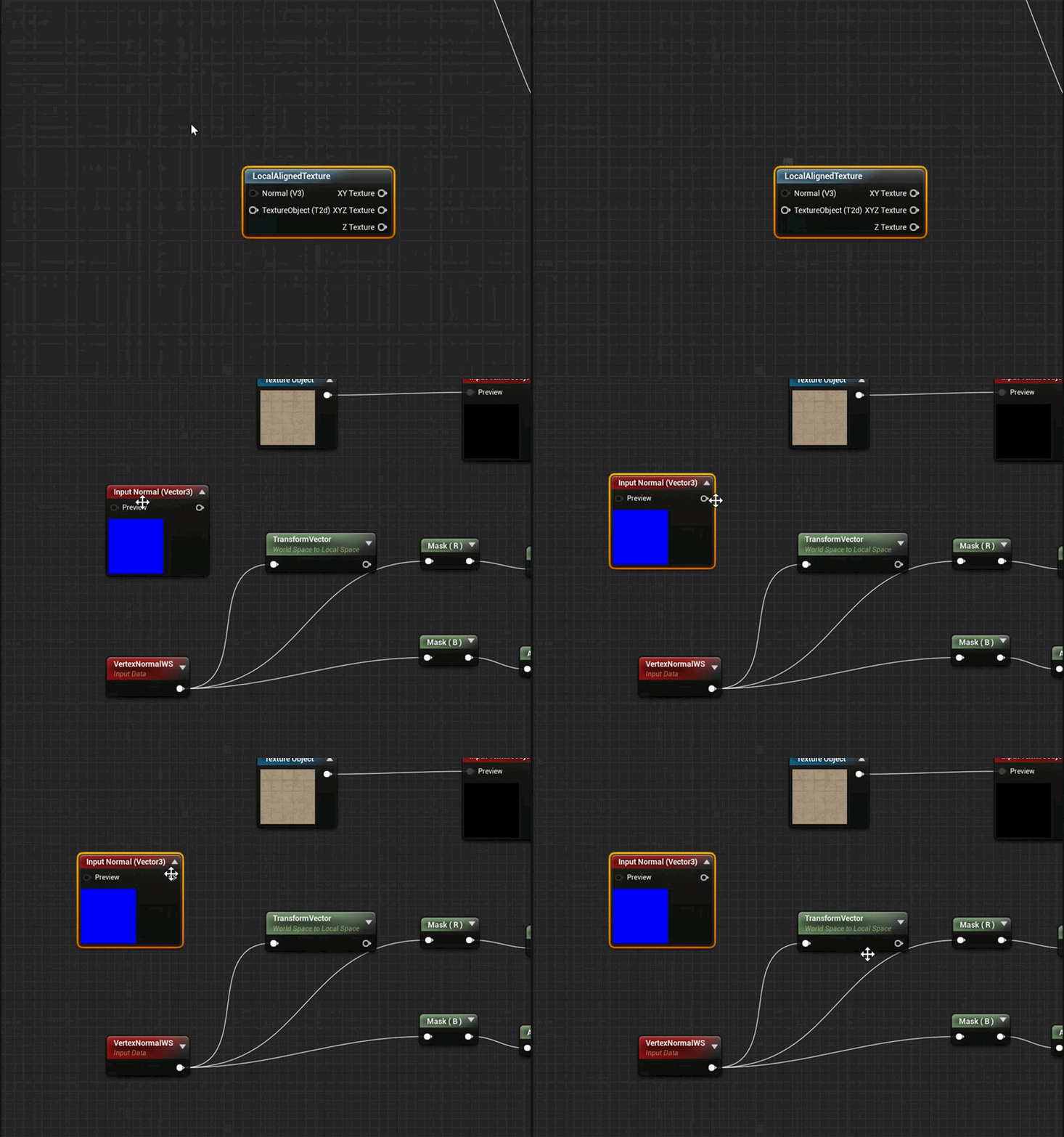
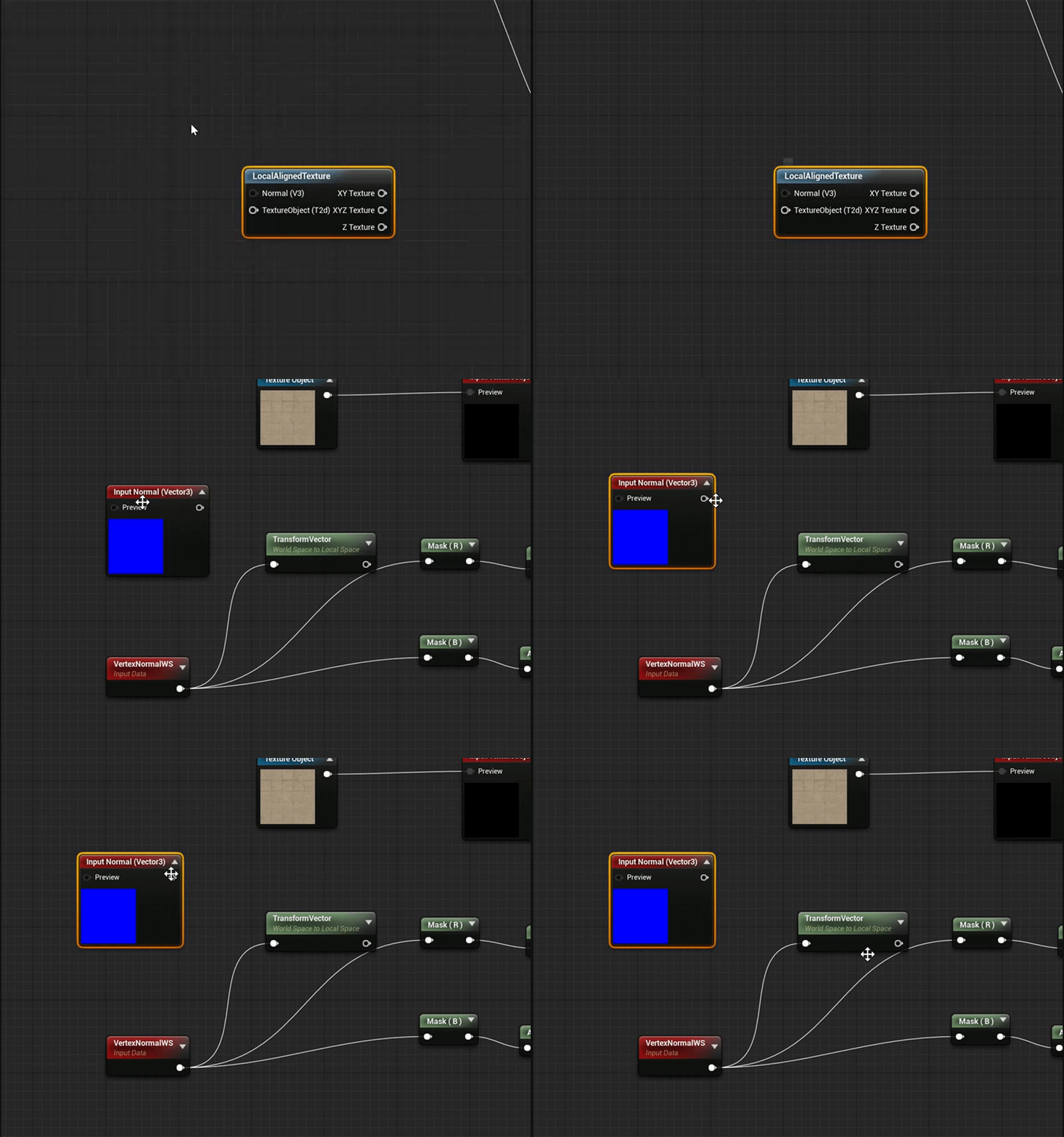
https://i.gyazo.com/e5f0564ad22227b254ef81423f46d558.gif when you wonder what the "normal" in the local-aligned node does.
Nothing, it does nothing.
 worldly dust
it's not a bug it's a feature
normal burrow
“No”
rotund scroll
stronk of genius
fading vector
When trying to edit some of these collisions is there somewhere I can view the scaling? Trying to set these with the in world tool is kind of a pain
nvm
scarlet birch
Nice.
 green sky
@next badger Dude that looks awsome
marsh cloak
So, I have this that just scales an object over time, thing is it works %80 of the time and sometimes just skips the timeline all together
is there any particular reason for this
always on the 8th spawn
nope :l
Think I might just remove it, idk why it only works 80%
Yeah Idk, same thing works fine for a point light
but not vector 3s I guess?
who knows
I just removed it and left it with a trail
 leaden bear
Heya can anyone assist me in figuring out why this is happening when i use the procedural foliage spawner?
marsh cloak
screw mesh
fierce tulip
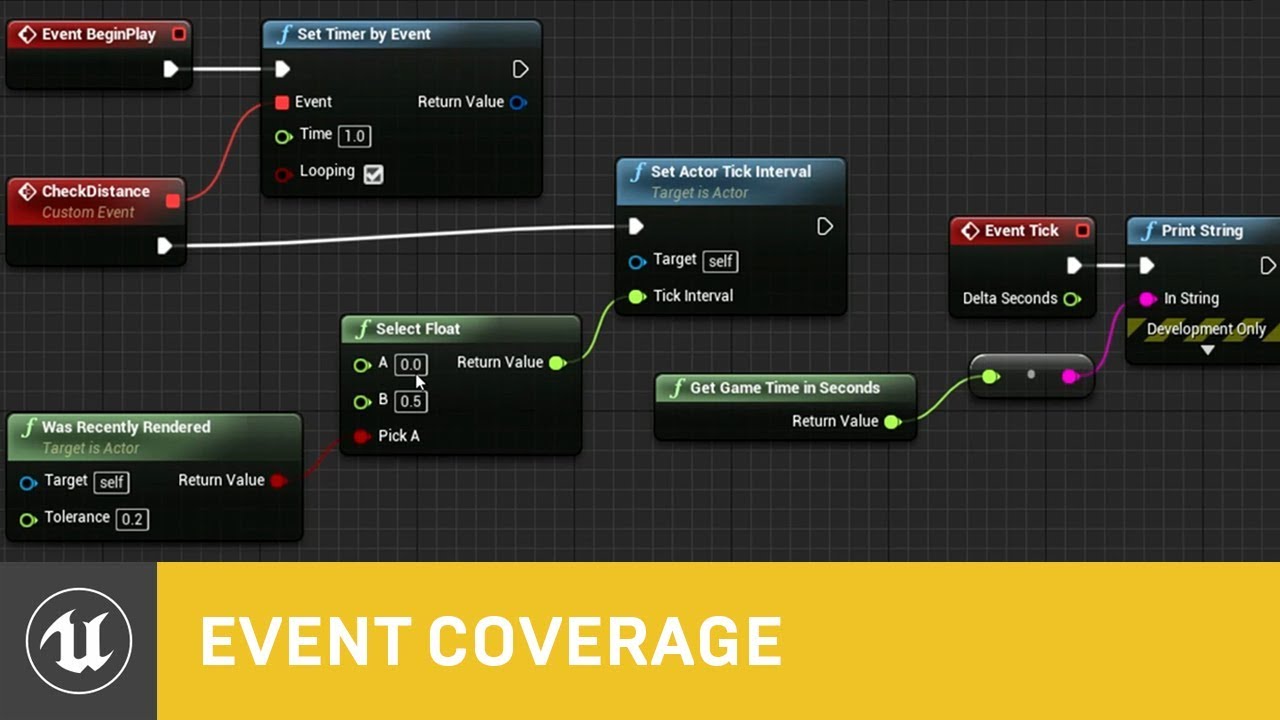
In this presentation from Unreal Fest Europe 2019, Epic's Sjoerd de Jong offers an in-depth look into Blueprints. Best practices, dos and dont's, and recommendations on how to utilize Blueprints to its full potential.
During this advanced class we will go into how to use Blu...
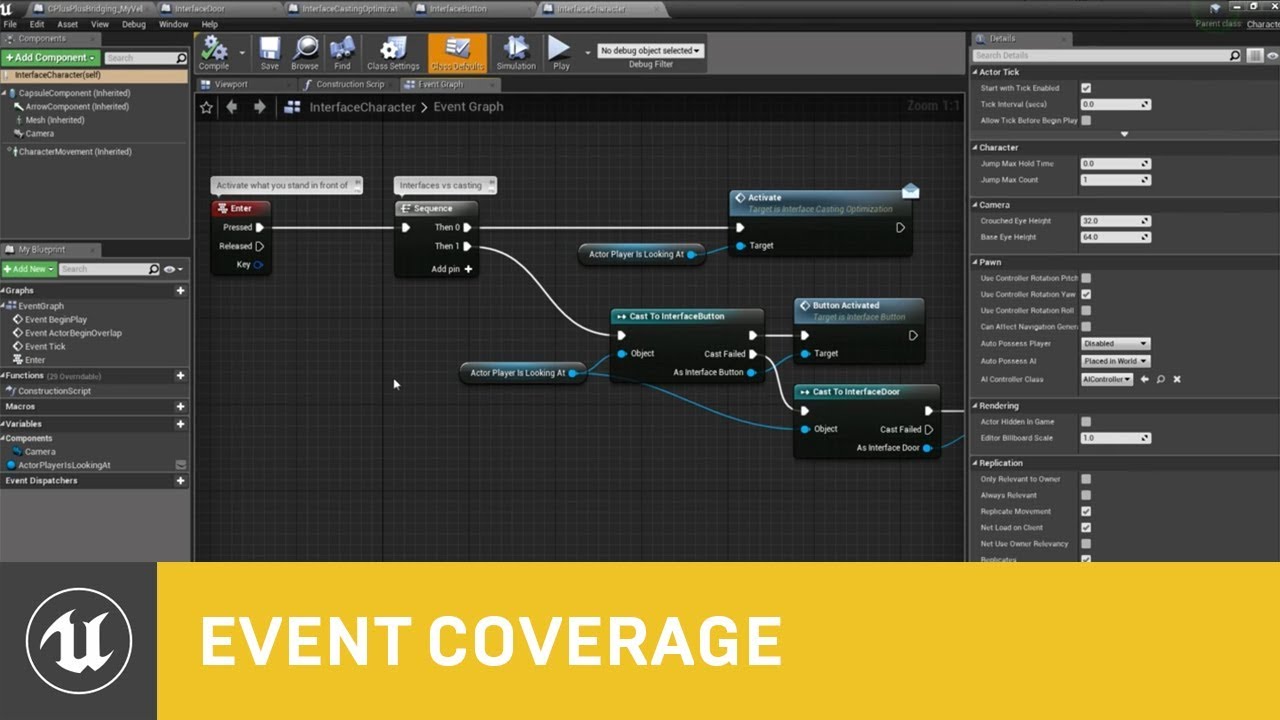
In part 2 of Blueprints in-depth, Epic Games' Senior Engine Evangelist Sjoerd de Jong goes over crucial, but rarely covered topics, with a goal to level up a range of viewers - from those with a working knowledge of Blueprints to users that are fully and professionally profici...
fading vector
So I created a mesh from my multiple bsps. I added a few collision boxes to see if there would be any issues. I have 1 before the square gap and 2 beside that same gap, and then 1 after it. When my ball rolls across these collisions it bounces upon changing, they are all level so I'm not sure why its doing that. Any ideas?
normal burrow
Video of the problem might help
fading vector
@normal burrow So when the ball crosses where the collisions are it bounces.
1 sec
See the ball bouncing when it crosses into a new collision
normal burrow
Bsps generate harsh normals like that on corners
Wall like corners
Could have carried over to the converted static mesh
 coarse wigeon
@weary basalt You around?
normal burrow
Any way you could use box collision?
 weary basalt
?
 half turtle
i am having a neurism... the is valid node is the one giving me th error...?
like... the whole purpose of it is to not run if is not valid. so why is it even erroring whatsoever?
next badger
Finally! I can tell which is stationary and which is Movable w/o trying to remember the colors
normal burrow
Can you fix the fast path indicator?
half turtle
so unreal question, in unreal the player itself.. its abstract, is it the player controller? like if i want to keep tracks of score per player, should i build that on the controller?
half turtle
oh is a c class
normal burrow
You shouldn’t need to do much with controller
PlayerState is exposed in blueprints too
A PlayerState is created for every player on a server (or in a standalone game).
half turtle
maybe i shouldnt use that for tracking poitns and just use my game mode
normal burrow
Entirely up to you
fading vector
@normal burrow So if I don't use box collisions there are no collisions at all
normal burrow
You aren’t using mesh collision there?
half turtle
i am kind of confused with th player state, i can see i can get score information from it, but how do i cast set score to it?
normal burrow
I believe the server sets the score value and it is replicated to the clients
 modern sinew
Can anyone help me with this Launch Error? LogPlayLevel: Error: ERROR: Stage Failed. Missing receipt 'C:\Users\-----Desktop\Documents\Unreal Projects\MultiplayerTutorial\Binaries\Win64\MultiplayerTutorial.target'. Check that this target has been built. LogPlayLevel: (see C:\Users\-----Desktop\AppData\Roaming\Unreal Engine\AutomationTool\Logs\C+Program+Files+Epic+Games+UE_4.21\Log.txt for full exception trace) LogPlayLevel: AutomationTool exiting with ExitCode=103 (Error_MissingExecutable) LogPlayLevel: Completed Launch On Stage: Build Task, Time: 0.749956 LogPlayLevel: Completed Launch On Stage: Deploy Task, Time: 0.000031 LogPlayLevel: BUILD FAILED PackagingResults: Error: Launch failed! Missing UE4Game binary. You may have to build the UE4 project with your IDE. Alternatively, build using UnrealBuildTool with the commandline: UE4Game <Platform> <Configuration>
(Dashes are used in the path name bc my computer name has my name)
fading vector
@normal burrow What do you mean mesh collision? Can I just use the mesh itself as a collision?
 opal portal
anyone know how I can fix these two? Not sure what the right channel is for this
I'm trying to delete this but i have no idea how to delete memory references to the landscape and the world
modern sinew
Still need help with my issure ^-^"""
half turtle
so how exactly should i go about creating an pickable item?
 dark rune
why is it that when I load into my level from another one, all my physics actors seem to glitch out, but if I load into the level directly using PIE, everything's fine?
I have made sure that the actors were not intersecting with level geometry
modern sinew
can someone help?
ancient lotus
@modern sinew your issue is stated right in the log
modern sinew
yes but I don't know what it's asking me to do
I rebuilt it
and it gave me the same error
So it's not that, @ancient lotus
ancient lotus
youve compiled?
modern sinew
I...clicked the "Build" button, if that's what you mean
I haven't changed the blueprints any
modern sinew
I'm following the Multiplayer Tutorial, but watched a video on how to get Steam interaction and added that
This is what I have
ancient lotus
guess blueprint projects dont have a compile option
do you have visual studio setup and installed?
modern sinew
uhh, no, why? I don't use that
ancient lotus
you have c++ classes and no ide(visual studio for example) to compile them
install and setup visual studio and give it another try, im willing to bet thats the reason
modern sinew
I haven't touched C++ this whole project tho
ancient lotus
if i recall the steam interaction thing youve setup has c++ classes. your project might have them from when youve added that, check
modern sinew
no, the only thing the video has had me do so far is edit the Default Engine file
ancient lotus
nothing more?
modern sinew
nothing more
ancient lotus
did you have the issue before that?
modern sinew
no
This video, and I'm at 5:45 rn https://www.youtube.com/watch?v=DGwmmgOZeNs

Previous Steamworks versions:
https://partner.steamgames.com/downloads/list
Text:
https://drive.google.com/file/d/1-Fn5SB7V_U_0J6EubGsXmYg8x2HNXTJo/view?usp=sharing
Where I Learned:
https://allarsblog.com/2016/02/25/basicsteamintegration/
https://forums.unrealengine.com/deve...
modern sinew
Also, around that point in the same video, he just clicks "play" and is able to access the Shift-Tab menu for Steam
that doesn't work for me
ancient lotus
is steam open
modern sinew
yes
ancient lotus
i have no clue then
id make sure its setup right and that the paths have not been changed to an incorrect path
modern sinew
Ok! Got the Steam bit to work
it just still crashes when I choose the Launch option, but whatever
 gray jetty
Can someone help me in support vc im trying to finish this paper 2d blueprint
weak cypress
how can i get the quixel assets in UE?
manic pawn
a thing by quixel
manic pawn
not nearly all of the collection I don't think
 opal berry
How many developers here are on windows or mac or linux
manic pawn
probably all of them, what else would you use?
manic pawn
don't those run windows too?
weak cypress
i have no idea
opal berry
what I ment which one do u use ? @manic pawn
manic pawn
most people use windows and it's completely incomprehensible to me how anyone can deal with the inconvenience that is working with a linux desktop, but people in #linux probably disagree
manic pawn
hmm
weak cypress
how to fix that
weak cypress
still havent found a fix
 radiant haven

 dark rune
This happens everytime I open my development build. How can I fix this?
That folder structure does not exist anymore, I've changed it
 dusky inlet
Did you change it from outside unreal? That's a big no no
dark rune
no i didnt
deleting the map was also inside unreal too
the game doesnt reference the map at any point either
dusky inlet
Hmm well it's talking about the command line so do you have command line options set anywhere? There's a way to do that somewhere in vs, never needed to use it myself though