#ue4-general
1 messages · Page 681 of 1
 rocky pond
when i click escape game just turn off or i get cursor and i am in editing mode
 runic fern
try Standealone mode
runic fern
Ok
rocky pond
where i am supposed to link set to?
rocky pond
ok i already managed to know but when i move cursor my screen moves like i am playing
you know what i mean?
game just dont stop
runic fern
ok after cursor show use this
rocky pond
thank you a lot
runic fern
When I try importing an animation from mixamo I get this error. What does it mean?
@ebon linden Are you trying to import Animation without skin ?
Welcome no worry
thank you a lot
@rocky pond
rocky pond
you helped me a lot and there is one more thing cause i wanted to this menu show up while game start not like a pause menu but start menu. I really feel well with that that there is someone like you to help some beginners😄
runic fern
Try to export from mixamo Idle animation with skin and the rest without skin because its have something with the root
you helped me a lot and there is one more thing cause i wanted to this menu show up while game start not like a pause menu but start menu. I really feel well with that that there is someone like you to help some beginners😄
@rocky pond no worry goodluck you can create Pause Menu and change it with the one after beginplay
- create new widget blueprint rename it PauseMenu_BP and add 2 buttons Resume and Main Menu
- On Resume Button Release Add Remove From Parent
- On Main Menu button Release Create Widget " Main Menu"
""" - Go to Character Blueprint Change Create Widget Main menu to Pause menu and Promote it to variable again
- Change the Reference of the Mainmenu on Escape Action
And that all
@ebon linden If its worked tell me please here and if not also tell me xD
Happy its worked
Now i need someone can answer my question 😄
 rotund scroll
what was your question
 scarlet birch
Those BPs you shared seem problematic to me unless I misunderstand how things work.
scarlet birch
This is bad:
rotund scroll
or a multiplayer programmer
runic fern
This is bad:
@scarlet birch Yes i wrote that might work 😄
scarlet birch
...
Why do you call remove from viewport after a hard level load?
Doesn't that already happen?
runic fern
oh yea its for Pause menu
not main menu
but i have no pause menu i used this as an example
rotund scroll
it's not going to work though
once you remove from parent you don't have the reference anymore
so it'll run once
and never again
scarlet birch
But what happens when you call open level? What gets destroyed and created.
There's issues in most of those above.
rotund scroll
I mean the controller isn't transient is it
runic fern
So yea he can change Remove from parent to other thing and its will be ok
i said im not very experienced but trying to help as much as i can
if there is an issue you guys can advice so everyone can get it
rotund scroll
@runic fern well Mike is right in that you either want to spawn things constantly or keep them in the background constantly
there is no middle ground
scarlet birch
Isn't there a flow chart that shows what happens on level open?
I think it might also be covered in this: http://cedric-neukirchen.net/2017/02/14/multiplayer-network-compendium/
This is what I was thinking of and is worth reading through. https://docs.unrealengine.com/en-US/Programming/UnrealArchitecture/index.html
Explanations of the basic gameplay elements, Actors and Objects.
 zenith flower
I'm having a small issue with a custom version of the engine, its the microsoft UWP (for xbox) version:
There is a file called GetUWPDependencies.ps1 that is not a part of the repo, as far as I can tell...
If I modify it, I see the changes in smart git and github desktop.
If I commit those changes, the changes are lost.
Is there a special place for repo initialization that copies files from somewhere
scarlet birch
I thought the UWP branch was dead?
zenith flower
nope, someone got it fixed up for 4.20
I've just finished cleaning it up for easy re-base on newer engines xD
rotund scroll
sounds risky af
scarlet birch
Ah, you'll probably have to ask on it's dedicated forums or groups. I've never seen anyone post about it here. I messed with it a little over a year ago and it was a PITA.
zenith flower
nah, I pulled all changes into two commits:
Added all new files
Added all modifications to existing files
rotund scroll
yeah what Mike said
zenith flower
(Oh I got it working finally)
I was literally about to delete my question
I also fixed cook on the fly on xbox xD
scarlet birch
Nice.
zenith flower
Turns out, WindowsDevicePortalWrapper's nuget is from 2017, while the repo has new changes, latest being jan, 2020 xD
scarlet birch
You have a link to the repo you're using?
zenith flower
I've cleaned it up really nice. You can rebase the changes on newer engine versions now
scarlet birch
Nice.
zenith flower
Hacks are also clearly identified, for example emmetjnr, hardcoded the windows sdk, which I plan on fixing
it gets really easy once you have all the UWP changes in a single commit
you can literally see it actually didn't take a whole lot of modification to get UWP support
scarlet birch
I might check it out. It'd be kinda cool to throw some little games up.
zenith flower
Okay, I also have setup a UWP channel on the ocean project discord
rotund scroll
is it supported for xbox validation though
zenith flower
with a FAQ channel that is current
(98% of the guides out there are outdated as hell)
What do you mean? Like for the store?
rotund scroll
yeah it sounds like if it was ditched then it's probably not supported and won't be verified
zenith flower
In its last working state, it was possible to get it on to the microsoft store
rotund scroll
on xbox too?
scarlet birch
Does it still have UWP? There use to be like two teirs on Xbox one for if you had Live access and one using UWP.
zenith flower
You get the same functionality for both
UWP
UWP + Xbox Live Services
scarlet birch
ok, I think I might have joined the wrong discord
scarlet birch
Nice. I sort of remember some of that being talked about. I don't remember why I gave up on it. I think it was becuase the last time I looked UWP couldn't have access to live services.
Thansk.
zenith flower
when you have it, let me know so I can delete it
scarlet birch
got it
zenith flower
To be fair, I just got back into it again, I've only tested basic stuff
like packaging, compiling, and cook on the fly
 plush yew
Can someone tell me how do I export a .upk file to a .fbx?
 novel summit
ok discord back up on my pc
how do I make grass more dense
I'm using procedural foliage and when I put grass in it just does it in spots
 next badger
@plush yew UPK is UDK file
next badger
ofc...it's UDK...not UE4
rotund scroll
UDK is not the same as UE4
next badger
UDK is UE3
plush yew
so I open it in UE3?
next badger
yes
next badger
are those spots - individual grass meshes? or packs of those?
novel summit
packs
next badger
are you using one grass type?
novel summit
what do you mean? like one mesh or...
next badger
FoliageType
novel summit
how do I check that?
next badger
umm open your proc spawner an look there
plush yew
so er where would I get UE3?
novel summit
wait why would you want ue3
plush yew
I have a folder with .upk files
 toxic cosmos
Try looking around Google or Reddit @plush yew. It's not really actively distributed anymore
novel summit
It ain't free
plush yew
frig that
plush yew
that's such bs of them
novel summit
well it is old and no longer needed
plush yew
so wait u mean im screwed with this crap
toxic cosmos
Basically
plush yew
well shit
toxic cosmos
Where did you even get UDK files?
plush yew
HardSuit Labs
 polar viper
I need help. I can't load my project on my pc. I can in uni but it's closed.
Can someone export my project please so i can work on it in max (including textures)
polar viper
My file is 10GB zipped
plush yew
yea I aint doing that
novel summit
dats a lot
polar viper
😆
plush yew
if it was like 7 gb or 8 then I would've
novel summit
zip the zip file XD
 ocean hemlock
My pc specs are above reccomended
any idea why? i havent touched a single thing
i have been compiling shaders for 6 hrs
started at 10k
now its at 8k
Any idea on how to speed it up
rotund scroll
lol what does a game designer need UDK files for
polar viper
I'm a 3D artist and i need unreal engine
@ocean hemlock my specs are better than my unis pcs but my pc isn't fond of it
rotund scroll
have you tried with the latest drivers for your graphics card? if you're using NVIDIA cards you should use studio drivers
ocean hemlock
Oh, should it really take 6 hours for 2 thousand shaders
studio drivers?
where can i find that
novel summit
@next badger how would I fix this?
ocean hemlock
ill try it thank you
 empty smelt
 mossy nymph
should also have enough hard drive space for the derived data cache @ocean hemlock
mossy nymph
yes
ocean hemlock
Alright, thanks for the help, im updating drivers. hoping it will help
 abstract relic
And for future ref. Zip up your file from within the project. File>>package project>>zip. Doing so externally doesn’t compress the files well. Sometimes an external zip is bigger than the project itself
ocean hemlock
yeah, i downloaded a project which was compressed, i just dragged to desktop and launched
and greeted with 10k shaders to suffer with
plush yew
Am having a problem
with aim and shoot animation transition
do i need a montage for that?
rotund scroll
@ocean hemlock you will always have to build shaders for a project you download
ocean hemlock
yeah, but shouldnt be taking 6hrs
rotund scroll
well it's only taking 6 hours for you
your best bet is to find out if the project is corrupt or if your drivers are outdated
 grim ore
If it's taking a while for shaders (more than 30m) do you have Visual Studio installed?
plush yew
@grim ore If i may ask you
I need to Aim and shoot
I need to use animation montage for that?
Am trying to blend these 2 animations
scarlet birch
Look at how it's done in the paragon assets and some of the other learning projects.
grim ore
the official docs cover the aim offset asset and there is an example in the content examples project
 midnight bolt
seems like i can't complete my light build, im doing preview on a quite simple level, and it gets stuck at 8%. i removed intermediate/saved folders and it's the same. sometimes its stuck, sometimes it cancels at 8%. like now i got error MapCheck: Error: WorldSettings_1 Maps need lighting rebuilt
next badger
@novel summit that is super weird, have you set the tile size to some small value?
@midnight bolt that error is just about lighting not being built, nothing critical
when you building the lighting, the swarm agent will pop in tray...
open it...go to settings, and set the verbosity to one of the latest ones
then go to log
sometimes it's just lack of memory to build the lighting...it may be caused by incorrect settigns etc
midnight bolt
I reset my lightmass to default, and it went through
But it killed my gpu
It's black screen all the time, even after restart
I can hear windows sounds
next badger
jss
gpu is not ded if windows booted up
do you have any other outputs on gpu?
hdmi/dvi?
 opaque plover
I am in distress, I cannot build my solution anymore. VS is stuck on "Building 16 actions with 4 processes...". Anyone knows a way to find more logging/output to fix that problem?
EDIT: Even a fresh project from templates do not work (stuck on Generating code...). I tried to reinstall both VS and UE4
next badger
@midnight bolt should have multiple hdmi, no?
midnight bolt
Not the one i have. There is only one and ports i dont have cable for
novel summit
@next badger it's set to 1000
next badger
@novel summit by defauilt it's like 100000 no?
next badger
novel summit
that was me being stupid and messing with settings
next badger
@novel summit i've suggested you to remove all the spawners and start with one type...or even start with one sphere type mesh
then add more stuff to it
every FT may mess up your procgen
@midnight bolt it's not working in bios as well?
midnight bolt
No, i can see monitor waking up from 'input', but there is only black screen, not even first bios screen
next badger
@midnight bolt generally that happens for me when i plug my VIVE...it's usign it as default monitor
midnight bolt
i have quest, but its not plugged in right now, no other screens too
next badger
you have igpu?
plush yew
hey guys, i want to ask something but before i should know, can i send a video link in here?
next badger
@opaque plover are you running compile from VS or from UE4?
ocean hemlock
yeah you can
 next badger
@plush yew as soon as it's SFW =)))
plush yew
im trying to reverse engineer that sky....i kinda managed to do half of it but im stucked, is there anyone interested?
i mean 2 brains is better than 1
no one?
next badger
@plush yew you have a sequence of HDRs?
plush yew
well kinda
i mean its just a video
im trying to just strat with a video
if that works out i can gather around my own sequence of hdrs
@next badger wanna do this? we can talk in dm
i can tell you more about what ive done so far
next badger
if it's 2d, i'm not interested
plush yew
2d?
next badger
not panoramic
plush yew
well im trying to get same result as in the video but rn all i have a basic video of sky
so... what do you say?
what do you say buddy, 20 min adventure in and out (quote from rick and morty xD)
next badger
is that video 2d or 360degree panorama? that's what i'm asking
plush yew
the result is 360 panaroma
next badger
if it's 2d, you can just use camera projection on sphere and that's it
plush yew
no the result is like, this:
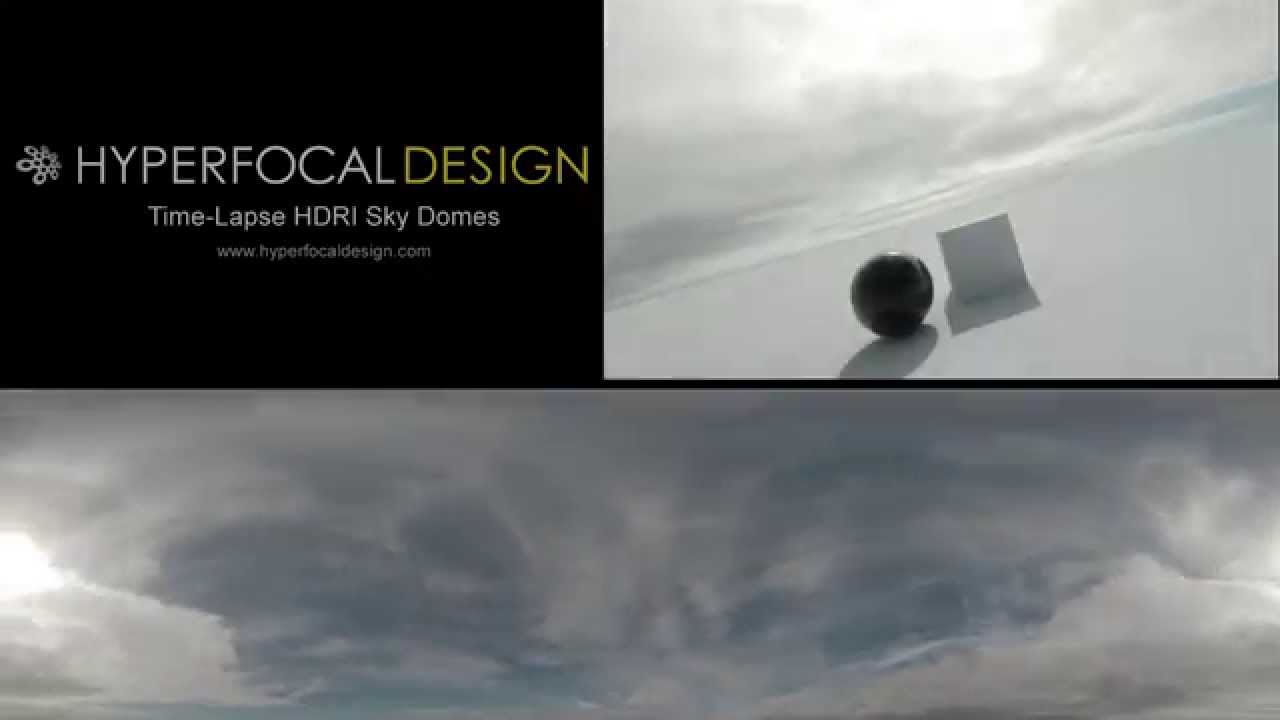
Available soon: http://www.hyperfocaldesign.com/hdr-footage/time-lapse-hdri-sky-domes
This time-lapse was particularly tricky to assemble, as it featured a changing aperture, and a quickly removed ND filter to go from twilight to night - you can see it if you watch the moon c...
when its done, you can change the sun direction in any direction you want
full 360
next badger
so it's panoramic video
plush yew
yeah
next badger
i'm pretty sure you can't change sun direction
plush yew
its possible lemme show you this
idk how he did this but i know itspossible

reddit
257 votes and 17 comments so far on Reddit
look at this
next badger
rotating the dome != rotating the sun
plush yew
i mean the sun ...the light source direction changed
next badger
if you just using the spherical panorama, drop it on skysphere, half done
plush yew
here is the problem
its video format....idk how to do that part
its not like a simple texture
next badger
Illustrates how you can play a video file inside a level on a Static Mesh with the File Media Source asset.
midnight bolt
i let my pc cool down and it seems to turn on again... @next badger despite default world settings, it does not finish light building.
is it possible to see how many times UE4 has crashed? maybe it keeps count in log or something
next badger
all logs are in appdata\unrealengine
 frozen pollen
for some reason whenever i start up this project it gets stuck at 39%
and any project with the blueprints from this in them also gets stuck at 39%
all my other projects launch fine
and its doing this in task manager
 honest vale
frozen pollen
honest vale
frozen pollen
how long does it take
 glad karma
Hey guys, somebody know maybe site with models for projects? Right now i looking for meshes of folliage. Thanks
next badger
@frozen pollen depends on your cpu...may be 10min may be hour...
 hearty walrus
Shaders are one hell of a nightmare, trust me
It's just a one-time thing, don't worry
hearty walrus
ha! Hope it isn't too bad, good luck
next badger
@glad karma https://www.cgtrader.com (free and paid)
hearty walrus
I'm trying to finish something to load it into unreal as a proof of concept
glad karma
Try with downgrade version of unreal engine
glad karma
Áaaa okey sorry, i think hes got it when starting ue
next badger
@frozen pollen it's probably not done yet =)))
 coral bolt
Somehow managed to send my actor to space. No idea how this happened
he is not even meant to move
im just trying to put a sphere above him😂
 green star
Hey! i downloaded unreal engine earlier today and its really exciting. i have a question for us beginners, what is the best tutorial to creating an open world realistic style survival game? i have issues with world making and making some good worlds that seem real. thanks for any help :))
 fallen marten
Start smaller lol... Best tip I could give you, and am speaking from experience
next badger
````i have a question for us beginners, what is the best tutorial to creating an open world realistic style survival game?```
I'd put it in a frame...unfortunately it's too common to see that kind of question our days
grim ore
@ocean hemlock sorry was AFK, if you have VS intalled and slow compiles look for incredibuild being installed as well. If it was, uninstall it.
 quiet island
Is it possible to import a demo project inside another project?
I bougth some things on the marketplace but they arent really easily to port over to my project
grim ore
you would have to use the migrate tools to move from one project to the other safely. Otherwise you can "try" and move them in your windows explorer but thats prone to failure
ocean hemlock
i lost all my unreal engine projects for no apparent reason, im recovering them with a program, how do i recover them properly with no corruption?
5 years of work gone, lesson learnt to use source control
:(
 spark sonnet
How did you lose it?
ocean hemlock
I was deleting some old ue4 projects, like 2 and then i decided to download the newest ue4 update, after watching youtube i go to look in epic games and theres nothing
all i did was delete a few projects
not all of them
Oh
i did delete an older engine
but none of the projects used the engine
 normal burrow
Please set up source control still
ocean hemlock
Yes
Definitly
i am on the verge of suicide of this shit
school tomorrow and im slaving away to get my stuff back
spark sonnet
So they are just not showing up in the epic launcher or are they completely gone from your computer too?
ocean hemlock
Completly gone
Im using a data recoverer
the stuff is there
but i have to pay for the software
im looking for another software
grim ore
did you create the projects in the folder where the old engine was installed, it sounds like that.
grim ore
looks like "C:\Program Files\Epic Games\VersionNumber" but I never use the default
ocean hemlock
Okay thanks
quiet island
you would have to use the migrate tools to move from one project to the other safely. Otherwise you can "try" and move them in your windows explorer but thats prone to failure
@grim ore It failed big time, I think I saw your youtube channel btw.You have a few thousand videos if im right :O. But indeed as u said it failed to do it via copy pasting the general files and editing the blueprint of my character with the missing components and stuff. Is there a way to import everything like the variables, etc?
Honor to meet you btw Mathew!
im looking for another software
@ocean hemlock wondershare has a good one but they will never recover entire UE projects the way they were, im afraid your screwed
ocean hemlock
So you cant recover projects without corruption?
quiet island
if you could I would be amazed let me put it that way, data recovery especially overwritten data is such a terrible thing and when it comes to thousands of files to recover who all were in specific folders and stuff it might be the longest shot you ever attempt
ocean hemlock
haha
quiet island
recovering pictures, videos, music, etc is possible quite doable ( Still a challenge to find what you need)
quiet island
I think you have better luck finding nudes on a second hand camera u buy that still has the original SD card in it
ocean hemlock
Lmao
quiet island
by recovering the data offcourse
I did data recovery gigs in the past for my own machines + clients so I have experience but man what a disaster it is usually
quiet island
when you deleted that old version did you see any buttons of data deleting?
Never found something illegal but certainly saw some good nudes
quiet island
not sure why im sharing that to 😛
quiet island
folks were still happy I saved their data to
are you sure your projects arent in your documents folder Ragin?
mine are there
plush yew
i bought asset from marketplace. I changed the material with my own material to the asset. The said material is greenish colour. Now when applied to the new mesh its colour is red. why? how to change?
ocean hemlock
Yeah it was in the documents then probably
quiet island
so ur stuff is all good?
ocean hemlock
i hope, lets hope it doesnt corrupt on recover
quiet island
hmmmm
is it only a content folder what you got there?
or is it a whole bunch of stuff?
ocean hemlock
no, only the content folder of the game, got to find the uproject and rest
quiet island
how are you finding this, via a recovery software you mean?
zenith flower
but every moment you use the computer, you can loose more data
zenith flower
and DO NOT RECOVER TO THE SAME DRIVE
quiet island
I thougt you had found the stuff
ocean hemlock
Okay
quiet island
on your drive
ocean hemlock
I found part of it
quiet island
man I feel so bad for you
zenith flower
easeus can only find "known type" files
quiet island
I know Recuva is free and decent but if it will work...
quiet island
easeus can only find "known type" files
@zenith flower Yep was about to mention that
ocean hemlock
Oh nice
zenith flower
its takes a bit of a learning cure, I can help you if you have teamviewer
ocean hemlock
can it undelete up to a certain time or something?
zenith flower
but try not to use the drive you have yoru projects on
quiet island
I hope you find back your stuff Ragin
zenith flower
yea, I can, just PM me
ocean hemlock
Okay
zenith flower
everything you are doing is putting those files at risk
testdisk is amazing for two reasons
- Very small dl size, less risk if you only have 1 drive
- Can find files of any type
Has 1 issue:
Depends on the fat table (scans deleted fat entries) so if you create files, its likely the needed "deleted" fat entries are overwritten
 pale verge
I have a question about unreal engine blueprinting. Can I ask it in here?
 craggy flax
pale verge
craggy flax
pale verge
thanks
zenith flower
RIP that project
quiet island
unrecoverable right?
I was afraid so
I have 3 project files that I need to connect to each other, I know @grim ore mentioned I need migrate tools but im not familiar with this yet
I figured how to use the build in migrate function, lets hope it works
that would help me alot!
Awesome I managed it
polar viper
I'm still looking for someone to help export my project due to not being able to access it
 glass egret
SOMEONE HELP ME
 fierce tulip
only if you ask nicely
rotund scroll
wow this chat is on fire
as in, everything is burning
not as in, it is going well
fierce tulip
sounds like a metaphor for real life
glass egret
can someone please help me 😦
i have this

and i need it to be like this

trying to get the emissive material to cast to the back wall
fierce tulip
why not set the emissiveness in the material, just like the ring?
glass egret
it's not casting light on to the back wall
fierce tulip
is it one mesh?
glass egret
yes
fierce tulip
then my answer remains the same
glass egret
dont really understand what you mean
fierce tulip
create a mask for that lightglow and set up the material just like you set up that right of light.
glass egret
um
 grim juniper
If I'm understanding correctly, build the light glow directly into the wall
glass egret
how
grim juniper
create a mask for that lightglow and set up the material just like you set up that right of light.
fierce tulip

Apparently files over 25mb can't be free on gumroad so it requires to be minimum of 0.99 cents :( (1.2gb unreal project file)
Scene Download: https://gumroad.com/polygonacademy
UE4 Lighting Presets + Tutorial: https://youtu.be/_bqpw5sOwr4
Setting up capsule shadows tutorial:...
frozen pollen
I want to set up a cheat code room where you can you click on each of the 6 digits of the pad to cycle through the numbers and letters and then put in a code which unlocks certain stuff in the game, kind of like the cheat code room from the Lego games. How should i go about doing this?
 dull vessel
For some people who posted about editor hitching/stuttering, I had the problem randomly happen on my editor (all projects) and narrowed the problem to UDP Messaging Transport, every 2 seconds it was having an error and spiking. I saw some posts earlier from people that had the issue, so it's a potential culprit to check out.
 rancid lynx
how can i make this sound finish playing, even if the actor is destroyed ? other than changing its parent.
giess i could just destroy the mesh and delay 1 second. but surely there is a option somewhere.
grim ore
dont play the sound using an audio component on the mesh, fire off a one shot event like play sound at location
fallen marten
Guys I've asked a question in graphics, any chance one of you may be able to point me in the right direction?
next badger
@glass egret you can't see glow from another side of the circle, as ue4 does not make it for pixels that are invisible
but you can set that lighting mesh to emit light to static
the problem is...you have to up the lightmass settings to have nice image
this one is 0.05 scale and 512px lightmap, you still can see the artifacts
quiet island
Im trying to find out whats wrong with my set health but i cant find it,
next badger
you have no health...it seems
@glass egret here, lowered the emissive boost, and it seems to look ok
left one is just emissive, right one is injected to static light
quiet island
hmmm but I do have it
next badger
@quiet island maybe you referencing it wrong way
ue4 says it's None...means it's not exist at place where you accessing it
polar viper
Ah welp. I know i aint getting help.
plush yew
pls help me someone i dont get it
why some mesh has this one material showing different color
quiet island
Think I got it
next badger
@plush yew screenshot to compare
quiet island
De gast, your question is not really clear man
polar viper
I feel like I'm going to need to repeat myself 10 more times
quiet island
wat probeer je?
plush yew
very clear jesus christ
fierce tulip
english only, thanks
quiet island
I feel like I'm going to need to repeat myself 10 more times
@polar viper Lol.... try being polite
english only, thanks
@fierce tulip Sorry man lol lol lol
very clear jesus christ
@plush yew ok whatever, goodluck
fierce tulip
@plush yew behave, its bizarrely unclear
also, read the #old-rules asking the same question in multiple channels is not allowed
plush yew
lol
 worn granite
the reason one mesh is very clear is that you have a transparent material on it
plush yew
tried to rephrase the question in more appropriate channel
polar viper
@quiet island I've asked 2 times already
worn granite

quiet island
@quiet island I've asked 2 times already
@polar viper Wow....
normal burrow

quiet island
Im going to sleep, its a odd night
 dire fjord
I have a map I can't delete. it's not a map that it is in use. It's not loaded when the editor starts. In fact, I just opened the editor, browsed to the map, and it claims that it is in use when I tried to delete it. Any idea how to figure out what's going on with that? Reference viewer shows nothing.
next badger
@polar viper i've just searched through your posts
and you only asked...if anyone will export your project
Probably answer is no, as exporting from ue4 is real pain in the butt
polar viper
I can't work on it in ue4 i just need to to be exported as a fbx with textures
scarlet birch
@dire fjord Did you try doing what it suggests?
polar viper
@next badger my uni is closed and i have to get it finished so the only thing i can do is work in 3Ds Max with it
dire fjord
@scarlet birch it says "if the object is loaded at startup" but there is no evidence that it is. It's just one of those Demo maps that is included in an asset pack as far as I can tell.
polar viper
Because i tried to load it up and it juat black screened
scarlet birch
Isn't the fact that it's in use an indication it might be?
You could always just move the file out of the content folder in the file explorer and see if it breaks the project or not. Likely it won't
dire fjord
Except that won't really help me understand how or why it's being referenced.
Deleting it in explorer doesn't seem to cause any issue, but with nothing referencing it, I'm not sure how it was loaded at startup
next badger
to understand how or why it's referenced you will need to learn how UObjects work, how they enumerated and how garbage collection works...you need that?
dire fjord
What I mean by "how" is where in the editor the map is being called at startup. There is nothing in the default level that references that level, so if that map is being loaded at startup, something else in the editor is doing that.
next badger
dire fjord
That might be it then. I'm not sure if there were particles in it or not and it's gone now. thanks.
a bit of an usual bug as well.
next badger
if its unresolved - it is...simple bugs are commonly fixed asap
 old thorn
Does anyone have any experience with releasing a dedicated server + packaged game on steam? Our client can't see any servers even though the dedicated server is online, it was all fine before we changed our product status to "pre-release" state, it also works without steam
 green sky
@next badger So do i add SuppressRestorePreviouslyOpenAssetsNotification=True to it? Because i noticed it wasnt there.
next badger
yep, try it
green sky
😦 Nope didnt work 😦 (S-ed)
rancid lynx
how do i reduce the rediculous difference of the lighting on this grass ?
same grass, same area, if i face north, wonderful lighting, if i face south, terrible.
my Directional light is only like 1.5 , its not blown out, in fact unreal once recommended 3.14 on directional light, would makes this even more terrible.
surely there is a better option other than a second directional light from the south
when i stand in the sun, my ass isnt 22 shades darker.
old thorn
Is the bottom one the one you want, and is the bottom one what it looks like when the sun is directly hitting it? The top one just looks like it has a shadow on it, you could try turning off "cast shadow" in the grass' material, or put the base texture node into emissive instead so it casts its own light, but this will make it glow in the dark
rancid lynx
thanks. ill try that now. i forgot that that would also apply to the grass itself, not just the terrain
old thorn
I'd try this, to blend your grass into the landscape grass, if it fits your style https://www.youtube.com/watch?v=_oTzRjiVhiE&t=604s

Tutorial showing how to 3d model stylized grass for video games using blender, and showing a UE4 grass shader to go with it.
Blend4Web Add-on: https://www.blend4web.com/en/downloads/ (under Blender Add-on)
Twitch: https://www.twitch.tv/mrtripie
Twitter: https://twitter.com/M...
More the texture part at the end of the vid
rancid lynx
tyvm. ill check it out. the light does indeed look much less drastic. im going for a smooth difference in lighting effect across everything, kind of like zelda windwaker
cast shadow didnt seem to effect the blade of grass in the slightest. which is a little odd.
well, im rebuilding lighting now. maybe thatll trigger an update
old thorn
is each individual grass blade a single mesh? You acn get away with a "fuller" looking grass like in the vid above if you have a grass texture on a plane
rancid lynx
oh.. hes controlling the normals for the grass. straight up normals
thats a great idea.
that might solve it. idk. ill test it
 wide gorge
Why would my hardware cursor not show up in a packaged build until I hit alt tab?
rancid lynx
something about "focus" google search ue4 focus. common setting
maybe. im not sure
novel summit
how do I fix this
wide gorge
yea it seems to be related to that, no matter what I toggle around I can't get it to work right - I can just tap alt-tab or mouse out of window (if capture is off) and the mouse back in and the custom hardware cursor shows up
just can't get it to appear at start, and yet it does in PIE
you'd think Set User Focus would do it =/
wide gorge
Unreal Engine Forums
I set a custom hardware cursor (I tried this in the project settings and blueprints) and it will only show if I am in a windowed mode and move the mouse out of the window and back in. Why doesn't it show when it starts in fullscreen mode? Any ideas on how to solve this?
wide gorge
Thanks for that link @rancid lynx I actually managed to get it working, needed to turn off all Capture but keep Always Lock on for the mouse - somehow that just works
 exotic cave
Hey all, question about how landscapes and foliage actors work in UE:
Are foliage actors meant to be specific per landscape-instance or are they reusable?
I'm almost done with my first autolandscape kit for UE, but I'd like to include both a premade stage and a blank stage for my users, both with all my possible foliage actors and layers already attached.
 hoary locust
they don't really care which landscape or mesh they sit on
exotic cave
So the instancing information is saved per-landscape and not per-actor?
That would be helpful if so
 half turtle
question, if i use an interface to call the function add force on an actor, and multiple actors are calling this interface on the actor, do the forces get added together? or do they get overriden?and only one of them does its effect?
exotic cave
@half turtle : I believe all forces put on an actor per tick are added together, but am not entirely sure. It would be very odd if it didn't work that way (and would break a lot of physics engines out there).
half turtle
oh okay, i just wanted to make sure
half turtle
i am having a headachee, if i have a shpi that uses force to accelerate, how can i make it such that it stops accelerating from its own thrusters at some point, but other things (gravity) can still further accelerate it?
 primal plank
Skeletal frames/bones can be added to frames correct. Now the question is how hard is it to do.. Is it worth buying just a model and making the skeleton frame/ animations to make it move 🤔
fallen marten
I can do it for you for a small fee 😏
plush yew
is the PlayerController the only reasonable place to put server-client communication (that isn't related to Player or GameState)? e.g. requesting clients' HUDs to update
half turtle
so i dont know what exactly i did but now when my ships move the shield doesnt
and now i fixed that but ... when my ship crashes with a 500000 mass planet, (while the ship itself has a mass of 2kg) it sends the planet flying away
opaque plover
[Q] Hi guys, anyone knows which .NET framework version is currently required for UE4?
EDIT: Seems to be 4.6.2 as of v4.24
 austere scroll
just a general question
what is better ? making animations in blender (or the 3d modeling program ur using) or in UE4 itself
?
next badger
you can't make skeletal animations in ue4 (yet)
there are tools for rigging, but they are for quite advanced tasks
/users
 slate basalt
anyone benched the difference betwen compiling on nvme sdd vs sata ssd?
fierce tulip
i think a few people did, but not sure where to find the data
@normal burrow might know
slate basalt
yeah, for some reason google is not really useful at getting me this info nice and clean
fierce tulip
all I can say is, its faster on nvme. but thats about the limit of my knowledge about compiling :p
slate basalt
people on google didn't seem to think it was worth it but maybe they're not working with the ue4 codebase
fierce tulip
generally with those things, their comments mean "its not worth it to me"
slate basalt
yeah i know. anyway, i've just kicked off my first nvme build so i'll see how it goes
next badger
hdd not a bottleneck
slate basalt
it was before i installed this drive
next badger
cpu is
slate basalt
as in, i'd look at my disk performances and it'd be maxed out 100% in the stats
fierce tulip
@next badger tis, the faster pc can load from hdd/ssd the better
next badger
if you have 3990x...sure, you need an optane...but generally sata3 is fine
slate basalt
3990x?
it's really just an i7 9th gen
and i think i have a xeon at work
which might have a few more cores
next badger
@fierce tulip well, ofc, but 95% of the time it's compilation (cpu load)...you can only affect those 5%
fierce tulip
give or take a few %
slate basalt
i was also looking for a faster visual studio
next badger
@slate basalt 3990x is 64-core, 128-thread
next badger
@fierce tulip few % of 5%...you can double the speed theoretically, but that gives you 50% of 5%...2.5%
slate basalt
and i dunno... with unreal i see my computer spend time not using cpu during build
linking for instance
seems to read a crap load of data from disk
i figured it might help a bit iwth those
clearly, compiling is just compiling and that's a cpu thing although it needs ot write back to disk and those files can be a fair few megs
next badger
yep, linking may be affected...but, generally it's 5-10 mb dll?
slate basalt
they get bigger with their debug symbols
next badger
ue4 binaries not recompiled during build
slate basalt
i work in the engine so i build a lot
next badger
yeah, the source build for sure a pain in the butt
slate basalt
for some reason, none of our projects use stock version
we cache our binaries for the people who don't care but most engineers build from source
next badger
but then you need like...1tb ssd
slate basalt
that's what i just loaded in 🙂
next badger
source build itself is 120Gb
next badger
92Gb...not source version...not PBR game
 midnight gate
how does that keep checking every frame?
rotund scroll
you need a timer for that
midnight gate
ok how do i get a timer
rotund scroll
you look up a tutorial
slate basalt
are you sure you want to check every frame? aren't you better to just listen to the key down event?
midnight gate
i just need this mecahnic
when player walks near object and presses e he collects the object
rotund scroll
there's an e key event
midnight gate
yea i cant plug things into it
rotund scroll
sure you can
midnight gate
nope
slate basalt
yes!
rotund scroll
show me how it looks
midnight gate
rotund scroll
so why can't you plug things into it?
quiet island
The borders of my terrain are making the map feel very buggy. What is the best way to make such landscape thicker? I am using the 99$ voxel editor plugin from the assetmarketplace
midnight gate
arennt you underneath the terrain
quiet island
yeah like if I walk out of it
I get under it
but thats something Im trying to avoid as well as making it possible to walk on water
 thick herald
@midnight gate use a boolean and set it with pressed and released.
slate basalt
alright, pretty damn sure the nvme is giving me a boost in linking. about to do a full rebuild in 40min
midnight gate
@thick herald but how do i make it check every frame
i need to figure out the loops
quiet island
Anyone has an idea about my terrain issue?
Another issue im having is that all of a sudden on a specific ui if I set a texture to my button it puts it all in the wrong order like very unlogical..
It was the damn margin! got it
rotund scroll
@midnight gate I think you're thinking about it the wrong way. the E event gets triggered if you press the E button. so you don't want it to be called. rather, you want IT to call whatever logic you need to perform
green star
I imported some grass and rocks from bridge into my project thats in a github folder(if that matters idk). why didn't it show up in contents in my unreal level?
midnight gate
is it posible to make a glass material without lerp
its imposible to add lerp
it just doesnt add
the one that all the ones in the youtube add
they say to press l
but that does nothing
that does nothing
and i searched for it
none of them are the right ones
 misty creek
Can you post screen shots?
 zealous cloak
My PC crashed and now my whole UNreal versions wont start anymore.
I reinstalled 4.243 but still crashing. Currently im deinstalling everything and install epic launcher and UE 4.24.4 again
misty creek
That sounds like one of your blueprint classes might be corrupted
Try moving the last one that you were working on
And then see if you can open the project
 amber marlin
any idea why collisions are broken on assets i import from blender
 urban basin
guys can i stance the lght color and have one color for many lights ?
amber marlin
im not home rn but its a road with paving
midnight gate
a enviorment
amber marlin
simple shapes
midnight gate
yes i had that too
my map the whole big map was done in blender it doesnt matter simple shapes or not you have to switch it to complex as simple comlision
the deafult import settings are bad
amber marlin
thanks :+1:
misty creek
@midnight gate Isn't this what you are looking for?
misty creek
np 🙂
urban basin
can i have one color for multible lights ?
and the defult color mangmnet in unreal engine kinda sucks for night scene or am doing somthing wrong ?
 abstract plank
Hey guys, I am trying to get my demo going, been working on my project a while now and I finally think it is almost ready for a demo phase, however I am wanting it to have some co-op ability in the demo. What would the recommended way to do that be? I can't decide if it should be client hosted or setup on a rented server
urban basin
@abstract plank not sure what you want but we used github for hour project for a collabration work beween the team it gives you many options including version control we can work on the scene together with no problem
abstract plank
Oh I am working on the project solo, I was meaning network capabilities in game
I also just noticed there is an entire chat topic for it so i am going to ask in there
half turtle
is there anything like "get variable by name from Actor"
so that i dont have to cast because the actor class might change often?
grim ore
use blueprint interfaces
half turtle
Fuck
grim ore
create function to get the variable
half turtle
thats exactly what i didnt want to do Lol
grim ore
add function to classes that want to give the variable
well if you have the variables on a parent class you can use that as well
half turtle
yeah and then if the class is not being controlled by the player donjt call
grim ore
assuming you can have parents and children
half turtle
i didnt knew about how the hierarchy worked on unreal before... so when i started creating this project a week ago i didnt create parents and child classes...
sigh guess i should start now with that
question, perfomance wise, if i have things like a branch that checks if a ship is used by the player and it fails it does nothing, how much of a load is all that unused code on the branch that never ran ?
memory wise
also if i create a parent class and childs, if i update the parent class, will it propagate to all the childs?
or do i have to then update the childs manually?
or is it more like java?
grim ore
the children would be updated, thats why inheritence is good
half turtle
oh okay
grim ore
technically they arent updated they just have whatever the parent has
half turtle
yaeh i know, i just started using unreal for actual programming and not modding recently
grim ore
gotcha.
half turtle
so i kind of crash course learned everything in like a week or two...
grim ore
there is nothing wrong with BP Interfaces, they are a great way of generically doing stuff
half turtle
ah yeah but i feel like at every step of anything i do, i keep adding mroe and more "send message to something" on this space ship
so like 80% of all my bps nodes are on a single actor ship...
that just keeps sending messages like a radio station
grim ore
if they are all things that are part of that ship then that is where they should be
basically if you dropped that ship into a new level by itself is all the code inside of it relevant to itself
half turtle
sometimes, yeah i mean, send message to child actor weapons to fire, send message to shield actor, send message to GUi to tell its speed and stuff
grim ore
sounds good, I do the same thing with weapons on my rpg character
half turtle
i created 3d gravity by sending messages from celestial objects towards every overlapping actor in a collision radius
messages everywhere!
it cannot be healthy code like that...
grim ore
I ask it to handle damage when it swings, I ask it what the montages are for it's animations when the character plays it
half turtle
i mean the game is like super asteroids on stereoids with RPG and RTS elements but so far it looks more like Hotmail.com when i look at my blueprints
grim ore
compartmentalizing stuff is usually good practice
half turtle
and my AI itself is a childactor that... is a cluthu nightmare
yeah i do like that i made verything into modules, with so many messages... i just feel like some of my get actors and stuff are going to turn expensive cpu wise
like... for the weapons i am getting all the child actors... and then sending a message to all of them
if they implement the interface they fire
grim ore
keep a reference to the child actors instead of getting them every time?
half turtle
because the number of child actors that can fire is dynamic and changes based on the ship condition, hull, etc, (upgrades etc)
for fucks sake...
right... set an array wtih all the actors... and just message that
update the array when childs change only
grim ore
yep and the weapon can handle adding or removing itself
like "hey ship I am destroyed, remove me"
or the opposite
half turtle
yeah
grim ore
so you make it 1 message
half turtle
yeah juts message the array
see... this is the kind of stuff i didnt think of at first, thanks!
half turtle
i owe you a cup of coffee
ill go sleep and redo all this garbage i made tomorrow
thanks a lot
 ancient lotus
question. im looking through the shooter example and i see that it has 2 skeletal meshes and 2 animation blueprints set for the character. eventhough the third person mesh is hidden from the owner, would the animation blueprint still be running on that client or does setting it to hidden from owner prevent that? im wondering if its better to go with a single mesh and set it along with what animation blueprint to use if the owner is the local player or not (such as if local use first person mesh/anim blueprint)
grim ore
setting it to hidden probably does not stop the animation but that is a good question. Have the anim BP that is running on that mesh print out a tick and see if it fires even hidden
I know setting to hidden doesnt stop other stuff like collision for example
ancient lotus
good point, ill check it out
grim ore
I would be curious that even if the graph is running due to it being hidden the actual display stuff never fires off
ancient lotus
it runs once for the owing client, after that it only runs where the anim blueprint is suppose to run (such as the server or if there are more than 1 client)
well thats good that they have it setup that way, one less thing to do
grim ore
oh well that is good to know
I know there is some hidden stuff they do for us apparently behind the scenes
ancient lotus
epic is so kind lol. do you have any experience working with/making first person animations? i can animate a little but im struggling with getting a decent blender project setup so when i look through my camera in blender its what i would be seeing in UE4. no matter what it ends up wonky lol
exotic cave
@ancient lotus : You might want to try Mixamo animations as a starter, that will teach you how to work with animations in UE and give you a better basis for making your own one day
ancient lotus
checking it out now thank you
 alpine thunder
hey im having an issue is it ok if i ask here?
ancient lotus
yes
alpine thunder
when i build the lighting for my level it blacks-out and i cant figure out why. Wondering if i made a mistake anywhere?
 worldly axle
Is that normal that bridge from quixel mega scans doesnt works with my ue 4 (both .23 and .24)?*
not only :/
just installing the plugin made my ue not working anymore
it crashes at 70 % percent
😦
contacted the support but it looks like they dont know why it happens
alpine thunder
oof...
worldly axle
i did
the editor works after deleting the folders
but whenever i reinstall it doesnt
yes
thanks anyways
alpine thunder
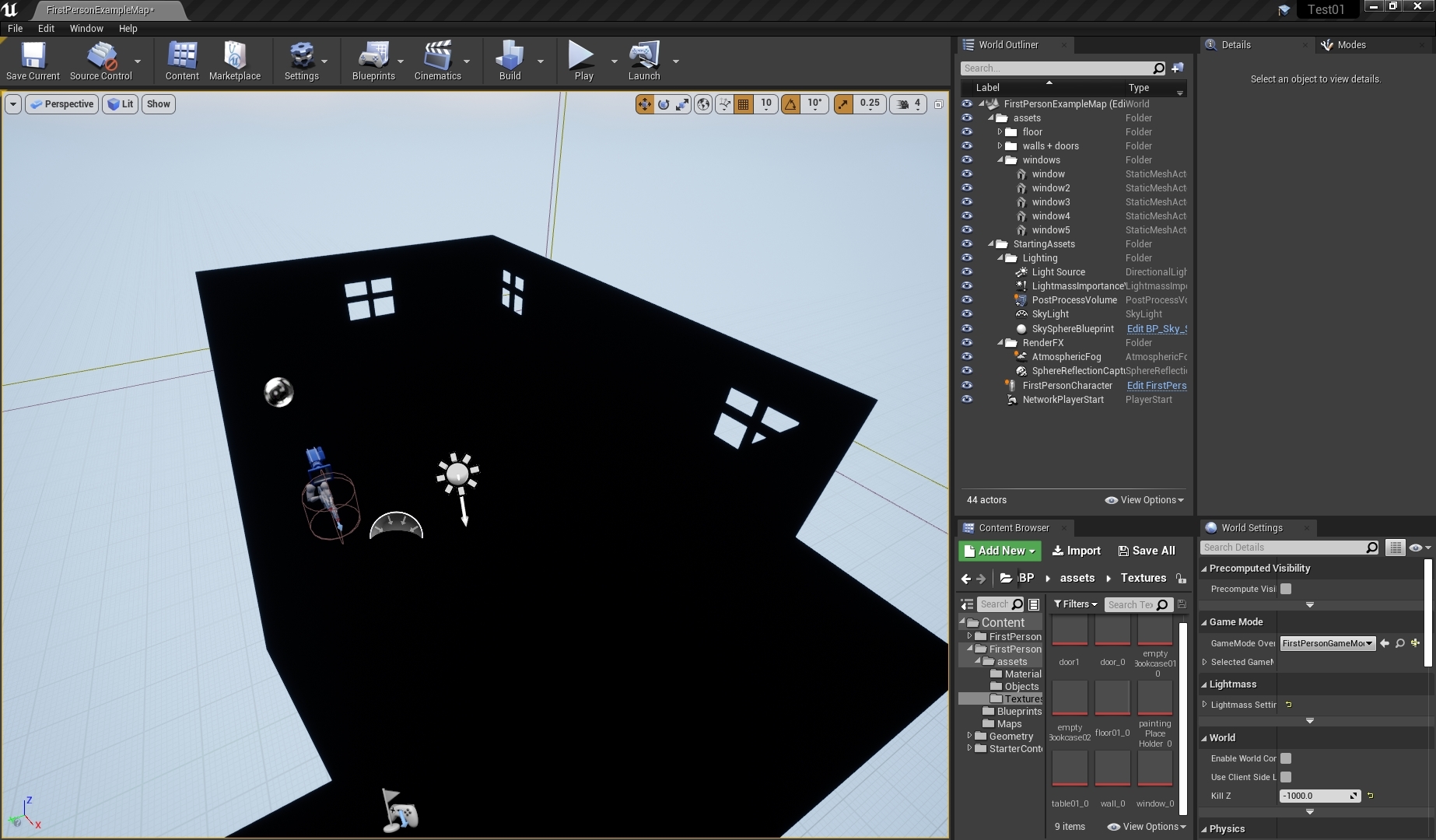
when i build the lighting for my level it blacks-out and i cant figure out why. Wondering if i made a mistake anywhere?
https://i.gyazo.com/159a947984b80b5b1e4427d332b5b7f0.jpg
 exotic cave
We see it @alpine thunder but it's very possible no one has any ideas
Yes, that looks like broken lighting. When's the last time it built and worked?
alpine thunder
before i added assets
exotic cave
K. And do the old assets still work or does everything break?
alpine thunder
im not sure i deleted them
exotic cave
Well, that's not good for bug testing. Put some of the starter assets back and see what happens.
alpine thunder
ok thanks
exotic cave
May I see the material setup for any given one of your new assets?
exotic cave
So you didn't actually make any materials for your stuff
You just used whatever the default import settings were
That's not really best-practices for UE. You're going to want to make actual materials for your assets.
alpine thunder
ah ok, thanks


 alpine thunder
thanks 👍
exotic cave
A How To Guide for using different aspects of the Material Editor in Unreal Engine 4.
Materials are pretty important. You can probably get away with just having a master hard-surfaces material for the kind of thing you want to do, though you'll want to parametrize the parameters so you can make instances with different settings for different models with different roughness/specular/etc. needs.

Ludovico Antonicelli showed the amazing master material built for Echoes from Cryo, which opened up a lot of easy and fast customization options for textures.
abstract relic
Looks more like bad Lightmaps
 trail bison
I'm running into this extremely annoying error, wondering if anyone has had a similar issue - this is on 4.24.3
[Line: 198] Unreal Engine is exiting due to D3D device being lost. (Error: 0x887A0020 - 'INTERNAL_ERROR')
Just happens randomly inside Blueprint editors and what not, I looked up some things on it but so far it's still happening
grim ore
bad driver, bad card, bad operating system install, bad PSU. Lots of possible causes 😦
exotic cave
Yup, it means UE is losing its Windows handle/reference to your rendering window
grim ore
It seems to be reported more than normal on .24 and from what I can suggest try older versions of the display driver if using Nvidia
or just say fudge it and install linux and compile the engine for it. Can't lose D3D driver if not using D3D 🤔
trail bison
Hmm, shoot - yeah this did not happen before when I was looking at an old project on 4.18
grim ore
no one who fixed it seems to come back and tell us what fixed it soo.... no real answer 😦
trail bison
I did find one thread about forcing it to launch with dx12, so I am trying that
grim ore
thats an easy test, just change the default RHI for windows in settings
all I can say from personal experience is a 1050ti with new drivers has no issues and a 2070super with older drivers has no issues and I have no plans on changing anything lol
 novel prairie
What is the naming convention for Capsules and Spheres? I know UBX and UCX for Box and Convex..
I can't find any documentation or mention of this online 😐
Nice, thank you very much!
I was googling the ones I knew but they didn't bring me to that page ^^
 drowsy turtle
why is this happening?
rotund scroll
^
drowsy turtle
oh thanks
 opal ocean
My project is currently in 4.23, and I'm about to start doing some audio work on my game/first level. Is it worth it to switch to 4.24? or more trouble than its worth?
abstract relic
More trouble than it’s worth
drowsy turtle
why play sound at location doesn't work properly?
opal ocean
Even with the other bugfixes and improvements with .24?
grim ore
your speakers are muted? your sound is not loud enough? your sound card got unplugged? your uh... hands are over your ears?
 digital anchor
hey im not sure if im missing something or there was a bug in 4.23, my child blueprints dont have the reset to default icon
this is a child of another blueprint, all configs are different yet they dont have the reset to default
nevermind, apparently it doesnt work like that on the collisions settings 🤷♂️
alpine thunder
CaliCoastReplay according to the link you sent my material should be fine?
grim ore
Do your items have UV maps that are correct? If you move the item and it looks "ok" then build lighting and it goes black there is a good chance your UV map is bad
alpine thunder
ah that's it then because if i understand correctly they don't have UV maps?
 fallow elk
what do you guys think is the best method of real time destruction for ue4?
I've seen all kinds of variations, addons, and programs dedicated solely to it
I'm not talking about something as crazy as teardown, but some red faction likeness would be pretty neat.
grim ore
@alpine thunder You would have to open them up (double click the mesh) and check out the UV layouts
alpine thunder
I'm assuming something is supposed to be there
grim ore
well it says 2 uv channels but if you see nothing in the bottom left with one selected then yep it's not good
no UV channel -> no way for the material to have any idea where to put it's materialness
when doing lightmap baking
and I dont think UE4 can auto generate one for channel 1 if there is none in 0
in .24 there is experimental tools for UV mapping if you want to go that route, otherwise uh... fix it outside of UE4
alpine thunder
how would i fix it? will i have to use a 3DModelling software like blender?
grim ore
yes or you can switch to movable lighting and it wont use lightmaps
grim ore
I would guess 1 was created on import by UE4 but it can't make it due to 0 being bad
performance cost
 gaunt vine
Hello All. . . I'm using multi 'rectangle area lights' to mimic rows of incandescence lights, like you'd see in a classroom or locker room. . . And I'm using 'Raytrace' with these as well. I do run into slower updating. But it is hard to get more bounced light out of these through camera settings as well as Post Process Volume. Wondered if anyone has more knowledge or experience with Rectangle lights in this manner. Thx....
drowsy turtle
@grim ore why th you're so rude for me?
grim ore
Dunno where the rude part was asked, I gave valid answers to a general question.
 smoky sonnet
hey guys i need help i have a parameter collection and i try to change the values during the game if i print the value its correct but the color of my object doesnt change
drowsy turtle
welp they doesn't seems valid and they didn't helped me
alpine thunder
https://i.gyazo.com/7ef2d32a64d27e83c330416a0a3b9040.png these answers
 grim ore
you got as detailed of an answer as you gave for the question
give us some more details about the problem and we might be able to help more
abstract relic
They are all valid answers
alpine thunder
GG 👍 can agree
grim ore
as far as anyone knows in here the "Play Sound at Location" node in Blueprints works as intended
drowsy turtle
(expect Mathew one) Well, PSAL works like PS 2D. I hear sound everywhere instead in a specific location
 grave nebula
Actually, checking, if your earways are not obstructed, is a valid troubleshooting path, when dealing with audio issues.
abstract relic
Had this issue recently. Turned out my headset amps the bass by a silly amount
alpine thunder
lmao how'd that sound
abstract relic
Well I’m also hard of hearing, so about the same 😜
alpine thunder
GG
grim ore
@drowsy turtle is the sound set for a 3d sound or is it set for a 2d sound? is the location valid and not just near the player
drowsy turtle
3d, the location is valid and it's not near player
smoky sonnet
@grim ore you know why my problem occur
grim ore
well poop. Beyond showing us the blueprint #audio might have specific ideas on what might be broke. HAve you tried the same thing in a new level, just playing a sound at a distant location and seeing it it works to eliminate your level and any BP in it
 fair storm
i cant understand why the fingers wont follow the hands :c
grim ore
@smoky sonnet show your code is about all I can suggest. It should work assuming your material is set to that MPC and the MPC is being updated
drowsy turtle
nvm i realised why it's not working
fair storm
any help? :c
smoky sonnet
@grim ore
alpine thunder
skeletal mesh?
fair storm
ye
smoky sonnet
i set the scalar parameter in a other world where my menu widgets are loaded
alpine thunder
are the fingers included
smoky sonnet
but i also change it in my level blueprint of my correct world
if i change the value manually (pause the game and change it it works) but not during the game (at the start)
fair storm
are the fingers included
@alpine thunder is in the same skeleton ofc
smoky sonnet
and the print string shows me the correct value but the parameter uses the default value
alpine thunder
I mean in the animation
abstract relic
Where’s your create dynamic material node pascal
 bitter iris
Trying to open menu in game, then hit the same input to close it. But it doesnt seem to work, could anyone help
grim ore
@smoky sonnet HighTide asks a good question, is your mesh set to use a dynamic material so it can use the changes in the parameter?
@bitter iris by input do you mean a keyboard press? if so are you setting input away from the game like to UI only? if so you can't do that and expect the keyboard input to work as the game is not taking input anymore.
bitter iris
Like press Escape to open menu, Escape to close the menu @grim ore
abstract relic
Should be in begin play or construction
fair storm
fixed. somehow. i god 2 different bones where i have to create collision
abstract relic
Dynamic material is required in order to update your mats in real-time.
grim ore
@bitter iris and do you change your input mode at all ?
smoky sonnet
oh
you mean an instance
@grim ore
?
there is my parameter that i change during the game
i have multiple instances of it
and i change the emission value during the game
but the instances dont update
grim ore
that doesnt look like a parameter collection node
abstract relic
Again
grim ore
abstract relic
You need dynamic material
grim ore
and you dont need to create a dynamic material instance, I just tested
I think you are just using a normal parameter and no the parameter collection node is the issue
smoky sonnet
isnt it that?
grim ore
yes that is a parameter in the material
grim ore
you want a collection parameter
smoky sonnet
fiuckk
yeah
retarded
i just used the correct one in another bp but the false in this case
literally retarded
thx
bitter iris
@grim ore yeah so when i 1st hit Escape it opens the in game menu, then sets input mode to UI only
grim ore
yep, input goes thru the player controller when its in game mode. setting to input only breaks that
bitter iris
Then i want to able to hit Escape again, then it removes the in game menu from screen then puts it to game
grim ore
you need to set it to listen for input on the UMG widget, or set it to game and ui mode
bitter iris
ahh okay
trail bison
I think I found an easy work around to the issue with the D3D being lost
After more digging someone recommended using the studio graphics card driver, for NVIDIA
Switching to the studio driver, it seems to have fixed the issue
bitter iris
@grim ore actually just found your video on the pause menu 😄
grim ore
I'm not going to say there is a course on this but... https://www.unrealengine.com/en-US/onlinelearning-courses/your-first-hour-with-umg there might be a course on this and it might cover this exact issue and I might know the author
frozen pollen
Can i have an actor only get destroyed after audio finishes playing in a blueprint?
I have the sound set up as a variable and i want to be able to use it with any sound and still have it be destroyed
nvm i got it
 fathom abyss
This may be a stupid question, but: what does this do? Does it automatically save variable or do I have to manually save it?
runic fern
Good Evening guys
Is it possible to Replicate the physics animation ?
next badger
@runic ferndo you need to replicate physics or just fact of them being enabled?
runic fern
Because the Player is Using this animation like Human fall flat style
So idk if the whole function must be replicated or just the phyiscalAnimation
grim ore
@fathom abyss That is used for C++ as of now, you can use it when serializing out data as a flag for what should be saved.
fathom abyss
I see, thanks
next badger
@runic fern ask #multiplayer ... or #legacy-physics or Jamsh
runic fern
Ok mate ❤️ thanks
slate basalt
if in my level, i parent a bunch of actors to an empty actor, within that level's blueprint, i can reference the parent actor but is there a function to obtain all its children?
apparently GetAllChildActors is not it
 willow void
hey guys. Could someone Dm me and help me out with some bone issues im having in ue4  Ive replaced the mannequin but in crouch animation the left foot is higher for some odd reason. As in its not touching the ground
 opaque vector
Are there any icon replacement themes?
plush yew
#blueprint @bitter iris
bitter iris
sorry
next badger
@opaque vector for ue4 editor?
opaque vector
ye
 patent raptor
Evening All - Maybe a silly question but "ServerTravel" is there a way of testing this function without packaging up a development build all the time?
next badger
@patent raptor have you tried to run standalone with dedicated server console?
UE4Editor.exe MyGame.uproject /Game/Maps/MyMap?listen -server
Collection of arguments that can be passed to the engine's executable to configure options controlling how it runs.
patent raptor
@next badger I've not tried using dedicated console no - will give it a whirl thanks.
rotund scroll
is the an elegant way of triggering a for loop's break in BP besides using a custom event?
next badger
since when custom events breaking the loops?
plush yew
How would i go about setting a state if a blackboard AI entry is met?
For example, if my enemy loses sight of me, i want him to go from walking to looking
grim ore
nothing wrong there, great for iterating over large amounts of stuff
rotund scroll
@next badger I was asking if there was an elegant way of doing that. if I tried doing what you did it I would have a wire tracing a massive amount of space
grim ore
nothing wrong with having it call an event that breaks it
or just wire the hell out of it, whooo spaghetti!
rotund scroll
yeah okay that's what I meant by custom event... so I guess that's the best case option for elegance?
grim ore
elegance would be using lines and reroute nodes to draw a picture on the way back
next badger
i've seen a fork of ue4 with "radio" nodes...but it was rejected from PR