#ue4-general
1 messages · Page 661 of 1
 abstract relic
 manic pawn
they must be ranked first in any game with at least 10 million players
 normal burrow
allar has a lot of twitch subs
 timber birch
There's only one Allar tho
normal burrow
can't think of any bonafide gamer devs
normal burrow
😂 I understand game mechanics and design, what people enjoy to play, and mlg by night
abstract relic
Only difference in appearance is freshly applied deodorant
timber birch
Shots i showed above, are for the same game as you can see last on my artstation
normal burrow
noticeably fresh, and noticeably applied
timber birch
Man starting to get annoying the shader compiling
I just want to see if my change works real quick 😂
normal burrow
why not work on a material not used everywhere?
timber birch
Landscape material, and i don't want to swap the landscape material either
abstract relic
But you can split the material within it
timber birch
hmm but the changes i made are in a Material Function
abstract relic
Make a temporary snow material so you can test snow values for example
normal burrow
lol thats probably why it triggers tons of shader recompiles, working in a material function
timber birch
Oh yeah already had that, but im adding subsurface. wich i dont want on the other landscape layers
However there was a silly mistake, so now i need to change ever layer material wich takes ages
abstract relic
If you every decide to make coral material, hit me up. I want better rocks 😜
normal burrow
can't ever have enough rocks
timber birch
Havent seen a ue4 diving game yet
normal burrow
 normal burrow
I agree
timber birch
Welp, im going to say hi Luos and well close the engine for today 👋 (might stay around)
 tulip sigil
i like tripple checked, and both my imported mesh and original mesh have the same skeleton, and yet i keep getting the error "failed to merge bones"
normal burrow
are there two skeleton files?
normal burrow
next to the mesh there may be a skeleton file
for each mesh, if your 100% sure they have the same skeleton bones and hierarchy you delete one and at the delete screen you choose to replace references with the other one
if your not sure then it might break your meshes
tulip sigil
i only have 1 skeleton. the original one. the new mesh is weightpainted to that skeleton.
would size/ scale matter?
normal burrow
no skeletons are just names, make sure your comparing the root bone name between skeletons
post images of the skeleton heirarchy between the two if your not sure.
tulip sigil
sure
normal burrow
Did you ever find working values for the 4.24 water @manic pawn ?
manic pawn
nah, I only played with it for a couple minutes
tulip sigil
i did have to condence the skeleton for it to all fit, but the bones that i hid are the same
heres the one from unreal
normal burrow
so the other skeletons says Saltasaurus at the top as well?
tulip sigil
well, i guess the only difference is that the one in blender is missing the "saltasaurus" "bone" but i dont know where that even came from
like, i have that skeleton in blender and it doesnt have that bone
it isnt even an animation bone iirc
normal burrow
thats your problem on why its not merging, if it came from blender Saltasaurus must have been the name of the armature
tulip sigil
ahh ok
normal burrow
when whomever exported that mesh
tulip sigil
indeed, it is the name of the armature.
so, my issue is, i cant seem to get those bones to go back into unreal. like, i exported that skeleton (the one im trying to use) into blender and those bones dont show up
normal burrow
the armature itself is the bone, so if you rename the armature to Saltasaurus and re-export it'll be compatible
or if you re-export the mesh with it named "Armature"
you'll need to do one of these to have the same skeleton
 steep path
So, I have a question~ My girlfriend is trying to implement Parallax Scrolling for our 2D game. And, she has run into an issue where her layers are all moving together?
And she can’t seem to figure it out at all. I’ve tried to hunt for resources but, nothing ;-;
normal burrow
@steep path could you explain the issue more
 broken stream
good day, can some one help me with this float that i dont understand. i have a timer and i like to get the final number from my widget to a float, how will i do that ?
tulip sigil
i did rename it, and it still isnt going in, now the root wont even show up
broken stream
so i cast the time to gameplay
if i do float + float and add all of the time it not give me the right time
any one
normal burrow
try importing to a new folder crysta
tulip sigil
yeah, ill try that
steep path
@normal burrow Would you happen to have an updated resource on doing parallax scrolling in a 2d game for UE4?
normal burrow
not really, its basically just moving the background relative to the camera position right?
 rancid lynx
how do i control the fade thickness between two LayerBlend layers in landscape materials ?
 glad karma
Hey, I made jump montage I set loop and land section and when I jumping in my game, my character every time tilt back, do you have idea why?
When I press space bar has spinning still back
 grim ore
can you show us what is happening?
normal burrow
I want that cat unreal t shirt mathew lol “get it meow”
glad karma
@grim ore give me sec, download discord quick on pc
and when i still pressing spacebar he's falling down on back
that is my montage panel what i set
And when I take land previous of loop character not falling down, but animation looking creepy
 thin tendon
Is there a way here, that I can get the looping value for the sound? So if I can figure out if its a sound set to loop.
when I type in loop in the context window nothing shows up for me to get
glad karma
every jump make like this
and when I checked out root motion from jump animation, that working good but character going forward two meter and coming back again
thin tendon
There is a technique I seen once before where you can add an extra bone to your skeleton for root animation
glad karma
I'm too new for make like this yet. 😄 You see, I have problem with make just animation and you telling me about adding new bones to skelet 😛
Okay, in my Animation Blueprint i choosed Ignored Root Motion and now working good, just only is long landing but that maybe i'll be making later
Thanks guys!
thin tendon
Its okay I found a solution. Instead of trying to get is looping. I just ask if the player is still playing before swapping
I have a new issue now.
I have a tree and when I try to click the auto convex button to add collision nothing happens it doesn't create new collision
 carmine garnet
i cant stop eating chocolate
but my stumach hurts
from eating chocolatre
mmmmmm
 mental orchid
I need some advice. A friend of mine have put together a scene in Unreal, for a 2D / 3D blend movie. He has 2D characters, 3D backgrounds. He used depth of field to blur the background, but the sky at the far back is not affected, only the trees and stuff just behind the character. Is there a cutoff or sort of distance limit of a blur like the one produced by depth of field?
Basically, the trees are blurred, the sky is not.
 somber crown
Is there a way for a FBX imported mesh to come with sockets as a StaticMesh and not SkeletalMesh? I don't need it for animations, just want the socket defined in FBX to show up in static mesh editor's Socket Manager
 oblique tangle

Does anyone know how I can get my player's anim to line up more to the wall? My wall slide function is set up to play on collision with the player's capsule component which can be seen above
glad karma
Someone can explain me why when I created material, material function and material instance i must waiting for 2k shader compiling, and later when I paiting must wait same time? 
carmine garnet
@oblique tangle use a transform root bone node in your wall run state
Withthe trandform putting him on the wall
 orchid bobcat
I'm trying to clean up my project and keep getting random memory references (1) on some assets. Nothing else references it, is it safe to delete?
 brave gate
@orchid bobcat yes, this just means asset has been loaded and its gonna be unloaded before removing from the disk, nothing else
 plush yew
I got some Emitters with infinite loop they wont work on Animation notifys
why??
they wont spawn
i did set the Emitter loop to 1
Still not working any thoughts?
Problem solved nvm 😄
glad karma
my still not :/ somebody how got good tutorial about making landscape materials with min. 3 colors without a lot compiling shaders? 😫
 fierce forge
hello i use edit meshing from ue4 and i selected the leaves from this tree and after i assigned the material and now i don't see any shadows or collisions from the leaves , what i can do ?
 gleaming narwhal
@fierce forge You can generate collision inside the static mesh editor, either by placing primitives our using the auto convex tool
fierce forge
the leaves are not receive any collision
and i'm using the auto convex tool
@gleaming narwhal
and why i can't see the shadows from the leaves after i assigned the material in the static mesh editor ?
gleaming narwhal
By "the leaves" do you mean the big green piece? Are these two separate meshes?
gleaming narwhal
😕
gleaming narwhal
So, that looks like one mesh with two materials yes?
gleaming narwhal
Are you assigning two materials to it?
fierce forge
yes
gleaming narwhal
Mm, that seems to be an issue then
 rotund scroll
@fierce forge most of this stuff you need to do in a 3d package
UE4's currently not equipped to deal with a full 3D workflow
gleaming narwhal
I would submit a bug report, the mesh editing tools are in beta: https://www.unrealengine.com/en-US/support/report-a-bug
fierce forge
a week ago i resolved it but i don't know how 😦
gleaming narwhal
For now you can just make two separate meshes and only assign one material to each
fierce forge
that's a pack
rotund scroll
also I don't recommend the convex collision tool, it's much better to export a good collision from the 3dpackage
fierce forge
it's not made by me
gleaming narwhal
plush yew

fierce forge
yes
gleaming narwhal
I think you meant the static mesh editor 🙂
gleaming narwhal
Ah ok, so you're opening assets in the Mesh Editing window
fierce forge
yes
gleaming narwhal
What's your goal?
fierce forge
i just wanted to edit the material , i did this but i have that problem with the shadows and collisions
fierce forge
what do you mean ?
gleaming narwhal
I've never used the mesh editing tools and it's super new, but without knowing exactly what you're tryign to do other than "edit material" I can't give you another solution
Are you selecting faces to apply another material on them? Is that your goal?
fierce forge
yes
 civic iris
Guys, i am trying to apply a marble texture out of image for floor, but it looks very bad
Any idea how to fix it?
 craggy flax
It doesn’t look like the texture you have is tileable
 heady mist
anyone know what this node is called?
 jaunty sorrel
Byte - Byte ?
heady mist
oh, for some reason it looks like an equal
I think I may be an idiot lmao
alright all sorted, got my switch node in order
 keen shell
it looks like int node?
heady mist
and yeah it was an into node but alls good
keen shell
plush yew
anyone have any idea why i can't paint over one square of my landscape? all the other squares painted fine
trying to paint on this one square just makes it black
craggy flax
did you change the topology recently? Maybe need to rebake lighting first if so?
plush yew
tried that, no difference unfortunately.
craggy flax
are those just harsh shadows?
plush yew
noooooo


am trying to change this particle color
what ever i do to the constant it never changes
any1 know why?
hmm its the only "square" with a hole material
might be why
sec, seeing if clearing the hole material does something
yey
the hole material didn't like the new landscape
thanks!
(or opposite way round)
 uncut aspen
Any beginners here?
normal burrow
Yep
plush yew
Hey guys, so i'm new to c++ but have worked with blueprints alot, i am having a problem where visual studio 2017 doesn't want to compile the code, not even with a new project in unreal without changing any of the code it still says there are errors and wont compile... Any suggestions?
 zenith flax
Hey everyone - I am trying to find a way to determine whether a pawn is being occluded or not relative to the player's camera. Does anyone know of an easy way to do this in BP?
Im using IsRecentlyRendered, but this just tells me if an actor is inside the frustum view, regardless of occlusion
Still rendered even though its occluded by a wall
The only way I can think of is using a trace but if I have hundreds of NPCs I dont want to be constantly tracing to each one from the Player...
thin tendon
@zenith flax I haven't got my ue4 up. But what about using the mesh component and getting visibility?
zenith flax
@thin tendon I tried that as well with the same results 😦
plush yew
@plush yew there are some things i struggled with and couldn't fix with BP so i purchased a course on how to do it but the course is for c++ and all BP tutorials for what i need is outdated and no longer relavent to the engine
zenith flax
 patent ibex
anyone got Threadripper powered machine?
 next escarp
anyone got Threadripper powered machine?
@patent ibex Does in my dreams count?
patent ibex
i guess 😄
next escarp
Can't wait to put one together later this year.
patent ibex
i've got 2990wx one running on zenith extreme alpha
sadly still didn't receive my b-die ram, running on extremely limiting 16gb at 2600
4.24.2 results in 30 minute rebuild on 970 evo plus
was wondering if anyone else have threadripper config to see how much ram bottlenecks it. i've got 1/2 of cores disabled and a lot still gets written to swap file
next escarp
Still on a 6350 but... trivial chgs compile times with OS, Unreal and project all on ssd only take 10 -20 seconds
32 gb here
Ram made a difference here before I even dropped in the WD SSD
patent ibex
yeah i could imagine having at least 32gb here would result in a big time drop
still waiting on those g.skill 3600c16 x64gb
let's hope you'll get one soon 😄
brave gate
@patent ibex full rebuild time on 2950x was about 17 minutes on 4.23 - without removing mobile crap, etc
next escarp
I tried putting the project on Ram disk when I first upped to 32 gb and it halved compile times for me
brave gate
4.24 was probably similar, can't remember now
patent ibex
@brave gate what is your RAM config?
brave gate
32 GB obviously
you won't utilize 32 threads under UE with less RAM
very compilation or shader thread eats like few hundreds MB
patent ibex
i know
that's why i'm getting 64 and still think it won't be enough
what's frequency and timing are you running?
brave gate
exact timing doesn't matter much, just get 3200 MHz, even if not supported by the current gen
it would well used by the next machine, like Ryzen 3 or Threadripper 3 😉
new Ryzen supports both PCI 4.0 and 3200 MHz, which makes them faster than 2nd gen Threadripper, by the way... 😛
and read this, if you haven't already
patent ibex
still, 2nd gen threadrippep capable of running it at 3600 or even higher if you're lucky with cpu 🙂 b-dies only of course
i have 🙂
brave gate
oh ok 🙂
brave gate
basically give your baby 1 GB Ram per CPU thread and you gonna utilize properly
don't know, don't care, this doesn't make such huge difference in life 😛
if I can compile engine in 15 minutes... I'm satisfied 😄
patent ibex
with ryzen it gives quite an improvement
did you benchmark difference between UMA or NUMA?
patent ibex
i would be too, but for now it's around 30 minutes for me and i was just wondering how fast it would actually be with proper ram 🙂
brave gate
twice 😄
patent ibex
i think more than twice, 64 threads after all
brave gate
oh, right
patent ibex
thanks for the specs
i hope to get my RAM in a month or so and i will have proper results
brave gate
and you forget about waiting for shader compilation
and long cooking time as this depends much on shader compilation
patent ibex
incredibuild does help with shader compilation afaik
it was faster on my previous i7 at least
normal burrow
Threadripper time
brave gate
once we got AMD awesomeness
normal burrow
The cheapest computer lab in a box
patent ibex
yep, incrediexpensive is the right word 😄
next escarp
<noob> Full rebuild meaning full UE4 from github or large project? How fast for minor changes with non-unity build, iwyu etc.? </noob>
brave gate
yes
next escarp
Ahh ok
brave gate
it depends on how minor are the changes 😛
the most important is that you don't restrain yourself from changing something small in the engine that would trigger compiling half of the engine
patent ibex
iterative changes in small areas are like a couple of minutes i imagine
brave gate
or after you would accidentally type a letter into engine header because ensure caught you while pressing W in the game 😄
patent ibex
poor epic games used to recompile ue on daily basic before threadripper was made
normal burrow
If you go pcie4 nvm drive aurodev you can easily hit the max
patent ibex
afaik pcie4 nvme drives don't expose full potential yet due to old controllers yet
next escarp
On the next box @normal burrow 😄
normal burrow
They’re the fastest you can get hands down
Intel/Samsung run a dissuasion campaign against them
brave gate
oh, I just build 4.25 while we were chatting, I love AMD 😄
next escarp
I've one more upgrade to this box b4 the next and that's an older nvme on the adapter card next to the sata ssd.
❤️ AMD also
patent ibex
they're fastest, no doubts, but still don't offer full pcie4 potential
might be something changed already since last time i checked, i remember companies promising to change controller and increase speeds even further
@brave gate amen 😄
normal burrow
Yep so wait for the better thing or get the fastest thing available, as always
patent ibex
that's more like "wait half a year till pcie4 gets explored fully" 🙂
next escarp
MB recommendation for the future? Again, for a noob... 🙂
brave gate
still, Ryzen supporting PCI 4 + NVMe supporting PCI 4 = you're golden
sadly it doesn't make type code faster
mobo depends on CPU, again 😛
patent ibex
the thing is that random writes and reads aren't that fast even on pcie4
normal burrow
Intel/Samsung are skipping pcie4 would be my guess @patent ibex
next escarp
3900 or 3950 ?
normal burrow
Intel is pushing pcie5
manic pawn
of course intel are pushing pcie5, they gotta have something amd doesn't
patent ibex
@normal burrow but they don't even support pcie4 on their cpus atm
brave gate
but next-gen console is PCI 4 NVMe, it's enough to be on pair with that 😉
normal burrow
They’ve got jack right now @manic pawn
patent ibex
oh didn't even notice that's not tr but regular ryzen
brave gate
😄
manic pawn
ye so if they add pcie 4 that's just catching up and noone cares for that
gotta add something even better
patent ibex
how does that feel? 😄
patent ibex
what's your ram?
normal burrow
256gb 3600
brave gate
manic pawn
didn't you say it wasn't really any faster than a 3950x yesterday
normal burrow
Per core
normal burrow
Single core performance
patent ibex
oh right :D
isn't that overkill for 64 threads?
normal burrow
MSI and ROG are good imo
brave gate
is ROG needed if not overclocking?
normal burrow
Zenith II extreme is the best tr board out there at least, I think same is true for crosshair on x570
patent ibex
ROG has great VRM cooling
normal burrow
It’s got the components of quality that can overclock
patent ibex
also VRM itself is the beast
normal burrow
Which likely translates to stability
patent ibex
or the best also
next escarp
Thanks for the recommendations! heads off to Amazon /logoff
brave gate
ok, now waiting for the first guy building engine on 128 thread TR
wonder if compilers and UBT support 2 NUMA nodes at all, or it would be locked to pitty 64 threads only 😛
patent ibex

Just ordered a new high-end PC: 64-core Threadripper 3990x, ASUS ROG Zenith II Extreme, RTX 2080 Ti, 1TB Samsung 970 Pro, 256GB Corsair 3200MHz RAM.
Looking forward to what UE4 and LLVM build times are going to be.
 Twitter
brave gate
Twitter
brave gate
uff, at least my drive is as good as his... 😄
patent ibex
😄
patent ibex
i believe he has got some older drives to use
but yeah i'm looking forward for results
can it be less than 5 minutes for full rebuild? 😄
i believe zenith 2 supports some serious RAM OC
patent ibex
ue4 of course
manic pawn
unreal consists of 50+ projects, of which you usually only need 4, and can be built in many different configurations
patent ibex
let's just do a full dumb rebuild
you open newly generated UE4.sln and rebuild it in development editor
its 74 projects by 4.24
manic pawn
well why would you ever do that in reality
 frail sail
Btw any estimated to release 4.25 preview or full release?
 shadow lion
To benchmark build performances of a new rig 😄
 grave radish
How much storage do you think a game Dev really needs on their tower? I have 1.5 tb in my tower, and a NAS for other stuff.
manic pawn
first, you have to use ubt parallel build, not build solution in vs, otherwise it doesn't parallelize the multiple targets properly
then full solution is probably 2x as long as optimized build for your project
brave gate
the thing if engine can be build in 15 minutes with original settings, why botter? 😛
unless changing engine often
manic pawn
well would you rather build for 15 minutes after changing engine header, or 5?
brave gate
if that's something I do daily, of course 🙂
patent ibex
@manic pawn ubt parallel build?
rebuilding full engine is probably the easiest when you do some changes in engine and do a redistributable build
why not spend an extra time to optimize is the build is a different question 😄
grave radish
I mean, you can take a nice 15 min poop during build times
brave gate
or if with p4 wouldn't so be good at compressing engine builds, even with PDBs 😛 😄
manic pawn
ubt parallel build is when you launch it like this from command line
it first runs uht for each target, then merges the action graphs, and the rest of the build is 100% parallel
brave gate
so how un-parallel is with default settings?
I mean, compiler says it's using 32 threads simultaneously and TR is 100% utilized
normal burrow
patent ibex
yeah, wonder the same
manic pawn
anyone tested how much faster uht is in 4.25 yet tho?
commits said they made large portions of it multi threaded now
normal burrow
UHT and or build order destroys things that finish nearly instantly
patent ibex
@normal burrow o damn that oled is color in zenith 2?
patent ibex
i've got masterliquid ml360 tr4 running, love the temps and noise level
grave radish
Is UE4 even optimized for High core count CPUS? I still have a quad core, so idk
normal burrow
Incredibly in terms of shader compilation @grave radish
patent ibex
@manic pawn is there any read on ubt parallel build in docs?
normal burrow
Niagara and animation as well
brave gate
@manic pawn just compiled 4.25 for fun, but forgot to look at UHT times
would be proper test to just hit full rebuild and look how much time it spent on starting build?
manic pawn
I've no idea tbh, it was added a few engine versions back
patent ibex
@manic pawn maybe a commit message that would help understanding it?
grave radish
I noticed my build times are kinda meh on my machine, but that just might be my specs
 maiden jetty
Hey everyone! I am trying to get Mixamo animations imported. I was able to export my player model from UE to a FBX and upload it to mixamo. However I can’t implement animations I download because my skeleton has a root. Anyway to delete the root from my skeleton?
brave gate
@grave radish UE utilizes entire CPU nicely for shaders compilation
100% utilization of 32 threads, it eats shaders for breakfast
manic pawn
it was in the changelog with something similar to "ubt can now build multiple targets in parallel" so I went to figure out how to use it
grave radish
Good to know, @brave gate
normal burrow
Same goes for 64 threads
grave radish
My measly 6700k is sweating rn
manic pawn
thread 0: compiling useful shaders
thread 1 to 63: wasting time compiling unused permutations
brave gate
patent ibex
brave gate
oh, they do continue on improve toolbars
normal burrow
You know you can make it tiny?
grave radish
What would be the best part to upgrade, if I want to improve my UE4 workflow?
normal burrow
I learned this recently
patent ibex
@grave radish thread count obviously
manic pawn
small toolbar icons
brave gate
oh, so parallel would be useful for concurrent builds on build machines? they do focused on build agents in 4.24
@grave radish what hardware you have now?
normal burrow
Swarm agents?
patent ibex
@manic pawn so parallel build doesn't happen automatically via VS and only works via console command like the one you shared?
grave radish
Heres my specs,
manic pawn
yeah, vs individually builds each project
brave gate
patent ibex
how big is improvement in compile time with and without it with such small projects count?
brave gate
nice, finally compact toolbars 🙂
manic pawn
good question 
brave gate
@grave radish you already got SSD and minimal productive amount of RAM
so... the next step would be replace entire box with Ryzen 3 + 32 GB RAM 3200 Mhz + perhaps NVMe drive (but that can be swapped later)
grave radish
Why ryzen 3? isnt that a low Thread count chip?
patent ibex
ryzen 3950 is 16 core
and has no infinity fabric which results in better performance here and there
brave gate
and its faster than 2nd gen TR 16 core 😉
patent ibex
also that
plush yew
how to make it full screen playing?
brave gate
and cheaper and eats less energy
plush yew
lazy to search for it 😄
patent ibex
F11 to make PIE fullscreen
i'd say totally get nvme drive for work if you plan on upgrading
patent ibex
😄
normal burrow
I think moth meant third gen, not ryzen 3
patent ibex
feels weird having 2990wx and yet disabling half the cores 😄
grave radish
Let me just take 2 tires of of my dualie truck real quick, lol
maiden jetty
okay so I was able to get my animation imported from mixamo but it said that the bone transform is different from original. The animation looks close to the one on Mixamo but it is a little screwed up
brave gate
@normal burrow no, I meant new 32 thread Ryzen vs TR 2950x
AMD Ryzen 9 3950X vs. AMD Ryzen Threadripper 2950X - Cinebench 11.5, Cinebench R15, PassMark and Geekbench 3 CPU Benchmark results
normal burrow
Ye ryzen 3 is normally the low tier with igpu
grave radish
Thats what I thought
grave radish
Mondo oof
brave gate
i don't get their numbering right, sorry 😄
grave radish
At least they dont use Ibanez model numbering, thats much worse than Ryzen numbering
patent ibex
"X" models don't have igpu
grave radish
Is ram a big deal anymore? I have class mates that think 128 gb of ram is actually worth it for most people.
 obsidian nimbus
not most ppl
but ryzen does bennefit from faster ram
not more
most ppl use a phone and dont need a desktop 😛
yea there might be benefit at some times but not much and not often 😛
grave radish
I have 16, and thats enough for me atm. 32 woudlnt hurt
obsidian nimbus
128 wouldnt hurt my pc, my wallet on the other hand 😛
patent ibex
you don't need a lot of RAM
unspoken rule is 1-2gb of RAM per thread
but different areas are different
for example if you need to process huge images in photoshop you probably will need much more RAM than that
obsidian nimbus
doin fluid/cloth sims stuff like that needs lot of ram i think
 solar temple
16gb is fine
obsidian nimbus
if u use a big brush in photoshop it does lag, not sure if thats ram or cpu
grave radish
This convo rn https://www.youtube.com/watch?v=wsO-Td0hqXo

The adventures of Superkai64 and the legend of WAM, He traveled far and wide to find his one true meaning, his one true destiny. He made his way to minecon to find out how much WAM he needed for his server.
Visit this kids channel! :D
www.youtube.com/user/kai64super
obsidian nimbus
just download some more ram
patent ibex
when loading huge imagine you first have to store it somewhere
it could lag due to cpu doing a lot of work, but if you don't have enough ram you won't be able to do that work in the first place
obsidian nimbus
yea simulations can also just say.. yea this aint happening
patent ibex
if they need to store something per simulation step - yeah
generally anything real-time doesn't utilize that much RAM as offline calculations do
obsidian nimbus
its not like a render where it splits it all up in 1000s of pieces
servers usually can use a bunch of ram aswell
i was goin for 64 but just went with 32 faster timings
grave radish
Servers also use ECC ram tho
obsidian nimbus
but honestly that 16 i had that was also slower was doin just fine
mobo broke and had to get a new rig
grave radish
Oof. Thats bad. What did you end up getting?
 young topaz
Yo, so I don't want to know how to do it right now cause I still have a lot more different stuff to learn. But does anyone know like the logic behind the sea of thieves physics? Just how the player can be kind of stuck to the ship and have their gravity in like a local field around the ship. They don't fly off when they jump. I want to know how this effect works but I can't really find it anywhere on google...
brave gate
@young topaz Sea of Thieves uses heavily customized engine, it wouldn't be surprising if they would modify physics for ships and pawn moving on ships 😉
young topaz
dang, so if there was any kind of way for how its possible in the normal engine how would you do it?
brave gate
better to ask in #legacy-physics room
obsidian nimbus
got a 3600
young topaz
okay
obsidian nimbus
pretty decent setup for the money
didnt wunna go all out with AMD steamrollin atm 😛
young topaz
I have a 3600 too 😮
young topaz
I don't really know how any of that works lol
so I don't wanna break things
I'm more of a software person than hardware unfortunately
obsidian nimbus
ahh k, can always do that when it starts showing its age 😛
young topaz
which is hopefully a long long time from now
obsidian nimbus
🙂
plush yew

Dark sword is only a bp with sword in it
so its not a pawn
what object it should be ?
maiden jetty
Anyone know how to fix this animation playing into the ground?
NVM just fixed it with Root motion lock
 restive mauve
i'm having a problem compiling in editor, anyone know what it might be?
ERROR: Missing precompiled manifest for 'FlipEngine'. This module was most likely not flagged for being included in a precompiled build - set 'PrecompileForTargets = PrecompileTargetsType.Any;' in FlipEngine.build.cs to override.```Those are the best errors. Tells you exactly the problem and how to fix it
 fierce forge
how i can get the opacity unlocked ?
 fierce tulip
by setting the material to translucent or masked
if it does not need to be translucent, but just not visible, go with masked
fierce tulip
scroll down in options and enable em
set the lighting mode to Surface Translucency Volume, that will unlock the pins
per vertex is cheaper
restive mauve
is the precompiled manifest the same as the precompiled header?
fierce tulip
trying to use unlit?
fierce forge
i got it , tnx
solar temple
Can you make loop cuts in BSP geometry?
fierce tulip
lol, doubt it
solar temple
That'd be so based
normal burrow
Binary space partitioning be not supported really
Wouldn’t recommend getting into that.
fierce tulip
dont see much reason to use bsp anyways
used it about 5 minutes in the last 10 or so years
normal burrow
Lol
normal burrow
No RTX in bsp 😡
 teal tulip
why the BSP wasn't removed yet ?
There are 2 ecosystems I don't get about the volumes and then the BSP

 fathom abyss
maybe print when cast isn't successful?
 fathom abyss
I had a lot of problems with casting before, prints are OP
solar temple
I don't get BSP haters. It's great
fierce forge
why when i'm looking down the brightness is lower and when i'm looking up is bigger ?
fierce forge
it is default ?
 azure shore
hey how do I make things only render over certain materials, for example I want bubbles to not show outside of water
fierce forge
at max and min or what ?
abstract relic
Turn it off
fierce forge
where ?
fierce forge
and how i can change the brightness ?
abstract relic
Turn it off then adjust skylight
fierce forge
what i need to put here ?
 delicate needle
Has there been any suggestion for Unreal Academy this year? It’s coming up fast if so.
teal tulip
in the project settings there is a thing to disable the exposure I think is near that option of basic, disable and should be as when you set 1 and 1 on min / max
normal burrow
Manual
 short echo
Tore between Unity and Unreal. Leaning towards Unreal Engine over Unity, any advice?
abstract relic
Not a good sign when even unity users are saying don’t use unity
plush yew
use what works for you
 maiden swift
Use the engine that meets your project’s needs.
plush yew
the engine is rarely the limiting factor
normal burrow
Use the engine that meets your project's needs unless its unity.
maiden swift
I have a hunch p@t had a bad experience with Unity. 😂
short echo
I'm a professional programmer who is taking a few months off to deal with burnout. 10 years full-time, plus a 4 year degree.
Coming from other tools, having to drag-and-drop everything and how awful C# is as a language is pushing me towards Unreal.
I just find the strict procedural OO style and multiple-inheritence style of Unity to be really gross.
I am a big functional programmer person, but I think I have to abandon that dream in gamedev xD
normal burrow
pat used unity for 8 years and it takes a long time to understand how bad it is
 lapis vine
Wonder how much would take you for UE 😄
normal burrow
teaches you how to do everything wrong with documentation so easy to read but impossible to work with
yeah ikr ?
i'm expecting awhile, 3 years in on ue4, used ue2.5 a lot
maiden swift
@short echo Can’t speak to functional programming much, but I can tell you Unreal is great for hobby projects because you get all the tools for no upfront cost, so there’s very little risk in just giving it a shot.
normal burrow
could consider godot too, anything but unity
lapis vine
Biggest fun I had when coding my own engine 🤔 Few months until I realized I want to do and other things.
normal burrow
making your own engine is rough now
lapis vine
Nah, was simple 2d glsl
maiden swift
Unreal also has unparalleled iteration time in my experience.
lapis vine
In fact with the shaders and stuff is much easier than before tbh. Its rough if you wanna do like all the bells & whistles like any bigger middleware out there.
abstract relic
Nice that you have source build on top of it
maiden swift
Indeed.
normal burrow
yeah unity lets you prototype things super fast but in a completely unusable way
 bitter iris
Man UE4 is sucking right now, came back to my project to it constantly freezing
lapis vine
Source is a must. Specially for gamedev industry. The only documentation basically you have.
normal burrow
unreal gives you something you can work with
abstract relic
So mad pat 😜
normal burrow
lol, I think people think i'm a lot more upset than i am, but I'd never recommend anyone consider unity
bitter iris
i just use it for mobile games
normal burrow
and yeah having the source is priceless
bitter iris
bout the only thing good for it 
abstract relic
Tis the only thing that stirs your cold, cold heart
maiden swift
@bitter iris In what way is Unreal freezing? Is the editor running at a very low frame rate, or is it completely unresponsive?
normal burrow
ones that don't involve running mono / some convoluted ioc
bitter iris
Like, I click play, then it freezes, unfreezes for 0.5 seconds then freezes an does that
i havent done anything since last time i clicked play 2 days ago :/
solar temple
How to center move arrows on my geometry?
normal burrow
@bitter iris it does that for a bit on new projects
I assume its building some sort of cache
solar temple
nvm 😋 I was having trouble centering it exactly but I got it
 brittle gulch
Hi guys, if I have over 10 000 actors in my level but they are hidden (visibility set to false), is there a considerable cost on the CPU?
abstract relic
They’re loaded into the level yes
brittle gulch
Okay, that may be why I have some spike sometimes that corresponds to CPU stall : wait for event?
normal burrow
@brittle gulch use unreal insights on a packaged build
if your using a version of the engine that supports it
you'll find out in great, great detail likely what is happening
brittle gulch
Oh nice! I heard about unreal insights but I didn't know what it was exactly, I'll look into it. I'm on 4.23, it's okay?
normal burrow
believe so
general usage is:
- run unrealinsights.exe
- boot the game up with some launch arguments
brittle gulch
Okay, I thought it was for analytics things, not for profiling
normal burrow
i cannot express in words how amazing it is for profiling
you can zoom in to events that take fractions of nano seconds
you will find all the places performance can hide
brittle gulch
Wow, I was struggling with profiling those last days, that will help me a lot I think
normal burrow
it will
just heads up that it runs slightly slower with profiling on, but the gains you make by addressing the profiled version do appear in non profiled launches
you can profile the editor in the same way but you have to be a little crazy because of the amount of extra stuff the editor does
your profile data quickly surmounts to gigabytes
brittle gulch
Inside of the editor it can go over gigabytes right? Not in buds?
And it profiles everything? CPU, GPU?
normal burrow
in 4.23 its limited to cpu i think, but stuff like frame times and reporting are collected
it also will profile load times for assets and stuff
plush yew
Is there a way
normal burrow
Profile application performance with Unreal Insights
plush yew
i can get the exact sword hit and spawn an emitter there?
normal burrow
you'll want -cpuprofilertrace -statnamedevents -loadtimetrace
solar temple
ugh anyone know how to create a pivot > center to selection shortcut? It's not an option for some reason I can't find it 🤔
brittle gulch
That's excellent! Thanks a lot for the hints mate ;) I'll read that and try it soon. I hope the data are simpler than the standard profiler to understand though xD
normal burrow
plush yew
p@t that for me ?
plush yew
can i put 3 emitters
maiden swift
Couldn’t they also get the hit location from the On Hit event?
plush yew
and make it randomly choose one?
 lament saddle
Does insights replace session frontend?
normal burrow
eventually yes renzu
lament saddle
Cool
normal burrow
its not unlike niagara/cascade
maiden swift
Insights is so nice.
normal burrow
tis.
brittle gulch
Insights seems to be dope indeed! You can really go down to the micro seconds! Wow! Can't wait to be tomorrow to try that out haha!
normal burrow
And qBersp yeah if you've got a hit event already, you can spawn emitters where ever you like
them are sub microseconds yeah. its quite a rabbit hole
you'll start using stat events more in your c++
bitter iris
@normal burrow its not a new project, the freezing isnt what you get with new projects either
its super weird and i cant figure out what it is
normal burrow
what kind of storage device is it on?
 frank escarp
Insights is the ultimate profiler, massive improvement
bitter iris
i just dont get it as 2 days ago is when i last used ue4 in my project and now poof
frank escarp
the best part with insights is that because you see the order of everything that gets executed, it makes you understand how the fuck unreal engine render loop works, for example
 reef kayak
unreal answer hub seems to be down and im having some issues building lighting. it freezes when i click on Build lighting. Anyone any ideas on how to solve it?
 sage silo
so I am using WasRecentlyRendered to know if I should update materials on light fixture actors (they flash sometime and profiler says updating dynamic instance is costly). It does not seem to work nicely with custom camera. In other words, it seems to work fine on actual level with player running around, but not on main menu level (where separate camera stares on ceiling with lights and one of them flashes). Anyone knows anything about this kind of quirk?
brave gate
and Insights are basically a built-in version of FramePro, this what Epic would also use internally prior to Insights ;)
https://www.puredevsoftware.com/framepro/index.htm
together free source code access this engine starts feeling almost like you'd work on in-house AAA engine, but stable and proven one 😉
abstract relic
Unless you are using .24 😜
short echo
How are the official unreal tutorials? Any pro-tips for how to get started?
bitter iris
anyway to fgure out whats causing the freezing? this is just insane
short echo
@bitter iris have you tried restarting your computer?
grim ore
profile, profile, profile. If profile shows nothing it could me your machine. Otherwise try on another machine. otherwise nuke windows and start again. Other wise pull your project down from source control again into a new directory and try again
 devout swift
Hey, can anyone please help me with my question in #packaging ?
bitter iris
ive tried it on my 2nd pc
and profile? i cant do anything as the entire engine freezes
only when i click play
devout swift
nvm I fixed it
 spiral dagger
Hi everybody,
I've been making quite the monologue on this forum post (as the q&a is down) about some build errors we are facing. If anyone has time to take a look I'd really appreciate it.
https://forums.unrealengine.com/development-discussion/c-gameplay-programming/1722500-unknown-cook-failure-cookcommand-automation-cs-249-wrapped-by-automationexception-cook-failed
Unreal Engine Forums
Hi all,
Our development team has been blocked by this Unknown Cook Failure when packaging for Win64 in the editor for quite a while now and we are really running out of ideas to resolve it. If you google for this issue within the Unreal Forums you will find roughly 8 pages of...
abstract relic
abstract relic
qBersp
abstract relic
 floral kraken
any one know of a good set of tutorials for a beginer? have never used unreal or anything like it before. most of the tutorials i find seem to be a bit more advanced
abstract relic

raywenderlich.com
In this Unreal Engine tutorial, you will be guided through installing the engine, navigating the interface and creating your first game object.

Unreal Engine is the world’s most open and advanced real-time 3D creation platform for photoreal visuals and immersive experiences.

YouTube
This channel is dedicated to exploring Unreal Engine 4 and the Blueprint programming language that it uses. You can think of it as a companion to the API doc...
 opal lark
I acindently piloted my land scape. this cannot be undone in editor. any way i can inport a previous landscape in to editor ?
brave gate
btw, Epic could make as much effort to update editor icons as they do with this fancy tutorial icons 😄
opal lark
Do i have to rename a backup for it to work ?
brave gate
@opal lark most probably, you need to replace the original file
and embrace source control, reverting from source control would be faster if want to reset work since the last commit
 violet goblet
anyone here who knows what could be the reason for the unreal engine wont start up on windows 10? yesterday it started up all fine
orchid bobcat
That's way too generic of a problem. Do the normal troubleshooting first (restart your pc) and then give us details
violet goblet
done the restart, but i may now know why
orchid bobcat
No difference, blueprints dont change between minor upgeades
orchid bobcat
0.x is an upgrade to the features, adding in new things (but can break other things)
0.0.x is a hot fix to address issues only, no added features
Dont know what they officially call it :-)
brittle gulch
Is there such a thing as too much sub levels? I have 25 of them on a map, and I plan to have even more. Is it a good way to go or I will end up with problems?
violet goblet
oofff nvm, unplugged n plugged the ssd again and it seems to work 😕 ?
 storm venture
sorry to interrupt, how do i change the size of this brush's texture so its more zoomed in?
image size doesnt seem to do anything
brave gate
@plush yew there some Quality of Life improvements, bugfixes or... they finally make public/protected/private access levels working in blueprints
but that doesn't invalidate tutorials made barely a year ago
it's like with general programming, you won't see a huge difference in the short timespan
@brittle gulch amount of sublevels don't matter much
actually better to separate to as many sublevels as it's feasible to work with you and load content in smaller chunks, if possible
bitter iris
what the hell is this
brittle gulch
Alright cool, i can continue on. 😉
brave gate
especially that Epic is working true open world solution - every actor instance saved to separate asset instead of sublevels
brittle gulch
I don't understand, why is it beneficial?
brave gate
engine must handle loading of hundreds of files continuously
well, sublevels isn't something you need at all while working with a team on many square kilometers of world
you not gonna set up "streaming volumes" manually for every place - we already have World Composition as second mechanism to load sublevels, based on level bounds
but still you need place assets in correct sublevels, be careful with level bounds, and manually set up streaming distance for entire sublevel
in huge world it's too much effort
engine should take care of that - so the solution is to forget about "streamed sublevels", put everything into world, define streaming distance for actor template and let engine finally manage streaming for you
that what we have now it's not streaming at all 😄
it's manually loading entire pack of actors, not "streaming"
brittle gulch
Ah okay, I think I see what you mean. So Epic is now working on the "real" streaming solution? That's wonderful!
Where can we read more about it?
brave gate

In this presentation by Epic Principal Technical Artist Ryan Brucks, you'll get an overview of the current state of Open World Development in UE4–from the progress we have made thus far to where we want to be in the future. Upcoming features designed to put more power in the h...
more at GDC probably
brittle gulch
Thanks 😉 Will watch that, it's very interesting. For now I was already putting streaming volumes manually, it's insane, I'll go for world comp first of all, while waiting for this new solution.
And, one question, do we have occlusion culling for sub-levels?
Because distance streaming is cool, but if the level is out of view because culled by other objects or by the frustum, it's not necessary to load it 🤔
brave gate
occlusion culling works for the meshes, so even the actors
and you need to have loaded actors to test occlusion on them 😉
proper streaming should solve this kind of "problems" 😉
brittle gulch
Right! So it's okay to load the level but nothing is visible inside because of culling? That means that I can crank up the distance.
brave gate
yes
brittle gulch
Yeah, that's right, I'm even more hurried to proper streaming then! X)
brave gate
also draw distance of meshes could make it simple not rendered
brittle gulch
And we don't have that either right? It's possible only with ISM or using a culling distance volume I think
brave gate
me too waiting, for last 7 years with Unreal 😄
brittle gulch
That's painful! X) Hope to see that sooner!
craggy flax
That’s interesting Moth
If only I had the studio to work on an open world game I’d be stoked lol
brave gate
it's also useful for smaller games
and everything that leads to faster open worlds: faster async loading, Unreal Insights they need for precise profiling while working on speeding up the engine 😉
lanscape tools, virtual texture, sky atmosphere - it all comes from the recent focus on the open world tools
craggy flax
Hey I never turn down new tools or improvements. I just already feel like I’m only scratching the surface lol
brave gate
sure thing 🙂
rancid lynx
How many simple static mesh Actors should i be able to put on the screen at once? After about 1k 2k bricks, i start to fluxuate 80-90. More importantly whats the trick to this optimisation? Fortnite can spam building actors chest actors foliage actors well past 1k2k it seems, even with 40npcs fighting. I know about drawcalls, what else can optimise actor count? No evet ticks, no heavy code.
brave gate
not having separate actors would be the best
for draw calls and processing 😉
I doubt that every spawned thing in Fortnite is a separate actor
especially that construction pieces needs to have another piece in chain touching ground - it's already designed to be one big thing than loose actors
solar temple
Is there a default settings button for character movement settings?
normal burrow
you see the yellow arrow next to things?
solar temple
Yeah for materials and stuff but not for the first person character
oh nvm lol
Forgot had to change it first for it to show up
solar temple
Should the max acceleration setting be set to a number always a power of 2? Noticed the default is 2048 and I know computers like powers of 2
 shadow bear
does anyone know about null references? I can't figure out how to set a variable bShowMouseCursor in a blueprint.. >_>
variable is not in scope
grim ore
It looks like there is a variable you can call called "set pause anims" on the skeletal mesh that will pause the animations currently playing @plush yew
@shadow bear how are you trying to set it, C++ or BP?
plush yew
Am trying on it tbh
hopefully it works
MathewW
for some reason it shows no animation in it

 polar hawk
why does the epic launcher return a label name of DurrBurger on launcher startup api calls lmao
grim ore
this is what I used to pause the current animation playing on a skeletal mesh that was set to play a single animation
 grim ore
this is literally called in the player targeting the players mesh that is currently playing an animation to pause the animations that are playing on it
plush yew
just wanna see what you did in animation BP
grim ore
you can do it wherever you want
your trying to pause an animation by the notify in the animation in the anim bp?
plush yew
thought i could but figured out that only for Montages
So am trying to find a way to do it normaly
solar temple
@signal minnow that's what I did lol I like faster acceleration I just didn't know if 4096 was too high
plush yew
MathewW if you can please explain how you puasing it 😄
 signal minnow
@solar temple just go yeet and set it to like 10k lol
plush yew
I dont think only putting tick o nthe Puase anim will do the job
something is missing here hehe
Set Ignore Time Dilation
What this node dose?
Slow motion if am correct?
grim ore
I just set this up in the anim bp and it worked fine here
notify was called, animation stopped on the player
same thing just pauses, waits a second, then resumes
plush yew
MathewW if i used Ignore Time Dilation
would that give me the same results you think??
grim ore
no because that would do nothing
plush yew
When i put it to 0
it stop the the whole player
wanna test it out?
i just did
maybe you know better for sure
grim ore
the "Ignore Time Dilation" node?
plush yew
Yup
Set it to 0
its really cool
just found out about it
or to 0.2 to slow mo
The normal set Is 1 for it
if you want to get it back
just checked with Tick event Print
 rain coral
so um, everyone has the same problem as me? (Cant open project because of some "D3D11UniformBuffer.cpp" thingy)
grim ore
that pauses the actor which is not the same as pausing animation and as far as I know the ignore time dilation node does not do that but the set custom time dilation does
 grim ore
yep if you want to pause an actor then that is fine, but that means ticks dont work and events dont fire and input doesnt work etc.
@rain coral no not everyone has that problem, projects open for me here. Do you have a full crash log or any recent changes? is it just one project or more than one
grim ore
darn yeah there is not really any valid info in that log either
rain coral
😩
 storm burrow
What was the command again to get a dump of all currently streamed in assets?
 rain coral
Is there anywhere else where i can ask this question ?
plush yew
i want to emitter to spawn a little bit higher at the Z axies
if i split "Location" i wont be able to spawn at character place
any thoughts 😄
grim ore
why cant you split the location and spawn at the character place?
also if you want to just add to the Z you can use a vector plus vector
or split the vectors, add to just the Z float, and plug them all in
rain coral
UE4 got corona virus on my side
 rigid sleet
anyone know how to get More Pcs on Device Manager?
rancid lynx
Can I MOVE the location of the Print Text? in a VR helm, its way to hell out of view, only barely visible.
probably not eh ? maybe a few years later
thin tendon
With audio being played. Is there a way I can get the last time a sound was played? So that I can delay something and prevent it from being called several times over a few seconds.
Its for a hurt take damage sound. And with automatic weapons it sounds rediculous
thin tendon
I have this set up which in theory should work. But it doesn't. The hurt sound plays every single time.
normal burrow
you could set a float to the time when you play it
then subtract time to figure it out later
thin tendon
A float would have higher precision. But all I want is a 1 second delay. An int should work for this. I don't understand why its managing to get through each time.
 worn granite
Sidebar: Your inventory component handles the health?
thin tendon
The main issue being I can't use a delay inside the function. Yeah everything is handled by components
worn granite
Need to know how you're setting the initial value of delay hurt
(and I get componentization. your structuring is odd, is all)
thin tendon
It has no initial set. Its just what you see in the picture. Default is 0.
thin tendon
No it triggers around 4 times in a second
normal burrow
an int wouldn't be great, unless you measuring milliseconds
if you trigger right before the seconds arm changes it'd be candidate for refire
can you not store the whole timecode?
worn granite
It could also be that, if that's from TimecodeProvider, it isn't initialized
normal burrow
no idea what timecode is tbh haha, in terms of the engine/blueprints there
worn granite
If it's using SystemTimeTimecodeProvider, then that's not the case, it should be gtg
idk, weird dependency state
I wonder if a truncated game time seconds would work better.
thin tendon
The problem with using the whole time code is because it uses frames. It would always be different. I'll try game time
worn granite
Either way, when I do this, I do a LastTimePlayed
turns into a
if (CurrentTime > (LastTimePlayed + PlayCooldown))
{
    PlaySound();
    LastTimePlayed = CurrentTime;
}```I can do a last time played? That would work way better
worn granite
Yeah
I mean, it'd be a variable, wouldn't it?
You're already using a variable
These should all be floats, btw
thin tendon
game time in seconds has the same issue.
worn granite
#level-design might be a better place, but just ask the question as suggested by that react
thin tendon
And last time played can't be found in blueprint
worn granite
That wasn't real code, it was psuedocode. @thin tendon
Game time seconds is what you want
PlayCooldown is a custom variable you must make, as is LastTimePlayed
So you have to create these variables.
Have you been following a tutorial, out of curiosity?
thin tendon
Nope. Just trying to figure it out
worn granite
Fair
thin tendon
what is weird is all the methods I have tried work. If I don't set the value again after the sound plays
But then offcourse it only plays once period
worn granite
That actually is super weird IMO
normal burrow
@plush yew https://voxelplugin.com

voxel plugin™
Create infinite terrains procedurally using in-engine tools. Edit landscapes in realtime. Join an active community and benefit from frequent updates!
Idk how to work landscapes

worn granite
I guess you could try the 3 variables that I suggested with that set up
thin tendon
I think maybe the biggest issue here is not being able to delay inside functions
worn granite
Fully disagree
There are a lot of reasons to not delay within a function, but if my setup doesn't work you can effectively do what a delay would do for you by manually setting a timer
You'll need a stub function which does nothing, for the timer to trigger.
You want to be able to check if the timer is running, and if it is, then don't do anything.
A How To Guide for using timers in Blueprints.
grave radish
Has anyone here used really old versions of UE? Like 2 or 3? If so, how has the workflow improved?
normal burrow
Lol
So you write your unreal script first, throw in some cpptext braces
Run ucc.exe and it makes the headers and generated code for you
It used to be a nightmare
thin tendon
I got it all working. What is weird. Is that as soon as I took all of it out of the function. And made a custom event just to handle the sound. It all works perfectly. Each method works. So weird.
worn granite
Oh wait.
Hang on.
@thin tendon Were you using local variables?
Those get reset to their default values whenever the function is entered.
thin tendon
yeah I was. That was the problem lol
 paper flower
Hello! Unreal keeps using Visual Studio 2017 when I have 2019, does anybody knows how to change it?
 tired matrix
Is there a help channel?
thin tendon
@tired matrix There are multiple channels you can use for help. It depends on what the topic is about as to which one you use
tired matrix
Thanks ❤️
 zealous spear
Hello, i would like to make a ban system in my game but i will need a anti-cheat program, which anti-cheat do you recommend? What is the price for EAC if anyone contact them?
jaunty sorrel
Hello! My ragdolls interact with static objects and with each other but do not interact with an animated platform. They react slightly but pass through. How can I increase the accuracy of physics with dynamic objects?
zealous spear
@ebon linden I think you should use a post process volume for the effect, I found a tutorial that might help even with physics and stuff
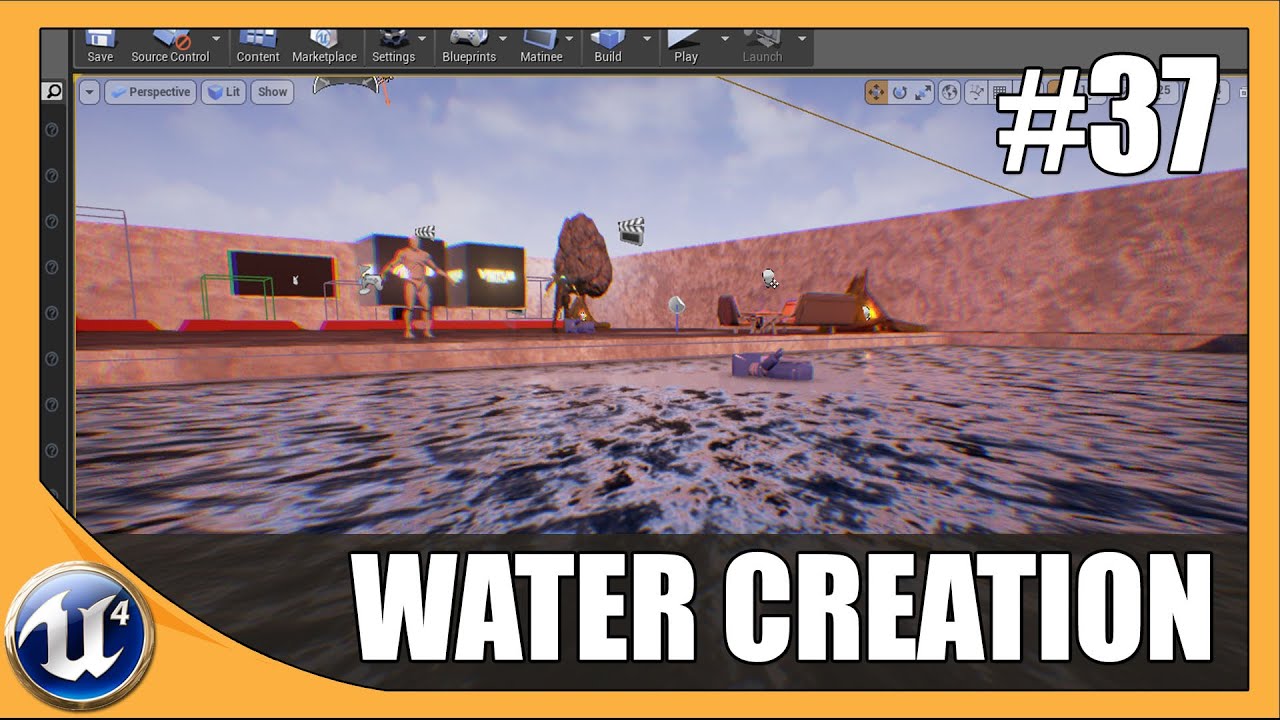
This is episode 37 of my unreal engine 4 beginner tutorial series, in today's episode we go over how you can create a simple pool of water inside of unreal engine. More specifically, we break it down into the different elements and go over how to use them and the associated se...
You have to play around with the settings to look as you like it to
In my case, I am using post processing volume to make night scene
Well I think I I can help you with that
plush yew
We could use some help figuring out why our Custom Weapon BP's teleport function wont work serverside, only locally. Anyone able to take a look?
civic iris
pls share if you have link for good tutorial on unreal with c++
rancid lynx
yeeeeehaaaw... ive graduated from useless level 1 to level 2 or 3 UE4 Dev. !!! Happy Birthday to mee !! I learned how to use sphere trace and collisions to destroy 1 instance of a foliage and replace it with a BP actor X_x.
now i just have to jack wit keeping track of who i want to destroy and replace or not. menDoKusai X_x
via handheld items in VR. not too bad.
just wish i had more time
@ebon linden imo, lighting is the hardest thing about UE4. learning to rig meshes you made yourself and animate them into characters was easier than figuring out the god damn lighting in ue4. i mean.. if you paid some teacher to sit down for 3 or 4 hours, it might actually be easy.. and with youtube, its totally doable with practice. just get ready to sleep 92 times and practice every gd youtube lighting tutorial you can find. X_x. thats a wonderfully lit underwater shot. maybe its easy. but lighting was a bitch for me. my games 1 year old, i can fight VR skeletons, and i still dont think im doing lighting correctly.
 raven ember
aye i know this like a big ask
but can someone hop in a vc with me and teach me how to make game
i know there are tutorials and i have tried them but it just aint working
also ue is so paintfully slow when doing anything
raven ember
no one?
 merry gazelle
Any idea if it's possible to have Unreal Engine read an SD memory card (usb) and use any stored data to effect a game?
For example say I create a memory card that has a stream number on it and when inserted it generates that stream to randomise stuff in game
abstract relic
#looking-for-talent you can try hiring a tutor
plush yew
Hello
 weary briar
Hello, I was playing around with some ideas in my head and I noticed that I can't find any good UE4 examples that show realistic dirt, gravel (terrain) physics. I was wondering why most of the games use basically ingame terrain editor if they want to manipulate terrain and if it's possible to somehow make terrain behave more like in real life (like crumbling rocks etc....) Only "good" examply I found was this https://www.youtube.com/watch?v=NXcxySa2gbU& and how would someone recreate something like this in UE4?

Supplemental video for my Eurographics 2016 short paper "Drift-Diffusion Based Real-Time Dynamic Terrain Deformation" which shows some results obtained with the method described in the short paper.
Abstract: In the natural world, terrains are dynamic entities which change the...
 blissful minnow
Hi
carmine garnet
hey guys i just figured out something hard
how to make every particle follow the location of a bone
do this and also make it local
 proper quiver
Are struct->data tables equivalent to data asset->library? When would I choose one over the other?
 rain heron
Hey guys !! Not sure if I am asking in correct group.. I have been testing XGEN to Unreal groom 💇♂️ workflow from past week.. Every time I run or simulate it crashes instantly. It happens mostly after choosing Bind Groom to Skeletal Mesh...Any ideas 💡 how to fix this. Please feel free to help me out.
abstract relic
Engine version @rain heron ?
rain heron
Engine version @rain heron ?
@abstract relic 4.24.2 I have the latest.
abstract relic
If you can get the call stack, it would be most helpful. Hell, logs will too. I haven’t messed with groom mind you. But there has been a few problems with skeletal mesh treating null mat as a mat for example.
rain heron
@abstract relic Sure ! Do you mean this. https://justpaste.it/1l8j3
polar hawk
Looks like an engine bug of some kind
Nothing you're doing wrong
You can try playing with the number of lods of things maybe
crash is related to something regarding lod indexes
 delicate thicket
Hey guys, I have a question regarding royalties for patents, say I use the engine to create a patent, is the company elligible for a portion of the patent and the royalties should I choose to use the patent or sell it?
polar hawk
if you're using the engine to create a patent you should contact epic's legal team
rain heron
crash is related to something regarding lod indexes
@polar hawk Is there any possible way to disable lods from loading ?
polar hawk
I'm not sure that'll solve it and iunno
delicate thicket
@polar hawk thanks.
abstract relic
I’m suspecting material because I had the same error description
abstract relic
Again, I’m not familiar with xgen but I assume it’s treated like a mesh
Do you have mat id assigned to the asset before exporting it?
rain heron
@abstract relic Nah.. I dont think so..I just followed the export guidelines as mentioned in docs https://docs.unrealengine.com/en-US/Engine/HairRendering/XgenGuidelines/index.html
Describes guidelines for exporting grooms as Alembic files for use with Unreal Engine 4.
polar hawk
I wish I could afford a high end 3d model of my head
polar hawk
usually
rain heron
@abstract relic Sure will try that.. Do u know anyone here tried hair simulations successfully ? Only video I could find related to simulation was this https://www.fxguide.com/fxfeatured/ue4-real-time-hair-advances/?fbclid=IwAR2y27bMPuefoblQFtBjJXTCyNBZwia4mr2a4wJqpFc1dcO-HB-M1-ImATU

We take a deep look at UE4's new Hair, including an exclusive video deep dive.
bitter iris
Is "VisibilityCommands" new for 4.23+?
4.22 I was at 3-5ms for my world overall, I move to 4.23 and now I'm 18-21ms overall and most of it is coming from VisibilityCommands
 radiant haven
abstract relic
radiant haven
abstract relic
Such people are elusive as lice
brave gate
@polar hawk photoscan wouldn't be that expensive 😉
abstract relic
Was about to say. Thought you already had one done
normal burrow
That’s a shaggy mannequin

 pale ferry
Hello. I hope can i ask anything about the Landscape material with heightmaps here? correct me if im wrong
 supple totem


 swift hearth
Can someone help me with widget buttons? Seems like if I change the Slot (positions and sizes of x and y) or the Render Transform (translation or scale), the hitbox (for lack of a better word) of the button gets messed up. Only way I can seem to get it to work is leaving it in the middle with the anchor in the middle
I want to put it on a corner of the screen but then I can't click it 😒
Also going fullscreen messes it up too
pale ferry
@supple totem ty